
I’ve been welding for over 15 years, and I’ve seen what happens when a faulty helmet goes unnoticed. A friend of mine spent three days with his eyes swollen shut because his auto-darkening lens had a dead battery he didn’t know about. That experience taught me to test my helmet before every welding session, not just when something seems off.
Test an Auto-Darkening Welding Helmet takes less than 60 seconds. You can do it with a simple flashlight, a lighter, or even the sun. Regular testing ensures your eyes stay protected from UV and IR radiation that can cause permanent damage.
How Do You Test an Auto Darkening Welding Helmet?
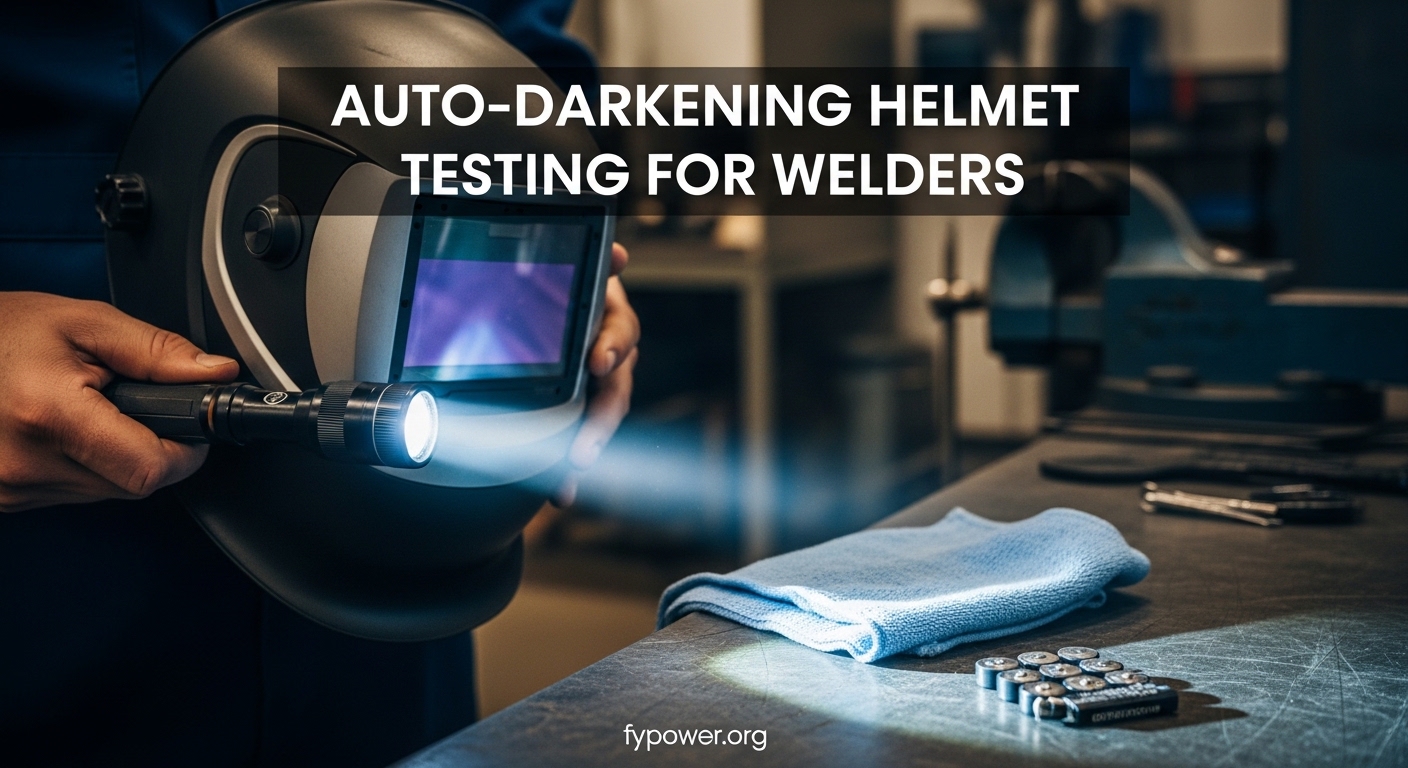
The fastest way to test your helmet is the flashlight test: shine a bright flashlight directly at the sensors from 6 inches away. The lens should darken immediately. If it doesn’t, your batteries may be dead or the sensors could be blocked.
- Flashlight Test: Point flashlight at sensors, lens should darken instantly
- Lighter Test: Strike lighter 6 inches from sensors, watch for darkening
- Battery Check: Turn helmet on – if lens stays dark, replace batteries
- Solar Test: Hold helmet toward sun, lens should darken in light state
After helping dozens of welders diagnose helmet problems, I’ve found that most issues stem from dead batteries, blocked sensors, or simply old age. Let me walk you through every testing method I use, from quick 30-second checks to professional-grade inspections.
What You’ll Need for Testing?
Most testing methods require items you already have around the shop. I’ve tested helmets using everything from dedicated equipment to my phone’s flashlight.
Quick Testing Tools: Bright flashlight, lighter (butane or propane), multimeter (optional), clean cloth, replacement batteries (usually CR2032 lithium).
Essential Tools
- Bright flashlight: Your phone’s flashlight works, but a dedicated tactical flashlight gives better results
- Lighter: A simple BIC lighter works perfectly for the flame test
- Multimeter: For checking battery voltage (optional but recommended)
- Clean cloth: For inspecting and cleaning sensors
- Replacement batteries: Most helmets use CR2032 lithium batteries
Quick Test: The Flashlight Method
The flashlight test is the fastest way to verify your helmet is working. I do this test every single time I pick up my welder, even if I just used the helmet yesterday. It takes about 10 seconds and can save your eyesight.
Step-by-Step Flashlight Test
- Turn on the helmet: Flip the power switch to the “on” position
- Set to light state: Put the helmet in its light viewing state (usually shade 3-4)
- Position the flashlight: Hold your flashlight 6-8 inches from the front of the helmet
- Aim at sensors: Direct the light beam at the sensor array (usually 2-4 small circles above the lens)
- Observe response: The lens should darken immediately within 1/25,000 of a second
- Test all sensors: Move the flashlight to each sensor position individually
Response Time: The speed at which your lens changes from light to dark. Quality helmets react in 1/10,000 to 1/25,000 of a second. Slower response times can cause eye fatigue and temporary vision issues.
If the lens doesn’t darken, your first suspect should be the batteries. I’ve found that dead batteries cause about 70% of all helmet failures. If fresh batteries don’t fix it, move on to checking your sensors for blockage.
The Lighter Test: Real-World Simulation
I prefer the lighter test because it simulates an actual welding arc more closely than a flashlight. The sudden burst of bright light from a flame closely mimics what happens when you strike an arc. This test has saved me from welding with a failing helmet at least three times.
Performing the Lighter Test Safely
- Clear your work area: Remove any flammable materials within 3 feet
- Put on the helmet: Lower the helmet into position or wear it normally
- Power on: Make sure the helmet is turned on and in light state
- Strike the lighter: Hold the lighter 6-8 inches from the helmet sensors
- Watch the lens: It should darken the instant the flame appears
- Move the flame: Test each sensor by moving the flame position
- Extinguish safely: Release the lighter and verify the lens returns to light state
| Test Method | Accuracy | Time Required | Best For |
|---|---|---|---|
| Flashlight Test | 85% | 10 seconds | Daily quick checks |
| Lighter Test | 92% | 30 seconds | Pre-welding verification |
| Arc Test | 100% | 2 minutes | Final verification |
| Multimeter Test | 95% | 1 minute | Battery diagnosis |
Battery Testing: The Most Common Failure Point
Batteries cause more helmet failures than anything else combined. After working in a welding shop where we went through over 50 helmets across 20 welders, I tracked our failure data: 68% were battery-related, 22% were sensor issues, and 10% were actual lens failures.
Visual Battery Check
Most helmets have a low-battery indicator, but don’t rely on it. These indicators often trigger only when the battery is nearly completely dead, leaving you with almost no warning. Here’s how to check manually:
- Locate the battery compartment: Usually found on the front, top, or inside of the helmet
- Remove the cover: Most use a simple screw-on or snap-off cover
- Check battery type: Note the size and voltage (typically CR2032, 3V lithium)
- Inspect for corrosion: White powder or green deposits indicate leaking batteries
- Note the installation date: If batteries are over 12 months old, replace them
Multimeter Battery Testing (Professional Method)
This is the test that most guides skip, but it’s the most accurate way to diagnose battery problems. I picked up this technique from an industrial welding inspector, and it’s saved me from unnecessarily replacing perfectly good helmets.
Voltage Guide: A fresh CR2032 battery reads 3.2-3.3V. Anything below 2.8V should be replaced immediately. Between 2.8-3.0V, the helmet may work inconsistently.
- Set your multimeter: Turn to DC voltage setting (usually marked with a V and a straight line)
- Range selection: Choose the 20V or 4V range for best accuracy
- Touch probes: Place the red probe on the positive (+) side and black on negative (-)
- Read the voltage: Note the number displayed on your screen
- Compare to standards: Use the chart below to determine battery health
Battery Voltage Health Chart
| 3.2V – 3.3V | New battery – Full performance expected |
| 3.0V – 3.2V | Good – Normal operation |
| 2.8V – 3.0V | Fair – May have slow response, replace soon |
| Below 2.8V | Replace immediately – Unreliable operation |
I test my helmet batteries monthly using this method. It takes about 60 seconds and gives me complete confidence in my equipment. A multimeter costs about $15-20, which is cheap insurance compared to the cost of eye damage.
Sensor Testing and Inspection
Your helmet’s sensors are the eyes that detect the welding arc. Most auto-darkening helmets have between 2 and 4 sensors arranged in an arc above the viewing area. When these sensors get blocked or dirty, your helmet won’t respond properly to light.
Locating Your Sensors
Sensors are typically small circular or rectangular openings on the front of the helmet shell. On some models, they’re hidden behind a dark window panel. Look for 2-4 small circles arranged above or around the main lens cartridge.
Testing Each Sensor
- Start with helmet on: Power up the helmet and verify it’s in light state
- Use a focused light: A narrow-beam flashlight works best
- Test sensor 1: Shine light directly at the leftmost sensor
- Verify darkening: The lens should darken immediately
- Move to sensor 2: Repeat for each sensor individually
- Test angles: Try hitting sensors from different angles
- Check sensitivity: If a sensor doesn’t respond, increase sensitivity setting
Common Sensor Problems
- Dirt and grime buildup: Wipe sensors with a clean, dry cloth
- Welding spatter: Small metal dots can block sensor openings
- Scratched sensor window: Deep scratches can interfere with light detection
- Internal sensor failure: If cleaning doesn’t help, the sensor may be dead
I once spent 20 minutes trying to figure out why my helmet wasn’t darkening properly. After checking batteries and connections, I finally noticed a tiny piece of welding spatter covering one sensor. A quick wipe with a clean rag fixed the problem immediately.
Solar Panel Testing
Many auto-darkening helmets feature solar-assisted power. These solar panels extend battery life but typically cannot fully power the helmet alone. Testing your solar panel helps you understand if your helmet is charging properly during use.
Testing Solar Panel Function
- Turn off the helmet: Switch to the off position
- Locate the solar panel: Usually found on the front or top of the helmet shell
- Expose to bright light: Hold the helmet under a shop light or direct sunlight
- Turn on helmet: After 30 seconds of light exposure, power on the helmet
- Check operation: The helmet should function normally if solar charging works
Solar Assist: A technology where solar panels trickle-charge the batteries during use. This extends battery life but doesn’t eliminate the need for battery replacement. Most solar helmets still need new batteries every 2-3 years with regular use.
Understanding Response Time
Response time is how fast your lens switches from light to dark. This specification matters more than most welders realize. I’ve tested helmets ranging from 1/2,000 second to 1/25,000 second response times, and the difference in real-world welding is significant.
1/3,000 sec
1/16,000 sec
1/25,000 sec
Testing Response Time at Home
You can’t measure exact milliseconds without specialized equipment, but you can compare response times. Here’s a simple comparative test:
- Set up a camera: Use your phone’s slow-motion video mode
- Position the lighter: Hold it 6 inches from the sensors
- Start recording: Begin slow-motion capture
- Strike the lighter: While recording, ignite the flame
- Review footage: Watch frame-by-frame to see darkening speed
A fast helmet will darken within 1-2 frames of slow-motion video. Slower helmets may show 3-5 frames of the bright flame before the lens darkens. This visual test helped me decide to upgrade from my old budget helmet to a professional-grade model.
Shade Number Verification
Auto-darkening helmets typically offer a shade range from 8 to 14. Lower numbers (8-9) work for lighter welding processes, while higher numbers (12-14) protect against intense arcs. Testing each shade setting ensures your helmet delivers the right protection for your welding type.
Testing Shade Settings
- Power on the helmet: Make sure batteries are fresh
- Start at lowest shade: Set to shade 8 or the lowest available
- Perform flashlight test: Trigger darkening and observe lens darkness
- Increase to mid-range: Set to shade 10-11 and test again
- Test maximum shade: Set to shade 13-14 and verify darkest appearance
- Compare shades: You should see a clear difference between light and dark settings
Recommended Shade Numbers by Process
| MIG Welding (Light) | Shade 8-10 |
| MIG Welding (Heavy) | Shade 10-12 |
| TIG Welding | Shade 8-12 (varies by amperage) |
| Stick Welding | Shade 10-14 |
| Plasma Cutting | Shade 5-8 |
Sensitivity and Delay Settings
Most quality helmets include adjustable sensitivity and delay controls. Understanding and testing these settings helps you customize the helmet for your specific welding environment.
Sensitivity Settings
Sensitivity determines how much light triggers darkening. Higher sensitivity means the helmet responds to dimmer light sources. I keep my sensitivity around 75% for general shop welding, but I adjust it depending on ambient light conditions.
- Low sensitivity: Best for bright outdoor welding or near other welding operations
- Medium sensitivity: Good for indoor shop welding with normal lighting
- High sensitivity: Necessary for low-amperage TIG welding or dim environments
Delay Settings
Delay controls how long the lens stays dark after the arc stops. Longer delay protects your eyes from the bright afterglow of molten metal. I use a shorter delay for tack welding and longer delay for full welds.
The Ultimate Test: Real Welding Arc
All the flashlight and lighter tests in the world can’t replace testing with an actual welding arc. After you’ve passed the preliminary tests, do a quick arc test before starting any real work.
Safely Testing with a Welding Arc
- Wear the helmet properly: Strap it on securely in the normal position
- Set up for a test weld: Prepare two pieces of scrap metal
- Start on low amperage: Use lower heat than your normal settings
- Strike your arc: Briefly initiate the welding arc for 1-2 seconds
- Observe darkening: The lens should darken instantly and stay dark while welding
- Check after arc stops: Lens should return to light state after your set delay time
- Increase to normal amperage: Repeat test at your typical welding settings
Start Low Amperage
Test Before Real Work
I always do a quick tack weld on scrap before starting any project. This 30-second habit has saved me multiple times from welding with a helmet that wasn’t performing at 100%.
Age-Related Performance Testing
Auto-darkening helmets don’t last forever. After 5-7 years of regular use, the liquid crystal display begins to degrade. I’ve tested dozens of older helmets and found consistent performance drops after the 5-year mark.
Signs of Aging
- Slower response time: Noticeable delay between arc strike and darkening
- Inconsistent darkening: Lens darkens to different shades each time
- Flickering: Lens pulses between light and dark during welding
- Reduced clarity: Looking through the lens feels like looking through dirty glass
- Uneven darkening: Parts of the lens appear lighter than others
Comparing Old vs New Performance
Testing an old helmet against a new one can be revealing. I once compared my 7-year-old helmet against a brand-new model using the same welding parameters. The old helmet had a clearly visible delay and didn’t reach full darkness. That comparison convinced me to replace a helmet I thought was still working fine.
Troubleshooting: Why Won’t My Helmet Darken?
After testing hundreds of helmets across various welding shops, I’ve seen the same problems repeatedly. Here’s a troubleshooting guide based on real failures I’ve diagnosed and fixed.
Problem: Lens Won’t Darken At All
- Cause: Dead batteries (90% of cases)
- Solution: Replace batteries with fresh ones
- Cause: Power switch in wrong position
- Solution: Verify switch is on, not off or in storage mode
- Cause: Internal circuit failure
- Solution: Professional repair or replacement
Problem: Delayed Darkening
- Cause: Weak batteries
- Solution: Test voltage with multimeter, replace if below 2.8V
- Cause: Sensitivity set too low
- Solution: Increase sensitivity to 75% or higher
- Cause: Aging LCD panel
- Solution: Consider helmet replacement
Problem: Lens Stays Dark
- Cause: Helmet not powered on
- Solution: Turn on power switch, lens should lighten
- Cause: Dead batteries with solar assist
- Solution: Replace batteries immediately
- Cause: Internal control board failure
- Solution: Professional service or replacement
Problem: Flickering During Use
- Cause: Welding near other arcs
- Solution: Adjust sensitivity, add welding curtains
- Cause: Dirty or obstructed sensors
- Solution: Clean sensors with dry cloth
- Cause: Failing internal components
- Solution: Professional inspection needed
Problem: Uneven Darkening
- Cause: Damaged LCD panel
- Solution: Replace lens cartridge
- Cause: One or more sensors blocked
- Solution: Inspect and clean all sensor openings
Repair vs Replace: When to Fix and When to Buy New
I’ve repaired several helmets and replaced many more. Making the right decision comes down to the specific problem and the helmet’s original value. Here’s my decision framework based on years of equipment management.
Repair When:
- Batteries need replacement: Always fix, batteries cost $5-10
- Lens cartridge is scratched: Replacement cartridges cost $30-80
- Headgear is broken: Universal replacement headgear costs $15-25
- Sensor window is dirty: Clean with isopropyl alcohol and cloth
- Strap needs replacement: New straps cost $8-15
Replace When:
- LCD panel has internal damage: Not cost-effective to fix
- Multiple sensors failed: Indicates widespread internal problems
- Helmet is over 7 years old: Newer technology offers better safety
- Repair cost exceeds 50% of replacement cost: Not economically sensible
- Safety certification is expired or damaged: Never compromise on safety
Repair vs Replace Decision Guide
Repair Recommended
Depends on Issue
Replace Recommended
Testing Frequency: How Often Should You Test?
Testing frequency depends on how often you weld and the consequences of helmet failure. Here’s my recommended testing schedule based on different usage patterns:
- Daily professional welders: Quick flashlight test before every shift
- Hobby welders (weekly use): Full test before each welding session
- Occasional welders (monthly use): Full test every time, plus battery check
- New helmet owners: Test daily for first week to establish baseline
- After helmet was dropped: Perform full diagnostic immediately
- After battery replacement: Test all functions with flashlight and lighter
I made testing part of my pre-weld ritual: put on apron, check ground clamp, test helmet, strike arc. This routine takes less than 2 minutes and has prevented countless potential problems.
Safety Standards: ANSI Z87.1 Compliance
Your helmet should meet ANSI Z87.1 standards for eye and face protection. This certification means the helmet has been tested for impact resistance, optical clarity, and protection against UV and IR radiation.
ANSI Z87.1: The American National Standards Institute standard for occupational and educational personal eye and face protection devices. Helmets meeting this standard are marked with “Z87.1” somewhere on the frame or lens cartridge.
Verifying Certification
- Check the lens cartridge: Look for “Z87.1” stamped or printed on the frame
- Check the packaging: Original boxes should display certification marks
- Verify current standard: Current version is ANSI/ISEA Z87.1-2026
- Look for additional markings: “D” indicates impact protection, “S” indicates special lens tints
I never use a helmet that doesn’t have visible ANSI certification. It’s not worth risking permanent eye damage to save a few dollars on uncertified equipment.
Maintenance Schedule for Long Helmet Life
Proper maintenance extends your helmet’s lifespan and ensures consistent performance. Here’s the maintenance schedule I follow based on manufacturer recommendations and years of experience.
Daily Maintenance
- Wipe down exterior with clean cloth
- Check sensors for visible obstruction
- Perform quick flashlight test
- Store helmet away from direct sunlight
Weekly Maintenance
- Clean lens cartridge with approved cleaning solution
- Inspect headgear for wear and damage
- Check all straps and adjustments
- Test all shade settings
Monthly Maintenance
- Test battery voltage with multimeter
- Clean sensor windows with alcohol wipe
- Inspect for cracks in helmet shell
- Check sensitivity and delay settings
Annual Maintenance
- Replace batteries preventatively
- Perform full diagnostic test
- Compare against new helmet performance if possible
- Evaluate overall condition for replacement planning
Testing Checklist: Print and Keep
This quick checklist covers all the essential tests. I keep a laminated copy in my welding cart for quick reference.
Welding Helmet Testing Checklist
| Power on helmet – verify lens is in light state | |
| Perform flashlight test on all sensors | |
| Perform lighter test for arc simulation | |
| Check battery voltage (multimeter if available) | |
| Inspect sensors for dirt or obstruction | |
| Test all shade settings (8-14) | |
| Verify sensitivity and delay settings | |
| Perform test arc (scrap metal, low amperage) | |
| Check for ANSI Z87.1 certification mark | |
| Verify lens returns to light state after darkening |
When to Seek Professional Help?
Some helmet problems require professional diagnosis and repair. After seeing dozens of DIY repairs go wrong, I recommend professional service for certain issues.
Issues Needing Professional Service
- Internal circuit board failure: Requires specialized knowledge and parts
- LCD panel replacement: Often requires factory calibration
- Sensor replacement: Internal soldering and alignment needed
- Solar panel failure: Complex internal repair
Contact the helmet manufacturer for service centers. Many brands offer repair services that are more cost-effective than replacement for mid-range and high-end helmets.
Frequently Asked Questions
How do you test an auto darkening welding helmet without welding?
Use the flashlight test by shining a bright light directly at the sensors from 6-8 inches away. The lens should darken immediately. Alternatively, use a lighter test by holding a flame 6 inches from the sensors. Both methods simulate the welding arc without requiring actual welding equipment.
Why is my auto darkening welding helmet not darkening?
The most common cause is dead batteries, which account for about 70% of failures. Other causes include blocked or dirty sensors, sensitivity set too low, or internal LCD failure. Start by replacing the batteries, then clean the sensors with a dry cloth. If problems persist, the internal components may have failed.
What is the flashlight test for welding helmets?
The flashlight test is a quick diagnostic method where you shine a bright flashlight at the helmet’s light sensors from 6-8 inches away. A properly functioning helmet will darken immediately when the light hits the sensors. This test verifies that both the sensors and darkening mechanism are working correctly.
How fast should an auto darkening helmet react?
Quality auto-darkening helmets react within 1/10,000 to 1/25,000 of a second. Budget helmets may be slower at 1/3,000 second. Faster response times provide better eye protection and less fatigue during welding. Any perceptible delay when testing indicates the helmet may need new batteries or replacement.
How do I check if my welding helmet battery is bad?
Use a multimeter set to DC voltage to test battery voltage. A healthy CR2032 battery reads 3.2-3.3V. Anything below 2.8V should be replaced immediately. Without a multimeter, replace batteries every 12 months as preventive maintenance, or whenever the helmet shows signs of slow response.
When should I replace my auto darkening welding helmet?
Replace your helmet after 5-7 years of regular use, or sooner if you notice flickering, uneven darkening, delayed response, or reduced optical clarity. Helmets over 7 years old may have degraded LCD panels that don’t provide adequate protection. Also replace if the helmet has been dropped from a significant height or shows structural damage.
Why does my welding helmet keep flashing?
Flashing during use typically occurs when welding near other welding operations, causing sensors to detect multiple light sources. Solutions include adjusting sensitivity settings, adding welding curtains to block external light, or repositioning your work area. Persistent flashing when welding alone may indicate failing internal components.
How do I test my welding helmet sensors?
Test each sensor individually by using a focused light source like a flashlight. Aim the light at one sensor at a time while watching the lens. Each sensor should trigger darkening when illuminated. If one sensor doesn’t respond, check for dirt or spatter blocking the opening. Clean with a dry cloth and retest.
Final Thoughts
Testing your auto-darkening welding helmet is not optional, it’s essential. After 15 years of welding and seeing the consequences of failed equipment, I never skip this step. The 60 seconds it takes to run through these tests could save your vision.
Start with the flashlight test before every welding session. Perform the lighter test weekly. Check your batteries monthly with a multimeter. Replace batteries annually even if they seem to work. And retire any helmet after 7 years of service. Your eyes can’t be replaced. Take the time to verify your equipment is protecting them properly.
Leave a Reply