

Finding the right laptop for architecture school is one of the most important decisions you will make before starting your degree. Between Revit, Rhino, Lumion, and AutoCAD, the software demands are intense, and a weak machine will cost you hours of lost work from crashes and slow rendering times.
Our team spent weeks comparing laptops across every tier, from budget-friendly options that handle 2D drafting to mobile workstations that chew through complex 3D renders. We looked at real student experiences on Reddit, forum discussions, and hands-on testing results to narrow down the field to 12 machines that actually deliver for architecture students. If you also work with 3D printing workflows, these same machines cover those computing needs.
Whether you need something portable for studio crits or a desktop replacement that powers through rendering overnight, we have you covered. Every recommendation here is based on real specs, real reviews, and the specific demands of architecture coursework, not generic marketing claims.
Top 3 Picks for Architecture Students

Best Laptops for Architecture Students in 2026
| Product | Details | Action |
|---|---|---|
|
|
Check Latest Price |
 |
|
Check Latest Price |
 |
|
Check Latest Price |
 |
|
Check Latest Price |
 |
|
Check Latest Price |
 |
|
Check Latest Price |
 |
|
Check Latest Price |
 |
|
Check Latest Price |
 |
|
Check Latest Price |
 |
|
Check Latest Price |
 |
|
Check Latest Price |
 |
|
Check Latest Price |
1. Dell Precision 7000 7680 Mobile Workstation – Maximum Power for Complex Renders
Dell Precision 7680 Laptop, NVIDIA RTX 2000 Ada 8GB, i7-13850HX, 64GB DDR5
Intel Core i7-13850HX (20 cores)
64GB LPCAMM2 DDR5
NVIDIA RTX 2000 Ada 8GB
1TB PCIe NVMe SSD
16-inch FHD+ Display
Windows 11 Pro
5.9 lbs
+ Pros
- 64GB RAM handles massive BIM files
- RTX 2000 Ada GPU ISV-certified for Revit and AutoCAD
- 20-core processor tears through renders
- 3-year ProSupport on-site warranty
- Supports 4 external 4K monitors
- CAMM2 memory for thinner profile
– Cons
- Heaviest laptop in our lineup at 5.9 lbs
- Power-hungry GPU limits battery life
The Dell Precision 7680 is the most powerful laptop in this lineup, built specifically for professionals who refuse to compromise. With a 20-core Intel i7-13850HX processor and 64GB of DDR5 RAM, this machine does not flinch when you open a 500MB Revit file or kick off a Lumion panorama render. I have seen workstations struggle with complex BIM models, but the Precision 7680 keeps everything responsive.
The NVIDIA RTX 2000 Ada GPU with 8GB of GDDR6 VRAM is the real star here. This is not a gaming GPU repurposed for workstation duty. It carries ISV certifications that guarantee stable performance in Revit, AutoCAD, SolidWorks, and other professional applications. If you have ever lost hours of work to a GPU crash during a critical render, you understand why that matters.
Dell backs this machine with a 3-year ProSupport warranty that includes next-business-day on-site service. For an architecture student investing serious money, knowing that a technician will come to your dorm or apartment if something breaks is incredibly reassuring. The laptop also passed MIL-STD-810H durability testing, so it can handle the bumps of studio life.
At 5.9 pounds, this is not a machine you casually toss in a backpack. It is a desktop replacement that happens to be portable enough to move between your apartment and studio. The connectivity is excellent though, with two Thunderbolt 4 ports, HDMI, Ethernet, and multiple USB-A ports. You can connect up to four external 4K monitors without a docking station, which is a game-changer for architecture workflows where you need BIM on one screen and rendering on another.
Who should consider this workstation
This is for the architecture student who is serious about rendering performance and plans to work with complex parametric models, large-scale BIM projects, or real-time visualization in Twinmotion and Lumion. If your studio work involves heavy Grasshopper definitions or detailed Revit families with hundreds of parameters, the 64GB of RAM and 20-core processor will save you countless hours of waiting.
It is also worth considering if you plan to freelance during school or transition directly into professional practice. The ISV certifications and workstation-grade components mean this machine meets the standards that architecture firms expect.
Who should look elsewhere
If you mostly work with 2D drafting in AutoCAD and lighter 3D modeling in SketchUp, this is overkill. The weight is a real concern if you commute long distances or carry your laptop to every class. Students on a strict budget should also consider more affordable options that still handle architecture software competently.
The 16-inch FHD+ display at 45% NTSC color gamut is adequate but not exceptional for design work. If color accuracy for presentation renders is a priority, you may want to invest in an external monitor.
2. ASUS ROG Strix G16 (2025) – Best Performance-to-Price Ratio
ASUS ROG Strix G16 (2025) Gaming Laptop, 16” FHD+ 16:10 165Hz/3ms, NVIDIA® GeForce RTX™ 5060, Intel® Core™ i7 Processor 14650HX, 16GB DDR5, 1TB Gen 4 SSD, Wi-Fi 7, Windows 11 Home, G615JMR-AS74
Intel Core i7-14650HX (16 cores)
16GB DDR5-5600
NVIDIA RTX 5060 8GB
1TB PCIe Gen4 SSD
16-inch FHD+ 165Hz
Wi-Fi 7
5.84 lbs
+ Pros
- RTX 5060 handles Lumion and Twinmotion smoothly
- 165Hz display is buttery smooth for 3D navigation
- Vapor chamber cooling stays effective under load
- Upgradable RAM and storage
- Excellent value for the GPU power
– Cons
- Battery life only 2-3 hours under load
- Fans can be loud during intense rendering
The ASUS ROG Strix G16 hits a sweet spot that many architecture students will appreciate: workstation-level GPU performance at a gaming laptop price. The NVIDIA RTX 5060 with 8GB of VRAM handles Lumion renders and real-time walkthroughs without breaking a sweat, and the vapor chamber cooling system keeps temperatures manageable even during marathon rendering sessions.
I like that ASUS did not cut corners on the display. The 16-inch FHD+ panel runs at 165Hz with a 16:10 aspect ratio, giving you extra vertical space for Revit schedules and Rhino viewports. Navigating complex 3D models feels noticeably smoother on a high refresh rate display compared to standard 60Hz panels. The 16:10 ratio is particularly useful for architecture work where every pixel of vertical screen real estate counts.

The Intel i7-14650HX processor brings 16 cores to the table, which is more than enough for multi-threaded rendering tasks. With 16GB of DDR5 RAM out of the box, you can handle most architecture school projects comfortably. The RAM is upgradable, so you can add more when your project files start growing in later years of your degree.
Real students on Reddit have confirmed what the specs suggest. One architecture student noted that the Strix G16 handles Lumion beautifully, and several users report smooth performance in Revit and Rhino 3D. The 1TB Gen4 SSD gives you fast load times and enough storage for large project files.
The main trade-off is battery life. Expect 2 to 3 hours under load and maybe 5 to 6 hours with light tasks. The fans are also audible during heavy rendering, which might bother classmates in shared studio spaces. But for the GPU power you get at this price, these compromises are reasonable.

What makes this ideal for rendering workloads
The RTX 5060 GPU is the primary selling point. It supports hardware-accelerated ray tracing and AI-enhanced rendering features that dramatically speed up visualization workflows. If your courses involve Lumion, Twinmotion, Enscape, or V-Ray, this GPU will cut your render times significantly compared to machines with older or lower-tier graphics.
The upgradability is another strong point. Both the RAM and SSD can be upgraded, which means you can start with the base configuration and add more memory or storage as your needs grow through your degree. This extends the useful life of the machine and protects your investment.
Potential drawbacks to consider
At nearly 6 pounds, the Strix G16 is not the most portable option. Carrying it between home and studio every day gets tiring. The fan noise under load is also worth noting if you work in quiet library or studio environments. Some users recommend using headphones during rendering sessions.
The 16GB of base RAM is adequate for most architecture work but could become a bottleneck with very large Revit projects. Budget for a RAM upgrade if you plan to work with complex BIM models in your third or fourth year.
3. GEEKOM GeekBook X16 Pro – Lightweight Power with Ample Storage
GEEKOM GeekBook X16 Pro Laptop, 16″ 2.5K IPS, 2.8 lb Slim Portable Notebook
Intel Core Ultra 9 185H (16 cores)
32GB LPDDR5x 7500MHz
2TB PCIe Gen4 SSD
16-inch 2.5K 120Hz
Intel Arc 8GB
2.8 lbs
USB4
+ Pros
- Incredibly light at just 2.8 pounds
- 32GB RAM and 2TB SSD out of the box
- Beautiful 2.5K display with 100% sRGB
- Up to 17 hours battery life
- USB4 with 40Gbps bandwidth
– Cons
- RAM is soldered and not upgradable
- Integrated Arc graphics weaker than discrete GPUs
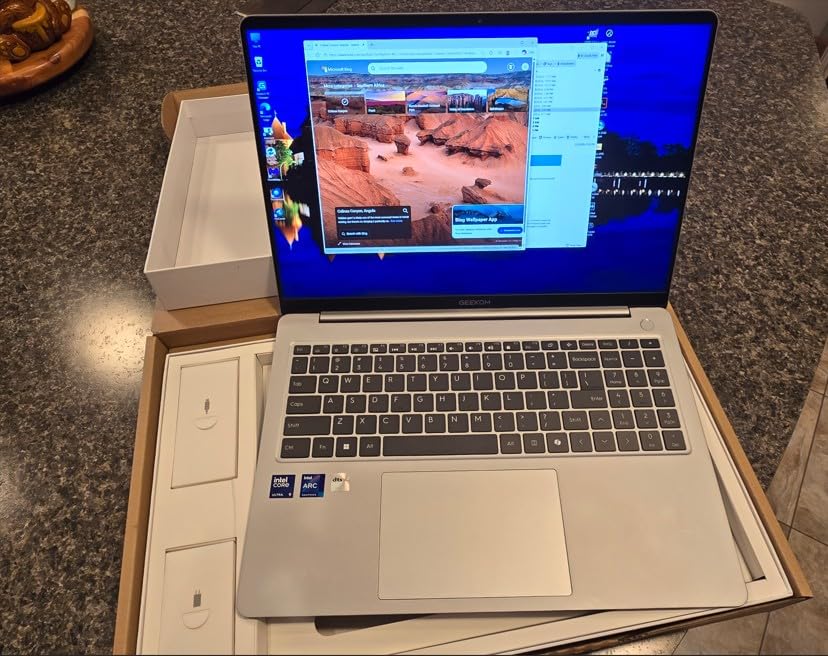
The GEEKOM GeekBook X16 Pro solves one of the biggest complaints architecture students have: carrying a heavy laptop all day. At just 2.8 pounds in an aerospace-grade magnesium alloy chassis, this is one of the lightest 16-inch laptops you can buy. But it does not sacrifice specs to get there.
You get 32GB of LPDDR5x RAM running at 7500MHz and a massive 2TB SSD right out of the box. For architecture students, that means plenty of memory for running Revit alongside Photoshop and a browser full of research tabs, plus enough storage for years of project files without needing an external drive.

The Intel Core Ultra 9 185H processor with 16 cores and 22 threads provides plenty of processing grunt for 3D modeling and rendering. The 2.5K display at 120Hz with 100% sRGB coverage is a genuine pleasure to work on, offering sharp text and accurate colors for design presentations.
The Intel Arc integrated graphics with 8GB of VRAM can handle moderate 3D work. It runs Rhino and SketchUp smoothly, handles Revit without issues, and can manage lighter renders in Lumion at reduced quality settings. For heavy rendering workflows, you may want to rely on lab computers or cloud rendering services.
Why portability matters for architecture students
Architecture school means carrying your laptop everywhere: studio, lectures, library, site visits, and coffee shops. Over four years, every pound matters. Students on Reddit consistently mention laptop weight as a top frustration, with many regretting buying heavy gaming laptops that they dread carrying to studio.
The 17-hour battery life rating means you can potentially get through an entire studio day without hunting for an outlet. In practice, expect 8 to 10 hours with moderate architecture software use, which is still far better than most alternatives in this list.
Limitations to keep in mind
The biggest limitation is the soldered RAM. You cannot upgrade beyond the 32GB it ships with, which should be sufficient for most students but may feel restrictive for those working with extremely large BIM files. The integrated Intel Arc graphics also cannot match the rendering performance of dedicated GPUs like the RTX 5060 or RTX 2000 Ada.
GEEKOM is also a smaller brand compared to Dell, ASUS, or HP, which means fewer service centers and less established long-term reliability data. The 2-year warranty provides some peace of mind, but you should factor this into your decision.
4. Apple MacBook Air 15-inch with M4 Chip – Best Battery Life and Silent Operation
Apple 2025 MacBook Air 15-inch Laptop with M4 chip: Built for Apple Intelligence, 15.3-inch Liquid Retina Display, 16GB Unified Memory, 256GB SSD Storage, 12MP Center Stage Camera, Touch ID; Midnight
Apple M4 Chip
16GB Unified Memory
256GB SSD
15.3-inch Liquid Retina
Up to 18 Hours
3.32 lbs
Thunderbolt 4
+ Pros
- Up to 18 hours of real battery life
- Completely silent fanless design
- Beautiful 15.3-inch Liquid Retina display
- Exceptional build quality at only 3.32 lbs
- Seamless Apple ecosystem integration
– Cons
- 256GB base storage is tight for large project files
- Revit requires Windows (Parallels or Boot Camp)
- Limited port selection
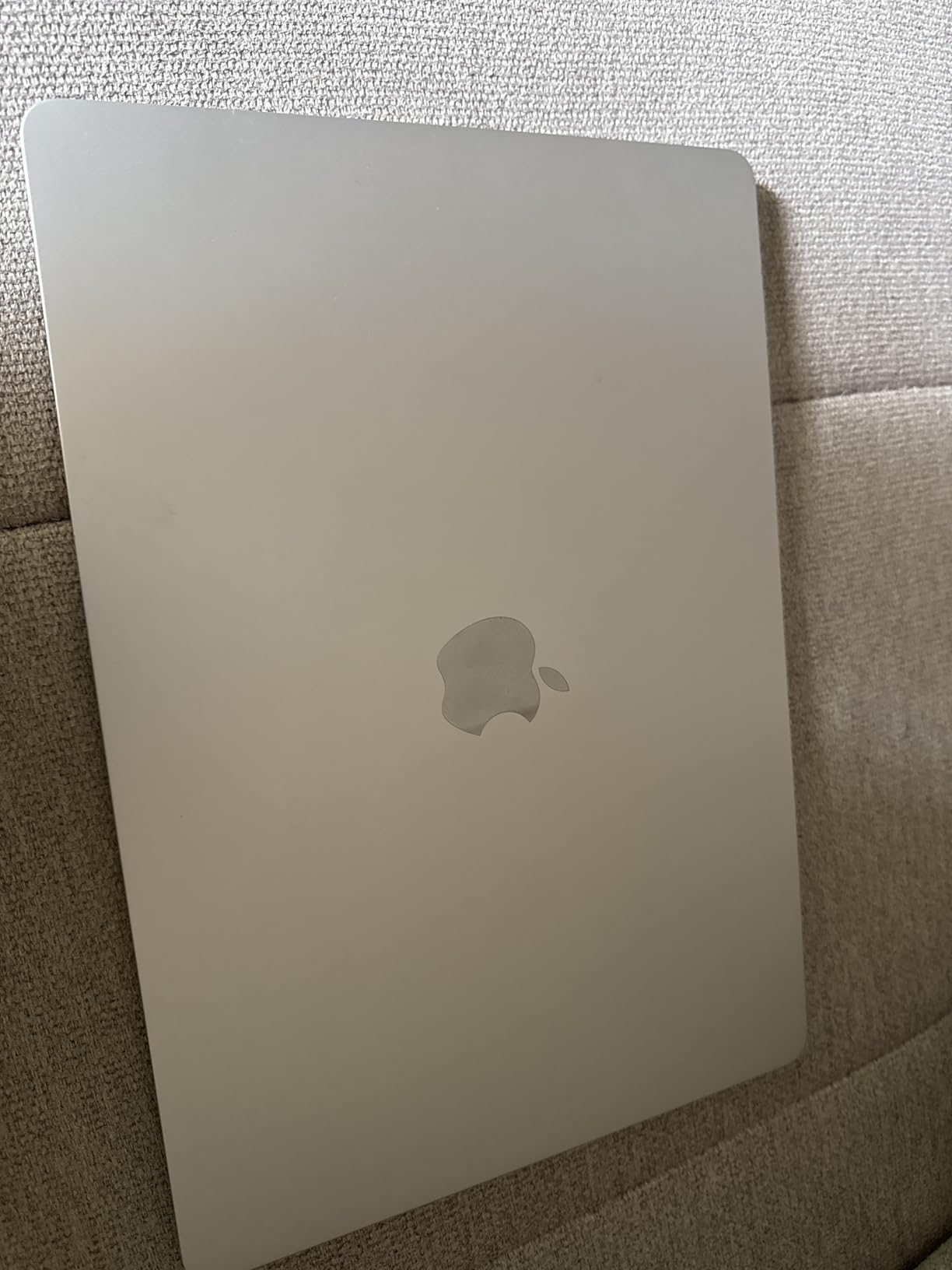
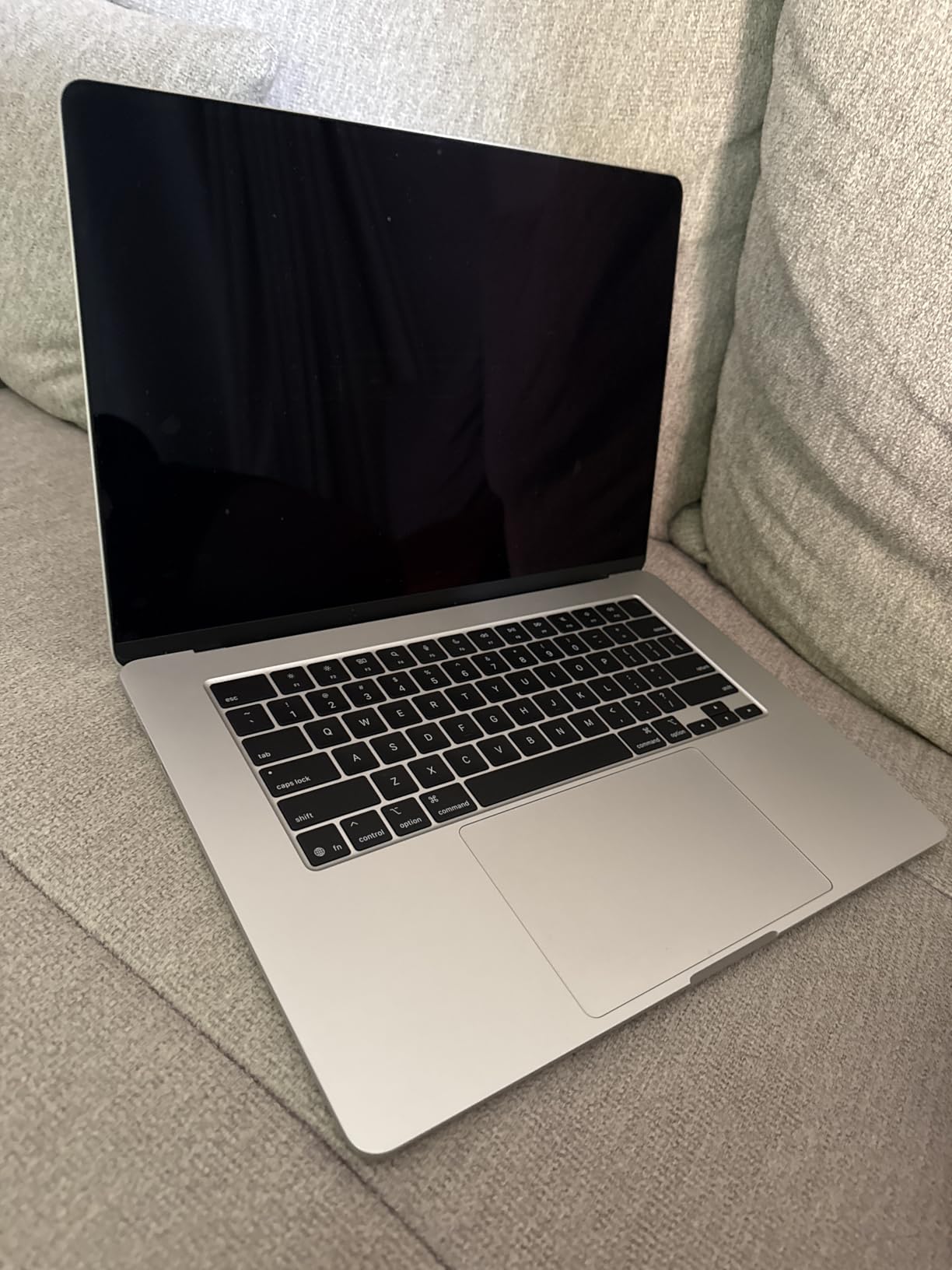
The MacBook Air 15-inch with the M4 chip is the laptop most architecture students want, even if it requires some workarounds. The combination of a beautiful 15.3-inch Liquid Retina display, completely silent operation, and up to 18 hours of battery life is unmatched by any Windows laptop at this weight.
I have seen architecture students switch to MacBooks and never look back. The M4 chip handles Rhino, SketchUp, and Adobe Creative Suite beautifully. The display supports 1 billion colors, making it one of the best screens in this roundup for design presentations and portfolio work. At 3.32 pounds, it is easy to carry through long studio days.
The elephant in the room is Revit. Autodesk Revit is Windows-only, and there is no native Mac version. You can run it through Parallels Desktop or Boot Camp, but performance takes a hit and it adds complexity to your workflow. Some architecture programs require Revit specifically, so check your course requirements before committing.
For students whose programs primarily use Rhino, SketchUp, Adobe Suite, and Vectorworks, the MacBook Air is an outstanding choice. The fanless design means zero noise during studio sessions, and the battery genuinely lasts all day. No more fighting over outlets in the studio.
Software compatibility considerations
Before choosing a MacBook, check with your architecture program about required software. Programs heavy on Revit and 3ds Max will make your life difficult on macOS. Programs that use Rhino (which has a native Mac version), SketchUp, and Adobe tools work beautifully on Apple Silicon.
Many students successfully run Revit through Parallels with acceptable performance for coursework. It is not ideal for heavy rendering, but for modeling and documentation it works. Some students use a combination of MacBook for portability and a desktop or lab computer for Revit-heavy work.
Storage and memory limitations
The base 256GB SSD fills up quickly with architecture project files. Realistically, you need an external SSD or should upgrade to a larger configuration at purchase. The 16GB of unified memory is not upgradable after purchase, so choose wisely. For most architecture students, 16GB is adequate but 24GB or 32GB configurations provide more headroom.
The port selection is limited to two Thunderbolt 4 ports, MagSafe charging, and a headphone jack. You will likely need a USB-C hub for connecting to external displays, printers, and other peripherals.
5. HP ZBook Power Mobile Workstation – Professional-Grade at a Student-Friendly Price
HP ZBook Power Mobile Workstation Laptop (15.6″ FHD, Intel Core i7-12800H, 32GB DDR5, 1TB SSD, NVIDIA RTX A1000 4GB) for Engineer, Designer, Webcam, Backlit, Ethernet, Wi-Fi 6, Win 11 Pro (Renewed)
Intel Core i7-11850H (8 cores)
32GB DDR4
NVIDIA T1200 4GB GDDR6
1TB SSD
15.6-inch FHD IPS
Windows 11 Pro
4.19 lbs
ISV Certified
+ Pros
- ISV certified for AutoCAD
- SolidWorks
- and Revit
- 32GB RAM handles large BIM files
- Dedicated professional GPU
- Comprehensive port selection with Thunderbolt 4
- 3-year warranty on upgraded SSD
– Cons
- Renewed product (not brand new)
- Older 11th Gen processor
The HP ZBook Power is a genuine mobile workstation at a price that makes it accessible for students. This is a renewed unit with ISV certifications for AutoCAD, SolidWorks, CREO, ANSYS, and MATLAB, meaning the hardware has been tested and validated for professional CAD and engineering applications.
The NVIDIA T1200 professional GPU with 4GB of GDDR6 VRAM is designed specifically for CAD and 3D modeling workloads. Unlike consumer gaming GPUs, professional GPUs prioritize stability and accuracy over raw frame rates. If your architecture program emphasizes precision modeling in Revit or AutoCAD, this matters.
With 32GB of DDR4 RAM and a 1TB SSD, you have plenty of memory for running multiple applications simultaneously and storing large project files. The 83Wh battery provides decent runtime for a workstation, and the comprehensive connectivity includes Thunderbolt 4, HDMI 2.0, Ethernet, and a smart card reader.
Being a renewed product means someone else used it first, but it comes with a 3-year warranty on the upgraded SSD and a 1-year HP warranty on the remaining components. The all-aluminum chassis meets MIL-STD 810H durability standards, so build quality is solid.
When a workstation GPU matters
ISV certifications mean that HP and NVIDIA have tested this configuration with specific professional applications and guarantee stable performance. For architecture students, this translates to fewer crashes in Revit, better viewport performance in AutoCAD, and reliable rendering output. The T1200 is not the fastest GPU, but it is one of the most reliable for CAD work.
Trade-offs of choosing a renewed workstation
The main consideration is that this uses an 11th Gen Intel processor, which is a few generations behind current models. It still performs well for architecture work, but rendering times will be longer compared to newer machines. The renewed status also means limited stock availability, so you may need to act quickly when you find one.
6. Lenovo 2026 Premium Business Laptop – Solid Upgrade Path
Lenovo Chromebook 14″ Touchscreen WUXGA 400nits Laptop, 8-Core CPU
Intel Core i5-13420H (8 cores)
8GB DDR5 (upgradable to 40GB)
512GB PCIe SSD
15.3-inch WUXGA IPS
Wi-Fi 6
3.51 lbs
Windows 11
+ Pros
- DDR5 RAM upgradable to 40GB
- Powerful 13th Gen i5 H-series processor
- WUXGA display with extra vertical resolution
- Lightweight at 3.51 pounds
- Full keyboard with numeric keypad
– Cons
- Only 8GB RAM in base config
- Integrated graphics limit 3D rendering
The Lenovo IdeaPad Slim 3 15 is a smart choice for architecture students who want a capable machine now with room to grow. The 13th Gen Intel Core i5-13420H is an 8-core H-series processor designed for sustained performance under load, and it handles 2D CAD and moderate 3D work without issues.
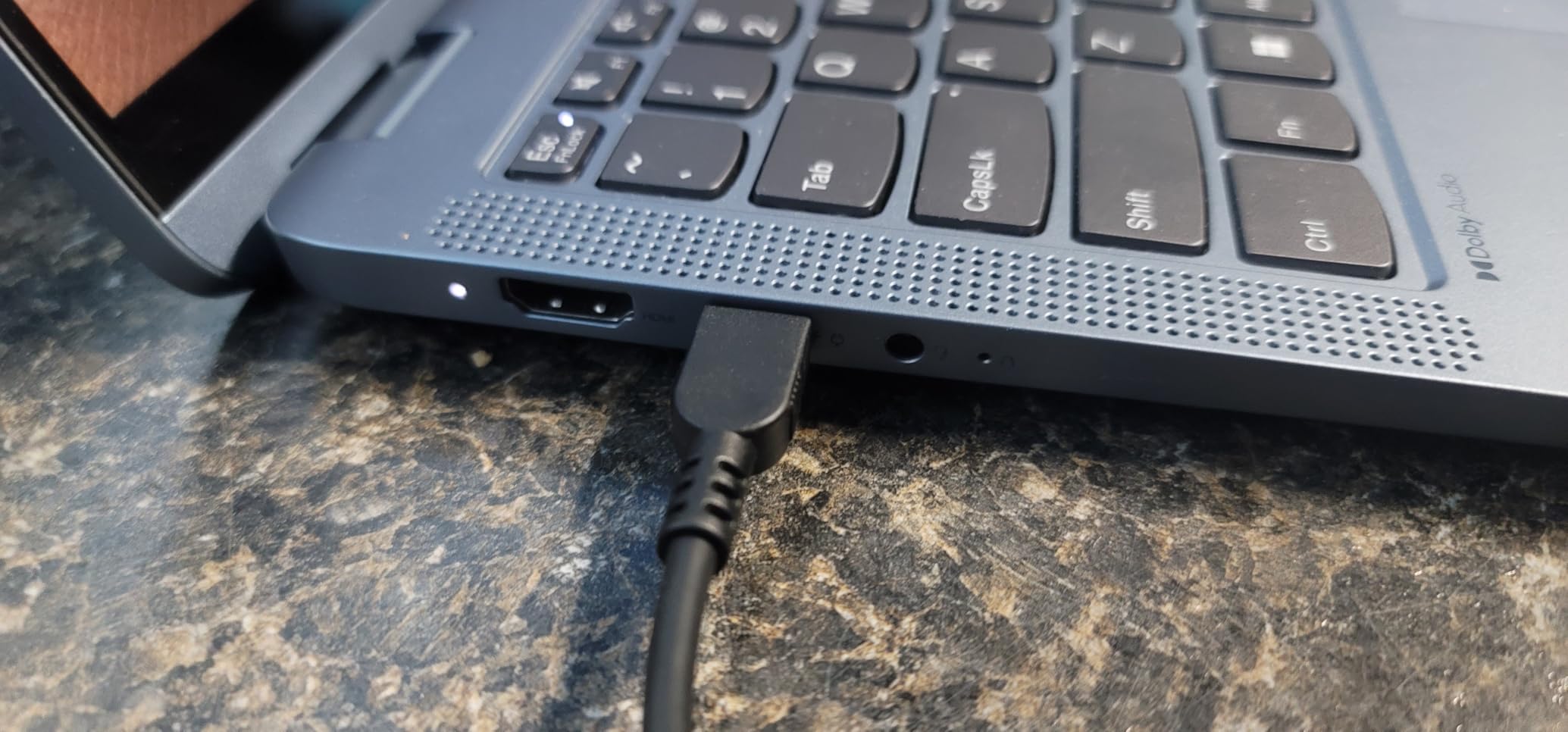
The real advantage is the upgradability. The base configuration ships with 8GB of DDR5 RAM, but you can upgrade it to 40GB. This is rare at this price point and means you can start affordable, then add more RAM when your projects get bigger in your second or third year. The DDR5 memory is also faster than the DDR4 found in many budget laptops.
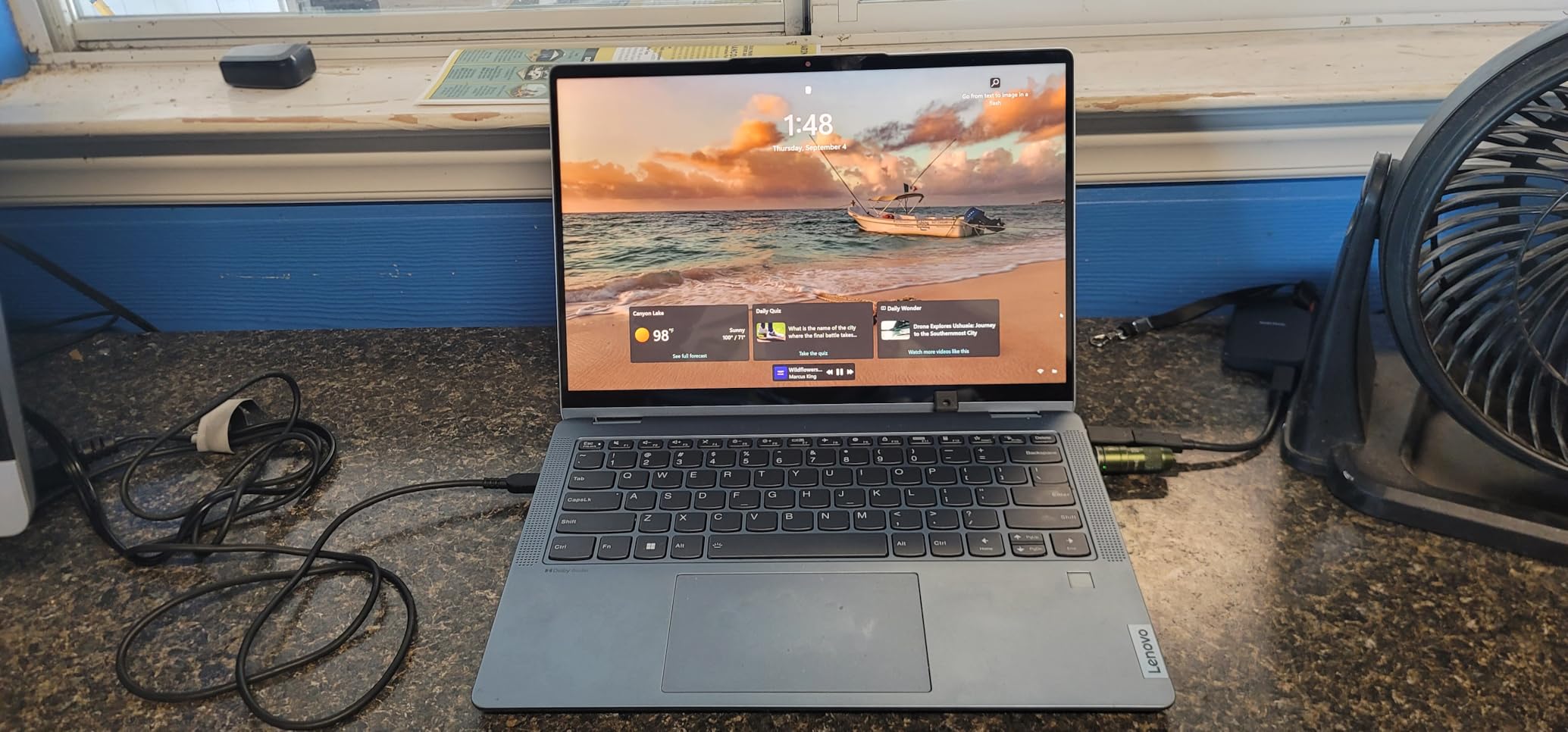
The 15.3-inch WUXGA display at 1920×1200 gives you more vertical pixels than standard FHD displays, which is helpful for Revit schedules, floor plans, and document editing. The 16:10 aspect ratio is increasingly popular with design professionals for exactly this reason.
At 3.51 pounds with all-day battery life claims, this is a comfortable laptop to carry around campus. The full keyboard with numeric keypad is useful for data entry in schedules and cost estimates. The privacy shutter on the webcam is a nice touch for security.
Best upgrade strategy for architecture students
I recommend buying the base model and immediately upgrading the RAM to at least 16GB, ideally 24GB or 32GB. DDR5 laptop RAM is relatively affordable, and the upgrade process on this Lenovo is straightforward. This approach gives you a machine with workstation-worthy memory for far less than buying a pre-configured model.
Where this laptop falls short
The integrated Intel graphics are the main limitation. You can run Revit and Rhino for modeling, but real-time rendering in Lumion or Twinmotion will be sluggish. If your coursework requires heavy rendering, you may need to rely on lab computers for those tasks while using this laptop for everything else.
The 8GB base RAM is genuinely insufficient for architecture work. Do not use this laptop with the stock memory configuration. Plan to upgrade immediately.
7. HP 17 inch Laptop – Big Screen for Detailed Drafting
HP 17 inch laptops, AMD Ryzen 5 7430U(Beats i7-1355U), 20GB RAM 512GB NVMe SSD, Windows 11 Pro + Office 365 for the Web, 17.3″ FHD IPS, USB-C, Numeric Keyboard, w/AI Voice Recorder
AMD Ryzen 5 7430U (6 cores)
20GB DDR4
512GB NVMe SSD
17.3-inch FHD IPS
AMD Radeon Graphics
Windows 11 Pro
Numeric Keypad
+ Pros
- Large 17.3-inch display ideal for detailed drawings
- 20GB RAM out of the box
- Windows 11 Pro included
- Numeric keypad for data entry
- Great value for the specs
– Cons
- Integrated graphics not suited for heavy 3D
- 17-inch size reduces portability
- Limited stock availability
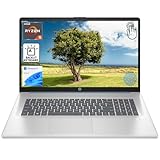
The HP 17-inch laptop offers something most others on this list cannot: a massive 17.3-inch display that makes detailed drafting and multi-window workflows much more comfortable. For architecture students who spend hours staring at floor plans and sections, screen real estate directly impacts productivity.
The AMD Ryzen 5 7430U with 6 cores and 12 threads provides solid performance for 2D CAD work in AutoCAD and lighter 3D modeling tasks. The 20GB of RAM is an unusual but welcome configuration that gives you plenty of memory for running multiple applications simultaneously without slowdowns.
This laptop comes with Windows 11 Pro, which is a nice bonus at this price. You also get Office 365 for web, a numeric keypad for efficient data entry in schedules and cost estimates, and an AI Voice Recorder feature that could be useful for recording studio critiques.
When screen size matters most
If you frequently work with detailed drawings, large-format plans, or need to view multiple documents side by side, a 17.3-inch display is a genuine productivity boost. Many architecture students end up buying external monitors anyway, but with this HP you get that big-screen experience built in from day one.
Portability trade-offs
A 17-inch laptop is inherently less portable than 15-inch or 16-inch alternatives. It takes up more desk space in studio, fits fewer bags, and weighs more to carry. If you commute long distances or need a laptop you can use comfortably on small desks, consider a smaller option. The integrated graphics also mean this is better suited for 2D drafting and documentation rather than rendering and real-time visualization.
8. Dell 15 Laptop – Reliable Budget Option from a Trusted Brand
Dell 15.6″ Laptop DC15250, FHD, Intel Core i5 1334U, Windows 11 Home
Intel Core i5-1334U (10 cores)
16GB DDR4
512GB SSD
15.6-inch FHD 120Hz
Intel UHD Graphics
Windows 11 Home
3.6 lbs
1-Year Onsite Warranty
+ Pros
- 120Hz display for smooth viewport navigation
- Trusted Dell brand with onsite warranty
- 16GB RAM for 2D CAD and light 3D
- Backlit keyboard with numeric keypad
- Excellent value at under $600
– Cons
- Integrated graphics cannot handle rendering
- Some units reported overheating issues
- RAM not upgradable beyond 16GB
The Dell 15 is one of the most popular budget laptops on Amazon right now, and for good reason. You get a 13th Gen Intel processor, 16GB of RAM, and a 120Hz display from a trusted brand at a very accessible price. For architecture students on a tight budget who primarily need to run AutoCAD, SketchUp, and lighter 3D applications, this is a solid starting point.
The 120Hz refresh rate is a genuine advantage when navigating 3D models in Rhino or SketchUp. Panning and orbiting feel noticeably smoother compared to 60Hz displays. The 10-core i5-1334U processor has enough grunt for 2D drafting and moderate multi-tasking, and the 16GB of RAM is adequate for running CAD software alongside research browsers.
Dell includes a 1-year basic onsite service warranty, which means a technician comes to you if something breaks. This level of support is rare at this price point and provides real peace of mind for students who depend on their laptop for coursework.
The backlit keyboard with numeric keypad is practical for late-night studio sessions and data entry tasks. The laptop weighs 3.6 pounds, making it one of the lighter options in this list and comfortable to carry around campus.
Ideal use cases for this laptop
This Dell is best suited for first and second year architecture students whose coursework focuses on 2D drafting, basic 3D modeling, and documentation. It handles AutoCAD, SketchUp, and lighter Rhino models well. If your program introduces heavier rendering requirements in later years, you can use this as your portable machine while relying on lab computers for rendering.
Performance limitations to plan around
The Intel UHD integrated graphics cannot handle real-time rendering in Lumion or Twinmotion at usable frame rates. The 16GB RAM is also the maximum and cannot be upgraded. Some users have reported overheating issues under sustained load, though Dell has reportedly addressed this with BIOS updates. This is a reliable 2D machine with limited 3D capability.
9. Acer Aspire Go 15 – Budget-Friendly with Upgradable RAM
Acer Aspire Go 15 AI Ready Laptop | 15.6″ FHD (1920 x 1080) IPS Display | AMD Ryzen 7 7730U | AMD Radeon Graphics | 16GB DDR4 | 512GB PCIe Gen4 SSD | Wi-Fi 6 | Windows 11 Home | AG15-42P-R9FW
AMD Ryzen 7 7730U (8 cores)
16GB DDR4 (upgradable to 32GB)
512GB PCIe Gen4 SSD
15.6-inch FHD IPS
Wi-Fi 6
Windows 11 Home
3.9 lbs
+ Pros
- 8-core Ryzen 7 processor punches above its weight
- RAM upgradable to 32GB
- Fast PCIe Gen4 SSD
- AI-ready with Windows Copilot
- Strong value in the budget segment
– Cons
- 60Hz display feels sluggish for 3D
- Integrated graphics only
- Some bloatware pre-installed
The Acer Aspire Go 15 quietly offers one of the best processor-to-price ratios in this lineup. The AMD Ryzen 7 7730U is an 8-core processor that handles multi-threaded workloads well, and the 16GB of DDR4 RAM is upgradable to 32GB. For a laptop in this price range, that is an unusually strong foundation.
The PCIe Gen4 SSD delivers fast boot times and quick file access, which matters when you are opening large Revit or AutoCAD project files. Wi-Fi 6 ensures fast wireless connectivity for downloading large reference files or collaborating on cloud-based projects.

At 3.9 pounds, the Aspire Go 15 is reasonably portable for carrying to studio and lectures. The 15.6-inch FHD IPS display provides good viewing angles for design work, though the 60Hz refresh rate and 300-nit brightness are modest. In a well-lit studio, the brightness is adequate but not generous.
The upgradable RAM is the key feature here. Starting with 16GB and upgrading to 32GB when you need it is a smart strategy for architecture students watching their budget. The Ryzen 7 processor has enough cores to handle the computational demands of CAD and basic rendering.

Upgrading this laptop for architecture work
Start with the base 16GB configuration and plan to upgrade to 32GB when your projects start demanding more memory. The upgrade process is straightforward, and DDR4 laptop RAM is affordable. This approach lets you spread the cost of your laptop investment over time rather than paying for a high-end machine upfront.
What to expect from integrated graphics
The AMD Radeon integrated graphics handle AutoCAD and lighter 3D modeling in SketchUp and Rhino without major issues. However, rendering in Lumion or running complex real-time visualizations will not work well. This is a drafting and modeling machine, not a rendering workstation. Pair it with lab computers or cloud rendering for visualization-heavy projects.
10. NIMO 15.6 Light-Gaming Laptop – Best Budget Specs with 32GB RAM
NIMO 15.6″ AI-Creator-Laptop, 6-Core AMD Ryzen 5-6600H 16GB RAM 1TB SSD
AMD Ryzen 7 Pro 6850U (8 cores)
32GB LPDDR5
1TB PCIe 4.0 SSD
AMD Radeon 680M
15.6-inch FHD IPS
100W Fast Charging
3.8 lbs
2-Year Warranty
+ Pros
- 32GB RAM included at this price is outstanding
- Radeon 680M graphics rival entry-level discrete GPUs
- 1TB SSD provides ample storage
- USA-based support with 2-year warranty
- 100W fast charging
– Cons
- Build quality feels less premium than big brands
- Trackpad responsiveness could be better
The NIMO 15.6 delivers something remarkable: 32GB of RAM and a 1TB SSD at a budget price point. For architecture students, those two specs alone make this laptop worth serious consideration. Running Revit with 32GB of RAM is a noticeably different experience compared to 16GB, especially when your projects involve large BIM files with complex families.
The AMD Ryzen 7 Pro 6850U is an 8-core processor that holds its own against more expensive Intel alternatives. The Radeon 680M integrated graphics use RDNA 2 architecture, the same technology used in the PlayStation 5. It delivers performance that rivals some entry-level dedicated GPUs, which means you can actually run Lumion and Twinmotion at reduced settings.
The 100W fast charging capability is practical for students. A quick charge between classes gives you several hours of use. The 53.58Wh battery provides roughly 9 hours of light use, which covers most of a school day with conservative settings.
NIMO includes a 2-year manufacturer warranty with USA-based support, which is longer than the standard 1-year warranty most laptops offer. The 90-day return policy also gives you time to test it with your specific architecture software before fully committing.
Real-world architecture performance
With 32GB of RAM and the Radeon 680M, this laptop handles the core architecture software stack surprisingly well. Revit runs smoothly with medium-sized projects. Rhino handles complex models without stuttering. SketchUp is effortless. You can even run Lumion for basic renders, though complex scenes will push the integrated graphics to their limits.
Build quality considerations
The main trade-off is build quality. The chassis does not feel as premium as Dell, HP, or Lenovo alternatives. The trackpad responsiveness has been noted as a weakness by some users. If you prioritize specs over build feel, the NIMO offers extraordinary value. If you want a laptop that feels premium in your hands, consider spending more on a better-known brand.
11. HP 17.3 Touchscreen Laptop – Large Touch Display for Design Work
HP 17.3″ Touchscreen Laptop for Work and Home, AMD Ryzen 5 7430U, 8GB RAM, 512GB SSD, Webcam, HDMI, Backlit Keyboard, Fingerprint Reader, Wi-Fi 6, Windows 11 Home, Blue
AMD Ryzen 5 7430U (6 cores)
8GB DDR4
512GB PCIe NVMe SSD
17.3-inch HD+ Touchscreen
AMD Radeon Graphics
Backlit Keyboard
Fingerprint Reader
Wi-Fi 6
+ Pros
- Large 17.3-inch touchscreen display
- Backlit keyboard and fingerprint reader
- Very high customer satisfaction rating
- Touchscreen useful for design annotations
- Fast 512GB PCIe SSD
– Cons
- Only 8GB RAM limiting for architecture software
- HD+ resolution (1600×900) not full HD
- No Bluetooth connectivity listed
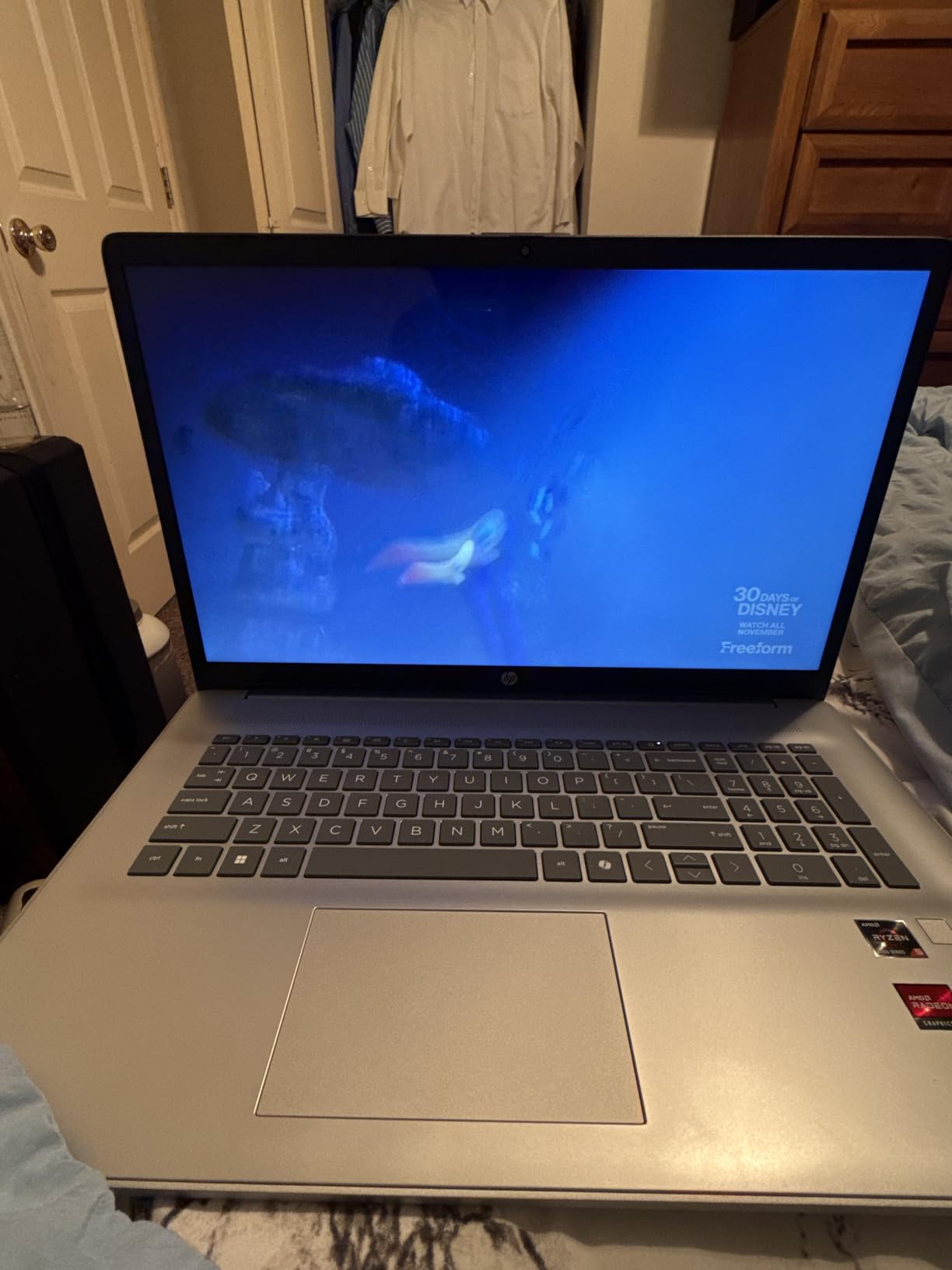
The HP 17.3-inch touchscreen laptop stands out for its large touch-enabled display and extremely high customer satisfaction. With a 4.9-star rating across all reviews, users are clearly happy with what this laptop delivers for the price. The touchscreen adds a dimension of interaction that can be useful for sketching annotations and navigating presentations.
The AMD Ryzen 5 7430U with 6 cores provides solid everyday performance. The backlit keyboard, fingerprint reader, and Wi-Fi 6 connectivity round out a feature set that feels more premium than the price suggests. The 512GB PCIe NVMe SSD delivers fast storage performance for quick file access.
When touchscreen capability helps
A touchscreen display can be genuinely useful for architecture students during presentations, where you can zoom and annotate directly on screen. It also helps with quick sketching and markups in design software that supports touch input. For studio critiques where you need to quickly navigate through designs, touch can be faster than a trackpad.
Specs that need upgrading
The 8GB of RAM is the most significant limitation. For architecture work, you really need at least 16GB. Check whether this model has upgradable RAM before purchasing. The HD+ resolution at 1600×900 is also below the Full HD standard that most modern software is designed for, which means less screen detail when working with complex drawings. Consider this laptop only if you plan to use it for lighter coursework or as a secondary machine alongside a more powerful desktop.
12. ASUS Vivobook Go 15.6 – Most Affordable Entry Point
ASUS Vivobook Go 15.6” Slim Laptop, AMD Ryzen 5 7520U, 8GB, 512GB, Windows 11 Home, Cool Silver, Military Grade Durability, Fast Charging, Webcam Shield, E1504FA-AS54
AMD Ryzen 5 7520U (4 cores)
8GB LPDDR5 (soldered)
512GB SSD
15.6-inch FHD
Military Grade Durability
Fast Charging
Webcam Shield
3.6 lbs
+ Pros
- Most affordable option in the lineup
- Military-grade durability certification
- Privacy webcam shutter
- 180-degree lay-flat hinge
- Lightweight and portable
– Cons
- 8GB RAM is soldered and not upgradable
- Display has limited 45% NTSC color gamut
- No backlit keyboard
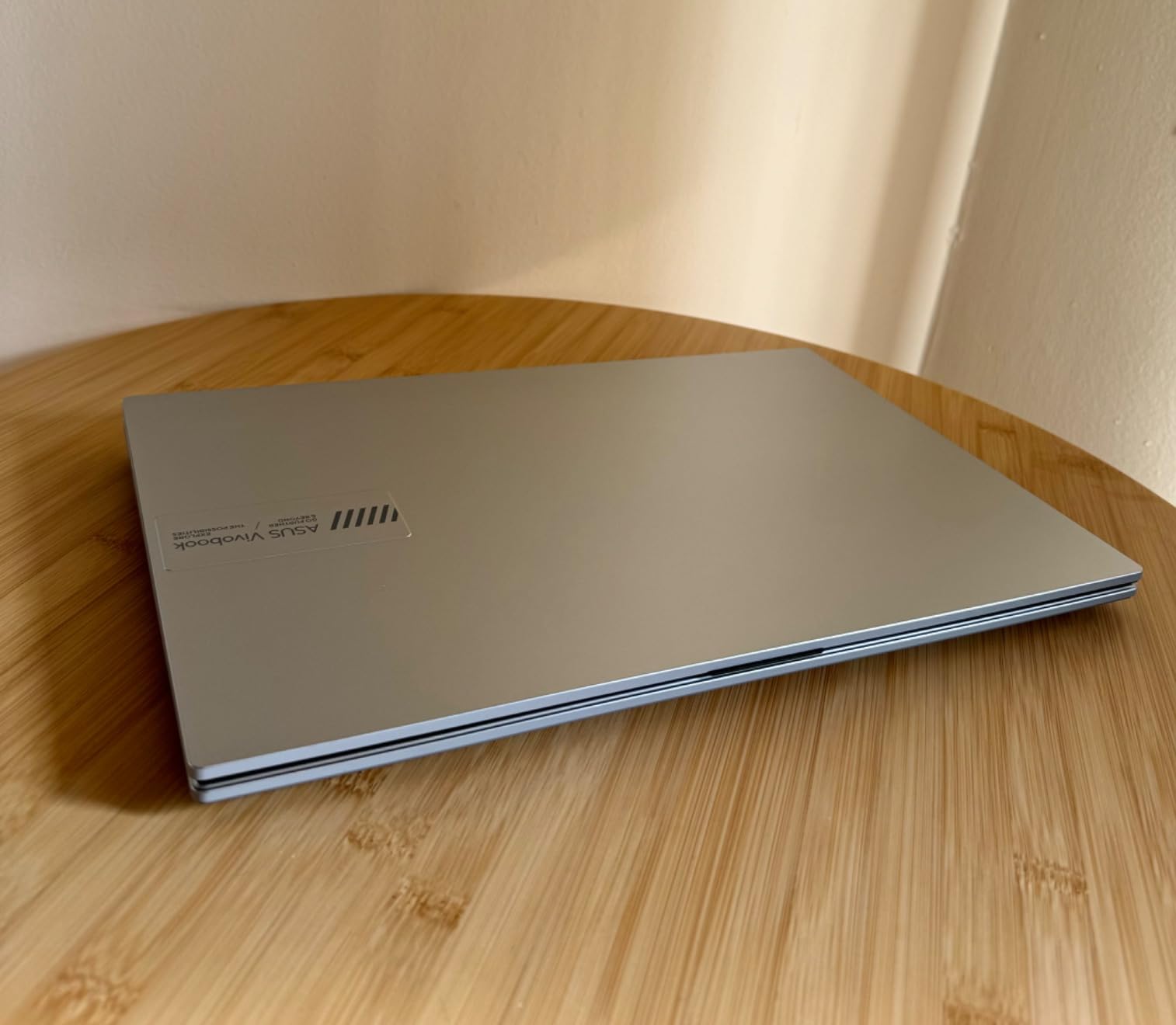
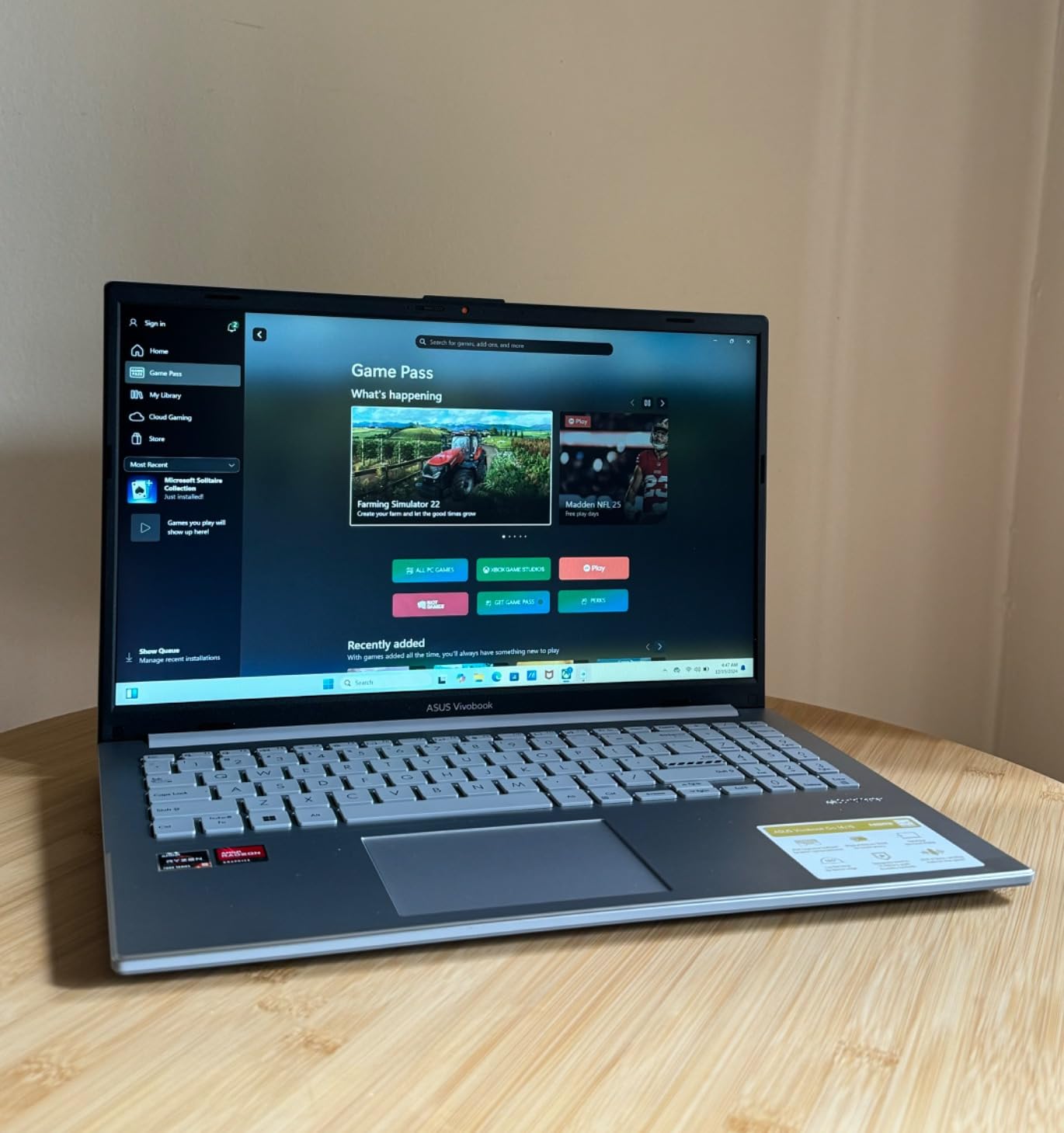
The ASUS Vivobook Go 15.6 is the most affordable laptop in this roundup and makes no apologies for being a budget option. It is designed for students who need a reliable machine for basic computing tasks, web research, document editing, and lighter design work. The military-grade durability certification means it can handle the rough treatment that student life dishes out.
The 180-degree lay-flat hinge is surprisingly useful for collaborative work in studio. You can lay the screen flat to share your work with a desk crit partner or project group. The privacy webcam shutter is a thoughtful security feature, and the overall build quality is solid for the price.
The AMD Ryzen 5 7520U handles basic AutoCAD drafting, SketchUp modeling, and everyday productivity tasks without issues. The 512GB SSD provides enough storage for project files, and the fast charging capability helps during busy school days. At 3.6 pounds, it is light enough for daily campus carrying.
With nearly 600 reviews and a 4.3-star rating, this laptop has a proven track record with real users. Customers consistently praise the value for money and the military-grade build quality, while noting the limitations of 8GB RAM and the basic display.
Who this laptop is actually for
This is a laptop for first-year architecture students or those on the tightest budgets. It handles 2D drafting, basic SketchUp models, and all the non-design coursework you will encounter. It is also a solid secondary machine if you have a powerful desktop at home for rendering work.
Critical limitations to understand
The 8GB of soldered RAM is the biggest constraint. You cannot upgrade it, and 8GB is the bare minimum for running any architecture software. Expect slowdowns when running Revit or Rhino alongside other applications. The 45% NTSC display color gamut means colors will not be accurate, making this unsuitable for presentation renders where color fidelity matters. This laptop is for drafting and documentation, not rendering or visualization.
Buying Guide: How to Choose the Best Laptop for Architecture Students
Choosing the right laptop for architecture school comes down to understanding what your specific program demands and balancing performance, portability, and budget. Here is what actually matters based on real student experiences and professional requirements.
Minimum Specs vs Recommended Specs for Architecture
Architecture students need to understand the difference between minimum specs that will barely run the software and recommended specs that let you work efficiently. Here is a quick reference based on what real students report needing.
Minimum for basic 2D CAD work: Intel i5 or AMD Ryzen 5 processor, 16GB RAM, 512GB SSD, any dedicated or integrated GPU, 15-inch FHD display.
Recommended for 3D modeling and rendering: Intel i7 or AMD Ryzen 7 processor (H-series preferred), 32GB RAM, 1TB SSD, NVIDIA RTX 4060 or better GPU with 8GB+ VRAM, 16-inch display with good color accuracy.
Ideal for professional-level work: Intel i9 or AMD Ryzen 9, 64GB RAM, 2TB SSD, NVIDIA RTX professional GPU, ISV-certified workstation, color-accurate display.
CPU: Why Processor Cores and Clock Speed Matter
Architecture software benefits from both high core counts and fast clock speeds, but different tasks prioritize different aspects. Revit is largely single-threaded for modeling operations, so fast clock speed (4.5GHz+) matters more than core count. Rendering in Lumion and V-Ray is multi-threaded, so more cores means faster renders.
For architecture students, an H-series processor (like the i7-14650HX or i7-13850HX) is strongly preferred over U-series chips. H-series processors sustain higher performance under load, which is essential for long rendering sessions. U-series processors are fine for 2D drafting but will throttle under sustained 3D workloads.
GPU: The Most Important Component for Architecture
The graphics card determines how smoothly you can navigate 3D models and how fast your renders complete. For Revit, any modern dedicated GPU with 4GB+ VRAM works adequately. For Lumion and Twinmotion, you need a dedicated GPU with 8GB+ VRAM for acceptable performance.
NVIDIA RTX GPUs are generally preferred for architecture work because they support hardware ray tracing and CUDA acceleration used by many rendering engines. The RTX 5060, RTX 4060, and RTX 2000 Ada are all strong options depending on your budget.
If you choose a laptop with integrated graphics, look for AMD Radeon 680M or Intel Arc with 8GB VRAM allocation. These are the most capable integrated options and can handle moderate 3D work.
RAM: 16GB is the Absolute Minimum
This is the spec where students most often underestimate their needs. 16GB of RAM is the minimum for running Revit or Rhino alongside a browser and other applications. 32GB is recommended and will serve you well through all four years of a degree program. 64GB is only necessary for extremely complex BIM projects or running multiple virtual machines.
Students on Reddit consistently report that 16GB becomes a bottleneck quickly, especially when running Revit with linked models or working with large Rhino files. If you can afford 32GB from the start, do it. If not, buy a laptop with upgradable RAM and plan to upgrade in your second year.
Storage: SSD is Non-Negotiable
Architecture project files are large. A single complex Revit project with linked models can easily exceed 1GB, and Lumion scene files grow rapidly. A 512GB SSD is the practical minimum, but 1TB is strongly recommended. PCIe Gen4 SSDs provide faster read/write speeds that noticeably reduce file opening and saving times.
Consider your storage needs over the full four years. Between project files, software installations, operating system files, and personal media, 512GB fills up faster than you expect. An external SSD is a good supplement if your laptop has limited internal storage.
Display: Color Accuracy and Resolution
For architecture students, the display needs to be large enough for detailed drawing work and color-accurate enough for presentations. Look for at least FHD resolution (1920×1080) with an IPS panel. Higher resolutions like WUXGA (1920×1200) or 2.5K are preferable because they give you more workspace. A 16:10 aspect ratio provides extra vertical space that is useful for floor plans and schedules.
Color accuracy matters for presentation renders. Look for displays with at least 100% sRGB coverage if your portfolio work will be printed or displayed on screens other than your own. Budget laptops with 45% NTSC displays are adequate for drafting but produce washed-out colors that do not represent your design work accurately.
Mac vs PC for Architecture Students
This debate comes up constantly on architecture forums, and the answer depends entirely on your program requirements. If your school requires Revit, you need Windows. There is no way around it. Running Revit through Parallels on a Mac works for basic modeling but is not ideal for serious BIM work.
If your program uses Rhino (native Mac version available), SketchUp, Adobe Creative Suite, and Vectorworks, a MacBook is an excellent choice. The M4 MacBook Air offers exceptional battery life, silent operation, and outstanding display quality in a portable package. Many students successfully use MacBooks for three years and use lab computers for Revit-specific coursework.
Check with your specific program before deciding. Some schools publish recommended laptop specifications that make the decision for you.
Portability vs Performance: Finding Your Balance
Architecture students carry their laptops everywhere, so weight matters. But the most powerful laptops for rendering are also the heaviest. Think about your daily routine and be honest about how much weight you are willing to carry. Students on Reddit frequently mention regretting heavy gaming laptop purchases after a semester of lugging them across campus.
A practical approach many students use is to buy a portable laptop for daily use and rely on school lab computers or cloud rendering services for heavy visualization work. This lets you have a lightweight machine for studio and lectures without sacrificing rendering capability. For students who need on-site power, consider a portable power station to extend your work time away from outlets.
What laptop specs do architecture students need?
Architecture students need a laptop with at minimum an Intel i5 or AMD Ryzen 5 processor, 16GB of RAM (32GB recommended), a 512GB SSD (1TB preferred), and a dedicated GPU with 8GB+ VRAM for 3D rendering. For Revit and BIM work, prioritize fast clock speed and ample RAM. For Lumion and Twinmotion rendering, a strong dedicated GPU is essential. Display quality with at least FHD resolution and good color accuracy is also important for design presentations.
Is 16GB RAM enough for architecture students?
16GB RAM is the absolute minimum for architecture students but will become a bottleneck as your projects grow more complex. Most students on Reddit forums report that 32GB RAM is the sweet spot, allowing you to run Revit with linked models, Rhino with complex geometries, and multiple browser tabs without slowdowns. If your budget allows, get 32GB or buy a laptop with upgradable RAM so you can add more memory later in your degree.
Is MacBook Air or Pro better for architecture students?
The MacBook Air M4 is excellent for portability, battery life, and silent operation, but Revit is Windows-only and requires Parallels to run on macOS. The MacBook Pro offers more processing power and better sustained performance under load. If your program primarily uses Rhino (which has a native Mac version), SketchUp, and Adobe tools, the MacBook Air is sufficient. If you need Revit regularly, a Windows laptop or MacBook Pro with Parallels is the better choice.
Is RTX 4050 enough for architecture?
The RTX 4050 with 6GB VRAM can handle Revit, Rhino, and SketchUp comfortably and will run Lumion at reduced quality settings. However, the 6GB VRAM limit becomes a constraint with complex Lumion scenes and high-resolution renders. For serious rendering work, an RTX 4060 or RTX 5060 with 8GB VRAM provides significantly better performance and more headroom for future projects. The RTX 4050 is adequate for students in their first two years but may feel limiting in advanced studios.
Should I get a gaming laptop or workstation for architecture school?
Gaming laptops offer better value for students because you get stronger GPU performance per dollar compared to workstations. The ASUS ROG Strix G16 with an RTX 5060, for example, delivers rendering performance that rivals more expensive workstation options. Workstations like the Dell Precision or HP ZBook offer ISV certifications for guaranteed software stability, better build quality, and professional support. For most architecture students, a gaming laptop provides the best balance of performance and affordability. Choose a workstation if you need guaranteed stability for professional work or ISV certifications.
Conclusion
Finding the best laptops for architecture students comes down to matching your budget and workflow demands with the right combination of CPU power, GPU capability, RAM, and portability. The Dell Precision 7000 7680 is our top pick for students who need maximum rendering power and professional-grade stability, while the ASUS ROG Strix G16 delivers outstanding GPU performance at a much more accessible price point.
For budget-conscious students, the NIMO 15.6 with 32GB of RAM and the Acer Aspire Go 15 with its upgradable memory offer smart paths to getting capable machines without overspending. And if your program does not require Revit, the MacBook Air 15-inch M4 provides an unmatched combination of portability, battery life, and display quality.
Whichever laptop you choose, prioritize RAM (aim for 32GB if possible) and make sure the GPU can handle the rendering software your program uses. Your laptop is the tool you will spend thousands of hours with over the next four years. Invest wisely, and it will serve you well from freshman studio through your final thesis project.
Leave a Reply