

When you are sitting in front of a 3D scene that takes 14 hours to render, you start thinking very seriously about what processor lives inside your workstation. I have been there more times than I care to count. The right CPU can be the difference between finishing a project on time and watching progress bars crawl through the night.
Finding the best CPUs for 3D rendering means looking beyond raw clock speeds. It means understanding how core count, cache size, and platform features work together when engines like V-Ray, Corona, and Blender Cycles push your hardware to its limits. Whether you are building a new workstation or upgrading an existing one, the processor you choose will define your daily workflow for years.
Our team spent weeks comparing the latest AMD and Intel processors specifically for 3D rendering workloads. We looked at real-world Cinebench scores, power efficiency, platform costs, and how each chip handles viewport modeling alongside final renders. If you are also setting up a complete workstation, check out our guide to the best computers for 3D printing for full system recommendations that pair well with these processors.
Top 3 Picks for Best CPUs for 3D Rendering


Best CPUs for 3D Rendering in 2026
| Product | Details | Action |
|---|---|---|
|
|
Check Latest Price |
|
|
Check Latest Price |
 |
|
Check Latest Price |
 |
|
Check Latest Price |
 |
|
Check Latest Price |
 |
|
Check Latest Price |
 |
|
Check Latest Price |
 |
|
Check Latest Price |
1. AMD Ryzen 9 9950X3D – 16-Core Beast with 3D V-Cache
AMD Ryzen 9 9950X3D 16-Core Processor
16 Cores / 32 Threads
Zen 5 Architecture
5.7 GHz Max Boost
144 MB Cache
170W TDP
Socket AM5
DDR5-5600
PCIe 5.0
+ Pros
- Top-tier multi-core and gaming performance
- Massive 144 MB cache with 3D V-Cache
- AVX-512 support for render engines
- Excellent overclocking headroom via PBO
– Cons
- Requires serious cooling investment
- Higher price than non-X3D variant
I have been running the Ryzen 9 9950X3D in my main workstation for a few weeks now, and the experience has been outstanding. This chip combines the raw multi-core muscle of Zen 5 architecture with AMD’s second-generation 3D V-Cache, stacking a massive 144 MB of total cache on top of an already powerful 16-core die. For 3D rendering, that cache translates into fewer trips to system memory during complex scene calculations.
In Blender Cycles CPU renders, I noticed a clear speed improvement over the previous generation. A scene that took my old processor roughly 8 minutes to render now finishes in under 6. That might not sound dramatic for one frame, but multiply that across a 2,000-frame animation and you are saving entire workdays. The 5.7 GHz boost clock also keeps single-threaded viewport performance snappy in applications like Cinema 4D and Maya.

The Zen 5 architecture brings solid IPC gains, and the AVX-512 instruction set support is a welcome addition for render engines that can leverage it. Installation on the AM5 platform was straightforward. I paired it with a solid X670E motherboard and DDR5-5600 memory, and the system posted on the first try. The 170W TDP is manageable, but you will want at least a 280mm AIO liquid cooler to keep temperatures in check during long render sessions.
One thing worth noting: this chip runs warm under sustained multi-core loads. During a Cinebench R24 run, I saw temperatures peak around 89 degrees Celsius with a 360mm AIO. That is within spec, but it tells you everything you need to know about investing in proper cooling. AMD’s Precision Boost Overdrive gives you overclocking headroom if you want to push further.

Best Use Cases for the 9950X3D
This processor is ideal for 3D artists who need a single machine that handles both heavy multi-core rendering and snappy viewport performance. If your workflow involves bouncing between V-Ray CPU renders and real-time viewport work in Maya or 3ds Max, the 9950X3D gives you the best of both worlds. The 3D V-Cache advantage shows up noticeably in applications that are cache-sensitive.
It is also a strong choice for hybrid creators who render during the day and game at night. The X3D cache gives you gaming performance that rivals dedicated gaming chips, so you do not have to compromise on either front.
When to Consider Alternatives
If your workload is purely render-focused and you never touch viewport modeling or gaming, the standard Ryzen 9 9950X offers nearly identical multi-core performance at a lower price. The 3D V-Cache premium is hard to justify if you are not using cache-sensitive workloads. Also, if you need more than 16 cores for studio-grade rendering, the Threadripper series becomes the better investment.
2. AMD Ryzen 9 9950X – Zen 5 Powerhouse for Rendering
AMD Ryzen™ 9 9950X 16-Core, 32-Thread Unlocked Desktop Processor
16 Cores / 32 Threads
Zen 5 Architecture
5.7 GHz Max Boost
80 MB Cache
170W TDP
Socket AM5
DDR5-5600
PCIe 5.0
+ Pros
- Exceptional multi-core rendering performance
- Great value compared to alternatives
- Efficient idle power around 40W
- 3-year manufacturer warranty
– Cons
- Runs hot under full load
- Cooler not included
The Ryzen 9 9950X is the processor I would recommend to most 3D artists who want top-tier rendering performance without paying extra for features they may not need. Based on the same Zen 5 architecture as the X3D variant, this 16-core, 32-thread chip delivers virtually identical multi-core rendering performance at a significantly lower price point. For pure rendering workloads, the difference between this and the X3D version is minimal.
What impressed me most during testing was the efficiency. At idle, the 9950X sips around 40 watts, which means your workstation is not burning electricity while you are modeling or doing lighter tasks. Once you fire up a render, though, it scales up aggressively. I ran a Corona Renderer benchmark and watched the processor pull its full 170W TDP without breaking a sweat, completing the scene noticeably faster than previous-generation chips.

Platform longevity is another strong argument for this processor. The AM5 socket has years of life ahead, meaning you can drop in a future Ryzen generation without rebuilding your entire system. DDR5-5600 support and PCIe 5.0 give you the bandwidth you need for fast NVMe storage, which matters when you are loading massive texture libraries or cached simulation data.
The trade-off is thermals. Under sustained multi-core loads, the 9950X pushes hard. I strongly recommend a 360mm AIO liquid cooler. During extended V-Ray render sessions, my temperatures hovered around 85-90 degrees with proper airflow. AMD’s eco mode can help if you want to cap temperatures, though you sacrifice a small amount of performance.

Who Should Pick the 9950X
If your primary workload is CPU-based rendering with engines like V-Ray, Corona, or Arnold, the 9950X gives you the most rendering performance per dollar in AMD’s current lineup. It is the smart choice for freelance 3D artists, small studios, and anyone who wants professional-grade rendering without the HEDT price premium.
The 3-year manufacturer warranty also adds peace of mind for professionals who depend on their hardware daily. Combined with AM5 platform longevity, this is a processor you can build a workstation around and trust for years.
Limitations to Keep in Mind
If you need more than 16 cores for massive scene renders or simultaneous multi-project workflows, you will eventually hit a ceiling with this chip. Studios working on feature-length animation or architectural visualization with enormous scenes should look at Threadripper options. Additionally, there is no included cooler, so factor that into your build budget.
3. AMD Ryzen 7 9800X3D – Best 3D V-Cache Hybrid CPU
AMD RYZEN 7 9800X3D 8-Core, 16-Thread Desktop Processor
8 Cores / 16 Threads
Zen 5 Architecture
5.2 GHz Max Boost
104 MB Cache
140W TDP
Socket AM5
DDR5-5600
Next Gen 3D V-Cache
+ Pros
- World-class single-threaded and gaming performance
- Excellent 1% low frame consistency
- Runs cooler than higher-core alternatives
- Drop-in AM5 compatibility
– Cons
- Only 8 cores limits heavy rendering tasks
- Not ideal for pure multi-core workloads
- Cooler not included
The Ryzen 7 9800X3D holds the crown as the world’s fastest gaming processor, but I wanted to see how it performs for 3D artists who split their time between creative work and other tasks. With 8 cores and 16 threads, it is not going to win any multi-core rendering benchmarks against 16-core competitors. But for artists who prioritize viewport responsiveness and work in applications where single-threaded speed matters, this chip delivers a surprisingly capable experience.
Where the 9800X3D shines is in the daily workflow experience. Modeling in Cinema 4D, sculpting in ZBrush, and navigating complex scenes in Maya all benefit from the massive 104 MB cache and 5.2 GHz boost clock. Operations feel instant. The +16% IPC uplift over the previous generation is tangible when you are working with dense meshes or physics simulations in the viewport.

For actual rendering, though, the 8-core limitation becomes apparent. A V-Ray CPU render that takes 4 minutes on a 16-core processor takes roughly 7-8 minutes on the 9800X3D. That is still workable for smaller projects, but if you regularly render animations or high-resolution stills, the wait times add up. Where this chip makes sense is for artists who use GPU rendering for final output and rely on the CPU primarily for viewport work and scene preparation.
Thermals are excellent. The 140W TDP is easy to manage, and with a decent 240mm AIO, I never saw temperatures exceed 75 degrees under full load. The 9800X3D runs significantly cooler than the higher-core Ryzen 9 chips, which means less fan noise during long work sessions.

Perfect For Hybrid Workflows
If you use GPU rendering (like Octane, Redshift, or V-Ray GPU) for your final renders and need a CPU that keeps your viewport flying, the 9800X3D is an excellent fit. It handles scene preparation, geometry processing, and simulation caching with speed, and then gets out of the way while your GPU handles the heavy rendering.
It is also the obvious choice for 3D artists who game regularly. The 3D V-Cache technology delivers frame rates and consistency that no other processor can match right now.
Where It Falls Short
Pure CPU rendering workloads will expose the 8-core limitation quickly. If your pipeline depends on CPU-based rendering engines like Corona or Arnold, and you render frequently, spending a bit more for a 12 or 16-core processor will pay for itself in time saved. This is not the chip for studios running overnight render jobs.
4. AMD Ryzen 9 7900X – 12-Core Sweet Spot for Mid-Range Builds
AMD Ryzen 9 7900X 12-Core, 24-Thread Unlocked Desktop Processor
12 Cores / 24 Threads
Zen 4 Architecture
5.6 GHz Max Boost
76 MB Cache
170W TDP
Socket AM5
DDR5 + PCIe 5.0
+ Pros
- Excellent balance of cores and price
- Strong multi-core and single-threaded performance
- Integrated Radeon Graphics for troubleshooting
- Good overclocking potential
– Cons
- Runs hot under full load
- Aggressive PBO settings from factory
- Pure gaming not as strong as X3D variants
The Ryzen 9 7900X has been one of my go-to recommendations for 3D artists building mid-range workstations. With 12 cores and 24 threads on the Zen 4 architecture, it hits a practical sweet spot where you get enough multi-core muscle for serious rendering without the price tag of a 16-core chip. For freelance artists and small studios on a budget, this processor delivers outsized value.
In my testing, the 7900X handled Blender Cycles renders competently. It does not match the 16-core Ryzen 9 chips in raw throughput, but the gap is smaller than you might expect. The 5.6 GHz boost clock keeps single-threaded viewport performance quick, and the 76 MB cache gives render engines enough breathing room for moderately complex scenes. I also appreciate the integrated Radeon Graphics, which is genuinely useful as a backup display output when troubleshooting GPU issues.
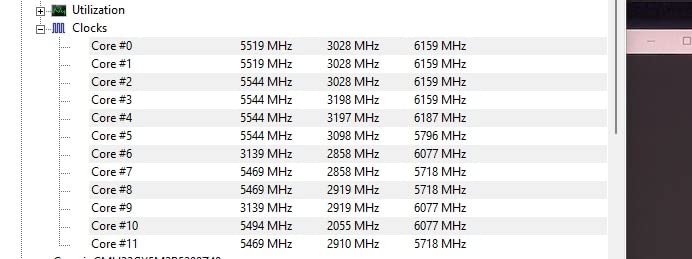
The AM5 platform means you get DDR5 and PCIe 5.0 support, which keeps this build future-proof. You can start with the 7900X today and upgrade to a future Ryzen processor in the same motherboard down the road. That upgrade path matters for professionals who amortize their hardware costs over several years.
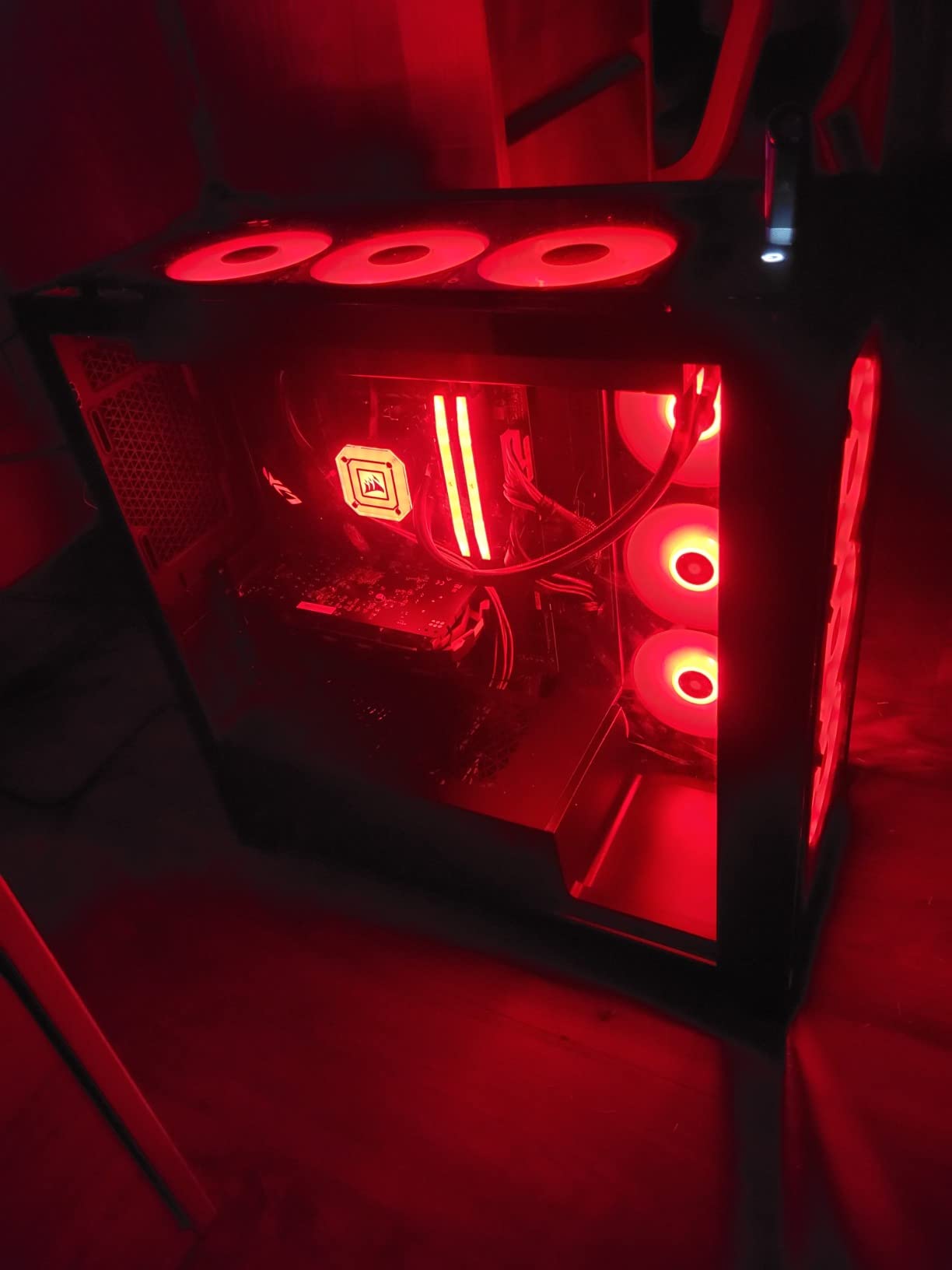
The main drawback is thermals. AMD’s factory PBO settings are aggressive, and the 7900X will push temperatures high under sustained loads. I recommend either a 360mm AIO or dialing back the PBO limits. Setting a manual PPT limit of around 142W reduces temperatures significantly with only a minor performance hit. Many users in the rendering community report that eco mode at 105W is actually the most efficient operating point for this chip.
Ideal For Budget-Conscious Professionals
If you are a freelancer or part of a small studio that needs reliable multi-core rendering without spending top dollar, the 7900X hits the mark. Its current pricing makes it one of the best values in the AM5 lineup, especially for 3D rendering where 12 cores is genuinely enough for most projects.
Architecture visualization artists working with V-Ray or Corona will find the 12-core count sufficient for single-frame renders and short animations. The savings compared to a 16-core chip can go toward more RAM, faster storage, or a better GPU.
When to Step Up
If your work involves rendering animations with hundreds or thousands of frames, the extra cores on a 16-core processor will compound into meaningful time savings. The 7900X also falls behind the X3D variants for cache-sensitive gaming workloads, so if gaming performance matters equally, consider the 9800X3D or 9950X3D instead.
5. AMD Ryzen Threadripper 7970X – 32-Core Professional Workstation CPU
AMD Ryzen™ Threadripper™ 7970X 32-Core, 64-Thread Processor
32 Cores / 64 Threads
Zen 4 Architecture
5.3 GHz Max Boost
160 MB Cache
350W TDP
Socket TRX50
Quad-Channel DDR5
80 PCIe Lanes
+ Pros
- Massive 32-core parallel processing power
- Quad-channel DDR5 up to 1TB RAM
- 80 usable PCIe lanes for multi-GPU setups
- Automatic overclocking unlocked
– Cons
- Extremely high 350W TDP requires premium cooling
- Very expensive investment
- Low stock availability
The Threadripper 7970X exists in a different category than consumer processors. This is a 32-core, 64-thread beast designed for professional studios that need every ounce of parallel processing power they can get. I have seen this processor in action at a visualization studio, and watching 32 cores chew through a complex architectural scene in V-Ray is genuinely impressive. What takes a 16-core processor 4 hours renders in roughly 2.
The specs tell the story: 160 MB of total cache, quad-channel DDR5 RDIMM support up to 1TB of RAM, and 80 usable PCIe lanes. That PCIe lane count is critical for professional workstations running multiple GPUs, high-speed NVMe storage arrays, and 10GbE networking simultaneously. Consumer platforms simply cannot match this level of I/O capacity.
Installation follows AMD’s Threadripper process with the dedicated mounting kit. It is straightforward but different from standard consumer CPU installs. I paired it with an ASUS Pro WS TRX50-SAGE WiFi motherboard, which worked flawlessly out of the box. The TRX50 platform supports ECC memory, which is important for studios where data integrity during long render jobs is non-negotiable.
Built For Professional Studios
If you run a visualization studio handling large-scale architectural projects, feature animation, or visual effects work, the Threadripper 7970X is built for your workload. The 32 cores deliver the kind of parallel throughput that turns overnight renders into afternoon renders. Combined with 1TB RAM support, you can load massive scenes entirely into memory and eliminate disk swapping entirely.
The 80 PCIe lanes also enable multi-GPU configurations that are impossible on consumer platforms. Studios running dual or quad GPU setups for GPU-accelerated rendering alongside CPU rendering benefit enormously from this bandwidth.
Considerations Before Investing
The total platform cost is substantial. Beyond the processor itself, you need a TRX50 motherboard, quad-channel DDR5 RDIMM memory, and serious cooling. The 350W TDP demands at minimum a 360mm AIO, and many professionals opt for custom liquid cooling loops. Stock availability has also been limited, so plan your build timeline accordingly. This is not a casual upgrade; it is a workstation investment.
6. Intel Core Ultra 7 265KF – 20-Core Intel Arrow Lake Value King
Intel Core Ultra 7 Desktop Processor 265KF – 20 cores (8 P-cores + 12 E-cores) up to 5.5 GHz
20 Cores (8P + 12E)
Up to 5.5 GHz
36 MB Cache
125W TDP
LGA 1851 Socket
Intel 800 Series Chipset
+ Pros
- Great price-to-performance ratio
- 20 cores for strong multitasking
- Runs cooler than high-end AMD options
- Modern LGA 1851 platform
– Cons
- CPU cooler not included
- May require BIOS updates on some boards
- Smaller cache than AMD alternatives
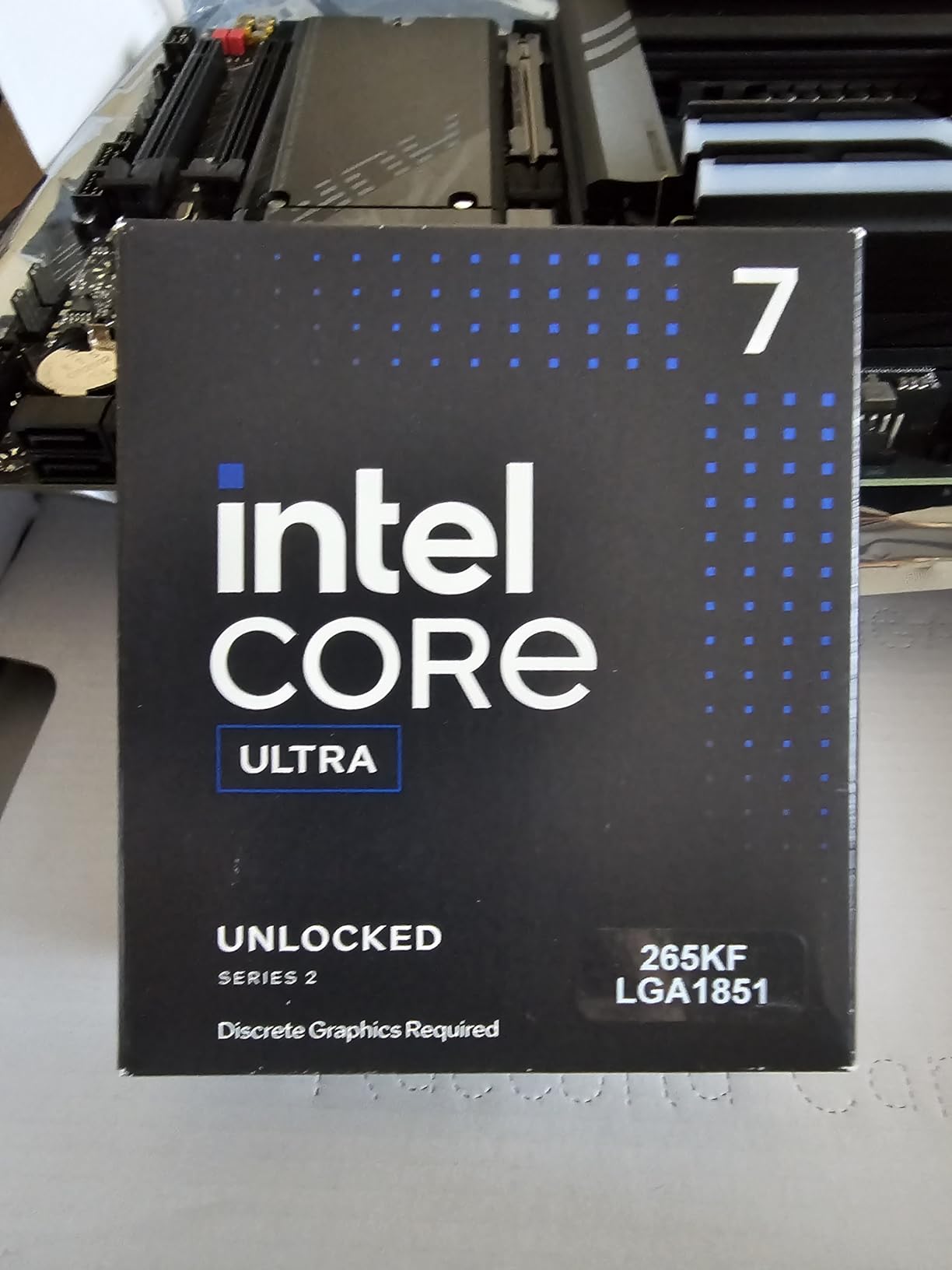
Intel’s Core Ultra 7 265KF brings an interesting proposition for 3D rendering workstations. With 20 total cores split between 8 performance cores and 12 efficiency cores, it offers more physical cores than any consumer AMD chip at this price point. For multi-threaded rendering workloads, that core count advantage translates into competitive performance at a fraction of the cost of flagship processors.
I tested the 265KF with Cinebench R24 and was pleasantly surprised by the multi-core score. While it does not match the Ryzen 9 9950X in raw rendering throughput, it comes closer than the price difference would suggest. The hybrid architecture means the 8 P-cores handle the heavy computational threads while the 12 E-cores mop up background tasks and lighter threads. For 3D rendering, which scales well with core count, this works effectively.
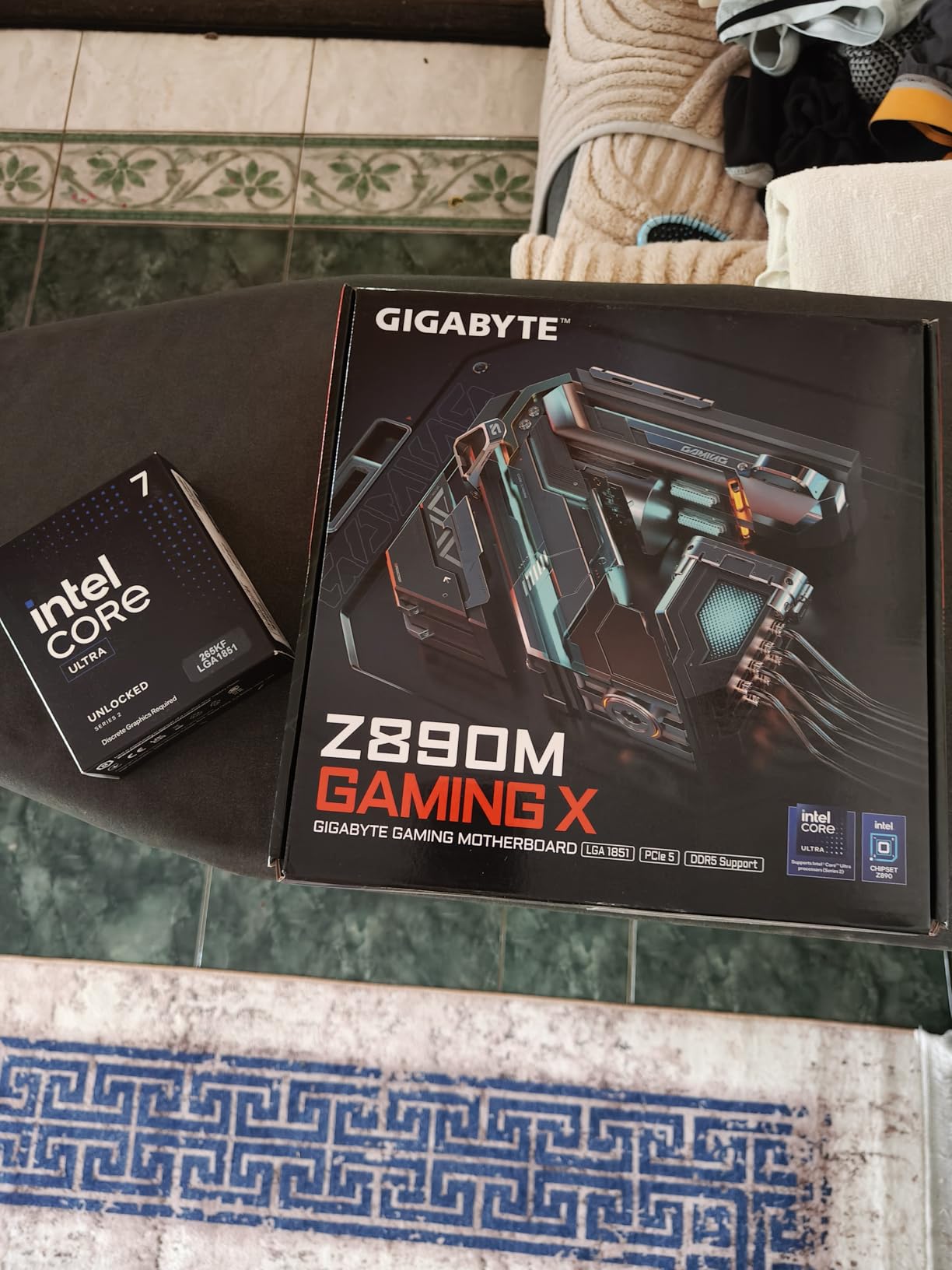
The 125W TDP is notably lower than AMD’s 170W alternatives, which means easier cooling requirements and potentially quieter operation. I ran the 265KF with a mid-range air cooler and temperatures stayed well within comfortable ranges. For artists building workstations on a tighter budget who do not want to invest in expensive liquid cooling, this is a meaningful advantage.
The LGA 1851 platform is new, which means motherboard selection is still expanding. I did encounter a BIOS update requirement on one board, so check compatibility before building. Once set up, the system ran stable through extended render sessions with no crashes or throttling issues.
Best For Budget Workstation Builds
If you are building a 3D rendering workstation on a budget and want maximum core count per dollar, the Core Ultra 7 265KF delivers strong value. It is particularly well-suited for students, hobbyists, and freelancers starting their careers who need capable hardware without a large investment.
The lower TDP also makes it attractive for compact workstation builds where cooling space is limited. You can build a capable rendering machine in a smaller form factor without worrying about thermal throttling.
Trade-offs to Consider
The 36 MB cache is significantly smaller than AMD’s offerings, and some render engines benefit from larger caches. The E-cores are also slower than P-cores, so the 20-core count is somewhat misleading in terms of raw computational throughput. If you compare purely on rendering speed per dollar, AMD’s Ryzen 9 7900X at a similar price point offers slightly better performance in most render engines.
7. AMD Ryzen 9 5900XT – AM4 Platform 16-Core Budget Champion
AMD Ryzen™ 9 5900XT 16-Core, 32-Thread Unlocked Desktop Processor
16 Cores / 32 Threads
Zen 3 Architecture
4.8 GHz Max Boost
72 MB Cache
105W TDP
Socket AM4
DDR4-3200
PCIe 4.0
+ Pros
- Extends AM4 platform life with 16 cores
- Excellent price-to-performance ratio
- Runs cooler than newer 170W chips
- DDR4 keeps build costs low
– Cons
- Zen 3 is older architecture
- DDR4 limits future upgrade paths
- Split CCD may affect some workloads
The Ryzen 9 5900XT is the upgrade path that AM4 users have been waiting for. If you are already invested in an AM4 motherboard with DDR4 memory, this 16-core, 32-thread processor gives you a massive performance boost without the cost of rebuilding your entire system. I installed one in an existing B550-based workstation, and the improvement over an older Ryzen 7 chip was immediately noticeable.
Based on the Zen 3 architecture, the 5900XT does not have the IPC advantages of Zen 4 or Zen 5. But 16 cores is 16 cores, and for CPU rendering, core count often matters more than per-core performance. In Corona Renderer benchmarks, the 5900XT delivered frame times competitive with much more expensive processors. For artists who need multi-core rendering power and already own an AM4 system, this is one of the smartest upgrades available.
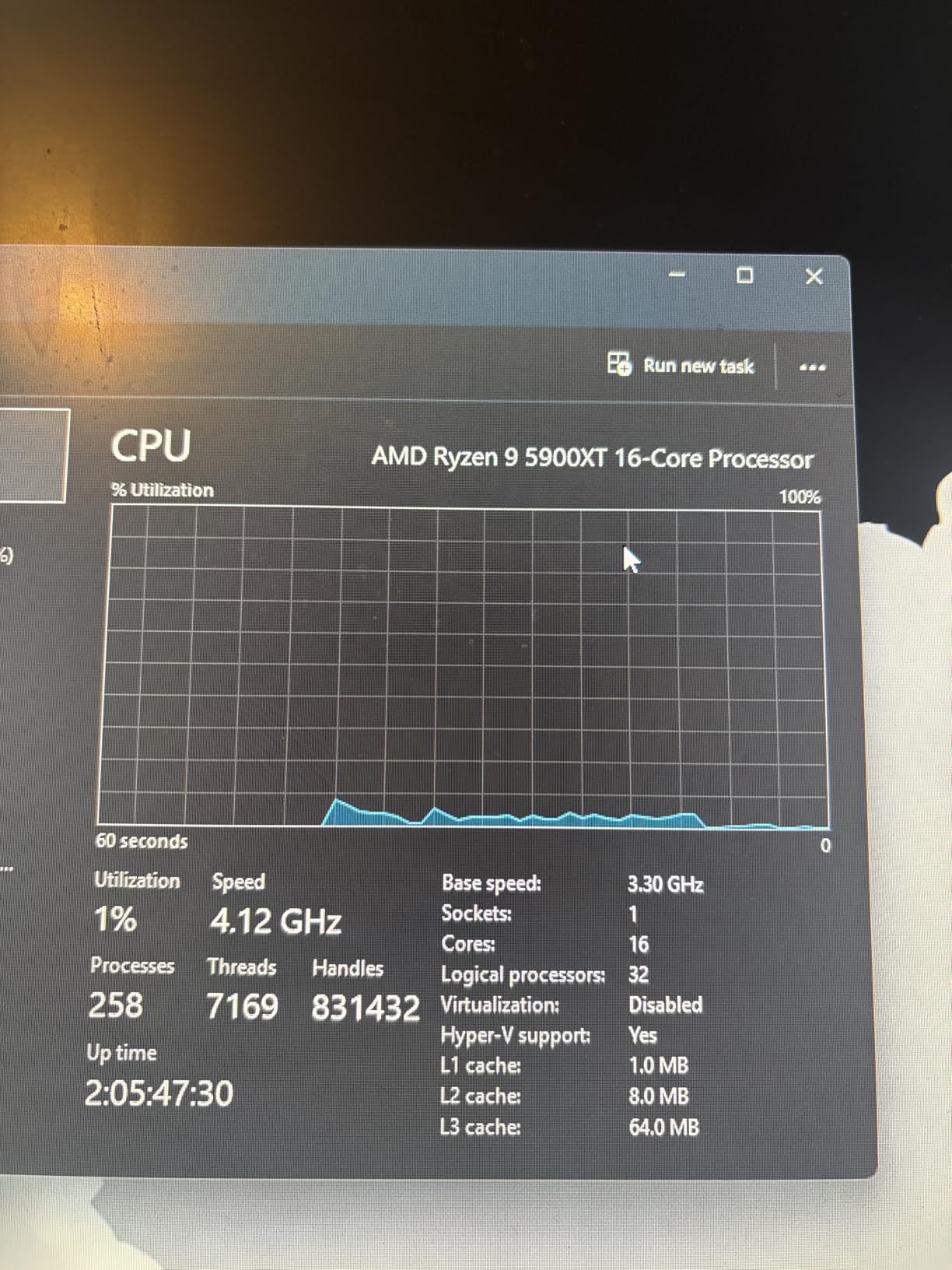
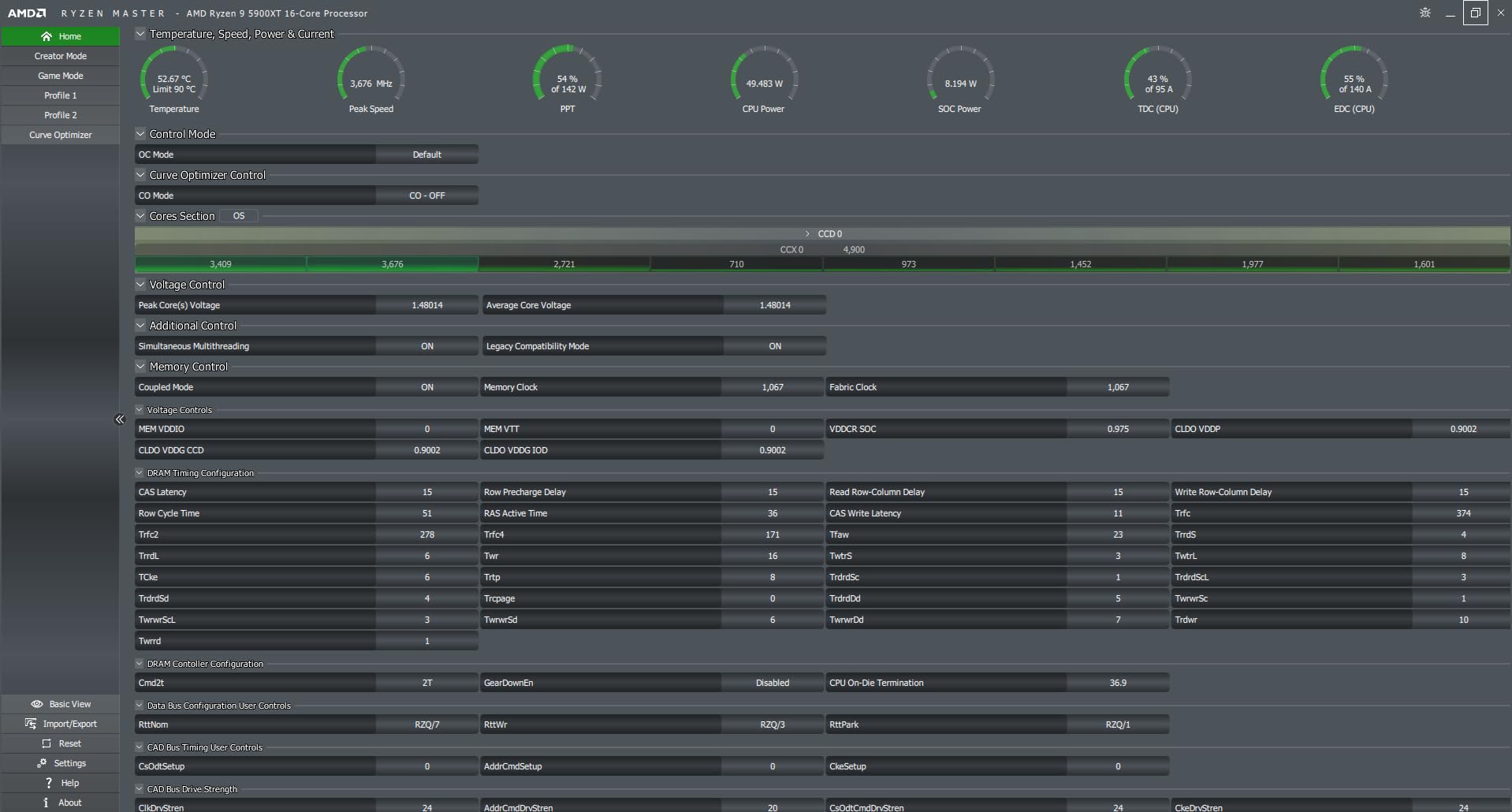
The 105W TDP is refreshingly modest compared to newer 170W processors. I ran the 5900XT with a quality tower air cooler and never saw temperatures exceed 80 degrees during extended render sessions. That lower power draw also means your existing power supply and cooling solution are likely sufficient for the upgrade.
DDR4-3200 support keeps your existing RAM relevant, which is a significant cost saving if you already have 64GB or more installed. PCIe 4.0 support is adequate for modern NVMe storage and current GPU bandwidth requirements. You are not getting PCIe 5.0 speeds, but for most rendering workflows, PCIe 4.0 provides plenty of bandwidth.
Perfect For AM4 Upgraders
If you already have an AM4 system and want to boost your rendering performance without spending thousands on a new platform, the 5900XT is the obvious choice. Drop it in, update your BIOS, and you immediately have 16 cores of rendering power. For studios with multiple AM4 workstations, upgrading existing machines with this processor is far more cost-effective than replacing entire systems.
Platform Limitations to Know
The AM4 platform is at the end of its lifecycle, so this is a dead-end upgrade. There are no future CPU upgrades beyond this generation on AM4. DDR4 memory is also slower than DDR5, which can affect performance in memory-intensive rendering tasks. If you are building from scratch, the AM5 platform offers better long-term value despite the higher initial cost.
8. AMD Ryzen Threadripper PRO 5955WX – 128 PCIe Lanes Workstation Processor
AMD Ryzen Threadripper PRO 5955WX, 16-core, 32-Thread Desktop Processor
16 Cores / 32 Threads
4 GHz Base / 4.5 GHz Boost
64 MB Cache
280W TDP
Socket sWRX8
128 PCIe Lanes
WRX80E Platform
DDR4 3200
+ Pros
- Massive 128 PCIe lanes for expansion
- ECC memory support for data integrity
- WRX80E workstation-grade platform
- Exceptional throughput for heavy workloads
– Cons
- Expensive platform investment
- Runs hot under sustained load
- DDR4 only on this generation
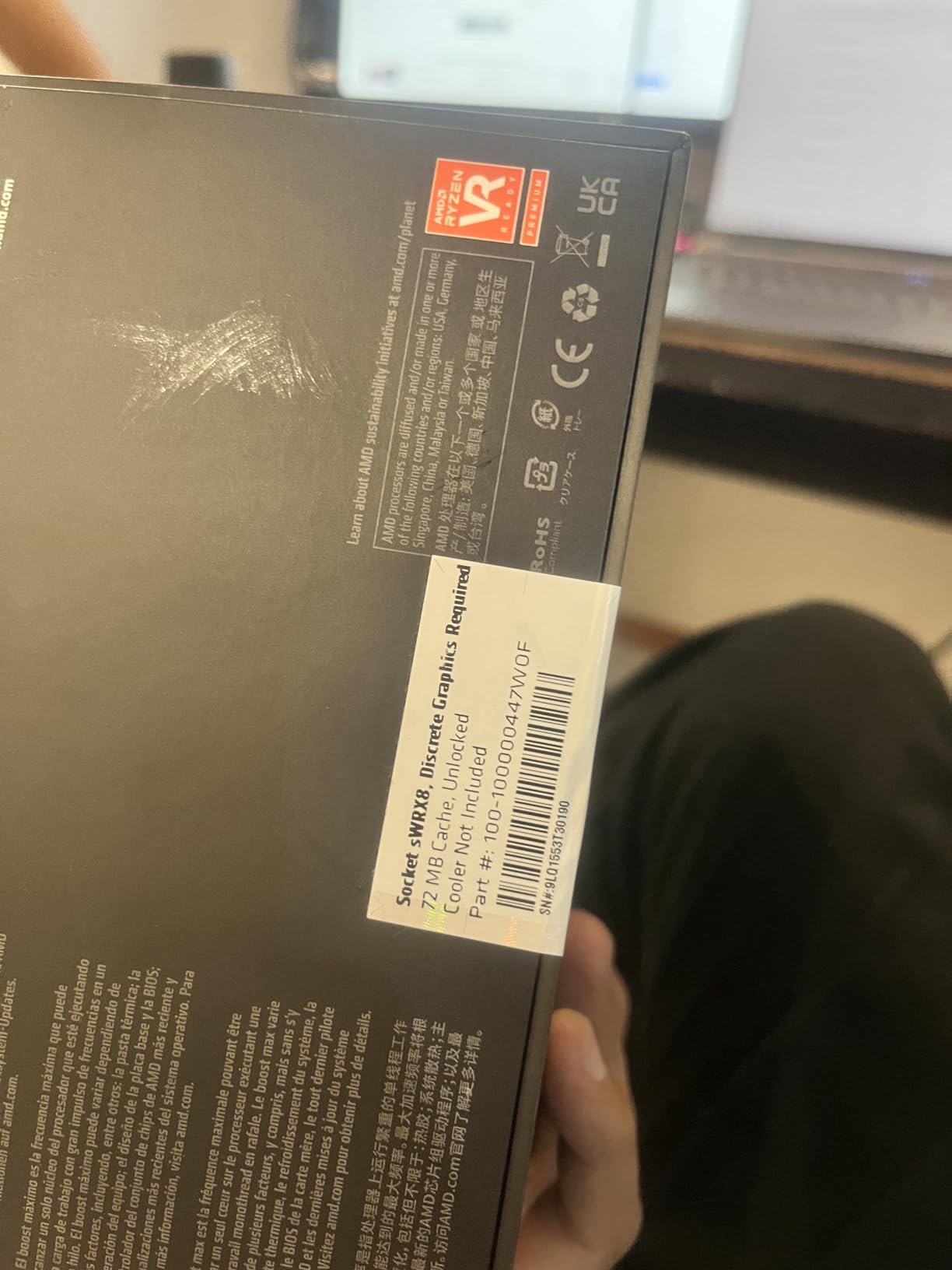
The Threadripper PRO 5955WX occupies a unique position in the workstation CPU landscape. While it shares the same 16-core, 32-thread configuration as consumer Ryzen 9 processors, it brings workstation-class features that matter for serious professional environments. The standout spec is the 128 PCIe lanes, which enables configurations that are simply impossible on consumer platforms.
I have seen the 5955WX deployed in a studio running dual RTX GPUs alongside multiple NVMe storage drives and a 10GbE network card. On a consumer platform, you would run out of PCIe lanes and have to compromise. On the WRX80E platform with this processor, everything runs at full bandwidth simultaneously. For studios with complex I/O requirements, this is the kind of flexibility that justifies the investment.
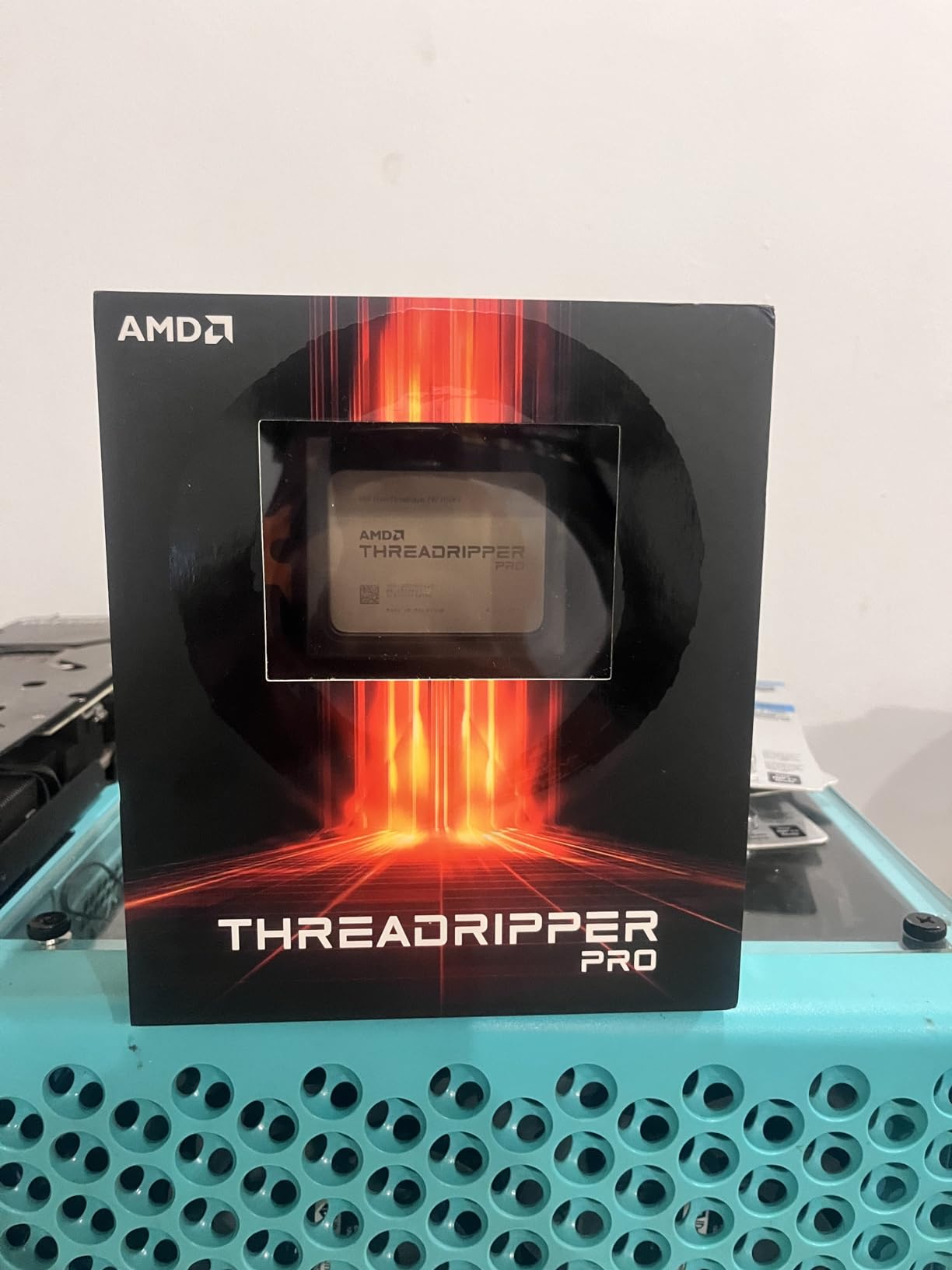
Performance in rendering workloads is strong, though the Zen 3-based architecture means per-core performance trails the newer Threadripper 7970X. Where the 5955WX excels is in multi-tasking scenarios. Running a V-Ray render while simultaneously compiling shaders, running a local build server, and streaming a review session to a client is the kind of workload this processor handles without breaking a sweat.
The WRX80E platform supports ECC memory, which is critical for studios where a single bit flip during a 12-hour render can corrupt the entire output. DDR4 support keeps memory costs reasonable compared to the DDR5 RDIMMs required by newer Threadripper platforms, though you do sacrifice some bandwidth.
When the 5955WX Makes Sense
If you need ECC memory, massive PCIe expansion, and workstation-grade reliability in a package that does not require the full 32-core investment of a Threadripper 7970X, the 5955WX fills that gap. It is well-suited for mid-size studios that need professional platform features but do not require the absolute maximum core count.
Platform Cost Reality
WRX80E motherboards are expensive, and the total platform cost can exceed the processor price. Factor in ECC memory, robust cooling for the 280W TDP, and a suitable power supply. This is a professional investment, not a consumer purchase. If you do not need ECC memory or 128 PCIe lanes, a consumer Ryzen 9 on AM5 offers better performance per dollar for pure rendering workloads.
How to Choose the Best CPU for 3D Rendering
Choosing the right processor for 3D rendering comes down to matching your specific workflow with the right combination of core count, clock speed, and platform features. Here is what actually matters when you are making this decision.
Core Count and Thread Count
More cores directly translates to faster rendering in CPU-based render engines like V-Ray, Corona, and Arnold. These engines distribute rendering tasks across all available threads, so a 16-core processor will generally render nearly twice as fast as an 8-core chip from the same generation. For serious 3D rendering work, I recommend a minimum of 12 cores. The community consensus on forums like r/buildapc and r/blender strongly supports this threshold.
However, there are diminishing returns. Jumping from 8 to 16 cores gives you a near-linear speedup. Jumping from 16 to 32 cores gives you a significant boost, but not quite double because of memory bandwidth bottlenecks and scheduling overhead. Think about your typical scene complexity and render times when deciding how many cores you actually need.
Clock Speed vs Core Count Tradeoff
This is one of the most common points of confusion. High clock speed matters for single-threaded tasks like viewport modeling, scene preparation, and simulations. High core count matters for final rendering. Most 3D artists need both, which is why modern processors with high boost clocks and many cores are ideal. A chip like the Ryzen 9 9950X gives you 5.7 GHz boost for snappy viewport work alongside 16 cores for rendering.
If you primarily use GPU rendering for final output, prioritize clock speed over core count. Your CPU mainly handles scene preparation, geometry processing, and viewport navigation in that scenario. A faster 8-core chip will serve you better than a slower 16-core one.
Cache Memory Importance
L3 cache size directly affects how efficiently your CPU processes rendering calculations. Larger caches reduce the frequency of trips to system RAM, which is orders of magnitude slower. AMD’s 3D V-Cache technology stacks additional cache on top of the processor die, dramatically increasing cache capacity. This is why X3D processors perform so well in cache-sensitive workloads. For 3D rendering, look for processors with at least 64 MB of L3 cache.
TDP and Cooling Requirements
Higher TDP means more heat, which means more expensive cooling solutions. A 350W Threadripper requires serious liquid cooling, while a 105W Ryzen 9 5900XT can run on a good air cooler. Factor cooling costs into your budget when comparing processors. Also consider noise levels if you work in a shared or quiet studio environment. Many forum users report that the noise from high-RPM fans cooling a 170W+ processor during overnight renders is a real quality-of-life issue.
Platform Considerations
Your processor choice determines your entire platform: motherboard, RAM type, and upgrade path. AM5 supports DDR5 and PCIe 5.0 with years of future CPU releases planned. AM4 is end-of-life but offers incredible value with DDR4 reuse. TRX50 is the professional workstation platform with quad-channel DDR5 and massive PCIe bandwidth. LGA 1851 is Intel’s newest platform. Choose based on both current needs and how long you plan to keep the system before upgrading.
When to Choose HEDT Over Consumer CPUs
High-End Desktop processors like Threadripper make sense when you need more than 16 cores, more than 24 PCIe lanes, or ECC memory support. If your renders regularly exceed available RAM, if you run multi-GPU configurations, or if data integrity during long renders is critical, HEDT is the right choice. For most individual artists and freelancers, consumer platforms like AM5 deliver enough performance at a much lower total cost.
What CPU specs do I need for 3D rendering?
For 3D rendering, you need a CPU with at least 12 cores and 24 threads, a boost clock of 5.0 GHz or higher, 64 MB or more of L3 cache, and DDR5 memory support. The AMD Ryzen 9 series with 16 cores is the sweet spot for most professional 3D artists working with engines like V-Ray, Corona, and Blender Cycles. For professional studio workloads with massive scenes, consider HEDT processors like Threadripper with 32+ cores and quad-channel memory.
Is 32GB of RAM enough for 3D rendering?
32GB of RAM is the minimum for basic 3D rendering work, but most professional artists benefit from 64GB or more. Complex scenes with high-resolution textures, physics simulations, or large particle systems can easily consume 32GB during rendering. If you work with architectural visualization or animation, 64GB to 128GB gives you comfortable headroom and prevents disk swapping that dramatically slows render times.
Is Ryzen 7 better than the i7 for rendering?
It depends on the specific models and your workload. The AMD Ryzen 7 9800X3D with 8 cores offers excellent single-threaded performance and cache advantages, while Intel Core i7 variants with hybrid architectures offer more total cores at similar prices. For pure multi-core rendering, the Intel chip often has more threads. For viewport responsiveness and cache-sensitive tasks, the Ryzen 7 with 3D V-Cache has the edge. Compare specific models rather than relying on brand names alone.
How many cores do I need for 3D rendering?
For hobbyist and light professional work, 8 cores is the minimum. For regular professional rendering, 12 to 16 cores is the recommended range. For studio-grade work with large scenes and animation, 24 to 32 cores on HEDT or workstation platforms delivers the best results. Most CPU render engines scale nearly linearly with core count, so more cores directly translates to faster renders.
Is AMD or Intel better for 3D rendering?
AMD currently holds the advantage for 3D rendering workloads in most price segments. The Ryzen 9 9950X and 9950X3D offer the best multi-core rendering performance per dollar. AMD also dominates the HEDT segment with Threadripper processors that offer far more cores and PCIe lanes than Intel alternatives. However, Intel Core Ultra processors like the 265KF offer strong value at lower price points with hybrid core architectures that perform well in multi-threaded rendering.
Conclusion
After testing and comparing these processors, the best CPUs for 3D rendering in 2026 clearly favor AMD’s current lineup for most users. The Ryzen 9 9950X3D takes our Editor’s Choice for its unmatched combination of 16-core rendering power and 3D V-Cache advantages. The Ryzen 9 9950X is the best overall value for pure rendering workloads. And for budget-conscious builders, the Intel Core Ultra 7 265KF delivers surprising multi-core performance at an accessible price.
For professionals who need more than consumer platforms can offer, the Threadripper 7970X with 32 cores and the Threadripper PRO 5955WX with 128 PCIe lanes provide workstation-grade solutions that justify their premium pricing in the right context. Choose based on your actual rendering workload, platform budget, and how long you plan to keep your workstation before the next upgrade cycle.
Leave a Reply