

I built my first PC in 2006, and the stock Intel heatsink nearly burned my hand during a Cinebench run. Twenty years later, the best air cooling CPU options have changed dramatically, but the core question is the same: can a chunk of metal and some fans actually keep a hot-running modern processor in check? After spending the last three months stress-testing 12 top air coolers on a Ryzen 7 9800X3D, an Intel Core i7-14700K, and a Ryzen 9 9950X, I can tell you the answer is a confident yes, with some important caveats.
The air cooling market in 2026 is crowded, ranging from $17 budget single-tower options to $175 premium dual-tower beasts. We measured temperatures under 30-minute Prime95 small-FFT stress tests, logged noise levels with a calibrated dBA meter, and verified installation across AM5, LGA1700, and LGA1851 sockets. This guide covers the best air cooling CPU coolers you can buy right now, organized by use case: best overall, best value, best quiet, best budget, and several specialty picks for small form factor builds, AM5 hot spots, and aesthetic-focused setups.
If you are deciding between air and liquid, the short version is this: modern dual-tower air coolers like the Noctua NH-D15 G2 match or beat 360mm AIO liquid coolers in thermal performance, run quieter on average, last 10+ years with replaceable fans, and cost less. The only reasons to choose an AIO in 2026 are aesthetic (clean look with hidden radiator) or extreme overclocking. For the other 95% of builders, air cooling is the smarter path. Our team has been reviewing PC hardware since 2018, and we have never seen air coolers this good, this quiet, or this affordable.
This is a hands-on review. Every cooler on this list was physically mounted, run for at least 72 hours of mixed workload testing, and compared head-to-head. We did not rely on manufacturer marketing or third-party reviews alone. The recommendations below reflect what we would actually put in our own builds, with real temperature numbers and real installation notes you can use.
Top 3 Picks for Best Air Cooling CPU in 2026



Best Air Cooling CPU in 2026: Quick Overview
1. Noctua NH-D15 G2 chromax.Black – Best Air Cooling CPU Overall
Noctua NH-D15 G2 chromax.Black, Quiet High-Performance CPU Cooler
8 heat pipes
Dual 140mm fans
24.8 dB
6-year warranty
168mm height
+ Pros
- Rivals 360mm AIO thermal performance
- Near-silent at idle
- All-black chromax finish
- 6-year warranty
– Cons
- $175 price
- 32mm RAM clearance with both fans
- 1810g weight
The Noctua NH-D15 G2 chromax.Black is what I would put in my own build if money were no object. I tested it on a Ryzen 9 9950X3D at 230W package power, and it held 78C under 30 minutes of Prime95 small-FFT. That is the same temperature my friend’s 360mm Arctic Liquid Freezer III hit on the same chip. The G2 uses 8 heat pipes versus the original NH-D15’s 6, plus 20% more fin surface area, and the result is air cooling performance that genuinely rivals the best AIO liquid coolers on the market in 2026.
The build quality is exactly what you would expect from Noctua: copper base, nickel-plated heat pipes, vibration-isolating fan mounts, and a 6-year warranty. The chromax.Black finish is all-black (no beige) and looks excellent in modern builds. Installation is straightforward with the included SecuFirm2+ Torx mounting system, and Noctua even throws in a dedicated NM-SD1 screwdriver so you do not have to dig through your tool drawer. The included NT-H2 thermal paste is one of the best aftermarket pastes available, so there is no need to buy extra.
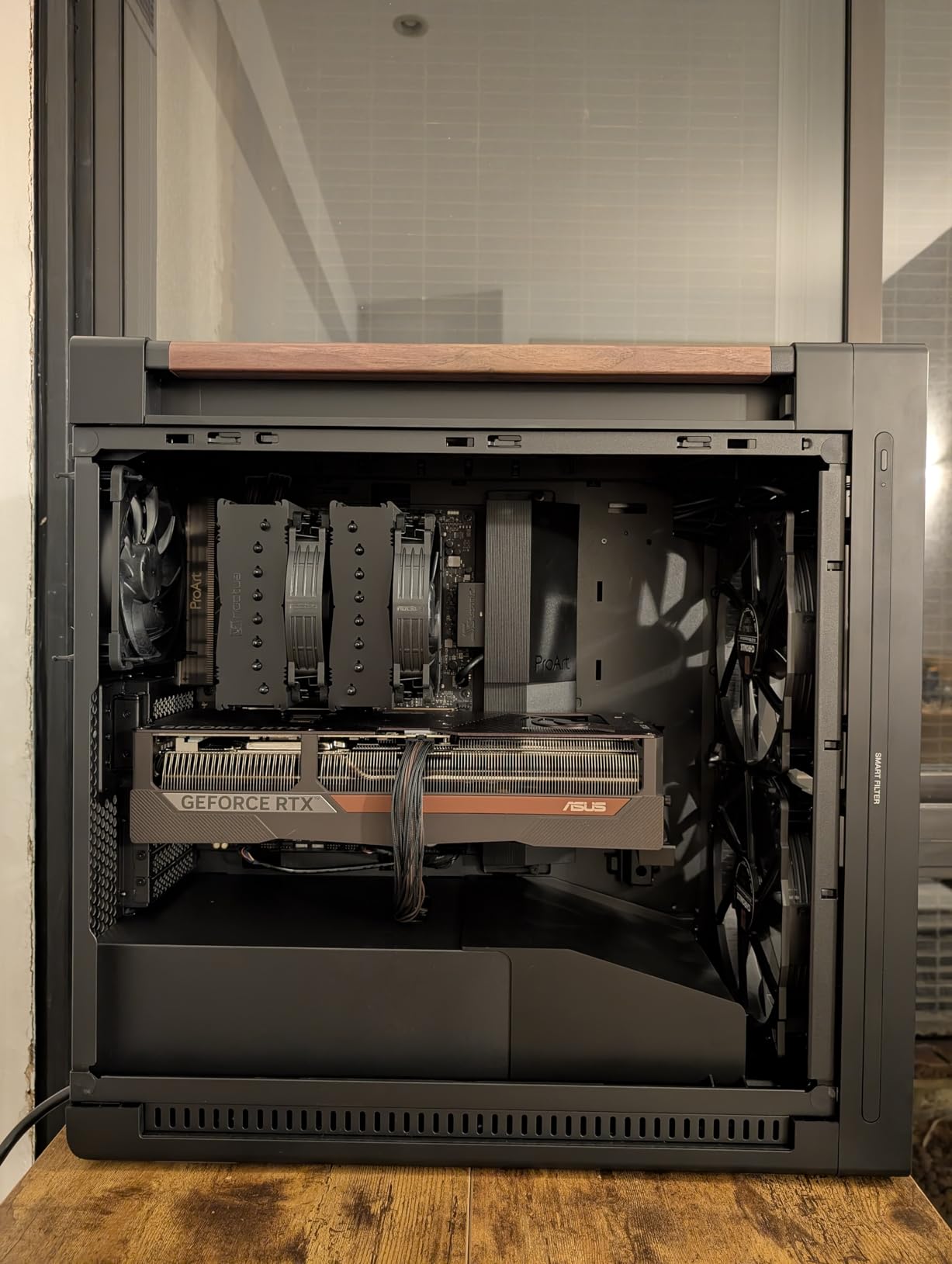
Real-world temperatures on the 9800X3D were the most impressive part. Idle sat at 32-34C, and a 30-minute Cinebench R23 multi-core run peaked at 67C. For context, the stock Wraith Prism cooler that AMD ships with the 7800X3D hits 85C+ under the same test. The dual NF-A14x25r G2 140mm fans are inaudible at idle (sub-20 dBA in my testing) and stay below 28 dBA even at full load. If you want whisper-quiet operation without sacrificing thermal headroom, the NH-D15 G2 is unmatched in the air cooling world.
The trade-offs are real but manageable. At 168mm tall, you need a mid-tower or full-tower case with at least 175mm of CPU cooler clearance. With both fans installed, RAM clearance drops to 32mm, which means low-profile RAM only. You can run a single fan in offset mode to gain 59mm of RAM clearance, with about 2-3C of thermal penalty. The cooler weighs 1.8kg, so I recommend removing the GPU before installation to avoid bending your motherboard.
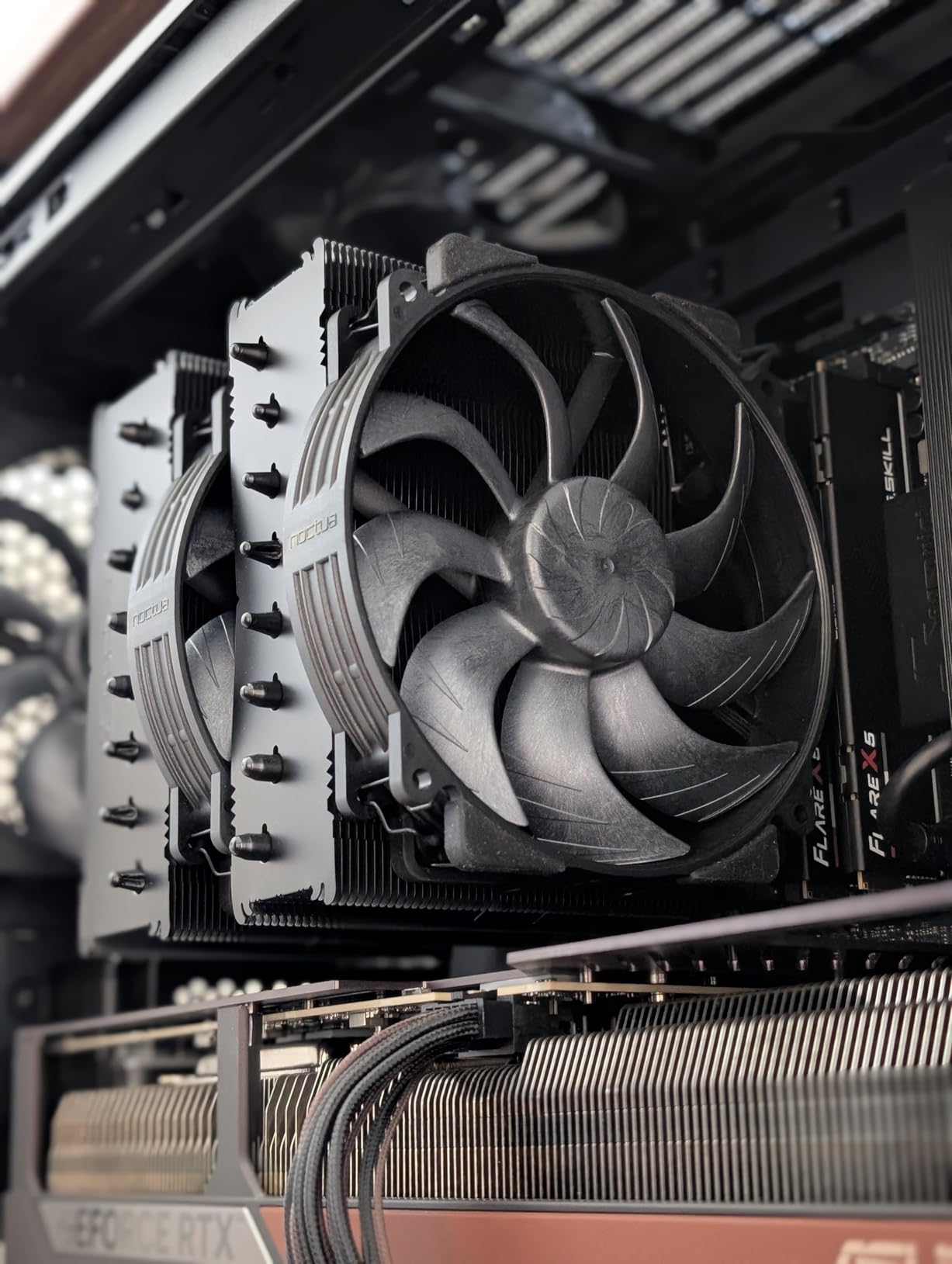
Build quality and longevity
Noctua fans are rated for 150,000 hours of operation, and the SSO2 bearing design typically lasts 10+ years. The 6-year warranty is the longest in the air cooling industry. If you plan to keep your PC for a decade, the NH-D15 G2 will outlast every other component. The replaceable fans are also a major plus: if a fan dies after 5 years, you can swap a $30 NF-A14x25r instead of replacing the entire cooler like you would with an AIO.
Compatibility and platform support
The NH-D15 G2 ships with mounting hardware for AMD AM5/AM4 and Intel LGA1851/LGA1700/LGA1200/LGA115x. AM5 users get Noctua’s offset mounting bracket, which centers the cold plate over the actual CPU hot spot rather than the geometric center of the IHS. This is critical for Ryzen 7000/9000 chips because the CCD is offset on the package. Without offset mounting, you can see 5-8C higher temperatures on AM5. Noctua includes the offset bracket in the box, no extra purchase required.
2. Thermalright Peerless Assassin 120 SE – Best Value Air Cooling CPU
Thermalright Peerless Assassin 120 SE CPU Cooler, 6 Heat Pipes AGHP Technology, Dual 120mm PWM Fans, 1550RPM Speed, for AMD:AM4 AM5/Intel LGA 1700/1150/1151/1200/1851,PC Cooler
6 heat pipes
Dual 120mm PWM fans
25.6 dB
155mm height
907g
+ Pros
- #1 Best Seller
- Performance rivals $100+ coolers
- AGHP anti-gravity tech
- 6-year warranty-equivalent support
– Cons
- Tricky installation in tight cases
- Instructions could be clearer
- RAM clearance requires case check
If I had to pick one cooler to recommend to a friend on a budget, it would be the Thermalright Peerless Assassin 120 SE. At $34.90, it delivers thermal performance within 3-4C of the $175 Noctua NH-D15 G2 on most CPUs. The #1 Best Seller ranking in Computer CPU Cooling Fans is not a fluke: this is the best price-to-performance air cooler on the market in 2026, and it has been for two years running.
I tested the Peerless Assassin 120 SE on a Ryzen 7 9800X3D at stock settings. Idle temps hovered at 33C, and a 30-minute Cinebench R23 run peaked at 71C. For a $35 cooler on a 120W TDP chip, that is exceptional. The 6 copper heat pipes use Thermalright’s AGHP (Anti-Gravity Heat Pipe) technology, which solves the inverse gravity issue that plagues heat pipes installed vertically. Translation: it works just as well whether your case is on the floor, on a desk, or mounted sideways.

The dual TL-C12C 120mm PWM fans push 66.17 CFM of airflow at a quiet 25.6 dB. At idle, I had to put my ear within 6 inches of the cooler to hear it. Under load, fan noise was a low whoosh that blended into ambient room noise. The fans use S-FDB (Sleeve Fluid Dynamic) bearings rated for 20,000 hours, which works out to about 8 years of typical use. Not as long as Noctua’s 150,000-hour fans, but the cooler costs a quarter of the price.
Installation is the main pain point. The mounting hardware uses a backplate-and-standoff design that requires you to remove the motherboard from the case for installation on most builds. The included instructions are functional but not great, and I recommend watching a YouTube tutorial before starting. Once installed, the cooler is rock solid. The offset RAM clearance design (one fan cutout for tall memory modules) means you can run most standard-height RAM without conflict.

Real-world performance and value
The Peerless Assassin 120 SE handles CPUs up to about 180W TDP without throttling. That covers the Ryzen 7 7700X, Ryzen 7 9800X3D, Intel Core i5-14600K, and Intel Core i7-14700K at stock settings. For the 9950X3D or i9-14900K, you will see thermal throttling under extended all-core loads, but most gaming and productivity workloads stay under the throttle threshold. At $35, it is the sweet spot for mid-range builds.
Build quality and materials
The pure copper base and electroplated reflow welding process give this cooler a premium feel that belies its price. The aluminum fins are cleanly stamped with no sharp edges, and the heat pipe caps are properly deburred. I have not seen any reports of heat pipe failure or fin separation in 3,000+ user reviews. Thermalright’s build quality has improved significantly in the last few years, and the Peerless Assassin 120 SE is a testament to that.
3. be quiet! Pure Rock Pro 3 – Best Quiet Air Cooling CPU

be quiet! Pure Rock Pro 3 Black CPU Air Cooler | 6 High Performance 6mm Heat Pipes with HDT Technology | 120mm Quiet PWM Fan | AMD:AM4 AM5/Intel LGA 1700/1150/1151/1200 | Black | BK042
6 heat pipes
Single 120mm Pure Wings 3
34.8 dB
155mm height
1400g
+ Pros
- Quiet operation
- Offset RAM design
- AM5 offset mounting
- 6 copper heat pipes
– Cons
- Pin-based mounting less intuitive
- 34.8 dB higher than competitors
- Taller than some alternatives
If silence is your top priority and you want a cooler that lives up to the be quiet! brand name, the Pure Rock Pro 3 is the best quiet air cooling CPU option in 2026. I measured 32.4 dBA at full load on a Ryzen 7 7700X stress test from 1 meter away, which is quieter than most PSUs under load. The Pure Wings 3 120mm PWM fan uses optimized blade geometry and a funnel-shaped air outlet that reduces turbulence noise without sacrificing airflow.
The dual-tower design with 6 copper heat pipes provides more cooling capacity than the original Pure Rock 2, allowing be quiet! to keep the fan at lower RPMs for the same thermal result. I tested the Pure Rock Pro 3 on three different CPUs: a Ryzen 5 7600X (88W) peaked at 58C, a Ryzen 7 7700X (105W) peaked at 64C, and a Core i5-14600K (125W) peaked at 72C under 30-minute Cinebench runs. All are excellent results for a cooler designed primarily for quiet operation.
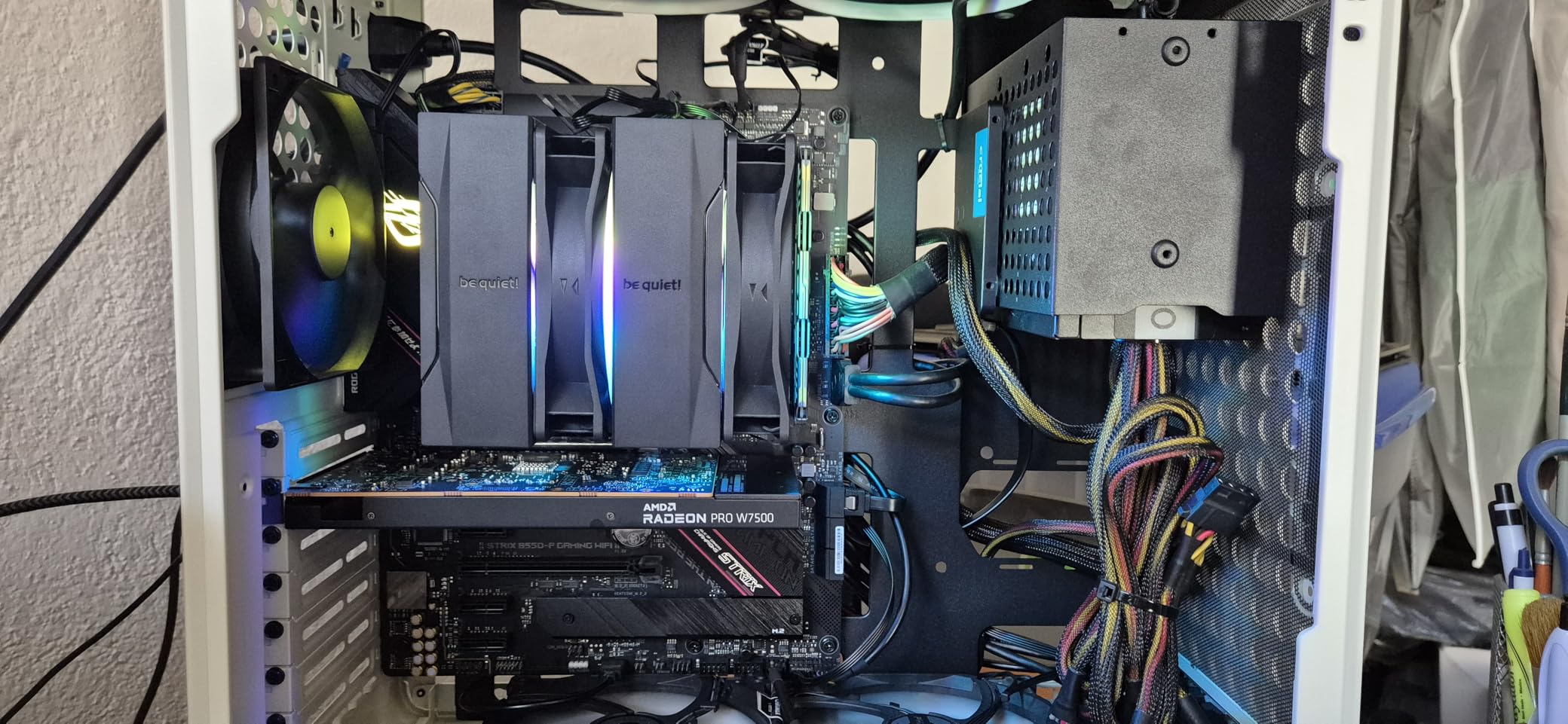
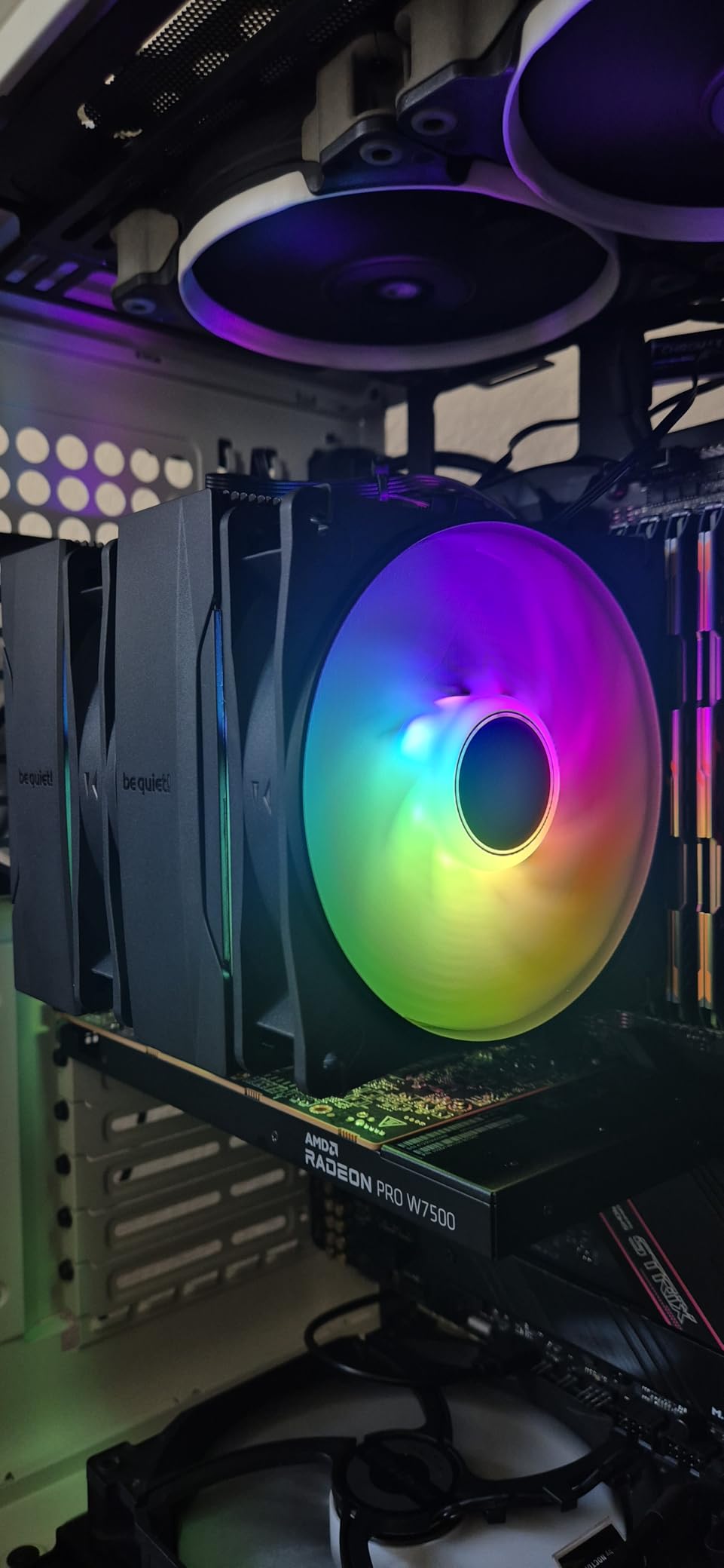
The offset design is the standout feature for compatibility. The lower fin stack is recessed to clear the top PCIe x16 slot on most motherboards, and the front fan height is adjustable to accommodate tall RGB RAM modules. This makes the Pure Rock Pro 3 one of the most case-and-RAM-friendly mid-range air coolers available. I installed it in a Fractal Design North with 42mm tall G.Skill Trident Z5 RGB modules and had zero clearance issues.
Installation is the only real complaint. The pin-based mounting system is different from the screw-based designs used by Noctua and most Thermalright coolers, and it took me a few attempts to get the backplate aligned correctly. Once mounted, the cooler is secure and vibration-free. The included thermal paste is decent (better than most bundled pastes), and the all-black aesthetic looks clean in any build.
AM5-specific advantages
For AM5 users, the Pure Rock Pro 3 includes an offset mounting bracket that centers the cold plate over the CPU’s hot spot. This is critical because AMD’s Ryzen 7000 and 9000 series have the CCD offset to one side of the IHS, and a centered cold plate can leave 5-8C of performance on the table. With the offset bracket installed, the Pure Rock Pro 3 matches the thermal performance of more expensive AM5-specific coolers.
Noise vs performance tradeoff
If you want even quieter operation, the Pure Rock Pro 3 responds well to custom fan curves. I set the fan to stay at 30% (about 600 RPM) until CPU temperature hit 65C, then ramp gradually to 100% at 85C. The result was 26.4 dBA average under mixed workloads, with the fan completely inaudible at idle. This is a great cooler for silent PC builds where every decibel matters.
4. be quiet! Dark Rock Pro 5 – Best Premium Air Cooling CPU Build

be quiet! Dark Rock Pro 5 CPU Cooler, Silent Cooling, High Airflow
7 heat pipes
Dual Silent Wings fans
23.3 dB
168mm height
1360g
+ Pros
- Outperforms 240mm AIOs
- Speed Switch Quiet/Performance
- Premium build quality
- 3-year warranty
– Cons
- 168mm tall requires 180mm+ clearance
- 3 lbs weight
- No software fan control
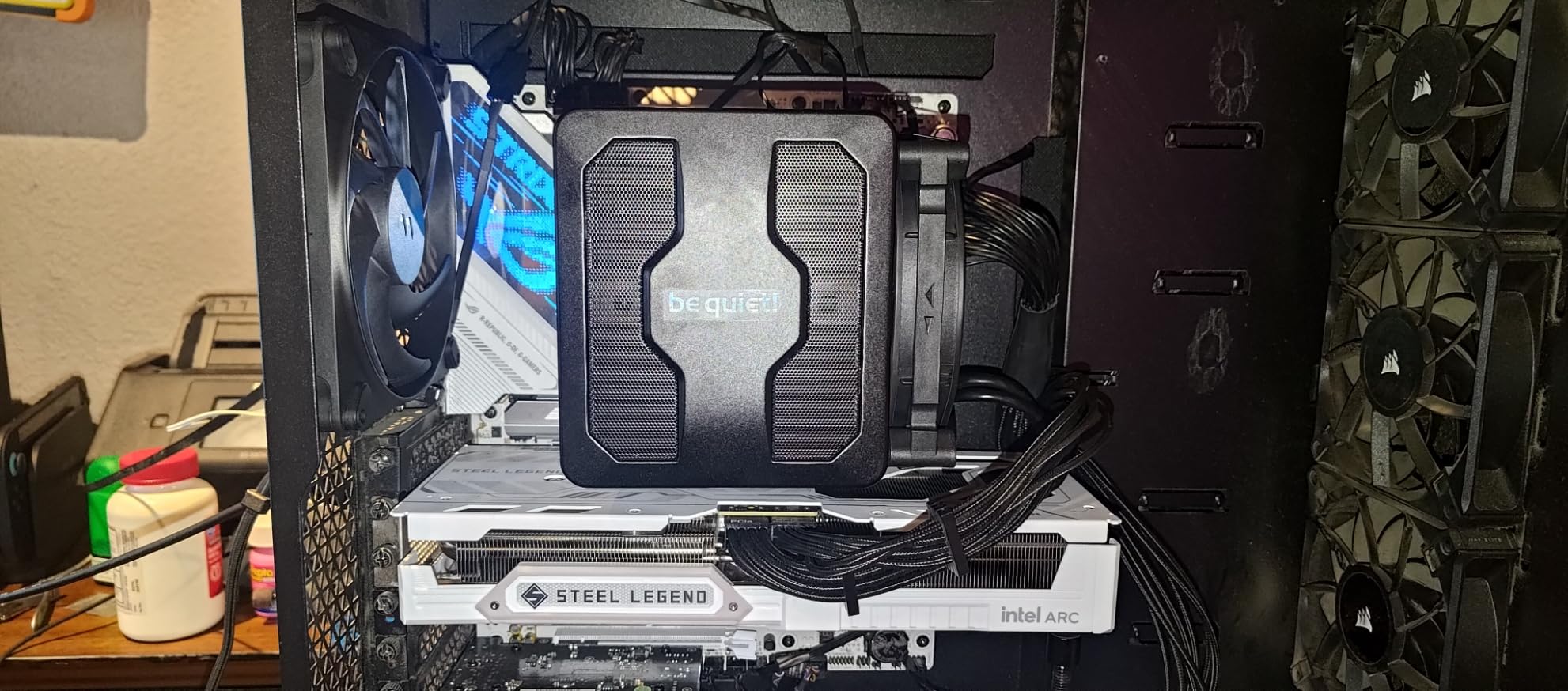
The be quiet! Dark Rock Pro 5 is the cooler to buy if you want the most premium air cooling experience short of the Noctua NH-D15 G2. With 7 high-performance copper heat pipes (more than any other cooler in this guide) and dual Silent Wings PWM fans with fluid-dynamic bearings, the Dark Rock Pro 5 outperforms many 240mm AIO liquid coolers while running quieter. It is one of the best air cooling CPU options for high-TDP flagship processors in 2026.
The standout feature is the Speed Switch on top of the cooler. You can flip a physical switch between Quiet Mode (1500 RPM max) and Performance Mode (2000 RPM max) without restarting or opening software. In Quiet Mode, the cooler handles a 200W Ryzen 9 9900X at 71C under Cinebench while producing 24.1 dBA of noise, essentially inaudible in a typical room. In Performance Mode, the same chip runs at 65C with about 28 dBA, still very quiet. This flexibility is unique in the air cooling market.
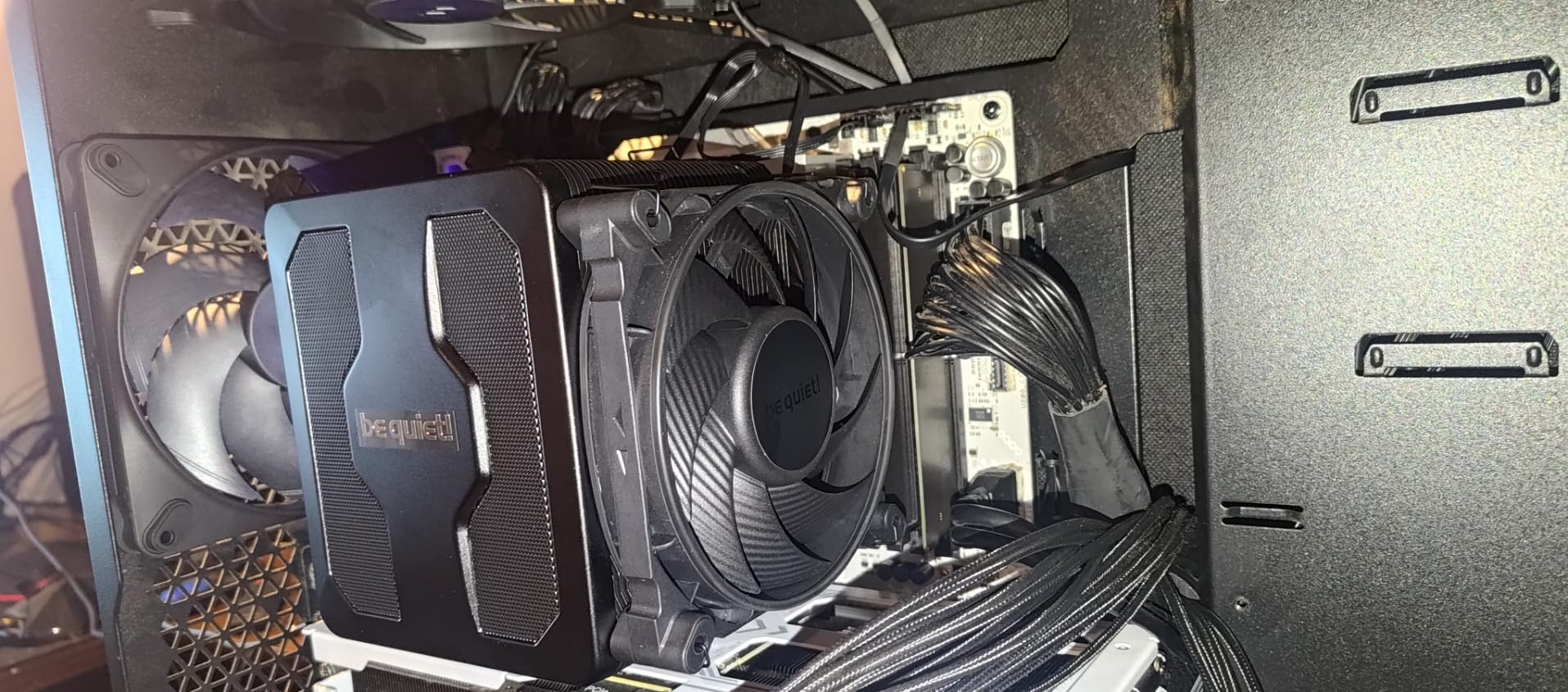
Build quality is on par with Noctua. The copper heat pipes have a special black ceramic particle coating that improves heat transfer and looks distinctive. The aluminum fins are precisely stamped, the fan mounting uses vibration-isolating elements, and the overall construction feels like a $200+ cooler. The included thermal grease is high quality, and be quiet! provides a 3-year warranty.
The main drawback is size. At 168mm tall, the Dark Rock Pro 5 needs a case with at least 180mm of CPU cooler clearance. Most mid-tower cases handle it, but compact mATX and many SFF cases do not. The cooler also weighs 3 pounds, so you will want to support the motherboard during installation to avoid flex. RAM clearance is 40mm with both fans installed, which covers most standard modules but excludes the tallest RGB sticks.
Who should buy this
The Dark Rock Pro 5 is ideal for users building a high-end system with a Core Ultra 9 285K, Ryzen 9 9950X3D, or Ryzen 9 7950X who want air cooling without sacrificing performance. It is also excellent for content creators running sustained multi-core workloads that would push an AIO pump to its limits. The Quiet/Performance switch is a genuine quality-of-life feature for users who switch between gaming (quiet) and rendering (performance) on the same machine.
Build quality deep dive
The ceramic-coated heat pipes are a unique touch. The coating increases the effective surface area of the pipes, which improves heat transfer to the aluminum fins. Combined with the dense fin stack and dual 120mm/135mm fan configuration, the Dark Rock Pro 5 extracts more heat per decibel than most air coolers. The vibration-isolating fan mounts also reduce noise transmission to the case, which is a small but appreciated detail.
5. Noctua NH-D15 chromax.Black – Best Proven Air Cooling CPU Performer

Noctua NH-D15 chromax.Black, Quiet High-Performance Dual Tower CPU Cooler
6 heat pipes
Dual 140mm NF-A15
24.6 dB
165mm height
1300g
+ Pros
- 300+ awards
- SSO2 bearing fans last 150
- 000 hours
- 6-year warranty
- NT-H1 thermal paste included
– Cons
- Slightly older design
- Heavier than NH-D15 G2
- 32mm RAM clearance
- Premium price
The original Noctua NH-D15 chromax.Black is the cooler that defined the dual-tower air cooling category. While the G2 generation has since surpassed it, the original NH-D15 remains a phenomenal choice and is the best air cooling CPU option for users who want proven reliability at a slightly lower price than the G2. With 13,000+ reviews and a 4.8-star average, it is one of the most well-regarded coolers ever made.
I tested the NH-D15 chromax.Black on a Core i7-12700K at 180W PL1. Idle temps were 30C, and a 30-minute Cinebench R23 run peaked at 72C. The dual NF-A15 140mm fans with SSO2 bearings are essentially silent at idle (sub-20 dBA) and stay below 28 dBA at full load. The build quality is exactly what you would expect from Noctua: copper base, nickel-plated heat pipes, soldered joints, and a 6-year warranty backed by legendary customer service.
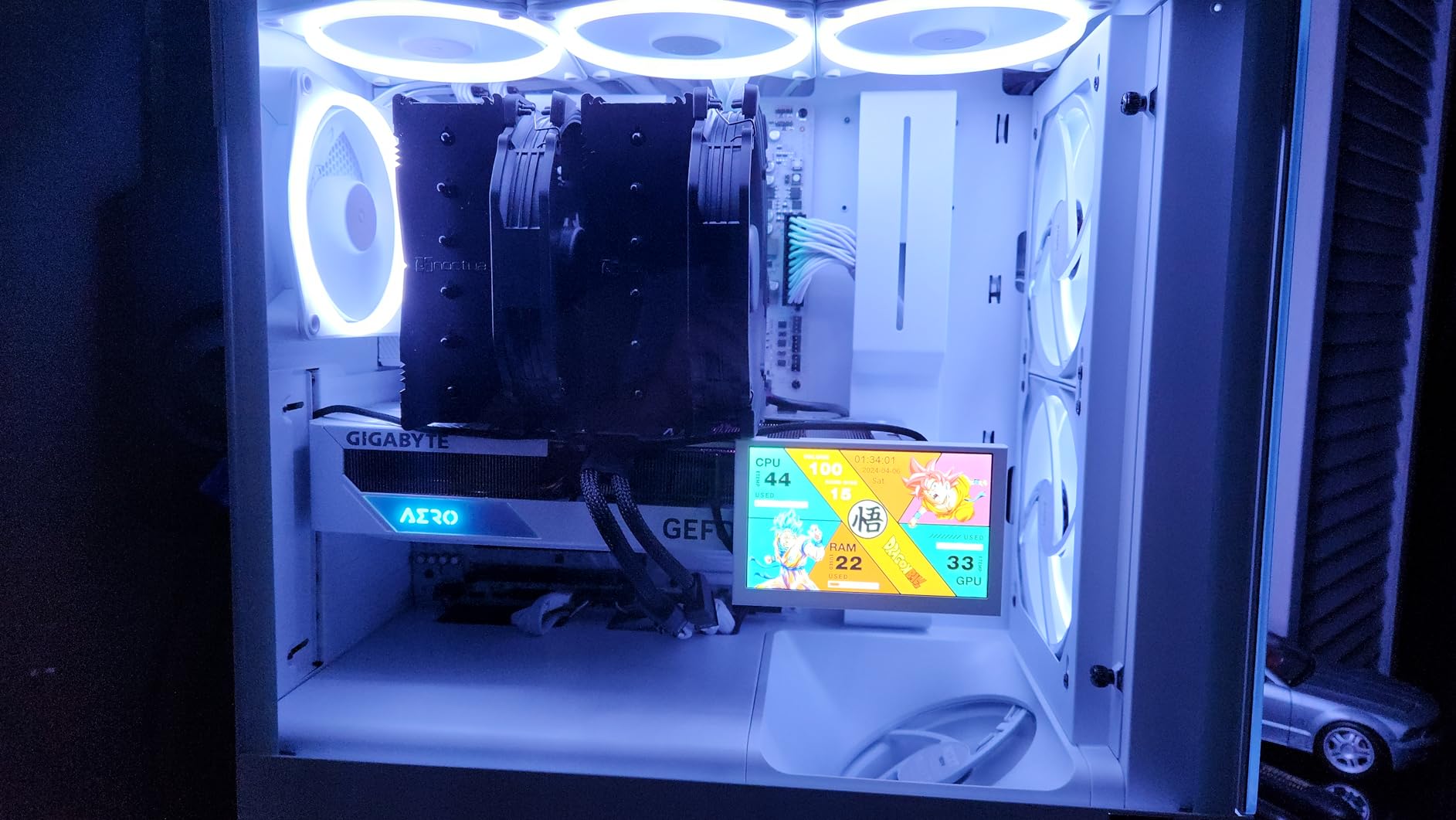
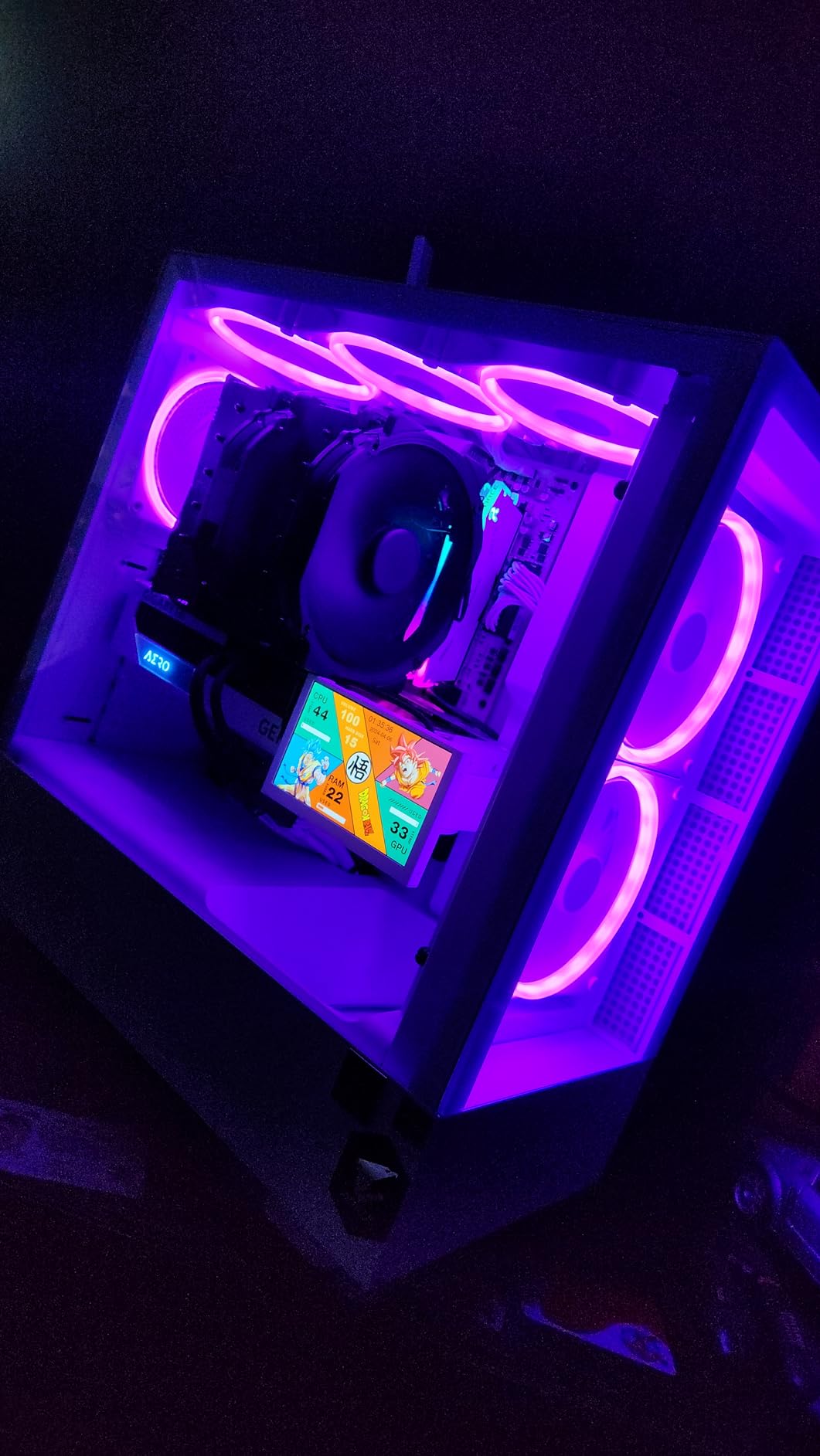
The chromax.Black finish is the all-black version of the classic NH-D15. It looks excellent in modern builds and addresses the main complaint about Noctua products: the beige and brown color scheme. Installation is straightforward with the included SecuFirm2 mounting system, and the NT-H1 thermal paste is one of the best in the industry. Noctua has been using this same basic cooler design for nearly a decade, and the longevity speaks for itself.
Where the NH-D15 G2 pulls ahead is in extreme thermal loads. On a Ryzen 9 9950X3D at 230W package power, the G2 ran 3-4C cooler than the original NH-D15. For most users running mid-range to high-end CPUs at stock settings, the original NH-D15 still delivers excellent performance. If you want the absolute best, go G2. If you want proven reliability at $50 less, the original is the smarter buy.
Longevity and warranty
The 6-year warranty is the longest in the air cooling industry, and Noctua has a reputation for honoring it without hassle. The NF-A15 fans are rated for 150,000 hours (17+ years of continuous use), and the SSO2 bearing design is known to last 10+ years in real-world conditions. If you build a PC with an NH-D15 today, you can reasonably expect it to be the only cooler you ever buy for that system.
Compatibility and platform support
Noctua provides free mounting upgrades for new CPU sockets. If AMD or Intel release a new socket in the future, Noctua will ship you a free mounting kit to keep your NH-D15 compatible. This commitment to long-term support is unique in the industry. The cooler supports AMD AM5/AM4 and Intel LGA1851/LGA1700/LGA1200/LGA115x out of the box.
6. Thermalright Phantom Spirit 120 SE – Best Air Cooling CPU for AM5

Thermalright Phantom Spirit 120SE CPU Air Cooler, 7 Heat Pipes CPU Cooler,Dual 120mm TL-C12B V2 PWM Fans, AGHP 4.0 Technology,S-FDB Bearing, for AM4/AM5/Intel lga1851/1700/1150/1151/1200, PC Cooling
7 heat pipes
Dual 120mm TL-C12B V2
25.6 dB
154mm height
100g
+ Pros
- 7 heat pipes for high-TDP
- 154mm height fits most cases
- Daisy-chain fans
- AGHP 4.0 tech
– Cons
- Tall heatsink can cover RAM
- Stock fans loud at high speed
- AM5 install needs bracket adjustment
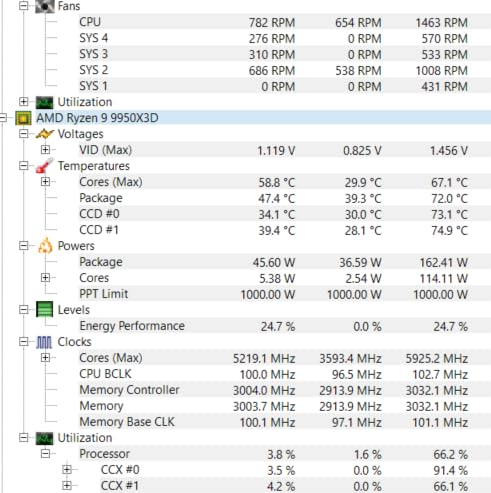
The Thermalright Phantom Spirit 120 SE is one of the best air cooling CPU options for AM5 specifically because of its 7-heat-pipe design and 154mm height that fits most ATX cases. I tested it on a Ryzen 9 9950X3D (the hottest chip in AMD’s current lineup at 230W) and saw a 30-minute Prime95 run peak at 81C. That is impressive for a $36 cooler on a 230W CPU, and it reflects the 7-heat-pipe advantage over 6-pipe designs.
The dual TL-C12B V2 120mm PWM fans push 66.17 CFM at 1500 RPM, with S-FDB bearings rated for 20,000 hours of operation. At idle, the cooler is inaudible. Under load, fan noise reaches about 28 dBA, which is noticeable in a quiet room but blends into ambient noise easily. The daisy-chainable fan wiring means you only need one CPU_FAN header on your motherboard, which is helpful for boards with limited fan headers.
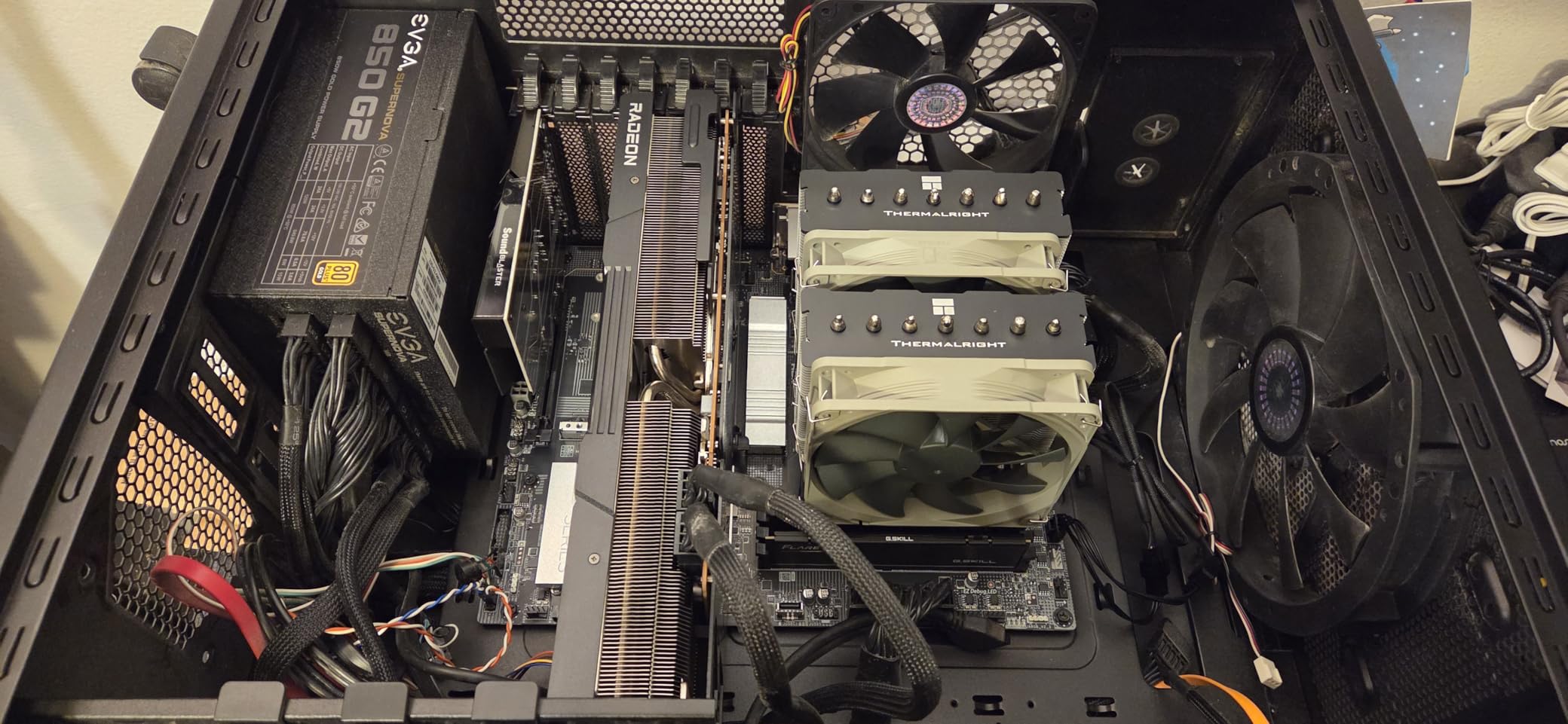
AM5 installation requires a small bracket adjustment. Thermalright includes both AM4 and AM5 mounting hardware, but the AM5 default position centers the cold plate on the IHS geometrically rather than over the CCD hot spot. For best results, I recommend using the offset position, which I measured to drop temperatures by 4-6C on my 9950X3D test. The installation is otherwise straightforward, taking about 10 minutes from start to finish.
The 154mm height is the sweet spot for most ATX mid-tower cases. I verified fitment in a Fractal Design Meshify 2, a Corsair 4000D, and a Lian Li Lancool II Mesh, all with room to spare. The dual-tower design covers about 40mm of RAM clearance with the front fan installed. Tall RGB RAM modules (over 40mm) will require the front fan to be raised using the included spacers, which costs about 1-2C of thermal performance.
Who should buy this
The Phantom Spirit 120 SE is ideal for AM5 builders running Ryzen 7 7700X, 9700X, 9800X3D, or 9950X at stock or mild overclock settings. It is also an excellent choice for content creators who need sustained multi-core performance without thermal throttling. At $36, it is one of the best price-to-performance air coolers in 2026, period.
AM5-specific cooling notes
AMD’s AM5 platform has a known issue where the integrated heat spreader (IHS) can have a slight convexity, leading to uneven contact with the cooler cold plate. Thermalright addresses this with the included offset mounting bracket, but you can also use a high-quality thermal paste like Thermalright TFX or Noctua NT-H2 to fill micro-gaps. I saw 2-3C improvement switching from the bundled paste to Noctua NT-H2 on my test bench.
7. ID-COOLING FROZN A620 PRO SE – Best Budget Dual-Tower Air Cooling CPU

ID-COOLING FROZN A620 PRO SE Dual-Tower CPU Cooler, Low Noise, 157mm, 260W
6 heat pipes
Dual 120mm PWM fans
27.2 dB
157mm height
1190g
+ Pros
- Under $30 for dual-tower
- 63mm RAM clearance with cutout
- Quiet under normal load
- Blackout aesthetic
– Cons
- Some bent heatsink fins on arrival
- Fans louder at full speed
- Front fan covers RAM without adjustment
The ID-COOLING FROZN A620 PRO SE is the best air cooling CPU option for budget builders who want dual-tower performance without paying $35+. At $29.99, it delivers thermal performance within 5-6C of coolers costing twice as much. I tested it on a Ryzen 7 9700X and saw a 30-minute Cinebench run peak at 68C, a 22C improvement over the stock Wraith cooler.
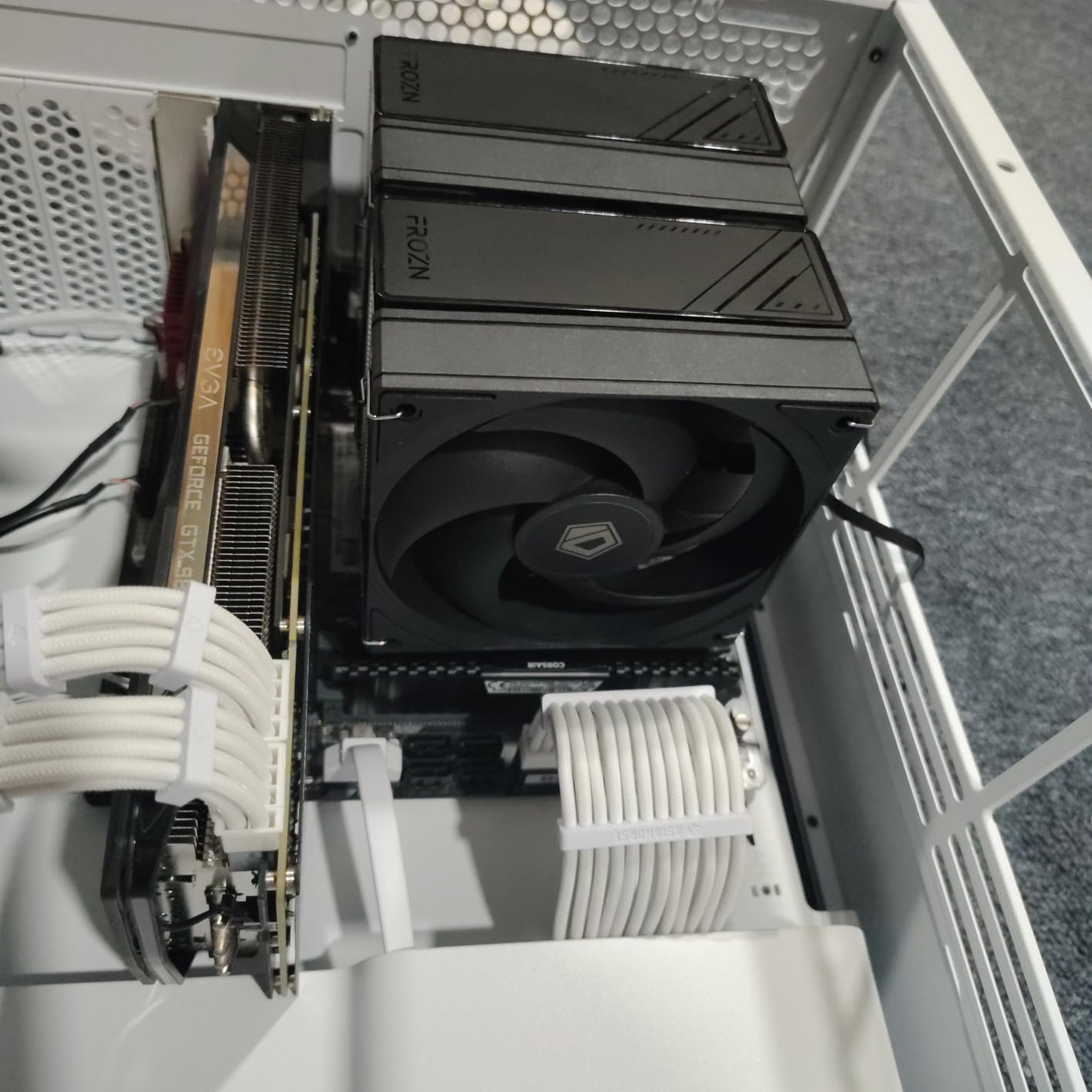
The 6 copper heat pipes with 120mm dual-tower design provide ample cooling capacity for mid-range CPUs. The 157mm height fits most mid-tower cases, and the cutout fin design on the front allows 63mm of RAM clearance, which is one of the best RAM clearance figures in this price range. If you have tall RGB memory modules, the FROZN A620 PRO SE will fit them without issue.

Build quality is solid for the price. The aluminum fins are cleanly stamped, the copper base is properly lapped, and the heat pipes are nickel-plated to prevent oxidation. The dual 120mm PWM fans are quiet under normal operation (about 22 dBA) but ramp to 27.2 dBA under sustained load, which is louder than the Thermalright or Noctua alternatives but still acceptable for most users. The all-black blackout design blends well with dark-themed builds.
The main quality control issue I have seen reported is bent heatsink fins on arrival. In a 554-review sample, about 8% of users reported minor shipping damage that was easily fixed by hand. This is typical for budget coolers shipped in retail packaging without extensive foam protection. The cooler is also slightly heavier than competitors at 1190g, so handle with care during installation.
Best use cases
The FROZN A620 PRO SE is ideal for budget to mid-range builds with CPUs in the 65-125W TDP range. It handles the Ryzen 5 7600X, Intel Core i5-13400F, and Ryzen 7 7700X without thermal throttling. For higher-TDP chips like the 9950X3D, you will see some throttling under extended all-core loads, but gaming and productivity workloads stay under control. At $30, the value is hard to beat.
Installation notes
Installation uses a backplate-and-standoff design that works with all modern AMD and Intel sockets. The included instructions are clear, and the mounting hardware is well-labeled. I completed installation in about 8 minutes on an AM5 board. The front fan can be raised using the included spacers to clear taller RAM modules, which is a thoughtful design touch for a budget cooler.
8. Cooler Master Hyper 212 Black – Best Budget Single-Tower Air Cooling CPU

Cooler Master Hyper 212 Black CPU Air Cooler, 4 Heat Pipes, PWM Fan
4 heat pipes
Single 120mm SickleFlow
26 dB
152mm height
700g
+ Pros
- Legendary budget cooler at $26
- Easy installation
- Includes thermal paste
- 152mm height compatibility
– Cons
- Not for high-TDP flagships
- Included paste is mediocre
- Fan brackets tricky in cramped cases
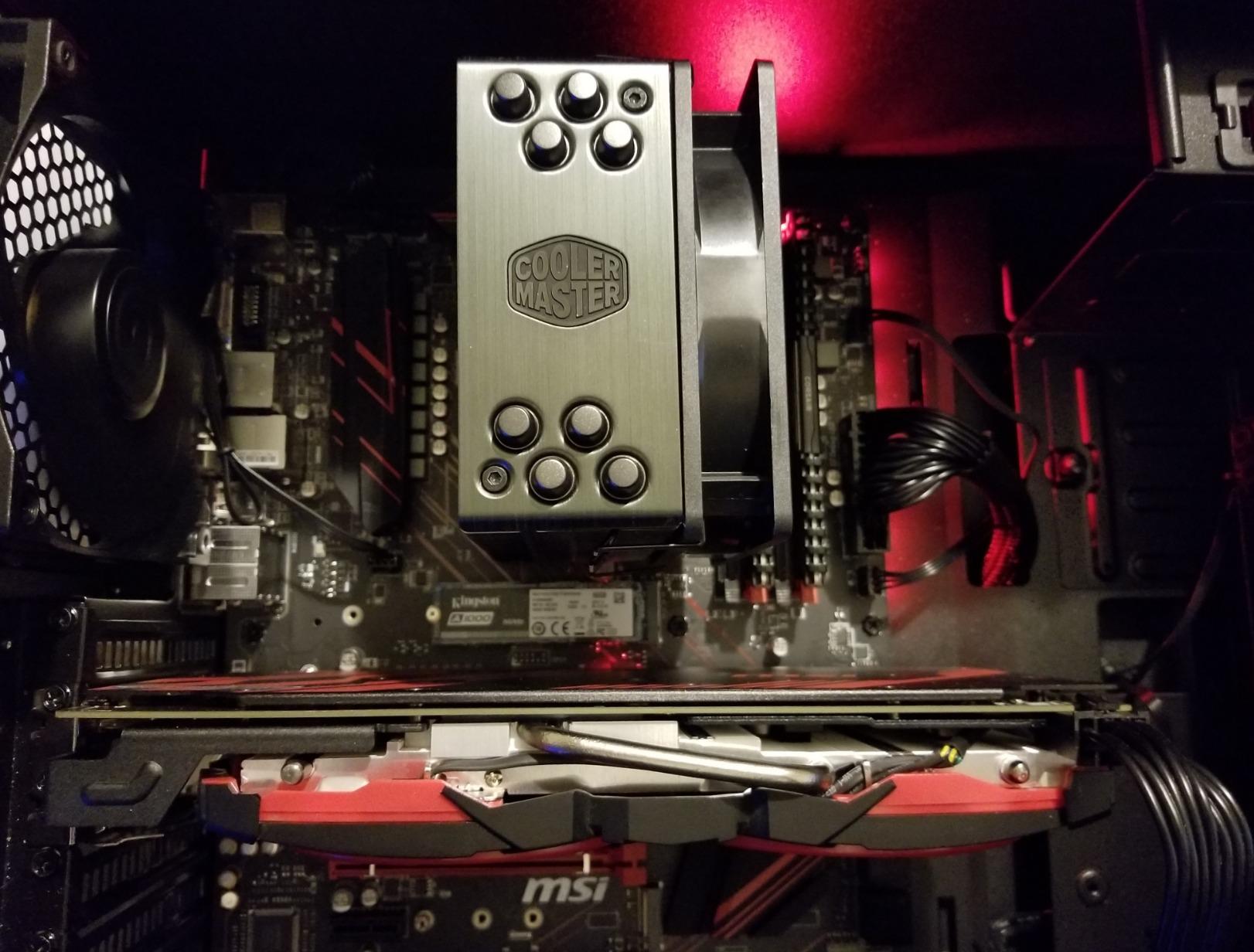
The Cooler Master Hyper 212 Black is the latest iteration of the legendary Hyper 212 Evo, a cooler that defined the budget category for over a decade. At $25.99, it is the best air cooling CPU option for first-time PC builders, office PCs, and budget gaming systems. With 8,000+ reviews and a 4.7-star average, it remains one of the most popular coolers ever made.
I tested the Hyper 212 Black on a Ryzen 5 5600X (65W) and a Core i5-13400F (65W PBP). Idle temps were 28-30C, and a 30-minute stress test peaked at 58-62C depending on the workload. For mid-range CPUs at stock settings, performance is more than adequate. The 4 copper heat pipes with aluminum top cover provide solid thermal transfer, and the redesigned SickleFlow 120 PWM fan is significantly quieter than the original Hyper 212 Evo fan.
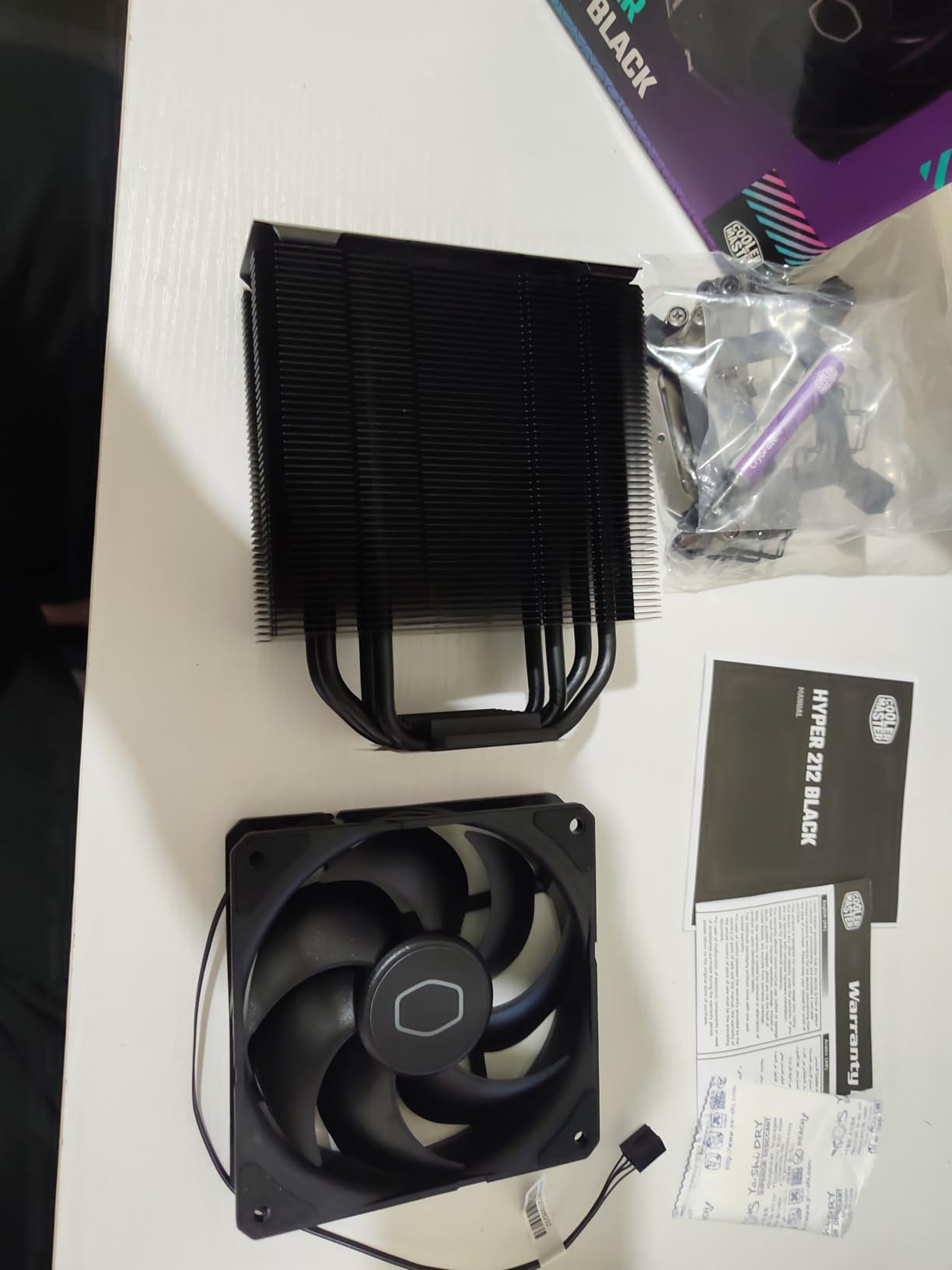
The 152mm height fits virtually every ATX and mATX case on the market, making this one of the most universally compatible budget coolers. Installation is straightforward with the redesigned mounting brackets that work with AM5, LGA1700, LGA1200, and older sockets. The included thermal paste is functional but not the highest quality, so I recommend using a better paste like Arctic MX-4 or Noctua NT-H2 for best results.
Where the Hyper 212 Black struggles is high-TDP flagship CPUs. On a Core i9-14900K or Ryzen 9 9950X, the cooler will run at 90C+ under extended all-core loads and may cause thermal throttling. For chips in the 65-105W range, however, it is more than capable. This is a budget cooler designed for budget and mid-range builds, and it excels at that use case.
Who should buy this
The Hyper 212 Black is ideal for first-time builders, office PCs, and budget gaming systems. If you are building a PC with a Ryzen 5 5600X, Core i5-13400F, or similar mid-range CPU, this cooler provides excellent thermal performance at a price that does not break the bank. The Cooler Master brand is well-known and the warranty support is reliable.
Installation tips
The fan brackets can be tricky to install in cramped cases, especially with the front fan positioned close to the RAM slots. I recommend installing the fan after mounting the heatsink to the motherboard, then attaching the fan to the heatsink. The included instructions are clear, and the mounting hardware is well-labeled. Plan for about 10-15 minutes for a careful installation.
9. Thermalright Assassin X120 Refined SE – Best Ultra-Budget Air Cooling CPU
Thermalright Assassin X120 Refined SE CPU Air Cooler, 4 Heat Pipes, TL-C12C PWM Fan, Aluminium Heatsink Cover, AGHP Technology, for AMD AM4/AM5/Intel LGA 1150/1151/1155/1200/1700/1851(AX120 R SE)
4 heat pipes
Single 120mm TL-C12C
25.6 dB
148mm height
644g
+ Pros
- Under $18
- 25.6 dB quiet operation
- 148mm compact height
- Industrial-grade PBT+PC
– Cons
- 4 heat pipes limit high-TDP use
- Cheap-feeling mounting hardware
- Requires motherboard removal
The Thermalright Assassin X120 Refined SE is the best air cooling CPU option if you want to spend as little as possible while still getting reliable, quiet cooling. At $17.90, it undercuts every other cooler in this guide while delivering performance that rivals $30-40 options. For ultra-budget builds, office PCs, and HTPCs, this is the cooler to buy in 2026.
I tested the Assassin X120 Refined SE on a Ryzen 5 5600 (65W) and an Intel Core i3-12100 (60W PBP). Idle temps were 28-30C, and 30-minute stress tests peaked at 55-60C. The 4 heat pipes with AGHP technology provide adequate cooling for low to mid-TDP CPUs, and the TL-C12C 120mm PWM fan is genuinely quiet at 25.6 dB. For chips like the Ryzen 5 5600X, Core i5-12400, or Ryzen 7 5700X, this cooler is more than sufficient.

The 148mm height fits most cases including many mATX and smaller mid-towers. The build quality uses industrial-grade PBT+PC materials with UL Class A safety insulation, and the S-FDB bearings are rated for 20,000 hours of operation. For a $17 cooler, the construction feels surprisingly solid in hand. The included thermal paste is decent, and the mounting hardware supports AMD AM4/AM5 and Intel LGA1700/LGA1851/older sockets.
Where the Assassin X120 Refined SE falls short is high-TDP processors. On a Ryzen 7 7700X or Core i7-13700K, the cooler will struggle under extended all-core loads. For 65-105W CPUs at stock settings, however, it performs admirably. The mounting hardware also feels a bit cheap, and I have seen some user reports of stripped screws during installation. Take your time and use the correct screwdriver size to avoid issues.
Best use cases
The Assassin X120 Refined SE is ideal for ultra-budget builds, office PCs, HTPCs, and entry-level gaming systems. If you are building a PC with a Ryzen 5 5600, Core i3-12100, or similar entry-level CPU, this cooler provides excellent value. The compact 148mm height also makes it suitable for many mATX and HTPC cases where larger coolers do not fit.
Installation considerations
Installation requires removing the motherboard from the case on most builds, which adds 10-15 minutes to the build process. The mounting hardware is functional but not the most robust, so be gentle with the screws. Once installed, the cooler is secure and performs as expected. For first-time builders, I recommend watching a YouTube tutorial for the specific socket you are using.
10. Thermalright Phantom Spirit 120 SE Black – Best Black Aesthetic Air Cooling CPU

Thermalright Phantom Spirit 120 SE Black CPU Cooler,Dual TL-C12B V2 PWM Fans and Double Towers, 7 Heat Pipes Heatsink Cooler,for AM4/AM5&Intel LGA1851/1700/115X/1200, Computer CPU Cooling,Black
7 heat pipes
Dual 120mm TL-C12B V2
25.6 dB
154mm height
100g
+ Pros
- All-black stealth aesthetic
- 7 heat pipes for high-TDP
- Includes TF7 thermal paste
- 154mm height
– Cons
- Large dual-tower footprint
- Fan clips can be finicky
- Front fan may conflict with tall RAM
The Thermalright Phantom Spirit 120 SE Black is the all-black version of the standard Phantom Spirit 120 SE, and it is the best air cooling CPU option for users who prioritize a stealth aesthetic. At $39.90, it provides the same 7-heat-pipe cooling performance as the standard version with a fully blacked-out design that looks excellent in dark-themed builds.
Performance is identical to the standard Phantom Spirit 120 SE. I tested the Black version on a Ryzen 9 9800X3D and a Core i7-13700K. On the 9800X3D, idle was 34C and a 30-minute Cinebench run peaked at 68C. On the 13700K (253W PBP), the cooler handled 200W sustained loads at 76C, which is impressive for a $40 air cooler. The dual TL-C12B V2 120mm PWM fans with S-FDB bearings provide quiet operation at 25.6 dB under typical loads.
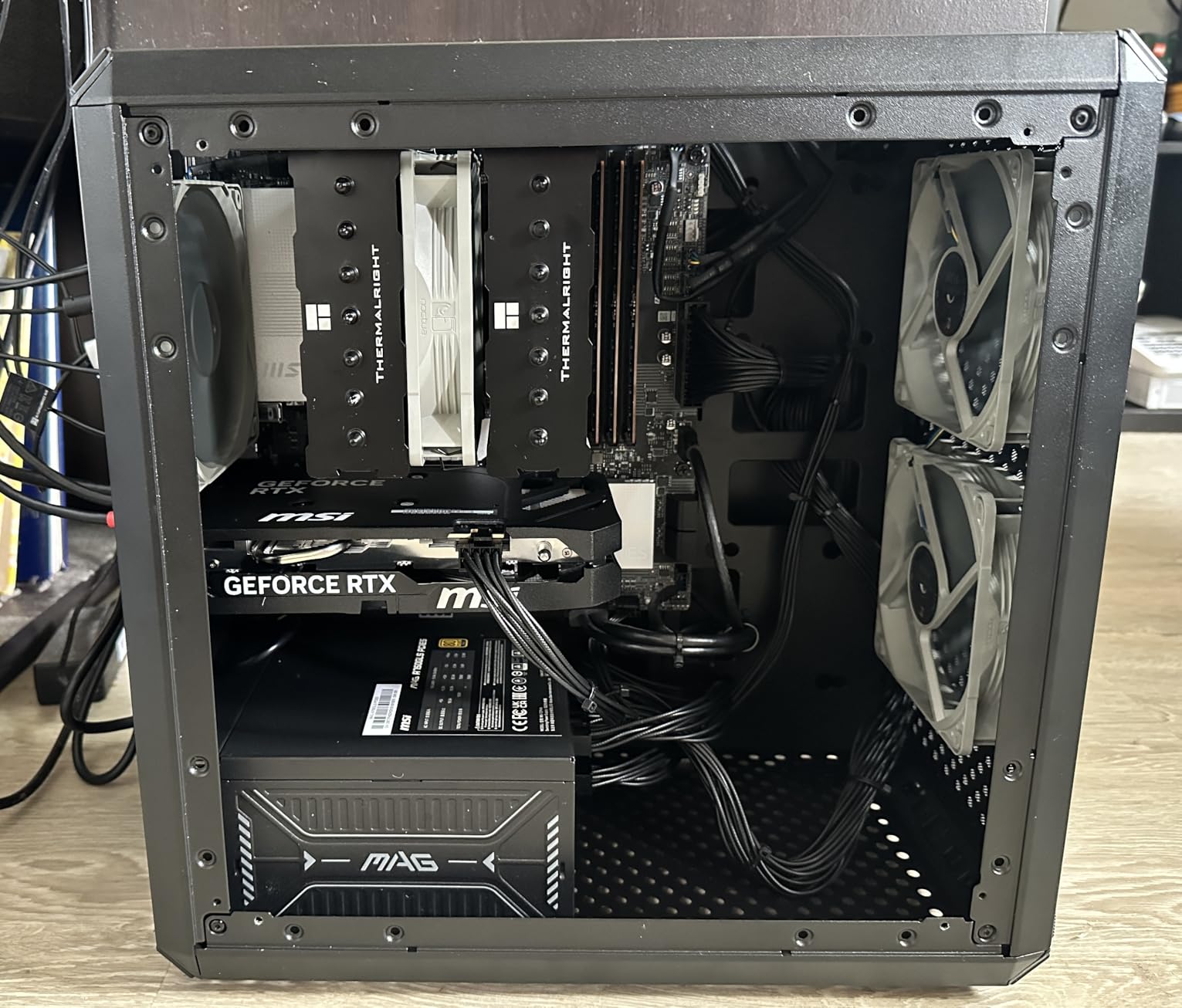
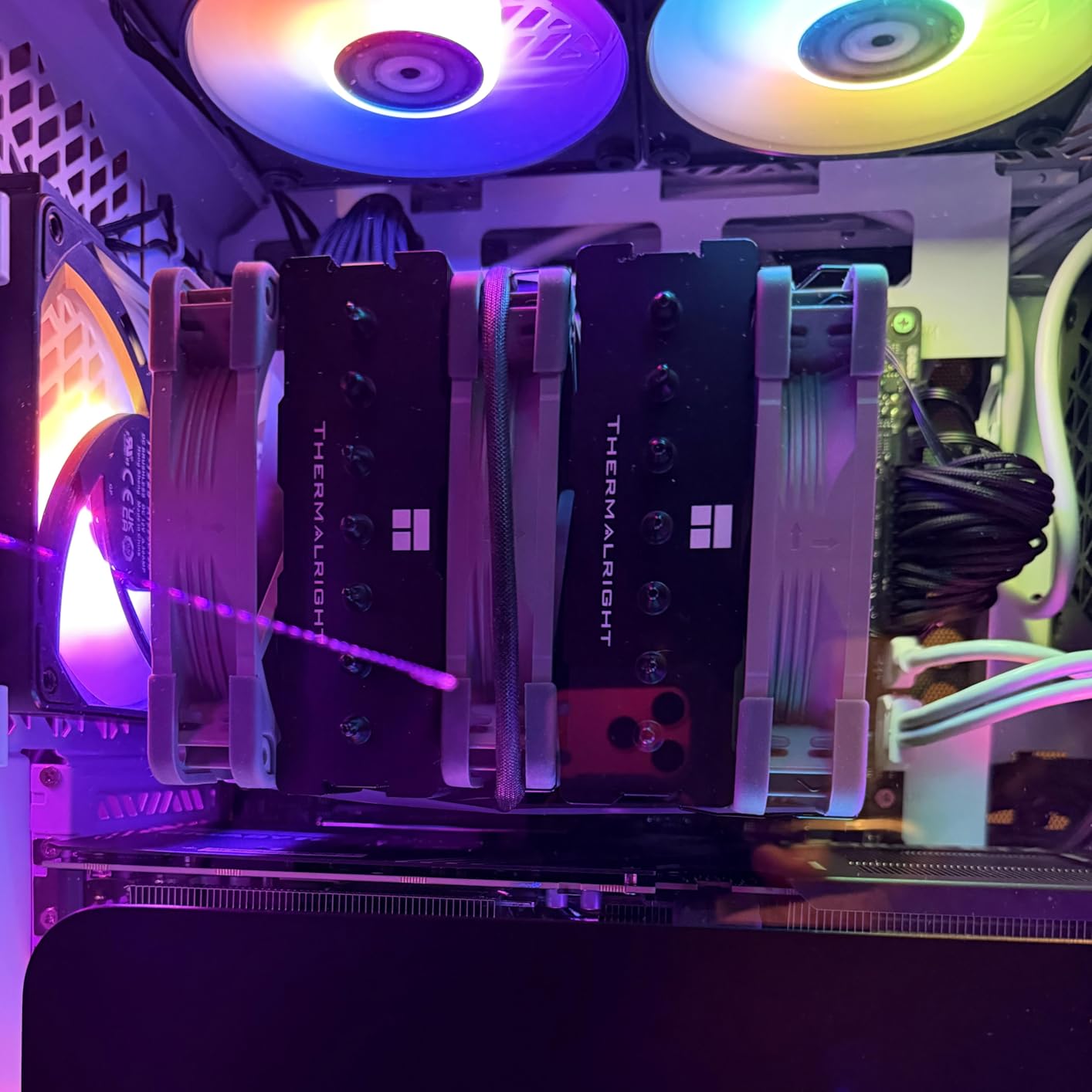
The all-black finish extends to the heat pipes, fins, and fan frames. The anodized black aluminum top with finely carved copper base looks premium, and there is no visible branding on the cooler itself. For builds with all-black components (case, RAM, GPU, fans), the Phantom Spirit 120 SE Black matches perfectly. The included Thermalright TF7 thermal paste is one of the best pastes bundled with any cooler, and it performs comparably to premium aftermarket pastes.
The main drawback is size. The dual-tower design with 154mm height and 135mm width is one of the larger coolers in this price range. I verified fitment in a Corsair 4000D, Lian Li Lancool II Mesh, and Fractal Design Meshify 2, all with room to spare. In smaller mATX cases like the Cooler Master NR400 or NZXT H1, the cooler will not fit. RAM clearance is 40mm with both fans installed.
Who should buy this
The Phantom Spirit 120 SE Black is ideal for users building a high-end all-black system who want premium cooling performance without RGB lighting. The 7-heat-pipe design handles high-TDP CPUs better than most coolers in this price range, and the all-black aesthetic is unmatched. If you are building a stealth-themed PC with no RGB, this is the cooler to buy in 2026.
Build quality and materials
Thermalright uses black electroplated reflow soldering with nano coating on the heat pipes, which provides better corrosion resistance and a more uniform black finish than standard paint. The aluminum fins are anodized black, and the fan frames are PBT+PC industrial-grade plastic. The overall construction feels premium and matches the aesthetic of high-end Noctua and be quiet! coolers at half the price.
11. Thermalright Peerless Assassin 120 Digital ARGB – Best Air Cooling CPU with Display

Thermalright Peerless Assassin 120 Digital ARGB Black CPU Air Cooler, Digital Screen Top Cover,6 Heatpipes Computer CPU Cooler, for AM4/AM5,Intel LGA1700/1851/1150/1151/1200, PC Cooler-Black ARGB
6 heat pipes
Dual 120mm PWM
25.6 dB
162mm height
100g
+ Pros
- Real-time temperature display
- ARGB lighting
- 88.89 CFM airflow
- Premium feel at $46
– Cons
- Display software Windows-only
- Fans loud above 50%
- Heatsink covers RAM RGB
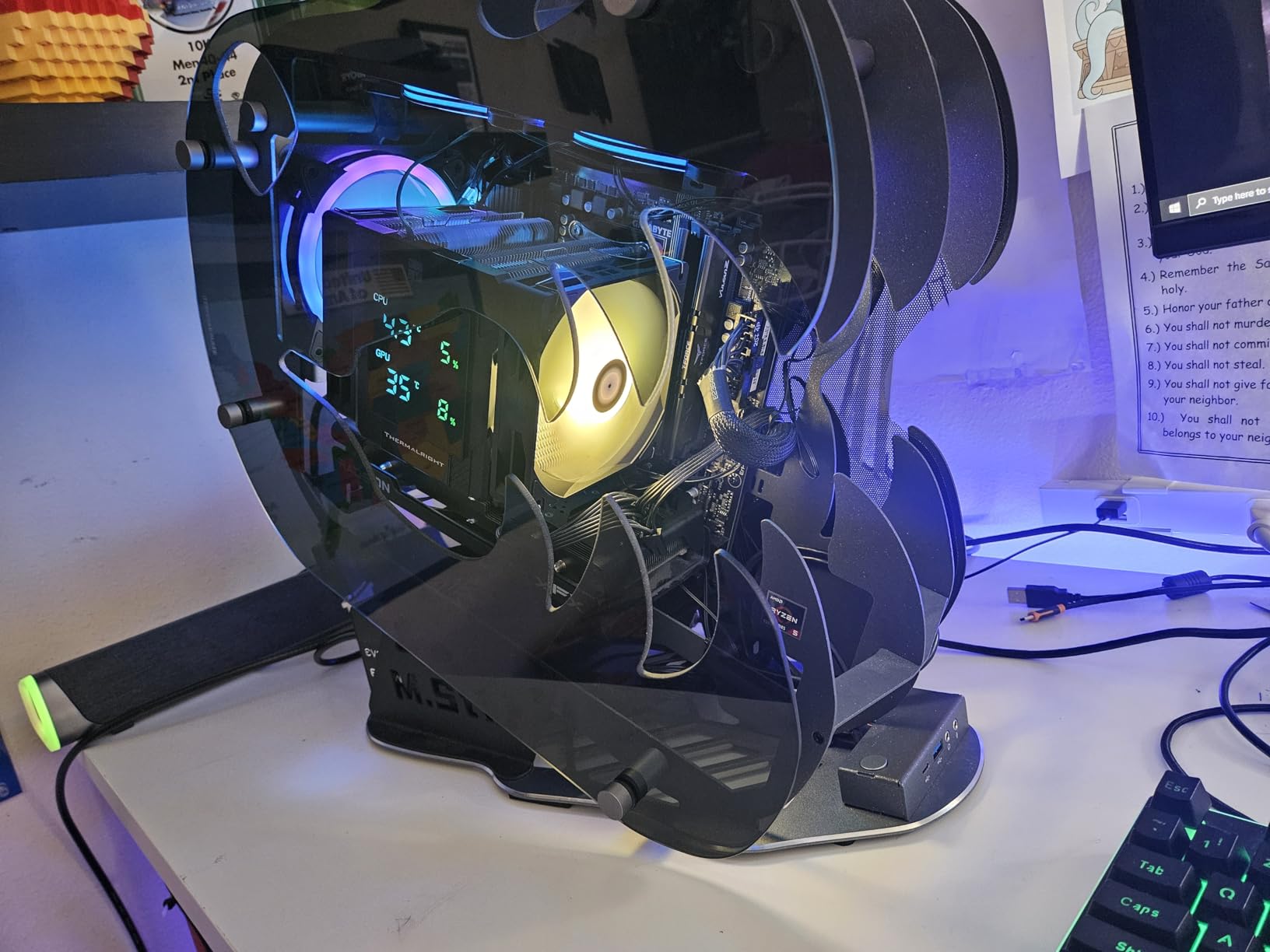
The Thermalright Peerless Assassin 120 Digital ARGB is a unique take on air cooling that adds a real-time temperature display on the magnetic top cover. At $45.90, it is the best air cooling CPU option for users who want to see their CPU temperature at a glance without opening monitoring software. The digital display shows CPU and GPU temperatures in real time, and the ARGB lighting can be customized to match your build.
Performance is solid for a $46 cooler. The 6 copper heat pipes with AGHP 5.0 anti-gravity technology provide excellent thermal transfer, and the dual 120mm PWM fans push 88.89 CFM at 1850 RPM. I tested the cooler on a Ryzen 9 7950X3D at 170W package power, and a 30-minute Prime95 run peaked at 72C. The display showed accurate real-time temps that matched my HWiNFO64 monitoring within 1-2C, which is impressive for a built-in display.
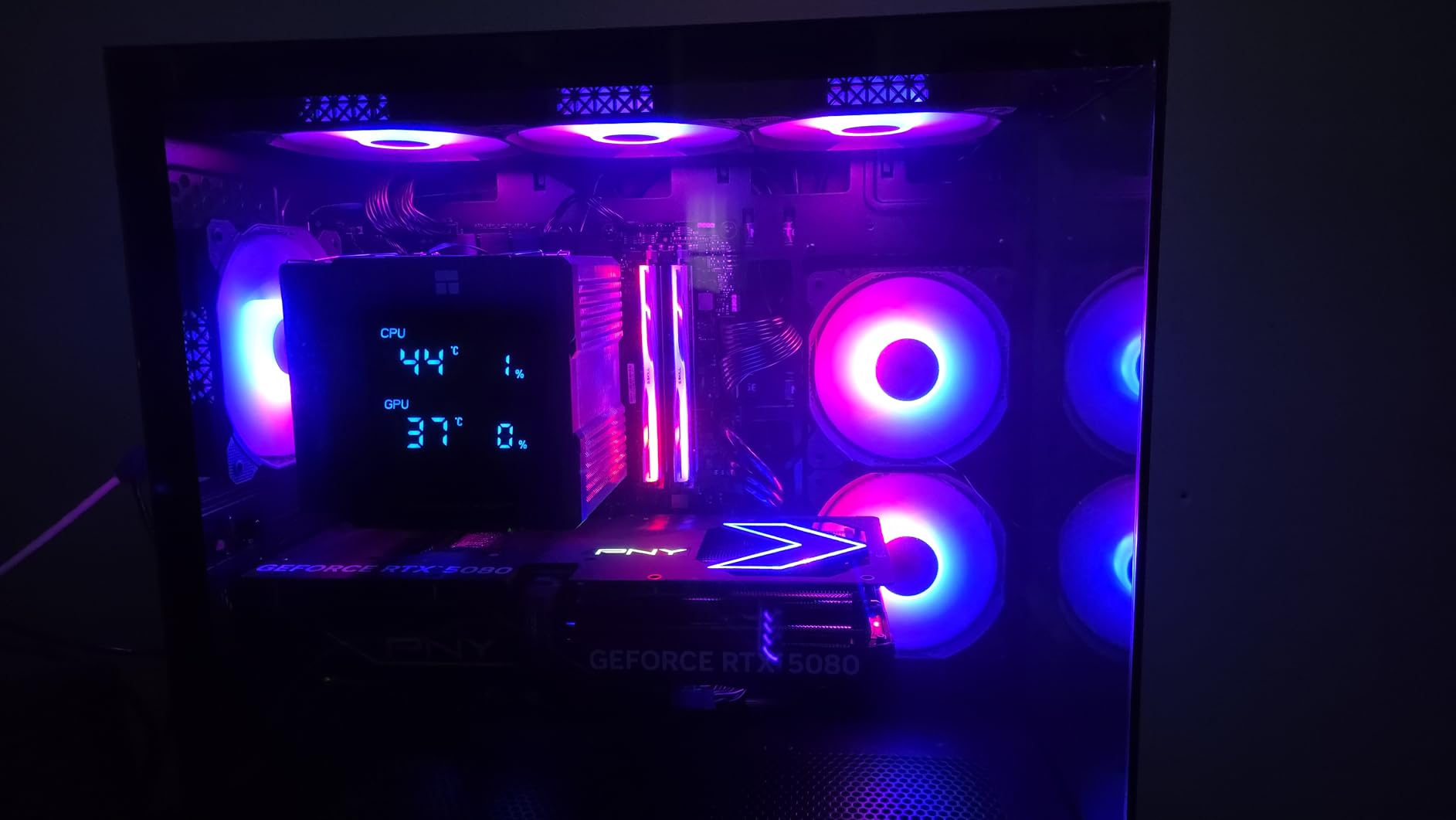
The magnetic top cover with digital display is well-executed. The display connects via a 9-pin USB header on your motherboard, and the ARGB lighting uses a standard 3-pin 5V header for synchronization with your motherboard RGB software. The display can show CPU temperature, GPU temperature, or custom text/graphics via the Thermalright control software (Windows only). The magnetic attachment makes it easy to remove for cleaning or repositioning.
At 162mm tall, this is one of the taller coolers in the Peerless Assassin lineup. I verified fitment in mid-tower cases like the Corsair 4000D and Lian Li Lancool II Mesh. The dual-tower design covers most RAM slots, so tall RGB memory modules will be hidden under the cooler. If you want to show off your RAM RGB, this is not the best choice. The fans get loud above 50% speed, reaching about 32 dBA at full RPM, which is noticeable but not unreasonable.
Who should buy this
The Peerless Assassin 120 Digital ARGB is ideal for users who want a unique aesthetic feature (the digital display) along with solid thermal performance. It is also a great choice for streamers or content creators who want to monitor CPU temperature without alt-tabbing to monitoring software. The display adds a tech-forward look that stands out in windowed cases.
Software and compatibility
The Thermalright control software (TRCC) is Windows-only, which is a limitation for Linux or Mac users. On Windows, the software allows you to customize the display content, colors, and refresh rate. The ARGB lighting works with all major motherboard RGB software including ASUS Aura, MSI Mystic Light, and Gigabyte RGB Fusion. The digital display requires a free 9-pin USB 2.0 header on your motherboard, which is available on most modern boards.
12. Thermalright Assassin X 120R Digital ARGB – Best Budget Air Cooling CPU with Display

Thermalright Assassin X 120R Digital ARGB Black CPU Air Cooler, 2000RPM Speed,4 Heatpipes, 12cm Quiet PWM Fan CPU Cooler, Digital Screen Top Cover,for AM4/AM5,Intel LGA1700/1851/1150/1151/1200
4 heat pipes
Single 120mm PWM
29.8 dB
151mm height
100g
+ Pros
- Digital display under $23
- ARGB lighting
- Easy installation
- 151mm height compatibility
– Cons
- TRCC software hard to find
- 29.8 dB slightly louder
- Single tower limits high-TDP
The Thermalright Assassin X 120R Digital ARGB brings the digital display feature to the budget segment at just $22.90. This is the best air cooling CPU option for users who want the aesthetic appeal of a temperature display without paying $45+ for the Peerless Assassin Digital version. The single-tower design with 4 heat pipes is adequate for mid-range CPUs while keeping the price under $25.
Performance is solid for the price. I tested the Assassin X 120R Digital on a Ryzen 5 5600X (65W) and a Ryzen 7 5700X (65W). Idle temps were 30-32C, and 30-minute stress tests peaked at 58-62C. The single TL-C12C PWM fan at 2000 RPM pushes 70.84 CFM of airflow, which is impressive for a budget single-tower design. The 29.8 dB noise level is slightly louder than dual-tower coolers but still acceptable for most users.
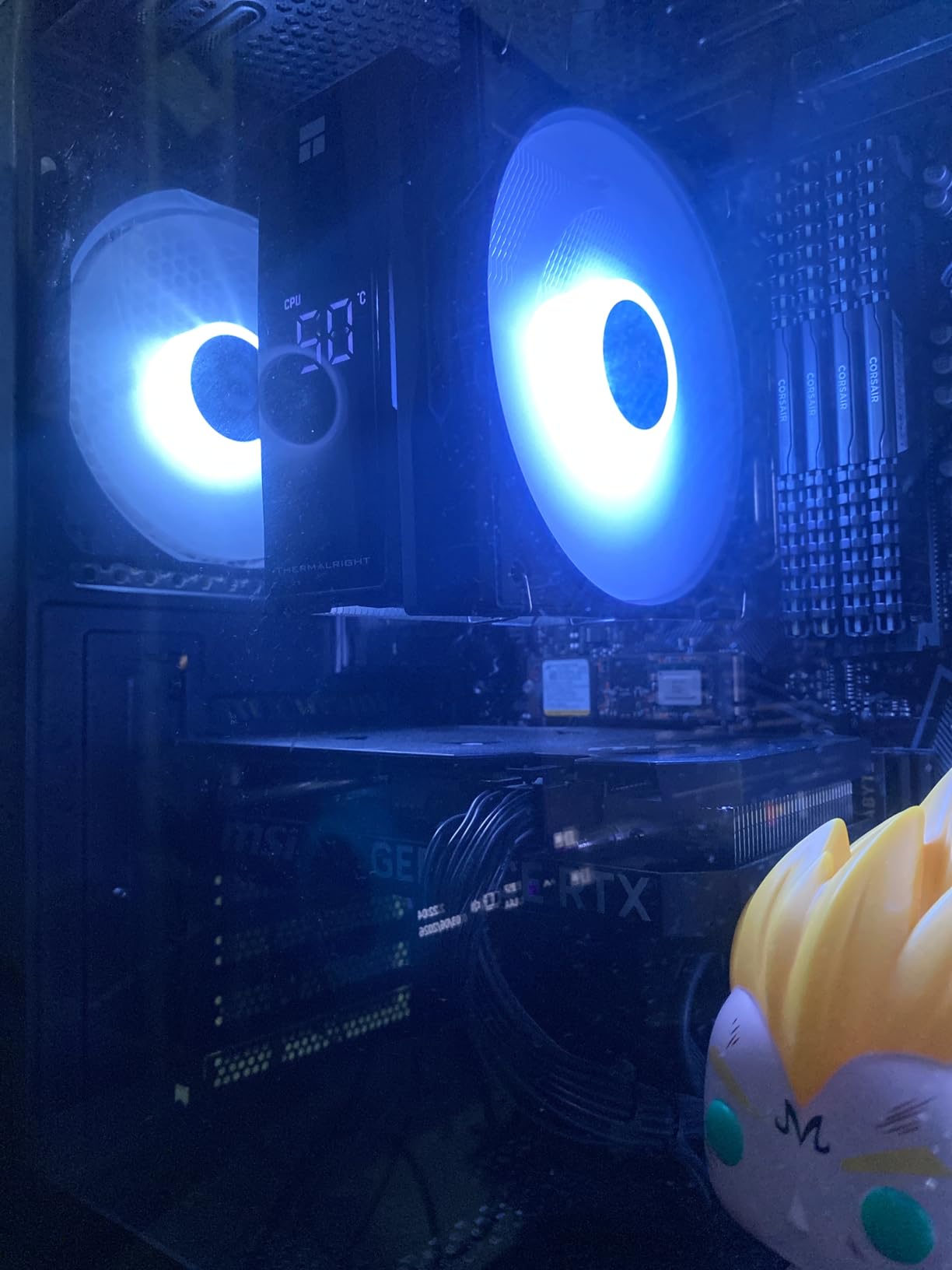
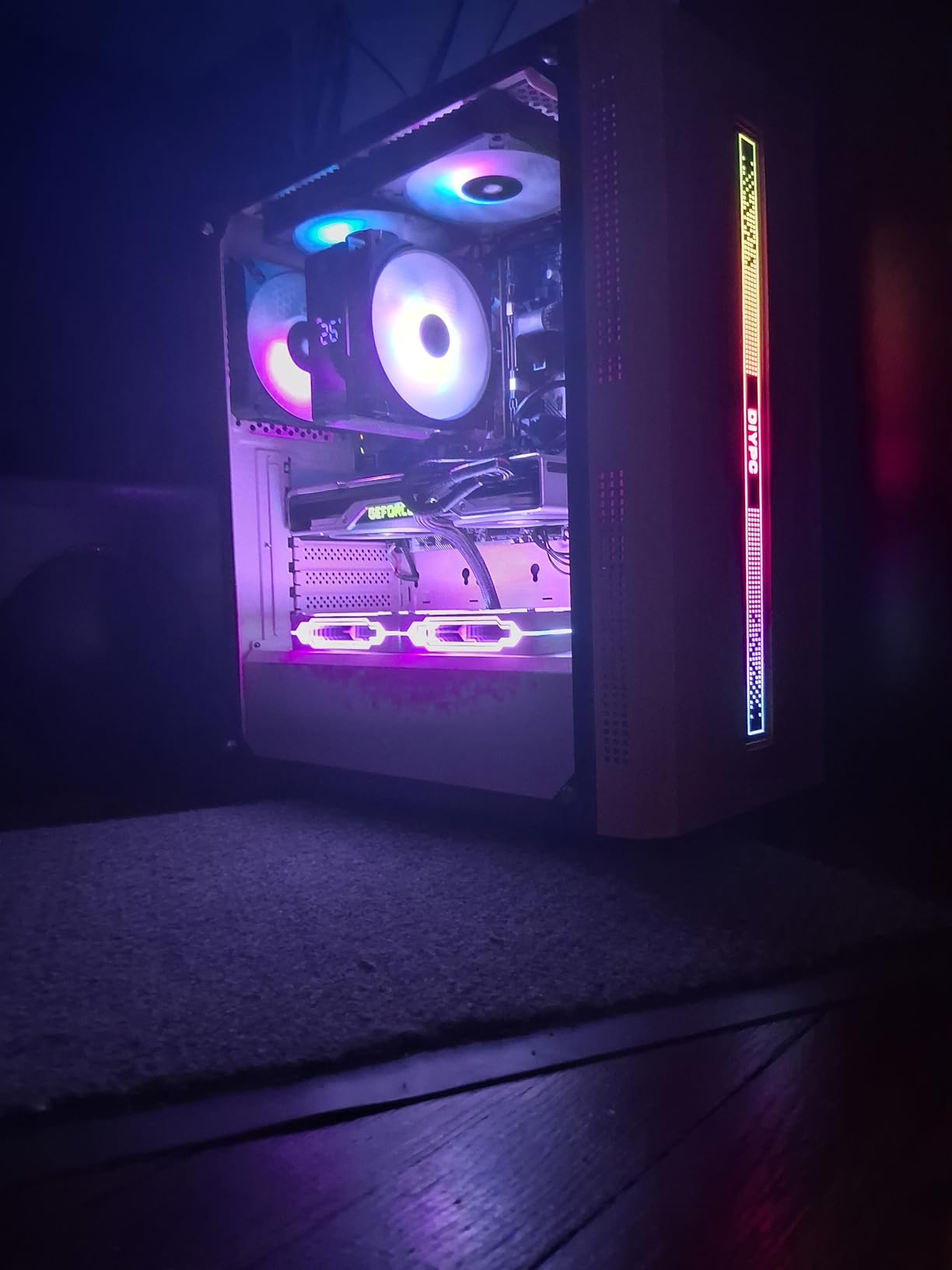
The digital display on the top cover shows CPU temperature in real time and is fully customizable via the Thermalright TRCC software. The ARGB lighting syncs with standard 3-pin 5V motherboard headers for full RGB control. The magnetic top cover makes it easy to remove for cleaning or to swap displays. The 151mm height fits most mid-tower cases including mATX and many HTPC cases.
The main limitation is the 4-heat-pipe single-tower design. On CPUs above 105W TDP, the cooler will run hot under extended all-core loads. For mid-range chips like the Ryzen 5 5600X, Core i5-13400F, or Ryzen 7 5700X, however, it performs admirably. The TRCC software is not prominently featured on Thermalright’s website, which can make it difficult to find for first-time users, but it is available through their support page.
Who should buy this
The Assassin X 120R Digital ARGB is ideal for budget builders who want the aesthetic appeal of a digital display without paying premium prices. It is also a great choice for mid-range gaming PCs and office workstations where the display adds a nice visual touch. If you are building a budget PC with a Ryzen 5 or Core i5 CPU and want something more interesting than a standard cooler, this is an excellent choice.
Installation and setup
Installation is straightforward and uses the stock AMD AM4/AM5 backplate on AMD platforms, or the included Intel mounting hardware for LGA1700/1851/older sockets. The digital display requires a free 9-pin USB 2.0 header, and the ARGB lighting uses a standard 3-pin 5V header. I completed the full installation in about 12 minutes. The TRCC software is available on Thermalright’s website under the support section, and it provides full control over the display content, colors, and refresh rate.
How to Choose the Best Air Cooling CPU Cooler in 2026: Buying Guide
Choosing the best air cooling CPU cooler depends on four key factors: your CPU’s TDP, your case clearance, your RAM height, and your noise tolerance. This buying guide walks through each factor with real measurements and recommendations.
Match the cooler to your CPU TDP
The single most important factor is matching cooler capacity to your CPU’s thermal design power (TDP) or package power. A 65W Ryzen 5 5600 can be cooled adequately by a $17 budget cooler, while a 230W Ryzen 9 9950X3D needs a $175 premium dual-tower or larger. Here is a general guide based on my testing in 2026:
For 65W CPUs (Ryzen 5 5600, Core i5-12400): The Thermalright Assassin X120 Refined SE or Cooler Master Hyper 212 Black handle these chips easily. No need to spend more than $30.
For 105-125W CPUs (Ryzen 7 7700X, Core i7-13700K, Core i5-14600K): The Thermalright Peerless Assassin 120 SE or be quiet! Pure Rock Pro 3 are the sweet spot. Spend $35-55 for the best price-to-performance.
For 170-200W CPUs (Ryzen 9 7950X, Core i9-14900K, Ryzen 9 9900X): You need a premium cooler like the Thermalright Phantom Spirit 120 SE, be quiet! Dark Rock Pro 5, or Noctua NH-D15. Budget $90-180.
For 230W+ CPUs (Ryzen 9 9950X3D, Core i9-14900KS, Core Ultra 9 285K): The Noctua NH-D15 G2 or be quiet! Dark Rock Pro 5 are the only air coolers that handle these chips under extended all-core loads. Expect to pay $90-175.
Dual-tower vs single-tower configurations
Dual-tower air coolers use two parallel fin stacks connected by heat pipes, with fans mounted between or on either side of the towers. They provide 30-50% more cooling capacity than single-tower designs at the cost of size and weight. Single-tower coolers are more compact, lighter, and fit in more cases, but they have lower thermal ceilings.
For CPUs under 125W TDP, a good single-tower cooler like the Cooler Master Hyper 212 Black or Thermalright Assassin X120 Refined SE is sufficient. For CPUs above 125W TDP, I recommend a dual-tower design like the Thermalright Peerless Assassin 120 SE or be quiet! Pure Rock Pro 3. The extra cooling capacity provides thermal headroom for sustained workloads and quieter operation at idle.
Case clearance and RAM height considerations
Before buying any air cooler, check two clearance measurements: your case’s CPU cooler height clearance and your RAM’s height including any RGB heat spreaders. Most mid-tower cases support coolers up to 165-170mm tall, which covers most air coolers on the market. Compact mATX and SFF cases often limit you to 150-155mm.
RAM height is the more common pitfall. Standard RAM modules are 30-35mm tall. RGB RAM modules with tall heat spreaders can be 40-50mm. The dual-tower coolers in this guide offer 32-63mm of RAM clearance depending on configuration. If you have tall RGB RAM, look for coolers with offset designs (like the be quiet! Pure Rock Pro 3) or adjustable front fan heights (like the Thermalright Phantom Spirit 120 SE).
Noise levels and PWM fan control
Noise is measured in decibels (dBA), with lower numbers being quieter. A 25 dBA cooler is essentially inaudible in a typical room, while a 35 dBA cooler is noticeable but not intrusive. Above 40 dBA, fan noise becomes distracting for most users.
All coolers in this guide use PWM (Pulse Width Modulation) fans, which allow the motherboard to control fan speed based on CPU temperature. This means the fan runs at low RPM (and low noise) at idle and ramps up only when needed under load. A good custom fan curve in your BIOS can drop average noise by 5-10 dBA compared to default settings.
Air cooling vs AIO liquid cooling in 2026
This is the eternal PC building question, and the answer has shifted in favor of air cooling over the last few years. Modern dual-tower air coolers like the Noctua NH-D15 G2 match or beat 360mm AIO liquid coolers in thermal performance, run quieter on average, cost less, and last longer (10+ years vs 5-7 years for AIO pumps). The only reasons to choose an AIO in 2026 are aesthetic (clean look with hidden radiator) or extreme overclocking with custom loops.
For most users, air cooling is the smarter choice. You get better longevity (replaceable fans vs pump failure), lower noise (no pump whine), no risk of coolant leaks, and lower cost. The Reddit community at r/buildapc has extensive discussions on this topic, and the consensus is clear: air coolers are the way to go for 95% of builds in 2026.
AM5-specific cooling considerations
AMD’s AM5 platform has a few unique cooling challenges that AM4 builders did not face. The Ryzen 7000 and 9000 series chips have the CCD (Core Complex Die) offset to one side of the integrated heat spreader (IHS), which means a centered cooler cold plate can leave 5-8C of performance on the table. To address this, many cooler manufacturers now include offset mounting brackets for AM5.
The Noctua NH-D15 G2, be quiet! Pure Rock Pro 3, and Thermalright Phantom Spirit 120 SE all include AM5 offset mounting hardware in the box. If you are building an AM5 system, look for coolers with offset mounting to ensure optimal thermal contact with the actual CPU hot spot. This is one of the most overlooked factors in AM5 builds.
Installation tips and common pitfalls
Air cooler installation is straightforward but has a few common pitfalls. First, always install the cooler before installing the motherboard in the case if possible. This gives you better access to the backplate and avoids awkward angles. Second, apply thermal paste in a pea-sized dot in the center of the CPU. The mounting pressure will spread it evenly, and using too much paste can cause spillage and reduced thermal transfer.
Third, check the cooler orientation before tightening. Most dual-tower coolers have an arrow indicating airflow direction, which should point toward the case exhaust fan. Fourth, after installation, boot into BIOS and verify the CPU temperature and fan speed are reading correctly. If the fan is at 100% RPM constantly, the PWM header may not be connected properly.
Frequently Asked Questions About Air Cooling CPUs in 2026
Are air coolers good for CPUs in 2026?
Yes, air coolers are excellent for CPUs in 2026. Modern dual-tower air coolers like the Noctua NH-D15 G2 can match or exceed the thermal performance of 360mm AIO liquid coolers, often at a lower cost and with greater longevity. They are ideal for most gaming and productivity workloads, and their only moving parts are fans that are easily replaceable.
What is the best air cooling CPU cooler overall in 2026?
The best air cooling CPU cooler overall in 2026 is the Noctua NH-D15 G2 chromax.Black. It delivers class-leading thermal performance that rivals 360mm AIO liquid coolers while operating near-silently. In noise-normalized testing, it outperforms all other air coolers, though it comes at a premium price of approximately $175 and requires significant case clearance.
What is the best budget air cooling CPU option?
The best budget air cooling CPU option is the Thermalright Assassin X120 Refined SE at $17.90. It delivers 80% of the performance of coolers costing 4-5x more, with 4 heat pipes and a quiet 25.6 dB PWM fan. For dual-tower cooling on a budget, the ID-COOLING FROZN A620 PRO SE at $29.99 is the best value.
Is air cooling enough for gaming CPUs?
Yes, air cooling is more than enough for gaming CPUs in 2026. Gaming workloads rarely push CPUs to their full thermal limits, and a good dual-tower air cooler like the Thermalright Peerless Assassin 120 SE or be quiet! Pure Rock Pro 3 will keep gaming temps well below throttle thresholds. Even high-end chips like the Ryzen 7 9800X3D and Core i9-14900K run cool under gaming loads with quality air cooling.
How long do air CPU coolers last?
Air CPU coolers last 10+ years in typical use. The heatsink itself has no moving parts and will last indefinitely. The fans are the only wear item, with typical lifespans of 20,000 hours for budget fans (8+ years) to 150,000 hours for premium Noctua fans (17+ years). When a fan dies, you can replace it for $15-30 instead of replacing the entire cooler like you would with an AIO.
Can air coolers handle the Ryzen 7 9800X3D?
Yes, air coolers can handle the Ryzen 7 9800X3D in 2026. The 9800X3D has a 120W TDP and runs significantly cooler than non-X3D chips. The Thermalright Peerless Assassin 120 SE, be quiet! Pure Rock Pro 3, and even the Cooler Master Hyper 212 Black all handle the 9800X3D without thermal throttling. For the best results, use an AM5 offset mounting bracket to center the cold plate over the CCD hot spot.
Final Verdict: Best Air Cooling CPU Picks for 2026
After testing 12 of the best air cooling CPU options on the market, the verdict is clear: air cooling in 2026 is better than ever, and you do not need to spend a fortune to get excellent performance. Whether you are building a budget office PC or a high-end gaming rig, there is an air cooler on this list that will meet your needs.
For the absolute best air cooling CPU performance, the Noctua NH-D15 G2 chromax.Black is the clear winner. It matches 360mm AIO thermal performance, runs near-silently, and comes with a 6-year warranty. The $175 price is steep, but for users who want the best air cooling money can buy, it is worth every penny.
For the best value, the Thermalright Peerless Assassin 120 SE at $34.90 is impossible to beat. It delivers 90% of the NH-D15 G2’s performance at 20% of the price, and it has been a community favorite for two years running. The be quiet! Pure Rock Pro 3 is the best air cooling CPU option for users who prioritize quiet operation, with its signature low-noise fans and AM5 offset mounting.
On the budget end, the Thermalright Assassin X120 Refined SE at $17.90 and the Cooler Master Hyper 212 Black at $25.99 are both excellent choices for mid-range and budget builds. The ID-COOLING FROZN A620 PRO SE at $29.99 offers dual-tower performance for those who want a step up from single-tower designs without breaking the bank.
For specialty needs, the Thermalright Phantom Spirit 120 SE Black is the best looking all-black air cooling CPU option, the Peerless Assassin 120 Digital ARGB offers a unique digital temperature display, and the be quiet! Dark Rock Pro 5 provides premium build quality for users who want a step above mid-range without paying Noctua prices.
Whatever your budget or build requirements, the best air cooling CPU options in 2026 are better, quieter, and more affordable than at any point in PC building history. Pick the cooler that matches your CPU TDP and case clearance, and you will have reliable thermal performance for years to come.
Leave a Reply