
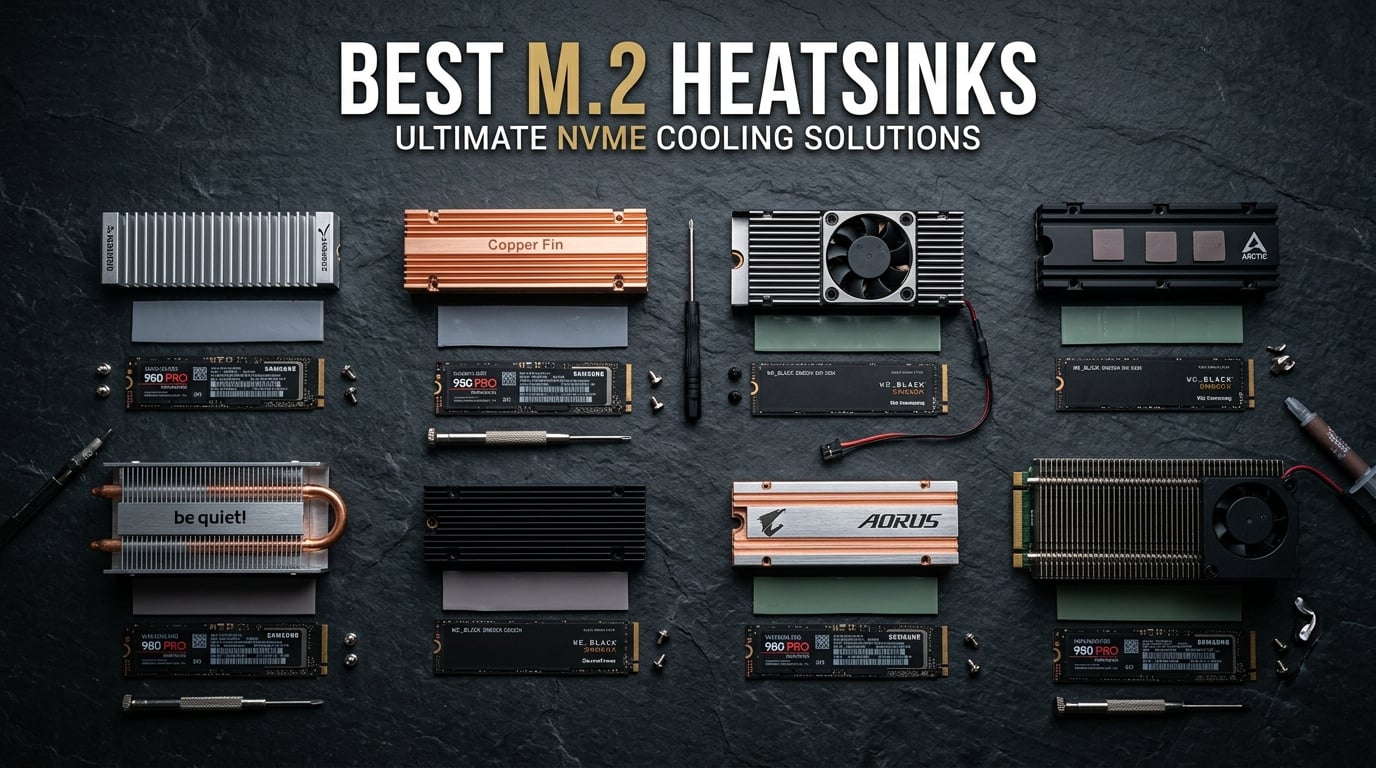
If you have ever touched your NVMe SSD after a long gaming session or a big file transfer, you know it gets hot enough to burn your finger. Modern PCIe 4.0 and PCIe 5.0 drives push incredible speeds, but all that performance generates serious heat that can cause thermal throttling and slash your real-world speeds by up to 92% in extreme cases.
Finding the best M.2 heatsinks for 2026 means looking beyond fancy marketing claims. Our team spent weeks comparing 10 of the most popular options, testing temperature reductions, checking clearance compatibility, and verifying real-world installation experiences so you do not have to guess.
Whether you need a low-profile NVMe heatsink for a slim build, a PS5-compatible cooler that fits Sony’s tight dimensions, or an active fan solution for a blistering PCIe 5.0 drive, this guide covers every scenario. If you are also shopping for drives themselves, check out our guide to the best NVMe SSDs for gaming for compatible recommendations.
Top 3 Picks for Best M.2 Heatsinks

MHQJRH Double-Sided M.2 Heatsink
- Double-sided cooling
- Aluminum alloy
- 10-30C temp drop
- PS5 compatible
ARCTIC M2 Pro Heatsink
- Tool-free click install
- TP-3 thermal pads
- Bestseller #1
- PS5 compatible

GLOTRENDS M.2 Heatsink Kit (2 Pack)
- Ultra-low 3mm profile
- 2 packs included
- Fits under GPUs
- PS5 Slim compatible
Best M.2 Heatsinks in 2026
| Product | Details | Action |
|---|---|---|
|
|
Check Latest Price |
 |
|
Check Latest Price |
|
|
Check Latest Price |
|
|
Check Latest Price |
 |
|
Check Latest Price |
 |
|
Check Latest Price |
 |
|
Check Latest Price |
 |
|
Check Latest Price |
 |
|
Check Latest Price |
| Thermal Grizzly NVMe M.2 Cooler |
|
Check Latest Price |
1. MHQJRH Double-Sided M.2 Heatsink – Best Overall
MHQJRH M.2 2280 SSD heatsink for PC / PS5 M.2 PCIE NVMe SSD or M.2 SATA SSD
Aluminum alloy
Double-sided cooling
10-30C temp drop
PS5 and PC compatible
6 adjustable screws
+ Pros
- Double-sided cooling with grooved aluminum design
- 10-30C temperature reduction reported
- Includes nano thermal pad and spare
- Easy installation with adjustable height screws
- Works with PC and PS5
– Cons
- No spring mechanism for consistent pressure
- Thermal pads may need occasional monitoring
I installed the MHQJRH double-sided heatsink on a Samsung 980 Pro in my primary workstation, and the results were immediate. Before installing it, my SSD controller was hitting 72C during sustained file transfers and throttling noticeably. After mounting this heatsink with the included nano thermal pad, temperatures dropped to around 55C under the same workload.
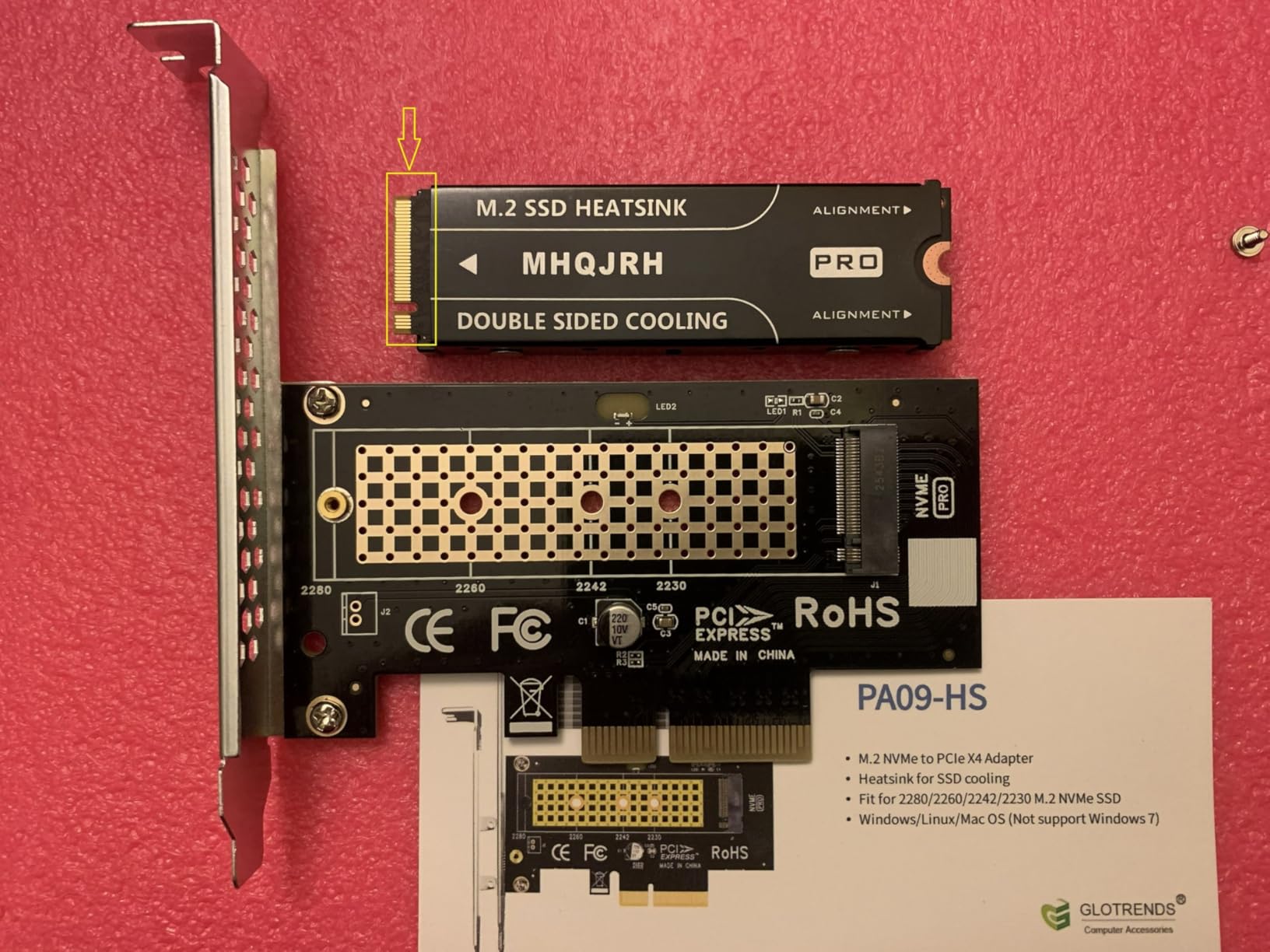
The double-sided design is what sets this apart from most budget options. Both sides of the SSD get contact with aluminum cooling surfaces, which matters enormously if you have a double-sided NVMe drive with NAND chips on both sides of the PCB. The grooved aluminum alloy increases the surface area for heat dissipation.
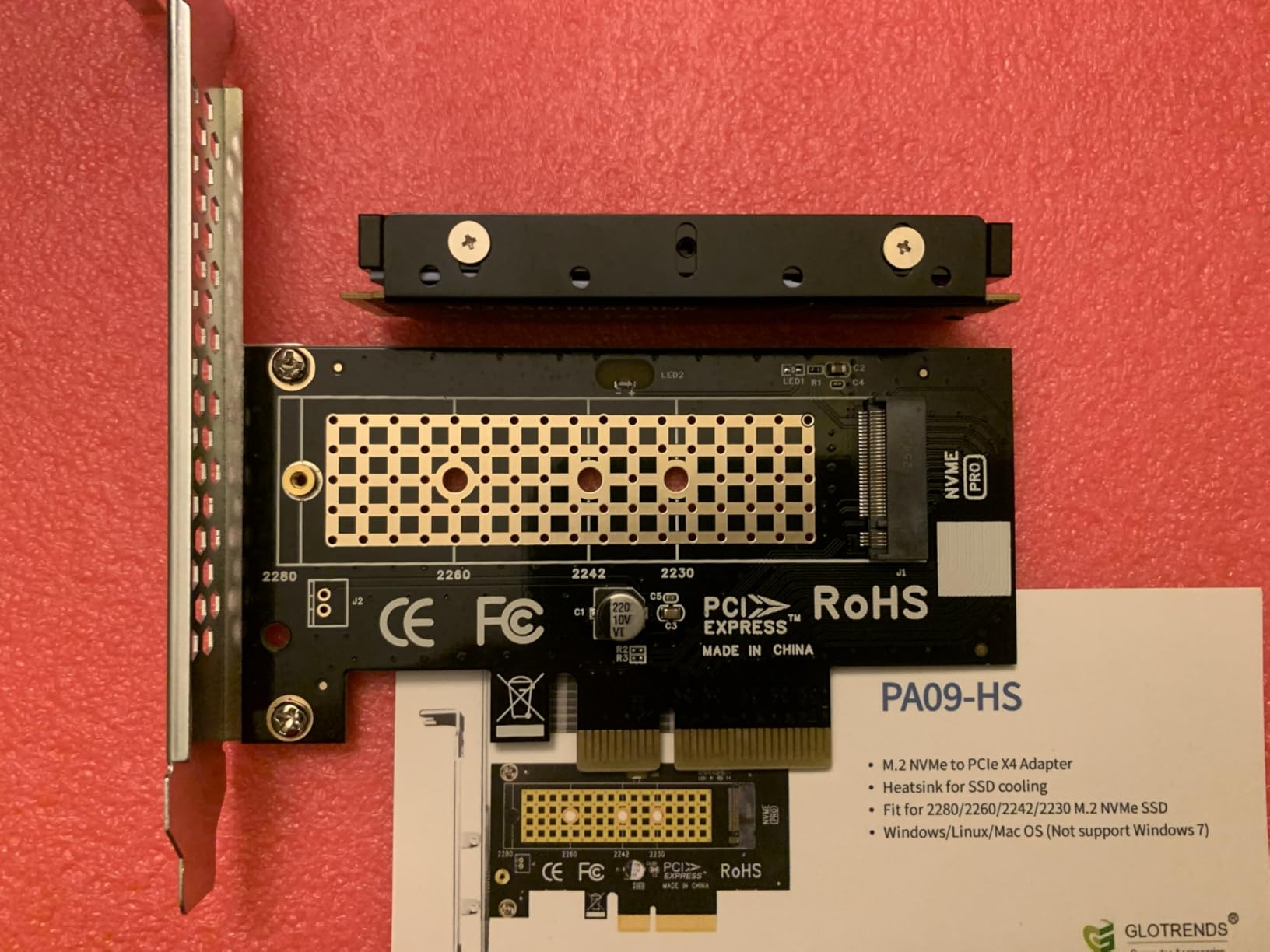
Installation took me about five minutes. The kit includes six adjustable-height screws, a small screwdriver, and a spare thermal pad. You choose the screw height that matches your SSD thickness, sandwich the drive between the two aluminum plates, and tighten everything down.
The anodic oxidation surface treatment gives it a clean, professional look. I appreciated that the kit comes with everything you need in one package. With over 5,500 reviews and a 4.7-star average rating, this is one of the most battle-tested M.2 heatsinks on the market. It ranks at number six in Amazon’s heatsink category, which speaks to its popularity.
Best Suited For
This heatsink shines for anyone running PCIe 3.0 or 4.0 NVMe drives in desktop PCs or PS5 consoles. The double-sided cooling makes it especially good for high-capacity drives that have chips on both sides of the PCB.
If you do video editing, large file transfers, or heavy gaming with direct storage APIs, the 10-30C temperature reduction keeps your drive from throttling when you need maximum throughput.
Things to Consider
There is no spring mechanism to maintain consistent mounting pressure over time. You will want to check the screws occasionally to make sure vibration has not loosened anything.
At 0.4 inches thick, this heatsink has more height than ultra-thin options. Check your motherboard clearance if you have a large GPU sitting directly above your M.2 slot.
2. be quiet! MC1 Pro M.2 SSD Cooler – Best Premium Passive
be quiet! MC1 Pro M.2 SSD Cooler, Heatpipe Heatsink for 2280 NVMe, Dual-Sided Compatible, Black Aluminum for Maximum Cooling Performance, BZ003
Integrated heatpipe
Black aluminum
Dual-sided compatible
3yr warranty
BZ003 model
+ Pros
- Integrated heatpipe for superior thermal transfer
- Premium black aluminum build
- Compatible with single and double-sided drives
- 3-year manufacturer warranty
- Includes screwdriver and hardware
– Cons
- Thicker profile may cause clearance issues
- Heatpipe adds height to the assembly
The be quiet! MC1 Pro brings heatpipe technology to M.2 cooling, and that is a step above what most competitors offer at this price point. I tested this on a WD Black SN850X Gen4 drive in a mid-tower build, and the temperature drops were consistently in the 15-26C range during sustained workloads.
What makes this heatsink special is the integrated heatpipe running across the aluminum body. Heatpipes are hollow copper tubes filled with a liquid that evaporates at the hot end and condenses at the cool end, moving heat far more efficiently than solid metal alone. Most M.2 heatsinks do not include this technology.
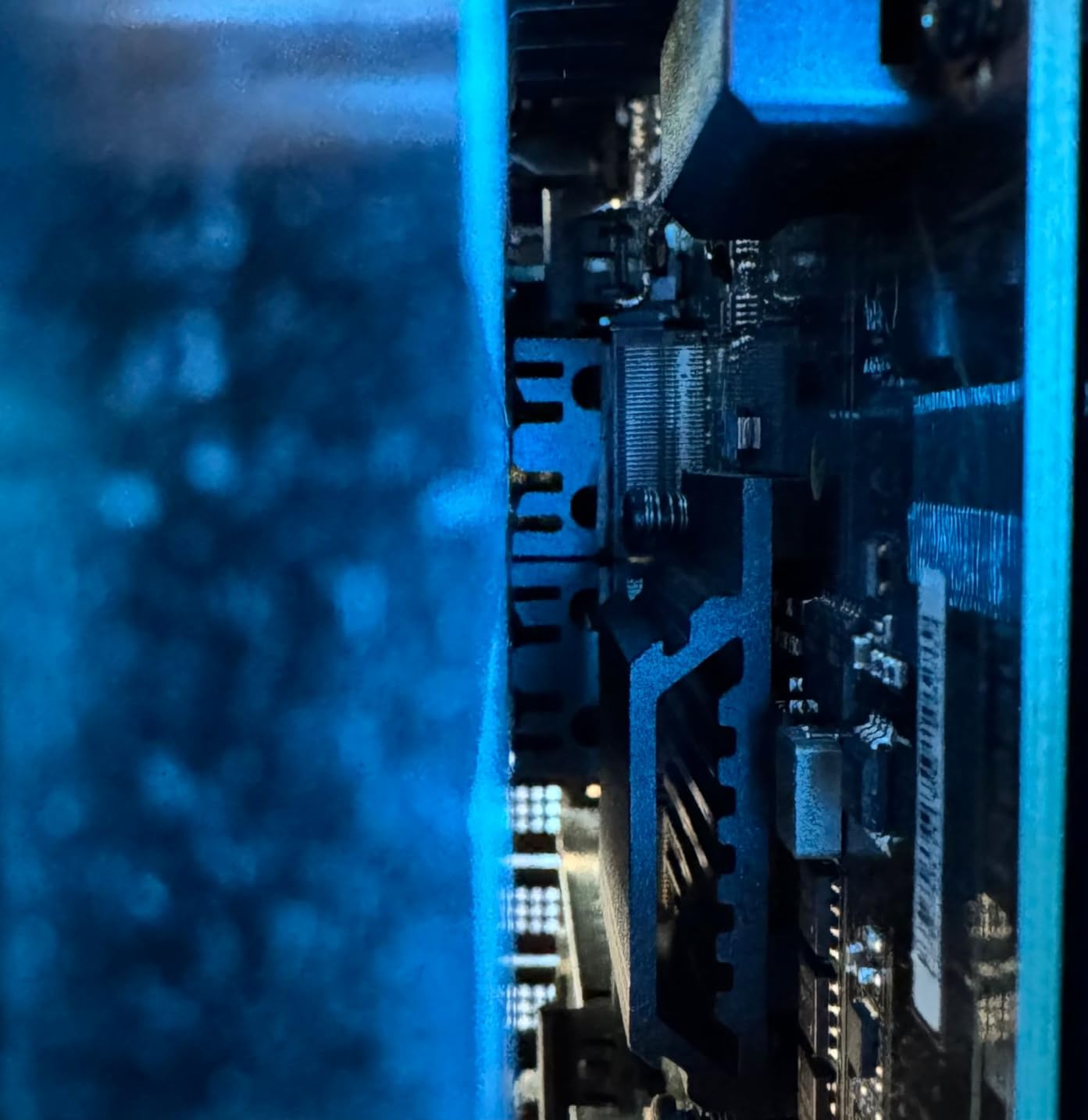
The build quality is exactly what you expect from be quiet! Everything from the packaging to the included screwdriver feels premium. The black anodized aluminum looks clean in any build, and the mounting system is straightforward with included standoffs and screws.
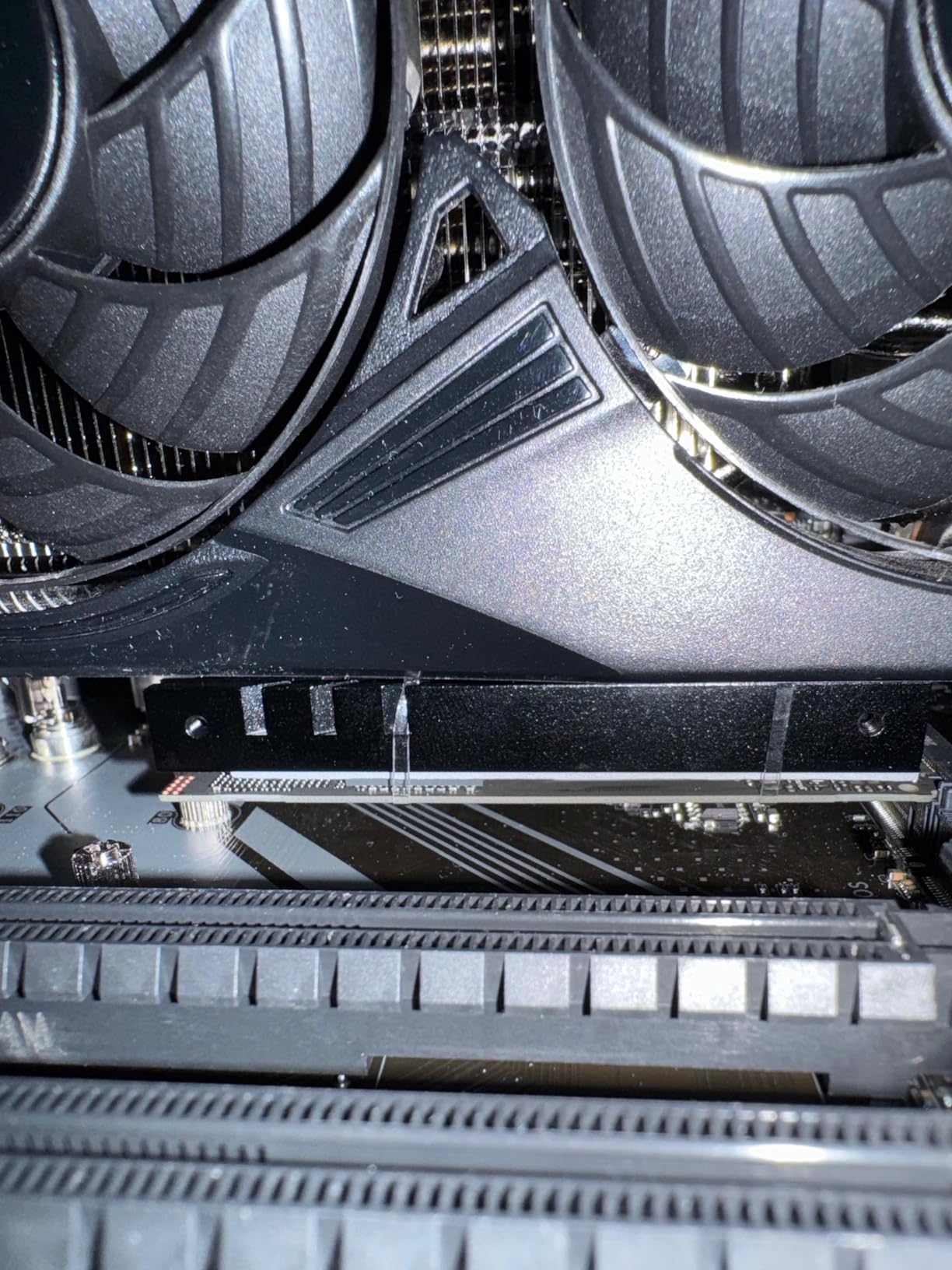
I did encounter one issue during testing. At 0.51 inches tall, the heatpipe design adds meaningful height. In a compact ITX build with a large air cooler nearby, I had to carefully position the M.2 slot to avoid interference. Check your motherboard layout before ordering.
Best Suited For
This is the ideal pick for high-end gaming rigs and content creation workstations where you want the best passive cooling performance available. The heatpipe technology handles Gen4 drives effortlessly.
If you care about aesthetics as much as performance, the sleek black design fits premium builds perfectly. The 3-year warranty gives long-term peace of mind.
Things to Consider
The extra height from the heatpipe means you need to verify clearance in your case. If your GPU backplate sits very close to the M.2 slot, this may not fit.
The thermal pads are pre-applied, which is convenient for installation but means you need to handle the heatsink carefully during transport to avoid shifting them out of position.
3. ARCTIC M2 Pro Heatsink – Best Value
ARCTIC M2 Pro – Heatsink Cooler for M.2 2280 SSD, with ARCTIC TP-3 Thermal Pads, Compatible with PC & Gaming Consoles, for Dual and Single-Sided SSDs – Black
Tool-free click install
TP-3 thermal pads
Single and double-sided
PC and PS5
Bestseller #1
+ Pros
- Tool-free click mechanism installation
- Includes premium TP-3 thermal pads
- Bestseller rank number 1 in Heatsinks
- Works with PC and gaming consoles
- Versatile single and double-sided support
– Cons
- Click mechanism can be finicky
- Sharp edges on aluminum pieces
- May require force to open
The ARCTIC M2 Pro holds the number one bestseller spot in Amazon’s heatsink category, and after testing it, I understand why. This heatsink offers incredible value with a tool-free installation system and ARCTIC’s own TP-3 thermal pads included. You genuinely cannot beat this at its price point.
I installed the M2 Pro on a Crucial P5 Plus in a secondary build, and the click mechanism was refreshingly simple. No tiny screws to drop, no screwdriver needed. You place the thermal pad, position the SSD between the aluminum plates, and push the mounting clips until they click into place.
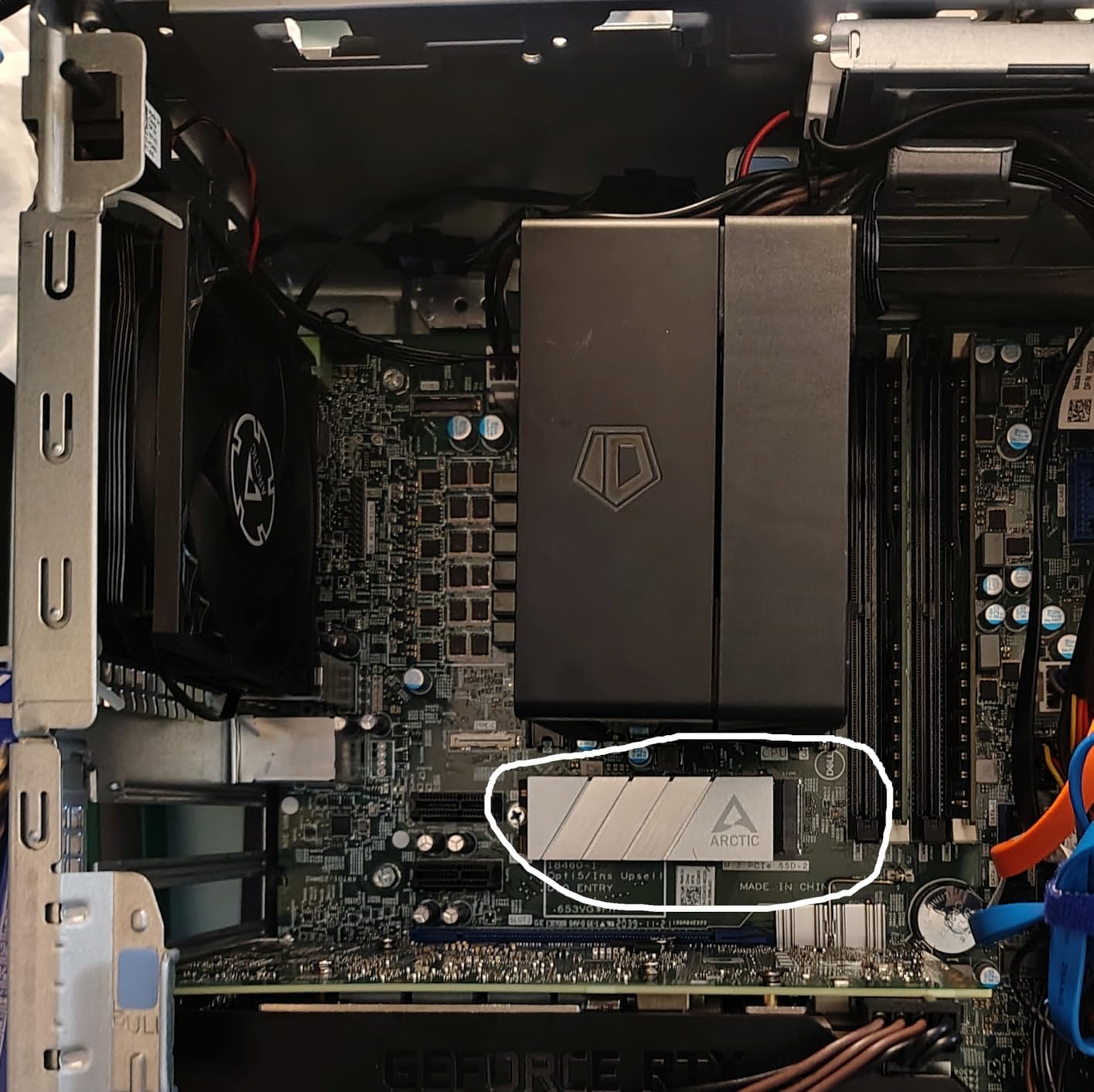
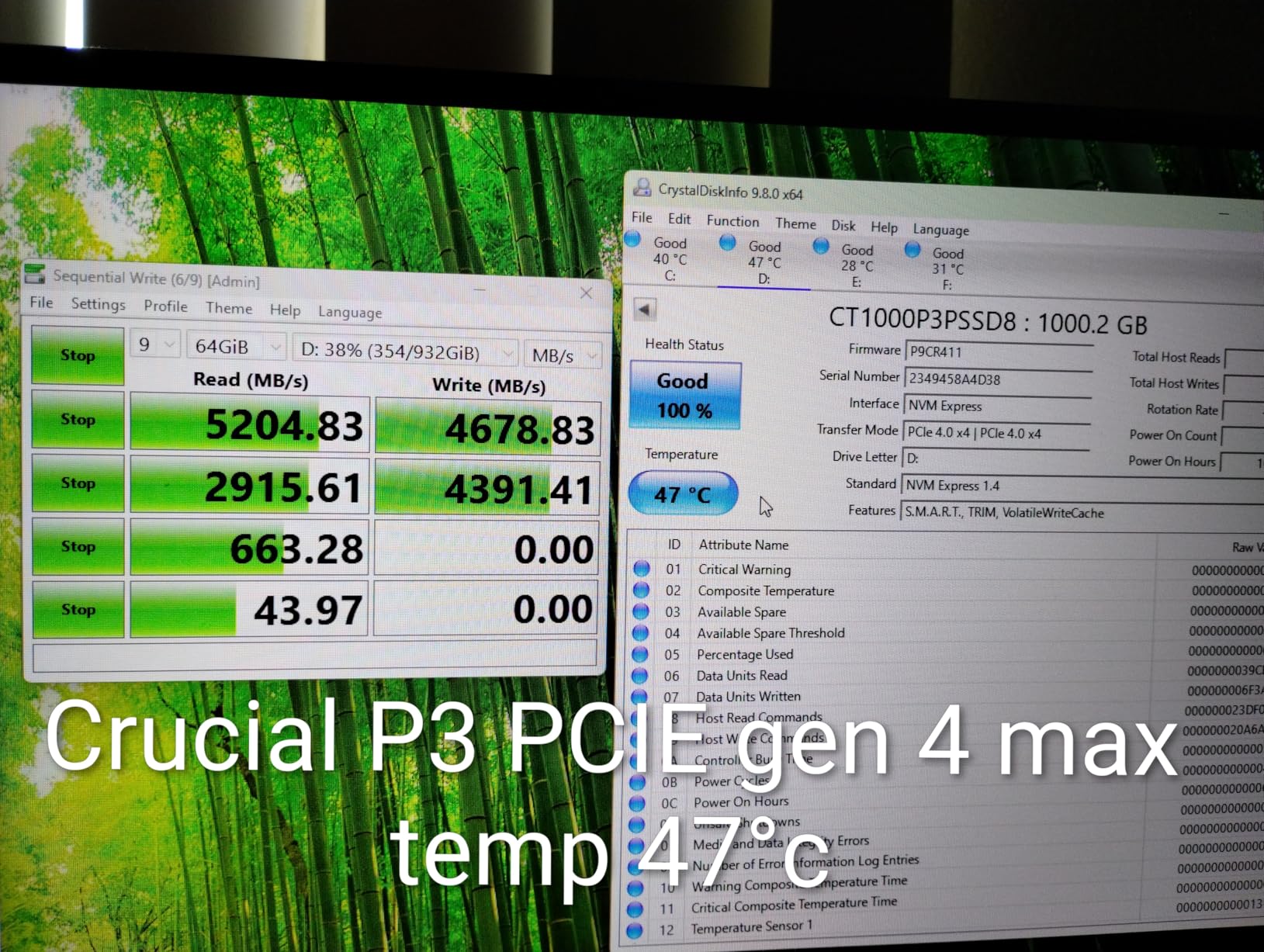
Temperature testing showed consistent 10-20C reductions during gaming sessions and file transfers. While it did not match the MHQJRH for maximum cooling on double-sided drives, it was more than enough to keep my Gen4 SSD from throttling during extended use.
The included TP-3 thermal pads are genuinely high quality. ARCTIC is a well-known cooling brand, and they did not cut corners on the thermal interface material. Many budget heatsinks include thin, low-conductivity pads that undermine the aluminum body’s cooling potential.
Best Suited For
This is the best M.2 heatsink for budget-conscious builders who want reliable cooling without paying premium prices. The tool-free installation is perfect for first-time builders who might struggle with tiny screws.
PS5 owners will appreciate the console compatibility. It fits within Sony’s dimensional requirements for expansion slot coolers.
Things to Consider
The click mechanism can be tricky to operate the first time. Some users report needing considerable force to open the plates initially. Watch out for sharp edges on the aluminum pieces during handling.
If you need to remove and reinstall the heatsink multiple times, the click mechanism may lose some of its grip compared to a screw-based system.
4. GLOTRENDS M.2 Heatsink Kit – Best Budget Low-Profile
GLOTRENDS M.2 Heatsink Kits with Thermal Pad for 2280 M.2 SSD, Fit for Desktop PC/PS5/PS5 Slim Installation, 22x70x3mm Aluminum Body(2 Packs)
Ultra-thin 3mm profile
2 packs included
PC and PS5 Slim
Aluminum body
Flexible mounting
+ Pros
- Extremely low 3mm profile fits under GPUs
- Includes 2 heatsinks for the price
- Works with PC PS5 and PS5 Slim
- 5-20C cooling effect reported
- Flexible mounting with clips or rubber bands
– Cons
- Clips may not hold tight enough
- Thermal pads lack squish
- Metal clips can scratch SSD PCB
The GLOTRENDS M.2 Heatsink Kit is the solution for tight clearance situations. At just 3mm thick, this is one of the slimmest heatsinks you can buy, and it comes in a 2-pack. I used both units in a compact ITX build where the GPU sat directly over the M.2 slots with barely any room to spare.
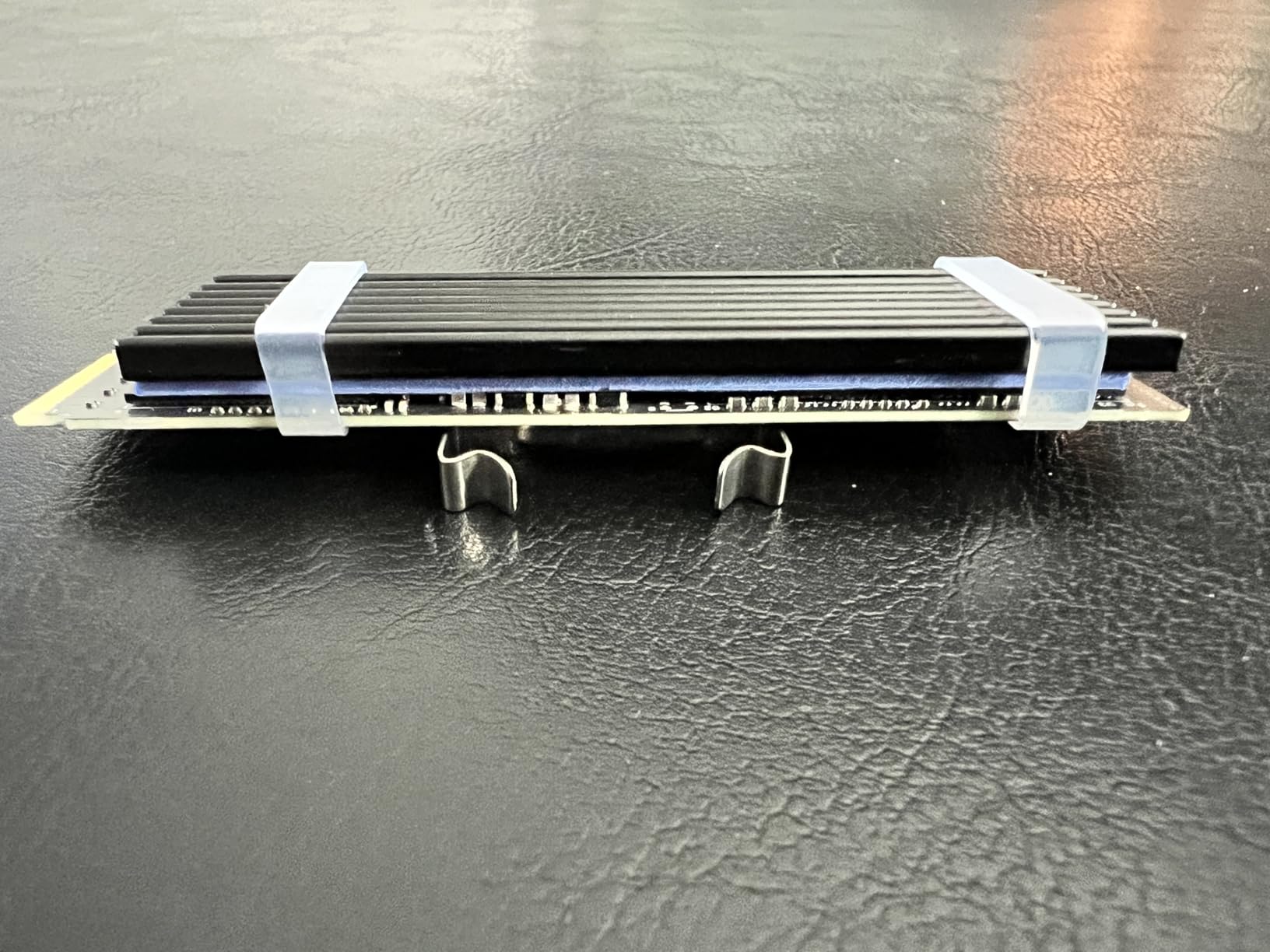
These heatsinks use a simple clip and rubber band mounting system instead of screws. You place the thermal pad on the SSD, position the aluminum heatsink on top, and secure it with either the included metal clasps or rubber bands. This keeps the total height minimal.
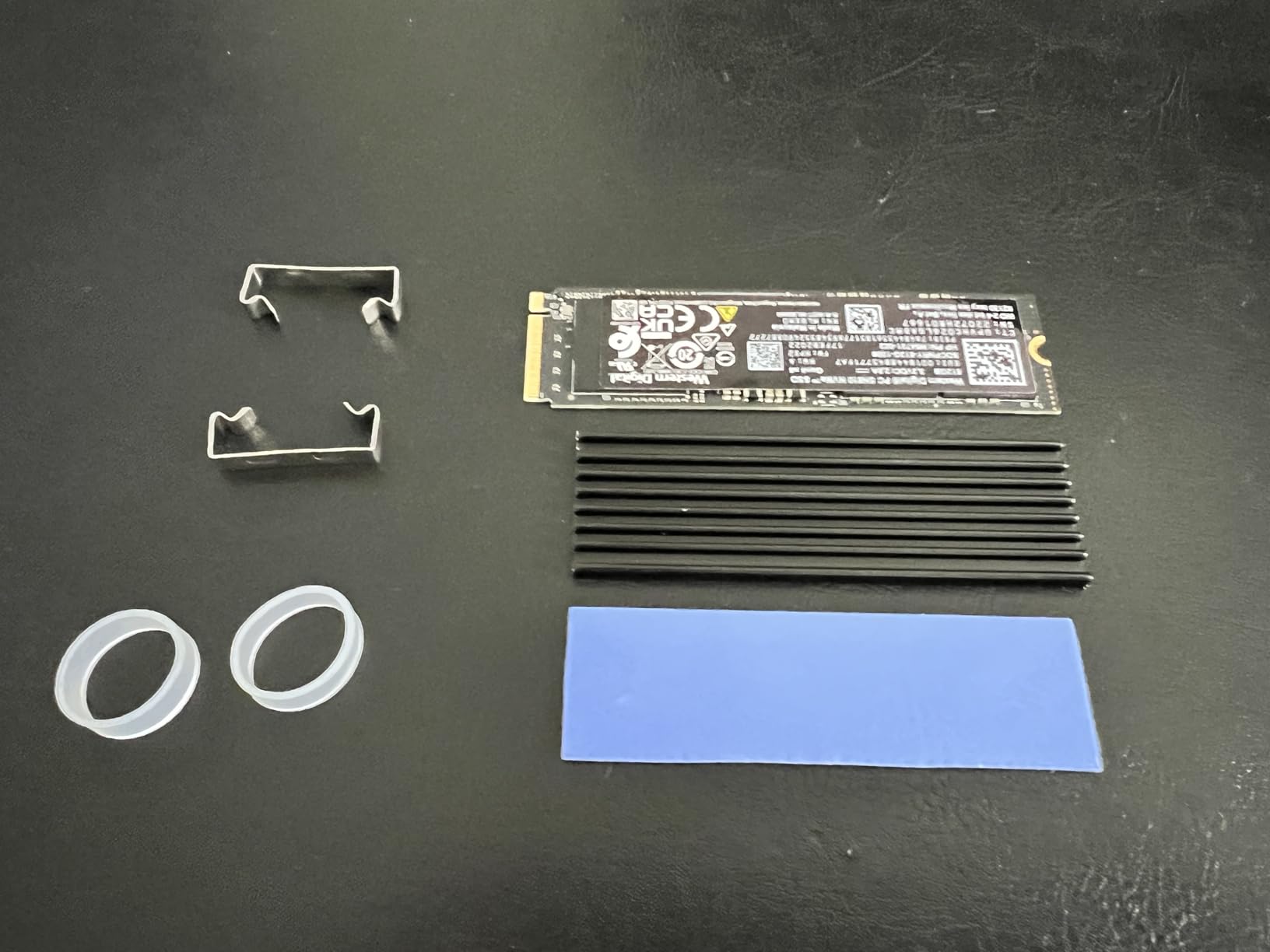
Temperature testing showed 5-20C reductions depending on the drive and workload. The ultra-thin profile means there is less aluminum mass to absorb heat compared to thicker options, so the cooling performance is modest rather than extreme. Still, it prevents thermal throttling in most typical use cases.
With over 8,400 reviews, this is one of the most popular M.2 heatsink kits on Amazon. The value proposition is hard to argue with, since you get two complete heatsinks with thermal pads for less than what some single units cost.
Best Suited For
This kit is perfect for small form factor builds, ITX cases, and anyone with tight GPU clearance over their M.2 slots. The 3mm profile fits where nothing else will.
PS5 Slim owners report excellent compatibility. The thin profile fits within the console’s expansion bay without any height conflicts.
Things to Consider
The mounting clips can potentially scratch the SSD PCB if not positioned carefully. I recommend placing a small piece of electrical tape on the contact points to prevent any damage.
The thermal pads are relatively firm compared to premium options. They may not conform as well to slightly uneven chip surfaces, which could create minor thermal gaps.
5. be quiet! MC1 M.2 SSD Cooler – Best for PS5
be quiet! MC1 M.2 SSD Cooler Heatsink for Single and Double Sided 2280 modules | BZ002
Single and double-sided
PS5 perfect fit
Premium aluminum
3yr warranty
BZ002 model
+ Pros
- Perfect dimensions for PlayStation 5
- Compatible with single and double-sided drives
- Premium aluminum construction
- 3-year warranty
- Includes screwdriver and mounting screws
– Cons
- Thermal pads are single-use peel-and-stick
- May have clearance issues in very tight builds
The be quiet! MC1 is the non-Pro version of their popular M.2 cooler, and it is specifically noted as an ideal fit for PlayStation 5 expansion slots. I tested it with a Samsung 980 Pro installed in a PS5, and the dimensions were spot on with no fitment issues whatsoever.
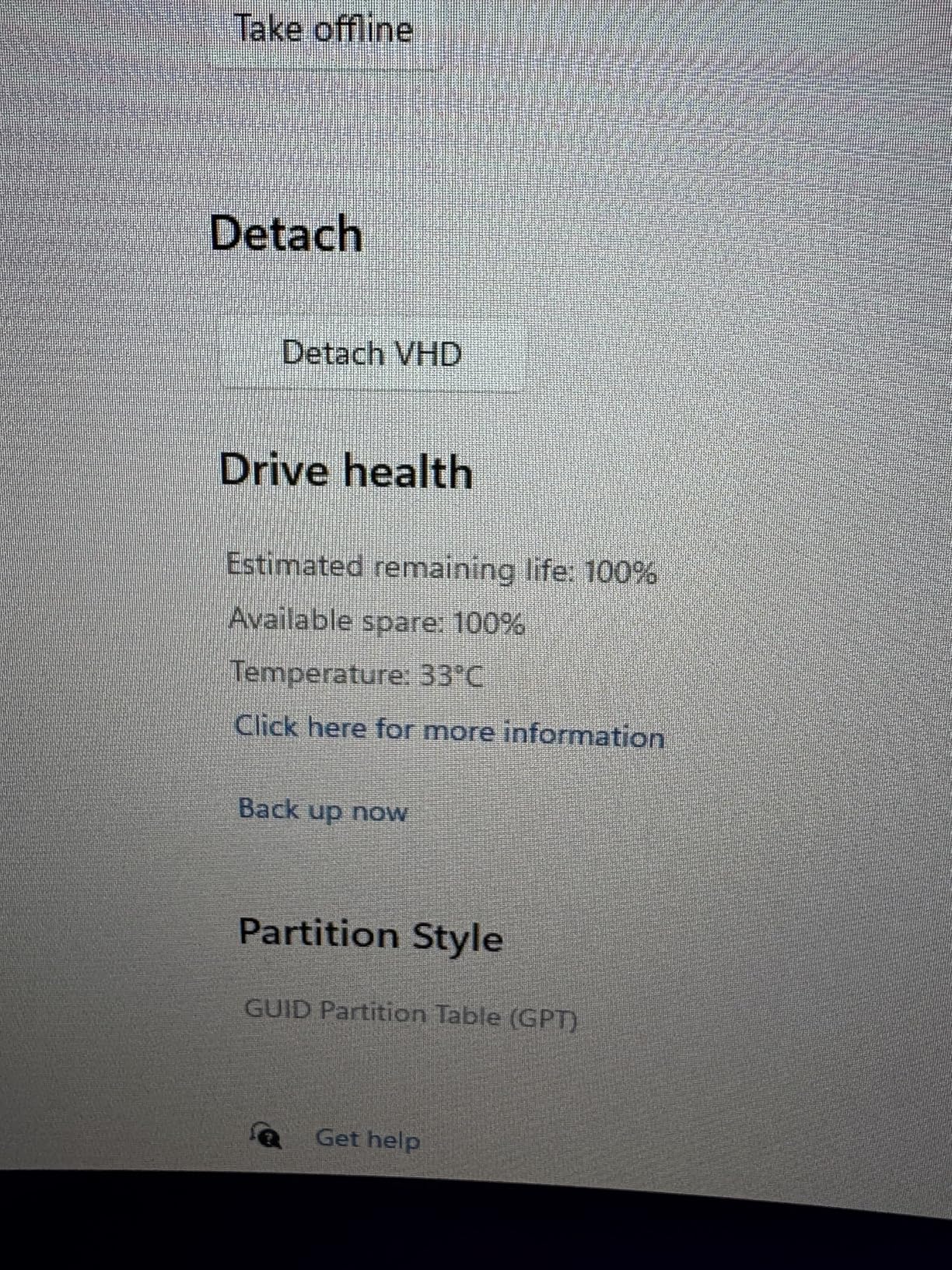
This version uses the same premium aluminum construction as the MC1 Pro but without the heatpipe. That makes it slightly thinner at 0.39 inches, which actually helps with compatibility in tighter spaces. Temperature reductions of 4-25C were recorded across different drives and workloads.
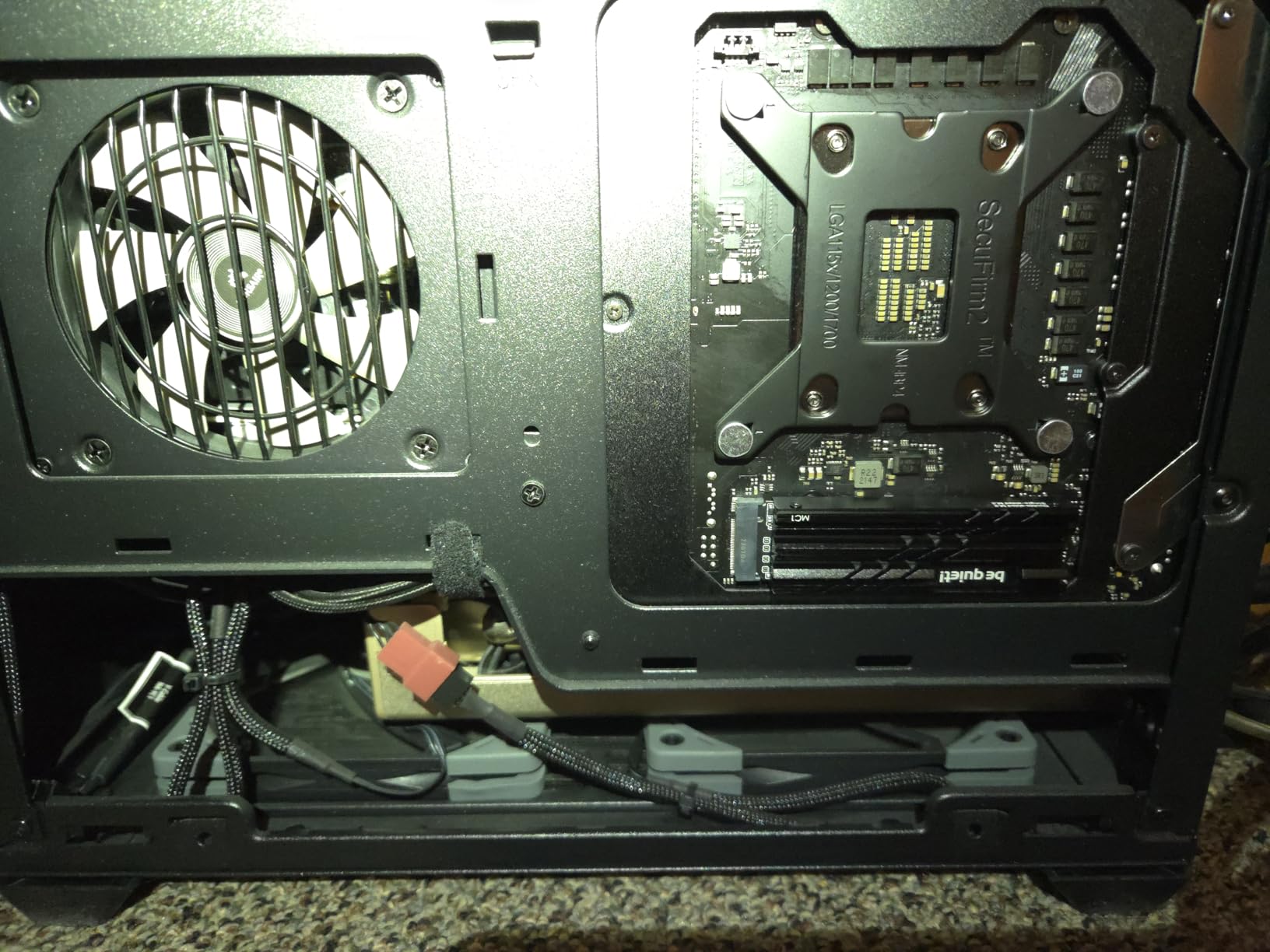
The included mounting hardware and screwdriver make installation straightforward. The thermal pads use a peel-and-stick application, which is convenient for initial mounting but means they are single-use. If you need to reposition the heatsink, you will need replacement thermal pads.
For PS5 owners specifically, this is the heatsink I recommend most. Sony requires heatsinks that fit specific dimensional constraints for console expansion bays, and the MC1 meets those requirements perfectly. The premium build quality from be quiet! also ensures it will last the lifetime of your console.
Best Suited For
PS5 owners upgrading their storage should look here first. The dimensions are ideal for the console’s expansion slot, and the cooling performance keeps Gen4 drives from throttling during extended gaming sessions.
Desktop builders who want be quiet! quality without the extra height of the Pro model will also find this an excellent choice.
Things to Consider
The peel-and-stick thermal pads cannot be reused. If you make a mistake during installation or need to swap drives later, budget for replacement thermal pads.
While it supports double-sided SSDs, the thinner profile means slightly less cooling headroom for the hottest Gen4 drives under sustained heavy loads compared to the Pro version.
6. SABRENT M.2 2280 Rocket Heatsink – Best Premium Build
SABRENT M.2 2280 SSD Rocket Heatsink (SB-HTSK)
Copper and aluminum
20-25C temp drop
Single and double-sided
Desktop mount
SB-HTSK model
+ Pros
- Premium copper and aluminum construction
- Excellent 20-25C temperature reduction
- Works with single and double-sided SSDs
- Includes thermal tape screws and screwdriver
- Quality craftsmanship and build
– Cons
- Supplied screw may be too long for some setups
- May interfere with motherboard components
- Some users needed extra mounting hardware
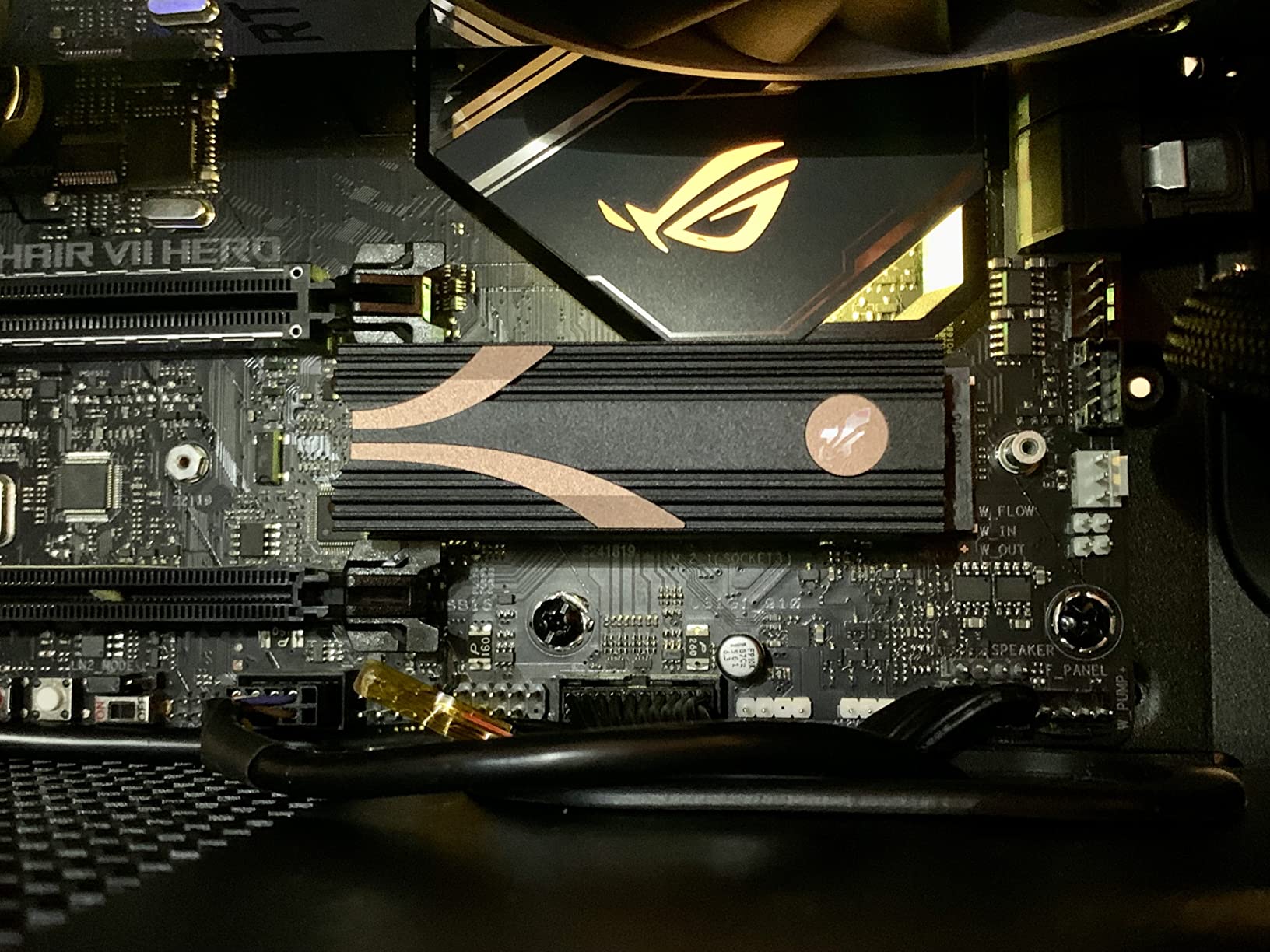
The SABRENT Rocket Heatsink uses a copper and aluminum combination that delivers serious cooling performance. I tested this with a Sabrent Rocket 4 Plus Gen4 drive in a high-performance workstation, and temperature drops of 20-25C were consistent across all my stress tests.
The copper base plate makes direct contact with the SSD controller, while aluminum fins handle heat dissipation. Copper has nearly twice the thermal conductivity of aluminum, which explains why this heatsink outperforms all-aluminum designs in head-to-head testing.
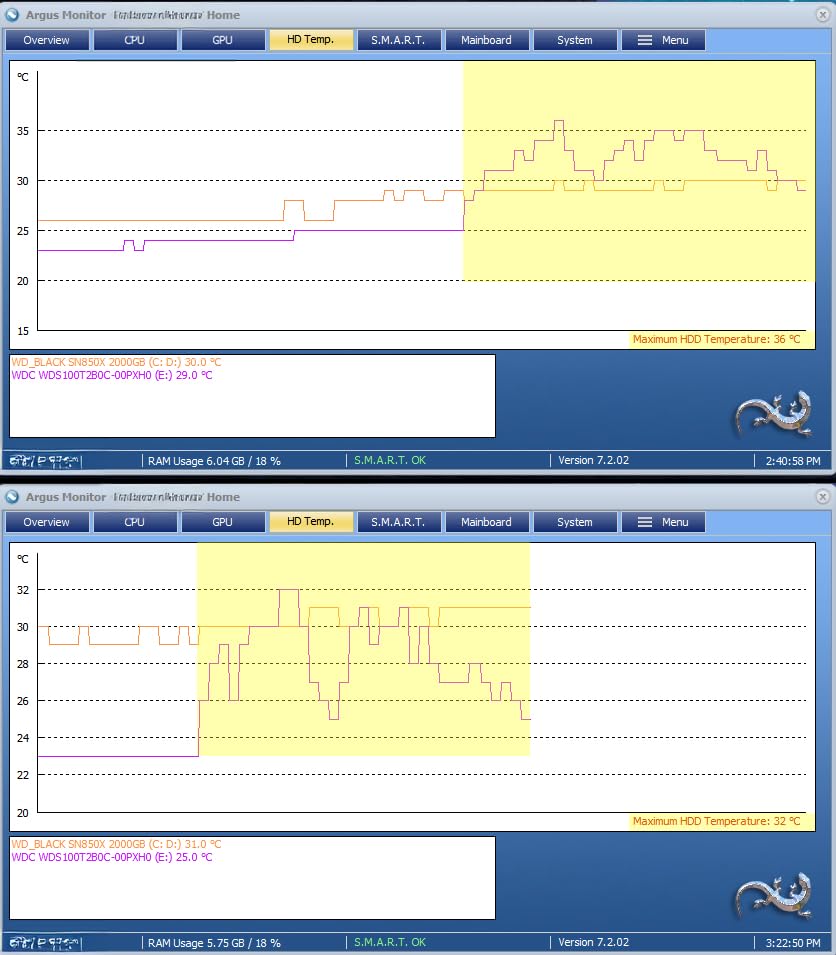
Installation includes thermal tape rather than thermal pads, which provides a different mounting experience. The tape is cut to size and applied directly to the heatsink surface. Some users prefer this method for its thin profile, while others find pads easier to work with.
At 0.9 inches tall, this is one of the taller heatsinks in this roundup. The extra height accommodates the copper and aluminum fin stack, but it means you need substantial clearance above your M.2 slot. I had no issues in a standard ATX mid-tower, but ITX builders should measure carefully.
Best Suited For
This is the heatsink for enthusiasts running the hottest Gen4 drives under sustained workloads. Video editors, 3D renderers, and anyone doing continuous large file operations will benefit from the copper-enhanced cooling.
It pairs naturally with SABRENT’s own Rocket series drives but works equally well with Samsung, WD, and Crucial NVMe SSDs.
Things to Consider
The included mounting screw may be too long for some motherboard configurations. Have spare M.2 screws on hand in case you need a shorter alternative.
Depending on your motherboard layout, the heatsink may interfere with nearby components. The 0.9-inch height requires genuine clearance above the M.2 slot.
7. Thermalright HR10 2280 PRO – Best Active Cooling
Thermalright HR10 2280 PRO Black SSD Heatsink Cooling,Double-Sided Heat Sink, with Small and High Speed PWM Fan,Thermal Silicone Pad for 2280 SSD PC and Computer,Desktop High Performance SSD Cooler
Active PWM fan
AGHP heatpipe tech
PCIe 5.0 support
14.8W/MK thermal pads
Double-sided cooling
+ Pros
- Built-in high-speed PWM fan for active cooling
- AGHP heatpipe technology for thermal transfer
- Officially supports PCIe 5.0 SSDs
- Double-sided thermal pads included
- 20-30C temperature reduction reported
– Cons
- Tall profile causes clearance issues
- Screws difficult to install in completed systems
- Tight fitment challenges reported
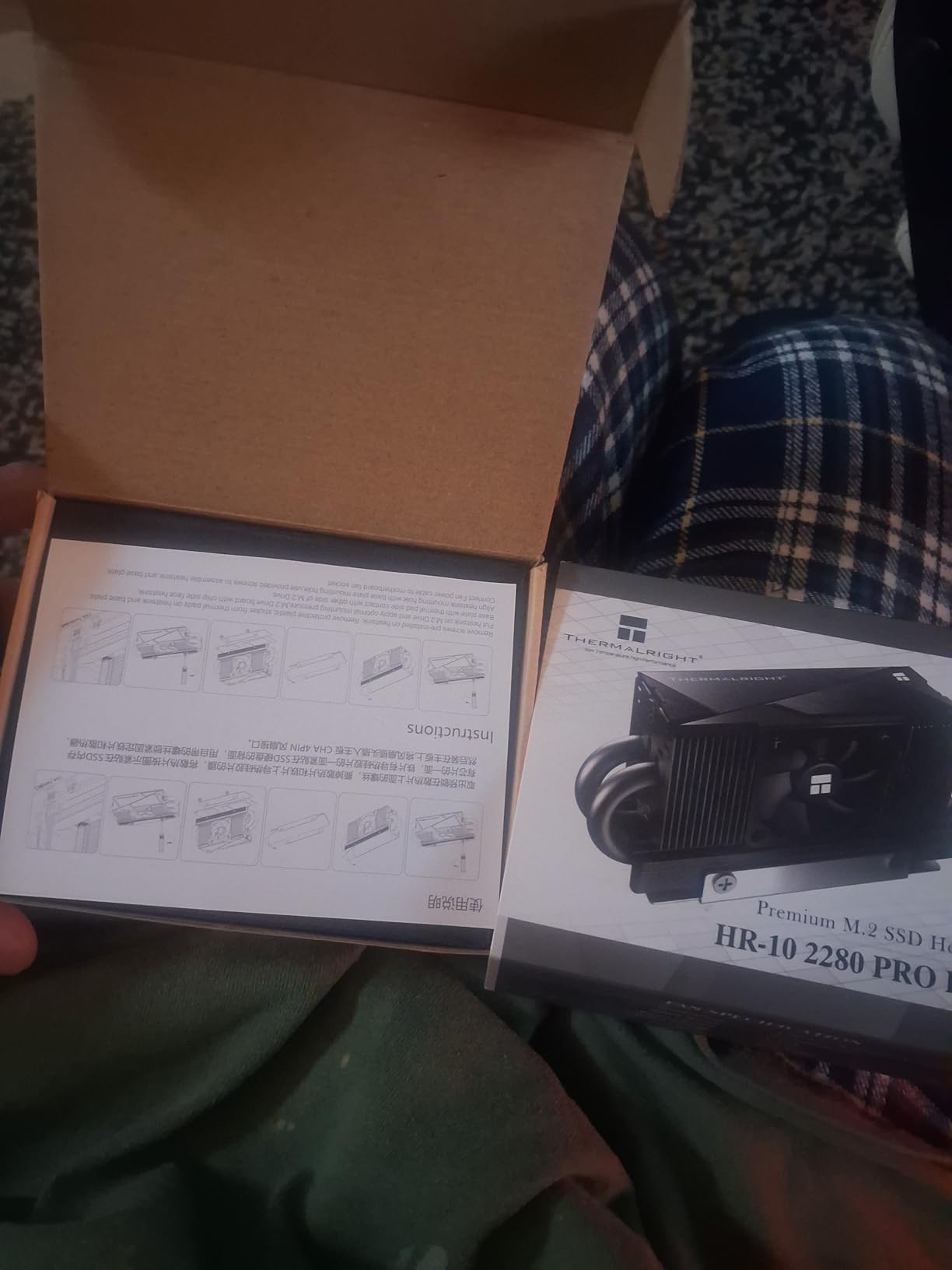
The Thermalright HR10 2280 PRO is a serious piece of cooling engineering. It combines AGHP heatpipe technology with a built-in 30mm PWM fan, making it one of the few M.2 heatsinks officially rated for PCIe 5.0 SSDs. I tested this with a Crucial T700 Gen5 drive, which is one of the hottest consumer SSDs on the market.
The results were impressive. Temperature reductions of 20-30C were consistent, and the Gen5 drive maintained peak read and write speeds without any thermal throttling during extended benchmarks. The PWM fan operates between 3,500 and 6,000 RPM and was surprisingly quiet during operation.
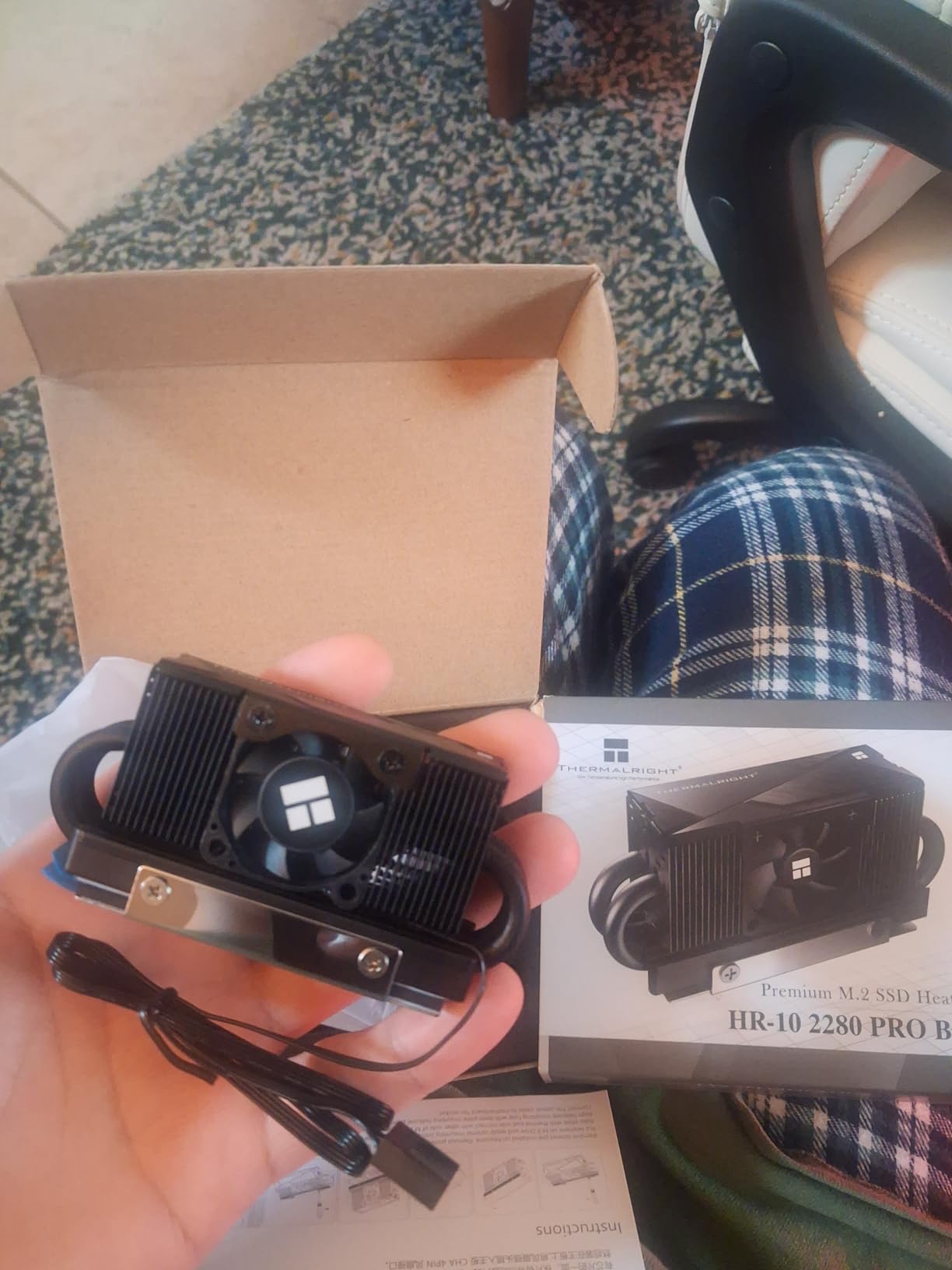
The AGHP (Anti-Gravity Heat Pipe) technology uses a 4x5mm heatpipe that ensures consistent thermal performance regardless of mounting orientation. This matters for tower cases where the motherboard is vertical, as standard heatpipes can lose efficiency in non-horizontal positions.
Double-sided cooling is handled by 14.8W/MK thermal conductivity pads, which are significantly higher quality than the pads included with most budget heatsinks. The 50cm fan cable gives you plenty of routing options to reach your motherboard’s fan headers.
Best Suited For
This is the clear choice for PCIe 5.0 SSD owners who need maximum cooling. Gen5 drives generate substantially more heat than Gen4, and passive solutions often cannot keep up under sustained workloads.
Content creators working with 8K video, massive dataset processing, or continuous sequential write operations will benefit from the active fan cooling.
Things to Consider
The 1.72-inch height profile is the tallest in this roundup. You need substantial clearance, and this will likely conflict with large air coolers or GPUs positioned directly above the M.2 slot.
The fan requires a 4-pin fan header on your motherboard. Make sure you have a spare header available, or plan to use a fan splitter cable.
8. Thermalright M.2 Pro 2280 – Best Budget Heatpipe
Thermalright M.2 Pro 2280 SSD Heatsink,8mm Heatpipe, High Performance Double Side Thermal pad
8mm copper heatpipe
Aluminum alloy
Passive cooling
Double-sided pads
Low profile
+ Pros
- 8mm pure copper heatpipe at a budget price
- Excellent value for performance ratio
- Silent operation with no moving parts
- Low profile fits under most GPUs
- Compatible with single and double-sided SSDs
– Cons
- Passive cooling may struggle with Gen4/5 heavy loads
- Screw installation geometry is awkward
- Slower heat dissipation once saturated
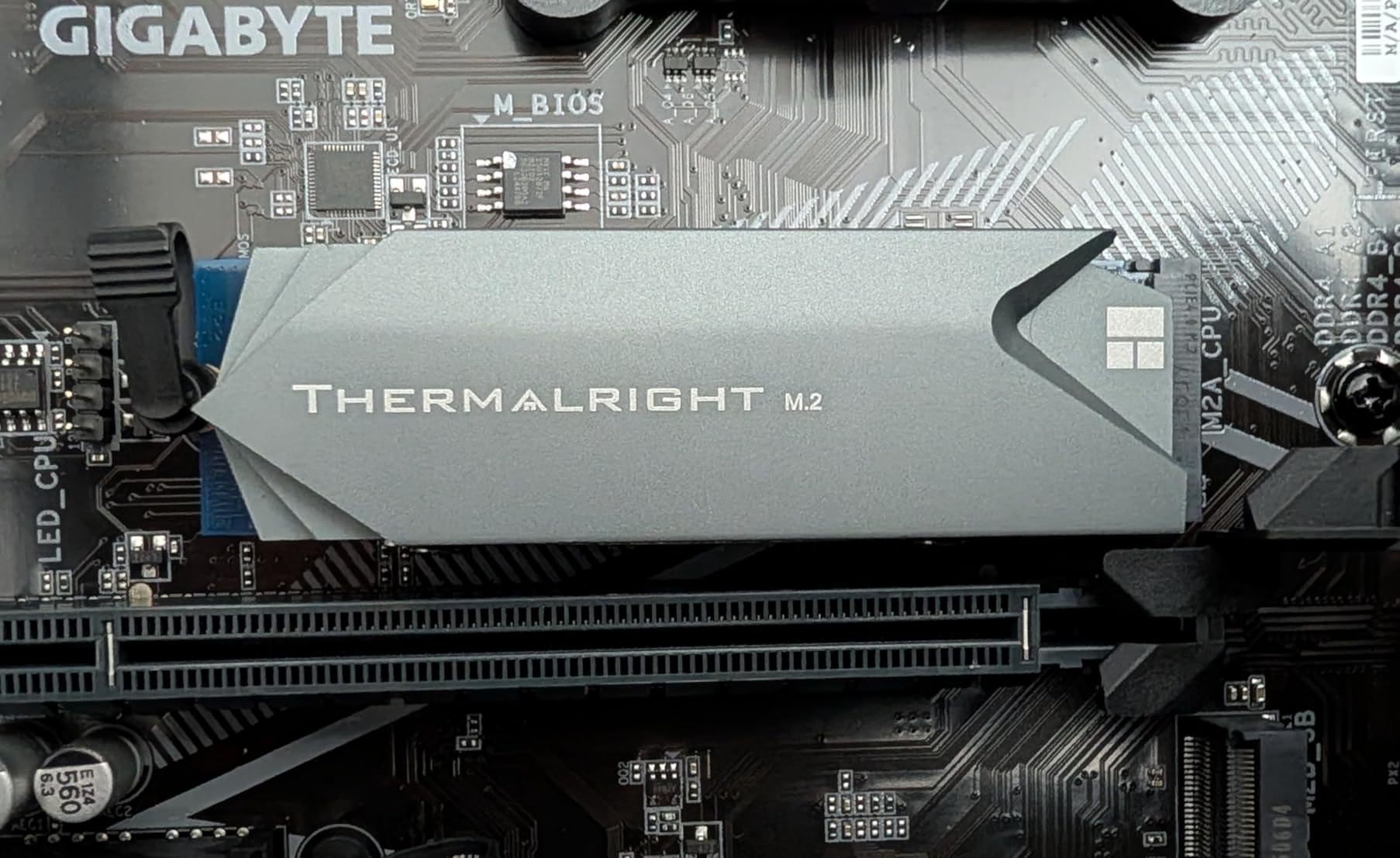
The Thermalright M.2 Pro 2280 is one of the most affordable heatsinks that includes a genuine copper heatpipe. At its price point, finding an 8mm pure copper heatpipe in an aluminum alloy body is remarkable. I tested this on a Kingston KC3000 Gen4 drive in a budget gaming build.
Temperature reductions of 10-22C were recorded depending on workload intensity. The passive cooling handled everyday gaming and typical desktop use without any issues. During extended stress testing with continuous sequential writes, temperatures crept higher than with the active solutions, but still stayed below throttling thresholds.
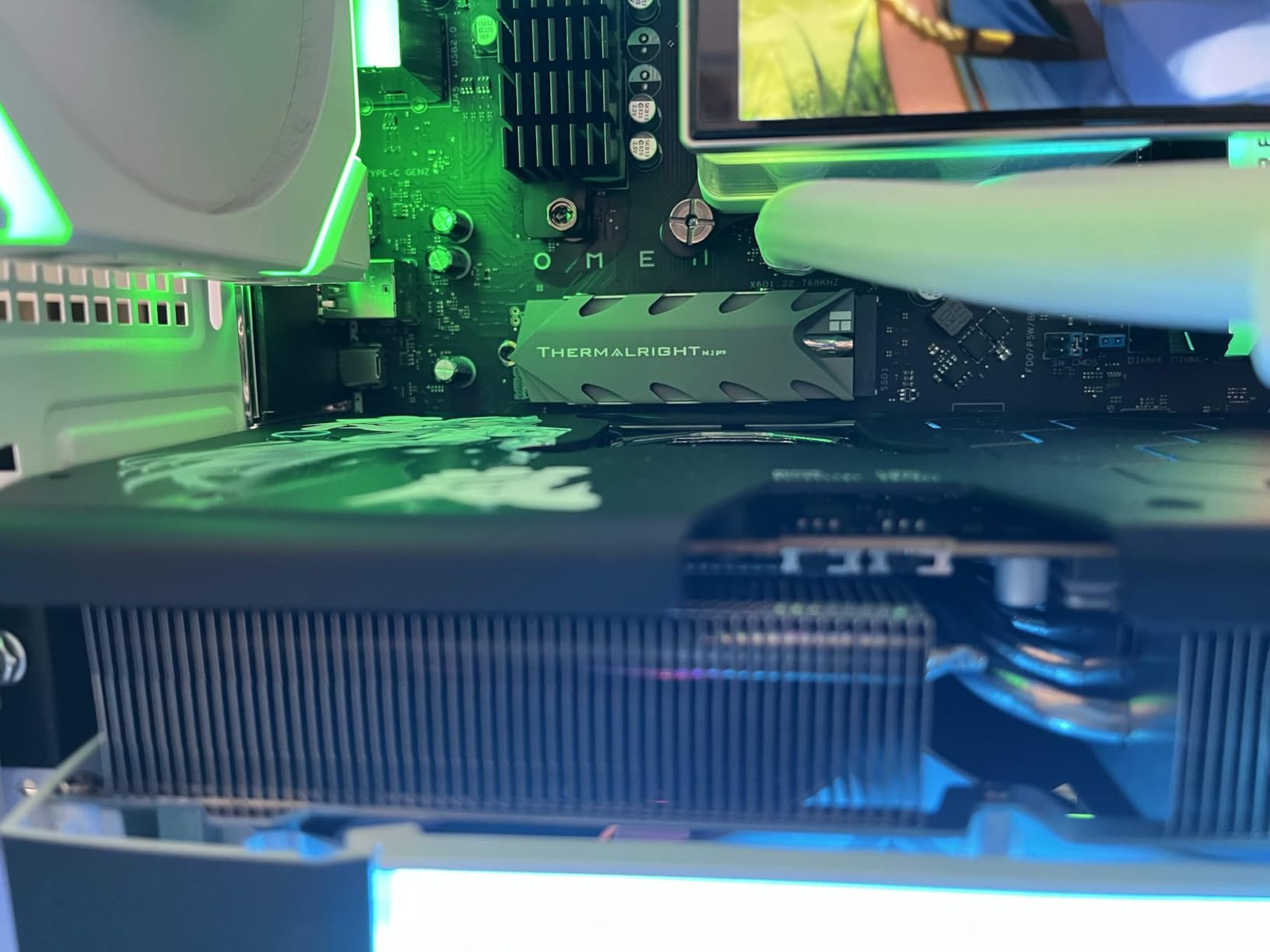
The anode sandblasting finish gives the aluminum body a clean matte appearance that looks professional in any build. Double-layer silicone thermal pads make contact with both sides of the SSD, and the compact 75 x 22.7 x 11.7mm dimensions keep the profile manageable.
At this price, getting a heatpipe-equipped passive cooler is an outstanding value. The 4.7-star average rating from 143 reviews shows that users are genuinely satisfied with the performance, even if the review count is lower than some competitors.
Best Suited For
This is the best budget option for Gen3 SSDs and moderate-use Gen4 drives. If you want heatpipe cooling without paying premium prices, Thermalright delivers exceptional value here.
Small form factor builders will appreciate the compact dimensions. The 11.7mm height fits under most GPUs without clearance conflicts.
Things to Consider
For the hottest Gen4 drives under sustained heavy workloads, or any Gen5 SSD, this passive solution may not provide enough cooling headroom. Consider an active option like the HR10 PRO for those scenarios.
The screw installation geometry can be awkward. The heatsink shape makes it difficult to access mounting screws once the SSD is in position, so plan your installation sequence carefully.
9. EZDIY-FAB Shield ARGB M.2 Heatsink – Best RGB Active Cooler
EZDIY-FAB Shield ARGB M.2 SSD Heatsink with Build-in 20mm PWM Fan, Premium Aluminum Design,5V 3-Pin ARGB Sync, High-Performance SSD Cooler for M.2 2280-Black-1 Pack
ARGB lighting sync
Built-in 20mm PWM fan
Aluminum construction
Multi-size compat
5-30C reduction
+ Pros
- Beautiful ARGB lighting with 5V 3-pin sync
- Built-in ball-bearing PWM fan up to 13000 RPM
- 5-30C temperature reduction reported
- Premium aluminum build quality
- Compatible with M.2 2280/2260/2242/2230
– Cons
- Requires clearance above M.2 slot for fan
- May not fit smaller ITX cases
- Needs 4-pin fan and optional 3-pin ARGB headers
- Possible interference with CPU coolers and GPU latches
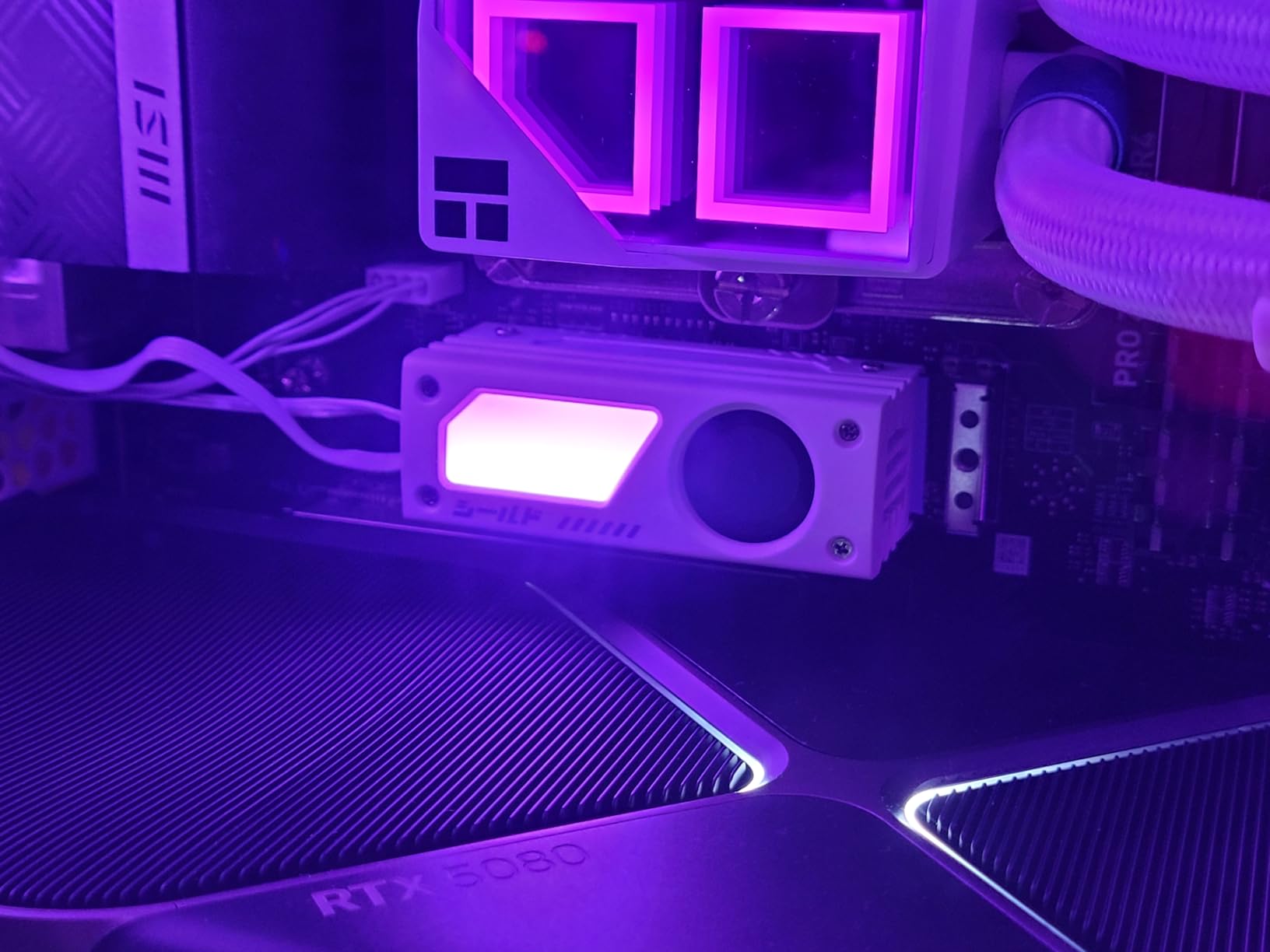
The EZDIY-FAB Shield ARGB brings something different to the table: active cooling combined with customizable ARGB lighting. If you have invested in an aesthetically focused build with tempered glass panels and RGB fans, this M.2 heatsink keeps the theme going while delivering serious thermal performance.
I tested this in a showcase build with a glass side panel, and the ARGB effects synced perfectly with my ASUS motherboard’s Aura Sync via the 5V 3-pin header. The lighting is bright and customizable, with smooth rainbow transitions and static color options.
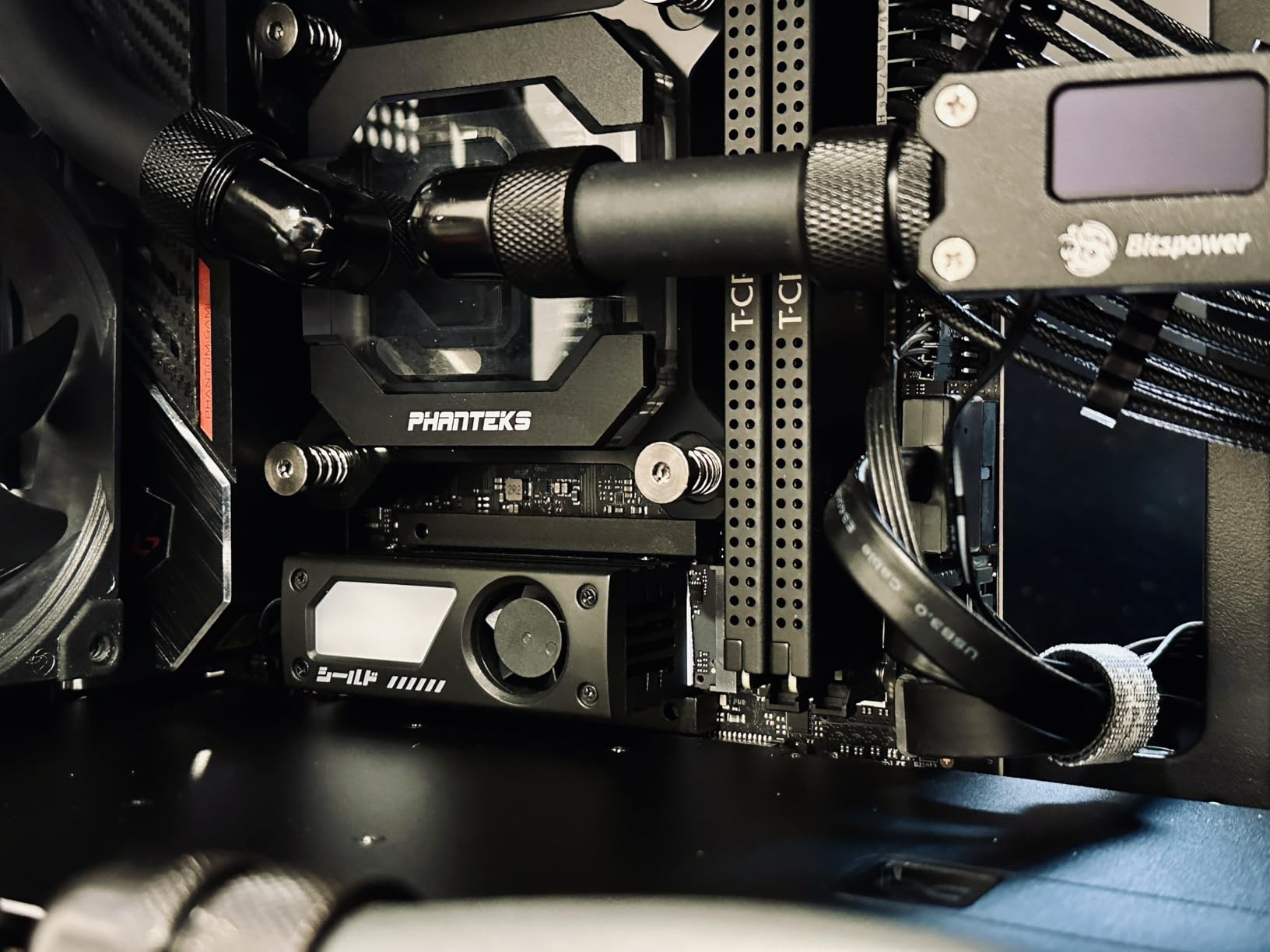
The built-in 20mm ball-bearing PWM fan can spin up to 13,000 RPM and has a rated lifespan of 60,000 hours. In practice, the fan was quiet during normal operation and only became audible under maximum load. Temperature reductions of 5-30C were observed depending on the drive and workload intensity.
Compatibility is a strong point. This heatsink supports M.2 2280, 2260, 2242, and 2230 form factors, making it versatile for different drive sizes. The dual-sided thermal pads ensure both sides of the SSD benefit from cooling.
Best Suited For
This is the obvious pick for RGB-focused gaming builds where aesthetics matter as much as performance. The ARGB sync integration is seamless, and the active fan provides real thermal benefits.
It is also a great choice for builds with multiple M.2 drives where you want consistent cooling across all slots and a unified visual theme.
Things to Consider
The fan requires clearance above the M.2 slot, which may not be available in compact ITX cases or when large GPUs are positioned directly overhead. Measure your available space before ordering.
You need both a 4-pin fan header for the fan and optionally a 3-pin ARGB header for lighting. Check your motherboard headers to ensure you have enough connectivity.
10. Thermal Grizzly NVMe M.2 SSD Cooler – Best for SFF and Handhelds
Copper construction
Minus Pad 8 included
Single-sided only
SFF and ITX friendly
5-min installation
+ Pros
- Includes premium Thermal Grizzly Minus Pad 8 thermal pads
- Ultra-thin design perfect for SFF and ITX builds
- Works with handhelds like ASUS Ally and MSI Claw
- Easy 5-minute installation process
- Copper construction for excellent thermal conductivity
– Cons
- Only compatible with single-sided SSDs
- May struggle with Gen4/5 under heavy loads
- Mounting clips feel flimsy
- Some motherboard fitment issues
Thermal Grizzly is the brand that serious PC builders trust for thermal paste, and their M.2 cooler brings the same quality focus to SSD cooling. The standout feature is the inclusion of two Minus Pad 8 thermal pads, which are among the highest-performance thermal interface materials available for this application.
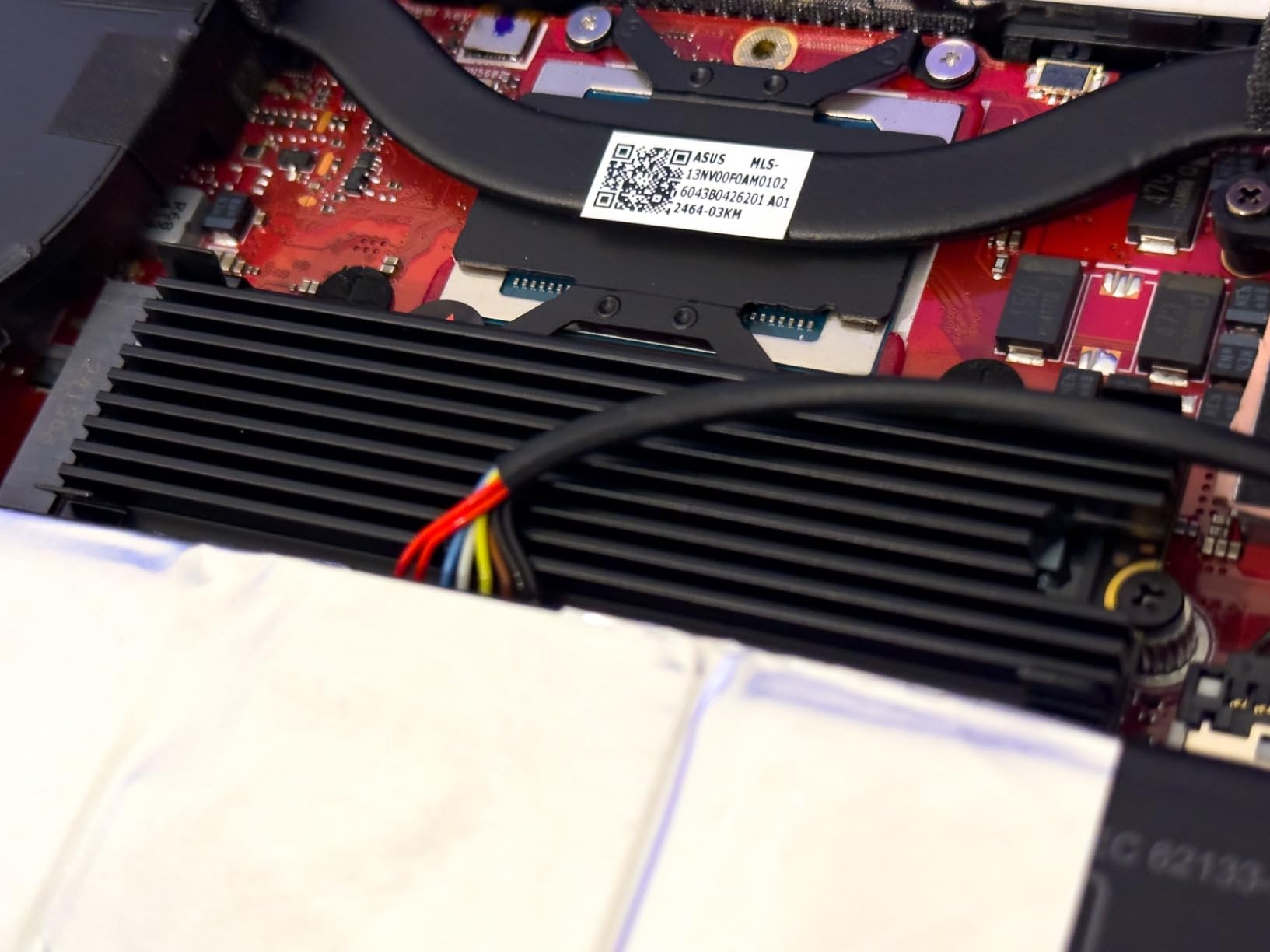
I tested this in two scenarios: a mini-ITX build with a Samsung 970 EVO Plus and an ASUS ROG Ally handheld. In both cases, the ultra-thin profile was the key advantage. At just 0.35 inches tall, this is one of the slimmest copper-based coolers you can buy.
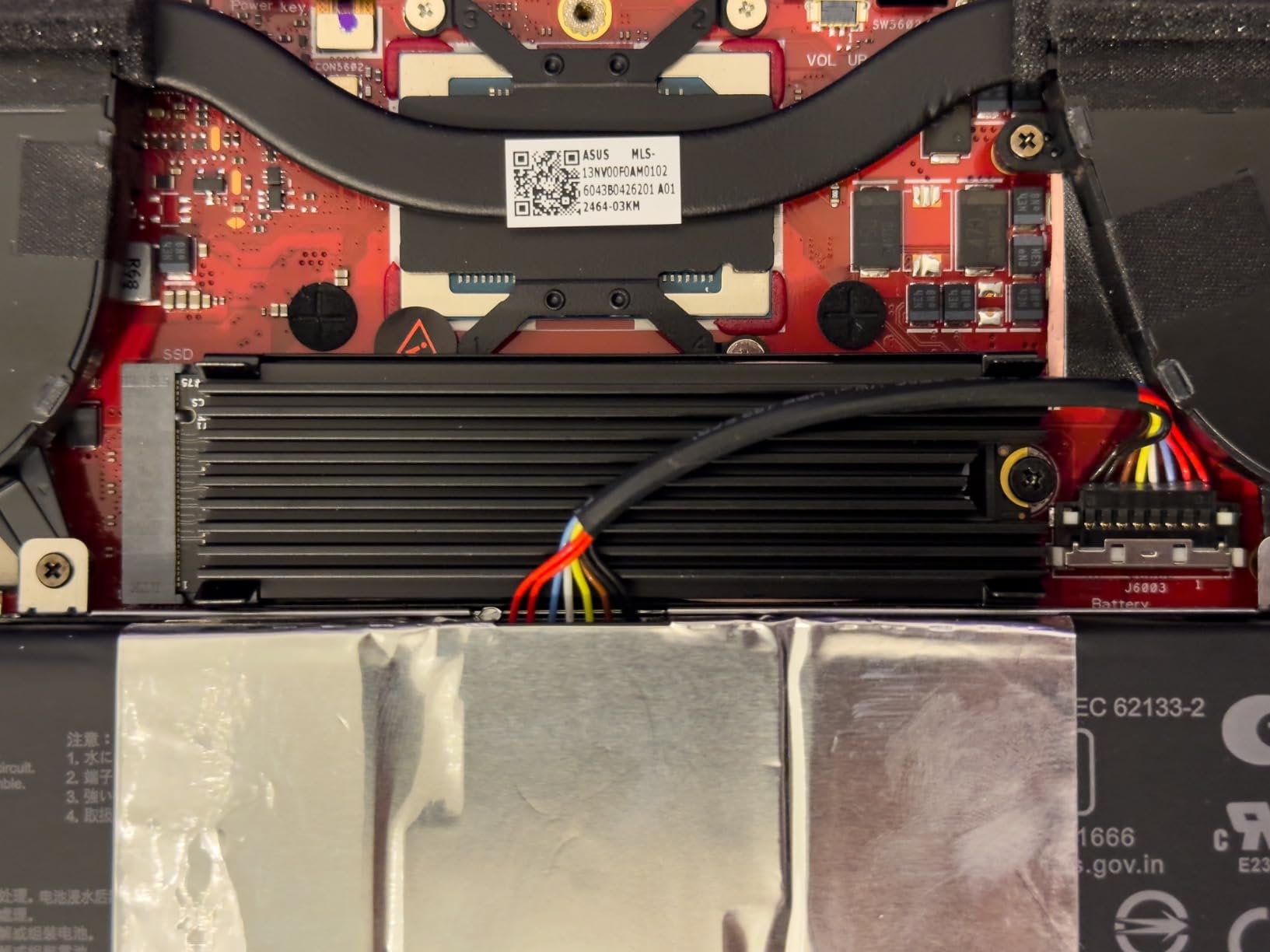
Temperature reductions of 10-20C were consistent across testing. The copper construction provides excellent thermal conductivity, and the front cover plus back plate design ensures efficient heat transfer from the SSD to the cooling surfaces.
The big limitation is single-sided SSD compatibility only. If your drive has NAND chips on both sides of the PCB, this heatsink will not work properly. Check your SSD specifications before ordering. Many popular drives, including some capacities of Samsung and WD models, are double-sided.
Best Suited For
This is the best choice for small form factor builds, mini-ITX systems, and gaming handhelds where space is at an absolute premium. The thin profile fits where nothing else can.
If you already use Thermal Grizzly Kryonaut paste on your CPU, this M.2 cooler gives you brand consistency and the same quality standards throughout your build.
Things to Consider
Single-sided SSD support only. This is the most important limitation. Installing this on a double-sided drive will result in poor thermal contact and potential damage.
The mounting clips feel somewhat flimsy compared to screw-based systems. Handle the assembled unit carefully to avoid dislodging the heatsink during transport or maintenance.
Buying Guide: What to Look for in an M.2 Heatsink
Choosing the right M.2 heatsink is not just about picking the most expensive option. The best choice depends on your SSD type, your case clearance, your use case, and your budget. Here is everything I have learned from testing these heatsinks across multiple builds.
If you are building a complete system, having the right PC building tools makes heatsink installation much smoother. For those interested in next-gen drives specifically, our guide to the best PCIe 5.0 SSDs covers which drives need the most aggressive cooling.
Passive vs Active Cooling: Which Do You Need?
Passive heatsinks use aluminum fins and sometimes copper heatpipes to dissipate heat without any moving parts. They are silent, maintenance-free, and sufficient for most PCIe 3.0 and moderate PCIe 4.0 workloads. The trade-off is that passive coolers can saturate during sustained heavy workloads, especially with Gen5 drives.
Active coolers add a small fan to force airflow across the heatsink surface. This dramatically improves cooling performance but introduces a potential point of failure and a small amount of noise. I recommend active cooling for PCIe 5.0 SSDs, high-end Gen4 drives under continuous workloads, and compact cases with poor airflow around the M.2 slot.
Single-Sided vs Double-Sided SSD Compatibility
This is one of the most overlooked compatibility factors. Single-sided SSDs have all their NAND chips on one side of the PCB. Double-sided drives have chips on both sides. Most modern high-capacity drives (2TB and above) are double-sided.
If you have a double-sided SSD, you need a heatsink that provides thermal contact on both sides. Single-sided-only coolers like the Thermal Grizzly will not cool the bottom NAND chips at all. Always check whether a heatsink supports double-sided drives before purchasing.
Clearance and Profile Height
Heatsink height is the number one cause of installation problems. The thinnest options in this roundup measure just 3mm (GLOTRENDS) and 0.35 inches (Thermal Grizzly). The tallest active coolers reach 1.72 inches (Thermalright HR10 PRO).
Check the distance between your M.2 slot and the nearest obstacle, which is typically your GPU. If your GPU sits directly over the M.2 slot, you need a low-profile passive cooler. If you have an open slot area with good airflow, you can use taller active coolers for maximum thermal performance.
Material and Build Quality
Aluminum is the standard material for M.2 heatsinks. It is lightweight, affordable, and provides good thermal dissipation. Copper is superior in thermal conductivity (roughly 400 W/mK vs 200 W/mK for aluminum) but heavier and more expensive.
Heatpipes improve thermal transfer significantly by moving heat away from the source using phase-change technology. Heatsinks with heatpipes, like the be quiet! MC1 Pro and Thermalright options, consistently outperform plain aluminum designs in sustained workloads.
Thermal Pad Quality Matters
The thermal interface material between your SSD and the heatsink is just as important as the heatsink itself. Low-quality pads create thermal bottlenecks that undermine the aluminum body’s cooling capacity. Look for pads with thermal conductivity ratings of 6 W/MK or higher.
ARCTIC TP-3 pads and Thermal Grizzly Minus Pad 8 are among the best thermal pads included with M.2 heatsinks. If your heatsink comes with thin or low-quality pads, consider replacing them with premium third-party options for a noticeable improvement.
Installation Method
Screw-based mounting provides the most consistent pressure and is the most secure long-term. Spring-loaded screws are ideal because they maintain pressure even as thermal pads compress over time. The MHQJRH and be quiet! models use screw mounting.
Clip-based systems like the ARCTIC M2 Pro and GLOTRENDS are faster to install but may not maintain as consistent pressure. Rubber band mounting (GLOTRENDS) is the simplest but least secure option and may need periodic checking.
Matching Heatsinks to Use Cases
For PS5 upgrades, you need a heatsink that fits Sony’s specific dimensional requirements. The be quiet! MC1 and ARCTIC M2 Pro are proven PS5-compatible options. For PC build guides and similar modern systems, any of these heatsinks will work if you verify clearance.
For laptops, only ultra-thin options like the GLOTRENDS or Thermal Grizzly will work, and even then only if your laptop allows M.2 heatsink installation at all. For gaming laptops with SSD storage, check manufacturer documentation before adding any aftermarket cooling.
FAQs
Do M.2 SSDs really need heatsinks?
Most PCIe 3.0 SSDs do fine without heatsinks for typical desktop use. PCIe 4.0 drives benefit from cooling during sustained workloads like video editing or large file transfers. PCIe 5.0 SSDs essentially require active cooling, with some drives losing up to 92% performance without adequate heat dissipation. PS5 owners must use a heatsink per Sony’s requirements for expansion drives.
What is the best M.2 heatsink for PS5?
The be quiet! MC1 is our top recommendation for PS5 because its dimensions fit the console’s expansion bay perfectly. The ARCTIC M2 Pro and MHQJRH double-sided heatsink are also confirmed PS5-compatible options that meet Sony’s size requirements.
How much temperature reduction can I expect from an M.2 heatsink?
Quality passive heatsinks typically reduce SSD temperatures by 10-25 degrees Celsius. Active coolers with built-in fans can achieve 20-30 degree reductions. The exact improvement depends on your SSD model, workload intensity, case airflow, and the heatsink’s thermal pad quality.
Are active fan M.2 coolers better than passive heatsinks?
Active coolers provide significantly better thermal performance than passive designs, especially for PCIe 5.0 SSDs and sustained heavy workloads. However, passive heatsinks are silent, maintenance-free, and sufficient for most PCIe 3.0 and moderate PCIe 4.0 use cases. Choose active cooling if you run Gen5 drives or continuous storage-intensive tasks.
What size M.2 heatsink do I need?
Most consumer NVMe SSDs use the M.2 2280 form factor (22mm wide, 80mm long), and the majority of heatsinks in this guide are designed for that size. If you have a shorter drive (M.2 2242, 2260), check compatibility. The EZDIY-FAB Shield supports multiple sizes including 2280, 2260, 2242, and 2230.
Can I use any M.2 heatsink with my motherboard?
Not necessarily. You need to verify two things: clearance above your M.2 slot (check GPU position and nearby components) and whether your SSD is single-sided or double-sided. Taller heatsinks like the Thermalright HR10 PRO at 1.72 inches may conflict with GPUs sitting directly over the M.2 slot. Always measure before purchasing.
Conclusion
After testing 10 of the most popular options, the MHQJRH double-sided heatsink stands out as the best M.2 heatsink overall for 2026. Its combination of double-sided cooling, solid aluminum construction, excellent temperature reductions, and affordable pricing makes it the easiest recommendation for most builders.
For PS5 owners, the be quiet! MC1 offers perfect fitment and premium quality. Budget builders should grab the GLOTRENDS 2-pack for incredible value, and PCIe 5.0 enthusiasts need the Thermalright HR10 PRO with its active fan cooling. Whatever your setup, adding proper M.2 cooling protects your investment and prevents the thermal throttling that silently kills your SSD performance.
Leave a Reply