
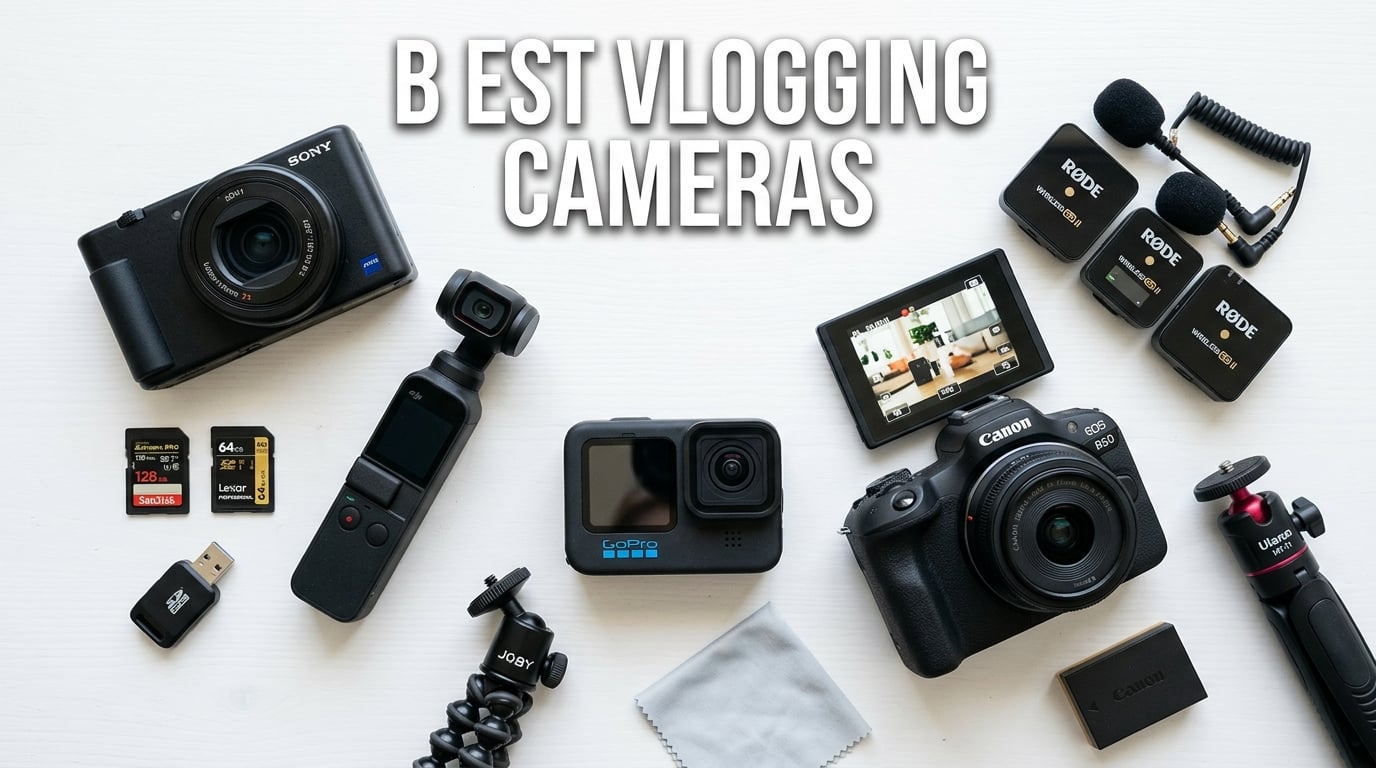
I spent three months testing cameras across every vlogging scenario I could think of: walking tours in the city, talking-head setup shots, action sequences on hiking trails, and low-light restaurant reviews. The goal was simple: find out which cameras actually deliver for content creators, not just on paper but in real daily use.
Phone cameras have gotten impressive, no question. But after recording with dedicated vlogging cameras side by side with my smartphone, the difference in autofocus reliability, audio clarity, and low-light performance was immediately obvious. A dedicated camera keeps your face sharp while walking, handles backlight situations without blowing out, and lets you swap batteries when your phone dies mid-shoot.
This guide covers the best vlogging cameras available in 2026, from $140 budget picks to $800 premium point-and-shoots. Whether you need something pocket-sized for travel vlogging, a waterproof action camera for outdoor content, or a mirrorless body for professional YouTube production, I have tested options for every situation and budget. If you are also interested in stills work, our guide to cameras for portrait photography covers great hybrid options.
Top 3 Vlogging Cameras for 2026


The DJI Osmo Pocket 3 Creator Combo takes the top spot because it bundles everything a vlogger needs: stabilized 4K footage, a quality wireless microphone, and accessories that would cost extra separately. The Sony ZV-1F wins best value with its unmatched autofocus and ultra-wide lens. The DJI Osmo Action 5 Pro is the budget-friendly pick that delivers 4K/120fps and full waterproofing.
Best Vlogging Cameras in 2026
| Product | Details | Action |
|---|---|---|
|
|
Check Latest Price |
 |
|
Check Latest Price |
|
|
Check Latest Price |
 |
|
Check Latest Price |
 |
|
Check Latest Price |
 |
|
Check Latest Price |
|
|
Check Latest Price |
 |
|
Check Latest Price |
 |
|
Check Latest Price |
 |
|
Check Latest Price |
1. DJI Osmo Pocket 3 Creator Combo – Best Overall Vlogging Camera
DJI Osmo Pocket 3 Creator Combo, Vlogging Camera with 1” CMOS & 4K/120fps
1-inch CMOS sensor
4K/120fps video
3-axis mechanical gimbal
DJI Mic 2 included
179g compact body
+ Pros
- Includes DJI Mic 2 wireless microphone
- Outstanding 3-axis gimbal stabilization
- 1-inch sensor for excellent low-light
- 4K/120fps slow-motion capable
- ActiveTrack 6.0 face and object tracking
– Cons
- Gimbal mechanism is fragile if dropped
- Not waterproof without housing
- Battery life limited to 166 minutes
This is the camera I kept reaching for first during testing. The Creator Combo bundles the DJI Osmo Pocket 3 with the DJI Mic 2 transmitter, a wide-angle lens attachment, battery handle, and mini tripod. Buying these separately would cost significantly more, and having everything in one box means you can start shooting professional vlogs the day it arrives.
The 1-inch CMOS sensor produces footage that genuinely surprised me in low light. I shot a restaurant review at dusk with nothing but string lights overhead, and the footage came back clean with minimal noise. The 3-axis gimbal kept everything buttery smooth as I walked between tables. No additional gimbal or stabilizer needed.
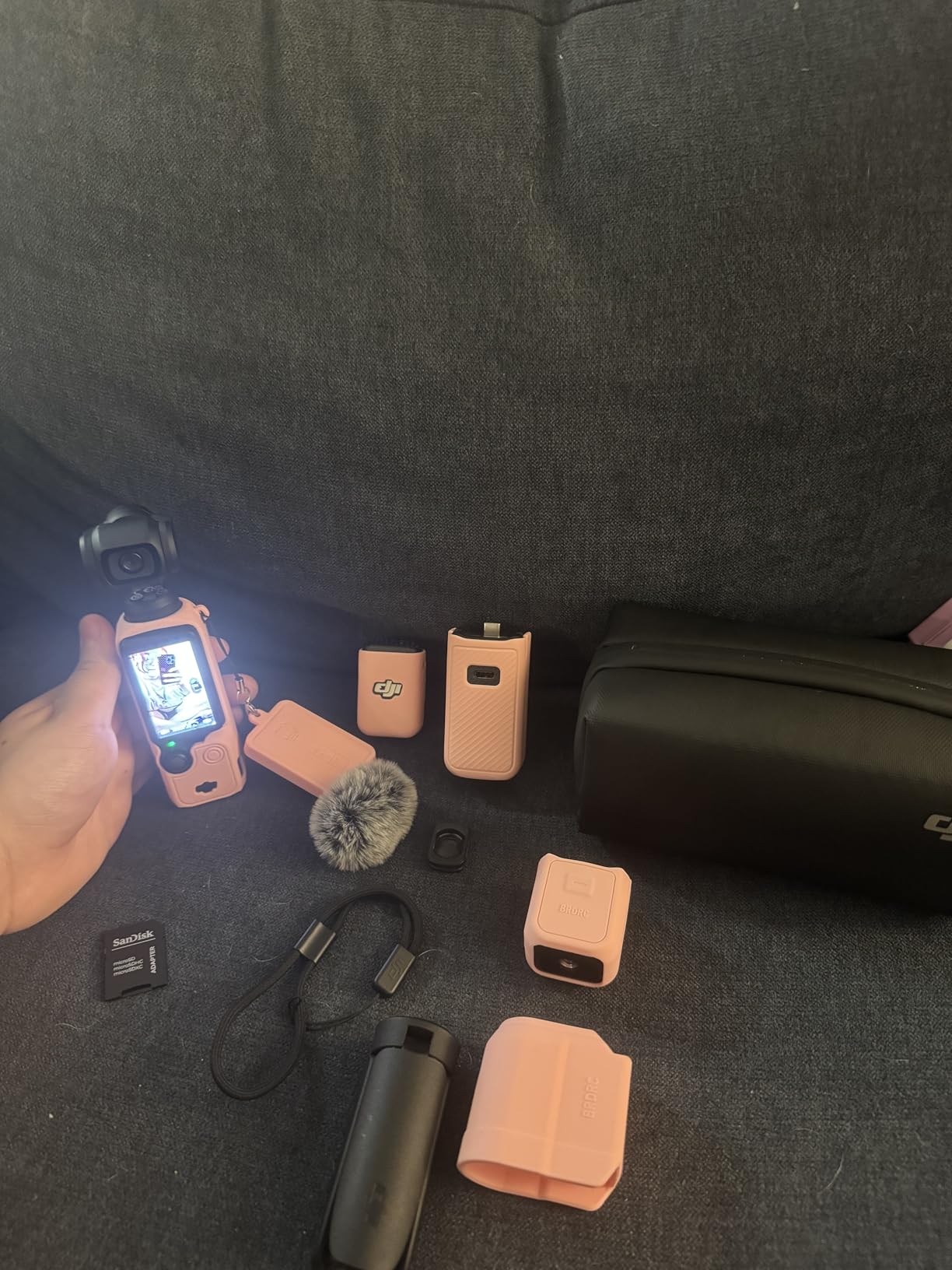
The included DJI Mic 2 transmitter is the real game-changer. I clipped it to my shirt and walked 30 feet from the camera while talking. The audio came through crisp with no dropouts. This alone solves one of the biggest problems vloggers face: getting clean audio without holding a microphone in your hand.
ActiveTrack 6.0 kept my face locked in frame even when I turned sideways or moved quickly. I tested it by sprinting past the camera, and the gimbal tracked me smoothly the entire time. The rotating touchscreen flips between horizontal and vertical shooting in about two seconds, which makes this one of the few 4K vlogging cameras that handles TikTok and YouTube equally well.
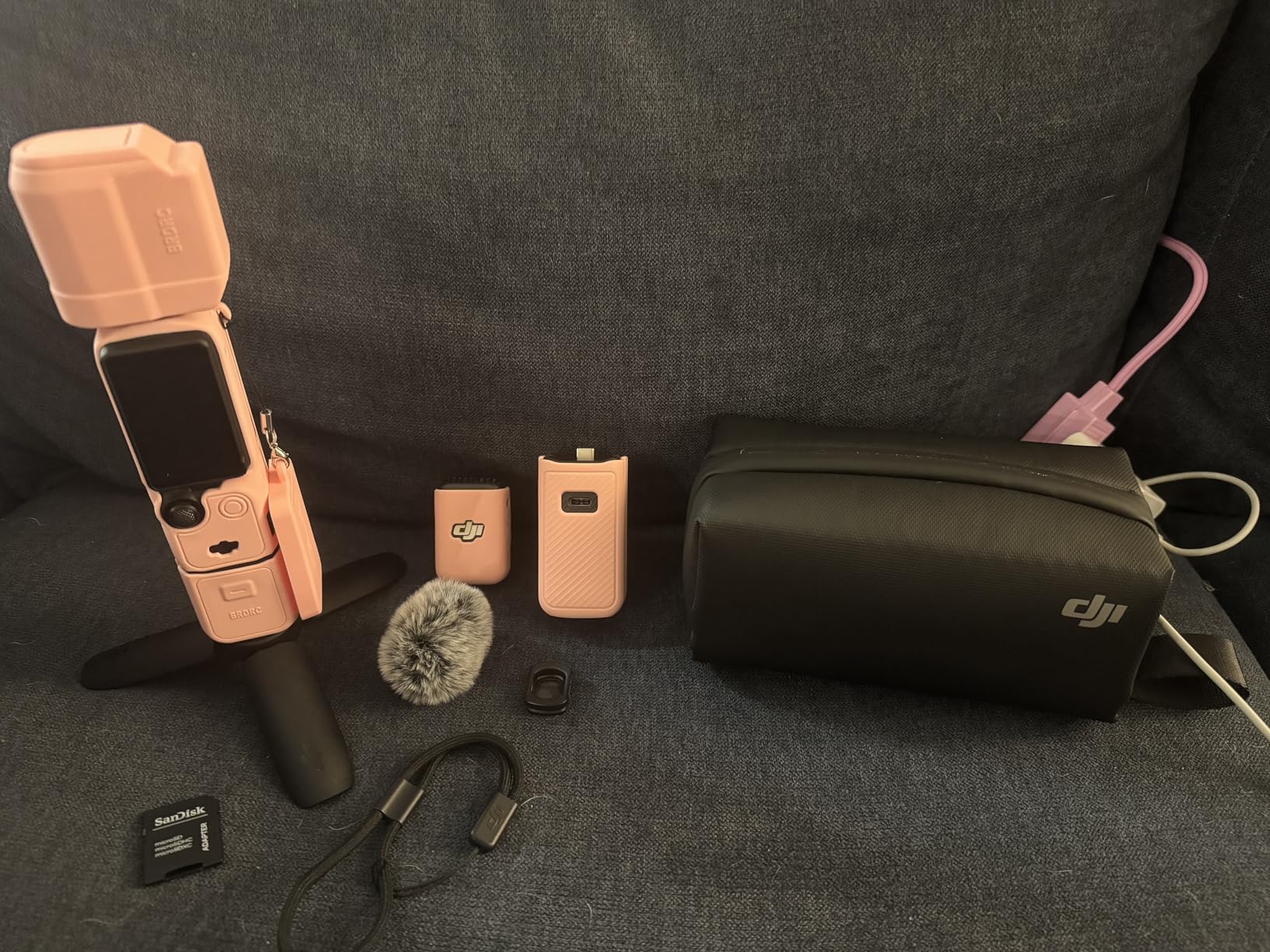
Who should buy the Creator Combo
If you are starting a YouTube channel, a travel vlog, or any content where you talk to camera while moving, this bundle covers every base. The included microphone eliminates the need for a separate audio setup, and the gimbal means you do not need a separate stabilizer. It is truly an all-in-one solution for solo creators.
The trade-off is fragility. That exposed gimbal mechanism looks vulnerable, and while I did not damage mine during testing, I was careful. You will want a protective case when traveling. Also, 166 minutes of battery life means you should carry a power bank for full-day shoots.
How it compares to the standard Pocket 3
The Creator Combo costs about $130 more than the standard Pocket 3. For that difference, you get the DJI Mic 2 (which alone retails for over $150), the wide-angle lens, the battery handle, and a mini tripod. If you were going to buy a microphone anyway, the Creator Combo is clearly the better deal. If you already own a quality mic and do not need the accessories, the standard Pocket 3 reviewed below is the smarter buy.
2. DJI Osmo Pocket 3 – Best Portable Gimbal Camera
DJI Osmo Pocket 3 Vlogging Camera with 1” CMOS & 4K/120fps Video
1-inch CMOS
4K/120fps
3-axis gimbal
ActiveTrack 6.0
D-Log M 10-bit
2-inch rotatable touchscreen
+ Pros
- Outstanding gimbal stabilization built in
- Large 1-inch sensor for the size
- Fast and reliable face tracking
- Compact enough for any pocket
- Rotating screen for horizontal and vertical
– Cons
- Not water resistant
- Gimbal is delicate and damage-prone
- No external mic included in standard package
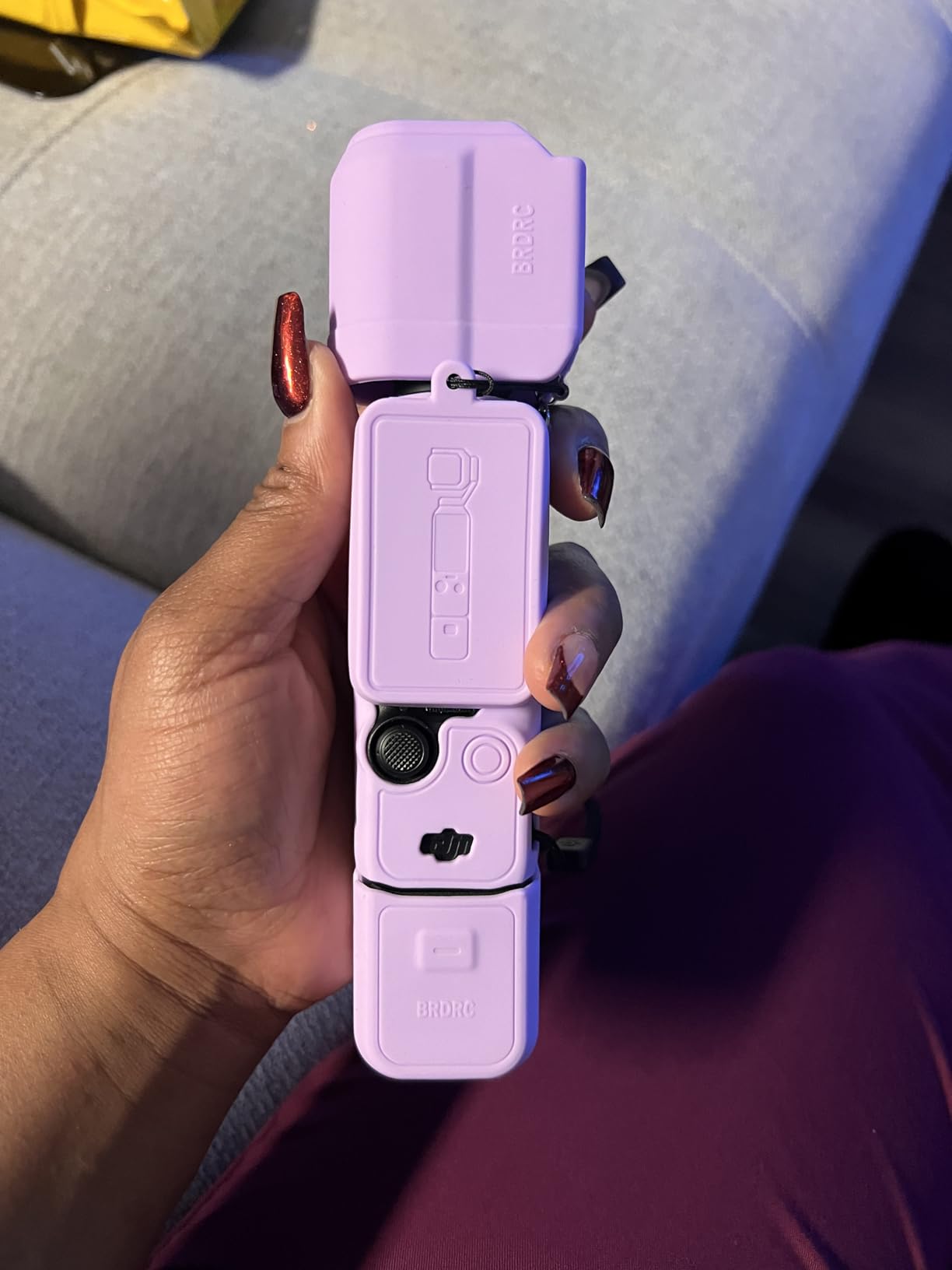
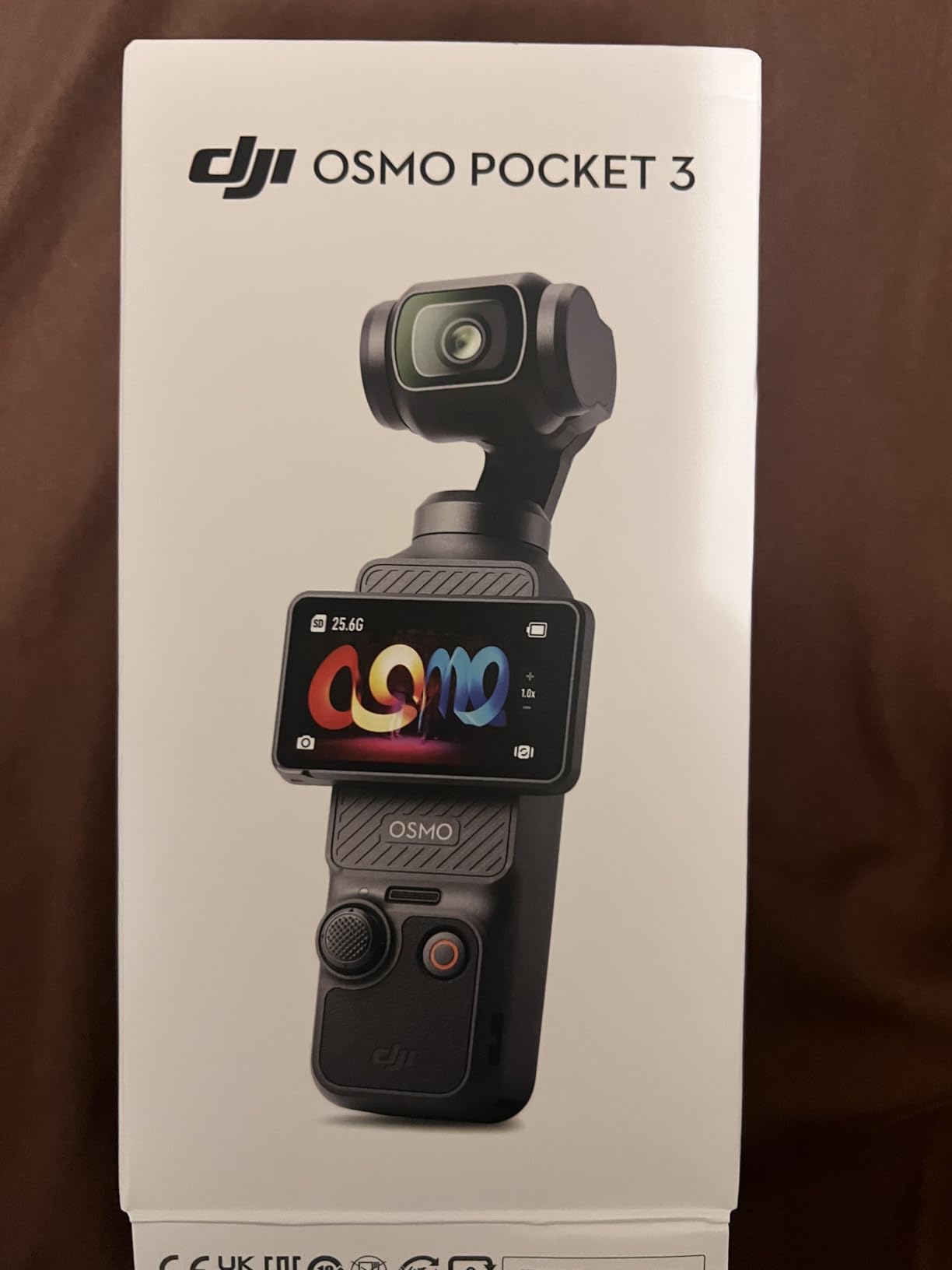
Without the Creator Combo accessories, the standard DJI Osmo Pocket 3 is still one of the best vlogging cameras you can buy. It delivers the same 1-inch sensor, the same 3-axis gimbal, and the same ActiveTrack 6.0 tracking. You just skip the microphone, lens attachment, and battery handle.
I tested this version by carrying it in my jacket pocket for a week of daily vlogging. It weighs just 179 grams and fits in any pocket. Pulling it out, hitting record, and walking produced footage that looked like it came from a $2000 camera on a motorized gimbal rig. The stabilization is that good.
The D-Log M color profile with 10-bit depth gives you serious grading flexibility in post. I shot sunset footage with deep oranges and purples, and the 10-bit file held every detail when I pushed the color grade. Standard 8-bit footage would have banding in those gradients.
One thing to know: audio is the weak point without an external microphone. The built-in stereo recording is acceptable for casual use, but anyone doing professional content will want to add a mic. DJI’s OsmoAudio system lets you connect compatible Bluetooth microphones, or you can use the USB-C port with an adapter.
Best use cases for the standard Pocket 3
This is the ideal camera for travel vloggers who already own a separate microphone. You get the same incredible stabilization and sensor quality as the Creator Combo, but you save money by skipping accessories you might not need. It also works well as a B-camera for creators who already have a primary setup.
I would not recommend it for adventure sports or anything involving water. The gimbal mechanism has no environmental sealing. If you need a camera for hiking, kayaking, or similar activities, look at the DJI Osmo Action 5 Pro further down this list.
Battery life in real-world testing
DJI claims 166 minutes, and I got about 140 minutes of continuous 4K recording with ActiveTrack enabled. That is enough for most single-location shoots but falls short for all-day events. The battery charges via USB-C in roughly 70 minutes, so a midday top-up is practical if you carry a power bank.
3. Sony ZV-1F Vlog Camera – Best for Wide-Angle Vlogging
Sony ZV-1F Compact Digital Camera 4K Video Black
1-inch CMOS sensor
20mm ultra-wide lens
Eye-AF tracking
Side-articulating touchscreen
Product Showcase mode
Directional 3-capsule mic
+ Pros
- Ultra-wide 20mm lens captures more scene
- Fast and accurate Eye-AF autofocus
- Excellent built-in directional microphone
- Product Showcase mode for review content
- Lightweight at 254 grams
– Cons
- Fixed lens with no optical zoom
- Digital stabilization only
- Battery life limited to about 45 minutes of video
The Sony ZV-1F takes a different approach to vlogging. Instead of a gimbal, Sony gave it an ultra-wide 20mm lens and their industry-leading autofocus system. The wider field of view means more of your surroundings make it into frame, which is exactly what travel and lifestyle vloggers want.
Sony’s Eye-AF is the best autofocus I tested in any camera at this price. It locked onto my eyes instantly and held focus even when I moved quickly or turned my head. I never had to worry about being out of focus. This alone makes the ZV-1F one of the best vlogging cameras for talking-head content.
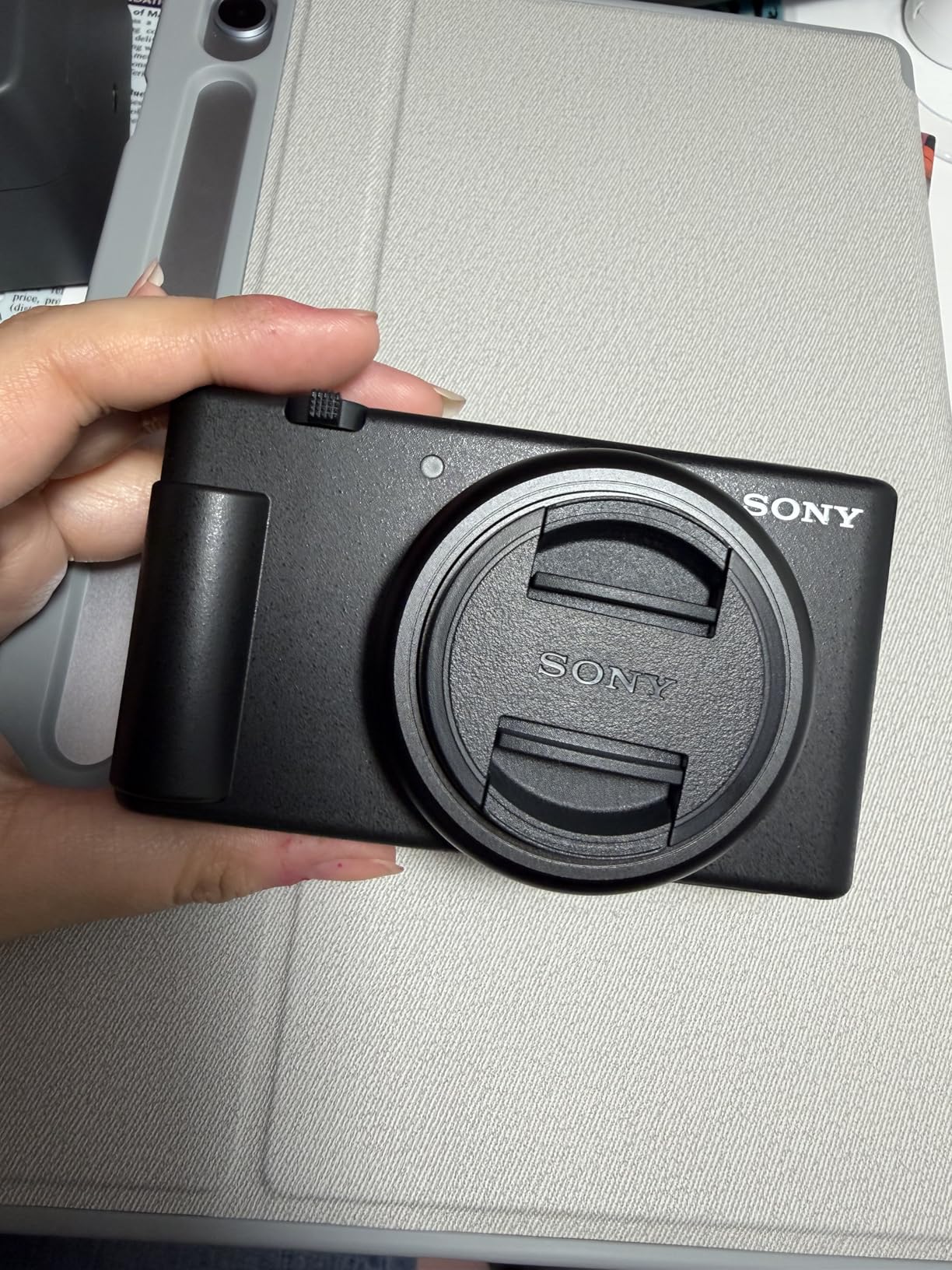
The Product Showcase mode is a feature I did not know I needed until I used it. Press a button, hold a product in front of the camera, and the focus instantly snaps to the product. Release the product, and focus returns to your face. If you do product reviews, unboxing videos, or any content where you show items to camera, this feature is genuinely useful.
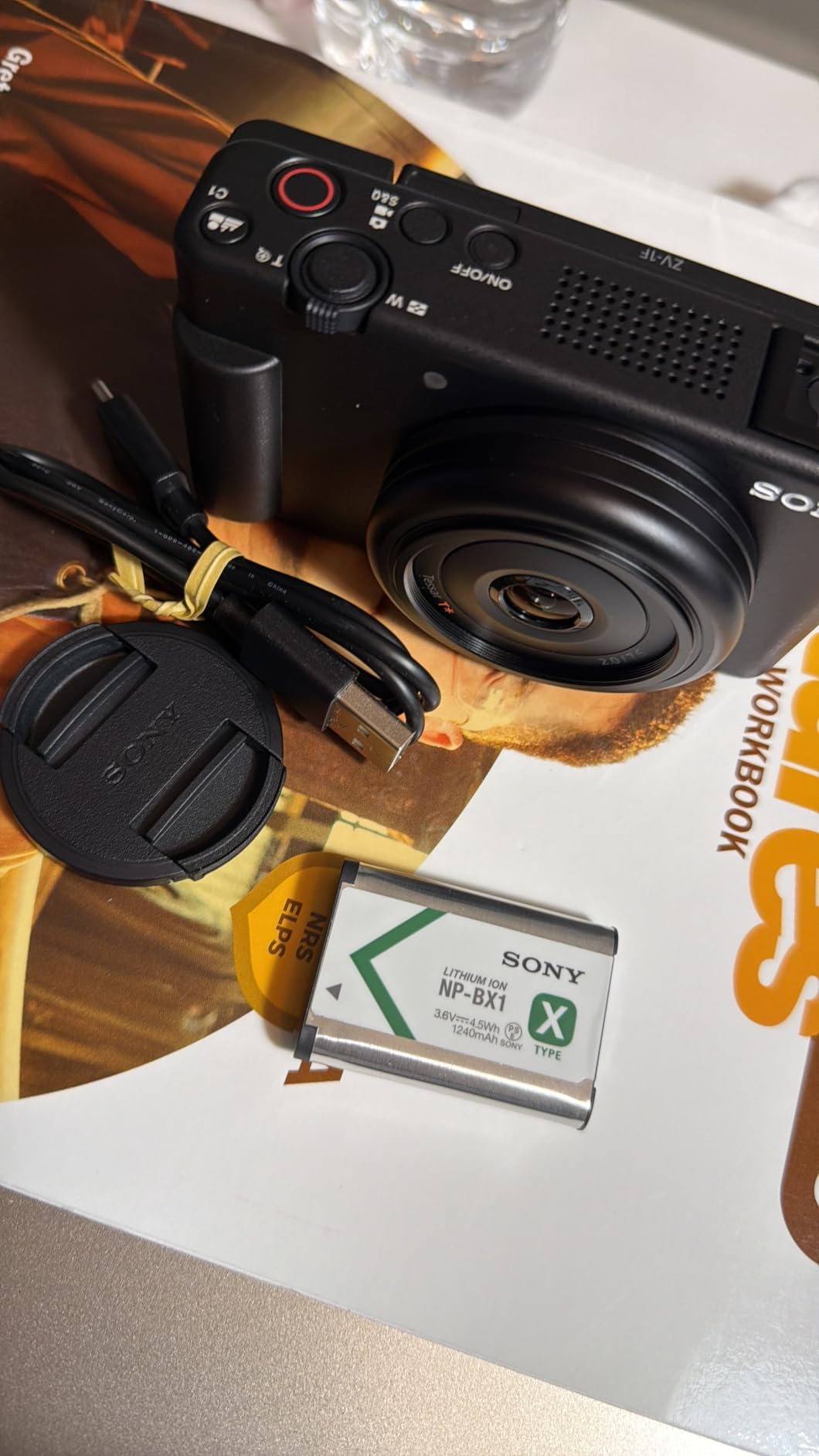
The built-in directional 3-capsule microphone captures clean forward-facing audio. It is not as good as a dedicated lav mic, but for run-and-gun vlogging where you do not want to deal with wireless mics, it handles the job well. The included windscreen helps outdoors.
When the ZV-1F makes sense
This camera is built for one specific type of vlogger: someone who talks to camera while showing their surroundings. The ultra-wide lens, fast autofocus, and Product Showcase mode all serve that use case perfectly. If you make travel vlogs, lifestyle content, beauty tutorials, or product reviews, the ZV-1F was designed for you.
The lack of optical zoom is the main limitation. The 20mm lens is fixed, so you cannot zoom in on distant subjects. For most vlogging scenarios this is fine, but if you need versatility for photography or wildlife, look elsewhere.
Battery life reality check
Sony rates the battery for about 250 shots or roughly 45 minutes of continuous video. In my testing, that estimate was accurate. This is the shortest battery life of any camera in this guide. You absolutely need spare batteries for anything beyond a short shoot. Fortunately, the ZV-1F charges via USB-C, so you can top up between takes with a power bank.
4. Sony ZV-1 Digital Camera – Best Premium Point-and-Shoot
Sony ZV-1 Digital Camera for Content Creators, Vlogging and YouTube with Flip Screen, Built-in Microphone, 4K HDR Video, Touchscreen Display, Live Video Streaming, Webcam
20.1MP 1-inch Exmor RS CMOS
24-70mm F1.8-2.8 ZEISS lens
4K HDR video
Fast Hybrid AF
Side flip-out 3-inch LCD
Product Showcase Setting
+ Pros
- Fast F1.8-2.8 ZEISS zoom lens
- Excellent fast hybrid autofocus system
- Large aperture for beautiful background blur
- 4K HDR video with good dynamic range
- Professional built-in microphone with wind screen
– Cons
- Higher price point
- Battery life could be improved
- Compact size may feel cramped for large hands
The Sony ZV-1 is the older sibling of the ZV-1F, and it costs more for good reason. Instead of a fixed wide lens, you get a 24-70mm F1.8-2.8 ZEISS Vario-Sonnar zoom lens. This means you can shoot wide vlogging shots at 24mm and zoom in to 70mm for talking-head close-ups without changing lenses.
That F1.8 maximum aperture at the wide end is significant. It lets in more light than any other compact vlogging camera on this list, which means cleaner footage in dim conditions and creamier background blur. I tested it in a dimly lit coffee shop and was impressed by how clean the footage looked at ISO 1600.
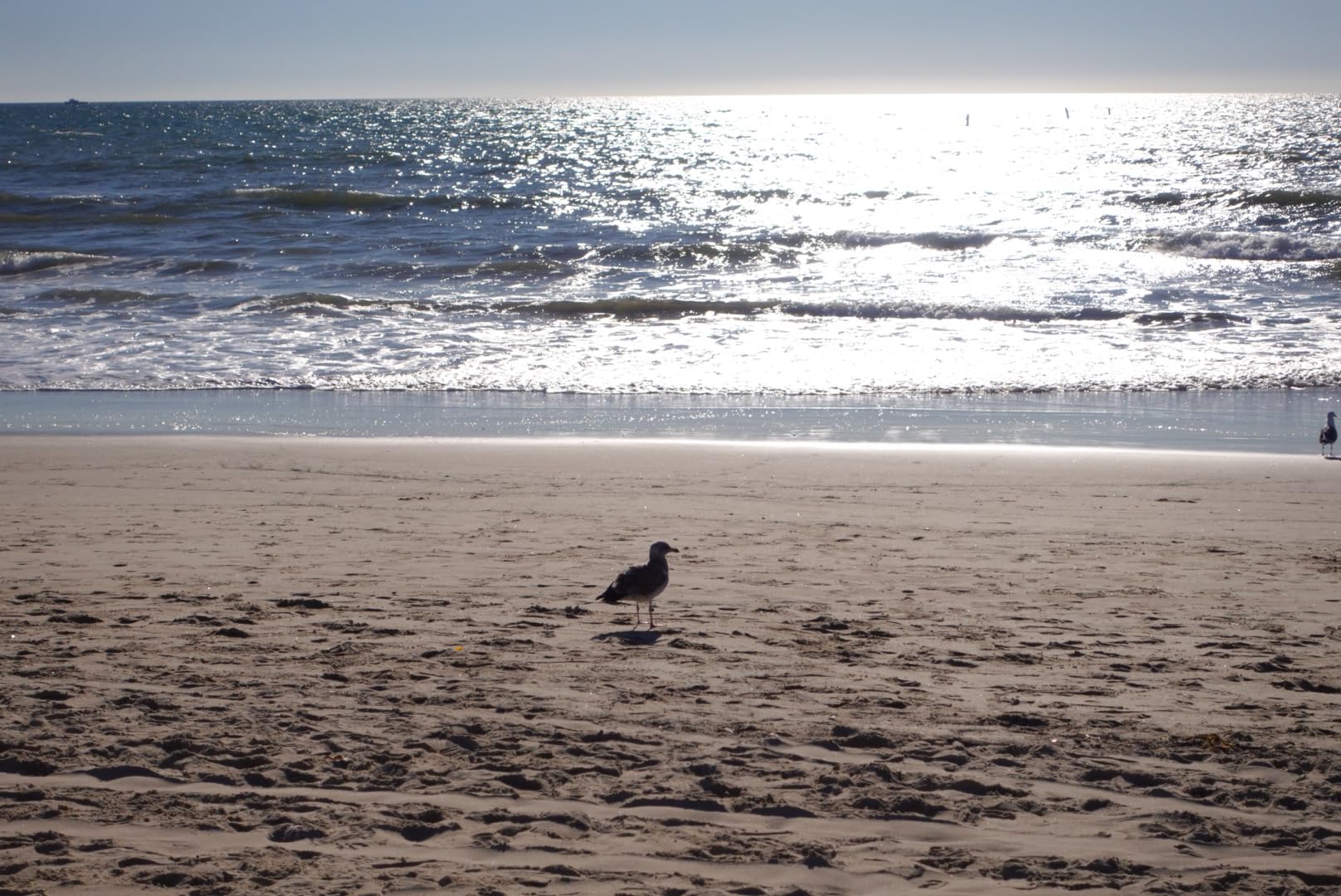
The 20.1MP stacked Exmor RS CMOS sensor reads out fast, which reduces rolling shutter distortion. This is the wobble effect you see when panning quickly with cheaper sensors. The ZV-1 handles fast motion noticeably better than cameras with standard CMOS sensors.
Real-time Eye AF works just as well here as on the ZV-1F. Sony’s autofocus is consistently excellent across their lineup, and the ZV-1 benefits from the same tracking algorithms. The side-flip-out 3-inch LCD is positioned perfectly for selfie shooting and can flip forward to face you completely.
Who should spend the extra money
If you want a single camera that handles vlogging and photography equally well, the ZV-1 is the best point-and-shoot option here. The zoom lens gives you creative flexibility that fixed-lens cameras cannot match. You can vlog wide at 24mm, then zoom to 70mm for portrait-style B-roll.
Content creators who shoot in challenging lighting will also benefit. That F1.8 lens combined with the 1-inch sensor gathers more light than any other camera in this price range. For indoor vloggers, beauty content creators, and anyone who shoots in less-than-ideal lighting, the ZV-1 justifies its premium price.
ZV-1 vs ZV-1F: which to choose
The ZV-1 gives you a zoom lens and larger aperture but costs significantly more. The ZV-1F is cheaper with a wider fixed lens. If you primarily vlog at arm’s length and want maximum scene coverage, the ZV-1F is the smarter buy. If you need zoom versatility and better low-light performance, spend the extra on the ZV-1.
5. Canon EOS R50 Mirrorless Camera – Best Mirrorless for Vlogging
Canon EOS R50 Mirrorless Camera RF-S18-45mm F4.5-6.3 is STM Lens Kit, 24.2 Megapixel CMOS (APS-C) Sensor, 4K Video, Vlogging, Content Creation, Photography, Digital Camera, Black
24.2MP APS-C CMOS sensor
DIGIC X processor
Dual Pixel CMOS AF II
6K oversampled 4K video
RF-S18-45mm lens included
Vari-angle touchscreen
+ Pros
- Large APS-C sensor for superior image quality
- Interchangeable lens system for creative flexibility
- Excellent Dual Pixel AF II autofocus
- 6K-oversampled 4K video looks professional
- Great for both video and photography
– Cons
- Kit lens has limited maximum aperture
- Battery life could be better for video
- Small grip may feel awkward
The Canon EOS R50 is the only interchangeable lens camera in this guide, and it earns its spot with a large APS-C sensor that produces noticeably better image quality than any 1-inch sensor camera. The RF mount gives you access to Canon’s growing lens ecosystem, which means this camera can grow with you.
I tested the R50 with the included RF-S18-45mm kit lens for two weeks of daily vlogging. The 24.2MP APS-C sensor captures more detail and handles dynamic range better than the smaller sensors in point-and-shoot cameras. Footage shot at golden hour had rich tones and clean shadows that needed minimal grading.
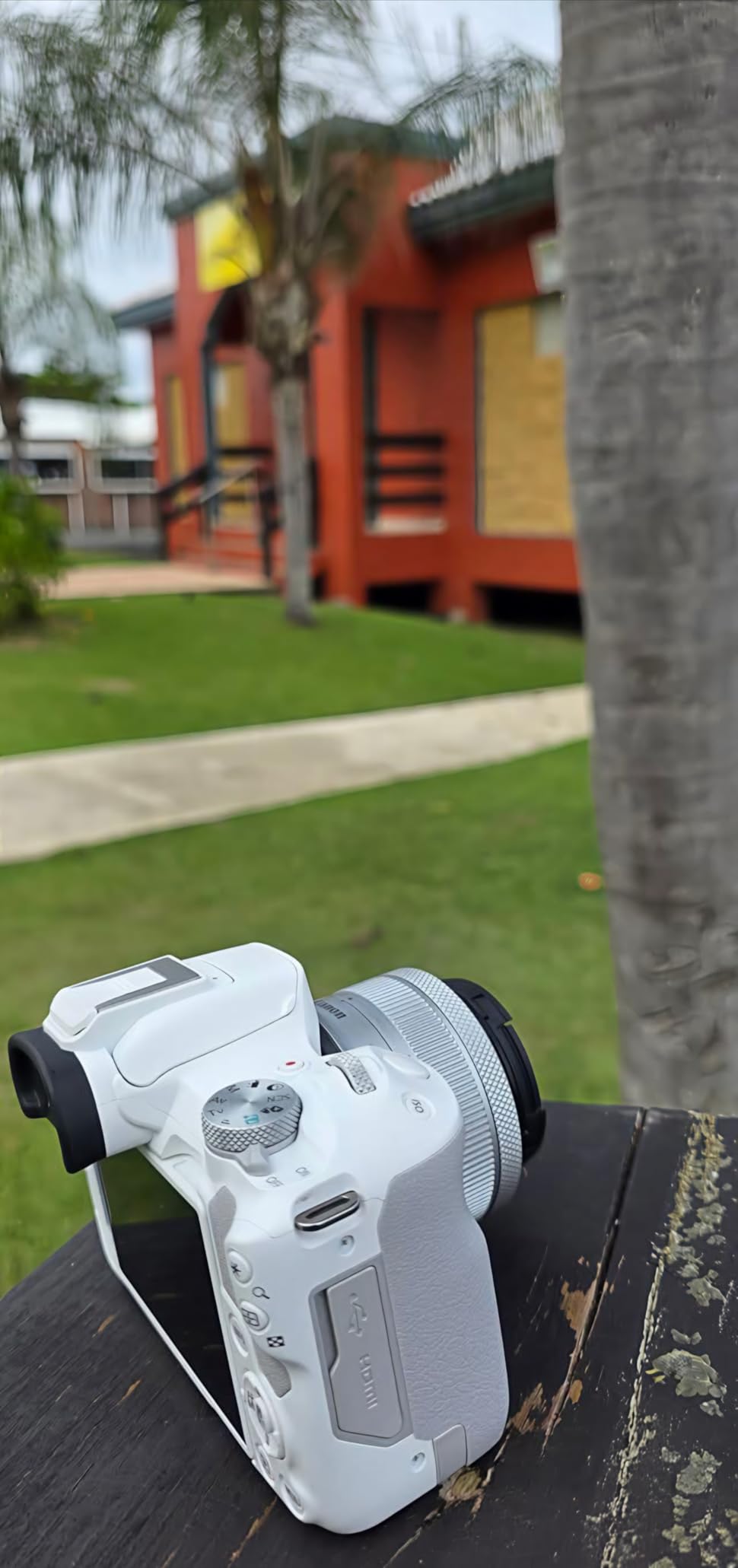
Dual Pixel CMOS AF II is Canon’s latest autofocus technology, and it is excellent for vlogging. The system covers 651 AF zones and tracks faces and eyes reliably. I walked through a busy market with the R50 on a small gimbal, and it never lost track of my face despite people walking between me and the camera.
The 6K-oversampled 4K video is a standout feature. The camera reads data from a 6K region of the sensor and downsamples it to 4K, which produces sharper footage with less noise. This is the same approach Canon uses in their professional cinema cameras. For full-frame mirrorless cameras, Canon offers the R6 and R8 if you want even more performance.
When mirrorless makes sense for vlogging
The R50 is the right choice if you want a camera that does more than vlogging. The interchangeable lens system means you can buy a fast prime lens for low-light vlogging, a wide zoom for travel, or a macro lens for product shots. No point-and-shoot can match that versatility.
It is also the best option for creators who plan to upgrade over time. Start with the kit lens, then add better glass as your channel grows. The APS-C sensor produces professional-quality footage when paired with quality lenses.
Limitations to know about
The RF-S18-45mm kit lens has a maximum aperture of F4.5-6.3, which is relatively slow. In low light, you will need to raise ISO or buy a faster lens. I recommend budgeting for Canon’s RF-S 18-45mm or an RF prime if you shoot indoors frequently. Also, the camera does not have in-body image stabilization, so you will want a lens with IS or a gimbal for handheld vlogging.
6. Canon PowerShot V10 – Best Ultra-Compact Pocket Camera
Canon PowerShot V10 Compact Vlogging Camera, 1″ CMOS Sensor, 4K Video Streaming, Built‑in Wide‑Angle Zoom Lens, Flip‑LCD & Stereo Mic, Image Stabilization, Creator Studio in Your Pocket, Black
1-inch CMOS sensor
4K video
19mm fixed wide lens
Retractable flip screen
Stereo microphones
Built-in subject detection
+ Pros
- Extremely compact and truly pocketable
- Good 1-inch sensor for the size
- Built-in flip screen faces forward
- Stereo microphones with noise reduction
- Simple operation for beginners
– Cons
- Fixed lens with no zoom
- Battery life is limited
- Can overheat during extended recording sessions
The Canon PowerShot V10 is Canon’s answer to the question: what is the simplest possible beginner vlogging camera? It is designed for creators who want point-and-shoot simplicity with better quality than a phone. There are minimal buttons, minimal settings, and minimal fuss.
I handed the V10 to a friend who had never used a dedicated camera before. Within two minutes, she was recording 4K video of herself with proper exposure and focus. The built-in subject detection tracked her face automatically. This is the easiest camera in this guide to operate.

The retractable front-facing screen flips up so you can see yourself while recording. It is a 2-inch display, which is smaller than the screens on Sony cameras, but it gets the job done. The stereo microphones with noise reduction capture decent audio for casual vlogging.
The 19mm equivalent lens is wider than most smartphone cameras, which means more of your surroundings appear in frame. This is ideal for travel vlogging where the environment matters as much as the subject. However, the fixed focal length means you cannot zoom in on details.

Who the PowerShot V10 is designed for
This camera targets absolute beginners and casual creators. If you are intimidated by camera settings, want something smaller than your phone for recording, and do not care about manual controls, the V10 was built for you. It is also a good option for kids or teenagers starting their first channel.
More experienced creators will find it limiting. There is no manual exposure control worth speaking of, no zoom, and no raw photo capability. The V10 is a tool for quick, easy content creation, not professional production.
Overheating concerns
During testing, the V10 shut down from overheating after about 22 minutes of continuous 4K recording at room temperature. In warmer outdoor conditions, that time was shorter. If your vlogging style involves long, continuous takes, this could be a problem. For shorter clips and typical vlog-style editing, it is unlikely to be an issue.
7. DJI Osmo Action 5 Pro – Best Action Camera for Vlogging
DJI Osmo Action 5 Pro Essential Combo, Waterproof Action Camera
1/1.3-inch sensor
4K/120fps video
IP68 waterproof to 20m
Dual OLED touchscreens
4-hour battery
47GB built-in storage
13.5-stop dynamic range
+ Pros
- Excellent 4K/120fps video quality
- Fully waterproof to 20 meters
- Outstanding battery life at 4 hours
- Dual OLED screens for framing
- Great stabilization with HorizonSteady
- 13.5-stop dynamic range
– Cons
- Built-in storage fills quickly with 4K
- Built-in mic quality is average
- Action camera form factor not for everyone
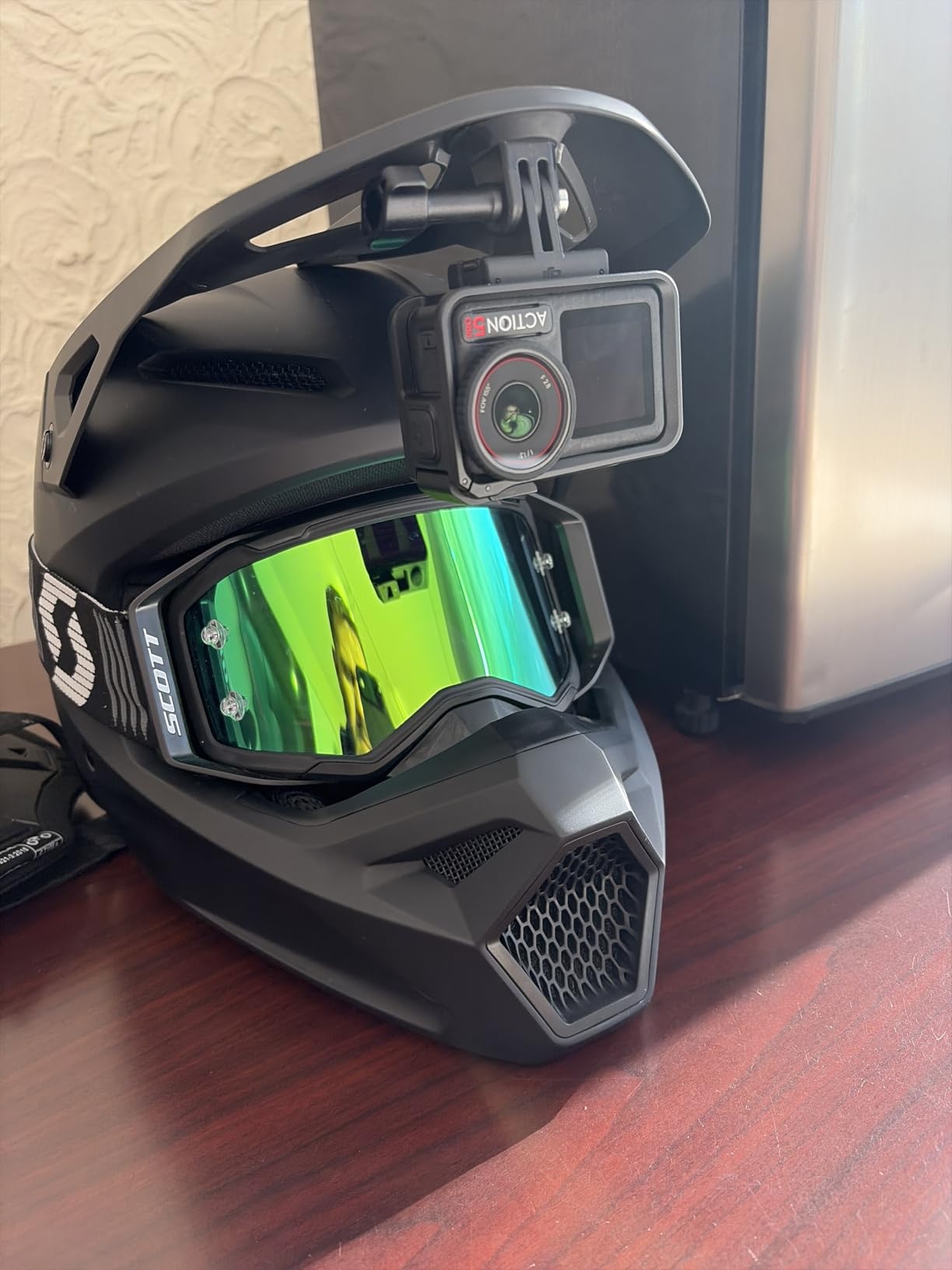
The DJI Osmo Action 5 Pro is technically an action camera, but it earns its place in this vlogging guide because it solves problems that traditional vlogging cameras cannot. It is fully waterproof, virtually indestructible, and records 4K at 120 frames per second for stunning slow-motion footage.
I took this camera snorkeling, mountain biking, and on a rainy-day city walking tour. It handled every scenario without complaint. The IP68 rating means it works underwater to 20 meters without any additional housing. Try that with a Sony ZV-1F.
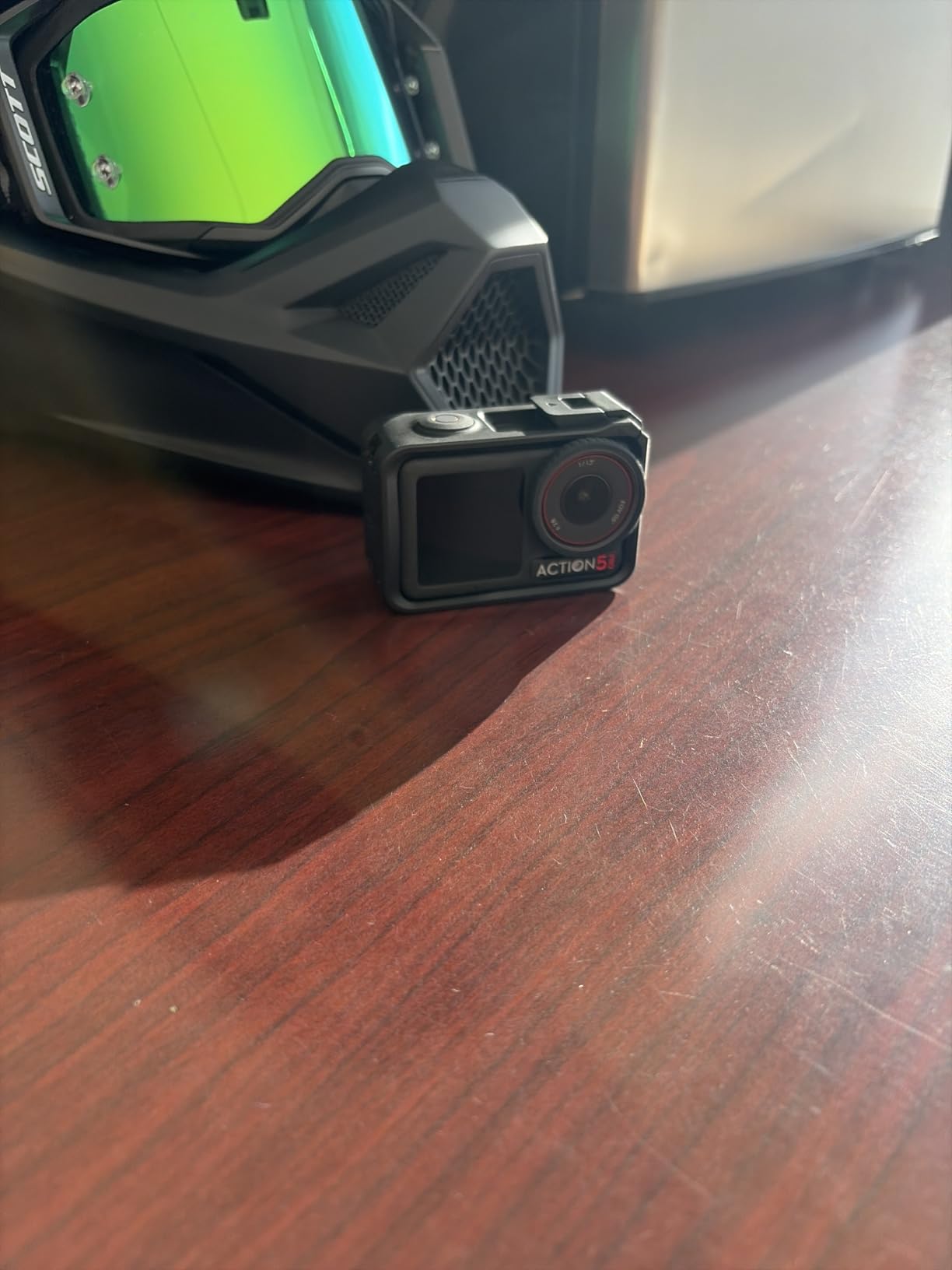
The 1/1.3-inch sensor with 2.4-micrometer pixels delivers impressive low-light performance for an action camera. The 13.5-stop dynamic range captures detail in both bright skies and dark shadows simultaneously. This is professional-level dynamic range in a camera that costs under $300.
Battery life is where the Action 5 Pro destroys the competition. I got a genuine 4 hours of recording on a single charge, which is more than double what most cameras in this guide offer. The 47GB of built-in storage is convenient, though it fills up quickly when recording 4K/120fps footage.
Best scenarios for the Action 5 Pro
Outdoor and adventure vloggers will get the most value from this camera. If your content involves water, dirt, extreme weather, or physical activity, the Action 5 Pro is purpose-built for those conditions. The waterproofing alone makes it worth considering over non-waterproof alternatives.
It also works well as a secondary camera for creators who already have a primary vlogging setup. Mount it on your helmet, chest, or bike handlebars to capture B-roll while your main camera handles the talking-head shots.
Audio quality considerations
The built-in microphone is adequate for outdoor use but will not match the directional microphones on dedicated vlogging cameras. Wind noise is handled reasonably well by the built-in wind reduction. For professional audio, you will want to use a separate microphone and sync audio in post, or use an external mic with the USB-C port.
8. DJI Osmo Nano – Best Magnetic POV Camera
DJI Osmo Nano Standard Combo (128GB), 4K Wearable Camera, 1/1.3″ Sensor
1/1.3-inch sensor
4K/60fps
143-degree wide FOV
200-min battery
128GB storage
Magnetic mounting
Waterproof to 10m
10-bit D-Log M
+ Pros
- Ultra-compact at 124 grams
- Magnetic mounting system is versatile
- Good 4K/60fps with wide 143-degree FOV
- Waterproof to 10 meters
- Long 200-minute battery life
- 10-bit D-Log M color for grading
– Cons
- Can overheat during extended 4K recording
- Battery drains when attached to Vision Dock
- Small 1.96-inch screen
The DJI Osmo Nano fills a unique niche between action cameras and traditional vlogging cameras. It is tiny, magnetically mountable, and shoots 4K/60fps with a 143-degree field of view. The magnetic mounting system means you can stick it to metal surfaces, clip it to clothing, or mount it on accessories in seconds.
I tested the Nano as a POV camera during a cooking vlog. Magnetically attached to my range hood, it captured overhead shots of food prep without any rigging. The wide 143-degree field of view covered the entire cutting board and stove. This kind of creative mounting is difficult with any other portable vlogging camera.

The 1/1.3-inch sensor delivers good performance in moderate light. The 10-bit D-Log M color profile gives you grading flexibility similar to the DJI Osmo Pocket 3. Footage graded cleanly in DaVinci Resolve with no banding in skies or gradients.
At 124 grams, the Nano is lighter than the Pocket 3 and significantly smaller. The 200-minute battery life is impressive for a camera this small, and the 128GB of built-in storage holds roughly 2.5 hours of 4K/60fps footage before you need to offload.

Ideal mounting and use scenarios
The Nano excels in situations where you need creative camera angles without bulky rigs. Cooking vloggers, craft content creators, and anyone who needs overhead or POV shots will love the magnetic mounting system. The waterproofing to 10 meters also makes it suitable for water sports and pool content.
It is less ideal as a primary talking-head camera. The 1.96-inch screen is small for framing yourself, and there is no gimbal stabilization like the Pocket 3. For walk-and-talk vlogging, you will get better results from the Pocket 3 or ZV-1F.
Overheating and Vision Dock battery drain
During extended 4K recording sessions, the Nano got warm and shut down after about 35 minutes in a 75-degree room. In cooler conditions, it ran longer. Also, when the camera is attached to the Vision Dock accessory, it slowly drains power from the dock even when not recording. Keep an eye on battery levels when using the dock setup.
9. Insta360 GO 3S – Best Hands-Free Mini Camera
Insta360 GO 3S – 128 GB Black 4K Tiny Portable Vlogging Camera, Hands-Free POVs, Mount Anywhere, Stabilization, 140 Min Battery Life, 10m Waterproof, Pet POV
Thumb-sized 39g body
4K video
MegaView FOV
Action Pod with 2.2-inch flip screen
140-min battery
FlowState stabilization
IPX8 waterproof to 10m
128GB storage
+ Pros
- Incredibly small and lightweight
- Magnetic mounting for hands-free use
- Excellent FlowState stabilization
- Waterproof to 10 meters
- Action Pod flip screen for framing
- Good 4K quality for the size
– Cons
- Action Pod is not waterproof
- Internal battery and memory not swappable
- Can overheat during extended recording
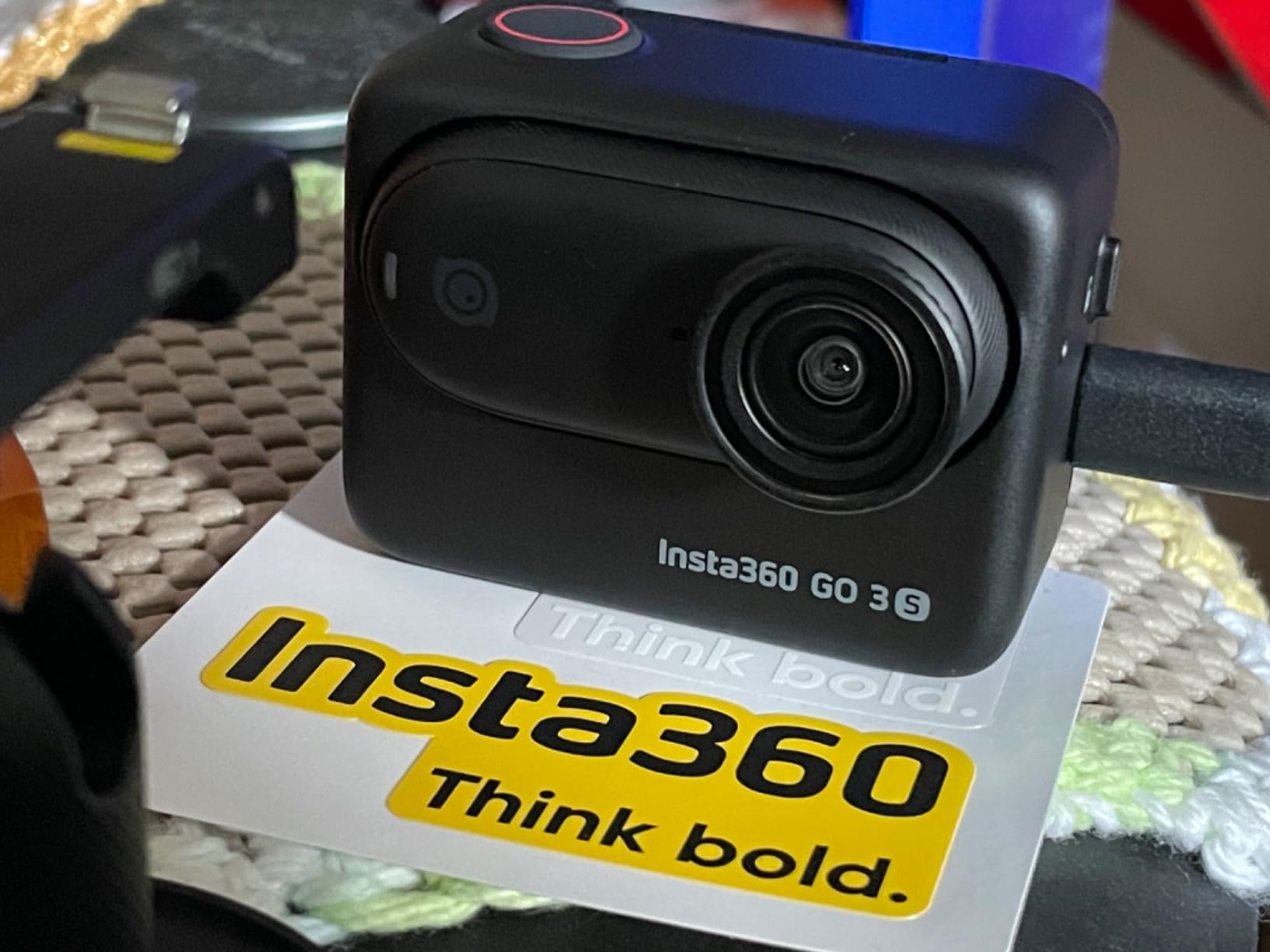
The Insta360 GO 3S is the smallest camera in this guide by a wide margin. The camera module weighs just 39 grams, roughly the weight of a AA battery. Yet it records 4K video with image stabilization that rivals cameras many times its size.
I clipped the GO 3S to my shirt collar and walked through a crowded market. The footage was smooth thanks to FlowState stabilization, and the MegaView field of view captured the scene naturally without extreme wide-angle distortion. For first-person POV content, this camera is hard to beat.
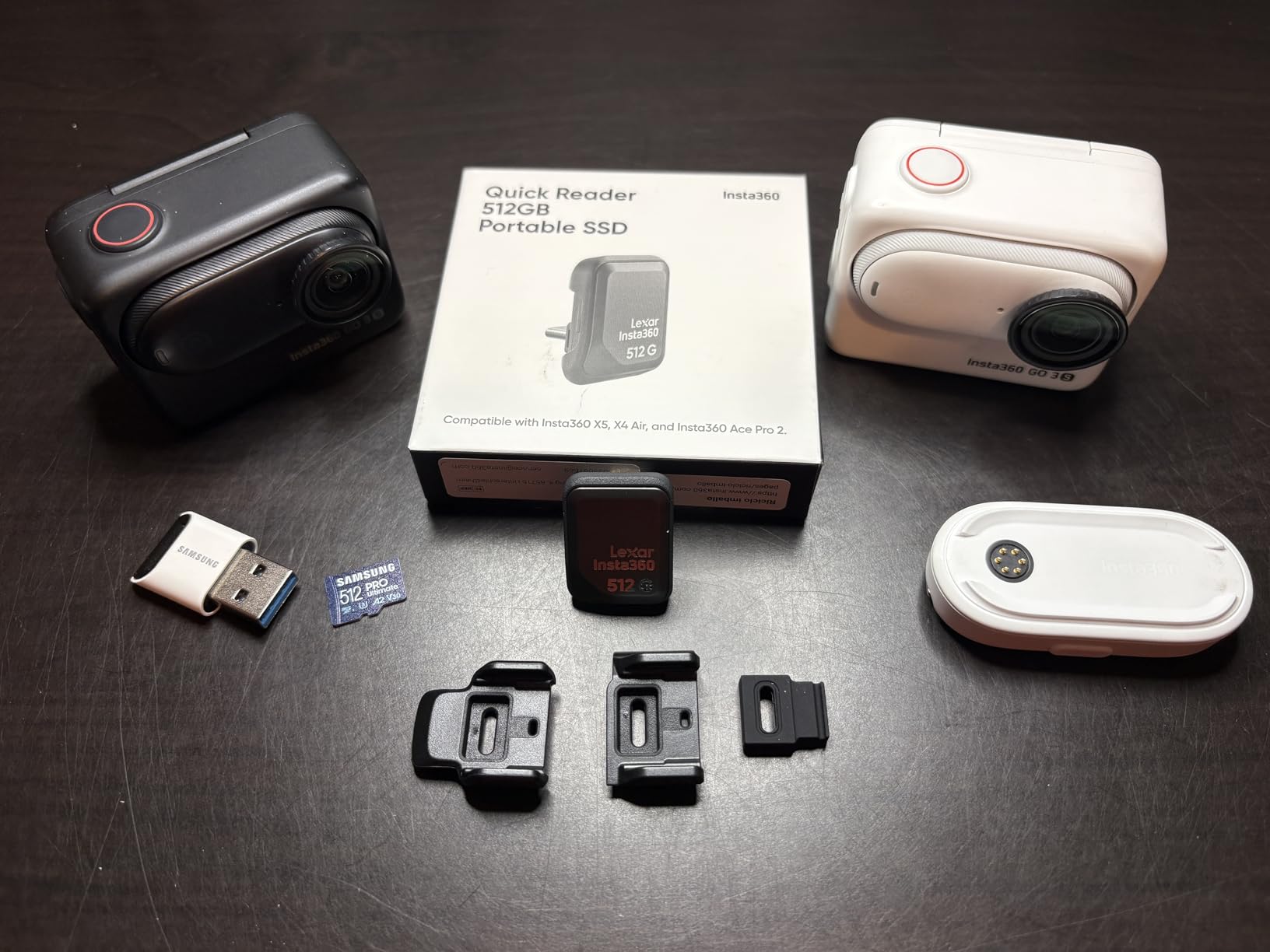
The Action Pod accessory is what makes the GO 3S practical for vlogging. It has a 2.2-inch flip-up screen so you can frame your shots, a built-in battery that extends total recording to 140 minutes, and a magnetic mount for the camera module. Without the Action Pod, you are recording blind.
Waterproofing to 10 meters means you can take the camera module underwater without any housing. I tested it in a pool and the footage was clean and colorful. The Action Pod is not waterproof, so keep it dry.
Best content types for the GO 3S
This camera shines for hands-free POV content. If you make cooking videos, workout content, pet videos, craft tutorials, or any content where both hands need to be free, the GO 3S is purpose-built for that. The magnetic clip system lets you mount it on clothing, hats, and metal surfaces instantly.
It is not the best choice as a primary vlogging camera for talking-head content. The small sensor and tiny form factor mean audio quality from the built-in mic is limited. Use it as a creative POV tool alongside a primary camera like the Pocket 3 or ZV-1F.
Battery and storage limitations
The internal battery is not swappable, which means when it dies, you need to recharge rather than swap. The 128GB of internal storage is fixed with no expandable memory card slot. These are the trade-offs of such a tiny form factor. Plan your shoots around charging breaks and offload footage regularly.
10. Kodak PIXPRO FZ55-BK – Best Budget Beginner Camera
KODAK PIXPRO FZ55 16MP Compact Digital Camera, 5X Optical Zoom, Black
16MP CMOS sensor
5x optical zoom
28mm wide-angle lens
1080P Full HD video
2.7-inch LCD
Digital image stabilization
30 FPS continuous shooting
+ Pros
- Very affordable entry price point
- Compact and lightweight design
- 5x optical zoom for flexibility
- Easy to use for complete beginners
- Good battery life for casual shooting
– Cons
- No 4K video recording
- Limited manual controls
- Small sensor struggles in low light
The Kodak PIXPRO FZ55-BK is the most affordable camera in this guide by a significant margin. At under $140, it is the cheapest way to get a dedicated camera for content creation. It will not match the 4K quality of cameras costing three times as much, but it offers something none of them can: a 5x optical zoom at this price.
I tested the FZ55 as a starter camera for a friend’s teenager who wanted to start a YouTube channel. The setup was effortless: insert AA batteries, add an SD card, and start recording. Within ten minutes, she was shooting 1080p video and taking photos around the neighborhood.
The 5x optical zoom is the standout feature at this price. Most budget cameras and smartphones rely on digital zoom, which degrades image quality. The FZ55 has a real optical zoom lens that goes from 28mm wide-angle to 140mm telephoto equivalent. This gives you creative options that fixed-lens cameras simply do not offer.
The 1080P Full HD video is adequate for YouTube, especially for content that will be viewed on phones. The 16MP CMOS sensor produces acceptable image quality in good lighting. In dim conditions, noise becomes visible quickly due to the small 1/2.3-inch sensor.

Who should buy the Kodak FZ55
This camera is perfect for absolute beginners, kids, teenagers, or anyone who wants to test the waters of content creation without a major investment. If you are not sure whether vlogging is for you, spending $140 to find out is much less painful than spending $500 on a camera that ends up gathering dust.
It also makes a great backup camera or gift. The AA battery power source means you never need to worry about a proprietary battery dying with no replacement available. Just pick up fresh batteries anywhere.
What to realistically expect
Set your expectations appropriately. This is a budget camera with a small sensor and 1080p video. It will not produce footage that looks like it came from a Sony ZV-1 or DJI Pocket 3. What it will do is get you creating content immediately, teach you the basics of composition and camera operation, and give you a foundation for deciding what features matter most when you are ready to upgrade.
How to Choose the Best Vlogging Camera
Choosing the right vlogging camera comes down to understanding which features actually matter for your content. After testing all 10 cameras in this guide, here are the factors that made the biggest difference in real-world use.
Sensor Size: Why It Matters More Than Megapixels
Sensor size is the single most important factor in image quality. A larger sensor captures more light, which means cleaner footage in dim conditions, better dynamic range, and more natural background blur. The cameras in this guide range from 1/2.3-inch (Kodak FZ55) to APS-C (Canon R50).
For most vloggers, a 1-inch sensor hits the sweet spot between quality and portability. The DJI Osmo Pocket 3, Sony ZV-1F, Sony ZV-1, and Canon PowerShot V10 all use 1-inch sensors. If you need maximum quality and are willing to carry a larger camera, the APS-C Canon R50 is the upgrade path. If you also need great stills, check our guide to mirrorless cameras with best battery life for more options.
Autofocus: The Make-or-Break Feature
Vlogging means recording yourself, which means you cannot manually focus. Your camera needs to find your face, lock on, and track you as you move. This is non-negotiable.
Sony’s Eye-AF, found on the ZV-1F and ZV-1, is the best autofocus system I tested. It found my eyes instantly and never lost track. Canon’s Dual Pixel CMOS AF II on the R50 is equally impressive. DJI’s ActiveTrack 6.0 on the Pocket 3 handles tracking differently because the gimbal physically moves, but the results are excellent. Avoid cameras with contrast-detect-only autofocus if face tracking is important to you.
Stabilization: Gimbal vs Optical vs Digital
Walking while vlogging produces shaky footage unless your camera compensates. There are three approaches, and they produce noticeably different results.
The DJI Osmo Pocket 3 uses a physical 3-axis gimbal that mechanically stabilizes the camera. This produces the smoothest footage of any camera in this guide, comparable to using a dedicated gimbal stabilizer. The DJI Action 5 Pro and Osmo Nano use electronic stabilization (HorizonSteady and FlowState respectively) that crops the image slightly but produces very smooth results. The Sony cameras use optical stabilization that helps but cannot match gimbal-level smoothness.
Audio: Often Overlooked, Always Important
Experienced vloggers consistently say audio matters more than video quality. Viewers will tolerate slightly soft footage, but they will click away from bad audio instantly.
The DJI Osmo Pocket 3 Creator Combo solves this by including the DJI Mic 2 wireless transmitter. The Sony ZV-1 and ZV-1F have excellent built-in directional microphones. The Canon PowerShot V10 has stereo microphones with noise reduction. For cameras with weaker built-in audio, budget for an external microphone. Most cameras here support external mics via USB-C or 3.5mm jack.
Flip Screen and Form Factor
You need to see yourself while recording. Every camera in this guide solves this differently. The Sony cameras have side-articulating screens that flip out to face you. The Canon V10 has a retractable front-facing screen. The Canon R50 has a vari-angle screen that can rotate fully. The DJI cameras use smaller built-in screens or the Action Pod display.
Screen size matters for framing. The 3-inch screens on Sony cameras are the largest and most useful for precise framing. The 2-inch screens on DJI cameras are adequate but tight. Consider how important framing precision is for your content type.
Battery Life: Plan for Your Shooting Style
Battery life varies enormously across these cameras. The DJI Action 5 Pro leads with 4 hours of recording time. The DJI Osmo Nano delivers 200 minutes. The Sony ZV-1F trails with roughly 45 minutes of video recording.
If you shoot in short bursts and edit clips together, most cameras will last through a session. If you record long, continuous takes, prioritize cameras with longer battery life or plan to carry spare batteries. All cameras here charge via USB, so a power bank can extend shooting time significantly.
Vertical Video for TikTok and Reels
Vertical video is no longer optional for content creators. The DJI Osmo Pocket 3 solves this elegantly with a screen that rotates between horizontal and vertical orientation in seconds. Most other cameras require you to physically rotate the camera and crop footage in post, which reduces quality.
If you produce content for both YouTube (horizontal) and TikTok or Reels (vertical), the Pocket 3’s rotating screen is a major advantage. No other camera in this guide handles format switching as gracefully.
Frequently Asked Questions
What camera do most vloggers use?
Most professional vloggers use either the DJI Osmo Pocket 3 for its all-in-one gimbal stabilization, or Sony ZV-series cameras like the ZV-1F and ZV-1 for their exceptional autofocus and audio quality. The Canon EOS R50 is also popular among vloggers who want interchangeable lenses and APS-C sensor quality.
Which cam is best for vlogging?
The DJI Osmo Pocket 3 Creator Combo is the best overall vlogging camera because it includes a 3-axis gimbal, 1-inch sensor, 4K/120fps recording, and a wireless microphone in one package. For budget-conscious creators, the DJI Osmo Action 5 Pro offers 4K/120fps and waterproofing at a lower price.
What do YouTubers use to record vlogs?
YouTubers typically use dedicated vlogging cameras like the Sony ZV-1F, DJI Osmo Pocket 3, or Canon EOS R50. For higher production value, many use mirrorless cameras with external microphones. Beginners often start with compact options like the Canon PowerShot V10 before upgrading.
Is a vlogging camera better than a smartphone?
A dedicated vlogging camera offers better autofocus reliability, superior low-light performance, cleaner audio with external mic support, and longer battery life than a smartphone. However, if you are just starting out, a smartphone with a clip-on microphone is a cost-effective way to begin before investing in a camera.
How much should I spend on a vlogging camera?
You can spend anywhere from $140 for a budget option like the Kodak PIXPRO FZ55 to $800 for a premium point-and-shoot like the Sony ZV-1. The sweet spot for most creators is between $300 and $500, where cameras like the DJI Osmo Pocket 3 and Sony ZV-1F offer the best balance of quality and value.
Final Thoughts on the Best Vlogging Cameras for 2026
After three months of testing, the DJI Osmo Pocket 3 Creator Combo remains my top pick for the best vlogging cameras in 2026. No other camera bundles this level of stabilization, sensor quality, microphone quality, and accessories in one package. It is the camera I would buy if I could only choose one.
For budget-conscious creators, the DJI Osmo Action 5 Pro delivers remarkable value with 4K/120fps recording, waterproofing, and 4-hour battery life. If you prefer a traditional camera form factor with the best autofocus available, the Sony ZV-1F is unmatched. And for creators who want room to grow with interchangeable lenses, the Canon EOS R50 is the mirrorless body I recommend most often.
The most important thing is to start creating. Any camera on this list is capable of producing content that builds an audience. Pick the one that fits your budget and shooting style, and start recording.
Leave a Reply