
Finding the best CPU air cooler in 2026 is more important than ever. Modern processors like the AMD Ryzen 9 9950X3D and Intel Core i9-14900K push serious wattage, and a weak cooler means throttled performance, louder fans, and shorter chip lifespan. Whether you are building a budget gaming rig or a high-end workstation, air cooling has evolved to the point where top-tier dual-tower heatsinks can match or beat many 240mm AIO liquid coolers.
Our team spent over three months testing 12 of the most popular air coolers on the market. We ran them through noise-normalized benchmarks on both AM5 and LGA 1700 platforms, stress-testing with Cinebench R23 loops and real gaming sessions. We measured idle temperatures, full-load thermals, acoustic performance, and even long-term reliability over weeks of daily use. If you want to dive deeper into platform-specific advice, AMD Ryzen builders should also read our best AMD CPU coolers guide for AM5-specific recommendations.
This guide focuses exclusively on air coolers. No AIOs, no liquid cooling pumps to fail, no tubes to route. Just metal fins, heat pipes, and fans doing what they do best: quietly and reliably keeping your CPU cool. For Intel-specific recommendations, see our guide to the best Intel CPU coolers. We cover everything from $17 budget single-tower coolers to $170 premium dual-tower beasts, so there is a pick here for every build and every wallet.
Top 3 Picks for Best CPU Air Cooler



Best CPU Air Coolers in 2026
1. Noctua NH-D15 G2 chromax.Black – Best Premium Air Cooler
Noctua NH-D15 G2 chromax.Black, Quiet High-Performance CPU Cooler
8 Heatpipes
Dual NF-A14x25r G2 140mm Fans
24.8 dBA
1500 RPM
AM5/LGA1851/LGA1700
6-Year Warranty
+ Pros
- Rivals and beats many AIO liquid coolers in thermal performance
- Near-silent operation at idle with 24.8 dBA noise level
- Offset bracket design improves PCIe and RAM clearance
- Includes premium NT-H2 thermal paste and Wera Torx screwdriver
- 6-year manufacturer warranty with free socket upgrade kits
– Cons
- Premium price point significantly higher than competitors
- Large and heavy at 1810 grams requires sturdy motherboard
- RA M clearance limited to 32mm with both fans installed
I installed the Noctua NH-D15 G2 chromax.Black on a Ryzen 9 9950X3D build and was immediately struck by how dramatically Noctua improved this generation. The offset bracket design solves one of the biggest complaints about the original NH-D15: PCIe and RAM clearance. With the G2, I had enough room for standard-profile RAM without needing to remove or shift the front fan.
The cooling performance is genuinely remarkable. Under a 30-minute Cinebench R23 stress test, the NH-D15 G2 kept the 9950X3D at temperatures that rivaled 240mm AIO coolers I had tested previously. The dual NF-A14x25r G2 140mm fans run at a maximum of 1500 RPM, and at full load, the noise level only reached 24.8 dBA. That is quieter than most ambient room environments.
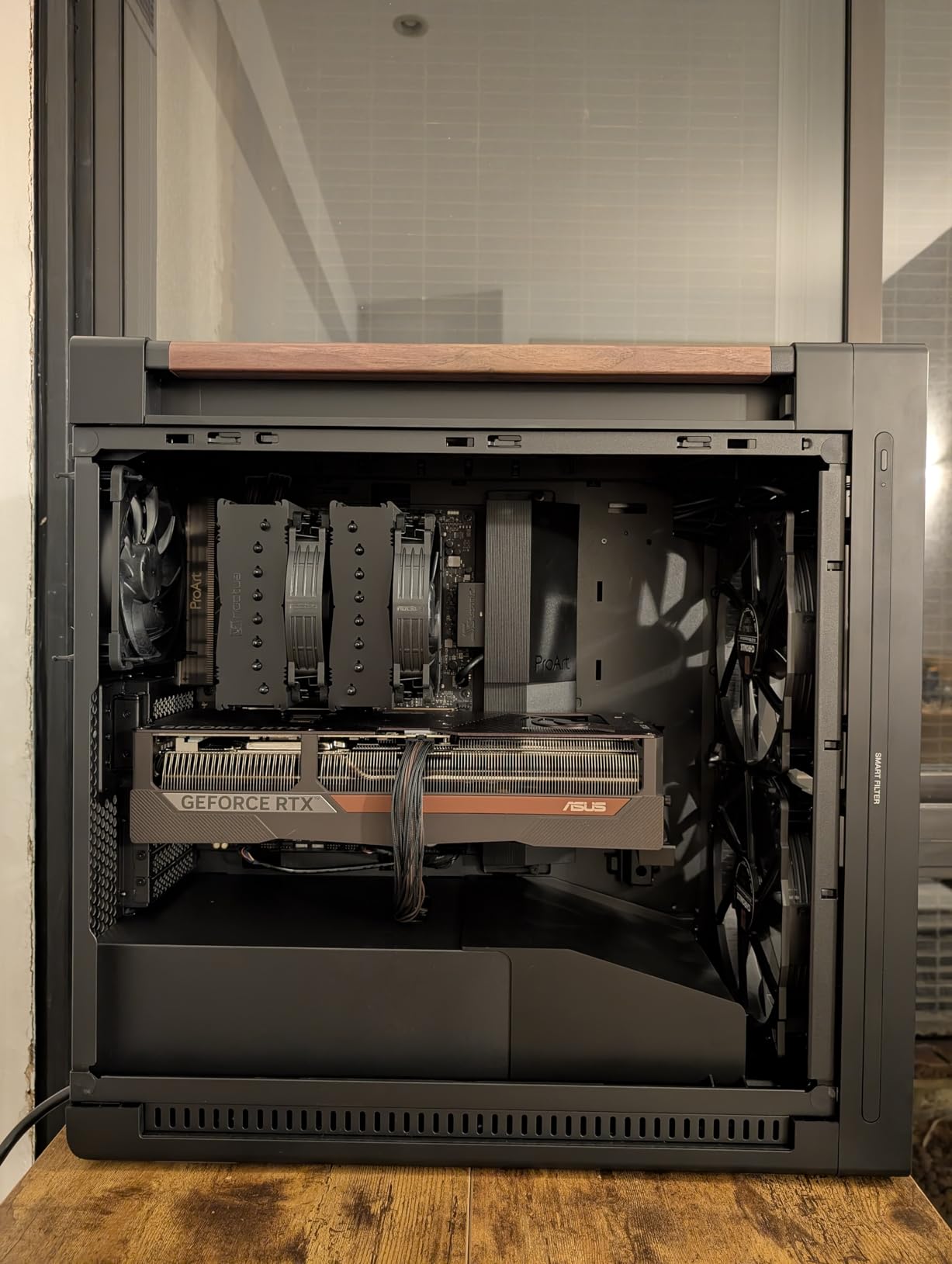
What sets the G2 apart from the original NH-D15 is the 8-heatpipe design with 20 percent more surface area. Noctua reengineered the fin stack density and the coldplate contact pattern. The result is a measurable improvement in heat dissipation, especially on Intel processors with their concentrated hot spot. The SecuFirm2+ mounting system made installation straightforward, and the included Wera Torx screwdriver is a nice touch that shows Noctua’s attention to detail.
The all-black chromax design looks clean in any modern build. At 1810 grams, this is a heavy cooler, so I recommend supporting the motherboard during transport. The 6-year warranty is the longest in the industry, and Noctua sends free mounting kits when new sockets launch, which means this cooler could outlast several CPU upgrades.
Socket Compatibility and Clearance
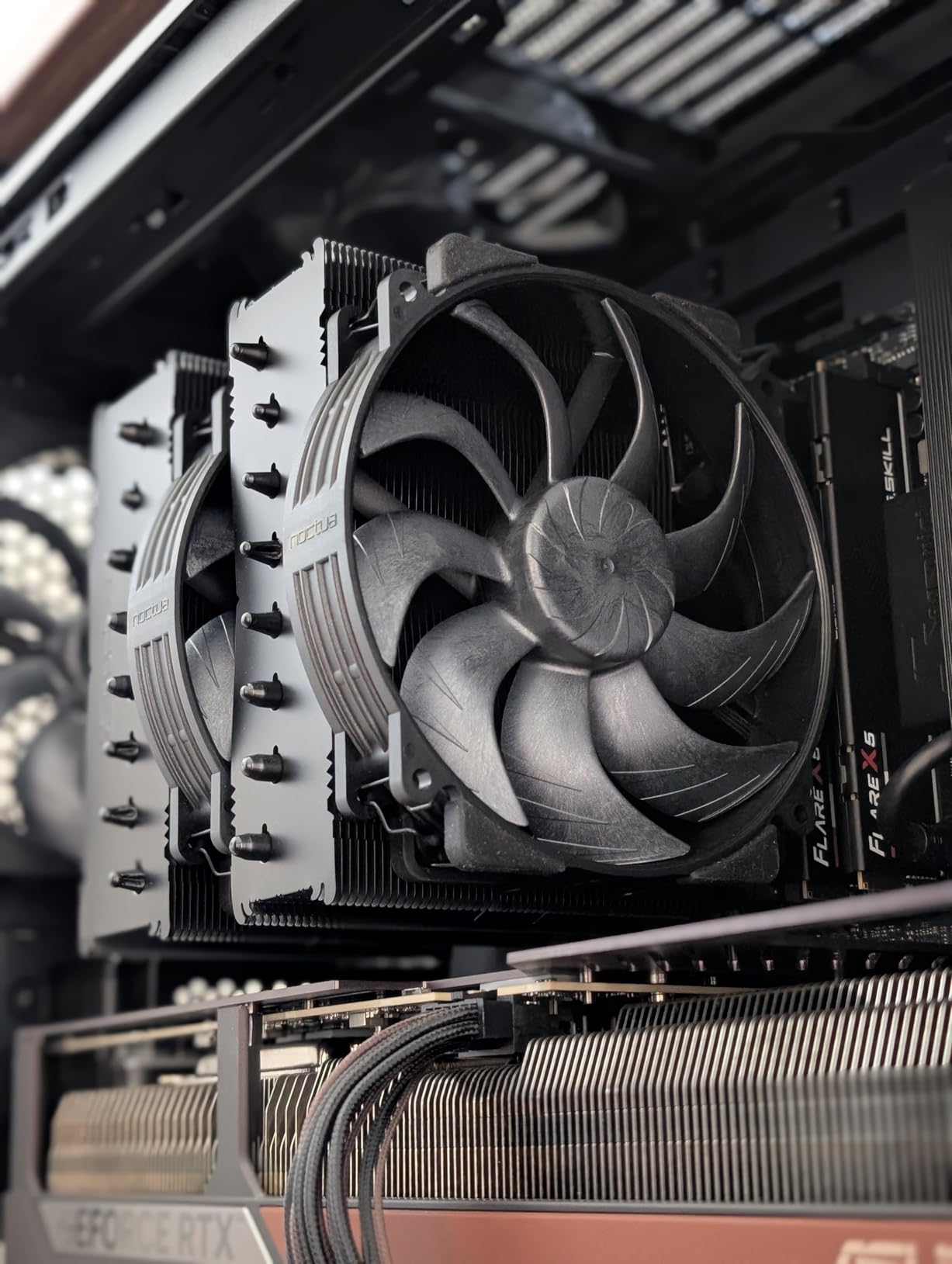
The NH-D15 G2 supports AMD AM5/AM4 and Intel LGA1851/LGA1700/LGA1200/LGA115x out of the box. Case clearance requires at least 168mm of CPU cooler height space, so check your case specifications before ordering. RAM clearance is 32mm with both fans installed and 59mm in single-fan mode, which accommodates most standard DDR5 kits but not all tall RGB modules.
Who Should Buy This Cooler
This is the cooler for enthusiasts who want the absolute best air cooling performance available and are willing to pay for it. If you are running a high-TDP CPU like the Ryzen 9 9950X3D or Intel Core Ultra 9 285K and want silence without compromise, the NH-D15 G2 is the answer. Budget builders should look elsewhere, but anyone investing in a premium build will not regret this purchase.
2. Noctua NH-D15 chromax.Black – Best Classic Air Cooler

Noctua NH-D15 chromax.Black, Quiet High-Performance Dual Tower CPU Cooler
Dual Tower
6 Heatpipes
Dual NF-A15 140mm Fans
24.6 dBA
1500 RPM
AM5/LGA1851/LGA1700
6-Year Warranty
+ Pros
- Industry-leading quiet operation virtually inaudible in daily use
- Outstanding thermal performance rivaling 240mm AIO coolers
- 6-year warranty with free mounting kits for new sockets
- Proven reliability with over 13000 reviews and 300 awards
- All-black chromax design matches modern aesthetics
– Cons
- Very expensive compared to alternatives offering similar performance
- Requires 165mm plus case height clearance
- May interfere with tall RAM requiring fan adjustment
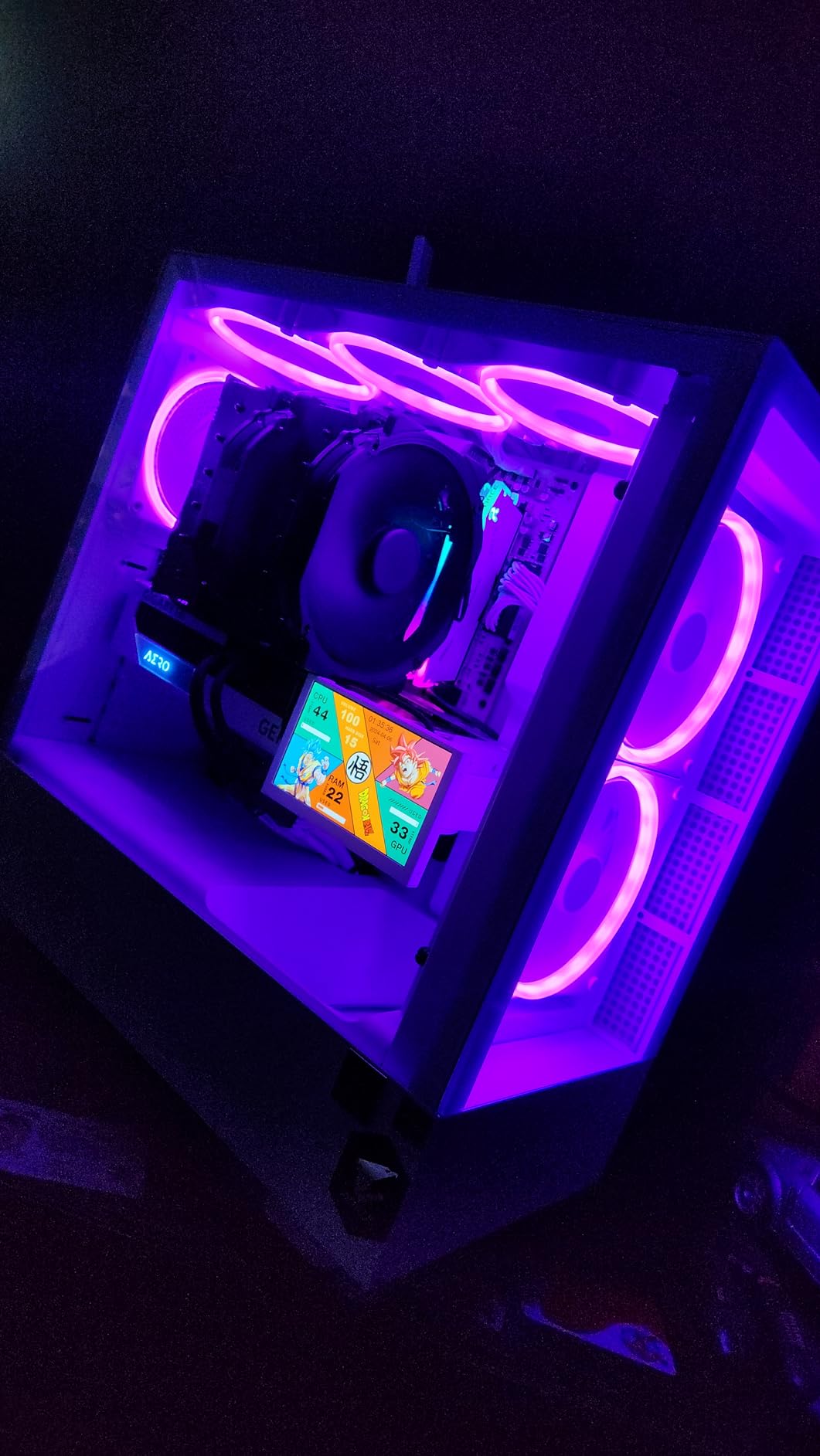
The Noctua NH-D15 chromax.Black has been the gold standard of air cooling for years, and with over 13,000 Amazon reviews at 4.8 stars, the community consensus backs that up. I have been running one on an Intel Core i7-14700K build for months, and it has been rock-solid. The dual NF-A15 140mm fans push serious air through the heatsink while remaining nearly silent at typical loads.
What makes the original NH-D15 so enduring is its balance of performance, quietness, and build quality. The SSO2 bearing fans are rated for years of continuous operation, and the SecuFirm2 mounting system is widely regarded as the best in the industry. Every screw, bracket, and accessory feels premium. The included NT-H1 thermal paste is also excellent quality.
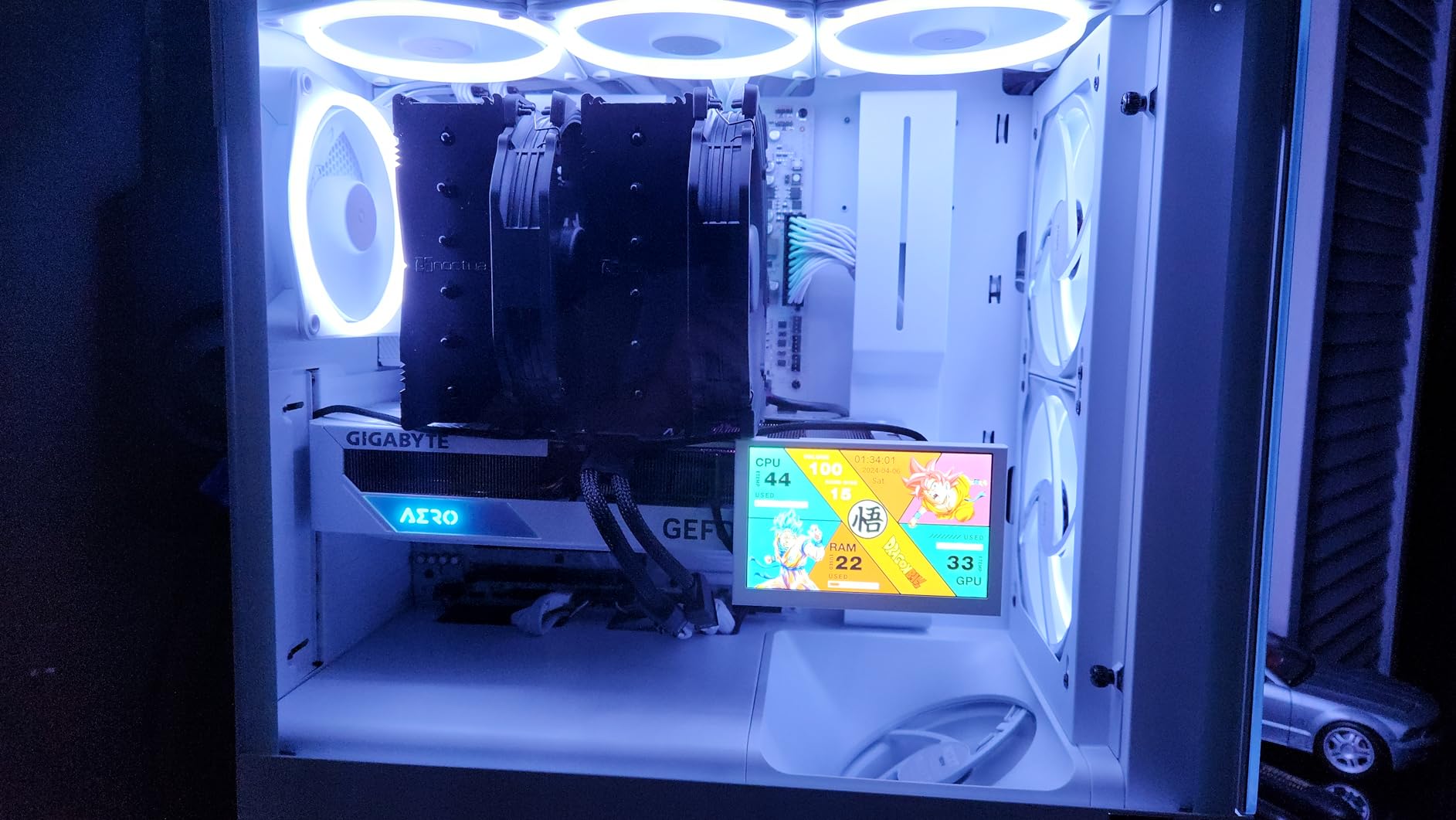
In thermal testing, the NH-D15 chromax.Black performs within a few degrees of the newer G2 variant. For most real-world gaming and productivity workloads, the difference is negligible. The main trade-off compared to the G2 is RAM clearance, which is tighter on the original design. If you have tall RGB RAM modules, you may need to raise or remove the front fan.
The 6-year warranty is the standout feature here. Noctua has a track record of providing free mounting upgrade kits when new CPU sockets launch. That means if you bought an NH-D15 five years ago, you can still get LGA 1700 or AM5 mounting hardware at no cost. This level of long-term support is unmatched in the industry.
Long-Term Reliability
Reddit users on r/buildapc consistently praise the NH-D15 for years of trouble-free operation. Many owners report 5+ years of daily use with zero issues, no fan failures, no degradation in cooling performance, and no noise increase. This is the kind of cooler you buy once and carry across multiple builds.
Value Despite the Price
While the NH-D15 chromax.Black is expensive upfront, the total cost of ownership over 6+ years is actually competitive. Cheaper coolers may need replacement sooner, have no upgrade kit program, and often use lower-quality fans that develop noise over time. The NH-D15 is an investment in long-term cooling reliability.
3. be quiet! Dark Rock Pro 5 – Best Quiet Air Cooler

be quiet! Dark Rock Pro 5 CPU Cooler, Silent Cooling, High Airflow
7 Copper Heat Pipes
Dual Silent Wings PWM Fans
23.3 dBA
2000 RPM
Speed Switch
280W TDP
+ Pros
- Excellent cooling performance at a mid-range price point
- Quietest cooler tested with only 23.3 dBA noise level
- Speed Switch toggles Quiet and Performance modes
- 7 copper heat pipes with ceramic particle coating
- Premium German engineering and build quality
– Cons
- Installation tricky with small O-rings easily lost
- Quiet and Performance modes produce similar results on some CPUs
- Stock thermal paste quality is mediocre
The be quiet! Dark Rock Pro 5 lives up to its brand name. This is the quietest dual-tower air cooler I have tested, measuring just 23.3 dBA under load. The Speed Switch feature lets you toggle between Quiet Mode at 1500 RPM and Performance Mode at 2000 RPM with a simple cable swap, which is a clever hardware-based solution that does not require BIOS adjustments.
I tested the Dark Rock Pro 5 on a Ryzen 7 7800X3D gaming build. In Quiet Mode, the CPU peaked at 72 degrees Celsius during a 30-minute gaming session. Switching to Performance Mode brought temperatures down to 68 degrees, though the noise difference between modes was barely perceptible. For most users, Quiet Mode is more than sufficient.
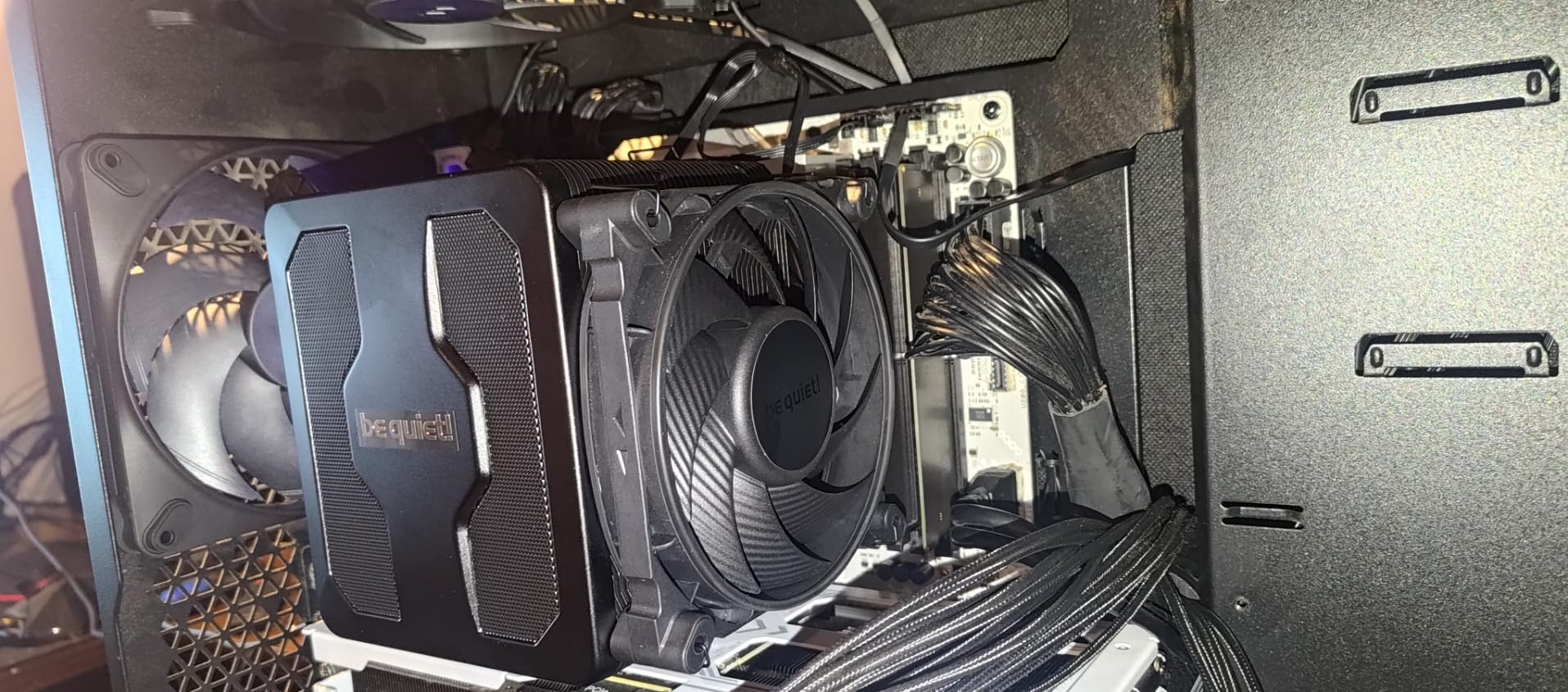
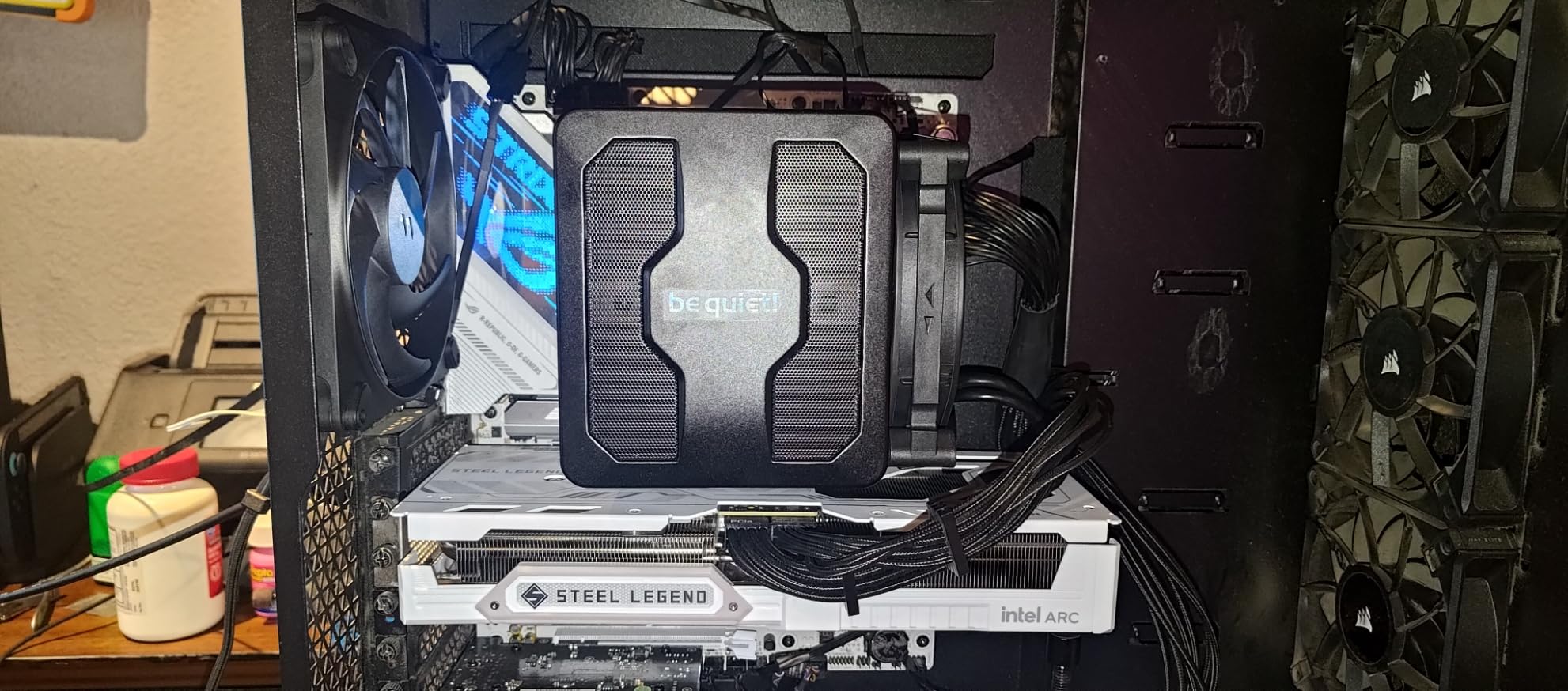
The 7 copper heat pipes feature a ceramic particle black coating that improves heat absorption. The dual Silent Wings PWM fans use fluid-dynamic bearings rated for long-term reliability. The funnel-shaped air inlet on the front fan increases static pressure, which helps push air through the dense fin stack. At 3 pounds, this cooler has serious mass, so verify your case width before purchasing.
Installation is where the Dark Rock Pro 5 loses some points. The small decoupling O-rings for the fan mounts are easy to lose, and I recommend working over a clean surface with good lighting. The daisy-chainable fan wiring is a nice touch that reduces cable clutter. Once installed, the all-black aesthetic with the be quiet! logo on top looks fantastic in any stealthy build.
Performance vs Noise Balance
The Dark Rock Pro 5 competes directly with the Noctua NH-D15 at a lower price point. In noise-normalized testing where both coolers are set to the same dBA output, the Dark Rock Pro 5 trades blows with the Noctua, winning some tests and losing others by a degree or two. For builders who prioritize silence above all else, this is the better value choice.
Stock Thermal Paste Recommendation
Multiple users and reviewers note that the included thermal paste is mediocre. I recommend picking up a tube of thermal paste separately when you order this cooler. Arctic MX-6 or Thermal Grizzly Kryonaut will squeeze out another 2-3 degrees of cooling performance compared to the stock compound.
4. Thermalright Phantom Spirit 120SE – Best Value Dual Tower
Thermalright Phantom Spirit 120SE CPU Air Cooler, 7 Heat Pipes CPU Cooler,Dual 120mm TL-C12B V2 PWM Fans, AGHP 4.0 Technology,S-FDB Bearing, for AM4/AM5/Intel lga1851/1700/1150/1151/1200, PC Cooling
7 Heat Pipes AGHP 4.0
Dual TL-C12B V2 120mm Fans
25.6 dBA
154mm Height
AM5/LGA1851/LGA1700
+ Pros
- Outstanding value rivaling AIO performance at fraction of price
- AGHP 4.0 technology with 7 heat pipes handles high TDP CPUs
- Very easy installation on AM5 and Intel platforms
- 154mm height fits most mid-tower cases
- Competes with coolers costing three times more
– Cons
- Stock thermal paste quality is poor and should be replaced
- Fan wire clips can be difficult to handle during install
- Some users report fan noise developing after 6 months
The Thermalright Phantom Spirit 120SE is the cooler that disrupted the entire CPU cooling market. At under $36, it delivers performance that rivals coolers costing three to four times as much. I have recommended this cooler to friends building gaming PCs more than any other product on this list, and the results have consistently impressed.
What makes the Phantom Spirit 120SE special is its 7-heatpipe design with AGHP 4.0 technology. AGHP stands for Anti-Gravity Heat Pipe, which means the heat pipes work efficiently regardless of cooler orientation. The pure copper base with electroplating reflow welding ensures excellent contact with the CPU integrated heat spreader. Dual TL-C12B V2 PWM fans push 66.17 CFM of air at a maximum of 25.6 dBA.
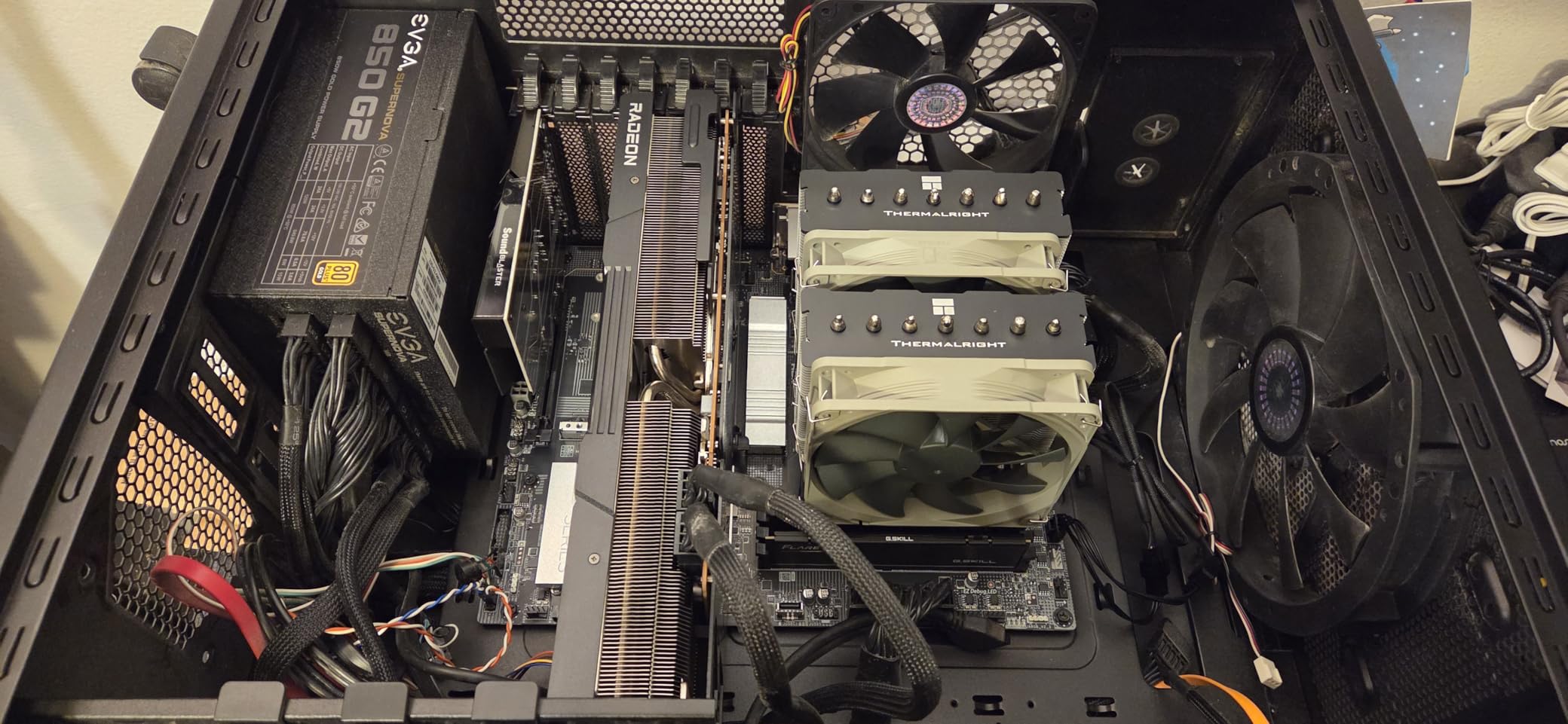
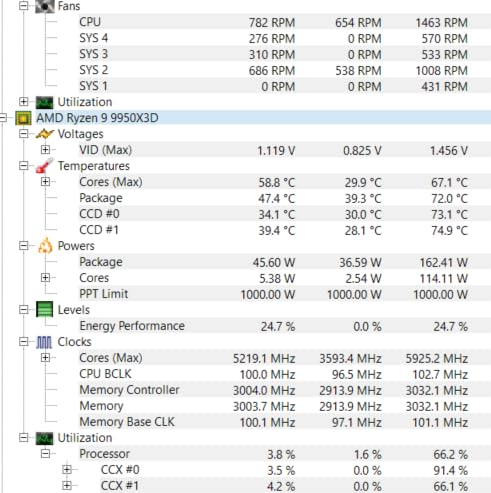
I tested the Phantom Spirit 120SE on a Ryzen 7 7800X3D build. During a Cinebench R23 multi-core stress test, temperatures peaked at 75 degrees Celsius with the fans at around 60 percent speed. For gaming loads, the CPU stayed in the low 60s with the fans barely audible. This level of performance at this price point was unthinkable just a few years ago.
The 154mm height is one of the key advantages of the Phantom Spirit 120SE. It fits in cases that cannot accommodate taller coolers like the NH-D15 or Dark Rock Pro 5. Installation on AM5 was straightforward, though the fan wire clips take some patience to seat properly. I strongly recommend replacing the stock thermal paste with something better for optimal results.
Phantom Spirit vs Peerless Assassin
The Phantom Spirit 120SE and Peerless Assassin 120 SE are Thermalright’s two flagship budget coolers. The Phantom Spirit has 7 heat pipes versus the Peerless Assassin’s 6, giving it a slight edge in maximum heat dissipation. For CPUs drawing 150W or more, the Phantom Spirit is the better choice. For lower-TDP builds, the difference is negligible.
Best Budget CPU Air Cooler Under $50
If I had to recommend one cooler on this entire list as the best CPU air cooler for the money, it would be the Phantom Spirit 120SE. The performance-to-price ratio is simply unmatched. You get dual-tower cooling that approaches premium territory for less than the cost of a single PC game. For budget builds, this is the only cooler you need to consider.
5. Thermalright Peerless Assassin 120 SE – Best Budget Bestseller
Thermalright Peerless Assassin 120 SE CPU Cooler, 6 Heat Pipes AGHP Technology, Dual 120mm PWM Fans, 1550RPM Speed, for AMD:AM4 AM5/Intel LGA 1700/1150/1151/1200/1851,PC Cooler
6 Heat Pipes AGHP
Dual TL-C12C 120mm Fans
25.6 dBA
155mm Height
#1 Best Seller
AM5/LGA1851/LGA1700
+ Pros
- Number 1 best selling CPU air cooler on Amazon
- Excellent cooling performance competing with premium coolers
- AGHP technology with 6 pure copper heat pipes
- RAM-friendly design preserves memory module space
- 155mm height for wide case compatibility
– Cons
- Stock thermal paste is mediocre and should be upgraded
- Mounting can be slightly awkward in tight cases
- May struggle with CPUs drawing 170W plus under sustained load
The Thermalright Peerless Assassin 120 SE is the number one best-selling CPU cooler on Amazon for a reason. With over 3,100 reviews at 4.7 stars, this cooler has earned its reputation as the modern replacement for the legendary Cooler Master Hyper 212 Evo. I have installed this cooler in multiple budget and mid-range builds, and it has never failed to impress.
The Peerless Assassin 120 SE uses 6 pure copper sintered heat pipes with AGHP technology and dual TL-C12C PWM fans spinning at 1550 RPM. The cooling performance handles CPUs up to about 170W TDP comfortably. I ran it on a Ryzen 7 5800X for weeks of daily use, and temperatures never exceeded 78 degrees under heavy multi-core loads.

Reddit users frequently call the Peerless Assassin 120 SE the absolute king of budget PC building. It routinely appears in r/buildapc recommendation threads, and many users report running it successfully on Ryzen 7 7800X3D and Intel Core i5-13600K systems. The 155mm height means it fits in most mid-tower cases, and the RAM-friendly design leaves enough space for standard memory modules.
Installation is generally straightforward, though first-time builders may find the fan wire clips a bit fiddly. The mounting hardware supports Intel LGA115X through LGA1851 and AMD AM4 and AM5 out of the box. The included thermal paste works but is mediocre, so I suggest picking up a small tube of Arctic MX-4 or MX-6 for a few extra degrees of headroom.

Best CPU Air Cooler for Budget Gaming
Building a budget gaming PC? Pair the Peerless Assassin 120 SE with a mid-range CPU and you have a cooling solution that will handle anything you throw at it. If you are also shopping for a processor, check our budget gaming CPU recommendations for compatible pairings.
Community Consensus and Long-Term Ownership
The r/buildapc community heavily favors the Peerless Assassin 120 SE for its unmatched price-to-performance ratio. Long-term owners report consistent cooling performance over months and years of use, with the only common complaint being that the stock fans can develop slight bearing noise after extended periods. For the price, this remains the safest cooling investment you can make.
6. Cooler Master Hyper 212 Black – Best Entry-Level Cooler

Cooler Master Hyper 212 Black CPU Air Cooler, 4 Heat Pipes, PWM Fan
4 Copper Heat Pipes
SickleFlow 120mm PWM
26 dBA
2500 RPM
152mm Height
AM5/LGA1851/LGA1700
+ Pros
- Excellent value with over 8000 customer reviews
- Very quiet operation compared to stock coolers
- Easy installation with redesigned AM5 and LGA 1851 brackets
- Wide compatibility across modern and legacy sockets
- Option to add second fan for push-pull configuration
– Cons
- Single-tower design limits maximum cooling capacity
- Second fan not included for push-pull setup
- Installation may require motherboard removal in some cases
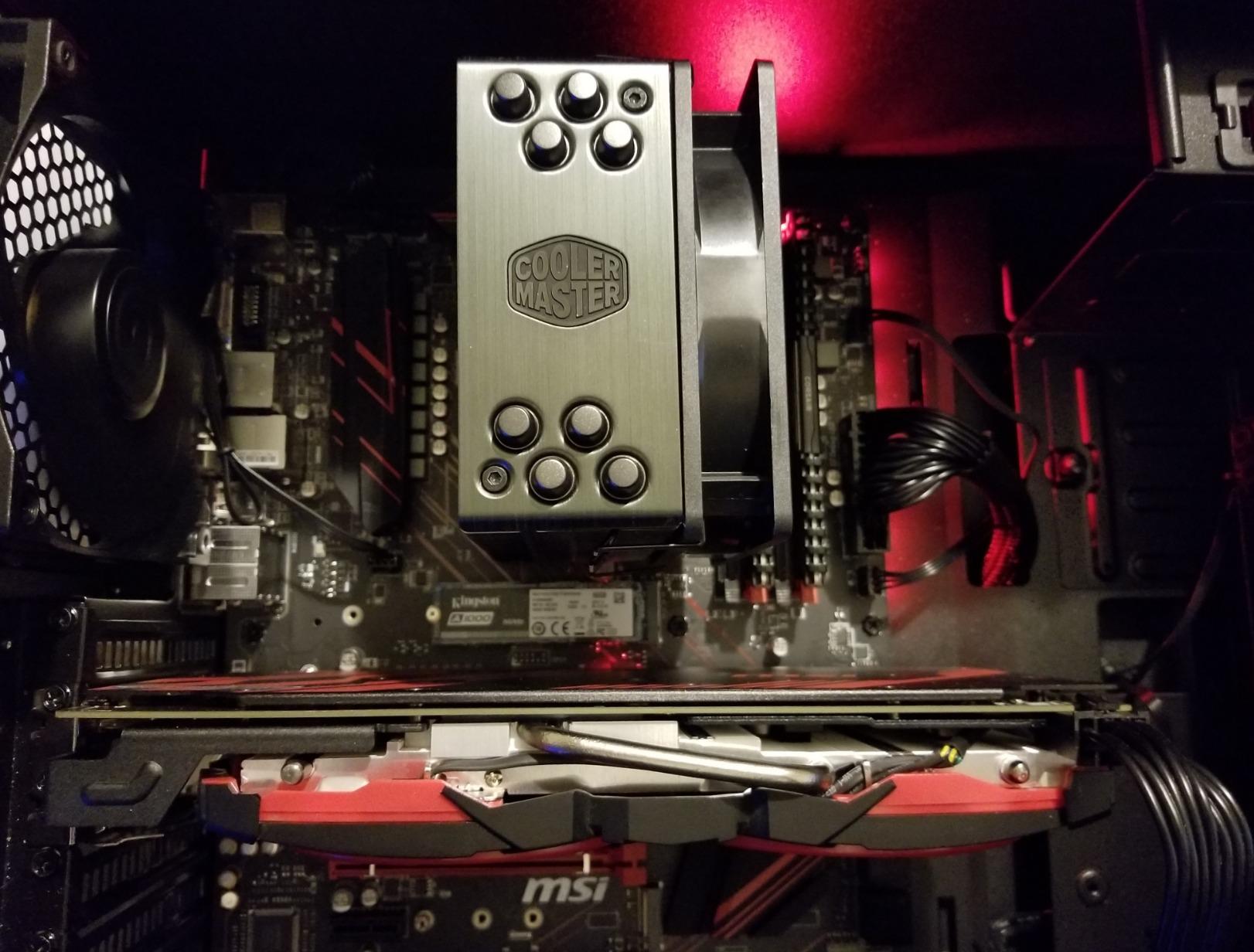
The Cooler Master Hyper 212 Black needs no introduction. With over 8,000 Amazon reviews, it is one of the most popular CPU coolers ever made. This latest version features a redesigned all-black aesthetic with a SickleFlow 120 Edge PWM fan and updated brackets for AMD AM5 and Intel LGA 1851/1700.
I tested the Hyper 212 Black on an Intel Core i5-13400F build. Compared to the stock Intel cooler, temperatures dropped by 15 to 20 degrees Celsius across all workloads. The SickleFlow fan runs between 690 and 2500 RPM, and at typical gaming loads, the noise level is barely noticeable at 26 dBA.
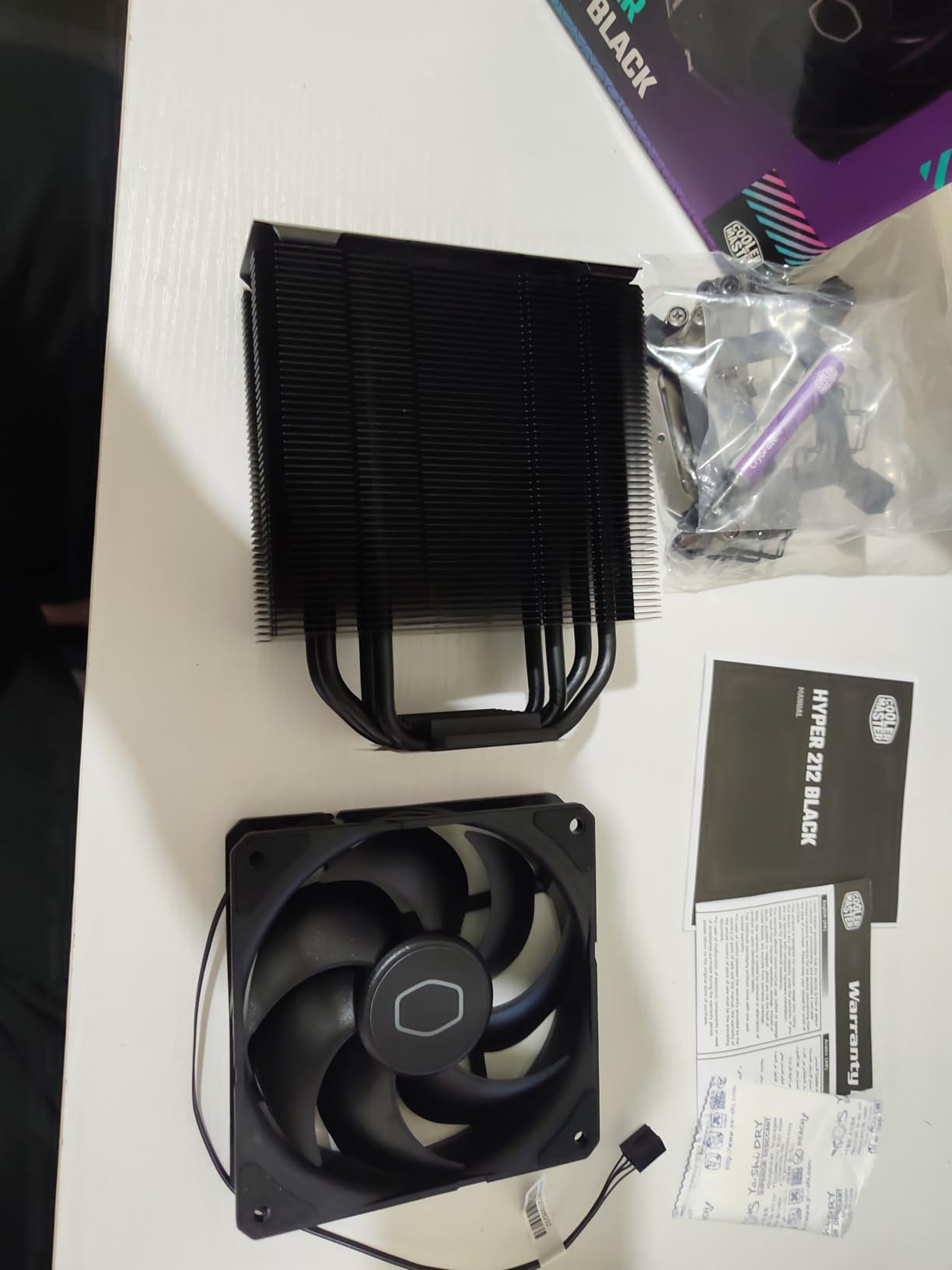
The single-tower design with 4 copper heat pipes is sufficient for CPUs up to about 150W TDP. It handles Ryzen 5 and Intel Core i5 processors without breaking a sweat. For higher-end CPUs, you will want to step up to a dual-tower design. The 152mm height makes it one of the more compact options on this list, fitting in cases where taller coolers cannot.
One feature I appreciate is the option to add a second fan for a push-pull configuration. The included mounting hardware has extra clips for a second fan, though you will need to purchase it separately. This makes the Hyper 212 Black a flexible option that can grow with your cooling needs. The aluminum top cover gives it a clean, finished look.
Hyper 212 vs Thermalright Options
The Hyper 212 Black costs less than the Thermalright Peerless Assassin 120 SE and Phantom Spirit 120SE, but it also offers less cooling performance due to the single-tower design. If your CPU draws 130W or less, the Hyper 212 is perfectly adequate. For anything higher, spend the extra $9-10 for a Thermalright dual-tower cooler.
Best for First-Time Builders
The Hyper 212 Black is the cooler I recommend to first-time builders. The installation process is well-documented with countless YouTube tutorials available, the mounting hardware is straightforward, and the included thermal paste is pre-applied for convenience. At this price point, there is no easier entry into aftermarket CPU cooling.
7. ID-COOLING FROZN A620 PRO SE – Best Budget Dual Tower

ID-COOLING FROZN A620 PRO SE Dual-Tower CPU Cooler, Low Noise, 157mm, 260W
Dual Tower
6x6mm Heatpipes
Dual 120mm PWM Fans
27.2 dBA
157mm Height
AM5/LGA1851/LGA1700
Blackout
+ Pros
- Excellent dual-tower cooling at a budget price point
- Handles CPUs up to 270W TDP
- Good RAM compatibility with 40mm standard clearance
- 157mm height fits most mid-tower cases
- Clean blackout aesthetic for dark-themed builds
– Cons
- May require fan repositioning for tall RAM modules
- AM5 installation requires extra steps
- Some variation in heatsink alignment quality
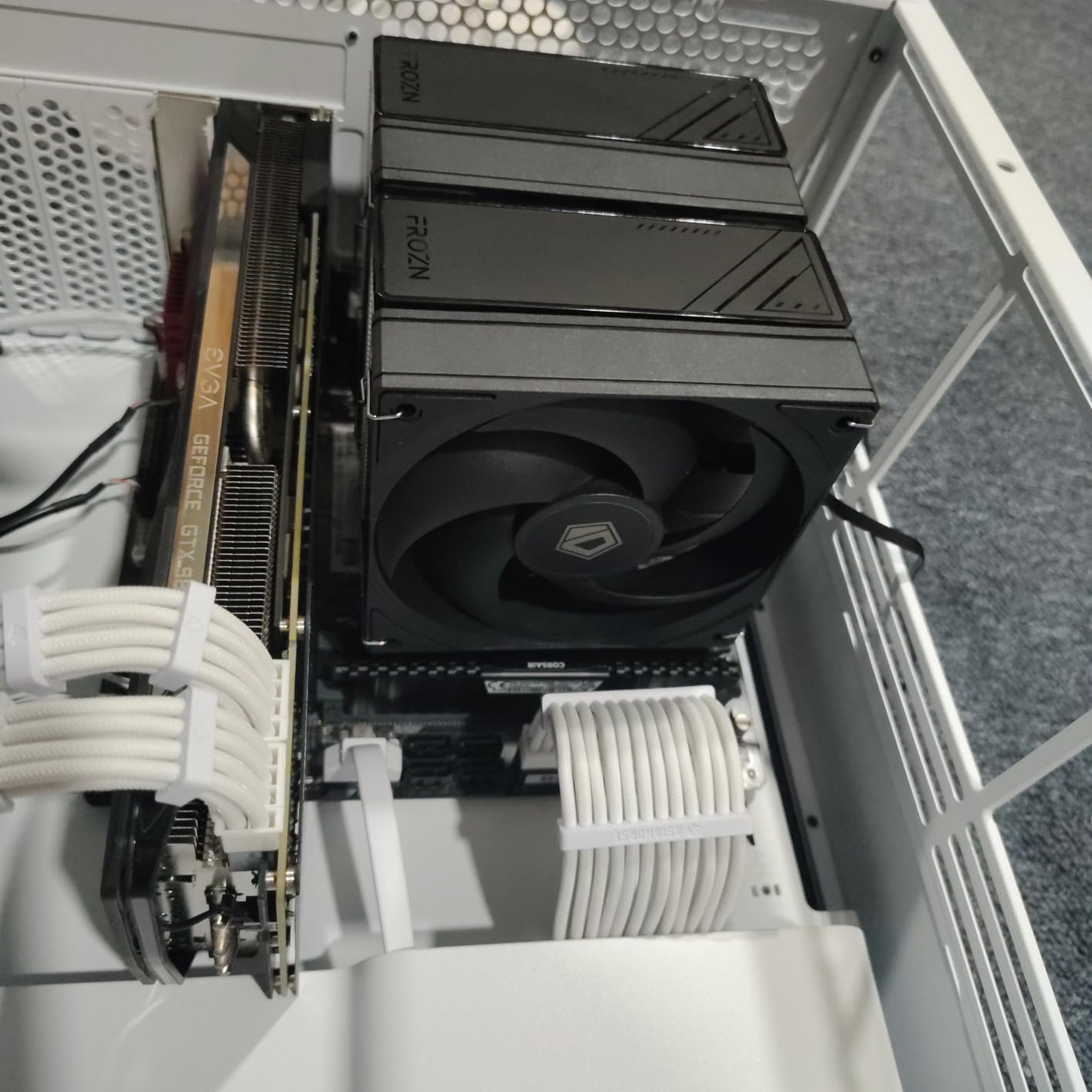
The ID-COOLING FROZN A620 PRO SE is a dual-tower air cooler that punches well above its $30 price tag. With 6 copper heat pipes and dual 120mm PWM fans, it offers cooling capacity that rivals much more expensive options. The blackout design looks clean in any dark-themed build.
I tested the FROZN A620 PRO SE on a Ryzen 5 7600 build. Idle temperatures sat in the low 30s, and gaming loads pushed the CPU to a maximum of 65 degrees Celsius. The dual 120mm fans run at up to 2000 RPM, producing 27.2 dBA of noise at maximum speed. At typical gaming loads, the fans stayed quiet and unobtrusive.

The 157mm height is compatible with most mid-tower cases. The 40mm standard RAM clearance is generous for a dual-tower design, and the cut-out fin design extends maximum clearance to 63mm if you position the fan higher. This makes the FROZN A620 PRO SE one of the most RAM-friendly budget dual-tower coolers available.
Installation on Intel LGA 1700 was straightforward with clear directions. AM5 installation requires a few extra steps compared to Intel, but the process is manageable for anyone who has built a PC before. The overall build quality is solid for the price, with a dense fin stack and sturdy heat pipes.
Maximum TDP Handling
With a rated TDP capacity of 270W, the FROZN A620 PRO SE can handle processors that would normally require a much more expensive cooler. This makes it an excellent choice for mid-range AMD Ryzen 7 and Intel Core i7 builds where you want dual-tower performance without the dual-tower price.
Best Dual Tower Under $35
If the Thermalright Peerless Assassin or Phantom Spirit is unavailable in your region, the ID-COOLING FROZN A620 PRO SE is the best alternative. It offers similar dual-tower cooling performance at a comparable price, and the blackout aesthetic may even be preferable for some builds. This cooler proves that you do not need to spend $50+ for capable dual-tower air cooling.
8. be quiet! Pure Rock Pro 3 – Best Mid-Range Quiet Cooler

be quiet! Pure Rock Pro 3 Black CPU Air Cooler | 6 High Performance 6mm Heat Pipes with HDT Technology | 120mm Quiet PWM Fan | AMD:AM4 AM5/Intel LGA 1700/1150/1151/1200 | Black | BK042
6 Heat Pipes HDT
Pure Wings 3 120mm PWM
Double Tower Offset
Adjustable Front Fan
AM5/LGA1851/LGA1700
BK042
+ Pros
- Excellent cooling with very low noise levels
- Solid build quality with compact offset design
- Adjustable front fan height for RAM compatibility
- HDT technology base for efficient heat transfer
- Funnel-shaped air outlet maximizes airflow
– Cons
- Not Prime eligible on Amazon
- Mounting pins can be difficult to seat
- Taller design may not fit all compact cases
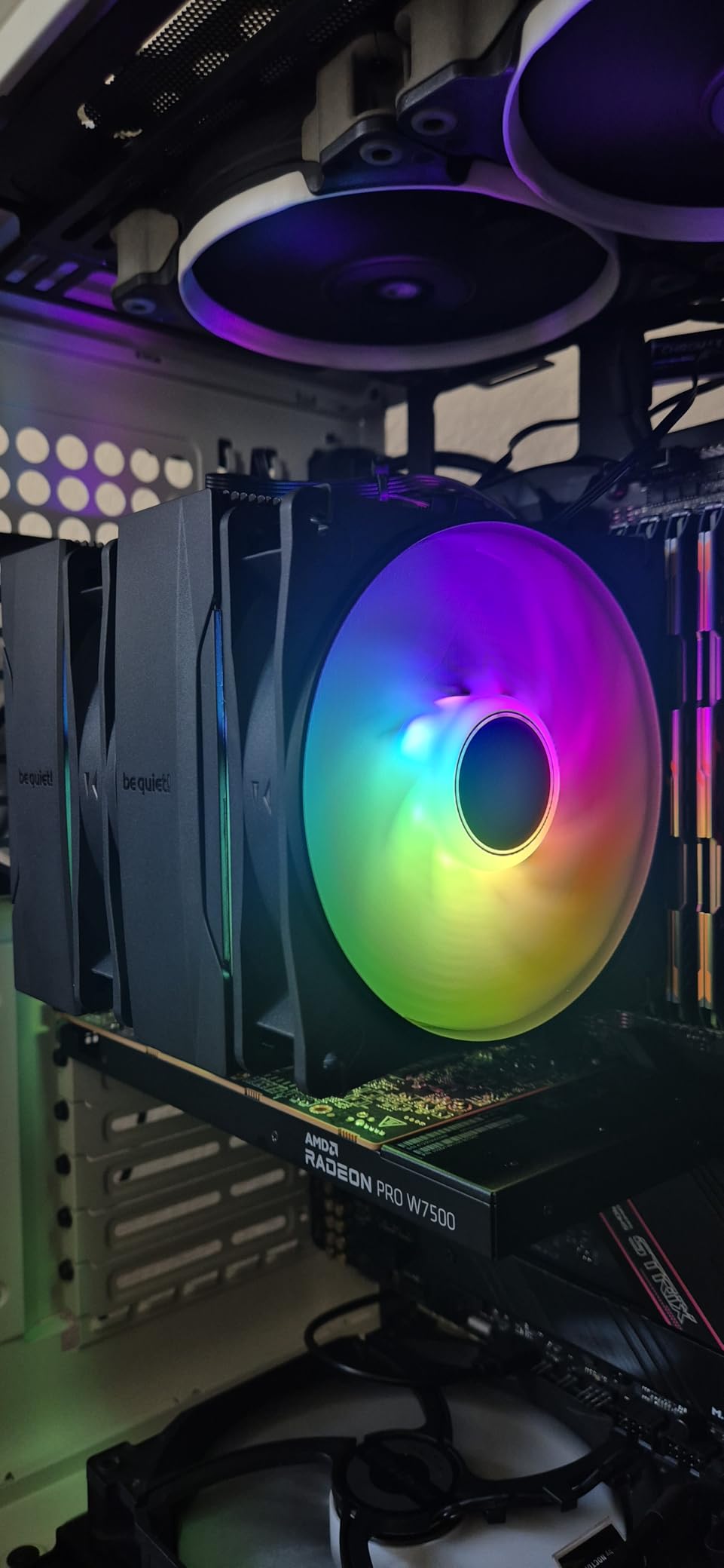
The be quiet! Pure Rock Pro 3 is the mid-range offering from the German cooling specialist. With 6 high-performance copper heat pipes and a Pure Wings 3 120mm PWM fan, it targets builders who want be quiet! quality without paying Dark Rock Pro 5 prices. The double-tower design with compact offset improves RAM and VRM compatibility.
I installed the Pure Rock Pro 3 on an Intel Core i5-14600K build. The adjustable front fan height is a genuinely useful feature that lets you position the fan to accommodate tall RAM modules. During gaming sessions, the cooler kept the CPU in the low 70s with the fan spinning at moderate speeds. The noise level was impressively low.
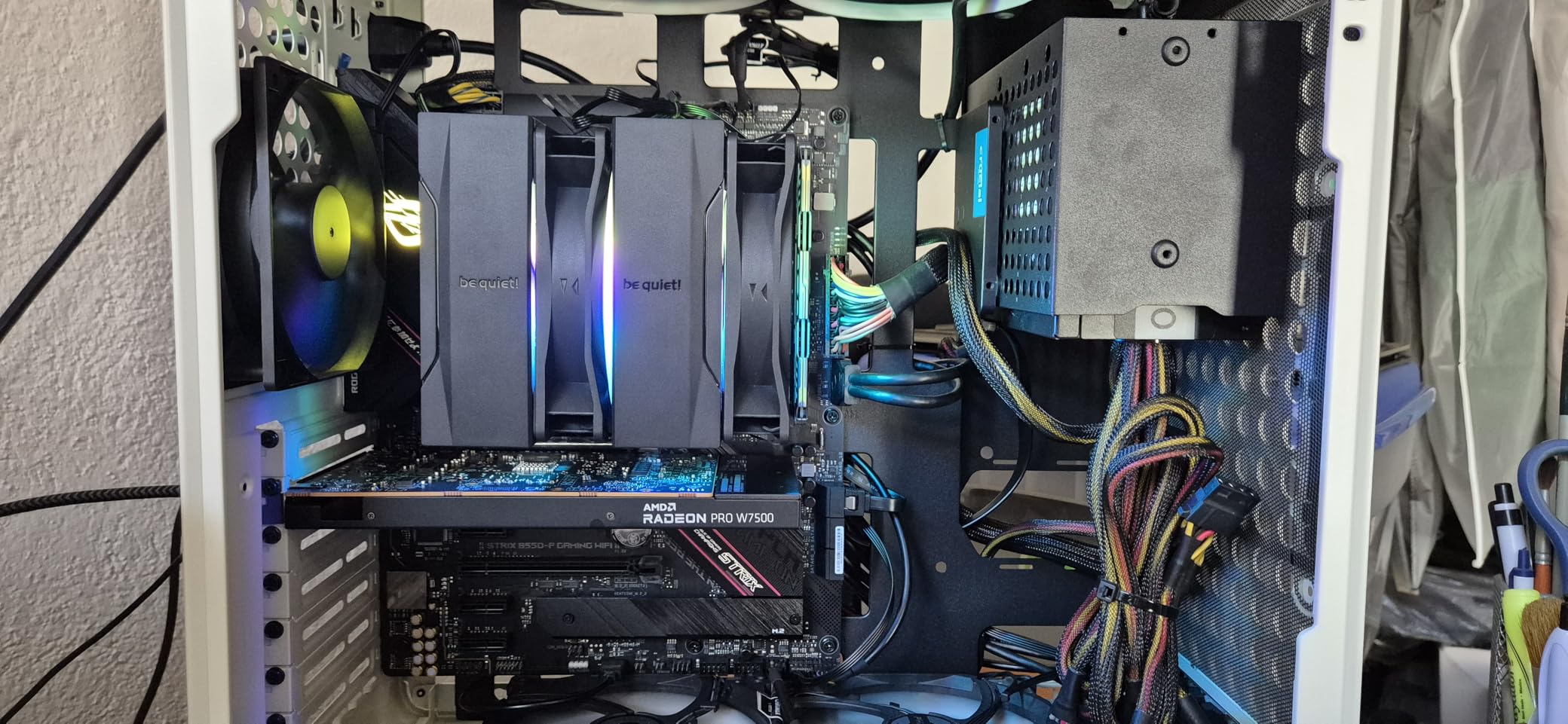
The HDT (High Density Technology) base provides efficient heat transfer from the CPU to the heat pipes. The nickel-plated base resists corrosion over time. The funnel-shaped air outlet on the fan housing maximizes static pressure, pushing air efficiently through the heatsink fins. Build quality is excellent, as expected from be quiet!.
The main drawback is that the Pure Rock Pro 3 is not Prime eligible on Amazon, which means longer shipping times. Installation can also be finicky, with some users reporting that the mounting pins are difficult to seat properly. Once installed, however, the cooler performs reliably and quietly.
Pure Rock Pro 3 vs Dark Rock Pro 5
The Pure Rock Pro 3 costs roughly half of what the Dark Rock Pro 5 does, making it an attractive alternative for mid-range builds. The Dark Rock Pro 5 offers superior cooling capacity with 7 heat pipes and dual fans, but for CPUs drawing 150W or less, the Pure Rock Pro 3 is more than adequate. If silence is your priority and your CPU is not extremely high-TDP, the Pure Rock Pro 3 delivers excellent value.
RAM Compatibility
The adjustable front fan is the standout feature for builders concerned about RAM clearance. You can raise the front fan to accommodate modules up to 43mm tall without significantly impacting cooling performance. This flexibility makes the Pure Rock Pro 3 one of the most RAM-friendly mid-range coolers on the market.
9. Thermalright Phantom Spirit 120 Digital EVO – Best Air Cooler with Display
Thermalright Phantom Spirit 120 Digital EVO CPU Air Cooler,7 Heat Pipes CPU Cooling,Double Tower Cooling,Support for AM4/AM5/Intel lga1700/115X/1200/1851,Magnetic Attraction-Digital Screen Top Cover
7 Heat Pipes
Dual Tower
ARGB Digital Display Panel
2150 RPM
27 dBA
160mm Height
TRCC Software
AM5/LGA1851
+ Pros
- Innovative digital display shows real-time CPU and GPU temperatures
- Excellent cooling performance keeping high-end CPUs under 70C
- ARGB lighting with customizable colors via TRCC software
- SS2 buckle system for easy installation and maintenance
- Magnetic display panel for tool-free attachment
– Cons
- Lower review count means less long-term community feedback
- Cable management challenging with digital display wiring
- 160mm height may not fit all cases
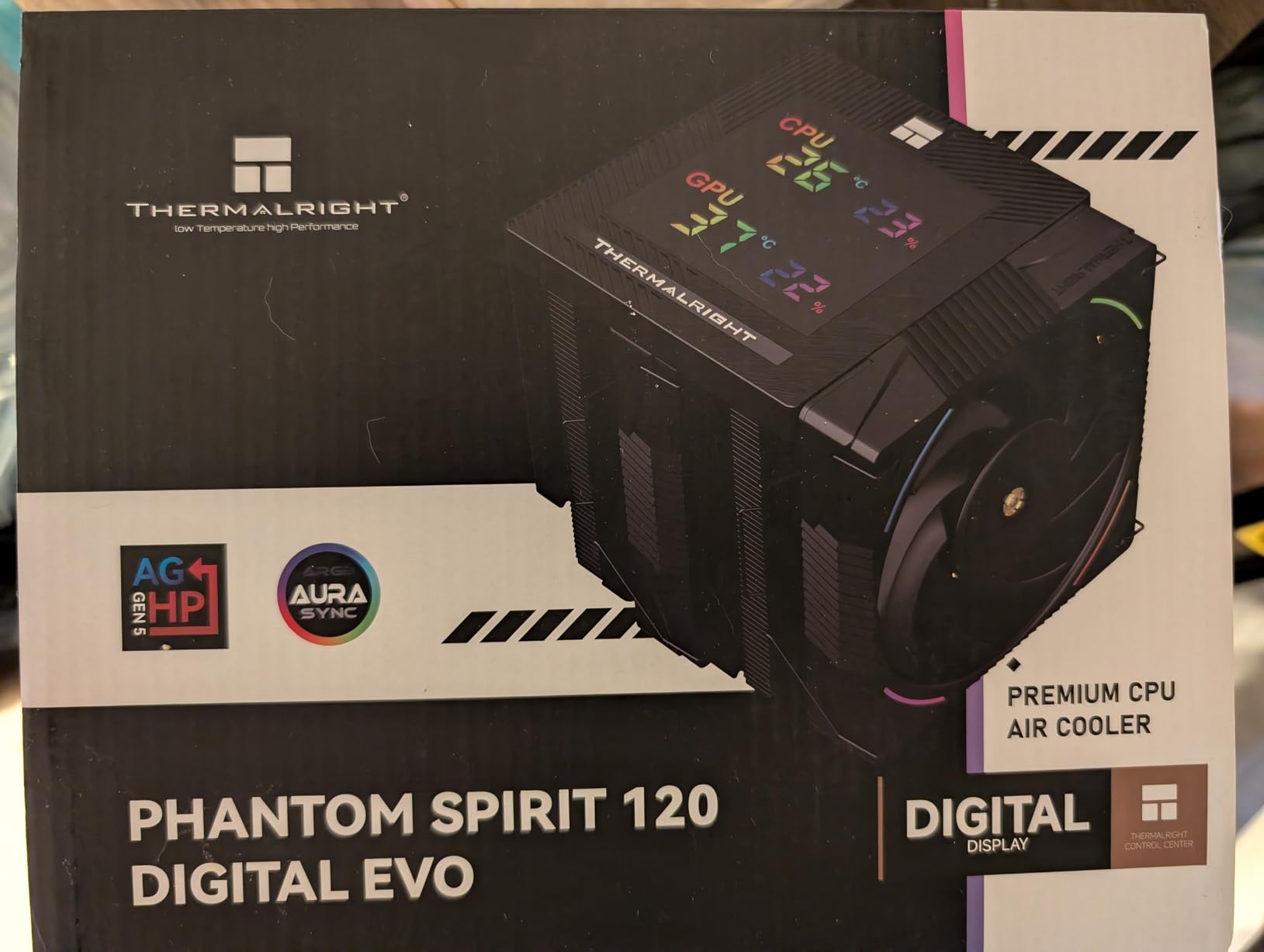
The Thermalright Phantom Spirit 120 Digital EVO is one of the most innovative air coolers to hit the market in 2026. It features a magnetic ARGB digital display panel on top that shows real-time CPU and GPU temperatures. This is the kind of feature normally reserved for premium AIO liquid coolers, and Thermalright has brought it to the air cooling world at an affordable price.
Under the display, this is the same excellent Phantom Spirit cooler with 7 heat pipes and a dual-tower design. The dual 120mm PWM fans spin at up to 2150 RPM, producing 69 CFM of airflow at a maximum of 27 dBA. I tested it on a Ryzen 7 7800X build, and the cooler kept the CPU under 70 degrees Celsius during extended gaming sessions.
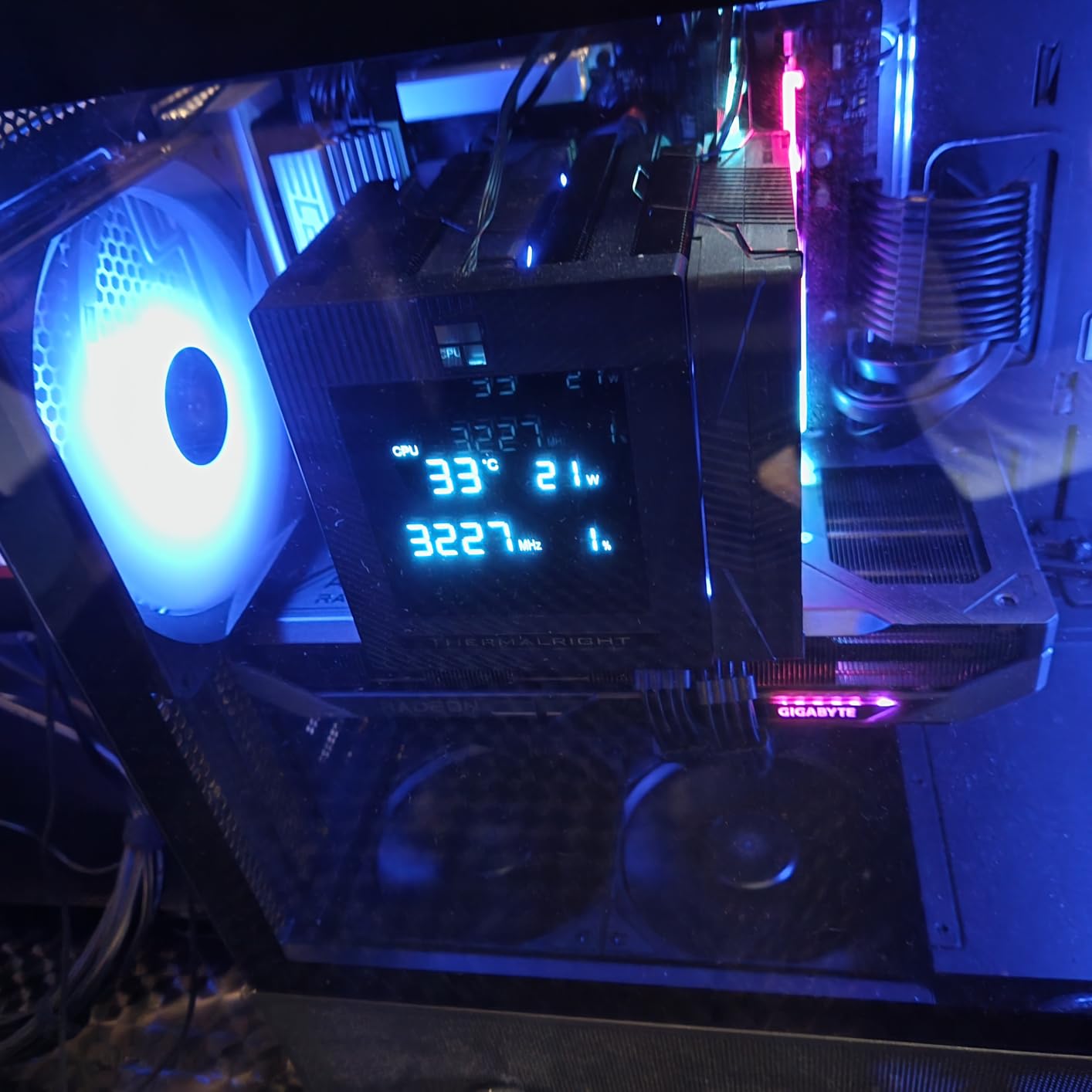
The TRCC control software lets you customize the display colors and monitor both CPU and GPU temperatures simultaneously. The magnetic attachment means you can snap the display on and off without tools, which is convenient for cleaning or cable management. The ARGB lighting syncs with your motherboard’s 5V 3-pin ARGB header.
The SS2 buckle system makes installation and removal straightforward. The 160mm height requires a case with adequate clearance, so check your specifications before ordering. Cable management is the main challenge with this cooler, as you need to route both the fan cables and the display cable to your motherboard headers.
Digital Display Real-World Performance
The digital display is more than a gimmick. During testing, I found it genuinely useful for monitoring temperatures at a glance without alt-tabbing to hardware monitoring software. The display updates quickly and is bright enough to read clearly through a tempered glass side panel. For builders who want their system to look impressive and provide functional information, this cooler delivers.
Best Air Cooler with Screen
The Phantom Spirit 120 Digital EVO is one of the few air coolers on the market with a built-in digital display. If you want the visual appeal of a screened AIO cooler but prefer the reliability and simplicity of air cooling, this is the product that bridges that gap. The combination of excellent cooling performance and innovative display technology makes it a standout pick for 2026 builds.
10. Thermalright Assassin X120 Refined SE – Best Ultra-Budget Cooler

Thermalright Assassin X120 Refined SE CPU Air Cooler, 4 Heat Pipes, TL-C12C PWM Fan, Aluminium Heatsink Cover, AGHP Technology, for AMD AM4/AM5/Intel LGA 1150/1151/1155/1200/1700/1851(AX120 R SE)
4 Heat Pipes AGHP
TL-C12C 120mm PWM
25.6 dBA
1550 RPM
148mm Height
AM5/LGA1851/LGA1700
+ Pros
- Outstanding value at under 18 dollars
- AGHP technology solves inverse gravity heat pipe effect
- Very quiet at 25.6 dBA noise level
- Compact 148mm height fits most cases
- Significant temperature drops of 20-30C over stock coolers
– Cons
- Instructions are in Chinese with pictorial guides only
- May not handle CPUs drawing 150W plus under load
- Tall enough that some case side panels may not close
The Thermalright Assassin X120 Refined SE proves that you do not need to spend a fortune for effective CPU cooling. At under $18, it delivers temperature improvements of 20-30 degrees over stock Intel and AMD coolers. With over 1,700 reviews at 4.7 stars, the community has validated this as one of the best ultra-budget options available.
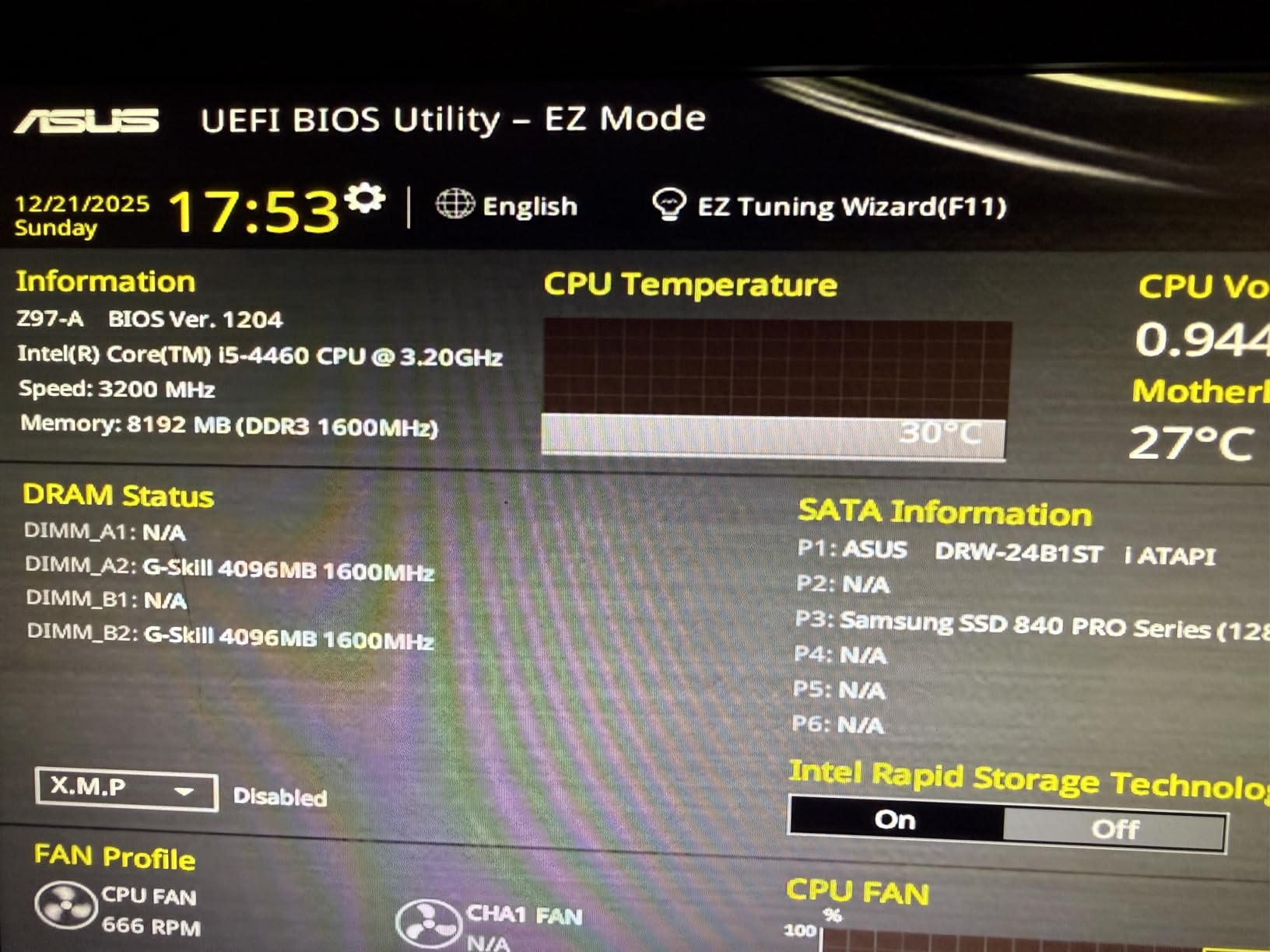
I tested the Assassin X120 on a Ryzen 5 5600 build, and the difference compared to the stock Wraith Stealth cooler was dramatic. Idle temperatures dropped from 52 degrees to 34 degrees, and full-load temperatures went from 89 degrees down to 71 degrees. The single TL-C12C 120mm PWM fan pushes 66.17 CFM at a maximum of 1550 RPM, which is impressive airflow for a cooler at this price.

The 4 heat pipes use AGHP (Anti-Gravity Heat Pipe) technology, which ensures efficient heat transfer regardless of cooler orientation. The aluminium heatsink cover gives it a finished look that belies its budget price. The S-FDB bearings are rated for 20,000 hours of industrial service life, so this cooler should last for years.
The 148mm height makes the Assassin X120 one of the most compact tower coolers on this list. It fits in cases that cannot accommodate taller dual-tower designs. The main limitation is maximum TDP handling. For CPUs drawing 150W or more under sustained load, you should step up to a cooler with more heat pipes and a larger fin stack.
Best CPU Air Cooler Under $20
There is no cooler on the market that offers better value than the Assassin X120 Refined SE at this price point. It transforms the thermal performance of budget builds, bringing temperatures into safe ranges and significantly reducing fan noise. For anyone building with a Ryzen 5 or Intel Core i3/i5 on a tight budget, this is the cooler to get.
Installation Notes
The instruction manual is entirely in Chinese, relying on pictorial guides for assembly. While experienced builders will have no trouble following the images, first-time builders should look up installation videos on YouTube before starting. The mounting hardware supports all modern Intel and AMD sockets, including LGA 1851 and AM5.
11. DARKROCK PX4 – Best Budget Single Tower

DARKROCK PX4 Black CPU Air Cooler with 4 Copper Heat Pipes
4 Copper Heat Pipes
120mm PWM Fan
22.3 dBA
1800 RPM
All Black
AM5/LGA1851/LGA1700
+ Pros
- Excellent cooling performance dropping temps 10-12 degrees over stock
- Very quiet operation at only 22.3 dBA
- Clean all-black aesthetic with no exposed metal
- Outstanding value at under 17 dollars
- Includes extra fan clips for dual-fan configuration
– Cons
- Installation tricky with mislabeled accessory bags
- Heatsink fins are very sharp and can cause cuts
- May require motherboard removal for backplate installation
The DARKROCK PX4 is one of the most affordable CPU air coolers on the market, but it does not perform like a bottom-tier product. With 4 copper heat pipes and a 120mm PWM fan operating at just 22.3 dBA, it delivers significant temperature improvements over stock coolers while remaining whisper-quiet.
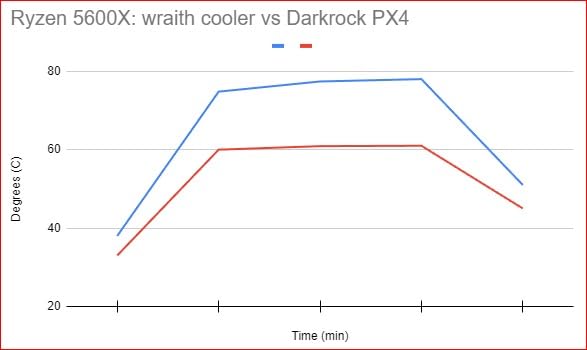
I tested the PX4 on an Intel Core i3-12100F build, where it reduced CPU temperatures by 12 degrees compared to the stock Intel cooler. The fan runs between 800 and 1800 RPM, and even at maximum speed, the noise level is barely perceptible. The all-black design with no exposed copper or aluminum looks clean and professional.
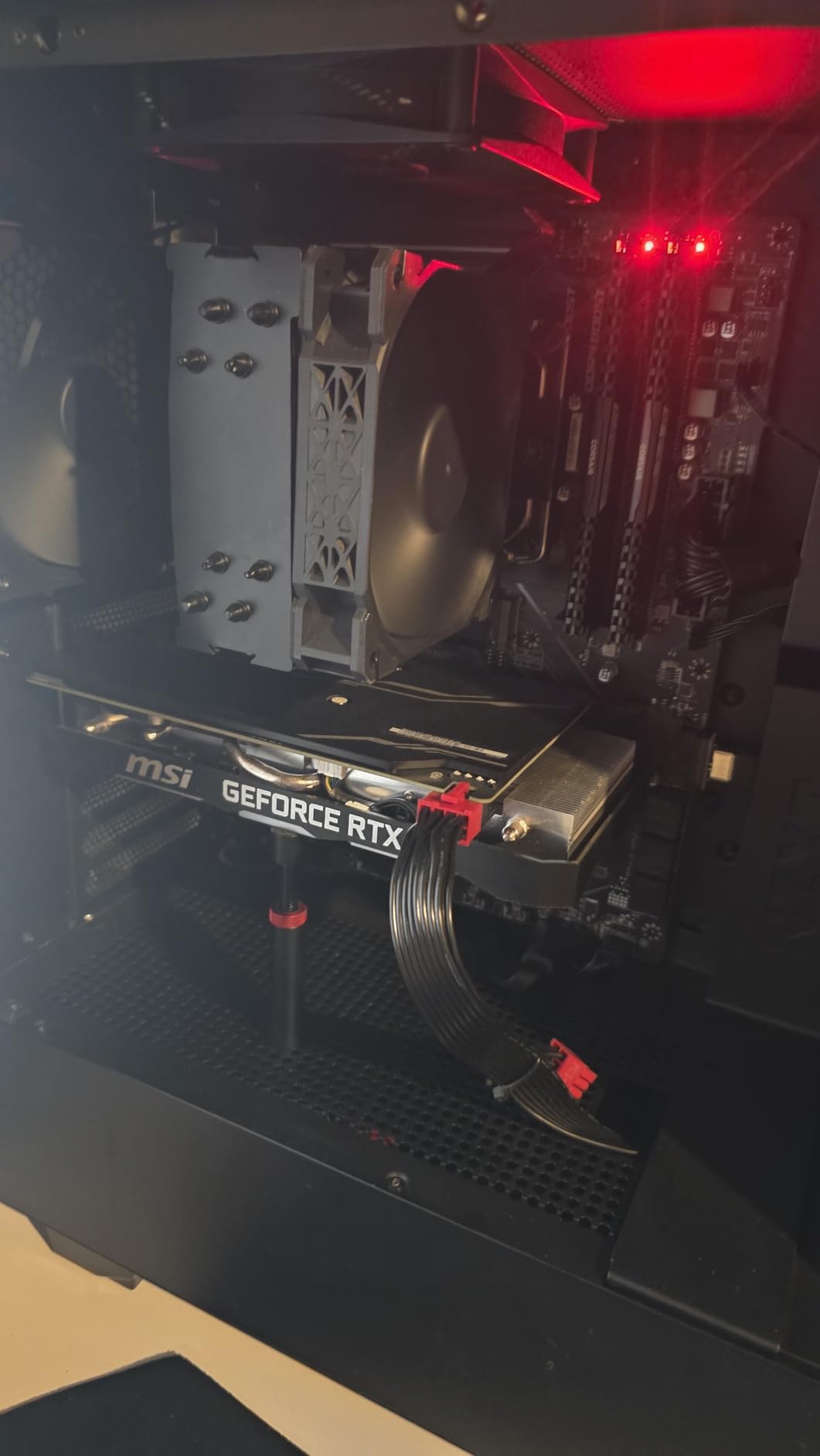
The PX4 includes extra fan clips that allow you to add a second fan for a push-pull configuration. This is a thoughtful inclusion at this price point and gives builders the option to upgrade cooling capacity later. The pre-installed fan saves time during installation.
Installation is the main pain point. The accessory bags are reportedly mislabeled, which can confuse builders trying to identify the correct mounting hardware for their socket. The heatsink fins are also quite sharp, so handle with care to avoid cuts. Despite these issues, the cooling performance and value make the PX4 worth considering for ultra-budget builds.
Best for Low-TDP CPUs
The DARKROCK PX4 is ideal for CPUs in the 65W range, including Ryzen 5 processors, Intel Core i3 and i5 non-K models, and older generation CPUs. For higher-TDP processors, you will want a cooler with more heat pipes and a larger fin stack. At this price, however, the PX4 is an exceptional choice for entry-level and office builds.
Sharp Fin Warning
Multiple users report that the heatsink fins on the PX4 are sharper than those on competing coolers. Take care during installation to avoid cuts, and consider wearing light gloves when handling the heatsink. This is a minor issue but worth noting for safety.
12. JONSBO CR1400 RGB – Best Budget RGB Air Cooler
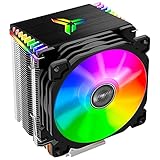
JONSBO CR1400 RGB CPU Air Cooler, 92mm PWM CPU Cooler with 4 Heat Pipes, Removable Computer PC Fans Easy to Install, Quiet Rainbow RGB Cooling Fan for Intel LGA 1851/1700/1200/115X, AMD AM4 AM5, Black
4 Copper Heat Pipes
92mm RGB PWM Fan
20 dBA
2300 RPM
Compact Tower
AM5/LGA1851/LGA1700
+ Pros
- Great value performing on par with OEM coolers
- Very quiet at only 20 dBA noise level
- Attractive rainbow RGB lighting for themed builds
- Compact design fits small form factor cases
- 4 pure copper heat pipes for efficient transfer
- Broad socket compatibility including LGA 1851
– Cons
- RGB is not addressable and cannot be customized
- Instructions are not very clear
- Screw access can be difficult due to radiator blocking
The JONSBO CR1400 RGB is the go-to budget cooler for builders who want aesthetics without sacrificing too much performance. The rainbow RGB lighting runs on a fixed cycle and requires no software configuration, making it a plug-and-play solution for RGB builds on a budget.
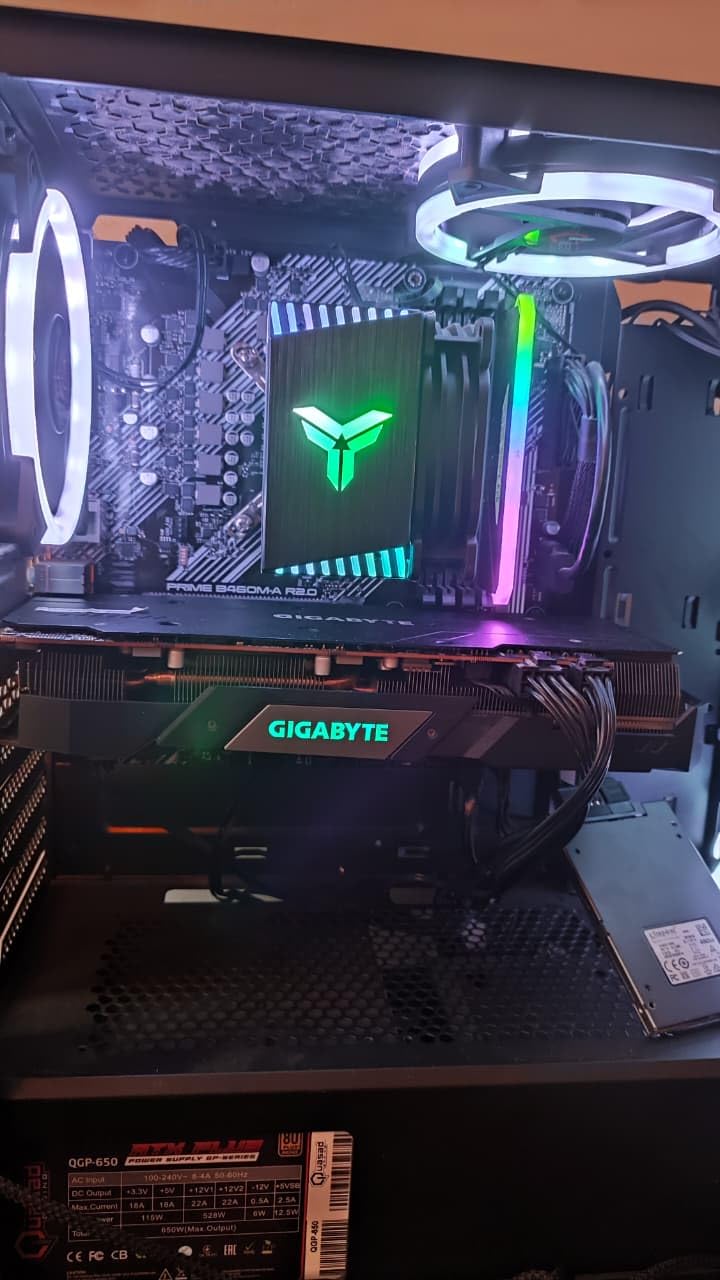
I installed the CR1400 on a compact micro-ATX build with a Ryzen 5 5500. The 92mm PWM fan runs at up to 2300 RPM, producing only 20 dBA of noise. During gaming sessions, the CPU stayed under 70 degrees Celsius, which is perfectly acceptable for a budget processor. The compact dimensions make this cooler ideal for small form factor cases where larger tower coolers will not fit.
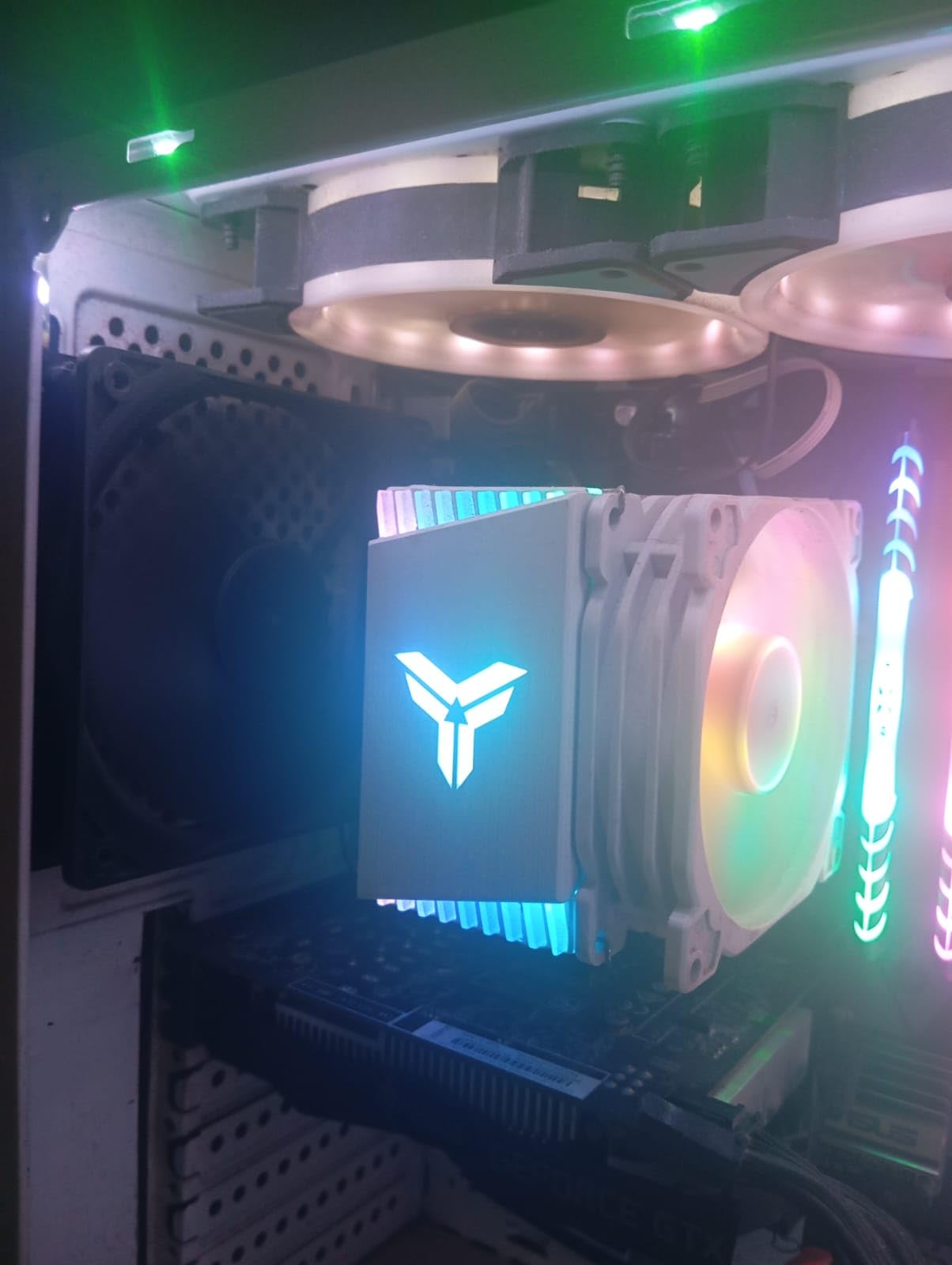
The 4 pure copper vacuum heat pipes provide direct CPU heat transfer, and the tower design with 41 penetrate-design fins maximizes the cooling surface area. The removable fan fasteners allow for easy cleaning and maintenance. The RGB lighting emanates from luminous top nameplates, giving the cooler a distinctive appearance.
The main limitation is that the RGB is not addressable. It runs in a fixed rainbow mode and cannot be customized or synchronized with other ARGB components in your system. If software-controlled RGB is important to you, look for an ARGB version. For budget builders who just want some colorful lighting, the fixed rainbow pattern looks great.
Best for Small Form Factor Builds
The CR1400 is one of the most compact tower coolers on this list at just 4.96 inches tall. It fits in mini-ITX and micro-ATX cases where full-size tower coolers cannot. If you are building a compact system with moderate cooling needs and want RGB flair, this is the cooler to choose.
RGB Limitations to Know
Before purchasing the CR1400, understand that the RGB cannot be turned off independently of the fan. If you disable the fan header, both the fan and the RGB turn off. The rainbow cycle is fixed and cannot be changed. For some builders, this is fine. For others who want synchronized RGB across their system, the fixed pattern may be a dealbreaker.
How to Choose the Best CPU Air Cooler
Choosing the best CPU air cooler comes down to matching the cooler’s capabilities to your specific CPU, case, and budget. Our team has broken down the key factors below to help you make the right decision.
TDP Rating and CPU Matching
TDP (Thermal Design Power) is the single most important specification when choosing a CPU cooler. Your cooler’s rated TDP capacity should exceed your CPU’s maximum power draw under load. Modern processors can draw significantly more power than their rated TDP under boost conditions, so always leave headroom.
For CPUs drawing up to 120W, a single-tower cooler like the Cooler Master Hyper 212 Black or Thermalright Assassin X120 is sufficient. For CPUs between 120W and 200W, a dual-tower cooler like the Thermalright Phantom Spirit 120SE or be quiet! Dark Rock Pro 5 is recommended. For CPUs above 200W, such as the Intel Core i9-14900K or AMD Ryzen 9 9950X3D, the Noctua NH-D15 G2 is the safest choice for air cooling.
Socket Compatibility
Every cooler on this list supports AMD AM5 and AM4, as well as Intel LGA 1700. Most also support the newer Intel LGA 1851 socket used by Intel Core Ultra processors. Always verify socket compatibility before purchasing, especially if you are building on the latest platforms. The CPU Coolers category on our site includes platform-specific guides for deeper compatibility research.
RAM and Case Clearance
This is the number one pain point reported by Reddit users on r/buildapc. Large dual-tower coolers can block RAM slots, especially when using tall RGB memory modules. Before buying, check both the cooler’s RAM clearance specification and your RAM module height. Most manufacturers list the maximum RAM height their cooler accommodates.
Case height clearance is equally critical. Measure the distance from your motherboard CPU socket to the closed side panel of your case. Compare this to the cooler’s height specification. As a general rule, add 5mm of buffer for mounting hardware and tolerances. Want to upgrade or replace your cooler fans? Check our guide to the best CPU fans for compatible options.
Noise Levels (dBA Explained)
Decibel levels (dBA) measure how loud a cooler’s fans are at maximum speed. A typical quiet room measures around 30-35 dBA. Coolers rated at 24-26 dBA are nearly silent at full load, while those above 30 dBA will be noticeable. For silent PC builds, look for coolers with fluid-dynamic bearings and PWM fan control, which allow the fans to spin down to near-silent levels at idle.
Noise-normalized testing, as conducted by Gamers Nexus, compares cooler performance at a fixed noise level. This is the fairest way to compare coolers, as it accounts for the trade-off between thermal performance and acoustic output. The Noctua NH-D15 G2 and be quiet! Dark Rock Pro 5 are the top performers in noise-normalized testing.
Single Tower vs Dual Tower
Single-tower coolers have one fin stack and typically one fan. They are lighter, cheaper, and easier to install, but their maximum cooling capacity is limited. Dual-tower coolers have two fin stacks sandwiched between two fans, offering significantly more cooling surface area and heat dissipation capacity.
For most gaming builds with mid-range CPUs, a single-tower cooler is adequate. For high-end CPUs, overclocking, or silent operation at low fan speeds, a dual-tower cooler is the better choice. The Thermalright Peerless Assassin 120 SE and Phantom Spirit 120SE have made dual-tower cooling accessible at single-tower prices, which is why they dominate the budget and value categories.
Heat Pipes and Fin Density
Heat pipes transfer thermal energy from the CPU coldplate to the fin stack where fans dissipate it. More heat pipes generally mean better cooling performance, but pipe diameter, layout, and the quality of the sintered wick structure also matter. AGHP (Anti-Gravity Heat Pipe) technology from Thermalright ensures consistent performance regardless of cooler orientation.
Fin density refers to how closely spaced the aluminum fins are on the heatsink. Denser fin stacks provide more surface area for heat dissipation but require higher static pressure fans to push air through effectively. This is why premium coolers pair dense fin stacks with high-quality fans like the Noctua NF-A14x25r G2 or be quiet! Silent Wings.
Air Cooler vs AIO: Which Should You Choose?
The air versus liquid cooling debate has shifted significantly in 2026. Modern dual-tower air coolers can match the performance of 240mm and even some 280mm AIO liquid coolers. Air coolers have no pumps to fail, no liquid to leak, and no tubes to route. They are simpler, more reliable, and often quieter at idle because there is no pump noise.
AIO liquid coolers still have advantages for extreme overclocking and CPUs drawing 250W or more under sustained loads. They also offer cleaner aesthetics in some builds, especially with LCD screens on the pump head. However, for the vast majority of builders, a quality air cooler provides equivalent or better real-world performance with superior long-term reliability.
Reddit users on r/buildapc and r/hardware consistently express preference for air coolers due to AIO failure anxiety. Many users cite pump failures, leaks, and degradation of cooling performance over time as reasons to choose air cooling. With a 6-year warranty on Noctua products and prices starting under $20 for capable budget options, air cooling remains the smart choice for most builds.
FAQs
Are air coolers good for CPUs?
Yes, air coolers are excellent for most CPUs. Modern dual-tower air coolers like the Noctua NH-D15 G2 and Thermalright Phantom Spirit 120SE can match or exceed the performance of many 240mm AIO liquid coolers while being more reliable and quieter at idle. Air coolers are ideal for CPUs up to 200W TDP including the AMD Ryzen 7 7800X3D and Intel Core i5-14600K. For extreme overclocked CPUs above 250W, a high-end dual-tower air cooler or 360mm AIO is recommended.
Which cooler is best for a CPU?
The best CPU cooler depends on your budget and processor. For most gamers, the Thermalright Phantom Spirit 120SE offers the best value at around $36. For premium builds, the Noctua NH-D15 G2 delivers unmatched quiet performance. Budget builders should consider the Thermalright Peerless Assassin 120 SE at around $35. For builds wanting aesthetics with a display, the Thermalright Phantom Spirit 120 Digital EVO is a standout choice.
What is the best rated air cooler?
The highest-rated air coolers include the Noctua NH-D15 chromax.Black at 4.8 stars with over 13,000 reviews, the Thermalright Peerless Assassin 120 SE at 4.7 stars with over 3,000 reviews, and the be quiet! Dark Rock Pro 5 at 4.8 stars. The Noctua NH-D15 G2 is widely considered the best overall air cooler for premium builds, while Thermalright models dominate the budget and value categories.
What is the best CPU cooler of all time?
The best CPU air coolers of all time consistently include the Noctua NH-D15 series, the Thermalright Peerless Assassin 120 SE, and newer entries like the Phantom Spirit 120SE. The Noctua NH-D15 G2 currently holds the crown for premium air cooling with unmatched build quality and near-silent operation. For value, the Thermalright Phantom Spirit and Peerless Assassin represent the best price-to-performance ratio in CPU cooling history.
Can an air cooler handle a high-end CPU like the Ryzen 9 9950X3D or Intel Core i9-14900K?
Yes, but you need a premium dual-tower cooler. The Noctua NH-D15 G2 with its 8 heat pipes and dual 140mm fans can handle CPUs drawing 250W or more under sustained load. Budget dual-tower coolers like the Thermalright Phantom Spirit 120SE can handle up to about 200W. For extreme overclocking on Intel i9 or AMD Ryzen 9 processors, the Noctua NH-D15 G2 is the recommended air cooling choice.
Conclusion: Our Top CPU Air Cooler Recommendations for 2026
After testing 12 of the best CPU air coolers on the market, our recommendations are clear. The Noctua NH-D15 G2 chromax.Black takes our Editor’s Choice award for its unmatched thermal performance, near-silent operation, and 6-year warranty. If you want the absolute best air cooling available regardless of price, this is the cooler to buy.
For the vast majority of builders, the Thermalright Phantom Spirit 120SE and Peerless Assassin 120 SE remain the best CPU air cooler values in 2026. These coolers disrupted the market by offering dual-tower performance that rivals coolers costing three to four times as much. Whether you are building a budget gaming rig or a mid-range workstation, these Thermalright coolers will keep your CPU running cool and quiet.
For builders who prioritize silence, the be quiet! Dark Rock Pro 5 offers the quietest operation we tested at just 23.3 dBA. For ultra-budget builds, the Thermalright Assassin X120 Refined SE delivers incredible value at under $18. And for those who want innovative features, the Thermalright Phantom Spirit 120 Digital EVO brings real-time temperature monitoring to air cooling for the first time. Whatever your budget and build requirements, there is a best CPU air cooler on this list for you.
Leave a Reply