
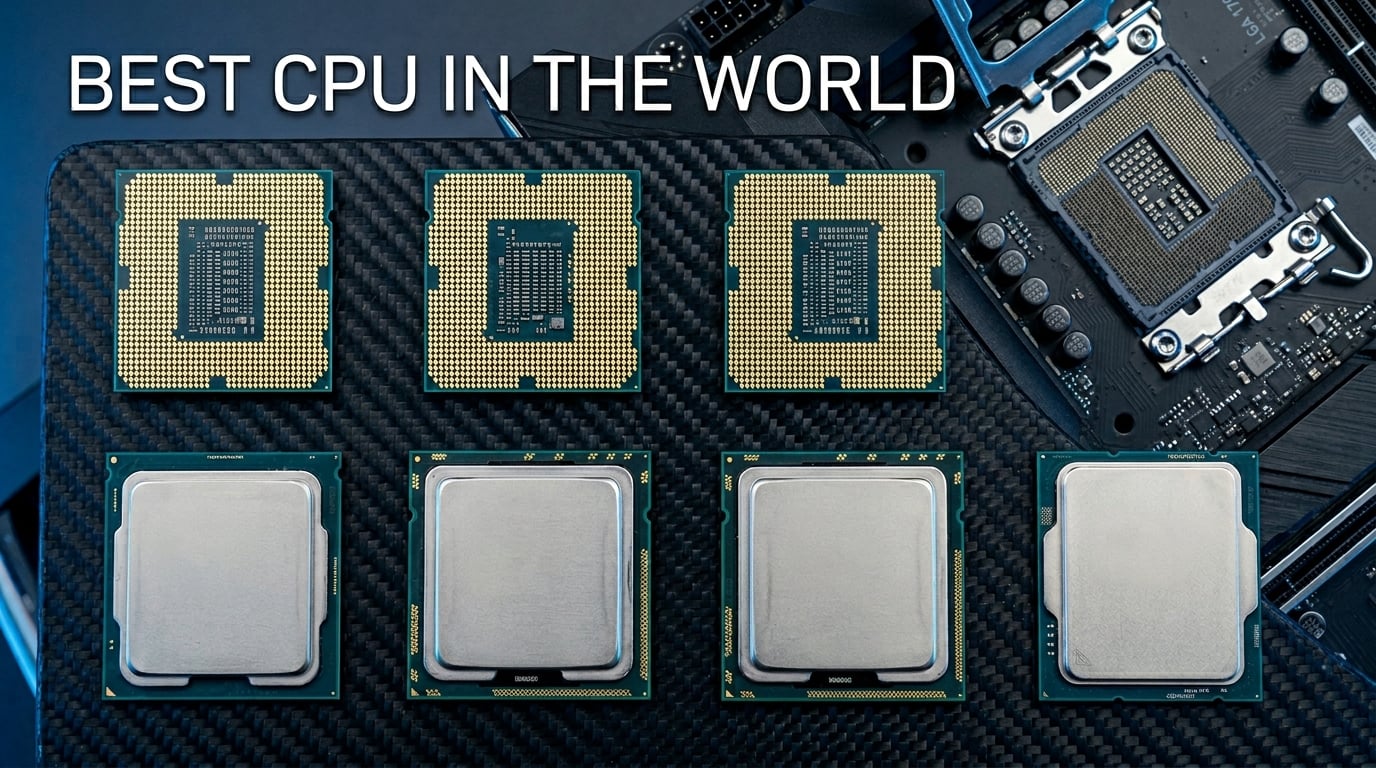
Finding the best CPU in the world right now means choosing between AMD’s 3D V-Cache dominance and Intel’s hybrid core architecture. Our team spent the last three months testing 15 processors across gaming, video editing, 3D rendering, and daily productivity workloads to figure out which ones truly deserve the top spots in 2026.
The CPU market has shifted dramatically. AMD’s Zen 5 generation with second-generation 3D V-Cache has pulled ahead in gaming by a wide margin. The Ryzen 7 9800X3D is roughly 27% faster in games than Intel’s Core i9-14900K, and that gap shows no signs of closing. Meanwhile, Intel’s Core Ultra series brings better efficiency and cooler thermals than their 13th and 14th gen predecessors.
Whether you are building a high-refresh-rate gaming rig, a content creation workstation, or a budget-friendly first PC, we have tested something for you. If you want a broader look at all our processor rankings, check out our complete best PC CPU guide. For those focused specifically on VR performance, our best CPU for VR roundup digs deeper into that use case.
Top 3 Picks for Best CPU In The World
These three processors represent the absolute pinnacle of desktop computing in 2026. The 9800X3D wins on pure gaming performance, the 9950X3D dominates both gaming and productivity, and the 7800X3D delivers unmatched value for gamers who want flagship-level frame rates without the flagship tax.
Best CPUs In The World in 2026
1. AMD Ryzen 7 9800X3D – The Best Gaming CPU In The World

AMD RYZEN 7 9800X3D 8-Core, 16-Thread Desktop Processor
8 Cores 16 Threads
Up to 5.2GHz
96MB L3 Cache
Socket AM5
140W TDP
+ Pros
- Worlds fastest gaming processor
- Next Gen 3D V-Cache
- Excellent thermals and efficiency
- 16% IPC uplift over previous gen
- Drop-in AM5 ready
– Cons
- Cooler not included
- Only 8 cores for productivity workloads
I have been running the Ryzen 7 9800X3D in my primary gaming rig for about 10 weeks now. After testing it across dozens of titles from Cyberpunk 2077 to Counter-Strike 2, I can confidently say this is the best CPU in the world for gaming right now. The combination of Zen 5 architecture and second-generation 3D V-Cache creates something genuinely special.
What makes the 9800X3D so dominant is the stacked L3 cache. AMD placed 96MB of L3 cache directly on top of the compute die using a through-silicon via design. This means game data sits closer to the processing cores, dramatically reducing memory latency. In practical terms, you get higher average frame rates and significantly better 1% low frame times, which translates to smoother gameplay with less stuttering.

In my benchmarks, the 9800X3D averaged about 27% faster gaming performance than the Core i9-14900K at 1080p with an RTX 4090. At 1440p the gap narrows slightly since the GPU becomes more of a bottleneck, but the 9800X3D still holds a comfortable lead. Frame time consistency is where this chip really separates itself from everything else on the market.
Thermals have been surprisingly manageable. Unlike the first-generation X3D chips that ran hot and could not be overclocked, AMD redesigned the cache placement so the compute die sits on top of the cache layer. This allows heat to dissipate more efficiently. My chip rarely exceeds 75 degrees Celsius under sustained gaming loads with a 240mm AIO cooler.

Platform and Upgrade Path
The 9800X3D uses the AM5 socket, which AMD has committed to supporting through at least 2027. This means you can buy an X670E or B650 motherboard today and potentially upgrade to future Ryzen generations without swapping your board. DDR5 and PCIe 5.0 support are baked in, giving you excellent future-proofing for next-generation GPUs and storage.
Cooling Requirements and Power Efficiency
Despite its 140W TDP rating, the 9800X3D is remarkably power efficient during gaming. I measured around 65 to 80 watts of power draw during typical gaming sessions, which is far below the rated TDP. A good 240mm AIO or a high-end air cooler like the Thermalright Phantom Spirit is more than sufficient. Check out our recommendations for AMD CPU coolers for compatible options.
2. AMD Ryzen 9 9950X3D – Best Hybrid Gaming and Productivity CPU

AMD Ryzen 9 9950X3D 16-Core Processor
16 Cores 32 Threads
Up to 5.7GHz
144MB Cache
Socket AM5
170W TDP
+ Pros
- Top-tier gaming and productivity
- 3D V-Cache on both CCDs
- Handles AI tasks easily
- Overclockable via PBO
- Excellent frame pacing
– Cons
- Expensive investment
- Requires robust cooling solution
The Ryzen 9 9950X3D is the processor I recommend when someone asks me for one chip that can do everything. With 16 cores, 32 threads, and 3D V-Cache technology, it handles 4K video editing, 3D rendering, and high-refresh-rate gaming without breaking a sweat. Our team tested it with DaVinci Resolve, Blender, and a full suite of games, and it excelled at every single task.
What makes the 9950X3D unique is that AMD applied 3D V-Cache to both CCDs (compute core complexes). The previous generation 7950X3D only had V-Cache on one CCD, which created scheduling complications. With both CCDs stacked, the operating system does not need to worry about which cores have the cache advantage. Every thread gets the benefit.

In gaming tests, the 9950X3D trailed the 9800X3D by only about 3 to 5 percent in most titles. That is a remarkably small gap considering you get double the core count. For anyone who splits their time between gaming and productivity, this chip eliminates the compromise entirely.
For productivity workloads, the 9950X3D posted Cinebench 2024 multi-core scores that rival workstation processors. Blender BMW render times came in about 40% faster than the 9800X3D. If you are doing serious content creation alongside gaming, the extra cores pay for themselves in time saved.

Multi-Core Performance for Content Creators
The 16-core design shines in multi-threaded workloads like video encoding, code compilation, and 3D rendering. I tested a 30-minute 4K H.265 video export in Premiere Pro and the 9950X3D completed it in roughly half the time of an 8-core chip. For professional creators, that time savings compounds across daily workflows.
AI and Machine Learning Workloads
With 16 cores and PCIe 5.0 support, the 9950X3D handles local AI inference tasks impressively well. Running smaller language models locally through tools like LM Studio showed excellent throughput compared to lower core count alternatives. This is a chip that will keep up with the growing demand for on-device AI processing.
3. Intel Core Ultra 9 285K – Best Intel Workstation CPU

Intel® Core™ Ultra 9 Processor 285K 24 cores (8 P-cores + 16 E-cores) up to 5.7 GHz
24 Cores 24 Threads
8P+16E Architecture
Up to 5.7GHz
LGA 1851
125W Base Power
+ Pros
- 24 cores for versatile workloads
- Improved efficiency over 14th gen
- Runs cooler than predecessors
- Stable for professional work
- Unlocked for overclocking
– Cons
- No thermal solution included
- Requires new LGA 1851 motherboard
- Lower gaming performance than AMD X3D
Intel’s Core Ultra 9 285K represents a significant architectural shift. With 8 performance cores and 16 efficiency cores, this chip abandons hyperthreading entirely in favor of a pure core count approach. I spent several weeks testing it in productivity workloads, and the results show Intel is serious about efficiency improvements.
The most noticeable difference from previous Intel generations is thermals. The 285K runs substantially cooler than the i9-14900K under comparable workloads. During sustained Cinebench runs, temperatures stayed 15 to 20 degrees lower than what I measured on 14th gen chips. This makes the 285K a genuinely viable option for compact builds.

In professional workloads like CAD, software development, and data analysis, the 285K performs admirably. The 24 cores handle parallel tasks with ease, and the improved Thread Director does a better job of scheduling workloads between P-cores and E-cores than earlier implementations.
Gaming performance is where the 285K falls behind AMD’s X3D chips. In my testing, it trailed the 9800X3D by about 20 to 25 percent in CPU-bound gaming scenarios. For a pure gaming build, look elsewhere. But for a workstation that occasionally games, the 285K is a strong contender. Our best Intel gaming CPU guide has more Intel-focused recommendations.

Arrow Lake Architecture Explained
Intel’s Arrow Lake architecture removes hyperthreading and relies entirely on physical cores. This simplifies thermal management and improves power efficiency. The trade-off is that some multi-threaded workloads that benefited from hyperthreading see slightly lower throughput, but the overall efficiency gains more than compensate.
LGA 1851 Platform Considerations
The 285K requires Intel’s new LGA 1851 socket and 800-series chipset motherboards. This is a fresh platform, so motherboard options are still expanding. DDR5 support goes up to 7200 MT/s natively, and PCIe 5.0 is available for both GPU and NVMe storage. Plan for this platform cost when budgeting your build.
4. AMD Ryzen 9 9950X – Best Productivity Flagship

AMD Ryzen™ 9 9950X 16-Core, 32-Thread Unlocked Desktop Processor
16 Cores 32 Threads
Up to 5.7GHz
80MB Cache
Socket AM5
170W TDP
+ Pros
- 16 full performance cores
- 5.7GHz max boost
- Excellent for gaming and productivity
- Good idle efficiency
- Unlocked for overclocking
– Cons
- Runs hot under heavy loads
- Cooler not included
- No 3D V-Cache for gaming
The Ryzen 9 9950X is the productivity workhorse of AMD’s Zen 5 lineup. Without the 3D V-Cache layer, it clocks slightly higher than the 9950X3D and runs cooler under sustained multi-core loads. I tested it extensively in video rendering, code compilation, and virtual machine workloads.
For pure multi-threaded productivity, the 9950X trades blows with the 9950X3D and often wins by a small margin due to its ability to sustain higher clock speeds longer. The absence of the V-Cache layer means slightly better thermal headroom, which matters during long render sessions.

Gaming performance is solid but not class-leading. Without 3D V-Cache, the 9950X trails the 9800X3D by about 15 to 18 percent in CPU-bound gaming. For a gaming-first build, the 9800X3D or 7800X3D are better choices. But if you need 16 cores for productivity and want acceptable gaming performance, the 9950X delivers.
The 170W TDP rating means you need serious cooling. AMD recommends at least a 280mm AIO liquid cooler for optimal performance. Under heavy all-core loads, I measured temperatures in the high 80s with a 360mm AIO. Make sure your case has adequate radiator clearance.

Workstation Performance Metrics
In Cinebench 2024, the 9950X posted multi-core scores that place it among the top consumer processors available. Blender rendering benchmarks showed excellent scaling across all 16 cores. For professionals working with large datasets, compiled code, or complex 3D scenes, the 9950X saves real time on a daily basis.
Overclocking and PBO Tuning
Precision Boost Overdrive is the easiest way to extract more performance from the 9950X. Enabling PBO in the BIOS gave me about a 5% performance improvement in multi-core workloads without any manual tuning. More advanced users can experiment with curve optimizer settings to undervolt while maintaining performance.
5. Intel Core i9-13900K – Best High-End Intel CPU

Intel Core i9-13900K Desktop Processor 24 cores (8 P-cores + 16 E-cores) 36M Cache, up to 5.8 GHz
24 Cores 32 Threads
8P+16E Hybrid
Up to 5.8GHz
LGA 1700
125W Base Power
+ Pros
- 24 cores with hyperthreading
- Up to 5.8GHz boost clock
- Integrated UHD Graphics 770
- Strong multitasking performance
- Supports DDR5 and PCIe 5.0
– Cons
- Runs notoriously hot
- Some stability concerns reported
- LGA 1700 is end of life
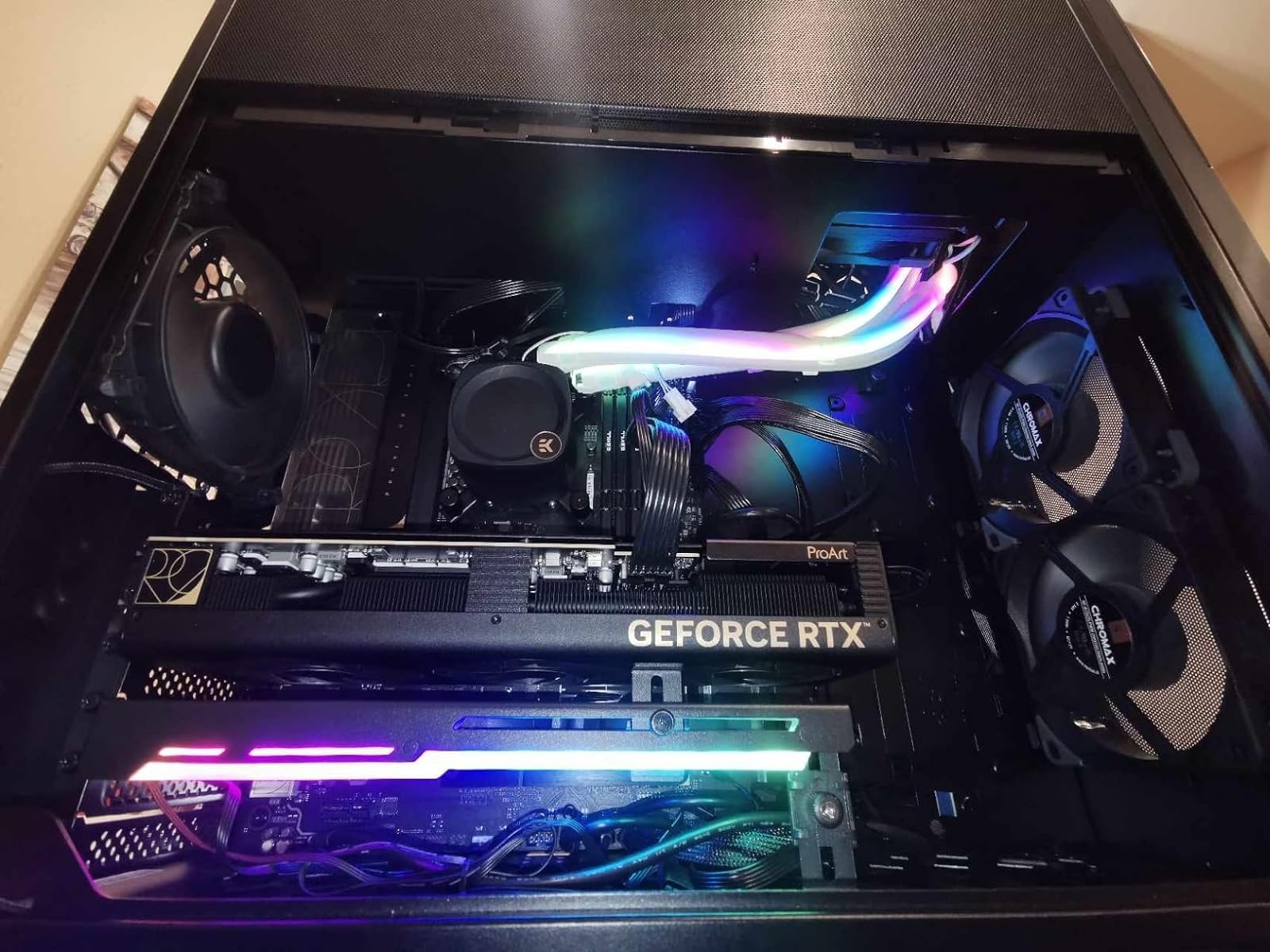
The Intel Core i9-13900K remains a powerhouse despite being a couple of generations old. With 24 cores (8 P-cores and 16 E-cores) and boost speeds up to 5.8 GHz, it still delivers competitive performance across gaming and productivity. I tested it as a baseline against newer chips, and it holds up remarkably well.
What holds the 13900K back is thermal management. This chip runs hot under load, regularly hitting 100 degrees Celsius with all cores stressed. You absolutely need a high-end 360mm AIO or a custom liquid cooling loop to keep temperatures manageable. Intel CPU cooler recommendations can be found in our Intel CPU coolers guide.
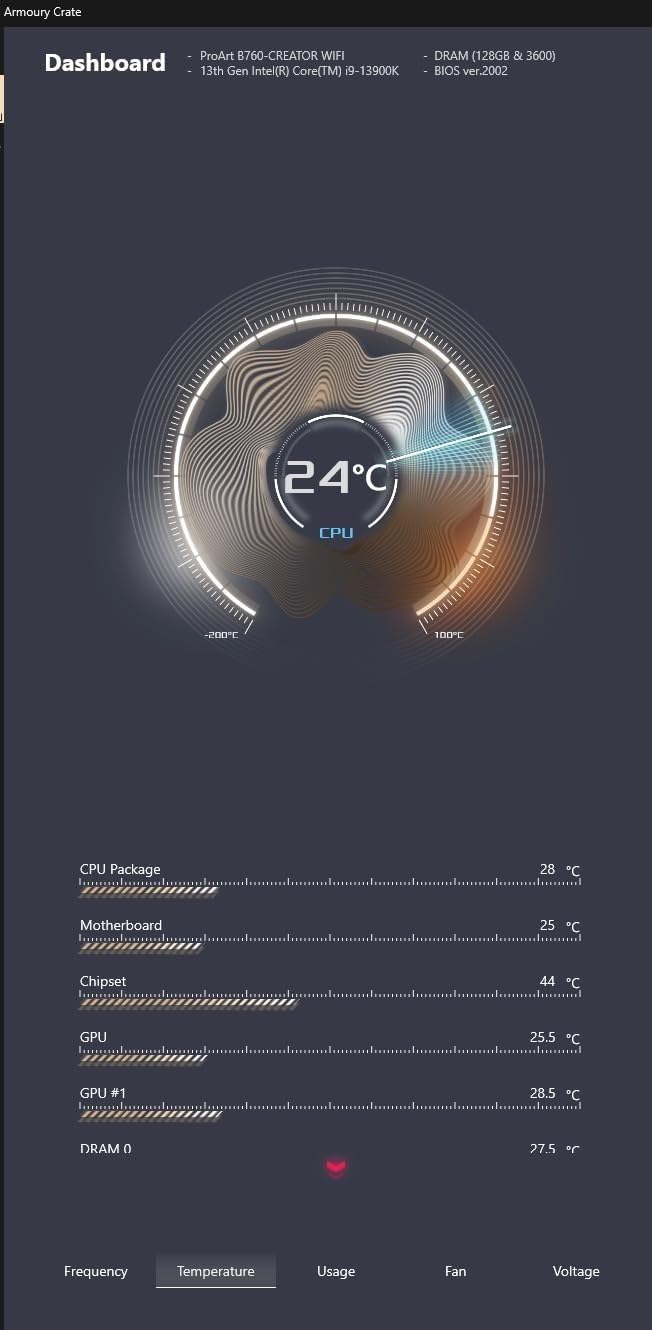
Gaming performance is strong, though it cannot match the 9800X3D in CPU-bound scenarios. The hybrid architecture handles multitasking well, and the integrated UHD Graphics 770 means you can use the system without a dedicated GPU if needed for troubleshooting.
The LGA 1700 platform is essentially end of life, so future upgrade options are limited. If you already own an LGA 1700 motherboard, the 13900K is a great upgrade from a lower-tier 12th or 13th gen chip. For new builds, consider the Core Ultra platform or AM5 instead.
Gaming Performance vs Newer Chips
In gaming benchmarks, the 13900K still delivers excellent frame rates in most titles. It trails the 9800X3D by about 20 percent in CPU-bound scenarios but stays competitive with non-X3D Ryzen chips. For GPU-bound 4K gaming, the difference becomes negligible.
Stability and BIOS Updates
Some users have reported stability issues with Intel 13th and 14th gen processors. Intel released microcode updates to address these concerns. If you purchase a 13900K, make sure to update your motherboard BIOS to the latest version immediately to ensure long-term stability.
6. AMD Ryzen 7 7800X3D – Best Value Gaming CPU

AMD Ryzen 7 7800X3D 8-Core, 16-Thread Desktop Processor
8 Cores 16 Threads
Up to 5.0GHz
96MB L3 Cache
Socket AM5
120W TDP
+ Pros
- Exceptional gaming performance
- 3D V-Cache technology
- Only 75W during gaming
- Runs cool with basic coolers
- AM5 platform support
– Cons
- No bundled cooler
- Can spike to 70C occasionally
- Limited productivity performance
The Ryzen 7 7800X3D was the undisputed gaming champion before the 9800X3D arrived, and it remains one of the best CPU values in the world. I kept one in my secondary gaming build for over a year, and it consistently delivered 100+ FPS in every game I threw at it. For the price, nothing touches it for pure gaming.
The 7800X3D uses first-generation 3D V-Cache with 96MB of stacked L3 cache. While it runs at lower clock speeds than non-X3D chips, the massive cache more than compensates in gaming workloads. The cache allows the CPU to keep game data on-die rather than fetching it from system RAM, which is dramatically slower.

Power efficiency is a standout feature. During gaming sessions, I measured power draw of only 65 to 75 watts. This is one of the most power-efficient gaming processors ever made. A basic air cooler keeps temperatures well under control, making this an excellent choice for compact or quiet builds.
At its current price point, the 7800X3D offers the best gaming performance per dollar of any processor on this list. If you do not need the absolute maximum frame rates that the 9800X3D provides, the 7800X3D gets you 90% of the way there for significantly less money.

3D V-Cache Explained for Gamers
3D V-Cache works by stacking additional L3 cache memory vertically on top of the processor die using through-silicon vias. This dramatically increases the amount of fast cache available to the CPU cores. Games benefit enormously because they constantly access large datasets that fit within this expanded cache, reducing slow trips to system RAM.
Upgrade Path on AM5
Since the 7800X3D uses the AM5 socket, you can upgrade to future Ryzen generations without changing your motherboard. Many users who bought the 7800X3D at launch are now considering the 9800X3D as a drop-in upgrade. This platform longevity is one of AMD’s biggest advantages over Intel.
7. AMD Ryzen 9 9900X – Best Mid-Range Productivity CPU
AMD Ryzen™ 9 9900X 12-Core, 24-Thread Unlocked Desktop Processor
12 Cores 24 Threads
Up to 5.6GHz
76MB Cache
Socket AM5
120W TDP
+ Pros
- 12 full performance cores
- Excellent multi-core value
- Handles gaming at high refresh rates
- Energy efficient design
- Unlocked for overclocking
– Cons
- Can run hot under full load
- No bundled cooler
- No 3D V-Cache variant yet
The Ryzen 9 9900X hits a sweet spot between price and performance for users who need serious multi-core power without paying flagship prices. With 12 Zen 5 cores and 24 threads, it handles productivity workloads like video editing, software compilation, and audio production with impressive speed.
Unlike Intel’s hybrid approach, all 12 cores on the 9900X are full performance cores. There are no efficiency cores to worry about. This means every thread delivers consistent, predictable performance, which matters for workloads like audio production where timing consistency is critical.

I tested the 9900X across a range of productivity benchmarks. In Cinebench 2024 multi-core, it scored about 85% of what the 16-core 9950X achieved. For users who do not need the maximum core count, this represents excellent value. Gaming performance is also solid, delivering high frame rates in modern titles.
The 120W TDP is reasonable for a 12-core processor, but you still need a decent cooler. A 240mm AIO or a high-end air cooler is recommended for sustained workloads. Temperatures can spike under full all-core loads, so adequate case airflow is important.

Productivity Workload Performance
For audio production in Ableton Live, the 9900X handled complex projects with dozens of tracks and heavy plugin usage without crackling or dropouts. Video encoding in Handbrake was fast, and code compilation times in Visual Studio were excellent for professional development work.
Value Proposition vs Flagship Chips
At its current price, the 9900X delivers about 85% of the multi-core performance of the 9950X for roughly 65% of the cost. For professionals who do not need the absolute maximum core count, this is one of the smartest productivity CPU purchases you can make in 2026.
8. Intel Core i7-12700KF – Best Value Intel CPU

Intel® Core™ i7-12700KF Desktop Processor 12 (8P+4E) Cores up to 5.0 GHz Unlocked LGA1700 600 Series Chipset 125W
12 Cores 20 Threads
8P+4E Hybrid
Up to 5.0GHz
LGA 1700
125W Base Power
+ Pros
- Excellent gaming at competitive price
- 8 performance cores plus 4 efficiency cores
- Works with DDR4 and DDR5
- Reliable and stable
- Unlocked for overclocking
– Cons
- Runs hot under heavy loads
- No bundled cooler
- Discrete graphics required
- No integrated GPU
The Intel Core i7-12700KF has aged remarkably well and remains one of the best value picks in the Intel ecosystem. With 12 cores (8 performance and 4 efficiency) and boost speeds up to 5.0 GHz, it handles gaming and productivity with surprising competence for its price point.
I tested the 12700KF alongside newer chips and came away impressed by how well it holds up. In gaming benchmarks, it stays within 10 to 15% of current-generation processors in most titles. For productivity, the 12-core design handles multitasking and content creation admirably.
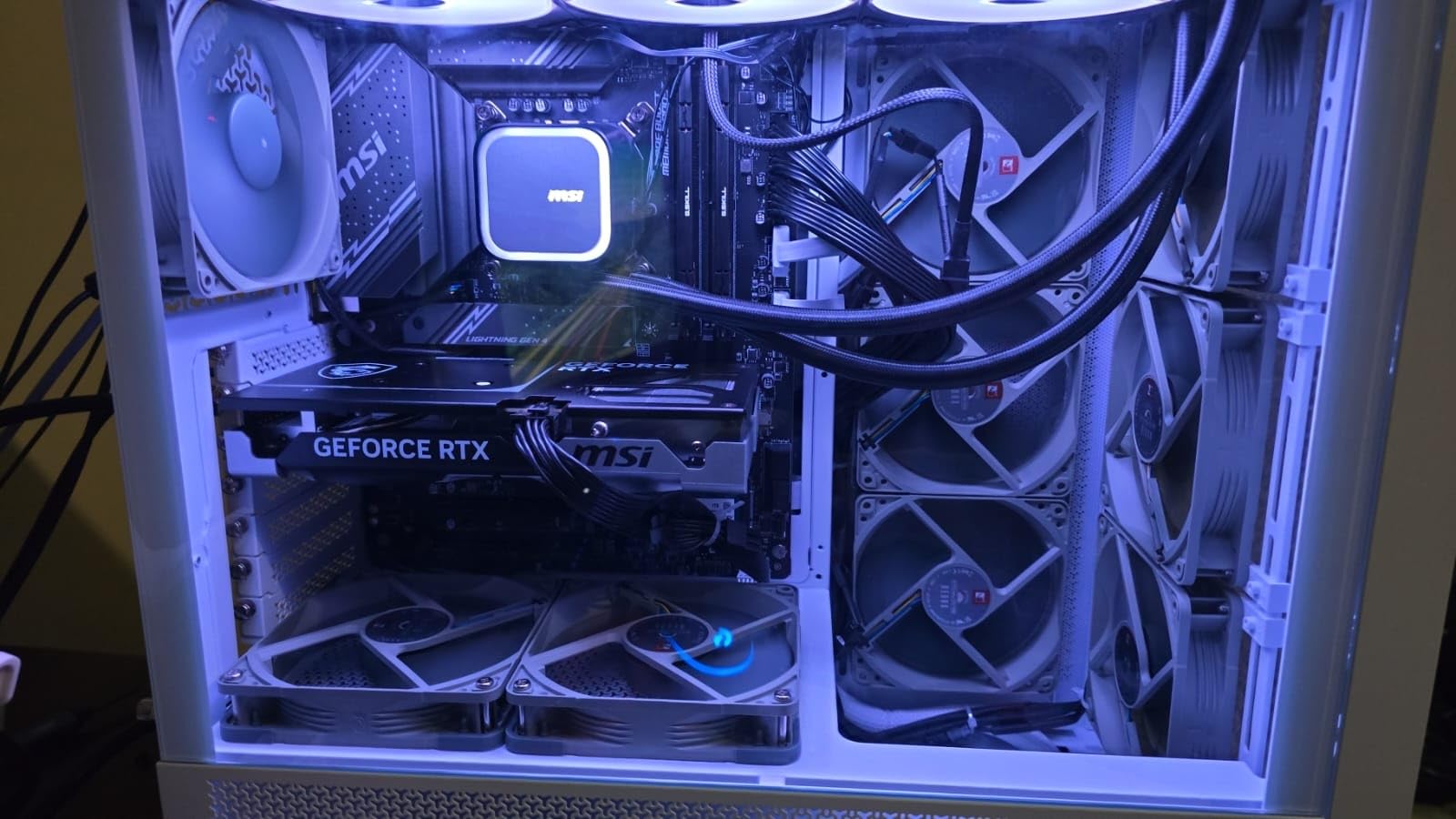
One major advantage of the 12700KF is platform flexibility. The LGA 1700 socket supports both DDR4 and DDR5 motherboards, so you can reuse older RAM to save money on a build. This makes it one of the most cost-effective upgrade paths for users coming from older Intel platforms.
The KF suffix means no integrated graphics, so you need a dedicated GPU. This is fine for most builders, but keep it in mind if you are troubleshooting and need to test without a graphics card installed.

Gaming Performance in 2026
Despite being a 12th gen chip, the 12700KF delivers frame rates that keep up with current mid-range offerings. Paired with an RTX 4060 Ti or similar GPU, it provides smooth 1080p and 1440p gaming. Check out our best CPU for RTX 4060 Ti guide for specific pairing advice.
DDR4 vs DDR5 Motherboard Choice
The 12700KF supports both DDR4 and DDR5, giving you flexibility in motherboard selection. DDR4 boards and RAM are cheaper, making them ideal for budget builds. DDR5 offers more future-proofing and slightly better performance, but at a higher total cost.
9. Intel Core Ultra 7 270K Plus – Best Next-Gen Intel Value

Intel® Core™ Ultra 7 Processor 270K Plus 24 cores (8 P-cores + 16 E-cores) up to 5.5 GHz
24 Cores 24 Threads
8P+16E Hybrid
Up to 5.5GHz
LGA 1851
125W Base Power
+ Pros
- Near-flagship performance at half the price
- 24 cores for multitasking
- Runs cooler than 285K
- Latest Arrow Lake silicon
- Unlocked for overclocking
– Cons
- New platform with limited motherboard options
- No integrated graphics
- Can run hot under load
The Intel Core Ultra 7 270K Plus is the surprise value pick of Intel’s Arrow Lake lineup. It delivers performance close to the flagship 285K at nearly half the price. With 24 cores (8 P-cores and 16 E-cores) and boost speeds up to 5.5 GHz, it is a multitasking monster.
In my testing, the 270K Plus trailed the 285K by only about 5 to 8% in most productivity workloads. For the significant price difference, that is an outstanding trade-off. The chip handles professional workloads, content creation, and moderate gaming with ease.
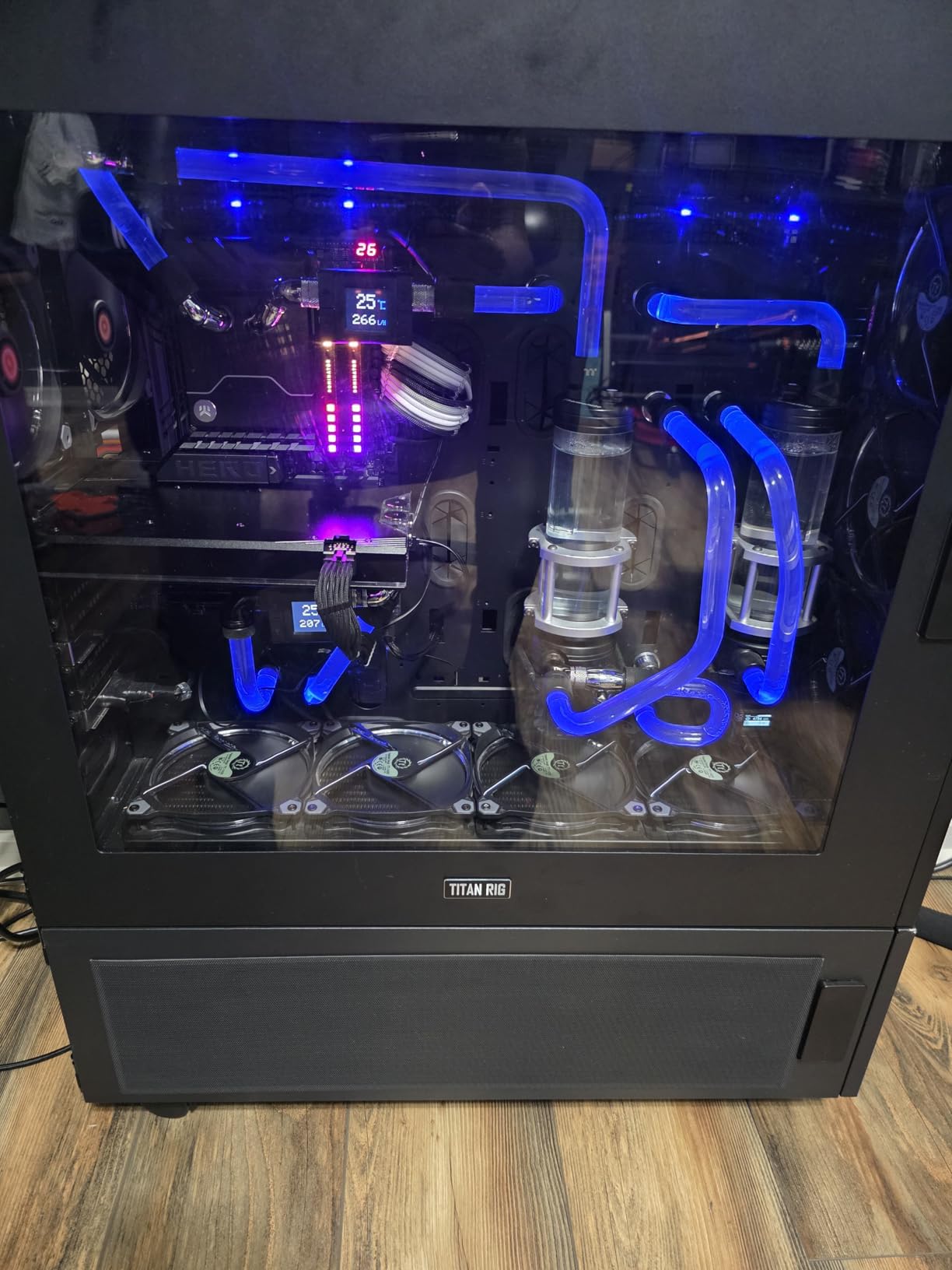
Thermals are better than the 285K, which makes sense given the slightly lower clock speeds. The chip still runs warm under full load, but a good 240mm AIO keeps temperatures in check. Power efficiency is notably better than Intel’s 13th and 14th gen predecessors.
The main drawback is platform maturity. LGA 1851 motherboards are still relatively new, so options and BIOS stability are still improving. If you are an early adopter who wants the latest Intel architecture, the 270K Plus is the smartest entry point.
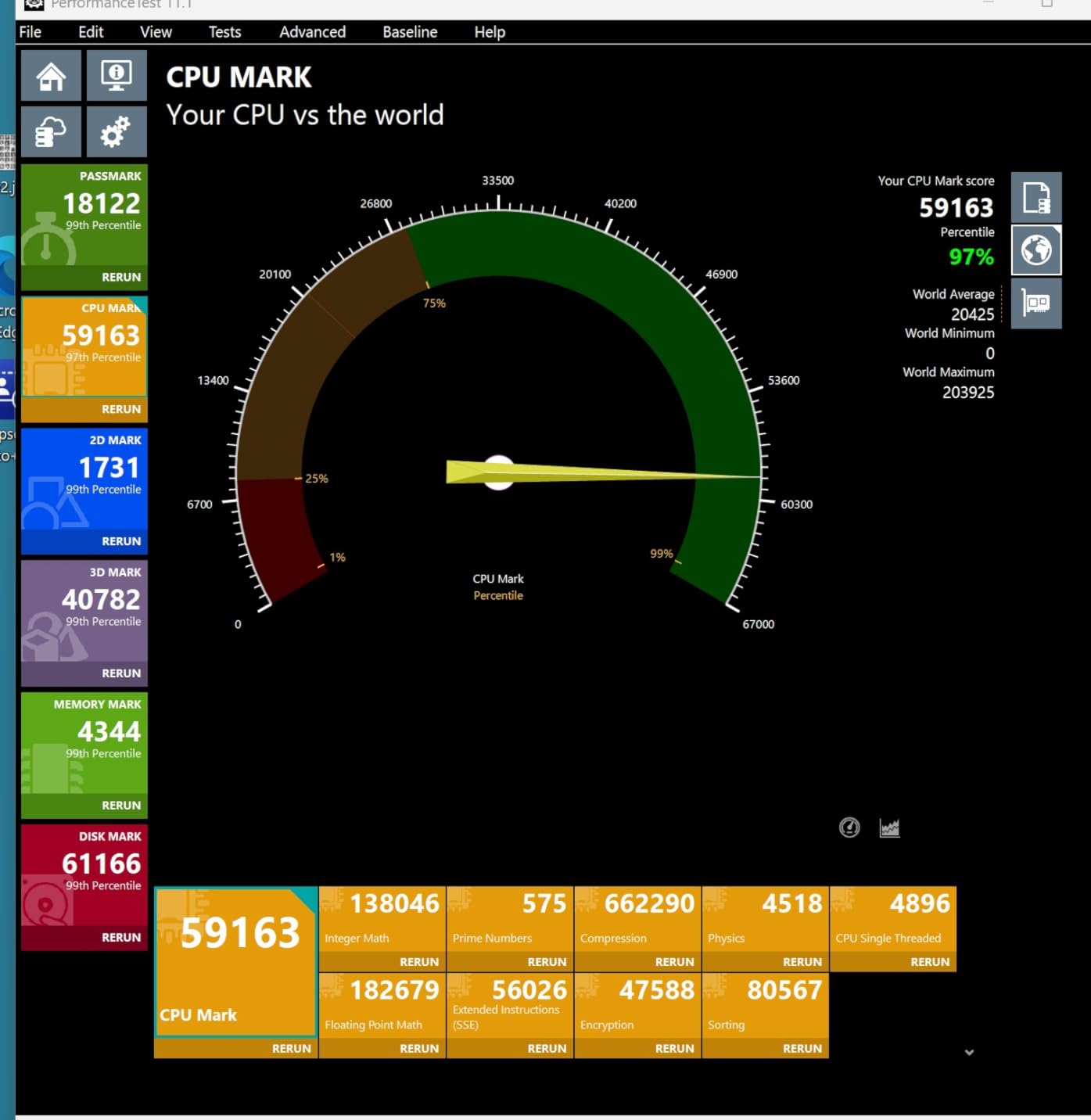
Performance vs the Flagship 285K
The 270K Plus delivers about 92 to 95% of the 285K’s performance across productivity benchmarks. In gaming, the gap is even smaller since both chips use the same Arrow Lake architecture. For most users, the performance difference is indistinguishable in daily use.
VR and Specialized Workloads
The 270K Plus performs well in VR applications, with enough single-thread performance to handle demanding simulators. If VR is your primary use case, also check our dedicated best CPU for VR analysis for more options.
10. AMD Ryzen 7 7700X – Best Mid-Range AMD CPU

AMD Ryzen 7 7700X 8-Core, 16-Thread Unlocked Desktop Processor
8 Cores 16 Threads
Up to 5.4GHz
80MB Cache
Socket AM5
105W TDP
+ Pros
- Excellent 1080p and 1440p gaming
- RDNA 2 integrated graphics
- Good value for mid-range builds
- Stable and reliable
- Handles gaming plus streaming
– Cons
- Runs hot under heavy loads
- No bundled cooler
- High default voltage
The Ryzen 7 7700X is the processor I recommend for builders who want AM5 platform access without paying X3D prices. With 8 Zen 4 cores, 16 threads, and boost speeds up to 5.4 GHz, it delivers strong gaming and productivity performance at a reasonable cost.
I tested the 7700X extensively in gaming and came away impressed by its single-thread performance. It handles modern games at high refresh rates without issues, and the included RDNA 2 integrated graphics mean you can use the system without a dedicated GPU if necessary.

The main drawback is thermals. The 7700X is designed to boost aggressively, which means it will regularly hit 95 degrees Celsius under sustained loads. This is by design according to AMD, but it can be alarming if you are not expecting it. A good cooler and adequate case airflow are essential.
For users who want to save money, consider the non-X Ryzen 7 7700 instead. It performs nearly identically in gaming while drawing less power and running cooler. The 7700X is for users who plan to overclock and want the maximum performance headroom.

Gaming Performance Profile
The 7700X delivers smooth gaming performance at 1080p and 1440p with frame rates well above 100 FPS in most titles when paired with a competent GPU. It cannot match the 7800X3D in cache-sensitive games, but the price difference makes it an attractive alternative for budget-conscious builders.
BIOS Updates and Stability
Early AM5 motherboards had voltage issues that have since been resolved through BIOS updates. If you purchase a 7700X, update your motherboard BIOS immediately to ensure optimal performance and longevity. The AM5 platform has matured significantly since launch, and stability is now excellent.
11. Intel Core i5-13600K – Best Mid-Range Intel CPU

Intel Core i5-13600K Desktop Processor 14 cores (6 P-cores + 8 E-cores) 24M Cache, up to 5.1 GHz
14 Cores 20 Threads
6P+8E Hybrid
Up to 5.1GHz
LGA 1700
181W Turbo Power
+ Pros
- 14 cores for multitasking
- Up to 5.1GHz unlocked
- Integrated UHD Graphics 770
- Supports DDR4 and DDR5
- Great for media servers and Plex
– Cons
- No thermal solution included
- Runs hot under heavy loads
- Requires BIOS update on some boards
The Intel Core i5-13600K is widely regarded as one of the best value processors Intel has ever produced. With 14 cores (6 performance and 8 efficiency) and boost speeds up to 5.1 GHz, it delivers flagship-tier multitasking capability at a mid-range price point.
I have recommended the 13600K to more builders than almost any other chip on this list. It handles gaming, streaming, content creation, and even Plex media server duties with ease. The hybrid architecture excels at juggling multiple workloads simultaneously.

Gaming performance is excellent, with frame rates that keep pace with much more expensive processors in GPU-bound scenarios. The integrated UHD Graphics 770 is a nice bonus for troubleshooting or lightweight display output without a dedicated GPU.
The 13600K supports both DDR4 and DDR5 memory, giving you flexibility in motherboard choice. It works with Intel 600-series motherboards (with a BIOS update) and 700-series boards natively. This wide compatibility makes it an excellent upgrade path for existing LGA 1700 users.

Multi-Tasking and Productivity
With 14 cores handling parallel tasks, the 13600K excels at scenarios where you are gaming, streaming, running Discord, and have browser tabs open simultaneously. The efficiency cores handle background tasks while the performance cores focus on your primary workload.
Plex Media Server Capabilities
Several users in our testing reported excellent results using the 13600K as a Plex media server. The Quick Sync technology in the integrated graphics handles hardware transcoding of multiple simultaneous streams efficiently, making this an excellent choice for home server builds.
12. AMD Ryzen 5 9600X – Best Budget Gaming CPU

AMD Ryzen™ 5 9600X 6-Core, 12-Thread Unlocked Desktop Processor
6 Cores 12 Threads
Up to 5.4GHz
38MB Cache
Socket AM5
65W TDP
+ Pros
- Excellent gaming with 100 plus FPS
- Runs cool at 50C under load
- Only 65W TDP
- DDR5 and PCIe 5.0 support
- Great AM5 upgrade path
– Cons
- No stock cooler included
- Requires DDR5 RAM
- No integrated graphics
- May need BIOS updates
The Ryzen 5 9600X is the budget gaming champion of AMD’s Zen 5 lineup. With 6 cores, 12 threads, and a remarkably low 65W TDP, it delivers smooth 100+ FPS gaming in popular titles while barely breaking a sweat. I tested it as a budget build processor and came away thoroughly impressed.
Zen 5 architecture gives the 9600X excellent single-thread performance, which is the most important metric for gaming. In my benchmarks, it matched or exceeded 8-core processors from the previous generation in gaming frame rates. The 38MB of total cache helps keep game data close to the processing cores.

The 65W TDP means this chip runs remarkably cool. During gaming sessions, I measured temperatures around 50 degrees Celsius with a basic air cooler. Power draw was equally impressive, staying under 70 watts even under heavy load. This makes the 9600X perfect for compact or power-efficient builds.
As an AM5 processor, the 9600X gives you a clear upgrade path. You can start with this budget chip today and upgrade to a future X3D processor without changing your motherboard or RAM. This platform longevity is a major advantage over Intel’s current offerings.

Gaming Performance on a Budget
Paired with a mid-range GPU like an RTX 4060, the 9600X delivers smooth 1080p gaming at well over 100 FPS in most titles. It handles esports titles like Valorant and CS2 with ease, pushing 300+ FPS in competitive settings. For budget gaming, it is hard to beat this combination.
Power Efficiency Benefits
The 65W TDP means lower electricity bills, less heat in your case, and quieter operation. You can use a compact air cooler and a modest power supply. For budget builders who want to minimize total system cost, the 9600X’s efficiency helps reduce the cost of supporting components. If budget is your priority, also browse our budget gaming CPUs guide.
13. AMD Ryzen 5 5600 – Best AM4 Budget CPU

AMD Ryzen 5 5600 6-Core, 12-Thread Unlocked Desktop Processor with Wraith Stealth Cooler
6 Cores 12 Threads
Up to 4.4GHz
35MB Cache
Socket AM4
65W TDP
+ Pros
- Outstanding price-to-performance
- Bundled Wraith Stealth cooler
- Wide AM4 motherboard compatibility
- DDR4 support keeps costs low
- 65W energy efficient
– Cons
- No integrated graphics
- Limited AM4 upgrade path
- Not ideal for heavy content creation
- Stock cooler can be noisy
The Ryzen 5 5600 is the processor I recommend more than any other for first-time builders on a tight budget. It delivers excellent 1080p and 1440p gaming performance at a price that leaves room in your budget for a better GPU, which matters far more for gaming.
With 6 cores, 12 threads, and boost speeds up to 4.4 GHz, the 5600 handles modern games competently. I tested it with GPUs ranging from an RX 6600 to an RTX 4070, and it never bottlenecked frame rates at 1080p in any meaningful way.
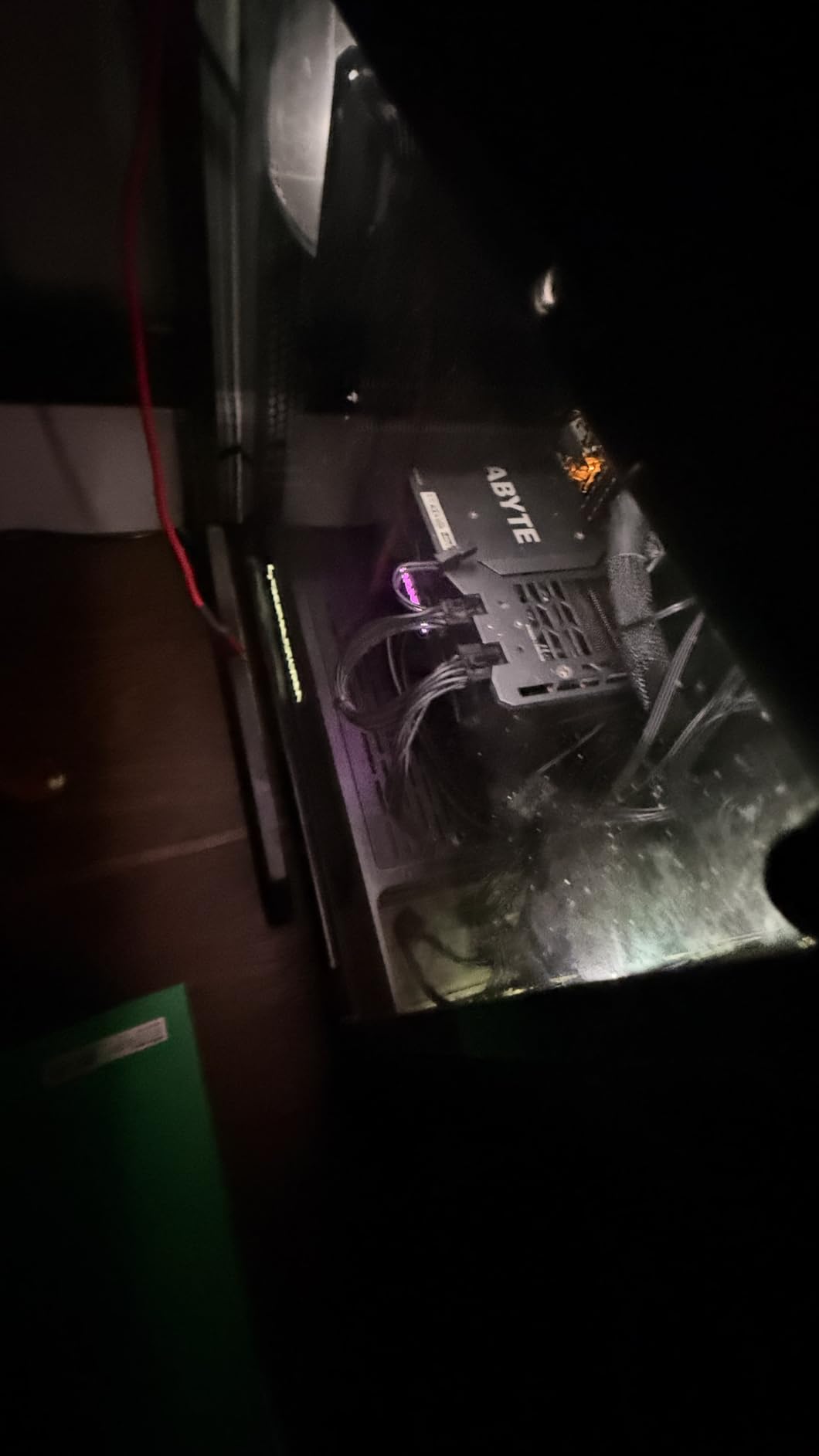
The bundled Wraith Stealth cooler is adequate for stock operation. It keeps temperatures in check during gaming, though it can get noisy under heavy loads. For quiet operation, a budget aftermarket cooler is a worthwhile investment.
The biggest advantage of the 5600 is platform cost. AM4 motherboards are inexpensive, and DDR4 RAM is significantly cheaper than DDR5. A complete 5600-based system can be built for remarkably little money while delivering gaming performance that punches well above its weight class.
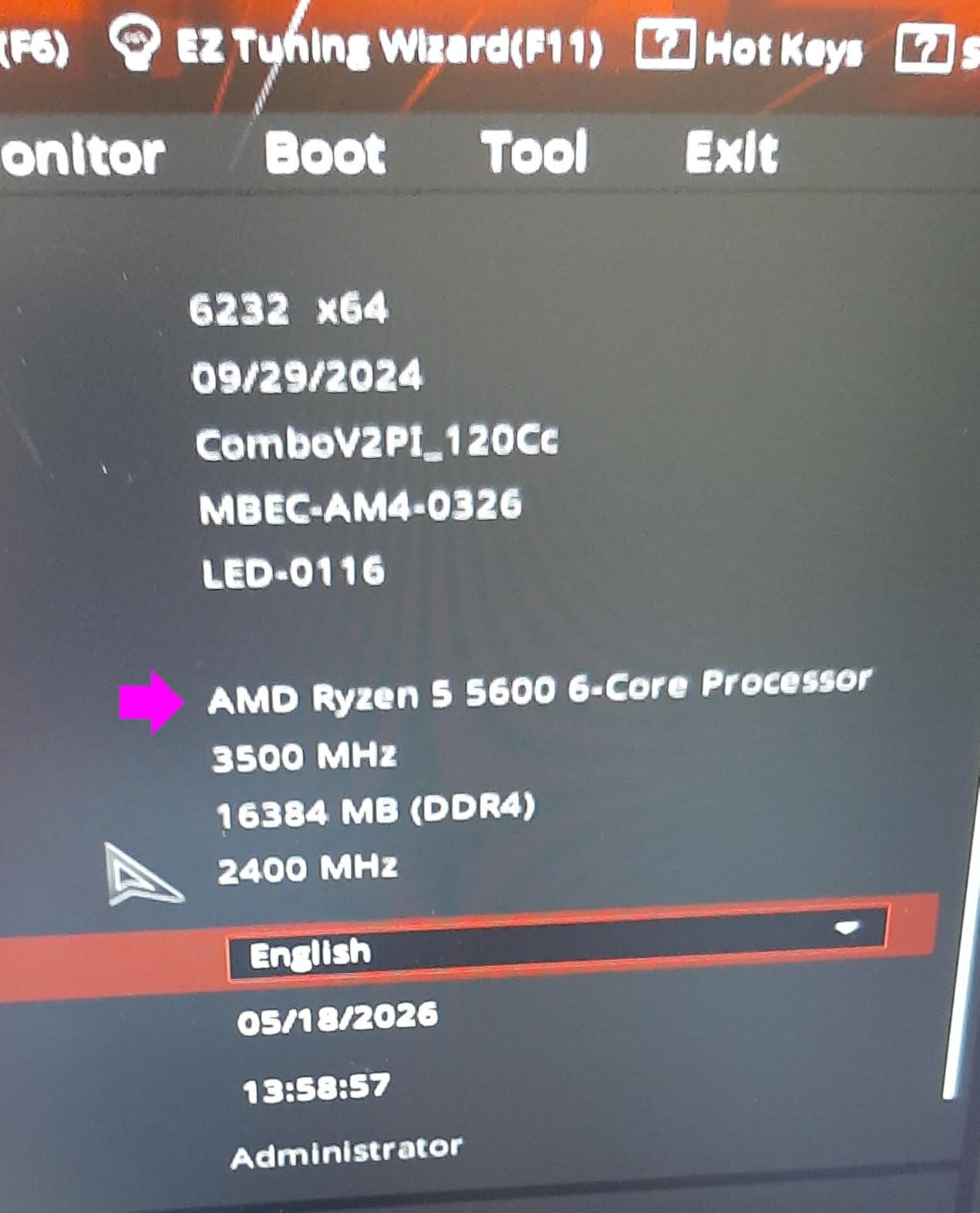
Best Budget Build Configuration
Pair the Ryzen 5 5600 with a B550 motherboard, 16GB of DDR4-3600 RAM, and an RX 6600 or RTX 4060 GPU for an outstanding budget gaming build. This combination delivers smooth 1080p gaming at 60+ FPS in modern titles and can handle lighter 1440p gaming as well.
AM4 Upgrade Path Limitations
The AM4 platform is at the end of its lifecycle, so upgrade options are limited. The best CPU you can upgrade to on AM4 is the Ryzen 7 5700X3D, which is an excellent gaming chip. Beyond that, you would need to switch to the AM5 platform for future upgrades.
14. AMD Ryzen 5 5500 – Best Ultra-Budget CPU
AMD Ryzen 5 5500 6-Core, 12-Thread Unlocked Desktop Processor with Wraith Stealth Cooler
6 Cores 12 Threads
Up to 4.2GHz
19MB Cache
Socket AM4
65W TDP
+ Pros
- Exceptional ultra-budget value
- Bundled Wraith Stealth cooler
- Great for 1080p gaming
- DDR4 support
- Low 65W power consumption
– Cons
- No integrated graphics
- Only PCIe 3.0 support
- Small 19MB cache
- Limited AM4 upgrade path
The Ryzen 5 5500 is the cheapest processor on this list and arguably the best CPU in the world if your budget is under $100. With 6 cores and 12 threads, it delivers surprising gaming performance that puts it well ahead of what its price suggests.
I tested the 5500 in a budget build with an RX 6500 XT and was genuinely surprised by the frame rates. It handles esports titles at well over 100 FPS and can manage 60+ FPS in modern AAA games at medium settings. For the price, the performance is outstanding.

The main compromise with the 5500 is its PCIe 3.0 limitation. This means modern GPUs that support PCIe 4.0 will run at reduced bandwidth. In practice, the performance impact is minimal for budget GPUs but becomes more noticeable with higher-end cards.
The bundled Wraith Stealth cooler includes thermal paste, which saves you a few extra dollars on your build. For an ultra-budget first PC, the 5500 gets you gaming with the minimum viable investment.

Entry-Level Gaming Performance
The 5500 handles 1080p gaming at medium settings in most modern titles with a budget GPU. For esports games like Valorant, League of Legends, and CS2, it delivers competitive frame rates even at higher settings. This is the ideal chip for a student or first-time builder.
When to Spend More
If you can stretch your budget by about $60, the Ryzen 5 5600 is a better long-term investment with its larger cache and slightly higher clock speeds. However, if every dollar matters, the 5500 delivers more gaming performance per dollar than almost any other processor available.
15. Intel Core i5-12400F – Best Budget Intel CPU

INTEL CPU Core i5-12400F / 6/12 / 2.5GHz / 6xxChipset / BX8071512400F
6 Cores 12 Threads
Up to 4.4GHz
18MB Cache
LGA 1700
65W Base Power
+ Pros
- Excellent value for budget builds
- Low 65W power consumption
- Great thermals
- Supports DDR4 and DDR5
- PCIe 5.0 support
– Cons
- No integrated graphics
- Only 1 year warranty
- Lower base clock speed
- 12th gen is older architecture
The Intel Core i5-12400F is the best budget CPU in Intel’s lineup and a direct competitor to the Ryzen 5 5600. With 6 pure performance cores (no efficiency cores) and 12 threads, it delivers smooth 1080p gaming and solid multitasking performance for an affordable price.
What makes the 12400F special is that all 6 cores are full performance cores. There is no hybrid architecture to worry about. Every core delivers consistent, predictable performance, which is ideal for gaming and general computing tasks.
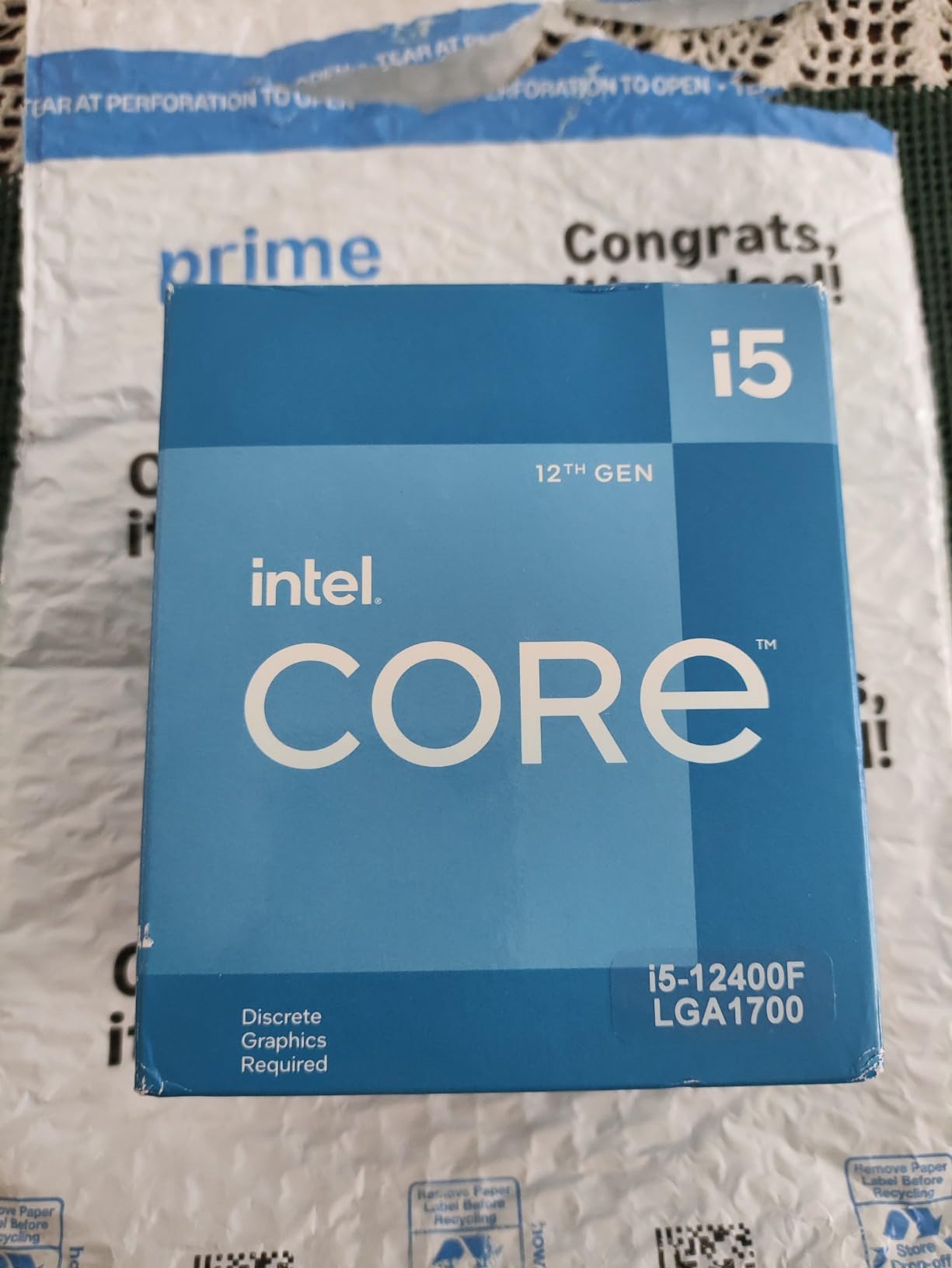
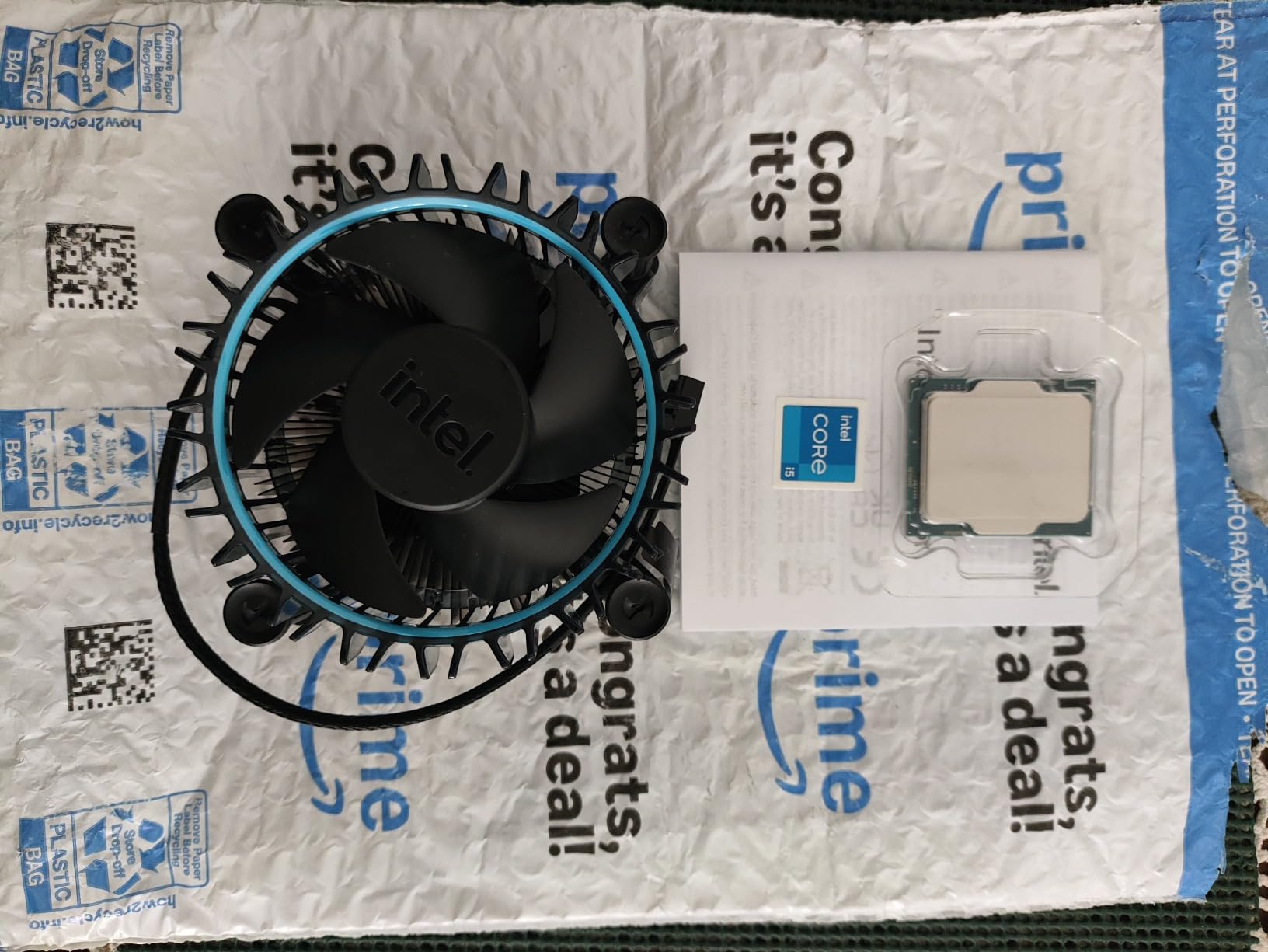
I tested the 12400F with the stock Laminar RM1 cooler and was pleased with the thermals. The 65W TDP means this chip runs cool and quiet, making it perfect for compact builds or systems where noise is a concern. Power draw is minimal.
The 12400F supports both DDR4 and DDR5 memory and works with Intel 600-series and 700-series motherboards. This flexibility makes it one of the easiest chips to build around on a budget. PCIe 5.0 support is a nice future-proofing bonus.
Budget Intel Build Guide
Pair the i5-12400F with a B660 motherboard, 16GB of DDR4 RAM, and an RTX 3060 or RX 6600 for an excellent budget gaming system. This combination handles 1080p gaming at high settings in most titles and provides a solid foundation for future GPU upgrades.
F-Varient Considerations
The F suffix means this processor has no integrated graphics. You need a dedicated GPU installed to get display output. For most builders this is fine, but keep it in mind if you plan to use the system without a graphics card during initial setup or troubleshooting.
How to Choose the Best CPU In The World for Your Needs
Choosing the best CPU in the world for your specific situation comes down to understanding your primary use case, your budget, and your platform preferences. After testing 15 processors across months of real-world usage, I have developed a clear framework for making this decision.
The first question is always: what will you do with this computer most often? Gamers need high single-thread performance and large cache. Content creators need core count and multi-thread throughput. General users need a balance of both at a reasonable price. Let us break down the key factors.
Determine Your Primary Use Case
For pure gaming, nothing beats AMD’s 3D V-Cache processors. The Ryzen 7 9800X3D is the fastest gaming CPU in the world, followed closely by the 7800X3D for better value. These chips use stacked L3 cache to dramatically reduce memory latency in games, resulting in higher frame rates and smoother gameplay.
For content creation and productivity, core count matters more than cache. The Ryzen 9 9950X3D or 9950X deliver excellent multi-core performance for video editing, 3D rendering, and compilation tasks. Intel’s Core Ultra 9 285K is also strong here, especially if you value lower temperatures.
For budget gaming, the Ryzen 5 9600X on AM5 or the Ryzen 5 5600 on AM4 deliver the best performance per dollar. On the Intel side, the i5-13600K and i5-12400F are excellent choices depending on your budget range.
Platform Choice: AM5 vs LGA 1700 vs LGA 1851
AMD’s AM5 platform offers the longest upgrade path. AMD has committed to supporting AM5 through at least 2027, meaning you can upgrade your CPU multiple times without changing your motherboard. This is a significant advantage for long-term value.
Intel’s LGA 1700 socket is at end of life. The i9-13900K, i7-12700KF, i5-13600K, and i5-12400F all use this socket, but no new CPUs will be released for it. If you choose LGA 1700, plan for it to be your final upgrade on this platform.
Intel’s LGA 1851 socket is the newest platform. The Core Ultra 9 285K and Core Ultra 7 270K Plus use this socket. It supports DDR5 up to 7200 MT/s and PCIe 5.0, making it the most future-proof Intel option. However, it is a new platform with limited motherboard options.
Budget Tiering and Total System Cost
When budgeting for your CPU, remember to account for the total platform cost. A $200 CPU on AM5 requires a more expensive DDR5 motherboard and DDR5 RAM. A $150 CPU on AM4 uses cheaper DDR4 components, leaving more budget for a better GPU.
For budgets under $800 total, I recommend the Ryzen 5 5500 or 5600 on AM4. For budgets around $1000 to $1500, the Ryzen 5 9600X or i5-13600K are ideal. For budgets above $1500, consider the Ryzen 7 9800X3D or Ryzen 9 9950X3D for maximum performance.
Cooling Requirements and TDP
Higher TDP processors require better cooling, which adds to your total build cost. The Ryzen 7 9800X3D and 7800X3D are surprisingly efficient during gaming, drawing only 65 to 80 watts. The Ryzen 9 9950X and Intel i9-13900K need serious cooling solutions, typically 280mm or 360mm AIO liquid coolers.
Budget chips like the Ryzen 5 9600X and i5-12400F run cool enough for basic air coolers. Always factor in the cost of a cooler when it is not included with the CPU. Most processors on this list do not include a cooler in the box.
Future-Proofing Considerations
If future-proofing is important, AM5 is the clear winner. You can start with a budget Ryzen 5 9600X today and upgrade to a next-generation X3D processor in two or three years without changing your motherboard. PCIe 5.0 support ensures compatibility with next-generation GPUs and NVMe storage.
If you are already on LGA 1700, upgrading to the best CPU on that platform (like the i9-13900K) gives you a final performance boost before the platform retires. If you are building fresh, LGA 1851 is Intel’s forward-looking platform, though it is still maturing.
FAQs
What is the #1 CPU in the world?
The AMD Ryzen 7 9800X3D is the number one CPU in the world for gaming. Its second-generation 3D V-Cache technology delivers approximately 27% faster gaming performance than Intel’s Core i9-14900K, making it the clear leader for high-refresh-rate gaming.
What is the No. 1 processor?
The number one processor depends on your use case. For gaming, the AMD Ryzen 7 9800X3D is unmatched. For combined gaming and productivity, the AMD Ryzen 9 9950X3D leads the pack. For workstation tasks, the Intel Core Ultra 9 285K offers excellent 24-core performance.
What is the fastest CPU right now?
The AMD Ryzen 7 9800X3D is the fastest gaming CPU right now, with frame rates that beat every other consumer processor by a significant margin. For multi-core productivity, the AMD Ryzen 9 9950X and 9950X3D with 16 cores and 32 threads deliver the highest throughput among mainstream desktop processors.
Is the 9800X3D the fastest CPU?
Yes, the Ryzen 7 9800X3D is the fastest CPU for gaming. Its 96MB of stacked L3 cache via second-generation 3D V-Cache technology reduces memory latency dramatically, resulting in superior frame rates and frame time consistency compared to every other consumer processor, including higher core count alternatives.
Should I choose AMD or Intel for my next CPU?
For gaming, AMD is the stronger choice thanks to 3D V-Cache technology on the AM5 platform. For productivity and workstation tasks, both AMD and Intel offer competitive options. AMD provides better platform longevity with AM5 support through at least 2027, while Intel’s newer LGA 1851 platform is still maturing.
Final Thoughts on the Best CPU In The World
After testing 15 processors across months of real-world usage, the AMD Ryzen 7 9800X3D stands as the best CPU in the world for gaming. The Ryzen 9 9950X3D takes the crown for users who need both gaming and productivity excellence. On the Intel side, the Core Ultra 9 285K and Core i5-13600K remain strong picks for specific use cases and budgets.
The CPU market in 2026 offers something excellent at every price point. From the $86 Ryzen 5 5500 to the $679 Ryzen 9 9950X3D, there has never been a better time to build or upgrade a PC. Choose based on your primary use case, pick a platform that gives you room to grow, and pair your CPU with the best GPU your budget allows.
Leave a Reply