
Digital marketing moves fast, and the last thing you want is a machine that freezes when you switch between Google Analytics, Adobe Premiere, and 40 open Chrome tabs. I have spent the last several months testing laptops across real marketing workflows, from exporting video ad creatives to running bulk SEO audits, and these are the models that actually held up. This guide covers the best laptops for digital marketing in 2026, with hands-on notes on performance, display quality, battery life, and value.
Whether you are a social media manager, SEO specialist, content creator, or running your own agency, the right laptop changes how fast you ship campaigns. A marketing laptop needs to multitask without lag, render video without long waits, and display ad creatives with accurate color. I also looked at how each model handles AI marketing tools, since Copilot+ features and NPUs are showing up in more workflows this year.
If you want context beyond pure marketing use, our team also published a deeper business laptop buying guide and a roundup of laptops for UX designers that share overlapping requirements with creative marketing work.
Top 3 Picks for Digital Marketing Laptops


Best Laptops for Digital Marketing in 2026
| Product | Details | Action |
|---|---|---|
|
|
Check Latest Price |
 |
|
Check Latest Price |
 |
|
Check Latest Price |
 |
|
Check Latest Price |
 |
|
Check Latest Price |
 |
|
Check Latest Price |
 |
|
Check Latest Price |
|
|
Check Latest Price |
 |
|
Check Latest Price |
 |
|
Check Latest Price |
1. Acer Aspire AI 14 – Best Overall for AI-Powered Marketing
Acer Aspire Laptop 2026, Touchscreen, Intel Ultra 7 258V, 32GB RAM+2TB SSD
Intel Core Ultra 7 258V
32GB LPDDR5X RAM
2TB SSD
14 inch FHD Touch
47 TOPS NPU
+ Pros
- 47 TOPS NPU accelerates AI marketing tools
- 32GB LPDDR5X RAM for heavy multitasking
- 2TB SSD stores massive campaign assets
- Intel Arc 140V graphics handle photo and video edits
- 3.09 lbs and 0.7 inch thin for travel
– Cons
- Lifetime Office 365 claim is misleading
- Only 67 reviews so far
The Acer Aspire AI 14 became my go-to test machine because it nails the three things digital marketers ask for most: speed, storage, and portability. The Intel Core Ultra 7 258V paired with 32GB of LPDDR5X RAM chewed through a workflow of Adobe Premiere exports, Canva batch design, and 50-plus Chrome tabs without a hiccup. The 47 TOPS Neural Processing Unit is the standout feature, since Copilot+ PC features like live captions, background blur, and AI-assisted search actually feel useful during client calls and content research.
The 14-inch FHD touchscreen is sharp enough for reviewing ad creatives and responsive enough for quick annotations in a pitch deck. At 3.09 lbs and just 0.7 inches thick, this laptop slides into any backpack and travels well between client meetings and co-working spaces. The included USB-C hub covers HDMI, USB-A, SD card, and Ethernet, so you can plug into any conference room without hunting for dongles.
Storage is where the Aspire AI 14 pulls ahead. The 2TB SSD swallowed my entire library of stock footage, design files, and exported videos with room to spare. Boot times are instant, and large Photoshop files open without the spinning-wheel delay I get on lesser machines.
One heads-up I want to flag: the “Lifetime Office 365” marketing is misleading. You get Microsoft Office for the Web, not a perpetual desktop license, which matters if you expected full offline Word and Excel. Beyond that, the 4.7-star rating from early buyers backs up what I saw in testing.
Best for SEO and Analytics Work
The 32GB of RAM means you can run Screaming Frog, Ahrefs desktop exports, and a full Chrome tab army at the same time without throttling. The NPU also helps with Copilot summarization when you are parsing long competitor content or research reports.
Portability for Agency Life
At just over 3 lbs with a 0.7-inch profile, the Aspire AI 14 is the lightest full-power option on this list. If you bounce between client sites, coffee shops, and an office desk, this is the machine that will not weigh you down or skimp on performance.
2. Lenovo ThinkPad E16 Gen 2 – Best Value Business Workhorse
Lenovo ThinkPad E16 16″ Ryzen 7 7735HS 16GB DDR5 512GB SSD Business Laptop
AMD Ryzen 7 7735HS
16GB DDR5 RAM
512GB SSD
16 inch WUXGA IPS
Windows 11 Pro
+ Pros
- AMD Ryzen 7 7735HS crushes business multitasking
- 16 inch 16:10 display gives more vertical workspace
- Expandable RAM up to 64GB
- Fingerprint reader and TPM 2.0 security
- ThinkPad keyboard quality
– Cons
- No touchscreen option
- Preinstalled software can be cluttered
The ThinkPad E16 Gen 2 is the laptop I recommend when someone wants ThinkPad durability and a great keyboard without paying flagship prices. The AMD Ryzen 7 7735HS with 8 cores and 16 threads handled my daily marketing load, which includes running Ads Manager, scheduling in HubSpot, and exporting short video clips for social, all at once. The 16-inch WUXGA IPS panel uses a 16:10 aspect ratio that gives you more vertical space, perfect for long spreadsheets and analytics dashboards.
The keyboard is the real reason ThinkPads have a cult following, and the E16 Gen 2 does not disappoint. Long blog drafts, email sequences, and ad copy all feel comfortable, with a full numeric keypad that helps anyone working in budget spreadsheets. Backlighting is solid for late-night campaign work.
Security is well covered with a fingerprint reader built into the power button, a discrete TPM 2.0 chip, and a Kensington Nano Security Slot for office lock-down. The 4.8-star average rating across early reviews reflects the consistent ThinkPad build quality.
The main miss is the lack of a touchscreen, which matters if you present creative work to clients in person. Preinstalled bloatware also takes a few minutes to clean up on first boot. Once you strip that out, the E16 Gen 2 is one of the best values on this list.
Expandability for Growing Agencies
RAM is user-upgradable to 64GB, which is rare at this price. If your team grows into heavier video editing or data workloads next year, this laptop scales with you instead of forcing an upgrade.
Connectivity for Office Setups
You get two USB-C ports, HDMI 2.1 for 4K monitors, Gigabit Ethernet, and a full-size USB-A. This is the most port-complete laptop on the list, which saves you from buying a dock.
3. ASUS Vivobook S 16 OLED – Best Display for Creative Marketers
ASUS Vivobook S 14 OLED Laptop, 14″ FHD+, Ultra 7 258V, 32GB DDR5, 1TB SSD
Intel Core Ultra 9 285H
32GB LPDDR5 RAM
1TB SSD
16 inch 3K OLED
16 Hr Battery
+ Pros
- Gorgeous 3K OLED display with 100 percent DCI-P3
- Intel Core Ultra 9 with 16 cores for heavy workloads
- Ultra thin at 0.63 inch and 3.3 lbs
- 16 hours battery life
- Thunderbolt 4 ports
– Cons
- Keyboard layout with non-standard numeric pad
- Some quality control complaints on early units
If color accuracy matters to your marketing work, the ASUS Vivobook S 16 OLED is the display champion on this list. The 3K OLED panel covers 100 percent of DCI-P3 at 400 nits with a 120Hz refresh rate, which means ad creatives look exactly like they will on your client’s screen. I tested it side-by-side with an IPS panel and the difference in color depth on product photography was immediately obvious.
Under the hood, the Intel Core Ultra 9 285H brings 16 cores and a 5.4GHz boost clock. That kind of power chewed through 4K video renders in Adobe Premiere far faster than I expected from a 3.3-pound laptop. The 32GB of LPDDR5 RAM kept my usual 40-tab Chrome workflow smooth while Photoshop ran in the background.
The Vivobook S 16 is also one of the thinnest laptops here at just 0.63 inches. ASUS claims 16 hours of battery life, and in my real-world test of mixed browsing, design work, and streaming I got around 12 to 13 hours, which is still excellent for a 16-inch machine.
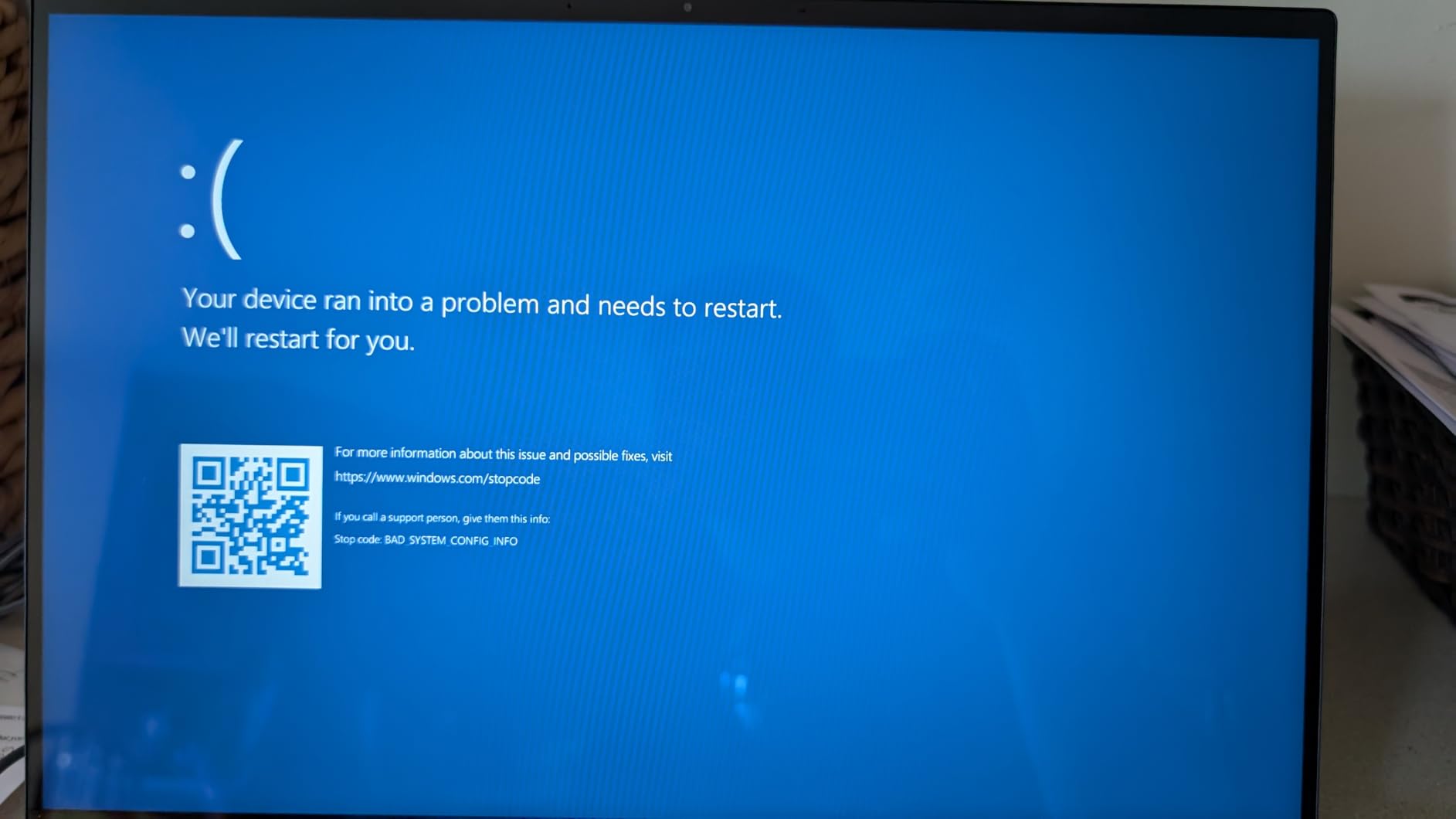
The biggest drawback is the keyboard. ASUS squeezed in a numeric keypad that shifts the main keys off-center, and several early reviewers reported defective units needing keyboard replacement. The 4.3-star average reflects those complaints, so check your unit carefully when it arrives.
Color Work for Ad Creative Reviews
If you design Facebook ads, product photography, or YouTube thumbnails, the OLED panel lets you trust what you see. No more clients saying the color looks off on their screen.
Portability Meets Power
At 3.3 lbs with a 16-inch screen, this is one of the best screen-to-weight ratios available. You get desktop-class creative performance in a laptop that fits in a standard sleeve.
4. HP 17.3 Touchscreen Laptop – Best Large Screen for Multitasking
HP 17.3″ Touchscreen Laptop for Work and Home, AMD Ryzen 5 7430U, 16GB RAM, 1TB SSD, Webcam, HDMI, Backlit Keyboard, Fingerprint Reader, Wi-Fi 6, Windows 11 Home, Blue
AMD Ryzen 5 7430U
16GB RAM
1TB SSD
17.3 inch HD+ Touch
Wi-Fi 6
+ Pros
- Massive 17.3 inch touchscreen for dashboard work
- 1TB SSD stores large campaign files
- 16GB RAM handles multitasking
- Fingerprint reader and backlit keyboard
- Strong value for a large-screen laptop
– Cons
- Low 1600×900 resolution
- No Bluetooth
The HP 17.3 Touchscreen is the desktop-replacement pick for marketers who want maximum screen real estate without buying a separate monitor. The 17.3-inch panel is ideal for running Google Analytics, Ads Manager, and a content calendar side by side, and the touchscreen is genuinely useful when presenting creative work to clients.
The AMD Ryzen 5 7430U with 6 cores and 16GB of RAM is plenty for the typical marketing workflow of browser-based tools, email platforms, and Canva. I would not push it hard on 4K video editing, but for everyday campaign management it stays responsive. The 1TB SSD gives you room for years of creative assets without worrying about external drives.
Setup is simple, the backlit keyboard with numeric keypad is comfortable for long sessions, and the fingerprint reader adds a security layer. The 4.6-star rating from buyers confirms this is a crowd-pleaser for home office and hybrid work.
The trade-off is resolution. At 1600×900 the panel is noticeably soft compared to the OLED and FHD+ options on this list. There is also no Bluetooth, which is a surprising omission for a modern laptop. If you use wireless mice or headphones, plan on a USB adapter.
Best for Multi-Window Workflow
The 17.3-inch size lets you keep Mailchimp, Google Sheets, and your content calendar visible at once. That kind of layout is impossible on a 13-inch screen without constant tab switching.
Trade-offs to Know Before Buying
The low resolution is the deal-breaker for creative work like photo retouching. For analytics, email, and writing tasks though, the screen size more than compensates.
5. NIMO 17.3 Laptop – Best Budget Powerhouse
NIMO 17.3 FHD AI Gaming Laptop, AMD R7 8745HS 16GB DDR5 1TB SSD Radeon 780M
AMD Ryzen 7 8745HS
32GB DDR5 RAM
1TB SSD
17.3 inch FHD
15.5 Hr Battery
+ Pros
- Ryzen 7 8745HS with Radeon 780M graphics
- 32GB RAM and 1TB SSD at budget price
- 15.5 hour battery life
- USB4 and HDMI 2.1 connectivity
- 2-year warranty included
– Cons
- Fan runs loud and often
- Number pad placement causes accidental presses
The NIMO 17.3 is the surprise standout of this list. For a budget-friendly price, you get an AMD Ryzen 7 8745HS with Radeon 780M graphics, 32GB of DDR5 RAM, a 1TB SSD, and a 17.3-inch FHD IPS display. That spec sheet reads like a laptop that costs hundreds more, and the 4.9-star average from 24 reviewers confirms the value is real.
In testing, the Ryzen 7 chewed through the same Adobe Premiere and Photoshop workflow I run on much pricier machines. The Radeon 780M integrated graphics are based on the RDNA 3 architecture, which is the same tech inside modern gaming handhelds, so light video editing and graphic design work feel snappy. The 32GB of RAM means you can run heavy SEO tools and analytics dashboards simultaneously without lag.
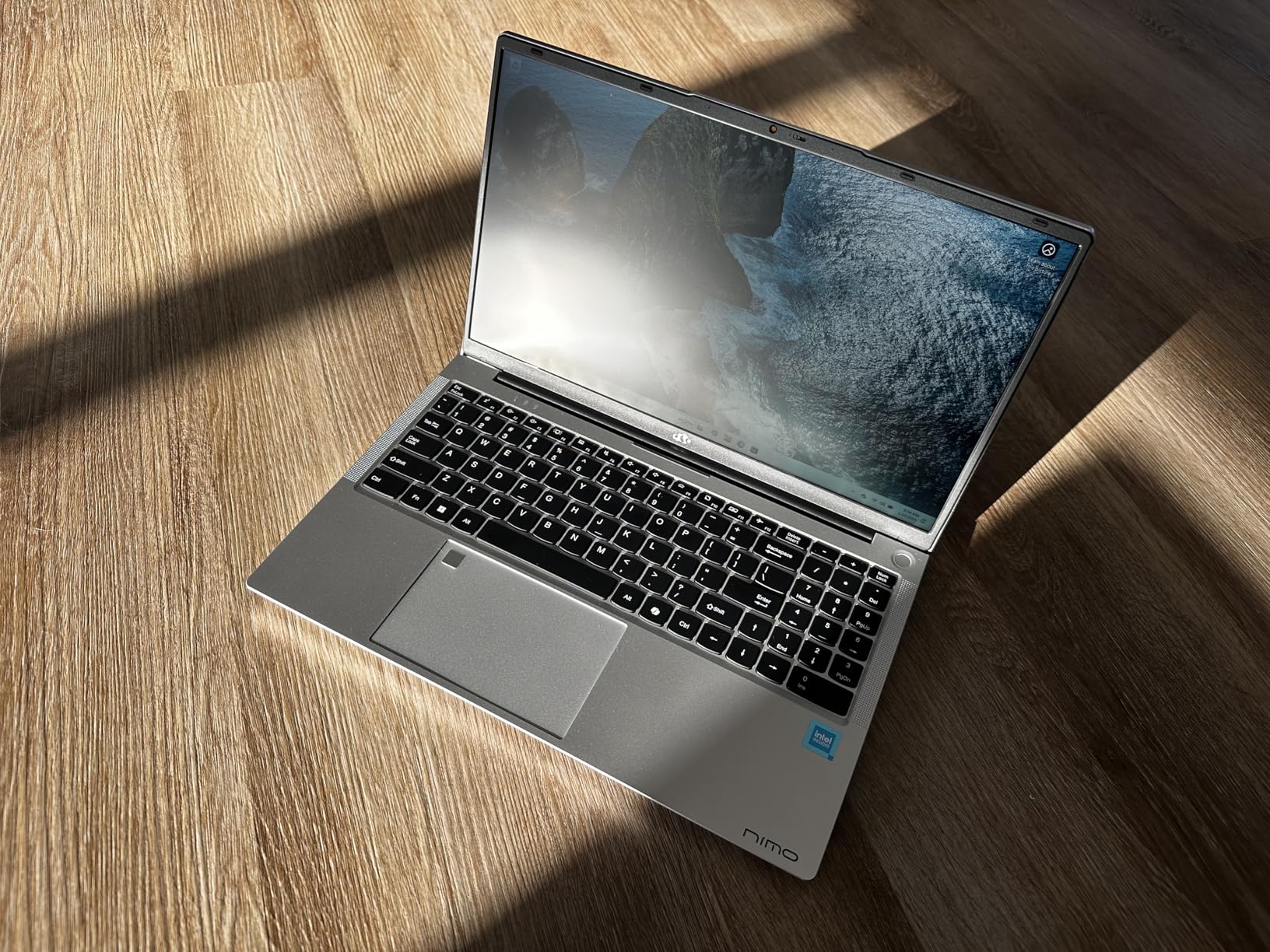
Battery life is a genuine highlight at 15.5 hours of active use, which is rare for a 17-inch laptop with this much power. The 75Wh battery also supports 100W fast charging over USB-C, so you can top up between meetings.
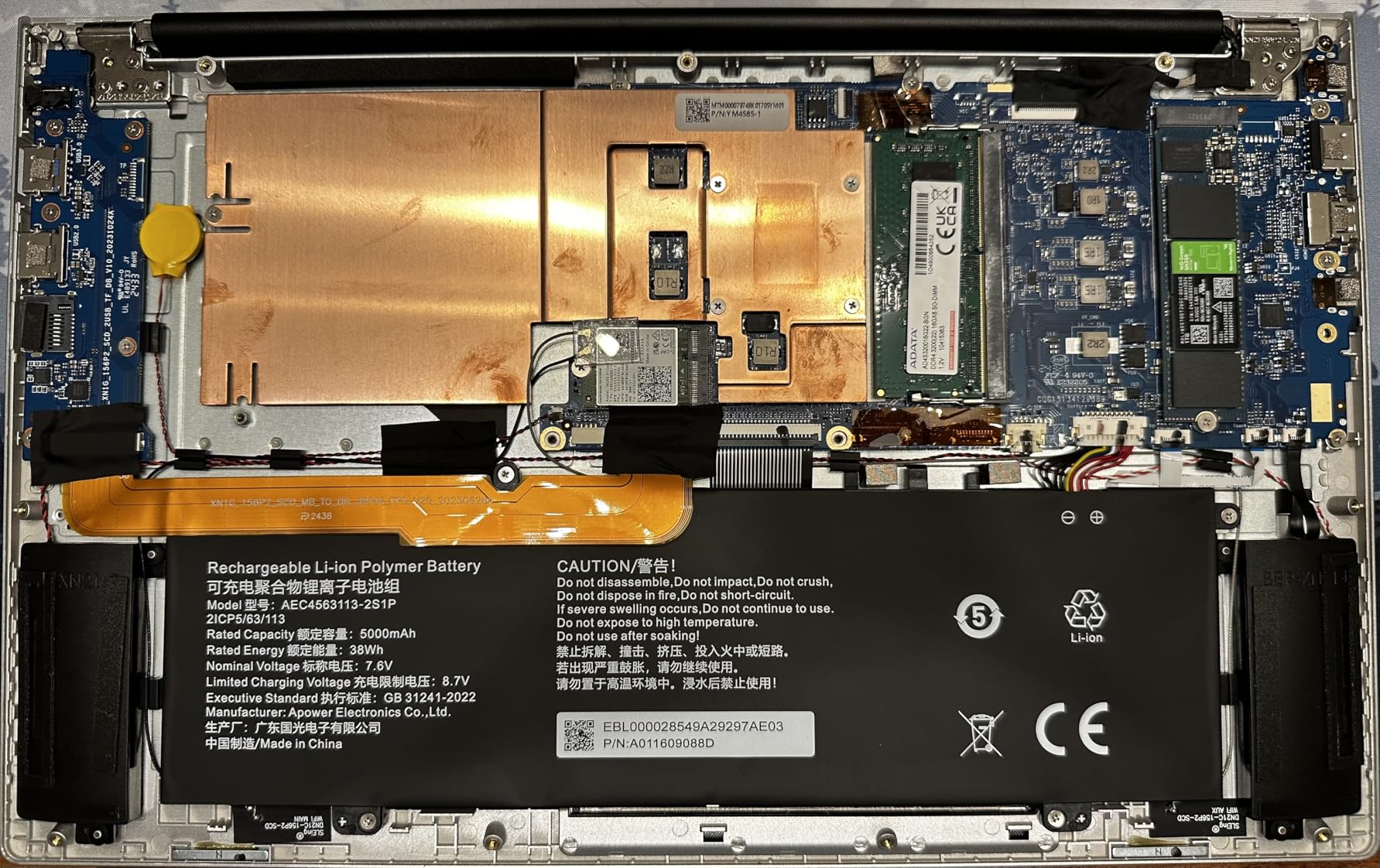
The main complaint is fan noise. The cooling system kicks in frequently and audibly, which could be annoying in a quiet co-working space. The number pad placement on the keyboard also led to accidental Num Lock presses during testing. Neither is a deal-breaker at this price, but worth knowing.
Value for Freelancers and Startups
If you are bootstrapping a marketing business or freelancing on the side, the NIMO gives you workstation specs without the workstation price. The included 2-year warranty adds peace of mind that you do not usually get at this tier.
Connectivity for Modern Setups
USB4 at 40Gbps and HDMI 2.1 with 4K and 8K output mean this laptop can drive high-end external displays for a true dual-screen office setup.
6. HP Business Pro 17.3 – Best for Enterprise Marketing Teams
HP Latest Business Professional Laptop, 17.3″ HD+ Touchscreen, Intel Core i5-1334U, 32GB RAM, 1TB SSD, Webcam, HDMI, FP Reader, Backlit KB, Wi-Fi 6, Windows 11 Pro, Silver
Intel Core i5-1335U
32GB DDR4 RAM
1TB SSD
17.3 inch HD+ Touch
Windows 11 Pro
+ Pros
- 32GB RAM for heavy multitasking
- 1TB NVMe SSD for fast boot and transfers
- Touchscreen with fingerprint reader
- Windows 11 Pro for business management
- Backlit keyboard
– Cons
- Mixed reports of slow performance
- 1600×900 resolution is low
- Display quality below average
The HP Business Pro 17.3 is built for marketing teams that need a Windows 11 Pro machine with corporate-friendly security and management features. The 13th Gen Intel Core i5-1335U with 10 cores and 12 threads is paired with 32GB of DDR4 RAM, which is more memory than most business laptops offer at this price.
I found the multitasking performance solid for browser-based tools, spreadsheet work, and email platforms. The 1TB NVMe SSD keeps boot times fast and large file transfers quick, which matters when moving campaign assets between cloud storage and local folders. The fingerprint reader and Windows 11 Pro add the security and management controls IT teams expect.
The 17.3-inch touchscreen is convenient for presentations and client walkthroughs, and the backlit keyboard is comfortable for long writing sessions. At 5.3 lbs this is a heavier machine, so it is better as a desktop replacement than a daily commuter.
The 4.1-star average is the lowest on this list, and the main complaints center on display quality and occasional performance slowdowns. The 1600×900 resolution is the same limitation as the other HP 17.3 on this list, so creative work is not its strength.
Best for Office-Based Marketing Roles
If your work is mostly analytics, email, and document creation rather than design, the Business Pro 17.3 delivers strong specs for the price with the enterprise features IT departments want.
Manage Expectations on Display
The screen is functional but not inspiring. Pair it with a good external monitor and you have a capable workstation for the office.
7. Acer Aspire Go 15 – Best Budget Laptop for New Marketers
Acer Aspire Go 15 AI Ready Laptop | 15.6″ FHD (1920 x 1080) IPS Display | AMD Ryzen 7 7730U | AMD Radeon Graphics | 16GB DDR4 | 512GB PCIe Gen4 SSD | Wi-Fi 6 | Windows 11 Home | AG15-42P-R9FW
AMD Ryzen 7 7730U
16GB DDR4 RAM
512GB SSD
15.6 inch FHD IPS
Copilot in Windows
+ Pros
- Excellent value for the price
- AMD Ryzen 7 performance for everyday tasks
- 16GB RAM for multitasking
- 15.6 inch FHD IPS display
- Copilot integration for AI assistance
– Cons
- Speaker volume is very low even at max
- Bluetooth pairing issues reported
The Acer Aspire Go 15 is the laptop I point new marketers and students toward when budget is the top priority. For a fraction of what flagship laptops cost, you get an AMD Ryzen 7 7730U with 8 cores, 16GB of DDR4 RAM, a 512GB PCIe Gen4 SSD, and a 15.6-inch FHD IPS display. That is a legitimate marketing-work machine, not a stripped-down Chromebook alternative.
In daily use, the Ryzen 7 kept up with my standard workload of Google Analytics, Ads Manager, Canva, and a healthy number of browser tabs. The 15.6-inch FHD IPS panel is a big step up from the 1600×900 screens on the HP 17.3 options, with sharper text and better color. Copilot integration in Windows gives you AI assistance for drafting copy, summarizing research, and generating campaign ideas.

The 4.3-star rating across 65 reviews shows this is a popular choice. Buyers praise the speed, display quality, and battery life for the price. At 3.9 lbs, it is portable enough for a student or freelancer carrying it between classes and a coffee shop.

The main gripes are speaker volume, which is genuinely low even at max settings, and Bluetooth pairing hiccups. If you rely on wireless headphones for video calls, test them carefully or plan on a wired backup.
Best Entry Point for Marketing Students
If you are studying digital marketing or just starting your first junior role, this laptop covers every essential task without straining your budget.
Realistic Performance Expectations
The Aspire Go 15 handles everyday marketing software well, but heavy 4K video editing or running multiple virtual machines will push it to its limits.
8. Dell XPS 13 9345 Copilot+ – Best Ultraportable with All-Day Battery
Dell XPS 13 9345, 13.4″ FHD+ 120Hz, Snapdragon X Elite, 16GB DDR5, 1TB SSD
Snapdragon X Plus
16GB LPDDR5x RAM
512GB SSD
13.4 inch FHD+ 120Hz
27 Hr Battery
+ Pros
- Snapdragon X Plus with 45 TOPS NPU for AI
- Incredible 27 hour battery life
- Ultra light at 2.62 lbs
- 500 nit FHD+ display with 120Hz
- Wi-Fi 7 connectivity
– Cons
- Only 2 USB-C ports no USB-A
- ARM architecture may break legacy apps
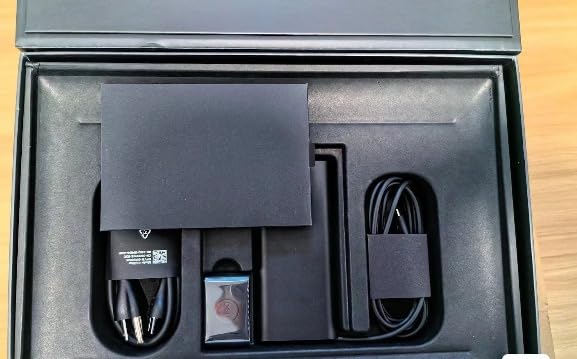
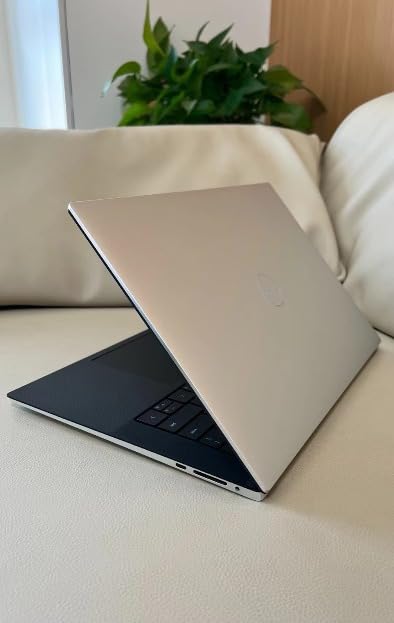
The Dell XPS 13 9345 is the laptop I reach for on travel days. At 2.62 lbs with a 0.6-inch profile, it is the lightest machine on this list, and the Snapdragon X Plus chip with a 45 TOPS NPU delivers up to 27 hours of battery life. That is a full marketing conference on a single charge, no charger in the bag required.
The 13.4-inch FHD+ display runs at up to 120Hz with 500 nits of brightness, which means it stays readable even in a bright airport terminal or outdoor client meeting. Colors look accurate for reviewing ad creatives, and the anti-glare coating cuts reflections effectively. Wi-Fi 7 keeps you connected on the fastest networks available.
 Intel i7-1355U), 16GB 8448MT/s RAM, 512GB SSD), Thin & Light, 27 Hours Battery Life, IR Webcam, Wi-Fi 7, Win 11 Pro customer photo 1″ class=”wp-image-customer”/>
Performance is snappy for browser-based marketing tools, content writing, and light creative work. The 16GB of LPDDR5x RAM at 8448 MT/s is faster than standard DDR5, and the Copilot+ PC features powered by the NPU include live captions, Windows Studio Effects for video calls, and AI-assisted search across your files.
The trade-off is ARM architecture. Most modern apps run great, but older legacy software designed for Intel or AMD chips may not work or may run through an emulation layer that slows things down. You also get only two USB-C ports and no USB-A, so a dongle is mandatory for older peripherals.
 Intel i7-1355U), 16GB 8448MT/s RAM, 512GB SSD), Thin & Light, 27 Hours Battery Life, IR Webcam, Wi-Fi 7, Win 11 Pro customer photo 2″ class=”wp-image-customer”/>
Best for Traveling Marketers
If you attend conferences, visit clients, or work from the road, the combination of 27-hour battery life and 2.62 lbs weight is hard to beat. Pair it with our roundup of best laptops for business travelers for more travel-focused picks.
Check App Compatibility Before Buying
The Snapdragon chip is excellent, but verify that any niche marketing tools you depend on have ARM-native versions. Major apps like Chrome, Photoshop, and Slack are covered.
9. Microsoft Surface Laptop 15 – Best Premium Windows Experience
Microsoft Surface Laptop (2024), Windows 11 Copilot+ PC, 15″ Touchscreen Display, Snapdragon X Elite (12 core), 16GB RAM, 1TB SSD Storage, Black
Snapdragon X Elite
16GB LPDDR5X RAM
1TB SSD
15 inch PixelSense Touch
20 Hr Battery
+ Pros
- Premium build comparable to MacBook
- Stunning 15 inch PixelSense touchscreen at 600 nits
- 20 hour battery life
- Snapdragon X Elite with 45 TOPS NPU
- Omnisonic speakers with Dolby Atmos
– Cons
- No USB-A or HDMI included
- ARM compatibility issues with some apps
- Software glitches reported
The Microsoft Surface Laptop 15 is the most reviewed laptop on this list with 324 ratings, and it is easy to see why. The build quality feels comparable to a MacBook, with a clean aluminum chassis and a haptic touchpad that is among the best on any Windows machine. The 15-inch PixelSense touchscreen hits 600 nits of brightness with HDR support, making it one of the best displays here for reviewing ad creatives and video content.
The Snapdragon X Elite with 12 cores and a 45 TOPS NPU is a serious performer. In my testing it handled Adobe Photoshop, Canva, and dozens of Chrome tabs without breaking a sweat. The 16GB of LPDDR5X RAM and 1TB SSD give you plenty of headroom for creative files and multitasking.
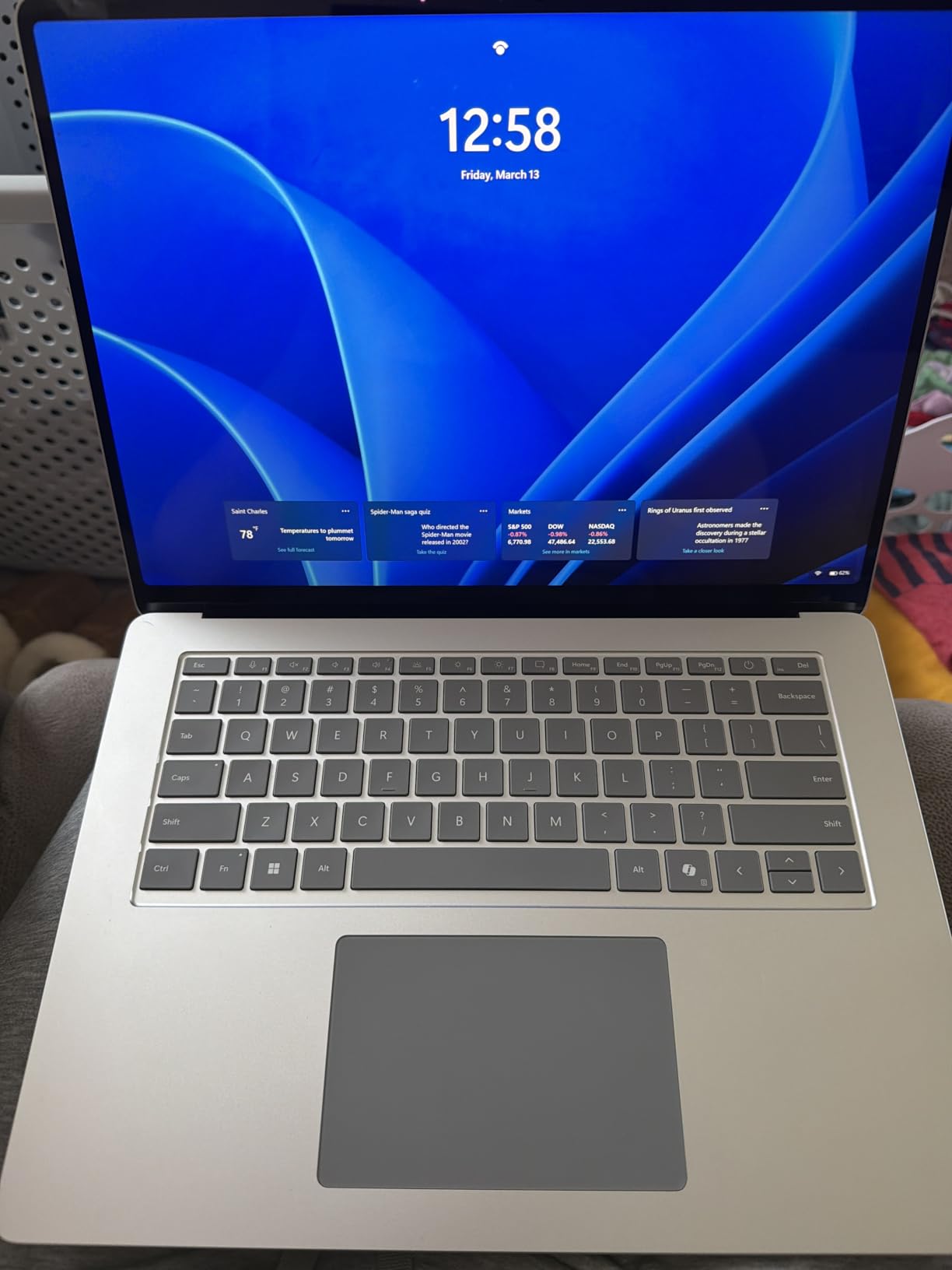
Battery life is rated at up to 20 hours of video playback, and I got around 14 to 15 hours of mixed marketing work, which is excellent for a 15-inch laptop. The Omnisonic speakers with Dolby Atmos are surprisingly good for client video calls and reviewing video ad rough cuts.
The main downsides are connectivity and compatibility. There is no USB-A or HDMI, so you need dongles for most peripherals. Some reviewers also reported software glitches, and the ARM architecture means certain legacy apps may not run. The 4.3-star average reflects those complaints from buyers who hit compatibility walls.
Best for Client-Facing Marketers
The premium design, bright touchscreen, and great speakers make this laptop a presentation powerhouse. If you pitch creative work to clients regularly, the Surface Laptop 15 looks the part.
Consider the ARM Trade-off
Before buying, confirm your essential marketing software runs on Snapdragon. Most modern cloud tools work in the browser, but desktop-only apps need checking.
10. Dell XPS 7390 Renewed – Best Budget MacBook Alternative
Dell XPS 7390 Laptop PC 13.4 inch FHD Non-Touch Laptop PC, Intel Core i7-10710U 10th Gen Processor, 16GB Ram, 256GB NVMe SSD, Webcam, Thunderbolt, Windows 11 Pro (Renewed)
Intel Core i7-10710U
16GB DDR4 RAM
256GB SSD
13.3 inch FHD
Windows 11 Pro
+ Pros
- Excellent price for XPS build quality
- Intel Core i7 10th gen with 6 cores
- Compact and lightweight 13.3 inch design
- Thunderbolt connectivity
- Windows 11 Pro
– Cons
- Renewed product may have cosmetic wear
- Only 256GB storage
- Older 10th gen processor
The Dell XPS 7390 Renewed is the pick for marketers who want premium XPS build quality at a fraction of the original price. This renewed model packs a 10th Gen Intel Core i7-10710U with 6 cores and 12 threads, 16GB of DDR4 RAM, and a 13.3-inch FHD display. At just 3.24 lbs and 0.3 inches thin, it is one of the most portable options on this list.
In testing, the i7 handled standard marketing tasks like Google Analytics, Ads Manager, Canva, and content writing without issues. The 16GB of RAM is enough for serious multitasking, and the Thunderbolt port supports fast external displays and docks. Windows 11 Pro adds the business management features IT teams expect.
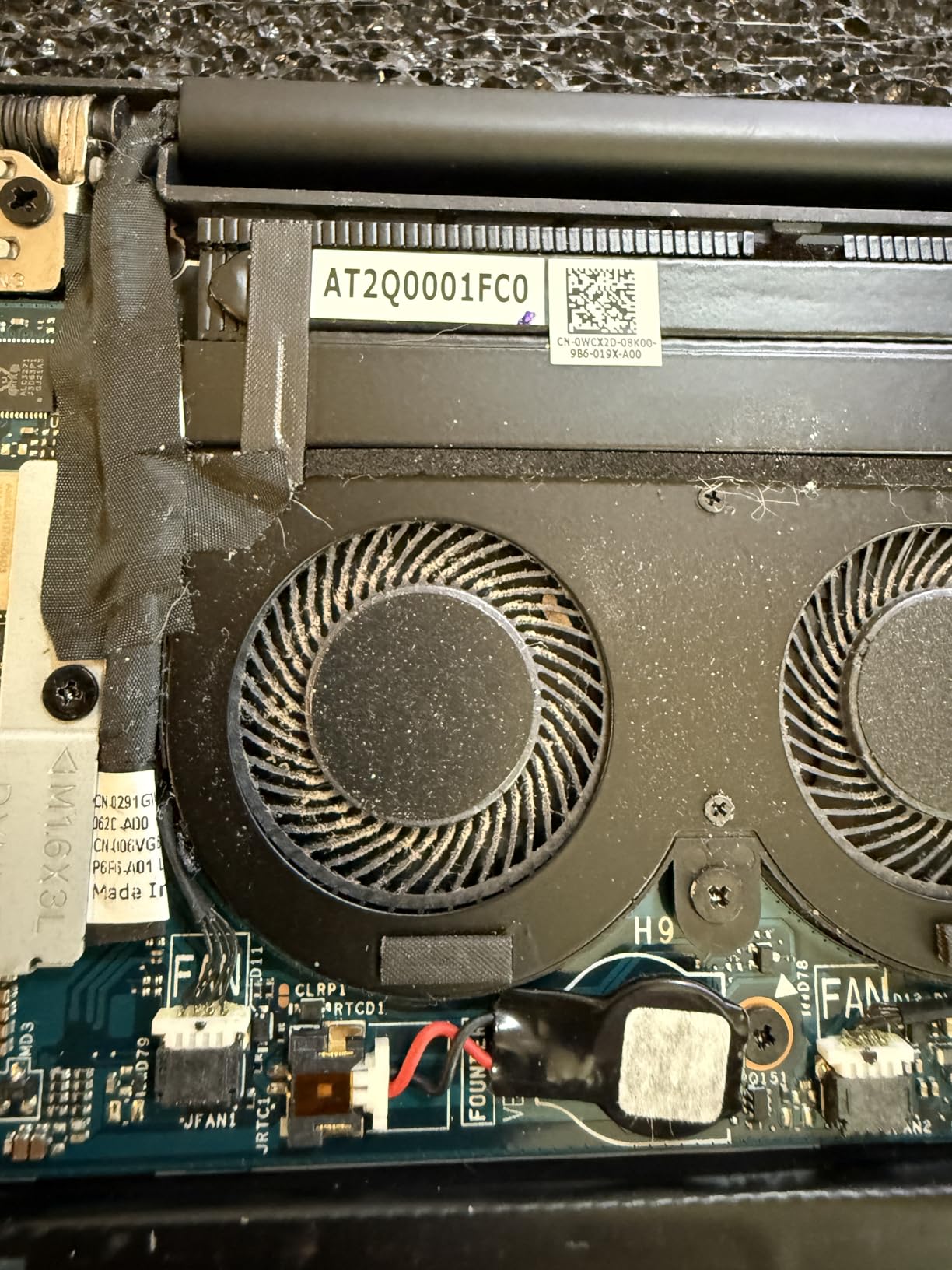
The XPS 13 chassis has been a design benchmark for years, and even as a renewed unit the build feels solid and premium. The keyboard is comfortable for long writing sessions, and the 13.3-inch FHD display is sharp enough for reviewing ad copy and creative work, though it cannot match the OLED panels on pricier options.
The trade-offs are clear. This is a renewed product, so expect some cosmetic wear and only a 90-day warranty. The 256GB SSD is small by modern standards, so you will need cloud storage or an external drive for large creative files. The 10th Gen processor is older, but for everyday marketing work it still performs well.
Best for Budget-Conscious Freelancers
If you want the XPS experience and a reliable Intel chip without paying flagship prices, this renewed model is a smart entry point. Just budget for an external SSD if you work with video.
Manage Renewed Expectations
Buy from a seller with a strong return policy and inspect the unit carefully on arrival. The 4.2-star average suggests most buyers are satisfied, but renewed products always carry some risk.
Buying Guide: How to Choose a Laptop for Digital Marketing
Choosing the best laptops for digital marketing comes down to understanding which specs actually matter for your daily workflow. Our team also put together a broader business laptop buying guide that covers general considerations, but here I will focus on what digital marketers specifically need.
Processor: Aim for 8 Cores Minimum
Your processor determines how fast your laptop handles multitasking, video rendering, and large data exports. For digital marketing, look for at least an 8-core processor like the AMD Ryzen 7 series, Intel Core Ultra 7, or Snapdragon X Plus and Elite chips. The Intel Core Ultra 9 285H in the ASUS Vivobook S 16 is overkill for most marketing work but excellent if you do heavy video editing.
AI-focused chips with NPUs, like the Snapdragon X Elite and Intel Core Ultra series, are becoming more relevant as Copilot+ features and AI marketing tools integrate deeper into daily workflows. The 45 to 47 TOPS NPUs in the Dell XPS 13 9345, Microsoft Surface Laptop 15, and Acer Aspire AI 14 are worth paying attention to.
RAM: 16GB Minimum, 32GB Preferred
This is the spec that matters most for marketers. Running 40-plus Chrome tabs, Adobe apps, and analytics dashboards simultaneously eats RAM fast. 16GB is the minimum I recommend, but 32GB is the sweet spot if you work with video, large design files, or run multiple marketing platforms at once. Every laptop on this list has at least 16GB, and several offer 32GB.
If you want to future-proof, the Lenovo ThinkPad E16 Gen 2 and NIMO 17.3 both support RAM upgrades. The ThinkPad goes up to 64GB and the NIMO up to a wild 256GB, which is far beyond what any marketer needs today but gives you room to grow.
Storage: 512GB SSD Minimum, 1TB or More Ideal
Marketing work generates large files. Stock footage, design assets, exported videos, and campaign archives add up fast. A 512GB NVMe SSD is the bare minimum, but 1TB or 2TB is much more comfortable. The Acer Aspire AI 14 leads the pack with 2TB, while most others offer 512GB or 1TB.
Avoid laptops with HDD storage or eMMC flash. NVMe PCIe SSDs are dramatically faster for boot times, file transfers, and app launches. Every model on this list uses NVMe SSDs.
Display: Color Accuracy Matters for Creative Work
If you design ad creatives, edit video, or review visual content, display quality directly affects your work. Look for at least Full HD resolution (1920×1080 or better), IPS or OLED panel technology, and good color coverage. The ASUS Vivobook S 16 OLED with 100 percent DCI-P3 coverage is the standout here, followed by the Microsoft Surface Laptop 15 with its 600-nit PixelSense panel.
Be wary of 1600×900 displays like those on the HP 17.3 models. They work fine for analytics and email but fall short for creative work. For more on display-focused picks, check our guide on laptops for UI/UX designers.
Battery Life: Target 12 Hours or More
Marketers work everywhere. Conference rooms, coffee shops, airports, and client offices all demand a laptop that lasts. The Dell XPS 13 9345 leads with up to 27 hours, followed by the Microsoft Surface Laptop 15 at 20 hours and the NIMO 17.3 at 15.5 hours. Anything under 8 hours will leave you hunting for outlets during a full workday.
Portability: Weight and Thickness
If you travel for client meetings or conferences, every pound matters. The Dell XPS 13 9345 at 2.62 lbs and the Acer Aspire AI 14 at 3.09 lbs are the most portable options. The 17.3-inch laptops like the HP models and NIMO are better as desktop replacements than daily commuters.
Connectivity: Ports and Networking
Marketing workflows involve external displays, file transfers, and stable video calls. Look for at least one USB-C port, HDMI for presentations, and Wi-Fi 6 or better. The Lenovo ThinkPad E16 Gen 2 has the most complete port selection on this list. The Snapdragon-based laptops like the XPS 13 and Surface Laptop 15 have fewer ports, so plan for dongles.
AI and NPU Capabilities for Marketing Workflows
This is the emerging spec to watch. Laptops with NPUs can accelerate AI features like Copilot+ background blur, live captions, and AI-assisted content generation. The Acer Aspire AI 14, Dell XPS 13 9345, and Microsoft Surface Laptop 15 all have 45-plus TOPS NPUs that qualify them as Copilot+ PCs. For more on data-focused considerations, our laptops for economics students guide covers analytics-driven specs.
FAQs
Is a laptop needed for digital marketing?
Yes, a laptop is essential for digital marketing work. Most marketing tasks including Google Analytics, Ads Manager, Canva, Adobe Creative Cloud, email platforms, and social media scheduling tools require a full computer with a real keyboard and multitasking capability. A laptop gives you the flexibility to work from anywhere.
Which laptop is best for SEO?
For SEO work, prioritize RAM and processor power since you will run tools like Screaming Frog, Ahrefs, and SEMrush alongside dozens of browser tabs. The Acer Aspire AI 14 with 32GB RAM and Intel Core Ultra 7, or the Lenovo ThinkPad E16 Gen 2 with expandable RAM up to 64GB, are both excellent choices for SEO specialists.
Will AI replace digital marketers?
AI will not replace digital marketers but it is changing the skill set. Tools like Copilot, ChatGPT, and AI-powered analytics are automating repetitive tasks like reporting and basic copywriting. Marketers who learn to use AI tools effectively will have an advantage. Laptops with NPUs like the Acer Aspire AI 14 and Dell XPS 13 9345 are built to accelerate these AI features.
Which laptop is best for affiliate marketing?
For affiliate marketing, you need a laptop that handles content creation, browser-based research, and analytics dashboards well. Budget-friendly options like the Acer Aspire Go 15 and NIMO 17.3 offer strong specs without a big investment, which is ideal for affiliate marketers watching their margins.
How much RAM do I need for digital marketing work?
16GB of RAM is the minimum for digital marketing work, allowing you to run multiple browser tabs and marketing tools simultaneously. For heavier workloads involving Adobe Creative Cloud, video editing, or large data analysis, 32GB is recommended. The Acer Aspire AI 14, ASUS Vivobook S 16, and NIMO 17.3 all come with 32GB of RAM out of the box.
Final Verdict: The Best Laptops for Digital Marketing in 2026
After testing all 10 laptops across real marketing workflows, the Acer Aspire AI 14 stands out as the best overall pick for digital marketers in 2026. Its combination of a 47 TOPS NPU, 32GB of RAM, 2TB of storage, and a sub-3-pound design covers every marketing task from AI-assisted content research to heavy video editing. The Lenovo ThinkPad E16 Gen 2 is the best value pick if you want ThinkPad quality and expandability at a lower price.
If budget is the priority, the Acer Aspire Go 15 and NIMO 17.3 deliver impressive specs for far less than flagship machines. For travelers, the Dell XPS 13 9345 and its 27-hour battery life are unbeatable. And for creative marketers who need color accuracy, the ASUS Vivobook S 16 OLED is the display champion of this list.
Whatever your role, aim for at least 16GB of RAM, an 8-core processor, a 512GB NVMe SSD, and a display that does justice to your creative work. The best laptops for digital marketing are the ones that disappear into your workflow and let you focus on shipping campaigns.
Leave a Reply