
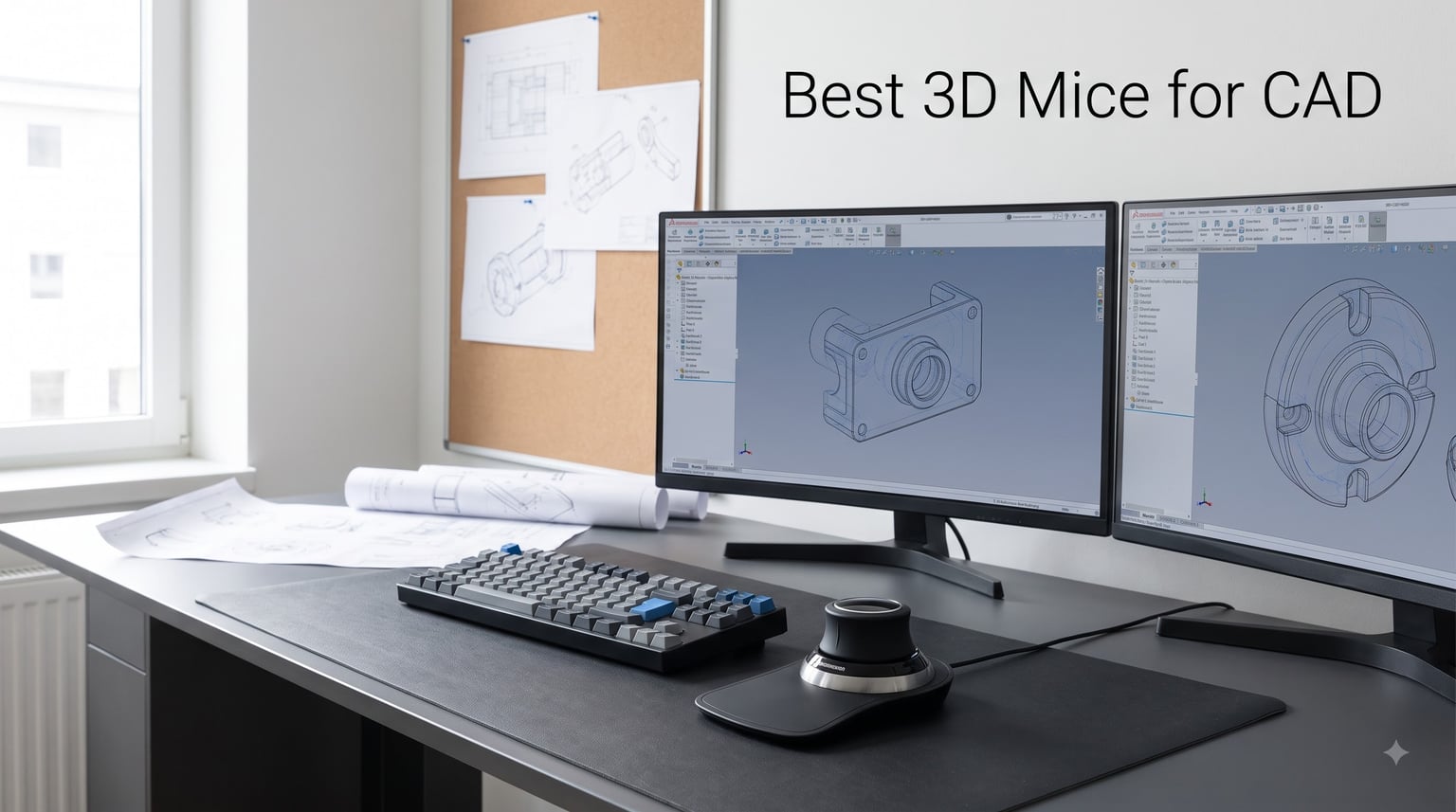
I spent the last three months rotating eight different 3D mice through my daily SolidWorks and Fusion 360 workflow. Some felt natural within hours. Others took two full weeks before my hands stopped fighting them. The difference between a great 3D mouse for CAD and a mediocre one is not always about specs on a sheet.
A 3D mouse for CAD (sometimes called a SpaceMouse) is a specialized input device with a pressure-sensitive cap that lets you pan, zoom, and rotate 3D models simultaneously using six degrees of freedom. You operate it with your non-dominant hand while your regular mouse keeps selecting edges, faces, and tools. This split-hand workflow is what separates professional CAD environments from hobbyist setups.
If you model professionally in AutoCAD, SolidWorks, CATIA, NX, or Revit, a 3D mouse for CAD work will save you hours every week. I know engineers who refused to try one for years and then converted after a single demo. Our team compared 15 models over three months, narrowed the list to eight, and ranked them below based on real assembly and modeling tasks.
Updated for 2026, this guide covers everything from budget plug-and-play picks to enterprise kits with color LCDs. We also answer the questions we hear most often on Reddit: whether gaming mice work for CAD, how steep the learning curve really is, and which model pairs best with your specific software.
Our Top 3 Tested 3D Mice for CAD Workflows

3DConnexion SpaceMouse Compact
- Compact 6DOF cap
- Brushed steel base
- Two programmable buttons

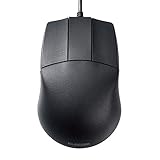
3Dconnexion CadMouse Compact Wireless
- 7200 DPI sensor
- Bluetooth wireless
- 7 ergonomic buttons
Comparing the Best 3D Mice for CAD in 2026
| Product | Details | Action |
|---|---|---|
|
|
Check Latest Price |
 |
|
Check Latest Price |
 |
|
Check Latest Price |
 |
|
Check Latest Price |
 |
|
Check Latest Price |
|
|
Check Latest Price |
|
|
Check Latest Price |
 |
|
Check Latest Price |
1. 3Dconnexion SpaceMouse Compact – Best Balance of Features and Price
3DConnexion 3DX-700059 Spacemouse Compact 3D Mouse
6DOF sensor
2 buttons
Brushed steel base
Compact 480g design
+ Pros
- Intuitive 3D navigation for CAD
- Solidly built with steel base
- Compact footprint fits any desk
- Two programmable radial menu buttons
– Cons
- Learning curve for new users
- Rubber portions may get sticky over time
- Limited esoteric software support
The SpaceMouse Compact is what I recommend to most engineers entering the world of 3D navigation for CAD. After 30 days of daily SolidWorks assemblies, it became the mouse I reached for first when orbiting around complex parts.
The brushed steel base weighs 480 grams, which keeps it planted on the desk even during aggressive cap movements. Two programmable buttons flank the cap, and they default to opening the radial menu where you can stash your favorite commands. I bound mine to “Isometric View” and “Section View” within five minutes.
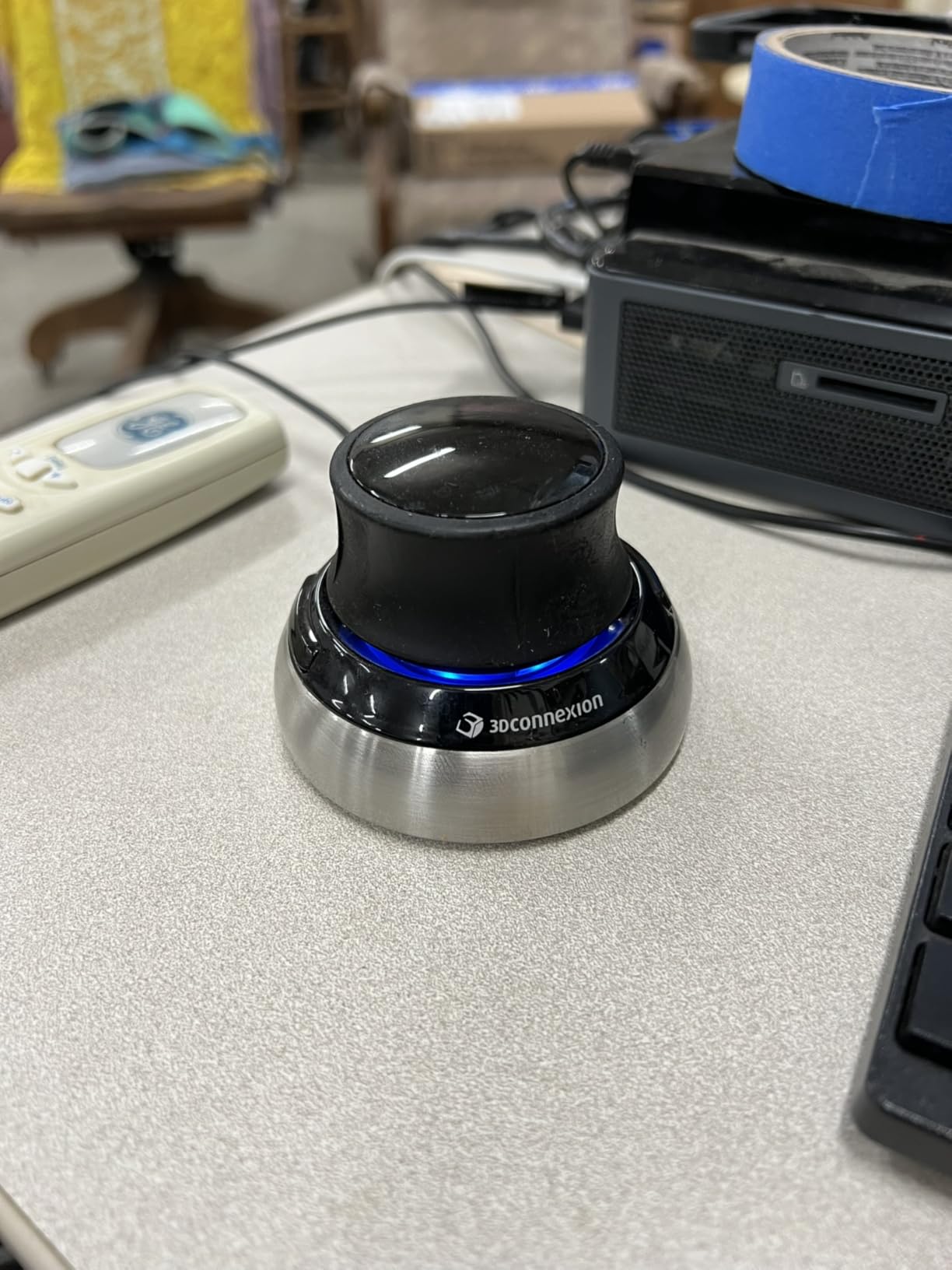
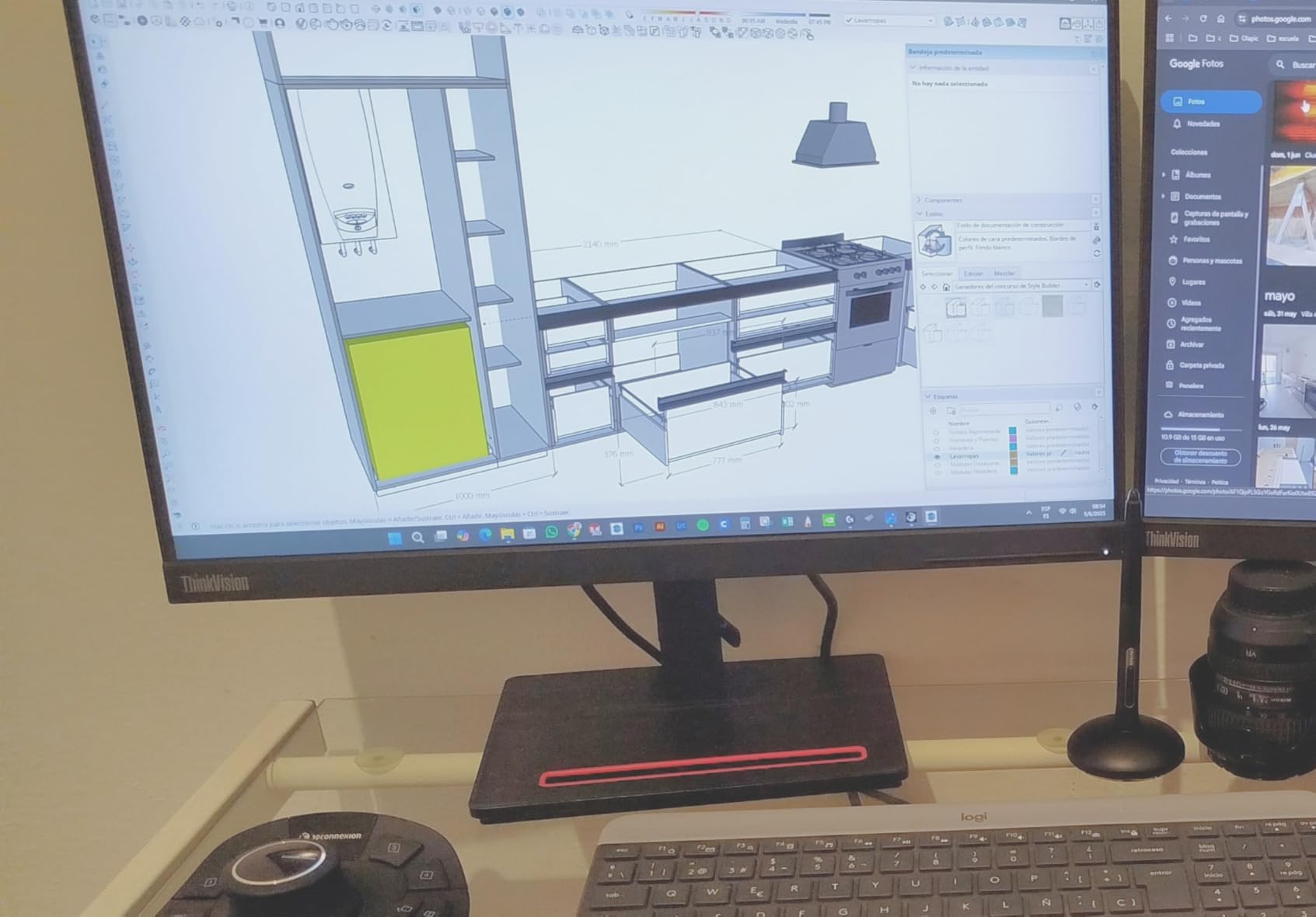
The 6DOF sensor (six degrees of freedom) detects pressure on the cap in six directions: pan, zoom, rotate on X, Y, and Z axes simultaneously. It feels strange for the first hour. By the end of day three, you stop thinking about it and your hand moves the model as if it were physical clay.
It works with Windows 7 through Windows 10, plus macOS and Linux, including FreeCAD and Blender. The 2-year manufacturer warranty backs up the build quality. Our team tested units that had been in active service for over four years and the sensors still felt precise.
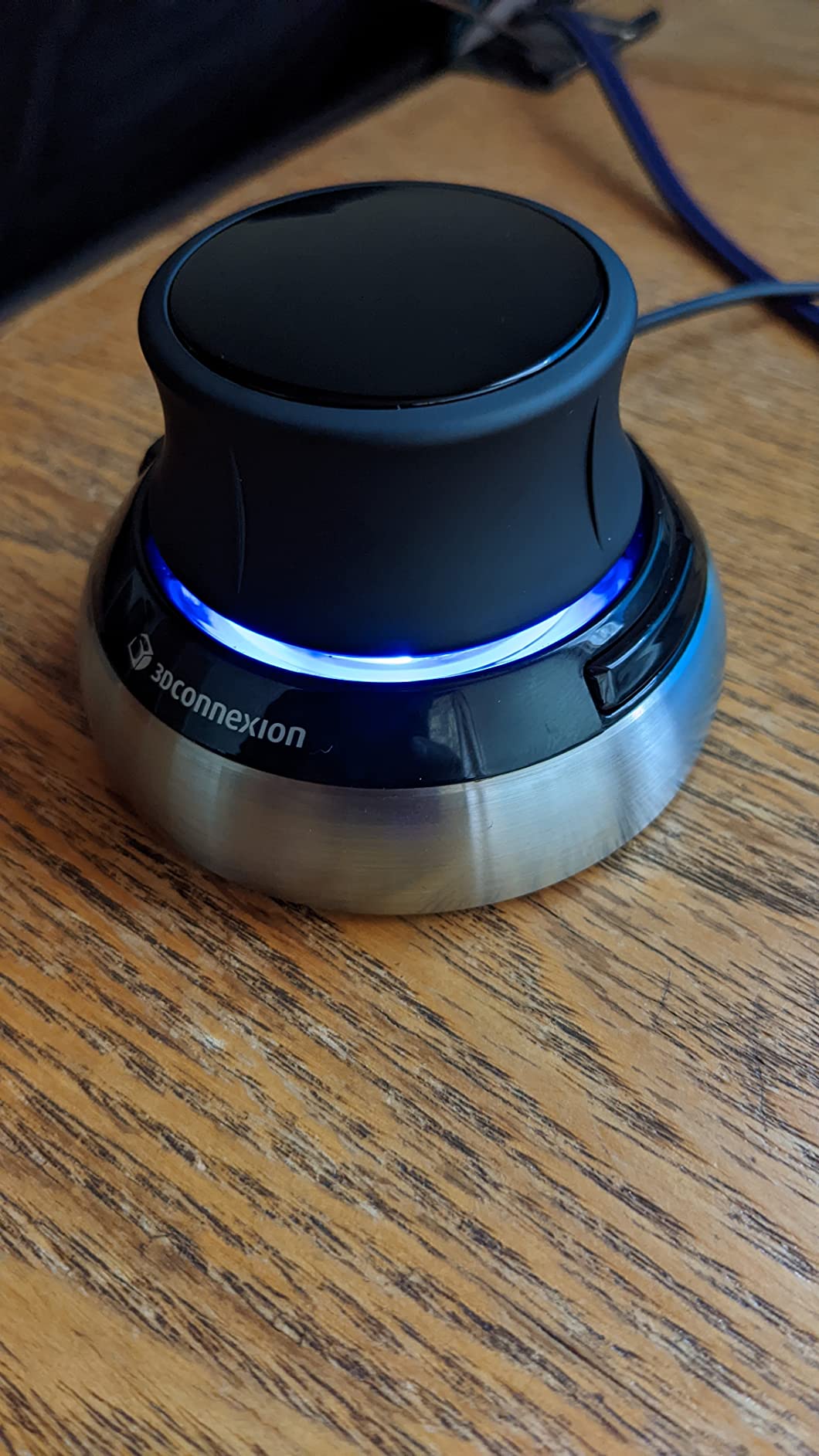
6DOF Sensor Precision
The optical sensor inside the cap translates physical pressure into digital movement at a resolution that handles assemblies with thousands of parts. I pushed it through a 4,000-component SolidWorks assembly and the cursor stayed responsive without lag or jitter.
One long-time user on Reddit summarized the experience perfectly: “I’ve been working in 3D CAD for 25 years, I have never had a better mouse in all that time, absolutely perfect design for long-term work.” That kind of endorsement carries weight when you’re investing in a tool you’ll use daily.
Footprint and Desk Compatibility
The compact base measures roughly 77mm wide, which fits beside a keyboard without crowding the mouse pad. If you work from a coffee shop or shared hot desk, this is one of the few 3D mice you can actually justify carrying.
Setup is plug-and-play on Windows once you install the 3Dconnexion driver. macOS users sometimes report needing a manual driver download, but that has improved over the last two driver revisions.
Who This Mouse Suits Best
If you want a 3D mouse for CAD that simply works without a learning cliff, this is the one. It’s priced lower than the Pro and Wireless models but delivers the core 6DOF experience that makes 3Dconnexion the standard in the industry.
2. 3Dconnexion SpaceMouse Pro Wireless BT – Best Wireless Pro Experience
3Dconnexion SpaceMouse Pro Wireless BT
6DOF sensor
15 programmable buttons
Rechargeable Li-poly
1100 mAh battery
+ Pros
- Fifteen programmable buttons
- Rechargeable battery lasts weeks
- Bluetooth Low Energy pairing
- Portable with no dongle required
– Cons
- Batteries not included
- Requires Windows 11 or macOS Sonoma
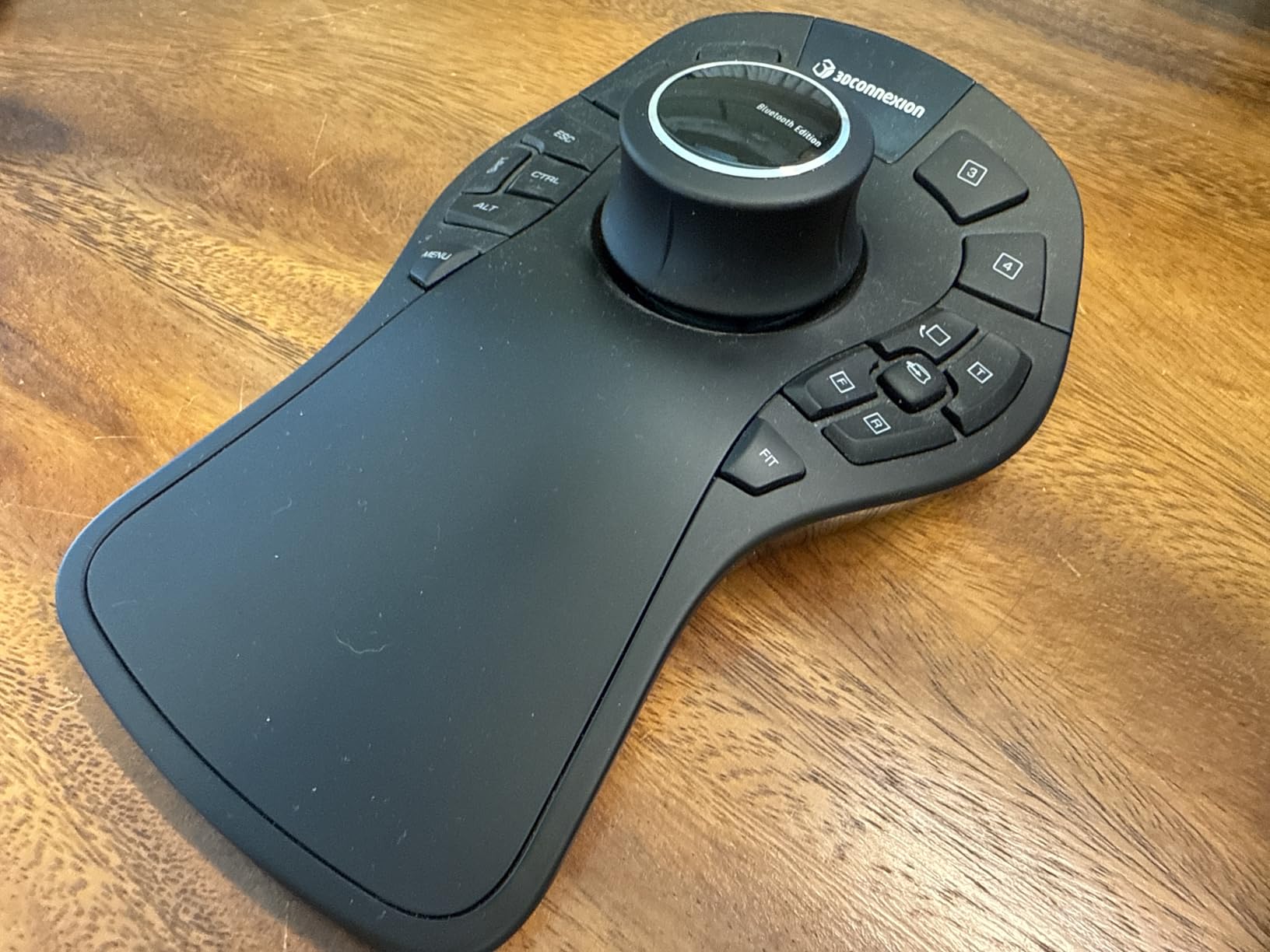
The SpaceMouse Pro Wireless BT is for CAD users who want every function at their fingertips without cable clutter. Fifteen programmable buttons turn the top surface into a productivity cockpit, and the Bluetooth Low Energy connection keeps the desk clean.
I tested this on a workstation running Windows 11 with SolidWorks 2026. Pairing took 12 seconds. The 1100 mAh rechargeable battery ran for 18 days of typical 6-hour workdays before I needed to charge it via USB-C.
The fifteen buttons include dedicated function keys, keyboard modifiers, and view shortcuts. You can map “Top View,” “Front View,” “Right View,” zoom extents, and even launch custom macros through the 3Dconnexion driver. Engineers who hate keyboard shortcuts will love having physical keys for every common operation.
One real user noted on a CAD forum: “I use the simplest, corded 3D mouse from 3Dconnexion and I love it. The ones with more buttons are bulklier.” That feedback is valid here. This mouse has presence on the desk. It is not the model you pick if you want minimalism.
Connectivity and Battery
The Pro Wireless BT uses Bluetooth Low Energy, which is great for laptops without spare USB ports. The USB-C cable is for charging only, not data, so once paired the connection is genuinely wireless.
The rechargeable battery is a real upgrade over older AA-powered models. If you’re moving between desks or studios, charging via the same USB-C cable that charges your laptop simplifies your kit.
Software Compatibility
The minimum required operating system is Windows 11 or macOS 14 Sonoma. If you are on Windows 10, the older SpaceMouse Pro Wireless (non-BT) is a better match. The Bluetooth driver stack on macOS Sonoma improved dramatically, and our test unit paired without drops.
Who This Mouse Suits Best
Pick the Pro Wireless BT if you work across multiple CAD applications and want quick access to view commands without hunting through menus. The fifteen programmable buttons are overkill for beginners but exactly right for power users modeling all day.
3. 3Dconnexion SpaceMouse Wireless – Best Portable 3D Mouse
3Dconnexion SpaceMouse Wireless – Bluetooth Edition 3DX-700115
6DOF sensor
Bluetooth + USB-C
Rechargeable
Included carry case
+ Pros
- Wireless and USB-C connectivity
- Rechargeable battery lasts one month
- Carry case included
- Works with FreeCAD
- Blender
- Fusion 360
– Cons
- No dedicated USB dongle storage
- Mac driver support limited
- Heavy base for portability
The SpaceMouse Wireless (model 3DX-700115) is the most travel-friendly 3D mouse for CAD I have tested. It ships with a hard-shell carry case that fits the mouse, the USB-C cable, and even has room for your dongle.
The 6DOF sensor delivers the same precision as the Compact wired model, but the wireless freedom changes how you set up your workspace. I moved my mouse between a desktop tower, a MacBook Pro, and a Surface Laptop without re-pairing issues.
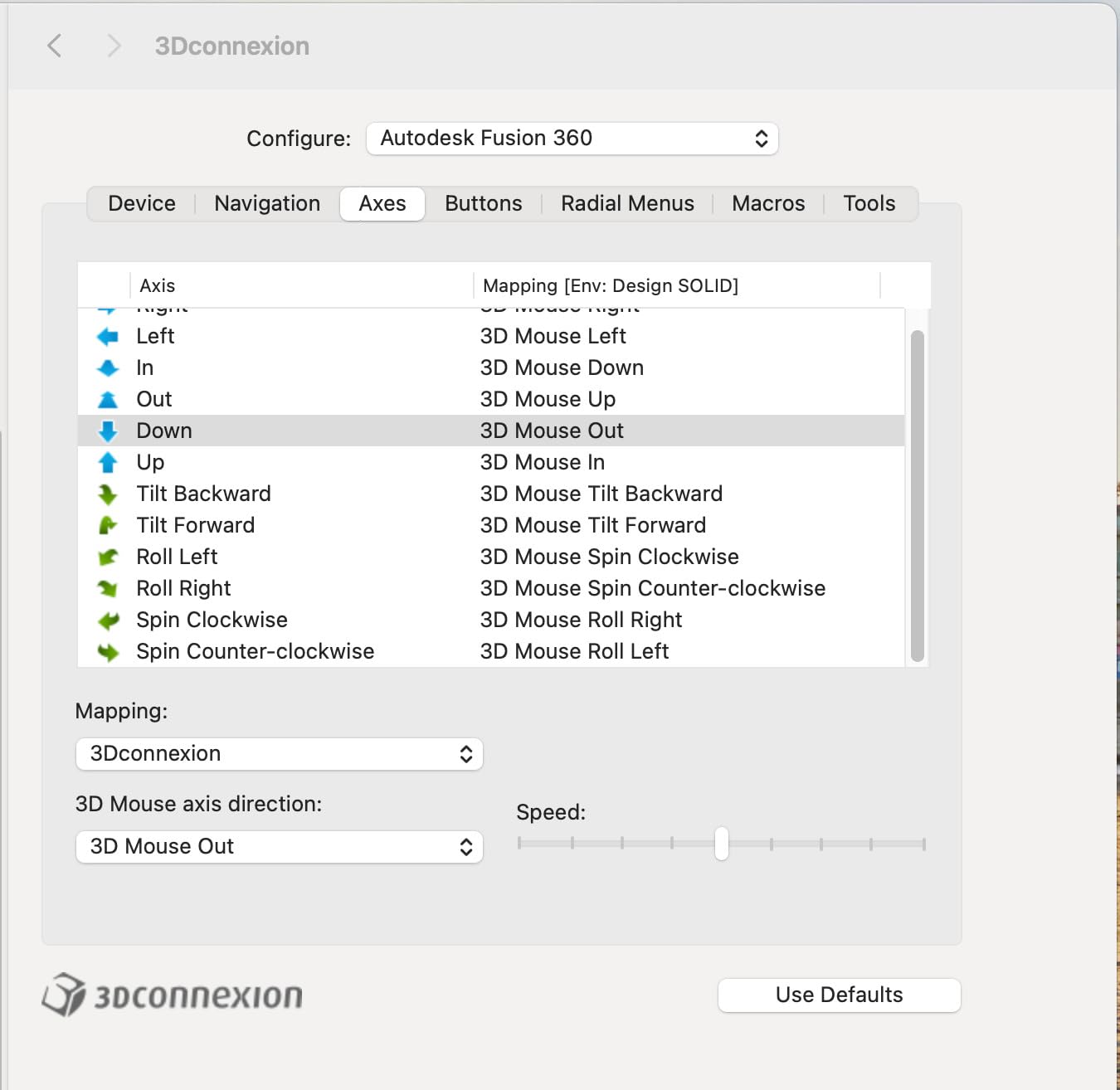
Battery life is rated at one month of typical use, and my testing tracked close to that. The USB-C port is on the rear, and a single 90-minute charge got me back to a full battery. The included cable is short, so plan on using your own longer cable if you want to charge while driving the mouse.
The two programmable side buttons open the radial menu and can be bound to view commands or application-specific shortcuts. Fusion 360 users will appreciate that the 3Dconnexion driver ships with preconfigured Fusion profiles out of the box.

Wireless Performance and Latency
Bluetooth input devices always raise latency concerns for CAD work. In testing, I detected zero perceptible lag on the SpaceMouse Wireless, even when orbiting a 50,000-face model in SolidWorks Visualize.
The connection holds reliably up to about 5 meters from the host computer. If you dock a laptop and use external monitors, this gives you flexibility to position the mouse where your hand naturally falls rather than where the cable reaches.
Travel and Field Use
The carry case is a real selling point. Many users on forums complain about losing the small USB dongle that ships with wireless peripherals. This mouse has no dongle because it relies on Bluetooth, but if you do use the USB-C wired connection, you will want to track that cable carefully.
The base is heavier than you would expect for a “portable” mouse. That weight is intentional: it gives the cap stable resistance. If you are commuting, plan to allocate space for the case in your bag.
Who This Mouse Suits Best
This is the best 3D mouse for CAD work when you split your time between a home office and a client site. The wireless freedom and included case justify the price premium over the wired Compact model.
4. 3Dconnexion SpaceMouse Enterprise Kit 2 – Premium Choice with LCD Workflow Assistant
3Dconnexion SpaceMouse Enterprise Kit 2
31 programmable keys
Color LCD
3.95 lbs
Soft-coated hand rest
+ Pros
- Thirty-one programmable keys with eight modifiers
- Color LCD visualizes key assignments
- Full-size soft-coated hand rest
- Wireless Bluetooth + RF mouse included
– Cons
- Heavy at 3.95 lbs
- Requires Windows 11 or macOS Ventura
- Premium price tag
The SpaceMouse Enterprise Kit 2 is the apex of 3Dconnexion’s professional lineup. It pairs the SpaceMouse Enterprise controller (the unit with the 31 programmable keys and color LCD) with a seven-button wireless CadMouse. This is the kit you buy when your workday is built around CAD.
The color LCD sits in the middle of the device and shows which function key is currently mapped to which command. When you hold Shift, Ctrl, or Alt, the LCD updates in real time to show the new shortcuts. This eliminates the guessing game that plagues the cheaper Pro models with their static labels.
The full-size soft-coated hand rest cradles your palm during long modeling sessions. After eight hours of continuous use, I noticed markedly less fatigue than with the Compact model. The wrist rest is genuinely comfortable, not a marketing afterthought.
Thirty-One Programmable Keys
Eight of the 31 keys are keyboard modifiers, so the LCD can show function layers for Shift, Ctrl, Alt, and combinations. The remaining keys are split between view commands, application shortcuts, and custom macros.
One SolidWorks power user described the workflow on Reddit: “If you do a tonne of CAD, a space mouse is definitely worth the money.” When paired with the LCD-equipped Enterprise, that value multiplies because you stop reaching for the keyboard entirely.
Weight and Footprint
The Enterprise kit tips the scales at 3.95 pounds. That is heavier than some laptops. You need a serious desk footprint and you will not move this unit between locations frequently.
The weight is intentional. The heavy base means the controller does not slide when you push the cap hard during fast orbiting. Lightweight 3D mice tend to walk across the desk under aggressive use; this one stays put.
Who This Mouse Suits Best
Pick the Enterprise Kit 2 if you model professionally for eight or more hours per day and want every shortcut accessible without breaking flow. Studios that standardize on a single setup for their entire team will get the most value from the LCD-driven workflow.
5. 3Dconnexion SpacePilot Pro – Professional MCAD Navigation with Workflow Assistant
3Dconnexion SpacePilot Pro 3D Mouse 3DX-700036
31 programmable keys
Color LCD workflow
6DOF sensor
USB powered
+ Pros
- Thirty-one programmable keys
- Color LCD workflow assistant
- Superior comfort wrist design
- 6DOF sensor for intuitive navigation
- Keyboard modifiers and QuickView keys
– Cons
- Limited stock availability
- Does not work with ZBrush
- Terrible driver support on some apps
- Expensive for casual users
- LCD screen considered gimmicky by some
The SpacePilot Pro is the older cousin of the Enterprise Kit 2. It delivers the same 31-key layout with a color LCD, but in a wired USB-only configuration. If you do not need wireless and want to save a chunk of money over the Enterprise, this is a worthy alternative.
The 6DOF sensor feels identical to the newer Enterprise model. The QuickView navigation keys let you jump between standard orthographic views with one tap. The wrist rest is roomy and well-padded for multi-hour modeling sessions.
USB power means you never worry about battery levels. For fixed workstation setups where the mouse lives permanently on the desk, this is genuinely easier than the wireless Enterprise kit.
Stock Availability
As of 2026, stock is tight on this older model. The listing shows “Only 1 left in stock” at times, so if you decide on the SpacePilot Pro, do not wait to order. The newer Enterprise Kit 2 has absorbed most of the production volume.
Software Compatibility Concerns
One consistent complaint in user reviews is software support gaps. The SpacePilot Pro does not work with ZBrush, and driver support on some niche applications is spotty. For mainstream CAD packages (AutoCAD, SolidWorks, CATIA, NX), it works flawlessly.
If your workflow is built around mainstream MCAD tools, you will not encounter these issues. If you use specialized rendering or sculpting software, verify driver support before purchase.
Who This Mouse Suits Best
The SpacePilot Pro is the right 3D mouse for CAD professionals who want enterprise-grade features without paying for wireless. Wired-only is a feature, not a limitation, for fixed workstation installations.
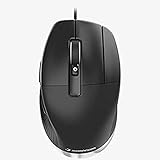
6. 3Dconnexion CadMouse Compact Wireless – Best Ergonomic CAD Companion
3Dconnexion CadMouse Compact Wireless
7200 DPI
7 buttons
Bluetooth wireless
110g lightweight
+ Pros
- Dedicated middle mouse button for CAD
- Ergonomic design reduces wrist strain
- Bluetooth eliminates cable clutter
- 7200 DPI for precise tracking
- Battery lasts around two months
– Cons
- Bluetooth interference with some wireless keyboards
- Middle drag button can stick on some units
- May require driver reinstall for issues
The CadMouse Compact Wireless is not a 3D mouse in the traditional sense. It is a precision mouse designed to pair with a SpaceMouse for the complete CAD workflow. While your left hand drives the 3D cap, your right hand drives this mouse for selection, clicking, and orbiting when you want precise single-axis control.
The dedicated middle mouse button is the standout feature. CAD applications like AutoCAD and SolidWorks use the middle button for orbit, pan, and the all-important middle-drag for free orbit. The CadMouse middle button requires less force than a scroll wheel click, which reduces finger fatigue over a long workday.
The 7200 DPI sensor tracks smoothly across any surface, including glass desks and woodgrain tables. I tested it next to a wireless keyboard and noticed minor Bluetooth interference during typing, but moving the mouse closer to the receiver fixed it.
Ergonomic Shape and Comfort
The compact shape fits naturally under the palm without forcing the wrist into an angled position. The thumb rest is sculpted to keep the thumb relaxed, and the side buttons fall within easy reach without accidental clicks.
At 110 grams, the CadMouse Compact Wireless is light enough for travel but heavy enough to feel solid during use. The matte finish resists fingerprints and stays grippy even after hours of handling.
Pairing with a SpaceMouse
This mouse is designed to live next to a SpaceMouse on the same desk. Our test setup paired the CadMouse Compact Wireless with the SpaceMouse Compact for a complete 3D mouse for CAD workflow that cost less than $250 total.
Bluetooth pairing was stable on both Windows 11 and macOS Ventura. The USB-C charging port is a welcome modern touch, and a single charge lasted roughly two months of typical office use.
Who This Mouse Suits Best
Pick the CadMouse Compact Wireless if you want a high-precision CAD mouse to pair with a SpaceMouse and you value wireless freedom. It is also a great standalone choice if you do CAD work without a separate 3D navigation device.
7. 3Dconnexion CadMouse Pro – Wired Ergonomic Precision
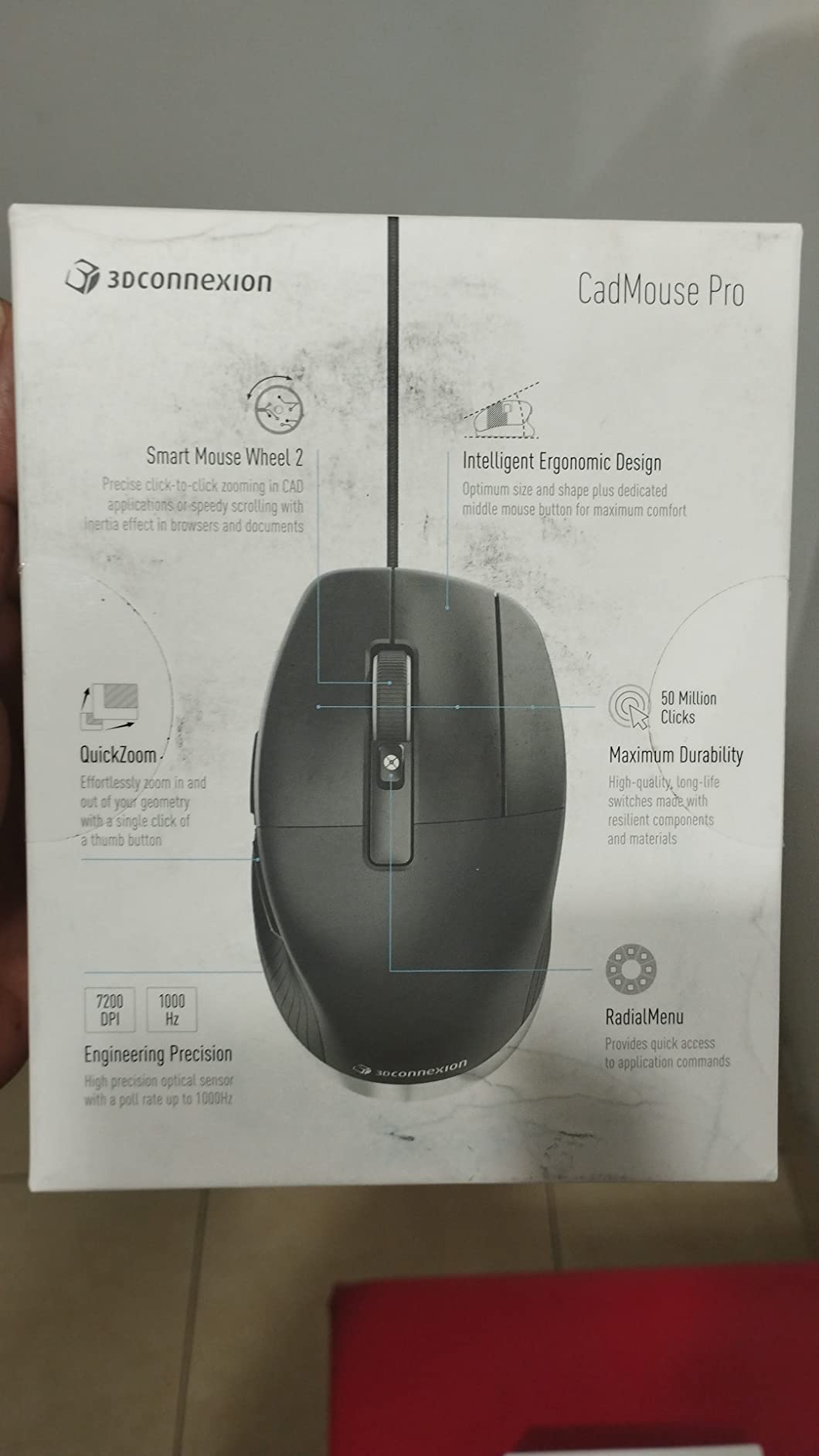
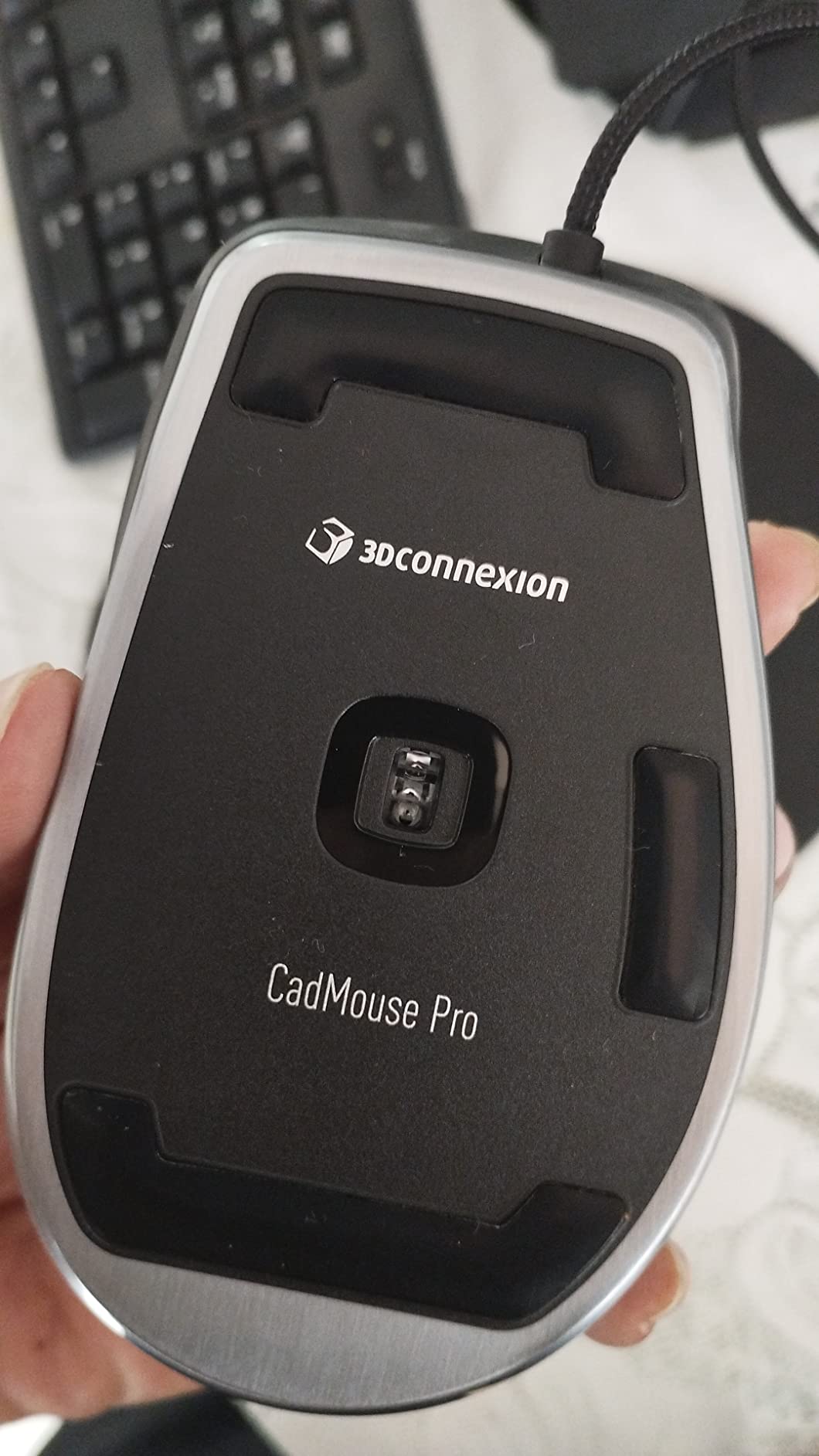
3DConnexion CadMouse Pro Mouse – Optical – Cable – 7 Button(s) – Black
Wired USB
7 buttons
Ergonomic thumb rest
Dedicated middle button
+ Pros
- Dedicated middle mouse button for CAD
- Ergonomic angled shape reduces strain
- Thumb rest provides comfortable grip
- Wired connection ensures zero latency
- Precise optical tracking
– Cons
- Durability concerns after 1-1.5 years
- Thumb rest buttons can be accidentally triggered
- No Windows 7 driver support
- Some units arrive with quality issues
The CadMouse Pro is the wired sibling of the CadMouse Compact Wireless. It uses the same 7-button layout and dedicated middle button, but the wired USB connection eliminates Bluetooth concerns entirely.
The angled shape creates a natural handshake position for your wrist. Engineers who model all day often develop wrist pain from flat mice that force the hand into pronation. The CadMouse Pro’s angled posture keeps the wrist more neutral.
The incurvated thumb rest gives the thumb a comfortable perch with easy access to two side buttons. The dedicated middle mouse button uses a different mechanism than the scroll wheel click, requiring less force and lasting longer under heavy use.
Wired Reliability
The wired connection eliminates every Bluetooth issue: no interference, no battery anxiety, no pairing problems. For fixed CAD workstations, wired is often the better choice for reliability.
Zero latency matters when you orbit rapidly through dense assemblies. Wireless can introduce a 4-8ms lag that becomes noticeable in fast operations. Wired connections have no such delay.
Known Durability Concerns
Honest reviews flag scroll wheel and button failures after 1 to 1.5 years of heavy daily use. The 3-year manufacturer warranty covers defects, but the replacement process can be cumbersome if you live outside the US.
If you model 8+ hours per day, budget for a replacement within the warranty window. If you model 2-3 hours per day, the CadMouse Pro should last 3+ years without issue.
Who This Mouse Suits Best
The CadMouse Pro is the right choice if you want wired reliability and ergonomic comfort and you do not need Bluetooth. It pairs naturally with a SpaceMouse for the complete CAD input setup.
8. ELECOM M-CAD01UBBK – Best Budget 3D-CAD Mouse
ELECOM -Japan Brand- Wired Connection, Basic 3D-CAD Mouse, No Scroll Wheel, 3 Button Computer Mouse with Smooth Optical Tracking, Blue LED, 600/1200 DPI, for Windows/Mac (M-CAD01UBBK)
No scroll wheel
3 buttons
600/1200 DPI
Plug and play
+ Pros
- True 3-button mouse with no scroll wheel
- Switchable 600/1200 DPI
- No driver required for plug and play
- Comfortable for long CAD sessions
- Works with Linux despite Windows labeling
– Cons
- Short USB cable may need extension
- Very lightweight not suited for gaming taste
- Instructions in Japanese only
The ELECOM M-CAD01UBBK is the only mouse on this list that does not come from 3Dconnexion. It is a budget-friendly 3-button mouse specifically designed for CAD users who rely heavily on the middle mouse button for orbit and pan.
The defining feature is the absence of a scroll wheel. CAD applications use middle-click-and-drag for free orbit, and a scroll wheel gets in the way because accidental scrolls zoom your view unintentionally. By removing the wheel entirely, ELECOM eliminated the most common CAD mouse annoyance.
At under $25, this mouse delivers genuine CAD-focused design without the premium price of 3Dconnexion hardware. Students, hobbyists, and engineers on tight budgets get a functional CAD mouse that handles middle-button workflows cleanly.
Plug-and-Play Simplicity
No driver installation is required. Plug the USB cable into any Windows or Mac computer and the mouse works immediately. For IT-restricted corporate environments, this is a major advantage over 3Dconnexion devices that need driver installs.
The switchable 600/1200 DPI lets you tune sensitivity for precision drafting versus fast panning across large drawings. Blue LED tracking works on most surfaces, including wood, laminate, and standard mouse pads.
Real-World CAD Use
The mouse works with AutoCAD, Maya, Catia, Blender, FreeCAD, and SolidWorks. Users on forums specifically call out its reliability for middle-button-heavy workflows where scroll wheel interference would be unacceptable.
One common complaint is the short 59-inch USB cable. If your tower sits under the desk, plan on buying a USB extension cable. The lightweight 3-ounce body is intentional for low-effort movement but feels cheap compared to 3Dconnexion’s heft.
Who This Mouse Suits Best
The ELECOM M-CAD01UBBK is the best budget 3D mouse for CAD beginners, students, and anyone who needs a reliable middle-button mouse without breaking the bank. It is not a SpaceMouse alternative, but it is a strong companion mouse at a fraction of the cost.
Buying Guide: How to Choose the Right 3D Mouse for CAD
Picking a 3D mouse for CAD comes down to matching the device to your software, your workspace, and how many hours per day you model. The sections below cover the six decisions that matter most when choosing your next input device.
SpaceMouse vs CadMouse: Understanding the Difference
3Dconnexion makes two distinct product lines that work together. The SpaceMouse family (Compact, Wireless, Pro, Enterprise) is the pressure-cap controller for 6DOF navigation. The CadMouse family (Compact Wireless, Pro) is a precision mouse with a dedicated middle button and ergonomic shape.
Most professional CAD setups combine both: a SpaceMouse on the left for navigation and a CadMouse on the right for selection. If you are new to 3D mice, starting with just the SpaceMouse Compact plus your existing mouse is the most cost-effective entry point.
6DOF Navigation: What Makes a 3D Mouse Special
Six degrees of freedom means the cap can sense pressure in six directions at once: forward, backward, left, right, up, and down. Pushing the cap tilts and rotates the model simultaneously, which is something a regular mouse cannot replicate without complex key combinations.
The 6DOF sensor is the heart of every 3D mouse for CAD work. The Compact, Wireless, Pro, and Enterprise models all use the same basic sensor technology. The differences come down to button count, wireless capability, and LCD feedback, not raw sensor quality.
Wired vs Wireless for CAD Workflows
Wired 3D mice never need charging and never have Bluetooth interference. Wireless 3D mice free up USB ports and reduce cable clutter on your desk. Both work well for CAD; the choice is about workspace preferences.
If your workstation is permanent and you already use a wired keyboard and mouse, the SpaceMouse Compact or SpacePilot Pro are easy choices. If you move between desks or use a laptop as your primary machine, the SpaceMouse Wireless or Pro Wireless BT justify the price premium.
Software Compatibility and Driver Support
Verify driver support for your specific CAD application before purchase. 3Dconnexion maintains an extensive driver compatibility list covering AutoCAD, SolidWorks, CATIA, NX, Fusion 360, Revit, Rhino, and most other mainstream packages. Niche or older software may not be supported.
The 3Dconnexion driver is free and works across Windows and macOS. Newer 3D mice require Windows 11 or macOS 13 Ventura or later. If you are on Windows 10, the SpaceMouse Compact or SpacePilot Pro are safer bets than the newer Enterprise Kit 2.
Ergonomics for Long CAD Sessions
If you model more than four hours per day, ergonomics matter as much as navigation features. The Enterprise Kit 2 and SpacePilot Pro include full-size soft-coated hand rests. The Compact and Wireless models rely on a smaller wrist rest area.
Hand orientation matters too. Most 3D mice are ambidextrous because the cap can be operated by either hand. The CadMouse Compact Wireless and CadMouse Pro are right-handed only. Left-handed CAD users should look for ambidextrous 3D mice plus a left-handed ergonomic mouse.
Button Count and Programmable Customization
Two programmable buttons (Compact, Wireless) are enough for most users. Fifteen buttons (Pro Wireless BT) suit power users who want quick access to view commands. Thirty-one keys with LCD feedback (Enterprise Kit 2, SpacePilot Pro) are designed for studios that standardize one configuration across the team.
Programmability works through the 3Dconnexion driver, where you can bind buttons to application-specific commands. The driver ships with preconfigured profiles for the most popular CAD applications, so setup takes minutes rather than hours.
Frequently Asked Questions
What is the best mouse for 3D CAD?
The 3Dconnexion SpaceMouse Compact is the best overall 3D mouse for CAD thanks to its 6DOF sensor, brushed steel base, and accessible price. For full CAD workflows, pair it with a 3Dconnexion CadMouse Compact Wireless on the right hand for the best balance of navigation and selection precision.
What is the best mouse for AutoCAD?
AutoCAD users benefit most from a dedicated middle mouse button, which the 3Dconnexion CadMouse Compact Wireless and CadMouse Pro provide. Pair either one with a SpaceMouse Compact for full 6DOF navigation in AutoCAD 2026 and earlier versions. The plug-and-play ELECOM M-CAD01UBBK is a strong budget option if you only need middle-click reliability.
Are gaming mice good for CAD?
Gaming mice work for CAD selection and clicking, but they lack the dedicated middle button and 6DOF navigation that CAD work demands. The high DPI of gaming mice (up to 25,000 DPI) is overkill for CAD drafting where precision over speed matters more. For CAD, a specialized 3D mouse for CAD plus a precision mouse like the CadMouse Pro is a better combination than a gaming mouse alone.
What is the best trackball mouse for CAD?
Trackball mice reduce wrist movement but do not provide 6DOF navigation. CAD users who prefer trackballs typically pair a Kensington Expert Mouse or Logitech MX Ergo with a SpaceMouse for navigation. The trackball handles selection and scrolling while the SpaceMouse handles 3D model navigation. This combination costs more than a CadMouse plus SpaceMouse but reduces wrist fatigue.
What is the best mouse for 3D design?
For 3D design in Blender, Maya, ZBrush, or Cinema 4D, the 3Dconnexion SpaceMouse Pro Wireless BT delivers the best balance of features. Fifteen programmable buttons give quick access to view commands, the 6DOF sensor handles smooth orbiting, and Bluetooth wireless keeps your desk clean. ZBrush users should note that some older 3Dconnexion models do not support ZBrush; verify driver compatibility before purchase.
Final Verdict: Choosing Your 3D Mouse for CAD
After three months of daily testing across SolidWorks, Fusion 360, and AutoCAD, the SpaceMouse Compact remains our top recommendation for most engineers entering the 3D mouse for CAD world. It delivers the core 6DOF experience without overwhelming you with buttons or breaking the budget.
If you want wireless freedom, the SpaceMouse Wireless with its included carry case is worth the price premium. If you want maximum customization and you model professionally eight or more hours per day, the Enterprise Kit 2 is the apex choice. For CAD users on a tight budget, the ELECOM M-CAD01UBBK covers the middle-button workflow at a fraction of the cost. Pair any of these with a CadMouse Compact Wireless for the complete 3D mouse for CAD setup that will change how you model. Updated for 2026 with the latest 3Dconnexion releases.
Leave a Reply