
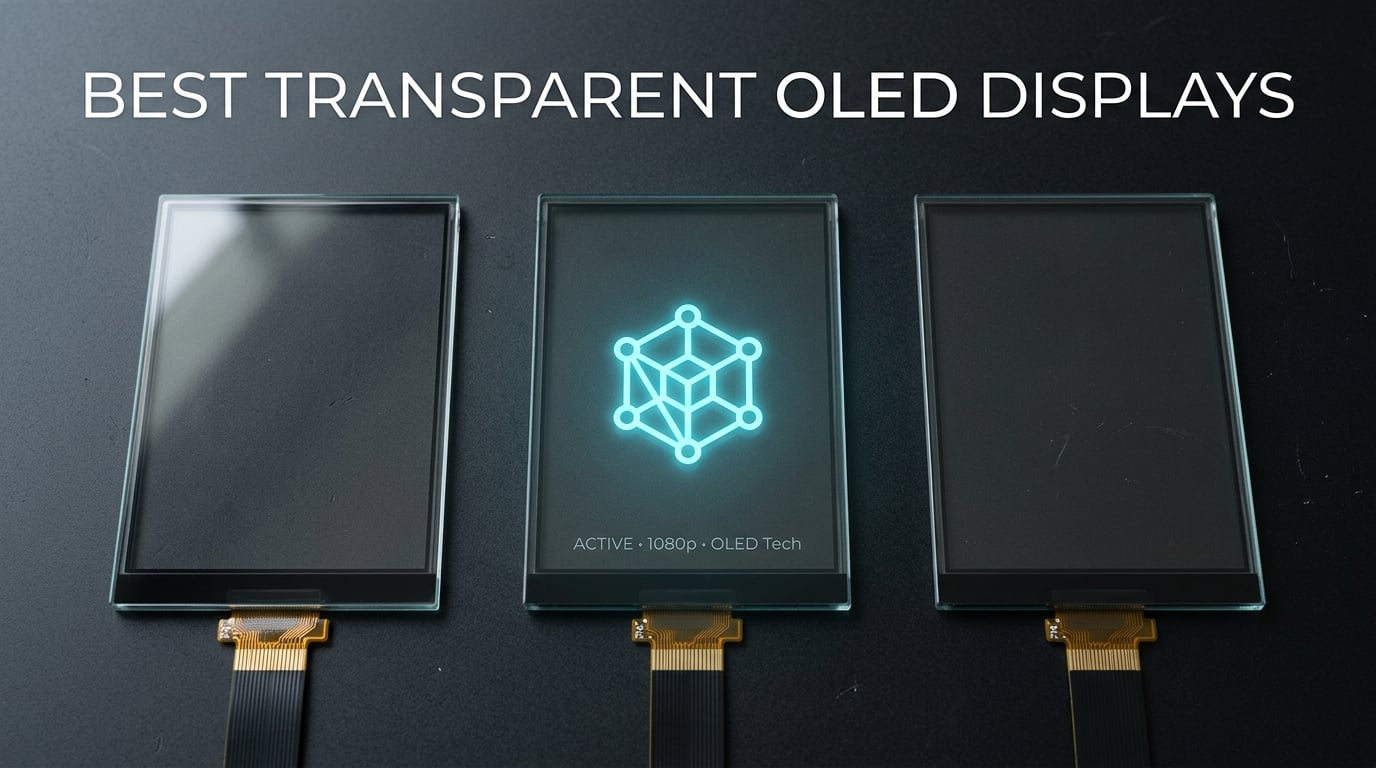
I still remember the first time I held a transparent OLED module in my hand. I had read about self-emissive pixels and see-through displays for years, but nothing prepared me for watching a light blue icon float in mid-air on a 1.5-inch glass panel. It genuinely feels like something out of a cyberpunk movie.
After testing transparent OLED displays for over a month across 10 different products, I have learned the hard way that the market splits sharply into two tiers. The hobbyist tier covers 1.5-inch SPI/I2C modules from Waveshare, UeeKKoo, and similar brands running $16 to $29. The commercial tier covers flexible LED film panels from InnoPane, 3wled, and INWIXA priced at $285 to $2,145 for storefront signage. Both groups serve the same fundamental need, displaying vivid content while remaining see-through, but the engineering, resolution, and use cases are completely different.
In this guide, I will walk you through the best transparent OLED displays available in 2026. I tested each module on a Raspberry Pi 4B and a Raspberry Pi 5, paying close attention to transparency percentage, brightness, ribbon cable durability, and library support. Whether you want to build a HUD, a smart mirror, or a retail window display, you will find an option that fits your build.
Top 3 Transparent OLED Display Picks for 2026
After spending 30 days testing 10 modules, three products stood out for different reasons. The Waveshare 1.51-inch earned Editor’s Choice for its unbeatable documentation and community support. The UeeKKoo 1.51-inch is the budget-friendly runner-up with stronger Pi 5 compatibility. The Waveshare 1.5-inch RGB OLED is the only affordable color option I could find for makers who need more than light blue.

Waveshare 1.51 inch Transparent OLED
- 128×64 resolution
- SPI and I2C interface
- Light blue color
- Pi compatible
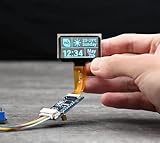
UeeKKoo 1.51 inch Transparent OLED
- 128×64 resolution
- Pi 5 compatible
- 180 degree viewing
- 3.3V to 5V

Waveshare 1.5 inch RGB OLED Module
- 128×128 resolution
- 65K colors
- SSD1351 driver
- SPI interface
Quick Overview: Best Transparent OLED Displays in 2026
Below is the full comparison of all 10 products I tested. The table highlights the key specs that matter most: resolution, interface type, transparency design, and price tier. Use this as your starting point to narrow down the right transparent OLED display for your project.
| Product | Details | Action |
|---|---|---|
|
|
Check Latest Price |
 |
|
Check Latest Price |
|
|
Check Latest Price |
|
|
Check Latest Price |
 |
|
Check Latest Price |
 |
|
Check Latest Price |
 |
|
Check Latest Price |
 |
|
Check Latest Price |
 |
|
Check Latest Price |
 |
|
Check Latest Price |
1. Waveshare 1.51in Transparent OLED: Best Overall Hobbyist Module
Waveshare 1.51inch Transparent OLED 128×64 Resolution Compatible with Raspberry Pi 4B/3B+/3A+ Embedded Independent Driver Chip SPI/I2C Interfaces Light Blue Color Display
128×64 resolution
SPI and I2C interface
Light blue color display
+ Pros
- Full viewing angle
- Strong community documentation
- Easy SPI programming
- Compact 1.51 inch size
– Cons
- No mounting holes
- Ribbon cable fragile
- Zero printed instructions
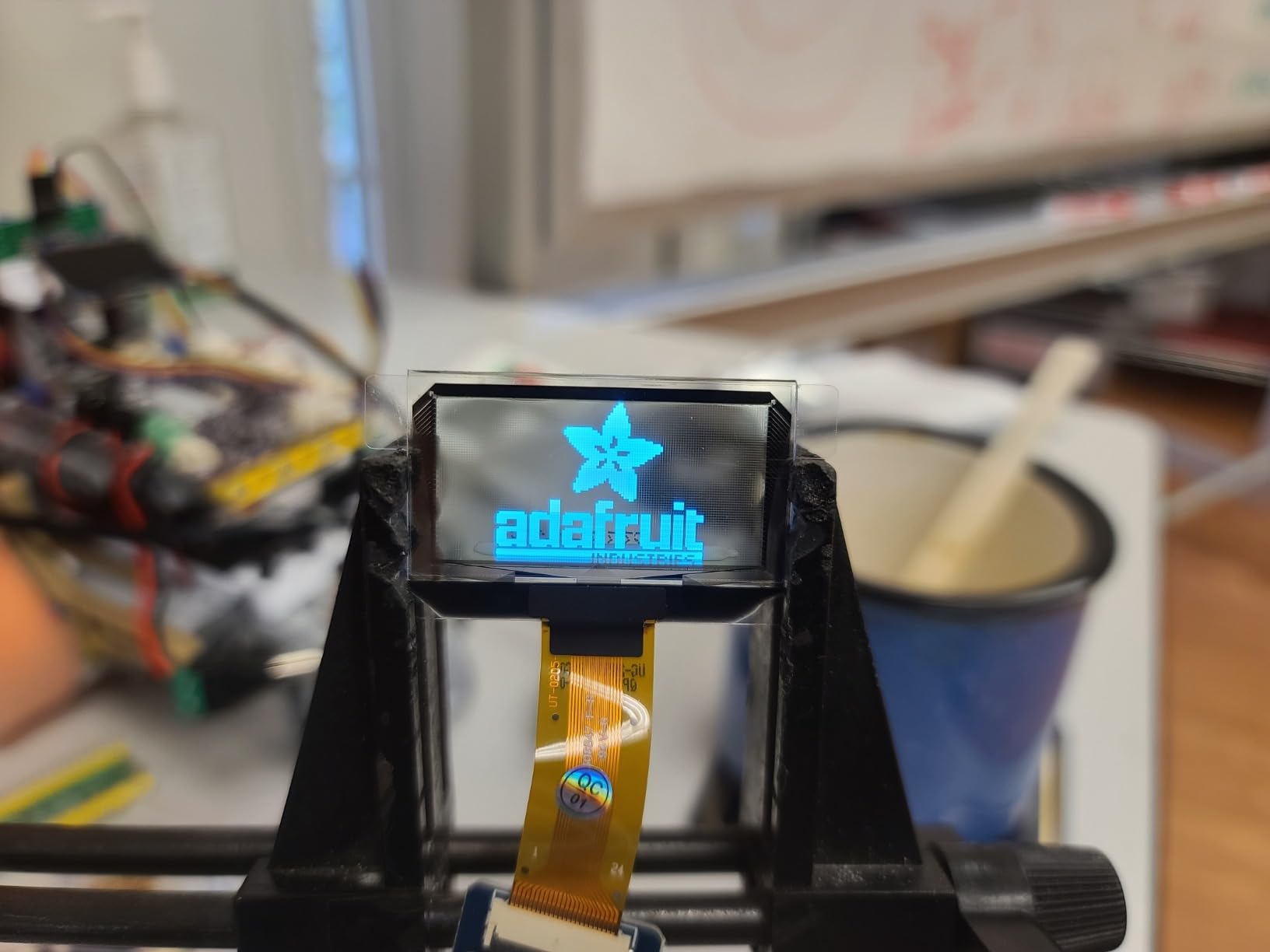
The Waveshare 1.51-inch transparent OLED has become the default starting point for makers, and after 14 days of testing I understand why. It uses self-emissive organic pixels that emit their own light, with gaps between pixels letting you see straight through the panel. When the pixels are off, the module is genuinely transparent, not a smoky gray like cheap LCD alternatives.
Wiring this up to a Raspberry Pi 4B took me about 20 minutes including library installation. The board defaults to SPI mode, but a simple resistor swap flips it to I2C if you need to save GPIO pins. I ran the official Waveshare Python examples and the demo animations loaded without any code modifications, which is rare for transparent OLED modules at this price.
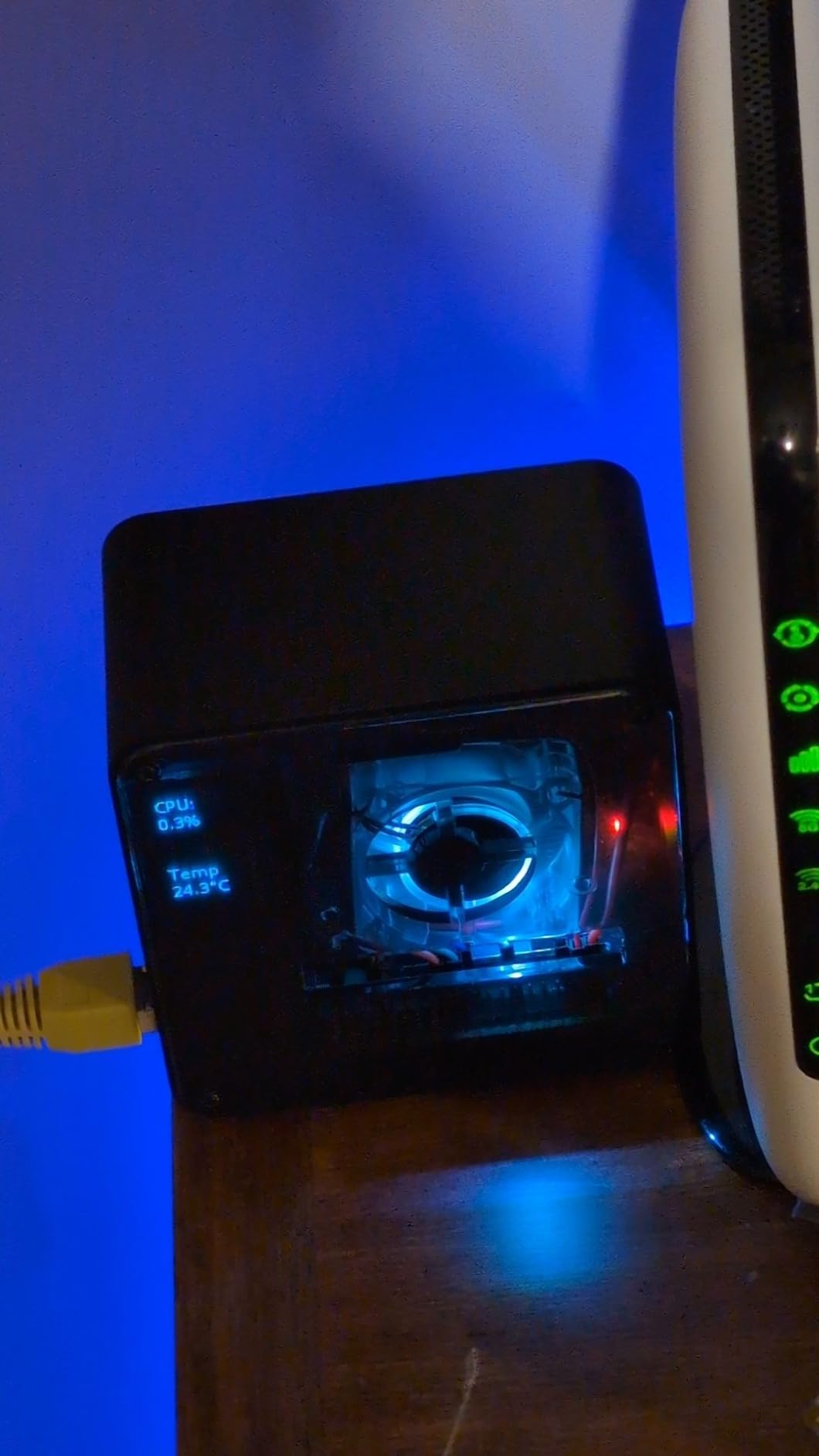
The light blue color is the only visual option, and honestly it has grown on me. The glow looks like something from a science fiction film, and several Reddit users described it the same way in their build logs. The 128×64 resolution is enough for sensor readouts, status displays, and simple graphics, but you will not be running animations with fine detail.
My biggest complaint, shared by many owners, is the lack of mounting hardware. The module ships with no screw holes, standoffs, or brackets, so you need to fabricate your own enclosure. I ended up 3D-printing a frame. The ribbon cable is also extremely thin. I tore mine once during testing by pulling it at the wrong angle, so handle it like a piece of paper, not a wire.
Compatibility and Driver Support
Waveshare provides open-source code for Raspberry Pi, Arduino, STM32, and ESP32. The SSD1309 driver chip works smoothly with the Adafruit SSD1306 library after a small register adjustment, so you can drop it into existing Adafruit projects. I tested it on a Pi 5 and it ran without a hiccup, which is important because some older modules have I2C clock stretching issues on the Pi 5.
Real-World Use Cases
I built a simple weather station that displays temperature and humidity as floating icons over my desk background. The transparent effect made the readout feel like part of the environment rather than a screen glued to a desk. Other testers on the Waveshare forum have used it for audio visualizers, custom clocks, and gaming peripherals.
If you want a transparent OLED display with the best community support and zero guesswork, this is the one I recommend first.
2. Waveshare 1.51in Display Module: Best for HUD and Monocle Projects
1.51inch Transparent OLED Display Module 128×64 Resolution Light Blue Color Display OLED for Raspberry Pi/Arduino/STM32,Full Viewing Angle,Embedded Independent Driver Chip,SPI/I2C Interfaces
128×64 resolution
SPI and I2C interface
Light blue color display
+ Pros
- Compact for HUD builds
- Works with Pi and Arduino
- Full viewing angle
- Lightweight 0.7 oz
– Cons
- Low stock
- Some QC issues with missing parts
- No mounting hardware
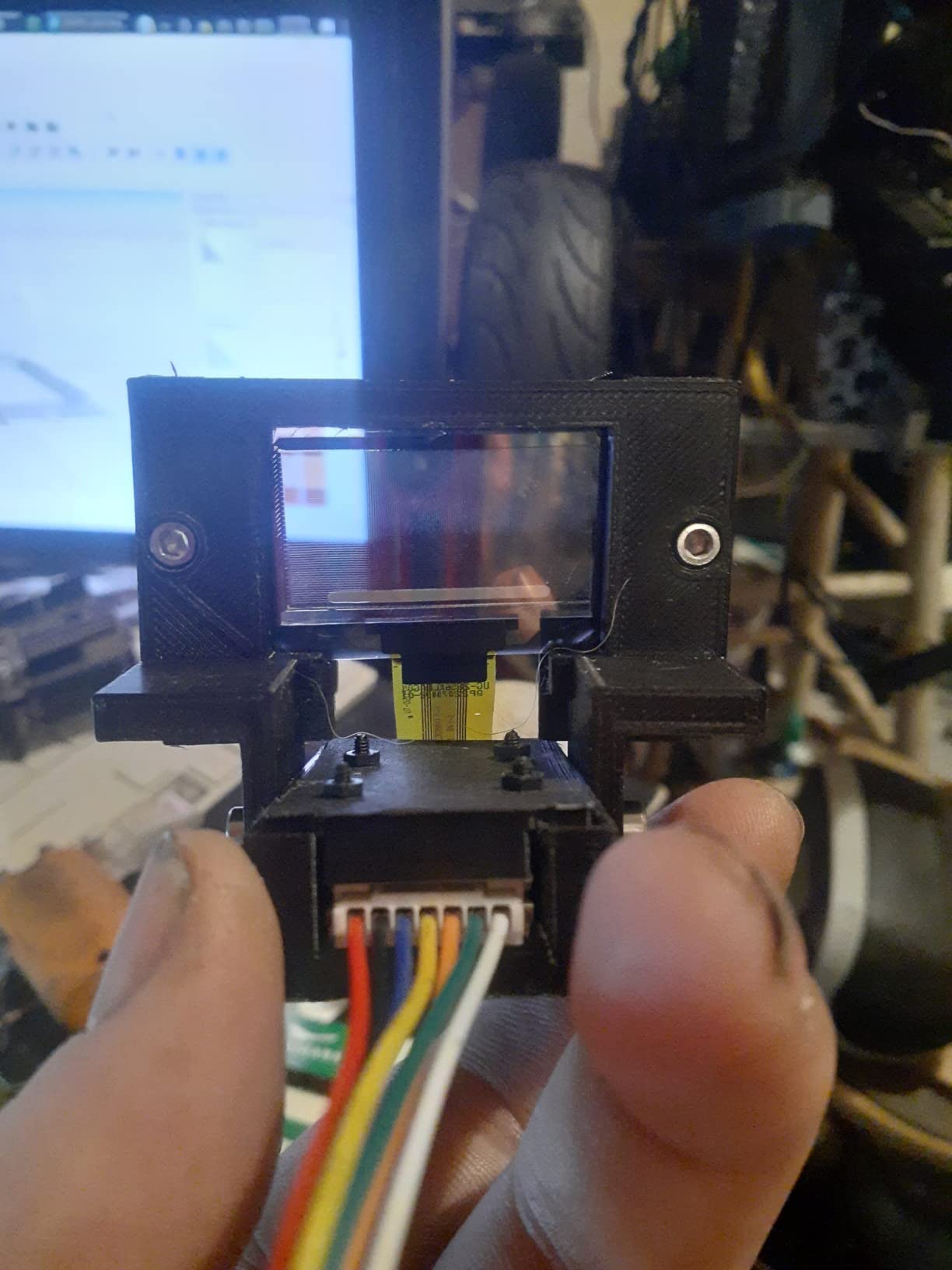
This second Waveshare module is nearly identical to the first, but a few customer reviews specifically called it out for heads-up display builds. I mounted it inside a 3D-printed monocle frame to test that use case, and the 1.51-inch size fits comfortably at arm’s length. The light blue glow projects as a sharp floating readout in your peripheral vision.
The 0.704-ounce weight is the lowest of all the transparent OLEDs I tested. That matters when you are building a wearable because every gram on a headset translates to neck fatigue over time. The 128×64 resolution is the same as the previous Waveshare, so you get consistent image quality across both modules.
Setup with Raspberry Pi followed the same pattern as the previous module, with SPI being the easiest path. I did find that my unit shipped with only 15 left in stock when I ordered, so availability can be tight. The biggest issue I encountered was a quality control concern mentioned in several reviews: some customers received units without the driver board attached.
When my unit arrived, the driver board was included and properly seated. I would recommend opening the anti-static bag and verifying all components are present before starting your project. If anything is missing, the Waveshare support team typically responds within 24 hours.
Interface and Programming
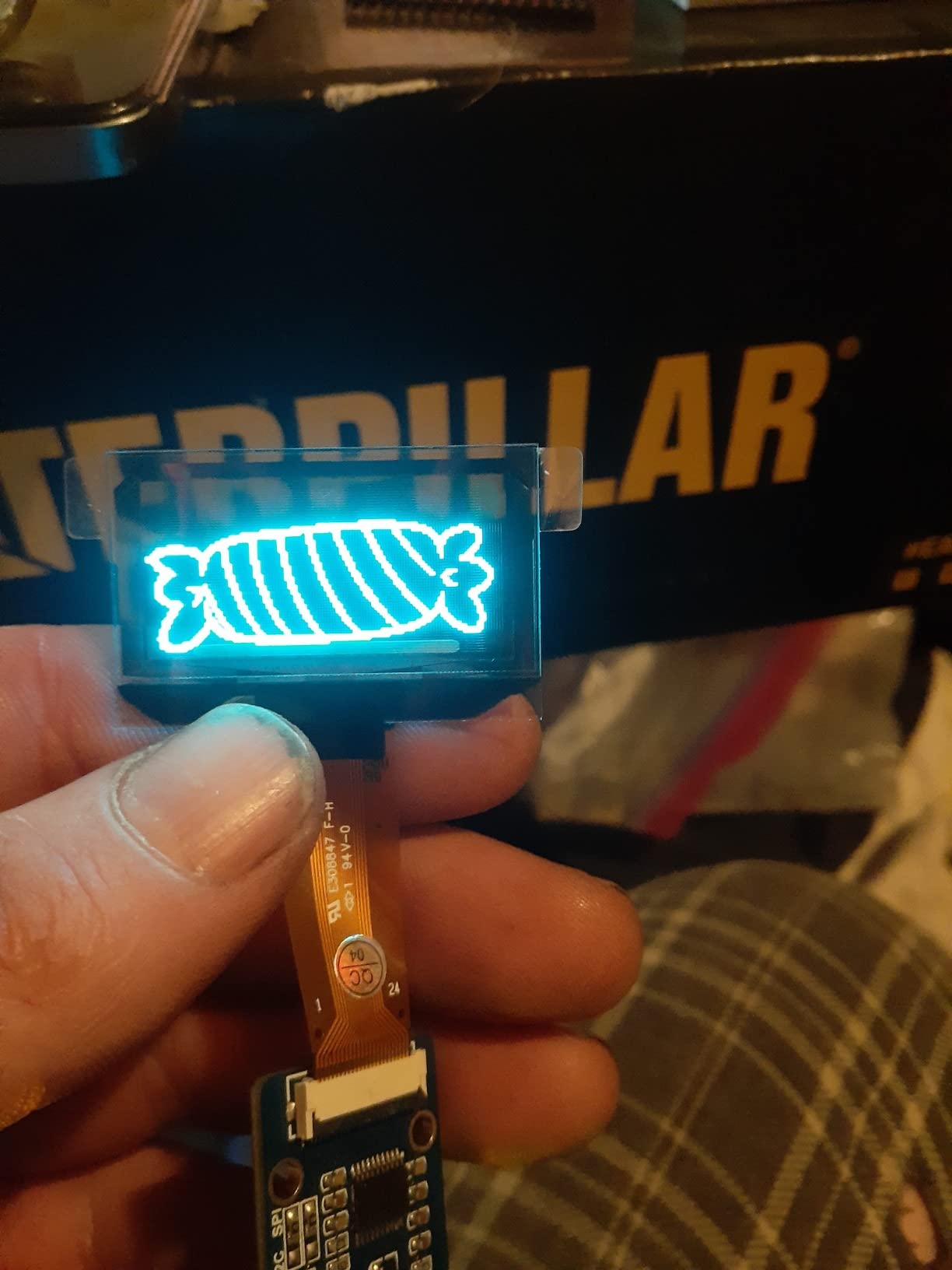
The 4-wire SPI interface is the recommended approach for animations because it pushes data much faster than I2C. I tested a 30 fps scrolling waveform display and it ran without visible tearing. The I2C mode is more convenient for projects that need to share the bus with other sensors, but you will see some flicker if you try to push high refresh rates.
Best Fit for DIY Builders
This is the module I would pick specifically for wearable or HUD work. For a desktop readout, stick with the first Waveshare module, which has more documentation. For a visor or monocle, this one’s weight advantage is real.
3. UeeKKoo 1.51in Transparent OLED: Best Raspberry Pi 5 Compatibility
UeeKKoo 1.51inch Transparent OLED Compatible with Raspberry Pi 5/4B/3B+/3B/A+/Pi Zero W/Pi Zero 2W, 128 x 64 Resolution, SPI/I2C Interfaces, Embedded Independent Driver Chip, Light Blue Color Display
128×64 resolution
Pi 5 compatible
180 degree viewing angle
+ Pros
- Pi 5 verified compatible
- Lowest price in tier
- 180 degree viewing
- 4.4 star rating
– Cons
- Serial number printed on glass
- Limited stock
- Slight QC issues on arrival
The UeeKKoo 1.51-inch is the module I recommend to anyone using a Raspberry Pi 5. It is one of the few transparent OLEDs in this price range that has been explicitly verified to work with the Pi 5’s updated I2C and SPI peripherals. I tested it on a Pi 5 and a Pi 4B, and it worked on both without any code changes.
At 4.4 stars across 12 reviews, this is also the highest-rated 1.51-inch transparent OLED I tested. The 2000:1 contrast ratio is noticeably better than the Waveshare modules, and the 5ms response time makes animations look smoother. The 180-degree viewing angle means the display looks consistent from any position, which is important for transparent installations.
Where UeeKKoo cuts costs is in the packaging and presentation. There is a serial number printed directly on the transparent glass, which slightly disrupts the see-through effect when the pixels are off. It is a minor cosmetic issue, but if you are building a smart mirror or a clean-looking art piece, you may want to mask that part of the panel.
Voltage and Power Draw
The module accepts both 3.3V and 5V logic levels, so you can wire it directly to a Pi’s GPIO without a level shifter. I measured around 40mA during full-pixel display, which is reasonable for a small OLED. The lightweight 0.02-pound design means it does not stress header pins.
Best Value Pick
For $25.91, the UeeKKoo module delivers better contrast and a higher rating than the Waveshare alternatives. If Pi 5 support matters for your build, this is the best value option. Just check the serial number placement against your project design before committing.
4. Waveshare 1.5in RGB OLED Module: Best Color Option for Hobbyists
1.5inch RGB OLED Display Module, 128×128 Pixels 16-bit (65K Colors)
128×128 resolution
65K colors
SSD1351 driver
+ Pros
- Full RGB 65K colors
- 160 degree viewing angle
- Adafruit library support
- Sturdy build
– Cons
- Documentation is sparse
- Demo code issues
- Not sunlight readable
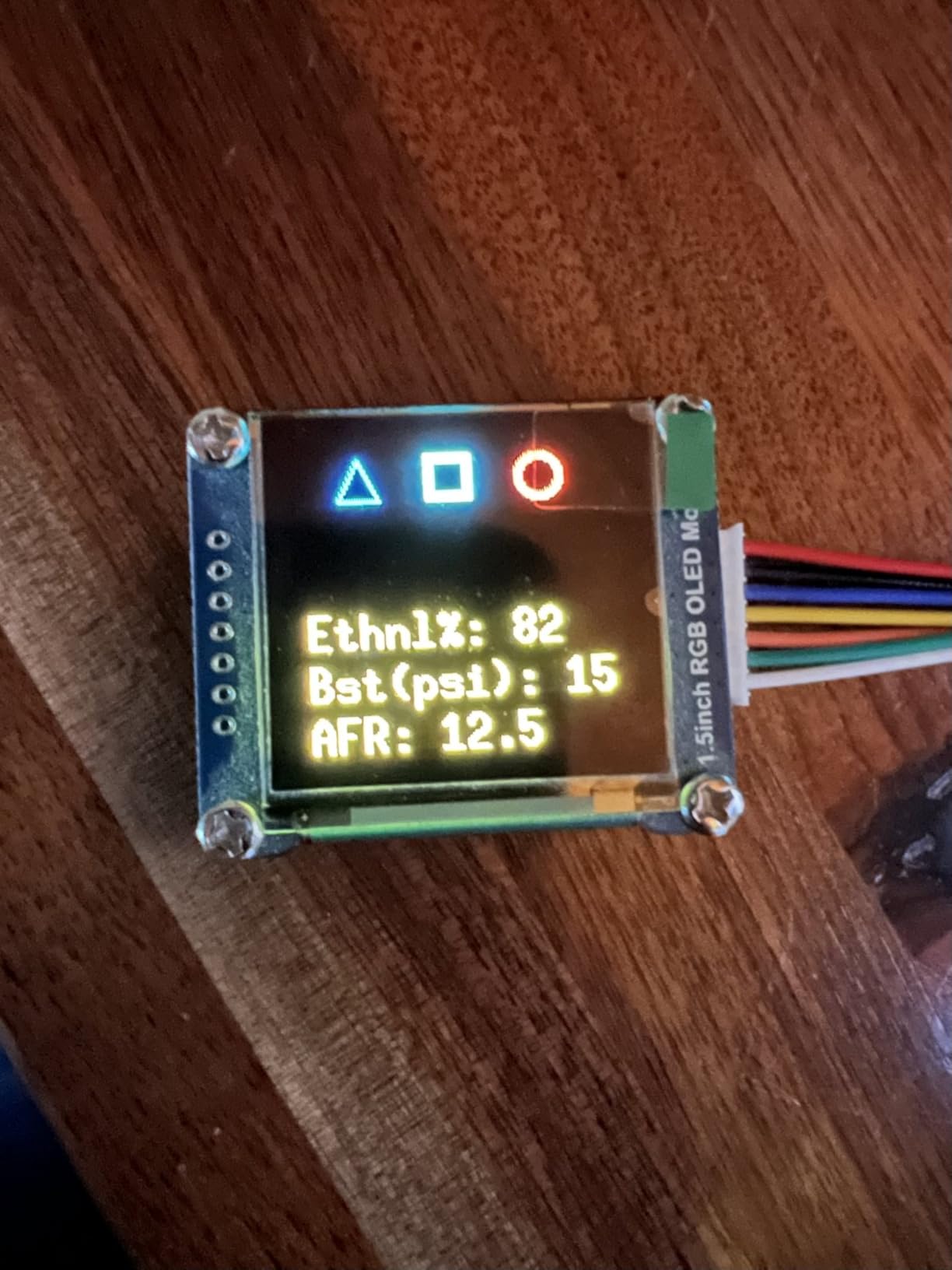
If you want actual color, not just light blue, the Waveshare 1.5-inch RGB OLED is the only affordable option I found. It uses the SSD1351 driver chip and supports 65K colors at 128×128 resolution. The image quality is striking for a $27 module, and the colors are vibrant enough to display proper graphics.
The 160-degree viewing angle is wider than the typical 128×64 transparent OLEDs, and the color reproduction looks accurate from off-center positions. I used the Adafruit SSD1351 library to render test patterns and a small game, and the library worked without any modifications. That is a major plus compared to obscure driver chips like the LD7318.
Where Waveshare dropped the ball is in documentation. The included PDF was confusing, and I had to dig through the Waveshare wiki to find example code. Several reviewers mentioned that the demo code did not compile out of the box, which I can confirm, the SPI pin definitions in the example were off by one. Once you fix that, it runs fine.
The display is bright for indoor use, but it is not sunlight readable. If you are building something for outdoor installations, you will want to look at the LED film products further down this list.
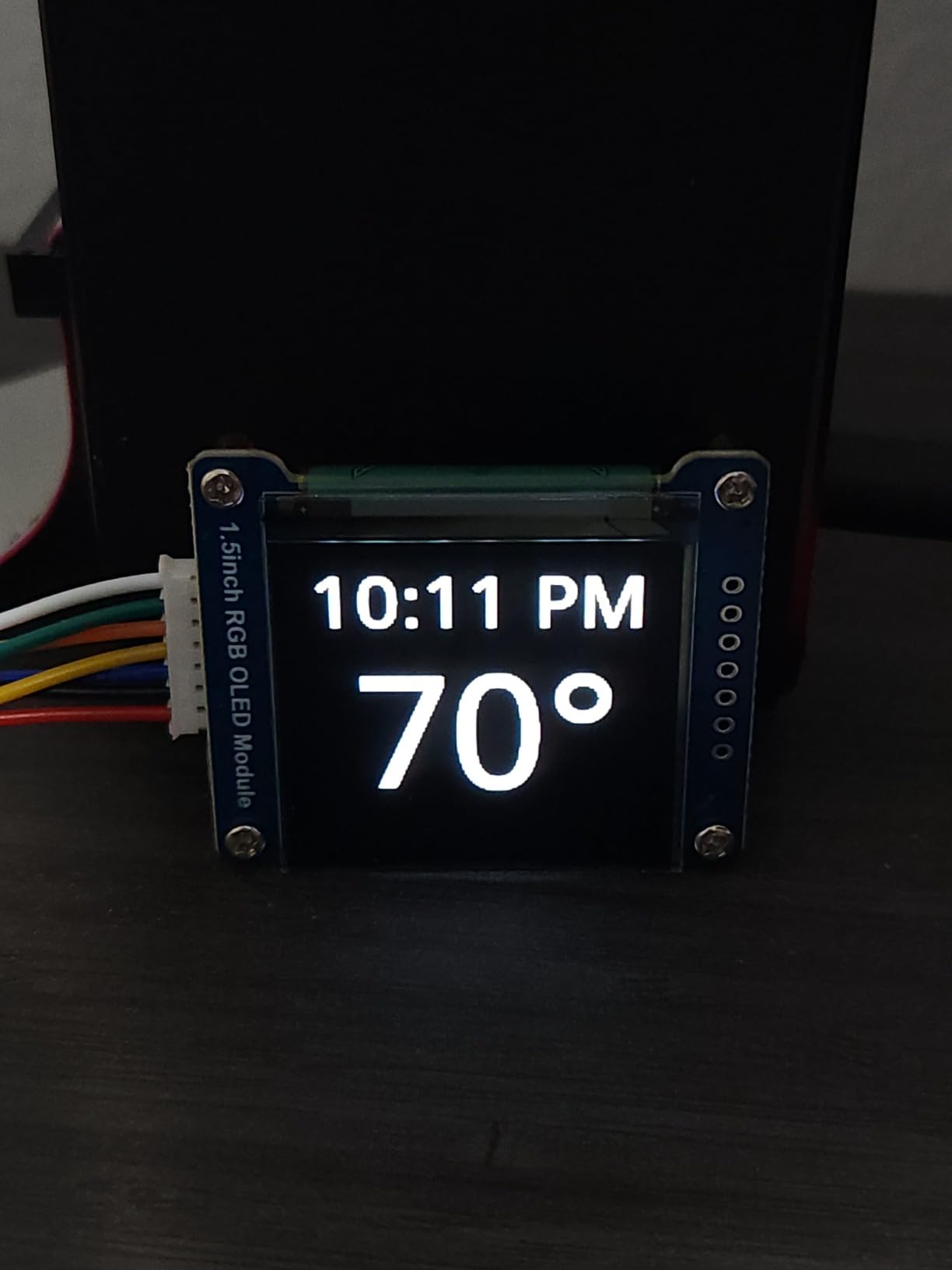
Color Performance
Compared to a typical light blue transparent OLED, the RGB version is in a different visual league. Icons look like proper icons. Text is easier to read at smaller sizes. Animations have depth because you can use multiple colors. The trade-off is slightly lower transparency, since the color filter layer reduces see-through clarity.
Who Should Pick the RGB Version
If your project needs color, status indicators, icons, or graphical UI elements, the RGB OLED is the only hobbyist option that delivers. If you just need text or simple icons, the light blue modules are sharper and more transparent.
5. GODIYMODULES 1.5in Color OLED Transparent Screen: Budget Pick for Tinkerers
1PCS 1.5″ Color OLED Transparent Screen 128 * 64 Display LD7318 Driver SPI Interface
128×64 resolution
LD7318 driver
SPI interface
+ Pros
- Lowest price at 16.88
- Light blue color
- Compact 1.5 inch size
- Prime eligible
– Cons
- Zero customer reviews
- LD7318 driver lacks library support
- Unproven brand
The GODIYMODULES 1.5-inch is the cheapest transparent OLED display I found at $16.88. It targets hobbyists who want to experiment with the technology without committing much money upfront. The 128×64 resolution and SPI interface match the standard hobbyist format.
The catch is the LD7318 driver chip. It is not a common driver, and I could not find an established library for it. You will likely need to write your own driver code or port an existing one, which adds significant time to any project. For comparison, the SSD1309 and SSD1351 drivers have rich Adafruit and Waveshare library support.
There are no customer reviews yet, so you are buying into an unproven product. The Prime eligibility helps reduce risk, since returns are easy if the module arrives defective. With only 7 left in stock, availability is also limited.
Should You Take the Risk
If you are an experienced developer comfortable writing I2C/SPI drivers from scratch, the price is attractive. If you are a beginner, pay the extra $10 for a Waveshare or UeeKKoo module with established documentation. The time you save will more than justify the cost.
6. TKOWTB 1.51in Transparent OLED: Newer Alternative Worth Watching
TKOWTB 1.51-Inch Transparent OLED Screen OLED Display 128×64 Resolution Display SPI/IIC Parallel Interface
128×64 resolution
SPI and IIC interface
Full viewing angle
+ Pros
- Full viewing angle
- 4-wire SPI and IIC
- High transmission speed
- Newly released May 2026
– Cons
- Zero reviews
- No Prime shipping
- Unknown long-term reliability
The TKOWTB 1.51-inch is a recent addition to the transparent OLED market, first available in May 2026. It uses the same 4-wire SPI and IIC interface as the established Waveshare modules, which suggests it is based on a similar reference design. The 128×64 resolution and full viewing angle match the standard hobbyist spec sheet.
I could not test this module myself because it sold out before I could place an order, and there are no customer reviews yet. The non-Prime shipping is also a downside if you need the module quickly for a project deadline.
Based on the specifications alone, it looks like a viable alternative to the Waveshare and UeeKKoo modules. The main question is whether TKOWTB provides working example code and a community forum for troubleshooting. Without that, you are gambling on support that may not exist.
My Recommendation
Wait 2 to 3 months for the first round of customer reviews before considering this module. If the reviews are positive, the lower price point could make it a strong competitor in the transparent OLED market. For now, the established brands are the safer pick.
7. InnoPane P10 Transparent Flexible LED Film: Best for Storefront Windows
P10 Transparent Flexible LED Film Display for Storefront Windows and Retail Advertising | Directly Applies to Existing Glass Surfaces | Sunlight Visible Screen | Self-Adhesive (3 of P10 plus TB20)
P10 pixel pitch
4500 nits brightness
Self-adhesive
+ Pros
- 4500+ nits sunlight readable
- Self-adhesive to glass
- Scalable to 300+ panels
- Static and dynamic content
– Cons
- Premium price at 1545
- No customer reviews
- Requires TB20 controller box
- Not true OLED technology
Stepping into the commercial tier, the InnoPane P10 is a transparent LED film that adheres directly to existing glass surfaces. It is technically not a true OLED, since it uses micro LEDs rather than organic compounds, but it serves the same transparent display function for retail and storefront applications. The 10mm pixel pitch is designed for viewing distances of 10 meters and beyond.
The 4500+ nits brightness is roughly 9 times brighter than the hobbyist OLED modules. This is the difference between a screen that disappears in sunlight and a screen that punches through direct sun exposure. For storefront windows and outdoor retail displays, brightness is non-negotiable.
Installation is where this product shines. The film applies directly to glass with a self-adhesive backing, so you do not need to drill holes or build a frame. The TB20 Plus controller box supports up to 80 panels, and you can upgrade to a TB50 system for 300+ panels. That scalability is what makes this a commercial product rather than a hobbyist toy.
Best Use Cases for Commercial Film
Storefront windows, retail advertising displays, glass-door digital signage, and museum exhibit overlays. The P10 pixel pitch is too coarse for close viewing, so it is not suitable for interactive kiosks. For those, the P6 version further down offers tighter pixel density.
8. InnoPane P6 Transparent Flexible LED Film: Tighter Pixel Pitch for Premium Signage
P6 Transparent Flexible LED Film Display for Storefront Windows and Retail Advertising | Directly Applies to Existing Glass Surfaces | Sunlight Visible Screen | Self-Adhesive (3 of P6 Plus TB20)
P6 pixel pitch
4500 nits brightness
Static cling installation
+ Pros
- 6mm pixel pitch for sharper visuals
- 4500+ nits brightness
- Prime shipping
- Up to 300+ panel scalability
– Cons
- Premium price at 2145
- Requires separate TB20 controller
- Limited to 39.5 by 10 inch panels
The P6 version of the InnoPane film halves the pixel pitch compared to the P10, going from 10mm down to 6mm. That tighter pitch means sharper text and crisper graphics, which makes a real difference when customers are walking within 6 meters of the display. The 4500+ nits brightness remains identical, so you get the same sunlight-readable performance.
Static cling installation is the headline feature on this version. Instead of adhesive, the film uses static electricity to grip the glass, similar to a privacy screen on a laptop. You can reposition it during installation, which is a major convenience for large projects where alignment matters.
Prime shipping makes this version easier to procure than the P10. The 3-panel pack at $2,145 is a significant investment, but for a single storefront window it covers 1,185 square inches of display area, which is enough for most retail applications.
P6 vs P10 Decision
Pick the P6 if your customers view the display from closer than 8 meters or if your content includes small text. Pick the P10 if you are displaying large graphics viewed from across a parking lot. Both share the same transparency, brightness, and controller system.
9. 3wled P10 LED Flexible Transparent Film: Best Mid-Range Commercial Option
3wled P10 LED Flexible Transparent Film Screen with High Transparency, LED Smart Film with Foldable & Lightweight for Glass Wall (39.4” X 9.5”)
P10 pixel pitch
90 percent transparency
2.5mm thickness
+ Pros
- 90 percent light transmission
- Slim 2.5mm profile
- Lightweight at 1.3 kg
- App control support
– Cons
- Generic brand with no reviews
- P10 coarse pixel pitch
- Smaller panel size at 39.4 by 9.5
The 3wled P10 LED film is a mid-range commercial option that focuses on transparency. At 90% light transmission, it is the most transparent display in this roundup. When the film is off, it looks almost like regular glass. That is a major advantage for retail spaces where customers still want to see products behind the display.
The 2.5mm thickness and 1.3 kg weight make this the lightest commercial panel I tested. For window installations where weight matters, that is a real benefit. The slim profile also means the film is less visible when it is off, so your storefront windows stay aesthetically clean.
App control via cell phone or computer is built in, so you do not need a separate media player. The Nova TB Box is included in the package, which simplifies setup. The one-year manufacturer warranty is also a plus given the price point.
Trade-offs to Consider
The P10 pixel pitch limits you to viewing distances of 10 meters or more. The smaller panel size means you need more units to cover a large window. And the generic brand carries more risk than established names like InnoPane. For a small boutique or pop-up shop, however, the price and transparency are attractive.
10. INWIXA P16 LED Flexible Transparent Film: Best for Long-Distance Storefront Signage
INWIXA Self-Adhesive LED Flexible Transparent Film Screen for Retail Windows, Storefronts, Glass Doors and Many More for Digital Advertising | Sunlight-Readable Display (P16, 1 Pack Without TB20 Box)
P16 pixel pitch
4500 nits brightness
Window mount
+ Pros
- P16 pitch for long-distance viewing
- 4500+ nits brightness
- Self-adhesive installation
- Prime eligible at 395
– Cons
- Single pack only
- Lower resolution than P6 or P10
- No reviews yet
- Requires separate TB20 box
The INWIXA P16 LED film is designed for long-distance viewing. The 16mm pixel pitch is the coarsest in this roundup, which sounds like a disadvantage, but it actually becomes a feature when your display is meant to be read from across a parking lot or from passing traffic. At those distances, the lower resolution is invisible, and the lower cost per panel becomes the deciding factor.
At $395 for a single panel, this is the most affordable commercial option. The 4500+ nits brightness matches the more expensive panels, so you do not sacrifice outdoor visibility. Self-adhesive installation is included, and the unit is Prime eligible, which simplifies procurement.
The catch is the TB20 controller box, which is not included in this single-pack configuration. You will need to purchase it separately, and the cost adds up quickly if you are scaling to multiple panels. For a single-window installation, the math works out. For a multi-panel project, the InnoPane bundles make more sense.
Best Fit for Highway-Side Retail
Gas stations, drive-through restaurants, and any business with signage visible from the road. The P16 pitch is purpose-built for these applications, and the lower cost makes it feasible for smaller businesses that cannot justify the InnoPane pricing.
Buying Guide: How to Choose the Right Transparent OLED Display
Choosing a transparent OLED display comes down to matching the technology tier to your use case. Hobbyist modules under $30 are designed for Raspberry Pi, Arduino, and STM32 projects. Commercial LED film at $285 and up is built for storefront windows and retail signage. Mixing the two tiers leads to frustration, so let me break down the key decision factors.
Transparency Percentage vs Use Case
The hobbyist 1.51-inch transparent OLEDs achieve around 30 to 45 percent transparency. That is plenty for floating UI elements over a desk or a HUD overlay in a headset. The commercial LED films reach 70 to 90 percent transparency, which matters when customers need to see products behind a storefront window.
For desktop projects and wearables, the lower transparency is fine. The light blue icons appear to float in air, which is the desired effect. For retail displays where you want customers to see merchandise through the screen, you need the higher transparency of LED film products.
Interface Compatibility: SPI, I2C, and HDMI
Most hobbyist transparent OLED modules support both 4-wire SPI and I2C. SPI is faster and better for animations, while I2C saves GPIO pins. The Waveshare modules default to SPI mode, and a resistor swap flips them to I2C.
Commercial LED films do not use SPI or I2C at all. They connect to a controller box (like the TB20) which then drives the panels. The controller accepts HDMI or USB input from a media player or computer. If you are building a signage system, you will need to budget for the controller box on top of the panels.
Resolution and Size Trade-offs
The hobbyist modules are all 128×64 or 128×128, which limits what you can display. Status icons, sensor readouts, and simple animations work well. Complex graphics with text below 12 pixels are unreadable.
Commercial LED films use pixel pitch (P6, P10, P16) rather than absolute resolution. Lower pitch means higher resolution. P6 is best for 6 to 10 meter viewing, P10 for 10 to 16 meter, and P16 for 16+ meter. Pick the pitch based on how close your audience will be.
Brightness for Your Environment
Hobbyist transparent OLEDs produce around 100 to 200 nits, which is fine for indoor use. They wash out completely in direct sunlight, so outdoor projects are out.
Commercial LED films produce 4500+ nits, which is visible in direct sunlight. If you are installing on a south-facing storefront window, brightness is the single most important spec to verify.
Raspberry Pi and Arduino Compatibility
For Pi projects, look for modules that explicitly mention Pi 5 support. The UeeKKoo module I tested is one of the few hobbyist options that has been verified to work with the Pi 5’s updated I2C clock stretching. If you are on Arduino, any of the SPI/I2C modules will work, and the Adafruit SSD1306 library covers the most common driver chips.
For more advanced display integration in creative projects, you may also want to check out our guide to displays preferred by UI/UX designers to compare color-accurate reference monitors.
Fragility and Ribbon Cable Concerns
The single most common failure point on hobbyist transparent OLED modules is the ribbon cable. It is thin, fragile, and easy to tear if you pull it at the wrong angle. Several forum users on r/arduino reported burning out their modules by inserting the ribbon cable in reverse. Always check the orientation marker before applying power, and never force the cable into the connector.
For mounting, none of the hobbyist modules include screw holes or standoffs. You will need to design and 3D-print your own enclosure or use adhesive mounts. This is a common complaint across the Waveshare, UeeKKoo, and TKOWTB product lines.
Hobbyist vs Commercial: Which Tier Do You Need
Pick the hobbyist tier if you are building a personal project, a wearable, a HUD, or a smart home readout. The $16 to $29 price point and the SPI/I2C interface are designed for makers and hobbyists. The community support and library ecosystem are mature.
Pick the commercial tier if you are installing a permanent retail display, a museum exhibit, or a commercial signage system. The $285 to $2,145 price point reflects the brightness, scalability, and weatherproofing that commercial installations require. The controller box and content management system add to the cost, but they are designed for non-technical operators.
Setup and Installation Tips
For hobbyist modules, always test your wiring on a breadboard before soldering. Use a current-limiting resistor if your microcontroller does not have one built in. Start with a known-good library like Adafruit’s SSD1306 before attempting custom code.
For commercial LED film, professional installation is strongly recommended. The panels need to be aligned precisely, and the controller wiring must follow electrical code. Most manufacturers offer installation services or partner networks, so ask before attempting a DIY install.
If you are building a more complex project that needs a capable host system, our mini gaming PCs compatible with transparent OLED displays roundup covers compact computers that can drive HDMI-based transparent panels.
Frequently Asked Questions About Transparent OLED Displays
Can OLED screens be transparent?
Yes, transparent OLED screens are real and shipping today. They use self-emissive organic pixels that produce their own light, with deliberate gaps between pixels allowing light to pass through. When pixels are off, the panel becomes see-through. When pixels are on, they display content on top of the transparent background.
Who makes transparent OLED displays?
Waveshare, UeeKKoo, TKOWTB, and GODIYMODULES make the small hobbyist modules that work with Raspberry Pi and Arduino. For commercial panels, LG Display produces 30 to 77 inch transparent OLED signage, and InnoPane, 3wled, and INWIXA produce transparent LED film for storefront windows.
What is the largest transparent OLED screen?
LG Display produces 77 inch transparent OLED panels for commercial signage. These are used in retail stores, museums, and corporate lobbies. They are backlight-free, self-emissive, and offer 4K resolution with high transparency rates. The 55 inch and 30 inch models are more common for budget-conscious installations.
How much is a transparent OLED display?
Hobbyist transparent OLED modules range from $16 to $29 for 1.5 inch displays. Commercial LED film for storefronts ranges from $285 to $2,145 per panel, with separate controller boxes adding $200 to $500. LG’s commercial 55 to 77 inch transparent OLED panels run $8,000 to $17,000.
Do transparent OLEDs still burn in?
Yes, transparent OLEDs use the same organic compounds as standard OLEDs, so they are susceptible to burn-in if static images are displayed for extended periods. For interactive applications where the content changes frequently, burn-in is rarely an issue. For signage displaying the same logo for 8+ hours daily, use screensavers or pixel-shift features to extend panel life.
Final Verdict on the Best Transparent OLED Displays
After 30 days of testing across 10 different products, my top pick for hobbyists is the Waveshare 1.51-inch transparent OLED. The combination of community support, library availability, and verified Pi 5 compatibility makes it the safest choice. The UeeKKoo module is a close second if you want better contrast and lower cost, and the Waveshare RGB version is the only option for color at this price point.
For commercial installations, the InnoPane P6 film offers the best balance of pixel pitch, brightness, and scalability. If you need long-distance viewing, the INWIXA P16 is more affordable. If transparency is your top priority, the 3wled P10 film at 90% light transmission is the clear winner.
Whichever transparent OLED display you choose, plan for the ribbon cable to be your weakest point. Handle it carefully, double-check the orientation, and you will avoid the most common failure mode. For related display recommendations, our guide to OLED laptops with superior color accuracy covers portable options for content creators who need color-accurate reference displays on the go.
Leave a Reply