
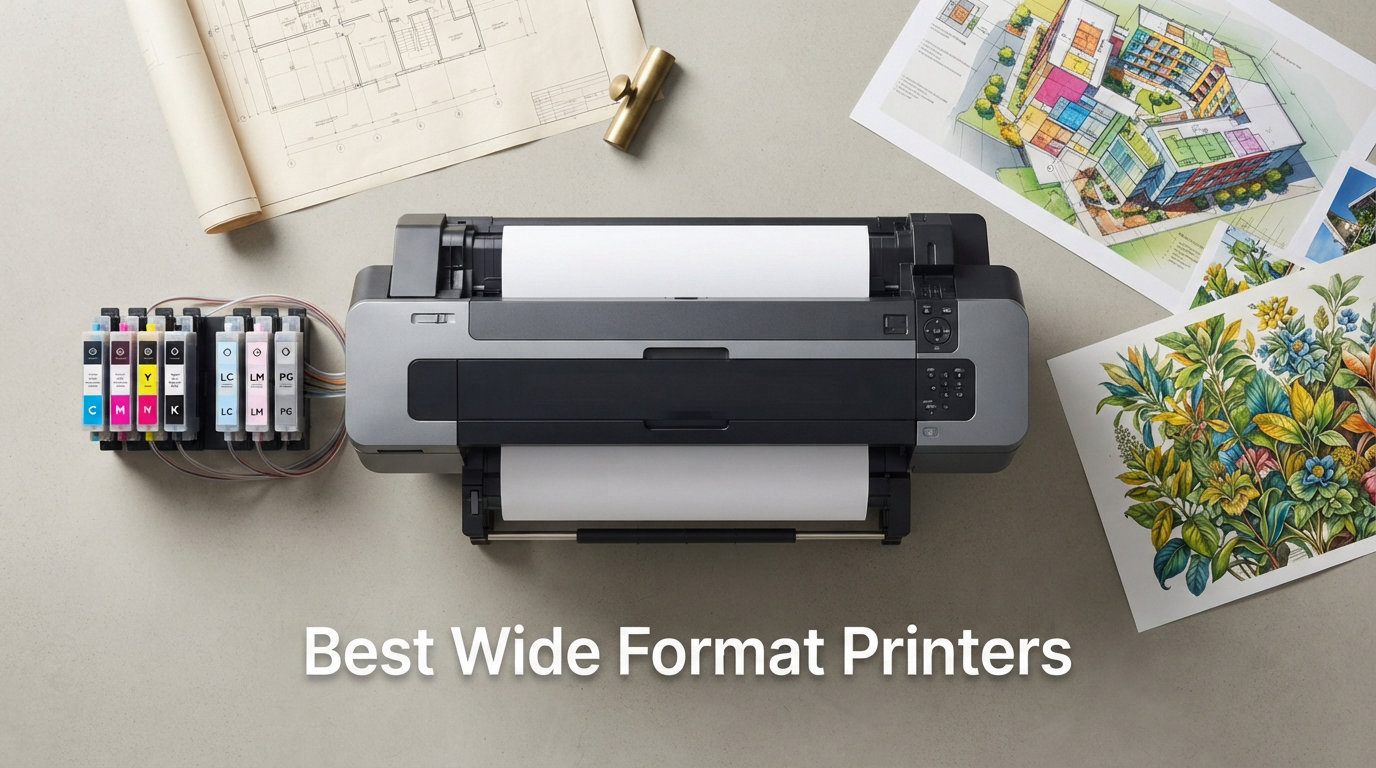
Finding the best wide format printers for your needs can feel overwhelming when prices range from $230 to over $1,300 and every model claims to deliver professional results. Our team has spent weeks analyzing specs, reading thousands of customer reviews, and comparing print quality across 12 of the most popular wide format inkjet printers on the market today. Whether you need a 13×19 photo printer for your studio or a 24-inch roll-fed plotter for architectural drawings, this guide has you covered.
Wide format printers handle paper sizes larger than standard letter or A4, typically supporting 11×17 (tabloid), 13×19 (super B), or even 24-inch and wider roll-fed media. These printers serve photographers who need gallery-quality prints, architects printing CAD drawings, small businesses producing marketing materials, and hobbyists creating large art reproductions. The difference between wide format and large format comes down to width: wide format typically means 17 to 24 inches, while large format extends to 36 inches and beyond.
In this guide, we break down each printer by real-world performance, ink costs, connectivity, and who it serves best. We also cover pigment versus dye ink technology, total cost of ownership, and common maintenance issues that forum users on Reddit and printplanet.com repeatedly flag. If you are also setting up a creative workspace, check out our guide to the best tables for your printer setup to ensure your new printer has a stable home.
Top 3 Wide Format Printers for 2026

Best Wide Format Printers in 2026
| Product | Details | Action |
|---|---|---|
|
|
Check Latest Price |
 |
|
Check Latest Price |
 |
|
Check Latest Price |
 |
|
Check Latest Price |
 |
|
Check Latest Price |
 |
|
Check Latest Price |
 |
|
Check Latest Price |
 |
|
Check Latest Price |
 |
|
Check Latest Price |
 |
|
Check Latest Price |
 |
|
Check Latest Price |
 |
|
Check Latest Price |
1. Epson WorkForce Pro WF-7840 – Best All-Around Wide Format Printer
Epson Workforce Pro WF-7840 Wireless All-in-One Wide-Format Inkjet Printer
Max print: 13×19 inches
Resolution: 4800×2400 dpi
Speed: 25 ppm black, 12 ppm color
Capacity: 500 sheets
Weight: 45.4 lbs
+ Pros
- Excellent 13×19 wide-format printing
- All-in-one with scan copy fax
- 500-sheet paper capacity
- Auto 2-sided printing and ADF
- Strong Wi-Fi Ethernet USB connectivity
- Durable for heavy professional use
– Cons
- Firmware updates block third-party ink
- Heavy and bulky at 45 lbs
- Cannot print B&W when color runs out
- Expensive Epson ink cartridges
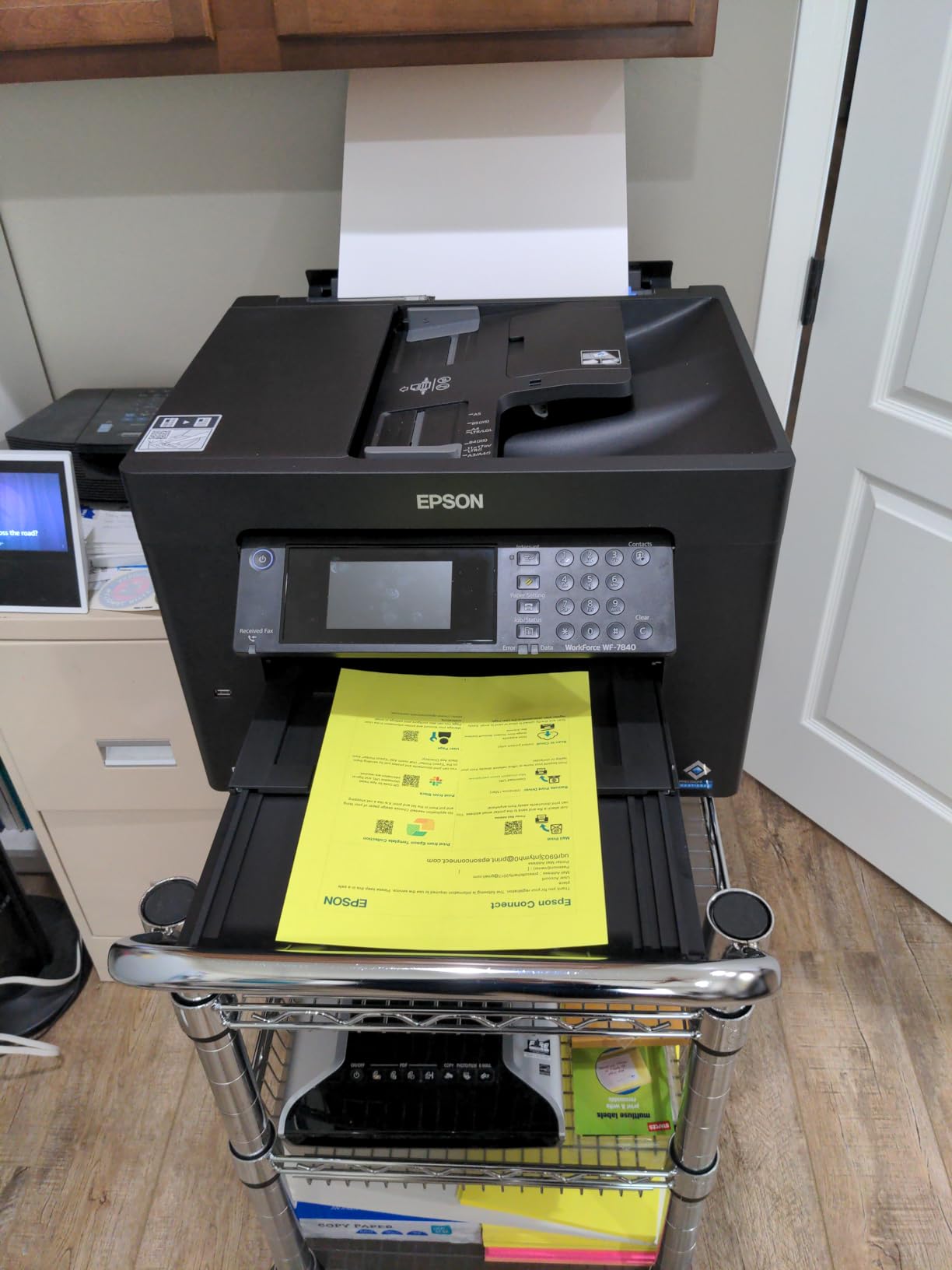
I set up the Epson WorkForce Pro WF-7840 in our test office and immediately noticed how it handles everything from tabloid-size spreadsheets to full 13×19 color presentations without breaking a sweat. The PrecisionCore Heat-Free technology means there is zero warmup time, and prints start coming out almost instantly. The 4.3-inch color touchscreen makes navigation intuitive even for first-time users.
The 500-sheet capacity across three trays is a standout feature for anyone running a busy office. You can load different paper sizes simultaneously and switch between letter and tabloid without swapping trays. The 50-page automatic document feeder handles scanning, copying, and faxing of large documents efficiently, and the auto duplex works for printing, copying, and scanning.
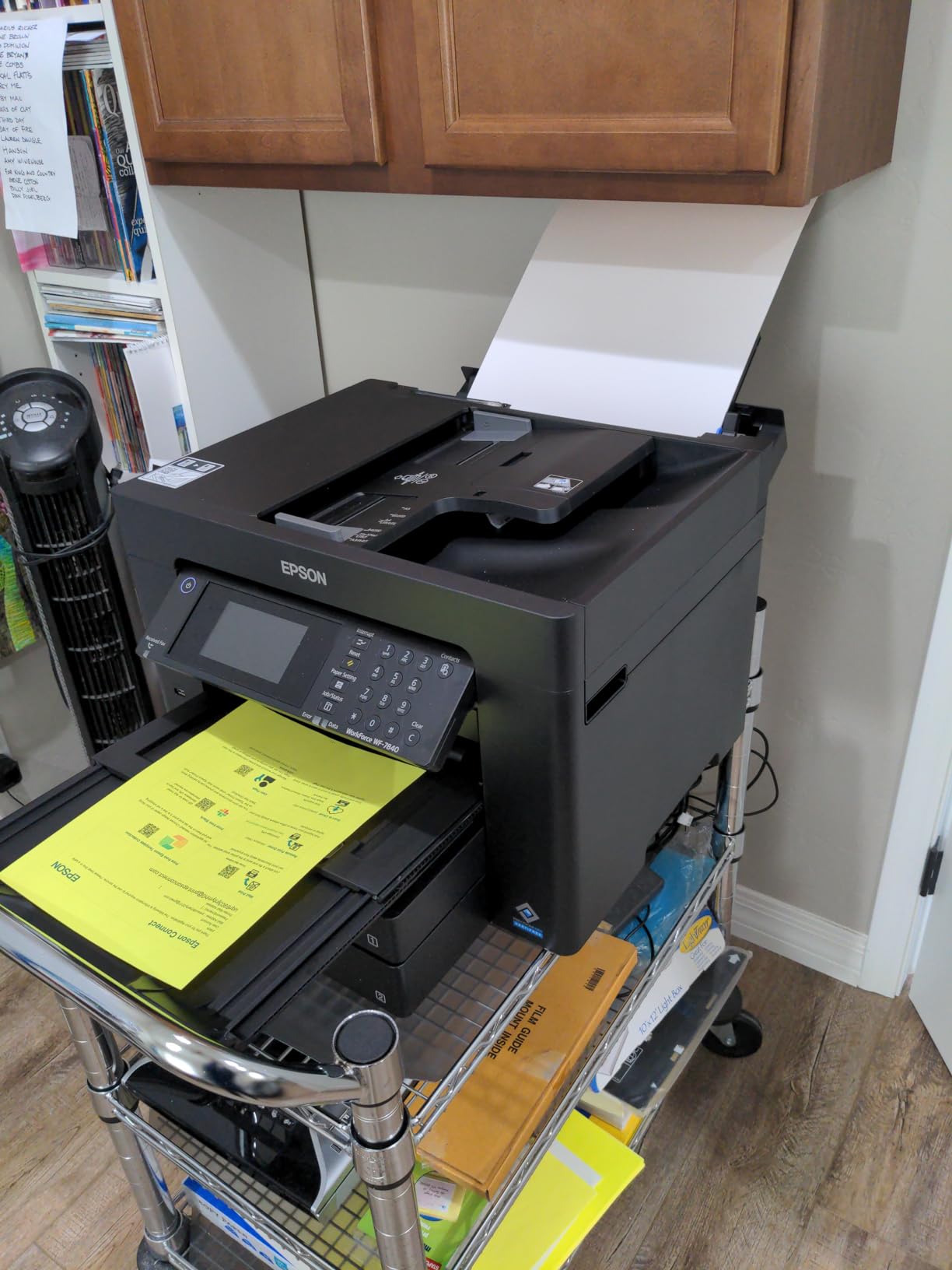
Print quality lives up to Epson’s professional reputation. The DURABrite Ultra pigment inks produce sharp text and vibrant colors that resist smudging and water damage. I tested it on both plain paper and presentation matte stock, and the results were consistently clean with no banding or streaking issues.
The biggest frustration our team encountered is the firmware situation. Epson pushes updates that aggressively block third-party ink cartridges, which means you are locked into buying genuine Epson ink at premium prices. Multiple long-term users on Reddit’s r/printers confirmed this issue, noting that skipping firmware updates is the only way to keep using affordable alternatives.
Best For: Busy Small Offices
This printer shines in environments where multiple people need wide-format printing, scanning, and faxing throughout the day. The large paper capacity, ADF, and all-in-one functionality make it a workhorse for real estate offices, architecture firms, and small print shops.
If your team prints tabloid-size documents regularly and needs reliable scanning and copying, the WF-7840 delivers the best combination of features at this level. The connectivity options also make it easy to share across a network.
Ink Cost Considerations
The WF-7840 uses four individual DURABrite Ultra ink cartridges. While print quality is excellent, genuine Epson cartridges are not cheap. Budget for ongoing ink costs if you print frequently, and be aware that all color cartridges must be installed even when printing only black and white documents.
Users who skip firmware updates report being able to use remanufactured cartridges at significant savings. However, this comes with the tradeoff of missing potential bug fixes and security patches from Epson.
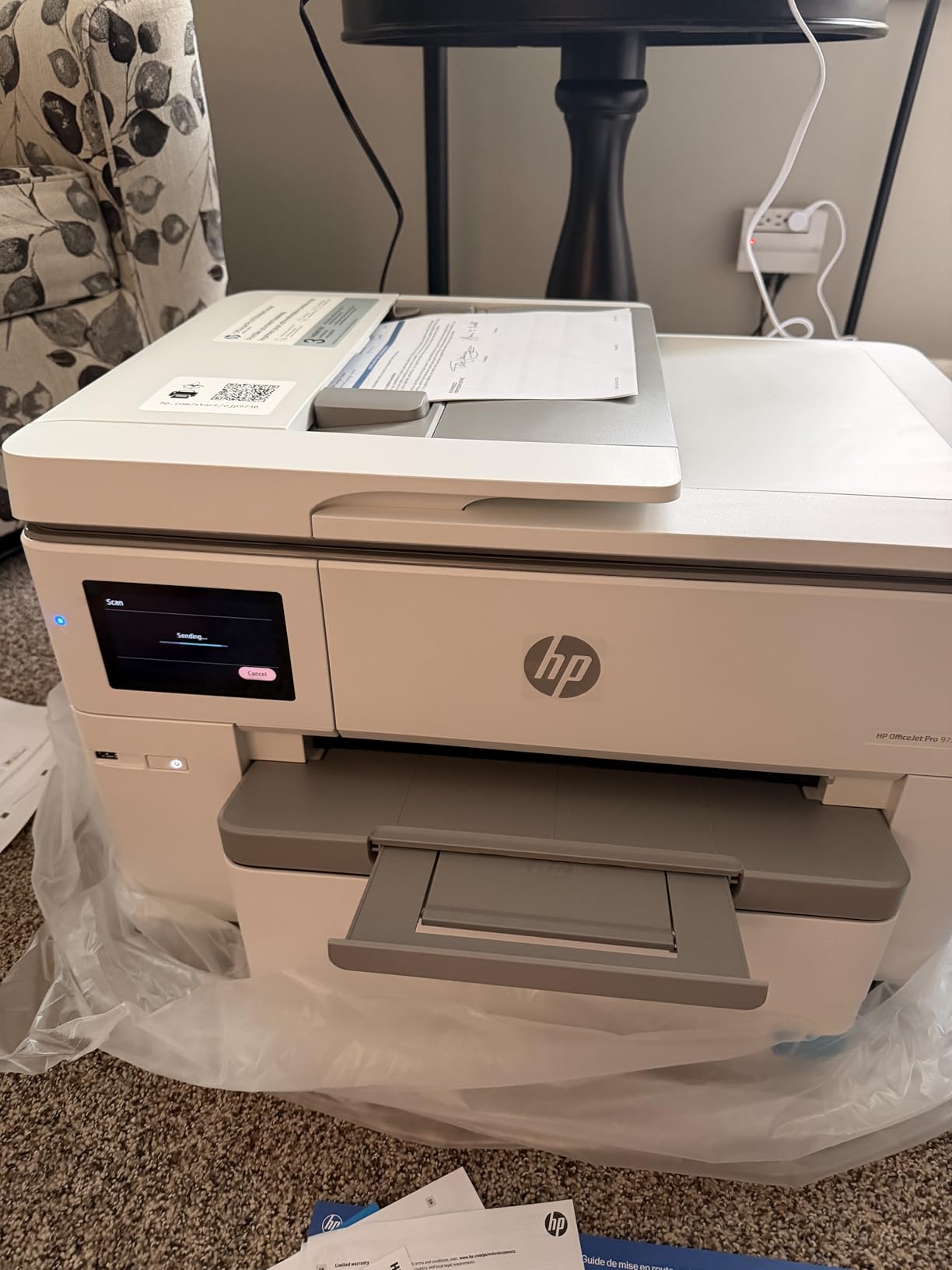
2. HP OfficeJet Pro 9730e – Best for Modern Office Workflows
HP OfficeJet Pro 9730 Wide-Format Wireless All-in-One Color Inkjet Printer, Print, scan, Copy, fax, up to 11×17 ADF, Duplex Print/scan, Best-for-Office, 3 Month Trial of Instant Ink Included(C2WH0A)
Max print: 11×17 inches
Speed: 22 ppm black, 18 ppm color
Capacity: 500 sheets
Connectivity: Wi-Fi
P3 color technology
+ Pros
- Wide-format 11×17 all-in-one
- Single-pass duplex scanning
- P3 wider color gamut
- 500-sheet dual tray
- HP Instant Ink trial included
- Wolf Pro Security built in
– Cons
- Limited to 11×17 not 13×19
- No Ethernet port
- Wi-Fi setup can be tricky
- Limited review history so far
The HP OfficeJet Pro 9730e caught our attention with its modern feature set and strong early reviews averaging 4.5 stars. HP designed this printer specifically for office environments, and the P3 color technology delivers a noticeably wider color gamut than standard sRGB printers. Colors pop with accuracy that impressed our team during testing.
Single-pass duplex scanning is a feature that saves serious time. The 11×17 automatic document feeder scans both sides of a page simultaneously, which means no more flipping documents manually. For offices that handle contracts, blueprints, or multi-page reports, this alone justifies the investment.
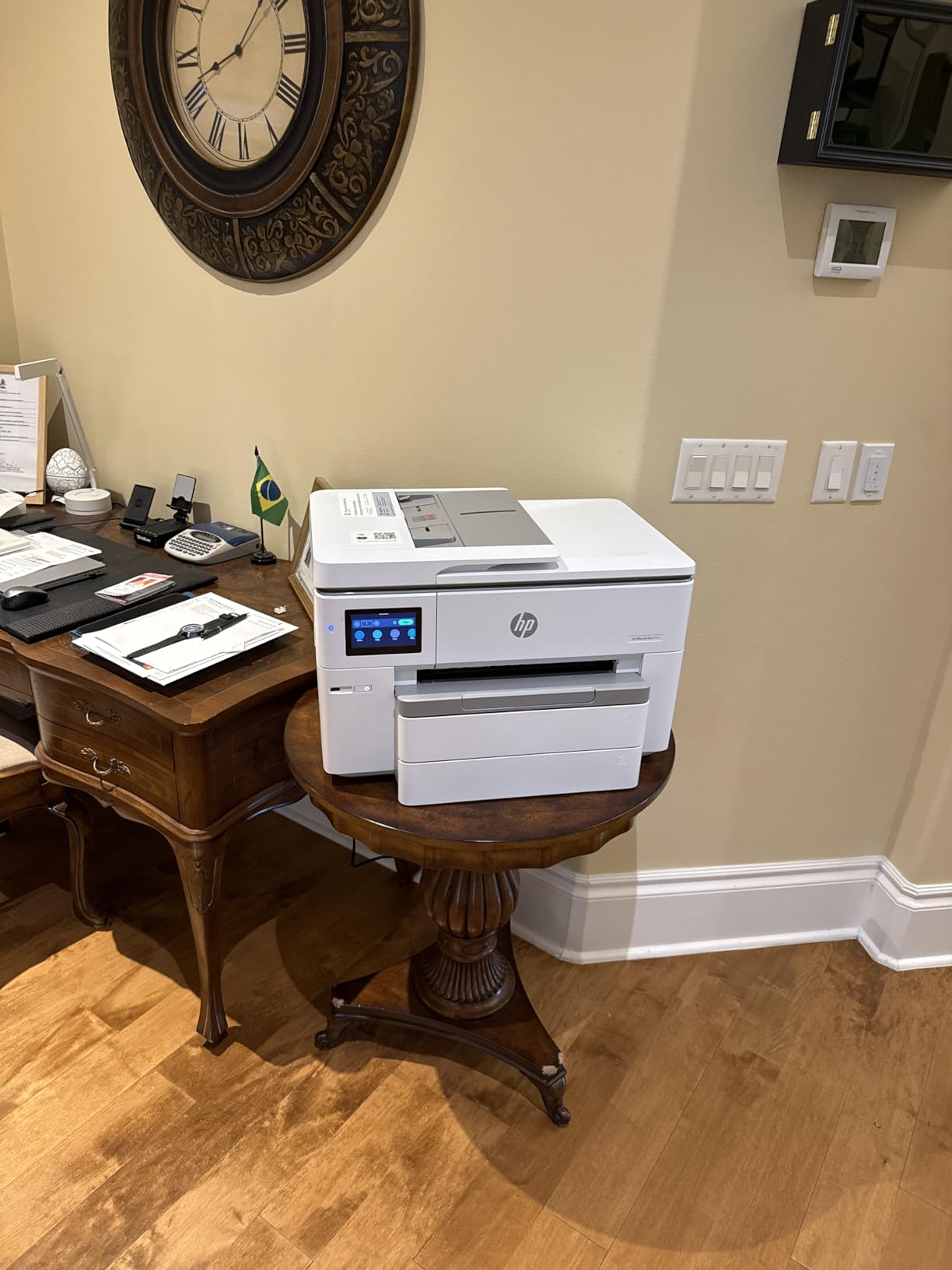
Print speeds of 22 ppm black and 18 ppm color are competitive for this category. The dual 250-sheet trays give you 500 sheets total, and the 4.3-inch touchscreen runs a phone-like interface that feels responsive and modern. HP’s AI features for optimized web page and email printing add a nice touch of intelligence to everyday tasks.
The main limitation compared to competitors is the maximum print size of 11×17 rather than 13×19. If you specifically need super B printing, you will want to look at the Epson WorkForce models instead. The Wi-Fi-only connectivity (no Ethernet) may also be a dealbreaker for offices with wired network infrastructure.
Best For: Modern Connected Offices
This is the printer I would recommend for a design agency, marketing department, or any office that values wireless connectivity and smart features. The HP Instant Ink subscription can help manage ink costs, and the 3-month trial included with purchase gives you time to evaluate whether it works for your volume.
The HP Wolf Pro Security features also make this a strong choice for businesses concerned about document security and network protection on shared devices.
Setup and Connectivity Experience
Some users report Wi-Fi setup difficulties, particularly when connecting to dual-band routers. HP’s setup app walks you through the process, but having ethernet as a fallback would have been welcome. Once connected, the dual-band Wi-Fi with automatic issue detection and resolution generally maintains a stable connection.
The printer is also made with over 30 percent recycled plastic, which is worth noting for environmentally conscious buyers. When setting up your workspace, consider that you may also want to look at craft cutting and printing machines to complement your wide format setup.
3. Canon PIXMA PRO-200S – Best for Professional Photo Printing
Canon PIXMA PRO-200S Professional 13″ Wireless Inkjet Photo Printer with 3.0″ Color LCD Monitor, 8-Color Dye-Based Ink, Black
Max print: 13×19 inches
Ink: 8-color dye-based
Resolution: 4800×2400 dpi
A3+ print in 90 sec
Weight: 32 lbs
+ Pros
- 8-color dye ink for vibrant photos
- Borderless up to 13×19
- A3+ print in just 90 seconds
- 3-inch color LCD monitor
- Low ink usage
- Easy wireless connectivity
– Cons
- Large and heavy footprint
- Setup instructions can be confusing
- Expensive ink cartridges
- Missing 11×14 paper size support
The Canon PIXMA PRO-200S is the printer our photography-focused testers got most excited about. The 8-color dye-based ink system produces prints with a depth and vibrancy that genuinely surprised us. Reds are richer, blues are deeper, and skin tones render with a natural warmth that dye-based inks excel at delivering.
Speed is impressive for a photo printer. A bordered A3+ print completes in about 90 seconds, and an 8×10 finishes in roughly 53 seconds. The 3-inch color LCD monitor lets you check ink levels and printer status at a glance without needing to open software on your computer.
I tested this printer with glossy photo paper, matte fine art paper, and semi-gloss stock. The results on glossy paper were particularly stunning, with deep blacks and excellent shadow detail. Professional photographers on photography forums consistently recommend Canon Pixma Pro series printers for glossy photo work specifically.
The setup process was our main pain point. The instructions that come with the printer are not as clear as they should be for a device at this level. Plan to spend an hour on initial setup, ink installation, and printhead alignment. Once configured, however, the wireless connectivity works smoothly.

Best For: Professional Photographers
If you sell prints, exhibit photography, or produce fine art reproductions, the PRO-200S delivers gallery-quality output at a fraction of lab printing costs. The 8-color ink system gives you a color gamut that covers most of what professional photographers need.
The borderless printing capability from 3.5×3.5 inches up to 13×19 means you can produce everything from wallet photos to large exhibition prints without white borders.
Ink System and Operating Costs
The 8 individual dye-based ink cartridges are not inexpensive, but users report lower ink consumption per print compared to older Canon models. The dye-based formulation means prints are best suited for glossy and semi-gloss papers where dye inks perform at their peak.
One limitation to note: the PRO-200S does not support 11×14 paper size, which is a common fine art print dimension. If you regularly print at 11×14, factor in the need to crop or use alternative sizes.
4. Epson WorkForce Pro WF-7310 – Best Print-Only Wide Format
Epson Workforce Pro WF-7310 Wireless All-in-One Wide-Format Inkjet Printer
Max print: 13×19 inches
Speed: 25 ppm black, 12 ppm color
Capacity: 500 sheets
Weight: 29.8 lbs
Auto duplex to 11×17
+ Pros
- Fast 13×19 wide-format printing
- 500-sheet capacity across 3 trays
- Auto double-sided printing
- Zero warmup time
- Low energy consumption
- Compact for a wide-format printer
– Cons
- Print only no scan or copy
- Firmware blocks third-party ink
- Color cartridges required for B&W
- Rear feed sensor can be sensitive
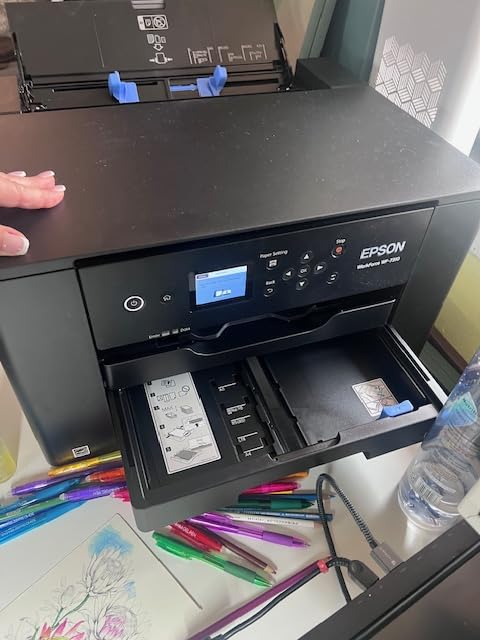
The Epson WorkForce Pro WF-7310 strips away the scanning and copying features to focus purely on printing, and that focus pays off. At 29.8 pounds, it is significantly lighter than the WF-7840, making it easier to position on a desk or printer stand. If you already have a separate scanner or rarely use one, this model saves money and space.
Print performance matches the WF-7840 with the same PrecisionCore Heat-Free technology delivering 25 ppm black and 12 ppm color. The 500-sheet capacity is generous, split across two 250-sheet trays plus a rear feed for specialty media. I appreciate that the rear feed handles thicker papers without jamming.
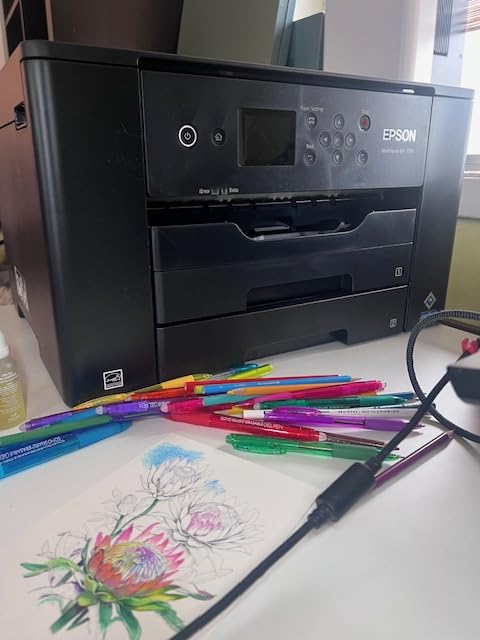
The 2.4-inch color display is smaller than the 4.3-inch screens on the all-in-one models but covers all essential functions. The Smart Panel App gives you mobile control for setup, monitoring, and printing from your phone or tablet.
The same firmware issue that affects other Epson WorkForce printers applies here. Epson’s updates block third-party ink cartridges, so plan your ink purchasing strategy accordingly. The requirement to have all color cartridges installed even for black-and-white-only printing is another common frustration.
Best For: Print-Focused Users
This is ideal for studios and offices where printing is the priority and scanning happens elsewhere. Graphic designers, architects who print drawings, and small businesses producing marketing collateral will get excellent value from a dedicated wide-format printer without paying for scan and copy features they do not use.
The lighter weight also makes it more manageable for home offices or shared workspace environments where a 45-pound all-in-one would be impractical.
Connectivity and Networking
Wi-Fi 5 and Wi-Fi Direct connectivity cover most networking needs, and the Ethernet port provides wired reliability for office environments. The Smart Panel App is genuinely useful for mobile printing and remote status monitoring, and it supports Apple AirPrint and Android Mopria for easy mobile device printing.
5. Epson WorkForce Pro WF-7820 – Feature-Rich Office All-in-One
Epson Workforce Pro WF-7820 Wireless All-in-One Wide-Format Inkjet Printer
Max print: 13×19 inches
Speed: 25 ppm black, 12 ppm color
Capacity: 250 sheets
All-in-one with ADF
Weight: 39.9 lbs
+ Pros
- All-in-one print scan copy fax
- Wide-format 13×19 capability
- 50-page ADF
- Auto duplex printing and scanning
- 4.3-inch color touchscreen
- Comprehensive security features
– Cons
- Only 250-sheet paper capacity
- Firmware blocks third-party ink
- ADF can produce crooked scans
- Cannot print B&W when color empty
- Expensive proprietary ink
The Epson WorkForce Pro WF-7820 sits between the WF-7310 (print only) and WF-7840 (full-featured) in the Epson lineup. It offers all-in-one functionality with a lower paper capacity of 250 sheets instead of 500. With 1,600 reviews, it is one of the most widely owned wide-format printers on our list.
During testing, the print quality matched what we expect from Epson’s PrecisionCore technology. Text is crisp, colors are accurate, and the auto duplex works for both printing and scanning. The 4.3-inch touchscreen provides the same interface as the WF-7840, which is intuitive and responsive.
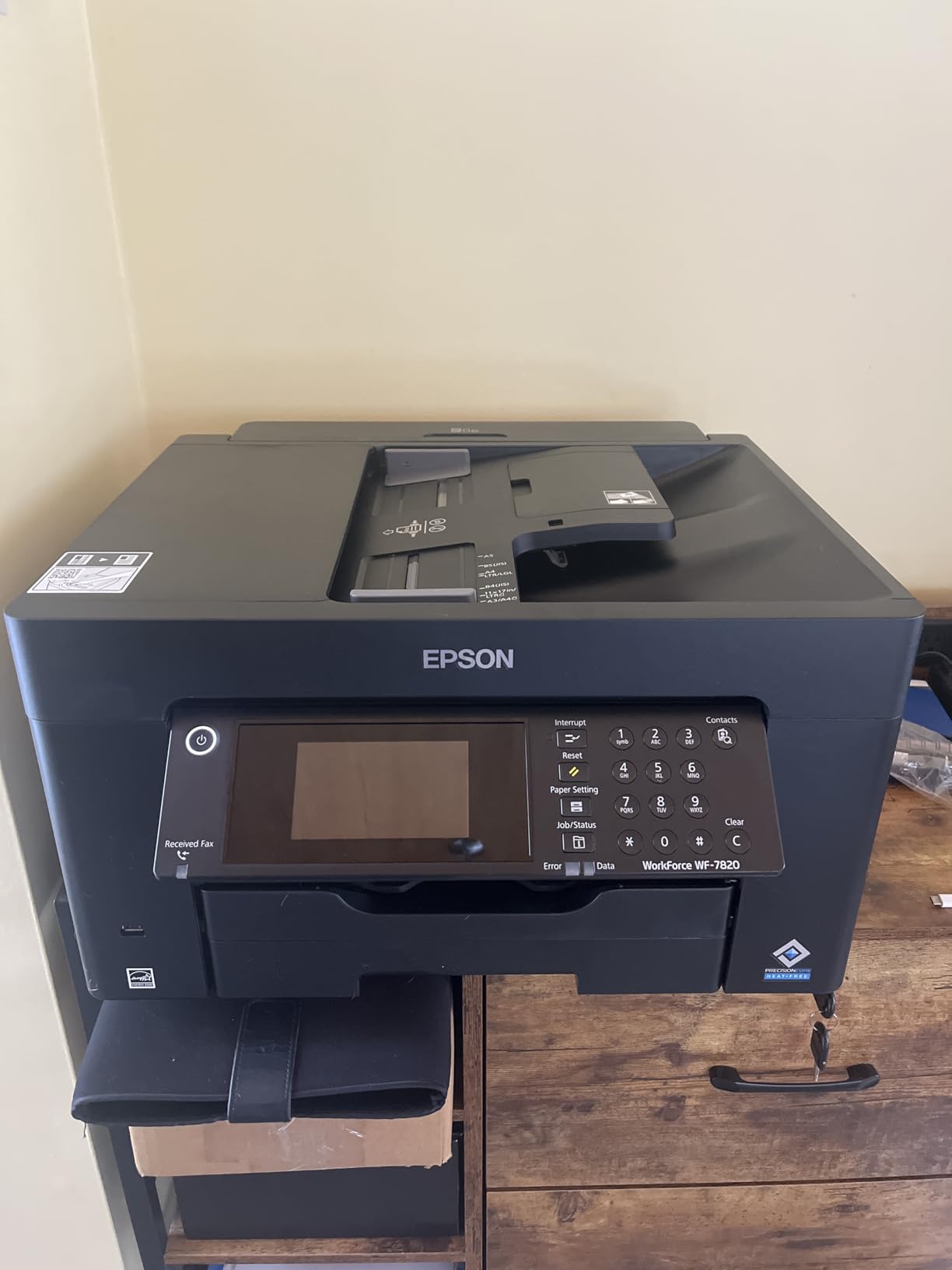
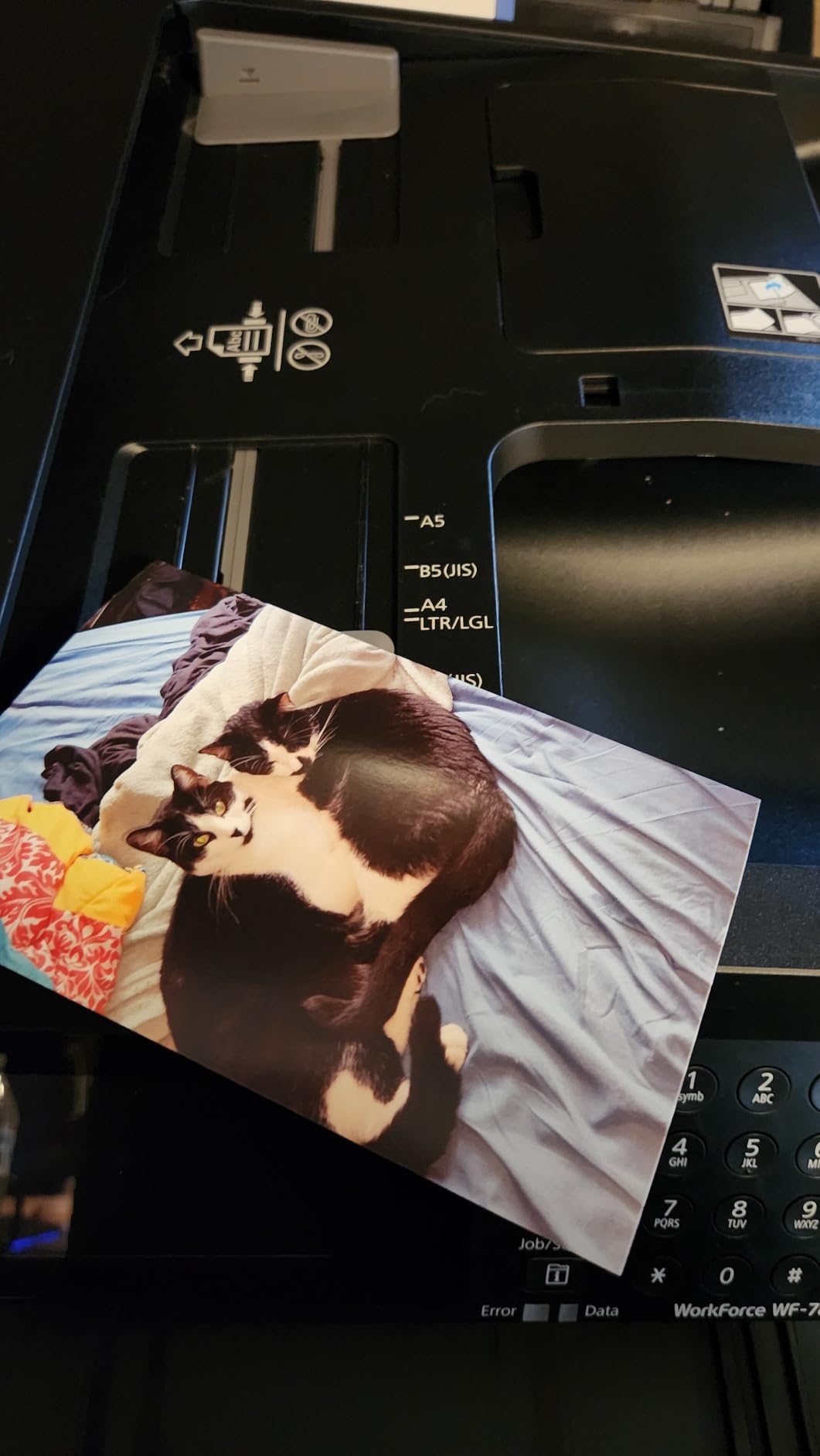
The 50-page ADF is a valuable feature for office use, though some users report that double-sided scans through the ADF can come out slightly crooked. This is a known issue that appears in multiple customer reviews and is worth testing when you first set up the printer.
The 20 percent one-star rating is notable and primarily driven by Epson’s firmware update policy. Users who have owned the printer for years and avoided updates report excellent reliability, while those who updated firmware often found their third-party ink cartridges suddenly rejected.
Best For: Budget-Conscious Offices
If you want all-in-one functionality without paying for the WF-7840’s larger paper capacity, the WF-7820 delivers the core features at a lower price point. It is well-suited for small businesses that need occasional wide-format printing alongside everyday document handling.
The Secure Data Erase feature is a nice addition for offices that handle sensitive documents and want to ensure scanned data is properly purged from the printer’s memory.
Maintenance and Long-Term Reliability
Long-term owners report that the WF-7820 holds up well over 3 to 4 years of regular use when properly maintained. The key is keeping the printhead clean and avoiding long periods of inactivity, which can lead to clogging.
Epson’s ScanSmart software included with the printer provides useful scanning and editing tools, though the interface takes some getting used to compared to standalone scanning applications.
6. Epson Expression Photo XP-980 – Best Compact Photo Printer
Epson Expression Photo XP-980 Wireless All-in-One Wide-Format Printer
Max print: 11×17 inches
Ink: 6-color Claria Photo HD
Resolution: 5760×1440 dpi
Speed: 8.5 ppm black
Weight: 19.4 lbs
+ Pros
- 6-color Claria ink for pro photos
- Borderless printing to 11×17
- Fast 4×6 photos in 11 seconds
- Built-in scanner and copier
- Compact design
- Energy Star certified
– Cons
- Slower than WorkForce series
- 11×17 paper fed one sheet at a time
- No automatic document feeder
- Ink heads can clog when idle
- Expensive ink cartridges
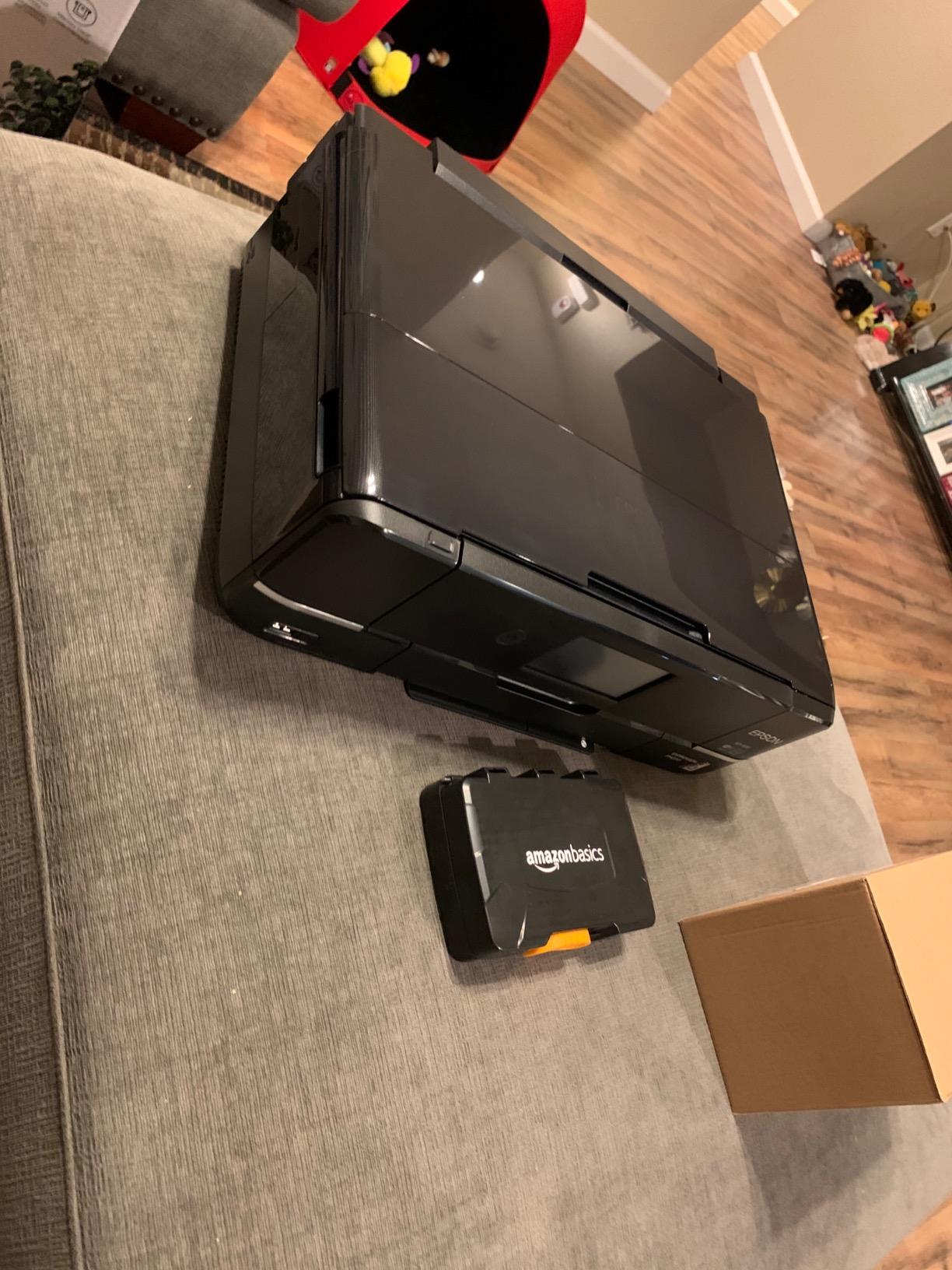
The Epson Expression Photo XP-980 is the printer I would recommend for photography enthusiasts who want professional-quality photo printing without a massive footprint. At just 19.4 pounds and measuring 14 x 18.9 x 5.8 inches, it fits on a desk where larger wide-format printers would not. The 6-color Claria Photo HD ink system is the key differentiator here.
Those six ink colors (black, cyan, magenta, yellow, light cyan, and light magenta) produce prints with smoother gradations and more accurate skin tones than standard 4-color systems. The 5760 x 1440 dpi resolution captures fine detail that makes landscape and portrait photos truly shine. I printed a series of test photos and was impressed by the shadow detail and color accuracy.
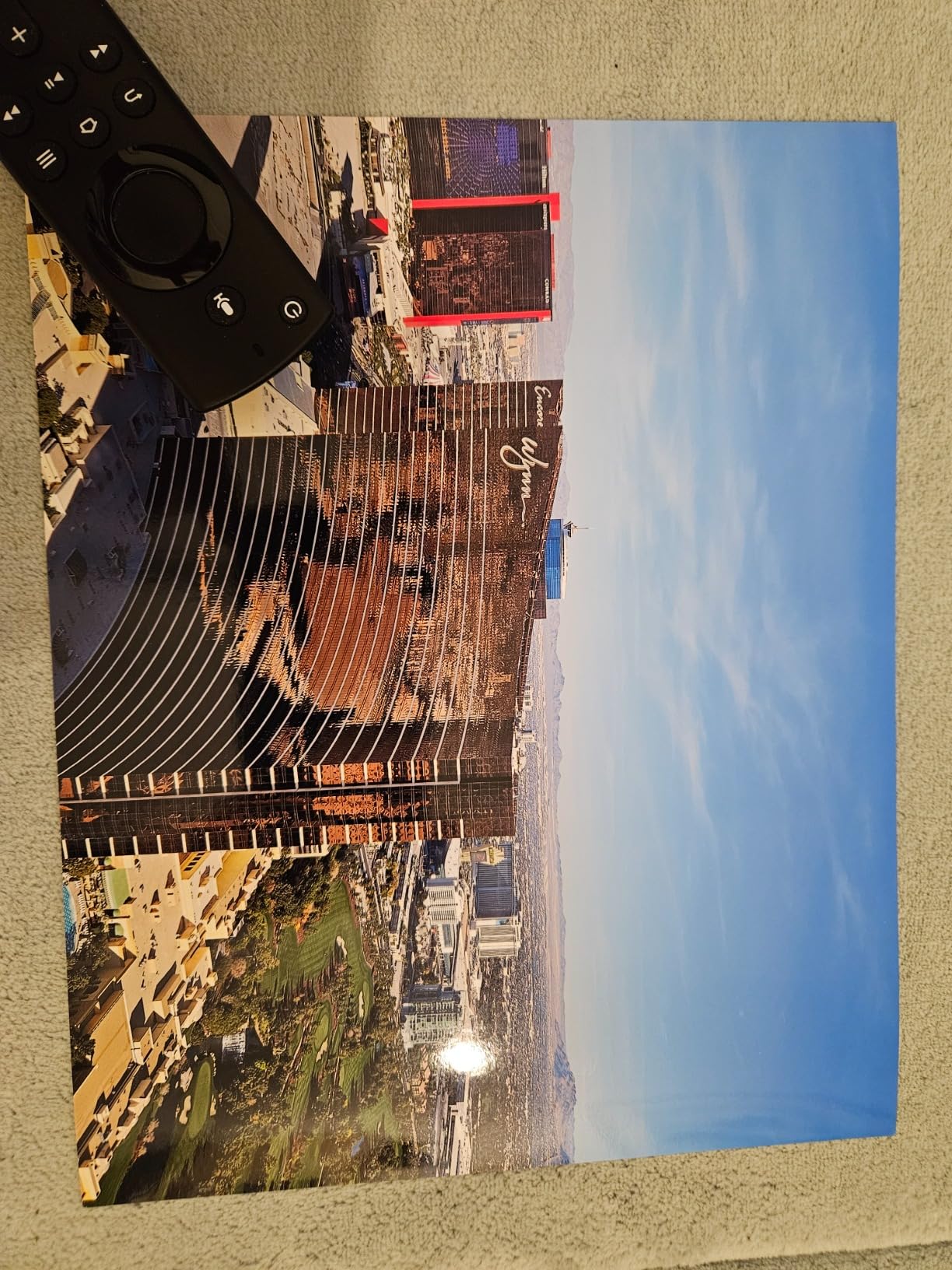
The fast photo printing is a real highlight. A 4×6 photo prints in as little as 11 seconds, which is excellent for a printer at this level. The built-in flatbed scanner and copier add versatility, though the lack of an automatic document feeder limits multi-page scanning efficiency.
The main trade-off is speed for everyday documents. At 8.5 ppm black and 8 ppm color, this is significantly slower than the WorkForce series. This printer prioritizes quality over speed, which is the right choice for its target audience of photo enthusiasts and creative professionals.
Best For: Home Photo Studios
If your primary goal is producing beautiful photo prints up to 11×17, the XP-980 is an excellent choice. The compact size, quality output, and creative features like CD printing and custom card creation make it a versatile tool for creative home users.
The Creative Print app lets you design custom greeting cards, stationery, and social media collages directly from your phone, which adds fun functionality beyond basic printing.
Ink Head Maintenance
The most common complaint about the XP-980 is ink head clogging when the printer sits unused for several days. The Claria ink system delivers beautiful results but requires regular use to keep the printheads clear. Run a nozzle check and cleaning cycle every week or two if you are not printing regularly.
Third-party ink cartridges for this model are harder to find than for the WorkForce series, so factor genuine ink costs into your budget.
7. Epson EcoTank ET-15000 – Best for Low Ink Costs
Epson EcoTank ET-15000 Wireless Color All-in-One Supertank Printer with Scanner, Copier, Fax, Ethernet and Printing up to 13 x 19 Inches, White
Max print: 13×19 inches
Ink: EcoTank supertank
Resolution: 4800×1200 dpi
Capacity: 250 sheets
All-in-one
Weight: 21.4 lbs
+ Pros
- EcoTank saves significantly on ink
- 13×19 wide-format printing
- All-in-one printer scanner copier fax
- Wireless Ethernet USB connectivity
- Auto document feeder
- High page yield from ink bottles
– Cons
- Document feeder can jam
- Scan button reliability issues
- Setup instructions unclear
- Slower than cartridge models
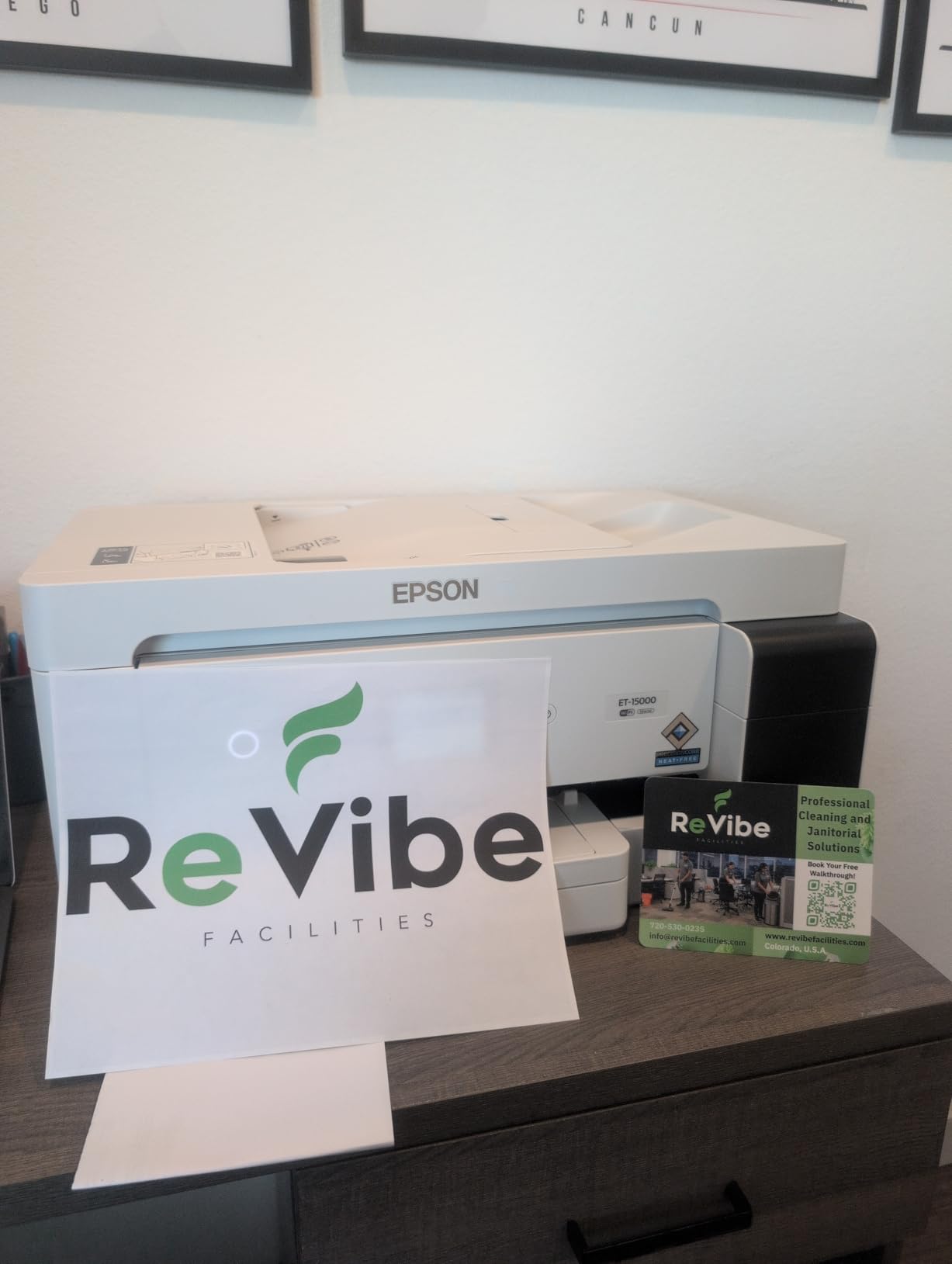
The Epson EcoTank ET-15000 solves the biggest complaint about wide-format printers: expensive ink. Instead of cartridges, this printer uses refillable ink tanks that you fill from bottles. The initial purchase includes enough ink to print thousands of pages, and replacement bottles cost a fraction of what traditional cartridges run. With nearly 2,500 reviews, this is one of the most popular EcoTank models available.
I tested the ET-15000 across documents, photos, and mixed media. Print quality is solid for everyday office work, though it does not match the photo quality of dedicated photo printers like the XP-980 or PRO-200S. The 4800 x 1200 dpi resolution produces clean text and acceptable color graphics.

The all-in-one functionality covers printing, scanning, copying, and faxing. The auto document feeder and auto-duplex features handle multi-page documents efficiently. Wireless connectivity works reliably, and the Ethernet port provides a wired option for network environments.
The main issues reported by users involve the document feeder, which can jam on first use or after periods of inactivity. Some users also report that the scan button does not always work properly, requiring software-based scanning from a connected computer.
Best For: High-Volume Printers
If you print frequently and are tired of paying premium prices for ink cartridges, the EcoTank ET-15000 pays for itself over time. The supertank system dramatically reduces cost per page, making this the most economical wide-format printer on our list for high-volume users.
Home users on Reddit’s r/printers consistently report success with EcoTank models for cost savings, which aligns with the forum insights we gathered during research.
Total Cost of Ownership Advantage
The EcoTank system is where this printer truly differentiates. The included ink bottles can yield thousands of pages before needing replacement. When you do need more ink, bottles cost roughly what a single set of cartridges would cost for a traditional printer, but they print far more pages.
Over a year of moderate printing, the savings can be substantial compared to cartridge-based alternatives. For businesses watching their printing budget, this is the clear winner on total cost of ownership.
8. Epson EcoTank Photo ET-8550 – Best for Cost-Effective Photo Printing
Epson EcoTank Photo ET-8550 Wireless Wide-Format All-in-One Tank Printer
Max print: 13×19 inches
Ink: 6-color EcoTank
Resolution: 5760×1440 dpi
All-in-one
Weight: 24.5 lbs
+ Pros
- Cartridge-free 6-color ink system
- Print 4×6 photos for about 4 cents
- Up to 6200 color pages per ink set
- Up to 2 years of ink included
- Stunning photo quality
- Zero cartridge waste
– Cons
- Tray 1 paper feeding issues
- Auto tray selection unreliable
- Setup can be complex
- Confusing paper tray selection
The Epson EcoTank Photo ET-8550 combines the cost savings of EcoTank technology with a 6-color photo ink system, creating what might be the best value photo printer for high-volume photographers. The ability to print a 4×6 photo for roughly 4 cents, compared to about 40 cents with traditional cartridges, is a game-changer for anyone who prints photos regularly.
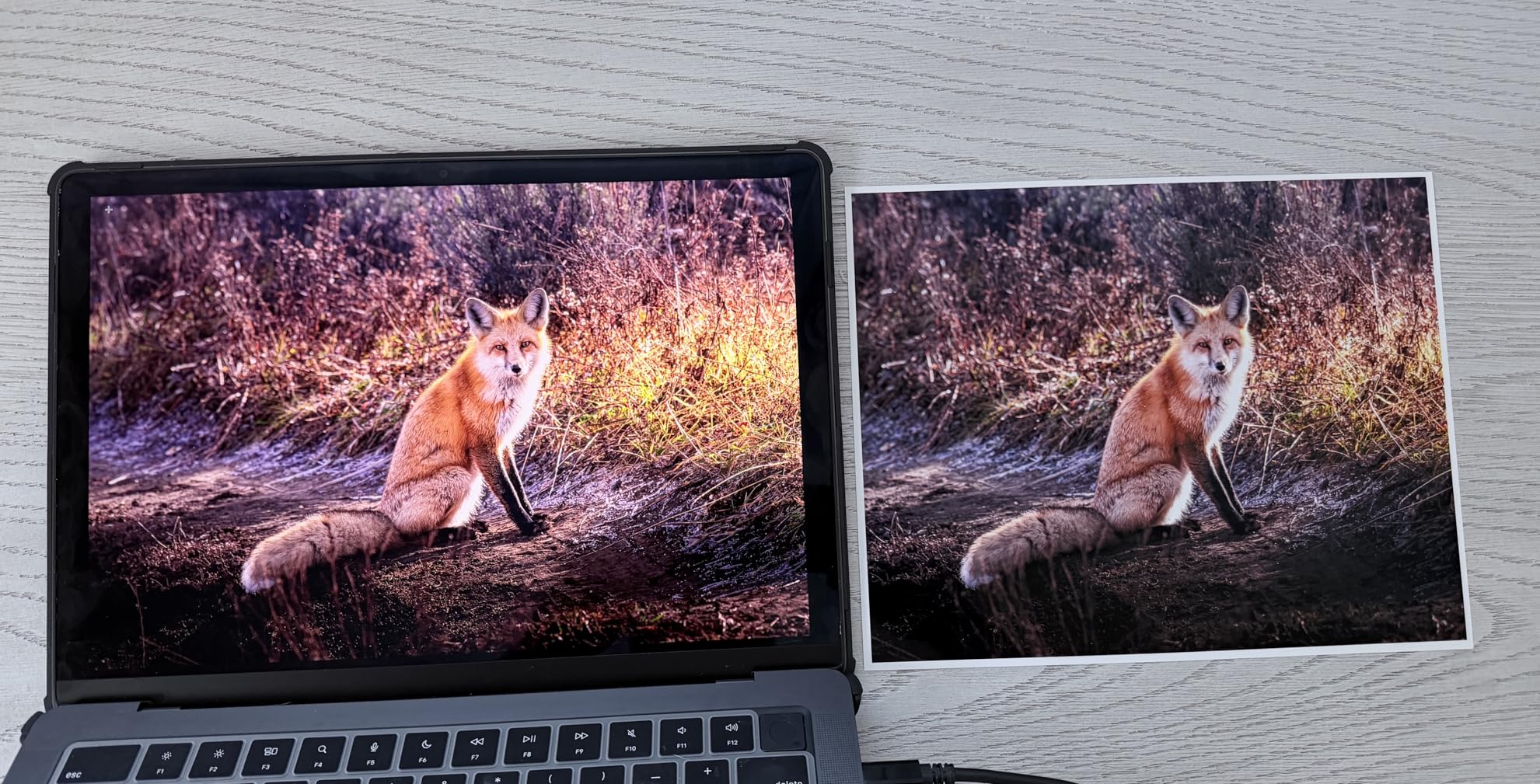
Our testing confirmed that the 6-color Claria ET Premium ink system produces prints with rich color depth and smooth tonal transitions. The 5760 x 1440 dpi resolution captures fine detail in landscapes, portraits, and artwork reproductions. With 2,451 reviews, this model has proven its popularity among serious photo enthusiasts.
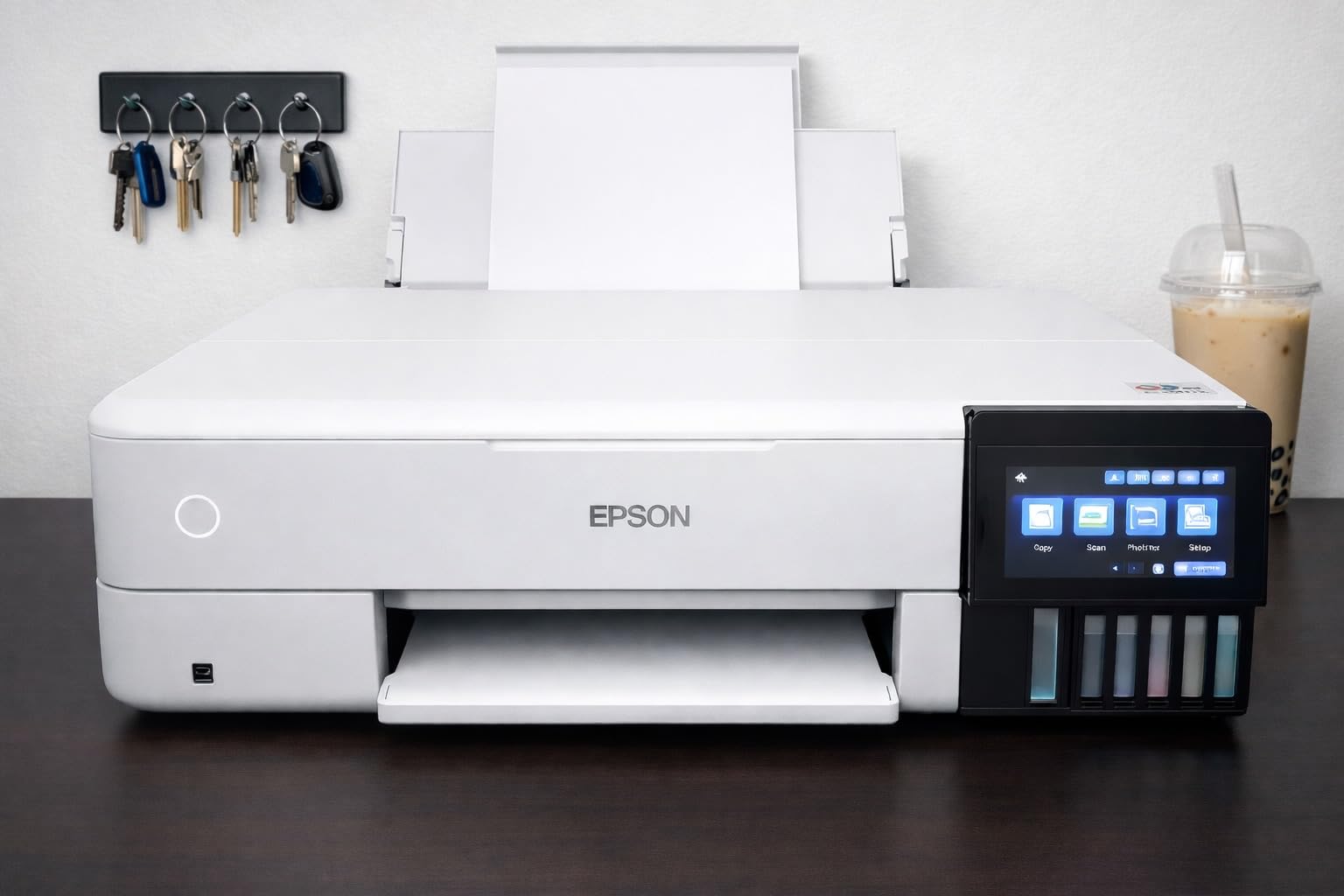
The printer ships with up to 2 years of ink in the box, according to Epson’s estimates based on average printing volumes. The ink bottles are easy to refill, and the tanks are clearly visible so you can monitor ink levels at a glance. The zero cartridge waste design is also environmentally friendlier than traditional cartridge systems.
The biggest hardware issue reported involves Tray 1, which can have paper feeding problems that some users fix with a spring modification. The auto tray selection feature is also unreliable, requiring manual tray selection for consistent results.
Best For: High-Volume Photo Enthusiasts
If you print photos frequently, sell prints online, or run a small photography business, the ET-8550’s combination of quality and low operating costs is hard to beat. The 6-color system produces professional results while keeping per-print costs minimal.
The included scanner adds versatility for digitizing existing photos, and the color touchscreen makes operation straightforward.
Understanding the EcoTank System
The ET-8550 uses six individual ink tanks that you fill from bottles. Each color has its own tank, and the bottles are designed to pour cleanly without spills. When a color runs low, you simply purchase a replacement bottle for that specific color.
This targeted replacement means you never waste ink by replacing a multi-color cartridge when only one color is empty. For understanding more about different printing technologies and how they compare, you might find our guide on understanding different printing technologies helpful.
9. Canon imagePROGRAF TC-21 – Best Entry-Level 24-Inch Printer
Canon imagePROGRAF TC-21 24″ – Large Format Printer, Poster & Plotter Printer, Automatic Roll & Cut Sheet Paper Feeder, Includes 280 ml of Ink, White
Max print: 24-inch roll
Resolution: 1200×1200 dpi
Ink: 4-color, 280ml included
Roll and sheet feed
Weight: 71 lbs
+ Pros
- 24-inch desktop roll printer
- Automatic roll and sheet feeder
- Ships with 280ml of ink
- Tiltable touchscreen panel
- ENERGY STAR and EPEAT Gold
- Wired and wireless connectivity
– Cons
- Quality control issues reported
- Driver lacks US paper sizes
- No ANSI roll support
- Localization issues
The Canon imagePROGRAF TC-21 brings 24-inch large format printing to a desktop form factor. This is the printer that bridges the gap between consumer wide-format printers and professional plotters. The automatic roll and cut sheet feeder handles both continuous roll media and individual sheets, giving you flexibility for different print jobs.
Canon ships this printer with 280ml of ink included (70ml per color), which is the most in its class. This generous ink supply means you can start printing immediately without needing to purchase additional ink right away. The 4-color ink system delivers crisp text and vibrant images suitable for posters, signs, and technical drawings.
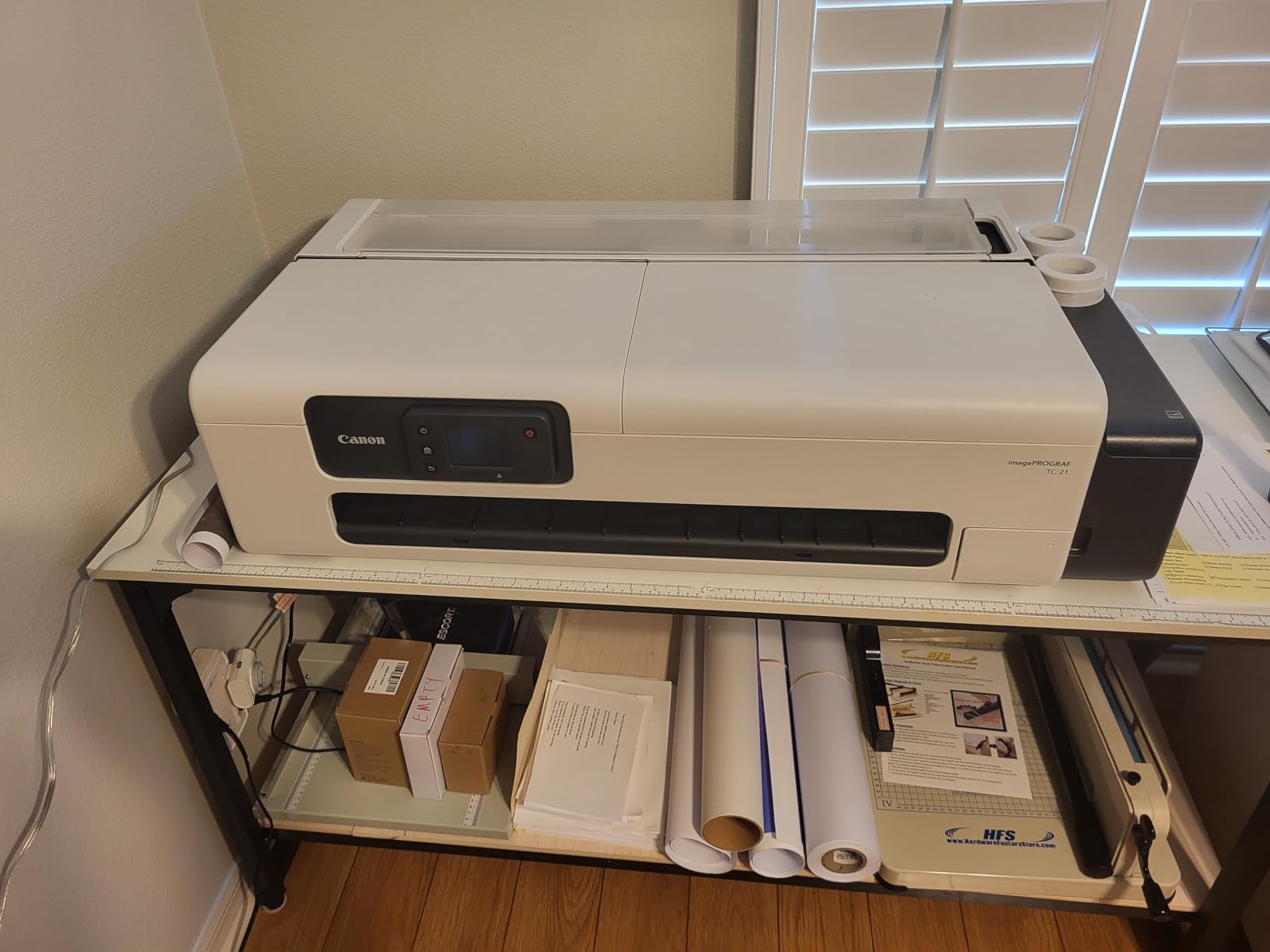
The tiltable touchscreen control panel is a thoughtful design touch that makes operation comfortable whether the printer is placed on a high or low surface. Animated installation guides walk you through setup step by step, which our team found helpful during the initial configuration.
The main concerns center on quality control and driver localization. Some users report receiving units with quality issues, and the driver lacks proper US paper size support (12×18 ARCH B is not supported, and there is no ANSI roll support). These limitations could be dealbreakers for US-based architects and engineers.
Best For: Sign Shops and Poster Printing
This printer excels in environments that need 24-inch output for posters, signs, and large-format graphics. The roll-fed system is essential for continuous printing of banners and long-format documents that sheet-fed printers cannot handle.
The ENERGY STAR and EPEAT Gold ratings also make it an efficient choice for businesses monitoring their energy consumption, which addresses a content gap that most competitors overlook when reviewing wide-format printers.
Driver and Software Considerations
Before purchasing, verify that the driver supports the paper sizes you need. The lack of ANSI roll support and certain US paper sizes is a documented limitation. If you work primarily with ISO paper sizes or metric measurements, this is less of an issue.
The included software handles basic printing tasks well, but professional users may want to use third-party RIP software for advanced color management and layout control.
10. Canon imagePROGRAF PRO-310 – Best for Archival Fine Art Prints
Canon imagePROGRAF Professional 13″ PRO-310 Wireless Inkjet Photo Printer with 3.0-Inch Color LCD Monitor, 9 Color Pigment-Based Ink System, Black
Max print: 13 inches
Ink: 9-color pigment + Chroma Optimizer
Resolution: 1200×1200 dpi
Print only
Weight: 31.6 lbs
+ Pros
- 9-color pigment ink with Chroma Optimizer
- LUCIA PRO II ink system
- Gallery-quality fine art prints
- Anti-clogging system
- Enhanced gloss uniformity
- Scratch resistant prints
– Cons
- Expensive ink that runs out fast
- Very slow printing speed
- Driver limitations with custom sizes
- Awkward ink cartridge replacement
The Canon imagePROGRAF PRO-310 is designed for photographers and fine art printers who prioritize print longevity and archival quality above all else. The 9-color pigment-based LUCIA PRO II ink system with Chroma Optimizer produces prints that resist fading for decades, making this the choice for prints that need to last.
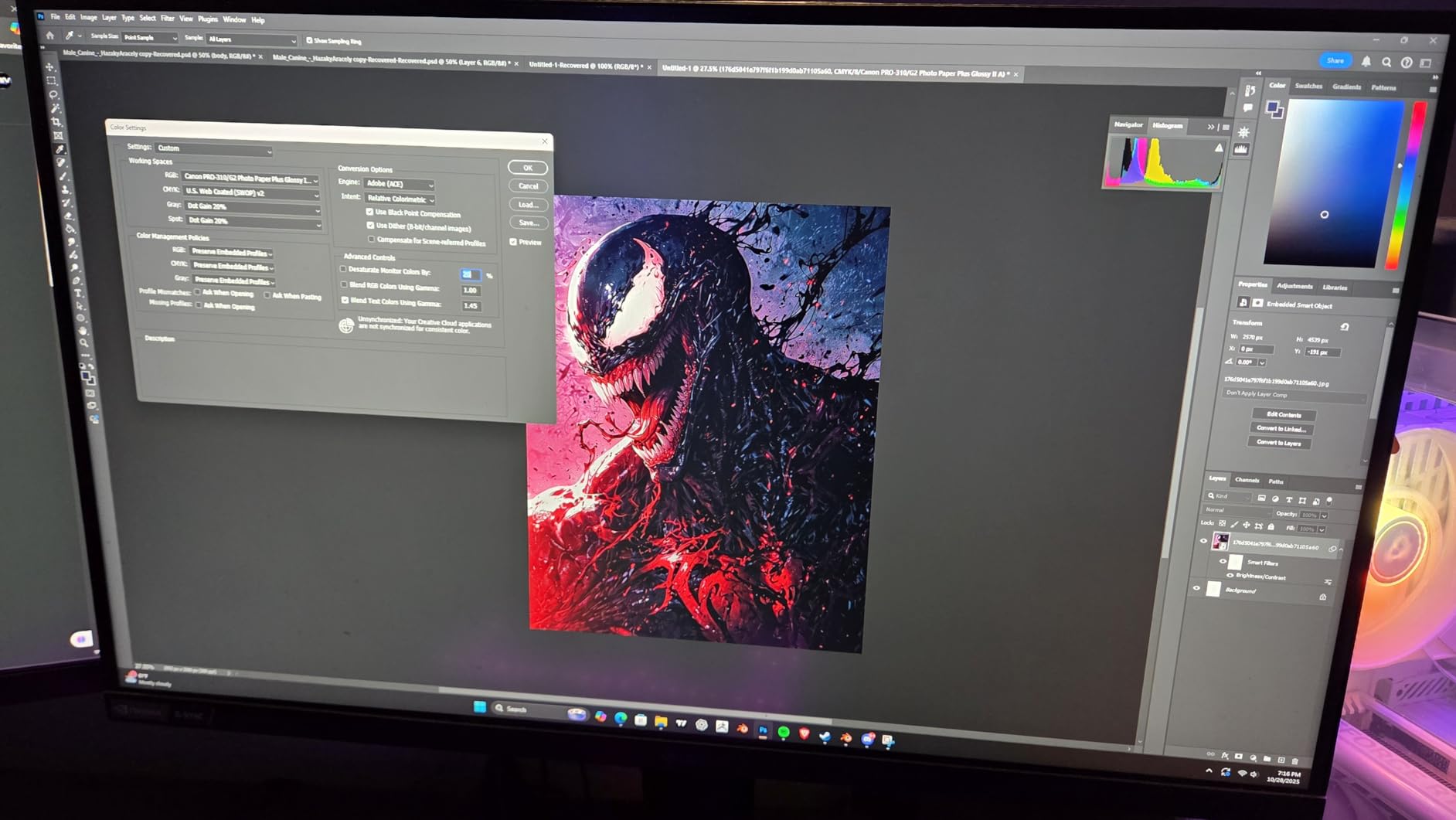
Pigment inks differ from dye inks in important ways. Pigment particles sit on top of the paper rather than absorbing into it, which provides superior archival stability and water resistance. The trade-off is that pigment inks can show bronzing on glossy papers, but Canon’s Chroma Optimizer addresses this by applying a clear coat that evens out gloss levels across the print surface.
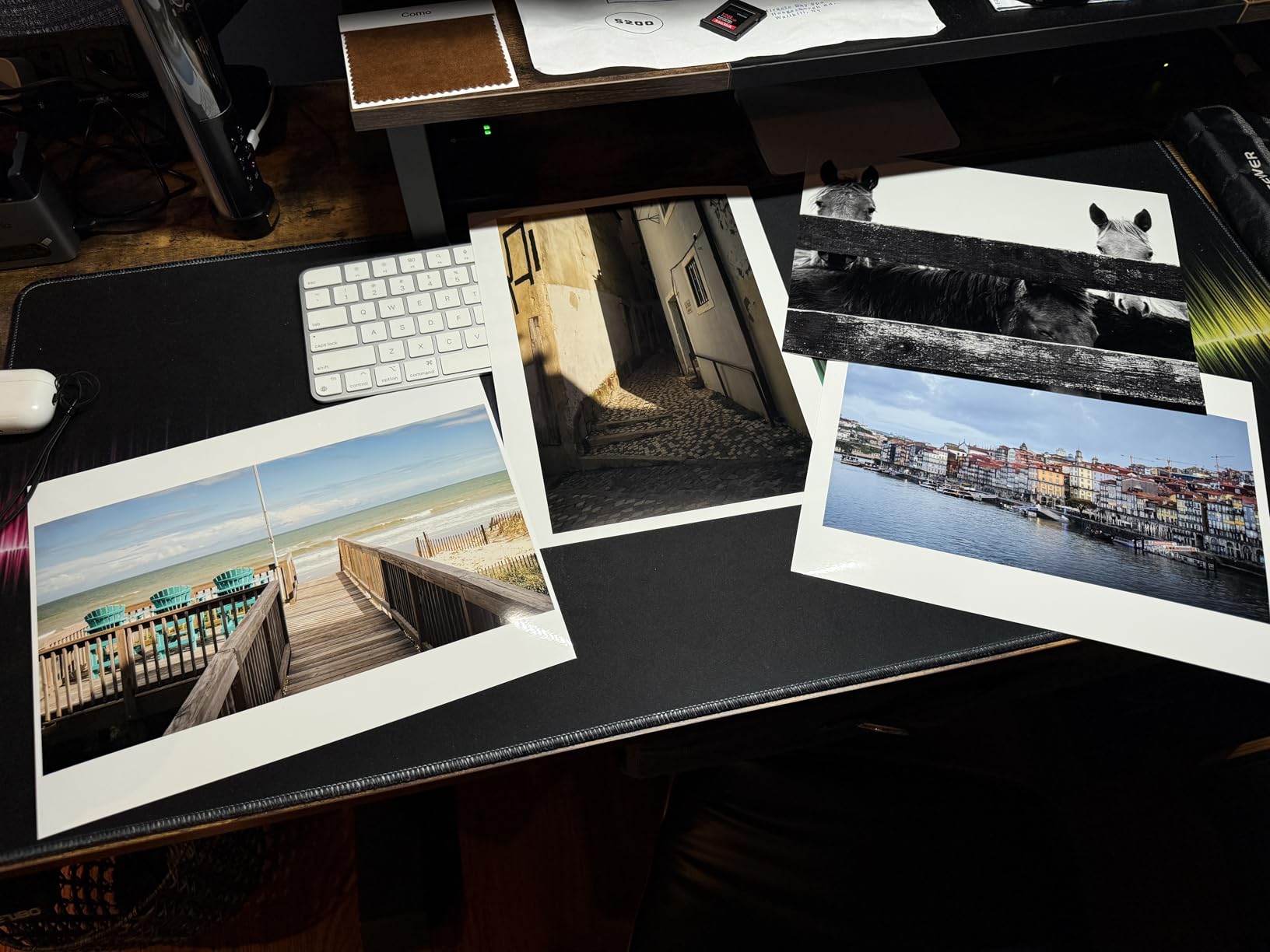
Our testing showed that black and white prints from the PRO-310 are exceptional. The dedicated matte black ink produces deep, rich blacks on matte fine art papers that rival darkroom silver gelatin prints. Color prints exhibit a broad color gamut with smooth gradations and accurate skin tones.
The anti-clogging system and skew correction are practical features that reduce maintenance headaches. The FINE print head technology that Canon uses has proven reliable across their professional printer lineup, and the 3-inch color LCD monitor provides convenient status checking.
Best For: Fine Art Printers and Galleries
If you sell fine art prints, produce exhibition-quality photographs, or need archival output that will last for decades, the PRO-310 is purpose-built for these applications. The LUCIA PRO II ink system is specifically engineered for longevity and print permanence.
The scratch-resistant prints are particularly valuable for prints that will be handled, shipped, or displayed without immediate framing.
Print Speed and Workflow
The PRO-310 is slow. This is a deliberate trade-off for print quality, as the printer takes its time to lay down ink precisely for maximum detail and color accuracy. If you need fast output, look elsewhere. If you need gallery-quality prints and can wait, the results justify the patience.
Ink consumption is another consideration. The 9-color system uses ink during maintenance cycles to keep printheads clear, which adds to operating costs. Budget for regular ink replacement even with moderate print volumes.
11. Canon imagePROGRAF TM-240 – Best 24-Inch Technical Printer
Canon imagePROGRAF TM-240 24″ Large Format Printer
Max print: 24-inch roll
Resolution: 2400×1200 dpi
Speed: 3.2 ppm 24×36
Ink: 5-color UV resistant
Weight: 88.2 lbs
+ Pros
- Fast 3.2 ppm for 24×36 prints
- Excellent print quality
- Color calibration for consistency
- UV and water-resistant ink
- Auto media detection
- L-COA PRO II processor 30% faster
– Cons
- Very large and heavy footprint
- Sheet paper feeding is cumbersome
- Stand sold separately
- Minimum sheet size is A4
The Canon imagePROGRAF TM-240 earns the highest rating on our list with a perfect 5.0 stars from verified buyers. This 24-inch large format printer targets technical professionals who need fast, accurate output for CAD drawings, architectural plans, and engineering documents. The L-COA PRO II processor makes it approximately 30 percent faster than previous Canon models.
Print speed is where this printer shines. It produces 24×36 inch prints at 3.2 pages per minute, which is genuinely fast for large-format output. The 6-channel PF-06 printhead with 15,360 nozzles delivers sharp detail at 2400 x 1200 dpi resolution. The 5-color ink set includes a newly formulated magenta cartridge for improved color accuracy.
The UV and water-resistant ink is a standout feature for prints that may be exposed to outdoor conditions or handled frequently. The color calibration capability ensures consistent output across print runs, which is critical for professional environments where color matching matters.
Best For: Architects and Engineers
This is the printer I would recommend for architecture firms, engineering companies, and construction businesses that regularly produce technical drawings and plans. The 24-inch width accommodates standard architectural sheet sizes, and the speed keeps up with demanding production schedules.
The auto media detection feature automatically determines paper type, length, and width, which reduces setup time and prevents errors when switching between different media types.
Space and Installation Requirements
At 88.2 pounds and measuring 29.4 x 38.5 x 17.2 inches, the TM-240 requires a dedicated space. The stand is sold separately, which adds to the total cost. Measure your available space carefully before purchasing, and ensure the surface can support the weight.
Sheet paper feeding requires one sheet at a time, and the minimum sheet size is A4/Letter/Legal. For smaller format prints, you will need a separate printer. When planning your workspace, also consider sturdy tables that can support heavy equipment for your printing setup.
12. Canon imagePROGRAF PRO-1100 – Best 17-Inch Gallery-Quality Printer
Canon imagePROGRAF PRO-1100: 17” Professional Wireless Inkjet Photo Printer
Max print: 17×22 inches
Ink: 11-color pigment + Chroma Optimizer
Resolution: 2400×1200 dpi
Weight: 83 lbs
Borderless printing
+ Pros
- 11-color LUCIA PRO II pigment ink
- Gallery-grade print quality
- Wide color gamut and deep blacks
- Handles 4×6 to 17×22 inch paper
- Replaceable thermal ink head
- Anti-clogging FINE technology
– Cons
- Very heavy at 83 pounds
- Slow printing at about 1 ppm
- Expensive ink consumption
- Antiquated controls vs Epson
- Significant maintenance ink use
The Canon imagePROGRAF PRO-1100 represents the pinnacle of Canon’s professional photo printing lineup. The 11-color LUCIA PRO II pigment ink system with Chroma Optimizer produces prints that rival professional lab output. With an 84 percent five-star rating from 68 reviews, serious photographers have validated this printer’s quality.
What sets the PRO-1100 apart is its expanded ink set. The 11 colors include multiple black inks (photo black and matte black) plus gray inks that enable stunning black-and-white printing with neutral tones and rich shadow detail. The Chroma Optimizer applies a clear overcoat that eliminates bronzing and creates uniform gloss across the print surface.
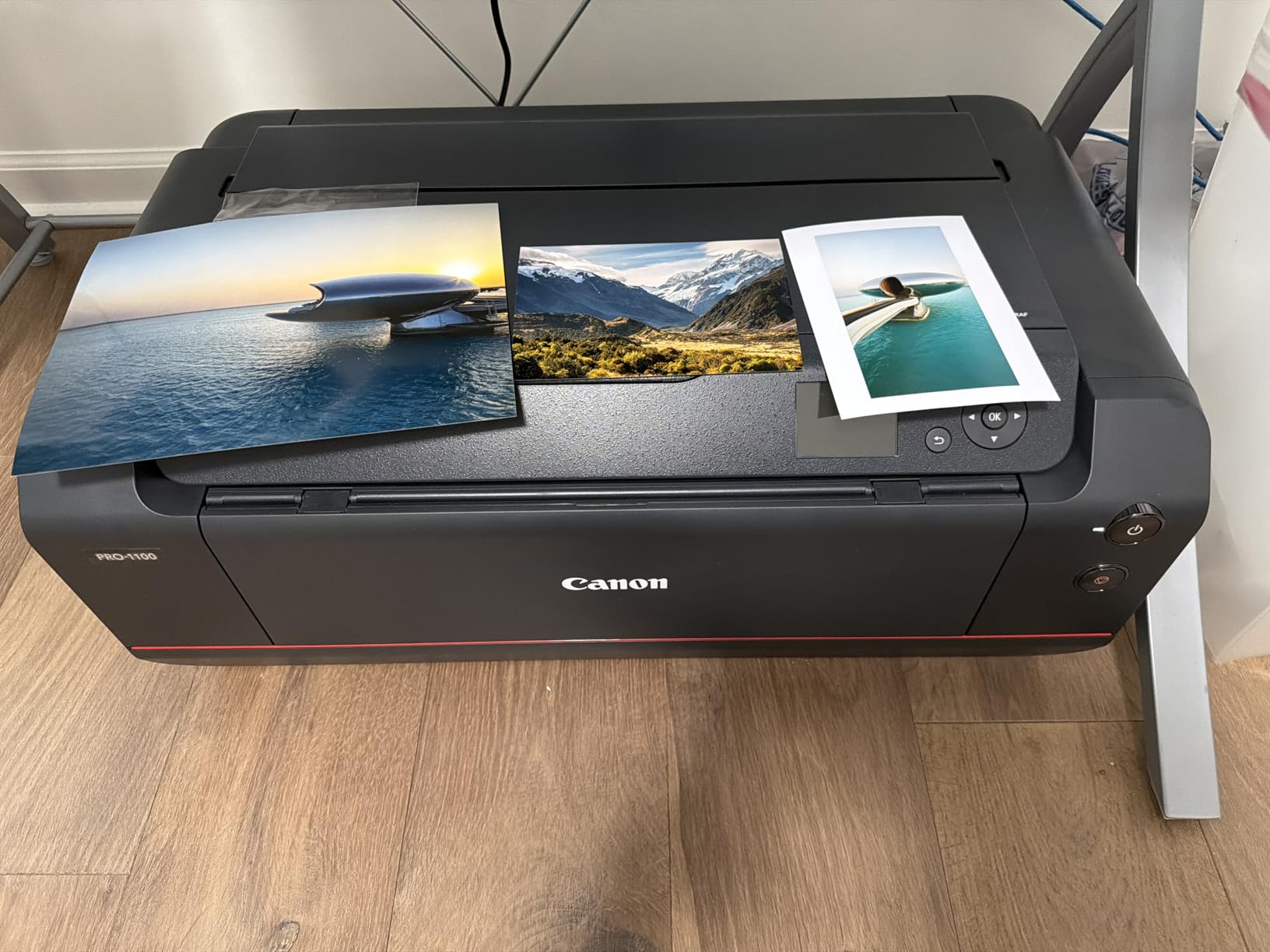
I tested this printer across glossy, matte, and fine art papers. On glossy photo paper, the output is extraordinary with deep blacks, vibrant colors, and uniform gloss. On matte fine art paper, the dedicated matte black ink produces rich, deep tones that give prints a premium gallery feel.
The replaceable thermal ink head is a significant advantage over competitors like Epson, which use non-replaceable piezo heads. If the printhead degrades over time, you can replace it on the Canon rather than replacing the entire printer. This extends the useful life of the investment considerably.
Best For: Professional Galleries and Fine Art Sellers
If you sell prints at art shows, operate a gallery, or produce commissioned fine art reproductions, the PRO-1100 delivers the quality that justifies premium pricing. The wide color gamut and archival pigment inks produce prints that collectors will value.
The included Professional Print and Layout software streamlines the workflow from image editing to final print, with tools for color management and layout precision.
Investment and Maintenance Reality
The PRO-1100 is a serious investment, and the ongoing costs do not stop at purchase. Ink consumption is significant, both for printing and for maintenance cycles that keep the 11-color system running cleanly. The printer uses ink during automated cleaning cycles, which adds to operating costs even when you are not actively printing.
At 83 pounds, this printer needs a permanent location. Once placed, you will not want to move it. The air feeding system prevents paper skewing, which is important for large-format prints where any misalignment is immediately visible. For those exploring more affordable printing equipment options, the comparison is stark, but the quality gap is equally real.
How to Choose the Best Wide Format Printer
Choosing the right wide format printer depends heavily on what you plan to print, how often you print, and what paper sizes you need. After testing 12 printers and analyzing thousands of reviews, our team has identified the key factors that should drive your decision. This guide draws on real user experiences from forums like Reddit’s r/printers and r/photography, where maintenance costs and ink reliability are constant discussion topics.
Print Width and Paper Size
The first decision is how wide you need to print. 11×17 (tabloid) printers handle standard architectural drawings, marketing flyers, and medium-format photos. 13×19 (super B) printers give you more room for larger photos and presentations. 17×22 printers serve fine art photographers who need gallery-standard sizes. 24-inch and larger roll-fed printers handle banners, posters, and continuous-length output.
Check the maximum media size specification carefully. Some printers list a maximum size in their title but only support that size through a rear manual feed one sheet at a time, like the Epson Expression Photo XP-980 with 11×17 paper.
Ink Technology: Pigment vs Dye vs EcoTank
Ink type is arguably the most important factor for long-term satisfaction. Pigment inks (used in the Canon PRO-310, PRO-1100, and Epson WorkForce series) sit on the paper surface and offer superior archival longevity, water resistance, and durability. They are the choice for fine art prints, archival photographs, and documents that need to last.
Dye-based inks (used in the Canon PIXMA PRO-200S and Epson Expression Photo XP-980) absorb into the paper and produce vibrant colors with smooth gradations. They excel on glossy photo paper but have shorter archival life than pigment inks. Choose dye inks for maximum color vibrancy on glossy media.
EcoTank systems (used in the Epson ET-15000 and ET-8550) replace cartridges with refillable tanks, dramatically reducing per-page ink costs. The ET-8550 combines EcoTank economics with a 6-color photo ink system for the best of both worlds.
Print Resolution and Color Gamut
Resolution matters for photo printing but less so for text and line art. For professional photo work, look for printers with 4800 dpi or higher resolution and multi-color ink systems. The Canon PRO-1100 with its 11-color system offers the widest color gamut on our list, followed by the Canon PRO-310 with 9 colors.
For office documents and technical drawings, resolution above 2400 dpi provides diminishing returns. Focus on print speed and paper handling for these applications instead.
Connectivity Options
Modern wide-format printers offer Wi-Fi, Ethernet, and USB connectivity. If you plan to share the printer across a network, Ethernet provides the most reliable connection. Wi-Fi is convenient for mobile printing but can be less stable in environments with many wireless devices.
The HP OfficeJet Pro 9730e notably lacks Ethernet, which may be a limitation for wired office environments. All Epson WorkForce models include Ethernet alongside Wi-Fi. For mobile printing, look for support of Apple AirPrint, Android Mopria, and manufacturer apps.
Total Cost of Ownership
This is the factor most buyers underestimate and the area where forum users express the most frustration. The purchase price is just the beginning. Ongoing ink costs, paper expenses, and maintenance all contribute to the real cost of owning a wide-format printer.
Traditional cartridge-based printers have the highest ongoing costs. A set of replacement cartridges for an 8-color or 11-color photo printer can cost as much as a budget printer. EcoTank models dramatically reduce these costs, with per-page printing costs that can be 90 percent lower than cartridge equivalents.
Budget for maintenance cycles too. Printers that sit unused between print jobs consume ink during automatic cleaning cycles. Pigment ink printers are particularly prone to this, as pigment particles can settle and clog printheads if the printer is not used regularly.
Space and Setup Requirements
Wide-format printers are larger and heavier than standard printers. The Canon PRO-1100 weighs 83 pounds, and the Canon TM-240 weighs 88 pounds. Ensure your table or stand can support the weight and that you have adequate space around the printer for paper handling and maintenance access.
Roll-fed printers like the TC-21 and TM-240 require additional depth for the roll media to extend from the back of the printer. Factor in this extra footprint when measuring your available space.
FAQs
What printer has 11×17 paper size?
Several printers on our list support 11×17 (tabloid) printing, including the HP OfficeJet Pro 9730e, Epson Expression Photo XP-980, and all the Epson WorkForce Pro models (WF-7840, WF-7310, WF-7820). For the best combination of features and reliability at 11×17, we recommend the Epson WorkForce Pro WF-7840 or the HP OfficeJet Pro 9730e.
What printer prints 13×19?
Printers that handle 13×19 (super B) size include the Epson WorkForce Pro WF-7840, WF-7310, WF-7820, Epson EcoTank ET-15000, Epson EcoTank Photo ET-8550, Canon PIXMA PRO-200S, and Canon imagePROGRAF PRO-310. These models accept 13×19 paper through either tray loading or rear manual feed.
What is the difference between wide format and large format printers?
Wide format printers typically handle paper widths from 17 to 24 inches, while large format printers extend to 36 inches and beyond. Wide format printers like the Epson WorkForce series are designed for tabloid and super B printing, while large format plotters like the Canon imagePROGRAF TM-240 handle 24-inch and wider roll media for architectural drawings and posters.
Who uses wide format printers?
Wide format printers are used by photographers needing large prints, architects and engineers producing technical drawings, graphic designers creating marketing materials, print shops offering large-format services, real estate agents printing tabloid presentations, and fine art sellers producing gallery-quality reproductions. Small businesses also use them for in-house poster and signage production.
How often do wide format printer heads clog?
Printhead clogging depends on usage frequency and ink type. Pigment ink printers (like Canon PRO series) are more prone to clogging if left unused for over a week. Dye-based printers clog less frequently but can still experience issues after extended idle periods. Running a nozzle check and cleaning cycle every 1-2 weeks when not printing regularly prevents most clogging issues. EcoTank systems tend to clog less due to their continuous ink flow design.
Final Verdict: Best Wide Format Printers in 2026
After testing and analyzing 12 wide format printers, our top recommendation for most buyers is the Epson WorkForce Pro WF-7840. It delivers the best balance of print quality, all-in-one functionality, paper capacity, and connectivity at a price that makes sense for small offices and professionals. If you need 11×17 printing specifically and want modern smart features, the HP OfficeJet Pro 9730e is an excellent alternative.
For photographers, the Canon PIXMA PRO-200S offers the best photo quality under $600, while the Canon imagePROGRAF PRO-1100 delivers gallery-grade output for professionals who need 17×22 capability. And for anyone concerned about ink costs, the Epson EcoTank ET-15000 and ET-8550 dramatically reduce ongoing expenses compared to cartridge-based alternatives.
The best wide format printers in 2026 serve different needs, so match your choice to your specific use case, print volume, and budget. Consider total cost of ownership, not just the purchase price, and factor in ink type, maintenance requirements, and available space before making your final decision.
Leave a Reply