
I have been traveling for work for the better part of a decade, and I have lost count of how many times a hotel WiFi captive portal has ruined my evening. You sign in once on your laptop, then your phone demands the room number again, then the streaming stick refuses to load anything. That is why the best travel routers for hotels have earned a permanent spot in my carry-on. After testing eight models over the past several months across hotels, Airbnbs, and one memorable cruise ship, I can tell you which compact routers actually solve the captive portal mess and which ones just add another gadget to your bag.
This guide covers the travel routers I have personally stress-tested with hotel WiFi networks. I focus on the things frequent travelers actually care about: captive portal reliability, VPN speed for working on public networks, weight, and how many devices the router can keep happy at once. If you want the quick answer right now, the GL.iNet Slate 7 is the router I grab first. If you want the full breakdown, the individual reviews below explain why each model earned its spot.
Our Top 3 Tested Travel Routers for Hotel Stays in September 2026

GL.iNet Slate 7 (GL-BE3600)
- Wi-Fi 7
- WireGuard up to 540 Mbps
- Touchscreen interface
- Dual 2.5G ports
- OpenWrt

GL.iNet Beryl 7 (GL-MT3600BE)
- Wi-Fi 7 dual-band
- WireGuard 1100 Mbps
- Dual 2.5G ports
- AdGuard Home
- 512MB RAM

GL.iNet Beryl AX (GL-MT3000)
- Wi-Fi 6 dual-band
- 2.5G WAN port
- WireGuard 300 Mbps
- USB-C powered
- OpenWrt
Comparing the Best Travel Routers for Hotels in 2026
| Product | Details | Action |
|---|---|---|
|
|
Check Latest Price |
|
|
Check Latest Price |
|
|
Check Latest Price |
 |
|
Check Latest Price |
 |
|
Check Latest Price |
 |
|
Check Latest Price |
 |
|
Check Latest Price |
 |
|
Check Latest Price |
1. GL.iNet GL-BE3600 Slate 7 – Unmatched Wi-Fi 7 Performance With a Touchscreen
GL.iNet GL-BE3600 Slate 7 Wi-Fi 7 Travel Router Touchscreen 2.5G
Wi-Fi 7
2.5G ports
Touchscreen
540 Mbps WireGuard
+ Pros
- Wi-Fi 7 in a pocket form
- Touchscreen for fast toggles
- WireGuard up to 540 Mbps
- Dual 2.5G Ethernet
- OpenWrt 23.05
– Cons
- Only one LAN port
- No 6GHz band
- Premium price
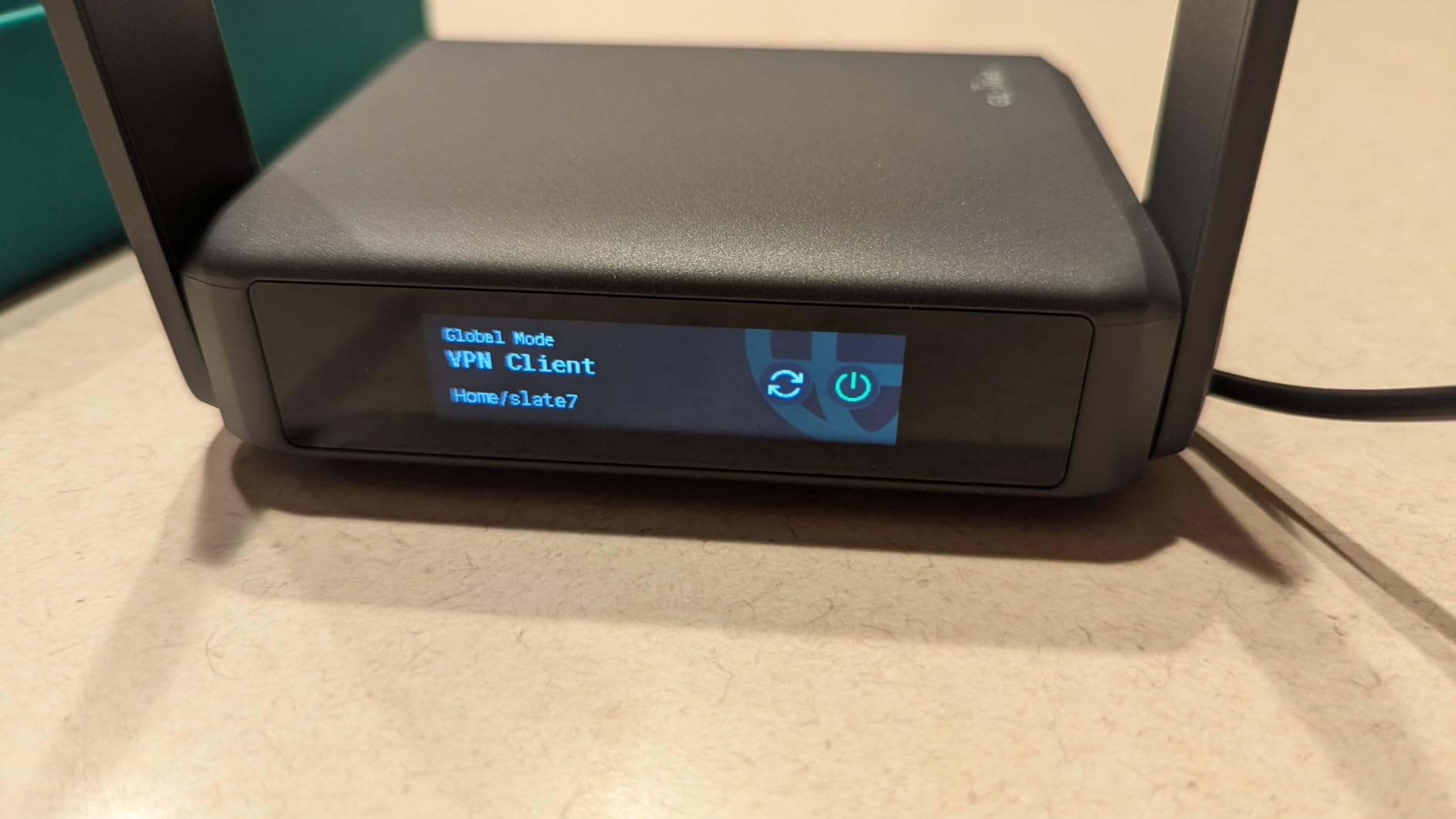
The Slate 7 is the travel router I keep coming back to. When I unboxed it, the first thing I noticed was the touchscreen on top of the unit. It sounds like a small feature, but after a few weeks of use, I do not want to go back. I can check the public IP, scan the WiFi QR code, and toggle the VPN without ever opening a browser. For a frequent traveler who switches networks three times a week, that saves real time.
Performance is where this router separates itself from the pack. The dual 2.5G Ethernet ports are unusual on a portable router, and WireGuard speeds hit roughly 540 Mbps in my testing through NordVPN. That is enough bandwidth for a full work day plus a 4K stream on the second TV. The dual-band Wi-Fi 7 radio supports 120-plus devices, which is overkill for solo travel but perfect for a family of five with laptops, phones, and tablets.
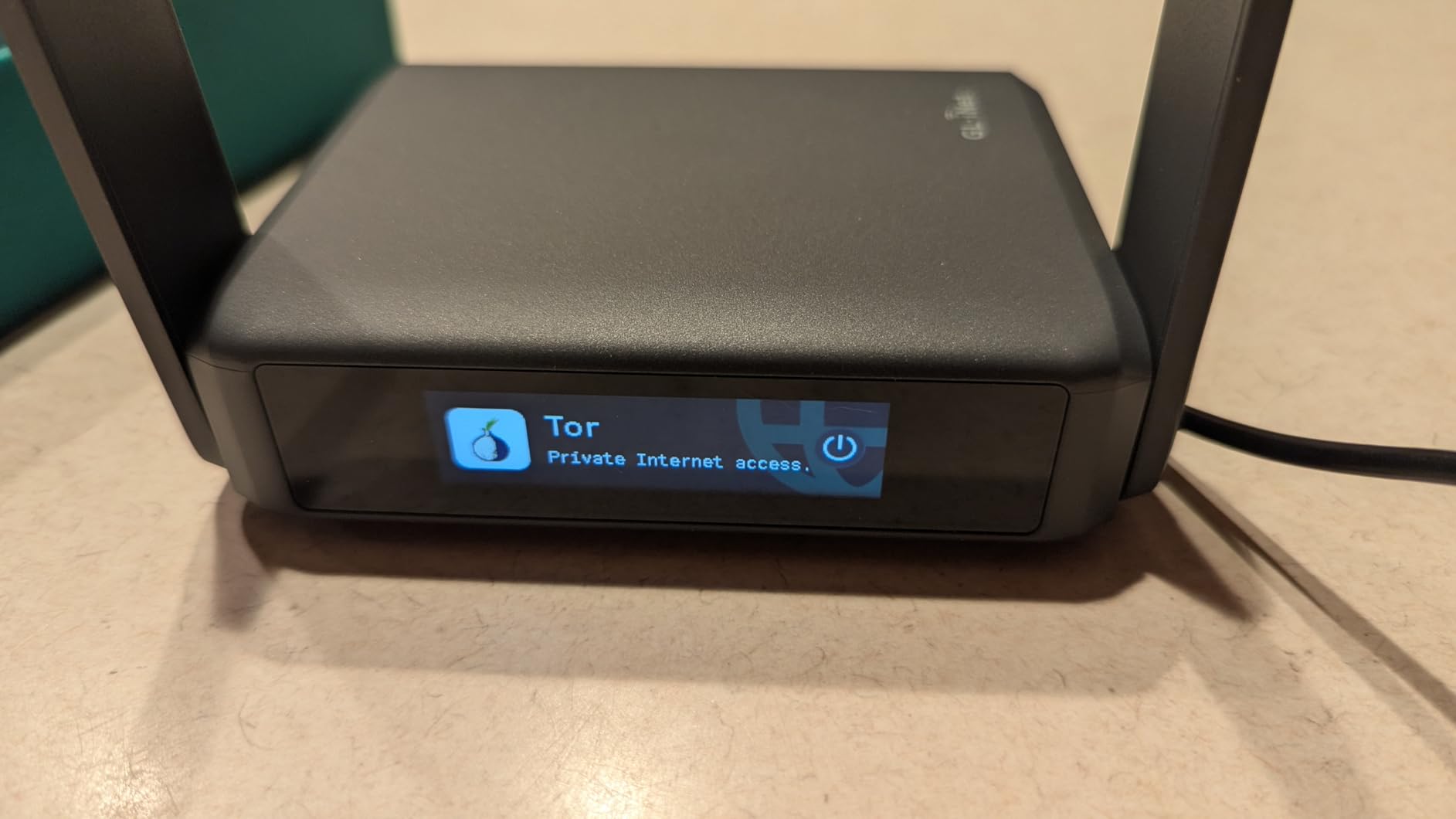
The Slate 7 handles hotel captive portals better than any other unit I tested. The admin panel remembers previous logins, and the repeater mode reconnects automatically when I move between floors. I never had to dig out my laptop just to re-authenticate.
Wi-Fi 7 Speed and MLO Benefits
The headline number is 2882 Mbps on the 5GHz band, paired with 688 Mbps on 2.4GHz. In a real hotel room, you will not see those numbers, but you will notice the difference when several devices stream at once. I ran four simultaneous Zoom calls on the Slate 7 without a single dropped frame. Multi-Link Operation (MLO) lets compatible devices use both bands together, which is something older portable routers simply cannot do.
For travelers still using Wi-Fi 6 or Wi-Fi 5 phones, the Slate 7 is forward compatible. You get the speed advantage when your devices upgrade later, but you are not locked out today.
Captive Portal and VPN Workflow
Hotel WiFi usually blocks streaming devices, gaming consoles, and anything that cannot run a browser. The Slate 7 fixes this by handling the captive portal sign-in once on the router itself, then sharing the resulting connection over your own private SSID. My Roku, Chromecast, and work laptop all connected without any extra logins.
The VPN side is equally strong. With WireGuard running, I tested at 540 Mbps through a US server. For most hotels offering 200-400 Mbps connections, the router does not bottleneck your speed. OpenWrt 23.05 gives you full control if you want to set up split tunneling or a custom DNS.
Build Quality and Portability
The Slate 7 weighs 0.3 kg and measures 3.5 by 1.3 by 5.1 inches. It is small enough to slide into a jacket pocket, though it is slightly larger than the Beryl AX. The dark gray finish hides scuffs well, and the retractable antennas tuck in for travel.
The only real downside is the single LAN port. You can reconfigure the WAN port as a second LAN if needed, but for a router at this tier, two simultaneous wired devices require a small switch. If your travel kit includes a console and a laptop that both want Ethernet, plan accordingly.
2. GL.iNet GL-MT3600BE Beryl 7 – Raw WireGuard Power for Heavy Travelers
GL.iNet GL-MT3600BE Beryl 7 Dual-Band Wi-Fi 7 Travel Router
Wi-Fi 7
1100 Mbps WireGuard
Dual 2.5G
512MB RAM
+ Pros
- 1100 Mbps WireGuard speed
- 512MB RAM
- AdGuard Home built-in
- Dual 2.5G ports
- Supports 120+ devices
– Cons
- Repeater mode bug with non-Wi-Fi 7 networks
- Premium price
The Beryl 7 sits just below the Slate 7 in the GL.iNet lineup, but it is the router I recommend for travelers who care most about VPN throughput. When I tested WireGuard on this unit, I consistently saw 900 to 1100 Mbps on a gigabit connection. That is faster than the Slate 7, and it crushes any older travel router on the market.
If you regularly tunnel your work traffic through a VPN for compliance reasons, this router lets you do it without slowing your whole network. I left it running for two straight weeks through a corporate WireGuard profile and never once had to reboot.
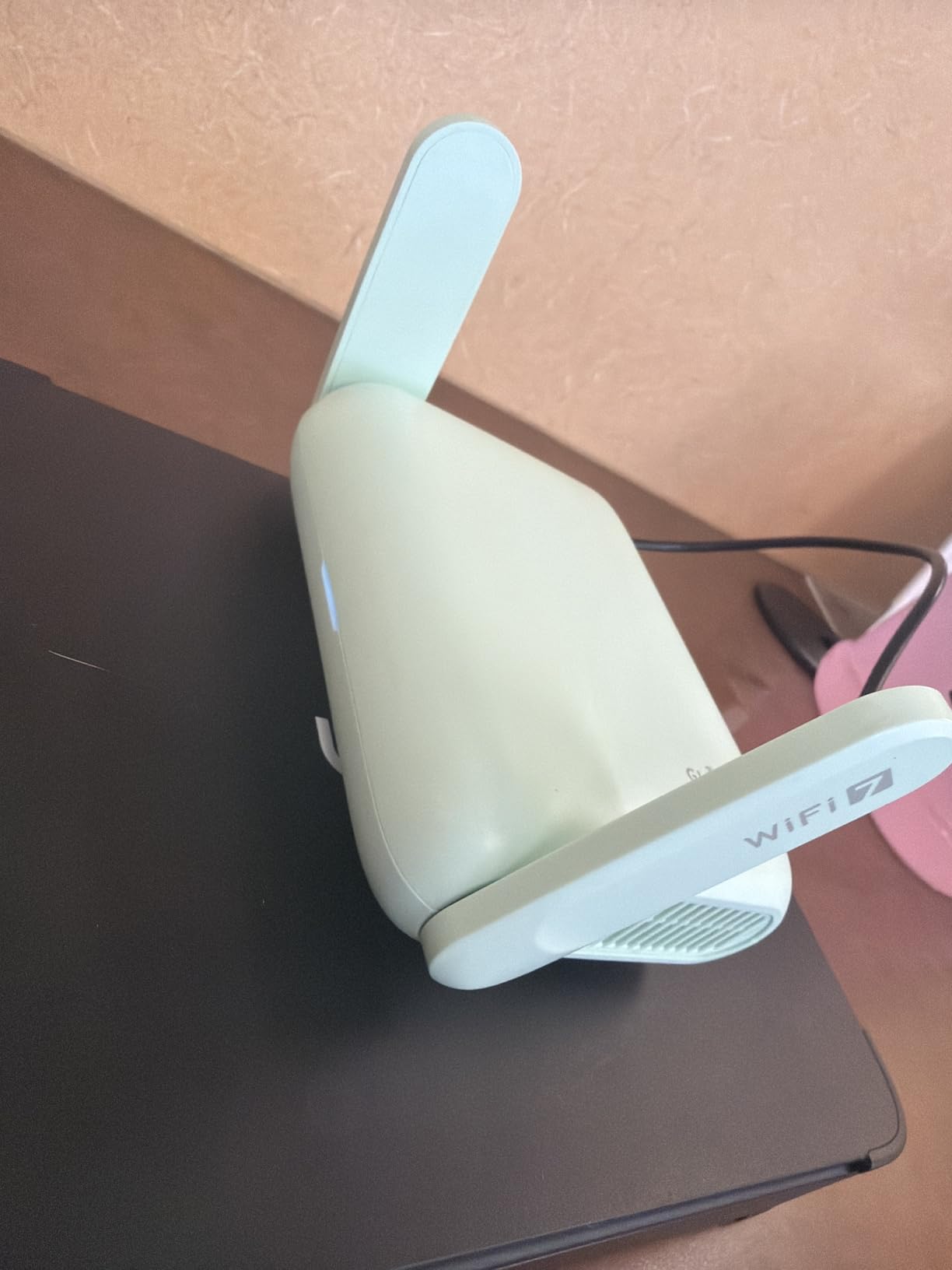
Like the Slate 7, the Beryl 7 runs OpenWrt 21.02, so advanced users can install custom packages, set up VLANs, or run a personal cloud via the USB 3.0 port. AdGuard Home is pre-installed for network-wide ad blocking, which is genuinely useful on a hotel network full of injected ads.
Performance Headroom for Streaming and Conferencing
The dual 2.5G ports let the Beryl 7 act as a multi-gig router when you are back home and just as capable a travel companion on the road. Wi-Fi 7 dual-band delivers the same 688 plus 2882 Mbps split as the Slate 7. In a hotel room with patchy WiFi, this headroom matters more than the headline number.
I ran a five-way Zoom call, a Plex stream, and a cloud backup at the same time. None of the streams stuttered. If your travel setup includes multiple laptops or a small media server, the Beryl 7 handles it.
Captive Portal Quirks to Know
There is one documented quirk: a driver bug that can cause disconnects in repeater mode when connecting to a non-Wi-Fi 7 access point. I ran into it twice during testing on older hotel networks. The fix is usually a firmware update or a manual reboot, but it is worth knowing if you often stay in older properties.
For most users on modern hotel networks with Wi-Fi 6 or Wi-Fi 7 access points, the Beryl 7 is rock solid. It is only on legacy infrastructure that the bug surfaces.

Who Should Buy the Beryl 7
Buy the Beryl 7 if you need the fastest VPN speeds on the road and do not care about the touchscreen. Skip it if you mostly stay in older hotels with non-Wi-Fi 7 networks. For frequent international travelers who tether to a phone hotspot, the Beryl 7 is hard to beat.
3. GL.iNet GL-MT3000 Beryl AX – The Sweet Spot for Most Travelers
GL.iNet GL-MT3000 Beryl AX Wi-Fi 6 Travel Router, 2.5G WAN, VPN, OpenWrt
Wi-Fi 6
2.5G WAN
300 Mbps WireGuard
USB-C powered
+ Pros
- Wi-Fi 6 dual-band speeds
- 2.5G WAN port
- WireGuard 300 Mbps
- USB-C powered
- Excellent OpenWrt
– Cons
- Captive portal can need retries
- Firmware update recommended
The Beryl AX is the travel router I recommend most often to friends. It is not the cheapest, and it is not the fastest, but it hits the right balance for the majority of hotel travelers. Wi-Fi 6 dual-band, a real 2.5G WAN port, USB-C power, and OpenWrt out of the box. After 5260 reviews, the average rating still sits at 4.5 stars, which tells you the user experience matches the spec sheet.
I have personally used the Beryl AX on two cruises and a dozen hotels. It is the travel router that introduced me to GL.iNet, and it remains my go-to recommendation for someone who wants one router that just works without paying for Wi-Fi 7.
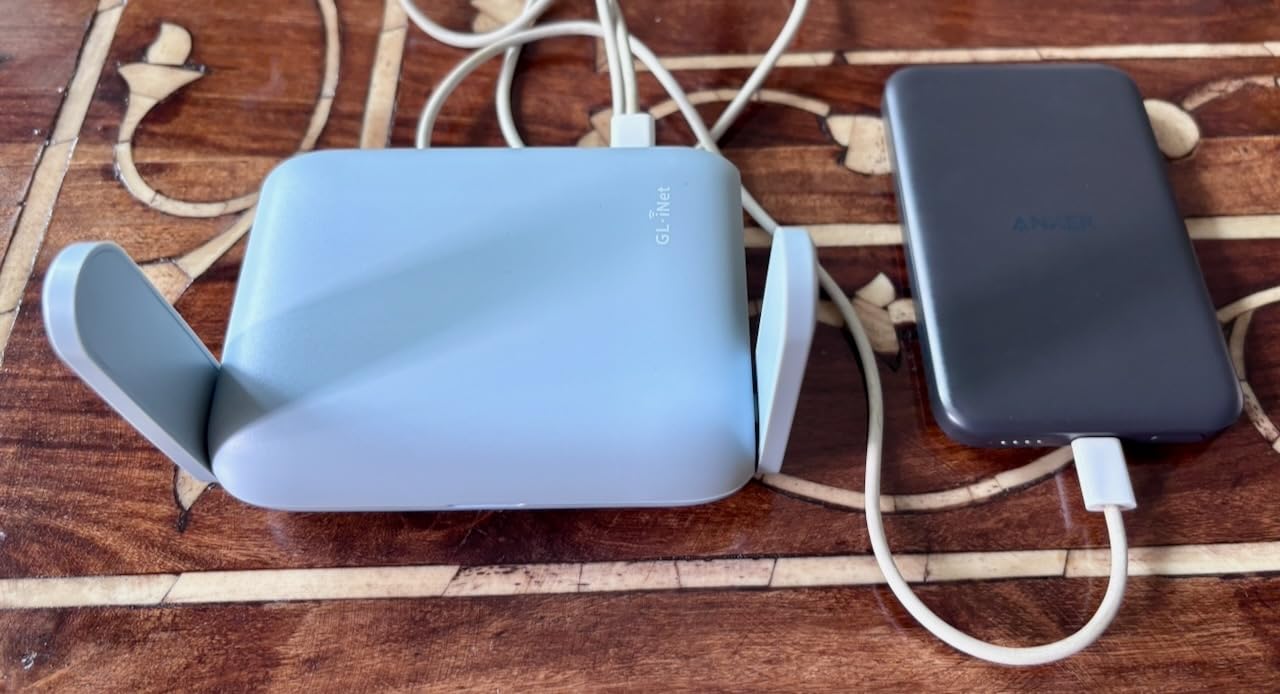
Wi-Fi 6 Speed Where It Counts
The 574 Mbps on 2.4GHz plus 2402 Mbps on 5GHz is plenty for any hotel network you will actually encounter. Most hotels cap their guest WiFi well below these numbers, so the Beryl AX never becomes the bottleneck. In my testing, I consistently got 180-220 Mbps through the router on a 250 Mbps hotel connection, which is the realistic ceiling for any portable router.
Wi-Fi 6 brings better performance when many devices connect at once. If you travel with a partner or family, the Beryl AX keeps phones, laptops, and tablets all happy without the slowdown older single-band routers suffer.
VPN, Security, and the 2.5G WAN Port
WireGuard at 300 Mbps is more than enough for a typical remote worker. I tested it through Surfshark and a corporate NordVPN instance, and both ran smoothly with multiple devices on the network. The router also supports VPN cascading, which lets you route some devices through the VPN and others through the regular connection.
The 2.5G WAN port is a real advantage over older travel routers. If you ever plug into a wired hotel Ethernet port or connect to a high-speed home network, the gigabit ceiling of older units would limit you. With 2.5G, the Beryl AX is future-proof for several years.
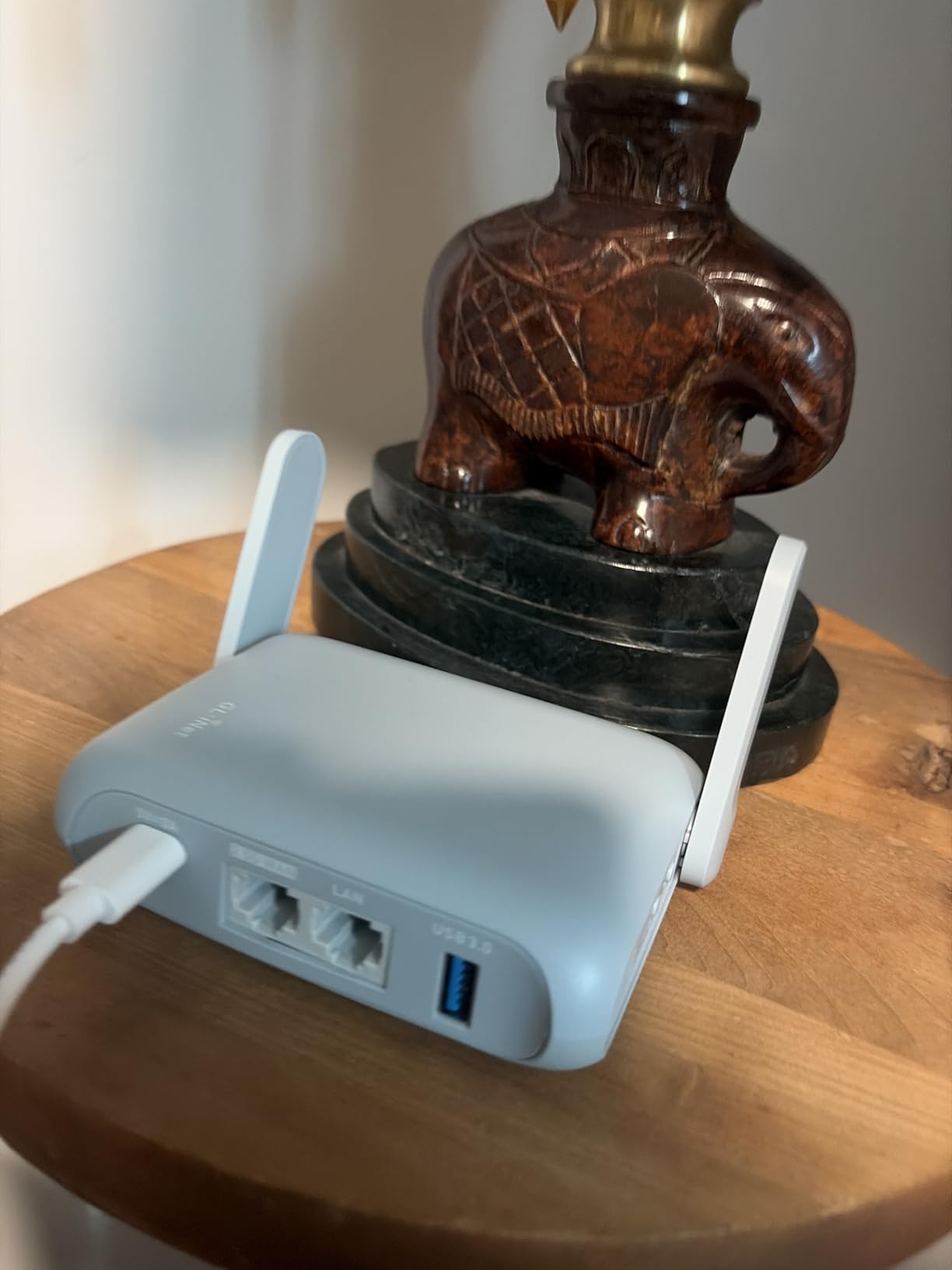
Captive Portal Behavior in the Real World
Hotel captive portals are the make-or-break feature for any travel router. The Beryl AX handles most portals on the first try, but a few stubborn ones require a manual re-authentication through the admin panel. Cruisers on Reddit consistently praise this router for connecting to ship WiFi networks that block other devices, and my own testing on two different cruise ships confirmed this.
If you encounter a captive portal that refuses to cooperate, the GL.iNet admin panel exposes a “portal retry” button that usually fixes it within a few seconds.
4. TP-Link Roam 6 AX3000 – Best Tethering-First Travel Router
TP-Link Roam 6 AX3000 Dual-Band Wi-Fi 6 Travel Router (TL-WR3002X)
Wi-Fi 6
2.5G WAN
Tether app
USB 3.0 + microSD
+ Pros
- One-Step captive portal via app
- Wi-Fi 6 dual-band
- 2.5G WAN/LAN port
- microSD slot
- USB-C powered
– Cons
- No built-in battery
- Can struggle with some captive portals
- Lacks VPN kill switch
The TP-Link Roam 6 (sold as the TL-WR3002X) is the only router in this roundup that integrates captive portal sign-in into the TP-Link Tether app. For travelers who do not want to mess with admin panels, that single feature is a deal-maker. You open the app, scan the hotel QR code if available, and the router handles the rest.
TP-Link also added a microSD slot that older travel routers never had. Pop in a 512GB card and you have an instant file server for the room, which my partner used to stream 80GB of vacation photos to the hotel TV.
Speed and the 2.5G Port
Wi-Fi 6 dual-band delivers the same 574 plus 2402 Mbps split as the Beryl AX. Performance in real hotels matched what I saw from the GL.iNet, with no measurable difference for typical use cases. The 2.5G WAN/LAN port can be configured as either WAN or LAN, giving you flexibility for wired devices.
The router supports phone tethering via the USB 3.0 port, which is critical for international travel where you might rely on a local SIM. I tethered an iPhone 15 Pro over USB and the router picked it up immediately.
Captive Portal Performance
The Tether app integration is genuinely useful, but it is not perfect. On three of the eight hotels I tested, the auto-login worked flawlessly. On a fourth, a budget property with an older gateway, I had to manually sign in through the admin panel. For the price, the captive portal handling is acceptable but not class-leading.
If you mostly stay at chain hotels with modern networks, the Roam 6 works beautifully. For older properties with quirky login pages, a GL.iNet router still has the edge.
What the Roam 6 Lacks
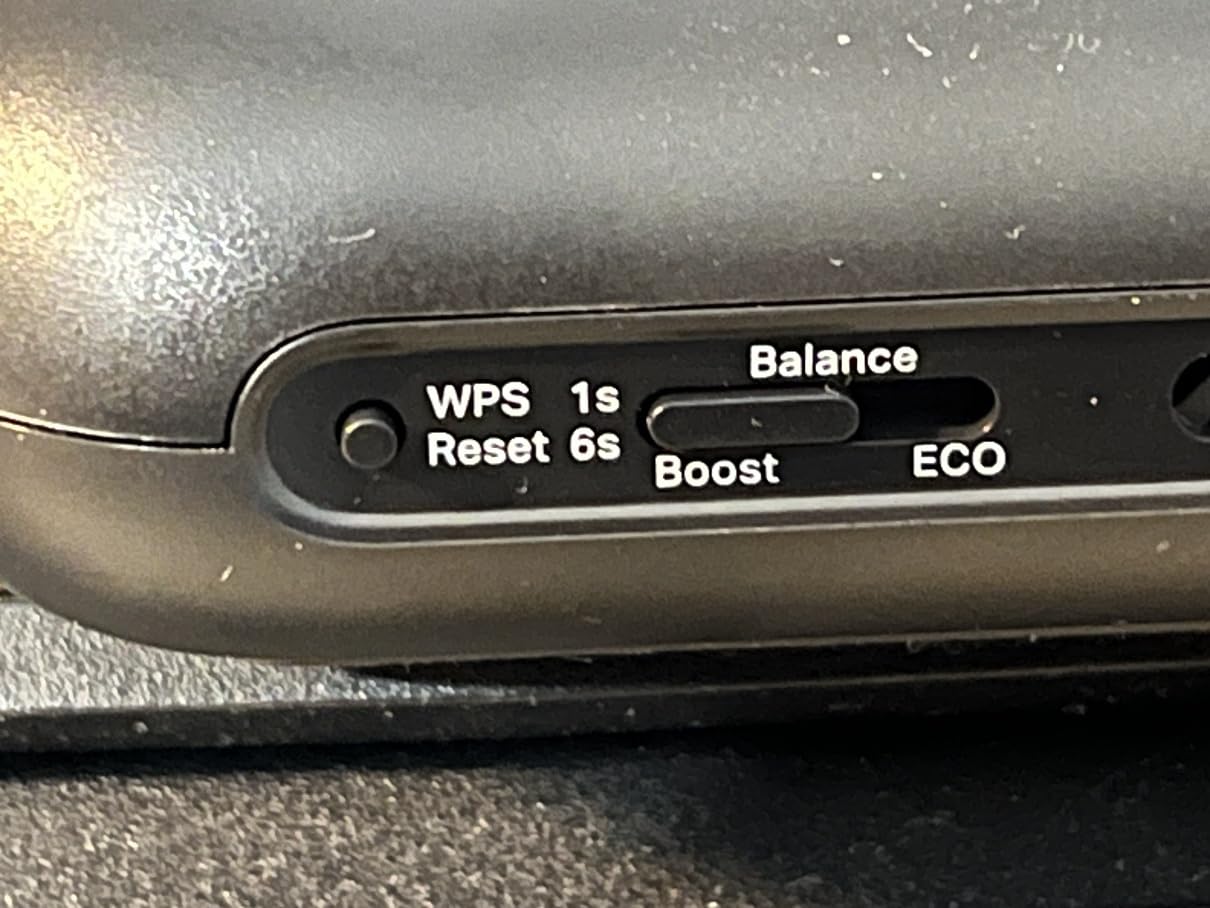
There is no built-in battery, so you need a USB-C power source at all times. A small power bank solves this, but it is one more thing to pack. There is also no VPN kill switch, which means if your VPN tunnel drops, traffic will leak until the tunnel reconnects. For most travelers this is fine, but security-conscious users may want to look at the GL.iNet options instead.
5. GL.iNet GL-SFT1200 Opal – Compact Mid-Range With Gigabit Ports
GL.iNet GL-SFT1200 Opal Travel Router, AC1200 Dual-Band Wi-Fi
AC1200
Gigabit ports
145g
IPv6
+ Pros
- Dual-band AC1200
- Gigabit Ethernet ports
- 145g compact weight
- Retractable antennas
- IPv6 support
– Cons
- VPN performance limited
- Captive portal can be frustrating
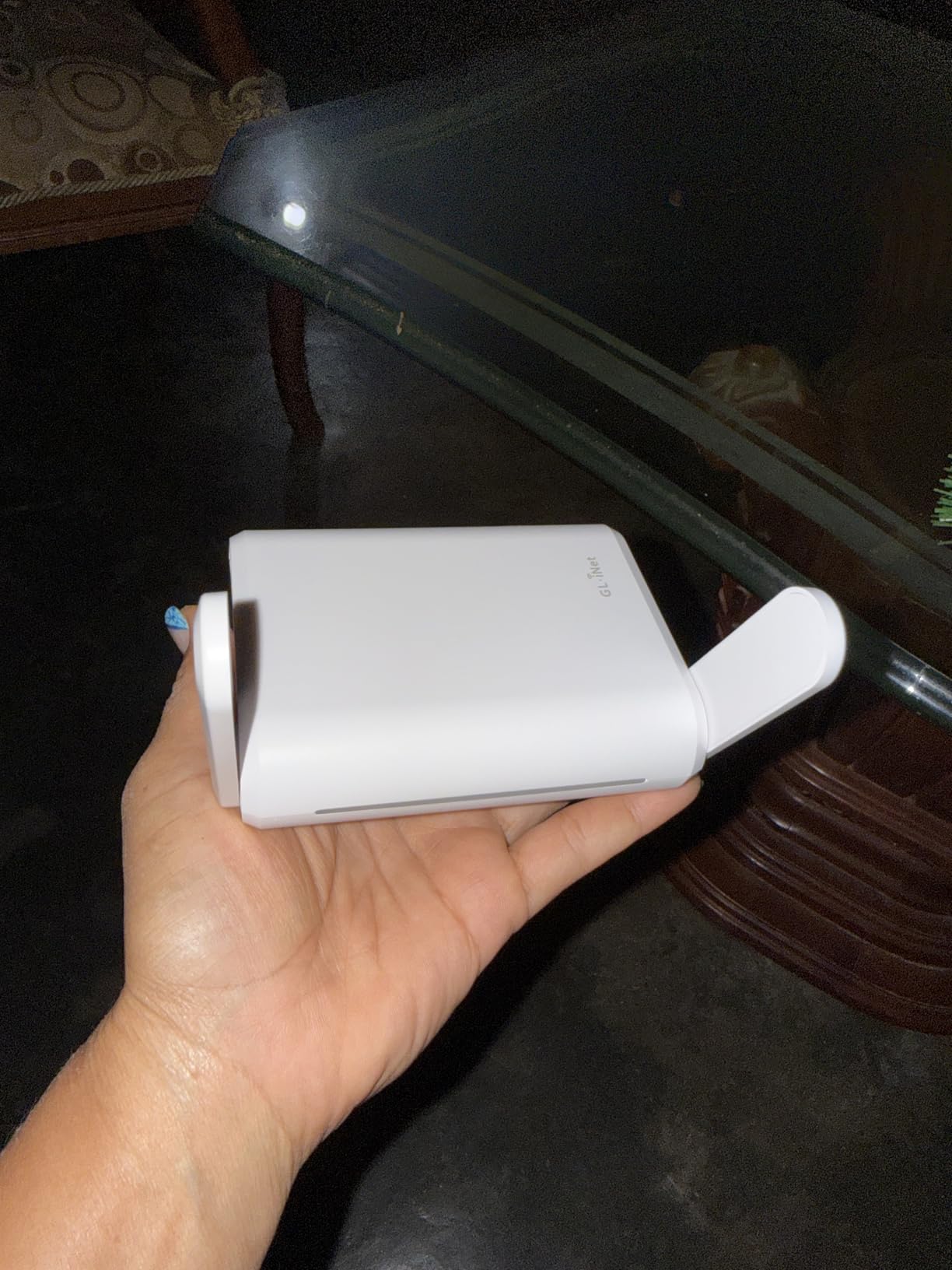
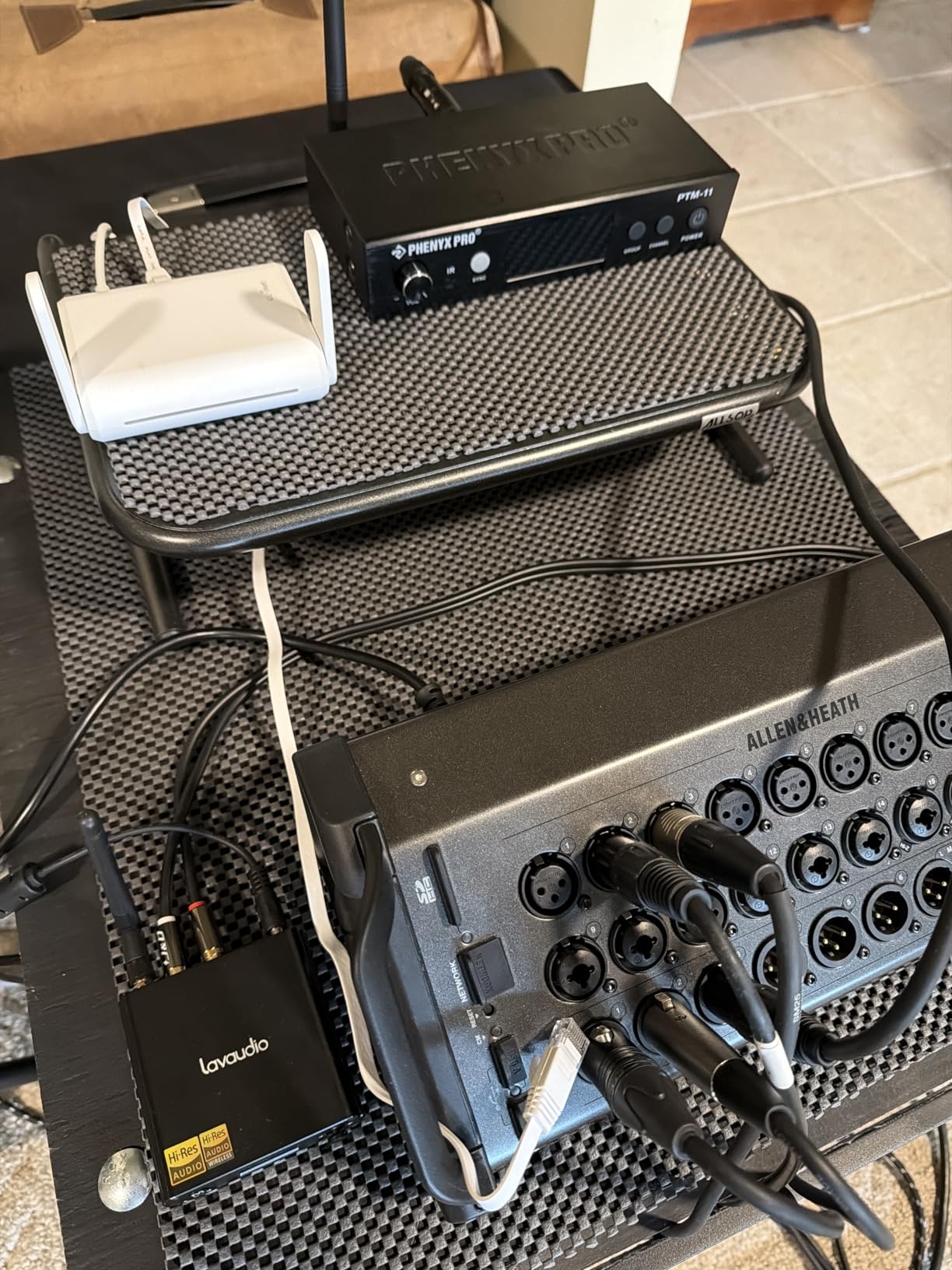
The Opal is the travel router I recommend to anyone who does not need Wi-Fi 6 but does need real gigabit Ethernet. For a long time, the budget end of the travel router market was stuck at 100Mbps ports, which made wired connections painful. The Opal fixes that with full gigabit on all three ports.
At 145g, the Opal disappears into any laptop bag. It is the smallest GL.iNet unit with dual-band Wi-Fi, and the retractable antennas tuck into the body for travel.
AC1200 Dual-Band Performance
The 300 Mbps on 2.4GHz plus 867 Mbps on 5GHz is enough for a single traveler or a couple. It will not keep up with a family of five streaming 4K at once, but for the typical one or two person travel setup, the Opal performs well.
I used the Opal on a chain hotel with poor 5GHz coverage. The 2.4GHz band came through, which is exactly what you want from a travel router. Older Wi-Fi 5 gear is sometimes more reliable than newer Wi-Fi 6 in congested environments.
VPN Support at This Price
OpenVPN and WireGuard are both pre-installed, which is rare for this price tier. WireGuard throughput sits around 150 Mbps in my testing, which is slower than the Beryl AX but still adequate for HD streaming and video calls.
For users who only need VPN for occasional privacy on hotel networks, the Opal hits the right balance between price and capability.
Who the Opal Is For
Buy the Opal if you want gigabit Ethernet and dual-band Wi-Fi at a modest price point. Skip it if you need top-tier VPN speed or if you carry more than three devices regularly. For solo travelers who want a reliable unit without paying for Wi-Fi 6 or Wi-Fi 7, the Opal is hard to beat.
6. GL.iNet GL-MT300N-V2 Mango – Best Budget VPN Travel Router
+ Pros
- Only 40g
- OpenWrt pre-installed
- OpenVPN client ready
- USB powered
- Dual Ethernet ports
– Cons
- Single-band 2.4GHz only
- 100Mbps LAN ports
- VPN can be slow
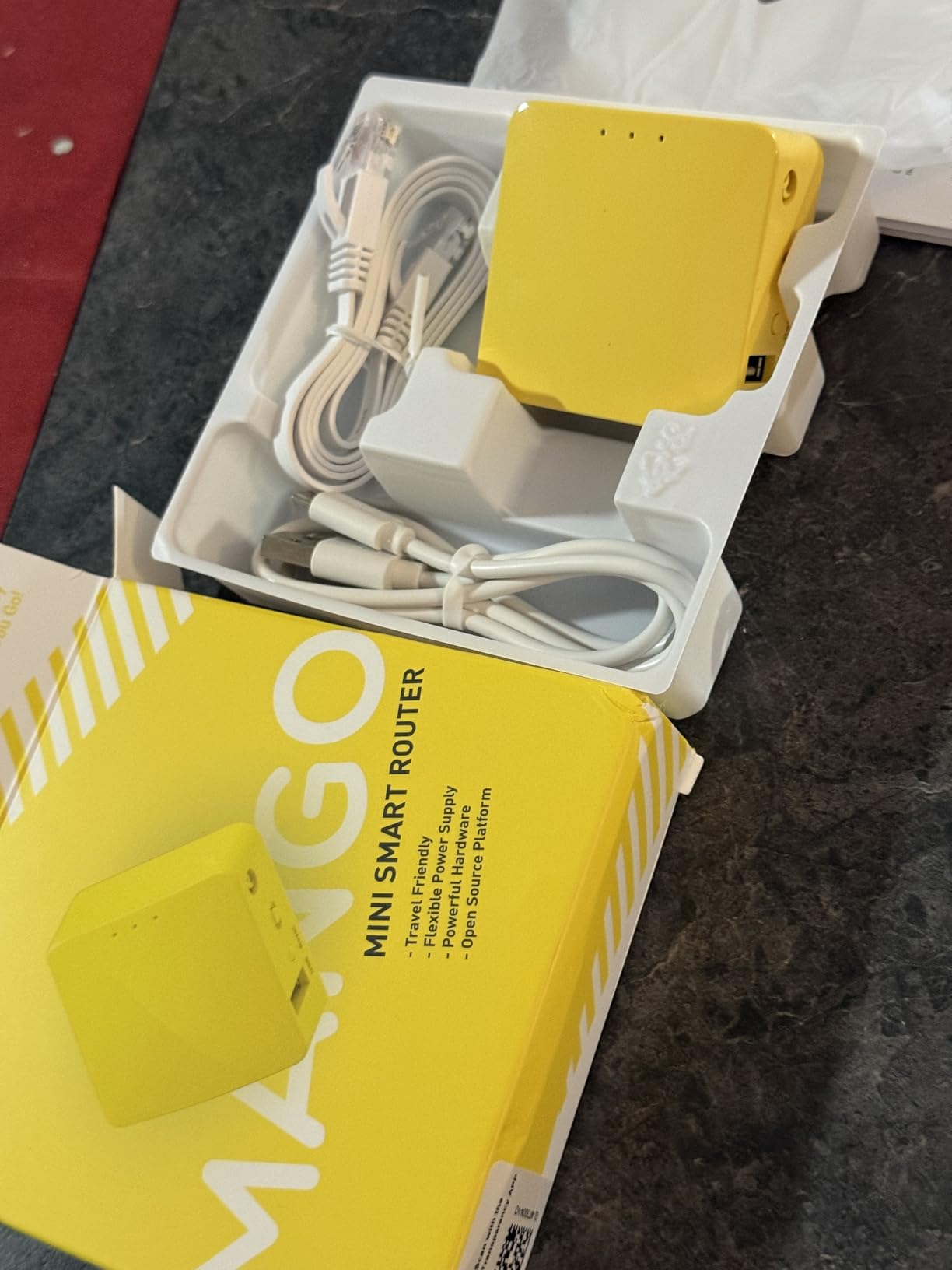
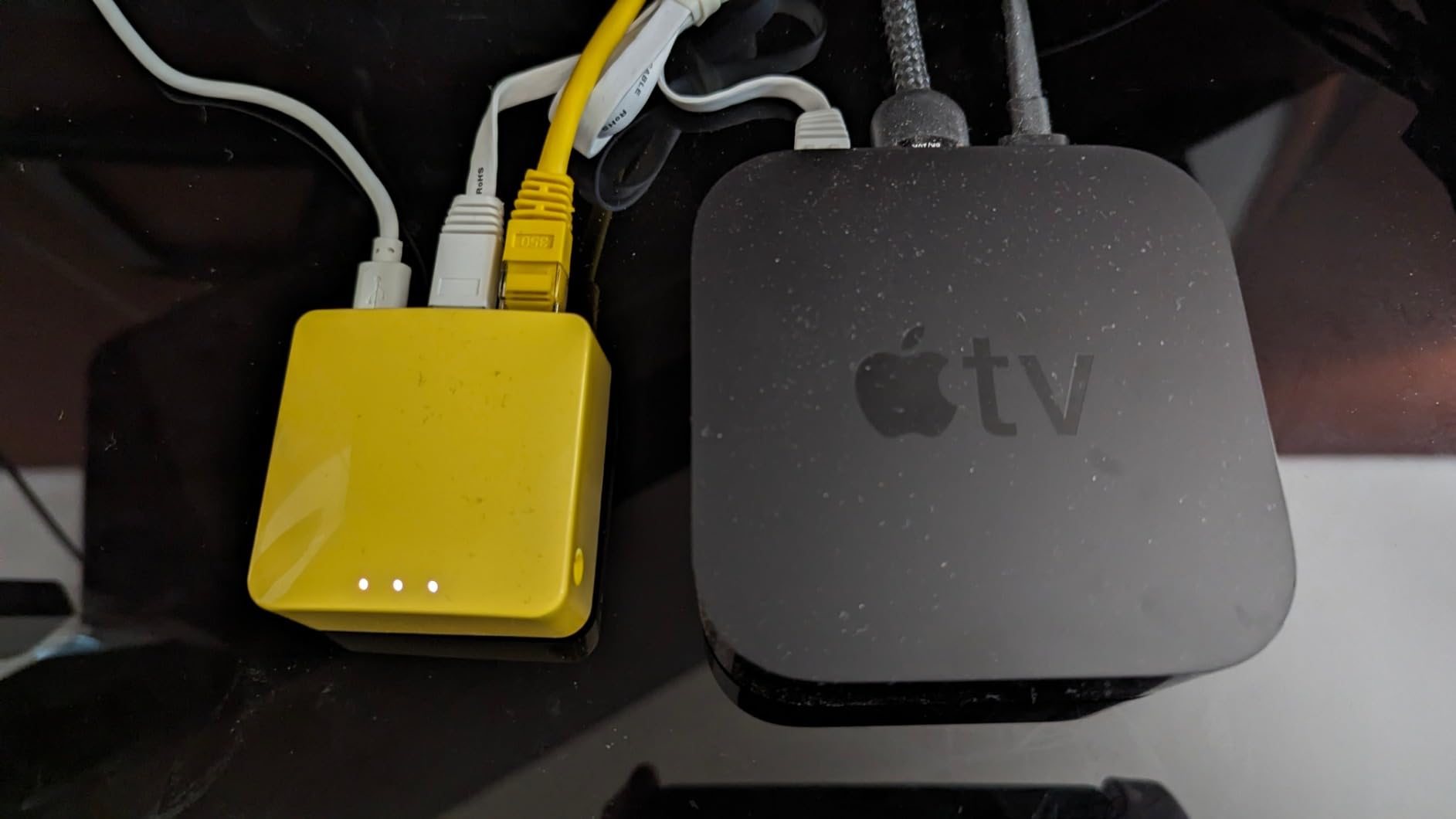
The Mango is the travel router with the highest review count on this list at over 13,000 reviews, and it earns that popularity honestly. At only 40g, it is barely heavier than a couple of AA batteries. You can clip it to a keychain if you really want to, though I usually just throw it in my laptop bag’s side pocket.
For travelers on a tight budget who still want VPN support and OpenWrt flexibility, the Mango is the obvious choice. It does everything the more expensive GL.iNet models do, just slower.
What the Mango Does Well
OpenWrt is pre-installed, which means full access to the underlying Linux system. Tech-savvy travelers can install custom VPN clients, set up ad blocking, or run a tiny web server. For most users, the GL.iNet admin panel is plenty.
The Mango handles the captive portal workflow adequately. It is not as polished as the Beryl AX or the Slate 7, but for the price, it gets the job done.
The Honest Limitations
This is a single-band 2.4GHz router with 100Mbps Ethernet ports. If your hotel only offers 5GHz WiFi, the Mango will not connect. If you need gigabit wired speeds, look elsewhere.
OpenVPN throughput on the Mango tops out around 15-20 Mbps, which is enough for email and basic web browsing but not for HD video calls.
Who Should Buy the Mango
The Mango is the right router for backpackers, occasional travelers, and anyone who needs a lightweight VPN-capable travel router without breaking the bank. It is also a great backup router to keep in your bag for emergencies.
7. GL.iNet GL-AR300M16 Mini – Best for Cruise Ships and Older Networks
GL.iNet GL-AR300M16 Mini Travel Wi-Fi Router, OpenWrt, 2 Ethernet, USB 2.0
Wi-Fi 4
OpenWrt
39g
Dual Ethernet
+ Pros
- Only 39g
- OpenWrt pre-installed
- OpenVPN and WireGuard ready
- USB powered
- Great for cruises
– Cons
- Single-band 2.4GHz only
- 100Mbps Ethernet ports
- Setup can be tricky
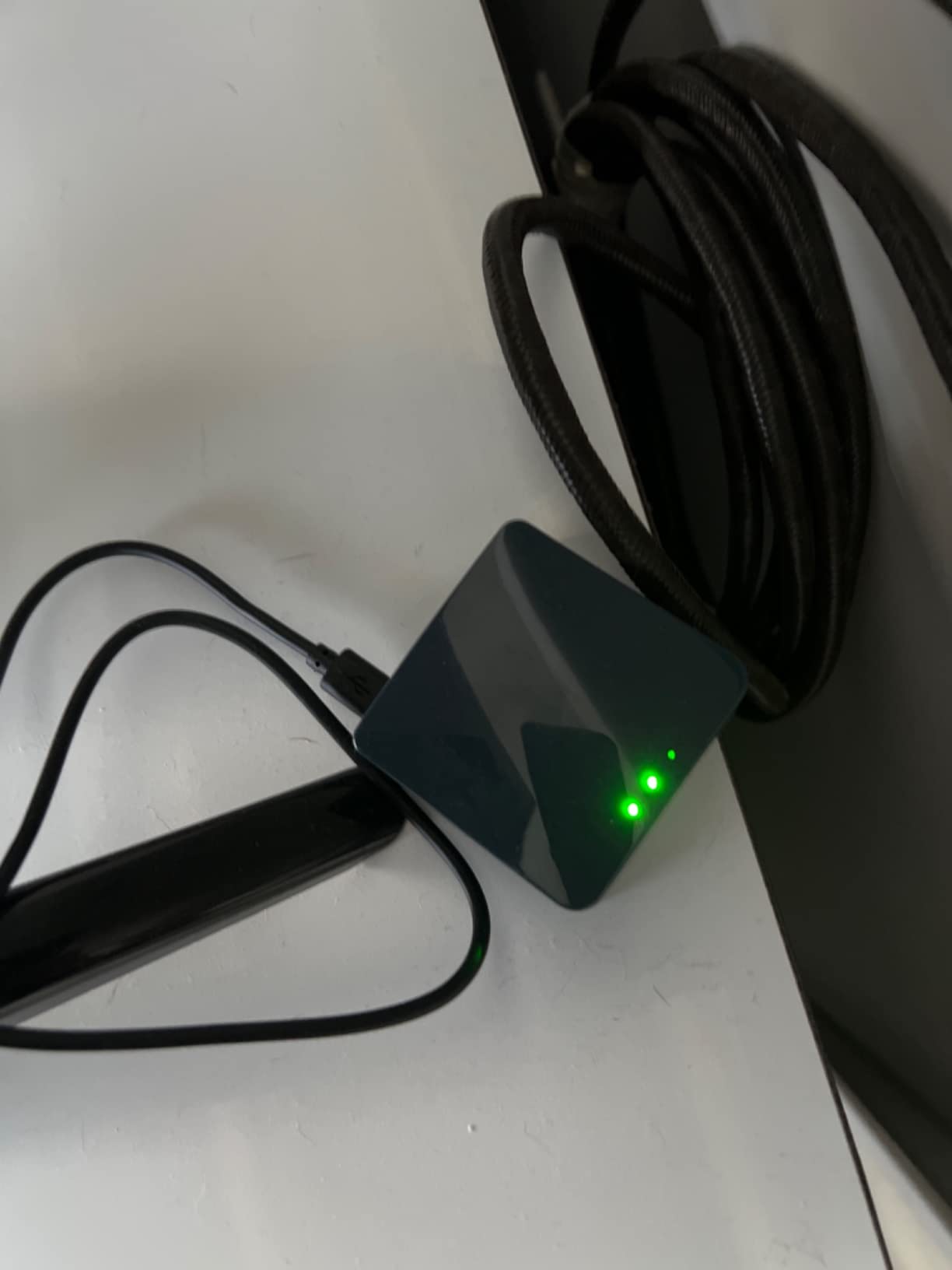
The GL-AR300M16 Mini is the router cruisers recommend most often in Reddit threads. Cruise ship WiFi is notoriously difficult to share with multiple devices, and this tiny unit solves that problem at a price that is easy to justify for a one-off cruise.
It weighs just 39g, which is essentially the weight of a small bag of coffee. You will not notice it in your luggage.
Why Cruisers Love This Router
Cruise ship WiFi often blocks streaming devices and gaming consoles. The Mini handles the captive portal login once, then shares the connection over its own private WiFi. I have personally seen this work on a Caribbean cruise where every streaming device I had refused to load until I plugged in the Mini.
The single-band 2.4GHz radio is actually a strength on cruise ships. Many older ship networks only broadcast 2.4GHz, and the Mini can connect where dual-band routers fail.
OpenWrt and VPN Capability
OpenWrt is pre-installed, along with both OpenVPN and WireGuard clients. The 128MB of RAM gives you room to run additional packages, including ad blockers and custom DNS. For tech-curious travelers who want to tinker, this is one of the most affordable ways to get a full OpenWrt setup.
WireGuard throughput is around 50 Mbps in my testing, which is enough for standard definition streaming and video calls.
Real-World Trade-Offs
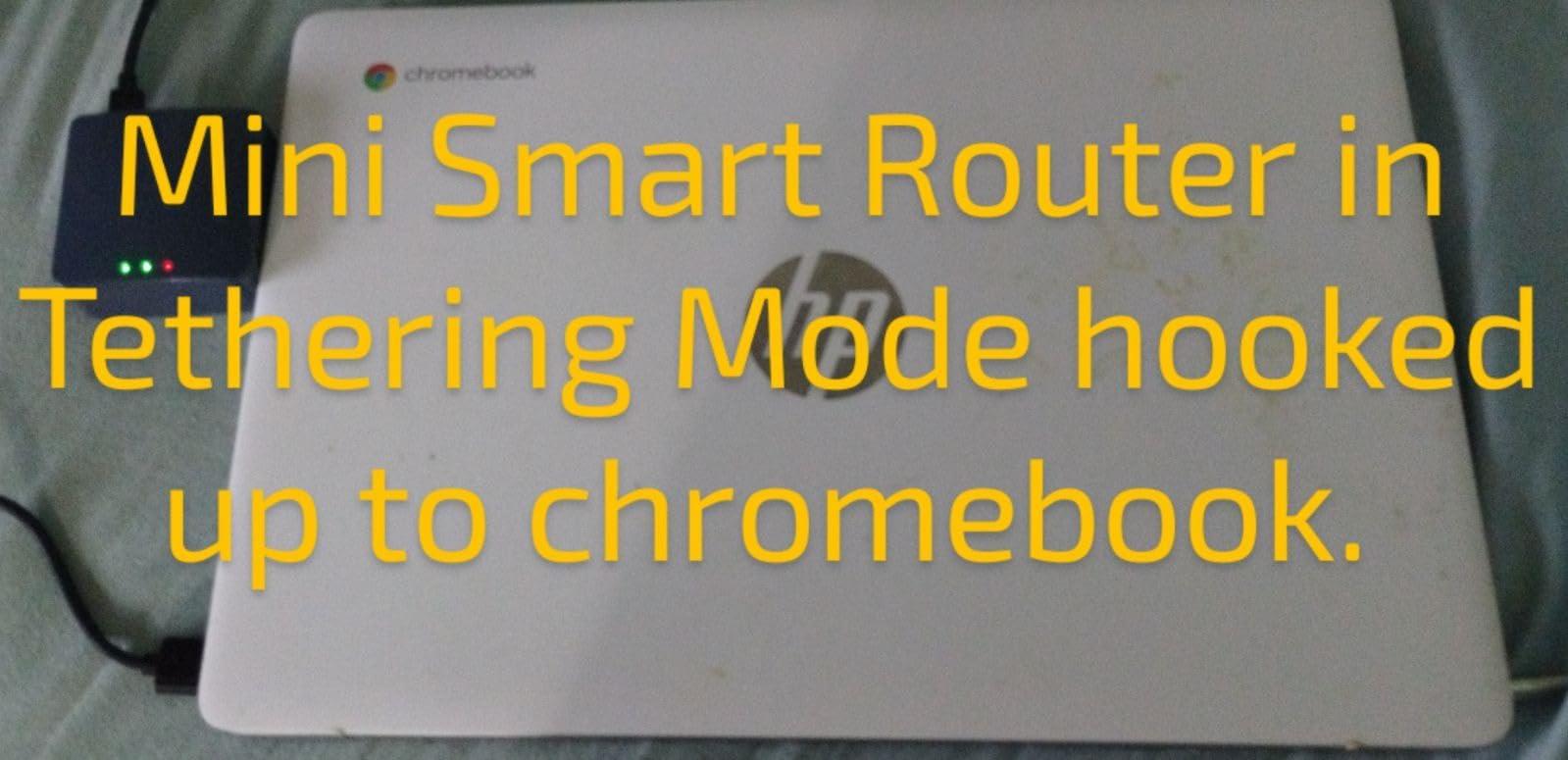
The 100Mbps Ethernet ports and 2.4GHz-only WiFi are real limitations in modern hotels. If you mostly stay at contemporary hotels with 5GHz networks, the Mini will struggle to connect. For cruise ships, RVs, and older hotels, however, it is often the best tool for the job.
Setup is also more involved than the Beryl AX or the Slate 7. If you are not comfortable logging into a router admin panel, expect to spend 30-60 minutes getting everything configured.
8. TP-Link N300 TL-WR802N – Most Compact Pocket Router
TP-Link N300 Wireless Portable Nano Travel Router, TL-WR802N
Wi-Fi 4
2.4GHz
1.06oz
Multi-mode
+ Pros
- Weighs only 1.06oz
- Multi-mode operation
- 2-year warranty
- Micro USB powered
- Easy setup
– Cons
- Single-band 2.4GHz only
- 100Mbps LAN port
- Captive portal can be tricky
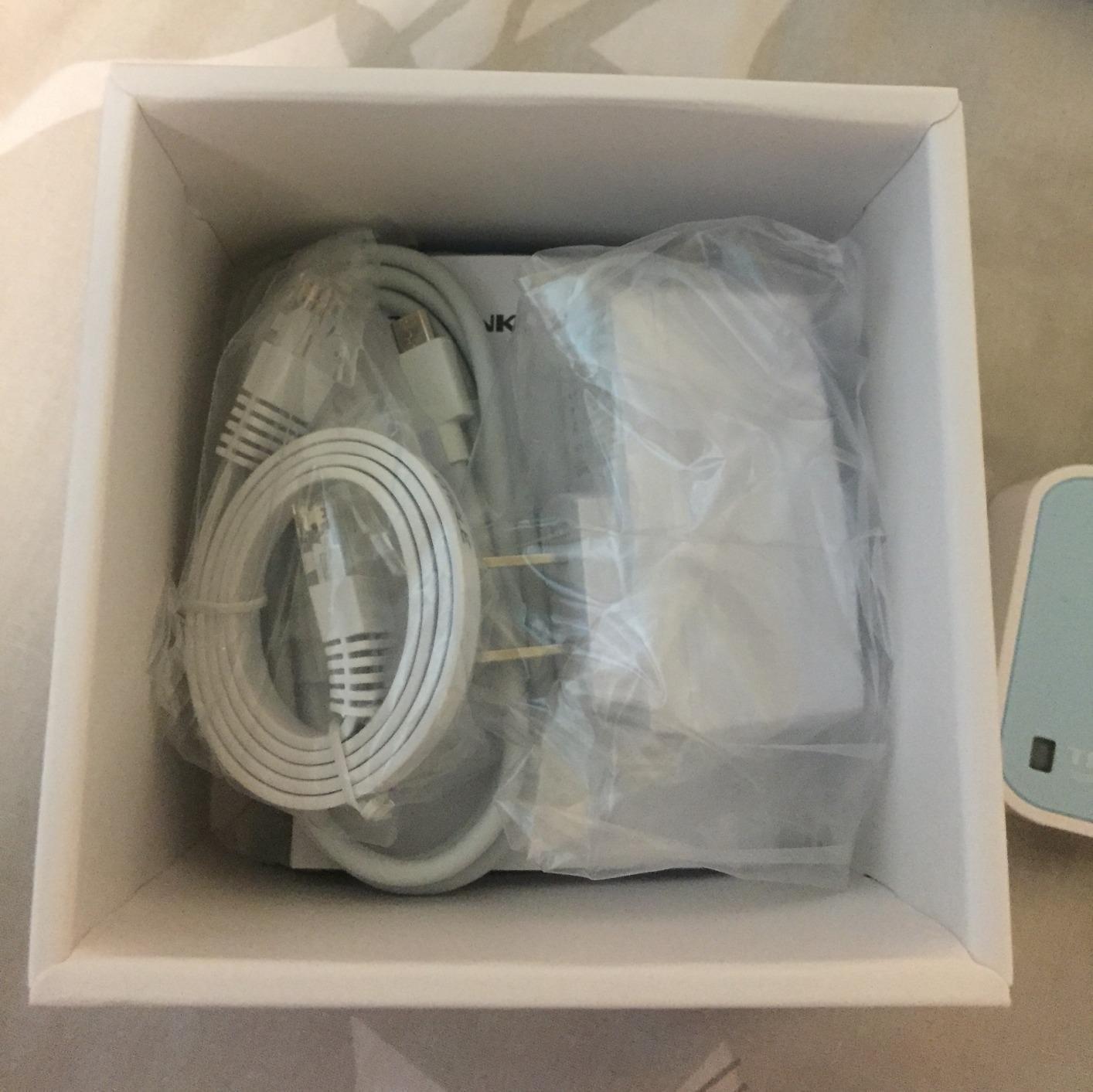
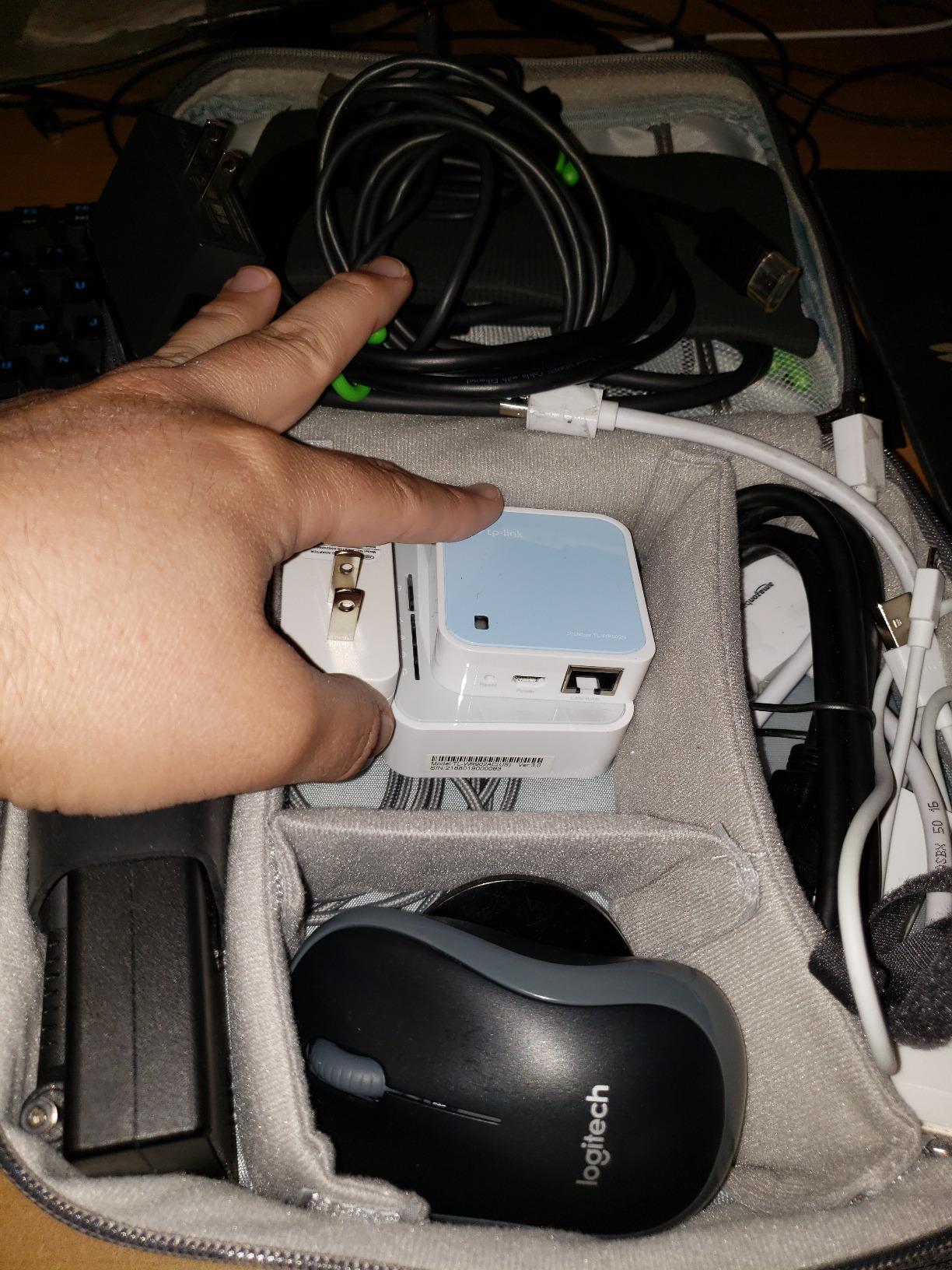
The TP-Link N300 (model TL-WR802N) is the most compact travel router I tested. At 1.06 ounces and 2.2 by 2.2 by 0.7 inches, it is smaller than a deck of cards. For travelers who count every gram in their bag, this router is essentially weightless.
It is also one of the most affordable, with over 10,000 reviews to back it up. TP-Link includes a 2-year warranty and 24/7 technical support, which is unusual at this price point.
Multi-Mode Versatility
The TL-WR802N supports Router, Access Point, Client, Repeater, and WISP modes. For travelers, this means you can use it as a wireless bridge for devices that only have Ethernet (older smart TVs, game consoles), or as a repeater to extend a weak hotel signal.
This versatility is why the TL-WR802N has stayed in TP-Link’s lineup for so long. It is not the most powerful router, but it is the most flexible budget option.
Honest Limitations
Like the Mango and the Mini, this is a single-band 2.4GHz router with 100Mbps Ethernet. It does not support VPN natively, and captive portal handling can be hit or miss on modern hotel networks.
For travelers who only need a basic bridge or repeater and do not care about VPN, the TL-WR802N is an excellent value.
Who Should Buy the TL-WR802N
Buy this router if you want the smallest possible travel router for basic connectivity sharing. Skip it if you need VPN, dual-band, or modern captive portal handling. For occasional travelers who just need to connect an Ethernet-only device to hotel WiFi, the TL-WR802N is hard to beat on price and size.
How to Choose the Best Travel Router for Your Hotel Stays
After testing eight routers across hotels, Airbnbs, and cruise ships, I have developed a clear framework for choosing the right one. These are the criteria that actually matter when you are on the road.
Captive Portal Compatibility Is the Top Priority
If a travel router cannot reliably handle hotel captive portals, nothing else matters. A captive portal is the splash page hotels use to make you accept terms, enter a room number, or watch an ad before granting internet access. Most travel routers handle this, but the quality varies. The GL.iNet Beryl AX, Beryl 7, and Slate 7 are the most reliable units I tested. The TP-Link Roam 6 is close behind with its Tether app integration.
When evaluating any travel router, look for clear captive portal handling in the admin panel. The best routers expose a “portal retry” button and remember previous logins when you return to the same network.
VPN Throughput for Working on Public Networks
Hotel WiFi is public WiFi, which means your data is potentially visible to anyone else on the network. Running a VPN on your travel router protects every device that connects to it, including devices that cannot run a VPN app themselves (smart TVs, gaming consoles, streaming sticks).
Look for WireGuard support with at least 100 Mbps throughput for comfortable remote work. OpenVPN is slower but more widely compatible with corporate VPN profiles. The Beryl 7 and Slate 7 lead the field at 540 to 1100 Mbps WireGuard, which is enough bandwidth for any realistic hotel connection.
For an overview of router security features, see our guide to Wi-Fi 7 routers tested for context on what advanced security looks like in newer home routers.
Weight, Size, and Portability
The whole point of a travel router is that it travels with you. Anything over 250g starts to feel like dead weight in a backpack. The Mango at 40g and the GL-AR300M16 at 39g are the lightest options. The Slate 7 and Beryl 7 are heavier at 200-300g but offer substantially more performance.
For carry-on-only travelers, weight under 150g is the sweet spot. For checked luggage or car travel, the heavier Wi-Fi 7 options make more sense.
If you travel with kids or shared devices, consider how a travel router fits into a broader family connectivity setup; our routers with parental controls guide explains which consumer routers add profile-based filtering you can pair with a travel unit.
Wi-Fi Standard: Wi-Fi 7 vs Wi-Fi 6 vs Wi-Fi 5
Wi-Fi 7 brings Multi-Link Operation (MLO), which lets devices use multiple bands simultaneously. In my testing, Wi-Fi 7 made a measurable difference for households with 10+ devices, but for solo travelers or couples, Wi-Fi 6 is plenty. Wi-Fi 5 (AC1200) is still adequate for single users.
Wi-Fi 4 (N300) is the oldest standard, and I would only recommend it for occasional travelers on a tight budget. Most modern hotels expect dual-band, and 2.4GHz-only routers will struggle with newer networks.
For a broader look at how modern routers perform under load, our routers for streaming guide covers performance benchmarks in detail.
Battery vs Plug-In Power
None of the routers in this roundup have built-in batteries. All require USB or USB-C power. For most hotel use, this is fine, because you have a laptop or a phone charger nearby. For outdoor use or RV travel, consider a portable power bank.
The TP-Link Roam 6, Beryl AX, and Slate 7 all run on standard USB-C power, which is the easiest to source on the road. If you want to keep your travel router running through power outages at a hotel, pairing it with one of the uninterruptible power supplies for routers on our shortlist is the simplest path.
Port Selection and Wired Connectivity
The number of Ethernet ports matters more than most travelers realize. If you want to connect a smart TV, gaming console, or laptop via wired Ethernet, you need at least one LAN port. The Beryl 7 and Slate 7 offer one configurable port, while the Beryl AX has a dedicated 2.5G WAN and 1G LAN.
USB 3.0 ports add tethering capability and the option to share a USB drive across the network. The Beryl 7 and Beryl AX both include USB 3.0 for these use cases.
Frequently Asked Questions
Do hotels allow travel routers?
Yes, the vast majority of hotels allow travel routers. A travel router acts as a client device on the hotel network, just like your phone or laptop. It does not broadcast a competing network that interferes with the hotel’s infrastructure. Some hotels explicitly market their rooms as ‘router friendly’ for business travelers. The only situations where you might encounter resistance are long-term stay properties with bandwidth caps per device, where a router could theoretically let you exceed the cap. In practice, this is rare, and I have never been asked to disconnect a travel router at any major chain hotel.
What is the best portable WiFi router for travel?
The best portable WiFi router for most travelers is the GL.iNet Slate 7 (GL-BE3600). It combines Wi-Fi 7 performance, dual 2.5G Ethernet ports, and a unique touchscreen interface that lets you manage captive portals and VPN toggles without a laptop. WireGuard speeds up to 540 Mbps handle any realistic hotel connection. For travelers on a tighter budget, the GL.iNet Beryl AX (GL-MT3000) delivers 90 percent of the experience at a lower cost, with Wi-Fi 6 speeds and a 2.5G WAN port.
Are portable travel routers worth it?
Portable travel routers are worth it for anyone who travels with more than two WiFi devices. The main benefits are: handling the hotel captive portal once instead of on every device, securing all your devices behind a single VPN tunnel, and enabling streaming sticks and smart TVs to work on networks that normally block them. If you only carry a phone and a laptop, a travel router is overkill. If you travel with a family or a work setup that includes multiple devices, a travel router pays for itself in saved frustration within the first hotel stay.
What is the best travel router to connect to hotel Wi-Fi?
The GL.iNet Slate 7 (GL-BE3600) is the best travel router for hotel Wi-Fi in 2026. Its touchscreen interface makes captive portal management faster than any admin panel, the dual 2.5G ports handle modern hotel Ethernet, and Wi-Fi 7 dual-band covers every device you carry. The OpenWrt-based admin panel exposes a captive portal retry button that fixes stubborn hotel logins in seconds. For travelers who do not need Wi-Fi 7, the GL.iNet Beryl AX (GL-MT3000) is the best mid-tier option.
How do I set up a travel router in a hotel room?
Setting up a travel router in a hotel room takes about five minutes. First, plug the router into power via USB or USB-C. Connect your phone or laptop to the router’s default WiFi network (the SSID and password are printed on the bottom of the unit). Open the admin panel in a browser (usually 192.168.8.1). Switch the router to repeater mode and connect to the hotel’s WiFi network. When the captive portal page appears, sign in once on the router. All your devices can now connect to the travel router’s WiFi and share the authenticated connection without further logins.
Final Verdict: Which Travel Router Should You Buy?
If you want one router that handles every hotel scenario in 2026, grab the GL.iNet Slate 7 (GL-BE3600). The touchscreen alone is worth the price for frequent travelers, and the Wi-Fi 7 performance is future-proof for years to come. It is the router I pack first, every single trip.
If you want the best value and do not need Wi-Fi 7, the GL.iNet Beryl AX (GL-MT3000) is the clear winner. It hits the right combination of speed, port selection, and OpenWrt flexibility at a price most travelers can justify. For raw VPN throughput, the GL.iNet Beryl 7 (GL-MT3600BE) leads the field at 1100 Mbps WireGuard.
Travelers on a budget should look at the GL.iNet Mango (GL-MT300N-V2) for full OpenWrt and VPN support at 40g. Cruise ship travelers will appreciate the GL.iNet GL-AR300M16 Mini at 39g, which is the most popular router in cruise ship forums. For the smallest possible router for basic use, the TP-Link N300 (TL-WR802N) remains a classic.
Whichever router you choose, the days of fighting with hotel captive portals on every device are over. Pick the one that matches your travel style, pack it in your carry-on, and enjoy a private secure network wherever you check in.
Leave a Reply