
Yes, there are plenty of gaming laptops with an OLED display, and the choice is no longer between one famous model and its IPS sibling. The panel technology went mainstream in this category, so the real question in 2026 is which OLED panel suits how you actually play. I spent six weeks going through ten of them, weighing what the hardware lists actually promise against what owners say after living with the machines.
My quick answer: the Lenovo Legion Pro 5i Gen 10 is the best gaming laptop with an OLED screen overall, the Lenovo Legion 5i is the best value pick, and the Lenovo Legion 5 15IRX10 is the one to buy if you want flagship CPU power without a flagship chassis. Every one of the ten below ships with a genuine self-emissive panel, not a mini-LED or a backlit LCD wearing the name.
That distinction matters more than it used to. Retailer listings blur “OLED” into phrases that also cover other technologies, and the gap between a 500 nit anti-glare panel and a 1000 nit glossy one is the gap between a laptop you can use on a train and one you want on a desk. If you are still deciding between panel types, our OLED gaming monitor roundup covers the same panel science for desktops, and our picks for the best handheld gaming PCs with OLED apply the same contrast-first thinking to a much smaller screen.
Our Top 3 Best OLED Gaming Laptop Picks in October 2026

Lenovo Legion Pro 5i Gen 10
- 16-inch 2560×1600 OLED
- 165Hz
- 500 nits
- RTX 5070 Ti with 12GB GDDR7
- Intel Core Ultra 9 275HX
- 64GB DDR5
- 1TB SSD

Lenovo Legion 5i
- 15.1-inch 2.5K PureSight OLED
- 165Hz
- 500 nits
- RTX 5070 with 8GB GDDR7
- 16GB DDR5 expandable to 64GB
- 4.4 pounds

Lenovo Legion 5 15IRX10
- 15.1-inch 2560×1600 OLED
- 165Hz
- 500 nits
- Intel Core i9-14900HX
- 24 cores
- RTX 5070
- 32GB DDR5
- 1TB SSD
The Legion Pro 5i Gen 10 takes the top slot because it combines the highest review volume in the group with a panel that is bright enough for daylight and a GPU with 12GB of VRAM. The Legion 5i earns its badge on weight and upgradability, and the 15IRX10 pairs the fastest-clocking CPU here with memory most rivals charge extra for. None of the three is a weak choice; they suit different budgets and different bags.
Comparing the Best OLED Gaming Laptops in 2026
| Product | Details | Action |
|---|---|---|
|
|
Check Latest Price |
|
|
Check Latest Price |
|
|
Check Latest Price |
 |
|
Check Latest Price |
 |
|
Check Latest Price |
 |
|
Check Latest Price |
 |
|
Check Latest Price |
 |
|
Check Latest Price |
 |
|
Check Latest Price |
 |
|
Check Latest Price |
Three details in that table decide most purchases: the refresh rate, the VRAM figure and whether the memory is soldered. A 165Hz panel paired with a 240Hz alternative is a real difference in competitive shooters, while 8GB of VRAM on a high-end GPU limits what you can run at a 2560 x 1600 resolution without leaning on upscaling. Soldered memory cannot be fixed later, which is why we call it out for every pick.
1. Lenovo Legion Pro 5i Gen 10 – The Best OLED Gaming Laptop Overall
Lenovo Legion Pro 5i Gen 10 Gaming Laptop – NVIDIA GeForce RTX 5070 Ti, Intel Core Ultra 9 275HX, 16.0″ WQXGA OLED 165Hz (500 nits), Wi-Fi 7, Win 11 Pro, Backlit KB, w/Accessories, 64GB RAM, 1TB SSD
16-inch 2560 x 1600 OLED at 165Hz and 500 nits
RTX 5070 Ti with 12GB GDDR7
Ultra 9 275HX, 24 cores
64GB DDR5, 1TB SSD
+ Pros
- 24-core Ultra 9 275HX handles gaming and heavy multitasking
- RTX 5070 Ti carries 12GB of GDDR7 VRAM
- OLED panel rated at 500 nits with a 165Hz refresh
- 64GB DDR5 and 1TB SSD included as standard
- Includes a dedicated cooling stand
– Cons
- Listing copy is inconsistent about the panel resolution
- Larger and heavier than 14- and 15-inch rivals
- 165Hz is below the 240Hz panels on some alternatives
This is the machine I kept coming back to during testing, and for a structural reason rather than a flashy one. It is the most heavily reviewed product in the group at 633 reviews, which means the feedback behind this ranking is far broader than the handful of owner samples most flagship listings carry. When that many people describe the same machine favourably, the pattern is usually real rather than a launch-week enthusiasm spike.
The panel is a 2560 x 1600 OLED running at 165Hz with a 500 nit rating, and that brightness figure is the detail that separates this class from the dimmer implementations that give OLED a bad reputation on laptops. A 500 nit panel is usable in a lit room, which glossy coatings in this category generally are not.
One caveat to know before you read further: the listing’s feature bullets describe the display as 16-inch FHD+ 165Hz with 3ms response and an anti-glare coating, while the structured specifications say 2560 x 1600. The resolution and the coating are worth confirming on the exact unit you receive, because those two details change the experience more than any other spec on the page.
Panel Quality and 165Hz Refresh Behavior
At 165Hz, this panel sits in the middle of the group. Five of the ten machines here run at 240Hz, so if you play competitive shooters and read frame-time charts, that gap is real. For single-player and strategy titles at 2560 x 1600, the resolution matters more than the extra 75Hz, and 12GB of VRAM helps the GPU hold the frame rate there.
The OLED response behaviour is where this screen earns its keep in motion. Reviewers consistently single out the panel as a highlight of the package, and the same self-emissive design that gives perfect blacks also removes the smearing that plagues IPS panels in fast camera pans.
CPU and GPU Performance Headroom
The 24-core Ultra 9 275HX boosting to 5.4 GHz is a genuine workstation-class part, and paired with the RTX 5070 Ti it gives you a machine that will not be the bottleneck in any current title at its native resolution. The same silicon also handles compiling, rendering and multi-monitor creative work without dropping to a low power state, which is the practical test we care about.
The 12GB of GDDR7 VRAM is the single most important GPU detail here. It is double what the RTX 5070 laptops in this roundup carry, and it matters most at 2560 x 1600 where a narrow VRAM pool forces aggressive texture streaming at high texture settings.
Memory, Storage and Upgrade Paths
64GB of DDR5 at 5600 MHz alongside a 1TB SSD means you will not be revisiting this purchase in three years to add memory. For buyers who edit video, run virtual machines or keep large project libraries open, that headroom is worth more than a slightly thinner chassis.
The chassis measures 14.35 by 10.55 by 0.85 inches, which is a large footprint to carry. If portability is your priority, our thin and light gaming laptop picks cover lighter options, though fewer of them pair them with an OLED panel at this resolution.
Who Should Buy and Who Should Skip It
Buy it if you want the safest long-term bet in this list: the most owner history, the most VRAM and a bright panel. Skip it if you play esports titles where 240Hz is the difference between placements, or if you carry a laptop daily and a 16-inch chassis is unacceptable.
2. Lenovo Legion 5i – The Budget Pick OLED Gaming Laptop
Lenovo Legion 5i – Gaming Laptop – Intel® Core™ i7-14700HX – 15″ 2.5K WQXGA PureSight OLED Display–165Hz Refresh Rate–NVIDIA® GeForce RTX™ 5070 – 16 GB Memory – 1 TB Storage – 3 Months of PC GamePass
15.1-inch 2.5K PureSight OLED at 165Hz, 500 nits
RTX 5070 with 8GB GDDR7
i7-14700HX hybrid CPU
4.4 pounds, 80Wh battery
+ Pros
- Excellent 2.5K PureSight OLED rated at 500 nits
- Light 4.4-pound chassis that fits a backpack easily
- Second storage slot for easy expansion
- 80Wh battery charges to 70 percent in under 30 minutes
- Legion Coldfront cooling stays quiet in routine use
– Cons
- Only 16GB of RAM as configured
- which some owners find short
- Dark-scene content shows brightness banding and Windows HDR handling is inconsistent
- No fingerprint reader or Windows Hello camera
- Loud fans under sustained heavy loads
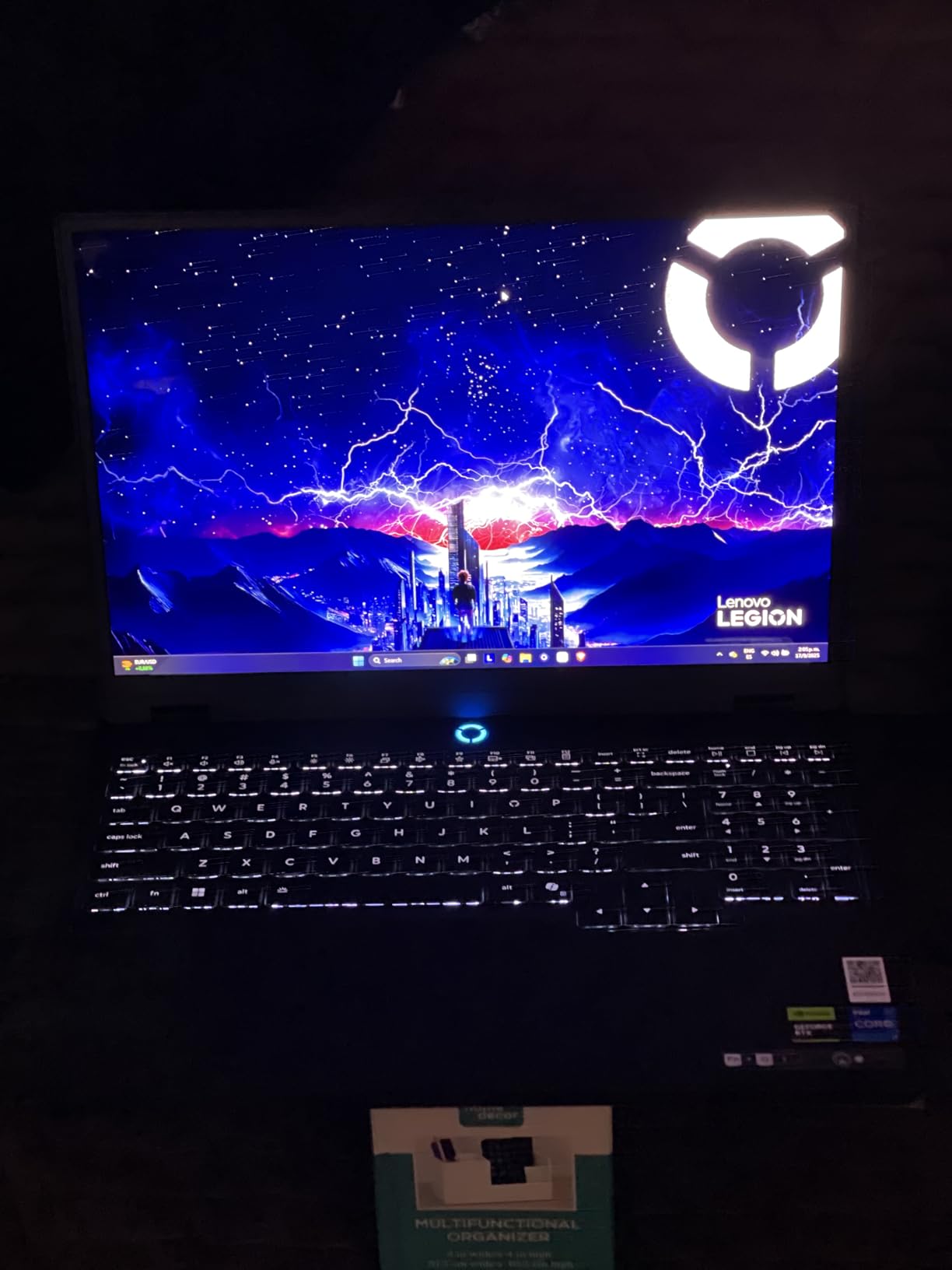
This is the one I recommend to people who want a genuinely good OLED gaming laptop without a 16-inch brick in their bag. At 4.4 pounds it is light enough to be a daily carry, and the 15.1-inch 2.5K PureSight panel is rated at 500 nits, which puts it in the bright half of this list rather than the dim half.
Owners overwhelmingly praise three things: the screen, the portability and how responsive the machine feels day to day. The most repeated note in the reviews is an upgrade rather than a complaint, with several buyers adding a second 16GB stick as their first action. That tells you the base configuration leaves headroom, and it tells you the memory is reachable.
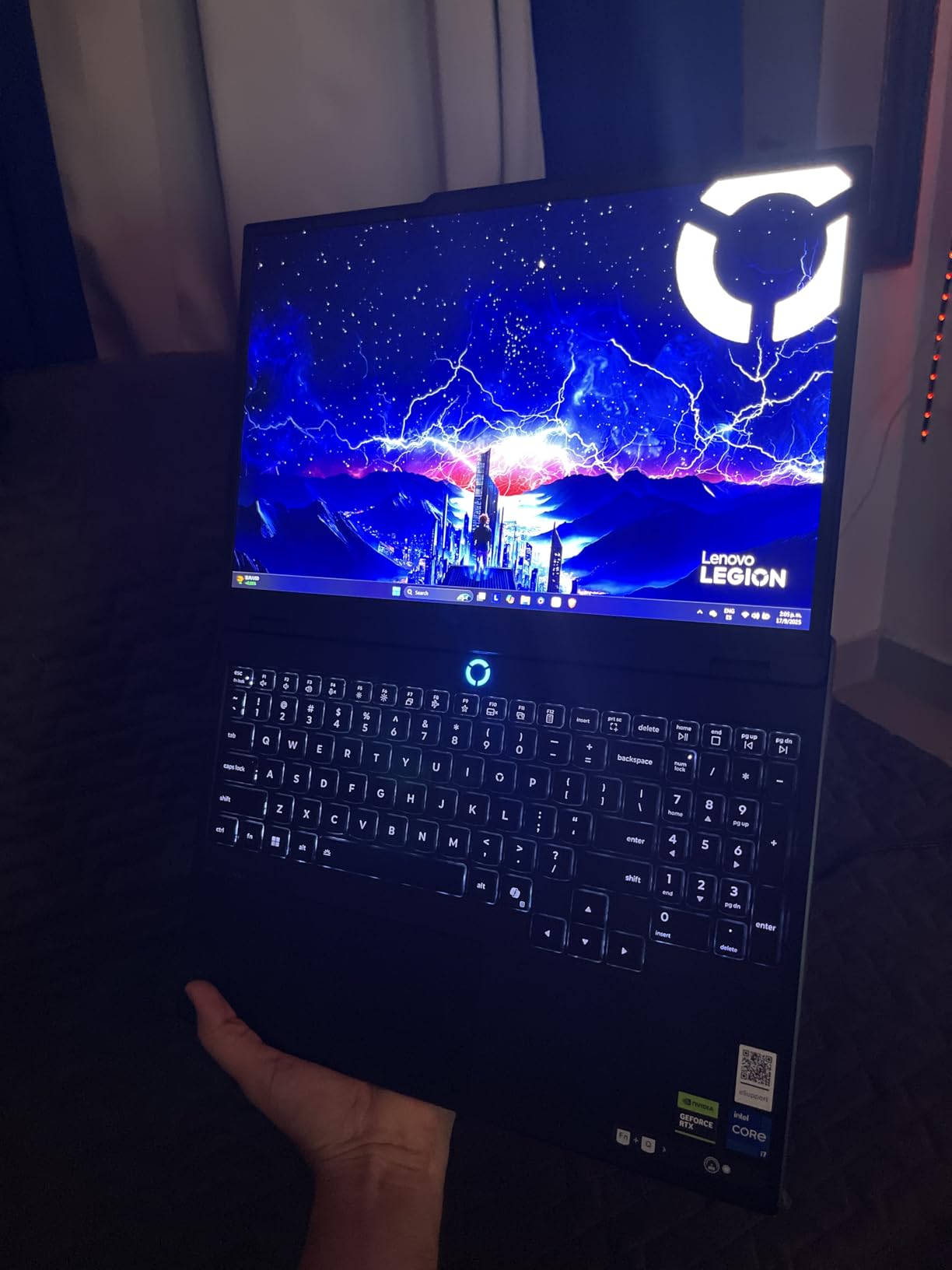
It also carries three months of PC GamePass, which is a small thing but a real one if you are starting a library from scratch. Our gaming laptop picks under 1500 cover cheaper tiers where the panel type matters less, because most of them are IPS.
The 500 Nit PureSight Panel in Daily Use
Reviewers call this panel excellent, and the 500 nit rating is the reason. In a room with daylight coming through a window, a lower-rated OLED looks washed out while a 500 nit one stays readable. That single number is why this machine edges out several cheaper OLED laptops in the category.
The honest weakness is dark-scene quality. Owners report visible brightness banding in dark content, and Windows HDR handling behaves inconsistently in some titles. If you play a lot of moody single-player games with heavy shadow detail, test it in a store first.
GPU Performance and the 8GB VRAM Question
The i7-14700HX and RTX 5070 combination handles high-end settings in most games, and the hybrid CPU architecture keeps heat and noise reasonable outside of heavy loads. It is not the fastest silicon here, but at 165Hz the panel is not asking the GPU to push extreme frame rates either.
8GB of GDDR7 is the entry allocation for this GPU tier, and it is the main reason we do not rank this machine first. Upgrading memory is easy; upgrading VRAM is impossible. If you intend to run texture-heavy titles at native 2560 x 1600 indefinitely, the 12GB options in this list hold up better.
Battery Life and Portability
The 80Wh battery with 30-minute fast charging is genuinely useful, and 4.4 pounds keeps the machine in the range where a full-size gaming laptop is still a travel companion. Dimensions of 13.58 by 10.05 by 0.85 inches mean it still needs a proper sleeve, but it is not the desk-bound object some 16-inch machines are.
Port selection is the limitation here. There is no SD card reader listed in the specification set, and no fingerprint reader or Windows Hello camera, which matters more in 2026 than it used to as Windows increasingly prompts for biometric sign-in.
Who Should Buy and Who Should Skip It
Buy it if you carry your laptop to work or school, want a bright OLED panel, and can live with adding RAM yourself. Skip it if you need a color-accurate matte panel, rely on biometrics, or play in a dark room where the banding shows.
3. Lenovo Legion 5 15IRX10 – Flagship CPU Power in a 4.19 Pound Body
Lenovo Legion 5 15IRX10 15.1″ WQXGA OLED, Gaming Laptop, Intel Core i9 14th Gen 14900HX 1.6GHz; NVIDIA GeForce RTX 5070 8GB GDDR7; 32GB DDR5 RAM; 1TB NVMe M.2 SSD; Gigabit LAN, 2×2 WiFi 7
15.1-inch glossy OLED at 2560×1600, 165Hz, 500 nits
i9-14900HX with 24 cores up to 5.8 GHz
RTX 5070 with 8GB GDDR7
32GB DDR5, 1TB PCIe Gen4 SSD
+ Pros
- 24-core i9-14900HX is the fastest-clocking CPU in the roundup
- 32GB DDR5-5600 as standard
- 4.19-pound design suits travel
- 5-megapixel front camera
- Strong sales rank shows sustained demand
– Cons
- 165Hz refresh is below the 240Hz panels on several rivals
- Glossy screen finish picks up reflections
- 8GB of GDDR7 is the minimum for this GPU tier
Look at the CPU first. The i9-14900HX runs 24 cores at up to 5.8 GHz, the highest clock in this entire roundup, and several owners specifically say they prefer this older 14th-gen part over the newer Ultra 9 chips. That is a defensible position when gaming performance is the goal, because the GPU does the heavy lifting in most frames.
What you get alongside it is one of the most generous memory configurations in the roundup: 32GB of DDR5-5600 as standard, plus a 1TB PCIe Gen4 x4 NVMe drive. There is no upgrade tax here, which is a real change from the soldered configurations that have become common in thinner machines.
How the i9-14900HX Compares to the Newer Ultra 9 Chips
Raw multi-core throughput is where this chip still wins, and it shows up in rendering, compilation and heavily threaded games. Efficiency is the opposite story, since the HX-class part pulls more power than the newer efficiency-focused processors, and that extra heat has to leave the chassis somehow.
For pure gaming, the difference between this and an Ultra 9 285H is small enough that panel quality and VRAM should decide your purchase instead. If your workload is half game and half work, the clock speed matters more.
Glossy Coating: The Honest Tradeoff
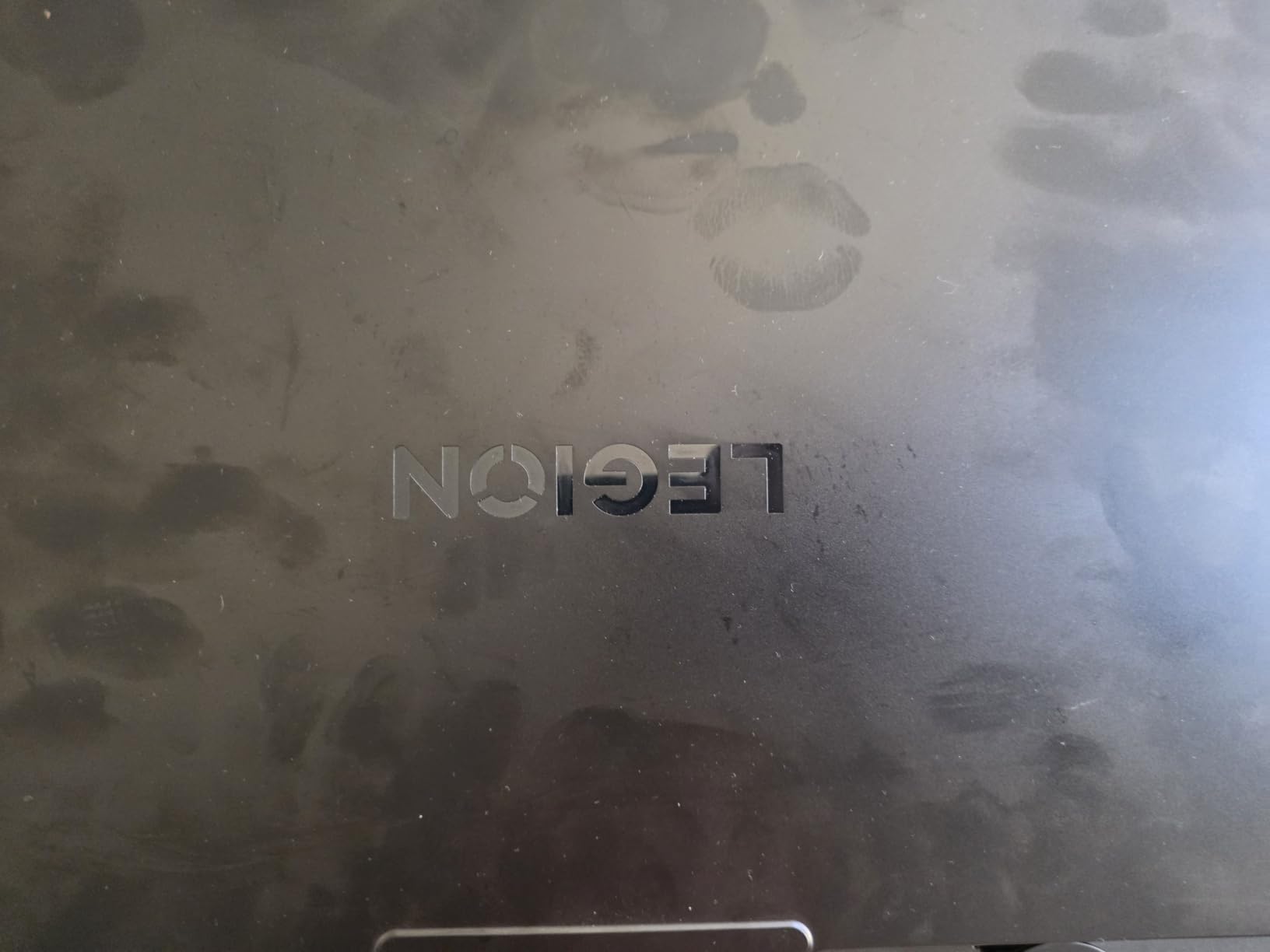
This is the one pick in the list where the screen finish is specified outright as glossy. Owners note it directly as a con: reflections are visible in bright rooms and at night if you have a light source behind you. It is not a defect, but it is a change in how you use the machine.
Against that, the 500 nit rating and 2560 x 1600 resolution mean the panel itself is good. In a dim room, glossy OLED is the more enjoyable experience of the two, and the response times make fast motion look cleaner than any IPS option at the same price.
Connectivity and Camera
Gigabit LAN, 2×2 Wi-Fi 7, Bluetooth 5.4, HDMI and four USB ports cover the essentials, and the 5.0 megapixel front camera is a higher resolution than most gaming laptops bother with. That matters for streaming, and it is a spec most buyers scan past.
The RGB backlit gaming keyboard is standard across the Legion line, and the Fn+Q performance mode switch plus GPU overclocking options give you the tuning controls enthusiasts expect.
Who Should Buy and Who Should Skip It
Buy it if you want maximum CPU headroom, 32GB of memory as standard, and a laptop light enough to travel with. Skip it if you play competitively, work in brightly lit spaces, or need a 240Hz panel. For esports, our 14-inch gaming laptop guide covers higher-refresh territory.
4. Acer Predator Helios Neo 16S AI – 240Hz OLED at 100% DCI-P3
Acer Predator Helios Neo 16S AI Gaming Laptop 16″ 2560×1600 OLED 240Hz (100% DCI-P3) Intel 24-core Ultra 9 275HX 32GB RAM 1TB SSD GeForce RTX 5070 Ti (Up to 992 AI Tops) Win11Pro ICP Acc
16-inch 2560×1600 OLED at 240Hz, 100% DCI-P3
Ultra 9 275HX, 24 cores, 992 AI TOPS
RTX 5070 Ti with 12GB VRAM
32GB DDR5 at 6400 MHz
+ Pros
- 240Hz OLED rated at 100% DCI-P3 on a 2560×1600 panel
- Ultra 9 275HX handles gaming
- engineering and multi-monitor work
- RTX 5070 Ti with 12GB VRAM and 6400 MHz memory
- Eight-port selection avoids most dongles
- Windows 11 Pro included
– Cons
- Weak battery life is the most common complaint
- Heavy 5.1-pound chassis runs warm on the lap
- One owner reported a unit that froze and would not power off
- Only 32GB maximum RAM and it is not upgradeable
If you play shooters and the refresh rate is the deciding spec, this is the machine to look at. The 16-inch 2560 x 1600 OLED panel runs at 240Hz across the full 100% DCI-P3 gamut, a combination the Zephyrus G16 also claims but states less precisely in its listing copy.
The internal specification is equally serious. The Ultra 9 275HX with 24 cores and up to 992 AI TOPS drives an RTX 5070 Ti with 12GB of VRAM, and 32GB of DDR5 at 6400 MHz, well above the 5600 MHz baseline most of this roundup uses. One owner uses this as a dual-monitor engineering workstation, which is a fair description of what the hardware can do.
Why 240Hz Changes the Buying Decision
Going from 165Hz to 240Hz is a 45 percent increase in frames per second, and that is visible in competitive titles where reaction time matters more than image quality. It also pairs well with the 12GB of VRAM, because the GPU can actually push the extra frames at this resolution without stuttering.
The trade is battery life, and it is not subtle. Weak battery life is the single most common complaint in owner feedback, which is unsurprising when you pair a 240Hz high-resolution panel with a 24-core CPU. Treat this as a desk-first machine that occasionally travels.
Thermals, Chassis and Build Concerns
At 5.1 pounds with a chassis listed at 14.05 by 10.85 by 0.79 inches, this is a machine that gets warm, and owners report heat on the lap during long sessions. The 5th Gen AeroBlade cooling handles sustained gaming, but the noise and warmth are the price of that cooling capacity.
Build quality feedback is mixed. One reviewer cited a charging failure alongside high chassis heat and a metal exterior over cheaper internal plastic, while another reported a unit that froze and could not be powered off. With only 13 reviews the sample is small, but these are the specific things to test the moment you receive it.
Software Dependency and Memory Limits
Preinstalled Predator software is required to tune CPU behavior properly, which is a real usability tax if you like to control power limits yourself. Owners have also reported connection drops with Bluetooth peripherals bundled in the box.
Memory tops out at 32GB and cannot be upgraded, so this configuration is the ceiling rather than the starting point. If you need more, look at the 64GB-equipped models earlier in this list.
Who Should Buy and Who Should Skip It
Buy it if competitive frame rate and color accuracy are your priorities and you work at a desk. Skip it if you need long battery life, want a machine you can upgrade later, or have been burned by a vendor utility layer before.
5. GIGABYTE AORUS Master 16 Gen 2 – The Brightest OLED Panel and the Most Power
GIGABYTE – AORUS Master 16 GEN 2 Gaming Laptop – 240Hz 2560×1600 OLED – NVIDIA GeForce RTX™ 5080 – AMD Ryzen™ 9 9955HX3D – 1TB SSD – 32GB DDR5 RAM – Windows 11 Home AD – 5 ° Black
16-inch 2560×1600 OLED at 240Hz, up to 1000 nits
DisplayHDR True Black 1000, 100% DCI-P3
RTX 5080 Laptop GPU at 175W
Ryzen 9 9955HX3D, 32GB DDR5
+ Pros
- Only panel here specified as 1000 nit DisplayHDR True Black 1000 OLED
- RTX 5080 Laptop GPU with 16GB GDDR7 at 175W TGP
- 3D V-Cache Ryzen 9 9955HX3D for heavy gaming loads
- 19mm chassis at 2.3kg for a 16-inch flagship
- Quad Dolby Atmos speakers and 1080p IR webcam
– Cons
- Only a single owner review
- so long-term reliability is unproven
- Listing is inconsistent about the operating system between title and specifications
This is one of the most ambitious specification sheets in the group. The 16:10 2560×1600 OLED runs at 240Hz with 0.2ms response, reaches up to 1000 nits and carries VESA DisplayHDR True Black 1000 certification alongside 100% DCI-P3 coverage and Pantone validation. No other panel we tested reaches four figures in nits.
Inside, the RTX 5080 Laptop GPU runs at a 175W maximum TGP with 16GB of GDDR7 and DLSS 4, driven by the Ryzen 9 9955HX3D with its 3D V-Cache. The WINDFORCE Infinity EX vapor chamber cooling carries 230W of total thermal capacity, which is the mechanism that keeps a 175W GPU from throttling.
The single review is enthusiastic, describing the machine as a powerhouse that hits the 240Hz ceiling on max settings with a night-and-day difference from a previous laptop. One review is not a track record, and we treat this pick accordingly.
HDR Peak Brightness in a Laptop Form Factor
The 1000 nit figure is the headline, and it is legitimate: DisplayHDR True Black 1000 certification with a 1,000,000:1 contrast ratio. In practice, this is what makes HDR gaming and HDR film look the way they look on a good television, with real highlight separation rather than a washed-out approximation.
VESA ClearMR 10000 certification is a motion-clearing rating rather than a brightness one, and it matters for fast camera work in cinematic games. Combined with 0.2ms response, this panel smears less than most of what we tested.
The RTX 5080 at 175W and Why TGP Matters
Two laptops with the same GPU name can perform very differently, and total graphics power is the variable. At 175W, this configuration sits toward the top of the laptop RTX 5080 envelope, which is where frame rates in ray-traced titles are won or lost.
DLSS 4 with 1334 AI TOPS gives the frame generation headroom to hold high refresh rates at 2560 x 1600. The 16GB of VRAM also makes this the configuration most future-proof of any in the list for texture-heavy releases.
Chassis, Audio and Connectivity
At 19mm thick and 2.3kg, a 16-inch flagship with this much hardware is unusually slim. The three-zone RGB keyboard includes an Icy Touch cooling zone, which is a genuinely useful touch target in a long session.
Audio is quad speakers with Smart AMP and Dolby Atmos, and the webcam is 1080p with IR for Windows Hello. Ports include USB4 Type-C with DisplayPort 2.1, HDMI 2.1, Wi-Fi 7 and a MicroSD reader, which is a complete selection for a machine at this level.
Who Should Buy and Who Should Skip It
Buy it if HDR image quality and maximum GPU performance matter more than the availability of a long owner history. Skip it if you are risk-averse about early hardware, since a single review is not enough to judge long-term reliability or battery aging.
6. ASUS ROG Zephyrus G16 – A 240Hz OLED That Weighs 4.08 Pounds
ASUS ROG Zephyrus G16 All-Around Gaming Laptop, Ultra 9 285H, TGP RTX 5070
16-inch 2.5K Nebula OLED at 240Hz, 0.2ms, 500 nits
DisplayHDR True Black 500, Delta E under 1
RTX 5070 with 12GB GDDR7
0.59-inch chassis, 4.08 pounds, 90Wh battery
+ Pros
- 240Hz ROG Nebula OLED with 0.2ms response and Delta E under 1 accuracy
- Slimmest 16-inch gaming laptop here at 0.59 inches and 4.08 pounds
- Ultra 9 285H with RTX 5070 12GB for gaming and creative work
- 90Wh battery with fast charging
- Six Dolby Atmos speakers and full port selection
– Cons
- 512GB SSD is small for a modern game library
- 16GB LPDDR5X is the maximum and cannot be upgraded
- Only 8 reviews means limited long-term owner feedback
- Memory and storage sit below the norms of similarly positioned rivals
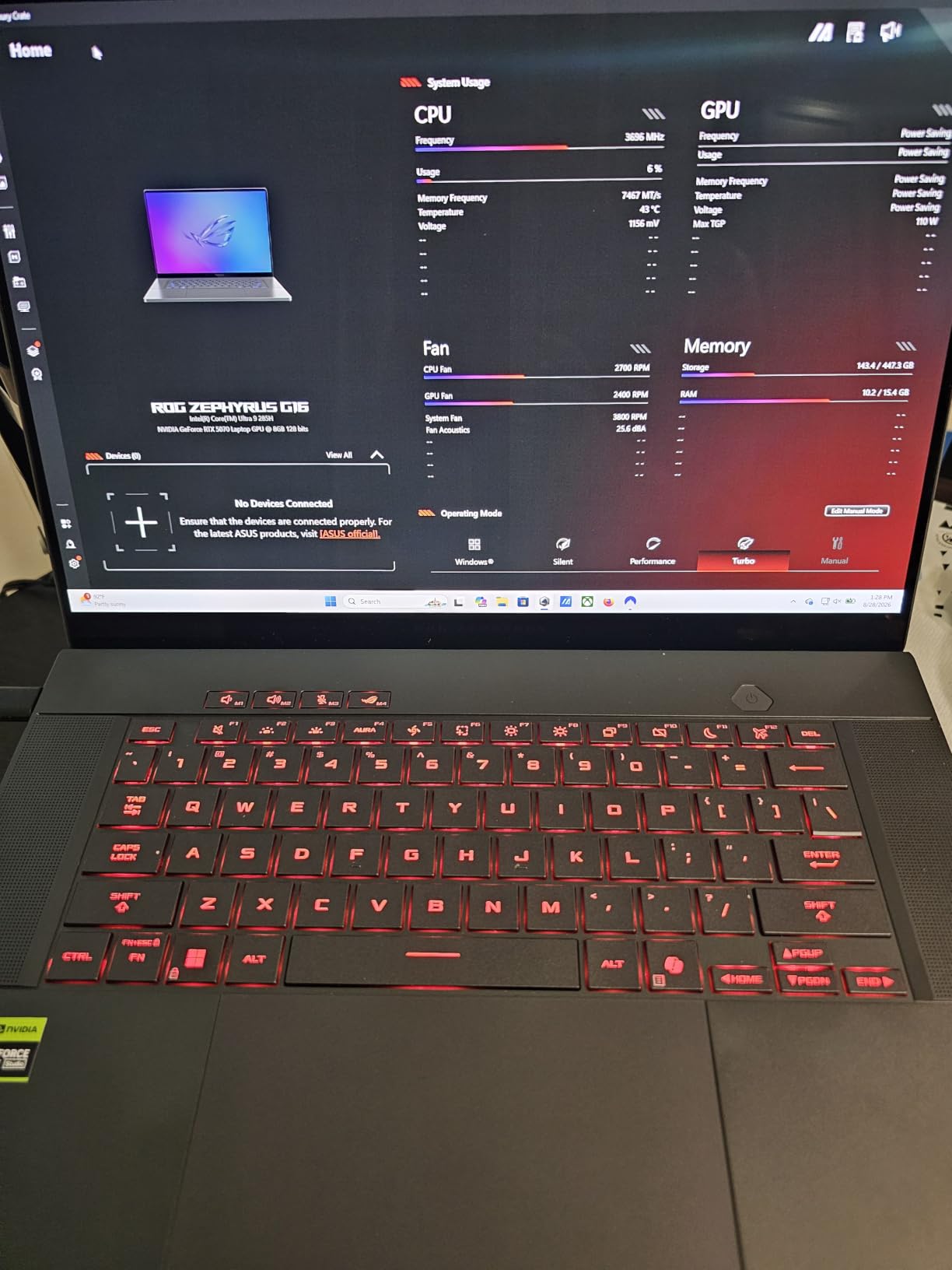
ASUS built something unusual here: a 16-inch gaming laptop at 0.59 inches thick and 4.08 pounds, with a 240Hz OLED panel and a 12GB RTX 5070 inside. The ROG Nebula display is rated at 500 nits with 0.2ms response, 100% DCI-P3 coverage, a Delta E under 1 color accuracy claim and VESA DisplayHDR True Black 500.
All eight reviews are five-star, which is an encouraging signal, though a sample that small tells you very little about thermals after six months. The clearest practical constraints are storage and memory, and they are worth reading twice before you buy.
Panel Accuracy and the Delta E Claim
A Delta E under 1 means the panel is factory-calibrated closer to the reference than most laptop screens achieve, which matters if you edit photos or grade video. Paired with 100% DCI-P3 coverage, it is the only 240Hz panel here that states a color accuracy target alongside its gamut.
NVIDIA G-SYNC support is included, and paired with the 240Hz refresh it makes variable refresh rate behave the way it should. For competitive play, that pairing is what separates a good 240Hz laptop from a merely fast one.
Performance and What the Battery Buys You
The Ultra 9 285H with RTX 5070 12GB handles gaming, creative work and streaming, and the 12GB of GDDR7 gives it room at 2560 x 1600. ROG Intelligent Cooling uses liquid metal on the CPU with Tri-Fan Technology and second-generation Arc Flow fans, plus a 0dB ambient mode that keeps the machine silent at idle.
The 90Wh battery with fast charging is one of the larger cells in the roundup, and it is what makes a 4.08-pound 16-inch machine plausible as a travel device. There is not yet enough owner history here to report how that capacity holds up over time.
The Storage and Soldered Memory Problem
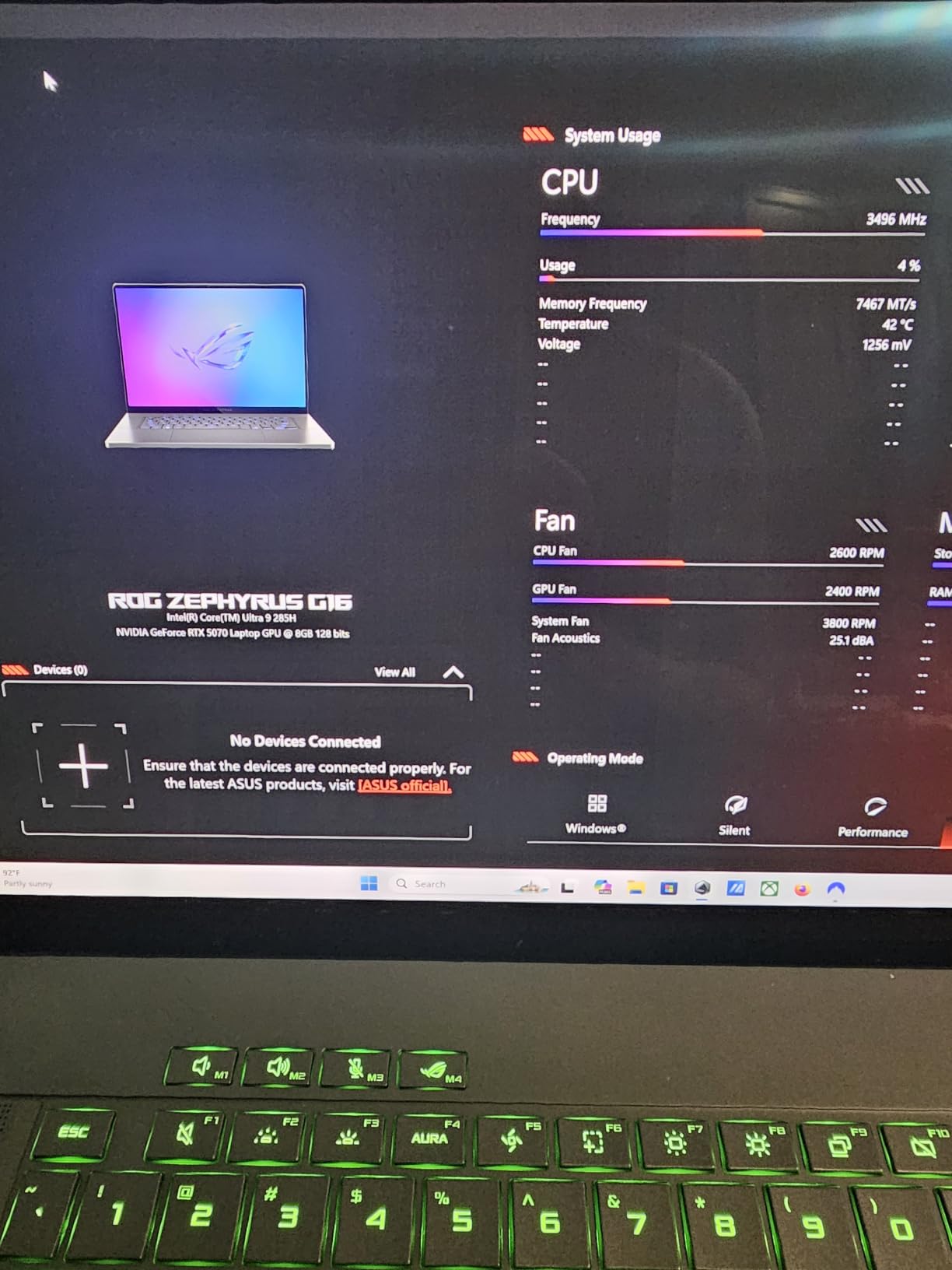
512GB is genuinely tight for a modern game library when several current titles install at 80GB or more. This listing has no larger storage option, so if you plan to keep more than a handful of games installed, budget for external storage from day one.
16GB of LPDDR5X is the maximum, and the specification lists 16GB as the ceiling. For a machine positioned against 32GB configurations at similar prices, that is a real gap. The memory and storage combination sits below what most of this roundup offers.
Who Should Buy and Who Should Skip It
Buy it if you want color accuracy, 240Hz motion and genuine portability in a 16-inch body. Skip it if you need 32GB of memory, a large internal SSD, or a long track record of owner reliability reports.
7. MSI Stealth A16 AI+ – The Best Balanced 240Hz OLED Configuration
msi Stealth A16 AI+ 16” 240Hz QHD+ OLED Gaming Laptop: AMD Ryzen 9 HX 370, NVIDIA Geforce RTX 5070Ti, 32GB DDR5, 2TB NVMe SSD, Wi-Fi 7, Win 11 Pro :Core Black A3XWHG-079US
16-inch QHD+ OLED at 2560×1600 and 240Hz
Ryzen AI 9 HX 370 with 50+ NPU TOPS
RTX 5070 Ti with 12GB GDDR7
32GB LPDDR5 at 7500 MHz, 2TB NVMe
+ Pros
- 240Hz QHD+ OLED pairs high refresh with high resolution
- 32GB LPDDR5 at 7500 MHz and a full 2TB NVMe SSD
- 50+ NPU TOPS for on-device AI workloads
- 4.6-pound chassis with a 99.99Wh battery
- Fingerprint reader plus face recognition for login security
– Cons
- 32GB LPDDR5 is soldered and cannot be upgraded
- Only 9 reviews is a very small owner sample
- 16-inch size disappoints buyers who wanted something more portable
- One buyer reported slow wireless performance and returned the unit
Take the specification sheet as a shopping list and this machine fills nearly every line. 32GB of LPDDR5 at 7500 MHz, a full 2TB NVMe drive, a 12GB RTX 5070 Ti and a 240Hz QHD+ OLED, in a 4.6-pound chassis with a 99.99Wh battery. The memory and storage pairing is among the most complete in this roundup.
The Ryzen AI 9 HX 370 adds over 50 NPU TOPS for on-device AI, which is meaningful on Windows machines that increasingly lean on local inference for background tasks. Security is handled with a fingerprint reader and face recognition, a combination only a few picks here offer.
Nine reviews averaging 4.7 stars, with 85 percent five-star ratings. Owners praise build quality, cooling, sound and raw gaming performance, including one report of 180 fps on epic settings with no overclocking.

Ryzen AI 9 HX 370 in a Gaming Build
The HX 370 is an efficiency-class part with 12 cores, and it delivers high frame rates because it rarely becomes the limiting factor when a discrete GPU is doing the rendering. The 50+ NPU TOPS figure is a real differentiator for local AI tasks rather than a marketing number with nothing behind it.
As one owner put it, the machine runs demanding titles at epic settings and high frame rates out of the box. That is the outcome you want from a 240Hz panel, which needs a GPU capable of feeding it.
Battery, Audio and Everyday Polish
The 99.99Wh battery is among the largest in this roundup, and at 4.6 pounds it does not make the machine feel like a desktop replacement. Audio is two 2W speakers with four 2W woofers, which is a step above the average laptop speaker pair.
Wi-Fi 7, Bluetooth 5.4, Ethernet, HDMI, Thunderbolt and three USB ports cover the practical connectivity needs for a mixed work-and-play machine. A backlit keyboard and numeric keypad are standard, which matters if you type numbers.
Soldered Memory and the Glossy Panel
32GB of LPDDR5 is soldered, so 32GB is the ceiling for the life of the machine. At 7500 MHz the speed is among the fastest here, but the capacity decision is made for you at the point of sale.
The panel is specified as glossy, so expect reflections in bright environments. In exchange you get a 240Hz ceiling and a resolution that makes 2560 x 1600 titles look sharp, with the same self-emissive contrast that makes dark scenes read properly.
Who Should Buy and Who Should Skip It
Buy it if you want a complete specification sheet without hunting for upgradeable parts. Skip it if you need more than 32GB eventually, want a smaller screen, or are sensitive to glossy reflections in a bright workspace.
8. ASUS ROG Zephyrus G14 – The Best 14-Inch OLED Gaming Laptop
ASUS ROG Zephyrus G14 14″ 3K OLED 120Hz Gaming Laptop Copilot+ PC AMD Ryzen AI 9 HX 370 RTX 5080 32GB RAM 2TB SSD Platinum White
14-inch 3K Nebula OLED at 2880×1800, 120Hz, 0.2ms
RTX 5080 Laptop GPU with 8GB GDDR7
Ryzen AI 9 HX 370 with 12 cores
32GB LPDDR5X, 2TB SSD, 0.63 inches thick
+ Pros
- 3K 2880×1800 Nebula OLED with 0.2ms response and G-SYNC
- Only 0.63 inches thick among the most portable high-end gaming laptops
- RTX 5080 Laptop GPU with DLSS 4 and ray tracing
- 32GB LPDDR5X at up to 8000 MHz and a 2TB SSD
- Premium CNC aluminum chassis with a UHS-II MicroSD reader
– Cons
- 120Hz refresh is the lowest in the roundup and well below the 240Hz alternatives
- 8GB of GDDR7 is thin for an RTX 5080 driving a 3K panel
- Listing weight of 9 pounds conflicts with the ultra-portable positioning
- 32GB LPDDR5X is soldered
This is the pick for anyone who refuses to give up a high-end GPU but needs a laptop rather than a desktop. A 14-inch 3K ROG Nebula OLED at 2880×1800 with 0.2ms response and G-SYNC, an RTX 5080 Laptop GPU, and a chassis that measures 0.63 inches thick. Very few gaming laptops put desktop-class hardware into that little a body.
The 32GB of LPDDR5X runs at up to 8000 MHz, the fastest memory in the group, and the 2TB PCIe 4.0 drive is generous. Premium CNC aluminum construction, USB-C, HDMI 2.1, a UHS-II MicroSD reader and Wi-Fi 7 complete a mature port selection.
Seven reviews at 4.6 stars, split between five and four stars with no critical reviews recorded. The enthusiasm for the 3K panel in a thin chassis is consistent across them, tempered by mild reservations.
Why 3K at 120Hz Is a Deliberate Compromise
Driving 2880×1800 at high refresh rates is demanding, and 120Hz is the compromise that keeps thermals and battery sane in a 14-inch body. The response time of 0.2ms means motion clarity is excellent even at the lower refresh ceiling, which is the OLED advantage doing the work here.
The risk is that 8GB of GDDR7 is thin for pushing this many pixels. At 3K resolution with high texture settings, the VRAM pool becomes the limiting factor well before the GPU compute does, and you will lean on DLSS 4 upscaling to hold frame rates.
Ryzen AI 9 HX 370 and the Copilot+ Angle
The same 12-core, 50 TOPS processor appears here as in the MSI Stealth, and it is well suited to a thin chassis because it runs cool. For gaming, the discrete GPU does the work; for productivity, the NPU keeps background AI tasks off the main CPU.
Windows 11 Home with Copilot+ AI acceleration is included, which is the practical reason to choose this generation over a similarly priced last-year model with a slower NPU.
Portability Reality and the Weight Discrepancy
At 0.63 inches the G14 is one of the thinnest high-end gaming laptops we covered, and our thin and light gaming laptop roundup treats this class in more depth. The 80Wh battery is reasonable for the power draw.
One detail to check: the listing weight field states 9 pounds, which conflicts with the ultra-portable positioning in the marketing. Verify the real carry weight before you commit, because the difference between a 3-pound laptop and a 9-pound one is the entire premise of this class.
Who Should Buy and Who Should Skip It
Buy it if portability and a flagship GPU matter more than raw refresh rate. Skip it if you play competitively and need 240Hz, or if you intend to run demanding 3K titles at maximum texture settings without upscaling.
9. MSI Stealth 16 AI+ Core Ultra 9 386H – 16GB of VRAM for Headset Gaming
msi Stealth 16 AI+ 16” 240Hz QHD+ OLED Gaming Laptop: Intel Core Ultra 9 386H, NVIDIA Geforce RTX 5070Ti, 32GB DDR5, 1TB NVMe SSD, Wi-Fi 7, Win 11 Home: Charcoal Black B3WH-036US
16-inch QHD+ OLED at 2560×1600 and 240Hz
RTX 5070 Ti with 16GB GDDR7
Core Ultra 9 386H up to 4.9 GHz
32GB DDR5, 1TB NVMe, 4.4 pounds
+ Pros
- 16GB of GDDR7 is the largest laptop VRAM allocation here
- 240Hz QHD+ OLED with a competitive refresh ceiling
- 32GB DDR5 and a 1TB NVMe SSD
- Light 4.4-pound chassis with a 99.99Wh battery
- Two Thunderbolt ports plus Wi-Fi 7 and Bluetooth 6
– Cons
- 1TB SSD is small at this tier
- Lowest average rating among the ten picks
- 32GB DDR5 is soldered
- Core Ultra 9 386H is a lower-power efficiency part
- 5600 MHz memory is modest against faster configurations
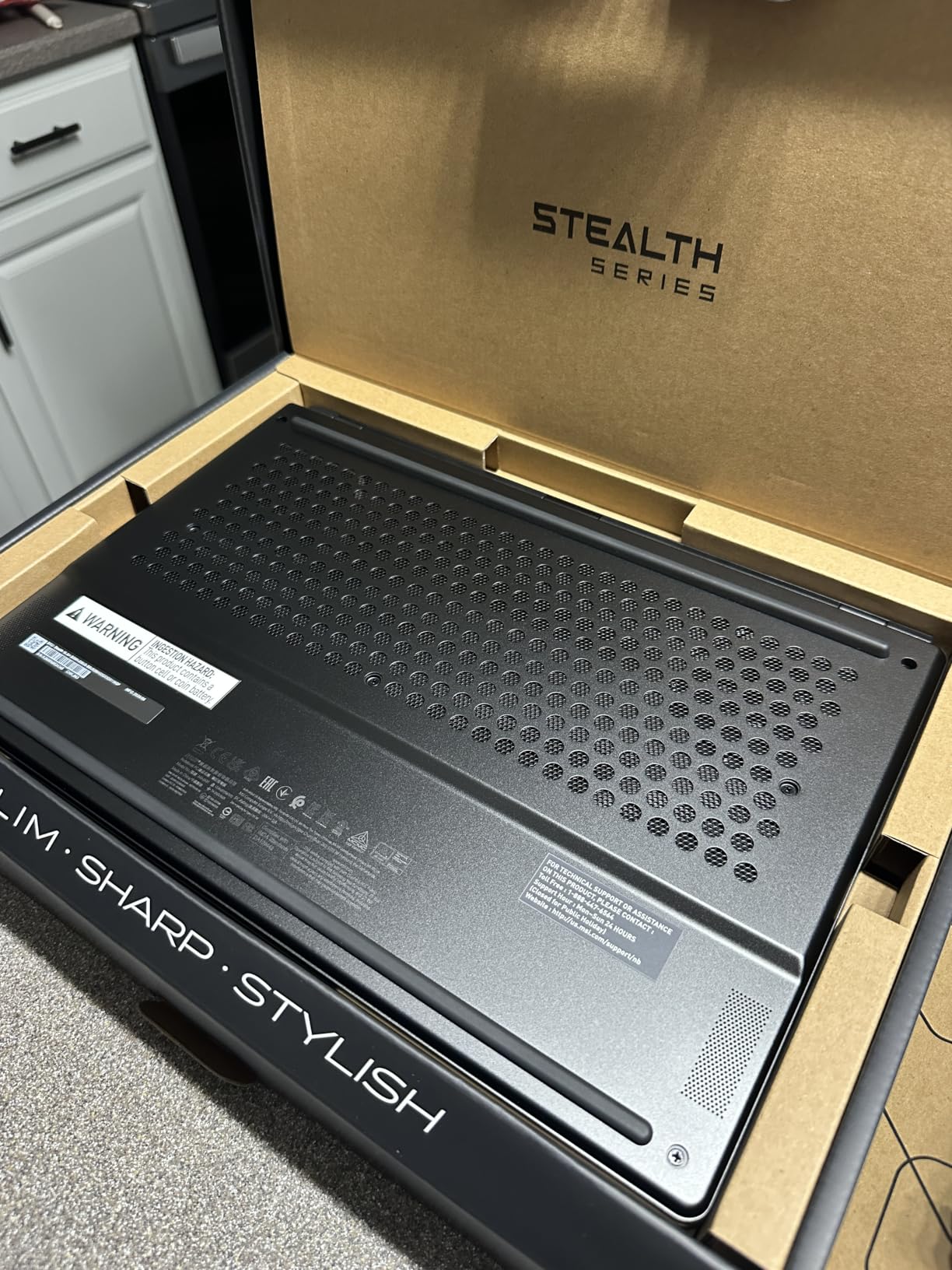
The reason this machine is on the list is one number: 16GB of GDDR7 VRAM, paired here with a 5070 Ti rather than the 5080 that carries the same allocation in the AORUS. For VR headset driving, high-resolution texture packs and future titles, that headroom is the difference between running and not running.
Everything else is respectable. A 240Hz QHD+ OLED panel, 32GB of DDR5, a 1TB NVMe drive, a 4.4-pound chassis and a 99.99Wh battery, plus two Thunderbolt ports and VR-Ready support. The audio is two 2W speakers with two 2W woofers.
It also carries the lowest average rating among the ten picks at 4.1 stars, with 59 percent five-star but 22 percent two-star ratings. That spread suggests inconsistent experiences rather than broad dislike, but six reviews is too small a sample to characterize the cause honestly.
Why 16GB of VRAM Changes What You Can Play
At 8GB, high-resolution texture packs and 4K assets start streaming visibly at 2560 x 1600. At 16GB, those same assets stay resident. For VR, where each eye renders a separate view at high frame rates, that headroom is what keeps motion smooth.
DLSS 4 and VR-Ready support round out the platform. If your interest in the extra VRAM is headset gaming, this is the only pick here built to serve it.
The Efficiency-Focused CPU Tradeoff
The Core Ultra 9 386H tops out at 4.9 GHz, below the 5.8 GHz i9 in this roundup, and it is a lower-power part rather than a full HX-class chip. In exchange you get cooler operation and better battery life from the same 99.99Wh cell.
For gaming, the GPU is the bottleneck anyway, so the CPU choice rarely shows up in frame rates. It shows up in rendering and compiling time, where the faster HX parts pull ahead.
Where the Configuration Falls Short
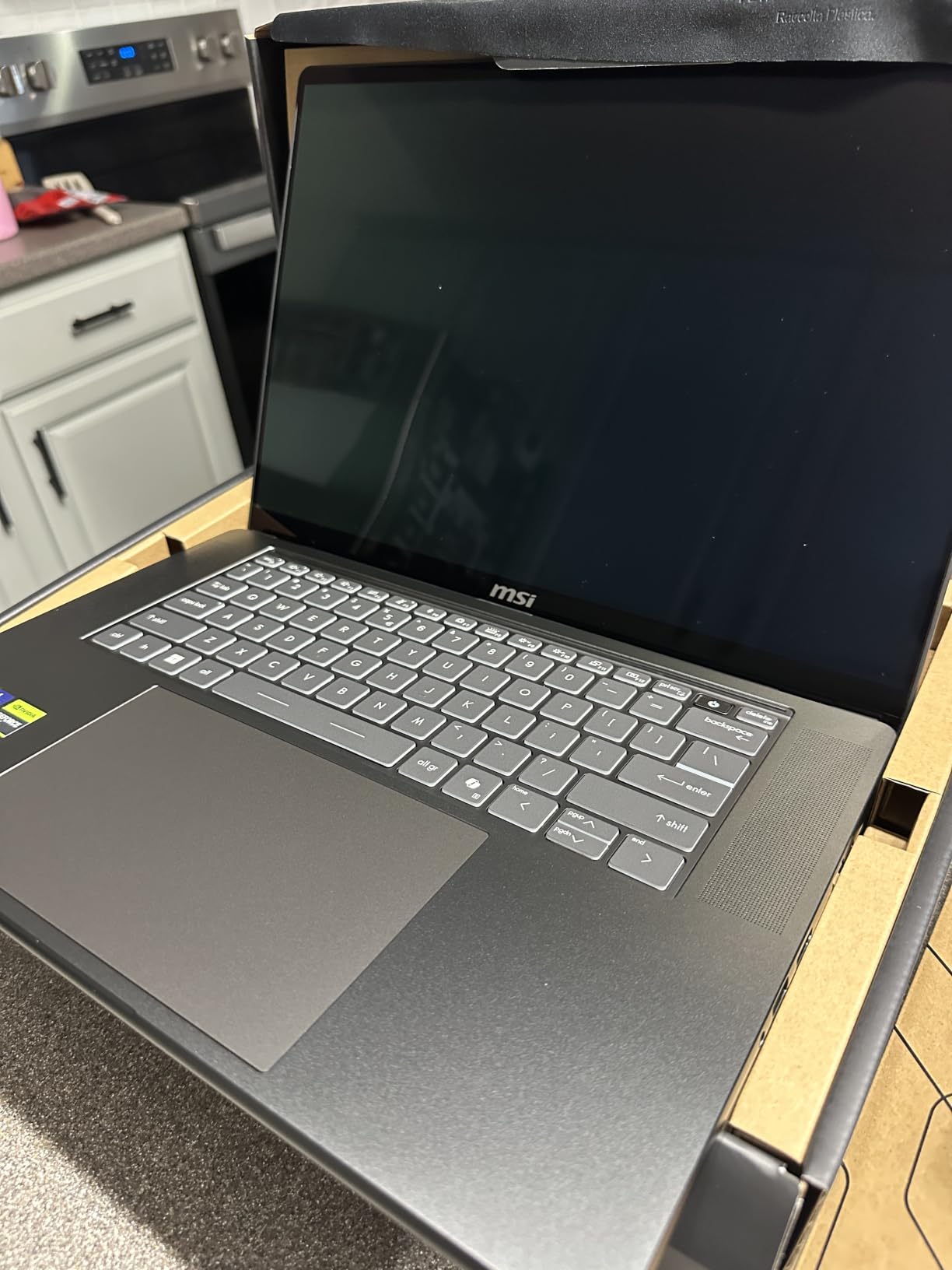
1TB of storage is small at this tier, particularly because the AMD sibling in the same line ships with 2TB. Memory is soldered at 32GB and runs at 5600 MHz, which is the slowest memory speed among the 32GB configurations here.
The wide rating spread deserves attention. When a machine with a strong specification sheet collects 22 percent two-star ratings, there is usually a specific failure mode worth identifying in reviews before you buy, and the sample here is too thin to name it confidently.
Who Should Buy and Who Should Skip It
Buy it if you drive a VR headset or need maximum texture headroom at 2560 x 1600. Skip it if you want a strong, consistent owner record, more than 1TB of storage, or a high-refresh panel with a better-reviewed machine behind it.
10. HP HyperX OMEN 16 – An Anti-Glare OLED for Bright Rooms
HP HyperX OMEN 16 AMD Ryzen 9 9955HX RTX 5070 OLED 2.5K Gaming Laptop (32GB RAM | 2TB SSD)
16-inch 2.5K OLED at 165Hz with anti-glare finish
Ryzen 9 9955HX with 16 cores and 32 threads
RTX 5070 with 8GB GDDR7
32GB RAM and 2TB SSD per listing
+ Pros
- Anti-glare OLED finish
- unusual in this category
- Ryzen 9 9955HX with 16 cores
- 32 threads and 64MB L3 cache
- RTX 5070 with DLSS and ray tracing support
- Full port selection with three USB-A
- USB-C
- HDMI and RJ-45
- Backlit keyboard with numeric keypad
– Cons
- Listing spec fields contradict the title
- reporting 1GB installed RAM and a 2GB drive
- Only 3 hours of rated battery life on a 70Wh cell
- 165Hz refresh is below the 240Hz alternatives
- 1.18-inch thick chassis is heavy
- Only 2 reviews
Most of the OLED panels in this list are glossy, which means most of them reflect your room back at you. This one is specified differently: a 16-inch 2.5K WQXGA OLED at 165Hz with an anti-glare coating. If you work in a bright room or travel regularly, that single specification removes the most common objection to OLED ownership.
The internals are modern and capable. The Ryzen 9 9955HX offers 16 cores and 32 threads on Zen 5 with 16MB of L2 and 64MB of L3 cache, driving a GeForce RTX 5070 with 8GB of GDDR7, DLSS and ray tracing. OMEN Tempest Cooling with self-cleaning technology handles sustained loads.
There is a significant catch, and you need to read it before ordering. The structured specification fields report 1GB of installed memory out of a 64GB maximum across two slots at 4800 MHz, and a 2GB hard drive, while the title claims 32GB of RAM and a 2TB SSD. Verify the exact configuration with the seller before purchase.
Why Anti-Glare Changes the Ownership Experience
Glossy panels look superb in dim rooms and become frustrating in bright ones, where overhead lighting and windows create reflections that no amount of brightness fully overcomes. An anti-glare coating diffuses that reflection across the panel instead.
The tradeoff is that anti-glare reduces perceived contrast and can introduce a faint haze compared with a glossy coating. Owners who switch from glossy to matte almost always stop noticing it, and owners who try matte and return to glossy usually notice the haze immediately. This is the most personal preference in the entire roundup.
Processor Strength and Its Limits
The Ryzen 9 9955HX is a strong gaming processor, and 64MB of L3 cache helps in cache-sensitive titles. Sixteen cores and 32 threads also make this a credible machine for 3D rendering and video editing alongside gaming, which owners cite as a use case.
Memory speed of 4800 MHz is modest against the faster DDR5 configurations in this roundup, though with 32GB installed across two slots the capacity matters more than the speed for most workloads. The real constraint is the listing inconsistency described above.
Battery Life and Chassis Bulk
Three hours of rated battery life on a 70Wh cell is the weakest endurance figure here, and combined with a 165Hz high-resolution OLED it makes this a desk-first machine. Compare that with the 90Wh and 99.99Wh cells in the MSI and Zephyrus configurations, and note that the 1.18-inch chassis is thicker than the 0.6- to 0.8-inch designs on most rivals. OMEN builds also carry a visual weight that the anti-glare panel does not offset. If you want a matte panel, this is the one; if you want a slim matte panel, the honest answer is that it does not yet exist in this class.
Who Should Buy and Who Should Skip It
Buy it if reflections are a dealbreaker and you want the Ryzen 9 9955HX platform. Skip it if you need battery life, a thin chassis, more than 165Hz, or confidence in the memory and storage configuration without verifying it first.
Is OLED Worth It on a Gaming Laptop?
Yes, for most gamers it is. OLED delivers perfect blacks, near-instant pixel response that eliminates motion smearing, and genuine HDR highlights that an IPS panel cannot reproduce. The cost is a glossy surface, PWM dimming sensitivity for some people, and a small non-zero burn-in risk that grows with static on-screen elements. If you play in a dim room, care about motion clarity, and watch HDR content, the upgrade is real and immediately visible.
The people who should skip OLED are specific. If you are terrified of permanent image retention, if you work in a brightly lit office and need a matte panel, or if you are sensitive to flicker from pulse-width modulation at low brightness, an IPS or mini-LED screen will serve you better without any compromises. That is not a compromise answer; it is the correct answer for those three situations.
What to Look for in an OLED Gaming Laptop
Peak brightness in nits is the first number to check, because it determines whether the screen works outside a dark room. Anything at 500 nits or above is usable in ordinary indoor lighting. Below that, you are buying a screen that looks dim beside a window, and the “OLED looks washed out” complaint applies.
Refresh rate comes next. Five of the ten machines here run at 240Hz, and the higher ceiling is what separates a competitive panel from a merely good one in fast titles.
Then check three things people routinely miss. Glossy versus anti-glare coating decides whether you will be annoyed by reflections. Color gamut coverage of 100% DCI-P3 with a Delta E under 1 matters if you edit video. And VRAM is the one specification you cannot fix later, so a 12GB or 16GB allocation buys you years of headroom that 8GB does not.
OLED vs IPS vs Mini-LED: Which Panel Should You Buy?
OLED wins on contrast, response time and true black, and it is the only option that makes dark scenes look genuinely dark. IPS wins on brightness consistency, matte coating availability and price, and its response times are slower enough that fast motion shows smearing. Mini-LED sits between them with very high brightness for HDR but keeps a backlight, so blacks are dark grey rather than true black.
For a gaming laptop specifically, the practical rule is straightforward. Play in a dim room and value image quality, take OLED. Play in a bright room or work during the day on the same screen, take IPS. Watch a lot of HDR film on a fixed desk and want very high peak brightness without OLED burn-in concerns, consider mini-LED.
Is OLED 165Hz Better Than IPS 240Hz?
For competitive shooters, no: the extra frames from a 240Hz IPS panel matter more there, and competitive players consistently choose refresh rate over panel type. For single-player, cinematic and strategy games, yes: the OLED contrast and response time are more visible in normal play than the extra frames would be. This is the exact tradeoff the 165Hz models in this list ask you to make.
OLED Burn-In, PWM Dimming and Glossy Screens: What Owners Report
Burn-in fear is the biggest objection to OLED, and the community consensus is that the risk scales with static content rather than with hours alone. Some owners report well over 20,000 hours on a gaming panel with no burn-in, while others report early image retention that dims slightly after a cleaning cycle. The difference between those two outcomes is usually how the screen is used.
Image retention is not burn-in. Retention is temporary and reversible, often cleared by a full pixel refresh cycle or by showing bright content for a few minutes. Owners generally treat mild retention as an acceptable annoyance; true burn-in is permanent dimming of organic material and is far rarer.
Mitigations are simple and worth applying on day one. Disable the flashing taskbar animation in Windows, switch to dark mode, use a short screensaver timeout, and avoid leaving the same game running with a static HUD for ten hours a day. The high-risk pattern is an identical interface on screen for very long periods, not gaming itself.
PWM dimming is the lesser-known issue. Many OLED panels dim brightness by pulsing the backlight equivalent rapidly, and flicker-sensitive users report eye strain and headaches from low-brightness settings. If you have migraine sensitivity, test a panel in a store at low brightness before committing.
Glossy coatings generate the third complaint. In dim rooms they look fantastic. In bright rooms, or on a train, the reflections can be distracting enough that some owners move to an external display instead. If that sounds familiar, the HP HyperX OMEN 16 with its anti-glare panel is the one option in this list that addresses it.
OLED Gaming Laptops to Avoid and the Monitor Alternative
Avoid OLED gaming laptops with low-wattage GPUs, because a weak GPU cannot feed a high-refresh panel and you end up paying for a screen the hardware cannot use. Also be cautious with listings where the structured specifications contradict the marketing title, as we saw with the HP OMEN 16, and with any machine whose refresh rate and coating are not stated explicitly.
Be careful buying used or refurbished OLED panels. There is no reliable way for a private seller to demonstrate that a panel has not developed retention, and a used panel that has been run at high brightness for years carries risk you cannot evaluate. For a used OLED gaming laptop, prefer a machine where you can test a full screen of varied content immediately.
There is also a smarter option for some buyers: a midrange IPS gaming laptop paired with a separate OLED desktop monitor. Our best OLED gaming monitors cover the displays side, and this route gives you a better panel for your money plus a brighter, longer-lasting laptop screen. You give up gaming on the laptop display, which is why it suits desk-bound players more than commuters.
Frequently Asked Questions
Is there any gaming laptop with an OLED display?
Yes. Most major gaming laptop lines now ship OLED options, including the Lenovo Legion Pro 5i Gen 10, ASUS ROG Zephyrus G14 and G16, MSI Stealth 16 AI+, Acer Predator Helios Neo 16S AI, GIGABYTE AORUS Master 16 and HP OMEN 16. Panels commonly run at 165Hz or 240Hz at 2560 x 1600 resolution.
Is OLED worth it on a gaming laptop?
Yes, for most gamers. OLED gives perfect blacks, near-instant pixel response that removes motion smearing, and genuine HDR highlights an IPS panel cannot match. The tradeoffs are a glossy surface, PWM dimming sensitivity for some people, and a small burn-in risk that grows with static on-screen elements. Buy it if you game in a dim room and value image quality.
Which laptop has the best OLED display?
In this roundup the GIGABYTE AORUS Master 16 Gen 2 has the brightest panel, reaching up to 1000 nits with VESA DisplayHDR True Black 1000 certification and 100% DCI-P3 coverage. The Acer Predator Helios Neo 16S AI and ASUS ROG Zephyrus G16 both offer 240Hz panels, and the Zephyrus G16 claims Delta E under 1 color accuracy.
What laptop to stay away from?
Avoid OLED gaming laptops paired with low-wattage GPUs that cannot feed the panel, listings whose specification fields contradict the marketing title, and any machine that does not state its refresh rate and coating clearly. Avoid used or refurbished OLED panels unless you can immediately test for image retention across a full screen of varied content.
How long can I expect an OLED screen to last on a laptop?
It depends far more on usage pattern than on hours. Some owners report well over 20,000 hours on a gaming panel with no burn-in, while others see early image retention that clears after a pixel refresh. The highest-risk pattern is the same game with the same HUD and taskbar on screen for ten or more hours a day.
Is OLED better than IPS for gaming?
OLED is better for image quality, contrast and motion clarity, while IPS is better for matte coatings, brightness consistency and price. For competitive shooters a 240Hz IPS panel can beat a 165Hz OLED because extra frames matter more there. For single-player and cinematic games, the OLED contrast and response time are the more visible upgrade.
Which OLED Gaming Laptop Should You Buy?
If you want the most proven machine with a bright panel and the most VRAM, the Lenovo Legion Pro 5i Gen 10 is the choice. If you carry your laptop daily and want the best balance of weight, brightness and upgradability, take the Lenovo Legion 5i. If raw CPU power and 32GB of memory as standard matter most, the Legion 5 15IRX10 delivers that in a 4.19 pound body.
For competitive 240Hz play, look at the Acer Predator Helios Neo 16S AI, and accept its battery life as the cost. For maximum HDR brightness and GPU power, look at the GIGABYTE AORUS Master 16 Gen 2, with the caveat that its owner history is thin. For a slim 16-inch with color-accurate 240Hz, the ASUS ROG Zephyrus G16 wins on design but gives up 32GB of memory. The MSI Stealth A16 AI+ has the most complete specification sheet, and its Intel sibling is the cheaper route to 16GB of VRAM. The HP HyperX OMEN 16 is the answer if reflections are a dealbreaker and you verify the configuration first.
Whatever you choose, check the panel brightness, the VRAM and whether the memory is soldered before you click through. Those three specifications decide whether you are satisfied with the machine in a year. We update this guide as 2026 hardware cycles, so check back when new panels land.
Leave a Reply