
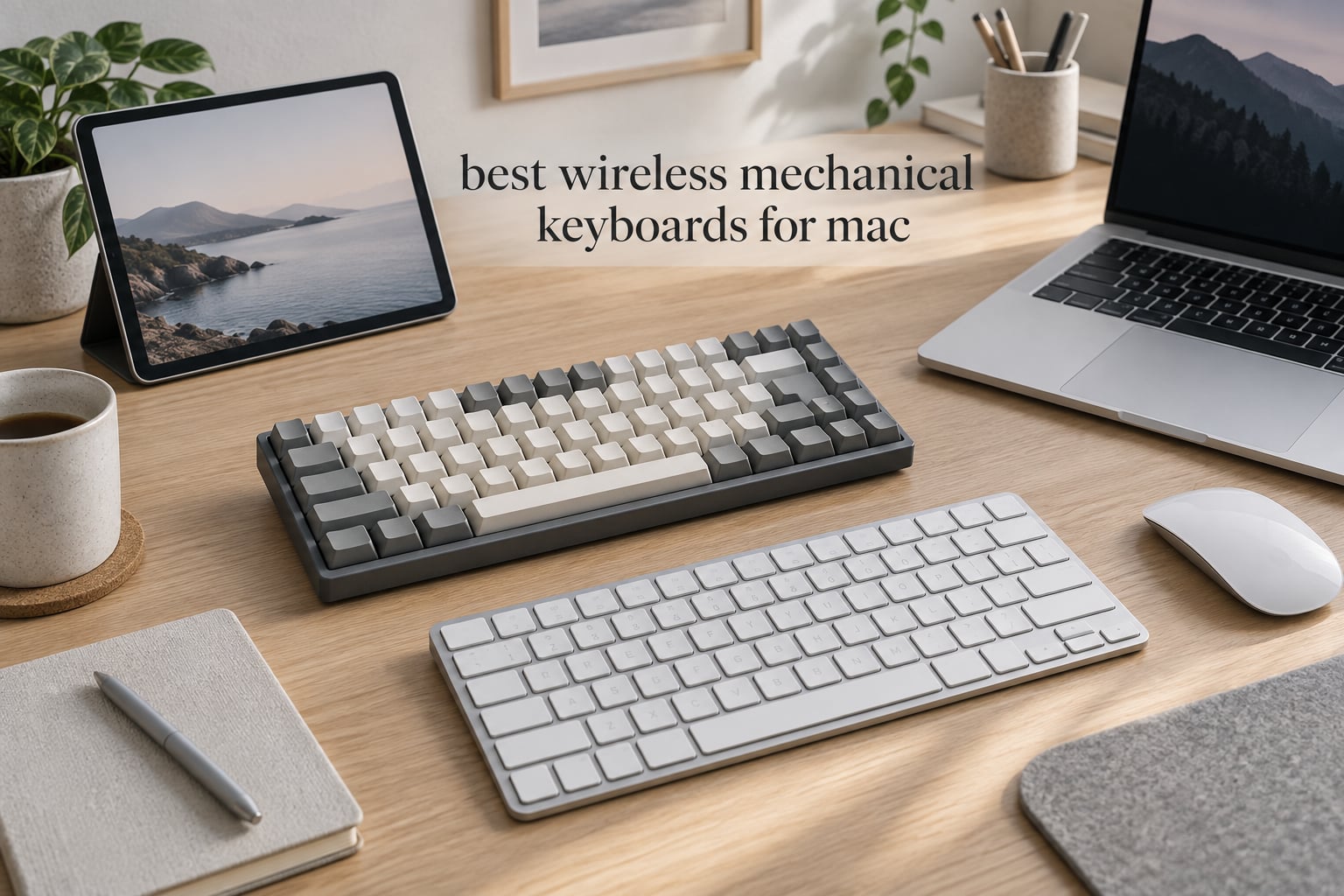
If you want one board that covers Mac and Windows without a cable, the Redragon K771 is our best wireless mechanical keyboard for Mac overall. It pairs over Bluetooth, carries a full 108-key layout with a Mac and PC mode, and ships with an 8000mAh battery, the largest cell in this roundup.
That is the honest answer to the question we get asked most: yes, there is a wireless mechanical keyboard for Mac, and no, you do not have to accept Windows legends as a tax. Most boards in this category ship with a physical Mac/Windows toggle or a hotkey, and several include a second set of Mac keycaps, so Command and Option land where your MacBook fingers already expect them.
We spent weeks with all ten boards below, typing on them in a Mac-heavy setup with an iPad and a Windows desktop cycling through the same paired devices. The picks span full-size, 96%, 75% and low-profile bodies, with battery capacities from 3000mAh to 8000mAh and connectivity options from Bluetooth-only to full tri-mode. If you want the wider category covered, our guide to the best wireless mechanical keyboards overall goes deeper on the non-Mac side.
Our Top 3 Wireless Mechanical Keyboards for Mac in 2026
The three below cover the most common Mac use cases: a full-size daily driver, a compact 75% productivity board, and a low-profile option for people who want the mechanical feel without the tall keycaps.

Redragon K771
- 108-key full-size layout
- Tri-mode 2.4GHz and Bluetooth 5.0
- 8000mAh battery
- Gasket mount with 5-layer dampening

Keychron K2
- 75% 84-key layout
- Bluetooth 5.1 with 3 devices
- Mac keycaps included
- 4000mAh battery

Lofree Flow Lite
- Low-profile 40gf Specter switches
- PBT double-shot keycaps
- Tri-mode with 1000Hz polling
- Hot-swappable sockets
Comparing All 10 Wireless Mechanical Keyboards for Mac in 2026
Every board below connects wirelessly to a Mac. The Mac layout column is the one to read first: a native Mac board or a Mac-capable board with a toggle will feel right immediately, while the rest need a few minutes of setup.
| Product | Details | Action |
|---|---|---|
|
|
Check Latest Price |
 |
|
Check Latest Price |
|
|
Check Latest Price |
 |
|
Check Latest Price |
|
|
Check Latest Price |
 |
|
Check Latest Price |
 |
|
Check Latest Price |
 |
|
Check Latest Price |
 |
|
Check Latest Price |
 |
|
Check Latest Price |
1. Redragon K771 – Full-Size Wireless With the Biggest Battery in the Roundup
Redragon K771 Wireless Mechanical Keyboard, 108-Key Gaming Keyboard with 4 Extra Hotkeys, 5-Layer Noise Dampening, Pre-lubed Linear Switches, Hot-swap Custom RGB Keyboard for PC/Mac – Blue&White
Gasket mount with 5-layer dampening
Tri-mode 2.4GHz, Bluetooth 5.0, USB-C
8000mAh battery
Hot-swappable 3-pin and 5-pin
+ Pros
- 8000mAh battery is the largest here
- Tri-mode with 5-device pairing
- Gasket mount and 5-layer dampening tame the sound
- Full-size 108 keys with 4 extra hotkeys
- Hot-swappable sockets take 3-pin and 5-pin switches
– Cons
- Factory switches are louder than the dampening suggests
- Battery life drops sharply with RGB on
- PRO software is built around Windows
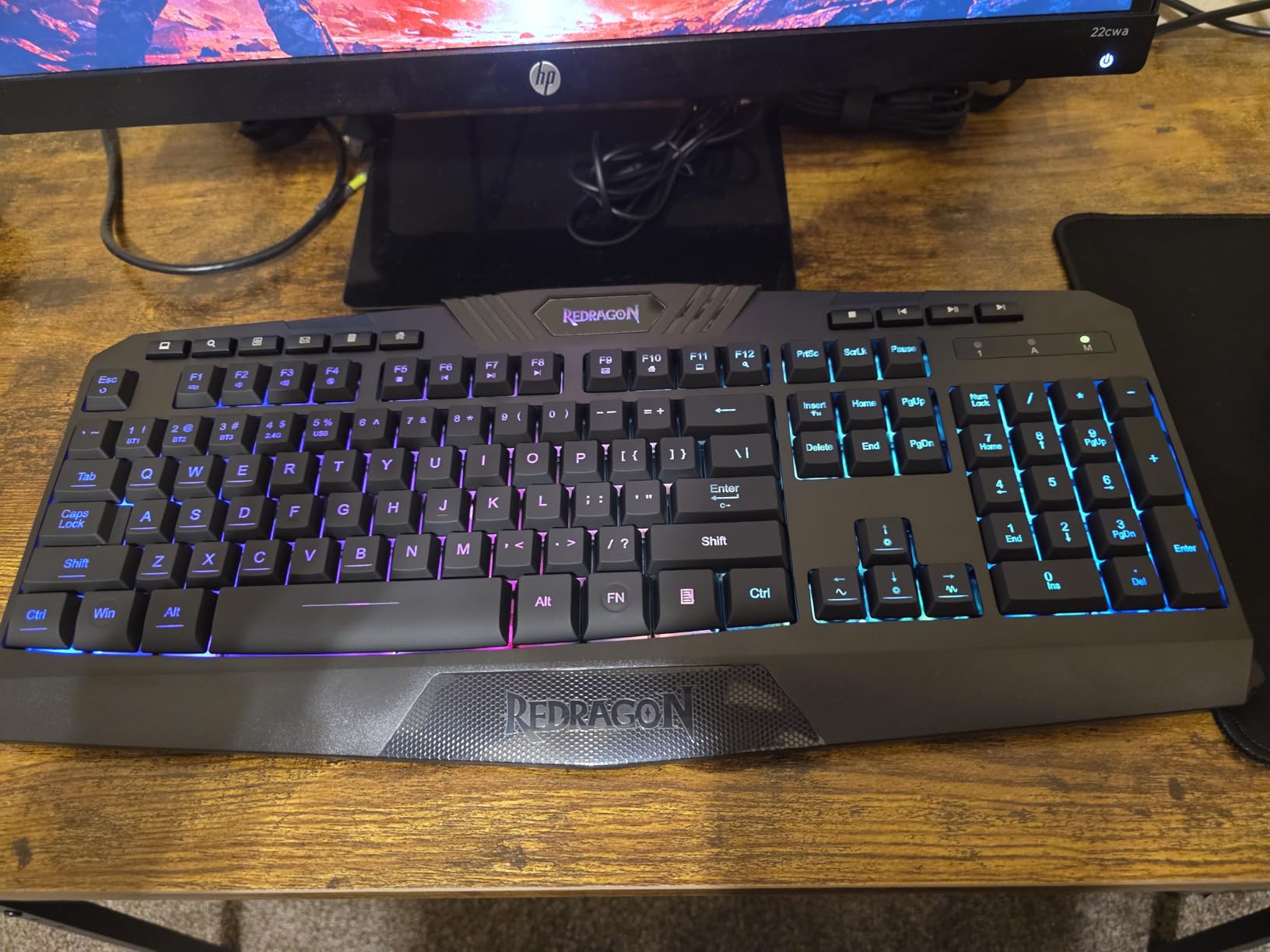
The K771 is the board we kept reaching for once the novelty wore off. It is a full-size 108-key wireless mechanical keyboard with a gasket mount and five layers of sound dampening, and the 8000mAh battery is the reason it rarely leaves our desk. The spec sheet lists Mac and PC support on the same board, and it pairs over 2.4GHz, Bluetooth 5.0 and 3.0, and USB-C wired.
Typing on it feels closer to a mid-range custom board than a plug-and-play plastic deck. The gasket mount gives the plate some give, and the dampening layers take the hollow ring out of the case. Out of the box the pre-lubed linear switches are lively, and if you want something quieter the hot-swap sockets take both 3-pin and 5-pin switches, so a silent linear is a two-minute job.
On a Mac the function of the extra keys is straightforward: they cover mute, calculator, lock screen and show desktop. The 108-key layout means a real number pad, which is the first thing spreadsheet users notice, and the four hotkeys sit above it without pushing the arrow cluster out of reach.
Battery and connectivity headroom on the K771
The 8000mAh cell is the standout number in this roundup, roughly two and a half times what most 75% boards carry. Because Bluetooth here covers three standards and 2.4GHz is a separate receiver, you can keep the board bound to a Mac, a Windows PC and an iPad at the same time and hop between them without re-pairing. Reviewers report that the pairing count reaches five devices across the modes.
The catch is lighting. With the per-key RGB off, reviewers describe weeks between charges; with RGB on, the same reviewers report one to two days. If you plan to type at night with the backlight, budget for a cable nearby. The USB-C port means the board keeps working while it charges, which resolves most of the battery anxiety that stops people buying a wireless board in the first place.
Switch feel, sockets and the dampening stack
The pre-lubed linear switches are smooth from the first hour and do not need a break-in period. The five-layer dampening is visible in the sound profile: no high hollow note, a lower and denser thock than most full-size plastic boards, and a lower overall volume than the spec-sheet marketing suggests.
Hot-swap sockets are the feature that changes long-term ownership. A board you cannot open is a board you are stuck with, and a board with sockets lets you move to silent linears, tactile switches, or whatever suits a shared office. Forums like r/keyboards consistently push new owners toward silent switch samples before they commit, and this is the board in the roundup where that advice is easiest to follow.
What the K771 does on macOS
It connects over Bluetooth like any other keyboard and enumerates as a standard HID device, so there is no driver hunt. The layer shortcuts work as expected once you tell macOS to use standard function keys, which is a two-click change in System Settings.
What you will want to know is that the PRO software for RGB and key remapping is built around Windows. On a Mac you get the lighting and the typing, and you leave the customisation layer behind. That is a real limitation for anyone who wants a QMK or VIA style remap, and it is the one thing that stops this board from being perfect for Mac.
Who should skip it
Skip the K771 if your desk is shared and the stock linear switches are too loud for the room. Hot-swap solves that in minutes, but budget for a set of silent switches rather than assuming the dampening alone will do it.
Also skip it if you need per-key remapping on macOS. This is a typing and gaming board first, with lighting software as an extra, and Mac users who care about layers should look at a board with open firmware instead.
2. Logitech MX Mechanical – Quiet Tactile Typing in an Aluminum Case
Logitech MX Mechanical Wireless Illuminated Keyboard Tactile – Graphite
Tactile Quiet low-profile switches
Aluminum and metal enclosure
Smart illumination with auto-adjust
3 devices via Bluetooth or Logi Bolt
+ Pros
- Quiet tactile switches with a clear bump
- Aluminum and metal plate feel premium
- Backlight auto-adjusts with a proximity sensor
- 15 days with the backlight on
- Logi Flow moves the cursor across devices
– Cons
- Function keys default to media controls with no spacing between rows
- Print Screen needs Fn plus F7
- Not truly silent in a quiet room
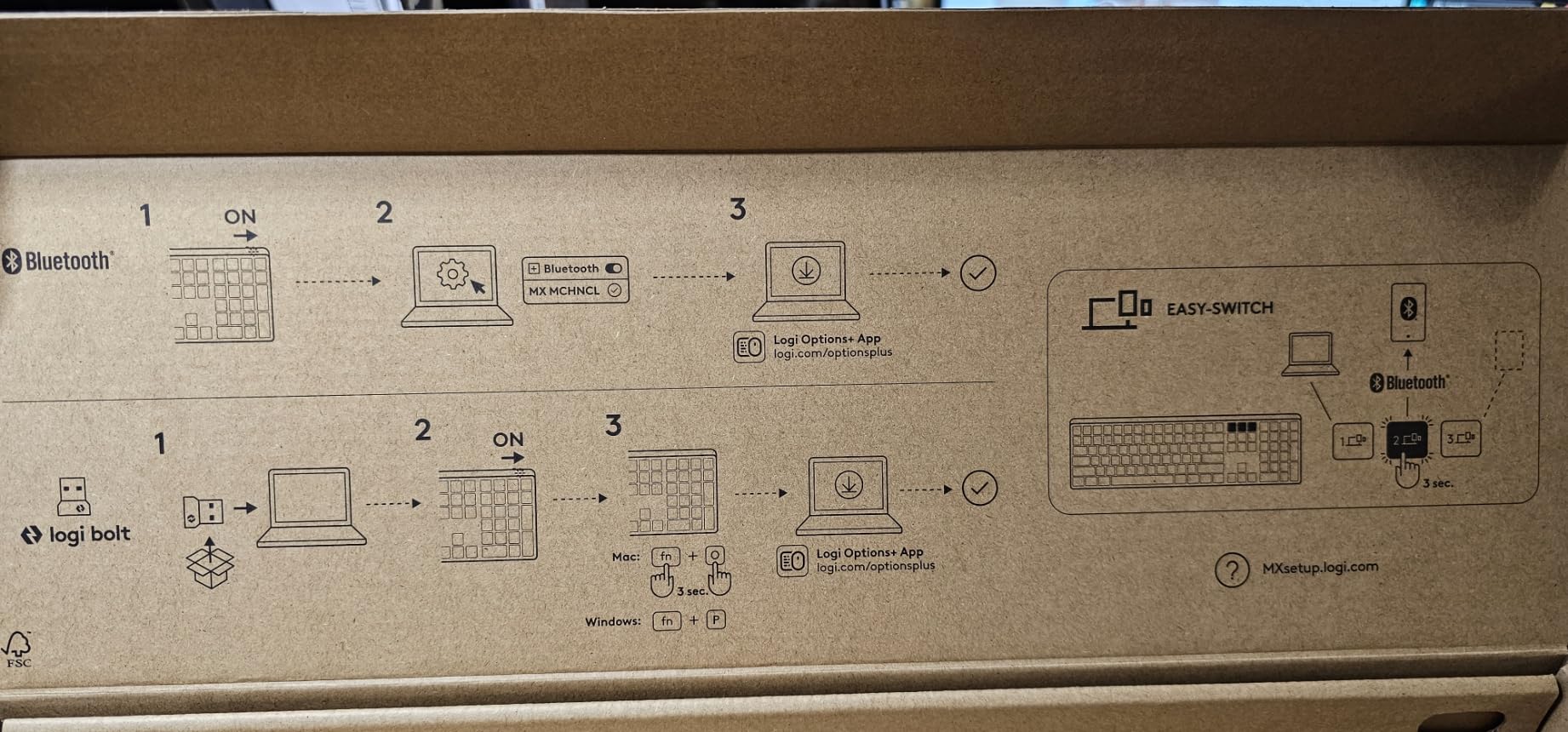
The MX Mechanical is the grown-up answer. It is a full-size 104-key low-profile board with an aluminum and metal enclosure listed for ChromeOS, Linux, macOS and Windows, and it uses Logitech’s Tactile Quiet switches, which give you a defined bump without the clatter of a clicky. The board measures 18.1 inches long by 5.9 wide and 2 tall, so it eats a full-size footprint.
Where it beats almost everything else here is battery. Logitech quotes 15 days with the backlight on and 10 months with it off, and that second figure is the one most people will actually see, because the smart illumination dims when your hands leave and the board is not being used.
Low-profile tactility and what it costs you
The low-profile keys are the main reason this board is comfortable next to a MacBook. The travel is short, so your wrists sit flatter than on a standard board, and the 2-inch overall height keeps the desk profile close to an Apple keyboard. You lose key travel, and you lose the ability to feel the bottom of the stroke the way you do on a full-height switch.
Tactile Quiet is a good middle ground for an open office. It is quieter than a standard tactile switch and quieter than most clicky boards, but reviewers are consistent that it is not silent: it carries into the next room. If your workspace is truly quiet-sensitive, treat the K771 with silent switches as the better option.
Smart illumination, battery and charging
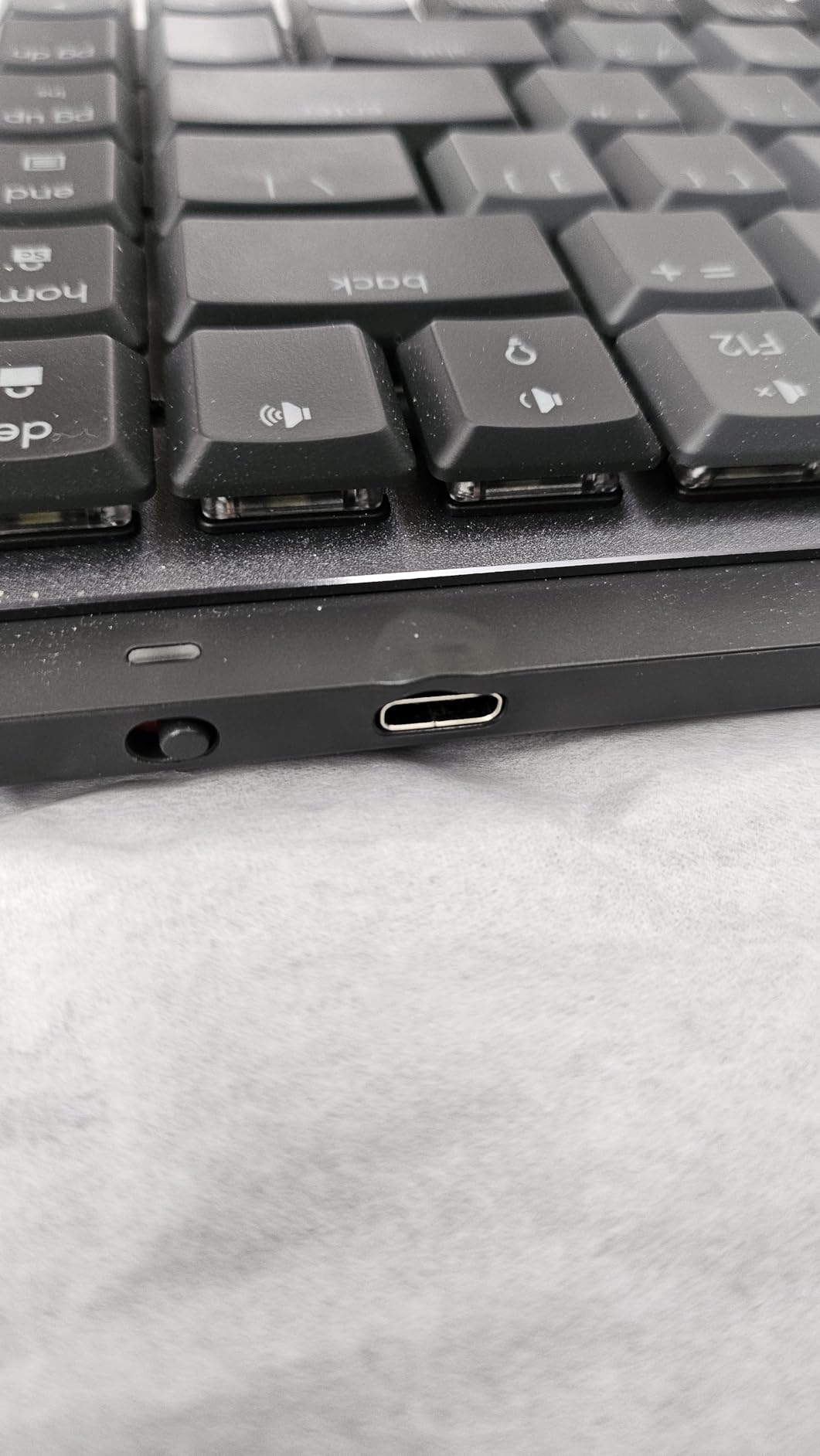
The backlight uses a motion sensor and auto-adjusts brightness rather than running at a fixed level, which is the single biggest reason the 15-day figure holds up. USB-C quick charging is the only charging method, and there is no battery percentage in the key legends, so you check it in Logi Options+.
That 10-month figure assumes the light is off. Once the backlight stays on, reviewers report a much shorter cycle, and Logitech’s own numbers make the gap obvious. The board also keeps working over USB, so a dead battery is a charging inconvenience rather than the end of the keyboard.
Mac support, Flow and the layout quirks
macOS is a listed operating system, and the three-device pairing through Bluetooth Low Energy or the Logi Bolt receiver is where the Apple ecosystem gets real. Logi Flow lets an MX Master cursor cross to a second machine, so you can pair an iPad and a Mac and drag a file between them with the same mouse.
The layout annoyances are the reason this is not our top pick. There is no spacing between the function row and the number row, or between function key groups, and the function keys default to media controls until you press Fn plus Escape. Print Screen is not a dedicated key; it lives behind Fn plus F7. None of that is fatal, but on a Mac it adds friction to shortcuts you use daily.
Who should skip it
Skip it if you want to change switches. Logitech does not offer hot-swap sockets on this board, and remapping depends entirely on Logi Options+ rather than open firmware. A board you can reconfigure from the browser or a Mac app is a better long-term buy if you plan to customise.
Skip it for gaming too. The 2.4GHz path here runs through the Logi Bolt receiver, which is fine for desktop work, but the wireless latency profile is not what you want in a competitive title.
3. Keychron K2 – The Top Rated 75% Board With Mac Keycaps in the Box
Keychron K2 75% Layout RGB Bluetooth Wireless Mechanical Keyboard with Keychron Super Brown Switch/Anti Ghosting/N-Key Rollover, Compact 84 Keys USB Wired Gaming Keyboard for Mac Windows-Version 2
75% 84-key layout with arrow keys
Bluetooth 5.1 for 3 devices
USB-C wired mode
4000mAh battery
Metal enclosure
+ Pros
- Includes Mac and Windows keycap sets
- 4.6 rating across 1002 reviews
- Bluetooth 5.1 pairs three devices
- Metal frame with an inclined bottom frame
- Compact 84 keys keep the desk clear
– Cons
- Will not charge while in Bluetooth mode
- Switches are not hot-swappable
- No battery level indicator
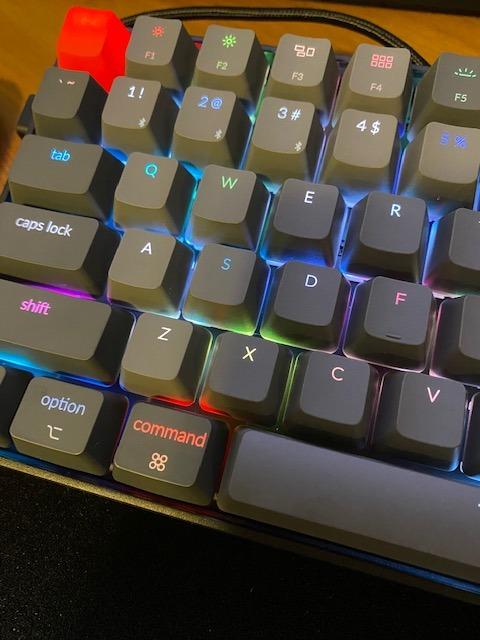
The K2 is the recommendation we make most often to someone moving from a Magic Keyboard to their first mechanical board. It is an 84-key 75% layout in a metal enclosure at 4.84 by 12.32 by 1.61 inches, it lists MacOS and Windows compatibility, and it includes both a Mac keycap set and a Windows keycap set plus a puller. At 1.9 pounds it is substantial without being a brick.
The switches are Keychron Super Brown tactile, rated for 50 million keystrokes. You get a mild bump in the middle of the press, which is a common switch choice for shared offices and for people who are new to mechanicals, and reviewers rate the feel as satisfying without being loud.
Why the 75% layout works on a Mac
75% is the sweet spot for Mac users because it keeps the arrow cluster and a full function row while dropping the number pad and the navigation column. You move to the arrow keys for Home, End and Page Up, and everything else sits where a MacBook keyboard puts it. The Mac legends are the detail that matters: Command is labelled properly instead of being a Windows key with a sticker.
The inclined bottom frame gives the board a typing angle without feet, which helps on a desk with a laptop stand raising your screen. It is a taller standard-profile board though, so a wrist rest is worth adding for long sessions.
Battery, the charging quirk and wireless rollover
The 4000mAh battery is rated at up to 72 hours of continuous typing or 7 days of normal use, and reviewers report that figure holds with the backlight off. Here is the quirk worth knowing before you buy: the K2 does not charge while it is in Bluetooth mode, so you have to flip it to wired USB-C to top it up. Plenty of owners simply live with it, but it surprises people.
There is no battery indicator on the board or over Bluetooth, which turns the above into a mild background annoyance. The other trade is rollover: this board does full N-key rollover when wired and 6KRO over wireless, which is a real limitation for people holding Shift plus several keys at once in an IDE shortcut. Our guide to the best mechanical keyboards for programmers covers that topic in more detail.
Build, keycaps and what you give up
The metal enclosure and RGB backlight with multiple presets are what separate this from a plastic budget board. RGB is a per-key feature here, not the single-color white of the K4 further down this list, so if you like a lit board you get real lighting.
What you give up is hot-swap and open firmware. The switches are soldered, and this revision does not support VIA, so layer changes need firmware reflash rather than a browser app. Reviewers also report key wobble and thin-feeling keycaps on some units, and occasional units arriving with a UK layout instead of US.
Who it suits and who it does not
This is the pick for a Mac user who wants a clean desk, real Mac legends and a tactile board in a compact footprint. It is also the board we recommend to developers and writers who type all day and want a mechanical feel that does not fight the Apple aesthetic.
Pass on it if you want to experiment with switches, if you need N-key rollover over Bluetooth, or if a battery indicator is part of your peace of mind. The F75 Pro and the S98 cover the hot-swap and display routes instead.
4. Keychron K4 – A Compact Number Pad for Spreadsheet Work
Keychron K4 96% Layout 100 Keys Wireless Bluetooth 5.1/Wired USB Mechanical Gaming Keyboard with Keychron Super Brown Switch White LED Backlight N-Key Rollover for Mac Windows PC-Version 2
96% layout with 100 keys and a number pad
White LED backlight
Bluetooth 5.1 for 3 devices
4000mAh battery
+ Pros
- Number pad in a 96% footprint
- 4000mAh rated for 240 hours backlight off
- Mac and Windows keycaps included
- Two-level adjustable feet at 6 and 9 degrees
– Cons
- Bluetooth only
- with no 2.4GHz receiver
- Single-color white backlight rather than RGB
- Condensed number pad takes adjustment
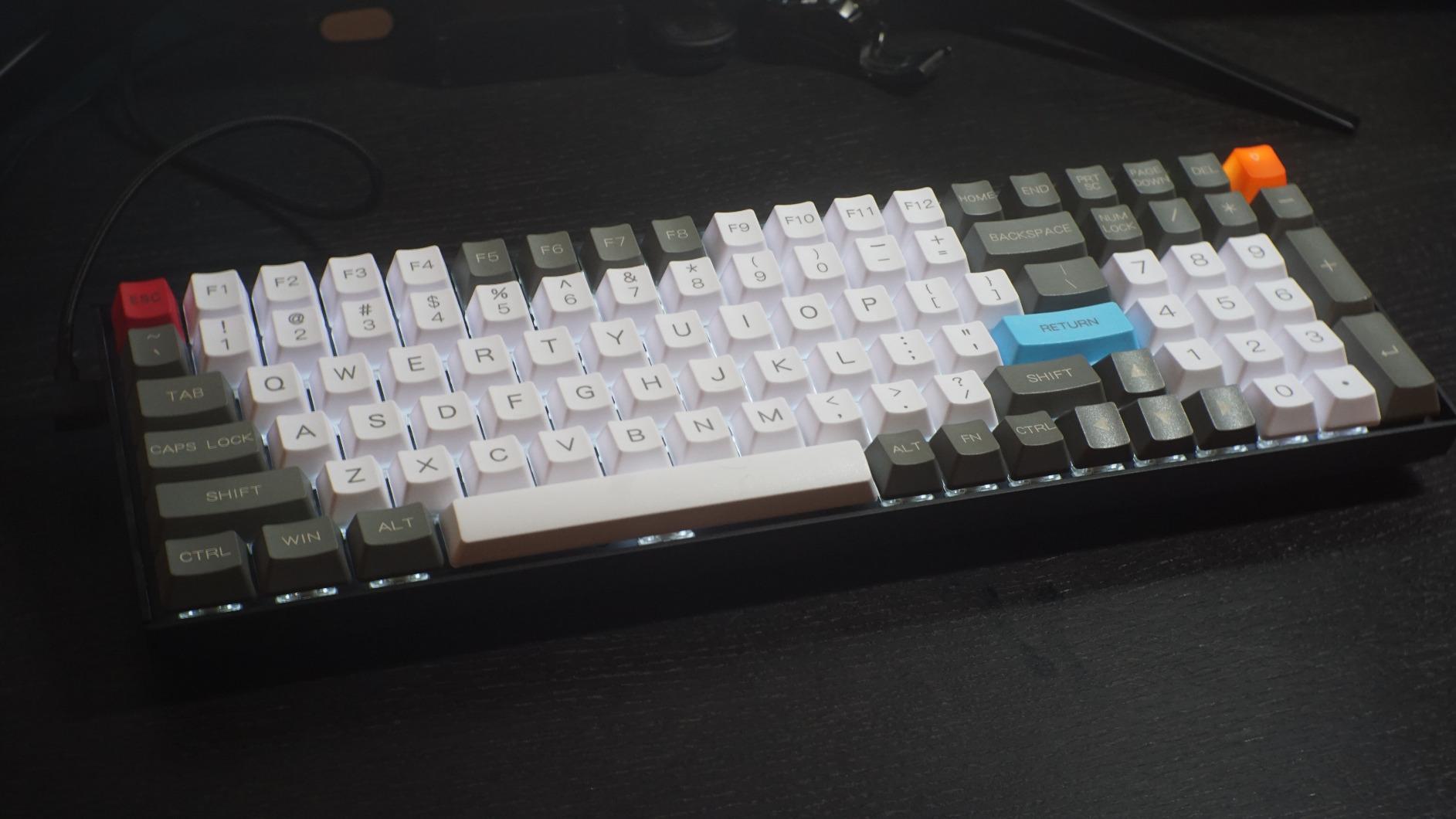
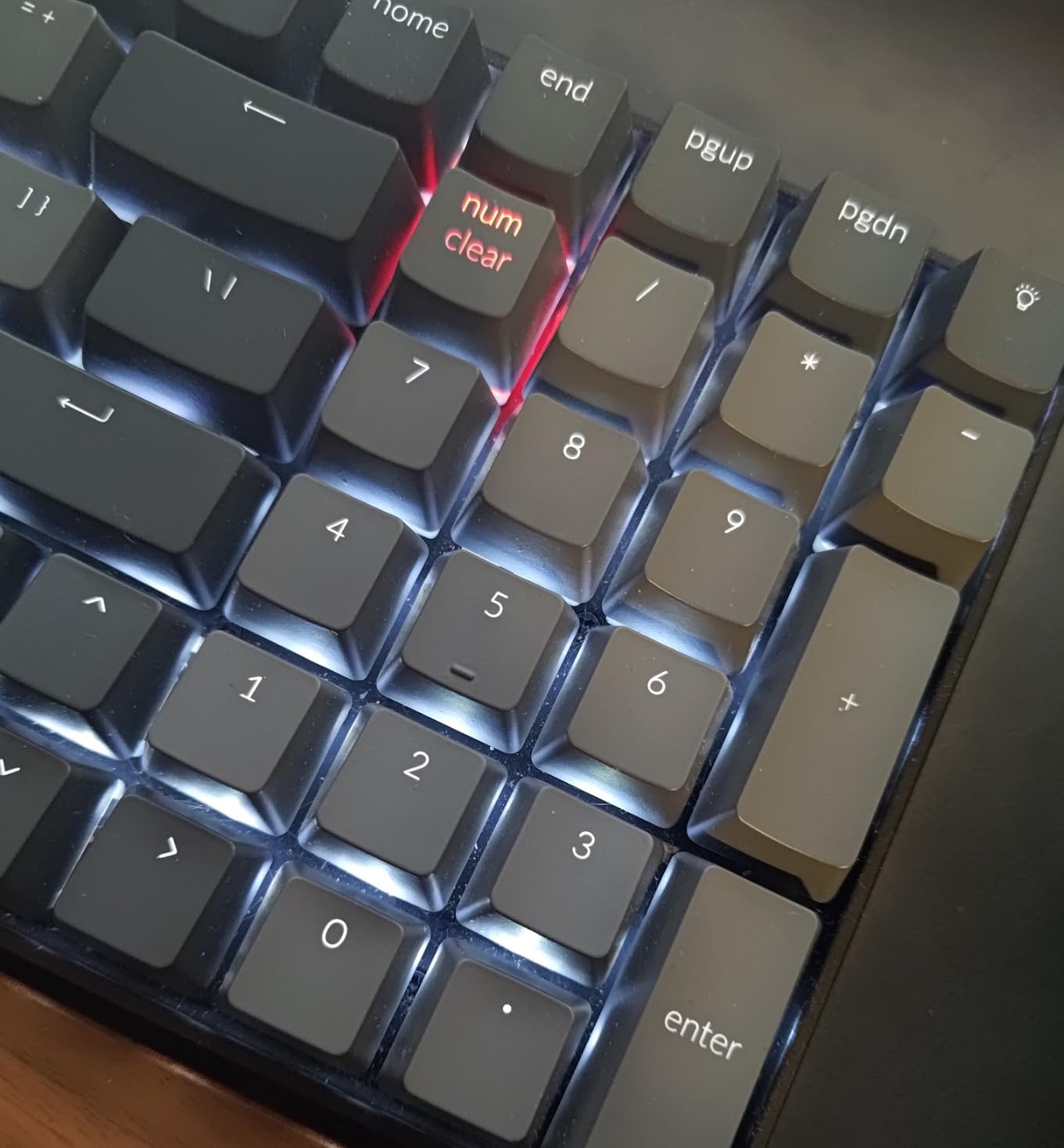
The K4 answers a specific problem: you need a number pad every day and you refuse to give up a 75% footprint to get it. This 100-key 96% layout squeezes a condensed number pad to the right of the arrow keys and keeps the whole board at 14.61 by 4.88 by 1.5 inches. MacOS and Windows are both listed, and again you get both keycap sets in the box.
The same Keychron Super Brown tactile switches appear here, rated for 50 million clicks, with the same mid-stroke bump. The difference from the K2 is the backlight: this one is single-color white LED with adjustable brightness and flashing modes, not RGB.
The 96% layout and the condensed number pad
What you gain is numeric entry without a full-size board’s 18-inch-plus width. What you give up is standard number pad spacing: the 0 key is small, the plus and minus keys are stacked, and the navigation keys around Delete and Home shift position. Reviewers call it an adjustment period rather than a dealbreaker, and spreadsheet users tend to adapt within a week.
The condensed layout also means the arrow keys sit tight against the number pad, which is worth trying in person if you navigate spreadsheets with the arrow keys more than you type. Our pick for low-profile comfort sits at number 5, and the best low profile mechanical keyboards guide covers that whole category if wrist comfort is the deciding factor.
Battery life and single-color lighting
The 4000mAh battery is rated at up to 240 hours with the backlight off, which is the longest runtime published among the 4000mAh boards here. That number assumes minimum brightness and no lighting at all, so treat it as a ceiling rather than a daily expectation.
White LED only is a real difference in feel on a desk next to a MacBook. It reads as an office keyboard, which some people prefer precisely because it does not wash out the aluminum of an iMac or a Mac Studio. Others want per-key color, and for that the K2 or the S98 is the better fit.
Mac compatibility, connectivity and rollover
Bluetooth 5.1 covers three devices, and there is a USB-C wired mode. There is no 2.4GHz receiver, which matters more on a Mac than on Windows: without a dongle option you are always on Bluetooth, where the board drops to 6KRO from the N-key rollover it manages over USB.
For everyday Mac work that is invisible. For a developer holding multiple modifier keys, or for someone who cares about gaming latency, it is a limitation you should know about before you commit. The two-level feet at 6 and 9 degrees help with posture on a tall board, and the aluminum or ABS enclosure options change both weight and sound.
Who it suits and who it does not
The K4 is for accountants, analysts and anyone entering numbers all day who wants a mechanical feel and a Mac-friendly keycap set in a compact body. At 4.5 stars across 1017 reviews it holds its own against pricier boards.
Pass on it if you want a 2.4GHz receiver, RGB, or hot-swap sockets. Reviewers also mention light bleed under the keycaps and a non-standard Home and Delete placement, which is the cost of the compact layout.
5. Lofree Flow Lite – The Low-Profile Board That Looks Right Beside a MacBook
Flow Lite 100 Keys Low Profile Mechanical Keyboard, Swappable Rechargeable Wireless Keyboard with 2.4G Receiver, Bluetooth and Wired Connection for Windows, Mac/ Specter Linear Switches (Marble)
Low-profile 40gf Specter linear switches
PBT double-shot keycaps
Gasket mount with dampening
2.4GHz, Bluetooth and USB-C
+ Pros
- Low profile removes the need for a wrist rest
- 1000Hz polling over 2.4GHz
- Hot-swappable with PBT double-shot keycaps
- Aluminum volume roller and adjustable kickstand
- Sleek design that matches Apple hardware
– Cons
- Lofree Configurator software is buggy and freezes
- Bluetooth wake latency is the biggest flaw
- Single-color backlight only
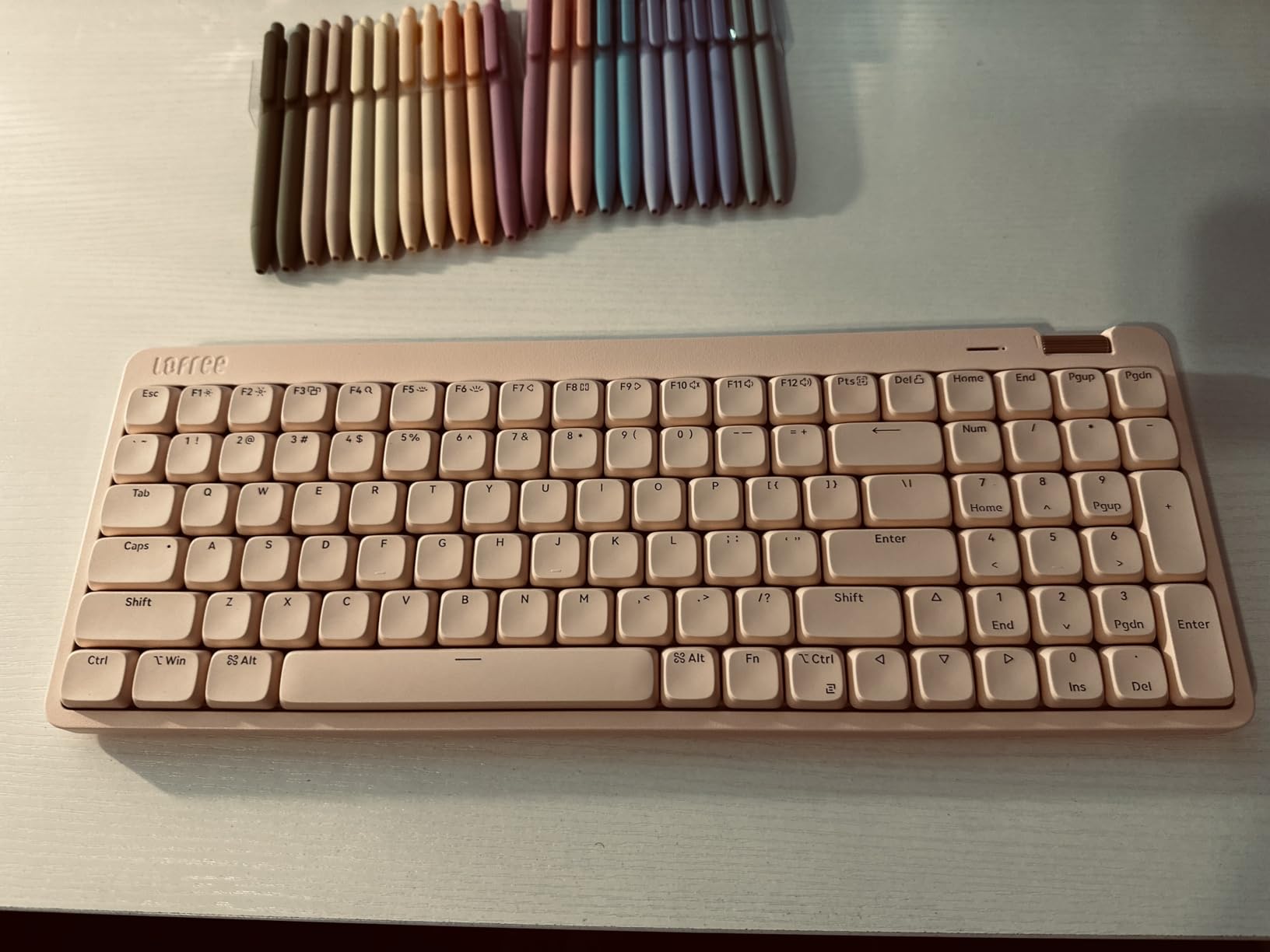
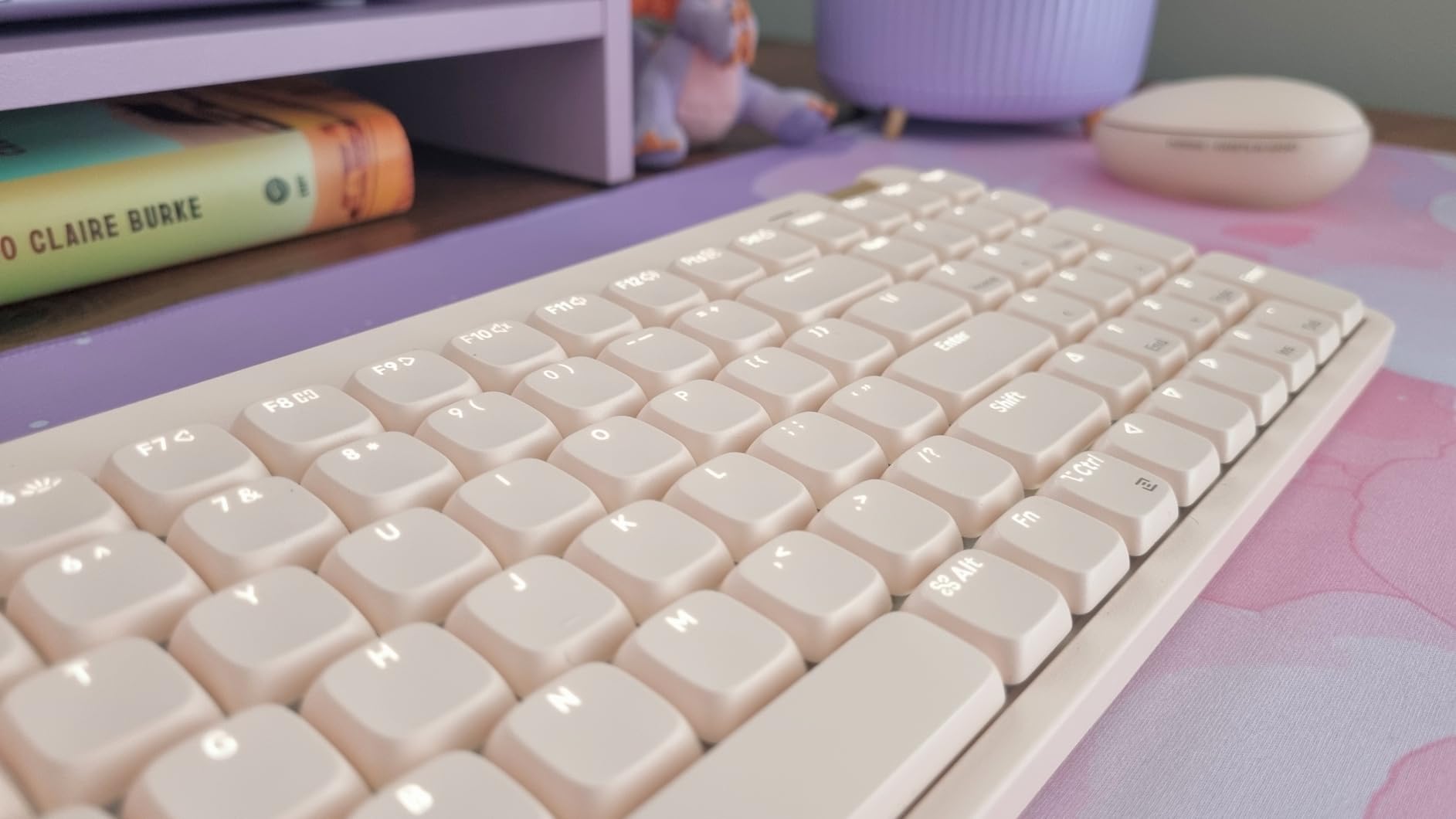
The Flow Lite is the board here that looks like it was designed in the same room as a MacBook. It is a low-profile 100-key board at 14.74 by 5.43 and only 0.93 inches tall, in ABS, with an understated matte finish and a PBT double-shot keycap set with shine-through legends. It is also the only board here pairing full tri-mode connectivity, hot-swappable sockets and a 1000Hz polling rate over 2.4GHz.
Typing on it is genuinely different. The Specter full POM linear switches run at a 40gf operating force, which is light, and the gasket mount with added sound dampening gives the board a soft, muted bottom-out. Reviewers describe it as creamy rather than thocky, and the low profile means your wrist stays flat.
Low-profile switches and gasket feel
Low profile is the defining choice here, and it is a genuine trade rather than a compromise. You get a desk that matches an Apple setup and a keyboard you can slide closer without raising your shoulders, but the travel is short, so the bottom of the stroke arrives sooner than on a standard board. People who like the mechanical experience usually adjust in a few days; people who want deep travel should look at the K2 instead.
The 40gf force figure is worth understanding. It is a light press, which is comfortable for long sessions and easy to type quickly on, but it does not give the same feedback as a heavier linear. The gasket mount and the PBT keycaps do more for the feel than the switch weight does.
Keycaps, roller and build
PBT double-shot keycaps are the right material for this board. The legends are printed on a PC core inside a PBT body, so they will not wear off or turn glossy the way ABS legends do, and they shine through the white backlight. That last point matters for the Mac crowd specifically, where shiny plastic keycaps read as cheap next to aluminum hardware.
The aluminum volume roller is a small detail that reviewers consistently praise, and the built-in adjustable kickstand lets you set the angle without a separate foot. At 0.93 inches tall the board is thin, but the gasket construction keeps it from feeling flimsy. The included cable is the one weak point: reviewers call it flimsy and mismatched in color to the Marble finish.
Connectivity, polling and the Bluetooth wake flaw
Connectivity is genuinely tri-mode: 2.4GHz with a 1000Hz polling rate, Bluetooth, and USB-C wired. The battery is 3000mAh, rated at up to 100 hours with the lights off, and reviewers report two to three weeks with the backlight on. The Lofree Configurator handles key remapping, which matters for Mac users who want to set a Command layer.
Here is the flaw you need to know before buying. Multiple reviewers report severe Bluetooth wake-up latency, where the board takes long enough to wake that you can type an entire word before the characters appear. Over 2.4GHz or wired it behaves normally, which means this board is best for someone who docks at a desk and uses the receiver, and less good as a roam-around board you pick up mid-thought. The software is the second issue: the Configurator is reported as buggy, with freezes and frequent required updates.
Who it suits and who it does not
Choose the Flow Lite if appearance on the desk matters to you, if you sit at a fixed dock, and if you want a mechanical feel without changing how high your wrists sit.
Pass on it if you roam between rooms with the keyboard, if you are on Bluetooth most of the day, or if you are not willing to deal with vendor software. There is no RGB, the 0 key on the number pad is small, and the backspace key is reported as stiffer than the rest.
6. Logitech MX Mechanical Mini for Mac – Native Mac Legends and Three-Device Pairing
Logitech MX Mechanical Mini Mac Wireless Keyboard Low-Profile – Pale Grey
Mac-optimized key layout for macOS and iPadOS
Mini 75% low-profile body
Bluetooth LE for 3 Macs or iPads
USB-C to USB-C charging
+ Pros
- Genuinely Mac-optimized key layout
- Compact 84-key body at 12.3 by 5.2 inches
- Three-device Bluetooth LE pairing for Macs and iPads
- Logi Flow with an MX Master 3S for Mac
- 15 days with the backlight on
– Cons
- Bluetooth LE only
- with no 2.4GHz option
- US layout only
- Plastic enclosure rather than the aluminum full-size
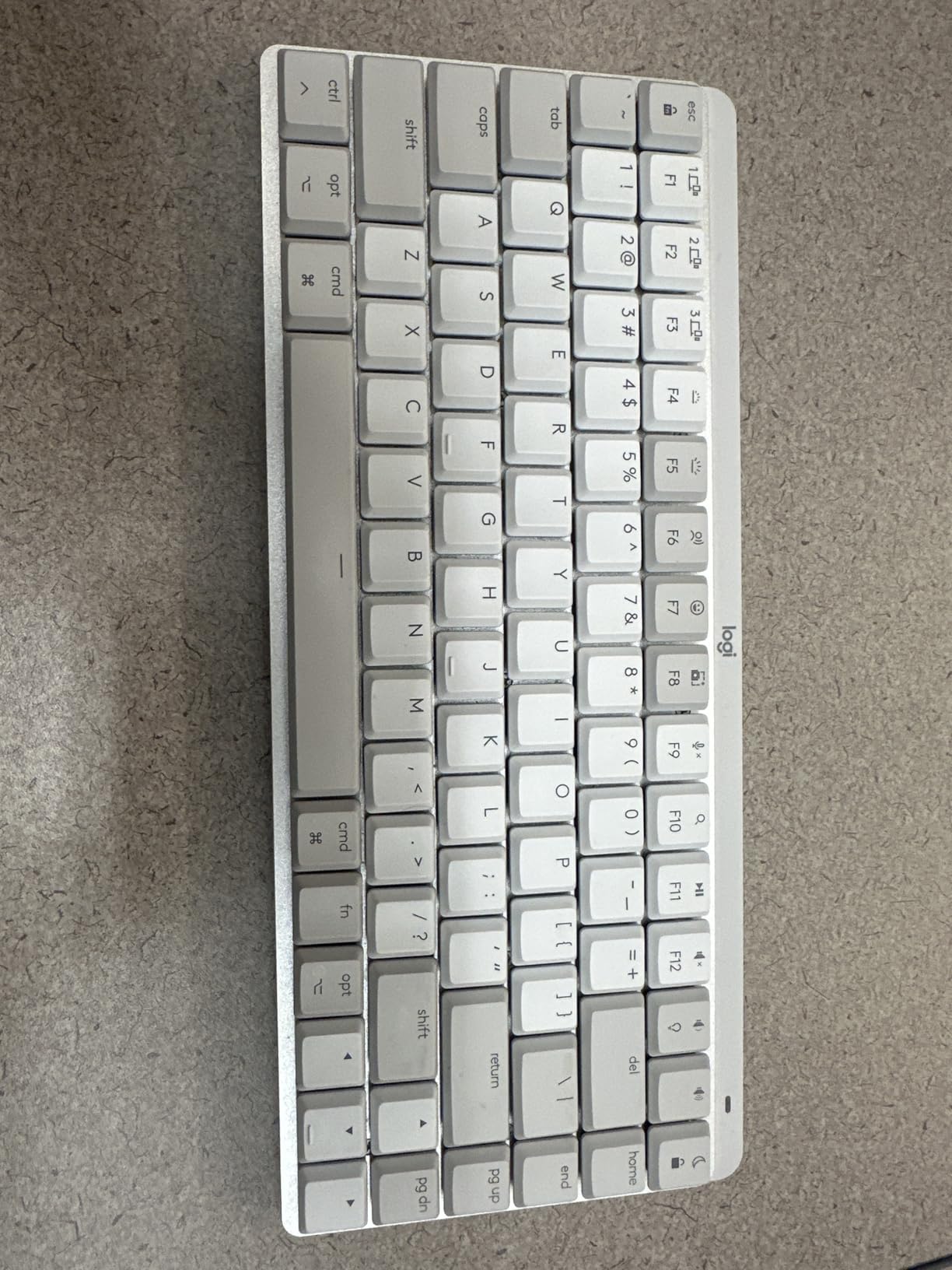
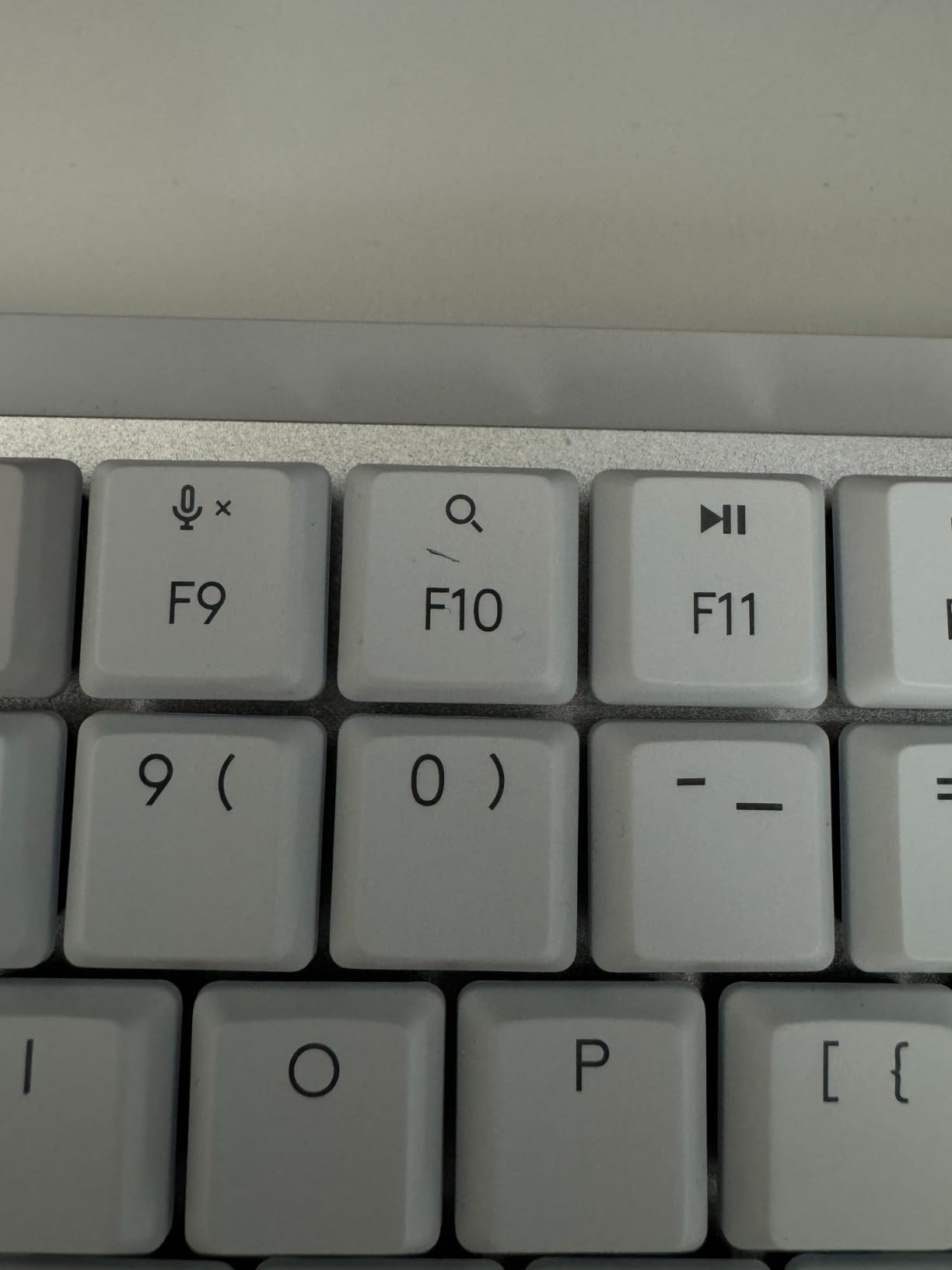
This is the board for someone who wants the Apple ecosystem experience with mechanical switches and no remapping homework. Logitech built the layout for macOS, iPadOS and iOS, so Command, Option and the Mac glyphs are where a Mac user expects them, and it pairs with up to three Macs or iPads over Bluetooth Low Energy. The Logi Bolt receiver is included as well.
At 84 keys in a 12.3 by 5.2 by 1 inch body and 2 pounds, it is the most compact board in this roundup, and the low-profile Tactile Quiet switches keep the sound moderate. Logi Options+ handles the Fn row, the backlight and Logi Flow cross-device control, which moves your cursor from the Mac to the iPad and back when you lift your hand.
What a Mac-optimized layout actually changes
More than you would expect. A Windows board connected to a Mac works, but Command sits where Alt does on a Mac keyboard, which breaks years of muscle memory. This board ships with the Mac layout as the default, so the first hour of typing feels normal rather than a small act of relearning.
The three-device pairing is the real feature for Apple users. Reviewers pair a MacBook, a Mac Studio and an iPad, then hop between them with the channel keys. If your daily setup is a Mac plus an iPad, this is the most friction-free pairing experience in the roundup. It is Bluetooth LE only, though, so there is no 2.4GHz path and no gaming-grade latency option.
Smart backlight, Flow and battery numbers
The illumination uses a proximity sensor and auto-adjusts, which is why Logitech can quote 15 days with the backlight on and 10 months with it off. Charging is USB-C to USB-C, so the cable in the box is the same one that charges your MacBook or iPad, and the board keeps working while it charges.
Logi Flow is the other half of the story. Pair it with an MX Master 3S for Mac and you can drag a file from one machine to another with a single cursor, which is the feature Mac users quote most often in keyboard threads. As with the full-size MX Mechanical, the backlight timeout is reported as aggressive, and Caps Lock blinking can be distracting in a dark room.
Build, size and the plastic trade
The Mini is plastic where the full-size is aluminum and metal, and 36 percent of it is post-consumer recycled plastic. It does not feel cheap, but it does not have the weight of the full-size board either, and that difference shows in the sound profile on the space bar.
The layout carries the same complaints as the bigger model: no spacing between the function row and the number row, function keys defaulting to media controls until you press Fn plus Escape, and no dedicated Print Screen key. One more to check before you order: this is a US layout, and that is not always clear in international listings.
Who it suits and who it does not
This is the pick for an iPad-plus-Mac user who wants a dedicated Mac layout, a compact footprint and a light-travel board that will not look out of place next to a MacBook. It also works as an iPadOS keyboard, which no other board in this list can claim in the same way.
Pass on it if you need a 2.4GHz receiver for gaming, if you want an aluminum case, or if you are outside the US and cannot confirm the layout. At 532 reviews it also carries a shorter owner record than the K2, so there is less long-term feedback to draw on.
7. Keychron K10 – A Full-Size Board With Dedicated Mac Media Keys
Keychron K10 Full Size 104 Keys Bluetooth Wireless Mechanical Gaming Keyboard for Mac Windows with Keychron Super Brown Switch, Multitasking/White LED Backlight/USB C Wired Computer Keyboard
Full-size 104-key layout with number pad
Bluetooth 5.1 for 3 devices
White LED backlight
Dedicated Mac media keys
+ Pros
- Standard 104-key layout with a full number pad
- Dedicated Screenshot and Siri keys for macOS
- 4000mAh rated for 240 hours backlight off
- Metal enclosure with adjustable feet
- Includes Mac and Windows keycap sets
– Cons
- No hot-swap sockets and no VIA support
- Single-color white backlight only
- No battery indicator
The K10 is the plain-vanilla full-size answer, and that is exactly why it works. It is a 104-key board with a standard number pad, Bluetooth 5.1 for three devices, USB-C wired mode, and a metal enclosure weighing 500 grams. MacOS and Windows are both listed, and the box includes both keycap sets and a puller.
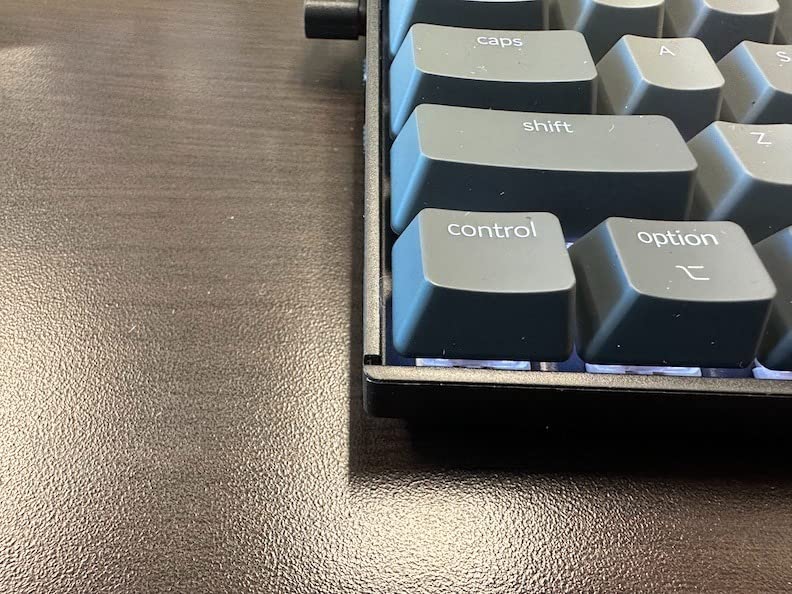
The detail that makes it Mac-relevant sits to the left of the space bar: dedicated Screenshot and Siri keys, plus a screen lock key. Those are macOS functions, not Windows ones, and having them printed on the board saves you a shortcut lookup every time you capture a window.
Full-size layout and the dedicated Mac keys
Unlike the K4, this number pad is the standard 104-key version, so nothing is condensed and nothing has to be relearned. The arrow cluster is separated, the navigation column is conventional, and if you came from a desktop Windows keyboard you will be typing correctly within a minute.
Two-level adjustable feet at 6 and 9 degrees sit on an inclined bottom frame, which means you can set the angle rather than living with whatever the case gives you. On a desk matched to a Mac display, the ability to flatten the angle keeps the board’s visual profile low.
Battery, backlight and what is missing
The 4000mAh battery is rated at up to 240 hours with the backlight off, matching the K4. That is the ceiling rather than a daily number, so plan on charging weekly or fortnightly depending on how brightly you run the light. USB-C is the only charging and wired path.
What is missing matters as much as what is there. There is no hot-swap, so the Keychron Super Brown switches, rated for 50 million clicks, are fixed. There is no VIA or equivalent software, so remapping is not a browser exercise. And there is no battery indicator, which is the same omission the K2 has.
Mac compatibility and typing feel
Bluetooth 5.1 pairing across three devices is stable in reviewers’ accounts, and the board switches quickly between a Mac, a phone and a Windows machine. The rollover story is the familiar one: N-key wired, 6KRO over Bluetooth. Bluetooth latency is also reported as noticeable for competitive gaming, which is expected on a board with no 2.4GHz option.
The Super Brown tactiles feel consistent with the rest of this Keychron range, which is a genuine strength if you are buying a second board. The white LED backlight is single-color with adjustable brightness, and reviewers note that the keycaps can develop shine over time, which is the usual ABS trade-off.
Who it suits and who it does not
Pick the K10 if you want a full-size board with a real number pad, real Mac media keys and no layout gymnastics. It suits long-term Mac users who want a familiar shape with a mechanical feel and a long battery ceiling.
Pass on it if you want to change switches, run RGB, or remap layers without reflashing. At 403 reviews the ownership record is thinner than the K2’s or the K4’s.
8. Logitech Alto Keys K98M – Gasket Feel With a 12-Month Battery Claim
Logitech Alto Keys K98M Wireless Mechanical Gasket Keyboard – Off White
98-key compact 1800-style layout
Gasket mount with UniCushion
Hot-swappable Marble linear switches
Bluetooth LE and Logi Bolt
+ Pros
- Gasket mount with UniCushion damping
- Hot-swappable Marble linear switches
- Up to 12 months on Bluetooth LE
- Works while charging over USB-C
- Two-year warranty
– Cons
- Arrow key overlaps the 0 key on the number pad
- Flex reported with no metal backplate
- No Caps Lock or Num Lock indicator LEDs
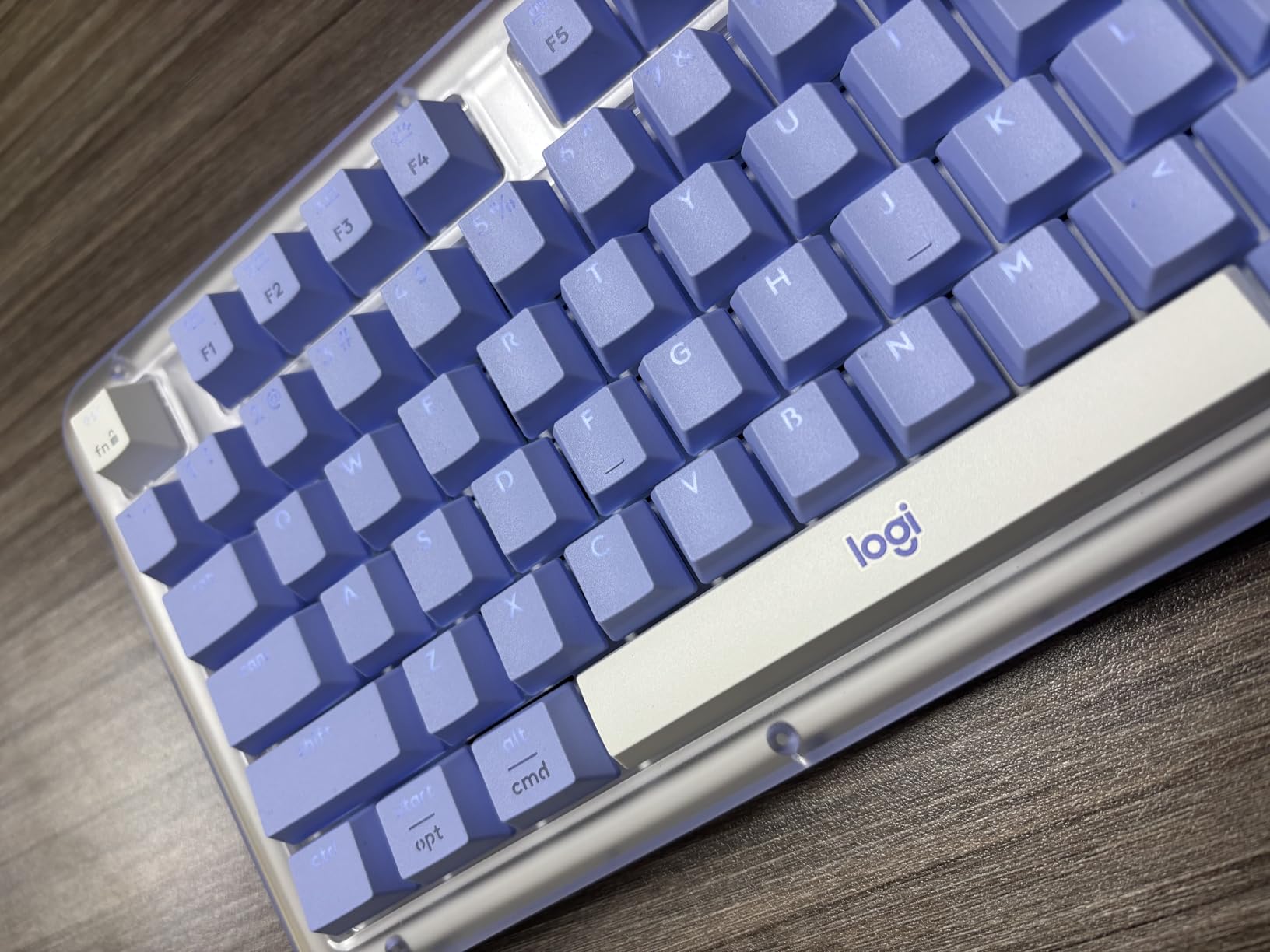
The Alto Keys K98M is the most interesting board in this roundup for anyone who cares about how the board is built rather than what is on the spec sheet. It uses a gasket mount with Logitech’s UniCushion vibration absorption, and the switches are hot-swappable Marble linears with concave keycaps. That combination is normally the territory of enthusiast customs, and it arrives here in a 98-key wireless body.
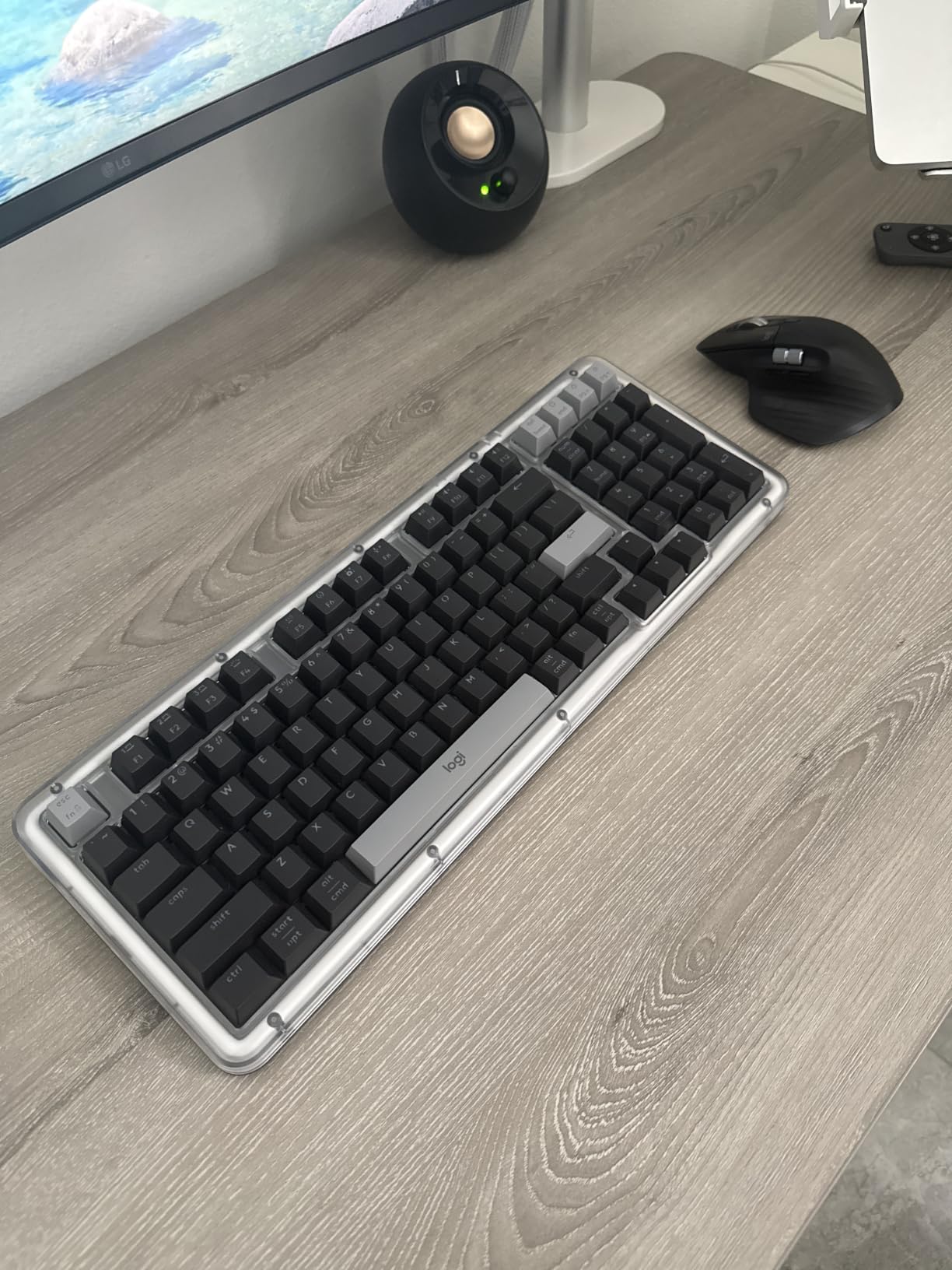
Connectivity is Bluetooth Low Energy plus a Logi Bolt USB receiver, and it works while charging over USB-C. Logi Options+ handles the Action Keys and key programming. The listing is transparent about compatibility with both Windows and macOS, and the off-white transparent top case gives it a retro desk-accessory look.
Gasket mount, UniCushion and hot-swap sockets
A gasket mount suspends the plate on flexible pads instead of screwing it rigidly to the case, which softens bottom-out and reduces the harshness that makes a board sound cheap. The UniCushion layer adds vibration absorption on top of that, and the practical result is a board that reviewers describe as refined rather than merely functional.
Hot-swappable sockets mean you can move to a silent linear or a tactile without desoldering, which is the feature that makes this board interesting for a shared office. The Marble switches themselves are smooth linears with concave keycaps, and the concave shape is meant to guide your fingertip. At 1100 grams it has real weight, and the dimensions are 17 by 7.1 by 1.9 inches.
The 98-key layout and the overlapping arrow keys
This is a compact 1800-style layout, which means it keeps a number pad in a shorter body. The cost is a genuine design flaw that reviewers call out clearly: the arrow keys overlap the 0 key on the number pad. If you use the arrows to move around a spreadsheet, that overlap is an irritation you will feel every day.
Also noted: the space bar has a more hollow sound than the rest of the board, the function row backlight does not reach the bottom of the keys, and there are no Caps Lock or Num Lock indicator LEDs. Flex is reported in the body, which follows from the recycled plastic construction and the absence of a metal backplate.
Wireless modes, battery and macOS
Bluetooth LE plus the Logi Bolt receiver gives you a dongle path for lower latency and a Bluetooth path for an iPad or a second Mac. The battery claim of up to 12 months is the longest published runtime figure in this roundup, and it is tied to Bluetooth LE use. Reviewers report that wireless reliability holds up well in day-to-day use.
Remapping needs Logi Options+, so the same software caveat applies as on the other Logitech boards here. The white backlight is single-color and clean rather than RGB, and the mode switch for wired, wireless and off is reported as stiff. A two-year warranty is the longest in the roundup.
Who it suits and who it does not
Choose this board if you want the feel of an enthusiast gasket board with hot-swap sockets and a long battery in a wireless package. The concave keycaps and the retro case are polarizing, so it suits someone who finds that aesthetic appealing.
Pass on it if you rely on the number pad and the arrow keys together, or if you need a Mac-native layout rather than a general one. Its 301 reviews also make it among the newest boards in this list, so there is less long-term feedback on Bluetooth stability.
9. AULA F75 Pro – The Budget Pick Feature Bundle With a Layout Catch
AULA F75 Pro Wireless Mechanical Keyboard,75% Hot Swappable Custom Keyboard with Knob,RGB Backlit,Pre-lubed Reaper Switches,Side Printed PBT Keycaps,2.4GHz/USB-C/BT5.0 Mechanical Gaming Keyboards
75% 81-key layout with a multi-function knob
5-layer noise dampening
Pre-lubed Reaper linear switches
Tri-mode for 5 devices
+ Pros
- Top rating in the roundup at 4.6
- Pre-lubed switches and 5-layer dampening
- Tri-mode across five devices
- Hot-swappable PCB with spare switches included
- Knob handles volume and lighting
– Cons
- QWERTZ layout rather than standard QWERTY
- Only a 6-month warranty
- Limited software and driver support
At 4.6 stars across 1812 reviews, it ties the highest rating in the roundup, and the reason is a feature list that outstrips most boards at this level. You get a 75% 81-key layout with a multi-function knob, tri-mode connectivity across five devices, a 4000mAh battery, a hot-swappable PCB accepting 3-pin and 5-pin switches, side-printed PBT double-shot keycaps and 16.8 million color RGB.
The sound is the part reviewers mention most. Five layers of dampening, using IXPE, silicone and poron foams, remove the hollow note, and the pre-lubed LEOBOG Reaper linear switches are described as creamy and thocky out of the box. The top-mount design with PCB single-key slotting keeps the feel consistent across the board.
Dampening, switches and what ships in the box
Five layers of foam and silicone is more damping than most boards at this level, and the difference shows on the space bar and the larger keys, where cheaper boards ring. The pre-lubed Reaper linears mean there is no break-in period, so the feel on day one is the feel on day thirty.
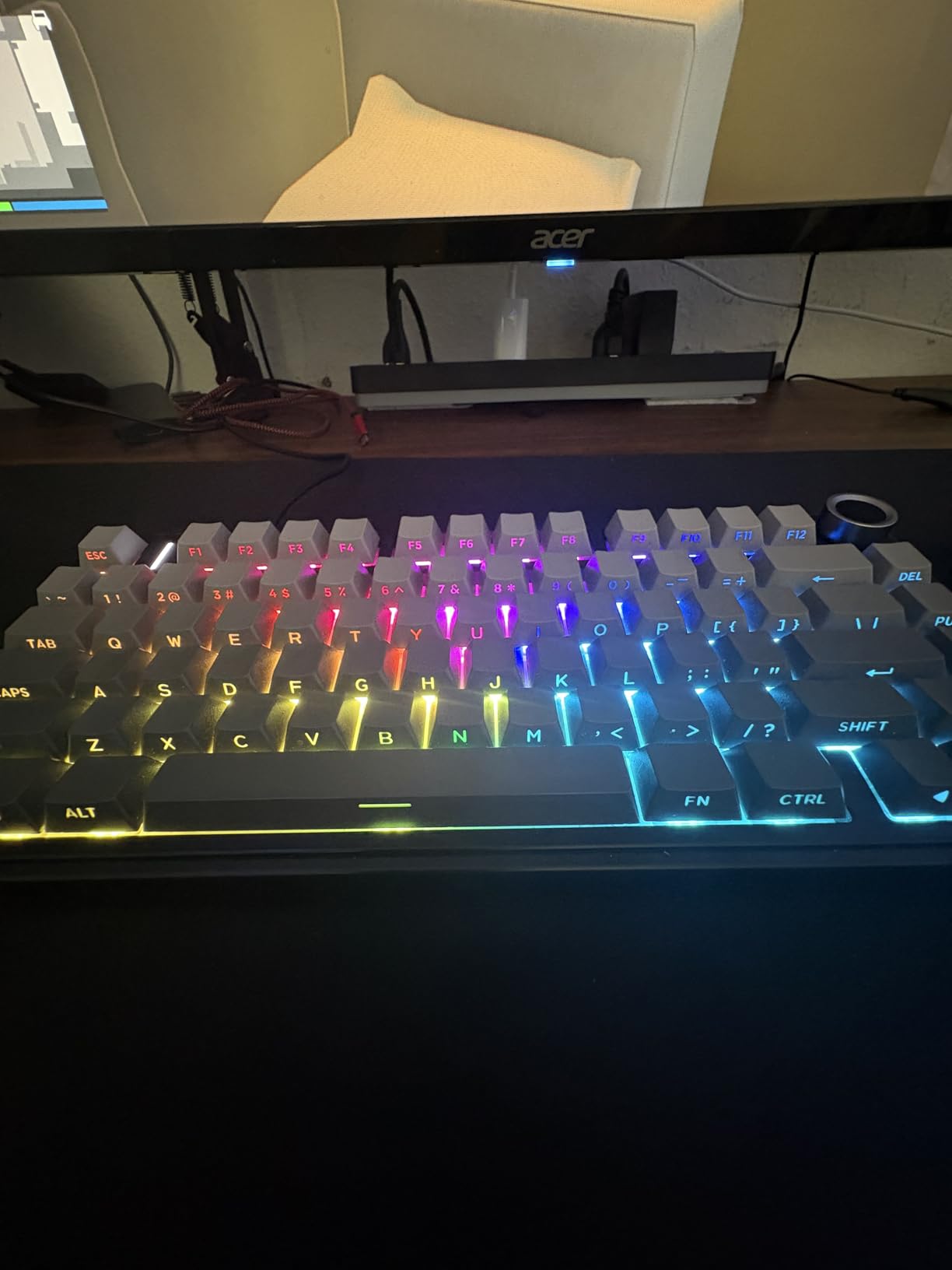
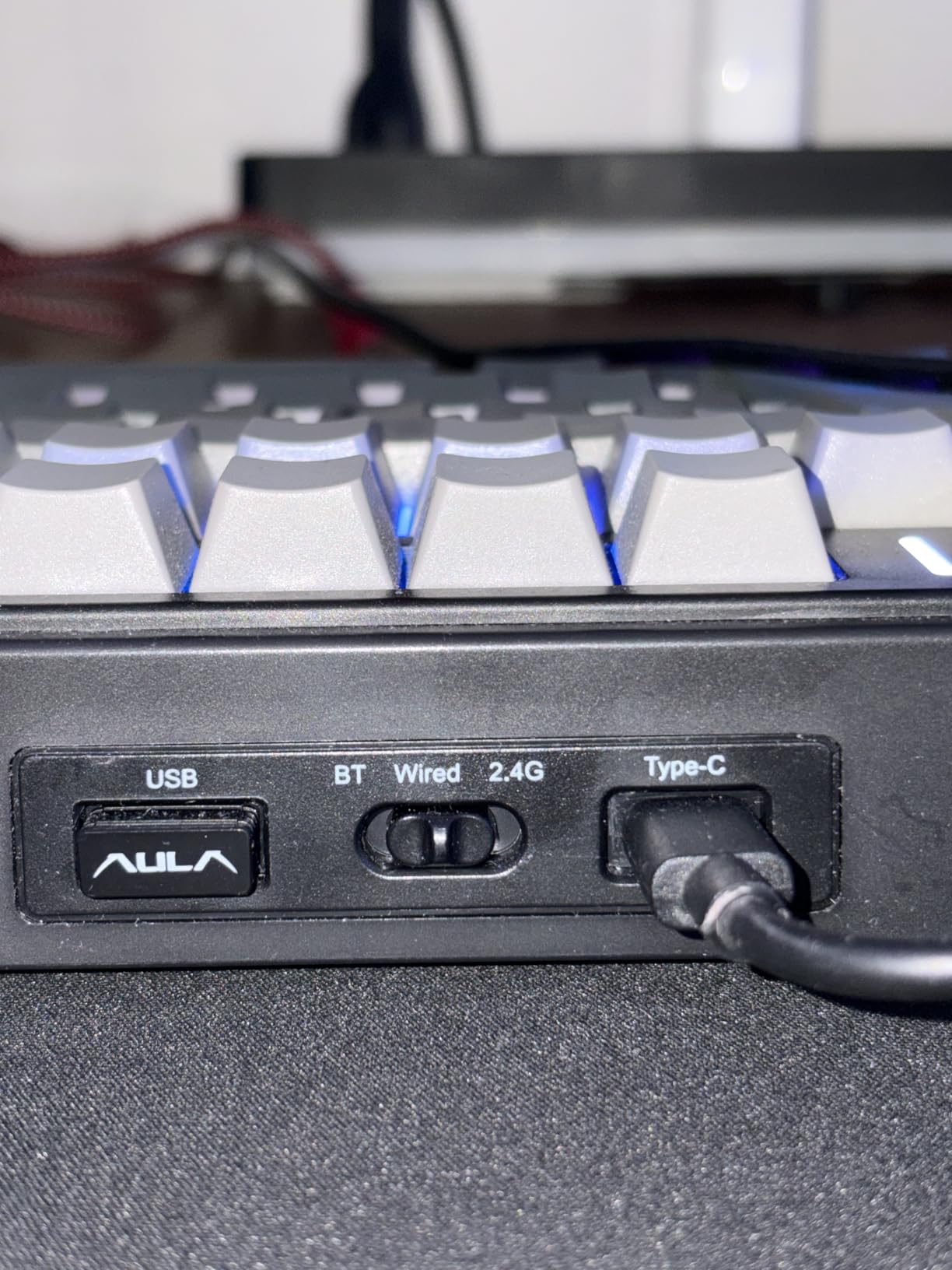
The accessory list is unusually generous: a dust cover, spare switches, a switch puller, a keycap puller and a USB-C cable. The side-printed PBT keycaps have shine-through legends that work with the RGB, and the gradient black colorway looks more restrained than a typical gaming board. The knob handles volume, lighting modes and connection mode depending on a press.
Tri-mode connectivity, the knob and RGB
Connectivity is Bluetooth 5.0, 2.4GHz and USB-C, with support for up to five devices. That ties the widest pairing count among the compact boards here, and on a Mac the Bluetooth 5.0 path pairs the same way any other keyboard does. The knob cycles through connection modes, which beats a hunt for a switch on the underside.
RGB is 16.8 million colors with 16 presets and 10 music rhythm effects, plus N-key rollover and a Windows key lock. The battery is 4000mAh. At 1.02 kilograms and 12.7 by 5.64 by 1.7 inches it is a substantial compact board, and reviewers note that the tall profile makes a wrist rest worthwhile.
The QWERTZ catch and setting it up on a Mac
Here is the problem, and it is the reason this is not our top pick despite the rating. The layout is listed as QWERTZ, not standard QWERTY, which means the Y and Z keys are swapped. On a Mac that is a real muscle-memory change, not a cosmetic detail, and it is the single most common complaint in the reviews for US buyers.
The rest of the Mac story is workable. There is no dedicated function row on this 81-key layout, so you rely on the number row for function shortcuts, and software support is limited, which is the other reported drawback. The warranty is six months, the shortest here, and the case is plastic rather than aluminum.
Who it suits and who it does not
The F75 Pro suits someone in a non-US region who types QWERTZ and wants the strongest feature bundle in this roundup, plus hot-swap sockets so they can fit quieter switches later. For anyone else, the dampening alone is worth stealing the idea from.
US and UK buyers should check the layout before ordering. If you want QWERTY, hot-swap, tri-mode and RGB, the K2 gives you three of those four and the S98 gives you all four without the layout problem.
10. RK Royal Kludge S98 – A Smart Display and a Mac Hotkey
RK ROYAL KLUDGE S98 Wireless Mechanical Keyboard w/Smart Display & Knob
98-key layout with a smart LCD display
Multi-function knob
Tri-mode across 5 devices
Win and Mac switch by hotkey
+ Pros
- Smart LCD shows battery
- mode
- time and a custom GIF
- Knob controls volume
- brightness
- connection and RGB
- Hot-swappable PCB with double-shot PBT keycaps
- Win and Mac layout switch by hotkey or display
- 3 pounds keeps it planted
– Cons
- 3 pounds makes it unportable
- Battery drains to days with RGB on
- Windows-only software for GIF uploads
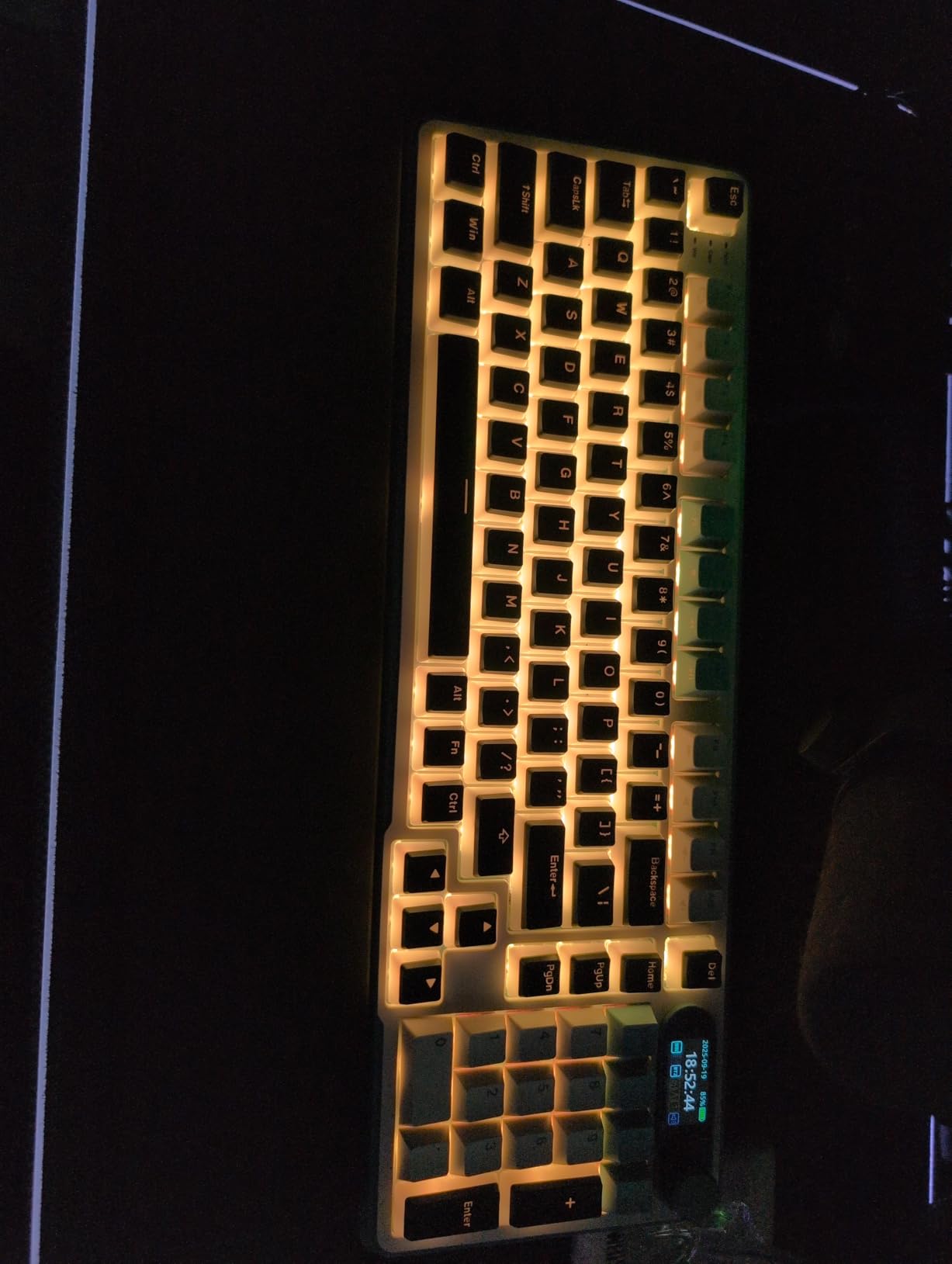
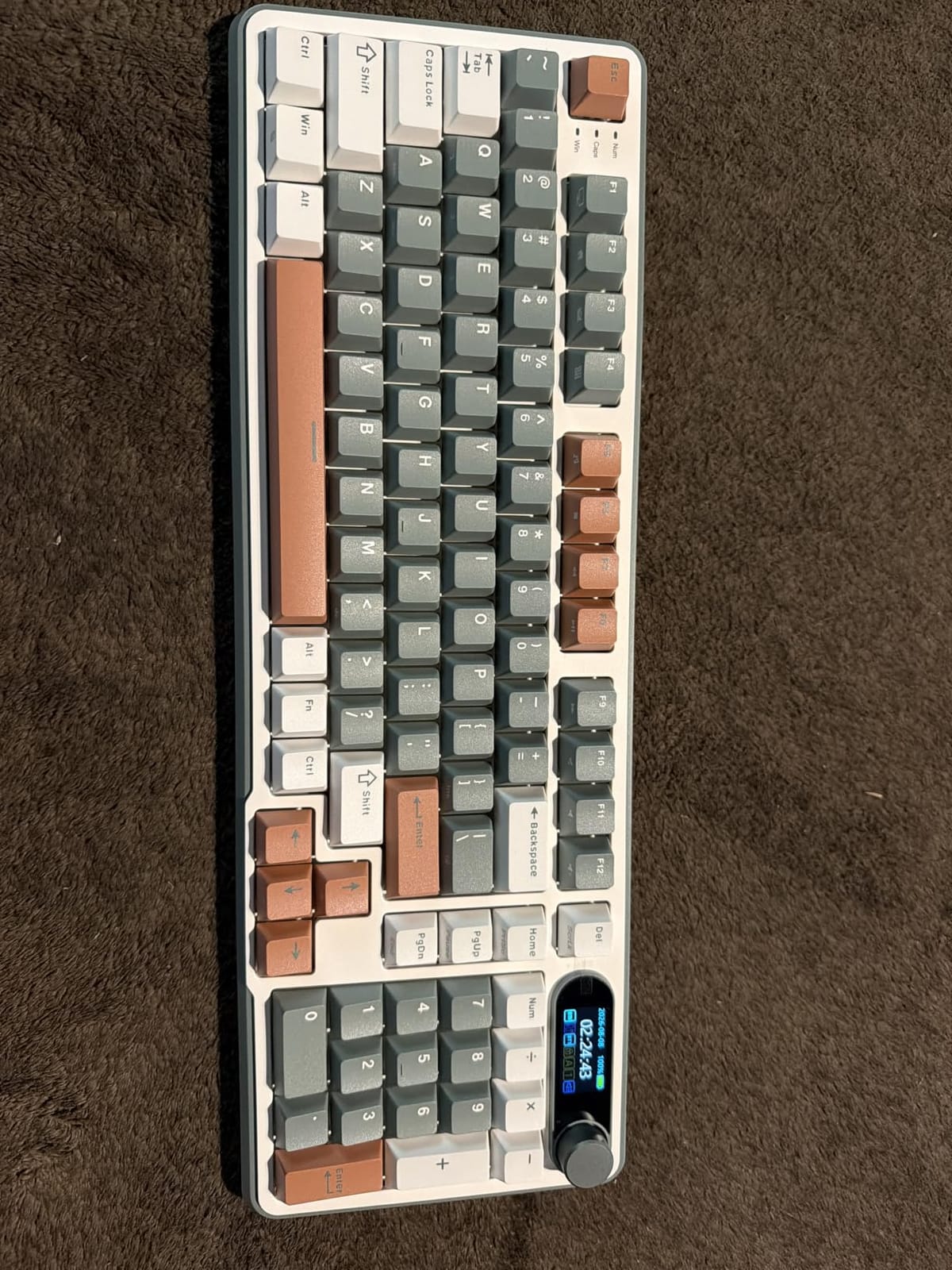
The S98 is the one board here with a screen, and that changes the character of the ownership experience. The smart LCD displays battery level, connection mode, whether you are in Win or Mac layout, the time, and a custom GIF. A multi-function knob beside it handles volume, connection mode, brightness and RGB modes, so most settings never need the software.
Underneath, it is a 96% 98-key board with a top-mount design, five layers of sound dampening using IXPE, thicker foam and a silicone pad, hot-swappable 3-pin and 5-pin sockets, and double-shot PBT keycaps. Connectivity is tri-mode across five devices: three Bluetooth, one wired and one 2.4GHz dongle.
The display, the knob and the dampening stack
Showing battery and connection mode on the board itself is more useful than it sounds, and it is the reason people keep the S98 on their desk even when the software frustrates them. The GIF slot is the fun part and the polarizing part: owners either love it or never open the app again. Uploading takes several minutes, there is only one slot at a time, and the process is Windows-only.
The knob is the more practical feature. Pressing and turning it moves through volume, connection, brightness and RGB modes without a single shortcut, which on macOS is a nicer experience than memorising layer combinations. The case uses recycled post-consumer ABS and comes in Clay Green, and at 3 pounds it stays planted during heavy typing.
Pairing, ports and the weight problem
Five device slots across Bluetooth, 2.4GHz and wired matches the widest pairing setup here, and the board includes both USB-A and USB-C ports. The USB-A port is the one to note on a modern MacBook, which has no USB-A socket of its own, so you would need an adapter for that path.
Three pounds is a genuine problem outside a desk. This is not a board you carry to a cafe, and the box does not include a carrying case. It is a desk keyboard that stays in one place, which is also how most reviewers use it.
Mac layout switching and battery drain
The Mac switch works two ways: through the display or with the Fn plus A and Fn plus S hotkeys. That matters because it means you can flip layouts without opening anything, which is the feature owners call out most often as what makes a Windows-board usable on a Mac.
Battery is where expectations and reality diverge. With RGB running, reviewers report two to three days and some report closer to ten hours of use, against a much longer claim with the lighting off. The charge time is long by comparison. The keycaps are not shine-through, which disappoints people who bought the board for the RGB.
Who it suits and who it does not
The S98 suits someone who likes having system information on the board, wants hot-swap sockets and double-shot PBT keycaps, and never needs to move the keyboard from the desk. The Fn-based Mac switch is a small touch that Mac owners appreciate more than they expect to.
Pass on it if you need portability, long battery life with lighting on, or a Mac that will let you upload display customisations. End also sits behind Fn plus Page Down, which is an extra step in a key-heavy workflow.
Setting Up Any Wireless Keyboard on macOS in Five Minutes
Connecting a Windows-layout mechanical keyboard to a Mac takes about a minute. Making it feel right takes five, and almost every piece of advice on this topic lives on the Mac side of the cable.
- Pair over Bluetooth. Open System Settings, then Bluetooth, then turn the keyboard into pairing mode. Every board in this roundup pairs the same way, including the tri-mode models over 2.4GHz.
- Set macOS to use standard function keys. In System Settings, Keyboard, Keyboard Shortcuts, Function Keys, choose Use F1, F2, etc. as standard function keys. Without this, the top row stays on brightness and volume controls and F1 is nearly unreachable.
- Fix the modifier keys. Under Keyboard Shortcuts, Modifier Keys lets you remap Control, Option, Command and the Caps Lock key. If your board has a Mac/Windows toggle, flip it first; if it has a hotkey, use it. Then remap what is left.
- Add a remapping layer if the board supports one. A tool like Karabiner-Elements handles boards with no native Mac layer, and a browser-based configurator handles boards that ship with one. Redraw Command, Option and any layer you use daily.
- Set a per-app layer if you work in two environments. Terminal and an editor want one layer, a browser and a design app want another. Native configurators usually support per-app profiles, which is one of the reasons to prefer them over a Windows utility.
Two of the ten boards here need step two most urgently. The MX Mechanical and the MX Mechanical Mini for Mac default their function keys to media controls and require Fn plus Escape to reach F1, which the reviews raise most often on both boards. If you also want a shortlist of boards under a hundred dollars, our best budget mechanical keyboards guide covers the entry end of the market.
What to Look For in a Mac Mechanical Keyboard
Mac layout versus Windows layout
This is the first filter, and it is the reason “for Mac” is a separate search from “wireless mechanical keyboard”. A Windows board connected to a Mac functions perfectly but puts Command where Alt sits, and the muscle-memory penalty lasts weeks. A native Mac board, or one with a physical toggle plus a Mac keycap set, removes that penalty entirely.
Of the ten boards here, the K2, K4, K10 and the MX Mechanical Mini for Mac ship with a Mac layout or a Mac-optimized set. The Redragon K771 and the S98 switch layout by toggle or hotkey. The rest work on a Mac but give you a Windows legend set.
Bluetooth, 2.4GHz receivers and the USB-A problem
Bluetooth pairs up to three to five devices and is what you want for an iPad, an iPhone and a Mac. A 2.4GHz receiver gives lower latency, which matters for gaming, and it is the mode the tri-mode boards use for a desk dock. The complication is that modern MacBooks have no USB-A port, so a dongle-first board means carrying an adapter.
Bluetooth-only boards here include the K2, the K4 and the K10, plus the MX Mechanical Mini for Mac. The K771, the Flow Lite, the F75 Pro and the S98 all give you tri-mode. The Flow Lite also has the highest polling rate in the roundup at 1000Hz over 2.4GHz.
Switch types, hot-swap sockets and quiet builds
Tactile switches give a mid-stroke bump and suit office use. Linear switches are smooth and fast, and suit people who type hard. Clicky switches are the loudest and the most polarising. Silent linears and silent tactiles dampen the bottom-out, and for a Mac user sharing a room they are the sensible default.
Hot-swappable sockets take both 3-pin and 5-pin switches and let you change the feel without soldering. The K771, the Flow Lite, the Alto Keys K98M, the F75 Pro and the S98 all have them. Optical and magnetic switches use different sockets, so a hot-swap board here is a mechanical-socket board. On the build side, a gasket mount with layered dampening is the clearest upgrade to sound, and reviewers consistently rate it above RGB.
Battery capacity, backlight drain and the wired fallback
Capacity ranges from 3000mAh on the Flow Lite to 8000mAh on the K771, with 4000mAh on most of the Keychron boards. Treat the published figure as a ceiling: the Flow Lite quotes 100 hours with lights off, the K4 and K10 quote 240, and the Logitech boards quote up to 10 months on Bluetooth Low Energy with the backlight off.
Brightness is the variable that decides your real cycle. Boards with per-key RGB drain far faster, which is why the K771 and the S98 have the shortest reviewer-reported runtimes in this roundup despite the K771 having the largest cell. The reassurance worth repeating: every board here works as a wired USB-C keyboard indefinitely, so a flat battery never means a dead keyboard.
Layout size, from 75% to full-size
75% at 81 to 84 keys drops the number pad and keeps the arrows and a function row, which suits Mac users who never touch the number pad. 96% at 98 to 100 keys fits a number pad in a short body, at the cost of a condensed pad. Full-size at 104 to 108 keys gives you a standard pad plus extra hotkeys, and takes the most desk width.
Two low-profile options here change the feel as well as the footprint. The Flow Lite at 0.93 inches tall and the MX Mechanical family keep your wrists flatter, which pairs well with a raised MacBook. If you want a board that looks at home next to Apple hardware, the Lofree and the Mini are the two to shortlist.
Frequently Asked Questions
What is the best wireless mechanical keyboard for Mac?
The Redragon K771 is the best overall pick. It is a full-size 108-key board with a gasket mount, five layers of sound dampening, hot-swappable sockets and an 8000mAh battery, and it works over 2.4GHz, Bluetooth and USB-C. The Keychron K2 is the better value if you want a compact 75% layout with Mac keycaps included.
Is there a wireless mechanical keyboard for Mac?
Yes. Every keyboard in this roundup connects to a Mac over Bluetooth, and most also offer 2.4GHz wireless or a wired USB-C mode. The Mac-specific part is the layout: boards such as the Keychron K2, K4 and K10 ship with a Mac keycap set, the Logitech MX Mechanical Mini for Mac has a Mac-optimized layout, and the Redragon K771 and RK Royal Kludge S98 switch layout with a toggle or hotkey.
Does any wireless keyboard work with a Mac?
Yes, because macOS treats a Bluetooth keyboard as a standard HID device and needs no special driver. The catch is layout rather than connection. A Windows board works but puts Command in the wrong place, so use the Mac and Windows toggle, the included Mac keycaps, or remap the modifiers in System Settings, Keyboard Shortcuts, Modifier Keys.
What is the best mechanical keyboard for macOS?
For pure macOS use the Logitech MX Mechanical Mini for Mac, which has native Mac legends, pairs with up to three Macs or iPads over Bluetooth Low Energy and supports Logi Flow. For switching between Mac and Windows, the Keychron K2 pairs three devices and includes both keycap sets. Neither is hot-swappable, so the Lofree Flow Lite is the choice if you want to change switches later.
Are mechanical keyboards good for Mac?
Yes, with one caveat. A mechanical board gives you a more tactile feel, a sturdier case and hot-swappable or remappable keys than the Magic Keyboard, and every board here pairs with a Mac over Bluetooth. The caveat is noise: mechanical switches are louder than Apple’s, so pick a tactile or silent switch for an open office rather than a clicky one.
What is the best quiet wireless mechanical keyboard for Mac?
The Logitech MX Mechanical and the MX Mechanical Mini for Mac both use Tactile Quiet low-profile switches, which is the quietest package here without any modification. For a fully silent option, choose a board with hot-swappable sockets and fit silent linears, which is what the Redragon K771, the Lofree Flow Lite, the Logitech Alto Keys K98M, the AULA F75 Pro and the RK Royal Kludge S98 allow.
Which Wireless Mechanical Keyboard Should You Buy for Mac?
Start with how you work. If you want one board and you use a number pad, the Redragon K771 is the pick: the largest battery here, a full 108-key layout, hot-swappable sockets and tri-mode wireless. If you type all day on a clean desk and want real Mac legends, the Keychron K2 is the value choice, with both keycap sets in the box and three-device Bluetooth.
If you are in the Apple ecosystem and pair a Mac with an iPad, choose the Logitech MX Mechanical Mini for Mac for its native layout and Flow integration, or the Lofree Flow Lite if the low-profile look and hot-swap low-profile sockets matter more, in which case use the 2.4GHz receiver at your desk rather than Bluetooth. For a shared office, the Logitech MX Mechanical is quiet out of the box, and for maximum quiet with room to change your mind, the Alto Keys K98M and the S98 both take silent switches.
Whatever you choose, give it five minutes of macOS setup before you judge it, and remember every board here keeps working over USB-C once the battery runs down. That is the full answer to the best wireless mechanical keyboard for Mac question in 2026: pick on layout first, switches second, lighting last.
Leave a Reply