
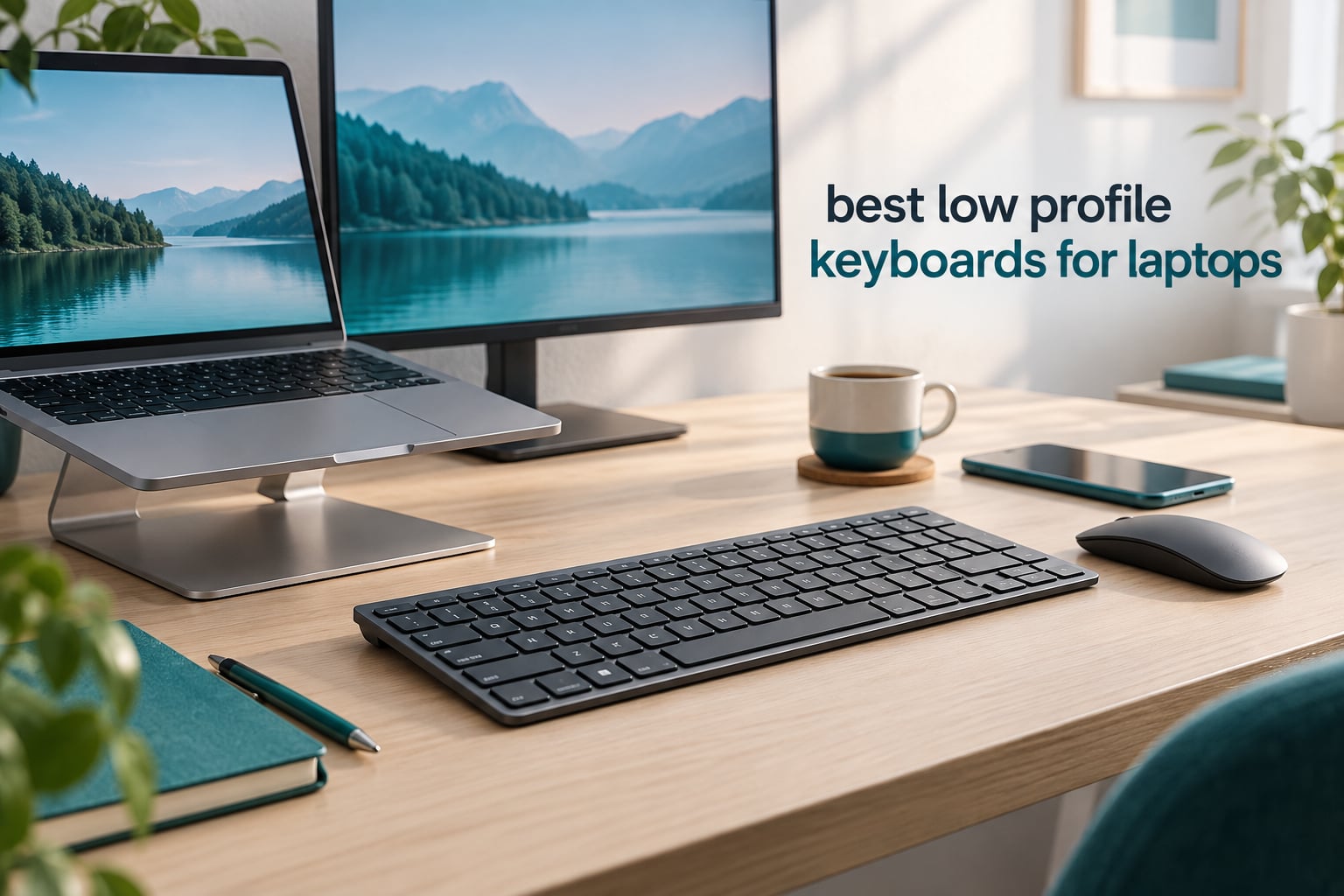
A low profile keyboard is one with a shorter chassis and reduced key travel, usually 2.7 to 3.0 mm of total travel with actuation around 1.0 to 1.7 mm, compared with 4.0 mm on a standard mechanical board. That lower profile keeps your wrists flat, frees desk space beside a laptop, and lets the board slide into a tech pouch. After several weeks of swapping between laptop keyboards and slim external boards on my own desk, the best low profile keyboards for laptops turned out to be less about speed and much more about desk setup, battery honesty, and key feel.
I put ten boards through the same routine: a laptop on a riser stand, an external monitor, a full workday of typing, and a phone charger plugged into the side. I logged the things buyers on r/keyboards actually argue about, the floaty feel in week one, missed keystrokes during sleep and wake, and what the battery claims look like once a backlight is involved.
One honest note before the picks. None of the boards below is a hot-swappable low-profile mechanical with a gasket mount, and that is deliberate. The products that win for laptop users in 2026 are overwhelmingly scissor-switch and slim-membrane designs, because they deliver the short travel and quiet operation a laptop desk needs without the hollow bottom-out of an ultra-slim mechanical. Our deeper guide to low profile mechanical keyboards covers the enthusiast end if that is what you are after.
Our Top 3 Low Profile Keyboards for Laptop Desks in 2026

Logitech MX Keys Mini
- 104 keys in a compact body
- Bluetooth for 3 devices
- Smart auto-adjust backlight

iClever BK10 SE
- Full-size with numeric keypad
- 0.16 inch thinnest edge
- USB-C with 180 day battery

Logitech Pebble Keys 2
- 415 g and 0.63 inch tall
- 3 device Bluetooth hopping
- 3 year battery on 2 AA
Comparing the Best Low Profile Keyboards for Laptops at a Glance
Every board below connects to a laptop, but they split into three clear camps: scissor-switch slim boards for everyday desk work, membrane or scissor mini boards for travel, and the one mechanical option for people who want a real switch under their fingertips. This table shows all ten so you can filter by the spec that matters to your setup.
| Product | Details | Action |
|---|---|---|
|
|
Check Latest Price |
 |
|
Check Latest Price |
|
|
Check Latest Price |
|
|
Check Latest Price |
 |
|
Check Latest Price |
 |
|
Check Latest Price |
 |
|
Check Latest Price |
 |
|
Check Latest Price |
 |
|
Check Latest Price |
 |
|
Check Latest Price |
What Low Profile Actually Means for a Laptop Desk
Low profile is a geometry, not a brand. A standard mechanical key travels about 4.0 mm before it bottoms out, while a low profile board lands in the 2.7 to 3.0 mm range with actuation happening somewhere between 1.0 and 1.7 mm. Your finger reaches the key sooner, the board itself sits under an inch tall at the rear in most cases, and the whole thing disappears next to a laptop.
The honest caveat that few roundups mention is that shorter travel saves very little time. A technical analysis of low profile form factors puts the real gain in the region of 10 milliseconds per keystroke, which no human notices while typing. What you actually feel is a flatter desk posture and less wrist extension, and that is the entire argument for these boards when a laptop is involved.
There are three distinct tiers, and confusing them is the most common buyer mistake. Scissor-switch boards use the same mechanism as a laptop keyboard, so the feel transfers almost instantly. Slim membrane boards are cheaper again and softer on the bottom-out. Low-profile mechanicals like the Logitech MX Mechanical Mini use real switches with roughly 3.0 mm of travel, which feels more substantial but costs more and makes more noise. The same geometry rule governs the rest of a compact build, which is why we keep a separate guide to the best low profile CPU coolers for anyone shrinking the tower as well as the keyboard.
For a laptop user, the scissor tier wins on two counts most of the time. You already know how it feels, so there is no adjustment period, and the key pitch matches the laptop you are replacing, so your muscle memory transfers without error.
1. Logitech MX Keys Mini – The Best Overall Low Profile Keyboard for Laptops
Logitech MX Keys Mini Minimalist Wireless Illuminated Keyboard – Graphite
104 keys
11.65 x 5.19 x 0.83 inch
1.5 pounds
Bluetooth, 3 devices
+ Pros
- Compact full-size layout keeps the number pad
- Smart backlight adjusts to room light
- Switches among 3 paired devices
- USB-C rechargeable
- Recycled plastic build
– Cons
- Bluetooth only with no bundled receiver
- Backlight drains battery faster
- Uneven light on some key colors
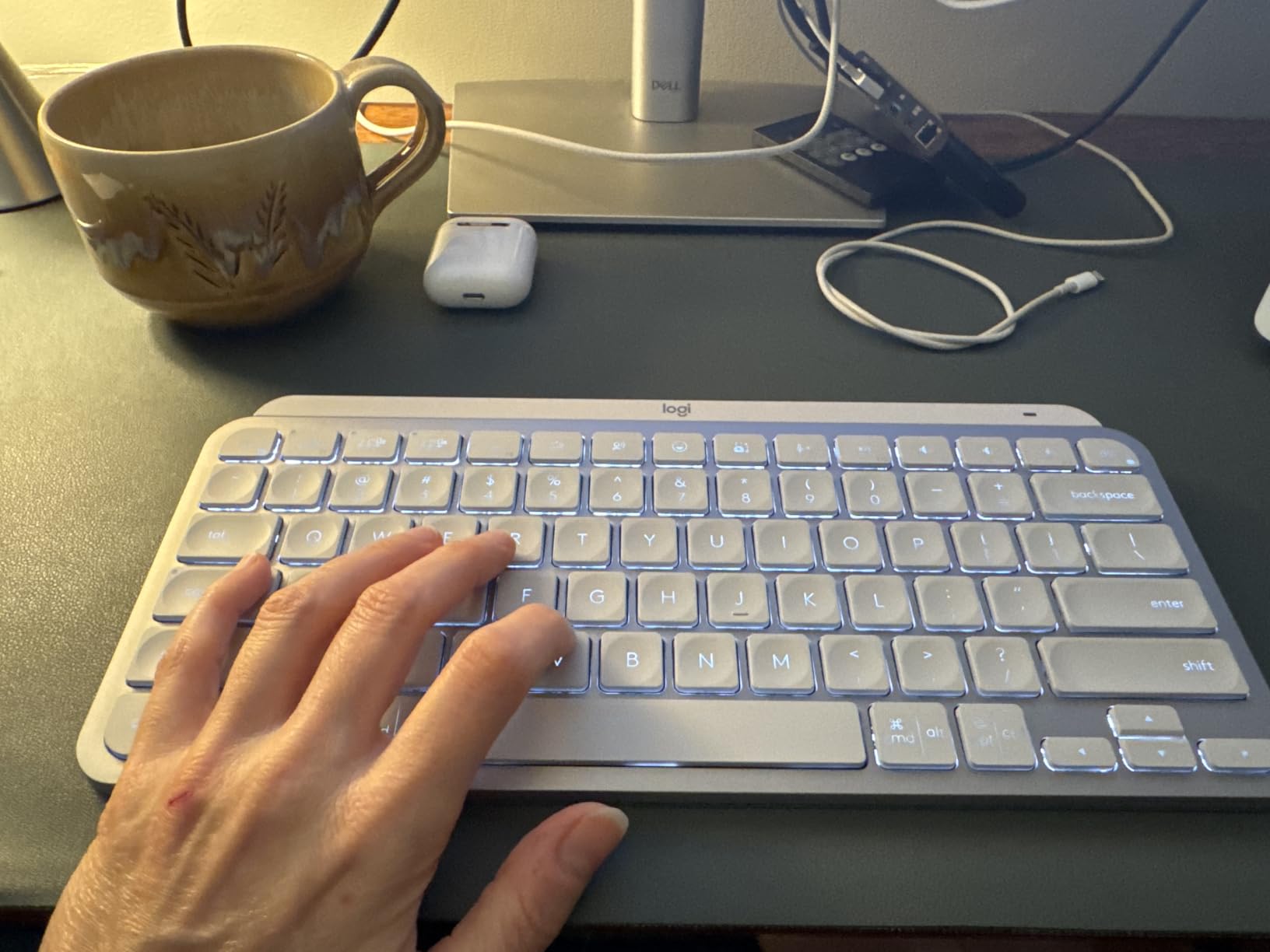
This is the board I kept on my own desk the longest. At 11.65 inches long it still carries a number pad, which almost no compact keyboard manages, and it is thin enough to sit directly under a laptop stand shelf without pushing the screen forward.
The typing feel is a rounded, slightly dished scissor profile that lands close to what a laptop keyboard feels like. Coming off a laptop’s built-in keyboard, the switchover took me one working day rather than the week most people report with mechanicals.
Smart illumination is the feature I underestimated. A proximity sensor wakes the backlight when your hands approach and an ambient sensor sets the brightness, so it is not a drain you have to remember to switch off. Logitech also pairs up to three devices over Bluetooth Low Energy and ships the graphite version with 30 percent post-consumer recycled plastic.
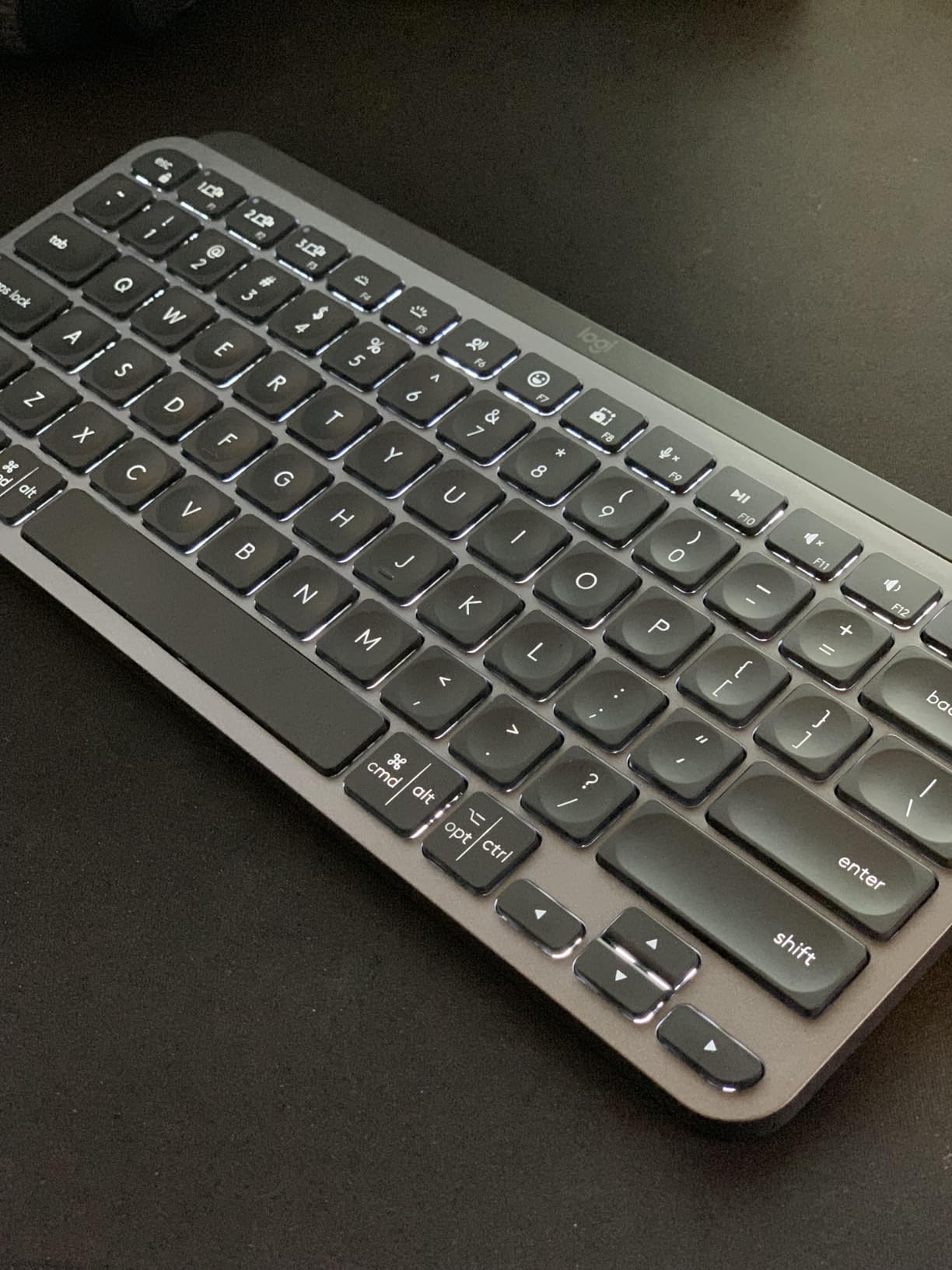
Battery figures are the honest test here. Logitech quotes up to 10 days with the backlight on and 5 months with it off, which is the one number on this list that is stated in both states. On my desk with the backlight active most of the day, it needed a charge roughly every week and a half.
Layout and Footprint on a Laptop Desk
At 11.65 by 5.19 inches this is a genuine full-size layout in a short body, and the number pad is the reason it stays my default. If you do invoices, spreadsheets, or any data entry while the laptop is on a riser, you keep every key you had.
The tradeoff is that it is not a travel board. At 1.5 pounds and 0.83 inch tall, it is a desk product that happens to be slim, not something you fold into a sleeve.
Backlight, Battery and Multi-Device Switching
Three-device Bluetooth pairing with Logi Options+ software means you can hop between a work laptop, a personal machine, and a tablet without unplugging anything. Software configuration covers key remapping and per-app shortcuts, which is more than most slim boards in this list offer.
The catch is that there is no 2.4 GHz receiver in the box. On Bluetooth the connection wakes from sleep a touch more slowly than a dongle link, and the well-documented Mac habit of swallowing the first keystroke after wake can still show up. If that bothers you, pairing over the Mac Wi-Fi 5 GHz band usually settles it.
Keycap Shape and Long-Day Comfort
The spherical dish on these keycaps is a genuine laptop-style design rather than a flat row of squares, and it keeps contact patches centered when your fingers drift. The typing angle is gentle, which pairs well with a laptop riser where you are already reaching slightly forward.
Do not pair a board this thin with a thick palm rest. A deep wrist rest lifts the front edge and cancels out most of the low profile benefit, which is a mistake I made before switching to a flat, thin pad.
Who Should Skip It
If your laptop setup is entirely wireless-free or you need a wired mode as a fallback, this is the wrong pick. Reviewers also report the backlight eating battery faster than the quoted figure once brightness is turned up, and a small share of long-term users hit key mapping quirks after extended use.
2. Logitech MX Mechanical Mini Mac – Low Profile Mechanical Feel for Mac Users
Logitech MX Mechanical Mini Mac Wireless Keyboard Low-Profile – Pale Grey
84 keys
12.3 x 5.2 x 1 inch
2 pounds
Tactile low-profile mechanical
+ Pros
- Genuine low-profile mechanical tactile switches
- Mac-optimized key layout
- Includes a Logi Bolt receiver
- Smart backlight with proximity sensor
- USB-C rechargeable
– Cons
- Mac-specific key layout
- Bluetooth-only while pairing three devices
- Only 15 days of battery with the backlight on
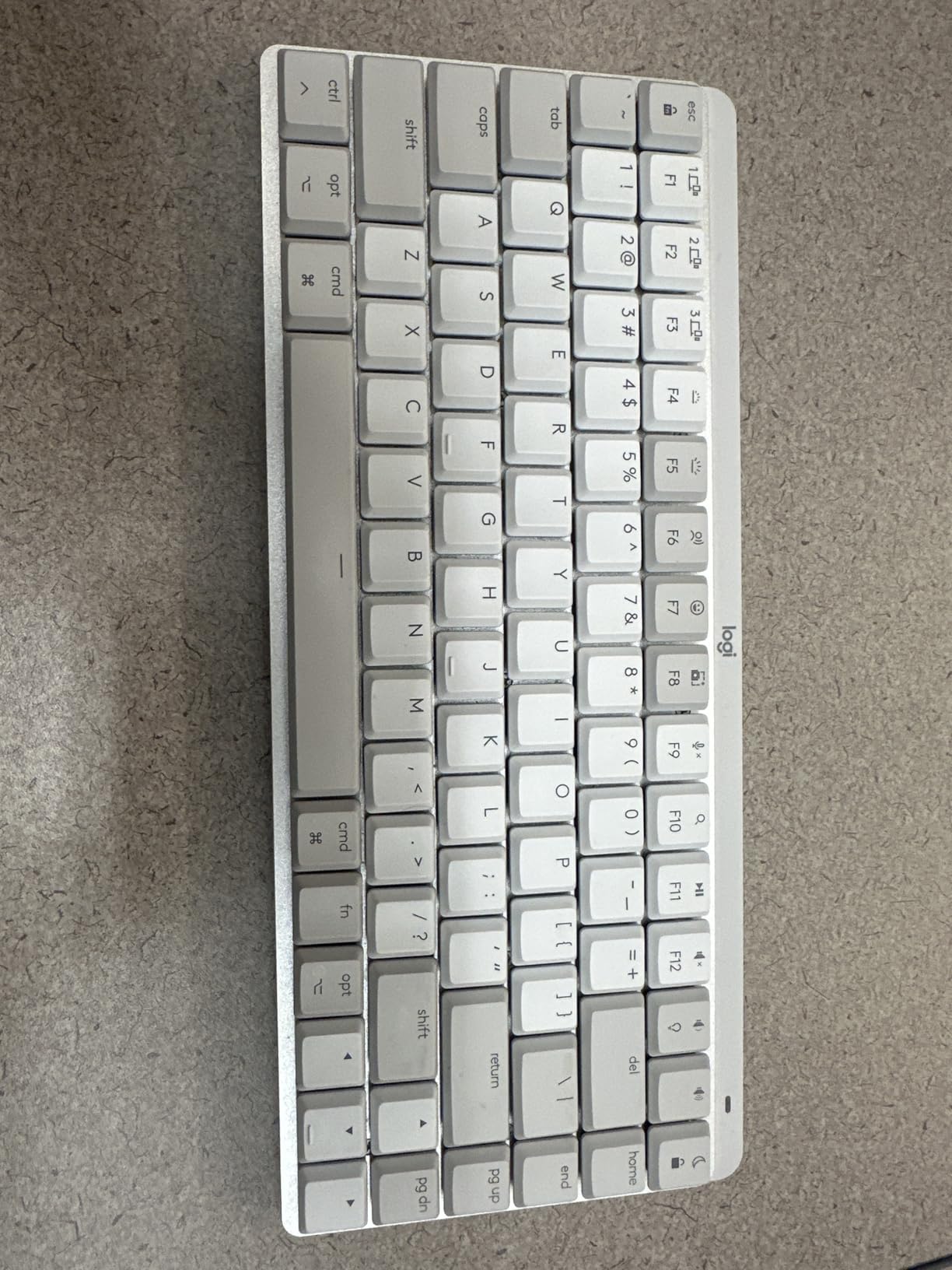
This is the only true low-profile mechanical in the group, and if you have moved up from scissor keys before and want the sharper bottom-out, it is the pick. Logitech uses its own low-profile tactile mechanical switches rather than third-party parts, so there is no hot-swap socket to worry about.
The layout is genuinely Mac, with Command and Option in the correct places and a 84-key count that drops the function row padding. If you switch between a Mac and a Windows machine daily, that Mac-only arrangement is the dealbreaker, and buyers on r/keyboards regularly recommend a Windows variant instead.
Unlike the MX Keys Mini, this one ships with a Logi Bolt receiver in the box, which gives you a dedicated low-latency link alongside Bluetooth. That matters more than it sounds: Bluetooth reconnects are the single most reported annoyance with slim wireless boards.
Switch Feel and the Adjustment Period
Low-profile mechanicals travel roughly 3.0 mm with a tactile bump that fires close to the top of the stroke. The bump is the point: it tells your finger the key has actuated without bottoming out, which is the fix for the floaty feeling people hit on boards with no tactile event.
Budget one to two weeks. Muscle memory built on scissor keys is calibrated for a very different event, and the first week of an external mechanical is when people decide they hate it. Power through that and the tactile signal starts working for you.
Battery Reality With and Without the Backlight
Logitech quotes 15 days with the backlight on and 10 months without. That gap is the single most useful number in this roundup because it makes the inflation visible. A working day with the backlight awake most of the time lands you in the two-week range, which is still very good.
USB-C charging means one cable for the laptop and the board, and the Logi Bolt receiver means you are not burning Bluetooth battery on the high-polling link.
Size, Weight and the Mac Layout Question
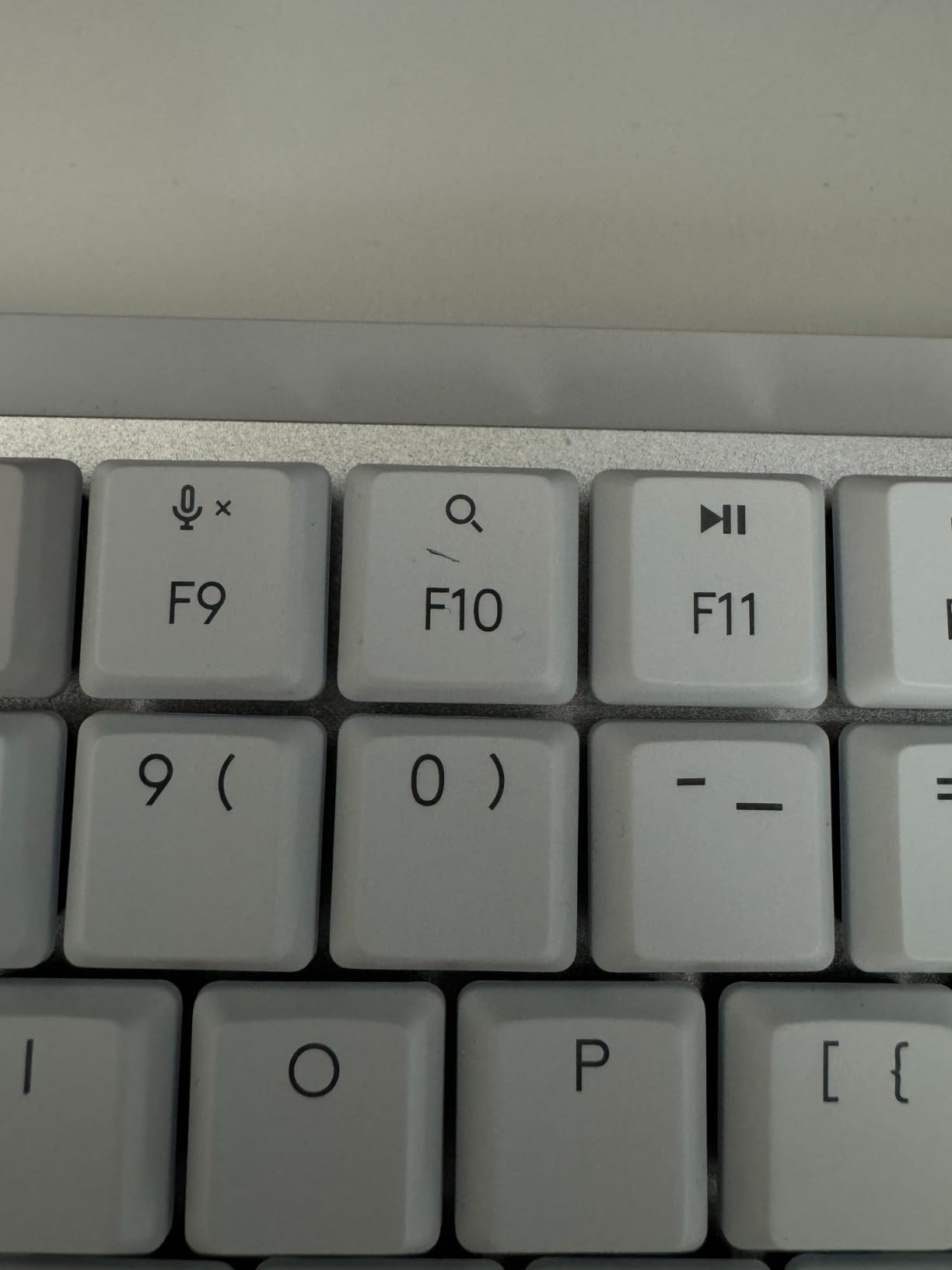
At 12.3 by 5.2 inches and 2 pounds it is larger and heavier than the scissor options here. The 84 keys still leave a numeric pad, so you are not losing function, but it takes more desk width than the MX Keys Mini does.
Reviewers also flag the key arrangement around the arrow cluster as typo-prone for some layouts, and the pale grey finish is Mac-centric. Both are minor, and neither is a reason to skip it if you want the mechanical feel.
Who Should Skip It
Windows users, full-time video callers who need a very quiet board in a shared room, and anyone who wants a portable board. The weight alone rules out travel, and the Mac-only key layout is a hard stop for a mixed-OS desk.
3. Logitech Pebble Keys 2 K380s – The Best Low Profile Keyboard for Travel
Logitech Pebble Keys 2 K380s Wireless Bluetooth Keyboard – Tonal Graphite
104 keys
10.98 x 4.88 x 0.63 inch
415 g
Bluetooth, 3 devices
+ Pros
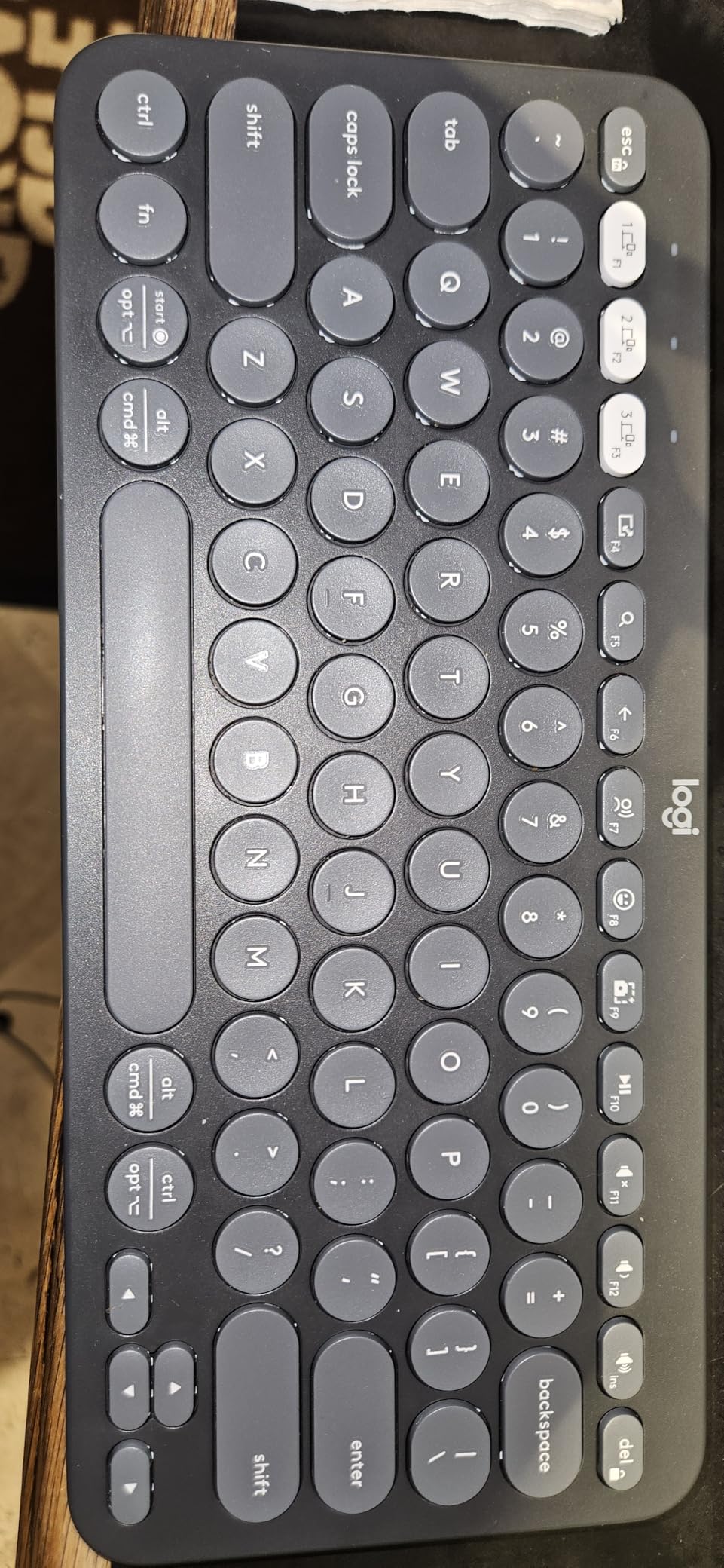
- Light at 415 g with a 0.63 inch body
- 3 year battery on 2 AA batteries
- Scooped round keys for a laptop-like feel
- Easy-Switch across 3 devices
- Custom Fn keys in Logi Options+
– Cons
- No backlighting at all
- AA batteries rather than rechargeable
- Printed legends can wear with heavy use
At 415 g and 0.63 inch thick, this is the board I actually put in a tech pouch. The 10.98 by 4.88 inch footprint is narrower than most full-size slim boards, and it still carries all 104 keys including the number pad, which is unusual at this width.
The scooped round keycaps are the closest match to a modern laptop keyboard in this roundup. If your current typing habits were built on a MacBook or a modern Windows ultrabook, the transition is close to invisible.
Multi-device switching is handled by physical Easy-Switch buttons, one per paired device, which is faster and more reliable than a buried menu on a phone. Logi Options+ also lets you reassign the Fn shortcuts, though the volume key behavior is limited by the software.
Battery Life: The Number Here Is Real
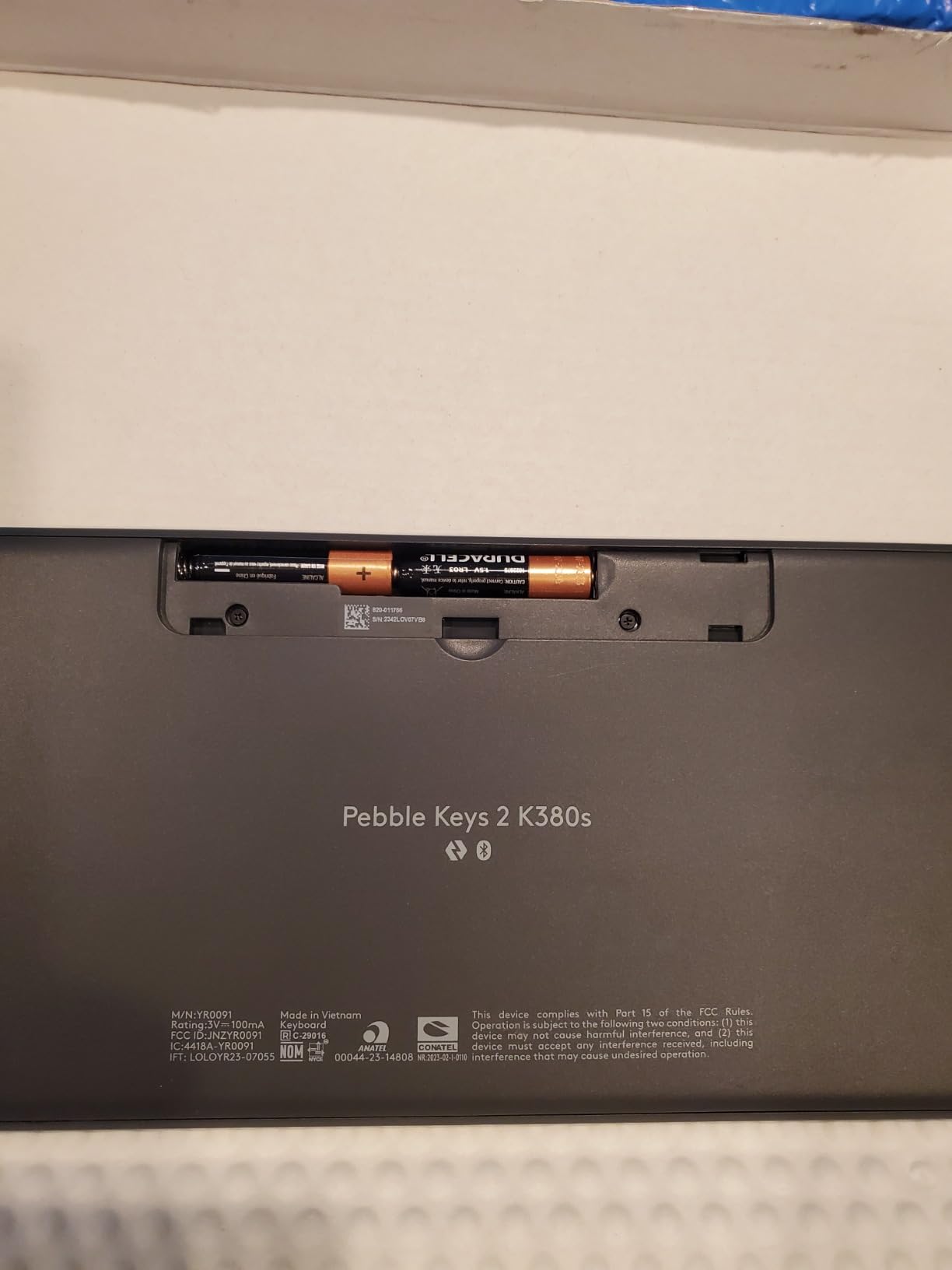
This board’s headline battery figure needs fewer asterisks than most. Two AA batteries are quoted at up to 3 years, with an auto-sleep mode that wakes on a key press, and reviewers report the figure holds because there is no backlight to drain it.
That single omission is the whole story of this board. A board with no light can promise three years; the illuminated boards here promise weeks. If you are the person who always forgets a charger, that trade is worth making.
Portability and Desk Footprint
At 10.98 inches long it is narrower than the MX Keys Mini and 0.2 inch thinner. It fits a standard laptop sleeve or a small tech pouch alongside a charger and a cable, and the low weight means it does not tip a bag toward the weight limit.
The trade is desk depth. A narrower body means less palm rest on the right side, and users who write long documents with a mouse on the same surface will feel that more than they expect.
Legends, Layout and Known Quirks
Key legends are printed rather than laser-etched or double-shot, and heavy use over a few years is reported to wear them. That is a cosmetic issue rather than a functional one, and it is the main build-quality compromise at this level.
There are no indicator lights for caps lock or Fn lock, which is the second most common complaint. The third is the lack of backlighting, obvious in a dim room and irrelevant everywhere else.
Who Should Skip It
Night shift workers, anyone typing in low light, and users who need a wired fallback. It is also the wrong pick if you care about keycap longevity and plan to keep the board for a decade.
4. iClever BK10 SE – Best Value Full-Size Slim Keyboard With a Number Pad
iClever BK10 SE Bluetooth Keyboard for Mac, Slim Full-Size Keyboard, Silver
Full-size with numpad
14.25 x 5.15 x 0.65 inch
12.96 ounces
Bluetooth, 3 devices
+ Pros
- Full-size layout including a numeric keypad
- 0.16 inch at the thinnest edge
- USB-C charging with 180 day battery
- Stainless steel and ABS construction
- Auto-detects macOS Windows iOS Android
– Cons
- No backlighting
- Arrow keys are compact and integrated
- Occasional stuck key reports
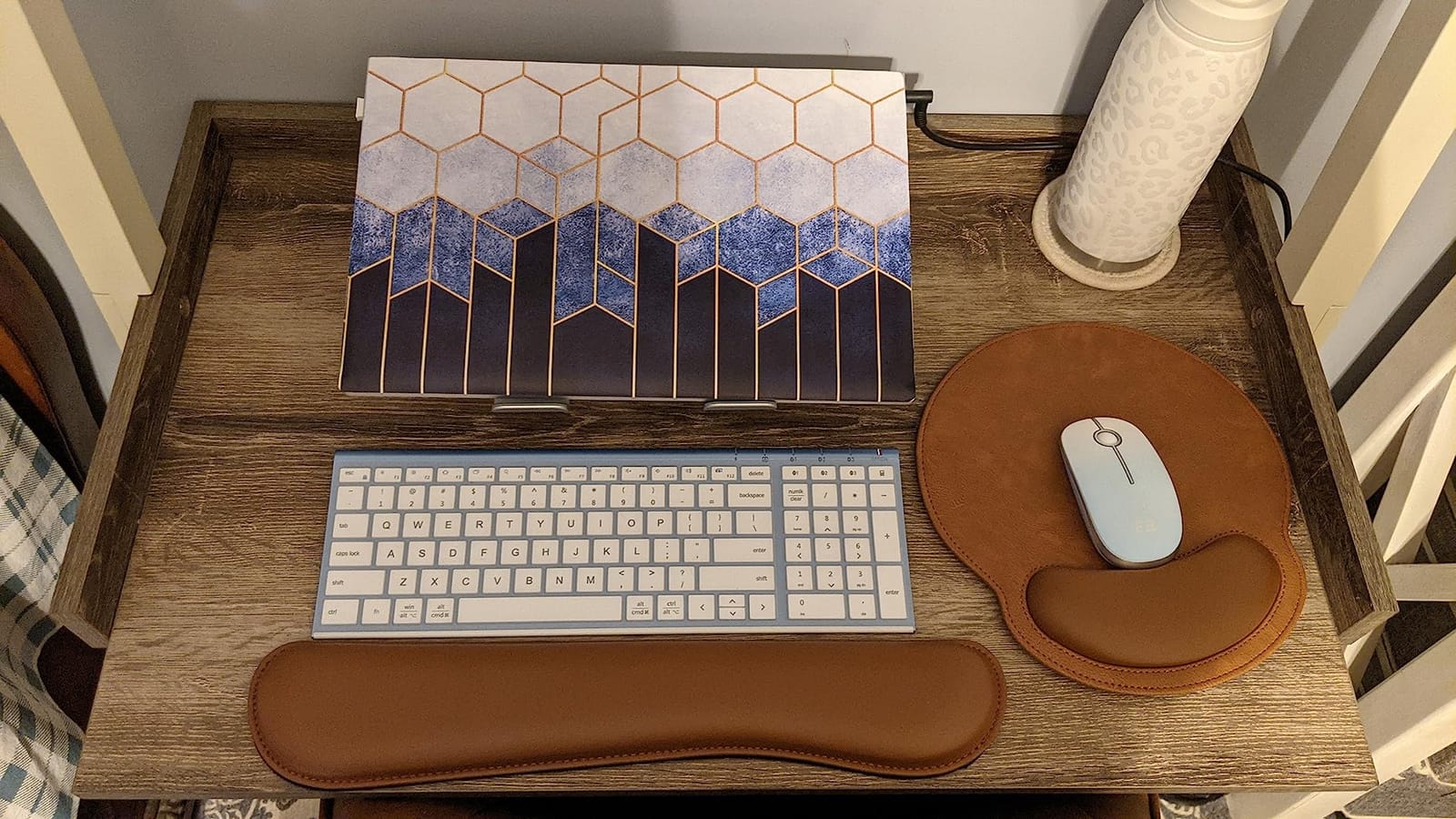
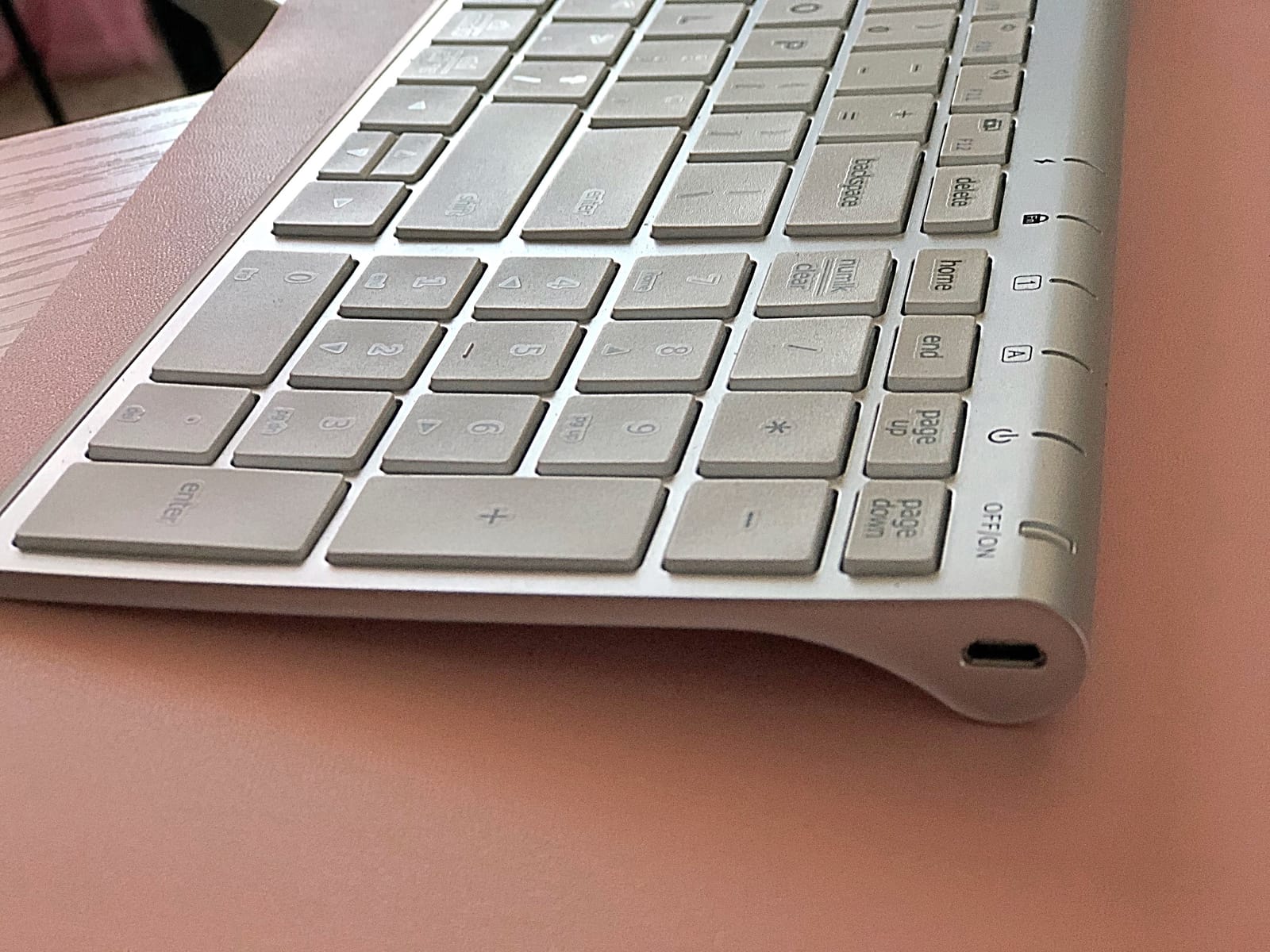
Forum threads about low profile boards keep hitting the same wall: full-size with a number pad is hard to find under this height. This one answers it. At 0.65 inch tall and 0.16 inch at the thinnest edge, it keeps 15 mm standard full-size keycaps on a scissor mechanism in a chassis that is mostly aluminum and ABS.
The auto OS detection is more than a marketing line here. The board recognises whether it is talking to macOS, Windows, iOS, or Android and remaps the modifier keys without you touching a switch, which removes the single most annoying part of moving between a work laptop and a personal one.
At 12.96 ounces it is light enough to move between desks, and a perforated base in the chassis is claimed to keep the Bluetooth link stable, which is a real fix for the dropouts people hit on thin metal bodies.
Battery and Charging on a USB-C Desk
USB-C charging with a quoted 180 days per charge is the headline, and it is easier to believe than most because a smart sleep mode kicks in after two hours of inactivity. In practice, treat the figure as a several-month claim rather than a yearly one.
The charging port means the same cable that charges the laptop charges the keyboard, which is one fewer brick in a bag. That matters more on a laptop desk than on a desktop where the charger is already plugged in.
Keycap Height and Typing Character
Standard 15 mm full-size keycaps on a scissor mechanism produce a crisper, more defined bottom-out than the domed caps on the Pebble Keys. It sits closer to a desktop keyboard’s feel while keeping the low chassis, which is a useful middle ground for people moving from a laptop to a desk.
Typing noise is low. Nothing about the scissor mechanism announces itself in a shared office, which is what most buyers in that situation are actually shopping for.
Layout Weak Spots and Quality Control
The arrow keys are compact and share space with nearby keys, and reviewers report the Insert, Delete, and Backspace cluster is where misclicks happen. If you navigate documents with the arrows constantly, test those first.
A small number of buyers report individual stuck keys, and the layout is English QWERTY only, which rules it out as a drop-in for ISO users. The construction itself, stainless steel reinforced ABS, feels well above the tier.
Who Should Skip It
Anyone who types in dim light, ISO keyboard users, and people who need arrow keys as a primary navigation tool. It is a work and study board, not a portable one.
5. Keychron B1 Pro – Best for Remapping Keys in a Browser
Keychron B1 Pro Ultra-Slim Wireless Keyboard, ZMK/Launcher Programmable Bluetooth/2.4GHz/Wired, 1200 Hours Battery Life, Silent Scissor Switch Office Keyboard for Mac/Windows/Linux – Gray
84 keys
0.2 inch front, 0.57 inch rear
Scissor switches
2.4 GHz, Bluetooth, USB-C
+ Pros
- Triple connectivity with 1000 Hz on the 2.4 GHz link
- Remap keys through a web app with no install
- 1200 hour battery figure
- 0.2 inch front edge with a silicone skin included
– Cons
- Only 2-key rollover
- No backlighting
- Web customiser needs a USB-C connection
- Wakes slowly from sleep
This is the programmable option. The Keychron Launcher web app remaps keys and layers in a browser tab, and ZMK firmware gives deeper control if you want to write macros. Nothing about the setup requires installing an application on the machine you are typing on.
Connectivity is where it separates itself from the other slim boards. You get 2.4 GHz wireless at a 1000 Hz polling rate, Bluetooth 5.2, and wired USB-C, so the same board works on a desk with a receiver and on a coffee shop table with none.
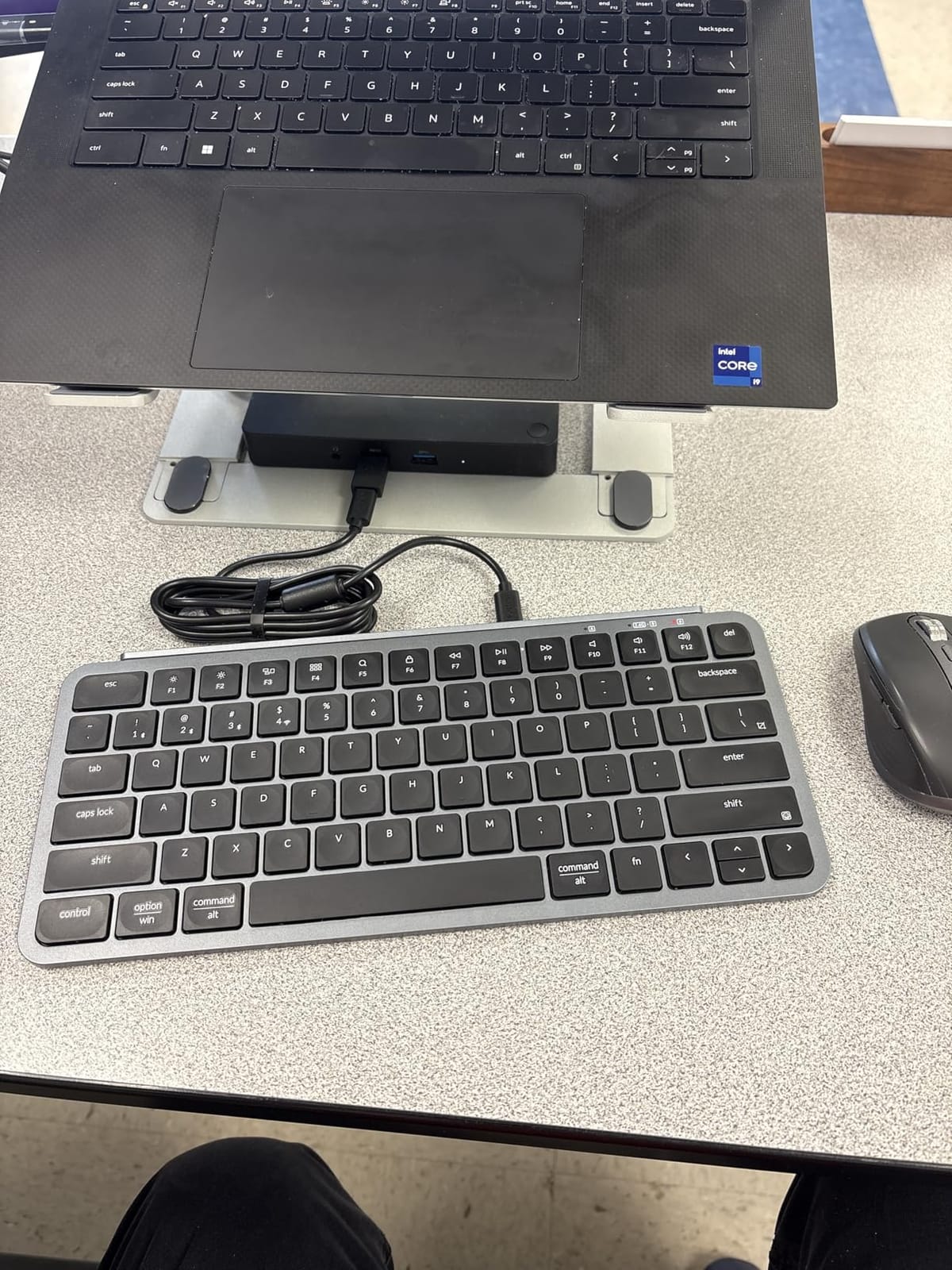
The geometry is the most extreme here: 0.2 inch at the front edge rising to 0.57 inch at the rear. That shallow front profile is what makes it feel like typing on a laptop keyboard rather than on a small desktop board.
Key Rollover and What It Means for Fast Typists
The honest flaw on this board is 2-key rollover. It registers two simultaneous keystrokes reliably, and anything beyond that during fast typing can drop characters. For a typist working at laptop speed on long documents, that is a real and recurring annoyance rather than a footnote.
This is the trade you make for the programmability. If you remap layers and shortcuts, the 2KRO ceiling rarely matters because your heavy typing is on unmodified letters.
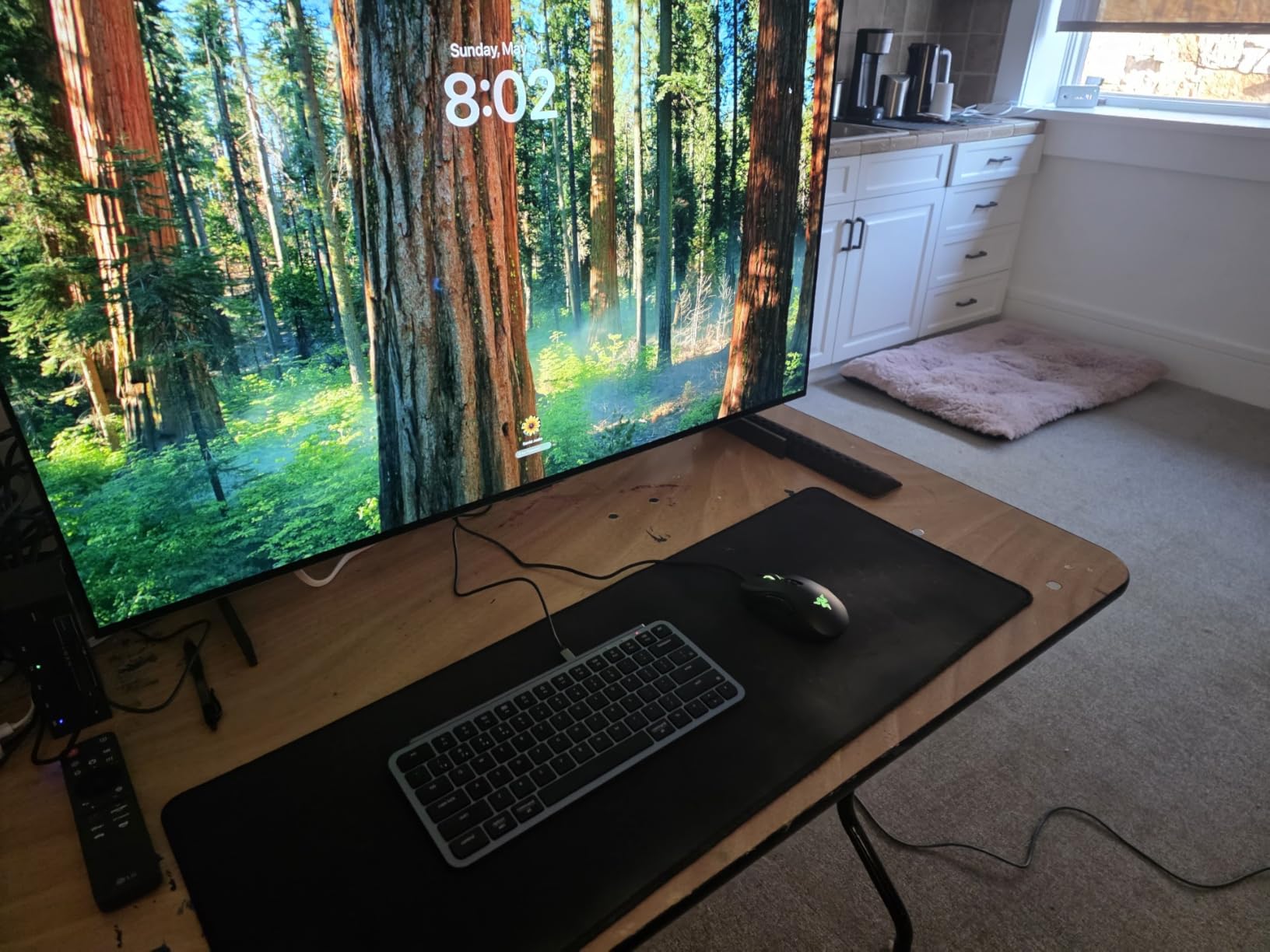
The Launcher Web App in Practice
Remapping runs through a browser-based configurator or through ZMK firmware, which means you can set up a board on a loaner machine without installing anything. The catch is that the web customiser only works when the board is connected over USB-C, not over the wireless links.
Concave keycaps help you find the middle row by touch, which pairs well with a low front edge. The plastic chassis is basic, and a small number of buyers report long-term warping.
Battery and Sleep Behaviour
The quoted figure is 1200 hours, roughly eight months at five hours a day, on scissor switches with no backlight to drain it. That claim is plausible because the board has no lighting hardware at all.
Wake from sleep takes around three seconds, and there is no automatic OS detection for the Command and Windows keys, so Mac users set the layer manually. Both are minor once configured, and both are noticeable in the first week.
Who Should Skip It
Fast typists, anyone who needs a backlight, and Mac users who want zero configuration. If you write at speed for a living, the missed keystrokes will push you toward a full NKRO board instead.
6. Keychron B6 Pro – Full-Size 108 Keys With a Programmable Layout
Keychron B6 Pro Ultra-Slim Full-Size Wireless Keyboard – Retro Red
108 keys with numpad
Full-size ultra-slim
623 g
2.4 GHz, Bluetooth, USB-C
+ Pros
- 108 keys and a numeric keypad in an ultra-slim body
- 1000 Hz polling on the 2.4 GHz link
- 1200 hour battery figure
- Physical OS and connection mode switches
– Cons
- Only 2-key rollover
- No backlighting
- No adjustable typing angle
- Insert Delete Backspace cluster causes misclicks
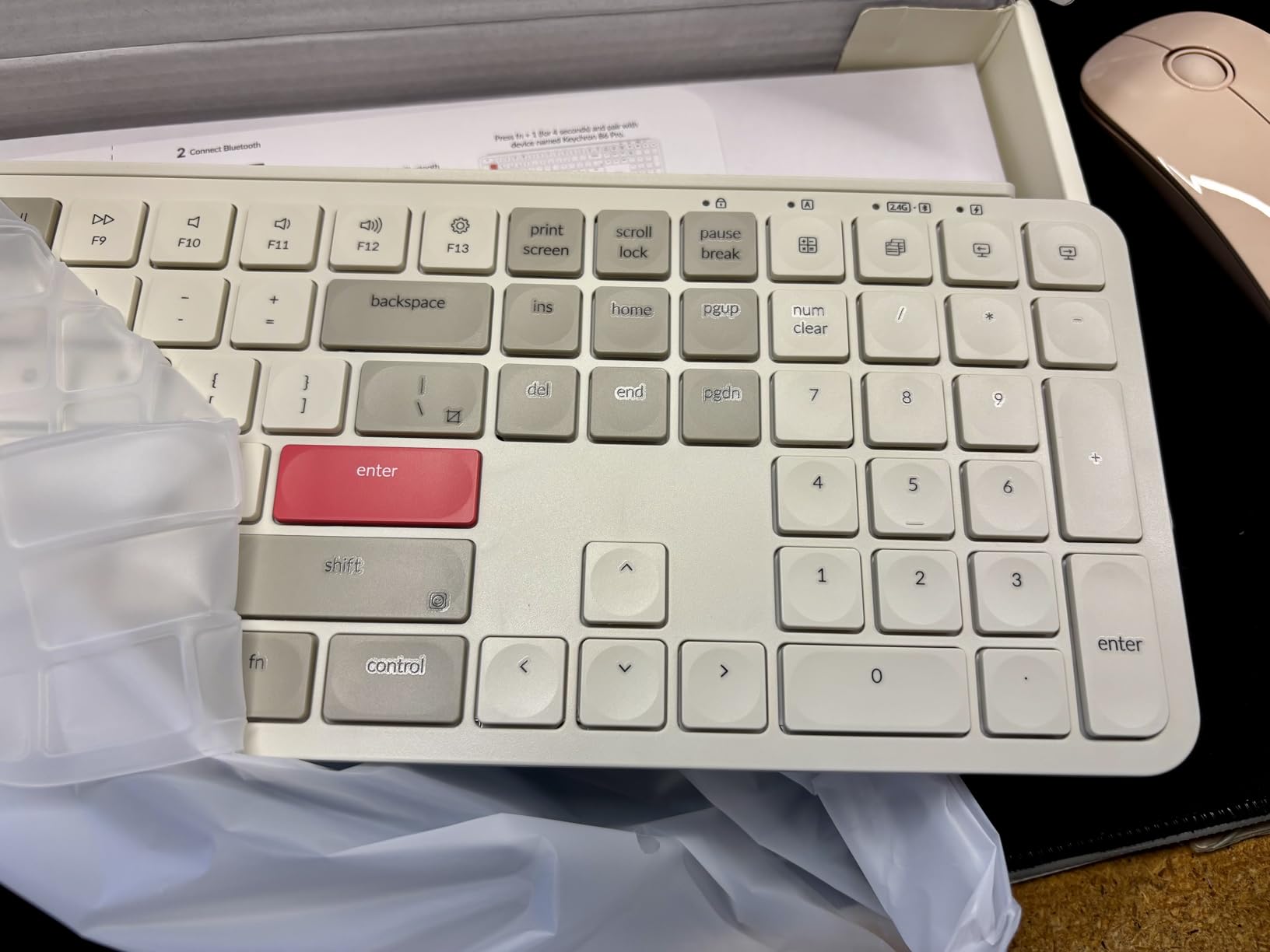
The B6 Pro is the B1 Pro idea with a full-size layout attached, including a 108-key count and a numeric keypad. If your desk does real spreadsheet or data entry work, the extra keys matter more than the small body.
Physical toggle switches for OS mode and connection mode are a genuine improvement over digging through a menu. You flip a switch instead of holding a modifier, which is exactly the kind of thing that saves time across a workday of hot-desking.
The box includes a silicone skin, the 2.4 GHz receiver, a USB-A to USB-C adapter, and a USB-C cable, so you are not hunting for a dongle when you arrive somewhere new. That completeness is unusual at this tier.
Polling Rate and Multi-Device Work
The 2.4 GHz link runs at 1000 Hz, which is far quicker than the polling loop a Bluetooth connection uses. For typing you will not notice the difference, but for a game running on the laptop rather than a desktop, the receiver is the path that reduces input delay.
Switching between the 2.4 GHz and Bluetooth profiles takes about three to five seconds, which is long enough to notice if you flip often and short enough that it does not disrupt a meeting.
Typing Angle and the Flat Front Edge
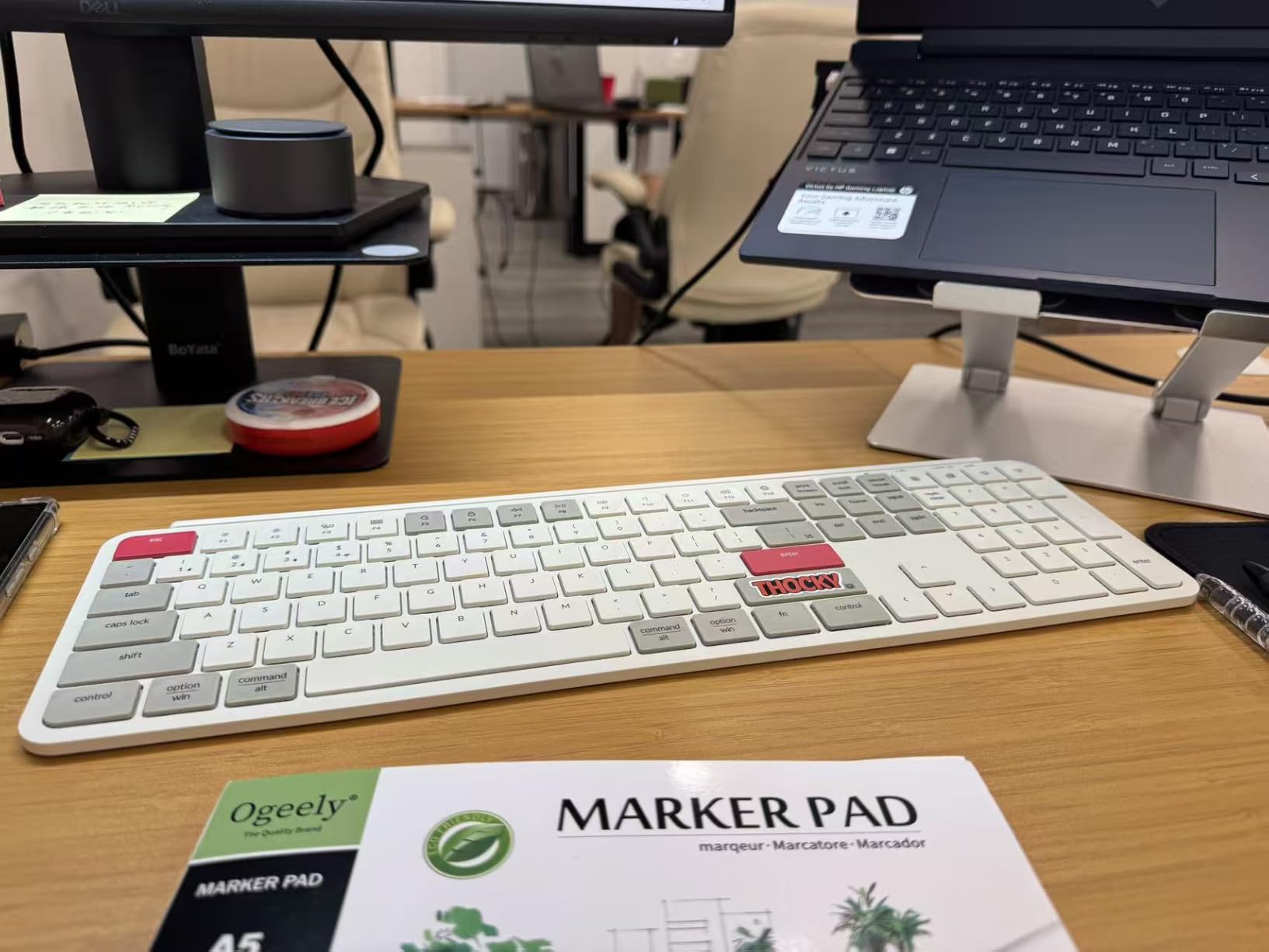
There is no adjustable angle on this board, and at 623 g with an ABS body you feel that immediately when you slide it around. The ultra-slim profile is the priority here, and the typing angle is what gets traded away to achieve it.
That flatness is exactly what a laptop desk wants, though. On a riser setup, a neutral zero-degree angle keeps your wrists straight and matches the posture your laptop keyboard would have had.
Rollover Limits and the Misclick Cluster
Like the B1 Pro, this is a 2-key rollover board, so fast typists will drop characters. That is the single biggest reason the rating sits below the rest of the Logitech group here despite the strong feature set.
Buyers also report misclicks around the Insert, Delete, and Backspace cluster, and the wake-from-sleep delay of roughly three seconds. Long lists of cons, but all of them are consistent with a budget board that prioritizes layout and programmability.
Who Should Skip It
Typists who need NKRO, anyone who needs a backlight, and people who want a typing angle. It is built for programmers and data entry rather than for comfort tuning.
7. TECKNET Wireless 2.4G Ultra-Slim – A Full-Size Board With a Numpad and a Three-Year Warranty
TECKNET Wireless Keyboard Rechargeable 2.4G Ultra-Slim, Comfortable Typing
110 keys with numpad
17.12 x 5.12 x 0.59 inch
500mAh battery
2.4 GHz receiver
+ Pros
- 110 keys and a numeric keypad at 0.59 inch tall
- 500mAh rechargeable battery quoted at 180 days
- 15 meter 2.4 GHz range
- Three year warranty
- Spill resistant with a 10 million keystroke rating
– Cons
- No Bluetooth so the USB receiver is required
- No backlighting
- Plastic build
- Some sleep-wake connection complaints
This is the widest board in the roundup at 17.12 inches, and the width is a feature if your desk is wide. At 0.59 inch tall it is still firmly in the ultra-slim class, so it sits flat under a riser without lifting your wrists.
Twelve multimedia keys sit across the top row, and the 110-key count includes a numeric keypad with an adjustable stand offering three angles underneath. For a fixed desk with a mouse on a mat, that combination is hard to beat in this category.
The 2.4 GHz receiver works out to a 15 meter range, which means the keyboard keeps working even when the laptop is across the room on a stand or a couch. Auto-sleep wakes on a key press, so there is no wake button to hunt for.
Battery and Charging Without a Backlight
The 500mAh rechargeable battery is quoted at up to 180 days from a two-hour charge. That is only credible because there is no backlight, and it means the board stays off the charger for months at a time.
Charging is over USB, and because the board is 2.4 GHz only there is no battery cost at all when it sits unused in a drawer, which is the opposite of the rechargeable wireless problem on illuminated boards.
Scissor Travel and the Adjustable Stand
The scissor keys give 2 mm of travel, the only travel figure published for the wireless boards in this group, and reviewers describe the result as comfortable rather than sharp. Finger-fit key shapes are moulded to the fingertip contour for a softer landing.
The adjustable stand gives three positions. A minority of buyers find it flimsy, and the plastic body is the least premium-feeling part of an otherwise practical package.
Device Compatibility and the Bluetooth Trade
Compatibility is wide, covering Windows, iOS, macOS, Android, and smart TVs. In practice that means one board can serve a work desktop, a phone, and a streaming box without re-pairing.
What it cannot do is Bluetooth, and that is the reason to think twice. Hot-desking between two laptops means physically moving the USB receiver, and the well-reported sleep-wake connection hiccups are the most common complaint in reviews.
Who Should Skip It
People who hot-desk between two laptops daily, and anyone who needs to type in the dark. If you move machines, the missing Bluetooth costs more convenience than the extra keys are worth.
8. OMOTON Ultra-Slim for Mac – Native Mac Layout on a Tight Budget
OMOTON Ultra-Slim Wireless Keyboard for Mac (MacOS 10.10+), Compact Size
78 keys
11.22 x 4.72 inch
Scissor switches
8 degree tilt
+ Pros
- Native Mac layout with Command and Option in the right places
- Compact 11.22 inch body that fits a sleeve
- Built-in 8 degree tilt angle
- Stable 33 foot Bluetooth range
- Users report 3 years of durability
– Cons
- Two AAA batteries required and not included
- No backlight and no multi-device switching
- Some quality control reports of sticky keys
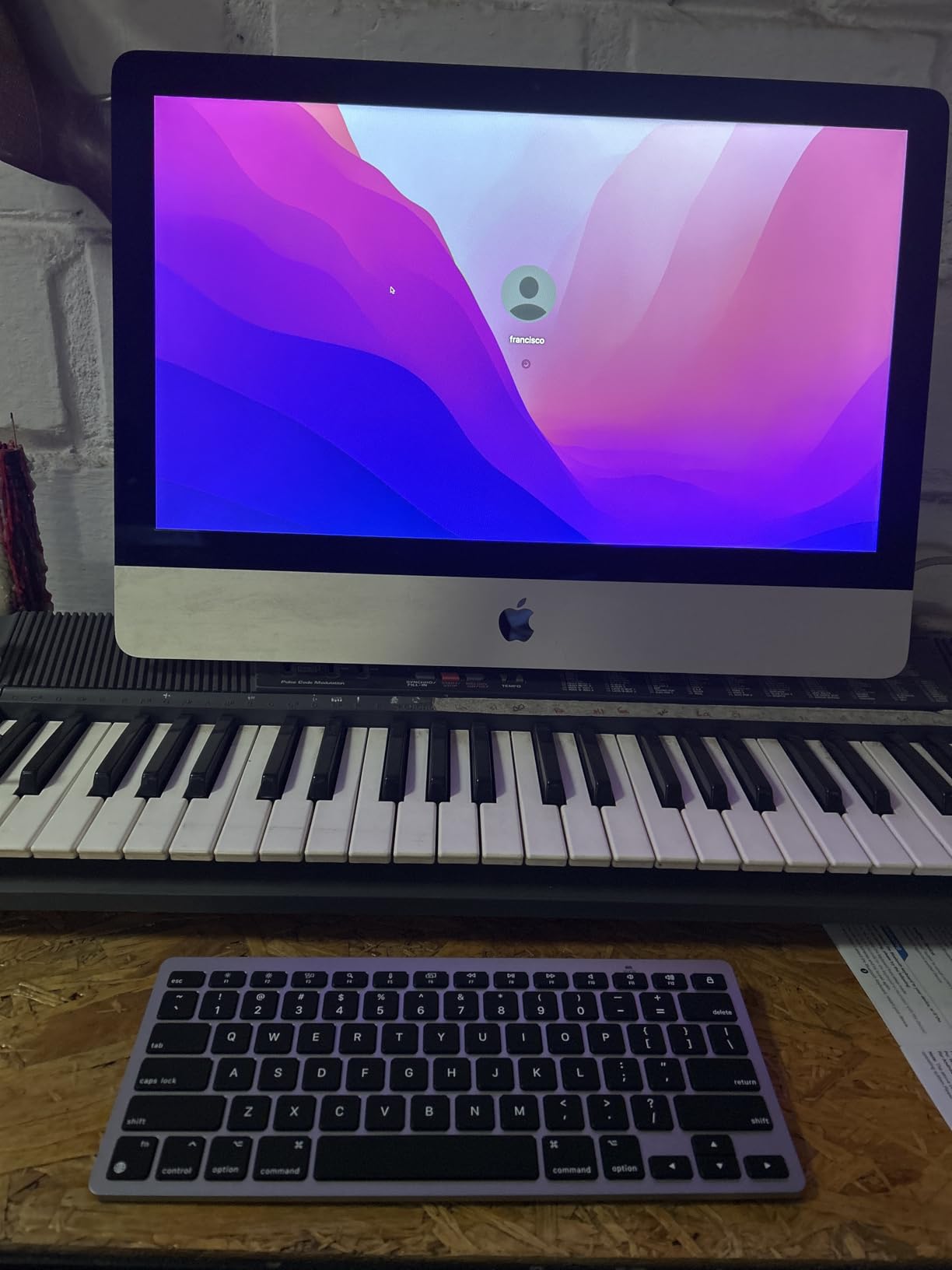
If you use one Mac and one Mac, this is the simplest possible answer. The layout is native, with Command and Option where macOS expects them, and it works with anything from an older iMac to a current MacBook Air.
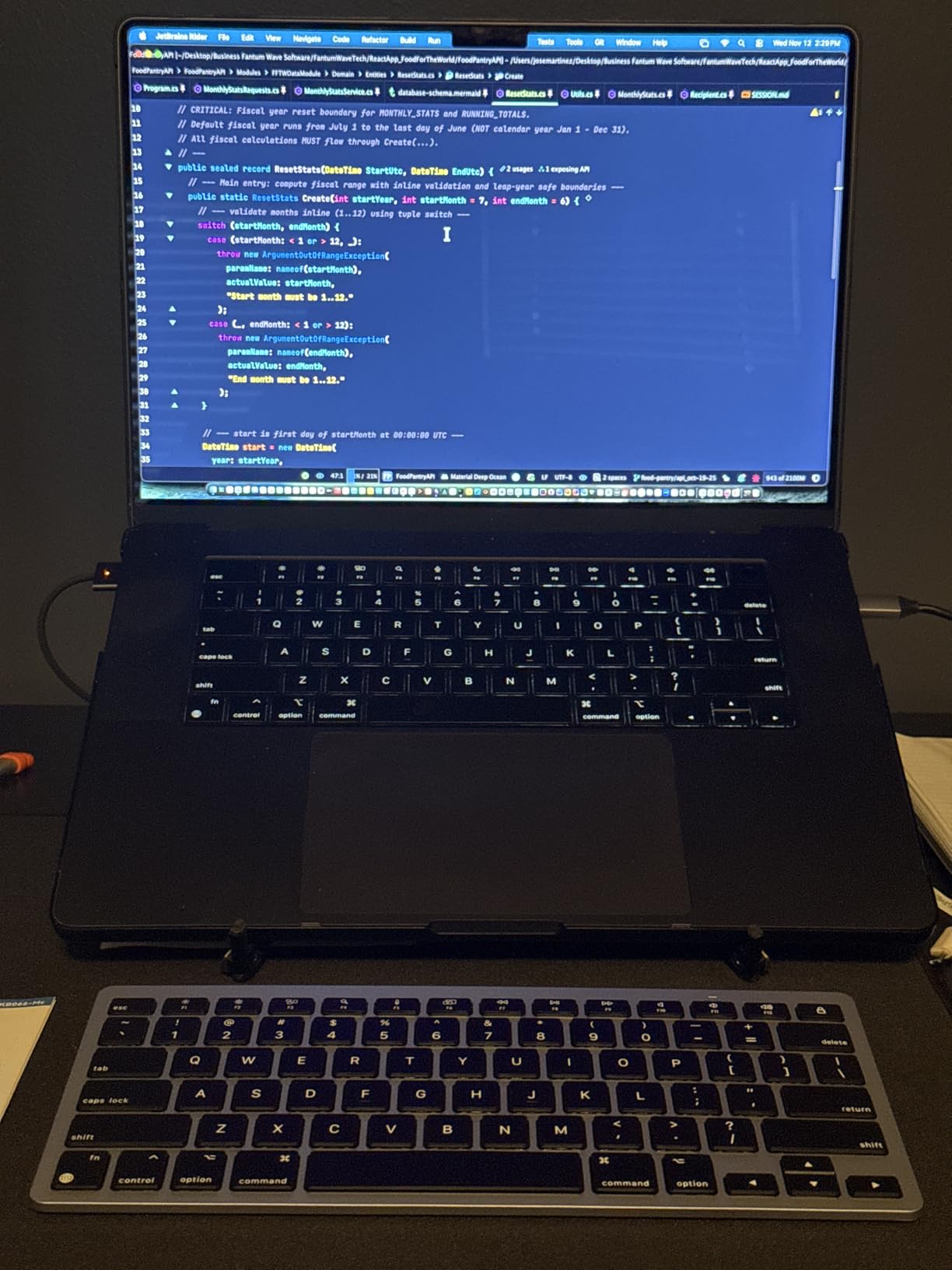
The 78-key count keeps a dedicated arrow cluster and drops the function row to save width, and at 11.22 by 4.72 inches it is one of the narrowest boards here. Reviewers regularly describe the key feel as close to an Apple Magic Keyboard, which is the comparison that matters on this tier.
The 8-degree tilt is built into the chassis rather than added on a folding foot, so the angle is consistent every time you pick it up. On a laptop riser setup that fixed, gentle angle keeps the wrists flatter than a wedge foot would.
Battery: 400 Hours on Two AAA Cells
Up to 400 hours from two AAA batteries is the quoted figure, and the auto-sleep function extends it. The important detail is that the batteries are not included and are not rechargeable, so you are buying standard cells rather than managing a built-in pack.
That sounds like a drawback until you consider the alternative. A rechargeable board in a bag is a dead board in a bag. Standard cells plus a spare pair in the same pouch solves the problem permanently.
Single-Device Bluetooth and Range
Connection is a single Bluetooth profile with a quoted 33 foot range and no multi-device switching. If you own a work laptop and a personal one, you are re-pairing rather than tapping a button, which is the main workflow this board does not support.
For a single-machine user that limitation never comes up, and the stable link inside a room is something users report holds without dropouts.
Mac Layout Versus Windows Cross-Use
The board is designed for macOS 10.10 and later, and the modifier placement does not translate cleanly to Windows. Users who need one keyboard across both systems should look at a board with physical OS detection instead.
A small number of quality control reports mention sticky keys and keycaps popping off, and the battery compartment is reported to be fiddly to open. Neither is universal, and long-term owners report three years of use.
Who Should Skip It
Windows users, multi-device switchers, and anyone who needs a backlight. It is a one-machine, one-OS board, and it is honest about that.
9. TECKNET Wired Ultra-Slim – Quiet Scissor Keys With Three Angles
TECKNET Wired Keyboard, Ultra-Slim USB Keyboard with Scissor-Switch Silent Keys, Mechanical Feeling Kyeboard, Ergonomic Foldable Stand, Plug and Play for PC/Laptop/Mac, Black
Wired USB-C
0.26 inch at thinnest point
3.5mm key travel
Scissor switches under 40 dB
+ Pros
- 3.5 mm of key travel
- Under 40 dB typing
- Three angle folding stand at 6 8 and 10 degrees
- Detachable USB-C cable
- Spill resistant to two hours of water immersion
– Cons
- Wired only with no wireless option
- No backlighting
- Plastic construction
- Cable length may be short for a raised laptop stand
Wired keyboards solve three problems that wireless ones create. No battery to manage, no pairing step, and no input delay. On a fixed laptop desk where the machine sits on a stand a few feet away, that simplicity is genuinely valuable.
The 3.5 mm of key travel is the deepest figure any board in this roundup publishes, and it is why the typing gets described as mechanical-feeling. The scissor mechanism is rated under 40 dB, which makes it viable for a shared office or a call-heavy workday.
There are 12 FN-plus-F multimedia shortcuts and four dedicated function keys, and it is plug and play with no drivers on Windows, macOS, or iOS. The dual-layer folding stand gives 6, 8, or 10 degrees depending on how you fold it.
Why Wired Wins on a Riser Setup
On a laptop riser, the cable has to reach from the keyboard position to a port on the raised machine, which is exactly where short cables get awkward. Plan your cable route before you buy, because the length is fixed and the detachable USB-C end helps if you need an extension.
What you get in exchange is a keyboard that wakes instantly every single time. There is no sleep, no reconnection, and no first-keystroke drop, which removes the most common complaint on every wireless board here.
Spill Resistance and Build Reality
Water resistance tested to a two-hour immersion is an unusual specification to publish, and it is a genuine advantage on a desk where a drink is within reach. A ten million keystroke rating is a reasonable longevity claim for a home or office board.
The plastic construction is the honest limitation. It does not feel premium, key legends are reported to wear over years of use, and the stand is a folding layer rather than a machined foot. None of that matters if the board lives in one place.
The 40 dB Question for Shared Spaces
Under 40 dB is a figure you can use as a filter when shopping shared-space keyboards, because most membrane boards sit well above it. The practical difference shows up on video calls, where a clattery keyboard is audible to the other side.
Key travel and noise level trade against each other in general, and this board sits at the quiet end while still giving you 3.5 mm to type into.
Who Should Skip It
Anyone who moves between locations, works where a cable would be in the way, or needs to type in low light. It is a single-desk board, and it is very good at that one job.
10. Perixx PERIBOARD-332 – A Backlit Mini Keyboard for Dim Desks
Perixx PERIBOARD-332 Wired Backlit USB Keyboard – Mini 11.22×4.57×0.83 Inches – Slim Scissor Keys with Big Font – White Illuminated LED – US English
84 keys
11.22 x 4.57 x 0.83 inch
12.3 ounces
Wired USB with white LED
+ Pros
- White LED backlight on a mini layout
- Brightness adjustable with Fn plus F2
- Laser etched big font legends
- Quiet scissor keys
- Works on Windows macOS Linux and Chrome OS
– Cons
- Wired only
- No numeric keypad
- Single white backlight colour
- Fixed angle and a non-detachable cable
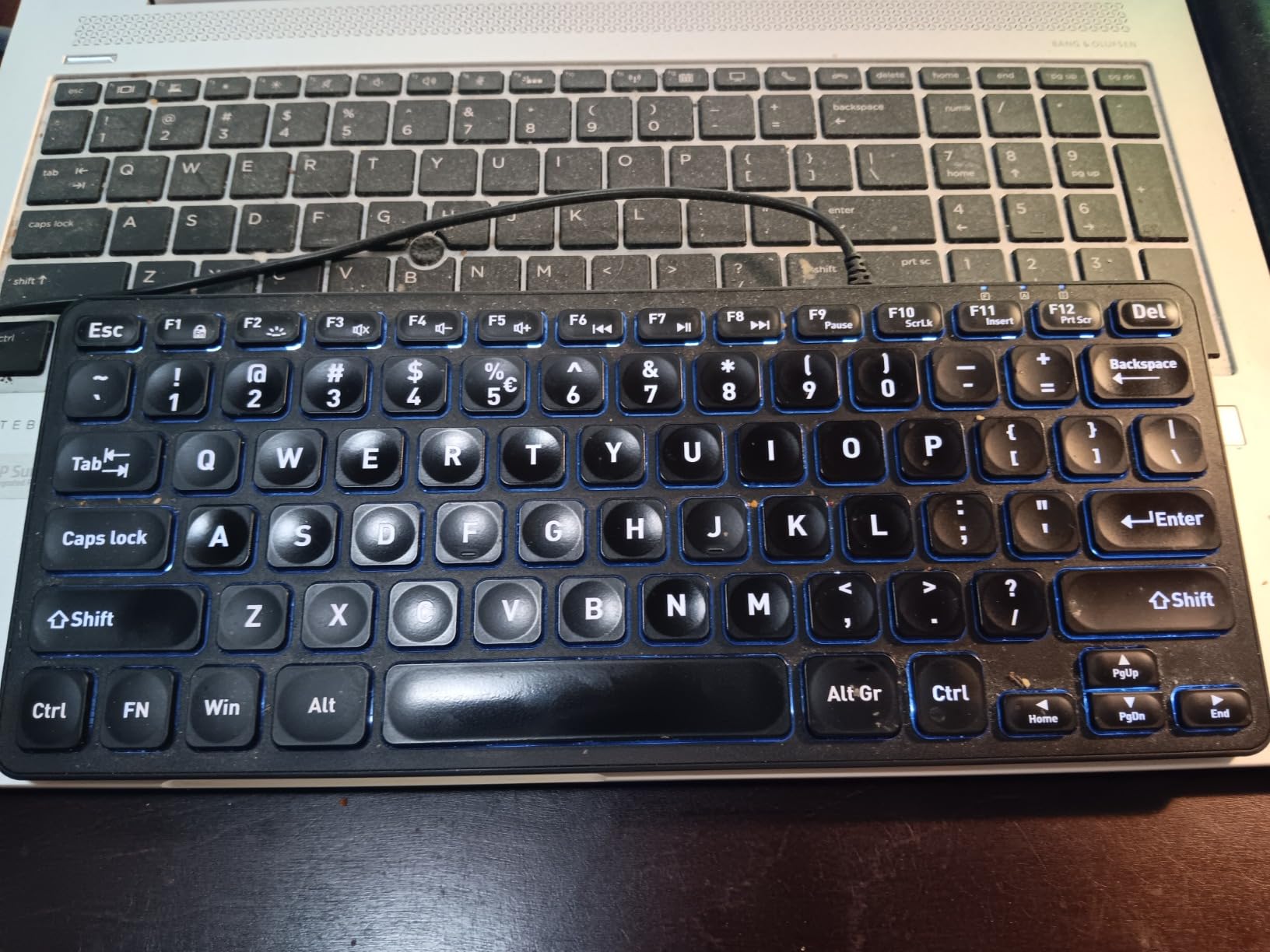
Backlighting is the feature every other slim board here skips, and this one covers it. White LED illumination with adjustable brightness on the Fn plus F2 combination is the whole reason to pick this keyboard over a cheaper wired mini.
At 11.22 by 4.57 inches and 12.3 ounces it is one of the smallest and lightest products in the roundup, and the 84-key layout drops the number pad entirely. On a small desk with a laptop and a mouse, the reclaimed width is the actual feature you are buying.
The laser-etched big font legends are worth calling out. Etched characters do not wear off the way printed ones do, which is the single most common longevity complaint on cheaper keyboards including the Pebble Keys.
Cross-platform support covers Windows 7 through 11, macOS, Linux, and Chrome OS, with no drivers required, and the multimedia shortcuts work on Windows only. That is a limitation, but on a cross-platform desk it costs you two keys rather than a workflow.
Backlight Brightness and Night Use
The light is white only, with no colour options, which keeps power draw low on a USB-powered board. Turn the brightness down for daytime use so the light does not wash out the contrast of the etched characters, and that is the only real habit this lighting asks of you.
Mini Layout Trade-offs on a Laptop Desk
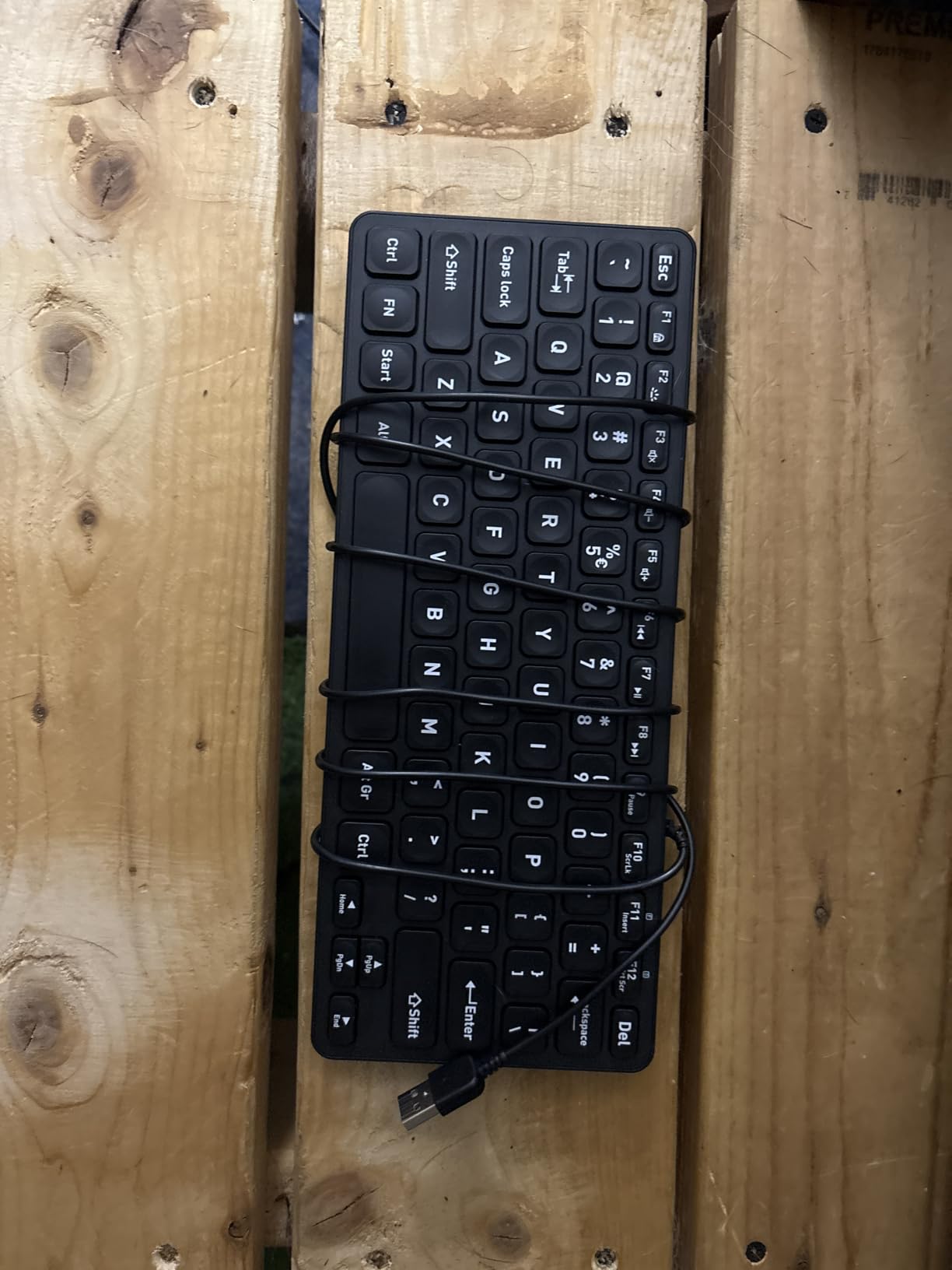
Dropping the numeric keypad saves about an inch and a half of width, which is meaningful when the laptop is open next to you and the mouse needs room. It also means no number pad, so spreadsheet entry depends on the laptop’s own keyboard or a software overlay.
Because there is no numpad, the arrow cluster sits directly under the right edge, which is roughly where your fingers already land coming off a laptop keyboard. Switching between the board and the built-in keys therefore costs almost nothing in practice.
Wired Setup and Fixed Angle
At 0.83 inch tall it is a slim board rather than an ultra-slim one, and there is no adjustable tilt foot, so the typing angle is fixed. On a laptop riser, a flat fixed angle is acceptable, but it is not tunable.
The cable is not detachable, which rules out a clean hub or dock arrangement. It also means a fixed cable length, so check the reach to your laptop before committing.
Who Should Skip It
People who need a number pad, wireless users, and anyone who wants multiple backlight colours. For a dim corner of a room, a dorm desk, or a night shift, it is exactly right.
How to Choose a Low Profile Keyboard for Your Laptop Desk
Every pick above solves the same problem, so the decision comes down to four things: the layout you need, whether you move the board, what your desk lighting looks like, and whether you care about key feel. Work through them in that order and the list narrows fast.
Scissor Switch, Slim Membrane, or Low Profile Mechanical
Choose a scissor switch if your typing habits come from a laptop. The key pitch, the travel, and the bottom-out all match what you already know, so there is no adjustment period at all. Every board except the MX Mechanical Mini on this list falls into this category.
Choose a low-profile mechanical if you have used a full-size mechanical before and want that feedback. You are buying the tactile bump and the sharper bottom-out, and you should expect one to two weeks of retraining before it stops feeling odd.
Be realistic about what a thin, cheap switch feels like before you buy one. The travel is short and the bottom-out is light, so the feedback you get is thin, and no amount of tuning changes that. The boards in this roundup that sit lowest are the ones that accept that trade in exchange for a 0.2 inch front edge.
Layout Size: Full-Size, Mini, or 78 Keys
Full-size with a number pad is the iClever BK10 SE or the TECKNET Wireless, and it is the right answer for finance, data entry, and students who do coursework with tables. The Pebble Keys keeps a 104-key count in a narrower body, which is the best of both if your desk is not huge.
Mini and 78-key layouts trade the number pad for width. The Perixx and the OMOTON give up around two inches of desk, which is a lot on a laptop desk where a mouse also needs room. Choose those if you never touch a number pad.
Key Rollover: The Spec Nobody Reads Until They Type
Rollover is how many keys the board can register at the same instant. Boards with full key rollover are the ones to want, and the figure is the one spec in this roundup that separates two otherwise similar scissor boards, the Keychron B1 Pro and the B6 Pro, both of which register only two keys at once.
If you write at speed or use software with heavy modifier combinations like Ctrl plus Shift plus a letter, check the rollover figure first. It is the single most likely reason a capable-looking board frustrates you within a week.
Wireless Latency: 2.4 GHz Versus Bluetooth
Bluetooth polling on these boards runs slower than a 2.4 GHz receiver link, and the difference shows up as input delay rather than dropped keys. For typing you will never notice it. For a game running on the laptop, you will. If that machine is a compact build, our guides to the best low profile graphics cards and the best single slot low profile graphics cards cover the rest of it.
Bluetooth-only boards also have the sleep and wake problem, where the first keystroke after a Mac wakes from sleep goes missing. The community fix is straightforward: keep the Mac Wi-Fi band set to 5 GHz, or use the 2.4 GHz receiver where one is included.
Battery Life: Read Both Numbers, Not the Best One
Every quoted battery figure here assumes something. The 1200-hour and 400-hour figures come from boards with no backlight, so the number is genuinely achievable. The Logitech figures that quote a day count with the backlight on are the honest ones, and the five-month and ten-month claims assume you turn the light off.
Decide whether you type in the dark. If yes, budget for weekly charging. If no, a no-backlight board with replaceable batteries removes charging from your life entirely, which is a bigger win than a week of extra runtime.
The Laptop Setup: Riser, Wrist Rest, and Desk Depth
The reason to buy any of these is the laptop on a riser. Raising the screen to eye level fixes neck angle, and a slim board lets your hands stay low and flat instead of climbing to meet the raised keyboard. This is the ergonomic argument the whole category rests on.
Match the wrist rest to the profile. A thick palm rest lifts the front edge of a low profile board and cancels out the benefit, so choose a thin, flat pad or none at all. A device with a 0.2 inch front edge needs nothing in front of it.
Check the depth budget too. Measure from the front of your desk to the laptop riser, then confirm the keyboard plus a mouse still leaves room to move. A 17 inch full-size board is fine on a large desk and unusable on a 40 cm one.
Frequently Asked Questions
What is a good low profile keyboard?
A good low profile keyboard is one with roughly 2.7 to 3.0 mm of total key travel and a chassis under an inch tall at the rear, so your wrists stay flat and the board fits beside or under a laptop stand. The MX Keys Mini is the strongest all-round example: 104 keys, Bluetooth pairing for 3 devices, and a backlight that dims itself. Pick a board with a numeric keypad if you do data entry, and check the rollover rating before buying if you type fast.
Are low profile keyboards any good?
Yes, with one honest caveat. For typing speed the difference is negligible, because shorter travel saves only about 10 milliseconds per keystroke. Where they genuinely win is posture, desk space, and portability, which is why they pair so well with a laptop on a riser. The caveat is feel: scissor-switch low profile boards match a laptop keyboard almost exactly, while low-profile mechanicals feel different and need one to two weeks of adjustment.
What are the top 5 low-profile keyboards?
Our top five for laptop desks are the Logitech MX Keys Mini as the best overall, the Logitech MX Mechanical Mini Mac as the best low-profile mechanical, the Logitech Pebble Keys 2 as the best for travel at 415 g, the iClever BK10 SE as the best value with a full-size numeric keypad, and the Keychron B1 Pro as the best for custom layouts with browser-based remapping. Between them they cover every layout size, connectivity type, and lighting option on this list.
What is the best compact keyboard for a laptop?
The best compact keyboard for a laptop is one that keeps the key pitch and layout you already know while freeing desk depth, and the Logitech MX Keys Mini fits that definition at 11.65 by 5.19 inches with a full 104-key layout including a number pad. If you need to travel with it, the Pebble Keys 2 at 415 g is lighter and narrower. If your laptop is on a riser, any board under an inch tall keeps your wrists flat while the screen is at eye level.
How long does a low profile wireless keyboard battery last?
It depends entirely on the backlight. Boards with no backlight, such as the Keychron B1 Pro quoted at 1200 hours or the OMOTON at 400 hours on two AAA cells, can genuinely last months because there is no light draining them. Illuminated boards tell two numbers: the Logitech MX Keys Mini is quoted at 10 days with the backlight on and 5 months with it off, and the MX Mechanical Mini at 15 days and 10 months. Treat the backlight-off figure as the theoretical maximum.
Which Low Profile Keyboard Should You Buy in 2026?
If your laptop sits on a riser with an external monitor and you type all day, take the Logitech MX Keys Mini. It is the only board in this roundup that combines a full 104-key layout, a sub-inch chassis, three-device Bluetooth, and a backlight that manages itself, and its 4247 reviews give you the deepest well of long-term feedback here.
If you want a genuine mechanical feel, the Logitech MX Mechanical Mini Mac is the choice, with the understanding that it is Mac-specific and needs about a week of retraining. If you travel with your laptop, the Pebble Keys 2 wins on weight and battery life at the cost of any backlight.
For a full-size number pad in a slim body, the iClever BK10 SE covers more ground than anything else at this tier. Remapping keys without installing software is the Keychron B1 Pro’s whole appeal, and a fixed desk with no need for wireless is exactly where the TECKNET wired board belongs.
Whatever you choose, the payoff is the same one that made you search in the first place: a screen at the right height, hands that stay flat, and a laptop keyboard that finally stops taking the daily wear. Pick the layout you need, the lighting you actually use, and the amount of travel you want to retrain to, and the best low profile keyboards for laptops stop being a research project.
Leave a Reply