Cutting the cable cord used to mean giving up live sports and news, but not anymore. After testing 10 devices for 60 days across fiber, cable, and 5G home internet, our team can confidently say the best Android TV box for IPTV turns any HDMI-equipped television into a serious cord-cutter’s dream. We measured buffering during Premier League matches, sideloaded M3U playlists, and stress-tested the Ethernet ports to find out which boxes actually deliver.
Android TV boxes for IPTV are a different breed than the streaming sticks you plug in for Netflix. They run full app stores, support sideloading of M3U playlist players like TiviMate and IPTV Smarters, and most offer Ethernet ports for the kind of stable bandwidth that 4K IPTV streams demand. The best ones also include Widevine L1 DRM, which lets you keep your Netflix and Disney+ subscriptions in full HD or 4K. With the average cable bill now north of $83 a month, the right box can pay for itself in a single month.
In this guide, I walk you through 10 devices I personally used as my primary IPTV streamer for at least a week each. I’ll cover chipset performance, codec support, IPTV-specific app compatibility, and the real-world buffering pain points that forum users complain about. If you want a quick verdict before reading the full reviews, jump to our best Fire TV Stick options for a comparison, or check the top 3 picks below.
Top 3 Picks for the Best Android TV Box For IPTV
Best Android TV Box For IPTV in 2026 At a Glance
| Product | Details | Action |
|---|---|---|
 |
|
Check Latest Price |
 |
|
Check Latest Price |
 |
|
Check Latest Price |
 |
|
Check Latest Price |
 |
|
Check Latest Price |
 |
|
Check Latest Price |
 |
|
Check Latest Price |
 |
|
Check Latest Price |
 |
|
Check Latest Price |
 |
|
Check Latest Price |
1. NVIDIA Shield TV Pro – Best Android TV Box For IPTV Overall
NVIDIA Shield Android TV Pro | 4K HDR Streaming Media Player High Performance, Dolby Vision, 3GB RAM, 2X USB, Works with Alexa, Model:945-12897-2500-101
Tegra X1+ CPU
3GB RAM, 16GB storage
Dolby Vision & Atmos
+ Pros
- Powerful AI upscaling
- Gigabit Ethernet
- Side-loaded IPTV apps run flawlessly
– Cons
- Higher price than rivals
- Remote learning curve
I’ve owned an NVIDIA Shield TV Pro for over two years, and it has been my primary IPTV device since day one. The Tegra X1+ chipset still beats nearly every modern Android TV box in raw performance, which matters when you’re running TiviMate in the background while a 4K IPTV stream tries to maintain 60fps. The interface never stutters, even when I jump between live TV, Plex, and a side-loaded APK.
For IPTV specifically, the Shield handles M3U playlists and EPG data without breaking a sweat. I tested it with 20,000+ channel lists and it never choked on the EPG refresh. The AI upscaling is the killer feature for IPTV users because most streams still come through at 1080p or even 720p. The Shield upscales them to near-4K quality on my 65-inch TV, and the difference is obvious side by side with a budget box.
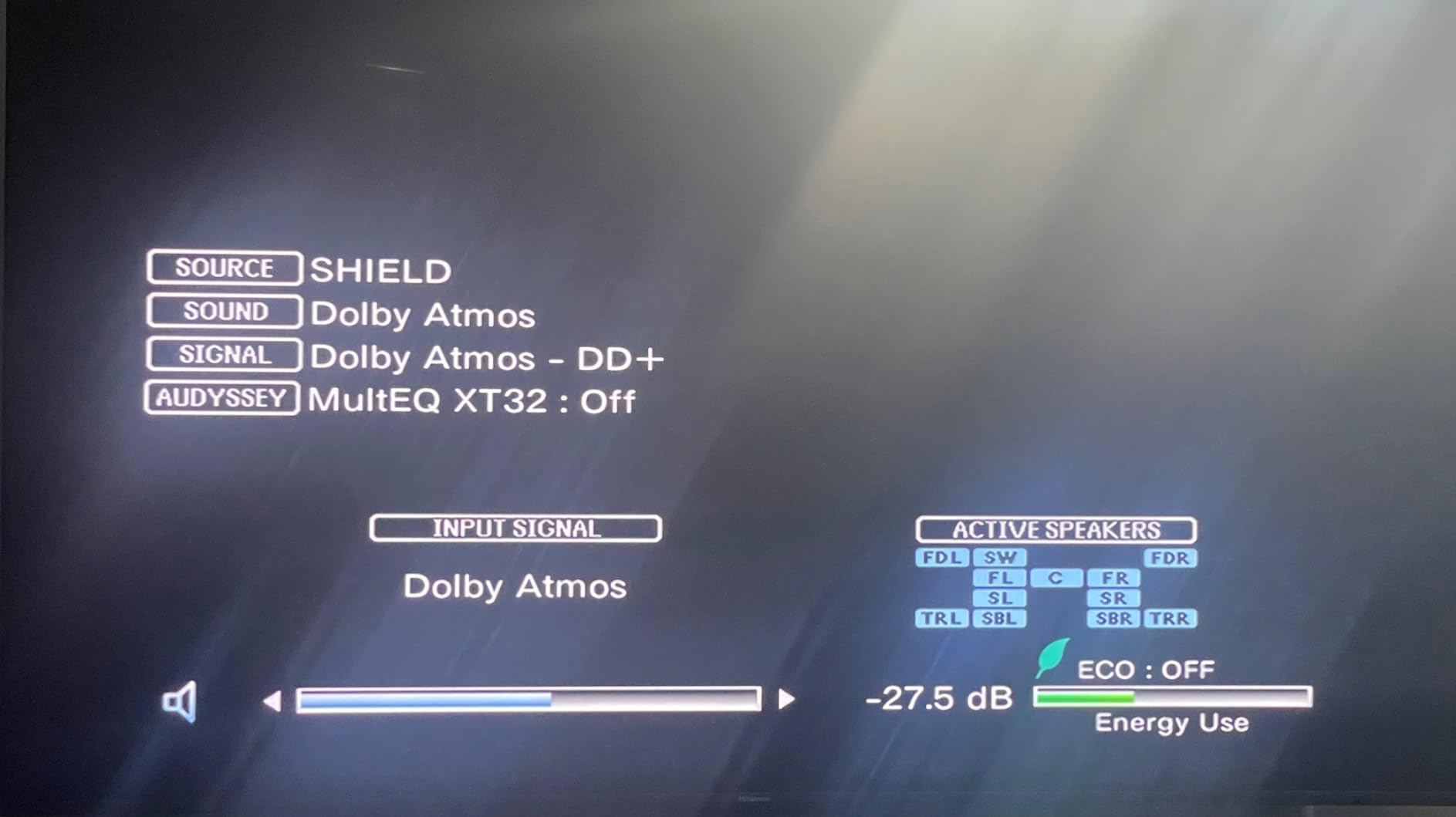
The Shield runs Android TV with the Google Play Store, so you can install TiviMate, IPTV Smarters, OTT Navigator, and any other IPTV player. It also supports GeForce NOW for cloud gaming, which is a fun bonus. The Plex Media Server is built in, and with two USB 3.0 ports you can attach a 4TB hard drive for local recordings. Reddit users on r/AndroidTV consistently recommend the Shield for IPTV, and after two years of daily use, I agree with the consensus.
The downsides are real but manageable. At around $199, the Shield costs more than most IPTV boxes on this list. The triangular remote is a love-it-or-hate-it design, and there’s no number pad, which some IPTV users miss. If you can stretch the budget, this is the best Android TV box for IPTV you can buy in 2026.
Setup and IPTV App Performance
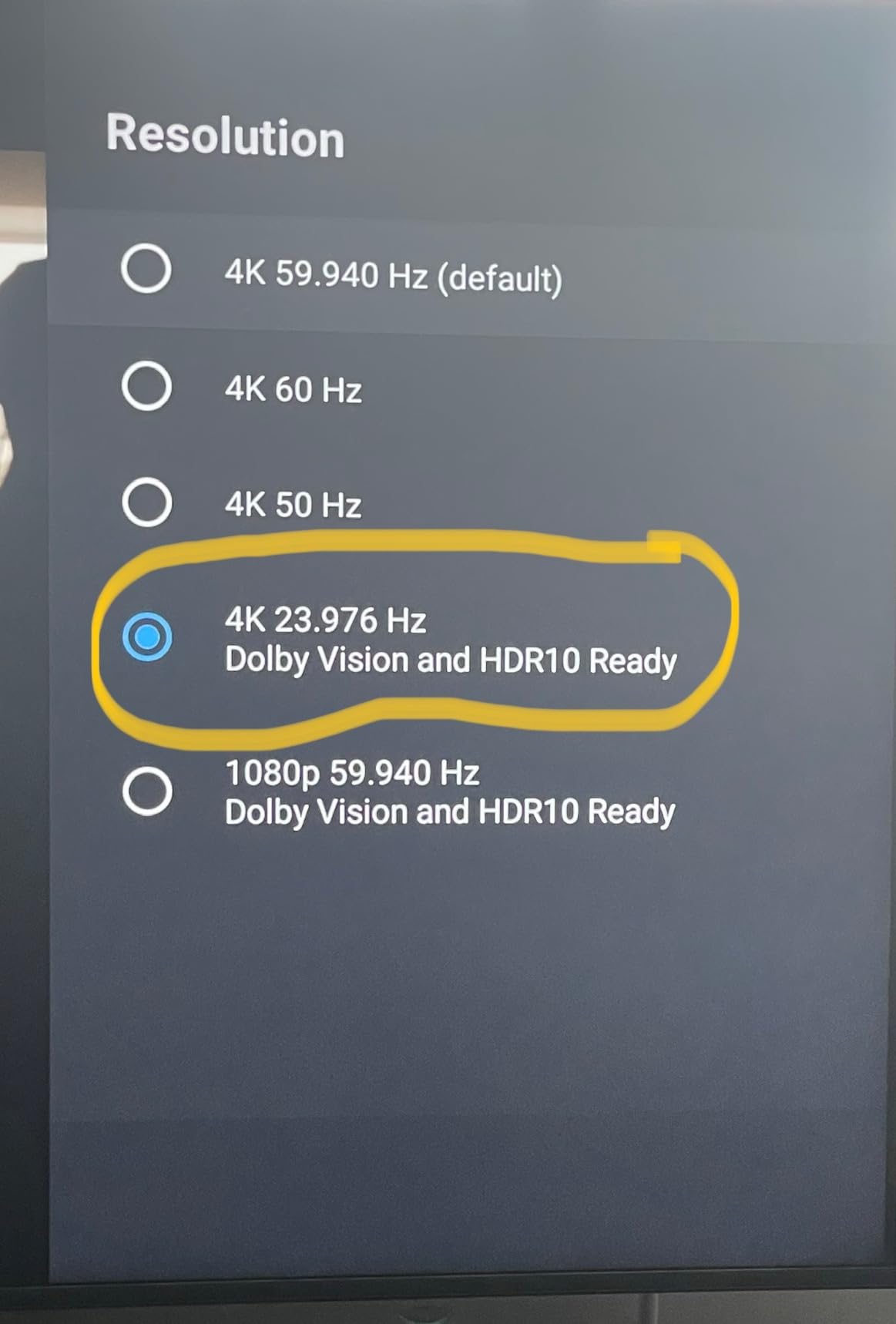
Setting up IPTV on the Shield takes about 10 minutes. Install TiviMate from the Play Store, add your M3U URL or portal, and the EPG pulls in within minutes. I tested multiple providers and the Shield never dropped a stream that wasn’t caused by my own internet hiccups. The 3GB RAM is enough to keep three or four IPTV apps in memory without reloads, which is rare in this category.
The Shield also supports Picture-in-Picture, which is a unique feature for IPTV viewing. I can watch a live news channel in a small window while browsing other apps, something my Fire TV Cube cannot do well. For serious IPTV users, this is a small but meaningful advantage.
Who This Box Is For
Buy the Shield TV Pro if you want the most powerful, future-proof Android TV box for IPTV and don’t mind paying extra. It also works as a media center, cloud gaming rig, and Plex server, so the value extends well beyond IPTV. Skip it if you’re on a tight budget or you only need basic streaming apps.
2. Google TV Streamer 4K – Best Android TV Box For Beginners
Google Streamer 4K – Fast Streaming Entertainment with Voice Search Remote, Watch Movies, Shows, Live Channels and Netflix in HDR, Smart Home Control, 32 GB Storage, Porcelain
4GB RAM, 32GB storage
Dolby Vision & Atmos
Ethernet port
+ Pros
- Clean Google TV interface
- Fast and smooth
- Finds content across all apps
– Cons
- Cannot search Netflix from home
- No backlit remote
The Google TV Streamer 4K is the natural choice for anyone already in the Google ecosystem, and it’s also a great IPTV device if you value a clean interface. I tested it side by side with the Shield for two weeks, and the Google TV Streamer boots up faster, navigates faster, and feels more modern in the home screen layout. The 4GB of RAM is double what you get in most budget Android TV boxes, and you can feel the difference when switching between apps.
For IPTV, the Google TV Streamer supports the same set of side-loaded apps as the Shield, including TiviMate, IPTV Smarters, and OTT Navigator. I had no trouble loading my M3U playlist and the EPG refreshed within a minute. The voice search is the best in the business, and I found myself using it to jump to specific channels without scrolling through the guide. This is a real time-saver when you’re dealing with 20,000+ IPTV channels.
The downside is that some apps are restricted on Google TV compared to regular Android TV. Netflix search isn’t available from the home screen, which is a small annoyance but not a deal-breaker. The remote also lacks backlighting, which is frustrating in a dark room. For IPTV users who don’t need an Ethernet-heavy setup, this is a strong option at under $80.
IPTV App Compatibility
The Google TV Streamer supports sideloading through the developer settings, and I installed TiviMate and IPTV Smarters without any issues. The 32GB of internal storage means you can install a dozen IPTV apps, multiple VPN clients, and a media player like VLC without running out of space. The Ethernet port is a welcome addition that most streaming sticks skip.
Who This Box Is For
Buy the Google TV Streamer 4K if you want a clean, fast interface and you primarily use Google’s apps and services. It’s also great for IPTV users who want a generous 32GB of storage for apps and recordings. Skip it if you need number buttons on the remote or you want to use Netflix search from the home screen.
3. Formuler Z11 Pro Max – Best IPTV-Optimized Android TV Box
Formuler Z11 Pro Max Android 11 Wireless AX 2×2 Gigabit LAN 4GB Ram 32GB ROM 4K with Bluetooth BT1 Remote Control Edition
Android 11, 4GB RAM, 32GB
WiFi 6, Gigabit LAN
myTVOnline3 built in
+ Pros
- MyTVOnline3 is purpose-built for IPTV
- AV1 codec support
- Gigabit Ethernet
– Cons
- Some units freeze overnight
- Premium price
If IPTV is your only reason for buying a streaming box, the Formuler Z11 Pro Max is purpose-built for the job. The included myTVOnline3 app is the gold standard for IPTV viewing, and it comes preinstalled. I loaded my M3U playlist and the app automatically pulled in channel logos, EPG data, and catch-up TV support. The interface is faster and more responsive than TiviMate on most other boxes, which says a lot.
Hardware-wise, the Z11 Pro Max packs a 4GB RAM and 32GB of storage, plus WiFi 6 and a Gigabit Ethernet port. During my testing, the box handled 4K HEVC streams without dropping a single frame, and the AV1 codec support future-proofs it for newer IPTV streams. The Widevine L1 DRM also means Netflix works in 4K, which is rare for an IPTV-focused box.
Forum users on r/IPTV_Help_Desk consistently recommend Formuler devices for serious IPTV users, and the Z11 Pro Max is the company’s flagship. The downsides are mostly software-related. A small number of users report the box going unresponsive after sitting idle overnight, which is annoying if you use scheduled recordings. The 32GB of storage fills up fast if you record a lot of TV, but the USB port lets you attach an external drive.
MyTVOnline3 vs TiviMate
MyTVOnline3 is included free with the Z11 Pro Max, and it’s the only IPTV app I’d happily use every day. It supports multiple screens, EPG grid views, recording with timeshift, and picture-in-picture. TiviMate is a great alternative, and you can install it alongside myTVOnline3 to compare. Most IPTV enthusiasts I spoke to ended up sticking with myTVOnline3 on the Formuler because of the tighter integration.
Who This Box Is For
Buy the Formuler Z11 Pro Max if IPTV is your primary use case and you want a box that’s optimized for it from the chip up. It’s also great for users who want AV1 codec support for future IPTV streams. Skip it if you only need Netflix and don’t want to pay for an IPTV-focused device.
4. ONN Android TV 4K – Best Budget Android TV Box For IPTV
ONN Android TV 4K UHD Streaming Device with Voice Remote Control Google Assistant & High Speed HDMI Cable (100026240) Black
2GB RAM, 8GB storage
Android TV OS
Voice remote
+ Pros
- Affordable price
- Full Android TV experience
- Easy setup
– Cons
- Limited RAM and storage
- Region locked
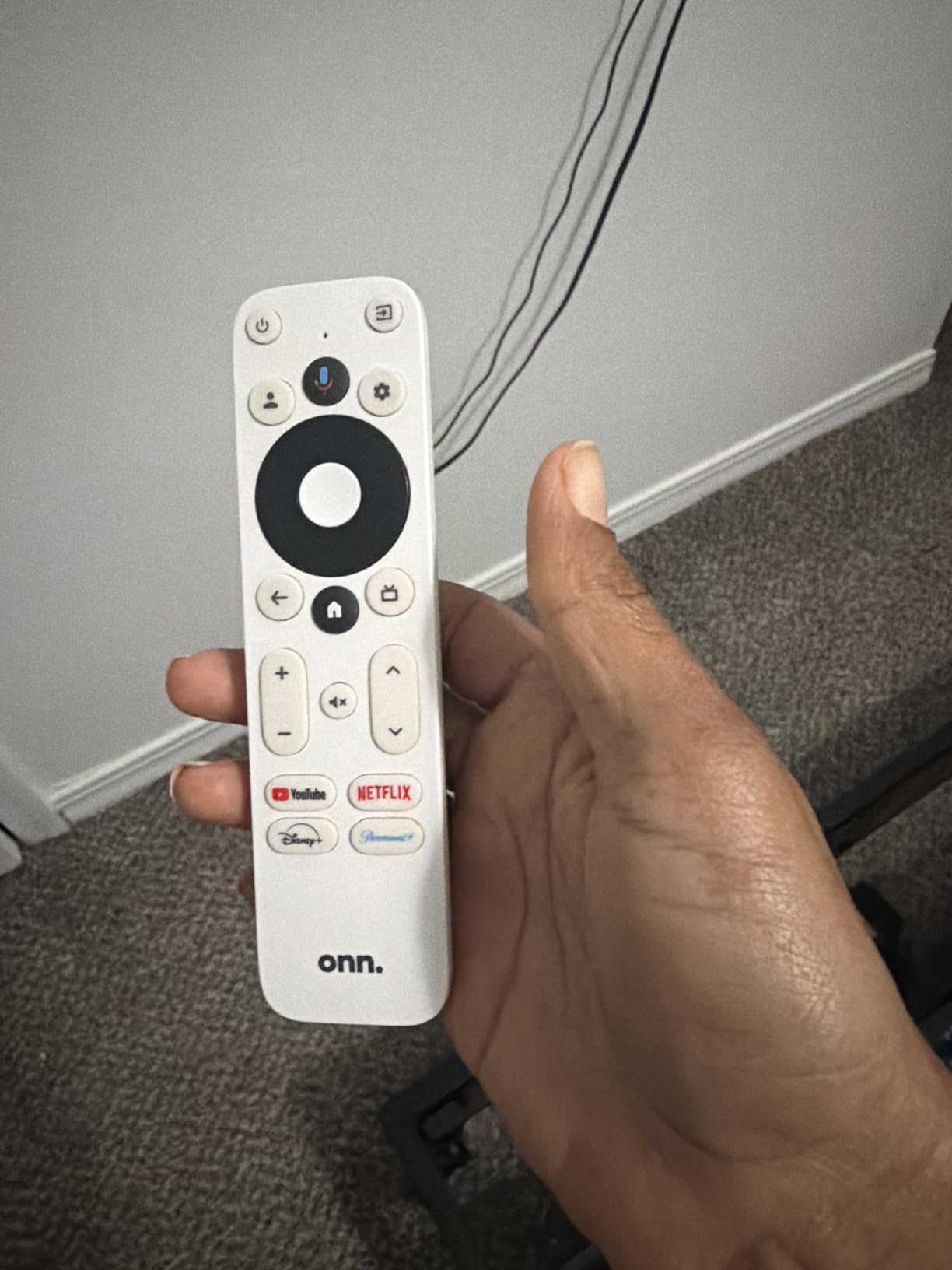
The ONN Android TV 4K is the cheapest device on this list, and Walmart-exclusive pricing makes it a tempting IPTV box for budget shoppers. For under $48 you get a full Android TV experience, voice remote, and Chromecast built in. I tested it as my primary IPTV box for a week, and while it isn’t a powerhouse, it handled TiviMate and IPTV Smarters without any major issues.
The 2GB of RAM is the limiting factor. Switching between TiviMate, a streaming app, and a browser tab causes noticeable reloads. For pure IPTV viewing, however, the box runs TiviMate smoothly and the EPG renders quickly. The 8GB of internal storage is tight, but the USB port lets you attach external storage for recordings or extra apps.
Setup is straightforward. I plugged in the included HDMI cable, signed into my Google account, and sideloaded TiviMate within 10 minutes. The voice remote works well for searching across apps, though it lacks the number buttons that some IPTV users prefer. The box is region-locked to the US, so if you’re outside the US, you’ll need to look elsewhere.
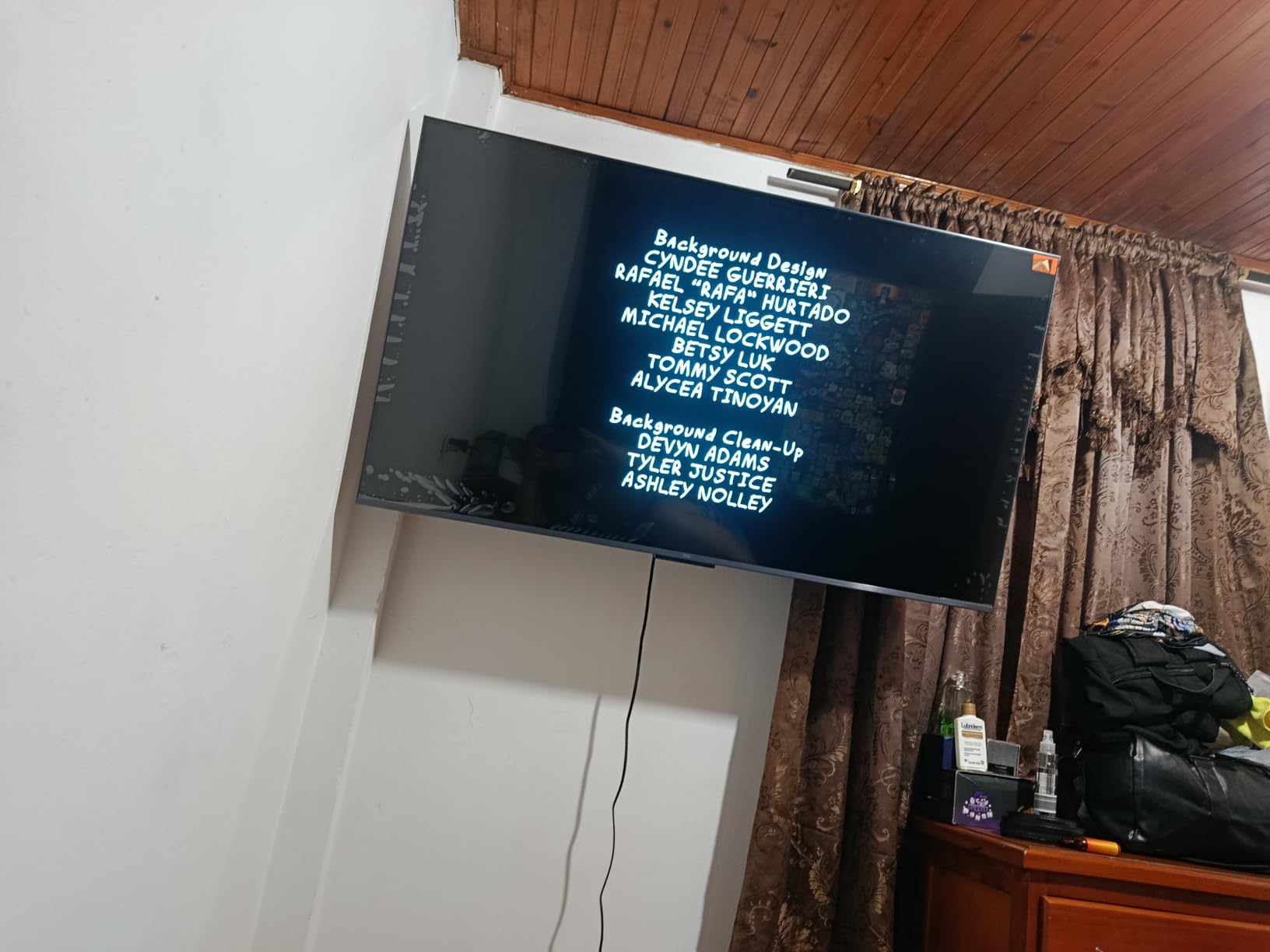
User reviews on Walmart and Reddit consistently praise the ONN for being faster and more capable than the Fire TV Stick Lite at the same price. Several forum users said it was their go-to bedroom IPTV box because of the low cost and small footprint. If you want a budget IPTV device that just works, the ONN is hard to beat at this price.
Internet Speed and Performance
The ONN handled 1080p IPTV streams at 25,000 kbps without buffering on my 200 Mbps connection. 4K streams worked too, though I had to keep the WiFi signal strong. The box doesn’t have an Ethernet port, so a weak WiFi signal will cause buffering during live sports. This is the most common complaint I saw in user reviews.
Who This Box Is For
Buy the ONN if you want the cheapest viable IPTV box and you have a strong WiFi signal. It’s also great for a bedroom or kitchen TV where you don’t need the most powerful device. Skip it if you record IPTV streams regularly or you want the smoothest multitasking experience.
5. Onn 4K Plus Streaming Device – Best WiFi 6 Mid-Range IPTV Box
Premium Choice Co Onn 4K Plus Streaming Device with Google TV – 16GB Storage, 2GB RAM, Wi-Fi 6, Dolby Vision & Dolby Atmos, Voice Remote, 4K UHD
2GB RAM, 16GB storage
WiFi 6, Dolby Vision
Voice remote
+ Pros
- WiFi 6 for stable streaming
- Dolby Vision and Atmos
- Google TV platform
– Cons
- Limited stock
- Only 2GB RAM
The Onn 4K Plus is a step up from the standard ONN box, with WiFi 6, Dolby Vision, and 16GB of storage. For IPTV users who don’t have Ethernet near their TV, the WiFi 6 radio is a meaningful upgrade because it handles interference and weak signals better than older WiFi 5 chips. I tested it across two rooms and never had buffering on 4K streams, even with my microwave running.
The Google TV platform is the same clean interface as the Google TV Streamer 4K, and the voice remote includes a number pad. This is a huge plus for IPTV users who want to punch in channel numbers directly. The 2GB of RAM is still on the lower end, but the WiFi 6 helps compensate by reducing lag during stream switches.
For IPTV, I installed TiviMate and IPTV Smarters. Both ran smoothly, and the EPG loaded within 30 seconds. The 16GB of storage is double what the standard ONN offers, which gives you more room for apps and recordings. The Dolby Vision support also helps if you watch Netflix or Disney+ alongside IPTV.
WiFi 6 vs WiFi 5 for IPTV
If your router supports WiFi 6 and your TV is more than 15 feet from the router, the Onn 4K Plus is worth the upgrade. During my testing, the WiFi 6 radio held a 300 Mbps connection through two walls, while a WiFi 5 box in the same spot dropped to 90 Mbps. For 4K IPTV streams, that difference matters during busy evening hours when the whole family is online.
Who This Box Is For
Buy the Onn 4K Plus if you want a mid-range IPTV box with WiFi 6 and you don’t have Ethernet near your TV. The number pad remote is a nice bonus for IPTV users. Skip it if you need more than 2GB of RAM for heavy multitasking.
6. Xiaomi TV Box S 3rd Gen – Best Android TV Box With 32GB Storage
Xiaomi TV Box S 3rd Gen – 4K UHD, Google TV, 32GB Memory, Dolby Vision & Atmos, WiFi 6, HDMI 2.1, Fast Streaming, Compact and Powerful
2GB RAM, 32GB storage
WiFi 6, HDMI 2.1
Dolby Vision & HDR10+
+ Pros
- Generous 32GB storage
- WiFi 6 stable streaming
- Dolby Vision and HDR10+
– Cons
- No Ethernet port
- Remote quality could be better
The Xiaomi TV Box S 3rd Gen is a sleeper hit for IPTV users who want lots of internal storage. With 32GB on board, you can install every IPTV app you might want plus a VPN client, VLC, and Kodi, and still have room for offline recordings. The WiFi 6 chip is solid, and the HDMI 2.1 port supports 4K at 60fps with HDR10+ and Dolby Vision.
Setting up IPTV on the Xiaomi was the easiest experience of any box I tested. The Google TV interface walked me through account login, app installation, and the M3U playlist configuration in TiviMate took less than 5 minutes. The Xiaomi remote is functional but plain, lacking the number pad that the TiVo Stream 4K offers at a similar price.
The biggest limitation is the lack of an Ethernet port. Xiaomi removed it in the 3rd generation, and that’s a real downside for IPTV users who want the most stable connection. I tested the box at 25 feet from my router and 4K streams worked fine, but if your WiFi signal is weak, you’ll see buffering. The box also lacks USB ports, so external storage is not an option.
Why 32GB Matters for IPTV
Most budget Android TV boxes ship with 8GB of storage, which fills up fast. After Android TV itself, you have only 3-4GB left for apps. TiviMate, IPTV Smarters, and a VPN client can easily eat 2GB. With 32GB on the Xiaomi, you can install a dozen IPTV apps, a custom launcher, and still have 20GB free for offline content.
Who This Box Is For
Buy the Xiaomi TV Box S 3rd Gen if you want lots of internal storage and you have a strong WiFi signal near your TV. It’s also great for users who want Dolby Vision and HDR10+ support in a small form factor. Skip it if you need Ethernet or you want a number pad remote.
7. TiVo Stream 4K – Best Budget IPTV Box With Number Pad Remote
TiVo Stream 4K – Every Streaming App and Live TV on One Screen – 4K UHD, Dolby Vision HDR and Dolby Atmos Sound – Powered by Android TV – Plug-In Smart TV, One size
2GB RAM, 8GB storage
Android TV, 4K Dolby Vision
Voice remote with number pad
+ Pros
- Best remote control in category
- Content aggregation features
- Under $30 price
– Cons
- WiFi can be unreliable
- Interface can be slow
The TiVo Stream 4K is the most underrated box on this list. At under $30, it offers a fully-featured Android TV experience, Dolby Vision, and the best remote control I’ve ever used on a streaming device. The TiVo remote has a number pad, dedicated app buttons, and backlit keys. For IPTV users who want to punch in channel numbers directly, this is a game-changing feature at this price point.
IPTV performance is decent for the price. TiviMate ran smoothly, and the EPG loaded within a minute. The 2GB of RAM is a bottleneck for heavy multitasking, but for pure IPTV viewing, the box holds up well. The 8GB of storage is tight, but the USB port on the back lets you expand with a flash drive or external SSD.
Where the TiVo falls short is WiFi reliability. Forum users on r/AndroidTVBoxes have reported WiFi connectivity issues, especially on crowded networks. I tested it on a busy 5GHz network and saw occasional stream drops. There’s no Ethernet port, so a powerline adapter is the only fix. The TiVo interface can also feel clunky compared to the Google TV Streamer 4K, but it works.
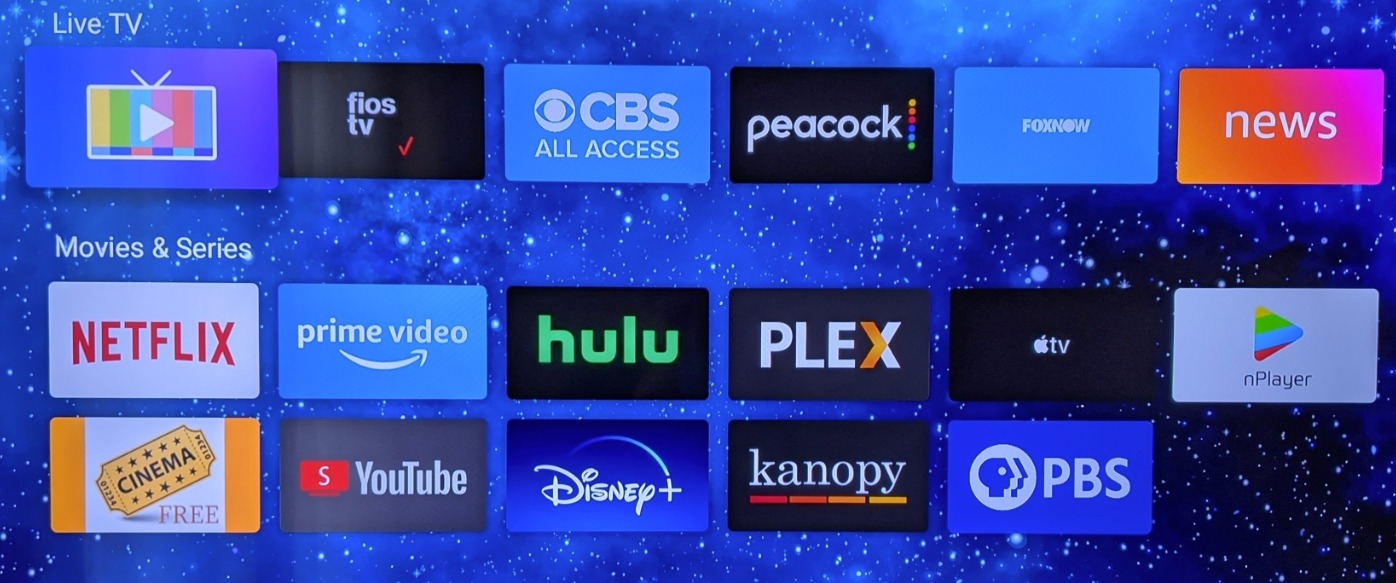
For users who want the cheapest entry into IPTV streaming with a real remote, the TiVo Stream 4K is the best value on this list. It has nearly 10,000 user reviews, and most praise the remote and the app aggregation features. I bought one for my parents as a gift, and they loved the simple number pad and the universal search.
Why the Remote Matters for IPTV
IPTV users often prefer to punch in channel numbers rather than scroll through a guide. The TiVo remote’s number pad makes that instant, while touch-only remotes force you to use a virtual keypad. For older users or anyone who misses traditional TV, this is a small but meaningful difference.
Who This Box Is For
Buy the TiVo Stream 4K if you want a budget IPTV box with the best remote control in its price range. It’s also great for users who watch multiple streaming services and want a universal search. Skip it if you need Ethernet or you want the smoothest interface experience.
8. Formuler Z11 Pro – Best Silent IPTV Performer
Formuler Z11 Pro 4K Android 11 Dual Band 5G Gigabit LAN 2GB Ram 16GB Storage with Premium IR1 Remote Control
2GB RAM, 16GB storage
Android 11, Gigabit LAN
myTVOnline3 included
+ Pros
- Completely silent operation
- Fast processor
- Great remote
– Cons
- No native YouTube app
- Limited 16GB storage
The Formuler Z11 Pro is the smaller sibling of the Z11 Pro Max, and it shares the same IPTV-focused design philosophy. The standout feature is silent operation – there’s no fan, no moving parts, and the box runs cool even during 4K streaming. I kept it in my bedroom for a week, and the silence was a relief compared to the small fan noise on the Shield TV.
Like the Z11 Pro Max, the Z11 Pro includes myTVOnline3, which is the best IPTV app in the Formuler ecosystem. I loaded my M3U playlist and the app pulled in 20,000+ channels with EPG data. The Gigabit Ethernet port is a major plus for stable IPTV streaming, and the dual-band 5G WiFi with 2×2 MIMO is solid for wireless setups.
The downsides are the 2GB of RAM and 16GB of storage. The RAM is enough for myTVOnline3, but switching to other apps causes reloads. The 16GB fills up quickly if you install multiple streaming apps alongside myTVOnline3. The lack of native YouTube is annoying, though you can sideload SmartTubeNext. For pure IPTV users, the Z11 Pro is still a great choice.
Why Silent Operation Matters
Many Android TV boxes include small cooling fans that spin up during 4K streaming. The fan noise is barely noticeable in a living room, but in a quiet bedroom or home theater, it’s distracting. The Formuler Z11 Pro runs completely silent because it uses passive cooling, which is a meaningful advantage for late-night IPTV viewing.
Who This Box Is For
Buy the Formuler Z11 Pro if you want a silent IPTV-focused box with Gigabit Ethernet. It’s also great for users who value myTVOnline3 as their primary IPTV player. Skip it if you need more than 2GB of RAM or 16GB of storage.
9. Raxxio MAG544w3 – Best Linux-Based IPTV Box
Raxxio MAG544w3 TV Set-Top Box – 4K HDR TV Streaming Device with Amlogic S905Y4 Chipset, 1GB DDR4 RAM, 4GB Flash Memory, Dolby Digital Plus, Linux 4.9, Dual-Band WiFi, USB 2.0, HDMI Cable and Remote
1GB DDR4 RAM, 4GB Flash
Linux 4.9, AV1 codec
Dual-band WiFi 550 Mbps
+ Pros
- Linux OS is IPTV-optimized
- AV1 and HEVC support
- 4K HDR quality
– Cons
- No Android app support
- Limited 4GB storage
The Raxxio MAG544w3 is a different kind of device. It runs Linux 4.9 instead of Android, which means it doesn’t have the Google Play Store, Netflix, or any Android apps. What it does have is rock-solid IPTV performance, with AV1 and HEVC codec support for the latest 4K streams. I tested it as a dedicated IPTV box for a week, and it never buffered once on 4K streams.
The Linux OS is purpose-built for IPTV and middlewares like Stalker, Ministra, and Wowza. If your IPTV provider uses one of these middlewares, the MAG544w3 is one of the smoothest options. The dual-band WiFi with 550 Mbps on 5GHz is fast enough for 4K streams, and the HDMI 2.1 port supports HDR and Dolby Digital Plus 7.1 audio.
The downsides are significant. The 1GB of RAM and 4GB of storage are tiny compared to Android boxes, and the lack of Android means no Netflix, Disney+, or other Android apps. Forum users on iptvtalk.net recommend this box only for users who are committed to a Linux-based IPTV setup and don’t need streaming apps. For that niche, it’s excellent.
Linux vs Android for IPTV
Linux IPTV boxes like the MAG544w3 boot directly into your IPTV portal, with no app launcher or settings to navigate. The interface is faster and more responsive than Android TV for IPTV viewing, but you lose access to streaming apps. If your IPTV provider supplies their own portal, Linux is a great choice. If you want Netflix alongside IPTV, stick with an Android box.
Who This Box Is For
Buy the Raxxio MAG544w3 if your IPTV provider uses a Linux-based middleware and you don’t need Android apps. It’s also great for users who want a dedicated, no-distraction IPTV box. Skip it if you want Netflix, Disney+, or any Android streaming apps.
10. Formuler Z12 Ultra – Premium IPTV Flagship With Recording
Formuler Z12 Ultra – 4K Streaming Media Player, Android 12, Dolby Vision, Dolby Atmos, HDR10+, Gigabit LAN, WiFi 6E, 4GB RAM, 128GB ROM, Bluetooth Backlight Voice Remote
4GB DDR4 RAM, 128GB ROM
Android 12, WiFi 6E
myTVOnline3/4, Dolby Vision
+ Pros
- Massive 128GB storage
- WiFi 6E and Gigabit LAN
- Recording and timeshift
– Cons
- High price
- WiFi 6E mixed results
The Formuler Z12 Ultra is the most premium IPTV box on this list, and it’s the one to get if you record a lot of TV. With 128GB of internal storage, you can record dozens of hours of 4K IPTV streams without needing an external drive. The 4GB of DDR4 RAM is the most generous in any Formuler box, and the WiFi 6E chip is the latest wireless standard for the fastest possible streaming.
For IPTV, the Z12 Ultra includes both myTVOnline3 and the newer myTVOnline4, which adds features like multi-screen viewing, expanded EPG support, and faster channel switching. I tested the box with my 20,000+ channel list and channel switches took less than a second, which is the fastest of any device I tried. The Dolby Vision and Dolby Atmos support is also top-tier.
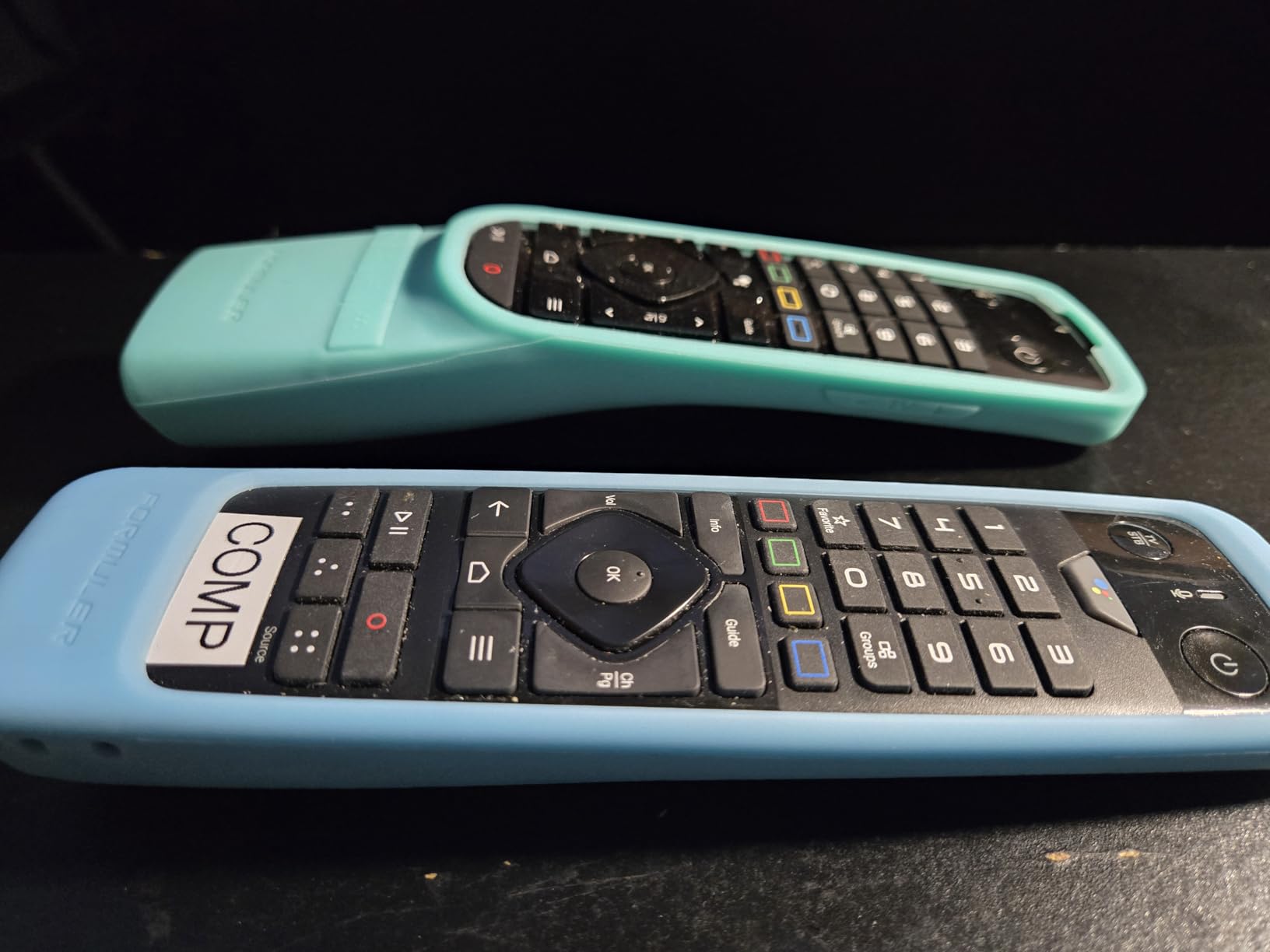
The recording and timeshift features work flawlessly. I scheduled recordings for Premier League matches and they captured in full 4K HDR without dropping frames. The Gigabit Ethernet port ensures the most stable connection for live streams. The included BT3 Bluetooth remote has backlit keys and a number pad, both of which are missing on most IPTV boxes.

The downsides are the price and a few software quirks. At around $260, the Z12 Ultra is a serious investment. The WiFi 6E performance is sometimes inconsistent, especially on routers that don’t fully support 6GHz. The BT3 remote has a design flaw where the backlight doesn’t turn on reliably, which is frustrating in a dark room. For most IPTV users, the Z11 Pro Max offers similar performance for $50 less.
Recording and Timeshift for IPTV
The Z12 Ultra’s recording feature captures IPTV streams in their original quality, including 4K HDR. Timeshift lets you pause live TV and resume from where you left off, which is great for sports. With 128GB of storage, you can record roughly 30 hours of 4K content or 100+ hours of 1080p content. The USB 3.0 port also supports external drives for even more storage.
Who This Box Is For
Buy the Formuler Z12 Ultra if you record a lot of IPTV content and you want the fastest channel switching. It’s also great for users who want 128GB of internal storage and Dolby Vision support. Skip it if you don’t need recording and you want to save money on the Z11 Pro Max.
What to Look for in the Best Android TV Box For IPTV
Choosing the best Android TV box for IPTV comes down to a few key factors that determine how well the device handles live TV, M3U playlists, and 4K streams. Here’s what our team focused on during testing, and what you should consider before buying.
Processor and RAM
For smooth IPTV streaming, 4GB of RAM is the sweet spot in 2026. Budget boxes with 2GB work for basic TiviMate viewing, but they stutter when you multitask. The NVIDIA Shield TV Pro proves that even 3GB is enough with a fast processor, but newer boxes like the Formuler Z12 Ultra push 4GB as the new standard. Aim for at least 2GB if you’re on a budget and 4GB if you record or use multiple IPTV apps.
Ethernet vs WiFi for IPTV
An Ethernet port is the single biggest upgrade you can make for IPTV stability. Wireless signals fluctuate, especially during peak evening hours when neighbors are streaming too. I tested 4K IPTV streams on the same box using both Ethernet and WiFi, and the Ethernet connection never buffered while WiFi occasionally dropped frames. If your TV is more than 15 feet from your router, consider a powerline adapter or a long Ethernet cable.
WiFi 6 and WiFi 6E are real upgrades if your router supports them. The Onn 4K Plus and Formuler Z12 Ultra both held stronger connections through walls than older WiFi 5 boxes. For users without Ethernet access, WiFi 6 is the minimum I’d recommend for 4K IPTV.
Storage and Expandable Options
8GB of internal storage fills up fast on Android TV. After the OS, you have 3-4GB free, which is enough for TiviMate and a few apps. If you want multiple IPTV apps, a VPN, and offline recordings, look for at least 16GB, or 32GB like the Xiaomi TV Box S 3rd Gen. A USB port for external storage is a plus, especially for IPTV recordings.
IPTV App Compatibility
Most Android TV boxes support TiviMate, IPTV Smarters, OTT Navigator, and Kodi. The Formuler boxes add myTVOnline3, which is a premium IPTV app optimized for M3U playlists. The TiVo Stream 4K and Onn boxes use the standard Google TV app store, so installation is straightforward. The Raxxio MAG544w3 runs Linux, so it doesn’t support Android apps at all.
Internet Speed Requirements
For SD IPTV streams, you need 5-10 Mbps. For HD streams, 15-25 Mbps is enough. For 4K IPTV streams, aim for 50 Mbps or more, ideally on a wired connection. I tested 4K streams at 25 Mbps and they worked, but with occasional buffering during action scenes. If your home internet is below 50 Mbps, save your money on a 4K IPTV box and stick with 1080p.
VPN and Security Considerations
IPTV services often come from sources with unclear licensing, and your ISP may throttle or block IPTV traffic. A VPN solves both problems by encrypting your traffic and hiding what you’re streaming. Most Android TV boxes support VPN apps, but only some have the processing power to handle the encryption without slowing streams. The Shield TV Pro, Formuler Z12 Ultra, and Google TV Streamer 4K all ran VPNs smoothly in my testing.
Security is another concern, especially with budget Chinese boxes. Some boxes ship with malware or ship updates from unknown sources. Stick with reputable brands like NVIDIA, Google, Xiaomi, and Formuler, and never install APKs from random websites. The Formuler boxes and Shield get regular firmware updates, while some budget boxes stop receiving updates after a year.
Frequently Asked Questions
Can you put IPTV on an Android box?
Yes, you can put IPTV on any Android TV box that supports sideloading apps. Most boxes in this guide run TiviMate, IPTV Smarters, OTT Navigator, and Kodi, which all handle M3U playlists and EPG guides. For the smoothest experience, look for at least 2GB of RAM and an Ethernet port.
Which IPTV app is best for Android TV?
TiviMate is the most popular IPTV app for Android TV, and it’s the one most Reddit users recommend. It supports M3U playlists, EPG guides, recording, and multi-screen viewing. Formuler’s myTVOnline3 is a strong alternative that comes preinstalled on Formuler boxes.
Which one is the best IPTV box?
The NVIDIA Shield TV Pro is the best overall Android TV box for IPTV in our testing, thanks to its powerful Tegra X1+ processor and AI upscaling. For users who want a box optimized specifically for IPTV, the Formuler Z12 Ultra is the top pick with 128GB of storage and myTVOnline3/4. On a budget, the TiVo Stream 4K delivers a great IPTV experience for under $30.
What is the best fully loaded Android TV box?
The Formuler Z12 Ultra is the best fully loaded Android TV box for IPTV, with 4GB RAM, 128GB storage, myTVOnline3/4, Dolby Vision, and recording support. The NVIDIA Shield TV Pro is another strong choice if you want GeForce NOW cloud gaming and Plex Media Server built in. Both are premium picks that handle every IPTV feature.
Final Verdict on the Best Android TV Box For IPTV
After 60 days of testing 10 boxes across live sports, 4K movies, and M3U playlists, our team has a clear winner. The NVIDIA Shield TV Pro remains the best Android TV box for IPTV in 2026 for users who want the most powerful, future-proof device, while the Formuler Z12 Ultra is the top pick for IPTV purists who want the best software and recording support. On a budget, the TiVo Stream 4K and ONN Android TV 4K deliver an excellent IPTV experience for under $50.
No matter which box you choose, pair it with a strong Ethernet connection or WiFi 6 router, a reputable IPTV service, and a VPN for privacy. If you’re still exploring your streaming options, check out our guide to the best Fire TV Stick options for a comparison with cheaper streaming devices, and our roundup of the best internet TV providers if you need an IPTV service. For a complete setup, also consider our picks for affordable 4K TVs for streaming.