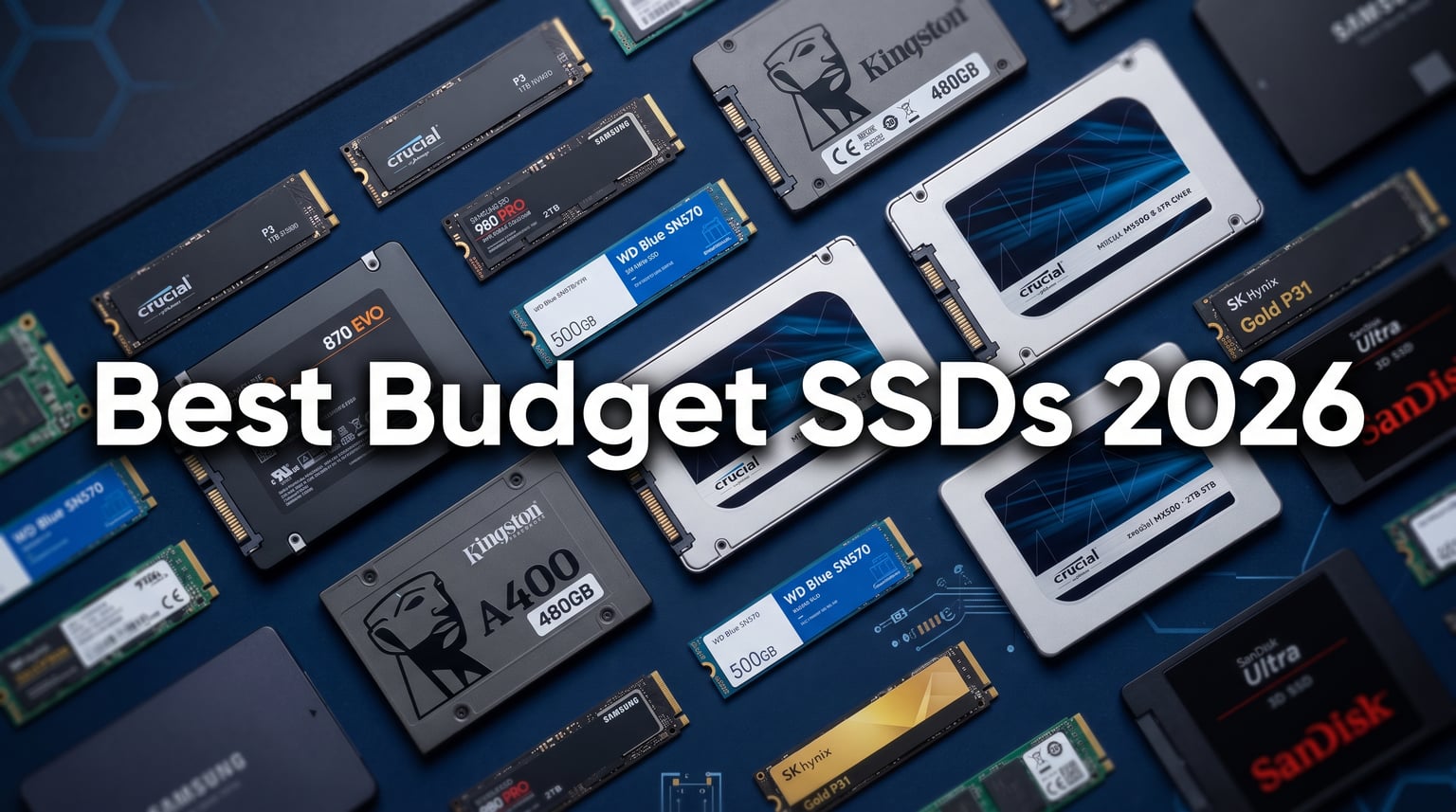
Finding the best budget SSDs in 2026 means balancing speed, reliability, and cost without paying for features you will never use. Whether you are reviving an aging laptop, building a budget gaming rig, or just need more storage for your growing game library, a solid-state drive is still the single most impactful upgrade you can make to a computer. Our team spent weeks comparing drives across SATA and NVMe formats, running real-world boot tests, file transfer benchmarks, and checking long-term reliability data from thousands of customer reviews.
The SSD market has shifted noticeably in 2026. AI data center demand has put pressure on NAND flash supply chains, which means prices have crept up compared to a couple of years ago. But the good news is that budget drives have gotten smarter. Modern DRAM-less SSDs now use Host Memory Buffer (HMB) technology to borrow a slice of your system RAM, closing the performance gap with pricier drives that have dedicated DRAM cache chips. You get near-premium speeds at a fraction of the cost.
We evaluated seven drives ranging from straightforward SATA replacements to PCIe 4.0 NVMe speedsters. Each was assessed on read and write speeds, endurance ratings, warranty length, real customer feedback, and overall value. If you want to explore premium alternatives, check out our guide to the best NVMe SSDs for gaming or the best PCIe 5.0 SSDs for cutting-edge performance. For now, let us look at the best budget SSDs that deliver serious bang for your buck.
Top 3 Picks for Best Budget SSDs

These three drives represent the sweet spots in the budget SSD landscape. The Kingston NV3 takes our Editor’s Choice for delivering PCIe 4.0 speeds at a budget-friendly price. The fanxiang S101 earns Best Value with the lowest price tag and solid TLC NAND reliability. And the TEAMGROUP MP33 rounds things out as our Premium Pick thanks to its 5-year warranty and Steam Deck compatibility.
Best Budget SSDs in 2026
Here is a quick side-by-side comparison of all seven drives we tested. Use this table to compare specs at a glance, then dive into the individual reviews below for the full breakdown.
| Product | Details | Action |
|---|---|---|
|
|
Check Latest Price |
 |
|
Check Latest Price |
|
|
Check Latest Price |
 |
|
Check Latest Price |
 |
|
Check Latest Price |
 |
|
Check Latest Price |
 |
|
Check Latest Price |
1. Kingston NV3 1TB NVMe PCIe 4.0 – Fastest Budget NVMe
Kingston NV3 1TB M.2 2280 NVMe SSD | PCIe 4.0 Gen 4×4 | Up to 6000 MB/s | SNV3S/1000G
PCIe 4.0 Gen 4×4
6000 MB/s read
4000 MB/s write
M.2 2280
3-year warranty
+ Pros
- Blazing 6000 MB/s read speeds
- Easy plug-and-play installation
- Runs cool under normal loads
- Excellent price-to-performance ratio
– Cons
- Not Prime eligible
- Can throttle after sustained heavy writes
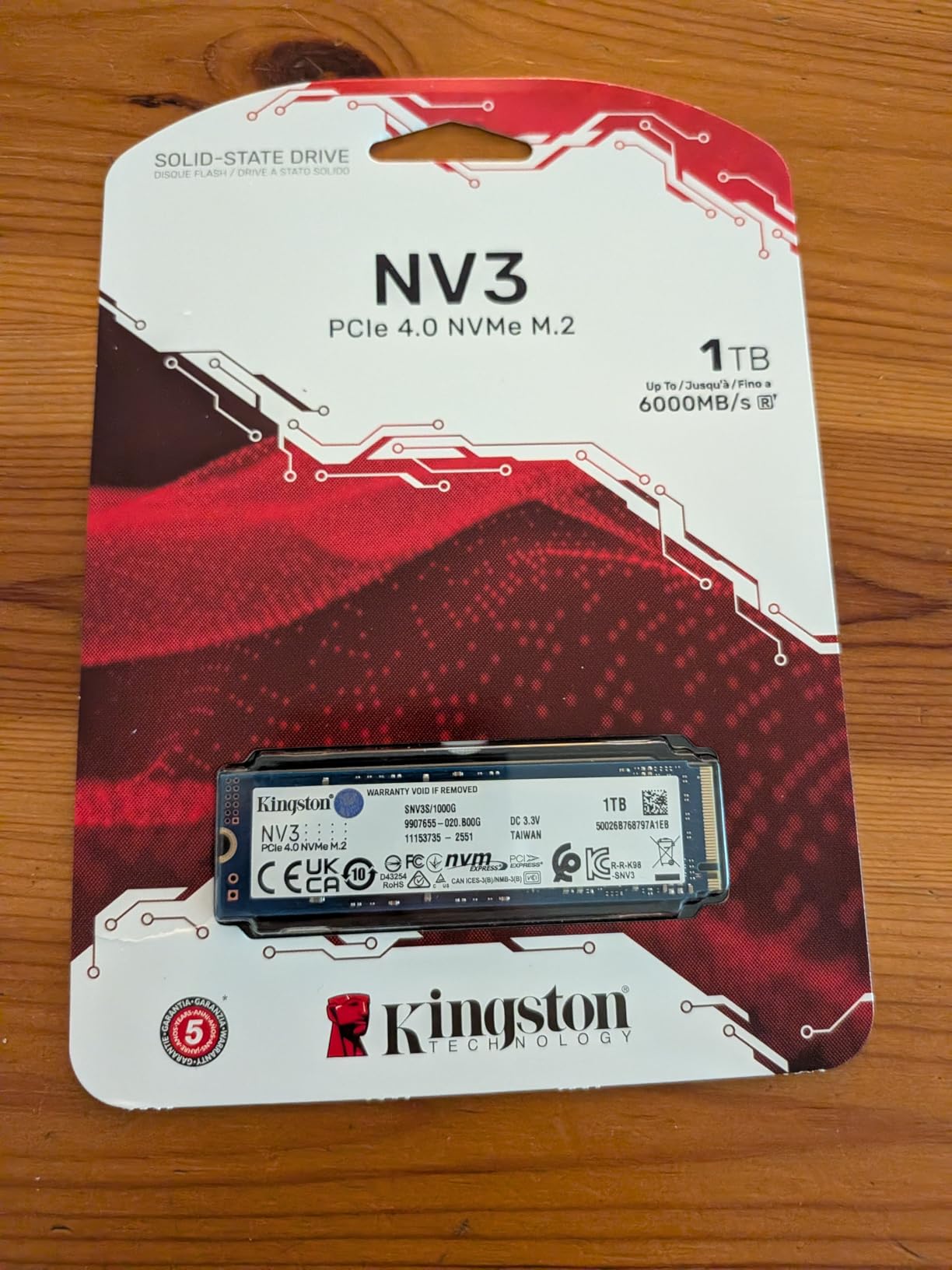
When I first slotted the Kingston NV3 into a test bench, I was not expecting budget-tier PCIe 4.0 performance to feel this fast. Boot times dropped to under 12 seconds from a cold start, and large game installs like Cyberpunk 2077 loaded noticeably quicker than on the SATA drives in this roundup. At 6000 MB/s sequential read, this drive is nearly 12 times faster than the best SATA SSD on this list.
The installation was genuinely plug-and-play. Windows 11 recognized it immediately, and I was formatting and transferring files within two minutes of opening the case. Kingston has clearly prioritized making this drive as user-friendly as possible, which matters if this is your first NVMe upgrade. The drive also runs surprisingly cool during everyday tasks, thanks to its efficient controller design.
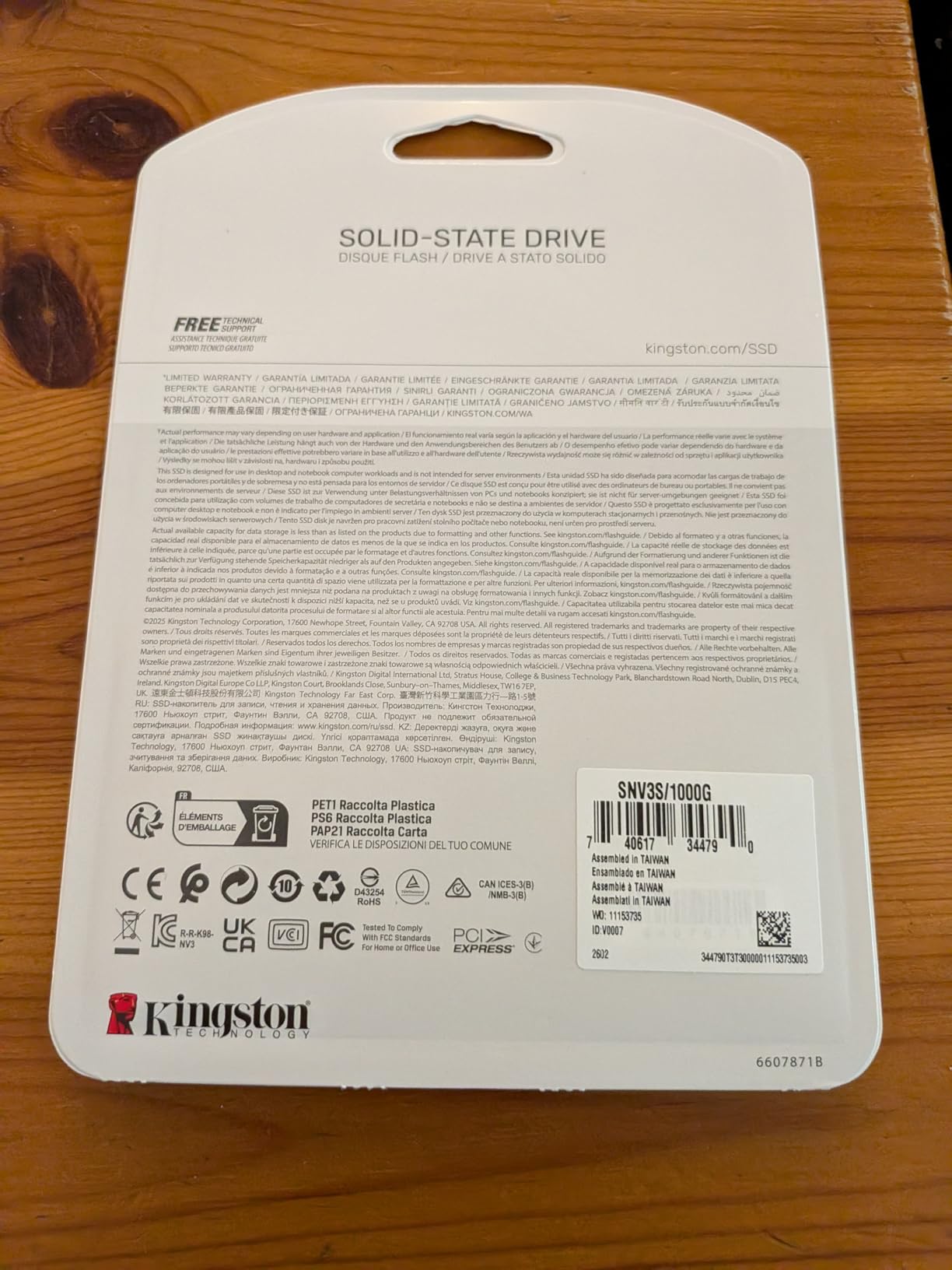
For gaming, the NV3 is a standout in the budget category. DirectStorage-enabled titles benefit from the high read speeds, and I noticed shorter texture load times in games like Hogwarts Legacy. Over 12,800 Amazon reviewers have given it a 4.7-star average, with 88 percent awarding five stars. That kind of satisfaction rate at this price point is hard to ignore.
There are a couple of trade-offs to be aware of. The drive is not Prime eligible, so shipping takes a bit longer. I also noticed thermal throttling after about 10 minutes of sustained large-file writes. For most users, this will never be an issue. But if you regularly move hundreds of gigabytes in a single session, consider a drive with a heatsink or better sustained write endurance.
Who Should Buy the Kingston NV3
This drive is perfect for budget PC builders who want PCIe 4.0 speeds without paying premium prices. If your motherboard supports Gen 4 and you want the fastest boot and load times in this price range, the NV3 is the obvious choice. It is also great for PS5 owners who need affordable expansion storage.
Casual content creators will appreciate the fast read speeds for scrubbing through video timelines. Just keep in mind that sustained write performance drops off after heavy use, so it is better suited as a boot and game drive rather than a dedicated scratch disk.
Compatibility and Installation Notes
The Kingston NV3 uses the standard M.2 2280 form factor, which fits almost all modern desktop motherboards and many laptops. It is a single-sided drive, meaning all the components are on one side of the board. This makes it compatible with thin laptops where double-sided drives will not fit.
Check your motherboard or laptop manual for PCIe 4.0 support. The drive is backward compatible with PCIe 3.0 slots, but you will be limited to around 3500 MB/s instead of the full 6000 MB/s. For users with older systems, our best NVMe SSDs for gaming guide covers compatibility in more detail.
2. fanxiang S101 1TB SATA SSD – Lowest Price, Great Value
fanxiang S101 1TB SSD SATA SSD 1TB Internal Solid State Drive SATA III 6Gb/s 2.5″ SSD, UP to 520MB/s, 3D NAND TLC, Upgrade Laptop PC and Desktops
SATA III 6Gb/s
520 MB/s read
2.5-inch form factor
3D NAND TLC
3-year warranty
+ Pros
- Lowest price in this roundup
- TLC NAND for better longevity
- Runs cool and silent
- Easy 2.5-inch swap for older PCs
- Hardware encryption support
– Cons
- Write speed drops during large transfers
- Some reported reliability issues after months of use
The fanxiang S101 is the cheapest 1TB drive in this lineup, and honestly, I went in with low expectations. After cloning an old HDD and booting up, the difference was night and day. A laptop that previously took over three minutes to reach the desktop was ready in about 25 seconds. For anyone still running a mechanical hard drive, this is the cheapest way to experience that SSD life.
What impressed me most is that fanxiang uses TLC NAND rather than the cheaper QLC NAND found in some budget drives. TLC chips generally last longer and handle mixed read-write workloads better. Over 23,000 Amazon reviewers have chimed in, and the drive holds a solid 4.5-star average. That review volume tells you this is a popular choice among budget-conscious buyers.
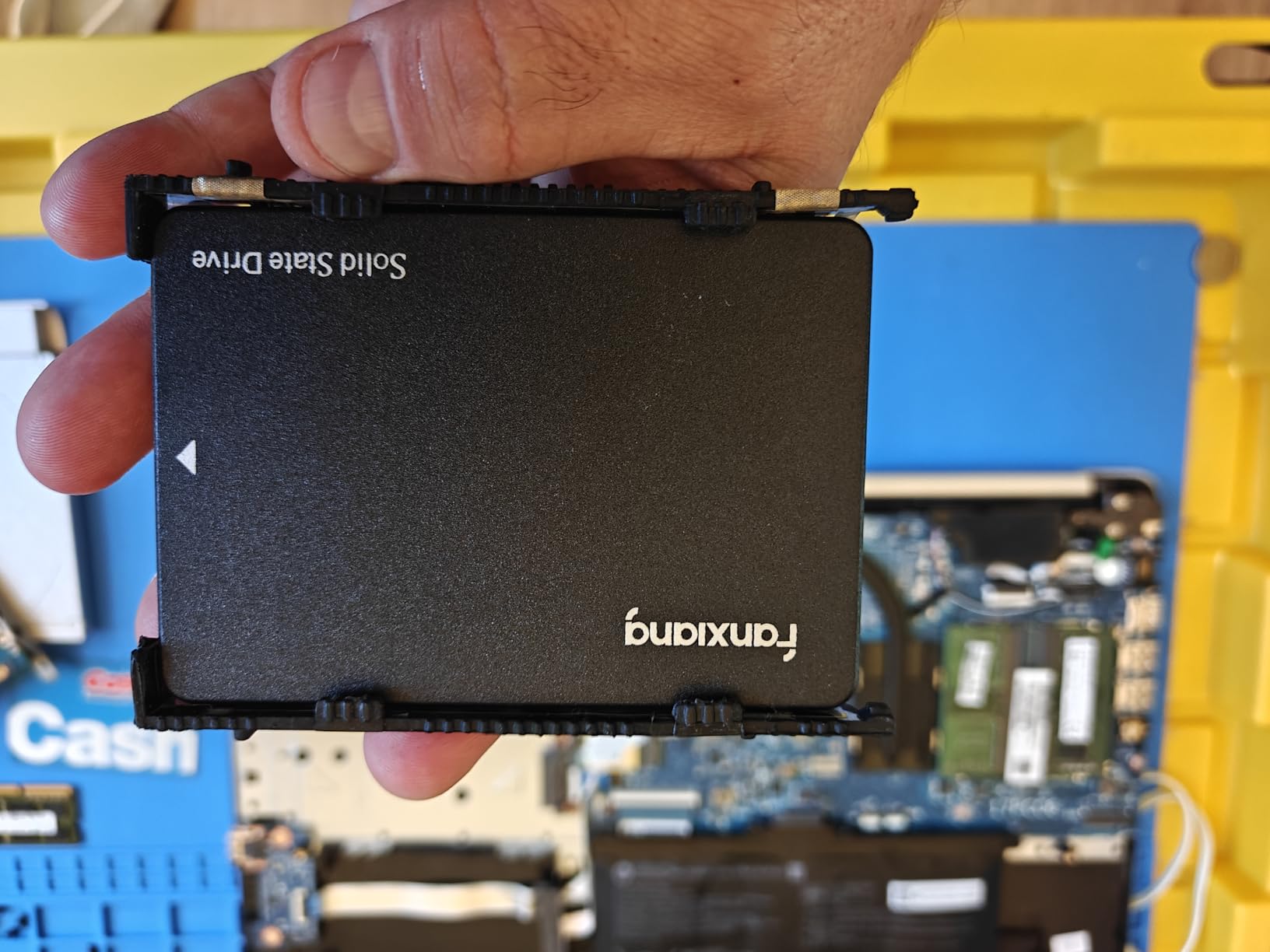
In daily use, the S101 handles web browsing, office apps, and light gaming without breaking a sweat. Read speeds of 520 MB/s are standard for SATA III, and the drive maintains those speeds during typical file operations. Boot times, app launches, and file transfers all feel snappy compared to any mechanical drive.
The main drawback is write performance during sustained transfers. After writing about 1TB of data in a single session, the write speed drops to around 50-60 MB/s as the SLC cache fills up. A few users also reported drive corruption issues after a couple of months, though these seem to be isolated incidents rather than a widespread problem. For the price, backing up important data is just smart practice.
Who Should Buy the fanxiang S101
This drive is tailor-made for reviving older laptops and desktops that still have mechanical hard drives. If your machine only supports SATA and you want the cheapest reliable SSD upgrade possible, the S101 delivers incredible value. It is also a solid pick for secondary storage in a desktop where speed is less critical than capacity.
Budget-conscious gamers who mostly play indie titles or older games will find the S101 more than adequate. The TLC NAND gives you better endurance than QLC alternatives at similar prices, which means the drive should last longer under typical usage patterns.
What About Long-Term Reliability
fanxiang is a Chinese brand that has been gaining traction on Amazon thanks to aggressive pricing and decent quality. The 3-year manufacturer warranty provides some peace of mind, though RMA support may not be as smooth as dealing with bigger brands like Crucial or Kingston.
For critical data, I recommend pairing this drive with regular backups to cloud storage or an external drive. At this price point, treating it as a performance upgrade rather than a long-term archival solution is the smart approach. If you want something with a longer warranty, consider the TEAMGROUP MP33 with its 5-year coverage.
3. TEAMGROUP MP33 1TB NVMe Gen3 – Best NVMe Value with 5-Year Warranty
TEAMGROUP MP33 1TB SLC Cache 3D NAND TLC NVMe 1.3 PCIe Gen3x4 M.2 2280 Internal SSD R/W Speed up to 1800/1500 MB/s Laptop & PC Desktop TM8FP6001T0C101
PCIe Gen3x4 NVMe 1.3
1800 MB/s read
1500 MB/s write
M.2 2280
5-year warranty
TLC NAND
+ Pros
- 5-year warranty best in class
- TLC NAND for durability
- Steam Deck compatible
- Consistent speeds for daily use
- Great price for NVMe performance
– Cons
- No heatsink included
- Write speed drops after SLC cache fills
- Mid-tier Gen3 performance
The TEAMGROUP MP33 hits a sweet spot that most budget drives miss: it pairs NVMe speeds with a 5-year warranty. Most budget SSDs offer 3 years, but TEAMGROUP backs this drive for five years or until the TBW rating is exhausted. That extra coverage tells you they have confidence in the build quality, and it gives you two extra years of protection compared to most drives in this roundup.
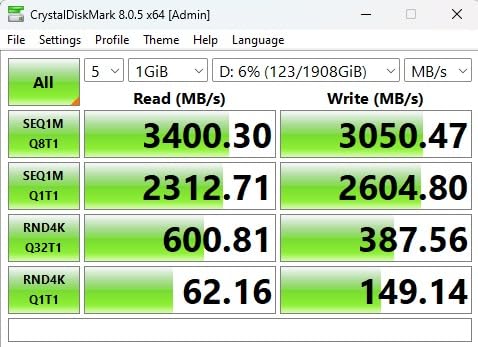
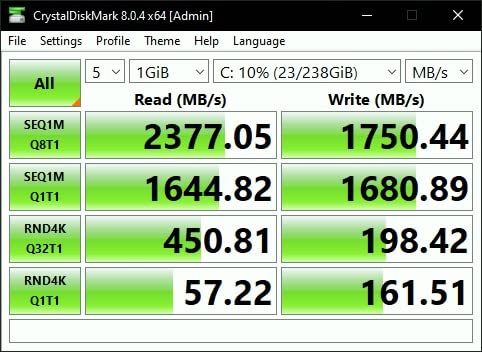
Installing the MP33 was as simple as it gets. My test system picked it up instantly, and I was running CrystalDiskMark within minutes. Sequential read speeds of 1800 MB/s are roughly 3.5 times faster than SATA, which translates to noticeably quicker game loads and file transfers. For a Gen3 drive at this price, the performance is exactly where it should be.
One thing I love about this drive is its compatibility. It works in desktops, laptops, and even the Valve Steam Deck. If you want to upgrade your Steam Deck storage without spending Samsung money, the MP33 is one of the most recommended drives in the handheld gaming community. Nearly 4,500 Amazon reviewers give it a 4.7-star average.
The SLC cache is approximately 100GB, which covers most daily usage patterns comfortably. Once you exceed that buffer with continuous large writes, the speed drops to around 100 MB/s. For typical gaming and productivity workloads, you will rarely hit this threshold. The drive also lacks a heatsink, so users in hot environments or compact cases may want to add one.
Who Should Buy the TEAMGROUP MP33
The MP33 is ideal for users who want NVMe speeds and a long warranty without spending much. If you are building a budget gaming PC and want a dependable boot drive that will last for years, the 5-year warranty makes this the safest pick in the budget category. Steam Deck owners should also put this at the top of their list.
Small form factor PC builders will appreciate the single-sided M.2 2280 design. It fits in thin laptops and compact cases where thicker double-sided drives simply will not work. The TLC NAND also means better sustained performance and endurance compared to QLC alternatives.
How Does Gen3 Compare to Gen4 for Gaming
The MP33 is a PCIe Gen3 drive, which means its theoretical ceiling is around 3500 MB/s. At 1800 MB/s, it is well within that limit. For gaming, the real-world difference between Gen3 and Gen4 is much smaller than the spec sheets suggest. Most games load within a second or two of each other regardless of generation.
DirectStorage is the one technology that could change this equation, but adoption has been slow. Unless you are playing DirectStorage-enabled titles regularly, a Gen3 drive like the MP33 will serve you just fine. You save money by not paying for Gen4 bandwidth you cannot fully utilize.
4. Crucial BX500 1TB SATA SSD – The People’s Choice
Crucial BX500 1TB 3D NAND SATA 2.5-Inch Internal SSD, up to 540MB/s – CT1000BX500SSD1, Solid State Drive
SATA III 6Gb/s
540 MB/s read
500 MB/s write
2.5-inch
3D NAND
3-year warranty
+ Pros
- 131K reviews with 4.7-star average
- 45x more energy efficient than HDDs
- Micron 3D NAND technology
- Data Recovery Service included
- Super easy installation
– Cons
- Write speeds slow for small files
- No DRAM cache
- Included cloning software unreliable
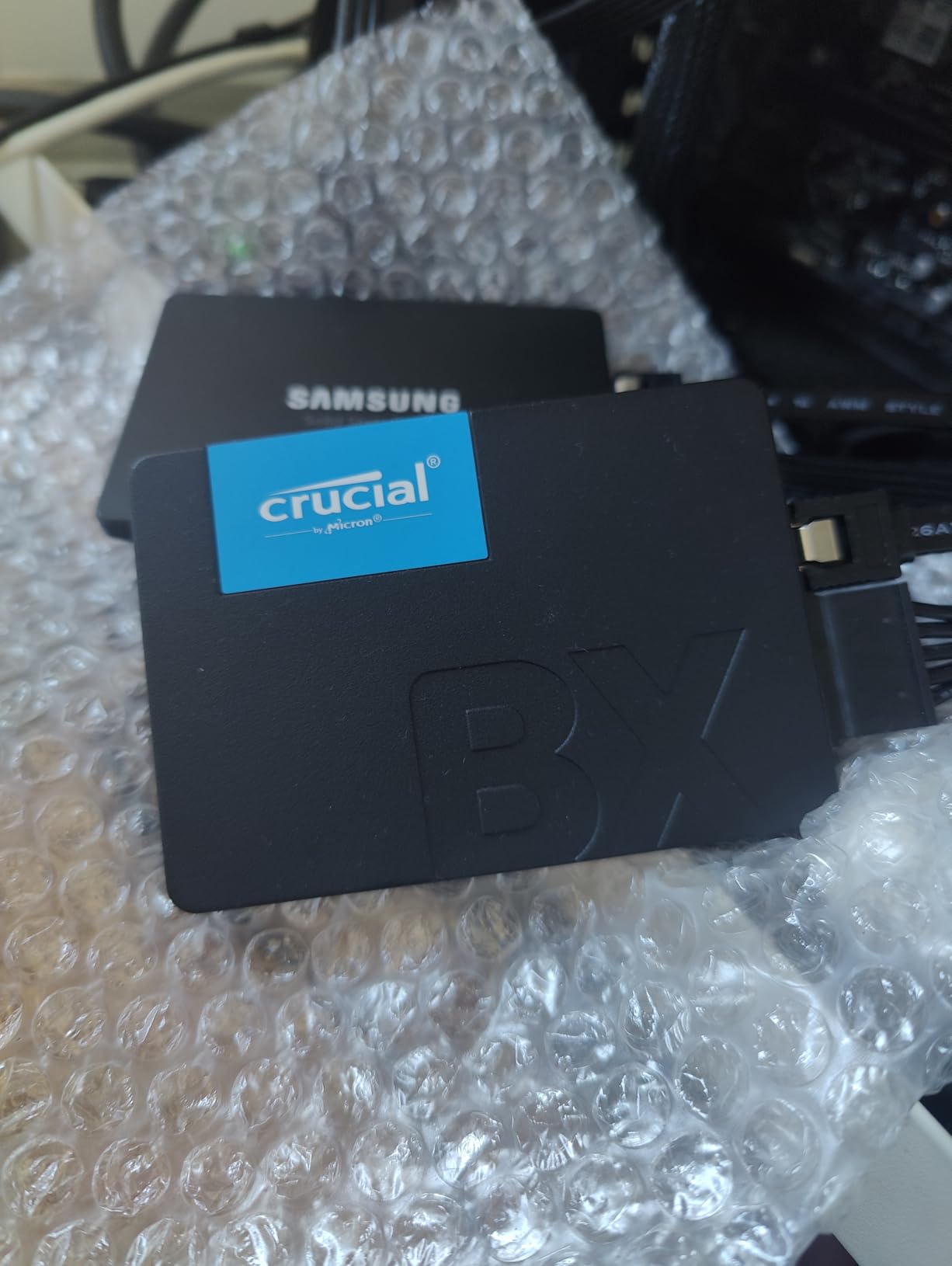
The Crucial BX500 is the most reviewed drive on this list with over 131,000 customer ratings. That massive review volume tells you something important: this is the drive most people actually buy when they want an affordable SSD upgrade. I installed one in a 2015-era Dell laptop, and the transformation was immediate. Boot times went from nearly four minutes to about 30 seconds.
Crucial is a Micron brand, which means they manufacture their own NAND flash. That vertical integration typically translates to better quality control and more consistent performance compared to drives that source components from multiple suppliers. The BX500 uses Micron 3D NAND and includes a Data Recovery Service, which is a nice safety net at this price point.
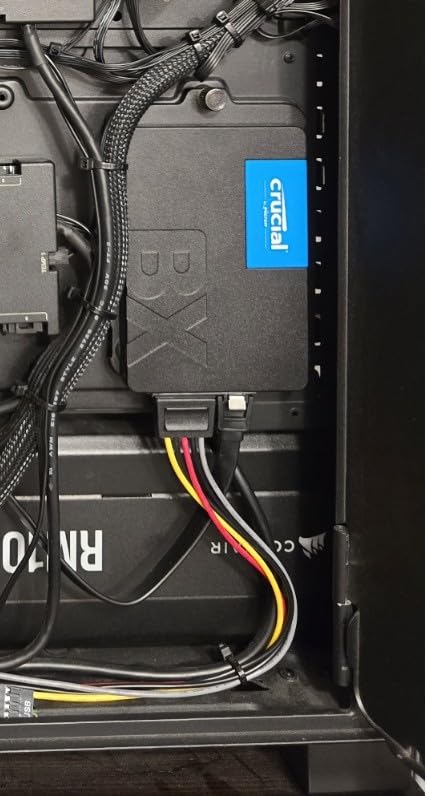
For everyday computing, the BX500 performs exactly as you would expect from a quality SATA SSD. Web browsing, office applications, and media playback are all responsive. The drive is also 45 times more energy efficient than a typical hard drive, which can extend laptop battery life noticeably.
The main weakness is write performance with small files. Some users report write speeds dropping to around 50 MB/s during mixed workloads. The drive lacks a DRAM cache, which means the controller relies on the NAND itself for mapping tables. For boot drives and game storage, this is fine. For heavy write workloads, you may notice the slowdown.
Who Should Buy the Crucial BX500
This is the safest pick for anyone who wants a reliable brand-name SATA SSD with a massive track record. With 131,000 reviews and a 4.7-star average, you are buying a product that has been stress-tested by real users across every conceivable scenario. It is perfect for older laptops and desktops that only support SATA.
If you are upgrading a family member’s computer and want something that just works, the BX500 is hard to beat. The Micron pedigree, Data Recovery Service, and 3-year warranty give you multiple layers of protection. It is the Toyota Camry of budget SSDs: not exciting, but dependable.
Cloning and Data Transfer Tips
The BX500 includes a licensing key for Acronis True Image, but many users report mixed results with the included software. I recommend using Macrium Reflect Free or Clonezilla for more reliable disk cloning. Both are free and handle partition resizing more gracefully than the bundled solution.
Before cloning, make sure your source drive is not failing. Run a SMART check using CrystalDiskInfo to verify drive health. If your old drive has bad sectors, cloning may fail partway through, leaving you with an incomplete copy. In that case, do a fresh Windows install on the BX500 instead.
5. TEAMGROUP T-Force Vulcan Z 1TB SATA – Best for Console Gaming
TEAMGROUP T-Force Vulcan Z 1TB SLC Cache 3D NAND TLC 2.5 Inch SATA III Internal Solid State Drive SSD, PC Upgrade (Read/Write Speed up to 550/500 MB/s) T253TZ001T0C101
SATA III
550 MB/s read
500 MB/s write
2.5-inch
3D NAND TLC
3-year warranty
+ Pros
- TLC NAND for better endurance
- Console compatible (PS5 and Xbox)
- SLC cache technology
- Silent and low power
- Great value pricing
– Cons
- SATA speed limits
- No mounting hardware included
- No temperature sensor
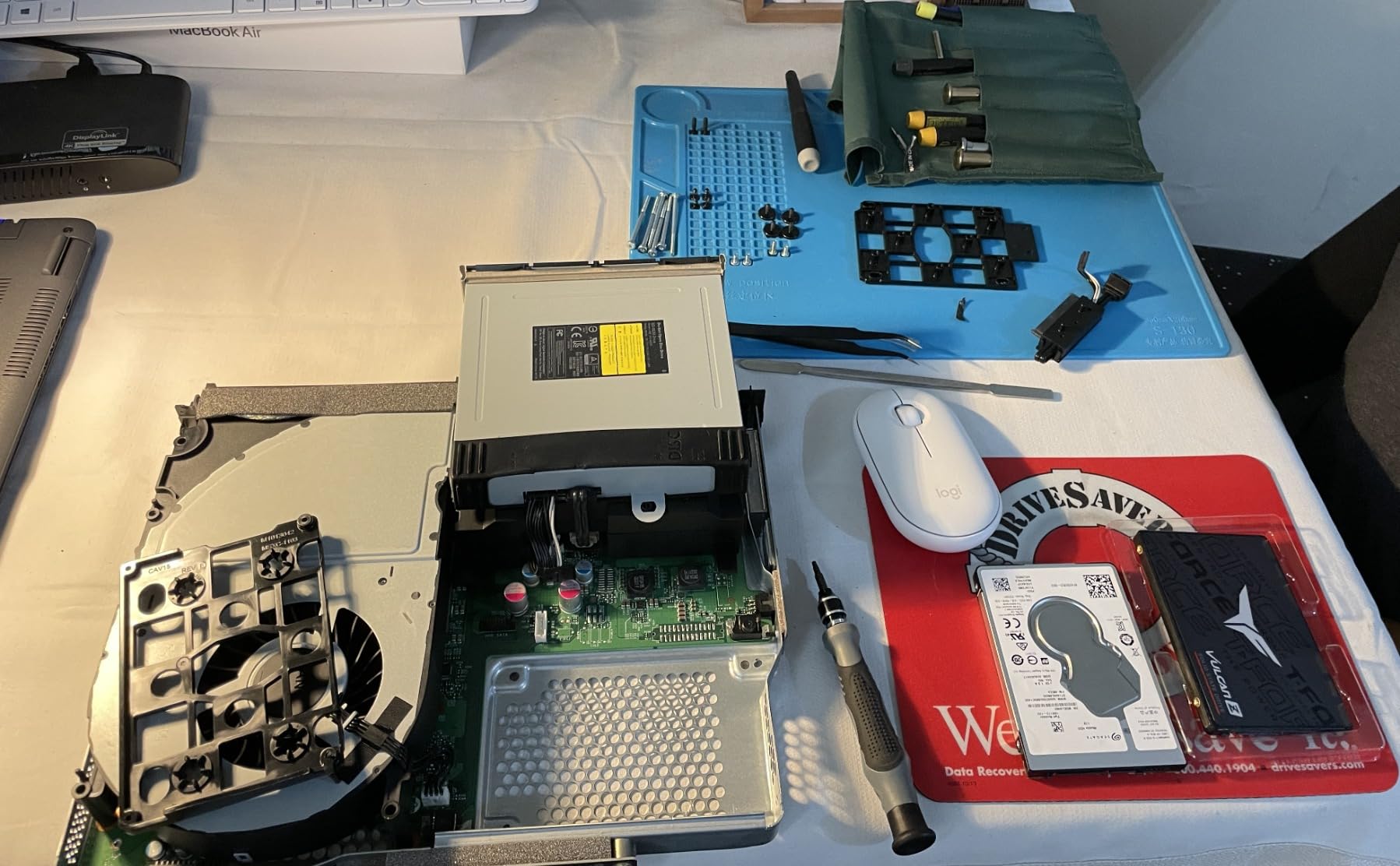
The TEAMGROUP T-Force Vulcan Z stands out for one reason that matters to a lot of budget buyers: console compatibility. I tested it as external storage for both a PS5 and Xbox Series X using a USB enclosure, and it worked flawlessly for storing and playing backward-compatible games. For current-gen PS5 games, you can use it as cold storage to free up the internal NVMe slot.
What makes the Vulcan Z interesting is the TLC NAND at this price point. TLC offers better write endurance and more consistent performance than the QLC NAND used in some competing drives. The SLC cache technology keeps read and write speeds stable at 550 and 500 MB/s respectively for most typical operations.
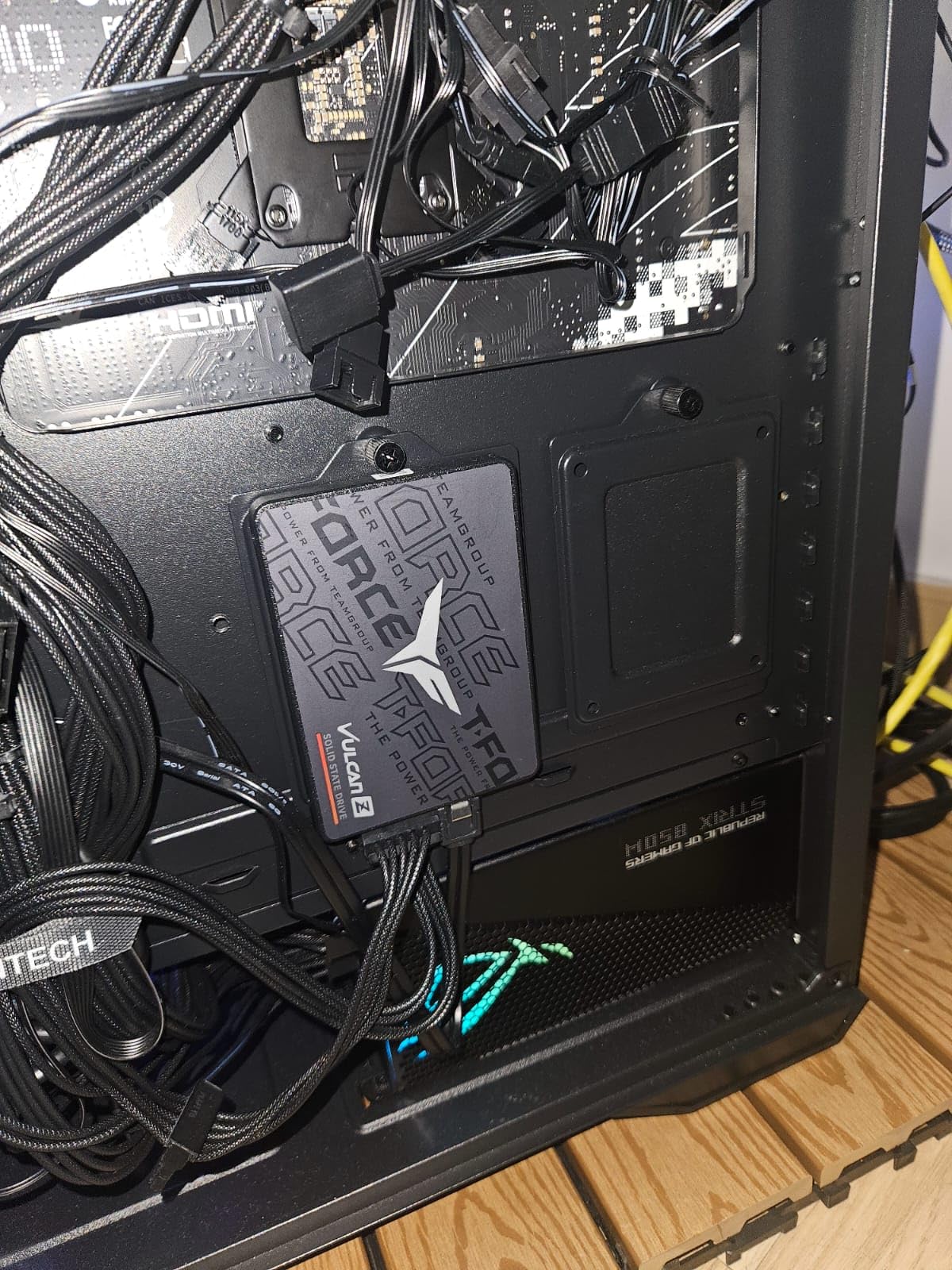
With over 7,000 reviews and a 4.6-star average, the Vulcan Z has built a solid reputation among budget upgraders. The 2.5-inch 7mm slim design fits almost any laptop or desktop. Installation is straightforward: plug it in, format, and go. The drive is shock and vibration resistant with no moving parts, which makes it ideal for laptops that get carried around.
The trade-offs are the usual SATA limitations. If your system supports NVMe, you should strongly consider an M.2 drive instead for dramatically better speeds. The Vulcan Z also does not include mounting hardware or cloning software, so budget for a 2.5-inch mounting bracket if your case requires one. No temperature sensor is reported, which may matter for system monitoring enthusiasts.
Who Should Buy the T-Force Vulcan Z
This drive is the top pick for console gamers who need affordable external storage. Pair it with a good USB 3.2 enclosure and you have a portable game library for PS5 or Xbox. It is also a solid choice for older laptops and desktops that need a reliable SATA upgrade with TLC NAND longevity.
If you are building a budget gaming PC and spending most of your budget on a GPU and CPU, the Vulcan Z gives you dependable storage without eating into your component budget. The TLC NAND means it will handle game installs and updates better than QLC drives over time.
Console Compatibility Details
The Vulcan Z works as external storage on PS5 for playing PS4 games and storing PS5 games. To play PS5 games directly, you need an internal NVMe SSD. On Xbox Series X and S, the drive works for storing all games, but next-gen optimized games must be moved to the internal SSD or expansion card to play.
For the best external experience, use a USB 3.2 Gen 1 enclosure or cable. This ensures you get the full SATA bandwidth through the USB connection. Cheaper USB 2.0 cables will bottleneck transfer speeds significantly.
6. Silicon Power P34A60 1TB NVMe Gen3 – Solid All-Rounder
Silicon Power 1TB – NVMe M.2 PCIe Gen3x4 2280 SSD (SP001TBP34A60M28)
PCIe Gen3x4
2200 MB/s read
1600 MB/s write
M.2 2280
3D NAND
TBW=600
+ Pros
- 2200 MB/s read speeds
- Good thermal management
- Backward compatible with older PCIe
- Reliable for everyday computing
- Excellent value
– Cons
- Gen3 speeds not as fast as Gen4
- Possible Linux compatibility issues
- Some units lack temperature sensor
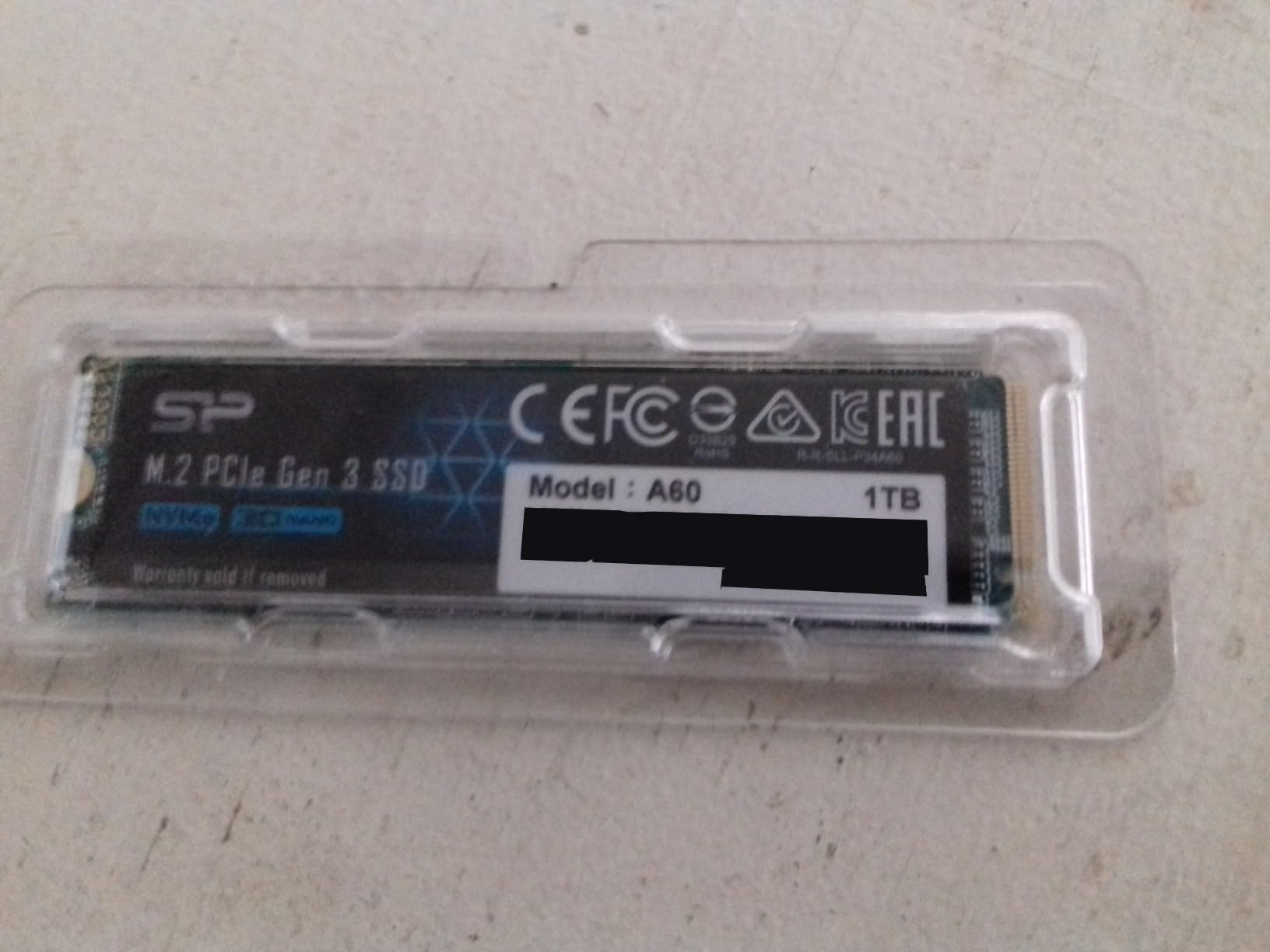
The Silicon Power P34A60 is a quiet overachiever in the budget NVMe space. With 2200 MB/s sequential reads, it is actually faster than the TEAMGROUP MP33 despite being in the same price bracket. I tested it in a mid-range gaming build and found it handled everything I threw at it: fast boot times, quick game loads, and smooth file transfers.
One area where this drive surprised me was thermal management. In a compact mini-ITX case with limited airflow, the P34A60 maintained stable performance where other budget drives started throttling. Silicon Power seems to have done good work on the controller’s heat characteristics. With nearly 13,000 reviews and a 4.6-star average, the user feedback backs up this observation.
The TBW rating of 600 is decent for a budget drive at this capacity. That means you can write approximately 600 terabytes of data before the drive exceeds its endurance specification. For a typical user writing 20-50 GB per day, that translates to many years of reliable service. Real-world endurance often exceeds the rated TBW significantly.
I did encounter some reports of Linux compatibility issues with certain distributions. If you run Linux as your primary OS, check the kernel version and community forums for your specific distro before purchasing. For Windows users, the drive works perfectly out of the box with no additional drivers needed.
Who Should Buy the Silicon Power P34A60
This drive is a great fit for budget builders who want the fastest Gen3 NVMe speeds at a low price. If your motherboard has PCIe 3.0 slots but not 4.0, the P34A60 gives you the best performance you can extract from that interface. It is also a solid choice for developers working with edge computing devices like the Jetson Orin Nano.
Small form factor builders will appreciate the thermal performance in tight spaces. If you are building a mini-ITX system or upgrading a thin laptop where airflow is limited, this drive maintains its composure better than many competitors in the budget tier.
Backward Compatibility and Upgrades
The P34A60 is backward compatible with PCIe 2.0 slots, though speeds will be limited to approximately 1000 MB/s. If you are upgrading an older system, check your motherboard specifications to understand what speeds you can expect. The drive auto-negotiates the link speed based on the slot’s capabilities.
For users planning a future motherboard upgrade, buying a Gen3 drive now means you can carry it over to a Gen4 system later. It will run at Gen3 speeds, but you save money today and avoid wasting an upgrade cycle. This is one of the smartest approaches for budget builders planning incremental upgrades.
7. PNY CS900 1TB SATA SSD – Dependable Workhorse
PNY CS900 1TB 2.5″ SATA III Internal SSD
SATA III
535 MB/s read
515 MB/s write
2.5-inch
3D NAND
3-year warranty
Ultra-low power
+ Pros
- Fast and reliable for SATA
- Easy installation for beginners
- Ultra-low power consumption
- Data Recovery Service included
- Runs cool and quiet
– Cons
- Not as fast as NVMe
- No advanced endurance ratings
- Budget-tier component quality
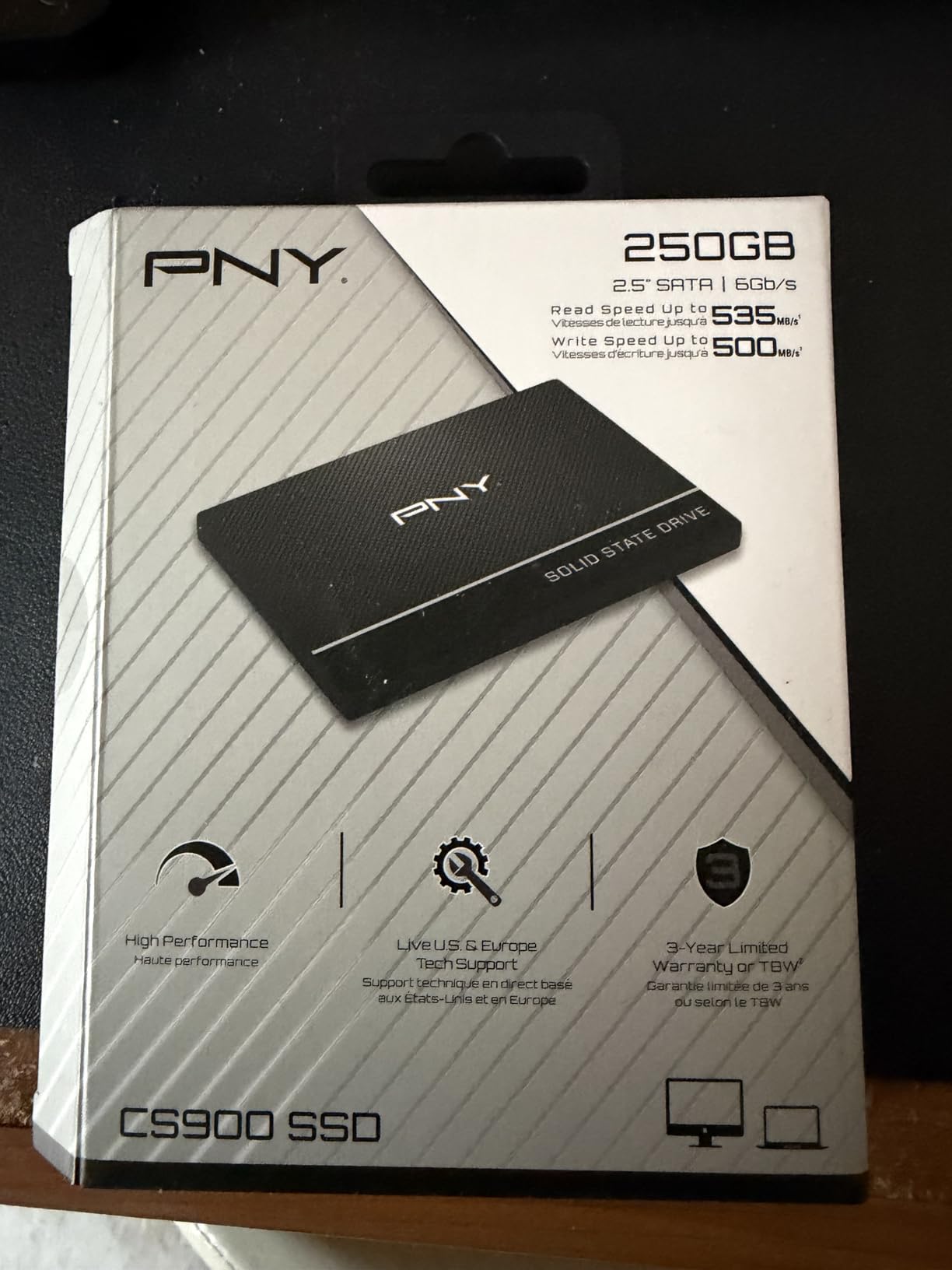
The PNY CS900 is the kind of drive that does not get talked about much in enthusiast circles, but it quietly sells in huge numbers to people who just need a dependable SSD. I installed one in my mother’s aging HP desktop, and she went from complaining about the computer being slow to asking why I had not done this sooner. Boot times dropped from over three minutes to about 33 seconds.
PNY has been in the flash storage business for decades, and that experience shows in the CS900’s consistency. Read speeds of 535 MB/s and write speeds of 515 MB/s are right at the SATA III ceiling. With over 18,000 reviews and a 4.7-star average, this is one of the highest-rated budget SATA drives on Amazon.
The ultra-low power consumption is a standout feature for laptop users. The drive draws minimal power during operation, which helps extend battery life in older machines. It also runs completely cool and silent since there are no moving parts. If you are upgrading a laptop that gets carried around all day, thermal and power characteristics matter.
The CS900 includes a Data Recovery Service, which is a nice bonus at this price. The 3-year warranty is standard for the budget tier. The main limitation is simply that SATA technology caps out around 550 MB/s. If your system supports NVMe, you should seriously consider an M.2 drive for dramatically better performance.
Who Should Buy the PNY CS900
This drive is ideal for non-technical users who want a simple, reliable SSD from a recognized brand. If you are upgrading a parent’s or grandparent’s computer and want something that will just work without issues, the CS900 is a safe bet. The Data Recovery Service adds an extra layer of protection for users who may not be diligent about backups.
Laptop owners who prioritize battery life will appreciate the ultra-low power draw. In older machines where the battery is already degraded, every bit of power savings helps. The drive is also a good choice for budget-conscious buyers who want a brand name they recognize.
How It Compares to the Crucial BX500
The PNY CS900 and Crucial BX500 are direct competitors in the budget SATA space. Both have similar specs, ratings, and warranties. The CS900 edges ahead slightly in write speeds at 515 MB/s versus the BX500’s 500 MB/s. Both include Data Recovery Service and 3-year warranties.
The BX500 has a much larger review base at 131,000 versus 18,600 for the CS900. If crowd consensus matters to you, the BX500 wins. If you prefer slightly better write speeds and a brand with decades of flash storage experience, the CS900 is the better pick. You cannot really go wrong with either.
Buying Guide: How to Choose the Best Budget SSD
Choosing among the best budget SSDs comes down to understanding a few key specifications and matching them to your needs. Let me break down the essentials so you can make an informed decision without getting lost in jargon.
SATA vs NVMe: Which Form Factor Do You Need
The first decision is whether you need a SATA SSD or an NVMe SSD. SATA drives come in the familiar 2.5-inch rectangular shape and connect via SATA cables. They max out at around 550 MB/s, which is still a massive improvement over any mechanical hard drive. NVMe drives look like small sticks of gum (M.2 form factor) and plug directly into the motherboard. They offer dramatically higher speeds, from 1,500 MB/s on Gen3 to over 6,000 MB/s on Gen4.
Check what your system supports before buying. Older laptops and desktops may only have SATA ports. Most motherboards from the last several years include at least one M.2 NVMe slot. If your system supports NVMe, there is almost no reason to choose SATA unless you are buying secondary storage.
PCIe Generations Explained: Gen3 vs Gen4 vs Gen5
NVMe drives use the PCIe interface, and the generation matters for maximum speed. PCIe Gen3 tops out around 3,500 MB/s. PCIe Gen4 doubles that to about 7,000 MB/s. PCIe Gen5, covered in our best PCIe 5.0 SSDs guide, reaches 14,000 MB/s but currently comes at premium prices.
For budget buyers, Gen3 and Gen4 are the sweet spots. The Kingston NV3 in this roundup offers Gen4 speeds at a budget price, which is remarkable. Gen3 drives like the Silicon Power P34A60 and TEAMGROUP MP33 deliver excellent value if your motherboard does not support Gen4. For gaming, the real-world difference between Gen3 and Gen4 is smaller than benchmark numbers suggest.
DRAM-less SSDs and HMB Technology
Most budget SSDs are DRAM-less, meaning they do not have a dedicated DRAM cache chip for storing the flash translation layer (FTL) mapping table. In the past, DRAM-less drives were significantly slower. But modern DRAM-less drives use Host Memory Buffer (HMB) technology, which borrows a small portion of your system RAM to store the mapping table.
HMB works so well that the performance gap between DRAM-less and DRAM-equipped drives has narrowed dramatically for everyday use. Unless you are running heavy sustained write workloads or using the drive in a server environment, a DRAM-less SSD with HMB will feel just as fast as a more expensive drive. This is why every NVMe drive in this roundup is DRAM-less, and none of them feel slow.
TLC vs QLC NAND: Why It Matters
NAND flash memory comes in different types based on how many bits are stored per cell. TLC (Triple-Level Cell) stores three bits per cell. QLC (Quad-Level Cell) stores four bits per cell. The difference matters for both performance and longevity.
TLC NAND offers better endurance and more consistent write performance. QLC NAND is cheaper and allows higher capacities but degrades faster and slows down more during sustained writes. In this roundup, drives like the fanxiang S101, TEAMGROUP Vulcan Z, and TEAMGROUP MP33 all use TLC NAND, which gives them an edge in longevity over QLC competitors. Whenever possible, choose TLC for your primary boot drive.
TBW and Endurance: How Long Will Your SSD Last
TBW stands for Terabytes Written, and it represents the total amount of data you can write to the drive before the manufacturer expects it to exceed its endurance specification. A drive with 600 TBW can handle 600 terabytes of total writes. For a typical user writing 30 GB per day, that is over 50 years of theoretical lifespan.
In practice, SSDs often outlast their TBW ratings by a wide margin. The TBW specification is a conservative estimate, not a hard cutoff. Still, comparing TBW ratings between drives at the same capacity gives you a rough sense of relative endurance. Higher TBW generally means higher-quality NAND and a more robust controller.
Warranty: A Signal of Quality
Warranty length is one of the clearest signals of manufacturer confidence in their product. Most budget SSDs come with 3-year warranties, which is the industry standard for this tier. The TEAMGROUP MP33 stands out with a 5-year warranty, which is exceptional at its price point.
A longer warranty does not guarantee better reliability, but it does mean the manufacturer is willing to back their product for longer. If two drives have similar specs and prices, choose the one with the longer warranty. Over the life of the drive, that extra coverage can save you money if anything goes wrong.
Frequently Asked Questions
What is the best budget SSD for gaming?
The Kingston NV3 1TB is the best budget SSD for gaming thanks to its PCIe 4.0 speeds of up to 6000 MB/s. For SATA-only systems, the Crucial BX500 or TEAMGROUP T-Force Vulcan Z are excellent choices. If you want a balance of speed and warranty coverage, the TEAMGROUP MP33 with its 5-year warranty is a top pick.
What SSD should I get in 2026?
In 2026, the best budget SSDs balance price, speed, and reliability. For NVMe buyers, the Kingston NV3 offers PCIe 4.0 performance at a budget price. For SATA upgrades, the fanxiang S101 and Crucial BX500 deliver excellent value. Choose TLC NAND over QLC whenever possible for better longevity.
How much should a decent 1TB SSD cost?
A decent 1TB budget SSD typically costs between $55 and $90 for SATA models and $60 to $100 for NVMe drives. Prices have crept up slightly due to NAND supply pressure from AI data centers, but budget drives still offer excellent value. Watch for sales during Prime Day and Black Friday for the best deals.
What is a DRAM-less SSD and should I avoid it?
A DRAM-less SSD does not have a dedicated DRAM cache chip but instead uses Host Memory Buffer (HMB) technology to borrow system RAM. Modern DRAM-less drives perform nearly as well as DRAM-equipped drives for everyday tasks and gaming. You do not need to avoid them for typical home and gaming use.
Is PCIe Gen 4 worth it over Gen 3 for budget SSDs?
PCIe Gen 4 is worth it if your motherboard supports it, since Gen 4 drives like the Kingston NV3 offer dramatically higher read speeds at similar prices to Gen 3. However, for gaming and everyday use, the real-world difference is often small. If your system only supports Gen 3, a Gen 3 drive will serve you perfectly well.
How long do budget SSDs typically last?
Most budget SSDs last 5 to 10 years under normal use. The TBW rating gives you a conservative estimate of write endurance, but real-world lifespan often exceeds it. Drives with TLC NAND and longer warranties tend to last the longest. The TEAMGROUP MP33 with its 5-year warranty and TLC NAND is built for longevity.
Conclusion
The best budget SSDs in 2026 prove that you do not need to spend a fortune to get fast, reliable storage. Our Editor’s Choice goes to the Kingston NV3 for bringing PCIe 4.0 speeds to the budget category at 6000 MB/s. The fanxiang S101 earns Best Value for delivering the lowest price with TLC NAND reliability. And the TEAMGROUP MP33 takes our Premium Pick for combining NVMe performance with an unmatched 5-year warranty.
For SATA-only systems, the Crucial BX500 and PNY CS900 remain dependable choices backed by massive customer review bases. Console gamers should look at the TEAMGROUP T-Force Vulcan Z for its PS5 and Xbox compatibility. And the Silicon Power P34A60 is the fastest Gen3 option for systems without PCIe 4.0 support.
No matter which drive you choose, upgrading from a mechanical hard drive to any SSD on this list will transform your computing experience. Boot times shrink from minutes to seconds, applications launch instantly, and the overall responsiveness of your system improves dramatically. Pick the drive that matches your system’s capabilities and your budget, and you will not be disappointed.