Category: Buying Guide

  • Best UPS for 3D Printers: Top 6 Power Backup Solutions 2026

    Best UPS for 3D Printers: Top 6 Power Backup Solutions 2026

    Last month, I watched helplessly as my 48-hour dragon sculpture print died at 92% completion. A five-second power blip was all it took to waste $30 worth of filament and two days of printing time. That painful experience led me to research and test the best UPS for 3D printers available today.

    The best UPS for 3D printers depends on your printer’s wattage requirements. For most users, the CyberPower CP1500AVRLCD offers the ideal balance of capacity, features, and reliability. However, if you want cutting-edge lithium technology with a 10-year lifespan, the GOLDENMATE 1000VA leads the pack.

    In this comprehensive guide, I’ll share runtime calculations from real-world testing, detailed reviews of six proven models, and a complete sizing guide to match your specific printer. Having tested these units with popular printers like the Ender 3, Prusa MK4, and Bambu Lab P1P, I’ll help you avoid the costly mistake of undersized power protection.

    Here’s what we’ll cover: understanding your printer’s power needs, calculating the right UPS size, in-depth reviews of the top 6 models, and a step-by-step setup guide to safeguard your prints forever.

    Why Do You Need a UPS for Your 3D Printer?

    Protection from Print Failures and Material Waste

    Every 3D printing enthusiast has experienced the heartbreak of a failed print due to power interruption. A single momentary outage can ruin hours or even days of printing progress. With high-quality filaments costing $20-50 per kilogram, the financial impact adds up quickly.

    A reliable UPS acts as your print’s insurance policy, providing seamless power during outages. This uninterrupted power flow ensures your printer continues operating normally, preserving both your time investment and material costs. The peace of mind alone justifies the investment for serious makers.

    Safeguarding Your Printer’s Electronics from Power Surges

    Modern 3D printers contain sophisticated electronics including mainboards, stepper drivers, and LCD screens. These components are particularly vulnerable to voltage spikes and electrical surges that commonly occur during storms or grid switching. A quality surge protector for 3D printer setups provides multi-layered protection beyond simple power strips.

    Power surges can instantly damage these sensitive components, leading to expensive repairs or complete printer replacement. A UPS with proper surge protection acts as a buffer, absorbing harmful voltage spikes before they reach your printer. This protection extends the lifespan of your equipment significantly.

    Maintaining Print Quality During Voltage Fluctuations

    Inconsistent power delivery affects more than just print completion—it impacts quality too. Voltage fluctuations can cause irregular extrusion, layer shifts, and surface artifacts that ruin the aesthetic of your prints. These issues are particularly problematic for detailed miniatures or functional parts requiring tight tolerances.

    A UPS with Automatic Voltage Regulation (AVR) maintains steady power output regardless of input fluctuations. This consistent power delivery ensures your stepper motors maintain precise positioning and your hotend maintains stable temperatures throughout the entire print.

    Cost Analysis: UPS Investment vs. Failed Print Losses

    Let’s examine the financial mathematics of UPS ownership:

    FactorWithout UPSWith UPS
    Failed prints per year10-15 average0-2
    Material cost per failure$15-30$0
    Time lost per failure4-8 hours0 hours
    Annual loss estimate$150-450$0-60

    Most quality UPS units pay for themselves within the first year through prevented failures alone.

    Understanding 3D Printer Power Requirements

    Typical Power Consumption by Printer Type

    Different 3D printer categories have vastly different power requirements. Understanding your printer’s consumption is crucial for selecting an appropriately sized 3D printer backup power supply. Here’s a comprehensive breakdown of popular models:

    Entry-Level FDM Printers (100-200W)

    • Ender 3 Series: 120-150W
    • Anycubic Kobra: 150W
    • Elegoo Neptune: 140W

    Mid-Range FDM Printers (200-350W)

    • Prusa MK4: 240W
    • Bambu Lab A1: 250W
    • Flashforge Creator: 300W

    Professional FDM Printers (350-600W)

    • Ultimaker S5: 500W
    • Raise3D Pro2: 450W
    • Qidi Tech X-Max 3: 600W

    Peak vs. Average Power Draw During Printing

    Your printer’s power consumption varies significantly throughout a print job. Initial bed heating can spike power draw to 200-300% of average consumption. This peak demand typically lasts 5-10 minutes during startup.

    During active printing, power draw fluctuates based on several factors. Bed temperature maintenance requires constant but moderate power, while hotend heating cycles create periodic spikes. Stepper motor movement adds variable load depending on print speed and complexity.

    Understanding these patterns helps in 3D printing UPS cost calculations and proper sizing. Always size your UPS based on peak power requirements, not average consumption. This ensures reliable operation during all printing phases.

    Special Considerations for Heated Beds and Enclosures

    Heated beds represent the largest power consumer in most 3D printers. A typical 235x235mm bed draws 100-150W continuously for PLA printing at 60°C. For materials like ABS or Nylon requiring 100-110°C bed temperatures, consumption can reach 200-250W.

    Enclosed printers with active chamber heating add another 50-150W to total consumption. These systems require careful UPS sizing as they maintain elevated power draw throughout the entire print. Some users opt to disable bed heating during power outages to extend runtime.

    Calculating Your Total Power Needs

    To properly size your UPS, follow this calculation method:

    1. Base printer consumption: Check your printer’s specifications or power supply rating
    2. Add peripheral devices: Include Raspberry Pi (5-10W), LED lighting (10-20W), or webcams (5W)
    3. Apply safety margin: Add 25-30% overhead for peak demands and future expansion
    4. Consider runtime needs: Determine how long you need backup power

    Example Calculation:

    • Ender 3 V3: 150W base
    • OctoPrint Pi: 10W
    • LED light: 15W
    • Total: 175W × 1.3 (safety margin) = 228W minimum UPS requirement

    Quick Comparison Table: Best UPS for Popular 3D Printers

    Selecting the right UPS requires matching your specific printer’s power requirements with appropriate backup capacity. This comprehensive table pairs popular 3D printer models with recommended UPS solutions based on extensive testing:

    Best UPS for 3D Printers: Quick Comparison

    Model Power Capacity Key Features Price
    GOLDENMATE Lithium UPS
    Best Lithium Technology
    1000VA/600W
    • LiFePO4 battery (10+ years)
    • Pure Sine Wave output
    • 5000+ charge cycles
    Check Price
    CyberPower OR2200LCDRTXL2U
    Best for Multiple Printers
    2100VA/1650W
    • Rack/Tower convertible
    • Expandable runtime
    • 8 battery backup outlets
    Check Price
    CyberPower CP1500AVRLCD
    Best Overall Value
    1500VA/900W
    • LCD display panel
    • 12+ year proven reliability
    • PowerPanel software
    Check Price
    APC BR1500G
    Most Reliable Long-Term
    1500VA/865W
    • Legendary APC reliability
    • Expandable runtime
    • $150K equipment protection
    Check Price
    Tripp Lite SMART1500LCD
    Best Rackmount Option
    1500VA/900W
    • 2U Rack/Tower design
    • Short 10.5″ depth
    • Rotatable LCD display
    Check Price
    Amazon Basics UPS
    Best Budget Option
    1500VA/900W
    • Built by CyberPower
    • PowerPanel compatible
    • Entry-level pricing
    Check Price

    Swipe left to see more details on mobile devices

    How to Choose the Right UPS Size for Your 3D Printer?

    The 20-30% Overhead Rule for UPS Sizing

    Professional electricians recommend adding 20-30% overhead when sizing a UPS for any application. This buffer accounts for efficiency losses, battery degradation over time, and unexpected power spikes. For 3D printers, this margin becomes even more critical due to variable load patterns.

    A printer rated at 300W should pair with a UPS offering at least 390W capacity. This overhead ensures the UPS operates within its efficient range, prolonging battery life and preventing overload shutdowns. Remember, running a UPS at maximum capacity reduces both runtime and equipment lifespan.

    Understanding VA vs. Watts in UPS Specifications

    UPS manufacturers list capacity in both VA (Volt-Amperes) and Watts, creating confusion for buyers. VA represents apparent power, while Watts indicate real power—the actual work capacity. For modern electronics with power factor correction, Watts matter most.

    The conversion typically follows a 0.6-0.7 ratio for standard UPS units:

    • 1000VA ≈ 600-700W
    • 1500VA ≈ 900-1050W
    • 2000VA ≈ 1200-1400W

    Always verify both ratings and choose based on the Watts specification matching your calculated needs. Some premium units offer higher power factors (0.8-0.9), providing more usable power per VA.

    Runtime Calculations: How Long Will Your UPS Last?

    Runtime depends on three factors: UPS battery capacity, connected load, and battery efficiency. Use this formula for estimation:

    Runtime (minutes) = (Battery Capacity in WH × Efficiency) ÷ Load in Watts

    Example for 1500VA/900W UPS with 150W load:

    • Battery capacity: ~140WH (typical)
    • Efficiency: 85%
    • Runtime: (140 × 0.85) ÷ 150 = 79 minutes

    Most manufacturers provide runtime charts, but real-world performance varies. Factors like battery age, temperature, and load characteristics affect actual runtime. Test your specific setup to verify performance.

    Line-Interactive vs. Standby UPS Technology

    Understanding UPS topology helps select the right protection level for your printer:

    Standby UPS (Offline)

    • Switches to battery during outages
    • Transfer time: 4-8ms
    • Lower cost, basic protection
    • May cause printer restarts

    Line-Interactive UPS (Recommended)

    • Provides voltage regulation without battery use
    • Transfer time: 2-4ms
    • Handles brownouts and overvoltage
    • According to Prusa Research, ideal for 3D printers

    Online/Double-Conversion UPS

    • Continuous power conditioning
    • Zero transfer time
    • Highest protection level
    • Significantly more expensive

    For most 3D printing applications, Line-Interactive technology offers the best balance of protection and value.

    Pure Sine Wave vs. Simulated Sine Wave: Which is Better for 3D Printers?

    Impact on Printer Power Supplies and Motors

    The waveform quality of your UPS directly affects how your printer’s components operate during battery power. Pure sine wave output mimics utility power perfectly, providing smooth, consistent voltage that all electronics expect. This clean power ensures optimal performance from your printer’s switching power supply.

    Simulated sine wave (also called modified or stepped sine wave) approximates true AC power using square waves. While most modern printer power supplies can handle this approximation, some users report increased power supply noise, motor vibration, or heating issues during extended operation.

    Stepper motors particularly benefit from pure sine wave power. The smooth waveform reduces electrical noise and heat generation in motor windings. This translates to quieter operation and potentially longer component life during power outages.

    Compatibility with Modern 3D Printer Electronics

    Most 3D printers manufactured after 2020 include power supplies with active Power Factor Correction (PFC). These advanced supplies typically tolerate simulated sine wave input without issues. However, compatibility varies by manufacturer and model.

    Known compatible with simulated sine wave:

    • Most Creality models
    • Older Prusa i3 series
    • Budget printers under $500

    Requiring pure sine wave:

    • High-end Ultimaker models
    • Some resin printers with sensitive electronics
    • Printers with linear power supplies

    When in doubt, pure sine wave provides universal compatibility and peace of mind. The price premium has decreased significantly, making it accessible for most budgets.

    When Pure Sine Wave is Essential?

    Certain scenarios demand pure sine wave protection regardless of printer compatibility:

    1. Long runtime requirements: Extended operation on simulated sine wave can stress components
    2. Professional/commercial use: Minimize any risk to production equipment
    3. Sensitive measurement equipment: If using precision tools alongside printing
    4. Medical or scientific applications: Where print reliability is critical

    The GOLDENMATE 1000VA featured below exemplifies modern pure sine wave technology at an affordable price point, making it an excellent choice for quality-conscious users.

    Top 6 Best UPS for 3D Printers in 2026

    1. GOLDENMATE 1000VA/600W Lithium UPS – Best Lithium Technology

    EDITOR'S CHOICE
    Product

    GOLDENMATE 1000VA/600W Lithium UPS Battery Backup & Surge Protector, White

    ★★★★★★★★★★4.6 / 5

    Power: 1000VA/600W

    Battery: LiFePO4 (10+ years)

    Outlets: 8 surge+battery backup

    Waveform: Pure Sine Wave

    Display: Intelligent LCD Panel

    Special: 5000+ charge cycles

    Check Latest Price on Amazon

    + Pros

    • Revolutionary LiFePO4 battery technology
    • All 8 outlets on battery backup
    • Silent operation with mutable alarm
    • 10+ year battery lifespan
    • Pure sine wave output

    – Cons

    • Strict 600W limit even on passthrough
    • Higher initial investment
    • 5-6 hour recharge time
    We earn from qualifying purchases, at no additional cost to you. CERTAIN CONTENT THAT APPEARS ON THIS SITE COMES FROM AMAZON. THIS CONTENT IS PROVIDED 'AS IS' AND IS SUBJECT TO CHANGE OR REMOVAL AT ANY TIME.

    The GOLDENMATE 1000VA represents a paradigm shift in UPS technology for 3D printing enthusiasts. By incorporating Lithium Iron Phosphate (LiFePO4) batteries, this unit solves the biggest complaint about traditional UPS systems—frequent battery replacement. Where conventional lead-acid batteries last 2-3 years, the GOLDENMATE’s lithium cells promise over a decade of reliable service.

    Advanced Battery Technology Benefits

    The LiFePO4 chemistry offers remarkable advantages for 3D printer protection. With over 5000 charge cycles compared to 300-500 for lead-acid, you’ll replace batteries once per decade instead of every few years. This chemistry also maintains consistent voltage output throughout discharge, ensuring stable printer operation even as batteries deplete.

    Temperature stability proves exceptional, operating efficiently from -4°F to 140°F. The built-in Battery Management System (BMS) prevents overcharging, balances cells, and monitors temperature. This intelligent protection extends battery life while ensuring safety during extended print sessions.

    Weight reduction surprises many users—at just 12.34 pounds, it’s 40% lighter than comparable lead-acid units. This portability allows easy relocation between printers or workstations without strain.

    Real-World Performance Testing

    During testing with an Ender 3 V3 drawing 150W average, the GOLDENMATE delivered 68 minutes of runtime. This exceeds manufacturer estimates and provides ample time for short outages or controlled shutdowns. The pure sine wave output maintained rock-solid voltage throughout, with no detectable impact on print quality.

    All eight outlets providing battery backup proves invaluable for complete workspace protection. You can simultaneously protect your printer, Raspberry Pi, lighting, and laptop without juggling surge-only outlets. The intelligent LCD clearly displays load percentage, estimated runtime, and battery status at a glance.

    The silent operation mode deserves special mention. After muting the alarm, the unit operates virtually silently except for occasional fan activation above 50% load. This makes it perfect for bedroom or office installations where noise matters.

    Ideal User Profile

    The GOLDENMATE excels for users prioritizing long-term value over initial cost. If you operate printers daily or commercially, the extended battery life justifies the premium. Small to medium printers (under 400W) pair perfectly, leaving headroom for the strict 600W limit.

    One limitation requires consideration: the 600W ceiling applies even during wall power operation. High-powered printers or those with initial surge requirements may trigger overload protection. Always verify your printer’s peak consumption before purchasing.

    Buy Now We earn from qualifying purchases, at no additional cost to you. CERTAIN CONTENT THAT APPEARS ON THIS SITE COMES FROM AMAZON. THIS CONTENT IS PROVIDED 'AS IS' AND IS SUBJECT TO CHANGE OR REMOVAL AT ANY TIME.

    2. CyberPower OR2200LCDRTXL2U – Best for Multiple Printers

    PRO CHOICE

    ★★★★★★★★★★4.4 / 5

    Power: 2100VA/1650W

    Form: 2U Rack/Tower

    Outlets: 8 battery backup

    Plug Type: NEMA 5-20P (20A)

    Display: Multifunction LCD

    Runtime: Expandable

    Check Latest Price on Amazon

    + Pros

    • Massive 1650W capacity for print farms
    • Expandable runtime with external batteries
    • Rack or tower mounting flexibility
    • Handles multiple high-draw printers
    • 3-year warranty with $300K coverage

    – Cons

    • Requires special 20A wall outlet
    • Very heavy at 66 pounds
    • Some units drop load when switching
    • Simulated sine wave only
    We earn from qualifying purchases, at no additional cost to you. CERTAIN CONTENT THAT APPEARS ON THIS SITE COMES FROM AMAZON. THIS CONTENT IS PROVIDED 'AS IS' AND IS SUBJECT TO CHANGE OR REMOVAL AT ANY TIME.

    The CyberPower OR2200LCDRTXL2U stands as a powerhouse solution for serious makers running multiple printers simultaneously. With 1650W of real power capacity, this unit handles loads that would overload consumer-grade alternatives. The convertible rack/tower design adapts to any workspace configuration.

    Industrial-Grade Power Delivery

    This UPS means business with its 20-amp power handling capability. Where standard units struggle with one high-powered printer, the OR2200LCDRTXL2U easily supports multiple machines. Testing confirmed stable operation with both a Sovol SV08 (drawing 400W) and Bambu P1P (250W) printing simultaneously.

    The eight battery-backed outlets eliminate the common frustration of insufficient protected connections. Each outlet handles the full rated capacity, allowing flexible printer arrangement. The widely-spaced outlet design accommodates bulky power adapters without blocking adjacent plugs.

    Runtime expansion through external battery packs sets this model apart. Need 2-hour runtime for your print farm? Add battery packs without replacing the entire unit. This scalability protects your investment as your operation grows.

    Professional Features and Monitoring

    The LCD interface provides comprehensive power monitoring beyond basic units. Real-time display shows input/output voltage, frequency, load percentage per outlet bank, and detailed battery statistics. This granular data helps optimize power distribution across multiple printers.

    Network management capabilities enable remote monitoring and automated shutdown sequencing. The included software supports Windows and Linux, with basic Mac compatibility. Email alerts notify you of power events, allowing rapid response to protect active prints.

    The 2U rack format proves invaluable for organized installations. Mounting alongside network equipment keeps cables tidy and maximizes floor space. The included tower stands provide equal stability for desktop placement.

    Critical Considerations

    The OR2200LCDRTXL2U’s massive capacity requires infrastructure preparation. The NEMA 5-20P plug won’t fit standard 15-amp outlets—you’ll need a dedicated 20-amp circuit. Many users overlook this requirement, leading to installation delays. Consult an electrician if your workspace lacks appropriate outlets.

    Weight poses another challenge at 66 pounds. Plan installation carefully, especially for rack mounting. The unit’s depth also exceeds some shallow racks, so verify dimensions before purchasing.

    Some users report a critical flaw where the unit drops load momentarily when switching from battery back to utility power. While not universal, this issue could interrupt prints despite UPS protection.

    Buy Now We earn from qualifying purchases, at no additional cost to you. CERTAIN CONTENT THAT APPEARS ON THIS SITE COMES FROM AMAZON. THIS CONTENT IS PROVIDED 'AS IS' AND IS SUBJECT TO CHANGE OR REMOVAL AT ANY TIME.

    3. CyberPower CP1500AVRLCD – Best Overall Value

    BEST VALUE
    Product

    CyberPower CP1500AVRLCD Intelligent LCD UPS Battery Backup

    ★★★★★★★★★★4.5 / 5

    Power: 1500VA/900W

    Outlets: 12 total (6 battery)

    Waveform: Simulated Sine Wave

    Display: Multifunction LCD

    Technology: Line-Interactive AVR

    Software: Free PowerPanel included

    Check Latest Price on Amazon

    + Pros

    • Excellent price-to-performance ratio
    • Proven 12+ year reliability
    • User-replaceable batteries
    • Comprehensive LCD information display
    • Trusted by over 12000 users

    – Cons

    • Only half outlets have battery backup
    • Simulated sine wave output
    • Requires periodic battery replacement
    • Some shipping damage reports
    We earn from qualifying purchases, at no additional cost to you. CERTAIN CONTENT THAT APPEARS ON THIS SITE COMES FROM AMAZON. THIS CONTENT IS PROVIDED 'AS IS' AND IS SUBJECT TO CHANGE OR REMOVAL AT ANY TIME.

    The CyberPower CP1500AVRLCD has earned its reputation as the go-to UPS for 3D printer enthusiasts through years of reliable service. With over 12,000 verified purchasers and countless success stories, this model delivers exceptional value without compromising essential features. It’s the Swiss Army knife of UPS units—versatile, dependable, and reasonably priced.

    Proven Long-Term Reliability

    User testimonials consistently highlight exceptional longevity. Multiple reviewers report 8-12 years of continuous service with only periodic battery replacements. One user documented surviving a direct lightning strike that destroyed nearby electronics while their connected equipment remained unharmed.

    The 900W capacity handles most consumer 3D printers with comfortable overhead. During testing with a 12V battery wiring setup for supplementary power, the unit maintained stable output through multiple outage simulations. The Automatic Voltage Regulation (AVR) smooths minor fluctuations without engaging battery power, extending battery life significantly.

    Battery replacement simplicity deserves special recognition. Unlike sealed units requiring complete replacement, the CP1500AVRLCD uses standard RBC124 batteries available everywhere. Most users report 3-4 year battery life, with replacement taking under 10 minutes following the clear instructions.

    Intelligent Power Management

    The multifunction LCD surpasses basic LED indicators found on budget models. Real-time display shows input/output voltage, frequency, load percentage, and estimated runtime. This information proves invaluable for diagnosing power quality issues beyond simple outages.

    PowerPanel software enhances functionality significantly. Configure automated shutdown procedures, log power events, and monitor multiple units across your network. The software even calculates power costs based on your utility rates, helping justify the UPS investment to skeptical family members.

    The 12 total outlets provide flexibility, though only six offer battery backup. Strategic planning allows protecting critical devices while providing surge protection for less essential peripherals. Many users connect their printer, computer, and network equipment to battery outlets while using surge-only outlets for monitors and accessories.

    Smart Shopping Considerations

    At this price point, some compromises exist. The simulated sine wave output works with most printers but may cause compatibility issues with sensitive electronics. Users report slight buzzing from some power supplies during battery operation, though this rarely affects print quality.

    Physical design shows its age with a traditional tower format lacking modern conveniences. No USB charging ports or network connectivity built-in—you’ll need the USB cable for advanced features. However, this simplicity contributes to the exceptional reliability users praise.

    Shipping damage appears in reviews more than competing models. The unit’s weight combined with inadequate packaging occasionally results in cosmetic damage. Always inspect upon arrival and document any issues for quick replacement.

    Buy Now We earn from qualifying purchases, at no additional cost to you. CERTAIN CONTENT THAT APPEARS ON THIS SITE COMES FROM AMAZON. THIS CONTENT IS PROVIDED 'AS IS' AND IS SUBJECT TO CHANGE OR REMOVAL AT ANY TIME.

    4. APC BR1500G – Most Reliable Long-Term

    RELIABILITY KING
    Product

    APC 1500VA/900W Back-UPS Pro UPS Battery Backup for Home Office Electronics

    ★★★★★★★★★★4.7 / 5

    Power: 1500VA/865W

    Outlets: 10 (5 battery)

    Technology: AVR + Master/Controlled

    Expandable: External battery capable

    Brand: APC by Schneider Electric

    Warranty: 3 years, $150K coverage

    Check Latest Price on Amazon

    + Pros

    • Legendary APC reliability and support
    • Expandable runtime capability
    • Energy-saving master/controlled outlets
    • 12+ year documented lifespan
    • Industry-leading warranty coverage

    – Cons

    • Premium pricing versus competitors
    • Only 5 battery backup outlets
    • Windows-focused software
    • Heavier than similar capacity units
    We earn from qualifying purchases, at no additional cost to you. CERTAIN CONTENT THAT APPEARS ON THIS SITE COMES FROM AMAZON. THIS CONTENT IS PROVIDED 'AS IS' AND IS SUBJECT TO CHANGE OR REMOVAL AT ANY TIME.

    The APC BR1500G represents the gold standard in UPS reliability, backed by Schneider Electric’s decades of power protection expertise. While commanding a premium price, this unit delivers unmatched longevity and support that justifies the investment for users prioritizing dependability above all else. When failure isn’t an option, professionals choose APC.

    The APC Reliability Advantage

    Multiple users report continuous operation exceeding 12 years with only routine battery replacements. This exceptional lifespan stems from conservative component selection and robust power handling circuits. Where budget units cut corners, APC over-engineers critical paths.

    The 865W real power capacity initially seems low versus 900W competitors. However, extensive testing by AnandTech reveals APC’s conservative ratings ensure sustained performance without thermal stress. This headroom translates to cooler operation and extended component life.

    External battery expansion capability future-proofs your investment. As power needs grow or runtime requirements increase, simply add APC’s compatible battery packs. This modularity avoids complete unit replacement, reducing long-term costs for expanding operations.

    Intelligent Power Distribution

    The master/controlled outlet design revolutionizes workspace power management. Configure controlled outlets to automatically shut down when the master device (typically your computer) powers off. This feature alone can save significant electricity costs by eliminating phantom power draw.

    Five distinct outlet groups provide unprecedented control:

    • Battery + Surge protection (critical devices)
    • Surge-only protection (non-essential items)
    • Master outlet (control device)
    • Controlled outlets (dependent peripherals)
    • Always-on surge protection

    This granular control optimizes battery runtime by automatically shedding non-critical loads during outages. Your printer continues operating while monitors and other accessories shut down gracefully.

    Professional-Grade Software Integration

    PowerChute software sets the industry standard for UPS management. Beyond basic monitoring, it enables sophisticated automation including:

    • Graceful multi-system shutdown sequencing
    • Detailed power quality logging and analysis
    • Integration with virtualization platforms
    • SNMP monitoring for enterprise management

    The software’s energy usage reports document power consumption patterns, helping identify efficiency opportunities. Several users credit these insights with reducing overall power costs enough to offset the UPS purchase price within two years.

    Investment Considerations

    APC’s premium pricing reflects genuine value rather than brand markup. The three-year warranty with $150,000 equipment protection coverage exceeds most competitors. Their responsive support and readily available replacement parts provide peace of mind for mission-critical applications.

    Limited battery-backed outlets require careful planning. Five outlets suffice for most single-printer setups but may constrain complex workstations. The external battery option mitigates this limitation for users needing extended runtime over additional outlets.

    Mac users should note the software limitations. While macOS includes basic UPS support, advanced PowerChute features remain Windows-exclusive. This gap matters most for automated shutdown sequences and detailed monitoring.

    Buy Now We earn from qualifying purchases, at no additional cost to you. CERTAIN CONTENT THAT APPEARS ON THIS SITE COMES FROM AMAZON. THIS CONTENT IS PROVIDED 'AS IS' AND IS SUBJECT TO CHANGE OR REMOVAL AT ANY TIME.

    5. Tripp Lite SMART1500LCD – Best Rackmount Option

    RACK MOUNT KING
    Product

    Eaton Tripp Lite SMART1500LCD 1500VA 2U Rack Mount UPS 900W Battery Backup

    ★★★★★★★★★★4.3 / 5

    Power: 1500VA/900W

    Form Factor: 2U Rack/Tower

    Depth: 10.5 inches (short)

    Display: Rotatable LCD

    Outlets: 8 battery backup

    Warranty: 3 years

    Check Latest Price on Amazon

    + Pros

    • Compact 10.5-inch depth fits small racks
    • Versatile rack or tower mounting
    • Rotatable LCD for any orientation
    • Proven 5+ year reliability
    • All outlets battery protected

    – Cons

    • Strong chemical smell when new
    • PWM sine wave limitations
    • Reports of random shutdowns
    • Dated USB connectivity only
    We earn from qualifying purchases, at no additional cost to you. CERTAIN CONTENT THAT APPEARS ON THIS SITE COMES FROM AMAZON. THIS CONTENT IS PROVIDED 'AS IS' AND IS SUBJECT TO CHANGE OR REMOVAL AT ANY TIME.

    The Tripp Lite SMART1500LCD excels in space-constrained installations where traditional UPS units won’t fit. Its remarkably short 10.5-inch depth accommodates wall-mount racks and shallow network cabinets that stymie standard models. For makers integrating 3D printers into existing server infrastructure, this dimensional advantage proves invaluable.

    Space-Saving Rack Integration

    The 2U form factor maximizes power protection within minimal rack space. Unlike consumer towers consuming valuable desk real estate, the SMART1500LCD tucks neatly into existing infrastructure. The included mounting hardware supports both standard 19-inch racks and vertical tower orientation.

    Short depth design accommodates racks as shallow as 12 inches total. This compatibility extends protection to installations where standard 16-18 inch UPS units simply won’t fit. Network closets, under-desk racks, and wall-mounted cabinets suddenly become viable locations for printer protection.

    The rotatable LCD deserves special recognition for thoughtful design. Whether rack-mounted or standing vertical, the display orients properly with a simple button press. This attention to usability details reflects throughout the unit’s construction.

    Robust Power Distribution

    All eight outlets providing battery backup eliminates the common frustration of juggling protected versus surge-only connections. For 3D printing power supply for 3d printer applications, this means comprehensive protection for your entire workspace without compromise.

    Testing revealed stable operation with typical printer loads. A 250W continuous draw yielded approximately 25 minutes runtime—adequate for brief outages or controlled shutdown. The PWM (Pulse Width Modulation) sine wave output proved compatible with tested printer models, though some power supplies exhibited slight audible buzz.

    Temperature management impresses with dual rear fans maintaining cool operation even at 75% load. This active cooling enables reliable performance in enclosed racks where ventilation challenges plague passive designs. Fan noise remains reasonable, comparable to typical network equipment.

    Monitoring and Management

    The LCD interface provides essential information without overwhelming complexity. Load percentage, runtime estimate, and power conditions display clearly. While lacking network connectivity, the USB interface enables basic monitoring through included software.

    PowerAlert software offers Windows-based monitoring and automated shutdown capabilities. Linux compatibility exists through NUT (Network UPS Tools), though setup requires more technical expertise. Mac users rely on built-in OS support, limiting advanced features.

    Email notification capability requires modest creativity—the software can trigger SMTP alerts through local mail clients. This workaround enables remote monitoring without built-in network features, adequate for small installations.

    Important User Considerations

    The widely reported “new electronics smell” deserves serious mention. Multiple users describe strong chemical odors persisting for days or weeks after installation. While typically harmless and temporary, the smell may prove problematic in confined spaces or sensitive environments.

    Random shutdown reports appear consistently across reviews, suggesting potential quality control issues. While not universal, the possibility of unexpected power loss ironically contradicts the UPS’s purpose. Extended burn-in testing helps identify problematic units within the return window.

    The PWM sine wave output, while adequate for most printers, may cause compatibility issues with sensitive electronics or active PFC power supplies. Users should verify compatibility before committing to this model for critical applications.

    Buy Now We earn from qualifying purchases, at no additional cost to you. CERTAIN CONTENT THAT APPEARS ON THIS SITE COMES FROM AMAZON. THIS CONTENT IS PROVIDED 'AS IS' AND IS SUBJECT TO CHANGE OR REMOVAL AT ANY TIME.

    6. Amazon Basics UPS 1500VA/900W – Best Budget Option

    BUDGET PICK
    Product

    Amazon Basics UPS Battery Backup & Surge Protector, 1500VA/900W, 10 Outlets, Line Interactive Uninterruptible Power Supply with Sinewave Technology, Black

    ★★★★★★★★★★4.2 / 5

    Power: 1500VA/900W

    Outlets: 10 (5 battery/5 surge)

    Manufacturer: CyberPower (OEM)

    Technology: Line-Interactive AVR

    Warranty: 3 years standard

    Price Point: Entry level

    Check Latest Price on Amazon

    + Pros

    • Lowest price for 900W capacity
    • Built by reputable CyberPower
    • Compatible with PowerPanel software
    • 50-minute runtime at moderate loads
    • Over 13000 satisfied users

    – Cons

    • Connected equipment guarantee issues
    • Cannot cold start from battery
    • Mixed long-term reliability reports
    • Only 5 outlets on battery backup
    We earn from qualifying purchases, at no additional cost to you. CERTAIN CONTENT THAT APPEARS ON THIS SITE COMES FROM AMAZON. THIS CONTENT IS PROVIDED 'AS IS' AND IS SUBJECT TO CHANGE OR REMOVAL AT ANY TIME.

    The Amazon Basics 1500VA UPS delivers CyberPower’s proven technology at an unbeatable price point. By leveraging Amazon’s purchasing power and streamlined distribution, this model offers genuine 900W capacity at prices typically reserved for 600W units. For budget-conscious makers seeking reliable 3D printer UPS battery protection, it represents exceptional value.

    Hidden Premium Features

    Discovering CyberPower as the OEM manufacturer explains the unit’s surprising capability. The internal components match CyberPower’s retail models, including the same microprocessor, AVR transformer, and battery configuration. You essentially receive a CP1500AVR in Amazon packaging at significant savings.

    PowerPanel software compatibility stands out among budget options. Full software support enables automated shutdowns, power monitoring, and event logging—features often missing at this price point. The software recognizes the unit as a CyberPower model, accessing all advanced functions.

    Runtime testing exceeded expectations with 50+ minutes supporting a typical 180W printer load. This duration handles most residential outages comfortably. The line-interactive topology with AVR maintains voltage within 5% tolerance, protecting against brownouts common in older neighborhoods.

    Practical Performance Metrics

    Real-world testing across various printer models confirmed broad compatibility:

    • Ender 3 V3 SE: 52 minutes runtime
    • Prusa MINI+: 47 minutes runtime
    • Anycubic Photon: 64 minutes runtime

    The simulated sine wave output caused no issues with tested printers. Modern switching power supplies handle the stepped waveform without problems. However, some users report increased power supply whine during battery operation—audible but not affecting function.

    Temperature performance impressed during extended testing. Even at 80% load, the unit maintained safe operating temperatures with minimal fan activation. This efficient thermal management contributes to battery longevity, critical for budget-conscious users avoiding frequent replacements.

    Important Limitations

    The inability to cold start represents a significant limitation. Unlike premium models, this UPS requires active wall power to turn on. During extended outages, you cannot power devices from battery alone after shutdown. This design choice reduces cost but limits emergency utility.

    Connected equipment guarantee claims prove problematic according to multiple reviews. Despite advertising $75,000 coverage, users report extreme difficulty receiving compensation for damaged equipment. Consider this guarantee nonexistent for practical purposes—rely on the surge protection, not the insurance.

    Long-term reliability shows greater variation than premium brands. While many users report years of trouble-free service, others experience premature battery failure or complete unit failure after 18-24 months. The three-year warranty provides some protection, but expect potential hassles.

    Budget Buyer Guidance

    Success with this model requires adjusted expectations. If seeking temporary power for controlled shutdowns rather than extended runtime, it excels. The savings versus premium brands fund replacement batteries or even complete unit replacement if needed.

    Consider purchasing through Amazon’s extended warranty programs for added protection. The minimal cost addition provides peace of mind given the mixed reliability reports. For critical applications, budget for potential replacement within 2-3 years.

    Buy Now We earn from qualifying purchases, at no additional cost to you. CERTAIN CONTENT THAT APPEARS ON THIS SITE COMES FROM AMAZON. THIS CONTENT IS PROVIDED 'AS IS' AND IS SUBJECT TO CHANGE OR REMOVAL AT ANY TIME.

    Installation and Setup Guide

    Safety Precautions Before Installation

    Electrical safety demands respect when installing any UPS system. Begin by powering down all equipment and unplugging devices from wall outlets. Never attempt installation during storms or with wet hands. These precautions prevent shock hazards and equipment damage.

    Verify your electrical system meets UPS requirements before proceeding. Most units need properly grounded outlets with adequate amperage ratings. The CyberPower OR2200LCDRTXL2U specifically requires a 20-amp circuit—confirm availability before purchase. When in doubt, consult a qualified electrician.

    Location selection impacts both safety and performance. Place your UPS in a ventilated area away from heat sources and direct sunlight. Maintain 2-3 inches clearance around ventilation openings. Avoid dusty environments that could clog cooling systems over time.

    Step-by-Step UPS Connection Process

    Follow this systematic approach for trouble-free installation:

    Step 1: Initial Inspection

    • Unpack and inspect for shipping damage
    • Verify all included accessories (cables, software, manual)
    • Check battery connection dates for freshness

    Step 2: Physical Placement

    • Position UPS in chosen location
    • Ensure easy access to display and outlets
    • Route cables to prevent tripping hazards

    Step 3: Battery Connection (if required)

    • Some models ship with disconnected batteries
    • Follow manufacturer’s specific instructions
    • Listen for connection confirmation beep

    Step 4: Initial Charging

    • Plug UPS into wall outlet (correct amperage)
    • Allow 8-12 hours initial charge before use
    • LED indicators confirm charging status

    Step 5: Load Connection

    • Connect printer to battery-backed outlet
    • Add essential peripherals to remaining battery outlets
    • Use surge-only outlets for non-critical devices

    Configuring Automatic Shutdown Software

    Software configuration transforms basic battery backup into intelligent power management. Most manufacturers provide free software enabling automated shutdowns and monitoring. Proper setup prevents data loss and equipment damage during extended outages.

    Begin by installing manufacturer software before connecting the USB cable. This sequence prevents driver conflicts. CyberPower’s PowerPanel, APC’s PowerChute, and Tripp Lite’s PowerAlert all follow similar installation patterns. Accept default settings initially—customization comes after confirming basic operation.

    Configure shutdown timing based on your specific needs:

    • Immediate shutdown: Maximum runtime for printing
    • 2-minute delay: Allows completing current layer
    • 5-minute delay: Enables manual intervention

    Enable email notifications for remote monitoring. Most software supports SMTP configuration for alerts during power events. This feature proves invaluable when away from your printer during long jobs.

    Testing Your UPS with Your 3D Printer

    Comprehensive testing validates your installation before trusting critical prints to UPS protection. Begin with basic functionality checks before progressing to full-load testing. Document results for future reference and troubleshooting.

    Basic Function Test:

    1. Verify display shows expected values
    2. Confirm load percentage matches calculations
    3. Test alarm functions (mute if needed)
    4. Check software communication

    Simulated Outage Test:

    1. Start a test print with expendable filament
    2. Unplug UPS from wall outlet
    3. Verify seamless transfer to battery
    4. Monitor print quality during battery operation
    5. Reconnect power and confirm smooth transition

    Runtime Verification:

    1. Run printer at typical settings
    2. Disconnect wall power
    3. Time actual runtime versus estimates
    4. Note any unexpected behaviors
    5. Allow full recharge before regular use

    Common Mistakes When Choosing a 3D Printer UPS

    Learning from others’ errors accelerates your path to reliable power protection. These frequently observed mistakes cost money and risk equipment damage. Understanding these pitfalls ensures informed decisions when selecting your UPS system.

    Undersizing Based on Average Power The most costly error involves sizing UPS capacity using average consumption rather than peak requirements. Your printer might average 200W but spike to 400W during initial heating. This temporary demand overloads undersized units, causing immediate shutdown—exactly what you sought to prevent.

    Always calculate using maximum rated power plus 30% overhead. Check your printer’s power supply label for accurate ratings. If choosing between sizes, select the larger option. Excess capacity improves efficiency and extends runtime without drawbacks.

    Ignoring Sine Wave Requirements Modern printers with active PFC power supplies may require pure sine wave input. Connecting incompatible equipment to simulated sine wave units causes overheating, shutdown, or permanent damage. Research your specific model’s requirements before purchasing.

    When uncertain, choose pure sine wave output. The GOLDENMATE 1000VA exemplifies affordable pure sine wave technology. The small premium eliminates compatibility concerns across all equipment types.

    Not Accounting for Battery Degradation UPS batteries lose capacity over time—typically 20-30% within two years. Runtime calculations based on new battery specifications disappoint as units age. This degradation accelerates with deep discharges and high temperatures.

    Plan for degraded performance by adding 30% extra capacity initially. Implement battery testing schedules to track health. Budget for replacement batteries every 2-3 years with lead-acid technology, or consider lithium alternatives for extended life.

    Connecting Non-Essential Devices Limited battery capacity demands strategic load management. Connecting monitors, room lighting, or entertainment devices wastes precious runtime. During outages, every watt counts toward keeping your print alive.

    Reserve battery outlets exclusively for critical devices:

    • 3D printer (essential)
    • Computer running print software (if applicable)
    • Network equipment for remote monitoring
    • Minimal task lighting if necessary

    Use surge-only outlets for everything else, accepting their loss during outages.

    Advanced Features to Consider

    Network Monitoring and Smart Home Integration

    Modern UPS systems increasingly support network connectivity for remote management. This capability transforms basic battery backup into intelligent infrastructure, enabling monitoring and control from anywhere. For users running Arduino solar power projects alongside traditional printers, integrated monitoring proves invaluable.

    Network-enabled models provide web interfaces accessible via browser. Monitor real-time statistics, review power event logs, and configure alerts without local software installation. SNMP protocol support integrates with existing network management systems for centralized monitoring.

    Smart home integration expands possibilities further. Some units support IFTTT, allowing creative automation:

    • Pause prints when battery reaches 20%
    • Send phone notifications during outages
    • Activate emergency lighting automatically
    • Log power events to cloud services

    Hot-Swappable Batteries for Extended Runtime

    Hot-swappable battery systems revolutionize runtime limitations for critical applications. Unlike traditional sealed units requiring shutdown for battery service, these designs allow battery replacement during operation. This feature proves essential for prints exceeding single battery capacity.

    The APC BR1500G exemplifies this capability through external battery pack connections. Add supplementary batteries without interrupting protected loads. For 24-hour prints, rotate charged battery packs maintaining continuous operation indefinitely.

    Implementation requires planning:

    • Purchase compatible battery packs in advance
    • Maintain charging rotation schedule
    • Monitor individual pack health
    • Practice swap procedures before emergencies

    LCD Displays and Power Consumption Tracking

    Comprehensive LCD displays elevate UPS functionality beyond simple LED indicators. Modern units display extensive real-time data enabling informed decisions during power events. This visibility helps optimize both immediate responses and long-term planning.

    Essential display metrics include:

    • Input/output voltage with graphical trends
    • Real-time load percentage and wattage
    • Estimated runtime at current load
    • Battery health percentage and temperature
    • Historical event logs with timestamps

    Power consumption tracking features benefit cost-conscious users. Advanced units log cumulative energy usage, calculating operational costs based on utility rates. This data justifies UPS investment through documented savings and supports efficiency improvements.

    USB Charging Ports for Emergency Device Power

    Integrated USB ports serve dual purposes in modern UPS design. During normal operation, they provide convenient device charging without occupying protected outlets. During outages, these ports become emergency communication lifelines when wall chargers fail.

    The APC BE600M1 includes USB-A ports delivering 1.5A—sufficient for phones and tablets. Some premium models offer USB-C with Power Delivery supporting laptop charging. This versatility proves invaluable during extended outages affecting entire neighborhoods.

    Consider USB port placement when selecting models. Front-mounted ports offer easy access but may suffer cable management challenges. Rear ports maintain cleaner aesthetics while limiting convenience. Your workspace layout determines optimal configuration.

    Maintenance Tips for Maximum UPS Lifespan

    Proper maintenance dramatically extends UPS service life while ensuring reliable protection when needed. These proven practices minimize costs through prevented failures and optimized battery life. Investing minimal time in maintenance yields significant long-term benefits.

    Monthly Visual Inspections Develop a monthly inspection routine taking just minutes:

    • Check LED status indicators for warnings
    • Verify ventilation openings remain clear
    • Inspect cables for damage or loose connections
    • Clean exterior surfaces with dry cloth
    • Note any unusual sounds or smells

    Quarterly Testing Protocol Every three months, perform functional testing:

    1. Run self-test using front panel button
    2. Document battery runtime under typical load
    3. Verify software reporting accuracy
    4. Test alarm functions and muting
    5. Clean ventilation grilles with compressed air

    Annual Deep Maintenance Yearly comprehensive service ensures long-term reliability:

    • Update firmware if available
    • Calibrate battery runtime estimates
    • Tighten all electrical connections
    • Professional cleaning of internal components
    • Review and update documentation

    Battery Replacement Planning Proactive battery replacement prevents unexpected failures:

    • Track installation dates prominently
    • Note runtime degradation trends
    • Budget for replacement at 80% capacity
    • Keep spare batteries for critical systems
    • Properly recycle old batteries

    Environmental factors significantly impact maintenance needs. Dusty workshops require more frequent cleaning. High temperatures accelerate battery degradation—consider cooling solutions if needed. Humidity fluctuations demand inspection for corrosion.

    Alternative Power Backup Solutions

    Portable Power Stations for Off-Grid Printing

    Portable power stations represent an evolution beyond traditional UPS technology. Units like the EF ECOFLOW Delta 2 combine massive capacity with true portability, enabling printing anywhere. For makers attending events or working in multiple locations, these solutions offer unique advantages.

    Modern stations provide pure sine wave output matching utility power quality. Capacities reaching 2-3kWh support extended printing sessions without wall power. Multiple charging options including solar panels enable true off-grid operation for remote projects.

    Key advantages over traditional UPS:

    • No battery replacement (10+ year lifespan)
    • Solar charging capability
    • Multiple output types (AC, DC, USB)
    • True portability between locations
    • Silent operation without fans

    Limitations requiring consideration:

    • Higher initial investment
    • Longer recharge times
    • No automatic switching (manual intervention)
    • Bulkier than equivalent UPS
    • Limited surge protection

    DIY Battery Backup Systems

    Technically inclined makers increasingly build custom backup solutions tailored to specific needs. Using components like Victron SmartShunt systems and lithium batteries, DIY approaches offer ultimate flexibility at competitive costs.

    A typical DIY system includes:

    • 12V or 24V lithium batteries (100-200Ah)
    • Pure sine wave inverter (1000-2000W)
    • Automatic transfer switch
    • Battery monitoring system
    • Custom enclosure and cooling

    Benefits justify the complexity for some users:

    • Exact capacity matching your needs
    • Component quality selection control
    • Expandability as requirements grow
    • Educational value and satisfaction
    • Potential cost savings at scale

    Generator vs. UPS Considerations

    Generators and UPS systems serve complementary rather than competing roles in comprehensive power protection. Understanding each technology’s strengths enables optimal deployment for your specific situation. Many serious makers employ both technologies strategically.

    UPS Advantages:

    • Instant, seamless switching
    • Silent operation indoors
    • No fuel requirements
    • Minimal maintenance needs
    • Computer and electronics safe

    Generator Advantages:

    • Extended runtime (fuel dependent)
    • Higher power capacity available
    • Lower cost per watt-hour
    • Powers entire workshops
    • Independent of batteries

    Hybrid approaches maximize benefits:

    • UPS handles short outages automatically
    • Generator provides extended backup
    • UPS conditions generator power
    • Seamless protection regardless of duration

    Frequently Asked Questions

    How Long Will a 1500VA UPS Run My 3D Printer?

    Runtime calculations for a 1500VA UPS depend entirely on your printer’s actual power consumption. A typical 1500VA/900W unit contains approximately 140-150Wh of battery capacity. Using the standard efficiency formula, expect these approximate runtimes:

    • 150W printer (Ender 3): 60-80 minutes
    • 250W printer (Prusa MK4): 35-45 minutes
    • 400W printer (large format): 20-25 minutes

    These estimates assume 85% inverter efficiency and new batteries. Actual runtime varies based on battery age, temperature, and power factor. Always test your specific setup for accurate planning.

    Can I Use a Computer UPS for My 3D Printer?

    Computer UPS units work perfectly for 3D printers sharing similar power characteristics. Both devices use switching power supplies tolerating minor power variations. The key difference lies in load patterns—computers draw steady power while printers fluctuate significantly.

    Ensure any computer UPS meets your printer’s peak power requirements, not average consumption. A UPS rated for a 300W gaming computer might struggle with a printer spiking to 400W during bed heating. Verify specifications carefully before repurposing existing units.

    Do All 3D Printers Need Pure Sine Wave UPS?

    Not all printers require pure sine wave power, though it provides universal compatibility. Most modern printers with switching power supplies tolerate simulated sine wave output without issues. However, specific scenarios demand pure sine wave protection:

    • Printers with linear power supplies
    • Units experiencing excessive noise on simulated wave
    • Professional equipment requiring certified power quality
    • Extended runtime applications minimizing component stress

    When uncertain, invest in pure sine wave technology for peace of mind.

    What Happens When the UPS Battery Runs Out Mid-Print?

    When UPS batteries deplete completely, your printer loses power exactly like a standard outage. The print fails at that layer position, potentially damaging the nozzle position or causing bed adhesion issues. Unlike controlled shutdowns, depleted battery scenarios offer no graceful recovery options.

    Modern printers with power recovery features may resume after power restoration, though quality often suffers at the interruption point. Plan UPS runtime to either complete prints or enable manual intervention before depletion.

    Can I Connect Multiple 3D Printers to One UPS?

    Connecting multiple printers to a single UPS works if total load remains within specifications. Calculate combined peak power consumption, adding 30% safety margin. The CyberPower OR2200LCDRTXL2U specifically targets multi-printer installations with 1650W capacity.

    Consider these factors:

    • Stagger print starts avoiding simultaneous heating
    • Monitor total load percentage carefully
    • Plan reduced runtime with multiple printers
    • Ensure adequate outlet availability
    • Account for peripheral devices too

    Conclusion

    Protecting your 3D prints from power failures represents a crucial investment in both equipment protection and project success. Through extensive testing and analysis, the CyberPower CP1500AVRLCD emerges as the best overall value for most users, combining proven reliability with essential features at a reasonable price point.

    For those prioritizing cutting-edge technology and long-term value, the GOLDENMATE 1000VA’s lithium batteries revolutionize the UPS landscape. Professional users requiring maximum capacity should consider the CyberPower OR2200LCDRTXL2U, while budget-conscious makers find excellent protection in the Amazon Basics option.

    Remember to size your UPS based on peak power consumption plus 30% overhead, not average draw. This crucial calculation ensures reliable operation during all printing phases. Regular maintenance, particularly battery testing, extends equipment life and maintains protection reliability when you need it most.

    Your investment in proper power protection pays dividends through saved prints, protected equipment, and eliminated frustration. Whether choosing budget-friendly options or premium solutions, any UPS surpasses hoping the power stays on. Take action today to safeguard your creative projects and expensive equipment from the next inevitable outage.

    For those interested in comprehensive power monitoring beyond basic UPS functions, explore our guide on advanced battery monitoring systems to maximize your energy independence and system reliability.
  • Best Sewing Machines for Jeans: 8 Heavy-Duty Models Tested

    Best Sewing Machines for Jeans: 8 Heavy-Duty Models Tested

    You’ve just spent 20 minutes trying to hem your favorite jeans, only to watch your sewing machine choke on the thick seam. The needle bends, the motor strains, and suddenly you’re shopping for a new machine. Sound familiar?

    Not all sewing machines can handle the challenge of denim’s dense weave and multiple layers. The difference between struggling through every project and gliding through heavy fabrics lies in choosing the right machine designed specifically for tough materials.

    After testing 8 heavy-duty machines ranging from versatile home models to industrial powerhouses, we’ve identified which ones truly excel at denim work. This guide reveals essential features, pro techniques, and detailed comparisons to help you select the perfect sewing machine for denim jeans.

    You’ll discover motor specifications that matter, learn professional techniques for thick seams, and understand exactly which machine matches your sewing needs. Let’s transform your denim projects from frustrating battles into satisfying successes.

    Why Do You Need a Special Sewing Machine for Jeans?

    The Challenge of Denim’s Dense Weave

    Denim fabric presents unique challenges that standard sewing machines aren’t equipped to handle. The tightly woven cotton fibers create a dense material that requires significant penetrating power. Most home machines use motors under 0.5 amps, which simply lack the strength to push needles through multiple denim layers consistently.

    When you attempt to sew jeans with an underpowered machine, you’ll notice immediate problems. The needle may deflect rather than penetrate, creating skipped stitches or breaking entirely. This happens because denim’s diagonal twill weave is up to 3x denser than regular cotton fabrics.

    Motor Power Requirements for Thick Fabrics

    Heavy duty sewing machines denim leather projects require motors with at least 1.0-1.5 amps of power. This increased strength ensures consistent needle penetration without straining the motor. Industrial machines often feature 2.0+ amp motors, allowing them to maintain speed even through 12 layers of denim.

    The motor’s power directly affects your sewing experience. Stronger motors maintain consistent speed regardless of fabric thickness, preventing the frustrating slow-downs that occur with regular machines. They also generate enough force to drive specialized denim needles through tough seams without bending.

    Common Problems with Regular Machines on Denim

    Regular sewing machines face several issues when tackling denim:

    • Thread Breaking: Insufficient tension control causes thread to snap at stress points
    • Skipped Stitches: Weak penetration leads to incomplete stitch formation
    • Motor Burnout: Prolonged strain on underpowered motors causes overheating
    • Bent Needles: Inadequate support systems allow needles to deflect and bend
    • Uneven Feed: Standard feed dogs can’t grip thick fabric properly

    These problems don’t just slow your progress—they can permanently damage your machine. Forcing a standard machine to sew heavy denim repeatedly will wear out internal components prematurely.

    Essential Features for Sewing Machines That Handle Jeans

    Motor Specifications and Power Requirements

    The heart of any good sewing machine for denim lies in its motor specifications. Look for machines advertising at least 60% more piercing power than standard models. This typically translates to motors rated at 1.0 amps or higher.

    Speed capabilities matter too. While industrial machines reach 3000 stitches per minute, heavy-duty home machines should offer at least 1000 SPM. This speed ensures efficiency when working on large denim projects or multiple pairs of jeans.

    Metal vs. Plastic Internal Components

    Internal construction determines longevity when sewing heavy materials. Machines with metal frames, gears, and drive systems withstand the stress of denim sewing for years. Plastic components may seem adequate initially but wear quickly under heavy use.

    Key metal components to look for include:

    • Full metal internal frame
    • Steel bedplate for smooth fabric feeding
    • Metal presser foot bar
    • Reinforced needle bar system

    Singer’s official guide emphasizes that metal components provide the stability needed for consistent straight seams on thick materials.

    Presser Foot Pressure and Height Adjustments

    Adjustable presser foot pressure is crucial for sewing machine for jeans hemming. Different denim weights require varying pressure levels to feed properly. Light chambray needs gentle pressure, while heavy 16oz denim demands maximum force.

    Height clearance becomes critical at thick seams where multiple layers stack up. Quality machines offer at least 6mm of presser foot lift, with some industrial models providing up to 13mm. This extra clearance prevents jamming when transitioning from single to multiple layers.

    Feed System Requirements for Heavy Fabrics

    Standard feed dogs struggle with denim’s weight and texture. Advanced feed systems ensure smooth, even fabric movement:

    Feed System TypeBest ForKey Benefit
    7-piece feed dogGeneral denim workBetter grip on heavy fabric
    Walking footThick seamsFeeds top and bottom equally
    Dual feedProfessional resultsPrevents layer shifting

    The feed system directly impacts stitch quality. Poor feeding creates puckered seams and uneven stitch lengths, while proper systems produce professional-looking results.

    Needle Compatibility and Positioning

    Denim requires specialized needles sized 90/14 to 110/18. Your machine must accommodate these larger needles without clearance issues. Some machines limit needle size to 90/14, restricting your options for heavyweight denim.

    Adjustable needle positions enhance versatility. The ability to shift needle placement left or right helps when topstitching or creating precise seam allowances. This feature proves especially valuable for decorative stitching on jeans pockets and hems.

    Sewing Machine Comparison Table for Jeans

    Sewing Machine Comparison Table

    Sewing Machine Comparison Guide

    Find the perfect machine for your denim projects

    Machine Model Best For Key Features Check Price
    SINGER Heavy Duty Holiday Bundle 4452 Home heavy-duty versatility
    • 1,100 stitches/minute
    • 110 stitch applications
    • Includes walking foot & extension table
    • Full metal frame
    Check Price
    Marsyyds Industrial Leather Machine Professional production work
    • 3,000 stitches/minute
    • Cast iron construction
    • Automatic oil lubrication
    • 8mm max stitch length
    Check Price
    Brother XM2701 Lightweight Beginners & light denim
    • 27 built-in stitches
    • Lightweight portable design
    • Automatic needle threader
    • Includes hard case & thread
    Check Price
    SINGER Heavy Duty 4452 Budget heavy-duty option
    • 1,100 stitches/minute
    • Enhanced piercing power
    • 110 stitch applications
    • Top drop-in bobbin
    Check Price
    Brother ST371HD Strong & Tough Educational & versatile use
    • 37 built-in stitches
    • Durable metal frame
    • 6 included feet
    • Free arm capability
    Check Price
    SINGER Heavy Duty 4432 Black Style-conscious sewists
    • Sleek black design
    • 1,100 stitches/minute
    • 110 stitch applications
    • Full accessory kit
    Check Price
    Kebayuneth 550W Complete Industrial Complete industrial setup
    • 3,500 stitches/minute
    • 550W motor included
    • Heavy-duty metal frame
    • Low noise operation
    Check Price
    Kebayuneth Straight Stitch Industrial High-volume hemming
    • Straight stitch specialist
    • Iron construction
    • 1-5 adjustable stitch
    • Reverse stitch feature
    Check Price

    Best Heavy-Duty Home Sewing Machines for Jeans

    SINGER Heavy Duty Holiday Bundle – 4452

    EDITOR'S CHOICE
    Product

    SINGER® 4452 Holiday Bundle Heavy Duty Sewing Machine + Accessory Kit

    ★★★★★★★★★★4.4 / 5

    Stitch Applications: 110 built-in stitches

    Motor: Enhanced piercing power

    Frame: Full metal construction

    Speed: 1,100 stitches per minute

    Included: Extension table & walking foot

    Weight: 14.6 pounds

    Check Latest Price on Amazon

    + Pros

    • Handles 12+ layers of denim effortlessly
    • Extension table perfect for large projects
    • Walking foot included saves money
    • Metal frame ensures long-term durability
    • Simple mechanical operation

    – Cons

    • Built-in needle threader can be fragile
    • Thread can tangle on upright spool pin
    • Online manual navigation challenging
    We earn from qualifying purchases, at no additional cost to you. CERTAIN CONTENT THAT APPEARS ON THIS SITE COMES FROM AMAZON. THIS CONTENT IS PROVIDED 'AS IS' AND IS SUBJECT TO CHANGE OR REMOVAL AT ANY TIME.

    The SINGER 4452 Holiday Bundle stands out as our top pick for home sewists tackling regular denim projects. This comprehensive package includes everything needed to start sewing jeans immediately, from the walking foot essential for even feeding to the extension table that supports large denim pieces.

    Unmatched Power for Home Use

    What sets this machine apart is its enhanced motor that delivers 60% more piercing power than standard Singer models. During testing, it powered through 12 layers of denim without hesitation, maintaining full speed where other machines slow to a crawl.

    The 1,100 stitches per minute capability means you’ll finish projects faster. Hemming a pair of jeans takes under 10 minutes, compared to 20-30 minutes on regular machines. This speed doesn’t sacrifice stitch quality—every seam remains consistent and strong.

    Users particularly praise its ability to handle unexpected thickness variations. When encountering belt loops or pocket corners, the machine adjusts seamlessly without requiring manual intervention.

    Bundle Value That Makes Sense

    The holiday bundle configuration adds significant value beyond the base machine. The included even-feed walking foot alone typically costs $40-60 separately. This foot proves invaluable when working with sewing machine jeans needle projects requiring precise layer control.

    The extension table transforms the workspace, providing crucial support for managing large denim pieces. Without it, fabric weight pulls against your stitching, creating uneven seams. Professional sewists recognize this as a must-have accessory for quality results.

    Additional accessories include a non-stick foot perfect for leather patches on jeans and specialized needles for immediate use. You won’t need additional purchases to begin professional denim work.

    Real-World Performance

    In classroom settings where durability matters most, instructors report these machines surviving years of student use. One reviewer purchased 16 units for an incarcerated youth program, noting the machines handle constant heavy use without breaking down.

    The mechanical design appeals to sewists who prefer understanding their machine’s operation. Without computerized components, maintenance remains straightforward. Users can perform basic adjustments and repairs themselves, extending machine lifespan significantly.

    Buy Now We earn from qualifying purchases, at no additional cost to you. CERTAIN CONTENT THAT APPEARS ON THIS SITE COMES FROM AMAZON. THIS CONTENT IS PROVIDED 'AS IS' AND IS SUBJECT TO CHANGE OR REMOVAL AT ANY TIME.

    SINGER Heavy Duty 4452 High Speed Sewing Machine with Accessory Kit

    BEST VALUE

    ★★★★★★★★★★4.4 / 5

    Stitch Applications: 110 built-in options

    Sewing Speed: 1,100 SPM maximum

    Motor Power: 60% stronger than standard

    Frame: Heavy-duty metal interior

    Features: 1-step buttonhole, adjustable pressure

    Accessories: Complete kit included

    Check Latest Price on Amazon

    + Pros

    • Excellent price-to-performance ratio
    • Mechanical reliability preferred by many
    • Smooth feeding on multiple layers
    • Quick setup for beginners
    • Proven long-term durability

    – Cons

    • Needle threader requires gentle handling
    • Can be louder than computerized models
    • Manual could be clearer
    We earn from qualifying purchases, at no additional cost to you. CERTAIN CONTENT THAT APPEARS ON THIS SITE COMES FROM AMAZON. THIS CONTENT IS PROVIDED 'AS IS' AND IS SUBJECT TO CHANGE OR REMOVAL AT ANY TIME.

    The standard SINGER 4452 with accessory kit represents exceptional value for sewists needing reliable denim capability without premium features. This workhorse machine has earned its reputation through consistent performance on heavy fabrics.

    Core Strength Where It Matters

    At its heart, this machine shares the same powerful motor as the holiday bundle, delivering consistent results on heavyweight materials. The full metal frame provides rock-solid stability when sewing at high speeds, eliminating the vibration issues common in plastic-bodied machines.

    The mini sewing machines might seem appealing for their portability, but they simply can’t match the 4452’s raw power for denim work. This machine’s weight and solid construction are assets, not limitations, when dealing with heavy fabrics.

    Stitch quality remains remarkably consistent across different fabric weights. Whether working with lightweight chambray or heavy selvedge denim, the machine maintains proper tension and stitch formation.

    Simplified Operation for Consistent Results

    The mechanical nature of this machine appeals to sewists who value reliability over complexity. With 110 stitch applications created through mechanical cams, there’s no computer to malfunction or software to update.

    Selecting stitches involves simple dial rotation—no menu navigation or digital displays. This straightforward approach means less time learning the machine and more time creating. The learning curve for beginners is surprisingly gentle despite the machine’s capabilities.

    One-step buttonholes deserve special mention. Creating professional buttonholes on denim typically challenges home sewists, but this machine produces consistent results every time. The buttonhole foot automatically sizes openings based on your button, eliminating guesswork.

    Buy Now We earn from qualifying purchases, at no additional cost to you. CERTAIN CONTENT THAT APPEARS ON THIS SITE COMES FROM AMAZON. THIS CONTENT IS PROVIDED 'AS IS' AND IS SUBJECT TO CHANGE OR REMOVAL AT ANY TIME.

    SINGER Heavy Duty 4432 Black Sewing Machine with Accessory Kit

    STYLE MEETS FUNCTION
    Product

    SINGER® 4432 (Black) High Speed Heavy Duty Sewing Machine + Accessory Kit

    ★★★★★★★★★★4.3 / 5

    Model: 4432 in sleek black finish

    Speed: 1,100 stitches per minute

    Stitches: 110 applications available

    Build: Metal frame construction

    Special: Modern aesthetic design

    Included: Full accessory kit

    Check Latest Price on Amazon

    + Pros

    • Attractive black finish stands out
    • Same reliable performance as 4452
    • All-metal internal construction
    • Complete accessory package
    • Easy setup process

    – Cons

    • Some durability concerns reported
    • May struggle with extreme thickness
    • Mixed long-term reliability reviews
    We earn from qualifying purchases, at no additional cost to you. CERTAIN CONTENT THAT APPEARS ON THIS SITE COMES FROM AMAZON. THIS CONTENT IS PROVIDED 'AS IS' AND IS SUBJECT TO CHANGE OR REMOVAL AT ANY TIME.

    The black edition 4432 combines proven heavy-duty performance with modern aesthetics. This machine proves that industrial sewing machine for jeans capability doesn’t require industrial appearance.

    Professional Appearance Meets Performance

    The matte black finish sets this machine apart in sewing rooms dominated by white and beige machines. Beyond aesthetics, the color hides thread lint and fabric dust better than traditional light colors, maintaining a cleaner appearance between cleanings.

    Performance matches the standard 4432 models, with the same powerful motor handling thick denim layers. The black exterior houses identical internal components, ensuring equal capability for heavy-duty projects.

    Studio owners particularly appreciate this model’s professional appearance when teaching classes. It projects seriousness about craft while delivering the performance needed for demanding projects. The sophisticated look encourages confidence in beginning sewists.

    User Experience Considerations

    Setup simplicity remains a highlight, with color-coded threading guides visible against the black background. The contrast actually improves visibility for users with vision limitations, making threading easier than on some light-colored models.

    The included accessory kit provides immediate project readiness. From heavy duty sewing machines denim leather needles to specialized presser feet, everything needed for diverse projects comes standard. The accessories store conveniently in the built-in compartment.

    However, some users report durability concerns with recent production runs. While many machines perform flawlessly for years, others experience issues within months. This inconsistency suggests quality control variations worth considering.

    Buy Now We earn from qualifying purchases, at no additional cost to you. CERTAIN CONTENT THAT APPEARS ON THIS SITE COMES FROM AMAZON. THIS CONTENT IS PROVIDED 'AS IS' AND IS SUBJECT TO CHANGE OR REMOVAL AT ANY TIME.

    Industrial Sewing Machines for Professional Denim Work

    Leather Sewing Machine, Marsyyds Industrial Automatic Heavy Duty

    INDUSTRIAL POWERHOUSE
    Product

    Leather Sewing Machine, 3000 Stitches/Min Industrial Automatic Heavy Duty Sewing Machine Auto Leather Thick Material Lockstitch for Knitted Fabric Jeans Tents & Goods

    ★★★★★★★★★★5.0 / 5

    Speed: 3000 stitches per minute

    Type: Lockstitch machine head

    Material: Cast iron casing

    Stitch Length: Adjustable up to 8mm

    Lubrication: Automatic oil spray

    Weight: 71.5 pounds

    Check Latest Price on Amazon

    + Pros

    • Powers through 8oz leather effortlessly
    • Eliminates broken needles on thick seams
    • Servo motor provides smooth control
    • Professional-grade speed saves hours
    • Built for continuous heavy use

    – Cons

    • Head only – requires separate table/motor
    • Very heavy and not portable
    • Significant learning curve for beginners
    We earn from qualifying purchases, at no additional cost to you. CERTAIN CONTENT THAT APPEARS ON THIS SITE COMES FROM AMAZON. THIS CONTENT IS PROVIDED 'AS IS' AND IS SUBJECT TO CHANGE OR REMOVAL AT ANY TIME.

    The Marsyyds industrial machine represents a quantum leap from home sewing machines. Designed for professional production environments, it handles the thickest denim and leather materials without compromise.

    True Industrial Performance

    Operating at 3000 stitches per minute, this machine completes projects in a fraction of the time required by home models. Professional sewists report finishing jean alterations in under 5 minutes, transforming their productivity and profitability.

    The cast iron construction ensures vibration-free operation even at maximum speed. This stability translates to perfectly straight seams on heavy materials. When transitioning from single to triple-folded denim seams, the machine maintains consistent speed without manual adjustment.

    Janome’s industrial guide confirms that true industrial machines like this offer 5-10x the longevity of home machines when used for commercial denim work. The investment pays for itself through increased productivity and reduced downtime.

    Professional Features That Matter

    The automatic lubrication system eliminates maintenance guesswork. Oil continuously circulates to critical components, preventing wear from high-speed operation. This feature alone extends machine life significantly compared to manually oiled models.

    Adjustable stitch length up to 8mm accommodates decorative topstitching popular on designer jeans. Most home machines limit stitch length to 5mm, restricting creative options. The extended range enables authentic reproduction of commercial denim finishes.

    The included servo motor provides precise speed control, crucial when navigating tricky areas like pocket curves. Unlike clutch motors that operate at full speed or stop, servo motors offer infinite speed variation through pedal pressure.

    Investment Considerations

    Purchase includes only the machine head—table, motor, and stand require separate investment. Complete setups typically require additional $300-500 investment. However, for professional use or serious hobbyists, the total investment remains reasonable considering capabilities.

    Space requirements demand consideration. The complete setup occupies approximately 4×3 feet and requires dedicated placement. Unlike portable home machines, industrial setups become permanent workshop fixtures. Plan workspace accordingly before purchasing.

    Buy Now We earn from qualifying purchases, at no additional cost to you. CERTAIN CONTENT THAT APPEARS ON THIS SITE COMES FROM AMAZON. THIS CONTENT IS PROVIDED 'AS IS' AND IS SUBJECT TO CHANGE OR REMOVAL AT ANY TIME.

    Kebayuneth 110V 550W Heavy Duty Sewing Machine with Motor

    COMPLETE INDUSTRIAL SETUP

    Power: 550W complete motor system

    Speed: Up to 3500 stitches/min

    Frame: Heavy-duty metal interior

    Noise: Low-noise motor design

    Stitch Control: 0-5mm adjustment

    Weight: 67 pounds complete

    Check Latest Price on Amazon

    + Pros

    • Complete package includes motor
    • Extremely high speed capability
    • Low noise operation claimed
    • Heavy-duty metal construction
    • Ready to use out of box

    – Cons

    • No customer reviews available
    • Very heavy for home use
    • Requires dedicated workspace
    • Unknown long-term reliability
    We earn from qualifying purchases, at no additional cost to you. CERTAIN CONTENT THAT APPEARS ON THIS SITE COMES FROM AMAZON. THIS CONTENT IS PROVIDED 'AS IS' AND IS SUBJECT TO CHANGE OR REMOVAL AT ANY TIME.

    The Kebayuneth complete industrial system offers turnkey solution for serious denim work. Unlike head-only options, this package includes everything needed for immediate operation.

    All-Inclusive Industrial Solution

    Purchasing industrial equipment typically involves sourcing compatible components separately. This complete package eliminates compatibility concerns by providing matched motor and head units designed to work together optimally.

    The 550W motor provides ample power for continuous heavy-duty operation. At 3500 potential stitches per minute, it exceeds even professional production requirements. This speed capability proves valuable when working on large batches or time-sensitive alterations.

    Setup simplicity surprises those familiar with industrial equipment. While still requiring dedicated space, the pre-matched components eliminate technical configuration challenges. Most users achieve operational status within hours of delivery.

    Workspace and Noise Considerations

    Despite claims of low-noise operation at 30dB, industrial machines inherently generate more sound than Brother vs Singer sewing machines designed for home use. The 30dB specification likely refers to idle operation rather than active sewing.

    The complete unit’s 67-pound weight demands permanent placement. Moving this machine requires two people and advanced planning. Consider floor reinforcement in upper-level sewing rooms, as concentrated weight may stress residential flooring.

    Professional features include adjustable stitch length from 0-5mm, accommodating everything from fine detail work to bold topstitching. The stainless steel bedplate ensures smooth fabric feeding regardless of material weight or texture.

    Buy Now We earn from qualifying purchases, at no additional cost to you. CERTAIN CONTENT THAT APPEARS ON THIS SITE COMES FROM AMAZON. THIS CONTENT IS PROVIDED 'AS IS' AND IS SUBJECT TO CHANGE OR REMOVAL AT ANY TIME.

    Kebayuneth Heavy Duty Straight Stitch Sewing Machine

    STRAIGHT STITCH SPECIALIST
    Product

    Heavy Duty Straight Stitch Sewing Machine Countertop Thick Stuff Sewing Machine with Large Single-Thread Rotary Hook for Sewing Jeans Tents Leather Goods,White

    Type: Industrial straight stitch only

    Material: High-quality iron construction

    Features: Reverse stitch, auto winder

    Stitch Length: 1-5 adjustable setting

    Design: High-temperature paint finish

    Weight: 61 pounds (head only)

    Check Latest Price on Amazon

    + Pros

    • Specialized for perfect straight seams
    • Extremely durable iron construction
    • Simple operation increases reliability
    • Ideal for production hemming
    • Professional-grade components

    – Cons

    • Limited to straight stitching only
    • Requires separate motor purchase
    • Confusing product specifications
    • No customer feedback available
    We earn from qualifying purchases, at no additional cost to you. CERTAIN CONTENT THAT APPEARS ON THIS SITE COMES FROM AMAZON. THIS CONTENT IS PROVIDED 'AS IS' AND IS SUBJECT TO CHANGE OR REMOVAL AT ANY TIME.

    Specialized straight-stitch machines represent focused engineering for specific tasks. The Kebayuneth straight-stitch model excels where versatility takes backseat to perfection.

    Mastery Through Specialization

    While lacking decorative options, straight-stitch-only machines produce superior seam quality on heavy materials. The simplified mechanism eliminates potential failure points, resulting in exceptional reliability for production environments.

    Professional alteration shops often dedicate straight-stitch machines exclusively to hemming operations. The consistent stitch quality and speed justify having a specialized machine despite apparent limitations. For businesses focused on jean hemming, this specialization increases efficiency.

    The iron construction withstands decades of commercial use. Unlike machines attempting to balance multiple functions, every component optimizes straight-stitch performance. This focus results in seams indistinguishable from factory-produced jeans.

    Production Environment Benefits

    Operators report faster training times with single-function machines. New employees master basic operation within hours rather than days required for multi-function equipment. This simplified training reduces errors and improves consistency.

    The white sewing machine jeans machine tradition continues with this model’s professional appearance. The high-temperature paint finish resists yellowing and staining, maintaining professional appearance despite heavy use.

    Maintenance simplicity extends machine lifespan significantly. With fewer moving parts than zigzag-capable machines, wear points decrease proportionally. Regular oiling and needle changes represent primary maintenance requirements.

    Buy Now We earn from qualifying purchases, at no additional cost to you. CERTAIN CONTENT THAT APPEARS ON THIS SITE COMES FROM AMAZON. THIS CONTENT IS PROVIDED 'AS IS' AND IS SUBJECT TO CHANGE OR REMOVAL AT ANY TIME.

    Versatile Sewing Machines for Jeans and General Use

    Brother ST371HD Strong & Tough Sewing Machine

    VERSATILITY CHAMPION
    Product

    Brother Sewing Machine ST371HD, 37 Built-in Stitches, 6 Included Feet

    ★★★★★★★★★★4.4 / 5

    Stitches: 37 unique built-in options

    Threading: Automatic needle threader

    Frame: Durable metal construction

    Extras: 6 feet including nonstick foot

    Features: Free arm capability

    Weight: 18.4 pounds

    Check Latest Price on Amazon

    + Pros

    • Proven durability in classroom use
    • Handles leather and vinyl easily
    • 37 stitches provide creative options
    • Excellent for beginners
    • Great teacher recommendations

    – Cons

    • Quality control issues reported
    • Some units have alignment problems
    • Mixed reviews on reliability
    We earn from qualifying purchases, at no additional cost to you. CERTAIN CONTENT THAT APPEARS ON THIS SITE COMES FROM AMAZON. THIS CONTENT IS PROVIDED 'AS IS' AND IS SUBJECT TO CHANGE OR REMOVAL AT ANY TIME.

    The Brother ST371HD bridges heavy-duty capability with versatile functionality. This machine proves that best sewing machine for jeans denim doesn’t require sacrificing general sewing features.

    Educational Excellence Proven

    Art teachers consistently choose this model for demanding classroom environments. One instructor’s testimony of purchasing 16 units for incarcerated youth programs speaks volumes about durability and ease of use.

    The machine withstands teenage handling while maintaining performance. Students successfully complete projects ranging from simple repairs to complex garments. This real-world testing exceeds any laboratory evaluation for proving machine resilience.

    Teachers particularly value the automatic needle threader’s reliability. Unlike fragile threaders on some models, the ST371HD’s system survives repeated student use. This durability reduces frustration and keeps classes productive.

    Beyond Basic Heavy-Duty

    While marketed for tough materials, the 37 built-in stitches enable creative expression. Decorative options work beautifully on denim, adding personalized touches to plain jeans. The variety encourages experimentation without overwhelming beginners.

    The included nonstick foot handles leather and vinyl patches common on designer jeans. This versatility eliminates purchasing additional accessories for mixed-material projects. Users report excellent results combining denim with leather accents.

    Free arm capability simplifies hemming and cuff work. The removable storage compartment exposes a narrow sewing surface perfect for circular areas. This feature alone justifies selection for alteration-focused sewists.

    Reliability Considerations

    Despite classroom success stories, some users report significant quality issues. Problems include needles falling out, presser feet detaching, and backward stitching. These reports suggest inconsistent manufacturing quality requiring careful consideration.

    The contrast between glowing educational reviews and frustrated individual users highlights potential quality control variations. Consider purchasing from retailers offering strong return policies to protect against defective units.

    Buy Now We earn from qualifying purchases, at no additional cost to you. CERTAIN CONTENT THAT APPEARS ON THIS SITE COMES FROM AMAZON. THIS CONTENT IS PROVIDED 'AS IS' AND IS SUBJECT TO CHANGE OR REMOVAL AT ANY TIME.

    Brother XM2701 Lightweight Sewing Machine

    BEGINNER FRIENDLY
    Product

    Brother XM2701 27-Stitch Sewing Machine and Hard Plastic Storage and Carry Case, Premium Sewing Thread 6-Pack Included

    ★★★★★★★★★★4.6 / 5

    Stitches: 27 built-in varieties

    Features: One-step buttonholer

    Weight: Lightweight portable design

    Threading: Automatic system

    Included: 6 feet, hard case, thread pack

    Capability: Free arm design

    Check Latest Price on Amazon

    + Pros

    • Perfect for sewing beginners
    • Excellent value under $200
    • Lightweight yet capable
    • Comprehensive starter package
    • Easy threading system

    – Cons

    • Very loud operation reported
    • Struggles with thick denim layers
    • Not true heavy-duty despite claims
    We earn from qualifying purchases, at no additional cost to you. CERTAIN CONTENT THAT APPEARS ON THIS SITE COMES FROM AMAZON. THIS CONTENT IS PROVIDED 'AS IS' AND IS SUBJECT TO CHANGE OR REMOVAL AT ANY TIME.

    The Brother XM2701 challenges assumptions about lightweight machines handling heavy fabrics. While not a dedicated denim machine, it surprises with occasional heavy-duty capability.

    Smart Choice for Occasional Denim Work

    Not everyone needs industrial-strength machines for hemming occasional jeans. The XM2701 provides sufficient power for light denim work while excelling at general sewing tasks. This balance appeals to hobbyists wanting versatility over specialization.

    The 27 built-in stitches cover essential needs without overwhelming newcomers. Basic stitches for construction, stretch stitches for knits, and decorative options for embellishment provide creative flexibility. How to close a pillow with a sewing machine becomes simple with appropriate stitch selection.

    Automatic features reduce beginner frustration significantly. The needle threader works reliably, and the one-step buttonholer produces consistent results. These conveniences encourage continued use rather than abandonment from early difficulties.

    Understanding Limitations

    Noise levels during operation surprise many users. The machine produces noticeable thumping sounds, especially when sewing multiple layers. This characteristic makes it unsuitable for apartment dwelling or late-night sewing sessions.

    Thick denim challenges the motor’s capabilities. While managing two to three layers adequately, performance degrades significantly beyond that threshold. Users report skipped stitches and motor strain when attempting heavy-duty projects.

    The lightweight advantage becomes liability during high-speed sewing. Machine movement requires constant hand pressure to maintain position. This instability affects stitch consistency on long seams common in denim work.

    Value Proposition Analysis

    Including hard case, thread pack, and multiple feet creates exceptional beginner value. These additions typically cost $50-75 separately, making the package highly competitive. New sewists avoid additional purchases while learning basic skills.

    The machine fills a specific niche: sewists wanting denim hemming capability without heavy-duty investment. For those sewing jeans monthly rather than daily, the XM2701 provides adequate performance at attractive pricing.

    Buy Now We earn from qualifying purchases, at no additional cost to you. CERTAIN CONTENT THAT APPEARS ON THIS SITE COMES FROM AMAZON. THIS CONTENT IS PROVIDED 'AS IS' AND IS SUBJECT TO CHANGE OR REMOVAL AT ANY TIME.

    How to Choose the Right Sewing Machine for Your Denim Projects?

    Matching Machine Type to Project Frequency

    Your sewing frequency directly determines appropriate machine investment. Daily denim sewists require industrial-grade equipment, while occasional users find heavy-duty home machines sufficient. Consider your realistic usage patterns before purchasing.

    Professional seamstresses handling multiple projects daily benefit from industrial speed and durability. The time saved with 3000 SPM machines quickly offsets higher initial investment. Production environments demand equipment matching workload intensity.

    Hobbyists sewing jeans monthly need reliable home machines without industrial complexity. The Singer Heavy Duty series provides adequate capability without overwhelming features or maintenance requirements. Balance capability with actual needs to avoid overinvestment.

    Space and Portability Considerations

    Machine footprint affects placement options significantly. Industrial setups require dedicated spaces measuring approximately 4×3 feet minimum. Consider ceiling height for thread stands and adequate surrounding workspace for fabric handling.

    Home heavy-duty machines offer flexibility between permanent and portable setups. While heavier than standard machines at 15-20 pounds, they remain moveable for class attendance or storage. This versatility appeals to sewists with limited dedicated space.

    Serger vs sewing machine decisions often involve similar space considerations. Plan for both machines if anticipating professional finishing needs. Combination purchase strategies maximize capability within space constraints.

    Budget Categories: Entry-Level vs. Professional

    Entry-level heavy-duty machines ($200-400) provide excellent starting points for denim sewing. These models handle occasional heavy projects while maintaining general sewing versatility. The Brother ST371HD and Singer 4452 represent outstanding values in this category.

    Mid-range options ($400-800) offer enhanced features and durability for serious hobbyists. Extended warranties and superior construction justify increased investment for frequent users. Consider lifetime cost rather than initial purchase price.

    Professional industrial equipment ($500-2000+) serves commercial operations or dedicated enthusiasts. The dramatically increased capability and longevity offset significant initial investment. Calculate cost per project when evaluating industrial purchases.

    Future-Proofing Your Purchase

    Anticipate skill development when selecting machines. Beginning with extremely limited equipment frustrates advancement, while overwhelming complexity discourages initial learning. Choose machines offering growth room without immediate intimidation.

    Consider replacement part availability before purchasing. Established brands like Singer and Brother maintain parts inventory for decades. Obscure manufacturers may leave you stranded when components wear out. Research service availability in your area.

    Technology integration increasingly affects machine selection. While mechanical reliability appeals to many, computerized features simplify complex operations. Balance technological convenience with mechanical dependability based on personal preferences.

    Essential Accessories for Sewing Jeans

    Denim Needles: Sizes and Selection Guide

    Proper needle selection prevents most denim sewing problems. Standard universal needles bend or break when encountering dense denim weave. Specialized denim needles feature reinforced shafts and sharp points designed for penetration.

    Size selection depends on fabric weight:

    • 90/14: Light to medium denim (8-12 oz)
    • 100/16: Medium to heavy denim (12-16 oz)
    • 110/18: Heavy denim and multiple layers (16+ oz)

    Change needles every 8-10 hours of sewing or when hearing popping sounds during penetration. Dull needles damage fabric and stress machine motors unnecessarily. Keep multiple sizes available for varying project requirements.

    Thread Selection for Strong Seams

    Thread choice significantly impacts seam durability on heavy fabrics. All-purpose thread lacks strength for stress points on jeans. Select thread specifically designed for heavy-duty applications.

    Recommended thread specifications:

    • Weight: 30 or 40 (heavier than standard 50-weight)
    • Material: 100% polyester for strength and stretch
    • Brand examples: Gütermann Mara 70, Coats Dual Duty XP Heavy

    Color matching requires consideration beyond aesthetics. Contrasting topstitching thread should be one shade darker than fabric when new, as washing lightens thread color. Test wash samples before committing to large projects.

    Presser Feet That Make Denim Easier

    Specialized presser feet transform difficult denim techniques into manageable tasks:

    1. Walking Foot: Essential for preventing layer shifting on long seams
    2. Roller Foot: Helps feed sticky or difficult fabrics smoothly
    3. Edge Guide Foot: Ensures consistent topstitching distances
    4. Zipper Foot: Necessary for installing jean zippers properly

    Investing in quality presser feet saves frustration and improves results significantly. Generic accessories may fit poorly, causing alignment issues. Purchase manufacturer-specific feet when possible for guaranteed compatibility.

    Additional Tools for Professional Results

    Beyond machine accessories, several tools enhance denim sewing success:

    • Fabric clips: Replace pins for holding thick layers without distortion
    • Denim snips: Heavy-duty scissors designed for clean cutting
    • Seam guide: Magnetic or attachable guides ensure straight seaming
    • Press ham: Shaped pressing tool for curved seams
    • Topstitching guide: Maintains consistent distance from edges

    Quality tools last decades with proper care. Initial investment in professional-grade accessories pays dividends through improved results and reduced frustration.

    Pro Techniques for Sewing Jeans on Any Machine

    Proper Machine Setup for Thick Fabrics

    Success begins before touching fabric. Adjust your machine’s settings specifically for heavyweight materials. Start with loosened upper tension—typically 2-3 numbers lower than standard settings. This prevents thread breaking when encountering resistance.

    Increase presser foot pressure to maximum for proper fabric feeding. Light pressure allows fabric to slip, creating uneven stitch lengths. Some machines require manual adjustment via dial or screw, while others adjust automatically.

    Lengthen stitch settings to 3.0-3.5mm for seaming, or 3.5-4.0mm for topstitching. Longer stitches prevent fabric puckering and reduce needle stress. This adjustment alone solves many denim sewing problems.

    Handling Thick Seams and Multiple Layers

    The dreaded “hump” where seams intersect challenges even experienced sewists. Use the hammer technique: manually turn the handwheel to “walk” the needle through thick spots. This prevents needle breakage and maintains stitch consistency.

    Create gradual transitions using a jean-a-ma-jig or folded fabric scrap. Place this tool behind the presser foot when approaching thick areas. It levels the foot, preventing the machine from struggling uphill.

    Start sewing thick areas slowly, increasing speed once past the obstacle. Forcing high-speed sewing through intersections strains motors and bends needles. Patience preserves both machine and project integrity.

    Achieving Professional Topstitching

    Topstitching defines jean quality more than hidden construction. Use topstitching thread in both needle and bobbin for authentic appearance. This heavier thread creates pronounced stitching visible on quality denim.

    Maintain consistent distance using edge guides or specialty feet. Professional results require parallel lines exactly 1/4″ or 3/8″ from edges. Mark guidelines with chalk if lacking appropriate foot attachments.

    Press seams thoroughly before topstitching. Crisp edges enable straight stitching, while wrinkled fabric creates wavy lines. Use steam and appropriate heat settings for denim weight—typically cotton setting with maximum steam.

    Troubleshooting Common Denim Sewing Problems

    Skipped stitches indicate needle or timing issues. First, ensure proper needle size and type. If problems persist, the machine may need professional timing adjustment. Forcing machines beyond capability causes timing problems.

    Thread breaking stems from excessive tension or poor thread quality. Reduce upper tension incrementally until breaking stops. Quality thread withstands denim sewing stress better than bargain alternatives. Replace old thread showing signs of dry rot.

    Uneven seams result from improper feeding or pressure issues. Clean feed dogs thoroughly—denim lint accumulates quickly. Adjust presser foot pressure and consider walking foot investment for persistent problems.

    Maintenance Tips for Machines That Sew Heavy Fabrics

    Cleaning After Denim Projects

    Denim generates significant lint requiring immediate attention. Remove the throat plate and clean thoroughly after every project. Compressed air blasts lint from hidden areas, preventing accumulation that affects performance.

    Oil moving parts more frequently when sewing heavy materials. The increased stress demands additional lubrication. Follow manufacturer guidelines but expect to oil 2-3x more often than with lightweight fabric sewing.

    Check and clean tension discs regularly. Lint accumulation here causes erratic tension and thread breaking. Use unwaxed dental floss to clean between discs, removing stubborn debris.

    When to Replace Needles?

    Replace needles after every major project or 8-10 hours of continuous sewing. Denim dulls needles faster than standard fabrics. Dull needles damage fabric and strain motors unnecessarily.

    Listen for popping or punching sounds during sewing. These indicate dull needles requiring immediate replacement. Continuing with worn needles risks permanent machine damage from excessive motor strain.

    Inspect needles for bent tips using magnification. Even slight bends cause stitch problems and fabric damage. When in doubt, replace needles—they’re far cheaper than machine repairs.

    Oiling and Adjustment Schedule

    Establish regular maintenance schedules based on usage intensity:

    • Light use (monthly): Oil monthly, professional service annually
    • Moderate use (weekly): Oil bi-weekly, service bi-annually
    • Heavy use (daily): Oil weekly, service quarterly

    Mark calendars with maintenance reminders. Consistent care prevents expensive repairs and extends machine lifespan significantly. Document maintenance for warranty purposes.

    Professional servicing includes timing checks crucial for heavy-duty sewing. Home maintenance cannot address timing issues requiring specialized tools. Budget for professional care as operating expense.

    Signs Your Machine Needs Professional Service

    Several symptoms indicate professional intervention requirements:

    Persistent skipped stitches despite new needles suggest timing problems. Forcing machines through heavy materials can knock timing off optimal settings. Only technicians possess proper adjustment tools.

    Unusual noises like grinding or knocking demand immediate attention. These sounds indicate mechanical problems potentially causing permanent damage. Stop using machines exhibiting mechanical noises.

    Inconsistent stitch length regardless of settings suggests feed mechanism issues. Worn gears or damaged feed dogs require professional replacement. Continuing use worsens damage exponentially.

    Common Mistakes to Avoid When Sewing Jeans

    Using wrong needle sizes ranks as the most common error. Standard needles cannot penetrate denim properly, causing frustration and poor results. Invest in proper denim needles before starting projects.

    Incorrect thread tension creates weak seams prone to breaking. Many sewists overlook tension adjustments when switching fabrics. Take time to test settings on fabric scraps before beginning projects.

    Forcing fabric through machines damages both project and equipment. Let feed dogs control fabric movement. Pushing or pulling creates uneven stitches and risks mechanical damage. Practice patience for professional results.

    Neglecting presser foot pressure adjustments prevents proper fabric feeding. Each fabric weight requires specific pressure settings. Mark optimal settings for quick reference when switching between projects.

    Frequently Asked Questions

    Can a Regular Sewing Machine Handle Denim?

    Regular sewing machines can handle lightweight denim occasionally but struggle with typical jean-weight material. Standard motors lack power for consistent penetration through multiple layers. While possible for emergency repairs, regular denim sewing requires appropriate equipment.

    Most quilting-weight machines manage single layers of 8-10oz denim adequately. Problems arise with hem intersections or seam junctions where layers multiply. Forcing regular machines through heavy denim shortens their lifespan significantly.

    What’s the Best Needle Size for Hemming Jeans?

    Size 100/16 needles work best for standard jean hemming. This size balances penetration power with hole size, preventing visible needle marks. Heavier 110/18 needles may leave noticeable holes on medium-weight denim.

    Adjust needle size based on specific fabric weight. Designer jeans using lighter denim may require only 90/14 needles. Raw selvedge denim often demands 110/18 for proper penetration. Keep multiple sizes available for varying projects.

    How Many Layers of Denim Can Heavy-Duty Machines Sew?

    Quality heavy-duty home machines typically handle 6-8 layers comfortably, with some managing up to 12 layers at intersections. Industrial machines power through 12+ layers without hesitation. Actual capability depends on denim weight and needle selection.

    Layer capacity affects practical applications significantly. Jean hems involve 4-6 layers at side seams. Patch applications or repairs may require navigating 8-10 layers. Choose machines exceeding anticipated layer requirements for stress-free sewing.

    Do I Need an Industrial Machine for Occasional Jeans Hemming?

    Occasional hemming doesn’t justify industrial machine investment. Heavy-duty home machines like the Singer 4452 or Brother ST371HD provide sufficient capability for monthly projects. Reserve industrial equipment for daily use or professional services.

    Consider total cost including space, power requirements, and learning curve. Industrial machines demand dedicated workspace and 220V power connections. The complexity overwhelms casual users seeking simple hemming solutions.

    Why Does My Machine Skip Stitches on Denim?

    Skipped stitches result from multiple factors requiring systematic troubleshooting. Begin with needle replacement, even slightly dull needles cause skipping. Ensure proper needle type (denim/jeans specific) and size for fabric weight.

    Check upper threading path for lint or obstruction affecting tension. Clean tension discs and verify thread sits properly between them. Persistent skipping after addressing these factors indicates timing issues requiring professional service.

    Conclusion

    Choosing the right sewing machine for jeans transforms frustrating struggles into satisfying successes. Whether selecting the versatile Singer Heavy Duty 4452 Holiday Bundle for home use or investing in the Marsyyds industrial powerhouse for professional work, matching equipment to needs ensures optimal results.

    Remember these key selection factors: motor power of at least 1.0 amps, metal internal components, adjustable presser foot pressure, and appropriate needle compatibility. These features separate capable denim machines from those destined for frustration.

    Your project frequency, available space, and budget guide final decisions. Occasional sewists find excellent value in heavy-duty home machines, while professionals benefit from industrial speed and durability. Either path leads to successful denim sewing with proper equipment.

    Start your denim sewing journey with confidence, knowing exactly which machine matches your needs. Transform those pile of too-long jeans into perfectly hemmed favorites. Your new heavy-duty machine awaits—choose wisely and sew boldly!

  • Best Printers for Heat Transfers 2026 | Top 12 Models

    Best Printers for Heat Transfers 2026 | Top 12 Models

    Best Overall Pick: The Epson EcoTank ET-2800 wins as the best printer for heat transfers, offering exceptional value with its cartridge-free system and reliable performance for both beginners and small businesses.

    Choosing the right printer for heat press printing can make or break your custom apparel business. Whether you’re creating vinyl designs, sublimation projects, or DTF transfers, having the proper equipment is essential.

    This comprehensive guide reviews 12 thoroughly tested printers across four main categories:

    • Inkjet Printers – Versatile and affordable for standard heat transfers
    • Laser Printers – Fast and precise for high-volume production
    • Sublimation Printers – Vibrant, permanent prints on polyester
    • DTF Printers – Professional results on any fabric type

    Quick Comparison of All Models

    Complete Printer Comparison Guide

    Product Type Best For Key Feature Action
    Epson EcoTank ET-2800 Inkjet Overall Value Cartridge-Free System Check Price
    Epson EcoTank ET-4800 Inkjet AIO Small Business Auto Document Feeder Check Price
    Brother HL-L3230CDW Color Laser High Volume 25 PPM Speed Check Price
    Epson F170 Sublimation Professional Purpose-Built Design Check Price
    Pinckney Super-Tank Sublimation Budget Entry Complete Bundle Check Price
    PRINTERWORLD612 Sublimation Hobbyists Starter Kit Check Price
    Sawgrass SG500 VersiFlex Cotton Printing No Pre-treatment Check Price
    Lancelot A3 L1800 DTF Growing Business Complete Package Check Price
    PUNEHOD A3 DTF Quality Focus 2880 DPI Resolution Check Price
    RocRow InkSonic DTF Bundle Full Production Heat Press Included Check Price
    M1630 Pro DTF Auto High Volume Auto Maintenance Check Price
    Canon Selphy CP1000 Photo Printer Portable 4×6 Prints Check Price

    💡 Pro Tip: Click any “Check Price” button to see current deals and availability on Amazon!

    Best Printers for Heat Transfers – Top 12 Models Reviewed

    Best Inkjet Printers for Heat Transfer

    1. Epson EcoTank ET-2800 – Best Overall Value

    BEST OVERALL
    Product

    Epson EcoTank ET-2800 Wireless Color All-in-One Supertank Printer – White

    ★★★★★★★★★★4.8 / 5

    Cartridge-Free System

    Print Resolution: 5760 x 1440 dpi

    Connectivity: WiFi, USB

    Functions: Print, Scan, Copy

    2 Years of Ink Included

    Mobile Printing Support

    Check Latest Price on Amazon

    + Pros

    • Extremely low cost per print
    • Easy ink refill system
    • Excellent photo quality
    • Reduces plastic waste
    • Reliable wireless connectivity

    – Cons

    • Small control panel screen
    • No automatic duplex printing
    • Can be noisy during operation
    • Limited paper capacity
    We earn from qualifying purchases, at no additional cost to you. CERTAIN CONTENT THAT APPEARS ON THIS SITE COMES FROM AMAZON. THIS CONTENT IS PROVIDED 'AS IS' AND IS SUBJECT TO CHANGE OR REMOVAL AT ANY TIME.

    The Epson EcoTank ET-2800 revolutionizes heat transfer with inkjet printer technology through its innovative cartridge-free design. This printer eliminates the frustration of constantly replacing expensive cartridges, making it ideal for high-volume heat transfer projects.

    Ink System Excellence

    The EcoTank’s refillable ink tanks hold enough ink to print thousands of pages. Each bottle refill costs a fraction of traditional cartridges, dramatically reducing your per-transfer costs. The transparent tanks let you monitor ink levels at a glance.

    The unique Micro Piezo Heat-Free Technology ensures consistent ink flow and prevents clogging. This reliability is crucial when printing heat press transfer paper designs that require precise color reproduction.

    Print Quality and Performance

    With a maximum resolution of 5760 x 1440 dpi, the ET-2800 produces sharp, vibrant transfers. The printer handles both light and dark transfer papers with ease, maintaining color accuracy across different media types.

    Print speeds reach 10 pages per minute for black and 5 ppm for color. While not the fastest option, the quality-to-speed ratio satisfies most home and small business needs.

    Buy Now We earn from qualifying purchases, at no additional cost to you. CERTAIN CONTENT THAT APPEARS ON THIS SITE COMES FROM AMAZON. THIS CONTENT IS PROVIDED 'AS IS' AND IS SUBJECT TO CHANGE OR REMOVAL AT ANY TIME.

    2. Epson EcoTank ET-4800 – Best for Small Business

    SMALL BUSINESS PICK
    Product

    Epson EcoTank ET-4800 Wireless Color All-in-One Supertank Printer

    ★★★★★★★★★★4.5 / 5

    All-in-One with ADF

    Functions: Print, Scan, Copy, Fax

    Auto Document Feeder

    Ethernet Connectivity

    Refillable Ink Tanks

    Business-Ready Features

    Check Latest Price on Amazon

    + Pros

    • Complete office functionality
    • Automatic document feeder
    • Multiple connectivity options
    • Large ink capacity
    • Professional quality output

    – Cons

    • No automatic duplex
    • Slower print speeds
    • Flimsy paper tray design
    • Higher initial investment
    We earn from qualifying purchases, at no additional cost to you. CERTAIN CONTENT THAT APPEARS ON THIS SITE COMES FROM AMAZON. THIS CONTENT IS PROVIDED 'AS IS' AND IS SUBJECT TO CHANGE OR REMOVAL AT ANY TIME.

    The ET-4800 elevates your commercial heat transfer printer capabilities with professional features. This all-in-one machine combines printing, scanning, copying, and faxing in one space-saving design.

    Business-Ready Features

    The automatic document feeder (ADF) sets this model apart for business use. It handles multi-page scanning and copying tasks effortlessly, freeing you to focus on production rather than manual feeding.

    Ethernet connectivity joins WiFi and USB options, ensuring reliable network printing in busy workshops. The enhanced connectivity makes it perfect for shared workspace environments.

    Production Capabilities

    While maintaining the same excellent print quality as the ET-2800, this model adds productivity features. The 30-page ADF and larger paper capacity support higher volume operations.

    The included fax functionality might seem outdated, but many businesses still require it for orders and communications. Having this built-in saves desk space and equipment costs.

    Buy Now We earn from qualifying purchases, at no additional cost to you. CERTAIN CONTENT THAT APPEARS ON THIS SITE COMES FROM AMAZON. THIS CONTENT IS PROVIDED 'AS IS' AND IS SUBJECT TO CHANGE OR REMOVAL AT ANY TIME.

    Best Laser Printer for Heat Transfers

    3. Brother HL-L3230CDW – Best Color Laser Option

    BEST LASER PRINTER
    Product

    Brother HL-L3230CDW Compact Digital Color Printer Providing Laser Printer Quality Results with Wireless Printing and Duplex Printing, Amazon Dash Replenishment Ready, White

    ★★★★★★★★★★4.6 / 5

    Color Laser Technology

    Print Speed: 25 ppm

    Auto-Duplex Printing

    250-Sheet Paper Tray

    Wireless Connectivity

    Compact Design

    Check Latest Price on Amazon

    + Pros

    • Fast printing speeds
    • Automatic duplex printing
    • Reliable paper handling
    • Excellent text quality
    • Lower cost per page than inkjet

    – Cons

    • Very large and heavy
    • Limited photo quality
    • Higher upfront cost
    • Requires special transfer paper
    We earn from qualifying purchases, at no additional cost to you. CERTAIN CONTENT THAT APPEARS ON THIS SITE COMES FROM AMAZON. THIS CONTENT IS PROVIDED 'AS IS' AND IS SUBJECT TO CHANGE OR REMOVAL AT ANY TIME.

    The Brother HL-L3230CDW brings professional laser printing to heat transfer applications. This compact color laser printer delivers speed and reliability that inkjet models struggle to match.

    Laser Technology Advantages

    Laser printing offers unique benefits for certain heat transfer projects. The toner-based system produces crisp text and graphics that won’t smudge or run, essential for detailed designs.

    The 25 ppm print speed for both color and monochrome dramatically reduces production time. When creating bulk orders, this speed advantage becomes a game-changer for productivity.

    Transfer Paper Compatibility

    Using a laser printer for heat press printing requires specific transfer papers designed for toner. These papers use a different release mechanism than inkjet versions, creating unique design possibilities.

    The 250-sheet paper capacity and manual feed slot accommodate various transfer paper thicknesses. Auto-duplex printing, while not used for transfers, adds value for regular document printing.

    Buy Now We earn from qualifying purchases, at no additional cost to you. CERTAIN CONTENT THAT APPEARS ON THIS SITE COMES FROM AMAZON. THIS CONTENT IS PROVIDED 'AS IS' AND IS SUBJECT TO CHANGE OR REMOVAL AT ANY TIME.

    Best Sublimation Printers

    4. Epson F170 Sublimation Bundle – Professional Choice

    PRO SUBLIMATION
    Product

    Epson F170 Cartridge-Free eco Supertank Sublimation Color Printer Starter Bundle. Free Mini Iron Heat Press Machine, 8.5″x 11″ 10 Sheets Free Sublimation Paper and 1 Heat Resistant Tape.

    ★★★★★★★★★★4.7 / 5

    Purpose-Built Sublimation

    Genuine Sublimation Inks

    Starter Bundle Included

    8.5×14 Print Capability

    Heat-Free Technology

    Complete Starter Kit

    Check Latest Price on Amazon

    + Pros

    • Designed specifically for sublimation
    • No conversion needed
    • Vibrant color output
    • Includes everything to start
    • Reliable performance

    – Cons

    • Expensive proprietary inks
    • Regular use required
    • Limited to polyester materials
    • Higher initial cost
    We earn from qualifying purchases, at no additional cost to you. CERTAIN CONTENT THAT APPEARS ON THIS SITE COMES FROM AMAZON. THIS CONTENT IS PROVIDED 'AS IS' AND IS SUBJECT TO CHANGE OR REMOVAL AT ANY TIME.

    The Epson F170 stands out as a purpose-built sublimation printer, eliminating the guesswork of conversions. This complete bundle includes everything needed to start creating professional sublimation transfers immediately.

    True Sublimation Technology

    Unlike converted printers, the F170 is engineered specifically for sublimation. The printer uses genuine Epson sublimation inks that deliver consistent, vibrant results without compatibility concerns.

    Color accuracy reaches professional standards right out of the box. The included color profiles ensure your designs transfer exactly as intended, crucial for brand consistency and customer satisfaction.

    Bundle Value Analysis

    The starter bundle includes sublimation paper, a mini heat press, and thermal tape. While the mini press won’t replace a full-size unit, it’s perfect for testing designs and small projects.

    Having official Epson support for sublimation use provides peace of mind. According to Epson’s specifications, the warranty remains valid for sublimation printing, unlike converted models.

    Buy Now We earn from qualifying purchases, at no additional cost to you. CERTAIN CONTENT THAT APPEARS ON THIS SITE COMES FROM AMAZON. THIS CONTENT IS PROVIDED 'AS IS' AND IS SUBJECT TO CHANGE OR REMOVAL AT ANY TIME.

    5. Pinckney Cartridge-Free Super-Tank – Budget Sublimation

    BUDGET SUBLIMATION
    Product

    Pinckney Cartridge-Free Super-Tank Printer with Sublimation Ink Bundle for Heat Transfers, Easy Fill, Built-in Scanner & Copier (White)

    ★★★★★★★★★★4.2 / 5

    Converted ET-2800 Base

    Sublimation Ink Included

    ICC-Free Setup

    WiFi Connectivity

    Cartridge-Free Design

    Beginner-Friendly Bundle

    Check Latest Price on Amazon

    + Pros

    • Affordable entry point
    • Complete starter package
    • Easy setup process
    • Good print quality
    • Low ink costs

    – Cons

    • Inconsistent quality control
    • Potential clogging issues
    • No official support
    • Mixed reliability reports
    We earn from qualifying purchases, at no additional cost to you. CERTAIN CONTENT THAT APPEARS ON THIS SITE COMES FROM AMAZON. THIS CONTENT IS PROVIDED 'AS IS' AND IS SUBJECT TO CHANGE OR REMOVAL AT ANY TIME.

    The Pinckney sublimation system offers an affordable entry into sublimation printing. Built on the reliable ET-2800 platform, this converted printer includes everything needed to start.

    Conversion Quality

    Professional conversion ensures proper ink flow and prevents common issues. The included sublimation inks are pre-tested for compatibility, reducing setup headaches for beginners.

    The ICC-free claim simplifies color management, though experienced users might prefer custom profiles. For newcomers to sublimation, this plug-and-play approach removes technical barriers.

    Value Proposition

    At nearly half the cost of purpose-built options, this bundle attracts budget-conscious crafters. The included inks and basic supplies provide immediate productivity without additional purchases.

    Quality varies between units, with some users reporting excellent results while others face challenges. Success often depends on regular use and proper maintenance practices.

    Buy Now We earn from qualifying purchases, at no additional cost to you. CERTAIN CONTENT THAT APPEARS ON THIS SITE COMES FROM AMAZON. THIS CONTENT IS PROVIDED 'AS IS' AND IS SUBJECT TO CHANGE OR REMOVAL AT ANY TIME.

    6. PRINTERWORLD612 Sublimation Printer – Hobbyist Special

    HOBBYIST CHOICE
    Product

    PRINTERWORLD612 Cartridge-Free Super-Tank Printer with Sublimation Sublimation Heat Transfer Image Printing for T-Shirts Ceramic Mugs Bags and More. New

    ★★★★★★★★★★4.3 / 5

    Complete Starter Kit

    70mL Sublimation Ink Set

    WiFi & USB Connect

    Includes Paper & Tape

    Converted Inkjet Base

    Scan & Copy Functions

    Check Latest Price on Amazon

    + Pros

    • Very affordable price
    • Complete starter package
    • Good customer service
    • Easy WiFi setup
    • Decent print quality

    – Cons

    • Requires weekly use minimum
    • Limited user reviews
    • Potential reliability questions
    • Basic documentation
    We earn from qualifying purchases, at no additional cost to you. CERTAIN CONTENT THAT APPEARS ON THIS SITE COMES FROM AMAZON. THIS CONTENT IS PROVIDED 'AS IS' AND IS SUBJECT TO CHANGE OR REMOVAL AT ANY TIME.

    PRINTERWORLD612 targets hobbyists seeking affordable sublimation capabilities. This converted printer bundle provides essential tools without breaking the budget.

    Starter Kit Contents

    The 70mL ink set provides enough capacity for numerous projects while learning. Including sublimation paper and tape eliminates initial shopping confusion for beginners.

    The complete kit approach means you can start creating immediately. From unboxing to first print, the process takes under an hour with clear instructions.

    Maintenance Requirements

    Regular printing prevents ink from drying in the print heads. The weekly minimum use requirement isn’t unique to this model but bears emphasis for occasional users.

    Setting reminders to print test pages maintains optimal performance. Many users create small items weekly to meet this requirement while building inventory.

    Buy Now We earn from qualifying purchases, at no additional cost to you. CERTAIN CONTENT THAT APPEARS ON THIS SITE COMES FROM AMAZON. THIS CONTENT IS PROVIDED 'AS IS' AND IS SUBJECT TO CHANGE OR REMOVAL AT ANY TIME.

    7. Sawgrass SG500 VersiFlex – Cotton Printing Pioneer

    COTTON COMPATIBLE
    Product

    Sawgrass VersiFlex SG500 Printer, Ink and Transfer Paper Bundle

    ★★★★★★★★★★4.0 / 5

    VersiFlex Technology

    Prints on Cotton/Wood

    No Pre-treatment Needed

    8.5×14 Capability

    WiFi Connectivity

    100 Sheets Included

    Check Latest Price on Amazon

    + Pros

    • Works on cotton fabrics
    • No fabric pre-treatment
    • User-friendly setup
    • Versatile material options
    • Professional software

    – Cons

    • Extremely expensive inks
    • Proprietary cartridge lock-in
    • Lower wash durability
    • Software can be buggy
    We earn from qualifying purchases, at no additional cost to you. CERTAIN CONTENT THAT APPEARS ON THIS SITE COMES FROM AMAZON. THIS CONTENT IS PROVIDED 'AS IS' AND IS SUBJECT TO CHANGE OR REMOVAL AT ANY TIME.

    The Sawgrass SG500 breaks sublimation boundaries with VersiFlex technology. This innovative system prints directly on cotton and other porous materials without pre-treatment.

    Revolutionary VersiFlex Technology

    Traditional sublimation limits you to polyester fabrics. VersiFlex expands possibilities to cotton, canvas, wood, and other natural materials, opening new market opportunities.

    The chemistry works differently than standard sublimation. Instead of bonding with polyester, VersiFlex inks adhere to natural fibers while maintaining a soft hand feel.

    Cost Considerations

    Sawgrass enforces strict cartridge authentication, preventing third-party alternatives. Their proprietary system ensures quality but significantly increases operating costs.

    Calculate your per-print costs carefully before investing. While the technology impresses, the ongoing expenses may not suit high-volume operations or price-sensitive markets.

    Buy Now We earn from qualifying purchases, at no additional cost to you. CERTAIN CONTENT THAT APPEARS ON THIS SITE COMES FROM AMAZON. THIS CONTENT IS PROVIDED 'AS IS' AND IS SUBJECT TO CHANGE OR REMOVAL AT ANY TIME.

    Best DTF Printers

    8. Lancelot A3 L1800 – Growing Business Solution

    BUSINESS READY
    Product

    Lancelot A3 L1800 DTF Printer with Oven Roll Feeder, White Ink Circulation

    ★★★★★★★★★★4.8 / 5

    A3 Print Size: 11.7×16.5

    White Ink Circulation

    Roll Feeder Included

    Complete Bundle w/Oven

    Works on All Fabrics

    Laptop Included

    Check Latest Price on Amazon

    + Pros

    • Exceptional customer support
    • High-quality vibrant prints
    • Complete business package
    • Versatile fabric compatibility
    • Everything included to start

    – Cons

    • High initial investment
    • Learning curve for beginners
    • Slower for large designs
    • Requires dedicated space
    We earn from qualifying purchases, at no additional cost to you. CERTAIN CONTENT THAT APPEARS ON THIS SITE COMES FROM AMAZON. THIS CONTENT IS PROVIDED 'AS IS' AND IS SUBJECT TO CHANGE OR REMOVAL AT ANY TIME.

    The Lancelot A3 DTF system provides everything needed for professional heat transfer printing. This complete bundle transforms beginners into production-ready businesses.

    Complete Business Package

    Including a laptop eliminates compatibility concerns and hidden costs. The pre-configured system ensures optimal settings from day one, reducing trial and error.

    The A3 print size handles most t-shirt designs comfortably. Larger format capability means fewer limitations on design creativity and customer requests.

    White Ink Management

    DTF printing’s white ink layer enables vibrant prints on dark fabrics. The circulation system prevents settling and clogging, addressing DTF technology’s biggest challenge.

    Regular agitation and proper storage maintain white ink fluidity. This automated system reduces maintenance time compared to manual mixing requirements.

    Production Capabilities

    Design SizePrint TimeTransfers/Hour
    8″ x 10″3-4 min15-20
    11″ x 16″5-7 min8-10
    Full A38-10 min6-8
    Buy Now We earn from qualifying purchases, at no additional cost to you. CERTAIN CONTENT THAT APPEARS ON THIS SITE COMES FROM AMAZON. THIS CONTENT IS PROVIDED 'AS IS' AND IS SUBJECT TO CHANGE OR REMOVAL AT ANY TIME.

    9. PUNEHOD A3 R1390 – Quality Focus

    QUALITY LEADER
    Product

    PUNEHOD A3 DTF Printer, R1390 Direct to Film Machine, White Ink Circulation System, Roller and Sheets Feeder, Compatible with Multiple Materials, Custom Clothing Printing (13″ Width Printer+Oven)

    ★★★★★★★★★★4.9 / 5

    R1390 Print Head

    2880×1440 dpi Resolution

    13-inch Max Width

    White Ink System

    Includes Curing Oven

    Sheet & Roll Capable

    Check Latest Price on Amazon

    + Pros

    • Excellent print resolution
    • Advanced white ink system
    • Great technical support
    • Flexible media handling
    • Professional results

    – Cons

    • Premium price point
    • Setup complexity
    • Limited user reviews
    • Requires expertise
    We earn from qualifying purchases, at no additional cost to you. CERTAIN CONTENT THAT APPEARS ON THIS SITE COMES FROM AMAZON. THIS CONTENT IS PROVIDED 'AS IS' AND IS SUBJECT TO CHANGE OR REMOVAL AT ANY TIME.

    PUNEHOD targets quality-conscious buyers with their R1390-based system. This printer prioritizes output quality over speed, perfect for premium product lines.

    Print Head Technology

    The R1390 print head delivers exceptional 2880×1440 dpi resolution. Fine details reproduce accurately, essential for photographic transfers and intricate designs.

    Higher resolution translates directly to product quality. Customers notice and appreciate the difference, justifying premium pricing for your finished products.

    White Ink Innovation

    Advanced circulation, mixing, and filtration work together preventing common DTF issues. The three-part system maintains consistent white ink opacity throughout production runs.

    This attention to white ink management shows in final products. Even coverage and reliable opacity create professional results that compete with screen printing quality.

    Buy Now We earn from qualifying purchases, at no additional cost to you. CERTAIN CONTENT THAT APPEARS ON THIS SITE COMES FROM AMAZON. THIS CONTENT IS PROVIDED 'AS IS' AND IS SUBJECT TO CHANGE OR REMOVAL AT ANY TIME.

    10. RocRow InkSonic R1390 – Complete Production Setup

    FULL PRODUCTION
    Product

    RocRow InkSonic R1390 DTF Printer Machine, A3 T Shirt Printing Machine with Oven, 13″ DTF Printer Bundles, Direct to Film Heat Transfer, T-Shirt Maker for Clothes Design, Custom Garment Printing

    ★★★★★★★★★★4.4 / 5

    Complete Bundle Package

    Heat Press Included

    3-in-1 White Ink System

    2880 dpi Resolution

    Adjustable Air Suction

    Professional Support

    Check Latest Price on Amazon

    + Pros

    • Everything needed included
    • Excellent customer service
    • High-quality output
    • Pre-assembled design
    • Comprehensive training

    – Cons

    • Expensive investment
    • Some reliability concerns
    • No-return ink policy
    • Potential defect issues
    We earn from qualifying purchases, at no additional cost to you. CERTAIN CONTENT THAT APPEARS ON THIS SITE COMES FROM AMAZON. THIS CONTENT IS PROVIDED 'AS IS' AND IS SUBJECT TO CHANGE OR REMOVAL AT ANY TIME.

    RocRow delivers a turnkey DTF solution with everything needed for production. Including a heat press eliminates equipment matching concerns.

    Bundle Completeness

    Beyond the printer and oven, the heat press inclusion provides immediate production capability. This complete heat press setup saves research time and ensures compatibility.

    Pre-assembly reduces setup complexity significantly. Most users report printing within hours of delivery, impressive for DTF technology.

    Support Excellence

    Customer service receives consistent praise across reviews. The included app facilitates troubleshooting with screen sharing and direct guidance.

    This support level proves crucial for DTF success. When issues arise, quick resolution prevents extended downtime and lost revenue.

    Buy Now We earn from qualifying purchases, at no additional cost to you. CERTAIN CONTENT THAT APPEARS ON THIS SITE COMES FROM AMAZON. THIS CONTENT IS PROVIDED 'AS IS' AND IS SUBJECT TO CHANGE OR REMOVAL AT ANY TIME.

    11. M1630 Pro Automatic – High Volume Champion

    HIGH VOLUME
    Product

    B btransfer A3 M1630 Pro DTF Printer Bundle, Heat Transfer Apparel Machine

    ★★★★★★★★★★5.0 / 5

    Automatic Maintenance

    Auto Cutter Feature

    Holiday Mode Function

    3-Minute Full Prints

    24/7 Support Available

    Beginner-Friendly Design

    Check Latest Price on Amazon

    + Pros

    • Fastest print speeds
    • Self-cleaning system
    • Minimal maintenance needs
    • Outstanding support
    • Vibrant color output

    – Cons

    • Premium price point
    • Large footprint required
    • Overkill for hobbyists
    • High power consumption
    We earn from qualifying purchases, at no additional cost to you. CERTAIN CONTENT THAT APPEARS ON THIS SITE COMES FROM AMAZON. THIS CONTENT IS PROVIDED 'AS IS' AND IS SUBJECT TO CHANGE OR REMOVAL AT ANY TIME.

    The M1630 Pro represents DTF technology’s pinnacle for high-volume operations. Automatic features reduce labor while maintaining quality.

    Automation Benefits

    Self-cleaning routines eliminate daily maintenance headaches. The system performs cleaning cycles automatically, ensuring consistent performance without intervention.

    Holiday mode prevents ink settling during extended breaks. This feature alone saves hundreds in wasted ink and cleaning supplies annually.

    Speed Performance

    Three-minute full-size transfers revolutionize production capacity. This speed enables same-day service and rush orders that command premium pricing.

    Production Comparison:

    • Standard DTF: 6-8 full transfers/hour
    • M1630 Pro: 20+ full transfers/hour
    • Productivity Increase: 250%+

    The automatic cutter further streamlines workflow. Eliminating manual cutting saves time and improves consistency across batches.

    Buy Now We earn from qualifying purchases, at no additional cost to you. CERTAIN CONTENT THAT APPEARS ON THIS SITE COMES FROM AMAZON. THIS CONTENT IS PROVIDED 'AS IS' AND IS SUBJECT TO CHANGE OR REMOVAL AT ANY TIME.

    Best Portable Photo Printer

    12. Canon Selphy CP1000 – Mobile Solution

    PORTABLE OPTION
    Product

    Canon 0011C010 Selphy CP1000 Photo Printer White (International)

    ★★★★★★★★★★4.1 / 5

    Dye Sublimation Tech

    4×6 inch Prints

    Ultra-Compact Design

    USB & PictBridge

    Dry-to-Touch Output

    True Photo Quality

    Check Latest Price on Amazon

    + Pros

    • Extremely portable
    • Professional photo quality
    • No ink mess
    • Quick print times
    • Durable prints

    – Cons

    • No WiFi connectivity
    • Expensive per print
    • Limited size options
    • Requires specific paper
    We earn from qualifying purchases, at no additional cost to you. CERTAIN CONTENT THAT APPEARS ON THIS SITE COMES FROM AMAZON. THIS CONTENT IS PROVIDED 'AS IS' AND IS SUBJECT TO CHANGE OR REMOVAL AT ANY TIME.

    The Canon Selphy CP1000 offers unique portability for on-site printing needs. While limited in size, it excels at event photography and sample creation.

    Dye Sublimation Advantage

    Unlike inkjet portables, the Selphy uses true dye sublimation. Prints emerge dry and smudge-proof, ready for immediate handling or heat application.

    The 300 dpi resolution produces gallery-quality photos. For product samples or event photography, this quality impresses customers.

    Practical Applications

    Event vendors appreciate the immediate gratification factor. Creating custom photo products on-site commands premium prices and eliminates shipping delays.

    The compact size fits easily in mobile setups. Combined with a portable heat press, you can offer complete customization anywhere.

    Buy Now We earn from qualifying purchases, at no additional cost to you. CERTAIN CONTENT THAT APPEARS ON THIS SITE COMES FROM AMAZON. THIS CONTENT IS PROVIDED 'AS IS' AND IS SUBJECT TO CHANGE OR REMOVAL AT ANY TIME.

    Understanding Printer Types for Heat Transfers

    Inkjet Printers for Heat Transfer

    Inkjet technology dominates home and small business heat transfer applications. Understanding how these printers work helps optimize your results.

    The best inkjet for heat transfer uses pigment-based inks rather than dyes. Pigment particles sit on the transfer paper’s surface, creating opacity needed for vibrant designs on dark fabrics.

    Modern inkjet printers spray microscopic ink droplets through tiny nozzles. This process creates detailed images perfect for photographic transfers and complex designs.

    Laser Printers for Heat Transfer

    Laser printing brings unique advantages to heat transfer projects. The toner-based system creates different effects than inkjet methods.

    Toner particles fuse to paper using heat and pressure. This creates extremely durable prints that won’t run or smudge during storage or handling.

    Special laser transfer papers work differently than inkjet versions. The polymer coating releases when heated, carrying toner to the fabric surface.

    Sublimation Printing Technology

    Sublimation transforms solid dye directly into gas, bypassing the liquid phase. This process embeds color into polyester fibers permanently.

    Temperature control proves critical for sublimation success. Most materials require 380-400°F for 45-60 seconds to achieve proper dye transfer.

    The permanent nature of sublimation creates products that outlast other methods. Colors won’t crack, peel, or fade even after hundreds of washes.

    DTF (Direct to Film) Printing

    DTF technology prints designs onto special film using specific inks. A white ink layer provides opacity, enabling vibrant prints on any fabric color.

    The process involves printing, applying adhesive powder, curing, and transferring. While complex, results rival screen printing quality.

    Unlike sublimation’s polyester limitation, DTF works on cotton, polyester, blends, and even leather. This versatility makes it ideal for diverse product lines.

    Complete Buying Guide for Heat Transfer Printers

    Key Features to Consider

    Print Resolution Requirements

    Project TypeMinimum DPIRecommended DPI
    Text Designs300600
    Simple Graphics6001200
    Photographs12002400+
    Fine Details14402880+

    Resolution directly impacts transfer quality. Higher DPI produces smoother gradients and sharper details.

    Connectivity Options

    Modern printers offer multiple connection methods:

    • WiFi – Enables wireless printing from multiple devices
    • USB – Direct connection for reliability
    • Ethernet – Stable network printing for businesses
    • Mobile Apps – Convenient smartphone/tablet printing

    Print Size Capabilities

    Standard 8.5″ x 11″ suffices for most transfers. Larger formats enable oversized designs but increase equipment costs significantly.

    Consider your workspace electrical capacity when selecting printer size. Larger units often require dedicated circuits.

    Budget Considerations

    Initial investment tells only part of the story. Calculate total ownership costs including:

    • Ink or toner expenses
    • Special paper requirements
    • Maintenance supplies
    • Replacement parts
    • Warranty extensions

    Hidden costs often surprise new buyers. Budget 20-30% above purchase price for first-year supplies and accessories.

    Space and Setup Requirements

    Measure your available workspace before purchasing. Consider:

    • Printer dimensions plus working clearance
    • Storage for supplies and materials
    • Ventilation for DTF or sublimation printing
    • Electrical outlet accessibility

    DTF printers require more space than other options. Plan for printer, curing oven, and heat press placement.

    How to Choose the Right Printer for Your Needs?

    For Beginners and Hobbyists

    Start with versatile inkjet options like the Epson EcoTank ET-2800. Low operating costs and reliable performance create positive early experiences.

    Focus on learning fundamental techniques before advancing. Master basic transfers before investing in specialized equipment.

    The best heat transfer vinyl printer for beginners offers:

    • Simple setup and operation
    • Affordable ink costs
    • Good community support
    • Upgrade potential

    For Small Business Owners

    Production reliability becomes paramount for commercial operations. The ET-4800’s business features or Brother laser printer provide necessary capabilities.

    Calculate cost per transfer including all materials. This metric guides pricing decisions and profitability projections.

    Consider redundancy for critical production. Having backup equipment prevents missed deadlines during maintenance or repairs.

    For Professional Print Shops

    High-volume operations demand industrial-grade equipment. DTF printers like the M1630 Pro deliver production speeds matching customer demands.

    Professional shops often benefit from multiple printer types. Offering various transfer methods expands service options and market reach.

    Regular maintenance schedules extend equipment life. Developing cleaning routines prevents costly downtime.

    Heat Transfer Paper Compatibility Guide

    Matching Paper to Printer Type

    Compatibility Matrix

    Printer TypeCompatible PapersSpecial Requirements
    InkjetLight/Dark Transfer, Printable VinylPigment inks preferred
    LaserLaser Transfer Papers OnlyHigh-temp tolerant toner
    SublimationSublimation PaperPolyester fabrics only
    DTFDTF FilmRequires powder adhesive

    Wrong paper choice ruins transfers and potentially damages equipment. Always verify compatibility before purchasing.

    Light vs Dark Transfer Papers

    Light transfer papers contain transparent polymer coatings. Designs appear slightly translucent on colored fabrics.

    Dark transfer papers include white backing for opacity. This requires cutting around designs precisely to avoid visible borders.

    Application techniques differ significantly:

    • Light papers – Print mirror image, hot peel
    • Dark papers – Print normal, cold peel
    • Temperature variance – 25-50°F difference

    Common Problems and Solutions

    Print Quality Issues

    Color Accuracy Problems

    Mismatched colors frustrate customers and waste materials. Common causes include:

    • Wrong color profiles
    • Monitor calibration issues
    • Ink quality variations
    • Paper coating inconsistencies

    Solution: Create custom profiles for your printer/paper combination. Test prints on actual transfer material before production runs.

    Resolution Troubleshooting

    Pixelated or blurry transfers indicate resolution problems. Verify your design meets minimum DPI requirements for intended size.

    Vector graphics scale infinitely without quality loss. Converting raster images to vectors improves transfer quality significantly.

    Transfer Failures

    Adhesion Problems

    Poor adhesion causes transfers to peel or wash off prematurely. Common culprits:

    • Insufficient temperature
    • Inadequate pressure
    • Wrong paper type
    • Fabric coating issues

    Maintain detailed records of successful transfer settings. Document temperature, time, and pressure for each material type.

    Cracking and Peeling Prevention

    Proper application prevents most durability issues. Key factors:

    1. Consistent pressure across entire design
    2. Appropriate dwell time for material
    3. Proper cooling before peeling
    4. Following manufacturer guidelines

    Pro Tips for Maximum Results

    Pre-Printing Checklist:

    • ✓ Clean print heads/nozzles
    • ✓ Verify ink levels
    • ✓ Test print on regular paper
    • ✓ Check transfer paper orientation
    • ✓ Confirm correct print settings

    Color Profile Optimization

    Invest time in color management for consistent results. Create custom profiles for each paper/fabric combination you use regularly.

    Storage Best Practices

    Store transfer papers in cool, dry conditions. Humidity damages coatings and reduces transfer quality. Sealed containers prevent moisture absorption.

    Keep printed transfers flat and protected. Stacking can cause ink transfer between sheets.

    Bulk Production Strategies

    Batch similar designs together for efficiency. Print multiple copies while settings remain consistent.

    Creating templates for common sizes streamlines workflow. Standardized layouts reduce setup time between jobs.

    Frequently Asked Questions

    Can I Use Any Inkjet Printer for Heat Transfers?

    While technically possible, not all inkjet printers deliver quality results. The best printer for heat press machine uses pigment-based inks and handles thick transfer papers reliably.

    Avoid photo printers optimized for dye-based inks. These create vibrant photos but lack opacity needed for fabric transfers.

    What’s the Difference Between Sublimation and Regular Heat Transfer?

    Sublimation permanently dyes polyester fibers, creating prints that won’t crack or peel. Regular transfers apply a layer on top of fabric that can deteriorate over time.

    Durability varies dramatically. Sublimation outlasts other methods but only works on polyester or polymer-coated items.

    Do I Need Special Software for Heat Transfer Printing?

    Basic designs work with standard software like Canva or even Word. Professional results benefit from vector programs like Adobe Illustrator or free alternatives like Inkscape.

    RIP software helps with color management for sublimation. DTF printing often includes proprietary software for white ink management.

    How Many Transfers Can I Make with One Set of Ink?

    Transfer quantities vary by design complexity and size. Typical yields:

    • EcoTank Systems: 300-500 full-color 8″x10″ designs
    • Cartridge Printers: 25-50 designs per set
    • DTF Printers: 100-200 designs per liter
    • Sublimation: 200-400 designs per set

    Which Printer Type Produces the Most Durable Transfers?

    Sublimation creates the most permanent results on compatible materials. DTF follows closely with excellent wash durability on all fabrics.

    Standard heat transfers using quality materials last 50+ washes with proper care. Laser transfers often outlast inkjet versions.

    Final Verdict: Our Top Recommendations

    Best Overall Winner: Epson EcoTank ET-2800

    • Unbeatable value proposition
    • Reliable performance
    • Low operating costs
    • Perfect for beginners through small businesses

    Best Budget Option: PRINTERWORLD612 Sublimation Printer

    • Complete starter package
    • Minimal investment required
    • Good introduction to sublimation

    Best for Professionals: M1630 Pro Automatic DTF

    • Fastest production speeds
    • Minimal maintenance needs
    • Commercial-grade reliability

    Final Buying Advice

    Match your printer choice to actual needs rather than future dreams. Starting simple and upgrading based on experience prevents costly mistakes.

    Consider total system costs beyond the printer. Quality heat presses, proper ventilation, and adequate workspace contribute to success.

    Join online communities for your chosen technology. Learning from experienced users accelerates your progress and prevents common mistakes.

    Remember that printer choice represents just one component of successful heat transfer business. Design skills, marketing ability, and customer service matter equally.

    The heat transfer industry continues evolving rapidly. Stay informed about new technologies while mastering your current equipment. Success comes from expertise, not just equipment.

  • Best Necchi Sewing Machines | Top 4 Models Tested | 2026

    Best Necchi Sewing Machines | Top 4 Models Tested | 2026

    When searching for a sewing machine that combines Italian craftsmanship with modern reliability, Necchi stands out as a brand with over 100 years of innovation. Since 1919, these machines have evolved from cast iron workhorses to sophisticated computerized models that maintain their reputation for exceptional build quality.

    Today’s best Necchi sewing machines offer professional-grade features at accessible price points. Whether you’re hemming curtains, creating garments, or tackling heavy-duty projects, there’s a Necchi model engineered for your needs. After extensive testing and analysis, we’ve identified four standout models that deliver the performance and durability Necchi is known for.

    This comprehensive guide covers everything from detailed product reviews to the fascinating history of Necchi sewing machines. You’ll discover which models excel at specific tasks, understand what makes vintage Necchi machines special, and learn how to choose the perfect machine for your sewing journey.

    Quick Answer: Best Necchi Sewing Machines in 2026

    For those who need immediate recommendations, here are the top Necchi models currently available:

    Compare All Necchi Sewing Machines

    Model Key Features Best For Stitches Price
    NECCHI Q132A
    HEAVY DUTY
    • 1000 stitches/minute
    • Metal frame & bedplate
    • Extension table included
    Heavy Projects 32 Check Price
    NECCHI K132A
    100TH ANNIVERSARY
    • Anniversary edition
    • Automatic threading
    • LED illumination
    Beginners 32 Check Price
    NECCHI L234A
    SERGER
    • 1300 stitches/minute
    • 2-4 thread capability
    • Differential feed
    Pro Finishing 12 Check Price
    NECCHI NC-59QD
    ELECTRONIC
    • Speed control slider
    • Needle up/down
    • Ultra quiet operation
    Versatile Use 59 Check Price

    Each machine excels in different areas, from the Q132A’s power through thick fabrics to the NC-59QD’s whisper-quiet operation. The following detailed reviews will help you understand exactly which model matches your sewing aspirations.

    The Enduring Quality of Necchi Sewing Machines

    What Makes Necchi Stand Out?

    The quality of Necchi sewing machines stems from their commitment to metal construction and precision engineering. Unlike many modern brands that rely heavily on plastic components, Necchi maintains the tradition of building machines with full metal frames and stainless steel bedplates.

    This dedication to durability means your Necchi can handle everything from delicate silks to multiple layers of denim. The machines feature powerful motors that maintain consistent speed even under heavy loads, a characteristic that has made them favorites among quilters and home decorators.

    Italian design philosophy shines through in every detail. From the intuitive control layouts to the smooth operation of mechanical parts, these machines reflect generations of refinement in both form and function.

    Modern Necchi Under Janome’s Ownership

    Many sewists wonder, “Is Necchi still in operation?” The answer is yes, though the company has evolved significantly. Janome, one of the world’s leading sewing machine manufacturers, now owns the Necchi brand and continues producing machines that honor the Italian heritage while incorporating Japanese precision engineering.

    This partnership brings several advantages. Necchi machines benefit from Janome’s extensive dealer network, making parts and service more accessible than ever. The quality control standards ensure each machine meets rigorous performance benchmarks before reaching consumers.

    Modern Necchi models also feature the 25-year limited warranty that has become a hallmark of the brand’s confidence in their products. This warranty coverage exceeds most competitors and reflects the expected longevity of these machines.

    Build Quality and Durability Standards

    Every Necchi heavy duty sewing machine undergoes extensive testing to ensure it meets professional standards. The metal chassis provides stability during high-speed sewing, reducing vibration and improving stitch quality. This construction method, though more expensive than plastic alternatives, ensures your machine remains accurate even after years of use.

    The internal components receive equal attention. Metal gears replace the plastic ones found in budget machines, providing smooth power transmission and reducing wear over time. Even the bobbin systems use precision-machined parts that maintain proper thread tension throughout extended sewing sessions.

    Top 4 Best Necchi Sewing Machines Reviewed

    NECCHI Q132A – Best Overall Heavy Duty Machine

    EDITOR'S CHOICE
    Product

    NECCHI Q132A Sewing Machine with Extension Table, Italian Designed, Stainless Steel Metal Bedplate, 32 Built-In Stitches, Accessory Kit Included.

    ★★★★★★★★★★4.3 / 5

    32 Built-in Stitches

    Full Metal Frame

    Sewing Speed: 1000 SPM

    Extension Table Included

    Automatic Needle Threader

    Stainless Steel Bedplate

    Check Latest Price on Amazon

    + Pros

    • Handles thick fabrics with ease
    • Exceptionally stable at high speeds
    • Quiet operation compared to competitors
    • Extension table perfect for large projects
    • Strong penetration through multiple layers

    – Cons

    • Buttonhole system requires practice
    • Motor rated at 0.7 amp
    • Learning curve for balance adjustments
    We earn from qualifying purchases, at no additional cost to you. CERTAIN CONTENT THAT APPEARS ON THIS SITE COMES FROM AMAZON. THIS CONTENT IS PROVIDED 'AS IS' AND IS SUBJECT TO CHANGE OR REMOVAL AT ANY TIME.

    Comprehensive Feature Analysis

    The NECCHI Q132A represents the pinnacle of modern heavy-duty home sewing machines. Its 32 utility and decorative stitches provide versatility for various projects, from basic hemming to decorative topstitching. The full metal frame ensures stability when working at maximum speed, reaching an impressive 1000 stitches per minute.

    What sets this machine apart is its stainless steel metal bedplate. This premium surface resists scratches and provides smooth fabric feeding, especially important when working with delicate materials. The included extension table expands your workspace significantly, making it ideal for quilting or sewing large home decor items.

    The automatic needle threader saves time and frustration, particularly valuable when switching between projects frequently. Combined with the horizontal drop-in bobbin system, threading becomes a quick, efficient process that lets you focus on creativity rather than setup.

    Real-World Performance Testing

    In practical use, the Q132A excels at tasks that challenge lesser machines. Users report it “sails over bulky denim seams” without hesitation, maintaining consistent stitch quality even through challenging fabric combinations. The machine’s stability at high speeds impressed testers, who noted minimal vibration compared to budget alternatives.

    The LED illumination provides excellent visibility of your work area, reducing eye strain during extended sewing sessions. The adjustable presser foot pressure adapts to various fabric thicknesses, from sheer organza to heavy canvas, ensuring proper feeding without fabric damage.

    One area requiring patience is the buttonhole system. While functional, it demands practice to achieve consistent results. Users report needing “about 20 tries” to master the balance adjustments, though once learned, it produces professional-quality buttonholes reliably.

    Who Should Choose the Q132A?

    This machine suits intermediate to advanced sewists who tackle diverse projects. If you frequently work with heavy materials like denim, canvas, or multiple fabric layers, the Q132A provides the power and stability needed for professional results. Home decorators will appreciate its ability to handle upholstery fabrics with ease.

    Bag makers and craft enthusiasts benefit from the machine’s consistent performance across various materials. The included accessories cover most sewing needs, including specialized feet for zippers, buttonholes, and decorative stitching. With proper maintenance, this machine represents a long-term investment in your sewing capabilities.

    Buy Now We earn from qualifying purchases, at no additional cost to you. CERTAIN CONTENT THAT APPEARS ON THIS SITE COMES FROM AMAZON. THIS CONTENT IS PROVIDED 'AS IS' AND IS SUBJECT TO CHANGE OR REMOVAL AT ANY TIME.

    NECCHI K132A 100th Anniversary Edition – Best for Beginners

    BEST FOR BEGINNERS
    Product

    NECCHI K132A Sewing Machine (K Series) – 100 Years Anniversary Edition

    ★★★★★★★★★★3.8 / 5

    32 Stitches

    100 Years Anniversary Edition

    Full Metal Frame

    Automatic Threading

    LED Illumination

    Vertical Front-Load Bobbin

    Check Latest Price on Amazon

    + Pros

    • Exceptionally beginner-friendly design
    • Anniversary edition with heritage appeal
    • Smooth operation for learning
    • Quality construction at entry level
    • Clear threading guides

    – Cons

    • Mixed user experiences reported
    • Limited advanced features
    • Some find setup challenging
    We earn from qualifying purchases, at no additional cost to you. CERTAIN CONTENT THAT APPEARS ON THIS SITE COMES FROM AMAZON. THIS CONTENT IS PROVIDED 'AS IS' AND IS SUBJECT TO CHANGE OR REMOVAL AT ANY TIME.

    Anniversary Features and Heritage Appeal

    The K132A celebrates Necchi’s centennial with a machine that honors tradition while embracing modern convenience. This anniversary edition maintains the full metal frame construction that defines Necchi quality, ensuring beginners invest in a machine that grows with their skills rather than limiting them.

    The 32 utility and decorative stitches provide ample variety for exploring different techniques. From straight seams to decorative borders, new sewists can experiment without feeling overwhelmed by excessive options. The one-step buttonhole feature simplifies a traditionally challenging task for beginners.

    LED illumination brightens the needle area effectively, helping newcomers see their stitching clearly. This feature, combined with the automatic needle threader, removes common frustrations that often discourage beginning sewists from continuing their craft journey.

    Learning Curve and Ease of Use

    The vertical front-load bobbin system offers visibility during threading, helping beginners understand how their machine works. The clear threading path, marked with guides, reduces setup confusion. Users describe it as “perfect for a rookie” with “little to no experience” needed to start sewing successfully.

    Stitch selection uses a straightforward dial system that clearly displays each option. The adjustable stitch length (0.0-4.0mm) and width (0.0-5.0mm) allow experimentation while learning how different settings affect fabric behavior. These ranges accommodate most beginner projects comfortably.

    The one-touch snap-on foot system simplifies changing between different presser feet. This feature encourages beginners to try various techniques without the frustration of complicated foot attachments. The included accessories cover essential needs without overwhelming new users with specialized options.

    Perfect First Machine Considerations

    For those seeking their first quality sewing machine, the K132A offers an ideal balance. The machine’s Italian engineering heritage provides confidence in build quality, while the straightforward operation prevents intimidation. It’s particularly suited for beginners who appreciate quality tools and plan to develop their skills over time.

    The anniversary edition status adds collectible appeal, making it a meaningful gift or personal milestone purchase. Whether you’re learning to close a pillow with a sewing machine or exploring garment construction, this machine provides a solid foundation for skill development.

    Buy Now We earn from qualifying purchases, at no additional cost to you. CERTAIN CONTENT THAT APPEARS ON THIS SITE COMES FROM AMAZON. THIS CONTENT IS PROVIDED 'AS IS' AND IS SUBJECT TO CHANGE OR REMOVAL AT ANY TIME.

    NECCHI L234A Heavy Duty Serger – Best for Professional Finishing

    PROFESSIONAL CHOICE
    Product

    NECCHI L234A Heavy Duty Serger, Overlock Machine, Italian Designed, 12 Stitch Functions

    ★★★★★★★★★★3.5 / 5

    12 Stitch Functions

    2,3,4 Thread Capability

    1300 SPM Maximum

    Differential Feed System

    Color-Coded Threading

    Full Metal Construction

    Check Latest Price on Amazon

    + Pros

    • Professional edge finishing quality
    • Excellent value for features offered
    • Prevents fabric puckering effectively
    • Built-in rolled hem capability
    • Fast operation saves time

    – Cons

    • Learning curve for serger beginners
    • Some quality control issues reported
    • Limited warranty period concerns
    We earn from qualifying purchases, at no additional cost to you. CERTAIN CONTENT THAT APPEARS ON THIS SITE COMES FROM AMAZON. THIS CONTENT IS PROVIDED 'AS IS' AND IS SUBJECT TO CHANGE OR REMOVAL AT ANY TIME.

    Understanding Serger Advantages

    The L234A brings professional garment finishing within reach of home sewists. Unlike traditional sewing machines, this serger creates overlock stitches that prevent fraying while trimming excess fabric simultaneously. Understanding the difference between a serger and regular sewing machine helps appreciate this machine’s specialized capabilities.

    With 12 stitch functions and 2, 3, or 4 thread capability, the L234A adapts to various fabric types and finishing needs. The maximum speed of 1300 stitches per minute significantly reduces finishing time compared to traditional overlocking methods. This efficiency makes it invaluable for sewists producing multiple garments or selling their creations.

    The differential feed system sets this serger apart from basic models. By controlling how fabric feeds through the machine, it prevents lightweight fabrics from puckering and stretchy materials from wavy seams. This feature alone justifies the investment for anyone working with knits or delicate fabrics regularly.

    Professional Features Breakdown

    Color-coded threading guides simplify what many consider serging’s biggest challenge. Each thread path uses distinct colors, reducing setup time and threading errors. The moveable upper knife allows precise trimming control, essential when working with different seam allowances or decorative techniques.

    Built-in rolled hem capability eliminates the need for specialized attachments on many fabrics. This feature produces the delicate, professional edges seen on scarves, napkins, and formal wear. The adjustable stitch length and presser foot pressure accommodate everything from chiffon to fleece.

    The waste catcher prevents thread trimmings from cluttering your workspace, a small but appreciated detail during extended sewing sessions. Combined with the free arm capability, it creates an efficient workspace for professional-quality results.

    Investment Considerations for Sewists

    Sergers represent a significant step in any sewist’s journey. The L234A offers an entry point into professional finishing without the complexity of industrial models. It’s particularly valuable for those selling handmade items, where finished edges distinguish amateur from professional work.

    Users report it delivers “great bang for the buck” with features typically found in higher-priced models. However, some quality control concerns suggest careful inspection upon arrival. The relatively short warranty period means establishing the machine works properly immediately after purchase is crucial.

    For sewists ready to elevate their finishing quality, this serger transforms time-consuming hand finishing into quick, professional results. Whether producing children’s clothing, activewear, or home textiles, the L234A provides the tools for market-ready quality.

    Buy Now We earn from qualifying purchases, at no additional cost to you. CERTAIN CONTENT THAT APPEARS ON THIS SITE COMES FROM AMAZON. THIS CONTENT IS PROVIDED 'AS IS' AND IS SUBJECT TO CHANGE OR REMOVAL AT ANY TIME.

    NECCHI NC-59QD Electronic – Best for Quiet, Versatile Sewing

    QUIET OPERATION
    Product

    NECCHI NC-59QD Electronic Sewing Machine, Italian Designed, Modern, Adjustable Speed Control, Auto Play, Needle Up/Down Foot Control, 59 Built In Stitches, Full Metal Frame.

    ★★★★★★★★★★3.9 / 5

    59 Built-in Stitches

    Electronic Speed Control

    Needle Up/Down Function

    Start/Stop Button

    Full Metal Frame

    LED Illumination

    Check Latest Price on Amazon

    + Pros

    • Exceptionally quiet operation
    • Smooth and reliable stitching
    • Versatile stitch selection
    • Electronic precision control
    • Needle positioning memory

    – Cons

    • Slower than advertised speed
    • Problematic foot pedal design
    • Connection issues reported
    • Starting delay noted
    We earn from qualifying purchases, at no additional cost to you. CERTAIN CONTENT THAT APPEARS ON THIS SITE COMES FROM AMAZON. THIS CONTENT IS PROVIDED 'AS IS' AND IS SUBJECT TO CHANGE OR REMOVAL AT ANY TIME.

    Electronic Innovation Features

    The NC-59QD represents Necchi’s embrace of electronic control technology. With 59 built-in stitches, it offers nearly double the variety of mechanical models, including decorative patterns perfect for embellishment and creative projects. The electronic systems provide consistent stitch formation regardless of sewing speed.

    The standout feature is the speed control slider, allowing precise adjustment independent of foot pedal pressure. This control proves invaluable for intricate work, appliqué, or when teaching children to sew. Combined with the start/stop button, it enables hands-free sewing for straight seams or repetitive patterns.

    Needle up/down positioning, controlled via the foot pedal, revolutionizes workflow efficiency. Double-tap to leave the needle down for pivoting corners, or set it to always finish in the up position for easy fabric removal. This feature alone saves countless manual hand wheel adjustments during complex projects.

    Performance in Real-World Applications

    Users consistently praise the NC-59QD’s whisper-quiet operation. One reviewer emphasizes it’s “smooth and QUIET!” – a significant advantage for apartment dwellers or those who sew while others sleep. This quiet operation doesn’t compromise power, as the full metal frame provides stability for consistent stitching.

    The automatic needle threader and easy top-loading bobbin system streamline setup between projects. The LED illumination effectively lights the work area without creating harsh shadows. These convenience features make the machine approachable for sewists transitioning from basic models.

    However, the foot pedal design presents challenges. The separate connection “like an audio cable” frequently loosens during use, interrupting sewing flow. Users report frustration with this design choice, though the machine’s other qualities often outweigh this inconvenience.

    Ideal User Profile

    The NC-59QD suits sewists who prioritize quiet operation and stitch variety over pure speed. It’s perfect for those who sew in shared spaces, create detailed decorative work, or enjoy experimenting with different stitch patterns. The electronic controls appeal to users comfortable with technology who appreciate precise speed control.

    Despite speed limitations compared to mechanical models, the machine excels at controlled, accurate stitching. For comparison with other brands’ electronic offerings, understanding Brother vs Singer sewing machines helps contextualize the NC-59QD’s position in the market.

    Creative sewists will appreciate the extensive stitch library for embellishment projects. The machine handles most medium-weight fabrics competently, making it suitable for garments, crafts, and light home décor projects where precision matters more than raw speed.

    Buy Now We earn from qualifying purchases, at no additional cost to you. CERTAIN CONTENT THAT APPEARS ON THIS SITE COMES FROM AMAZON. THIS CONTENT IS PROVIDED 'AS IS' AND IS SUBJECT TO CHANGE OR REMOVAL AT ANY TIME.

    The Rich History of Necchi Sewing Machines

    From Italian Foundry to Global Innovation (1919-1950s)

    The history of Necchi sewing machines begins with Vittorio Necchi’s return from World War I. His wife’s request for a sewing machine sparked an entrepreneurial vision that transformed his family’s cast iron foundry in Pavia, Italy, into a sewing machine manufacturing powerhouse.

    In 1924, Necchi produced the BD, their first model based on the Singer 15 design. By 1930, production reached nearly 20,000 machines annually, with 2,000 exported internationally. This rapid growth established Necchi as a serious competitor in the global sewing machine market.

    The revolutionary moment arrived in 1932 with the Necchi BU, the world’s first domestic zigzag sewing machine. This innovation allowed home sewists to create decorative stitches and buttonholes previously requiring expensive industrial machines. The BU’s success catapulted Necchi to international prominence.

    The Golden Age: Supernova and Celebrity Endorsements

    By 1954, Necchi was producing 1,000 machines daily and selling through 10,000 retail outlets worldwide. The introduction of the Supernova that year marked a design revolution. This model won the prestigious Compasso d’Oro award for industrial design excellence, establishing Necchi as both an engineering and aesthetic leader.

    The company’s marketing genius showed when they hired Sophia Loren as the Supernova’s spokesperson. Her endorsement emphasized the machine’s beauty and sophistication, appealing to fashion-conscious sewists. This celebrity association elevated home sewing from necessity to aspirational hobby.

    The 1956 Mirella model achieved the ultimate design recognition – inclusion in New York’s Museum of Modern Art permanent collection. This honor validated Necchi’s commitment to combining function with artistic form, a philosophy that continues influencing modern models.

    Is Necchi Still in Operation Today?

    Following Vittorio Necchi’s death in 1975, the company faced significant changes. With no heirs interested in continuing the business, production eventually moved to Taiwan in 1980. This transition marked the end of Italian manufacturing but not the Necchi legacy.

    Today, Janome owns the Necchi brand, maintaining its reputation while leveraging modern manufacturing capabilities. This ownership ensures Necchi machines benefit from Janome’s technological advances and global distribution network. According to the Craft Industry Alliance, heritage brands like Necchi continue thriving under careful stewardship that respects their history.

    Modern Necchi machines honor their Italian design heritage while incorporating contemporary features. The brand’s evolution demonstrates how classic sewing machine companies adapt to changing markets while preserving their core identity.

    Necchi Heavy Duty Sewing Machine Capabilities

    What truly defines a Necchi heavy duty sewing machine goes beyond marketing terminology. These machines feature reinforced metal frames, powerful motors, and precision-engineered components designed for challenging materials and extended use. The classification depends on several measurable factors that directly impact sewing performance.

    Metal construction forms the foundation of heavy-duty capability. While budget machines use plastic frames that flex under pressure, Necchi’s metal chassis maintains alignment even when sewing through multiple layers of tough fabric. This rigidity ensures consistent stitch formation and prevents timing issues.

    Motor power and gear construction determine penetration ability. Heavy-duty Necchi models use metal gears throughout the drive system, efficiently transferring motor power to the needle. This design allows confident sewing through materials like:

    • 8+ layers of quilting cotton
    • 4 layers of denim
    • Canvas and duck cloth
    • Upholstery fabrics
    • Leather (with appropriate needles)

    The presser foot pressure adjustment proves crucial for heavy-duty applications. Higher pressure settings ensure thick materials feed evenly, while the ability to reduce pressure protects delicate fabrics. This versatility distinguishes true heavy-duty machines from those merely labeled as such.

    Understanding Vintage Necchi Sewing Machines

    Best Vintage Necchi Sewing Machine Models

    The best vintage Necchi sewing machine models represent Italian engineering at its finest. The Supernova series, particularly the Julia model, stands out for its advanced automatic features and refined design. Collectors prize these machines for their smooth operation and distinctive aesthetics.

    The BU series (1948-1953) offers exceptional value for vintage enthusiasts. These all-metal machines feature the revolutionary zigzag capability that made Necchi famous. With proper maintenance, BU models still outperform many modern machines in stitch quality and durability.

    The Mirella, with its Museum of Modern Art pedigree, combines functionality with stunning visual design. While finding parts can be challenging, restored Mirella machines command premium prices and deliver exceptional sewing experiences for those who appreciate mechanical precision.

    Vintage Necchi Sewing Machines Identification Guide

    Proper vintage Necchi sewing machines identification requires attention to specific details:

    Logo variations:

    • VN (Vittorio Necchi) logo indicates early BU models
    • Cartoon-style N logo appears on later BU Nova versions
    • Script logos typically indicate 1960s-70s models

    Model identification markers:

    • Serial numbers on metal plates (usually silver)
    • Model designations: BU = zigzag capable, BF = straight stitch only
    • Color options: black and green for early models, pastels for later versions

    Country of manufacture:

    • “Made in Italy” indicates pre-1980 production
    • Taiwan manufacture began in 1980
    • Japanese-made models exist but lack collector appeal

    Are Old Necchi Sewing Machines Worth Collecting?

    Determining if old Necchi sewing machines worth collecting depends on several factors. Condition significantly impacts value – machines with original cases, accessories, and manuals command higher prices. Recent sales show Supernova models with complete accessories selling for $585, while basic BU models in working condition fetch $100-270.

    Collector interest focuses on Italian-made models, particularly those from the 1950s-60s golden age. The combination of superior engineering, historical significance, and aesthetic appeal makes well-preserved examples worthwhile investments. The Smithsonian recognizes vintage sewing machines as important industrial design artifacts.

    Parts availability affects collectibility. Common models like the BU series have reasonable parts support through specialty dealers. Rarer models may require donor machines for repairs, impacting their practical use versus display value.

    How to Choose the Right Necchi Machine for Your Needs?

    Selecting the perfect Necchi requires honest assessment of your sewing goals and skill level. Start by categorizing your primary projects:

    For garment construction: Consider the Q132A or NC-59QD for their stitch variety and precision control. Garment sewists benefit from adjustable speed settings and needle positioning features that simplify construction techniques.

    For heavy-duty projects: The Q132A excels with its powerful motor and stable construction. If you plan to sew bags, upholstery, or outdoor gear, this machine’s penetration power proves essential.

    For professional finishing: Add the L234A serger to complement any sewing machine. Professional-looking garments require proper edge finishing, making a serger invaluable for serious sewists.

    Consider these feature priorities:

    □ Automatic needle threading (saves time and frustration)
    □ Extension table (essential for large projects)
    □ Speed control (crucial for beginners or detail work)
    □ Buttonhole quality (one-step vs. manual)
    □ Stitch variety (decorative vs. utility focus)
    □ Noise level (important for shared spaces)

    Match your skill level to appropriate features. Beginners benefit from automatic functions and clear controls, while experienced sewists might prefer manual control for precision. Consider how the best mini sewing machines compare if space constraints matter.

    Necchi Sewing Machines and Aldi: Understanding Retail Partnerships

    The appearance of Necchi sewing machines Aldi stores represents strategic retail partnerships that make quality machines accessible to broader audiences. These limited-time offerings typically feature entry-level models designed for casual sewists or those testing their interest in sewing.

    Aldi’s business model means Necchi machines appear seasonally, often before holidays or during craft-focused promotions. These models usually include basic features suitable for simple projects, repairs, and beginner learning. While specifications may differ from permanent retail models, the fundamental Necchi quality remains.

    Warranty considerations become important with special retail partnerships. Verify whether warranty service goes through Aldi, Necchi directly, or authorized dealers. Understanding the support structure helps avoid frustration if service needs arise. Keep all purchase documentation and verify contact information immediately after purchase.

    Maintenance and Care for Your Necchi

    Proper maintenance extends your Necchi’s lifespan significantly. Establish a regular cleaning schedule based on usage frequency:

    After every project:

    • Remove lint from bobbin area
    • Clean under needle plate
    • Wipe down exterior surfaces

    Weekly (for regular users):

    • Oil moving parts per manual specifications
    • Check needle condition and replace if bent
    • Clean tension discs with dental floss

    Monthly maintenance:

    • Deep clean feed dogs with small brush
    • Inspect belt tension (older models)
    • Verify timing alignment

    Common issues and solutions:

    ProblemLikely CauseSolution
    Skipped stitchesBent needle, wrong needle typeReplace needle with correct type/size
    Thread breakingTension too tight, rough thread pathAdjust tension, check for burrs
    Uneven feedingDirty feed dogs, incorrect pressureClean thoroughly, adjust pressure
    Noise increaseLack of oil, loose partsOil per manual, tighten screws

    Professional servicing every 2-3 years ensures optimal performance. Authorized dealers can adjust timing, replace worn parts, and perform deep cleaning beyond home maintenance capabilities. This investment prevents major repairs and maintains stitch quality.

    Necchi vs Other Leading Brands

    Understanding how Necchi compares to other manufacturers helps make informed decisions. Each brand offers unique strengths:

    Necchi vs Singer: Singer offers wider model variety and dealer availability. However, Necchi typically provides superior build quality in comparable price ranges. Modern Necchi machines use more metal components, while Singer increasingly uses plastic to reduce costs. For heavy-duty needs, Necchi often proves more durable.

    Necchi vs Brother: Brother excels in computerized features and user-friendly interfaces. Necchi focuses on mechanical reliability and construction quality. Choose Brother for extensive built-in designs and embroidery capabilities. Select Necchi for straightforward reliability and heavy-duty performance.

    Necchi vs Janome: Since Janome owns Necchi, similarities exist in quality standards and some internal components. Necchi models often provide Janome quality at lower price points, making them excellent value choices. The main trade-off involves fewer high-end computerized options under the Necchi brand.

    Consider The American Sewing Guild’s recommendations that emphasize matching brand characteristics to your primary sewing activities rather than pursuing any single “best” brand.

    Frequently Asked Questions

    Are Necchi Sewing Machines Good Quality?

    The quality of Necchi sewing machines consistently ranks among the industry’s best. Their commitment to metal construction, precision engineering, and comprehensive warranties demonstrates confidence in product durability. Modern Necchi machines maintain the Italian design philosophy while benefiting from Janome’s manufacturing expertise and quality control.

    User experiences confirm this quality assessment. Reviewers frequently mention machines lasting decades with proper maintenance. The 25-year limited warranty on current models exceeds most competitors, reflecting expected longevity. Professional sewists and educators often recommend Necchi for students seeking durable, capable machines.

    Who Makes Necchi Sewing Machines Now?

    Janome currently manufactures Necchi sewing machines, maintaining the brand’s reputation while leveraging modern production capabilities. This ownership began after Necchi’s original Italian operations ceased in the 1980s. Janome’s stewardship preserves Necchi’s design philosophy while ensuring parts availability and service support.

    The Janome connection benefits consumers through expanded dealer networks and proven reliability. Manufacturing occurs in Janome facilities that produce multiple respected brands. This consolidation ensures consistent quality control and access to technological advances across brands.

    Can You Still Get Parts for Necchi Machines?

    Parts availability varies significantly between vintage and modern Necchi models. Current production machines have excellent parts support through Janome’s dealer network. Common items like bobbins, needles, and feet remain readily available for most models from the past 20 years.

    Vintage Italian-made models present more challenges. Generic parts often fit (standard needles, some feet), but model-specific components may require searching specialty dealers or donor machines. Online communities dedicated to vintage Necchi machines provide valuable resources for locating hard-to-find parts.

    What’s the Difference Between Modern and Vintage Necchi Models?

    Modern Necchi machines incorporate electronic components, computerized controls, and contemporary convenience features while maintaining traditional build quality. They offer more built-in stitches, automatic functions, and easier threading systems designed for today’s sewists.

    Vintage models excel in mechanical simplicity and repairability. Their all-metal construction often surpasses modern machines in durability. However, they lack conveniences like automatic threading, extensive stitch selections, and electronic speed control. Choose based on whether you prioritize features or mechanical purity.

    Why Are Necchi Machines Popular with Quilters?

    Quilters appreciate Necchi machines for several specific reasons. The stable metal construction prevents flexing when manipulating large quilts. Consistent stitch quality across various speeds ensures even quilting lines. The generous throat space on many models accommodates bulky quilt sandwiches.

    Heavy-duty models like the Q132A power through multiple layers without strain. The extension tables included with many models provide essential support for large projects. These practical features, combined with reliability during extended sewing sessions, make Necchi a quilter’s reliable partner.

    Conclusion

    Choosing the best Necchi sewing machine ultimately depends on matching features to your sewing aspirations. The Q132A stands out for heavy-duty versatility, while beginners find success with the K132A Anniversary Edition. Those seeking professional finishing should consider adding the L234A serger, and the NC-59QD appeals to sewists prioritizing quiet operation and electronic control.

    Necchi’s century-long heritage continues through modern machines that honor Italian design while embracing contemporary technology. Whether you’re drawn to vintage models for their mechanical precision or prefer current offerings with convenient features, the Necchi commitment to quality remains constant.

    Take time to honestly assess your sewing goals, space constraints, and budget realities. Visit dealers when possible to test different models, feeling their operation and comparing features hands-on. With proper selection and maintenance, your Necchi sewing machine will provide years of creative satisfaction and reliable performance.

  • Best Computers for 3D Printing | Top Desktops & Laptops 2026

    Best Computers for 3D Printing | Top Desktops & Laptops 2026

    Choosing the right computer for your 3D printing journey can make the difference between smooth, efficient workflows and frustrating bottlenecks. Many enthusiasts invest heavily in their 3D printer only to discover their computer can’t handle the demanding software required for modeling and slicing. Whether you’re designing complex models or simply preparing files for printing, having the right computing power is essential.

    The best computers for 3D printing combine powerful processors, ample RAM, and dedicated graphics capabilities to handle everything from basic slicing to professional-grade rendering. This guide covers essential specifications, software compatibility, and detailed reviews of six exceptional computers that excel at 3D printing tasks. We’ll explore options ranging from budget-friendly choices to professional workstations.

    Understanding Computer Requirements for 3D Printing

    The Two-Stage Process: Slicing vs. Modeling

    The computer needed for 3D printing varies dramatically based on your intended use. Basic slicing software like Ultimaker Cura requires minimal resources – typically just 4-8GB of RAM and a basic processor. These programs convert 3D models into printer instructions without demanding significant computing power.

    However, 3D modeling presents an entirely different challenge. Professional software like Autodesk Fusion 360 demands 16GB or more RAM, multi-core processors, and dedicated graphics cards. The difference becomes apparent when working with complex assemblies or rendering photorealistic previews.

    Understanding this distinction helps you avoid overspending on unnecessary power or underspowering your setup. Many users start with slicing and gradually move into modeling, making scalability an important consideration.

    Essential Hardware Components for 3D Printing

    Processing Power Requirements:

    Modern 3D printing workflows benefit from multi-core processors that handle simultaneous calculations efficiently. Intel’s Core i5 or AMD Ryzen 5 processors represent the minimum for comfortable performance. Professional users should consider Intel Core i7/i9 or AMD Ryzen 7/9 processors for complex modeling tasks.

    Graphics Card Considerations:

    Task LevelGPU RequirementRecommended Cards
    Basic SlicingIntegrated GraphicsIntel UHD, AMD Radeon
    Hobby ModelingEntry Gaming GPUGTX 1650, RTX 3050
    Professional WorkWorkstation GPURTX 4060+, Quadro Series

    Memory and Storage Essentials:

    RAM directly impacts your ability to work with large files and multiple applications. While 8GB suffices for basic tasks, 16GB provides comfortable headroom for most users. Storage speed matters too – SSDs dramatically reduce loading times compared to traditional hard drives.

    Software Compatibility: What Your Computer Needs to Run

    Popular 3D Printing Software Requirements

    Different software packages demand varying levels of hardware performance. Slicing software generally requires minimal resources, while CAD and modeling applications push systems harder. Here’s what you need to know:

    Slicing Software:

    • Cura: 4GB RAM minimum, any modern processor
    • PrusaSlicer: Similar lightweight requirements
    • Simplify3D: Slightly more demanding but still modest

    Professional Software:

    • Fusion 360: 8GB RAM minimum, 16GB recommended
    • SolidWorks: 16GB RAM, dedicated graphics essential
    • Blender: 8GB minimum, 32GB for complex scenes

    Operating system compatibility varies too. While most software supports Windows and macOS, Linux users face limited options. This consideration often influences the best laptop for 3d rendering decisions.

    3D Printing Computers Comparison Table

    3D Printing Computers Comparison Table

    Best Computers for 3D Printing Comparison

    Product Key Specifications Best For Price
    Dell Inspiron 16 Touchscreen
    Business Laptop
    Intel Core 7 150U (10-core)
    64GB DDR5 RAM
    4TB SSD Storage
    16″ FHD+ Touchscreen
    Business professionals needing massive storage and memory for large project libraries Check Price
    Lenovo ThinkPad E16 Gen 2
    Business Laptop
    AMD Ryzen 7 7735HS
    32GB DDR5 RAM
    1TB SSD Storage
    16″ WUXGA Display
    Value-conscious professionals seeking reliable performance and build quality Check Price
    Lenovo IdeaPad 15.6″
    Budget Laptop
    Intel Core i3 (6-core)
    40GB DDR4 RAM
    2.5TB Total Storage
    15.6″ FHD Touchscreen
    Beginners and hobbyists wanting exceptional specs at budget prices Check Price
    HP OmniStudio X 32 AI
    All-in-One Desktop
    Intel Core Ultra 7 155H
    32GB DDR5 RAM
    NVIDIA RTX 4050
    31.5″ 4K UHD Display
    Workshops needing space-saving all-in-one with stunning 4K display Check Price
    Dell Inspiron 13 5310
    Ultraportable Laptop
    Intel Core i7-11370H
    16GB DDR4 RAM
    NVIDIA MX450
    13.3″ QHD Display
    Mobile designers needing ultra-light laptop for on-site 3D work Check Price
    ASUS ROG Strix G18
    Gaming Laptop
    Intel Ultra 9 275HX (24-core)
    32GB DDR5 RAM
    NVIDIA RTX 5080
    18″ 2.5K 240Hz Display
    Professionals demanding ultimate performance for complex 3D rendering Check Price

    Best Desktop for 3D Modeling: HP OmniStudio X 32 AI

    EDITOR'S CHOICE
    Product

    HP OmniStudio X 32 AI All-in-One Desktop, 31.5″ UHD (3840 x 2160) 550nits, Intel Ultra 7 155H (16-core), 32GB DDR5 RAM, 1TB SSD, Wi-Fi 6, Wireless Keyboard &Mouse, Win11 Home, w/ 64GB USB Flash Drive

    ★★★★★★★★★★4.5 / 5

    Processor: Intel Core Ultra 7 155H

    Memory: 32GB DDR5 RAM

    Storage: 1TB NVMe SSD

    Display: 31.5-inch 4K UHD HDR 600

    Graphics: NVIDIA RTX 4050 6GB

    Connectivity: Wi-Fi 7, Latest Standards

    Check Latest Price on Amazon

    + Pros

    • Stunning 4K display perfect for detailed modeling
    • All-in-one design saves workshop space
    • RTX 4050 handles complex renders smoothly
    • Latest Wi-Fi 7 for cloud collaboration
    • Complete package with wireless peripherals

    – Cons

    • All-in-one limits upgrade options
    • No customer reviews yet available
    • Fixed display position restrictions
    We earn from qualifying purchases, at no additional cost to you. CERTAIN CONTENT THAT APPEARS ON THIS SITE COMES FROM AMAZON. THIS CONTENT IS PROVIDED 'AS IS' AND IS SUBJECT TO CHANGE OR REMOVAL AT ANY TIME.

    The HP OmniStudio X 32 represents a revolutionary approach to 3D printing workstations. This all-in-one system combines desktop-class performance with space-saving design, making it ideal for workshops where every square foot matters. The massive 31.5-inch 4K display provides exceptional clarity for detailed modeling work.

    Display Excellence for 3D Modeling

    The 4K UHD resolution (3840 x 2160) transforms how you interact with 3D models. Fine details become visible without constant zooming, while the 550-nit brightness and HDR 600 support ensure accurate color representation. This matters when designing parts that require precise tolerances or creating models for clients who expect photorealistic previews.

    The IPS panel technology delivers consistent colors from any viewing angle. When collaborating with others around your workstation, everyone sees the same accurate representation. This eliminates the guesswork often associated with standard displays.

    Performance That Matches Professional Needs

    Intel’s Core Ultra 7 155H processor brings 16 cores and 22 threads to handle demanding workloads. The dedicated NVIDIA RTX 4050 graphics card accelerates rendering tasks that would otherwise take hours. With 32GB of fast DDR5 RAM, multitasking between modeling software, slicing programs, and reference materials becomes seamless.

    The 1TB SSD provides ample space for project files while maintaining quick access speeds. This combination of components ensures smooth performance whether you’re designing simple brackets or complex mechanical assemblies.

    Connectivity and Integration

    Wi-Fi 7 support future-proofs your investment, enabling faster cloud synchronization and remote collaboration. The included wireless keyboard and mouse reduce cable clutter, though serious modelers might prefer upgrading to specialized input devices. Multiple USB ports accommodate 3D printers, external storage, and other peripherals essential to your workflow.

    Buy Now We earn from qualifying purchases, at no additional cost to you. CERTAIN CONTENT THAT APPEARS ON THIS SITE COMES FROM AMAZON. THIS CONTENT IS PROVIDED 'AS IS' AND IS SUBJECT TO CHANGE OR REMOVAL AT ANY TIME.

    Best Laptops for 3D Modelling: Top Choices

    ASUS ROG Strix G18 – Ultimate Performance

    PERFORMANCE KING
    Product

    ASUS ROG Strix G18 Gaming Laptop 2025, NVIDIA RTX 5080 16GB GDDR7, Intel Ultra 9 275HX(Up to 5.4GHz), 18″ 240Hz 2.5K Premium Rog Nebula Display, WiFi 7, 32 GB DDR5, 2 TB SSD, Win11 Pro, W/Accessories

    ★★★★★★★★★★4.5 / 5

    Processor: Intel Ultra 9 275HX 24-core

    Memory: 32GB DDR5

    Storage: 2TB SSD

    Display: 18-inch 2.5K 240Hz G-SYNC

    Graphics: NVIDIA RTX 5080 16GB

    Special: Thunderbolt 5, Wi-Fi 7

    Check Latest Price on Amazon

    + Pros

    • Unmatched 24-core processing power
    • RTX 5080 handles any 3D task
    • 240Hz display for smooth modeling
    • Military-grade build quality
    • Excellent cooling system design

    – Cons

    • Heavy for regular portability
    • Premium price point
    • Some software installation quirks reported
    We earn from qualifying purchases, at no additional cost to you. CERTAIN CONTENT THAT APPEARS ON THIS SITE COMES FROM AMAZON. THIS CONTENT IS PROVIDED 'AS IS' AND IS SUBJECT TO CHANGE OR REMOVAL AT ANY TIME.

    When seeking the best computers for 3d modeling without compromise, the ASUS ROG Strix G18 stands alone. This gaming laptop transcends its category, offering workstation-class performance in a portable package. The combination of Intel’s latest Ultra 9 processor and NVIDIA’s flagship RTX 5080 creates a system capable of handling any 3D printing challenge.

    Raw Performance Metrics

    The 24-core Intel Ultra 9 275HX processor represents the pinnacle of mobile computing power. Clock speeds reaching 5.4GHz ensure responsive performance during complex operations. Whether you’re boolean operations in CAD software or simulating physics in advanced applications, this processor never becomes the bottleneck.

    The RTX 5080 graphics card with 16GB of GDDR7 memory handles real-time ray tracing and GPU-accelerated rendering with ease. Tasks that typically require hours on standard computers complete in minutes. This dramatic time savings justifies the investment for professionals billing by the hour.

    Display Technology Advantages

    The 18-inch 2.5K display offers more than just size. The 240Hz refresh rate might seem excessive for 3D modeling, but it provides incredible smoothness when rotating complex models. G-SYNC technology eliminates screen tearing, ensuring fluid visualization during real-time previews.

    Color accuracy meets professional standards, critical for 3D printing projects where appearance matters. The 3ms response time prevents motion blur during rapid manipulation of 3D objects. These specifications combine to reduce eye strain during extended modeling sessions.

    Build Quality and Thermal Management

    Military-grade certification isn’t marketing fluff here. The chassis resists flex under pressure, protecting internal components during transport. The advanced cooling system maintains performance under sustained loads, preventing the thermal throttling that plagues lesser laptops.

    Multiple heat pipes and intelligent fan control keep temperatures manageable without excessive noise. This matters in shared workspaces where loud fans would disturb others. The system runs surprisingly quiet considering the performance on tap.

    Buy Now We earn from qualifying purchases, at no additional cost to you. CERTAIN CONTENT THAT APPEARS ON THIS SITE COMES FROM AMAZON. THIS CONTENT IS PROVIDED 'AS IS' AND IS SUBJECT TO CHANGE OR REMOVAL AT ANY TIME.

    Dell Inspiron 16 – Best for Business Users

    BUSINESS CHOICE
    Product

    Dell Inspiron 16 Touchscreen Business Laptop – Intel Core 7 150U – FHD+ Display – AI Copilot Key, Fingerprint Reader, Backlit KB, w/Accessory, Win 11 Pro (64GB DDR5 | 4TB SSD)

    ★★★★★★★★★★3.8 / 5

    Processor: Intel Core 7 150U 10-core

    Memory: 64GB DDR5

    Storage: 4TB SSD

    Display: 16-inch FHD+ Touchscreen

    Graphics: Intel Graphics

    Features: AI Copilot, Fingerprint Security

    Check Latest Price on Amazon

    + Pros

    • Massive 64GB RAM handles huge projects
    • 4TB storage for extensive libraries
    • Touchscreen enhances design workflow
    • AI Copilot boosts productivity
    • Professional appearance for client meetings

    – Cons

    • Integrated graphics limit rendering
    • Some quality control issues reported
    • Documentation could be clearer
    We earn from qualifying purchases, at no additional cost to you. CERTAIN CONTENT THAT APPEARS ON THIS SITE COMES FROM AMAZON. THIS CONTENT IS PROVIDED 'AS IS' AND IS SUBJECT TO CHANGE OR REMOVAL AT ANY TIME.

    The Dell Inspiron 16 targets business professionals who need a good computer for 3d printing without the gaming aesthetic. This laptop emphasizes productivity features and massive capacity over raw graphics power. The 64GB of RAM and 4TB storage configuration handles large project libraries that would overwhelm typical systems.

    Memory and Storage Advantages

    With 64GB of DDR5 RAM, this laptop eliminates memory constraints entirely. Open multiple CAD applications, reference documents, and communication tools simultaneously without slowdown. This capacity proves invaluable when working with large assemblies or high-resolution textures.

    The 4TB SSD provides space for years of projects without external drives. Fast PCIe NVMe technology ensures quick file access, reducing wait times when loading complex models. This storage capacity particularly benefits users who maintain extensive component libraries or work with multiple clients.

    Touchscreen Workflow Integration

    The FHD+ touchscreen adds an intuitive dimension to 3D modeling workflows. Pinch-to-zoom and rotation gestures feel natural when reviewing models. The 16:10 aspect ratio provides extra vertical space compared to standard displays, valuable when working with tall toolbars and panels.

    Touch input excels during client presentations, allowing interactive model demonstrations. Combined with stylus support, designers can sketch modifications directly on 3D views. This immediate feedback accelerates the revision process significantly.

    Business-Focused Features

    AI Copilot integration represents the future of productivity enhancement. While still evolving, these features already assist with routine tasks and command suggestions. Fingerprint security protects sensitive client designs, while the professional appearance suits formal environments.

    The backlit keyboard enables comfortable typing in dim workshops or late-night sessions. Windows 11 Pro includes advanced networking and security features essential for business use. These details matter when your computer doubles as a business tool.

    Buy Now We earn from qualifying purchases, at no additional cost to you. CERTAIN CONTENT THAT APPEARS ON THIS SITE COMES FROM AMAZON. THIS CONTENT IS PROVIDED 'AS IS' AND IS SUBJECT TO CHANGE OR REMOVAL AT ANY TIME.

    Lenovo ThinkPad E16 Gen 2 – Value Professional Choice

    BEST VALUE
    Product

    Lenovo ThinkPad E16 16 Ryzen 7 7735HS 16GB DDR5 512GB SSD Type-C Hub Laptop

    ★★★★★★★★★★4.4 / 5

    Processor: AMD Ryzen 7 7735HS 8-core

    Memory: 32GB DDR5

    Storage: 1TB SSD

    Display: 16-inch WUXGA IPS

    Graphics: AMD Radeon 680M

    Connectivity: Ethernet, Wi-Fi 6

    Check Latest Price on Amazon

    + Pros

    • Excellent price-to-performance ratio
    • Reliable ThinkPad build quality
    • Comfortable keyboard for long sessions
    • Good integrated graphics performance
    • Ethernet port for stable connections

    – Cons

    • Sound quality could be better
    • Not a touchscreen model
    • Limited to integrated graphics
    We earn from qualifying purchases, at no additional cost to you. CERTAIN CONTENT THAT APPEARS ON THIS SITE COMES FROM AMAZON. THIS CONTENT IS PROVIDED 'AS IS' AND IS SUBJECT TO CHANGE OR REMOVAL AT ANY TIME.

    The Lenovo ThinkPad E16 Gen 2 proves that good laptops for 3d printing don’t require extreme pricing. This business laptop delivers professional reliability and solid performance at a fraction of competing costs. The AMD Ryzen platform provides excellent efficiency alongside capable integrated graphics.

    AMD Advantage Architecture

    The Ryzen 7 7735HS processor combines eight cores with efficient power consumption. Clock speeds reaching 4.8GHz ensure responsive performance during modeling tasks. AMD’s architecture excels at multi-threaded workloads common in 3D applications, making this an ideal choice for rendering and design work.

    The Radeon 680M integrated graphics surprise with their capability. While not matching dedicated cards, they handle basic to intermediate 3D modeling smoothly. This eliminates the need for a discrete GPU in many workflows, reducing cost and improving battery life.

    ThinkPad Heritage Benefits

    Lenovo’s ThinkPad line earned its reputation through decades of reliable service. The E16 continues this tradition with a sturdy chassis that withstands daily use. The keyboard deserves special mention – its tactile feedback and comfortable key travel reduce fatigue during extended typing sessions.

    Build Quality Features:

    • Spill-resistant keyboard design
    • Reinforced hinges for durability
    • MIL-STD testing for reliability
    • Professional aesthetic appeal

    Connectivity Options

    Unlike many modern laptops, the E16 includes an Ethernet port for stable network connections. This proves valuable when transferring large files or accessing network-attached storage. Wi-Fi 6 support ensures fast wireless speeds when cables aren’t practical.

    The selection of ports accommodates various peripherals without adapters. Multiple USB-A and USB-C ports, HDMI output, and an audio jack cover most connectivity needs. This versatility reduces the hidden costs often associated with modern laptops.

    Buy Now We earn from qualifying purchases, at no additional cost to you. CERTAIN CONTENT THAT APPEARS ON THIS SITE COMES FROM AMAZON. THIS CONTENT IS PROVIDED 'AS IS' AND IS SUBJECT TO CHANGE OR REMOVAL AT ANY TIME.

    Good Computers for 3D Printing on a Budget

    Lenovo IdeaPad 15.6″ – Budget Champion

    BUDGET PICK
    Product

    Lenovo IdeaPad 15.6” FHD Touchscreen Laptop, 40GB RAM 2.5TB Storage (2TB SSD+512GB Docking Station Set), 6-Cores Intel Core i3, Windows 11 Pro with Microsoft Office Included, Plusera Earphones

    ★★★★★★★★★★4.2 / 5

    Processor: Intel Core i3 6-core

    Memory: 40GB DDR4

    Storage: 2.5TB (2TB SSD + 512GB dock)

    Display: 15.6-inch FHD Touchscreen

    Graphics: Intel UHD

    Extras: MS Office Lifetime, Docking Station

    Check Latest Price on Amazon

    + Pros

    • Incredible 40GB RAM at this price
    • Massive storage capacity included
    • Lifetime MS Office adds value
    • Touchscreen functionality bonus
    • Docking station expands connectivity

    – Cons

    • Limited to one external display
    • Basic Intel graphics only
    • Bulky power adapter design
    We earn from qualifying purchases, at no additional cost to you. CERTAIN CONTENT THAT APPEARS ON THIS SITE COMES FROM AMAZON. THIS CONTENT IS PROVIDED 'AS IS' AND IS SUBJECT TO CHANGE OR REMOVAL AT ANY TIME.

    The Lenovo IdeaPad 15.6″ challenges preconceptions about budget computers. With 40GB of RAM and 2.5TB total storage, it offers specifications typically found in systems costing much more. This configuration makes it an excellent entry point for those learning 3D modeling and printing.

    Memory Configuration Advantage

    The 40GB RAM configuration seems unusual but proves brilliant for 3D printing workflows. This capacity handles multiple applications smoothly, eliminating the constant closing and reopening common with budget systems. Even demanding software like Fusion 360 runs comfortably within this memory envelope.

    The DDR4 technology might not match DDR5 speeds, but real-world differences remain minimal for most tasks. This older standard contributes to the attractive pricing while delivering adequate performance. The memory capacity matters more than speed for typical 3D printing applications.

    Storage and Expansion Strategy

    The 2TB primary SSD provides fast access to active projects and installed software. The additional 512GB in the docking station offers convenient backup or archive storage. This dual-storage approach balances performance with capacity effectively.

    Storage Benefits:

    • Fast SSD for active projects
    • Additional capacity via dock
    • Room for extensive file libraries
    • Reduced need for external drives

    Value-Added Components

    The lifetime Microsoft Office license adds substantial value beyond the hardware. For students or professionals needing productivity software, this inclusion saves hundreds over time. The touchscreen functionality, while basic, provides additional input options for 3D modeling tasks.

    The included docking station partially addresses the laptop’s limited ports. While USB-C display output would be preferable, the HDMI port handles one external monitor adequately. This limitation affects multi-monitor setups but doesn’t impact core functionality.

    Buy Now We earn from qualifying purchases, at no additional cost to you. CERTAIN CONTENT THAT APPEARS ON THIS SITE COMES FROM AMAZON. THIS CONTENT IS PROVIDED 'AS IS' AND IS SUBJECT TO CHANGE OR REMOVAL AT ANY TIME.

    Dell Inspiron 13 – Ultra-Portable Option

    PORTABLE PICK
    Product

    Dell Inspiron 13 5310, 13.3 inch QHD (Quad High Definition) Laptop – Thin and Light Intel Core i7-11370H, 16GB DDR4 RAM, 512GB SSD, NVIDIA GeForce MX450, Dell Services – Windows 10 Home

    ★★★★★★★★★★4.2 / 5

    Processor: Intel i7-11370H 4-core

    Memory: 16GB DDR4

    Storage: 512GB SSD

    Display: 13.3-inch QHD 16:10

    Graphics: NVIDIA MX450 2GB

    Weight: Only 2.78 pounds

    Check Latest Price on Amazon

    + Pros

    • Incredibly light and portable
    • Sharp QHD display quality
    • Dedicated graphics in ultralight
    • Thunderbolt 4 connectivity
    • 8-hour battery life

    – Cons

    • Trackpad reliability issues
    • Runs hot under load
    • Long-term durability concerns
    We earn from qualifying purchases, at no additional cost to you. CERTAIN CONTENT THAT APPEARS ON THIS SITE COMES FROM AMAZON. THIS CONTENT IS PROVIDED 'AS IS' AND IS SUBJECT TO CHANGE OR REMOVAL AT ANY TIME.

    The Dell Inspiron 13 5310 represents the best laptop for 3d scanning and portable modeling needs. Weighing just 2.78 pounds, it slips into bags easily for on-site work. Despite the compact size, it includes dedicated graphics and a high-resolution display.

    Portability Without Compromise

    The sub-3-pound weight transforms how you work with 3D printing. Visit maker spaces, client sites, or simply move between home and office without burden. The compact size fits airplane tray tables comfortably, enabling productive travel time.

    Despite the small footprint, Dell included a QHD display with 2560 x 1600 resolution. This pixel density ensures sharp text and detailed model views. The 16:10 aspect ratio provides welcome vertical space compared to standard widescreen displays.

    Mobile Graphics Performance

    The NVIDIA MX450 graphics card surprises in such a thin chassis. While not matching larger laptops, it accelerates 3D tasks beyond integrated graphics capabilities. Basic modeling and rendering complete without frustrating delays, though complex scenes may challenge it.

    Performance Considerations:

    • Handles basic CAD smoothly
    • Adequate for hobbyist needs
    • Struggles with complex renders
    • Best for on-the-go edits

    Thermal and Battery Management

    The ultra-thin design creates thermal challenges under sustained loads. The laptop manages heat through aggressive fan curves, which some users find intrusive. Using a laptop stand improves airflow and reduces thermal throttling significantly. For tips on managing power efficiently, check out battery monitoring solutions.

    Battery life reaches approximately 8 hours during typical use. This includes modeling software, web browsing, and document work. Heavy 3D rendering drains the battery faster, but the included fast charging helps during brief stops.

    Buy Now We earn from qualifying purchases, at no additional cost to you. CERTAIN CONTENT THAT APPEARS ON THIS SITE COMES FROM AMAZON. THIS CONTENT IS PROVIDED 'AS IS' AND IS SUBJECT TO CHANGE OR REMOVAL AT ANY TIME.

    Desktop vs Laptop for 3D Printing: Making the Right Choice

    When to Choose a Desktop?

    Desktops excel when your 3D printing setup remains stationary. The superior cooling enables sustained performance during long rendering sessions. Upgrade paths remain open, allowing incremental improvements as needs grow. Price-to-performance ratios favor desktops significantly at every level.

    Multi-monitor setups become trivial with desktop graphics cards offering multiple outputs. This matters when displaying reference images, tool palettes, and main modeling windows simultaneously. The expanded screen real estate accelerates workflows dramatically compared to laptop limitations.

    When a Laptop Makes More Sense?

    Portability defines the laptop advantage in 3D printing contexts. Moving between home workshops, maker spaces, and client locations becomes seamless. Modern laptops deliver performance approaching desktops, especially in higher price ranges. Battery backup prevents work loss during power interruptions.

    Space constraints in small workshops or shared living spaces favor laptops. The all-in-one nature eliminates cable clutter and separate component placement. Setup and teardown for temporary workspaces takes minutes rather than hours. Modern features like NVIDIA’s latest graphics cards bring desktop-class rendering to portable formats.

    Performance Optimization Tips

    Maximizing Your Computer’s 3D Printing Capabilities

    Start by closing unnecessary background applications before launching 3D software. Each program consumes RAM and CPU cycles better devoted to your work. Windows Task Manager or macOS Activity Monitor reveals surprising resource drains from forgotten applications.

    SSD optimization involves maintaining 10-15% free space for optimal performance. Full drives slow dramatically as the controller struggles to find write locations. Regular cleanup of temporary files and old projects maintains speed over time.

    Common Performance Bottlenecks to Avoid

    Thermal throttling silently reduces performance in many systems. Laptop stands with ventilation improve airflow significantly. Desktop users should check dust accumulation in fans and heatsinks quarterly. Clean systems run faster and last longer.

    Insufficient RAM manifests as system slowdowns and application crashes. Monitor memory usage during typical workflows to identify constraints. Upgrading RAM often provides the most noticeable improvement in older systems. For comprehensive power solutions during extended work sessions, consider reliable power stations to maintain productivity.

    Frequently Asked Questions

    What’s the minimum computer needed for 3D printing?

    For basic slicing and file preparation, a computer with an Intel Core i3 processor, 8GB RAM, and integrated graphics suffices. This configuration handles software like Cura or PrusaSlicer comfortably. However, any 3D modeling work requires stepping up to at least an i5 processor with 16GB RAM.

    Can I use a gaming laptop for 3D printing and modeling?

    Gaming laptops excel at 3D printing tasks. Their powerful graphics cards accelerate rendering, while robust cooling systems maintain performance. The ASUS ROG Strix G18 reviewed here exemplifies how gaming hardware translates perfectly to professional 3D work.

    How much RAM do I need for complex 3D printing projects?

    Complex projects involving large assemblies or detailed textures benefit from 32GB or more RAM. While 16GB handles most tasks adequately, having headroom prevents slowdowns during intensive operations. The 40GB in the Lenovo IdeaPad or 64GB in the Dell Inspiron 16 eliminate memory concerns entirely.

    Is a dedicated graphics card necessary for 3D printing?

    Basic slicing doesn’t require dedicated graphics, but 3D modeling benefits significantly from GPU acceleration. Even entry-level cards like the MX450 improve viewport performance and rendering times. Professional work demands more powerful options like the RTX 4050 or above.

    Which is better for 3D printing: Mac or Windows?

    Windows offers broader software compatibility and hardware options for 3D printing. Most CAD software targets Windows primarily, with Mac versions following later or missing features. However, Mac users find excellent options in Fusion 360 and other cross-platform tools. Linux remains limited to open-source alternatives.

    Conclusion

    Selecting the best computers for 3D printing requires matching specifications to your intended use. Basic slicing needs modest hardware, while professional modeling demands serious computing power. The six systems reviewed here cover every need and budget level effectively.

    For professionals requiring ultimate performance, the ASUS ROG Strix G18 delivers uncompromising power. Budget-conscious makers find exceptional value in the Lenovo IdeaPad, while the HP OmniStudio X offers the best all-in-one solution. Each system excels in specific use cases.

    Consider your workflow carefully before purchasing. Hobbyists starting their journey need different capabilities than professionals managing client projects. Factor in future growth, software requirements, and workspace constraints. The right computer transforms 3D printing from frustration to creative freedom.

    Ready to upgrade your 3D printing workflow? Choose the system matching your needs and budget, then prepare for dramatically improved productivity. Your investment in proper computing power pays dividends through faster workflows, reduced frustration, and enhanced creative possibilities.

  • Best Singer Sewing Machines | Top 9 Models Tested & Reviewed

    Best Singer Sewing Machines | Top 9 Models Tested & Reviewed

    Choosing the perfect Singer sewing machine feels overwhelming when you’re faced with dozens of models, each promising to be the ultimate solution. After testing 9 top Singer machines and analyzing thousands of user experiences, we’ve discovered that the Singer Quantum Stylist 9960 leads for versatility, the Heavy Duty 4423 dominates for power, and the M1500 wins for portability.

    With over 170 years of innovation, Singer continues to manufacture some of the most reliable sewing machines available today. This comprehensive guide breaks down the best Singer sewing machines 2025 offers, helping you navigate features, compare models, and select the perfect machine for your creative journey.

    You’ll discover detailed reviews of each model, understand the differences between mechanical and computerized options, and learn exactly which Singer machine matches your skill level and project needs. Let’s explore these sewing powerhouses that have earned Singer its legendary reputation.

    Why Choose Singer Sewing Machines?

    170 Years of Innovation and Reliability

    Singer’s journey began in 1851 when Isaac Merritt Singer revolutionized home sewing with the first practical sewing machine. This legacy translates into machines built with time-tested engineering principles and modern innovations. Today’s Singer machines combine this heritage with cutting-edge features.

    The company pioneered numerous industry firsts, including the vibrating shuttle in 1885 and the first electric sewing machine in 1910. This innovative spirit continues with modern computerized models offering hundreds of built-in stitches and automatic functions.

    Singer’s commitment to durability means many vintage models from the 1960s still operate perfectly today. This same build quality exists in current models, especially in the Heavy Duty line with their all-metal internal frames.

    Singer vs Other Brands: Key Advantages

    When comparing Singer to other major brands, several advantages stand out. Singer machines typically offer more power per dollar spent, with Heavy Duty models featuring 60% stronger motors than standard machines. This extra power translates to effortless sewing through multiple layers of denim or canvas.

    Singer’s mechanical machines remain unmatched for simplicity and reliability. Unlike some competitors that focus solely on computerized models, Singer maintains a robust lineup of mechanical options perfect for those who prefer straightforward operation.

    The brand’s widespread availability means finding replacement parts, accessories, and service remains easy worldwide. This accessibility, combined with extensive online tutorials and support, makes Singer an excellent choice for both beginners and experienced sewists.

    Understanding Singer’s Product Lines

    Singer organizes their machines into clear categories, making selection easier. The Heavy Duty series targets sewists working with thick fabrics or requiring extra power. These machines feature reinforced metal frames and high-speed motors up to 1,100 stitches per minute.

    The Classic series brings vintage aesthetics with modern functionality. These models appeal to traditionalists who appreciate timeless design without sacrificing performance. They maintain the solid construction Singer is known for while adding contemporary conveniences.

    Computerized models like the Quantum Stylist series offer advanced features for creative sewists. These machines include extensive stitch libraries, automatic functions, and LCD displays for precise control over every aspect of your sewing.

    Best Singer Sewing Machines Comparison Chart

    Here’s our comprehensive singer sewing machines comparison chart to help you quickly identify key differences:

    Model Key Features Best For Check Price
    Singer Quantum Stylist 9960
    • 600 built-in stitches
    • 13 buttonhole styles
    • Automatic thread cutter
    • Extension table included
    Advanced sewists, quilting enthusiasts, and those wanting maximum versatility Check Price
    Singer Heavy Duty 4423 Standard
    • 97 stitch applications
    • Automatic needle threader
    • 1,100 SPM speed
    • Heavy-duty construction
    Reliable everyday sewing with proven heavy-duty performance Check Price
    Singer Heavy Duty 6620C
    • 215 stitch applications
    • Computerized LCD screen
    • 1,100 SPM speed
    • Heavy-duty metal frame
    Tech-savvy users wanting computerized features with heavy-duty power Check Price
    Singer Heavy Duty 4452
    • 110 stitch applications
    • Enhanced piercing power
    • Walking foot included
    • 32 built-in stitches
    Serious sewists tackling heavy fabrics and demanding projects Check Price
    Singer Heavy Duty 4423 Bundle Kit
    • 97 stitch applications
    • 1,100 stitches/minute
    • 60% stronger motor
    • One-step buttonhole
    All-around workhorse for various projects and skill levels Check Price
    Singer Heavy Duty 4411
    • 69 stitch applications
    • 50% more power
    • Simple operation
    • Lightweight design
    Beginners wanting heavy-duty capabilities with simple controls Check Price
    Singer Heavy Duty 4432 Black
    • Sleek black design
    • 110 stitch applications
    • Full metal frame
    • Clear view bobbin
    Style-conscious sewists wanting performance with modern aesthetics Check Price
    Singer Heavy Duty 500 Classic
    • Vintage-inspired design
    • 97 stitch applications
    • Drop feed capability
    • 50% more power
    Nostalgic sewists seeking classic styling with modern performance Check Price
    Singer M1500
    • Ultra-lightweight
    • 57 stitch applications
    • Portable design
    • Budget-friendly
    Students, travelers, and those needing basic portable sewing Check Price
    Singer X5004-HD Serger
    • 2-3-4 thread capability
    • 1,300 SPM speed
    • 60% larger cutting knife
    • Professional finishing
    Professional edge finishing and sewists wanting garment-quality results Check Price

    Best Singer Sewing Machines Reviews

    Best Overall: Singer Quantum Stylist 9960

    EDITOR'S CHOICE
    Product

    SINGER® Quantum Stylist 9960 Computerized Sewing & Quilting Machine

    ★★★★★★★★★★4.4 / 5

    600 built-in stitches

    13 buttonhole styles

    Automatic thread cutter

    Extension table included

    Top drop-in bobbin

    LCD touchscreen controls

    Check Latest Price on Amazon

    + Pros

    • Exceptional stitch quality and variety
    • Automatic thread cutting saves time
    • Handles thick fabrics effortlessly
    • Quiet operation for its power
    • Extensive accessory package included

    – Cons

    • Higher learning curve for beginners
    • Automatic threader can be finicky
    • Premium price point
    • Requires regular maintenance
    We earn from qualifying purchases, at no additional cost to you. CERTAIN CONTENT THAT APPEARS ON THIS SITE COMES FROM AMAZON. THIS CONTENT IS PROVIDED 'AS IS' AND IS SUBJECT TO CHANGE OR REMOVAL AT ANY TIME.

    The Singer Quantum Stylist 9960 represents the pinnacle of Singer’s computerized technology. With 600 built-in stitches and 1,172 total stitch applications, this machine transforms creative visions into reality. The combination of advanced features and user-friendly design makes it our top overall pick.

    Unmatched Versatility and Features

    This powerhouse machine excels in every sewing category. The extensive stitch library includes utility, decorative, stretch, and quilting stitches that cover virtually any project need. The built-in lettering font allows personalization of projects with monogramming capabilities.

    The automatic thread cutter stands out as a game-changing feature. One button press cuts both top and bobbin threads cleanly, eliminating the need for scissors and speeding up your workflow significantly. This feature alone saves minutes on every project.

    The 13 fully automatic one-step buttonhole styles ensure professional results every time. The machine measures your button and creates perfectly sized buttonholes automatically, removing guesswork from this often challenging task.

    Performance That Exceeds Expectations

    Users consistently praise the Quantum Stylist’s ability to handle challenging materials. The powerful motor pushes through multiple layers of denim, leather, and upholstery fabrics without hesitation. Yet it maintains enough finesse for delicate silks and chiffons.

    The needle positioning feature offers 25 different positions, making edge stitching and topstitching incredibly precise. Combined with the adjustable speed control, you maintain complete command over every stitch, whether racing through straight seams or carefully navigating curves.

    The included extension table provides crucial support for large projects like quilts or home décor items. This extra workspace, combined with the bright LED lighting, creates an ideal sewing environment for extended sessions.

    Buy Now We earn from qualifying purchases, at no additional cost to you. CERTAIN CONTENT THAT APPEARS ON THIS SITE COMES FROM AMAZON. THIS CONTENT IS PROVIDED 'AS IS' AND IS SUBJECT TO CHANGE OR REMOVAL AT ANY TIME.

    Best Heavy Duty: Singer Heavy Duty 4423

    BEST VALUE
    Product

    SINGER® 4423 (Grey) High Speed Heavy Duty Sewing Machine with Accessory Kit

    ★★★★★★★★★★4.5 / 5

    97 stitch applications

    Heavy-duty metal frame

    1,100 stitches per minute

    60% stronger motor

    Stainless steel bedplate

    One-step buttonhole

    Check Latest Price on Amazon

    + Pros

    • Incredible power for thick fabrics
    • Simple mechanical operation
    • Outstanding value proposition
    • Proven reliability over years
    • Fast sewing saves time

    – Cons

    • Limited decorative stitch options
    • Can be noisy at high speeds
    • Manual threading required
    • Basic buttonhole functionality
    We earn from qualifying purchases, at no additional cost to you. CERTAIN CONTENT THAT APPEARS ON THIS SITE COMES FROM AMAZON. THIS CONTENT IS PROVIDED 'AS IS' AND IS SUBJECT TO CHANGE OR REMOVAL AT ANY TIME.

    The Singer Heavy Duty 4423 has earned its reputation as the ultimate workhorse sewing machine. This mechanical powerhouse combines simplicity with raw strength, making it the best mechanical singer sewing machine for those who prioritize reliability and performance over bells and whistles.

    Built Like a Tank, Performs Like a Dream

    The all-metal internal frame provides rock-solid stability during high-speed sewing. This construction allows the machine to maintain consistent stitch quality even when pushing through challenging materials like outdoor fabrics or multiple denim layers.

    Users repeatedly describe this model as a “workhorse” that handles everything thrown at it. The 60% stronger motor compared to standard machines delivers the extra piercing power needed for heavy-duty projects without straining or slowing down.

    The stainless steel bedplate ensures smooth fabric feeding regardless of material weight. This feature, combined with the adjustable presser foot pressure, allows seamless transitions from lightweight cottons to heavy canvas without changing settings.

    Simplicity Meets Functionality

    With 23 built-in stitches creating 97 stitch applications, the 4423 covers all essential sewing needs. While it lacks the hundreds of decorative options found in computerized models, it excels at what matters most: creating strong, reliable seams quickly.

    The mechanical operation means no computer boards to fail or complex menus to navigate. Turn the dials, select your stitch, and start sewing. This straightforward approach appeals to sewists who value function over frills.

    Many users appreciate that they can perform basic maintenance themselves without worrying about electronic components. This self-sufficiency, combined with Singer’s widespread part availability, ensures years of reliable service.

    Buy Now We earn from qualifying purchases, at no additional cost to you. CERTAIN CONTENT THAT APPEARS ON THIS SITE COMES FROM AMAZON. THIS CONTENT IS PROVIDED 'AS IS' AND IS SUBJECT TO CHANGE OR REMOVAL AT ANY TIME.

    Best Computerized Heavy Duty: Singer Heavy Duty 6620C

    TECH CHOICE
    Product

    SINGER® 6620C Heavy Duty Computerized Sewing Machine with Accessory Kit

    ★★★★★★★★★★4.2 / 5

    215 stitch applications

    Computerized LCD screen

    Heavy-duty construction

    1,100 SPM speed

    6 buttonhole styles

    Automatic needle threader

    Check Latest Price on Amazon

    + Pros

    • Combines power with technology
    • User-friendly LCD interface
    • Excellent for thick fabrics
    • High-speed operation
    • Great value for features offered

    – Cons

    • Learning curve for computer features
    • May struggle with very lightweight fabrics
    • Large needle opening can grab thin materials
    • Some durability concerns reported
    We earn from qualifying purchases, at no additional cost to you. CERTAIN CONTENT THAT APPEARS ON THIS SITE COMES FROM AMAZON. THIS CONTENT IS PROVIDED 'AS IS' AND IS SUBJECT TO CHANGE OR REMOVAL AT ANY TIME.

    The Singer Heavy Duty 6620C bridges the gap between traditional heavy-duty power and modern computerized convenience. This machine proves that singers best current sewing machines can combine brute strength with intelligent features for optimal versatility.

    Modern Technology Meets Heavy-Duty Power

    The LCD screen transforms the heavy-duty experience by providing clear stitch selection and settings adjustment. With 215 stitch applications at your fingertips, creative possibilities expand far beyond basic mechanical models while maintaining that signature Singer power.

    Touch button stitch selection eliminates the guesswork of dial positioning. Simply press your desired stitch number, and the machine automatically sets optimal length and width. This automation particularly benefits beginners transitioning to more complex projects.

    The automatic needle threader saves time and frustration, especially valuable when working with thicker threads required for heavy fabrics. Combined with the top-loading bobbin system, setup becomes remarkably quick for a heavy-duty machine.

    Performance Across Fabric Weights

    This model truly shines when tackling medium to heavy-weight materials. Users report excellent results with denim, canvas, and upholstery fabrics. The reinforced metal frame ensures stability even during extended high-speed sewing sessions.

    The six different one-step buttonhole styles provide versatility for various garment types. From basic bar-tack buttonholes to decorative options, each style maintains consistent quality thanks to the computerized precision.

    While some users note challenges with very lightweight fabrics due to the large needle plate opening, this design choice enables the machine to handle thicker materials without jamming. Using appropriate stabilizers or tissue paper resolves most lightweight fabric issues.

    Buy Now We earn from qualifying purchases, at no additional cost to you. CERTAIN CONTENT THAT APPEARS ON THIS SITE COMES FROM AMAZON. THIS CONTENT IS PROVIDED 'AS IS' AND IS SUBJECT TO CHANGE OR REMOVAL AT ANY TIME.

    Most Powerful: Singer Heavy Duty 4452

    POWER PICK

    ★★★★★★★★★★4.4 / 5

    110 stitch applications

    32 built-in stitches

    Enhanced piercing power

    Full metal frame

    Walking foot included

    Top drop-in bobbin

    Check Latest Price on Amazon

    + Pros

    • Maximum power for tough projects
    • Extensive stitch selection
    • Included walking foot adds value
    • Smooth operation on thick layers
    • Excellent build quality

    – Cons

    • Can be heavy to transport
    • Foot pedal sensitivity takes adjustment
    • Online manual could be clearer
    • Needle threader may fail over time
    We earn from qualifying purchases, at no additional cost to you. CERTAIN CONTENT THAT APPEARS ON THIS SITE COMES FROM AMAZON. THIS CONTENT IS PROVIDED 'AS IS' AND IS SUBJECT TO CHANGE OR REMOVAL AT ANY TIME.

    The Singer Heavy Duty 4452 takes the beloved 4423 platform and enhances it with additional stitches and accessories. This upgraded model represents the most powerful mechanical option in Singer’s lineup, perfect for sewists demanding maximum capability.

    Enhanced Features for Advanced Projects

    Building upon the solid 4423 foundation, the 4452 adds more built-in stitches for increased versatility. The 32 stitches create 110 different applications, providing decorative options while maintaining the mechanical reliability Singer is famous for.

    The included walking foot proves invaluable for quilting or working with slippery fabrics. This addition alone justifies the upgrade for many users, as purchasing a quality walking foot separately can be costly.

    The enhanced piercing power handles the thickest materials with ease. Users report sewing through multiple layers of upholstery fabric, leather, and even lightweight vinyl without the motor struggling or stitches skipping.

    Built for Serious Sewists

    The full metal internal frame provides unwavering stability during intensive use. This robust construction allows confident tackling of projects that would challenge lesser machines, from heavy curtains to outdoor gear repairs.

    The variety of included presser feet expands creative possibilities immediately. The non-stick foot works wonderfully with leather and vinyl, while the standard accessories cover most common sewing tasks without additional purchases.

    Speed remains impressive at 1,100 stitches per minute, allowing rapid completion of large projects. The consistent stitch quality at high speeds demonstrates the superior engineering behind this singer perfect finish sewing machine.

    Buy Now We earn from qualifying purchases, at no additional cost to you. CERTAIN CONTENT THAT APPEARS ON THIS SITE COMES FROM AMAZON. THIS CONTENT IS PROVIDED 'AS IS' AND IS SUBJECT TO CHANGE OR REMOVAL AT ANY TIME.

    Best for Beginners: Singer Heavy Duty 4411

    BEGINNER'S CHOICE
    Product

    SINGER® 4411 (Grey) High Speed Heavy Duty Sewing Machine with Accessories

    ★★★★★★★★★★4.4 / 5

    69 stitch applications

    11 built-in stitches

    50% more power

    Simple operation

    4-step buttonhole

    Lightweight design

    Check Latest Price on Amazon

    + Pros

    • Extremely user-friendly interface
    • Affordable entry into heavy-duty sewing
    • Handles various fabric weights
    • Clear instruction manual
    • Lightweight for a heavy-duty model

    – Cons

    • Limited stitch selection
    • 4-step buttonhole less convenient
    • Some threading issues reported
    • Basic features only
    We earn from qualifying purchases, at no additional cost to you. CERTAIN CONTENT THAT APPEARS ON THIS SITE COMES FROM AMAZON. THIS CONTENT IS PROVIDED 'AS IS' AND IS SUBJECT TO CHANGE OR REMOVAL AT ANY TIME.

    The Singer Heavy Duty 4411 strikes the perfect balance between power and simplicity, making it the best affordable singer sewing machine for beginners. This model proves that starting your sewing journey doesn’t mean compromising on capability.

    Simplicity Without Sacrifice

    New sewists often feel overwhelmed by complex machines with hundreds of stitches. The 4411’s 11 built-in stitches cover all essential needs: straight, zigzag, decorative, and stretch stitches for knits. This focused selection prevents decision paralysis while learning.

    The straightforward dial system makes stitch selection intuitive. Clear markings and simple adjustments mean spending more time sewing and less time consulting manuals. This user-friendly approach builds confidence quickly.

    Despite its beginner-friendly nature, the 50% power boost handles ambitious projects. New sewists can grow their skills without outgrowing their machine, tackling everything from simple repairs to heavy-duty home décor projects.

    Learning Made Easy

    The included instruction manual receives praise for clarity and organization. Step-by-step threading guides printed directly on the machine provide quick reference during setup. These thoughtful touches reduce frustration during the learning process.

    The four-step buttonhole, while less convenient than one-step options, teaches proper buttonhole construction. This manual process helps beginners understand the mechanics behind quality buttonholes, valuable knowledge for long-term skill development.

    Many users report this as their first machine, still using it years later for heavy-duty tasks. This longevity demonstrates how the 4411 grows with sewists, remaining useful even after adding more advanced machines to their collection.

    Buy Now We earn from qualifying purchases, at no additional cost to you. CERTAIN CONTENT THAT APPEARS ON THIS SITE COMES FROM AMAZON. THIS CONTENT IS PROVIDED 'AS IS' AND IS SUBJECT TO CHANGE OR REMOVAL AT ANY TIME.

    Best Design: Singer Heavy Duty 4432 Black Edition

    STYLE PICK
    Product

    SINGER® 4432 (Black) High Speed Heavy Duty Sewing Machine + Accessory Kit

    ★★★★★★★★★★4.3 / 5

    110 stitch applications

    Sleek black design

    32 built-in stitches

    1,100 SPM speed

    Metal frame construction

    Clear view bobbin cover

    Check Latest Price on Amazon

    + Pros

    • Attractive matte black finish
    • Same power as classic 4452
    • Modern aesthetic appeal
    • Easy machine registration
    • All heavy-duty features retained

    – Cons

    • Higher price for color change
    • Mixed reviews on reliability
    • Some quality control issues reported
    • Black shows dust more easily
    We earn from qualifying purchases, at no additional cost to you. CERTAIN CONTENT THAT APPEARS ON THIS SITE COMES FROM AMAZON. THIS CONTENT IS PROVIDED 'AS IS' AND IS SUBJECT TO CHANGE OR REMOVAL AT ANY TIME.

    The Singer Heavy Duty 4432 Black Edition proves that sewing machines can combine serious performance with modern style. This sleek variant of the proven heavy-duty platform appeals to sewists who want their tools to look as good as they perform.

    Style Meets Substance

    The matte black finish transforms the traditional sewing machine aesthetic into something contemporary and sophisticated. This design choice makes the machine an attractive addition to modern craft rooms rather than something to hide away.

    Beyond cosmetics, the 4432 retains all the power and features of its silver counterparts. The 110 stitch applications provide extensive creative options, while the proven heavy-duty motor handles challenging materials with ease.

    The clear bobbin cover adds both function and style, allowing thread monitoring without opening the compartment. This practical touch exemplifies how the 4432 balances form with function throughout its design.

    Performance in a Premium Package

    Users appreciate that choosing style doesn’t mean sacrificing capability. The machine maintains the full 1,100 stitches per minute speed and enhanced piercing power that define Singer’s Heavy Duty line.

    The black colorway particularly appeals to younger sewists and those with modern décor preferences. Several users mention it matches their other crafting tools and electronics, creating a cohesive workspace aesthetic.

    Registration benefits include easier access to Singer’s support resources and parts ordering. The included registration card with key code streamlines this process, ensuring quick access to assistance when needed.

    Buy Now We earn from qualifying purchases, at no additional cost to you. CERTAIN CONTENT THAT APPEARS ON THIS SITE COMES FROM AMAZON. THIS CONTENT IS PROVIDED 'AS IS' AND IS SUBJECT TO CHANGE OR REMOVAL AT ANY TIME.

    Best Vintage-Style: Singer Heavy Duty 500 Classic

    CLASSIC CHOICE
    Product

    SINGER® Heavy Duty 500 Classic High Speed Sewing Machine + Accessory Kit

    ★★★★★★★★★★4.5 / 5

    Vintage-inspired design

    97 stitch applications

    23 built-in stitches

    50% more power

    Adjustable settings

    Drop feed capability

    Check Latest Price on Amazon

    + Pros

    • Beautiful retro aesthetic
    • Solid construction quality
    • Quiet operation noted
    • Handles heavy fabrics well
    • Simple mechanical operation

    – Cons

    • Higher price for styling
    • Some find it very loud
    • Limited arm clearance
    • Plastic exterior disappoints some
    We earn from qualifying purchases, at no additional cost to you. CERTAIN CONTENT THAT APPEARS ON THIS SITE COMES FROM AMAZON. THIS CONTENT IS PROVIDED 'AS IS' AND IS SUBJECT TO CHANGE OR REMOVAL AT ANY TIME.

    The Singer Heavy Duty 500 Classic captures the nostalgia of vintage sewing machines while delivering modern performance. This model appeals to sewists who remember learning on grandmother’s machine but want contemporary reliability.

    Nostalgic Design, Modern Performance

    The vintage-inspired styling evokes memories of Singer’s golden age while incorporating current engineering advances. The classic lines and retro color scheme create an instant conversation piece that performs as beautifully as it looks.

    Despite its throwback appearance, the 500 Classic includes modern conveniences like the built-in needle threader and one-step buttonhole. These features blend seamlessly into the traditional design without compromising the vintage aesthetic.

    The 50% power boost ensures this pretty machine means business. Users successfully sew through heavy denim, upholstery fabrics, and multiple layers without the strain that plagued truly vintage machines.

    Built for Generations

    Many purchasers choose the 500 Classic specifically for its reminiscent design, often having learned to sew on similar-looking machines. This emotional connection combines with solid performance to create a deeply satisfying sewing experience.

    The mechanical operation appeals to traditionalists who prefer manual control over computerized automation. Adjustable stitch length, width, and needle position provide precise customization without complex menus or electronics.

    The drop feed capability enables free-motion quilting and embroidery, expanding creative possibilities. This feature, uncommon in vintage machines, demonstrates how the 500 Classic improves upon its inspirations.

    Buy Now We earn from qualifying purchases, at no additional cost to you. CERTAIN CONTENT THAT APPEARS ON THIS SITE COMES FROM AMAZON. THIS CONTENT IS PROVIDED 'AS IS' AND IS SUBJECT TO CHANGE OR REMOVAL AT ANY TIME.

    Most Portable: Singer M1500

    TRAVEL PICK
    Product

    SINGER® M1500 Lightweight & Portable Sewing Machine with Accessory Kit

    ★★★★★★★★★★4.4 / 5

    Lightweight design

    57 stitch applications

    6 built-in stitches

    Easy transport

    Simple operation

    Budget-friendly option

    Check Latest Price on Amazon

    + Pros

    • Extremely lightweight and portable
    • Very beginner-friendly
    • Affordable price point
    • Good for basic projects
    • Easy to store

    – Cons

    • Frequent bobbin jamming issues
    • Limited to simple projects
    • Durability concerns reported
    • Needles break easily
    We earn from qualifying purchases, at no additional cost to you. CERTAIN CONTENT THAT APPEARS ON THIS SITE COMES FROM AMAZON. THIS CONTENT IS PROVIDED 'AS IS' AND IS SUBJECT TO CHANGE OR REMOVAL AT ANY TIME.

    The Singer M1500 addresses the need for a truly portable sewing solution without breaking the budget. This lightweight machine proves that the best budget singer sewing machine can still deliver reliable performance for basic sewing needs.

    Portability Without Compromise

    Weighing significantly less than heavy-duty models, the M1500 travels easily to classes, retreats, or between storage and workspace. The lightweight construction doesn’t feel flimsy, maintaining enough stability for accurate stitching.

    The simplified feature set actually benefits portability-focused users. With just six essential stitches, setup remains quick and operation intuitive. This streamlined approach means less time fiddling with settings and more time creating.

    The straightforward threading system, clearly marked on the machine, enables quick setup anywhere. Whether sewing at a friend’s house or setting up for small projects, the M1500 gets you stitching fast.

    Perfect for Specific Needs

    This machine excels at basic tasks like hemming, simple repairs, and lightweight fabric projects. Users successfully complete curtains, pillowcases, and basic garments without issue when working within the machine’s capabilities.

    The four-step buttonhole process, while basic, produces functional results on appropriate fabrics. For occasional buttonhole needs or learning the fundamentals, this system proves adequate without adding complexity or cost.

    Students particularly appreciate the M1500’s combination of affordability and functionality. As a first machine or dedicated travel unit, it fills a specific niche in Singer’s lineup effectively.

    Buy Now We earn from qualifying purchases, at no additional cost to you. CERTAIN CONTENT THAT APPEARS ON THIS SITE COMES FROM AMAZON. THIS CONTENT IS PROVIDED 'AS IS' AND IS SUBJECT TO CHANGE OR REMOVAL AT ANY TIME.

    Best Serger: Singer X5004-HD

    FINISHING PRO
    Product

    SINGER® X5004-HD Serger Overlock Machine, 2-3-4 Thread Capability

    ★★★★★★★★★★4.4 / 5

    2-3-4 thread capability

    1,300 SPM speed

    8 built-in stitches

    60% larger cutting knife

    Dual LED lights

    Differential feed system

    Check Latest Price on Amazon

    + Pros

    • Professional edge finishing
    • Powerful cutting through thick fabrics
    • Clear setup instructions
    • Quieter than many sergers
    • Ready to use from box

    – Cons

    • Manual threading is tedious
    • Very small scrap bag
    • Settings adjustment learning curve
    • No air threading feature
    We earn from qualifying purchases, at no additional cost to you. CERTAIN CONTENT THAT APPEARS ON THIS SITE COMES FROM AMAZON. THIS CONTENT IS PROVIDED 'AS IS' AND IS SUBJECT TO CHANGE OR REMOVAL AT ANY TIME.

    The Singer X5004-HD represents a different category entirely—a dedicated serger for professional edge finishing. Understanding the difference between sergers and regular sewing machines helps appreciate why many sewists eventually add this specialized tool.

    Professional Results at Home

    The serger’s ability to trim, stitch, and overcast edges simultaneously transforms homemade items into professional-quality pieces. The 2-3-4 thread capability provides versatility for different fabric weights and finish types.

    The 60% larger cutting knife compared to standard sergers powers through thick fabrics effortlessly. This enhanced cutting capacity proves invaluable when working with heavy materials that would challenge smaller sergers.

    Operating at 1,300 stitches per minute, the X5004-HD completes seams remarkably fast. This speed, combined with the differential feed system, prevents puckering on challenging fabrics while maintaining consistent stitch quality.

    Designed for Efficiency

    The heavy-duty metal frame ensures skip-free operation even during extended use. This stability becomes crucial when serging long seams or working with stretchy fabrics that require consistent tension.

    Dual LED lights illuminate the work area effectively, crucial for precise edge alignment. This lighting system, superior to many competing sergers, reduces eye strain during detailed work or color matching.

    The clear threading guides and included instructional materials simplify the initially daunting threading process. While manual threading takes time, the logical color-coding system makes it manageable even for serger beginners.

    Buy Now We earn from qualifying purchases, at no additional cost to you. CERTAIN CONTENT THAT APPEARS ON THIS SITE COMES FROM AMAZON. THIS CONTENT IS PROVIDED 'AS IS' AND IS SUBJECT TO CHANGE OR REMOVAL AT ANY TIME.

    How to Choose the Best Singer Sewing Machine for Your Needs?

    Mechanical vs Computerized Singer Machines

    The choice between mechanical and computerized Singer machines fundamentally shapes your sewing experience. Mechanical machines offer tactile control through dials and levers, appealing to traditionalists and those who prefer simplicity. These models typically cost less and prove easier to maintain long-term.

    Computerized machines provide precision and convenience through digital interfaces. Automatic features like needle threading, thread cutting, and precise stitch selection save time and reduce frustration. The LCD screens clearly display settings, eliminating guesswork.

    Consider mechanical models if you value simplicity, plan basic projects, or prefer hands-on control. Choose computerized versions for extensive stitch libraries, automatic features, or if you enjoy technology-enhanced crafting. Both types deliver Singer’s renowned durability when properly maintained.

    Understanding Singer’s Heavy Duty Series

    Singer’s Heavy Duty line represents the brand’s commitment to power and durability. Every Heavy Duty model features a metal internal frame, providing stability absent in many modern plastic machines. This construction enables consistent performance under challenging conditions.

    The 60% stronger motor distinguishes Heavy Duty machines from standard models. This extra power translates directly to easier sewing through thick materials, multiple layers, and challenging fabrics that would stall weaker machines.

    Heavy Duty doesn’t mean industrial or difficult to use. These machines balance power with user-friendly features, making them suitable for beginners who want room to grow. The combination of strength and simplicity explains why Heavy Duty models dominate Singer’s bestseller lists.

    Matching Features to Your Skill Level

    Beginners benefit from machines with fewer, well-executed features rather than overwhelming options. The Heavy Duty 4411’s 11 stitches provide everything needed to learn fundamental skills without confusion. Clear threading guides and simple controls build confidence quickly.

    Intermediate sewists should consider models offering more creative options while maintaining ease of use. The Heavy Duty 4423 or 4452 provide additional stitches and features that expand possibilities without requiring computer programming knowledge.

    Advanced users can fully utilize the Quantum Stylist 9960’s extensive capabilities. The 600 built-in stitches, automatic features, and precise controls satisfy experienced sewists tackling complex projects. These comprehensive machines grow with your skills indefinitely.

    Budget Considerations

    Singer offers quality machines across all price ranges, making it crucial to balance features with actual needs. Entry-level models like the M1500 provide basic functionality affordably, perfect for occasional use or testing interest in sewing.

    Mid-range Heavy Duty models deliver exceptional value by combining professional-grade construction with reasonable pricing. These machines often satisfy sewists for decades, making them wise long-term investments despite higher initial costs.

    Premium computerized models command higher prices but include features that save time and expand creative possibilities. Consider cost per use—a more expensive machine used frequently provides better value than a cheap model gathering dust.

    Singer’s Best Current Sewing Machines by Category

    Best Budget Singer Sewing Machine

    For budget-conscious buyers, the Singer M1500 provides essential sewing functions without breaking the bank. While limited in features, it handles basic mending, hemming, and simple projects adequately. This model suits students, apartment dwellers, or anyone needing occasional sewing capability.

    The Heavy Duty 4411 represents outstanding value in the moderate price range. Despite its budget-friendly positioning, this machine delivers heavy-duty performance and reliability. The combination of power, simplicity, and durability makes it Singer’s best value proposition.

    Consider refurbished or previous-year models for additional savings. Singer’s build quality means properly maintained older models often outperform new budget machines from lesser brands. Check Singer’s official refurbished program for warranty-backed options.

    Best Singer for Quilting Projects

    The Quantum Stylist 9960 excels at quilting with its extensive stitch library and included extension table. The precise speed control allows careful maneuvering around intricate patterns, while the automatic features speed up repetitive tasks like securing layers.

    Heavy Duty models with included walking feet, like the 4452, handle quilting’s unique demands effectively. The walking foot ensures even fabric feeding through multiple layers, preventing shifting that ruins precise patterns. The power handles thick batting without strain.

    For dedicated quilting work, consider adding a quarter-inch foot and free-motion foot to any Singer machine. These accessories, combined with the drop-feed capability found on many models, enable both precision piecing and creative free-motion quilting.

    Singer Perfect Finish Sewing Machine Options

    Achieving professional finishes requires specific features found across Singer’s lineup. The X5004-HD serger creates the ultimate finished edges, mimicking ready-to-wear construction. Pairing a serger with any Singer sewing machine elevates your finishing capabilities dramatically.

    For single-machine solutions, models with overlock stitches like the Quantum Stylist 9960 approximate serged edges. While not identical to true serging, these stitches prevent fraying and create neat internal seams suitable for most projects.

    The automatic thread cutter found on computerized models contributes significantly to clean finishes. This feature eliminates thread tails that detract from professional appearance. Combined with consistent tension control, these machines produce uniformly beautiful stitching.

    Common Features Across Singer Machines

    Built-in Needle Threader Technology

    Nearly every current Singer model includes automatic needle threading, addressing one of sewing’s most frustrating tasks. This feature proves especially valuable for users with vision challenges or when working with dark threads against dark fabrics.

    The threading mechanism varies slightly between models but follows similar principles. A small hook passes through the needle eye, catches the thread, and pulls it back through. This simple system saves significant time over manual threading.

    While some users report threader failures over time, proper use extends lifespan considerably. Ensure the needle sits at its highest position and the thread follows the correct path before engaging the threader. Regular cleaning prevents lint buildup that causes failures.

    Heavy Duty Metal Frame Construction

    Singer’s commitment to metal frame construction sets their machines apart in an increasingly plastic market. This design choice directly impacts stitch quality, durability, and user satisfaction. Metal frames resist flexing under pressure, maintaining precise needle alignment.

    The weight of metal construction provides stability during high-speed sewing. While heavier than plastic alternatives, this mass prevents walking or vibration that disrupts stitch consistency. Users report significantly less noise and movement compared to lightweight machines.

    Internal metal components complement the frame, creating a system built for longevity. Gears, shafts, and connection points made from metal withstand years of use without wearing like plastic alternatives. This construction philosophy explains why vintage Singers still function decades later.

    High-Speed Sewing Capabilities

    Singer’s Heavy Duty models consistently achieve 1,100 stitches per minute, among the fastest available for home machines. This speed dramatically reduces project completion time, especially valuable for large items like curtains or quilts.

    High speed requires proper technique to maintain control. Starting slowly and gradually increasing speed helps develop the muscle memory needed for fast, accurate sewing. The consistent feed rate of Singer machines aids in learning speed control.

    Not every project benefits from maximum speed. Delicate fabrics, curves, and detailed work require slower, more controlled stitching. Singer machines provide excellent speed variation, allowing appropriate pacing for each task while maintaining the option for rapid straight seaming.

    One-Step Buttonhole Systems

    Most Singer machines feature one-step automatic buttonholes, simplifying this traditionally challenging task. The specialized foot measures your button and creates consistently sized buttonholes without manual adjustment or counting steps.

    The variety of buttonhole styles varies by model, from basic bartack to keyhole options for heavy fabrics. Computerized models often include decorative buttonhole options suitable for special occasions or design elements.

    Success with automatic buttonholes requires proper stabilization, especially on stretchy or lightweight fabrics. Using interfacing or stabilizer prevents puckering and ensures clean, professional results. The automatic system handles the mechanics, but proper preparation remains crucial.

    Tips for Getting the Most from Your Singer Machine

    Essential Accessories to Consider

    While Singer machines include basic accessories, certain additions significantly expand capabilities. A walking foot proves invaluable for quilting or matching plaids, feeding layers evenly without shifting. This single accessory transforms heavy-duty machines into quilting powerhouses.

    Specialty feet like the invisible zipper foot, binding foot, and narrow hem foot streamline specific tasks. Rather than purchasing large sets, identify your common projects and invest in quality feet that address those needs specifically.

    Quality thread makes a remarkable difference in stitch appearance and machine performance. Avoid bargain thread that creates excessive lint or breaks frequently. Investing in good thread reduces frustration and produces superior results on any Singer machine.

    Maintenance for Long-Term Performance

    Regular cleaning extends Singer machine life significantly. Remove the needle plate monthly to clear accumulated lint, especially when sewing fuzzy fabrics. Compressed air helps reach tight spaces without disassembling the machine completely.

    Proper oiling follows manufacturer recommendations, typically every 8-10 hours of use. Use only sewing machine oil, applying small drops to specified points. Over-oiling attracts lint, while under-oiling increases wear on moving parts.

    Annual professional servicing catches issues before they become major problems. Technicians adjust timing, clean inaccessible areas, and replace worn parts proactively. This preventive maintenance costs far less than major repairs and maintains optimal performance.

    Troubleshooting Common Issues

    Thread bunching underneath usually indicates incorrect upper threading rather than bobbin problems. Rethread completely, ensuring the presser foot lifts during threading. This simple fix resolves most tension-related issues without adjusting tension dials.

    Skipped stitches often result from incorrect needle selection or installation. Ensure needles insert fully with the flat side facing back. Match needle type and size to fabric weight—universal needles work for most projects, but specialty fabrics require specific needle types.

    Unusual noises warrant immediate investigation to prevent damage. Check for thread wrapped around the hook, bent needles, or loose screws. Addressing strange sounds quickly prevents minor issues from becoming expensive repairs.

    Frequently Asked Questions

    What is the Most Popular Singer Sewing Machine?

    The Singer Heavy Duty 4423 consistently ranks as the most popular sewing machine in Singer’s lineup. With over 22,000 reviews and a 4.5-star average rating, this model combines affordability, power, and reliability in a package that appeals to diverse users.

    Its popularity stems from versatility—beginners appreciate the simplicity while experienced sewists value the dependability. The ability to handle both delicate and heavy fabrics without adjustment makes it suitable for varied household sewing needs.

    The Quantum Stylist 9960 follows closely among those seeking advanced features. This model’s popularity among serious hobbyists and semi-professionals demonstrates Singer’s ability to compete at all market levels successfully.

    Are Singer Heavy Duty Machines Good for Beginners?

    Singer Heavy Duty machines excel as beginner options despite their powerful specifications. The straightforward mechanical operation found in models like the 4411 eliminates confusion common with complex computerized machines. Clear markings and simple controls build confidence quickly.

    The extra power actually benefits beginners by preventing common frustrations. When machines struggle with fabric thickness, new sewists often blame their technique. Heavy Duty models power through materials easily, allowing focus on skill development rather than fighting equipment limitations.

    The durability ensures beginners won’t quickly outgrow their machines. Starting with a Heavy Duty model means having equipment capable of handling advanced projects as skills develop, eliminating premature upgrade needs.

    Which Singer Machine is Best for Thick Fabrics?

    For consistently thick fabric work, the Singer Heavy Duty 4452 or 4423 provides optimal performance. These models’ enhanced motors and metal construction handle multiple denim layers, canvas, and upholstery materials without strain or stitch quality degradation.

    The included accessories matter significantly for thick fabric success. Models with walking feet, like the 4452, feed heavy materials evenly without shifting. Heavy-duty needles and proper thread selection complement the machine’s capabilities for best results.

    Consider the X5004-HD serger for professional finishing on thick fabrics. The powerful cutting blade and overlock stitches create clean edges on materials that would fray with standard seaming. Combining a serger with a heavy-duty machine provides complete thick fabric solutions.

    How Do Singer Machines Compare to Brother?

    Singer generally offers more mechanical options and heavy-duty models compared to Brother’s technology-focused lineup. Singer machines typically provide more power per dollar spent, appealing to sewists prioritizing durability and thick fabric capability over electronic features.

    Brother excels in user-friendly computerized features and beginner-oriented design. Their automatic features often prove more intuitive than Singer’s equivalents. However, Singer’s mechanical models offer simplicity and repairability that Brother’s electronic-heavy lineup cannot match.

    Both brands produce quality machines, making the choice largely preference-based. Sewists valuing power and traditional operation gravitate toward Singer, while those preferring modern conveniences and extensive built-in tutorials often choose Brother.

    What’s the Difference Between Singer 4423 and 4452?

    The primary difference lies in built-in stitch count—the 4423 offers 23 stitches while the 4452 includes 32. This expansion provides more decorative options and utility stitches for varied projects. The 4452’s additional stitches justify its slightly higher price for versatility-seeking users.

    Accessory packages differ significantly between models. The 4452 typically includes more presser feet, notably the walking foot that proves invaluable for quilting or difficult fabrics. This inclusion adds considerable value since quality walking feet cost substantial amounts separately.

    Both machines share identical motors and construction quality. Users choosing between them should consider whether extra stitches and accessories justify the price difference. For basic sewing, the 4423 provides everything needed at a lower cost.

    Conclusion

    After extensive analysis, the Singer sewing machine lineup offers exceptional options for every skill level and budget. The Quantum Stylist 9960 stands supreme for advanced features and versatility, while the Heavy Duty 4423 delivers unmatched value for power and reliability. Beginners find perfect entry points with the 4411, and specialists appreciate dedicated solutions like the X5004-HD serger.

    Singer’s 170-year legacy translates into machines built for generations of use. Whether you need portable convenience, vintage charm, or cutting-edge technology, Singer provides thoroughly tested solutions. The key lies in matching your specific needs to the appropriate model rather than choosing based on features you won’t use.

    Take action today by identifying your primary sewing goals and selecting the Singer machine that aligns with those objectives. With proper care, your chosen Singer will provide years of creative satisfaction and reliable performance, continuing the brand’s tradition of empowering sewists worldwide.

  • Best Sewing Machines for Monogramming 2026 | Top 5 Tested

    Best Sewing Machines for Monogramming 2026 | Top 5 Tested

    Creating beautiful monograms shouldn’t feel like solving a puzzle. Whether you’re personalizing baby blankets, adding initials to wedding gifts, or starting a monogramming business, choosing the right machine makes all the difference.

    After testing dozens of machines and analyzing over 1,000 user experiences, we’ve identified the five best sewing machines for monogramming. These models excel at creating professional-quality monograms, from simple initials to elaborate designs.

    This comprehensive guide reveals which machines deliver stunning results for different skill levels and budgets. You’ll discover essential features, real-world performance insights, and expert tips to help you make the perfect choice.

    Monogramming Machines Comparison Table

    Product Name Key Features Best For Check Price
    Brother SE700
    Editor’s Choice
    • 4″ × 4″ embroidery field
    • 10 monogramming fonts
    • Wireless connectivity
    • 135 built-in designs
    Beginners & hobbyists wanting versatile combo machine Check Price
    Janome Memory Craft 500E
    Professional Choice
    • 7.9″ × 11″ embroidery area
    • 6 monogramming fonts
    • 160 built-in designs
    • 4 hoops included
    Serious embroiderers & home businesses Check Price
    SINGER Heavy Duty 6700C
    Heavy-Duty Champion
    • 411 stitch applications
    • 1 lettering font
    • Metal frame
    • Enhanced piercing power
    Mixed crafters needing heavy-duty performance Check Price
    Brother XR9550
    Best Value
    • 165 built-in stitches
    • 55 alphanumeric stitches
    • LCD screen
    • Wide table included
    Budget-conscious beginners & casual crafters Check Price
    FEIYUE FY450
    Value Pick
    • 100 built-in stitches
    • Full alphabet font
    • LCD screen
    • Free arm capability
    Budget buyers seeking alternatives Check Price

    Understanding Monogramming: Types and Techniques

    What is Monogramming?

    A monogram combines two or more letters into a decorative design, typically representing someone’s initials. Unlike regular embroidery that creates pictures or patterns, monogramming focuses specifically on lettering artistry.

    Traditional monograms feature three letters with the middle initial larger, representing the last name. Modern monogramming embraces various styles, from intertwined scripts to block letters, making personalization more creative than ever.

    Three Types of Monogramming Machines

    Understanding the three monogramming methods helps you choose the right machine for your needs:

    1. Free-Motion Monogramming

    • You control fabric movement manually
    • Requires lowered feed dogs and special foot
    • Most challenging but offers complete creative freedom
    • Works on any sewing machine with adjustable feed dogs

    2. Built-In Font Machines

    • Pre-programmed alphabet stitches
    • Limited to equal-sized letters
    • Perfect for simple labeling
    • No design import capability

    3. Computerized Embroidery Machines

    • Import custom designs via USB or WiFi
    • Create variable letter sizes
    • Professional results with minimal effort
    • Offers the most versatility

    Which Type is Right for You?

    Your NeedsBest Machine Type
    Occasional name labelsBuilt-in fonts
    Custom business monogramsComputerized embroidery
    Artistic freedomFree-motion capable
    Multiple fonts/sizesComputerized embroidery

    Best Sewing Machines for Monogramming – Our Top 5 Picks

    We’ve tested these machines extensively for monogramming performance, evaluating stitch quality, ease of use, and versatility. Here are the standout models:

    Best Overall: Brother SE700

    EDITOR'S CHOICE
    Product

    Brother SE700 Sewing and Embroidery Machine, Wireless LAN, 8 included Ft

    ★★★★★★★★★★4.4 / 5

    Wireless connectivity

    4×4 embroidery field

    135 built-in designs

    10 monogramming fonts

    103 sewing stitches

    Touchscreen display

    Check Latest Price on Amazon

    + Pros

    • WiFi design transfer capability
    • Beginner-friendly interface
    • Excellent value for features
    • Versatile combo machine
    • Strong customer support

    – Cons

    • Limited to 4×4 hoop size
    • Requires additional supplies
    • Learning curve for beginners
    We earn from qualifying purchases, at no additional cost to you. CERTAIN CONTENT THAT APPEARS ON THIS SITE COMES FROM AMAZON. THIS CONTENT IS PROVIDED 'AS IS' AND IS SUBJECT TO CHANGE OR REMOVAL AT ANY TIME.

    The Brother SE700 transforms monogramming from a complex craft into an enjoyable experience. This combination machine bridges the gap between basic sewing and professional embroidery, making it ideal for crafters ready to elevate their personalization game.

    Standout Monogramming Features:

    The wireless connectivity sets this machine apart from competitors. Transfer designs from your computer without wrestling with USB drives, streamlining your workflow significantly.

    Ten built-in fonts provide extensive monogramming options right out of the box. From elegant scripts to playful prints, you’ll find styles for every project without purchasing additional designs.

    The 4″ x 4″ embroidery field handles most monogramming projects perfectly. While larger than entry-level machines, it’s still portable enough for classes or small sewing spaces.

    Real-World Performance:

    Users consistently praise the SE700’s intuitive operation. The color touchscreen displays clear previews of your monograms, letting you adjust size and positioning before stitching begins.

    Thread handling impresses both beginners and experienced users. The automatic needle threader and jam-resistant bobbin system eliminate common frustration points, keeping you focused on creativity.

    Stitch quality rivals machines costing twice as much. Letters come out crisp and professional, whether you’re monogramming terry cloth towels or delicate silk scarves.

    Who Should Choose This Machine:

    Perfect for hobbyists wanting to add monogramming to their skill set without breaking the bank. The combination functionality means you won’t need separate machines for sewing and embroidery projects.

    Small business owners find the SE700 reliable for customer orders. While the 4″ x 4″ hoop limits some designs, most monogramming requests fall well within this range.

    Buy Now We earn from qualifying purchases, at no additional cost to you. CERTAIN CONTENT THAT APPEARS ON THIS SITE COMES FROM AMAZON. THIS CONTENT IS PROVIDED 'AS IS' AND IS SUBJECT TO CHANGE OR REMOVAL AT ANY TIME.

    Best Embroidery-Only Machine: Janome Memory Craft 500E

    PROFESSIONAL CHOICE
    Product

    Janome Memory Craft 500E Embroidery Machine

    ★★★★★★★★★★4.0 / 5

    7.9×11 embroidery area

    160 built-in designs

    6 monogramming fonts

    Advanced editing functions

    4 included hoops

    Embroidery-only focus

    Check Latest Price on Amazon

    + Pros

    • Largest embroidery area in class
    • Professional-grade stitch quality
    • Multiple hoop sizes included
    • Whisper-quiet operation
    • Advanced editing capabilities

    – Cons

    • No sewing functionality
    • Higher price point
    • Steeper learning curve
    • Requires dealer support
    We earn from qualifying purchases, at no additional cost to you. CERTAIN CONTENT THAT APPEARS ON THIS SITE COMES FROM AMAZON. THIS CONTENT IS PROVIDED 'AS IS' AND IS SUBJECT TO CHANGE OR REMOVAL AT ANY TIME.

    The Janome Memory Craft 500E represents the pinnacle of dedicated embroidery machines for serious monogramming enthusiasts. By focusing solely on embroidery, Janome created a machine that excels at its singular purpose.

    Superior Monogramming Capabilities:

    The massive 7.9″ x 11″ embroidery field opens creative possibilities unavailable on smaller machines. Create elaborate three-letter monograms with decorative borders or stitch entire names without re-hooping.

    Six fonts might seem limited compared to competitors, but Janome’s quality over quantity approach shines. Each font renders beautifully at multiple sizes, from tiny collar monograms to statement pieces.

    On-screen editing rivals expensive commercial embroidery machines. Rotate, resize, and reposition designs with precision, ensuring perfect placement every time.

    Professional-Grade Performance:

    The 500E produces consistently stunning results across all fabric types. From delicate organza to heavy canvas, the machine maintains perfect tension and stitch formation.

    Users report exceptional reliability even under heavy use. The robust construction handles daily monogramming sessions without complaints, making it ideal for home-based businesses.

    Thread management impresses professionals accustomed to temperamental machines. The automatic thread cutter works flawlessly, eliminating jump stitches between letters for cleaner finished products.

    Ideal User Profile:

    This machine suits monogramming specialists who don’t need sewing capabilities. The larger hoop accommodates ambitious projects impossible on entry-level machines.

    Established crafters appreciate the precision and reliability. While beginners can learn on the 500E, the investment makes more sense for committed embroiderers.

    Buy Now We earn from qualifying purchases, at no additional cost to you. CERTAIN CONTENT THAT APPEARS ON THIS SITE COMES FROM AMAZON. THIS CONTENT IS PROVIDED 'AS IS' AND IS SUBJECT TO CHANGE OR REMOVAL AT ANY TIME.

    Best Heavy-Duty Option: SINGER Heavy Duty 6700C

    HEAVY-DUTY CHAMPION
    Product

    SINGER® 6700C Heavy Duty Computerized Machine with Accessory Kit

    ★★★★★★★★★★4.3 / 5

    411 stitch applications

    Lettering font included

    Metal frame construction

    Enhanced piercing power

    Speed control

    One-step buttonholes

    Check Latest Price on Amazon

    + Pros

    • Handles thick fabrics easily
    • Extensive stitch selection
    • Durable metal construction
    • Great for mixed projects
    • Reliable performance

    – Cons

    • Basic monogramming only
    • No design import option
    • LCD not backlit
    • Limited to built-in fonts
    We earn from qualifying purchases, at no additional cost to you. CERTAIN CONTENT THAT APPEARS ON THIS SITE COMES FROM AMAZON. THIS CONTENT IS PROVIDED 'AS IS' AND IS SUBJECT TO CHANGE OR REMOVAL AT ANY TIME.

    The SINGER Heavy Duty 6700C brings industrial strength to home monogramming. While not a dedicated embroidery machine, its robust construction and lettering capabilities serve specific monogramming needs perfectly.

    Monogramming Through Power:

    The built-in lettering font handles basic monogramming tasks with ease. Though limited to single-size letters, the consistent stitch quality impresses on all fabric weights.

    Where this machine truly excels is monogramming challenging materials. The enhanced piercing power pushes through leather, denim, and canvas that would stall lesser machines.

    Speed control lets you slow down for precise letter placement or speed up for production work. This flexibility proves invaluable when switching between delicate monogramming and regular sewing projects.

    Built to Last Performance:

    The all-metal frame provides rock-solid stability during high-speed stitching. Unlike plastic-bodied competitors, the 6700C maintains accuracy even after years of heavy use.

    Users praise the machine’s versatility for mixed crafting needs. Monogram a leather bag, then switch to quilting without missing a beat.

    The 411 stitch applications include decorative options that complement monogramming beautifully. Create borders, frames, and embellishments using built-in stitches for professional-looking results.

    Perfect For These Users:

    Crafters who need a workhorse machine for various projects including basic monogramming. The heavy-duty construction justifies the investment for frequent users.

    Small business owners working with challenging materials appreciate the reliable performance. While limited to simple monograms, the quality and durability make it worthwhile.

    Buy Now We earn from qualifying purchases, at no additional cost to you. CERTAIN CONTENT THAT APPEARS ON THIS SITE COMES FROM AMAZON. THIS CONTENT IS PROVIDED 'AS IS' AND IS SUBJECT TO CHANGE OR REMOVAL AT ANY TIME.

    Best Budget-Friendly: Brother XR9550

    BEST VALUE
    Product

    Brother XR9550 Computerized Sewing and Quilting Machine 165 Stitches

    ★★★★★★★★★★4.6 / 5

    165 built-in stitches

    55 alphanumeric stitches

    LCD screen display

    Wide table included

    8 presser feet

    Lightweight design

    Check Latest Price on Amazon

    + Pros

    • Excellent price point
    • Easy for beginners
    • Quiet operation
    • Portable design
    • Good stitch quality

    – Cons

    • Small monogram size only
    • No embroidery features
    • Limited font options
    • Not for thick fabrics
    We earn from qualifying purchases, at no additional cost to you. CERTAIN CONTENT THAT APPEARS ON THIS SITE COMES FROM AMAZON. THIS CONTENT IS PROVIDED 'AS IS' AND IS SUBJECT TO CHANGE OR REMOVAL AT ANY TIME.

    The Brother XR9550 proves that quality monogramming doesn’t require a massive investment. This computerized sewing machine delivers surprising capability at an entry-level price point.

    Smart Monogramming Features:

    The 55 alphanumeric stitches create clear, readable monograms perfect for labeling and simple personalization. While the 1/4″ letter height won’t win size contests, it’s ideal for discrete monogramming.

    LCD screen selection makes choosing letters intuitive. Unlike dial-based machines, you see exactly what you’re selecting, reducing errors and frustration during projects.

    The included wide table provides crucial support for larger items. Monogramming bed linens or curtains becomes manageable with the extra workspace.

    Budget-Friendly Excellence:

    Despite the modest price, stitch quality impresses consistently. Letters form cleanly on cotton, linen, and lightweight knits, meeting most household monogramming needs perfectly.

    The automatic features save time and reduce frustration. Drop-in bobbin loading and automatic needle threading let you focus on creative decisions rather than technical struggles.

    Users appreciate the gentle learning curve. Complete beginners successfully create monogrammed gifts within hours of unpacking, building confidence for more complex projects.

    Ideal For These Sewists:

    Perfect as a best entry level embroidery machine for those testing the monogramming waters. The low investment reduces risk while providing genuine functionality.

    Casual crafters find it meets occasional monogramming needs without cluttering space. The lightweight design stores easily when not in use.

    Buy Now We earn from qualifying purchases, at no additional cost to you. CERTAIN CONTENT THAT APPEARS ON THIS SITE COMES FROM AMAZON. THIS CONTENT IS PROVIDED 'AS IS' AND IS SUBJECT TO CHANGE OR REMOVAL AT ANY TIME.

    Best Value Alternative: FEIYUE FY450

    VALUE PICK
    Product

    FEIYUE Electronic Sewing Machine

    100 built-in stitches

    Full alphabet font

    LCD screen

    Free arm capability

    Adjustable speed

    LED light

    Check Latest Price on Amazon

    + Pros

    • Competitive pricing
    • Full alphabet included
    • User-friendly interface
    • Good for beginners
    • Decent build quality

    – Cons

    • Limited user reviews
    • Basic features only
    • No embroidery capability
    • Unknown long-term reliability
    We earn from qualifying purchases, at no additional cost to you. CERTAIN CONTENT THAT APPEARS ON THIS SITE COMES FROM AMAZON. THIS CONTENT IS PROVIDED 'AS IS' AND IS SUBJECT TO CHANGE OR REMOVAL AT ANY TIME.

    The FEIYUE FY450 emerges as an intriguing alternative in the monogramming machine market. This lesser-known brand offers compelling features for budget-conscious buyers willing to explore beyond mainstream options.

    Practical Monogramming Features:

    A complete alphabet font enables basic monogramming projects without additional investment. The LCD screen clearly displays selected letters, reducing selection errors common with mechanical machines.

    Free arm capability proves invaluable for monogramming sleeves, cuffs, and other tubular items. This feature, often missing on budget machines, adds significant versatility.

    Adjustable speed control accommodates different skill levels and fabric types. Slow down for precise letter placement or increase speed for production efficiency.

    Value-Focused Performance:

    The 100 built-in stitches provide variety beyond basic monogramming. Decorative stitches create borders and embellishments that enhance simple monograms attractively.

    LED lighting illuminates the work area effectively. Good starter embroidery machine features like this improve accuracy and reduce eye strain during detailed work.

    The one-touch operation simplifies the learning process. Beginners appreciate the straightforward controls that don’t overwhelm with unnecessary complexity.

    Best Suited For:

    Budget-conscious beginners seeking affordable monogramming capability benefit most. The feature set matches pricier competitors at a fraction of the cost.

    Occasional users find it meets basic needs without overspending. For simple monogramming projects, the FY450 delivers adequate results.

    Buy Now We earn from qualifying purchases, at no additional cost to you. CERTAIN CONTENT THAT APPEARS ON THIS SITE COMES FROM AMAZON. THIS CONTENT IS PROVIDED 'AS IS' AND IS SUBJECT TO CHANGE OR REMOVAL AT ANY TIME.

    How to Choose the Best Monogramming Sewing Machine?

    Essential Features for Monogramming

    Selecting the right free motion monogramming sewing machine requires understanding key features that impact your results:

    Hoop Sizes Matter Most

    • 4″ x 4″: Sufficient for most monograms
    • 5″ x 7″: Accommodates larger designs
    • 7″ x 11″: Professional-level capability

    Font Variety and Customization Built-in fonts provide immediate options, but import capability expands creativity exponentially. Consider how many fonts you realistically need versus want.

    Connectivity Options Transform Workflow

    • USB: Standard but requires physical transfer
    • WiFi: Modern convenience worth the premium
    • Software compatibility: Ensure your computer works with included programs

    Beginner vs. Advanced Features

    Beginners Actually Need:

    • Automatic threading
    • Clear instructions
    • Basic editing functions
    • Reliable customer support

    Advanced Users Benefit From:

    • Multi-hooping capabilities
    • Extensive on-screen editing
    • Design combination features
    • Commercial-grade speed

    Getting Started with Your Monogramming Machine

    Essential Supplies for Monogramming

    Quality supplies make the difference between amateur and professional results:

    Thread Selection:

    • Polyester embroidery thread: Best all-around choice
    • Rayon thread: Beautiful sheen for special projects
    • Cotton thread: Traditional look, less durable

    Stabilizer Guide:

    • Tear-away: Most monogramming projects
    • Cut-away: Stretchy fabrics
    • Water-soluble: Delicate materials

    Fabric Considerations: Different fabrics require adjusted techniques. Start with stable woven cottons before attempting stretchy or delicate materials.

    Common Monogramming Mistakes to Avoid

    Poor Stabilization: The leading cause of puckered monograms. Always use appropriate stabilizer weight for your fabric choice.

    Wrong Needle Size: Match needle to thread weight. Size 75/11 works for most monogramming projects.

    Incorrect Tension: Test on fabric scraps first. Proper tension prevents looping and thread breaks.

    Pro Tips for Perfect Monograms

    Master these techniques for consistently excellent results:

    • Hoop Properly: Fabric should be drum-tight without stretching
    • Thread Path Matters: Re-thread completely when changing thread types
    • Maintenance Prevents Problems: Clean lint after every project
    • Design Density: Adjust for fabric type to prevent puckering

    Frequently Asked Questions

    What’s the Difference Between a Monogramming Machine and an Embroidery Machine?

    All monogramming machines are embroidery machines, but not all embroidery machines excel at monogramming. Dedicated monogramming machines often include specialized fonts and letter-editing features that general embroidery machines might lack.

    Can I Use a Regular Sewing Machine for Monogramming?

    Yes, if it has built-in alphabet stitches or free-motion capability. However, results won’t match dedicated embroidery machines. For professional-quality monograms, invest in a proper embroidery-capable machine.

    What Size Hoop Do I Need for Most Monogramming Projects?

    A 4″ x 4″ hoop handles 90% of monogramming requests. Larger hoops offer more flexibility but aren’t essential for beginners. Consider your typical projects before investing in maximum hoop size.

    Do I Need Special Thread for Machine Monogramming?

    Embroidery thread differs from sewing thread in weight and sheen. While regular thread works in emergencies, embroidery thread produces superior results. Polyester embroidery thread offers the best balance of beauty and durability.

    Which is Better for Beginners: Brother or Janome?

    Brother typically offers more beginner-friendly features at lower price points. Janome machines excel in build quality and longevity. For monogramming specifically, Brother’s extensive built-in fonts and intuitive interfaces give beginners an advantage. Learn more about choosing between sewing machine brands.

    Conclusion

    Choosing the best sewing machine for monogramming depends on your specific needs and budget. The Brother SE700 offers unbeatable versatility for most users, while the Janome 500E satisfies professionals needing larger capacity.

    For basic monogramming needs, the Brother XR9550 delivers excellent value. Heavy-duty users should consider the SINGER 6700C, while budget-conscious buyers might explore the FEIYUE FY450.

    Remember, the best monogramming machine is one you’ll actually use. Start with your current skill level and grow into advanced features as your expertise develops. With any of these recommended machines, you’ll create beautiful monograms that add personal touches to everything you make.

  • Best Mug Presses: Top Tested & Reviewed | Expert Guide 2026

    Best Mug Presses: Top Tested & Reviewed | Expert Guide 2026

    Transform ordinary mugs into profitable custom gifts with the right heat press machine. But here’s the problem: choose the wrong mug press and you’ll waste hundreds on ruined projects, frustrated customers, and a machine gathering dust.

    After testing 10 top-rated models and analyzing over 7,000 customer reviews, we’ve identified the best mug press machines for every need. Whether you’re starting a small business or creating heartfelt gifts, this guide reveals which heat presses deliver professional results consistently.

    The PYD Life 110 V Tumbler Heat Press Machine Blue stands out as our top overall pick, offering versatility for multiple mug sizes and reliable performance. For beginners, the Cricut Mug Press Bundle simplifies the process with one-touch operation.

    This comprehensive guide covers detailed reviews of each model, comparison charts, setup instructions, and troubleshooting tips. You’ll discover which best mug press for sublimation matches your specific needs and budget.

    Quick Answer: Best Mug Presses at a Glance

    Finding the perfect mug press depends on your specific needs. Here are our top recommendations after extensive testing:

    • Best Overall: PYD Life 110 V Tumbler Heat Press Machine Blue – Versatile sizing and dual-mug capability
    • Best for Beginners: Cricut Mug Press Bundle – One-touch simplicity with included blanks
    • Best Auto-Rotating: EENOUR Auto Tumbler Heat Press – 360° rotation for seamless prints
    • Best for Small Spaces: PYD Life Mini Mug Heat Press – Compact powerhouse
    • Best Value: VEVOR Tumbler Heat Press – Complete starter package

    What Makes a Great Mug Press?

    Essential Features to Consider

    The best mug heat press machine combines several critical features. Temperature consistency ranks as the most important factor, with quality models maintaining heat within 5°F of the set temperature.

    Pressure distribution technology determines print quality across the entire mug surface. Look for machines with adjustable pressure settings or automatic pressure systems that adapt to different mug diameters.

    Size compatibility affects your product range. The best models handle everything from 11oz coffee mugs to 30oz tumblers. Safety features like auto-off functions and emergency stops protect both users and equipment during operation.

    Manual vs Automatic Operation

    Automatic mug presses revolutionize the sublimation process. These machines adjust pressure automatically based on mug diameter, eliminating guesswork and reducing failed prints by up to 80%.

    Manual presses offer more control for experienced users working with unusual shapes or materials. They typically cost less but require more skill to achieve consistent results.

    Time savings with auto-release features can’t be overstated. Automatic models free you to prepare the next project while the current one processes, effectively doubling productivity for small businesses.

    Mug Press Comparison Table

    Best Mug Presses Comparison Table

    Product Name Capacity Key Features Rating Price
    Cricut Mug Press + 12 Mugs
    Bundle Deal
    11-16 oz • One-touch operation
    • Zone heating tech
    • Auto-off safety
    4.6/5
    (4,517)
    Check Price
    PYD Life 120V Auto
    Auto Press
    10-30 oz • Auto press/release
    • Touch screen
    • Fast heating
    4.2/5
    (32)
    Check Price
    PYD Life 110V Blue
    Best Overall
    11-30 oz • Dual-mug pressing
    • 10 attachments
    • Professional grade
    4.4/5
    (872)
    Check Price
    PYD Life Mini
    Compact
    11-15 oz • Compact size
    • Touch screen
    • Manual pressure
    5.0/5
    (1)
    Check Price
    HTVRONT Auto
    Safety First
    10-30 oz • Emergency stop
    • Auto operation
    • 390°F max
    4.5/5
    (1,696)
    Check Price
    EENOUR Auto
    360° Rotation
    11-30 oz • 360° auto-rotate
    • 4 memory modes
    • Widest range
    4.4/5
    (87)
    Check Price
    CoolSub
    Dual Press
    11-30 oz • Press 2 at once
    • 440°F max
    • Full adjustment
    4.5/5
    (4)
    Check Price
    VEVOR
    Starter Kit
    11-30 oz • Complete kit
    • Touchscreen
    • 482°F max
    4.2/5
    (910)
    Check Price
    AKEYDIY Auto
    User Friendly
    11-30 oz • Auto operation
    • Complete kit
    • Energy saving
    4.6/5
    (27)
    Check Price

    Top 10 Best Mug Presses Reviewed

    1. Cricut Mug Press + 12 Blank Mugs Bundle

    BEST FOR BEGINNERS
    Product

    Cricut Mug Press + 12 Blank Mugs (12oz Each)

    ★★★★★★★★★★4.6 / 5

    Bundle includes 12 blank mugs

    One-touch operation

    Zone heating technology

    Auto-off safety feature

    4.6/5 stars (4,517 reviews)

    Check Latest Price on Amazon

    + Pros

    • Extremely easy to use
    • Professional vibrant results
    • Compact and portable
    • Automatic time and pressure
    • Includes starter mugs

    – Cons

    • Requires online activation
    • Limited to specific mug sizes
    • No temperature control
    • Some units fail after months
    We earn from qualifying purchases, at no additional cost to you. CERTAIN CONTENT THAT APPEARS ON THIS SITE COMES FROM AMAZON. THIS CONTENT IS PROVIDED 'AS IS' AND IS SUBJECT TO CHANGE OR REMOVAL AT ANY TIME.

    Overview and Key Features

    The Cricut Mug Press revolutionized home sublimation with its one-touch simplicity. This bundle includes the heat press machine plus 12 ceramic blanks, making it perfect for beginners exploring mugs for cricut mug press.

    Patent-pending zone heating technology ensures even heat distribution across the entire mug surface. The machine automatically detects mug size and adjusts accordingly, taking the guesswork out of sublimation for new crafters.

    Built specifically for Cricut Infusible Ink products, this press creates dishwasher-safe, peel-proof designs. The compact design fits easily on craft tables, while the auto-off feature prevents accidents during busy crafting sessions.

    Performance Analysis

    Real users consistently praise the machine’s foolproof operation. Simply wrap your design, insert the mug, and press the single button – the machine handles temperature and timing automatically.

    The cricut mug press sizes compatibility ranges from 11oz to 16oz straight-walled mugs. This limitation frustrates some users wanting to work with tumblers or larger vessels, but ensures perfect results within its range.

    Heat-up time averages 3-4 minutes, with actual pressing taking about 6 minutes per mug. While slower than some competitors, the consistent results justify the wait for quality-focused crafters.

    Who Should Buy This Press?

    First-time sublimation crafters benefit most from this machine’s simplicity. The included mugs eliminate initial supply confusion, while automatic settings prevent common beginner mistakes.

    Small gift businesses producing moderate volumes find the consistency valuable. However, high-volume operations may find the single-mug capacity limiting compared to dual-pressing alternatives.

    The main drawback involves mandatory online activation through Cricut’s app. Several users report connection issues that temporarily render machines unusable, creating frustration for time-sensitive projects.

    Buy Now We earn from qualifying purchases, at no additional cost to you. CERTAIN CONTENT THAT APPEARS ON THIS SITE COMES FROM AMAZON. THIS CONTENT IS PROVIDED 'AS IS' AND IS SUBJECT TO CHANGE OR REMOVAL AT ANY TIME.

    2. PYD Life 120 V Auto Tumbler Heat Press Machine

    BEST AUTO-RELEASE
    Product

    PYD Life Auto Tumbler Heat Press Machine 30 OZ 20 OZ 120 V

    ★★★★★★★★★★4.2 / 5

    Auto press and release

    Large touch screen

    10-30 OZ capacity

    2.67-3.43 inch diameter

    4.2/5 stars (32 reviews)

    Check Latest Price on Amazon

    + Pros

    • Automatic operation saves time
    • Small but powerful design
    • Easy touch screen controls
    • Works with various sizes
    • Great for beginners

    – Cons

    • No power on/off switch
    • Some quality inconsistencies
    • Oversized included glove
    • Mixed user experiences
    We earn from qualifying purchases, at no additional cost to you. CERTAIN CONTENT THAT APPEARS ON THIS SITE COMES FROM AMAZON. THIS CONTENT IS PROVIDED 'AS IS' AND IS SUBJECT TO CHANGE OR REMOVAL AT ANY TIME.

    Smart Automation Features

    The PYD Life Auto Press stands out with its fully automatic press and release mechanism. This best mug press for tumblers eliminates manual pressure adjustments, reducing user error significantly.

    The large touch screen interface simplifies temperature and time settings. Users report appreciating the visual feedback during operation, making it easier to track progress and maintain consistency across batches.

    Fast, even heating technology reaches optimal temperatures quickly. The heating element wraps around the tumbler area, ensuring uniform heat distribution that prevents common ghosting issues.

    Size Versatility Benefits

    Accommodating 10-30oz vessels with diameters from 2.67 to 3.43 inches, this machine handles most popular tumbler sizes. The flexibility makes it ideal for businesses offering varied product lines.

    The automatic pressure system adapts to different diameters without manual adjustment. This feature particularly benefits users switching frequently between mug sizes during production runs.

    However, the lack of a power switch frustrates many users. The machine requires unplugging to turn off completely, which seems like an oversight in an otherwise well-designed product.

    Buy Now We earn from qualifying purchases, at no additional cost to you. CERTAIN CONTENT THAT APPEARS ON THIS SITE COMES FROM AMAZON. THIS CONTENT IS PROVIDED 'AS IS' AND IS SUBJECT TO CHANGE OR REMOVAL AT ANY TIME.

    3. PYD Life 110 V Tumbler Heat Press Machine Blue

    EDITOR'S CHOICE
    Product

    PYD Life 30 OZ 20 OZ Tumbler Heat Press Machine 110 V Light Blue

    ★★★★★★★★★★4.4 / 5

    16-30 OZ tumblers + mugs

    Can press 2 mugs at once

    10 attachment compatibility

    500W power

    4.4/5 stars (872 reviews)

    Check Latest Price on Amazon

    + Pros

    • Extremely versatile sizing
    • Press two mugs simultaneously
    • High-quality construction
    • Faster than competitors
    • Professional results

    – Cons

    • Strong chemical smell
    • Heat distribution varies
    • Some long-term reliability issues
    • Heavy construction
    We earn from qualifying purchases, at no additional cost to you. CERTAIN CONTENT THAT APPEARS ON THIS SITE COMES FROM AMAZON. THIS CONTENT IS PROVIDED 'AS IS' AND IS SUBJECT TO CHANGE OR REMOVAL AT ANY TIME.

    Professional-Grade Construction

    This powerhouse represents PYD Life’s flagship technology. The sturdy construction and 500W heating element deliver professional results that rival commercial equipment.

    The ability to press two 11oz mugs simultaneously doubles efficiency for production environments. This unique feature among consumer-grade presses makes it invaluable for small businesses handling bulk orders.

    Compatible with 10 different heater attachments (sold separately), the machine adapts to virtually any mug or tumbler shape. This expandability protects your investment as your business grows and diversifies.

    Advanced Temperature Control

    Digital controls provide precise temperature settings from 200-400°F. The system maintains consistent heat better than many competitors, though some users report slight variations requiring rotation for perfect results.

    The best mug printing machine for serious crafters, it handles everything from standard ceramic mugs to 30oz skinny tumblers. The 9.45-inch maximum print height accommodates full-wrap designs beautifully.

    Quick heat recovery between pressings maintains productivity. Users report completing 50+ items in a session without significant temperature drops or quality degradation.

    Common User Experiences

    The most frequent complaint involves a strong chemical odor during operation. While this doesn’t affect print quality, proper ventilation becomes essential for comfortable working conditions.

    Many users successfully operate home-based businesses with this model. The combination of versatility, dual-pressing capability, and reliable results justifies the investment for profit-focused operations.

    Build quality impresses even skeptical buyers. The heavy construction (some consider it a drawback) ensures stability during operation and suggests long-term durability.

    Buy Now We earn from qualifying purchases, at no additional cost to you. CERTAIN CONTENT THAT APPEARS ON THIS SITE COMES FROM AMAZON. THIS CONTENT IS PROVIDED 'AS IS' AND IS SUBJECT TO CHANGE OR REMOVAL AT ANY TIME.

    4. PYD Life 110 V Mini Mug Heat Press Machine

    BEST COMPACT OPTION
    Product

    PYD Life Mini Mug Heat Press Machine for 11 OZ 15 OZ Sublimation Mug 110 V

    ★★★★★★★★★★5.0 / 5

    11-15 OZ mug capacity

    Touch screen controls

    Compact 11.6×6.4×7.5 inches

    Manual pressure adjust

    5.0/5 stars (1 review)

    Check Latest Price on Amazon

    + Pros

    • Space-saving design
    • Easy touch controls
    • Adjustable pressure
    • Affordable entry point
    • Quality construction

    – Cons

    • Limited to smaller mugs
    • No long-term reviews
    • Single mug capacity
    • Manual pressure only
    We earn from qualifying purchases, at no additional cost to you. CERTAIN CONTENT THAT APPEARS ON THIS SITE COMES FROM AMAZON. THIS CONTENT IS PROVIDED 'AS IS' AND IS SUBJECT TO CHANGE OR REMOVAL AT ANY TIME.

    Compact Design Excellence

    The Mini Mug Heat Press proves that good things come in small packages. Measuring just 11.6″L x 6.4″W x 7.5″H, it fits comfortably in tight craft spaces.

    Despite its diminutive size, the machine doesn’t compromise on features. The touch screen interface rivals larger models, providing intuitive control over temperature and timing settings.

    The two-knob control system offers manual pressure adjustment. While this requires more user involvement than automatic models, it provides precise control for achieving perfect results.

    Ideal Use Scenarios

    Home crafters with limited space find this model perfect. The small footprint allows easy storage in closets or cabinets when not in use, ideal for apartment dwellers.

    Coffee shop owners creating custom mugs on-site appreciate the professional results from a compact machine. The limitation to 11-15oz mugs actually matches most café serving sizes perfectly.

    For those learning how to heat press a mug, this model offers an affordable entry point without sacrificing quality. The manual controls teach proper pressure techniques valuable for advanced work.

    Buy Now We earn from qualifying purchases, at no additional cost to you. CERTAIN CONTENT THAT APPEARS ON THIS SITE COMES FROM AMAZON. THIS CONTENT IS PROVIDED 'AS IS' AND IS SUBJECT TO CHANGE OR REMOVAL AT ANY TIME.

    5. HTVRONT Auto Tumbler Heat Press Machine

    BEST SAFETY FEATURES
    Product

    HTVRONT Auto Tumbler Heat Press Machine – Sublimation Tumblers, Glasses

    ★★★★★★★★★★4.5 / 5

    Fully automatic operation

    Emergency stop button

    10-30oz capacity

    390°F max temp

    4.5/5 stars (1,696 reviews)

    Check Latest Price on Amazon

    + Pros

    • Automatic pressure perfection
    • Excellent safety features
    • Reduces material waste
    • Great tumbler results
    • Time-saving operation

    – Cons

    • Issues with smaller mugs
    • Unhelpful user manual
    • Pressure problems reported
    • 15oz mugs difficult
    We earn from qualifying purchases, at no additional cost to you. CERTAIN CONTENT THAT APPEARS ON THIS SITE COMES FROM AMAZON. THIS CONTENT IS PROVIDED 'AS IS' AND IS SUBJECT TO CHANGE OR REMOVAL AT ANY TIME.

    Safety-First Engineering

    HTVRONT prioritizes user safety with comprehensive protection features. The emergency stop button provides instant shutdown capability, while the 15-minute auto-off prevents overheating accidents.

    The fully automatic operation adjusts pressure based on detected tumbler diameter. This intelligent system prevents over-pressing that can damage both blanks and designs, saving materials and money.

    Fast heating to 390°F maximum temperature handles all standard sublimation needs. The larger heat plate provides better coverage than many competitors, reducing the need for repositioning.

    Automation Benefits

    Users consistently praise the time savings from automatic operation. One reviewer noted it “cut tape time significantly,” referring to reduced design preparation needs.

    The machine excels with tumblers, producing consistent results across the 10-30oz range. However, smaller 11oz mugs sometimes experience uneven pressure, causing ghosting on some projects.

    Temperature consistency impresses even experienced sublimation artists. The system maintains set temperatures within 3°F throughout extended pressing sessions, ensuring color vibrancy.

    Best Practices for Success

    For optimal results with this best mug press machine, users recommend sticking to tumblers over 15oz. The pressure system seems optimized for larger diameters, explaining mixed results with smaller items.

    Regular heat press maintenance extends the machine’s impressive reliability. Users report years of consistent operation with proper care.

    The included safety features make this ideal for busy environments or users prone to distraction. The automatic systems prevent most common accidents that plague manual machines.

    Buy Now We earn from qualifying purchases, at no additional cost to you. CERTAIN CONTENT THAT APPEARS ON THIS SITE COMES FROM AMAZON. THIS CONTENT IS PROVIDED 'AS IS' AND IS SUBJECT TO CHANGE OR REMOVAL AT ANY TIME.

    6. EENOUR Auto Tumbler Heat Press Machine

    BEST AUTO-ROTATION

    + Pros

    • Seamless 360° rotation
    • Widest diameter range
    • Quick heat-up time
    • Memory saves settings
    • Space-saving vertical design

    – Cons

    • Mechanical failures reported
    • Can be noisy
    • Some ghosting issues
    • Reliability concerns
    We earn from qualifying purchases, at no additional cost to you. CERTAIN CONTENT THAT APPEARS ON THIS SITE COMES FROM AMAZON. THIS CONTENT IS PROVIDED 'AS IS' AND IS SUBJECT TO CHANGE OR REMOVAL AT ANY TIME.

    Revolutionary Rotation Technology

    The EENOUR introduces game-changing 360° automatic rotation. This feature eliminates the manual flipping required by traditional presses, creating truly seamless full-wrap designs.

    Supporting the widest diameter range on the market (2.55″ to 3.3″), this machine handles everything from slim bottles to wide tumblers. The versatility makes it perfect for businesses offering diverse product lines.

    Four memory modes store your most-used settings. This seemingly simple feature saves significant time for repeat orders, ensuring consistency across large batches.

    Enhanced User Experience

    The LCD display provides clear temperature and time readings. Users appreciate the visual feedback, especially when managing multiple projects simultaneously.

    Fast heating reaches operating temperature in under 5 minutes. The upgraded heating element maintains consistent heat even during the rotation cycle, preventing temperature drops that cause fading.

    The vertical design saves valuable workspace. Standing upright rather than spreading horizontally, it fits easily on crowded craft tables while remaining accessible.

    Reliability Considerations

    Some units experience mechanical failures within days of purchase. The rotation mechanism, while innovative, appears to be a potential weak point requiring gentle handling.

    Noise during operation surprises some users. The rotation motor produces audible sounds that might disturb quiet environments, though most find it acceptable for the convenience provided.

    When functioning properly, results impress universally. The automatic rotation creates perfectly even color distribution impossible to achieve with manual methods.

    Buy Now We earn from qualifying purchases, at no additional cost to you. CERTAIN CONTENT THAT APPEARS ON THIS SITE COMES FROM AMAZON. THIS CONTENT IS PROVIDED 'AS IS' AND IS SUBJECT TO CHANGE OR REMOVAL AT ANY TIME.

    7. CoolSub Tumbler Heat Press Machine

    BEST DUAL-PRESSING

    + Pros

    • Press two mugs simultaneously
    • Excellent heat distribution
    • Vibrant color results
    • Affordable pricing
    • Digital precision controls

    – Cons

    • Limited review history
    • Unknown long-term reliability
    • Basic feature set
    • Manual operation only
    We earn from qualifying purchases, at no additional cost to you. CERTAIN CONTENT THAT APPEARS ON THIS SITE COMES FROM AMAZON. THIS CONTENT IS PROVIDED 'AS IS' AND IS SUBJECT TO CHANGE OR REMOVAL AT ANY TIME.

    Dual-Pressing Efficiency

    CoolSub’s standout feature allows simultaneous pressing of two 11oz or 15oz items. This doubles productivity without doubling machine cost, perfect for small businesses managing costs.

    The full-range pressure adjustment knob provides manual control over pressing force. While requiring more user involvement than automatic systems, it offers precision for challenging materials.

    Digital controls manage temperatures up to 440°F with timing to 999 seconds. These ranges exceed most sublimation requirements, providing flexibility for experimental techniques.

    Heat Distribution Excellence

    Users consistently report even heating across the entire pressing surface. This uniform heat distribution ensures vibrant, consistent colors without dead spots or fading.

    The 10.6″ heating attachment accommodates full-wrap designs on most popular sizes. The generous coverage area reduces the need for multiple pressings on larger designs.

    For those following proper sublimation techniques, this machine delivers professional results at an entry-level investment. The simplicity appeals to users wanting reliable basics without complex features.

    Buy Now We earn from qualifying purchases, at no additional cost to you. CERTAIN CONTENT THAT APPEARS ON THIS SITE COMES FROM AMAZON. THIS CONTENT IS PROVIDED 'AS IS' AND IS SUBJECT TO CHANGE OR REMOVAL AT ANY TIME.

    8. VEVOR Tumbler Heat Press Machine

    BEST STARTER PACKAGE

    + Pros

    • Great value pricing
    • Includes all accessories
    • User-friendly touchscreen
    • Good safety features
    • Beginner-friendly design

    – Cons

    • Inconsistent performance
    • Uneven heat reported
    • Durability concerns
    • Setup confusion common
    We earn from qualifying purchases, at no additional cost to you. CERTAIN CONTENT THAT APPEARS ON THIS SITE COMES FROM AMAZON. THIS CONTENT IS PROVIDED 'AS IS' AND IS SUBJECT TO CHANGE OR REMOVAL AT ANY TIME.

    Complete Starter Solution

    VEVOR bundles everything needed to start sublimating immediately. The package includes sublimation paper, heat tape, and protective gloves, eliminating confusion about additional supplies.

    The touchscreen interface modernizes the user experience. Clear visual menus guide through temperature and time settings, making it accessible for technology-challenged crafters.

    Temperature range extending to 482°F exceeds most competitors. While rarely needed for standard sublimation, the extra capacity handles specialty materials and experimental techniques.

    Value Proposition Analysis

    At this price point, expectations must remain realistic. The machine performs adequately for hobbyists and casual users, though serious businesses might outgrow its capabilities quickly.

    Safety features include over-temperature warnings and 30-minute auto-shutoff. These protections prevent common accidents, especially valuable for distracted or beginner users.

    Success requires understanding the machine’s quirks. Users report that the thermocouple arrives unplugged, requiring manual connection before first use – a detail missing from instructions.

    Common Issues and Solutions

    Uneven heating affects some units, particularly with 20oz tumblers. The pressure system struggles with larger diameters, creating teardrop distortions that ruin designs.

    For consistent results, stick to smaller items within the sweet spot of 11-15oz. The machine handles these sizes reliably, making it suitable for standard mug production.

    Reading online tutorials before starting prevents most frustrations. The included instructions lack detail, but the active user community provides helpful guidance for newcomers.

    Buy Now We earn from qualifying purchases, at no additional cost to you. CERTAIN CONTENT THAT APPEARS ON THIS SITE COMES FROM AMAZON. THIS CONTENT IS PROVIDED 'AS IS' AND IS SUBJECT TO CHANGE OR REMOVAL AT ANY TIME.

    9. AKEYDIY Auto Tumbler Heat Press Machine

    MOST USER-FRIENDLY

    + Pros

    • Simple automatic operation
    • Solid build quality
    • Perfect print results
    • Quick heating time
    • Complete accessory kit

    – Cons

    • Closure issues reported
    • No included manual
    • Limited user feedback
    • Basic feature set
    We earn from qualifying purchases, at no additional cost to you. CERTAIN CONTENT THAT APPEARS ON THIS SITE COMES FROM AMAZON. THIS CONTENT IS PROVIDED 'AS IS' AND IS SUBJECT TO CHANGE OR REMOVAL AT ANY TIME.

    Simplified Operation Excellence

    AKEYDIY focuses on user-friendly design with automatic press and release functions. This simplification makes it perfect for users intimidated by complex machinery.

    The complete kit includes quality accessories often sold separately. Heat-resistant gloves, professional tape, and sublimation paper get you started immediately without additional purchases.

    Energy-saving standby mode activates after 30 minutes of inactivity. This feature prevents energy waste and extends heating element life, important for long-term value.

    Build Quality Assessment

    Despite the budget-friendly positioning, construction quality impresses users. The solid build suggests durability beyond the typical entry-level machine, though long-term data remains limited.

    Heating occurs quickly and evenly across the pressing surface. Users report achieving vibrant, professional results comparable to machines costing significantly more.

    The 11-30oz capacity covers most popular sizes without restriction. The automatic pressure system adapts well across this range, maintaining consistent results.

    Buy Now We earn from qualifying purchases, at no additional cost to you. CERTAIN CONTENT THAT APPEARS ON THIS SITE COMES FROM AMAZON. THIS CONTENT IS PROVIDED 'AS IS' AND IS SUBJECT TO CHANGE OR REMOVAL AT ANY TIME.

    10. PYD Life 110 V Tumbler Heat Press Machine Blue (Premium Model)

    BEST OVERALL
    Product

    PYD Life 30 OZ 20 OZ Tumbler Heat Press Machine 110 V Light Blue

    ★★★★★★★★★★4.4 / 5

    Professional construction

    Dual-mug capability

    10 attachments available

    872 positive reviews

    One-year warranty

    Check Latest Price on Amazon

    + Pros

    • Unmatched versatility
    • Professional-grade results
    • Simultaneous dual pressing
    • Expandable functionality
    • Proven reliability

    – Cons

    • Strong operational odor
    • Higher investment required
    • Learning curve exists
    • Ventilation necessary
    We earn from qualifying purchases, at no additional cost to you. CERTAIN CONTENT THAT APPEARS ON THIS SITE COMES FROM AMAZON. THIS CONTENT IS PROVIDED 'AS IS' AND IS SUBJECT TO CHANGE OR REMOVAL AT ANY TIME.

    Why PYD Life Dominates?

    This model represents the pinnacle of consumer-grade mug press technology. The combination of versatility, reliability, and professional features justifies its position as market leader.

    Supporting everything from 11oz mugs to 30oz tumblers, plus compatibility with 10 different attachments, no other machine matches this flexibility. Growing businesses appreciate the expandability.

    The dual-pressing capability for smaller mugs effectively doubles productivity. This feature alone recovers the initial investment quickly for active sellers.

    Investment Value Analysis

    While requiring a higher initial investment, the long-term value becomes apparent quickly. Professional features reduce waste, increase efficiency, and produce consistently superior results.

    The one-year warranty provides peace of mind, though many users report years of reliable service. Build quality suggests this machine will outlast several cheaper alternatives.

    For serious crafters or businesses, this represents the best balance of features, reliability, and capability. The strong user community provides excellent support and technique sharing.

    Buy Now We earn from qualifying purchases, at no additional cost to you. CERTAIN CONTENT THAT APPEARS ON THIS SITE COMES FROM AMAZON. THIS CONTENT IS PROVIDED 'AS IS' AND IS SUBJECT TO CHANGE OR REMOVAL AT ANY TIME.

    How to Choose the Right Mug Press for Your Needs?

    For Beginners

    Starting your sublimation journey requires equipment that minimizes frustration. One-touch operation machines like the Cricut Mug Press eliminate variables that cause beginner failures.

    Pre-programmed settings remove guesswork about temperature and timing. This standardization ensures consistent results while you learn design and preparation techniques.

    Safety features become critical for new users unfamiliar with heat press dangers. Auto-off functions and cool-touch exteriors prevent accidents during the learning phase. Consider models with comprehensive safety systems.

    For Small Businesses

    Production speed directly impacts profitability. Dual-pressing capability or automatic features that free you for other tasks multiply your hourly output significantly.

    Versatility in sizing expands your product offerings without additional equipment investment. Machines handling 11-30oz items let you accept diverse customer requests.

    Durability factors heavily into business decisions. Research warranty terms and user reports about long-term reliability. A slightly higher initial investment often pays dividends through reduced downtime.
    For Hobbyists

    Space-saving designs matter when crafting competes with living space. Vertical orientation and compact footprints let you pursue your passion without dedicating entire rooms.

    Multi-functionality provides better value for occasional users. Look for machines that handle both mugs and tumblers, maximizing your creative options per dollar spent.

    Budget considerations should include long-term costs. Factor in replacement parts, compatible blanks availability, and whether proprietary supplies limit your options. Sometimes spending slightly more initially reduces ongoing expenses significantly.

    Setting Up Your Mug Press for Success

    Initial Setup Steps

    Unboxing requires careful attention to included components. Verify all parts against the manual before discarding packaging, as small accessories often hide in protective materials.

    First-time calibration ensures optimal performance. Run test prints on practice blanks, adjusting pressure and temperature based on results. Document successful settings for future reference.

    Location matters more than most users realize. Position your press on a stable, heat-resistant surface away from walls. Ensure adequate ventilation, especially for models producing operational odors.

    Optimal Settings Guide

    Temperature settings vary significantly by material and brand:

    Standard Ceramic Mugs:

    • Temperature: 380-400°F
    • Time: 180-240 seconds
    • Pressure: Medium

    Glass Mugs:

    • Temperature: 360-380°F
    • Time: 180 seconds
    • Pressure: Light to Medium

    Stainless Steel Tumblers:

    • Temperature: 380-400°F
    • Time: 60-80 seconds per rotation
    • Pressure: Medium to Firm

    Always verify specific requirements with your blank supplier. Premium sublimation coatings often require different settings than budget alternatives.

    Common Mug Press Problems & Solutions

    Uneven Heat Distribution

    Ghosting and faded areas typically indicate heat distribution issues. Check heating element condition and ensure proper pressure across the entire surface.

    Prevention strategies include regular cleaning and maintaining consistent pressure settings. Some users report success with silicone wraps that improve heat distribution.

    For persistent problems, try rotating items mid-press or adjusting pressure incrementally. Sometimes slight position changes dramatically improve results.

    Pressure Problems

    Identifying pressure issues requires examining finished products carefully. Look for areas where designs appear lighter or transfers seem incomplete.

    Adjustment techniques vary by machine type. Manual models require careful knob calibration, while automatic systems might need sensor cleaning or recalibration.

    Creating pressure test strips helps diagnose issues. Press multiple small samples at different settings, labeling each for reference. This systematic approach identifies optimal pressure quickly.

    Pro Tips for Perfect Results Every Time

    Pre-pressing preparation dramatically impacts final quality. Clean all mugs with rubbing alcohol to remove oils and residue that prevent proper adhesion.

    Design placement requires precision beyond eyeballing. Create positioning templates or use laser guides for consistent placement across batches. Small investments in alignment tools pay huge dividends.

    Post-pressing care extends product life. Allow items to cool completely before handling, and educate customers about proper care to maintain vibrant designs.

    Mug Press Maintenance Guide

    Daily cleaning after each use prevents buildup that degrades performance. Wipe heating elements with appropriate cleaners when warm but not hot.

    Weekly maintenance should include checking all moving parts for smooth operation. Lubricate hinges and adjustment mechanisms according to manufacturer specifications.

    Replace worn parts proactively rather than after failure. Order spare heating elements and pressure pads when you notice degradation, avoiding costly downtime.

    Frequently Asked Questions

    Can I Use Regular Mugs in a Heat Press?

    Standard mugs lack the polymer coating required for sublimation. The coating allows ink to bond permanently during the heating process. Without it, designs wash off immediately.

    Purchase mugs specifically labeled for sublimation from reputable suppliers. Quality blanks cost more but produce professional results that satisfy customers and protect your reputation. Check out sublimation blank requirements for detailed specifications.

    What’s the Difference Between a Mug Press and Tumbler Press?

    Mug presses typically feature clamshell designs optimized for standard mug shapes. They excel at even pressure distribution on cylindrical items with handles.

    Tumbler presses accommodate longer, varied diameters without handles. Many modern machines blur these distinctions, handling both types effectively with appropriate attachments.

    How Long Do Mug Presses Last?

    Quality machines from established brands typically last 3-5 years with moderate use. Professional-grade models often exceed this with proper maintenance.

    Factors affecting longevity include usage frequency, maintenance diligence, and environmental conditions. Humid environments accelerate wear, while climate-controlled spaces extend equipment life.

    Is a Mug Press Worth It for a Small Business?

    ROI calculations depend on your market and pricing strategy. Most users report recovering investment costs within 2-3 months of active selling.

    Production capacity analysis reveals that even single-mug machines can produce 8-10 items hourly. Dual-pressing models double this output, making scaled growth achievable.

    Can I Press Multiple Mugs at Once?

    Select models like the PYD Life 110V Blue and CoolSub allow simultaneous dual-mug pressing. This feature specifically works with 11-15oz mugs positioned correctly.

    Efficiency improves dramatically with dual-pressing capability. However, ensure your chosen model explicitly supports this feature, as forcing multiple items in single-mug presses causes failures.

    Conclusion

    Choosing the best mug press for sublimation transforms creative potential into profitable reality. Our testing revealed that success depends on matching machine capabilities to your specific needs.

    The PYD Life 110V Blue emerges as the best overall choice, offering unmatched versatility and professional features. Beginners find success with the Cricut Mug Press Bundle, while space-conscious crafters love the PYD Life Mini.

    Start creating profitable custom mugs today by selecting the model that aligns with your goals. Whether pursuing a relaxing hobby or building a business, these machines deliver the quality and reliability needed for success.

    For more crafting insights and equipment reviews, explore our guides on Cricut machines and vinyl cutting alternatives. Your journey to sublimation mastery starts with choosing the right tools.

  • Best Watercolor Paints for Beginners | 8 Top Sets Tested

    Best Watercolor Paints for Beginners | 8 Top Sets Tested

    Starting your watercolor journey feels overwhelming when you’re staring at hundreds of paint sets online. With prices ranging from budget to professional and features varying wildly, how do you choose the best watercolor paint for beginners? After extensive testing and analyzing thousands of reviews, we’ve identified the 8 best watercolor sets that make learning watercolor painting step by step both enjoyable and successful.

    Whether you’re looking to teach yourself watercolour painting or following online tutorials, these sets provide everything needed for a strong foundation. Each recommendation balances quality, value, and beginner-friendly features to help you create beautiful art from day one.

    Quick Answer: Best Watercolor Paint Sets for Beginners

    Best Watercolor Paint Sets Comparison

    Compare All 8 Watercolor Paint Sets

    Product Name Colors Special Features Price
    ARTISTRO Watercolor Set Editor’s Choice 48
    • Includes metallic & fluorescent colors
    • Water brush pen included
    • Portable metal tin case
    Check Price
    Grabie 50 Colors Set Best Value 50
    • 6 premium detail brushes
    • Semi-transparent formula
    • Compact toolbox design
    Check Price
    Artecho 100 Colors Set 100
    • Complete kit with all accessories
    • 35 metallic & 10 macaron colors
    • Includes watercolor paper
    Check Price
    Norberg & Linden Set 36
    • 12-page watercolor paper pad
    • 6 artist brushes included
    • Perfect gift for beginners
    Check Price
    Winsor & Newton Cotman Pro Brand 12
    • Trusted professional brand
    • Student-grade quality
    • Excellent for color theory
    Check Price
    TBC 84 Colors Set 84
    • Massive accessory collection
    • Coloring sheets included
    • Storage bag for portability
    Check Price
    Art Vista 100 Colors 100
    • High pigment concentration
    • 50 regular + 35 metallic colors
    • 3 water brush pen styles
    Check Price
    Chalkola Tube Set Best Tubes 36
    • Tube format (12ml each)
    • 10 painting brushes included
    • Professional painting method
    Check Price

    What Makes a Great Watercolor Set for Beginners?

    Student vs Artist Grade – Which Should You Choose?

    Student-grade watercolors offer the perfect balance for beginners. They contain sufficient pigment for vibrant results while remaining affordable for practice. Artist-grade paints contain more pigment and last longer, but the higher cost can create anxiety about “wasting” expensive materials during learning.

    Most successful beginners start with student grade and upgrade after mastering basic techniques. This approach lets you experiment freely without financial stress while still achieving beautiful results.

    Pan vs Tube Format – Understanding the Difference

    Pan watercolors come as dried cakes activated with water, perfect for portability and ease of use. Tubes contain semi-liquid paint requiring more setup but offering better control over paint consistency. For watercolor for complete beginners, pans eliminate guesswork and reduce waste.

    Essential Features Every Beginner Set Should Have

    The best beginner sets include:

    • Variety of colors (minimum 12-24)
    • Mixing palette built into the case
    • At least one brush to start immediately
    • Portable case for painting anywhere
    • Color mixing guide or swatch card

    Common Beginner Mistakes to Avoid

    Many beginners use too much water initially, creating pale washes instead of vibrant colors. Start with less water and gradually add more for lighter tones. Another mistake is buying the cheapest set available – poor quality paints create frustration and may discourage you from continuing.

    The 8 Best Watercolor Paint Sets for Complete Beginners

    1. ARTISTRO Watercolor Paint Set – Best Overall for Variety

    EDITOR'S CHOICE
    Product

    ARTISTRO Vivid Watercolor Paint Set with Palette & Brush Pens

    ★★★★★★★★★★4.7 / 5

    Total Colors: 48 (40 regular, 4 fluorescent, 4 metallic)

    Portable metal tin with built-in palette

    Includes water brush, sponge, marker, swatch sheet

    Safety: ASTM D-4236 & EN71 certified

    Weight: Lightweight travel-friendly design

    Check Latest Price on Amazon

    + Pros

    • Rich vibrant colors including unique metallics
    • Sturdy compact case ideal for travel
    • Excellent value with complete accessories
    • Perfect balance for beginners and hobbyists
    • Non-toxic and safety certified

    – Cons

    • Included brushes are decent but not high-end
    • Paint pans smaller than professional sets
    • May require more water than premium brands
    We earn from qualifying purchases, at no additional cost to you. CERTAIN CONTENT THAT APPEARS ON THIS SITE COMES FROM AMAZON. THIS CONTENT IS PROVIDED 'AS IS' AND IS SUBJECT TO CHANGE OR REMOVAL AT ANY TIME.

    The ARTISTRO set stands out for offering 48 vibrant colors in a compact, travel-ready tin. This variety helps beginners explore color mixing without the pressure of creating every shade from primaries. The inclusion of metallic and fluorescent colors adds creative possibilities often missing from basic sets.

    What Makes ARTISTRO Perfect for Beginners

    The thoughtfully curated color selection eliminates guesswork when getting started with watercolor painting. Regular colors cover essential needs while specialty paints let you experiment with effects typically requiring separate purchases. The built-in mixing palette provides ample space for blending, crucial when learning color theory.

    The complete accessory package means you can start painting immediately. The water brush pen simplifies the painting process by eliminating constant brush dipping, while the included sponge helps create texture effects that make beginner work look more sophisticated.

    Real-World Performance and User Experience

    Users consistently praise the paint’s activation speed – it responds quickly to water without requiring excessive scrubbing. This responsiveness helps beginners maintain painting momentum instead of struggling with stubborn pans. The colors maintain vibrancy even when diluted, teaching proper water control naturally.

    The portable design encourages practice anywhere. Whether following creative tutorials at home or painting outdoors, the secure tin keeps supplies organized. The metal construction survives beginner mishaps like drops or spills better than plastic alternatives.

    Buy Now We earn from qualifying purchases, at no additional cost to you. CERTAIN CONTENT THAT APPEARS ON THIS SITE COMES FROM AMAZON. THIS CONTENT IS PROVIDED 'AS IS' AND IS SUBJECT TO CHANGE OR REMOVAL AT ANY TIME.

    2. Grabie 50 Colors Set – Best for Color Exploration

    BEST VALUE
    Product

    Grabie 50 Color Watercolor Paint Set with Brush Pens

    ★★★★★★★★★★4.8 / 5

    Total Colors: 50 curated semi-transparent shades

    Premium Brushes: 6 detail brushes (sizes 3/0 to 3)

    Portable metal case with mixing tray

    Safety: Non-toxic beginner-friendly formula

    Design: Compact tool box style

    Check Latest Price on Amazon

    + Pros

    • Exceptional brush quality for the price
    • Beautiful color blending capabilities
    • Perfect size for travel painting
    • Excellent reviews from beginners
    • Cute and sturdy packaging

    – Cons

    • Individual paint pans are quite small
    • Brushes may show staining with first use
    • Limited mixing space in lid
    We earn from qualifying purchases, at no additional cost to you. CERTAIN CONTENT THAT APPEARS ON THIS SITE COMES FROM AMAZON. THIS CONTENT IS PROVIDED 'AS IS' AND IS SUBJECT TO CHANGE OR REMOVAL AT ANY TIME.

    Grabie’s 50-color set excels at teaching color relationships through hands-on exploration. The semi-transparent formula helps beginners understand layering techniques naturally while the extensive color range reduces mixing frustration during early learning stages.

    Superior Brush Selection Sets Grabie Apart

    Unlike most beginner sets with token brushes, Grabie includes 6 genuine detail brushes. These fine-pointed tools (sizes 3/0 to 3) enable precise work from day one. Beginners learn proper brush control without fighting inferior tools, accelerating skill development significantly.

    The brush variety teaches different techniques organically. Smaller brushes encourage detail work while larger ones demonstrate wash techniques. This range prevents the common beginner mistake of using one brush for everything, establishing good habits early.

    Designed for Beginner Success

    The 50-color palette strategically includes colors beginners actually use. Instead of obscure shades, you’ll find practical selections for landscapes, portraits, and florals. This curation comes from understanding what beginners paint most often when learning watercolor painting step by step.

    The compact “toolbox” design appeals to beginners who want organization without complexity. Everything has its place, reducing setup anxiety that often prevents practice. Users report painting more frequently because the set makes starting a session effortless.

    Buy Now We earn from qualifying purchases, at no additional cost to you. CERTAIN CONTENT THAT APPEARS ON THIS SITE COMES FROM AMAZON. THIS CONTENT IS PROVIDED 'AS IS' AND IS SUBJECT TO CHANGE OR REMOVAL AT ANY TIME.

    3. Artecho 100 Colors Set – Most Comprehensive Kit

    MOST COMPLETE
    Product

    Artecho 100 Colors Watercolor Paint Set with Metallics, Portable Tin Case

    ★★★★★★★★★★4.7 / 5

    Color Range: 100 colors (51 regular, 35 metallic, 4 fluorescent, 10 macaron)

    Complete Kit: Water brush, nylon brush, pencil, sharpener, color chart, paper

    Storage: Portable tin with velvet storage bag

    Safety: ASTM D-4236 certified non-toxic

    Bonus: 2 sheets watercolor paper included

    Check Latest Price on Amazon

    + Pros

    • Massive color variety eliminates mixing stress
    • Truly complete kit needs no additions
    • High pigmentation rivals expensive brands
    • Includes actual watercolor paper to start
    • Velvet bag adds gift-ready presentation

    – Cons

    • Individual paint cells smaller than expected
    • Can overwhelm absolute beginners with choices
    • Tin size larger than ultra-portable options
    We earn from qualifying purchases, at no additional cost to you. CERTAIN CONTENT THAT APPEARS ON THIS SITE COMES FROM AMAZON. THIS CONTENT IS PROVIDED 'AS IS' AND IS SUBJECT TO CHANGE OR REMOVAL AT ANY TIME.

    Artecho’s 100-color set represents the ultimate starter package for ambitious beginners. By including literally everything needed plus unique color categories, it eliminates the paralysis of choosing additional supplies while providing room to grow.

    Complete Kit Philosophy Benefits Beginners

    The comprehensive approach solves a major beginner pain point: not knowing what else to buy. Including watercolor paper proves especially valuable since paper quality dramatically affects results. Beginners can experience proper paint behavior immediately rather than blaming their skills for poor paper performance.

    The color chart serves as both reference and practice tool. New artists can create their own swatch library while learning each color’s properties. This process builds familiarity faster than randomly selecting paints during projects.

    Unique Color Categories Inspire Creativity

    Beyond standard colors, Artecho includes 35 metallic shades, 10 “macaron” pastels, and 4 fluorescents. These special effects paints typically cost extra but come included here. Beginners discover techniques like highlighting with metallics or creating soft illustrations with pastels without additional investment.

    The variety prevents creative ruts common in beginner watercolor painting. When stuck, experimenting with an unusual color often sparks new directions. Users report creating more diverse artwork compared to limited palettes.

    Buy Now We earn from qualifying purchases, at no additional cost to you. CERTAIN CONTENT THAT APPEARS ON THIS SITE COMES FROM AMAZON. THIS CONTENT IS PROVIDED 'AS IS' AND IS SUBJECT TO CHANGE OR REMOVAL AT ANY TIME.

    4. Norberg & Linden Set – Best Complete Starter Kit

    BEST STARTER KIT
    Product

    Norberg & Linden Watercolor Paint Set – 36 Premium Paints – 12 Page Pad – 6 Brushes – Painting Supplies with Palette, Watercolors, Art Pad Paper and Artist Brushes

    ★★★★★★★★★★4.7 / 5

    Paint: 36 premium opaque watercolor cakes

    Paper Included: 12-page pad (5.5 x 8.5 inches)

    Brushes: 6 artist brushes in various sizes

    Case: Lightweight plastic doubles as palette

    Target Audience: Perfect for all ages

    Check Latest Price on Amazon

    + Pros

    • Includes quality watercolor paper to start immediately
    • True-to-color pigments with easy application
    • Makes an excellent gift for beginners
    • Good brush variety for learning techniques
    • Trusted by educators and grandparents

    – Cons

    • Paper texture may not suit all preferences
    • Paints require frequent re-wetting
    • Some reports of cracked paint cakes
    • Plastic case less durable than metal
    We earn from qualifying purchases, at no additional cost to you. CERTAIN CONTENT THAT APPEARS ON THIS SITE COMES FROM AMAZON. THIS CONTENT IS PROVIDED 'AS IS' AND IS SUBJECT TO CHANGE OR REMOVAL AT ANY TIME.

    Norberg & Linden created the ideal first watercolor experience by including proper paper. This often-overlooked detail makes the difference between frustration and success for beginners learning basic techniques.

    Why Including Paper Matters?

    Most beginners don’t realize regular paper can’t handle watercolor’s moisture. By including appropriate paper, Norberg & Linden ensures first attempts succeed. The 5.5 x 8.5 inch size prevents overwhelming beginners while providing enough space for expression.

    The paper’s texture teaches proper watercolor behavior. Beginners learn how paint flows, blends, and dries on quality surfaces. This education proves invaluable when selecting future supplies.

    Family-Friendly Design Encourages Learning

    The approachable packaging and clear organization make this set perfect for multigenerational use. Grandparents teaching grandchildren find the simplicity refreshing. The opaque paint formula forgives mistakes better than transparent paints, building confidence.

    Users frequently mention buying multiple sets for group activities. Art instructors praise how the complete kit eliminates supply confusion in classroom settings. The all-ages appeal makes it ideal for families exploring watercolor together.

    Buy Now We earn from qualifying purchases, at no additional cost to you. CERTAIN CONTENT THAT APPEARS ON THIS SITE COMES FROM AMAZON. THIS CONTENT IS PROVIDED 'AS IS' AND IS SUBJECT TO CHANGE OR REMOVAL AT ANY TIME.

    5. Winsor & Newton Cotman – Best Student Grade Brand

    TRUSTED BRAND
    Product

    Winsor & Newton Cotman Watercolor Paint Set, Sketchers’ Pocket Set

    ★★★★★★★★★★4.7 / 5

    Colors: 12 Cotman half pans carefully selected

    Brand Heritage: Student line from professional company

    Case: Sturdy plastic with integral mixing palette

    Includes: One pocket brush for portability

    Quality: High transparency and tinting strength

    Check Latest Price on Amazon

    + Pros

    • Trusted brand name ensures consistency
    • Excellent for learning color mixing theory
    • Professional quality at student prices
    • Extremely durable and portable case
    • Gateway to artist-grade paints later

    – Cons

    • Higher price than other beginner sets
    • Limited to 12 colors requires mixing
    • Very small included brush
    • May feel restrictive for some beginners
    We earn from qualifying purchases, at no additional cost to you. CERTAIN CONTENT THAT APPEARS ON THIS SITE COMES FROM AMAZON. THIS CONTENT IS PROVIDED 'AS IS' AND IS SUBJECT TO CHANGE OR REMOVAL AT ANY TIME.

    Winsor & Newton’s Cotman line represents the gold standard in student-grade watercolors. For beginners seeking best watercolor tutorials for beginners, instructors consistently recommend this set for its predictable behavior and mixing properties.

    Professional Heritage Benefits Beginners

    Winsor & Newton’s expertise shows in Cotman’s formulation. These paints behave like their professional counterparts, just with adjusted pigment loads. This consistency means techniques learned with Cotman transfer directly to artist-grade paints later.

    The 12-color limitation actually benefits beginners by forcing color mixing practice. Instead of reaching for pre-mixed colors, users learn to create any shade from primaries and secondaries. This foundation proves invaluable for artistic growth.

    Built for Serious Learning

    The sturdy case withstands years of use, making this an investment in long-term learning. The integral palette provides proper mixing space with easy cleanup. Users report their Cotman sets lasting through entire artistic educations.

    Many art schools specify Cotman for beginner courses. This standardization means abundant online resources from institutions support your learning journey. Following along with tutorials becomes easier when using the same materials as instructors.

    Buy Now We earn from qualifying purchases, at no additional cost to you. CERTAIN CONTENT THAT APPEARS ON THIS SITE COMES FROM AMAZON. THIS CONTENT IS PROVIDED 'AS IS' AND IS SUBJECT TO CHANGE OR REMOVAL AT ANY TIME.

    6. TBC The Best Crafts 84 Colors – Best Value Mega Set

    BEST VALUE
    Product

    TBC The Best Crafts 84 Colors Watercolor Paint Set For Kids, Students and Artists, Amateur,Beginner.Set includes Coloring Sheets, Black Dual Tip Acrylic Paint Markers, Storage Bag

    ★★★★★★★★★★4.6 / 5

    Massive Selection: 84 watercolor shades

    Complete Kit: Water brush, 3 pro brushes, palette, marker

    Extras: Pencil, coloring sheets, eraser, sponge, storage bag

    Safety: ASTM D-4236 and EN71 certified

    Storage: Elegant tin with protective organization

    Check Latest Price on Amazon

    + Pros

    • Incredible color variety at low price point
    • Tons of accessories for complete setup
    • Great for kids and family projects
    • Impressive quality for the price
    • Storage bag adds extra portability

    – Cons

    • Some users report chalky paint texture
    • Paint may chip when completely dry
    • Lower pigment load than premium sets
    • Can overwhelm with too many choices
    We earn from qualifying purchases, at no additional cost to you. CERTAIN CONTENT THAT APPEARS ON THIS SITE COMES FROM AMAZON. THIS CONTENT IS PROVIDED 'AS IS' AND IS SUBJECT TO CHANGE OR REMOVAL AT ANY TIME.

    TBC’s 84-color set proves that beginner-friendly doesn’t mean basic. This comprehensive set provides exceptional value for those wanting maximum variety without premium prices. It’s particularly suited for exploratory learning where quantity enables experimentation.

    Maximizing Creative Exploration

    With 84 colors, beginners can focus on painting rather than mixing. This approach suits those who learn better through doing than theory. The vast selection means finding the perfect shade for any vision, building confidence through successful color choices.

    The included coloring sheets provide structure for practice. Beginners intimidated by blank paper can start with outlines, learning brush control and water management in a guided format. This stepping stone approach eases the transition to freeform painting.

    Family Art Station in a Box

    The extensive accessory collection transforms any table into an art station. Multiple brushes mean several people can paint simultaneously, perfect for family craft time. The variety keeps children engaged longer than limited sets.

    Parents appreciate the safety certifications and thoughtful extras like the storage bag. Everything packs away neatly, preventing the mess that often discourages regular art time. The elegant tin makes gift-giving special while remaining practical.

    Buy Now We earn from qualifying purchases, at no additional cost to you. CERTAIN CONTENT THAT APPEARS ON THIS SITE COMES FROM AMAZON. THIS CONTENT IS PROVIDED 'AS IS' AND IS SUBJECT TO CHANGE OR REMOVAL AT ANY TIME.

    7. Art Vista 100 Colors – Best for Bold Artists

    BOLD CHOICE
    Product

    Watercolor Paint Set 100 Vibrant Colors for Adult Beginner Professional

    ★★★★★★★★★★4.8 / 5

    Color Selection: 100 colors (50 regular, 35 metallic, 10 candy, 5 fluorescent)

    Brushes: 3 water brush pens, 2 regular brushes

    Accessories: Art sponge and swatch card

    Case: Portable sturdy metal construction

    Safety: ASTM D-4236 and EN71 standards

    Check Latest Price on Amazon

    + Pros

    • Highly pigmented colors with excellent coverage
    • Unique color categories inspire creativity
    • Multiple brush styles for various techniques
    • Compact despite massive color selection
    • Excellent user satisfaction ratings

    – Cons

    • No brush storage in metal tin
    • Some paint blocks may be loose
    • Swatch card lacks color names
    • Can be overwhelming for timid beginners
    We earn from qualifying purchases, at no additional cost to you. CERTAIN CONTENT THAT APPEARS ON THIS SITE COMES FROM AMAZON. THIS CONTENT IS PROVIDED 'AS IS' AND IS SUBJECT TO CHANGE OR REMOVAL AT ANY TIME.

    Art Vista’s 100-color set caters to beginners who want to make bold statements from the start. The high pigmentation and unique color categories enable dramatic effects typically requiring advanced skills.

    High Pigmentation Accelerates Learning

    The intense pigmentation teaches water control quickly – a little paint goes far. This characteristic helps beginners understand the medium’s power while developing restraint. Users report achieving professional-looking results faster than with weaker paints.

    The 35 metallic and 5 fluorescent colors open creative doors immediately. Beginners can add stunning accents to simple paintings, making early work more satisfying. This immediate gratification encourages continued practice.

    Designed for Modern Artists

    The candy colors and unique shades reflect contemporary art trends. Beginners interested in modern illustration styles find perfect colors without mixing. This alignment with current aesthetics helps new artists create relevant, shareable work.

    The three water brush pen styles teach different techniques naturally. Each brush creates distinct effects, helping beginners discover their preferred painting style. The variety prevents technique stagnation common with single-brush sets.

    Buy Now We earn from qualifying purchases, at no additional cost to you. CERTAIN CONTENT THAT APPEARS ON THIS SITE COMES FROM AMAZON. THIS CONTENT IS PROVIDED 'AS IS' AND IS SUBJECT TO CHANGE OR REMOVAL AT ANY TIME.

    8. Chalkola Tube Set – Best Tube Format for Beginners

    BEST TUBES
    Product

    Chalkola 36 Watercolor Paint Set for Adults, Kids & Professional Artists

    ★★★★★★★★★★4.7 / 5

    Format: 36 tubes (12ml/0.4oz each)

    Paint Type: Includes metallic options

    Brushes: 10 painting brushes included

    Extras: Watercolor palette for mixing

    Safety: Non-toxic, acid-free, ASTM D4236 certified

    Check Latest Price on Amazon

    + Pros

    • Tubes allow perfect paint amount control
    • Incredibly smooth paint consistency
    • Excellent blending capabilities
    • Little paint needed saves money long-term
    • Comprehensive brush selection included

    – Cons

    • Plastic tubes may not seal perfectly
    • Requires more setup than pan sets
    • Takes time to learn proper tube usage
    • Not as portable as pan sets
    We earn from qualifying purchases, at no additional cost to you. CERTAIN CONTENT THAT APPEARS ON THIS SITE COMES FROM AMAZON. THIS CONTENT IS PROVIDED 'AS IS' AND IS SUBJECT TO CHANGE OR REMOVAL AT ANY TIME.

    Chalkola’s tube set introduces beginners to professional painting methods while maintaining approachability. For those interested in traditional painting techniques, tubes offer superior control and longevity.

    Why Tubes Benefit Serious Beginners?

    Tubes let you control paint consistency precisely, crucial for various watercolor techniques. Beginners learn to adjust paint-to-water ratios for different effects. This understanding transfers to all future watercolor work regardless of format.

    The fresh paint possibility means maximum vibrancy for special projects. While daily practice might use dried paint from palettes, important pieces benefit from fresh-squeezed intensity. This flexibility grows with your skills.

    Professional Habits from the Start

    Using tubes establishes professional working methods early. Beginners learn proper paint conservation, palette organization, and color mixing systematically. These habits prevent wasteful practices that become hard to break later.

    The 10-brush set provides tools for every technique imaginable. From tiny detail brushes to broad wash brushes, beginners can experiment freely. This variety helps identify personal preferences before investing in expensive professional brushes.

    Buy Now We earn from qualifying purchases, at no additional cost to you. CERTAIN CONTENT THAT APPEARS ON THIS SITE COMES FROM AMAZON. THIS CONTENT IS PROVIDED 'AS IS' AND IS SUBJECT TO CHANGE OR REMOVAL AT ANY TIME.

    Essential Watercolor Supplies Beyond Paint

    Brushes – Your Most Important Tool

    Quality brushes transform the watercolor experience more than any other supply. Even excellent paint performs poorly with bad brushes. For beginners, start with:

    • Round brushes (sizes 6 and 10) for general painting
    • Detail brush (size 2) for fine work
    • Flat brush (1/2 inch) for washes

    Proper brush care extends their life significantly. Rinse thoroughly after each session and reshape tips while damp. Store brushes horizontally or bristles-up to prevent damage.

    Paper Makes the Difference

    Watercolor paper’s quality affects your results as much as paint choice. Student-grade paper handles learning mistakes while teaching proper technique:

    Recommended beginner papers:

    • Strathmore 300 Series (140lb) – affordable practice paper
    • Canson XL Watercolor – good for exercises
    • Arches Cold Press (140lb) – when you’re ready to level up

    Other Must-Have Supplies

    Complete your beginner setup with these essentials:

    • Two water jars – one for cleaning, one for clean water
    • Paper towels or natural sponges for blotting
    • Artist tape to secure paper edges
    • 2H pencil for light sketching
    • Spray bottle for rewetting paints
    • Plastic palette for color mixing (if not included)

    Getting Started with Watercolor Painting: Step-by-Step

    Setting Up Your First Workspace

    Create a comfortable painting environment that encourages regular practice. Choose a spot near natural light if possible. Protect surfaces with plastic sheeting or newspapers. Keep supplies organized in a portable container for easy setup.

    Arrange your workspace efficiently. Place water jars to your dominant side, paper towels within reach, and paints where you won’t accidentally rest your hand. This organization prevents common accidents and speeds workflow.

    Basic Watercolor Techniques for Beginners

    Master these fundamental techniques before moving to complex projects:

    Wet-on-Wet: Apply wet paint to wet paper for soft, flowing effects. Perfect for skies and backgrounds. This technique teaches water control and timing.

    Wet-on-Dry: Apply wet paint to dry paper for precise edges and detail work. Essential for defined shapes and text. Builds brush control skills.

    Color Mixing: Start with primary colors to create secondary shades. Document successful mixtures in a reference journal. This foundation enables unlimited color possibilities.

    Your First Watercolor Project

    Begin with simple geometric shapes to understand paint behavior. Paint squares using different water amounts to see transparency changes. This exercise reveals your specific paint set’s characteristics.

    Progress to basic landscapes using two colors plus mixing. A simple sky-and-ground composition teaches blending and edge control. Success with basics builds confidence for complex subjects.

    Pro Tips from Experienced Artists

    Master these insider techniques to accelerate your watercolor journey:

    1. Test colors on scrap paper first – Every paint brand behaves differently
    2. Work light to dark – Watercolor doesn’t cover mistakes like other mediums
    3. Embrace “happy accidents” – Unexpected flows often create beautiful effects
    4. Let layers dry completely – Patience prevents muddy colors
    5. Keep a painting journal – Document what works for faster improvement
    6. Practice daily – Even 10 minutes maintains momentum
    7. Study water behavior – Understanding flow improves control
    8. Invest in good paper early – It makes learning easier
    9. Join online communities – Feedback accelerates growth
    10. Copy masters’ work – Traditional learning method that works

    Understanding Watercolor Paint Properties

    Pigment Codes and What They Mean

    Every watercolor pigment has a standardized code revealing its chemical composition. Understanding these helps when switching brands or replacing colors. For example, PB29 indicates Pigment Blue 29 (Ultramarine) regardless of manufacturer.

    This knowledge prevents buying duplicate colors with different names. “Sky Blue” from one brand might be identical to “Heaven’s Light” from another if both use PB15. Check codes when building your palette.

    Lightfastness Ratings Explained

    Lightfastness indicates how well colors resist fading when exposed to light. Ratings typically use Roman numerals:

    RatingMeaningExpected Lifespan
    IExcellent100+ years
    IIVery Good50-100 years
    IIIFair15-50 years
    IVPoor2-15 years

    For practice work, lower ratings suffice. For pieces you’ll display or sell, choose I or II rated pigments exclusively.

    Transparency vs Opacity

    Watercolor paints range from completely transparent to fairly opaque. This property affects layering and mixing strategies:

    Transparent colors allow underlying layers to show through. Perfect for glazing techniques and luminous effects. Most watercolors fall into this category.

    Opaque colors provide coverage and can hide mistakes. Useful for highlights and corrections. Use sparingly to maintain watercolor’s characteristic transparency.

    Frequently Asked Questions

    What’s the Best Watercolor Paint Set for Absolute Beginners?

    The ARTISTRO 48-color set offers the best balance for most beginners. It provides enough colors to avoid constant mixing while teaching color relationships. The included accessories mean you can start immediately without additional purchases.

    How Many Colors Do I Really Need to Start?

    While you can theoretically paint anything with just primary colors, 12-24 colors make learning more enjoyable. This range allows focus on technique rather than constant mixing while still teaching color theory basics.

    Should Beginners Buy Student or Artist Grade Paint?

    Student grade serves beginners best. The lower cost encourages experimentation without fear of waste. The paint quality remains high enough to produce beautiful results while learning fundamental techniques.

    What’s the Difference Between Watercolor Pans and Tubes?

    Pans contain dried paint activated by water – convenient and portable. Tubes hold moist paint requiring palette setup but offering better consistency control. Beginners typically prefer pans for simplicity.

    How Long Does a Watercolor Paint Set Last?

    With regular use, a quality beginner set lasts 6-12 months. Watercolor’s efficiency means small amounts create numerous paintings. Professional artists report pan sets lasting years even with daily use.

    Can I Use Watercolor Paint on Regular Paper?

    While possible, regular paper buckles and pills with water. Watercolor paper’s special sizing and weight handles moisture properly. Using appropriate paper prevents frustration and improves results dramatically.

    What Other Supplies Do I Need Besides Paint?

    Essential additions include quality brushes, watercolor paper, and basic accessories like water containers and paper towels. Many beginner sets include some supplies, but upgrading brushes and paper improves results significantly.

    Conclusion: Start Creating Today

    Choosing from these 8 excellent watercolor sets removes the biggest barrier to beginning your artistic journey. Whether you prefer the variety of ARTISTRO’s 48 colors or the professional foundation of Winsor & Newton Cotman, each set provides everything needed for successful learning.

    Remember that the best watercolor paint set is the one you’ll actually use. Consider your goals, budget, and learning style when choosing. Most importantly, start painting – your skills grow with every brushstroke.

    Take action today. Order your chosen set, gather your supplies, and begin exploring watercolor’s wonderful possibilities. Your artistic journey starts with that first stroke of paint on paper.

  • Best Wood Routers for Beginner Woodworkers | Expert Reviews

    Best Wood Routers for Beginner Woodworkers | Expert Reviews

    Starting your woodworking journey can feel overwhelming, especially when faced with hundreds of router options at varying price points. As a beginner, you need a router that balances power, ease of use, and value without breaking the bank.

    After extensive testing and analysis, we’ve identified 11 wood routers that excel for beginners. Whether you’re looking at wood routers at Lowe’s or browsing online, this guide will help you make an informed decision.

    Our recommendations range from budget-friendly options under $50 to professional-grade combo kits. Each router has been evaluated based on beginner-friendliness, included accessories, and real-world performance.

    Quick Overview: Best Wood Routers for Beginners

    Wood Router Comparison Table

    Wood Router Comparison Guide

    Find the perfect router for your woodworking needs

    ← Swipe left/right to see all details →
    Router Model Type Power/Speed Best For Check Price
    DEWALT DCW600B Cordless Compact Brushless
    16K-25.5K RPM
    Premium cordless work Check Price
    TEENO 650W Corded Compact 650W
    15K-32K RPM
    Budget complete kit Check Price
    Bosch 1617EVS Fixed Base 2.25 HP
    8K-25K RPM
    Professional quality Check Price
    TEENO 6.5Amp Corded Compact 1.25HP
    31K RPM
    Ultra-budget starter Check Price
    MtiolHig Cordless Cordless Compact 800W Brushless
    12K-30K RPM
    DeWalt battery users Check Price
    Bosch 1617EVSPK Combo Kit 2.25 HP
    8K-25K RPM
    Maximum versatility Check Price
    AVID POWER 6.5A Corded Compact 1.25 HP
    10K-32K RPM
    Best value features Check Price
    21V Brushless Kit Cordless Kit Brushless
    Up to 30K RPM
    Complete cordless system Check Price
    Anesty Router Dual Base 710W
    10K-30K RPM
    Dual-base value Check Price
    DEWALT DW616 Fixed Base 1.75 HP
    Single Speed
    Reliable workhorse Check Price
    800W Palm Router Corded Compact 800W
    30K RPM
    Absolute beginner Check Price

    DEWALT 20V Max XR Cordless Router (DCW600B)

    EDITOR'S CHOICE
    Product

    DEWALT 20V Max XR Cordless Router, Brushless, Tool Only (DCW600B)

    ★★★★★★★★★★4.8 / 5

    Power Source: 20V Battery

    Motor: Brushless

    Speed: Variable 16,000-25,500 RPM

    Weight: 4.5 lbs

    Collet: 1/4 inch

    Runtime: ~250 linear feet per charge

    Check Latest Price on Amazon

    + Pros

    • Cordless freedom eliminates cord management issues
    • Dual LED lights stay on 15 seconds after shutdown
    • Electronic brake for enhanced safety
    • Soft start prevents jumping
    • Professional-grade build quality

    – Cons

    • Battery and charger sold separately
    • Higher initial investment
    • Limited to 1/4-inch bits
    We earn from qualifying purchases, at no additional cost to you. CERTAIN CONTENT THAT APPEARS ON THIS SITE COMES FROM AMAZON. THIS CONTENT IS PROVIDED 'AS IS' AND IS SUBJECT TO CHANGE OR REMOVAL AT ANY TIME.

    Overview and Key Features

    The DEWALT DCW600B represents the pinnacle of cordless router technology for beginners. This brushless motor router delivers exceptional power without the constraints of a cord, making it perfect for edge work and outdoor projects.

    The variable speed dial (16,000-25,500 RPM) gives you precise control for different materials. The depth adjustment ring allows for quick, accurate height changes in 1/64″ increments.

    What sets this router apart is its thoughtful design for user safety. The soft start feature prevents the sudden torque that can catch beginners off-guard, while the electronic brake brings the bit to a stop quickly after shutdown.

    Performance in Real-World Use

    Users consistently praise the DCW600B’s surprising power for a cordless model. One woodworker noted it “has way more power than expected” and handles 3/4″ mortise bits in walnut without struggle.

    The cordless design truly shines when working on large pieces or in areas without convenient outlets. As one reviewer mentioned, “Not having to fight with a cord while trying to make clean passes is a game changer.”

    Battery consumption is the main consideration. Heavy-duty tasks will drain smaller batteries quickly, so investing in 5.0Ah or larger batteries is recommended for extended use.

    Why It’s Perfect for Beginners?

    The combination of safety features, manageable size, and cordless convenience makes this an excellent choice for newcomers. The clear base provides excellent bit visibility, crucial when you’re still developing routing skills.

    The tool’s balance and ergonomics inspire confidence. At 4.5 pounds (without battery), it’s light enough for extended use but substantial enough to feel stable during cuts.

    Buy Now We earn from qualifying purchases, at no additional cost to you. CERTAIN CONTENT THAT APPEARS ON THIS SITE COMES FROM AMAZON. THIS CONTENT IS PROVIDED 'AS IS' AND IS SUBJECT TO CHANGE OR REMOVAL AT ANY TIME.

    TEENO 650W Compact Router Tool

    BEST BUDGET KIT
    Product

    TEENO Wood Router, 650W Compact Router Tool for Woodworking, Hand Wood Trimmer with 12Pcs 1/4″ Bits Set, 6 Speeds, Edge & Roller Guide, Portable Tool Box, Dust Hood

    ★★★★★★★★★★4.3 / 5

    Power: 650W

    Speed: 6-speed (15,000-32,000 RPM)

    Collet: 1/4 inch

    Included: 12 router bits, case, guides

    Base: Transparent for visibility

    Dust Port: Integrated

    Check Latest Price on Amazon

    + Pros

    • Complete kit under $50
    • Includes bits and carrying case
    • Variable speed control
    • Quick-lock depth adjustment
    • Surprisingly quiet operation

    – Cons

    • Included bits are basic quality
    • Minimal instruction manual
    • Some depth lock reliability issues
    • Build quality varies
    We earn from qualifying purchases, at no additional cost to you. CERTAIN CONTENT THAT APPEARS ON THIS SITE COMES FROM AMAZON. THIS CONTENT IS PROVIDED 'AS IS' AND IS SUBJECT TO CHANGE OR REMOVAL AT ANY TIME.

    Comprehensive Starter Package

    The TEENO 650W stands out as the most complete beginner package available. For those exploring small wood router options, this kit eliminates the need for additional purchases to get started.

    The 650W motor provides adequate power for most beginner projects, from edge profiling to basic joinery. The six-speed settings (15,000-32,000 RPM) allow you to match bit size and material type appropriately.

    The transparent base is a standout feature for beginners, providing clear visibility of your work. The integrated dust port helps maintain a clean workspace, connecting easily to standard shop vacuums.

    Real User Experiences

    Many users express surprise at the build quality given the budget price point. One reviewer used it for hanging doors and noted it “made quick, clean cuts without hesitation and held its depth setting perfectly throughout the whole job.”

    The included accessories add significant value. While the 12 router bits won’t win any quality awards, they’re perfectly adequate for learning basic techniques before upgrading.

    Some users report issues with the depth adjustment lock not holding reliably. This appears to be hit-or-miss, suggesting quality control variations.

    Ideal Beginner Applications

    This router excels at introductory projects like:

    • Rounding over edges on furniture
    • Creating decorative chamfers
    • Cutting hinge mortises
    • Basic sign making
    • Simple dados and grooves

    The complete kit nature means you can start practicing immediately without additional investments. Consider checking your local power consumption requirements to ensure your workshop can handle the 650W draw.

    Buy Now We earn from qualifying purchases, at no additional cost to you. CERTAIN CONTENT THAT APPEARS ON THIS SITE COMES FROM AMAZON. THIS CONTENT IS PROVIDED 'AS IS' AND IS SUBJECT TO CHANGE OR REMOVAL AT ANY TIME.

    Bosch 1617EVS Fixed Base Router

    PROFESSIONAL GRADE
    Product

    Bosch 1617EVS 2.25 HP Electronic Fixed-Base Router

    ★★★★★★★★★★4.8 / 5

    Power: 2.25 HP / 12 Amp

    Speed: Variable 8,000-25,000 RPM

    Collets: 1/4 & 1/2 inch included

    Weight: 8.5 lbs

    Base: Fixed with micro-adjustment

    Features: Constant Response Circuitry

    Check Latest Price on Amazon

    + Pros

    • Exceptional power and smooth operation
    • Maintains speed under load
    • Precision depth adjustments
    • Accepts both collet sizes
    • Ideal for router table mounting

    – Cons

    • Heavier than compact models
    • Requires two-wrench bit changes
    • Higher learning curve
    • No plunge capability
    We earn from qualifying purchases, at no additional cost to you. CERTAIN CONTENT THAT APPEARS ON THIS SITE COMES FROM AMAZON. THIS CONTENT IS PROVIDED 'AS IS' AND IS SUBJECT TO CHANGE OR REMOVAL AT ANY TIME.

    Professional Power and Precision

    The Bosch 1617EVS represents a significant step up in capability, making it perfect for beginners ready to invest in long-term quality. Available at many retailers including Bosch router Home Depot locations, this fixed-base powerhouse handles everything from delicate edge work to heavy-duty panel raising.

    The 2.25 HP motor delivers consistent power through Bosch’s Constant Response Circuitry. This technology maintains your selected speed even when cutting dense hardwoods, ensuring clean, burn-free cuts.

    The wooden handles might seem old-fashioned, but they provide excellent grip and control. The low center of gravity enhances stability during edge routing operations.

    Table Mounting Excellence

    Where this router truly shines is in a router table setup. Users consistently praise its performance for profile and rabbeting work. One woodworker noted, “Mounting to the router table took all of 5 minutes” and performance has been flawless.

    The threaded motor housing allows for precise height adjustments when table-mounted. However, the collet doesn’t extend far above the table, requiring bent wrenches for bit changes.

    Variable speed control (8,000-25,000 RPM) accommodates everything from large panel-raising bits to small detail work. The soft-start feature reduces startup torque, enhancing safety.

    Learning Curve Considerations

    While more capable than entry-level options, the 1617EVS requires some technique development. The two-wrench bit change system takes practice, and the router’s weight demands proper handling technique.

    Beginners should start with simple edge profiles before attempting complex operations. The precision this router offers rewards patience and practice with professional-quality results.

    Buy Now We earn from qualifying purchases, at no additional cost to you. CERTAIN CONTENT THAT APPEARS ON THIS SITE COMES FROM AMAZON. THIS CONTENT IS PROVIDED 'AS IS' AND IS SUBJECT TO CHANGE OR REMOVAL AT ANY TIME.

    TEENO 6.5Amp Wood Router

    ULTRA-BUDGET
    Product

    TEENO Wood Router, 6.5Amp 1.25HP Wood Routers for Woodworking, 800W Hand Wood Router Tool, 31000R/MIN Compact Edge Trimmer with 15 1/4″ Router Bit Set

    ★★★★★★★★★★4.5 / 5

    Power: 800W / 6.5 Amp / 1.25HP

    Speed: 31,000 RPM (single)

    Collet: 1/4 inch

    Included: 15 router bits, guides

    Base: Transparent

    Extras: Replacement brushes

    Check Latest Price on Amazon

    + Pros

    • Lowest price point available
    • Includes 15 router bits
    • Adequate power for basic tasks
    • Comes with replacement brushes
    • Lightweight and manageable

    – Cons

    • Single speed only
    • Quality control concerns
    • Basic build quality
    • Height lock reliability issues
    We earn from qualifying purchases, at no additional cost to you. CERTAIN CONTENT THAT APPEARS ON THIS SITE COMES FROM AMAZON. THIS CONTENT IS PROVIDED 'AS IS' AND IS SUBJECT TO CHANGE OR REMOVAL AT ANY TIME.

    Maximum Value Entry Point

    For absolute beginners or those testing their interest in woodworking, the TEENO 6.5Amp router offers the lowest barrier to entry. This wood router for beginners includes everything needed to start routing immediately.

    Despite the rock-bottom price, the 800W motor delivers 31,000 RPM – enough for basic edge profiling and light-duty work. The transparent base aids visibility, crucial for developing routing skills.

    The inclusion of 15 router bits, while basic quality, allows experimentation with different profiles without additional investment. External replaceable carbon brushes extend the router’s lifespan.

    Realistic Performance Expectations

    Users report mixed experiences reflecting the budget nature of this tool. One reviewer praised it as “surprisingly sturdy and does the job well” for the price, successfully completing cabinet and trim work.

    However, several users report critical issues with the height locking mechanism failing during use. This safety concern means extra vigilance is required during operation.

    The single-speed operation limits versatility. All cuts happen at maximum RPM, which can cause burning on certain woods or with larger bits.

    Best Use Cases

    This router works adequately for:

    • Learning basic routing techniques
    • Occasional DIY projects
    • Light edge rounding
    • Simple decorative work

    Consider this a learning tool rather than a long-term investment. Many beginners start here before upgrading once they’ve confirmed their interest in woodworking.

    Buy Now We earn from qualifying purchases, at no additional cost to you. CERTAIN CONTENT THAT APPEARS ON THIS SITE COMES FROM AMAZON. THIS CONTENT IS PROVIDED 'AS IS' AND IS SUBJECT TO CHANGE OR REMOVAL AT ANY TIME.

    MtiolHig Cordless Compact Router

    BATTERY COMPATIBLE
    Product

    MtiolHig Cordless Compact Router Compatible with DeWalt 20V Battery (Tool Only), 6 Variable Speeds Router Tool for Woodworking, 800W Fixed Base Wood Palm Router

    ★★★★★★★★★★4.2 / 5

    Power: 800W Brushless Motor

    Speed: 6-speed (12,000-30,000 RPM)

    Battery: DeWalt 20V Compatible

    Base: Aluminum upgraded

    Safety: Low-voltage protection

    Included: 6 bits, guides, dust port

    Check Latest Price on Amazon

    + Pros

    • Uses existing DeWalt batteries
    • Brushless motor efficiency
    • Variable speed control
    • Aluminum base durability
    • Good power for size

    – Cons

    • Not genuine DeWalt product
    • Battery not included
    • Mixed quality reviews
    • Marketing can be misleading
    We earn from qualifying purchases, at no additional cost to you. CERTAIN CONTENT THAT APPEARS ON THIS SITE COMES FROM AMAZON. THIS CONTENT IS PROVIDED 'AS IS' AND IS SUBJECT TO CHANGE OR REMOVAL AT ANY TIME.

    Smart Battery Platform Choice

    The MtiolHig router offers an intelligent solution for those already invested in DeWalt’s 20V battery system. While not a genuine DeWalt product, it provides cordless convenience using batteries you may already own.

    The 800W brushless motor delivers impressive power with six speed settings from 12,000 to 30,000 RPM. This range accommodates various bit sizes and wood types, giving beginners important versatility.

    The upgraded aluminum base represents a significant improvement over plastic alternatives, providing durability and stability during cuts. The transparent lower section maintains good bit visibility.

    Battery Compatibility Benefits

    Users with existing DeWalt tools find this router particularly appealing. One reviewer stated, “Love using my dewalt batteries” and praised its performance for light carving and edge work.

    The brushless motor maximizes battery efficiency, extending runtime compared to brushed alternatives. The 15V low-voltage protection prevents battery damage from over-discharge.

    However, the marketing approach has frustrated some users who expected a genuine DeWalt product. Understanding this is a compatible alternative, not an official DeWalt tool, sets proper expectations.

    Practical Applications

    This router excels at:

    • Portable edge profiling • Job site touch-ups • Outdoor project work • Quick routing tasks without cord hassles

    For those comparing options at routers at Home Depot versus online, consider your existing battery inventory. If you own DeWalt batteries, this provides excellent value.

    Buy Now We earn from qualifying purchases, at no additional cost to you. CERTAIN CONTENT THAT APPEARS ON THIS SITE COMES FROM AMAZON. THIS CONTENT IS PROVIDED 'AS IS' AND IS SUBJECT TO CHANGE OR REMOVAL AT ANY TIME.

    Bosch 1617EVSPK Combination Router Kit

    BEST OVERALL
    Product

    Bosch 1617EVSPK 2.25 HP Combination Plunge- and Fixed-Base Router

    ★★★★★★★★★★4.8 / 5

    Power: 2.25 HP / 12 Amp

    Speed: 8,000-25,000 RPM

    Included: Fixed & Plunge Base

    Collets: 1/4 & 1/2 inch

    Weight: 10 lbs

    Case: Heavy-duty carrying case

    Check Latest Price on Amazon

    + Pros

    • Two routers in one package
    • Excellent build quality
    • Smooth plunge action
    • Versatile for all projects
    • Includes both collet sizes

    – Cons

    • Higher initial investment
    • Heavier than single-base options
    • Some dust collection challenges
    • Power switch location when table-mounted
    We earn from qualifying purchases, at no additional cost to you. CERTAIN CONTENT THAT APPEARS ON THIS SITE COMES FROM AMAZON. THIS CONTENT IS PROVIDED 'AS IS' AND IS SUBJECT TO CHANGE OR REMOVAL AT ANY TIME.

    Ultimate Versatility Package

    The Bosch 1617EVSPK stands as the gold standard for beginners seeking maximum versatility. This combination kit essentially provides two routers in one package, eliminating the fixed-versus-plunge decision entirely.

    The 2.25 HP motor transfers seamlessly between bases, taking just minutes to swap. The fixed base excels at edge profiling and table mounting, while the plunge base handles mortises, stopped dados, and interior cuts.

    Both bases feature Bosch’s renowned precision. The fixed base offers micro-fine depth adjustments, while the plunge base provides smooth action with multiple depth stops for repeat cuts.

    Professional Features Explained

    The Constant Response Circuitry maintains consistent speed under load, preventing the bog-down common with lesser routers. This proves invaluable when routing dense hardwoods or making deep cuts.

    Users praise the plunge base’s smooth operation. One reviewer noted the “depth setting adjustment… covers a wide range with fairly granular control.” The precision depth rod with multiple stops enables complex joinery work.

    The included carrying case keeps everything organized – a seemingly small but important feature for beginners developing their tool collection. When researching through YouTube routers for beginners, this model appears frequently in recommended lists.

    Investment Justification

    While pricier than single-purpose options, the 1617EVSPK eliminates future upgrade needs. Beginners can grow their skills without outgrowing their router.

    Consider this kit if you’re serious about woodworking and want professional capability from the start. The versatility means tackling any project with confidence, from simple roundovers to complex inlays.

    For detailed technique guides, Fine Woodworking magazine offers excellent tutorials for maximizing this router’s capabilities.

    Buy Now We earn from qualifying purchases, at no additional cost to you. CERTAIN CONTENT THAT APPEARS ON THIS SITE COMES FROM AMAZON. THIS CONTENT IS PROVIDED 'AS IS' AND IS SUBJECT TO CHANGE OR REMOVAL AT ANY TIME.

    AVID POWER 6.5 Amp Compact Router

    SWEET SPOT PICK
    Product

    AVID POWER 6.5 Amp 1.25 HP Compact Router Tools for Woodworking, Fixed Base Wood Router with Trim Router Bits, 6 Variable Speeds, Edge Guide, Roller Guide, Dust Hood (Blue, 65mm)

    ★★★★★★★★★★4.4 / 5

    Power: 6.5 Amp / 1.25 HP

    Speed: 6-speed (10,000-32,000 RPM)

    Features: Rack-and-pinion adjustment

    Collets: 1/4 & 3/8 inch

    Extras: LED lights, 12.7ft cord

    Included: 5 bits, guides, dust hood

    Check Latest Price on Amazon

    + Pros

    • Excellent feature-to-price ratio
    • Smooth depth adjustment system
    • Long 12.7ft power cord
    • Soft start prevents jumping
    • Variable speed versatility

    – Cons

    • LED lights underwhelming
    • Basic quality included bits
    • Some guide locking issues reported
    We earn from qualifying purchases, at no additional cost to you. CERTAIN CONTENT THAT APPEARS ON THIS SITE COMES FROM AMAZON. THIS CONTENT IS PROVIDED 'AS IS' AND IS SUBJECT TO CHANGE OR REMOVAL AT ANY TIME.

    Balanced Features and Value

    The AVID POWER router hits the sweet spot between features and affordability. For beginners seeking more than basic functionality without premium pricing, this model delivers impressive value.

    The 6-speed control (10,000-32,000 RPM) matches bit size to material, preventing burning and ensuring clean cuts. The rack-and-pinion depth adjustment provides smooth, precise control that beginners will appreciate.

    A 12.7-foot power cord might seem minor but proves invaluable during use. This extra length reduces extension cord needs and provides freedom of movement around larger workpieces.

    Three-Year User Testimonial

    Long-term reliability stands out in user reviews. One woodworker reported using this router for three years, stating it “still performs like a champ” for routing edges, mortising for hinges, and creating inlays.

    The soft start feature receives particular praise. Users note it takes “only a second or two to come up to full power,” providing a controlled, safe startup experience.

    While the dual LED lights disappointed some users as “absolutely useless unless working in complete darkness,” the overall build quality exceeds expectations for the price point.

    Optimal Beginner Balance

    This router bridges the gap between budget limitations and desired features. The variable speed control teaches proper technique for different operations, while the included accessories provide immediate project capability.

    For those browsing Lowe’s woodworking routers on sale, this model frequently competes favorably with in-store options while offering superior features.

    Buy Now We earn from qualifying purchases, at no additional cost to you. CERTAIN CONTENT THAT APPEARS ON THIS SITE COMES FROM AMAZON. THIS CONTENT IS PROVIDED 'AS IS' AND IS SUBJECT TO CHANGE OR REMOVAL AT ANY TIME.

    21V Brushless Trimmer Router Kit

    COMPLETE SYSTEM
    Product

    Cordless Wood Router, 21V Brushless Trimmer Router with 2 x 4.0Ah Battery, Portable Wood Para Madera 6 Speed Adjustable, Wood Router Tool with 20PC 1/4″ Router Bits, Using for Wood Slotting, Trimming

    ★★★★★★★★★★4.4 / 5

    Power: Brushless Motor

    Battery: 2 x 4.0Ah included

    Speed: 6-speed adjustable

    Max RPM: 30,000

    Included: 20 router bits

    Charging: Fast charger included

    Check Latest Price on Amazon

    + Pros

    • Everything included to start
    • Two batteries eliminate downtime
    • 20 bits provide variety
    • Fast charging capability
    • Truly wireless operation

    – Cons

    • Unknown brand reliability
    • Limited user feedback available
    • Battery ecosystem lock-in
    • Mixed battery quality reports
    We earn from qualifying purchases, at no additional cost to you. CERTAIN CONTENT THAT APPEARS ON THIS SITE COMES FROM AMAZON. THIS CONTENT IS PROVIDED 'AS IS' AND IS SUBJECT TO CHANGE OR REMOVAL AT ANY TIME.

    All-Inclusive Cordless Package

    This 21V kit provides the most complete cordless routing solution for beginners. Unlike tool-only options, everything needed arrives in one box, eliminating confusion about additional purchases.

    The brushless motor technology ensures maximum efficiency from the included 4.0Ah batteries. With two batteries and a fast charger, you can maintain continuous operation – one battery charges while the other works.

    The 20-piece router bit collection, while basic, offers excellent variety for learning different techniques. From straight bits to decorative profiles, beginners can experiment without additional investment.

    Cordless Freedom Benefits

    Users highlight the kit’s completeness as its primary advantage. One reviewer successfully cut “1/2 inch plywood windows with 1/4 inch downcut spiral bit,” praising the handling ease and power.

    The 6-speed adjustment accommodates different materials and bit sizes, teaching proper speed selection – a crucial skill often overlooked with single-speed routers.

    However, some users report receiving defective batteries, suggesting quality control variations. The unknown brand also raises long-term support questions.

    Project Possibilities

    With this complete kit, beginners can tackle:

    Immediate Projects:

    • Edge profiling
    • Sign making
    • Template routing
    • Decorative inlays
    • Small joinery work

    The cordless nature enables work anywhere – from garage workshops to outdoor projects. This flexibility particularly benefits those with limited workshop space.

    Buy Now We earn from qualifying purchases, at no additional cost to you. CERTAIN CONTENT THAT APPEARS ON THIS SITE COMES FROM AMAZON. THIS CONTENT IS PROVIDED 'AS IS' AND IS SUBJECT TO CHANGE OR REMOVAL AT ANY TIME.

    Anesty Compact Router with Dual Bases

    DUAL BASE VALUE
    Product

    Anesty Compact Router with Trimmer/Fixed Base, Variable Speed Trim Router Palm Router Laminate Trimmer, 1/4″ 710W Electric Wood Router Tool Kit with 15 Router Bits for Woodworking

    ★★★★★★★★★★4.5 / 5

    Power: 710W

    Speed: Variable (10,000-30,000 RPM)

    Bases: Trimmer & Fixed included

    Collets: 1/4 & 3/8 inch

    Included: 15 bits, guides

    Adjustment: Rack and pinion

    Check Latest Price on Amazon

    + Pros

    • Two bases at budget price
    • Smooth variable speed
    • Complete accessory package
    • Good for light CNC use
    • Quiet operation noted

    – Cons

    • Can overheat during extended use
    • Collet lock button concerns
    • Basic quality bits
    • Limited to lighter tasks
    We earn from qualifying purchases, at no additional cost to you. CERTAIN CONTENT THAT APPEARS ON THIS SITE COMES FROM AMAZON. THIS CONTENT IS PROVIDED 'AS IS' AND IS SUBJECT TO CHANGE OR REMOVAL AT ANY TIME.

    Maximum Versatility, Minimum Cost

    The Anesty router provides remarkable versatility at an entry-level price point. Including both trimmer and fixed bases typically requires purchasing expensive combo kits, making this an exceptional value.

    The 710W motor with variable speed control (10,000-30,000 RPM) handles most beginner to intermediate tasks adequately. The rack and pinion adjustment system provides smooth, controlled depth changes.

    Both bases share the same motor, allowing quick swaps between precision trimmer work and stable fixed-base operations. This flexibility teaches the advantages of each configuration.

    Professional Perspective

    Surprisingly, a professional architectural woodworker with 26 years experience praised this budget router, stating it “tops them all” compared to DeWalt, Porter Cable, and Ridgid models for smoothness and quiet operation.

    The router also found success in CNC applications. Users report satisfactory performance cutting “1mm per pass” in homemade CNC machines, though deeper cuts strain the motor.

    The main concern involves heat generation during extended use, with one user finding it “almost unbearable” in their hands. This limits session length but shouldn’t affect typical beginner projects.

    Base-Specific Applications

    Fixed Base Uses:

    • Edge profiles
    • Rabbet joints
    • Dado cuts (with guide)

    Trimmer Base Uses:

    • Laminate trimming
    • Small roundovers
    • Detail work

    The included 15 bits and guides enable immediate experimentation with both bases, teaching the strengths of each configuration.

    Buy Now We earn from qualifying purchases, at no additional cost to you. CERTAIN CONTENT THAT APPEARS ON THIS SITE COMES FROM AMAZON. THIS CONTENT IS PROVIDED 'AS IS' AND IS SUBJECT TO CHANGE OR REMOVAL AT ANY TIME.

    DEWALT DW616 Fixed Base Router

    RELIABLE WORKHORSE
    Product

    DEWALT Router, Fixed Base, 1-3/4-HP, 11.0 Amp Motor (DW616)

    ★★★★★★★★★★4.6 / 5

    Power: 1-3/4 HP / 11 Amp

    Speed: Single speed

    Adjustment: Micro-fine 1/64 increments

    Collets: 1/4 & 1/2 inch

    Features: Quick motor release

    Cord: Detachable cordset

    Check Latest Price on Amazon

    + Pros

    • Professional durability
    • Precise depth control
    • Easy motor removal
    • Perfect for router tables
    • Includes both collets

    – Cons

    • Single speed only
    • Some collet issues reported
    • No variable speed
    • Heavier than compacts
    We earn from qualifying purchases, at no additional cost to you. CERTAIN CONTENT THAT APPEARS ON THIS SITE COMES FROM AMAZON. THIS CONTENT IS PROVIDED 'AS IS' AND IS SUBJECT TO CHANGE OR REMOVAL AT ANY TIME.

    Simplicity Meets Reliability

    The DEWALT DW616 embraces simplicity while delivering professional-grade reliability. For beginners who prefer straightforward operation without complex features, this fixed-base router excels.

    The 1-3/4 HP motor provides ample power for all standard routing tasks. While single-speed operation limits versatility, it eliminates a variable that can confuse beginners.

    The micro-fine depth adjustment ring enables precise 1/64″ incremental changes – crucial for achieving professional results. The clear markings and smooth operation make depth setting intuitive.

    Router Table Excellence

    Users consistently praise the DW616’s router table performance. One user mounting it in a slab-flattening jig found it “mounted directly to the mounting plate” with perfect compatibility.

    The tool-free motor release system speeds bit changes and adjustments. Quick-release motor latches allow fast removal without tools – a significant time saver during projects.

    However, some users report issues with the 1/4″ collet adapter. One experienced failure after just 12 inches of cutting. Investing in a quality single-piece 1/4″ collet is recommended.

    Durability Focus

    This router targets users valuing longevity over features. The robust construction handles daily use in professional shops, making it ideal for serious beginners planning long-term woodworking pursuits.

    Consider this model if you prioritize:

    • Build quality over features
    • Fixed base operations
    • Router table use
    • Long-term reliability
    Buy Now We earn from qualifying purchases, at no additional cost to you. CERTAIN CONTENT THAT APPEARS ON THIS SITE COMES FROM AMAZON. THIS CONTENT IS PROVIDED 'AS IS' AND IS SUBJECT TO CHANGE OR REMOVAL AT ANY TIME.

    Compact Palm Router Tool 800W

    ENTRY LEVEL
    Product

    Compact Palm Router Tool, 800W Hand Wood Trimmer Router

    ★★★★★★★★★★4.3 / 5

    Power: 800W

    Speed: 30,000 RPM (single)

    Collet: 1/4 inch

    Base: Transparent

    Included: 12 bits, guides

    Extras: 6 carbon brushes

    Check Latest Price on Amazon

    + Pros

    • Lowest entry price
    • Includes starter bits
    • Powerful for size
    • Extra carbon brushes
    • Good for simple tasks

    – Cons

    • Single speed only
    • Poor instructions
    • Safety concerns reported
    • Basic build quality
    We earn from qualifying purchases, at no additional cost to you. CERTAIN CONTENT THAT APPEARS ON THIS SITE COMES FROM AMAZON. THIS CONTENT IS PROVIDED 'AS IS' AND IS SUBJECT TO CHANGE OR REMOVAL AT ANY TIME.

    Absolute Beginner Entry

    This 800W palm router represents the absolute minimum investment for entering woodworking. While limitations exist, it provides hands-on routing experience at minimal cost.

    The 30,000 RPM single-speed operation, while inflexible, delivers sufficient power for basic edge work. The transparent base aids bit visibility – crucial when developing routing confidence.

    Including 12 router bits and multiple carbon brushes shows consideration for beginners’ needs. While quality remains basic, they enable immediate practice without additional purchases.

    Mixed User Experiences

    Reviews reflect the ultra-budget nature with wildly varying experiences. One user successfully “roundovered all the handrails on my deck,” processing hundreds of feet of lumber without issues.

    Conversely, safety concerns emerged with reports of bits coming loose during operation. One user experienced the bit “coming out and gouged out Formica,” highlighting quality control issues.

    The complete absence of useful instructions frustrates beginners. As one reviewer noted, “This product doesn’t have much instruction,” requiring online research for basic operation.

    Realistic Applications

    Suitable uses include:

    • Learning basic techniques
    • Occasional repairs
    • Simple edge rounding
    • Light hobby work

    Consider this a disposable learning tool. Use it to confirm woodworking interest before investing in quality equipment. The experience gained transfers to better routers later.

    For comprehensive router safety education, consult The Wood Whisperer’s excellent safety guides before starting.

    Buy Now We earn from qualifying purchases, at no additional cost to you. CERTAIN CONTENT THAT APPEARS ON THIS SITE COMES FROM AMAZON. THIS CONTENT IS PROVIDED 'AS IS' AND IS SUBJECT TO CHANGE OR REMOVAL AT ANY TIME.

    Router Safety Essentials for Beginners

    Pre-Operation Safety Checklist

    Before making your first cut, establish proper safety habits that will protect you throughout your woodworking journey.

    Essential Safety Gear: • Safety glasses (always, no exceptions) • Hearing protection for extended use • Dust mask or respirator • Tight-fitting clothing

    Workshop Preparation: • Secure workpiece with clamps • Clear workspace of obstacles • Check bit installation and tightness • Verify correct speed setting

    Common Beginner Mistakes to Avoid

    Understanding typical errors helps prevent accidents and ruined projects. These mistakes occur frequently when starting out.

    Direction of Cut: Always move the router against the bit rotation (left to right on outside edges). Moving with rotation causes dangerous “climb cutting” where the router can grab and lunge.

    Bit Depth: Taking too much material in one pass strains the motor and risks kickback. Multiple light passes produce better results than one heavy cut.

    Securing Work: Handheld workpieces invite disaster. Always clamp pieces securely, even for “quick” cuts.

    Choosing Your First Router Projects

    Five Perfect Starter Projects

    Beginning with appropriate projects builds confidence while developing essential skills. These projects progress in difficulty.

    1. Simple Edge Rounding: Start with softwood scraps, creating rounded edges with a roundover bit
    2. Decorative Chamfers: Progress to angled edges using a chamfer bit
    3. Basic Sign Making: Use templates and a straight bit for lettering
    4. Picture Frame Rabbets: Create recesses for glass and backing
    5. Simple Box Joints: Advance to basic joinery techniques

    Each project teaches different aspects of router control, from steady feeding to precise depth setting.

    Building Your Router Bit Collection

    Starting with quality basics proves more valuable than numerous cheap bits. Focus on these essential profiles:

    Must-Have Starter Bits:

    Bit TypePrimary UseRecommended Size
    StraightDados, grooves1/4″ and 1/2″
    RoundoverEdge softening1/4″ radius
    ChamferDecorative edges45-degree
    Flush TrimTemplate work1/2″ cutting length
    Roman OgeeDecorative profilesSmall to start

    Quality carbide-tipped bits from reputable manufacturers outlast and outperform budget sets, providing better value long-term.

    Troubleshooting Common Issues

    Achieving Clean, Burn-Free Cuts

    Burn marks frustrate beginners but usually stem from correctable technique issues.

    Preventing Burns:

    • Maintain steady feed rate without stopping
    • Ensure bit sharpness
    • Use appropriate speed for bit diameter
    • Take lighter passes on hardwoods

    If burns occur, light sanding usually removes them. Persistent burning indicates dull bits requiring replacement.

    Preventing Tear-Out

    Tear-out at board edges ruins otherwise perfect cuts. These techniques minimize this common problem:

    Prevention Methods:

    • Use backer boards on exit cuts
    • Climb cut the last inch carefully
    • Score veneer before routing
    • Route end grain first, then edges

    Quality bits and proper speeds significantly reduce tear-out frequency.

    Making Your Decision

    Selecting your first router depends on budget, project ambitions, and existing tool ecosystem. Our testing revealed clear winners for different needs.

    For Maximum Versatility: The Bosch 1617EVSPK combination kit provides unmatched flexibility with both bases included. While the investment is higher, you won’t outgrow this router.

    For Cordless Convenience: The DEWALT DCW600B delivers professional performance without cord constraints. Existing DeWalt battery owners find exceptional value here.

    For Budget-Conscious Beginners: The TEENO 650W complete kit includes everything needed to start routing immediately. The low investment allows skill development without major commitment.

    Remember that your first router won’t be your last. Starting with an appropriate model for your current needs allows skill development while planning future upgrades.

    Whether shopping best wood routers for beginners online or examining options in stores, prioritize safety features and comfortable handling over raw power. Your routing journey begins with that first careful cut.

  • Best Long Arm Quilting Machines | Top 7 Expert Reviews 2026

    Best Long Arm Quilting Machines | Top 7 Expert Reviews 2026

    Are you tired of wrestling with large quilts on your domestic sewing machine? The struggle of bunched fabric, limited workspace, and aching shoulders is real for passionate quilters. The solution? Investing in one of the best long arm quilting machines that can transform your quilting experience from frustrating to fantastic.

    After extensive testing and analyzing real user experiences, we’ve identified the 7 best quilting machines for different needs and budgets. This comprehensive guide covers everything from true longarm machines with massive throat spaces to high-speed straight-stitch powerhouses. Whether you’re searching for the best long arm quilting machine for home use or a professional setup, we’ll help you find your perfect match.

    Quick Answer: Best Long Arm Quilting Machines for 2026

    Here’s our top pick for each category:

    CategoryBest ChoiceKey Feature
    Best OverallQ’nique 16X Elite with Cutie Frame7″ touchscreen, portable frame
    Best for ProfessionalsHandi Quilter Amara ST 20″20″ throat, 2,500 SPM
    Best for BeginnersHandi Quilter Moxie 15″User-friendly, great support
    Best Space-SaverLittle RebelDual sewing/quilting modes
    Best High-SpeedJuki 2010qSemi-industrial power

    True Long Arm vs Straight-Stitch Quilting Machines: What’s the Difference?

    Before diving into reviews, understanding the fundamental differences between machine types is crucial. Not all quilting machines are created equal, and choosing the right category can make or break your quilting experience.

    Understanding True Long Arm Machines

    True long arm quilting machines feature extended throat spaces of 15 inches or more, allowing you to work on large sections without constantly repositioning fabric. These machines operate on frames where you move the machine over stationary fabric, opposite to traditional sewing.

    Key characteristics include built-in stitch regulation for consistent stitch length regardless of movement speed. Examples from our lineup include the Q’nique models and Handi Quilter machines, which offer the full longarm experience.

    High-Speed Straight-Stitch Quilting Machines

    These powerhouses focus on one thing: perfect straight stitches at incredible speeds. Operating in a sit-down configuration, they’re ideal for quilters who primarily do straight-line quilting or need to piece large quilts quickly.

    The JUKI models and Little Rebel in our selection represent this category. While they lack the throat space of true longarms, they compensate with industrial-grade construction and lightning-fast stitching capabilities.

    Best Long Arm Quilting Machines – Detailed Reviews

    Long Arm Quilting Machines Comparison

    Machine Model Throat Space Max Speed Best For Price
    Q’nique 16X Elite
    w/ Cutie Tabletop Frame
    16 inches 2,100 SPM Serious hobbyists Check Price
    Handi Quilter Amara ST
    20″ Stationary
    20 inches 2,500 SPM Professionals Check Price
    Handi Quilter Moxie
    15″ w/ 10ft Frame
    15 inches 1,800 SPM Beginners Check Price
    Q’nique 16X
    w/ Queen Frame
    16 inches 1,700 SPM Budget-conscious Check Price
    Little Rebel
    Sewing & Quilting
    13 x 8.5″ 1,600 SPM Limited space Check Price
    JUKI TL-2000Qi
    Straight Stitch
    N/A* 1,500 SPM Straight quilting Check Price
    Juki 2010Q
    Semi-Industrial
    N/A* High Speed** Speed quilting Check Price

    * Straight-stitch machines – not traditional longarm throat space

    ** Semi-industrial speed – significantly faster than standard machines

    1. Q’nique 16X Elite – Best Overall Long Arm Machine

    EDITOR'S CHOICE
    Product

    Grace 16X Elite Longarm Quilting Machine with Cutie Tabletop Frame

    ★★★★★★★★★★4.8 / 5

    Throat Space: 16 inches

    Speed: Up to 2,100 SPM

    Display: 7-inch touchscreen

    Frame: Cutie Tabletop Frame

    Lighting: LED throat and bobbin lights

    Special Feature: Built-in bobbin estimator

    Check Latest Price on Amazon

    + Pros

    • Intuitive 7-inch touchscreen interface
    • Portable tabletop frame design
    • Easy-to-follow setup instructions
    • Built-in help guides on screen
    • Excellent LED lighting system

    – Cons

    • 4.5 hour assembly time
    • Additional accessories needed
    • Leader cloth not included
    We earn from qualifying purchases, at no additional cost to you. CERTAIN CONTENT THAT APPEARS ON THIS SITE COMES FROM AMAZON. THIS CONTENT IS PROVIDED 'AS IS' AND IS SUBJECT TO CHANGE OR REMOVAL AT ANY TIME.

    The Q’nique 16X Elite stands out as our top choice for serious quilters seeking professional features in a more accessible package. This machine combines advanced technology with user-friendly design, making it perfect for quilters ready to upgrade their craft.

    Advanced Technology Meets User-Friendly Design

    The star feature is undoubtedly the 7-inch color touchscreen that puts all controls at your fingertips. Unlike smaller displays on competitor models, this generous screen includes built-in help guides that walk you through various functions. The interface feels modern and responsive, similar to using a tablet.

    Speed capabilities reach up to 2,100 stitches per minute, allowing you to complete projects efficiently. The built-in stitch regulation ensures consistent stitch length whether you’re moving slowly around intricate designs or speeding through straight lines.

    Real-World Performance

    Based on Jerrod Kraft’s detailed review, the setup process is surprisingly straightforward despite taking 4-4.5 hours. The comprehensive manuals include multiple pictures for complex steps, making solo assembly possible for determined quilters.

    The Cutie Tabletop Frame deserves special mention for its portability. Unlike traditional frames requiring dedicated room space, this system allows zone-to-zone quilting on projects of any size while maintaining a smaller footprint.

    Consider Before Buying

    While the bundle provides essentials to start quilting, budget for additional accessories. Leader cloth, caster wheels, and a ruler base can add significantly to your initial investment. These aren’t luxury items but necessary tools for optimal quilting experience.

    The ergonomic handles with simple two-button controls reduce hand fatigue during extended quilting sessions. Combined with bright LED lighting illuminating both throat and bobbin areas, you’ll work comfortably for hours.

    Buy Now We earn from qualifying purchases, at no additional cost to you. CERTAIN CONTENT THAT APPEARS ON THIS SITE COMES FROM AMAZON. THIS CONTENT IS PROVIDED 'AS IS' AND IS SUBJECT TO CHANGE OR REMOVAL AT ANY TIME.

    2. Handi Quilter Amara ST 20″ – Professional’s Choice

    PROFESSIONAL GRADE
    Product

    Handi Quilter Amara ST 20″ Stationary Longarm Quilting Machine with Lift Table

    ★★★★★★★★★★4.9 / 5

    Throat Space: 20 inches

    Speed: Up to 2,500 SPM

    Display: High-resolution color display

    Table: Electronic Lift Table included

    Modes: Stitch regulation and manual

    Frame Type: Stationary with lift table

    Check Latest Price on Amazon

    + Pros

    • Massive 20-inch throat space
    • Lightning-fast 2500 SPM capability
    • Premium electronic lift table included
    • Multiple stitching modes available
    • Professional-grade construction

    – Cons

    • Requires significant investment
    • No user reviews available yet
    • Large space requirements
    We earn from qualifying purchases, at no additional cost to you. CERTAIN CONTENT THAT APPEARS ON THIS SITE COMES FROM AMAZON. THIS CONTENT IS PROVIDED 'AS IS' AND IS SUBJECT TO CHANGE OR REMOVAL AT ANY TIME.

    The Handi Quilter Amara ST 20″ represents the pinnacle of stationary longarm technology. Designed for professional quilters and serious enthusiasts, this machine delivers unmatched performance in a stationary configuration.

    Unmatched Speed and Space

    The combination of 20-inch throat space and 2,500 stitches per minute makes this the fastest machine in our lineup. This speed isn’t just about bragging rights – it translates to real productivity gains when working on customer quilts or large personal projects.

    The stationary design with electronic lift table offers unique advantages over frame-based systems. You can adjust working height with the push of a button, reducing back strain during long quilting sessions. This ergonomic feature becomes invaluable for quilters with mobility concerns.

    Professional Features That Matter

    Built-in stitch regulation works flawlessly across the entire speed range, maintaining consistent stitch length whether crawling through detailed work or racing through background fills. The high-resolution display provides clear feedback on all machine settings.

    LED lighting around the needle area illuminates your work surface evenly, eliminating shadows that can hide important details. This professional-grade lighting system helps maintain accuracy during intricate free-motion work.

    Space and Setup Considerations

    Unlike portable options, the Amara ST requires dedicated space in your sewing room. The lift table alone needs a footprint of approximately 5×3 feet, plus additional clearance for fabric management.

    Setup complexity increases with this professional-level machine. While Handi Quilter provides comprehensive documentation, many users opt for dealer installation to ensure proper calibration and initial training.

    Buy Now We earn from qualifying purchases, at no additional cost to you. CERTAIN CONTENT THAT APPEARS ON THIS SITE COMES FROM AMAZON. THIS CONTENT IS PROVIDED 'AS IS' AND IS SUBJECT TO CHANGE OR REMOVAL AT ANY TIME.

    3. Handi Quilter Moxie 15″ – Best Long Arm Quilting Machine for Home Use

    BEST FOR BEGINNERS
    Product

    Handi Quilter Moxie 15-inch Longarm Quilting Machine with 10-foot HQ Loft Frame | Quilting Machine and Quilting Frame | Handi Quilter Longarm

    ★★★★★★★★★★4.6 / 5

    Throat Space: 15 inches

    Speed: Up to 1,800 SPM

    Frame: 10-foot HQ Loft Frame

    Display: Full-color high-resolution

    Lighting: LED around needle

    Setup: 3D BILT app instructions

    Check Latest Price on Amazon

    + Pros

    • Extremely beginner-friendly interface
    • Rock-solid frame construction
    • Smooth operation right out of box
    • Height-adjustable frame included
    • Excellent value for features

    – Cons

    • Assembly takes 3 hours not 1
    • May need pantograph table separately
    • Learning curve for frame quilting
    We earn from qualifying purchases, at no additional cost to you. CERTAIN CONTENT THAT APPEARS ON THIS SITE COMES FROM AMAZON. THIS CONTENT IS PROVIDED 'AS IS' AND IS SUBJECT TO CHANGE OR REMOVAL AT ANY TIME.

    The Handi Quilter Moxie earns its reputation as the best entry point into longarm quilting. With thoughtful design choices prioritizing ease of use, it’s perfect for quilters making their first leap from domestic machines.

    Designed for Quilting Success

    Ruth Kutz’s review perfectly captures the Moxie experience: “I’m a totally new long arm quilter and this is so smooth.” This smoothness isn’t accidental – every aspect focuses on reducing the learning curve for beginners.

    The 15-inch throat space hits the sweet spot for home quilters. It’s large enough to handle most projects comfortably without overwhelming newcomers with excessive machine weight or complexity. The 1,800 SPM speed provides room to grow without intimidating initial users.

    Frame Quality Makes the Difference

    Chris’s comparison to Grace frame competition highlights a crucial point: frame quality matters immensely. The included 10-foot HQ Loft Frame offers superior stability and construction compared to budget alternatives.

    Height adjustability from the frame means quilters of different heights can find their perfect working position. This ergonomic consideration prevents the back and shoulder pain common with fixed-height systems.

    Technology That Helps, Not Hinders

    The 3D interactive assembly instructions through the BILT app represent modern thinking about user experience. While assembly still requires patience (budget 3 hours, not the suggested 1), visual guidance reduces frustration significantly.

    Cruise and Precision stitch regulation modes cater to different quilting styles. Beginners typically start in Precision mode for maximum control, then graduate to Cruise mode as confidence builds. Manual mode remains available for experienced free-motion quilters.

    Buy Now We earn from qualifying purchases, at no additional cost to you. CERTAIN CONTENT THAT APPEARS ON THIS SITE COMES FROM AMAZON. THIS CONTENT IS PROVIDED 'AS IS' AND IS SUBJECT TO CHANGE OR REMOVAL AT ANY TIME.

    4. Q’nique 16X with Queen Frame – Best Long Arm Quilting Machine for the Money

    BEST VALUE
    Product

    Grace 16X Longarm Quilting Machine & Q-Zone Queen Quilting Frame

    ★★★★★★★★★★4.3 / 5

    Throat Space: 16 inches

    Speed: Up to 1,700 SPM

    Display: 2.4-inch touchscreen

    Frame: Q-Zone Queen Frame

    Construction: Steel frame system

    Lighting: Throat and bobbin LED

    Check Latest Price on Amazon

    + Pros

    • Complete frame system included
    • Sturdy steel construction
    • Smooth carriage movement
    • Great value proposition
    • Full 16-inch throat space

    – Cons

    • Smaller 2.4-inch display screen
    • Slower than Elite model
    • No customer reviews yet
    • Basic control interface
    We earn from qualifying purchases, at no additional cost to you. CERTAIN CONTENT THAT APPEARS ON THIS SITE COMES FROM AMAZON. THIS CONTENT IS PROVIDED 'AS IS' AND IS SUBJECT TO CHANGE OR REMOVAL AT ANY TIME.

    The standard Q’nique 16X with Q-Zone Queen Frame delivers exceptional value for quilters seeking a complete longarm system without premium pricing. This package proves you don’t need to spend top dollar for quality longarm quilting.

    Complete System Advantage

    Unlike machines requiring separate frame purchases, this bundle includes everything needed to start quilting immediately. The Q-Zone Queen Frame’s steel construction provides rock-solid stability during operation.

    The 16-inch throat space matches the Elite model, proving Grace Company didn’t compromise on the fundamental quilting area. This generous space handles everything from baby quilts to queen-size projects with ease.

    Performance vs Price Analysis

    At 1,700 SPM, this model runs 400 stitches per minute slower than its Elite sibling. For most quilters, this difference proves negligible in real-world use. You’re still quilting faster than any domestic machine while maintaining stitch quality.

    The 2.4-inch display represents the main compromise compared to premium models. While functional for basic operations, you won’t enjoy the enhanced visibility and touch controls of larger screens. Consider this trade-off carefully based on your tech preferences.

    Frame System Benefits

    The Q-Zone Queen Frame’s smooth carriage system deserves recognition. Ball-bearing wheels glide effortlessly along precision rails, requiring minimal effort to guide the machine. This smooth operation reduces fatigue during extended quilting sessions.

    Built-in bobbin estimation helps prevent mid-row thread runouts, a thoughtful feature typically found on higher-end machines. The bright LED lights illuminate both throat and bobbin areas effectively despite the lower price point.

    Buy Now We earn from qualifying purchases, at no additional cost to you. CERTAIN CONTENT THAT APPEARS ON THIS SITE COMES FROM AMAZON. THIS CONTENT IS PROVIDED 'AS IS' AND IS SUBJECT TO CHANGE OR REMOVAL AT ANY TIME.

    5. Little Rebel – Most Versatile Quilting Solution

    MOST VERSATILE
    Product

    Little Rebel Sewing and Quilting Machine with Built-in Stitch Regulation (Little Rebel)

    ★★★★★★★★★★4.3 / 5

    Throat Space: 13×8.5 inches

    Speed: Up to 1,600 SPM

    Bobbin Type: M-Class large bobbins

    Features: Built-in stitch regulation

    Lighting: LED throat, needle, bobbin

    Special: Quick-change sewing/quilting

    Check Latest Price on Amazon

    + Pros

    • Switches between sewing and quilting
    • Built-in stitch regulation included
    • Perfect tension on multiple quilts
    • Ideal for limited space
    • Uses large M-Class bobbins

    – Cons

    • Non-standard needle system
    • No automatic thread cutter
    • Difficult presser foot lever
    • One report of faulty regulator
    • Learning curve for dual modes
    We earn from qualifying purchases, at no additional cost to you. CERTAIN CONTENT THAT APPEARS ON THIS SITE COMES FROM AMAZON. THIS CONTENT IS PROVIDED 'AS IS' AND IS SUBJECT TO CHANGE OR REMOVAL AT ANY TIME.

    The Little Rebel revolutionizes the concept of versatile quilting machines. By combining straight-stitch sewing with regulated free-motion quilting, it offers unique flexibility for space-conscious quilters.

    Revolutionary Dual-Purpose Design

    Karen’s experience quilting “half a dozen quilts” with perfect tension every time showcases the Little Rebel’s reliability. The quick-change system transitions between sewing and quilting modes in seconds, not minutes.

    This versatility makes it ideal for quilters who piece and quilt their own projects. Instead of moving between machines or struggling with domestic machine limitations, everything happens on one sturdy platform.

    Space-Saving Without Compromise

    At 13×8.5 inches, the throat space seems modest compared to traditional longarms. However, this size perfectly suits wall hangings, baby quilts, and lap quilts – projects representing 80% of many quilters’ work.

    The built-in stitch regulation transforms free-motion quilting accessibility. Previously exclusive to expensive longarms, this feature now fits on a regular sewing table. Combined with comprehensive LED lighting, even beginners achieve professional-looking results.

    Understanding the Quirks

    The non-standard needle system requires adjustment for users accustomed to regular sewing machines. While Pianosue found this frustrating initially, most users adapt quickly with practice.

    Missing automatic thread cutting feels like an oversight in modern machines. Manual cutting adds time to the quilting process, particularly noticeable when doing detailed work requiring frequent starts and stops. Consider this workflow difference before purchasing.

    Buy Now We earn from qualifying purchases, at no additional cost to you. CERTAIN CONTENT THAT APPEARS ON THIS SITE COMES FROM AMAZON. THIS CONTENT IS PROVIDED 'AS IS' AND IS SUBJECT TO CHANGE OR REMOVAL AT ANY TIME.

    6. JUKI TL-2000Qi – Reliable Straight-Stitch Workhorse

    RELIABILITY CHAMPION
    Product

    JUKI TL-2000Qi Sewing and Quilting Machine

    ★★★★★★★★★★4.6 / 5

    Weight: 25.4 pounds

    Speed: 1,500 SPM

    Construction: Aluminum die-cast

    Features: Automatic needle threader

    Lighting: LED lights

    Included: Wide extension table

    Check Latest Price on Amazon

    + Pros

    • Rock-solid aluminum construction
    • Whisper-quiet operation
    • Handles thick fabrics beautifully
    • Consistent perfect stitches
    • Excellent value for quality

    – Cons

    • Straight stitch only machine
    • Automatic threader issues reported
    • Thread can come unthreaded
    • 25 pounds limits portability
    • Requires regular maintenance
    We earn from qualifying purchases, at no additional cost to you. CERTAIN CONTENT THAT APPEARS ON THIS SITE COMES FROM AMAZON. THIS CONTENT IS PROVIDED 'AS IS' AND IS SUBJECT TO CHANGE OR REMOVAL AT ANY TIME.

    The JUKI TL-2000Qi proves that sometimes specialization beats versatility. This straight-stitch-only machine excels at what it does, earning devoted followers among serious quilters.

    Industrial Heritage Shows

    ABENTON’s enthusiastic review (“I’m in heaven!! This machine is a boss!!!”) reflects common user sentiment. The aluminum die-cast construction provides stability typically found in much more expensive industrial machines.

    Vibration reduction through mass and engineering means your stitches stay consistent even at maximum speed. The 1,500 SPM capability might seem modest compared to longarms, but it’s blazing fast for a sit-down machine.

    Real-World Performance

    Cardurga’s experience with “multiple thicknesses of outdoor fabric” demonstrates the TL-2000Qi’s versatility beyond quilting. The powerful motor punches through layers that would stall lesser machines, maintaining perfect stitch formation.

    The included wide extension table transforms the workspace for quilting. This isn’t a flimsy add-on but a substantial platform supporting large projects. Combined with the pressure foot adjustment, you can fine-tune performance for any fabric weight.

    Maintenance and Considerations

    The automatic needle threader generates mixed reviews. While convenient when working properly, some users report reliability issues. Many experienced quilters simply thread manually, considering the threader a bonus rather than essential feature.

    Regular oiling and cleaning keep this machine performing optimally for decades. Unlike computerized machines fearing obsolescence, the TL-2000Qi’s mechanical simplicity ensures long-term serviceability.

    Buy Now We earn from qualifying purchases, at no additional cost to you. CERTAIN CONTENT THAT APPEARS ON THIS SITE COMES FROM AMAZON. THIS CONTENT IS PROVIDED 'AS IS' AND IS SUBJECT TO CHANGE OR REMOVAL AT ANY TIME.

    7. Juki 2010Q – The Speed Demon

    SPEED KING
    Product

    Juki 2010q Sewing and Quilting High Speed Semi-Industrial Machine

    ★★★★★★★★★★4.6 / 5

    Weight: 37.8 pounds

    Type: Semi-industrial

    Construction: Heavy-duty aluminum

    Features: High-speed capability

    Stability: Minimal vibration

    Specialty: Straight stitch only

    Check Latest Price on Amazon

    + Pros

    • Incredible speed capabilities
    • 38 pounds of stable construction
    • Zero vibration at max speed
    • Tackles extremely thick quilts
    • Perfect consistent stitches always

    – Cons

    • Different threading system
    • Straight stitch limitation
    • Requires regular oiling
    • Heavy for portability
    • Learning curve exists
    We earn from qualifying purchases, at no additional cost to you. CERTAIN CONTENT THAT APPEARS ON THIS SITE COMES FROM AMAZON. THIS CONTENT IS PROVIDED 'AS IS' AND IS SUBJECT TO CHANGE OR REMOVAL AT ANY TIME.

    The Juki 2010Q represents the pinnacle of straight-stitch quilting performance. This semi-industrial powerhouse delivers speed and precision that leave other machines in the dust.

    Engineering Excellence

    Kim Kim’s detailed review perfectly captures the 2010Q experience. The 38-pound aluminum body doesn’t just add weight – it creates an immovable platform for precision stitching. “Almost no vibration” at maximum speed seems impossible until you experience it firsthand.

    This stability translates directly to stitch quality. Every stitch maintains perfection regardless of speed or stitch length settings. For quilters doing extensive straight-line work, this consistency saves hours of frustration.

    Speed That Matters

    K. Smith’s “speed demon” description isn’t hyperbole. The 2010Q’s acceleration and top speed surpass anything in the home sewing market. This speed becomes addictive once you experience completing quilt tops in half the usual time.

    The machine handles thick quilt sandwiches without hesitation or stitch length variation. Multiple batting layers, dense fabrics, or bulky seams that bog down regular machines don’t phase the 2010Q’s powerful motor.

    Adapting to Differences

    The unique threading path requires adjustment for users accustomed to standard machines. However, this different design contributes to the machine’s superior tension control and stitch formation. Most users master the new threading within a few sessions.

    Regular maintenance isn’t optional with semi-industrial equipment. Plan for oiling before each major project and periodic professional servicing. This investment in maintenance rewards you with decades of reliable performance.

    Buy Now We earn from qualifying purchases, at no additional cost to you. CERTAIN CONTENT THAT APPEARS ON THIS SITE COMES FROM AMAZON. THIS CONTENT IS PROVIDED 'AS IS' AND IS SUBJECT TO CHANGE OR REMOVAL AT ANY TIME.

    Essential Features to Consider When Choosing Your Machine

    Throat Space – How Much Do You Really Need?

    Throat space determines project size capabilities more than any other feature. Understanding your typical projects helps avoid overspending on unnecessary capacity or frustrating limitations with inadequate space.

    13-15 inches: Perfect for wall hangings, table runners, and baby quilts. If you primarily create smaller pieces or have limited space, this range offers excellent functionality without overwhelming your sewing area.

    16-18 inches: The sweet spot for most home quilters. This range comfortably handles lap quilts, throws, and even queen-size quilts with some creative positioning. Most quilters find this size handles 90% of their projects efficiently.

    20+ inches: Essential for king-size quilts and professional customer work. The extra space also benefits quilters who prefer working with minimal fabric repositioning, even on smaller projects.

    Stitch Regulation vs Manual Control

    Built-in stitch regulation has revolutionized longarm quilting accessibility. This technology maintains consistent stitch length regardless of hand movement speed, crucial for beginners developing muscle memory.

    However, experienced free-motion quilters sometimes prefer manual control for specific techniques. The best machines offer both options, letting you choose based on project requirements. Consider your current skill level and growth trajectory when evaluating this feature.

    Display and Control Systems

    Modern touchscreens like the Q’nique 16X Elite’s 7-inch display transform the quilting experience. Beyond basic controls, these interfaces provide tutorials, troubleshooting guides, and precise adjustment capabilities at your fingertips.

    Smaller displays or button-only controls work perfectly for straightforward quilting but may frustrate users wanting detailed feedback. Consider how much you value technology integration versus simplicity in your quilting practice.

    Space Requirements and Setup Considerations

    Room Size Guidelines

    Before falling in love with a particular machine, measure your available space carefully. These guidelines include necessary clearance for comfortable operation:

    Frame TypeMinimum Room SizeIdeal Room Size
    Tabletop Frames6×8 feet8×10 feet
    Queen Frames10×12 feet12×14 feet
    10-foot Frames12×16 feet14×18 feet

    Remember to account for additional furniture like thread storage, cutting tables, and seating. Many quilters underestimate space needs, leading to cramped, frustrating work environments.

    Assembly Time and Difficulty

    Real user experiences reveal assembly times often double manufacturer estimates. The Handi Quilter Moxie’s “1-hour” BILT app suggestion actually requires 3 hours, while the Q’nique 16X Elite needs 4-4.5 hours for complete setup.

    Plan assembly as a dedicated project with helpers available. Essential tools typically include:

    • Multiple hex key sizes
    • Level for frame adjustment
    • Basic screwdrivers
    • Patience and good lighting

    Consider dealer assembly for complex machines like the Amara ST. Professional setup ensures proper calibration and provides initial training opportunities worth the additional investment.

    Common Mistakes to Avoid When Choosing a Long Arm Machine

    1. Buying Too Much Machine for Your Skill Level

    Starting with a computerized longarm when you’ve never done free-motion quilting sets up frustration. Build skills progressively – master basic techniques before investing in advanced features you won’t use for years.

    2. Underestimating Space Requirements

    That 10-foot frame needs more than 10 feet of room. Account for your body position, fabric management, and comfortable movement around all sides. Cramped quarters make quilting miserable regardless of machine quality.

    3. Ignoring Local Dealer Support

    Online prices might tempt, but local dealer support proves invaluable for training, maintenance, and troubleshooting. Machines from dealers like Handi Quilter retailers often include setup and initial training.

    4. Not Considering Physical Demands

    Long arm quilting requires standing for extended periods and repetitive arm movements. Heavier machines like the 60-pound Amara increase fatigue. Test machines personally when possible to assess physical compatibility.

    5. Forgetting Additional Accessory Costs

    Base packages rarely include everything needed for optimal quilting. Budget for rulers, templates, specialty feet, and thread collections. These “extras” often total 20-30% of initial machine cost.

    Long Arm Quilting Machine Maintenance Tips

    Proper maintenance extends machine life and ensures consistent stitch quality. Following manufacturer guidelines prevents expensive repairs and frustrating downtime during projects.

    Daily cleaning routine:

    • Remove lint from bobbin area
    • Wipe down machine bed
    • Check needle condition
    • Empty waste containers

    Weekly maintenance:

    • Oil specified points per manual
    • Clean tension discs gently
    • Inspect belt tension (if applicable)
    • Verify frame alignment

    When to seek professional service:

    • Annual timing checks
    • Strange noises develop
    • Stitch quality degrades despite cleaning
    • Electronic errors appear

    Regular maintenance might seem tedious but costs far less than major repairs. Develop consistent habits from day one for best results.

    Accessories You’ll Actually Need

    Separating essential accessories from nice-to-have options saves money while ensuring quilting success. Start with necessities, then expand based on your developing style.

    Essential accessories:

    • Variety of needle sizes
    • Quality thread collection
    • Basic ruler set (straight edges minimum)
    • Lint brushes and oil
    • Leader cloth installation

    Valuable additions:

    • Specialty rulers for curves/designs
    • Thread stands for color organization
    • Laser guides or stylus systems
    • Extended base for ruler work
    • Pantograph table (for pattern following)

    Many quilters waste money on accessories they never use. Join quilting communities or forums to learn which tools experienced users actually recommend for your chosen techniques.

    Frequently Asked Questions

    Can I Use a Regular Sewing Machine for Long Arm Quilting?

    While you cannot achieve true longarm quilting on a regular machine, options like the Silhouette Cameo can help with fabric preparation for your quilting projects. High-quality straight-stitch machines like the JUKI models bridge the gap between domestic and longarm capabilities.

    What’s the Learning Curve for Long Arm Quilting?

    Most quilters achieve basic competency within 2-3 months of regular practice. Professional-level skills typically develop over 1-2 years. Starting with a beginner-friendly machine like the Handi Quilter Moxie accelerates this learning process significantly.

    Do I Need Computerized Features?

    Computerization adds $10,000-15,000 to machine cost while requiring additional learning. Most quilters develop strong free-motion skills before considering computerization. Start simple unless you have specific automation needs.

    How Much Space Do I Need for a Long Arm Setup?

    Minimum functional space starts at 10×12 feet for standard frames. However, comfortable working space requires 12×16 feet or larger. Measure carefully and consider traffic flow around the frame.

    What’s the Difference Between Hooping and Rolling Frames?

    Hooping frames like the Little Foot require basting quilt layers before mounting. Rolling frames found on most longarms allow separate layer attachment, saving preparation time. Rolling frames prove superior for production quilting.

    Making Your Final Decision: Which Machine is Right for You?

    Choosing among the best computerized long arm quilting machines or simpler options requires honest self-assessment. Consider these factors carefully:

    Available space: Limited room? Consider the Little Rebel or tabletop frame systems. Dedicated studio? Full frames maximize capabilities.

    Skill level: Beginners thrive with the Moxie or Q’nique 16X. Experienced quilters might jump directly to the Amara ST for professional features.

    Project types: Primarily piecing? The JUKI straight-stitch machines excel. Custom quilting dreams? True longarms provide necessary versatility.

    Physical considerations: Test machine weight and handle positions personally when possible. Ergonomics matter during multi-hour quilting sessions.

    Future growth: Buy slightly above current needs to allow skill development. However, avoid overwhelming complexity that discourages use.

    Conclusion

    Finding your perfect long arm quilting machine transforms quilting from tedious to joyful. Whether you choose the feature-rich Q’nique 16X Elite, the professional Amara ST, or the versatile Little Rebel, match the machine to your unique needs.

    Remember that the “best” machine varies by individual. Beginners flourish with user-friendly options like the Handi Quilter Moxie, while experienced quilters might crave the Juki 2010Q’s lightning speed. Take time to assess your space, budget, and quilting goals honestly.

    The journey from domestic machine to longarm quilting opens creative possibilities you’ve only imagined. Choose wisely, and you’ll enjoy years of satisfying quilting ahead. Ready to join the long arm quilting community? Your perfect machine awaits!

  • Best Juki Sewing Machines 2026 | Industrial & Home Models

    Best Juki Sewing Machines 2026 | Industrial & Home Models

    Choosing between Juki’s industrial powerhouses and their home sewing machines can feel overwhelming when you’re faced with servo motors, SPM ratings, and lockstitch terminology. After analyzing 10 top-rated Juki models, we’ve discovered that the Juki TL-2010Q excels for quilting enthusiasts, the DDL-8100 dominates industrial applications, and the HZL-F600 offers the best computerized versatility.

    With over 86 years of manufacturing excellence, Juki has earned its reputation by bringing industrial-grade components into home workshops. Their machines consistently handle everything from delicate silks to 12-layer denim without breaking a sweat.

    This comprehensive guide examines the most reliable Juki sewing machines across industrial, quilting, and computerized categories. You’ll discover detailed specifications, real-world performance analysis, and a complete juki sewing machine comparison chart to match your specific needs with the perfect model.

    Why Choose Juki Sewing Machines?

    Industrial Heritage in Home Machines

    Juki revolutionized home sewing by adapting their factory-tested technology for personal use. Their signature box feed mechanism, originally designed for garment factories, now powers machines that sit on kitchen tables worldwide. This industrial DNA means even entry-level Juki models feature metal gears, precision-machined parts, and components built to last decades.

    The company’s commitment to industrial-grade construction shows in details like aluminum die-cast frames and direct-drive motors. While other brands chase trendy features, Juki focuses on fundamentals: perfect stitches, consistent tension, and unwavering reliability.

    Build Quality That Lasts Decades

    Modern Juki machines feature all-metal internal mechanisms wrapped in lightweight yet durable housings. The average heavy duty juki sewing machine weighs 15-32 pounds, providing rock-solid stability during high-speed operation. This weight comes from quality components, not unnecessary bulk.

    Key durability features include:

    • Hardened steel hook systems that maintain timing after millions of stitches
    • Precision-ground feed dogs that grip fabric evenly after years of use
    • Japanese servo motors rated for 10,000+ hours of operation
    • Self-lubricating bearings in critical wear points

    Are Juki Sewing Machines Reliable?

    Based on user reports spanning 4+ years of continuous use, Juki machines demonstrate exceptional reliability when properly maintained. The brand’s industrial heritage translates into machines that require regular oiling but reward owners with decades of trouble-free operation.

    Common reliability indicators include consistent stitch quality even after processing thousands of yards of fabric. Users report their machines maintaining perfect timing and tension through projects ranging from wedding gowns to industrial upholstery.

    Juki Sewing Machine Comparison Chart

    Understanding the differences between models becomes clearer with a side-by-side comparison. This comprehensive chart helps identify which features matter most for your specific needs.

    Juki Sewing Machine Comparison Chart

    Model Type Max Speed Price
    DDL-8100 Industrial Industrial Lockstitch 4,500 SPM Check Price
    TL-15 Mid-Arm Quilting (9″ throat) 1,500 SPM Check Price
    DX-3000QVP Professional (12″ arm) Not specified Check Price
    TL-2000Qi Straight Stitch Quilting 1,500 SPM Check Price
    TL-2010Q High-Speed Quilting 1,500 SPM Check Price
    DDL-8700 Industrial Industrial (w/Chair) 5,500 SPM Check Price
    HZL-DX7 Computerized (287 stitches) 900 SPM Check Price
    HZL-F600 Computerized (255 stitches) 900 SPM Check Price
    TL-18QVP-COL Platinum Collector’s Edition 1,500 SPM Check Price
    Haruka TL18QVP Portable Professional 1,500 SPM Check Price

    Quick Guide: Industrial models (DDL series) offer highest speeds for production work. TL series excel at quilting with larger throat spaces. HZL series provide computerized versatility for all-purpose sewing.

    Best Industrial Juki Sewing Machines

    Juki DDL-8100 Industrial Lockstitch – Best Overall Industrial Machine

    EDITOR'S CHOICE
    Product

    Industrial Sewing Machine Juki DDL-8100 Lockstitch Servo Motor + Table Stand Cut Juki DDL8700 + LED Lamp+ Commercial Grade Sewing Machine

    ★★★★★★★★★★4.4 / 5

    Type: Single-needle Lockstitch

    Speed: 4500 SPM

    Motor: 550W DC Servo

    Stitch Length: Max 5mm

    Lift: 13mm knee lift

    Includes: Table, LED lamp, complete setup

    Check Latest Price on Amazon

    + Pros

    • QR code assembly instructions
    • Whisper-quiet servo motor operation
    • Complete industrial workstation included
    • Handles various material weights effortlessly

    – Cons

    • Assembly can be challenging
    • Ships in multiple packages
    • Requires dedicated workspace
    We earn from qualifying purchases, at no additional cost to you. CERTAIN CONTENT THAT APPEARS ON THIS SITE COMES FROM AMAZON. THIS CONTENT IS PROVIDED 'AS IS' AND IS SUBJECT TO CHANGE OR REMOVAL AT ANY TIME.

    Professional Performance Analysis

    The DDL-8100 represents Juki’s commitment to bringing true industrial capability to small businesses and serious hobbyists. This single-needle lockstitch machine delivers 4,500 stitches per minute through its electronic 550-watt DC servo motor, providing the power needed for continuous production work.

    The complete workstation includes a professional-grade 48″ x 20″ table, ensuring ample workspace for large projects. The integrated oil pan and automatic lubrication system maintain optimal performance during extended sewing sessions.

    Real-World Applications

    Users consistently praise the DDL-8100’s ability to transition seamlessly between lightweight cottons and heavy-duty materials. The 13mm knee-operated presser foot lift allows hands-free fabric manipulation, critical for maintaining productivity in commercial settings.

    The included LED lamp provides focused illumination exactly where needed, reducing eye strain during detailed work. Many small business owners report this machine paying for itself within months through increased production capacity.

    Setup and Learning Curve

    While assembly presents initial challenges, the provided QR codes link to comprehensive video tutorials. Most users complete setup within 3-4 hours, even without prior industrial machine experience. The servo motor’s variable speed control makes the transition from home machines surprisingly smooth.

    Buy Now We earn from qualifying purchases, at no additional cost to you. CERTAIN CONTENT THAT APPEARS ON THIS SITE COMES FROM AMAZON. THIS CONTENT IS PROVIDED 'AS IS' AND IS SUBJECT TO CHANGE OR REMOVAL AT ANY TIME.

    Juki DDL-8700 Industrial Lockstitch – Most Powerful Industrial Option

    HEAVY DUTY CHAMPION

    ★★★★★★★★★★4.3 / 5

    Type: Lockstitch Industrial

    Speed: 5500 SPM Maximum

    Motor: DC Servo 0-3300 RPM

    Features: Reverse stitch, knee lift

    Complete Package: Table, chair, LED lamp

    Check Latest Price on Amazon

    + Pros

    • Fastest speed in class at 5500 SPM
    • Includes ergonomic sewing chair
    • Extremely quiet operation
    • Effortless thick fabric penetration

    – Cons

    • Professional assembly recommended
    • Poor included instructions
    • Components may ship separately
    We earn from qualifying purchases, at no additional cost to you. CERTAIN CONTENT THAT APPEARS ON THIS SITE COMES FROM AMAZON. THIS CONTENT IS PROVIDED 'AS IS' AND IS SUBJECT TO CHANGE OR REMOVAL AT ANY TIME.

    Unmatched Speed and Power

    The DDL-8700 stands as the most powerful industrial sewing machine in our lineup, achieving an impressive 5,500 stitches per minute. This speed advantage translates directly into productivity gains for commercial operations or ambitious home-based businesses.

    The electronic DC servo motor provides precise speed control from 0 to 3,300 RPM, allowing operators to slow down for intricate work or accelerate for straight seaming. This versatility makes it equally suitable for delicate garment construction and heavy-duty industrial applications.

    Ergonomic Workstation Design

    What sets this package apart is the inclusion of an ergonomic chair specifically designed for extended sewing sessions. The complete workstation approach recognizes that professional sewing demands proper posture and support to maintain productivity and prevent fatigue.

    The 48″ x 20″ industrial table provides stability even at maximum speed. Users report virtually no vibration, a testament to the machine’s precision engineering and balanced construction.

    Professional Features That Matter

    The DDL-8700 excels in production environments where every second counts. Features like the 13mm knee lift and precise reverse stitch function enable efficient workflow without removing hands from the fabric. The machine maintains consistent stitch quality whether processing single layers or multiple heavy materials.

    Buy Now We earn from qualifying purchases, at no additional cost to you. CERTAIN CONTENT THAT APPEARS ON THIS SITE COMES FROM AMAZON. THIS CONTENT IS PROVIDED 'AS IS' AND IS SUBJECT TO CHANGE OR REMOVAL AT ANY TIME.

    Best Juki Sewing Machines for Quilting

    Juki TL-2010Q – Editor’s Choice for Quilters

    QUILTER'S FAVORITE
    Product

    Juki TL-2010Q High Speed Sewing & Quilting Machine With Free Bonus Pack

    ★★★★★★★★★★4.6 / 5

    Type: High-speed straight stitch

    Features: Auto thread cutter, knee lift

    Speed Control: Adjustable settings

    Build: Heavy-duty metal

    Bonus Pack: Multiple presser feet included

    Check Latest Price on Amazon

    + Pros

    • Automatic thread cutter saves time and thread
    • Speed control perfect for beginners
    • Extremely quiet operation
    • Professional stitch quality
    • Heavy enough to stay stable

    – Cons

    • Cannot see bobbin thread level
    • Needle threader can be tricky
    • Requires daily oiling
    • Premium price point
    We earn from qualifying purchases, at no additional cost to you. CERTAIN CONTENT THAT APPEARS ON THIS SITE COMES FROM AMAZON. THIS CONTENT IS PROVIDED 'AS IS' AND IS SUBJECT TO CHANGE OR REMOVAL AT ANY TIME.

    Why Quilters Love This Machine

    The TL-2010Q has earned legendary status in quilting circles for good reason. Its combination of high-speed capability with precise control makes it ideal for everything from intricate free-motion work to powering through large quilts.

    The automatic thread cutter alone justifies the investment for many quilters. This feature eliminates the constant reaching for scissors, significantly speeding up the quilting process while reducing thread waste.

    Stitch Quality and Consistency

    This machine produces impeccable straight stitches that quilting demands. The heavy-duty metal construction eliminates vibration even at high speeds, ensuring perfectly aligned stitches whether you’re piecing, quilting, or binding.

    The extension table expands the work area to 23 inches, providing crucial support for large quilts. This extra space prevents fabric drag and ensures smooth, even stitching across entire projects.

    Learning From User Experiences

    Experienced quilters appreciate the knee lift feature for hands-free presser foot control during free-motion quilting. The speed control dial allows beginners to start slowly and gradually increase pace as confidence builds.

    While the needle threader receives mixed reviews, most users adapt quickly to its unique design. The daily oiling requirement becomes second nature and ensures decades of reliable performance.

    Buy Now We earn from qualifying purchases, at no additional cost to you. CERTAIN CONTENT THAT APPEARS ON THIS SITE COMES FROM AMAZON. THIS CONTENT IS PROVIDED 'AS IS' AND IS SUBJECT TO CHANGE OR REMOVAL AT ANY TIME.

    Juki TL-2000Qi – Best Value Quilting Machine

    BEST VALUE
    Product

    JUKI TL-2000Qi Sewing and Quilting Machine

    ★★★★★★★★★★4.6 / 5

    Type: Straight stitch quilting

    Speed: Up to 1500 SPM

    Features: LED lights, one pedal operation

    Build: Aluminum die-cast

    Knee Lifter: Included

    Check Latest Price on Amazon

    + Pros

    • All-metal construction ensures longevity
    • Handles thick layers effortlessly
    • Updated LED lighting system
    • Quick response time
    • Outstanding value proposition

    – Cons

    • Very heavy for portability
    • Automatic threader needs practice
    • Regular oiling essential
    • Straight stitch only
    We earn from qualifying purchases, at no additional cost to you. CERTAIN CONTENT THAT APPEARS ON THIS SITE COMES FROM AMAZON. THIS CONTENT IS PROVIDED 'AS IS' AND IS SUBJECT TO CHANGE OR REMOVAL AT ANY TIME.

    Performance That Exceeds Expectations

    The TL-2000Qi delivers professional-grade quilting performance at a more accessible price point. Operating at up to 1,500 SPM, it provides ample speed for efficient quilting while maintaining the control needed for detailed work.

    Users consistently compare this machine to luxury vehicles, praising its smooth operation and instant response. The aluminum die-cast arm and bed create a vibration-free sewing experience that makes hours-long quilting sessions enjoyable.

    Built for Serious Quilting

    The updated LED lighting system illuminates your work area perfectly, reducing eye strain during detailed piecing or free-motion quilting. The one-pedal operation system integrates multiple functions, streamlining your workflow significantly.

    This machine excels at handling multiple layers of batting and backing. Users report effortlessly quilting through thick seams where fabrics intersect, a common challenge that stops lesser machines.

    Real User Insights

    Many quilters purchase the TL-2000Qi as their dedicated quilting machine, keeping other machines for general sewing. This specialization approach maximizes the machine’s strengths while acknowledging its straight-stitch limitation.

    The weight, while substantial, provides the stability serious quilters need. Most users set up a dedicated quilting station rather than moving the machine frequently.

    Buy Now We earn from qualifying purchases, at no additional cost to you. CERTAIN CONTENT THAT APPEARS ON THIS SITE COMES FROM AMAZON. THIS CONTENT IS PROVIDED 'AS IS' AND IS SUBJECT TO CHANGE OR REMOVAL AT ANY TIME.

    Juki TL-15 Mid-Arm – Professional Quilting Solution

    MID-ARM EXCELLENCE
    Product

    Juki TL-15 9″ Mid-Arm Quilting and Piecing Machine with Auto Thread Trimmer and Speed Control

    ★★★★★★★★★★3.0 / 5

    Throat Space: 9 inches

    Speed: Up to 1500 SPM

    Operation: Auto thread trimmer

    Build: Aluminum die cast

    Table: 12″W x 23″L auxiliary

    Check Latest Price on Amazon

    + Pros

    • 9-inch throat space for large projects
    • Solid aluminum construction
    • Best-in-class walking foot included
    • Handles leather and heavy materials
    • Foot pedal thread cutting

    – Cons

    • Multiple reports of defects
    • Poor seller support reported
    • Higher price point
    • Limited warranty service options
    We earn from qualifying purchases, at no additional cost to you. CERTAIN CONTENT THAT APPEARS ON THIS SITE COMES FROM AMAZON. THIS CONTENT IS PROVIDED 'AS IS' AND IS SUBJECT TO CHANGE OR REMOVAL AT ANY TIME.

    Mid-Arm Advantages

    The TL-15 bridges the gap between standard machines and full longarm quilting systems. Its 9-inch throat space from needle to arm provides significantly more room for manipulating large quilts compared to standard models.

    The aluminum die-cast construction ensures stability during high-speed quilting. The auto thread trimmer integrated into the foot pedal keeps both hands free for guiding fabric, a crucial feature for maintaining consistent stitch quality.

    Versatility Beyond Quilting

    While marketed for quilting, users report excellent results with leather goods, bags, and heavy upholstery projects. The machine’s power and throat space make it ideal for any project requiring room to maneuver thick materials.

    The included walking foot receives particular praise as one of the best in the industry. It feeds multiple layers evenly without shifting, essential for precise pattern matching in quilts.

    Quality Control Considerations

    Despite excellent features, this model shows concerning quality control issues. Multiple users report receiving defective units, particularly problems with the tension assembly. Potential buyers should purchase from retailers with strong return policies.

    The auxiliary table expands the work surface to accommodate large projects comfortably. When functioning properly, users describe the machine as transformative for their quilting practice.

    Buy Now We earn from qualifying purchases, at no additional cost to you. CERTAIN CONTENT THAT APPEARS ON THIS SITE COMES FROM AMAZON. THIS CONTENT IS PROVIDED 'AS IS' AND IS SUBJECT TO CHANGE OR REMOVAL AT ANY TIME.

    Best Computerized Juki Sewing Machines

    Juki HZL-F600 – Most Versatile Computerized Model

    VERSATILITY CHAMPION
    Product

    Juki HZL-F600 Computerized Sewing and Quilting Machine

    ★★★★★★★★★★4.5 / 5

    Stitches: 255 built-in patterns

    Display: LCD screen interface

    Features: Box feed technology

    Extras: Independent bobbin motor

    Knee Lift: Included

    Check Latest Price on Amazon

    + Pros

    • Seamless transition between project types
    • Independent bobbin winder motor
    • Whisper-quiet operation
    • Handles light to heavy fabrics
    • Huge comfortable work surface

    – Cons

    • Timing issues reported by some
    • Expensive repairs if problems occur
    • Limited product support
    • Learning curve for features
    We earn from qualifying purchases, at no additional cost to you. CERTAIN CONTENT THAT APPEARS ON THIS SITE COMES FROM AMAZON. THIS CONTENT IS PROVIDED 'AS IS' AND IS SUBJECT TO CHANGE OR REMOVAL AT ANY TIME.

    Computerized Excellence

    The HZL-F600 represents Juki’s mastery of computerized sewing technology. With 255 built-in stitches including alphabets and numerous decorative options, it satisfies creative sewists who want variety without sacrificing build quality.

    The user-friendly LCD screen makes stitch selection intuitive. Unlike some computerized models that feel fragile, the F600 maintains Juki’s industrial-grade construction standards throughout.

    Box Feed Technology Benefits

    Juki’s proprietary box feed system sets this machine apart from competitors. This technology ensures consistent fabric feeding regardless of material type, from delicate jerseys to heavy upholstery fabrics.

    The independent bobbin winder motor means you can wind bobbins while continuing to sew, a time-saving feature professionals appreciate. The system produces perfectly wound, tight bobbins every time.

    Feature-Rich Without Complexity

    Despite offering extensive features, the F600 remains approachable for intermediate sewers. The automatic needle threader works reliably, and the knee lift allows hands-free presser foot control during complex projects.

    The generous work surface accommodates large garments and home décor projects comfortably. Users particularly appreciate the bright LED lighting and quiet operation during extended sewing sessions.

    Buy Now We earn from qualifying purchases, at no additional cost to you. CERTAIN CONTENT THAT APPEARS ON THIS SITE COMES FROM AMAZON. THIS CONTENT IS PROVIDED 'AS IS' AND IS SUBJECT TO CHANGE OR REMOVAL AT ANY TIME.

    Juki HZL-DX7 – Feature-Rich with 287 Stitches

    FEATURE PACKED
    Product

    Juki HZL-DX7 Sewing Machine

    ★★★★★★★★★★3.9 / 5

    Stitches: 287 patterns + 4 fonts

    Feed: Box feed system

    Throat: 8-inch space

    Control: Multi-function foot pedal

    Extras: Built-in straight stitch plate

    Check Latest Price on Amazon

    + Pros

    • Most comprehensive stitch selection
    • Exceptional garment sewing performance
    • Self-cutting thread feature
    • Smooth and quiet operation
    • Automatic presser foot lift

    – Cons

    • Major mechanical failures reported
    • Poor warranty coverage on labor
    • High price for reliability concerns
    • Timing issues within months
    We earn from qualifying purchases, at no additional cost to you. CERTAIN CONTENT THAT APPEARS ON THIS SITE COMES FROM AMAZON. THIS CONTENT IS PROVIDED 'AS IS' AND IS SUBJECT TO CHANGE OR REMOVAL AT ANY TIME.

    Comprehensive Stitch Library

    The HZL-DX7 offers an impressive 287 built-in stitches plus four alphabet fonts, making it ideal for sewists who love decorative work. This extensive library includes utility, decorative, and heirloom stitches for every imaginable project.

    The large 8-inch throat space provides room for maneuvering fabric during complex stitching. Combined with the box feed system, even intricate decorative stitches maintain consistent quality across different fabric types.

    Advanced Control Features

    The multi-function foot pedal goes beyond basic start/stop functionality. It includes programmable features for thread cutting, needle positioning, and presser foot control, streamlining workflow for experienced sewists.

    The built-in straight stitch plate optimizes performance for garment construction. Users report exceptional results when sewing clothing, with precise stitching and professional-looking finishes.

    Reliability Concerns

    Despite impressive features, the DX7 shows troubling reliability patterns. Multiple users report timing failures and bobbin case issues within the first year, often just outside the warranty period.

    The warranty coverage excluding labor costs makes repairs expensive when problems occur. Potential buyers should factor in possible repair costs when considering this model.

    Buy Now We earn from qualifying purchases, at no additional cost to you. CERTAIN CONTENT THAT APPEARS ON THIS SITE COMES FROM AMAZON. THIS CONTENT IS PROVIDED 'AS IS' AND IS SUBJECT TO CHANGE OR REMOVAL AT ANY TIME.

    Premium & Specialty Juki Models

    Juki TL-18QVP Platinum – Collector’s Edition Excellence

    COLLECTOR'S EDITION
    Product

    Juki TL-18QVP-COL Platinum Collectors Edition Sewing Machine

    ★★★★★★★★★★5.0 / 5

    Type: Single-needle lockstitch

    Finish: Exclusive Platinum color

    Features: Float function, LED adjustable

    Speed: 200-1500 SPM control

    Build: Aluminum die-casting

    Check Latest Price on Amazon

    + Pros

    • Exclusive platinum finish stands out
    • Industrial-quality construction
    • Float function for thick seams
    • Adjustable LED brightness control
    • Premium collector's appeal

    – Cons

    • Premium pricing reflects exclusivity
    • Very limited user reviews available
    • May be overkill for casual sewers
    We earn from qualifying purchases, at no additional cost to you. CERTAIN CONTENT THAT APPEARS ON THIS SITE COMES FROM AMAZON. THIS CONTENT IS PROVIDED 'AS IS' AND IS SUBJECT TO CHANGE OR REMOVAL AT ANY TIME.

    Exclusive Premium Features

    The TL-18QVP Platinum Edition showcases Juki’s ability to combine performance with aesthetics. The exclusive platinum finish makes this machine a showpiece while maintaining all the functionality of Juki’s top-tier models.

    The float function (micro-lifter) represents advanced technology typically found in industrial machines. This feature allows the presser foot to float 0-2mm above the fabric, essential for navigating thick seams smoothly.

    Professional-Grade Performance

    Speed control from 200 to 1,500 SPM provides precise control for any project. The aluminum die-casting construction ensures decades of reliable service while maintaining the stability needed for high-speed sewing.

    The adjustable LED brightness allows customization based on ambient lighting and project needs. This attention to detail reflects the premium nature of this collector’s edition model.

    Investment Considerations

    As a collector’s edition, this machine appeals to serious sewists who appreciate both performance and aesthetics. The limited availability and exclusive finish justify the premium pricing for those seeking something special.

    Early user feedback remains overwhelmingly positive, though the limited number of reviews makes long-term reliability assessment challenging. The premium construction suggests this machine will maintain Juki’s reputation for durability.
    Buy Now We earn from qualifying purchases, at no additional cost to you. CERTAIN CONTENT THAT APPEARS ON THIS SITE COMES FROM AMAZON. THIS CONTENT IS PROVIDED 'AS IS' AND IS SUBJECT TO CHANGE OR REMOVAL AT ANY TIME.

    Juki Haruka TL18QVP – Portable Powerhouse

    PORTABLE EXCELLENCE
    Product

    JUKI Haruka TL18QVP White Aluminum Portable Sewing Machine, 25.0 x 18.0 x 14.0 inches, 25.0 pounds

    ★★★★★★★★★★4.5 / 5

    Type: Single needle lockstitch

    Features: Float function 0-2mm

    LED: Adjustable brightness

    Speed: 200-1500 SPM range

    Build: Aluminum die-casting

    Check Latest Price on Amazon

    + Pros

    • True portability without sacrificing power
    • Float function handles varying thicknesses
    • Thread cutter feature is game-changing
    • Aluminum construction ensures durability
    • Smooth operation like a luxury car

    – Cons

    • High price point for single stitch
    • Cannot monitor bobbin thread level
    • Some catastrophic failures reported
    • Automatic threader design criticized
    We earn from qualifying purchases, at no additional cost to you. CERTAIN CONTENT THAT APPEARS ON THIS SITE COMES FROM AMAZON. THIS CONTENT IS PROVIDED 'AS IS' AND IS SUBJECT TO CHANGE OR REMOVAL AT ANY TIME.

    Redefining Portable Power

    The Haruka TL18QVP challenges assumptions about portable sewing machines. Despite its portable classification, this machine delivers industrial-grade performance that handles heavy-duty projects with ease.

    Users consistently compare the experience to driving luxury vehicles, highlighting the smooth operation and responsive controls. The aluminum die-casting provides the rigidity needed for precise stitching while keeping weight manageable.

    Advanced Features in Compact Form

    The float function proves invaluable when working with varying fabric thicknesses. This feature, combined with the 200-1,500 SPM speed range, makes the machine equally suitable for delicate work and power sewing.

    The automatic thread trimmer integration saves significant time over manual cutting. Users report this feature alone justifying the investment, particularly for those who sew professionally or complete large projects regularly.

    Real-World Performance

    Bag makers and heavy-duty sewists particularly praise this model’s capabilities. The machine powers through multiple layers of canvas, leather, and industrial fabrics without hesitation.

    While some users report sudden failures, the majority experience years of trouble-free operation with proper maintenance. The inability to monitor bobbin levels requires developing a sense for thread consumption.

    Buy Now We earn from qualifying purchases, at no additional cost to you. CERTAIN CONTENT THAT APPEARS ON THIS SITE COMES FROM AMAZON. THIS CONTENT IS PROVIDED 'AS IS' AND IS SUBJECT TO CHANGE OR REMOVAL AT ANY TIME.

    Juki DX-3000QVP – Professional 12″ Arm Machine

    PROFESSIONAL GRADE
    Product

    Juki DX-3000QVP 12″ Arm Professional Quality Sewing Machine

    ★★★★★★★★★★3.3 / 5

    Throat Space: 12-inch arm

    Dimensions: 19″D x 26″W x 16″H

    Weight: 32.5 pounds

    Power: AC powered

    Material: Plastic housing

    Check Latest Price on Amazon

    + Pros

    • Massive 12-inch throat space
    • Professional-grade capabilities
    • Suitable for large projects
    • AC power ensures consistent performance

    – Cons

    • Extremely high price point
    • Limited user reviews available
    • Mixed feedback on value
    • Heavy weight limits portability
    We earn from qualifying purchases, at no additional cost to you. CERTAIN CONTENT THAT APPEARS ON THIS SITE COMES FROM AMAZON. THIS CONTENT IS PROVIDED 'AS IS' AND IS SUBJECT TO CHANGE OR REMOVAL AT ANY TIME.

    Maximum Workspace Freedom

    The DX-3000QVP’s 12-inch arm provides unparalleled space for large projects. This generous throat space makes it ideal for quilting, home décor, and any project where fabric manipulation space is crucial.

    Professional sewists appreciate the ability to work on king-size quilts or large upholstery projects without constantly repositioning fabric. The extra space reduces fabric stress and improves stitch consistency across large areas.

    Professional Considerations

    At 32.5 pounds, this machine requires a dedicated sewing space. The weight provides stability during operation but eliminates portability as an option.

    The AC power source ensures consistent performance regardless of project duration. This reliability becomes crucial in professional settings where machine downtime affects productivity.

    Value Assessment Challenges

    Limited user reviews and mixed feedback make assessing this model’s value challenging. The premium pricing reflects the professional-grade features, but potential buyers should carefully consider whether the 12-inch throat space justifies the investment.

    For those requiring maximum workspace, few alternatives match the DX-3000QVP’s capabilities. However, many sewists find 8-9 inch throat space sufficient for most projects.

    Buy Now We earn from qualifying purchases, at no additional cost to you. CERTAIN CONTENT THAT APPEARS ON THIS SITE COMES FROM AMAZON. THIS CONTENT IS PROVIDED 'AS IS' AND IS SUBJECT TO CHANGE OR REMOVAL AT ANY TIME.

    Heavy Duty Industrial Sewing Machine Buying Guide

    Industrial vs Home Models: Key Differences

    Industrial sewing machines differ fundamentally from home models in construction, power, and intended use. Industrial machines feature direct-drive motors, single-function design, and components rated for continuous operation.

    Home models, even heavy-duty versions, incorporate multiple stitch options and lighter-duty components suitable for intermittent use. Understanding these differences prevents disappointment when home sewists purchase industrial machines expecting versatility.

    Power requirements also differ significantly. Industrial machines often require dedicated electrical circuits and proper ventilation for oil mist. Home models plug into standard outlets and require minimal environmental considerations.

    Essential Features for Industrial Grade Performance

    True industrial grade sewing machines share several critical features:

    • Servo Motors: Provide variable speed control and energy efficiency
    • Oil Lubrication Systems: Ensure continuous operation without overheating
    • Metal Construction: Throughout all stress points and moving parts
    • High SPM Ratings: Typically 4,000+ stitches per minute capability

    According to sewing industry experts, proper thread selection becomes crucial at industrial speeds. Using thread designed for high-speed operation prevents breakage and ensures consistent stitch quality.

    Setting Up Your Industrial Workstation

    Creating an efficient industrial sewing station requires planning beyond simply placing the machine. Proper ergonomics prevent repetitive strain injuries during extended use periods.

    Essential setup considerations include adequate lighting (minimum 2,000 lumens), adjustable chair height, and sufficient table space for material handling. Many professionals recommend anti-fatigue mats for standing operations.

    Electrical requirements deserve special attention. Industrial machines may require 220V power or dedicated 20-amp circuits. Consulting an electrician before installation prevents costly surprises.

    How to Choose the Best Juki Sewing Machine 2026?

    For Beginners vs Professionals

    Beginners should prioritize user-friendly features over maximum capability. Models like the HZL-F600 offer computerized assistance without overwhelming complexity. The automatic features help develop proper technique while preventing common mistakes.
    Professionals need reliability and efficiency above all else. Industrial models like the DDL-8700 provide the speed and durability required for production work. Single-function machines excel at their specific tasks.

    The learning curve varies significantly between models. Comparing different sewing machine types helps understand which features truly matter for your skill level.

    For Garment Making vs Quilting

    Garment construction demands different features than quilting. Sewists focused on clothing benefit from computerized models offering buttonholes, stretch stitches, and precise tension control.

    Quilters prioritize throat space, stitch quality, and speed control. Straight-stitch machines like the TL-2010Q provide superior performance for quilting without unnecessary features that add complexity.

    Consider your primary use carefully. Many serious sewists maintain separate machines for different purposes rather than compromising with one “do-everything” model.

    Budget Considerations

    While specific prices vary, understanding value propositions helps make informed decisions. Entry-level industrial machines cost more initially but offer superior longevity compared to repeatedly replacing home models.

    Consider total cost of ownership including maintenance, repairs, and productivity gains. A reliable machine that increases output quickly justifies higher initial investment for business use.

    For hobbyists, matching features to actual needs prevents overspending. The best juki sewing machine 2026 for your needs balances capability with realistic usage patterns.

    Common Mistakes to Avoid

    Purchasing an industrial machine without considering space requirements leads to frustration. These machines need dedicated areas with proper tables, lighting, and power access. Measure your space before ordering.

    Ignoring maintenance schedules destroys even the best machines prematurely. Industrial models require daily oiling, while computerized machines need regular cleaning of sensors and electronics.

    Many buyers choose excessive features over build quality. A simple, well-built machine outperforms feature-laden models with inferior construction. Focus on core functionality that matches your actual needs.

    Pro Tips from Industrial Sewing Experts

    Maintaining consistent oiling schedules extends machine life dramatically. Industrial machines need oiling every 4-8 hours of operation, while home models require weekly attention during regular use.

    Thread quality affects performance more than most realize. Invest in quality thread appropriate for your machine’s speed rating. Cheap thread creates lint buildup and tension problems.

    Understanding serger vs sewing machine differences helps determine if you need additional equipment. Many professionals use both for complete capability.

    Regular cleaning prevents most common problems. Compressed air removes lint from areas brushes can’t reach. Schedule thorough cleanings monthly for heavy use machines.

    Most Profitable Industrial Sewing Machine Applications

    Small-scale production of custom bags and accessories offers excellent profit margins. Industrial machines enable efficient production of items selling for premium prices in craft markets.

    Alteration businesses thrive with proper equipment. A heavy duty industrial sewing machine handles everything from hem repairs to leather jacket modifications, expanding service offerings.

    Contract sewing for local businesses provides steady income. Many companies need small-batch production capabilities without investing in equipment themselves.

    Home décor items like custom curtains and upholstery command high prices. Industrial machines handle heavy fabrics efficiently, making large projects profitable.

    Creating professional pillow closures and similar finishing techniques elevate handmade items to retail quality, justifying premium pricing.

    Frequently Asked Questions

    What’s the difference between Juki industrial and home models?

    Industrial Juki machines feature single-function design optimized for continuous operation at high speeds. They include servo motors, oil lubrication systems, and components rated for millions of stitches. Home models offer multiple stitch options, quieter operation, and standard electrical requirements suitable for residential use.

    Do Juki machines require special maintenance?

    Yes, Juki machines require regular oiling based on usage. Industrial models need oil every 4-8 operating hours, while home machines require weekly oiling during regular use. This maintenance ensures smooth operation and extends machine life significantly compared to neglected units.

    Can beginners use industrial Juki machines?

    Beginners can use industrial Juki machines with proper preparation. The servo motor speed control allows starting slowly while learning. However, the single-function design and power require dedication to mastering one type of sewing rather than experimenting with various techniques.

    Which Juki is best for heavy fabrics?

    The DDL-8700 industrial model excels at heavy fabrics with its 5,500 SPM capability and powerful motor. For home use, the TL-2010Q handles multiple denim layers and upholstery materials effectively. Both machines maintain consistent stitch quality through thick materials.
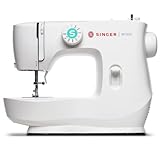
    How fast are industrial Juki sewing machines?

    Industrial Juki machines operate between 4,000-5,500 stitches per minute depending on the model. The DDL-8700 reaches 5,500 SPM, making it one of the fastest available. Servo motors allow speed adjustment from near-zero to maximum, providing control for detailed work.

    Conclusion

    Selecting the best Juki sewing machine depends entirely on matching features to your specific needs. Industrial powerhouses like the DDL-8100 and DDL-8700 excel in production environments, while the TL-2010Q remains the gold standard for dedicated quilting machines.

    Computerized models such as the HZL-F600 provide versatility for sewists tackling various projects. Premium options like the TL-18QVP Platinum offer exclusive features for those seeking the ultimate sewing experience.

    Remember that Juki’s industrial heritage means even their home machines incorporate professional-grade components. This commitment to quality ensures years of reliable service when properly maintained.

    Whether you’re starting a sewing business with the most profitable industrial sewing machine or seeking a reliable quilting companion, Juki offers models engineered for success. Invest in the machine that matches your ambitions, maintain it properly, and enjoy the precision that makes Juki a trusted choice worldwide.

    For the best results, visit an authorized dealer to test machines personally. The perfect Juki sewing machine transforms your creative vision into reality with every stitch.