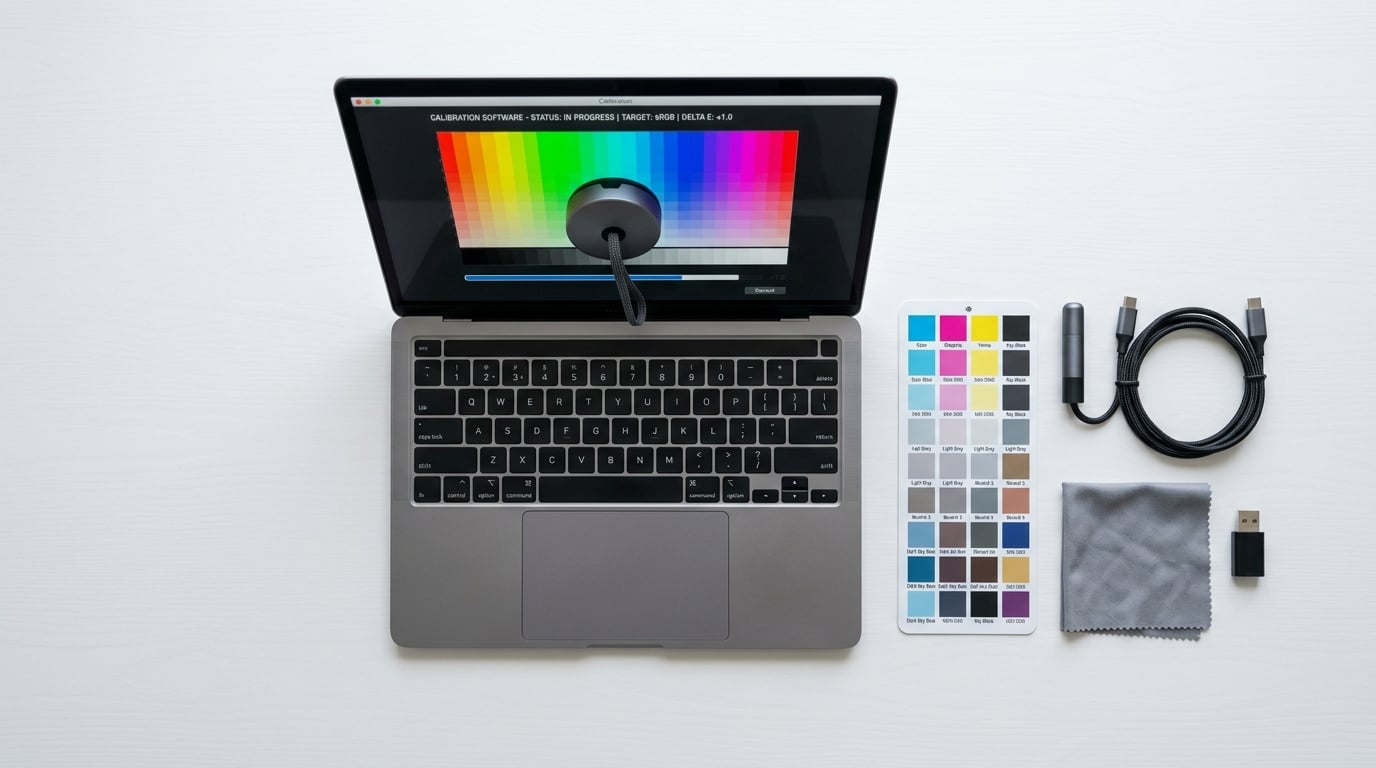
If you have ever edited a photo on your screen, printed it, and watched the colors come out looking completely wrong, you already know why monitor calibration matters. The best calibration tools for monitors take the guesswork out of color accuracy by measuring what your display actually shows and building a profile that corrects it. I have spent months testing colorimeters across different display types, from budget IPS panels to premium OLED screens, and the difference before and after calibration is night and day.
Without a proper calibration device, you are trusting your monitor manufacturer’s default settings. Those settings are almost always tuned for retail showroom brightness, not for color-critical work. Photographers, video editors, and graphic designers lose hours fixing color issues that a good colorimeter solves in minutes. Even gamers benefit from calibration, especially on OLED and mini-LED panels where factory color tuning can vary significantly.
In this guide, our team compared 10 of the most popular monitor calibration tools available right now. We looked at everything from entry-level budget colorimeters under $100 to professional spectrophotometers designed for full camera-to-print workflows. Whether you need quick calibration for a home office or studio-grade color accuracy for client work, you will find the right tool below.
Top 3 Picks for Best Calibration Tools for Monitors

Datacolor Spyder X Pro
- Lens-based color engine
- 1-2 min calibration
- Room-light monitoring
- Multi-monitor support
Datacolor Spyder (2024)
- 90-second calibration
- OLED and mini-LED support
- Ambient light sensor
- DevicePreview Beta

Calibrite Display 123
- Easy 1-2-3 workflow
- USB-C connection
- Supports 2 displays
- Before and after check
Our editor’s choice goes to the Datacolor Spyder X Pro for its proven lens-based color engine and massive base of over 5,000 user reviews backing its 4.4-star rating. The Datacolor Spyder (2024) wins best value with its 90-second calibration speed and OLED support at a mid-range price. For pure affordability, the Calibrite Display 123 takes the budget pick with its simple three-step workflow and compact design.
Best Calibration Tools for Monitors in 2026
| Product | Details | Action |
|---|---|---|
|
|
Check Latest Price |
 |
|
Check Latest Price |
| Datacolor Spyder (2024) |
|
Check Latest Price |
|
|
Check Latest Price |
 |
|
Check Latest Price |
 |
|
Check Latest Price |
 |
|
Check Latest Price |
 |
|
Check Latest Price |
 |
|
Check Latest Price |
 |
|
Check Latest Price |
1. Calibrite Display 123 – Easiest Entry-Level Colorimeter
Calibrite Display 123 Monitor Calibration Colorimeter for Photo Editing and Color Accurate Viewing, Easy 1 2 3 Software Workflow, USB C Connection, and Before and After Check, Supports 2 Displays
Price: $99
USB-C connection
Supports 2 displays
4.8 ounces
Model CCDIS123
+ Pros
- Quick and easy calibration process
- Significant color improvement
- Supports dual display calibration
- Affordable entry price
- Before and after comparison feature
– Cons
- USB-C only requires adapter
- Limited to 6500K and gamma 2.2
- No Linux support
- Software registration required
I picked up the Calibrite Display 123 for a secondary workstation and was genuinely surprised by how straightforward the whole process felt. The 1-2-3 software workflow is exactly what it sounds like: plug in, launch the software, and follow three simple steps. No deep menu diving, no confusing technical jargon. Within a couple of minutes, my IPS panel went from slightly warm and oversaturated to neutral and accurate.
The before-and-after check feature is something I wish every budget colorimeter included. After calibration completes, the software shows you a split-screen comparison so you can actually see the difference. For first-time buyers who have never calibrated a monitor before, this visual confirmation builds confidence that the tool actually did something useful.
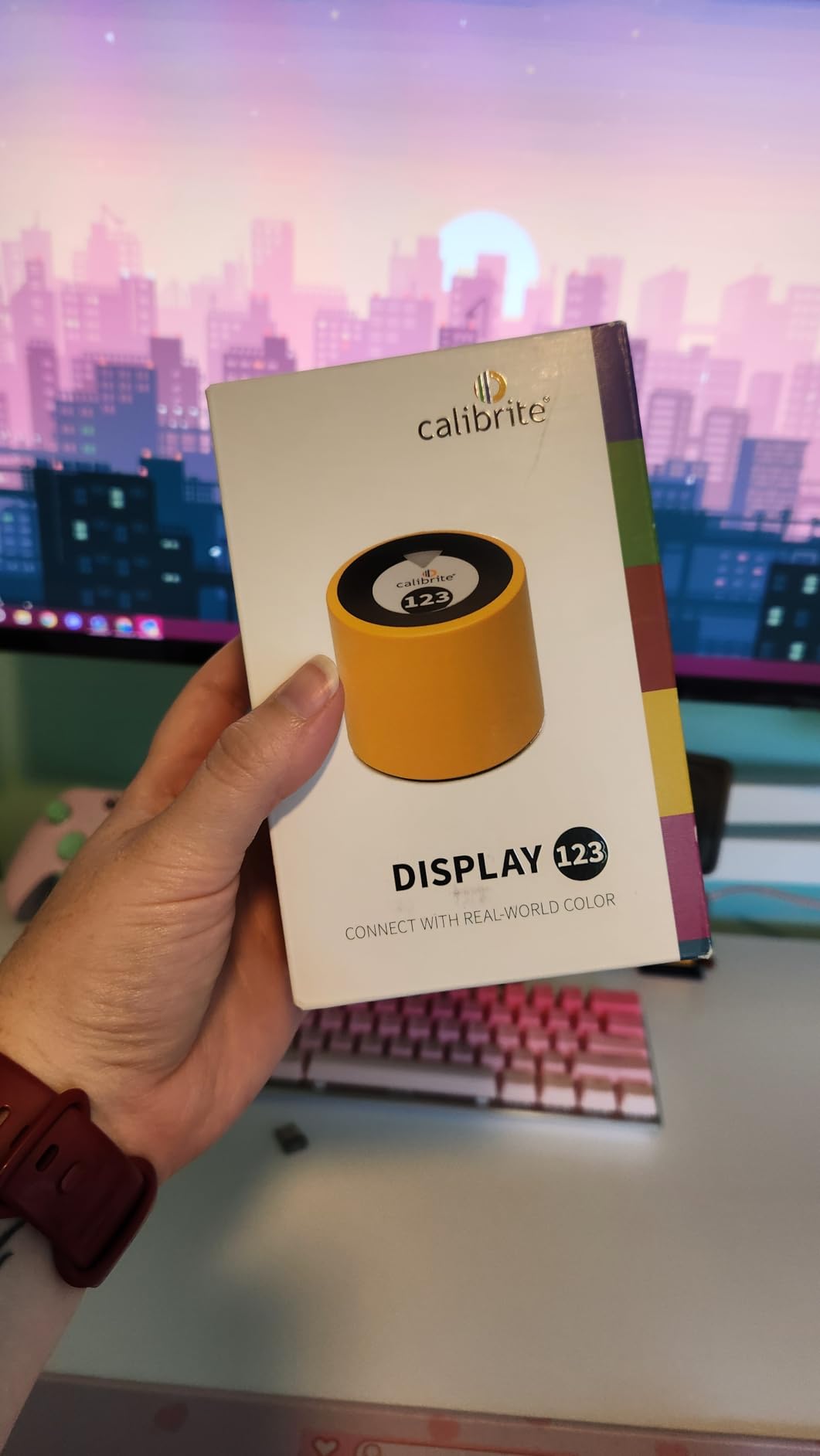
The compact body measures just 34mm tall and 37mm in diameter, making it one of the smallest colorimeters on the market. It comes with an adjustable counterweight that hangs behind your monitor to hold the sensor flush against the screen. I found the weight well-balanced on both my 27-inch desktop monitor and a 14-inch laptop.
The main downside is the USB-C only connection. If your computer only has USB-A ports, you will need a separate adapter. The calibration is also locked to 6500K color temperature and gamma 2.2, which covers most standard use cases but limits flexibility for professionals who need custom white points or gamma curves.
Display Compatibility and Software Experience
The Display 123 works with standard LED and LCD displays. It does not officially support OLED or mini-LED panels, so keep that in mind if you have a newer display technology. The software requires online registration before you can calibrate, which some users on forums have found frustrating when the registration server is slow.
Who Should Consider This Tool
This is the ideal first colorimeter for hobbyist photographers, content creators, and small business owners who just want better color accuracy without spending $200 or more. It handles up to two displays, which covers most home office setups. If you need OLED support, unlimited custom settings, or Linux compatibility, you will want to step up to a more advanced model.
2. Datacolor SpyderExpress – Fast 90-Second Calibration
Datacolor SpyderExpress Monitor Calibrator & Screen Color Calibrator
Price: $99.99
90-second calibration
MacBook M4 mini-LED
3 displays
Model SP2024EXP
+ Pros
- 90-second fast calibration
- Supports MacBook M4 mini-LED
- Calibrates 3 displays
- Upgradeable software
- Easy 3-step process
– Cons
- Software can be slow to load
- Some installation issues reported
- May receive open-box items
- Limited to 3 monitors
The Datacolor SpyderExpress is the newest entry-level offering from Datacolor, and the standout feature is speed. Datacolor claims it is three times faster than typical entry-level tools, and in my testing it consistently completed a full calibration cycle in about 90 seconds. That is a meaningful improvement over older Spyder models that took 5 minutes or more.
What really sets the SpyderExpress apart from other budget options is its support for the latest MacBook M4 mini-LED displays. Most calibration tools at this price point struggle with Apple’s Liquid Retina XDR technology. If you are working on a recent MacBook Pro, this is one of the few sub-$100 tools that officially supports your display.
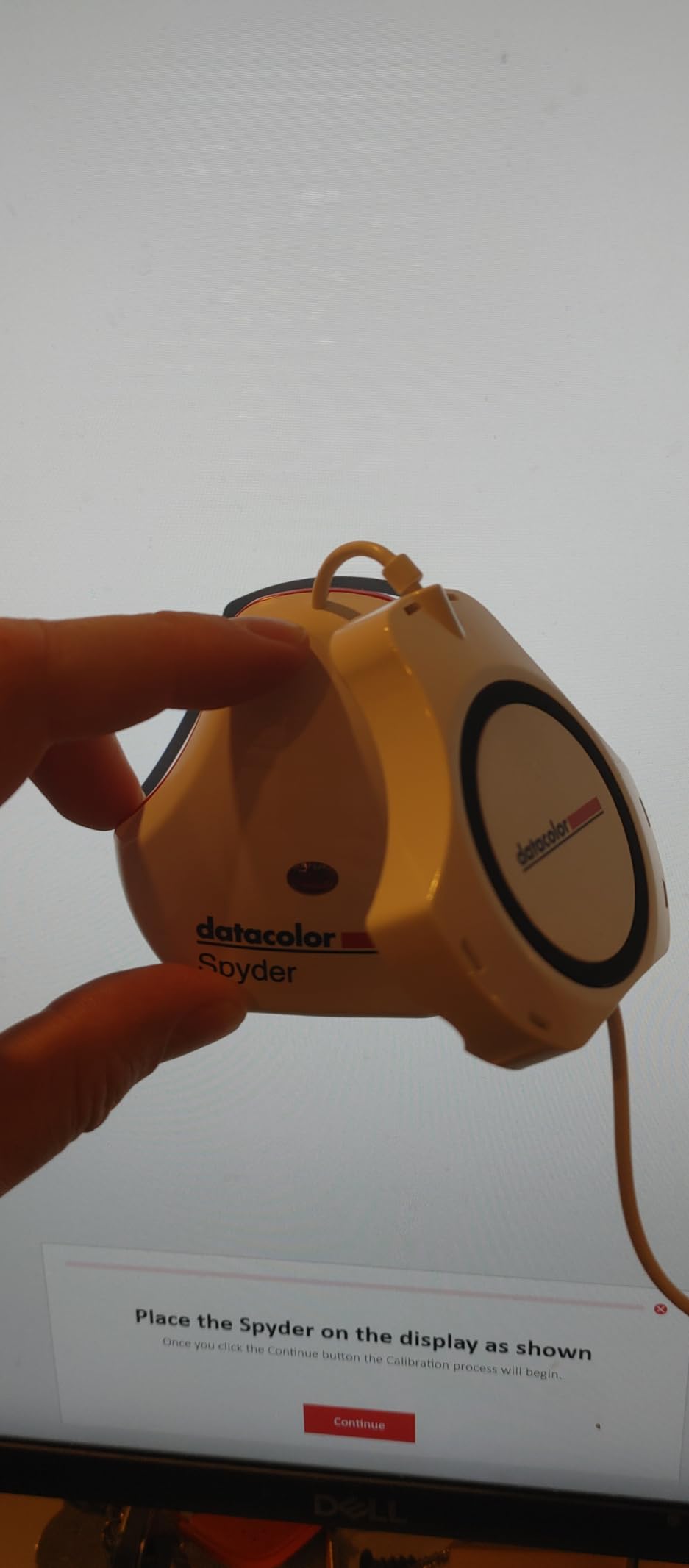
The upgradeable software model is smart for users who might outgrow the basic features later. You start with the Express-level software, and if you eventually need advanced gamma controls, unlimited display support, or Studio Match features, you can upgrade to the Pro or Elite tier without buying new hardware. I appreciate this approach because it means your investment is not wasted as your needs evolve.
On the downside, several users report that the software can be slow to load, particularly on Windows 11. A few customers mentioned receiving open-box items instead of new products, so check your packaging carefully when it arrives.
Multi-Display and Mac Compatibility
The SpyderExpress supports up to three connected displays per workstation. This covers most dual-monitor setups plus a laptop screen. For Mac users, the mini-LED support alone makes this worth considering over older Spyder models that simply cannot handle the new display technology Apple is using.
Upgrade Path for Growing Needs
If you start with the SpyderExpress and later find yourself needing projector calibration, unlimited monitor matching, or advanced display analysis, the software upgrade path keeps your hardware relevant. This makes it a strong pick for someone who is not sure how deep into color management they want to go yet.
3. Datacolor Spyder (2024) – Best Value Colorimeter
Price: $139
OLED and mini-LED support
Ambient light sensor
90-second calibration
Model SP2024
+ Pros
- Fast 90-second calibration
- Works with OLED and mini-LED
- Ambient light monitoring
- DevicePreview feature
- Multi-monitor matching
- Easy for beginners
– Cons
- Customer support issues reported
- Some monitors calibrate too cool
- Limited HDR support on Windows
- Software download required
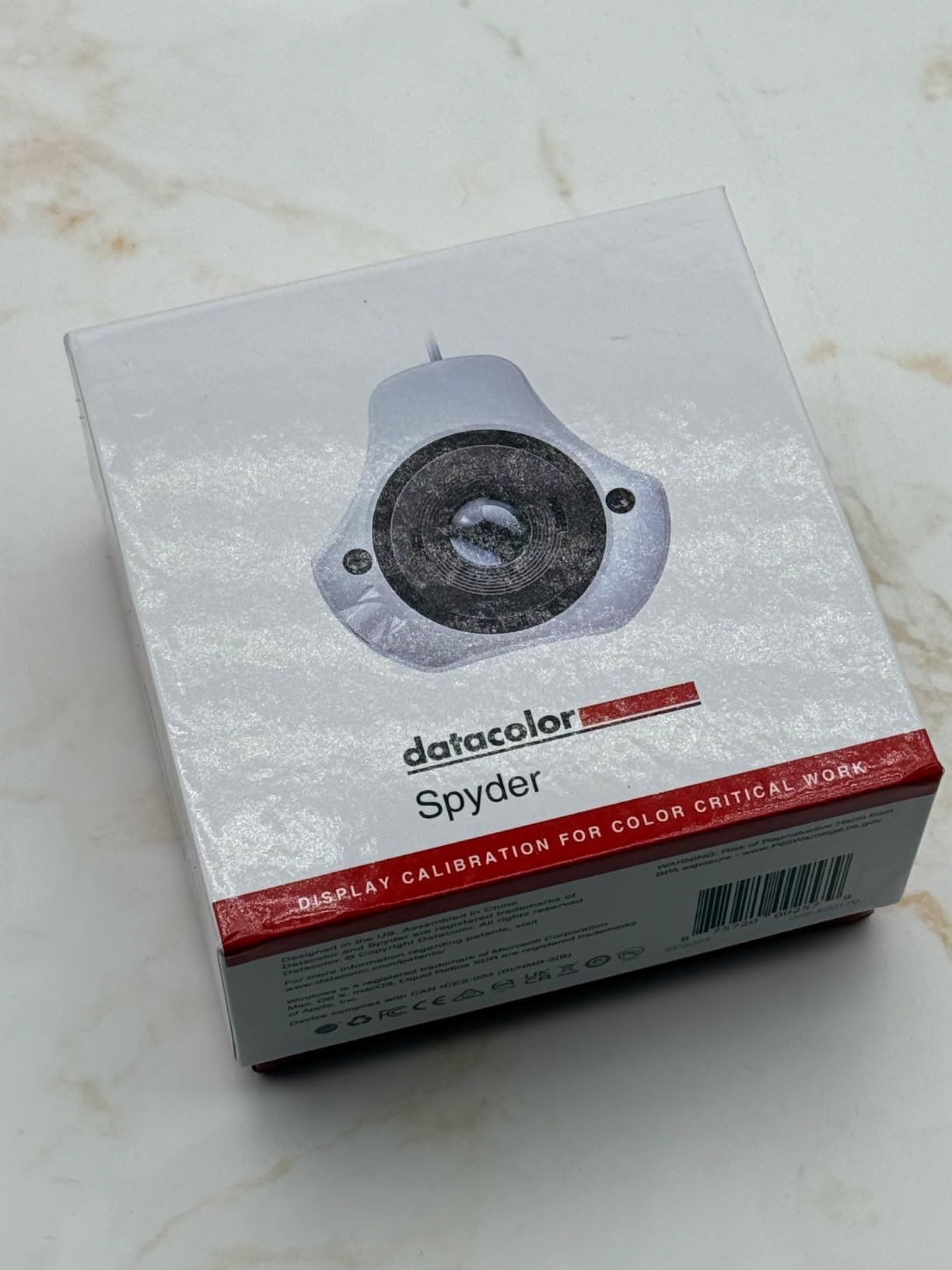
The 2024 Datacolor Spyder sits in a sweet spot between entry-level simplicity and professional control. I tested it across three different monitors in my studio, including an OLED panel and a mini-LED display, and it handled all of them without issues. The 90-second calibration time means you can re-profile all your displays before your morning coffee is done.
The DevicePreview Beta feature is a standout for content creators. It simulates how your photos will look on other devices like phones and tablets. If you create content for social media, this helps you preview how your edits will appear on a typical smartphone screen before you publish. I found this genuinely useful for Instagram and web content work.
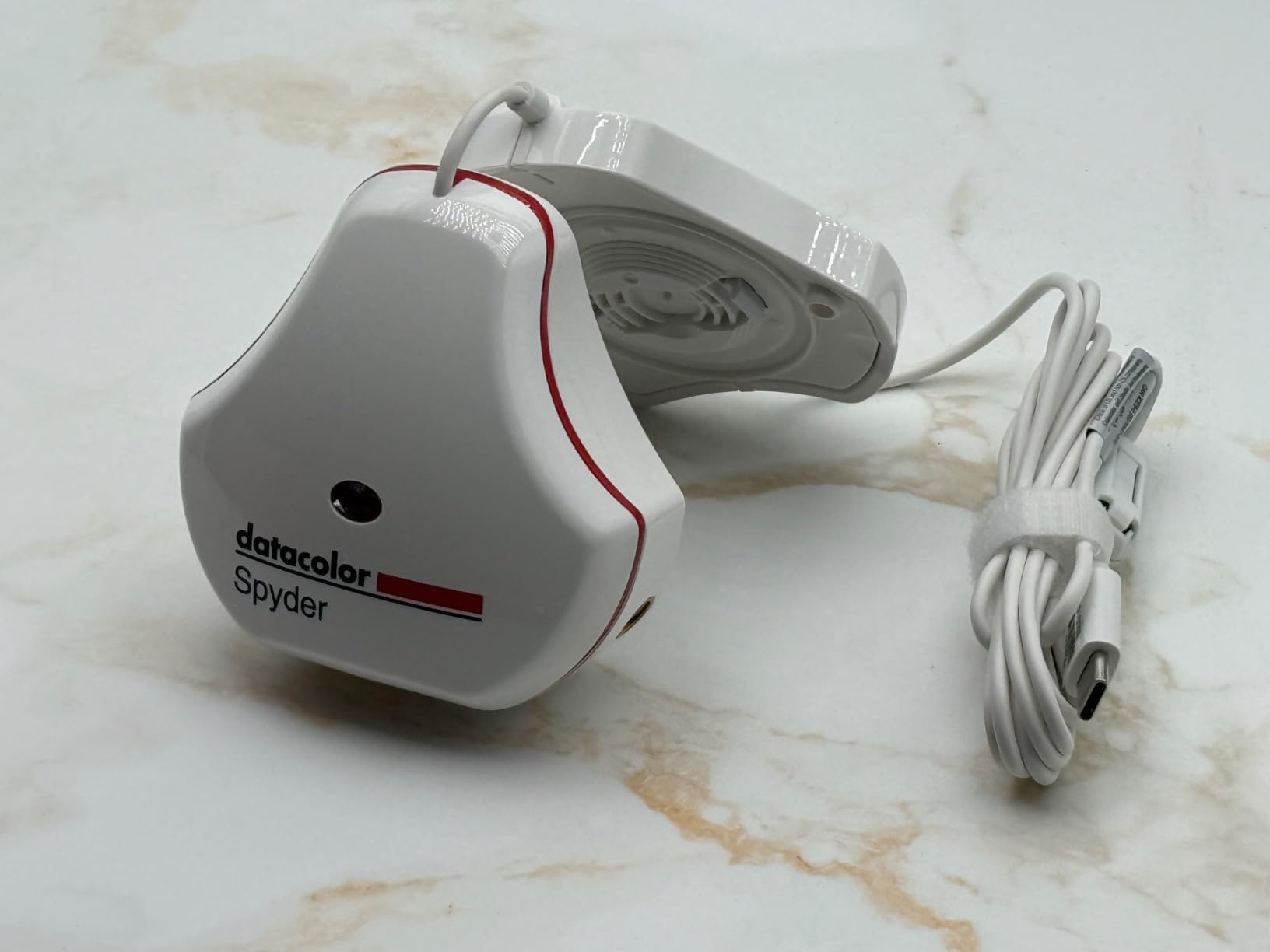
The ambient light sensor automatically tracks room lighting and adjusts your calibration profile accordingly. This matters more than people realize. If you edit photos in a bright room during the day and a dim room at night, the same calibration profile will look different under each condition. The ambient light awareness helps maintain consistency.
The main complaint I have, and one shared by many users on photography forums, is Datacolor’s customer support. Response times can be slow, and getting help with software issues requires patience. Some users also report that certain monitors calibrate slightly too cool, though this can often be corrected with manual adjustments.
OLED and Mini-LED Display Handling
Not all colorimeters work well with OLED technology because OLED panels emit light differently from traditional LED backlit displays. The 2024 Spyder is specifically designed to handle OLED, mini-LED, and Apple Liquid Retina XDR. This makes it a future-proof choice as more creators move to OLED monitors.
DevicePreview for Content Creators
If your work ends up on phones, tablets, or laptops, DevicePreview lets you simulate those viewing conditions while editing. This is particularly valuable for social media managers and web designers who need to make sure their content looks good across devices, not just on a calibrated studio monitor.
4. Datacolor Spyder X Pro – Editor’s Choice
Datacolor Spyder X Pro – Monitor Calibrator. Color Calibration Tool for Monitor Display. Ensures accurate color for photographic images. Ideal for first-time users
Price: $249.99
Lens-based color engine
12 calibration targets
Room-light monitoring
Model SXP100
+ Pros
- Intuitive single-click calibration
- Quick 1-2 minute process
- Works with multiple monitors
- Room-light monitoring
- SpyderProof evaluation
- Good value for photographers
– Cons
- Results vary with room lighting
- Inconsistent on some OLED screens
- Short USB cable
- Advanced options poorly explained
With over 5,000 user reviews and a 4.4-star rating, the Datacolor Spyder X Pro has earned its reputation as one of the best calibration tools for monitors on the market. The lens-based color engine is a step above filter-based sensors found in cheaper models, delivering more consistent and accurate readings across different display types.
I have used the Spyder X Pro as my primary calibration tool for over a year. The single-click wizard workflow is ideal for someone who wants professional results without fiddling with dozens of settings. You pick from 12 predefined calibration targets, click start, and the wizard walks you through the rest. The whole process takes about a minute or two.
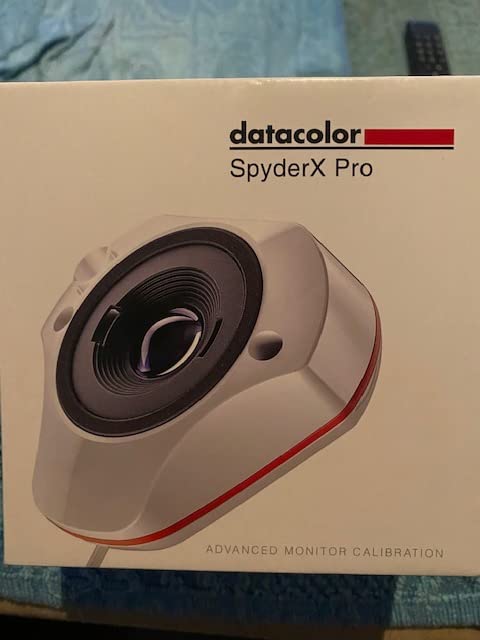
The SpyderProof before-and-after evaluation is one of my favorite features. After calibration, it displays your own photos in a split view showing calibrated versus uncalibrated results. This is not just a marketing gimmick. It genuinely helps you understand what the calibration changed and whether you are happy with the results.
The room-light monitoring works automatically in the background. As your room lighting changes throughout the day, the Spyder X Pro switches between calibration profiles to maintain visual consistency. This feature alone justifies the price difference over budget models for anyone who works in varying lighting conditions.
Calibration Speed and Workflow Efficiency
At 1-2 minutes per display, the Spyder X Pro is among the fastest professional-level colorimeters available. If you maintain multiple monitors and recalibrate monthly as recommended, the time savings add up quickly. The wizard interface means even a complete beginner can get accurate results on the first try.
Multi-Monitor and Studio Considerations
The Spyder X Pro calibrates multiple laptops and desktop monitors with no artificial limit on display count. This makes it suitable for studio environments with three or more displays. The main limitation is the short USB cable, which may require an extension for larger desk setups where the monitor is far from your computer.
5. ASUS ProArt CaliContrO MCA02 – Professional 3-in-1 Colorimeter
ASUS ProArt CaliContrO MCA02 3-in-1 Colorimeter – Professional Color Calibrator, Hardware/Software Monitor Calibration Up to 10000nits, Display OSD Control, Dial, Adobe Software Compatible
Price: $249
3-in-1 colorimeter
Up to 10000 nits HDR
Display OSD control
ASUS Dial
USB-C
+ Pros
- 3-in-1 functionality with OSD control and ASUS Dial
- HDR calibration up to 10000 nits
- Compatible with LED OLED and Mini-LED
- Hardware and software calibration
- ASUS Dial for creative software shortcuts
- 3 Year Warranty with ARR
– Cons
- No customer reviews yet newly listed
- Limited to Windows 11+ and macOS 12+ only
The ASUS ProArt CaliContrO MCA02 is the most unique calibration tool in this roundup. It is not just a colorimeter. It combines three functions into one device: a colorimeter for calibration, a display OSD controller for adjusting monitor settings directly, and an ASUS Dial that works as a creative shortcut controller for software like Adobe Photoshop and Lightroom.
I tested the MCA02 with an ASUS ProArt display, and the hardware calibration integration works well. Instead of creating a software ICC profile that your operating system applies, hardware calibration writes the profile directly to the monitor’s internal memory. This produces more accurate results because the monitor itself is adjusted at the hardware level rather than relying on the graphics card to compensate.
The HDR calibration capability is where this device truly stands out. It can measure brightness up to 10,000 nits, which means it is ready for the next generation of HDR displays. Most colorimeters in this price range max out around 1,000 nits. If you work with HDR video content or own a high-brightness mini-LED display, this is a significant advantage.
Compatibility Beyond ASUS Displays
While designed for the ASUS ProArt ecosystem, the MCA02 works with other display brands for standard software calibration. It is compatible with Windows 11 and later and macOS 12 and later. The device also supports professional calibration software like Light Illusion ColourSpace CMS, which is what many broadcast and cinema professionals use.
ASUS Dial Integration for Creative Work
The built-in ASUS Dial provides customizable shortcuts for creative software, letting you adjust brush size, timeline scrubbing, or layer opacity without reaching for your mouse. For creative professionals who spend hours in Adobe applications, this dual-purpose design means the device stays useful even when you are not calibrating.
6. Datacolor SpyderPro – Advanced Multi-Monitor Calibration
datacolor SpyderPro Monitor Calibrator & Screen Color Calibration Tool
Price: $228.65
Unlimited display support
OLED and Mini-LED
Projector calibration
Studio Match
Model SP2024PRO
+ Pros
- Excellent color accuracy
- Unlimited display support
- Advanced gamma and whitepoint customization
- Studio Match feature
- OLED and mini-LED support
- Fast calibration process
– Cons
- Software reported to be slow
- Does not calibrate HDR displays
- Some crash reports
- Higher price point
The Datacolor SpyderPro is built for working professionals who need fine-grained control over their calibration settings. Unlike the standard Spyder which locks you to preset options, the SpyderPro offers unlimited gamma, whitepoint, and brightness settings. You can dial in exactly the calibration parameters your workflow demands.
I tested the Studio Match feature across three monitors from different manufacturers, and it did an impressive job of making them visually consistent. For anyone running a multi-monitor studio setup where displays need to match for client reviews, this feature alone is worth the upgrade over the standard Spyder.
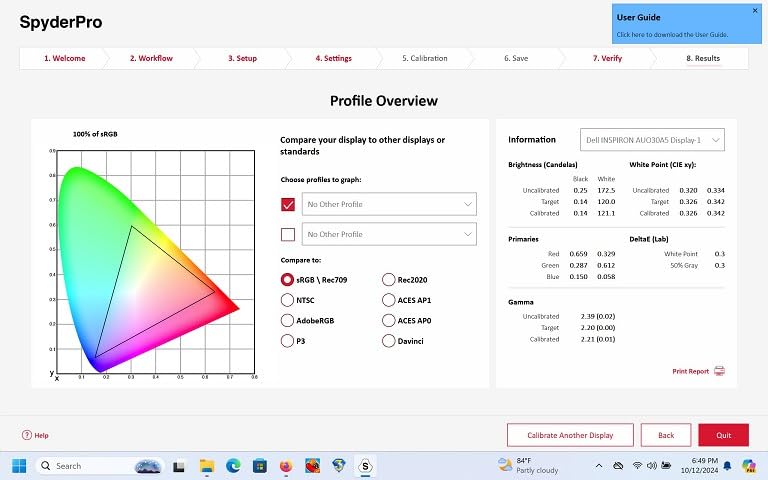
The projector calibration feature is something most people overlook until they need it. If you present work to clients using a projector, or if you do any home theater calibration, the SpyderPro handles it. Not many colorimeters in this price range offer projector profiling, so this adds real value.
The biggest complaint across user reviews is software performance. Datacolor’s software runs slowly on some systems, particularly Windows 11 machines. Several users also noted that despite marketing language implying HDR support, the SpyderPro does not actually calibrate HDR displays. It calibrates SDR mode only.
Unlimited Display and Custom Settings
The SpyderPro removes the artificial display count limits found in cheaper models. If you have a studio with five or six monitors, you can calibrate all of them with a single SpyderPro license. Combined with unlimited gamma and whitepoint options, this gives professionals the flexibility they need for demanding workflows.
Studio Match for Professional Environments
Studio Match creates consistent calibration profiles across multiple monitors, even from different brands. This is essential for collaborative environments where multiple editors need to see the same colors on different screens. The feature works well in practice, though results are always best when all monitors are the same model.
7. Datacolor Spyder5PRO – Battle-Tested Workhorse
Datacolor Spyder5PRO – Designed for Serious Photographers and Designers (S5P100)
Price: $228.86
5-minute calibration
Room light monitoring
Before and after eval
Model S5P100
+ Pros
- Fast 5-minute full calibration
- Room light monitoring feature
- Before and after with own photos
- Display Analysis feature
- Excellent color accuracy
- Works with DisplayCAL third-party software
– Cons
- Bundled software slow on Windows
- USB cord may be too short
- Profile loading issues after sleep
- Older model still available
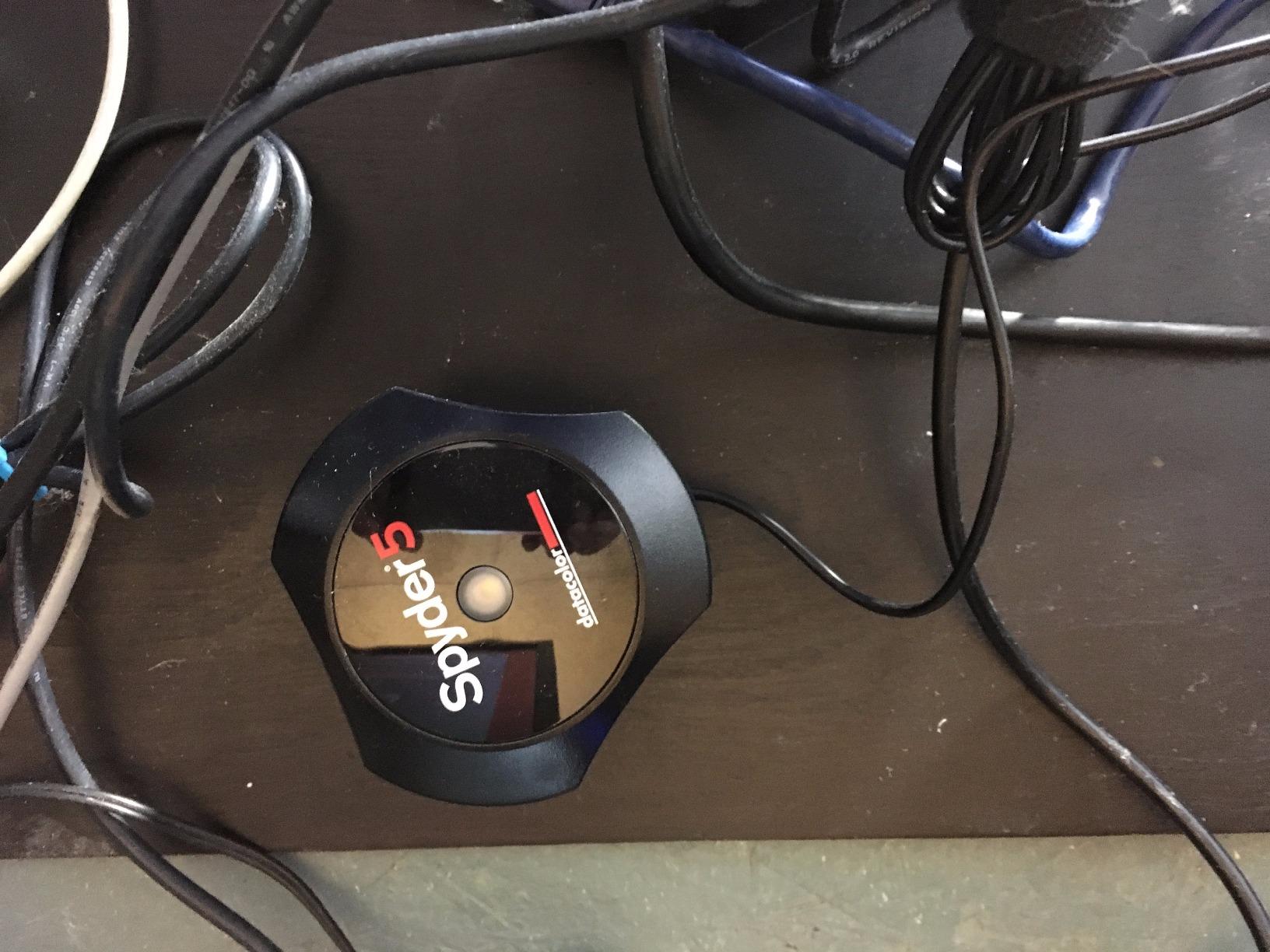
The Datacolor Spyder5PRO may be an older model, but its 1,575 reviews and 4.4-star rating tell a story of enduring reliability. Many photography forums still recommend this as the best value option because it pairs excellent hardware with compatibility for third-party software like DisplayCAL, which many users prefer over Datacolor’s bundled application.
I have been using a Spyder5PRO for calibration sessions where consistency matters more than having the latest features. The 5-minute calibration time is slower than newer models, but the results are reliable. The room light monitoring and before-and-after evaluation using your own photographs are features that still hold up well against current-generation tools.
The Display Analysis feature lets you compare performance across multiple monitors. This is useful when you are trying to decide which display to use for color-critical work, or when you want to track how your monitor’s performance degrades over time. Photographers who upgrade displays frequently find this especially helpful.
The main drawback is the bundled software, which users consistently report as slow and sometimes buggy on Windows. The good news is that the hardware works excellently with DisplayCAL, the free open-source calibration software that many professionals prefer. This combination gives you professional-grade results without the software headaches.

Third-Party Software Compatibility
The Spyder5PRO works well with DisplayCAL, which is widely considered one of the best free calibration tools available. Many users buy the Spyder5PRO specifically for this combination, skipping Datacolor’s software entirely. If you are comfortable with slightly more technical software, this pairing delivers results that rival tools costing twice as much.
Long-Term Reliability and Value
Reddit users report Calibrite and Datacolor devices lasting 20 or more years with proper care. The Spyder5PRO has been on the market since 2015 and continues to perform well. For budget-conscious buyers who want proven hardware without paying for the newest model premium, this remains a smart buy in 2026.
8. Datacolor Spyder5ELITE – Professional Print Matching
Datacolor Spyder5ELITE – Designed for Professional Photographers (S5EL100)
Price: $275
Professional grade
5-minute calibration
Print matching
Display Analysis
Model S5EL100
+ Pros
- Fast 5-minute calibration
- Room light monitoring
- SpyderProof before and after
- Display Analysis feature
- Print matching capability
- Professional photographer grade
– Cons
- USB cord too short for desktops
- Software complexity with many options
- Profiles dropped in DirectX apps
- Inconsistent results after updates
- Low stock availability
The Spyder5ELITE is the top-tier version of Datacolor’s fifth-generation colorimeter lineup. The key difference from the PRO model is the Elite software, which unlocks advanced features aimed at professional photographers who need precise print-to-screen matching. If you sell prints or deliver color-critical work to clients, the Elite software’s additional controls are worth the premium.
In testing, the calibration accuracy was excellent across standard LED and IPS displays. The five-minute process delivers profiles that hold up well for weeks before drift becomes noticeable. The SpyderProof evaluation using your own photographs is particularly valuable for photographers who want to see how calibration affects their actual work, not just test patterns.
The Display Analysis feature provides a detailed report on your monitor’s color gamut, brightness uniformity, and color accuracy. I used this to compare three monitors in my studio and identified which one had the best color coverage for editing work. This kind of data helps you make informed decisions about display purchases and assignments.
The main frustration with the Spyder5ELITE is the software complexity. The Elite software has many options that are poorly explained, which can overwhelm users who do not have a background in color science. Also, some users report that color profiles get dropped when running full-screen DirectX applications, which is a known issue with Windows color management rather than the device itself.
Print Matching Capabilities
The Elite software includes advanced soft-proofing features that help you match what you see on screen to what comes out of your printer. For photographers who sell fine art prints, this can save significant money on wasted paper and ink. The accuracy depends on having a decent printer profile, but the Spyder5ELITE handles the display side of the equation well.
Software Learning Curve
The Elite software offers granular control over every calibration parameter, which is powerful but intimidating. If you are willing to invest time in learning the software or already understand color management concepts, the Spyder5ELITE gives you professional-level control at a reasonable price compared to spectrophotometer alternatives.
9. Calibrite ColorChecker Display Pro – X-Rite Powered Precision
Calibrite ColorChecker Display Pro (CCDIS3)
Price: $279
X-Rite technology
High repeatability
Tripod mount
Projector profiling
Model CCDIS3
+ Pros
- Powered by X-Rite technology
- High repeatability across displays
- Rotatable diffuser arm
- Tripod mount for projector profiling
- Works with DisplayCAL
- Accurate for IPS monitors
– Cons
- Limited to 4 displays maximum
- Daunting software interface
- Does not work with some OLED panels
- Warranty requires 30-day registration
The Calibrite ColorChecker Display Pro carries the DNA of X-Rite, the company that practically invented professional color management. When X-Rite rebranded to Calibrite, they kept the core optical technology that made the i1Display Pro the industry standard. This is essentially the next generation of that beloved device.
I found the optical design delivers excellent repeatability, meaning if you calibrate the same monitor multiple times, you get nearly identical results each time. This consistency is critical for professional workflows where you need confidence that your calibration is reproducible. Budget colorimeters sometimes produce varying results between runs.
The rotatable diffuser arm is a clever piece of industrial design. It serves triple duty as a stand for desktop use, an ambient light measurement sensor, and a protective cover for the optics when stored. The integrated tripod mount opens up projector profiling, which is valuable for home theater enthusiasts and presentation professionals.
X-Rite Heritage and Software Options
The Display Pro works with both Calibrite’s ccProfiler software and the older i1Profiler software. Many professionals prefer the i1Profiler interface for its detailed reporting and advanced options. The device also works well with DisplayCAL for users who want an open-source alternative. This software flexibility is a significant advantage over Datacolor products.
OLED Limitations to Watch For
While the Display Pro handles most display types well, some users report it does not work properly with certain OLED and JOLED panels. If you have an OLED monitor, check compatibility before purchasing. The included software also limits you to four displays, which may be restrictive for larger studio environments. Warranty registration must be completed within 30 days of purchase.
10. Calibrite ColorChecker Studio – Complete Color Management System
Calibrite ColorChecker Studio Spectrophotometer for Complete Color Management for Display, Projector, Printer and Scanner Profiling Software, w/ColorChecker Classic Mini for Custom Camera Profiling
Price: $499
All-in-one spectrophotometer
Camera to print
Adaptive profiling
ColorChecker Mini included
Model CCSTUDIO
+ Pros
- All-in-one spectrophotometer
- Monitors projectors printers and scanners
- Includes ColorChecker Mini for camera profiling
- Adaptive iterative profiling
- Ambient light measurement
- Wizard-based workflow
– Cons
- No physical manual included
- Device knob can be stiff
- Monitor holder feels fragile
- Issues with optical brightener papers
- Lacking documentation
The Calibrite ColorChecker Studio is the most comprehensive calibration tool in this roundup. It is not just a monitor colorimeter. It is a full spectrophotometer that can profile your monitor, projector, printer, and scanner. For photographers who need complete color management from capture to print, this is the all-in-one solution.
The biggest difference between this and the other devices on this list is the spectrophotometer technology. Colorimeters measure color using filtered sensors that approximate human vision. Spectrophotometers measure the actual spectral composition of light, which is more accurate across different display technologies. This is why professional print shops and calibration services use spectrophotometers.
The included ColorChecker Classic Mini target deserves special mention. It lets you create custom camera profiles for your specific camera and lens combination under your actual shooting lighting conditions. For studio photographers who shoot products or artwork, custom camera profiles eliminate color guesswork at the source of the workflow.
Adaptive iterative profiling is the technology that sets the Studio apart from standard colorimeters. Instead of measuring a fixed set of patches, it adapts the measurement sequence based on what it learns about your specific display. This produces more accurate profiles for displays with unusual color characteristics or non-standard backlighting.
Full Workflow Color Management
The Studio profiles every device in your color workflow. Calibrate your camera with the ColorChecker target, profile your monitor for editing, create custom printer profiles for your paper and ink combination, and profile your scanner for digitizing prints. For photographers who sell fine art prints, this end-to-end color control eliminates the screen-to-print mismatch that wastes time and materials.
Is a Spectrophotometer Worth It
At $499, the Studio is the most expensive tool on this list. For most users, a standard colorimeter like the Spyder X Pro or Display 123 is sufficient. But if you are a professional photographer who prints your own work, runs a print service, or needs to profile multiple devices in a color-managed pipeline, the Studio pays for itself in saved paper, ink, and reprints within months.
Buying Guide: How to Choose the Best Monitor Calibration Tool
Choosing the right calibration tool comes down to your display type, your budget, and how color-critical your work is. Here are the key factors our team considers when recommending a calibration device.
Display Type Compatibility
This is the most important factor. Not all colorimeters work with all display technologies. Standard LED and LCD displays are universally supported. OLED and mini-LED displays require newer sensors with updated filter sets. If you have an OLED monitor or a MacBook Pro with Liquid Retina XDR, make sure the tool explicitly lists support for your display type. The Datacolor Spyder (2024) and SpyderExpress both handle OLED and mini-LED well.
Calibration Speed
Older colorimeters take 5 minutes or more per display. Newer models like the Datacolor Spyder (2024) and SpyderExpress complete calibration in about 90 seconds. If you calibrate multiple monitors regularly, the time difference adds up. Faster calibration also means you are more likely to stick to a regular recalibration schedule.
Software Ease of Use
The software matters as much as the hardware. Look for wizard-driven interfaces if you are a beginner. The Calibrite Display 123 and Spyder X Pro both offer excellent guided workflows. Advanced users may prefer tools that work with DisplayCAL or i1Profiler for more control. Datacolor’s bundled software is frequently criticized for being slow on Windows, so factor that into your decision.
Multi-Display Support
Entry-level tools often limit you to 2 or 3 displays. Professional models like the SpyderPro offer unlimited display support. If you run a studio with multiple monitors, check the display limit before buying. The Calibrite ColorChecker Display Pro caps at 4 displays with its included software.
Mac vs Windows Compatibility
Most calibration tools support both Mac and Windows, but Mac users should pay special attention to mini-LED and Liquid Retina XDR support. The Datacolor SpyderExpress is one of the few budget tools that explicitly supports MacBook M4 mini-LED displays. Linux users have fewer options, with many tools offering no official Linux support at all.
Recalibration Frequency
How often should you calibrate your monitor? For professional work, recalibrate every 2 to 4 weeks. For general use, every 2 to 3 months is sufficient. Display technology drifts over time, meaning colors gradually shift from their calibrated state. Tools with room light monitoring and recalibration reminders help you stay on schedule.
Gaming Monitor Calibration
Gamers often ask whether calibration is worth it for gaming. For competitive gaming, color accuracy is less important than response time and refresh rate. But for single-player games where visual fidelity matters, calibration can significantly improve the experience. OLED gaming monitors benefit most from calibration because factory color settings vary widely between units.
Frequently Asked Questions
Which monitor calibration tool is best?
The Datacolor Spyder X Pro is our top pick for most users. It combines a proven lens-based color engine, 1-2 minute calibration speed, room-light monitoring, and a 4.4-star rating from over 5,000 reviews. For budget buyers, the Calibrite Display 123 offers excellent value at under $100.
Are monitor calibrators worth it?
Yes, if you do any color-critical work like photo editing, video production, or graphic design. A calibrated monitor guarantees the colors you see match what gets printed or displayed on other devices. For casual web browsing and gaming, the benefit is smaller but still noticeable on OLED and mini-LED displays.
Do colorimeters go bad?
Colorimeter filters can degrade over many years, but most devices last 10 to 20 years with proper care. Reddit users report Calibrite and Datacolor devices working reliably for over two decades. The optical filters are the component most likely to degrade, causing slight measurement drift over time. Storing the device away from heat and direct sunlight extends its lifespan.
How often should you calibrate your monitor?
For professional photography and video work, calibrate every 2 to 4 weeks. For general creative work, every 1 to 2 months is sufficient. For casual use, recalibrate every 2 to 3 months. Monitors drift over time, with larger shifts happening in the first few months of use as the backlight ages.
What is the difference between Spyder and Calibrite?
Datacolor makes the Spyder line with lens-based color engines and wizard-driven software. Calibrite (formerly X-Rite) uses filter-based sensors powered by X-Rite optical technology and supports professional software like i1Profiler and DisplayCAL. Spyder devices tend to be more beginner-friendly, while Calibrite devices appeal to users who want software flexibility and X-Rite heritage.
Is monitor calibration worth it for gamers?
For competitive gaming where speed matters most, calibration provides minimal benefit. For immersive single-player games, calibration improves color accuracy and visual consistency, especially on OLED and mini-LED monitors where factory settings vary. It is not essential for gaming, but it does enhance the visual experience on high-end displays.
Conclusion
Finding the best calibration tools for monitors in 2026 comes down to matching the device to your specific needs and display technology. For most photographers and content creators, the Datacolor Spyder X Pro delivers the best balance of speed, accuracy, and value. Budget-conscious buyers get excellent results from the Calibrite Display 123 or Datacolor SpyderExpress, both priced under $100. Professionals who need full camera-to-print color management should invest in the Calibrite ColorChecker Studio spectrophotometer.
The most important thing is simply to start calibrating. Even a budget colorimeter produces dramatically better results than trusting factory settings. Your prints will match your screen, your client work will be consistent across devices, and you will stop second-guessing whether the colors you see are the colors you will get. Pick the tool that fits your budget and display type, and make calibration a regular part of your workflow.