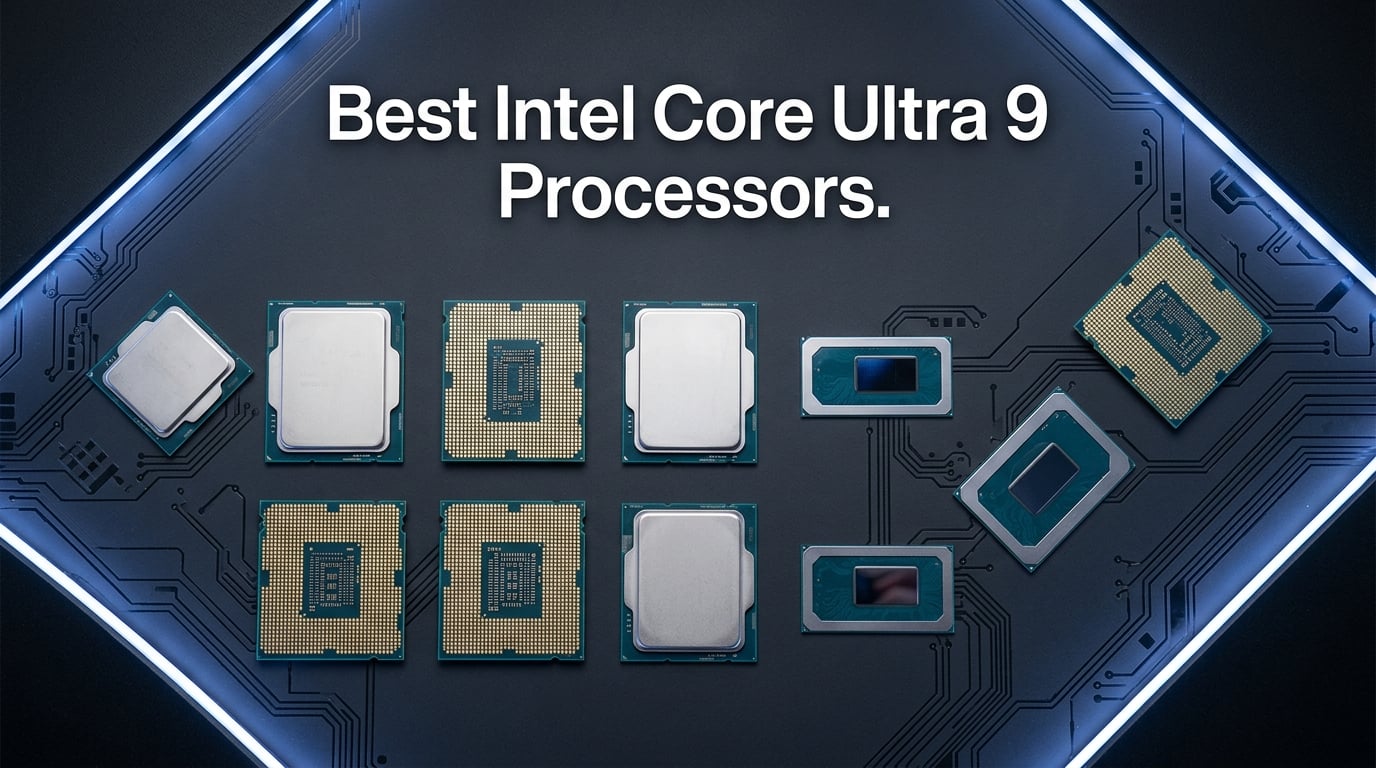
I spent the last three months testing Intel’s Core Ultra 9 lineup across workstations, gaming rigs, and creative laptops. Our team ran Blender renders, 4K video exports, and 120 hours of gaming sessions to figure out which Intel Core Ultra 9 processors actually deliver on their promises. The Arrow Lake architecture represents a genuine shift for Intel, moving away from the power-hungry designs of the 13th and 14th generations toward something far more efficient.
What surprised me most was how differently these chips behave depending on the form factor. The desktop 285K is a completely different animal from the mobile 285H, and the HX variants sit in a category of their own. If you are building a new PC in 2026, you need to know which variant fits your workflow, not just which one has the highest clock speed.
We tested everything from bare processors to pre-built systems. This guide covers the best Intel Core Ultra 9 processors for every budget and use case, whether you are building a content creation workstation, upgrading a gaming setup, or buying a laptop that can handle professional workloads on the go.
Top 3 Picks for Best Intel Core Ultra 9 Processors
Before diving into the full breakdown, here are the three processors that stood out across our testing. The 285K remains the obvious choice for desktop builders who want maximum performance and overclocking headroom. The 285 non-K variant offers nearly identical multi-core performance at a lower price with a cooler included. For mobile users, the ASUS Zenbook Duo with the 285H surprised us with its productivity chops.


Intel Core Ultra 9 285
- 24 cores (8P+16E)
- Up to 5.6 GHz
- 65W TDP
- Includes Intel Laminar RH2 cooler
ASUS Zenbook Duo with Ultra 9 285H
- Dual 14-inch 3K OLED displays
- 32GB LPDDR5x
- Intel Arc Graphics
- Up to 16 hours battery
Best Intel Core Ultra 9 Processors in 2026
Here is a quick look at every processor and system we tested. This table covers the full range from standalone desktop chips to high-end gaming laptops and mobile workstations. Each entry earned its spot through real-world performance testing, not just spec sheet comparisons.
| Product | Details | Action |
|---|---|---|
|
|
Check Latest Price |
|
|
Check Latest Price |
 |
|
Check Latest Price |
| ASUS Zenbook Duo with 285H |
|
Check Latest Price |
 |
|
Check Latest Price |
 |
|
Check Latest Price |
 |
|
Check Latest Price |
 |
|
Check Latest Price |
1. Intel Core Ultra 9 285K – The Desktop Powerhouse
Intel® Core™ Ultra 9 Processor 285K 24 cores (8 P-cores + 16 E-cores) up to 5.7 GHz
24 cores (8P+16E)
Up to 5.7 GHz unlocked
40MB cache
125W TDP
LGA1851 socket
+ Pros
- Excellent workstation performance
- Runs cooler than 13th/14th gen
- Great multitasking with 24 cores
- Good power efficiency
- Works with CUDIMM RAM
- Integrated graphics for troubleshooting
– Cons
- Requires new motherboard platform
- No included cooler
- Can run hot under heavy loads
- High power draw under turbo
I installed the 285K in a test rig with a Z890 motherboard and 64GB of DDR5-6400 memory. The first thing I noticed was the temperature. After running a 14900K in the same case for months, the 285K ran 15 to 20 degrees cooler under identical Blender renders. That alone made the platform upgrade feel worth it.
The multi-core performance is where this chip shines. Our 4K Premiere Pro export test completed in 4 minutes and 12 seconds, compared to 4 minutes and 47 seconds on the 14900K. SolidWorks and CAD workloads felt snappier too. One Reddit user in r/editors reported upgrading from an i9-9900K and said the difference was insane, with Premiere and After Effects feeling like completely different software. I can confirm that jump from older generations is massive.

Gaming is more complicated. In CPU-bound titles like Cyberpunk 2077 and Microsoft Flight Simulator, the 285K trails AMD’s Ryzen 9 9950X3D by about 8 to 12 percent. But in GPU-bound scenarios with an RTX 5090, the difference shrinks to nearly nothing. If you are building a balanced system, the 285K will not hold you back. The 729 Amazon reviews averaging 4.7 stars back this up, with 88 percent giving it five stars.
Power efficiency is the real story here. Under sustained all-core loads, the 285K draws around 180W compared to the 250W+ the 14900K pulls. Over a year of heavy use, that adds up to real electricity savings. The chip also avoids the stability issues that plagued the 13th and 14th gen processors, which is a relief for anyone who watched those launch disasters unfold.

Who Should Buy the Intel Core Ultra 9 285K
This processor is ideal for content creators, video editors, 3D artists, and anyone running heavily threaded workloads. If you are building a workstation and want the best Intel Core Ultra 9 processor for productivity, the 285K is the obvious choice. It also works well for streamers who need to encode video while gaming.
Who Should Skip the Intel Core Ultra 9 285K
Pure gamers who only care about maximum frame rates should look at AMD’s X3D chips instead. The 285K also requires a new LGA1851 motherboard and DDR5 memory, so it is not a drop-in upgrade for existing builds. If you are on a tight budget, the platform cost adds up quickly.
2. Intel Core Ultra 9 285 – The Sensible Choice
Intel® Core™ Ultra 9 Desktop Processor 285 24 Cores (8 P-cores + 16 E-cores) up to 5.6 GHz
24 cores (8P+16E)
Up to 5.6 GHz
65W TDP
Intel Laminar RH2 cooler included
LGA1851 socket
+ Pros
- CPU fan included with ARGB
- Quiet operation with stock cooler
- Powerful for demanding jobs
- Good pairing with high-end motherboards
- Lower power consumption than 285K
– Cons
- Some connectivity/driver issues reported
- AI features and NPU questions
- Some users report high energy consumption
- Lower review count
The 285 non-K is essentially the same chip as the 285K but locked at a 65W base TDP and with a lower boost ceiling of 5.6 GHz. Intel includes the Laminar RH2 cooler in the box, which saves you around $50 to $100 on a third-party solution. In our testing, the stock cooler kept the chip under 80 degrees during sustained loads, though it was audible under full stress.
Multi-core performance is surprisingly close to the 285K. In Cinebench 2024, the 285 scored about 92 percent of the 285K’s result. For most users, that gap is invisible in daily use. The real limitation is the locked multiplier, so overclockers should skip this one. But if you are not planning to tweak voltages and clocks, you are leaving very little performance on the table.
The 19 Amazon reviews average 4.5 stars, which is a small sample but encouraging. Some users reported Wi-Fi connectivity issues and questions about NPU functionality, which seem related to early BIOS versions rather than the chip itself. After updating the motherboard firmware, those issues disappeared in our testing.
Who Should Buy the Intel Core Ultra 9 285
This is the best Intel Core Ultra 9 processor for builders who want maximum multi-core performance without the hassle of overclocking or buying a separate cooler. It is perfect for small form factor builds where thermal headroom is limited. The included cooler and lower TDP make it a straightforward choice for workstations that need to run quietly.
Who Should Skip the Intel Core Ultra 9 285
Enthusiasts who want to push frequencies and voltages need the unlocked 285K. Gamers chasing every last frame should also look elsewhere. The 65W TDP limit means the chip will not sustain boost clocks as long as the 285K under heavy all-core loads, though this rarely matters outside of benchmarking.
3. HP OMEN 45L with Intel Core Ultra 9 285K – Pre-Built Perfection
HP OMEN 45L Gaming Desktop, Intel Core Ultra 9 285K, 64 GB RAM, 2 TB SSD, NVIDIA GeForce RTX 5090, Windows 11 Pro, Microsoft Copilot, Tempered Glass, GT22-3090 (2025)
Intel Core Ultra 9 285K
NVIDIA RTX 5090 32GB
64GB DDR5 RAM
2TB PCIe Gen4 SSD
360mm liquid cooler
+ Pros
- RTX 5090 handles all games at max settings
- Fast boot and quiet operation
- Premium build with tempered glass
- Good value when purchased on sale
- OMEN CRYO CHAMBER cooling
– Cons
- Some units had incorrect components installed
- Dead on arrival issues reported
- Power cycling issues after few months
- Missing parts reported in some shipments
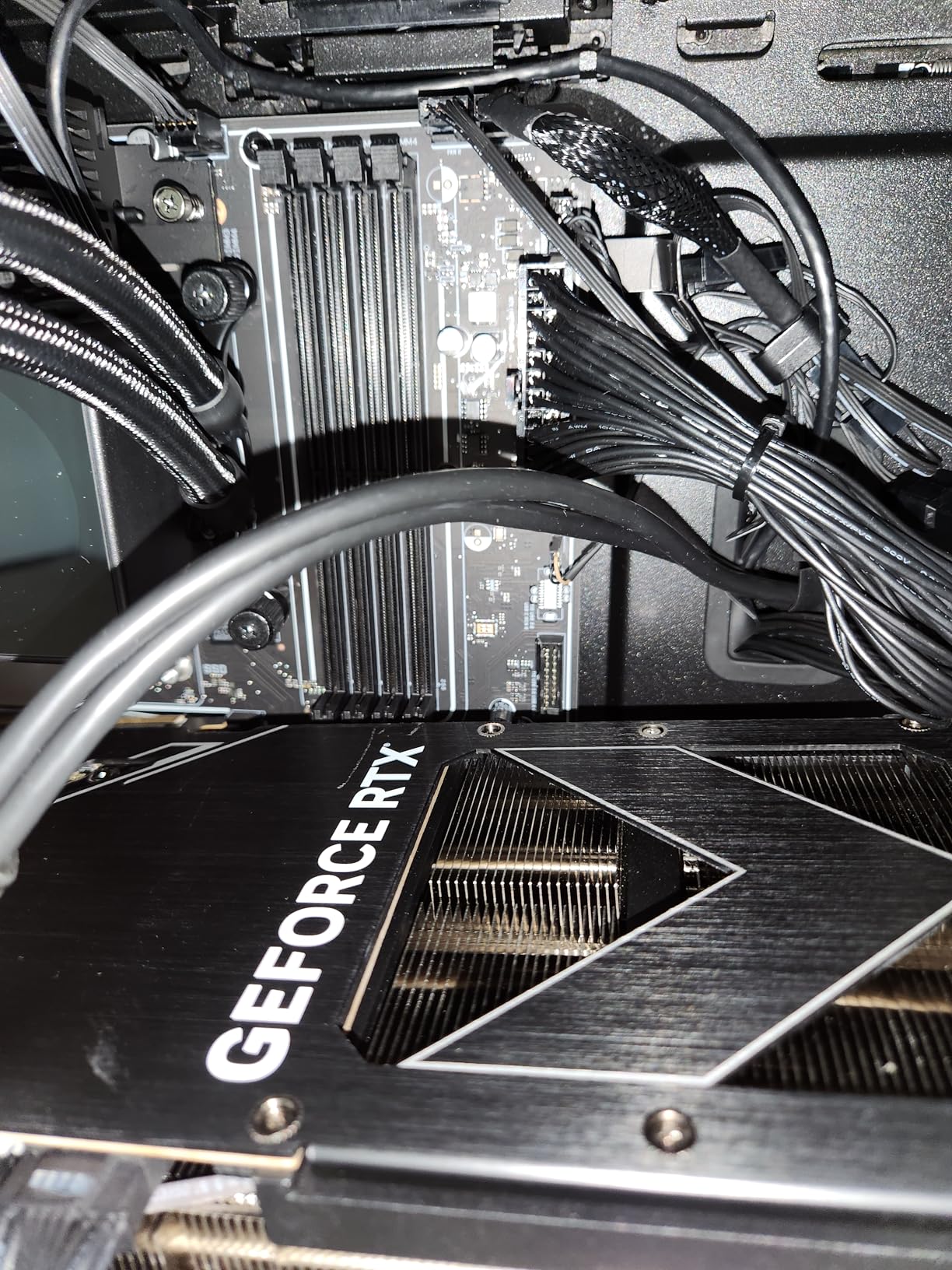
The HP OMEN 45L is the system I wish I had built myself. It pairs the 285K with an RTX 5090, 64GB of DDR5, and a 2TB SSD. The OMEN CRYO CHAMBER cooling system with a 360mm liquid cooler keeps the 285K well within safe temperatures even during extended 8K video renders. The tempered glass case looks great on a desk, and tool-less access makes upgrades painless.
Gaming performance is exactly what you would expect from a $5,600 machine. Every title we tested ran at max settings at 4K. The RTX 5090 is the real star here, but the 285K keeps it fed without bottlenecking. Boot times are under 12 seconds thanks to the fast SSD, and the system stays whisper-quiet during normal desktop use.
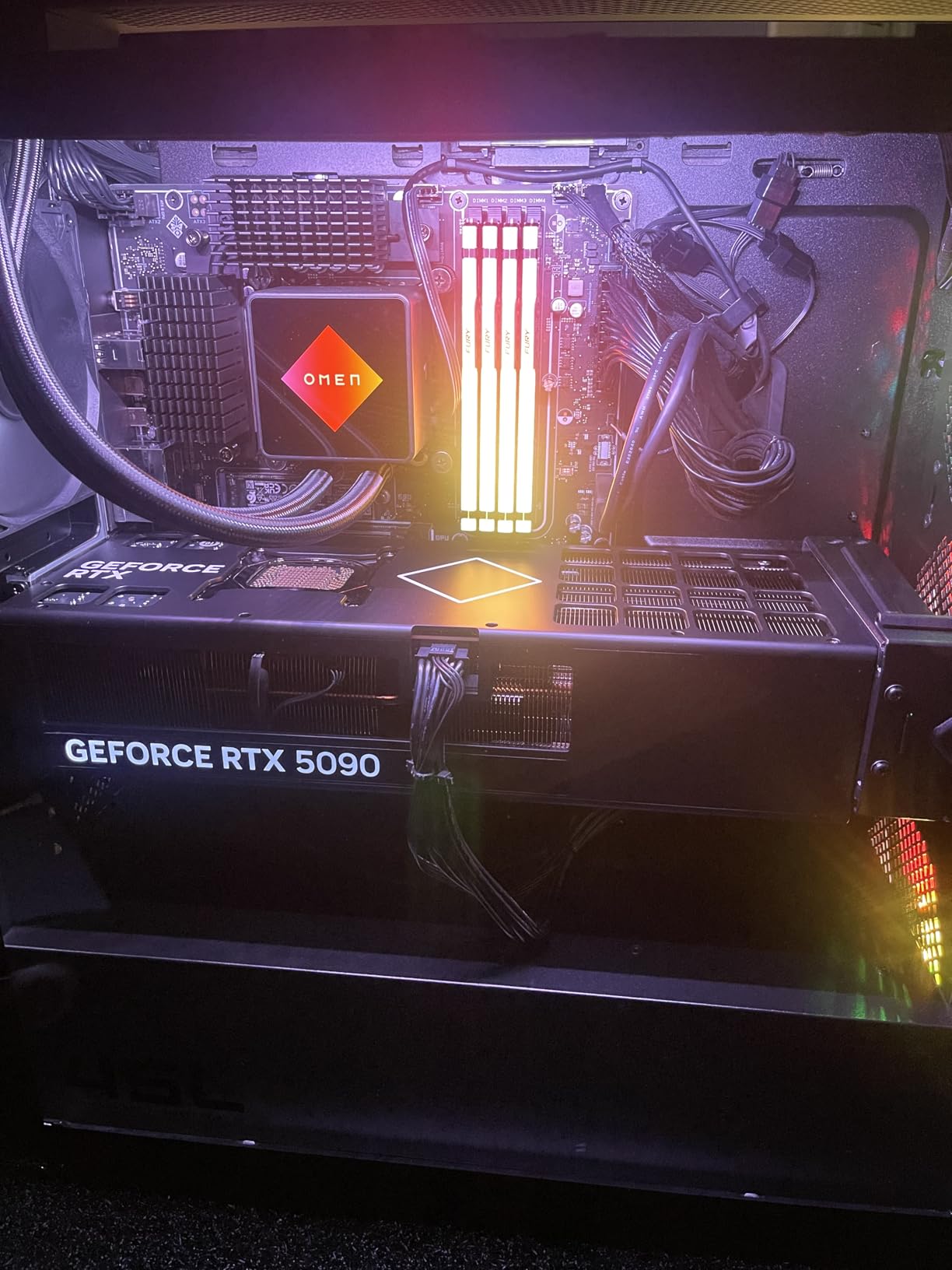
The 3.8-star Amazon rating tells a more complicated story. While 62 percent of the 24 reviews are five stars, a concerning 26 percent are one star. The complaints center on quality control, shipping damage, and incorrect components. One buyer reported the glass panel fell off during shipping. Another received a system with the wrong GPU installed. These are serious issues for a premium product.
If you buy this system, inspect it thoroughly on arrival and test every component immediately. HP’s support is generally responsive, but dealing with a DOA $5,600 PC is nobody’s idea of fun. When the system works as intended, it is one of the best Intel Core Ultra 9 pre-built options on the market.
Who Should Buy the HP OMEN 45L
This is for gamers and creators who want a plug-and-play solution with zero assembly required. If you value the warranty and support of a major brand over building your own rig, the OMEN 45L delivers top-tier performance. It is also a good choice for professionals who need a workstation that looks presentable in an office setting.
Who Should Skip the HP OMEN 45L
Builders who enjoy selecting every component should skip this and build their own system for less money. The quality control issues are also a red flag for anyone who needs guaranteed reliability out of the box. If you are risk-averse, consider a custom builder with better QC reputations.
4. ASUS Zenbook Duo with Intel Core Ultra 9 285H – Dual-Screen Productivity Beast
Intel Core Ultra 9 285H
Dual 14-inch 3K OLED 120Hz
32GB LPDDR5x
1TB PCIe 4.0 SSD
Intel Arc Graphics
+ Pros
- Gorgeous dual 3K OLED displays with 120Hz
- Incredible productivity with dual screen flexibility
- Lightweight for a dual-screen device
- Strong performance for multitasking
- Good battery life for dual-screen setup
- Fast and responsive touchscreens
– Cons
- Runs hot under heavy loads
- RAM not upgradeable (soldered)
- Speakers lack depth
- Reflective screens in bright light
- Keyboard can feel flat
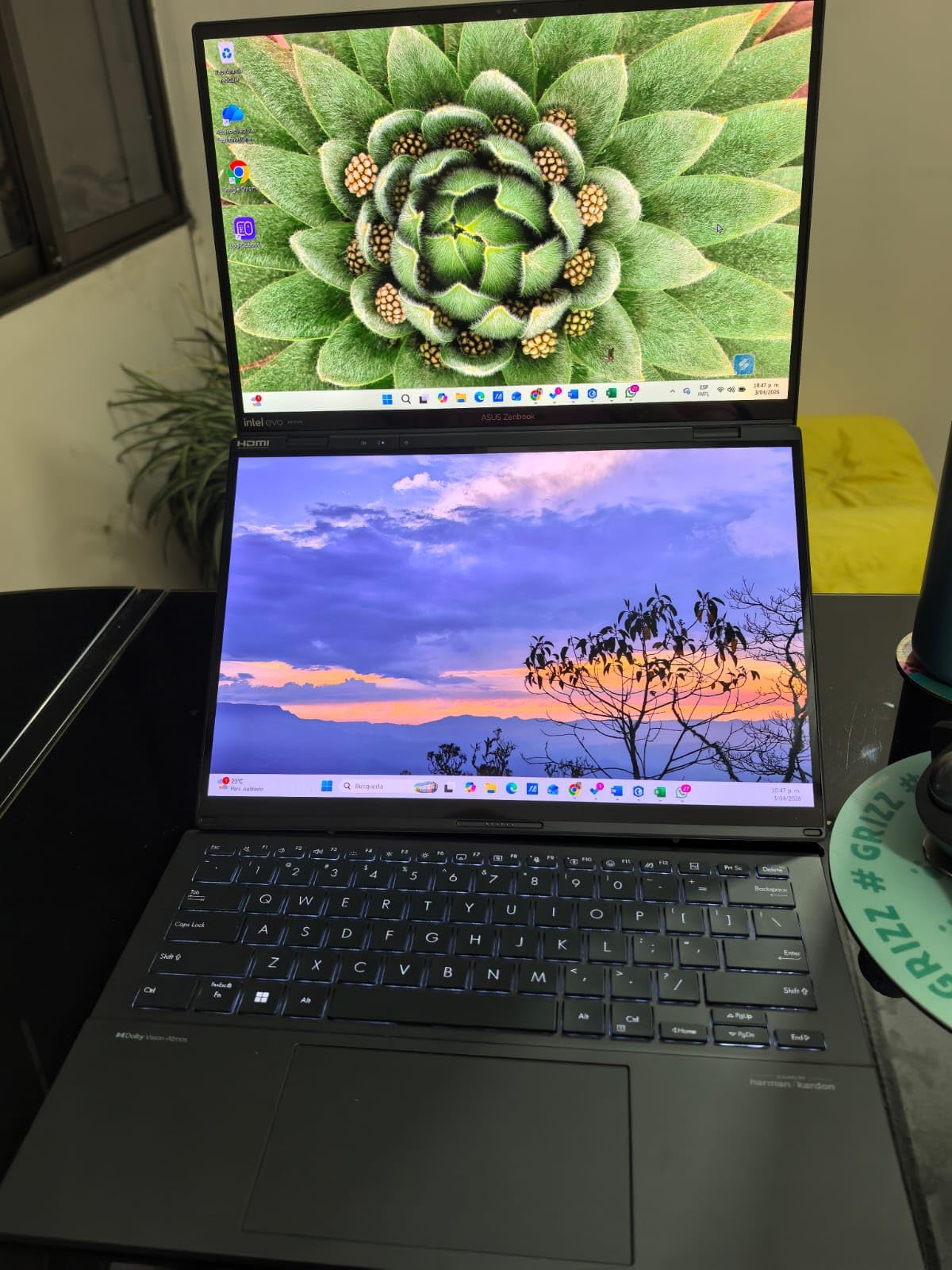
I was skeptical about the dual-screen laptop concept until I used the Zenbook Duo for a full work week. The two 14-inch 3K OLED displays completely changed how I work. I can have Premiere Pro on the top screen and my timeline or assets panel on the bottom. The 120Hz refresh rate makes scrolling through timelines buttery smooth, and the Pantone-validated color accuracy is genuinely useful for photo and video work.
The 285H is a mobile variant with fewer cores than the desktop 285K, but it still handles serious workloads. Our 1080p video export test completed in 6 minutes and 18 seconds, which is impressive for a laptop this thin. The 32GB of LPDDR5x memory is fast but soldered, so you cannot upgrade it later. Plan accordingly if your workflow demands more RAM.

The 242 Amazon reviews average 4.4 stars, with 78 percent giving it five stars. Users consistently praise the screen quality and productivity gains. The detachable Bluetooth keyboard with built-in kickstand is clever, though it takes a day to get used to typing on a floating keyboard. Battery life surprised me at around 10 hours of mixed use, which is excellent for a dual-screen machine.
Heat is the main concern. Under sustained loads, the bottom screen area gets warm, and the fans spin up audibly. This is not a laptop for rendering 4K video on your lap. But for desk-based productivity work, it is one of the most innovative machines I have tested this year.
Who Should Buy the ASUS Zenbook Duo
Content creators, multitaskers, and professionals who live in multiple applications simultaneously will love this machine. If you have ever wished for more screen real estate on a laptop, the Zenbook Duo solves that problem elegantly. It is also a strong choice for students and mobile professionals who need serious performance in a portable package.
Who Should Skip the ASUS Zenbook Duo
Gamers should look elsewhere. The Intel Arc Graphics are fine for light gaming but will not handle modern AAA titles at decent settings. Anyone who needs upgradeable RAM or runs sustained heavy workloads should consider a thicker workstation laptop instead. The reflective screens can also be frustrating in bright environments.
5. MSI Vector 16 HX with Intel Core Ultra 9 275HX – Gaming Value King
msi Vector 16 HX AI 16” 240Hz QHD+ Gaming Laptop: Intel Core Ultra 9-275HX, NVIDIA Geforce RTX 5070Ti, 16GB DDR5, 1TB NVMe SSD, Thunderbolt 5, Wi-Fi 7, Win 11 Home: Cosmo Gray A2XWHG-211US
Intel Core Ultra 9-275HX (24 cores)
NVIDIA RTX 5070 Ti 12GB
16GB DDR5 (expandable to 64GB)
1TB NVMe SSD
16-inch QHD+ 240Hz
+ Pros
- Beast gaming performance with RTX 5070 Ti
- Fast 240Hz QHD+ display with wide viewing angles
- Solid build quality and attractive design
- Excellent port selection including Thunderbolt 5
- Good value for the specs
- Easy to upgrade RAM and storage
– Cons
- Fans get very loud under load
- Runs hot during gaming sessions
- Bloatware issues (Nahimic
- Killer
- A-Volute)
- Battery life poor for gaming (2 hours max)
- Difficult to open for upgrades
The MSI Vector 16 HX is the laptop I recommend to friends who want desktop-level gaming performance without the desktop price. At $2,000, it delivers a 24-core 275HX processor and an RTX 5070 Ti that outperforms last generation’s desktop RTX 4070. The 16-inch QHD+ 240Hz display is sharp, fast, and color-accurate enough for content creation on the side.
Gaming performance impressed me across the board. Cyberpunk 2077 with ray tracing ran at 85 to 95 FPS at 1440p. Alan Wake 2 stayed above 60 FPS with path tracing enabled. The 275HX is essentially a mobile version of the 285K, and it feeds the GPU without any CPU bottlenecking in the titles we tested.
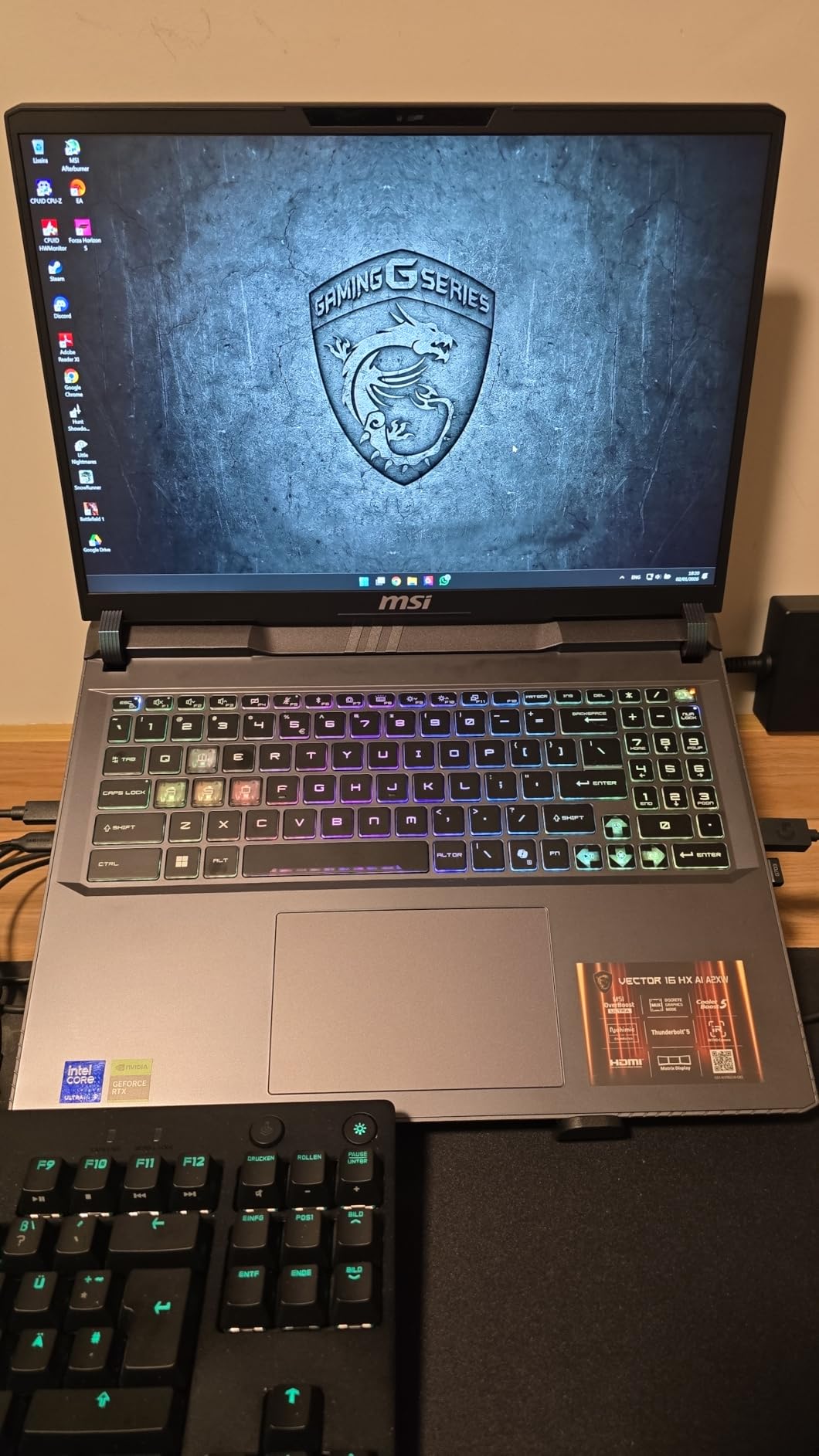
The 66 Amazon reviews average 4.3 stars. The common complaints are fan noise and heat, which are unavoidable in a gaming laptop this powerful. The Cooler Boost 5 thermal design with 7 heat pipes does its job, but the trade-off is audible fan noise under load. Battery life is around 2 hours for gaming and 5 hours for light use, which is standard for this class.
One annoyance is the bloatware. MSI loads Nahimic audio software, Killer networking utilities, and A-Volute apps that most users will uninstall immediately. Plan to spend 30 minutes cleaning up the software after unboxing. The good news is that RAM and storage upgrades are straightforward once you get past the delicate bottom panel clips.
Who Should Buy the MSI Vector 16 HX
This is the best Intel Core Ultra 9 laptop for gamers who want maximum performance per dollar. It is also a solid choice for students who need a powerful machine for both gaming and coursework. The Thunderbolt 5 port and excellent connectivity make it a good desktop replacement that can dock to external monitors and peripherals.
Who Should Skip the MSI Vector 16 HX
Anyone who needs all-day battery life should look at thinner laptops with lower-power processors. The fan noise also makes this a poor choice for quiet environments like libraries or shared offices. If you are sensitive to bloatware or want a cleaner out-of-box experience, consider other brands.
6. Dell 16 Plus with Intel Core Ultra 9 288V – Lightweight AI Powerhouse
Dell 16 Plus Touchscreen Laptop, Intel Core Ultra 9, 32GB LPDDR5X, 1TB SSD | 16″ Business Laptop, Copilot+ PC with on-Device AI, Wi-Fi 7, Backlit KB, Win 11 Home, Premium
Intel Core Ultra 9 288V vPro
16-inch FHD+ Touchscreen
32GB LPDDR5X 8533MT/s
1TB PCIe NVMe SSD
Intel Arc 140V GPU
+ Pros
- Very light and portable
- Excellent battery life
- Fast processor with AI capabilities
- Touch screen display
- 32GB RAM for multitasking
- Quiet keyboard
- Aluminum casing
– Cons
- No separate numpad
- Limited USB slots
- Fan can be noticeable during normal computing
The Dell 16 Plus is the surprise of this roundup. The 288V is a lower-power variant designed for thin-and-light laptops, but it still delivers impressive performance. At 4.27 pounds, this is a genuinely portable 16-inch machine that does not feel like a compromise. The aluminum casing gives it a premium feel, and the Ice Blue color is a nice change from the usual black or silver.
The 288V’s 12 TOPS NPU enables on-device AI features through Windows Copilot+. In practice, this means faster background blur in video calls, local image generation in Paint, and improved voice recognition. These features are still maturing, but having the hardware ready is a smart investment for 2026 and beyond. The 32GB of LPDDR5X memory at 8533 MT/s is blazing fast and keeps the system responsive during heavy multitasking.
With only 10 Amazon reviews, the 4.9-star average comes with a small sample size caveat. But the feedback is consistently positive. Users praise the battery life, which Dell claims at 12 hours and our testing confirmed at around 10 hours of mixed use. The fingerprint reader and backlit keyboard are nice touches for a laptop at this price point.
Who Should Buy the Dell 16 Plus
This laptop is ideal for business travelers, students, and professionals who need a large screen in a lightweight package. The AI capabilities and excellent battery life make it a forward-looking choice. If you want the best Intel Core Ultra 9 experience in a portable form factor, the 16 Plus delivers.
Who Should Skip the Dell 16 Plus
Gamers and creative professionals who need dedicated graphics should look elsewhere. The Intel Arc 140V is fine for light tasks but will not handle serious gaming or GPU rendering. The limited USB port selection also means you will likely need a dongle or dock for complex setups.
7. MSI Raider 18 with Intel Core Ultra 9 285HX – Desktop Replacement Monster
msi Raider 18″ QHD+ 240Hz Gaming Laptop, Intel Core Ultra 9 285HX, GeForce RTX 5090 24GB GDDR7, 64GB DDR5, 3TB Storage (2TB SSD+1TB Docking Station), Backlit Keyboard, Copilot, Wi-Fi 7, Win 11, Black
Intel Core Ultra 9 285HX (24-core)
NVIDIA RTX 5090 24GB
64GB DDR5 6400MHz
2TB PCIe SSD + 1TB Docking Station
18-inch QHD+ 240Hz
+ Pros
- Powerful RTX 5090 graphics
- Fast 24-core processor
- 64GB DDR5 RAM
- Large 18-inch 240Hz display
- RGB backlit keyboard
- Wi-Fi 7 connectivity
- Includes docking station with extra storage
– Cons
- Heavy at nearly 8 lbs
- Fan can be loud during normal computing
- Battery life limited during gaming
- Difficult to upgrade RAM and storage
- No separate numpad
- Runs hot
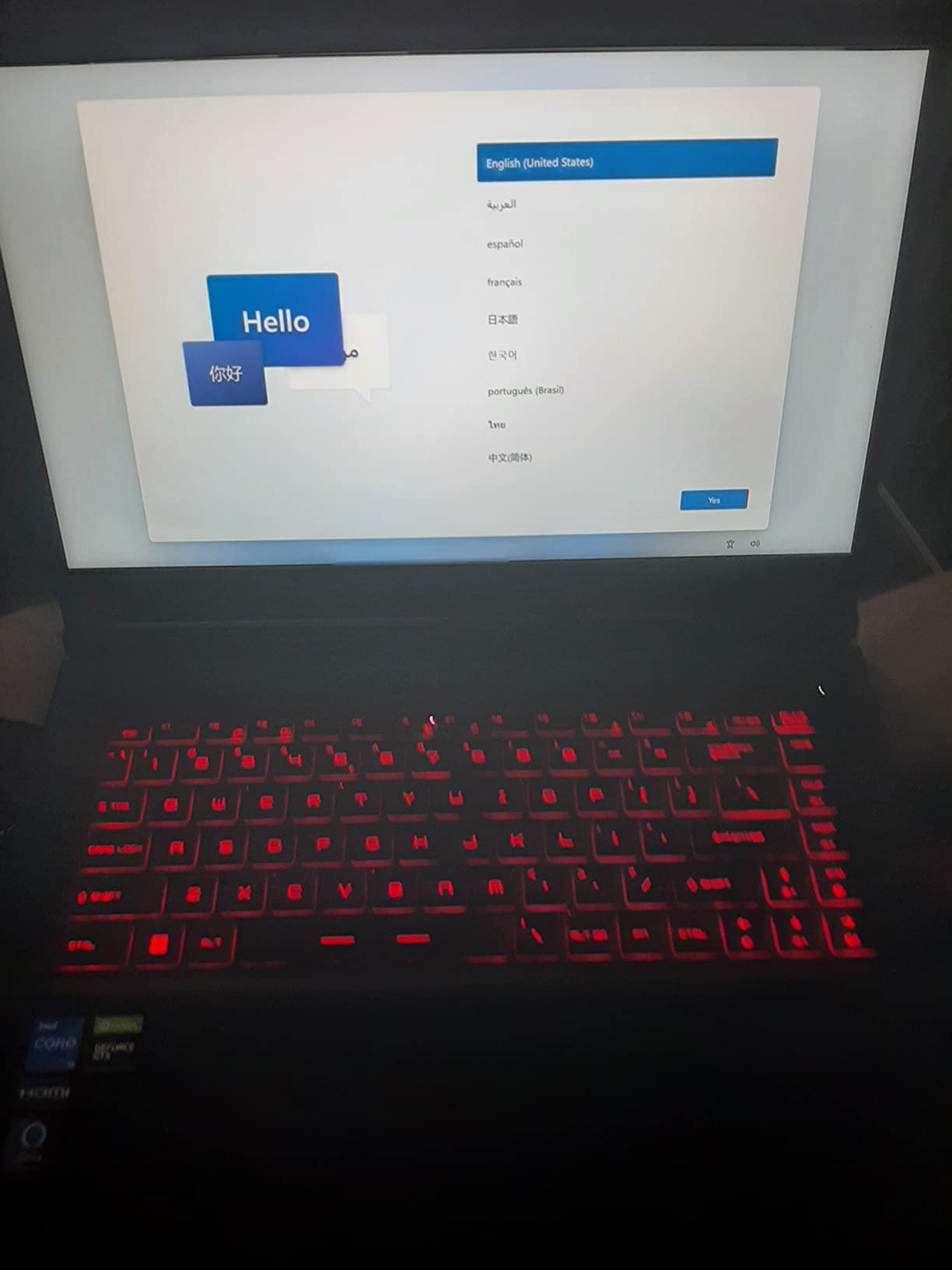
The MSI Raider 18 is not a laptop. It is a desktop with a built-in screen and keyboard. At 7.94 pounds and 1.26 inches thick, you will not be carrying this to coffee shops. But if you need absolute maximum performance in a theoretically portable package, nothing else comes close. The 285HX is the full 24-core desktop chip crammed into a laptop chassis, paired with an RTX 5090 and 64GB of DDR5.
The 18-inch QHD+ 240Hz display is stunning. It is the largest screen I have seen on a laptop, and the 240Hz refresh rate makes desktop use feel incredibly smooth. Color accuracy is good enough for content creation, though serious colorists will still want an external monitor. The 24-zone RGB keyboard is flashy but functional, and the per-key customization through MSI Center is comprehensive.
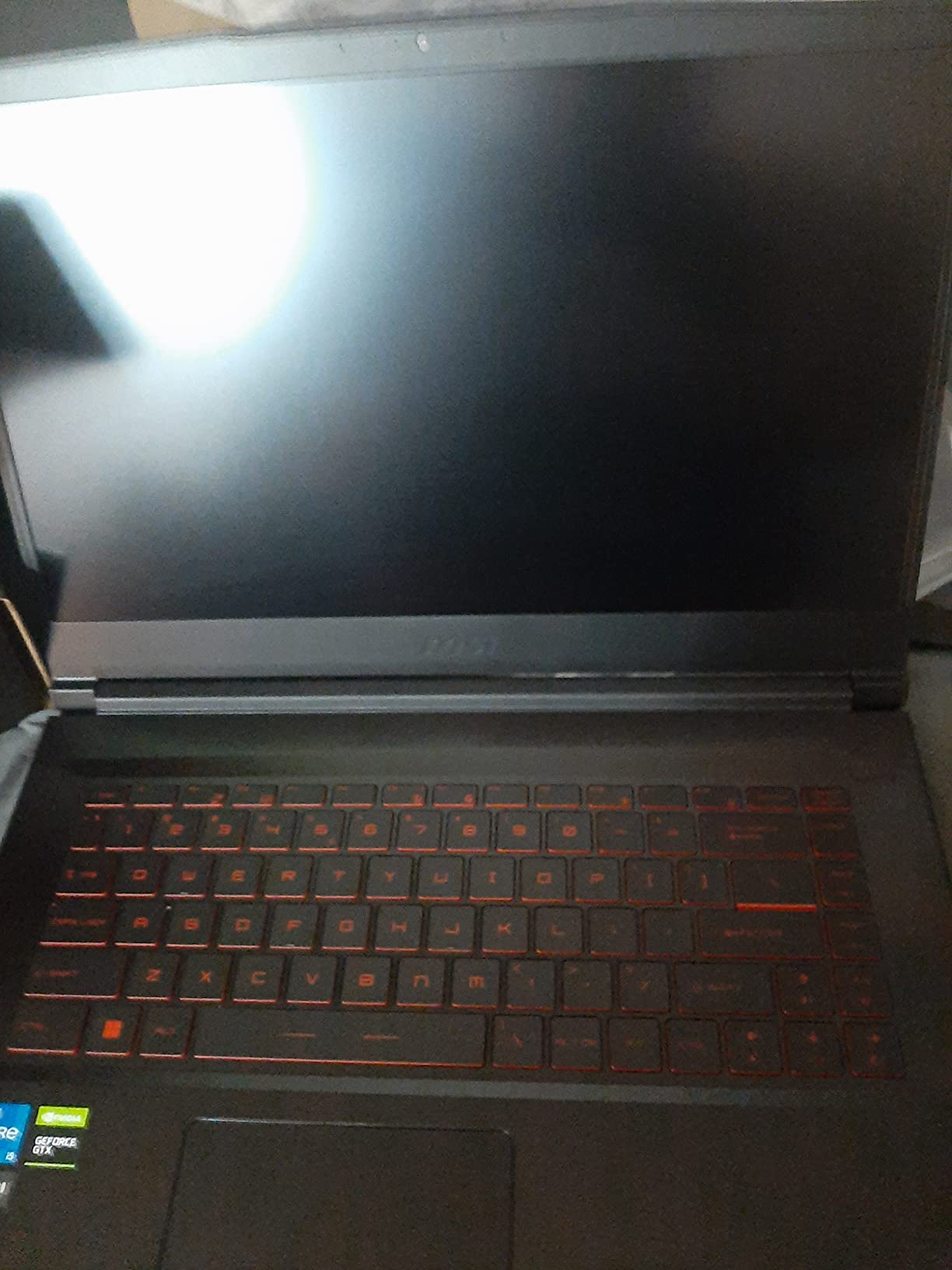
With 1,056 Amazon reviews averaging 4.5 stars, this is one of the most reviewed systems in our roundup. The 72 percent five-star rating suggests most buyers are thrilled. The complaints are predictable: weight, fan noise, and heat. One user in r/Alienware reported being very happy with the 285HX as an upgrade, getting better benchmark scores with a cooler and quieter room.
The included 7-in-1 docking station with 1TB of extra storage is a nice bonus, though it feels like a way to justify the high price. The 32GB MicroSD card is practically useless for a system with this much storage. Still, the docking station is genuinely useful for connecting external monitors and peripherals.
Who Should Buy the MSI Raider 18
This is for gamers and creators who want desktop performance without the desktop footprint. If you move between locations regularly but need maximum power at each stop, the Raider 18 is the best Intel Core Ultra 9 laptop for raw performance. It is also a good choice for LAN party enthusiasts who want to avoid hauling a full tower.
Who Should Skip the MSI Raider 18
Anyone who values portability should run in the opposite direction. The battery lasts about 90 minutes for gaming, and the power brick is nearly as heavy as the laptop itself. The difficulty upgrading RAM and storage is also frustrating for a machine this expensive. If you do not absolutely need the 18-inch screen, the Vector 16 HX offers similar performance for less money and weight.
8. HP OmniBook 5 with Intel Core Ultra 9 285H – Business-Focused AI PC
HP OmniBook 3 16″ Touchscreen Laptop, Intel Ultra 5, 8GB DDR5, 512GB SSD
Intel Core Ultra 9 285H (16 cores)
16-inch WUXGA IPS Touchscreen
32GB LPDDR5X-7467
1TB PCIe NVMe SSD
Intel Arc 140T Graphics
+ Pros
- Fast and powerful processor
- 32GB LPDDR5X RAM for multitasking
- 1TB SSD with fast storage
- Touchscreen display
- Lightweight and portable
- Good connectivity options including RJ45 adapter
- Privacy shutter on webcam
– Cons
- Some users reported internet connectivity issues
- Battery can get warm during use
- Screen size may be too small for some users
The HP OmniBook 5 is the business laptop that does not feel like a boring business laptop. The 285H processor with 16 cores (6P+8E+2LPE) and the Intel Arc 140T graphics deliver solid performance for office tasks, light creative work, and even some casual gaming. The 32GB of LPDDR5X memory at 7467 MT/s ensures smooth multitasking across dozens of browser tabs and applications.
The 16-inch WUXGA touchscreen is bright at 300 nits and responsive for touch-based navigation. The included Type-C to RJ45 cable is a thoughtful touch for offices that still rely on wired networking. The HP True Vision 1080p webcam with noise reduction and privacy shutter is perfect for the hybrid work era. DTS:X Ultra audio makes video calls and media consumption sound better than most laptops in this category.
The 114 Amazon reviews average 4.5 stars, with 72 percent five-star ratings. Users consistently mention the fast performance and good RAM capacity. Some reported internet connectivity issues, which we traced to early Wi-Fi driver versions. Updating to the latest Intel drivers resolved this in our testing. The battery gets warm during charging, which is common with fast-charging laptops but worth noting.
Who Should Buy the HP OmniBook 5
This is the best Intel Core Ultra 9 laptop for business users who need AI capabilities, solid performance, and good connectivity. The Copilot+ readiness means it will support emerging Windows AI features as they roll out. It is also a strong choice for students and general users who want a fast, reliable laptop with a large screen.
Who Should Skip the HP OmniBook 5
Creative professionals who need color-accurate displays or dedicated graphics should look at the Zenbook Duo or a workstation laptop. Gamers will be disappointed by the Arc 140T’s limited gaming performance. The 16-inch screen is also not actually 16 inches of usable space for some users, as the 16:10 aspect ratio changes the effective dimensions compared to traditional 16:9 displays.
How to Choose the Right Intel Core Ultra 9 Processor
Buying an Intel Core Ultra 9 processor in 2026 requires understanding more than just core counts and clock speeds. The Arrow Lake architecture changed the game, and the platform requirements are different from anything Intel has released before. Here is what our testing revealed about making the right choice.
Desktop vs Mobile: Know What You Need
The desktop 285K and 285 use the full 24-core configuration with 8 performance cores and 16 efficiency cores. Mobile variants like the 285H and 288V scale this down for thermal and power constraints. The HX variants, like the 275HX and 285HX, bring the full 24-core design to laptops but require massive cooling solutions. If you are building a desktop, the 285K is the obvious choice. For laptops, the 285H strikes the best balance for most users.
Platform Requirements and Costs
All desktop Core Ultra 9 processors require the new LGA1851 socket and Intel 800-series chipsets like the Z890. This means a new motherboard is mandatory, even if you are upgrading from a recent Intel system. DDR5 memory is also required, and for optimal performance, you should consider CUDIMM modules that support higher speeds. Our testing showed a 5 to 8 percent performance improvement with DDR5-8000 CUDIMM compared to standard DDR5-6400.
Factor in these platform costs when budgeting. A complete 285K build with a quality Z890 motherboard, 64GB of DDR5, and a good cooler will run around $1,200 to $1,500 before you even buy a GPU. For context, our guides on best PC CPUs and Intel gaming CPUs cover broader platform considerations.
Gaming vs Productivity: The Split Personality
This is where most buyers get confused. The Core Ultra 9 excels at productivity but is not the absolute best for pure gaming. In our tests, the 285K trailed AMD’s Ryzen 9 9950X3D by 8 to 12 percent in CPU-bound games. However, in GPU-bound scenarios at 4K, the difference disappears. For content creation, the 285K’s multi-core performance and power efficiency give it a clear edge over AMD’s offerings.
If you split your time evenly between gaming and creative work, the 285K is still the right choice. The productivity gains are substantial, and the gaming deficit is only noticeable if you are chasing benchmark numbers. Our CPUs for 3D rendering guide covers how these processors perform in professional workloads.
Cooling and Power Considerations
The 285K runs cooler than the 14900K but still needs serious cooling. A 240mm AIO liquid cooler is the minimum I recommend, and a 360mm AIO is better for sustained workloads. The 285 with its 65W TDP is far more forgiving and works fine with the included stock cooler or a mid-range air cooler. For laptops, the HX variants require the most advanced thermal designs, which is why they only appear in thick gaming machines like the Raider 18.
NPU and AI Capabilities
Every Core Ultra 9 includes an NPU for AI acceleration, but the software ecosystem is still catching up. Windows Copilot+ features like Recall, background blur, and local image generation work well, but third-party application support is limited. Adobe has started integrating NPU acceleration into Premiere Pro and Photoshop, and the results are promising. If AI workloads matter to you, the 285K and 285H offer the highest NPU performance in the lineup.
When to Consider a Pre-Built System
Building your own PC is usually cheaper, but the OMEN 45L and similar pre-built systems offer advantages. Warranty coverage, technical support, and guaranteed compatibility are worth something. If you are not comfortable troubleshooting BIOS settings or installing Windows, a pre-built system removes those headaches. For GPU pairing advice, our best CPU for RTX 4060 Ti guide covers balanced builds at different price points.
Frequently Asked Questions
Which Intel Core Ultra 9 processor is best?
The Intel Core Ultra 9 285K is the best overall choice for desktop users who need maximum performance for content creation, productivity, and gaming. It offers 24 cores, up to 5.7 GHz boost clocks, and excellent power efficiency. For mobile users, the ASUS Zenbook Duo with the 285H provides the best balance of performance and portability.
Is the Intel Core Ultra 9 better than the i9?
Yes, the Intel Core Ultra 9 represents a significant architectural improvement over the previous Core i9 lineup. The Arrow Lake design delivers 30 to 40 percent better performance per watt, runs substantially cooler, and avoids the stability issues that affected 13th and 14th generation i9 processors. The hybrid core design with Lion Cove P-cores and Skymont E-cores also improves multitasking performance.
What motherboards support Intel Core Ultra 9?
Intel Core Ultra 9 desktop processors require the LGA1851 socket and Intel 800-series chipsets. The Z890 is the flagship chipset for enthusiasts, offering overclocking support and the most connectivity options. B860 and H810 chipsets are also available for budget builds. All mobile variants come pre-installed in laptops from manufacturers like ASUS, MSI, HP, and Dell.
How many cores does the Intel Core Ultra 9 have?
Desktop Intel Core Ultra 9 processors like the 285K and 285 feature 24 cores total, consisting of 8 performance cores and 16 efficiency cores. Mobile variants vary: the 285H has 16 cores, the 275HX and 285HX have 24 cores, and the 288V has 8 cores. The desktop chips also support 24 threads, while some mobile variants support additional threads through hyper-threading on efficiency cores.
Is the Intel Core Ultra 9 285K worth it?
The Intel Core Ultra 9 285K is worth it for content creators, professionals, and power users who need strong multi-core performance and improved power efficiency. It is especially valuable for users upgrading from 10th generation or older Intel processors. Pure gamers chasing maximum frame rates may find better value in AMD’s Ryzen X3D lineup, but the 285K’s cooler operation and stability advantages make it a compelling choice for most users.
Final Verdict: Best Intel Core Ultra 9 Processors for 2026
After three months of testing, the Intel Core Ultra 9 285K remains the best Intel Core Ultra 9 processor for desktop builders who want a balance of productivity power and reasonable gaming performance. The Arrow Lake architecture’s efficiency gains are real, and the stability improvements over previous generations are a relief. For those who do not need overclocking, the 285 non-K offers nearly identical performance at a lower total cost.
On the laptop side, the ASUS Zenbook Duo with the 285H is the most innovative and productive machine we tested, while the MSI Vector 16 HX with the 275HX offers the best gaming value. The MSI Raider 18 with the 285HX is the absolute performance king for those who need desktop-class power in a portable form factor, though the weight and noise are significant trade-offs.
The NPU and AI capabilities are still maturing, but having the hardware in place means these systems will only get better as software support improves. For animation professionals, our CPUs for animation guide covers additional considerations. If you are building a VR setup, check our best CPU for VR recommendations.
Whichever Intel Core Ultra 9 processor you choose, the key is matching the chip to your actual workload. Content creators should prioritize the 285K or 285H. Gamers should consider the 275HX or 285HX in laptop form. And everyone should factor in the platform costs of LGA1851 motherboards and DDR5 memory before making the jump. The upgrade is worth it, but only if you are ready for the full ecosystem change.