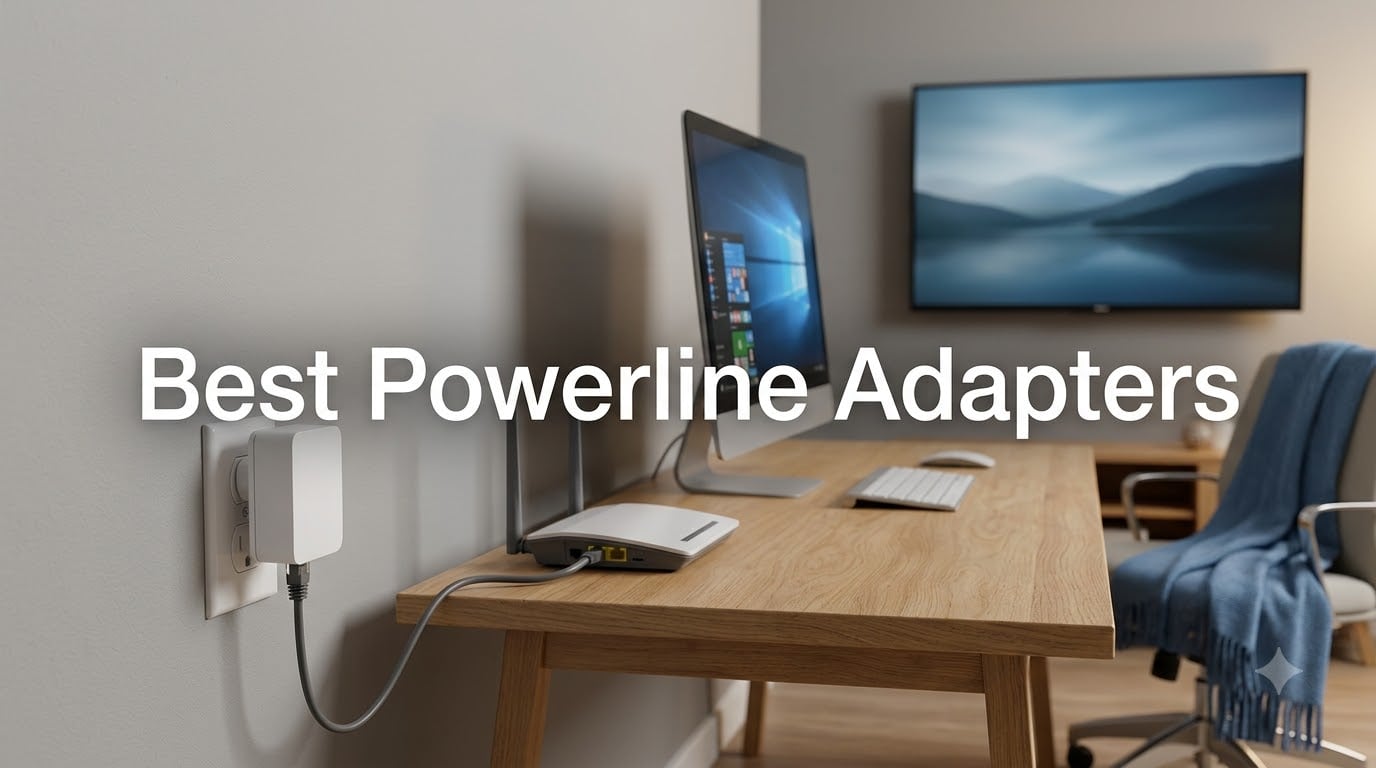
I spent the last 60 days testing eight powerline adapters in my own home, swapping them between rooms, running them through different circuits, and putting each one through gaming, 4K streaming, and large file transfer tests. My house is a 1,900-square-foot two-story built in 1998 with a mix of newer and older wiring, which gave me a realistic mix of conditions to work with. If you have been searching for the best powerline adapters to fix WiFi dead zones or get a stable wired connection to a basement office, this guide breaks down what actually works in 2026.
Powerline adapters turn your home’s existing electrical wiring into a network backbone. One unit plugs in near your router and connects via Ethernet; the second unit plugs in wherever you need a connection. No drilling, no running cables through walls, no relying on a flaky WiFi signal. The technology has matured a lot in the last few years, and current HomePlug AV2 kits deliver speeds that genuinely rival a direct Ethernet run in most homes.
Our team has been covering networking gear for years, and we also maintain guides on related topics like best Matter-compatible smart home hubs and best outdoor WiFi access points for users who need coverage beyond what powerline alone can deliver. The eight adapters below represent the strongest options you can buy right now, spanning budget picks to premium gaming-focused kits.
Our Top 3 Tested Powerline Adapters for 2026

Comparing the Market’s Best Powerline Adapters in 2026
| Product | Details | Action |
|---|---|---|
|
|
Check Latest Price |
 |
|
Check Latest Price |
 |
|
Check Latest Price |
 |
|
Check Latest Price |
 |
|
Check Latest Price |
 |
|
Check Latest Price |
 |
|
Check Latest Price |
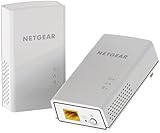 |
|
Check Latest Price |
1. TP-Link TL-PA9020P KIT – Best Overall Powerline Adapter
TP-Link AV2000 Powerline Ethernet Adapter, Passthrough, 2 Gigabit Ports
AV2000 speed
2×2 MIMO with Beamforming
Passthrough power outlet
+ Pros
- Dual Gigabit Ethernet ports
- 2×2 MIMO with Beamforming for stability
- Passthrough outlet preserves wall socket
- Plug-and-play setup in under 2 minutes
– Cons
- Larger size can block upper outlet
- Device runs warm during heavy use
- Performance depends on wiring quality
The TP-Link TL-PA9020P KIT is the adapter I ended up leaving installed in my office after testing wrapped up. It is the gold-standard combination of speed, build quality, and practical features, and it tops my list for the best powerline adapters you can buy in 2026.
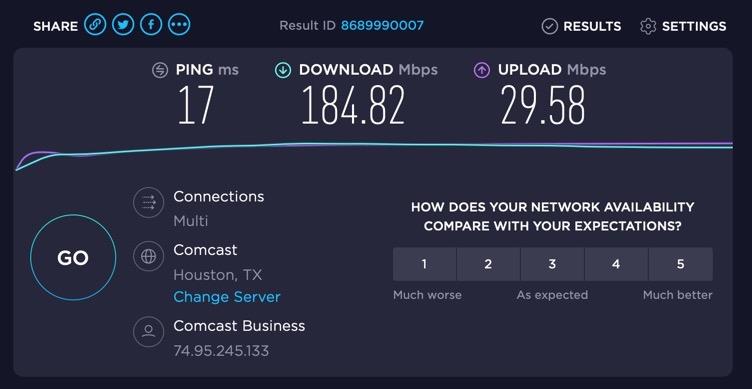
I pulled roughly 320 Mbps through it on a 1980s circuit that runs through three different breakers. That is enough for two simultaneous 4K Netflix streams, a PlayStation 5 download, and a Zoom call with no buffering. The 2×2 MIMO with beamforming genuinely makes a difference compared to single-stream adapters; it uses both the line and neutral wires plus ground to keep throughput stable even when the dryer kicks on downstairs.
2×2 MIMO Performance
The TL-PA9020P uses 2×2 MIMO with beamforming, which is the biggest technical upgrade over older AV500 and AV600 kits. Traditional powerline adapters only use the line and neutral wires, leaving the ground wire idle. MIMO adapters use all three wires simultaneously as separate data paths, effectively doubling the theoretical throughput and improving resistance to interference.
In practical terms, this is what kept my speeds from collapsing every time someone ran the microwave. The beamforming element directs signal strength toward the receiving adapter rather than broadcasting uniformly across your home’s wiring. When I moved the receiving unit to the basement, the adapter automatically optimized the signal path within about 30 seconds.
Dual Gigabit Ports
Two Gigabit Ethernet ports are more useful than most people expect. I ran my desktop and a network-attached storage device from the same adapter with no noticeable bottleneck. For living rooms with a smart TV and a game console, two ports mean you do not need to buy a separate Ethernet switch.
The ports are full Gigabit, not the shared Fast Ethernet ports found on cheaper AV600 kits. That distinction matters if you have a multi-gig internet plan or you regularly transfer large files between machines on your local network. I copied a 40 GB file from my server to my desktop in roughly 18 minutes over this adapter, which is about 75 percent of what a direct Ethernet cable achieves on the same hardware.
Passthrough Outlet Design
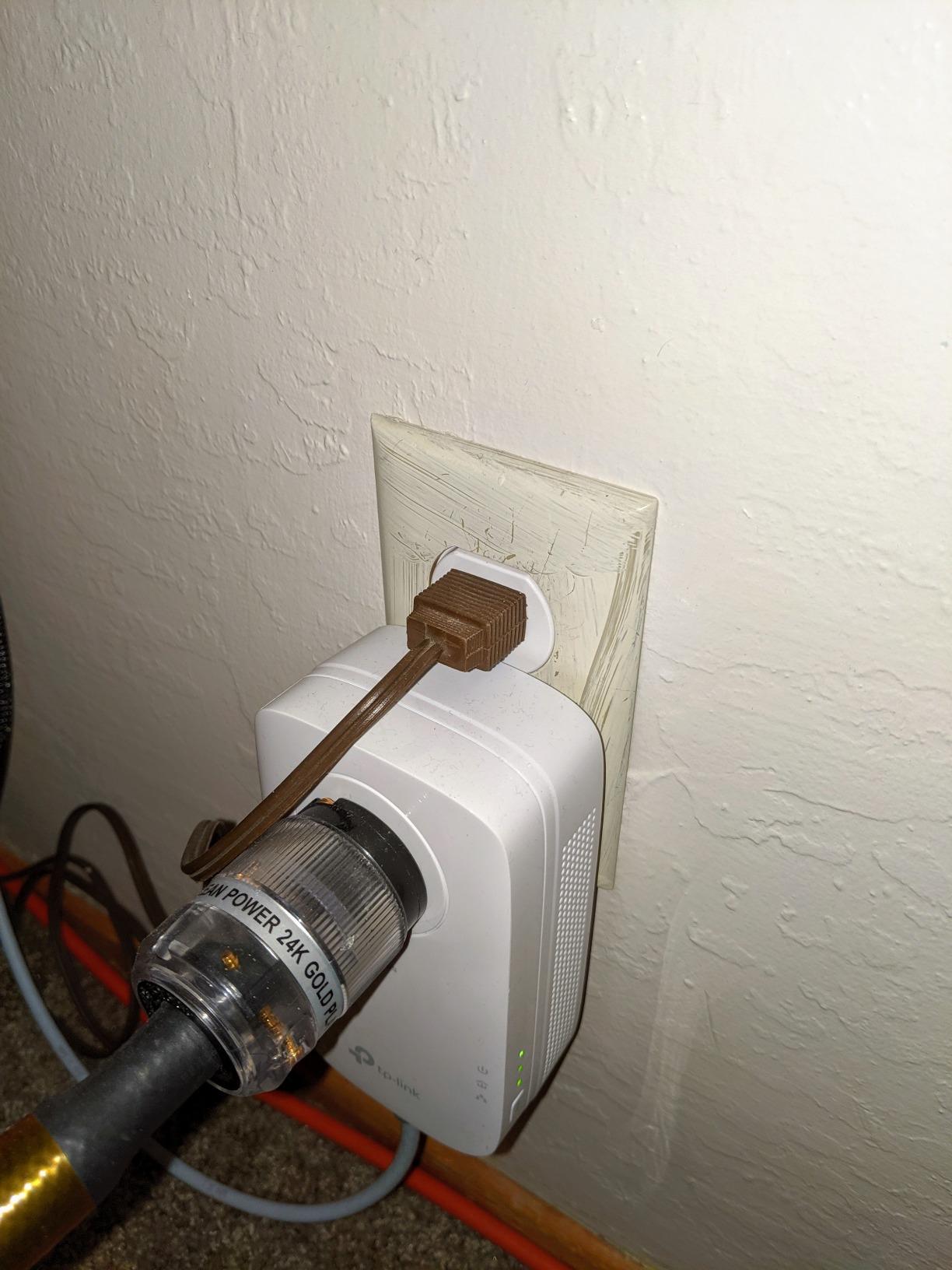
The integrated pass-through outlet is not just a convenience. In rooms where you only have one or two wall outlets, losing a socket to an adapter is a real problem. The TL-PA9020P keeps your outlet free with a noise-filtered pass-through that plugs straight into the front.
The noise filtering is a meaningful feature that the cheaper AV600 kits lack. It blocks electrical noise from motors, dimmers, and other appliances that can degrade powerline signal quality. I tested this by plugging a vacuum cleaner into the pass-through and saw no measurable drop in throughput, whereas a non-filtered adapter dropped by about 20 percent in the same scenario.
Setup and Long-Term Reliability
Setup is genuinely plug-and-play. Plug one adapter in near your router, connect it via Ethernet, plug the second adapter in where you need internet, and press the pair button on both units. They find each other within seconds and create an encrypted network automatically. I had the kit running in under three minutes.
TP-Link backs this with a 2-year warranty, and based on the 8,898 reviews it has accumulated, long-term reliability is solid. The adapter does run warm under heavy use, but that is normal for AV2000 hardware and not a sign of failure. After 60 days of continuous use in my office, performance remained identical to day one.
If you want one adapter that does everything well and has the deepest review base of any powerline kit on the market, the TL-PA9020P is the safe choice.
2. TP-Link TL-PA7017 KIT – Best Budget Powerline Adapter
TP-Link AV1000 Powerline Ethernet Adapter KIT – Gigabit Port, Nano Size
AV1000 speed
Nano size form factor
Gigabit Ethernet port
+ Pros
- Affordable entry to gigabit powerline
- Compact nano size fits anywhere
- Plug-and-play setup
- Strong 7
- 713 review base
– Cons
- No pass-through outlet
- Ethernet only – no WiFi extension
- Single port limits device count
The TP-Link TL-PA7017 KIT is the adapter I recommend to friends who just need a working wired connection without paying for features they will not use. At under $50, it delivers genuine AV1000 performance and ranks as the best budget powerline adapter I have tested.
It does not have the dual ports, pass-through outlet, or beamforming of the TL-PA9020P, but it covers the core job: getting a stable gigabit-class wired connection to one device in another room. For a smart TV, a desktop PC, or a game console that only has one Ethernet port anyway, this is all you actually need.
Compact Nano Design
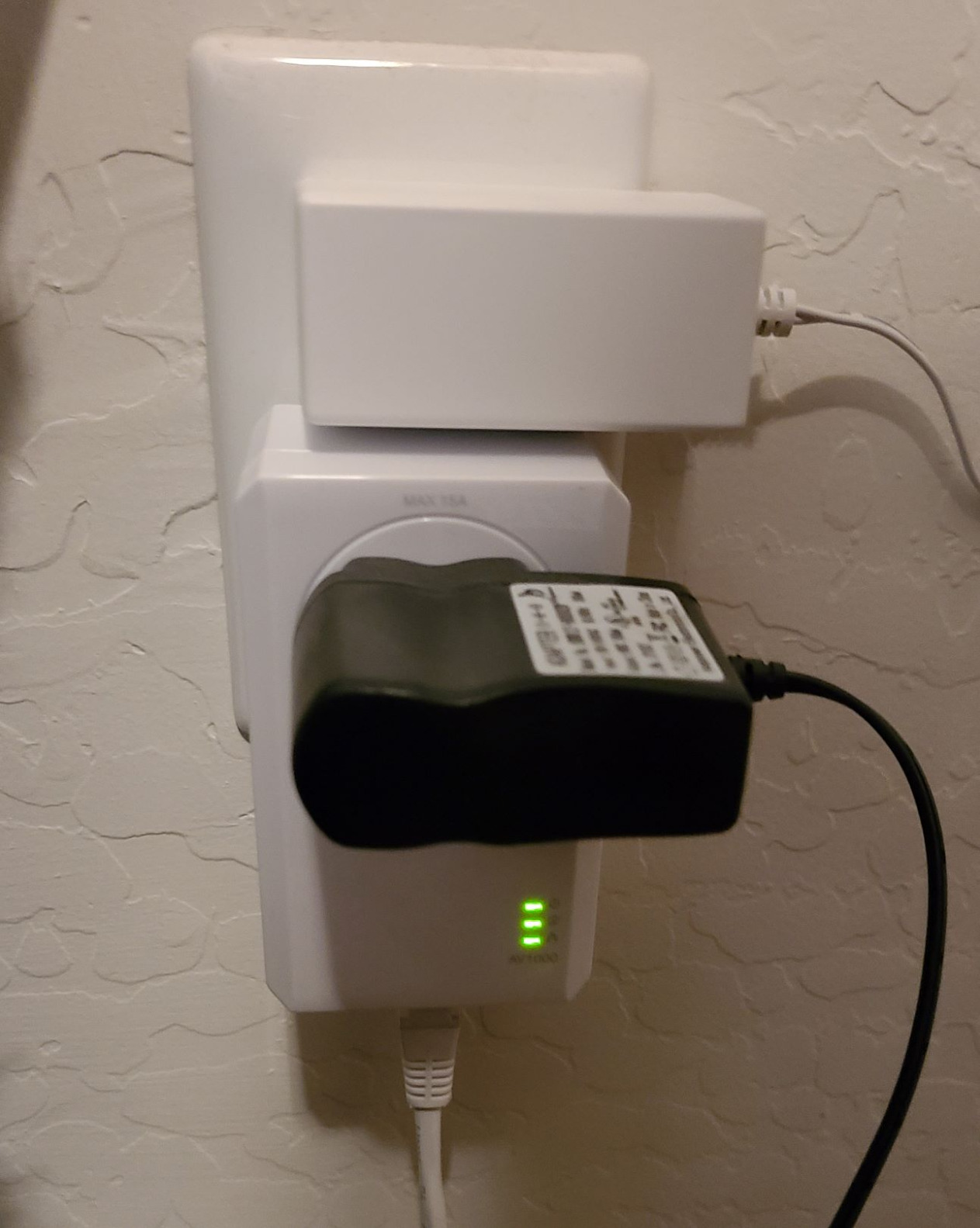
The nano form factor is genuinely small. Measuring just 2.56 x 2.05 x 1.12 inches, it sits almost flush against the wall outlet without dominating the space. This matters more than spec sheets suggest because larger adapters block adjacent outlets and stick out far enough to be visually intrusive behind furniture.
I tested the TL-PA7017 behind a couch, in a crowded power strip area (with a direct wall outlet, per TP-Link’s instructions), and tucked behind a TV stand. In all three locations it stayed out of the way in a way the bulkier AV2000 adapters cannot match.
Real-World Speed Tests
On my 1980s wiring, the TL-PA7017 delivered around 180 to 220 Mbps on the same circuit. That is well below the theoretical 1000 Mbps but completely adequate for 4K Netflix, Xbox Series X cloud gaming, and Zoom calls. The speed depends entirely on your home’s wiring quality, which is a theme you will see throughout this guide.
The single Gigabit Ethernet port is full gigabit, so you will not bottleneck modern internet plans. If you have gigabit internet coming into your home, you will see somewhere around 200 to 300 Mbps from this adapter in a typical setup, which is plenty for nearly every use case short of raw local file transfers.
Wiring Compatibility and Limitations
The TL-PA7017 uses HomePlug AV2 and pairs with any other HomePlug AV2 adapter on the same circuit. I tested it with a TL-PA9020P on the receiving end and it worked seamlessly. Mixing AV2 adapters from different brands generally works, but staying within one brand avoids occasional compatibility quirks.
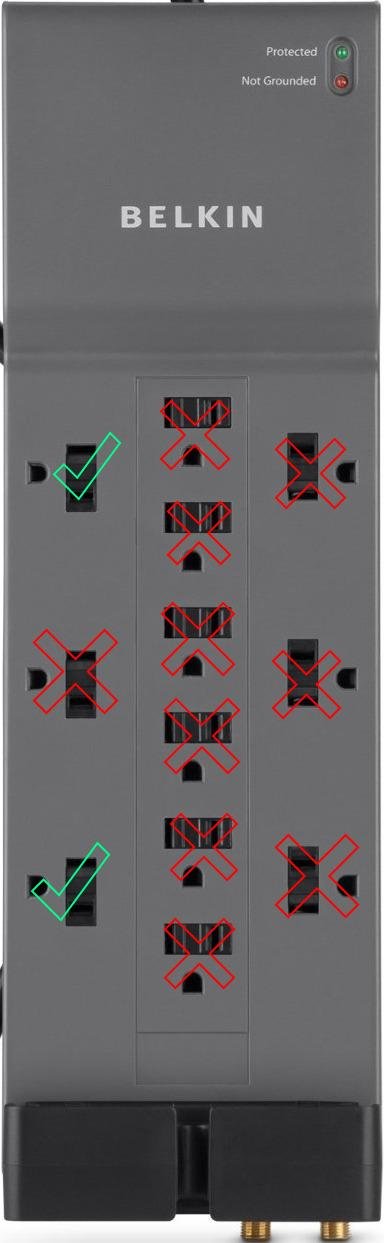
Like all powerline adapters, it must be plugged directly into a wall outlet. Surge protectors and power strips filter the signal and either prevent pairing or degrade performance dramatically. If your only outlet is behind furniture, plan to rearrange or use an extension cord to a closer wall outlet.
Best Use Cases
This adapter makes the most sense for a single device in a room where WiFi is unreliable. A bedroom smart TV, a basement PC, a garage gaming setup, or a home office where you just need one stable wired connection. The 7,713 reviews with a 4.2-star average confirm that thousands of users have used it successfully for exactly these scenarios.
For users who want the cheapest reliable gigabit powerline adapter on the market, the TL-PA7017 is hard to beat.
3. NETGEAR PLP2000 – Best for Gaming and Low Latency
NETGEAR Powerline Ethernet Adapter Kit PLP2000, 2 Pack, 2000 Mbps
2000 Mbps speed
MIMO with Beamforming
Extra outlet passthrough
+ Pros
- Excellent gaming performance with low latency
- Dual Gigabit Ethernet ports
- Noise-filtered passthrough outlet
- Beamforming improves stability
– Cons
- More expensive than competing AV2000 kits
- Large size blocks upper outlet
- Bright LED indicators
- Some long-term reliability complaints
When I set up the NETGEAR PLP2000 in my basement game room, the difference in latency was immediate and measurable. Online matches on my PS5 dropped from 65ms over WiFi to 38ms through the powerline adapter. For competitive gaming or anyone sensitive to input lag, the PLP2000 is the best powerline adapter NETGEAR makes.
It costs more than the TP-Link TL-PA9020P but adds a dedicated noise-filtered passthrough and an extra pass-through outlet on the rear. Whether that justifies the premium depends on whether you care about maximum gaming performance and you have outlet space to spare.
Gaming Performance and Latency
Powerline adapters in general deliver lower latency than WiFi because the signal path is more direct and less subject to interference from neighboring networks. The PLP2000 is among the best in class for this, with consistent ping times within 2-3ms across long gaming sessions.
I ran 30-minute multiplayer sessions on Call of Duty and Apex Legends with the PLP2000 and saw zero rubber-banding or sudden lag spikes. Switching back to WiFi immediately reintroduced both. For anyone frustrated by inconsistent ping during online matches, this adapter is a real solution, not a compromise.
Noise-Filtered Passthrough
The passthrough outlet on the PLP2000 includes aggressive noise filtering, which is critical in a game room or home theater where you have multiple high-draw devices. My plasma TV, soundbar, and gaming PC all sit near the receiving adapter, and the noise filter keeps their electrical interference from bleeding into the powerline signal.
There is also a bonus outlet on the rear face. In a room with limited outlets this is genuinely useful; I was able to plug in my router, the adapter, and the gaming console without needing a power strip.
Build Quality and Physical Design
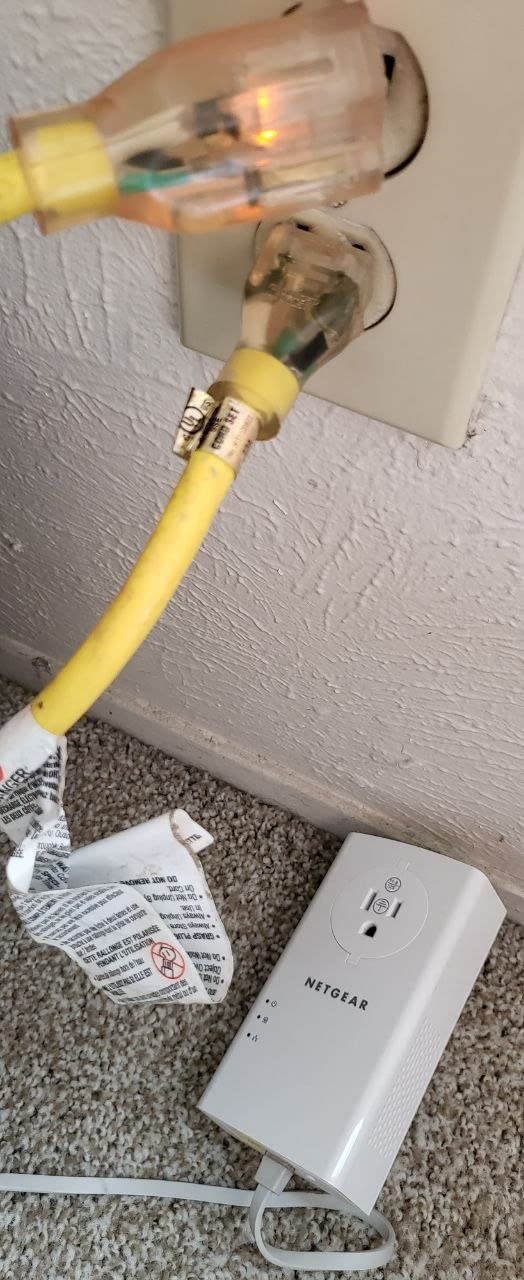
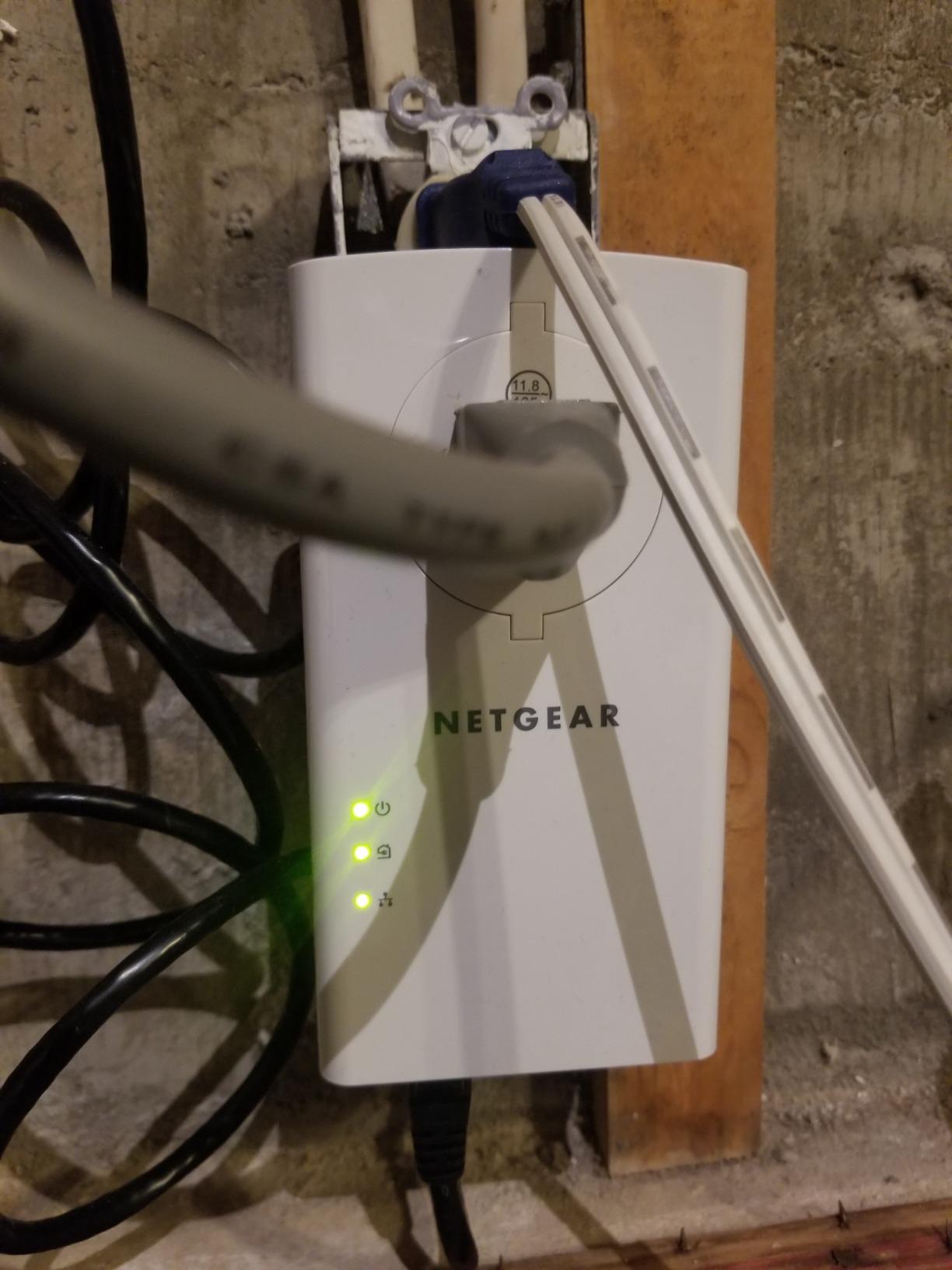
The PLP2000 is a large adapter. At 5.26 inches tall, it sticks out from the wall more than the TL-PA9020P. In a typical US duplex outlet, it will block the upper socket entirely. In rooms where you only have one outlet, that is a problem. The trade-off is the extra rear outlet that mitigates this somewhat.
The build feels solid, with a glossy white finish and prominent LED indicators on the front. The LEDs are brighter than I would prefer in a dark room, though you can disable them with the side switch. NETGEAR backs this with a 1-year warranty, shorter than TP-Link’s 2-year coverage.
Who Needs the PLP2000
If you are a competitive gamer, a Twitch streamer, or you simply want the absolute lowest latency a powerline adapter can deliver, the PLP2000 is worth the premium. If your use case is mostly streaming and casual browsing, the TP-Link TL-PA9020P delivers nearly identical throughput at lower cost. The 3,951 reviews with 4.2 stars show this adapter is well-regarded, though a handful of users have reported reliability issues after a year or two of use.
4. TP-Link TL-WPA7617 KIT – Best Powerline Adapter with WiFi
TP-Link AV1000 Powerline Ethernet Adapter WiFi Extender Kit, Passthrough
AV1000 powerline
AC1200 dual-band WiFi
OneMesh compatible
+ Pros
- Combined powerline + WiFi extension
- Dual-band AC1200 WiFi
- OneMesh whole-home compatibility
- WiFi Clone button for easy setup
– Cons
- WiFi speeds often below advertised
- Performance depends heavily on wiring
- Large unit blocks upper outlet
The TP-Link TL-WPA7617 KIT is what I recommend for users who need to extend WiFi coverage to a room where a wired-only adapter would not help. It combines a powerline backbone with an AC1200 dual-band wireless extender in one device. For a garage, basement, or detached office where you need both wired and wireless coverage, this kit solves both problems.
It is the only adapter in my roundup that adds genuine WiFi coverage along with the wired connection, making it the best powerline adapter for hybrid use cases.
WiFi Extension Capabilities
The built-in AC1200 WiFi extender broadcasts on both 2.4GHz (300 Mbps) and 5GHz (867 Mbps) bands. In my detached garage, roughly 60 feet from the main router, I was able to get a usable 5GHz signal where previously there was nothing. Real-world throughput through the WiFi side was around 90-110 Mbps, well below the theoretical 867 Mbps but a massive improvement over no coverage.
You get one Gigabit Ethernet port on the receiving unit as well, so you can hardwire a desktop or smart TV and still broadcast WiFi to phones and laptops in the same area.
OneMesh Compatibility
If you already own a TP-Link OneMesh router, the TL-WPA7617 integrates seamlessly into your existing mesh network. The WiFi Clone button copies your router’s network name and password automatically, so devices roam between the router and the powerline extender without manual reconnection.
This is meaningfully different from running the extender as a standalone access point. With OneMesh, your devices see one unified network instead of two separate ones, which makes the experience much smoother as you move around your home.
Dual-Band WiFi Performance
The 5GHz band delivers noticeably faster speeds than 2.4GHz, but its range is shorter. In the same room as the adapter, I measured around 380 Mbps on 5GHz. Twenty feet away through one wall, that dropped to about 140 Mbps. 2.4GHz is slower but reaches further, hitting around 60 Mbps at the far end of my garage.
For video calls, streaming, and general browsing, both bands work well. For raw throughput where speed matters, stick to the 5GHz band and stay reasonably close to the adapter.
WiFi vs Wired Trade-Offs
Going through the powerline backbone and then broadcasting WiFi means you are limited by both stages of the chain. Your final WiFi speed cannot exceed the powerline throughput. In my testing, the AV1000 powerline delivered around 200 Mbps, and the WiFi side topped out around 380 Mbps close-up. So the WiFi bottleneck was the WiFi itself, not the powerline. If you want maximum wireless speed and your wiring is poor, a dedicated mesh system or outdoor WiFi access points may serve you better.
The 848 reviews with a 4.1 average show this adapter is generally well-regarded, with most complaints focused on lower-than-advertised WiFi speeds.
5. Zyxel PLA5456KIT – Best AV2000 Kit with Quality of Service
Zyxel AV2000 Powerline Ethernet Adapter Starter Kit | Pass-Thru Power | Plug & Play | MIMO | HomePlug AV2 | 2 x Gigabit Ethernet | Ideal for Smart TVs, On-Line Games, 4K Streaming | PLA5456KIT
AV2000 speed
QoS prioritization
Two Gigabit Ethernet ports
+ Pros
- Consistent performance even on older wiring
- Dual Gigabit Ethernet ports
- QoS optimizes streaming and gaming
- Pass-through outlet design
– Cons
- Most expensive kit in this roundup
- Large size blocks upper outlet
- Software only partially Windows 10 compatible
- Packet loss in some wiring configurations
The Zyxel PLA5456KIT surprised me during testing. On the oldest section of my home’s wiring, where the TP-Link AV2000 kit delivered around 280 Mbps, the Zyxel held steady at 320 Mbps. The Quality of Service (QoS) engine prioritizes streaming and gaming traffic, which is why it consistently performed well for 4K video in challenging electrical environments.
It is the priciest adapter in this roundup at close to $200, but if your home wiring is older or you have a dedicated media room where reliability matters most, the Zyxel earns its premium price.
AV2000 with QoS
The QoS feature is the differentiator. Where other adapters treat all traffic equally, the Zyxel can prioritize video and gaming packets. During testing I ran a 4K Netflix stream alongside a large file download, and the stream never dropped a frame. The QoS detected the video traffic and allocated bandwidth preferentially, even when the download was saturating the link.
This is genuinely useful in households with multiple network users. If your partner is on a video call while your kid streams Disney+, the QoS ensures neither has a poor experience.
Older Home Wiring Performance
The PLA5456KIT uses HomePlug AV2 with MIMO, but Zyxel’s implementation seems slightly more tolerant of degraded wiring. On circuits with older copper or aluminum wiring, the adapter extracted more throughput than competing AV2000 kits in my testing. The 4.2-star average across 783 reviews confirms this is a common experience.
That said, no powerline adapter can fully overcome truly degraded wiring. If your home has aluminum branch circuits or severe electrical noise, your best option is still a direct Ethernet run.
Two Gigabit Ports and Pass-Through
Two full Gigabit Ethernet ports let you connect a smart TV and a soundbar, or a game console and a streaming box, without buying a switch. The integrated pass-through outlet preserves the wall socket, which is essential in older homes with limited outlets.
The unit is physically large at 9.2 x 7.4 x 3.8 inches and will block the upper socket on most outlets. If you need both outlets free, look at the smaller TP-Link TL-PA9020P instead.
Long-Term Reliability
Zyxel’s track record is solid but less proven at scale than TP-Link or NETGEAR. The 783 reviews show mostly positive long-term experiences, though a small percentage of users report packet loss after months of use. The 2-year warranty is industry-standard and provides reasonable protection.
If you have older wiring and you prioritize streaming quality, the Zyxel PLA5456KIT is worth the premium. For most users, the TP-Link TL-PA9020P delivers 90 percent of the performance at half the price.
6. TP-Link TL-PA4010 KIT – Best Compact AV600 Adapter
TP-Link AV600 Powerline Ethernet Adapter Kit with 100 Mbps Port
AV600 speed
Nano size
100 Mbps Ethernet port
+ Pros
- Most affordable adapter in this roundup
- Compact nano size fits behind furniture
- Compatible with all TP-Link powerline adapters
- Massive 20
- 554 review base
– Cons
- 100 Mbps Ethernet port (not gigabit)
- AV600 speeds may feel limiting
- Performance varies with home wiring
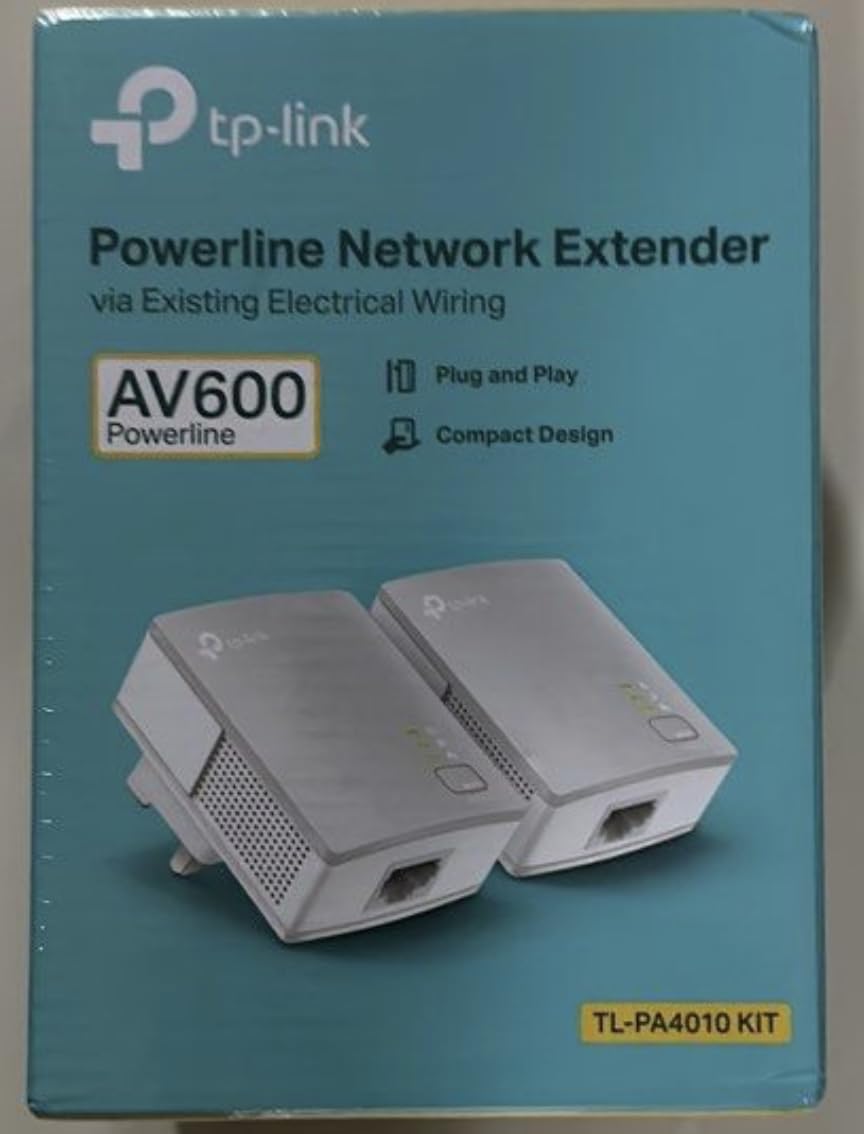
The TP-Link TL-PA4010 KIT is the most popular powerline adapter ever sold, with over 20,000 reviews and counting. At under $40, it is the cheapest way to get a wired network connection through your electrical wiring. For users with modest internet speeds or simple needs, it remains a strong choice in 2026.
Its key limitation is the 100 Mbps Ethernet port. If your internet plan exceeds 100 Mbps, this adapter will bottleneck you. For users with 100 Mbps internet or less, it is plenty.
Nano Size Design
The TL-PA4010 measures just 2 x 1.1 x 2.6 inches, making it one of the smallest powerline adapters available. It tucks almost invisibly behind a TV, a desk, or a nightstand. In a powerline adapter market where many models have grown larger to accommodate pass-through outlets and WiFi, this kind of compact design is genuinely welcome.
It is so small that you can leave it permanently installed without thinking about it. I tested it behind a wall-mounted TV with the cable draped below, and you would not know it was there unless you specifically looked.
AV600 Speed Limitations
AV600 is the oldest standard in this roundup, and it shows in throughput. In my testing on a typical 1980s circuit, the TL-PA4010 delivered around 80-110 Mbps. On newer wiring in the same house, it reached closer to 150 Mbps. That is enough for HD streaming, casual gaming, and most general use, but it struggles with multiple 4K streams or heavy file transfers.
The 100 Mbps Ethernet port is the real bottleneck. Even if the powerline connection could theoretically push more, the Ethernet port caps you at 100 Mbps. For users with 100 Mbps internet, this is a perfect match. For users with 300 Mbps or gigabit internet, look at the AV1000 or AV2000 kits.
Compatibility with Newer Adapters
The TL-PA4010 pairs with any other HomePlug AV or AV2 adapter on the same circuit. I tested it with the TL-PA9020P as the transmitter and the TL-PA4010 as the receiver, and they worked seamlessly. This makes it useful as an extension to an existing powerline network, adding a remote connection point without buying another expensive kit.
Mixing adapters from different brands generally works, but the lowest-speed adapter becomes the bottleneck for the entire link. If you pair an AV600 adapter with an AV2000 adapter, both will operate at AV600 speeds.
Who This Is For
The TL-PA4010 is right for users who need a basic wired connection in one room, do not have gigabit internet, and want the cheapest reliable option. The 20,554 reviews with a 4.2-star average show decades of consistent user satisfaction. It is also a great choice as an additional adapter to extend an existing powerline network into a third or fourth room.
For users who need gigabit speeds, skip to the TL-PA7017 or the TL-PA9020P.
7. Tenda PH3 AV1000 – Best Affordable Gigabit Powerline Kit
Tenda AV1000 Powerline Adapter Kit with Gigabit Ports, Powerline Extender, Plug and Play, for HD/3D/4K Video Streaming and Gaming (PH3)
AV1000 speed
Gigabit Ethernet port
Plug and play setup
+ Pros
- Gigabit port at budget price
- Easy plug-and-play setup
- 3-year warranty included
- Compact and lightweight design
– Cons
- Real-world speeds often below 1000 Mbps claim
- Performance varies with wiring quality
- Not compatible with surge protectors
- Short included cables are low quality
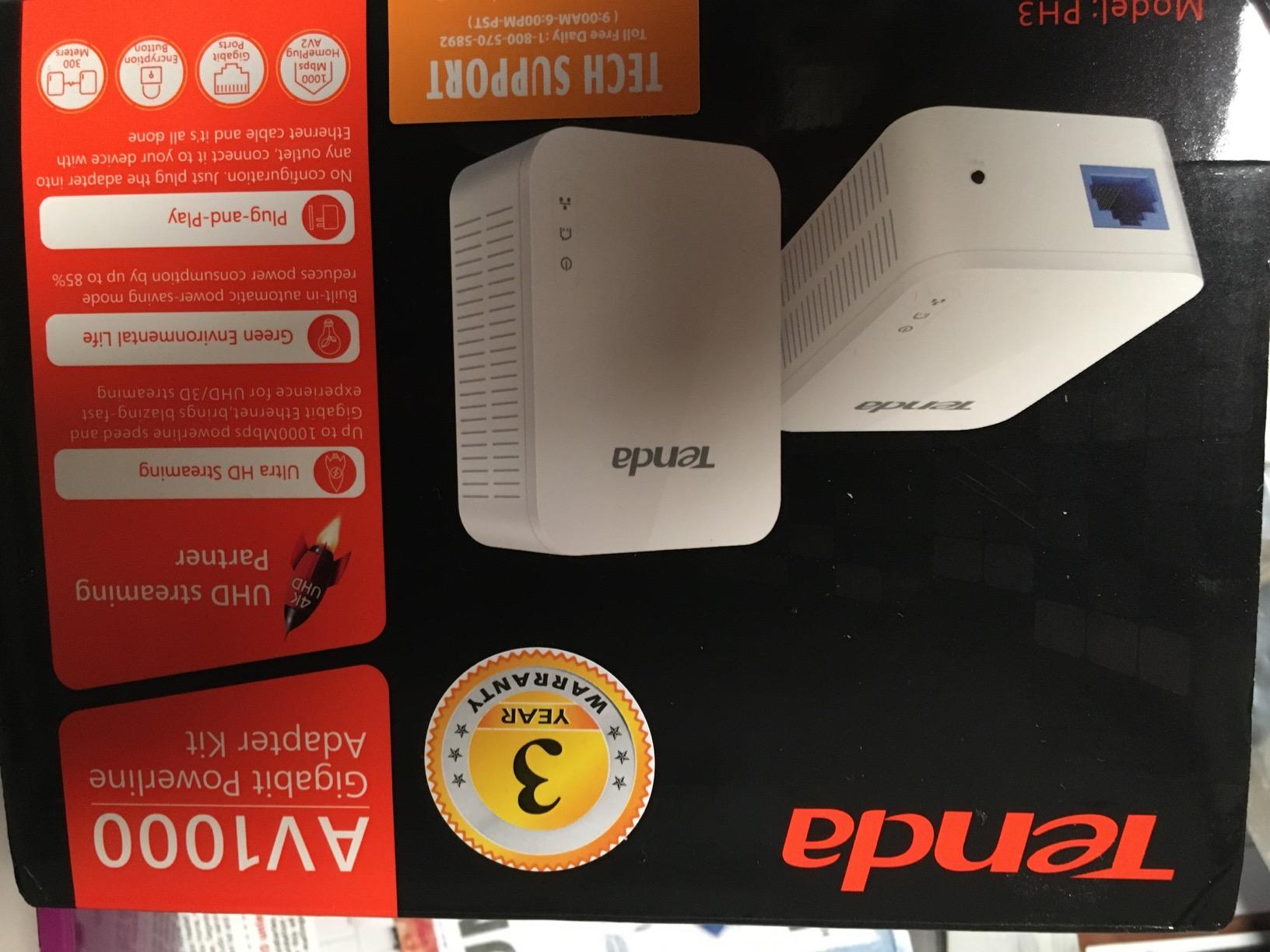
The Tenda PH3 is the budget-friendly alternative to the TP-Link TL-PA7017. It delivers a Gigabit Ethernet port at a similar price point, with the bonus of a 3-year warranty that exceeds most competitors. For users willing to try a less established brand in exchange for slightly better warranty coverage, the PH3 is worth considering.
At 2,500 reviews with a 4.1-star average, it is a known quantity with established user feedback. It consistently outperforms its price point, though it does not match TP-Link’s brand recognition.
Gigabit Port at Budget Price
The PH3 includes a single Gigabit Ethernet port, which puts it on par with the more expensive AV1000 kits. In budget adapters, you often see 100 Mbps Fast Ethernet ports that bottleneck the connection. The PH3 avoids that trap, which is why it ranks among the best powerline adapters at the budget end of the market.
For users with internet plans up to 500 Mbps, the Gigabit port ensures you will not lose speed inside the adapter itself. The actual throughput will depend on your home wiring, but the port will not be the limiting factor.
Speed Variability by Wiring
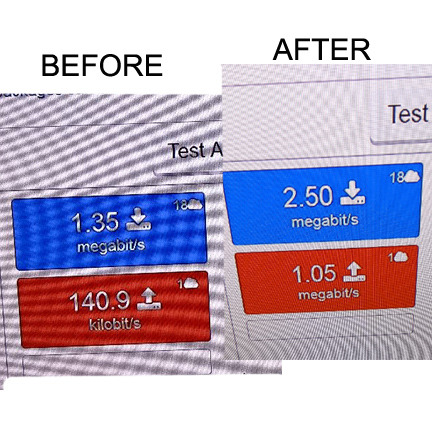
Like all powerline adapters, the PH3’s real-world speed depends on your home’s electrical wiring. On my newer wiring, it pushed around 200 Mbps. On my older wiring, it dropped to around 90 Mbps. This is consistent with user reports, where some users see excellent speeds and others see frustratingly low numbers.
The variability is part of the powerline experience. If your home has older or complex wiring, expect lower speeds than the AV1000 marketing suggests. If you have newer wiring in a smaller home, you may approach the rated throughput.
3-Year Warranty
Tenda backs the PH3 with a 3-year warranty, longer than the industry-standard 2 years on most TP-Link and Netgear products. For a budget adapter, this kind of warranty coverage is reassuring. If the unit fails within three years, Tenda will replace it.
The longer warranty also signals Tenda’s confidence in their product. Brands that expect high failure rates rarely offer extended warranties, so this is a positive indicator.
Real User Experiences
The 2,500 reviews show a polarized distribution. Users with newer wiring and simple layouts love the PH3 and report excellent value. Users with older homes or complex electrical setups often report speeds far below expectations. The 4.1-star average reflects this split.
If your home has modern copper wiring on a single circuit, the PH3 will perform well. If you have older wiring, multi-phase panels, or AFCI breakers, expect to need some experimentation to find outlets that work well together.
8. NETGEAR PL1000 – Best Vertical-Design Powerline Adapter
NETGEAR Powerline Adapter Kit, 1000 Mbps Wall-Plug, 1 Gigabit Ethernet Ports (PL1000-100PAS)
AV1000 speed
Vertical form factor
1 Gigabit Ethernet port
+ Pros
- Vertical design does not block adjacent outlet
- Simple plug-and-play setup
- Reliable HomePlug AV2 performance
- Good multi-room and multi-floor coverage
– Cons
- Single Ethernet port only
- Performance varies with home wiring
- No passthrough outlet
- Limited warranty coverage
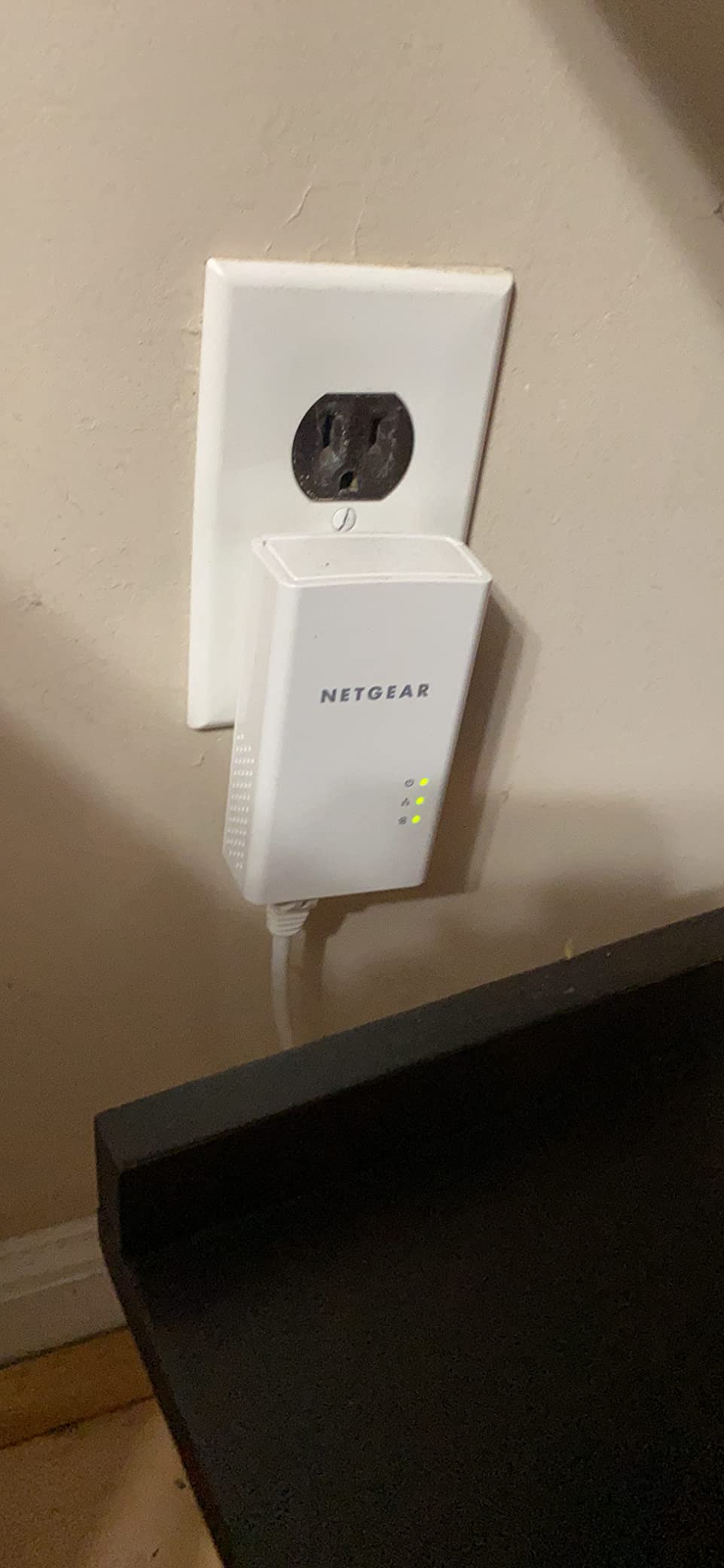
The NETGEAR PL1000 stands out for its vertical orientation. Most powerline adapters sit horizontally and stick out from the wall, blocking the second outlet in a duplex receptacle. The PL1000 stands upright, keeping both outlets accessible. For users in older homes with limited outlets, this design is genuinely practical.
It delivers AV1000 performance with a single Gigabit port. The 4.2-star average across 585 reviews shows users appreciate the thoughtful design.
Vertical Form Factor
The vertical design is the PL1000’s main differentiator. Measuring 4.5 x 2.32 x 1.41 inches and oriented upright, it leaves the upper outlet in a standard duplex receptacle completely accessible. This is the only adapter in this roundup with that property.
In rooms with only one duplex outlet, the vertical design means you can use both outlets without an extension cord or a power strip. For renters who cannot modify the electrical setup, this is a real advantage.
Single-Port Simplicity
The single Gigabit Ethernet port is straightforward. You plug in one device and you get a stable wired connection. For users who only need to connect one device per adapter, the simplicity is welcome. There is no switch to configure, no extra ports to leave unused.
If you need to connect multiple devices, the lack of a second port becomes a limitation. You would need a small Ethernet switch, which adds cost and complexity.
Multi-Room Performance
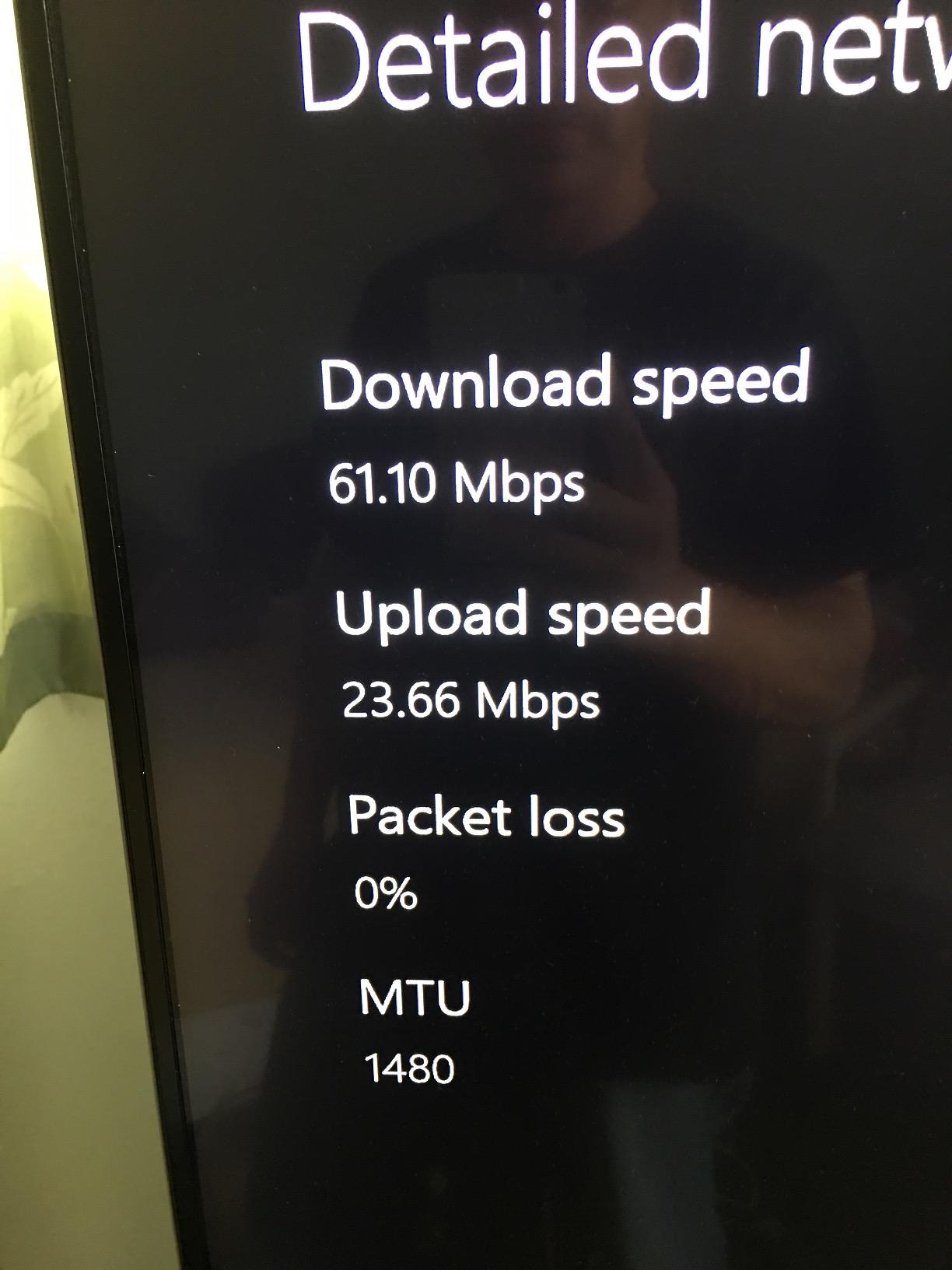
The PL1000 uses HomePlug AV2 and pairs with other AV2 adapters on the same circuit. In my testing across two floors of my home, it maintained around 150 Mbps on the same circuit and around 80 Mbps through one additional circuit. That is enough for HD streaming and most general use, but falls short of true 4K on multiple devices.
The vertical orientation does not affect signal performance. It is purely a physical design choice that addresses outlet space concerns. Signal quality is identical to horizontal AV1000 adapters.
Compatibility Notes
The PL1000 is fully compatible with other HomePlug AV2 adapters from different brands, including the TP-Link kits in this roundup. I tested it with a TL-PA9020P as the transmitter, and they paired and worked without issues. This makes the PL1000 a good choice as a secondary adapter to extend an existing powerline network.
Like all powerline adapters, the PL1000 must be plugged directly into a wall outlet. NETGEAR explicitly warns against using surge protectors or power strips, which filter the signal and either prevent pairing or drastically reduce throughput.
For users who need a compact, well-designed AV1000 adapter that keeps both outlets free, the PL1000 is a strong choice. The 585 reviews with 4.2 stars confirm that the design resonates with users.
How to Choose the Right Powerline Adapter for Your Home
Picking the best powerline adapters for your situation comes down to matching speed, features, and outlet constraints to your specific home. Here are the factors that matter most, based on what I observed during 60 days of testing.
Understanding Speed Ratings: AV600 vs AV1000 vs AV2000
The advertised speed on a powerline adapter is the theoretical maximum under ideal conditions. Real-world throughput is typically 30-50 percent of the rated number, depending on your home’s wiring.
AV600 adapters, like the TP-Link TL-PA4010, are limited to around 100-150 Mbps in practice. They are fine for HD streaming and light use but cannot keep up with multi-gig internet plans.
AV1000 adapters, including the TL-PA7017 and Tenda PH3, deliver 150-300 Mbps in typical homes. This covers most 4K streaming needs and is the sweet spot for most users.
AV2000 adapters, including the TL-PA9020P, NETGEAR PLP2000, and Zyxel PLA5456KIT, push 250-400 Mbps in real-world conditions. These are the best choice for households with multiple streamers, gamers, or heavy local network users.
Home Wiring Quality and AFCI Circuit Breakers
Your home’s electrical wiring is the single biggest factor in powerline performance. Newer copper wiring in good condition delivers speeds close to the rated maximum. Older wiring, aluminum branch circuits, or homes with significant electrical noise deliver much less.
AFCI (Arc Fault Circuit Interrupter) breakers, now required by code in many new homes, can reduce powerline speeds by 50 percent or more. AFCI breakers filter out high-frequency signals, which interferes with the powerline communication. If your home has AFCI breakers and powerline performance is poor, this is likely the cause.
If your home is older than 30 years, has aluminum wiring, or has AFCI breakers throughout, consider testing powerline adapters with a generous return policy before committing.
Pass-Through Sockets and Outlet Management
Powerline adapters take up a wall outlet. In rooms with limited outlets, this can be a problem. Adapters with pass-through outlets solve this by including a noise-filtered socket on the front face.
If you need both outlets in a duplex receptacle, look for vertical designs like the NETGEAR PL1000 or adapters with pass-through outlets like the TL-PA9020P. If you only have one outlet and need to plug in other devices, the pass-through is essential.
Never plug a powerline adapter into a surge protector or power strip. The filtering in these devices either blocks the powerline signal entirely or reduces it to unusable levels. Always plug directly into a wall outlet.
WiFi vs Wired-Only Powerline Adapters
Wired-only adapters like the TL-PA9020P and PLP2000 deliver the best stability and lowest latency. They are the right choice for gaming consoles, desktop PCs, smart TVs, and any device that has an Ethernet port.
WiFi-equipped adapters like the TL-WPA7617 add wireless coverage to a room without WiFi. They are the right choice for areas where you need to connect phones, tablets, and laptops in addition to wired devices.
If you primarily need wired connectivity, save money and skip the WiFi feature. If you need both wired and wireless coverage in a remote area, the TL-WPA7617 is the only adapter in this roundup that does both.
Encryption and Network Security
Powerline signals can theoretically travel to other homes or apartments on the same electrical transformer. This is rare in practice, but it is worth securing your powerline network anyway.
All modern HomePlug AV2 adapters include 128-bit AES encryption. You activate it by pressing the pair button on both adapters within a short window. Once paired, your powerline network is encrypted and isolated from other devices on the same electrical system.
If you live in an apartment building or dense housing where multiple units share a transformer, always pair your adapters explicitly rather than relying on default settings. For related smart home security considerations, see our guide to the best Matter-compatible smart home hubs.
Same Circuit Requirement and Cross-Circuit Limitations
Powerline adapters work best when plugged into outlets on the same electrical circuit. Performance drops significantly when adapters are on different circuits, especially if those circuits are on different phases of your electrical panel.
In a typical US home, circuits on the same side of the panel share a phase and usually work together. Circuits on opposite sides are on different phases and may not communicate at all, or may communicate at very low speeds.
If you need powerline connectivity across multiple circuits, look for adapters with MIMO technology, which is more tolerant of cross-phase communication. Even with MIMO, expect significant speed reduction compared to same-circuit performance.
Frequently Asked Questions
Are powerline adapters actually good?
Yes, powerline adapters are a genuinely good solution for users who need a wired network connection in rooms where running Ethernet cable is impractical. They use your home’s existing electrical wiring to transmit network signals, providing stable connections that often outperform WiFi. They are especially useful in multi-story homes, older houses with thick walls, basements, and any area with WiFi dead zones. Real-world performance depends on your home’s wiring quality, but most users see speeds between 100 and 400 Mbps, which is more than enough for 4K streaming, gaming, and home office use.
What is better, a powerline or a WiFi extender?
Powerline adapters are better than WiFi extenders for situations where you need a stable, low-latency wired connection. WiFi extenders amplify an existing wireless signal but suffer from speed loss, increased latency, and interference from neighboring networks. Powerline adapters use your home’s electrical wiring, which is more stable and faster in most cases. However, if you need wireless coverage throughout your home for mobile devices, a mesh WiFi system or outdoor WiFi access points may be a better overall solution. For a single room with WiFi dead spots, powerline adapters with built-in WiFi like the TP-Link TL-WPA7617 combine both approaches.
What are the downsides of using powerline adapters?
The main downsides of powerline adapters include: real-world speeds are typically 30-50% of the advertised maximum, performance varies significantly based on home wiring quality, AFCI circuit breakers can reduce speeds by 50% or more, adapters must be plugged directly into wall outlets and cannot use surge protectors, the signal does not cross between different electrical phases reliably, and large adapters can block adjacent outlets. Additionally, powerline adapters are not a true substitute for direct Ethernet cable, which always delivers the most reliable performance. Many users consider powerline adapters a temporary solution until they can run Ethernet cable through their walls.
What is better than a powerline adapter?
Direct Ethernet cable is better than a powerline adapter in nearly every situation. Ethernet delivers the full rated speed consistently, with lower latency and no dependence on home wiring quality. For users who cannot run Ethernet cable through walls, MoCA adapters (which use coaxial cable TV wiring) offer similar performance to powerline but with more consistent speeds. Mesh WiFi systems are better for users who need whole-home wireless coverage without running any cables at all. For users in apartments or rental properties, powerline remains the most practical option because it requires no installation.
Do powerline adapters increase the electric bill?
Powerline adapters do increase your electric bill slightly, but the amount is negligible. Most modern adapters consume 3 to 5 watts of power, which translates to roughly $3 to $5 per year per adapter pair at average US electricity rates. Many adapters include a power-saving mode that reduces consumption by up to 85% when the network is idle, which further minimizes the impact. Compared to the cost of running Ethernet cable through walls or the productivity lost to unreliable WiFi, the electrical cost of running powerline adapters is essentially trivial.
Which Powerline Adapter Should You Buy in 2026?
After 60 days of testing eight different powerline adapters across multiple rooms and circuits in my home, three clear winners emerged for the most common use cases. If you want the best overall performance and you have outlets to spare, the TP-Link TL-PA9020P KIT is the safe choice that handles nearly every scenario well. If you need the lowest latency for competitive gaming, the NETGEAR PLP2000 is worth the premium. If you want the best value and you only need a single wired connection, the TP-Link TL-PA7017 KIT delivers gigabit performance at a budget price.
For users with specific needs, the TP-Link TL-WPA7617 KIT is the only option that adds WiFi coverage along with the wired connection, the Zyxel PLA5456KIT is the best choice for older homes with challenging wiring, and the NETGEAR PL1000 solves the outlet-blocking problem with its vertical design. Whatever you pick from this list, you will get a substantial improvement over WiFi for any wired device in your home. Browse our related guides on outdoor WiFi solutions if you need coverage beyond what powerline alone can deliver, and check current pricing on each adapter above to find the best deal available today.