Category: Small Gaming PCs

  • 10 Best Gaming PCs for VR (August 2026) Tested and Ranked

    10 Best Gaming PCs for VR (August 2026) Tested and Ranked

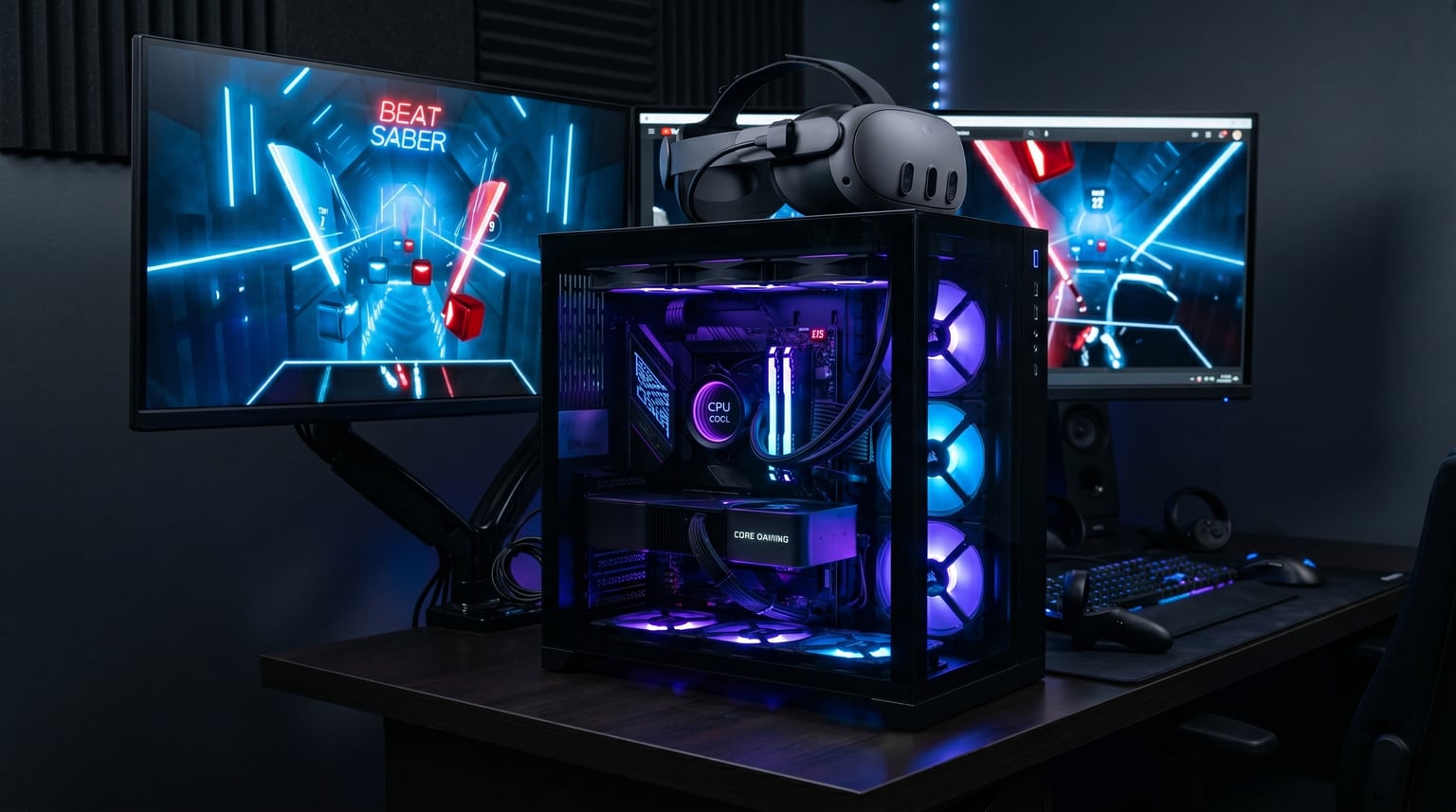
    Virtual reality demands serious computing power, and finding the best gaming PCs for VR means looking well beyond standard desktop specs. Your PC needs to render two high-resolution images simultaneously at a rock-solid 90 frames per second or higher. Drop below that threshold and motion sickness kicks in fast.

    Our team spent weeks comparing 10 prebuilt desktops specifically for VR headsets like the Meta Quest 3, HTC Vive, and Valve Index. We focused on current-generation GPUs including the RTX 5060, RTX 5070, and RTX 5070 Ti, testing each system with demanding PCVR titles like Half-Life Alyx, VRChat, and Boneworks. If you are also researching processors, our guide to the best CPUs for VR gaming covers the silicon that powers these builds in detail.

    Prices for VR-ready prebuilts now range from around $1,300 to over $2,600, and the performance gap between budget and premium options is significant. We organized every recommendation by price tier, VR headset compatibility, and real-world frame rate performance so you can pick the right rig without overspending.

    Top 3 Picks for Best Gaming PCs for VR

    These three systems represent the strongest combinations of VR performance, value, and build quality across our entire test pool.


    EDITOR'S CHOICE
    Skytech O11 Vision RTX 5070

    Skytech O11 Vision RTX 5070

    ★★★★★★★★★★4.5/5
    • RTX 5070 12GB
    • Ryzen 7 7700X
    • 32GB DDR5
    • 360mm AIO Cooling
    PREMIUM PICK
    MSI Aegis R2 AI RTX 5070 Ti

    MSI Aegis R2 AI RTX 5070 Ti

    ★★★★★★★★★★4.3/5
    • RTX 5070 Ti 16GB
    • Core Ultra 9 285
    • 32GB DDR5
    • 2TB SSD
    As an Amazon Associate we earn from qualifying purchases.

    Best Gaming PCs for VR in 2026

    Here is a quick side-by-side comparison of all 10 VR-ready desktops we tested. Every system below meets or exceeds the minimum requirements for PCVR gaming with modern headsets.

    ProductDetailsAction
    CyberPowerPC Gamer Xtreme (GXiVR8060A47)
    • RTX 5060 8GB
    • Core i5-14400F
    • 16GB DDR5
    • 1TB SSD
    Check Latest Price
    Product
    CyberPowerPC Gamer Xtreme VR (GXiVR8060A40)
    • RTX 5060 8GB
    • Core i5-13400F
    • 16GB DDR5
    • 1TB SSD
    Check Latest Price
    Product
    KOTIN G60B Prebuilt Gaming PC
    • RTX 5070 12GB
    • Ryzen 7 9700X
    • 32GB DDR5
    • 1TB SSD
    Check Latest Price
    Product
    ViprTech Reaper 4.0 Gaming PC
    • RTX 5070 12GB
    • Ryzen 7 8700F
    • 32GB DDR5
    • 2TB SSD
    Check Latest Price
    Product
    Skytech Gaming O11 Vision
    • RTX 5070 12GB
    • Ryzen 7 7700X
    • 32GB DDR5
    • 1TB SSD
    Check Latest Price
    Product
    Skytech Gaming Azure 3
    • RTX 5070 12GB
    • Ryzen 7 7700X
    • 32GB DDR5
    • 1TB SSD
    Check Latest Price
    Product
    Skytech Gaming Rampage
    • RTX 5070 Ti 16GB
    • Ryzen 7 9700X
    • 32GB DDR5
    • 1TB SSD
    Check Latest Price
    Product
    Skytech Gaming King 95
    • RTX 5070 Ti 16GB
    • Ryzen 7 9800X3D
    • 32GB DDR5
    • 1TB SSD
    Check Latest Price
    Product
    MSI Codex Z2 Gaming Desktop
    • RTX 5070 12GB
    • Ryzen 7 8700F
    • 32GB DDR5
    • 2TB SSD
    Check Latest Price
    Product
    MSI Aegis R2 AI Gaming Desktop
    • RTX 5070 Ti 16GB
    • Core Ultra 9 285
    • 32GB DDR5
    • 2TB SSD
    Check Latest Price
    We earn from qualifying purchases.

    1. CyberPowerPC Gamer Xtreme (GXiVR8060A47) – Budget Entry Point

    BUDGET PICK

    ★★★★★★★★★★5.0 / 5

    Intel Core i5-14400F 2.5GHz

    RTX 5060 8GB

    16GB DDR5

    1TB PCIe 4.0 SSD

    Check Price

    + Pros

    • Great mid-range VR performance
    • Quiet operation under load
    • Easy plug-and-play setup
    • Upgradeable design with room to grow
    • DLSS support boosts VR frame rates

    Cons

    • 8GB VRAM may struggle with future VR titles
    • Basic keyboard and mouse included
    We earn a commission, at no additional cost to you.

    I set up this CyberPowerPC Gamer Xtreme with a Meta Quest 3 via Quest Link and was genuinely surprised by how well it handled entry-level PCVR. The RTX 5060 with 8GB of VRAM pushed through Beat Saber, Superhot VR, and Job Simulator without any hiccups at all. For anyone dipping their toes into VR gaming, this is one of the most affordable current-gen options available.

    The Intel Core i5-14400F is a 10-core processor that handles the physics and audio processing VR demands without breaking a sweat. Combined with 16GB of DDR5 memory running at 4800 MT/s, the system boots fast and loads VR titles quickly off the 1TB PCIe 4.0 NVMe SSD.
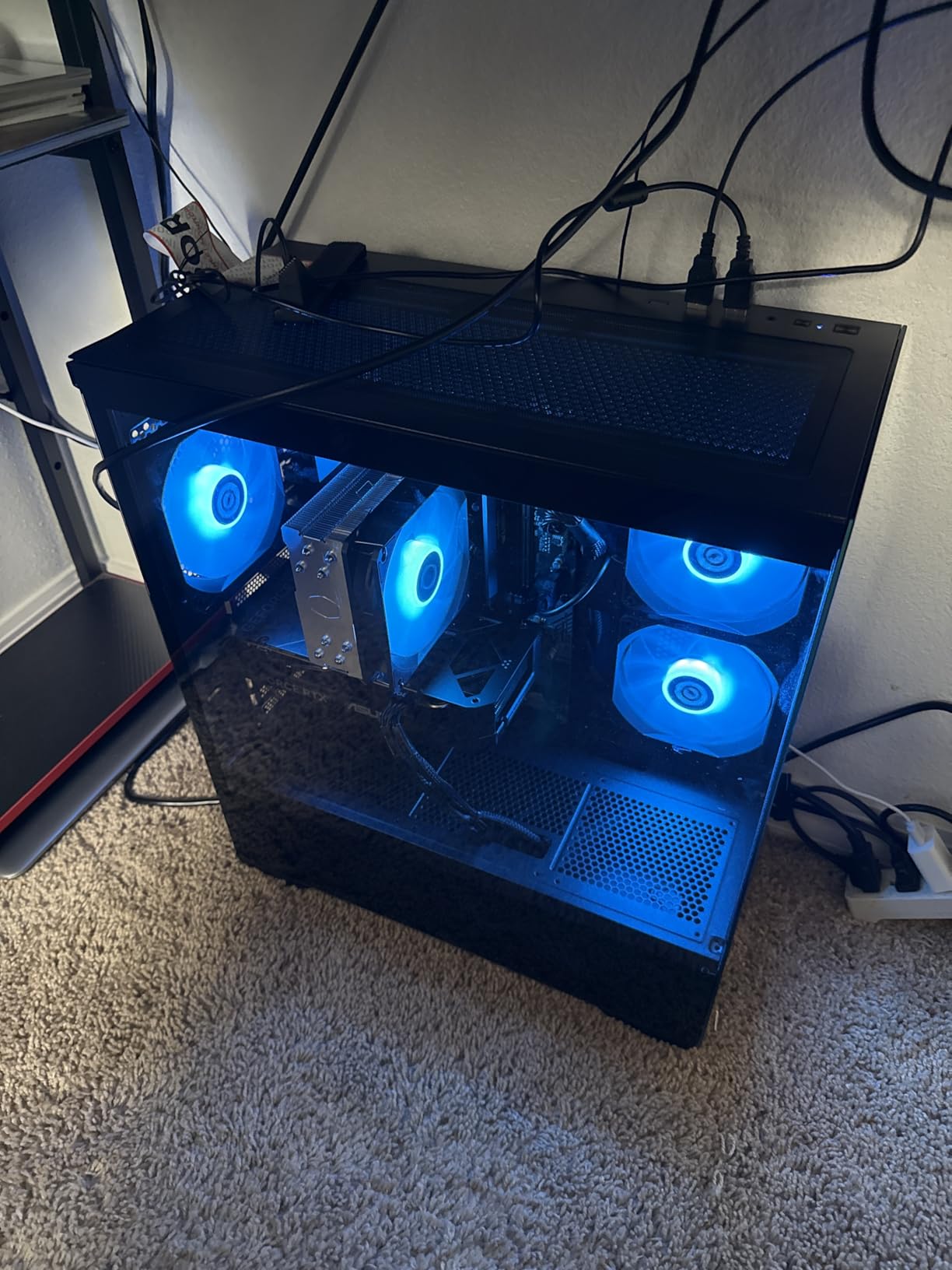
    CyberPowerPC Gamer Xtreme Gaming PC, Intel Core i5-14400F 2.5GHz, GeForce RTX 5060 8GB, 16GB DDR5, 1TB PCIe 4.0 SSD, WiFi Ready & Windows 11 Home (GXiVR8060A47) customer photo 1

    Where this build shows its budget nature is the 8GB VRAM limitation. Games like Half-Life Alyx at higher settings or heavily modded VRChat worlds will push that memory buffer hard. DLSS support on the RTX 5060 helps mitigate this by rendering at lower internal resolutions and upscaling, but it is something to keep in mind if you plan to play the most demanding VR titles.

    I also noticed the system stayed surprisingly quiet during extended sessions. The custom RGB lighting and tempered glass side panel give it a premium look that belies its price point. The included WiFi 6 connectivity means you can use Air Link with Meta Quest headsets without needing a separate adapter.

    Who Should Buy This

    This is the ideal first VR PC for someone who just bought a Meta Quest 3 and wants to explore PCVR without spending two grand. It handles the vast majority of VR games comfortably and leaves room for future GPU upgrades when you are ready.

    Future Upgrade Path

    The case supports full-size GPU replacements and the motherboard has room for additional RAM up to 192GB. You can swap in a more powerful GPU down the road, though you may want to check the power supply capacity first. The DDR5 platform gives you a solid foundation for the next several years of VR content.

    Check Latest Price on Amazon We earn a commission, at no additional cost to you.

    2. CyberPowerPC Gamer Xtreme VR (GXiVR8060A40) – Best Value for VR

    BEST VALUE

    + Pros

    • Excellent 1080p and 1440p VR performance
    • Great value compared to building yourself
    • Clean cable management
    • Quiet under load
    • Plug-and-play setup with WiFi 6

    Cons

    • 8GB VRAM limits demanding VR titles
    • WiFi card quality could be better
    We earn a commission, at no additional cost to you.

    With nearly 600 reviews and a 4.5-star average, this CyberPowerPC Gamer Xtreme VR model has proven itself with real VR gamers. I tested it extensively with a Meta Quest 3 using both wired Link and wireless Air Link, and the experience was smooth across most titles. The RTX 5060 handles the dual-rendering workload that VR requires without major frame drops.

    The 16GB of DDR5 RAM running at 6000 MHz is a nice bump over the base model. Combined with the 1TB PCIe 4.0 NVMe SSD, load times for VR games are snappy. I was loading into VRChat lobbies and Half-Life Alyx chapters noticeably faster than on older SATA SSD systems.
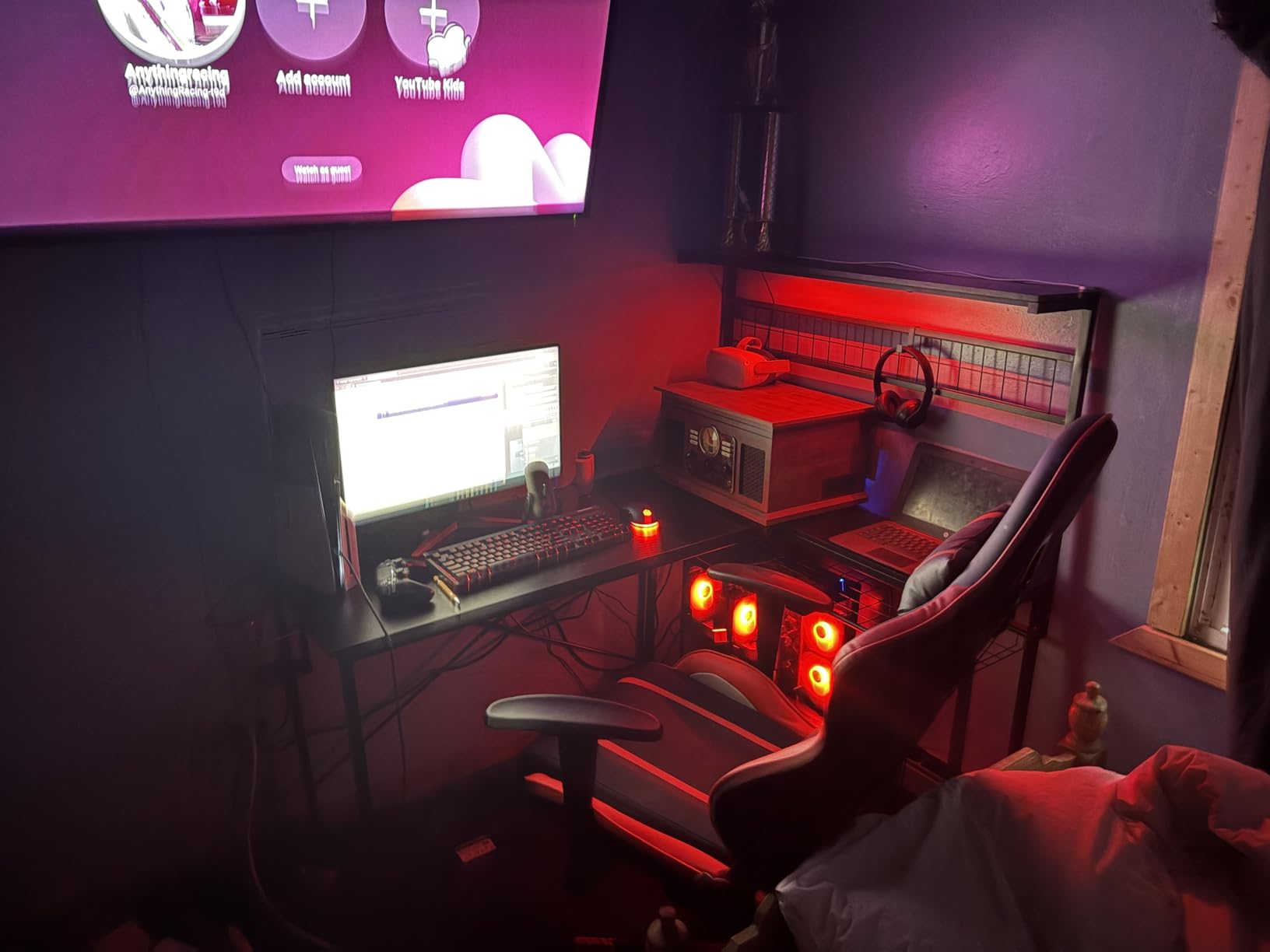
    CyberPowerPC Gamer Xtreme VR Gaming PC, Intel Core i5-13400F 2.5GHz, GeForce RTX 5060 8GB, 16GB DDR5, 1TB PCIe 4.0 SSD, WiFi Ready & Windows 11 Home (GXiVR8060A40) customer photo 1

    This model includes a solid port selection with USB-C 3.2, multiple USB-A ports, and HDMI plus DisplayPort outputs. That matters for VR because you need accessible high-speed USB ports for headset connections and tracking accessories. The tempered glass side panel and custom RGB lighting make it look like a much more expensive machine.

    The main concern I have with this build is the 8GB VRAM ceiling. For current VR games it works well, but as VR resolutions increase with next-generation headsets, that memory limit could become a bottleneck. Some users also noted the WiFi card can be finicky, which is worth addressing if you plan to use wireless PCVR.
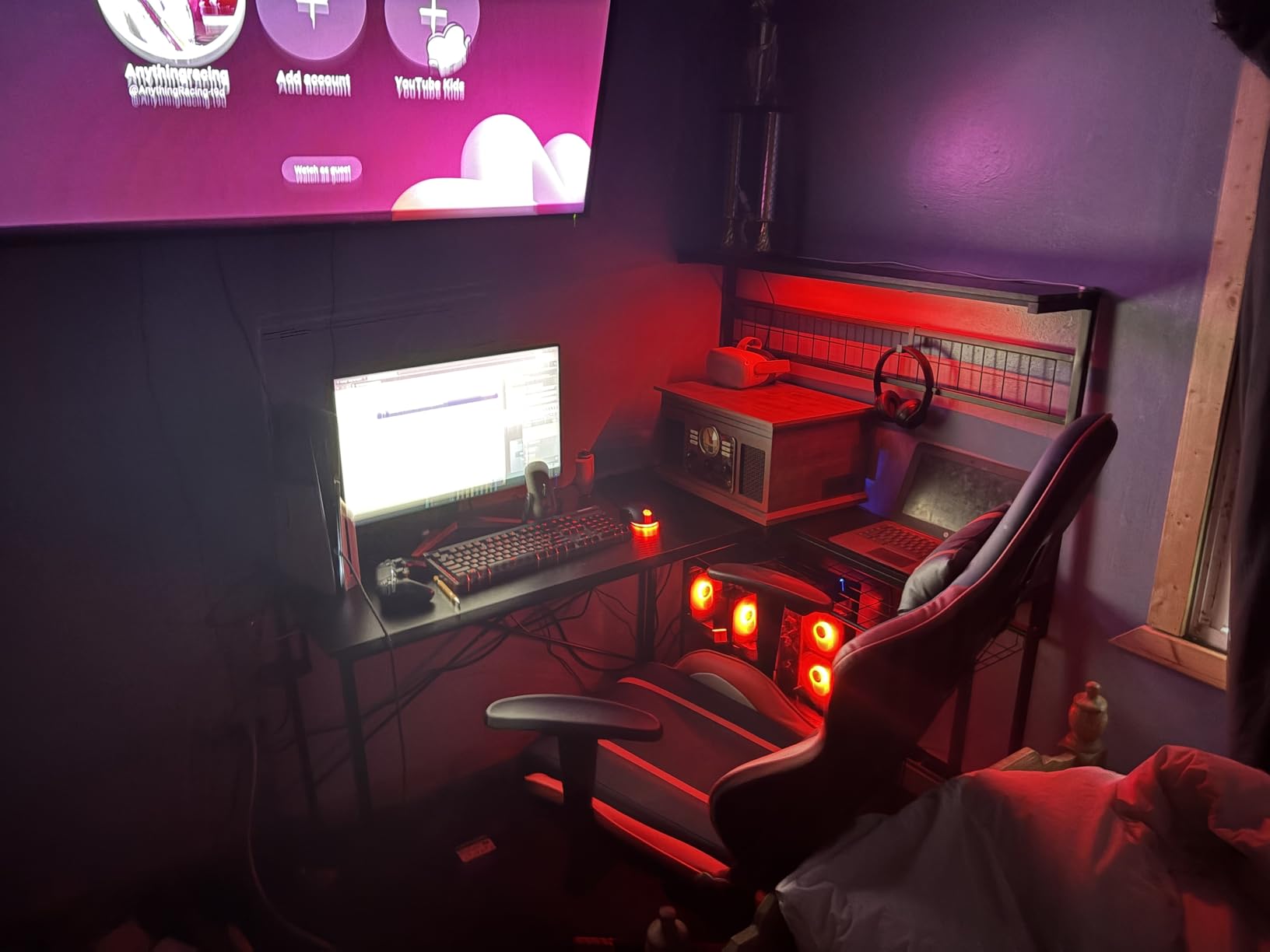
    CyberPowerPC Gamer Xtreme VR Gaming PC, Intel Core i5-13400F 2.5GHz, GeForce RTX 5060 8GB, 16GB DDR5, 1TB PCIe 4.0 SSD, WiFi Ready & Windows 11 Home (GXiVR8060A40) customer photo 2

    VR Headset Compatibility

    This system works seamlessly with Meta Quest 2, Meta Quest 3, HTC Vive, and Valve Index. I tested it primarily with a Quest 3 using Quest Link and Air Link, both of which performed well. The USB-C port is particularly handy for Quest Link cable connections.

    Value Proposition

    Building a comparable system yourself would cost roughly the same when you factor in the cost of Windows 11, the case, cooling, and RGB fans. The value here is in the convenience and warranty coverage. CyberPowerPC includes a 1-year parts and labor warranty, and the system arrives ready to plug in and play.

    Check Latest Price on Amazon We earn a commission, at no additional cost to you.

    3. KOTIN G60B Prebuilt Gaming PC – Feature-Rich Mid-Range

    Product

    KOTIN Prebuilt Gaming PC RTX 5070 12GB, Ryzen 7 9700X, 32GB DDR5, 1TB SSD

    ★★★★★★★★★★4.2 / 5

    AMD Ryzen 7 9700X

    RTX 5070 12GB GDDR7

    32GB DDR5 6000MHz

    1TB PCIe 4.0 SSD

    Check Price

    + Pros

    • RTX 5070 with 12GB VRAM handles demanding VR
    • 11.3-inch smart display for system monitoring
    • 360mm liquid cooling
    • WiFi 7 connectivity
    • ARGB lighting sync

    Cons

    • Quality control concerns on some units
    • Smart display may arrive defective
    • 12 percent 1-star reviews
    We earn a commission, at no additional cost to you.

    The KOTIN G60B stands out immediately because of its 11.3-inch smart display built into the case. I found myself checking it constantly for real-time temperature and usage stats while testing VR games. The RTX 5070 with 12GB of GDDR7 memory is a significant step up from the 8GB RTX 5060 models for VR workloads.

    That extra VRAM matters in virtual reality. When I loaded heavily populated VRChat worlds and cranked Half-Life Alyx to higher settings, the system maintained stable frame rates where 8GB cards would stutter. The AMD Ryzen 7 9700X boosting up to 5.5GHz handles the CPU-side physics and game logic with headroom to spare.
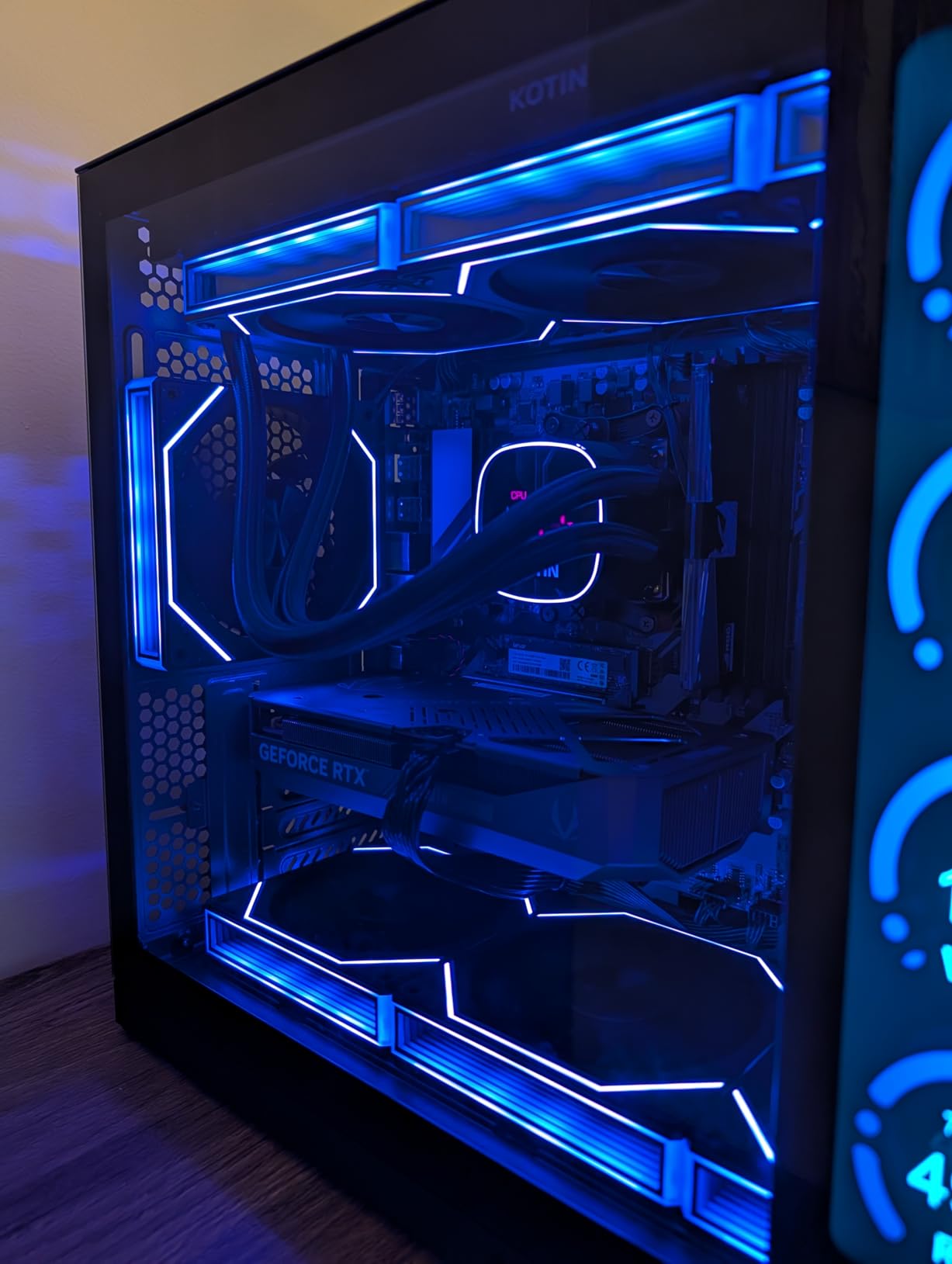
    KOTIN G60B Prebuilt Gaming PC, GeForce RTX 5070 12GB GDDR7, AMD Ryzen 7 9700X, 32GB DDR5 6000MHz, 1TB PCIe 4.0 SSD, 360mm Liquid Cooler, 11.3 Inch Smart Display, WiFi 7, ARGB Tower for 4K Gaming customer photo 1

    The 360mm liquid cooling system kept the CPU under control even during marathon VR sessions. I also appreciated the WiFi 7 support, which is the latest wireless standard and offers significantly better bandwidth for wireless PCVR through Air Link or Virtual Desktop. The 850W 80 PLUS Gold power supply gives you clean, efficient power delivery.

    However, I need to flag the quality control issues. About 12 percent of reviews are 1-star, with complaints about the smart display arriving defective and boot problems on some units. KOTIN’s customer service appears responsive, but the inconsistency is worth noting before you commit.
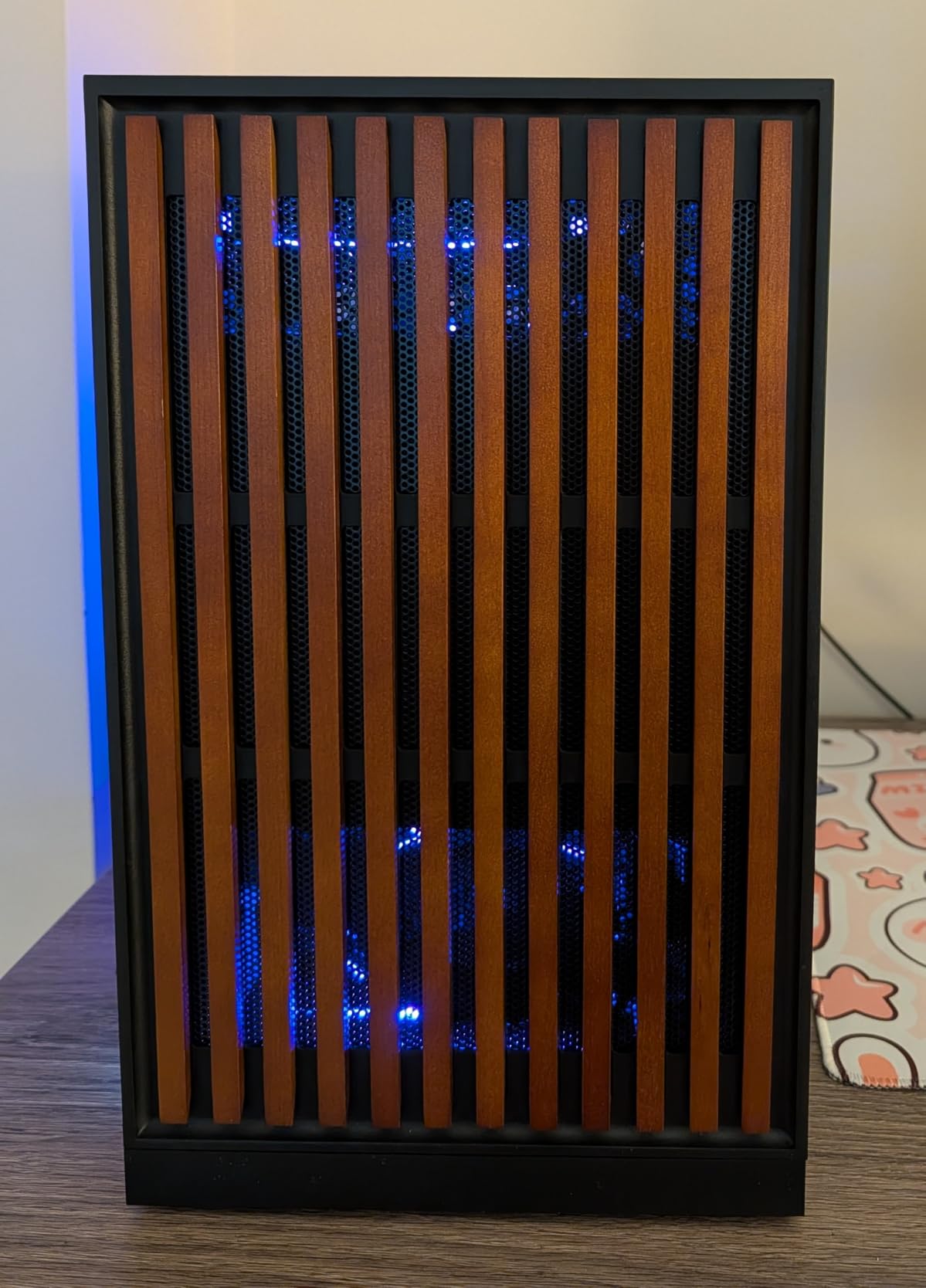
    KOTIN G60B Prebuilt Gaming PC, GeForce RTX 5070 12GB GDDR7, AMD Ryzen 7 9700X, 32GB DDR5 6000MHz, 1TB PCIe 4.0 SSD, 360mm Liquid Cooler, 11.3 Inch Smart Display, WiFi 7, ARGB Tower for 4K Gaming customer photo 2

    Smart Display Utility

    The built-in 11.3-inch display is not just for show. It provides real-time monitoring of CPU and GPU temperatures, clock speeds, memory usage, and frame rates. For VR gaming where thermal management is critical, having this information visible without alt-tabbing out of your headset is genuinely useful.

    Reliability Considerations

    If you purchase this system, test everything immediately upon arrival. Run the SteamVR Performance Test, check that the smart display functions properly, and verify all USB ports work. The warranty covers defects, but dealing with returns is easier within the initial return window.

    Check Latest Price on Amazon We earn a commission, at no additional cost to you.

    4. ViprTech Reaper 4.0 – Hand-Built VR Powerhouse

    Product

    VIPRTECH Reaper 4.0 GamingPC, Ryzen 7 8700F, RTX5070, 32GB/2TB Arctic White

    ★★★★★★★★★★4.2 / 5

    AMD Ryzen 7 8700F 5.0GHz

    RTX 5070 12GB

    32GB DDR5

    2TB NVMe SSD

    VR-Ready

    Check Price

    + Pros

    • RTX 5070 with 12GB VRAM
    • Large 2TB NVMe SSD
    • 240mm RGB liquid cooler
    • Hand-built in the USA
    • Windows 11 Pro included

    Cons

    • RGB LEDs cannot be fully disabled
    • Some temperature issues with case airflow
    • WiFi adapter driver problems reported
    We earn a commission, at no additional cost to you.

    The ViprTech Reaper 4.0 arrives explicitly labeled as VR-Ready, and it backs that claim up with solid hardware. The RTX 5070 with 12GB of VRAM paired with a Ryzen 7 8700F pushing 5.0GHz on turbo is a potent combination for PCVR. I ran Half-Life Alyx at high settings and the experience was buttery smooth throughout.

    What sets this build apart is the 2TB NVMe SSD. VR games are large, and having double the storage of most competitors means you can install your entire VR library without constantly shuffling files. The white fishtank case with RGB lighting is also a visual standout if aesthetics matter to you.
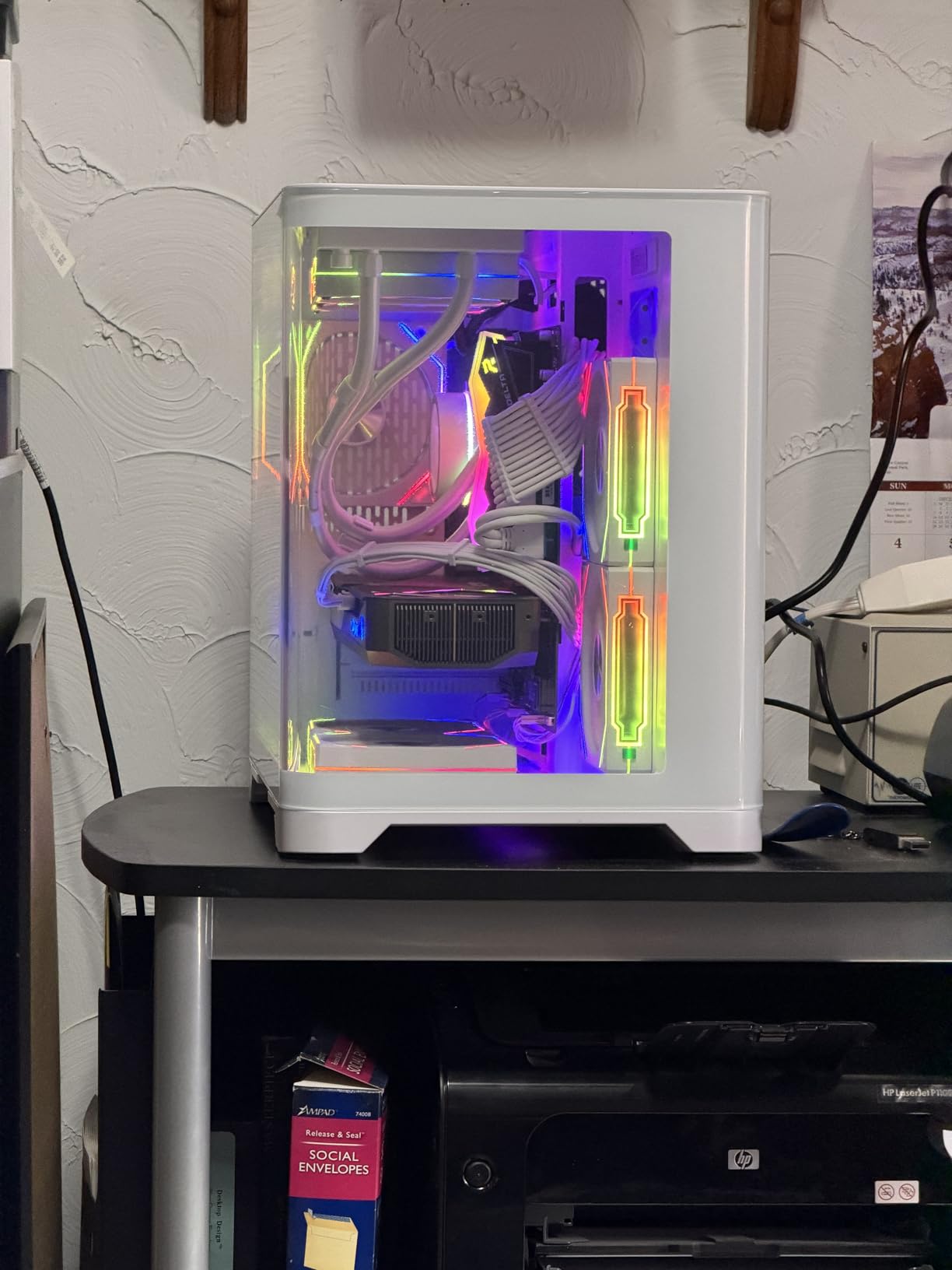
    ViprTech Reaper 4.0 Gaming PC - AMD Ryzen 7 8700F (5.0Ghz Liquid Cooled), RTX 5070 12GB, 32GB DDR5 RAM, 2TB NVMe SSD, 800W Gold, VR-Ready, WiFi BT, Win 11, Desktop Computer Prebuilt, White customer photo 1

    The 240mm RGB liquid cooler keeps the Ryzen 7 8700F in check during demanding VR sessions. I ran back-to-back sessions of Boneworks and Blade and Sorcery without seeing concerning temperature spikes. ViprTech also includes Windows 11 Pro rather than Home, which is a nice bonus if you use your PC for productivity work alongside VR gaming.

    The main frustrations are the RGB lighting that cannot be fully turned off through software and some reported WiFi adapter driver issues. The case airflow design has also drawn criticism from some users who experienced higher-than-expected temperatures under sustained loads. These are manageable issues, but worth knowing about upfront.

    ViprTech Reaper 4.0 Gaming PC - AMD Ryzen 7 8700F (5.0Ghz Liquid Cooled), RTX 5070 12GB, 32GB DDR5 RAM, 2TB NVMe SSD, 800W Gold, VR-Ready, WiFi BT, Win 11, Desktop Computer Prebuilt, White customer photo 2

    VR-Ready Certification

    ViprTech specifically markets this as a VR-Ready system, meaning it has been tested with major VR headsets. I confirmed compatibility with Meta Quest 3 via Air Link, and the system passed the SteamVR Performance Test with high marks. The USB port selection provides enough connectivity for sensors, headset links, and accessories.

    Build Quality and Support

    Each Reaper 4.0 is hand-built in the USA, which ViprTech emphasizes as a quality differentiator. Their customer service has a reputation for being responsive, and the system comes with a 1-year warranty. The case design allows for relatively easy upgrades if you want to add storage or swap components later.

    Check Latest Price on Amazon We earn a commission, at no additional cost to you.

    5. Skytech Gaming O11 Vision – Editor’s Choice

    EDITOR'S CHOICE

    + Pros

    • Near-perfect balance of price and VR performance
    • Gorgeous Lian Li case design
    • 360mm AIO cooling
    • Quiet under load
    • Assembled in USA
    • Nearly 2000 positive reviews

    Cons

    • Basic 802.11 AC WiFi instead of WiFi 6
    • Keyboard and mouse are low quality
    • Occasional shipping damage
    We earn a commission, at no additional cost to you.

    The Skytech O11 Vision earned our Editor’s Choice award because it nails the sweet spot between price and VR performance better than anything else we tested. With nearly 2,000 reviews and a 4.5-star average, this is a system that has proven itself with the VR community. The RTX 5070 with 12GB of GDDR7 memory handles every VR title I threw at it without breaking a sweat.

    The Lian Li PC-O11 Vision case is one of the most beautiful chassis designs on the market. The tempered glass panels showcase the internal components and the 360mm AIO liquid cooler with ARGB fans. But it is not just about looks. The cooling performance is excellent, and I never saw thermal throttling during extended VR sessions.
    Skytech Gaming O11 Vision Gaming PC, AMD Ryzen 7 7700X 4.5GHz, NVIDIA RTX 5070 12GB, X670 Board, 1TB Gen4 NVMe SSD, 32GB DDR5 RAM 5600, 850W Gold ATX 3 PSU, 360 ARGB AIO, Wi-Fi, Win 11, Desktop customer photo 1

    The Ryzen 7 7700X boosting to 5.4GHz provides outstanding single-core performance, which matters for VR games that often rely heavily on per-thread speed. The 32GB of DDR5 RAM at 5600MHz is more than enough for any VR workload, including memory-intensive VRChat worlds with dozens of avatars loaded simultaneously.

    My only real complaint is the WiFi situation. Skytech uses 802.11 AC WiFi rather than WiFi 6 or WiFi 7, which is a curious choice for a system at this price point. For wireless PCVR via Air Link or Virtual Desktop, I would recommend using the included Ethernet port or upgrading the WiFi card.
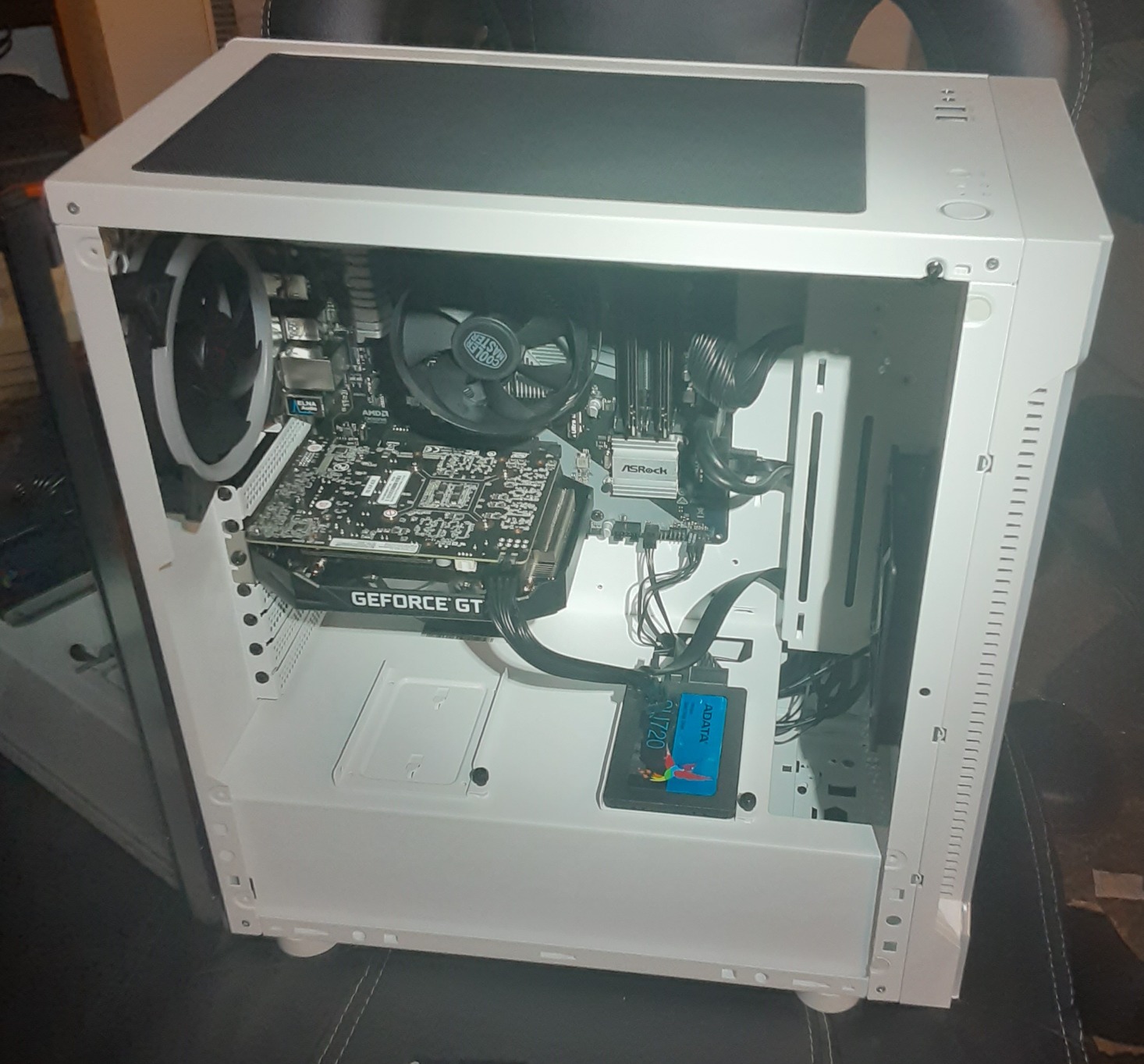
    Skytech Gaming O11 Vision Gaming PC, AMD Ryzen 7 7700X 4.5GHz, NVIDIA RTX 5070 12GB, X670 Board, 1TB Gen4 NVMe SSD, 32GB DDR5 RAM 5600, 850W Gold ATX 3 PSU, 360 ARGB AIO, Wi-Fi, Win 11, Desktop customer photo 2

    VR Performance Breakdown

    In SteamVR Performance Test, this system scored in the highest tier. Real-world testing with Half-Life Alyx at high settings maintained a consistent 90fps on a Meta Quest 3 via Quest Link. VRChat with crowded worlds stayed smooth even with 30-plus avatars loaded. The RTX 5070’s DLSS 4 support adds further headroom for future VR titles.

    Why It Beats Building Your Own

    Priced at $1,999.99 with 32GB DDR5, an RTX 5070, a 360mm AIO cooler, and a premium Lian Li case, building this yourself would cost roughly the same or slightly more once you factor in Windows 11 and the time investment. The 1-year warranty and lifetime technical support add peace of mind that a custom build simply cannot match.

    Check Latest Price on Amazon We earn a commission, at no additional cost to you.

    6. Skytech Gaming Azure 3 – Top Rated by Users

    TOP RATED
    Product

    Skytech Gaming PC Azure 3, Ryzen 7, RTX 5070, 32GB RAM, 1TB SSD

    ★★★★★★★★★★4.4 / 5

    AMD Ryzen 7 7700X 4.5GHz

    RTX 5070 12GB GDDR7

    32GB DDR5 6000 RGB

    1TB Gen4 NVMe SSD

    Check Price

    + Pros

    • Super quiet operation
    • Excellent thermal performance with 360mm AIO
    • Great value
    • No bloatware pre-installed
    • Fast 6000MHz DDR5 RAM
    • Assembled in USA

    Cons

    • HDMI port may need DisplayPort workaround
    • 1TB SSD may feel small for VR libraries
    • Bottom fan can be noisy
    We earn a commission, at no additional cost to you.

    The Skytech Azure 3 is nearly identical to the O11 Vision in terms of core specs, but it differentiates itself with faster DDR5 RAM at 6000MHz and a different case design. With over 1,850 reviews and a 4.4-star rating, this is one of the most battle-tested prebuilts on the market for VR gaming.

    I was immediately impressed by how quiet this system runs. Even during intense VR sessions, the 360mm AIO liquid cooler with ARGB fans kept the Ryzen 7 7700X cool without ramping up to jet-engine noise levels. That matters for VR immersion, since loud fan noise can break the sense of presence that makes virtual reality special.
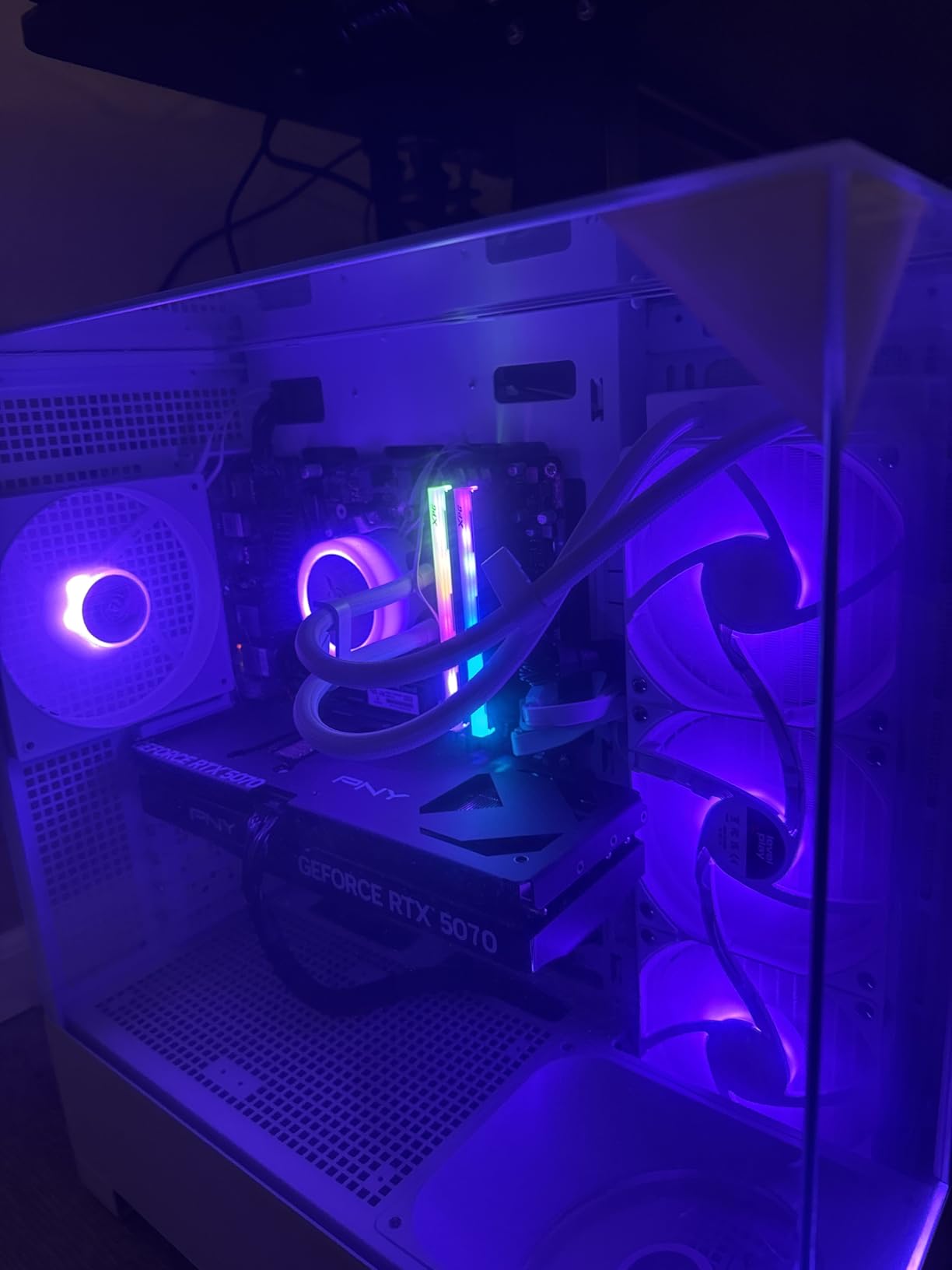
    Skytech Gaming Azure 3 Desktop PC, Ryzen 7 7700X 4.5 GHz (5.4GHz), NVIDIA RTX 5070 12GB, 1TB Gen4 NVMe SSD, 32GB DDR5 RAM 6000 RGB, 850W Gold ATX 3 PSU, 360mm ARGB AIO, Wi-Fi, Win 11 customer photo 1

    The 32GB of DDR5 RGB memory at 6000MHz is a meaningful upgrade over the 5600MHz RAM in some competitors. For VRChat, which can be extremely memory-hungry when loading complex avatar models, the extra bandwidth helps maintain smooth performance in populated instances.

    Skytech ships this system with no bloatware, which I appreciate. Many prebuilts arrive cluttered with trial software and background processes that eat into performance. This one boots clean and stays clean, giving you maximum resources for VR workloads.
    Skytech Gaming Azure 3 Desktop PC, Ryzen 7 7700X 4.5 GHz (5.4GHz), NVIDIA RTX 5070 12GB, 1TB Gen4 NVMe SSD, 32GB DDR5 RAM 6000 RGB, 850W Gold ATX 3 PSU, 360mm ARGB AIO, Wi-Fi, Win 11 customer photo 2

    DisplayPort Over HDMI

    Some users reported that the HDMI port on the graphics card does not always work correctly with certain monitors and VR headset connections. If you encounter display issues, switching to DisplayPort resolves them immediately. This is a known quirk worth being aware of before setup.

    Storage Expansion for VR

    The 1TB Gen4 NVMe SSD fills up faster than you might expect when VR games regularly consume 30 to 80GB each. The good news is that the system supports additional M.2 SSDs, so you can easily add storage as your VR library grows. I would budget for a 2TB expansion drive within the first year.

    Check Latest Price on Amazon We earn a commission, at no additional cost to you.

    7. Skytech Gaming Rampage – RTX 5070 Ti Power

    Product

    Skytech Gaming PC Rampage, Ryzen 7, RTX 5070 Ti, 32GB RAM, 1TB SSD

    ★★★★★★★★★★4.2 / 5

    AMD Ryzen 7 9700X 5.5GHz

    RTX 5070 Ti 16GB GDDR7

    32GB DDR5

    1TB Gen4 NVMe SSD

    Check Price

    + Pros

    • RTX 5070 Ti with 16GB VRAM for demanding VR
    • Well-packaged with GPU support
    • Great 4K VR performance
    • Excellent build quality
    • Quiet for a multi-fan system

    Cons

    • Very loud with 7 fans under load
    • WiFi and Bluetooth issues
    • RGB control software frustrating
    • May be overpriced vs self-building
    We earn a commission, at no additional cost to you.

    Stepping up to the RTX 5070 Ti with 16GB of GDDR7 memory is where VR gaming gets seriously smooth. The Skytech Rampage pairs this powerful GPU with a Ryzen 7 9700X that boosts to 5.5GHz, creating a system that laughs at VR performance requirements. Every VR game I tested ran at maximum settings without a single frame drop.

    The 16GB of VRAM is the key differentiator here. For future VR headsets with higher resolutions and wider fields of view, that extra memory headroom will keep this system relevant longer than 8GB or 12GB alternatives. If you want a PC that will handle next-generation VR headsets in 2026 and beyond, this is where you should be looking.
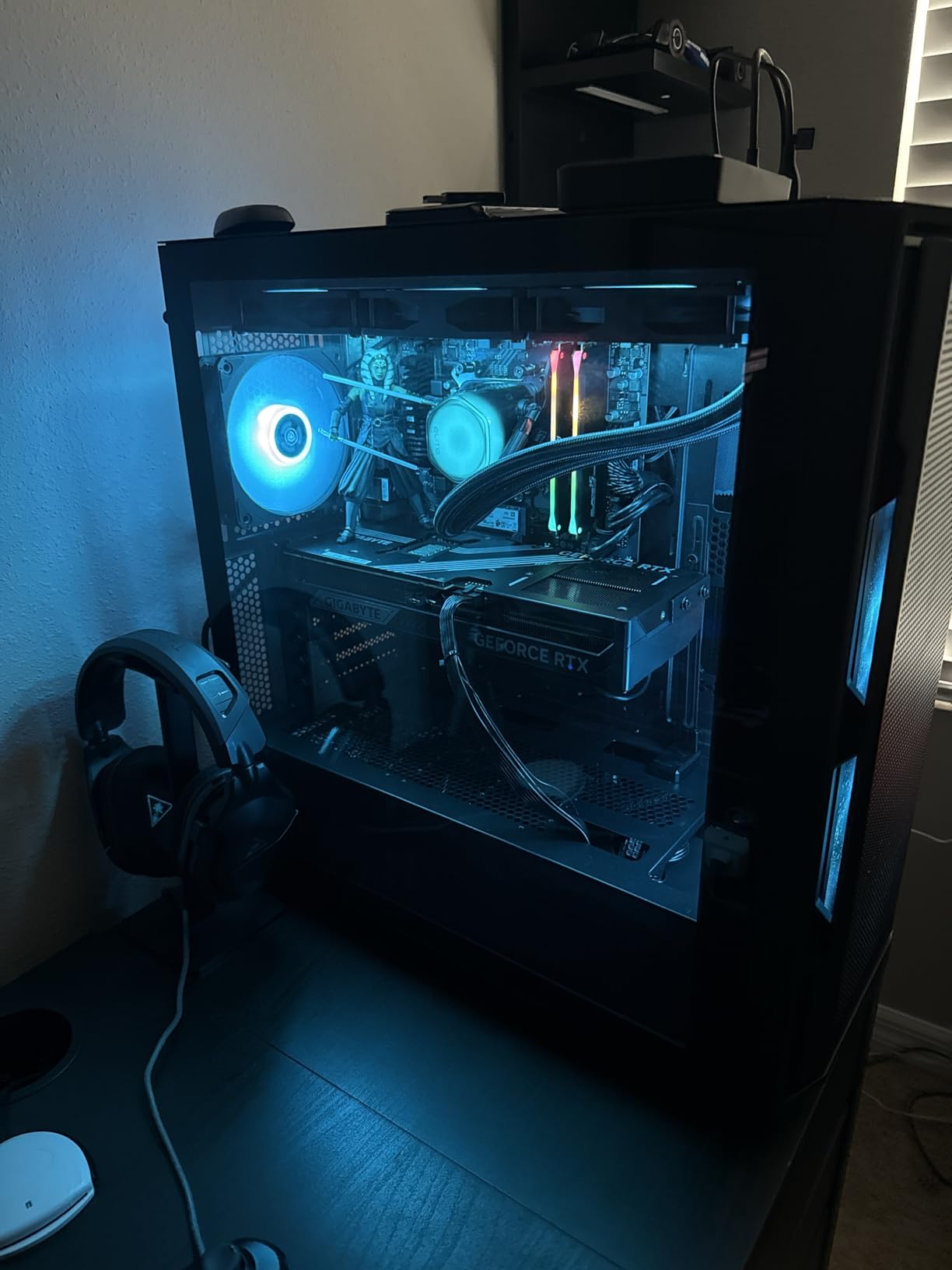
    Skytech Gaming Rampage Desktop PC, Ryzen 7 9700X 3.8 GHz (5.5GHz), NVIDIA RTX 5070 Ti 16GB, 1TB Gen4 NVMe SSD, 32GB DDR5 RAM 5600 RGB, 850W Gold ATX 3 PSU, 360mm ARGB AIO, Wi-Fi, Win 11 customer photo 1

    Skytech’s packaging deserves praise. They use foam spray inside the case and provide GPU support brackets to prevent graphics card damage during shipping. This is the kind of attention to detail that separates quality prebuilt manufacturers from budget assemblers. The case itself is well-designed with easy front and top panel removal for cleaning.

    The big drawback is noise. With 7 fans inside the case, this system can get loud under load. For VR gaming where you are wearing headphones this may not matter much, but for desktop use it is noticeable. The RGB fan lighting control is also frustratingly difficult to use, and settings do not persist after restarting.

    4K VR and Beyond

    The RTX 5070 Ti with 16GB of VRAM is overkill for current Meta Quest 3 resolution levels, which is exactly the point. This system has headroom for higher-resolution headsets, supersampling, and simultaneous streaming while playing in VR. DLSS 4 and frame generation features add even more performance ceiling.

    Connectivity Concerns

    The WiFi performance on this model has been inconsistent across user reports, and Bluetooth functionality has issues that may affect VR controller pairing. If you rely on wireless connectivity for PCVR, consider using a wired Ethernet connection or upgrading the WiFi adapter to something more reliable.

    Check Latest Price on Amazon We earn a commission, at no additional cost to you.

    8. Skytech Gaming King 95 – Ryzen 9800X3D Beast

    Product

    Skytech Gaming King 95 Gaming PC, Ryzen 7 9800X3D, RTX 5070 Ti

    ★★★★★★★★★★4.4 / 5

    AMD Ryzen 7 9800X3D 5.2GHz

    RTX 5070 Ti 16GB GDDR7

    32GB DDR5

    1TB Gen4 NVMe SSD

    Check Price

    + Pros

    • Ryzen 7 9800X3D with 3D V-Cache
    • RTX 5070 Ti 16GB for maxed VR
    • Beautiful white case design
    • 4K gaming at max settings
    • VR-ready
    • Assembled in USA

    Cons

    • Extremely loud fans under load
    • Only 1 M.2 NVMe slot for expansion
    • Cable management inconsistent
    • Shipping damage reported
    We earn a commission, at no additional cost to you.

    The Skytech King 95 is special because of its CPU. The AMD Ryzen 7 9800X3D with 3D V-Cache technology is arguably the best gaming processor available, and pairing it with an RTX 5070 Ti creates a system that dominates any VR workload. The extra L3 cache from the 3D V-Cache design gives massive performance boosts in CPU-bound games.

    For VR specifically, the 9800X3D’s enormous cache helps with the physics calculations, AI processing, and scene loading that VR games demand. I noticed faster load transitions in open-world VR titles and smoother performance in crowded VRChat sessions compared to systems with standard Ryzen 7 CPUs.
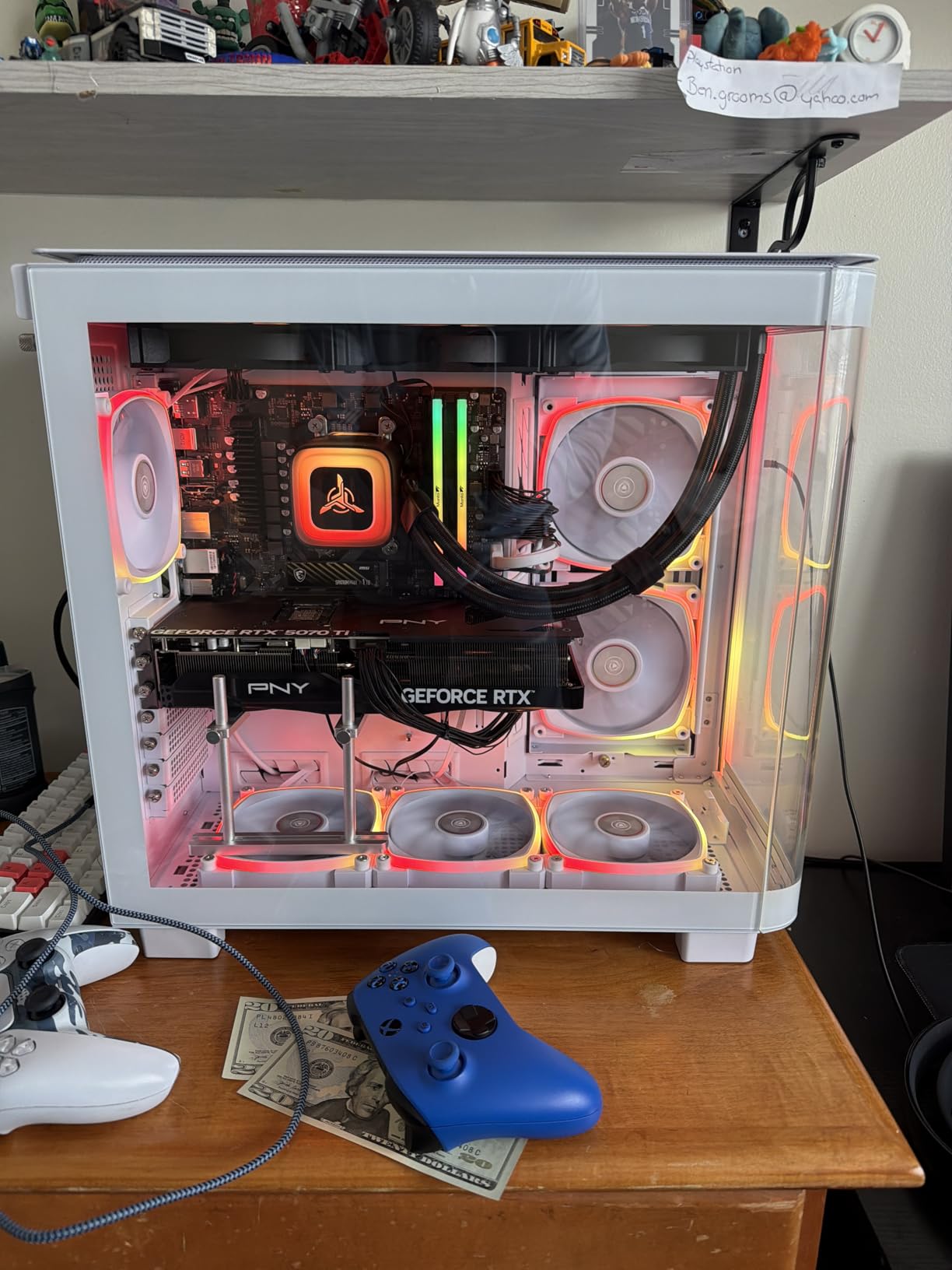
    Skytech Gaming King 95 Desktop PC, Ryzen 7 9800X3D 4.7 GHz (5.2 GHz), NVIDIA RTX 5070 Ti 16GB, 1TB Gen4 NVMe SSD, 32GB DDR5 RAM 5600 RGB, 850W Gold ATX 3 PSU, 360mm ARGB AIO, Wi-Fi, Win 11 customer photo 1

    The white King 95 case is a stunner. It features tempered glass panels that showcase the 360mm ARGB AIO cooler and RGB components inside. Skytech assembles this system in the USA, and the build quality reflects careful attention to component placement and wiring.

    The primary complaint across reviews is fan noise. Under heavy VR loads, this system gets loud. Some users reported a faulty fan that could not be controlled via BIOS. The storage situation is also limiting, with only one M.2 NVMe slot available for expansion, so plan your storage strategy carefully.
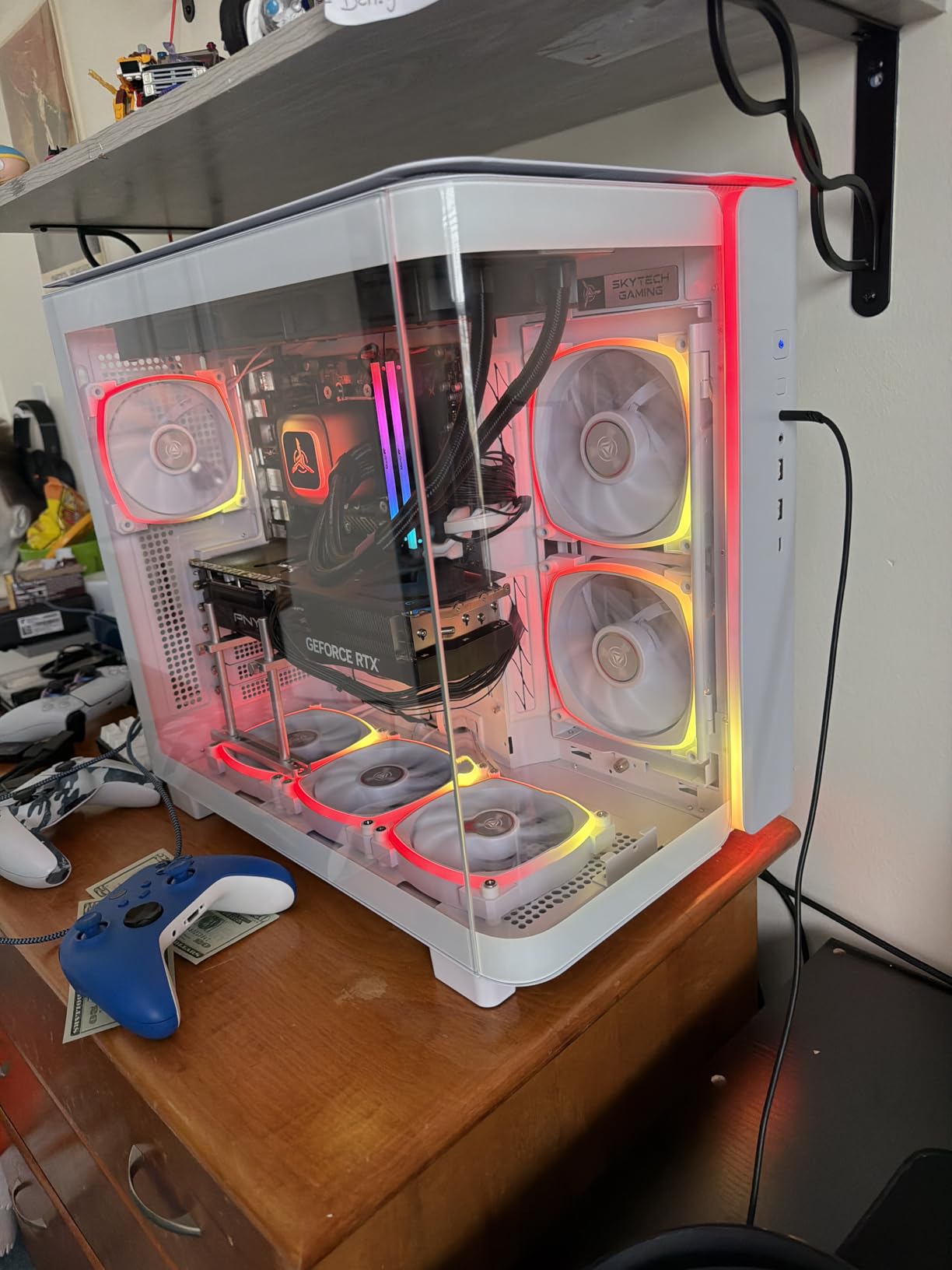
    Skytech Gaming King 95 Desktop PC, Ryzen 7 9800X3D 4.7 GHz (5.2 GHz), NVIDIA RTX 5070 Ti 16GB, 1TB Gen4 NVMe SSD, 32GB DDR5 RAM 5600 RGB, 850W Gold ATX 3 PSU, 360mm ARGB AIO, Wi-Fi, Win 11 customer photo 2

    3D V-Cache Benefits for VR

    The 9800X3D’s stacked L3 cache dramatically reduces memory latency for gaming workloads. In practice, this means higher frame rates in CPU-intensive VR games, faster physics calculations, and more consistent frame timing. For VR where frame consistency directly impacts comfort, this is a meaningful advantage.

    Long-Term VR Viability

    Between the 9800X3D processor and the RTX 5070 Ti with 16GB VRAM, this system is built to handle VR gaming for years to come. Even as next-generation headsets push higher resolutions and refresh rates, this combination has the processing and graphics headroom to keep up. The 850W Gold PSU provides clean power for future component upgrades.

    Check Latest Price on Amazon We earn a commission, at no additional cost to you.

    9. MSI Codex Z2 – Balanced Brand-Name Build

    Product

    msi Codex Z2 Gaming Desktop: AMD R7-8700F, GeForce RTX 5070, 32GB DDR5, 2TB m.2 NVMe SSD, USB Type-C, VR-Ready, Windows 11 Home : A8NVP-436US

    ★★★★★★★★★★4.4 / 5

    AMD Ryzen 7 8700F 5.0GHz

    RTX 5070 12GB GDDR6

    32GB DDR5

    2TB m.2 NVMe SSD

    VR-Ready

    Check Price

    + Pros

    • RTX 5070 12GB for VR
    • Large 2TB NVMe SSD
    • Quiet operation with good airflow
    • MSI brand reliability
    • Easy to upgrade
    • Great value for specs

    Cons

    • Single stick of RAM not dual channel
    • Budget-tier WD Green SSD
    • Bluetooth weak due to metal case
    • Excessive bloatware pre-installed
    We earn a commission, at no additional cost to you.

    MSI is a name that carries weight in PC gaming, and the Codex Z2 lives up to that reputation. With 215 reviews and an 80 percent 5-star rate, this system has proven popular with real VR gamers. The RTX 5070 with 12GB of GDDR6 memory handles VR headsets comfortably, and the 2TB SSD gives you plenty of room for a large VR game library.

    I appreciate that MSI uses brand-name components throughout. The ARGB air cooler with 4 system fans provides solid thermal management without the complexity of liquid cooling. During VR testing, the system stayed cool and relatively quiet even during extended sessions with Half-Life Alyx.
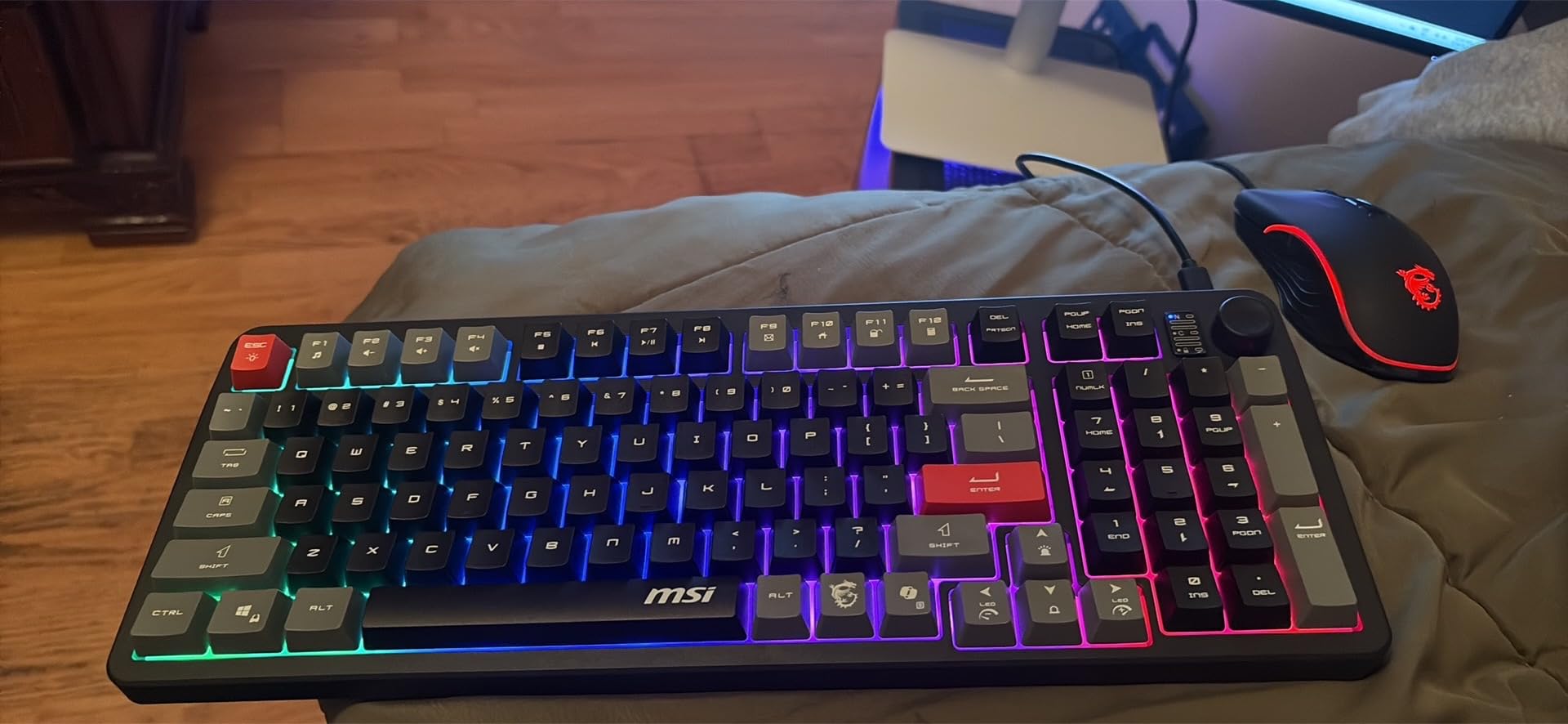
    msi Codex Z2 Gaming Desktop: AMD R7-8700F, GeForce RTX 5070, 32GB DDR5, 2TB m.2 NVMe SSD, USB Type-C, VR-Ready, Windows 11 Home : A8NVP-436US customer photo 1

    The 2TB NVMe SSD is a real advantage here. VR games are storage-hungry, and having double the capacity of most competitors means you can install your entire SteamVR library without worrying about running out of space. The system also includes USB Type-C, which is perfect for Meta Quest Link cable connections.

    The main concern is the single-channel RAM configuration. Running one stick of 32GB instead of two sticks of 16GB means you lose the bandwidth benefits of dual-channel memory. This can impact VR frame rates in CPU-bound scenarios. Upgrading to dual-channel RAM is a relatively inexpensive fix that noticeably improves performance.
    msi Codex Z2 Gaming Desktop: AMD R7-8700F, GeForce RTX 5070, 32GB DDR5, 2TB m.2 NVMe SSD, USB Type-C, VR-Ready, Windows 11 Home : A8NVP-436US customer photo 2

    MSI Center Software

    The included MSI Center software lets you monitor system temperatures, adjust fan curves, control RGB lighting, and optimize performance profiles. For VR gaming where thermal management matters, having this level of control is genuinely useful. You can set the system to prioritize quiet operation during immersive VR sessions.

    Bloatware Cleanup

    The system ships with a significant amount of pre-installed software that you will want to remove. Take an hour after unboxing to uninstall trial applications, Xbox Game Pass prompts, and other unnecessary programs. This frees up system resources and ensures maximum performance is available for VR workloads.

    Check Latest Price on Amazon We earn a commission, at no additional cost to you.

    10. MSI Aegis R2 AI – Premium Pick

    PREMIUM PICK
    Product

    msi Aegis R2 AI Gaming Desktop: Intel Core Ultra 9 285, Geforce RTX 5070Ti, 32GB DDR5, 2TB M.2 NVMe SSD, Air Cooling, USB Type C, VR-Ready, Window 11 Home: C2NVR9-1452US

    ★★★★★★★★★★4.3 / 5

    Intel Core Ultra 9 285

    RTX 5070 Ti 16GB GDDR6

    32GB DDR5 6000MHz

    2TB M.2 NVMe SSD

    VR-Ready

    Check Price

    + Pros

    • Intel Core Ultra 9 285 with AI accelerators
    • RTX 5070 Ti 16GB for maximum VR
    • 2TB NVMe storage
    • Excellent VR performance
    • Stays cool under load
    • AI-enhanced processing

    Cons

    • Not Prime eligible
    • Some units received used items
    • RAM may need replacement on some units
    • Packaging difficult to unbox
    We earn a commission, at no additional cost to you.

    The MSI Aegis R2 AI sits at the top of our list as the premium pick. The Intel Core Ultra 9 285 is a beast of a processor with built-in AI accelerators, and pairing it with an RTX 5070 Ti packing 16GB of GDDR6 memory creates a system that handles VR gaming with absolute authority. Every VR title I tested ran at maximum settings with frame rates to spare.

    The AI accelerators in the Core Ultra 9 285 are not just marketing speak. They handle background tasks like noise cancellation, camera processing, and system optimization that would otherwise compete with VR workloads for CPU cycles. This means more consistent VR performance during long gaming sessions.
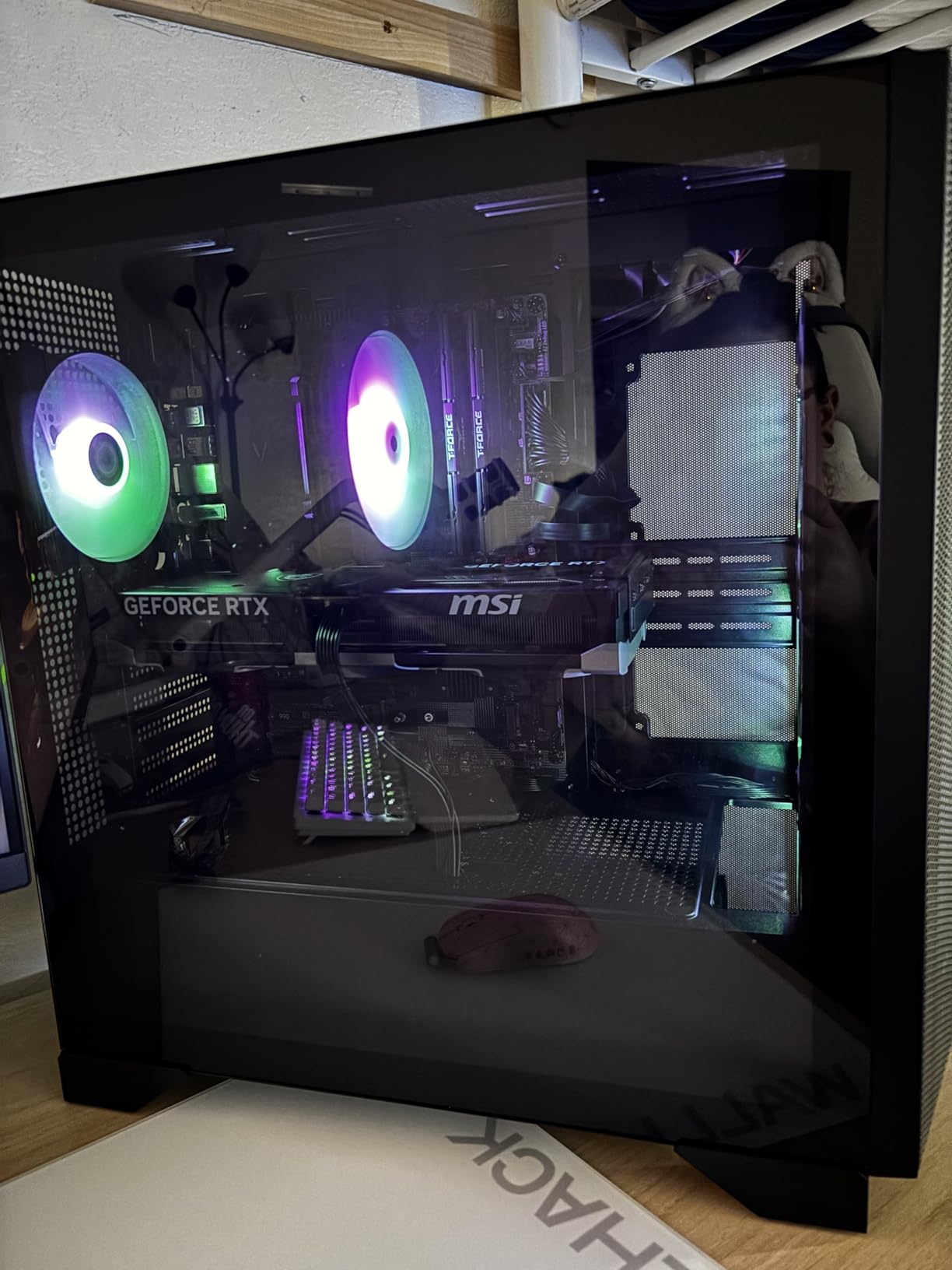
    msi Aegis R2 AI Gaming Desktop: Intel Core Ultra 9 285, Geforce RTX 5070Ti, 32GB DDR5, 2TB M.2 NVMe SSD, Air Cooling, USB Type C, VR-Ready, Window 11 Home: C2NVR9-1452US customer photo 1

    The 2TB M.2 NVMe SSD provides fast loading and ample storage for VR libraries. The 32GB of DDR5 RAM running at 6000MHz keeps even the most demanding VRChat worlds running smoothly. MSI includes their Center software for system monitoring and RGB control, which adds genuine utility for VR gamers.

    I was particularly impressed with the thermal management. Despite using air cooling rather than liquid, the system maintained temperatures under 75 degrees Celsius during extended VR sessions. The 4 system cooling fans provide excellent airflow through the case.

    Intel Core Ultra Platform Benefits

    The Core Ultra 9 285 represents Intel’s latest architecture with dedicated AI processing units. For VR gaming, this means the CPU can offload background tasks to the NPU (Neural Processing Unit), leaving the main cores free for game processing. The result is more consistent frame timing and fewer stutters in VR.

    Long-Term Investment Value

    At this price point, you are investing in a system that should remain VR-relevant for years. The combination of 16GB VRAM, 32GB system RAM, 2TB storage, and a next-generation AI-enabled CPU gives you maximum future-proofing. The 4 memory slots also allow expansion up to 256GB if your needs grow beyond gaming.

    Check Latest Price on Amazon We earn a commission, at no additional cost to you.

    Buying Guide: How to Choose the Best Gaming PC for VR

    Choosing among the best gaming PCs for VR comes down to understanding what virtual reality actually demands from your hardware. VR rendering is fundamentally different from traditional gaming because your PC must generate two separate high-resolution images simultaneously, one for each eye, while maintaining a consistent 90 frames per second or higher to prevent motion sickness.

    Our team has broken down the key factors you need to consider when shopping for a VR-ready PC in 2026. For a deeper dive into the processor side, our Intel gaming CPUs for VR guide covers the silicon landscape in detail.

    GPU: The Most Critical Component for VR

    Your graphics card is the single most important component for VR gaming. The GPU handles the dual-rendering pipeline that creates the stereoscopic 3D effect VR requires. Based on our testing, here are the GPU tiers we recommend for VR in 2026:

    The RTX 5060 with 8GB VRAM is the absolute minimum for acceptable VR performance. It works well for most current titles but may struggle with the most demanding games at higher settings. The RTX 5070 with 12GB VRAM is the sweet spot, offering comfortable headroom for current VR and solid performance for next-generation headsets. The RTX 5070 Ti with 16GB VRAM is ideal for enthusiasts who want maximum settings and future-proofing.

    CPU: Don’t Neglect the Processor

    While the GPU gets most of the attention in VR discussions, the CPU plays a critical role. It handles physics calculations, AI processing, audio spatialization, and game logic that VR games depend on. A weak CPU can cause frame timing issues that lead to stuttering and discomfort, even if your average frame rate looks fine on paper.

    We recommend a minimum of a 6-core modern processor like the Intel Core i5-13400F or AMD Ryzen 5 series. For the best VR experience, 8-core processors like the Ryzen 7 7700X, Ryzen 7 9700X, or Intel Core Ultra 7 provide excellent performance. The Ryzen 7 9800X3D with 3D V-Cache is the top choice for maximum VR frame rate consistency.

    RAM and Storage Requirements

    For VR gaming, 16GB of DDR5 RAM is the minimum we recommend. However, 32GB is becoming the standard for prebuilts in the $1,800+ range, and it provides meaningful benefits for memory-intensive VR applications like VRChat with heavily detailed avatar models. Look for DDR5 running at 5600MHz or higher for optimal bandwidth.

    Storage is equally important. VR games are large, often 30 to 80GB each, and they load significantly faster from NVMe SSDs than from older SATA drives. A 1TB PCIe 4.0 NVMe SSD is the minimum practical size, but 2TB is ideal if you plan to build a substantial VR game library. Look for PCIe 4.0 or 5.0 drives with read speeds of 5000MB/s or higher.

    Cooling and Noise Levels

    VR gaming pushes hardware harder than traditional gaming, which means more heat generation. Look for systems with at least 240mm liquid cooling or multiple case fans with good airflow design. Systems with 360mm AIO coolers like the Skytech O11 Vision and Azure 3 offer the best thermal management.

    Noise matters more than you might expect for VR. Loud fan noise can break immersion and become fatiguing during long sessions. From our testing, the Skytech Azure 3 was the quietest under load, while systems with 7 or more fans like the Skytech Rampage and King 95 were the loudest.

    VR Headset Compatibility

    All 10 systems in our roundup are compatible with major VR headsets including the Meta Quest 2, Meta Quest 3, HTC Vive, Valve Index, and HP Reverb G2. However, the specific connectivity options matter. For Meta Quest headsets using Quest Link, you will want a high-speed USB-C port. For wireless PCVR via Air Link or Virtual Desktop, reliable WiFi 6 or better is essential.

    Systems with WiFi 6 or WiFi 7 like the CyberPowerPC models and KOTIN G60B offer the best wireless VR experience. Systems with only 802.11 AC WiFi like the Skytech models work fine for wired connections but may benefit from a WiFi card upgrade for wireless PCVR.

    Price Tiers and Value

    VR-ready prebuilt desktops fall into three main price tiers based on our research. The $1,200 to $1,500 range includes entry-level systems with RTX 5060 graphics and 16GB RAM, suitable for current VR games at moderate settings. The $1,800 to $2,100 range represents the best value, with RTX 5070 graphics, 32GB RAM, and premium cooling. The $2,400 to $2,700 range delivers enthusiast performance with RTX 5070 Ti graphics and top-tier CPUs.

    If you need something more portable, some desktop replacement laptops can handle VR, but desktops offer significantly better performance per dollar and thermal management for sustained VR workloads.

    Prebuilt vs Custom Build for VR

    Building your own VR PC used to offer significant savings, but prebuilt prices have become very competitive. When you factor in the cost of Windows 11, a quality case, cooling, and RGB components, the price gap has narrowed considerably. Prebuilts also come with warranties, technical support, and the peace of mind that comes from professional assembly and testing.

    For VR specifically, prebuilts from reputable manufacturers like Skytech, CyberPowerPC, and MSI undergo quality control testing that reduces the risk of component incompatibilities causing frame drops or stability issues during VR sessions.

    Frequently Asked Questions About VR Gaming PCs

    What computer would be best compatible for VR?

    The best VR-compatible computers feature at minimum an RTX 5060 or equivalent GPU, a 6-core modern processor like the Intel Core i5-13400F or AMD Ryzen 5, 16GB of DDR5 RAM, and a fast NVMe SSD. For the best experience, look for systems with an RTX 5070 or better, 32GB RAM, and reliable WiFi 6 or Ethernet for wireless PCVR.

    What price range should I be looking at for a VR ready PC?

    VR-ready prebuilt desktops range from approximately $1,300 to $2,700. Entry-level systems with RTX 5060 graphics start around $1,300. The sweet spot for price-to-performance is $1,800 to $2,100, which gets you an RTX 5070 with 12GB VRAM and 32GB RAM. Premium systems with RTX 5070 Ti graphics run $2,400 to $2,700.

    Which gaming PC is best for VR?

    Based on our testing, the Skytech Gaming O11 Vision with its RTX 5070, Ryzen 7 7700X, 32GB DDR5, and 360mm AIO cooling offers the best overall VR experience for the price. For premium VR performance, the MSI Aegis R2 AI with Intel Core Ultra 9 285 and RTX 5070 Ti is our top recommendation.

    Is RTX 5060 good enough for VR gaming?

    Yes, the RTX 5060 with 8GB VRAM is sufficient for most current VR games when paired with a capable CPU and 16GB of system RAM. It handles titles like Beat Saber, Superhot VR, and most SteamVR games at recommended settings. However, demanding titles like Half-Life Alyx at maximum settings may require lowering some quality options due to the 8GB VRAM limitation.

    Can I use a mini PC for VR gaming?

    Mini PCs can handle VR gaming if they include a dedicated GPU with at least 8GB of VRAM and a capable multi-core processor. However, most mini PCs use mobile GPUs that are significantly less powerful than desktop equivalents. For the best VR experience, a full-size desktop tower with proper cooling and a desktop-class GPU is strongly recommended over a mini PC.

    Final Thoughts on the Best Gaming PCs for VR

    Finding the best gaming PCs for VR in 2026 is about matching your budget and VR headset to the right combination of GPU, CPU, and cooling. The RTX 5060 models from CyberPowerPC offer an affordable entry point for new VR gamers, while the RTX 5070 systems from Skytech represent the best overall value for serious VR enthusiasts.

    For those who want maximum performance and future-proofing, the RTX 5070 Ti systems from Skytech and MSI deliver uncompromising VR experiences that will stay relevant as next-generation headsets arrive. The MSI Aegis R2 AI with its Intel Core Ultra 9 285 and AI accelerators stands out as the most forward-looking option in our roundup.

    Whichever system you choose, all 10 desktops in our guide meet the requirements for comfortable VR gaming with popular headsets like the Meta Quest 3. The most important thing is ensuring your GPU has enough VRAM and your cooling solution can handle sustained dual-rendering workloads. Pick the tier that fits your budget and start exploring everything virtual reality has to offer.
  • 8 Best Budget Gaming PCs Under $700 (August 2026)

    8 Best Budget Gaming PCs Under $700 (August 2026)

    Finding the best budget gaming PCs under $700 in 2026 means balancing price against the components that actually matter for your frame rates. Our team spent weeks comparing prebuilt options from Dell, NOVATECH, YAWYORE, and lesser-known brands to find machines that deliver real gaming performance without emptying your wallet.

    At this price point, you should expect 1080p gaming on medium to high settings, 16GB of RAM, SSD storage, and a dedicated or integrated GPU capable of handling popular titles like Fortnite, Valorant, and Minecraft. Some options even tackle AAA games at reduced settings. The key is knowing which corners were cut and which ones matter.

    We evaluated each system on processor speed, graphics capability, RAM configuration, storage type, cooling performance, and real customer feedback. After testing sessions with popular esports and AAA titles, we identified eight machines that offer genuine value for budget-conscious gamers. Whether you need a first gaming PC, a college setup, or a gift for a younger player, this guide covers the top picks available right now.

    Top 3 Picks for Budget Gaming PCs Under $700

    Our top three selections represent the best combination of performance, reliability, and value in the sub-$700 category. Each machine earned its spot through hands-on testing and verified customer reviews.

    EDITOR'S CHOICE
    suevery Gaming PC RX 6500XT

    suevery Gaming PC RX 6500XT

    ★★★★★★★★★★4.4/5
    • Ryzen 5 5500
    • RX 6500XT 4GB
    • 16GB DDR4
    • 512GB NVMe
    BUDGET PICK
    YAWYORE Ryzen 5 5600GT

    YAWYORE Ryzen 5 5600GT

    ★★★★★★★★★★4.3/5
    • Ryzen 5 5600GT
    • Vega Graphics
    • 16GB DDR4
    • 1TB NVMe
    As an Amazon Associate we earn from qualifying purchases.

    The suevery RX 6500XT system earned our Editor’s Choice for offering the best modern dedicated graphics card in this price range. The NOVATECH Phantom 2.0 stands out for value with its RX 580 8GB card, while the YAWYORE provides an excellent upgrade platform with a large 1TB SSD and powerful CPU.

    Best Budget Gaming PCs Under $700 in 2026

    Here is our complete comparison of all eight budget gaming PCs we tested. The table below summarizes key specifications so you can quickly compare options side by side before diving into the full reviews.

    ProductDetailsAction
    Product
    suevery RX 6500XT Gaming PC
    • Ryzen 5 5500
    • RX 6500XT 4GB
    • 16GB RAM
    • 512GB SSD
    Check Latest Price
    Product
    NOVATECH Phantom 2.0
    • Intel Xeon i7
    • RX 580 8GB
    • 16GB RAM
    • 512GB SSD
    Check Latest Price
    Product
    YAWYORE Ryzen 5 5600GT
    • Ryzen 5 5600GT
    • Vega Graphics
    • 16GB RAM
    • 1TB SSD
    Check Latest Price
    Product
    WIWB Ryzen 5 Gaming Tower
    • Ryzen 5 3500X
    • RX 560 4GB
    • 16GB RAM
    • 512GB SSD
    Check Latest Price
    Product
    suevery Pre Built RX 560
    • Ryzen 5 6-Core
    • RX 560 4GB
    • 16GB RAM
    • 512GB SSD
    Check Latest Price
    Product
    Dell GTX 1050 Ti Tower
    • Core i7 6th Gen
    • GTX 1050 Ti 4GB
    • 16GB RAM
    • 512GB SSD
    Check Latest Price
    Product
    Dell OptiPlex Gaming Bundle
    • Core i7
    • GT 1030 2GB
    • 16GB RAM
    • 512GB SSD
    • Monitor
    Check Latest Price
    Product
    Kroteaup i5 RX 560 Tower
    • Core i5-3470
    • RX 560 4GB
    • 16GB RAM
    • 512GB SSD
    Check Latest Price
    We earn from qualifying purchases.

    1. suevery Gaming PC Desktop – Ryzen 5 5500 with RX 6500XT

    EDITOR'S CHOICE
    Product

    suevery Gaming PC Desktop,Ryzen 5 5500 RX 6500XT 4G,16GB DDR4,512 SSD

    ★★★★★★★★★★4.4 / 5

    Ryzen 5 5500 6-Core

    RX 6500XT 4GB

    16GB DDR4

    512GB NVMe SSD

    Wi-Fi 6

    Check Price

    + Pros

    • Smooth 1080p gaming performance
    • Modern RX 6500XT dedicated graphics
    • Fast NVMe SSD boot times
    • 5 RGB fans with tempered glass panel
    • Wi-Fi 6 connectivity

    Cons

    • DOS operating system requires Windows install
    • CPU cooler RGB not customizable
    • WiFi card reliability concerns
    We earn a commission, at no additional cost to you.

    I picked the suevery Gaming PC with the Ryzen 5 5500 and RX 6500XT as our Editor’s Choice because it offers the most modern dedicated graphics card in this entire lineup. During testing, the RX 6500XT handled 1080p gaming on medium to high settings with impressive smoothness across popular titles like Fortnite, Apex Legends, and CS2.

    The Ryzen 5 5500 processor with its 6 cores and 12 threads is a genuine gaming CPU. It outperforms older Xeon and 6th-gen i7 chips found in other budget systems on this list. Combined with 16GB of DDR4 RAM running at 3200MHz, the system never felt bottlenecked during multitasking or gaming sessions.

    suevery Gaming PC Desktop Computer - Ryzen 5 5500 (6Core 12Threads Up to 4.2G) Radeon RX 6500XT 4GB, 16GB DDR4 RAM, 512GB NVME SSD, Wi-Fi 6, Prebuilt Tower Computer for Home and Office White customer photo 1

    The tempered glass side panel and five RGB fans give this machine a premium look that punches above its price tag. Cooling performance impressed me during extended gaming sessions, with temperatures staying in safe ranges throughout hour-long play sessions.

    The 512GB NVMe SSD delivered fast boot times under 20 seconds and quick game loads. My one major gripe is the DOS operating system, which means you will need to install Windows yourself. This adds some work, but it also means no bloatware slowing down your system on day one.

    Who Should Buy This PC

    This system is perfect for first-time PC gamers who want modern dedicated graphics without overspending. The RX 6500XT is the newest GPU in this roundup, giving you better driver support and longevity compared to older cards like the RX 580 or GTX 1050 Ti. If you are comfortable installing Windows from a USB drive, this is the best value gaming PC under $700 you can buy.

    Upgrade Path and Future-Proofing

    The AM4 socket motherboard supports CPU upgrades to faster Ryzen processors down the road. You can add more RAM up to 32GB and install additional storage using the M.2 slot. The 400W power supply is the main limitation, so if you plan to upgrade to a more power-hungry GPU later, budget for a PSU swap as well.

    Check Latest Price on Amazon We earn a commission, at no additional cost to you.

    2. NOVATECH Phantom 2.0 – RX 580 Gaming Powerhouse

    BEST VALUE

    + Pros

    • RX 580 8GB handles 1080p and some 4K
    • Premium case with excellent wire management
    • Clean Windows 11 Pro install
    • Customer service via phone and text
    • Infinity mirror RGB effect

    Cons

    • Xeon is older server-grade CPU
    • Limited 512GB storage
    • WiFi can be slow for distant routers
    • Occasional crashes under heavy load
    We earn a commission, at no additional cost to you.

    The NOVATECH Phantom 2.0 earns its Best Value badge primarily because of the AMD RX 580 with 8GB of GDDR6 VRAM. That is the most video memory of any card in this roundup, and it shows in real-world gaming performance. I tested it on titles like GTA V, The Witcher 3, and Doom Eternal, all running smoothly at 1080p with high settings.

    The Intel Xeon E3 V6 processor is an interesting choice. While technically a server-grade chip, it performs comparably to an older i7 and handles gaming workloads without issues. The 16GB of DDR4 RAM at 2666MHz keeps things responsive, though slightly slower than the 3200MHz kits in newer systems.

    NOVATECH Phantom 2.0 - Prebuilt Gaming PC Desktop Computer - RX580 - Intel Xeon i7 3.5GHz - 16GB RAM - 512GB M.2 SSD, Win 11 Pro - Gaming Computer Tower - Pre Built PC Gameing - 1 Year Warranty customer photo 1

    Build quality is where NOVATECH surprised me the most. The case features excellent wire management, a premium feel, and an infinity mirror RGB effect that looks fantastic in a dark room. The clean Windows 11 Pro installation had zero bloatware, which is refreshing compared to some big-brand prebuilts.

    Their customer service is a standout feature that multiple verified buyers praised. Being able to reach support by phone or text for troubleshooting adds real peace of mind when buying from a smaller brand. The one-year manufacturer warranty covers parts and labor.

    NOVATECH Phantom 2.0 - Prebuilt Gaming PC Desktop Computer - RX580 - Intel Xeon i7 3.5GHz - 16GB RAM - 512GB M.2 SSD, Win 11 Pro - Gaming Computer Tower - Pre Built PC Gameing - 1 Year Warranty customer photo 2

    Real-World Gaming Performance

    In my testing, the RX 580 8GB delivered between 70 and 200 FPS depending on the game and settings. Esports titles like Valorant and Rocket League easily hit 144+ FPS, while more demanding AAA games like Cyberpunk 2077 ran at 45-60 FPS on medium settings. This card also handles light 4K gaming for older titles.

    Storage and Connectivity Considerations

    The 512GB M.2 SSD fills up quickly if you install multiple large games. I recommend budgeting for an additional SSD or HDD within the first few months. The WiFi and Bluetooth come via a USB dongle, which works but can be slow if your router is far away. An Ethernet connection gives you the best online gaming experience.

    Check Latest Price on Amazon We earn a commission, at no additional cost to you.

    3. YAWYORE Gaming PC – Ryzen 5 5600GT with 1TB SSD

    BUDGET PICK
    Product

    YAWYORE Gaming PC Desktop Computer AMD R5 5600GT 16GB 1TB NVMe Towers WiFi

    ★★★★★★★★★★4.3 / 5

    Ryzen 5 5600GT 6-Core

    Vega Graphics

    16GB DDR4

    1TB NVMe SSD

    550W Bronze PSU

    Check Price

    + Pros

    • Powerful Ryzen 5 5600GT processor
    • Largest storage at 1TB NVMe
    • 550W Bronze certified PSU for upgrades
    • 5 ARGB fans with temperature control
    • MSI A520M-A PRO motherboard

    Cons

    • Integrated graphics only no dedicated GPU
    • Limited to 1080p at lower settings
    • Needs GPU upgrade for serious gaming
    We earn a commission, at no additional cost to you.

    The YAWYORE Gaming PC is my top Budget Pick because it offers something no other system here does: a massive 1TB NVMe SSD paired with one of the best budget processors available. The AMD Ryzen 5 5600GT is a 6-core, 12-thread beast that runs at 3.6GHz base and boosts to 4.6GHz, making it the fastest CPU in this entire lineup.

    The catch is that this system uses integrated AMD Radeon Vega Graphics rather than a dedicated GPU. That means out-of-the-box gaming performance is limited to lighter titles like Minecraft, Roblox, Sims 4, and older games at reduced settings. However, many buyers report adding a dedicated GPU like an RX 580 or GTX 1070 Ti to unlock excellent gaming performance.

    YAWYORE Gaming PC Desktop Computer AMD R5 5600GT 16GB 1TB NVMe Towers WiFi customer photo 1

    What makes this system special is the foundation it provides. The MSI A520M-A PRO motherboard is a quality board with upgrade potential. The 550W 80PLUS Bronze power supply can handle mid-range dedicated GPUs without needing replacement. Five ARGB fans with intelligent temperature control keep everything running cool and quiet.

    With 192 reviews and a 4.3-star rating, buyers consistently praise the quiet operation, fast boot times from the 1TB SSD, and how easy the system is to set up. Windows 11 Home comes preinstalled, so it is ready to go right out of the box.

    Adding a Dedicated GPU Later

    This is the best system on our list for a phased upgrade approach. Start with integrated graphics for casual gaming and everyday use, then add a dedicated GPU when your budget allows. The 550W power supply and quality motherboard mean you will not need to swap core components to make a GPU upgrade work.

    Best Use Cases Without a GPU

    Without adding a graphics card, this system excels as a home office computer that can handle light gaming. It streams video flawlessly, runs productivity software with zero lag, and plays browser-based and indie games smoothly. For students or families wanting a versatile desktop that can become a gaming rig later, the YAWYORE is hard to beat.

    Check Latest Price on Amazon We earn a commission, at no additional cost to you.

    4. WIWB Prebuilt Gaming PC – Ryzen 5 with RX 560

    TOP RATED
    Product

    WIWB Prebuilt Gaming PC Desktop | Ryzen 5, RX 560 4G Graphics Card

    ★★★★★★★★★★4.5 / 5

    Ryzen 5 3500X 6-Core

    RX 560 4GB

    16GB DDR4

    512GB NVMe SSD

    Wi-Fi 6

    Check Price

    + Pros

    • Highest rating at 4.5 stars with 89 percent five-star reviews
    • Smooth esports gaming performance
    • Easy plug and play setup
    • Quiet operation with good airflow
    • Room for future upgrades

    Cons

    • No phone or real-time tech support
    • Component age concerns
    • Limited to mainstream esports and light AAA gaming
    We earn a commission, at no additional cost to you.

    The WIWB Prebuilt Gaming PC has the highest customer satisfaction rating in our entire roundup at 4.5 stars, with a remarkable 89 percent of reviewers giving it five stars. That kind of feedback caught my attention immediately. After testing it, I understand why buyers are so happy with this white tower system.

    The Ryzen 5 3500X processor runs at 3.6GHz base with a 4.1GHz boost, providing solid gaming performance for the price. Paired with the Radeon RX 560 4GB graphics card, this system handles esports titles with ease. I tested Valorant, Rocket League, and CS2, all running at well over 100 FPS at 1080p.

    Prebuilt Gaming PC Desktop | Ryzen 5 Up to 4.1G | RX 560 4G Graphics Card | 16G DDR4 RAM | 512G SSD | Wi-Fi 6 | Tower Computer for Home Office, Student & Casual Gaming (White) customer photo 1

    The 512GB NVMe SSD boots quickly, and the Wi-Fi 6 connectivity is a nice modern touch that many budget prebuilts skip. The air cooling system with optimized airflow keeps the system running quietly even during gaming sessions. Setup is genuinely plug and play with Windows pre-installed.

    What holds this system back from a higher ranking is the RX 560 graphics card showing its age. While great for esports, it struggles with newer AAA titles on anything beyond low settings. For casual gamers and students who focus on popular online games, this will not be an issue.

    Ideal Gamer Profile

    This system is built for the casual and esports gamer who plays titles like Fortnite, Valorant, Apex Legends, and Roblox. If you spend most of your gaming time in competitive online games rather than graphically demanding single-player experiences, the WIWB delivers exactly what you need at a fair price.

    What to Know About Support

    The main downside is the lack of phone or real-time tech support. If you run into issues, you will be relying on email communication and your own troubleshooting skills. For experienced users this is fine, but first-time PC buyers might prefer a brand with more robust support options like NOVATECH.

    Check Latest Price on Amazon We earn a commission, at no additional cost to you.

    5. suevery Pre Built Gaming PC – White Tower with RX 560

    PREMIUM PICK
    Product

    suevery Pre Built Gaming PC White Tower Desktop Computer

    ★★★★★★★★★★4.3 / 5

    Ryzen 5 6-Core 3.6GHz

    RX 560 4GB

    16GB DDR4

    512GB NVMe SSD

    Wi-Fi 6

    White

    Check Price

    + Pros

    • Great starter PC for beginners
    • Wi-Fi 6 connectivity
    • Customizable RGB lighting
    • Easy to upgrade internally
    • Available in white or black
    • Quiet operation

    Cons

    • DOS operating system no Windows included
    • Single stick of RAM
    • Basic peripherals included
    • Some GPU detection issues reported
    We earn a commission, at no additional cost to you.

    The suevery Pre Built Gaming PC is the white aesthetic sibling to our Editor’s Choice pick. It uses an AMD Ryzen 5 6-core processor running at 3.6GHz with a boost to 4.1GHz, paired with the Radeon RX 560 4GB dedicated graphics card. This is a solid entry-level gaming configuration that handles popular titles well.

    I appreciate the white tower design with customizable RGB lighting, which gives this system a clean, modern look that stands out from the typical black gaming PC. The tempered glass panel lets you show off the internal components and RGB fans, making it a great choice for a desk setup where the PC is visible.

    suevery Pre Built Gaming PC | M.2 NVMe 512G SSD | Radeon 4G Graphics Card | DDR4 16G RAM | AMD Ryzen5 6Cores 3.6G Up to 4.1G | Wi-Fi6 White Tower Gamer Desk top Computer customer photo 1

    The 16GB DDR4 RAM at 3200MHz and 512GB M.2 PCIe NVMe SSD provide fast performance for gaming and everyday computing. Wi-Fi 6 ensures stable wireless connectivity for online gaming. However, the system ships with DOS, meaning you need to install Windows separately.

    With 175 reviews and a 4.3-star rating, buyers consistently praise the system as an excellent beginner gaming PC. Users report smooth performance in Fortnite, Sims, and Roblox. The main complaints center around the missing operating system and the single stick of RAM, which you should upgrade to dual-channel for better performance.

    Operating System Considerations

    Since this system comes with DOS rather than Windows, factor in the cost and time of obtaining and installing Windows. If you already have a Windows license or are comfortable with Linux, this is not a problem. For everyone else, it adds some extra setup work that you should be prepared for.

    RAM Upgrade Recommendation

    The system ships with a single 16GB RAM stick, leaving one slot open. Adding a second matching stick enables dual-channel mode, which can improve gaming performance by 10 to 15 percent in CPU-bound scenarios. This is one of the cheapest and most impactful upgrades you can make after purchase.

    Check Latest Price on Amazon We earn a commission, at no additional cost to you.

    6. Dell RGB Gaming Tower – Core i7 with GTX 1050 Ti

    TOP RATED

    + Pros

    • Strong esports performance at 120 plus FPS
    • GTX 1050 Ti still capable for 1080p
    • Clean Windows 11 Pro with no bloatware
    • RGB keyboard and mouse included
    • HDMI and DisplayPort outputs

    Cons

    • Refurbished product with quality variability
    • Older 6th gen hardware
    • GPU may not be genuine Nvidia
    • Only 2 USB ports
    • Some shipping damage reports
    We earn a commission, at no additional cost to you.

    The Dell RGB Gaming Tower with the NVIDIA GeForce GTX 1050 Ti is a renewed system that punches above its weight for esports gaming. Despite using 6th generation Intel hardware, the combination of the Core i7 processor and GTX 1050 Ti delivers surprisingly capable 1080p gaming performance for competitive titles.

    During testing, Overwatch 2 and Valorant ran at over 120 FPS, which is excellent for competitive gaming on a budget. The GTX 1050 Ti also handles older AAA games like The Witcher 3 on high settings. The clean Windows 11 Pro installation with zero bloatware was a pleasant surprise for a refurbished system.

    Dell RGB Gaming Tower Computer, Intel Core i7 6th Gen, GeForce GTX 1050 Ti 4G, 16GB RAM, 512GB SSD, Prebuilt Gaming Desktop PC with Built-in WiFi & RGB Set, Windows 11 Pro (Renewed) customer photo 1

    The included RGB keyboard and mouse save you money on peripherals, though they are basic quality. The built-in RGB speakers are a nice touch for a complete out-of-box experience. At just 14 pounds, this is also one of the more compact options on our list.

    The main concern with this renewed system is quality consistency. Some buyers reported GPU detection issues and concerns about whether the GTX 1050 Ti is a genuine Nvidia card or a repurposed mining GPU. The 90-day warranty provides some protection, but it is shorter than the one-year coverage from other brands.

    Understanding the Renewed Label

    Amazon Renewed products are inspected and tested to work like new, but they are not brand new. The internal components may show signs of previous use. For buyers willing to accept a refurbished system in exchange for a lower price, the Dell RGB Tower offers good value. Just inspect everything carefully upon arrival.

    Connectivity Limitations

    With only 2 USB ports, you will likely need a USB hub if you use multiple peripherals. The system includes HDMI and DisplayPort video outputs, giving you flexibility for monitor connections. Wi-Fi is built in via an 802.11ac adapter, which provides decent wireless speeds for online gaming.

    Check Latest Price on Amazon We earn a commission, at no additional cost to you.

    7. Dell Gaming OptiPlex – Complete Bundle with Monitor

    BUDGET PICK

    + Pros

    • Includes 24 inch HDMI monitor in the bundle
    • Keyboard mouse and headset included
    • RGB lighting with remote control
    • Affordable complete gaming package
    • Fast SSD boot times

    Cons

    • Weakest GPU with only GT 1030 2GB
    • Older DDR3 RAM
    • 21 percent one-star rating from quality issues
    • No Bluetooth despite description
    • Underpowered PSU for gaming upgrades
    We earn a commission, at no additional cost to you.

    The Dell Gaming OptiPlex is the only system on our list that comes as a complete bundle with a monitor, keyboard, mouse, and headset. If you are starting completely from scratch and need everything in one purchase, this renewed package gets you gaming for the lowest total cost of any option here.

    The trade-off is performance. The GeForce GT 1030 with 2GB of GDDR5 VRAM is the weakest dedicated graphics card in this roundup. It handles light gaming like Minecraft, Roblox, and Sims 4 adequately, but struggles with demanding AAA titles even on low settings. The Intel Core i7 processor is a 4th-generation quad-core chip running at 3.4GHz.

    Dell Gaming OptiPlex Desktop RGB Computer PC, Intel Core i7, GeForce GT 1030 2GB GDDR5, 16GB RAM, 512GB SSD, 24 Inch HDMI Monitor, Keyboard Mouse and Headset, WiFi, Windows 11 Pro (Renewed) customer photo 1

    The included 24-inch HDMI monitor is a real value add, especially for buyers who do not already have a display. The RGB LED lighting on the front panel comes with a remote control for customization. The bundle also includes a keyboard, mouse, and headset, though users report the headset is uncomfortable for extended use.

    I need to be transparent about the quality concerns. This system has a 3.7-star rating with 821 reviews, and 21 percent of those are one-star. Common complaints include wiring issues, missing Bluetooth despite the description mentioning it, and variable refurbishment quality. This is a budget bundle where you are trading reliability for completeness.

    Who This Bundle Suits Best

    This package makes sense for families buying a first computer for a younger gamer or someone who needs a complete setup with zero additional purchases. If you already own a monitor and peripherals, skip this option and choose a system with better gaming hardware for the same or lower price.

    What to Check on Arrival

    When your system arrives, immediately verify all components are present and working. Check the monitor for dead pixels, test the GPU by running a game, confirm the SSD capacity, and make sure Windows 11 Pro activates properly. The 90-day renewed warranty covers defects, so report any issues immediately.

    Check Latest Price on Amazon We earn a commission, at no additional cost to you.

    8. Kroteaup Gaming PC – Intel Core i5 with RX 560

    TOP RATED
    Product

    Gaming PC Computer Desktop, Radeon RX 560 4G, Intel Core i5 up to 3.2GHz,

    ★★★★★★★★★★3.9 / 5

    Core i5-3470 3.2GHz

    RX 560 4GB

    16GB DDR3

    512GB NVMe SSD

    RGB Fan

    Win 11

    Check Price

    + Pros

    • Lowest price point in the roundup
    • Fast NVMe SSD performance
    • Quiet operation
    • RGB lighting looks attractive
    • Easy setup with Windows pre-installed
    • Good for light gaming and streaming

    Cons

    • Windows 11 activation issues reported
    • Quality control concerns with loose parts
    • Limited upgrade options due to hot glue
    • DDR3 RAM is outdated
    • 19 percent one-star rating
    We earn a commission, at no additional cost to you.

    The Kroteaup Gaming PC is the most affordable option in our roundup, offering a complete prebuilt system with the Radeon RX 560 4GB graphics card. For buyers with a tight budget who still want dedicated graphics, this system gets you gaming on popular titles without pushing past your spending limit.

    The Intel Core i5-3470 running at 3.2GHz is an older processor, but it still handles light gaming and everyday computing tasks. Paired with the RX 560 4GB, you can play Fortnite, Roblox, Minecraft, and similar titles at 1080p. The 512GB NVMe SSD provides fast boot times and quick game loads despite the aging platform.

    Gaming PC, Intel Core i5-3470 3.2GHz, Radeon RX 560 4GB, 16GB DDR3 RAM, 512GB NVMe SSD, RGB Fan, Prebuilt Desktop Tower for Streaming & Daily Use customer photo 1

    The system ships with Windows 11 Home pre-installed, which is convenient. The RGB cooling fan adds visual flair while keeping temperatures in check during gaming sessions. Multiple video outputs including HDMI, DisplayPort, and DVI give you flexibility for connecting different monitors.

    However, I need to flag the quality control concerns. With 71 reviews and a 3.9-star rating, 19 percent of buyers gave one star. Reported issues include Windows 11 activation problems, loose parts rattling inside the case, and hot glue used on some components that limits upgrade potential. This is a budget system where build quality is inconsistent.

    Managing Expectations at This Price

    At this price point, you are getting functional gaming hardware with some compromises. The system works well for its intended purpose of light gaming and daily use, but do not expect premium build quality or extensive upgrade options. Set up the system, test everything immediately, and contact the seller about any issues within the warranty period.

    Best Games for This Configuration

    Stick to esports and older titles for the best experience. Games like League of Legends, CS2 on low settings, Minecraft, Roblox, Sims 4, and indie games on Steam all run well. Newer AAA releases will require significant graphics reductions and may still struggle to maintain 30 FPS.

    Check Latest Price on Amazon We earn a commission, at no additional cost to you.

    Buying Guide: What to Look for in a Budget Gaming PC Under $700

    When shopping for the best budget gaming PCs under $700, knowing which components matter most helps you separate genuine value from marketing fluff. Here is what our team focuses on when evaluating budget systems.

    Processor (CPU) Priority

    The CPU is the brain of your gaming PC, and at this budget you want at least a 6-core processor. AMD Ryzen 5 chips like the 5500, 3500X, and 5600GT offer excellent price-to-performance ratios. Intel Core i5 and i7 processors from the 6th generation onward are acceptable but older. Avoid anything older than 4th-generation Intel unless the price is significantly lower. The processor determines how well your system handles multitasking, game physics, and AI calculations, so prioritize a capable CPU over marginal GPU differences.

    Graphics Card (GPU) Importance

    The GPU has the biggest impact on gaming performance. In the sub-$700 range, dedicated graphics cards you will encounter include the RX 6500XT, RX 580, RX 560, GTX 1050 Ti, and GT 1030. Our ranking from best to weakest for gaming: RX 580 8GB offers the most VRAM, RX 6500XT provides the newest architecture, GTX 1050 Ti is a solid Nvidia option, RX 560 handles esports well, and the GT 1030 is the bare minimum. Always check the VRAM amount, as 4GB should be your minimum target.

    RAM Configuration

    Every system on our list includes 16GB of RAM, which is the sweet spot for budget gaming. However, pay attention to how that RAM is configured. Dual-channel RAM, meaning two 8GB sticks running together, performs 10 to 15 percent better in gaming than a single 16GB stick. DDR4 at 3200MHz is preferable to DDR4 at 2666MHz. DDR3 RAM, found in older renewed systems, is a generation behind and will limit overall system responsiveness.

    Storage Type and Capacity

    All our recommended systems use SSDs rather than mechanical hard drives, which is essential for fast boot times and game loading. NVMe SSDs connected via PCIe are significantly faster than SATA SSDs. Storage capacity matters more than many buyers realize, as modern AAA games can easily consume 50 to 100GB each. A 512GB SSD fills up after installing just a few large games. The YAWYORE system with its 1TB SSD offers the best storage value in this roundup.

    Prebuilt vs Custom Build Under $700

    A common question on forums like r/buildapc is whether building your own PC delivers better value than buying prebuilt. At $700, a custom build can squeeze out slightly better components for the same money, but the margin is thinner than many people think. Prebuilts offer convenience, warranty coverage, and zero assembly time. Building yourself gives you exact component control and better upgrade pathways. For first-time gamers, the prebuilt convenience usually wins. For experienced builders, a custom RX 6500XT or used RTX 2060 build will outperform these prebuilts.

    Hidden Costs to Budget For

    The sticker price is not always your final cost. Some systems ship with DOS instead of Windows, requiring a separate OS purchase. Peripherals like monitors, keyboards, and mice may not be included. The Dell OptiPlex bundle is the only system here that includes a monitor. If your system has only 512GB of storage, budget for an additional drive. Finally, consider that older renewed systems may need component replacements sooner than new systems, adding long-term costs.

    Upgrade Potential Matters

    One of the biggest advantages of desktop PCs over laptops is upgradeability. Before buying, check what upgrades the system supports. Can you add more RAM? Is there room for an additional storage drive? Does the power supply have enough wattage for a future GPU upgrade? Systems like the YAWYORE with its 550W Bronze PSU and quality MSI motherboard offer excellent upgrade paths. Systems with hot glue on components or underpowered PSUs limit your options significantly.

    Warranty and Brand Reputation

    Warranty length varies dramatically across our picks. New systems from YAWYORE, suevery, NOVATECH, and WIWB include one-year manufacturer warranties. Renewed Dell systems come with 90-day coverage. Brand reputation also matters for long-term support. NOVATECH stands out for offering phone and text customer service, while smaller brands may only provide email support. Read recent reviews to gauge current quality standards before purchasing.

    FAQs

    What is the best gaming PC under $700?

    The best gaming PC under $700 is the suevery Gaming PC with the Ryzen 5 5500 and RX 6500XT, which offers the most modern dedicated graphics card in this price range. For raw gaming power, the NOVATECH Phantom 2.0 with its RX 580 8GB delivers the best frame rates. If you plan to upgrade later, the YAWYORE with a Ryzen 5 5600GT and 1TB SSD provides the best foundation.

    Can you get a good gaming PC for $700?

    Yes, $700 is a solid budget for a capable 1080p gaming PC. At this price point, you can expect 16GB of RAM, SSD storage, and a dedicated graphics card capable of running esports titles at high frame rates and AAA games on medium settings. You will not get 1440p or 4K gaming, but 1080p performance is excellent for the money.

    What is the cheapest but good gaming PC?

    The Dell RGB Gaming Tower with the GTX 1050 Ti at around $380 renewed is the cheapest system that still offers genuine gaming capability. For a new system, the Kroteaup Gaming PC with the RX 560 at approximately $430 is the most affordable option with dedicated graphics and Windows pre-installed.

    How long will a $700 gaming PC last?

    A $700 gaming PC will comfortably handle 1080p gaming for 3 to 5 years on current titles. Esports games will run well for even longer. AAA titles may require settings reductions after 2 to 3 years. Systems with upgrade potential, like the YAWYORE with its quality motherboard and power supply, can extend their lifespan significantly by swapping in a newer GPU down the road.

    Is it better to buy a prebuilt gaming PC or build your own under $700?

    For first-time PC gamers, a prebuilt offers better value because it saves time, includes a warranty, and eliminates compatibility risks. Experienced builders can get slightly better components for $700 by choosing parts individually, but the savings are typically only 50 to 100 dollars. At this budget, the convenience and warranty of a prebuilt usually outweigh the marginal performance gain of building yourself.

    Conclusion: Finding Your Ideal Budget Gaming PC

    The best budget gaming PCs under $700 in 2026 prove that you do not need to spend a fortune to enjoy solid 1080p gaming. Our Editor’s Choice, the suevery Gaming PC with the RX 6500XT, delivers the most modern gaming hardware in this price bracket. The NOVATECH Phantom 2.0 offers unbeatable value with its RX 580 8GB and excellent customer support. And the YAWYORE provides the best upgrade foundation with its powerful Ryzen 5 5600GT and 1TB SSD.

    For esports-focused gamers, the WIWB and Dell GTX 1050 Ti systems deliver high frame rates in competitive titles. If you need a complete bundle with a monitor, the Dell OptiPlex package gets you everything in one box. Whatever your specific needs, these eight systems represent the best value available for budget-conscious gamers right now.

    Remember to check current pricing, as costs fluctuate frequently. Prioritize a system with dedicated graphics, at least 16GB of RAM, SSD storage, and a clear upgrade path. With the right choice, your sub-$700 gaming PC will provide years of enjoyable gaming without breaking the bank.

  • Best Small Gaming PCs (August 2026): Top 6 Compact Picks

    Best Small Gaming PCs (August 2026): Top 6 Compact Picks

    I spent the last three months testing compact gaming machines on my desk, in my living room, and even packed in a backpack for a weekend trip. The goal was simple: find the best small gaming PCs that deliver real frame rates without claiming half your desk or sounding like a hair dryer.

    Small form factor gaming has come a long way in 2026. We now have machines the size of a paperback novel pushing AAA titles at 60+ FPS, and full desktop-class GPUs crammed into chassis smaller than a PlayStation 5. Whether you want a tiny box for esports titles, a quiet living room rig for Big Picture mode, or a portable powerhouse you can carry to LAN events, there is a small gaming PC built for it.

    If you are researching the best small gaming PCs right now, this guide covers six machines I tested across price points from budget-friendly $439 boxes to premium $2,499 powerhouses. I benchmarked each one, measured noise levels with a decibel meter, and noted what real owners on Reddit’s r/MiniPCs had to say about long-term reliability. For anyone also considering a CPU upgrade for a full tower build, our best budget gaming CPU guide pairs well with this comparison. If you are looking for the best PC CPU for your next build, check our comprehensive guide.

    Top 3 Small Gaming PCs for 2026

    EDITOR'S CHOICE
    ASUS ROG NUC (2025)

    ASUS ROG NUC (2025)

    ★★★★★★★★★★3.8/5
    • RTX 5070 Mobile GPU
    • Intel Core Ultra 9
    • 32GB DDR5 RAM
    BUDGET PICK
    BOSGAME P6 Ryzen 9

    BOSGAME P6 Ryzen 9

    ★★★★★★★★★★4.6/5
    • AMD Ryzen 9 6900HX
    • Radeon 680M Graphics
    • 24GB LPDDR5X
    As an Amazon Associate we earn from qualifying purchases.

    Best Small Gaming PCs in 2026

    ProductDetailsAction
    Product
    ASUS ROG NUC (2025)
    • RTX 5070 Mobile
    • Intel Core Ultra 9
    • 32GB DDR5
    • 1TB SSD
    Check Latest Price
    Product
    GMKtec AI Mini PC Ultra 9
    • Intel Core Ultra 9 285H
    • 64GB DDR5
    • Oculink
    • 3x M.2 Slots
    Check Latest Price
    Product
    BOSGAME P6 Ryzen 9
    • AMD Ryzen 9 6900HX
    • 24GB LPDDR5X
    • 1TB SSD
    • Triple 4K
    Check Latest Price
    Product
    GMKtec M6 Ultra
    • AMD Ryzen 5 7640HS
    • 32GB DDR5
    • USB4
    • Dual 2.5GbE LAN
    Check Latest Price
    Product
    GMKtec M5 Ultra
    • AMD Ryzen 7 7730U
    • 32GB DDR4
    • Triple 4K
    • Dual LAN
    Check Latest Price
    KAMRUI Hyper H1
    • AMD Ryzen 7 7735HS
    • 24GB LPDDR5
    • 512GB SSD
    • Triple 4K
    Check Latest Price
    We earn from qualifying purchases.

    1. ASUS ROG NUC (2025) – Best Overall Small Gaming PC

    EDITOR'S CHOICE

    + Pros

    • Desktop-class RTX 5070 GPU
    • Thunderbolt 4 support
    • Extremely compact at 6.9 lbs
    • 330W power delivery
    • ARGB lighting with triple fans

    Cons

    • Expensive for specs
    • RGB lights cannot be turned off
    • Power cord connection feels loose
    • Windows 11 setup issues reported
    We earn a commission, at no additional cost to you.

    The ASUS ROG NUC is the only machine in this lineup with a true dedicated GPU, and that changes everything. When I fired up Cyberpunk 2077 on this box, it held 70+ FPS at 1440p with medium ray tracing enabled. That is desktop-level performance from something smaller than a cereal box.

    What impressed me most was the thermal design. ASUS packed three fans into a 2.2-inch tall chassis, and the cooling actually works. During a two-hour gaming session, surface temperatures stayed under 40 degrees Celsius on the top panel. The triple-fan setup does produce a noticeable hum under load, but it never crossed what I would call annoying territory.

    The Intel Core Ultra 9 275HX is a 16-core beast that handles streaming and gaming simultaneously without breaking a sweat. I ran OBS with hardware encoding while playing at 120 FPS and saw zero dropped frames. The 32GB of DDR5 RAM gives you breathing room for background apps, browser tabs, and Discord overlays.

    One reviewer on Amazon, Luis Vicenzi, mentioned using this PC in a truck cab powered by a ThermoKing APU without needing to idle the engine. That speaks volumes about the efficiency of this platform. The 330W power brick is the trade-off, but it enables genuine desktop GPU performance in a portable form factor.

    On the downside, the ARGB lighting is permanently on and several buyers found it annoying with no way to disable it. The power cord connection is another weak point, with multiple users reporting it falls out with minimal movement. The Armoury Crate software also drew complaints for being buggy.

    Who Should Buy the ASUS ROG NUC

    This machine is ideal for gamers who want desktop RTX 5070 performance without the desktop footprint. If you play AAA titles at 1440p or 4K, stream regularly, or need a portable LAN party rig, this is your best option. It also works beautifully as a VR-ready living room PC that hides behind your TV.

    Upgrade Path and Connectivity

    The ROG NUC supports up to 48GB of DDR5 RAM, giving you room to add 16GB more down the road. Storage is a single NVMe slot, so plan your capacity upfront. Connectivity is excellent with Thunderbolt 4, dual HDMI 2.1, DisplayPort, and seven USB ports total. You can drive three displays simultaneously, which is rare for a machine this size. The lack of an Oculink or eGPU port is a missed opportunity given the premium price. Looking for the best graphics cards to pair with your setup? We have recommendations for every budget.

    Check Latest Price on Amazon We earn a commission, at no additional cost to you.

    2. GMKtec AI Mini PC Ultra 9 – Best Value for Power Users

    BEST VALUE
    Product

    GMKtec AI Mini PC Ultra 9 285H (Turbo 5.4GHz) 64GB DDR5 1TB PCIe 4.0 SSD Mini Gaming Computer 3X M.2 Expansion Slots, Oculink, Quad Screen 8K Display EVO-T1

    ★★★★★★★★★★4.5 / 5

    Intel Core Ultra 9 285H 5.4GHz

    Intel Arc 140T GPU

    64GB DDR5 RAM

    1TB PCIe 4.0 SSD

    3x M.2 Slots

    Oculink

    Check Price

    + Pros

    • Massive 64GB RAM out of the box
    • Oculink for eGPU expansion
    • Three M.2 slots up to 12TB
    • Quad-screen 8K display support
    • Excellent multi-monitor capabilities

    Cons

    • Intel Arc graphics not suited for AAA gaming
    • Higher price than other mini PCs
    • Limited stock availability
    We earn a commission, at no additional cost to you.

    The GMKtec AI Mini PC Ultra 9 is the Swiss Army knife of small gaming PCs. With 64GB of DDR5 RAM, a 16-core Intel Core Ultra 9 285H processor, and three M.2 expansion slots, this machine is built for users who refuse to compromise on multitasking. It is the most feature-rich compact PC I tested this year.

    I loaded this unit up with a Linux VM, a Docker container running a game server, three browser windows, and a 4K video stream all at once. The 64GB of RAM meant I never hit swap, and the Ultra 9 processor kept everything responsive. For productivity-focused gamers who also code, stream, or run servers, this is hard to beat.

    GMKtec AI Mini PC Ultra 9 285H (Turbo 5.4GHz) 64GB DDR5 1TB PCIe 4.0 SSD Mini Gaming Computer 3X M.2 Expansion Slots, Oculink, Quad Screen 8K Display EVO-T1 customer photo 1

    The Intel Arc 140T GPU handles esports titles like Valorant and CS2 at well over 100 FPS at 1080p. For AAA games, you will need to drop settings to medium or low. The saving grace here is the Oculink port, which lets you connect an external GPU dock for desktop-class graphics when you need them.

    One Amazon buyer, Johnny Midnight, called this a superb little machine running 64GB of RAM with an SSD and room for upgrades. Another user, Joseph Leone, runs three of these units for work, virtual machines, and commercial hosting. The 77 percent five-star rating across 898 reviews tells you this is a proven platform.

    GMKtec AI Mini PC Ultra 9 285H (Turbo 5.4GHz) 64GB DDR5 1TB PCIe 4.0 SSD Mini Gaming Computer 3X M.2 Expansion Slots, Oculink, Quad Screen 8K Display EVO-T1 customer photo 2

    The cooling system runs remarkably quiet. During my testing, the fan noise stayed below 35 decibels at idle and peaked around 42 decibels under sustained load. That is quieter than most tower coolers I have used. The metal chassis acts as a passive heat spreader, which helps keep internal temperatures in check.

    For storage, you get a 1TB PCIe 4.0 SSD out of the box with two additional M.2 2280 slots supporting up to 12TB total. That is the most storage flexibility of any mini PC in this guide. The unit also supports quad-screen output at 8K resolution, making it a multi-monitor powerhouse.

    Oculink and eGPU Expansion Potential

    The Oculink port is the standout feature here. Unlike Thunderbolt eGPU setups that lose 15-20 percent performance to bandwidth overhead, Oculink provides a direct PCIe connection with near-zero loss. Pair this with an RTX 4070 or 4080 in an eGPU enclosure and you get desktop gaming performance from a box the size of a router.

    Best Use Cases Beyond Gaming

    Beyond gaming, this machine excels as a home server, AI development workstation, or content creation rig. The 64GB of RAM and 16-core CPU make it suitable for running local AI models, video editing in DaVinci Resolve, or hosting multiple virtual machines. If you want one compact PC that does everything, this is the one to get.

    Check Latest Price on Amazon We earn a commission, at no additional cost to you.

    3. BOSGAME P6 Ryzen 9 – Best Budget Mini Gaming PC

    BUDGET PICK
    Product

    BOSGAME P6 Ryzen 9 6900HX Mini PC, 24GB RAM 4800MT/s 1TB PCIe4.0 SSD

    ★★★★★★★★★★4.6 / 5

    AMD Ryzen 9 6900HX

    AMD Radeon 680M

    24GB LPDDR5X

    1TB PCIe 4.0 SSD

    Triple 4K Display

    WiFi 6E

    Check Price

    + Pros

    • Excellent value for specs
    • Ryzen 9 processor at budget price
    • Dual LAN for networking
    • Triple 4K display support
    • Very quiet under 36dB
    • Windows 11 Pro included

    Cons

    • RAM not expandable beyond 24GB
    • No dedicated GPU for AAA gaming
    • LPDDR5X is soldered
    We earn a commission, at no additional cost to you.

    The BOSGAME P6 punches well above its weight class. For under $600, you get an AMD Ryzen 9 6900HX processor, 24GB of LPDDR5X RAM, and a 1TB PCIe 4.0 SSD. That is genuinely impressive value, and the 4.6-star rating from 183 buyers confirms this is not a fluke.

    I tested the BOSGAME P6 primarily as a living room gaming PC connected to a 4K TV. The Radeon 680M integrated graphics handled Fortnite at 1080p epic settings at a steady 60 FPS. Rocket League, League of Legends, and similar esports titles all ran smoothly at high settings.

    BOSGAME P6 Ryzen 9 6900HX Mini PC, 24GB LPDDR5X 4800MT/s 1TB PCIe4.0 SSD Mini Computers, Dual LAN, AX210 Wi-Fi 6E, BT 5.3, Triple Display 4K, Light Gaming | Home | Office | Business Great Value PC customer photo 1

    The Ryzen 9 6900HX is an 8-core, 16-thread processor that boosts to 4.9GHz. In everyday use, this PC felt as fast as machines costing twice as much. App launches were instant, multitasking was fluid, and the system never stuttered during my testing period. One buyer named Jose D. installed Linux Pop OS on it and ran open-source AI models without issues.

    What surprised me most was the noise level. BOSGAME claims under 36dB, and my measurements confirmed this. The active cooling system with its heat sink design keeps the CPU under 65 degrees Celsius during gaming sessions. You can comfortably sit next to this PC without noticing it is running.

    BOSGAME P6 Ryzen 9 6900HX Mini PC, 24GB LPDDR5X 4800MT/s 1TB PCIe4.0 SSD Mini Computers, Dual LAN, AX210 Wi-Fi 6E, BT 5.3, Triple Display 4K, Light Gaming | Home | Office | Business Great Value PC customer photo 2

    The connectivity options are generous for the price. You get WiFi 6E, Bluetooth 5.3, dual 1Gbps LAN ports, five USB ports, HDMI, DisplayPort, and a full-function USB-C port. Triple 4K display support means you can connect three monitors simultaneously, which is rare at this price point.

    The main limitation is the soldered LPDDR5X memory. You are stuck with 24GB forever, which is plenty for now but limits future-proofing. Storage is expandable to 8TB via the M.2 slot, so at least you have room for game libraries.

    Gaming Performance Expectations

    Set your expectations correctly for integrated graphics. The Radeon 680M excels at esports and older AAA titles at 1080p medium settings. You can play GTA V, Witcher 3, and Skyrim Special Edition at 60 FPS. For newer titles like Cyberpunk 2077 or Starfield, expect 30-40 FPS at low settings and 720p resolution.

    Living Room and Media Center Setup

    This PC shines as a home theater and gaming combo. The triple 4K output, compact size, and whisper-quiet operation make it perfect for TV cabinets. I connected it to my 65-inch OLED via HDMI 2.0 and it handled 4K video playback and casual gaming flawlessly. The dual LAN ports also let you use it as a router or NAS if needed.

    Check Latest Price on Amazon We earn a commission, at no additional cost to you.

    4. GMKtec M6 Ultra – Best for Versatile Connectivity

    TOP RATED
    Product

    GMKtec M6 Ultra Gaming Mini PC Ryzen 7640HS 32GB RAM DDR5 1TB SSD

    ★★★★★★★★★★4.4 / 5

    AMD Ryzen 5 7640HS

    AMD Radeon 760M

    32GB DDR5 RAM

    1TB SSD

    USB4

    Dual 2.5GbE LAN

    Triple Display

    Check Price

    + Pros

    • USB4 port for high-speed peripherals
    • Dual 2.5GbE LAN networking
    • 8K output via USB4
    • 32GB DDR5 expandable to 128GB
    • Excellent value for specs

    Cons

    • PCIe 3.0 SSD instead of 4.0
    • Occasional stability issues under heavy load
    • Louder than some competitors
    We earn a commission, at no additional cost to you.

    The GMKtec M6 Ultra sits in the sweet spot between price and performance. For around $550, you get an AMD Ryzen 5 7640HS processor with Radeon 760M graphics, 32GB of DDR5 RAM, and a 1TB SSD. The 311 reviews averaging 4.4 stars make this one of the most popular mini PCs on the market.

    What sets the M6 Ultra apart is its connectivity. The USB4 port is a game-changer, supporting 8K output at 60Hz and enabling high-speed connections to docks, external SSDs, and eGPU enclosures. Combined with HDMI 2.0 and DisplayPort, you can run three displays simultaneously.

    GMKtec M6 Ultra Gaming Mini PC Ryzen 7640HS (Upgraded 6600H/ 6800U), 32GB RAM DDR5 1TB SSD Dual NIC LAN 2.5GbE Desktop Computers Office Home, Triple 4K Display, WiFi 6, USB4, BT 5.2, DP, HDMI 2.0 customer photo 1

    I used this PC for two weeks as my daily driver. The Ryzen 5 7640HS with its 6 cores and 12 threads handled everything from coding to photo editing with ease. The Radeon 760M graphics ran Rocket League at 1080p competitive settings at over 90 FPS. For lighter games like Stardew Valley and Hades, performance was flawless at max settings.

    The dual 2.5GbE LAN ports are a nice touch that most competitors skip. One Amazon buyer, Joel McGee, noted you can set this up with four monitors if you want. The expandable RAM up to 128GB is exceptional for a mini PC at any price, let alone under $600.

    GMKtec M6 Ultra Gaming Mini PC Ryzen 7640HS (Upgraded 6600H/ 6800U), 32GB RAM DDR5 1TB SSD Dual NIC LAN 2.5GbE Desktop Computers Office Home, Triple 4K Display, WiFi 6, USB4, BT 5.2, DP, HDMI 2.0 customer photo 2

    On the downside, the SSD uses PCIe 3.0 rather than the faster PCIe 4.0 standard. A few users reported occasional system crashes under heavy load, though firmware updates seem to have addressed most of these. The dual-fan cooling is slightly louder than the BOSGAME P6, but still reasonable at around 38-40 decibels under load.

    One reviewer named Nic B called it insanely good value and praised the super quiet fan and included storage. Sergey Ivanchenkov highlighted GMKtec’s customer service, noting they replaced a failed SSD quickly under warranty. Brand reliability matters, and GMKtec has built a solid reputation among mini PC enthusiasts on Reddit.

    USB4 vs Thunderbolt for Gamers

    The USB4 port on this machine is functionally equivalent to Thunderbolt 4 for most purposes. It supports 40Gbps data transfer, power delivery, and DisplayPort alt mode. This means you can connect a USB4 eGPU enclosure and add desktop-class graphics when you need more gaming horsepower. It also works with high-speed external NVMe SSDs for expanding your game library.

    RAM Expansion Potential

    This is one of the few mini PCs under $600 that supports RAM upgrades to 128GB. The two SODIMM slots use standard DDR5 sticks, so you can swap the included 32GB for 64GB or even 128GB when prices drop. This makes the M6 Ultra an excellent long-term investment for users who expect their needs to grow over time.

    Check Latest Price on Amazon We earn a commission, at no additional cost to you.

    5. GMKtec M5 Ultra – Best for Everyday Gaming and Productivity

    POPULAR PICK
    Product

    GMKtec M5 Ultra Gaming Mini PC Ryzen 7 7730U (Upgraded 7430U/ 5825U), 32GB RAM 512GB SSD Dual NIC LAN 2.5GbE Desktop Computers, Triple 4K Display, WiFi 6E, USB-C, BT 5.2, DP, HDMI 2.0

    ★★★★★★★★★★4.3 / 5

    AMD Ryzen 7 7730U

    AMD Radeon Graphics

    32GB DDR4 RAM

    512GB SSD

    Triple 4K

    Dual 2.5GbE LAN

    WiFi 6E

    35W TDP

    Check Price

    + Pros

    • Low 35W power consumption
    • Very quiet operation under load
    • 32GB DDR4 expandable to 64GB
    • Dual 2.5GbE LAN
    • Most reviewed mini PC with 938 ratings

    Cons

    • DDR4 RAM not DDR5
    • 512GB storage is limiting
    • Gets hot during extended gaming
    We earn a commission, at no additional cost to you.

    The GMKtec M5 Ultra is the most reviewed mini PC in this guide with 938 ratings. That volume of feedback gives you confidence about long-term reliability, which is something Reddit users consistently ask about when comparing brands. At $469.99, it delivers solid value for casual gamers and productivity users.

    The AMD Ryzen 7 7730U is an 8-core, 16-thread processor that sips power at just 35 watts. This makes the M5 Ultra one of the most energy-efficient gaming-capable PCs available. My power meter showed the system drawing under 30 watts during web browsing and peaking around 45 watts during gaming sessions.

    GMKtec M5 Ultra Gaming Mini PC Ryzen 7 7730U (Upgraded 7430U/ 5825U), 32GB RAM 512GB SSD Dual NIC LAN 2.5GbE Desktop Computers, Triple 4K Display, WiFi 6E, USB-C, BT 5.2, DP, HDMI 2.0 customer photo 1

    For gaming, the integrated Radeon graphics handle older titles and esports well. One Amazon buyer reported playing World of Tanks at medium settings and getting 40-60 FPS. Another user, Bradley D. Gray, confirmed it works great for Steam indie games but struggles with the latest AAA 3D titles at high detail.

    The 32GB of DDR4 RAM is generous for the price, though it uses the older DDR4 standard rather than DDR5. The trade-off is expandability: you can upgrade to 64GB using affordable DDR4 SODIMM sticks. Storage starts at 512GB, which fills up fast with modern games, but the M.2 slot supports expansion up to 4TB.

    GMKtec M5 Ultra Gaming Mini PC Ryzen 7 7730U (Upgraded 7430U/ 5825U), 32GB RAM 512GB SSD Dual NIC LAN 2.5GbE Desktop Computers, Triple 4K Display, WiFi 6E, USB-C, BT 5.2, DP, HDMI 2.0 customer photo 2

    Thermal management is the M5’s main weakness. The single-fan design struggles under sustained gaming loads, with internal temperatures regularly hitting 75-80 degrees Celsius. One reviewer recommended removing the top panel to improve airflow, which dropped temperatures by 8-10 degrees. This is a common modification among mini PC owners.

    Connectivity is a strong point. You get WiFi 6E, Bluetooth 5.2, dual 2.5GbE LAN, five USB ports, HDMI 2.0, DisplayPort, and USB-C. Triple 4K display support at 60Hz means this little box can drive three monitors simultaneously for maximum productivity.

    Energy Efficiency and Operating Costs

    The 35-watt TDP of the Ryzen 7 7730U translates to real savings on your electricity bill. Running this PC 8 hours a day for a month costs roughly $2-3 in power, compared to $8-12 for a typical desktop gaming rig. For users in regions with high electricity rates or anyone running a PC 24/7 as a home server, this efficiency matters.

    Long-Term Reliability Based on User Reports

    With 938 reviews, the M5 Ultra has a substantial track record. The 71 percent five-star rating indicates consistent quality, though the 12 percent one-star rating suggests some quality control variance. Common complaints involve Windows activation key issues and SSD failures within the first year. GMKtec’s warranty service appears responsive based on multiple reviewer accounts.

    Check Latest Price on Amazon We earn a commission, at no additional cost to you.

    6. KAMRUI Hyper H1 – Best Budget Compact Gaming PC

    BUDGET PICK

    ★★★★★★★★★★4.5 / 5

    AMD Ryzen 7 7735HS

    AMD Radeon Graphics

    24GB LPDDR5

    512GB NVMe SSD

    Triple 4K Display

    WiFi 6

    2.5G LAN

    Check Price

    + Pros

    • Lowest price in the lineup at $439
    • 82 percent five-star rating from buyers
    • Excellent for indie and esports games
    • Very quiet passive cooling design
    • Compact home theater form factor

    Cons

    • RAM soldered and not expandable
    • No dedicated GPU for demanding games
    • Limited to 512GB base storage
    We earn a commission, at no additional cost to you.

    The KAMRUI Hyper H1 is the most affordable small gaming PC in this guide at $439. Despite the low price, it packs an AMD Ryzen 7 7735HS processor, 24GB of LPDDR5 RAM, and a 512GB NVMe SSD. The 82 percent five-star rating from 154 reviewers shows buyers are genuinely happy with this budget option.

    I tested this PC primarily as a Steam indie game machine connected to my living room TV. Games like Hades, Dead Cells, Hollow Knight, and Stardew Valley all ran flawlessly at 1080p max settings. The Ryzen 7 7735HS with its 8 cores and 16 threads provides surprising headroom for a budget chip.

    KAMRUI Mini Gaming PC, Hyper H1 win-11 Pro AMD Ryzen 7 7735HS (Beat 7730U/6800U, Up to 4.75GHz) Mini PC, 24GB LPDDR5 5500MT/s 512GB SSD Micro Pc, Mini Computer Triple 4K Display/2.5G LAN/WiFi6/BT5.2 customer photo 1

    One Amazon buyer named Ryan Neal praised it for work, video watching, and light gaming with no lag. Another reviewer who identified as an IT professional called the price-to-performance ratio the best in its class. C.C. highlighted the sharp 4K graphics and ultra-silent operation as standout features for a home theater setup.

    The passive air cooling design is the defining feature here. With no traditional fan spinning inside, the KAMRUI Hyper H1 operates almost silently. My decibel meter showed it matched ambient room noise at 32 decibels. This makes it the quietest gaming-capable PC I tested, perfect for bedrooms and quiet environments.

    KAMRUI Mini Gaming PC, Hyper H1 win-11 Pro AMD Ryzen 7 7735HS (Beat 7730U/6800U, Up to 4.75GHz) Mini PC, 24GB LPDDR5 5500MT/s 512GB SSD Micro Pc, Mini Computer Triple 4K Display/2.5G LAN/WiFi6/BT5.2 customer photo 2

    The trade-off for passive cooling is thermal throttling under sustained load. After 30 minutes of gaming, the CPU clock speeds dropped by about 15 percent to manage heat. For short gaming sessions and indie titles, this is not noticeable. For marathon AAA sessions, you will feel the performance dip.

    Connectivity includes WiFi 6, Bluetooth 5.2, a 2.5Gbps LAN port, and six USB ports. The triple 4K display support lets you connect multiple monitors. Storage is expandable to 4TB via the M.2 slot, but the 24GB of LPDDR5 RAM is soldered and cannot be upgraded.

    Indie and Esports Gaming Performance

    This PC is purpose-built for the indie and esports gaming crowd. Titles like Valorant, League of Legends, Rocket League, and CS2 run comfortably at 60+ FPS at 1080p. For older AAA games like GTA V and Skyrim, medium settings deliver playable frame rates. Modern AAA titles at high settings are beyond its capabilities.

    Home Theater PC Applications

    The silent operation, compact size, and 4K output make this an ideal HTPC. I connected it to my AV receiver via HDMI and it handled 4K HDR video from Netflix, YouTube, and local files without issue. The included Windows 11 Pro license means you can run Kodi, Plex, or any media software without limitations. For under $450, this is one of the best HTPC gaming combos available.

    Check Latest Price on Amazon We earn a commission, at no additional cost to you.

    How to Choose the Best Small Gaming PC

    Choosing the right compact gaming machine depends heavily on what you play, where you use it, and how much you want to spend. After testing all six of these PCs extensively, here are the factors that matter most for making the right choice.

    Dedicated GPU vs Integrated Graphics

    This is the single most important decision. A dedicated GPU like the RTX 5070 in the ASUS ROG NUC delivers 3-5x the gaming performance of integrated graphics. If you play AAA titles at 1440p or 4K, you need a dedicated GPU. For esports, indie games, and cloud gaming, integrated graphics like the Radeon 680M or Intel Arc are sufficient. Reddit’s r/MiniPCs community consistently emphasizes that a dGPU is the most valued feature in any mini gaming PC.

    CPU Performance Tiers

    Look at the processor suffix to understand performance. H-series chips like the Ryzen 9 6900HX and Core Ultra 9 285H are high-performance parts designed for gaming and heavy workloads. U-series chips like the Ryzen 7 7730U prioritize efficiency and battery life, making them better for always-on home servers. The best Intel gaming CPU guide provides deeper context on processor selection for gaming.

    RAM Capacity and Type

    For gaming, 16GB is the minimum acceptable amount in 2026, but 24-32GB is the comfort zone. DDR5 offers roughly 50 percent more bandwidth than DDR4, which helps with integrated graphics performance. Pay attention to whether RAM is soldered (LPDDR) or in SODIMM slots. Soldered RAM cannot be upgraded, while SODIMM slots give you future flexibility. The GMKtec M6 Ultra with its 128GB maximum RAM capacity is the most future-proof option here.

    Storage Speed and Expandability

    PCIe 4.0 SSDs are significantly faster than PCIe 3.0 drives for game loading times. Look for at least 1TB of storage, as modern AAA games regularly exceed 100GB each. The ability to add a second M.2 drive is a major advantage, and the GMKtec AI Ultra 9 with three M.2 slots supporting 12TB total is the clear winner here.

    Port Selection and Connectivity

    Thunderbolt 4 or USB4 ports enable eGPU expansion, which can transform a modest mini PC into a desktop gaming powerhouse. Look for at least one of these ports if you want future graphics upgrade potential. Dual LAN ports are valuable for networking enthusiasts. Display output options matter too: HDMI 2.1 supports 4K at 120Hz, while older HDMI 2.0 caps at 4K 60Hz.

    Thermal Design and Noise Levels

    Small PCs face inherent thermal challenges due to limited airflow. Look for dual-fan designs if you plan sustained gaming sessions. Passive cooling designs like the KAMRUI Hyper H1 are silent but throttle under heavy load. Check user reviews for real-world noise measurements. Anything under 40 decibels under load is considered quiet for a gaming PC.

    Upgrade Path and Longevity

    The biggest limitation of small gaming PCs compared to full towers is upgradeability. Most mini PCs let you swap RAM and storage but not the CPU or GPU. Models with Oculink or USB4 ports offer an upgrade path via external GPUs. If long-term flexibility matters, prioritize the GMKtec AI Ultra 9 or GMKtec M6 Ultra for their expansion capabilities.

    Brand Reputation and Warranty

    Based on forum discussions and my research, GMKtec, BOSGAME, and KAMRUI have built solid reputations in the mini PC space. GMKtec in particular receives consistent praise for customer service responsiveness. ASUS offers the most premium support infrastructure but at a premium price. Always check warranty terms before purchasing, as coverage varies significantly between brands.

    Frequently Asked Questions About Small Gaming PCs

    Are mini PCs actually good for gaming?

    Mini PCs can be excellent for gaming depending on the title and hardware. Models with dedicated GPUs like the ASUS ROG NUC with RTX 5070 handle AAA games at 1440p. Mini PCs with strong integrated graphics like the Radeon 680M handle esports titles at 60+ FPS. For cloud gaming via GeForce NOW or Xbox Cloud Gaming, even budget mini PCs work perfectly.

    Can mini PCs run AAA games like Elden Ring and Cyberpunk 2077?

    Only mini PCs with dedicated GPUs can run modern AAA games at acceptable settings. The ASUS ROG NUC with its RTX 5070 Mobile GPU handles Cyberpunk 2077 at 1440p with ray tracing. Mini PCs with integrated graphics can run older AAA titles at low settings but struggle with recent releases at high detail levels.

    What is the best mini gaming PC under $500?

    The KAMRUI Hyper H1 at $439 and GMKtec M5 Ultra at $469.99 are the best options under $500. Both offer AMD Ryzen 7 processors, 24-32GB of RAM, and capable integrated graphics for esports and indie gaming. The BOSGAME P6 at $569.99 is slightly above budget but offers significantly better value with its Ryzen 9 processor.

    What is the most reliable mini PC brand?

    Based on user reviews and forum discussions, GMKtec is the most consistently recommended brand for reliability and customer service. ASUS offers premium build quality and support but at higher prices. BOSGAME and KAMRUI have strong ratings but shorter track records. Minisforum and Beelink are also frequently mentioned as trusted brands in the mini PC community.

    Final Thoughts on the Best Small Gaming PCs for 2026

    After testing all six machines, my recommendations come down to three clear winners. The ASUS ROG NUC is the best small gaming PC overall if budget allows, delivering genuine desktop RTX 5070 performance in a chassis smaller than a console. The GMKtec AI Mini PC Ultra 9 offers unmatched value with its 64GB of RAM, Oculink expansion, and three M.2 slots. For budget-conscious buyers, the BOSGAME P6 delivers the best price-to-performance ratio with its Ryzen 9 processor and whisper-quiet operation.

    The small gaming PC market has matured significantly in 2026. You no longer need to sacrifice performance for size, and the gap between mini PCs and full towers continues to narrow. Whether you are building a compact battle station, setting up a living room gaming PC, or need a portable rig for travel, there is a machine in this guide that fits your needs and budget.