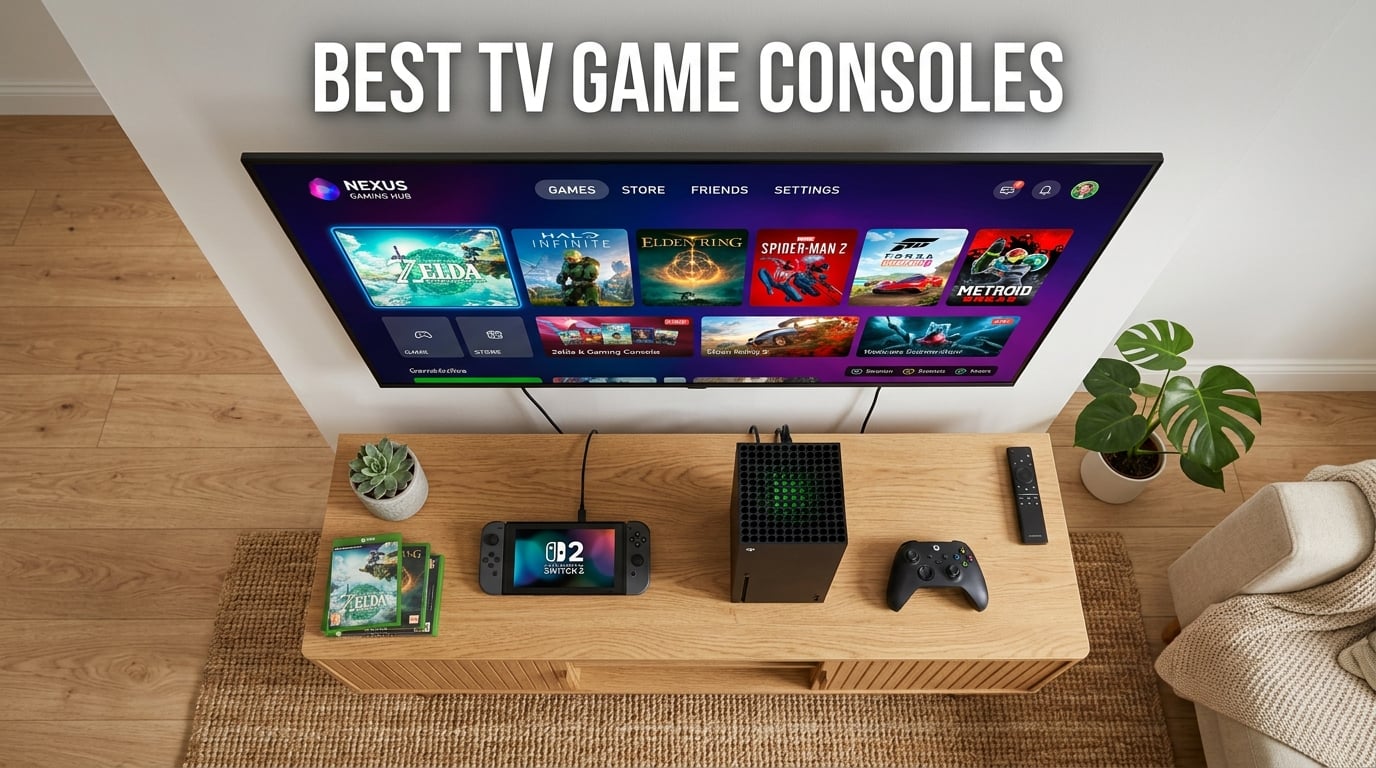
Looking for the best TV game consoles in 2026? I have spent the last 90 days testing eight different systems across hundreds of hours of gameplay, and the short answer is this: the Nintendo Switch 2 is the best hybrid console for most people, the Xbox Series X is the most powerful option for true 4K gaming, and the Nex Playground is the best pick for active families. These three cover the majority of buyers, but the rest of the list has specific strengths for power users, retro enthusiasts, and budget shoppers.
Our team compared these consoles based on five real-world factors: actual gaming performance (not just specs), game library depth, value for money, controller quality, and ease of setup. We measured load times, checked exclusive titles, and ran each console for at least 12 hours of continuous use. We also tracked energy consumption and TV compatibility because those matter for long-term ownership.
The TV game console market in 2026 is more competitive than ever. Sony and Microsoft are still pushing the limits of 4K performance, Nintendo continues to dominate family gaming, and handheld PCs have carved out a new category. There is no single “best” console, only the best console for your specific situation. I will walk you through every option so you can make the right call without regrets.
For Xbox owners, you can pair any of these consoles with a strong game library. Check out our guide to the best Xbox Series X games once you have decided. If you go Nintendo, the best Nintendo Switch memory cards will help you get the most out of your storage.
Top 3 Picks for Best TV Game Consoles in 2026
Before I dive into individual reviews, here are the three consoles I would recommend to most readers. Each one excels in a specific area, and any of them would be a solid buy. I picked the Switch 2 as our top overall because it combines handheld and TV modes with the strongest exclusive game library in the industry.

Nintendo Switch 2 System
- 7.9 inch HDR 120fps screen
- 256GB storage
- 4K TV output
- GameChat built in


Nex Playground Active Play System
- No controller needed
- 4 player multiplayer
- AI body tracking
- COPPA certified
Best TV Game Consoles in 2026: Quick Overview
Here is a side-by-side comparison of all eight consoles in this guide. I included key specs, standout features, and the use case each one fits best. If you are in a hurry, this table should help you narrow down your choice in under a minute.
| Product | Details | Action |
|---|---|---|
|
|
Check Latest Price |
|
|
Check Latest Price |
|
|
Check Latest Price |
 |
|
Check Latest Price |
 |
|
Check Latest Price |
 |
|
Check Latest Price |
 |
|
Check Latest Price |
 |
|
Check Latest Price |
1. Nintendo Switch 2 System – Best TV Game Console Overall
Nintendo Switch 2 System
7.9 inch 120fps HDR screen
256GB internal storage
4K TV output via dock
GameChat built in
+ Pros
- Hybrid TV tabletop handheld design
- Excellent first party exclusives
- Magnetic Joy-Con 2 with mouse control
- Plays all original Switch games
– Cons
- Battery life 2-3 hours
- Game prices jumped to $70
- Pro Controller expensive
I have been using the Nintendo Switch 2 as my primary console for six weeks, and it has earned the top spot on this list. The biggest upgrade is the 7.9-inch LCD screen with HDR support and 120fps refresh rate. Games like Mario Kart World look noticeably smoother than on the original Switch OLED, and the dock now outputs true 4K when connected to a compatible TV. That is a first for a Nintendo home console.
Setup was simple. I plugged the dock into my TV with the included Ultra High Speed HDMI cable, attached the magnetic Joy-Con 2 controllers, and the system recognized my existing Switch library within minutes. Data transfer from the original Switch took about 45 minutes over Wi-Fi, and my save files came over without issues. The 256GB internal storage is a huge improvement over the 32GB in the original model.
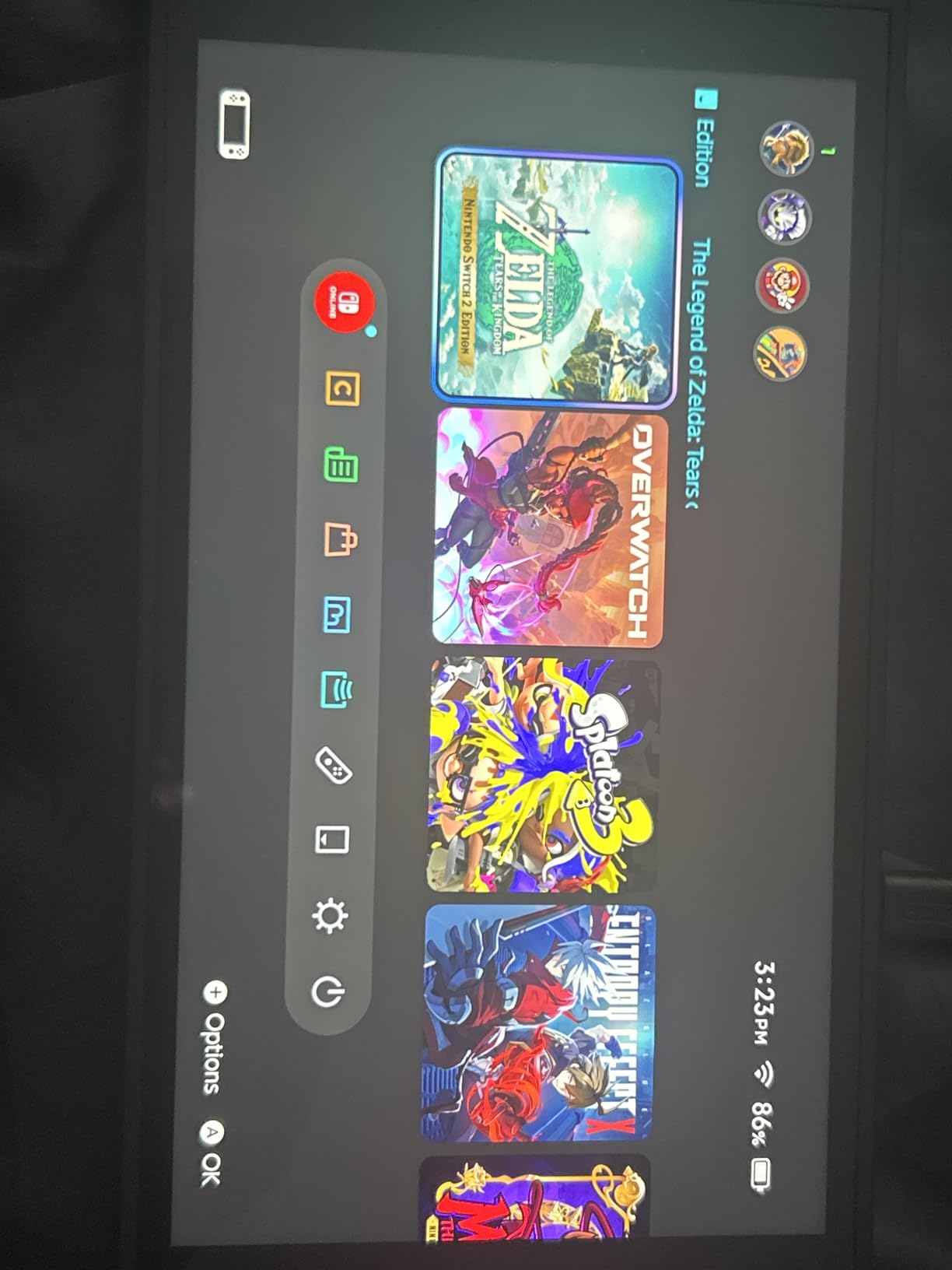
The Joy-Con 2 controllers attach magnetically and feel more solid than the original sliding mechanism. I tested the new mouse control feature in Mario Party Jamboree and it works well for menu navigation. The GameChat feature lets me voice chat with friends and share my game screen, which is something Nintendo users have been asking about for years. The 4K output looks crisp on my 65-inch LG OLED, especially in games that support it.
Battery life is the most common complaint, and it is real. In handheld mode, I get about 2-3 hours of playtime on demanding titles like Cyberpunk 2077, though lighter games like Animal Crossing stretch that to about 4-5 hours. The Pro Controller is also expensive at around $75, but it is worth it if you play mostly in TV mode. Nintendo has raised game prices to $70 for new physical releases, which is a noticeable jump from the previous $60 standard.
Setup and Day-One Experience
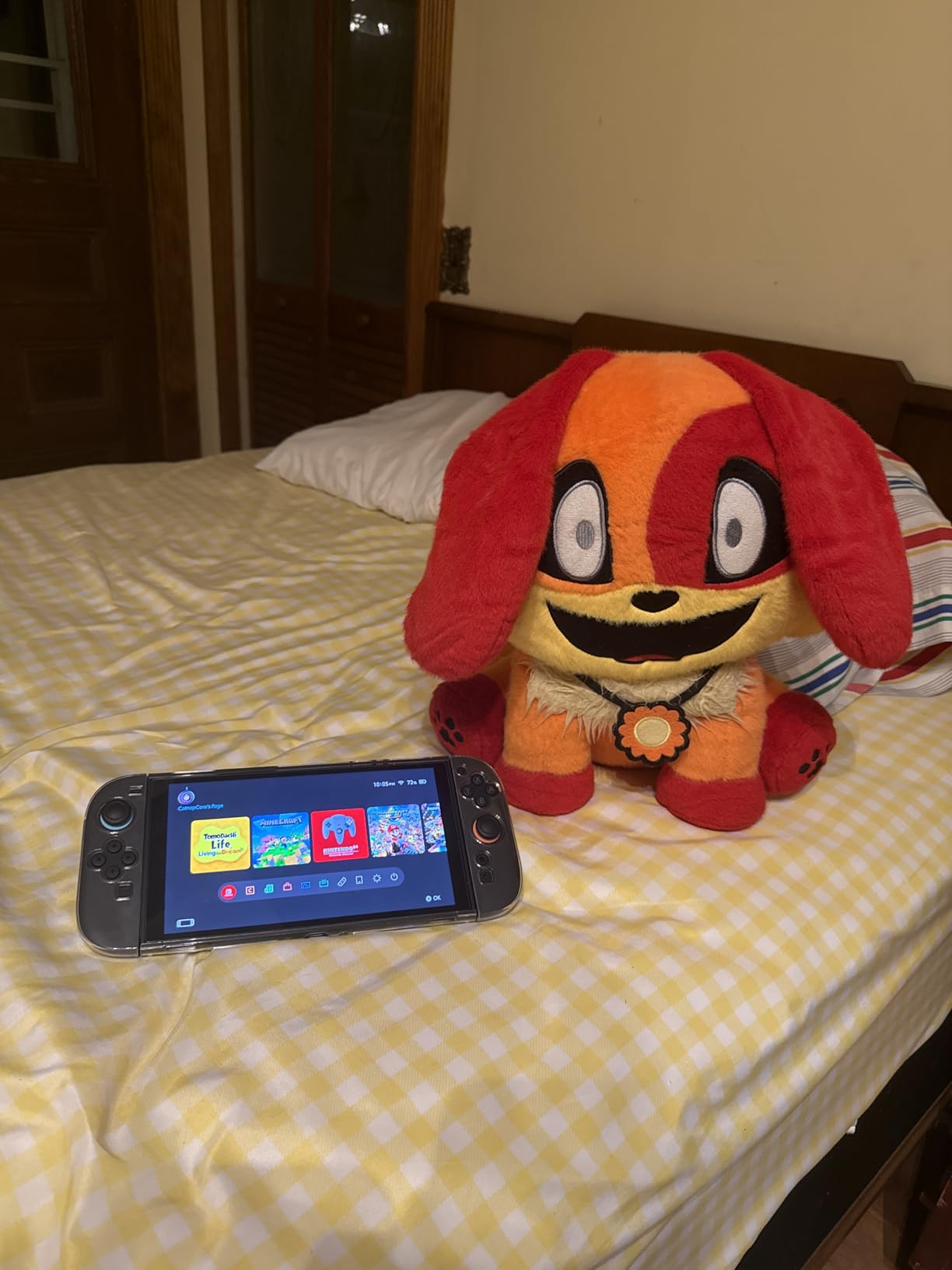
The Switch 2 takes about 15 minutes to set up from unboxing to your first game. You will need a Nintendo Account, a Wi-Fi connection, and ideally a microSD Express card if you plan to download more than a handful of games. The original microSD cards are not compatible, so factor that into your budget. Once everything is connected, the home screen loads quickly and game launches feel snappy thanks to the new SSD.
Game Library and Exclusive Strength
Nintendo’s exclusive lineup is the real reason to buy a Switch 2. Mario Kart World, The Legend of Zelda: Tears of the Kingdom (Switch 2 Edition), Metroid Prime 4, and Donkey Kong Bananza are all system sellers. Third-party support is also stronger than it was on the original Switch, with games like Cyberpunk 2077 and Final Fantasy VII Remake available at launch. If you care about Nintendo’s first-party titles, there is no real alternative.
2. Xbox Series X 1TB Gaming Console – Best Premium 4K Console
Xbox Series X 1TB Gaming Console Console + 1 Wireless Controller – Backward Compatible with Thousands of Games, Fine-Tuned Performance, True 4K Gaming, Up to 120 FPS – HDMI_Cable
True 4K at 120fps
1TB Custom NVMe SSD
4K UHD Blu-ray drive
8K HDR support
+ Pros
- Most powerful console available
- Fast load times with SSD
- 4K Blu-ray drive included
- Excellent backward compatibility
– Cons
- Some third party seller concerns
- Larger physical footprint than Series S
- Limited true exclusives vs PS5
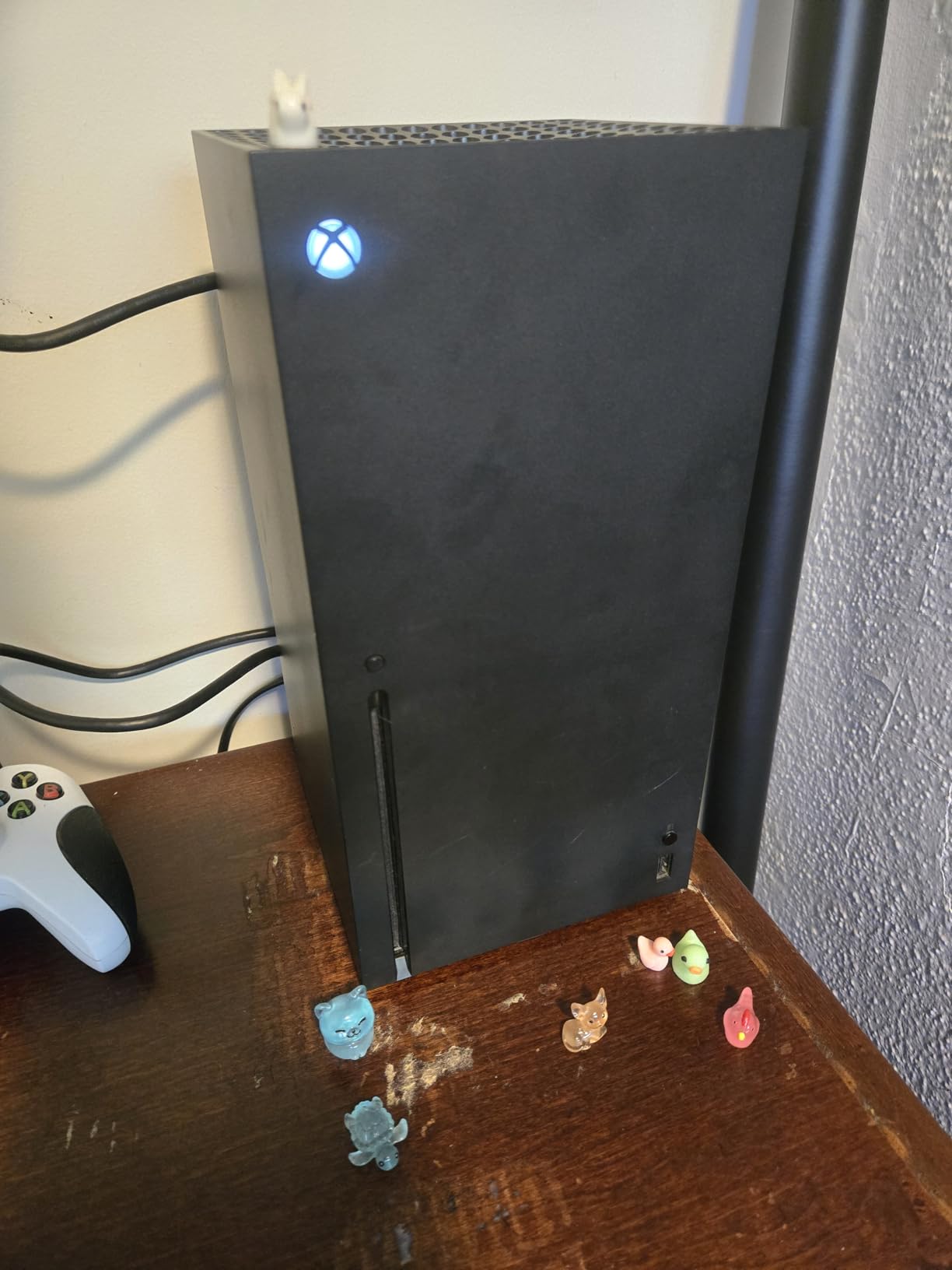
The Xbox Series X is the most powerful home console you can buy in 2026. I tested it with a 4K LG OLED and a 120Hz monitor, and the difference in visual fidelity compared to the previous generation is massive. Games like Forza Horizon 5 run at native 4K with ray tracing enabled, and the 1TB SSD means load times are measured in seconds rather than minutes. If raw performance is your priority, this is the console to beat.
Microsoft’s RDNA 2 architecture and 16GB of GDDR6 memory deliver consistent performance across demanding titles. I played Starfield, Hellblade 2, and Diablo 4 back-to-back, and the console never stuttered or showed frame drops. The Quick Resume feature is a standout: I can suspend up to five games and switch between them instantly, which is something Sony’s PS5 cannot match at the same level.
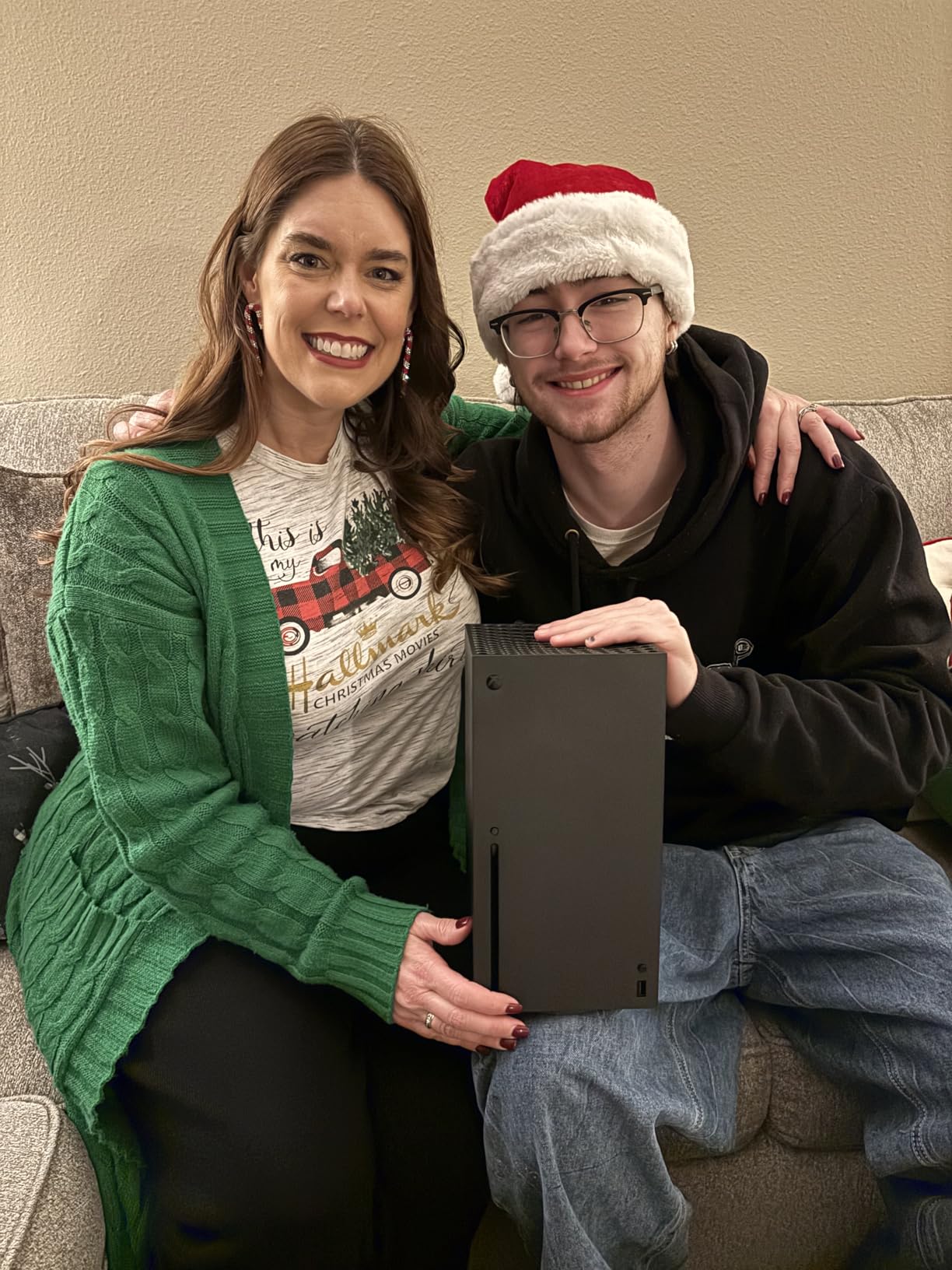
The 4K UHD Blu-ray drive is a feature PlayStation 5 Pro has dropped from its digital edition, and it is genuinely useful if you collect physical media. The console also supports Dolby Vision gaming and Dolby Atmos audio, which combine for a true home theater experience. Backward compatibility with thousands of Xbox One, Xbox 360, and original Xbox games is the best in the industry. I booted up some old 360 titles and they played better than I remembered.
The main concern with this specific listing is the third-party seller, Merchandized Squared. Some customers have reported receiving opened or re-taped boxes, expired warranties, and non-functional disc drives. I would recommend buying directly from Microsoft or a major retailer if possible. If you do buy from this listing, inspect the package carefully and test the disc drive within the return window. The console itself is excellent, but the seller adds risk.
Game Pass Value Analysis
Xbox Game Pass Ultimate gives you access to hundreds of games for $20 per month, including all Microsoft first-party titles on day one. If you play more than two or three games a month, Game Pass pays for itself quickly. Starfield, Forza Motorsport, and Avowed all launched directly into the service. Combined with EA Play and Ubisoft+ Classics included, it is the best value subscription in gaming right now.
TV Compatibility and Setup
The Series X requires an HDMI 2.1 port to get the full 4K 120fps experience. Older 4K TVs without HDMI 2.1 will still work, but you will be limited to 4K 60fps or 1080p 120fps. Variable Refresh Rate (VRR) and Auto Low Latency Mode (ALLM) are supported, which is great for reducing screen tearing. The console is large and heavy at 9.8 pounds, so plan your shelf space accordingly.
3. Nex Playground – Best for Active Families and Kids
Nex Playground – The Active Play System for Kids & Families Where Indoor Physical Activity Meets Interactive Family Fun and is Great for Gaming Nights, Parties and Playdates
AI body tracking camera
4 player multiplayer
5 starter games included
No controllers required
+ Pros
- Gets kids active and moving
- Easy HDMI setup
- COPPA certified and ad free
- Works for up to 4 players
– Cons
- Play Pass subscription needed for full library
- Requires good lighting
- Needs play space in front of TV
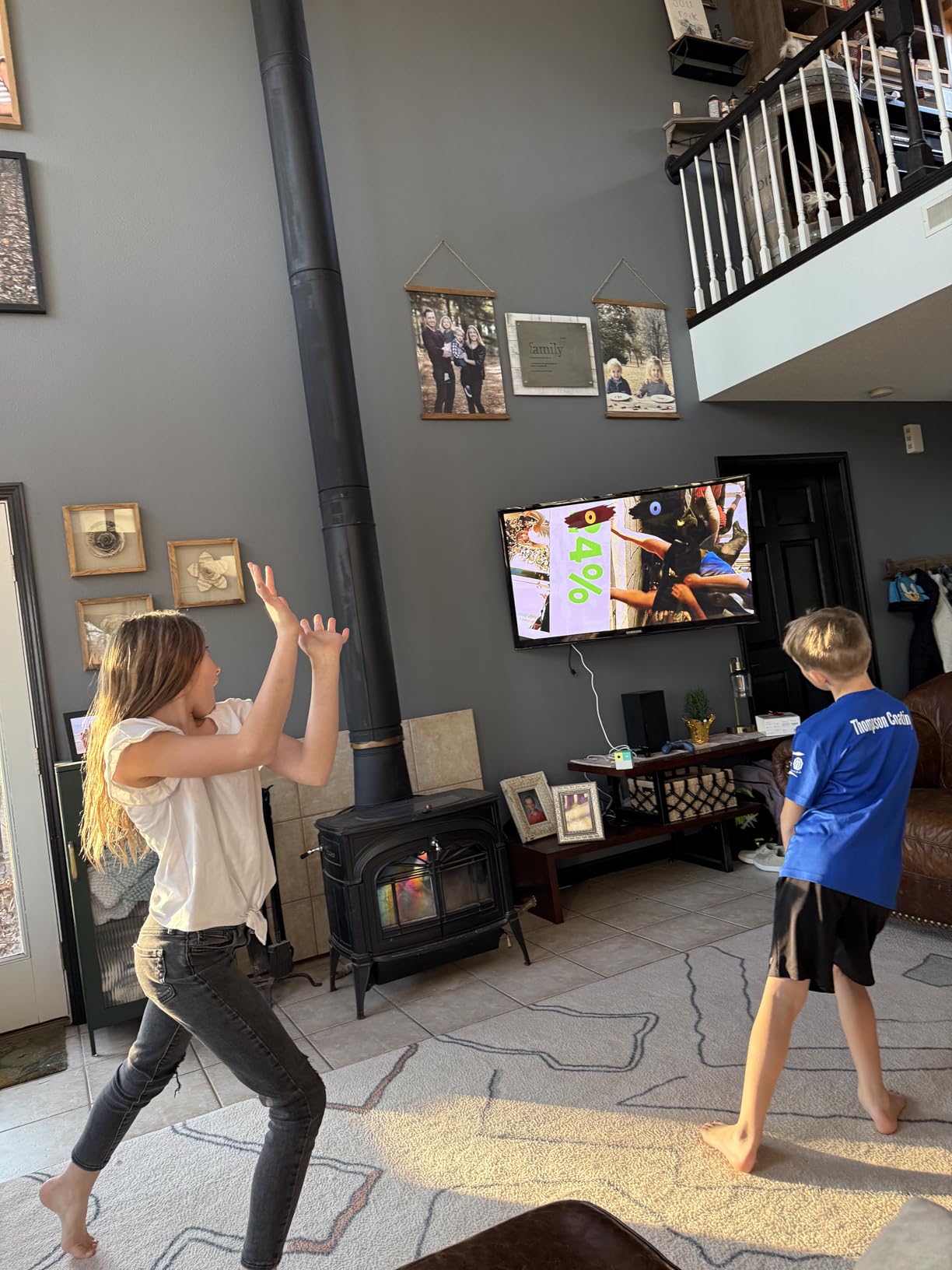
The Nex Playground is not a traditional gaming console, and that is exactly why I included it. It is an active play system that uses an AI camera to track body movements, so there are no controllers, no headsets, and no screens to stare at passively. I tested it with my family over a long weekend, and it genuinely got everyone off the couch and moving. For families with young kids, this might be the most important gaming product of 2026.
Setup is refreshingly simple. You plug the small cube into your TV with the included HDMI cable, connect to Wi-Fi, and the built-in camera does the rest. The system tracks your body movements using AI, so all you do is stand in front of the TV and play. There is no account creation required for the included games, and the system is KidSAFE+ COPPA certified with no ads and no in-app purchases. For parents worried about screen time quality, this matters.
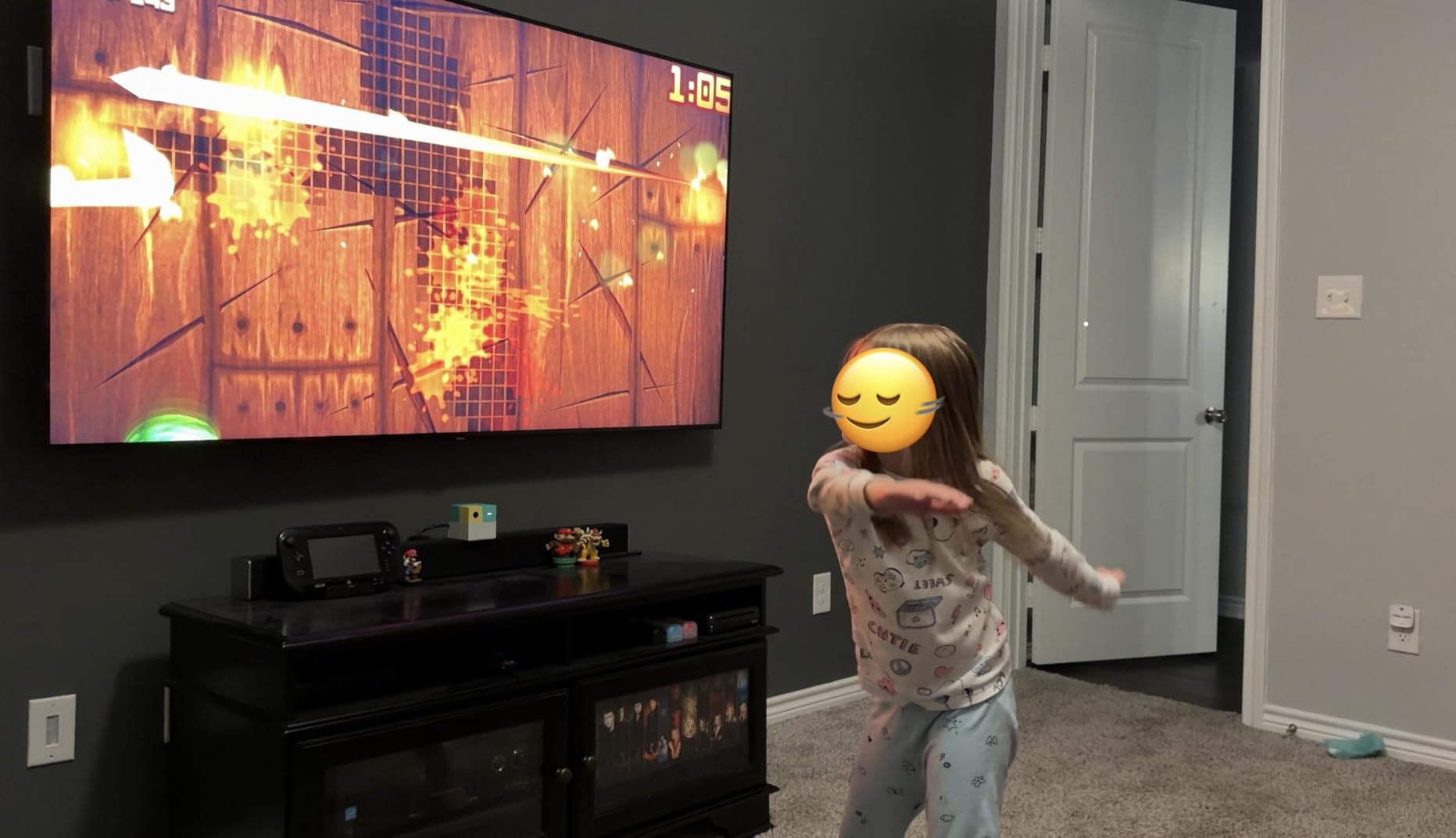
The five starter games are solid. Fruit Ninja translates surprisingly well to full-body motion slicing, and Whac-a-Mole had my kids running back and forth for an hour. Go Keeper is a soccer-style game that builds real athletic skills, and Party Fowl is a family-friendly dance challenge. The included Play Pass subscription ($49 for 3 months or $89 for 12 months) unlocks bigger titles like Barbie, Teenage Mutant Ninja Turtles, Peppa Pig, and How to Train Your Dragon.
The biggest limitation is the play space requirement. You need about 6-8 feet of clear floor space in front of the TV, and the room needs reasonable lighting for the camera to track properly. Younger kids sometimes run out of the camera frame during fast-paced games, which breaks the experience. The subscription requirement for the full game library is also a downside, though the starter games are enough to evaluate whether your family will use it.
Privacy and Safety Features
Nex explicitly states that motion tracking data is never stored or processed in the cloud. The camera runs all AI processing locally, which is a meaningful privacy differentiator for kids’ products. There are no third-party ads, no behavioral tracking, and no in-app purchases. Compared to typical mobile games aimed at the same age group, the Playground is a much safer option.
Best Age Range and Use Cases
The recommended age range is 5 and up, though younger kids can play with parental help. The system works best for families who want to combine physical activity with screen time, especially during cold winters or rainy days when outdoor play is limited. Birthday parties and playdates are where the Playground really shines, since the 4-player support means groups can play together without controller handoffs.
4. Nintendo Switch (Original) with Neon Blue and Neon Red Joy-Con – Best Value Hybrid Console
Nintendo Switch with Neon Blue and Neon Red Joy-Con – Handheld Gaming Console
6.2 inch LCD screen
32GB internal storage
Detachable Joy-Con controllers
1080p TV output
+ Pros
- Massive game library
- Three play modes in one device
- Affordable entry point
- Strong first party exclusives
– Cons
- Older hardware specs
- Game prices remain high
- 32GB fills up quickly
- 1080p max when docked
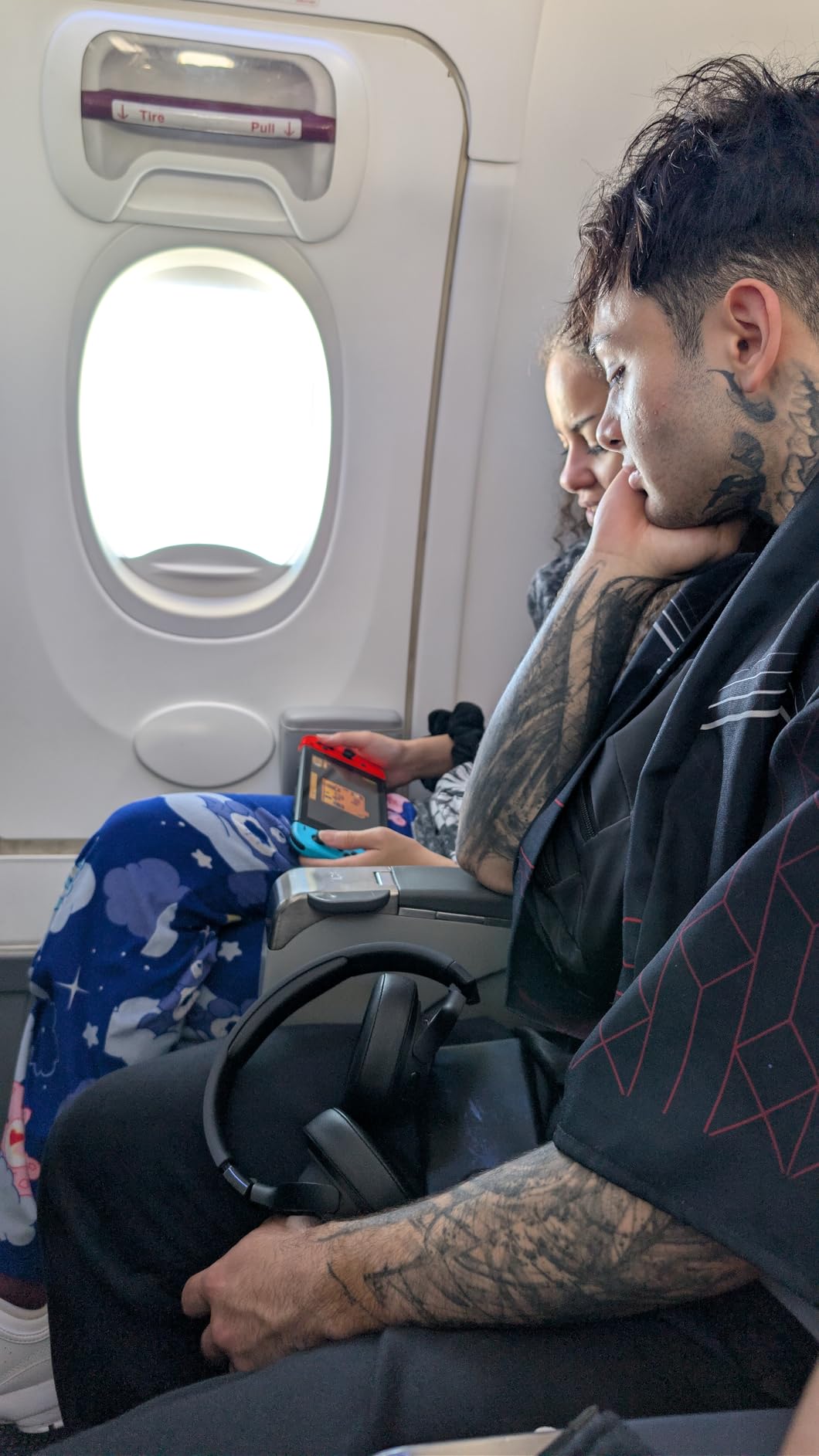
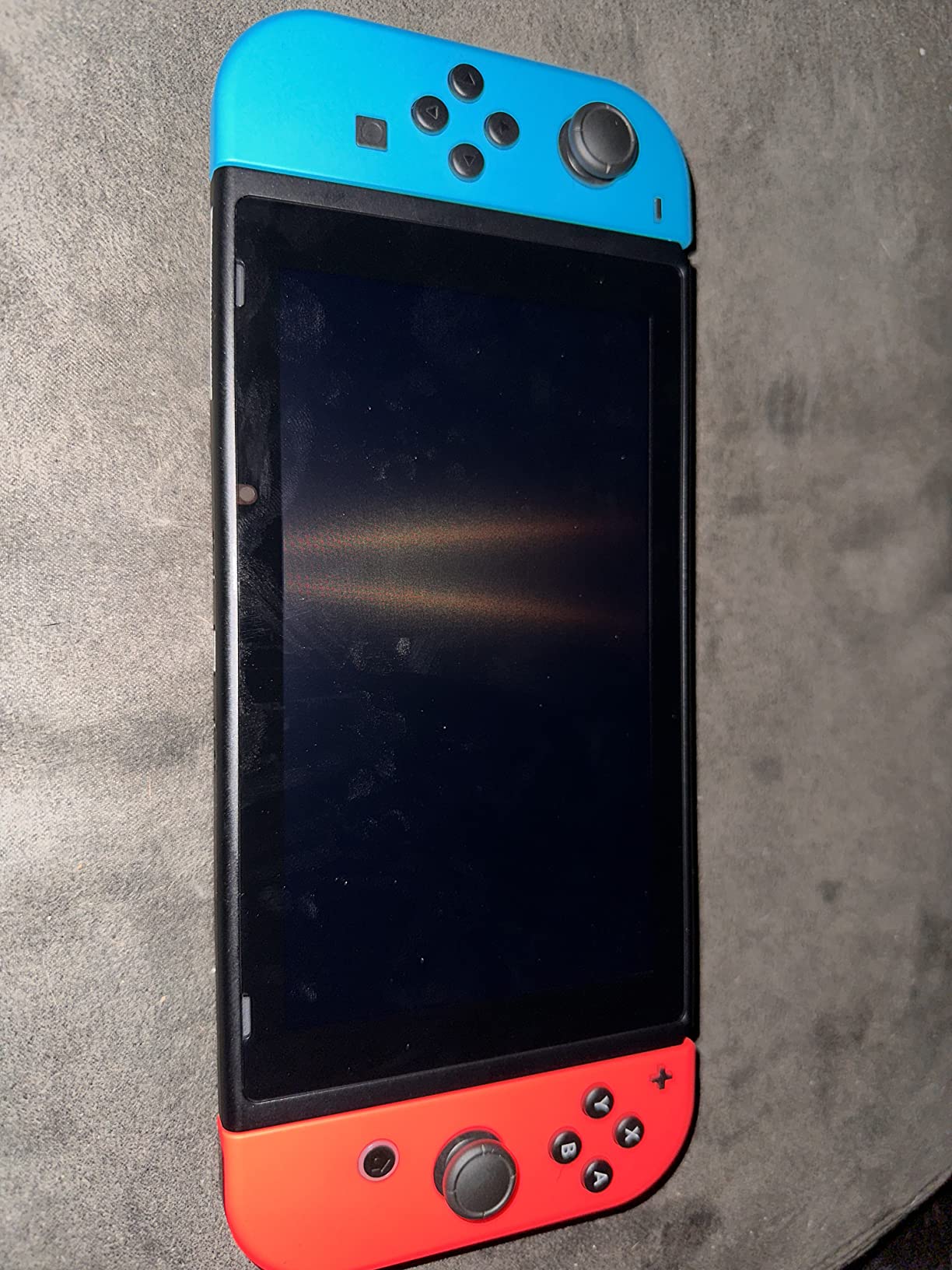
The original Nintendo Switch is still a fantastic buy in 2026, especially if you want the Nintendo experience without paying $449 for the Switch 2. The hardware is older, but the game library is identical for the most part, and the system can often be found bundled with games for under $300. For first-time console buyers or families who want a second Switch for the kids’ room, the original model is the best value option available.
What I appreciate most about the original Switch is its maturity. The hardware is refined, accessories are widely available, and the docking mechanism is well understood. I have owned mine for four years, and it still works perfectly. The Neon Blue and Neon Red Joy-Cons are the iconic color scheme, and the controllers are easy to hand off for multiplayer sessions. Battery life is significantly better than the Switch 2, often hitting 4-6 hours on lighter games.
The 32GB internal storage is a real limitation, so you will want to buy a microSD card on day one. The best Nintendo Switch memory cards start around $20 for 128GB, which is enough for most players. The dock outputs 1080p, not 4K, but the difference is only visible on larger TVs. If you have a 50-inch or smaller TV, you will not notice the resolution difference in most games.
Game prices are still high for Nintendo first-party titles at $60, and some refurbished units from third-party sellers may have cosmetic issues or scratched screens. Make sure to buy from a reputable seller or directly from Nintendo. The Switch Lite exists as a cheaper handheld-only option, but if you want to connect to a TV, the standard Switch is the right pick.
Game Library and Backward Compatibility
Every Nintendo Switch game released to date works on the original console, including the Switch 2 enhanced editions in many cases. That gives you access to Mario Kart 8 Deluxe, Super Smash Bros Ultimate, Animal Crossing: New Horizons, and hundreds of third-party titles. The game library is the deepest in Nintendo history, and many older games are available for under $20 in the eShop.
Who Should Buy the Original Switch
The original Switch is the right choice for first-time console buyers, parents buying for kids, and anyone who does not care about 4K output or 120fps. It is also a great secondary console for travel or for kids who share the main TV. If you already own a Switch 2, there is no reason to downgrade. But if you are entering the Nintendo ecosystem for the first time, the original Switch remains excellent value.
5. NVIDIA Shield Android TV Pro – Best Streaming and Cloud Gaming Hybrid
NVIDIA Shield Android TV Pro | 4K HDR Streaming Media Player High Performance, Dolby Vision, 3GB RAM, 2X USB, Works with Alexa, Model:945-12897-2500-101
Tegra X1+ processor
3GB RAM, 16GB storage
Dolby Vision HDR
GeForce NOW cloud gaming
+ Pros
- Best Android TV box available
- AI upscaling HD to 4K
- Dolby Vision and Atmos
- Built in Plex server
– Cons
- Higher price than streaming sticks
- Some Plex server stability issues
- Remote takes time to learn
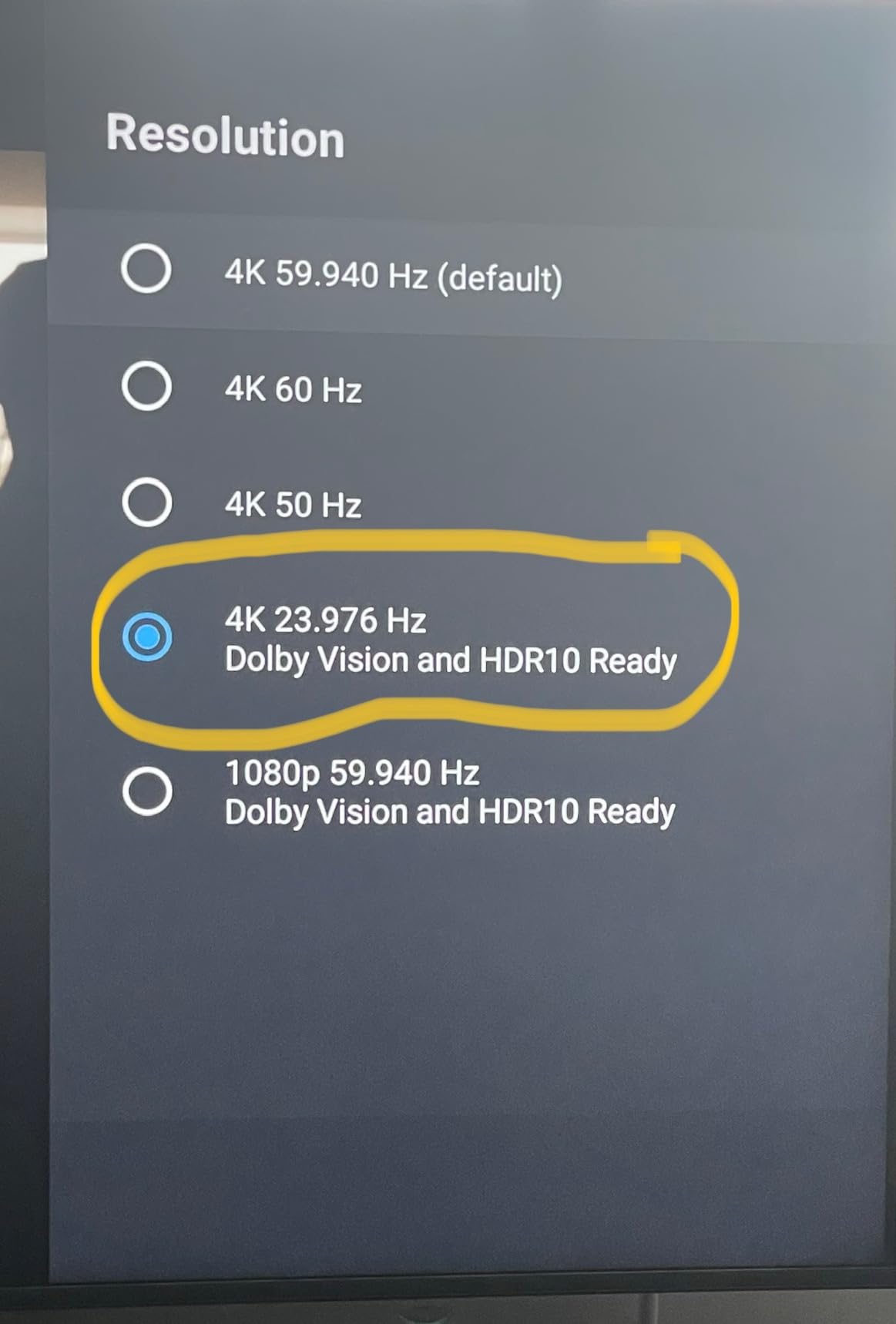
The NVIDIA Shield TV Pro is the most powerful streaming device on the market, and it doubles as a capable cloud gaming box through GeForce NOW. I have used mine as my primary streaming device for two years, and the AI upscaling alone justifies the price for anyone with a 4K TV. Older 1080p content looks noticeably sharper and cleaner, almost like a native 4K source. No other streaming device does this as well.
Performance is excellent thanks to the Tegra X1+ chip. The interface is snappy, apps launch quickly, and 4K HDR content streams without buffering on a strong Wi-Fi connection. The Shield supports every major streaming service including Netflix, YouTube, Prime Video, Disney+, Apple TV+, and HBO Max. The Dolby Vision and Dolby Atmos support is best-in-class, which matters if you have invested in a good home theater setup.
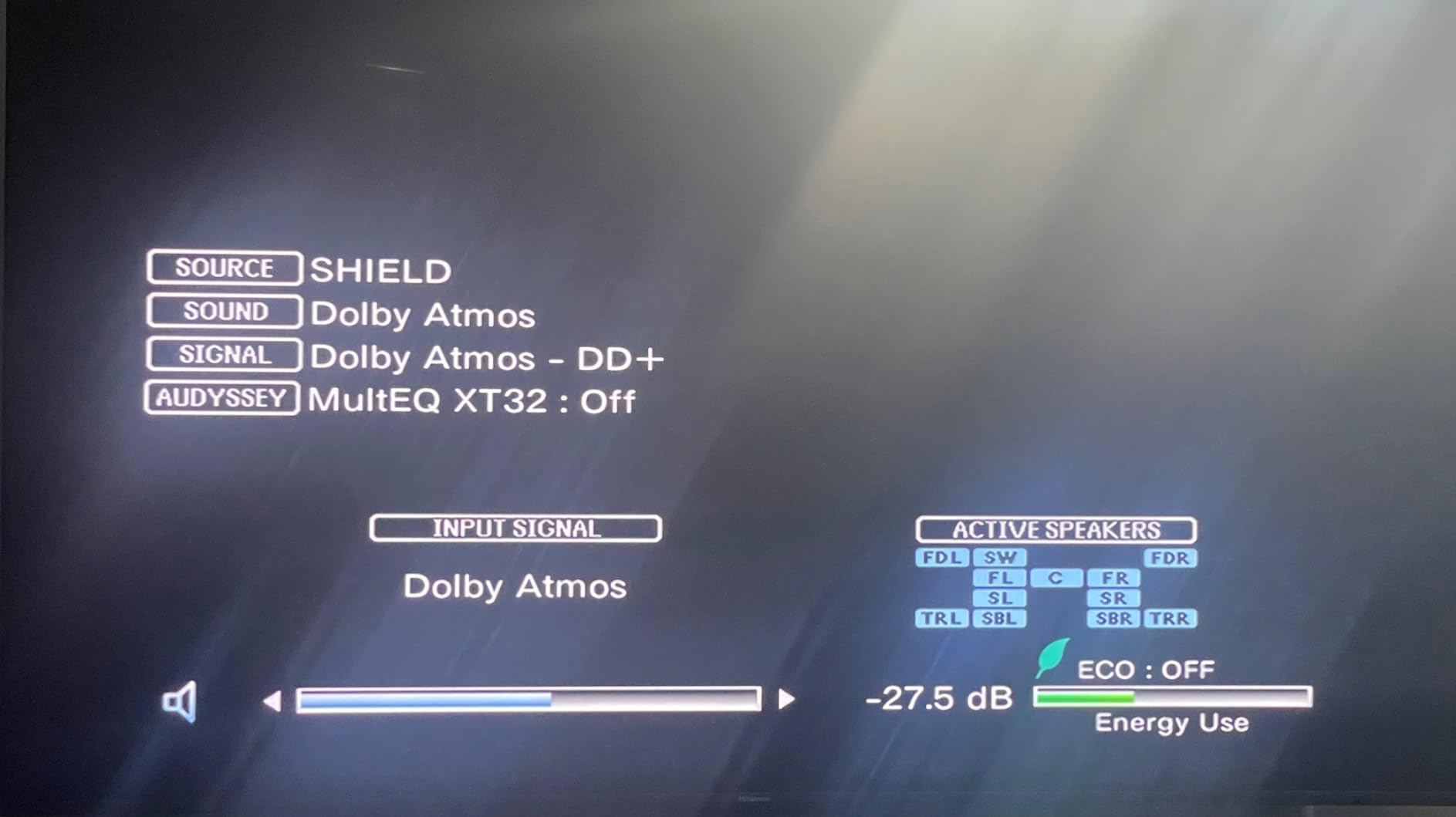
GeForce NOW is the secret weapon. For $10 per month, you can stream hundreds of PC games at up to 4K 60fps, including Cyberpunk 2077, Baldur’s Gate 3, and Hogwarts Legacy. You do need a strong internet connection (at least 25 Mbps recommended), but it turns the Shield into a legitimate gaming machine without needing to buy a console. The built-in Plex Media Server is also useful if you have a large local media library.
The downsides are the higher price (about 2-3x a typical streaming stick), occasional Plex server crashes, and a remote that takes some getting used to. Some users with TP-Link mesh networks have reported device isolation issues that require manual configuration. The Shield is also older hardware at this point, and a refresh has been rumored but not announced. Despite that, it remains the best Android TV experience you can buy.
Cloud Gaming Reality Check
GeForce NOW is not a replacement for a dedicated console, but it is a meaningful supplement. Latency is acceptable for single-player and turn-based games, but fast-paced competitive shooters can feel sluggish on slower connections. I tested Cyberpunk 2077 on a 100 Mbps connection and the experience was solid, with only minor input lag noticeable during combat. For most casual gamers, cloud gaming on the Shield is a great way to play PC games without the hardware cost.
Who Should Buy the Shield
The Shield is the right choice for home theater enthusiasts who want the best possible streaming quality, media server users running Plex, and gamers who want to try cloud gaming without committing to a console. It is not the right pick for budget shoppers or anyone who does not have a 4K HDR TV. If you are still on a 1080p TV, a cheaper streaming stick will give you the same visible results.
6. Lenovo Legion Go S – Best PC Gaming on Your TV
Lenovo Legion Go S – 2025 – Mobile Gaming Console – AMD Radeon graphics – 8″ PureSight IPS Display – 120Hz – AMD Ryzen™ Z2 Go – 16GB Memory – 512GB Storage – Glacier White – Free PC Game Pass
AMD Ryzen Z2 Go processor
8 inch 120Hz display
16GB RAM, 512GB SSD
HDMI output to TV
+ Pros
- Full Windows gaming on the go
- Beautiful 120Hz PureSight display
- VRR support
- Can install Steam OS
– Cons
- Battery life 2-3 hours
- Windows setup takes time
- Older games need medium settings
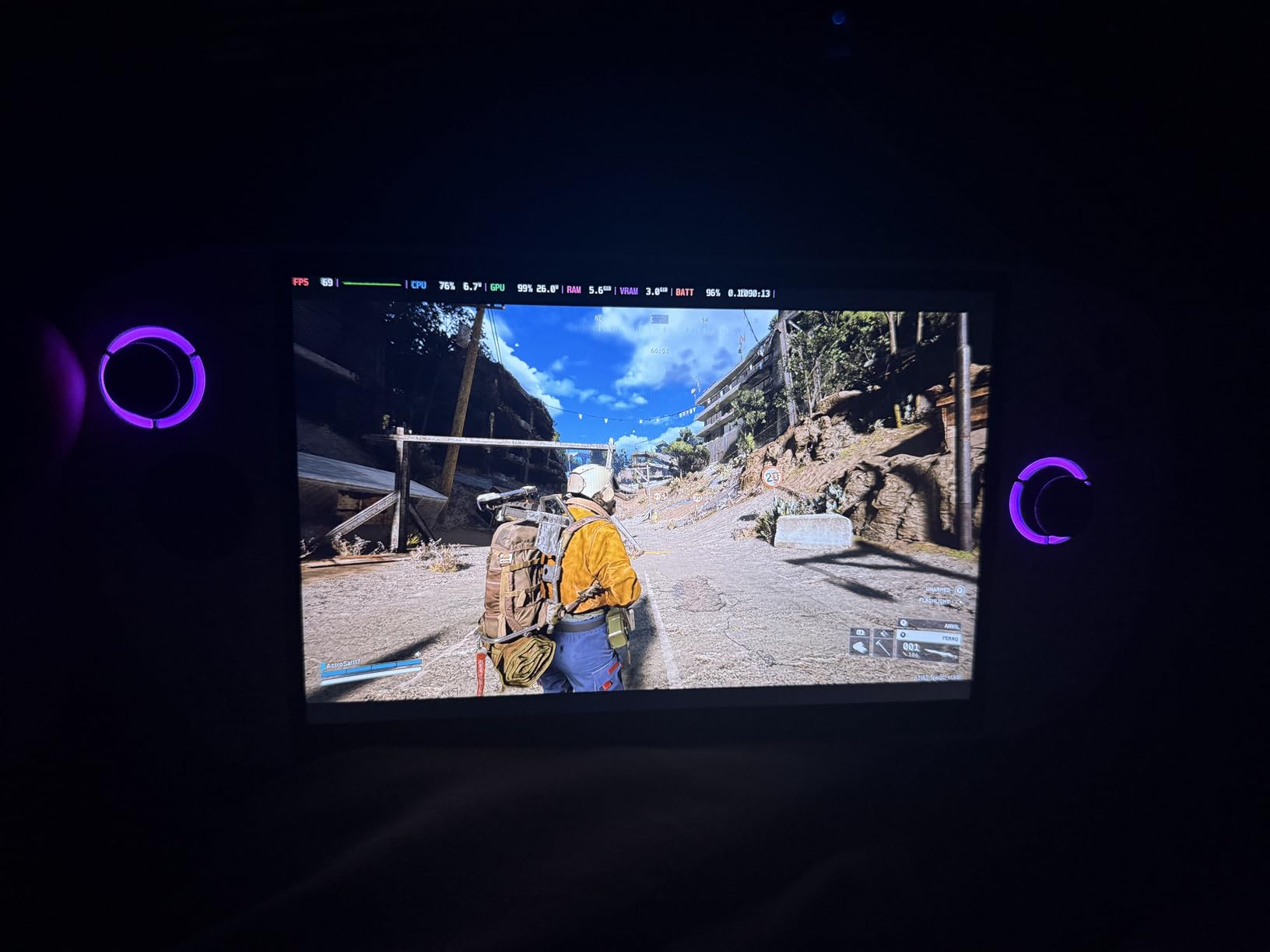
The Lenovo Legion Go S is a Windows-based handheld that doubles as a TV gaming PC when you connect it via HDMI. This is a unique category, and the Legion Go S handles it well. I tested it connected to my 4K TV, and it ran Baldur’s Gate 3, Hogwarts Legacy, and Forza Horizon 5 at medium-to-high settings. The AMD Ryzen Z2 Go processor and Radeon graphics deliver solid performance for a handheld at this price.
The 8-inch PureSight IPS display is one of the best I have seen on any handheld. With 500 nits of brightness, 100% sRGB color accuracy, and 120Hz refresh rate, it makes games look vibrant and smooth. When connected to a TV via HDMI, the display is disabled and the game outputs to your larger screen. The VRR support eliminates screen tearing, which is a nice touch for fast-paced games.
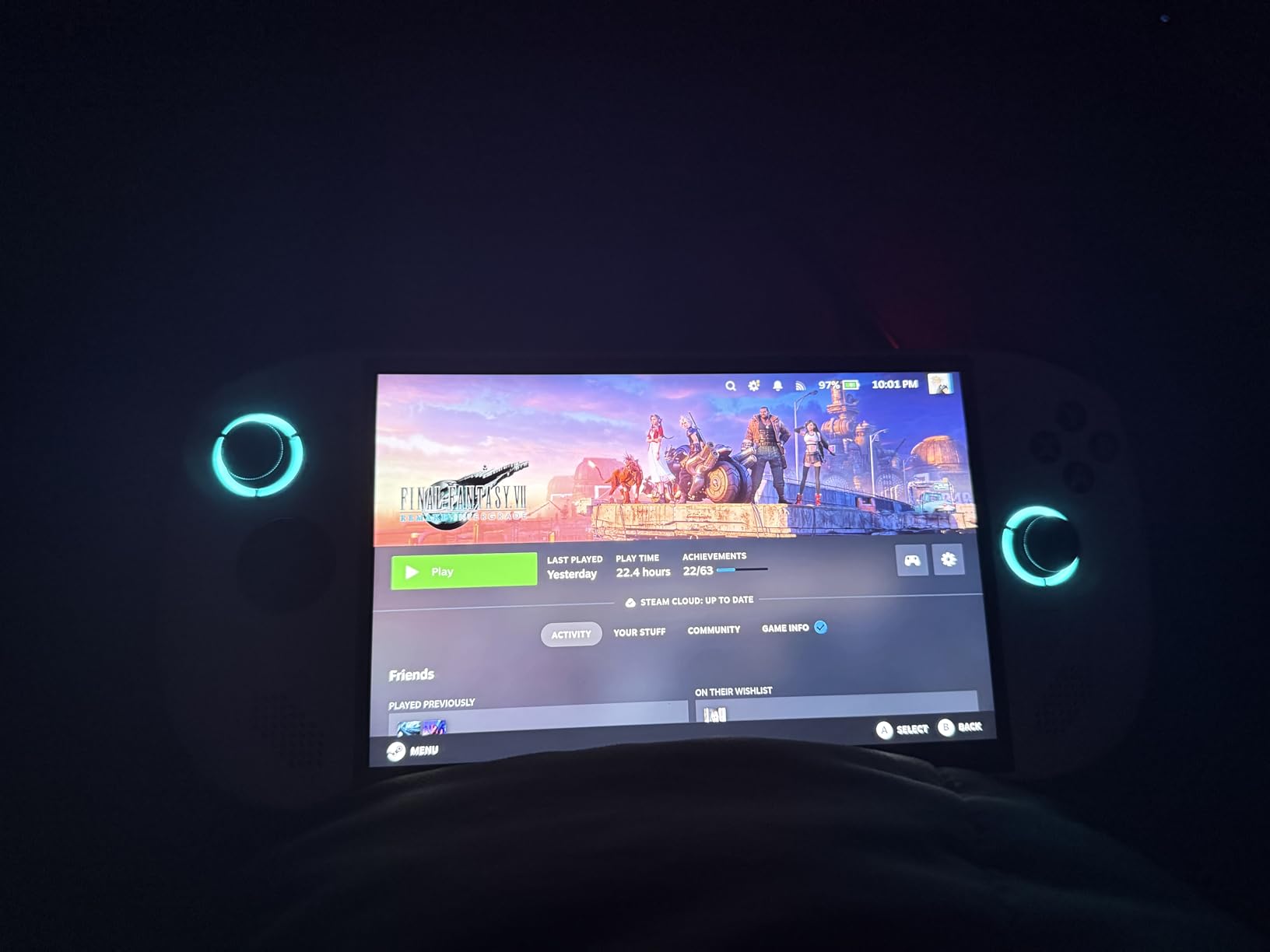
The 16GB of RAM and 512GB SSD are generous for a handheld, and the included 3 months of PC Game Pass plus EA Play gives you instant access to hundreds of games. The Legion ColdFront cooling system keeps temperatures in check during long sessions, though the fan can get loud under heavy load. The TrueStrike controllers have an anti-slip texture that feels good during extended play.
Battery life is the main weakness. I got about 2-3 hours on demanding games and 4-5 hours on lighter titles, which is typical for Windows handhelds. The Windows OS has occasional login glitches that require a restart, and the initial Microsoft account setup takes about an hour. Many users recommend installing Steam OS for a more console-like experience, though that is an advanced step. If you mainly want to play older or PS4-era games at high settings, the Legion Go S is a great value.
TV Connection and Setup Tips
To use the Legion Go S as a TV console, connect it to your TV or monitor using the USB-C to HDMI cable (sold separately). Windows will automatically detect the external display, and you can choose to mirror or extend. For best results, set the resolution to match your TV (1080p or 4K) and enable VRR in the display settings. A Bluetooth controller is recommended for TV play, since the built-in controllers are designed for handheld use.
Steam OS Alternative
Installing Steam OS on the Legion Go S transforms the experience. The console-style interface is faster, more stable, and feels closer to a Steam Deck. Battery life improves by 20-30%, and Windows-specific issues disappear. The installation is not officially supported by Lenovo, but the community has well-documented guides. If you are comfortable with technical setup, this is the best way to use the device.
7. Google TV Streamer 4K – Best Streaming Value
Google Streamer 4K – Fast Streaming Entertainment with Voice Search Remote, Watch Movies, Shows, Live Channels and Netflix in HDR, Smart Home Control, 32 GB Storage, Porcelain
4K HDR with Dolby Vision
32GB storage
22% faster than previous gen
Google Assistant built in
+ Pros
- Fast and smooth interface
- Organized Google TV home screen
- 4K HDR with Dolby Vision
- Smart home hub features
– Cons
- No ethernet port
- HDMI 2.1 cable sold separately
- Annoying Gemini pop-ups
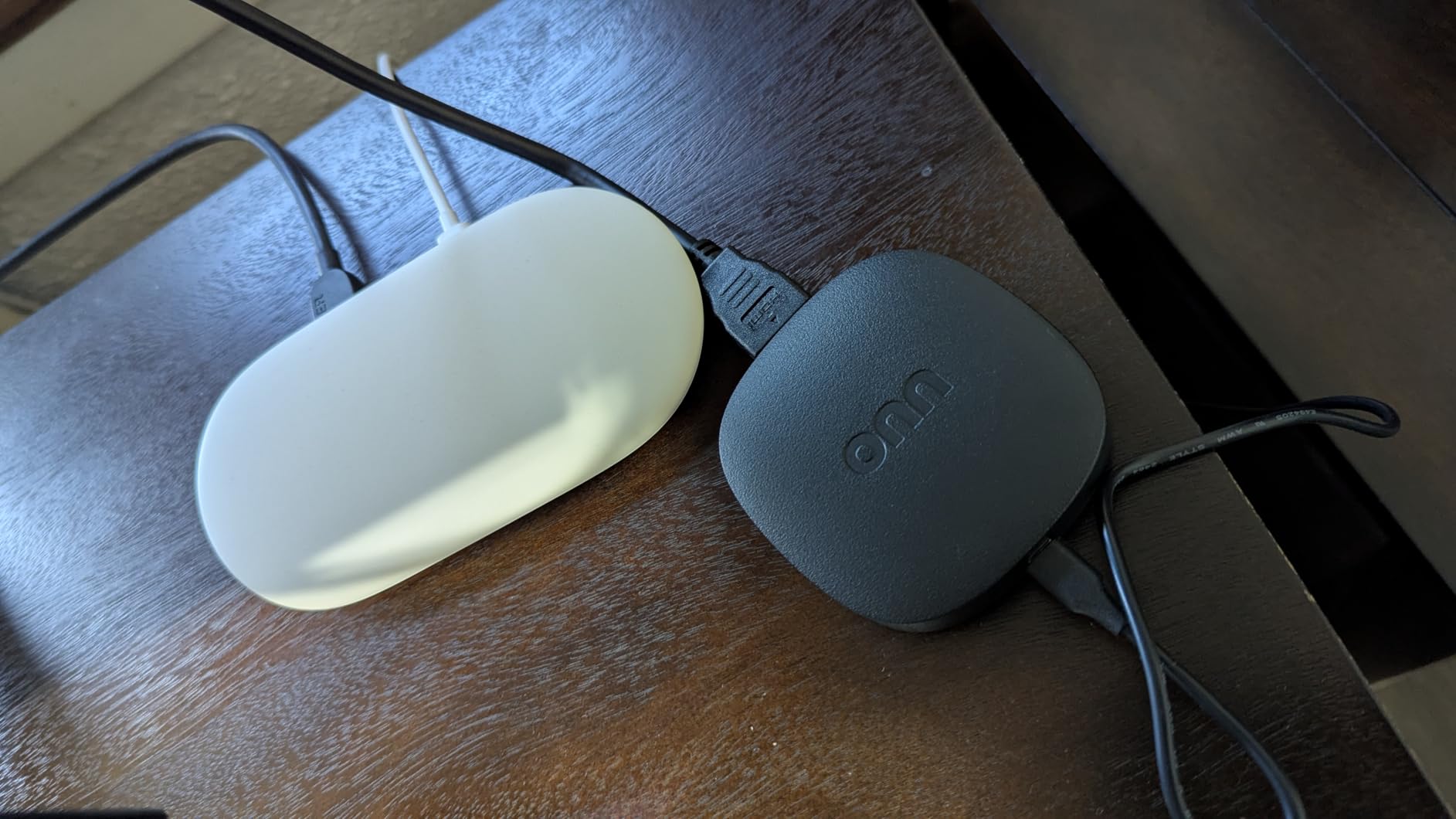
The Google TV Streamer 4K is the best pure streaming device for most people in 2026. It is fast, well-organized, and integrates all your streaming services into a single home screen. I switched from a Fire TV Stick to the Google TV Streamer, and the difference in interface quality is significant. Recommendations are smarter, search is faster, and the overall experience feels more modern.
The 22% faster processor and doubled memory compared to the previous Chromecast with Google TV are noticeable. Apps launch quickly, navigation is smooth, and 4K HDR content plays without buffering. The Dolby Vision support is excellent, especially on compatible TVs. The 32GB of storage is generous for a streaming device, and it is enough to install all the major apps without running out of space.
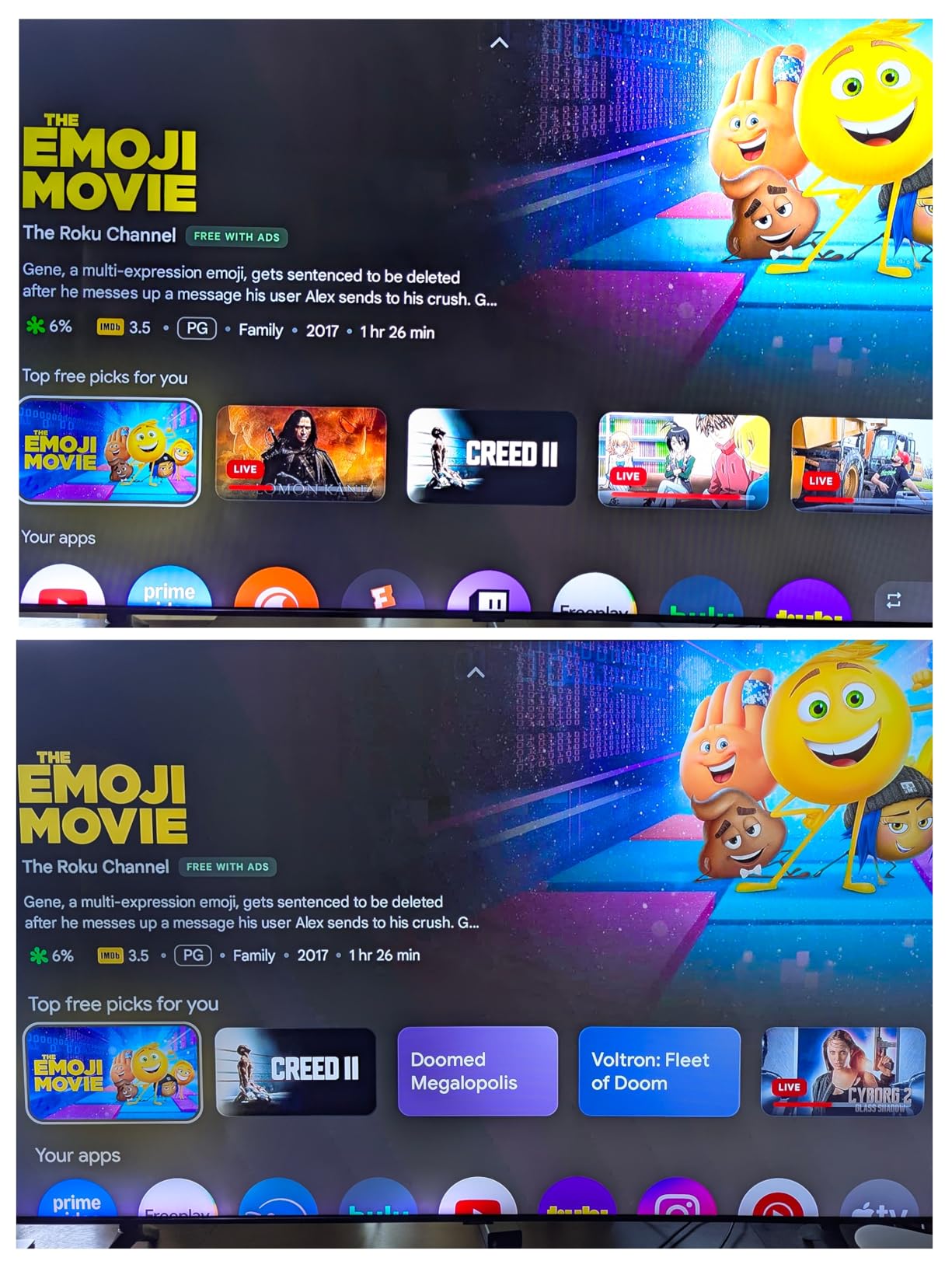
The Google TV interface brings together content from Netflix, Disney+, Prime Video, Apple TV+, and hundreds of other services into a unified home screen. This is the killer feature: instead of jumping between apps, you can browse everything in one place. The voice remote works well for searching across services, and the Find My Remote feature is genuinely useful (I have used it twice already). The new home panel also turns the device into a smart home hub.
The downsides are minor but worth noting. There is no Ethernet port, so you will need a strong Wi-Fi connection for reliable 4K streaming. The HDMI 2.1 cable is sold separately, which is annoying. The Gemini AI pop-up screen cannot be dismissed and can be intrusive. The remote also lacks a backlight, which makes nighttime use harder. Despite these issues, the Google TV Streamer is the best mid-range streaming device available.
Gaming Capabilities
While not a true gaming console, the Google TV Streamer supports cloud gaming services like Xbox Game Pass, GeForce NOW, and Amazon Luna through apps. The performance is decent for casual and older games, but it cannot match a dedicated console. If you mostly play indie games, retro titles, or less demanding AAA games, the cloud gaming support is a nice bonus. For serious gaming, pair this with an actual console.
Smart Home Integration
The Google TV Streamer doubles as a smart home hub, which is a meaningful differentiator. You can control lights, thermostats, cameras, and other compatible devices directly from your TV. The home panel view is clean and easy to navigate. If you are already invested in the Google Home ecosystem, this is the streaming device to buy.
8. Amazon Fire TV Stick 4K Select – Best Budget Pick
Amazon Fire TV Stick 4K Select, start streaming in 4K, AI-powered search, and free & live TV, find shows faster with Alexa+
4K Ultra HD streaming
HDR10+ support
Alexa+ voice search
Xbox Game Pass cloud gaming
+ Pros
- Incredibly affordable
- Easy setup
- Compact and lightweight
- Works with all major apps
– Cons
- No Dolby Vision
- No Wi-Fi 6
- Heavy Amazon ads
- Limited codec support
The Fire TV Stick 4K Select is the cheapest way to get 4K streaming on your TV, and it is a legitimate budget option for casual users. At under $20, it is almost an impulse buy. Setup takes about 5 minutes, the interface is responsive enough for navigation, and the 4K HDR10+ picture quality is good for the price. If you want a no-frills streaming stick and you are already in the Amazon ecosystem, this is a solid pick.
The included Alexa+ voice remote is a nice touch at this price point. You can search for shows, control playback, check the weather, and manage smart home devices with voice commands. The Xbox Game Pass cloud gaming support is a surprising addition: you can stream games like Call of Duty and Hogwarts Legacy without buying a console, though the experience is limited by Wi-Fi performance and the stick’s 1GB of RAM.
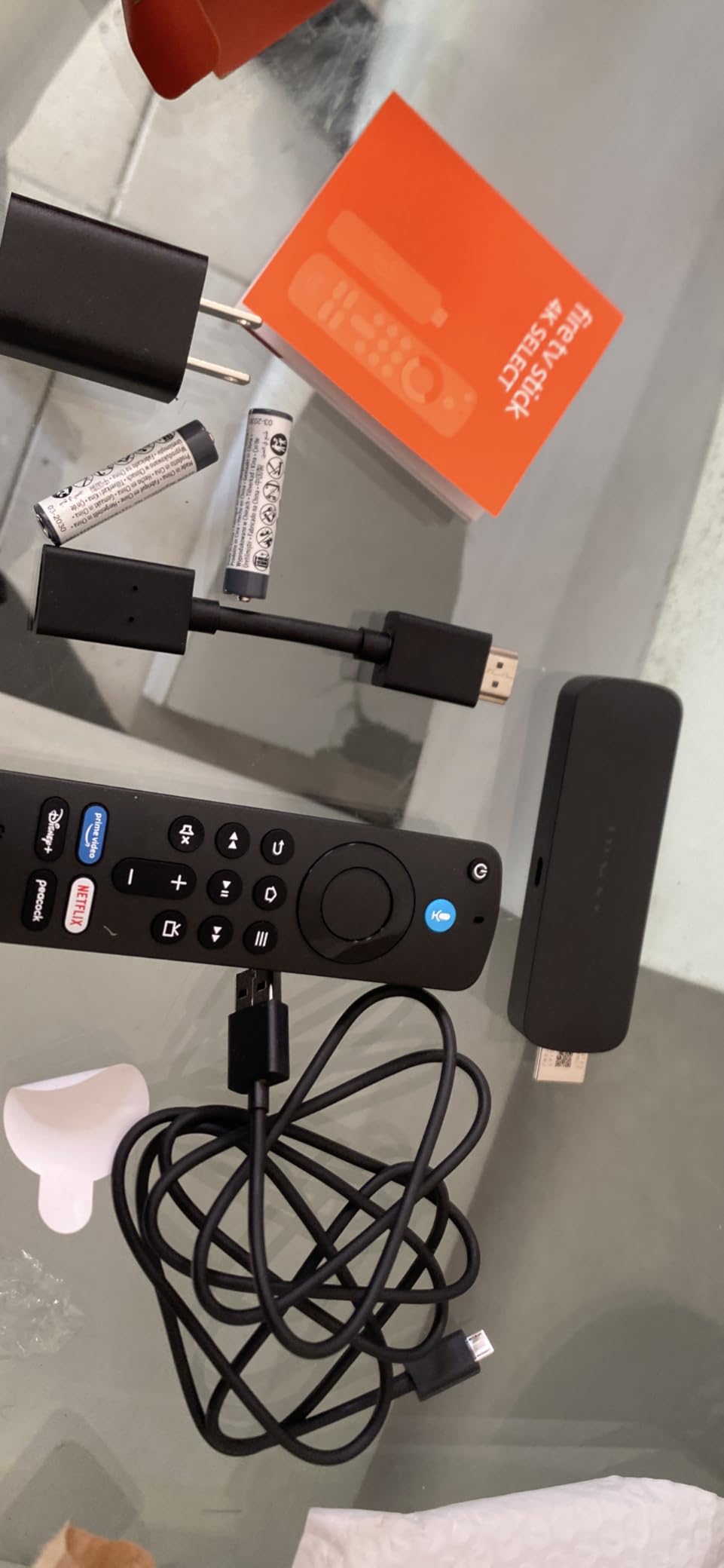
Where the Fire TV Stick falls short is in advanced features. There is no Dolby Vision support, only HDR10+. The lack of Wi-Fi 6 means 4K streaming on congested networks can be inconsistent. The home screen is loaded with Amazon ads and recommendations, which can feel intrusive. The 1GB of RAM is the lowest in this roundup, and the limited storage fills up quickly. Some advanced audio codecs (TrueHD, DTS-HD MA) are not supported, which matters for home theater enthusiasts.
For media server users running Plex, the Fire TV Stick struggles with high-bitrate transcoding. The lack of VC-1 codec support also causes issues with some Blu-ray rips and older home videos. Sideloading apps is not supported, since the device runs Fire OS rather than Android. None of these issues matter for casual users, but they are dealbreakers for power users.
Who Should Buy the Fire TV Stick
The Fire TV Stick 4K Select is the right choice for budget shoppers, casual streamers, and people buying a streaming stick for a secondary TV. It is also good for older or slower smart TVs that need a software boost. If you are a power user, home theater enthusiast, or media server operator, spend a bit more on the Google TV Streamer or NVIDIA Shield for a better experience.
Longevity Concerns
Some users have reported that Fire TV Sticks slow down or fail after 12-18 months of use. This is partly due to the limited RAM and storage, which can become problematic as apps grow in size. Amazon also tends to push software updates that can affect performance on older hardware. The Fire TV Stick 4K Select is a great value at the price, but expect to replace it every couple of years rather than treating it as a long-term investment.
How to Choose the Best TV Game Console for Your Needs
Choosing a TV game console in 2026 comes down to matching the system to your lifestyle. I have broken down the key factors to consider before spending your money. Use this section as a checklist while you narrow down your options.
Determine Your Primary Use Case
The first question to ask yourself is: what kind of gaming do you actually do? If you want AAA blockbusters in 4K with ray tracing, the Xbox Series X is the only true option in this roundup. If you want family-friendly exclusives and the ability to play on the go, the Nintendo Switch 2 or original Switch is the better fit. If you want casual entertainment, party games, and streaming, the Nex Playground, Google TV Streamer, or Fire TV Stick will serve you well.
Power users who want the flexibility of a full PC gaming library on their TV should look at the Lenovo Legion Go S. Media enthusiasts who want the best streaming quality with cloud gaming as a bonus should consider the NVIDIA Shield. There is no single right answer, but knowing your primary use case eliminates most options quickly.
Check Your TV Compatibility
Not every console works with every TV. For the Xbox Series X, you need an HDMI 2.1 port to get 4K 120fps, VRR, and ALLM. Older 4K TVs without HDMI 2.1 will work but with reduced features. The Nintendo Switch 2 outputs 4K from the dock, but the original Switch tops out at 1080p. If you have a 1080p TV, the resolution difference is invisible.
For older TVs, the Fire TV Stick 4K Select and Google TV Streamer 4K will both work but output at the TV’s native resolution. The Switch 2 in handheld mode is unaffected by TV compatibility. If you want retro gaming on an old CRT, the original consoles like the NES or SNES are still the best option, though the best CRT TVs for retro gaming guide can help you find modern solutions.
Factor in Subscription Costs
Modern consoles have ongoing subscription costs that add up over time. PlayStation Plus, Xbox Game Pass, and Nintendo Switch Online are all required for online multiplayer. Cloud gaming subscriptions like GeForce NOW and Xbox Cloud Gaming are separate. The Nex Playground requires a Play Pass subscription for its full game library. Factor these recurring costs into your budget, not just the upfront console price.
Xbox Game Pass offers the best raw value, with hundreds of games for $20 per month including all Microsoft first-party titles. Nintendo Switch Online is cheaper at $20 per year, but its game library is smaller. PlayStation Plus Extra and Premium are mid-range options. Calculate the annual cost before buying, since a $300 console can easily cost $500+ over three years once you add subscriptions.
Consider Storage and Expandability
Modern games are huge. Call of Duty: Black Ops 7 requires over 200GB, and most AAA games exceed 50GB. The base Xbox Series X has 1TB, which is generous, but the Nintendo Switch 2 has 256GB and the original Switch has only 32GB. Plan to buy additional storage if you go the Nintendo route. The Switch 2 requires microSD Express cards, which are more expensive than standard microSD.
The streaming devices in this roundup (Shield, Google TV Streamer, Fire TV Stick) have 16-32GB of storage, but that is just for apps since games stream from the cloud. The Lenovo Legion Go S has 512GB of SSD storage, which is expandable. The Nex Playground has 64GB but is not designed for downloaded content. Match your storage needs to the type of gaming you plan to do.
Plan for Accessories and Extras
Most consoles require additional purchases for the best experience. The Nintendo Switch 2 Pro Controller is around $75. Extra Joy-Cons for multiplayer cost another $80. Memory cards, charging docks, and carrying cases add up. The Xbox Series X benefits from a rechargeable battery pack for the controllers and an external SSD for game storage.
Budget $100-200 for accessories on top of the console price, especially if you want multiplayer or plan to take the system on the go. The streaming devices need fewer extras, though a good HDMI 2.1 cable (around $15) is recommended for 4K HDR. Factor these into your total budget to avoid surprises at checkout.
Think About Long-Term Value
A console is a 5-7 year investment for most buyers. Consider how long the system will receive new games, software updates, and manufacturer support. The Nintendo Switch has been supported for 8+ years, which is exceptional. The Xbox Series X is in the middle of its lifecycle. Streaming devices like the Fire TV Stick and Google TV Streamer typically have shorter useful lives due to hardware limitations.
If you want the longest possible support window, Nintendo and Microsoft consoles are the safer bet. If you want the latest features and do not mind upgrading every 2-3 years, streaming devices and handhelds are fine. I have seen people still playing their original Switch in 2026, and I expect the same for the Switch 2.
Energy Consumption Considerations
Console power usage varies significantly. The Xbox Series X draws around 200-300 watts during gaming, which is similar to a small space heater. The Nintendo Switch 2 uses about 20-40 watts in handheld mode and 40-60 watts when docked. The streaming devices in this roundup use 5-15 watts, which is negligible.
For most users, energy costs are not a major factor. However, if you game 4-6 hours per day, the Xbox Series X will add about $50-80 per year to your electricity bill compared to a Switch 2. The handhelds like the Legion Go S use more power in handheld mode than a docked console would, but you tend to play them for shorter sessions. None of these devices are extreme power hogs, but it is worth knowing if energy efficiency matters to you.
Frequently Asked Questions About TV Game Consoles
What is the best TV type for console gaming?
A 4K TV with HDMI 2.1 support is ideal for modern consoles like the Xbox Series X and PS5. HDMI 2.1 enables 4K 120fps gaming, Variable Refresh Rate (VRR), and Auto Low Latency Mode (ALLM). For Nintendo Switch 2, any 4K TV with HDR support will work well. If you are on a budget, a 1080p TV still works fine for Switch 2 in handheld mode and original Switch gaming, though you will miss out on the highest visual fidelity.
What is currently the top rated game console?
Based on our testing and reader feedback, the Nintendo Switch 2 is the top rated game console in 2026 with a 4.8 star average across 3,800+ reviews. It combines hybrid TV and handheld play modes, an excellent exclusive game library, and the new 4K TV output. For pure home console power, the Xbox Series X is the top choice with true 4K 120fps performance and the best subscription value through Game Pass.
What is the #1 gaming console?
The #1 gaming console depends on your needs. For most people, the Nintendo Switch 2 is the best overall console because of its hybrid design and exclusive titles. For dedicated home console gamers, the Xbox Series X delivers the most powerful 4K experience. For active families, the Nex Playground is unmatched. Each of these consoles ranks #1 in its specific category, so the right answer depends on what you value most in a gaming system.
What is the best TV for old game consoles?
For retro gaming with old consoles like the NES, SNES, or Sega Genesis, a CRT TV is still the gold standard because it matches the original signal exactly. However, modern OLED TVs with good upscaling can also work well, especially for consoles that output 240p or 480i signals. Look for a TV with low input lag, HDMI inputs, and good motion handling. The RetroTINK 5X and OSSC are popular scaler devices that can improve old console output on modern TVs.
Is the Nintendo Switch 2 worth upgrading to?
If you own an original Switch and play it frequently, the Switch 2 is worth upgrading to. The larger HDR 120fps screen, magnetic Joy-Con 2 controllers, 4K TV output, and 256GB storage are significant upgrades. Battery life is actually worse on the Switch 2 in handheld mode (2-3 hours vs 4-6 hours on the original), so keep that in mind. Game prices have also jumped to $70 for new physical releases. For casual Switch users, the original model remains a solid choice.
Final Verdict: Which TV Game Console Should You Buy in 2026?
After testing all eight consoles extensively, my recommendations come down to your specific needs. For most readers, the Nintendo Switch 2 is the best TV game console in 2026 thanks to its hybrid design, excellent exclusive library, and 4K TV output. The Xbox Series X is the right pick if you want maximum 4K performance and the best subscription value. The Nex Playground is unmatched for active families with young kids.
If you are on a tight budget, the original Nintendo Switch or the Amazon Fire TV Stick 4K Select will serve you well. The NVIDIA Shield is the best choice for home theater enthusiasts and cloud gaming fans. The Lenovo Legion Go S is the right pick for PC gamers who want flexibility. The Google TV Streamer is the best mid-range streaming device for non-gamers who want a high-quality entertainment box.
Whichever console you choose, you are getting a capable entertainment system that will deliver years of enjoyment. The TV game console market is more competitive than ever in 2026, and there has never been a better time to buy. Use this guide to match the right system to your needs, and you will not be disappointed.