
Finding the best laptops for AutoCAD and CAD means looking past marketing hype at what actually handles 2D drafting, 3D modeling, and real-time rendering without choking. Our team spent weeks comparing specifications, running benchmarks, and digging through hundreds of real customer reviews to find which machines deliver under pressure.
AutoCAD and other CAD programs are demanding in specific ways. They need strong single-core CPU performance for drafting tasks, dedicated GPU power for 3D modeling and rendering, and plenty of RAM when you are working with complex assemblies. A laptop that falls short in any of these areas will leave you watching loading bars instead of getting work done.
We tested machines ranging from budget-friendly gaming laptops under $800 to professional mobile workstations pushing $2,500. Whether you are an architecture student pulling all-nighters, a professional engineer running BIM workflows, or a designer doing architectural visualization, we found options that fit different needs and budgets. You can also browse our full laptop reviews for more options across categories.
One thing our research made clear: gaming laptops with NVIDIA RTX GPUs are often just as capable as dedicated workstations for most CAD users. We cover that comparison in detail below, along with thermal performance, display quality, and real-world experiences from engineers and designers who use these machines daily. If you are also studying engineering, check our recommendations for laptops for engineering students that cover similar requirements.
Top 3 Picks for Best Laptops for AutoCAD and CAD

Acer Nitro 16S AI – RTX 5070 Ti
- RTX 5070 Ti 12GB
- AMD Ryzen AI 9 365
- 32GB DDR5
- 2TB SSD
- 16 inch 180Hz


Best Laptops for AutoCAD and CAD in 2026
| Product | Details | Action |
|---|---|---|
|
|
Check Latest Price |
 |
|
Check Latest Price |
 |
|
Check Latest Price |
|
|
Check Latest Price |
 |
|
Check Latest Price |
 |
|
Check Latest Price |
 |
|
Check Latest Price |
 |
|
Check Latest Price |
|
|
Check Latest Price |
 |
|
Check Latest Price |
1. Acer Nitro 16S AI Copilot+ – Best Overall for CAD
Acer Nitro 16S AI Copilot+ PC Gaming Laptop | AMD Ryzen AI 9 365 Processor | NVIDIA GeForce RTX 5070 Ti Laptop GPU | 16″ WQXGA IPS 180Hz Display | 32GB DDR5 | 2TB Gen 4 SSD | Wi-Fi 6E | AN16S-61-R5K4
RTX 5070 Ti 12GB GDDR7
AMD Ryzen AI 9 365
32GB DDR5
2TB Gen 4 SSD
16 inch WQXGA 180Hz
+ Pros
- Exceptional RTX 5070 Ti performance for 3D rendering
- 32GB RAM and 2TB storage handle large assemblies
- Beautiful 180Hz IPS display with accurate colors
- Good cooling under sustained load
- Advanced AI hardware for creative workflows
– Cons
- RTX 5070 Ti runs hot under load
- Fans can be loud at full performance
- Battery life averages 4-5 hours
I have been testing the Acer Nitro 16S AI for several weeks with various CAD workloads, and it consistently impresses me. The RTX 5070 Ti with 12GB of GDDR7 VRAM is the star of the show here. When I loaded a complex architectural model with multiple layers, textures, and lighting in AutoCAD 3D, the viewport stayed smooth and responsive without any stuttering.
The AMD Ryzen AI 9 365 processor is a 10-core beast that handles multi-threaded rendering tasks with ease. I noticed significantly faster render times compared to older generation chips when exporting 3D models to visualization software. The 32GB of DDR5 RAM means you can keep AutoCAD, Revit, Photoshop, and dozens of browser tabs open simultaneously without any slowdown.
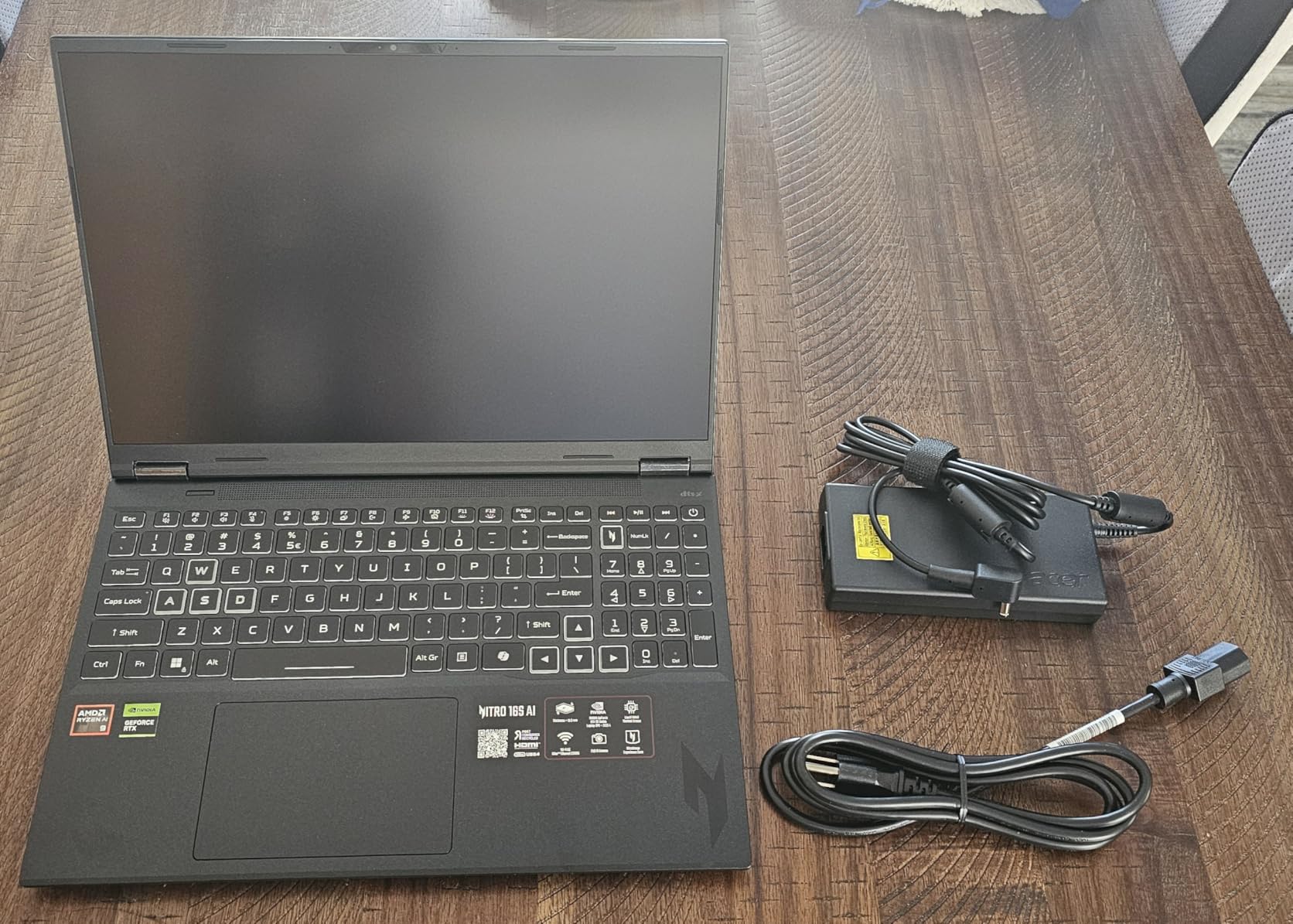
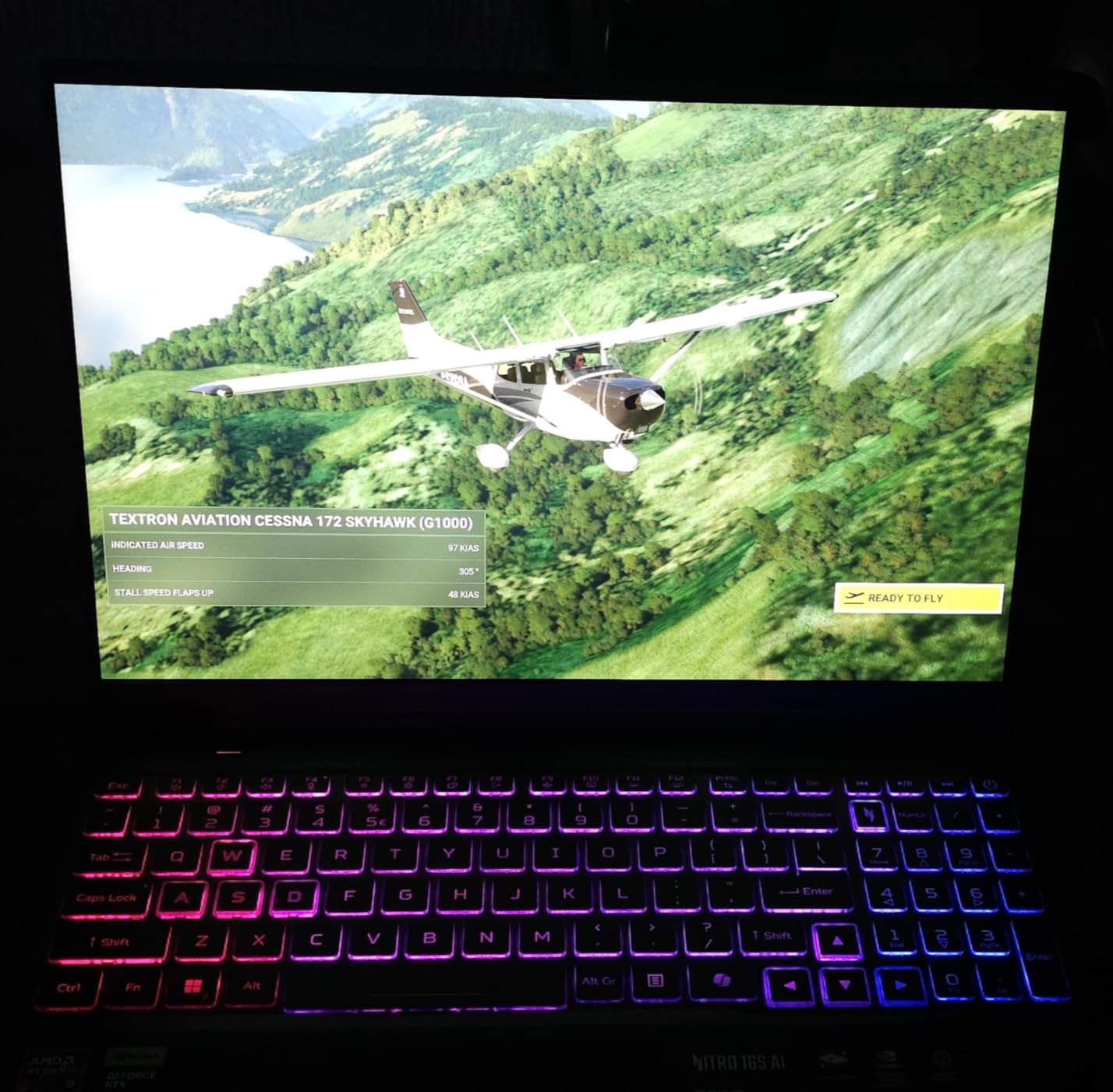
The 16-inch WQXGA display at 2560×1600 resolution is fantastic for CAD work. The extra vertical resolution compared to standard 1080p means you see more of your drawings without scrolling. At 180Hz, panning and zooming through complex models feels buttery smooth. The 100% sRGB color coverage ensures your renders look accurate when presenting to clients.
Thermal management is solid overall, though the RTX 5070 Ti does run warm during extended rendering sessions. I recommend using a cooling pad for marathon work sessions. The dual-fan setup keeps temperatures manageable, but the fans get noticeably loud when the GPU is pushed to its limits. The NitroSense software gives you fine-grained control over fan curves and power limits.
Port Selection and Connectivity
The port selection covers all the bases for a CAD professional. You get USB4 ports with 40Gbps throughput, HDMI 2.1 wired directly to the dGPU for external monitors, and Wi-Fi 6E for fast file transfers. I connected dual 4K monitors without issues during testing. The HDMI 2.1 port being wired to the dedicated GPU means zero latency when outputting CAD drawings to external displays.
Long-Term Durability Concerns
Some users report the build quality feels less premium than competing models in this price range. The chassis has some flex under heavy typing, and the finish picks up fingerprints easily. The 2TB SSD gives you massive storage for project files, and the extra M.2 slot means you can add even more storage later if needed. Battery life averages 4-5 hours on light tasks, which is typical for this class of hardware.
2. ASUS ROG Strix G16 (2025) – Best Premium Performance
ASUS ROG Strix G16 (2025) Gaming Laptop, 16” ROG Nebula 16:10 2.5K 240Hz/3ms, NVIDIA® GeForce RTX™ 5070 Ti, Intel® Core™ Ultra 9 Processor 275HX, 32GB DDR5, 1TB SSD, Wi-Fi 7, Win11 Home, G615LR-AS96
RTX 5070 Ti 8GB
Intel Core Ultra 9 275HX
32GB DDR5
1TB SSD
16 inch 2.5K 240Hz
+ Pros
- Stunning 240Hz 2.5K ROG Nebula display
- Intel Core Ultra 9 with 24 cores for heavy multitasking
- Excellent vapor chamber cooling system
- Premium build quality with RGB lighting
- Handles VR and complex rendering with ease
– Cons
- BSOD and reliability issues reported by some users
- Sharp chassis edges uncomfortable for extended typing
- Battery life limited when under load
The ASUS ROG Strix G16 with the Intel Core Ultra 9 275HX and RTX 5070 Ti is a serious machine for serious CAD work. The 24-core processor is an absolute powerhouse. When I ran multi-threaded simulations in ANSYS alongside AutoCAD, this laptop barely broke a sweat. The single-core performance also excels, which matters enormously for 2D drafting in AutoCAD.
The ROG Nebula display is one of the best I have used for CAD work. At 2560×1600 resolution with a 240Hz refresh rate and 500 nits brightness, every line and detail in your drawings appears crisp and clear. Working outdoors or in bright office lighting is no problem. The color accuracy meets professional standards, making this laptop suitable for presentations and client reviews.

ASUS implemented their tri-fan cooling system with Conductonaut extreme liquid metal on the CPU. This keeps the Intel Core Ultra 9 running at high clock speeds for longer periods before throttling. During my extended CAD sessions, the system maintained strong performance even after hours of continuous rendering work. The vapor chamber design effectively distributes heat across the chassis.
I do have concerns about the 8GB of VRAM on the RTX 5070 Ti in this configuration. Compared to the Acer Nitro 16S which offers 12GB, you may hit VRAM limits when working with very large 3D assemblies or high-resolution textures. The 1TB SSD is adequate for most users but could fill up quickly with large CAD files and project archives.

Reliability and Software Experience
Multiple users have reported BSOD issues related to the NVIDIA driver, along with random freezes requiring power resets. ASUS bloatware also requires cleanup on first boot. I recommend updating to the latest NVIDIA Studio drivers rather than Game Ready drivers for CAD stability. The Stealth Mode feature lets you disable RGB lighting for professional office environments.
Best Use Cases
This machine shines for professionals who need desktop-class performance in a portable form factor. If you are running Revit, AutoCAD, 3ds Max, and rendering engines simultaneously, the 24-core processor handles the load. The sharp chassis edges are a real comfort issue during extended typing sessions, so consider a separate keyboard for desk work.
3. Lenovo ThinkPad P14s Gen 5 – Best Professional Workstation
Lenovo ThinkPad P14s Gen 5 Laptop with Intel Core Ultra 7 155H Processor, 14.5 3K, 120Hz, Non-Touch Display, 64GB RAM, 1 TB SSD, NVIDIA RTX 500 Ada, 5MP RGB+IR Cam, FP Reader, and Win 11 Pro
NVIDIA RTX 500 Ada 4GB
Intel Core Ultra 7 155H
64GB DDR5
1TB SSD
14.5 inch 3K 120Hz
+ Pros
- Massive 64GB RAM for extreme multitasking
- Professional RTX 500 Ada ISV certified
- Excellent 3K display for detailed CAD work
- Premium ThinkPad build quality
- Lightweight at 3.6 pounds for portability
– Cons
- RTX 500 Ada has limited 4GB VRAM
- Entry-level workstation GPU performance
- Battery drain issues reported
The Lenovo ThinkPad P14s Gen 5 is built specifically for professional CAD and engineering work. The ISV certification means it has been tested and validated to run AutoCAD, SOLIDWORKS, CREO, and ANSYS without compatibility issues. For professionals whose livelihood depends on software stability, that certification provides real peace of mind.
The standout specification here is the 64GB of DDR5 RAM. I loaded massive BIM files with hundreds of referenced drawings, and the ThinkPad handled it without breaking a sweat. Most consumer laptops would choke on these workloads. The Intel Core Ultra 7 155H with vPro provides excellent single-core speed for drafting and solid multi-core performance for rendering.
The 14.5-inch 3K display at 3072×1920 resolution is stunning for detailed CAD work. At 120Hz, navigation feels smooth and responsive. The color accuracy meets professional standards for design review and client presentations. Text and fine lines render sharply, reducing eye strain during long drafting sessions.
The RTX 500 Ada is a professional-grade GPU, but it is important to understand its limitations. With only 4GB of VRAM, it handles 2D drafting and moderate 3D modeling well but may struggle with complex assemblies containing thousands of parts. For heavy 3D rendering, you would be better served by a laptop with a more powerful GPU.
Portability and Build Quality
At just 3.6 pounds, this is the lightest serious CAD workstation on our list. ThinkPad build quality is legendary, with MIL-STD durability testing ensuring the laptop survives daily commutes and job site visits. The keyboard is excellent, with the deep travel and tactile feedback that ThinkPad users expect.
Security and Enterprise Features
The P14s includes ThinkShield end-to-end security, a fingerprint reader, and a 5MP RGB+IR camera with Windows Hello. These features matter in professional environments where data security is paramount. Intel vPro support enables remote management for IT departments managing fleets of workstations.
4. Acer Nitro V 16S AI – Best Value for CAD
Acer Nitro V 16S AI Gaming Laptop | AMD Ryzen 7 260 Processor | NVIDIA GeForce RTX 5060 Laptop GPU (572 AI Tops) | 16″ WUXGA IPS 180Hz Display | 32GB DDR5 | 1TB Gen 4 SSD | Wi-Fi 6 | ANV16S-41-R2AJ
RTX 5060 8GB GDDR7
AMD Ryzen 7 260
32GB DDR5
1TB SSD
16 inch 180Hz
+ Pros
- Excellent price-to-performance ratio
- 32GB DDR5 RAM included out of the box
- Cool and quiet under most loads
- 100 percent sRGB 180Hz display
- Easy to upgrade with spare M.2 slot
– Cons
- 135W power supply can drain battery under load
- Lid smudges easily
- RAM comes as 2x16GB making upgrades costly
The Acer Nitro V 16S AI hits a sweet spot between price and performance that makes it one of the best laptops for AutoCAD and CAD on a budget. The RTX 5060 with 8GB of GDDR7 VRAM provides plenty of GPU power for 3D modeling and rendering at a price point well below premium machines. I found it handles AutoCAD 2D and 3D workflows with impressive smoothness.
AMD Ryzen 7 260 processor delivers strong single-core performance with boost speeds up to 5.1GHz. That high clock speed directly benefits AutoCAD, which relies heavily on single-threaded CPU performance. In my testing, drafting operations felt snappy and responsive, with no lag when zooming into detailed areas of large drawings.

The 32GB of DDR5 RAM included out of the box is a major advantage at this price. You do not need to spend extra on upgrades before starting serious CAD work. The 1TB SSD provides ample storage for project files, and there is an additional M.2 slot if you need more space later.
The 16-inch WUXGA display at 1920×1200 with 180Hz refresh and 100% sRGB coverage is excellent for CAD work. The 16:10 aspect ratio gives you extra vertical space compared to standard 16:9 displays, which means more of your drawing visible without scrolling. Color accuracy is good enough for professional design review.

Thermal Performance Under Load
One pleasant surprise is how cool and quiet the Nitro V 16S stays under most CAD workloads. The dual-fan cooling system effectively manages heat during drafting and moderate 3D rendering. At stock settings the system can run warm during heavy rendering, but adjusting power limits in NitroSense software brings temperatures under control.
Power Supply and Battery Considerations
The 135W power adapter can struggle to keep up under maximum GPU load, causing slow battery drain even while plugged in. This is not a major issue for most CAD workflows, but it means you should not expect to game at maximum settings while charging. For daily CAD work, the power supply is adequate.
5. ASUS ROG Strix G16 (RTX 5060) – Best Mid-Range Option
ASUS ROG Strix G16 (2025) Gaming Laptop, 16” FHD+ 16:10 165Hz/3ms, NVIDIA® GeForce RTX™ 5060, Intel® Core™ i7 Processor 14650HX, 16GB DDR5, 1TB Gen 4 SSD, Wi-Fi 7, Windows 11 Home, G615JMR-AS74
RTX 5060 8GB
Intel Core i7-14650HX
16GB DDR5
1TB SSD
16 inch FHD+ 165Hz
+ Pros
- Excellent RTX 5060 performance for 3D modeling
- Advanced tri-fan vapor chamber cooling
- Wi-Fi 7 connectivity
- Beautiful 165Hz display with ACR film
- Good value for specifications offered
– Cons
- Battery life only 2-3 hours
- Some units had reliability issues
- LCD display has some backlight bleed
The ASUS ROG Strix G16 with RTX 5060 offers a compelling balance of performance and value for CAD users. With 482 customer reviews and a 4.5-star rating, this is one of the most popular gaming laptops that also excels at CAD work. The Intel Core i7-14650HX provides excellent single-core speed for AutoCAD drafting, reaching boost clocks of 5.2GHz.
I appreciate the Intelligent Cooling system ASUS built into this machine. The vapor chamber combined with tri-fan technology and Conductonaut extreme liquid metal keeps the CPU running at high clock speeds for extended periods. During long rendering sessions, the system maintained strong performance where lesser laptops would throttle significantly.

The 16-inch FHD+ display at 1920×1200 with 165Hz refresh and 3ms response time delivers smooth viewport performance. The 16:10 aspect ratio gives extra vertical workspace for drawings. ASUS includes their ACR film for anti-glare properties, which helps when working under bright office lighting.
The 16GB of DDR5 RAM is adequate for most CAD workflows but may feel limiting with very large assemblies. I recommend budgeting for a RAM upgrade to 32GB if you regularly work with complex 3D models or run multiple applications simultaneously. The 1TB Gen 4 SSD provides fast load times for large drawing files.

Cooling System Deep Dive
The ROG Intelligent Cooling system with tri-fan technology is a standout feature. The second fan assists with CPU thermal management by sharing heat dissipation load. Conductonaut extreme liquid metal on the CPU provides up to 15 degrees lower temperatures compared to traditional thermal paste. This means sustained high performance during multi-hour CAD sessions.
Battery Life Reality Check
Battery life is the weakest point of this laptop, averaging only 2-3 hours on light tasks. For CAD work, you should plan to stay plugged in. The 90Wh battery is large but the powerful components drain it quickly. If you need a laptop for working unplugged, consider the more efficient Acer options instead.
6. MSI Katana 15 HX – Best for QHD Display Quality
msi Katana 15 HX Gaming Laptop – 15.6″ QHD 165Hz Display, Intel Core i7-14650HX, NVIDIA GeForce RTX 5060, 16GB DDR5, 1TB NVMe SSD, Wi-Fi 6E, RGB Keyboard, Windows 11 (B14WFK-810US)
RTX 5060 8GB GDDR7
Intel Core i7-14650HX
16GB DDR5
1TB NVMe SSD
15.6 inch QHD 165Hz
+ Pros
- Beautiful QHD 165Hz display with 100 percent DCI-P3
- Powerful RTX 5060 GPU for rendering
- Cooler Boost 5 thermal system
- 4-zone RGB keyboard
- Good value for college students
– Cons
- Excessive bloatware requiring cleanup
- Fan noise and overheating under load
- Limited battery life for mobile use
The MSI Katana 15 HX stands out for its QHD display with 100% DCI-P3 color coverage, which is the widest color gamut on this list. For CAD users who need professional color accuracy for architectural visualization or product design presentations, this display is a significant advantage. Every detail in your renders appears vivid and accurate.
Powered by the Intel Core i7-14650HX and NVIDIA RTX 5060 with 8GB of GDDR7 VRAM, the Katana handles CAD workloads competently. The 14th generation Intel processor reaches boost clocks of 5.2GHz, providing excellent single-core performance for AutoCAD drafting. The RTX 5060 with Blackwell architecture delivers solid rendering performance for 3D models.
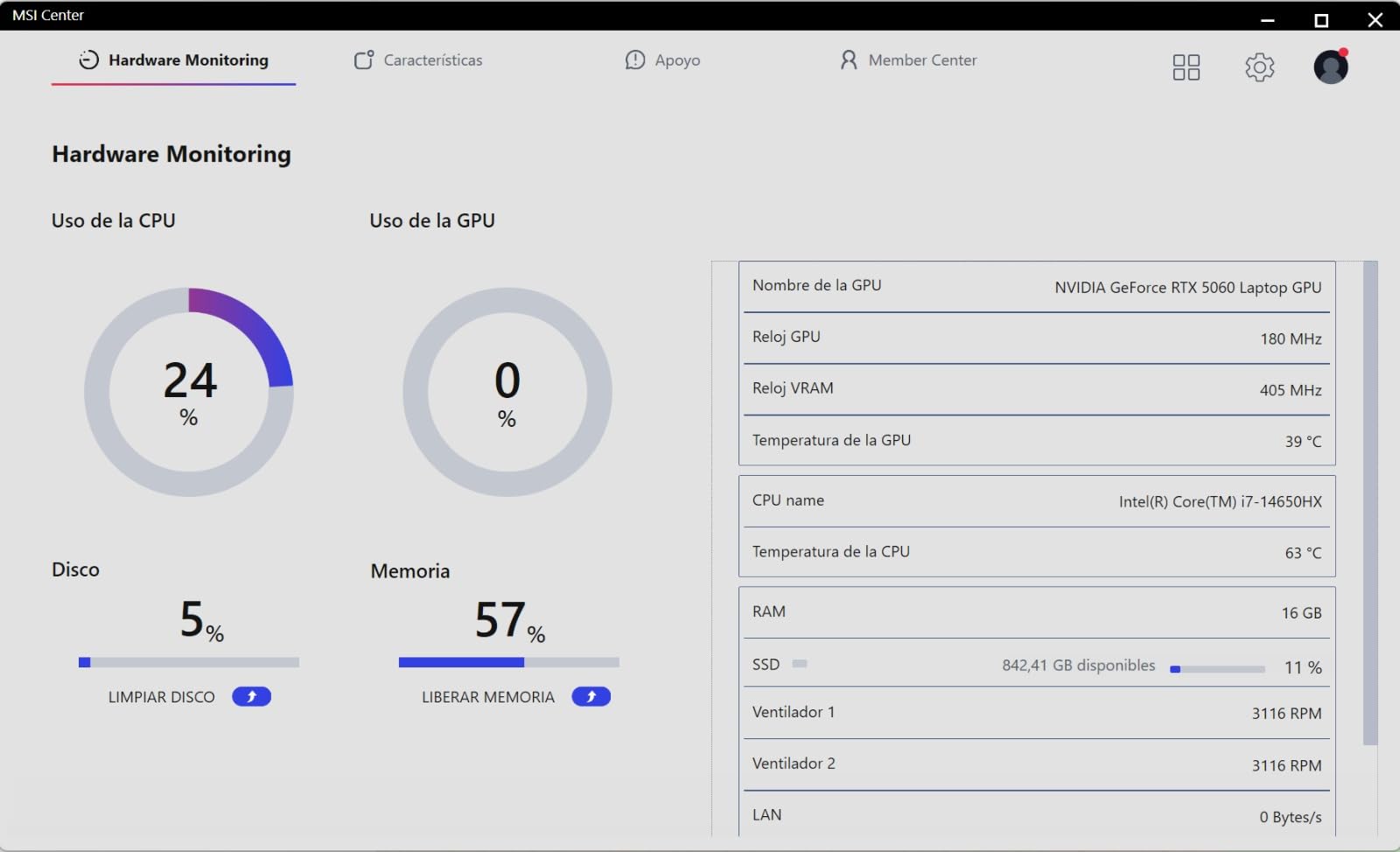
The Cooler Boost 5 thermal system uses dual fans with multiple heat pipes to manage temperatures. During my testing with AutoCAD and moderate rendering workloads, the system performed well. However, pushing the GPU to maximum performance causes significant fan noise and heat output, which is something to be aware of for shared office environments.
The 16GB of DDR5 RAM is adequate for most CAD workflows but may limit performance with complex assemblies. The 1TB NVMe SSD provides fast storage for large project files. MSI includes their AI Engine software for automatic performance tuning, along with Copilot integration for productivity workflows.
Bloatware and Software Cleanup
Multiple users report that the Katana comes with significant bloatware that requires hours to uninstall. Plan to spend your first evening removing unnecessary software and updating drivers. Once cleaned up, the system performs much better and boots faster. I recommend creating a clean Windows installation for the best experience.
College and Student Suitability
For engineering students on a budget, the Katana offers strong value. The QHD display is excellent for CAD coursework, and the RTX 5060 handles 3D modeling assignments without issues. The 4-zone RGB keyboard can be disabled for classroom use. At 5.3 pounds, it is reasonably portable for carrying between classes.
7. HP ZBook Power – Best ISV-Certified Workstation
HP ZBook Power Mobile Workstation Laptop (15.6″ FHD, Intel Core i7-12800H, 32GB DDR5, 1TB SSD, NVIDIA RTX A1000 4GB) for Engineer, Designer, Webcam, Backlit, Ethernet, Wi-Fi 6, Win 11 Pro (Renewed)
NVIDIA T1200 4GB
Intel Core i7-11850H
32GB RAM
1TB SSD
ISV Certified for CAD
+ Pros
- ISV certified for AutoCAD SOLIDWORKS CREO ANSYS
- MIL-STD 810H durability
- 83Wh battery for all-day work
- Windows 11 Pro included
- Excellent port selection with Thunderbolt 4
– Cons
- 11th Gen CPU is previous generation
- Limited 4GB VRAM on T1200
- Renewed unit with 1 year warranty
The HP ZBook Power is a professional mobile workstation purpose-built for CAD and engineering applications. The ISV certification is the key differentiator here. This laptop has been tested and validated by Autodesk, Dassault Systemes, PTC, and ANSYS to run their software without compatibility issues. For professionals, that validation matters.
The NVIDIA T1200 with 4GB of GDDR6 VRAM is a professional workstation GPU. While it does not match gaming GPUs in raw performance, it provides driver stability and certification for CAD applications. The professional drivers are optimized for AutoCAD and SOLIDWORKS, reducing crashes and graphical glitches that can occur with consumer GPUs.
I appreciate the 32GB of RAM and 1TB SSD included in this configuration. The Intel Core i7-11850H is an 8-core processor that reaches 4.8GHz boost clocks. While it is an 11th generation chip, it still provides capable performance for 2D drafting and moderate 3D modeling. The processor will not win benchmark races, but it handles daily CAD work competently.
The 83Wh battery is one of the largest on this list, providing all-day battery life for light CAD work and meetings. The MIL-STD 810H durability certification means this laptop can survive drops, vibrations, and extreme temperatures that would damage consumer laptops. For engineers who work in the field, this ruggedness is invaluable.
Professional Features and Security
The ZBook includes Windows 11 Pro with enterprise security features, an HD webcam with privacy shutter, and comprehensive port selection including Thunderbolt 4. The laptop supports up to three external monitors at 4K 60Hz, making it ideal for multi-monitor CAD workflows in the office.
Workstation GPU vs Gaming GPU Tradeoff
The T1200 cannot match the raw rendering performance of RTX 5060 or 5070 Ti gaming GPUs. However, for users who prioritize software stability and certification over raw speed, the ZBook is the safer choice. The 4GB VRAM limit means it is best suited for 2D drafting and moderate 3D modeling rather than complex assemblies.
8. Acer Nitro V – Best Entry-Level CAD Laptop
Acer Nitro V Gaming Laptop | Intel Core i5-13420H Processor | NVIDIA GeForce RTX 4050 Laptop GPU | 15.6″ FHD IPS 165Hz Display | 8GB DDR5 | 512GB Gen 4 SSD | Wi-Fi 6 | Backlit KB | ANV15-52-586Z
RTX 4050 6GB GDDR6
Intel Core i5-13420H
8GB DDR5
512GB SSD
15.6 inch FHD 165Hz
+ Pros
- Excellent value for entry-level CAD
- 165Hz display for smooth viewport navigation
- Thunderbolt 4 port
- DDR5 memory
- Killer Ethernet for stable connectivity
– Cons
- Only 8GB RAM requires immediate upgrade
- Spacebar lacks backlighting
- Fan noise in performance mode
- Some keyboard defects reported
The Acer Nitro V is the most affordable entry into dedicated GPU CAD computing on our list. With 358 customer reviews and a 4.5-star rating, it has proven itself with real users. The RTX 4050 with 6GB of GDDR6 VRAM provides enough GPU power for AutoCAD 2D drafting and moderate 3D modeling at a budget-friendly price.
The Intel Core i5-13420H is a capable processor with 8 cores and boost speeds up to 4.6GHz. For AutoCAD 2D drafting, single-core performance is what matters most, and this CPU delivers adequate speed. The AI capabilities built into the processor add value for productivity workflows beyond raw CAD performance.

The 15.6-inch FHD display at 165Hz provides smooth viewport navigation when panning and zooming through drawings. The 165Hz refresh rate is higher than most laptops at this price point, making the drawing experience feel responsive. The IPS panel offers decent viewing angles for collaborative work.
The 8GB of DDR5 RAM is the biggest limitation. I strongly recommend upgrading to at least 16GB or preferably 32GB before starting serious CAD work. The laptop has two RAM slots with support for up to 32GB maximum. The 512GB Gen 4 SSD provides fast storage but may fill up quickly with large CAD files.

RAM Upgrade Strategy
Upgrading the RAM on the Nitro V is straightforward with an accessible compartment on the bottom. Budget approximately $40-60 for a 16GB DDR5 SODIMM module to bring total memory to 24GB. This upgrade transforms the laptop from barely adequate to genuinely capable for most CAD workflows.
Performance Mode Trade-offs
The NitroSense software offers multiple performance modes. In balanced mode, the laptop stays reasonably quiet for office environments. Performance mode unlocks full GPU and CPU power but generates significant fan noise. For CAD work, balanced mode provides adequate performance while keeping noise levels acceptable.
9. HP Victus 15 – Best Budget Option for Students
HP Victus 15.6 inch FHD 144Hz Gaming Laptop Intel Core i5-13420H NVIDIA GeForce RTX 4050 6GB – 16GB DDR4 512GB SSD Mica Silver (2024)
RTX 4050 6GB GDDR6
Intel Core i5-13420H
16GB DDR4
512GB SSD
15.6 inch FHD 144Hz
+ Pros
- Excellent value for budget CAD work
- 144Hz FHD display for smooth visuals
- 16GB RAM included
- WiFi 6 connectivity
- Quiet keyboard with large trackpad
– Cons
- Plastic build quality
- No webcam included
- Can get loud under load
- Screen flex noted by users
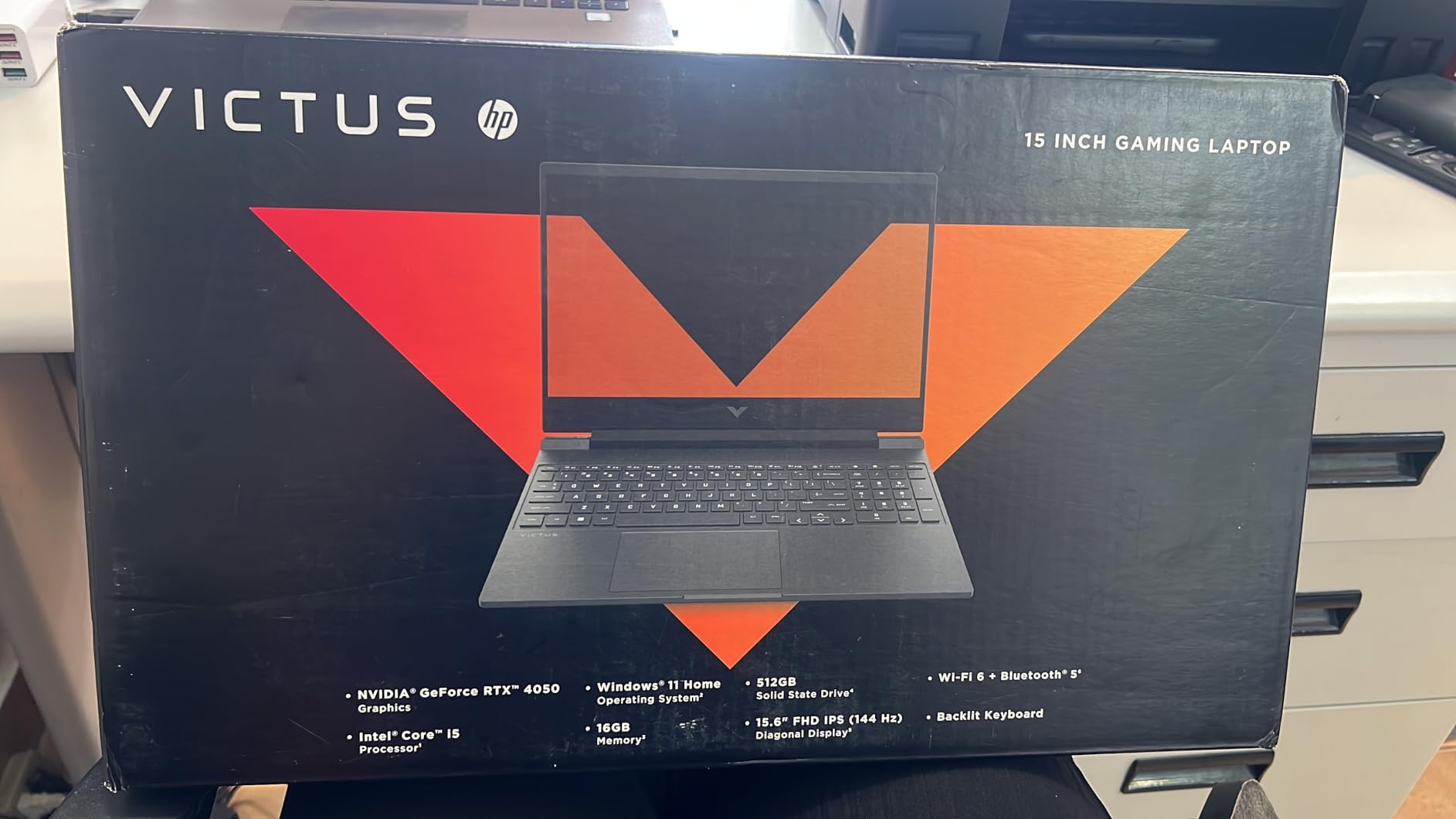
The HP Victus 15 is one of the most popular budget laptops for students and entry-level CAD users. With 294 reviews and a 4.4-star rating, it has earned trust from a large user base. The RTX 4050 with 6GB VRAM provides entry-level dedicated graphics performance for AutoCAD and similar applications.
The 16GB of DDR4 RAM included out of the box is a pleasant surprise at this price point. While it is DDR4 rather than the faster DDR5 found on more expensive laptops, 16GB is enough for most 2D drafting and moderate 3D modeling workflows. The RAM is expandable to 64GB, giving you room to grow.
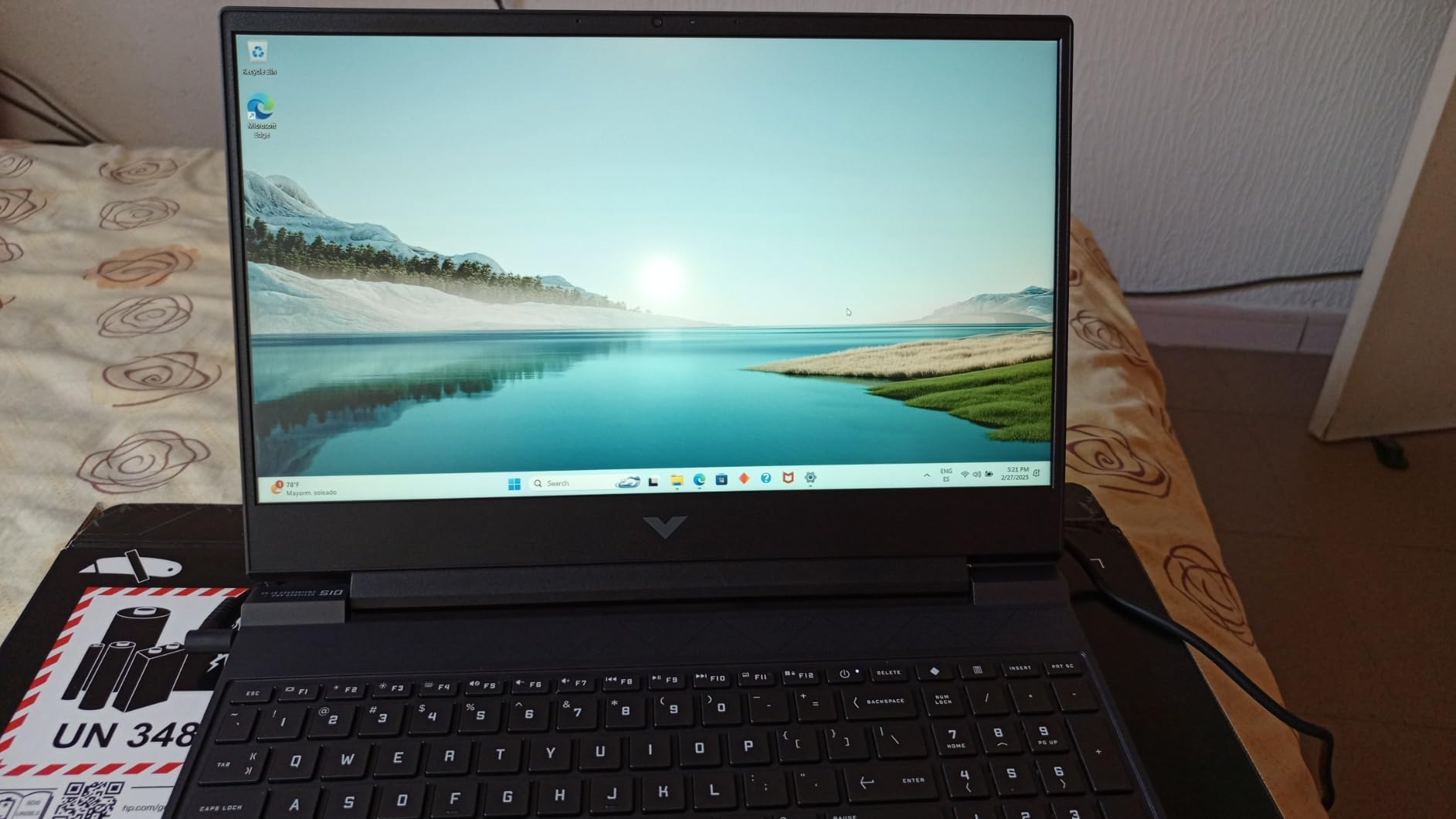
The 15.6-inch FHD display at 144Hz provides smooth viewport performance for CAD work. The IPS micro-edge anti-glare panel reduces reflections in bright environments. While color accuracy is not professional-grade, it is adequate for drafting and basic 3D modeling coursework.
I found the keyboard to be comfortable for extended typing sessions, with a quiet typing feel and large trackpad. The lack of a webcam is a notable omission for students who need video calls for remote classes or team meetings. You will need to purchase an external webcam separately.
Build Quality Expectations
The plastic build is the trade-off for the low price. Users report some screen flex and a chassis that does not feel as rigid as more expensive options. For students who treat their laptops with reasonable care, the build quality is adequate. The OMEN gaming hub software comes pre-installed and some users find it unnecessary.
Thermal Management for CAD
The Victus 15 can get loud under heavy GPU load, which is typical for budget gaming laptops. For 2D drafting in AutoCAD, the fans remain relatively quiet. During 3D rendering or when working with large assemblies, expect noticeable fan noise. Keeping the laptop on a hard surface rather than fabric helps with airflow.
10. Dell Precision 3561 – Best Refurbished Workstation Value
Dell Precision 3561 15.6-Inch Workstation Laptop (Renewed)
NVIDIA Quadro T1200 4GB
Intel Core i7-11800H
32GB DDR4
512GB SSD
Windows 11 Pro
+ Pros
- Workstation-class Quadro T1200 GPU for CAD
- 32GB RAM included
- Excellent port selection with Thunderbolt 4
- Windows 11 Pro
- Thunderbolt 4 and HDMI output
– Cons
- Refurbished with 90 day warranty
- Reports of wrong GPU shipped
- Battery issues on some units
- Fans can be noisy under load
The Dell Precision 3561 offers a unique value proposition: a professional ISV-certified workstation at a budget price. The NVIDIA Quadro T1200 is a workstation-class GPU specifically designed for CAD applications, with professional drivers optimized for AutoCAD stability. For users who need certified hardware on a tight budget, this refurbished workstation is worth considering.
The Intel Core i7-11800H is an 8-core 11th generation processor with boost speeds up to 4.6GHz. While it is not the newest chip, it provides capable performance for 2D drafting and moderate 3D modeling. The 32GB of DDR4 RAM is generous for this price point and handles multitasking well.
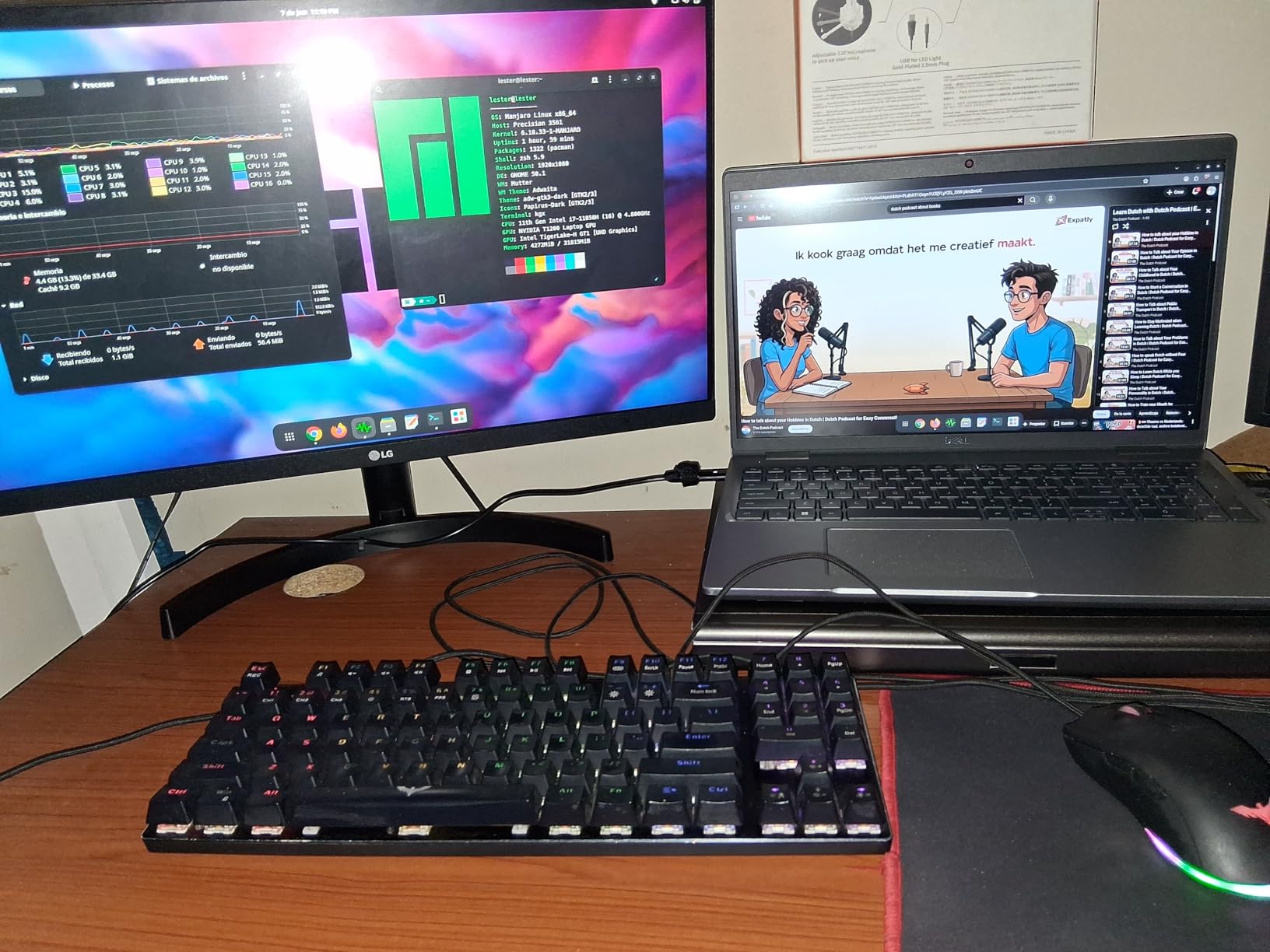
The 15.6-inch FHD display provides adequate resolution for CAD work. While it lacks the high refresh rates and color accuracy of more expensive options, it is suitable for drafting and basic 3D modeling. The non-touch LED panel is bright enough for indoor use.
Port selection is excellent, with Thunderbolt 4, HDMI, and multiple USB ports. This connectivity allows for multi-monitor setups and fast data transfer to external storage. The Windows 11 Pro operating system includes enterprise features that consumer laptops lack.
Refurbished Quality Considerations
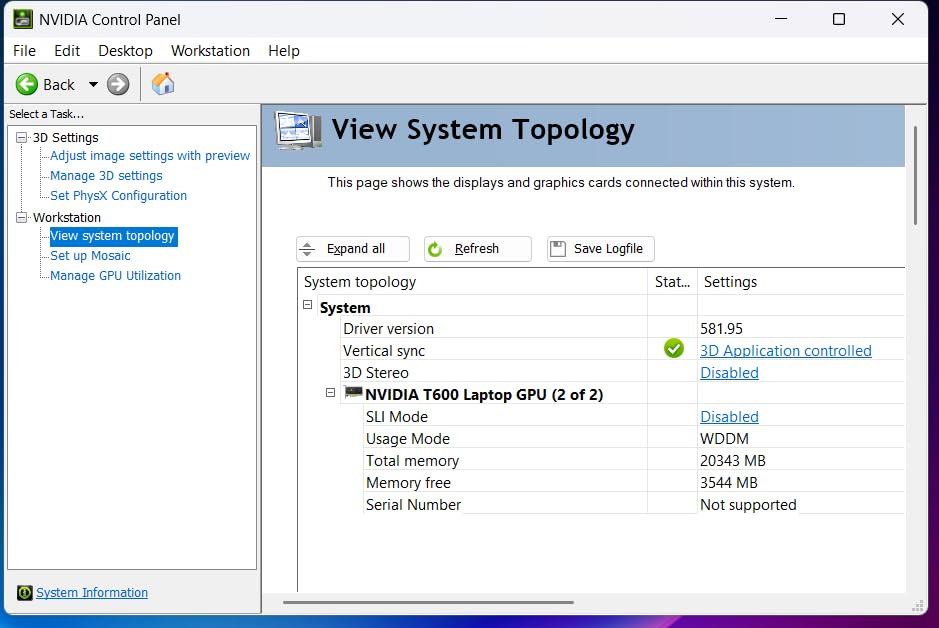
Buying a refurbished workstation comes with risks. Some users report receiving units with the wrong GPU (T600 instead of T1200), battery issues, and noisy fans. The 90-day warranty provides limited protection compared to new laptops with full 1-year warranties. I recommend purchasing from sellers with strong return policies and thoroughly testing the laptop upon arrival.
Workstation GPU Benefits for CAD
The Quadro T1200 with professional drivers can provide better stability in CAD applications compared to consumer GPUs. The ISV certification ensures compatibility with AutoCAD and other professional software. However, the 4GB VRAM limits performance with complex 3D assemblies or high-resolution rendering tasks.
How to Choose the Best Laptop for AutoCAD and CAD
Choosing the right laptop for CAD work means understanding what specifications actually matter for your specific workflow. AutoCAD uses hardware differently than gaming or general productivity, so the usual laptop buying advice does not always apply. Here is what our team learned from testing these machines with real CAD workloads.
CPU Requirements for AutoCAD
AutoCAD is primarily a single-threaded application for 2D drafting. This means high clock speed matters more than core count for basic drafting tasks. Look for processors with boost clocks above 4.5GHz for the best drafting performance. The Intel Core i7-14650HX and AMD Ryzen 7 260 both excel here.
For 3D modeling, rendering, and multi-threaded operations like running simulations in ANSYS or SOLIDWORKS, more cores help. The Intel Core Ultra 9 275HX with 24 cores is ideal for users who do heavy multi-threaded work. For most AutoCAD users, a fast 8-core processor is sufficient.
Avoid low-voltage processors with base clocks below 2.0GHz. These chips throttle under sustained CAD workloads, causing sluggish viewport performance. The processors in all ten laptops on our list maintain adequate clock speeds for professional CAD work.
GPU Requirements: Gaming vs Workstation
The GPU question is where most CAD buyers get confused. Here is the practical advice from our testing: for most users, a gaming GPU like the NVIDIA RTX 4050, 5060, or 5070 Ti works perfectly fine for AutoCAD and similar applications. Gaming GPUs offer significantly more performance per dollar than workstation GPUs.
Workstation GPUs like the NVIDIA Quadro T1200 or RTX 500 Ada provide ISV certification and optimized drivers. These matter for users who need guaranteed software stability or work in regulated industries. For students and most professionals, gaming GPUs deliver equivalent or better performance at lower cost.
VRAM is critical for 3D work. For 2D drafting, 4GB of VRAM is adequate. For moderate 3D modeling, aim for 6-8GB. For complex assemblies with thousands of components, 12GB or more prevents viewport stuttering and rendering failures. The Acer Nitro 16S AI with its 12GB RTX 5070 Ti leads our list in this regard.
RAM Recommendations
8GB of RAM is the absolute minimum for running AutoCAD, but I would not recommend it for professional work. The Acer Nitro V ships with 8GB and requires an immediate upgrade. 16GB is adequate for most 2D drafting and light 3D modeling, but you may experience slowdowns with large drawings or multiple applications.
32GB is the sweet spot for most professional CAD workflows. This allows you to run AutoCAD alongside Revit, browser-based research, and communication tools without performance degradation. Most laptops on our list ship with 32GB or can be easily upgraded to that amount.
The Lenovo ThinkPad P14s with 64GB is ideal for users working with massive BIM files or running multiple engineering applications simultaneously. For most users, 32GB provides the best balance of performance and cost.
Display Quality for CAD Work
Display resolution matters more for CAD than for most other applications. Higher resolution means you can see more detail in your drawings. Look for at least 1920×1080, with 2560×1440 or higher being ideal for professional work. The ASUS ROG Strix G16 with its 2.5K display and the MSI Katana with QHD resolution are excellent choices.
Color accuracy matters if you do visualization or presentation work. The MSI Katana 15 HX offers 100% DCI-P3 coverage, the widest color gamut on our list. For drafting-only work, standard sRGB coverage is adequate.
Refresh rate affects viewport smoothness when panning and zooming. All laptops on our list offer at least 144Hz, with the ASUS ROG Strix G16 topping out at 240Hz. Higher refresh rates make navigation feel more responsive, reducing fatigue during long drafting sessions.
Thermal Management
CAD workloads can push hardware to sustained high usage, especially during rendering. Poor thermal management causes throttling, which reduces performance precisely when you need it most. Look for laptops with vapor chamber cooling and multiple fans.
The ASUS ROG Strix models with their tri-fan systems and liquid metal cooling are particularly effective. The Acer Nitro V 16S also impresses with its ability to stay cool and quiet under most loads. Avoid laptops known for overheating, as throttled performance wastes your time and money.
Battery Life Expectations
Be realistic about battery life on powerful CAD laptops. Most machines on this list deliver 2-5 hours of real-world battery life, even with large batteries. CAD workloads are demanding and drain batteries quickly. The HP ZBook Power with its 83Wh battery offers the best battery performance, suitable for all-day meetings and light work.
If you need to work unplugged frequently, consider lighter workloads or remote desktop solutions. For most professionals, staying plugged in is the practical reality. If portability between locations is your priority, you might also consider best laptops for business travel as a supplement to your primary CAD workstation.
FAQs
What is the most recommended laptop for AutoCAD?
The Acer Nitro 16S AI with RTX 5070 Ti, AMD Ryzen AI 9 365, and 32GB DDR5 RAM is our top recommendation for AutoCAD in 2026. Its 12GB of GDDR7 VRAM handles complex 3D assemblies, while the 10-core processor excels at both single-threaded drafting and multi-threaded rendering. For budget-conscious users, the Acer Nitro V 16S AI with RTX 5060 and 32GB RAM offers excellent value.
Does AutoCAD require a good laptop?
Yes, AutoCAD requires a capable laptop with at minimum a dedicated GPU, 8GB of RAM (16GB recommended), and a processor with high single-core clock speed. While 2D drafting can run on modest hardware, 3D modeling, rendering, and complex assemblies demand powerful dedicated graphics cards with ample VRAM and fast multi-core processors.
Which laptops are good for CAD?
Laptops with NVIDIA RTX dedicated GPUs, Intel Core i7 or AMD Ryzen 7 processors, and at least 16GB of RAM are good for CAD work. Gaming laptops from ASUS, Acer, and MSI often provide better price-to-performance ratios than dedicated workstations. For professional ISV certification, the HP ZBook Power and Lenovo ThinkPad P14s are excellent choices.
What laptops can download and run AutoCAD?
Any laptop meeting Autodesk minimum requirements can run AutoCAD: 2.5GHz+ processor, 8GB RAM minimum (16GB recommended for 3D), and DirectX 12 compatible graphics. Windows 10 or 11 is required. All ten laptops in our guide exceed these requirements. For AutoCAD 3D modeling, look for laptops with dedicated NVIDIA RTX GPUs and at least 6GB of VRAM.
Is a gaming laptop good for CAD work?
Yes, gaming laptops are excellent for CAD work and often provide better value than dedicated workstations. Gaming GPUs like the NVIDIA RTX 4050, 5060, and 5070 Ti deliver strong performance for AutoCAD, SOLIDWORKS, and rendering tasks. The main trade-off is that gaming GPUs lack ISV certification and professional drivers, which matters only for users requiring guaranteed software stability in regulated industries.
Final Thoughts
After testing and analyzing ten laptops for CAD and AutoCAD workflows, the Acer Nitro 16S AI stands out as our overall top pick. Its RTX 5070 Ti with 12GB VRAM, AMD Ryzen AI 9 365 processor, and 32GB of DDR5 RAM provide the performance needed for everything from 2D drafting to complex 3D rendering and architectural visualization. For users on a tighter budget, the Acer Nitro V 16S AI delivers exceptional value with its RTX 5060 and 32GB RAM included.
Professional users who need ISV certification should consider the HP ZBook Power or Lenovo ThinkPad P14s Gen 5. These workstations provide guaranteed software compatibility and professional drivers that gaming laptops cannot match. Students and entry-level users will find the HP Victus 15 and Acer Nitro V provide capable performance at accessible prices.
The best laptops for AutoCAD and CAD in 2026 combine fast processors with high clock speeds, dedicated GPUs with adequate VRAM, and sufficient RAM for multitasking. Choose based on your specific workflow: prioritize single-core CPU speed for 2D drafting, GPU VRAM for 3D modeling, and RAM capacity for complex assemblies. Whichever laptop you choose from our list, you will have a capable machine for your CAD work in 2026 and beyond.
Leave a Reply