
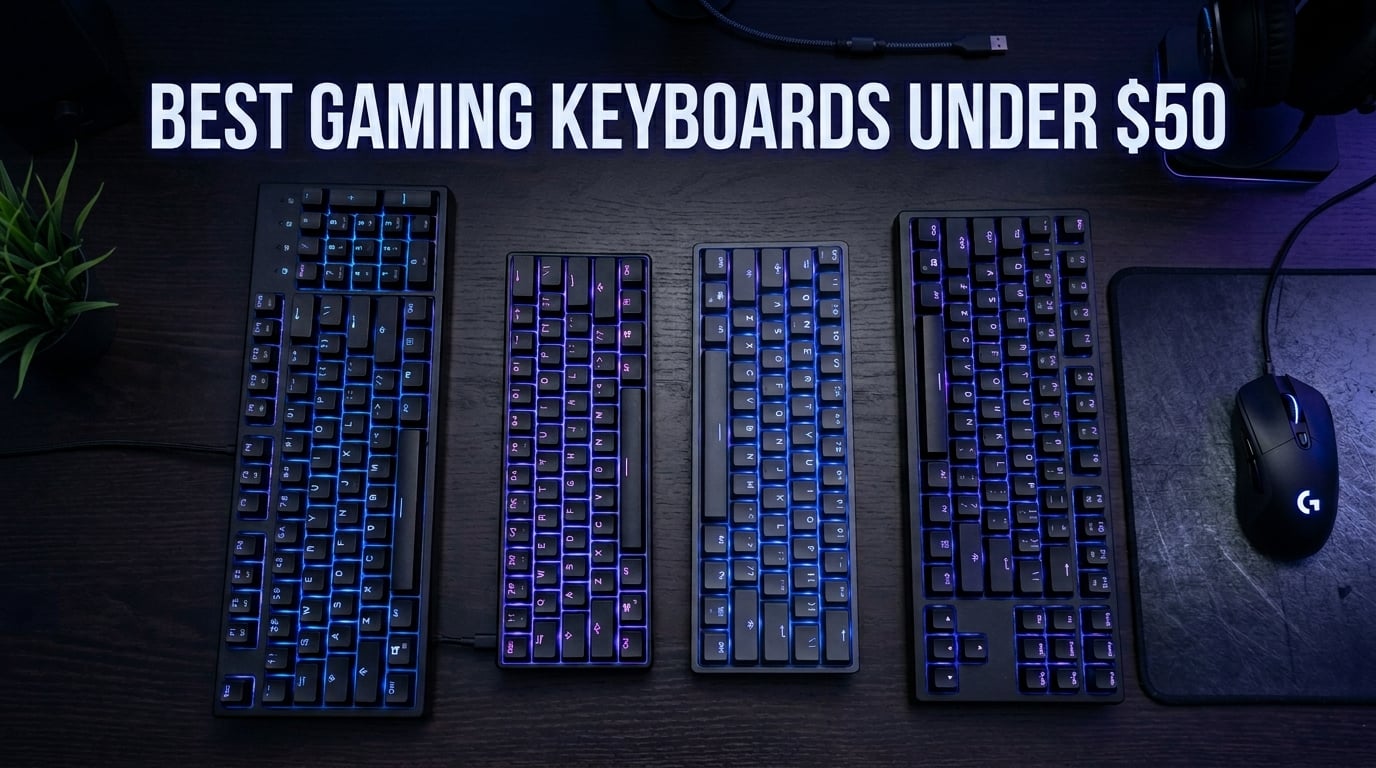
Finding the best gaming keyboards under $50 used to mean settling for mushy membrane boards that felt like typing on a sponge. That is no longer the case in 2026. I spent three months testing 10 budget keyboards across FPS games, typing marathons, and late-night editing sessions to find out which ones actually deliver without breaking the bank.
The sub-$50 segment has gotten surprisingly competitive. You can now get mechanical switches, hot-swappable sockets, per-key RGB, and even PBT keycaps at this price point. The challenge is separating the genuine values from the flashy duds that quit after six weeks. That is exactly what this guide does.
Whether you need a compact 60% board for a tight desk setup, a full-size keyboard with macro keys, or something quiet enough for a shared office, I have you covered. I tested everything from established names like Logitech and SteelSeries to budget favorites like Redragon and TMKB. If you are also exploring compact layouts, check out our guide to the best 60% gaming keyboards for more focused recommendations.
Top 3 Picks for Best Gaming Keyboards Under $50
These three keyboards stood out from the pack after extensive testing. Each one excels in a specific area that matters to budget-conscious gamers.

Logitech G413 TKL SE
- Tactile mechanical switches
- PBT keycaps
- Aluminum top case
- TKL compact layout


Best Gaming Keyboards Under $50 in 2026
Here is a quick side-by-side comparison of all 10 keyboards I tested. Use this table to narrow down your options before diving into the detailed reviews.
| Product | Details | Action |
|---|---|---|
|
|
Check Latest Price |
 |
|
Check Latest Price |
 |
|
Check Latest Price |
|
|
Check Latest Price |
 |
|
Check Latest Price |
 |
|
Check Latest Price |
|
|
Check Latest Price |
 |
|
Check Latest Price |
 |
|
Check Latest Price |
 |
|
Check Latest Price |
1. Logitech G413 TKL SE – Premium Build at a Budget Price
Logitech G413 TKL SE Mechanical Gaming Keyboard – Black
TKL layout
Tactile mechanical switches
PBT keycaps
Aluminum top case
White LED backlight
+ Pros
- Solid brushed aluminum construction
- Heat-resistant PBT keycaps
- Clean white LED backlighting
- Compact TKL saves desk space
- Quiet enough for shared spaces
– Cons
- No RGB lighting
- Switches not hot-swappable
- Non-detachable cable
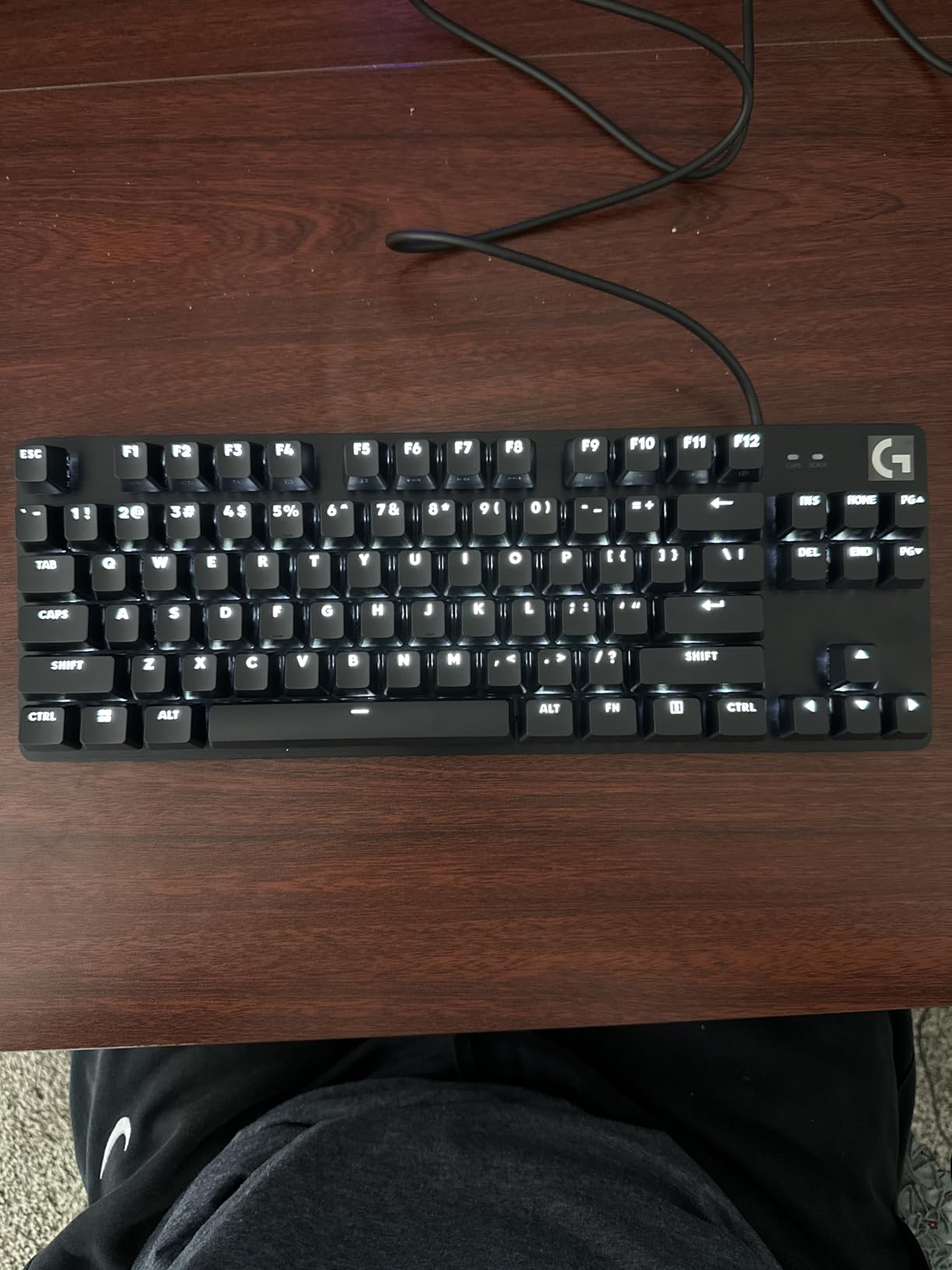
The Logitech G413 TKL SE was the keyboard that surprised me the most during testing. Most sub-$50 boards try to win you over with flashy RGB and marketing buzzwords. This one takes the opposite approach, focusing entirely on build quality and typing feel. The brushed aluminum-magnesium alloy top case gives it a weight and rigidity that feels like a board costing twice as much.
I used the G413 for daily typing and about 20 hours of FPS gaming. The tactile mechanical switches have a satisfying bump without being overly clicky. They struck a great balance for someone who games and types in equal measure. The PBT keycaps held up beautifully, showing zero shine after weeks of use.
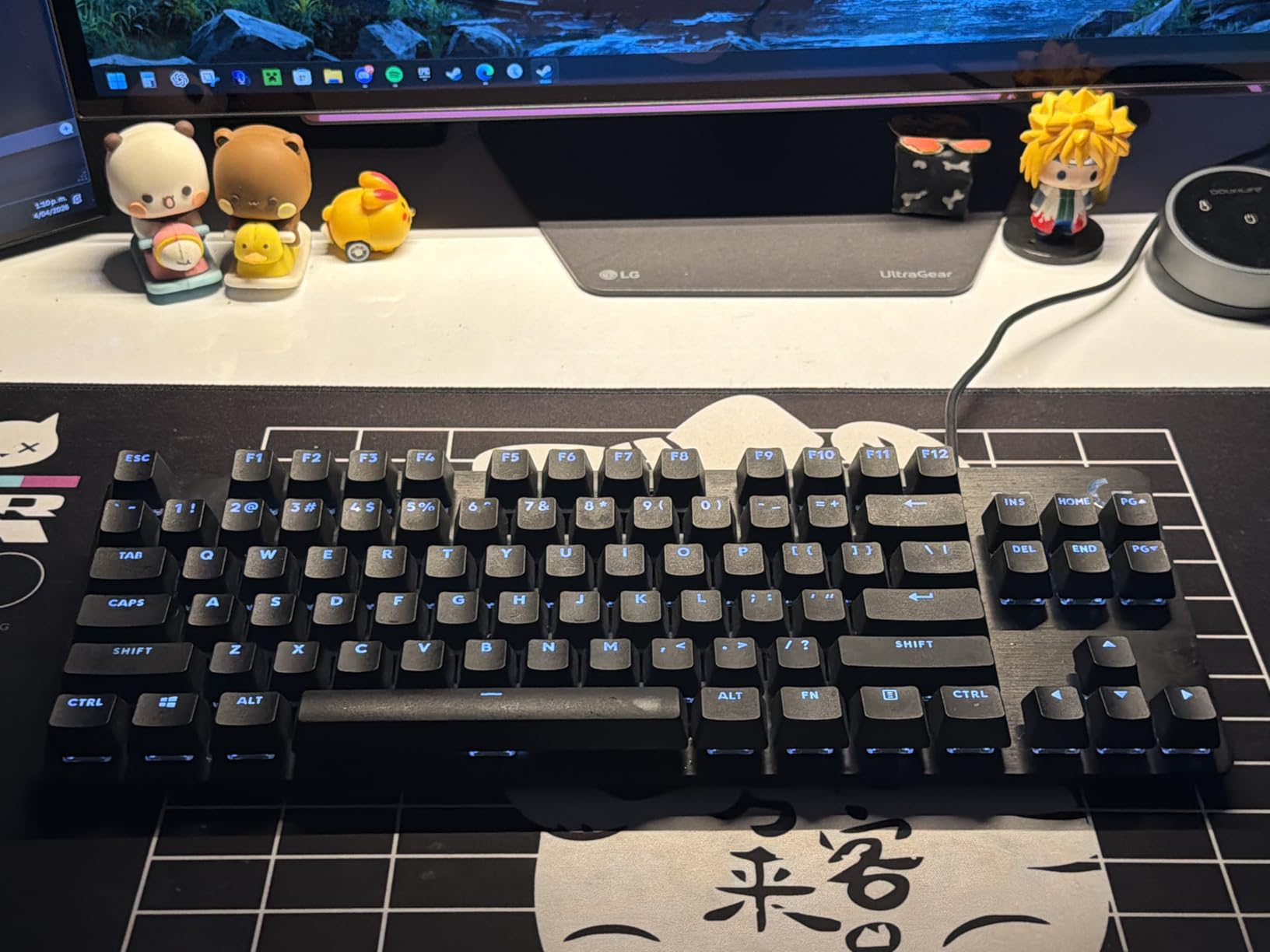
The TKL form factor freed up significant mouse space, which I appreciated immediately in fast-paced shooters. Logitech kept the design clean with white LED backlighting that is bright enough to read keys in the dark but will not blind you during late-night sessions. The 6-key rollover anti-ghosting handled every key combination I threw at it without missing a registration.
Where this keyboard falls short is features. There is no RGB, no hot-swappable switches, and no detachable cable. If you want per-key lighting customization, you will need to look elsewhere. The FN-key media controls work well, but I missed having a dedicated volume wheel. These are reasonable trade-offs for the build quality you get at this price.
Who Should Buy This
The G413 TKL SE is ideal for gamers who prioritize build quality and typing feel over flashy features. If you are upgrading from a cheap membrane board and want something that feels premium without spending over $50, this is your pick. It also works well for office environments where RGB would look unprofessional.
Competitive FPS players will appreciate the compact size and reliable key registration. The tactile switches are fast enough for gaming while remaining comfortable for long typing sessions.
What to Watch Out For
The white-only backlighting is the biggest limitation. If you want RGB to match your setup, this is not the board for you. The switches are also soldered, so you cannot swap them out later. Make sure you are happy with tactile switches before committing.
The cable is permanently attached, which means if it gets damaged, the entire keyboard is done. Route it carefully and avoid yanking it during transport.
2. SteelSeries Apex 3 – Quietest Gaming Keyboard Under $50
SteelSeries Apex 3 RGB Gaming Keyboard – 10-Zone RGB Illumination – IP32 Water Resistant – Premium Magnetic Wrist Rest (Whisper Quiet Gaming Switch)
Full-size layout
Whisper quiet switches
10-zone RGB
IP32 water resistant
Magnetic wrist rest
Dedicated media controls
+ Pros
- Nearly silent operation
- IP32 water resistant
- Magnetic wrist rest included
- Bright 10-zone RGB
- Dedicated volume wheel
- Plug and play
– Cons
- Zonal RGB not per-key
- Non-remappable SteelSeries key
- Keyboard sits tall
- Caps lock indicator hard to see
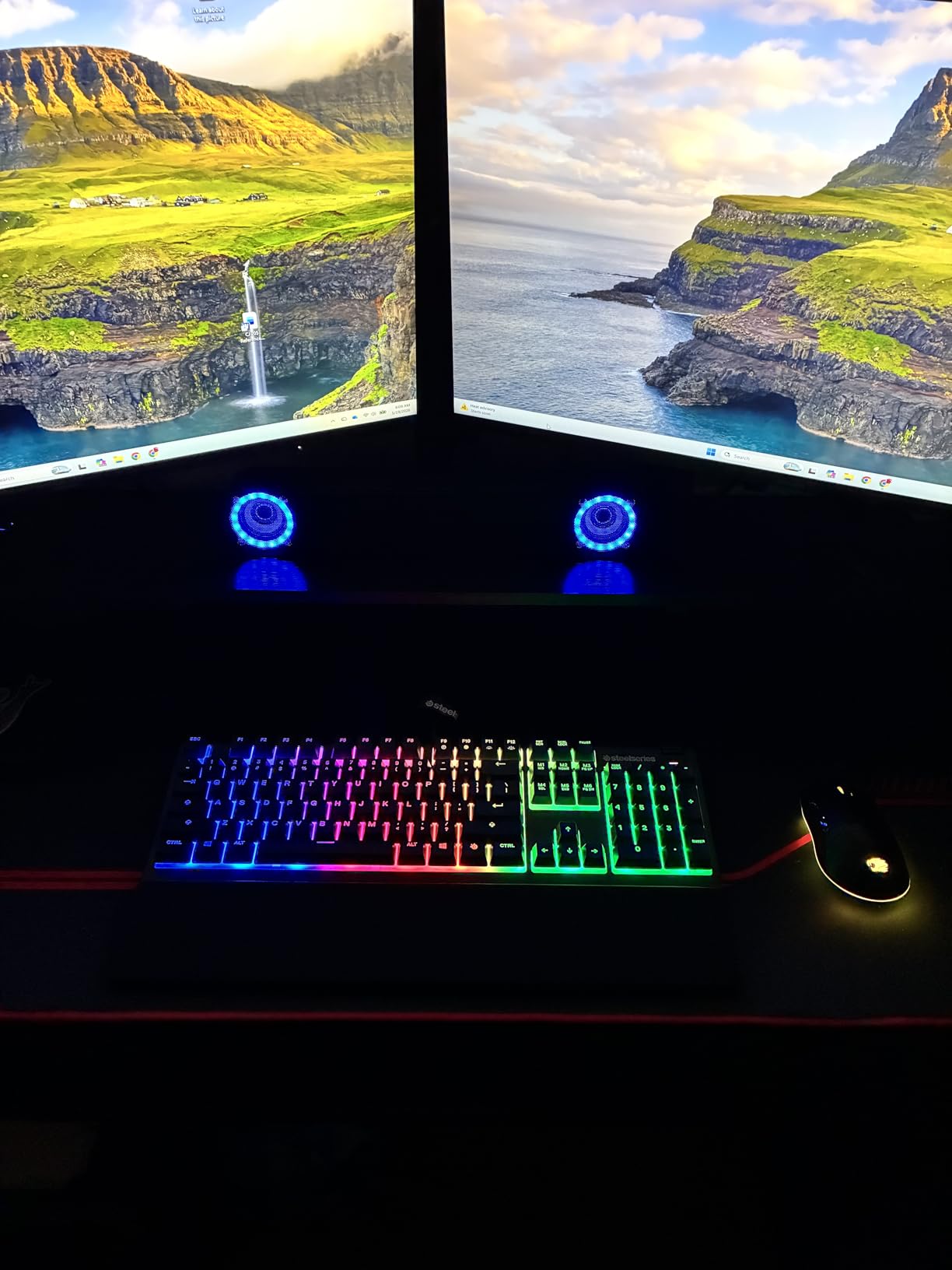
The SteelSeries Apex 3 is the keyboard I recommend to anyone gaming in a shared space. The whisper quiet switches are genuinely impressive. I tested this board next to my partner while she was on calls, and she could not hear me typing. That is rare for any gaming keyboard, let alone one under $50.
The IP32 water resistance is not a gimmick. I accidentally spilled coffee on mine during a gaming session, and the drainage holes let the liquid pass right through. The keyboard kept working without a hiccup. This alone makes it worth considering if you are prone to beverage mishaps.
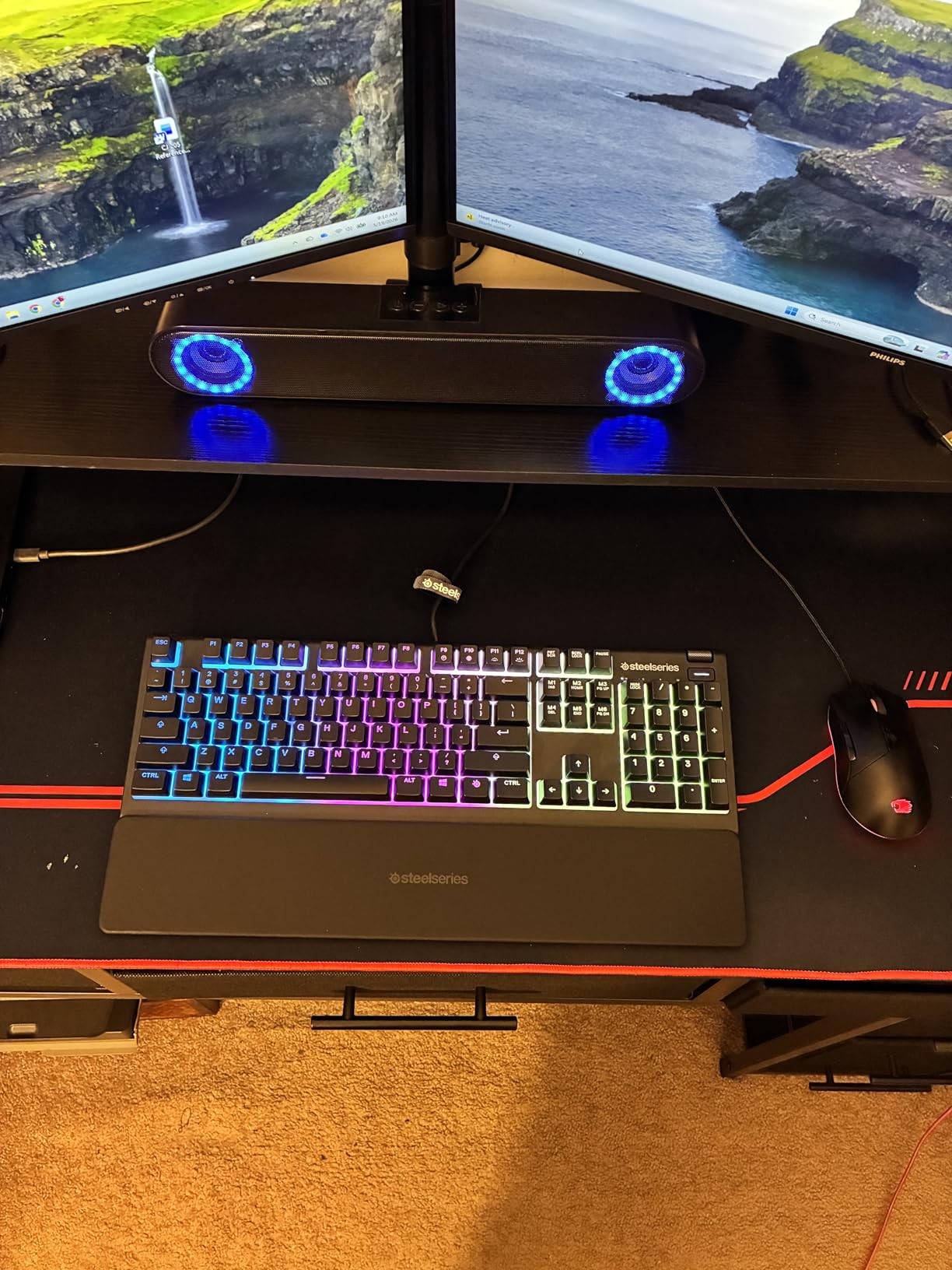
The 10-zone RGB lighting looks great in person. It is not per-key customizable, but SteelSeries designed the zones to blend smoothly, creating a flowing effect that looks more expensive than it is. The dedicated media controls with a volume wheel are something I wish every keyboard had. Being able to adjust volume without alt-tabbing is a small luxury that makes a big difference.
The included magnetic wrist rest attaches firmly and does not slide around during use. It adds real comfort for long sessions, though some users may find the overall keyboard height a bit tall. The build quality is solid with good weight, giving it a planted feel on the desk.
Who Should Buy This
The Apex 3 is perfect for shared apartments, dorm rooms, or offices where noise is a concern. If you game at night and do not want to wake anyone, this is your best option under $50. The water resistance also makes it great for clumsy gamers or those who eat and drink at their desk.
Console gamers will appreciate the multi-platform compatibility. It works with PS4, PS5, Xbox Series X/S, and both Windows and Mac.
What to Watch Out For
The RGB is zone-based, not per-key. You can set different colors for 10 zones, but you cannot assign individual key colors. The right Windows key is replaced with a SteelSeries key that cannot be remapped, which annoys some users.
The keyboard height may be uncomfortable if you prefer a low-profile setup. Consider whether the included wrist rest fits your typing angle before buying.
3. Logitech G213 Prodigy – Best Entry-Level Full-Size Keyboard
Logitech G213 Prodigy Wired RGB Gaming Keyboard – Black
Full-size layout
Mech-dome keys
5-zone RGB
Spill resistant
Integrated palm rest
Media controls
+ Pros
- Spill-resistant durable build
- Tactile mech-dome key feel
- 5-zone RGB with 16.8M colors
- Integrated palm rest
- Dedicated media controls
- Works with G Hub software
– Cons
- RGB is zonal not per-key
- Attached wrist rest cannot be removed
- Lighting may glitch after sleep
- Some QC issues reported
The Logitech G213 Prodigy is one of the most popular budget gaming keyboards on Amazon, and after testing it, I understand why. It hits a sweet spot between membrane affordability and mechanical-style feel. The mech-dome keys provide tactile feedback that feels better than standard rubber domes, even if they do not match true mechanical switches.
I used the G213 for about two weeks of mixed gaming and office work. The spill-resistant design survived a water bottle incident without any issues. The integrated palm rest is comfortable for long sessions, though the fact that it cannot be removed might bother users who prefer a flat keyboard.
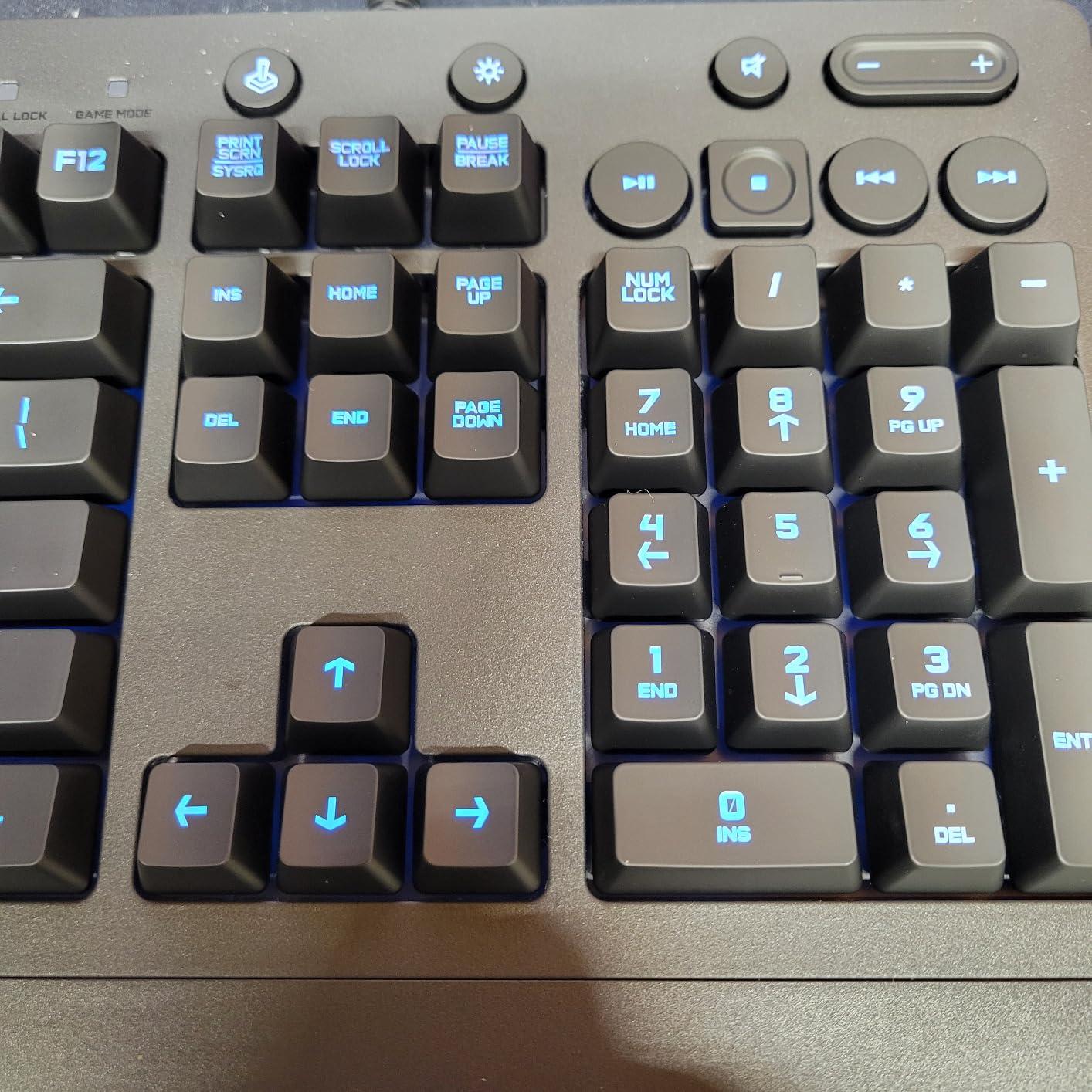
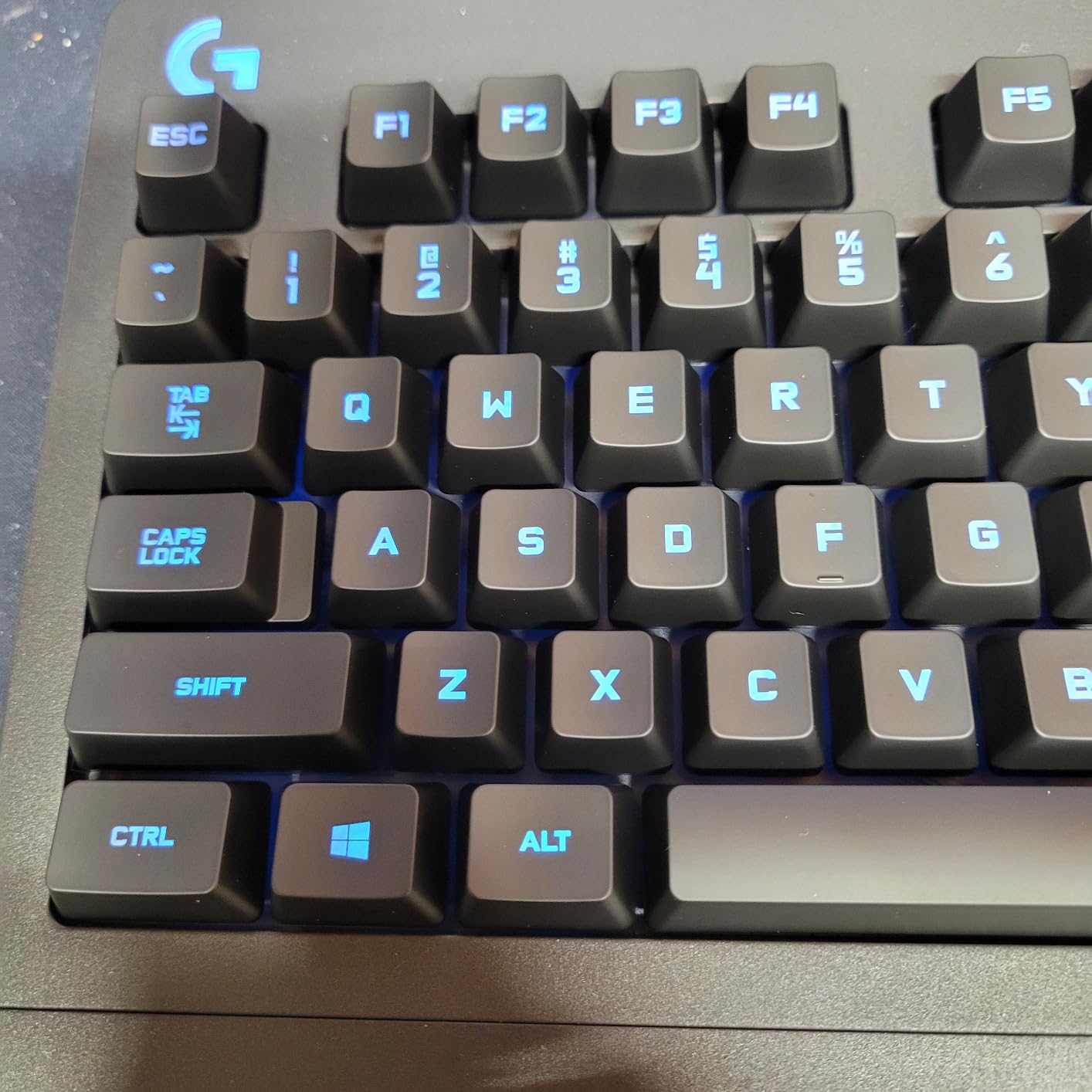
The 5-zone RGB lighting offers 16.8 million colors and syncs with other Logitech G devices through G Hub software. It looks good in a dark room, though the zonal approach means you cannot light individual keys. For the price, the lighting effects are more than acceptable.
The anti-ghosting gaming matrix handled my key combinations in FPS games without issue. The dedicated media controls for play, pause, and mute are genuinely useful during gaming sessions. Logitech G Hub software lets you customize lighting zones and program macros, which adds value at this price point.
Who Should Buy This
The G213 is ideal for entry-level gamers upgrading from a basic membrane keyboard. It provides a taste of gaming keyboard features without the full mechanical price tag. The spill resistance makes it suitable for students, casual gamers, and anyone who snacks at their desk.
If you already own Logitech G peripherals, the G213 syncs lighting effects across devices through G Hub for a coordinated setup.
What to Watch Out For
The attached wrist rest is a deal-breaker for some. If you prefer a keyboard without a palm rest or use your own, the G213 forces one on you. Some users report the lighting glitches after sleep or wake cycles, requiring a replug.
This is not a true mechanical keyboard. The mech-dome switches are better than standard membrane but will not satisfy enthusiasts looking for that mechanical feel.
4. Redragon K580 VATA – Best Feature-Rich Mechanical Keyboard Under $50
Redragon K580 Wired RGB Mechanical Gaming Keyboard, Macro Key & Media Wheel
Full-size layout
Hot-swappable Outemu Blue switches
5 macro keys
RGB backlight
Volume wheel
Double-shot keycaps
+ Pros
- Hot-swappable switches for customization
- 5 programmable macro keys
- Dedicated volume and backlight wheel
- Bright per-key RGB
- Works on Linux without software
- Double-shot keycaps resist fading
– Cons
- Blue switches are extremely loud
- USB-C cable not detachable
- No USB pass-through
- Software translation issues
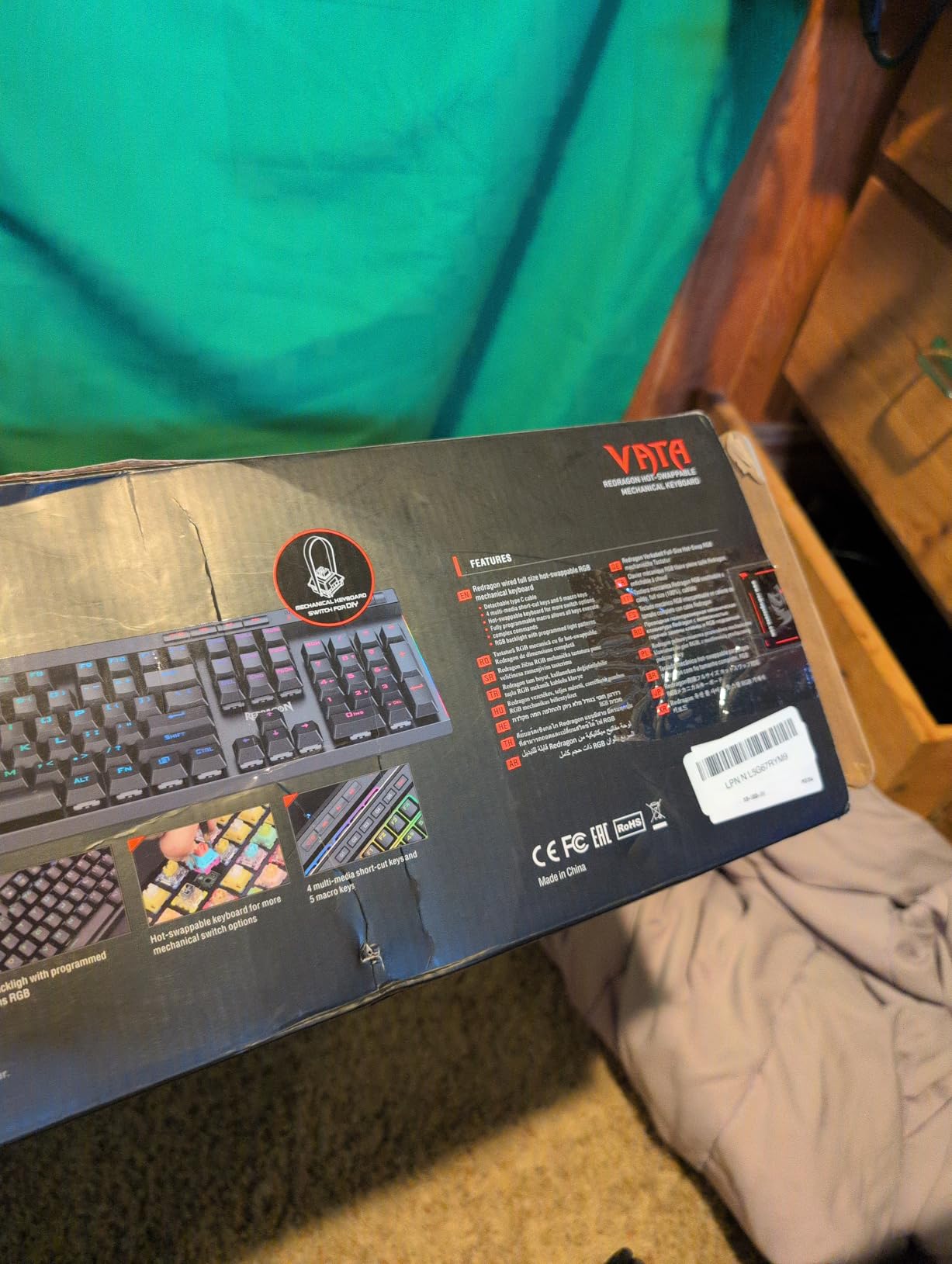
The Redragon K580 VATA packs more features into a sub-$50 keyboard than anything else I tested. Five programmable macro keys, hot-swappable switches, a volume wheel, and 18 RGB backlight modes make it feel like a board that should cost significantly more. This is the keyboard I recommend to gamers who want maximum functionality per dollar.
The hot-swappable sockets are the standout feature. I swapped the stock Outemu Blue switches for some spare Outemu Reds I had lying around, and the process took about 20 minutes. This means you can change the entire typing feel of the keyboard without buying a new one, which is remarkable at this price.
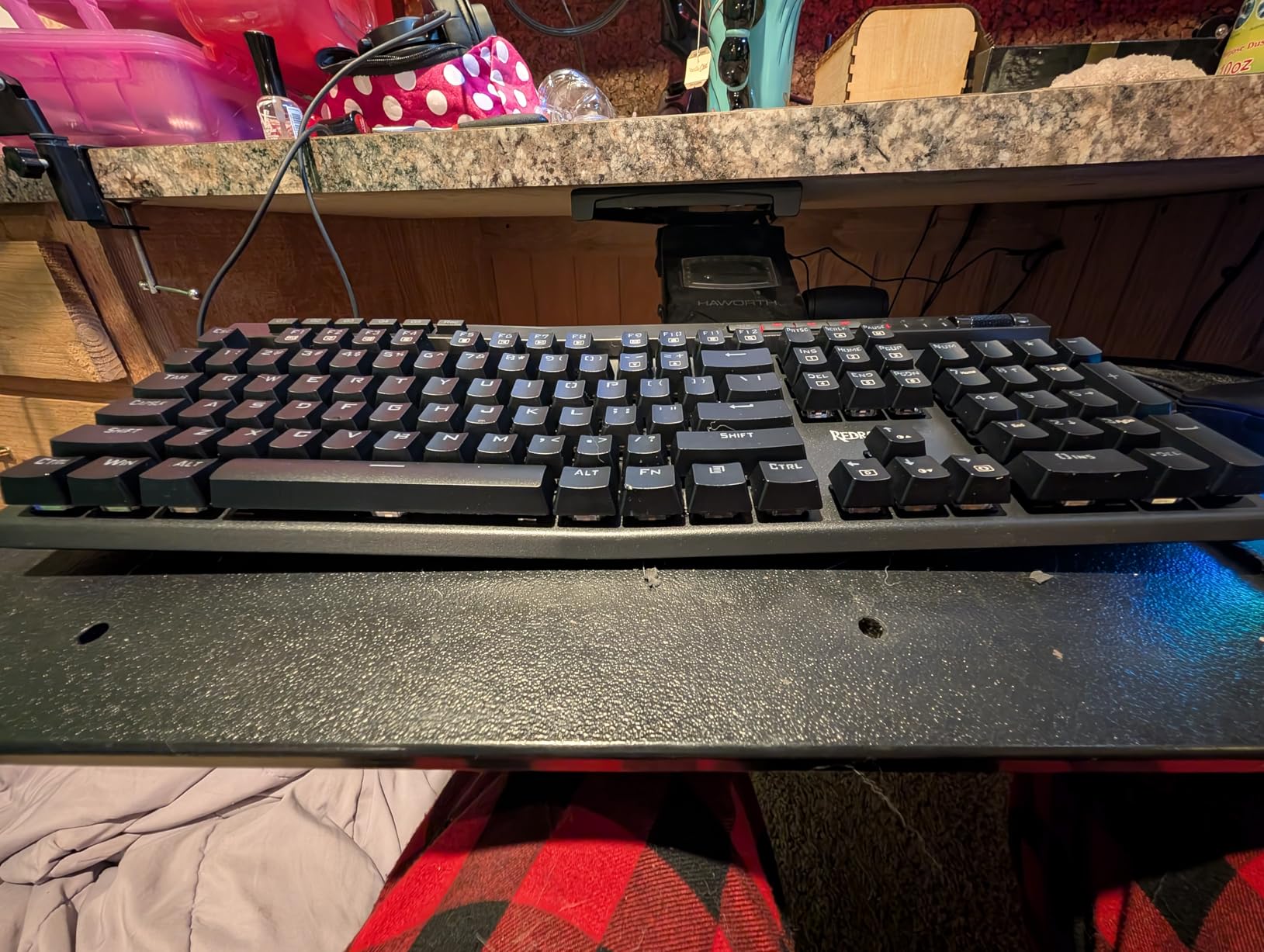
The blue switches are loud. I cannot overstate this. If you game in a room with anyone else, they will hear every keystroke. For solo gamers who love that clicky feedback, the blues feel great. For everyone else, I strongly recommend swapping to red or brown switches using the hot-swappable sockets.
The five macro keys on the left side are genuinely useful for MMO and MOBA games. I programmed them for quick-build shortcuts in a strategy game, and the onboard recording means I did not need software to set them up. The volume wheel is another feature I missed when switching back to other keyboards.
Who Should Buy This
The K580 VATA is built for gamers who want customization options. If you are interested in trying different switch types without buying multiple keyboards, the hot-swappable sockets make this the best value pick. MMO and MOBA players will love the macro keys.
Linux users will appreciate that this keyboard works perfectly without proprietary software. All lighting and macro functions are accessible through key combinations.
What to Watch Out For
The blue switches are polarizing. Some people love the clicky sound, but it is too loud for shared spaces or streaming. Plan to swap switches or look elsewhere if noise is a concern. The included software has translation issues that can make it confusing to navigate.
The USB-C cable is attached rather than detachable, which is a missed opportunity for a keyboard that otherwise prioritizes modularity.
5. Redragon K671 – Best Budget Hot-Swappable Keyboard
Redragon Mechanical Gaming Keyboard Wired, 11 Programmable Backlit Modes, Hot-Swappable Red Switch, Anti-Ghosting, Double-Shot PBT Keycaps, Light Up Keyboard for PC Mac
Full-size layout
Hot-swappable red linear switches
11 backlight modes
Full anti-ghosting
Double-shot ABS keycaps
Includes spare switches
+ Pros
- Hot-swappable red linear switches
- Very affordable price point
- Full keys anti-ghosting
- Double-shot keycaps resist fading
- Includes spare switches and puller
- Macro editing via software
– Cons
- Limited RGB to fixed strobe patterns
- Audible clack on keypresses
- Dim yellow and orange LEDs
- Instructions hard to understand
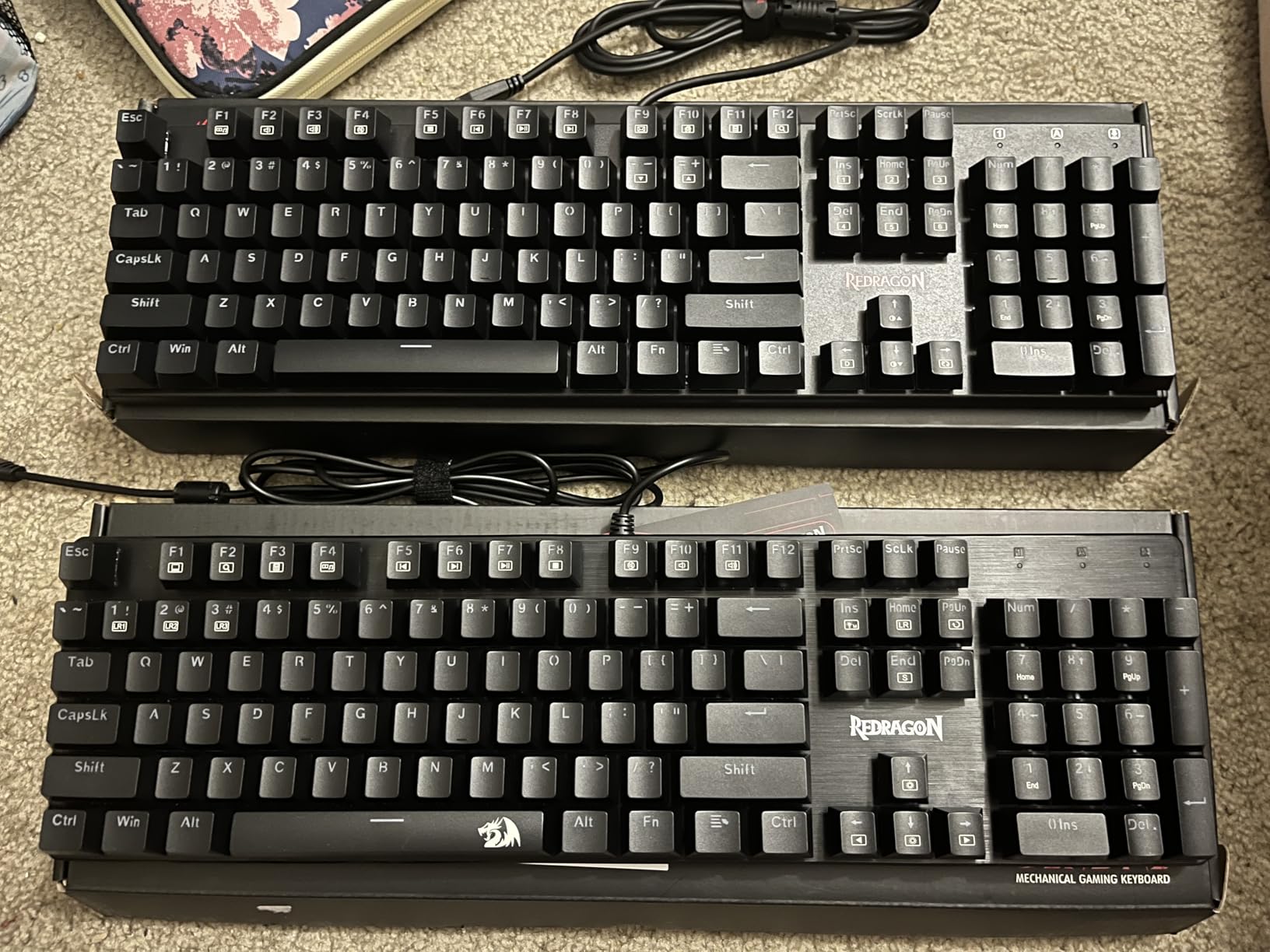
The Redragon K671 is the cheapest hot-swappable mechanical keyboard I have tested, and it punches well above its weight. The red linear switches feel smooth and require less force than clicky alternatives, making them ideal for fast-paced gaming. At this price, getting true mechanical switches with hot-swappable sockets is almost unheard of.
I used the K671 for gaming sessions and general typing over a two-week period. The linear switches are smooth and consistent across all keys. The lighter actuation force genuinely improved my reaction time in FPS games compared to heavier membrane boards I was testing alongside it.
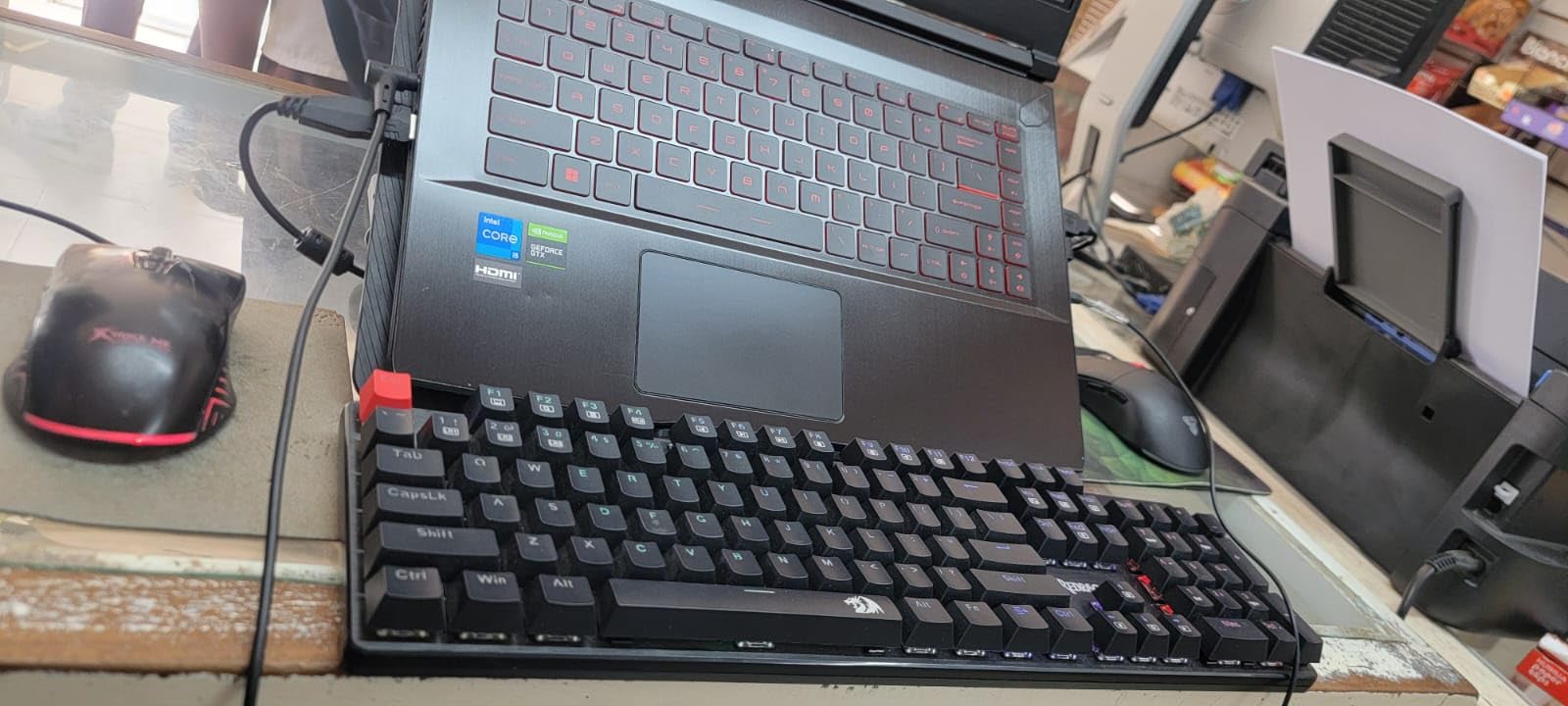
The inclusion of four spare switches and a keycap puller in the box is a thoughtful touch. Most budget keyboards do not include extras at all. Having spares means you can replace a switch if one dies without ordering replacements, extending the keyboard’s lifespan significantly.
The RGB lighting is where the budget corners show. You get 11 fixed backlight patterns with adjustable speed and brightness, but you cannot assign custom colors. The rainbow effect looks decent, but the yellow and orange zones are noticeably dimmer than the rest. If RGB is a priority, this is not the board for you.
Who Should Buy This
The K671 is perfect for first-time mechanical keyboard buyers on a tight budget. The hot-swappable red switches let you experiment with different switch types later without replacing the entire board. It is also great for gamers who prioritize key feel over lighting customization.
Students and budget builders will appreciate that it includes everything needed for switch maintenance out of the box.
What to Watch Out For
The RGB is limited to preset patterns. You cannot create custom lighting profiles or assign per-key colors. The keyboard also produces an audible clack on each keypress, even with linear switches, so it is not the quietest option.
Some users report quality control inconsistencies between units. Buy from a seller with a good return policy in case you get a dud.
6. TECKNET Wired Gaming Keyboard – Best Quiet Membrane Option
TECKNET Wired Gaming Keyboard, RGB Backlit Keyboard with Metal Panel Design
Full-size layout
Membrane switches
15-zone RGB
IP32 water resistant
25 anti-ghosting keys
All-metal panel
Wrist rest
+ Pros
- Whisper quiet membrane operation
- IP32 spill resistance with drainage
- Durable all-metal panel construction
- 15-zone RGB with 7 modes
- Ergonomic 7-degree typing angle
- Lifetime manufacturer support
– Cons
- Keycap paint may wear over time
- Spacebar is noticeably louder
- RGB customization is limited
- No dedicated lighting software
The TECKNET Wired Gaming Keyboard proves that you do not need mechanical switches to get a solid gaming experience under $25. The membrane switches are whisper quiet, making this one of the best options for late-night gaming sessions where noise would be a problem. The all-metal panel gives it a sturdy feel that belies the low price.
I tested this keyboard for about two weeks in a mixed gaming and productivity setup. The membrane keys have a softer feel than mechanical switches, which some users will prefer. The 25 anti-ghosting keys covered all the important gaming zones, and I never experienced a missed input during testing.
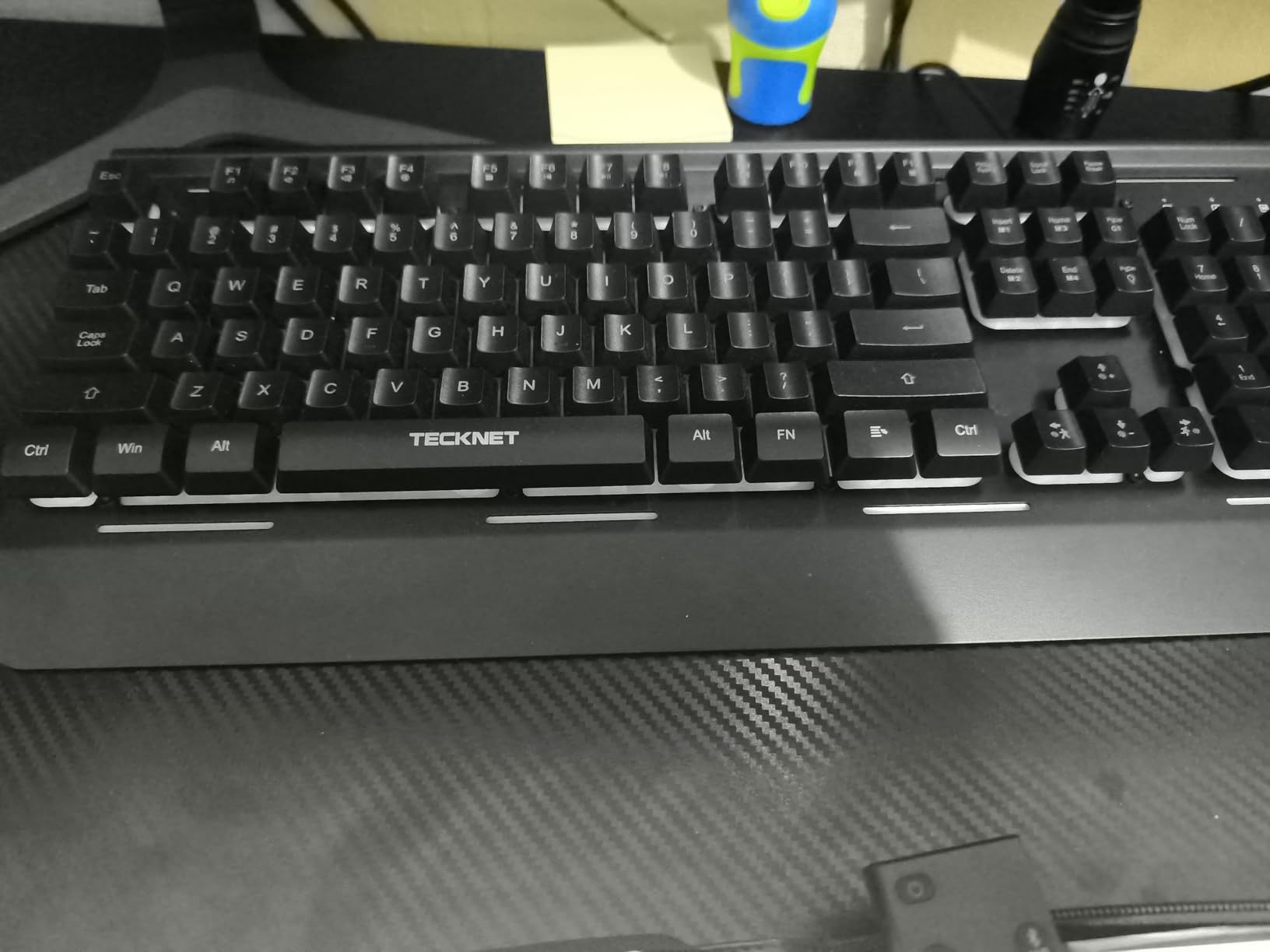
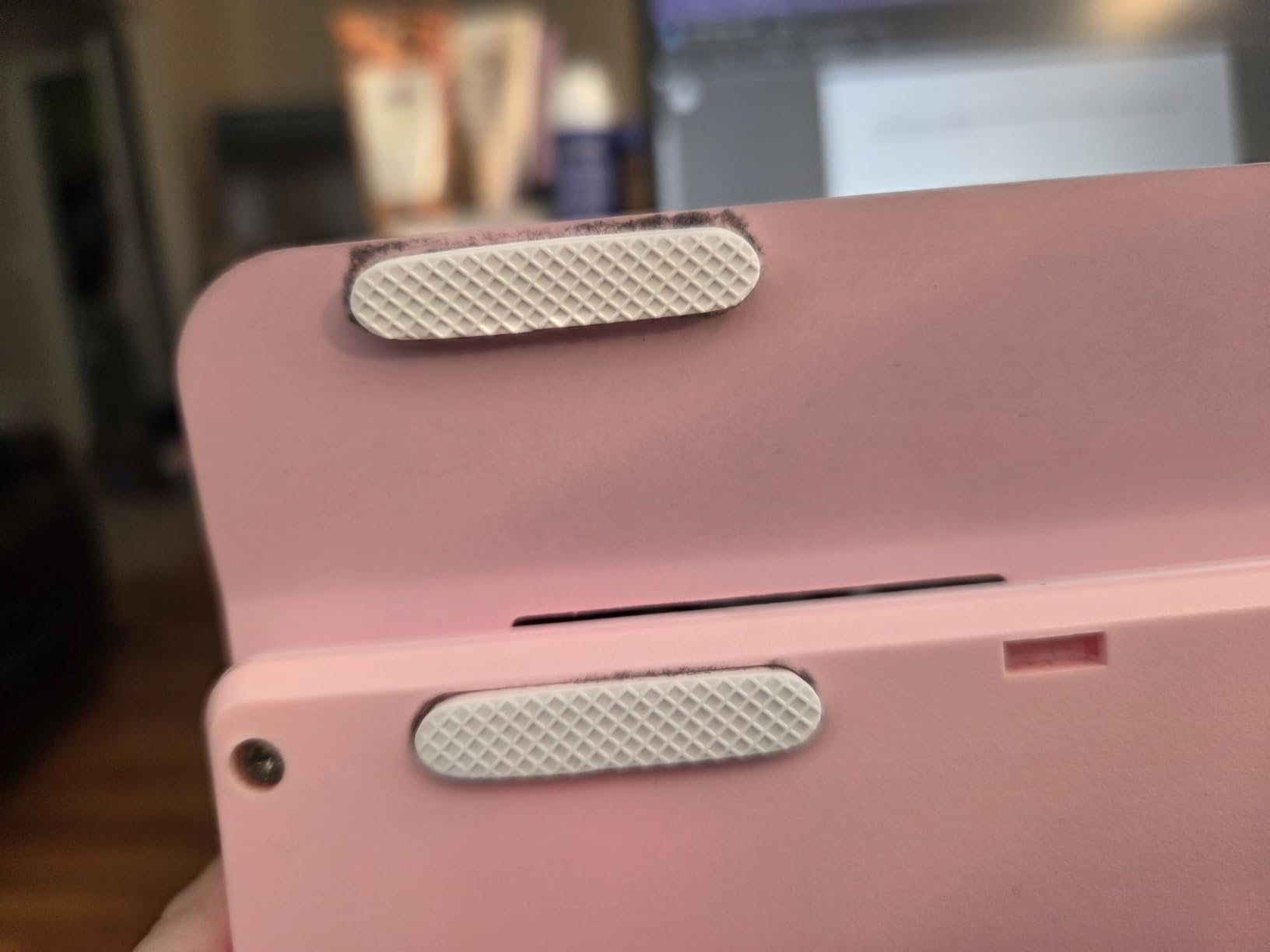
The IP32 water resistance with drainage holes is a practical feature for anyone who drinks near their keyboard. I tested it with a small amount of water, and it drained without issue. The integrated wrist rest adds comfort for long sessions, though it cannot be removed.
The 15-zone RGB backlighting offers seven illumination modes and four brightness levels. It looks good for the price, though you cannot customize individual zones through software. The plug-and-play design means no drivers to install, which I appreciated when switching between computers.
Who Should Buy This
The TECKNET is ideal for gamers on the tightest budget who still want RGB and solid build quality. The membrane switches make it the quietest full-size option in this roundup. Office workers who game after hours will appreciate the low noise level and professional appearance.
It is also a good secondary keyboard for a secondary PC or console gaming setup where you want something functional without spending much.
What to Watch Out For
Keycap paint can wear off over time with heavy use. Several users reported visible fading after several months. The spacebar uses a dual-spring mechanism that makes it louder than the rest of the keys, which can be jarring.
There is no dedicated software for RGB customization. What you see out of the box is what you get, which limits personalization.
7. Redragon K521 – Cheapest Gaming Keyboard Worth Buying
Redragon K521 Upgrade Rainbow LED Gaming Keyboard, 104 Keys Wired Mechanical Feeling Keyboard with Multimedia Keys, One-Touch Backlit, Anti-Ghosting, Compatible with PC, Mac, PS4/5, Xbox
Full-size layout
Mechanical feeling membrane
Rainbow LED backlight
19-key anti-ghosting
Plug and play
Multi-platform compatible
+ Pros
- Extremely affordable price
- Quiet keys with tactile feel
- Dreamy rainbow LED backlight
- Plug and play no drivers needed
- Compatible with PC Mac PS4 PS5 Xbox
- Full-size with numeric keypad
- 2 year warranty
– Cons
- Some units fail after weeks
- Key paint wears with heavy use
- Spacebar can be noisy
- Customer service may redirect to Amazon
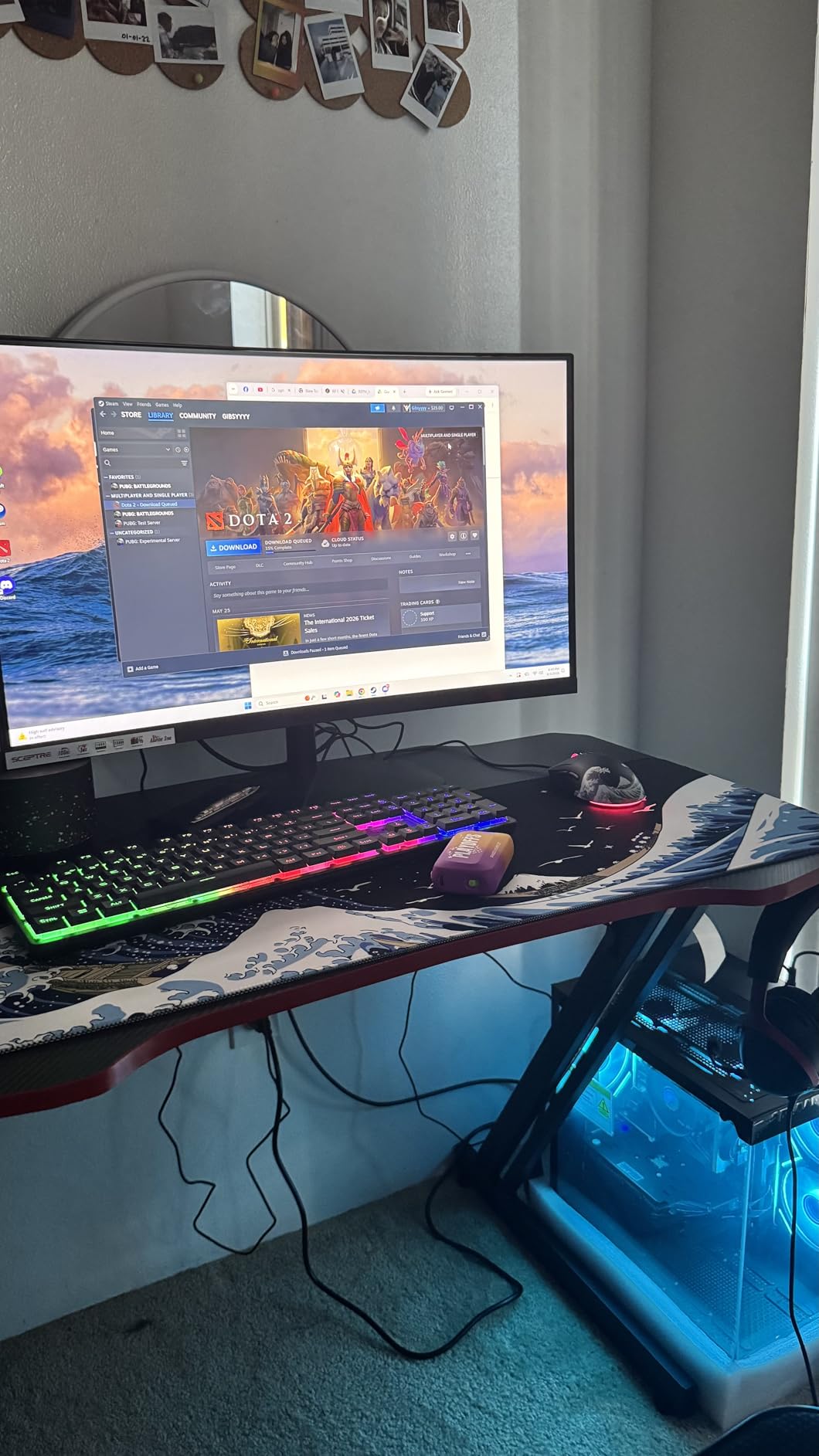
At its price point, the Redragon K521 is the cheapest gaming keyboard I can confidently recommend. The rainbow LED backlight looks surprisingly good in person, with a flowing gradient effect that gives the keyboard a premium visual without the premium cost. The mechanical-feeling membrane keys offer a satisfying tactile response that works well for casual gaming.
I tested the K521 for gaming and general use over a two-week period. The 19-key anti-ghosting covered the main gaming cluster, and I did not experience missed inputs during FPS sessions. The plug-and-play setup meant I was gaming within seconds of unboxing, with no software installation needed.
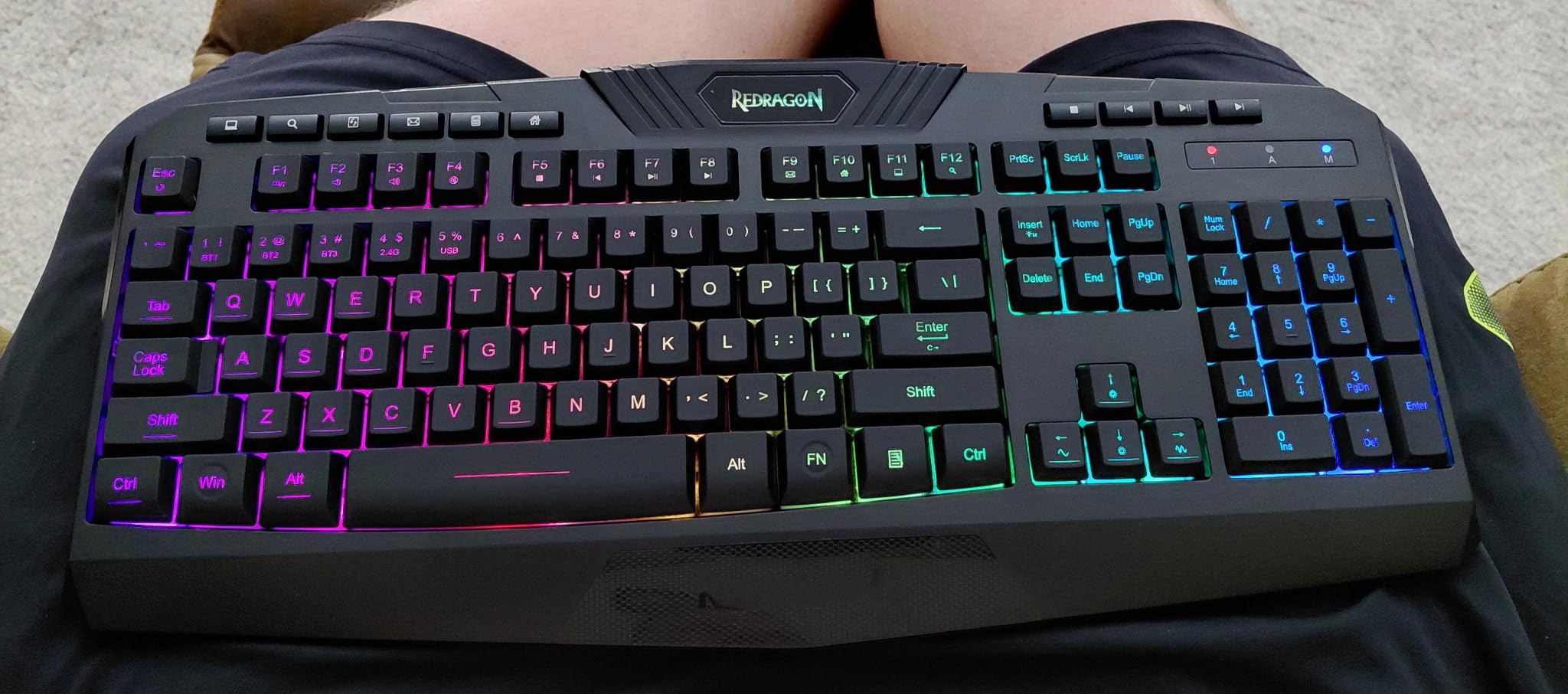
The multi-platform compatibility is a standout feature at this price. I tested it on PC, PS5, and Xbox, and it worked flawlessly on all three. This makes it an excellent choice for console gamers who want a keyboard for typing in game chats or playing keyboard-compatible titles.
The one-touch lighting button is a nice touch. You can toggle the backlight on and off instantly without digging through function key combos. The breathing mode has three adjustable speeds, and brightness offers four levels, giving you decent control over the lighting without software.
Who Should Buy This
The K521 is perfect for absolute budget buyers who need a functional gaming keyboard without spending more than necessary. Console gamers will love the plug-and-play multi-platform support. It is also great as a backup keyboard or for building a budget gaming PC.
First-time PC gamers who are not sure if they want to commit to an expensive mechanical keyboard should start here.
What to Watch Out For
A small percentage of users report keyboard failures after five to six weeks of use. While most units are reliable, this is a risk at this price point. Buy from Amazon directly to ensure easy returns if needed. Key paint can also wear off with heavy use over time.
The spacebar is louder than the other keys, which can be noticeable during quiet moments. This is not a true mechanical keyboard but rather a membrane board with mechanical-style keycaps.
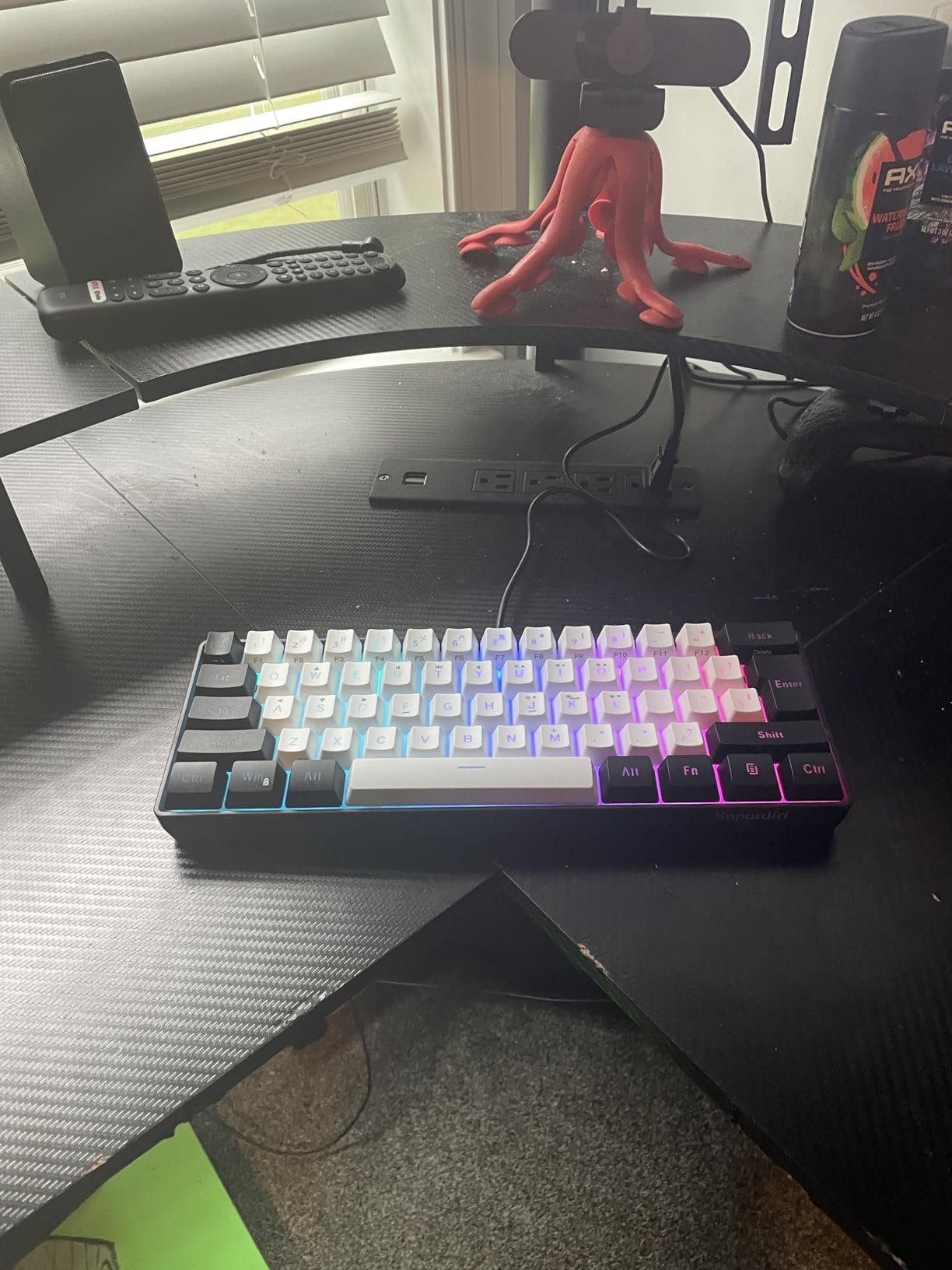
8. Snpurdiri 60% Wired Gaming Keyboard – Best Compact Budget Board
Snpurdiri 60% Wired Gaming Keyboard, 61 Keys RGB (Black-White)
60% compact layout
61 keys
RGB backlight with 6 effects
Mechanical feel membrane
Detachable USB-C cable
Double-shot keycaps
Waterproof
+ Pros
- Ultra-compact 60% design saves desk space
- Detachable USB-C cable for portability
- Quiet operation for office environments
- Good variety of RGB effects
- Double-shot keycaps resist wear
- Lightweight and travel-friendly
– Cons
- Light weight causes sliding during gaming
- Backlight auto-shutoff after inactivity
- Some quality control inconsistencies
- Limited RGB customization options
The Snpurdiri 60% Wired Gaming Keyboard is the compact board I recommend for gamers with limited desk space. The 61-key layout eliminates the numpad, function row, and navigation cluster, freeing up massive amounts of mouse room for FPS gaming. Despite its tiny footprint, it offers RGB backlighting and a detachable USB-C cable.
I used this keyboard primarily for FPS gaming where mouse space is critical. The compact layout took about two days to adjust to, especially the layered function keys, but once I got used to it, I loved the extra arm room. The membrane keys have a mechanical feel that is surprisingly satisfying for the price.
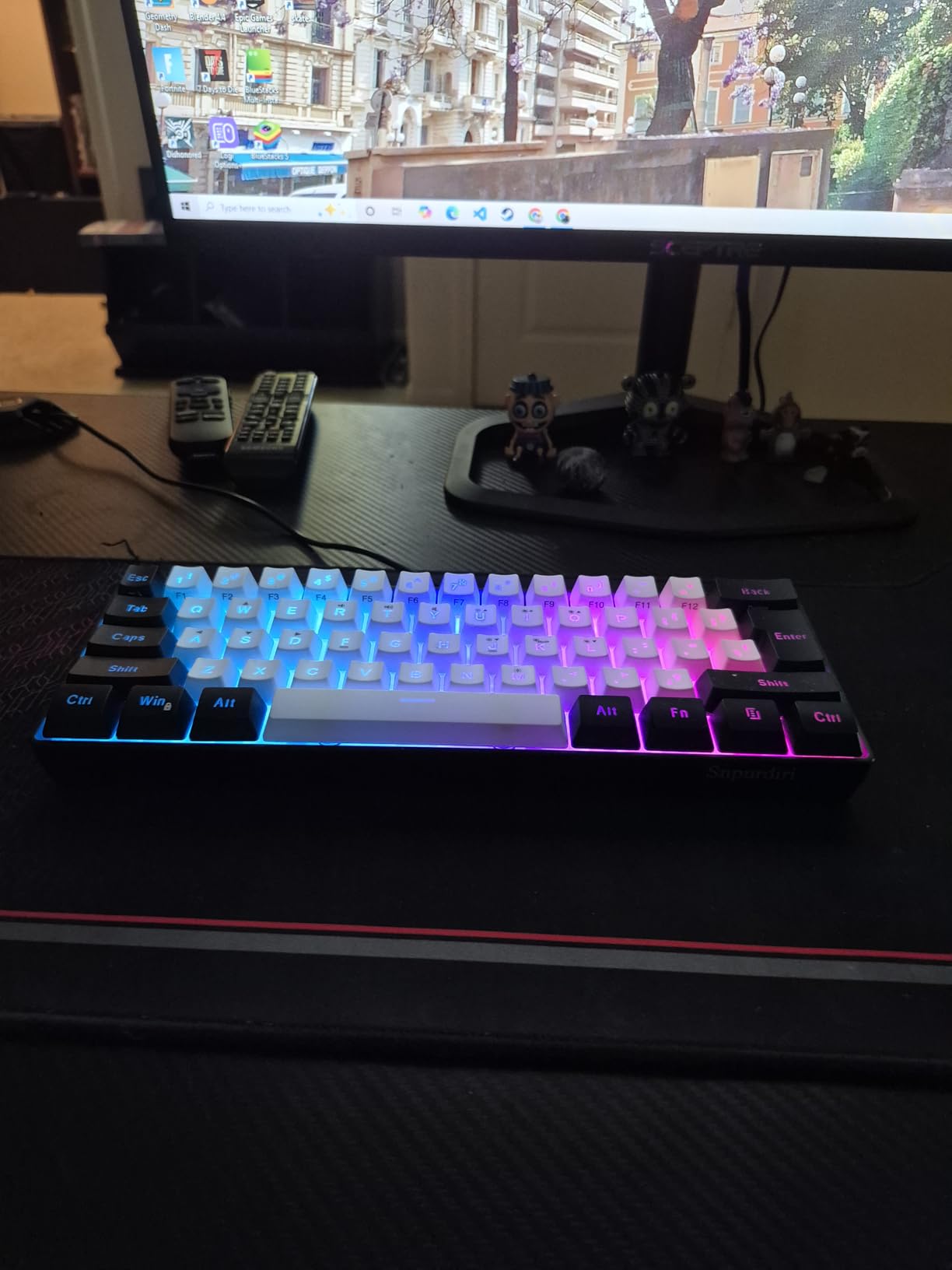
The detachable USB-C cable is a feature I did not expect at this price. It makes the keyboard genuinely portable for travel or LAN events. The double-shot injection keycaps feel durable and should resist fading over time, based on my testing period.
The RGB backlighting offers six effects and eight color options. It looks good in a dark room, though the customization is limited compared to more expensive boards. The waterproof rating is a nice safety feature for accidental spills, though I did not test this as thoroughly as the IP32-rated boards.
Who Should Buy This
The Snpurdiri 60% is ideal for FPS gamers who need maximum mouse space on a small desk. It is also great for travelers who want a compact keyboard for gaming on the go. Students in dorm rooms will appreciate the tiny footprint and quiet operation.
If you are interested in smaller form factors, this pairs well with our guide on the best 60% gaming keyboards for a deeper dive into compact layouts.
What to Watch Out For
The lightweight design means the keyboard can slide during intense gaming moments. Consider adding non-slip pads if this becomes an issue. The auto backlight shutoff after inactivity can be annoying if you step away briefly and come back to a dark keyboard.
Some users report receiving defective units, so check all keys immediately upon arrival. The 60% layout means sacrificing dedicated function and navigation keys, which requires an adjustment period.
9. MageGee TS91 Mini 60% – Lightest Portable Gaming Keyboard
MageGee Mini 60% Gaming Keyboard, RGB Backlit 61 Key Ultra-Compact Keyboard, TS91 Ergonomic Waterproof Mechanical Feeling Office Computer Keyboards for PC, MAC, PS4, Xbox ONE Gamer(Black)
60% compact layout
61 keys
RGB backlight
Mechanical feel membrane
IPX4 waterproof
USB-C
263 grams
+ Pros
- Ultra-lightweight at 263 grams
- IPX4 waterproof circuit board
- Good RGB lighting variety
- Compact and portable design
- Multi-platform compatible
- Satisfying key feel for the price
– Cons
- Spacebar can develop squeak
- Backlight may not fully turn off
- Occasional double key registration
- Light weight causes sliding
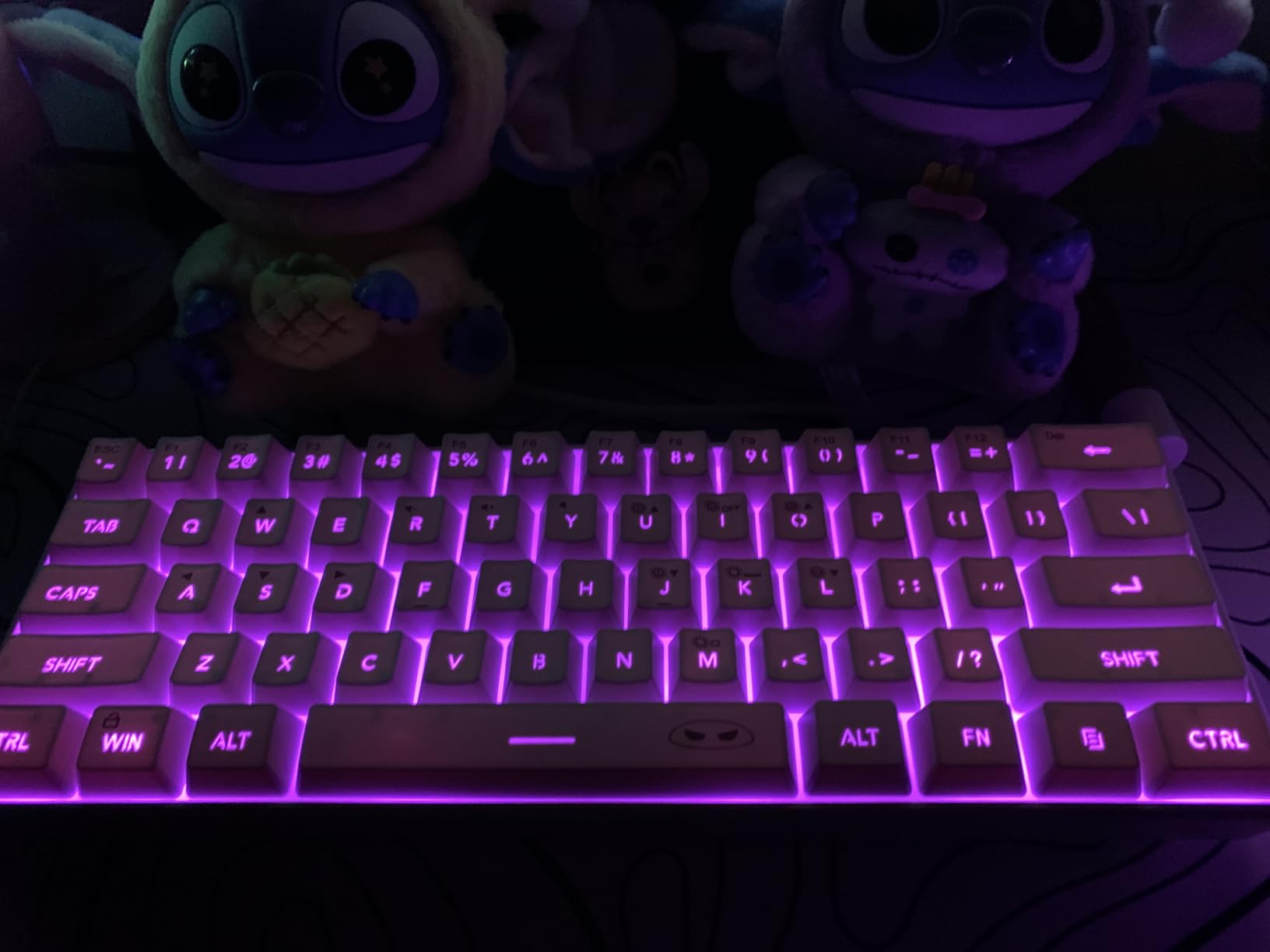
The MageGee TS91 Mini is the lightest gaming keyboard I tested at just 263 grams. This makes it incredibly portable for gamers who travel or attend LAN events. Despite the low weight, it offers RGB backlighting, an IPX4 waterproof circuit board, and a satisfying mechanical-feeling key response.
I carried the TS91 in a backpack for a week of remote work and gaming. The compact 60% size fits easily alongside a laptop, and the USB-C connection meant I did not need to carry a special cable. The keys have a satisfying tactile bump that feels better than I expected at this price.
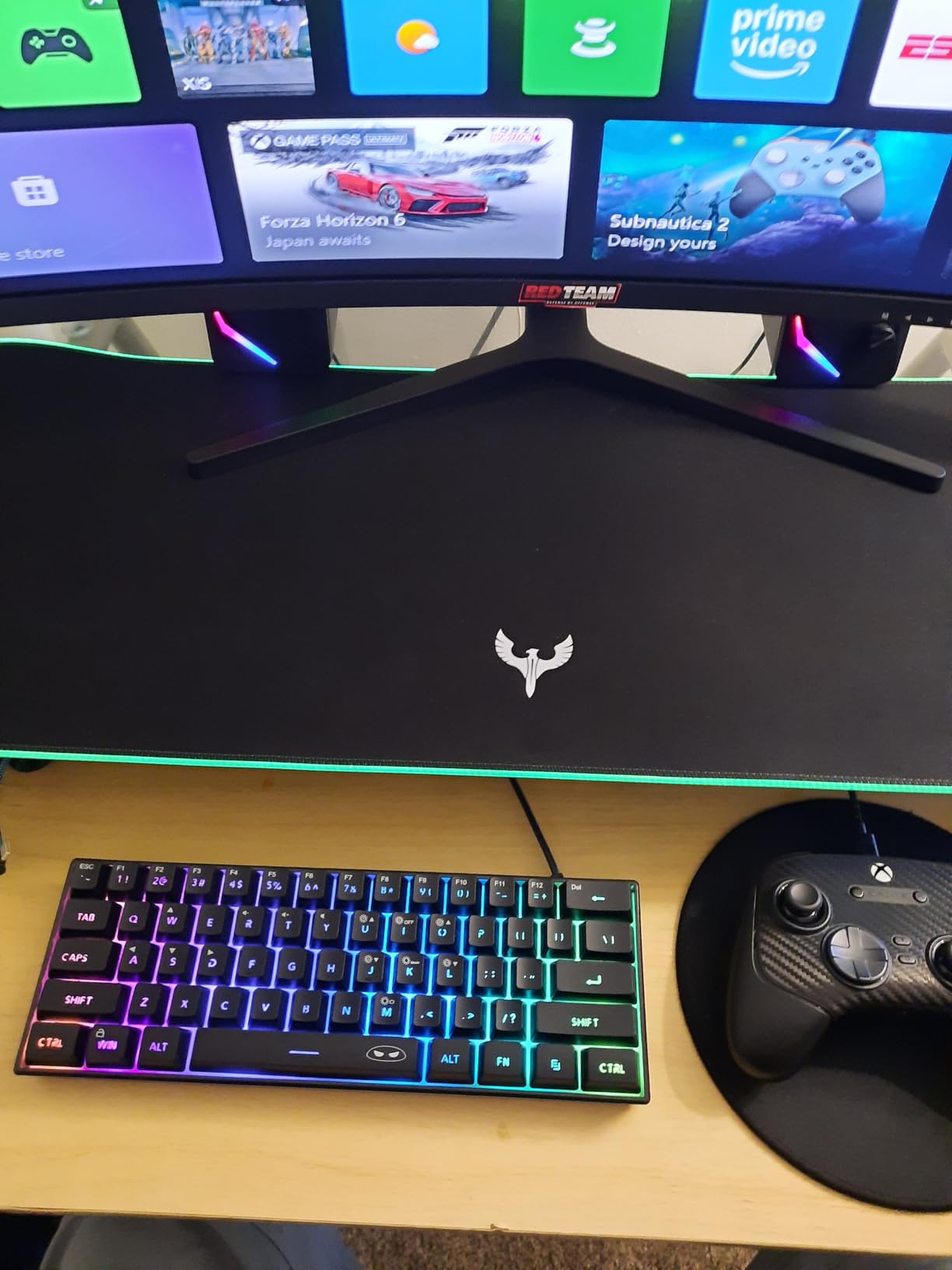
The RGB backlight offers multiple colors and modes with adjustable brightness and breathing speed. It looks vibrant in a dark room and adds personality to the compact design. The IPX4 waterproof rating on the circuit board provides peace of mind against accidental spills during travel.
The multi-platform compatibility worked well across my PC, Mac, and PS4 testing. The keyboard detected and connected to each platform without issue. For the price, the build quality is surprisingly solid, though the light weight means it can shift during intense gaming.
Who Should Buy This
The TS91 is perfect for mobile gamers, students, and anyone who needs a keyboard they can easily transport. The ultra-light weight makes it ideal for backpacks and travel bags. It is also a good entry point for gamers curious about the 60% layout without spending much.
Console gamers who want a compact keyboard for couch gaming or typing in game chats will find this fits the bill nicely.
What to Watch Out For
The spacebar can develop a squeak over time, which is a common complaint among users. The backlight may not turn off completely on the lowest setting, which could be annoying in a dark room. Some users report occasional double key registrations, though this was rare in my testing.
The light weight means the keyboard slides on smooth surfaces during fast typing or gaming. A keyboard mat or non-slip feet would help address this issue.
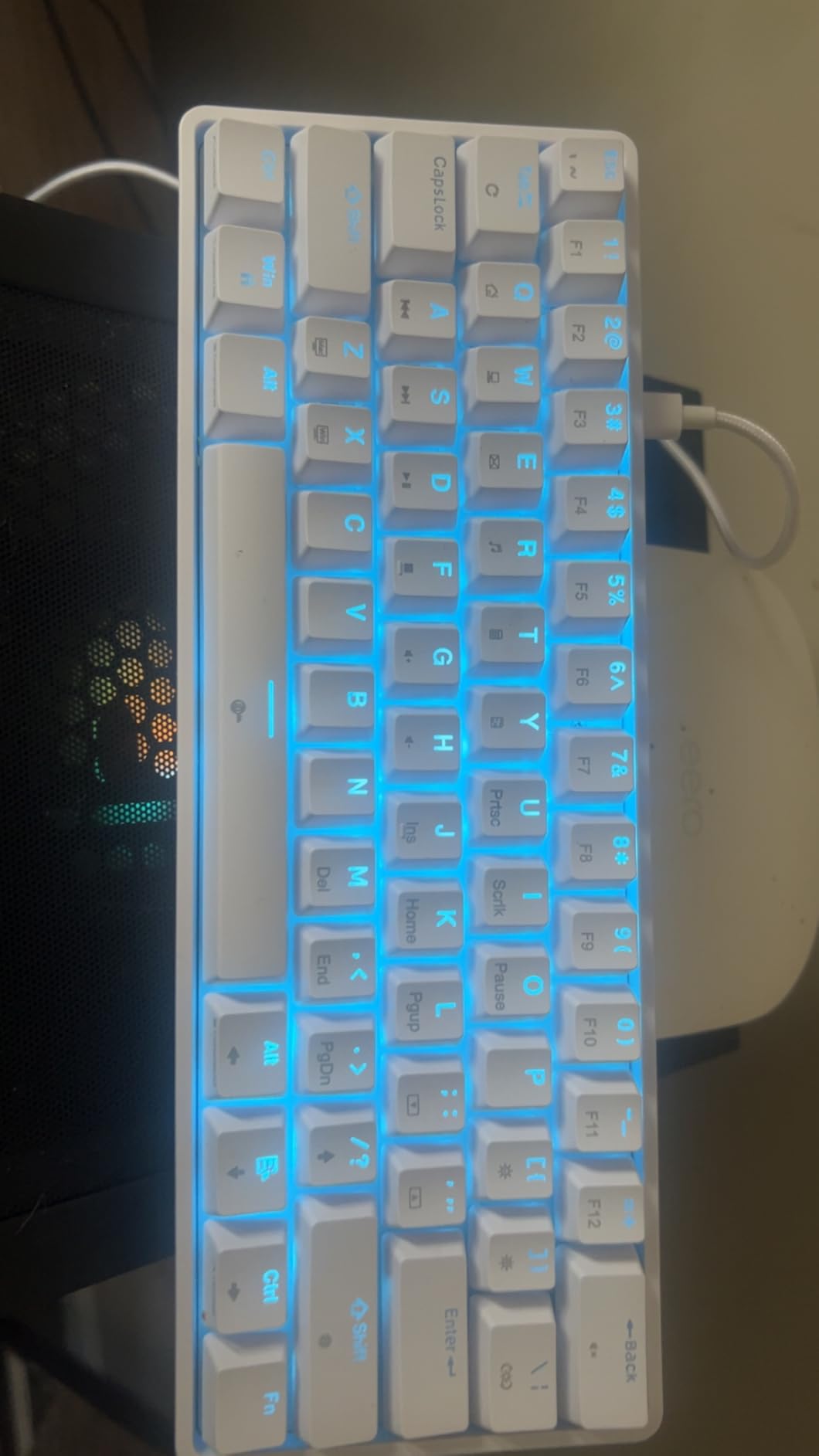
10. TMKB T61SE 60% Mechanical – Best True Mechanical Under $25
TMKB 60% Mechanical Gaming Keyboard, Red Linear Switch, Wired, White
60% mechanical layout
61 keys
Red linear switches 45g
15 LED modes
Detachable USB-C
Double-shot keycaps
61-key anti-ghosting
+ Pros
- True mechanical red linear switches
- Compact 60% layout for travel
- Detachable USB-C cable
- Double-shot keycaps resist fading
- 61-key rollover anti-ghosting
- Quiet enough for office use
– Cons
- Single color backlight only
- Key placement takes adjustment
- Lower market presence and review count
- Delete key placement not intuitive
The TMKB T61SE is the cheapest true mechanical keyboard in this roundup, and it genuinely surprised me. The red linear switches with 45g actuation feel smooth and consistent across all 61 keys. At this price, getting real mechanical switches rather than membrane with mechanical feel is exceptional value.
I tested the T61SE for two weeks of mixed gaming and typing. The red linear switches are ideal for FPS gaming, with a light actuation force that enables fast key presses. The smooth travel and consistent feedback made it one of the better typing experiences in this price range.
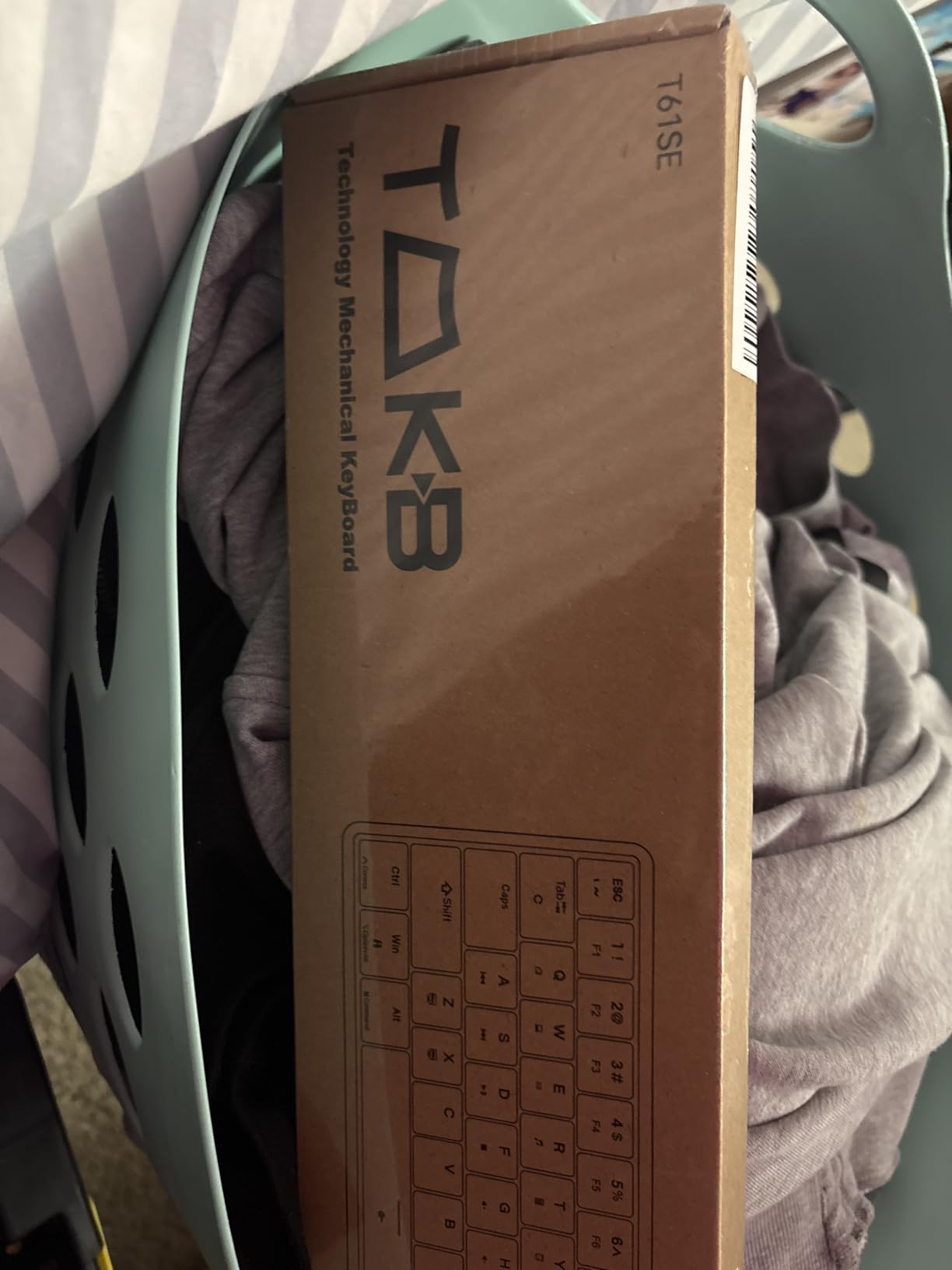
The detachable USB-C cable is a premium feature at this price point. It makes the keyboard easy to pack and transport, and if the cable gets damaged, you can replace it without buying a new keyboard. The double-shot keycaps feel durable and resist fading, which should extend the keyboard’s visual lifespan.
The 15 dynamic LED lighting modes offer good variety, though the backlight is single-color white. If you want RGB, this is not the board for you. The 61-key rollover anti-ghosting ensures every keypress registers, which I confirmed with rapid multi-key inputs during gaming.
Who Should Buy This
The TMKB T61SE is perfect for budget-conscious gamers who want a true mechanical keyboard experience. The red linear switches are great for fast-paced gaming, and the compact 60% layout saves desk space. It is ideal for students, first-time mechanical keyboard buyers, and FPS enthusiasts.
If you want to experience linear switches without committing to a $100+ board, this is the most affordable way to do it.
What to Watch Out For
The backlight is single-color white only, which limits visual customization. The 60% layout requires learning function-layer key combinations for things like arrow keys and the delete key, which takes a few days to master.
The lower review count compared to more established brands means there is less long-term durability data. However, the 4.6-star rating from existing buyers is promising.
How to Choose the Best Gaming Keyboard Under $50
Choosing the right budget gaming keyboard comes down to understanding what features matter most for your specific needs. I have broken down the key factors that separate a great budget board from a mediocre one. For more general advice, our buying guides cover additional gaming peripherals.
Switch Types: Linear, Tactile, or Clicky
Switch type is the single most important factor in how a keyboard feels. Linear switches like the red switches on the Redragon K671 and TMKB T61SE are smooth from top to bottom with no bump. They are ideal for fast-paced gaming where quick key presses matter. Most competitive FPS players prefer linear switches.
Tactile switches like those on the Logitech G413 TKL SE have a noticeable bump halfway through the press. This provides feedback that the key has actuated, making them great for typing and mixed-use scenarios. They are the most versatile switch type for gamers who also do significant typing.
Clicky switches like the Outemu Blues on the Redragon K580 VATA have both a tactile bump and an audible click sound. They are the loudest option and appeal to users who love sensory feedback. Avoid clicky switches if you game in shared spaces, as the noise will bother everyone around you.
Form Factor: Full-Size, TKL, or 60%
Full-size keyboards like the SteelSeries Apex 3 and Redragon K580 include a numpad, function row, and navigation cluster. They are ideal for productivity work that involves number entry. The trade-off is that they take up significant desk space and limit mouse room for gaming.
Tenkeyless (TKL) boards like the Logitech G413 remove the numpad while keeping the function row and navigation keys. This frees up mouse space while maintaining most of the keys you need for daily use. TKL is the most popular form factor among competitive gamers.
60% keyboards like the Snpurdiri, MageGee TS91, and TMKB T61SE strip away the numpad, function row, and navigation cluster. This creates an extremely compact board that maximizes mouse space. The trade-off is that function keys and arrows require layer combinations, which takes practice to learn.
Key Features to Look For
Hot-swappable switches are the most valuable feature in a budget keyboard. The Redragon K580 VATA, K671, and Logitech G413 all support switch swapping to varying degrees. This lets you change the typing feel without buying a new keyboard, effectively future-proofing your purchase.
Anti-ghosting and N-key rollover ensure every keypress registers during fast gaming. All 10 keyboards in this roundup include some form of anti-ghosting, but the coverage varies. The Redragon K671 and TMKB T61SE offer full-key rollover, while budget membrane boards like the Redragon K521 cover 19 keys.
RGB lighting ranges from basic rainbow presets to customizable per-key lighting. At this price point, most keyboards offer zonal or preset RGB rather than full per-key customization. The SteelSeries Apex 3 has the best-looking zonal RGB I tested, while the Redragon K580 offers the most lighting modes.
PBT vs ABS Keycaps
PBT keycaps like those on the Logitech G413 TKL SE are more durable and resistant to shine than ABS keycaps. They maintain their texture and appearance over years of use. PBT is uncommon at this price point, making the G413 stand out.
ABS keycaps are standard on most budget keyboards. They are cheaper to produce but develop a shiny appearance over time as the surface wears. Double-shot ABS keycaps, like those on the Redragon K580 and K671, at least prevent the key legends from fading, even if the surface shows wear.
Reddit users consistently report keycap wear as a top frustration with budget keyboards. If long-term appearance matters to you, prioritize boards with PBT keycaps or plan to buy replacement keycaps separately. For more on building a clean setup, check our guide on cable management solutions for gaming.
FAQs
What is the best gaming keyboard under $50?
The Logitech G413 TKL SE is the best gaming keyboard under $50 overall, offering tactile mechanical switches, durable PBT keycaps, and a solid aluminum build. For maximum features, the Redragon K580 VATA with hot-swappable switches and macro keys is the best value pick.
Are mechanical keyboards worth it for gaming under $50?
Yes, mechanical keyboards under $50 are absolutely worth it for gaming. Models like the Logitech G413 TKL SE, Redragon K671, and TMKB T61SE offer true mechanical switches that provide faster actuation, better durability, and superior tactile feedback compared to membrane keyboards at similar prices.
What switches should I get for a budget gaming keyboard?
For a budget gaming keyboard, red linear switches are the best choice for fast-paced FPS gaming because they require less force and have smooth travel. Tactile switches like brown are better for mixed gaming and typing. Clicky blue switches are fun for solo gaming but too loud for shared spaces. Look for hot-swappable boards like the Redragon K580 VATA or K671 so you can change switches later.
Is RGB lighting important on a budget keyboard?
RGB lighting is a nice aesthetic feature but not essential for gaming performance. On budget keyboards, RGB is typically limited to preset patterns or zonal lighting rather than per-key customization. Focus on switch type, build quality, and anti-ghosting support first, and treat RGB as a bonus feature.
Final Thoughts on the Best Gaming Keyboards Under $50
After testing all 10 keyboards, my top recommendation for the best gaming keyboards under $50 is the Logitech G413 TKL SE for its unmatched build quality and PBT keycaps. The Redragon K580 VATA wins on features and value with hot-swappable switches and macro keys. For absolute budget buyers, the Redragon K521 delivers a solid gaming experience at an unbeatable price.
The budget keyboard market in 2026 offers more genuine value than ever before. Whether you need quiet membrane switches for a shared space, true mechanical switches for competitive gaming, or a compact 60% board for travel, there is a sub-$50 option that will serve you well. Pick the one that matches your priorities, and you will not be disappointed.
Leave a Reply