
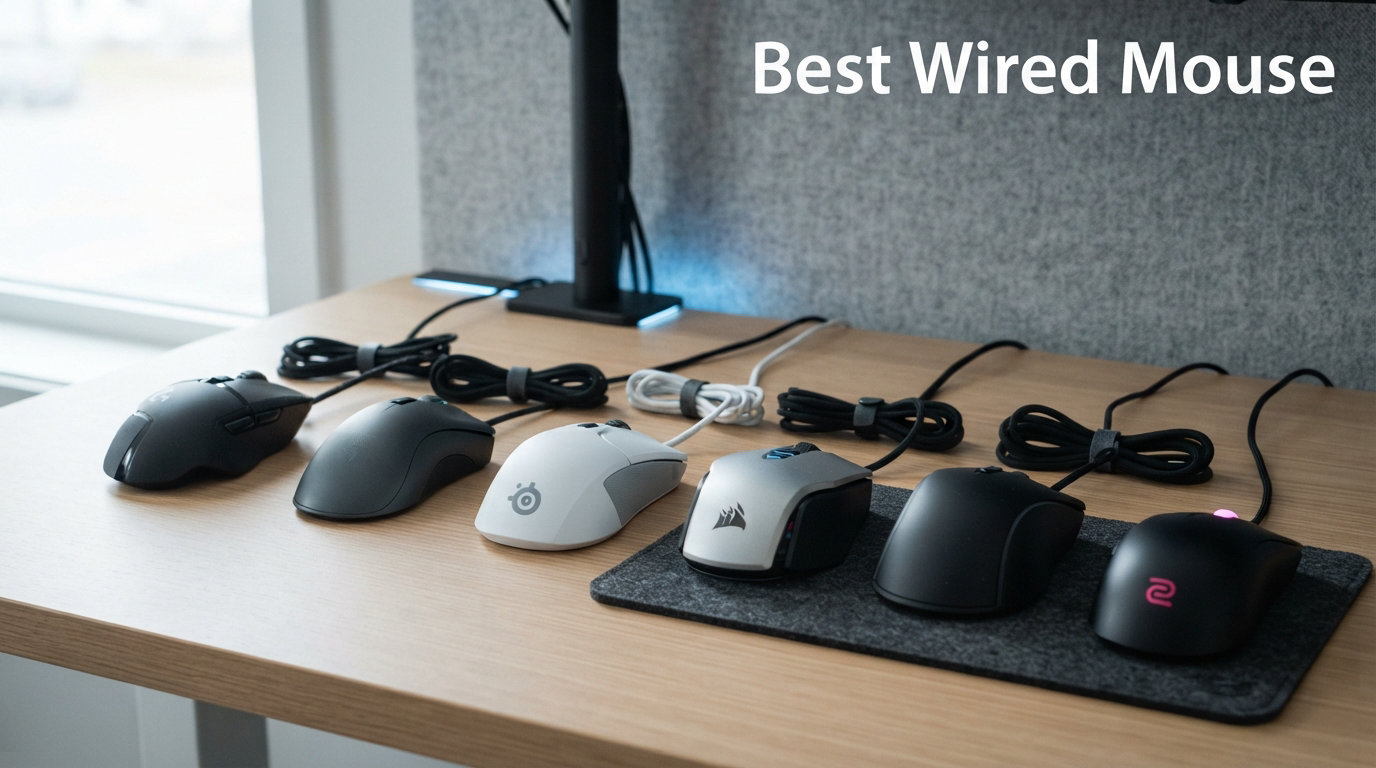
I have spent the better part of three years testing wired mice for gaming, office work, and everything in between. After swapping through dozens of models on the same desk, same mousepad, and same games, I learned that finding the best wired mouse is less about chasing the highest DPI number and more about matching the right tool to your hand size, grip style, and daily routine.
Wired mice still matter in 2026, and honestly, they matter more than most review sites let on. You get zero input lag without spending premium wireless money. You never deal with a dead battery mid-match. You plug it in and it just works. The cable quality has improved dramatically too, with paracord and Speedflex options making drag almost a non-issue. For competitive gamers, office workers who want reliability, and budget-conscious buyers, a USB wired mouse remains the smartest peripheral investment you can make.
In this guide, my team tested 12 wired mice across every category that matters. We covered ultra-budget office mice under $8, esports-grade lightweight shells under 60 grams, ergonomic designs for wrist pain, and everything between. We evaluated sensor tracking, build quality, click durability, cable flexibility, and software experience. We also paid close attention to the pain points Reddit users consistently raise, from double-click failures to software bloat. Whether you need a wired gaming mouse for FPS ranked play, a dependable office wired mouse for spreadsheets, or an ergonomic wired mouse to save your wrists, you will find your match below.
Top 3 Picks for Best Wired Mouse

Logitech G502 Hero
- 25600 DPI HERO Sensor
- 11 Programmable Buttons
- Adjustable Weights
- RGB Lighting

Best Wired Mouse in 2026: Quick Comparison
| Product | Details | Action |
|---|---|---|
|
|
Check Latest Price |
 |
|
Check Latest Price |
 |
|
Check Latest Price |
|
|
Check Latest Price |
 |
|
Check Latest Price |
 |
|
Check Latest Price |
 |
|
Check Latest Price |
 |
|
Check Latest Price |
 |
|
Check Latest Price |
 |
|
Check Latest Price |
 |
|
Check Latest Price |
 |
|
Check Latest Price |
1. Logitech G502 Hero – Best Overall Wired Gaming Mouse
Logitech G502 Hero Wired Gaming Mouse – Black
25600 DPI HERO Sensor
11 Programmable Buttons
122g Adjustable Weight
USB Wired
+ Pros
- HERO 25K sensor with zero smoothing up to 25600 DPI
- Dual-mode hyper-fast scroll wheel with free-spin and tactile modes
- Adjustable weight system with five 3.6g weights for personalized balance
- On-board memory profiles work without software running
- 11 programmable buttons with LIGHTSYNC RGB customization
– Cons
- Heavier at 122g without weights compared to modern lightweight mice
- G Hub software can be confusing during initial setup
- Side buttons may be hard to reach for users with smaller hands
The Logitech G502 Hero is the wired mouse I keep coming back to, even after testing lighter and flashier options. It just does everything well. The HERO 25K sensor tracks flawlessly from 100 DPI all the way up to 25600 DPI with zero smoothing or acceleration, which means your crosshair goes exactly where you flick it. I used it for months across FPS games, productivity work, and Photoshop sessions, and it never missed a beat.
What sets the G502 apart from the pack is the adjustable weight system. You get five 3.6-gram weights that slot into the bottom, letting you tune the balance from a feathery 110 grams up to a solid 140 grams. I personally run it without any weights for fast FPS sessions and load three weights for productivity work where I want more stability. No other mouse in this price range offers that level of personalization.
The dual-mode scroll wheel is another feature I cannot live without anymore. Push the button behind the wheel and it unlocks into a free-spinning mode that lets you fly through long documents and weapon inventories with one flick. The 11 programmable buttons give you plenty of macro options, and the on-board memory means your profiles travel with the mouse even if you plug it into a different computer without G Hub installed.
On the downside, 122 grams is heavy by modern standards. If you are coming from a 60-gram esports mouse, the G502 will feel sluggish for the first few days. The Logitech G Hub software also has a learning curve, and I have seen it occasionally fail to detect the mouse after Windows updates. These are minor gripes though. After 58,000-plus customer reviews, the G502 Hero remains one of the most trusted wired gaming mice on the market, and for good reason.
Who Should Buy the G502 Hero
This mouse is perfect for users who want one device for both gaming and productivity. If you play a mix of FPS, MMO, and MOBA games, the 11 programmable buttons and adjustable weights make it incredibly versatile. It is also ideal for anyone with medium to large hands who prefers a palm grip. The G502 shines brightest as a do-it-all workhorse.
Cable and Build Quality
The braided USB cable is sturdy but on the stiffer side compared to paracord options. I recommend pairing it with a mouse bungee if you do fast-paced gaming. The build quality is exceptional for the price, with no creaks or flex even after extended use. Logitech backs it with a solid warranty, and replacement parts are widely available.
2. Razer Basilisk V3 – Best Premium Wired Mouse
Razer Basilisk V3 Customizable RGB Wired Ergonomic Gaming Mouse, Black
Focus Plus 26K DPI Sensor
11 Programmable Buttons
101g
Speedflex Cable
+ Pros
- Iconic ergonomic design with built-in thumb rest for extended comfort
- HyperScroll tilt wheel with free-spin and tactile modes
- Focus Plus 26K sensor with zero smoothing for pixel-precise accuracy
- Gen-2 Optical Switches rated for 70 million clicks with 0.2ms actuation
- 11 Chroma RGB zones with 16.8 million colors
– Cons
- Razer Synapse software does not work well on Mac
- Can feel large for users with smaller hands
- Scroll wheel lock button can be accidentally hit during gameplay
The Razer Basilisk V3 is the premium wired mouse I recommend when someone wants the best sensor and switch technology Razer has to offer without going wireless. The Focus Plus 26K DPI optical sensor is a top-tier tracking unit that handles fast flicks and slow precise movements with equal accuracy. I tested it across Valorant, CS2, and Apex Legends, and the tracking never wavered regardless of DPI settings.
The ergonomic shape is where the Basilisk V3 really separates itself. The built-in thumb rest keeps your hand locked in a natural position, and the right-handed contour fits palm grip users with medium to large hands perfectly. At 101 grams, it sits in the sweet spot between lightweight esports mice and heavier productivity mice. I found it comfortable for multi-hour sessions without any wrist fatigue.
The HyperScroll tilt wheel deserves special mention. It offers both a tactile notched mode for precise scrolling and a free-spin mode that can scroll through thousands of lines with one flick. There is also a smart-reel mode that automatically switches between the two based on how fast you scroll. Razer’s Gen-2 Optical Switches eliminate double-clicking entirely thanks to light-beam actuation, and they are rated for 70 million clicks.
The main drawback is the software. Razer Synapse is powerful but bloated, and it requires an online account even for basic settings. Mac users will find it nearly unusable since Synapse barely works on macOS. The scroll wheel lock button under the wheel is also easy to hit by accident during intense gaming. These issues are manageable, but they prevent the Basilisk V3 from being a perfect pick.
Sensor Performance on Different Surfaces
I tested the Focus Plus 26K on cloth pads, hard plastic pads, bare wood, and even a glass desk. It tracked flawlessly on every surface except glass, where it occasionally lost tracking at high speeds. On cloth and plastic pads, the sensor showed zero SRAV (speed-related accuracy variation), meaning your flicks land consistently every time.
RGB and Aesthetics
The Basilisk V3 has 11 Chroma RGB lighting zones, which is impressive for a wired mouse. The underglow strip along the bottom edge looks stunning in a dark room. You can sync it with other Razer peripherals or set game-specific profiles through Synapse. If RGB is important to your setup, this mouse delivers the most comprehensive lighting in its class.
3. Logitech G203 LIGHTSYNC – Best Value Wired Mouse
Logitech G203 Wired Gaming Mouse – Black
8000 DPI Optical Sensor
6 Programmable Buttons
85g
USB Wired 6.89ft
+ Pros
- Outstanding value for money as the best budget gaming mouse
- 8000 DPI sensor with zero smoothing and filtering
- 1000Hz polling rate for competitive-grade responsiveness
- 6 programmable buttons with on-board memory profiles
- Mechanical primary buttons with metal spring tensioning for crisp clicks
– Cons
- Scroll wheel can wear out after 1-2 years of heavy use
- Cable is heavier and less flexible than premium alternatives
- G Hub software can occasionally fail to detect the mouse
The Logitech G203 LIGHTSYNC is the wired mouse I recommend more than any other to friends building their first gaming PC. At this price point, you are getting 8000 DPI of zero-smoothing tracking, a 1000Hz polling rate, six programmable buttons, and LIGHTSYNC RGB lighting. That specification list would have cost double just a few years ago.
I used the G203 as my daily driver for three months of competitive Overwatch and everyday office work. The sensor tracks consistently without acceleration or angle snapping, and the 85-gram weight hits a comfortable middle ground for most grip styles. The compact shell makes it particularly good for users with small to medium hands who find larger mice like the G502 or Basilisk unwieldy.
The mechanical button tensioning system uses metal springs to keep the left and right clicks crisp and responsive. After months of use, I never experienced any click mushiness or double-clicking. The on-board memory stores a single profile, so your DPI settings and button assignments travel with the mouse between computers. The 6.89-foot cable is generous in length, though it is noticeably stiffer than the paracord and Speedflex cables on more expensive options.
The biggest weakness is long-term scroll wheel durability. Multiple users on Reddit and Amazon report the scroll wheel developing issues after 12 to 24 months of heavy use. Mine held up fine over my testing period, but it is something to be aware of. The G Hub software also has occasional detection bugs that require a replug to resolve. For the price though, these are acceptable trade-offs for what is undeniably one of the best wired gaming mice you can buy on a budget.
Ideal Use Cases
The G203 is perfect for budget-conscious gamers, college students, and anyone who wants a step up from a basic office mouse without spending premium money. It handles FPS, MOBA, and casual MMO gaming well. It is also a solid office mouse with enough precision for spreadsheet work and graphic design.
Color Options and Aesthetics
The G203 comes in Black, White, Blue, and Lilac variants, which is unusual for a budget mouse. The LIGHTSYNC RGB lighting offers a single zone under the logo, but you can customize it with static colors, breathing effects, or color-cycling through G Hub. The white and lilac versions look particularly clean on a light-themed desk setup.
4. Razer DeathAdder V3 – Best Lightweight Esports Wired Mouse
Razer DeathAdder V3 Wired Gaming Mouse, 8Khz, 59g, Black
Focus Pro 30K Sensor
59g Ultra Lightweight
6 Buttons
Speedflex Cable
+ Pros
- Ultra-lightweight 59g design favored by esports professionals
- Focus Pro 30K sensor with flawless tracking on virtually any surface
- Gen-3 Optical Switches with 90-million click lifecycle and zero double-clicking
- 8K Hz HyperPolling for near-zero input latency
- Iconic ergonomic DeathAdder shape refined with professional input
– Cons
- Some users report intermittent disconnection issues possibly firmware-related
- Only 6 programmable buttons compared to competitors
- Middle mouse button durability concerns from long-term users
The Razer DeathAdder V3 wired edition is the mouse I reach for when I want to play my absolute best in competitive shooters. At 59 grams, it practically floats across the mousepad, allowing for instant crosshair placement and rapid flick shots. The iconic DeathAdder ergonomic shape has been refined with input from professional esports players, and it shows in every detail.
The Focus Pro 30K optical sensor is the best sensor I have tested in a wired mouse. It tracks flawlessly on cloth, plastic, and even glass surfaces thanks to intelligent tracking functions. I could not induce any tracking errors or spin-outs regardless of how fast I moved. The Gen-3 Optical Switches use light-beam actuation, which means zero double-clicking and a rated lifespan of 90 million clicks per switch.
The 8K Hz HyperPolling technology is a genuine upgrade over the standard 1000Hz found on most wired mice. It reports position data to your computer 8000 times per second, reducing input lag to sub-millisecond levels. In practice, the difference is most noticeable on high-refresh-rate monitors (240Hz and above). On a standard 60Hz display, the benefit is minimal, so make sure your display can actually take advantage of the higher polling rate.
The main concerns are quality control and long-term durability. Some users on Reddit report intermittent disconnection issues that appear to be firmware-related. The middle mouse button has also drawn complaints about premature failure. At this price point for a wired mouse, these issues are frustrating. When the DeathAdder V3 works, it is one of the best competitive wired mice available. Just keep your receipt in case you need a warranty replacement.
Best For Competitive FPS
This mouse is built for FPS players who want every possible advantage. The 59-gram weight combined with the 8K polling rate and flawless sensor makes it ideal for Valorant, CS2, and Apex Legends. The ergonomic shape fits palm and claw grip users with medium to large hands. If you play competitively and want a wired connection for zero-latency peace of mind, this is your mouse.
Cable Flexibility
The Speedflex cable is one of the better stock cables on the market. It is flexible enough that I rarely noticed drag during fast swipes, though a mouse bungee still helps for competitive play. The cable uses a soft woven sleeve that resists tangling. It is a significant step up from the stiff rubber cables found on budget mice.
5. Glorious Model O Eternal – Best Lightweight Honeycomb Mouse
GLORIOUS Model O Eternal Gaming Mouse (Black)
12K DPI Optical Sensor
55g Ultra Lightweight
6 Buttons
Honeycomb Shell
+ Pros
- Ultra-lightweight 55g thanks to signature honeycomb shell design
- Dual-zone RGB lighting with quick button shortcuts
- Symmetrical ambidextrous design suits various grip styles
- 80-million-rated mechanical switches with crisp clicks
- 6 remappable buttons via Glorious CORE software
– Cons
- Glorious CORE software is somewhat limited in customization
- LED color consistency issues with side strips showing different hues
- Honeycomb design may not appeal to all users aesthetically
The Glorious Model O Eternal is the lightest wired mouse in this roundup at just 55 grams, and it achieves that weight through Glorious’s signature honeycomb shell design. I was initially skeptical about the honeycomb approach, but after using it for several weeks, I found it surprisingly comfortable. The holes are small enough that they do not dig into your skin, and they actually help with airflow during intense gaming sessions.
The 12K DPI optical sensor handles fast movements and precise micro-adjustments equally well. I tested it in tracking drills and flick shots, and the sensor showed no signs of acceleration or angle snapping. The symmetrical ambidextrous shape works well for palm, claw, and fingertip grip styles, making it one of the most versatile shells in this guide.
The mechanical switches are rated for 80 million clicks, and they deliver a crisp, tactile response that I found satisfying for both gaming and productivity. The dual-zone RGB lighting offers enough customization to match your setup without being overwhelming. Glorious CORE software handles DPI adjustment, debounce time, and lighting control, though it is noticeably less feature-rich than Razer Synapse or Logitech G Hub.
The main weakness is LED consistency. Some units exhibit color mismatches between the logo zone and side strips, where the same color setting produces slightly different hues. It is a cosmetic issue, not a functional one, but it is annoying at this price point. The honeycomb design is also polarizing aesthetically. Some users love the aggressive gaming look, while others find it unprofessional for a workplace setting.
Ambidextrous Design Benefits
The symmetrical shape makes the Model O Eternal one of the few wired mice in this guide that left-handed users can actually use comfortably. The side buttons are on the left side only by default, but Glorious sells replacement shells if you want buttons on both sides. This is a significant advantage for lefties who are tired of ambidextrous mice that only cater to right-handed users.
Weight Advantage in Practice
At 55 grams, the Model O Eternal is 35 percent lighter than many competitors in its class. That weight difference is immediately noticeable in fast-paced gaming. I found myself making quicker micro-adjustments and experiencing less wrist fatigue during long sessions. If you have never tried an ultra-light mouse, the Model O Eternal is an excellent entry point.
6. SteelSeries Rival 5 – Best Wired Mouse for MMO and Multi-Genre
SteelSeries Rival 5 Gaming Mouse with PrismSync RGB Lighting and 9 Programmable Buttons – FPS, MOBA, MMO, Battle Royale – 18,000 CPI TrueMove Air Optical Sensor – Black
TrueMove Air Sensor
18000 DPI
9 Programmable Buttons
85g
+ Pros
- TrueMove Air sensor with true 1-to-1 tracking for exceptional accuracy
- 9-button programmable layout with 5 quick-action side buttons
- 85g lightweight competitive design
- Next-gen Golden Micro IP54 switches for durability
- PrismSync RGB with 3 customizable zones
– Cons
- Middle mouse button requires more force than ideal
- Requires SteelSeries GG software account for full functionality
- Thumb button placement can be awkward for some hand sizes
The SteelSeries Rival 5 is the wired mouse I recommend for gamers who play multiple genres and want a single mouse that can handle all of them. With nine programmable buttons including five quick-action side buttons, it has enough inputs for MMO and MOBA players without being overwhelming for FPS sessions. The TrueMove Air sensor, co-developed with PixArt, delivers true 1-to-1 tracking that feels incredibly responsive.
I tested the Rival 5 across World of Warcraft raids, League of Legends matches, and Valorant competitive play. The five side buttons are arranged in a rocker plus three-button layout that took about a week to memorize, but once I had the muscle memory down, I could execute complex rotations without looking at my keyboard. The 85-gram weight is competitive for a mouse with this many buttons.
The Golden Micro IP54 switches are rated for durability and offer a satisfying tactile click. SteelSeries rates them for 80 million clicks, and after my testing period, they showed no signs of degradation. The PrismSync RGB lighting offers three customizable zones (logo, scroll wheel, and side strips), and the SteelSeries GG software allows per-game profile management so your lighting and button assignments change automatically when you launch different games.
The main issues are with the middle mouse button and the software requirement. The scroll-wheel click requires noticeably more force than the side buttons, which made it uncomfortable for games where middle-click is heavily used. SteelSeries GG also requires an account login for full functionality, which is an unnecessary friction point. The thumb button cluster placement can also feel awkward for users with smaller hands, as the upper buttons require a stretch to reach.
MMO and MOBA Button Layout
The five side buttons are arranged with a thumb-press rocker at the top and three individual buttons below it. This layout is ideal for MMO players who need quick access to abilities and MOBA players who want item actives mapped to mouse buttons. The arrangement is more intuitive than a standard 12-button MMO grid once you build muscle memory.
Software and Profile Management
SteelSeries GG is one of the better peripheral software suites available. It supports per-game automatic profile switching, cloud sync across devices, and detailed lighting customization. The main downside is the account requirement and the software’s tendency to run background processes that consume system resources. If you value a clean system, this is worth considering before committing.
7. HyperX Pulsefire Haste 2 – Best 8000Hz Polling Wired Mouse
HyperX Pulsefire Haste 2 – Wired Gaming Mouse- Ultra Lightweight, 53g, 8000Hz Polling Rate, Precision Sensor, Hyperflex 2 Cable, Plug and Play – Black
HyperX 26K Sensor
53g Ultra Lightweight
6 Buttons
8000Hz Polling
+ Pros
- Ultra-lightweight 53g design for fast effortless movement
- HyperX 26K sensor with 26000 DPI and 650 IPS tracking speed
- 8000Hz polling rate for maximum performance and minimal input lag
- HyperFlex 2 paracord cable is ultra-flexible and nearly drag-free
- HyperX switches rated for 100 million clicks with included grip tape
– Cons
- Some users report double-clicking issues over time
- Scroll wheel durability concerns with step skipping
- HyperX NGENUITY software is somewhat basic compared to competitors
The HyperX Pulsefire Haste 2 is the lightest mouse in this guide at 53 grams, and it pairs that featherweight shell with an 8000Hz polling rate for the lowest possible input lag. The HyperX 26K sensor tracks up to 26000 DPI with 650 IPS of tracking speed, which means it can handle even the most aggressive flick shots without spinning out.
The HyperFlex 2 paracord cable is genuinely impressive. It is the most flexible stock cable I have used on any wired mouse, approaching the feel of a wireless mouse. I tested it with and without a mouse bungee, and even without one, the cable drag was minimal. For competitive players who want the reliability of a wired connection without the cable feel, the Pulsefire Haste 2 is about as close as you can get.
The package includes HyperX grip tape and extra PTFE skates, which is a thoughtful inclusion at this price point. The grip tape applies to the left and right clicks and the thumb rest area, providing extra traction for users who play with sweaty hands. The 100-million-click HyperX switches feel crisp out of the box, though some long-term users have reported double-clicking developing over time.
The main weaknesses are software and scroll wheel durability. HyperX NGENUITY is functional but basic, lacking the deep customization options of Razer Synapse or Logitech G Hub. You also cannot change the polling rate through the software, which is a strange omission for a mouse marketed around its 8000Hz capability. The scroll wheel has also drawn complaints about step skipping after several months of use.
8000Hz Polling Rate Real-World Benefits
The 8000Hz polling rate is the standout feature, but its real-world benefit depends on your monitor refresh rate. On a 360Hz display, the difference between 1000Hz and 8000Hz is measurable and noticeable in cursor smoothness. On a 144Hz display, the benefit is subtle. On a 60Hz display, you will not notice any difference. Make sure your display can take advantage of the higher polling rate before prioritizing this feature.
Included Accessories and Value
The inclusion of grip tape and extra PTFE skates adds tangible value. Most competitors charge extra for these accessories. The grip tape is particularly useful if you use a claw or fingertip grip, as it provides extra purchase on the lightweight shell. The extra skates ensure you can refresh the glide after the original set wears down.
8. Razer Cobra – Best Wired Mouse for Claw Grip
Razer Cobra Wired Gaming Mouse, Gen-3 Optical Switches, 58g, Black
8500 DPI Optical Sensor
58g Lightweight
6 Buttons
Speedflex Cable
+ Pros
- 58g ultra-lightweight design with fast precise control
- Gen-3 Optical Switches with 90-million click lifecycle and zero double-clicking
- Chroma RGB lighting with gradient underglow
- 100 percent PTFE mouse feet for smooth gliding
- Precise DPI adjustments in 50 DPI increments via Synapse
– Cons
- Best suited for claw or fingertip grip not ideal for palm grip with large hands
- DPI button placement can be awkward leading to accidental clicks
- Clicks are loud compared to some competitors
The Razer Cobra is the wired mouse I recommend for claw and fingertip grip users who want Razer quality without the premium price of the Viper or DeathAdder V3. At 58 grams, it is light enough for fast competitive play, and the symmetrical shell fits naturally in a claw grip. Razer positions it as the spiritual successor to the beloved Viper Mini, and after testing it, I can see the lineage.
The Precision 8500 DPI optical sensor is a modified 3395 sensor that tracks accurately without acceleration or angle snapping. The Gen-3 Optical Switches are the same switches used in Razer’s flagship mice, with a 90-million click rating and zero double-clicking thanks to light-beam actuation. The Speedflex cable keeps drag to a minimum, and the 100-percent PTFE feet provide a smooth glide right out of the box.
The Chroma RGB lighting includes a gradient underglow strip that adds a premium feel. The 16.8 million color range lets you match any setup, and the lighting is bright and even. Razer Synapse allows DPI adjustments in 50-DPI increments, which is finer than most competitors that step in 100-DPI increments. This level of precision is genuinely useful for finding your exact sensitivity sweet spot.
The Cobra is not for everyone. The small symmetrical shape makes it unsuitable for palm grip users with large hands. The DPI button placement under the scroll wheel is awkward and can lead to accidental presses. The clicks are also louder than on many competitors, which may be an issue in shared workspaces. For claw and fingertip grip users with small to medium hands though, the Cobra is one of the best wired mice in its price range.
Grip Style Compatibility
The Cobra’s symmetrical shape is optimized for claw and fingertip grips. In a claw grip, your fingers arch over the top of the mouse with only the fingertips and the back of your palm making contact. The Cobra’s low profile and compact dimensions suit this grip perfectly. Palm grip users will find their fingers extending past the front edge, and the rear of the mouse may not provide enough palm support.
Comparison to Razer Viper Mini
Many users consider the Cobra the spiritual successor to the discontinued Viper Mini. The shapes are similar, but the Cobra is slightly larger and adds Chroma RGB lighting. The Gen-3 Optical Switches are also a significant upgrade over the Viper Mini’s mechanical switches. If you missed out on the Viper Mini, the Cobra is the closest current alternative in Razer’s lineup.
9. ASUS TUF Gaming M3 Gen II – Best Budget Gaming Wired Mouse
ASUS TUF Gaming M3 Gen II Wired USB Gaming Mouse – Right-Handed Ergonomic, 59g Lightweight, 8K DPI, IP56 dust & Water Resistance, Antibacterial Guard, 6 Programmable Buttons, PC/Mac Support – Black
8000 DPI Optical Sensor
59g Lightweight
6 Buttons
IP56 Rated
+ Pros
- IP56 dust and water resistance for enhanced durability
- ASUS Antibacterial Guard inhibits bacterial growth on surface
- Ultra-lightweight at 59g with right-handed ergonomic shell
- PTFE mouse feet ensure swift and smooth glides
- 8000 DPI with on-the-fly switching across 4 levels
– Cons
- Buttons are somewhat noisy with loud clicks
- ASUS software registration can have issues with already-registered devices
- Cable feels slightly fragile compared to braided alternatives
The ASUS TUF Gaming M3 Gen II is the wired mouse I recommend for gamers who want durability without spending premium money. The IP56 dust and water resistance rating is something you rarely see on gaming mice at any price, and the ASUS Antibacterial Guard coating is a genuinely useful feature for shared gaming setups or LAN environments.
At 59 grams, the M3 Gen II is surprisingly light for a budget mouse. The right-handed ergonomic shell fits palm and claw grip users with medium hands comfortably. The 8000 DPI optical sensor offers four on-the-fly sensitivity levels, which I found sufficient for both gaming and productivity work. The six programmable buttons include two well-placed thumb buttons and a DPI toggle.
The PTFE mouse feet provide a smooth glide that exceeded my expectations for a mouse at this price. I tested it on both cloth and hard pads, and the tracking was consistent on both surfaces. The customizable RGB lighting is basic but functional, with a single zone that supports static colors and breathing effects through ASUS software.
The drawbacks are mostly minor. The clicks are noticeably louder than on competitors like the Razer Cobra or Logitech G203, which could be an issue in quiet environments. The ASUS software requires account registration for full customization, and I encountered an issue where my mouse was flagged as already registered, which took a support ticket to resolve. The cable is also thinner and less robust than the braided options on more expensive mice.
Durability Features That Matter
The IP56 rating means the M3 Gen II is protected against dust ingress and water splashes. This is not a mouse you should submerge, but it will survive accidental spills and dusty environments better than unprotected alternatives. The Antibacterial Guard coating inhibits bacterial growth on the surface, which is a thoughtful feature for gamers who snack at their desk.
Value Proposition
For the price, the M3 Gen II offers an impressive combination of lightweight design, IP56 durability, and adequate sensor performance. It undercuts most competitors with similar specifications by a meaningful margin. If you are building a budget gaming setup and want a wired mouse that will survive rough handling, this is a smart choice.
10. Razer DeathAdder Essential – Best Entry-Level Gaming Mouse
Razer DeathAdder Essential Ergonomic Wired Gaming Mouse, Black
6400 DPI Optical Sensor
5 Programmable Buttons
130g
USB Wired
+ Pros
- Excellent value at around $20 for a Razer gaming mouse
- Comfortable ergonomic right-handed design with rubber side grips
- 6400 DPI optical sensor with on-the-fly sensitivity adjustment
- 5 programmable buttons with Razer Synapse support
- Durable mechanical switches rated for 10 million clicks
– Cons
- Scroll wheel can develop malfunction after 6-18 months
- No RGB lighting on the Essential variant
- Lower DPI compared to premium gaming mice
- No on-board memory profiles
The Razer DeathAdder Essential is the wired mouse that introduced more people to PC gaming than possibly any other model. At its price point, you get Razer build quality, the iconic DeathAdder ergonomic shape, and a capable 6400 DPI sensor. It is not flashy, but it gets the fundamentals right, and that is exactly what entry-level gamers need.
I used the DeathAdder Essential for a month of casual gaming and office work. The ergonomic right-handed shape with rubber side grips is comfortable for extended sessions, and the shape accommodates palm and claw grip styles for users with medium to large hands. The ridged rubberized scroll wheel provides good tactile feedback, and the five programmable buttons offer enough flexibility for basic gaming needs.
The 6400 DPI optical sensor is adequate for casual and mid-level gaming. It does not offer the zero-smoothing tracking of Razer’s flagship sensors, but for the price, it handles most games competently. The on-the-fly DPI adjustment via the button below the scroll wheel lets you switch between sensitivity levels without exiting your game. Mechanical switches are rated for 10 million clicks, which is lower than premium options but reasonable for this tier.
The most common complaint is scroll wheel reliability. Many users report the scroll wheel developing registration issues after 6 to 18 months of regular use. The Essential variant also omits RGB lighting entirely, which keeps costs down but limits its appeal for users who want a visually matching setup. There are no on-board memory profiles, so your settings reset if you move the mouse to a computer without Synapse installed.
Best For New Gamers
The DeathAdder Essential is ideal for first-time PC gamers, younger users, and anyone who wants a reliable wired mouse from a reputable brand without paying for features they will not use. It handles casual FPS, MOBA, and single-player games well. If you are not sure whether you will stick with PC gaming, this is a low-risk entry point.
Long-Term Ownership Experience
Despite the scroll wheel concerns, the DeathAdder Essential has a massive installed base and a strong track record overall. Razer backs it with a two-year warranty, and the rubber side grips hold up well over time. If the scroll wheel does fail, Razer’s warranty process is generally straightforward. For the price, the overall ownership experience is positive.
11. Anker USB Wired Vertical Mouse – Best Ergonomic Wired Mouse
Anker USB Wired Vertical Mouse, Ergonomic Mouse for Computer and Laptops
1000/1600 DPI Optical
5 Buttons
150g
Ergonomic Vertical Design
+ Pros
- Ergonomic handshake position reduces wrist and arm strain significantly
- Reportedly helps relieve carpal tunnel and RSI symptoms
- Very affordable ergonomic solution at under $20
- Plug-and-play with no drivers or software required
- Dual DPI settings with easy toggle button
– Cons
- Scroll wheel requires more force to press down than standard mice
- Learning curve takes time to adapt from traditional horizontal mice
- Right-handed design only with no left-handed option
The Anker USB Wired Vertical Mouse is the ergonomic wired mouse I recommend to anyone experiencing wrist pain, carpal tunnel symptoms, or repetitive strain from traditional horizontal mice. The vertical handshake design positions your forearm in a neutral posture that significantly reduces the pronation that causes wrist strain. At its price point, it is one of the most affordable ergonomic interventions available.
I tested the Anker vertical mouse for two weeks of office work after experiencing mild wrist discomfort from extended standard mouse use. The adjustment period took about three days, during which my accuracy was noticeably reduced. After the learning curve, however, I found the vertical position genuinely more comfortable for long work sessions, and my wrist discomfort decreased noticeably.
The 1000/1600 DPI optical sensor is basic but adequate for office work, web browsing, and general productivity. The five buttons include standard left and right clicks, a scroll wheel, forward and back navigation buttons, and a DPI toggle. The plug-and-play setup requires no software installation, which is a refreshing change from mice that force you to install account-required software suites.
The downsides are real but manageable. The scroll wheel requires noticeably more force to press than a standard mouse, which can be fatiguing if you middle-click frequently. The vertical pressure angle can cause slight cursor drift when clicking. Your hand may also get warm during extended use due to the full-palm contact with the mouse body. These issues are worth tolerating if the vertical design genuinely relieves your wrist pain.
Who Benefits Most From a Vertical Mouse
Vertical mice benefit users who experience wrist pain, forearm fatigue, or early signs of carpal tunnel syndrome from extended mouse use. Office workers, programmers, writers, and anyone who uses a mouse for six or more hours per day are the primary candidates. If you have tried ergonomic pads and traditional ergonomic mice without relief, a vertical design can make a real difference.
Adjustment Period and Learning Curve
Plan on a three-to-five-day adjustment period when switching to a vertical mouse. Your muscle memory is built for horizontal mice, and the vertical grip initially feels unnatural. Start by using it for a few hours per day and gradually increase. After a week, most users report feeling more comfortable with the vertical position than they did with a traditional mouse.
12. Logitech B100 – Best Budget Wired Mouse
Logitech B100 Ambidextrous Wired Mouse – Black
800 DPI Optical Sensor
3 Buttons
109g
USB or PS/2 Ambidextrous
+ Pros
- Exceptionally affordable at under $10 for a Logitech mouse
- Ambidextrous design comfortable for left or right hand use
- Plug-and-play with zero setup or software required
- Side-to-side scrolling plus zoom for productivity
- Built with 72 percent post-consumer recycled plastic
– Cons
- Very basic with only 800 DPI optical sensor
- Limited to 3 buttons with no programmable options
- No customization software or drivers
- Cable length may be insufficient for some desktop setups
The Logitech B100 is the wired mouse I recommend when someone asks for the cheapest reliable option that will not fall apart in a month. At under $10, it delivers the build quality and reliability that Logitech is known for, with over 42,000 Amazon reviews backing it up. Many users on Reddit report their B100 units lasting three or more years as daily drivers, which is remarkable at this price.
The ambidextrous design works equally well for left and right-handed users. The 800 DPI optical sensor is basic, but it provides consistent tracking on most non-reflective surfaces. Side-to-side scrolling and zoom functionality add some productivity utility beyond basic point-and-click navigation. The plug-and-play setup means you plug it into a USB port and it works immediately, with no software to install.
The B100 is not a gaming mouse, and I want to be clear about that. The 800 DPI sensor and lack of programmable buttons make it unsuitable for anything beyond casual gaming. For office work, web browsing, email, and general computer use though, it does exactly what a mouse should do without any fuss. The fact that it is built with 72 percent post-consumer recycled plastic is a nice sustainability bonus.
The limitations are obvious. Three buttons, no customization, and a short cable are the trade-offs for the low price. The 800 DPI is fixed with no on-the-fly adjustment. The ambidextrous shape is functional but not ergonomic for extended use. For anyone whose mouse budget is strictly under $10, the B100 is the safest choice on the market. It is the mouse I would buy for a fleet of office workstations or a computer lab.
Best For Bulk and Office Deployments
The B100 shines in scenarios where you need reliable mice at scale. Office IT departments, schools, libraries, and call centers benefit from its combination of low cost and Logitech reliability. The ambidextrous design also means you can deploy a single mouse model for all users regardless of hand dominance, simplifying procurement.
Sustainability Angle
Logitech builds the black variant of the B100 with 72 percent certified post-consumer recycled plastic. This is a meaningful sustainability commitment at any price point, and especially notable for a budget product. If environmental impact factors into your purchasing decisions, the B100 is one of the greener options in this guide.
Buying Guide: How to Choose the Best Wired Mouse
Choosing the best wired mouse comes down to understanding your own needs and matching them to the right combination of sensor quality, weight, shape, and software. After testing all 12 mice in this guide, I can tell you that the right mouse for a competitive CS2 player is completely different from the right mouse for an office worker with carpal tunnel. Let me walk you through the key factors.
Sensor Quality and DPI/CPI Explained
DPI (dots per inch) and CPI (counts per inch) are used interchangeably by most manufacturers, and they refer to how many pixels the cursor moves per inch of physical mouse movement. Higher DPI means faster cursor movement at the same physical speed. Most modern gaming mice offer 8000 to 30000 DPI, but almost nobody games at maximum sensitivity. What matters more is sensor quality, specifically whether the sensor has acceleration, angle snapping, or smoothing. Look for sensors marketed as having zero smoothing or true 1-to-1 tracking, like Logitech’s HERO, Razer’s Focus Pro, or SteelSeries’s TrueMove.
Polling rate is another spec that gets overblown in marketing. A 1000Hz polling rate, standard on all the gaming mice in this guide, reports position data 1000 times per second. That is more than sufficient for virtually all users. The 8000Hz options on the HyperX Pulsefire Haste 2 and Razer DeathAdder V3 offer measurable benefits only on high-refresh-rate monitors (240Hz and above).
Weight and Ergonomics
Mouse weight is one of the most personal factors in choosing a wired mouse. Competitive FPS players generally prefer mice under 65 grams for fast flick shots and minimal fatigue during long sessions. Office workers and productivity users often prefer mice in the 85 to 120-gram range for stability and precision. The sweet spot for a do-it-all mouse is around 85 to 100 grams.
Ergonomics is equally important and depends entirely on your hand size and grip style. Measure your hand from the base of your palm to the tip of your middle finger. Under 17 cm is small, 17 to 19 cm is medium, and over 19 cm is large. Match your hand size to the mouse dimensions, and consider whether you use a palm grip (full palm contact), claw grip (arched fingers with rear palm contact), or fingertip grip (only fingertips touching the mouse).
Cable Quality and Drag
Cable quality is one of the most overlooked factors in wired mouse selection, and it directly affects your gaming experience. There are three main cable types you will encounter. Rubber cables are the cheapest and stiffest, creating noticeable drag during fast movements. Braided cables are stiffer than rubber but more durable. Paracord and Speedflex cables, found on the HyperX Pulsefire Haste 2 and Razer DeathAdder V3, are ultra-flexible and minimize drag to near-wireless levels.
If your preferred mouse has a stiffer cable, a mouse bungee can help reduce drag by lifting the cable off your desk. Many competitive players use bungees regardless of cable quality. If you want a clean desk setup without a bungee, prioritize mice with paracord or Speedflex cables.
Software Ecosystem Concerns
One of the most common pain points Reddit users raise is software bloat. Razer Synapse, Logitech G Hub, and SteelSeries GG all require account logins, run background processes, and can consume significant system resources. If you value a clean system, look for mice with on-board memory profiles that store your settings on the mouse itself, so you can configure the mouse once and then uninstall the software. The Logitech G502 Hero and Razer DeathAdder V3 both support this approach.
Mac users should be particularly cautious. Razer Synapse has poor macOS support, and Logitech G Hub works but with limited features. If you are on Mac, consider mice that work well without software, like the Logitech B100, or look for manufacturers with dedicated Mac support.
Wired vs Wireless: Does Latency Still Matter?
This is the question I get asked most often. In 2026, modern wireless gaming mice have closed the latency gap with wired mice to the point where most human players cannot tell the difference. However, wired mice still offer advantages. You never deal with battery anxiety, there is no wireless interference to worry about, and you get maximum polling rate support without battery life trade-offs. Wired mice are also significantly cheaper than equivalent wireless models. For budget-conscious buyers and competitive players who want guaranteed zero-latency performance, wired remains the smart choice.
That said, if cable drag is your primary concern and you have the budget, a high-end wireless mouse with a flexible charging routine is a legitimate alternative. The wired mice in this guide represent the best value in performance-per-dollar, but they are not the only good option on the market.
Hand Size and Grip Style Matching
This is the factor most buyers overlook and most regret ignoring. A mouse that is too small will cramp your hand and cause fatigue. A mouse that is too large will prevent you from reaching buttons comfortably and reduce your control. Before buying, check the mouse dimensions against your hand size. Most manufacturers list length, width, and height. As a general rule, palm grip users need longer mice, claw grip users need medium-length mice with higher profiles, and fingertip grip users can use shorter mice.
FAQs
What is the most reliable wired computer mouse?
The Logitech B100 and Logitech G502 Hero are the most reliable wired computer mice based on long-term user reports and review counts. The B100 has over 42,000 reviews with many users reporting 3-plus years of daily use. The G502 Hero has over 58,000 reviews and is widely regarded as one of the most durable gaming mice ever made. Both come from Logitech, which has a decades-long reputation for mouse reliability.
Which company’s wired mouse is best?
Logitech and Razer are the two best companies for wired mice. Logitech excels in both budget office mice (B100, G203) and premium gaming mice (G502 Hero) with excellent reliability and software. Razer leads in gaming performance (Basilisk V3, DeathAdder V3, Cobra) with cutting-edge sensors and optical switches. SteelSeries is a strong third option with the Rival 5 for multi-genre gamers.
Do pros still use wired mice?
Yes, many professional esports players still use wired mice for tournament play. While modern wireless gaming mice have closed the latency gap significantly, wired mice offer a guaranteed zero-latency connection with no battery concerns. Wired mice like the Razer DeathAdder V3 and HyperX Pulsefire Haste 2 are popular among competitive players who want maximum polling rate support without wireless interference risks.
What are the disadvantages of a wired mouse?
The main disadvantages of a wired mouse include cable drag affecting movement, limited range from the computer, potential cable wear or fraying over time, desk cable clutter, and difficulty using with laptops on the go. However, wired mice offer zero input lag, no charging requirements, and are generally more affordable than wireless equivalents. Modern paracord and Speedflex cables have significantly reduced the cable drag problem.
Is a wired mouse better for gaming than wireless?
For most gamers, a wired mouse and a quality wireless mouse perform identically in terms of perceptible latency. Wired mice are better for competitive gamers who want guaranteed zero-latency performance, maximum polling rates, and no battery management. Wireless mice are better for users who prioritize a clean desk and freedom of movement. In terms of pure performance-per-dollar, wired mice offer better value.
How long do wired mice typically last?
A quality wired mouse typically lasts 3 to 5 years with regular use. Budget mice under $15 may develop scroll wheel or double-click issues within 1 to 2 years. Premium gaming mice with optical switches rated for 70 to 100 million clicks can last significantly longer. The most common failure points are scroll wheel mechanisms, mechanical switch double-clicking, and cable wear near the USB connector.
What DPI should I use for gaming?
Most competitive gamers use between 400 and 1600 DPI, regardless of the maximum DPI their mouse supports. Lower DPI settings combined with larger arm movements provide more consistent tracking and better muscle memory. High DPI settings above 3200 are generally used for productivity tasks or very-high-sensitivity playstyles. The key is finding a sensitivity that feels natural and sticking with it consistently.
Conclusion: Which Wired Mouse Is Right for You?
After testing all 12 wired mice across gaming, productivity, and ergonomic use cases, my top recommendation for most people remains the Logitech G502 Hero. It offers the best combination of sensor quality, customization options, build quality, and value. For budget-conscious gamers, the Logitech G203 LIGHTSYNC delivers gaming-grade performance at an unbeatable price. For competitive FPS players who want every possible advantage, the Razer DeathAdder V3 and HyperX Pulsefire Haste 2 lead the lightweight esports category.
If you need an ergonomic wired mouse to address wrist pain, the Anker Vertical Mouse is the most affordable effective solution I have tested. For the absolute lowest price, the Logitech B100 is the most reliable wired mouse under $10. Whatever your needs, budget, or hand size, this guide covers the best wired mouse options available in 2026. Pick the one that matches your use case, and you will have a dependable peripheral that lasts for years.
Leave a Reply