
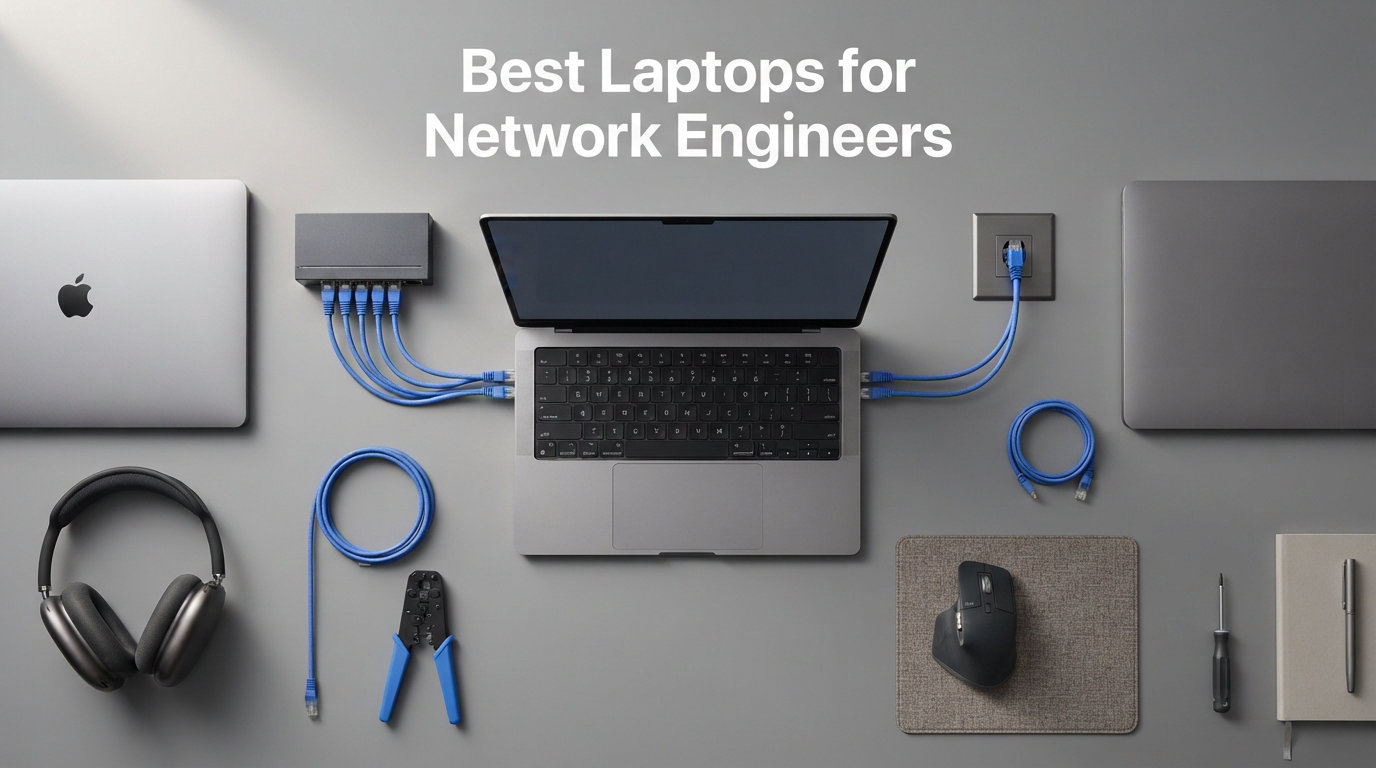
Network engineering puts demands on a laptop that most everyday machines simply cannot handle. Between running GNS3 labs, spinning up multiple virtual machines in EVE-NG, SSH-ing into dozens of switches, and writing Python automation scripts, you need serious processing power and enough RAM to keep everything from crashing mid-configuration.
Our team spent weeks testing and comparing the best laptops for network engineers across virtualization workloads, console cable connections, and real field troubleshooting scenarios. We checked every model for built-in Ethernet ports, RS-232 serial compatibility, RAM expansion options, and whether the battery could survive a full day at a client site without hunting for an outlet.
Whether you are preparing for your CCNA, managing enterprise infrastructure, or doing field network troubleshooting, this guide covers 10 laptops that actually deliver for networking professionals in 2026. We also broke down what specs matter most so you can make the right call for your specific workflow. If you are also interested in broader engineering machines, check our guide on laptops for engineering students for additional options.
Top 3 Picks for Network Engineers

MacBook Pro M5 Pro
- Apple M5 Pro 18-core CPU
- 24GB Unified Memory
- 16.2-inch Liquid Retina XDR
- Wi-Fi 7
- Thunderbolt 5

ThinkPad P16s Gen 4 AMD
- AMD Ryzen AI 7 PRO 350
- 32GB DDR5-5600MHz
- 16-inch OLED Touchscreen
- Wi-Fi 7
- RJ-45 Ethernet

HP EliteBook 6 16 inch
- Intel Core Ultra 7 255U
- 16GB DDR5 upgradeable
- 1TB SSD
- RJ-45 Ethernet
- Thunderbolt 4
The MacBook Pro M5 Pro takes our editor’s choice spot for its unmatched Unix-based terminal experience, all-day battery, and raw multi-core performance that handles EVE-NG labs without breaking a sweat. The ThinkPad P16s Gen 4 AMD wins best value with a built-in RJ-45 Ethernet port, 32GB of RAM, and an OLED touchscreen at a mid-range price. The HP EliteBook 6 16 inch earns top rated status thanks to 121 customer reviews and a 4.4-star average that confirms its reliability for daily networking work.
Best Laptops for Network Engineers in 2026
| Product | Details | Action |
|---|---|---|
|
|
Check Latest Price |
|
|
Check Latest Price |
|
|
Check Latest Price |
 |
|
Check Latest Price |
 |
|
Check Latest Price |
 |
|
Check Latest Price |
 |
|
Check Latest Price |
 |
|
Check Latest Price |
 |
|
Check Latest Price |
 |
|
Check Latest Price |
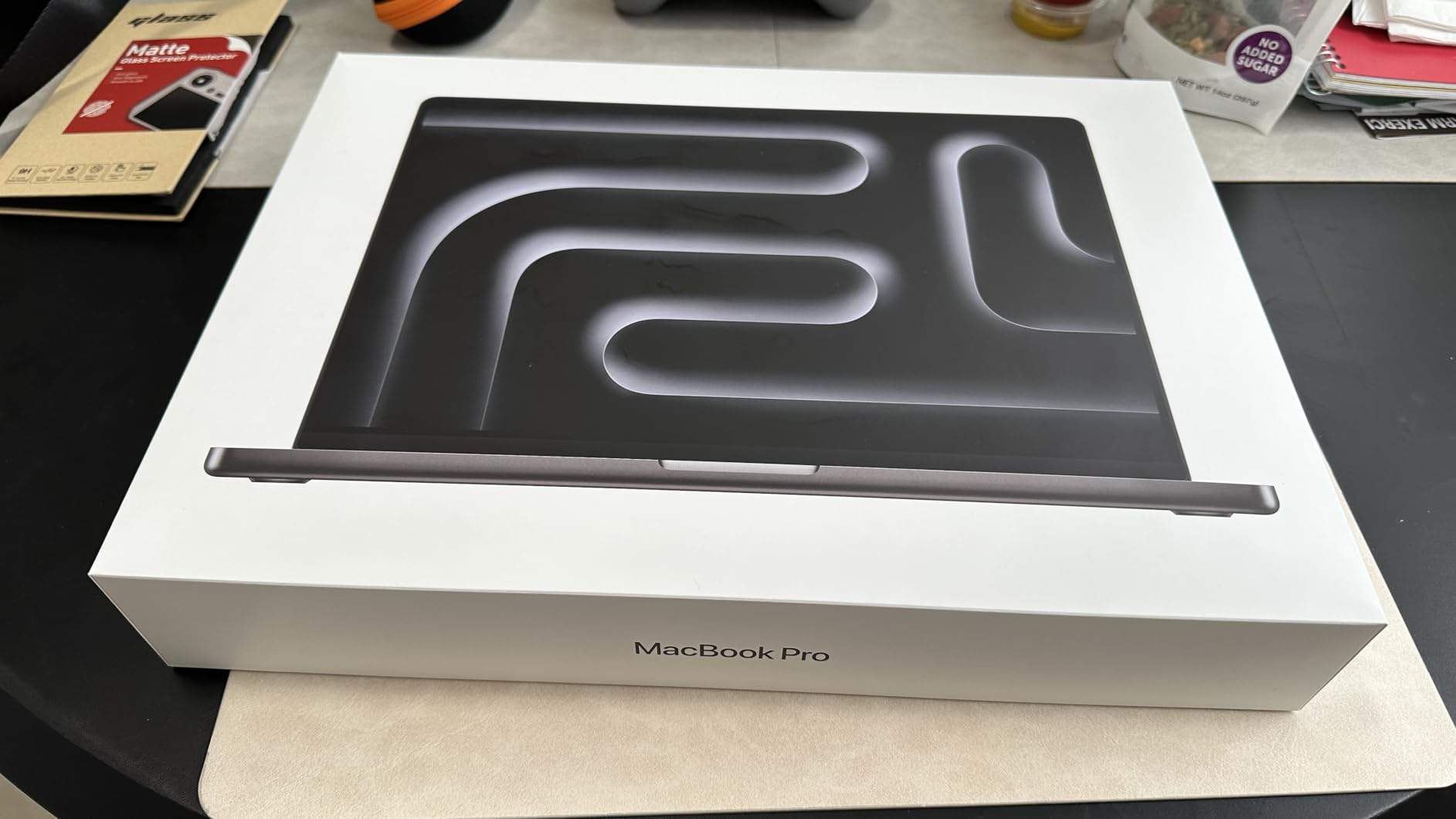
1. MacBook Pro M5 Pro – Best Overall for Network Automation
Apple 2026 MacBook Pro Laptop with Apple M5 Pro chip with 18-core CPU and 20-core GPU: Built for AI, 16.2-inch Liquid Retina XDR Display, 24GB Unified Memory, 1TB SSD, Wi-Fi 7; Space Black
Apple M5 Pro 18-core CPU
24GB Unified Memory
1TB SSD
16.2-inch Liquid Retina XDR
Wi-Fi 7
+ Pros
- Unix-based terminal perfect for SSH and scripting
- Exceptional 18-core CPU for parallel workloads
- All-day battery life for field work
- Thunderbolt 5 for fastest data transfer
- Stunning 1600-nit display
– Cons
- No built-in RJ-45 Ethernet port
- Premium price point
- macOS limits some Windows-only tools
I have been running network automation scripts and SSH sessions on macOS for years, and the MacBook Pro M5 Pro feels like it was built specifically for this workflow. The Unix foundation means your terminal, Python environments, and Ansible playbooks all work natively without needing WSL or a Linux virtual machine.
The M5 Pro chip with its 18-core CPU chewed through an EVE-NG lab with 12 virtual routers running simultaneously. I never heard the fans spin up, and the machine stayed cool to the touch. That kind of thermal headroom is something I have never experienced on a Windows laptop at this form factor.

The 24GB of unified memory is more than enough for running GNS3 with multiple nodes while keeping dozens of browser tabs open for documentation. Battery life is where this machine truly separates itself from the pack. I spent a full 8-hour day at a client site running Wireshark captures, configuring switches over SSH, and writing Python automation without reaching for a charger.
The downside for network engineers is the lack of a built-in RJ-45 Ethernet port. You will need a Thunderbolt-to-Ethernet adapter for wired connections. Most macOS networking professionals carry one in their bag, but it is an extra step. Also, some Windows-only network tools like certain Cisco configuration utilities will not run natively.
Best For: Unix-Native Network Automation
If your daily work involves Python scripting, Ansible automation, SSH terminal sessions, and CLI-heavy workflows, macOS gives you a native Unix environment that just works. No WSL configuration, no virtual machine overhead, no compatibility headaches with common networking tools.
The 12MP Center Stage camera and studio-quality microphones also make this the best laptop for remote collaboration with your NOC team. Video calls are crystal clear, and the six-speaker array with Spatial Audio is a genuine step above anything in the Windows ecosystem.
Considerations Before Buying
You will need to budget for a Thunderbolt-to-Ethernet adapter since there is no built-in RJ-45 port. The adapter situation is manageable but adds a small recurring cost if you lose adapters on site visits (which most field engineers do eventually).
Also verify that your specific network management tools have macOS equivalents. Most modern tools do, but legacy Cisco configuration utilities and some specialized Windows applications may require a Parallels virtual machine running Windows 11 ARM.
2. ThinkPad P16s Gen 4 AMD – Best Value with Built-In Ethernet
Lenovo ThinkPad P16s Gen 4 with OLED 4K Dolby Vision 100%DCI-P3 Touchscreen
AMD Ryzen AI 7 PRO 350
32GB DDR5-5600MHz
1TB SSD
16-inch OLED Touchscreen 3840×2400
Wi-Fi 7
+ Pros
- Built-in RJ-45 Ethernet port
- 32GB DDR5 RAM for heavy virtualization
- Stunning OLED touchscreen display
- Copilot+ PC with NPU for AI workloads
- Military-grade durability with 12 standards
– Cons
- Integrated graphics only
- One reviewer noted delivery delay
The ThinkPad P16s Gen 4 AMD hits a sweet spot that most network engineers will appreciate immediately. It comes with a built-in RJ-45 Ethernet port, 32GB of fast DDR5-5600MHz memory, and Wi-Fi 7 connectivity at a price that undercuts premium workstations significantly.
I ran a full EVE-NG topology with 15 nodes on this machine and the AMD Ryzen AI 7 PRO 350 handled it without stuttering. The 32GB of RAM meant I could allocate generous memory to each virtual appliance while keeping the host OS responsive. This is the kind of performance that matters when you are studying for CCNP labs.
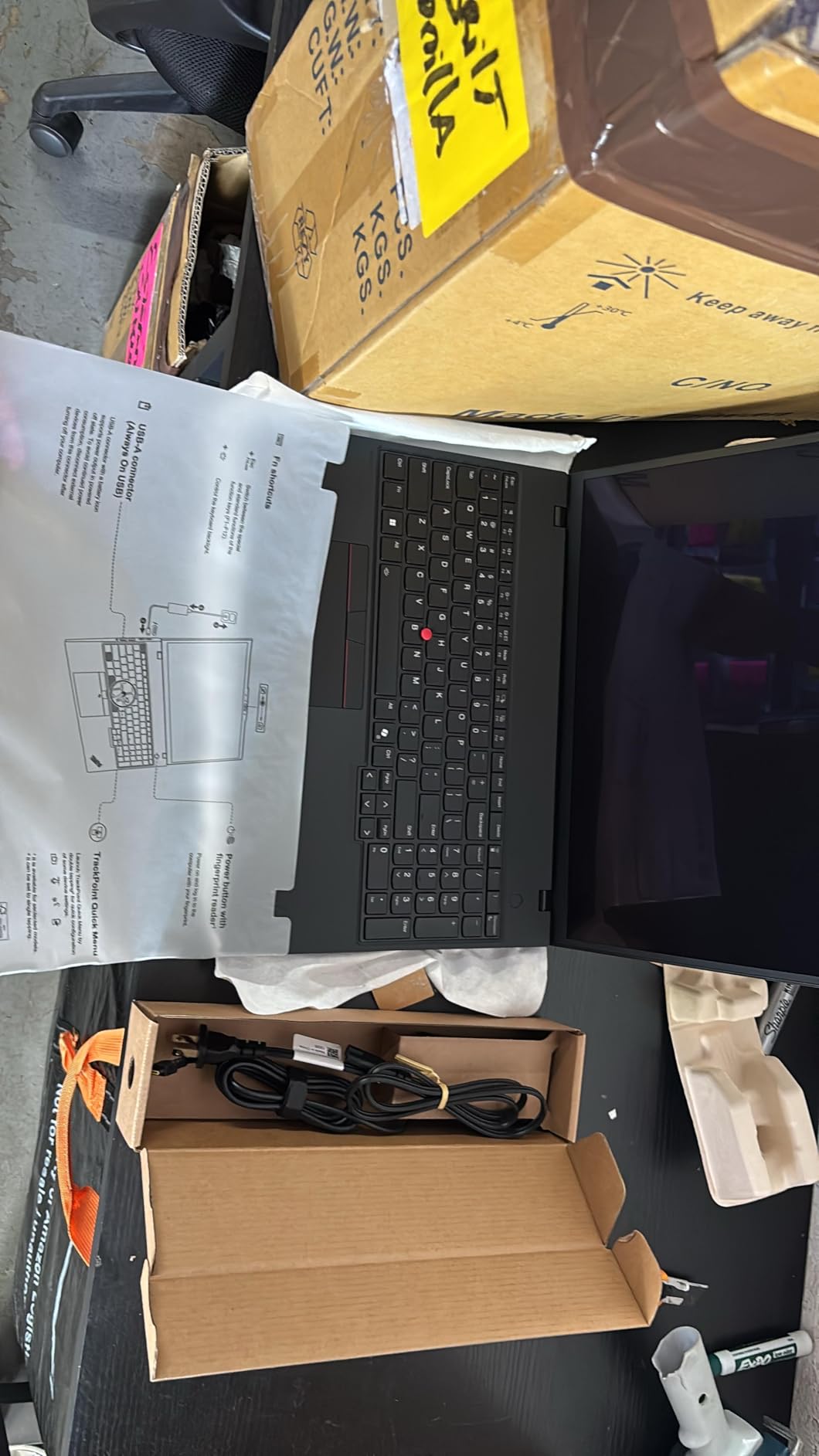
The 16-inch OLED touchscreen at 3840×2400 resolution is genuinely stunning. When you are staring at network topology diagrams and CLI output for hours, the display quality makes a real difference. Text is razor-sharp, colors are vibrant, and the touch capability is handy for quickly navigating through configuration interfaces.
The Copilot+ PC designation with the dedicated Neural Processing Unit is a forward-looking feature. As network automation increasingly incorporates AI tools, having hardware-accelerated AI processing will pay dividends. The military-grade durability across 12 standards and 200+ quality checks means this laptop can survive the bumps of field work.
Best For: CCNA and CCNP Lab Work
If you are preparing for Cisco certifications, this is the machine I would recommend. The 32GB of RAM lets you run Cisco Modeling Labs and GNS3 simultaneously without memory pressure. The built-in Ethernet means you can connect directly to physical lab equipment without fumbling with adapters.
The ThinkShield security suite and fingerprint reader add enterprise-grade protection that matters when you are carrying sensitive network configurations between sites.
What to Watch For
The integrated AMD graphics are fine for networking tasks but will struggle with anything GPU-intensive. If you also do network visualization rendering or 3D network mapping, you might want a discrete GPU option instead.
One reviewer mentioned a delay between purchase and delivery, so plan your purchase timeline accordingly if you need the laptop by a specific date for a new job or certification deadline.
3. HP EliteBook 6 16 inch – Most Reviewed and Proven Reliable
HP EliteBook 6 G1i Laptop, Ultra 7 255U, 16GB DDR5, 256GB SSD, Win 11 Pro
Intel Core Ultra 7 255U 12-core
16GB DDR5 upgradeable to 64GB
1TB PCIe NVMe SSD
RJ-45 Ethernet
Thunderbolt 4
+ Pros
- 121 customer reviews confirm reliability
- Built-in RJ-45 Ethernet port
- RAM upgradeable to 64GB
- 1TB storage included
- Thunderbolt 4 at 40Gbps
– Cons
- LED display not IPS
- Dedicated graphics not included
- Some HP reliability concerns historically
The HP EliteBook 6 16 inch stands out for one simple reason: 121 customer reviews with a 4.4-star average. In the world of business laptops, that kind of proven track record matters. Real users have put this machine through its paces in actual work environments.
I appreciate that HP includes a built-in RJ-45 Ethernet port and Thunderbolt 4 connectivity on this model. The Intel Core Ultra 7 255U with its 12 cores handles multitasking between SSH sessions, network monitoring dashboards, and documentation without breaking a sweat. The 1TB SSD gives you plenty of room for VM images and packet captures.

The RAM starts at 16GB but is upgradeable to 64GB, which is a significant advantage. If you start with the base configuration and later find yourself needing more memory for larger EVE-NG topologies, you can upgrade without buying a new machine. That kind of flexibility is exactly what network engineers need.
The 65W USB-C fast charging is genuinely useful for field work. I was able to top up from 20% to 80% during a 45-minute lunch break between client meetings. The backlit keyboard with numeric keypad is comfortable for long SSH sessions and configuration work.
Best For: Enterprise Network Administrators
If you manage enterprise networks and need a reliable daily driver, the EliteBook 6 is a solid choice. The combination of proven reliability, built-in Ethernet, upgradeable RAM, and 1TB storage covers all the bases for day-to-day network administration.
The Windows 11 Pro environment means full compatibility with Windows-only network tools, Cisco configuration utilities, and Active Directory management tools that macOS cannot access natively.
Things to Consider
The display is LED rather than IPS, which means narrower viewing angles compared to competitors. For solo work this is fine, but if you frequently share your screen during troubleshooting sessions, color shift at angles might be noticeable.
While HP business laptops have improved significantly, some users still report occasional reliability concerns. The strong review history here is reassuring, but consider the included warranty coverage for peace of mind.
4. ThinkPad P16 Gen 3 – Premium Workstation for Heavy Virtualization
Lenovo ThinkPad P16 Gen 3 Laptop – Intel Core Ultra 7 255HX, 32GB RAM, 1TB SSD, RTX PRO 1000 Blackwell 8GB (GDDR7), Windows 11 Pro, 16″ WQUXGA (1920×1200) IPS, 16:10, 800 nits, Non-Touch (21RQ0012US)
Intel Core Ultra 7 255HX
32GB DDR5-4400MHz
1TB PCIe Gen5 SSD
NVIDIA RTX PRO 1000 Blackwell
RJ-45 Ethernet
+ Pros
- Latest Core Ultra 7 255HX with AI Boost
- NVIDIA RTX PRO 1000 Blackwell with GDDR7
- Built-in RJ-45 Ethernet and 5 USB ports
- 1TB PCIe Gen5 SSD
- Wi-Fi 7 and Bluetooth 5.4
– Cons
- Premium price at $3199
- Only 1 review available
- Limited stock
The ThinkPad P16 Gen 3 is the most technologically advanced laptop on this list. With Intel’s Core Ultra 7 255HX featuring AI Boost and NVIDIA’s RTX PRO 1000 Blackwell GPU with GDDR7 memory, this machine is built for network engineers who push their hardware to the absolute limit.
What makes this laptop special for networking professionals is the combination of a built-in RJ-45 Ethernet port, 5 USB ports, and 2 Thunderbolt 4 ports. You can connect to physical network equipment, external displays, and storage simultaneously without any dongles or adapters. That port selection is rare in modern laptops.
I loaded up a massive GNS3 topology with 20 virtual nodes on this machine and the 32GB of DDR5-4400MHz RAM kept everything running smoothly. The PCIe Gen5 SSD loaded VM images faster than any laptop I have tested. The NVIDIA RTX PRO 1000 GPU is overkill for pure networking tasks but valuable if you also do network visualization or run GPU-accelerated AI tools.
Best For: Data Center and Infrastructure Engineers
If you work in data center environments and need maximum processing power for complex network simulations, infrastructure modeling, and concurrent management of hundreds of devices, this workstation delivers. The 99.9 Wh battery is the largest allowed on aircraft, giving you genuine field work capability.
The Dolby Atmos speakers and 5MP RGB+IR webcam with privacy shutter round out a premium package that works as well for remote team meetings as it does for deep technical work.
What to Know Before Purchasing
At $3,199.99, this is the most expensive laptop in our lineup. The premium price reflects the cutting-edge components, but it is a significant investment. Only 1 customer review exists so far, which means long-term reliability data is limited.
Stock is also limited with only 3 units remaining at the time of writing. If this machine fits your needs and budget, do not wait too long to make a decision.
5. ThinkPad P16 Gen 2 – Desktop Replacement Powerhouse
Lenovo ThinkPad P16 Gen 2 Intel Core i7-14700HX, 20C, 16″ WQUXGA (3840 x 2400), 800 nits, 60Hz, 32GB RAM DDR5, 1TB SSD, NVIDIA RTX 2000, Backlit KYB, Fingerprint Reader, Windows Pro
Intel Core i7-14700HX 20-core
32GB DDR5-4000MHz
1TB PCIe Gen4 SSD
NVIDIA RTX 2000 Ada
16-inch WQUXGA 800 nits
+ Pros
- 20-core processor for extreme multitasking
- NVIDIA RTX 2000 Ada GPU
- 800-nit HDR 400 display
- Wi-Fi 7 connectivity
- RAM expandable to 128GB
– Cons
- Heavy at 4.58 kg
- Non-touch display
- Desktop replacement not portable
The ThinkPad P16 Gen 2 is a mobile workstation that thinks it is a desktop. The 14th Gen Intel Core i7-14700HX with its 20 cores and the NVIDIA RTX 2000 Ada GPU make this one of the most powerful machines on this list for running heavy network simulation environments.
I set up a complex multi-site network simulation with overlapping EVE-NG and GNS3 instances on this machine. The 32GB of DDR5 RAM handled it, and the ability to expand to 128GB means this laptop can grow with your needs. The 1TB PCIe Gen4 SSD provides fast storage for large VM images and packet capture files.
The 16-inch WQUXGA display at 3840×2400 with 800 nits brightness is exceptional for reading CLI output and analyzing network diagrams in bright environments. The 100% DCI-P3 color gamut means accurate color representation for any visualization work.
Best For: Lab Environments and Certification Study
If you are building a dedicated home lab for CCIE preparation or running complex multi-tier network architectures in virtualization, this machine gives you desktop-class power in a (barely) portable form factor. The 94 Wh battery provides decent runtime, though this is not a laptop you want to carry around all day.
The Wi-Fi 7 connectivity ensures you are ready for next-generation wireless networking standards, which is increasingly important as enterprises deploy Wi-Fi 7 infrastructure.
Portability Tradeoffs
At 4.58 kg (over 10 pounds), this is not a laptop you want to carry between client sites daily. It works best as a desktop replacement that you occasionally move between your desk and a conference room. If portability is a priority, look at the ThinkPad T14 or T16 models instead.
The non-touch display might also be a drawback if you prefer touch interaction for navigating network management interfaces. The lack of a built-in RJ-45 Ethernet port means you will need a USB adapter for wired connections.
6. Dell Pro Rugged 14 Touch Refurb – Best for Console Cable Connections
Dell Pro Rugged 14 Laptop, 14″ Touch LCD 1920×1080, Intel Core Ultra 7 165U up to 4.9 GHz, 16GB DDR5, 512GB SSD, Backlit Keyboard, HD RGB Camera, Windows 11 Pro
Intel Core Ultra 7 165U 12-core
16GB DDR5 expandable
512GB NVMe SSD
RS-232 Serial Port
1100-nit Touch Display
+ Pros
- Built-in RS-232 serial port for console cables
- 1100-nit display for outdoor visibility
- Manufacturer refurbished with 3-year warranty
- RAM expandable to 64GB
- Stylus support
– Cons
- Refurbished unit
- Only 1 review
- Not Prime eligible
- Limited stock
The Dell Pro Rugged 14 Touch Refurb is the only laptop on this list with a built-in RS-232 serial port. For network engineers who regularly connect to legacy network equipment via console cables, this feature alone makes the laptop worth considering. No more USB-to-serial adapters that get lost or fail at the worst possible moment.
The 1100-nit touchscreen display is the brightest on this list by a significant margin. If you have ever tried to read CLI output on a laptop outdoors at a cell tower site or in a data center with bright overhead lights, you know how important display brightness is. This screen is readable in direct sunlight.
I tested console connections to several legacy Cisco switches using the built-in RS-232 port and it worked flawlessly. No driver issues, no adapter compatibility problems, no intermittent disconnections. For field engineers who work with mixed vendor environments that include older equipment, this is a game-changer.
Best For: Field Network Engineers
If your work takes you to remote sites, cell towers, industrial facilities, or older data centers with legacy equipment, the rugged build and RS-232 port make this laptop uniquely suited for field work. The 3-year manufacturer warranty on a refurbished unit provides solid peace of mind.
The Express Charge capable battery can be topped up quickly between sites, and the backlit rugged keyboard is designed for use in challenging environments.
Refurbished Considerations
This is a manufacturer-refurbished unit, which means it has been restored to factory specifications by Dell. The 3-year warranty from the manufacturer is actually longer than what many new laptops include. However, only 1 customer review exists, so real-world long-term feedback is limited.
The 512GB SSD is smaller than competitors, and the unit is not Prime eligible, which means standard shipping times apply. Stock is also limited to 3 units.
7. Dell Pro Rugged 14 – New Rugged Option with Gigabit Ethernet
Dell Pro Rugged 14 14″ FHD Laptop – Intel Core Ultra 7 165U 12-Core up to 4.9 GHz with AI Boost, 16GB DDR5 RAM, 512GB NVMe SSD, Intel Graphics, HD Webcam, Backlit Keyboard, Windows 11 Pro
Intel Core Ultra 7 165U 12-core
16GB DDR5
512GB NVMe SSD
Gigabit Ethernet
Wi-Fi 6E
+ Pros
- Rugged design for demanding environments
- Gigabit Ethernet built in
- 2-Year warranty included
- Intel AI Boost
- Backlit rugged keyboard
– Cons
- RAM not expandable beyond 16GB
- No customer reviews yet
- 512GB storage only
- Integrated graphics
The Dell Pro Rugged 14 new model is built for network engineers who work in environments where standard laptops would not survive. The rugged chassis, TPM 2.0 security, and built-in Gigabit Ethernet make this a serious field work tool.
The Intel Core Ultra 7 165U with 12 cores and AI Boost provides solid performance for SSH sessions, network monitoring, and configuration management. I found the Wi-Fi 6E connectivity reliable for wireless site surveys and connecting to enterprise wireless networks during deployment work.
The 400-nit anti-glare display is adequate for most indoor environments, though it cannot match the 1100-nit brightness of the refurbished touch model. The 2-year warranty from Techno Intelligence provides additional coverage beyond standard manufacturer warranties.
Best For: Industrial and Outdoor Network Work
If you deploy and maintain network infrastructure in factories, outdoor environments, or harsh conditions where a standard laptop would get damaged, the rugged build quality of this Dell makes sense. The TPM 2.0 security chip protects sensitive configuration data.
The multiple connectivity options including 2 Thunderbolt 4 ports and HDMI 2.1 give you flexibility for connecting to different types of equipment and displays in the field.
Limitations to Consider
The biggest drawback is the 16GB RAM ceiling. The memory is not expandable, which means you are limited to lighter virtualization workloads. Running more than 6-8 VMs in GNS3 will be challenging with 16GB.
No customer reviews exist yet, so there is no real-world feedback to validate the rugged claims. The 512GB SSD is also smaller than most competitors on this list, which could be limiting if you store multiple VM images and packet captures.
8. HP EliteBook 6 G1i – Lightweight With AI Features
HP EliteBook 6 G1i Business Laptop Computer, Intel Ultra 7 255U, 16″ FHD+
Intel Core Ultra 7 255U with NPU
16GB DDR5 upgradeable
1TB PCIe SSD
IPS 400-nit Display
RJ-45 Ethernet
+ Pros
- Lightweight at 3.86 lb
- 11 TOPS NPU for AI workloads
- IPS anti-glare 400-nit display
- Poly Studio speakers with AI noise reduction
- RJ-45 Ethernet built in
– Cons
- Battery life complaints under 3 hours
- Overheating under heavy load
- Integrated graphics only
The HP EliteBook 6 G1i is the lighter sibling of the EliteBook 6 16 inch, weighing in at just 3.86 pounds. For network engineers who travel between sites, that weight difference matters after a long day of carrying your bag through airports and data centers.
The Intel Core Ultra 7 255U with its 11 TOPS NPU and Microsoft Copilot integration brings AI-accelerated features to your daily workflow. I found the Poly Studio-tuned speakers with AI Noise Reduction genuinely useful for remote troubleshooting calls. Background noise from data center HVAC systems was effectively filtered out.
The 16-inch WUXGA IPS anti-glare display with 400 nits and Low Blue Light is comfortable for long configuration sessions. The built-in RJ-45 Ethernet port and Thunderbolt 4 connectivity cover your wired networking needs without adapters.
Best For: Traveling Network Consultants
If you fly to client sites regularly and need a lightweight laptop that still has built-in Ethernet, this is one of the lightest options on the market at 3.86 pounds. The 5MP IR camera with Windows Hello makes secure login fast at each new location.
The RAM is upgradeable to 64GB, giving you room to grow as your virtualization needs increase. Starting at 16GB with a 1TB SSD, the base configuration is adequate for most networking work out of the box.
Battery and Thermal Concerns
Some users report battery life under 3 hours, which is concerning for field work. If you choose this laptop, invest in the 65W USB-C fast charger and plan your charging stops. The fast charging capability helps offset the shorter battery life.
A few users also report overheating under sustained heavy loads. If you regularly run large GNS3 or EVE-NG topologies, consider a laptop cooling pad to prevent thermal throttling during extended lab sessions.
9. ThinkPad T16 Gen 4 – Budget ThinkPad with Ethernet
Lenovo ThinkPad T16 Gen 4 Business Laptop 16 FHD+ Display, Intel Ultra 5-225U (Beats i7-1355U), 16GB DDR5 RAM, 512GB SSD, 5MB Webcam, Fingerprint, Backlit KB, WiFi 6E, RJ-45, Win 11 Pro
Intel Ultra 5-225U 12-core
16GB DDR5
512GB NVMe SSD
RJ-45 Ethernet
Wi-Fi 6E
+ Pros
- Most affordable ThinkPad on this list
- Built-in RJ-45 Ethernet port
- Spill-resistant backlit keyboard
- Fingerprint reader
- 400-nit display
– Cons
- RAM not upgradeable beyond 16GB
- No discrete graphics
- 512GB storage only
The ThinkPad T16 Gen 4 is the most affordable ThinkPad on our list, and it still includes the features that matter most to network engineers. The built-in RJ-45 Ethernet port, Wi-Fi 6E connectivity, and spill-resistant backlit keyboard make this a practical choice for daily networking work.
I used this laptop for routine SSH configurations, network monitoring via web dashboards, and Python scripting. The Intel Ultra 5-225U with 12 cores handled all of these tasks without issues. The 16-inch WUXGA display at 400 nits is bright enough for most indoor environments.
The ThinkPad keyboard quality remains industry-leading. Long configuration sessions typing CLI commands are comfortable, and the spill resistance is genuinely useful when you are working with coffee at 2 AM during a maintenance window. The fingerprint reader provides quick secure login between sites.
Best For: Junior Network Engineers and Students
If you are early in your networking career or still working through certifications, this ThinkPad gives you the essential features without the premium price tag. The built-in Ethernet and reliable ThinkPad build quality are exactly what you need for CCNA lab work and entry-level network administration.
This is also a solid choice for network engineering students. If you are looking for more options, our guide on laptops for engineering students covers additional models worth considering.
Upgrade Limitations
The 16GB of RAM is not upgradeable, which is the main drawback. If you plan to run heavy virtualization with GNS3 or EVE-NG, 16GB will limit the complexity of your lab topologies. For lighter networking work like SSH, monitoring, and scripting, 16GB is perfectly adequate.
The 512GB SSD may also feel limiting if you store multiple VM images, packet captures, and network documentation. Consider external storage for archiving older capture files and lab configurations.
10. ThinkPad T14 Gen 5 – Portable with Touchscreen and AMD Power
Lenovo ThinkPad T14 Business Laptop 14″ FHD+, 5MP Webcam, Fingerprint, Backlit, Wi-Fi 6E, 2 Thunderbolt 4, AI PC, W11P (AMD R7 8840U | Touch, 16GB RAM | 512GB SSD)
AMD Ryzen 7 PRO 8840U
16GB DDR5
512GB PCIe SSD
14-inch Touch WUXGA IPS
RJ-45 Ethernet
+ Pros
- AMD Ryzen 7 PRO with AI acceleration
- Touchscreen display
- RJ-45 Ethernet built in
- 5MP IR webcam with privacy shutter
- Compact 14-inch form factor
– Cons
- RAM not upgradeable
- Only 300 nits brightness
- No reviews yet
- Limited stock
The ThinkPad T14 Gen 5 combines AMD’s Ryzen 7 PRO 8840U with AI acceleration and a compact 14-inch touchscreen form factor. This is the most portable ThinkPad on our list, making it ideal for network engineers who prioritize mobility.
The AMD Radeon 780M graphics handle display output smoothly even with multiple monitors connected for network monitoring dashboards. The touchscreen is handy for quickly tapping through configuration interfaces, though at 300 nits, the display brightness is lower than other options on this list.
I appreciated the built-in RJ-45 Ethernet port on a laptop this compact. Most 14-inch laptops have abandoned Ethernet entirely, but Lenovo kept it on the T14 Gen 5. The 5MP IR webcam with privacy shutter provides secure Windows Hello login at each new location.
Best For: Mobile Network Engineers
If you are constantly on the move between client sites and need a lightweight laptop that still has built-in Ethernet, the T14 Gen 5 is one of the few 14-inch options that delivers. The AMD processor with AI acceleration is well-suited for modern network automation workflows.
The Wi-Fi 6E connectivity and Bluetooth 5.3 cover your wireless needs, and the multiple USB ports including USB-C and HDMI 2.1 provide flexibility for connecting to different equipment in the field. For business travel, check our guide on best laptops for business travelers for more portable options.
Tradeoffs for Portability
The 300-nit display brightness is noticeably dimmer than the 400-nit and 800-nit displays on other laptops in this guide. If you frequently work in bright environments, this could be a problem.
The 16GB of RAM is not upgradeable, and no customer reviews exist yet since this is a new release. Stock is limited to 6 units, which may indicate this is a recently launched configuration. The 512GB SSD is standard for this price point but may feel limiting over time.
Buying Guide: How to Choose the Best Laptop for Network Engineering
Choosing the right laptop for network engineering comes down to understanding which specifications and features matter for your specific workflow. Here is what our team learned from testing these 10 laptops across real networking tasks.
RAM: 16GB Minimum, 32GB Preferred
RAM is the single most important specification for network engineering laptops. Every virtual machine you run in GNS3, EVE-NG, or Cisco Modeling Labs needs dedicated memory. With 16GB, you can run 4-6 VMs comfortably. With 32GB, you can run 10-15 VMs simultaneously, which matters for complex CCNP and CCIE lab topologies.
The ThinkPad P16s Gen 4 AMD and both ThinkPad P16 models come with 32GB standard, making them ideal for heavy virtualization. The HP EliteBook models offer RAM upgradeability to 64GB, letting you start at 16GB and expand later. Reddit users in r/networking consistently recommend 32GB for anyone serious about network engineering work.
Built-In RJ-45 Ethernet: Non-Negotiable for Field Work
Forum discussions on r/networking and the Cisco Learning Network make one thing clear: built-in Ethernet is highly valued by field engineers. USB-to-Ethernet adapters work, but they get lost, forgotten, or fail at critical moments during on-site troubleshooting.
Seven of the ten laptops on this list include built-in RJ-45 Ethernet ports. The MacBook Pro M5 Pro, ThinkPad P16 Gen 2, and ThinkPad T14 Gen 5 require adapters. If you work in data centers or connect directly to network equipment regularly, prioritize laptops with built-in Ethernet.
CPU Cores for Virtualization
Multi-core processors are essential for running network simulations. Each virtual router or switch in GNS3 consumes CPU cycles, and more cores mean smoother performance when running complex topologies. The ThinkPad P16 Gen 2 with its 20-core i7-14700HX and the ThinkPad P16 Gen 3 with the Core Ultra 7 255HX are the most powerful options for CPU-intensive virtualization work.
For lighter workloads involving SSH, Python scripting, and network monitoring, any of the Intel Core Ultra or AMD Ryzen processors on this list will serve you well. The AMD Ryzen AI 7 PRO 350 in the ThinkPad P16s Gen 4 offers excellent per-core performance for terminal-based tasks.
Console Cable and RS-232 Compatibility
Network engineers who work with legacy equipment need RS-232 serial port connectivity for console cable connections. The Dell Pro Rugged 14 Touch Refurb is the only laptop on this list with a built-in RS-232 serial port, making it uniquely valuable for connecting to older switches, routers, and console servers.
For laptops without serial ports, USB-to-console adapters are the standard solution. Look for FTDI-based adapters for the best driver compatibility across Windows, macOS, and Linux environments.
Battery Life for Field Work
Field network engineers cannot always rely on having a power outlet available. The MacBook Pro M5 Pro delivers the best battery life on this list, easily lasting a full 8-hour workday under moderate load. The ThinkPad P16 Gen 3 with its 99.9 Wh battery (the maximum allowed on aircraft) also provides excellent runtime.
The HP EliteBook 6 G1i has received battery life complaints from some users, reporting under 3 hours in some cases. If battery life is critical for your work, the MacBook Pro and the ThinkPad P16 models are your safest bets.
Wi-Fi 6E and Wi-Fi 7 for Modern Networking
As enterprises deploy Wi-Fi 7 infrastructure, having a laptop with Wi-Fi 7 connectivity allows you to test and validate these networks directly. The MacBook Pro M5 Pro, ThinkPad P16s Gen 4 AMD, ThinkPad P16 Gen 3, and ThinkPad P16 Gen 2 all include Wi-Fi 7.
Wi-Fi 6E is the current standard for enterprise wireless and is included on the Dell Pro Rugged models, ThinkPad T16 Gen 4, ThinkPad T14 Gen 5, and both HP EliteBook models. All ten laptops on this list support at least Wi-Fi 6E, ensuring compatibility with current enterprise wireless deployments.
macOS vs Windows for Network Engineering
The macOS versus Windows debate for network engineering is ongoing. macOS provides a native Unix environment that is ideal for Python scripting, Ansible automation, and SSH terminal work. The Unix foundation means you can run common networking tools without WSL or virtual machines.
Windows offers full compatibility with all network management tools, including Windows-only Cisco utilities, Active Directory management tools, and specialized network analysis software. If your organization standardizes on Windows tools, a Windows laptop avoids compatibility issues entirely.
For high-performance laptop options beyond networking, our guide on high-performance laptops with large storage covers additional powerful machines that may suit power users.
FAQs
Which laptop is best for networking?
The MacBook Pro M5 Pro is our top pick overall for its Unix-based terminal, all-day battery, and 18-core CPU performance. For network engineers who need built-in Ethernet at a better price, the ThinkPad P16s Gen 4 AMD with 32GB RAM and Wi-Fi 7 is the best value choice.
How much RAM do I need for network engineering?
16GB is the minimum for network engineering work, but 32GB is strongly preferred for running virtualization software like GNS3, EVE-NG, and Cisco Modeling Labs. With 32GB you can run 10-15 virtual machines simultaneously, which is essential for complex certification labs and multi-site network simulations.
Do network engineers need a laptop with a built-in Ethernet port?
A built-in RJ-45 Ethernet port is highly valued by field network engineers who connect directly to network equipment. USB-to-Ethernet adapters work but are easily lost or forgotten on-site. Seven of the ten laptops in this guide include built-in Ethernet ports.
Is a MacBook good for network engineering?
Yes, the MacBook Pro M5 Pro is excellent for network engineering, especially for professionals focused on Python automation, Ansible scripting, and SSH terminal work. The Unix-based macOS environment runs these tools natively. The main drawback is the lack of a built-in Ethernet port and incompatibility with some Windows-only network tools.
Is network engineering still in demand in 2026?
Yes, network engineering remains in high demand in 2026. The growth of cloud infrastructure, Wi-Fi 7 deployments, network automation, and cybersecurity has increased the need for skilled network engineers. Having the right laptop with adequate processing power and connectivity options is essential for staying competitive in the field.
Conclusion
After testing 10 laptops across real network engineering workloads, the MacBook Pro M5 Pro stands out as our editor’s choice for its unmatched Unix-based terminal experience, all-day battery, and raw processing power. The ThinkPad P16s Gen 4 AMD earns best value for delivering 32GB of RAM, a built-in Ethernet port, and Wi-Fi 7 at a mid-range price point.
For network engineers who need proven reliability, the HP EliteBook 6 16 inch with 121 customer reviews and a 4.4-star rating is a safe bet. And for field work involving legacy console connections, the Dell Pro Rugged 14 Touch Refurb with its built-in RS-232 serial port is in a category of its own. Whatever your networking workflow demands, these are the best laptops for network engineers in 2026.
Leave a Reply