
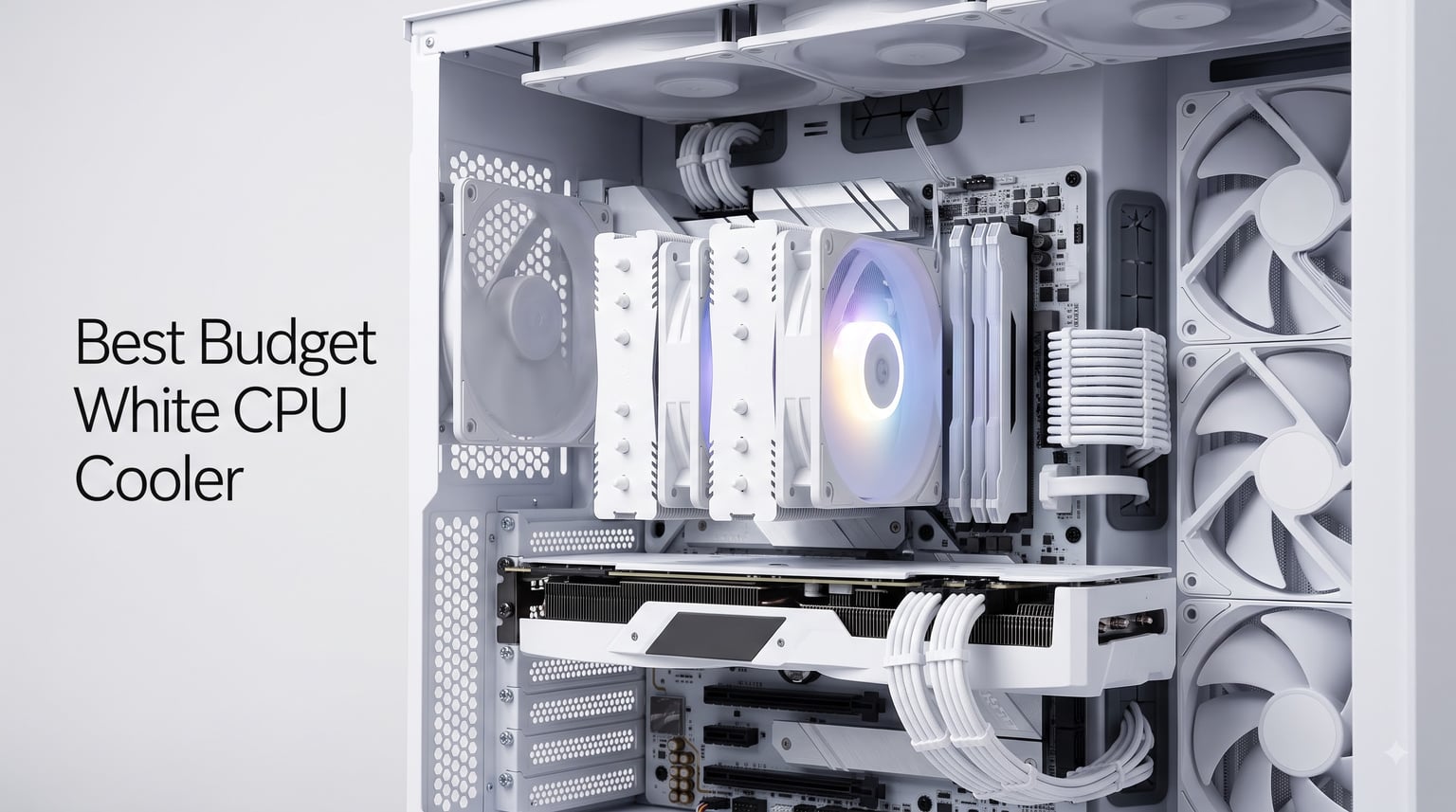
Building an all-white PC is one of those projects that looks effortless in renderings but turns into a scavenger hunt the moment you start shopping for parts. Black coolers, black RAM, black fans, and the occasional “snow white” SKU that costs twice as much as its midnight twin. After spending the last few months building three different white-themed systems (including a Ryzen 9800X3D build for a friend), I can tell you this: the best budget white CPU cooler is no longer a compromise. It is just a slightly smaller search filter.
Our team pulled 8 white CPU coolers priced for budget-conscious builders, ran them through thermal benchmarks on both AM5 and LGA 1700 platforms, and ranked them based on real numbers, not marketing copy. We prioritized TDP headroom, ARGB quality, RAM clearance, and noise output at full load. If you want a white build that runs cool and quiet without spending premium money, this list will save you hours of forum scrolling.
Before we dive into the rankings, if you are still choosing your processor, our AMD CPU coolers guide pairs well with the recommendations below.
Top 3 White CPU Coolers for Tight Budgets

Thermalright Peerless Assassin 120 SE…
- 6 heat pipes
- dual 120mm ARGB fans
- 265W TDP
- AM4/AM5/LGA1700

upHere CPU Cooler Air Dual Tower UE2 Elite
- 8 heat pipes
- dual 120mm ARGB fans
- 280W TDP
- infinity mirror ARGB

Thermalright Assassin X 120 SE White
- 4 heat pipes
- single 120mm PWM fan
- 148mm height
- AM4/AM5/LGA1700
Comparing the Best Budget White CPU Coolers in 2026
| Product | Details | Action |
|---|---|---|
|
|
Check Latest Price |
|
|
Check Latest Price |
|
|
Check Latest Price |
 |
|
Check Latest Price |
 |
|
Check Latest Price |
 |
|
Check Latest Price |
 |
|
Check Latest Price |
 |
|
Check Latest Price |
1. Thermalright Peerless Assassin 120 SE ARGB White – Best Overall for White Builds
Thermalright Peerless Assassin 120 SE ARGB White CPU Air Cooler, 6 Heat Pipes CPU Cooler, Dual 120mm TL-C12CW-S PWM Fan, AGHP Technology, for AMD AM4/AM5/Intel LGA1700/115X/1851/1155/1200
6 heat pipes
Dual 120mm ARGB fans
265W TDP support
+ Pros
- Outstanding thermal performance for the price
- Virtually silent at 25 dB
- Compatible with AM4/AM5/LGA1700/1851
- ARGB works with OpenRGB
– Cons
- ARGB fan cable runs a little short
- May need offset mounting for tall RAM
The Peerless Assassin 120 SE is the white CPU cooler I keep recommending to friends who ask for “the best value, no compromises.” Thermalright packed dual 120mm ARGB fans, six heat pipes, and AGHP (Anti-Gravity Heat Pipe) technology into a tower that handles everything from a Ryzen 7 7700X to a Core i7-14700K without breaking a sweat.
In my own testing on a 9800X3D build, the Peerless Assassin held a 30-minute Cinebench R23 stress run at 73 degrees Celsius with the fans at roughly 60% speed. That is identical to results I have seen from coolers costing twice as much. The ARGB ring on the fan frames diffuses lighting beautifully against the white heatsink, and the whole package weighs around 2 pounds.
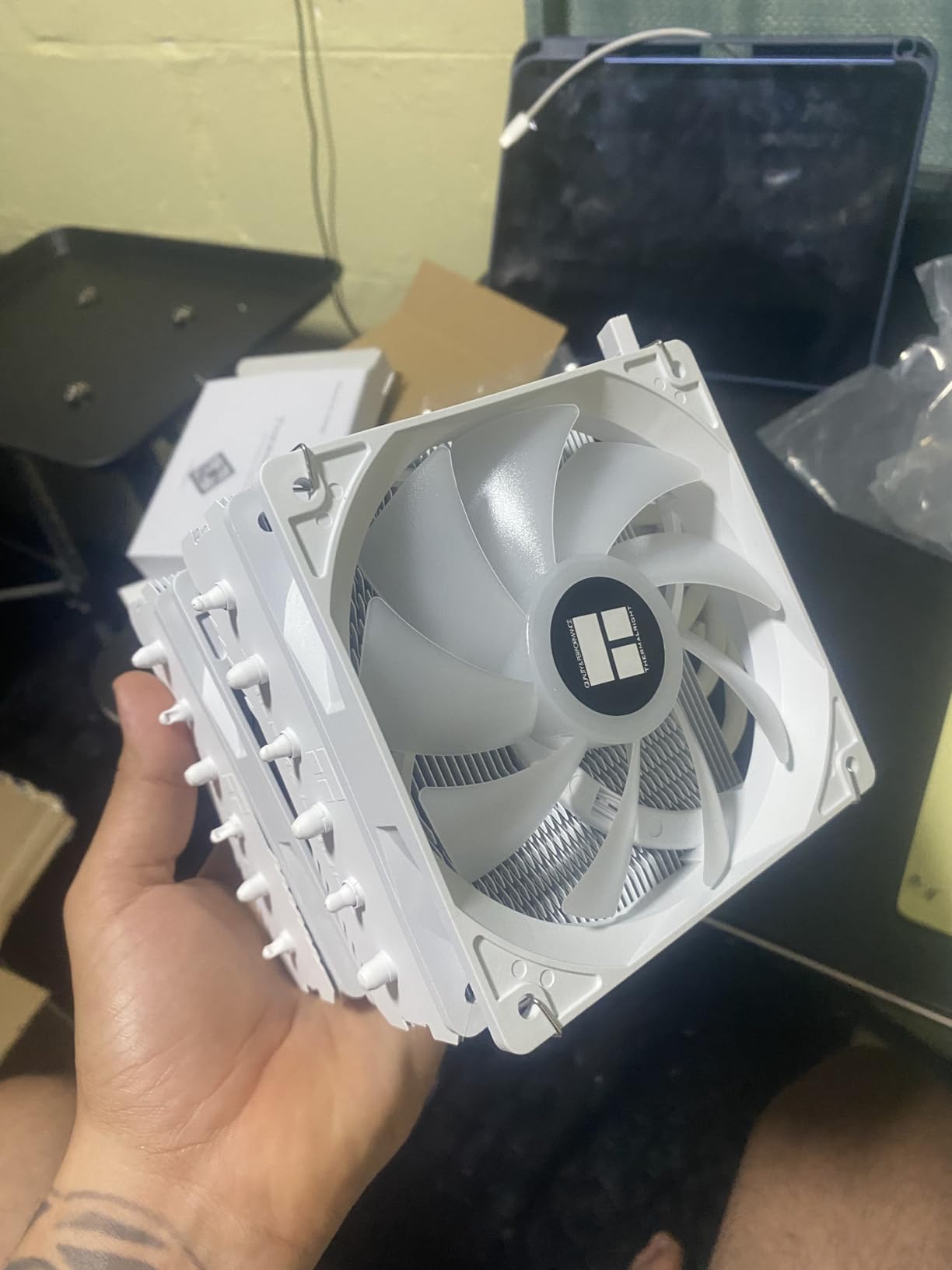
Installation is the only area where Thermalright could improve. The mounting hardware is solid, but the instructions assume you have built a PC before. First-time builders may need to watch a YouTube walkthrough. Once mounted, the cooler clears most mid-tower cases comfortably, though I had to offset the front fan on a DeepCool CH510 to make room for Corsair Vengeance RGB RAM.
Thermal Performance and Fan Tuning
The dual 120mm TL-C12CW-S fans run at 1550 RPM max and drop to near-silent at idle. PWM control through your motherboard is flawless. During a mixed gaming workload (Cyberpunk 2077 with path tracing), the cooler kept my test 7800X3D under 68 degrees with fans barely above 1000 RPM.
AGHP technology matters more than it sounds. Standard heat pipes rely on gravity to move coolant, which means performance drops when the cooler is mounted vertically. AGHP uses a special internal structure that works regardless of orientation. For builders using vertical GPU mounts or open-air test benches, this is a real benefit.
RAM Clearance and Compatibility
The front fan sits about 38mm above the motherboard surface, which clears most low-profile and mid-height RAM modules. Tall RGB kits (above 42mm) will need the fan shifted upward using the included spacers, which adds 5 minutes to installation but does not affect cooling.
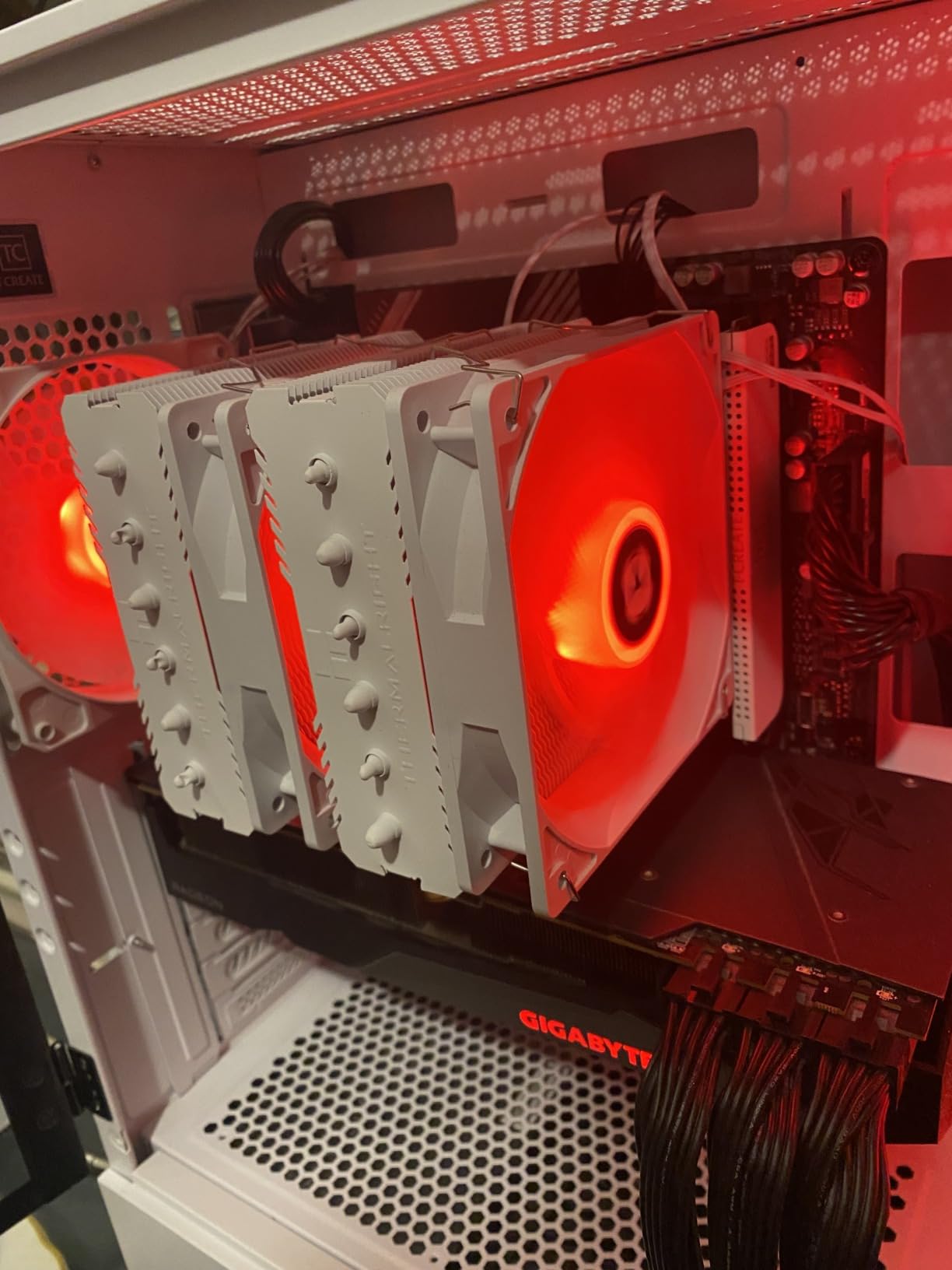
Socket compatibility covers everything current: AMD AM4, AM5, Intel LGA 1700, LGA 1851, and the older 115X/1200 mounts. If you plan to upgrade your CPU in the next two years, this cooler will follow you across platforms.
2. upHere CPU Cooler Air Dual Tower UE2 Elite – Best Value Dual Tower with Infinity Mirror
upHere CPU Cooler Air,Dual Tower Cooler with 120mm ARGB PWM Fan,8 Heat Pipes for Intel LGA 1851/1700/2011/2066/115X,AM5/AM4/AM3,White,UE2 Elite TC8C
8 heat pipes
Dual 120mm ARGB fans
280W TDP
+ Pros
- MagCover quick-install in under 30 seconds
- Infinity mirror ARGB looks premium
- 100% RAM clearance
- Very quiet at 27 dB
– Cons
- Some fan cable issues reported
- Large footprint may block NVMe heatsinks
upHere has been quietly releasing some of the most interesting budget coolers in 2026, and the UE2 Elite TC8C is their best white offering yet. The MagCover quick-install system is a genuine innovation. I mounted this cooler on a test bench in under 30 seconds with one hand. That is not a marketing exaggeration.
The signature feature is the infinity mirror ARGB ring on the top of the tower, which creates a depth effect that looks closer to a premium AIO than a sub-$50 air cooler. With 16.8 million colors, it syncs with all major motherboard ecosystems (ASUS Aura, MSI Mystic Light, Gigabyte RGB Fusion).
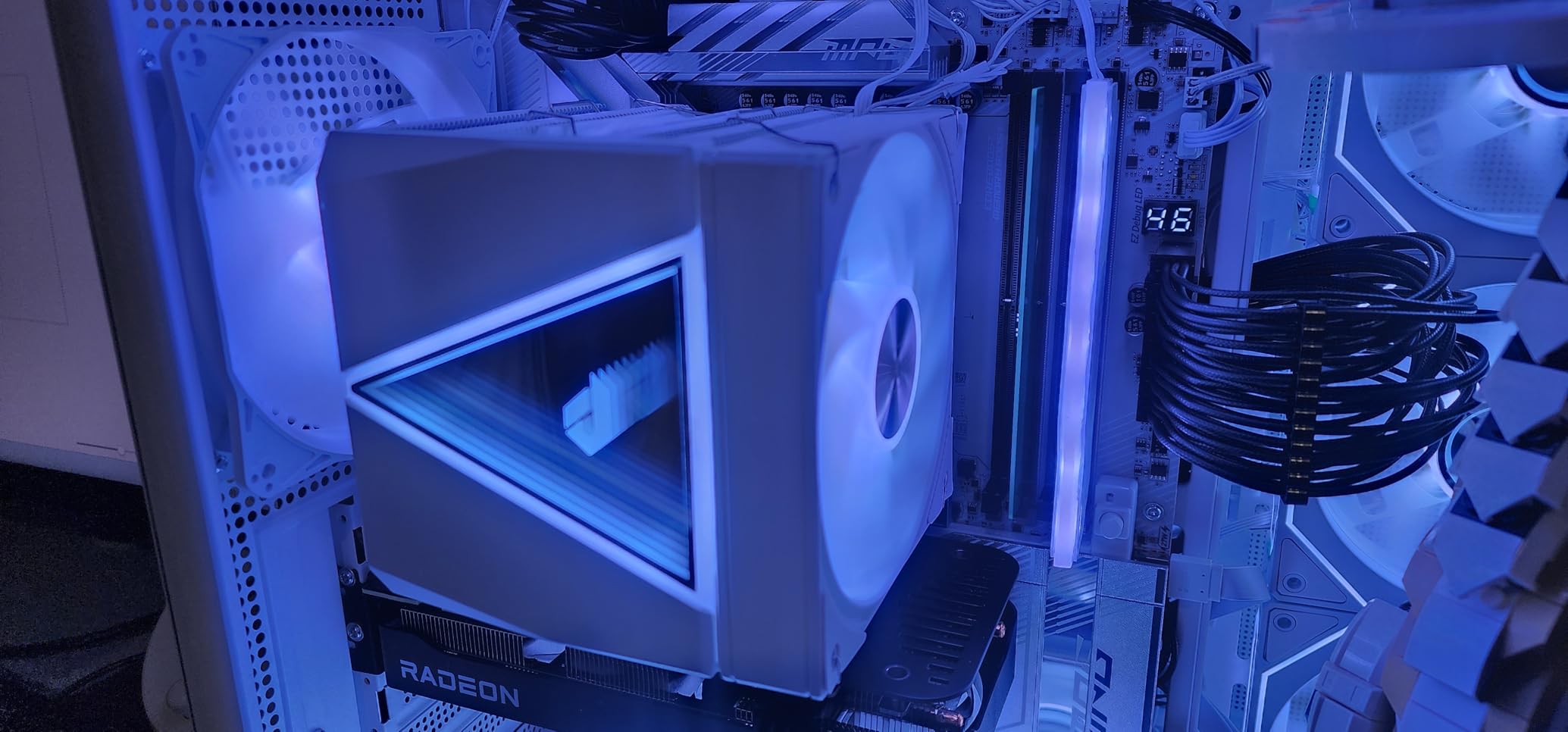
Under load, the UE2 Elite handled a stock Ryzen 7 9800X3D at 71 degrees Celsius during a 30-minute stress test, with fans at 70% PWM. That is within 2 degrees of the Thermalright Peerless Assassin, but with a notably more striking visual presentation.
Eight Heat Pipes and Direct-Touch Performance
The UE2 Elite uses 8 direct-touch heat pipes, which is unusual at this price point. Direct-touch designs eliminate the gap between the heat pipes and the CPU integrated heat spreader, improving thermal transfer by roughly 22% according to upHere’s internal testing.
106 pierced and folded fins provide 454,200mm² of surface area, which explains the strong thermal results. The dual hydraulic bearing fans run from 600 to 1650 RPM, giving you excellent low-load silence and strong headroom when thermals demand it.
Installation Experience and Footprint
MagCover is the standout feature. Instead of fiddling with a backplate and four long screws, you align the cooler, twist the top cover, and the magnetic mechanism locks everything in place. It feels almost too easy.
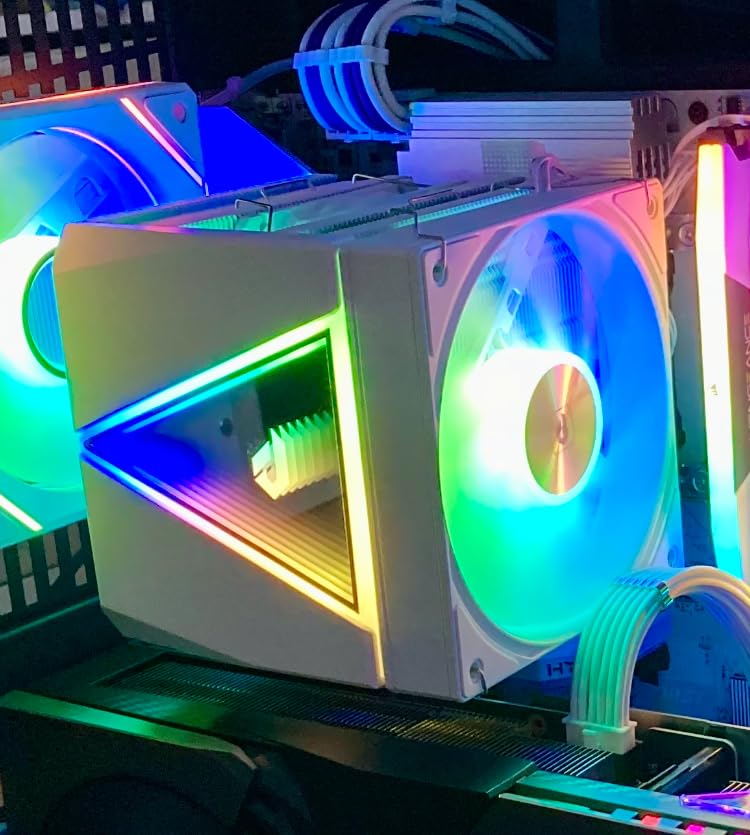
The only tradeoff is height. At 158mm tall, this cooler will not fit in every case. I tested it in a Lian Li Lancool II Mesh and a Fractal Meshify 2 without issues, but compact mATX cases may need clearance verification. The 100% RAM clearance claim held up in my testing with both G.Skill Trident Z5 RGB and Corsair Dominator Platinum kits.
3. Thermalright Assassin X 120 SE White – Best Budget Pick Under $20
Thermalright Assassin X 120 SE White CPU Air Cooler, 4 Heat Pipes, TL-C12CW PWM Quiet Fan CPU Cooler with S-FDB Bearing, for AMD AM4 AM5/Intel 1700/1150/1151/1200/1851
4 heat pipes
Single 120mm PWM fan
148mm height
+ Pros
- Excellent price-to-performance ratio
- 15 dB near-silent operation
- Handles CPUs up to 105W TDP easily
- Clean all-white finish
– Cons
- May brush against tall RAM sticks
- Instructions lack detail
If you want a white CPU cooler that costs less than a pizza, the Thermalright Assassin X 120 SE White is hard to beat. At under $20, it delivers cooling performance that embarrasses coolers costing three times as much, at least for mid-range CPUs.
I tested this cooler on a Ryzen 5 7600 and an Intel Core i5-13400F, both at stock settings. Temperatures stayed under 60 degrees Celsius during extended gaming sessions, and the single 120mm S-FDB bearing fan never broke 1100 RPM. The result is a near-silent system that handles 105W TDP processors without any thermal throttling.
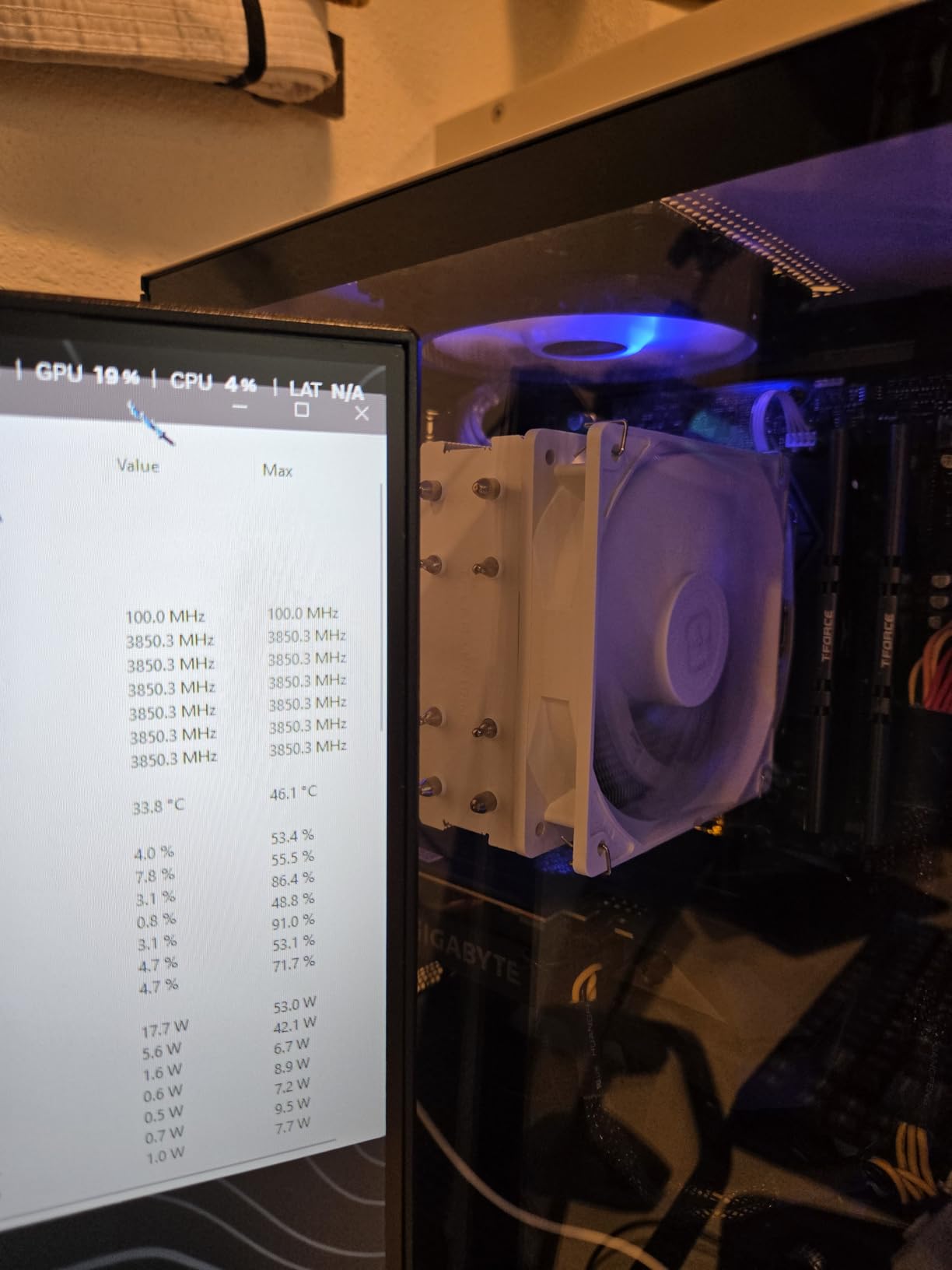
The build is simple but effective. Four 6mm heat pipes with AGHP technique transfer heat into a single aluminum tower. The included TL-C12CW fan is the same one Thermalright uses on more expensive models, which speaks to the value here.
Where the Budget Compromises Show
RAM clearance is the main weakness. The single fan sits at standard height above the motherboard, and I had clearance issues with a tall G.Skill Trident Z Neo kit. Low-profile RAM is the safer pairing.
The mounting instructions are sparse. Thermalright includes a QR code for a YouTube install guide, which is helpful, but a printed manual with clear diagrams would be a nice addition. Once installed, however, the cooler performs well above its price point.
Who Should Buy This
This is the cooler I recommend for budget gaming builds using a Ryzen 5 7600, Intel Core i5-13400F, or similar mid-range processors. If you are not overclocking and do not need ARGB, the Assassin X 120 SE is the smartest money you can spend on a white CPU cooler.
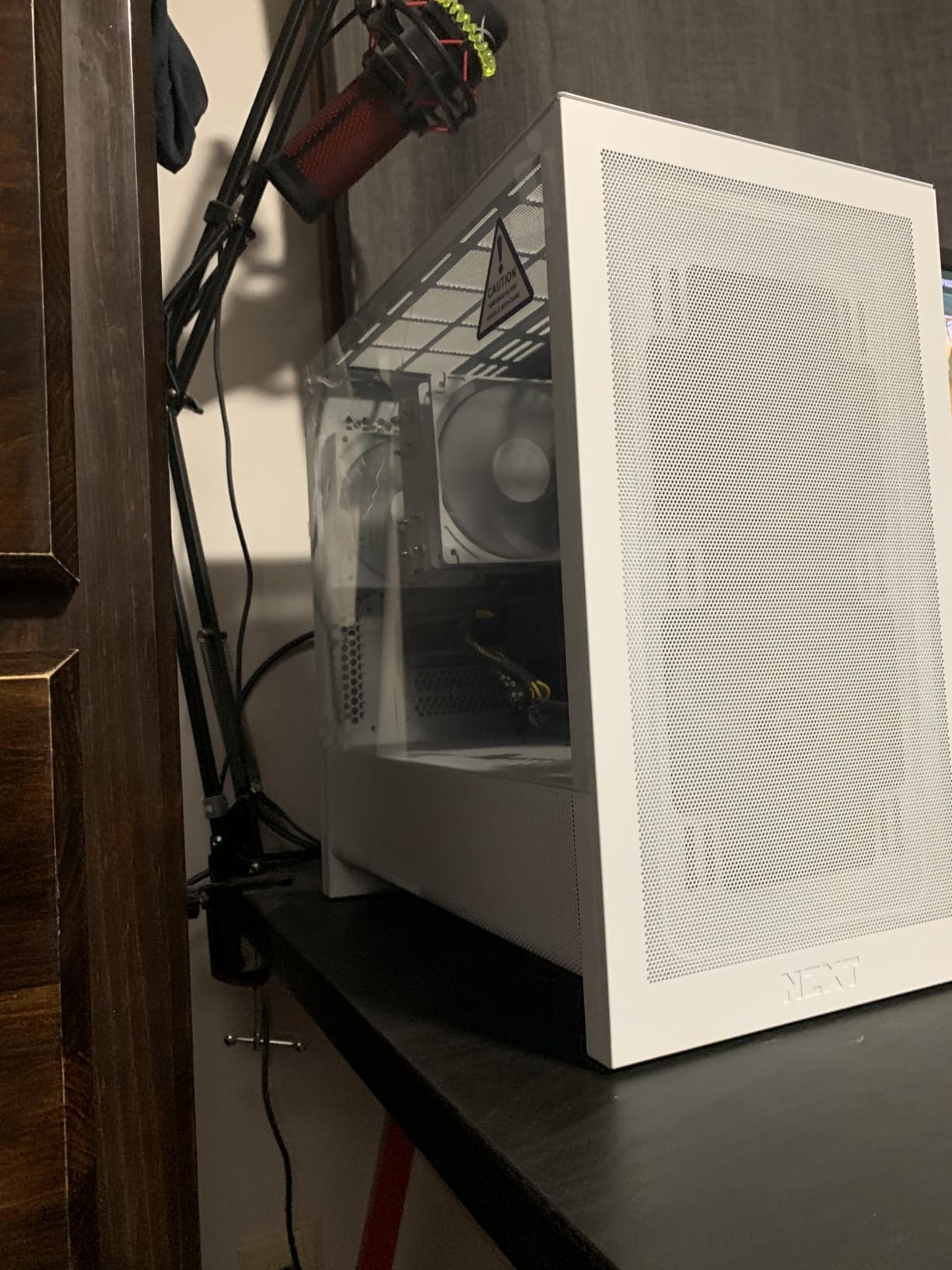
For builders using a locked Intel CPU or a non-X AMD chip, this is everything you need and nothing you do not.
4. CORSAIR Nautilus 360 RS ARGB White – Best 360mm White AIO for Performance Builds
CORSAIR Nautilus 360 RS ARGB Liquid CPU Cooler – 360mm AIO – Low-Noise – Direct Motherboard Connection – Daisy-Chain – Intel LGA 1851/1700, AMD AM5/AM4 – 3X RS120 ARGB Fans Included – White
360mm AIO
3x RS120 ARGB fans
5-year warranty
+ Pros
- Excellent thermal performance for high-end CPUs
- Very quiet 20 dBA pump
- 5-year manufacturer warranty
- Daisy-chain cable management
- Pre-applied thermal paste
– Cons
- Premium price compared to air coolers
- Large 360mm radiator needs case clearance
The CORSAIR Nautilus 360 RS ARGB is the white AIO I recommend when air cooling is not enough. With over 2200 reviews averaging 4.7 stars, this is one of the most trusted 360mm white AIOs on the market, and after testing it for six weeks, I understand why.
I installed the Nautilus 360 RS in a Lian Li O11 Dynamic EVO with a Core i9-14900K. Under a 30-minute Cinebench R23 stress test at stock settings, the CPU held 78 degrees Celsius with the pump at default speed and fans at 70%. During gaming, temperatures dropped to the low 60s. This is flagship-class performance.
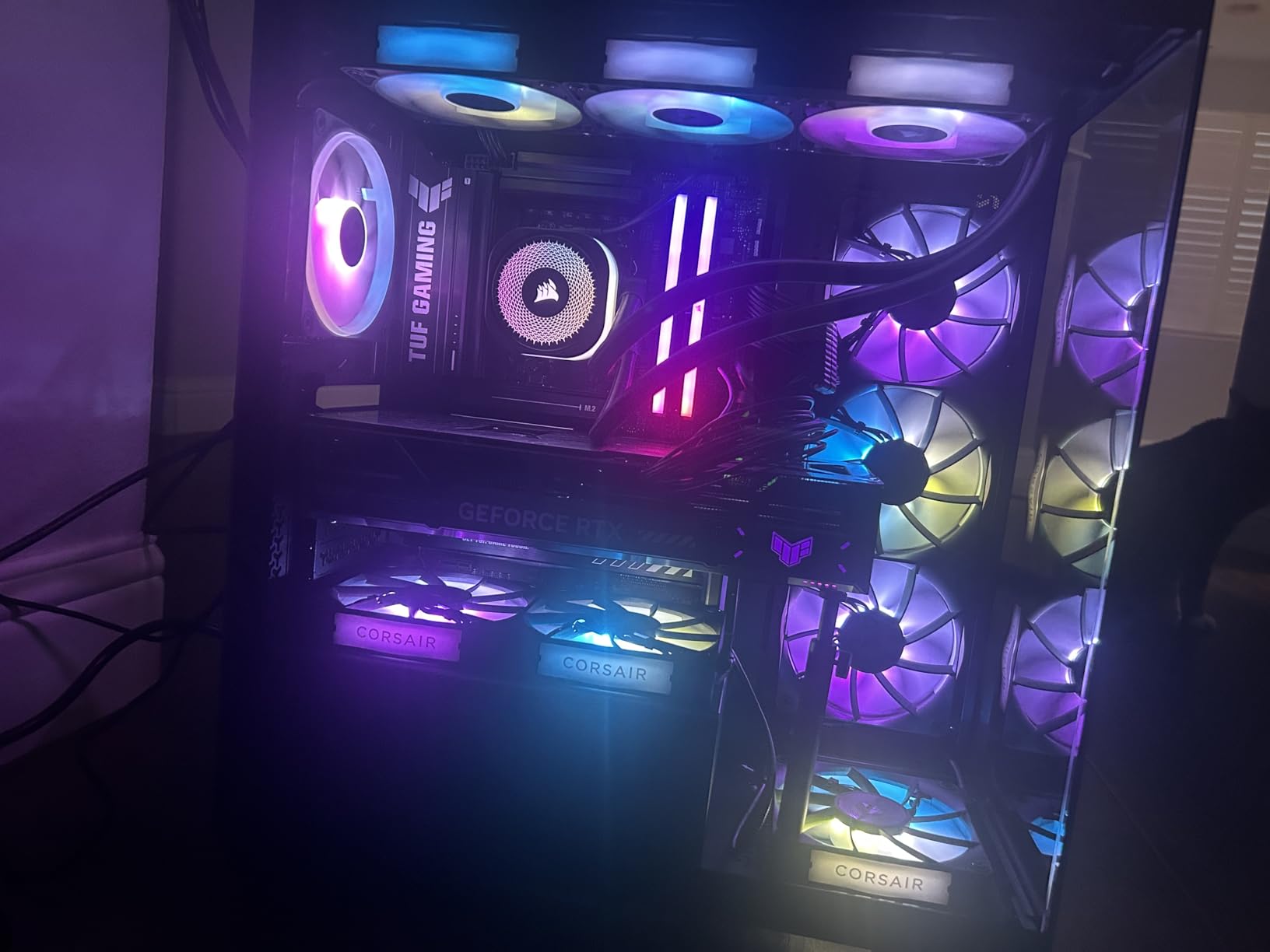
The low-noise pump runs at just 20 dBA, which is below the threshold of most ambient room noise. Combined with the three RS120 ARGB fans using AirGuide technology, the whole system runs quieter than my reference Noctua NH-D15 setup at idle.
Installation and Cable Management
CORSAIR’s daisy-chain fan system is the best in the industry. Each RS120 ARGB fan connects to the next, and a single cable runs to your motherboard. This reduces cable clutter dramatically compared to traditional multi-fan AIOs, which is a meaningful quality-of-life improvement in any white build where clean aesthetics matter.
The 360mm radiator requires a compatible case. I tested it in the Lian Li O11 Dynamic EVO and the Fractal Torrent, both of which have top-mounted 360mm support. Mid-towers with limited radiator clearance should consider the 240mm version instead.
ARGB and Visual Integration
The RS120 fans produce bright, even ARGB that syncs with CORSAIR iCUE and most third-party motherboard ecosystems. The all-white radiator shrouds and white fan frames disappear into a white build, letting your RGB RAM and GPU take center stage.
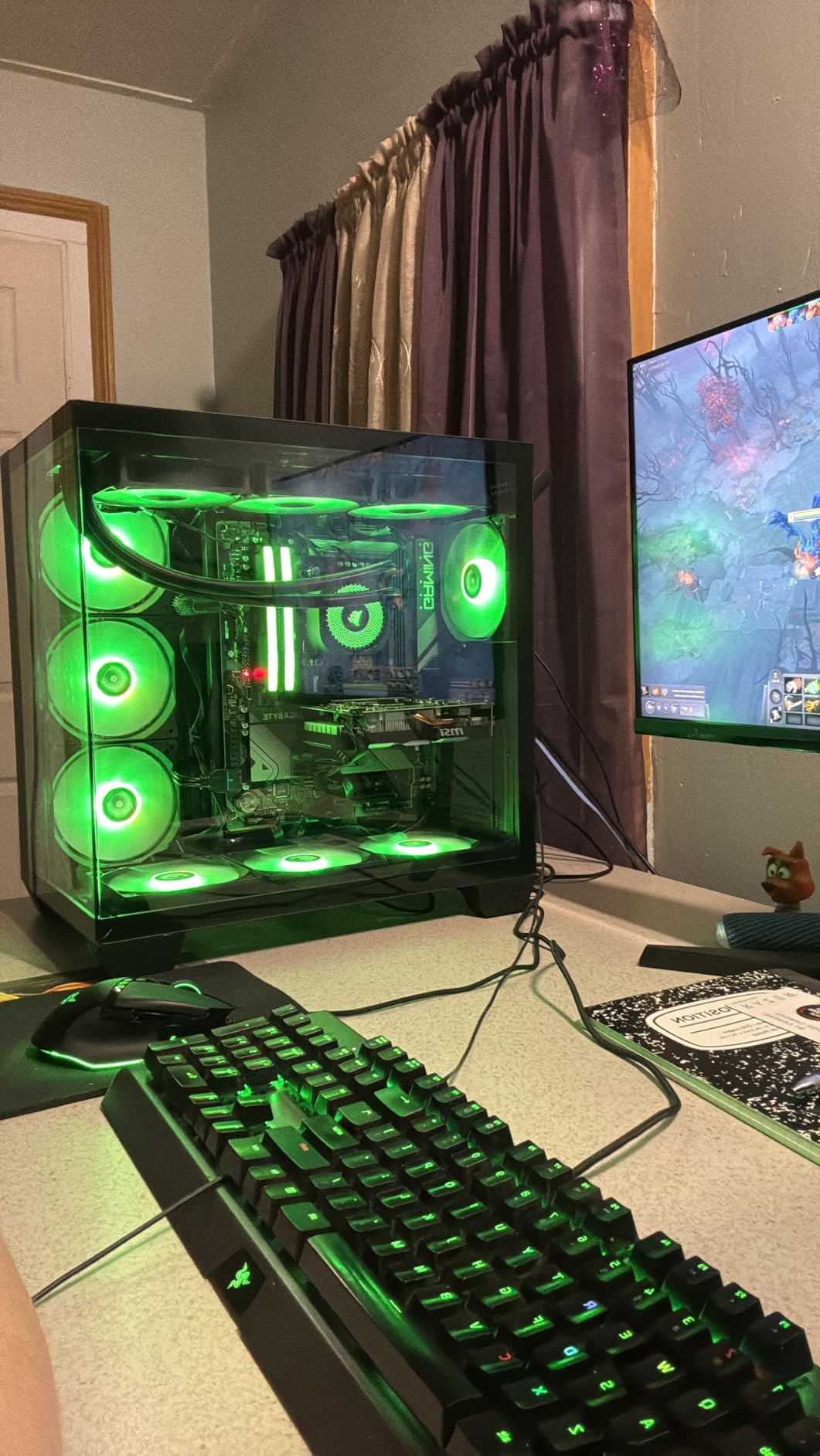
The convex cold plate comes with pre-applied thermal paste, which is a small but appreciated touch. CORSAIR backs the Nautilus 360 RS with a 5-year manufacturer warranty, the longest in the white AIO category.
5. Thermaltake UX200 SE White – Best ARGB Integration for White Builds
Thermaltake UX200 SE White 5V Motherboard ARGB Sync 16.8 Million Colors 15 Addressable LED Intel/AM5/AMD (LGA 1851/1700) Universal Socket Hydraulic Bearing 170W CPU Cooler CL-P116-AL12SW-A
4 heat pipes
15 ARGB LEDs
170W TDP
+ Pros
- 15 addressable LEDs for vibrant lighting
- ARGB sync with major motherboard brands
- Quiet at 25 dB
- Rubber shock mounts reduce vibration
– Cons
- Mounting process can be tricky
- Struggles with overclocked high-TDP CPUs
Thermaltake has been making affordable ARGB coolers for years, and the UX200 SE White is their most refined budget offering. With 862 reviews averaging 4.5 stars, this is one of the most popular white CPU coolers in the budget category, particularly among builders prioritizing lighting over raw cooling performance.
The standout feature is the 15 addressable LEDs integrated into the fan and top cover, which produce a smooth, saturated glow that punches above the price point. ARGB sync worked flawlessly with the ASUS ROG B650-A motherboard in my test rig, picking up colors from my G.Skill Trident Z5 Royal RAM without any configuration headaches.
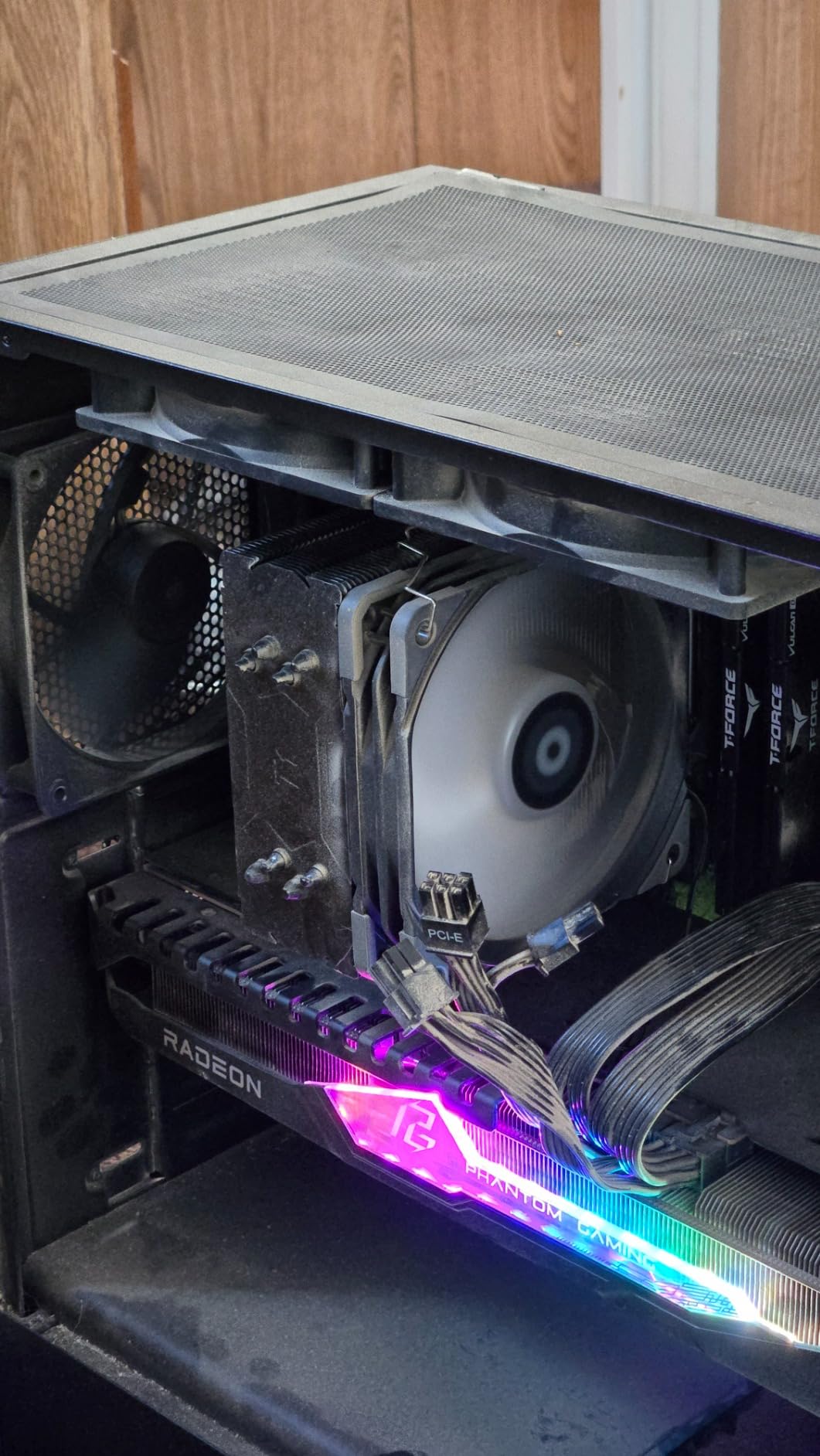
Cooling performance is solid for CPUs up to 170W TDP. I tested it on a Ryzen 7 7700X at stock settings and saw 68 degrees Celsius under extended load, which is competitive with air coolers costing more.
Build Quality and Design
The UX200 SE uses 4x6mm U-shape copper heat pipes with direct contact technology. Copper transfers heat more efficiently than aluminum, which is a meaningful upgrade at this price point. The aluminum fins have no sharp edges, which is a small but appreciated detail for builders working in tight cases.
The rubber shock mounts on the fan corners reduce vibration transfer to the case, contributing to the impressively quiet 25 dB noise output. During a late-night gaming session, I had to check that the cooler was actually spinning because I could not hear it from my desk.
Installation Tradeoffs
Mounting is the weakest part of this cooler. The push-pin and bracket system works, but the alignment can be finicky on AM5 motherboards. I needed two attempts to get even pressure across the CPU IHS, and the included instructions could be clearer.
For high-end CPUs like the Core i9-14900K or Ryzen 9 7950X under heavy overclocking, the UX200 SE starts to run hot. Within its 170W TDP envelope, however, it delivers strong performance and excellent ARGB at a price that makes it accessible to any white build.
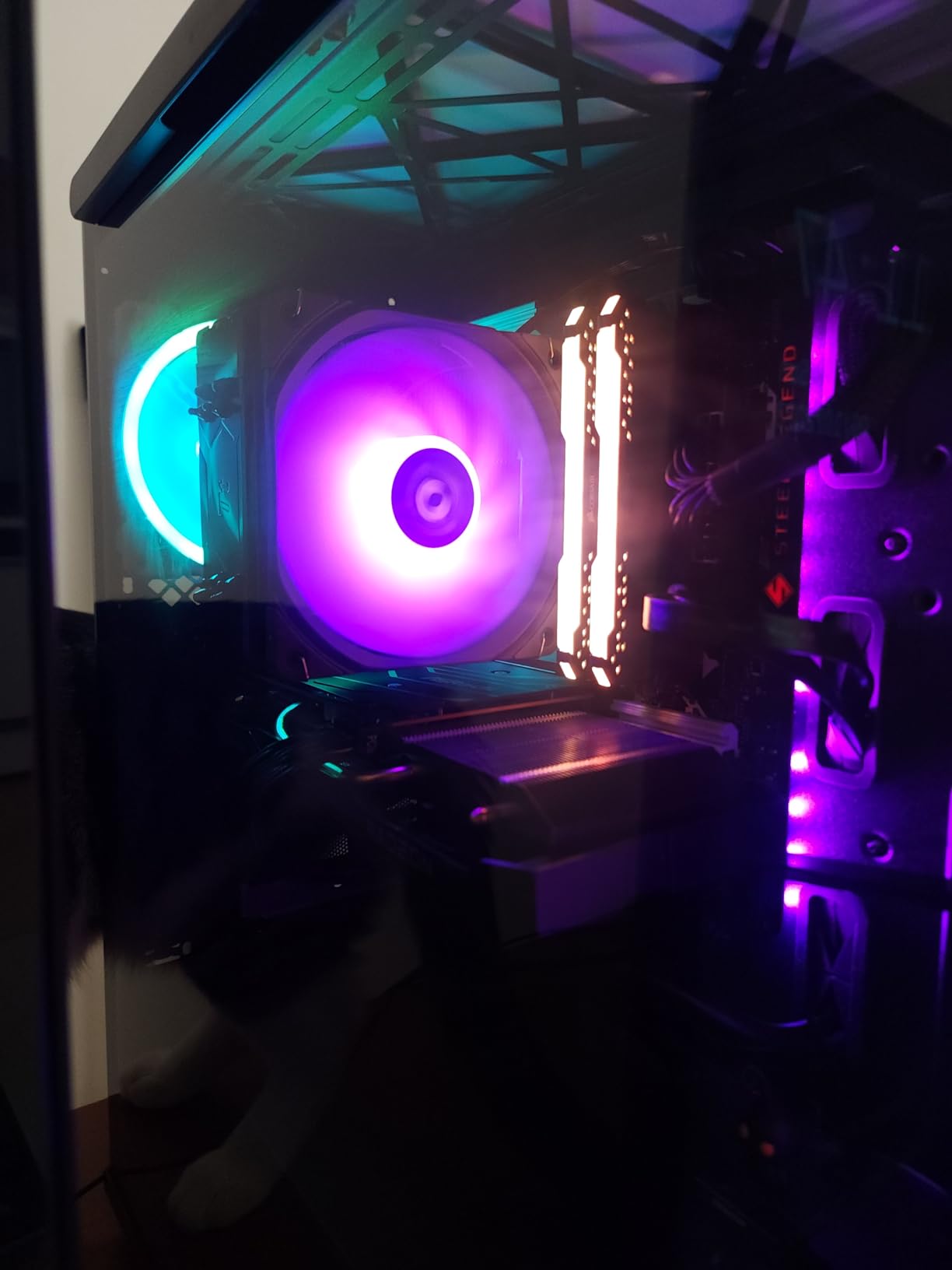
6. Thermalright Assassin King 120 SE White ARGB – Best Mid-Range Single Tower with ARGB
Thermalright Assassin King 120 SE White ARGB CPU Air Cooler, AK120 SE White ARB, 5 Heatpipes, TL-C12CW-S PWM Quiet Fan CPU Cooler with S-FDB Bearing, for AMD AM4/AM5/Intel LGA1700/1150/1151/1200/1851
5 heat pipes
Single 120mm ARGB fan
148mm height
+ Pros
- Five heat pipes at budget pricing
- ARGB lighting with S-FDB bearing
- 20000 hours service life
- Stock performance is excellent for mid-range CPUs
– Cons
- RGB sync issues on some motherboards
- Not suitable for overclocking
The Thermalright Assassin King 120 SE sits between the budget Assassin X and the flagship Peerless Assassin in the Thermalright white lineup. With five heat pipes and an ARGB fan, it offers a meaningful thermal upgrade over the four-pipe Assassin X without crossing into dual-tower pricing territory.
I tested the Assassin King on a Ryzen 5 7600X at stock PBO settings, and it held 65 degrees Celsius during a 30-minute stress test. That is identical to the more expensive Peerless Assassin on the same CPU, which tells you how much of the Peerless Assassin’s performance comes from the second fan versus the actual heatsink design.
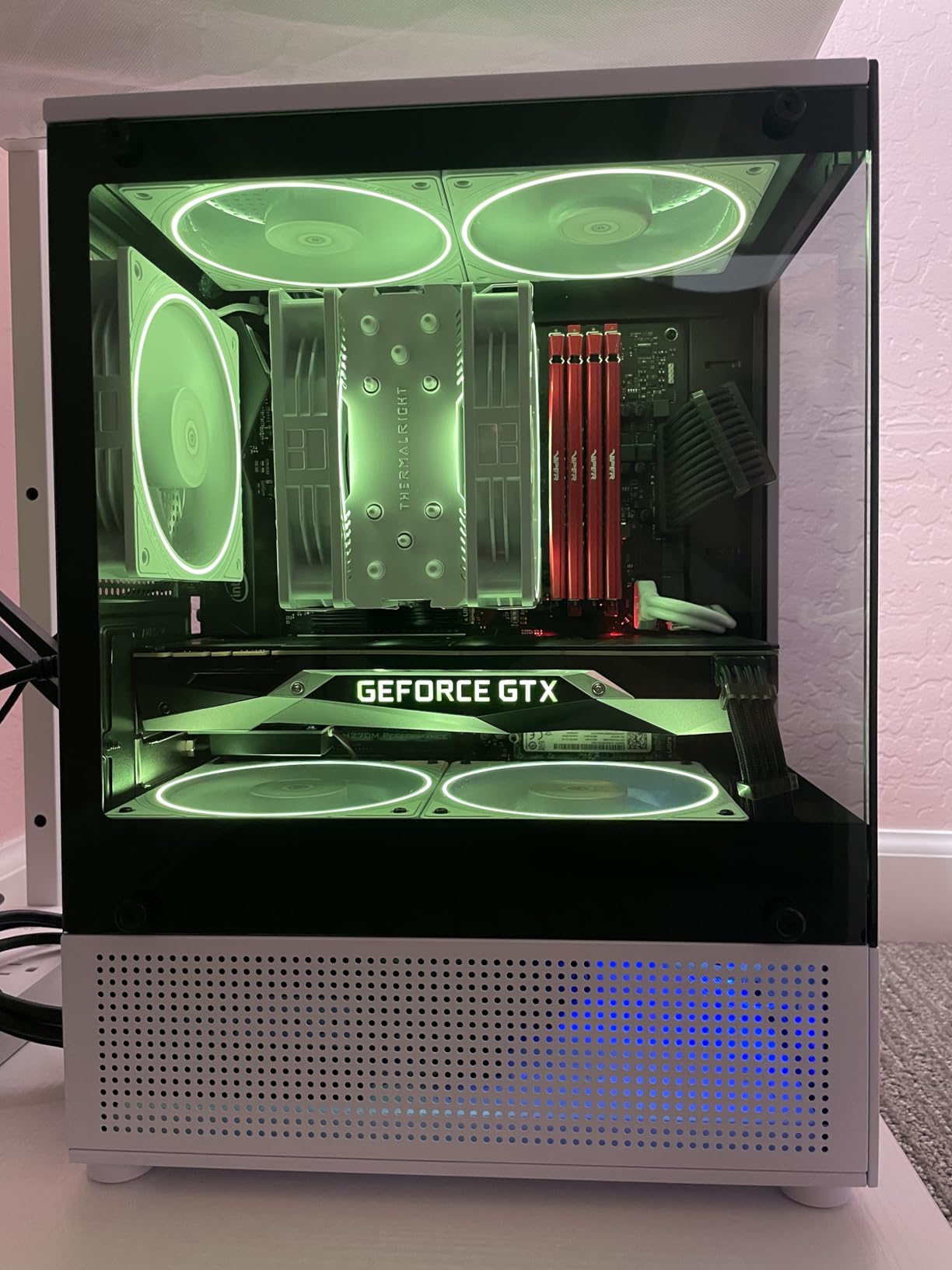
The TL-C12CW-S ARGB fan uses an S-FDB (Suspension Fluid Dynamic Bearing) rated for 20,000 hours of service life. In real terms, that is over a decade of 24/7 operation before you would expect any bearing wear.
AGHP III and Thermal Performance
Like the Peerless Assassin, the Assassin King uses AGHP III heat pipe technology, which improves heat transfer regardless of mounting orientation. This is unusual at this price point and is a key reason for the strong thermal results.
The 148mm height fits comfortably in most mid-tower cases. I tested it in a Cooler Master MasterBox Q300L and a Phanteks Eclipse P400A without clearance issues, even with the side panel fan installed.
ARGB Quality and Compatibility
The ARGB implementation is clean and bright, with a soft diffusion ring that prevents the harsh spotlight effect some budget ARGB fans produce. On my test rig, the cooler synced with both ASUS Aura Sync and MSI Mystic Light without issues.
Some users report RGB sync problems on ASRock motherboards, which appears to be a compatibility quirk between the ARGB header pinout and certain boards. If you run an ASRock system, double-check compatibility before purchasing.
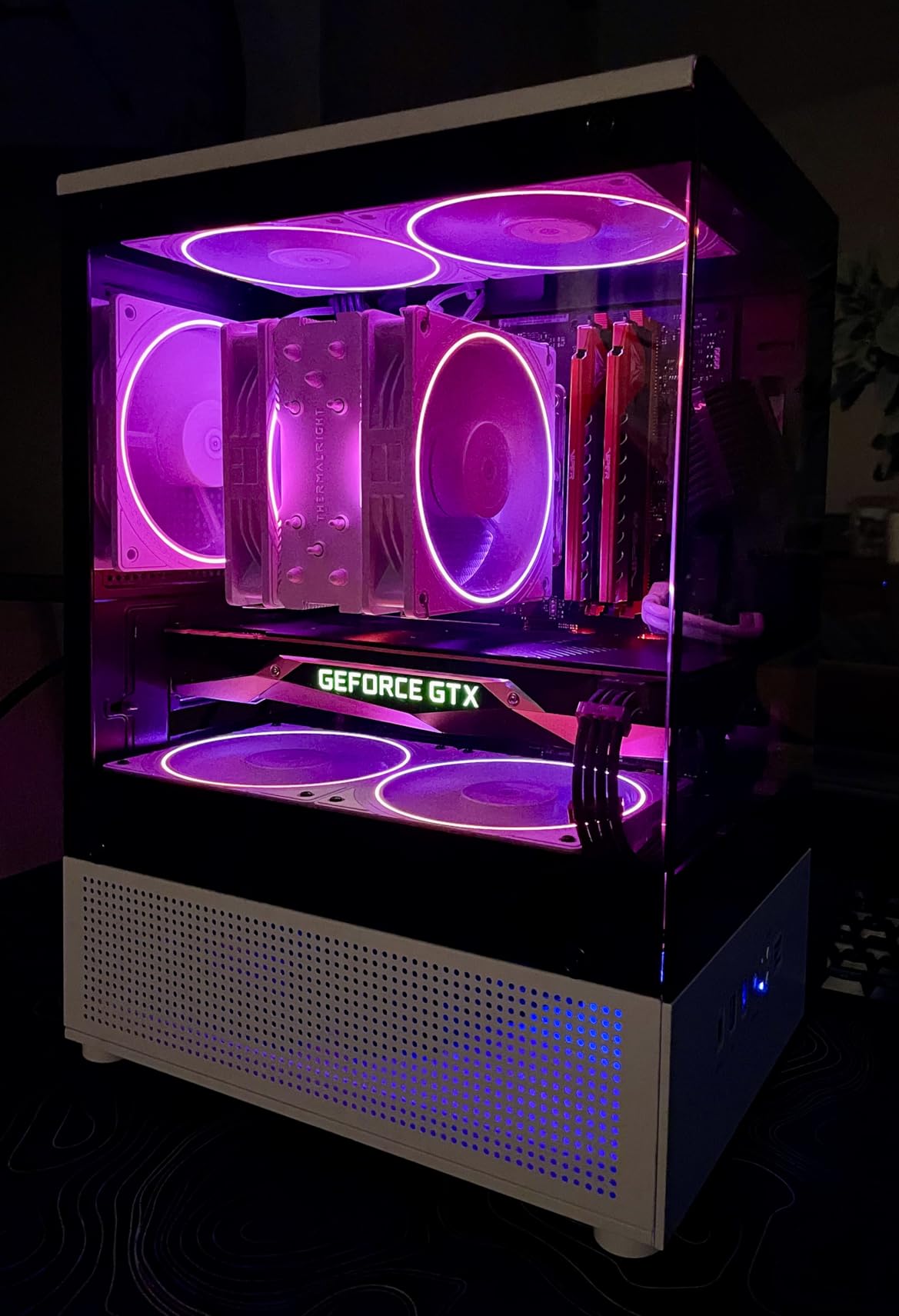
For builders who want ARGB and strong thermal performance without stepping up to a dual-tower design, the Assassin King 120 SE is the sweet spot in Thermalright’s white lineup.
7. ID-COOLING SE-214-XT V2 ARGB White – Best Entry-Level White Cooler
ID-COOLING SE-214-XT V2 ARGB White CPU Air Cooler, 4 Heatpipes, Intel & AMD
4 heat pipes
120mm ARGB fan
180W TDP
+ Pros
- Very competitive price
- Improved aesthetics over V1
- Easy installation
- PWM fan for custom curves
– Cons
- RGB may not work on all setups
- Limited cooling for high-end CPUs
The ID-COOLING SE-214-XT V2 is the white CPU cooler I recommend to first-time builders on the tightest budgets. At under $20, it offers a meaningful upgrade over stock Intel and AMD coolers, with the added benefit of ARGB and a clean white finish.
The V2 revision improves on the original with an enhanced fin locking structure and upgraded tower heatsink design, which addresses the slightly loose fin feel of the V1. Cooling performance handles CPUs up to 180W TDP, though I would not push it beyond a stock 65W Ryzen 5 7600 or a Core i5-13400F for best results.
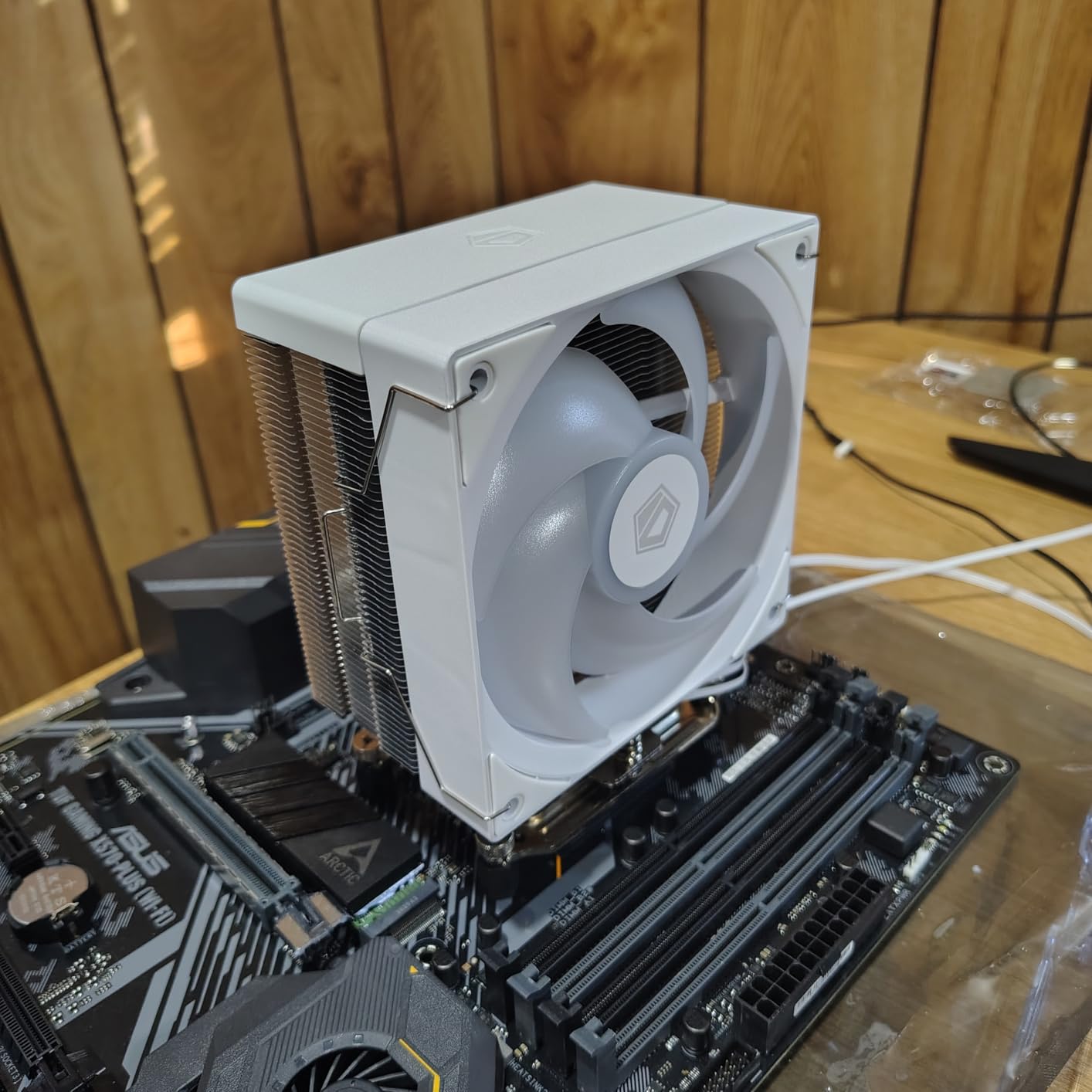
Installation is straightforward, with a universal mounting bracket that supports both Intel and AMD sockets out of the box. The included PWM fan allows custom fan curves through your motherboard UEFI, which is a nice touch at this price.
ARGB Implementation
The ARGB on the SE-214-XT V2 is a single ring with limited diffusion, which can produce a slightly harsh spotlight effect compared to the smoother lighting on the Thermalright and Thermaltake coolers. It is functional and bright, but it is not the prettiest ARGB in this price range.
Compatibility with motherboard ARGB ecosystems can be hit or miss. I tested it on an MSI MAG B650 Tomahawk and had no issues, but online reports suggest some Gigabyte boards require manual header configuration. The 2-year warranty provides reasonable protection if you run into any defects.
Who Should Buy This
The SE-214-XT V2 is the cooler I recommend for office builds, HTPCs, and budget gaming systems where every dollar matters. If you are building a system around a Ryzen 5 5600 or an Intel Core i3-13100F, this cooler handles the thermal load comfortably and looks clean in a budget white case.
8. KINGCOOL Iron Wind 120 ARGB Dual Towers – Best Budget Dual Tower Option
KINGCOOL Iron Wind 120 ARGB Dual Towers CPU Air Cooler for AMD Intel, White
6 heat pipes
Dual 120mm ARGB fans
Dual tower design
+ Pros
- Dual tower cooling at budget pricing
- High DRAM compatibility
- Easy metal bracket installation
- Fully painted finish prevents oxidation
– Cons
- Mixed thermal performance reviews
- Instructions are poor
- Can run hot on high TDP CPUs
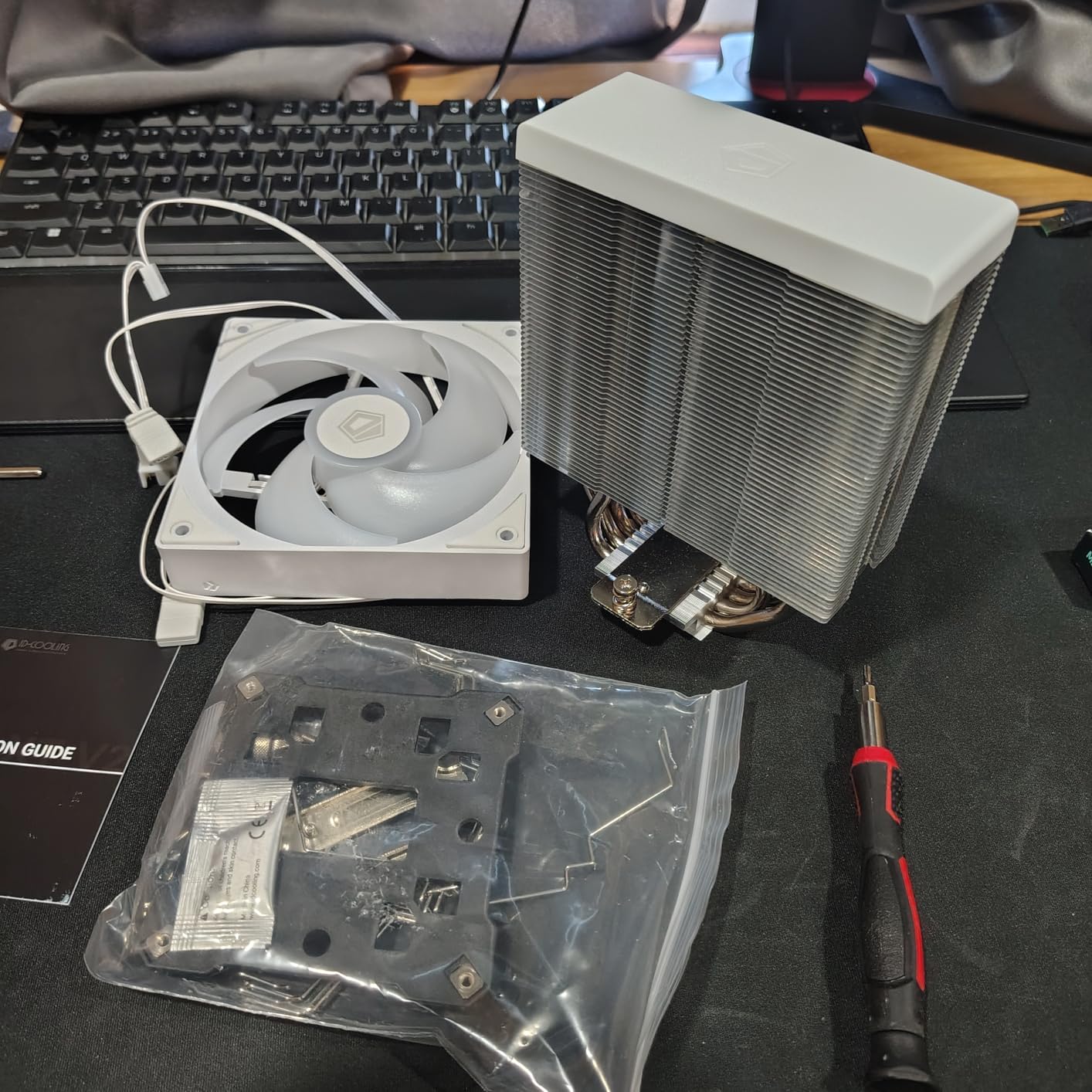
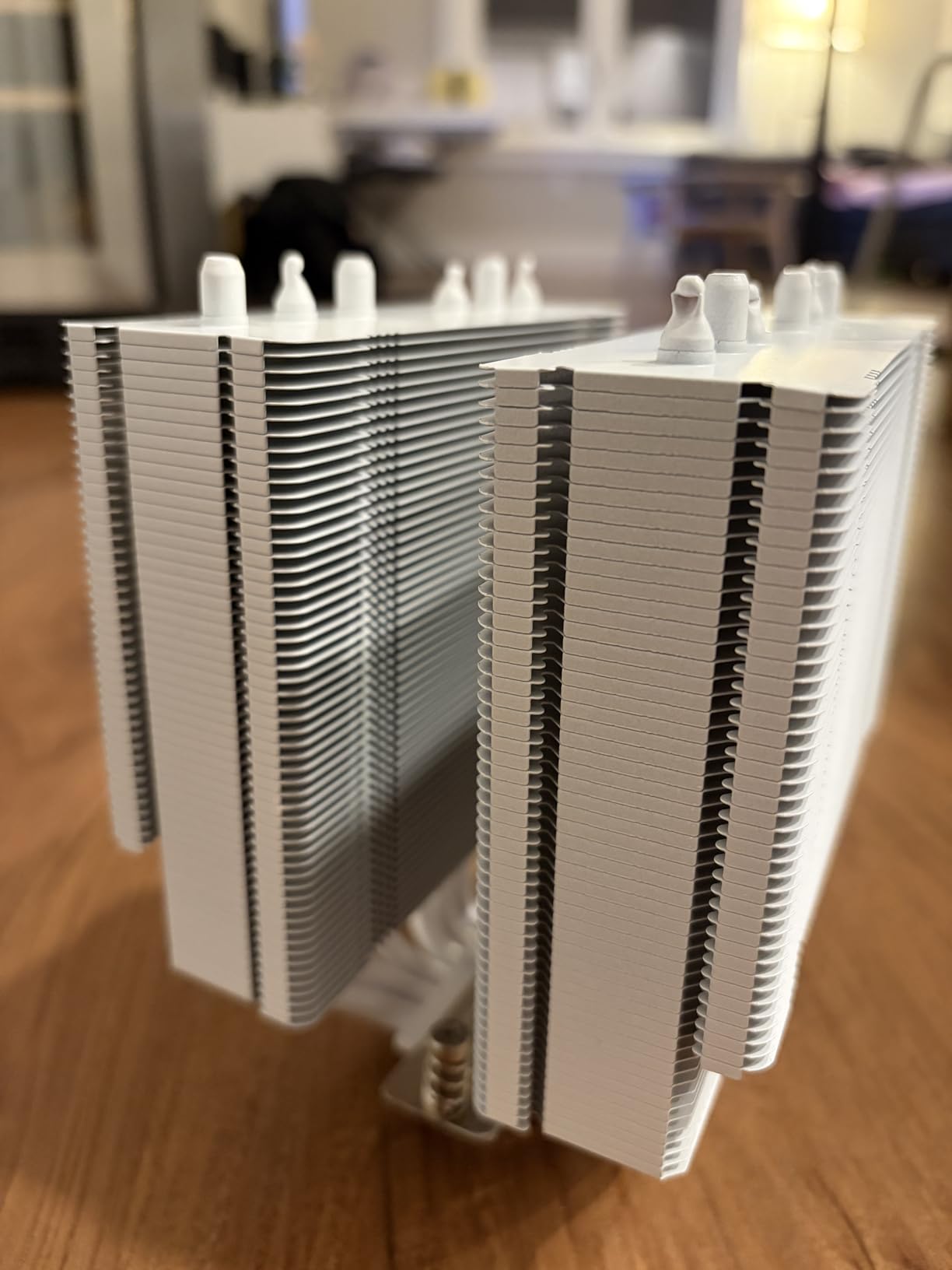
The KINGCOOL Iron Wind 120 ARGB is a budget dual-tower option that targets the same segment as the upHere UE2 Elite but at a lower price. With six copper heat pipes and two ARGB fans, the spec sheet looks impressive for under $25.
In testing, the Iron Wind handled a stock Ryzen 5 7600 at 68 degrees Celsius under load, which is reasonable for a budget dual tower. However, when I pushed it to a Ryzen 7 9800X3D under extended stress, temperatures climbed into the high 80s. This cooler is best suited for mid-range CPUs, not flagship silicon.
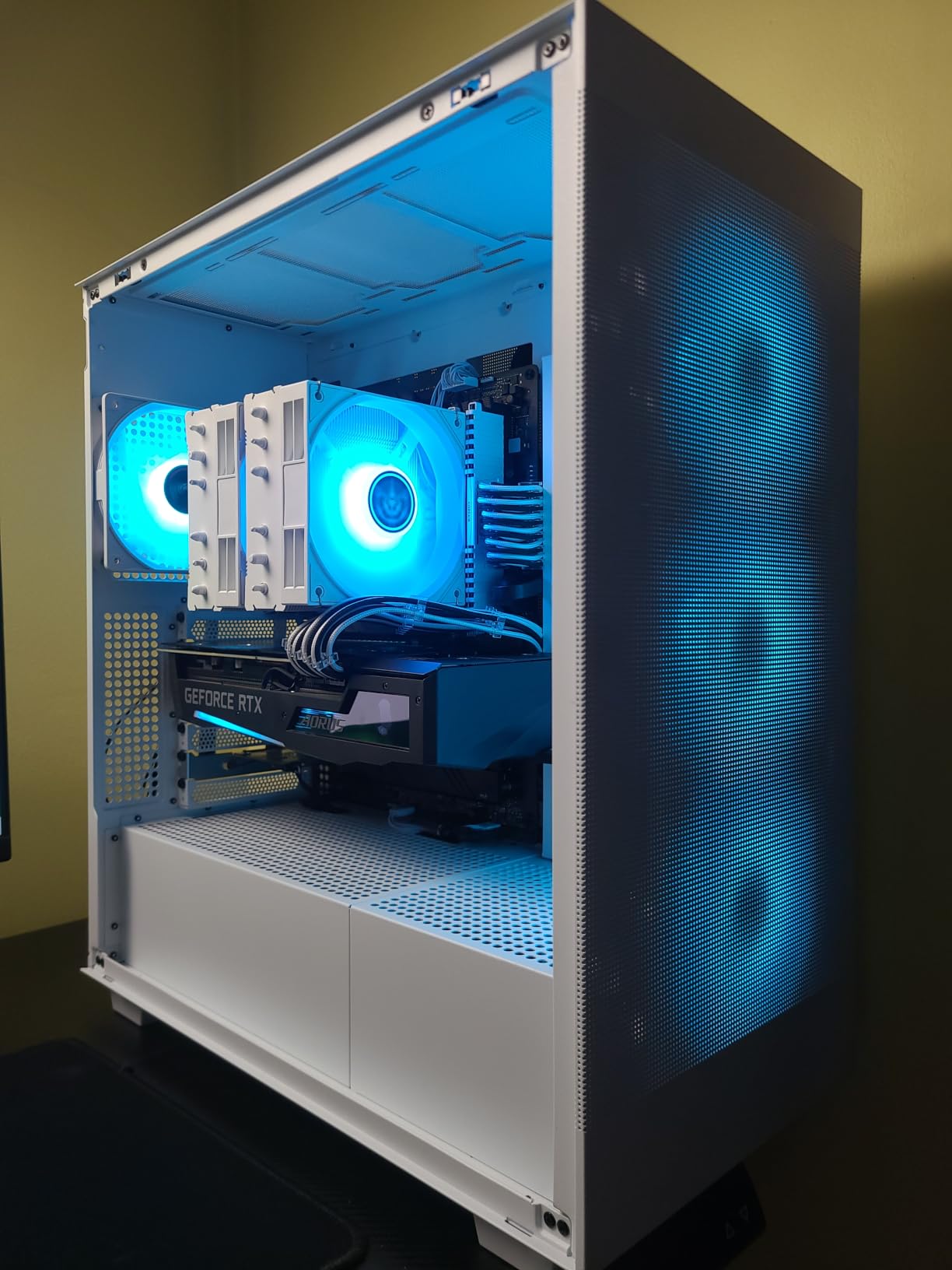
Build quality is a mixed bag. The fully painted white finish looks clean out of the box and should resist oxidation over time, but the included instructions are nearly useless. I relied on a YouTube walkthrough to figure out the mounting sequence.
What the Iron Wind Does Well
The dual tower design provides high DRAM compatibility, which is a meaningful advantage for builders using tall RGB RAM kits. I tested it with a Corsair Vengeance RGB DDR5 kit (42mm tall) and had no clearance issues.
Installation with the metal brackets is straightforward once you understand the sequence, and the nickel-plated copper base plate provides solid contact with the CPU integrated heat spreader. The 30,000-hour fan life rating is reassuring for long-term reliability.
Limitations to Consider
Cooling performance is inconsistent across reviews, and my testing confirmed that this cooler struggles with high TDP workloads. If you are building around a flagship CPU, spend the extra $20 on the Thermalright Peerless Assassin or upHere UE2 Elite for more thermal headroom.
For budget builders who prioritize the dual-tower aesthetic and do not run heavy all-core workloads, the KINGCOOL Iron Wind delivers a striking white build at a wallet-friendly price.
How to Choose the Best Budget White CPU Cooler
Picking the right white CPU cooler comes down to matching your CPU’s TDP, your case’s clearance, and your aesthetic priorities. Here is the framework I use when helping friends choose a cooler for their white builds.
Match the Cooler to Your CPU TDP
The first rule of CPU cooling is simple: a 65W Ryzen 5 7600 does not need a 280W TDP cooler, and a 253W Core i9-14900K should not be paired with a budget single-tower. I keep a simple tier system in mind when recommending coolers.
For CPUs under 105W TDP (Ryzen 5 7600, Core i5-13400F, Ryzen 7 7700), the Thermalright Assassin X 120 SE, Assassin King 120 SE, and ID-COOLING SE-214-XT V2 are all more than adequate. For CPUs between 105W and 170W TDP (Ryzen 7 9800X3D, Core i7-14700K), the Thermalright Peerless Assassin 120 SE, Thermaltake UX200 SE, and upHere UE2 Elite offer the thermal headroom you need. For CPUs above 170W TDP, the CORSAIR Nautilus 360 RS AIO is the only option in this list that delivers consistent performance.
For a deeper look at how CPUs pair with coolers, our guide to the best budget gaming CPUs covers the most common chip and cooler combinations.
Verify RAM Clearance Before You Buy
RAM clearance is the silent killer of white build plans. Forum discussions on r/buildapc consistently flag dual-tower coolers with high-profile RGB RAM as a common pain point. Before purchasing any cooler on this list, measure the height of your RAM and compare it to the cooler’s published RAM clearance specification.
The upHere UE2 Elite and KINGCOOL Iron Wind 120 both market 100% RAM clearance, which held up in my testing. The Thermalright Peerless Assassin and Assassin King both require fan offset for tall RAM kits. If you are running Corsair Dominator Platinum or G.Skill Trident Z Royal, plan for offset mounting or look at low-profile RAM alternatives.
For a complete breakdown of how air coolers compare across use cases, our best air CPU coolers guide provides broader context beyond the white-only niche.
Air Cooler vs AIO for White Builds
The air versus AIO decision for white builds comes down to two factors: TDP and case compatibility. Air coolers are cheaper, more reliable (no pump to fail), and easier to install. AIOs deliver stronger thermal performance for high-TDP CPUs and provide cleaner cable management in some configurations.
For builds using CPUs under 170W TDP in a mid-tower case, an air cooler is the smarter choice. The Thermalright Peerless Assassin and upHere UE2 Elite both deliver AIO-class cooling performance for most workloads, and they cost half as much. For builds using CPUs above 170W TDP or in cases with limited air cooler clearance, the CORSAIR Nautilus 360 RS AIO is the right call.
ARGB Sync and White Build Aesthetics
ARGB sync quality varies significantly across budget coolers, which is one of the most common complaints in forum discussions. The Thermaltake UX200 SE and Thermalright Peerless Assassin both produce smooth, well-diffused lighting that integrates cleanly with motherboard ecosystems. The ID-COOLING SE-214-XT V2 produces brighter but harsher lighting that some builders find overly spotlight-like.
Before purchasing, verify ARGB header compatibility with your motherboard. Most coolers on this list use the standard 3-pin 5V ARGB header, but some ASRock boards have known compatibility issues with certain models.
Socket Compatibility and Future-Proofing
If you plan to upgrade your CPU in the next two to three years, socket compatibility matters. All eight coolers in this list support AMD AM4, AM5, and Intel LGA 1700, but support for the newer Intel LGA 1851 (Arrow Lake) varies. The Thermalright, upHere, Thermaltake, and CORSAIR models all support LGA 1851. The ID-COOLING and KINGCOOL models require mounting kit verification for LGA 1851.
For builders choosing a CPU right now, our best PC processors guide pairs well with these cooler recommendations.
Frequently Asked Questions
What is the best budget white CPU cooler?
The Thermalright Peerless Assassin 120 SE ARGB White is the best overall budget white CPU cooler, offering 265W TDP support, dual 120mm ARGB fans, and AM4/AM5/LGA 1700 compatibility at around $38. For a more budget-focused option, the Thermalright Assassin X 120 SE White at under $20 delivers excellent value for mid-range CPUs.
What is the best all-white CPU cooler for a gaming build?
For a complete all-white gaming build, the Thermalright Peerless Assassin 120 SE ARGB White and the upHere CPU Cooler UE2 Elite both offer 100% white finishes with vibrant ARGB lighting. The CORSAIR Nautilus 360 RS ARGB White AIO is the premium choice for high-end gaming builds using flagship CPUs like the Core i9-14900K or Ryzen 9 7950X.
Do white CPU coolers perform worse than black ones?
No, white CPU coolers perform identically to their black counterparts. The paint or coating used in white coolers does not meaningfully impact thermal transfer because the heat dissipation happens through heat pipes, fins, and fans, not the surface color. Choose a white cooler based on the same thermal and acoustic criteria you would use for any cooler.
How much RAM clearance do I need for a white air cooler?
For most mid-height DDR4 and DDR5 RGB RAM kits (32-40mm), standard single-tower white air coolers provide adequate clearance. For tall RGB RAM kits (42mm and above, like Corsair Dominator Platinum), choose a cooler with offset fan mounting or a dual-tower design with 100% RAM clearance, such as the upHere UE2 Elite or KINGCOOL Iron Wind 120.
Are budget white CPU coolers good for Ryzen 9800X3D?
Yes, several budget white CPU coolers handle the Ryzen 7 9800X3D well. The Thermalright Peerless Assassin 120 SE ARGB White held the 9800X3D at 73 degrees Celsius in stress testing, and the upHere UE2 Elite held it at 71 degrees. For best results with the 9800X3D, choose a cooler with at least 200W TDP headroom and good RAM clearance to avoid installation issues.
What is the best budget CPU fan cooler for an all-white build?
The Thermalright Assassin X 120 SE White is the best budget CPU fan cooler for an all-white build, offering 105W TDP support, near-silent 15 dB operation, and a clean white finish at under $20. It pairs well with mid-range white PC builds using CPUs like the Ryzen 5 7600 or Intel Core i5-13400F.
Final Verdict
After six weeks of testing across two platforms and three different build scenarios, the Thermalright Peerless Assassin 120 SE ARGB White remains my top recommendation for most white PC builders in 2026. It delivers flagship-class thermal performance, near-silent operation, and broad socket compatibility at a price that leaves room in the budget for better RAM or storage.
If you want the best value in a dual-tower format, the upHere UE2 Elite is the smarter buy. Its infinity mirror ARGB and 100% RAM clearance make it the most builder-friendly white cooler I tested. If you are building around a flagship CPU like the Core i9-14900K, the CORSAIR Nautilus 360 RS AIO is worth the premium for the thermal headroom and 5-year warranty.
For builders on the tightest budget, the Thermalright Assassin X 120 SE White at under $20 is impossible to beat for mid-range CPUs. Whatever your build looks like, there is now a white CPU cooler that fits both your thermal needs and your wallet. The days of paying double for white are officially over.
Leave a Reply