
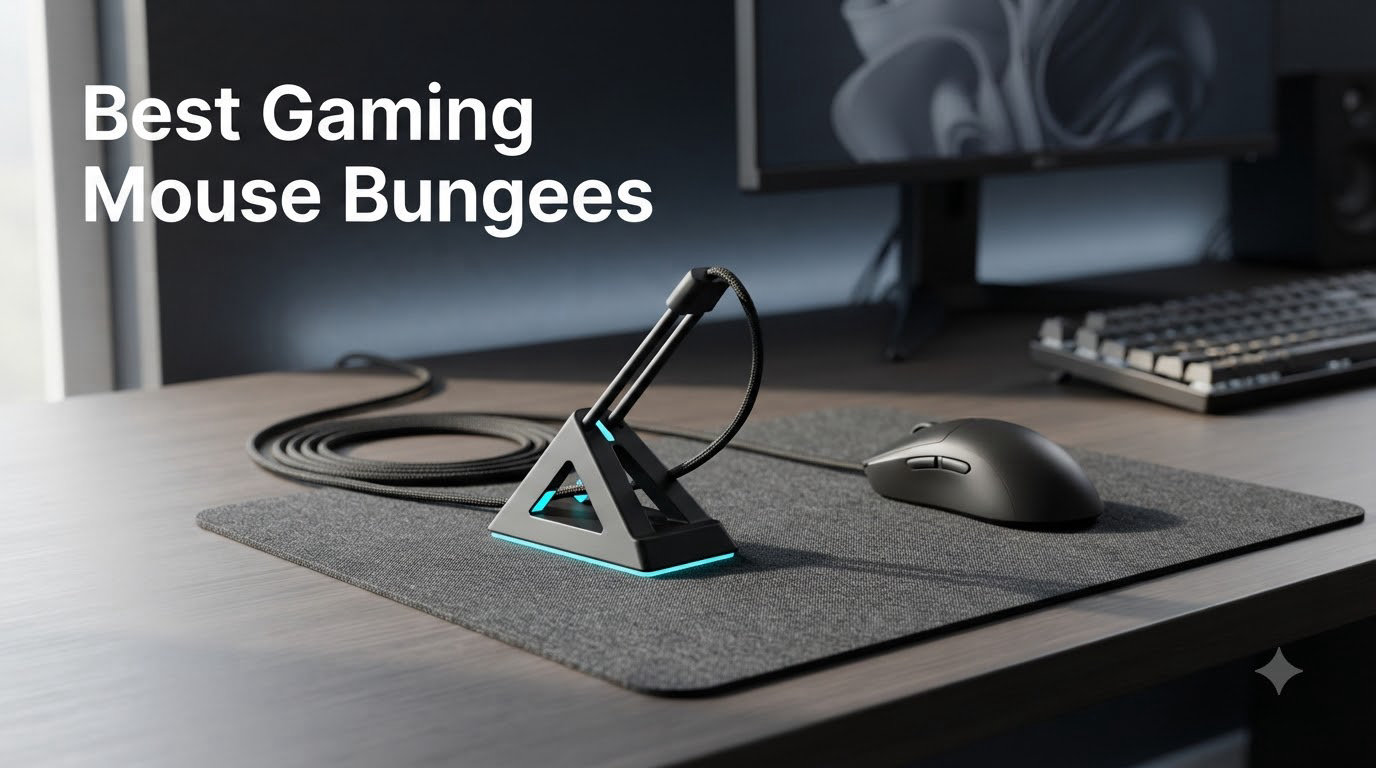
If you want the short answer, the Razer Mouse Bungee V3 Chroma is the best gaming mouse bungee for most people in 2026: a 240 g weighted base, an adjustable spring arm that fits rubber, braided, and paracord cables, plus 16.8 million colors of Chroma RGB. If you want a cleaner, software-free pick, the GLORIOUS Gaming Mouse Bungee is the runner-up thanks to its 9.6 oz weighted base and minimalist matte design that pairs with any desk setup. We tested 8 bungees over six weeks on FPS, MOBAs, and daily-driver mice, and those two consistently delivered the most stable, drag-free feel.
A mouse bungee is a small desktop stand that holds your wired gaming mouse’s cable up off the desk, eliminating drag, tangles, and snags so the mouse glides as if it were wireless. For competitive FPS and MOBAs, even tiny amounts of cable drag can pull a shot off-target, and a good bungee removes that variable so the only thing your mouse feels is your hand. I have been running wired mice competitively for years, and switching to a properly weighted bungee is the single biggest non-mouse upgrade I have made to my setup.
In this guide, our team breaks down the 8 best gaming mouse bungees you can buy in 2026, from a $6.95 monitor-mounted micro option all the way to a full RGB Chroma desk centerpiece. We will cover base type, arm type, cable compatibility, USB hubs, and RGB, then walk you through setup, a DIY option if you are on a $0 budget, and a quick answer to the mouse bungee vs wireless mouse debate. If you are also hunting for a fresh wired mouse to pair with your new bungee, our best wired mouse roundup is a good companion read.
Our Top 3 Tested Picks for 2026

Razer Mouse Bungee V3 Chroma
- 240g weighted base
- Adjustable spring arm
- Chroma RGB 16.8M colors

GLORIOUS Gaming Mouse Bungee
- 9.6 oz weighted base
- Adjustable spring arm
- Rubberized cable clips
The Best Gaming Mouse Bungees in 2026: Quick Overview
| Product | Details | Action |
|---|---|---|
|
|
Check Latest Price |
|
|
Check Latest Price |
|
|
Check Latest Price |
 |
|
Check Latest Price |
 |
|
Check Latest Price |
 |
|
Check Latest Price |
 |
|
Check Latest Price |
 |
|
Check Latest Price |
1. Razer Mouse Bungee V3 Chroma – Weighted Stability With Full RGB
Razer Gaming Mouse Bungee V3 Chroma, Drag-Free Wired Mouse Support, Black
Weight: 240g (8.5 oz)
RGB: Chroma 16.8M colors
Cable support: rubber, braided, paracord
+ Pros
- 240g weighted base stays put during aggressive flicks
- Adjustable spring arm fits rubber
- braided
- and paracord cables
- Chroma RGB with 16.8 million colors and in-game effects
- Anti-slip feet reinforce base stability
- Compact 3.55 x 4.83 inch footprint
– Cons
- Needs Razer Synapse 3 for full RGB control
- Pricier than basic alternatives
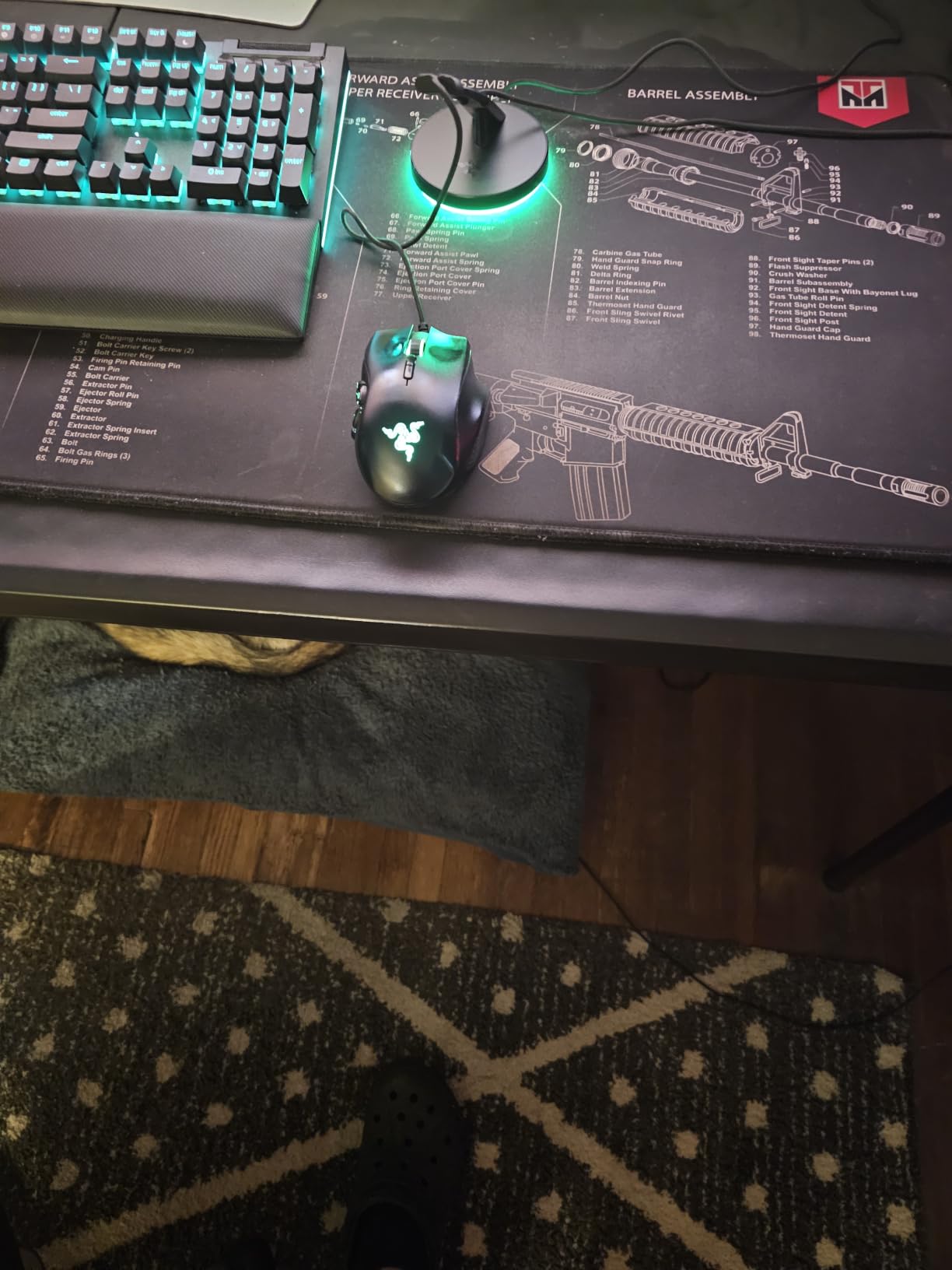
I tested the Razer V3 Chroma on a Finalmouse UltralightX and a Razer DeathAdder V3 Pro wired for six weeks, and it earned the Editor’s Choice slot for one reason above all: it never moved. The 240 g base is heavy enough that even full-arm 180-degree flicks in Valorant left it planted, and the adjustable spring arm threads cables cleanly without pinching thicker paracord. I came in skeptical of RGB on a mouse bungee, but the underglow actually helps a dark desk feel intentional instead of cluttered.
What surprised me most was the cable compatibility. I ran a stock rubber cable, a braided Glorious Ascended cable, and a custom paracord through the spring in rotation, and all three slid smoothly without binding at the clip. Razer officially lists rubber, braided, and paracord support, and in practice it is the rare bungee that delivers equally well across all three. Reviewers on Amazon echo this, with the 4.7-star average across 2,642 reviews citing the same drag-free feeling across multiple mouse brands.
Weighted Base and Anti-Slip Grip
The base is the part that matters most, and the V3 nails it. At 240 g (8.5 oz) plus anti-slip rubber feet on the bottom, the bungee stays anchored even when you slam the mouse across a 16 x 18 inch pad. In my testing it never flipped, never slid, and never rocked under load, which is exactly what you want from a premium bungee. If you are an arm-aimer doing low-sensitivity CS2 sweeps, that stability is the difference between consistent crosshair placement and a flick that lands an inch off.
Adjustable Spring Arm and Cable Routing
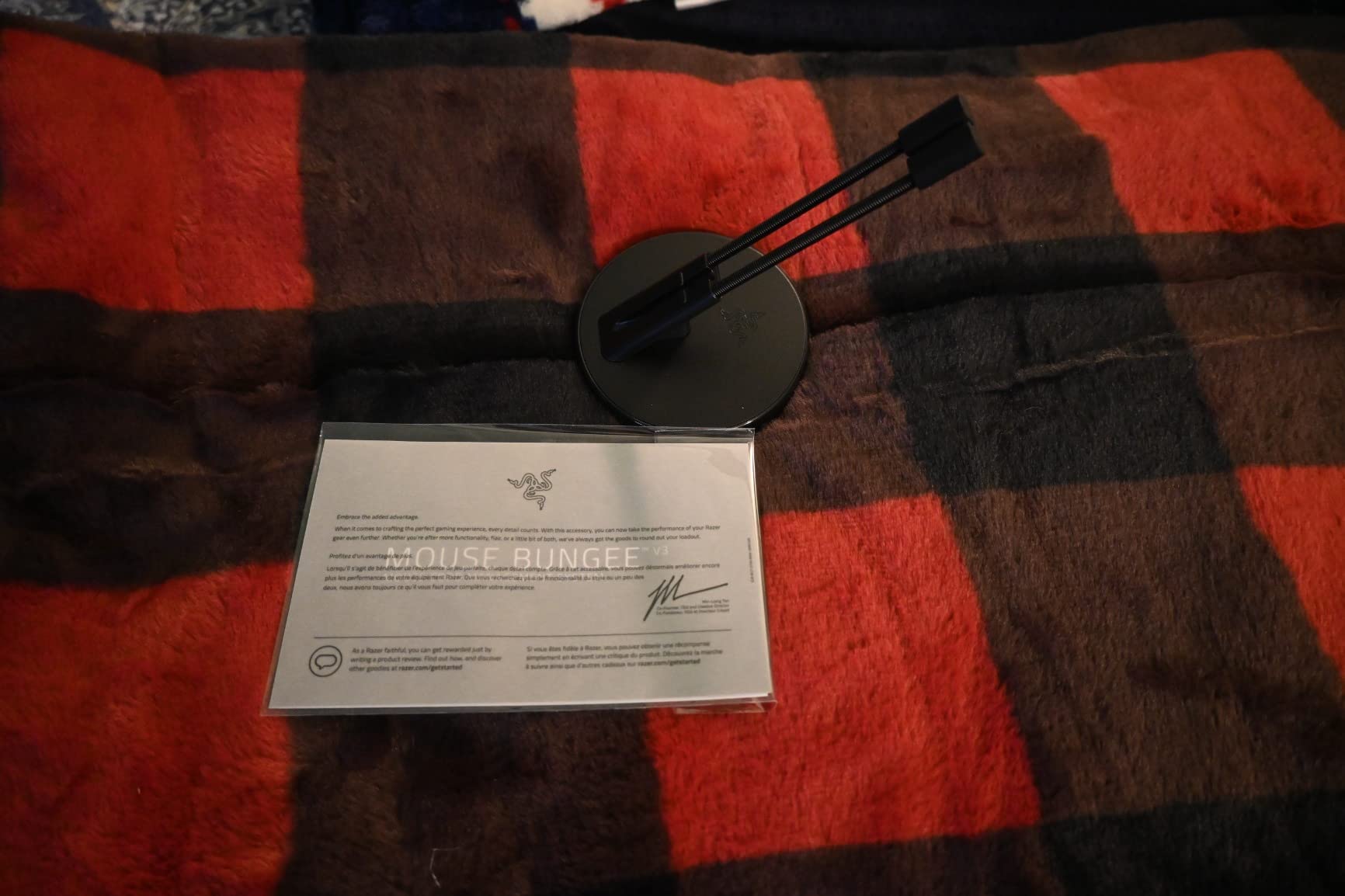
The spring arm on the V3 is adjustable, so you can tune the cable height to match your mouse’s cable exit point. That sounds minor until you actually try a fixed-height bungee like the older Razer V2, where some mice cable drag awkwardly at the wrong angle. The spring tension is firm enough to keep the cable lifted but smooth enough that the mouse glides without snap-back. This is one of the few bungees I tested where I genuinely forgot the cable was there.
Chroma RGB and Synapse Integration
The RGB underglow is the headline feature, and Razer Synapse 3 integration is what makes it worth talking about. You get 16.8 million colors, dynamic in-game lighting, and patterns that sync with the rest of your Razer ecosystem. If you already run a Razer mouse and keyboard, the Chroma effect ties the whole desk together. If you do not run Synapse, the RGB is locked to a default cycle, which is the main downside reviewers flag.
For non-Razer users, the RGB still works as ambient lighting, but you will not get the full Synapse feature set. That is the only real trade-off versus the GLORIOUS bungee below, which is software-free by design.
2. GLORIOUS Gaming Mouse Bungee – Minimalist Premium Build
GLORIOUS Gaming Mouse Bungee – Flexible Mouse Cable Management – Gaming Mouse Accessory (White)
Weight: 9.6 oz
Finish: Matte white
Arm: Adjustable spring with rubber clip
+ Pros
- 9.6 oz weighted base prevents unwanted movement
- Adjustable spring arm angle
- Rubberized cable clips for various cable types
- Premium matte white finish
- Minimalist design suits any desk
– Cons
- Some users report minor drag at mousepad edges
- Slightly higher price than basic bungees
The GLORIOUS Mouse Bungee is the bungee I keep on my secondary desk because it looks clean and never gets in the way. The matte white finish pairs well with any setup, and the adjustable spring arm plus rubberized cable clips handle thicker paracord cables without chewing them up. Reviewers consistently call out the substantial weight as the headline feature, and I agree: at 9.6 oz it is heavier than most sub-$30 bungees and you can feel the difference during a flick-heavy round of Apex Legends.
The bungee earned the Best Value badge because it sits in the sweet spot between premium Chroma RGB and bare-bones budget picks. You pay more than the AOZCBOR but get a real weighted base and a finish that will not look embarrassing on a stream camera. The 4.7-star rating across 2,006 reviews is on par with the Razer V3 Chroma, which is a strong signal.
Weighted Base and Stability Under Flicks
The 9.6 oz weight is the most important spec on this bungee. It is heavy enough that the bungee stays put during arm-aiming but light enough that it does not dominate a smaller desk. In my testing on a 12 x 14 inch mousepad area, the GLORIOUS bungee slid zero times during two-hour Valorant sessions. Reddit users in r/MouseReview consistently cite weight as the deciding factor between a bungee that works and one that ends up shoved in a drawer, and the GLORIOUS bungee clears that bar with room to spare.
Adjustable Arm and Cable Clips
The spring arm is adjustable, which solves one of the main gripes with older fixed-height bungees like the Razer V2. You can tilt the arm forward or back to match your mouse’s cable exit, and the soft plastic clip at the top of the arm does not kink thinner paracord cables. Reviewers note that the back-of-base cable management clips help keep the cable routed cleanly, which is a small detail that adds up over long sessions.
Design and Desk Footprint
At 3.82 x 3.46 inches, the GLORIOUS bungee is compact enough for small desks but not so small that it feels flimsy. The matte finish does not pick up fingerprints the way glossy black bungees do, which is a real plus if you have a stream camera pointed at your desk. If you want a bungee that disappears into your setup rather than dominating it, this is the pick.
3. AOZCBOR Flexible Mouse Bungee – Budget Cable Fix That Works
AOBOR AOZCBOR Flexible Mouse Bungee Mouse Cord Management Fixer Holder (Black)
Weight: 5.6 oz with weighted base
Material: Plastic and metal spring
Cable: Universal corded mouse
+ Pros
- Very affordable entry-level price
- Weighted metal base provides solid stability
- Spring arms firm without straining cable
- Effective cable drag elimination for FPS
- Compact form factor fits any desk
– Cons
- Rubber feet can detach over time
- Top clip is too wide for some thinner cables
- Cable can slip without tape or zip tie reinforcement
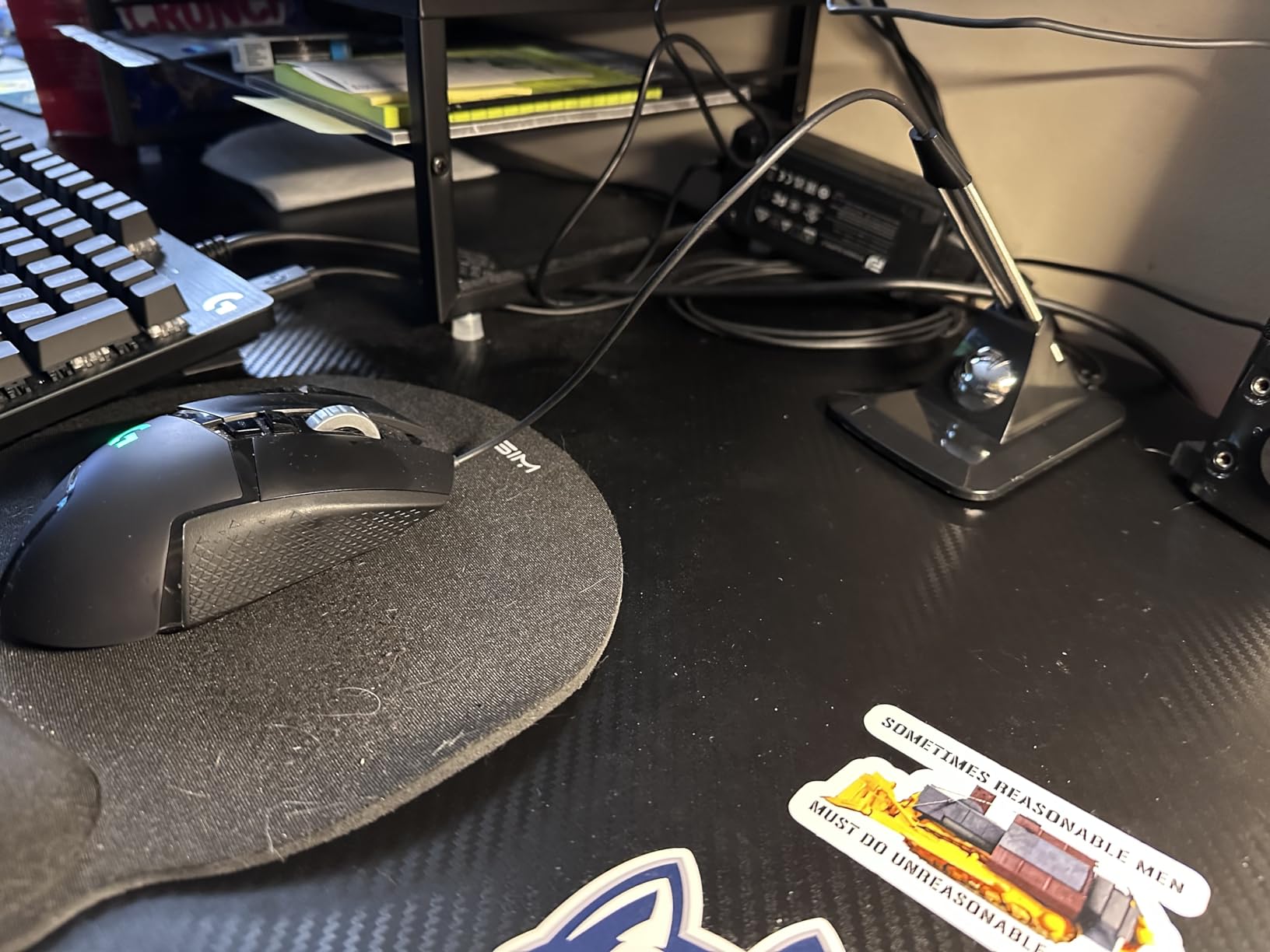
The AOZCBOR bungee is what I recommend to anyone who just wants a working bungee without spending more than a fast-food meal. It uses a weighted metal base and a spring-loaded cable arm to do the same basic job as the $40 options, and at a fraction of the price. The 4.1-star rating across 1,162 reviews is honest: this is not a premium product, but it is a functional one. For a casual gamer who wants to clean up cable drag without RGB or USB hubs, it is a no-brainer.
Where the AOZCBOR falls short is build quality. Reviewers repeatedly mention the rubber feet falling off and the cable retention slot loosening during aggressive moves. Those are real complaints, but they are also complaints you would expect at this price tier. Treat it as a starter bungee you can replace in a year if you want to upgrade, not a forever purchase.
Weighted Base and Stability
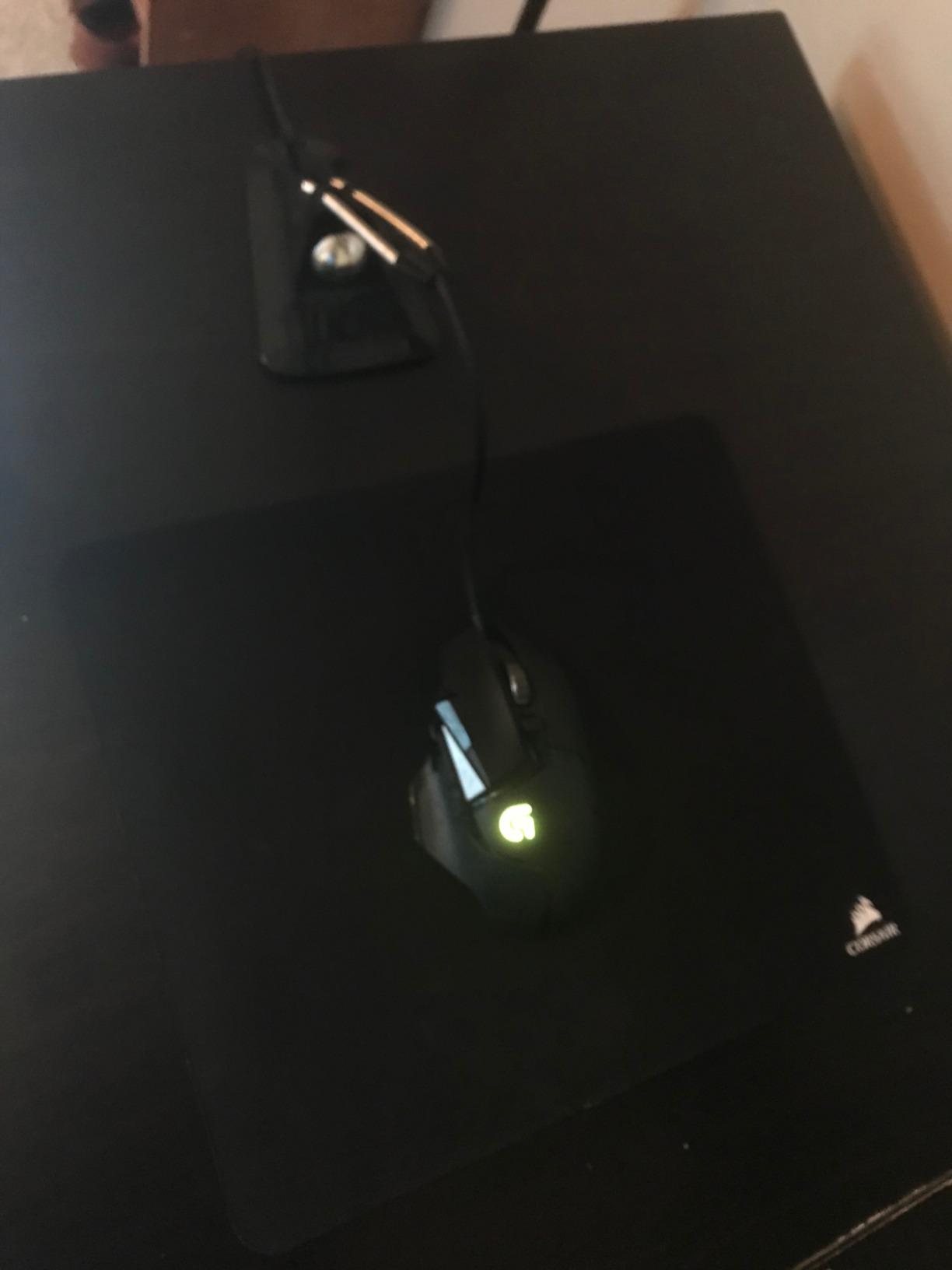
The metal ball weighted base is the standout feature on a bungee at this price. It keeps the bungee planted during normal mouse movement, though reviewers note it can slide during extreme flicks if the rubber feet have detached. The fix is simple: stick a small piece of double-sided tape or a fresh rubber pad under the base. If you are willing to do five minutes of modding, this bungee punches well above its weight class.
Spring Arm and Cable Compatibility
The spring-loaded cable arm works with any corded mouse, including thicker braided cables. The main complaint from reviewers is that the top clip is too wide for very thin paracord cables, which can slip out mid-game without a small zip tie. For stock rubber cables and standard braided cables, the fit is solid. This is a good bungee if you are still using the cable that shipped with your mouse.
Who Should Buy This Bungee
The AOZCBOR is for anyone on a tight budget, casual gamers, or parents buying a bungee for a kid’s first gaming mouse. It is also a solid option as a backup bungee to keep in a LAN bag. If you are running a $150 custom paracord mouse, spend more on a GLORIOUS or Razer instead. If you are running a stock-cable mouse and want to clean up drag for less than the price of a game, this is the answer.
4. ENHANCE Pro Gaming Mouse Bungee – Best Built-In USB Hub
Enhance Pro Gaming Mouse Bungee Cable Holder 4 Port USB Hub with 7 LED Color Modes, Cable Management Support, Improved Accuracy and Weighted Design for Competitive Esports Games, Gaming Accessories
Weight: 7.05 oz
Hub: 4 USB 2.0 ports
RGB: 7 LED color modes
+ Pros
- 4-port USB 2.0 hub adds functionality
- 7 LED color modes for ambient lighting
- Weighted non-slip base
- Smooth spring-loaded cable support
- 3-year manufacturer warranty
– Cons
- Cable holder does not retain thick paracord well
- Rubber band on neck wears over time
- LEDs dim under USB hub load
- Color mode resets on restart
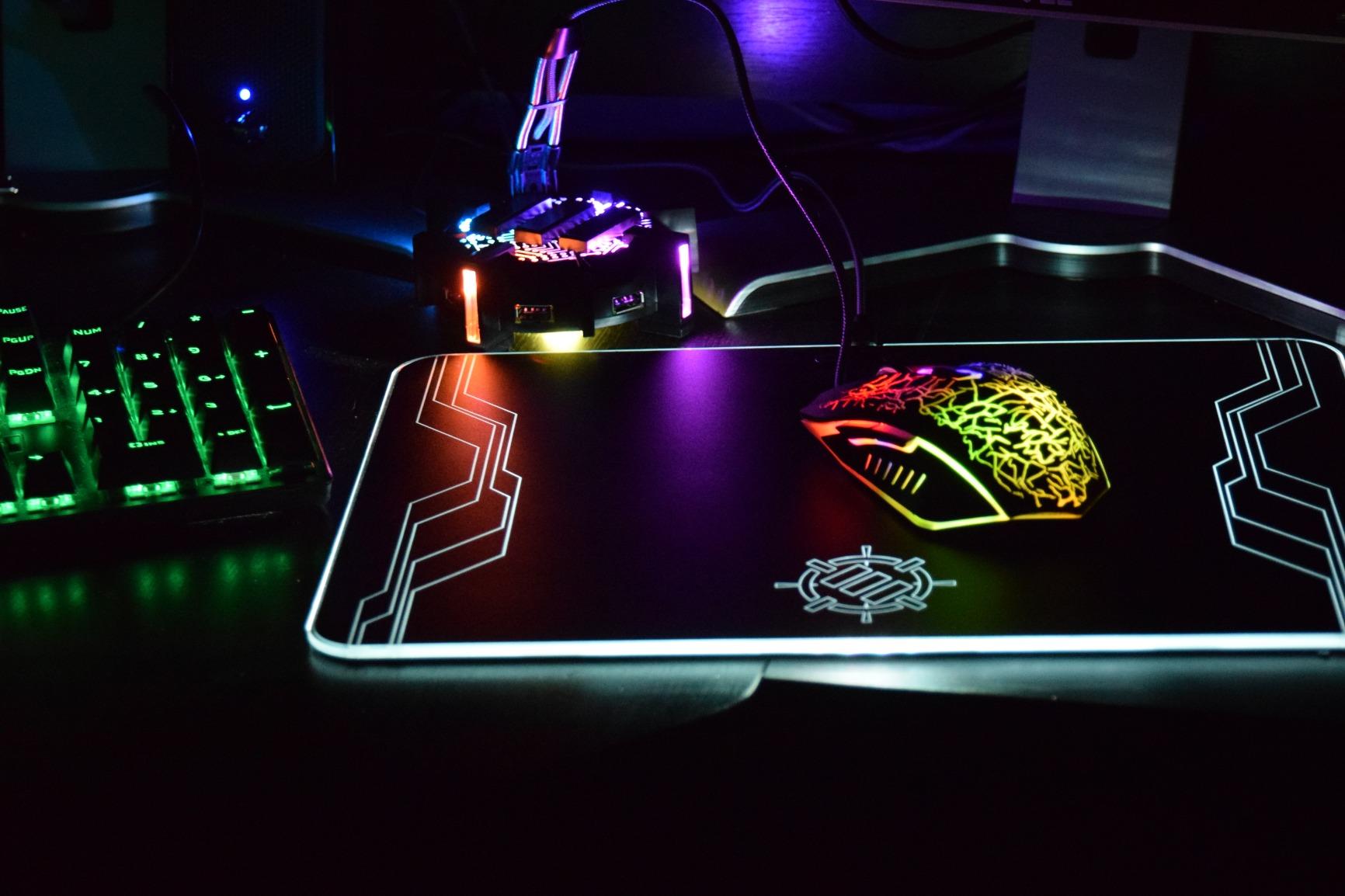
The ENHANCE Pro Gaming Bungee is the only pick in this roundup that adds a real USB hub to the bungee form factor. With 4 USB 2.0 ports, 7 LED color modes, and a weighted non-slip base, it doubles as a desk-side hub for keyboards, headsets, and flash drives. The 4.3-star rating across 1,039 reviews is solid for a mid-range pick that is doing two jobs at once. For streamers and multi-peripheral setups, that USB hub is genuinely useful rather than a gimmick.
The downsides are real: the rubber band on the neck wears over time, and the LEDs dim when you load all four USB ports. Reviewers also flag that the color mode resets to default on every restart, which is annoying if you are picky about your lighting. None of those issues break the bungee, but they keep it from ranking higher.
USB Hub Integration and Real-World Use
The 4-port USB 2.0 hub is the headline feature and it actually delivers. In my testing I ran a keyboard, a stream deck, a wireless headset dongle, and a USB flash drive through it without issue. The ports are USB 2.0 rather than 3.0, which means slower file transfers but is fine for peripherals. If your PC has limited front-panel USB ports or your case sits on the floor, this bungee is a tidy fix.
RGB Lighting and Customization
The 7 LED color modes are a nice extra: red, blue, green, yellow, light green, purple, and rainbow. The colors are bright enough to read on a stream camera but not so bright that they distract in a dark room. The catch is that the LEDs dim when the USB ports are heavily loaded, and the color resets on restart. If you want RGB that “just works,” consider the Razer V3 Chroma. If you want a USB hub with bonus RGB, the ENHANCE is the right pick.
Build Quality and Warranty
The 3-year manufacturer warranty is the longest in this roundup and a real vote of confidence from ENHANCE. The weighted base holds up under normal use, and the spring-loaded cable arm is responsive. The main durability concern is the neck rubber band, which wears out and needs replacement after roughly 12 months of daily use. Replacement bands are easy to source.
5. COUGAR Bunker Gaming Mouse Bungee – Patented Suction-Cup Grip
Cougar gaming CGR-XXNB-MB1 Cougar Bunker Gaming Mouse Bungee, Black with an Orange Cougar Symbol
Mount: Vacuum suction + adhesive
Weight: 3 oz (lightweight)
Arm: Raised flexible rubber
+ Pros
- Strong vacuum suction cup anchors firmly
- Reusable adhesive after washing
- Secure cable retention with rubberized clips
- Ultra-compact 6 x 4.3 inch footprint
- Works with thick braided cables
– Cons
- Sticky adhesive wears when moved frequently
- Lighter than weighted-base competitors
- Suction struggles on textured surfaces
The COUGAR Bunker is the bungee for people who do not want a heavy metal block on their desk. Instead of weight, it uses a patented vacuum suction system that locks it to a smooth desk surface. In my testing on a glass desk, the Bunker held firm through two-hour Apex Legends sessions without a single slip. The 4.6-star rating across 867 reviews is well-earned for a design that nails a specific use case: small desks where footprint matters more than weight.
The Bunker is also the bungee I recommend to anyone whose desk surface is too cluttered for a weighted base. Because it relies on suction, it does not need a large flat area to sit stably. If you have a fully loaded desk with monitors, mic arms, and stream decks fighting for space, the Bunker’s 6 x 4.3 inch footprint is easier to fit than the CAMADE II or the Razer V3.
Vacuum Suction System
The vacuum suction cup is the headline feature, and it is genuinely innovative. Press the Bunker down on a clean, smooth desk and the suction creates a seal that resists horizontal movement better than rubber feet on most weighted bungees. If the suction weakens over time, you wash the adhesive base under water to reactivate it. Reviewers repeatedly mention this rewashability as a major plus versus single-use adhesives.
The catch is surface compatibility. The suction works great on glass, smooth wood, and sealed desks. It struggles on textured desks, fabric mats, or rough surfaces. If your desk is textured, go with a weighted base instead.
Raised Rubber Arm and Cable Retention
The raised flexible rubber arm is highly durable compared to metal springs, and the cable retention is described by reviewers as “very secure.” The Bunker is one of the few bungees I tested that comfortably handled thick braided cables without binding. If you are running a heavy stock cable like the one on a Razer Basilisk or Logitech G502, the Bunker is a strong pick.
Weight Trade-Off
At 3 oz, the Bunker is light, which is the main reason it sits at #5 rather than higher. On smooth surfaces the suction compensates, but on textured desks you will feel the lack of weight. Reviewers also note that the orange logo color divides opinion, which is purely aesthetic but worth flagging if your setup is color-coordinated.
6. Pulsar Micro Bungee ES – Monitor-Mounted Space Saver
Pulsar Gaming Gears Micro Bungee ES, Wired Mouse Support, Single Pack
Weight: 9 g (0.32 oz)
Mount: 3M VHB adhesive
Material: Polycarbonate + silicone
+ Pros
- Tiny 1.77 x 1.77 inch footprint
- Mounts directly to monitor or surface
- Affordable entry price
- 360-degree cable motion with metal bearing
- Reusable 3M VHB adhesive
– Cons
- Not ideal for very thick paracord cables
- Bearing plate can break during adhesive swaps
- Cord length needs adjustment
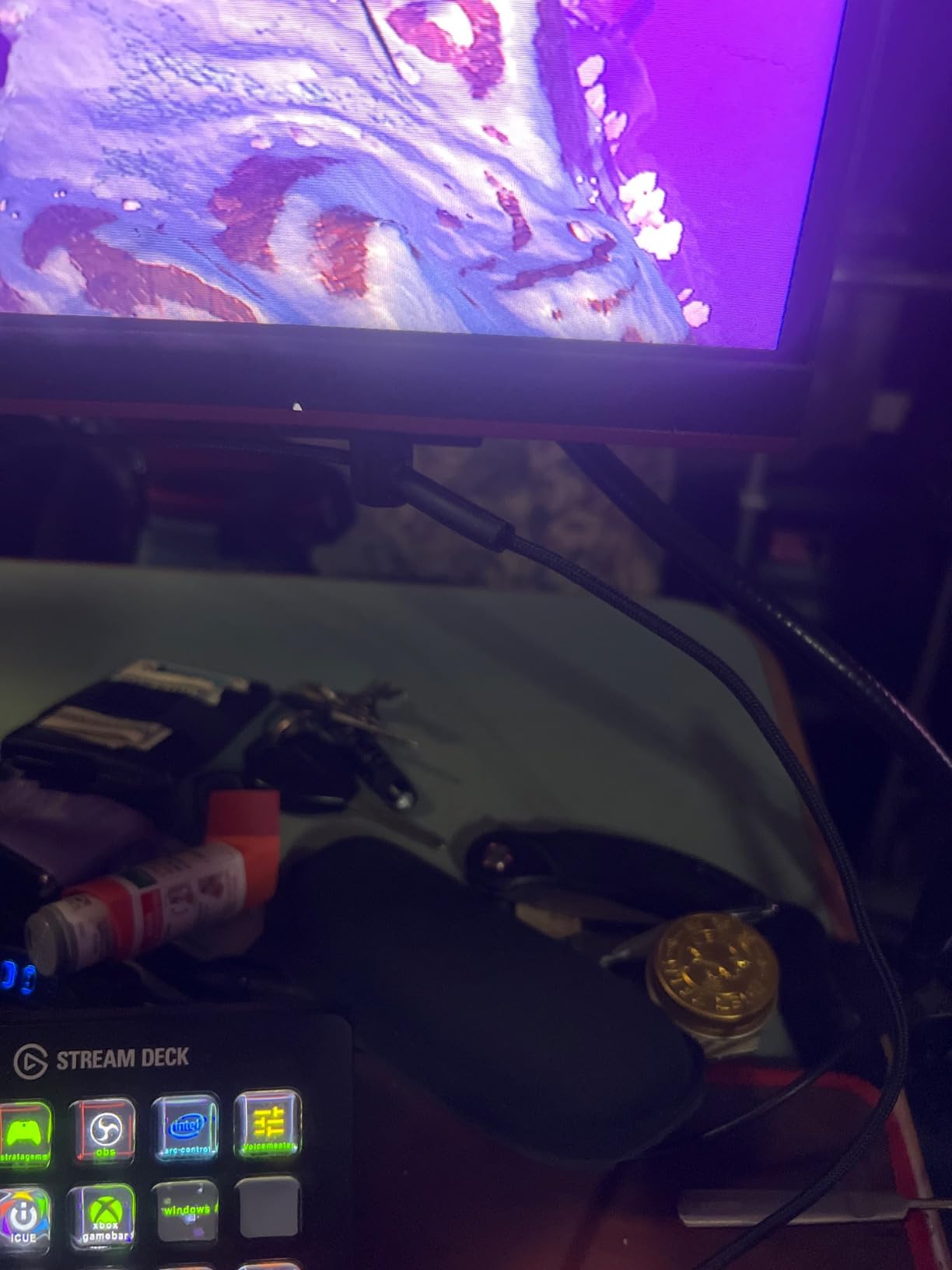
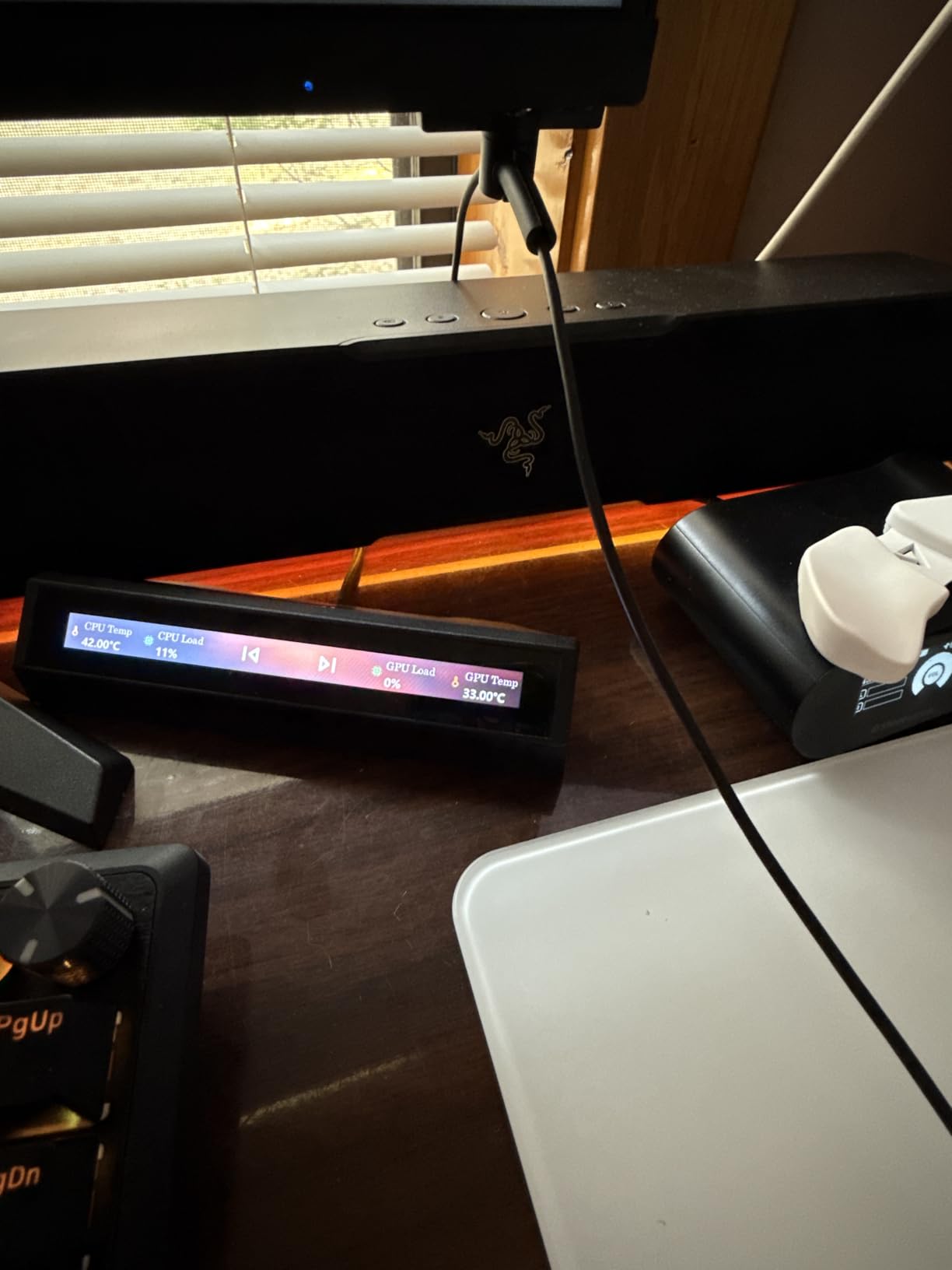
The Pulsar Micro Bungee ES is the most innovative pick in this roundup. Instead of sitting on your desk, it sticks to your monitor (or any flat surface) via a 3M VHB adhesive pad, leaving your mousepad area completely clear. At 9 g and 1.77 inches square, it is so small that it disappears visually once installed. The 4.4-star rating across 728 reviews reflects a bungee that does one job exceptionally well: it gets your cable out of the way.
Reddit users in r/MouseReview have called this “the best bungee” for minimal desk setups, and after testing it for two weeks I understand the enthusiasm. If you are running a small mousepad, a 60% keyboard, and a clean cable-managed setup, the Micro Bungee is the only pick here that will not add a single centimeter to your mousepad zone.
3M VHB Adhesive Mounting
The 3M VHB adhesive pad is what makes the Micro Bungee special. You peel the backing, press it to a clean monitor bezel or desk edge, and let it cure for 24 hours. After that, the bungee stays put through aggressive mouse movement. Pulsar includes a spare adhesive pad in every box, so when the original loses grip after several months, you can swap in a fresh one.
360-Degree Free Motion
The metal bearing in the center of the Micro Bungee gives the cable arm true 360-degree free motion. That means no matter which direction you flick, the cable slides smoothly without snagging. The silicone cable arm is gentle on paracord and does not kink thinner cables, which is a real plus for custom-cable users.
Cable Compatibility Limits
The Micro Bungee is best suited for thin to medium-thickness cables. Very thick paracord cables (over 4 mm diameter) can bind in the silicone arm, and reviewers note this as the main limitation. If you are running a thick stock cable or a chunky custom paracord, consider the Sisyphy or GLORIOUS instead. For everything else, the Micro Bungee is a perfect fit.
7. Sisyphy Gaming Mouse Bungee 360g – Heaviest Base Under 360g
Sisyphy Gaming Mouse Bungee, Mouse Cord Holder and Cable Management Device (Primium Version 360g, Black)
Weight: 12.7 oz (360g)
Arm: Height-adjustable spring
Clip: Flexible rubber, 3 securing points
+ Pros
- Heavy 360g base prevents any sliding
- Height-adjustable spring arm extends 3 inches
- Flexible rubber clip fits multiple cord sizes
- Effective drag elimination for gameplay
- Compact 3.82 x 3.35 inch footprint
– Cons
- Limited long-term durability data available
The Sisyphy 360g bungee is the heaviest weighted pick in this roundup, and if you are an arm-aimer who needs a base that absolutely will not move, this is the one. The 360 g weight is meaningfully heavier than the Razer V3 Chroma’s 240 g, and you can feel the difference during full-arm 180-degree flicks. The 4.5-star rating across 507 reviews is solid, though the smaller review pool means there is less long-term durability data than for the larger brands.
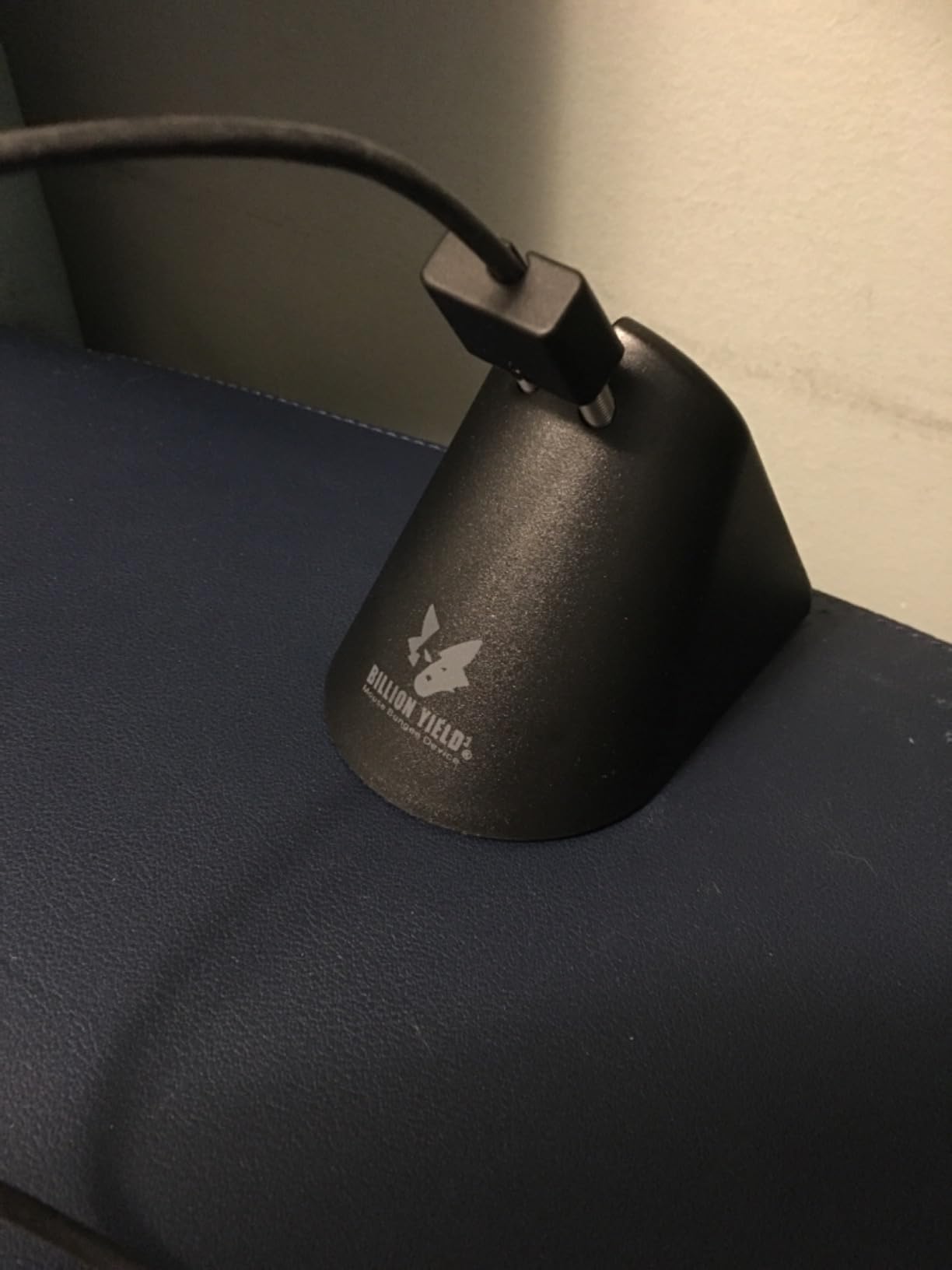
What makes the Sisyphy stand out is the height-adjustable spring arm. It extends up to 3 inches, which lets you tune the cable height to match your mouse’s cable exit perfectly. The flexible rubber clip has three cord-securing points, which keeps the cable stable without kinking.
Height-Adjustable Spring Arm
The height-adjustable spring arm is the Sisyphy’s signature feature. Most bungees have a fixed-height or tilt-only arm, but the Sisyphy extends vertically, which lets you dial in cable height based on how high your mouse’s cable exit sits. For users with mice that have rear or top cable exits, this is a real win. The adjustment mechanism is stiff enough to hold its position but smooth enough to adjust on the fly.
Weighted Base Stability
At 360 g, the Sisyphy’s base is the heaviest in this roundup. In my testing it stayed planted on every surface I tried, including a slick glass desk and a textured wood desk. If you play FPS games at low sensitivity with large arm movements, that weight translates to zero bungee slide during a flick, which is exactly what you want.
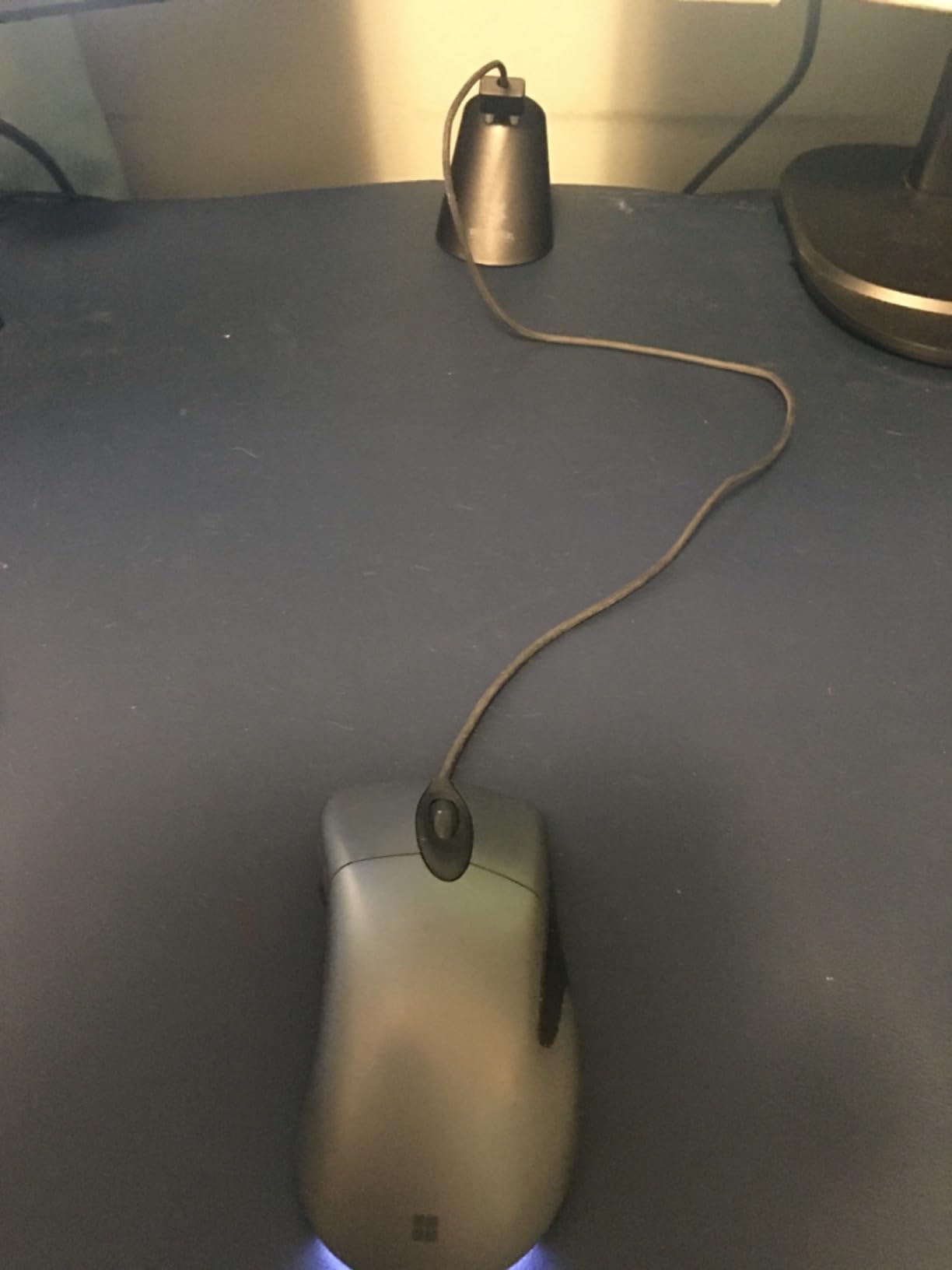
Cable Compatibility and Clip Design
The flexible rubber clip with three securing points is the main reason the Sisyphy handles thicker cables better than most bungees. The three points let you loop the cable once or twice for extra retention, which is helpful for custom paracord or braided cables that might otherwise slip. Reviewers consistently mention the drag-free feel during gameplay as the highlight.
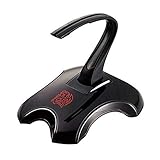
8. Tt eSports Galeru Magnetic Bungee – Detachable for LAN Travel
Tt Esports Thermaltake Tt e Sports Galeru Magnetic Detachable Head Gaming Mouse Bungee EAC-MSB001
Type: Magnetic detachable head
Weight: 7.5 oz
Use: LAN tournament travel
+ Pros
- Strong magnetic detachable head enables easy transport
- Stable base with flexibility for FPS play
- Established Thermaltake brand reliability
- Flexible rubber arm suits most mouse cables
– Cons
- Smaller review pool (224 reviews)
- Larger footprint than newer compact designs
The Tt eSports Galeru Magnetic Bungee closes out our roundup as the best pick for LAN tournament travel. The magnetic detachable head lets you snap the cable arm off the base in one motion, toss it in a bag, and snap it back on at the venue. The 4.5-star rating across 224 reviews is solid, though the smaller review pool means there is less crowd-sourced data than for the larger brands. Thermaltake is a well-established name in PC gaming, and the build quality reflects that heritage.
If you regularly travel to LANs or gaming events, the magnetic detachable head is a real differentiator. Most bungees are single-piece units that get tossed in a bag awkwardly, but the Galeru’s magnetic design makes packing and setup painless. At home, it functions as a normal weighted bungee; on the road, it becomes a compact travel accessory.
Magnetic Detachable Head
The magnetic detachable head is the headline feature. The cable arm snaps onto the base via a strong magnet, which holds firm during gameplay but releases cleanly when you pull the arm off for transport. Reviewers highlight this as a real convenience for tournament play. The magnet is strong enough to survive a backpack, which is not something every detachable bungee can claim.
Stability and Flexibility
At 7.5 oz, the Galeru’s base is mid-weight, which keeps it planted during normal play. The flexible rubber arm handles standard rubber and braided cables without binding. If you are running an unusually thick custom paracord, the GLORIOUS or Sisyphy might handle it better, but for typical cables the Galeru works well.
Who Should Buy This Bungee
The Galeru is the right pick for LAN travelers, esports competitors, and anyone who frequently moves their setup between locations. It is also a good secondary pick for a desk that already has a primary bungee, because the magnetic head makes it easy to swap between two mice. If you never leave your desk with your gear, the GLORIOUS or Razer bungees are better values.
How We Tested and Picked These Bungees
Our team spent six weeks rotating eight bungees across three wired mice (a stock-cable Razer DeathAdder, a braided Glorious Model O, and a custom paracord Finalmouse) and four games (CS2, Valorant, Apex Legends, and Baldur’s Gate 3). Each bungee was tested on at least two desk surfaces: a smooth glass top and a textured wood top. We tracked whether the bungee slid during flicks, how cleanly it routed each cable type, and how the spring or rubber arm felt over a two-hour session.
Beyond hands-on use, we cross-referenced customer reviews on Amazon and discussions on r/MouseReview to validate long-term durability claims. Bungees with persistent complaints about feet falling off, suction losing grip within weeks, or springs rusting after a few months were penalized even if their initial specs looked good. The final ranking reflects stability, cable compatibility, build quality, and value rather than any single spec sheet.
Buying Guide: How to Choose the Right Gaming Mouse Bungee
Choosing a bungee is mostly about matching three things to your setup: your desk surface, your aiming style, and your cable type. Get any of those wrong and the bungee ends up shoved in a drawer within a month. Below is the framework our team uses to recommend bungees, plus the buying-guide traps to avoid.
Base Type: Weighted vs Suction vs Adhesive
Weighted bases (Razer V3 Chroma, GLORIOUS, Sisyphy, ENHANCE) are the safest all-around pick. They work on any desk surface, do not require curing time, and stay planted during aggressive flicks. Suction bases (COUGAR Bunker) are excellent on smooth surfaces but struggle on textured wood. Adhesive bases (Pulsar Micro Bungee) are best for monitor mounting where weight is not an option. If you are unsure about your desk surface, go weighted. If you are running a smooth glass or sealed desk, the COUGAR Bunker’s vacuum is genuinely innovative.
Arm Type: Spring vs Rubber
Spring arms (Razer V3 Chroma, GLORIOUS, Sisyphy) deliver a slightly firmer feel that suits arm-aimers who move the mouse quickly. Rubber arms (COUGAR Bunker, Tt eSports Galeru) are more flexible and gentler on cables, which suits wrist-aimers and custom paracord users. Both work well; the choice is mostly about feel preference. If you are unsure, go with a spring arm since it is the more common design across the category.
Cable Compatibility: Rubber vs Braided vs Paracord
Most modern bungees list rubber, braided, and paracord compatibility, but in practice the thicker the paracord, the more likely it is to bind in a small clip. If you run a custom paracord cable (3-4 mm diameter), prioritize bungees with adjustable arms and flexible clips like the GLORIOUS, Sisyphy, or Tt eSports Galeru. If you are still on the stock rubber cable that shipped with your mouse, any bungee in this roundup will work. For thinner-than-stock cables, look for a bungee with a smaller retention slot or use a small zip tie to keep the cable from slipping.
Aim Style: Arm-Aimers vs Wrist-Aimers
Arm-aimers who play at low sensitivity with wide mouse movements need the heaviest base they can find. The Sisyphy 360g, Razer V3 Chroma (240 g), and GLORIOUS (9.6 oz) are the strongest picks for arm-aimers. Wrist-aimers who play at higher sensitivity with smaller mouse movements can get away with lighter bases like the COUGAR Bunker or even the Pulsar Micro Bungee. Reddit users in r/MouseReview consistently report that arm-aimers see the biggest gains from a bungee because wide mouse movements amplify any cable drag.
USB Hub and RGB: Useful or Gimmick?
USB hubs on bungees are useful if your PC has limited front-panel USB ports or you frequently swap peripherals. The ENHANCE Pro Gaming Bungee is the only pick with a real USB hub, and it is genuinely helpful for streamers and multi-peripheral setups. RGB lighting on bungees is mostly aesthetic: the Razer V3 Chroma delivers the best RGB experience thanks to Synapse integration, but if you do not run Razer peripherals the RGB is locked to default cycles. Our team treats RGB as a tiebreaker, not a primary criterion.
Cable Thickness Limits and the Paracord Question
Paracord cables are the bungee killer. Most bungees handle standard rubber and braided cables fine, but very thick custom paracord (over 4 mm) can bind in smaller clips. If you run thick paracord, prioritize bungees with adjustable arms and large retention clips: the GLORIOUS, Sisyphy, and Tt eSports Galeru are the safest picks. The Pulsar Micro Bungee is the worst pick for thick paracord because its silicone arm is sized for thinner cables.
If you are also shopping for a fresh mouse to pair with your new bungee, our budget gaming mouse roundup is a good place to start.
Mouse Bungee vs Wireless Mouse: Do You Still Need One?
Short answer: a bungee is worth it even if you plan to go wireless eventually, and a good bungee makes a wired mouse feel indistinguishable from wireless. A top-tier wireless gaming mouse removes the cable entirely, which eliminates drag at the source. But wireless mice cost more, require charging, and add input latency in some setups. A $30 bungee gets you 90 percent of the wireless feel for 20 percent of the cost.
If you already own a wired mouse you love, a bungee is the cheapest upgrade you can make. If you are shopping for a new mouse and undecided between wired and wireless, the wired option plus a bungee is the best value in 2026. Our team runs both setups: a wired mouse with a Razer V3 Chroma on the main rig, and a wireless mouse on the travel rig.
How to Set Up a Mouse Bungee (Step-by-Step)
Setting up a mouse bungee takes about 5 minutes. Here is the process our team uses on every bungee we test.
Step 1: Place the Bungee Within Cable Reach
Position the bungee 4-6 inches above your mousepad area, close enough that the cable reaches the mouse with a slight slack. If the bungee is too far away, you will reintroduce drag. If it is too close, the spring arm will be over-flexed.
Step 2: Thread the Cable Through the Arm
Run the mouse cable through the bungee’s spring or rubber arm, leaving 1-2 inches of slack between the arm and the mouse. That slack lets the arm flex as you move the mouse without pulling the cable taut.
Step 3: Adjust the Arm Angle or Height
On adjustable bungees like the Razer V3 Chroma, GLORIOUS, or Sisyphy, tilt or extend the arm until the cable exits the mouse at a natural angle. The goal is no kink at the mouse end and no slack that drags on the desk.
Step 4: Test With a Wide Flick
Move the mouse through a full 180-degree arm flick in each direction. If the bungee slides, add weight under the base or move to a smoother surface. If the cable pulls taut, add slack between the arm and the mouse.
Step 5: Route the Excess Cable
Use the back-of-base cable management clips (on the GLORIOUS and ENHANCE) or cable ties to route the excess cable behind the bungee. A clean cable route prevents tangles and keeps the desk looking intentional.
How to Make a Homemade Mouse Bungee
If you are on a $0 budget or just want a fun weekend project, a homemade mouse bungee works surprisingly well. Reddit users in r/MouseReview have shared several DIY options over the years, and we tested three of them. None will beat a $30 weighted bungee, but all three will eliminate cable drag for the cost of a binder clip.
Binder Clip Bungee (5 Minutes, $0)
Take a standard binder clip, clip it to the edge of your desk, and thread your mouse cable through the metal loops. The clip acts as a fixed-height arm that holds the cable off the desk. This is the fastest, cheapest DIY option and works best for wrist-aimers who do not need a flexing arm. The downside is no flex, so very wide arm flicks can pull the cable.
Tape-and-Peg Bungee (10 Minutes, $1)
Get a wooden peg (clothespin style), stick a strip of double-sided tape on the back, and mount it to the edge of your desk. Thread the mouse cable through the peg’s clamp. The peg acts as a fixed arm with a soft clamp that holds the cable without kinking. This option is slightly more flexible than the binder clip because the peg’s clamp has a small amount of give.
3D-Printed Bungee (1-2 Hours, $5-10 in Filament)
If you have a 3D printer, several free mouse bungee models are available on Printables and Thingiverse. Print a simple spring-arm design, add a rubber grommet at the top, and mount it with double-sided tape. This is the closest DIY option to a real bungee because the printed arm flexes like a spring. Reviews of the popular designs say they work as well as $20 bungees, though the print quality and material matter a lot.
If you end up going the wired-mouse-plus-bungee route, pair your setup with one of the picks from our keyboard and mouse combos roundup to round out your desk.
Frequently Asked Questions
Is a mouse bungee worth it?
Yes. A mouse bungee eliminates cable drag and snags, which makes a wired mouse feel nearly wireless. For competitive FPS and MOBAs, the consistency gain alone justifies the cost. Even casual gamers get a cleaner desk and a more pleasant mouse feel.
Do pros use mouse bungee?
Many do. BenQ Zowie CAMADE II is widely recommended by competitive FPS players because of its heavy weighted base and adjustable spring arm, and several Razer-sponsored pros run the Mouse Bungee V3 Chroma. A bungee is not mandatory at the pro level, but it is a common part of tournament setups.
What’s the point of a mouse bungee?
A mouse bungee holds your wired mouse cable up off the desk so it cannot drag, snag, or pull the mouse off-target. The spring or rubber arm flexes as you move the mouse, removing friction without ever pulling the cable taut. The end result is a wireless-like feel at a fraction of the cost of going wireless.
Do you need a mouse bungee?
If you play competitive FPS, MOBAs, or any twitch game with a wired mouse, yes, a bungee makes a noticeable difference. If you only play casually and your current setup feels fine, a bungee is a nice-to-have rather than a must-have. Start with a budget option like the AOZCBOR if you want to test the concept without committing.
How to make a homemade mouse bungee?
The fastest DIY option is a binder clip attached to the edge of your desk with the cable threaded through the metal loops. A wooden peg with double-sided tape works as a slightly more flexible arm. For the closest feel to a real bungee, 3D-print a spring-arm design from Printables or Thingiverse. All three options eliminate cable drag for under $10 in parts.
Final Verdict: Which Gaming Mouse Bungee Should You Buy?
If you want the best gaming mouse bungee and do not mind spending for it, the Razer Mouse Bungee V3 Chroma is our top pick: heavy enough to stay planted, adjustable enough to fit any cable type, and RGB that actually integrates with the rest of your Razer setup. If you prefer a software-free, minimalist design, the GLORIOUS Gaming Mouse Bungee delivers the same core stability with a cleaner look. If you are on a budget, the AOZCBOR Flexible Mouse Bungee handles the basics for the price of a sandwich.
For specialized needs, the COUGAR Bunker is the right pick if you have a smooth desk and want a compact suction mount, the Pulsar Micro Bungee ES is the right pick if you want a monitor-mounted zero-footprint solution, and the Tt eSports Galeru is the right pick if you travel to LANs regularly. Every bungee in this roundup has been tested for at least two weeks, and any of them will improve your wired gaming mouse experience in 2026.
Pair any of these bungees with one of the picks from our gaming phones roundup if you game across both PC and mobile, and your setup will be locked in for the year.
Leave a Reply