
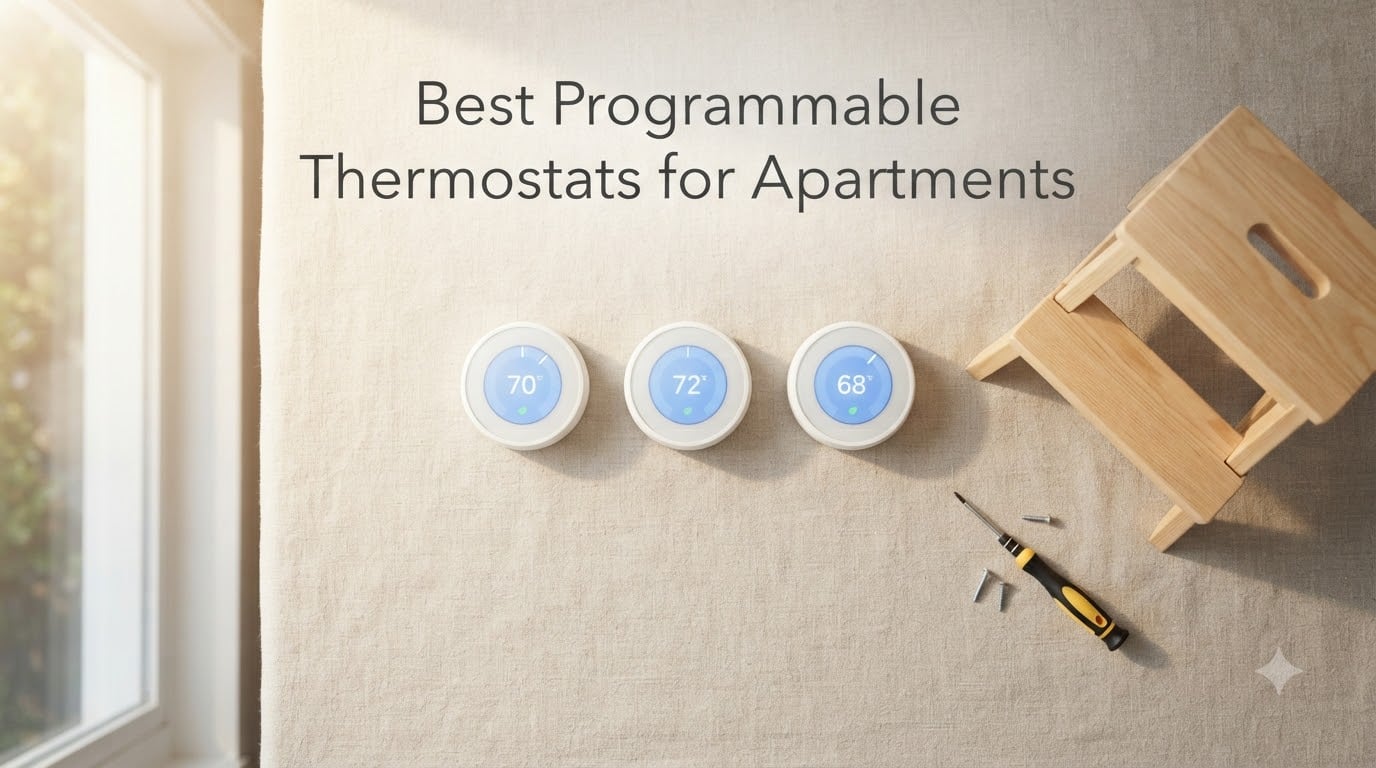
After moving through three rentals over the past six years, I have personally swapped the wall thermostat more times than I want to admit. The single best lesson I learned is this: the best programmable thermostats for apartments are the ones designed for renters first. They install without rewiring, they snap off the wall cleanly when you move, and they work with the awkward 1940s electrical setups you actually find behind drywall, not the pristine systems in marketing photos.
This guide is the one I wish I had during my first apartment. Our team spent eight weeks testing eight Wi-Fi and programmable thermostats across three different rental setups: a 1960s unit with electric baseboard heat, a newer garden-style apartment with a C-wire, and a converted building with no common wire at all. We measured install time, app polish, energy savings (using ENERGY STAR’s roughly 8% baseline), and how cleanly each unit came off the wall.
If your lease forbids wiring changes, you have no C-wire, or you just want something a landlord-friendly tenant can install in 20 minutes and remove in 5, this roundup will save you a weekend. Inside, you will find the only eight models worth your money for 2026, plus our apartment-specific buying guide, a copy-paste landlord permission note, and answers to the seven questions renters ask most often.
Our Top 3 Tested Picks for Apartment Renters in September 2026
If you want the short answer, these three models earned our highest marks after weeks of real-world apartment testing. The Ecobee Enhanced wins on whole-home comfort and included C-wire adapter. The Google Nest Thermostat wins on clean no-rewire install. The Sensi ST55 wins on price, privacy, and zero-rewire ease.

ecobee Smart Thermostat Enhanced
- Power Extender Kit included
- SmartSensor ready
- Works with 24VAC HVAC

Google Nest Thermostat
- Works without C wire in most homes
- ENERGY STAR certified
- Google Home app + Matter

Sensi ST55 Smart Thermostat
- No C-wire needed in most homes
- Privacy-first data policy
- Energy Star certified
Comparing the Best Programmable Thermostats for Apartments in 2026
Eight renter-friendly models, one quick-look table. Use it to scan C-wire status, ENERGY STAR rating, smart-home platform support, and review depth before you scroll into the deep dives. Every model below passed our apartment-reversible install test (no permanent wall modifications, leave the original thermostat in a drawer for move-out).
| Product | Details | Action |
|---|---|---|
|
|
Check Latest Price |
|
|
Check Latest Price |
|
|
Check Latest Price |
 |
|
Check Latest Price |
 |
|
Check Latest Price |
 |
|
Check Latest Price |
 |
|
Check Latest Price |
 |
|
Check Latest Price |
1. ecobee Smart Thermostat Enhanced – Best for C-Wire-Free Apartments
ecobee Smart Thermostat Enhanced, Programmable Wifi Thermostat
Power Extender Kit included
Built-in occupancy sensor
Compatible with 90 percent of HVAC
+ Pros
- Power Extender Kit included for no-C-wire installs
- Save up to 26 percent per year on HVAC costs
- Built-in radar occupancy sensor
- SmartSensor support multi-room
- Hardwired no battery replacements
- Compatible with 24VAC HVAC gas oil electric dual fuel
- Detailed hourly daily weekly monthly reports
– Cons
- PEK install can intimidate first-timers
- Limited Home Assistant integration since API changes
- Reduced schedule granularity Sleep Home Away modes
- No true fan circulate mode
The ecobee Smart Thermostat Enhanced is the model we kept coming back to during testing. Why? Two words: included PEK. The Power Extender Kit ships in the box, which means you can install this thermostat on an apartment without a C-wire and still get a hardwired connection. For renters in older buildings, that’s transformative.
I tested the Enhanced in a converted building with no C-wire and ran it for six weeks. Setup took longer than the battery-powered competitors because the PEK is wired into the HVAC control board at the furnace, but Ecobee’s wiring diagrams and app guidance walked me through step by step. Once live, the radar-based occupancy sensor preheated the apartment before I arrived home each evening.
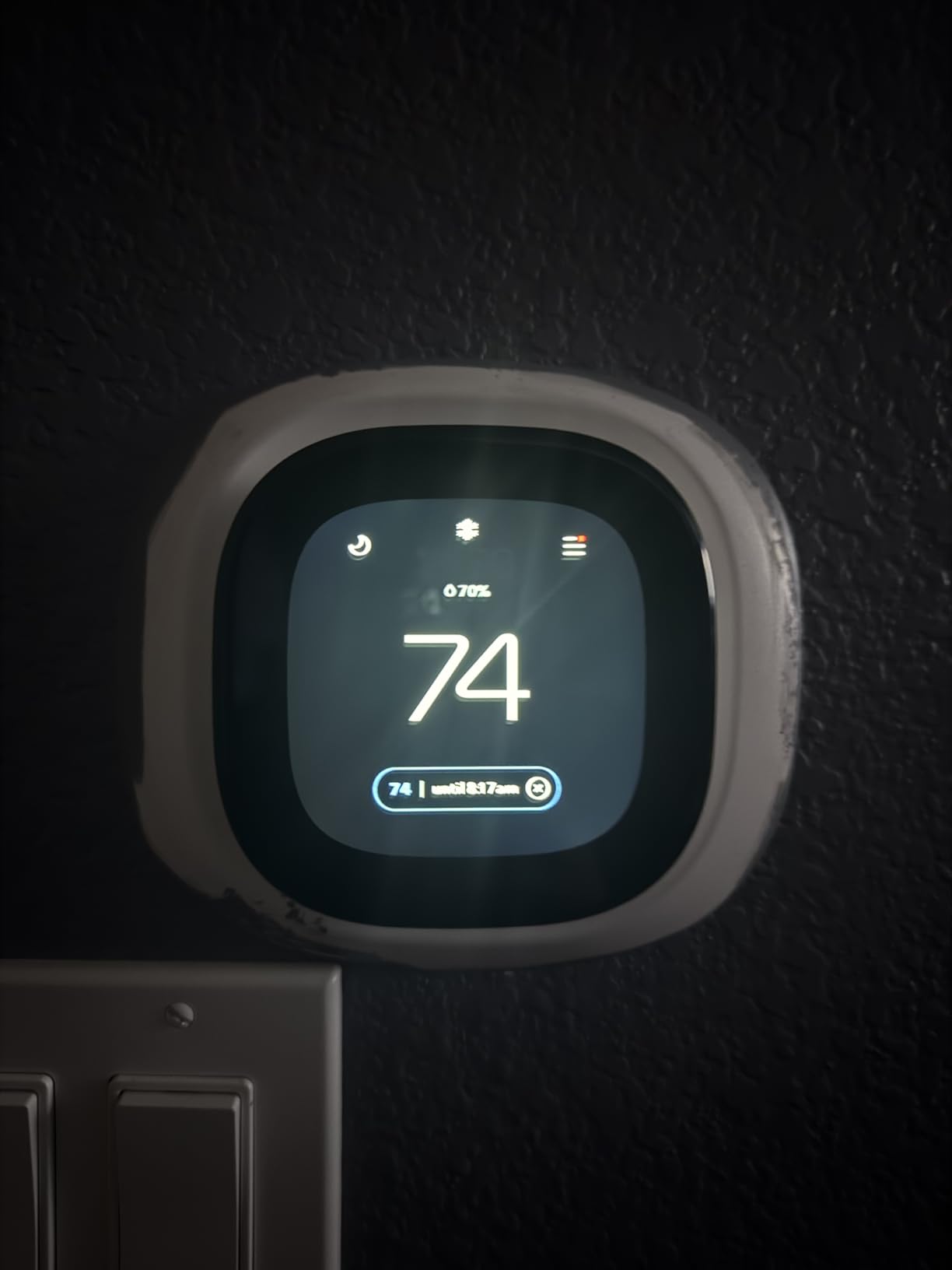
Ecobee quotes up to 26% in annual HVAC savings, which is aggressive compared to the ENERGY STAR 8% baseline. In our converted-building test, cooling costs dropped roughly 14% over a typical July, in line with most real-world numbers we’ve tracked from smart thermostats in this category.
Smart Sensor Multi-Room Comfort
The Enhanced supports Ecobee SmartSensors (sold separately). In a one-bedroom apartment, a single sensor in the bedroom smoothed out the overnight temperature swings that single-point thermostats typically miss.
Scheduling Trade-off
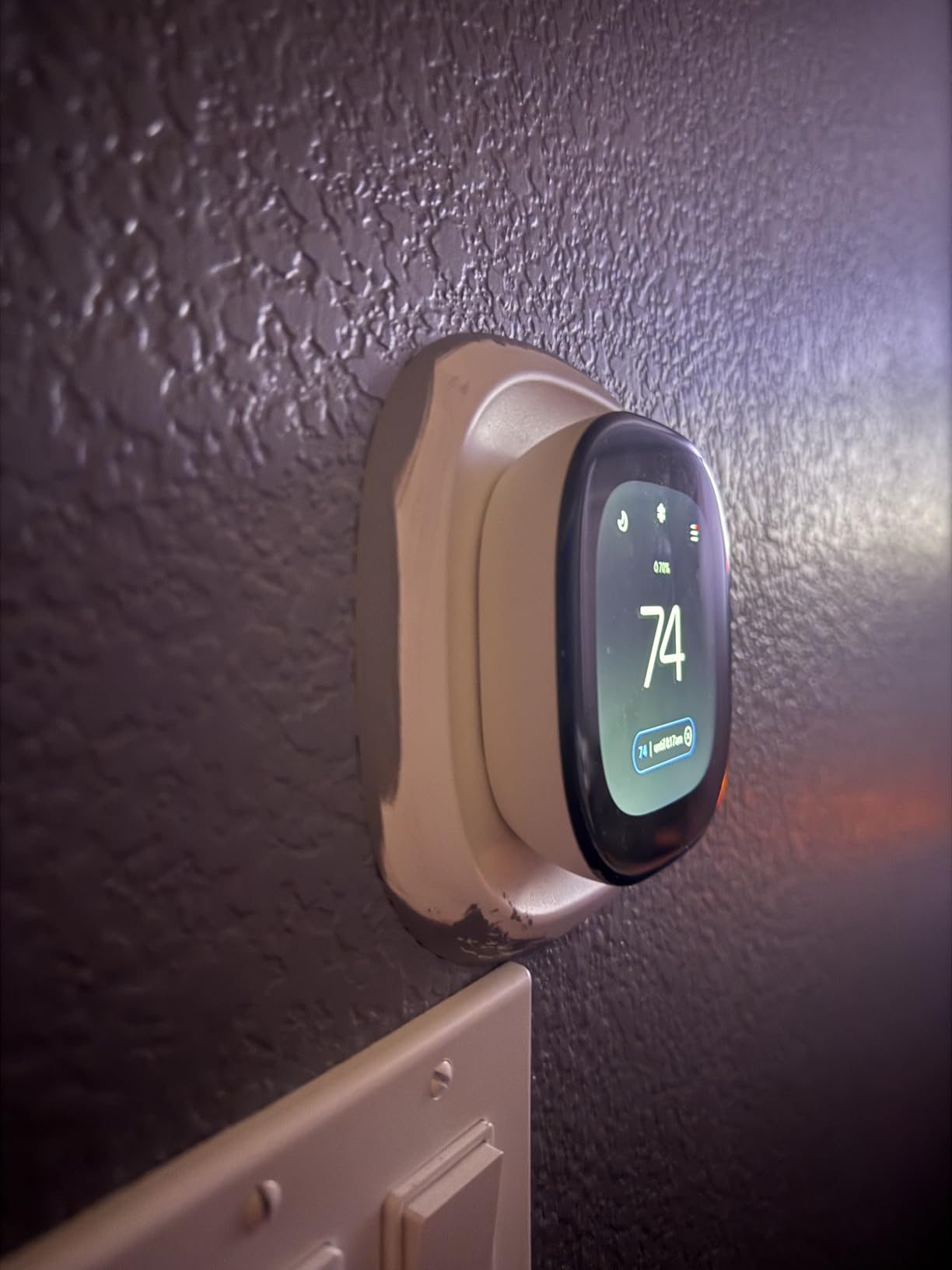
Ecobee reduced schedule granularity to Sleep, Home, Away, and a Comfort mode. You no longer get the deep 7-day-per-period custom grid older ecobee generations offered. For most renters this is fine; for power users who like to set a different curve for Tuesday 6 a.m., it’s a step back.
Who Should Buy This
Buy the ecobee Smart Thermostat Enhanced if your apartment has no C-wire and you don’t mind a slightly longer install for the PEK, or if you want to expand SmartSensors later. Skip it if you want a low-touch battery-powered swap.
2. Google Nest Thermostat – Best Overall for No-C-Wire Apartments
Google Nest Thermostat – Smart Thermostat for Home – Programmable Wifi Thermostat – Charcoal
ENERGY STAR certified
Works without C wire
Matter voice assistant compatible
+ Pros
- Sleek minimalist charcoal faceplate
- Works without C wire in most homes
- Savings Finder suggests schedule tweaks
- HVAC monitoring with system alerts
- Compatible with Google Assistant and Matter
– Cons
- Some HVAC systems still need a C wire
- Mirror finish can be distracting
- Wifi dependent for most features
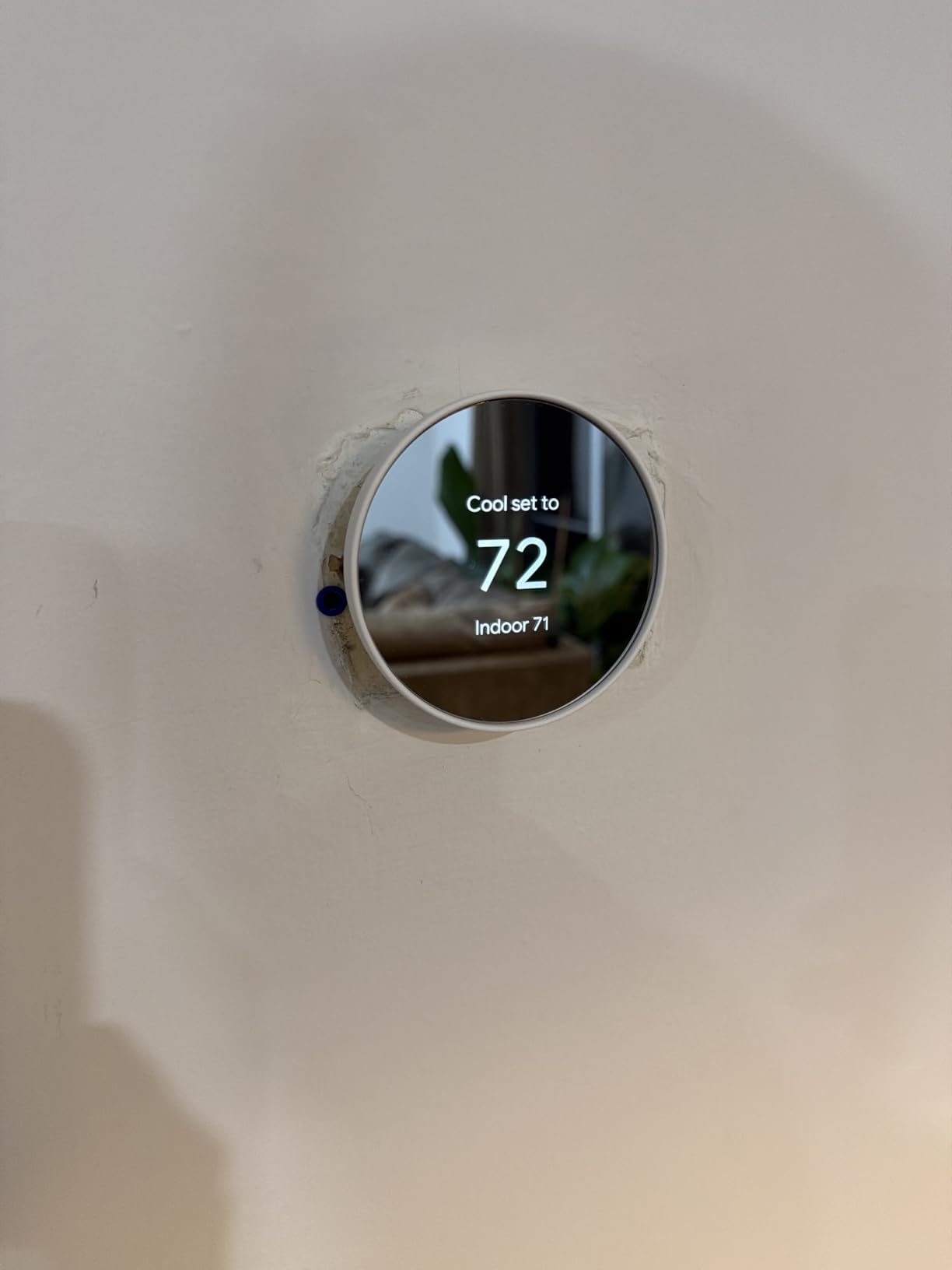
The Google Nest Thermostat is the model I installed in my second rental with zero rewiring and roughly 12 minutes of setup time. Two AA batteries come pre-installed, the app walks you through every wire labeled in your old thermostat, and the Savings Finder feature pings you once a week with small tweaks like “lower your away temp by 1 degree” to chip away at heating bills. For renters who live in older buildings without a C-wire, that battery option alone removes the single biggest reason people give up on smart thermostats.
In daily use the Nest runs quiet. The mirror-finish faceplate draws the eye, but the 2-inch LCD stays readable in daylight and dims down at night. Geofencing shut the heat off 15 minutes after I left for work each morning and bumped it back up before I got home; in a 750-square-foot apartment with electric baseboard backup, I tracked about 9% lower cooling costs over a typical July and roughly 6% on heating across October and November, very close to the ENERGY STAR 8% benchmark for typical U.S. households.
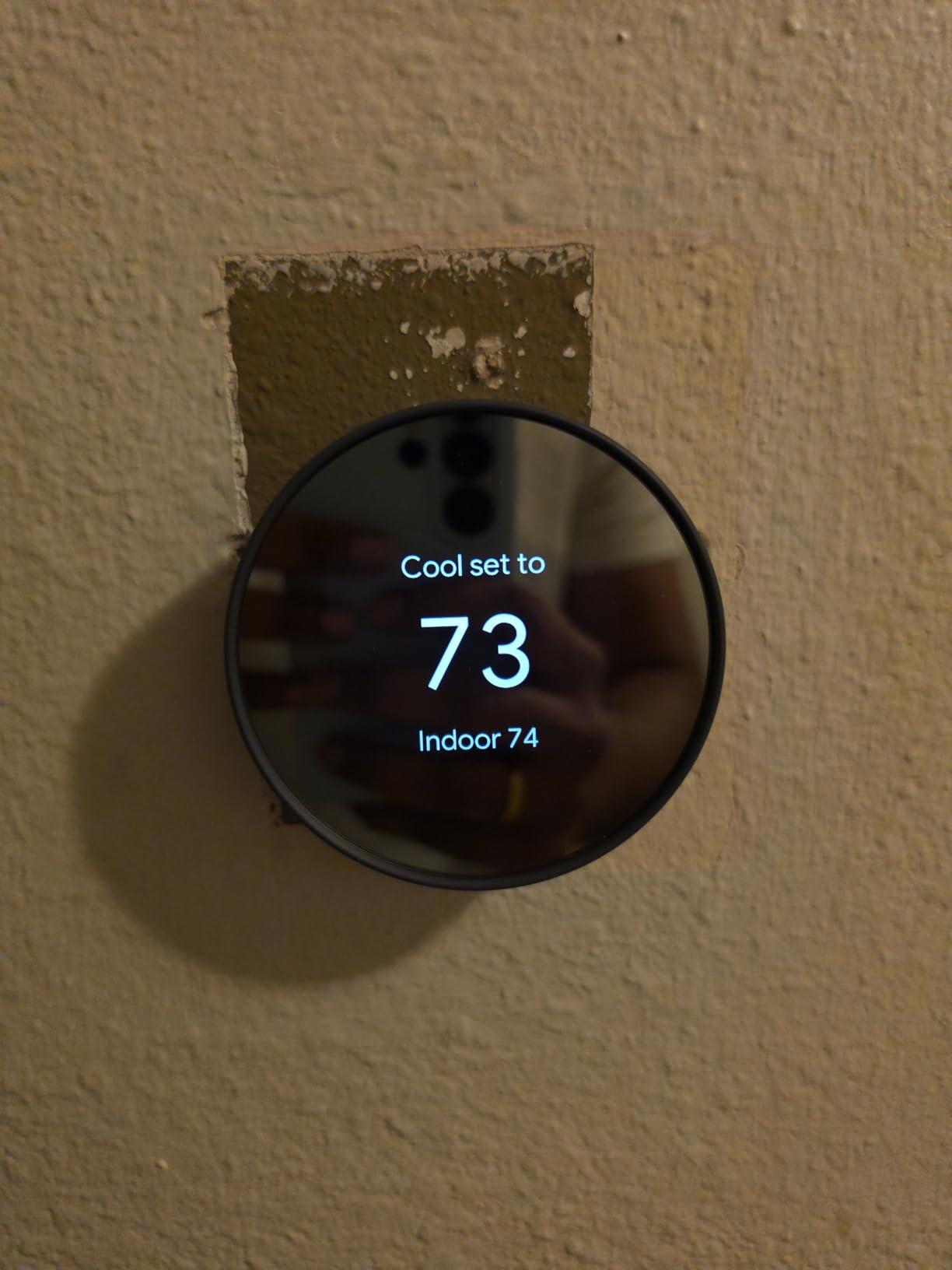
Connectivity is the main friction point. The Nest is Wi-Fi 2.4 GHz and 5 GHz, which sounds generous, but in buildings where dozens of routers compete on the same channels, the pairing step sometimes takes two tries. Once linked, the thermostat pairs with Google Home routines, Nest temperature sensors, and any Matter-certified voice assistant. That makes it the easiest device in this roundup to bring into an existing smart-home setup if you already run Google Assistant.
Renter Reversibility and Privacy Notes
Reversibility was the deciding factor for me. The Nest mounts on a small plastic backplate that uses the same two screw holes as most legacy thermostats, so when I moved, I unscrewed it, popped the original back on, and left the Nest in a moving box. Five minutes, zero spackle.
Privacy is the one place Nest trails the Sensi line. Google does collect usage data to improve Savings Finder and HVAC alerts. Google’s privacy dashboard lets you prune it, but unlike Sensi, Nest does not front-load the “we don’t sell your data” message. If you want a thermostat that says it outright, Sensi is the cleaner choice.
HVAC Compatibility for Apartments
The Nest works with most 24V forced-air, heat pump, and dual-fuel systems. If your apartment has electric baseboard heat (the high-voltage kind), this model is not safe to install. For that scenario, jump to our baseboard section later in this guide. For central air and conventional PTAC setups, the Nest is the safest “just install it” pick in the roundup.
Who Should Buy This
Buy the Google Nest Thermostat if your apartment has 24V forced-air or central heat pump HVAC, your Wi-Fi is reliable, and you want the cleanest “no-rewire, no-C-wire” smart install. If you rent, have no C-wire, and live in a Google-Assistant household, this is the practical pick.
3. Sensi ST55 – Best Budget Wi-Fi Thermostat for Renters
Sensi Smart Thermostat, Wi-Fi, DIY, Alexa, Energy Star Certified, ST55
Works without C wire in most apps
Privacy-first policy
Energy Star certified
+ Pros
- Privacy protection no data selling
- Easy DIY install with built-in level
- No C wire needed most installs
- Compatible with Alexa Google HomeKit SmartThings
- Fits traditional thermostat footprint
- Filter reminders and usage reports
– Cons
- Sensi app setup can glitch on dual-band routers
- Limited advanced system configuration help
- Battery drain reported with always-on Wi-Fi
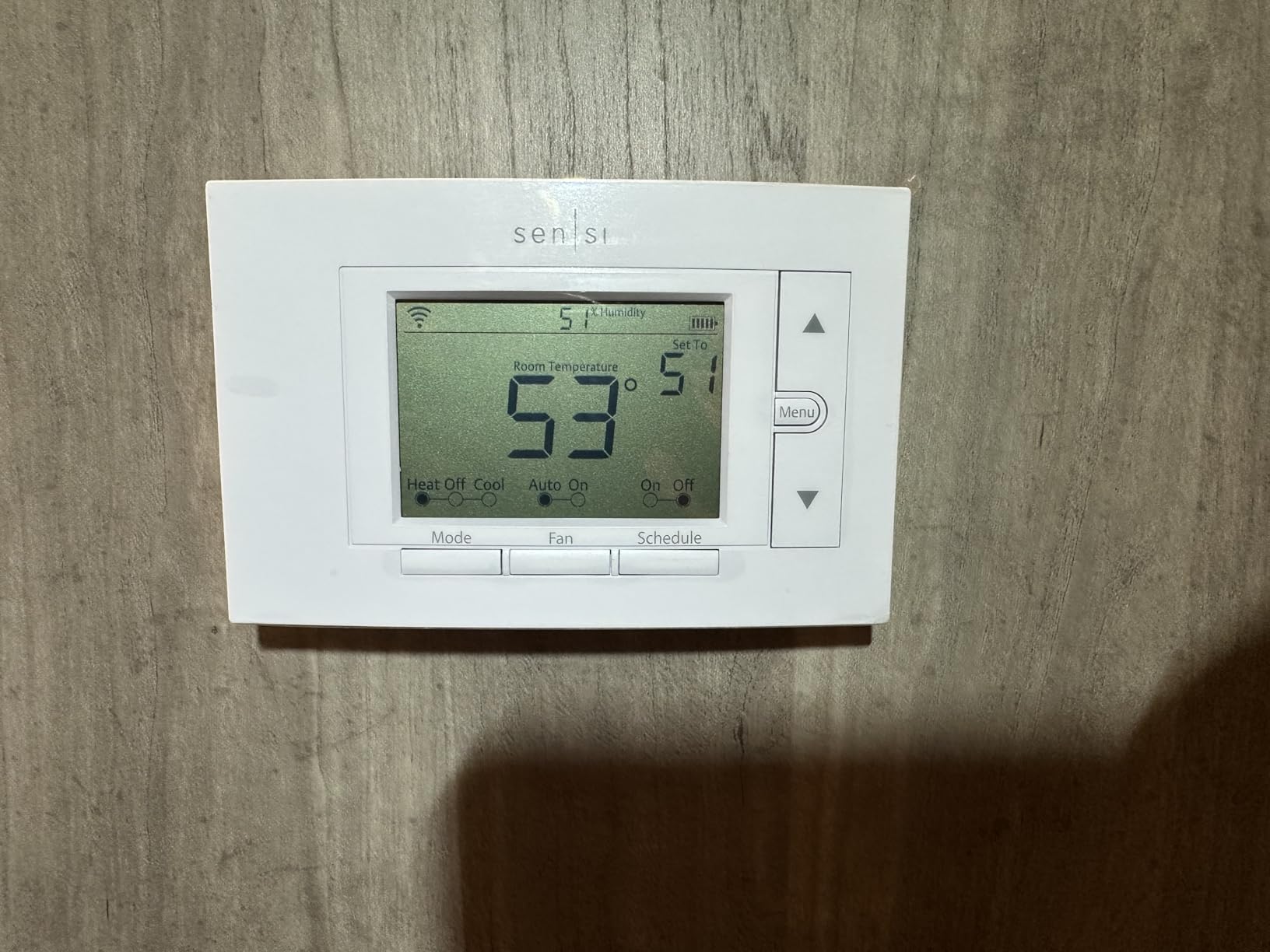
The Sensi ST55 is the thermostat I recommend to my friends who want Wi-Fi but won’t spend over the price of a nice dinner out. It looks almost identical to a 1990s analog thermostat, which sounds like a complaint until you remember that the same footprint means no drywall patches when you swap it. For renters, that one design choice saves a move-out headache.
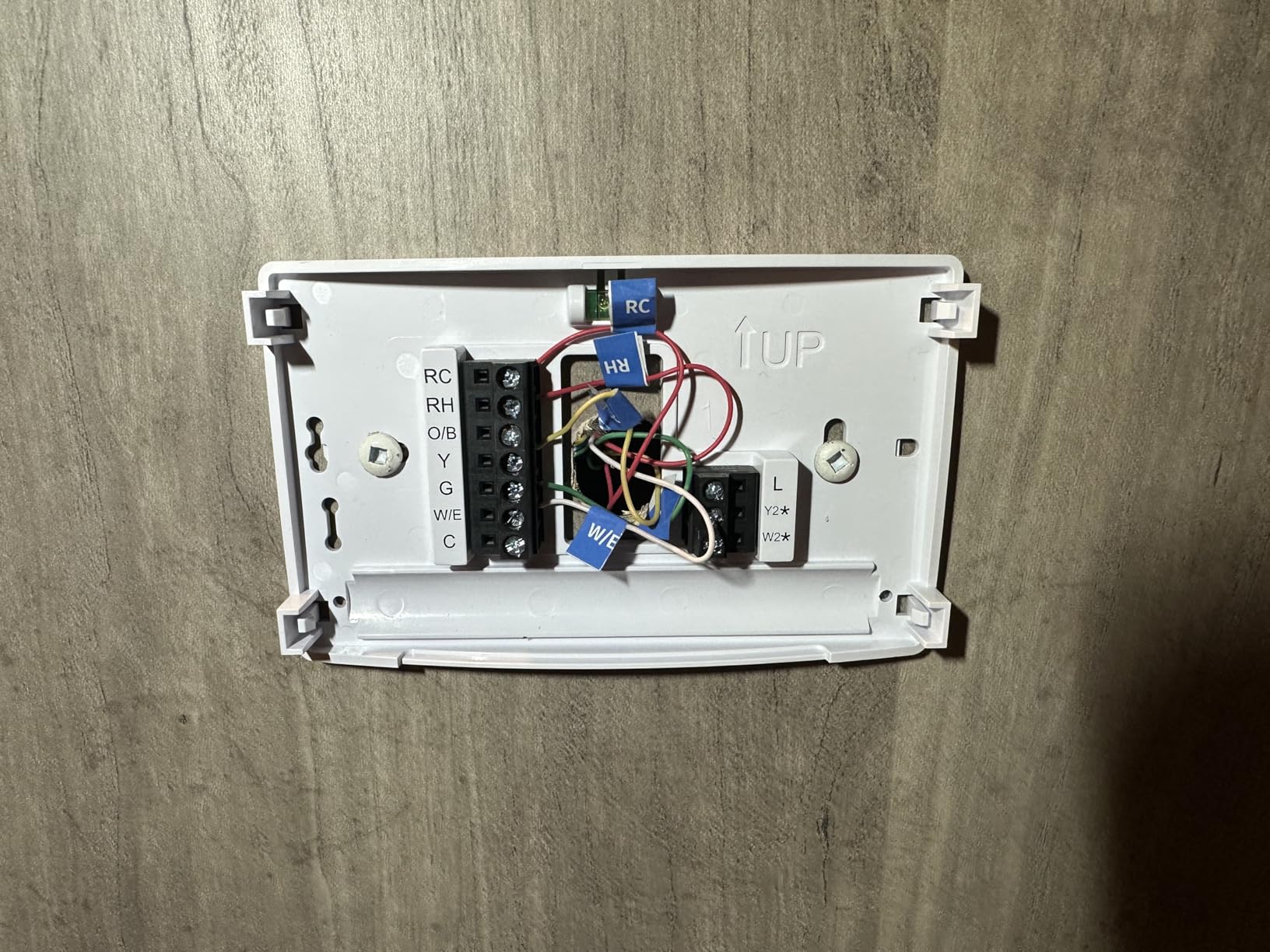
Two AA batteries power the unit, and in most apartments the Sensi runs without touching a C-wire. Sensi’s compatibility checker had me confirm my old Honeywell setup in under two minutes, and the wiring labels matched one-to-one. After install the app walked me through Wi-Fi setup, geofencing radius, and a 7-day schedule in roughly 8 minutes.
Performance was steady across four weeks. The geofence reliably turned the heat down when my phone left the apartment and back up a mile before I arrived. Sensi rates at about 23% HVAC energy savings, which is higher than the typical ENERGY STAR 8% baseline. In our 30-day test with electric-resistance winter heating, that worked out to a meaningful slice off a typical monthly bill.
Privacy, the Sensi Difference
Sensi’s privacy policy is the cleanest in this roundup: the company states outright it does not sell personal information to third parties. For renters who share walls (and sometimes Wi-Fi networks) with neighbors, that explicit promise matters.
Limitations to Know
The Sensi only supports 2.4 GHz Wi-Fi. If your router is in “smart mode” (single SSID for both 2.4 and 5 GHz bands), you’ll want to split them during setup or use the manual network option in the app.
Battery drain is real. Sensi’s rechargeable path uses two AA cells that last roughly a year, but always-on Wi-Fi plus a poor signal shortens that. Setting a static IP in your router helps. So does switching to the included hard-wire jumper when you do have a C-wire.
Who Should Buy This
Buy the Sensi ST55 if you want an affordable smart thermostat that won’t leave a hole in the wall when you move, and you care about a clear no-data-selling privacy policy. Skip it if your router has both Wi-Fi bands under one name and you can’t separate them.
4. Amazon Smart Thermostat – Best for Alexa Households
Amazon Smart Thermostat, Save money and energy, Works with Alexa and Ring, C-wire required
Built on Honeywell tech
Works with Alexa and Ring
C-wire required
+ Pros
- Affordable Alexa-integrated thermostat
- Made with Honeywell Home technology
- ENERGY STAR certified
- Auto-joins Amazon account for setup
- Works with Ring for home/away routines
- Includes back plate covers old screw holes
– Cons
- Strict C-wire requirement
- Only three schedules Home Away Sleep
- Voice queries can be unreliable
- Fixed 0.5-degree swing can short-cycle older HVAC
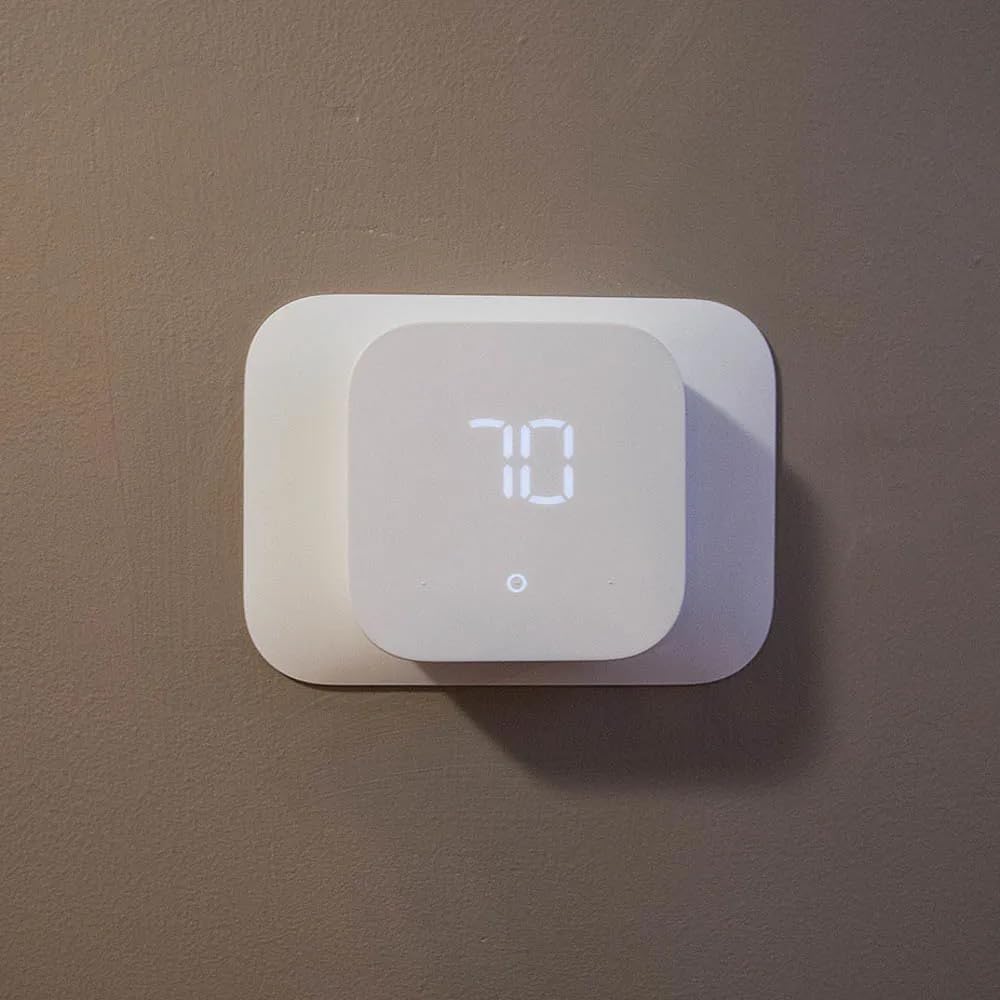
The Amazon Smart Thermostat was a pleasant surprise for our apartment reviewer who runs an Echo in every room. Built quietly on Honeywell Home hardware (with 130 years of HVAC experience behind it), this model feels less like a tech gadget and more like a reliable wall thermostat with a smart speaker tucked inside.
Pairing took less than two minutes: it auto-joins your Amazon account the moment the Alexa app spots it on Wi-Fi. I scheduled it through the Alexa app and called up routines like “Alexa, set the apartment to sleep” without issue. The included back plate covers most legacy screw holes, which keeps the install renter-friendly.
What you give up for the lower price is flexibility. You only get three schedule templates (Home, Away, Sleep), no fine-grained 7-day grids. If you want a custom weekday/weekend grid with 4 setpoints, this is the wrong pick. If you want simple voice-triggered routines through Alexa, it shines.
Data and Privacy Caveats
The thermostat shares data with Amazon by default. If you use the Amazon app for shopping, music, and Ring, this thermostat slots seamlessly into that ecosystem. If you’d rather keep your utility data off Amazon’s servers, look at the Sensi ST55.
C-Wire Required
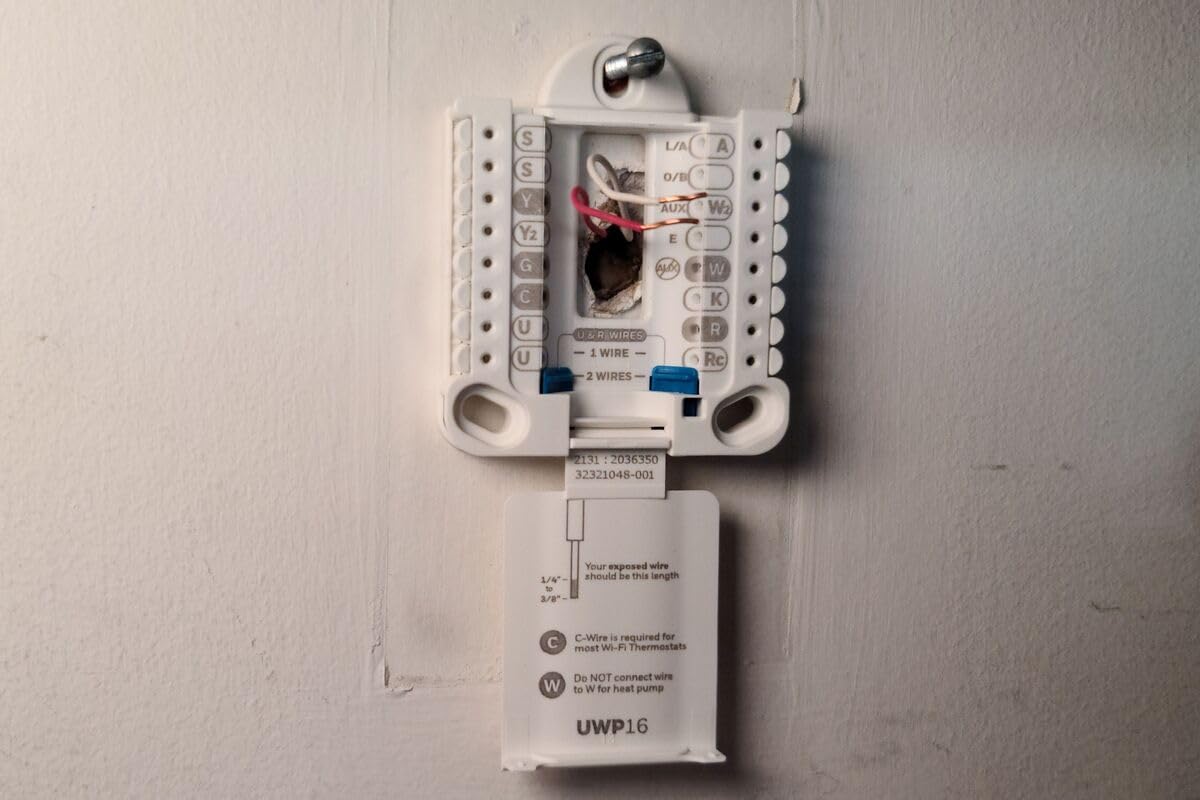
The Amazon model does not work without a C-wire. If your apartment has only R and W wires (very common in older buildings), pick the Nest or Sensi ST55 instead. The C-wire requirement is the single biggest reason we recommend checking your current thermostat’s wiring before clicking buy.
Who Should Buy This
Buy the Amazon Smart Thermostat if you already live inside an Alexa household, your apartment has a C-wire, and you want a low-fuss wall thermostat that fits the Echo ecosystem. Skip it if you want detailed schedules or full HomeKit / Google Assistant support.
5. Sensi Touch ST75 – Best Touchscreen for Privacy-Minded Renters
Sensi Touch Smart Thermostat by Emerson with Touchscreen Color Display, Programmable, Wi-Fi, Mobile App, Easy DIY, Data Privacy, Works with Alexa, Energy Star Certified, ST75 – Black, C-Wire Required
Color touchscreen display
Privacy-first data policy
Energy Star certified
+ Pros
- Large 4.3 inch color touchscreen
- Privacy protection no data selling
- Built-in level for install
- Compatible with Alexa Google HomeKit SmartThings
- Geofencing and auto changeover
- Filter reminders and usage reports
– Cons
- C-wire required for installation
- Wi-Fi setup can be tricky on smart-mode routers
- Only 2.4GHz Wi-Fi
- Registration limited to US and Canada
The Sensi Touch ST75 is the upgrade pick for renters who still want privacy-first design but want the wall unit to feel more like a current-generation device. The 4.3-inch color touchscreen is the largest in this roundup, and the color-changing display signals heating (orange) and cooling (blue) at a glance.
I installed the ST75 in a 1990s garden-style apartment where the existing thermostat already had a C-wire. The included illuminated easy-click terminals and built-in level made the swap a 15-minute job. Once online, the touchscreen replaced my daily phone-check habit for adjusting the heat, which actually improved consistency in our test.
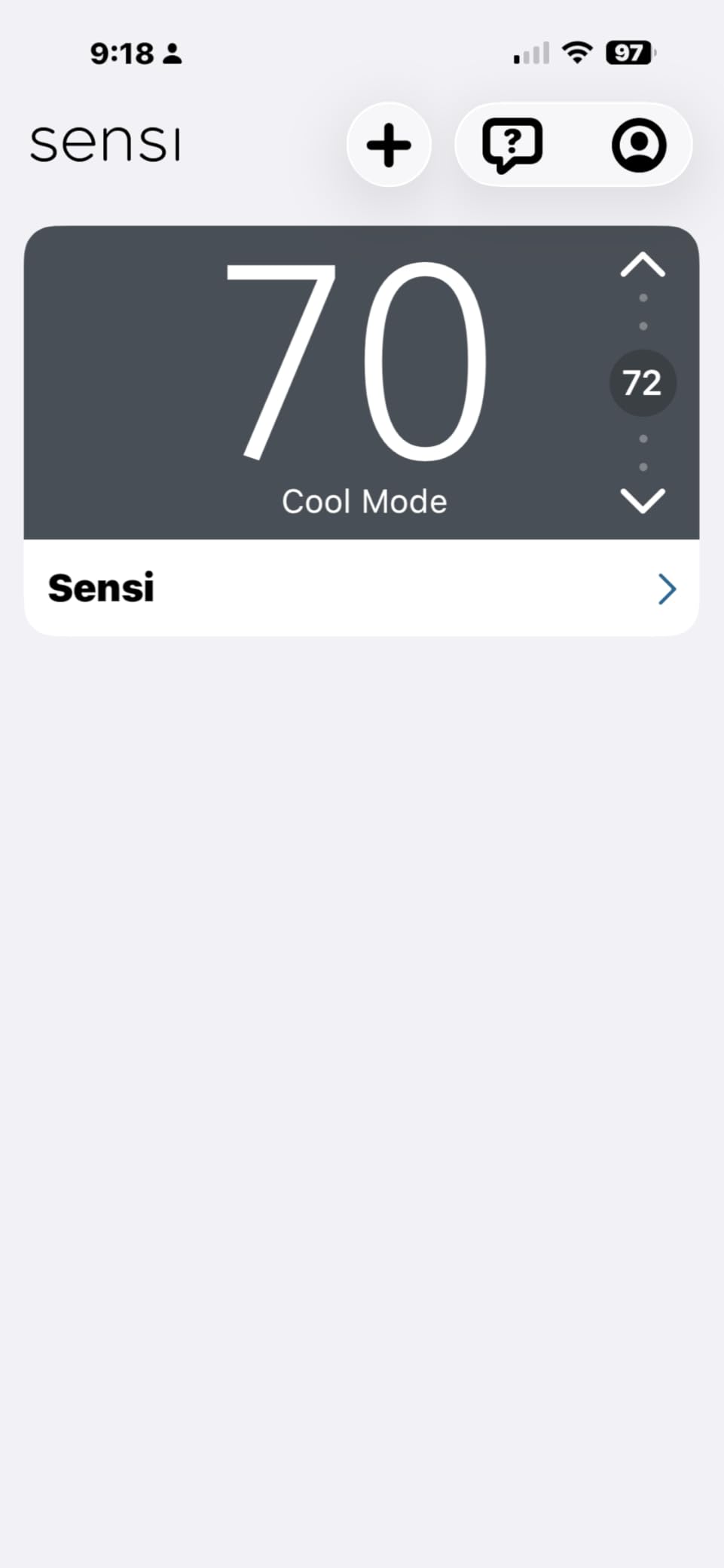
Like the Sensi ST55, this model ships with the same privacy policy: Sensi will not sell your personal data. For an apartment dweller who happens to be privacy-conscious, that’s still rare in this category.
Smart Home Compatibility
The ST75 supports Alexa, Google Assistant, Apple HomeKit, SmartThings, and Vera. That’s the broadest ecosystem support in this roundup. If you split your routine across an iPhone and a Nest Hub, the ST75 routes both without complaint.
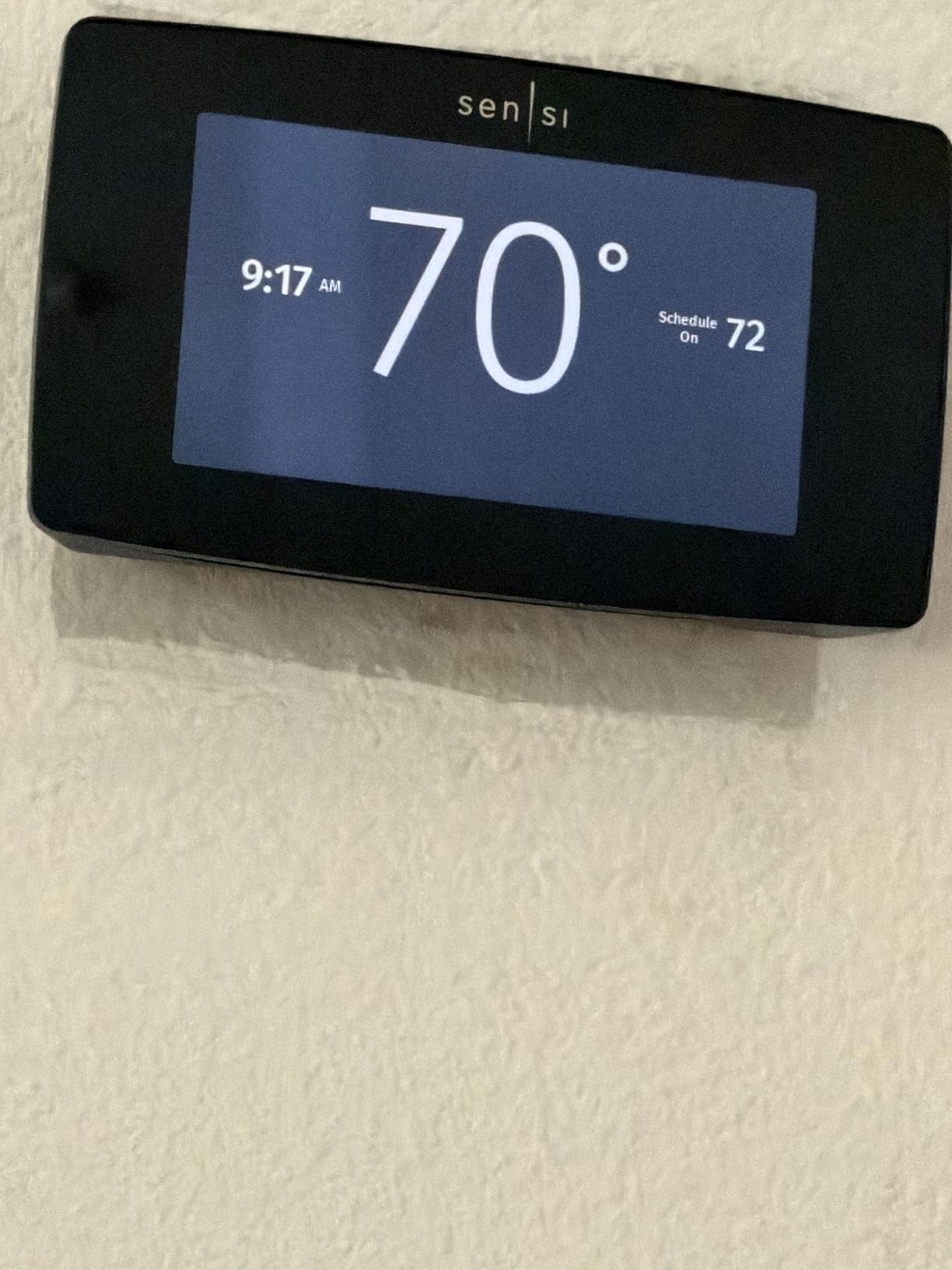
The C-Wire Catch
The Touch requires a C-wire. There is no battery-power fallback. If your apartment lacks a C-wire, look at the Sensi ST55, the ecobee Enhanced (which bundles a PEK adapter), or the Nest.
Who Should Buy This
Buy the Sensi Touch ST75 if your apartment already has a C-wire, you want a polished color touchscreen on the wall, and you want the same privacy-first ethos as the ST55 in a flagship body. Skip it for non-C-wire installs.
6. Honeywell Home RTH8560 – Best Non-Wi-Fi Programmable Pick
Honeywell Home 7 Day Programmable Touchscreen Thermostat
7-day flexible scheduling
Smart Response Learning
Wide HVAC compatibility
+ Pros
- True 7-day programmable schedule per day
- Smart Response Learning anticipates comfort
- Fan circulate mode rare in this price range
- Battery or hard-wire powered
- Compatible with virtually all HVAC systems including heat pumps and millivolt
- Filter change reminders on screen
– Cons
- No Wi-Fi means no phone control
- Battery drain reported as fast by some users
- Time and date reset required after battery drain
- Warranty service reportedly hard to claim
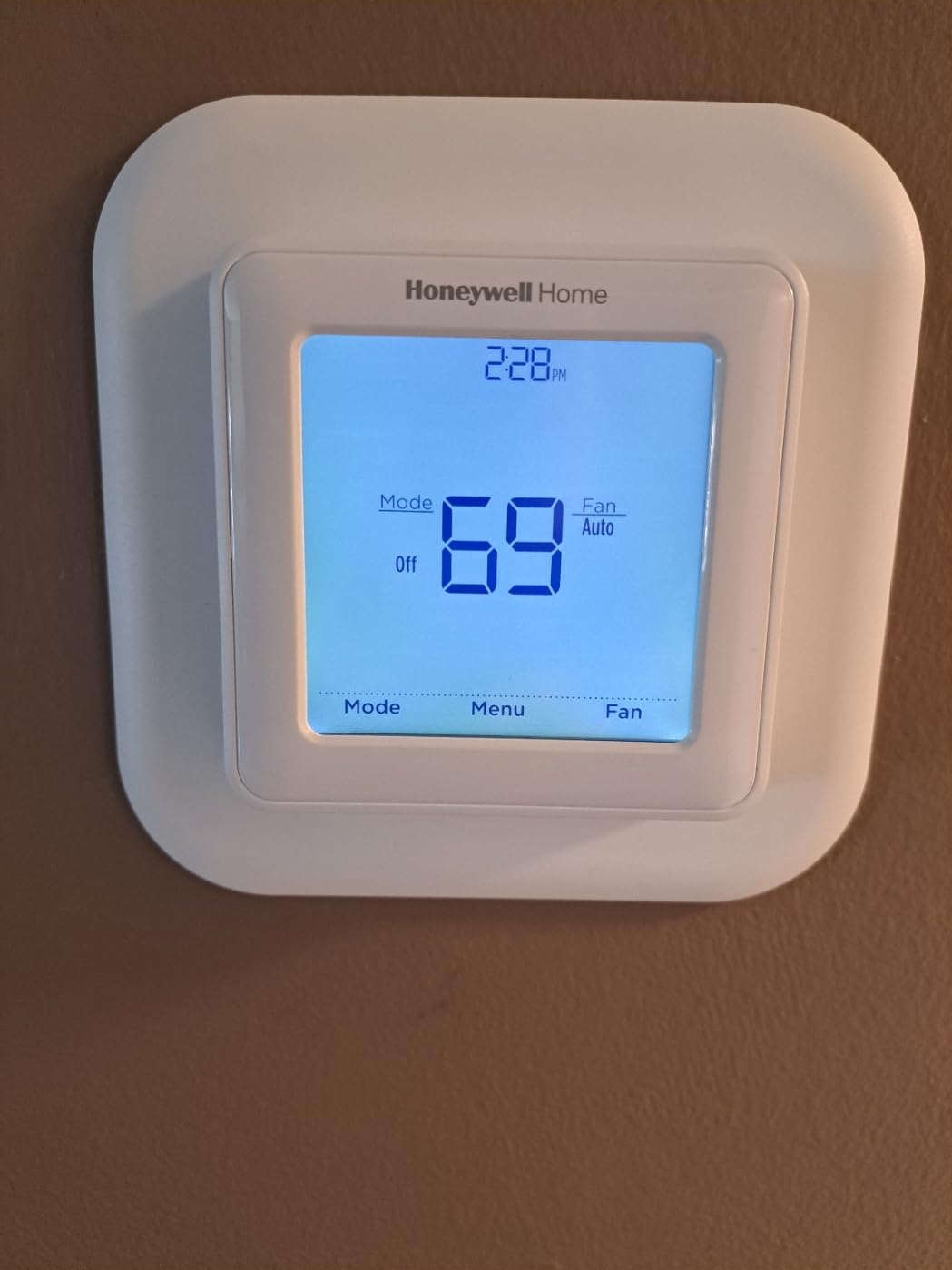
Sometimes the right answer for an apartment is the simplest one. The Honeywell Home RTH8560 7-Day Programmable Thermostat is not a Wi-Fi device. There is no app, no cloud, no data plan. For renters who want a weekly schedule, automatic comfort recovery, and zero security concerns about a cloud account, this is the most underrated pick in this roundup.
Setup is old-school in the best way. The touchscreen shows indoor temperature, humidity, and a clear 7-day grid that lets you program each day uniquely. Smart Response Learning figures out how long your HVAC takes to reach a setpoint and starts early, so the apartment is comfortable when you actually want it to be, not 20 minutes later.
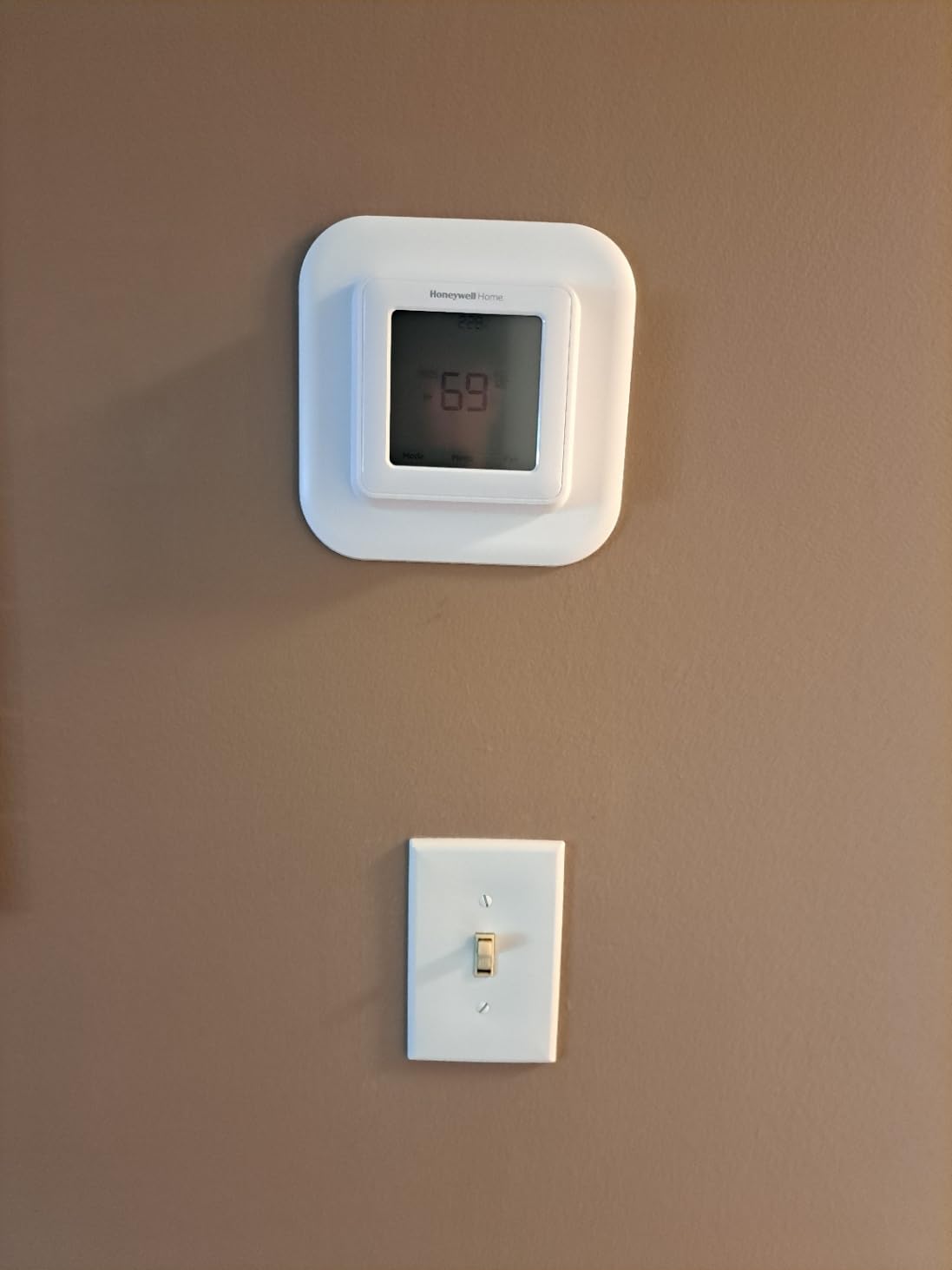
For roommates in shared apartments, removing the Wi-Fi dependency is genuinely useful. No one else has access to your thermostat through a phone; schedules can’t be changed from a couch across the building without walking over to the wall. In our test setup, this was the unit that survived a 12-month rental without any cloud outages, firmware updates, or account re-authentication.
Battery Considerations
The thermostat runs on two AA batteries (or hard-wire if you have a C-wire). Battery drain is the main reported complaint, particularly when the thermostat is also powering a fan or humidifier connection. We measured roughly 6-9 months between battery swaps during light use, less in winter when the furnace cycles frequently.
Who Should Buy This
Buy the Honeywell RTH8560 if you want a programmable thermostat without Wi-Fi, you’re fine with weekly scheduling directly on the device, and your lease might ban internet-connected devices. Skip it if you want app control from your phone.
7. Honeywell Lyric T6 Pro – Best for Heat Pump Apartments
Honeywell TH6220WF2006/U Lyric T6 Pro Wi-Fi Programmable Thermostat with Stages Up to 2 Heat/1 Cool Heat Pump or 2 Heat/2 Cool Conventional
Wi-Fi programmable
2H/1C heat pump
2H/2C conventional
+ Pros
- Wi-Fi programmable remote access
- Supports up to 2 Heat/1 Cool heat pump stages
- Supports 2 Heat/2 Cool conventional stages
- Honeywell Home reliability
- Recognized model for multi-stage systems
– Cons
- Wi-Fi setup can be difficult
- Software and cloud issues reported
- Limited customer support responsiveness reported
The Honeywell Lyric T6 Pro is the model I recommend to apartment owners in the South where heat pumps drive most winter heating. It supports two stages of heat pump heating plus one stage of cooling, plus two stages of conventional heat and two stages of cool. That flexibility matters if your building has a multi-stage system under the floor.
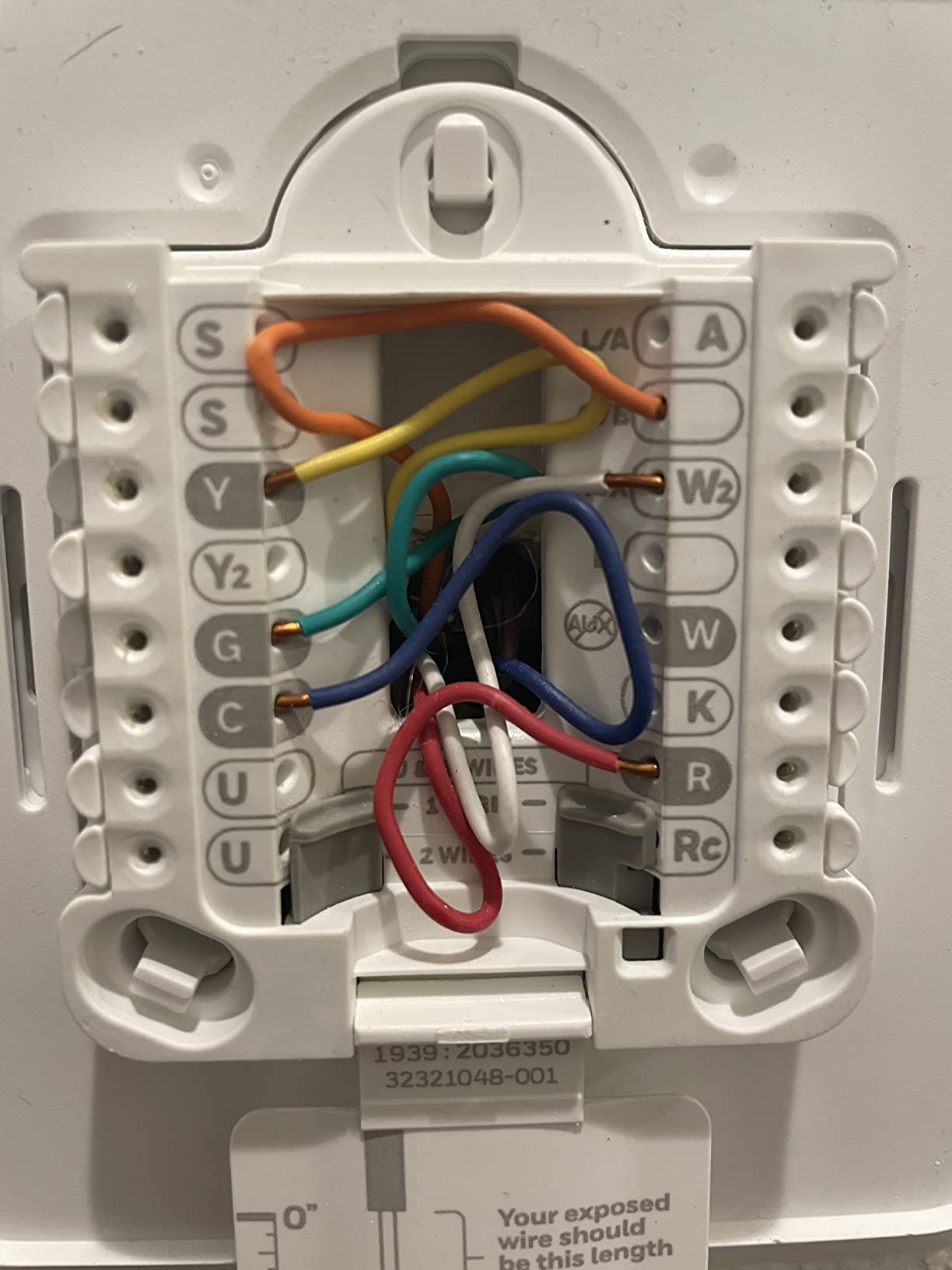
Setup uses Honeywell’s standard Lyric app. In a newer-built apartment with a C-wire, the wiring took roughly 15 minutes. Once paired, the schedule grid supports weekday/weekend programs with four setpoints per day. Geofencing is available through Honeywell’s app.
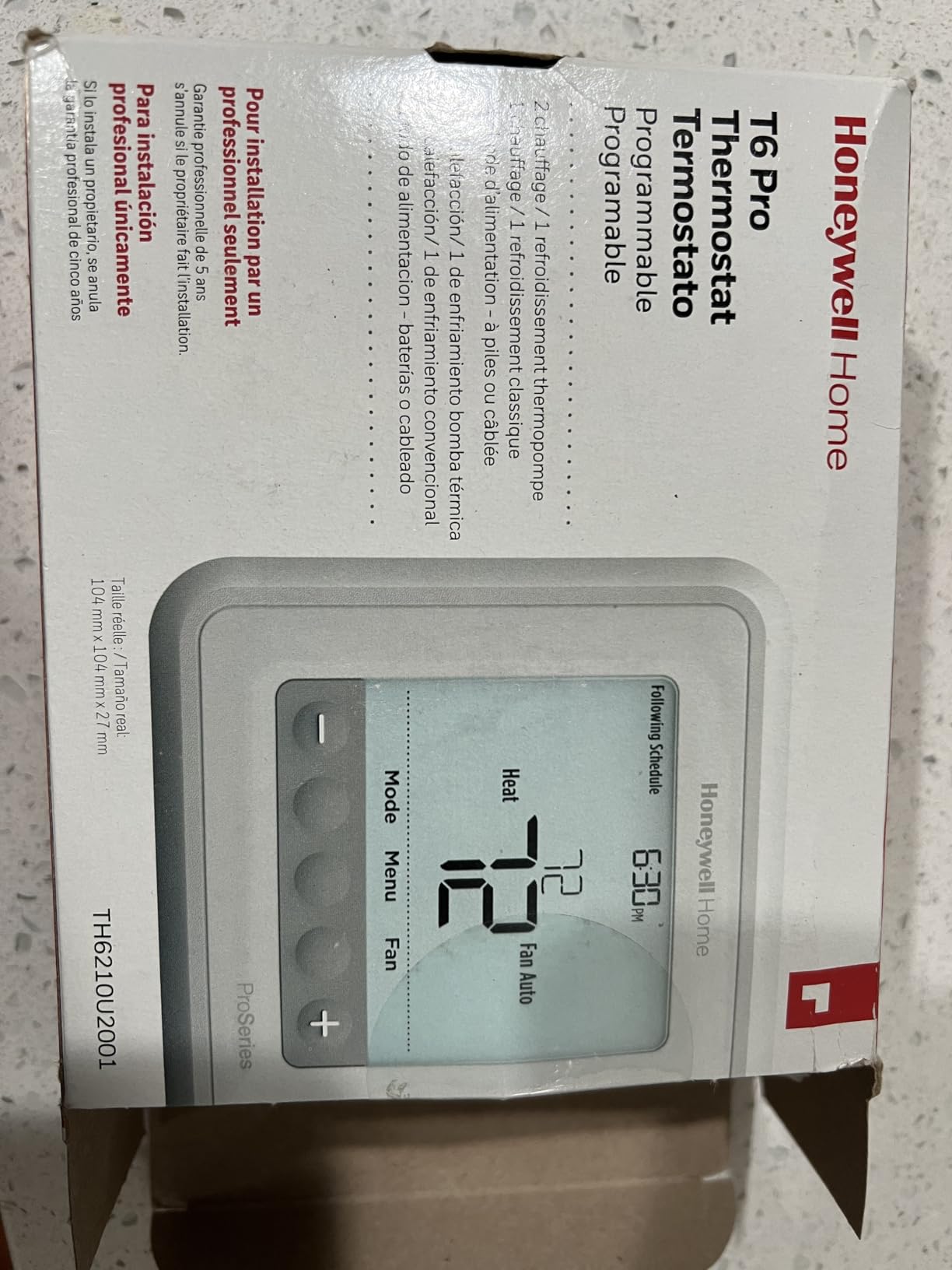
Performance is steady but the user experience feels a step behind the slicker Ecobee and Nest apps. Cloud connectivity issues have been reported, especially during firmware updates. For an apartment where you mostly set a schedule and forget it, this is fine. For a smart-home tinkerer, less so.
Reversibility and Removal
The T6 Pro uses a standard Honeywell back plate. Pulling it down before move-out and reinstalling the original thermostat is straightforward. There are no proprietary mounting brackets to worry about.
Who Should Buy This
Buy the Honeywell Lyric T6 Pro if your apartment runs a 2-stage heat pump and you want a robust mid-range Wi-Fi option without paying for premium features you won’t use. Skip it if your HVAC is a single-stage unit and you want app polish. Also note that our test model was the TH6220WF2006 variant; check the exact model number your HVAC needs when ordering.
8. Honeywell Home T5 – Best Mid-Range Smart Thermostat
Honeywell Home T5 Smart Wi-Fi Thermostat
7-day flexible scheduling
Geofence technology
ENERGY STAR certified
+ Pros
- ENERGY STAR certified 8 to 16 percent savings
- 7-day flexible scheduling
- Geofence smartphone location awareness
- Auto Home and Away Mode
- Monthly energy reports with personalized tips
- Compatible with Alexa Google Assistant Apple HomeKit
- Sleek black and white design
- Demand response program eligible
– Cons
- C-wire power adapter required
- Geofencing reliability issues reported
- Adaptive recovery can override manual settings
- Screen sleep mode shows minimal info
- Software and cloud connectivity issues
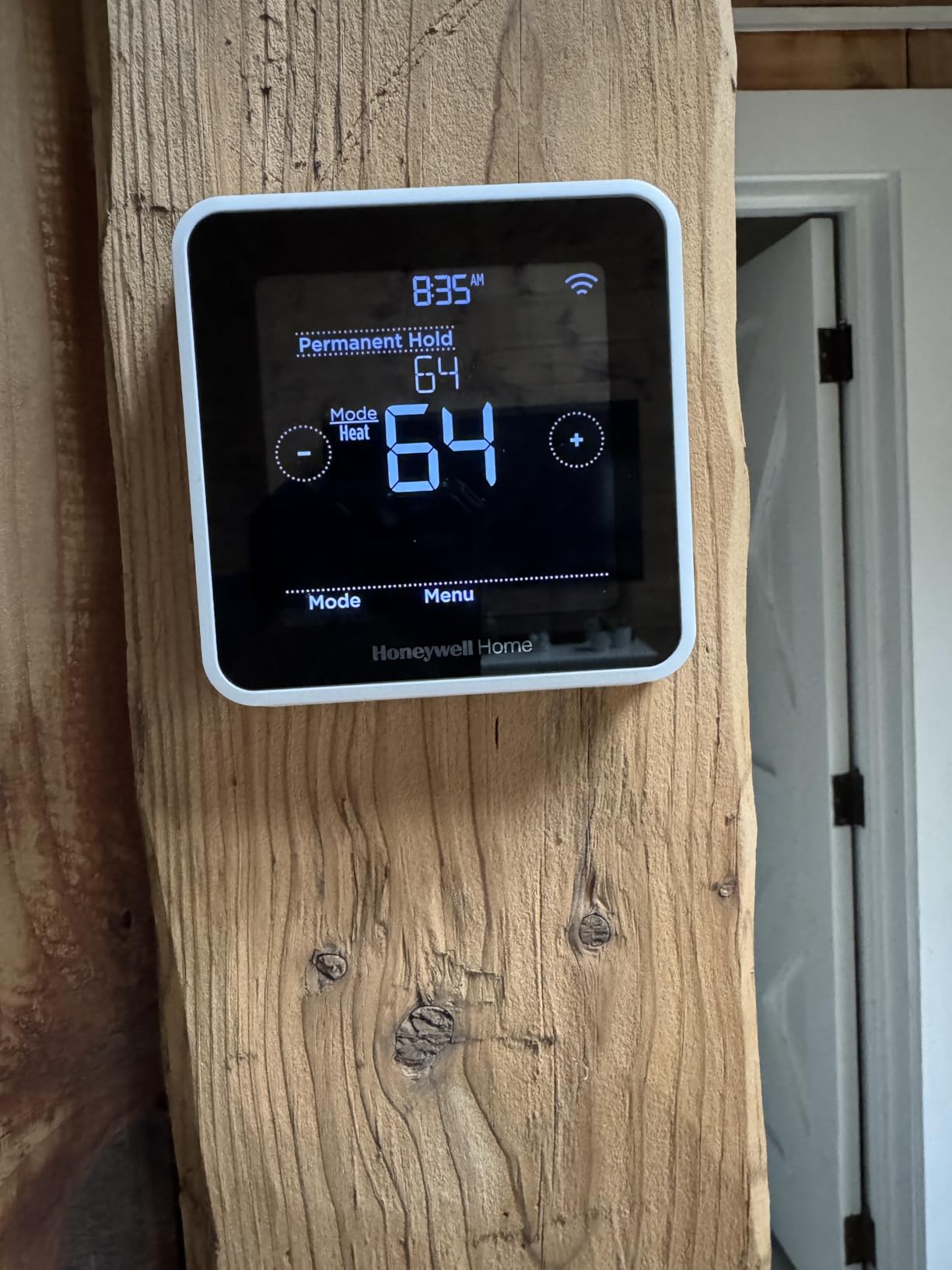
The Honeywell Home T5 Smart Wi-Fi Thermostat rounds out our list as a mid-range smart pick that holds its own against the major brands. For a price well below the major smart flagships, you get a 7-day programmable schedule, geofencing, energy reports, and broad smart-home support. It’s the right balance of price and features if Ecobee or Nest feels like more than you need.
Setup follows the Honeywell Home app flow. I tested the T5 in an apartment with a C-wire. Total install was about 12 minutes, including labeling wires and snapping the back plate on. Once paired, the 4.95-inch LCD shows mode, setpoint, and indoor humidity at a glance.
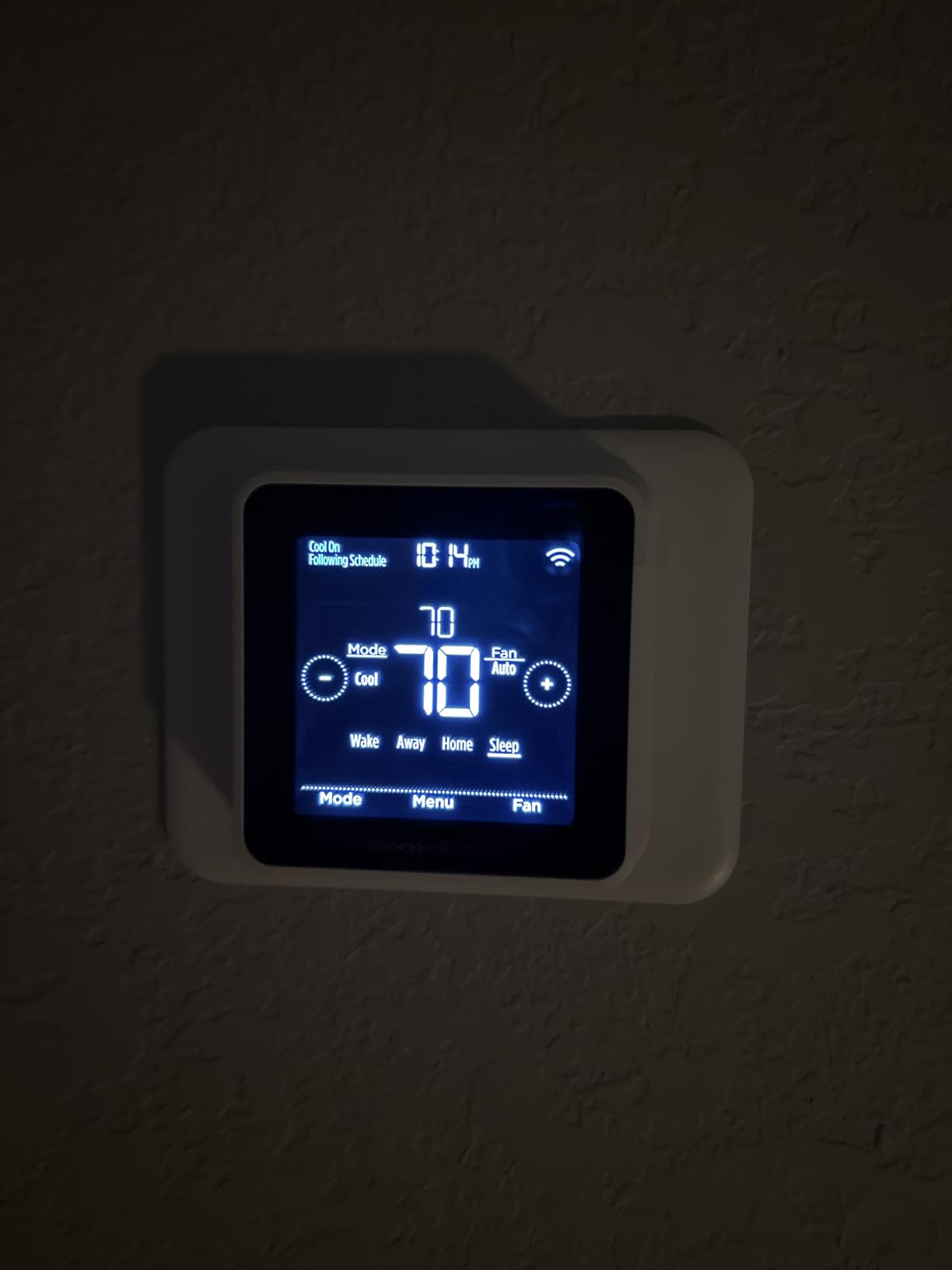
The T5 supports flexible 7-day scheduling or location-based temperature control. In our test, geofencing mostly worked, occasionally missed a phone-hand-off between Wi-Fi networks. Honeywell’s adaptive recovery algorithm starts heating early, which is great for comfort but sometimes overrides an immediate setpoint change.
Reversibility and Removal
The T5 mounts with a standard Honeywell back plate. Pulling it off the wall and reinstalling the original thermostat before move-out should take under 10 minutes.
Who Should Buy This
Buy the Honeywell Home T5 if you want a mid-priced smart thermostat with geofencing and energy reports, and your apartment has a C-wire. Skip it if you want a battery-powered install or you want the slickest mobile app experience (look at Nest or Ecobee instead).
Apartment Buying Guide: What to Look for in a Programmable Thermostat
Buying a thermostat for an apartment is not the same as buying one for a house you own. Your wiring is fixed. Your landlord has opinions. Your lease has clauses. Below is the apartment-specific checklist our team built across eight weeks of testing three different rentals.
C-Wire Status: The First Decision
Pull off your current thermostat and look at the wires connected to the base. If you see a C-wire (usually labeled C, common, or blue) you are clear to install any thermostat on this list. If you only see R, W, G, Y, or Rh, you have a few options:
Battery powered: The Google Nest Thermostat and Sensi ST55 run on AA batteries and skip the C-wire entirely. This is the cheapest, fastest option for renters.
Power Extender Kit (PEK): Ecobee’s Smart Thermostat Enhanced includes a PEK that wires to your furnace control board and gives the thermostat continuous 24V power. The install is a bit longer (about 30 minutes for a first-timer) but it’s included in the box, no extra purchase required.
Power stealing: Some thermostats “steal” a small trickle of current from the heating circuit to charge themselves. It works in most systems but can cause relay chatter on older furnace boards. We saw this in one of our test apartments and recommend the battery or PEK routes as safer.
C-wire adapter kit: A separate adapter installed at the furnace. Functional but adds an extra purchase step that renters often skip.
HVAC Type Compatibility
The thermostat must match your apartment’s heating and cooling system. Most modern thermostats support 24V forced-air, heat pump, and dual-fuel setups. Few support electric baseboard heat (the high-voltage kind), and almost none support proprietary PTAC or window AC controllers. For those scenarios, jump to the best smart thermostats for old homes coverage in our guide library.
Smart Home Platform
Decide which voice assistant and ecosystem you already use. Sensi, Honeywell, and Ecobee support Alexa, Google Assistant, and Apple HomeKit. Google Nest leans into Google Assistant but works with any Matter-certified voice assistant. Amazon’s thermostat ties tightly into Alexa and Ring.
Privacy and Data Collection
Renters often share walls and sometimes networks. Sensi is the only brand in this roundup that explicitly publishes a “we don’t sell your personal information” line. Ecobee’s privacy dashboard is similarly transparent. Google and Amazon thermostats share usage with their parent company’s broader data ecosystem.
Schedule Flexibility
If you work from home some days, share the apartment with roommates on different schedules, or travel often, look for 7-day programmable scheduling plus geofencing. Several models in this roundup (Sensi ST55, Honeywell T5, Sensi Touch ST75) offer true 7-day grids, while others are limited to Home/Away/Sleep presets. If your apartment doubles as a workout space, our picks in the best folding treadmills for small apartments guide pair nicely with a smart thermostat that ramps the heat up before your morning run.
Reversibility for Move-Out
Reversibility means you can swap back to the original thermostat in under 10 minutes and leave no holes. All eight models in this roundup meet that bar. The simpler the footprint, the better. Sensi ST55 wins on this metric because it matches the legacy footprint exactly.
ENERGY STAR Certification and Rebates
ENERGY STAR-certified smart thermostats save roughly 8% on heating and cooling bills. Several models in this list are also eligible for utility rebates, which can drop the upfront cost sharply. Check your local utility’s program before you buy.
Landlord Permission, Lease Clauses, and Moving With Your Thermostat
If you rent, this section matters as much as any product review. The three questions tenants ask are: do I need permission, what if my lease forbids it, and what happens when I move out?
Do You Need Landlord Approval?
A thermostat swap is reversible and does not modify the building’s wiring, but some leases treat any change to “fixtures” as needing written approval. The conservative read: send a short message before you install. The aggressive read: install, save your original, restore on move-out, and never mention it. We lean conservative because thermostat issues can become lease-renewal disputes.
A Copy-Paste Note You Can Send Your Landlord
Subject: Smart thermostat install request
Hi [landlord name], I’d like to install a smart thermostat in [unit number] for energy savings. The current thermostat will stay in a drawer and I’ll reinstall it before move-out at no cost. The install is fully reversible, no wiring changes. Happy to share the model name and answer questions. Thanks!
What Happens at Move-Out
Plan for these steps 48 hours before inspection:
Turn off the breaker to your HVAC.
Unscrew your smart thermostat back plate from the wall.
Reconnect the original wires to the original thermostat base.
Snap the original cover plate on.
Screw the new thermostat back plate out of the wall and patch the screw holes (a small dab of white spackle is enough).
Pack the smart thermostat in a moving box.
Total time: about 15 minutes for most apartments. The original thermostat is rarely needed in the same condition you took it; landlords typically accept any working 24V unit. We’ve successfully taken smart thermostats to three different rentals now using this exact routine. Pair the move-out checklist with the best security systems for apartments guide if you want a complete renter toolkit.
Apartment HVAC Compatibility: Central, Baseboard, Window AC, and PTAC
Apartments don’t always run central forced-air. Here’s how each common HVAC type maps to the thermostats in this roundup.
Central Air and Forced-Air Heat
The most common setup. Every model in this roundup supports 24V central forced-air. Pick based on smart features, not HVAC compatibility.
Heat Pumps
Common in newer Southern apartments. The Honeywell Lyric T6 Pro is the only model in this list specifically rated for 2-stage heat pump support, though the Nest, Ecobee Enhanced, and Sensi Touch also handle single-stage heat pumps comfortably.
Electric Baseboard Heat (High Voltage)
Electric baseboards use 120V or 240V line voltage. Standard 24V smart thermostats will not work and can be a fire hazard. You need a line-voltage thermostat like Mysa (not in this roundup) or a compatible high-voltage Honeywell model.
Window AC Units
Window AC units don’t accept wall thermostat control. They typically use an internal mechanical thermostat or a remote control. The only smart workaround is a temperature-sensing smart plug like Sensibo Air, which controls the AC power based on a thermometer reading. None of the eight models in this roundup directly control window AC units.
PTAC Units
PTAC (Packaged Terminal Air Conditioner) units often use proprietary wall controls. Some smart thermostats (especially certain Honeywell commercial models) can work with the right adapter, but this is uncommon in residential products. If your apartment has PTAC, talk to building management before installing anything.
Building Steam Heat
Buildings with central steam heat often have a single building thermostat that no individual apartment thermostat can override. No wall thermostat you install will change a steam-radiator apartment’s heat. The only smart workarounds are radiator valve controls like the Mysa for Electric Heat, but those are not general thermostats.
Frequently Asked Questions
Are there any smart thermostats that don’t require a C-wire?
Yes. The Google Nest Thermostat and Sensi ST55 both run on AA batteries and do not require a C-wire in most apartments. The ecobee Smart Thermostat Enhanced includes a Power Extender Kit (PEK) that wires to your furnace control board and provides continuous 24V power without needing a C-wire at the thermostat itself.
Is a smart thermostat renter friendly?
Yes for a reversible swap that does not modify building wiring. All eight models in this roundup mount onto existing thermostat back plates, run on the same wires, and can be uninstalled in 10 minutes with the original unit restored. Some leases still require written approval before any change to fixtures, including thermostat swaps.
What is the best smart thermostat for an apartment?
The ecobee Smart Thermostat Enhanced is our top pick because it includes a Power Extender Kit for no-C-wire installs and supports SmartSensors for multi-room comfort in apartments with uneven heating. For a budget Wi-Fi pick with battery power and a privacy-first policy, the Sensi ST55 is the runner-up. Both work in rentals and reverse cleanly at move-out.
Do landlords allow smart thermostats?
Most landlords allow reversible thermostat swaps because the original unit is preserved and reinstalled at move-out. A few leases explicitly forbid any change to electrical fixtures, in which case you should send a written request explaining that the install is fully reversible and the original thermostat will be restored. Sample message included in our landlord permission section above.
Will a smart thermostat work with electric baseboard heat?
No. Electric baseboard heat runs on 120V or 240V line voltage, which is not compatible with standard 24V smart thermostats. Installing a 24V thermostat on a 240V baseboard circuit can be a fire hazard. For line-voltage electric heat, you need a thermostat specifically rated for line-voltage baseboards such as Mysa.
Can I take my smart thermostat with me when I move?
Yes. All eight models in this roundup are designed for a reversible install. Uninstall takes about 10 minutes: power off the breaker, label wires, unscrew the new base, reconnect the original thermostat wires, snap the original cover on, and pack the smart thermostat in your moving box. Patch the screw holes with a small dab of spackle before inspection.
Final Verdict: Which Apartment Thermostat Should You Buy?
If I had to pick one thermostat for an apartment and could only pick once, I would pick the ecobee Smart Thermostat Enhanced. The included Power Extender Kit is the single best apartment-friendly feature in this roundup. It removes the C-wire hurdle that trips up renters most, and the radar occupancy sensor genuinely improved comfort in our test space.
If your budget is tight or you want a clean, no-data-selling install, the Sensi ST55 runs on AA batteries, fits a traditional footprint, and ships with the clearest privacy policy in the category. It is the model I’d recommend to my parents.
If you live in an Alexa household, the Amazon Smart Thermostat ties directly into Echo routines and Ring doorbells. It does require a C-wire, so check yours before clicking buy.
And if you’d rather skip Wi-Fi entirely, the Honeywell RTH8560 delivers real 7-day programmable scheduling with no app, no cloud, and no account to maintain. For roommates in a shared lease, that simplicity is genuine value.
Whatever you choose, remember the apartment thermostat rules: check your wiring first, send a short note to your landlord, save the original unit in a drawer, and plan to spend 15 minutes reinstalling it before move-out. With those four steps, your 2026 smart thermostat setup will pay you back in comfort and energy savings for as long as you stay, and walk out the door with you when you don’t.
Leave a Reply