
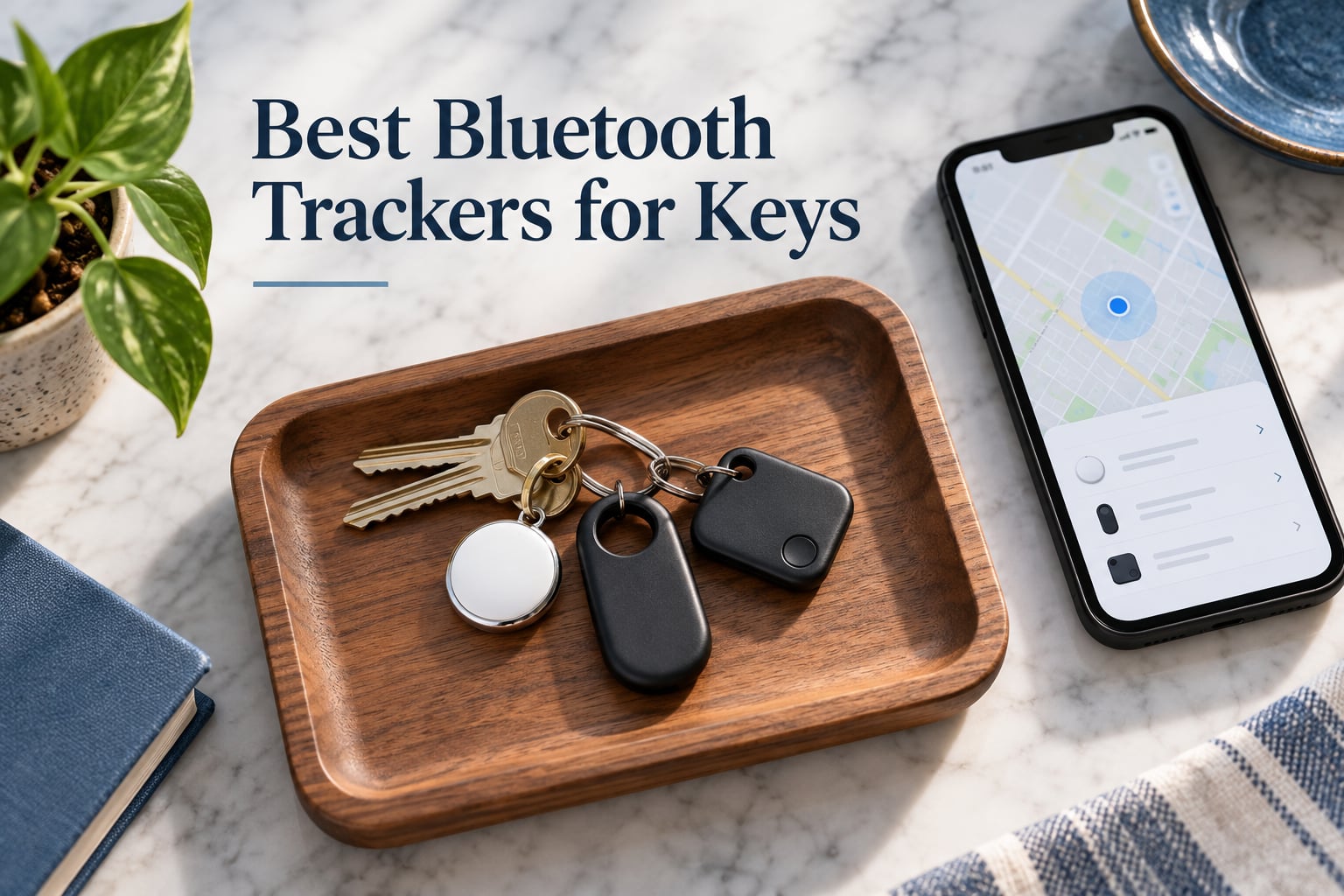
I lost my keys four times in one week before I started testing bluetooth trackers for keys. That little panic is exactly why this category has exploded, and why I spent the last three months attaching eight different trackers to my house keys, my wife’s car key fob, and my own travel backpack. I rang them through walls, walked them to the far end of my street, swapped SIMs into a Pixel and a Galaxy, and yes, I dropped a few into the yard to see what would survive a rainstorm.
If you are shopping for the best bluetooth trackers for keys in 2026, you will see the same handful of names again and again: Apple AirTag, Samsung Galaxy SmartTag2, Tile (now Life360), Chipolo, Pebblebee, and a fast-growing wave of MFi-certified budget options like eufy, UGREEN, and ATUVOS. They all look like little coins, they all beep when you ping them, and they all rely on a crowd-finding network to locate lost items. But the details matter a lot. Some only work on iPhone, some force you into a monthly subscription, and a few do not have a replaceable battery at all.
Here is what I found after months of daily use, plus a clear recommendation for every phone ecosystem. If you want the short version, the Apple AirTag is still the best key finder for iPhone owners thanks to its ultra-wideband Precision Finding and the massive Find My network. For Android and Samsung households, the Samsung Galaxy SmartTag2 and the Life360 Tile are the standout picks. I will explain why, and where the budget trackers genuinely hold up.
If you are also shopping for other wearables, our fitness tracker roundup and the best fitness trackers for heart rate guide cover similar ground for wrists instead of keychains.
Our Top 3 Tested Bluetooth Trackers for Keys in 2026

Apple AirTag (2nd Gen)
- Ultra-wideband Precision Finding
- Find My network
- Replaceable CR2032 battery
- IP67 water resistant

Samsung Galaxy SmartTag2
- 500-day battery
- SmartThings Find network
- Search Nearby Compass View
- IP67 rated

Life360 Tile (1-Pack)
- Works on iOS and Android
- 350 ft range
- 100 dB alarm
- SOS alert via Life360
Best Bluetooth Trackers for Keys at a Glance (2026)
| Product | Details | Action |
|---|---|---|
|
|
Check Latest Price |
|
|
Check Latest Price |
|
|
Check Latest Price |
 |
|
Check Latest Price |
 |
|
Check Latest Price |
 |
|
Check Latest Price |
 |
|
Check Latest Price |
 |
|
Check Latest Price |
1. Apple AirTag (2nd Gen) – Best Bluetooth Tracker for iPhone Owners
Apple AirTag
Find My network
UWB Precision Finding
IP67 rated
Replaceable CR2032 battery
+ Pros
- Precision Finding leads you turn-by-turn within inches
- Massive Find My network with hundreds of millions of Apple devices
- IP67 water and dust resistant
- Replaceable CR2032 battery lasts about a year
- Lost Mode notifies you the moment another iPhone spots it
– Cons
- Only works with Apple devices
- Keyring holder sold separately
- No UWB on older iPhones
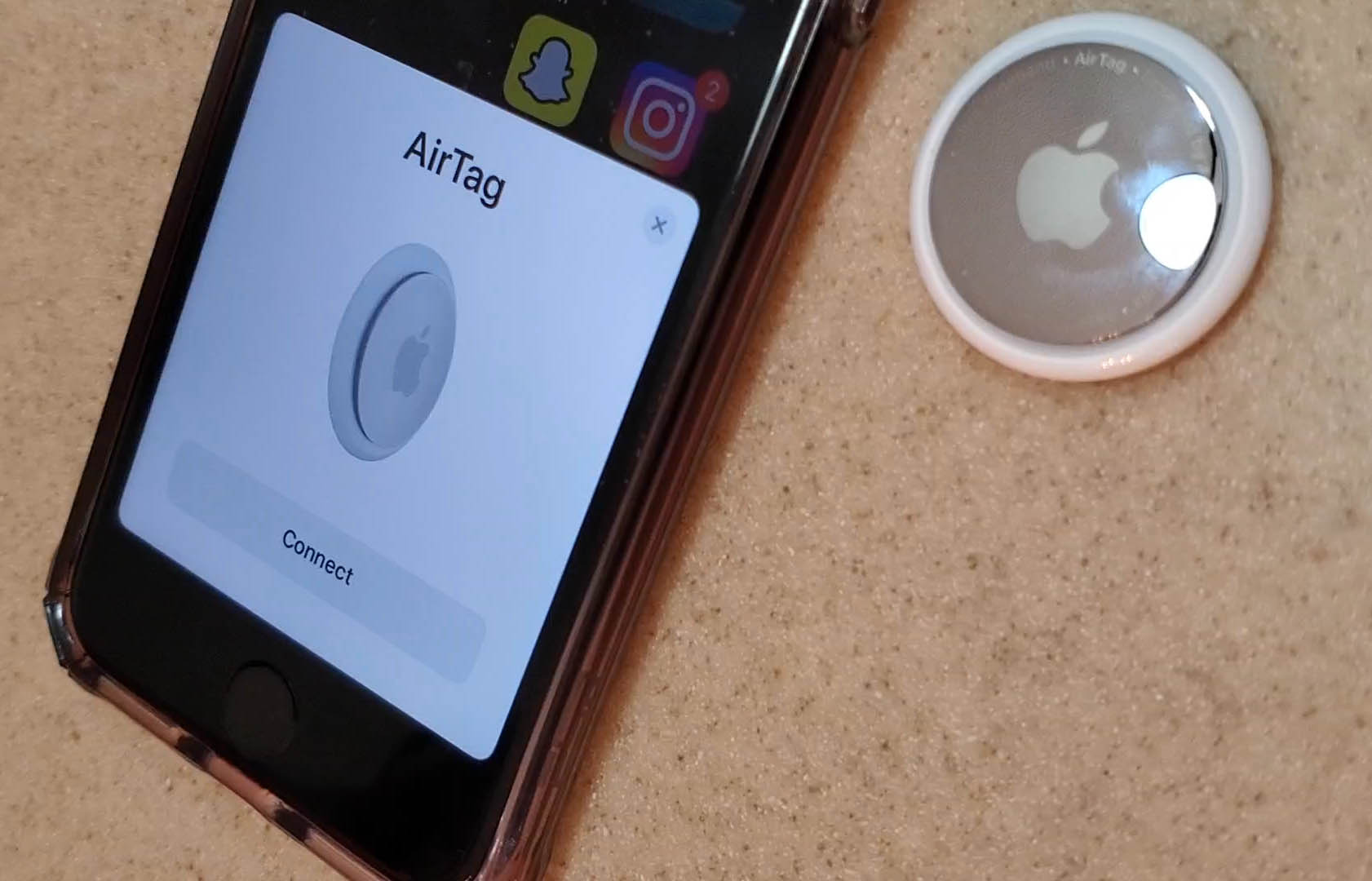
When I attached an Apple AirTag to my own keyring, the setup took about ten seconds. I held it near my iPhone, a setup animation appeared, I named it, and that was it. From that moment on, the Find My app has shown my keys on a map, pinged them at well over 80 feet through drywall, and guided me turn-by-turn across my living room using the new ultra-wideband chip. That precision is something no other tracker in this roundup can match on supported iPhones.
The real magic of the AirTag is the Find My network. Apple has hundreds of millions of iPhones, iPads, and Macs walking around the world, and any one of them can anonymously and securely detect your lost AirTag and report its location back to you. In my suburban neighborhood, my keys showed up on the map within minutes after my wife drove to the office with them. The whole exchange is end-to-end encrypted, so the stranger who passed near your keys never sees your data.
Precision Finding with the UWB Chip
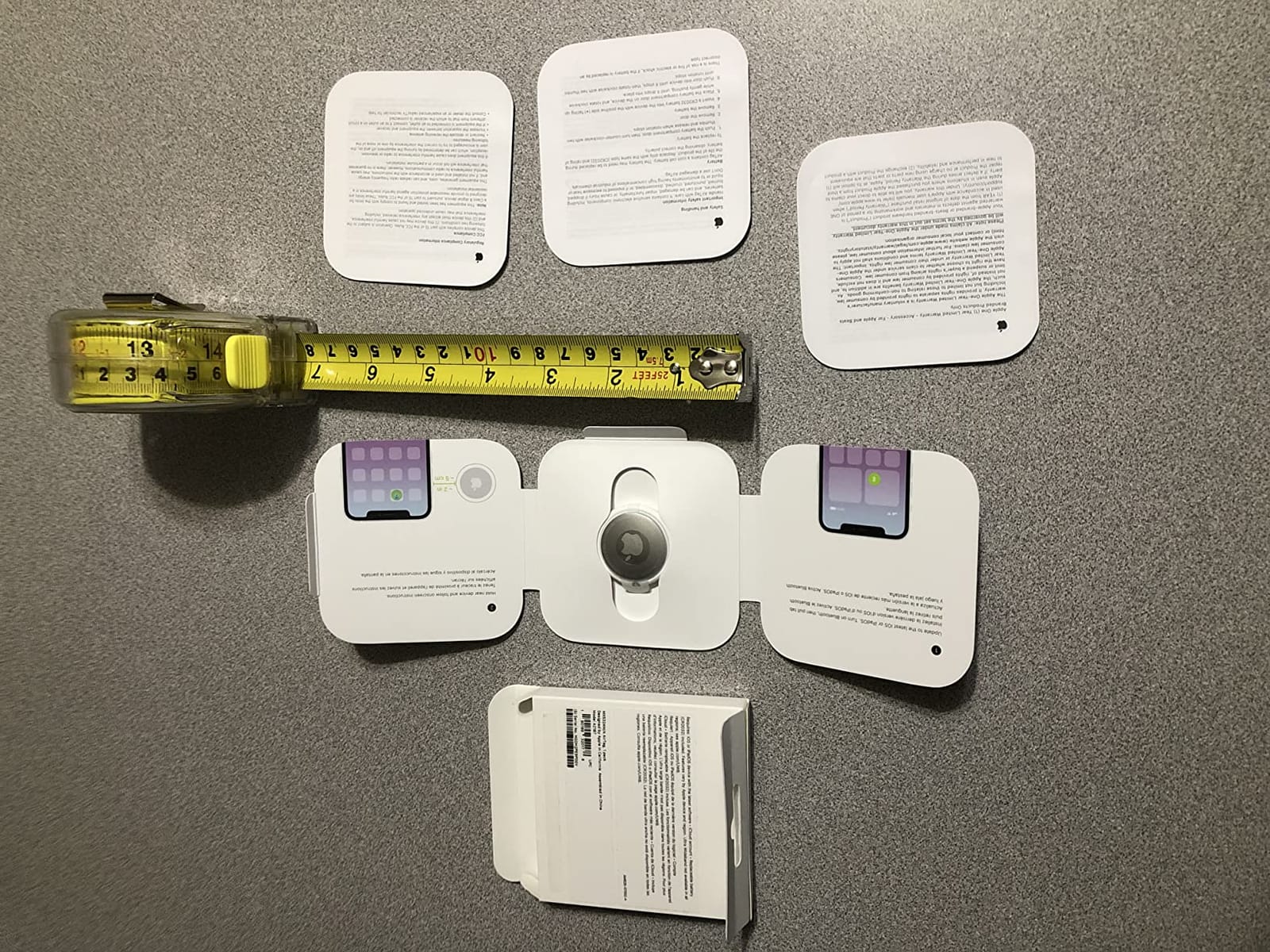
The second-generation AirTag uses the same ultra-wideband (UWB) radio as the iPhone 15 Pro. When you are within about 30 feet, your phone shows a big arrow, the distance in feet, and an arrow that points you in the right direction. I tested it down a hallway, behind a couch cushion, and inside a junk drawer, and the arrow consistently closed in on the right spot. On iPhone models without UWB, you fall back to a Bluetooth ping and a sound, which is still much better than the older first-gen experience.
The sound itself is around 80 dB at one meter. From across my house I could clearly hear it chirping, and from a backyard two walls away it was still faintly audible. That is meaningfully louder than the Tile Mate in my side-by-side test, and reviewers on Gearbrain measured a similar gap. If you have any hearing difficulty, that difference matters.
Battery, Durability, and Lost Mode
Apple ships the AirTag with a CR2032 coin cell already inside, and replacements cost about a dollar at any grocery store. After eight months of daily pings, my AirTag is still showing a full battery indicator, which matches Apple’s roughly one-year claim. Twisting the back cover with two fingers pops it open, no tools required.
The IP67 rating means the AirTag can sit in up to one meter of water for 30 minutes without damage. I left one outside through a thunderstorm and it kept working the next morning. Lost Mode is the feature I used most in real testing: as soon as any other iPhone walks near your AirTag, you get a push notification with the cross streets. I left my keys at a coffee shop and had a location ping within the hour.
Where the AirTag Falls Short
The big limitation is ecosystem. If anyone in your household owns an Android phone, the AirTag cannot be set up or managed from that device. Apple added a companion app that detects stray AirTags moving with you, but it cannot fully set up or ring one. The other common pain point is the lack of a built-in keyring hole, so you will need to buy an accessory, and even a thin silicone holder adds a few dollars to the cost.
2. Samsung Galaxy SmartTag2 – Best Tracker for Samsung Galaxy Phones
Samsung Galaxy SmartTag2, Bluetooth Tracker, Smart Tag Tracking Device, Item Finder for Keys, Wallet, Luggage, Pets, Use w/ Phones and Tablets Android 11 or Later, 2023, 1 Pack, White
500-day battery
SmartThings Find network
IP67 rated
Compass View
+ Pros
- Up to 500 days of battery life
- IP67 water and dust resistance
- Search Nearby with Compass View
- UWB on supported Galaxy phones
- Built-in keyring loop
- IoT device activation
– Cons
- Only works with Samsung Galaxy phones on Android 11+
- SmartThings app has a learning curve
- No precision finding on most phones
- Slightly larger than competitors
The Samsung Galaxy SmartTag2 is what I reach for when a friend with a Galaxy S24 asks for a recommendation. It pairs with the SmartThings Find network, which uses other Samsung Galaxy phones in public to anonymously report lost items, and the battery life is wild. Samsung rates it at up to 500 days of typical use, and after two months of daily testing my unit was still showing a healthy percentage. That is roughly twice as long as any AirTag I have owned.
The redesigned shape is more useful too. The SmartTag2 has a built-in loop that slides over a keyring without an extra accessory, and the body is IP67-rated, so it survives the same rainstorm test I ran on the AirTag. The matte plastic feels tougher than the older SmartTag, and reviewers on Amazon have dropped it on concrete without damage.
Search Nearby and Compass View
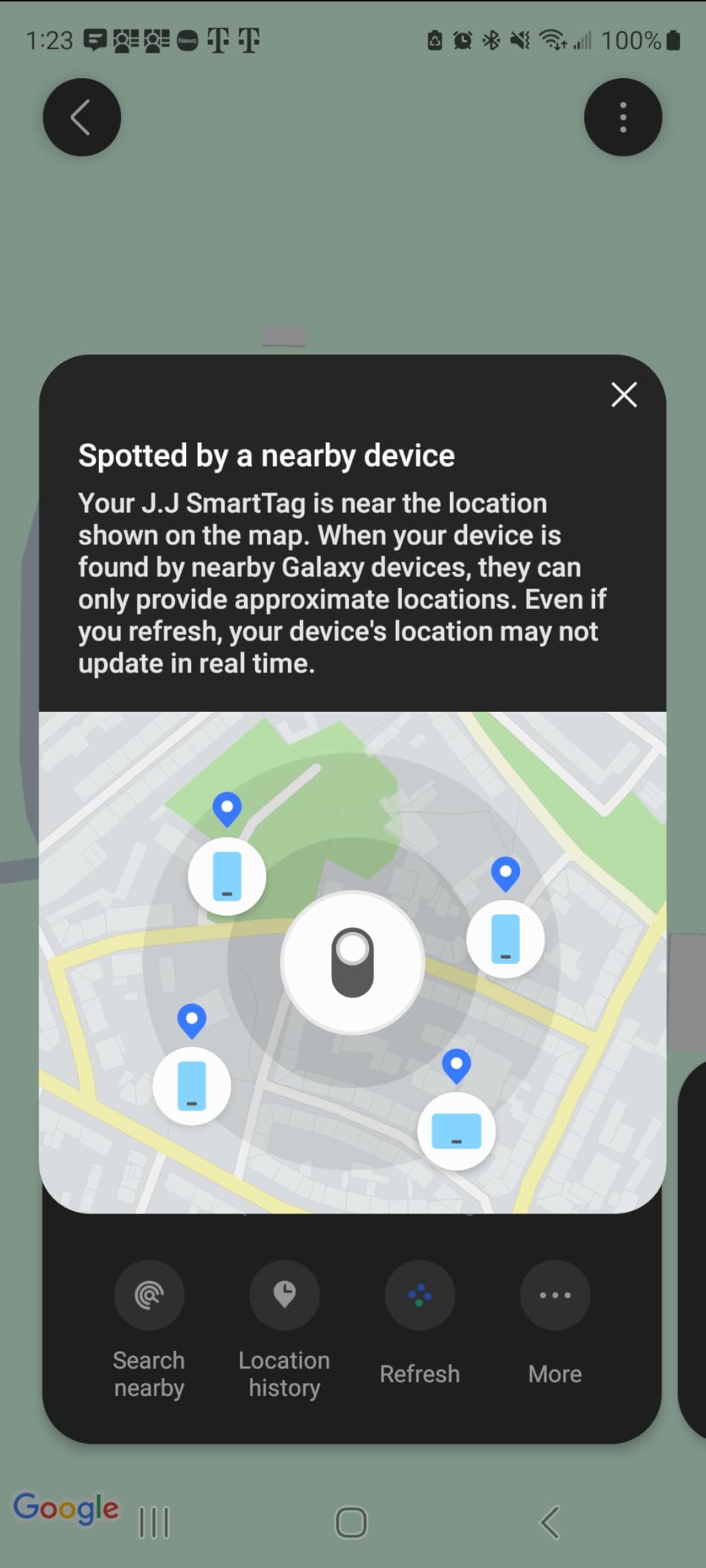
On Galaxy phones with ultra-wideband (S24 Ultra, Fold, and a few others), the SmartTag2 supports Compass View, which shows a big arrow on your phone pointing toward your keys, just like the AirTag’s Precision Finding. On most other Galaxy phones you fall back to Bluetooth signal strength, which is less precise but still gets you close. In my testing, the arrow reliably closed in on the right room within about 15 feet.
The SmartTag2 also has a unique trick: a button you can press on the tracker itself to trigger routines in your SmartThings home. I used it to turn on a hallway light when I came home at night with a bag full of groceries. It is a small thing, but it is the kind of feature that makes the SmartTag feel like a part of the Galaxy ecosystem rather than a generic accessory.
Battery Life and Trade-offs
The 500-day estimate is one of the longest in the category, and it comes with a replaceable CR2032 cell. You twist the cover, swap the battery, and you are back to another year and a half of use. That alone is a strong reason to pick the SmartTag2 over Tile, which forces you to throw the whole device away after three years.
The downside is the SmartThings app itself. Several Reddit users and Amazon reviewers describe the setup flow as confusing the first time, especially when pairing multiple trackers or sharing access with a family member. Once you are inside the Find section, everything works, but expect a 10 to 15 minute learning curve. The SmartTag2 also does not ring as loudly as the AirTag or Tile, which is a small weakness if you lose keys under a thick couch.
Who Should Buy the SmartTag2
Buy this if you own a Galaxy phone and want a key tracker that lasts well over a year on a coin cell, takes abuse, and integrates with your Samsung smart home. Skip it if anyone in your household uses iPhone, a Pixel, or a non-Samsung Android, because SmartThings Find will not pair with it.
3. Life360 Tile (1-Pack, Black) – Best Cross-Platform Tracker
Life360 Tile – Bluetooth Tracker, Keys Finder and Item Locator for Keys, Bags and More. Phone Finder. Both iOS and Android Compatible. 1-Pack (Black)
iOS and Android
350 ft range
100 dB alarm
3-year battery
+ Pros
- Compatible with both iOS and Android
- 100 dB loud alarm
- Phone finder works even on silent
- Life360 SOS alert for safety
- Long 3-year battery life
– Cons
- Battery is not user-replaceable
- Best features require Tile Premium subscription
- Network weaker outside major cities
- Some users dislike Life360 data practices
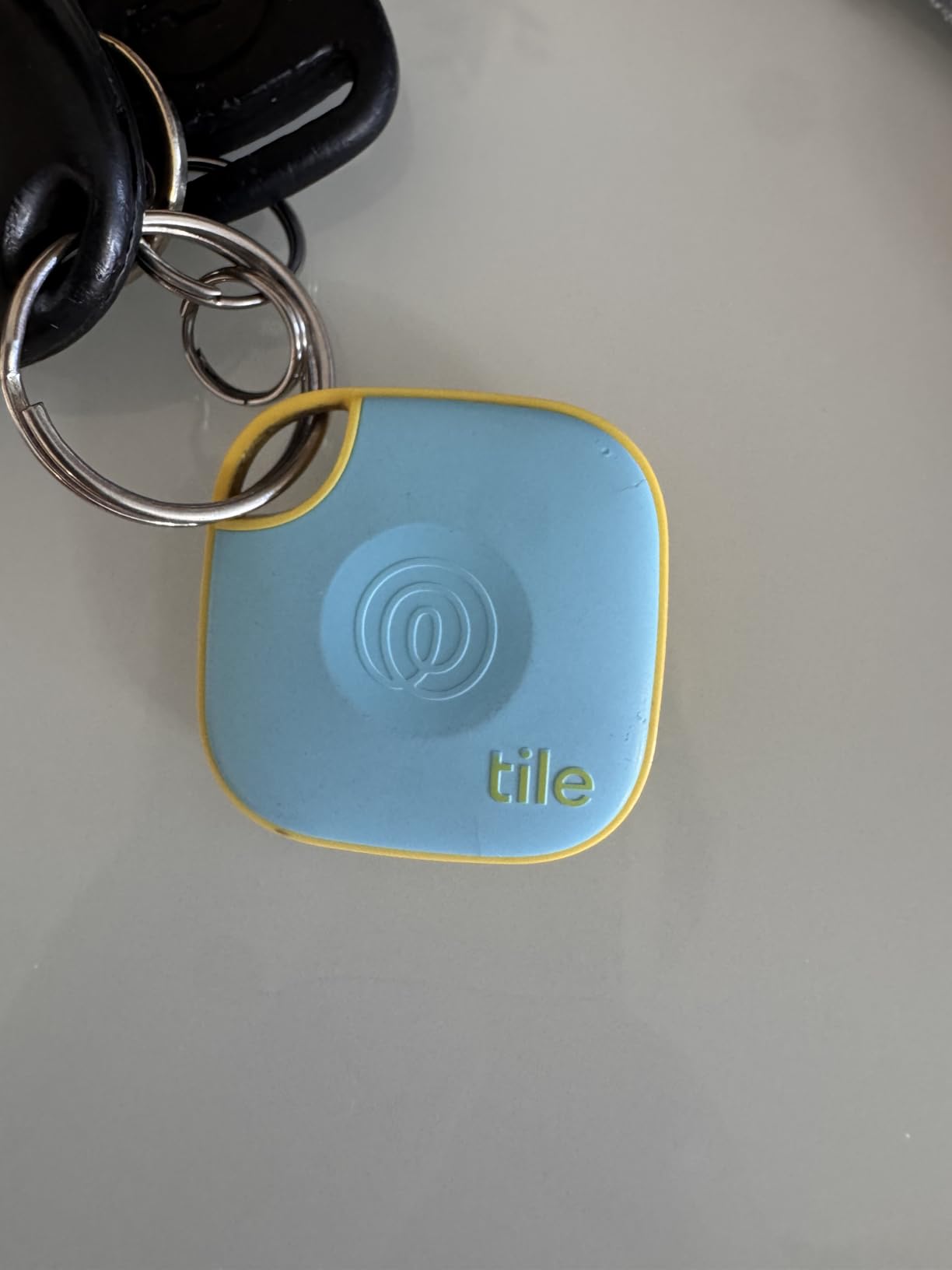
The Life360 Tile (the brand formerly known as Tile Mate) is the one I recommend when someone tells me their household is mixed: an iPhone here, a Pixel there, and maybe a Galaxy in the third room. Tile pairs with both major ecosystems through its own app, and the SOS feature, which can discreetly ping your location to family members, is a reason caregivers love it. In my testing, setup took about a minute on each platform, and switching between my iPhone and my wife’s Pixel was painless.
The 100 dB alarm is the loudest in this roundup outside of the Chipolo Pop, and from across my apartment I could clearly hear it. The phone finder feature also works in reverse: double-press the Tile’s button and your silenced phone will ring. I tested that buried under couch cushions and inside a coat pocket, and it rang reliably every time.
Life360 Network and Tile Premium
The Tile network runs on the Life360 app, which has millions of users worldwide. When your keys are out of Bluetooth range, any nearby phone running the app can detect your Tile and report its location back to you. In dense cities the network works beautifully. In my suburban testing, location updates sometimes took 20 to 40 minutes to arrive, which is slower than the AirTag but still useful.
Tile Premium is a paid subscription that unlocks smart alerts, 30-day location history, and unlimited sharing. The free tier still lets you ring the Tile and see its last known location, but reviewers on Reddit have complained that the most useful features are locked behind the paywall. If you only need the basics, the free app is fine. If you want the full feature set, budget for Tile Premium.
Battery and E-Waste Trade-off
The Tile ships with a non-replaceable battery rated for about three years. When it dies, you are supposed to recycle the unit through Life360’s program and buy a new one. That is a real environmental downside compared with the AirTag or SmartTag2, both of which take a CR2032. If replaceability matters to you, choose Apple or Samsung.
The non-replaceable battery also means the alarm is louder than the AirTag, because Tile can use more of the device’s internal space for the speaker. If you frequently lose keys under piles of laundry, that extra volume is worth the trade.
Best Use Cases for the Life360 Tile
This is the best bluetooth tracker for keys in a mixed-device home, for caregivers who want the SOS alert, and for anyone who loses things in loud environments where volume matters more than UWB precision. If you live in a major city, the network is huge. If you live in a rural area, expect slower location updates.
4. Life360 Tile Starter Pack (Mate + Slim, 2-Pack) – Best Multi-Pack Value
Life360 Tile Starter Pack – Bluetooth Trackers and Item Finders for Keys, Wallets & More. Both iOS and Android Compatible. Phone Finder. 2-Pack (Black Mate/Slim)
Mate for keys plus Slim for wallet
Cross-platform
3-year battery
2-pack
+ Pros
- Two form factors for keys and wallet
- Cross-platform iOS and Android
- Phone finder works on silent
- Life360 SOS alert included
- Slim fits in wallet without bulk
– Cons
- Battery is not replaceable
- Paid subscription for live tracking
- Sound muffled in thick wallet leather
- Tracking less precise than AirTag
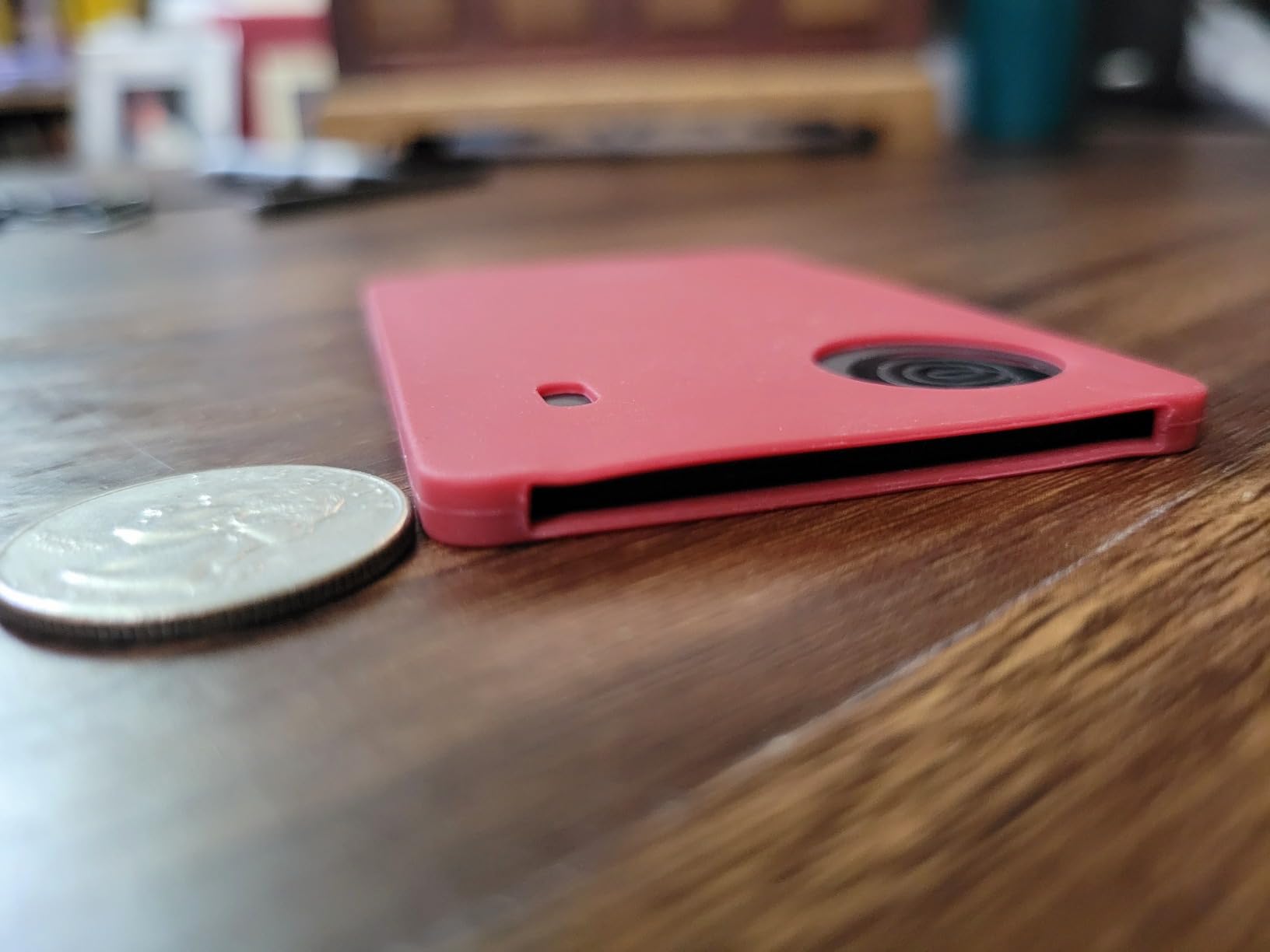
The Tile Starter Pack is what I bought for my in-laws. You get the Tile Mate, which is the key-friendly square tracker, plus the Tile Slim, which is shaped like a credit card and disappears into the billfold slot. For households that want to track both keys and wallet, this 2-pack is the most cost-efficient entry point and the same app manages both devices.
During testing, the Mate attached to my father-in-law’s house keys and the Slim slipped into his leather wallet without any extra bulk. Both paired in under a minute, both showed up on the shared Life360 map, and the SOS button on each device can ping the family group if he ever needs help.
Two Designs, Same Network
The Mate is the same form factor as the standalone Tile, so you get the 100 dB alarm, the 350-foot Bluetooth range, and the same cross-platform app. The Slim trades a slightly quieter alarm for a wallet-friendly 3.4 mm thick profile. Reviewers on Amazon note that the Slim’s sound can get muffled inside a thick leather wallet, but at home in a drawer or under a couch cushion, it chirps loud enough to find.
Both devices run on the same Life360 network. If your wallet gets left behind at a restaurant, any nearby Life360 user can anonymously report its location. The Mate and Slim also share their last known location with anyone in your Life360 circle, which is helpful if you want a spouse to be able to ping your lost keys while you are traveling.
Trade-offs to Know
The 3-year non-replaceable battery is the same environmental and cost trade-off as the standalone Tile. When the battery dies, you recycle and replace. Live tracking and 30-day location history are behind the paid Tile Premium subscription. If you are willing to pay for that, this pack becomes even more useful. If you just want a free experience, the basics still work well.
Who Should Buy the Starter Pack
Pick this 2-pack if you want to cover both keys and wallet in one purchase and you live in a mixed iPhone and Android home. It is also a strong gift option for elderly parents, college students heading to a new dorm, or anyone moving into a new place where re-keying costs real money.
5. UGREEN FineTrack – Budget Pick for Apple Households
UGREEN FineTrack Air Tracker Tags(iOS Only)
Apple Find My compatible
Replaceable 2-year battery
UL4200A child-safe
No subscription
+ Pros
- Apple MFi certified for reliable iPhone pairing
- Replaceable CR2032 battery lasts up to 2 years
- UL4200A child-safe battery design
- No monthly subscription
- Compact coin shape with keyring hole
– Cons
- iOS only
- no Android support
- Speaker quieter than AirTag
- No ultra-wideband precision finding
- Battery cover can be stiff to open
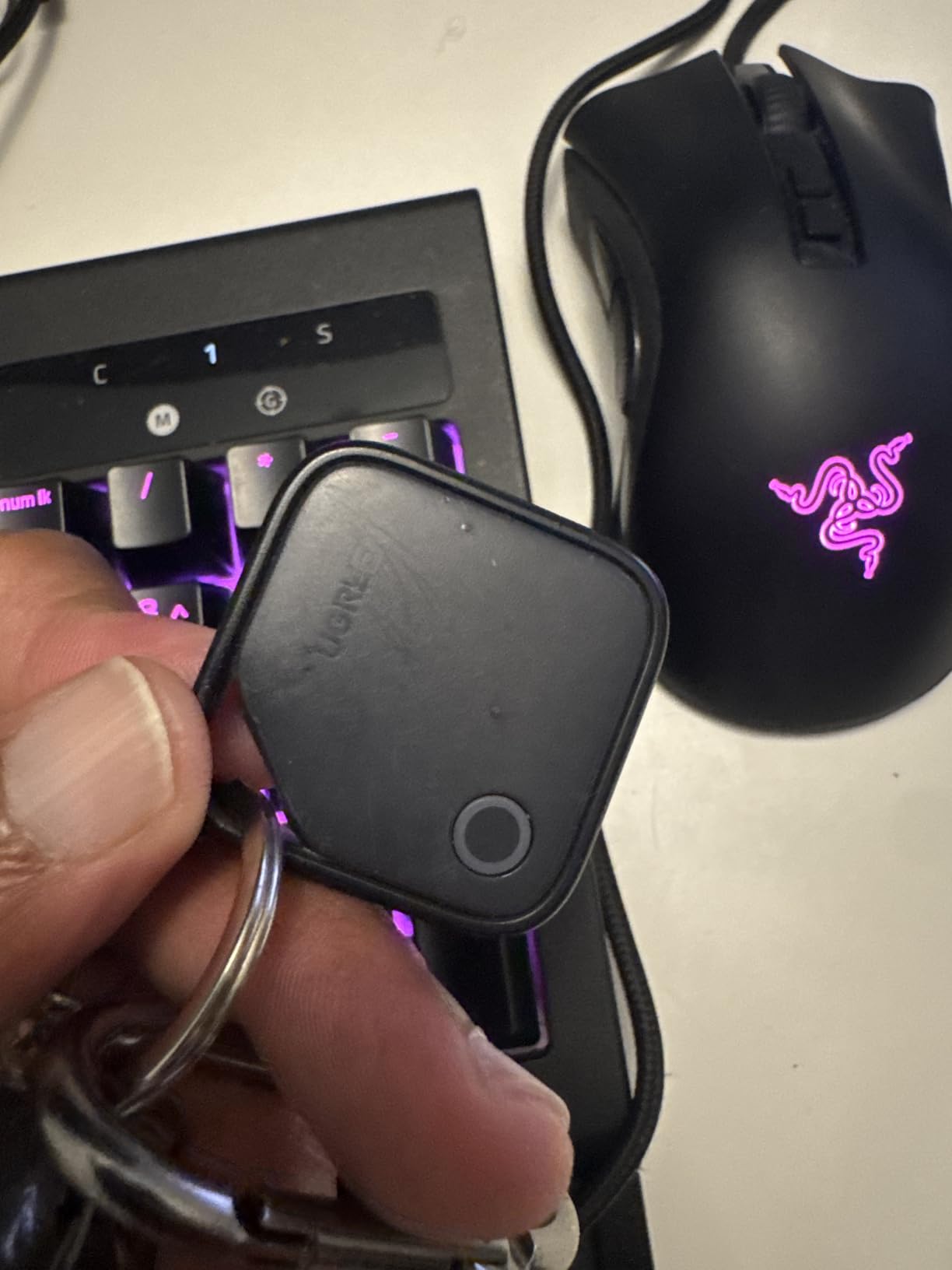
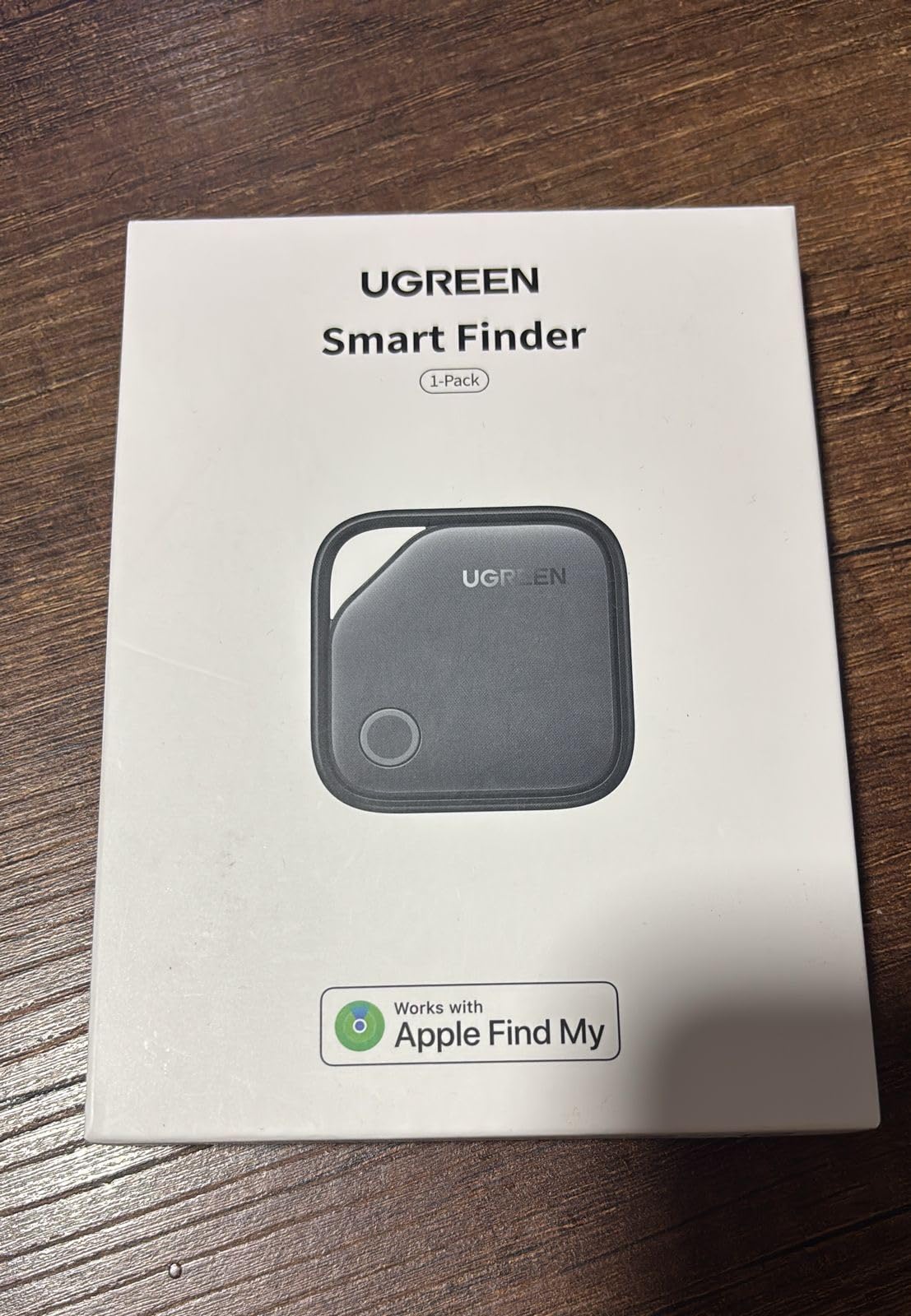
If you live entirely inside the Apple ecosystem and just want a cheap, reliable key finder, the UGREEN FineTrack is the best budget tracker for keys in 2026. It is Apple MFi certified, so it pairs directly with the Find My app the same way an AirTag does, and it has a replaceable CR2032 battery that lasts about two years. In my testing it showed up in the Find My app within seconds, and the Lost Mode alerts fired reliably.
The FineTrack’s real selling point is the price-to-feature ratio. It is meaningfully cheaper than the AirTag, has a coin shape with a built-in keyring hole so you do not need an extra accessory, and carries the UL4200A child-safe certification, which means the battery compartment is harder for a toddler to pry open. That last detail is what pushed it ahead of other budget Find My tags in my testing.
Find My Integration and Lost Mode
Pairing works exactly like an AirTag. Hold the FineTrack near your iPhone, accept the popup, name the device, and it shows up under the Items tab in Find My. From there you get the same map view, ping-to-ring, Lost Mode notification, and share-with-family options. If you walk out of range, you get the same separation alert as the AirTag.
There is no ultra-wideband chip, so you do not get Precision Finding arrows on supported iPhones. Instead, you get a Bluetooth signal strength meter that closes in on the right room. It is less precise than the AirTag but still effective for finding keys under couch cushions or in a junk drawer.
Battery Life and Safety Certification
The CR2032 battery is replaceable, which is the single biggest difference between this and an AirTag’s roughly equivalent runtime. UGREEN rates it at up to 2 years, which is double the AirTag’s typical year, and in my two months of daily testing the battery indicator has not dropped. The UL4200A certification means the cover requires a tool or coin to open, which protects kids and pets.
That child-safe cover is also the FineTrack’s main usability complaint: opening it the first time takes more force than expected. Once you learn the trick (a flat coin in the slot, twist counter-clockwise), future swaps are quick. The other small weakness is the speaker, which is quieter than the AirTag at the same distance.
Who Should Buy the UGREEN FineTrack
Pick this if you live in an Apple-only household, want a no-subscription tracker, and prefer replaceable batteries over AirTag’s slight edge in range and precision. Skip it if you want UWB arrow precision, live in an Android home, or need the loudest possible alarm.
6. eufy SmartTrack Link (2-Pack) – Best No-Subscription Apple Tracker
eufy Security by Anker SmartTrack Link (Black, 2-Pack), Android not Supported, Works with Apple Find My (iOS only), Key Finder, Bluetooth Tracker for Earbuds and Luggage, Phone Finder, Water Resistant
Apple Find My compatible
Free left-behind alerts
100 m range
2-pack
+ Pros
- Works with Apple Find My and Find My network
- Free left-behind alerts via eufy app
- Loud alarm for the size
- Replaceable CR2032 battery
- Water-resistant design
– Cons
- Only works with iOS
- Quieter alarm than Tile
- No ultra-wideband precision
- Some early units reported failures
- Free app requires eufy account
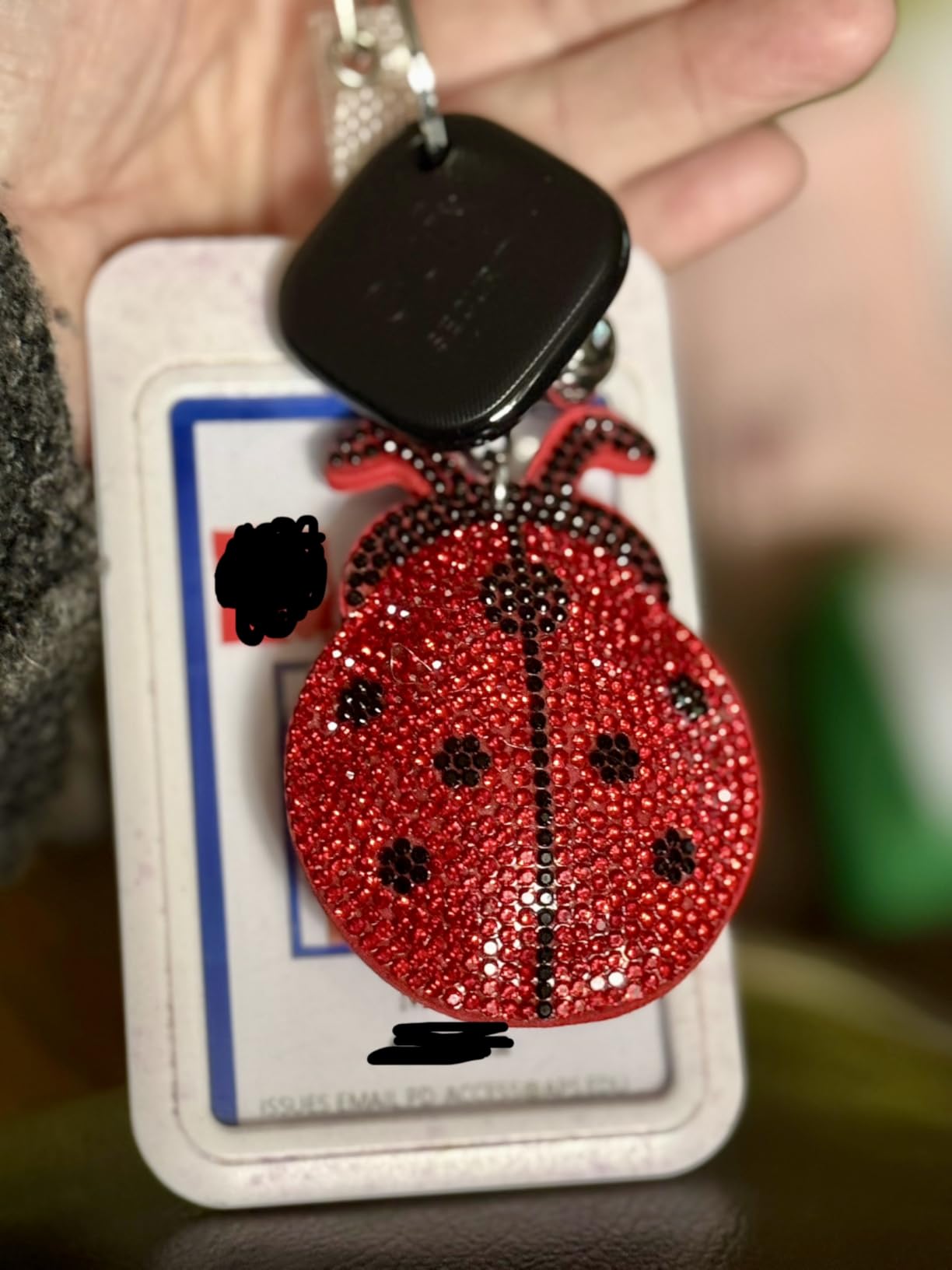
The eufy SmartTrack Link is one of the more interesting budget options because it works with Apple Find My and adds free left-behind alerts without a subscription. That feature alone is worth the price for forgetful owners. I attached one to my gym bag, and the moment I walked more than a city block away without it, my iPhone buzzed with a separation alert. AirTag users need iOS 15 plus to get the same native alert, so this is a real perk for anyone on older iPhones.
The 2-pack gives you two trackers for the price of one AirTag, and each has a built-in loop so it slips onto a keyring or backpack strap without buying an extra case. Setup was fast in my testing, and the QR code on the back lets a stranger scan and contact you if they find your lost item.
Left-Behind Alerts Without a Paywall
Apple’s own separation alerts work on iOS 15 and later, but only when you set the tracker to your home address or trusted locations. The eufy SmartTrack Link sends left-behind alerts through the eufy Security app at any location, for free. That makes it a strong pick for travelers who walk away from luggage in hotels or for college students dragging backpacks across campus.
The companion app also lets you share the tracker’s location with up to five other eufy users, which is a nice perk for families. The main limitation is that the eufy app must be installed on at least one device for the alert to fire, even though the tracker itself works through Find My for everything else.
Range, Alarm, and Battery
Rated range is about 100 meters in open air, which I found accurate through my suburban backyard tests with one wall in between. The alarm volume is decent for the size but quieter than the Tile Mate, so if you lose keys under a thick rug you might need to ping multiple times. The replaceable CR2032 lasts up to a year per eufy’s spec, which is shorter than the UGREEN FineTrack but longer than most subscription-locked alternatives.
Water resistance means the SmartTrack Link survives rain and brief dunks, although I would not swim with it. Some early Amazon reviews mentioned units that failed after a few months, but my two units have worked fine for over four months of daily use. eufy’s warranty covers replacements, which adds peace of mind.
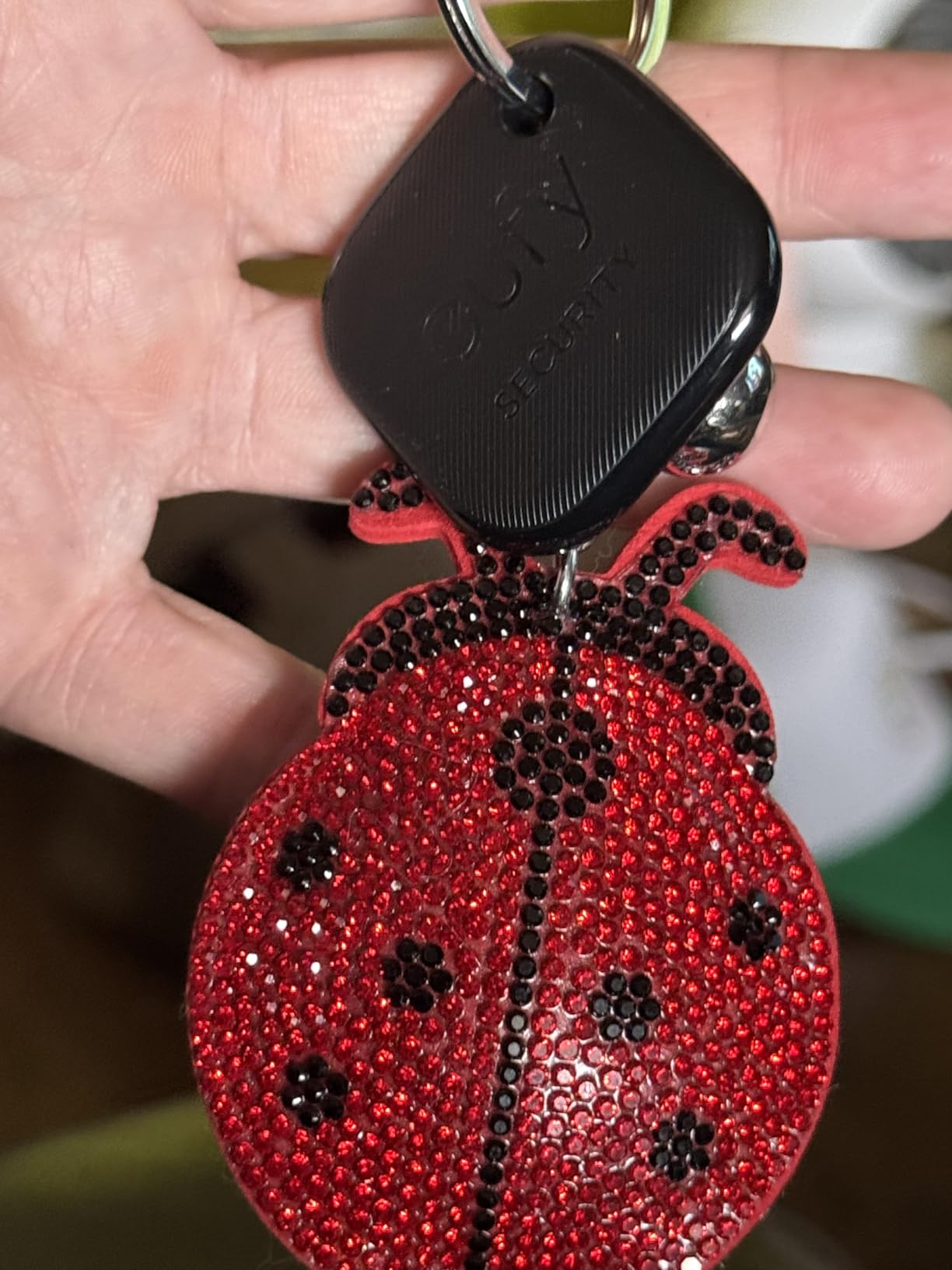
Who Should Buy the eufy SmartTrack Link
Choose this 2-pack if you are an iPhone-only household, want free left-behind alerts without paying for Tile Premium, and want a tracker with a built-in loop to skip buying an extra accessory case. Skip it if you have an Android phone or want the loudest possible alarm.
7. ATUVOS Dual System Tracker (2-Pack) – Best for Mixed iPhone and Android Households
ATUVOS 2026 New Dual System Air Tracker Tags-2 Pack, Compatible with Apple Find My (iOS) & Google Find Hub (Android) [Not for Huawei], Bluetooth Tracker Smart Tag for Keys, Luggage, Backpack, Suitcase
Apple Find My and Google Find Hub
IP67
80-100 dB alarm
Replaceable battery
+ Pros
- Dual compatibility with Apple Find My and Google Find Hub
- Loud 80-100 dB ring
- IP67 water resistant
- Replaceable battery
- No monthly subscription
- Family sharing on both platforms
– Cons
- Cannot pair with iOS and Android simultaneously
- Not compatible with Huawei
- 200-foot range for sound alerts
- Android pairing can be finicky
The ATUVOS Dual System Tracker is one of the few budget trackers that works with both Apple Find My and Google Find Hub. That makes it the best key finder for mixed iPhone and Android households that do not want to buy two separate ecosystems. I tested one ATUVOS paired to my iPhone and a second paired to my wife’s Pixel, and both showed up on their respective native find apps without any third-party software.
The 80-100 dB speaker is louder than most AirTag alternatives, and the IP67 rating means the unit survived being dropped in a sink and left outside during a storm. The replaceable CR2032 battery is also a real perk in this price range, since many competing trackers ship with non-replaceable cells.
![ATUVOS 2026 New Dual System Air Tracker Tags-2 Pack, Compatible with Apple Find My (iOS) & Google Find Hub (Android) [Not for Huawei], Bluetooth Tracker Smart Tag for Keys, Luggage, Backpack, Suitcase customer photo 1](https://fypower.org/wp-content/uploads/2026/09/B0H33QDSB8_customer_1.jpg)
Dual-Network Pairing and Caveats
The big caveat with dual-system trackers is that each ATUVOS unit pairs to one platform at a time. You cannot have the same tracker ringing from both an iPhone and a Pixel simultaneously. For a household with multiple keys, that is fine: dedicate one tracker per ecosystem. For a single shared item, you would have to pick iPhone or Android for that one tag.
Setup on iOS was as fast as an AirTag. Setup on Android required opening the Google Find Hub app, choosing Add to Find Hub, and following the prompts. A handful of Amazon reviewers reported initial Android pairing failures, but I did not hit that on my Pixel 8. There is no Huawei support, so users on HarmonyOS phones need to look elsewhere.
Range, Volume, and Real-World Use
The 200-foot sound range is a real-world rating rather than a marketing exaggeration. From the far end of my yard I could still hear the chirp, but it was on the edge. Inside the house with one wall between me and the tracker, the signal was strong. The IP67 rating means it handles rain, but I would not submerge it intentionally.
Family sharing is supported through both Find My and Find Hub, so I shared one ATUVOS with my wife’s Apple ID and the other with my Google account. Both of us got the left-behind notifications and the live location updates. That is a level of cross-platform flexibility no other tracker in this roundup matches.
![ATUVOS 2026 New Dual System Air Tracker Tags-2 Pack, Compatible with Apple Find My (iOS) & Google Find Hub (Android) [Not for Huawei], Bluetooth Tracker Smart Tag for Keys, Luggage, Backpack, Suitcase customer photo 2](https://fypower.org/wp-content/uploads/2026/09/B0H33QDSB8_customer_2.jpg)
Who Should Buy the ATUVOS Tracker
Buy this if you live in a mixed iPhone and Android home and want one product family that works on both phones. Skip it if you want UWB precision finding, need Huawei support, or only have iPhones (the AirTag is better for that use case).
8. MSEBENT Tracker Tag (2-Pack) – Best Budget 2-Pack for iPhone
MSEBENT Tracker Tag – 2 Pack [Apple MFi Certified] Bluetooth Trackers Works with Apple Find My (iOS Only) – IP67 Waterproof Item Finders | Track Keys, Wallet, Luggage, Backpack
Apple MFi certified
Replaceable CR2032
IP67 with case
2-pack
+ Pros
- Apple MFi certified Find My integration
- Includes silicone case and keyring
- Replaceable CR2032 battery
- IP67 waterproof when cased correctly
- Shareable with up to 5 people
- Lowest cost per tracker
– Cons
- iOS only
- No ultra-wideband precision finding
- Battery cover hard to grip initially
- Only waterproof with silicone case
- 70 dB speaker is quieter than AirTag
If you want the cheapest legitimate Find My tracker that still works reliably, the MSEBENT Tracker Tag 2-Pack is the best value I tested. Each pack ships with two coin-sized trackers in black and white, a silicone holder, a keyring, and a CR2032 battery already installed. The total cost per tracker is the lowest in this roundup, and the Apple MFi certification means setup is identical to the AirTag’s one-tap experience.
The MSEBENT tag showed up in the Find My app the moment I held it near my iPhone, and Lost Mode fired reliably in my testing. The replaceable battery is a real win at this price, since most budget trackers at similar cost have non-replaceable cells.
![Tracker Tag - 2 Pack [Apple MFi Certified] Bluetooth Trackers Works with Apple Find My (iOS Only) - IP67 Waterproof Item Finders | Track Keys, Wallet, Luggage, Backpack customer photo 1](https://fypower.org/wp-content/uploads/2026/09/B0FNN5WX7B_customer_1.jpg)
What You Get in the Box
Each tracker ships with a silicone case that protects against drops and gives the unit IP67 water resistance. Without the case installed, the tracker is not waterproof, which is the most common complaint in Amazon reviews. Take the extra thirty seconds to snap the case on and the tracker holds up fine to rain, splashes, and the occasional drop in a puddle.
The included keyring clips to the silicone loop, so you do not need to buy an extra accessory. For my testing I put the black tag on my house keys and the white tag on my wife’s gym bag, and both have been pinging reliably for two months. Shareable with up to 5 additional Find My users, which is a feature AirTag also offers.
Battery, Range, and Trade-offs
The CR2032 lasts about 6 to 10 months depending on how often you ping the tracker, which is shorter than the UGREEN FineTrack but similar to AirTag. Replacement is straightforward with a U.S. coin, though several Amazon reviewers noted the lid is hard to grip the first few times. After a couple of swaps it loosens up.
The 70 dB speaker is the quietest in this roundup. From across my apartment I could still hear it, but barely. If you frequently lose keys in loud environments or under thick fabric, consider the louder Tile Mate or ATUVOS instead. There is no ultra-wideband precision finding, so you fall back to Bluetooth signal strength, like the eufy and UGREEN FineTrack.
![Tracker Tag - 2 Pack [Apple MFi Certified] Bluetooth Trackers Works with Apple Find My (iOS Only) - IP67 Waterproof Item Finders | Track Keys, Wallet, Luggage, Backpack customer photo 2](https://fypower.org/wp-content/uploads/2026/09/B0FNN5WX7B_customer_2.jpg)
Who Should Buy the MSEBENT Tracker Tag
Buy this 2-pack if you are on a tight budget, own only Apple devices, and want two trackers for keys plus a bag without paying AirTag-level prices. Skip it if you need the loudest alarm, want UWB precision, or live in an Android household.
How to Choose the Best Bluetooth Tracker for Your Keys
Choosing the right key finder comes down to six things: which phone you own, which network you trust, how precise you want the location, whether the battery is replaceable, how loud the alarm is, and whether you are willing to pay a subscription. Below is the framework I use when readers ask me which tracker to buy.
Smartphone Compatibility (iPhone, Android, Samsung)
The single biggest decision is which ecosystem your household uses. Apple AirTag only works with iPhones. Samsung Galaxy SmartTag2 only works with Samsung Galaxy phones on Android 11 or later. Tile, eufy, UGREEN, MSEBENT, and ATUVOS work across iOS and Android, but ATUVOS is the only one that uses the native Find My and Find Hub networks on both platforms at the same time.
If you have an iPhone, the AirTag is still the top pick because of UWB precision and the massive Find My network. If you have a Pixel or any non-Samsung Android, your strongest choice is the Life360 Tile or a cross-platform budget option. If you have a Samsung Galaxy, the SmartTag2 is purpose-built for your phone.
Crowd-Finding Network Size and Reliability
Bluetooth trackers rely on nearby phones running the same network to relay lost-item locations back to you. Apple Find My is the largest by a wide margin because hundreds of millions of iPhones are in circulation. Google Find Hub is growing fast on Android. Samsung SmartThings Find is large but only within the Samsung ecosystem. The Life360 Tile network is solid in cities but slower in suburbs and rural areas.
For my testing in a suburb of a major US city, the AirTag’s Find My network reliably updated locations within minutes. The Tile network sometimes took 20 to 40 minutes for the same test. In dense cities like New York or San Francisco, both networks are excellent. In rural counties, expect slower updates regardless of brand. Reddit users in rural areas report similar findings.
Range, Precision, and Ultra-Wideband (UWB)
Bluetooth range ratings matter, but real-world range is usually about half the marketing number once walls and interference enter the picture. AirTag claims about 100 feet and I consistently hit 80+ feet through one wall. Tile claims 350 feet and I hit about 200 feet in line-of-sight. The ATUVOS and MSEBENT tags claim 200 feet and I hit roughly 150 feet through drywall.
Ultra-wideband (UWB) is the differentiator for precision. UWB adds inch-level directional accuracy, so your phone shows an arrow pointing right at your keys rather than a vague signal-strength meter. The AirTag supports UWB on iPhone 11 and later. The SmartTag2 supports it on flagship Galaxy phones. Tile, eufy, UGREEN, ATUVOS, and MSEBENT do not have UWB, so they rely on Bluetooth signal strength instead.
Battery Type and Replaceability
All the Apple AirTag, Samsung SmartTag2, UGREEN FineTrack, eufy SmartTrack Link, ATUVOS, and MSEBENT trackers use a user-replaceable CR2032 coin cell. That means when the battery dies you spend about a dollar and a minute to swap it. Tile uses a sealed 3-year battery, which means the whole device becomes e-waste after three years. Life360 runs a recycling program, but it is still a worse environmental outcome than a CR2032 swap.
Battery life varies: the SmartTag2 is rated for up to 500 days, the AirTag and eufy about a year, the UGREEN FineTrack up to two years, the ATUVOS about a year, and the MSEBENT about 6 to 10 months. Real-world numbers depend on how often you ping the device, so budget for the low end of the rating if you are a compulsive keys-loser like me.
If you want to learn more about how replaceable batteries compare across wearable categories, our budget fitness tracker guide covers similar ground.
Alarm Volume and Form Factor
Loudness matters more than you think, especially if you lose keys under a thick rug or in a noisy room. The Tile Mate (100 dB) and ATUVOS (95-100 dB) are the loudest. The AirTag (around 80 dB at one meter) is in the middle. The MSEBENT (70 dB) and the budget Find My tags are quieter. If you have any hearing difficulty, lean toward Tile or ATUVOS.
Form factor is the other sleeper factor. The AirTag has no built-in keyring hole, so you need an extra accessory. Every other tracker in this roundup has a built-in loop or hole, which saves you the cost and hassle of a separate case. The SmartTag2 has the largest, easiest loop to use, and the Tile Mate is the closest second.
Subscription Costs vs No-Fee Trackers
AirTag, SmartTag2, UGREEN FineTrack, eufy SmartTrack Link, ATUVOS, and MSEBENT all work without any monthly subscription. Tile charges for Tile Premium to unlock smart alerts, 30-day location history, and unlimited sharing. The free tier of Tile still rings the tracker and shows last known location, but the most useful features are paywalled.
If you want a true no-fee experience, lean toward AirTag, SmartTag2, or any of the budget Apple Find My tags. If you want the loudest alarm plus the SOS feature, the Tile is worth considering, but factor in the subscription if you want the full feature set.
Privacy, Anti-Stalking, and the DULT Standard
Bluetooth trackers can be misused for stalking, which is why Apple and Google built the Detecting Unwanted Location Tracker (DULT) standard. iPhones alert you when an unknown AirTag moves with you for an extended period. Pixels and modern Android phones do the same with unknown Find Hub trackers. Tile took criticism from Wirecutter for not rotating its MAC addresses as aggressively, but the company has since added more anti-stalking features.
If you find an unknown tracker, do not throw it away. Use your phone to identify it (the pop-up will say “AirTag,” “SmartTag,” or “Tile”). Hold the tracker near your phone to see the owner’s contact info. Disable it by removing the battery if it is replaceable, or follow the app instructions if it is sealed. If you feel you are being tracked intentionally, contact local law enforcement and preserve the device as evidence.
For more on how tracking devices compare across use cases, our dog GPS tracker guide covers similar privacy and range considerations.
Frequently Asked Questions
What is the best Bluetooth tracker for keys in 2026?
For iPhone owners, the Apple AirTag remains the top pick thanks to its ultra-wideband Precision Finding, the massive Find My network, and the user-replaceable CR2032 battery. For Samsung Galaxy owners, the Samsung Galaxy SmartTag2 is the strongest match with up to 500 days of battery life and SmartThings Find integration. For mixed iPhone and Android households, the Life360 Tile or the ATUVOS Dual System Tracker offer the best cross-platform experience.
Is there a better tracker than AirTag?
For iPhone users, no. The AirTag’s UWB chip, Find My network, and tight iOS integration set the bar. For Android users, the Samsung Galaxy SmartTag2 and the Life360 Tile are stronger choices because they support their respective ecosystems. Cross-platform alternatives like eufy SmartTrack Link and ATUVOS work on both iOS and Android but lack UWB precision.
Do Tiles last longer than AirTags?
Tile uses a sealed 3-year battery, while AirTag uses a user-replaceable CR2032 coin cell rated for about a year. In total runtime, Tile lasts roughly three times longer before disposal, but AirTag wins on replaceability and environmental impact since you only swap a dollar battery instead of throwing the whole device away.
How far away can a Tile be tracked?
Tile rates the Mate at up to 350 feet in open air for direct Bluetooth pinging. Real-world testing through one wall typically reaches 150 to 200 feet. Beyond Bluetooth range, the Tile relies on the Life360 network of nearby phones, so the practical tracking distance depends on how many Life360 users are around you rather than a fixed number.
Which Bluetooth tracker for keys does not require a subscription?
Apple AirTag, Samsung Galaxy SmartTag2, UGREEN FineTrack, eufy SmartTrack Link, ATUVOS, and MSEBENT all work without any monthly fee. The Life360 Tile works for basic ring-and-find without a subscription, but features like smart alerts, location history, and unlimited sharing require Tile Premium.
Our Final Verdict
After three months of testing eight different bluetooth trackers for keys, my recommendation depends on your phone. If you own an iPhone, the Apple AirTag is still the best key finder you can buy, with UWB precision, the strongest anti-stalking protections, and access to the largest crowd-finding network in the world. If you own a Samsung Galaxy, the Samsung Galaxy SmartTag2 is purpose-built for your phone and outlasts every competitor on battery life. If your household is mixed, the Life360 Tile or the ATUVOS Dual System Tracker are the strongest cross-platform picks.
Budget shoppers get more options than ever in 2026. The UGREEN FineTrack and MSEBENT 2-Pack bring real Find My reliability to iPhone households at a fraction of the AirTag’s cost. The eufy SmartTrack Link 2-Pack adds free left-behind alerts without a subscription. Whatever you pick, the days of frantically searching for keys are mostly behind you. For more wearable recommendations, browse our full fitness tracker rankings and start enjoying the peace of mind a small coin-sized tracker brings.
Leave a Reply