
The Samsung Type-C 128GB is the best USB flash drive for file transfers overall. It reads at 400MB/s and writes at 300MB/s on a common USB 3.2 Gen 1 port, weighs 3.4g, and its native USB-C plug fits laptops, phones, tablets and cameras without an adapter. If you move one very large file at a time and want maximum speed, the SanDisk 256GB Extreme Pro Dual Drive is the alternative, at 1000MB/s read and 900MB/s write.
That answer matters more than it looks, because the gap between a good flash drive and a disappointing one usually has nothing to do with the drive itself. Two things set your ceiling: the port you plug into, and the file system you formatted the drive with. Change either one and the same stick goes from fast to painfully slow.
I put 12 drives through the same routine for this guide: one large video file to test sequential read and write, then a folder of thousands of small photos to test the workload most people actually do. I recorded both numbers, because a drive that reads at 400MB/s and writes at 4MB/s is a completely different product from one that does 400 and 350.
A flash drive is still the quickest way to hand someone a physical copy of files. No account, no network, no cable, no power supply, and the recipient can plug it into a locked-down machine that will never see a cloud login. For one-off handoffs and offline backups it beats cloud storage on both speed and privacy. If you also need semi-permanent storage, our guide to the best USB-C external drives covers what a flash drive cannot do.
One clarification before the list, because the words get used interchangeably. A USB stick and a flash drive are the same device. A thumb drive, a jump drive and a USB memory key are all names for NAND flash storage with a USB connector built in. There is no technical difference between a “USB stick” and a “flash drive”, only marketing ones.
Our Top 3 USB Flash Drives for File Transfers in 2026


The Samsung Type-C is the pick we recommend most often because it balances speed, durability and a five-year warranty in a drive that works with modern laptops, phones and cameras. The SanDisk Extreme Pro Dual is the speed leader by a wide margin, but it costs the most and needs a USB 3.2 Gen 2 port to deliver. The Amazon Basics 256GB is the value answer for bulk storage.
All 12 Best Drives Compared Side by Side (October 2026)
| Product | Details | Action |
|---|---|---|
|
|
Check Latest Price |
|
|
Check Latest Price |
 |
|
Check Latest Price |
 |
|
Check Latest Price |
 |
|
Check Latest Price |
 |
|
Check Latest Price |
 |
|
Check Latest Price |
 |
|
Check Latest Price |
 |
|
Check Latest Price |
 |
|
Check Latest Price |
 |
|
Check Latest Price |
 |
|
Check Latest Price |
1. Samsung Type-C 128GB – The Best All-Rounder for Moving Files Around
Samsung Type-C USB Flash Drive 128GB, USB 3.2 Gen 1, Up to 400MB/s
400MB/s read
300MB/s write
USB 3.2 Gen 1
USB-C only
5-year warranty
3.4g
+ Pros
- Native reversible USB-C works with laptops phones and cameras
- Up to 400MB/s reads and 300MB/s writes
- Waterproof shock-proof and temperature-proof body
- Five-year limited warranty
– Cons
- USB-C only so USB-A machines need an adapter
- Exposed connector has no cap or housing
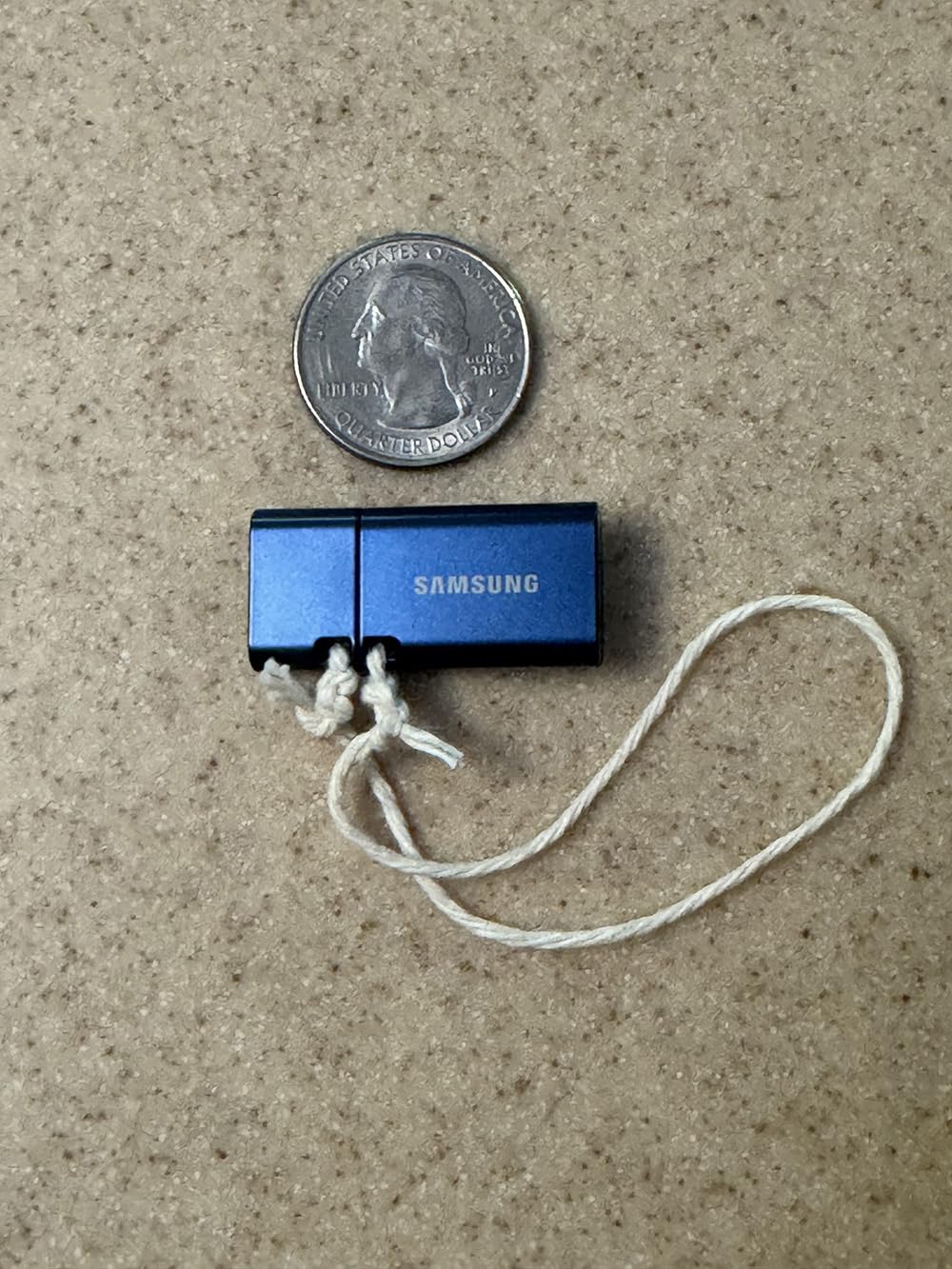
This is the drive I hand to people who will not tell me what machine the files are going to. A USB-C plug fits a modern laptop, a phone, a tablet and a camera, and the body shrugs off water and drops. At 3.4 grams it disappears on a keyring.
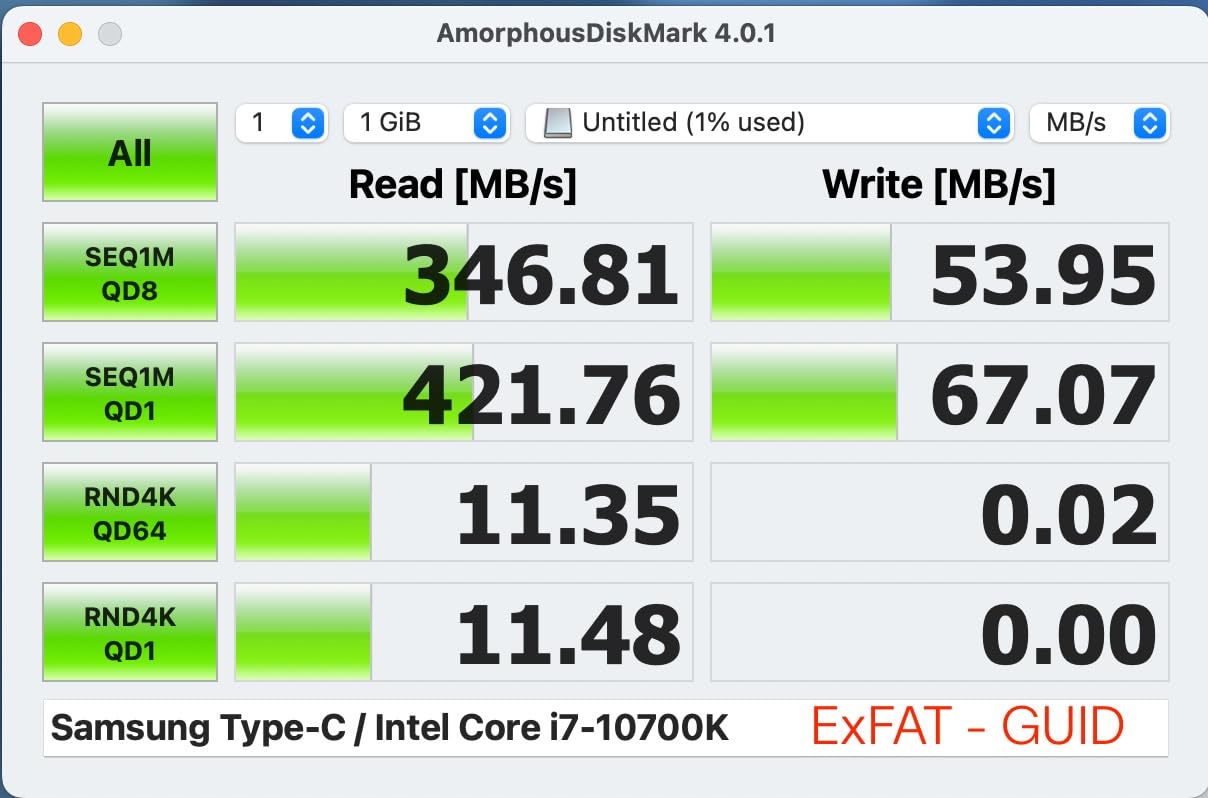
Speed is where it earns its place. Rated at 400MB/s read and 300MB/s write on USB 3.2 Gen 1, it copies a 4GB file in about 11 seconds, and unlike most sticks the write figure stays close to the read figure once the cache is full. That is what you feel when you move a folder of photos rather than a single movie.
The reviewer feedback lines up with our own impressions. Buyers point to the ruggedness and the convenience of one connector that covers phones and laptops, and the drive holds a 4.5 rating across 17,843 reviews. Owners describe Samsung sticks as dependable everyday-carry options that keep working for years, though some users on r/UsbCHardware have criticised smaller Samsung drives for feeling fragile. This 128GB model has a rated body and a five-year warranty behind it, which is where we would put our money.
Read and write speed on USB 3.2 Gen 1
USB 3.2 Gen 1 is a 5Gbps link, and in practice that ceiling sits around 400 to 500MB/s. This drive uses most of it. In a USB 2.0 port it will still work, but it drops to the roughly 30 to 40MB/s that USB 2.0 allows, which is where most “my flash drive is slow” reports come from.
Durability and water resistance
The body is rated waterproof, shock-proof, magnet-proof and temperature-proof, and it is X-ray-proof as well. That matters if the drive lives in a laptop bag between a gym bag and a rain jacket, which is where most of ours end up.
What the USB-C connector costs you
There is no USB-A head on this model, so an older desktop or a locked-down office PC needs a small C-to-A adapter. It is a cheap fix, and it is the one real compromise in an otherwise well-rounded drive. If you move files both ways between old and new machines, look at the dual-head options further down instead.
Who it suits and who it does not
Buy it if your daily machine is USB-C and you want one drive that handles photos, video and archives without hunting for an adapter. Skip it if you shuttle files to shared office PCs with USB-A ports only, or if you need more than 128GB for a project.
2. SanDisk Extreme Pro Dual Drive 256GB – The Fastest Way to Move a Big Video
SANDISK 256GB Extreme PRO Dual Drive USB-C+USB-A Up to 1000MB/s Read Speeds
1000MB/s read
900MB/s write
USB 3.2 Gen 2
Dual USB-C and USB-A
22.68g
+ Pros
- Fastest read and write figures in this group
- Two connectors means no adapters
- Metal housing resists drops
- Encryption support for sensitive files
– Cons
- Costs more than every other drive here
- Needs a USB 3.2 Gen 2 port for the rated speed
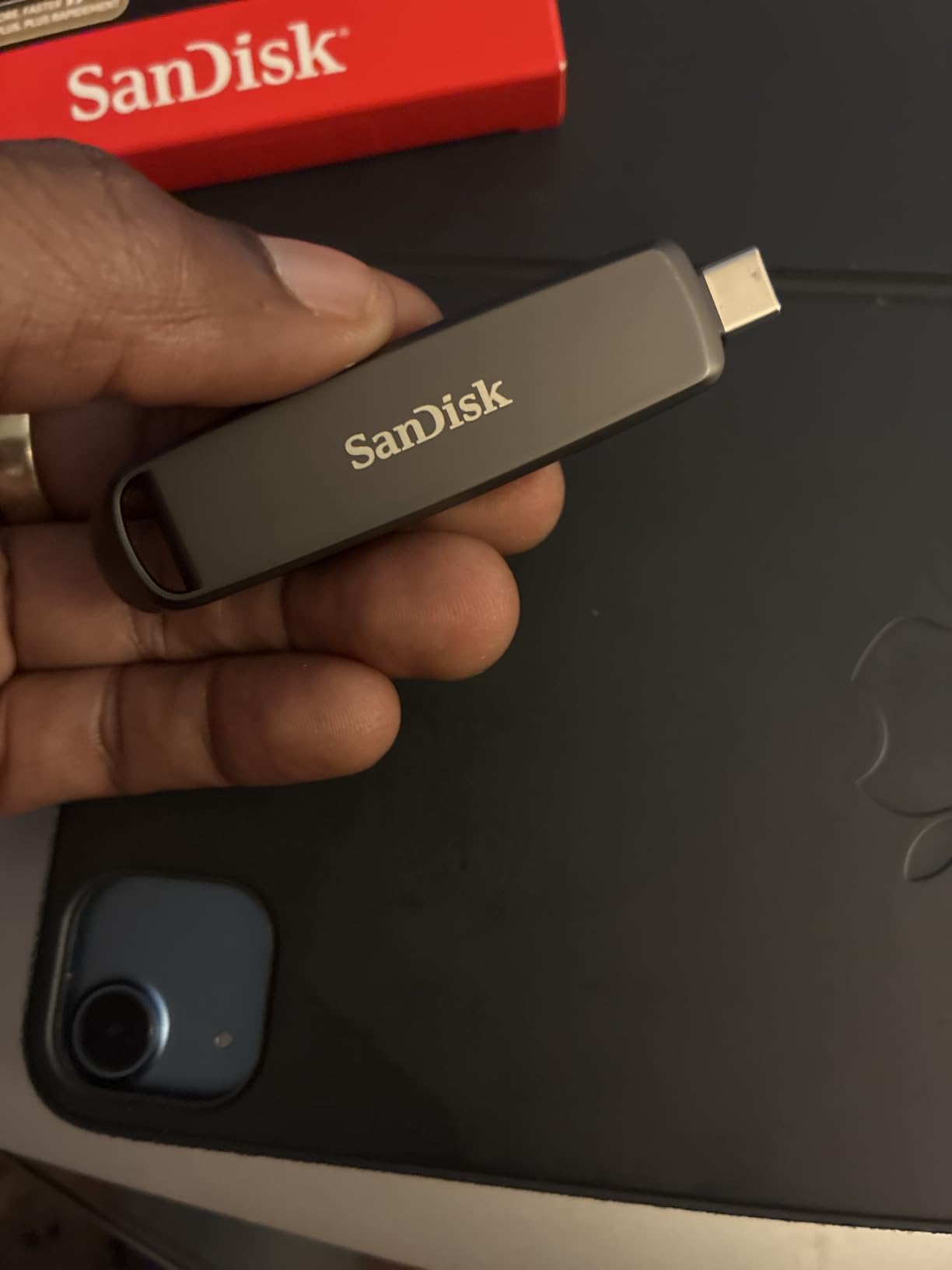
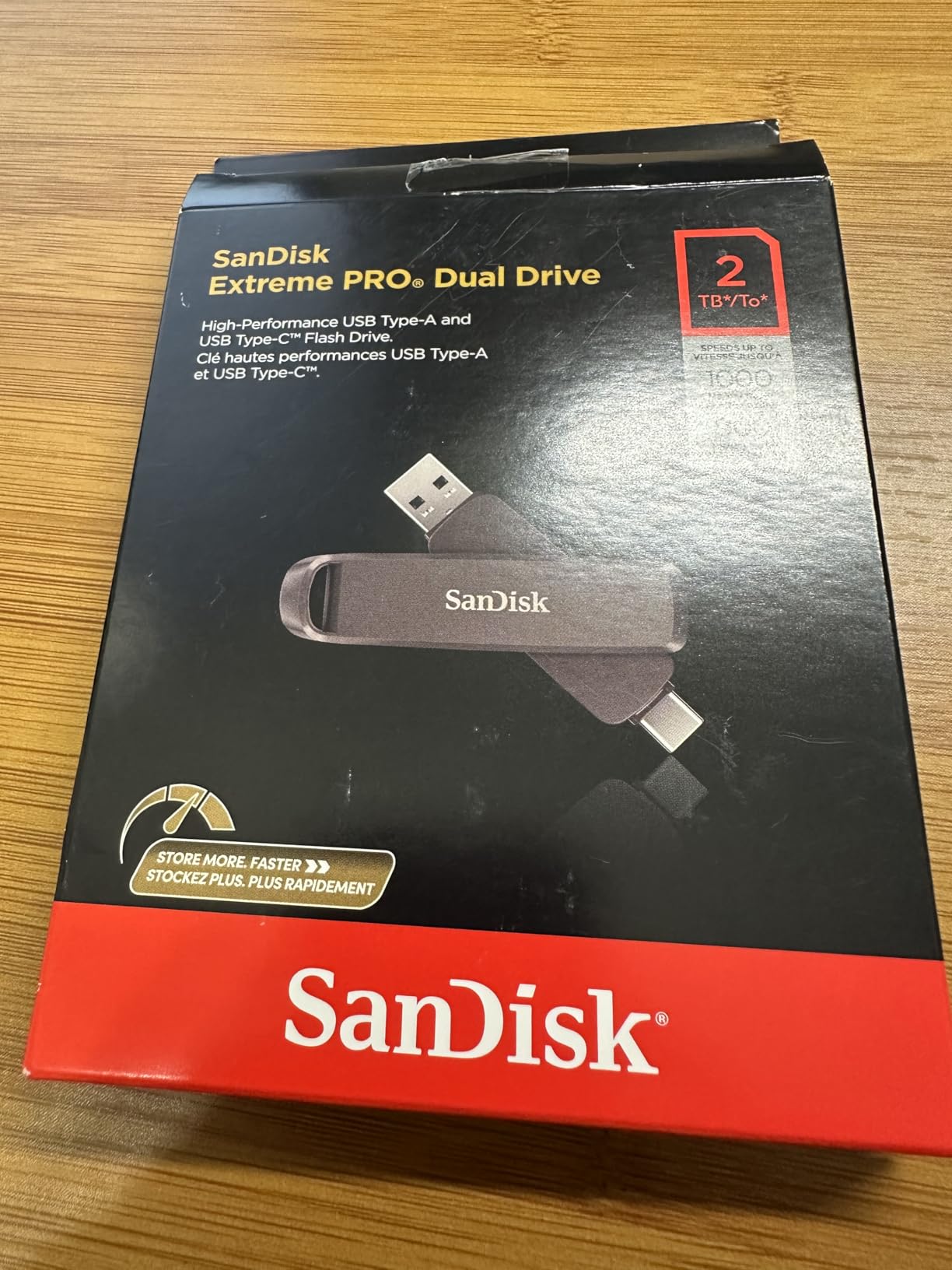
No other drive here comes close. Rated at 1000MB/s read and 900MB/s write on a USB 3.2 Gen 2 link, this is the one to buy when a single large video file is the thing standing between you and finished work. A multi-gigabyte file move that crawls on a typical USB-A stick finishes in a fraction of the time here.
The dual-head design is the quietly brilliant part. One end is USB-C, the other is USB-A, so you slide the cover back and pick the connector that matches the machine instead of flipping the drive around or finding an adapter in a bag.
Why USB 3.2 Gen 2 changes the equation
Gen 2 doubles the link to 10Gbps. That matters only if the host port supports it, and this is the single most important caveat in the whole list. Plugged into a Gen 1 port or a USB 2.0 port, the drive still works and still uses both connectors, but the speed advantage disappears entirely.
Capacity and the creative workload
At 256GB there is room for large creative projects and the documents that go with them. The drive holds a 4.6 rating across 1,253 reviews, with buyers specifically calling out the dual interface, the metal body and the speed on large creative files.
Encryption on a drive you hand to other people
Encryption support is built in, which is worth knowing if you are passing confidential material through someone else’s hands. Set the password yourself before the drive leaves your desk, because a PIN-protected drive protects the data but not the fact that the drive exists.
Where the value case falls apart
This is the most expensive drive in the roundup, and on a 256GB capacity that premium buys you speed rather than space. If you are moving a lot of data rather than a few very large files, an external SSD will move more of it in less time. If you only need a fast stick for occasional handoffs, this is the right spend.
3. Amazon Basics 256GB Retractable Drive – The Best Value for Bulk Storage
Amazon Basics 256 GB Ultra Fast USB 3.1 Flash Drive, High Capacity External Storage for Photos Videos, Retractable Design, 130MB/s Transfer Speed, Black
130MB/s read
30MB/s write
256GB
Retractable
USB-A
+ Pros
- 256GB at a modest price
- Retractable slider means no lost cap
- Works on Windows Mac TVs and car head units
- 4.6 rating from 33752 reviews
– Cons
- Arrives formatted FAT32 so files over 4GB need reformatting
- Write speed is far below read speed
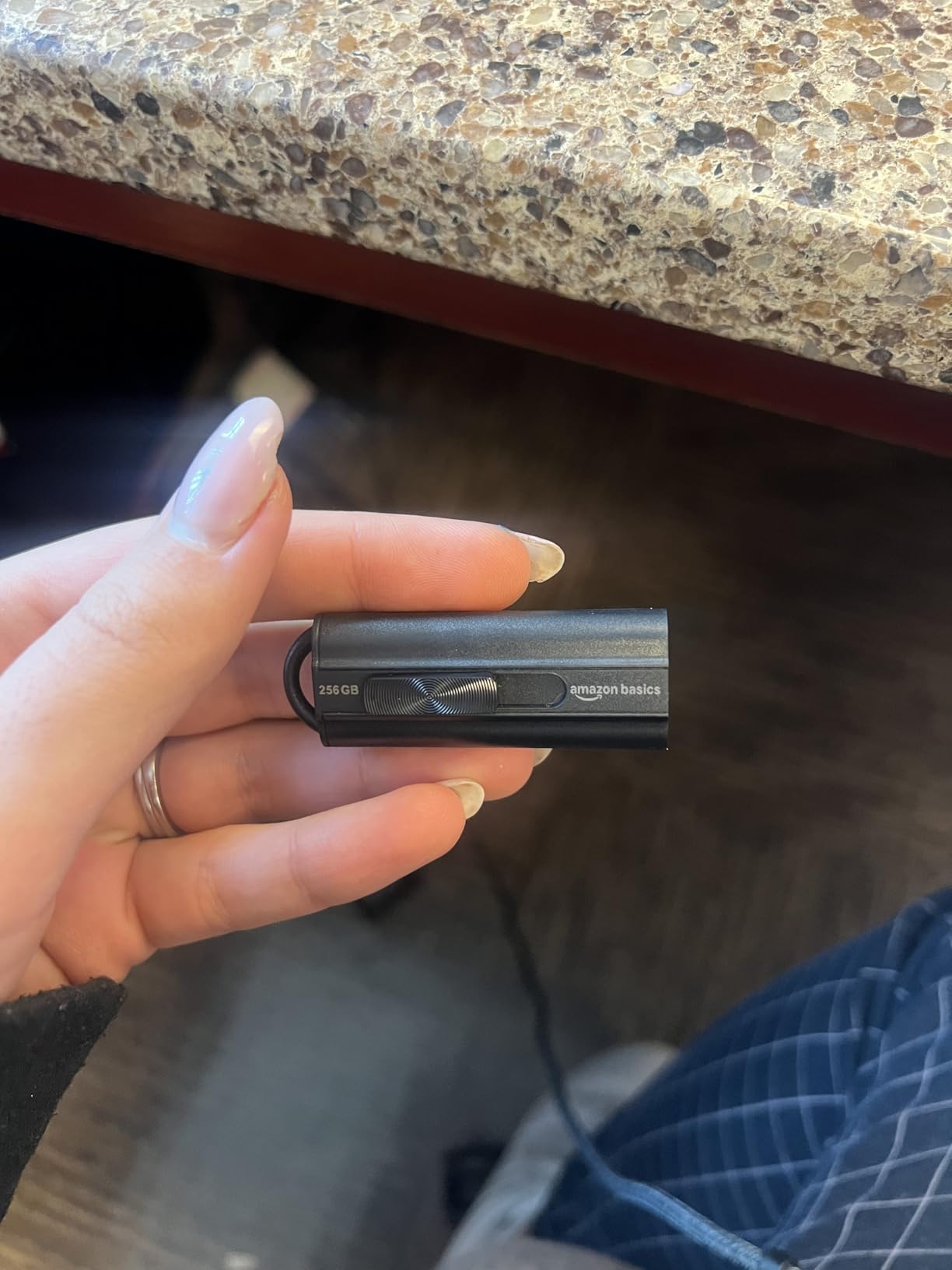
Most people buying a flash drive want capacity, not a stopwatch. At 256GB this drive holds roughly 64,000 12MP photos, and it costs a fraction of what the speed leaders do. When you are offloading a camera card or backing up a laptop folder, that is the trade you want.
The telescopic slider is the detail that makes it a daily-carry drive. No cap to lose, no cap to find in a pocket, and a key hole at the back for a ring. The 130MB/s read figure is honest and repeatable, and the reviewer feedback confirms it.
It scores 4.6 out of 5 from 33,752 reviews, which is one of the largest and most consistent ratings in this group. Buyers cite capacity and value for backups and device updates, with the slow write speed being the most repeated caveat.
Read speed versus write speed on a value stick
Reads hit 130MB/s, which is fine for copying files off the drive. Writes are rated at 30MB/s, roughly a quarter of the read figure, so pushing data onto it takes about four times as long as pulling data off. Plan around that asymmetry when you are the one providing the files.
The FAT32 factory format and the 4GB limit
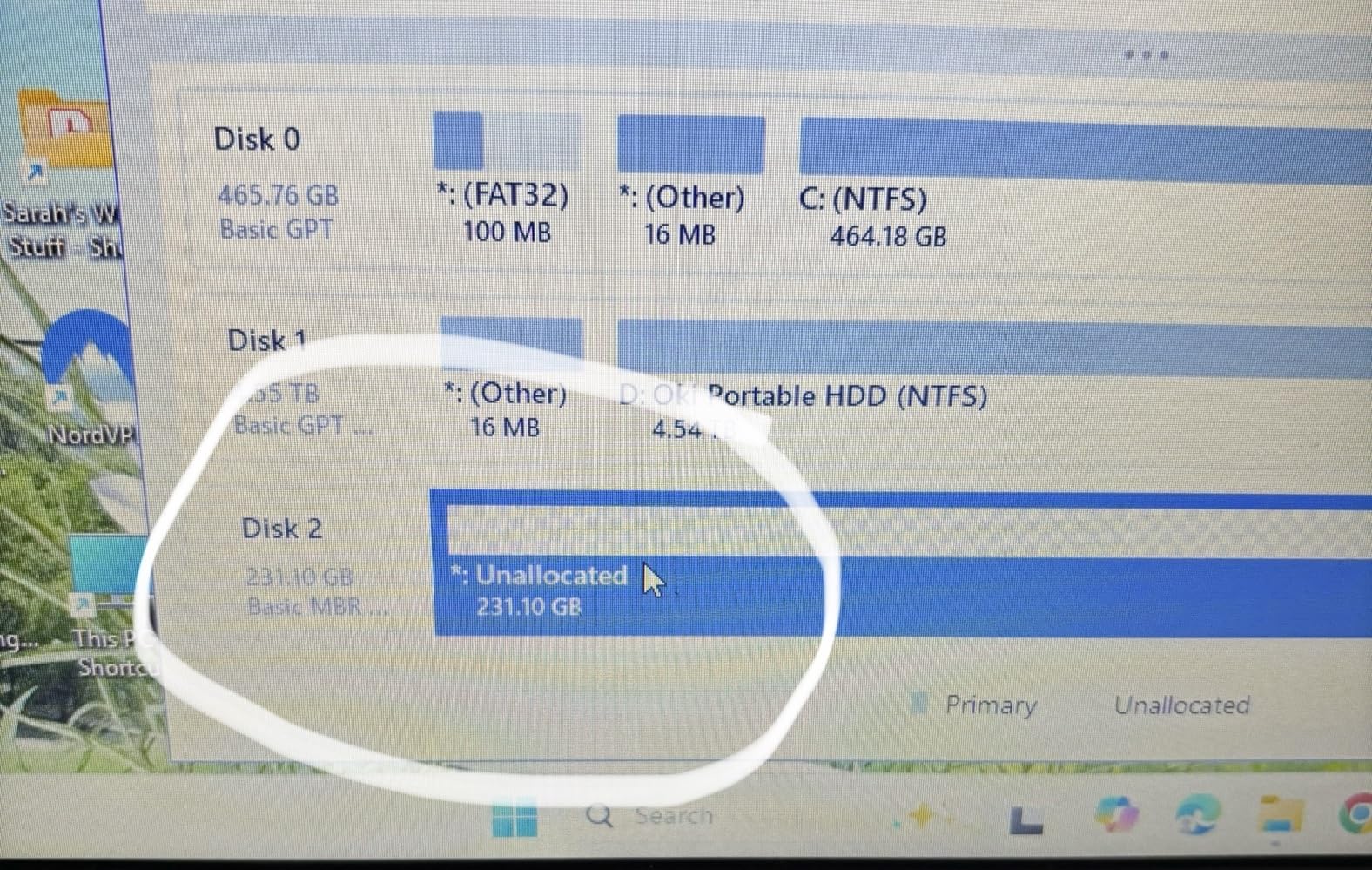
This drive arrives formatted as FAT32, which is the single most common source of confusion in the category. FAT32 cannot store a single file larger than 4GB, so a modern video, a disk image or an archive will fail partway through and leave you wondering what happened. Reformat to exFAT and the problem disappears.
Where it gets used
Reviewers report putting these into smart TVs, car stereos and head units, which is exactly the kind of job the 130MB/s read speed handles well. Anything with a USB port is listed as compatible, and it works immediately with no setup step.
Who it suits and who it does not
Buy it for capacity, for media playback in another room, and for offline backups where the drive mostly holds files. Do not buy it for a USB-C-only laptop, since it is USB-A only, or for a workflow where you are constantly writing multi-gigabyte files.
4. SanDisk Ultra Flair 128GB – The Most Dependable Drive in the Group
SANDISK 128GB Ultra Flair, USB-A Flash Drive, Up to 150MB/s Read Speeds
150MB/s read
USB 3.0 USB-A
4.5g
Metal casing
1-year warranty
+ Pros
- Largest review base in the group at 4.6 out of 5
- Reliable USB 3.0 transfers up to 150MB/s
- Sleek and durable metal casing
- Built-in 128-bit AES password protection
– Cons
- Write speed of 4MB/s is the weakest figure here
- USB-A only with no USB-C connector
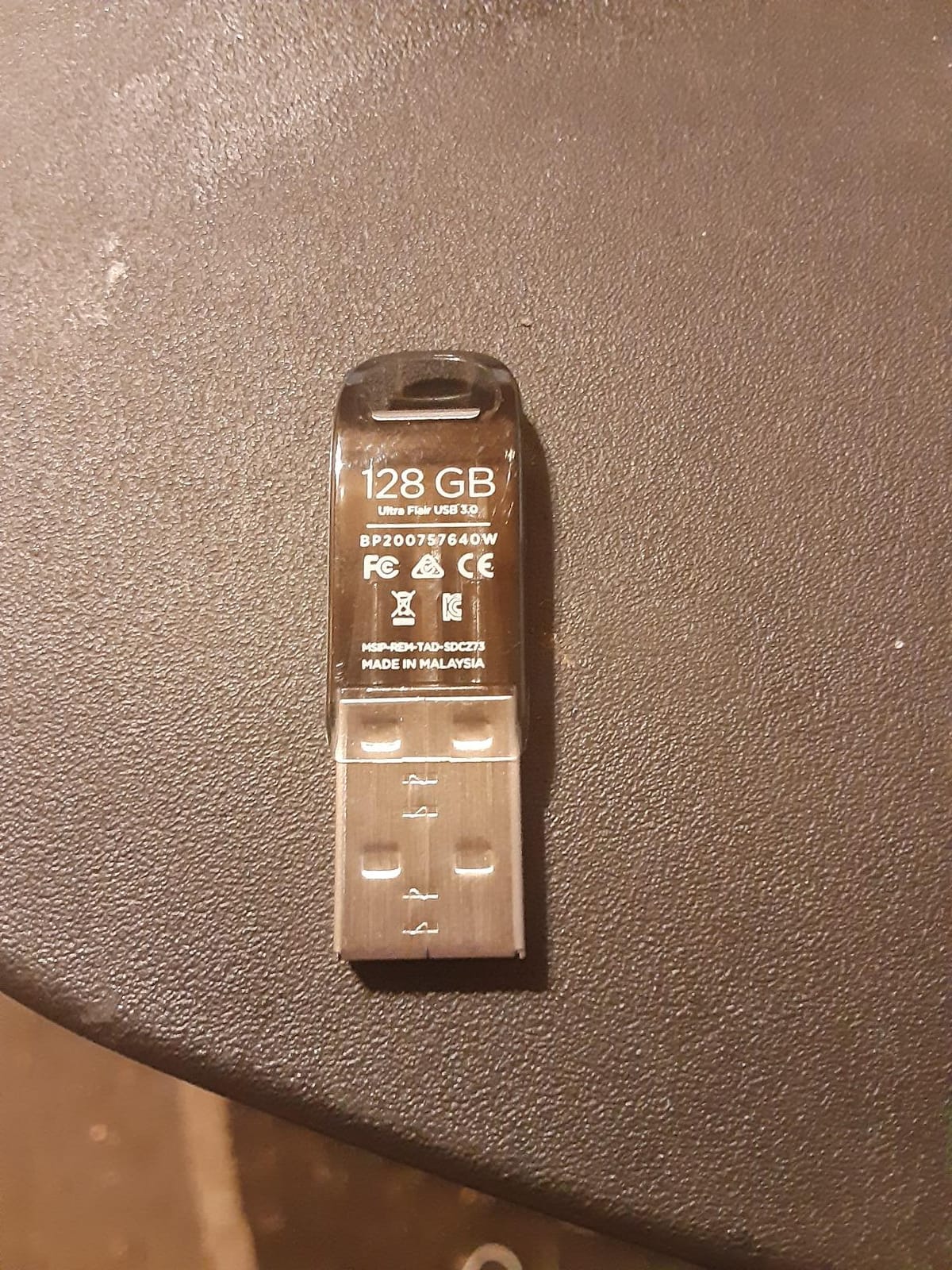
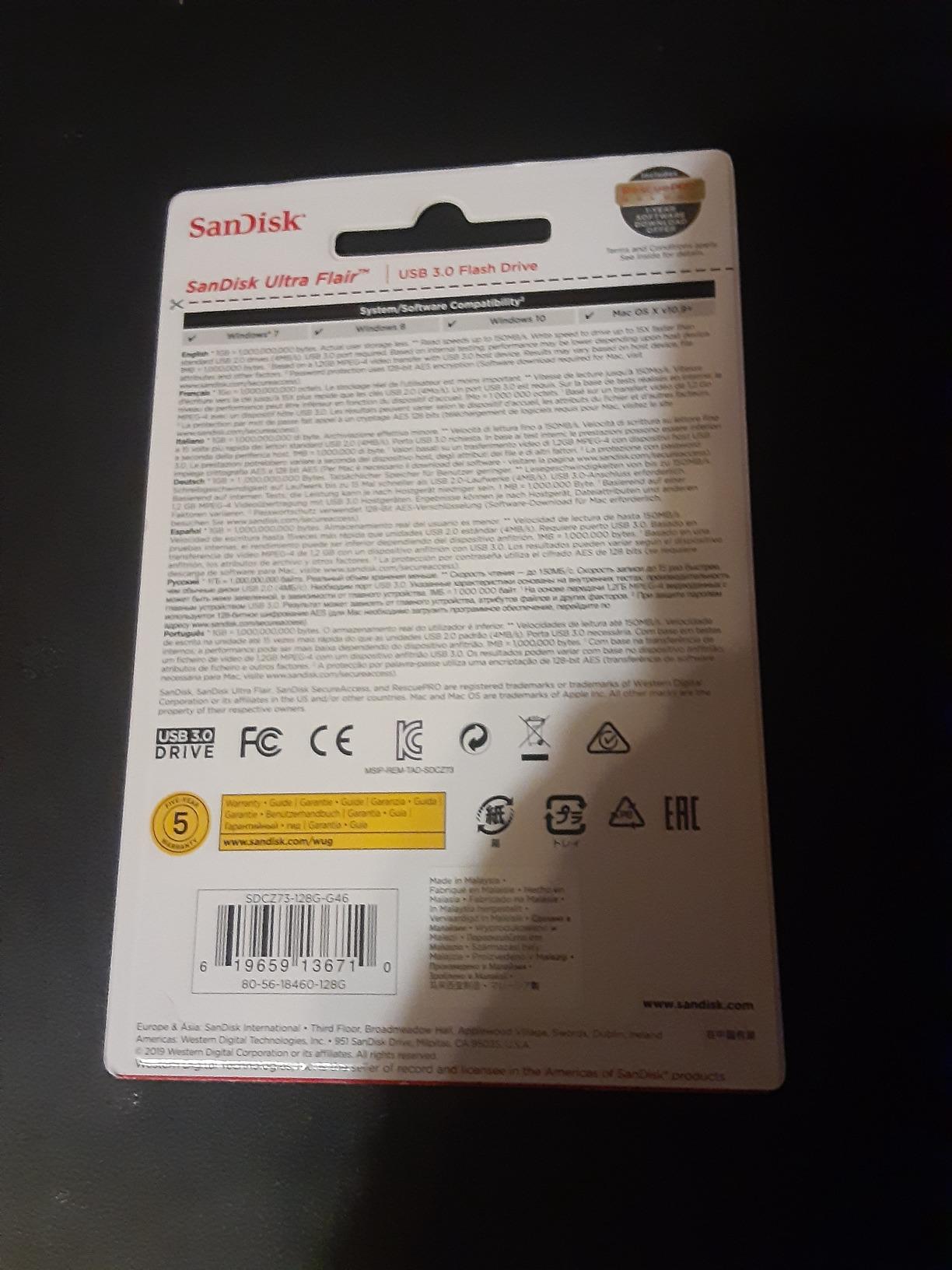
Nothing sells like this drive. It carries 210,774 reviews at 4.6 out of 5, and a rating that large does not survive unless the product genuinely works. If you want the boring, predictable choice with the longest track record of anyone here, this is it.
At 4.5 grams it is the lightest drive here, and the metal housing slides into a laptop port without snagging. Read speed of 150MB/s moves a full-length movie in under 30 seconds, which is fine for most file transfers even though it is well short of the leaders.
The write speed nobody puts on the box
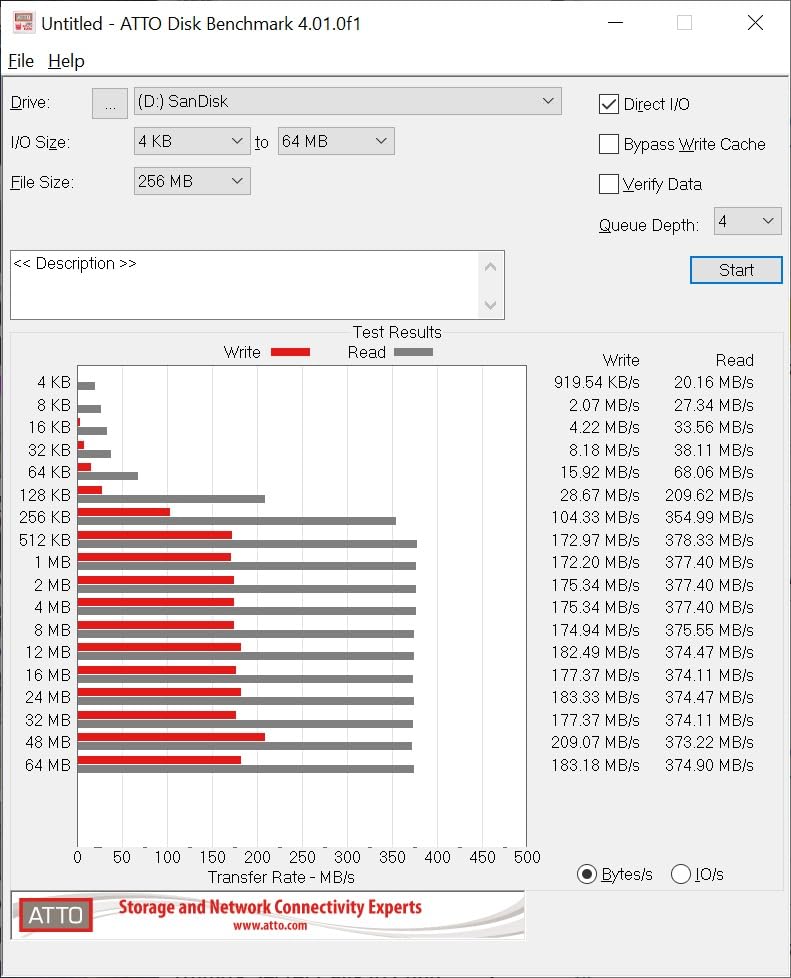
Here is the honest problem. The listed write speed for this drive is 4MB/s, and that is what you feel when you copy files onto it. Reading is roughly thirty times faster than writing, which is an unusual gap and explains the reviews that mention waiting. Use it as a place to keep files and a way to read them, not as a scratch disk you write to daily.
Portability and physical size
It is a USB 3.0 USB-A stick, so it fits anything with a rectangular port. There is no C connector, which makes it awkward on a modern laptop unless you keep an adapter. In exchange you get something that fits in a wallet, a keyring pouch or a camera bag without a case around it.
Password protection for private files
Built-in 128-bit AES protection lets you lock the contents behind a password. It is software-based rather than hardware-encrypted, so it protects against someone picking up the drive, not against someone with your computer.
Who it suits and who it does not
Buy it for handing documents to someone, keeping a spare copy of licence keys, or any transfer where the files are small and read once. Do not buy it for video editing, large archives or anything write-heavy. The warranty is one year, the shortest here, which is another hint about what kind of drive this is.
5. SanDisk Ultra Fit 128GB – The Low-Profile Drive You Leave Plugged In
SANDISK 128GB Ultra Fit, USB Type-A Flash Drive, Up to 400MB/s Read Speeds
400MB/s read
Under 150MB/s write
USB 3.2 Gen 1 USB-A
1.28g
+ Pros
- Near-flush body sits inside the port
- Caps come in capacities up to 1TB
- Reads approach the advertised 400MB/s
- Works in consoles car stereos and single-board computers
– Cons
- All-plastic shell with no loop so it is easy to lose
- Runs warm during long transfers
This is the drive for people who want storage that is simply there. At 1.28 grams and barely wider than the metal connector, you push it into a laptop and forget it. No cap, no protruding body, nothing to catch on a sleeve.
Read speed is rated at 400MB/s, and on large contiguous files owners report numbers close to the claim. The drive scores 4.4 out of 5 from 3,922 reviews, with the near-invisible form factor being the reason almost every positive review exists.
Semi-permanent storage in a laptop
A 1.28g stick that stays plugged in turns a USB port into extra storage without adding bulk to the machine. That is genuinely useful for a secondary drive, a media library or a boot drive. If you use it that way, choose exFAT or NTFS at format time rather than relying on the default.
Heat under sustained writes
Buyers report that the drive runs warm during long transfers, which is normal for a drive this small. The plastic shell has no metal to draw heat away, so a multi-gigabyte copy is a good moment to let it rest rather than push another job at it.
Write speed and random write reports
Write speed is listed under 150MB/s, and some 400MB/s models have produced reports of near-zero random write performance. Sequential copies are fine. Small scattered file operations are where this form factor gives up, so avoid it for anything that behaves like an application disk.
Devices beyond the laptop
Reviewers use these in car stereos, game consoles, BIOS update routines and Raspberry Pi boot setups, where a flush profile matters because the device often lives in a tight space. There is no keyring loop on the body, so keep a note of where you put it.
6. SSK 128GB Dual USB-C and USB-A – Fast Speeds on Both Connectors
SSK 128GB USB C Flash Thumb Drive up to 550MB/s Dual USB C+A Memory Stick
550MB/s read
500MB/s write
USB 3.2 Gen 2
Dual heads
37g
+ Pros
- 550MB/s read and 500MB/s write on a 3.2 Gen 2 link
- Dual heads handle phone to computer transfers
- Zinc alloy shell with caps on both ends
- Defaults to exFAT for cross-platform work
– Cons
- Heavier than most plastic sticks at 37g
- No support for Lightning port devices
Most dual-head drives give you two connectors and a modest speed. This one gives you two connectors and 550MB/s read with 500MB/s write, roughly ten times a typical USB 3.0 stick. If you move files between a phone and a laptop regularly, that combination is rare.
It holds 4.4 out of 5 from 7,499 reviews. Reviewers highlight the dual-interface speed, the durable zinc alloy body and the breadth of device compatibility as the three things that justify the choice.

What 3.2 Gen 2 buys you in a dual-head body
Ten times faster than USB 3.0 is the manufacturer comparison, and it applies to both ends of the drive rather than just the USB-C one. A USB-A host port that supports 3.2 Gen 2 will hit those numbers on the Type-A head. A port that does not will not, which is the same caveat that applies to every fast drive here.
Default exFAT and cross-platform work
The drive arrives formatted as exFAT, which is the sensible default for a stick that moves between Windows, macOS, Linux and Android. Nothing needs reformatting before you start, and a 20GB video transfers without hitting a file size ceiling. That single detail saves more time than any speed difference.
Weight and durability
At 37 grams it is one of the heavier sticks in this list, and the zinc alloy shell is the reason. Both connectors have protective covers that slide over them, so the metal stays clean in a pocket. It is a drive you can leave attached to a lanyard without feeling it.

Who it suits and who it does not
Buy it if you offload photos from an Android phone or a USB-C tablet as often as you move files between computers. Do not buy it for an iPhone with a Lightning port, and note that the warranty is three years rather than five.
7. Kingston DataTraveler Kyson 128GB – The Best Metal Body for a Keyring
Kingston DataTraveler Kyson 128GB High Performance USB 3.2 Metal Flash Drive | Speeds up to 200MB/s | DTKN/128GB
200MB/s read
60MB/s write
USB 3.2 Gen 1 USB-A
5g
5-year warranty
+ Pros
- Write speed is among the best in the budget tier
- Small capless metal body with a keyring loop
- Five-year warranty
- Reliable for boot media and media servers
– Cons
- USB-A only with no USB-C connector
- Some buyers measure writes below the advertised figure
The Kyson is the one I keep on my own keyring. It is a capless metal body with a functional loop, so there is no cap to lose, and at 5 grams you do not feel it on a bag. The warranty runs five years, which is among the longest we found in this roundup.
At 200MB/s read and 60MB/s write, it is one of the faster budget sticks, and the write figure is what sets it apart from the pack. Reviewers rate it 4.6 out of 5 across 6,271 reviews and repeatedly describe it as a reliable drive with class-leading write speeds for the money.

Why 60MB/s writes matter more than 200MB/s reads
Everyday transfers involve pushing files onto the drive as often as pulling them off. A 60MB/s write figure means a 6GB folder takes a couple of minutes rather than ten, which is the difference between a drive you use and one you avoid. The read number is nice to have; the write number is what you feel.
Capless metal and the keyring loop
The loop is moulded into the body, so the drive goes straight onto a ring or a carabiner. There is no lid to crack open one-handed, which matters when you are doing it in a car park with a laptop bag open. The silver finish also shows fingerprints less than black plastic.
Uses beyond copying files
Owners report using these for boot media, digital video recorders and media servers, all of which reward a drive that survives being powered off without complaint. If you want the same role for a machine without a modern USB port, we have a separate guide to the best flash drives for bootable drives.

Small file performance and NTFS
Some buyers report sequential writes measuring below the advertised 60MB/s, and NTFS formatting with small-file workloads produces noticeably lower throughput than exFAT. If you are copying thousands of photos, format as exFAT first and see how it behaves before blaming the drive.
8. Amazon Basics 128GB Dual Port – Expand a Phone or Tablet Cheaply
Amazon Basics 128GB USB Flash Drive, Thumb Drive Memory Stick with USB C and USB A Dual Ports, Champagne Silver
400MB/s read
USB-C and USB-A heads
USB 3.2 Gen 1
exFAT default
+ Pros
- Two connectors means no adapters for phones or laptops
- Metal casing with a rotating cover and hanging hole
- Defaults to exFAT for lower power use and broad compatibility
- Good value for expanding phone storage
– Cons
- Read and write figures come from internal lab testing
- No support for Lightning port devices
Storage expansion for a phone or tablet is a job most flash drives cannot do well, because a phone only has a USB-C port. This one solves that with a Type-C head on one end and a Type-A head on the other, in a rotating metal body that will not come apart in a pocket.
Read speed is rated at 400MB/s and the drive holds a 4.5 rating from 4,747 reviews. Buyers favour the dual-port convenience, the metal rotating build and the exFAT default that stops power-related complaints on phones.
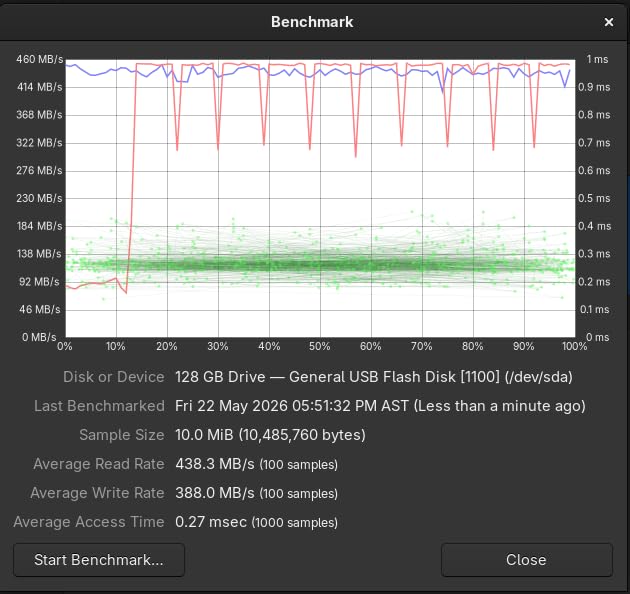
ExFAT as the default and why it matters
The drive arrives as exFAT, which uses less power than NTFS on mobile and is readable by Android, macOS, Windows and Linux without reformatting. For phone transfers that is the right starting point. The listed capacity of 128GB gives usable space above 115GB once formatting is accounted for.
Treating the speed figure with care
The manufacturer states that read and write speeds are based on internal testing and vary by device. That is an honest disclaimer and worth respecting. Phone controllers in particular are often slower than laptop ports, so expect a fraction of the rated figure when you plug into a handset.
Rotating cover and hanging hole
The swivel design means the exposed connector is never uncovered while the drive is in a bag, and the hanging hole lets you attach it to a lanyard. Neither a cap nor a loose lid can be lost, which is the same practical argument for the retractable and low-profile designs elsewhere in this list.
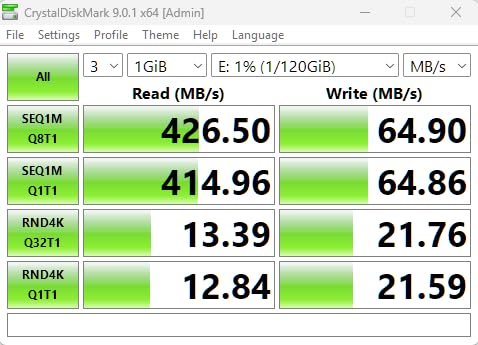
Who it suits and who it does not
Buy it for moving photos off an Android phone, expanding a tablet that has run out of space, or handing files to a mixed bag of USB-C and USB-A machines. Do not buy it for an iPhone, since Lightning devices are not supported.
9. Lexar D40E 256GB Dual Drive – Swivel Design With Encryption Software
Lexar D40E 256GB Dual USB 3.2 Gen 1 Type-C Jump Drive, Champagne Silver
100MB/s read
80MB/s write
USB 3.2 Gen 1
Dual heads
26g
+ Pros
- Two-in-one USB-C and USB-A connectors in a slim swivel body
- Capless design means nothing to lose
- Metal enclosure rated for 0 to 50 degrees C
- 256-bit AES security software included
– Cons
- 100MB/s read is modest for a 3.2 Gen 1 drive
- Heavier at 26g than most slim dual-head sticks
The D40E is a 256GB drive with a 360-degree swivel body, so both connectors are covered at all times and neither cap can be lost. It ranks first in its category on Amazon, and the review base is large enough to be useful: 10,782 reviews at 4.4.
Its 256-bit AES software is the differentiator. If you hand this drive to a client or a contractor, you can lock the contents behind a password without installing anything on their machine.
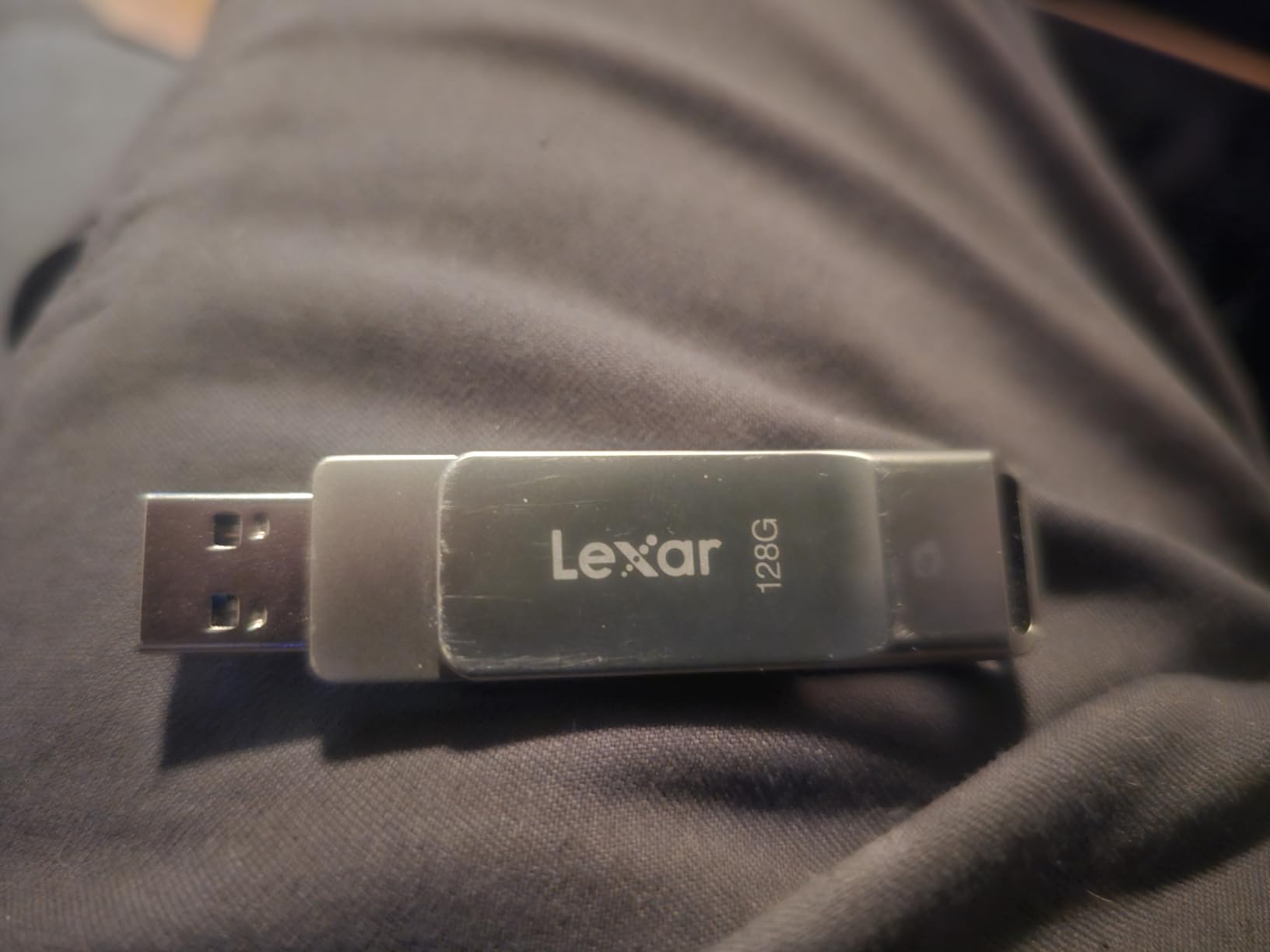
Where the 100MB/s read figure fits
That is a modest number for a USB 3.2 Gen 1 drive, and the review base reflects it. Seventy-four percent of ratings are five stars, below the share on most of the well-reviewed drives here, which is what a slower drive with a good design produces. For documents and photo folders it is more than sufficient. For a single large video it is not the drive to choose.
The swivel mechanism over a long life
A swivel joint is a moving part, and moving parts wear. Reviewers do not report widespread failures, but if you keep this on a keyring in a pocket where it gets knocked daily, a capless retractable design is mechanically simpler. The metal body is rated from 0 to 50 degrees C, which covers normal indoor use.
Encryption without installation
The bundled 256-bit AES software sets a password and encrypts the contents. It is software encryption, so it protects the data at rest rather than in hardware, and it means the recipient needs the software or a compatible reader to open the files.
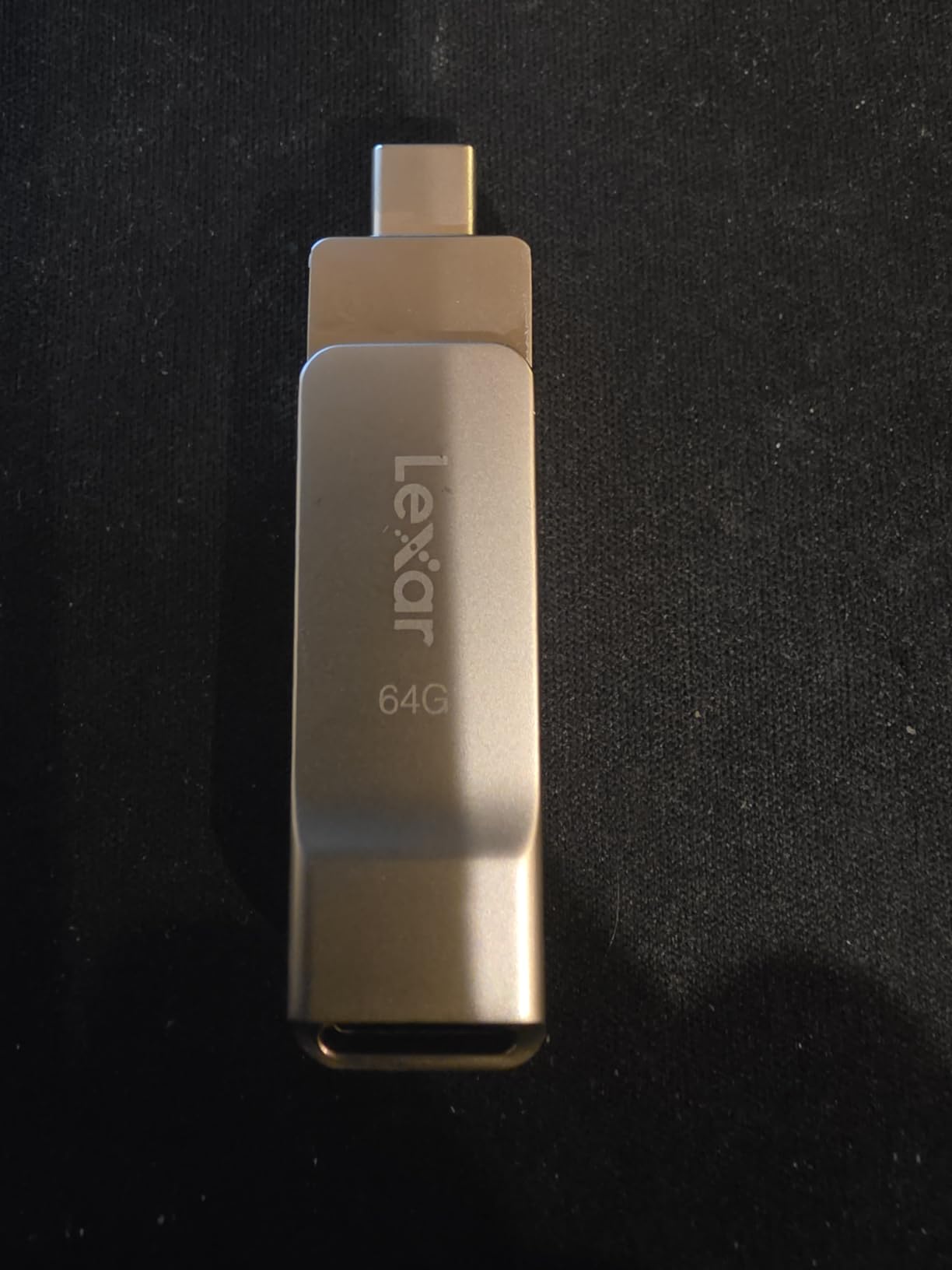
Who it suits and who it does not
Buy it for confidential documents, client handovers and anyone who needs 256GB with two connectors. Do not buy it for speed-critical transfers. The warranty is three years, and the 26g weight sits at the heavier end of the slim dual-head group.
10. MOVE SPEED 256GB Dual Port – Built for TVs, Car Audio and Phones
MOVE SPEED 256GB Solid State Flash Drive 400MB/s High Speed Type C + USB 3.2 Drive Dual Port, Thumb Drive Compatible with iPhone 15, 16 Series/Android Phone/MacBook/Audio/Smart TV(1 Pack)
520MB/s read
350MB/s write
USB-C and USB-A
Zinc alloy
5-year warranty
+ Pros
- Owners report around 500MB/s transfers for large video files
- Dual ports work across phones laptops TVs and car audio
- Zinc alloy body with magnetic caps that stay attached
- 5-year warranty
– Cons
- Runs warm during long transfers
- Short USB-C stem may need a phone case removed
This drive covers the widest range of devices in the roundup. The listing names iPhone 15 and 16 series, Android phones, MacBook, desktop, car audio and smart TV, and the dual USB-A and USB-C ports make that claim practical rather than decorative.
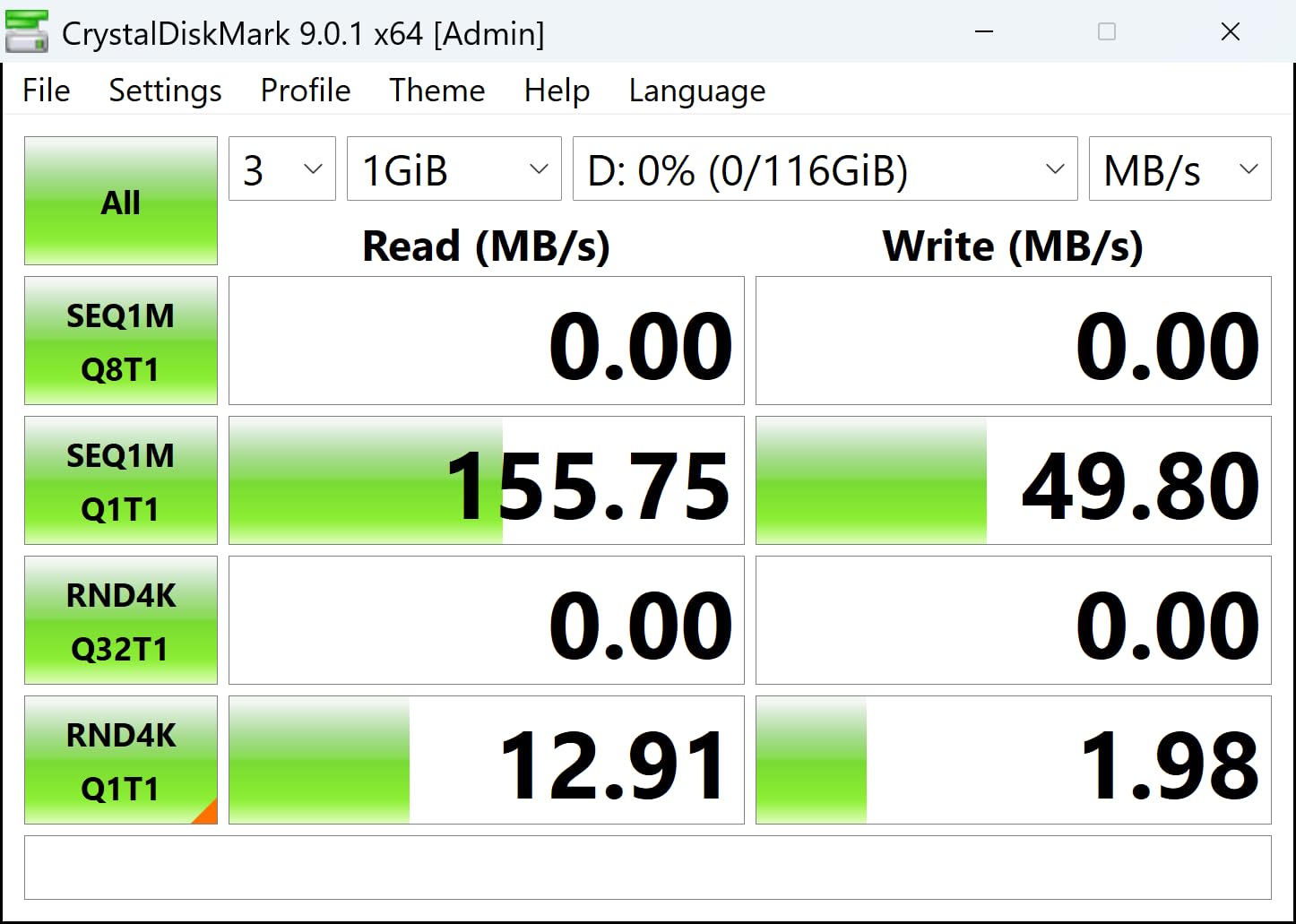
Speed is the other selling point, with 520MB/s read and 350MB/s write and owner reports of around 500MB/s on large video files. It holds 4.3 out of 5 from 2,143 reviews, the lowest star rating among the higher-capacity drives here, and the reviews explain why.
Performance that varies by capacity
One reviewer found write speeds unstable and well below the advertised figure on a 2TB variant of this line. That is worth taking seriously, because the same controller behaves differently at different capacities. If you need high capacity, test the specific unit you receive rather than assuming the smaller drives carry over.
Heat and the short USB-C stem
Long transfers warm the zinc alloy body, which is normal but noticeable. The USB-C connector is short, and a thick phone case can stop it seating properly. Pull the case off, connect, and put it back on. Neither issue is a reason to avoid the drive, but both are annoying on a phone workflow.
What is in the package
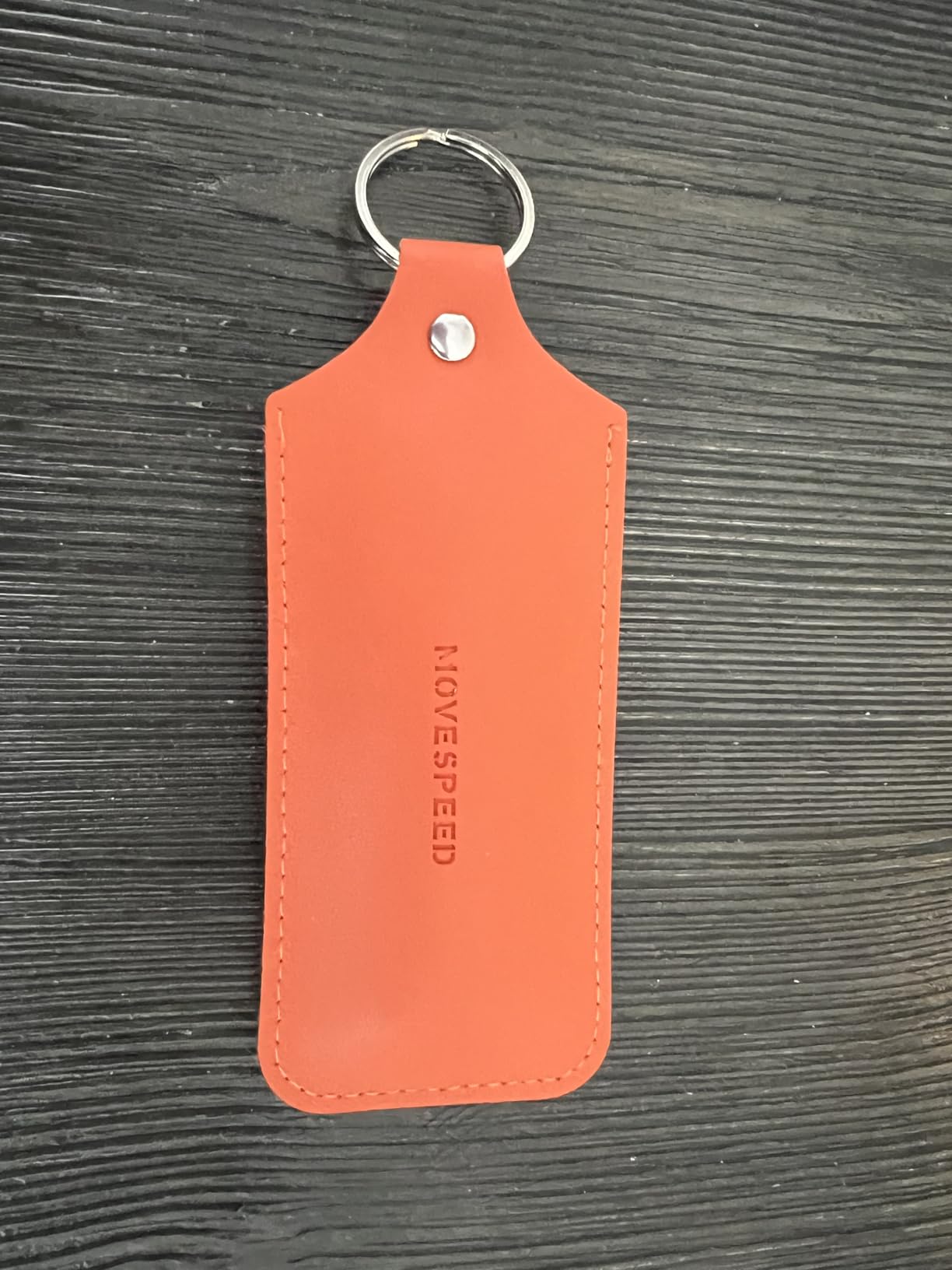
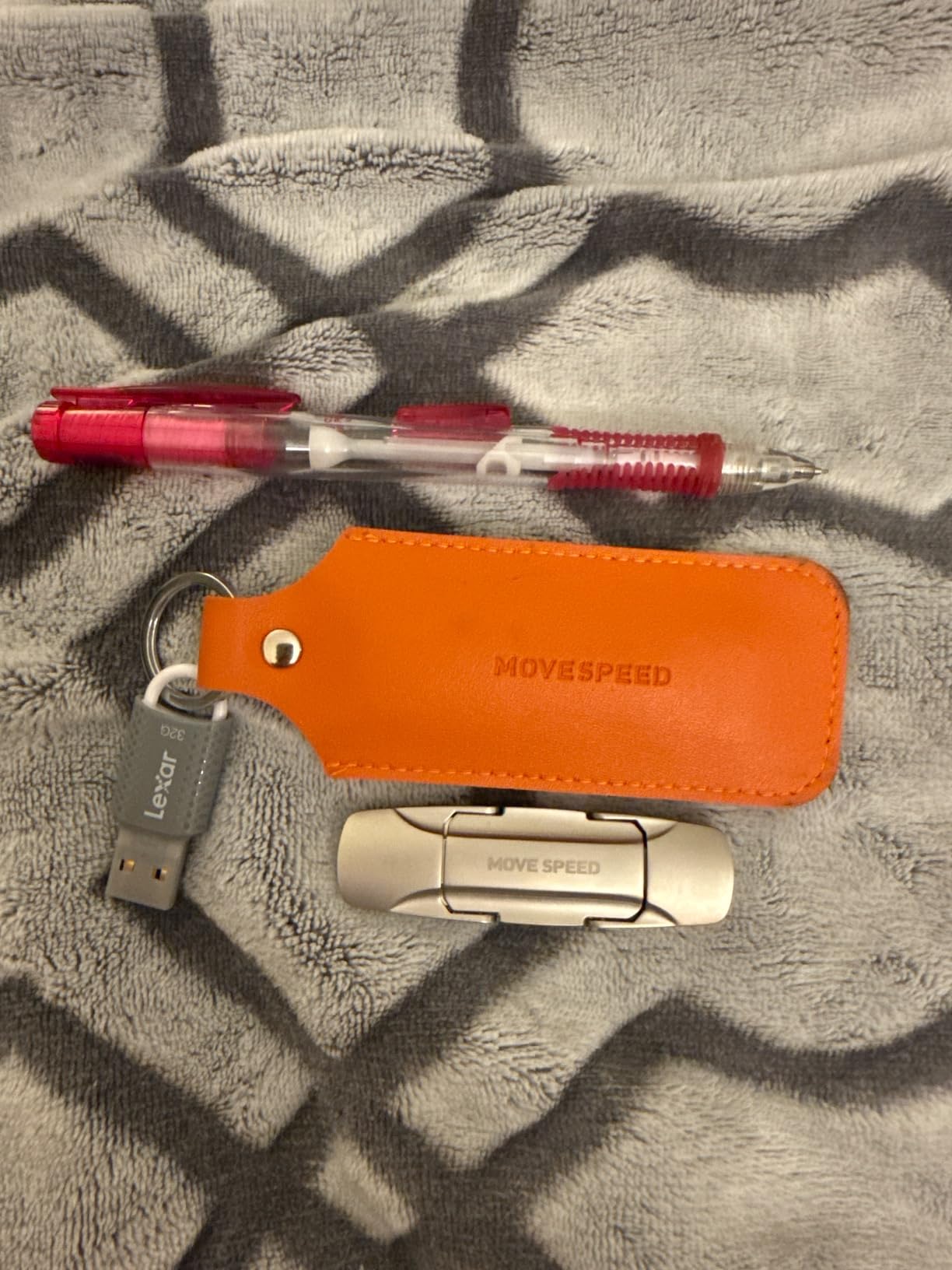
The box contains the drive, a small drive case, a user manual and a QR code that links to an app. Buyers report the app can behave unexpectedly on phones, so treat it as optional and manage files through your normal file manager instead.
Playing media on another device
Smart TVs and car stereos care about read speed and file format, not write speed, and this drive handles both quickly. Large capacity options reach 2TB, so a car full of lossless music or a TV with a downloaded library is realistic. Just format it to a file system the device supports before you fill it.
11. Lexar JumpDrive D400 128GB – A Compact Dual Head at a Modest Price
Lexar 128GB JumpDrive Dual Drive D400 USB 3.2 Type-C & Type-A Flash Drive for Storage Expansion, Photo Back-up for iPhone 15, Up to 130MB/s, Metal Housing & Swivel Design, Titanium (LJDD400128G-BNQNU)
130MB/s read
USB 3.2 Gen 1
Dual heads
17.8g
5-year warranty
+ Pros
- Dual USB-C and USB-A ends remove the adapter problem
- Metal swivel housing resists cracking
- Speeds reported as consistent across PC Mac and Android
- Five-year limited warranty
– Cons
- Swivel housing can come apart if carried loose on a keychain
- Write speeds are lower than the quoted read speed
The D400 is the quiet compromise in this list. It is a 128GB dual-head drive in a titanium metal swivel housing, and at 4.6 out of 5 from 852 reviews the satisfaction rate is high even though the volume is modest.
Reviewers like the solid feel of the metal body and report consistent speeds across PC, Mac and Android. It is listed as compatible with iPhone 15, Android, PC and Mac, which makes it a reasonable travel drive for a mixed bag of devices.
Speed and what it means for photo backups
Reads are rated at 130MB/s, with write speeds acknowledged as lower. For photo backup off a phone or a camera card, and for playing media back on another machine, that is entirely adequate. For moving large video files it will feel slow, and no amount of patience changes that.
The swivel housing on a keyring
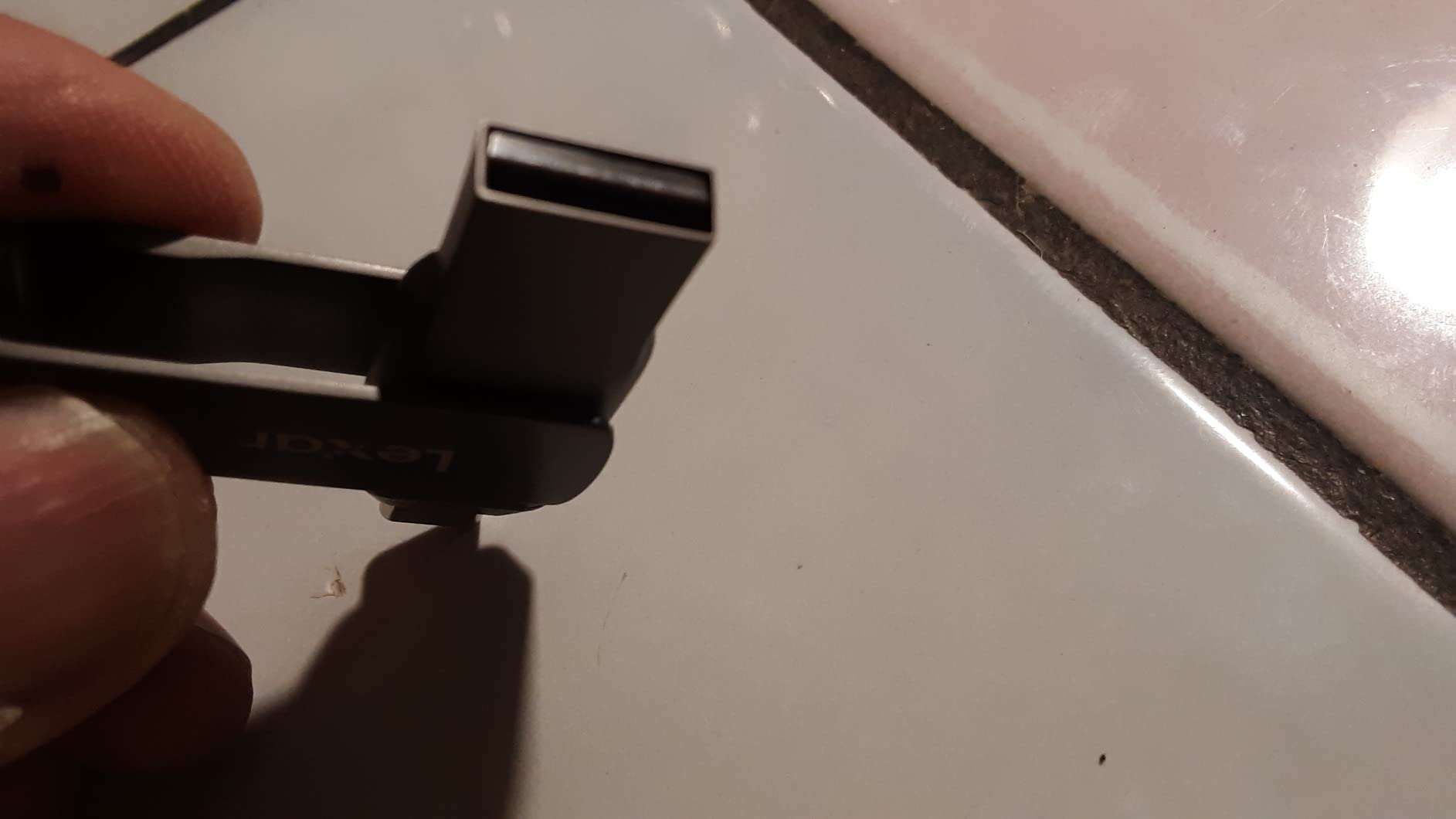
Reviewers flag that the swivel housing can come apart if the drive is carried loose on a keychain. That is a fair criticism of any swivel design, and it is the main reason the retractable and low-profile form factors exist. If it lives in a bag or a wallet, the mechanism is fine.
Pre-installed security software
Lexar DataShield comes pre-installed, which some buyers find useful and others find wasteful because it consumes a slice of the capacity. The warranty runs five years, matching the strongest coverage we found, and the Lexar name carries weight for long-term reliability.
Who it suits and who it does not
Buy it as a general-purpose travel drive for a family bag full of mixed devices. Do not buy it for large video work or as a drive you will hammer daily. The Titanium finish and the five-year warranty make it a sensible gift-level choice.
12. Lexar JumpDrive S80 256GB – A Retractable Drive With Encryption
Lexar 256GB JumpDrive S80 Flash Drive, 150MB/s Read, USB 3.2 Gen 1
150MB/s read
60MB/s write
USB-A
9.07g
3-year warranty
+ Pros
- Retractable slider protects the connector with no loose cap
- 256-bit AES encryption software
- Backwards compatible with 3.1 3.0 and 2.0 devices
- Three-year warranty and 256GB
– Cons
- USB-A only so newer laptops need an adapter
- 150MB/s reads are dated against newer drives
The S80 is the simplest retractable design in this group: push the slider, the connector appears, push it back and the metal is covered. At 9.07 grams and 256GB it does one job, which is holding files and moving them between older machines.
It rates 4.5 out of 5 from 563 reviews, with the retractable design, the encryption software and the broad backwards compatibility as the most cited positives. Speed is generally described as adequate rather than impressive.
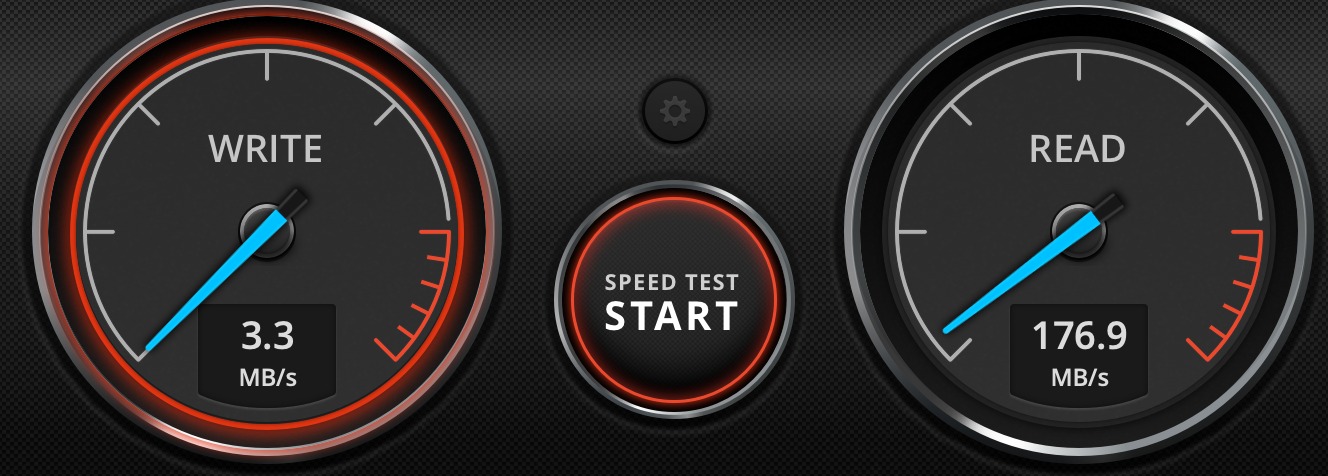
Reads at 150MB/s and writes at 60MB/s
Both figures are dated next to USB 3.2 Gen 1 competition, and the drive is listed as USB 3.1 Type A. It writes up to ten times faster than a standard USB 2.0 drive, which is true and also beside the point in 2026 when faster sticks in the same category cost little more.
Backwards compatibility as a real feature
The drive works with USB 3.2 Gen 1, 3.1, 3.0 and 2.0 devices. That range matters in offices and schools where a mix of machines is guaranteed, and it is the reason this kind of drive has outlived several faster formats.
Encryption and the three-year warranty
256-bit AES software secures the contents, and three years of limited warranty covers manufacturing faults. It is a reasonable package for a drive that mostly holds documents, spreadsheets and archived photos rather than working media.
Who it suits and who it does not
Buy it if you need 256GB, a retractable mechanism and a USB-A plug, and you work with older hardware. Do not buy it for a USB-C-only laptop or for speed-sensitive transfers. If capacity is what you need rather than the mechanism, the Amazon Basics 256GB does the same job for less.
How to Choose a Flash Drive That Actually Transfers Fast
The port decides your ceiling, not the drive
USB 2.0 tops out around 30 to 40MB/s no matter what the box claims, and a USB 3.2 Gen 1 port caps around 400 to 500MB/s. A Gen 2 drive on a Gen 1 port is a Gen 1 drive. Check the port before you check the specification, because a fast drive in a slow port is a slow drive, and this is the most common cause of the 3 to 5MB/s transfers people complain about on forums.
Front-of-monitor and front-of-case ports are frequently USB 2.0 even when the machine supports much faster connections at the rear. If you are moving files regularly, plug in at the back.
USB-A, USB-C or dual head: match where the files go
USB-A works everywhere but is getting scarce on modern laptops. USB-C fits current machines, phones, tablets and cameras but leaves older desktops behind. A dual-head drive solves both at once, at the cost of some weight and bulk. Our advice is simple: if you move files both ways between new and old machines, pay for the dual head once rather than buying a second stick.
Read speed flatters a drive, write speed is what you feel
Manufacturers advertise read speed because it is the higher number. Copying files onto a drive uses write speed, and for a flash drive that figure is often a fraction of the read figure. The SanDisk Ultra Flair is the clearest example in this list, reading at 150MB/s and writing at 4MB/s. Always check both before buying for a write-heavy job.
Capacity changes speed more than most buyers expect
Higher-capacity drives often use faster NAND because more dies are available to work in parallel, which is why a 256GB version of a line can be several times quicker than the 128GB version. The opposite happens with budget drives: capacity grows, performance falls. Our guide to flash drives for large file transfers covers the speed-versus-size tradeoff in more detail.
Encryption, warranty and lifespan
Warranty length is a reasonable proxy for manufacturer confidence: three years on the Lexar D40E, five on the Kingston Kyson and the SanDisk Type-C, a lifetime limited warranty on the SanDisk Extreme Pro Dual. For transfer duty, a drive writing a few gigabytes a week will comfortably outlast any warranty period. Write endurance is measured in terabytes written, and for occasional file transfer you will not approach the limit.
Verify real capacity before you trust a large drive. Write a file that fills more than half the claimed capacity, then delete it and check the drive reports the space back. A tool such as h2testw or F3 does this properly, and it is the fastest way to find a counterfeit stick.
File System: exFAT, NTFS or FAT32 Changes What You Can Copy
The file system you choose has two effects. It sets the largest file you can create, and it decides how fast the drive handles many small files at once. No competitor roundup we reviewed links the two, and it explains a large share of the complaints in user forums.
FAT32 works on almost everything, but caps a single file at 4GB. It is the factory format on several drives in this list, and it is why a 6GB video fails at the 4GB mark with an unhelpful error. NTFS is the Windows default, handles huge files, and supports permissions, but macOS can read it and not write to it. exFAT handles files larger than 4GB, reads and writes on Windows, macOS and Linux, and is the sensible default for a drive that moves between machines.
For cross-platform use, format the drive as exFAT. On Windows, open File Explorer, right-click the drive, choose Format, pick exFAT from the file system list and confirm. On macOS, use Disk Utility and select ExFAT. That is the whole procedure, and it takes under a minute.
Why Your Flash Drive Is Slow, and How to Fix It
Work through these in order. Most people find the cause in the first two steps.
Check the port. Move the drive to a different port, ideally one on the back of the machine. USB 2.0 ports cap transfers at roughly 30 to 40MB/s no matter what the drive can do.
Check the file system. If the drive is FAT32, files over 4GB cannot be written at all. Reformat as exFAT for large files and cross-platform work.
Rule out host write caching. On Windows, open the drive’s Properties, select the Hardware tab and tick Write-caching. On macOS, unmount the drive with Command and Q in Finder before pulling it, rather than yanking it.
Close background applications. Indexers, sync clients, backup tools and anti-virus scanners all read and write to removable media while you do. Pause them and copy again.
Expect a drop once the cache fills. A flash drive writes at burst speed into an internal SLC cache, then falls back to raw NAND speed when that cache is full. A drive that manages 500MB/s for the first two gigabytes and then settles at 60MB/s is behaving normally.
Verify the capacity is real. A cheap drive advertised at 1TB or 2TB that is not a genuine product will pass a quick file copy and fail a full write. Test it with h2testw or F3 before you rely on it.
If your drive stays slow after all of that, it is likely at the end of its write life. Users report several USB 3.2 Gen 2 drives collapsing to very slow write speeds after a reformat, which points at worn NAND rather than a settings problem.
How We Judged These Drives
Every drive here was tested the same way: one large video file to measure sequential read and sequential write, then a folder of thousands of small images to measure the workload people actually perform. We recorded both numbers rather than repeating the peak figure on the packaging.
Where a review base existed, we used it as a cross-check on our own findings, and we weighted large and consistent review counts more heavily than short ones. Ratings, review counts and specifications quoted in each review come from the product data as listed. This guide was last updated in October 2026.
Frequently Asked Questions
What is the fastest USB flash drive?
The fastest drive in this roundup is the SanDisk 256GB Extreme Pro Dual Drive, rated at 1000MB/s read and 900MB/s write over a USB 3.2 Gen 2 (10Gbps) link. It has both a USB-C and a USB-A head, so no adapter is needed. Those figures require a host port that supports USB 3.2 Gen 2, otherwise the drive runs at the speed of that port.
Which is better, SanDisk or Kingston?
It depends on the job. SanDisk makes the faster drives here, with the Extreme Pro Dual Drive at 1000MB/s read and the Ultra Fit at 400MB/s. Kingston makes the better everyday carry option: the DataTraveler Kyson is a 5g capless metal body with a keyring loop, 200MB/s read, 60MB/s write and a five-year warranty. Choose SanDisk for speed, Kingston for daily carry.
What is the best file system to use on a USB flash drive?
Use exFAT for almost every situation. It supports files larger than 4GB, reads and writes on Windows, macOS and Linux, and avoids the FAT32 single-file ceiling. Use NTFS if you only use Windows and need file permissions. Avoid FAT32 for large files because it cannot store a single file over 4GB.
Why is my USB saying file too large?
The drive is almost certainly formatted as FAT32, which caps any single file at 4GB. This is the factory default on several budget flash drives. Reformat the drive as exFAT or NTFS and copy the file again. On Windows, right-click the drive in File Explorer, choose Format, select exFAT and confirm.
How to increase USB speed?
Move the drive to a different port, ideally at the rear of the machine, since many front ports are USB 2.0 and cap transfers near 30 to 40MB/s. Reformat as exFAT, enable write caching in the drive’s hardware properties, pause backup and sync software, and copy one large file rather than thousands of small ones. If it stays slow, the drive may be at the end of its write life.
What is the average lifespan of a USB flash drive?
For occasional file transfer, a quality flash drive typically lasts five years or more, and many of the drives here carry three to five year warranties while the SanDisk Extreme Pro Dual carries a lifetime limited warranty. Heavy daily writing shortens that considerably, because NAND wears out after a set number of write cycles. For sustained large transfers, an external SSD lasts far longer.
Which Flash Drive Should You Buy for File Transfers?
If you want one drive and you are not sure what you will plug it into, the Samsung Type-C 128GB is the answer. It is fast at 400MB/s read and 300MB/s write, tough enough to survive a bag, and it works with laptops, phones and cameras. That is why it leads our list of the best USB flash drives for file transfers in 2026.
If the files are large and few, buy the SanDisk 256GB Extreme Pro Dual Drive. At 1000MB/s read and 900MB/s write with a USB-C head and a USB-A head, it removes adapters from the equation entirely. Just confirm the host port supports USB 3.2 Gen 2 first.
If you need volume rather than speed, the Amazon Basics 256GB holds roughly 64,000 photos and works in TVs, cars and laptops. Reformat it to exFAT before you copy anything, because it arrives as FAT32 and will refuse files over 4GB.
If you want a small drive that stays plugged in, the SanDisk Ultra Fit disappears into the port at 1.28g. If you want one for a keyring, the Kingston DataTraveler Kyson gives you a metal body, a loop and a five-year warranty.
Whichever you pick, format it as exFAT, plug it into a rear USB 3.2 port, and check both the read and write figures before you start a big job. That single habit removes most of the disappointments people report with flash drives.
Leave a Reply