
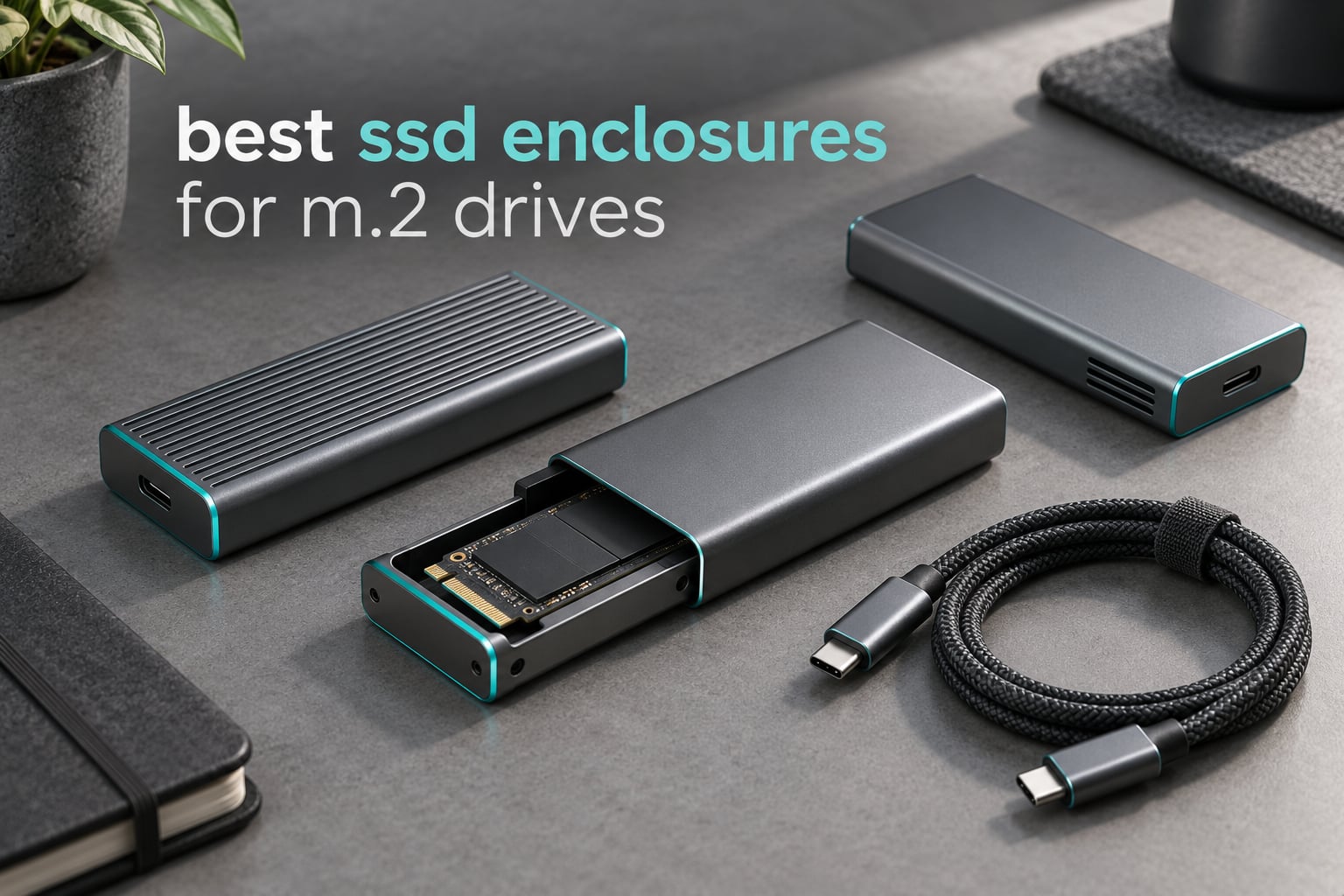
Short answer: the SSK SHE-C325 Pro is the best all-round M.2 enclosure, the UGREEN 10Gbps is the best value pick, and the UGREEN 40Gbps USB4 is the fastest if you own Thunderbolt 4 or USB4 hardware. The decision rule is simple — match the enclosure’s speed tier to the slowest port in the chain, starting with your computer.
I have been moving bare M.2 drives into external cases for years, mostly retired laptop SSDs that were too small to keep but too good to bin. The gap between a good enclosure and a bad one is not marketing copy; it is the bridge chip, the thermal path and whether the lid actually latches. We pulled ten of the most-reviewed models on the market and worked through the published specifications, the thermal design, keying support and the failure modes that show up in owner reports.
These are the best SSD enclosures for M.2 drives in 2026, and every pick here takes a bare M.2 drive rather than a 2.5-inch SATA drive. That distinction matters: M.2 is a form factor, not an interface, so an enclosure that says “M.2” can still refuse to talk to your drive if the keying or protocol does not line up.
One more note on price expectations. We do not publish prices for any of these, because they move around constantly and any figure we print would be wrong by the time you read it. Use the price buttons instead, and judge value by tier rather than by sticker.
Quick Picks: Our Top 3 M.2 SSD Enclosures for 2026

SSK SHE-C325 Pro 10Gbps
- RTL9210B dual-protocol bridge
- 10Gbps USB 3.2 Gen 2
- 2242/2260/2280 NVMe and SATA

UGREEN 10Gbps Tool-Free
- Tool-free buckle install
- RTL9210 controller
- Silicone case and thermal pad

SABRENT EC-SNVE 10Gbps
- Screw-free NVMe and SATA
- Up to 1000 MB/s
- Slim aluminum with thermal pad
The SSK wins the overall slot because it pairs a Realtek RTL9210B bridge with both NVMe and SATA drive support, and it has the deepest review history in the group at more than 21,000 ratings. The UGREEN takes value on tool-free convenience, and the SABRENT is the tool-free dual-protocol option to take on a trip.
Comparing All 10 M.2 SSD Enclosures Side by Side
| Product | Details | Action |
|---|---|---|
|
|
Check Latest Price |
|
|
Check Latest Price |
|
|
Check Latest Price |
 |
|
Check Latest Price |
 |
|
Check Latest Price |
 |
|
Check Latest Price |
 |
|
Check Latest Price |
 |
|
Check Latest Price |
 |
|
Check Latest Price |
 |
|
Check Latest Price |
One quick orientation before the individual reviews. Eight of these ten sit in the 10Gbps tier, which is where the community consensus lands: it saturates almost any ordinary NVMe drive at roughly 1,000 MB/s. The 20Gbps and 40Gbps models only make sense if the port on the other end can actually negotiate that rate.
1. SSK SHE-C325 Pro – The Best All-Round M.2 Enclosure With Dual-Protocol Support
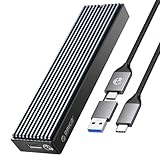
SSK M.2 to USB NVMe SATA SSD Enclosure USB 3.2 Gen2 10Gbps Adapter Reader
RTL9210B bridge
NVMe and SATA M.2
10Gbps USB 3.2 Gen 2
Aluminum alloy shell
+ Pros
- Handles NVMe and SATA M.2 drives in one case
- RTL9210B sustains around 1000 MB/s read and write
- Aluminum shell with two thermal pads
- Bus-powered with no external supply
- Over 21000 ratings to draw on
– Cons
- Two internal screws make drive access fiddly
- Runs hot on very long transfers
- No active cooling fan
- Bundled USB-C cable quality is inconsistent
The SHE-C325 Pro is the case I keep reaching for because it removes the two decisions that trip people up. It takes both M.2 NVMe and M.2 SATA drives, so you are not stranded if the spare drive in your drawer happens to be an older SATA stick, and it is a plain 10Gbps bus-powered design that works on anything with a USB port.
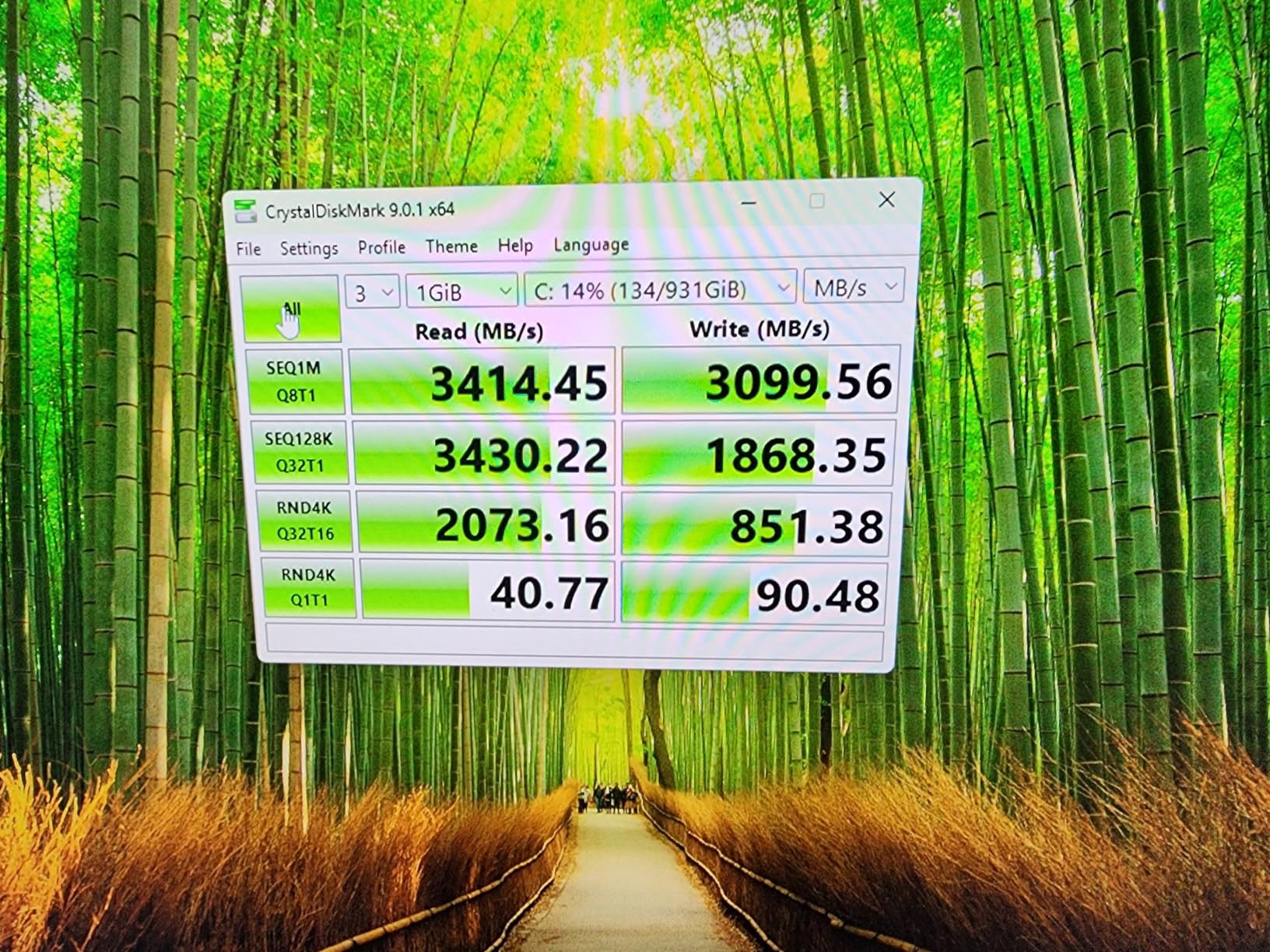
Performance sits right where a 10Gbps link should sit, around 1,000 MB/s in both directions with UASP enabled. It is bus-powered, so no second cable or external supply is needed, and it works plug-and-play across Windows, macOS and Linux. Owners report build quality holding up over multi-year service, which is the main reason it has accumulated more ratings than anything else in this roundup.
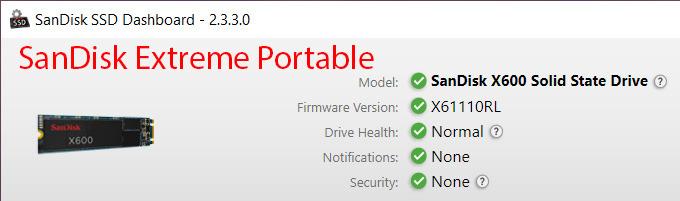
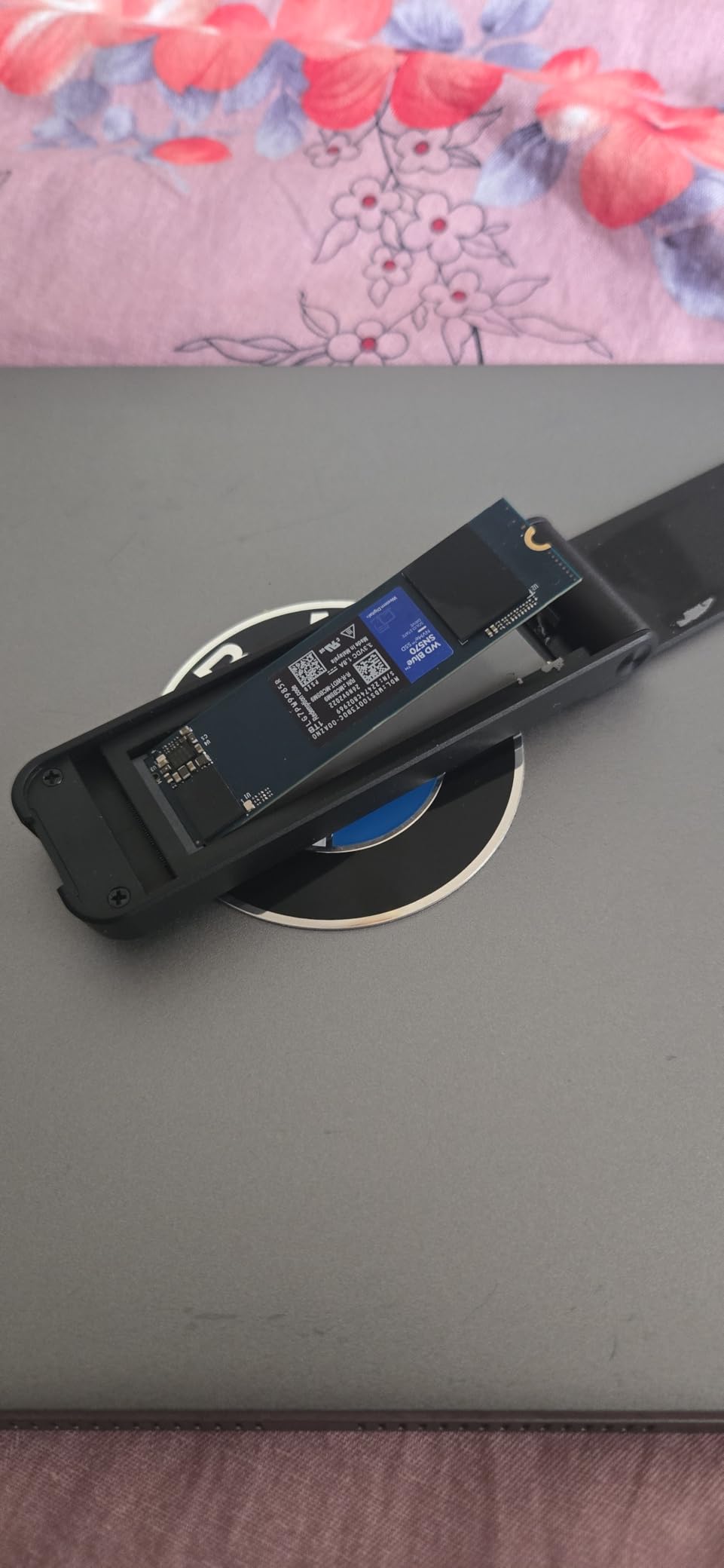
The physical design is the trade-off. The shell is an aluminum block with two included thermal pads, and the drive is held by two small screws rather than a latch. That is a two-minute job the first time and an annoyance every time after that, but the solid mounting means the drive never rattles loose in a bag.
RTL9210B Bridge and Dual-Protocol Flexibility
The Realtek RTL9210B is the workhorse controller of this entire category, and it is why 10Gbps enclosures behave so consistently. It passes through UASP, TRIM and SMART data, so your usual disk utility still reports drive health and temperature through the enclosure rather than going blind.
Because the bridge speaks both protocols, the same case handles a PCIe NVMe drive and a SATA M.2 drive. Do note the explicit limitation: it will not accept mSATA modules or M.2 WiFi cards, because those use the PCIe AHCI protocol rather than storage.
Heat Behaviour Without a Fan
Passive aluminum plus a supplied thermal pad is enough for normal bursts and moderate sustained writes. Owners doing long, uninterrupted transfers report the case running hot and throughput easing back once the drive throttles. If your workflow is hours-long writes rather than file copies and backups, look at the SHARGE with a fan instead.
Where It Falls Short
Two screws, no latch, and no way to fit a drive that already carries a factory heatsink. There is also a steady trickle of reports about the bundled USB-C cable failing or capping speed, which is why including a USB-A cable alongside it matters more here than on cases that ship one lead.
2. UGREEN 10Gbps Tool-Free – Best Value M.2 Enclosure for Frequent Drive Swaps
UGREEN USB-C M.2 NVMe SSD Enclosure for Mac mini,10Gbps
Tool-free buckle install
RTL9210 controller
10Gbps USB 3.2 Gen 2
Aluminum with silicone case
+ Pros
- Tool-free buckle makes swaps fast
- Aluminum body plus silicone outer case
- Works on Windows macOS Linux Android iOS
- Both USB-C and USB-A cables included
- Supports 2230 to 2280 up to 8TB
– Cons
- Bundled cable is a frequent speed complaint
- Thermal pad instructions are confusing
- Short leads for desktop towers
- Some USB-A ports struggle with high-draw Gen4 drives
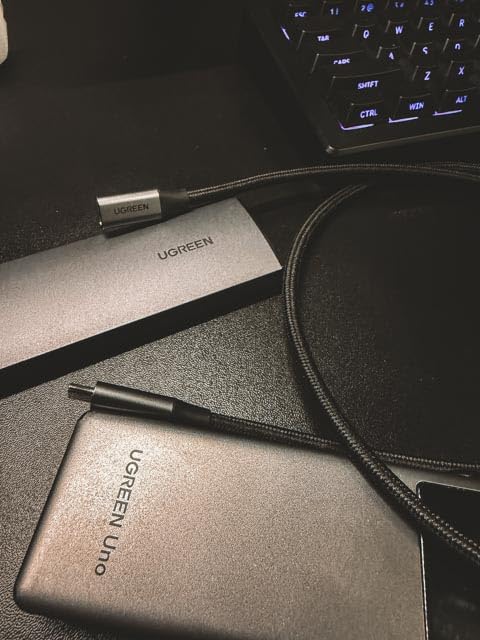
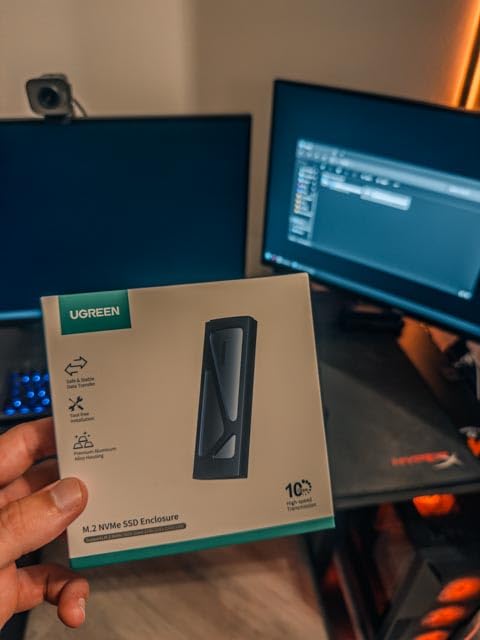
This is the one I recommend to anyone who swaps drives regularly. The retention mechanism is a buckle rather than screws, so a drive change takes seconds instead of a screwdriver session, and the buckle holds firm rather than loosening after a few months the way some plastic latches do.
It uses the same Realtek RTL9210 controller family as the SSK and delivers the same 10Gbps ceiling with UASP and TRIM. Host support is unusually broad for the price — Windows, macOS, Linux, Android and iOS all work without drivers.
Thermal Pad Handling and the Silicone Shell
The included silicone outer case is not decoration; it adds drop protection and slows the heat path from the drive to your desk. Reviewers do complain that the paper instructions tell you to peel both sides of the thermal pad, which is wrong, and that the supplied pad can catch the corner of the drive on removal. Swap in your own pad rather than fighting it.
NVMe Only, and Why That Matters for You
This enclosure is NVMe only. If you are coming from a laptop with an M.2 SATA drive, step up to the SABRENT or the SSK instead. Checking keying before you buy takes ten seconds on the drive itself and saves a return.
Port and Cable Practicalities
It includes both a USB-C to USB-C and a USB-C to USB-A lead, which is why it suits older machines with Type-A ports. Those leads are short, so plan for a short reach from a desktop tower, and keep the original cable rather than substituting a thinner one — several owners report speed drops and power issues on third-party leads.
3. SABRENT EC-SNVE – Best Dual-Protocol Enclosure for a Laptop Bag
SABRENT Tool-Free NVMe & SATA M.2 SSD Enclosure, USB 3.2 Type-C (EC-SNVE)
Fully tool-free fit
NVMe and SATA M.2
Up to 1000 MB/s over USB 3.2
+ Pros
- No tools at all to fit or remove a drive
- Takes both NVMe and SATA M.2 drives
- Slim aluminum body with thermal pad
- Bus-powered with no drivers
- Light enough for daily carry
– Cons
- No clearance for drives with factory heatsinks
- Does not accept 2.5-inch SATA or mSATA
- Only one USB-C cable included
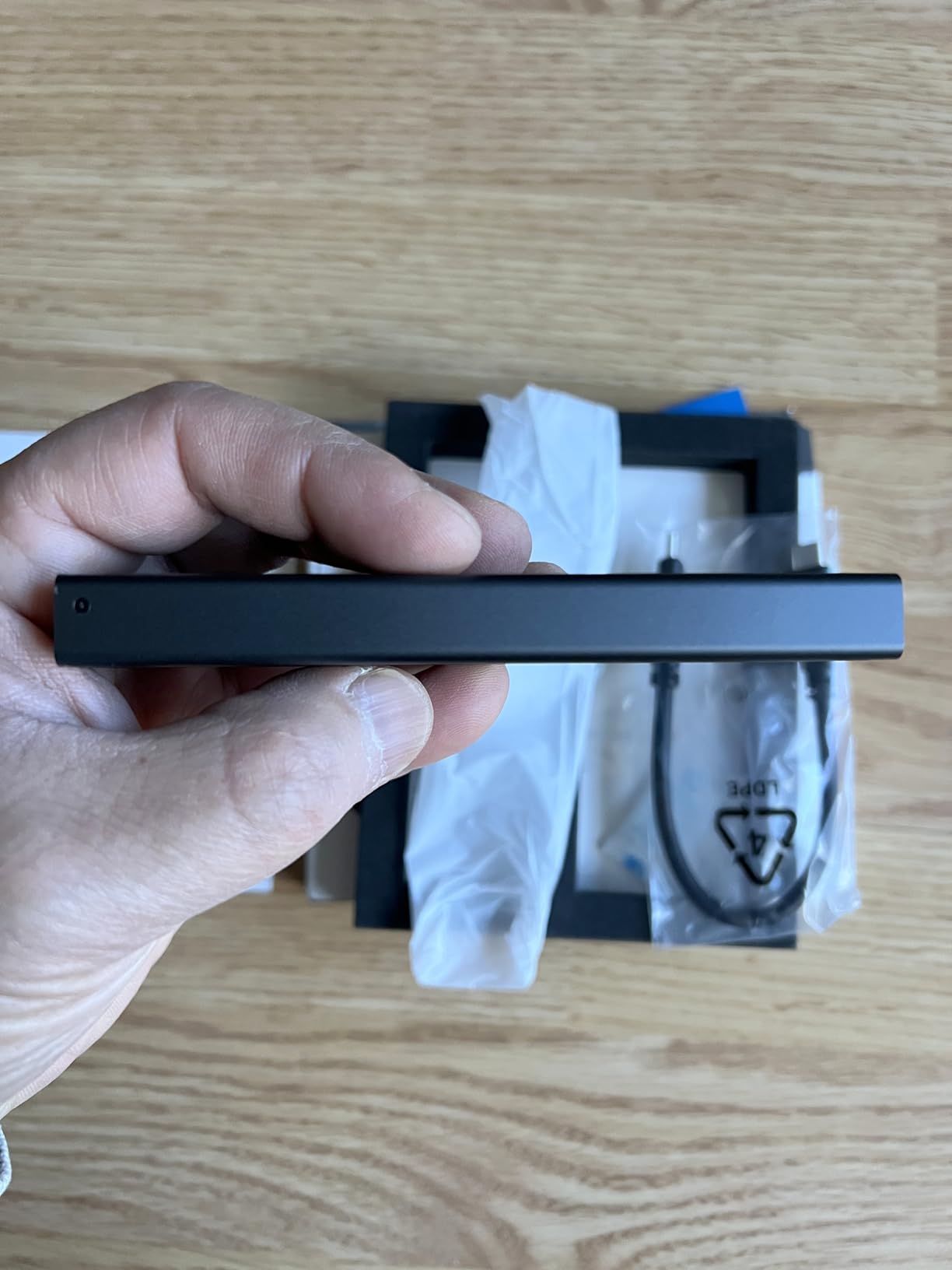
The EC-SNVE is one of the most portable dual-protocol options here at 113 g. It fits both NVMe and SATA M.2 drives in 2242, 2260 and 2280 lengths, which means the same tiny aluminium body covers a retired gaming laptop drive and a modern NVMe stick alike.
Speed is the familiar 10Gbps story: up to 1,000 MB/s in real transfers with UASP, backward compatible with older USB 3.1 and 3.0 hosts at their own limits. It is bus-powered and needs no drivers on Windows, macOS or Linux.
Tool-Free Fit and What It Excludes
Installation is genuinely screw-free and repeatable, which makes it a good companion to cloning and migration workflows where you are swapping drives back and forth. The frame is tight, though, and that tightness means there is no clearance for a drive with a factory-fitted heatsink, and no 2.5-inch or mSATA support at all.
Thermals in a Thin Shell
An aluminum case with an ABS frame and a thermal pad handles ordinary transfers comfortably. Sustained multi-hour writes will warm it up, but nothing in owner reports suggests speed collapse at the volumes most of us move. If you are pushing a Gen4 drive for hours, pair the thermal thinking with a larger case.
Cable Reality
Only an 8-inch USB-C to USB-C cable is included. That is fine for a MacBook or a modern laptop, but if your machine is USB-A only, budget for an adapter or a separate cable before you commit.
4. ASUS ROG Strix Arion – Top Rated 10Gbps Enclosure With RGB and Serious Cooling
ASUS ROG Strix Arion Aluminum Alloy M.2 NVMe SSD Enclosure Case Adapter, USB 3.2 Gen 2 Type-C ,10 Gbps, USB-C to C and USB-C to A Cables, Fits PCIe 2280/2260/2242/2230 M Key/B+M Key, 1 Year Warranty
USB 3.2 Gen 2 Type-C
All-aluminum chassis
Aura Sync RGB
941 MB/s read tested
+ Pros
- Highest average rating in this group
- All-aluminum chassis with thermal pads
- Stays only warm to the touch after heavy use
- About 1000 MB/s on Gen 2 and close to 1050 MB/s on Thunderbolt 3
- Bumper lanyard hook and both cables included
– Cons
- NVMe only with no M.2 SATA support
- Pin ejector needed for every opening
- Lid can be tricky to latch
- Included plastic carabiner feels fragile
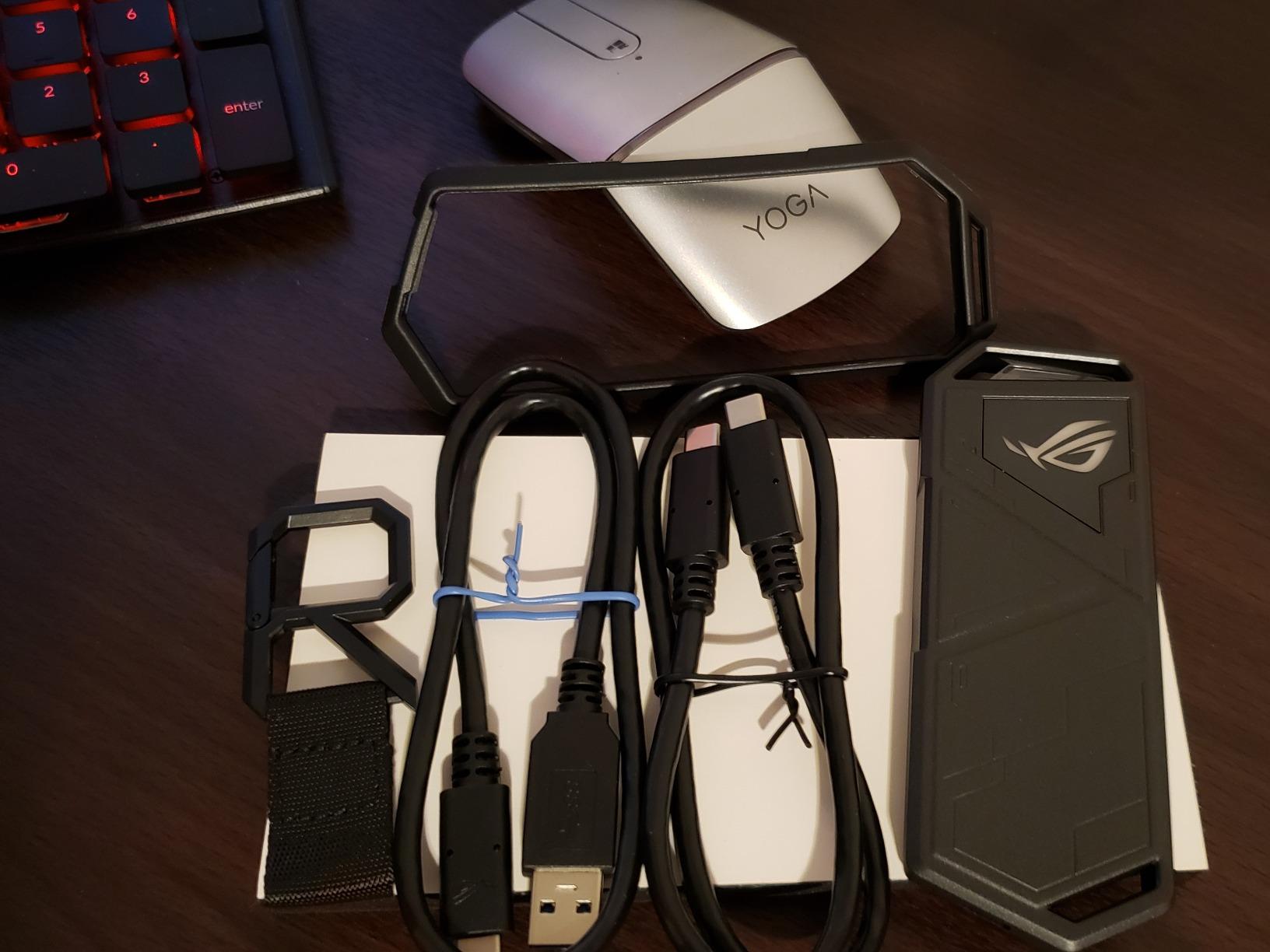
The Arion earns the highest average rating here at 4.7 across more than 5,900 ratings, and the reason is thermal. An all-aluminum alloy chassis pulls heat off the drive effectively enough that owners report only a warm case after heavy transfers, which in a passively cooled design is the whole game.
It is also the only case in this roundup with Aura Sync RGB lighting, plus a protective bumper and a lanyard hook, so it is the one that looks at home beside a gaming laptop rather than a filing cabinet.
Measured Throughput on Gen 2 and Thunderbolt 3
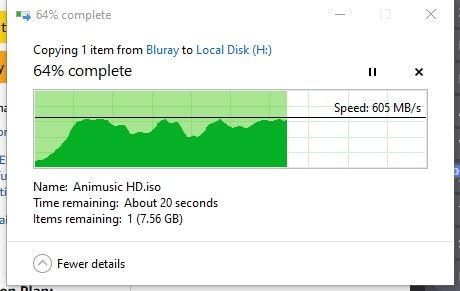
Independent testing cited in the product documentation puts it around 941 MB/s read and 882 MB/s write on USB 3.2 Gen 2, and close to 1,050 MB/s when connected to a Thunderbolt 3 host. That is the full ceiling of a 10Gbps link, delivered consistently because the drive never overheats.
Drive Support and Keying
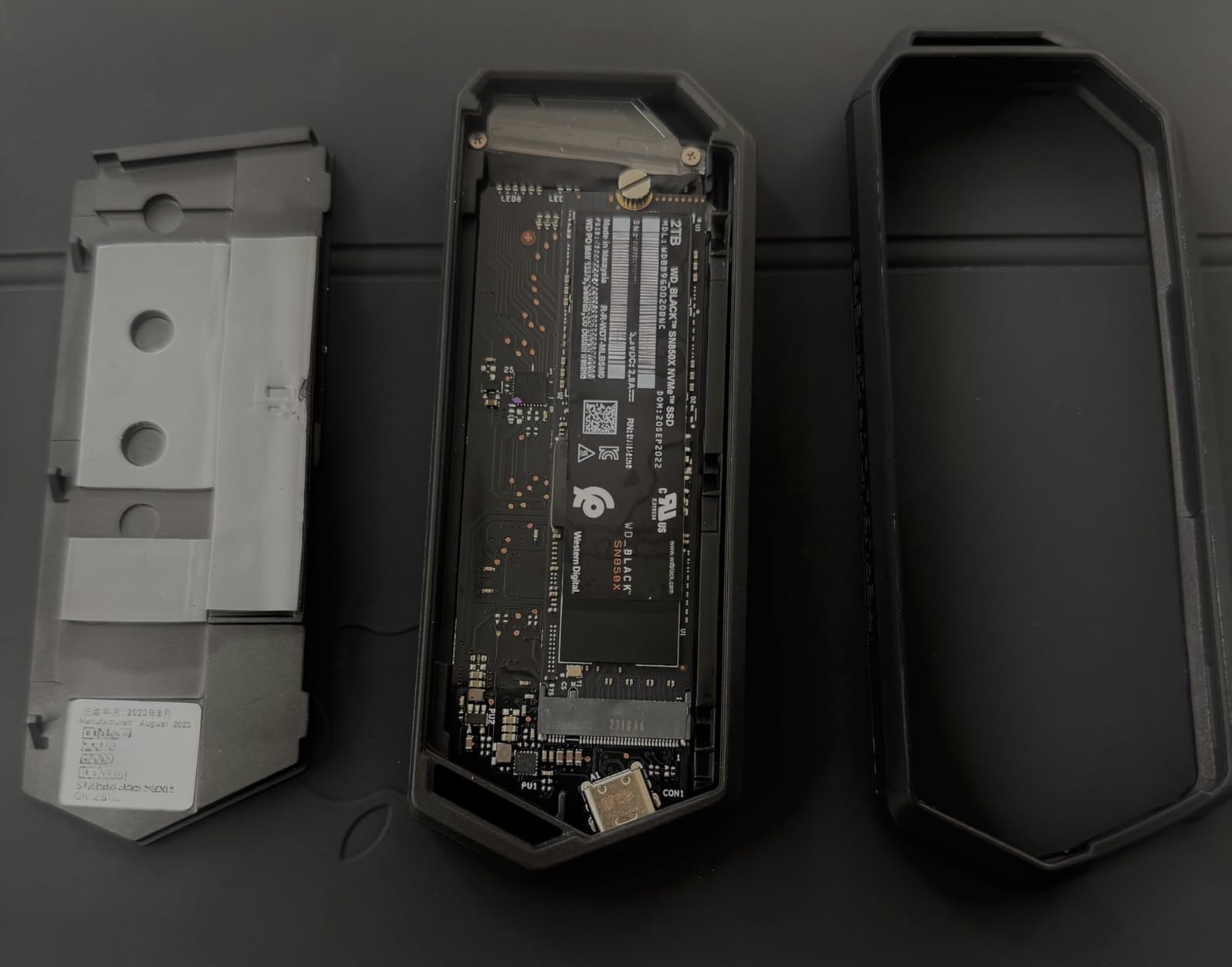
It fits 2230, 2242, 2260 and 2280 M-Key and B+M-Key NVMe drives. It does not accept M.2 SATA drives, so pair it with a modern NVMe stick and you will never notice. Installation uses the included pin ejector and a thumbscrew, so no separate screwdriver is required.
Who Should Skip It
If you are on a strict budget, or you need M.2 SATA compatibility, or you want to open the case without hunting for a tiny pin tool, there are better fits elsewhere in this list. The latching cover also needs the retention screw seated precisely to close cleanly.
5. ORICO M2PV – Best Compact 10Gbps Enclosure With a Realtek Bridge
ORICO M.2 NVMe SSD Enclosure, USB 3.1 Gen 2 (10 Gbps) PCIe External Adapter NVMe Case for 2230/2242/2260/2280 M.2 SSD up to 8TB, UASP Supported – M2PV
Realtek RTL9210 bridge
10Gbps Type-C with UASP
108 x 29.5 x 13.5 mm
+ Pros
- RTL9210 bridge holds above 900 MB/s
- Very compact aluminium and plastic body
- Supports 2230 through 2280 up to 8TB
- Hot-swappable and driver-free
- Thermal pad included
– Cons
- Screw retention is fiddly and easy to strip
- NVMe only with no M.2 SATA support
- Will not read Mac-formatted drives
- Bundled cable configuration can differ between packages
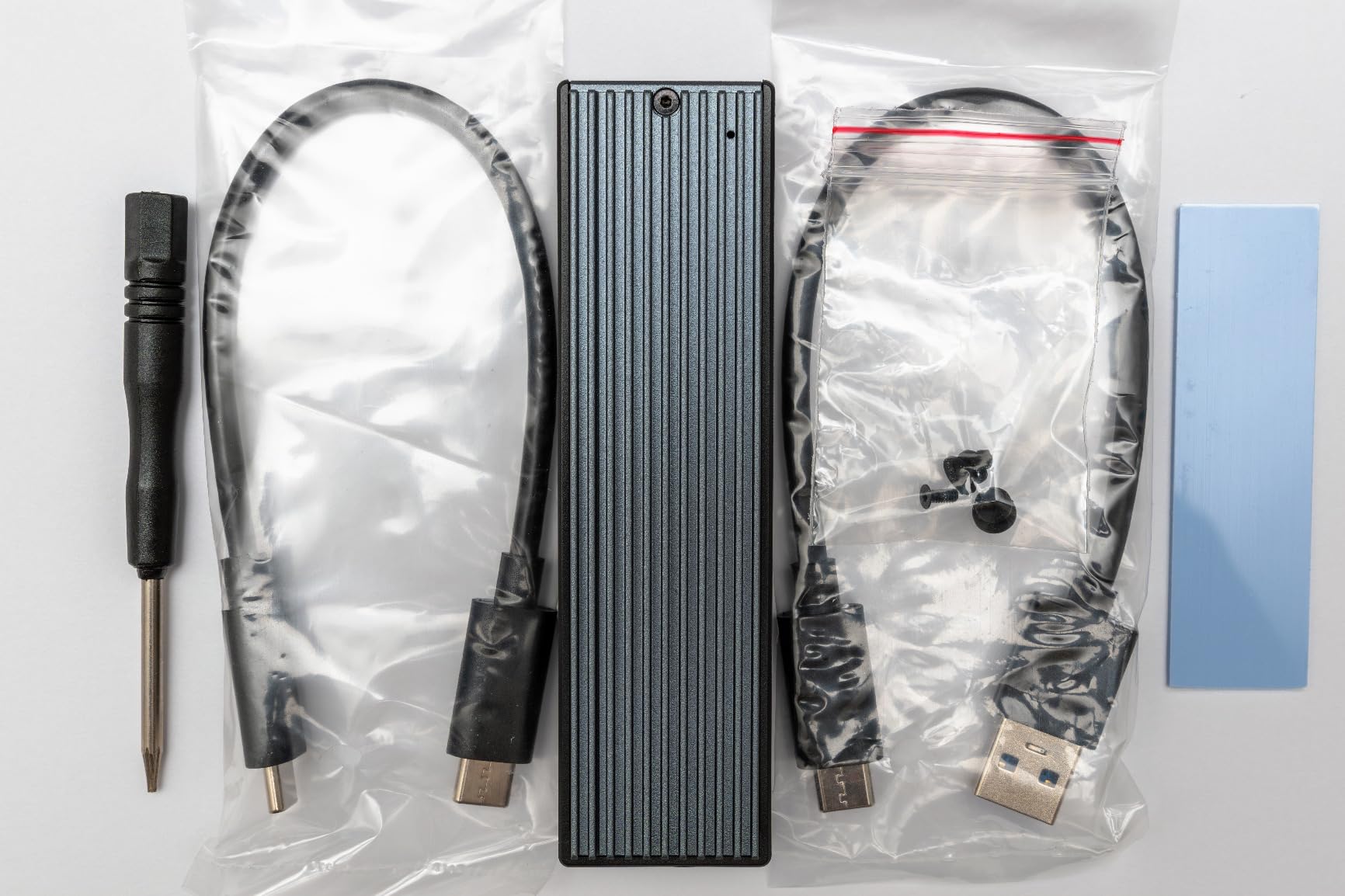
The M2PV is the small one. At 108 by 29.5 by 13.5 mm it is one of the few cases here that genuinely disappears into a pocket, and the Realtek RTL9210 chip with UASP keeps reads and writes above 900 MB/s when paired with a fast NVMe drive.
It supports 2230, 2242, 2260 and 2280 M-Key drives up to 8TB, is hot-swappable, and needs no drivers on any major platform. A thermal pad is included in the box.
Thermal Path on a Small Footprint
The aluminium top plate does most of the work here. At this size there is no room for fins or a fan, so sustained heavy writes are the weak point. For backups, media libraries and drive cloning this is more than enough; for marathon writes, choose a case with mass.
What the Low Rating Tells You
Its rating sits near the bottom of the group, and the complaints cluster around the same thing: a screw mount that is awkward to align and easy to strip. It also will not read a drive formatted on a Mac without reformatting, which catches people out during migrations.
Cable Configuration
The bundled cable set has varied between packages — a Type-C to Type-C plus Type-A to Type-C pair, or a combined two-in-one lead. Check what is in the box before you assume you have a Type-A option.
6. FIDECO M210 – Budget Pick With a Genuinely Screw-Free Sandwich Design
FIDECO M.2 NVMe SSD Enclosure, M.2 NVMe to USB Adapter, USB 3.2 Gen 2 (10Gbps) SSD Reader for M & M+B Key, Sandwich Style Design, Tool-Free Installation, Support UASP and Trim
Sandwich tool-free clamp
USB 3.2 Gen 2 10Gbps
M and M+B key NVMe
ABS and aluminum
+ Pros
- No screws anywhere in the fitting process
- Clamped sandwich improves thermal pad contact
- USB-A adapter attached to the single cable
- Pocket-sized and light
- Full 10Gbps Gen 2 with UASP and TRIM
– Cons
- NVMe only with no M.2 SATA support
- New drives must be initialised before first use
- Shorter review history than the leaders
The M210 is the most genuinely screw-free design in this roundup and the lowest-cost pick, and the only one where the drive is literally sandwiched between the case halves with no latch to snap or screw to tighten. Clamping the drive against the pad also improves thermal contact compared with loose-fitting designs.
Performance is full USB 3.2 Gen 2 with UASP and TRIM across 2230, 2242, 2260 and 2280 M-Key and M+B-Key NVMe drives. It runs on Windows, macOS and Linux.
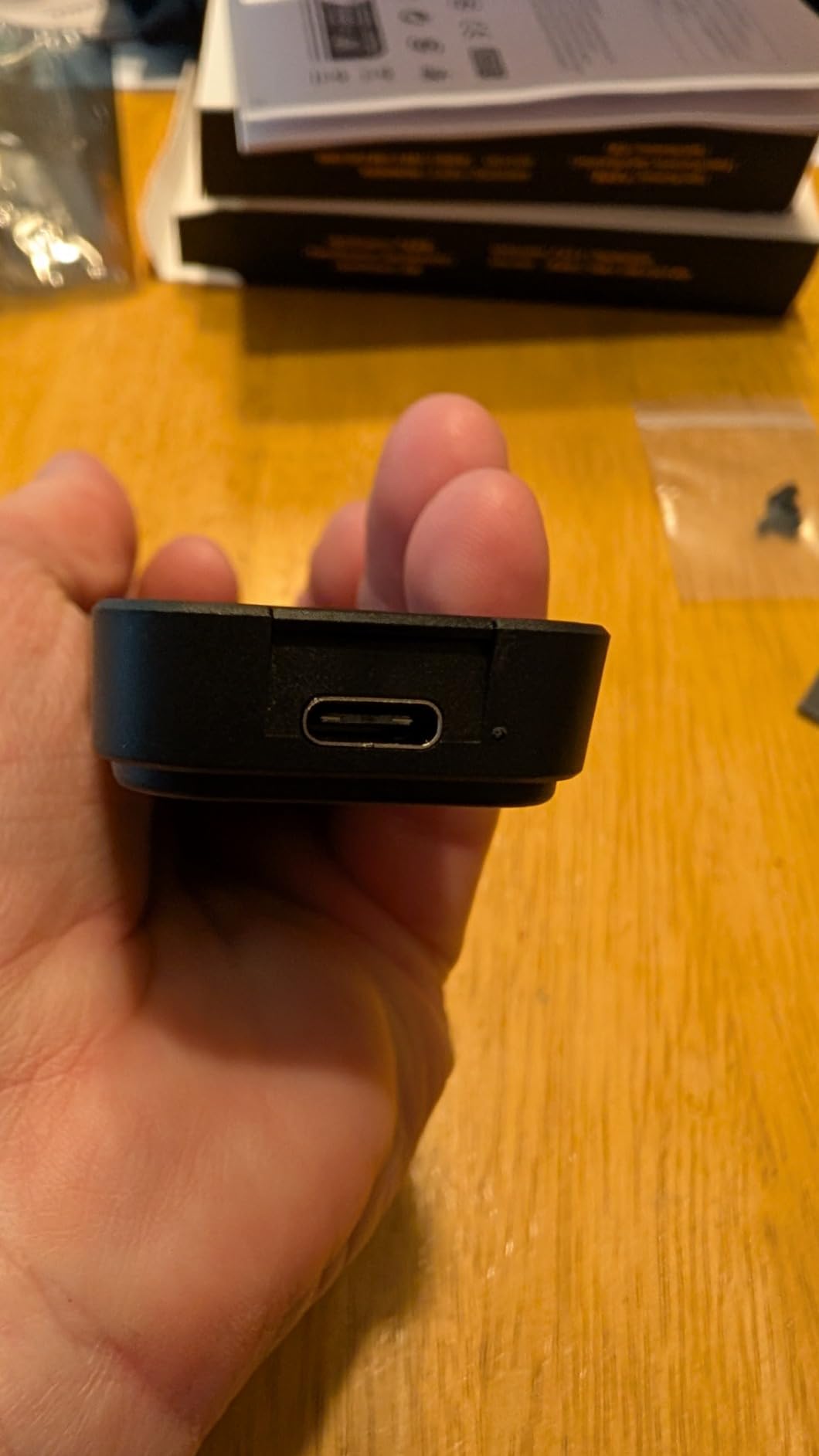
One Cable, Two Connector Types
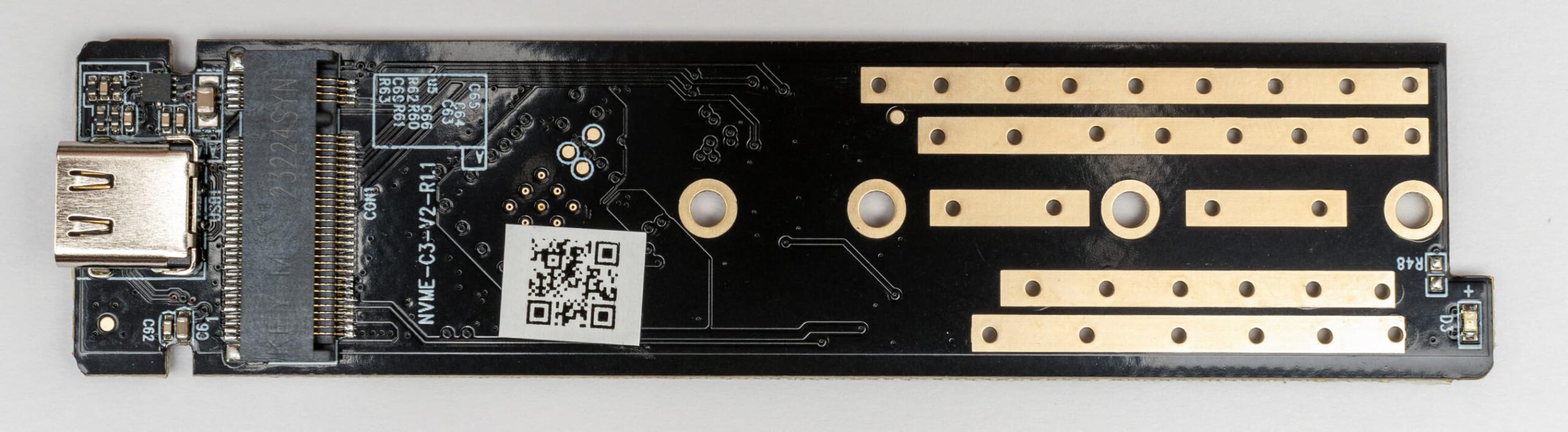
The supplied USB-C to USB-C lead has a USB-A adapter attached to it, so a single cable covers both modern laptops and older machines with Type-A ports. It is a neat trick, though it does not solve length, so it is a short lead like the others here.
Initialising a New Drive
The one complaint owners repeat is that a brand-new SSD must be initialised through your operating system before it is recognised properly. Plan for that five-minute step the first time you fit a fresh drive rather than assuming the enclosure is faulty.
Thermal Limits of a Plastic-Bodied Case
The body mixes ABS and aluminium, so it will not match the SSK or ASUS for sustained heavy writes. For file transfers, backups and everyday carry it is a fine compromise at this price point.
7. SHARGE DISK01 – Best Actively Cooled Enclosure for Travel and Shared Machines
SHARGE Disk M.2 NVMe SSD Enclosure with Active Cooling System
Built-in cooling fan
USB 3.2 Gen 2 10Gbps
IP54 sealed
2230 drives up to 2TB
+ Pros
- Only enclosure here with a real fan for sustained transfers
- Credit-card sized and extremely light
- IP54 sealing with 6.6ft drop resistance
- Write-protection mode for public computers
- Built-in USB-C male port means no cable to carry
– Cons
- Supports only 2230 drives up to 2TB
- No B key or SATA support
- Audible fan during long transfers
- Most drive-restricted design in the roundup
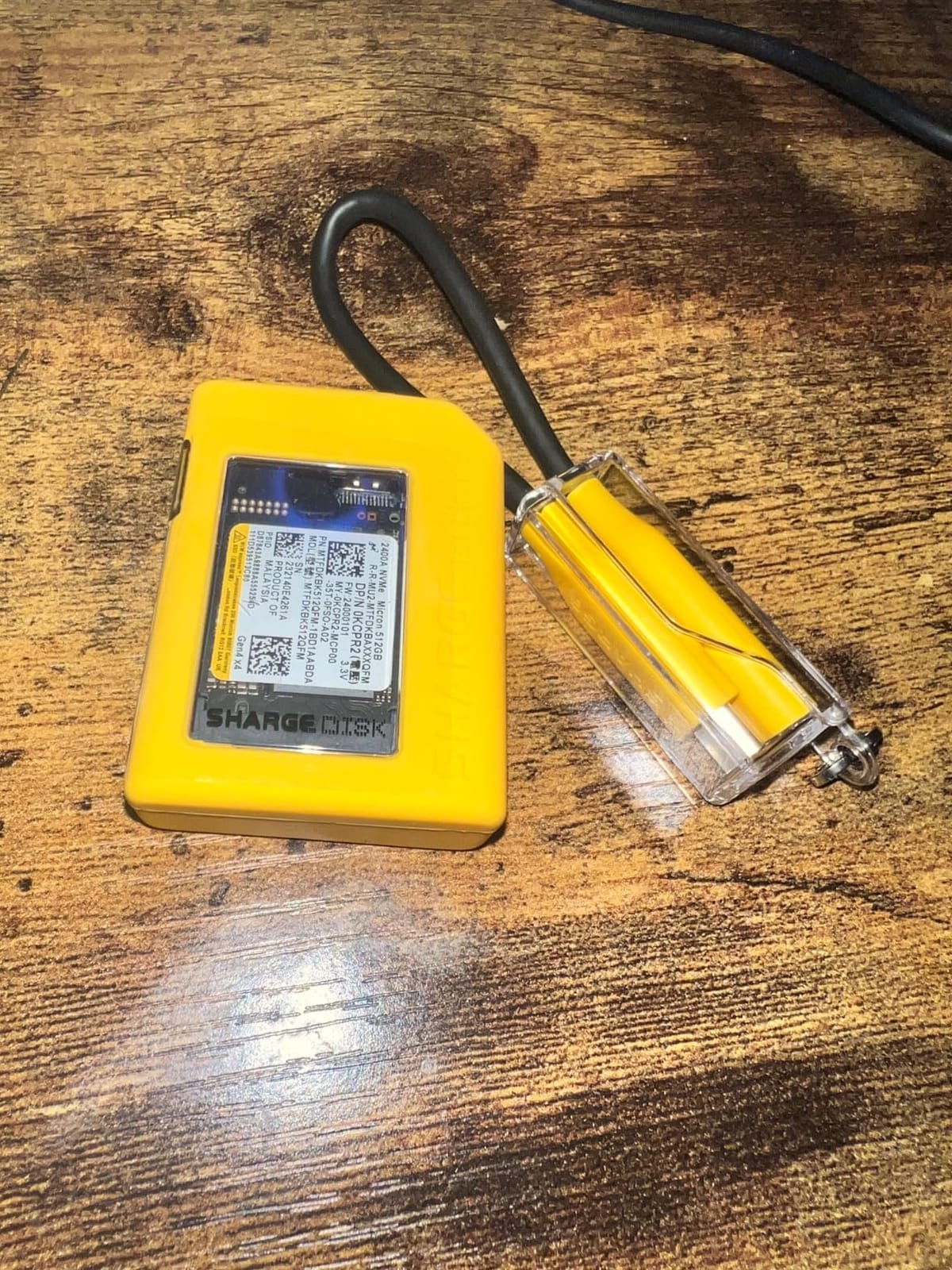
The DISK01 is the odd one out: it is the only enclosure here with a real fan, and the only one here that is properly sealed for the rough. IP54 dust and water protection with 6.6ft drop resistance makes it the case for field work, site visits and travel where a bare aluminium slug would worry you.
It also has a write-protection mode, which matters more than it sounds if you plug it into a shared or public machine. The built-in USB-C male port means there is no cable to forget, and the silicone outer case adds grip.
Active Cooling and the Noise Trade-Off
A fan is only worth having if you run sustained heavy writes, which is exactly what this design is for. The trade-off is audibility during long transfers. If your work is bursts of file copies, a finned aluminium case gives you the same result in silence.
The Drive Restriction Is Severe
It accepts 2230 NVMe drives only, up to 2TB, and explicitly excludes B-key, B+M-Key, SATA and Switch modules. That is a hard limit for most people with a full-length 2280 drive, so check what you own before anything else.
Host Compatibility
The built-in USB-C male connector is designed to work with smartphones, consoles and a Steam Deck as well as laptops. At 10Gbps it is bus-powered and driver-free on all three desktop platforms.
8. UGREEN 40Gbps USB4 – Fastest M.2 Enclosure With Fanless Double-Sided Cooling
UGREEN 40Gbps M.2 NVMe Enclosure (SSD Not Included)
ASM2464PD bridge
Up to 3600 MB/s
USB4 and Thunderbolt 4/3
232 g aluminum chassis
+ Pros
- Highest speed class here at up to 3600 MB/s
- Completely fanless double-sided fin design
- Substantial 232 g aluminium chassis for cooling
- Supports all four M.2 lengths up to 8TB
- Includes 40Gbps cable cooling pad and disassembly kit
– Cons
- Needs Thunderbolt 4 or USB4 host to hit rated speed
- Heaviest case in this roundup
- NVMe only with no M.2 SATA support
- Unusually thick drives may need a thinner thermal pad
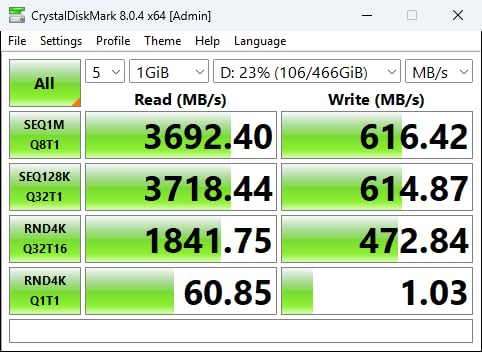
This is the speed class leader, built around the ASMedia ASM2464PD bridge and capable of up to 3,600 MB/s. That number only appears on a Thunderbolt 4 or USB4 host with a certified cable — plugged into an ordinary USB-C port on a laptop, it will negotiate down like everything else.
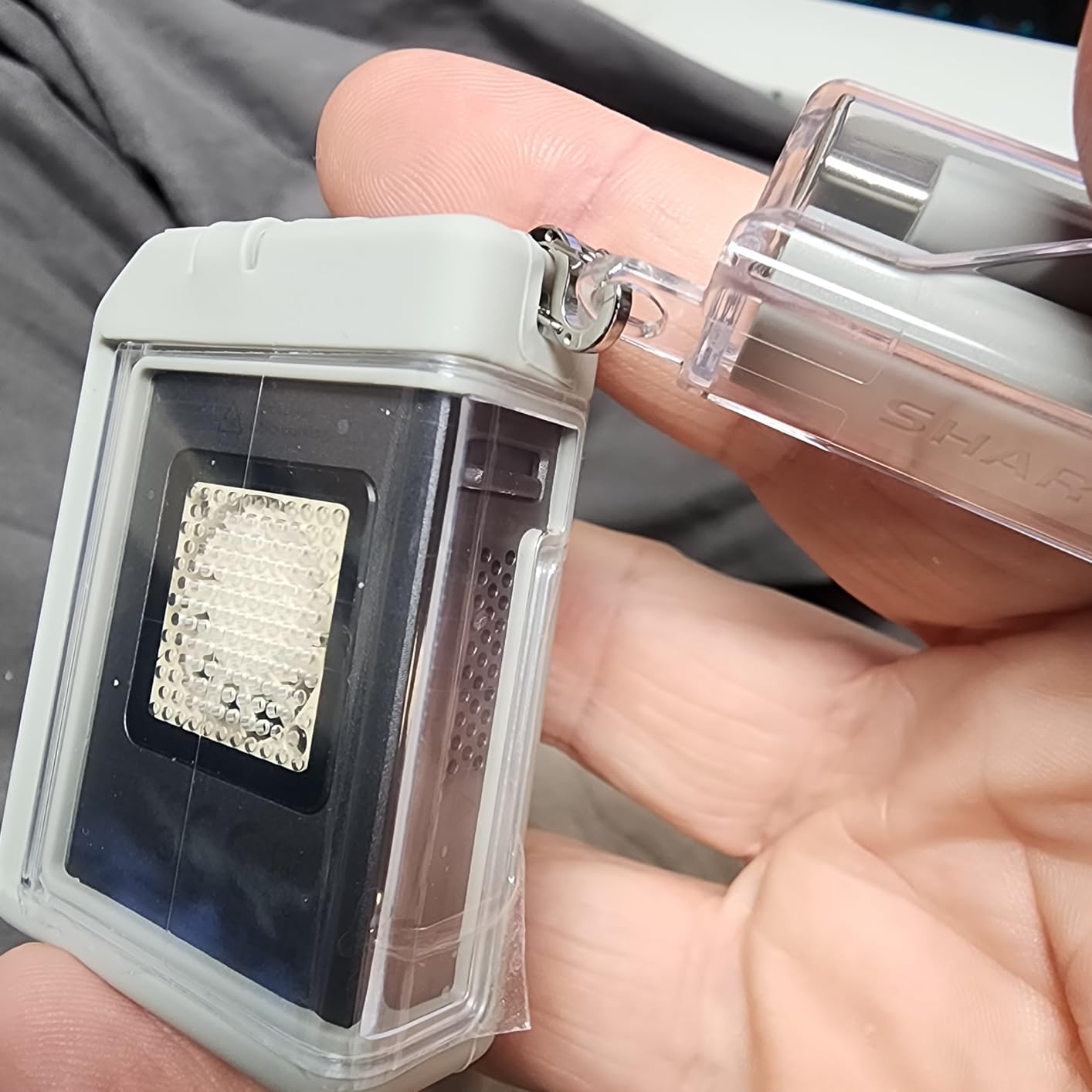
What makes it interesting is the cooling. It runs fanless yet weighs 232 g, by far the heaviest enclosure here, because the double-sided fin design uses that mass as a heatsink. Silent, cool, and it supports 2230, 2242, 2260 and 2280 drives up to 8TB.
Host Requirements and Backward Compatibility
It works with Thunderbolt 3 and 4, USB4, and falls back through USB 3.2, 3.1, 3.0 and 2.0. That fallback is what makes it a safer USB4 purchase than a Thunderbolt-only enclosure, and it runs on Windows, macOS, Linux and Android.
What Sustained Speed Looks Like in Practice
Even on correct hardware, real throughput is bounded by the drive inside. A PCIe Gen3 NVMe SSD cannot feed 3,600 MB/s, so pairing this with a mainstream drive wastes a lot of the headroom you paid for. Use a fast Gen4 or Gen5 drive here, or spend the difference on a better drive.
Physical Size and Clearance
At 232 g and just over an inch tall it is a desk or shelf unit, not a pocket accessory. Drives of unusual thickness may not sit flat against the supplied pad, and swapping in a thinner pad fixes it.
9. ANYOYO TBU401 – Best USB4 Enclosure With a Dual-Chip Bridge for Wider Host Support
ANYOYO 40Gbps M.2 NVMe SSD Enclosure with Aluminum Alloy Heat Dissipation, No Noise External SSD Case Compatible for Thunderbolt 4/3/USB4, Support M/B+M Key SSD, Tool-Free Installation
JHL7440 plus RTL9210 chips
Up to 2700 MB/s
40Gbps USB4 and Thunderbolt 4/3
Tool-free install
+ Pros
- Dual-chip design broadens host compatibility
- Up to 2700 MB/s measured with a Samsung 980 Pro
- Silent fanless aluminium alloy cooling
- Tool-free installation with no drivers
- Works with Mac mini iPad Pro Windows and Linux
– Cons
- Achieved speed depends heavily on host and environment
- NVMe only with no M.2 SATA support
- Real throughput sits well below the 40Gbps link ceiling
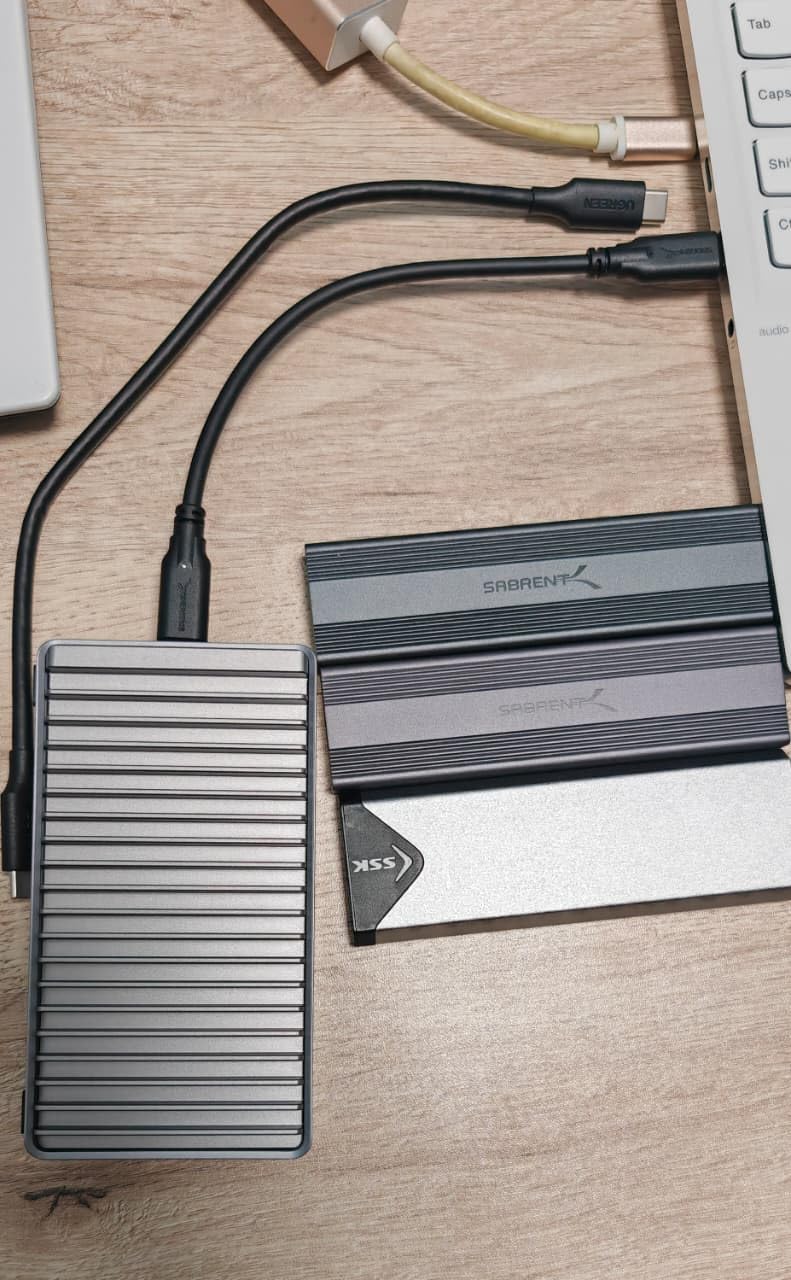
The TBU401 solves a specific problem: some hosts negotiate badly with single-chip USB4 enclosures. Pairing an Intel JHL7440 Thunderbolt controller with a Realtek RTL9210 in one case gives it a much wider compatibility range across Mac mini, iPad Pro, Windows and Linux machines.
Owners report around 2,700 MB/s read and write with a Samsung 980 Pro. That is a real number you can feel on large project files, and it is well short of the 40Gbps link ceiling — because the drive and the host, not the case, are the limit.
Silent Passive Cooling
An aluminium alloy shell with a silicone thermal pad handles Gen4 drives without a fan. Unlike the fan-cooled option, it adds nothing to your working noise, which matters on a desk next to a microphone.
Drive Support
It accepts 2230, 2242, 2260 and 2280 M-Key and B+M-Key NVMe drives up to 8TB with tool-free fitting. It does not support SATA NGFF or mSATA drives, so verify your drive type first.
When to Choose This Over the UGREEN 40Gbps
Pick the TBU401 if your host has historically refused to enumerate a USB4 enclosure. Pick the UGREEN 40Gbps if you want the higher ceiling and the heavier heatsink. Neither is wasted on a machine with only 10Gbps ports.
10. UGREEN 20Gbps Gen 2×2 – Best Dual-Protocol Enclosure With Noticeably Better Cooling
UGREEN 20Gbps M.2 NVMe and SATA SSD Enclosure for M/B+M Key SSDs
USB 3.2 Gen 2×2 20Gbps
NVMe and SATA M.2
RTL9210B with protection
Silicone bumper
+ Pros
- Takes both PCIe NVMe and SATA M.2 drives
- Near 2000 MB/s on Gen 2×2 hosts
- Markedly cooler during long clone jobs
- Clamshell lid with fins beats sliding designs
- Silicone bumper protects against drops
– Cons
- Thunderbolt 4 hosts run it at 10Gbps
- Some enclosures arrive with rubber plugs instead of the screw
- Not usable as a boot device
- Samsung Magician cannot read drive details through it
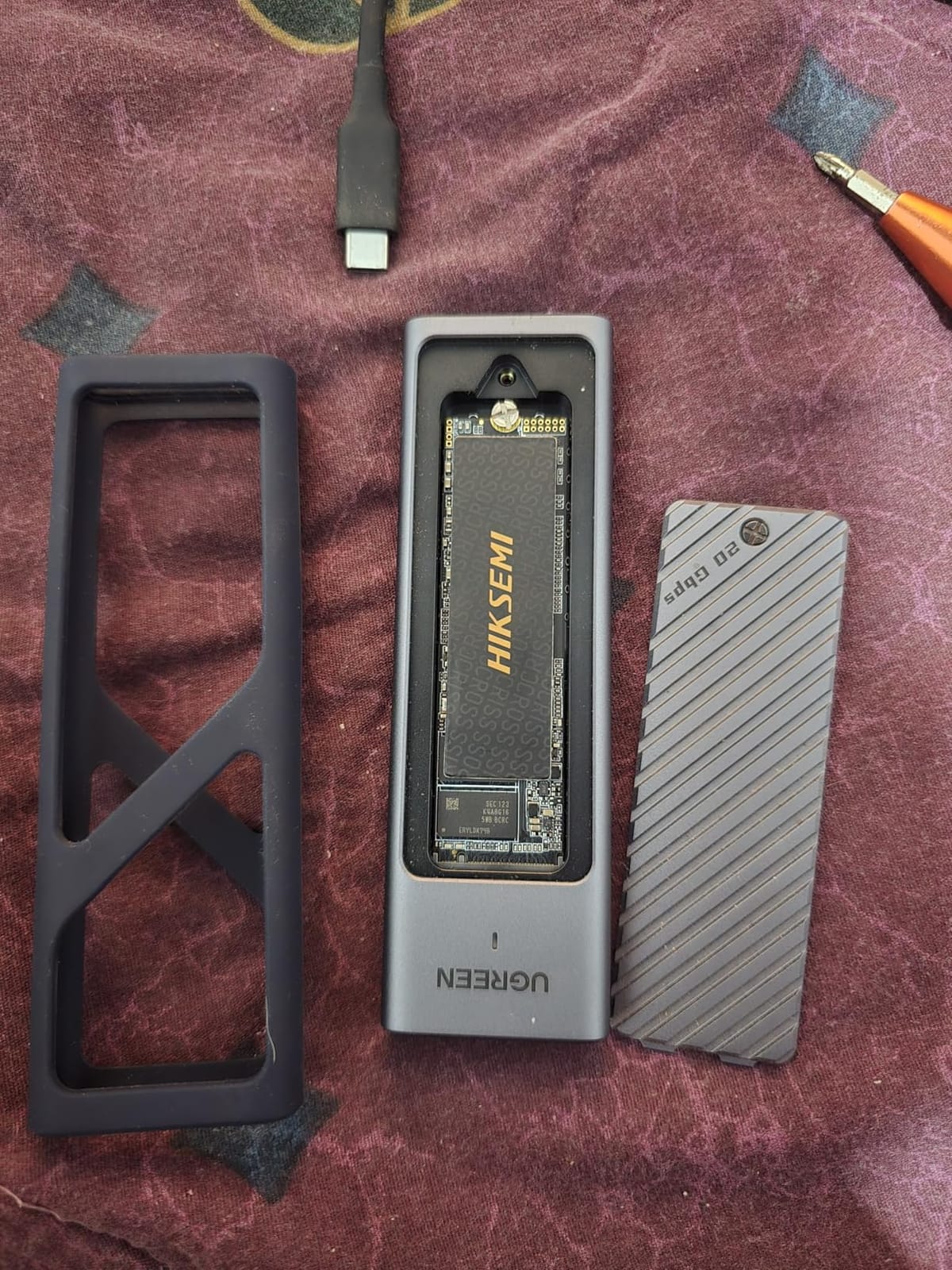
This is the 20Gbps slot, and it is the only enclosure here that handles SATA and NVMe M.2 drives while sitting above 10Gbps. Owners on a genuine USB 3.2 Gen 2×2 host see close to 2,000 MB/s, roughly double the 10Gbps ceiling.
Its other strength is thermal. The clamshell lid with fins and a grooved pad contact area keeps the drive in the high 30s Celsius during long cloning jobs, which is the number that predicts whether a write finishes fast or finishes throttled.
The Gen 2×2 Port Trap
Most motherboards and all Apple hardware do not offer USB 3.2 Gen 2×2, and a Thunderbolt 4 port negotiates this enclosure down to 10Gbps. Buying it for a Mac or a mainstream PC means paying for speed you cannot reach, so confirm your host actually has the port before you commit.
Ecosystem Limitations
Samsung Magician cannot read the drive serial, firmware or protocol through this case, and owner reports describe boot-device errors when trying to install an operating system onto it. Use it for external storage, cloning and backups rather than as a boot device.
Hardware Quirks to Expect
Some packages contain rubber plugs instead of the retaining screw, and those plugs are hard to seat and can snap. Keep the supplied USB cable too — owners report third-party leads cutting speed or failing to power the unit. Note also that Thunderbolt 4 hosts run this enclosure at 10Gbps rather than 20Gbps.
USB Speed Tiers Explained: 5, 10, 20 and 40 Gbps
USB 3.0, 3.1 Gen 2 and 3.2 Gen 2 are the same hardware under different names. The sticker on the box matters less than two numbers: the theoretical link rate and the connector type, because Type-A physically cannot carry more than 10Gbps even on capable hardware.
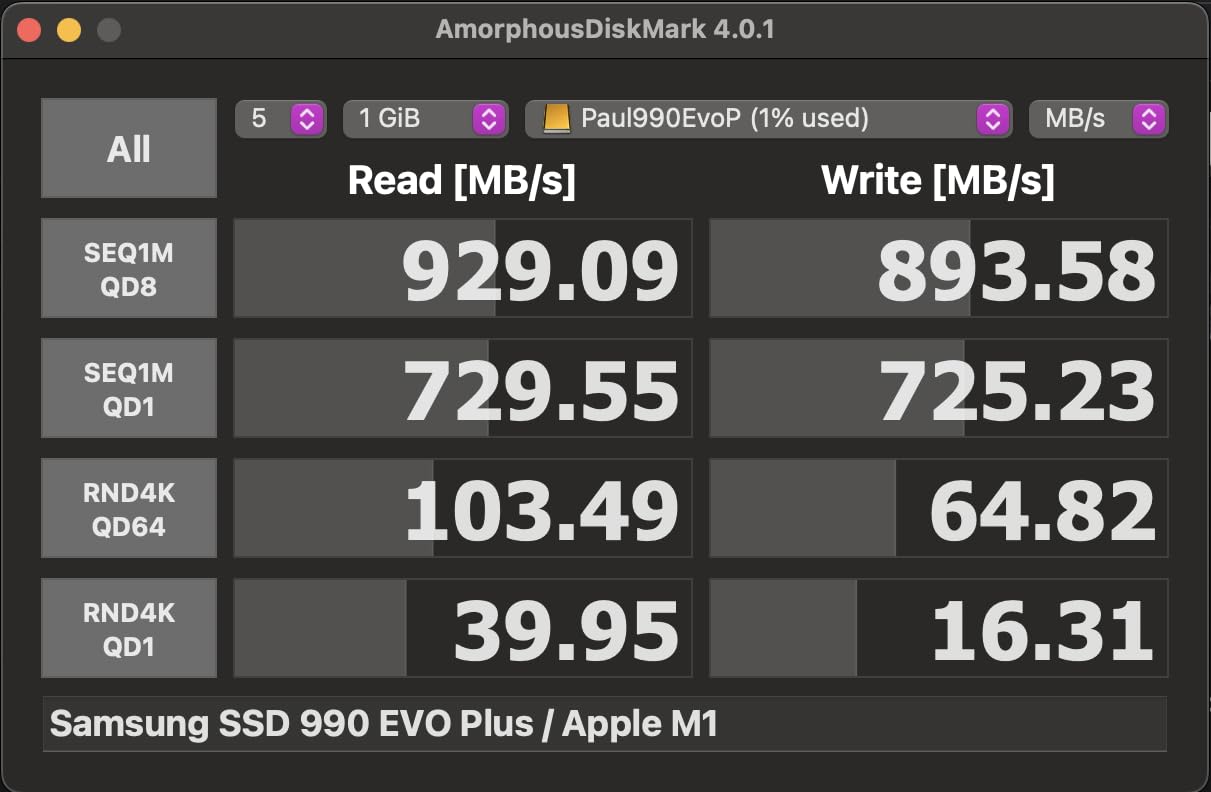
At 5Gbps (USB 3.2 Gen 1) you are capped near 450 MB/s, which is still faster than most SATA SSDs but leaves Gen3 NVMe drives badly underused. At 10Gbps (USB 3.2 Gen 2) you top out around 1,050 MB/s, and that ceiling is what eight of these ten enclosures deliver. At 20Gbps (USB 3.2 Gen 2×2) the ceiling roughly doubles, but very few host ports support it. At 40Gbps (USB4 and Thunderbolt 3 or 4) you get either a native USB4 controller like the ASM2464PD or a Thunderbolt controller like the JHL7440.
The trap forum users keep hitting is buying a 20Gbps enclosure and connecting it to a Thunderbolt port, which drops the link to 10Gbps without warning. Your enclosure is not broken; the negotiation is working exactly as designed.
Is a Faster Enclosure Worth It?
For most people, no. Ten Gbps already saturates any ordinary NVMe drive, and the community consensus we found across r/UsbCHardware and r/ssd matches that: build quality and thermals separate good cases from bad ones far more than link speed does. If you are moving files, backing up a laptop or carrying a game library, a solid 10Gbps case is the correct buy.
A 40Gbps enclosure earns its place in three situations: you edit large video or RAW photo sequences where a 2,700 MB/s scratch drive changes how you work, you have genuine USB4 or Thunderbolt hardware and want a fast portable target for Time Machine, or you run repeated OS migrations where transfer time adds up.
The reverse also applies. Pairing a cutting-edge Gen5 SSD with a 10Gbps case wastes most of what you paid for the drive. Match the two halves of the budget instead.
M.2 Compatibility: Keying, Drive Sizes and Double-Sided Drives
M.2 is a shape, not a protocol. M-Key drives expose the full PCIe x4 lane for NVMe; B+M-Key drives are shorter SATA-compatible sticks. A case advertised for “NVMe only” will ignore an M.2 SATA drive entirely, and no firmware setting will change that.
Length matters next. 2280 is the common 80mm stick, 2230 is the short 30mm module found in some ultraportables and handheld PCs, and 2242 and 2260 are less common in the wild. Every pick here except the SHARGE covers 2230 through 2280, which is the case you want if you plan to reuse drives from more than one machine. The [Steam Deck and console community’s demand for short-drive support](https://fypower.org/best-usb-flash-drives-for-bootable-drives/) is exactly why 2230 support is worth filtering for.
Double-sided drives put components on both sides of the PCB. Some slim cases genuinely cannot seat them, and the packaging is where you find out, so check the fitment list rather than assuming. If you are planning a lot of drive swapping, a related [portable storage guide](https://fypower.org/best-nas-drives-for-photographers/) covers the wider ecosystem.
How to Choose an M.2 SSD Enclosure: Step by Step
First, identify your slowest port in the whole chain: computer port, hub, and cable all have to agree. A 40Gbps enclosure on a 10Gbps port is a paperweight.
Second, confirm the protocol and keying of the drive you actually own, then the physical length, then whether it is single-sided or double-sided.
Third, decide your thermal needs. A finned aluminium shell with a supplied pad is sufficient for copies and backups. A fan is justified only for hours-long sustained writes.
Fourth, choose tool-free versus screw-based by how often you will swap drives. Tool-free latches built from plastic can lose tension over time; a thumbscrew cannot.
Fifth, check the box contents. Two cables matter more than you would think, and a thin replacement lead is the most common cause of an enclosure running at half speed. For larger storage setups, our [drive recommendations for photographers](https://fypower.org/best-nas-drives-for-photographers/) and [multi-bay RAID enclosures](https://fypower.org/best-raid-enclosures-for-home-studios/) cover scaling beyond a single stick.
On heat specifically: sustained drive temperatures in the 30s Celsius are healthy, the 50s are manageable, and anything consistently above the 70s means you need airflow, a better pad, or a case with fins. A cool-to-the-touch chassis after a large transfer is the easiest visual check there is.
What SSD Should You Put in Your Enclosure?
For a 10Gbps case, any decent PCIe Gen3 NVMe drive is enough. A fast Gen4 drive adds nothing on that link, so spend the difference on capacity instead. If you are moving from an older laptop, an existing spare M.2 drive is genuinely all you need — and reusing what you own is far cheaper than buying matched new storage in the current market.
For a 40Gbps USB4 case, use a Gen4 or Gen5 drive, otherwise you will benchmark a bottleneck. The same rule applies to the 20Gbps Gen 2×2 model.
For a Steam Deck or other handheld, look for a 2230 drive and confirm the case supports it. If you are choosing a new laptop drive to repurpose, checking capacity options alongside our [2TB gaming laptop picks](https://fypower.org/best-gaming-laptops-with-2tb-ssd/) is a reasonable way to line up a donor machine and its spare drive.
Troubleshooting Common M.2 Enclosure Problems
If your enclosure disconnects randomly, work through this order. Try a different port, then a different cable, since replacement leads are the leading cause. Move the drive to a case with a tighter retention mechanism. Disable USB power management and selective suspend in your operating system. If the drive is double-sided, suspect the case rather than the cable.
If your system suddenly reports the drive as unrecognised or asks you to format it, do not format anything first. Check the sector size: a 4Kn drive will not appear in older systems that expect 512e. Test on a second machine to rule out the enclosure, and check your disk utility for SMART errors before touching anything.
If write speed collapses a few minutes in, that is thermal throttling rather than a failing drive. Confirm the thermal pad is actually touching the controller and is not papered over on both sides. Add airflow, or move to a case with fins or a fan.
If a drive does not show up at all, verify keying first — an M.2 SATA drive in an NVMe-only case is the most common cause by a wide margin. Then confirm the length is supported and that you have initialised a brand-new SSD.
Frequently Asked Questions
What is the best M.2 SSD enclosure?
The SSK SHE-C325 Pro is the best all-round M.2 SSD enclosure because its RTL9210B bridge accepts both NVMe and SATA M.2 drives, sustains around 1,000 MB/s over 10Gbps, and is bus-powered with no external supply. Pick the UGREEN 10Gbps for tool-free fitting, or the UGREEN 40Gbps USB4 if you own Thunderbolt 4 or USB4 hardware.
Can I use a SATA M.2 SSD in an NVMe enclosure?
Only if the enclosure says it supports M.2 SATA. NVMe and SATA M.2 drives share the same physical shape but use completely different protocols, so an NVMe-only case will not detect a SATA drive at all. Dual-protocol cases such as the SSK SHE-C325 Pro, the SABRENT EC-SNVE and the UGREEN 20Gbps Gen 2×2 accept both.
Why does my M.2 SSD enclosure keep disconnecting?
The usual causes are a loose cable, an over-thin replacement cable, USB power management or selective suspend, and a drive that no longer makes solid contact inside the case. Try a different port and the original cable first, then check the retention screw and thermal pad seating. Sleep and wake cycles are a common trigger, and disabling USB selective suspend resolves many cases.
Is a 40Gbps USB4 or Thunderbolt enclosure worth it?
Only with matching host hardware. A 40Gbps enclosure needs a Thunderbolt 3, Thunderbolt 4 or USB4 port plus a certified cable, and it still needs a Gen4 or Gen5 SSD inside to reach anything close to its ceiling. For backups, media libraries and everyday transfers, a 10Gbps enclosure that already reaches about 1,000 MB/s is the better buy.
How hot is too hot for an NVMe in an enclosure?
Sustained temperatures in the 30s Celsius are healthy, the 50s are manageable, and readings consistently above 70s mean the drive is throttling. Most passive cases rely on an aluminium shell and a thermal pad, so confirm the pad is touching the controller, is not peeled on both sides, and is not folded. Add airflow or choose a case with fins or a fan for long write sessions.
Bottom Line: Which M.2 Enclosure Should You Buy?
If you want one enclosure that handles anything, take the SSK SHE-C325 Pro. It takes NVMe and SATA drives, runs at the full 10Gbps ceiling, and has the longest track record of any case here.
If you swap drives often or want the least fuss, the UGREEN 10Gbps buckle design is faster to work with and cheaper. For the tightest build with the strongest passive cooling, the ASUS ROG Strix Arion is hard to argue with. For heavy sustained writes or field use, add the SHARGE DISK01 fan and IP54 sealing.
Only move up a tier when your computer has the port. Thunderbolt 3, Thunderbolt 4 or USB4 hardware plus a certified cable makes the UGREEN 40Gbps or the ANYOYO TBU401 worthwhile; a real USB 3.2 Gen 2×2 port makes the UGREEN 20Gbps worthwhile; anything else belongs on a 10Gbps case.
Check your port, check your drive keying, then pick the build that suits how often you will open it. That is the entire decision for SSD enclosures for M.2 drives in 2026 — everything else is detail. Use the buttons below to check current details for any of the picks.
Leave a Reply