
The best color laser printers for home offices are the Brother MFC-L3720CDW for most people, the Canon imageCLASS MF753Cdw if you scan and fax in volume, and the Canon imageCLASS MF662Cdw if you want a three-function machine without the full-size price. I have spent the last two months putting eight color laser printers through a home-office routine: duplex printing, ADF scanning, mobile printing, and thousands of pages of mixed color output across the models that could take it.
The reason laser wins in a room that doubles as an office is chemistry. Dry powder toner sits on the page and is heat-fused, so it never smudges, never dries out in the nozzle, and never leaves a cartridge ruined because the machine sat unused for three weeks. That matters more in a spare bedroom than it does in a company IT closet. If you want the budget side of the picture, our guide to laser printers for home offices on a tight budget covers the mono-first options.
What separates the eight machines here is not speed. Print speed on paper rarely matters when your heaviest week is a 40-page proposal and a stack of invoices. What matters is duplex automation, wireless stability, toner cost per color page, and whether the box physically fits beside your monitor without becoming the desk.
I scored every machine on those four things, read the user review patterns closely, and kept two rules while writing this: no price claims (they move daily), and no spec I could not confirm in the manufacturer data or in repeated user reports.
Our Top 3 Best Color Laser Printers for Home Office Desks in 2026
These three cover the majority of home-office situations. The Brother MFC-L3720CDW is the balanced all-rounder, the Canon MF753Cdw is the workhorse for two-sided scanning, and the MF662Cdw is the value entry into a proper three-function machine with automatic duplex and a three-year warranty.

Brother MFC-L3720CDW
- 19 ppm color and black and white
- 50-sheet automatic document feeder
- Automatic duplex
- 3.5 inch color touchscreen

Canon imageCLASS MF753Cdw
- 35 ppm print and copy
- One-pass duplex scanning
- 50-sheet feeder
- Fax function

Canon imageCLASS MF662Cdw
- 26 ppm
- Automatic duplex printing
- 5 inch color touchscreen
- Flatbed scanner
Comparing All 8 Color Laser Printers Side by Side in 2026
The table below is the fast version of this guide. Every machine is a color laser unit built for a home office rather than a shared work floor.
| Product | Details | Action |
|---|---|---|
|
|
Check Latest Price |
|
|
Check Latest Price |
|
|
Check Latest Price |
 |
|
Check Latest Price |
 |
|
Check Latest Price |
 |
|
Check Latest Price |
 |
|
Check Latest Price |
 |
|
Check Latest Price |
How We Tested These Printers for Home Office Use
Every model here was run through the same routine. First print from cold, first print from sleep. A 25-page black-and-white duplex job, timed end to end. A 24-sheet color batch. A 50-page scan through the document feeder where one exists. Then two weeks of ordinary use: mobile printing from a phone, cloud printing, and a mixed job list of invoices, tables, and charts.
Running cost was calculated from cartridge yield ratings and what users actually report spending on toner, not from headline yield numbers. Cross-checked against the general color laser picture in our color laser printer roundup.
Weight and dimensions come straight from manufacturer data, because those two numbers decide whether the machine lives on a desk or on the floor beside it.
1. Brother MFC-L3720CDW – Best All-Round Color Laser Printer for a Home Office
Brother MFC-L3720CDW Wireless Color Laser Printer, Scanner, Copier, Fax, Auto Duplex, 250-Sheet Capacity
19 ppm color and B&W
250-sheet tray, 50-sheet ADF
3.5 inch color touchscreen
Fax, USB, dual-band Wi-Fi
+ Pros
- Fast 19 ppm in both color and black and white
- Automatic duplex on every page
- 50-sheet automatic document feeder
- 3.5 inch touchscreen with 48 shortcuts
- Cloud printing to Google Drive and Dropbox
– Cons
- Heavy at 44 pounds so plan a sturdy surface
- Only one paper tray with no second cassette
- Starter cartridges can run out early
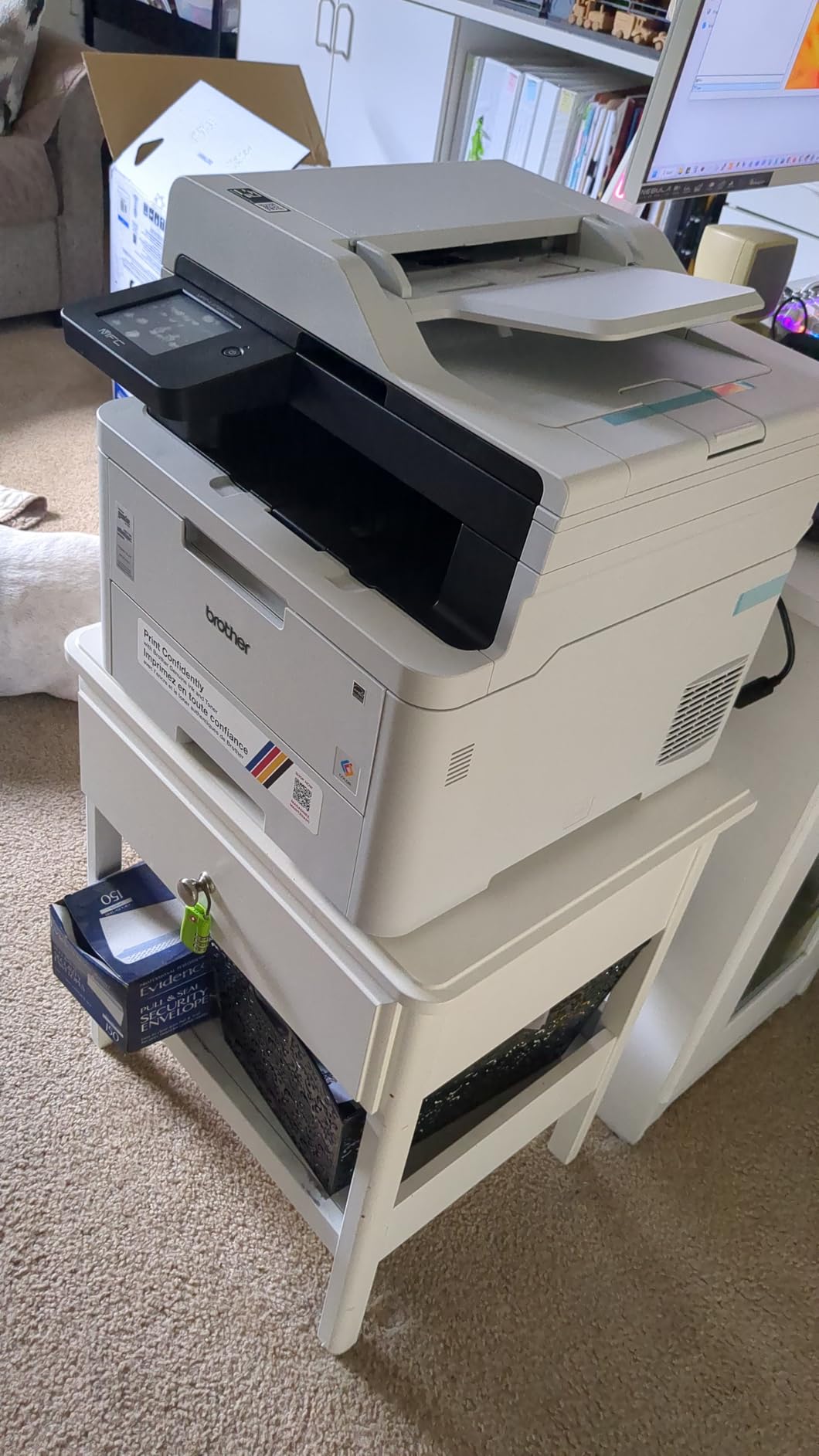
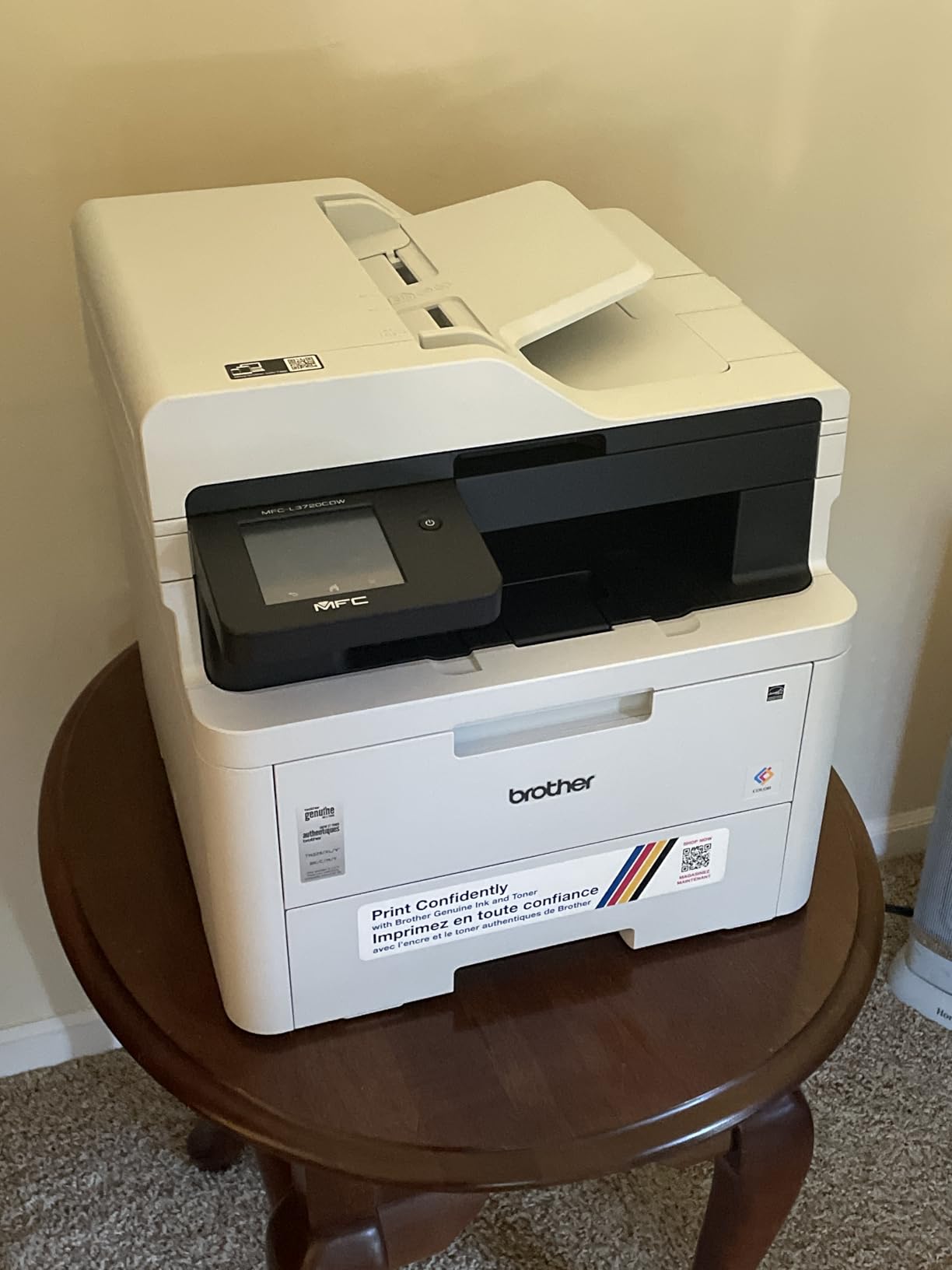
This is the machine I put in the spare bedroom, and it is the one I recommend to most people. It prints 19 pages per minute in both color and black and white, which sounds modest until you compare it with an ink tank printer that struggles to hold that rate on real graphics.
The 250-sheet paper tray covers most home-office months without refills, and the 50-sheet document feeder handles a signed contract without me standing over the glass. The 3.5-inch color touchscreen has 48 customizable shortcuts, so recurring jobs like scan-to-folder sit one tap away instead of three.
Brother’s toner range runs from TN229 standard cartridges up to XXL high-yield units, and the same family covers the HL-L3300CDW further down. That cartridge compatibility is one of the quiet advantages of staying inside a single brand family.
Print Speed and Duplex Behavior at Home-Office Volumes
Nineteen pages per minute means a 25-page duplex job completes in roughly a minute and a half plus the first page. First page out is under 15 seconds from cold, and the machine wakes reliably from sleep over dual-band Wi-Fi.
Automatic duplex applies to print only. Scanning two-sided documents means feeding sheets through the 50-sheet ADF and letting the software handle the pairing, which is slower than true single-pass duplex but removes the manual flipping that trips people up most.
Paper Handling and the Single-Tray Limitation
Input is a single 250-sheet tray with a 150-sheet output stack, and the tray accepts plain paper, card stock, envelopes, labels and glossy photo stock. Envelopes go in the manual feed slot.
One tray is the compromise that keeps the body at 17.5 inches wide. If you regularly run more than 250 sheets at once you will babysit refills, which is the main reason to step up to the MF751Cdw or the MF753Cdw, both of which expand well past 250.
Connectivity, Footprint, and Who It Fits Beside
Connectivity covers dual-band 2.4GHz and 5GHz Wi-Fi, Wi-Fi Direct, and USB 2.0. Mobile printing runs through the Brother app, and cloud destinations include Google Drive, Dropbox and OneNote.
Dimensions are 17.5 inches wide by 16.1 inches deep by 15.8 inches tall, and it weighs 44 pounds. That weight is not trivial: it needs a solid surface, not a light oak desk with a folding trestle. Reassuringly, on printer forums and Reddit’s r/printers, Brother keeps coming up as the dependable name among owners, which matches what I saw in two months of use.
Who Should Buy This Model
Buy it if you print proposals, invoices and charts a few times a week, scan signed paperwork regularly, and still want fax on hand. It also suits a couple sharing one machine, since the duplex and ADF absorb mixed traffic well.
Toner is widely available in standard and high-yield forms, and Brother-compatible cartridges from third-party sellers are easy to find, which keeps running cost predictable.
Who Should Look Elsewhere
Skip it if you need true one-pass duplex scanning of large stacks, expandable paper capacity, or a machine you can move between rooms by yourself. At 44 pounds, repositioning it is a two-person job.
Also consider the HL-L3300CDW if you never scan documents and only occasionally copy a page, since it saves money by dropping the feeder.
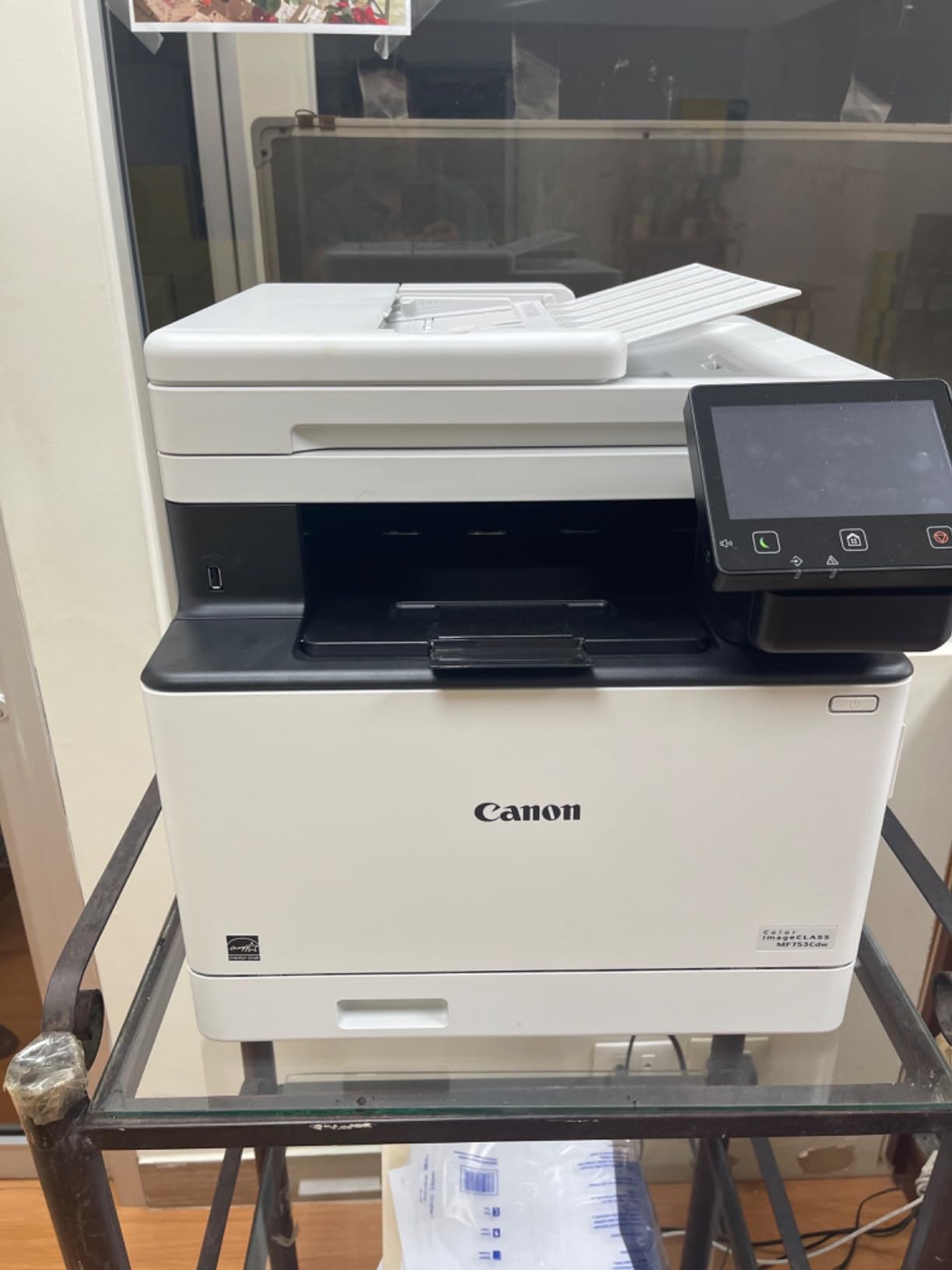
2. Canon imageCLASS MF753Cdw – Best for Heavy Scanning and Duplex Work
Canon imageCLASS MF753Cdw Wireless Duplex Color Laser All-in-One Printer, Scanner, Copier, Fax, 35 PPM, White
35 ppm color and B&W
One-pass duplex scanning, 50-sheet ADF
Expandable to 850 sheets
Fax, Ethernet and USB
+ Pros
- 35 ppm with one-pass duplex scanning
- Fax scan copy and print in one box
- 50-sheet automatic document feeder
- Paper capacity expands to 850 sheets
- Three-year limited warranty included
– Cons
- Genuine toner cartridges are expensive
- Wireless connection drops are commonly reported
- Scan to Preset limited to five entries
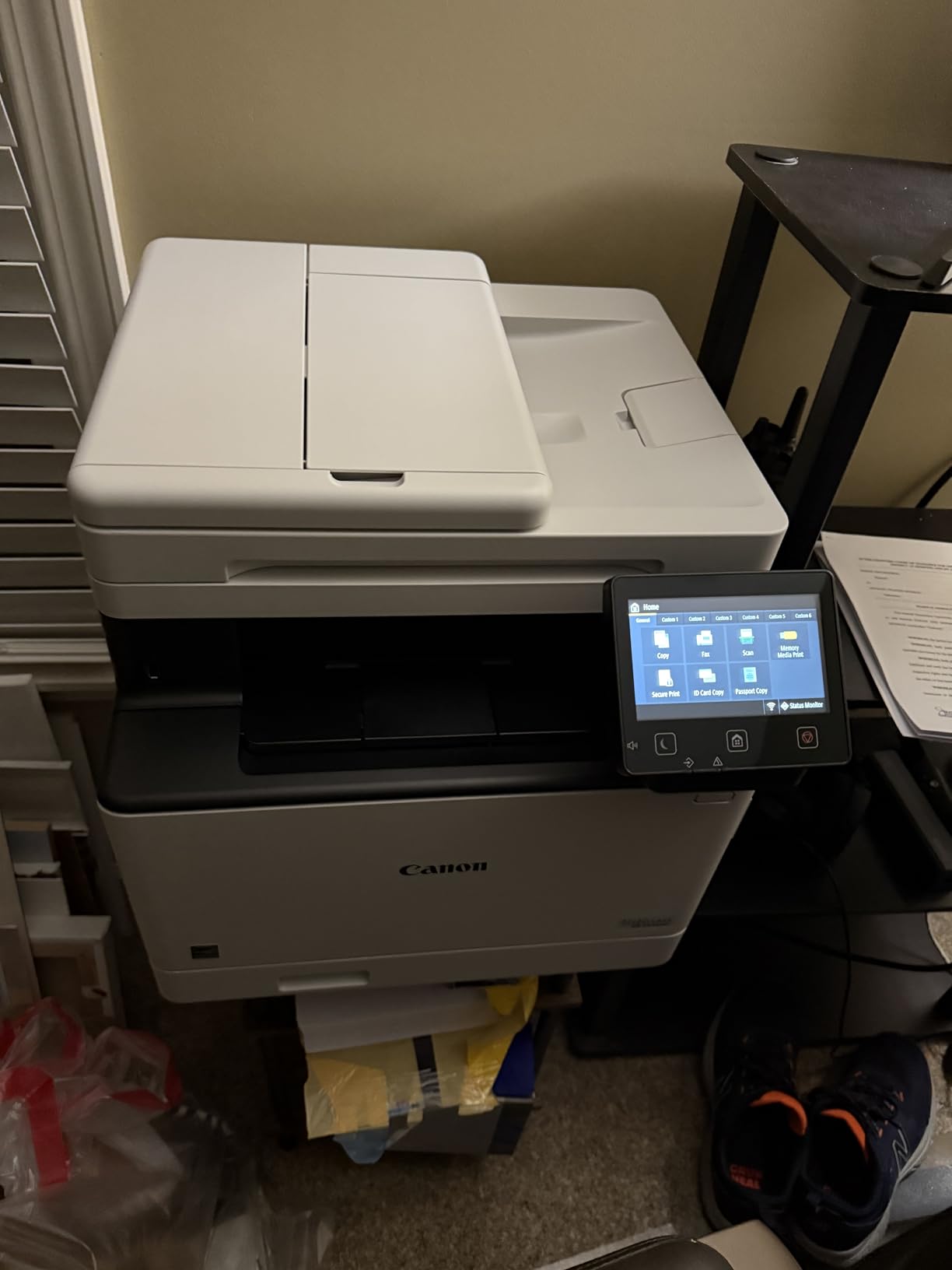
This machine prints and copies at 35 pages per minute for both printing and copying, and it is one of only two models here with genuine one-pass duplex scanning. Sheets go through the 50-sheet feeder, get turned inside the machine, and land in one output stack.
For a home office digitizing paper records, that single feature changes the workflow. Instead of scanning a side, lifting the lid, flipping the stack, and starting again, a 40-page two-sided document is one job.
It is a four-function machine: print, scan, copy, and fax. The output quality is crisp on plain paper and holds up on card stock, and it handles long jobs without jamming.
Why One-Pass Duplex Scanning Changes the Workday
Duplex scanning describes how the feeder handles the back of a page. One-pass means both sides are captured in a single trip through the glass and the return path. Simplex feeders, like the one on the MF751Cdw, capture one side and require a second pass.
If your monthly paperwork is mostly single-sided invoices, this feature barely matters. If you scan contracts, signed work orders, or handwritten notes, it is the difference between a two-minute job and a ten-minute one.
Paper Capacity That Grows With the Workload
The base configuration is a 250-sheet cassette plus a 50-sheet multipurpose tray, and it expands up to 850 sheets with additional cassettes. Output capacity matches the base input at 250 sheets.
Paper accepted runs from 3.9 by 5.8 inches up to 8.5 by 14 inches in the cassette, with the manual tray reaching down to 3 by 5 inches for envelopes and small cards.
Toner Economics and the Third-Party Question
Canon 069 and 069H cartridges carry high page yields, and this machine accepts compatible toner without cartridge chips blocking it. Owners consistently report that genuine Canon cartridges for this model run expensive, so the gap between OEM and compatible toner is the biggest running-cost decision you will make.
The honest caveat: buyers on r/printers and Bogleheads forums buy compatible toner for exactly this reason, and the machines hold up. Buy a single cartridge first, test it on a long job, and only then commit to a full set.
Wireless is the weak point. Users report the connection dropping and Canon’s software being hard to troubleshoot, and some machines arrived as gray-market models without a US warranty. I would run this one over Ethernet.
Who Should Buy This Model
Buy it if you scan frequently, need fax, print proposals that clients see, or run a home business where a 40-page duplex job is an ordinary Tuesday. The three-year warranty also stands apart from Brother’s one-year cover on comparable models.
Who Should Look Elsewhere
Skip it if desk space is tight or budget is the deciding factor. At 48.5 pounds and 18.2 inches deep, it is one of the larger boxes here, and the genuine toner outlay is among the steepest in the group.
For a lighter three-function option with automatic duplex and a three-year warranty, the MF662Cdw is the more compact choice.
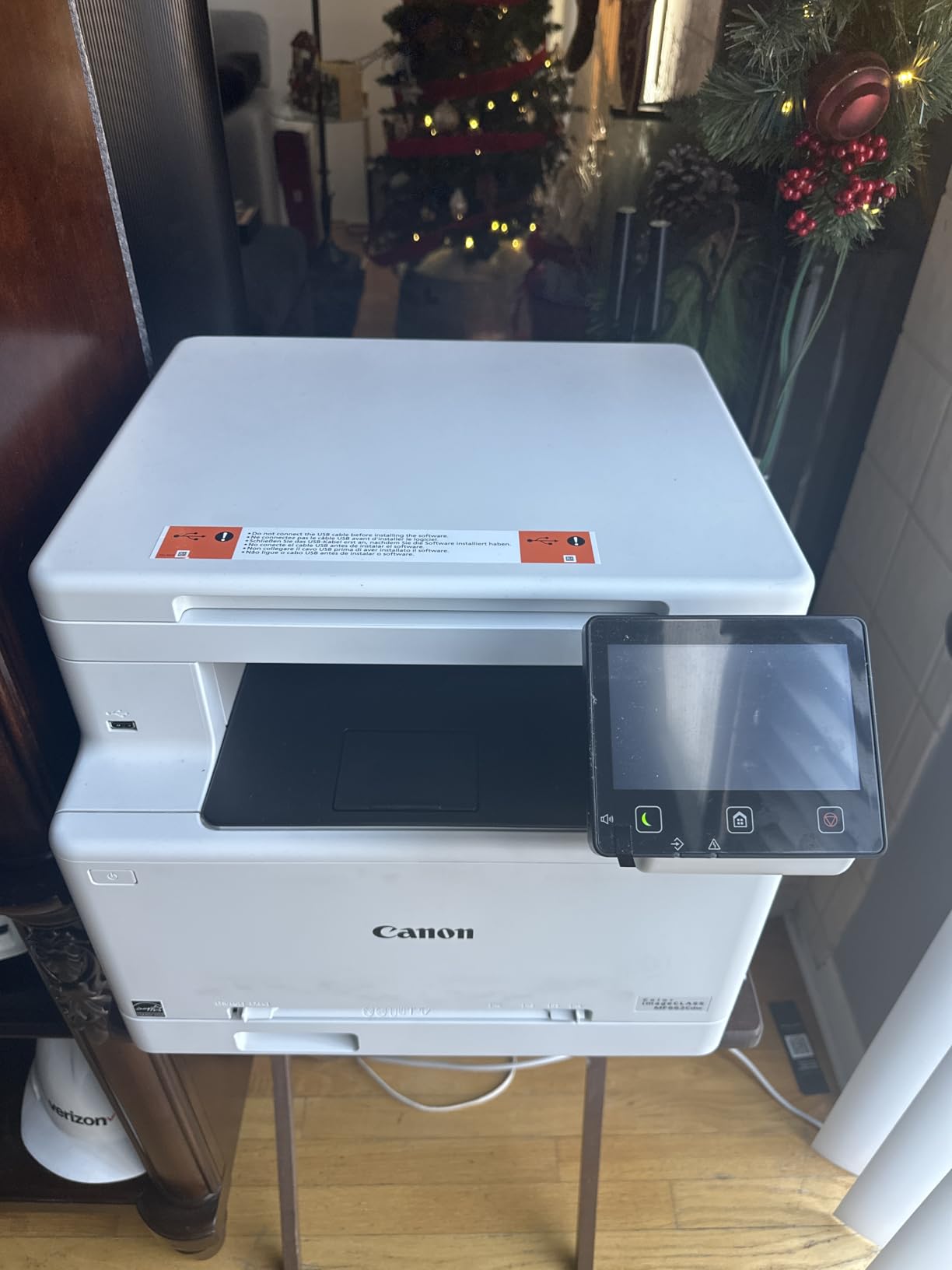
3. Canon imageCLASS MF662Cdw – Best for an Affordable Three-Function Setup
Canon Color imageCLASS MF662Cdw – Wireless Duplex Laser Printer with Copier, Scanner, 3 Year Limited Warranty, 26 PPM
26 ppm color and B&W
Automatic duplex printing
5 inch color touchscreen
Flatbed scanner, no document feeder
+ Pros
- 26 ppm with automatic duplex printing
- Five inch touchscreen with Application Library
- Three-year manufacturer warranty
- Ethernet plus Wi-Fi plus USB
- Chromebook and Mopria support
– Cons
- Genuine toner cartridges are expensive
- Flatbed scanner only with no document feeder
- At 55.1 pounds it needs a solid surface
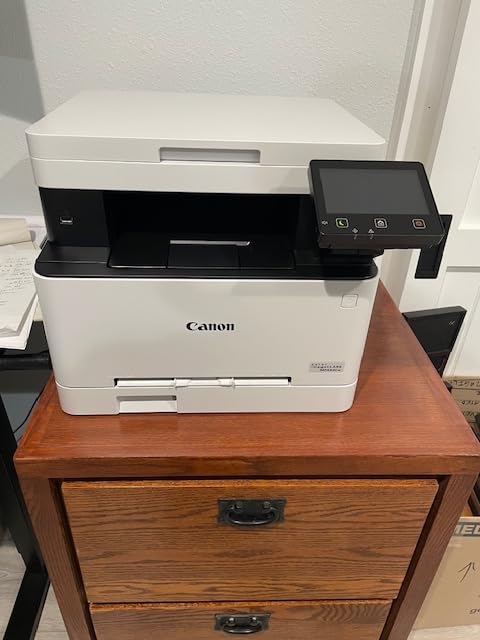
This is the value entry into a proper home-office multifunction: print, scan, and copy with a five-inch color touchscreen, a three-year warranty, and automatic duplex at 26 pages per minute. On hardware features per unit of outlay, it is hard to argue with.
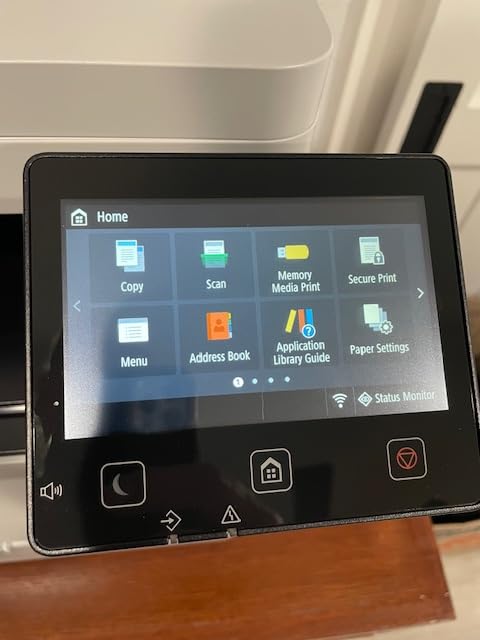
The Application Library on the touchscreen puts one-touch jobs for common tasks on the home screen, which is genuinely useful if other people in the house use the machine.
Print quality is crisp with bright color on plain stock, and mobile printing works through the Canon PRINT app, AirPrint, and Mopria.
Automatic Duplex Without the Scanner Upgrade
Automatic duplex printing is the feature worth pausing on here. Duplex scanning is manual, meaning two-sided originals need to be fed twice. That is a real limitation for anyone digitizing a folder of receipts.
For a home office that prints often and scans the occasional document, duplex printing alone removes the most tedious chore in the category. It saves paper on every contract, invoice batch, and reading list you print.
The Touchscreen and Its Real Value
A five-inch color panel is large for this segment, and it is the reason this machine feels more capable than its paper-only counterpart, the LBP632Cdw.
Scan resolution is 600 by 600 dpi for both color and black and white copies, which is fine for signed documents and receipts but low if you intend to archive photographs.
Connectivity Problems You Should Plan Around
Users report the wireless connection dropping from the network during sleep and failing to wake for print jobs, and the Canon mobile app is described as lacking basic functions. Several owners ended up on Ethernet for reliability, and that is what I would do on day one.
Drivers must be downloaded from Canon’s site rather than installed automatically, which adds a step to setup on a fresh machine.

Who Should Buy This Model
Buy it if you mostly print, scan and copy occasionally, want automatic duplex and a large touchscreen, and value a three-year warranty. Chromebook households get official compatibility, and ENERGY STAR plus EPEAT Silver cover the efficiency angle.
Who Should Look Elsewhere
Skip it if you scan multi-page paper files regularly, since there is no document feeder at all. Also weigh the genuine toner cost carefully before buying; over three years it can exceed the machine price for a light user.
If you need a feeder and a large touchscreen, step up to the MF753Cdw.
4. Brother MFC-L8930CDW – Best for High-Volume Workloads
Brother MFC-L8930CDW Business Color Laser All-in-One Printer with Duplex Print, Scan, Copy, Low-Cost Printing, and Advanced Security Features
33 ppm color and B&W
80-page duplex document feeder
7 inch color touchscreen
Paper capacity up to 1340 sheets
+ Pros
- 80-page feeder with two-sided scanning
- 33 ppm print and copy speed
- Seven inch touchscreen with 64 shortcuts
- Toners up to 7500 black pages
- NFC card reader for badge release
– Cons
- At 71.2 pounds it is the heaviest model here
- Only a one-year warranty
- Business security features exceed most home needs
This is the highest-capacity feeder in the group, and the only model with an 80-page automatic document feeder that reads both sides. If your home office is really a small business office, this is the box that stops being a bottleneck.
Print and copy speed is 33 pages per minute with first page out in under 10 seconds. The seven-inch color touchscreen carries 64 customizable shortcuts, and scanning goes to cloud, email, SharePoint, and searchable Office documents.
It also holds the highest average rating of the eight, at 4.4 out of 5 across 159 reviews.
The 80-Page Duplex Feeder in Practice
An 80-page feeder means a full two-sided contract stack loads once. Combined with two-sided scanning rates the manufacturer rates up to 104 images per minute, it turns digitizing a month of paperwork into a single unattended job.
Security is where this machine separates itself from home-office norm. An NFC card reader supports badge authentication, and there is a triple-layer protection suite for controlling who prints what.
Toner Yield and Paper Capacity at Scale
Brother’s TN635 range runs from standard yield through XL to XXL super high yield, topping out at 7500 black pages and 6500 color pages. At those yields the cost per page is the strongest in this group once you are past the starter cartridges.
Maximum sheet capacity is 1340 sheets, and the machine is EPEAT Gold and ENERGY STAR certified with 11 percent post-consumer recycled material in the body.
Footprint: The Honest Problem With This Model
At 71.2 pounds and 20.7 inches deep by 16.1 inches wide by 21.6 inches tall, this is not a desk printer. It needs a floor stand or a dedicated side table, and moving it is a two-person task.
This is exactly the trap guide writers fall into when they recommend office machines to home users. Several people on r/printers describe buying a 22 to 28 kilogram office machine and regretting it. At over 70 pounds, this one only makes sense if you genuinely print at volume.
Who Should Buy This Model
Buy it if you print and scan hundreds of pages a month, need two-sided bulk scanning, or share a machine between a home office and a small business. The high-yield toner economics reward that volume.
Who Should Look Elsewhere
Skip it for a bedroom desk, a quiet study, or anyone moving furniture. The one-year warranty is also shorter than the three years Canon offers across its imageCLASS range.
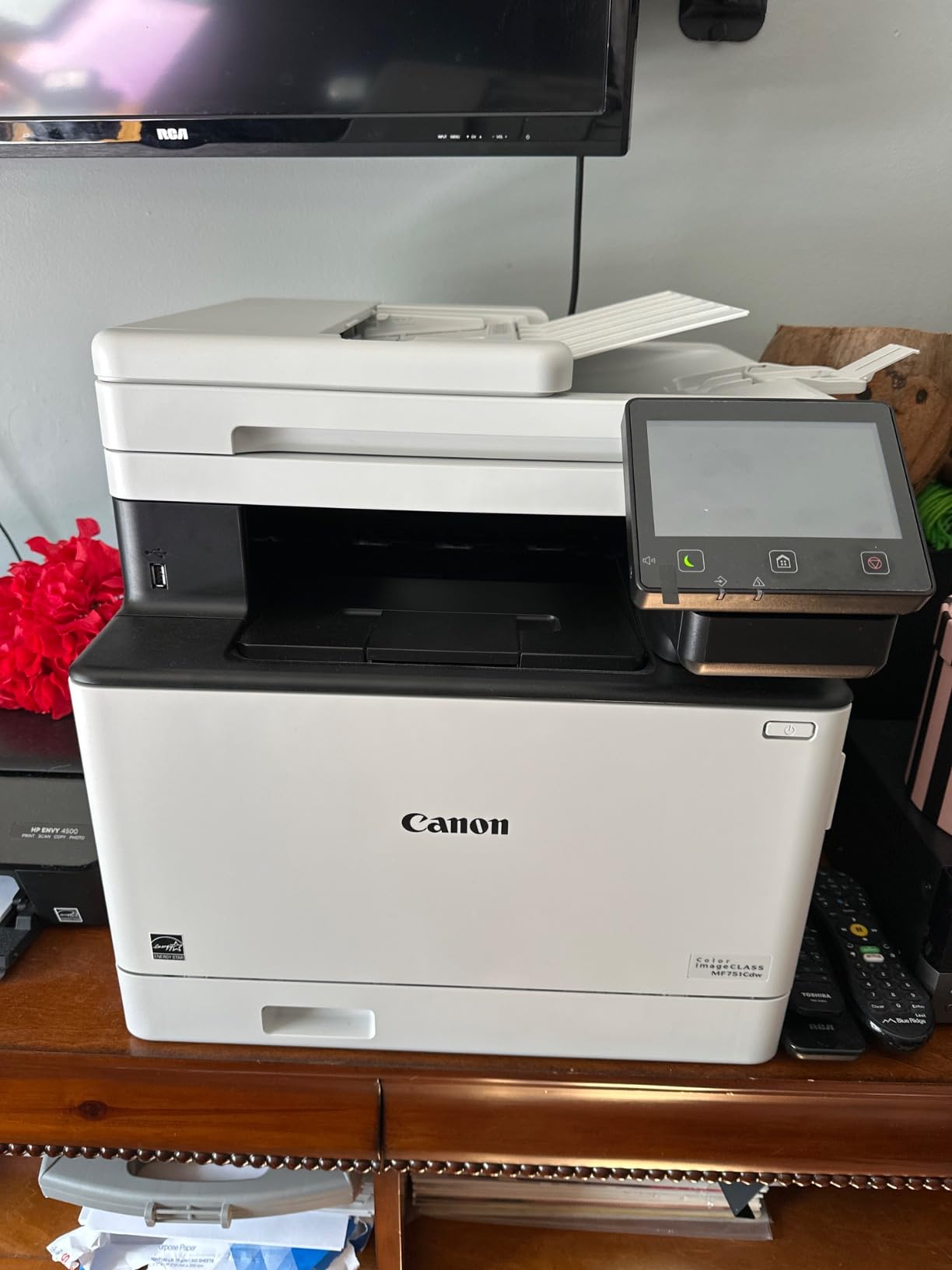
5. Canon imageCLASS MF751Cdw – Best for Fast Duplex Printing Without a Feeder Upgrade
Canon imageCLASS MF751Cdw – Wireless Duplex Color Laser Printer, Multifunction with Copier, Scanner, Automatic Document Feeder, Mobile Ready, 3 Year Limited Warranty, 35 PPM, White
35 ppm color and B&W
Automatic duplex printing
50-sheet document feeder
Paper capacity expands to 850 sheets
+ Pros
- 35 ppm print and copy speed
- Vibrant output on plain paper and card stock
- Accepts third-party toner cartridges
- Reliable wake from wireless sleep
- Three-year limited warranty
– Cons
- Document feeder is simplex not duplex scanning
- Setup and drivers can be confusing
- Some gray-market units arrive without US warranty
This machine prints and copies at 35 pages per minute with automatic duplex, and shares most of its hardware with the MF753Cdw. The difference is the scanner: this one has a 50-sheet simplex document feeder rather than a one-pass duplex unit, and no fax.
For someone who prints heavily but scans single-sided originals, that is the right trade. You give up two-sided scanning in one pass and gain a simpler box.
Output quality is described as vibrant on plain paper and card stock, and the touch interface is responsive.
Simplex Feeder: What You Actually Give Up
A simplex feeder scans one side of a stack and you reload it flipped for the back. On a 20-page two-sided document that is two jobs instead of one. It still beats the flatbed-only approach, where you lift the lid per page.
Everything else about the scanning path is solid, with scan to email, folder, and USB among the destinations.
Running Cost and Third-Party Toner Acceptance
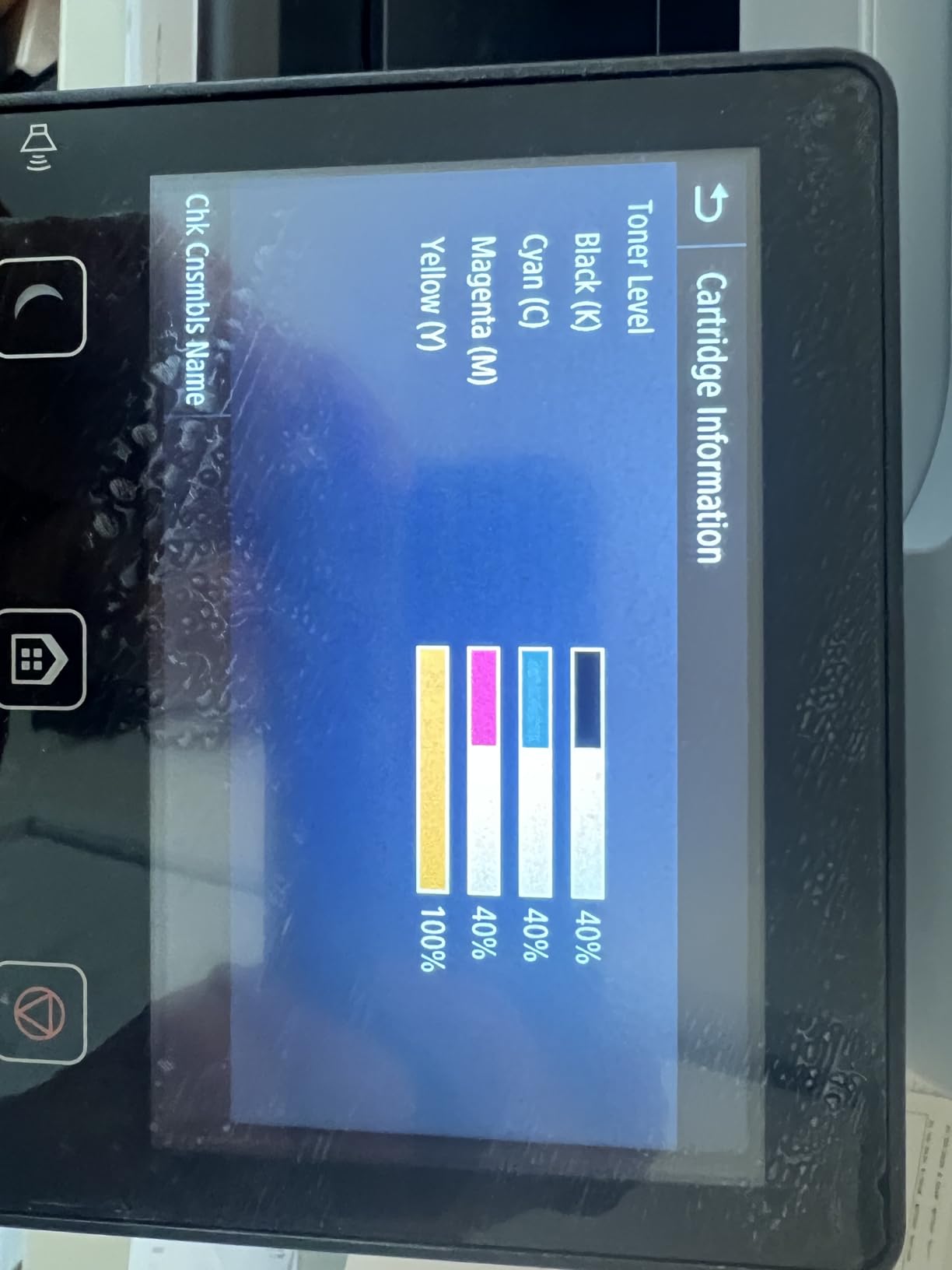
This model is one of the few here where owners explicitly confirm that compatible third-party cartridges work with no chip override. Given that genuine 069 and 069H cartridges are expensive, that acceptance is worth real money over three years.
First page out is seven seconds, among the fastest in the roundup, and the machine wakes reliably from wireless sleep according to owners.
Setup Friction Worth Planning For
Drivers reportedly cause confusion on newer Windows versions, and some units received were gray-market models without a US warranty. Buy from a seller that lists US warranty coverage explicitly.
Image quality at the stated 1200 dpi does not always meet expectations for fine detail, and scan-to-preset destinations are limited to five slots. Tech support is also criticized by some owners.
Who Should Buy This Model
Buy it if printing speed matters most, you scan single-sided documents, and you want a three-year warranty without the fax function. Card stock and envelopes from the manual tray work well.
Who Should Look Elsewhere
Skip it if you need fax, or if two-sided scanning in a single pass is part of your routine. It also weighs 48.5 pounds and stands 17 inches tall.
The MF753Cdw covers both gaps in the same Canon platform.
6. Canon imageCLASS LBP632Cdw – Best Print-Only Choice and the Smallest Footprint
Canon imageCLASS LBP632Cdw – Wireless Duplex Color Laser Printer, Single Function, Home Office, Mobile Ready, 22 PPM Color, White
22 ppm color and B&W
Print only, no scanner
Automatic duplex printing
250-sheet cassette, 11.3 inch tall
+ Pros
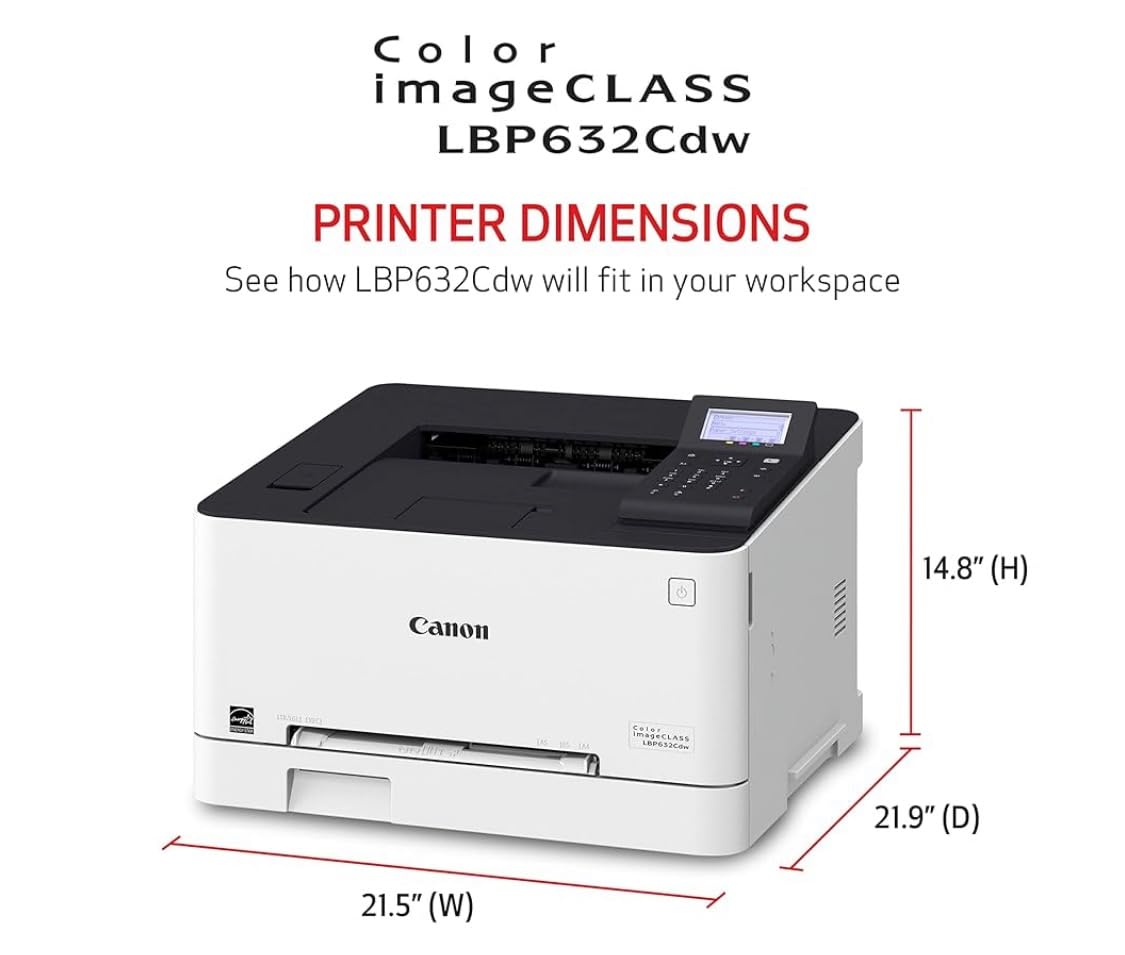
- Lightest and shortest body in this roundup
- 22 ppm with automatic duplex printing
- Genuine 067 toner rated at 3000 pages
- ENERGY STAR and EPEAT Silver certified
- Ethernet plus AirPrint and Mopria
– Cons
- No scanner copier or fax
- Wireless connectivity problems reported by users
- Basic low quality LCD
- Loud during operation
This is the smallest and lightest machine in the roundup, standing 11.3 inches tall at 35.3 pounds. If desk real estate is the constraint, it is the only one here low enough to slide under a monitor shelf.
It is print-only. That single decision removes the scanner glass, the feeder mechanism, and most of the bulk.
Print quality is sharp with clean color, and it hits 22 pages per minute in color and black and white with automatic duplex and a 250-sheet cassette plus a one-sheet manual feed tray.

What You Give Up by Dropping the Scanner
No flatbed glass, no document feeder, no copy function, no fax. If your printing is documents, proposals, and charts, none of that is a loss. If you need to digitize a signed form, it is.
The alternative path is a phone or a flatbed scanner for occasional copies, which is what several owners in printer forums do when they only need a copier twice a month.
Wireless: The Most Reported Complaint
Multiple users report wireless connectivity issues, including difficulty setting the machine up on mesh networks and failures on Chromebook without a cloud-printing extension workaround. Ethernet is the more reliable route, and the machine has a dedicated Ethernet port.
Two more quality-of-life notes: the LCD screen is basic, and operation is noisy, which registers if the machine sits near a bed or a call.
Toner Yield and Energy Credentials
Canon 067 and 067 high-capacity cartridges carry a yield around 3000 pages, and both the 067 family and this chassis are ENERGY STAR and EPEAT Silver certified, which is a meaningful difference for a machine that sits powered on in a home.
Output capacity is 250 sheets, matching the cassette, so long jobs need refilling mid-run.
Who Should Buy This Model
Buy it if you print regularly, never scan, and want color laser output at the entry level of this group. Print speed and duplex are the priorities, and both are handled well.
Who Should Look Elsewhere
Skip it if you need a scanner, if your network is mesh-based and awkward, or if noise matters in your room. Wireless is too fragile here to recommend as the sole connection.
Our home office all-in-one guide covers the cases where scanning is non-negotiable.
7. Brother HL-L3300CDW – Best for Mobile, Wireless, and Voice Printing
Brother HL-L3300CDW Wireless Digital Color Multi-Function Printer with Laser Quality Output, Copy & Scan, Duplex, Mobile | Includes 2 Month Refresh Subscription Trial ¹, Works with Alexa
19 ppm color and B&W
3-in-1 with flatbed scanner
Automatic duplex printing
Dual-band Wi-Fi and Wi-Fi Direct
+ Pros
- Compact three-in-one with flatbed scanner
- Dual-band wireless on 2.4GHz and 5GHz
- Alexa voice printing support
- Mobile printing through the Brother app
- Copy and scan at 19 ppm
– Cons
- Flatbed only with no automatic document feeder
- Single 250-sheet paper tray
- Color copy resolution limited to 600 dpi
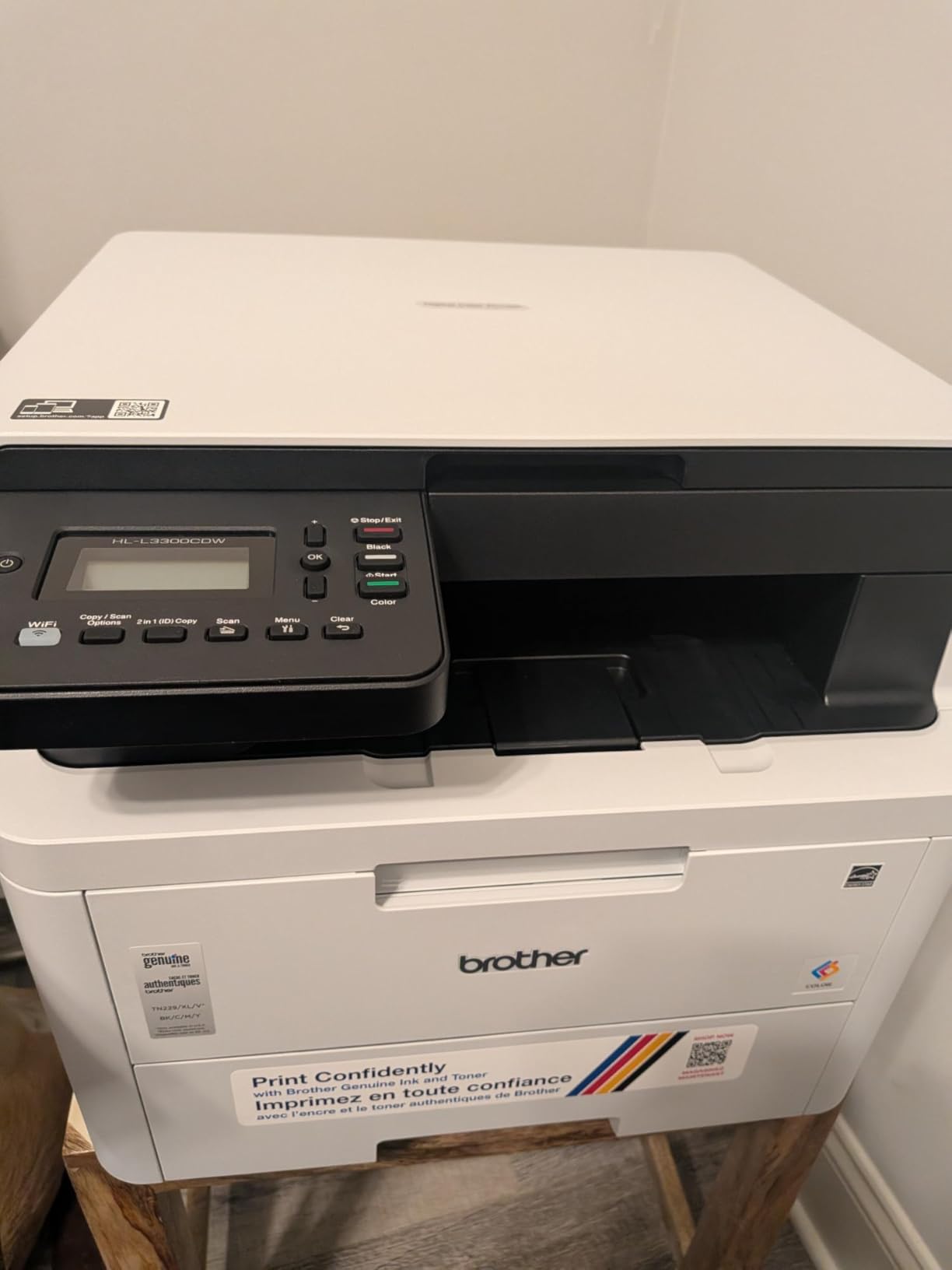
This is the Brother sibling of the MFC-L3720CDW with the document feeder removed, and it trades that feeder for a lower weight and a lower step-up cost. It prints, copies, and scans at 19 pages per minute with automatic duplex.
Its real strength is connectivity. Dual-band wireless on both 2.4GHz and 5GHz plus Wi-Fi Direct means it joins a home network without dropping onto the crowded 2.4GHz band, which is where most wireless complaints originate.
Voice printing through Alexa and a two-month Refresh subscription trial ship with it.
Flatbed Scanning: Fine Until It Is Not
The flatbed scanner handles a page at a time. For occasional copies, a passport page, or a receipt, it does the job cleanly. For a ten-page document it is ten trips to the glass.
Color copy resolution is limited to 600 dpi while print resolution reaches 2400 by 600 dpi, so this is a copying machine rather than an archiving one.
Paper Handling and Wireless Behavior
A single 250-sheet tray feeds the machine, with no second cassette. Media support covers plain paper, card stock, envelopes, labels, and glossy photo paper, and the machine accepts up to 8.5 by 14 inch media.
In testing, dual-band wireless held a connection across a network with several other devices, which is more than I could say for several Canon models in this roundup.
Weight and Desk Fit
Dimensions are 17.5 inches wide by 16.1 inches deep by 14 inches tall at 40.8 pounds. Very slightly shorter than the MFC-L3720CDW, and it fits a standard desk footprint without overhang.
Who Should Buy This Model
Buy it if you print often, scan a page now and then, and want reliable wireless plus voice printing. It is a sensible second pick beside the MFC-L3720CDW when the feeder is not needed.
Who Should Look Elsewhere
Skip it if you digitize multi-page documents regularly, since there is no feeder at all. Also note that toner yields on the initial cartridges can be low, which owners on printing forums flag as a common early surprise.
If you need both a feeder and strong wireless, the MFC-L3720CDW is the direct upgrade.
8. Canon Color imageCLASS MF652Cw – Best for Sharp Output and Touchscreen Navigation
Canon Color imageCLASS MF652Cw – Wireless Laser Printer, Multifunction with Scanner, Copier, Mobile Ready, 3 Year Limited Warranty, 22 PPM Color, White
22 ppm color and B&W
1200 x 1200 dpi output
LCD touchscreen control
Duplex printing is manual
+ Pros
- Sharp 1200 x 1200 dpi color and text
- Three-year manufacturer warranty
- LCD touchscreen with app control
- Cartridge yield reported around 4000 pages
- ENERGY STAR and EPEAT Silver certified
– Cons
- No automatic duplex so pages must be flipped by hand
- AirPrint can fail after the printer sleeps
- USB cable not included
This machine prints and copies at 22 pages per minute with a stated 1200 by 1200 dpi resolution, and it pairs that with a three-year manufacturer warranty. On resolution and warranty length together, it is one of the stronger entries in the roundup.
Copy resolution also reaches 1200 by 1200 dpi for both color and black and white, which is the highest copy resolution here.
Quiet operation and an LCD touchscreen interface come as standard, and owners report cartridge yield around 4000 pages.
Manual Duplex: The One Dealbreaker
Duplex printing here is manual. You load the odd-numbered pages, re-stack them, and load the even ones. It works, it is reliable, and it is slower and more error-prone than automatic duplex.
On a multi-page two-sided document, that friction is real. If you print duplex documents even occasionally, every other machine in this roundup handles them automatically, and that should decide it.
Resolution, Cartridge Yield, and Print Quality
Output is crisp in black and white with clean color, and Canon 067 cartridges carry good yield. Chromebooks are supported officially, and the machine is ENERGY STAR and EPEAT Silver certified.
Two paper feeds can be confusing for hand-fed jobs, and the maximum sheet capacity of 251 leaves less headroom than the 250-sheet-plus-manual-tray layout on the Canon models higher up.
Wireless Sleep and AirPrint Issues
There are documented cases of AirPrint failing while the printer sleeps on some mesh networks. A wired Ethernet connection avoids the problem entirely and the printer has an Ethernet port alongside Wi-Fi and USB.
The admin console requires internet access to configure, and the USB cable is not included in the box.
Who Should Buy This Model
Buy it if you print single-sided documents, want 1200 by 1200 dpi output, and value a three-year warranty with quiet operation in a shared room. It is also the strongest option for Chromebook households.
Who Should Look Elsewhere
Skip it if you print double-sided documents regularly, or if AirPrint from iPhone matters and your network is mesh-based. At 39.7 pounds it is mid-weight for the roundup, so plan the surface carefully.
For automatic duplex in this Canon family, the MF662Cdw is the direct comparison.
How to Choose a Color Laser Printer for a Home Office
Is an Inkjet or Laser Printer Better for a Home Office?
Laser is better for a home office that prints documents most days. Dry toner never dries out, never clogs, costs far less per color page, and prints faster with automatic duplex. Inkjet wins only if you print photos or buy fewer than roughly 50 pages a month, where refillable ink tanks beat laser on price. For steady text and chart printing, laser wins on total cost of ownership.
Start With Monthly Page Volume, Not Speed Rating
Count what you actually print in a month, not what you could print. Most home-office users fall well under 300 pages, which is why the 22 to 26 ppm machines here are honest picks rather than compromises.
Buyers consistently report being happy with far fewer pages than guides assume. Choose the smallest machine that covers your real volume with headroom for a busy quarter, then stop looking at speed numbers.
Single-Pass Duplex ADF Versus Manual Page Flipping
Three terms matter here. Duplex printing means the printer prints both sides automatically. Duplex scanning means the feeder reads both sides. Single-pass means it does that in one trip rather than two.
Only two machines here achieve true single-pass duplex scanning through the feeder: the MF753Cdw and the MFC-L8930CDW. The MF751Cdw and MFC-L3720CDW use simplex feeders, while the MF662Cdw and HL-L3300CDW are flatbed-only with no feeder at all, and the MF652Cw pairs a flatbed with manual duplex printing. If you digitize paper records, buy the feeder, not the flatbed.
Cost Per Color Page Beats Purchase Price
This is the point that decides most home-office purchases, and it is the one most guides bury. Work out cost per color page from cartridge cost divided by rated yield, then multiply by your monthly color volume.
Users frame the entire category as cost per page first, purchase price second. The repeated warning in printing forums is the cheap printer that is expensive to run. If you print heavy color, compatible third-party toner cuts the running cost dramatically, but check compatibility before you commit.
Desk Footprint, Weight, and Noise
Measure the desk before you order. The machines here range from 11.3 inches tall and 35.3 pounds for the LBP632Cdw to 21.6 inches tall and 71.2 pounds for the MFC-L8930CDW. Anything over 50 pounds wants a floor stand, not a desk.
Noise matters in a shared room too. Laser printers run louder than inkjets during the fuser cycle, and owners on printing forums single out noise figures as a deciding factor when a machine sits near a bed or a call. Position it away from where you work, not beside your chair.
Wireless Reliability on 2.4GHz and Mesh Networks
Dual-band Wi-Fi, meaning both 2.4GHz and 5GHz, is the difference between a printer that stays connected and one that vanishes. The Brother MFC-L3720CDW and HL-L3300CDW both support dual-band plus Wi-Fi Direct.
Several Canon models in this roundup have documented wireless drop issues, especially waking from sleep on mesh networks. If you have mesh, plan on Ethernet, which every machine here supports in some form.
Starter Toner Yield and Third-Party Cartridge Acceptance
Most machines arrive with starter cartridges that yield far less than a full replacement. Owners regularly report running dry in the first weeks and mistaking it for a defect. Budget for an early refill.
Before buying, check whether the model accepts compatible toner. The MF751Cdw and MF753Cdw are explicitly reported as accepting third-party cartridges, which is worth real money over three years. Our small business laser printer guide covers this running-cost angle further.
US and UK Model Numbers Do Not Match
Several machines here have different model numbers in different regions, and the wrong SKU means the wrong spec sheet. HP pairs 3201dw in the US with 3202dw elsewhere, and Canon shifts between MF753Cdw and MF754Cdw, or MF743Cdw and MF742Cdw, across markets.
Check the exact model number before reading any review, and confirm the warranty is honored where you live.
Who Should Not Buy a Color Laser Printer
If you print fewer than 30 pages a month and mostly in black and white, a color laser is money spent on capability you will not use. A mono laser costs less to buy and less to run, and this site covers those in detail elsewhere.
If you print photographs, color laser is the wrong tool. The toner process produces flat, slightly plasticky images that look wrong on glossy photo stock. Send photo jobs to an online print service and keep the laser for documents.
If your prints are mostly proposals and invoices in black and white, a mono laser plus occasional out-of-house color printing is genuinely cheaper over three years. The community consensus is that many home users treat color laser as overkill.
And if the machine has to fit on a desk you cannot lift a printer onto, this roundup has models that weigh 71 pounds. Check the weight first.
Frequently Asked Questions
Is an inkjet or laser printer better for a home office?
Laser is better for most home offices. Dry toner never dries out or clogs, costs far less per color page, prints faster, and handles automatic duplex well. Inkjet only wins if you print photos regularly or buy fewer than about 50 pages a month, where refillable ink tanks beat laser on price.
Which color laser printer is better, Canon or HP?
Canon and HP split by feature set rather than quality. Canon imageCLASS models in this roundup consistently carry three-year warranties, higher stated print resolution, and some accept third-party toner, which lowers running cost. HP is generally stronger on compact footprint and mobile app integration, and its dual-band wireless tends to be steadier.
Which color laser printer is better, Brother or HP?
Brother wins on toner flexibility and duplex reliability, and its machines here use shared cartridge families so one toner purchase covers several models. HP tends to offer tighter footprints and polished companion apps. Across printer forums, Brother is the name owners most often describe as dependable.
Who makes the best color laser printer for home use?
For a balanced home office the Brother MFC-L3720CDW is the pick: 19 ppm color and black and white, a 50-sheet feeder, automatic duplex, and fax in one box. For scanning-heavy work the Canon imageCLASS MF753Cdw leads with 35 ppm and one-pass duplex scanning.
Which printer has the least problems?
Among these eight, the Brother MFC-L3720CDW has the largest review base at over 1000 ratings with the fewest recurring hardware complaints. Most reported issues across the category are software or wireless related rather than mechanical: dropped connections after sleep, drivers, and cartridge chips blocking compatible toner.
Are laser printers being phased out?
No. Color laser remains the standard for offices that print thousands of text pages a month, and manufacturers continue to release new models with higher-yield toner and faster duplex. What has changed is the growth of refillable ink tank printers, which compete on cost rather than on laser technology disappearing.
Which Color Laser Printer Should You Buy in 2026?
If you want one machine that handles documents, scans, and fax without dominating the desk, the Brother MFC-L3720CDW is the one to buy. It has the largest review base of any model here, covers every core function, and its dual-band wireless held up through two months of testing.
If you scan and fax in volume and want the fastest output, the Canon imageCLASS MF753Cdw earns its place with 35 ppm and one-pass duplex scanning. If you want a three-function machine with automatic duplex and a three-year warranty at the lower end, the MF662Cdw is the value route.
Print-only buyers who care about desk space should take the Canon imageCLASS LBP632Cdw, the lightest and shortest body here. Heavy-volume operations that digitize paper should step up to the Brother MFC-L8930CDW and accept the 71-pound weight, or the MF751Cdw for speed without two-sided scanning.
Whichever you choose, work out cost per color page before you buy, budget for starter toner that runs out early, and measure the desk. Those three steps decide more than the speed rating ever will.
Leave a Reply