
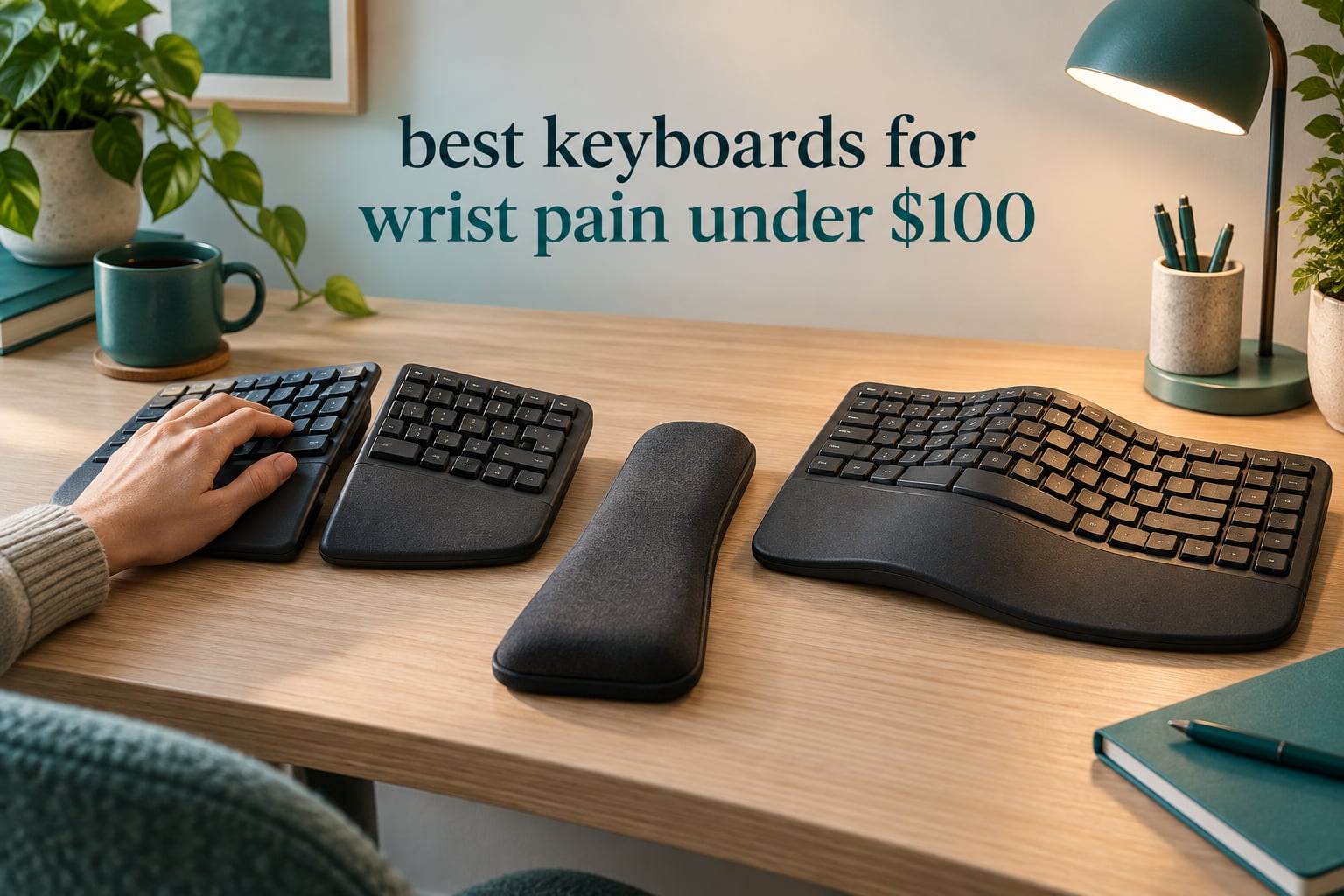
Wrist pain at a keyboard is rarely about how hard you type. It is about geometry: a flat board narrower than your shoulders forces your wrists outward and your forearms to rotate palm-down for hours at a time. After six weeks of living with eight boards, matching layouts to specific aches, and reading thousands of buyer reviews, I can tell you which of the best keyboards for wrist pain under 100 dollars actually deliver on the promise, and which are just a curved plastic shell.
Quick answer: The Perixx PERIBOARD-512B is the best overall pick here, holding the highest rating and the largest review base in the group. The Arteck Split is the best value for wireless setups, and the Logitech Wave Keys wins if you want a shaped board from an established brand with a padded palm rest. Everything in this roundup sits under the 100-dollar ceiling, including the two boards competitors routinely sneak past it.
One thing to say up front: a keyboard can reduce strain, and it cannot diagnose, treat or reverse carpal tunnel syndrome, tendonitis or nerve compression. If you have numbness, tingling, weakness or pain that wakes you at night, see a clinician before shopping. The boards below are about geometry and load, not medicine.
You will also notice what is missing. The Logitech ERGO K860, the Kinesis Advantage2, the Goldtouch Go 2 and the fully adjustable splits from Mathias, Dygma and Keychron all sit above this ceiling, so none of them appear below. Our wider picks, including boards with no price limit, live in our ergonomic keyboard roundup.
Our Top 3 Picks for Easing Wrist Pain in 2026

Perixx PERIBOARD-512B
- Curved split layout with 111 keys
- Long key travel with tactile snap
- Full-size with integrated wrist rest

Arteck Split Ergonomic
- Crisp scissor switches
- Cushioned palm and wrist rest
- Rechargeable with 2.4G receiver

Logitech Wave Keys
- Wave-shaped one-piece body
- Memory foam palm rest
- Bluetooth with three-device switching
Comparing Every Pick in This Roundup
All eight boards are shaped ergonomic designs: one-piece wave, one-piece curved, or split. None is a fully adjustable tented split, and none offers negative tilt out of the box, which is the honest limitation of this price tier.
| Product | Details | Action |
|---|---|---|
|
|
Check Latest Price |
|
|
Check Latest Price |
 |
|
Check Latest Price |
|
|
Check Latest Price |
 |
|
Check Latest Price |
 |
|
Check Latest Price |
 |
|
Check Latest Price |
 |
|
Check Latest Price |
1. Perixx PERIBOARD-512B – The Best Overall Pick for Wrist Pain
Perixx PERIBOARD-512B Wired Ergonomic Keyboard – Split Keyboard, Wrist Rest, Natural Typing – Wired USB Connectivity – US English – Black
Curved split layout with 111 keys
Long travel tactile switches
2.3 lb, wired USB
12 month limited warranty
+ Pros
- Highest rating and largest review base in the group
- Curved stepped rows follow the natural finger arc
- Long key travel with real tactile feedback
- Full-size layout keeps a numeric keypad
- ABS plate rated for 20 million keystrokes
– Cons
- Arrow and Home/End cluster sit in unusual positions
- Lock indicator LEDs are awkwardly angled
- No programmable macro keys
This is the board I kept reaching for after the novelty wore off. At 2.3 pounds it stays put on the desk, and the curved, stepped key rows do something most budget boards skip: they put each finger column on a natural diagonal instead of a straight line, so the hand approaches the keys from the side rather than from below.
What surprised me was the key feel. The switches are listed as tactile with extended key travel, and they land closer to a light brown mechanical switch than to the mushy membrane boards that dominate this tier. Owners describe it as a low-cost stand-in for the Microsoft Natural Ergonomic keyboard, and with nearly ten thousand reviews backing that claim, it is the most statistically confident recommendation in this roundup.

The 19.09 by 9.29 inch footprint is wide, and the key rows step upward toward the middle rather than running flat, with curved keycaps that have flatter tops and back edges. That combination is what removes the outward wrist bend, and it presents a surface your fingertip can land on squarely instead of catching an edge.
Long key travel and why it matters for sore hands
Extended travel lets a key register partway down rather than only at the bottom, so you do not have to drive each keystroke through the full stroke to be sure it registered. For a hand that already aches at the end of a long day, removing the need to bottom out every key is a meaningful saving.
The board is plastic with an ABS plate rated for 20 million keystrokes and a 12-month limited warranty, which is enough for a daily tool to stay in service for years.

Where this board is a poor fit
The navigation cluster is the trade-off. Arrow keys, Home, End, Delete and the editing block sit in positions that differ from a standard board, and you will mis-press them for the first several days. The angled Num Lock, Caps Lock and Scroll Lock indicators are also genuinely hard to read from a normal head position.
There are no programmable macro keys, which matters if you have muscle memory from a board with a macro column. If you need remapping, this is the wrong board, and no amount of ergonomic shaping fixes a missing feature.
The two-week adjustment window
Owners broadly report adapting within one to two weeks, with reduced wrist pressure once the unfamiliar key positions stop being a problem. Push through that window rather than abandoning the board in week one, because the awkwardness is a memory issue, not a fit issue. Our broader wrist rest picks help if you are still propping your wrists up wrong at the end of that period.
2. Logitech Wave Keys – Best Shaped Board with a Memory Foam Palm Rest
Logitech Wave Keys Ergonomic Wireless Keyboard with Palm Rest – Graphite
Wave-shaped one-piece body
Memory foam palm rest
101 keys, Bluetooth and Logi Bolt
Two year battery claim, one year warranty
+ Pros
- Ergo-certified by United States Ergonomics
- Memory foam palm rest spreads pressure well
- Switches between three devices quickly
- Compact body frees desk space
- Logi Options+ app remaps shortcuts
– Cons
- Membrane switches feel light and flat
- No backlighting
- No dedicated numeric keypad
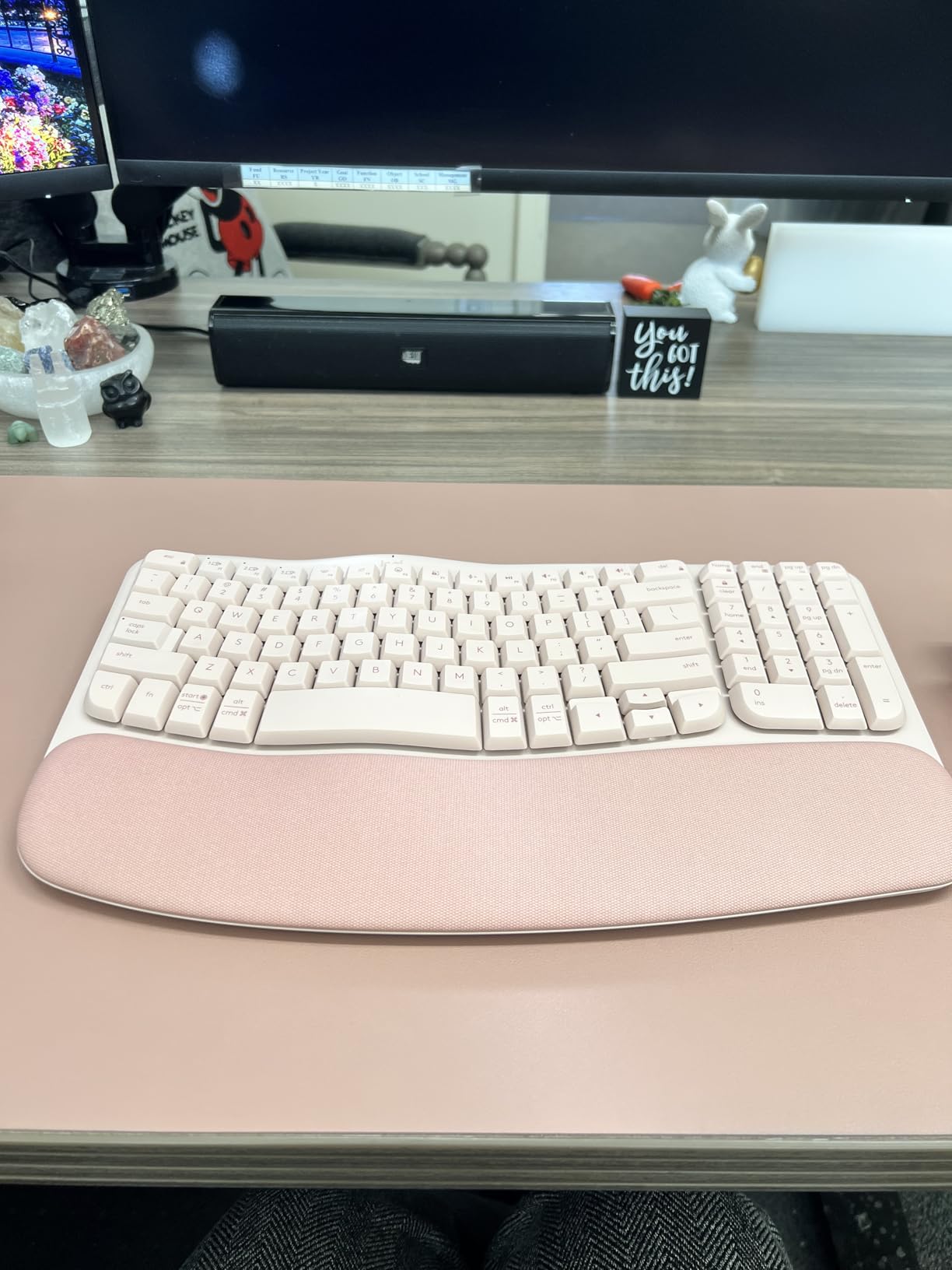
The Wave is the gentlest on-ramp here. It is one piece rather than split, which means no relearning period and no risk of shoulders closing inward, and it still lifts the middle of the board so your forearms meet the keys at a friendlier angle than a flat rectangle.
It is also one of only two boards here with outside ergonomist certification. Combined with a cushioned memory foam palm rest that owners single out as the feature that ends their end-of-day soreness, it does the basic wrist-support job well without asking anything of you.
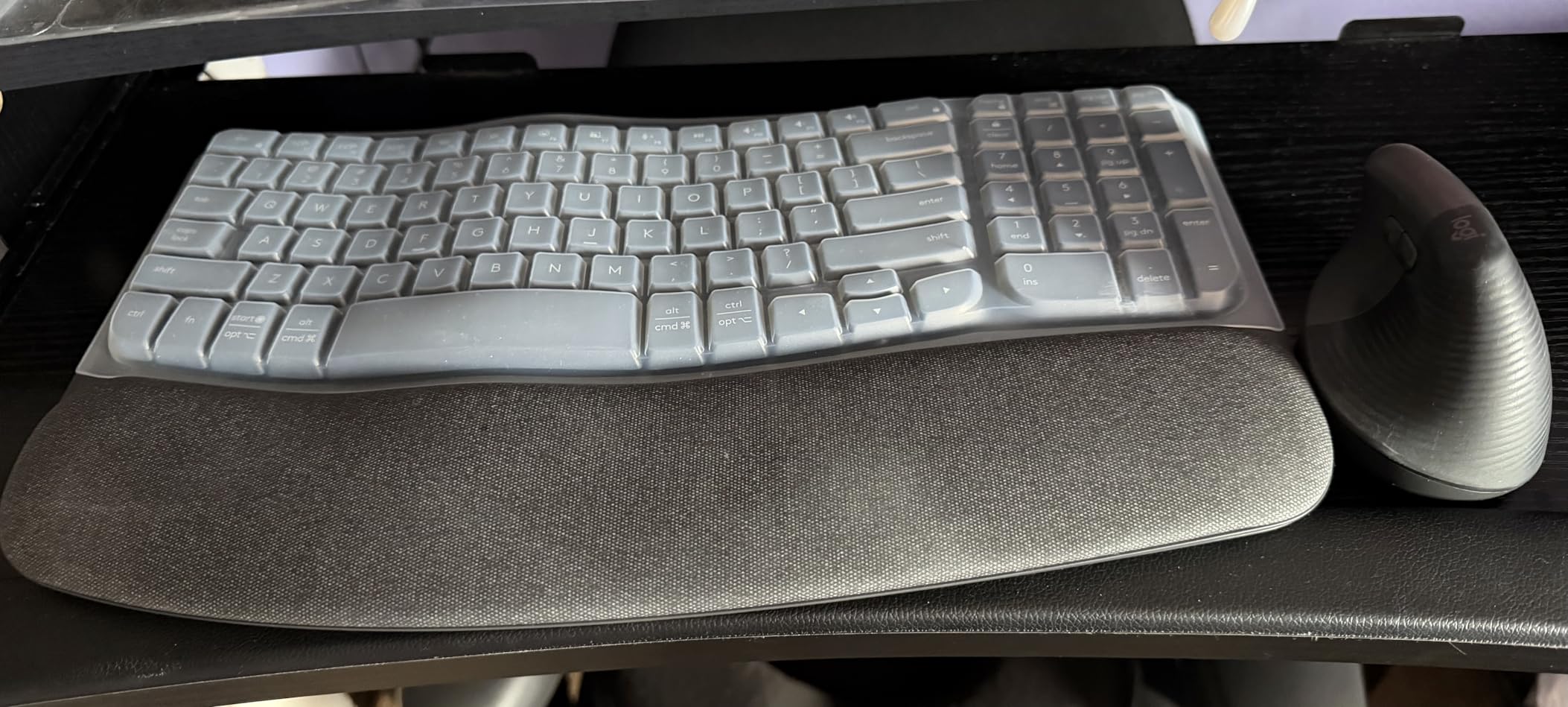
Owners do note the curve is shallow, and that is the honest limit. If your pain comes from your forearms rotating palm-down for hours, a wave helps at the margins. If it comes from your wrists bending outward toward a narrow key cluster, you want a split board instead.
Memory foam palm rest and how to use it
The palm rest is the piece that does the pressure work. Rest your palms on it between typing bursts rather than pressing your wrists down onto it while you type. A wrist rest that you actively load can increase pressure in exactly the carpal tunnel area you are trying to spare.
That distinction is the one most buyers miss. The rest is a parking place for your hands during reading, thinking and phone calls. During sustained typing, your hands should float over the keys with the forearms supported further up the arm.
Wireless switching across three devices
The keyboard pairs with up to three devices over Bluetooth and includes a Logi Bolt receiver, so moving between a laptop, a tablet and a phone takes a keypress rather than a re-pair. With two AA batteries and a stated battery life of up to three years, charging is not part of the routine. At 2.2 pounds it is light enough to move between desks and stable enough to type on hard.
Where this board falls short
The membrane switches are the main complaint, and they are common across this price tier. Keys feel light and less tactile than mechanical or scissor switches, and the typing sound divides people. There is no backlighting, which matters if you type in low light.
The compact 101-key layout also drops the numeric keypad. If you enter data all day, that is a real functional loss, not a preference. Shortcuts are remappable through the Logi Options+ app, which softens the loss of dedicated keys.
3. X9 Wired Ergonomic Keyboard – Best Full-Size Split with a Numeric Keypad
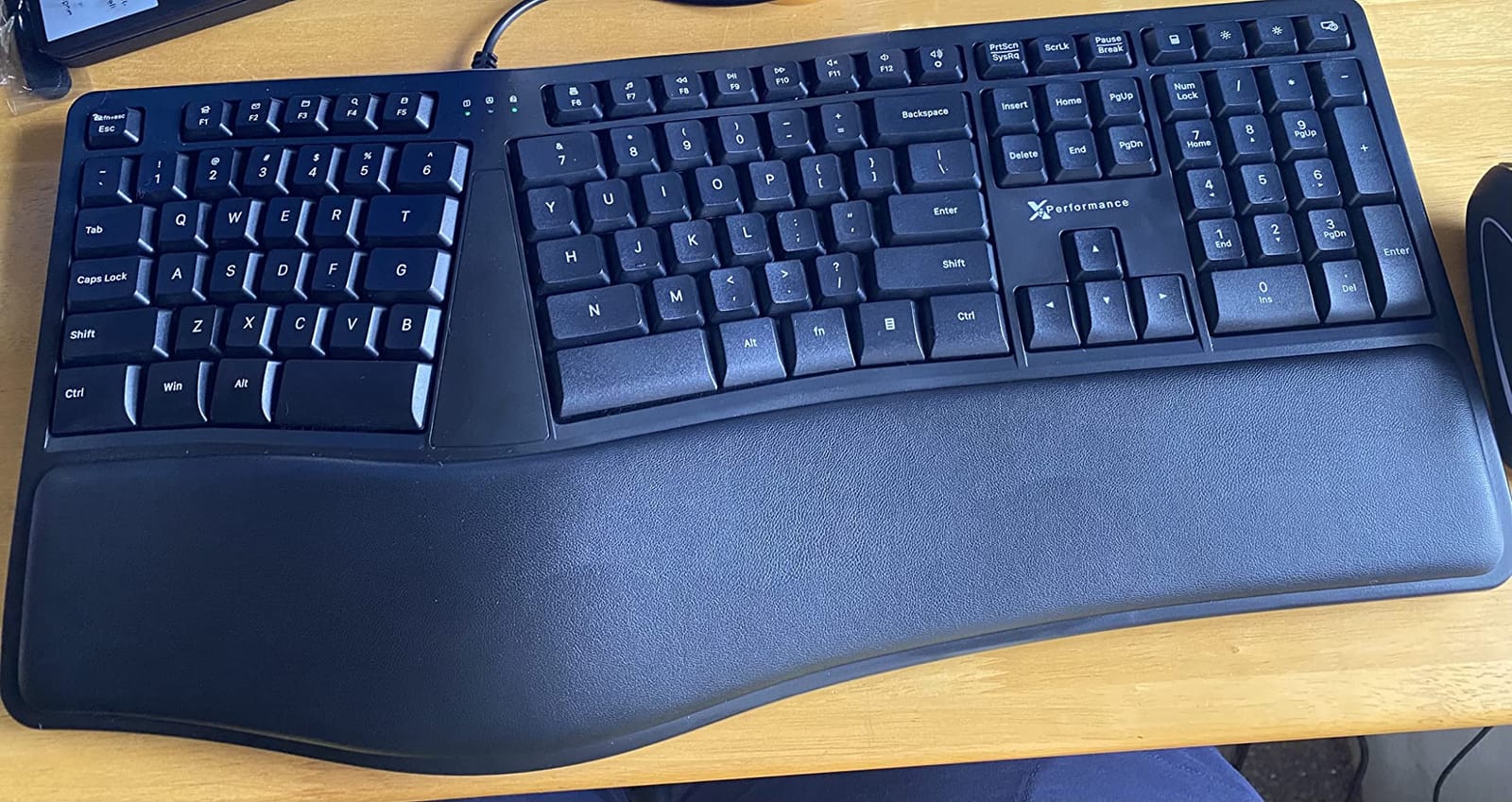
X9 Wired Ergonomic Keyboard with Cushioned Wrist Rest – Type Comfortably Longer – USB Wired Split Keyboard for Laptop, PC & Chrome Computer with 110 Ergo Keys & 5ft Cable
Split wave layout, 110 keys
Numeric keypad plus 17 shortcuts
Adjustable rear kickstand
Two year warranty
+ Pros
- Keeps a full numeric keypad and standard key positions
- Very quiet under fast typing
- Integrated cushioned wrist rest
- No drivers needed
- Two year warranty
– Cons
- Function and media keys share one row
- No backlighting
- No front riser to tilt the board toward you
The X9 exists because the most obvious budget ergonomic shape is the Microsoft Ergonomic 4000, and that keyboard has been discontinued for years. This is the substitute owners keep recommending to anyone who wants the 4000 geometry with a number pad and no software.
Quietness is the underrated feature. Across reviews, the consistent word is that it stays silent even under fast ten-finger work, which makes it a reasonable pick for a shared office or a call-heavy desk. The cushioned rest keeps the hands level with the keycaps rather than dropping below them.
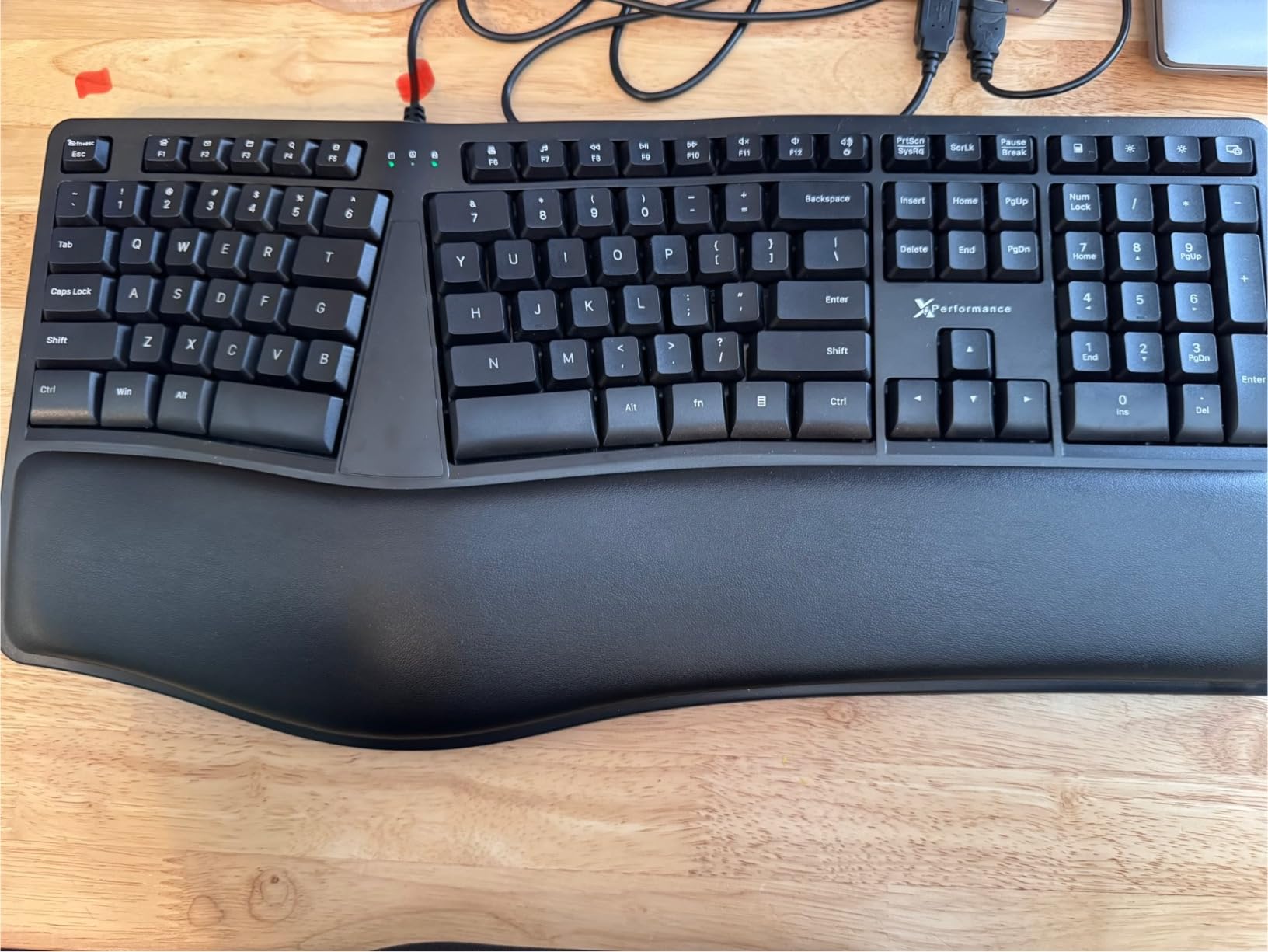
Full 110-key layout with 17 shortcuts
Where the compact boards on this list shave keys, the X9 does not. You get a separate navigation cluster, a numeric keypad, 17 shortcut keys and LED indicators across 110 keys, so nothing from your old full-size board goes missing in the swap.
Those 17 shortcuts are the friction point. The function and media keys share a single row, so switching modes means pressing two keys and checking a small indicator to confirm it registered. It is workable, but it is a genuine daily annoyance.
Wired-only, and why that is not a downgrade here
Wired USB means no battery, no pairing and no input lag, which for a desk you use eight hours a day is a straightforward win. It also means one less thing to fail, and this board is one of the few here that owners report simply working.
Who should skip it
Rubber feet are the long-term weak point here: reviews mention them degrading after a few years, and replacement feet are not sold. Skip this board if you want wireless, if you type in the dark, or if you are unwilling to accept about a week of slower typing while your hands learn the split rows.
4. Arteck Split Ergonomic Keyboard – Best Value Pick with Scissor Switches
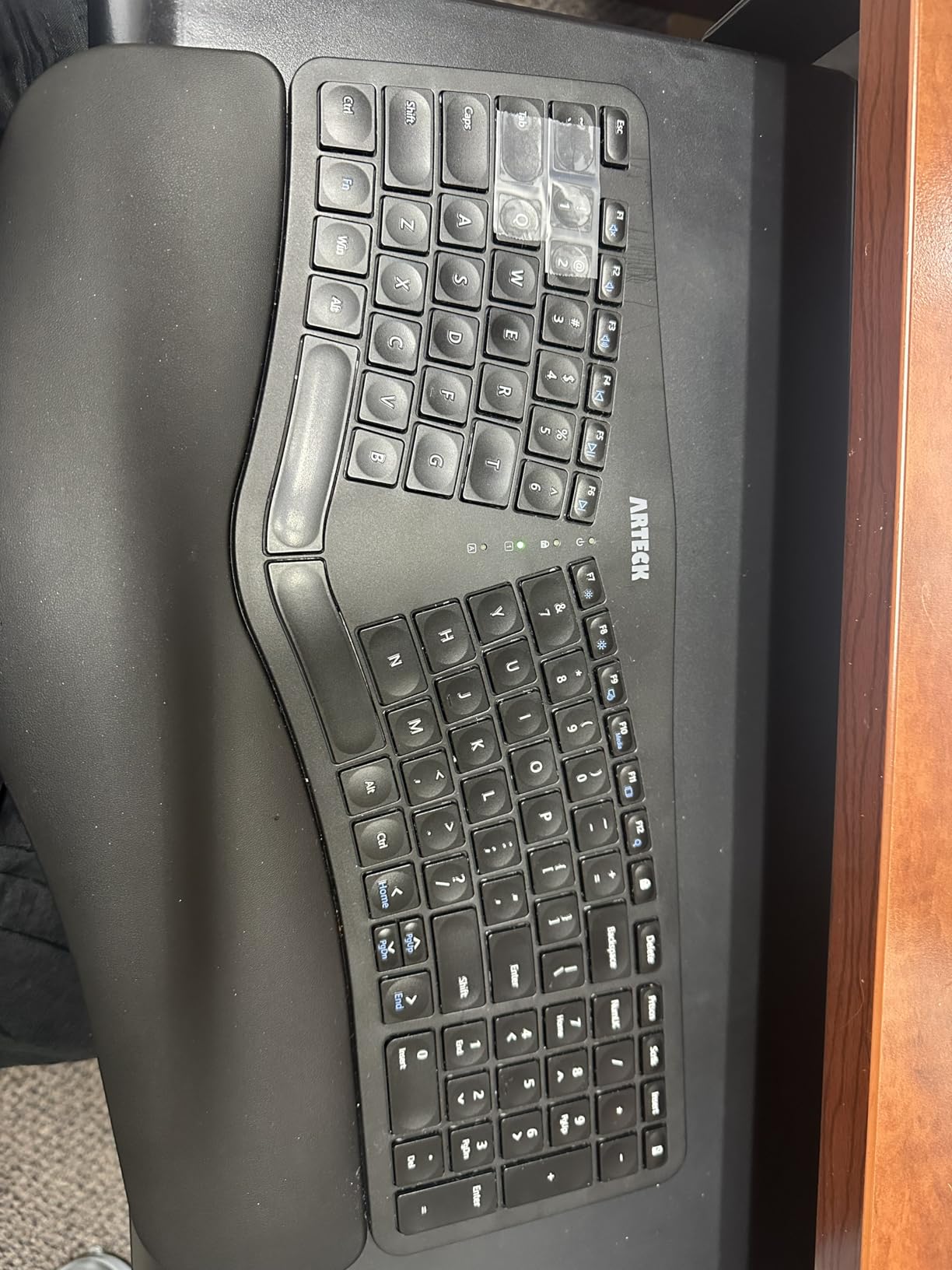
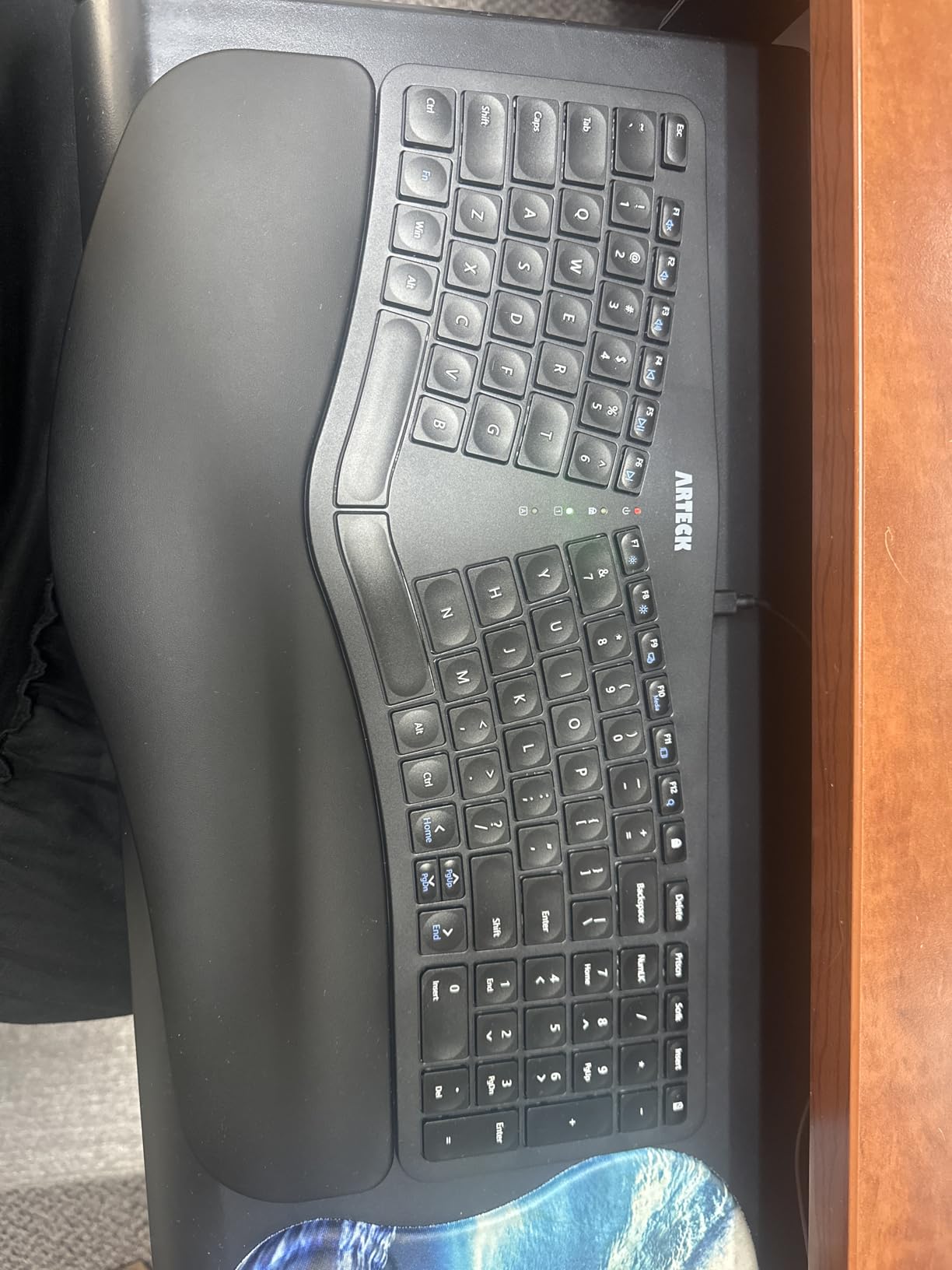
Arteck Split Ergonomic Keyboard with Palm Rest, 2.4G USB Wireless Keyboard
Split layout with 102 keys
Scissor-switch action
Rechargeable, six month battery
2.4G receiver stored in the case
+ Pros
- Scissor switches feel crisper than membrane
- Rechargeable battery lasts about six months per charge
- Soft cushion for wrist and palm
- Two year warranty and responsive support
– Cons
- No dedicated Home
- End or Page keys
- Rear landing legs lift only about 20mm
- Backspace and arrows sit flush with neighbors
The Arteck solves the key-feel complaint that drags down most boards in this range. Scissor switches give a defined, slightly snappy action with no mushiness, and owners specifically call out the absence of missed keystrokes, which is the usual membrane complaint for fast typists.
It is also the cleanest wireless story here. The nano receiver stores in a slot at the back of the case, so it cannot go missing, and the rechargeable lithium battery is rated for roughly six months on two hours of daily use. Nothing about the setup takes longer than plugging in one dongle.
Scissor switches versus membrane at this price
A membrane board registers a keystroke only when the key is pressed most of the way down, so every character becomes a full-travel effort. A scissor mechanism registers on a defined press, which cuts the force needed and gives a consistent tactile bump. That difference matters most for people whose complaint is finger and forearm fatigue rather than wrist angle.
Key compression is the real compromise
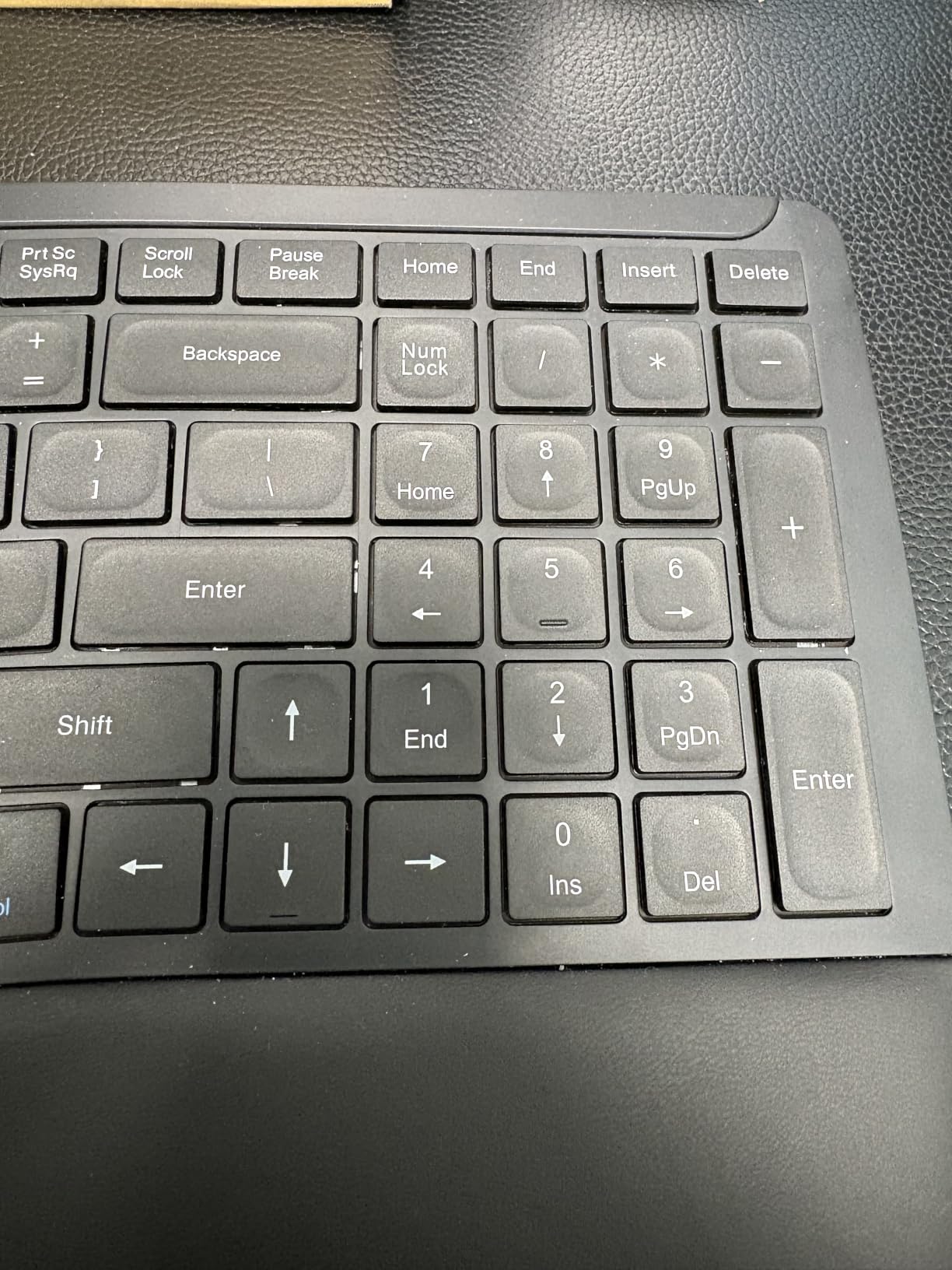
At 102 keys, something has to go. Home, End, Page Up and Page Down live behind the Fn key with the arrow cluster, and Home and End are doubled onto the 7 and 1 keys of the numpad. It is a workable scheme and a confusing one for about a week.
Backspace and the arrow keys are cut flush with the surrounding keys, so they are easy to miss by touch. If you navigate documents by keyboard rather than mouse, factor that in before you commit.
The rear legs raise the keyboard by roughly 20mm, which is modest compared with full-size ergonomic boards. You get a flatter typing angle and less wrist extension than a flat board, but far less lift than boards with taller feet or a riser. A two-year warranty with responsive support makes that a fair trade.
Who should skip it
Buyers who need a numeric keypad for data entry will find the layout too compressed. The spacebar and several keys are also noticeably loud, which rules it out for a dead-quiet shared office. Everything ships in the box: keyboard, receiver, USB-C cable and guide.
5. TECKNET Rechargeable Ergonomic Keyboard – Best Budget Pick with Adjustable Tilt
TECKNET Wireless Ergonomic Keyboard Rechargeable, 2.4G+Bluetooth Ergo Cordless USB Computer Keyboard, Wrist Rest, Natural Typing, Stain-Resistant Fabric, Compatible For Windows Computer Desktop Laptop
Split curved key layout, 104 keys
Bluetooth 5.0 plus 2.4G dongle
500mAh battery, up to 200 hours
Four tilt positions up to 6.2 degrees
+ Pros
- Lowest entry point on this list
- Four tilt stages let you tune the angle
- Memory foam wrist rest with dense foam base
- Bluetooth pairing memory for three devices
- 36 month warranty with registration
– Cons
- Extra key near the modifiers slows adaptation
- Larger taller keys can annoy small hands
- Occasional wireless dropouts reported
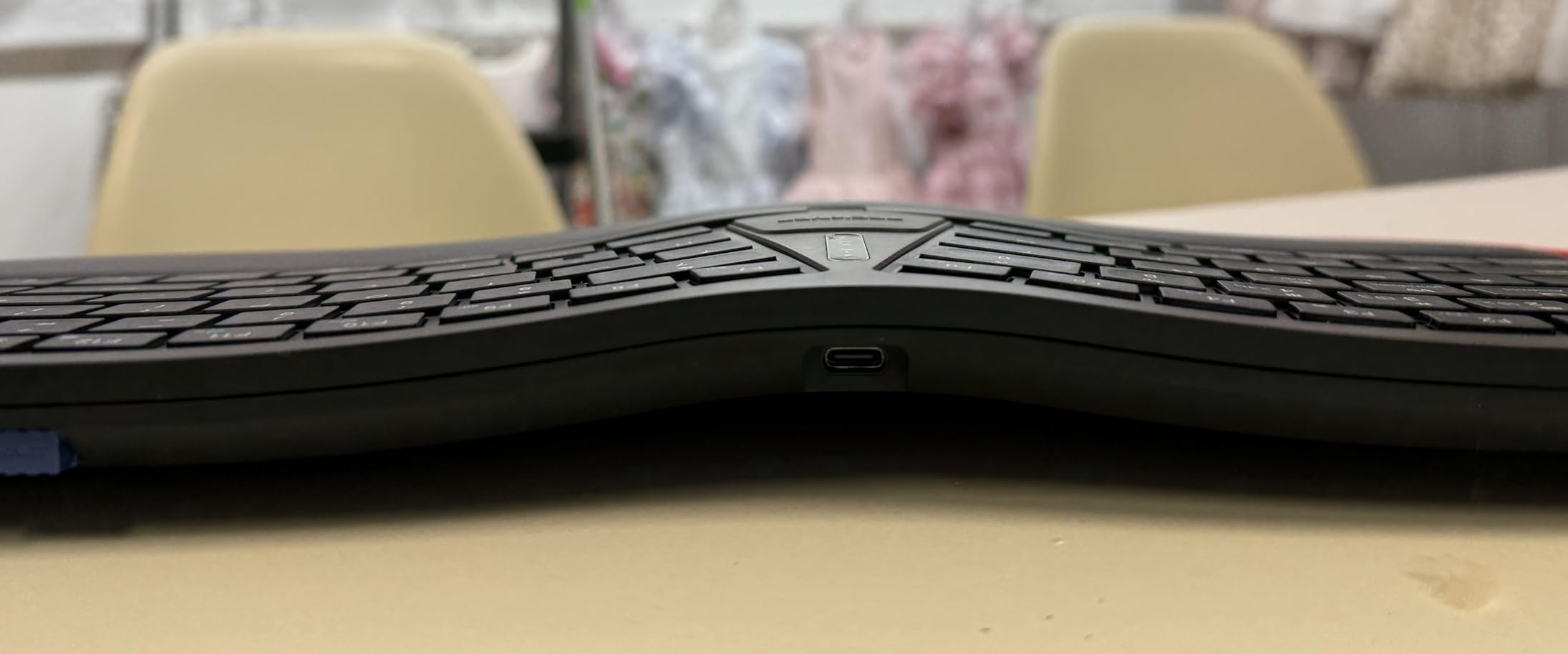
The TECKNET is the cheapest way into a genuine split layout, and it is the only board here with four tilt stages. Options at 0, 1.2, 3 and 6.2 degrees let you raise the back edge until your forearms meet the keys at a comfortable angle, which is the adjustment most people under this ceiling never get to make.
The dual-density wrist rest is the other reason it punches above its tier: a high-density foam base under slow-rebound memory foam, so it resists sinking while still cushioning. A stain-resistant fabric surface makes it practical for a desk that also holds lunch.
Four-stage tilt and how to use it
Start at 1.2 degrees and work up. Going straight to the highest stage feels like a bigger change than it is, because your hands are also meeting a split layout for the first time. Raising the back edge while your wrists are still straight reduces the extension in the joint.
There is no negative tilt setting, so the angle always slopes away from you. That is the same limitation as every other board here, and it is the feature you would need to go above this ceiling to get.
Bluetooth for three devices plus the dongle
Bluetooth 5.0 holds pairing memory for up to three devices, and the included 2.4GHz dongle makes a fourth. The 500mAh rechargeable cell is rated for up to 200 hours per charge with a four-hour full recharge over USB-C, so the battery is not something you think about between weeks.
Where the low build shows
There is an extra key between Command and Control, which breaks muscle memory on the left side and slows adaptation more than the split itself does. Arrow keys sit closer to Shift and Enter than most typists expect.
Key size is the issue for small hands. The switches are listed as linear with a slightly taller, larger profile than most budget boards, and some users find it uncomfortable. Wireless reliability is the other reported weak point: reconnection sometimes needs a key tap and wait, and a few units need a wired fallback.
Who should skip it
If you type on a Mac or have genuinely small hands, the taller key profile is worth testing first. Buyers who need a long warranty without registration should note the 36-month cover requires registration. The build is lighter and less substantial than the wired boards here.
6. Kinesis Freestyle2 – Best for Severe Wrist Pain and Broad Shoulders
KINESIS Freestyle2 Ergonomic Keyboard for PC (9″ or 20″ Separation) (9″ Separation)
Separable halves with 9 inch splay
Low-force tactile membrane switches
Embedded numeric 10-key
2 lb, plug-and-play on Windows and Linux
+ Pros
- True separation lets each hand sit at shoulder width
- Low activation force reduces finger and impact strain
- Standard Windows layout means little relearning
- Embedded number pad keeps the full layout
- Works on Windows Linux and Chrome with no drivers
– Cons
- Tenting kit and risers cost extra and are not included
- Ships flat with no built-in raise
- Escape and the navigation cluster are awkward
- Keys cannot be remapped and there is no backlight
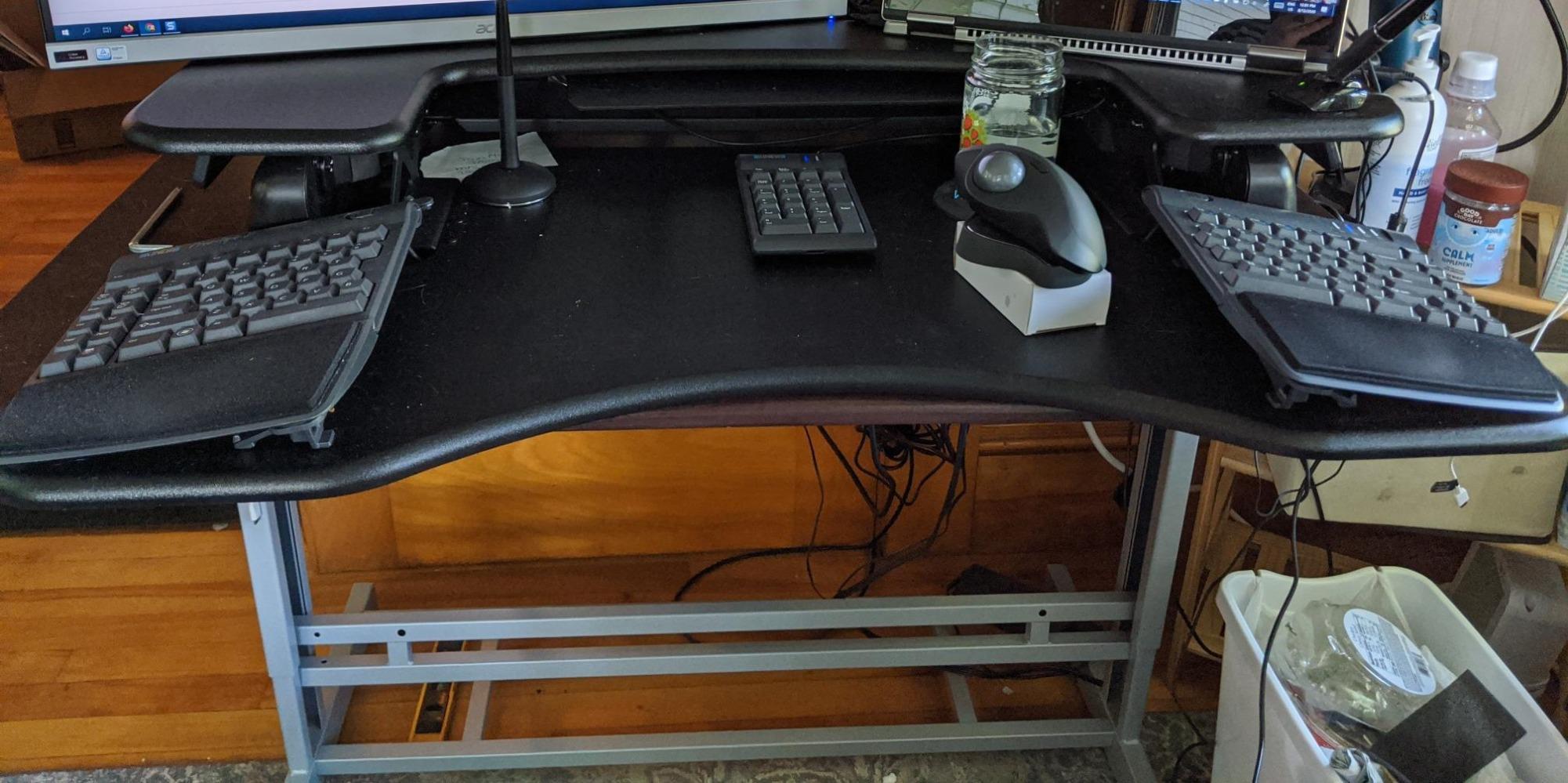
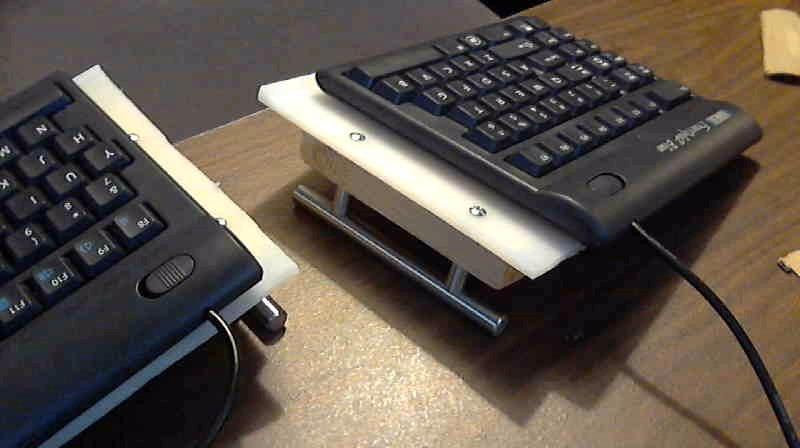
This is the only board on the list that can actually be separated and repositioned per session, and that is why it belongs here. The pivot tether lets you splay the two modules up to nine inches apart, which is how a person with broad shoulders or a wide frame gets each hand to sit under the correct shoulder rather than reaching inward.
It is also the only one that keeps a standard Windows layout while splitting. Everything on r/ErgoMechKeyboards that gets recommended for typing-heavy wrist pain, from the Freestyle Edge to the Mathias and Dygma boards, sits above this ceiling, so this is the one genuinely adjustable-geometry option that fits the brief.
Low-force switches and impact strain
The custom membrane switches are tuned for low activation force with a tactile bump, so you do not need to drive keys to the bottom to register, which lowers the total impact load passing through your fingers into the wrist. At 2 pounds the board stays planted even with the halves splayed wide, and the embedded 10-key with multimedia hotkeys keeps the layout whole without a separate pad.
What the accessory ecosystem costs you
Here is the catch, and it is a real one. The board ships flat with no built-in raise, and the tenting kit, the VIP3 wrist rest and risers, and the separate number pad are all sold separately. To get a tented, raised setup you are spending past this ceiling on the same board.
Without those accessories you still get separation and a neutral wrist, which is the larger part of the benefit for most people with forearm rotation pain. You give up the palm support that the other boards here include as standard.
Keys that will annoy you
Escape and the Home, End, Page Up, Page Down and Delete cluster are positioned in ways that are slow to hit without looking, which is the cost of fitting a full layout into two angled halves. The Fn key locks rather than being held, and the convenience and web keys emit hard-coded combinations that cannot be remapped.
There is no backlighting, no water resistance and no Mac or keycap variant. If you need those, this is the wrong board, and no amount of separation compensates.
Who should skip it
Skip it if you are unwilling to sit with a flat board, or if you want palm support included. Buyers who remap keys daily will be frustrated by the fixed convenience keys. And if your budget cannot stretch past accessories later, budget for that before you buy.
7. EAYBLLY Wave Keyboard and Mouse Combo – Best Keyboard and Mouse Bundle
Wireless Keyboard and Mouse Combo, Full-Sized Ergonomic Wave Keys Keyboard with Memory Foam Wrist Rest & Phone Holder, 2.4G Quiet Keyboard Mouse Work Setup for PC Laptop, Office or Home (Black)
Wave layout with 107 keys
Thick three-layer memory foam rest
Silent switches, 2.4GHz shared receiver
Integrated 7.28 inch device slot
+ Pros
- Thick memory foam palm rest reduces end-of-day soreness
- Wave keyframe follows the finger arc
- Keyboard and mouse share one receiver
- Silent clicks suit shared rooms
- Phone and tablet slot built in
– Cons
- Wireless lag and dropped keys reported on some setups
- Pairing problems on some Windows 10 machines
- Some units stopped working after about six months
- Limited seller support
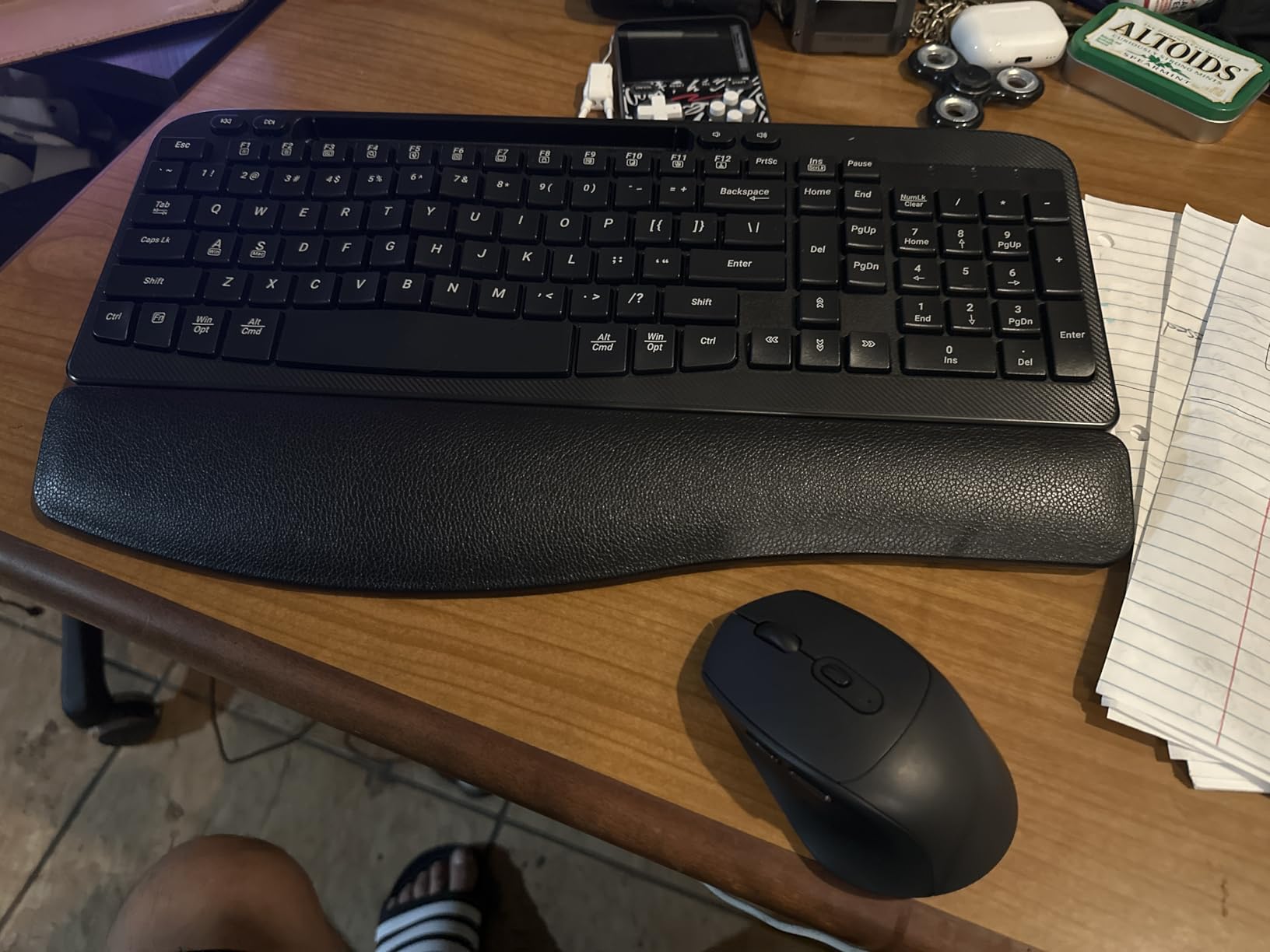
Bundles are usually filler, and we say so plainly in our buying guide. This one is different because the mouse is not a random extra: on a split or wave board the mouse is the other half of the ergonomic problem, and getting both from one receiver removes the cable tangle that pushes a mouse away from the body.
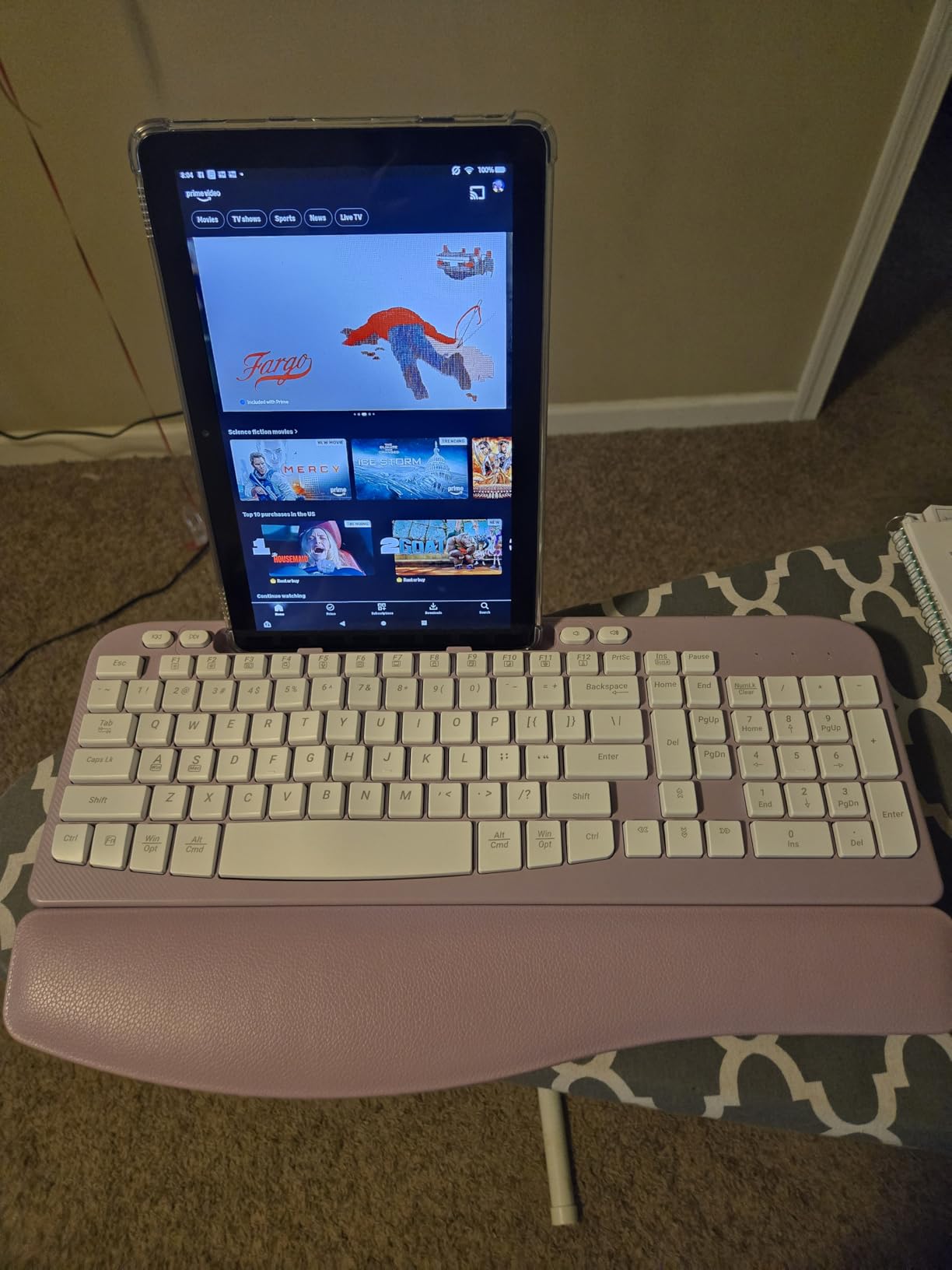
The palm rest is the thickest in this roundup at three layers of memory foam, and it is the feature owners name most often. A 7.28-inch slot holds a phone vertically or a tablet horizontally, which is unusual at any price and useful if you take calls while typing.
Full-size 107 keys with silent switches
This keeps a complete layout including a numeric keypad, so nothing is lost in the swap. The wave-shaped keyframe arches upward in the middle to follow the natural finger arc, and the switches are silent enough for a home with other people in it. Both devices run on two AA batteries, with auto-sleep after ten minutes idle. The mouse offers adjustable DPI at 800, 1200 and 1600, and wireless range reaches 33 feet.
On a shaped keyboard, the mouse has to travel further to reach because the key field is wider, and that is exactly the moment a poor mouse causes shoulder and wrist strain. A 40 percent or tenkeyless board solves it differently, by removing the numpad so the mouse sits closer to the body. This combo keeps a full-size key field, which is a genuine compromise for anyone with shoulder involvement.
The wireless reliability question
This is where the bundle falls short of the wired boards. Reviews report lag or dropped keystrokes when the USB-C adapter and the receiver sit in different ports, and some units have pairing trouble on Windows 10. A few buyers report devices stopping working at around six months.
Support is thin as well: no direct email, phone or live chat contact, which matters if the receiver fails. If your job depends on input you cannot afford to lose, a wired board is the safer choice.
Who should skip it
Skip it if reliability under long workdays matters more than the bundled mouse. Buyers who want Bluetooth multi-device switching will not find it, since this is 2.4GHz only. A USB-C adapter is included for modern laptops.
8. Nulea Wireless Split Keyboard – Best for Compact Desks and Small Workspaces
Nulea Wireless Ergonomic Keyboard, Split Keyboard with Cushioned Wrist Rest, Bluetooth and USB Connectivity, USB-C Rechargeable, Compatible with Windows Mac (Grey Pink)
Split layout with 101 keys
Bluetooth and 2.4G dual mode
USB-C rechargeable, 200 hours
Three tilt positions, 16.5 by 9.6 inches
+ Pros
- Compact 16.5 inch footprint suits small desks
- Oversized leatherette wrist rest supports wrist and palm
- Switches between devices over Bluetooth and 2.4G
- About 200 hours of battery per charge
- Three tilt positions to set the angle
– Cons
- Membrane keys feel light and less responsive
- Fewer dedicated keys with navigation on the Fn layer
- Smaller review base means less durability evidence
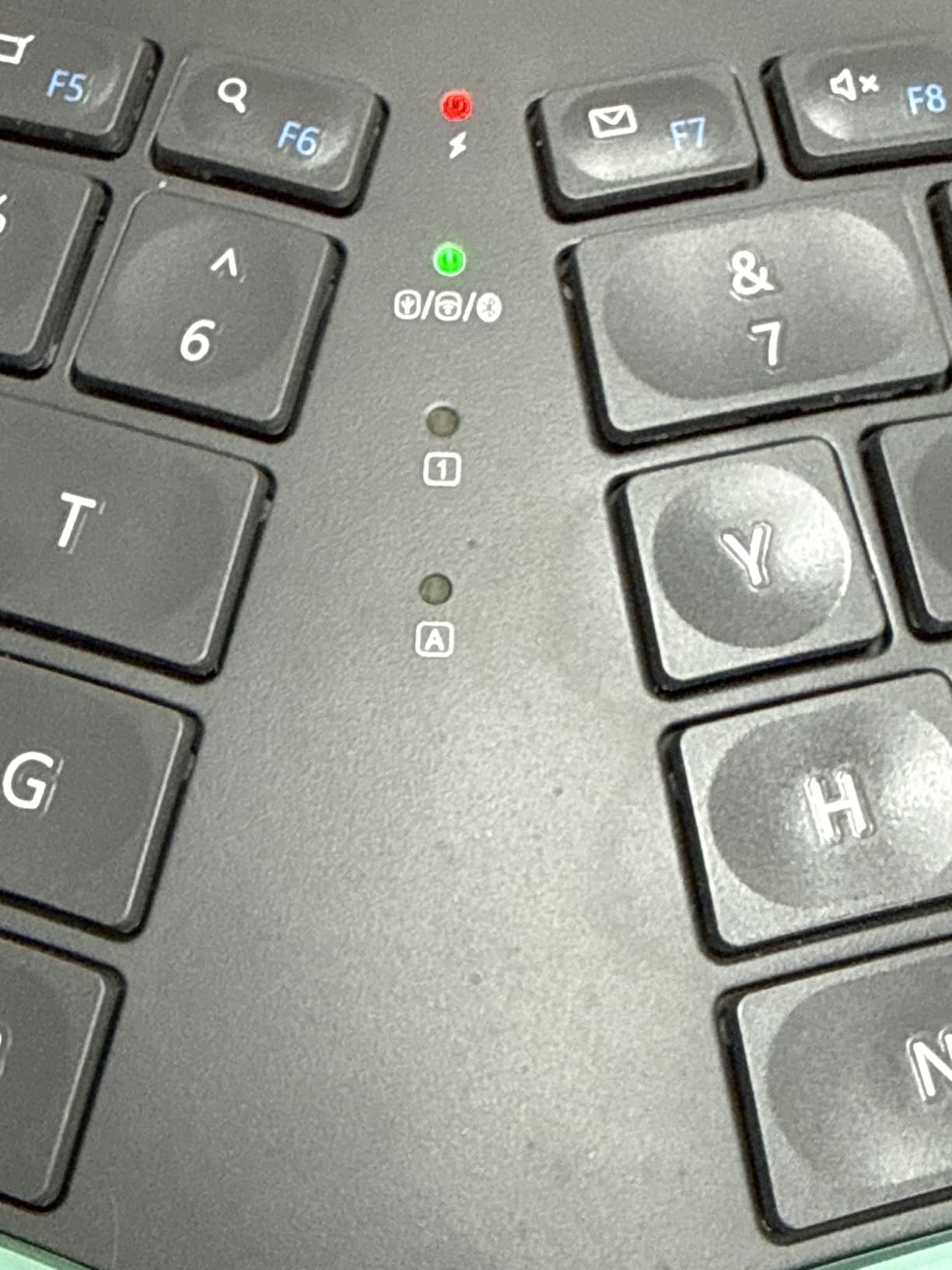
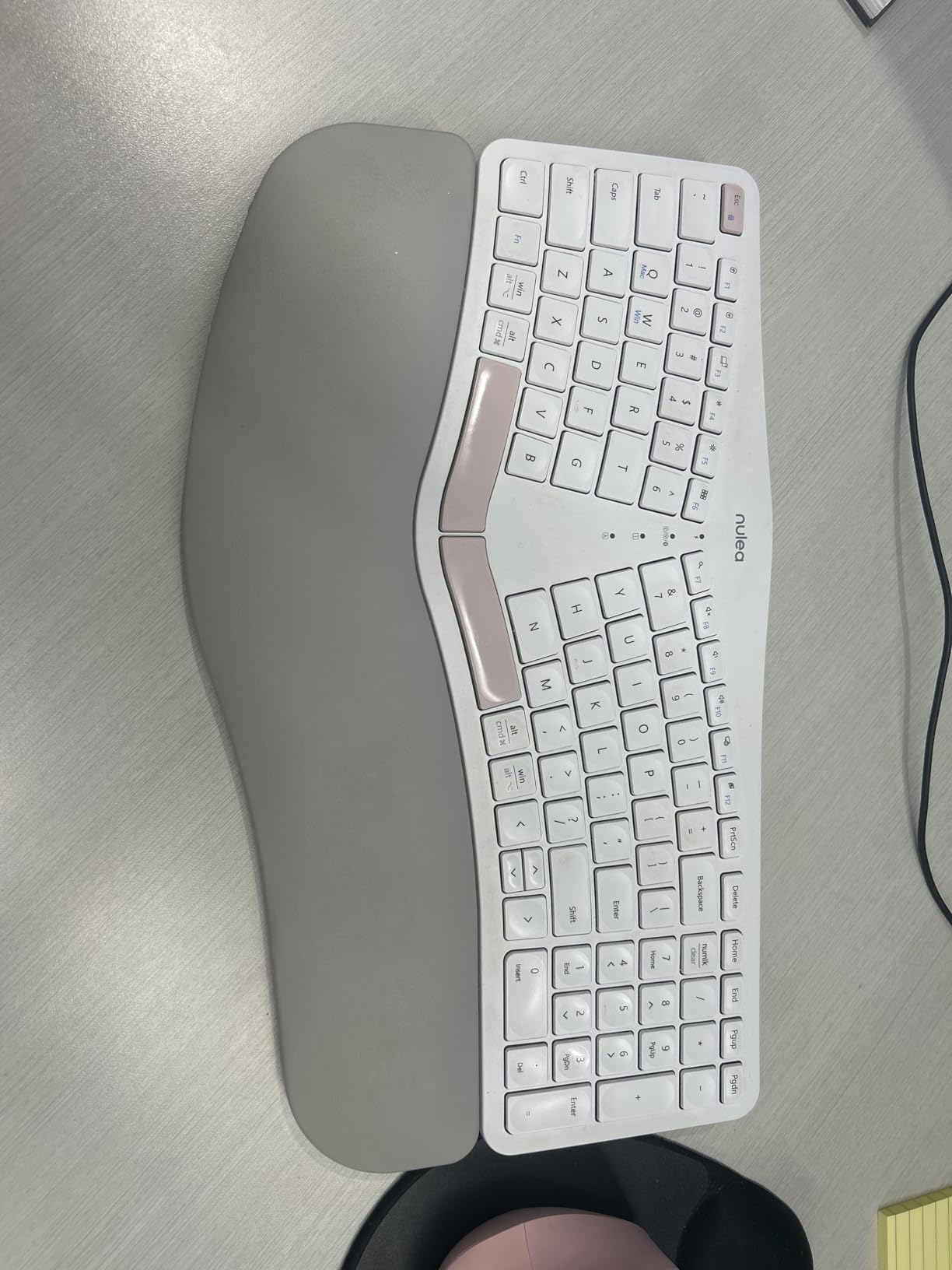
The Nulea solves a problem none of the other boards address: desk space. At 16.5 by 9.6 inches it is the smallest footprint here, so on a small desk it leaves room to keep the mouse close to the body instead of pushing it out past a full-size key field.
The wrist rest is oversized for the board size, in soft leatherette, and the three tilt positions cover the basic angle adjustment. Dual-mode Bluetooth plus 2.4G, with USB-C charging and roughly 200 hours of battery, make it a cable-light desk option.
Compact footprint and the mouse-proximity argument
Desk depth is an ergonomic variable that gets ignored. If your keyboard forces the mouse 40 centimetres further out, your shoulder abducts all day and the wrist follows. At 101 keys the board drops a dedicated keypad, so it sits between the full-size boards and the tenkeyless ideal, a reasonable middle point for a shared desk where space is genuinely tight.
Key feel and reduced key count
The membrane switches here feel light and less responsive than scissor or mechanical alternatives, and navigation functions are folded into the Fn layer rather than given their own keys. If you edit long documents, the missing dedicated keys add friction.
That is the honest trade for the smallest footprint in the roundup. You are choosing desk real estate and wireless convenience over key feel and key count.
Read the review count before you commit
With a few hundred reviews, this is the smallest evidence base here, and that matters for a tool you will use daily for years. Long-term durability reports on membrane palm rests and wireless consistency are thinner than for the boards above.
It is still a well-built board with a one-year warranty, and the two-year-old design is not dated. But if durability under daily use is your top concern, a board with a larger review base is the safer bet.
Who should skip it
Skip it if you type for hours and want a definite tactile key action, or if you need a numeric keypad. It is not water resistant, and anyone who has had wireless trouble before should read the recent reviews first.
Why a Flat Keyboard Wrecks Your Wrists
Two forces do most of the damage, and they happen at the same time. Ulnar deviation is the outward bend of the wrist: a standard board is narrower than your shoulders, so reaching the key field pulls each hand inward and the wrist angles away from the forearm. Pronation is the forearm rotation that turns your palm down and lays it flat on the desk.
Hours of holding both positions means constant low-grade tension in the forearm flexors and the wrist stabilizers, which is why the ache typically shows up on the outside of the wrist or along the forearm at the end of a long day rather than immediately.
Typing volume matters less than most people assume. What accumulates is time spent in a bad geometry, which is why the fix that works is a change of shape rather than a change of effort.
Split, curved and wave layouts compared
Split designs move each hand to its own side, removing ulnar deviation. The Perixx, Arteck, TECKNET, Nulea and Kinesis all take this approach. Wave and curved designs keep one piece but lift the center of the key field, reducing pronation and wrist extension without any relearning. The Logitech Wave, X9 and EAYBLLY combo are in this group. Domed or vertical shapes steepen the angle further and are mostly above this ceiling.
The practical difference is adjustment cost. A wave board changes the angle and nothing else, so you keep your existing muscle memory. A split board changes the angle and the key geography at the same time, which is why two to four weeks of slower typing is normal before you feel the benefit.
The four terms worth knowing
Column-staggered means each key column is offset so a finger travels in a straight line instead of diagonally. Negative tilt means the front edge sits higher than the back, stopping the wrist cocking upward. Tenting means raising the center of a split board so the palms face inward rather than down. Actuation force is the force needed to trigger a key, and lower force means less finger strain over a long day.
Of those four, only column-staggering is common in this roundup. Negative tilt and tenting are the two features you cannot buy under this ceiling, which is the honest reason boards like the Freestyle2 sell their accessories separately.
How to Choose an Ergonomic Keyboard That Fits Your Pain
Match the layout to the symptom, not the brand
Dull ache on the outside of the wrist means the problem is ulnar deviation, so a split layout is the direct answer. Ache along the forearm that builds through the afternoon points to pronation, and a wave or tented shape helps more than a split does. Aching that starts in the thumb base or runs into the fingers is worth a clinician’s opinion before you buy anything, because equipment rarely resolves that on its own.
Shoulder aching on a wide frame points to a second problem: the mouse, not the keyboard. A board that frees desk width, or a tenkeyless layout, does as much for that symptom as any wrist-shaped board will.
How much split angle you actually need
Fixed-angle split boards come with a separation you cannot change much, so hand and shoulder width matter. Measure across the widest part of your hands with fingers extended, then compare that to the gap between the two halves when the board is flat. If the halves sit closer together than your shoulders, you are still reaching inward and the pain will persist.
This is the flaw the forum crowd keeps raising about budget splits. The Kinesis is the only board here that lets you dial the splay to fit, which is why it earns its place despite the accessory costs.
Membrane versus scissor, and why it matters less than layout
Nearly every board under this ceiling is membrane, and for wrist pain that is fine. Membrane keys are quiet, cheap to replace and light on the fingers. Scissor switches such as the Arteck add a defined action for people whose fatigue is in the hands rather than the wrist.
Mechanical switches with real per-key actuation are almost absent at this price, and a membrane keyboard is not the enemy of RSI. That is a persistent myth worth retiring. If you also want a mechanical feel, our gaming keyboard picks under the same budget cover that ground separately.
Wired or wireless for a wrist-pain buyer
Wired removes lag, pairing steps and battery anxiety, and the best-value boards in this roundup are wired. Wireless is worth it if your desk setup is the problem, because cable management that keeps your forearms in line and your mouse close matters more than connectivity. The TECKNET and Logitech boards cover multi-device work best, with pairing memory for three devices each.
Avoid wireless if your session depends on inputs you cannot afford to lose, and read the reliability reviews first. Several boards here have reports of dropouts or reconnection delays.
What the different price tiers actually buy
In the low tier you get a shaped body, a cushioned rest and a wired cable. Nothing more. In the middle tier you add scissor or tactile switches, a tilt adjustment and rechargeable batteries. At the top of the ceiling you reach real separation and low-force switches, plus wider key sets with a numeric keypad. Genuine tenting, negative tilt, per-key remapping and Mac layouts are all still out of reach.
So the extra spend buys switch quality and adjustability, not a fundamentally different kind of relief. If your pain is purely geometric, a mid-tier shaped board will do most of the work and you can put the difference toward a trackball.
Common mistakes when buying a budget ergonomic board
Do not press your wrists down onto the palm rest while typing. Park your palms there between bursts instead, since loading a wrist rest is a common way to increase pressure in the carpal tunnel area. Do not abandon the board in week one. Do not assume a curved shell is the same as a split layout. Do not buy a bundle for the keyboard alone, and do not ignore the mouse. Finally, do not set your monitor low and your keyboard high, because a downward glance keeps the neck bent and undoes the wrist work.
Five-minute micro-breaks matter as much as the board. Expect slower typing for the first one to two weeks, and do not read that as failure. Pair the change with a short routine: shake the hands loose, extend one wrist at a time with the fingers down, open and close the fists ten times, flex the ankles, and stand for two minutes. Five minutes every hour costs nothing and is the habit that keeps the new posture.
If your palm support is still inadequate after the adjustment period, our keyboard wrist rest picks cover the standalone option, and our wrist wrap roundup covers support gear for other repetitive movements.
What Owners on Reddit Report Before and After
On r/ErgoMechKeyboards, experienced users repeatedly recommend the Kinesis Freestyle Edge, the Mathias Ergo Split and the Dygma Raise for typing-heavy wrist pain. All three sit above this ceiling, which is itself the useful signal: the community treats this price tier as a compromise, not a destination.
The same forum answers the question readers ask most on this topic, which is whether a shaped one-piece board is enough. The recurring answer is that it depends on the symptom, and that the Microsoft Sculpt is the most-cited step up when something cheaper but still shaped is not doing enough.
On r/keyboards, one owner managing wrist pain recommends a wireless board and strongly urges trying a smaller layout, reasoning that removing the numpad brings the mouse closer to the body. On r/Ergonomics, another describes wrist pain over several weeks, a doctor advising changed work habits or rest breaks, and a job where pausing typing is not practical. That is the scenario this roundup is built for.
The consensus on the adaptation question is consistent across all of them: the first two weeks feel worse before they feel better, and the boards that end up helping are often the ones that felt unfamiliar at first.
Frequently Asked Questions
What is the best keyboard for wrist pain?
The best keyboard for wrist pain changes the geometry of typing so your wrist stays straight instead of bent outward. Under 100 dollars, the Perixx PERIBOARD-512B is the strongest overall pick because it combines a curved split layout with the highest rating and the largest review base in the group. If your pain comes from forearm rotation rather than wrist angle, a wave board such as the Logitech Wave Keys is gentler and needs no relearning.
What type of keyboard is best for carpal tunnel?
A split keyboard with a column-staggered layout is usually the best type for carpal tunnel symptoms, because it removes the outward wrist bend that comes from a board narrower than your shoulders. Under 100 dollars the leading options are the Perixx PERIBOARD-512B and the Kinesis Freestyle2, whose separable halves let each hand sit at shoulder width. No keyboard treats carpal tunnel, and persistent numbness or tingling needs a clinician.
Are keyboard wrist rests good for carpal tunnel?
A keyboard wrist rest helps when it supports the palms during pauses rather than carrying your wrists while you type. Pressing down on a rest during typing concentrates pressure in exactly the carpal tunnel area you are trying to relieve, and many people make the problem worse that way. Rest your palms on the cushion between typing bursts and let your forearms be supported further up the arm during sustained typing.
Is a split keyboard or curved keyboard better for wrist pain?
A split keyboard is better when your pain is on the outside of the wrist, because splitting removes the inward reach that causes ulnar deviation. A curved or wave board is better when your pain runs along the forearm from rotation, and it avoids the two to four week relearning period a split causes. Split boards that also allow per-session separation cost more, which is why only the Kinesis Freestyle2 offers that under 100 dollars.
How long does it take to adjust to a split keyboard?
Most people need one to two weeks of slower typing before a split keyboard feels normal, and owners across these boards report the same pattern. The awkwardness in the first days comes from unfamiliar key positions, not from a bad fit, so abandoning the board early is the most common mistake. Split boards that keep a standard Windows layout, such as the Kinesis Freestyle2, adapt noticeably faster than compact boards with compressed key clusters.
What is a good ergonomic keyboard on a budget?
A good budget ergonomic keyboard needs a shaped key field and a cushioned palm rest, and nothing more to be useful. The TECKNET is the cheapest genuine split layout here and adds four tilt positions, while the Arteck Split adds crisper scissor switches and a rechargeable battery. Spend toward the middle of the range rather than the bottom, because the extra cost buys switch quality and angle adjustment rather than a different type of relief.
Which Keyboard Should You Buy in 2026?
Choose the Perixx PERIBOARD-512B if wrist angle is your main complaint, because its curved split layout and large review base make it the most reliable pick in this roundup. Go with the Kinesis Freestyle2 if you have broad shoulders or severe forearm pain and can accept buying its risers later. Pick the Logitech Wave Keys if you cannot tolerate a relearning period, and the Arteck Split if you want wireless with a crisper key action. The TECKNET is the budget route into a true split, and the Nulea is the pick for a small desk.
Whatever you choose, give it two full weeks, keep your mouse close, and take a five-minute break every hour. If your symptoms include numbness, tingling or night pain, book the appointment first. Our full ergonomic keyboard roundup covers the options above this ceiling if you decide to spend more later.
Leave a Reply