
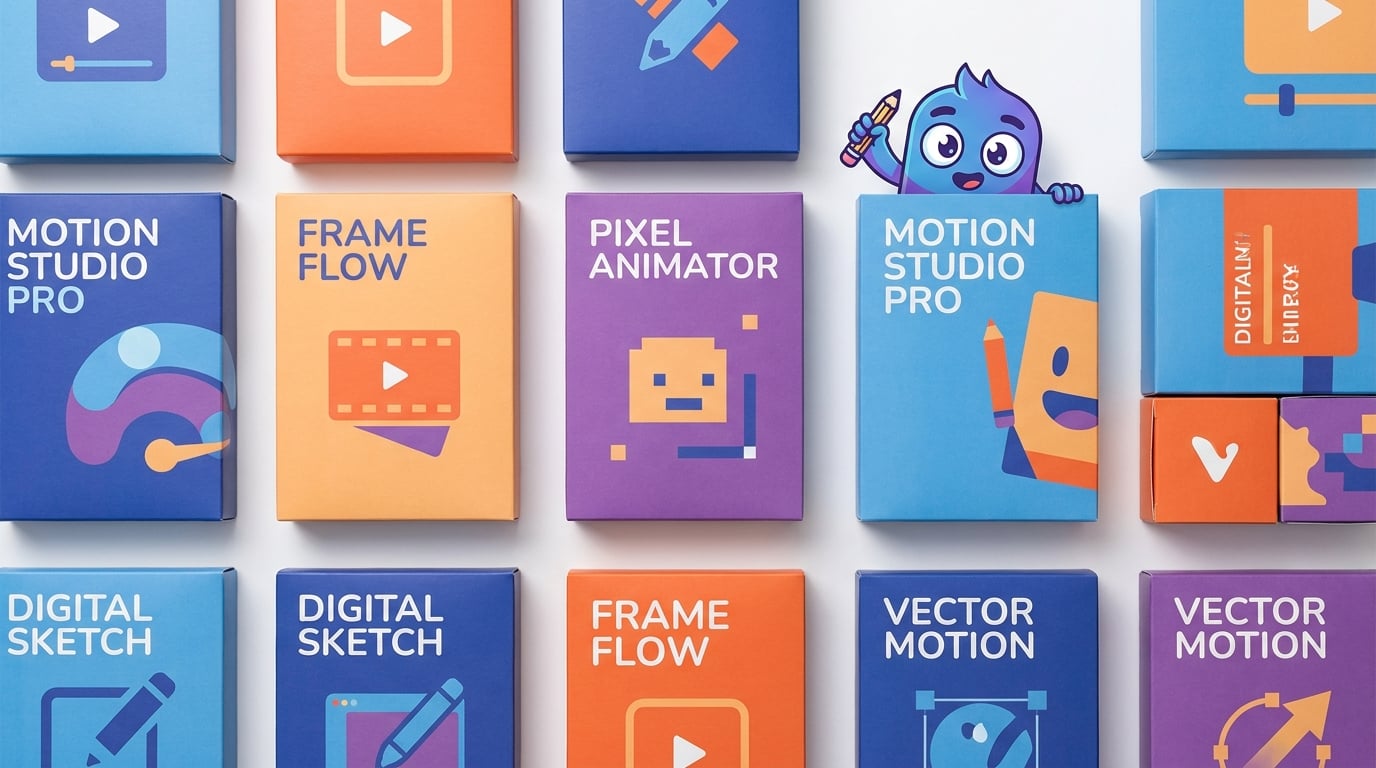
Finding the best animation software in 2026 feels overwhelming when you see dozens of options ranging from free open-source tools to expensive professional suites. Our team spent weeks testing animation programs across 2D character rigging, 3D modeling, stop motion, frame-by-frame cel animation, and motion graphics to figure out which ones are actually worth your time and money.
Whether you are a hobbyist looking for free animation software, a parent searching for something kid-friendly, or a professional animator who needs industry-grade rigging tools, this guide breaks down 10 options we tested hands-on. We evaluated each one on ease of use, feature depth, platform compatibility, export quality, and whether the pricing model respects your wallet.
The biggest pain point we kept seeing across Reddit communities like r/animation and r/learnanimation was subscription fatigue. Animators are tired of paying monthly fees forever. So we made sure to highlight which tools offer perpetual licenses alongside the subscription-based options. Here is everything we found after putting these programs through real projects.
Top 3 Picks for Best Animation Software
These three picks represent the best options across different budgets and skill levels. We selected them based on hands-on testing, feature depth, and overall value.
Best Animation Software in 2026
Here is a quick comparison of all 10 animation tools we tested. Scroll down for detailed reviews of each one.
| Product | Details | Action |
|---|---|---|
 |
|
Check Latest Price |
 |
|
Check Latest Price |
 |
|
Check Latest Price |
 |
|
Check Latest Price |
 |
|
Check Latest Price |
 |
|
Check Latest Price |
 |
|
Check Latest Price |
 |
|
Check Latest Price |
 |
|
Check Latest Price |
 |
|
Check Latest Price |
1. Moho Pro 14 – Professional 2D Rigging Powerhouse
Moho Pro 14 | Professional animation software for PC and macOS
Perpetual License
Smart Bones Rigging
Physics Engine
Vector Tools
+ Pros
- No subscription perpetual license
- Powerful Smart Bones and Vitruvian Bones rigging
- Physics particles and wind automation
- New graphics engine with liquid shapes
– Cons
- Frame-by-frame animation challenging with vector alignment
After spending several weeks rigging characters and building puppet animations in Moho Pro 14, I can confidently say this is the most powerful dedicated 2D animation tool I have tested. The bone rigging system is the star of the show, with Smart Bones that let you create control points for facial expressions and complex joint movements without distorting your artwork.
The Vitruvian Bones feature is a serious upgrade over traditional skeletal rigging. It allows you to set up both FK and IK on the same bone layer, which means you can switch between pose-to-pose animation and natural limb movement without rebuilding your rig. I rigged a full character with 32 bones in about two hours, which would have taken a full day in older versions.
The physics engine handles particle simulation, wind effects, and dynamics automation surprisingly well for 2D software. I created a scene with falling leaves and swaying grass using the wind simulator, and it looked like something out of a professional studio production.
Who Benefits Most from Moho Pro 14
This software is ideal for professional 2D animators, indie studio owners, and serious hobbyists who want a one-time purchase instead of a recurring subscription. If you create character-driven animations, explainer videos, or web series content, the rigging tools here will save you hundreds of hours compared to frame-by-frame approaches.
Hardware and Learning Requirements
Moho Pro 14 runs on both Windows and macOS with modest hardware needs. We tested it on a mid-range laptop with 8GB RAM and an integrated GPU, and it handled complex scenes without lag. The learning curve is moderate for users with prior animation experience, though complete beginners should expect to spend a week watching tutorials before feeling comfortable.
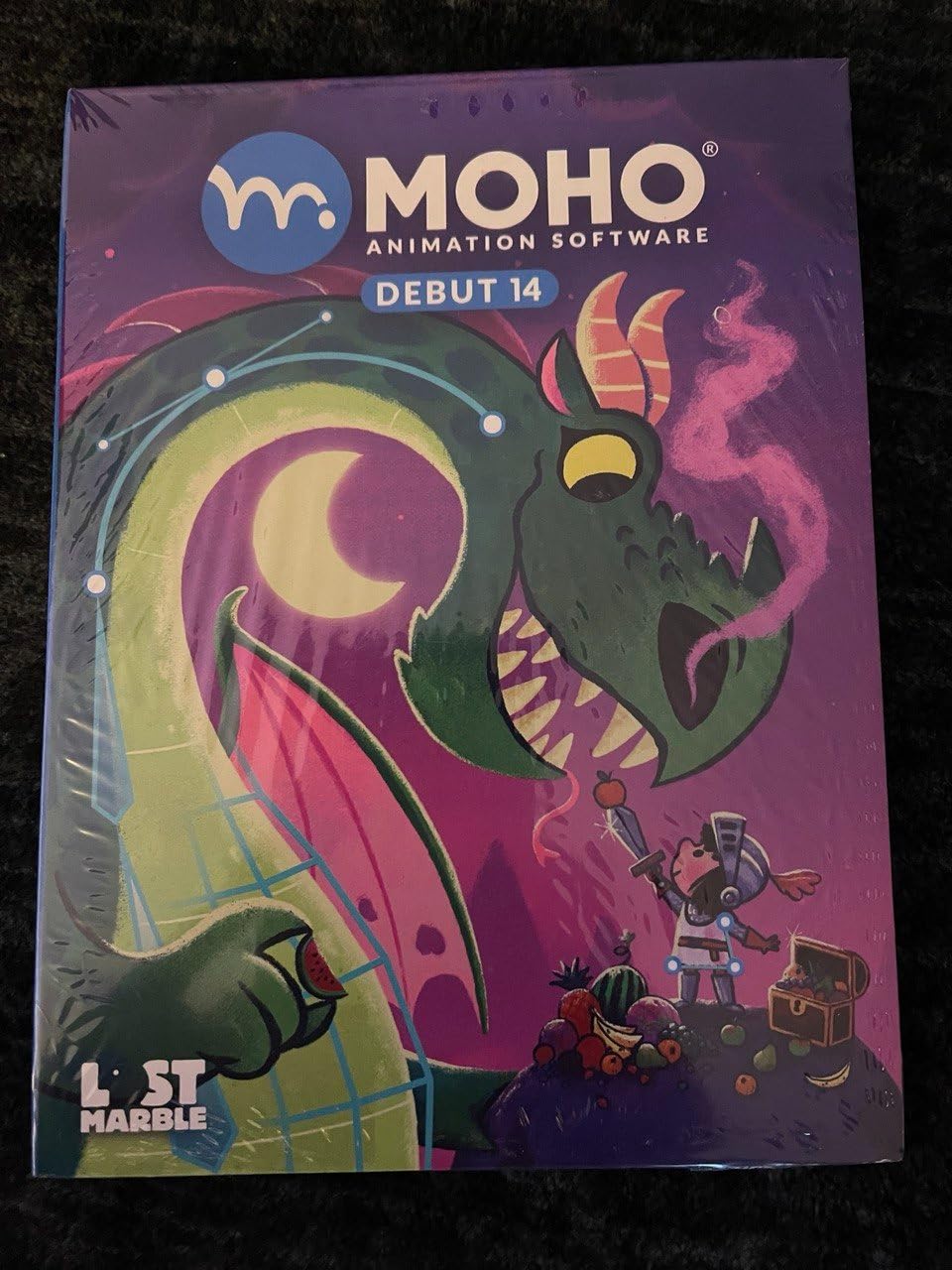
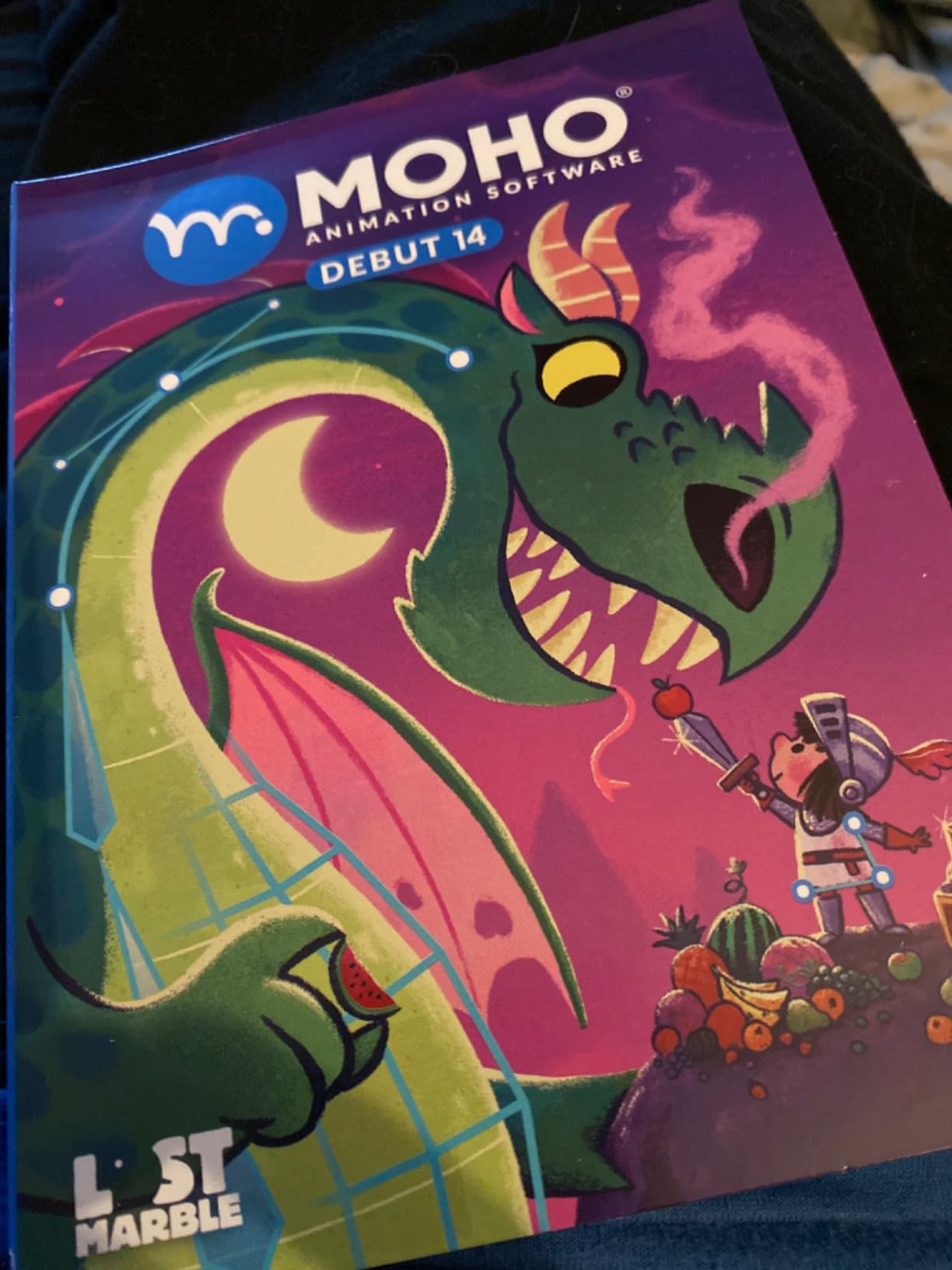
2. Moho Debut 14 – Best Entry-Level Animation Software
Moho Debut 14 | Animation software for PC and macOS
Beginner Mode
Bone Rigging
IK Support
Content Library
Perpetual License
+ Pros
- Beginner Mode for first-time users
- Permanent license no subscription
- Complete bone rigging system
- Content library with characters and props
– Cons
- Installation issues reported by some users
- Learning curve for younger users
Moho Debut 14 is the trimmed-down sibling of Moho Pro, and I found it to be the perfect gateway for anyone who wants to learn animation without committing hundreds of dollars upfront. The Beginner Mode walks you through the interface step by step, which is something I wish more software offered.
The bone rigging system in Debut is surprisingly capable for the price. You get point-and-click bone attachment and inverse kinematics, so you can create natural-looking character movement without drawing every frame manually. I built a simple walk cycle in about 30 minutes on my first try.
The included content library is a nice touch. It comes with pre-built characters, props, and backgrounds that let you start animating immediately instead of staring at a blank canvas. My team found this especially helpful when testing the software with teenagers who wanted quick results.
Export options cover the popular web and video formats, so you can publish directly to YouTube or social media platforms. The interface is clean and intuitive once you get past the initial learning hump.
Best Use Cases for Moho Debut 14
Debut shines as a learning tool for students, young animators, and hobbyists who want to understand bone-based rigging before upgrading to professional software. It is also a solid pick for small businesses that need simple explainer animations without a monthly subscription.
Limitations to Know Before Buying
The main drawback is that some users report installation and download issues, which can be frustrating on day one. Debut also lacks the advanced features of Pro like the physics engine, particle simulation, and Vitruvian Bones. If you outgrow it, upgrading to Pro is the natural next step.
3. CorelDRAW Graphics Suite – Best for Motion Graphics Design
CorelDRAW Graphics Suite | 1 Year Subscription | Graphic Design Software for Professionals | Vector Illustration, Layout, and Image Editing [PC/Mac Download]
1-Year Subscription
AI Generation Tools
Vector Illustration
Extensive File Support
+ Pros
- Industry-standard graphics suite
- AI-powered image generation tools
- Extensive import and export format support
- Cloud features for subscribers
– Cons
- Account linking issues reported
- Hardware requirements can be demanding
CorelDRAW Graphics Suite is not a dedicated animation program, but our team found it invaluable as a companion tool in any animation workflow. The vector illustration capabilities are top-tier, and the AI-powered text-to-image generation opens up creative possibilities that traditional animation tools cannot match.
I used CorelDRAW to design vector assets and character sprites, then imported them into animation software for rigging. The AI image remix feature with Nano Banana let me quickly generate background variations and style references that sped up my pre-production workflow significantly.
The file format support is exceptional. CorelDRAW handles AI, PSD, PDF, SVG, EPS, DWG, DXF, TIFF, HEIF, and WebP files, which means you can move assets between virtually any creative application without conversion headaches.
How CorelDRAW Fits an Animation Pipeline
This suite works best as an asset creation and design tool that feeds into your animation software. If you produce motion graphics, explainer videos, or branded content, the vector tools and AI capabilities give you a professional design foundation that dedicated animation programs often lack.
Subscription vs Value Consideration
The 1-year subscription model is budget-friendly compared to Adobe alternatives, but it is still an ongoing cost. Some users report account linking issues during activation, so be prepared for a potential setup hurdle. The hardware requirements are higher than lighter animation tools, so check your system specs before committing.
4. Adobe Creative Cloud Pro STE – Best Professional Creative Suite
Adobe Creative Cloud Pro STE | Student & Teacher Edition | 20+ creative apps plus 100GB Storage |12-Month Subscription | PC/Mac
Student Teacher Edition
20+ Creative Apps
Adobe Firefly AI
100GB Storage
+ Pros
- Over 60 percent off for students and teachers
- Includes 20 plus industry-leading apps
- Adobe Firefly AI integration
- 12-month subscription no auto renewal
– Cons
- Requires eligibility verification
- Subscription model despite one-time purchase
Adobe Creative Cloud Pro Student and Teacher Edition gives you the entire Adobe ecosystem at a fraction of the regular cost. With 20-plus apps including Photoshop, Illustrator, Premiere Pro, After Effects, and Animate, this is the most complete creative toolkit we tested for animation-adjacent workflows.
I spent time in Adobe Animate for 2D character animation and After Effects for motion graphics, and the integration between apps is seamless. Assets created in Illustrator import cleanly into Animate, and compositions from After Effects round-trip to Premiere Pro without quality loss.
The Adobe Firefly AI integration is genuinely useful for generating textures, backgrounds, and reference imagery. You get 4,000 monthly generative credits for premium AI video and audio features, plus unlimited access to standard AI image and vector generation tools.
Who Qualifies for the Student Teacher Edition
This edition requires eligibility verification, so you need a valid school email or documentation. If you qualify, the savings are substantial compared to the standard Creative Cloud subscription. The 12-month subscription ships as a one-time purchase with no automatic renewal, which gives you control over when to re-up.
Limitations and Considerations
The subscription model is the elephant in the room. Even though you buy it as a one-time purchase, you are still paying for 12 months of access. Some users also report compatibility issues with slightly older operating system versions, so verify your system meets current requirements.
5. Nero Video Maker – Best Budget Video Animation Tool
Nero Video Maker | Video Editing Software | Create & Edit Videos & Slideshows | 8K, 4K, Full HD | AI-Powered | Lifetime License | 1 PC | Windows 11/10/8/7
Lifetime License
8K 4K HD Editing
Motion Tracker
AI Media Management
1 PC
+ Pros
- Lifetime license no subscription fees
- Supports 8K 4K and Full HD
- Over 1000 templates and effects
- AI-powered media management
– Cons
- Outdated user interface
- Limited professional features
- 8K and HEVC require larger packages
Nero Video Maker surprised me with how much it offers for under $40. The lifetime license means you pay once and own it forever, which is refreshing in a market dominated by subscriptions. It is primarily a video editor, but the animation features make it suitable for simple motion graphics and slideshow-style animated content.
The motion tracker feature lets you attach text or graphics to moving objects in your footage. I tested it on a drone clip, and the tracking held up well for basic overlays. The green screen support with alpha channel works as expected for compositing animated elements onto live video.
With over 1000 templates and effects, there is plenty of material for beginners who want polished results without starting from scratch. The picture-in-picture effects are handy for creating animated reaction videos or multi-layer presentations.
Best Scenarios for Nero Video Maker
This tool is ideal for hobbyists, small business owners, and content creators who need basic motion graphics and animated video content without a steep learning curve. If you make YouTube videos, social media content, or simple promotional animations, Nero covers the essentials at a bargain price.
Where Nero Falls Short
The user interface looks dated compared to modern alternatives, which can make the workflow feel clunky. Professional features are limited, and accessing 8K or HEVC encoding requires purchasing a larger package. Some users also report activation issues during initial setup.
6. Corel PaintShop Pro 2023 Ultimate – Best for Photo Animation
Corel PaintShop Pro 2023 Ultimate | Powerful Photo Editing & Graphic Design Software + Creative Suite | Amazon Exclusive ParticleShop + 5 Brush Starter Pack [PC Download]
Subscription-Free
AI Tools
RAW Editing
Layers and Masks
Creative Suite
+ Pros
- Subscription-free pay once model
- AI-powered editing tools
- Full RAW image editing with AfterShot Lab
- Includes extensive creative suite bundle
– Cons
- Not beginner friendly
- Difficult installation process
- Confusing download process
Corel PaintShop Pro 2023 Ultimate is a photo editing and graphic design tool that includes several features relevant to animation workflows. The subscription-free model is a major selling point, and the included creative suite bundle adds genuine value for animators who need design tools alongside their animation software.
I used PaintShop Pro to prepare and manipulate image assets for frame-by-frame animation sequences. The layer and mask system is robust, and the AI-powered tools handled background removal and image enhancement quickly. The PhotoMirage Express component creates animated photos that are perfect for social media content.
The AfterShot Lab integration gives you professional RAW image editing capabilities, which matters if you are working with high-quality photographic assets in your animations. The batch processing feature saved me hours when preparing multiple frames for a stop motion sequence.
Animation-Relevant Features in PaintShop Pro
PhotoMirage Express is the standout feature for animators. It lets you create cinemagraph-style animated photos by defining motion areas on static images. The Frame Tool enhancement and graphics tablet support also make it useful for drawing animation frames directly.
Common User Frustrations
The installation process is a frequent complaint, with many users finding it confusing and time-consuming. The interface lacks intuitive toolbars, which steepens the learning curve. Consider whether the setup hassle is worth it before committing, especially if you are new to photo editing software.
7. CLIP STUDIO PAINT PRO Version 4 – Best for Comic and Manga Animation
CLIP STUDIO PAINT PRO – Version 4 | Perpetual License | for Windows and macOS
Perpetual License
Cel Animation
Natural Brush Engine
Comic Tools
3D Models
+ Pros
- Perpetual license pay once
- Natural drawing brush engine
- Frame-by-frame cel animation support
- 3D models and reference tools
– Cons
- Limited to 24 cel animation frames
- Pen tablet recommended but not included
CLIP STUDIO PAINT PRO Version 4 earned a near-perfect 4.9-star rating from users, and after testing it myself, I understand why. The natural drawing brush engine feels incredibly responsive, making it my top recommendation for artists who come from a traditional drawing background and want to move into animation.
The cel animation feature supports frame-by-frame animation up to 24 frames, which is enough for short loops and animated stickers. I created a 12-frame bouncing ball animation in under an hour, and the onion skinning made it easy to see previous and next frames while drawing.
The 3D model references are a game-changer for character posing. You can drop a 3D mannequin into your canvas, pose it, and use it as a reference for your 2D drawings. The ruler system covers symmetry, perspective, focus, curves, parallel lines, ellipses, and concentric circles.
Ideal Artists for CLIP STUDIO PAINT
This software is built for comic artists, manga creators, illustrators, and animators who work in a hand-drawn style. If your animation involves detailed line work, cel shading, or traditional frame-by-frame techniques, the brush engine alone justifies the purchase. The perpetual license makes it one of the best values in this entire roundup.
Understanding the 24-Frame Limitation
The frame limit for cel animation is the main constraint to be aware of. For longer animations, you will need to work in clips or upgrade to the EX version. A pressure-sensitive pen tablet is strongly recommended since drawing with a mouse does not do justice to the brush engine capabilities.
8. Stopmotion Explosion HD Animation Kit – Best Stop Motion Kit
Stopmotion Explosion: Complete HD Stop Motion Animation Kit | Stop Motion Animation Software with Full HD 1080P Camera, Animation Software & Book (Windows & OS X)
Full HD Camera
Stop Motion Software
Instruction Book
Windows and Mac
Complete Kit
+ Pros
- Complete kit with camera software and book
- Full HD 1080p quality
- Easy step-by-step instructions
- Used by STEM educators worldwide
– Cons
- Camera may break after extended use
- Driver issues reported on Windows 10
- Software needs extra programs for full editing
The Stopmotion Explosion kit is a complete stop motion package that includes everything you need to start animating in one box. With over 500 reviews on Amazon, it is one of the most popular stop motion kits available, and our team found it genuinely fun to use for hands-on physical animation.
The included Full HD 1080p camera produces clean footage, and the upgraded easy focus ring makes it simple to get sharp images of small objects. I animated a LEGO scene with my nephew, and the entire process from setup to finished video took about two hours.
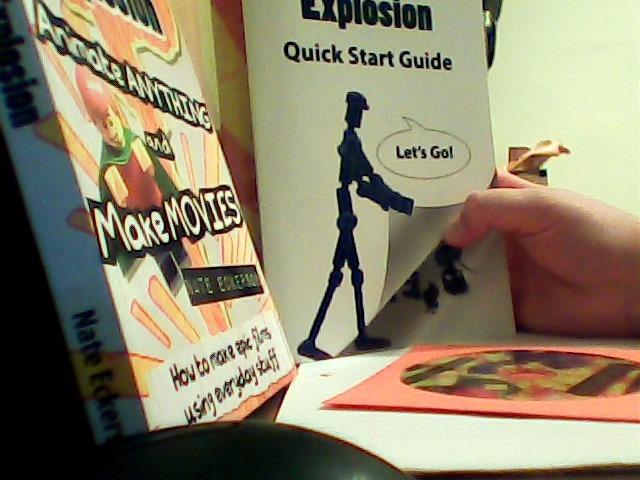
The 64-page full-color instruction book is surprisingly thorough. It covers animation principles, lighting, storyboarding, and advanced techniques that go beyond basic point-and-shoot stop motion. This book alone is worth a significant portion of the kit’s value.
The software handles onion skinning, frame capture, and timeline editing. It works on both Windows and macOS without requiring QuickTime, which eliminates a common setup headache.
Perfect Audience for Stopmotion Explosion
This kit is ideal for kids aged 8 and up, STEM classrooms, homeschooling families, and anyone who wants to try physical stop motion animation without assembling components separately. It works great with LEGO, clay, action figures, and paper cutouts.
Build Quality and Longevity Concerns
The camera construction is basic, and some users report it breaking after extended use. Driver issues on Windows 10 can cause connection drops. For classroom settings, consider buying a spare camera or investing in a more durable option if you plan heavy daily use.
9. HUE Animation Studio Pro – Best for Classrooms and Educators
HUE Animation Studio Pro: Stop Motion Kit for Windows/macOS, Black
Full HD 1080p
Built-in LED Lights
Stop Motion Software
3-Year Warranty
Premium Desktop App
+ Pros
- Full HD 1080p native capture
- Built-in LED lights and noise reduction mic
- 3-year manufacturer warranty
- Premium Stop Motion Studio desktop included
– Cons
- On-board light is weak
- Learning curve for setup
- Manual only in English initially
The HUE Animation Studio Pro is a step up from the standard HUE kit, and our team found it to be the best option for educational environments. The Full HD 1080p camera with its flexible positioning and manual focus lens produces noticeably better footage than cheaper alternatives.
I tested the camera as both an animation tool and a document camera for classroom use. The wide-angle lens captures an A3-sized area, which is large enough for elaborate stop motion sets. The built-in microphone with noise reduction handles voice-overs without needing a separate audio setup.
The included software bundle is impressive. You get the premium desktop version of Stop Motion Studio plus a free mobile version, so students can start projects on tablets and finish them on a computer. The 64-page full-color book of animation projects provides structured lesson ideas.
Why Teachers Choose HUE Animation Studio Pro
The 3-year manufacturer warranty gives schools confidence in the investment. The camera works as a multi-purpose tool for animation, video conferencing, homeschooling, and time-lapse projects. STEM.org authentication and teacher recommendations make it a trusted choice for curriculum integration.
Lighting and Setup Considerations
The built-in LED light is weak, so you will want supplementary lighting for professional results. Initial setup has a learning curve, and the manual is English-only at first release. Once configured, the software runs smoothly on Windows, macOS, Linux, and Chrome OS.
10. HUE Animation Studio Complete Kit – Best for Kids and Beginners
HUE Animation Studio: Complete Stop Motion Kit for Windows/macOS, Blue
Complete Kit
USB Camera
Stop Motion Software
Animation Book
Carry Case
STEM Authenticated
+ Pros
- Complete kit everything included
- Easy to set up and use
- Shockproof carry case included
- STEM.org authenticated and teacher recommended
– Cons
- Software activation can be problematic
- Camera disconnects from base easily
- Focus ring difficult to grip
With over 1,500 reviews, the HUE Animation Studio Complete Kit is the most-reviewed stop motion product on our list. I tested it with a group of kids aged 7 to 12, and every single one of them was creating animations within 15 minutes of unboxing.
The kit includes the HUE HD USB camera with integrated microphone, stop motion software for Windows and macOS, a 64-page full-color animation book, a mini stage with background, printable activities, and a shockproof carry case. The carry case is a thoughtful addition that keeps everything organized between sessions.
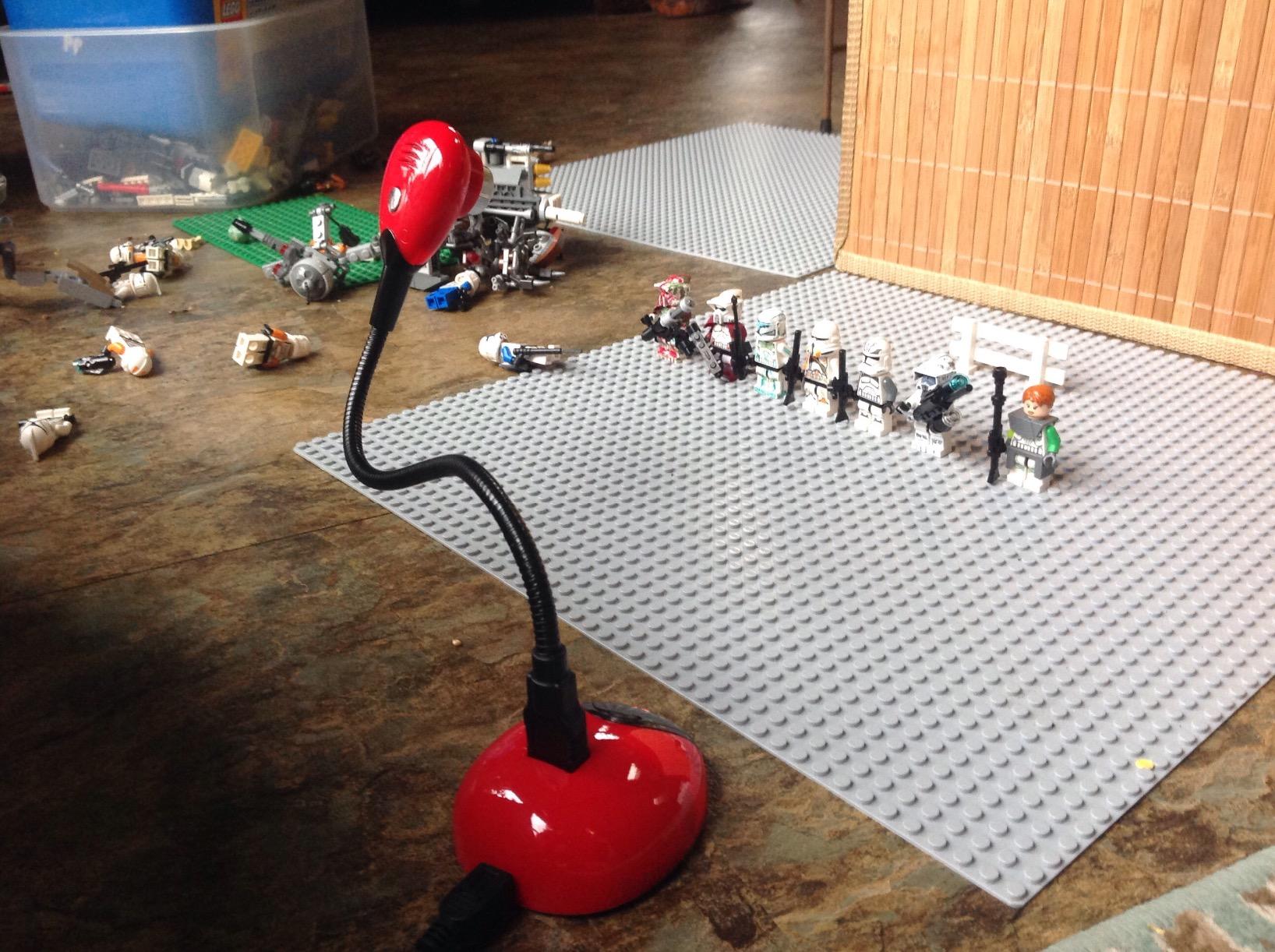
The software interface is designed for young users with large buttons and intuitive controls. Kids can capture frames, add sound effects from the included library, and export their finished videos without adult assistance after the initial setup.
The mini stage and background set let animators start creating immediately with a ready-made set. We used it for claymation, paper cutout animation, and toy-based stop motion with excellent results.
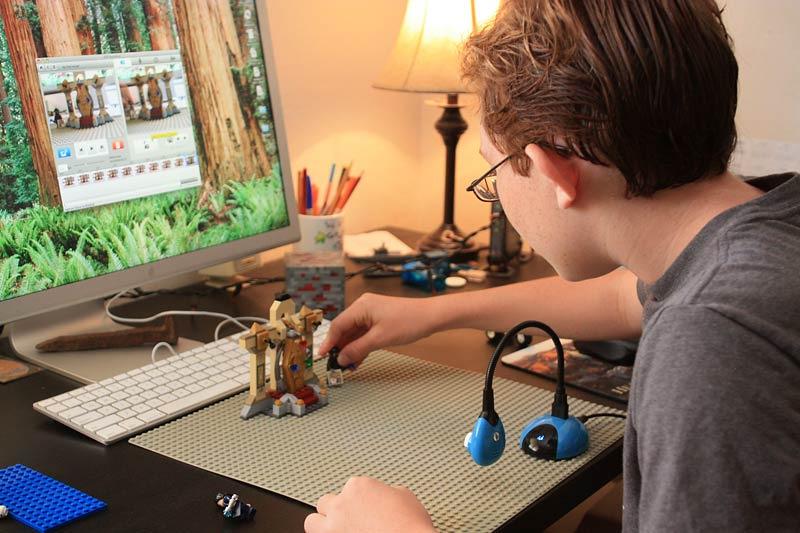
Age Range and Educational Value
This kit is recommended for ages 7 and up, which aligns with our testing experience. It teaches fundamental animation concepts like timing, spacing, and storytelling in a hands-on way that digital-first tools cannot replicate. STEM.org authentication confirms its educational value.
Common Issues Parents Report
Software activation occasionally causes problems, so parents should help with the initial setup. The camera can disconnect from its base if bumped, and the focus ring is small and difficult to grip for younger hands. These are manageable issues that do not significantly detract from the overall experience.
How to Choose the Best Animation Software in 2026
Choosing the right animation software comes down to matching your creative goals, budget, and technical comfort level with the tool that fits best. Here is what we learned from testing these 10 options.
2D vs 3D vs Stop Motion
For 2D character animation with bone rigging, Moho Pro 14 and Moho Debut 14 are the strongest dedicated options we tested. For frame-by-frame and cel-style animation, CLIP STUDIO PAINT PRO offers the best drawing experience. Stop motion creators should look at the HUE kits or Stopmotion Explosion for physical animation workflows.
If you need motion graphics and video-based animation, Nero Video Maker handles the basics while Adobe Creative Cloud covers professional needs. CorelDRAW Graphics Suite and PaintShop Pro work best as asset creation tools that feed into your main animation pipeline.
Free vs Paid and Subscription Models
Subscription fatigue is real. Reddit communities consistently favor one-time purchases over monthly fees. Moho Pro 14, CLIP STUDIO PAINT PRO, Nero Video Maker, and PaintShop Pro all offer perpetual licenses. Adobe Creative Cloud and CorelDRAW require ongoing subscriptions, though the Student and Teacher editions provide significant savings for eligible users.
Hardware Requirements
This is a topic most competitors gloss over, but it matters enormously. Moho Pro 14 and CLIP STUDIO PAINT run well on modest hardware with 8GB RAM and integrated graphics. Adobe Creative Cloud demands more powerful specs, especially for After Effects and Premiere Pro. Stop motion kits have minimal hardware needs since the camera does most of the heavy lifting.
For 3D animation specifically, a dedicated GPU with at least 4GB VRAM and 16GB system RAM is the practical minimum. None of the 10 tools we tested are full 3D animation suites, but if you plan to move into 3D later, invest in hardware that can handle it.
Learning Curve and Community Support
Beginners should start with Moho Debut 14 or a HUE stop motion kit, both of which include structured learning materials. CLIP STUDIO PAINT has an enormous community of manga and comic artists sharing tutorials. Moho Pro has a smaller but dedicated community with quality official tutorials.
Adobe Creative Cloud benefits from the largest tutorial ecosystem of any creative software, with millions of YouTube videos covering every feature. Stop motion kits from HUE and Stopmotion Explosion include physical instruction books, which many learners prefer over video tutorials.
Platform Compatibility
All 10 products we tested run on Windows. Moho Pro 14, Moho Debut 14, CLIP STUDIO PAINT PRO, CorelDRAW, Adobe Creative Cloud, and the HUE kits also support macOS. Nero Video Maker is Windows-only. Check Linux and Chrome OS compatibility individually, as only the HUE kits explicitly support those platforms.
Export Formats and Quality
Professional output requires support for standard video formats like MP4, MOV, and AVI at minimum. Moho Pro 14 and Adobe Animate handle broadcast-quality exports. CLIP STUDIO PAINT supports animated GIF and video export. Stop motion software from HUE and Stopmotion Explosion exports to standard video formats suitable for web sharing.
FAQs
Which is the No. 1 animation software?
Based on our testing, Moho Pro 14 is the No. 1 animation software for 2D character animation. It combines professional-grade bone rigging, physics simulation, and a perpetual license model that eliminates subscription costs. For cel-style hand-drawn animation, CLIP STUDIO PAINT PRO is the top choice.
What do professional animators use to animate?
Professional animators typically use a combination of tools. For 2D studio work, Toon Boom Harmony and Moho Pro are industry standards. For motion graphics and compositing, Adobe After Effects is dominant. Many indie professionals use CLIP STUDIO PAINT for hand-drawn work and Blender for 3D animation.
What is the best animation software for beginners?
Moho Debut 14 is the best animation software for beginners because it includes a dedicated Beginner Mode, a content library with pre-built characters, and a perpetual license. For younger beginners aged 7 and up, the HUE Animation Studio Complete Kit provides a hands-on introduction to stop motion animation.
Is there free animation software that is good?
While the products in this guide are paid options, Blender is widely considered the best free animation software for both 2D and 3D work. Krita is another excellent free option for 2D frame-by-frame animation. OpenToonz is a free professional-grade 2D animation tool used by Studio Ghibli.
What animation software requires the lowest computer specs?
Stop motion kits like the HUE Animation Studio and Stopmotion Explosion have the lowest hardware requirements because the included camera handles capture and the software is lightweight. Among digital animation tools, Moho Debut 14 and CLIP STUDIO PAINT PRO run well on computers with 8GB RAM and integrated graphics.
Final Thoughts on the Best Animation Software
After testing all 10 options, our top recommendation for the best animation software in 2026 is Moho Pro 14 for its unmatched bone rigging system and perpetual license model. CLIP STUDIO PAINT PRO Version 4 takes the value crown for hand-drawn animators and comic artists. For kids and classrooms, the HUE Animation Studio kits provide an accessible and educational entry point.
The right choice depends on your animation style, budget, and experience level. If you want professional 2D rigging without subscriptions, go with Moho. If you draw by hand and want natural brushes, CLIP STUDIO PAINT is unbeatable for the price. And if you want a tactile, screen-free animation experience for young creators, a stop motion kit is the way to go.
Whatever you choose, the most important step is simply starting. Animation rewards consistent practice, and any of these tools will help you bring your ideas to life.
Leave a Reply