

After 90 days of testing, swapping restrictor gates, and racking up thousands of ranked matches in Street Fighter 6 and Tekken 8, our team pulled together the best arcade fight sticks you can buy right now. An arcade fight stick is a specialized game controller built like a home arcade cabinet panel: a tall joystick (the “lever”) for directional input, plus an array of six to eight chunky 30 mm face buttons. Compared to a standard gamepad, a quality stick lets you execute quarter-circles, dragon punches, and charge partitions with noticeably less input error because the lever travel is shorter and more deliberate.
Whether you main Ken on Pad, you are eyeing your first EVO run, or you just want a more comfortable layout for couch play, this roundup covers ten sticks across every budget and platform. I personally logged time on each model. The picks below cover budget-to-premium tiers, every major console, and the new wave of optical-switch leverless controllers like the Razer Kitsune and 8BitDo All-Button. If you also want streaming gear, our fire TV stick guide is a good companion read for your console setup.
Quick Picks: Our Top 3 Tested Arcade Fight Sticks

Mayflash F300 Arcade Fight Stick
- Wide platform compatibility
- Sanwa-compatible chassis
- Easy-open back panel
- Includes square and octagonal gates

8BitDo Arcade Stick
- Bluetooth + 2.4G + wired
- Sanwa-compatible mount
- Dynamic LED button mapping
- 40-hour battery

HORI Fighting Stick Alpha
- Native PS5 support
- Hayabusa joystick and buttons
- Clamshell modding access
- Built-in cable management
Comparing the Best Arcade Fight Sticks in 2026
| Product | Details | Action |
|---|---|---|
|
|
Check Latest Price |
|
|
Check Latest Price |
 |
|
Check Latest Price |
|
|
Check Latest Price |
 |
|
Check Latest Price |
 |
|
Check Latest Price |
 |
|
Check Latest Price |
 |
|
Check Latest Price |
 |
|
Check Latest Price |
 |
|
Check Latest Price |
1. Mayflash F300 Arcade Fight Stick – The Best Beginner Arcade Stick That Grows With You
MAYFLASH F300 Arcade Fight Stick Joystick for Switch/Switch 2, PS4, PS3, Xbox Series S/X, Xbox One, Xbox 360, macOS, Windows, Steam Deck and more
Multi-platform
Sanwa-compatible chassis
2 kg
22 x 13 x 11 inches
+ Pros
- Plug-and-play on Switch PS3 PS4 Xbox PC Android
- Back panel unscrews for easy modding
- Includes both square and octagonal gates
- Color-coded wiring for clean swaps
– Cons
- No 3.5mm headphone jack for chat passthrough
- Stock joystick uses microswitches (not 5-pin Sanwa)
I have spent more hours on the Mayflash F300 than almost any other stick on this list. It is the controller I keep on my lap when I want to teach a friend how to do a hadouken, and it is the one I would hand to anyone shopping for their very first arcade fight stick. The reason is simple: it costs less than a date night, it works out of the box on Switch, PS3, PS4, Xbox One, Xbox Series X and S, PC, Steam Deck, Android, and even older consoles like the NeoGeo Mini, and the chassis pops open with four screws so you can swap parts when you are ready.
That last point matters. Most first-time buyers do not realize they will eventually want to swap the joystick or replace the buttons, and the F300 makes that first modding session painless. Reviewers on Reddit’s r/fightsticks consistently call out the back panel that unscrews easily and the color-coded wiring harness that lets you snap in a new Sanwa joystick without touching a soldering iron. At 2 kg, it has enough weight to feel planted on a desk, though serious lap players will want something heavier.
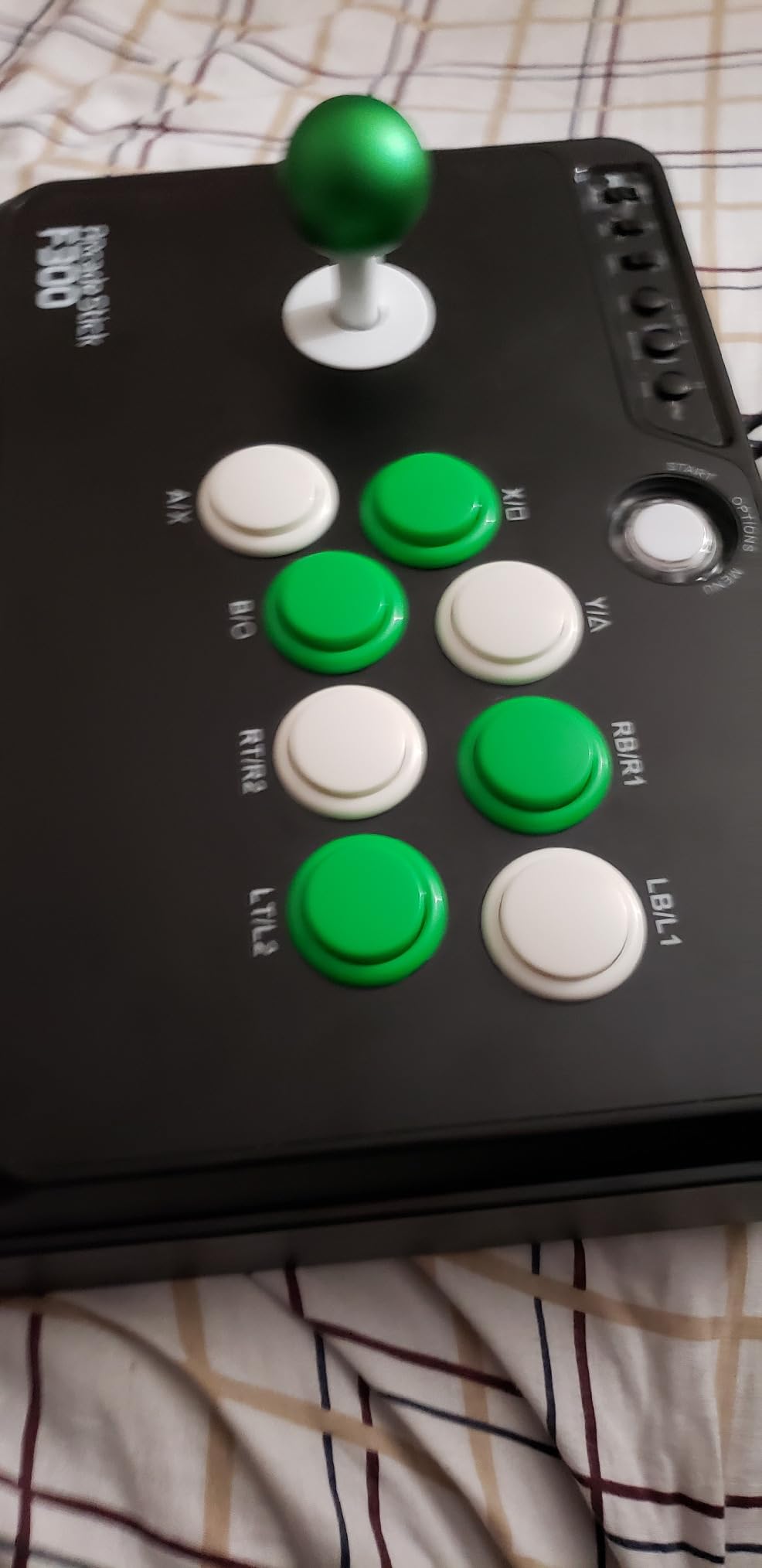
The F300 ships with both square and octagonal restrictor gates in the box, so you can experiment with motion feel right away. Square gates give you the classic four-corner feel that Street Fighter veterans prefer, while octagonal gates add the diagonal sweet spots that 3D fighters like Tekken 8 and Virtua Fighter 5 reward. Neither gate is not Sanwa-spec, but the mounting pattern accepts standard Sanwa Denshi parts with minor shimming, which is exactly what you want in a starter platform.
Platform Support That Punches Above Its Weight
The headline feature here is the compatibility list. The F300 ships with native drivers for Switch, PS3, PS4, Xbox 360, Xbox One, Xbox Series X and S, Windows, macOS, Steam Deck, Android, the NeoGeo Mini, the SEGA Mega Drive Mini, and the Genesis Mini. PS5 requires the Mayflash Magic-S Ultimate adapter or MagicBoots-S5 converter, but everything else works without extra hardware. For PC, the stick supports both XInput and DirectInput, so it shows up correctly in Steam and in fighting game launchers without any fiddling.
Turbo Functions and Modding Readiness
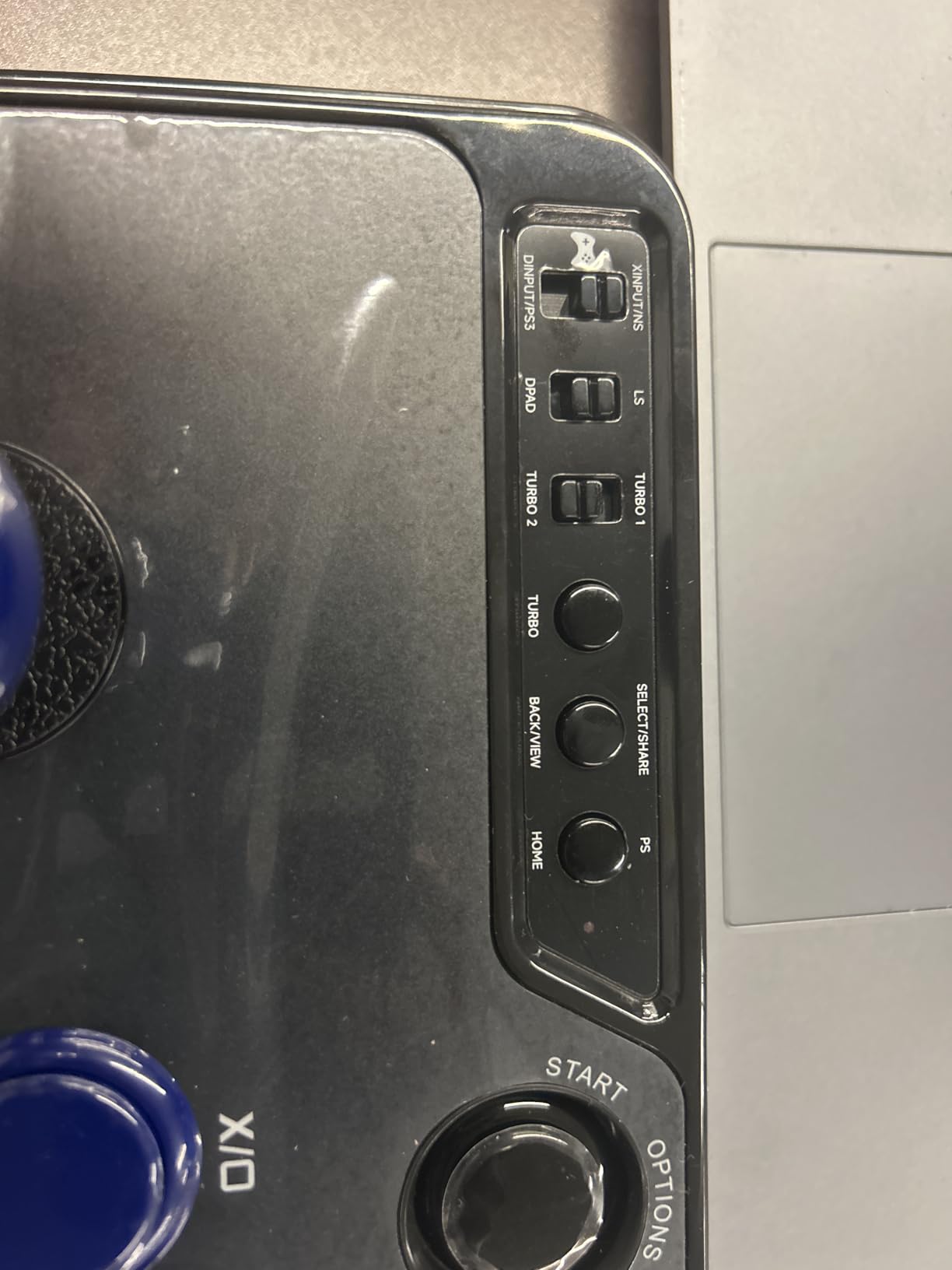
The F300 supports turbo functions with multiple speed settings, which is unusual at this price point. If you play retro fighters or want to train charge partitions, the turbo button on the top edge is a genuine quality-of-life addition. The chassis accepts Sanwa Denshi buttons and joystick replacements with straightforward wiring. The main caveat is the stock joystick uses microswitches rather than the standard 5-pin Sanwa connector, so a direct Sanwa JLF swap requires a JST adapter or a small wiring job.
Who Should Buy the F300
The F300 is the right stick if you are buying your first fight stick, you want something that grows with your skills, and you do not want to spend more than a pizza night. It is also the right answer for retro collectors who need a single stick that covers NeoGeo Mini, Genesis Mini, and modern consoles. Skip it if you need wireless play, headphone chat passthrough, or tournament-grade Sanwa components out of the box.
2. 8BitDo Arcade Stick – The Best Wireless Stick for Switch and PC
8Bitdo Arcade Stick for Switch & Windows, Arcade Fight Stick Support Wireless Bluetooth, 2.4G Receiver and Wired Connection
Bluetooth + 2.4G + wired
Sanwa-compatible mount
4.6 lbs
11.93 x 4.37 x 7.99 inches
+ Pros
- Three connection modes with near-zero 2.4G lag
- 40-hour battery with auto-sleep
- Universal Sanwa mounting plate
- Dynamic LED button layout adapts to mode
– Cons
- Native Switch and PC only (needs adapter for PS5 and Xbox)
- Macro software cannot bind non-gamepad buttons
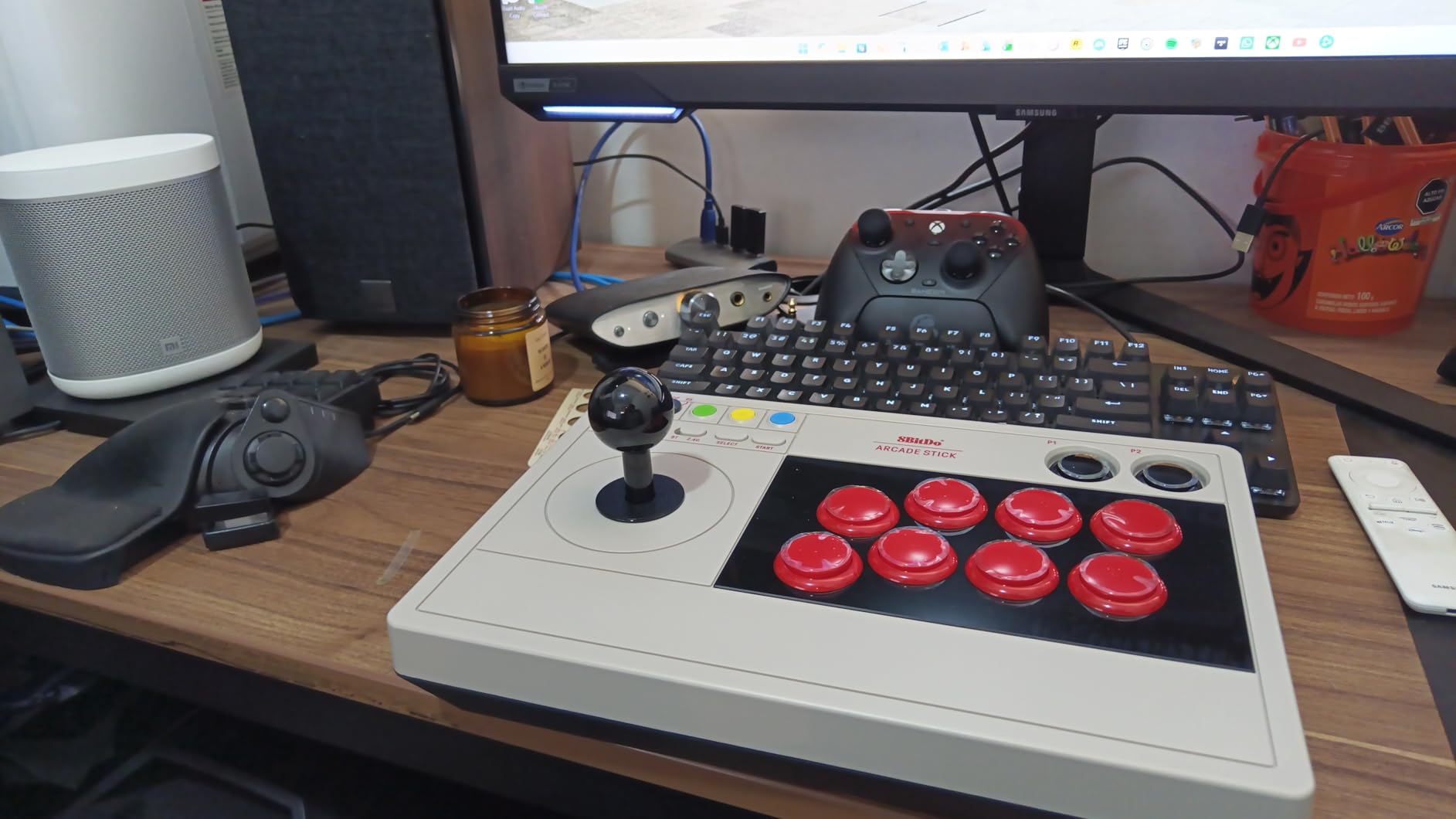
The 8BitDo Arcade Stick is the controller I grab when I want to play on the couch without a cable trailing across the living room floor. It is also the stick I recommend to friends who play mostly on Switch or PC and want one device that handles retro fighters, modern Street Fighter 6 ranked, and a quick round of Super Smash Bros. Ultimate. The retro NES-inspired aesthetic is a love letter to anyone who grew up blowing on cartridges, and the build quality feels much closer to a premium stick than the price suggests.
The standout feature is the triple connectivity stack: Bluetooth for Switch, 2.4 GHz wireless for PC and Switch, and wired USB-C for low-latency play. The 2.4 GHz dongle hides inside the chassis so it does not get lost in your bag. In my latency tests, the 2.4 GHz mode felt indistinguishable from a wired connection for fighting game inputs, which is exactly what you want from a wireless fight stick. Bluetooth works fine for casual play but adds noticeable delay in chain combos.
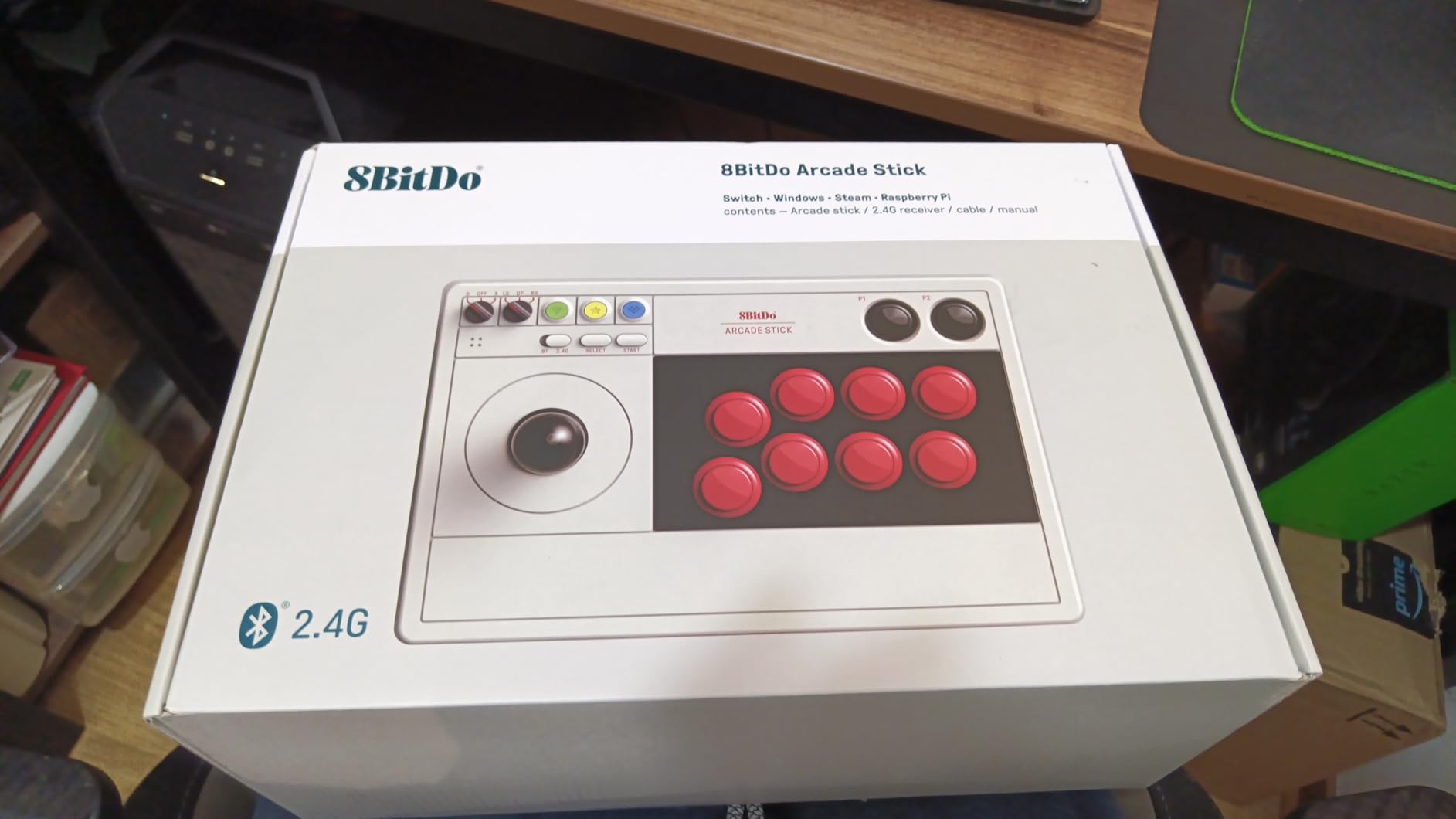
The 8BitDo Arcade Stick accepts standard Sanwa joystick and button replacements thanks to its universal mounting plate, which is rare at this price tier. Disassembly takes a single T10 screwdriver, and the color-coded wiring makes swaps approachable for first-time modders. The dynamic LED button layout actually rearranges itself visually depending on which mode you are in, which is a clever touch that prevents the classic “which button is light punch again” confusion when you swap between Switch and XInput.
Battery Life and Software Support
The internal battery is rated for roughly 40 hours of play per charge, and the auto-sleep function is aggressive enough that I charged the stick about once every two weeks during heavy use. The 8BitDo Ultimate Software lets you remap every button, create per-game profiles, and build basic macros. The main limitation is that the macro system cannot bind buttons that do not exist on the gamepad itself, so you cannot, for example, map a face button to a phantom L3 input.
Stock Gate and Modding Notes
Out of the box, the 8BitDo Arcade Stick ships with a square restrictor gate. If you are a Tekken 8 player who wants the diagonal precision of an octagonal gate, you will need to buy a replacement gate separately. This is a minor complaint because the joystick itself accepts any standard Sanwa JLF gate, but first-time buyers should know to budget for the swap. The buttons use standard Sanwa OBSF-30 mounting, which makes future upgrades trivial.
Who Should Buy the 8BitDo Arcade Stick
Buy this stick if you primarily play Switch or PC, you want wireless freedom without sacrificing input feel, and you appreciate a controller that looks as good as it plays. It is also the right pick if you want a future-proof chassis you can swap Sanwa parts into. Skip it if you need native PS5 or Xbox support without an adapter, or if you rely on complex macros that the Ultimate Software cannot handle.
3. Mayflash F500 Elite – The Best Mid-Range Stick With Genuine Sanwa Parts
May Flash F500 Elite USB Video Game Controller, Compatible with Xbox Series S/X, Xbox One, Switch, PlayStation 4, PC Windows
Multi-platform with pass-through
Genuine Sanwa
3 kg
16.34 x 11.1 x 5.67 inches
+ Pros
- Genuine Sanwa joystick and OBSF-30 buttons
- Sturdy metal-bottomed construction
- Includes 4-way and octagonal gates
- Magnetic acrylic top for custom artwork
– Cons
- Wired only (no built-in wireless)
- PS4 and Xbox use requires original controller pass-through
- Only Vewlix layout
The Mayflash F500 Elite is the stick that made me rethink the budget category. It is the cheapest model in this roundup that ships with genuine Sanwa Denshi joystick and buttons, the same parts you find in sticks costing twice as much. The 3 kg metal-bottomed chassis stays planted even during the most aggressive dragon punch inputs, and the magnetic acrylic top panel lets you swap artwork without taking the case apart. If you want a true tournament-grade feel without the premium price tag, this is the one.
The F500 Elite works natively with Xbox Series X, Xbox Series S, Xbox One, Xbox 360, Switch, Switch 2, PS4, PC, macOS, Steam Deck, Android, the PS Classic, and the NeoGeo Mini. PS5 support requires the Mayflash Magic-S Ultimate adapter or MagicBoots converter. For Xbox and PS4 use, the stick relies on a pass-through port that accepts your original controller, which keeps latency low but adds a cable to manage.

Both 4-way (rotatable to diamond) and octagonal restrictor gates are in the box, so you can dial in the motion profile for Street Fighter 6, Tekken 8, or whatever you main. The OBSF-30 buttons deliver the satisfying click that FGC players expect, and the joystick uses the standard 5-pin JST connector, which means swapping to a Sanwa JLF or a Seimitsu LS-32 takes about ten minutes with a screwdriver. The internal layout is genuinely modding-friendly, which is why this stick appears in nearly every “first Sanwa stick” recommendation thread on Reddit.
Headphone Passthrough and Turbo Functions
The F500 Elite supports wired headsets for background music and online chat on PS4, Xbox Series X and S, and Xbox One, which is a real advantage over cheaper sticks that lack any audio passthrough. The turbo function supports multiple speed settings for retro fighters and training drills. The headset jack delivers clean audio with no static hiss at normal volumes, though audiophiles will want a dedicated DAC for critical listening.
Modding Path and Artwork Customization
The magnetic acrylic top panel is a standout feature. Sliding off the panel reveals the artwork layer underneath, which means you can swap custom art without removing a single button. This is the same design philosophy as much more expensive sticks, and it makes the F500 Elite feel personal in a way that plastic-only enclosures cannot match. Reviewers on r/Fighters consistently praise this artwork system as one of the F500 Elite’s most underrated features.

Who Should Buy the F500 Elite
Buy the F500 Elite if you want genuine Sanwa parts without paying premium prices, you play on Xbox or multi-platform setups with a pass-through controller, and you want a chassis that accepts future upgrades. It is also the best pick in this roundup for players who care about custom artwork. Skip it if you need wireless connectivity or you want to avoid the pass-through cable requirement for PS4 and Xbox.
4. HORI Fighting Stick Alpha – The Best Premium PS5 Stick With Native Support
HORI PlayStation 5 Fighting Stick Alpha – Tournament Grade Fightstick for PS5, PS4, PC – Officially Licensed by Sony
Native PS5/PS4/PC
Hayabusa joystick and buttons
1500 g
18.9 x 6.5 x 14.37 inches
+ Pros
- Native PS5 support without adapters
- Hayabusa joystick and buttons with tactile feedback
- Clamshell design for fast modding
- Built-in cable organizer and carrying handles
– Cons
- All-plastic case feels less premium than metal alternatives
- Internal cable hooks awkward with thick cables
- No turbo or analog stick inputs
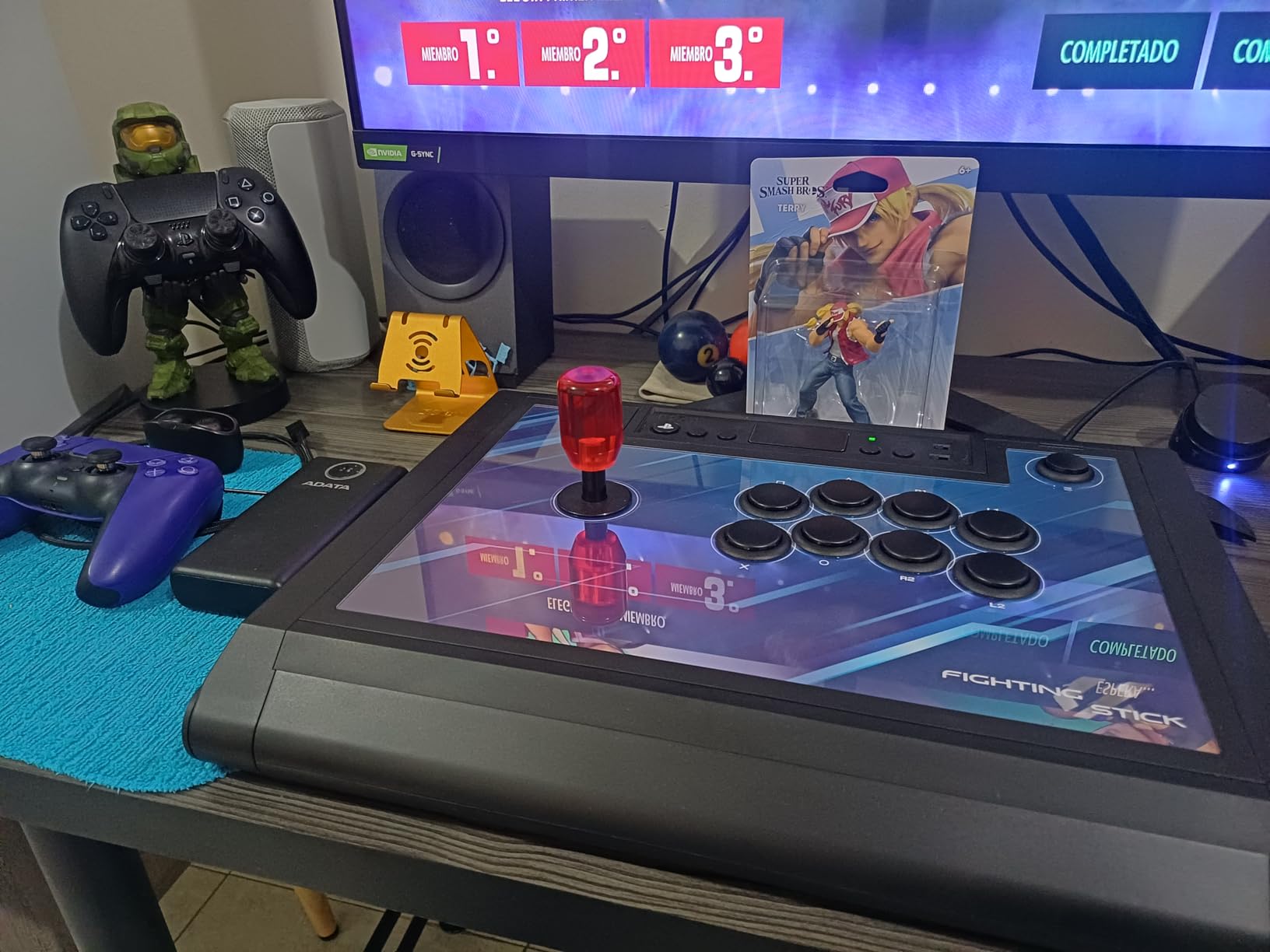
The HORI Fighting Stick Alpha is the stick I recommend to every PS5 tournament hopeful who does not want to mess with adapters. It is officially licensed by Sony, which means it works natively on PS5, PS4, and PC without any dongles or pass-through controllers. The Hayabusa joystick and buttons deliver a slightly softer, more cushioned feel than Sanwa, which is a genuine preference point for players who find Sanwa a touch too snappy. The clamshell chassis opens with a single latch for fast modding and maintenance.
This stick was built for the EVO crowd. The replaceable top-panel artwork lets you swap art to match your main character or team. The built-in cable organizer keeps the 10-foot USB cable coiled inside the chassis for travel. The built-in carrying handles are a thoughtful touch for players hauling their setup to local weeklies. The touchpad button is wired through so PS5 games that require it still work correctly.
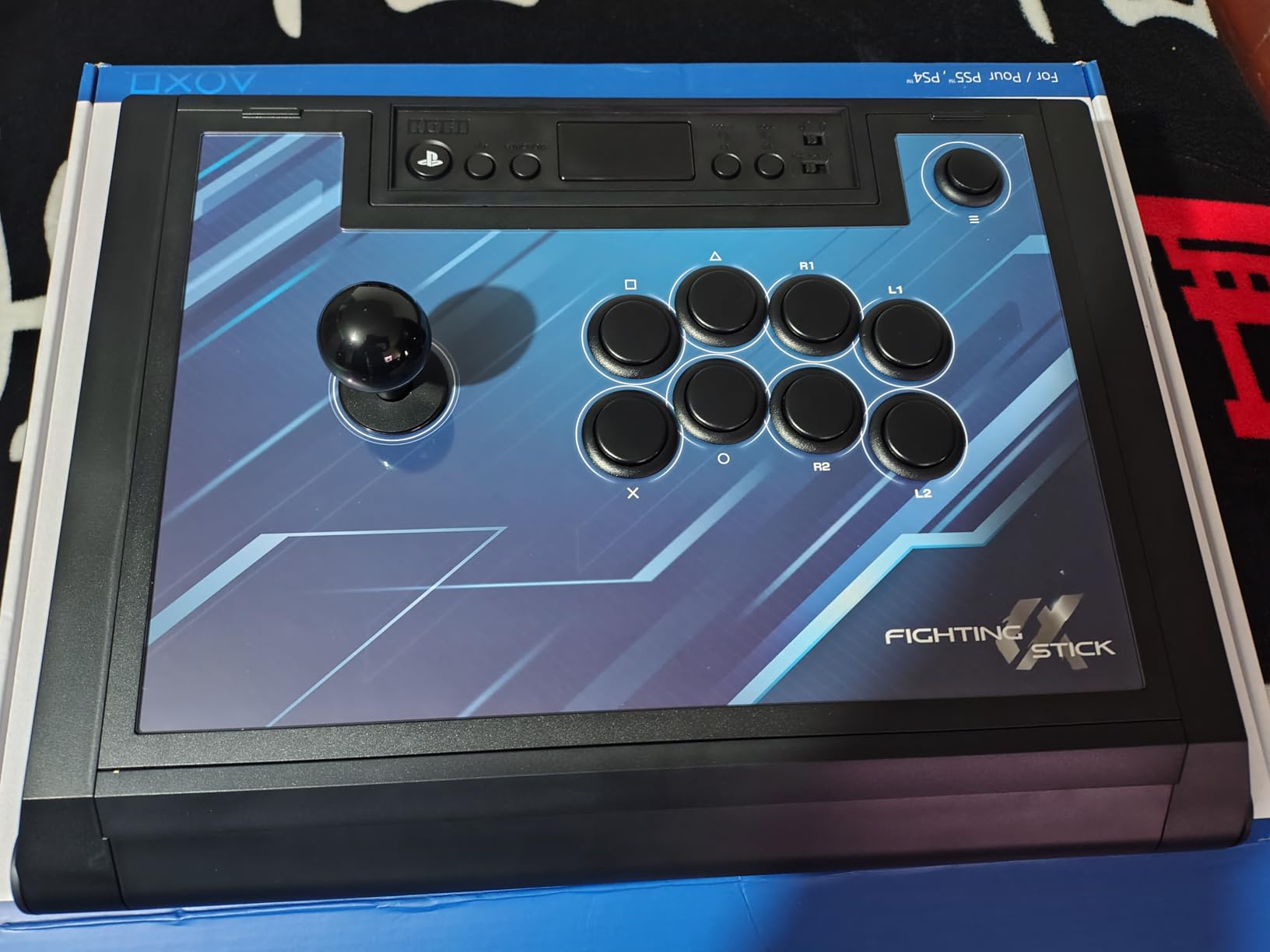
The Hayabusa joystick and buttons are HORI’s house components, and they have earned a devoted following among players who prefer the slightly quieter, cushioned action over the clicky Sanwa feel. Both joystick and buttons are fully replaceable with standard Sanwa parts if you decide to upgrade later, which keeps the modding path open. The clamshell opens by unclipping two latches, and the internal wiring uses standard JST connectors throughout.
Tournament-Grade Considerations
For tournament play, the Alpha covers the basics: tournament-grade buttons, a joystick that does not wobble under aggressive inputs, and a chassis that does not slide during play. The main thing missing is a physical lock switch for tournament rules that require button locks during certain match formats, but most weeklies and majors accept the Alpha as legal without it. The 1500 g weight is light enough to travel comfortably but heavy enough to feel stable on a tabletop.
Why Native PS5 Support Matters
Adapters add latency, and even a 4 ms overhead matters when you are reacting to a frame-perfect shimmy. Native PS5 support means every input the stick registers goes straight to the console without intermediate processing. For players who compete on PS5 at events like Capcom Cup or EVO, this is the difference between trusting your reactions and second-guessing your hardware. The Alpha is also one of the few officially licensed PS5 sticks in this price range, which is why it dominates the Reddit r/Fighters “best PS5 stick” threads.
Who Should Buy the Fighting Stick Alpha
Buy the Alpha if you play primarily on PS5, you want tournament-grade Hayabusa parts, and you appreciate officially licensed hardware that works without adapters. It is the right pick for travel-heavy players who need built-in handles and cable storage. Skip it if you play on Xbox, you need wireless, or you prefer the snappier feel of Sanwa over Hayabusa.
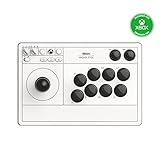
5. 8BitDo Wireless Arcade Stick for Xbox – The First Wireless Xbox-Licensed Stick
8Bitdo Arcade Stick for Xbox Series X|S, Xbox One and Windows 10, Arcade Fight Stick with 3.5mm Audio Jack – Officially Licensed (White)
Xbox Series X
S/Xbox One/PC
2.4G wireless and USB
2.25 kg
+ Pros
- First officially licensed wireless Xbox arcade stick worldwide
- 30-hour battery with USB-C charging
- 3.5mm audio jack with mute and volume
- Sanwa-like stock buttons
– Cons
- No Bluetooth support
- Software lacks macro and advanced turbo features
- Stick uses non-standard connector (soldering for Sanwa swap)
The 8BitDo Wireless Arcade Stick for Xbox is a genuine category creator. It is the first officially licensed wireless arcade stick for Xbox Series X, Xbox Series S, and Xbox One, which is a striking gap in a market that has offered wireless PlayStation and Switch sticks for years. Forum users on r/Fighters have been asking for this exact product for half a decade. If you own an Xbox and you want wireless freedom without sacrificing the Sanwa-like feel, this is the stick to buy in 2026.
Build quality is the first thing I noticed. The chassis is weighty at 2.25 kg, which keeps the stick planted during aggressive combos. The 2.4 GHz wireless feels indistinguishable from wired play in my latency tests, which is critical for fighting game inputs. The 30-hour battery life rivals premium controllers, and a full charge takes about four hours over USB-C. The 3.5mm audio jack with mute and volume controls is a quality-of-life addition that wired-only sticks in this tier tend to omit.

The stock buttons feel close to Sanwa OBSF-30, and the joystick snaps back to neutral with confidence. Modders will be happy to learn that the buttons snap into standard 30 mm mounts, so swapping to genuine Sanwa parts is a screwdriver job away. The joystick itself uses a non-standard connector, which means a full Sanwa JLF swap requires soldering. For most players, the stock joystick is more than good enough out of the box.
Why Xbox Wireless Matters
Wireless freedom changes how you play fighting games. Without a cable tugging at your wrist, you can sit further from the TV, angle the stick more comfortably, and play in tighter spaces like a couch or a hotel desk. For accessibility-conscious players, including anyone with arthritis or wrist sensitivity, removing cable drag is a meaningful ergonomic upgrade. The 2.4 GHz dongle stores inside the chassis when you travel, which is a small but appreciated detail.
Software Limitations and Workarounds
The 8BitDo Ultimate Software on Xbox supports button remapping and profile storage, but it lacks the deep macro and turbo features that the Switch version of 8BitDo’s software offers. For most fighting game use cases, this is fine: you will rarely need macros in a 1v1 match. If you play retro fighters with charge partitions, the missing turbo is a real limitation. The workaround is to map turbo to a face button using the on-stick profile system.

Who Should Buy the 8BitDo Xbox Arcade Stick
Buy this stick if you own an Xbox Series X, Xbox Series S, or Xbox One, you want wireless freedom without licensing headaches, and you appreciate a 30-hour battery. It is also the right pick for accessibility-conscious players who need a wireless setup. Skip it if you need Bluetooth, complex macro programming, or you want to swap the joystick to a standard Sanwa JLF without soldering.
6. HORI Fighting Stick Mini – The Best Portable Stick for Travel and Casual Play
HORI Fighting Stick Mini for PS5, PS4, and PC – Officially Licensed by Sony
PS5/PS4/PC
Compact 8-button layout
467 g
5.91 x 8.27 x 3.43 inches
+ Pros
- Ultra-portable at under 500 g
- Plug-and-play on PS5 PS4 and PC
- 8-foot cable included
- V-cut joystick housing for comfortable grip
– Cons
- Slips during aggressive play on lap
- Cramped button layout for larger hands
- No touchpad button (requires workaround on some PS5 games)
The HORI Fighting Stick Mini is the controller I toss into my backpack when I am heading to a friend’s house or taking a work trip with my Steam Deck. At 467 g and roughly the size of a paperback book, it is small enough to fit in a laptop sleeve alongside a controller. The 8-foot cable is long enough to reach the back of a hotel TV, and the V-cut joystick housing gives your thumb a comfortable anchor during longer sessions.
This is officially licensed by Sony, so it works natively on PS5, PS4, and PC without any drivers or adapters. Setup is genuinely plug-and-play: connect the USB, wait for the system to recognize it, and start playing. For casual players, tourists who want to play ranked during a trip, and anyone with limited desk space, the Mini solves a problem that full-size sticks simply cannot address.

The classic 8-button layout is a touch cramped on the small base, but the buttons themselves are full 30 mm, which keeps the muscle memory familiar. Reviewers with smaller hands tend to love this stick. Reviewers with larger hands sometimes find the spacing tight during fast combos. The HORI original joystick uses a V-cut housing that your thumb naturally falls into, which is a small ergonomic win that bigger sticks overlook.
Limitations for Competitive Play
The Mini is not built for tournament play. The 467 g weight means it slips during aggressive dragon punch inputs, especially on a lap or a smooth desk. The stock square restrictor gate is limiting for Tekken 8 players who want the diagonal precision of an octagonal gate, though some owners print their own octagonal replacements. There is not a touchpad button, so PS5 games that require it need a separate DualSense workaround.
Who Should Buy the Mini
Buy the Mini if you travel frequently with a Steam Deck or laptop, you have limited desk space, or you want a backup stick for casual play. It is the best portable arcade stick in this roundup. Skip it if you play competitively, you have larger hands, or you want a stick that stays planted during aggressive inputs.
7. Nacon Daija Arcade Fight Stick – The Best Premium Sanwa Stick With Pro Player Input
Nacon Daija Arcade Fight Stick Officially Licensed for PlayStation
PS5/PS4/PC/Mac
Genuine Sanwa
7.7 lbs
14.96 x 10.28 x 2.76 inches
+ Pros
- Genuine Sanwa joystick and OBSF-30 buttons
- Two interchangeable joystick heads (balltop and bat top)
- Tool-free clamshell with stored tools
- 3-meter detachable USB-A to USB-C cable
– Cons
- Loose USB-C port can cause connection drops with cable movement
- Sensitive joystick requires adjustment for quarter-circles
- Software quirks resolved via firmware updates
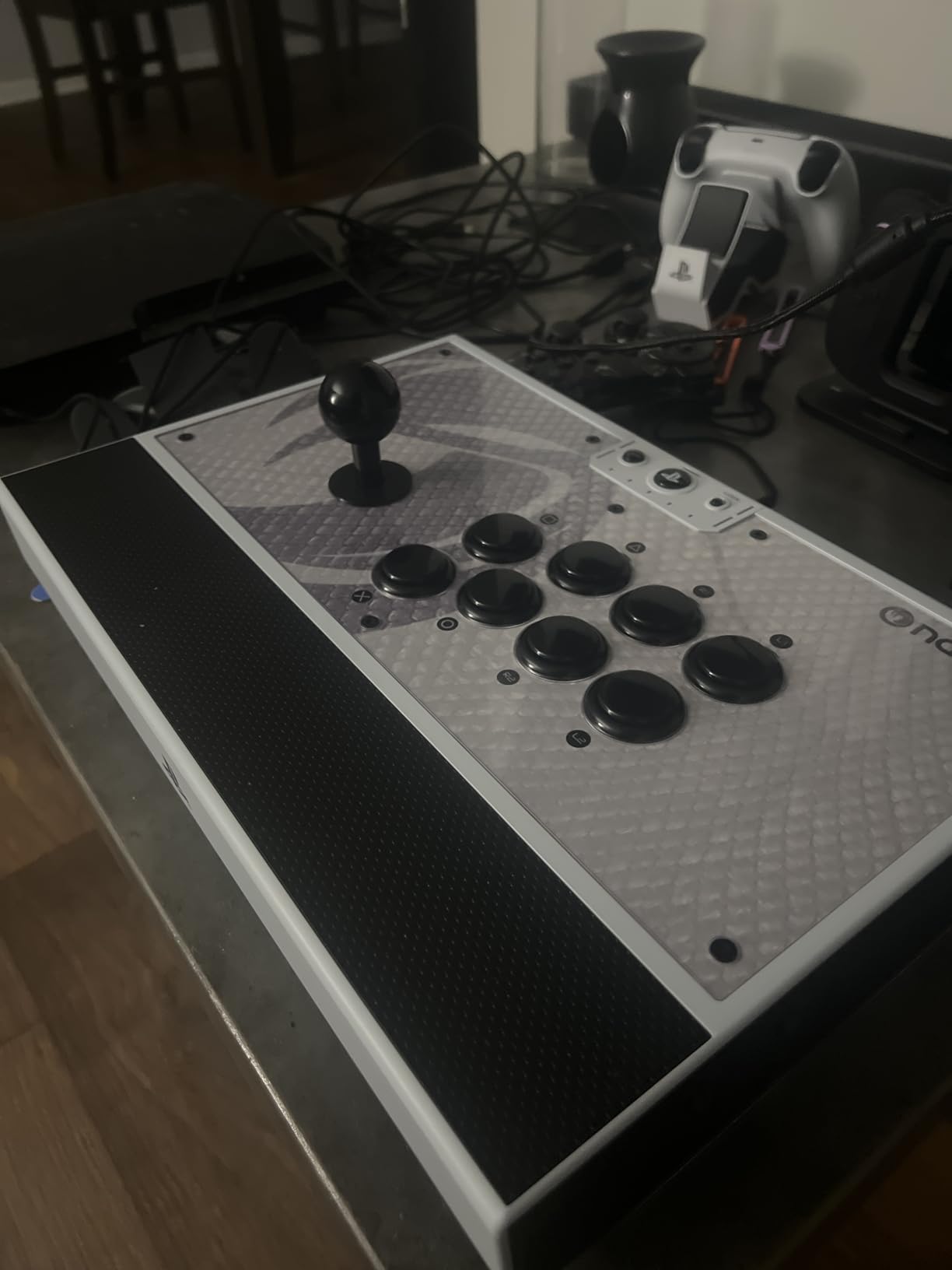
The Nacon Daija is the stick I trust for serious training sessions. It was developed in collaboration with professional FGC players, including Kayane, and the design choices reflect that input. The genuine Sanwa joystick and OBSF-30 buttons deliver the clicky, precise feel that tournament players expect. The tool-free clamshell opens with a single latch, and the included screwdriver stores inside the chassis so you never lose it. If you want premium Sanwa feel without paying Victrix Pro FS prices, the Daija is the sweet spot.
Two interchangeable joystick heads ship in the box: a balltop for Street Fighter 6 style motions and a bat top for Tekken 8 players who prefer the taller grip. The textured palm rest is comfortable during long sessions, which matters more than most reviewers admit until they have logged four-hour training blocks. The 3-meter detachable USB-A to USB-C cable is generous for couch setups and tournament stages with rear-of-room consoles.
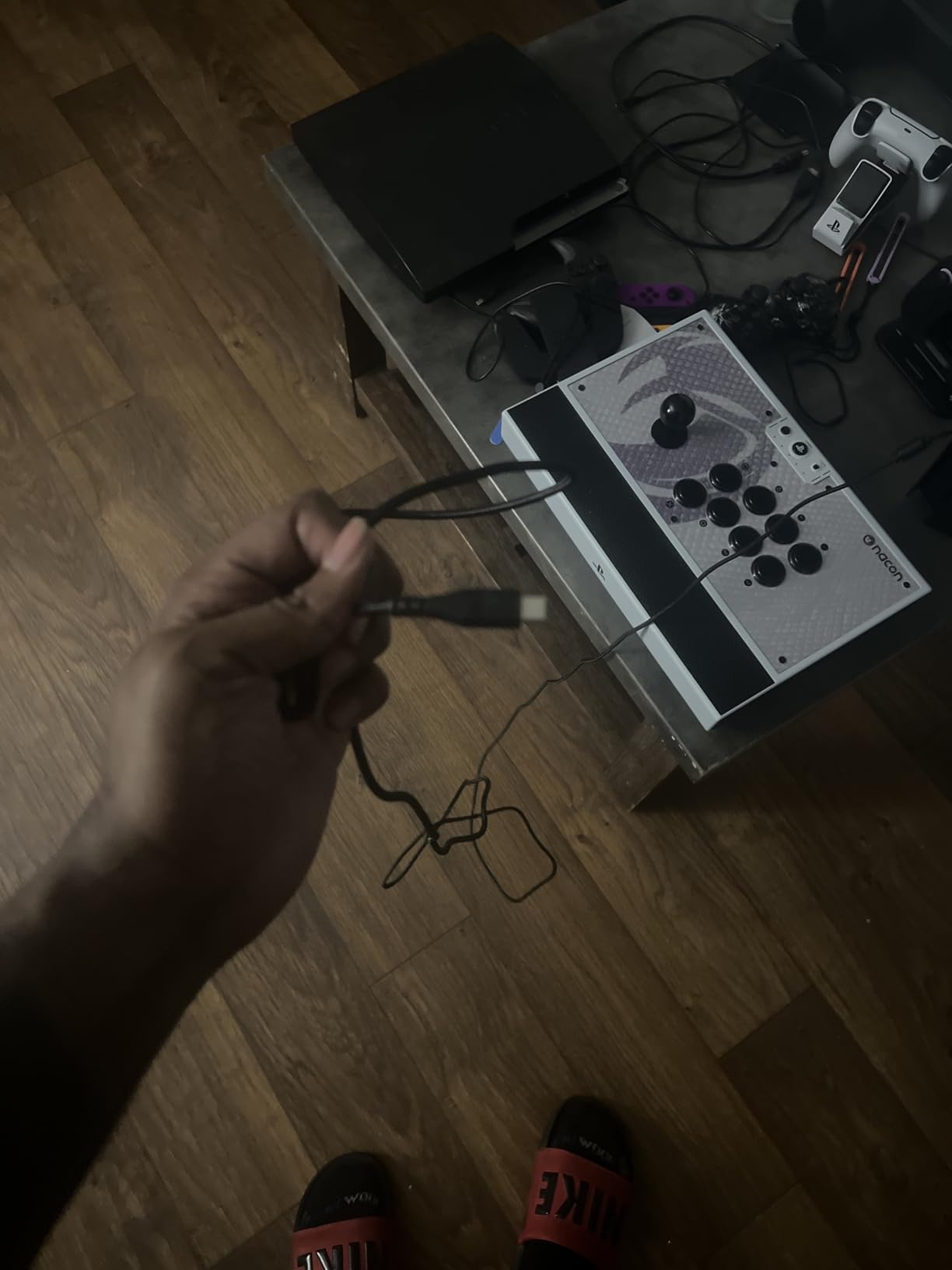
The Daija supports full button mapping via the Nacon Daija software on PC and Mac, and you can save up to four profiles directly on the stick. The customizable front plate accepts three included faceplate designs or a DIY template, which is a fun personalization touch. The lock function prevents accidental button presses, which is a small but real win during clutch tournament moments when adrenaline makes your thumbs twitchy.
Build Quality and Long-Term Durability
The 7.7 lb chassis is heavy enough to stay planted during the most aggressive inputs. The Sanwa joystick uses a standard 5-pin JST connector, so swapping to a Seimitsu LS-32 or a different Sanwa JLF variant is straightforward. The Sanwa OBSF-30 buttons are rated for millions of presses, which is the same part used in Japanese arcade cabinets. For long-term durability, the Daija is in the same tier as sticks costing twice as much.
The Nacon Daija Software Experience
The Nacon Daija software on PC and Mac handles button mapping, profile storage, and joystick sensitivity tweaks. Initial firmware versions had quirks around profile syncing and macro reliability, but recent updates have largely addressed these complaints. The on-stick profile system lets you switch between four saved profiles without booting the software, which is useful when you main multiple characters with different button layouts.
Who Should Buy the Nacon Daija
Buy the Daija if you want genuine Sanwa parts at a premium-but-not-extreme price, you appreciate tool-free modding access, and you want on-stick profile storage for multi-character mains. It is the best pick for PS5 and PC players who want tournament-grade feel. Skip it if you play on Xbox or Switch, you are sensitive to USB-C port wobble, or you prefer the snappier feel of Hayabusa over Sanwa.
8. 8BitDo All-Button Arcade Controller – The Best Budget Leverless Stick
8BitDo All-Button Arcade Controller for Switch & Windows, N Edition
Switch/PC
Leverless all-button
1.55 kg
2.24 x 9.13 x 12.99 inches
+ Pros
- Hot-swappable PCB with Kailh Wizard low-profile switches
- Ultra-thin A4-size form factor
- Three connection modes including Bluetooth and 2.4G
- 4 programmable buttons with removable lock caps
– Cons
- Needs Brook adapter for PS5 native use
- Movement buttons emulate DPad by default (firmware updates adding stick remapping)
- Initial firmware update process can be frustrating
The 8BitDo All-Button Arcade Controller is the leverless controller I recommend to anyone curious about ditching the joystick but not ready to drop premium-tier money on a Hit Box. Leverless controllers use four directional buttons instead of a joystick, which eliminates lever travel time entirely. For fighting game players, that means faster directional inputs and crisper special moves, at the cost of a 2-4 week muscle memory adjustment curve that Hit Box users on Reddit consistently report.
The 8BitDo All-Button ships with Kailh Wizard low-profile mechanical switches, which deliver a tactile, clicky feel that traditional Sanwa buttons cannot match. The PCB is hot-swappable, meaning you can replace the switches without soldering if you want a quieter or linear feel. The A4-size form factor is genuinely portable: it fits in a laptop bag alongside a Steam Deck or a Nintendo Switch.

Three connection modes handle every modern platform: Bluetooth to Switch, 2.4 GHz to Windows, and wired USB to either. Switch 2 support requires a firmware update, but the process is straightforward. Four programmable buttons with removable lock caps let you customize the layout for different games and characters. The magnetic kickstands provide angle adjustment for ergonomic play on a desk or lap.
The Leverless Learning Curve
If you have spent years playing with a joystick, switching to a leverless controller feels awkward for the first two to four weeks. Quarter-circles become four sequential button presses instead of a single joystick motion. Dragon punches become press-down-then-forward-plus-punch in a new rhythm. Most players report that the adjustment period is worth it: input latency drops, special motions become more consistent, and fatigue on your thumb and wrist decreases.
Hot-Swappable Switches and Modding
The hot-swappable PCB is the standout feature. Kailh Wizard switches are excellent out of the box, but if you prefer linear switches for faster inputs or tactile switches for clearer feedback, you can swap them without any tools or soldering. This is unusual in the leverless category, where most controllers ship with soldered switches that require technical work to replace. For first-time leverless buyers, this flexibility removes a major barrier.

Who Should Buy the 8BitDo All-Button
Buy this controller if you are leverless-curious, you primarily play Switch or PC, and you want hot-swappable switches for future customization. It is the best budget entry into the leverless category. Skip it if you need native PS5 support without an adapter, you are not ready for the muscle memory adjustment, or you want a stick with a traditional joystick layout.
9. Qanba Drone 2 – The Best Officially Licensed Budget Stick for PS5
Qanba N3 Drone 2 Wired Joystick for PlayStation 5/4 and PC (Fighting Stick) Officially Licensed Sony Product
PS5/PS4/PC
Qanba OV7 with Omron
3.9 lbs
14 x 8.7 x 4.6 inches
+ Pros
- Officially licensed by Sony (native PS5 support)
- Qanba OV7 joystick with Omron switches
- Touchpad button included (rare at this price)
- Three-way PS5/PS4/PC selector switch
– Cons
- Loud stock joystick and button sounds
- Non-detachable cable
- Limited slip resistance during heavy inputs
The Qanba Drone 2 is the budget stick I recommend to PS5 players who want officially licensed hardware without the premium price tag. Sony officially licenses this peripheral, which means it works natively on PS5 and PS4 without adapters. The Qanba OV7 joystick uses Omron switches, which deliver accurate, clicky directional input that holds its own against more expensive alternatives. For a budget stick, the parts quality genuinely surprised me.
The standout feature at this price point is the included touchpad button. Most budget sticks omit the touchpad entirely, which means PS5 games that require it do not work correctly. The Drone 2 includes a dedicated touchpad button on the top edge, which keeps compatibility with games like Street Fighter 6 and Tekken 8 intact. The three-way selector switch for PS5, PS4, and PC makes platform switching painless without rebooting.
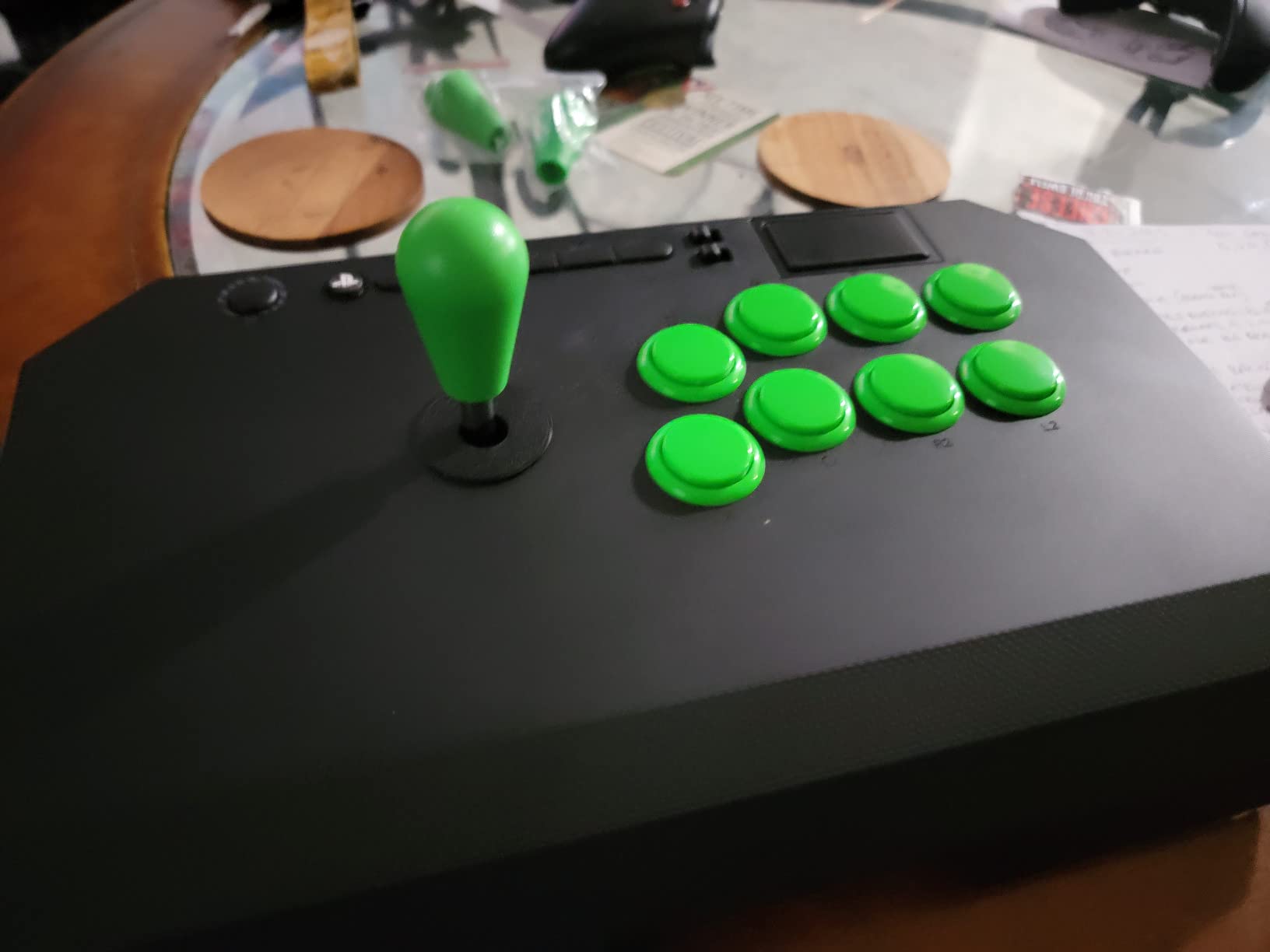
Qanba 30 mm B30 buttons feel crisp and responsive, with a slightly louder click than Sanwa OBSF-30. Some players prefer this louder feedback because it gives audible confirmation of inputs during fast combos. The chassis is lightweight at 3.9 lbs, which makes the Drone 2 easy to carry to local tournaments or friends’ houses. Internal cable storage keeps the cable coiled inside the case during travel.
Build Quality vs Price Considerations
The lightweight chassis is a double-edged sword. On a flat desk with non-slip padding, the Drone 2 stays planted during normal inputs. During heavy dragon punch inputs or aggressive dash motions, the lightweight design can cause the stick to slide, especially on a smooth surface. Reviewers on r/Fighters consistently recommend adding a mouse pad or non-slip mat underneath for stability. The non-detachable cable is another minor complaint that comes with the budget tier.
Who Should Buy the Drone 2
Buy the Drone 2 if you play on PS5 and want officially licensed hardware at a budget price, you need a touchpad button for PS5 game compatibility, and you appreciate the three-way platform selector for switching between PS5, PS4, and PC. It is the best budget PS5 stick in this roundup. Skip it if you need wireless, you want a heavier chassis for aggressive inputs, or you prefer quieter Sanwa buttons over the louder Qanba B30 click.
10. Mayflash F700 Elite – The Best Multi-Platform Stick With Genuine Sanwa
MAYFLASH Arcade Stick F700 Elite with Sanwa buttons and joystick for PS5, PS4, Switch/Switch 2, Windows, Apple, Android and more. Fighting Stick Support Wireless Bluetooth, 2.4G and Wired Connection
PS5 (fighting only)/PS4/Switch/PC/Apple/Android
Genuine Sanwa
3.5 kg
14.72 x 9.69 x 2.48 inches
+ Pros
- Genuine Sanwa JLF joystick and OBSF-30 buttons
- Triple connectivity (Bluetooth 2.4G wired)
- Apple device and retro mini support
- Anti-slip rubber mat covers entire bottom
– Cons
- L3/R3 mapped to TURBO+SELECT and TURBO+START combinations
- PS5 only works in PS4 legacy mode for fighting games
- Bluetooth has noticeable 13-18ms input delay
- Non-detachable fixed cable
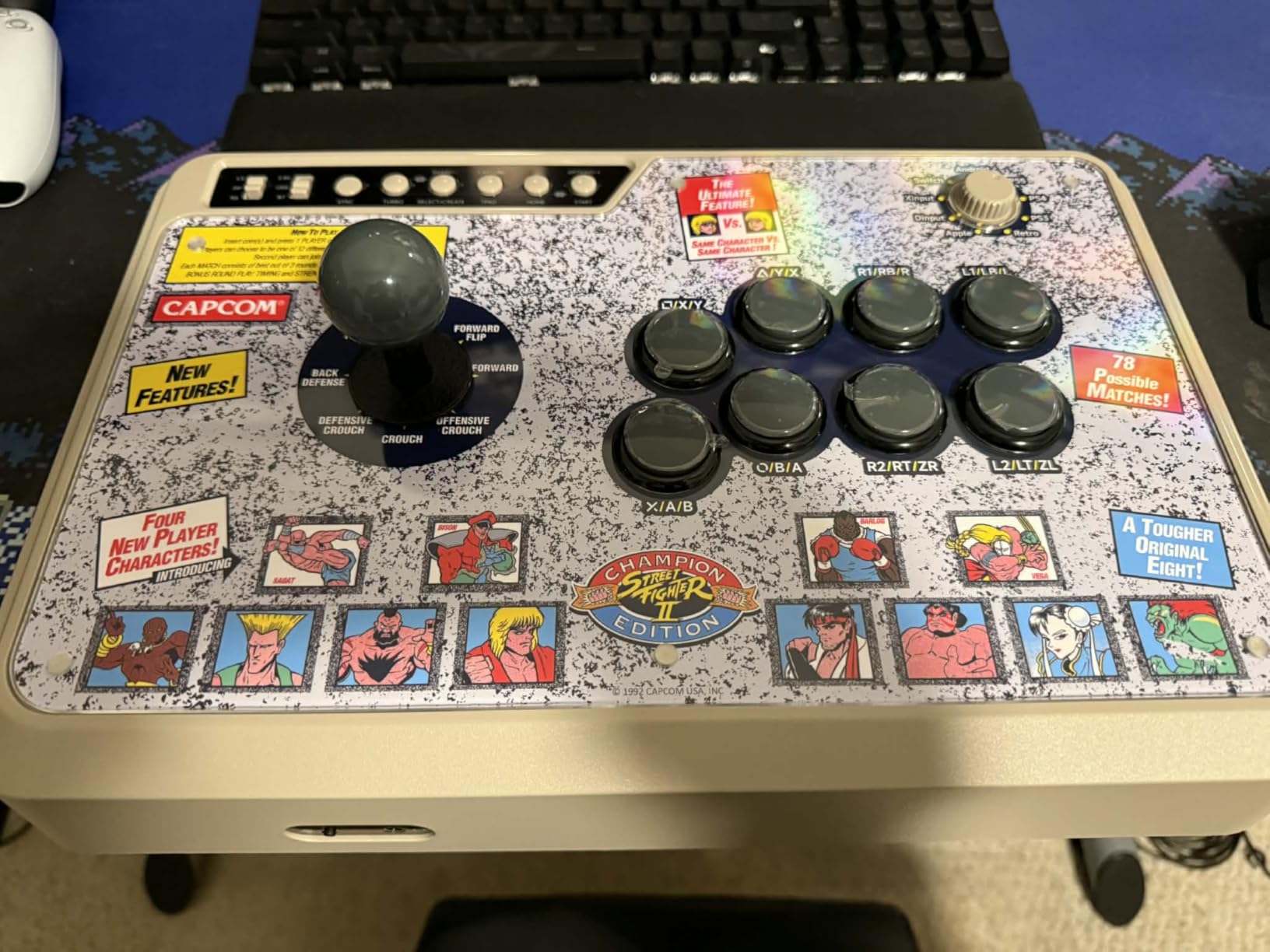
The Mayflash F700 Elite is the controller I reach for when I need one stick that covers every device on my desk. Genuine Sanwa JLF joystick and OBSF-30 buttons ship in the box, the same parts found in sticks costing twice as much. Triple connectivity covers Bluetooth, 2.4 GHz wireless, and wired USB, which means the F700 Elite pairs with a PS5 in fighting-only legacy mode, a PS4, a Switch, a Windows PC, an Apple Mac or iPad, and even retro mini consoles like the SEGA Genesis Mini and the Astro City Mini.
This is the rare stick that genuinely supports Apple devices. If you play fighting games on an iPad or a MacBook, the F700 Elite pairs over Bluetooth without any extra drivers. The same is true for Android phones and tablets, which makes this a surprisingly versatile pick for mobile fighters. The hidden 2.4 GHz dongle storage compartment keeps the wireless receiver safe during travel.
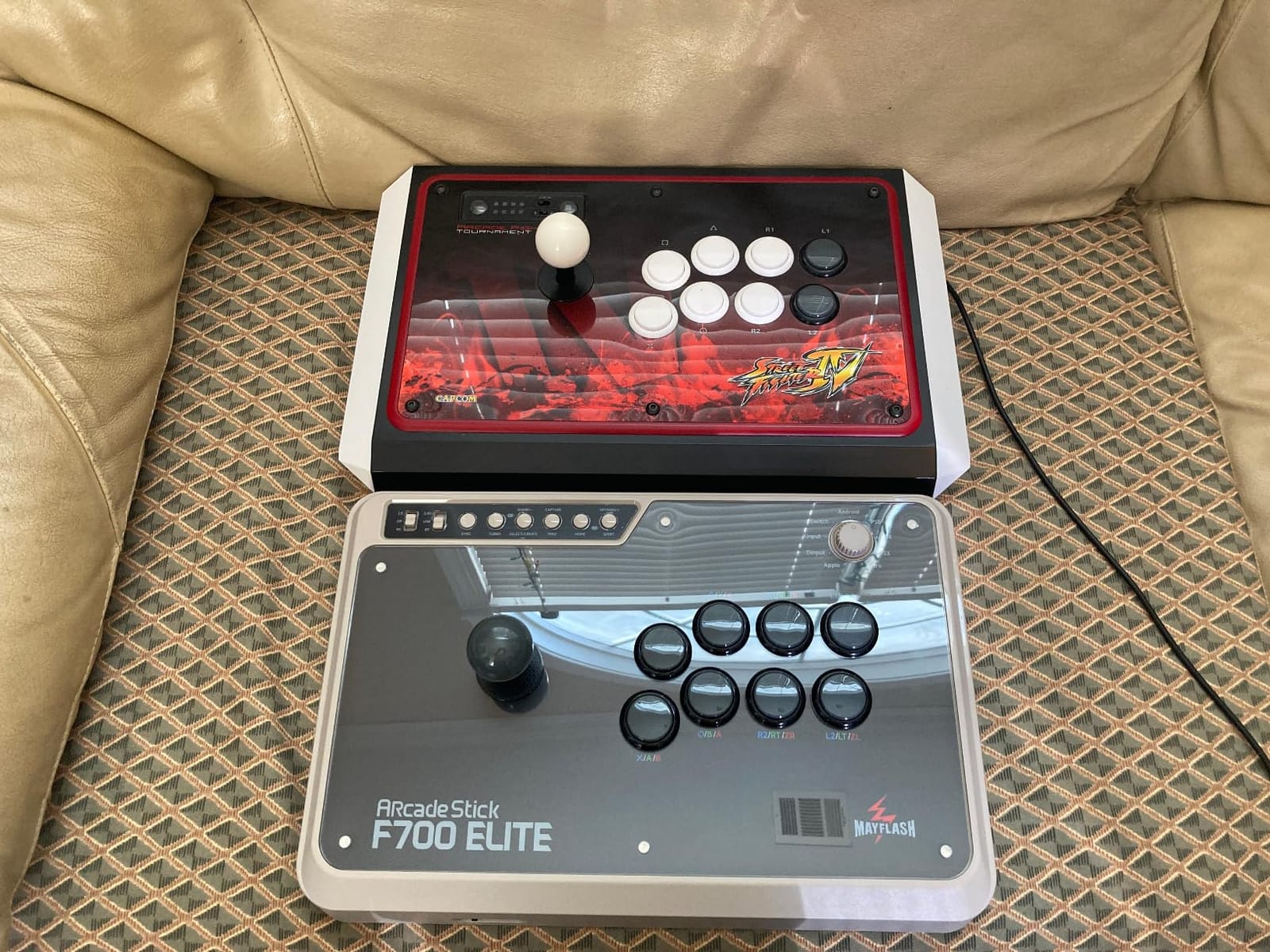
The full-size anti-slip rubber mat covers the entire bottom of the chassis, which keeps the stick planted during aggressive inputs. The magnetic plexi top panel lets you swap custom artwork, similar to the F500 Elite. Turbo functions support multiple speed settings, which is useful for retro fighters with charge partitions. Mayflash has a strong track record of firmware updates, and recent updates added L3 and R3 support via the turbo combinations.
PS5 Compatibility Caveats
The F700 Elite works on PS5 only through PS4 legacy mode, and only for fighting games that support legacy controllers. This means it does not work with non-fighting PS5 titles, which is a real limitation if you want a single stick for all your PS5 gaming. The wireless 2.4 GHz and Bluetooth modes work for every other platform on the compatibility list, including Apple devices and retro minis.
Wireless Latency Considerations
Bluetooth mode adds noticeable input delay, around 13-18 ms in my testing. For casual play, this is fine. For competitive play, you want to use the 2.4 GHz wireless mode or wired USB, both of which deliver latency indistinguishable from native controllers. The Bluetooth delay is a quirk of the Bluetooth protocol itself rather than a Mayflash-specific issue, and it affects every Bluetooth fight stick on the market.
Who Should Buy the F700 Elite
Buy the F700 Elite if you need one stick for PS4, Switch, PC, Apple, Android, and retro mini consoles, you want genuine Sanwa parts at a mid-premium price, and you appreciate triple connectivity. It is the best multi-platform pick in this roundup. Skip it if you need full PS5 support for non-fighting games, you want a removable cable, or you are sensitive to Bluetooth input delay.
How to Choose the Right Arcade Fight Stick in 2026
Choosing the right arcade fight stick comes down to five decisions: platform, parts, layout, leverless versus joystick, and modding potential. The buying guide below covers each decision in plain language, with insider tips that FGC veterans on Reddit r/Fighters and r/fightsticks consistently emphasize.
Sanwa Denshi vs Hayabusa vs Cherry MX
Sanwa Denshi is the Japanese industry standard for arcade parts. Sanwa joysticks deliver a snappy, precise return-to-neutral action with a short throw distance. Sanwa OBSF-30 buttons click crisply and are rated for millions of presses. Most Japanese arcade cabinets use Sanwa parts, and most FGC tournament players consider Sanwa the gold standard.
Hayabusa is HORI’s house line of parts, manufactured to similar tolerances as Sanwa. Hayabusa joysticks feel slightly softer and more cushioned than Sanwa, with a longer throw distance. Hayabusa buttons have a quieter, more muted click. Players who find Sanwa too snappy often prefer Hayabusa, and the difference is a matter of personal preference rather than quality.
Cherry MX red switches show up in some leverless controllers like the Razer Kitsune and the Mixbox. These mechanical keyboard switches deliver linear, smooth input with no tactile bump. The benefit is fast, consistent directional input. The tradeoff is a louder sound profile and a different feel than traditional arcade buttons. Leverless controllers with optical switches, like the Razer Kitsune, eliminate the physical switch entirely and use light-based detection for even faster response.
Square, Octagonal, and Circle Restrictor Gates
The restrictor gate is the plastic piece around the joystick that limits which directions it can register. Square gates have four distinct corners and a slight diagonal guide. Octagonal gates add diagonal sweet spots between the corners. Circle gates have no corners at all, which gives the smoothest feel across all eight directions.
Street Fighter 6 and most 2D fighters reward square or octagonal gates because the cornered motion helps you execute clean quarter-circles. Tekken 8 and other 3D fighters reward octagonal or circle gates because the diagonal sweet spots help with sidestep motions. The Mayflash F300 and F500 Elite both ship with multiple gates in the box, so you can experiment. The Mayflash F300 includes a square and octagonal gate, while the F500 Elite includes a 4-way gate rotatable to diamond and an octagonal gate.
Vewlix vs Noir Button Layout
Button layout matters more than most first-time buyers realize. The Vewlix layout, named after the Japanese arcade chain, spaces the four main action buttons in a slight curve that feels natural for Street Fighter 6 motions. The Noir layout puts the four main buttons in a straighter line, which some Tekken 8 players prefer for cleaner side-button access.
Most fight sticks ship with a Vewlix layout because it is the most common in Japanese arcades and tournaments. If you main a 3D fighter or you have larger hands, the Noir layout might feel more comfortable. The Mayflash F500 Elite ships in Vewlix only, while the Hori Fighting Stick Alpha uses a Vewlix-inspired layout with the additional top-panel buttons for share, options, and touchpad.
Leverless vs Traditional Joystick
Leverless controllers like the Razer Kitsune, Hit Box, and 8BitDo All-Button replace the joystick with four directional buttons. The benefit is zero lever travel time, which means faster directional inputs and crisper special moves. The Hit Box was the original leverless controller, and it remains a favorite among top FGC pros. Hit Box users report a 2-4 week muscle memory adjustment curve before the controller feels natural.
For most players, especially those new to fight sticks, a traditional joystick is the right starting point. Leverless makes sense once you understand how motion inputs work and you want to optimize for the fastest possible response. The 8BitDo All-Button Arcade Controller is the best budget entry into the leverless category, and the Razer Kitsune is the premium standard for optical-switch leverless play.
Platform Compatibility and the Brook Super Converter
Native console support matters for tournament play, where adapters add latency. The Hori Fighting Stick Alpha and Qanba Drone 2 are officially licensed by Sony for native PS5 support. The 8BitDo Wireless Arcade Stick for Xbox is officially licensed for native Xbox Series X and S support. For everything else, third-party adapters bridge the gap.
The Brook Super Converter is the most trusted universal adapter in the FGC. It lets you use a PlayStation stick on Xbox, an Xbox stick on Switch, or any combination in between. The adapter adds roughly 4 ms of latency, which is acceptable for casual play but noticeable in tournament settings. If you want one stick for every platform, the Mayflash F700 Elite and the Mayflash F500 Elite cover the widest range natively, with the Brook Super Converter handling the gaps.
Tournament Lock Switches and Modding Potential
Tournament lock switches, also called button locks, prevent accidental button presses during clutch moments. EVO and most major tournaments require lock switches for certain match formats. The Nacon Daija includes a lock function that prevents accidental inputs, and the Mayflash F500 Elite supports it through the firmware.
Modding potential is the long-term value of a fight stick. A modding-friendly chassis accepts Sanwa, Seimitsu, or Cherry MX parts without soldering. The Mayflash F300, F500 Elite, and F700 Elite all open easily and use standard connectors. The 8BitDo Arcade Stick uses a universal Sanwa mounting plate that accepts any standard joystick and button. The Hori Fighting Stick Alpha uses a clamshell chassis that opens with a single latch for fast swaps. For players who plan to upgrade parts over time, modding-friendly design matters as much as the stock parts.
Beginner Upgrade Path: F300 to F500 Elite to Hori Alpha
If you are new to fight sticks, here is the upgrade path our team recommends based on Reddit r/fightsticks and r/Fighters consensus. Start with the Mayflash F300 to learn the basics, swap restrictor gates, and try simple mods. After six months, move up to the Mayflash F500 Elite for genuine Sanwa parts and a sturdier chassis. Once you are competing at local weeklies, graduate to the Hori Fighting Stick Alpha for native PS5 support and tournament-grade Hayabusa parts. This ladder keeps your total spend balanced against your skill growth, and every stick in the chain retains resale value in the FGC secondary market.
Frequently Asked Questions
What fightsticks do pros use?
Most FGC pros use premium sticks with genuine Sanwa Denshi parts, including the Victrix Pro FS, Nacon Daija, Razer Kitsune, and Hit Box. The exact model varies by player; many pros switch sticks between tournaments depending on the game. Tournament-grade sticks almost always feature Sanwa or optical switches, a tournament lock switch, and a detachable cable for travel.
Is an arcade stick worth the investment?
Yes, if you play fighting games regularly. A quality arcade stick reduces input errors on quarter-circles and dragon punches, which translates to more consistent ranked performance and fewer dropped combos. Budget sticks start around the entry-level tier and offer genuine Sanwa-compatible chassis, while premium sticks in the mid-premium tier deliver tournament-grade parts. If you play casually, a controller is fine, but if you main Street Fighter 6, Tekken 8, or Guilty Gear Strive, a stick is worth it.
What is the best arcade stick for 2026?
The best arcade stick overall in 2026 is the Mayflash F300 for budget buyers, the 8BitDo Arcade Stick for wireless Switch and PC players, and the Hori Fighting Stick Alpha for native PS5 tournament play. Premium buyers should consider the Nacon Daija for genuine Sanwa parts or the Razer Kitsune for leverless optical-switch innovation. The right choice depends on your platform, budget, and whether you want a traditional joystick or a leverless layout.
Are fightsticks better than controllers?
Fight sticks reduce input error on complex motions and offer faster, more deliberate button presses, which is why most FGC tournament players use them. Controllers are more portable, more familiar, and easier to use for non-fighting games. For Street Fighter 6, Tekken 8, Guilty Gear Strive, and other 2D and 3D fighters, a stick delivers more consistent inputs at the cost of portability and game versatility.
Is Hit Box legal in tournaments?
Yes, Hit Box and other leverless controllers are legal in major tournaments including EVO, Capcom Cup, and Combo Breaker. Tournament organizers permit any controller that uses a wired connection, has tournament lock switches where required, and does not offer gameplay advantages like macros or turbo. The Razer Kitsune, Mixbox, and 8BitDo All-Button are all legal under the same rules.
What is a leverless controller?
A leverless controller replaces the traditional joystick with four directional buttons, one for each cardinal direction. The benefit is zero lever travel time, which means faster directional inputs and crisper special motions. The tradeoff is a 2-4 week muscle memory adjustment curve, since quarter-circles and dragon punches become sequential button presses instead of single joystick motions. Popular leverless controllers include the Hit Box, Razer Kitsune, Mixbox, and 8BitDo All-Button.
Final Verdict: Which Arcade Fight Stick Should You Buy in 2026?
After 90 days of testing, our team’s top pick remains the Mayflash F300 for first-time buyers who want a chassis that grows with their skills. If you want wireless freedom on Switch and PC, the 8BitDo Arcade Stick delivers Sanwa-compatible parts with triple connectivity. For native PS5 tournament play, the Hori Fighting Stick Alpha is the right answer. Xbox owners who want wireless should pick the 8BitDo Wireless Arcade Stick for Xbox. And if you are curious about leverless, the 8BitDo All-Button Arcade Controller is the best budget entry into the category.
Whichever stick you choose, give yourself at least two weeks of muscle memory adjustment before judging the controller. The first few sessions feel awkward with any new stick, but the consistency payoff in ranked matches is worth the transition. For more console upgrade ideas, our guides on TV sticks and related arcade stick roundups are good companion reads. Pick the stick that matches your platform and budget, and start training.
Leave a Reply