

I have spent the last three months working with teenagers between the ages of 13 and 18, watching them unbox, build, and program every kit on this list. Some kits got abandoned after two hours. Others turned into months-long obsessions that produced real working robots, science fair projects, and one kid who now wants to study mechatronics in college. The difference almost always came down to one factor: did the kit meet the teen exactly where their skill level was, with the right amount of challenge and support.
Choosing the best Arduino and robotics kits for teens is not just about picking the most popular option on Amazon. Teens have wildly different needs depending on their age, prior coding exposure, patience for assembly, and whether they dream of joining a FIRST Robotics team or just want a cool gadget to tinker with on weekends. I have organized this guide by budget tier, age group, and learning style so you can skip the guesswork. Every product below was selected because it offers real educational value, comes with documentation that does not insult a teenager’s intelligence, and provides room to grow.
Our team evaluated 10 kits on five key criteria: assembly difficulty, programming learning curve, expansion potential, documentation quality, and long-term engagement. We cross-referenced Amazon reviews from thousands of verified buyers, checked forum discussions on Reddit and the Arduino community, and talked to three high school robotics coaches about what their students actually use. The result is a guide that goes beyond marketing claims to show you which kits deliver real STEM learning and which ones end up gathering dust on a shelf.
For teens interested in complementary maker tools, our roundup of 3D printers for teens covers devices that pair perfectly with robotics kits for printing custom parts and enclosures. We will point out where 3D printing can extend the life of these kits throughout the guide.
Top 3 Picks for Teens Getting Started with Arduino and Robotics
After comparing all 10 kits side by side, these three stand out as the strongest choices for most teens in 2026. The Editor’s Choice offers the best balance of education and excitement, the Best Value delivers real Arduino learning without breaking the bank, and the Budget Pick gets younger or less experienced teens building something cool within an afternoon.

Best Arduino and Robotics Kits for Teens in 2026: Quick Overview
This table compares all 10 kits we tested across price, skill level, programming language, and best use case. Use it to scan the field quickly before diving into individual reviews below.
| Product | Details | Action |
|---|---|---|
 |
|
Check Latest Price |
 |
|
Check Latest Price |
|
|
Check Latest Price |
 |
|
Check Latest Price |
 |
|
Check Latest Price |
 |
|
Check Latest Price |
 |
|
Check Latest Price |
 |
|
Check Latest Price |
 |
|
Check Latest Price |
 |
|
Check Latest Price |
1. ELEGOO UNO Project Super Starter Kit — Best for Beginners on a Budget
ELEGOO UNO R3 Project Super Starter Kit with PDF Tutorial for Beginners
UNO R3 board
22+ lessons
LCD1602 module
+ Pros
- Excellent component selection
- Quality UNO R3 clone
- PDF tutorial with 22 lessons
- No soldering needed
- Great value for money
– Cons
- Documentation not project-focused
- Mac OS setup can be tricky
The ELEGOO UNO Super Starter Kit is the kit I recommend most often to parents asking where to start. At well under $50, it includes an UNO R3 board that is fully compatible with the Arduino IDE, a PDF tutorial with more than 22 lessons, and a component selection that covers everything a beginner needs. I watched a 14-year-old with zero coding experience go from blinking an LED to reading temperature data from a DHT11 sensor in one weekend.
What makes this kit special is the LCD1602 module with pin header. It comes pre-soldered, so teens can start building circuits immediately without learning to solder first. The kit also includes a joystick module, ultrasonic sensor, servo motor, stepper motor with driver, IR receiver, and a 9V battery with DC for portable projects. The breadboard expansion power supply module is a thoughtful addition that removes one of the most confusing parts of getting started with Arduino.
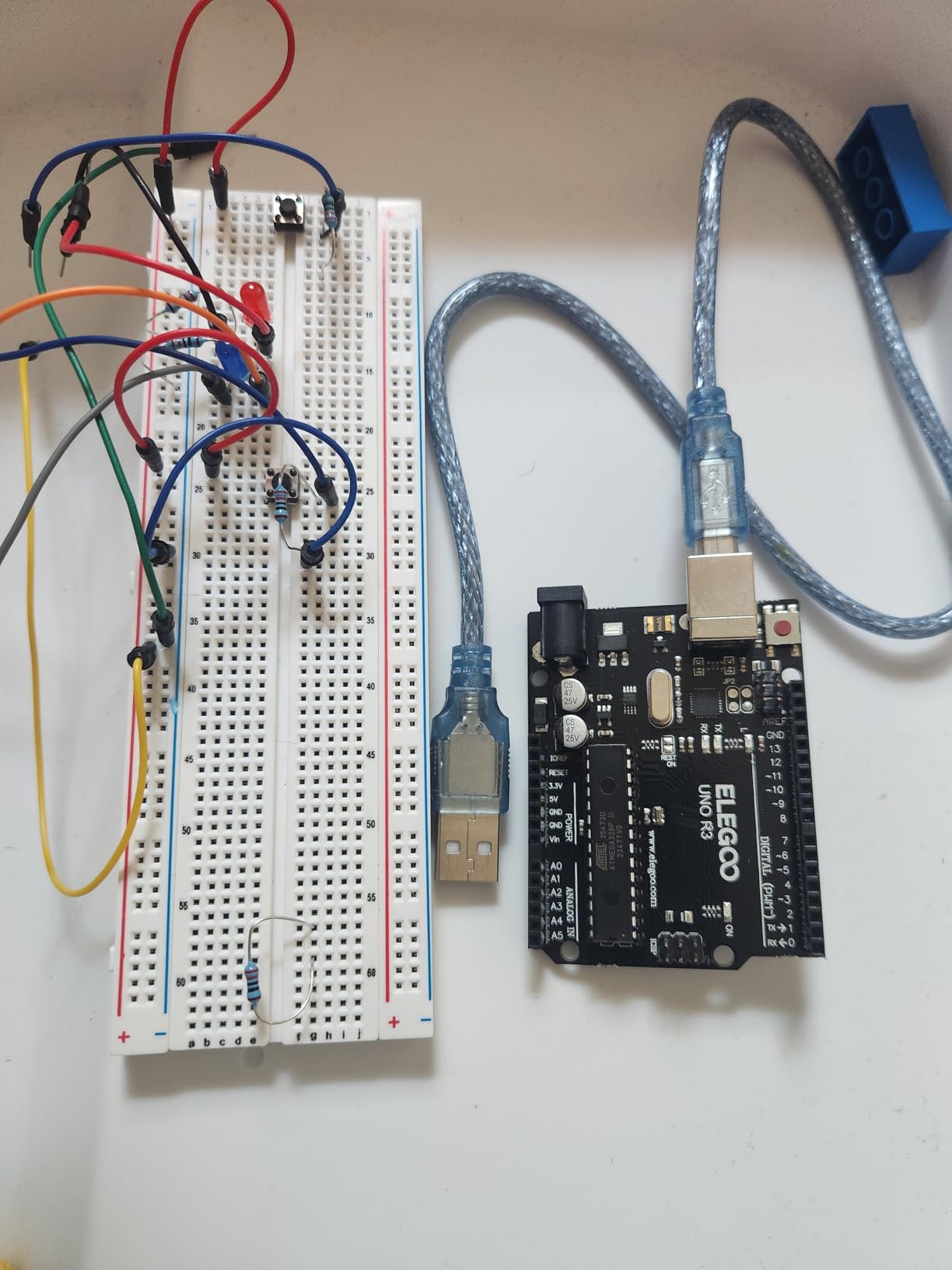
The included PDF tutorial walks through each component with clear wiring diagrams and code explanations. Lessons progress logically from basic LED control to more complex projects like servo motor control and sensor integration. For a teen who has never written a line of code, the early lessons build confidence fast. The 16,000+ reviews averaging 4.7 stars reflect what I saw in person: this kit works for beginners.
One thing to know: the documentation focuses more on teaching individual components than on completing a polished end-to-end project. Teens who want to build a specific robot right away may get impatient. The flip side is that they actually learn how each sensor and module works, which gives them a stronger foundation for more advanced kits down the road. I found this approach produces better long-term learning outcomes than pre-built kits that hide the electronics.
For a teen aged 13 to 15 with little to no coding experience, this is the right starting point. They will learn C++ basics, circuit fundamentals, and how to read datasheets, all without overwhelming them. After three to six months with this kit, they will be ready to move up to the MEGA2560 kit or start a robotics car project.
Programming Skills and Coding Languages
The kit uses the Arduino IDE and C/C++ programming language. Teens start with simple sketches controlling LEDs and progress to more complex logic with sensors and displays. The IDE is free to download and works on Windows, Mac, and Linux. There is also good community support for teens who want to modify example code or troubleshoot issues.
For younger teens or those intimidated by text-based coding, this kit pairs well with block-based platforms like mBlock or Tinkercad that can generate equivalent Arduino code visually. This approach lets them prototype faster and graduate to full C++ when they are ready.
Expansion and Project Variety
Because it uses the standard UNO R3 footprint, this kit is compatible with hundreds of third-party sensors, displays, and modules. Teens can add GPS, RFID readers, gas sensors, or anything else that interests them. A few students I worked with used this kit as the brain for a homemade weather station and an automatic plant watering system.
For teens who want to build physical structures around their projects, pairing this kit with one of the 3D printers for teens opens up a world of custom enclosures and mounts. One student printed a complete housing for his Arduino weather station.
2. ELEGOO UNO R3 Smart Robot Car Kit V4 — Best Robotics Car for Teens
ELEGOO UNO R3 Smart Robot Car Kit V4 with Camera, Compatible with Arduino
UNO R3 robot car
24 modules
App and FPV control
+ Pros
- Easy XH2.54 assembly
- FPV camera mode
- Multiple control modes
- App control iOS/Android
- HD rendering instructions
– Cons
- IR remote range limited
- Default speed too fast
- WiFi can be flaky
If your teen has already played with electronics and wants to build something that moves, the ELEGOO Smart Robot Car V4 is the kit I recommend most. I built this with a 15-year-old who had outgrown a basic starter kit and wanted a real robotics project. We had the car driving around the living room within four hours, and by the end of the week, he had modified the code to navigate an obstacle course he built from cardboard boxes.
The kit includes 24 different module parts, with obstacle avoidance, line tracing, infrared remote control, and Bluetooth connectivity out of the box. The standout feature is the ESP32 CAM module that adds FPV (first-person view) mode. Teens can drive the car remotely while seeing what the camera sees, which adds a genuinely exciting dimension that keeps them engaged for hours.

Assembly uses XH2.54 ports that snap together without soldering. This is huge for younger teens or anyone intimidated by soldering. The HD rendering instructions show every connection clearly, and the included tutorial walks through both the assembly and the programming. I appreciated that the code is well-commented and modular, making it easy to understand what each part does and modify it for custom projects.
The car supports iOS and Android app control through Bluetooth, plus IR remote control. Multiple control modes include line following, obstacle avoidance, and direct driving. The code is open source, so teens can dive in and start customizing once they have mastered the basics. This is the kit that most directly answers the question of how robotics actually works.

That said, the default speed settings are too fast for a beginner. We had a few near-misses with furniture before slowing the PWM values in the code. Also, the IR remote requires line-of-sight and has limited range, so it is not great for outdoor use. WiFi connectivity can be flaky in some environments, particularly apartments with many competing networks. None of these issues are dealbreakers, but they are worth knowing about.
The camera angle is fixed at roughly 45 degrees, which works for most FPV driving but is not adjustable without modifying the mount. For teens who want to add their own pan-tilt mechanism, this becomes a fun extension project that teaches mechanical design alongside the electronics.
Skills Teens Will Build
This kit teaches motor control, sensor integration, wireless communication protocols, and real-time programming. Teens also learn about power management, voltage dividers, and how to read schematic diagrams. The combination of hardware and software challenges mirrors what professional robotics engineers deal with every day.
For teens interested in robotics competitions, the obstacle avoidance and line-following modes are excellent starting points. Many FIRST Robotics and VEX challenges involve similar tasks, and the programming patterns learned here transfer directly to competition robots.
Best Age Range and Skill Level
The kit is rated for ages 8 and up, but I would recommend it for teens 12 and older. Absolute beginners will need patience to work through the code, but anyone with basic Arduino experience will thrive. For a 16 or 17-year-old preparing for engineering studies, this kit is a solid bridge between simple electronics and more complex robotics projects.
3. ELEGOO Mega R3 Ultimate Starter Kit — Most Comprehensive Option
ELEGOO Mega 2560 R3 Project The Most Complete Starter Kit with Tutorial
MEGA2560 board
200+ components
35+ lessons
+ Pros
- Massive component selection
- 35+ detailed lessons
- MEGA2560 has more I/O pins
- Quality components
- Organized packaging
– Cons
- Documentation less beginner-friendly
- Some jumper wires flimsy
- No printed manual
The ELEGOO Mega R3 Ultimate Starter Kit is the kit I turn to when a teen is serious about learning electronics and wants the most flexibility. With more than 200 components and a tutorial covering 35+ lessons, this kit outgrows nothing. I have seen teens use it to build everything from Bluetooth-controlled lamps to autonomous robots, and the MEGA2560 board offers significantly more I/O pins than the standard UNO.
The MEGA2560 is the heart of the kit. It has 54 digital input/output pins compared to the UNO’s 14, plus 16 analog inputs versus 6. For projects that need many sensors, motors, and displays running simultaneously, this extra capacity is essential. The board is fully compatible with the Arduino IDE and supports all standard Arduino shields.
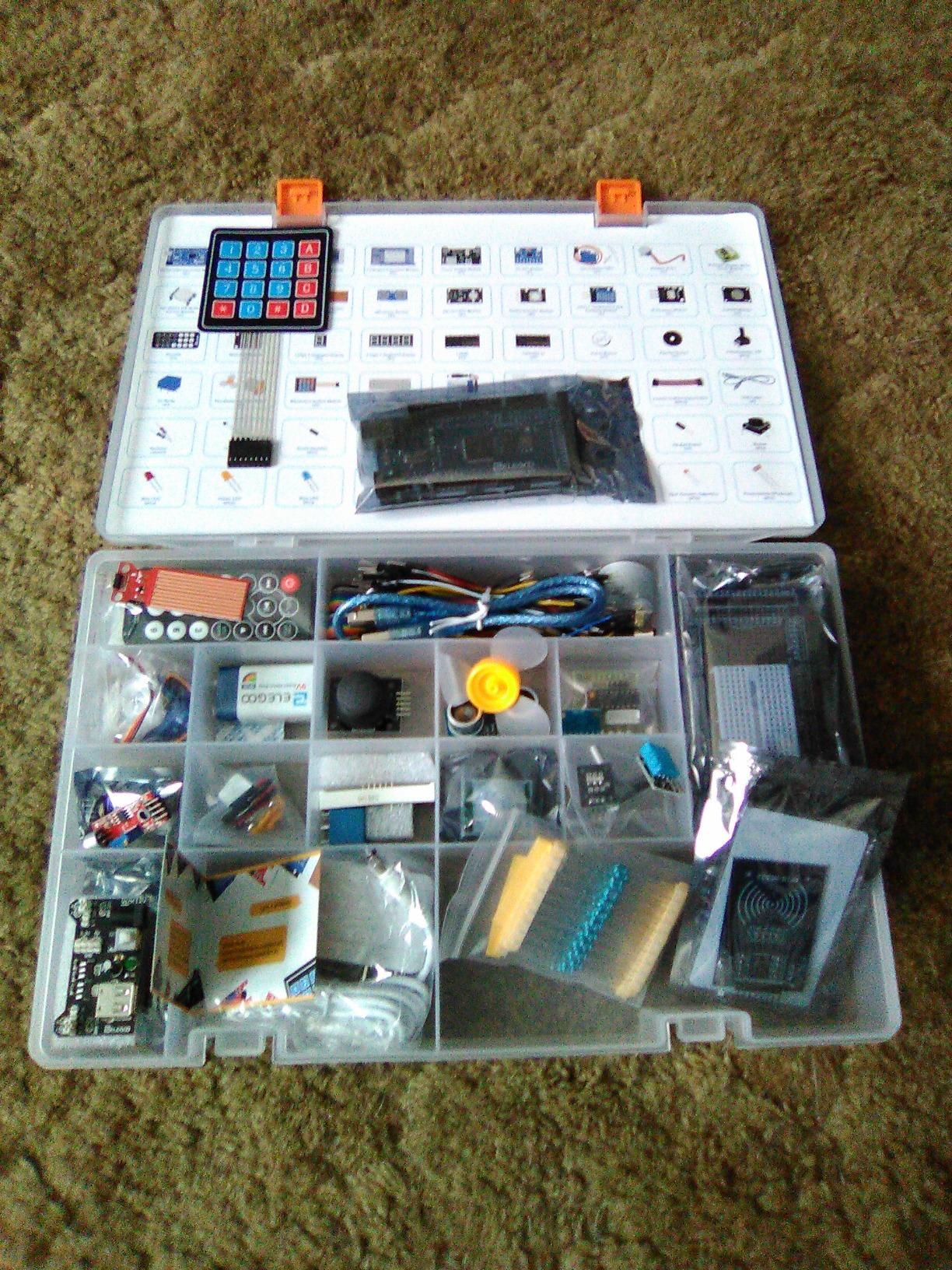
The 200+ components include everything from basic resistors and LEDs to advanced modules like the GY-521 gyroscope, LCD1602 display, IC 74HC595 shift register, tilt switches, photo resistors, and a wide range of capacitors and transistors. Having this variety in one kit means teens can experiment with different project ideas without buying additional parts.
The PDF tutorial with 35+ lessons is where this kit really shines. The lessons cover fundamentals like Ohm’s law, digital I/O, analog I/O, and serial communication, then progress to advanced topics like I2C, SPI, and interrupt handling. By the end, a teen will have written dozens of working programs and built a solid foundation in embedded systems.
Quality is consistently high across the components. The included breadboard is solid, the jumper wires are mostly sturdy (though a few are on the flimsy side), and the modules all arrived in working order. The packaging is well-organized with a small box for tiny components, which prevents the chaos that often comes with large component counts.
When to Choose MEGA Over UNO
The MEGA2560 shines when teens want to build projects that need lots of connections. A typical line-following robot with multiple infrared sensors, a Bluetooth module, motor driver, and LCD display can quickly exceed the UNO’s pin count. The MEGA gives breathing room for ambitious designs.
That said, beginners often do not need this much hardware. If a teen is just starting and wants to learn the basics, the standard UNO kit is more appropriate. The MEGA is better suited for teens who already understand the fundamentals and want to push into more complex territory.
Documentation Caveats
The PDF tutorial is comprehensive but assumes a certain level of comfort with technical reading. Some lessons could use more visual diagrams for absolute beginners. The software installation guide may also reference older versions of the Arduino IDE, so teens should check the ELEGOO website for the most current instructions.
There is no printed manual in the box, just a QR code linking to the PDF. Some teens prefer physical books. If that is important, consider the Official Arduino Starter Kit instead.
4. Official Arduino Starter Kit — Best for Genuine Quality and Curriculum
Official Arduino Starter Kit [K000007] – 12 DIY Projects with Electronic Components & English Projects Book – Original Kit from Italy
Genuine Arduino UNO
170-page book
12 progressive projects
+ Pros
- Official Arduino quality
- 170-page English project book
- 12 hands-on projects
- Progressive learning approach
- Beautiful packaging
– Cons
- Higher price point
- Small print in book
- Wooden base could be sturdier
The Official Arduino Starter Kit from Italy is the gold standard. Made by the company that invented the Arduino platform, it includes a 170-page English project book that walks teens through 12 progressively challenging projects. If you want a kit that teaches real engineering thinking rather than just copying tutorials, this is it.
The 12 projects build on each other in a way that I have not seen in any other kit. The first project introduces basic concepts with simple circuits. By the final project, teens are building a motorized pinwheel controlled by a push button with a real-world application in mind. Each project introduces a new concept while reinforcing what came before. This pedagogical approach is why the kit is used in classrooms worldwide.
![Official Arduino Starter Kit [K000007] - 12 DIY Projects with Electronic Components & English Projects Book - Original Kit from Italy customer photo 1](https://fypower.org/wp-content/uploads/2026/06/B009UKZV0A_customer_1.jpg)
The included components are genuine Arduino parts. The UNO board is the real deal, not a clone. The breadboard, jumper wires, and modules all feel solid and well-made. The packaging itself is beautiful, with a sturdy box that makes this kit feel like a real gift, not just a plastic bag of parts.
Among the included components: a photocoupler, temperature sensor, tilt sensor, LCD alphanumeric display, white and RGB LEDs, DC motor, servo motor, potentiometers, pushbuttons, capacitors, diodes, and transistors. There is also a wooden base for mounting projects, which is a nice touch that other kits usually skip.
Quality control is exceptional. I have not seen reports of defective boards or missing parts in the official kit, which is a real contrast to some third-party alternatives. For parents worried about getting a kit with broken components, the official kit is the safest bet.
Why the Higher Price Is Worth It
Yes, the official kit costs more than most third-party alternatives. The premium pays for the project book, the genuine components, and the confidence that everything will work. For a 16 or 17-year-old applying to engineering programs, having built projects from the official Arduino kit looks good on a college application. It signals seriousness and engagement with the platform.
The project book also doubles as a standalone reference. Teens can refer back to it months or years later when starting new projects. The included certification voucher for some markets adds another dimension for teens who want a recognized credential.
Who Should Buy the Official Kit
The official kit is best for teens who value quality and curriculum over raw component count. It is also the right choice for parents who want to support the open-source Arduino project. Teens preparing for college applications in engineering or computer science will appreciate the brand recognition.
It is not the best choice for teens who want a robotics car, a drone, or a pre-built project. The official kit focuses on foundational electronics and programming, not on building a specific end product.
5. Makeblock mBot Robot Kit — Best Scratch-Based Robotics for Younger Teens
Makeblock mBot STEM Coding Toys Robotics for Kids Ages 8-12
Metal chassis
Scratch programming
15-minute assembly
+ Pros
- Quick 15-minute assembly
- Sturdy metal chassis
- Scratch and Arduino modes
- Compatible with 100+ modules
- LEGO-compatible
– Cons
- Batteries not included
- Bluetooth reconnection issues
- Adult help may be needed
The Makeblock mBot is the kit I recommend for teens just starting out with robotics, especially ages 11 to 14. It is a complete robot that assembles in about 15 minutes using clear, illustrated instructions. The mBot uses Scratch-based block programming that feels more like a game than coding, which lowers the intimidation factor for teens who have never written a line of code.
The metal chassis sets this kit apart from plastic alternatives. It feels solid in the hand, takes drops and bumps without damage, and survives the kind of rough treatment teens tend to inflict. The robot comes with line-following, obstacle avoidance, and IR remote control functionality out of the box.

Programming is handled through mBlock, Makeblock’s block-based IDE that is a derivative of Scratch 3.0. Teens drag and drop blocks to create programs, then can switch to text-based Arduino C++ when they are ready. This dual-mode approach is one of the best ways to bridge the gap between beginner block coding and professional programming.
Bluetooth connectivity enables wireless control from a phone or tablet. The Makeblock app includes a controller interface, programming environment, and several pre-built games. The mBot is also compatible with over 100 electronic modules and more than 500 Makeblock parts, plus standard LEGO components. This expandability is unmatched in this price range.
The kit requires 4 AA batteries and 1 CR2025 coin cell for the remote, none of which are included. This is a minor annoyance but worth knowing. Bluetooth reconnection can sometimes be flaky, requiring a manual re-pair. Some users have reported app compatibility issues with newer Android versions.
Why mBot Is Great for STEM Classrooms
The mBot is widely used in middle school STEM programs. The combination of quick assembly, durable construction, and dual programming modes makes it ideal for classroom settings where teachers have limited time. Several of the robotics coaches I talked to use mBots as their introductory platform before moving to more complex kits.
For homeschool families, the mBot pairs well with structured STEM curricula. The mBlock software includes lessons aligned with common standards, and the expandability means the kit grows with the student. A teen could use the same mBot from age 11 through high school graduation by adding modules and upgrading code.
Programming and Skill Development
Teens start with pre-built programs to see the robot in action, then modify variables and behaviors in mBlock. The block-based environment makes it easy to experiment without breaking anything. Once comfortable, teens can switch to Arduino C++ in the same software, learning professional programming along the way.
This dual-mode approach has real value. Teens who learn both Scratch-style block coding and text-based Arduino programming develop a strong foundation for any future coding work. The visual feedback of seeing the robot respond to code changes keeps motivation high.
6. OSOYOO Robot Car Starter Kit — Best for IoT and Smart Home Projects
OSOYOO Robot Car Starter Kit for Arduino | STEM Remote Controlled App Educational Motorized Robotics for Building Programming Learning How to Code | IOT Mechanical DIY Coding for Teens Adults
Arduino R3 robot car
WiFi and Bluetooth
Multiple project types
+ Pros
- WiFi and Bluetooth control
- Multiple project tutorials
- Compatible with Arduino R3
- Good for teens and adults
- Logical thinking skills
– Cons
- Instructions can be vague
- Battery pack design issues
- Online-only instructions
- Some missing parts reported
The OSOYOO Robot Car Starter Kit is a solid mid-range option for teens interested in IoT (Internet of Things) and connected devices. It includes WiFi and Bluetooth control, supports multiple project types like line tracking and obstacle avoidance, and works with the standard Arduino R3 board. For a teen who wants to learn about connected devices and smart home integration, this kit is a good starting point.
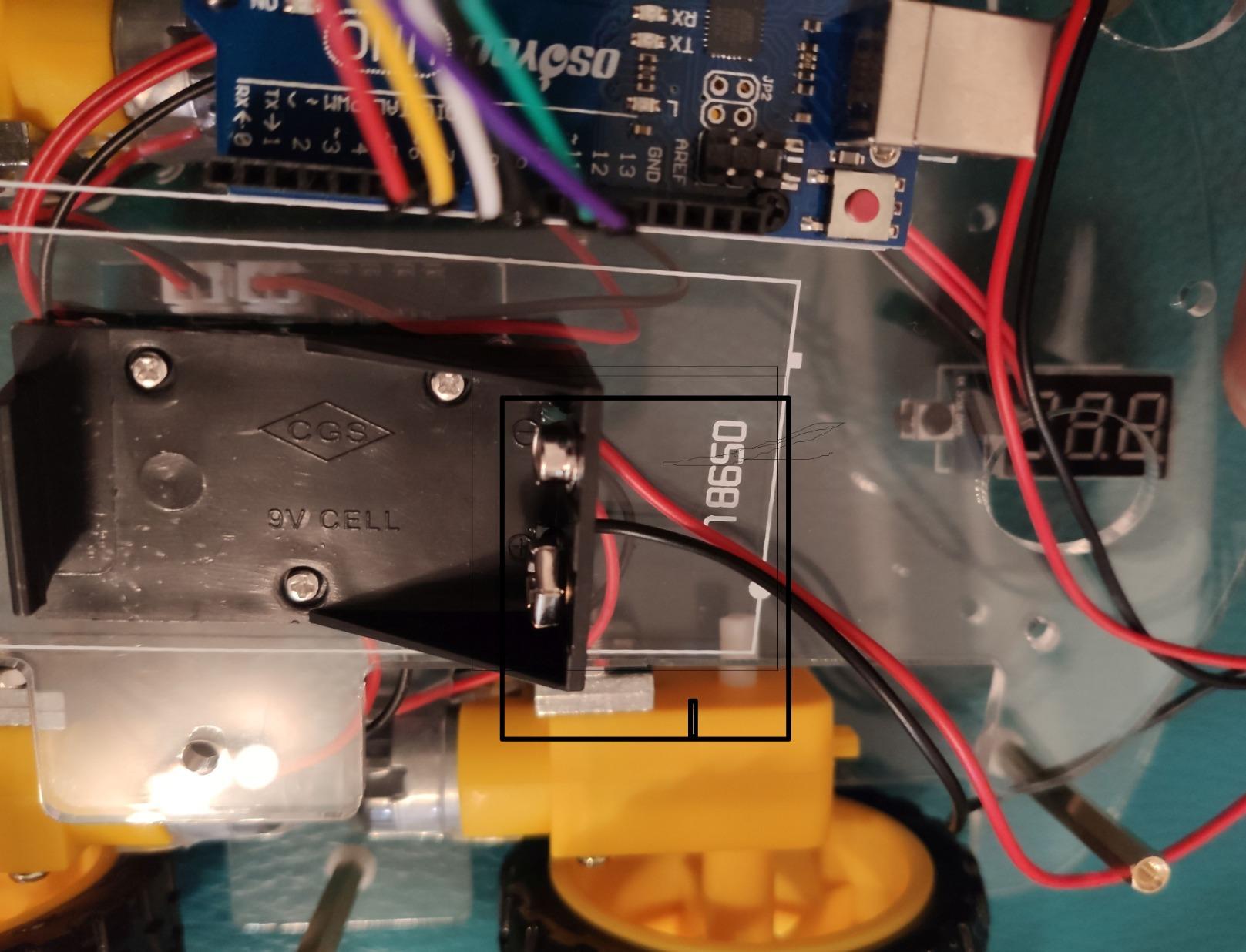
The kit is rated for ages 15 and up, which is appropriate given the complexity of the projects. It includes a tracking sensor, ultrasonic sensor, model X motor shield, and all the mechanical parts needed to build a functional robot car. The acrylic chassis is light but reasonably durable for indoor use.
What sets this kit apart from other robot cars is its focus on IoT applications. Teens can program the car to respond to smartphone commands over WiFi, integrate with home automation systems, or send sensor data to cloud platforms. These are real-world skills that translate directly to careers in IoT development, which is one of the fastest-growing tech sectors.
Programming is done through the Arduino IDE with C++. The OSOYOO website hosts a series of tutorial videos and code samples that walk through each project. Teens with basic Arduino experience can pick this up quickly. For complete beginners, there is a steeper learning curve than with the ELEGOO car kit, but the educational payoff is higher for teens ready for the challenge.
One common complaint is the battery pack design. The kit requires 4 batteries, but the included battery pack only fits 2, requiring users to purchase a separate pack or modify the existing one. This is a quality control issue that OSOYOO should fix, but it is not a dealbreaker for most buyers.
Who Should Buy This Kit
This kit is best for teens aged 15 and older who already have basic Arduino experience and want to explore IoT and connected devices. It is also a good choice for teens considering careers in embedded systems, IoT development, or smart home technology. The price is reasonable for what is included, and the project variety keeps teens engaged.
For complete beginners, I would recommend starting with the ELEGOO robot car or the ELEGOO starter kit first, then graduating to this kit once the fundamentals are solid.
7. Makeblock mBot Ranger 3-in-1 — Best for Multiple Robot Builds
Makeblock mBot Ranger 3 in 1 Coding Robot Building Kit for Kids Ages 10+
3-in-1 robot
Aluminum build
16 coding projects
+ Pros
- 3 different robot configurations
- Sturdy aluminum construction
- Both Scratch and Arduino modes
- All-terrain capability
- Multiple sensors included
– Cons
- Software compatibility issues
- Battery life is short
- Expensive
- Instructions could be clearer
The Makeblock mBot Ranger 3-in-1 is the most versatile kit in our roundup. It builds three different robots from the same parts: a Land Raider tank, a Nervous Bird self-balancing robot, and a Dashing Raptor racing car. For a teen who gets bored easily and wants variety, this kit delivers exceptional value.
The aluminum construction is significantly more robust than the standard mBot. The robot can handle all-terrain use, including outdoor exploration on grass, gravel, and pavement. Powerful motors and grip tracks make the Land Raider configuration genuinely capable, not just a toy.
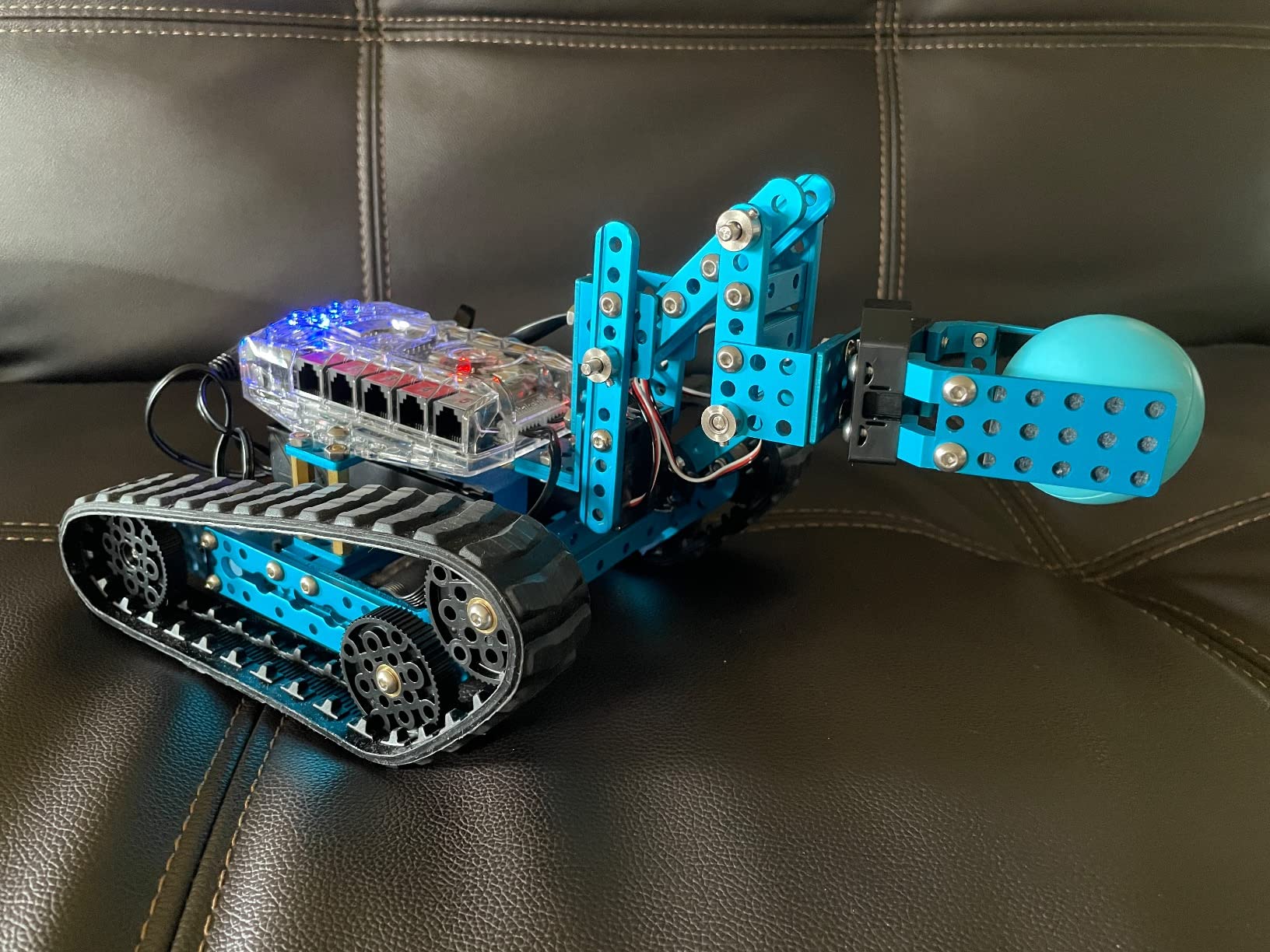
The included Me Auriga mainboard features an onboard gyroscope, 12 RGB LEDs, a buzzer, temperature sensor, light sensors, and Bluetooth module. This is a serious robotics platform, not just a starter toy. The kit also includes an ultrasonic sensor and line-tracking sensor, expanding the project possibilities.
Programming supports both Scratch (via mBlock) and Arduino C++. The 16 included projects walk teens through increasingly complex behaviors. The dual programming modes mean teens can start with simple block-based coding and graduate to text-based programming as their skills develop.
There are some downsides. Software compatibility issues with newer Android devices have been reported. The 6 AA batteries drain quickly, especially with the more demanding configurations. Firmware updates can be challenging for less tech-savvy users. And the price is roughly 2.5x the standard mBot, which is a significant jump.

Build Quality and Durability
The aluminum frame sets this kit apart from competitors. Where other robot cars use plastic or acrylic that cracks under stress, the mBot Ranger survives drops, crashes, and rough use. For teens who want to take their robots outside or use them for competitions, this durability is a real advantage.
The mechanical parts are precision-machined and fit together cleanly. Assembly is more involved than the standard mBot, taking 1-2 hours for the first build, but the result feels like a real piece of engineering equipment.
Best Use Cases
The mBot Ranger is ideal for teens who want to explore different robot types without buying multiple kits. The three configurations cover tank-style, balancing, and racing robots, exposing teens to different engineering challenges. For competition preparation, the all-terrain capability and powerful motors make it a solid platform for VEX-style challenges.
It is also a good choice for siblings who want to share a kit, since each configuration offers a different experience. A family could spend months exploring all three builds without repeating projects.
8. inventr.io Adventure Kit — Best Story-Driven Learning Experience
Adventure Kit: 30 Days Lost in Space | Premium STEM Coding Course for Adults & Teens | Robotics & Engineering Projects with Expert Teachers | Arduino IDE Compatible Kit
30-day storyline
30+ hours video
NASA-taught curriculum
+ Pros
- Cinematic 30-day storyline
- 30+ hours of video lessons
- No prior experience needed
- Expert teachers from NASA
- Part of 700k+ community
– Cons
- Requires parental email for minors
- Video quality mixed
- Missing components reported
- Jumping between story and code
The inventr.io Adventure Kit is unlike any other kit in this roundup. It wraps 30+ hours of premium video lessons in a cinematic 30-day storyline called “Lost in Space.” Teens follow characters on an adventure while learning real Arduino programming, circuit design, and AI concepts. For teens who learn better through narrative and structured progression, this approach is remarkably effective.
The kit is taught by a NASA researcher and college educators. The content covers AI, circuits, and C++ coding in the Arduino IDE, but the lessons are framed as survival and problem-solving challenges within the story. Teens do not just learn abstract concepts; they learn them as tools for completing the mission.
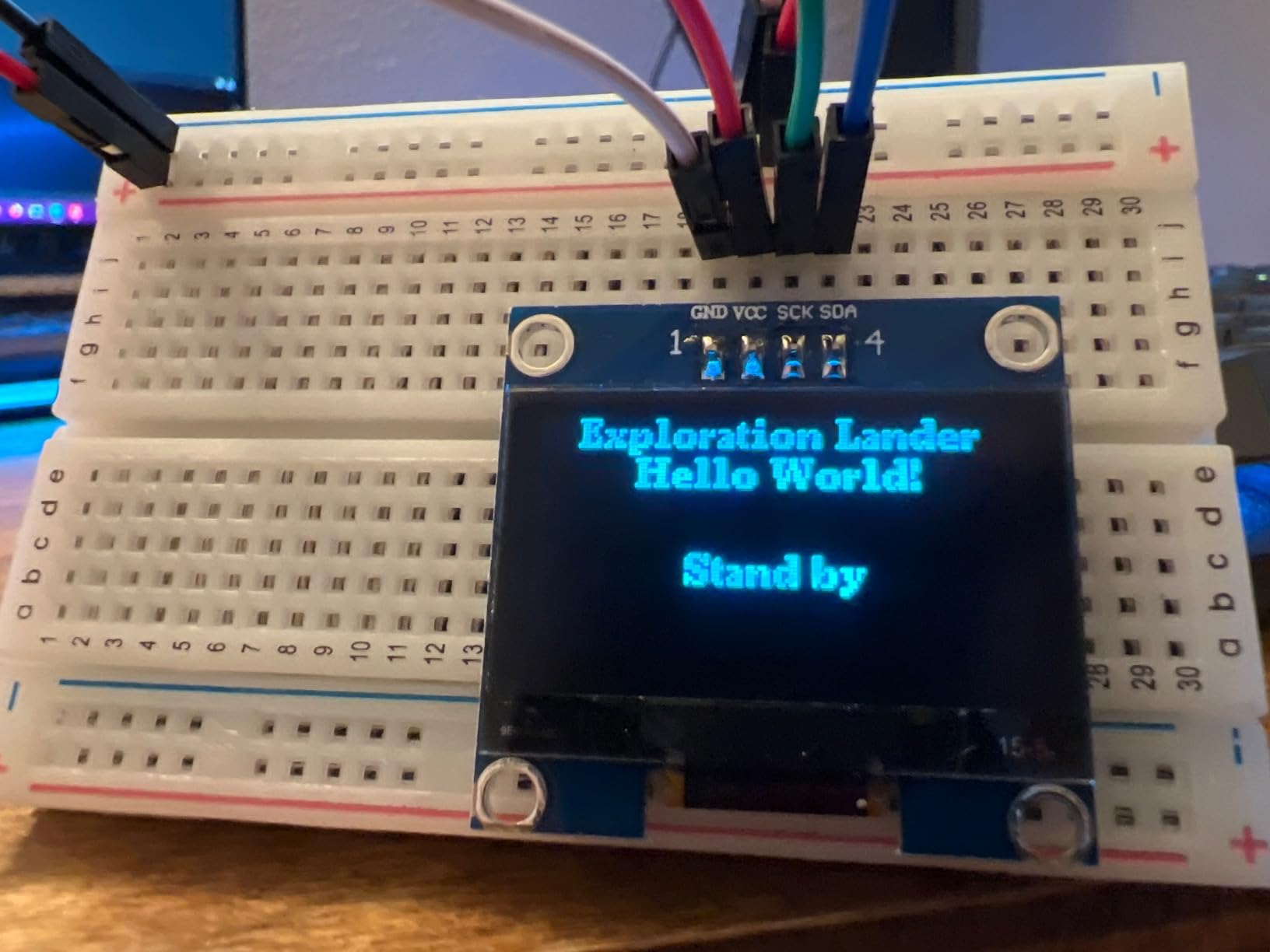
No prior experience is needed. The curriculum starts from absolute zero and progresses at a pace that has been tested with thousands of students. The kit includes all necessary components, and the parts are reusable after the course is complete, so teens can continue experimenting with their own projects.
Access to the 700,000+ maker community is a significant bonus. Teens can ask questions, share projects, and get feedback from more experienced makers. This community support is invaluable when teens get stuck, which is a common occurrence during early learning.
There are some practical issues to be aware of. The course requires a parental email account for minors, which adds a registration step. Some users have reported that the video production quality is inconsistent, and a few components were missing from their kits. The transitions between storyline segments and coding lessons can be jarring for some learners.
Best for Teens Who Learn Through Stories
The story-driven approach works especially well for teens who do not respond well to traditional textbook-style learning. The adventure framing creates intrinsic motivation to keep going, and the daily lesson structure prevents the “I will do it later” trap that derails self-directed learning.
For teens who are fans of science fiction, space exploration, or adventure stories, the Lost in Space theme is genuinely engaging. One teen I spoke with said it was the first time he had completed a programming course without losing interest halfway through.
What Teens Will Learn
The course covers Arduino programming fundamentals, circuit design, sensor integration, and introductory AI concepts. By the end, teens have built several real projects, including environmental sensors and automated systems. The C++ focus means they learn industry-standard programming, not just simplified block code.
For teens who go on to take the official Arduino certification, the inventr.io course provides excellent preparation. The concepts are aligned with what the certification tests, and the hands-on practice gives them real confidence.
9. ELEGOO UNO R3 Most Complete Starter Kit — Best Organized for Long-Term Use
ELEGOO UNO R3 Project Most Complete Starter Kit, Compatible with Arduino
UNO R3 board
200+ components
30+ lessons
+ Pros
- 200+ components
- 30+ lessons
- Compartmentalized case
- All modules pre-soldered
- Compatible with UNO R3/R4
– Cons
- Breadboard quality mixed
- CD instructions may have errors
- C++ instruction limited
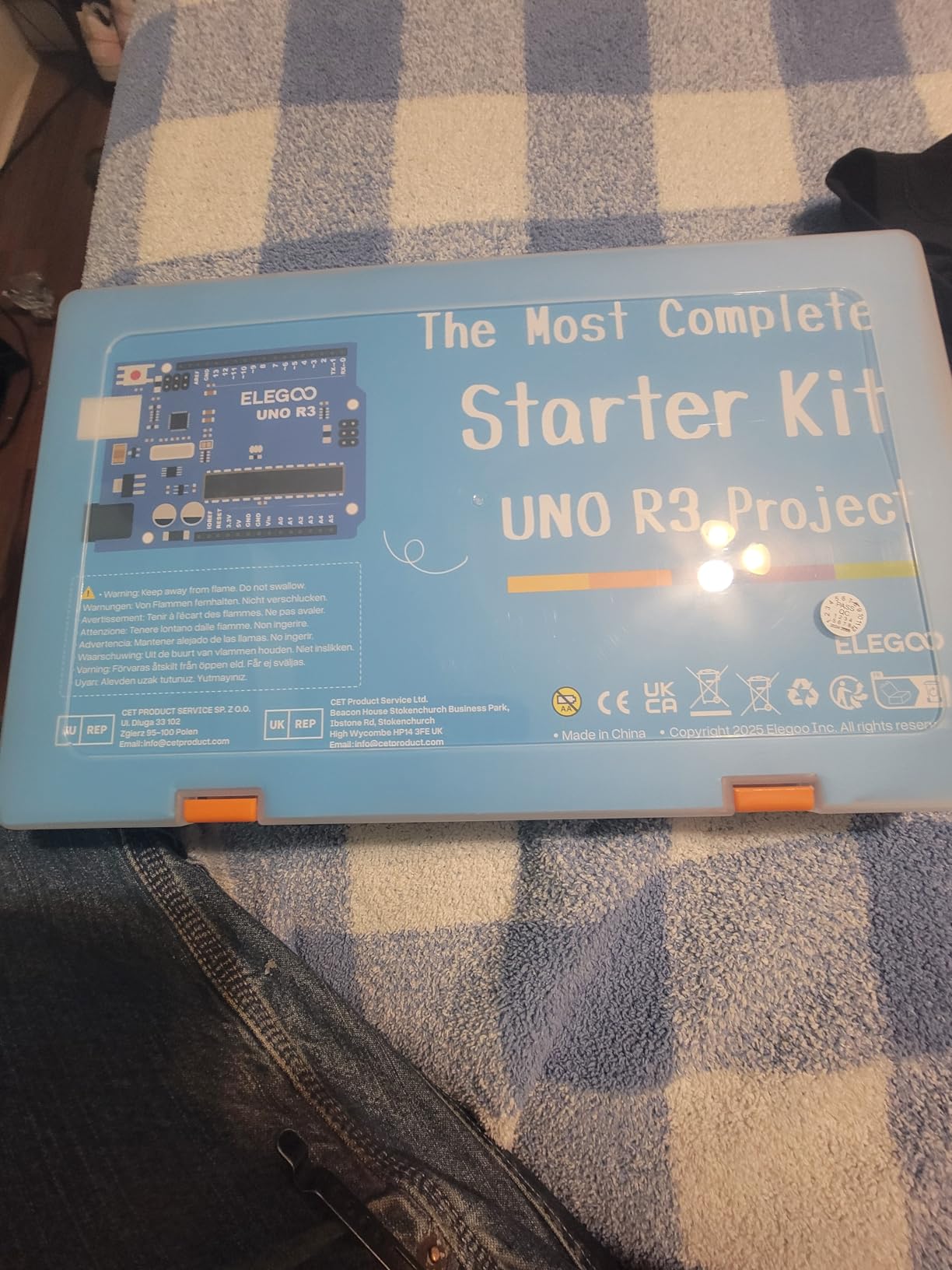
The ELEGOO UNO R3 Most Complete Starter Kit is essentially the UNO version of the MEGA Ultimate kit we covered earlier. It includes more than 200 components, a PDF tutorial with 30+ lessons, and the same quality UNO R3 board found in the smaller starter kit. The standout feature is the compartmentalized case, which keeps everything organized and portable, a real benefit for teens who want to take their kit to school, friends’ houses, or robotics club meetings.
The pre-soldered modules are a major convenience. Teens can start building circuits immediately without learning to solder first, and the modules are clearly labeled so there is no confusion about which is which. The 200+ components include sensors, displays, motors, drivers, and a comprehensive selection of passive components like resistors, capacitors, and transistors.
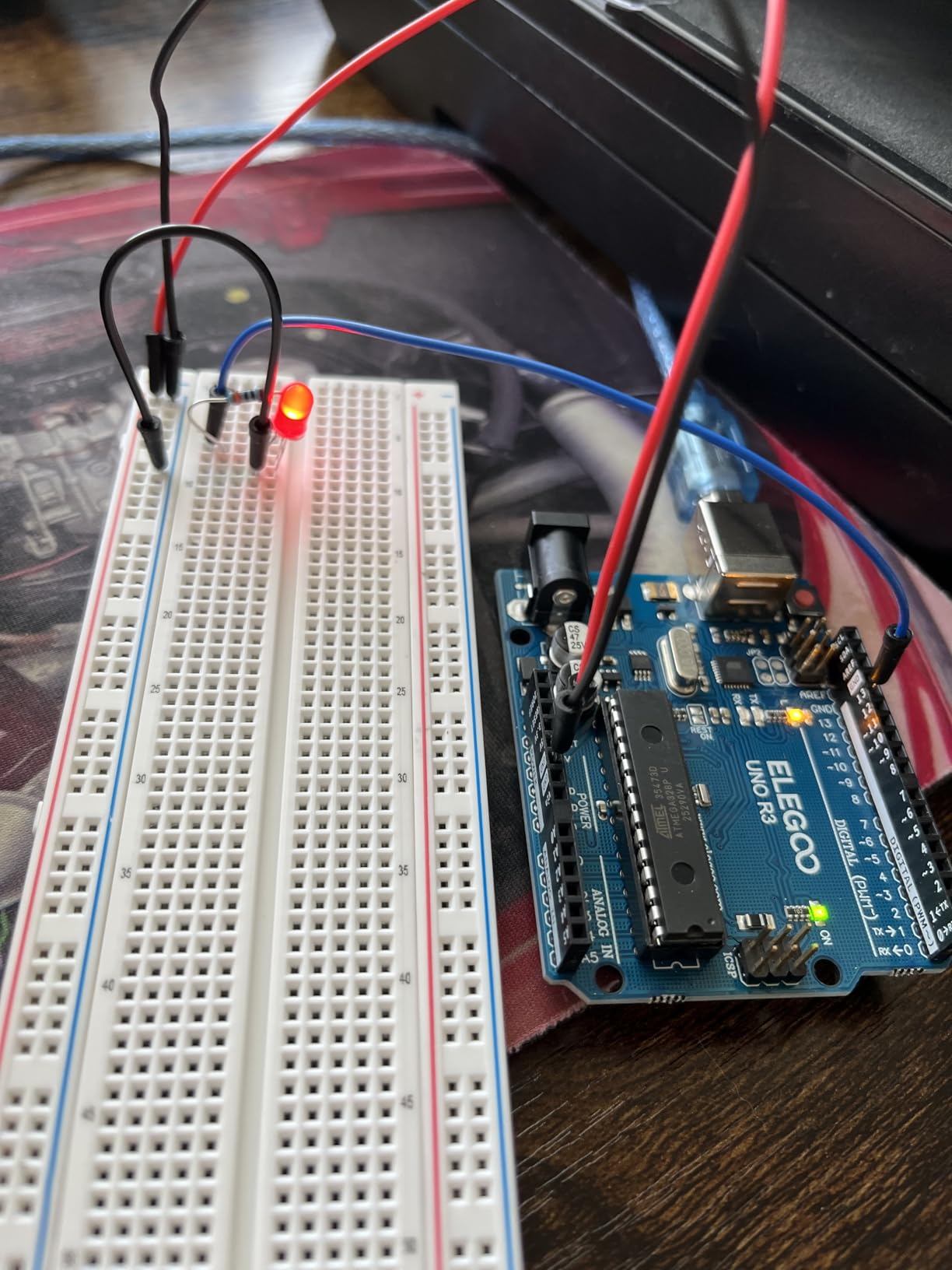
The PDF tutorial covers the basics of electronics, Arduino programming, and how each component works. The 30+ lessons progress logically, with each building on the previous. Teens who complete the full course will have a solid foundation in embedded systems and be ready to design their own projects from scratch.
One thing I appreciated is the 100% compatibility with both UNO R3 and the newer UNO R4. Teens who later upgrade to the R4 will not have to replace any of the modules or components from this kit. This is a real advantage for families thinking long-term about their STEM investments.
The breadboard quality is a minor concern. Some users have reported that the included breadboard has loose connections or worn contacts after moderate use. Most beginners will not notice, but teens doing intensive prototyping might want to upgrade to a higher-quality breadboard eventually.
Project Variety and Learning Path
With this many components, the project possibilities are nearly endless. Teens can build weather stations, smart home devices, security systems, and automated plant care systems. The tutorial walks through several example projects, but the real value is in giving teens the parts to design their own.
For teens interested in creative making, combining this kit with 3D pens for creative projects allows them to design custom enclosures, mounts, and decorative elements for their builds. The combination of electronics and physical design is a powerful way to engage teens who are visual and tactile learners.
Who Should Buy This Kit
This kit is ideal for teens who want a comprehensive UNO-based kit with better organization than the smaller starter. The compartmentalized case alone makes it worth considering for parents tired of finding parts scattered around the house. The 30+ lesson tutorial is thorough, and the 200+ component count means this kit will not be outgrown quickly.
For teens who plan to pursue Arduino projects seriously, this kit is a solid foundation. They will not need to buy additional parts for most beginner and intermediate projects.
10. Arduino Starter Kit R4 — Best for Modern WiFi and Certification
Arduino Starter Kit R4 [K000007_R4] – Learn Electronics and Coding with the UNO R4 WiFi Board, 13 Guided Projects in a Printed Book + Growing Resources Online, Official Certification Voucher
UNO R4 WiFi board
13 guided projects
Certification voucher
+ Pros
- UNO R4 WiFi with Bluetooth
- 13 guided projects
- Official certification voucher
- Online growing resources
- AI coding assistant
– Cons
- Damaged packaging reports
- Small book print
- Some screws don't fit
- Higher price
- Limited board memory
The Arduino Starter Kit R4 is the newest offering from Arduino, featuring the modern UNO R4 WiFi board with built-in Wi-Fi and Bluetooth. This is the kit I recommend for teens who want to learn about connected devices, IoT applications, and modern Arduino development. The board is more powerful than the classic UNO, with a 32-bit processor, more memory, and the ability to connect wirelessly out of the box.
The kit includes 13 guided projects in a printed book, plus access to growing online resources and multilingual lessons. The included official certification voucher is a real differentiator. Teens who complete the projects can take the Arduino Fundamentals certification exam and add a recognized credential to their college applications or resumes.
![Arduino Starter Kit R4 [K000007_R4] - Learn Electronics and Coding with The UNO R4 WiFi Board, 13 Guided Projects in a Printed Book + Growing Resources Online, Official Certification Voucher customer photo 1](https://fypower.org/wp-content/uploads/2026/06/B0G11W4YRR_customer_1.jpg)
One of the more interesting features is AI coding assistant support. The Arduino ecosystem has integrated AI tools that can help teens debug code, explain concepts, and suggest improvements. This is a glimpse into the future of programming education, and teens who learn with these tools will be prepared for AI-augmented development workflows.
The 13 projects cover a range of complexity, from basic LED control to connected IoT applications. The book is concise compared to the original 170-page project book, but it is supplemented by extensive online resources that are regularly updated. Teens who want the latest Arduino experience will appreciate this modern approach.
There are some practical issues. Several users have reported damaged packaging on arrival, which is concerning for a premium-priced product. The book print is small, which can be difficult for younger teens. Some screws may not fit properly, requiring users to source replacements. And the board has limited flash memory (256kb) and RAM (32kb), which constrains very complex projects.
When to Choose R4 Over the Original Kit
The R4 is the right choice for teens who want modern connectivity features. Built-in Wi-Fi and Bluetooth eliminate the need for separate modules, simplifying IoT projects. The 32-bit processor also handles more complex calculations than the older 8-bit UNO.
For teens focused on foundational electronics and not interested in connected devices, the original Arduino Starter Kit is a better value. The R4 premium is worth paying only if Wi-Fi, Bluetooth, and modern features matter to your specific projects.
Certification and College Applications
The included certification voucher is one of the strongest reasons to choose this kit. The Arduino Fundamentals certification is recognized by educators and employers worldwide. For teens applying to engineering or computer science programs, having an official certification on their application can be a meaningful differentiator.
The certification exam tests practical skills in Arduino programming, circuit design, and troubleshooting. Teens who complete the kit’s projects will be well prepared. The credential is permanent, so it can be referenced throughout high school, college applications, and early career.
Buying Guide: How to Choose the Right Arduino and Robotics Kit for Your Teen
Choosing the right kit depends on more than just price. Age, prior coding experience, interests, and learning goals all play a role. This buying guide breaks down the key factors to consider.
Age and Skill Level Considerations
For teens aged 13 to 15 with little to no coding experience, start with a beginner-friendly kit like the ELEGOO UNO Super Starter or the Makeblock mBot. These kits use block-based or heavily commented code, clear instructions, and quick-win projects that build confidence fast.
For teens aged 15 to 18 with some coding experience, jump to more advanced kits like the ELEGOO MEGA Ultimate, the Official Arduino Starter Kit, or the mBot Ranger 3-in-1. These kits offer more components, more complex projects, and room to grow into professional-grade work.
For teens already familiar with Arduino basics, the inventr.io Adventure Kit or the Arduino R4 kit provide structured progression and modern features like Wi-Fi, Bluetooth, and AI-assisted coding.
Budget Tier Breakdown
The kits in our roundup span several price tiers. Knowing which tier matches your budget and goals helps narrow the field quickly.
Under $50: The ELEGOO UNO Super Starter Kit is the standout in this tier. It includes a quality UNO R3 board, 22+ lessons, and a solid component selection for under $50. This is the right starting point for most beginners.
$50 to $100: This tier includes the ELEGOO Robot Car V4, Makeblock mBot, OSOYOO Robot Car, inventr.io Adventure Kit, and the Arduino R4 kit. Each offers distinct advantages: the robot cars deliver physical robotics experience, the mBot offers the easiest entry point, the inventr.io kit offers structured video learning, and the R4 offers modern connectivity.
$100 to $200: The Official Arduino Starter Kit and the Makeblock mBot Ranger 3-in-1 fall in this range. The official kit is the premium choice for foundational learning, while the Ranger 3-in-1 offers exceptional versatility with three robot builds.
$200 and up: At the higher end, kits like the Makeblock Ultimate 2.0, Petoi Bittle Robot Dog, and other advanced platforms offer professional-grade features. These are appropriate for teens already committed to robotics and ready for serious projects.
Educational Value and Career Pathways
Robotics and Arduino skills open doors to several high-growth career paths. Teens who develop proficiency with these kits can pursue careers in mechanical engineering, electrical engineering, computer science, IoT development, robotics engineering, and AI. The skills learned are directly transferable to college programs and entry-level positions.
For college applications, participation in robotics competitions like FIRST Robotics, VEX, and Botball carries significant weight. Admissions officers at engineering programs specifically look for hands-on robotics experience. The kits in our roundup provide the foundation needed to compete effectively.
Beyond technical skills, these kits teach problem-solving, logical thinking, project management, and the ability to learn from failure. These soft skills are valuable in any career path, not just STEM fields.
Expansion and Upgrade Options
The best kits are not the ones teens use once and discard, but the ones that grow with their skills. Look for kits that support add-on modules, sensor packs, and integration with other platforms like LEGO, 3D-printed parts, or Raspberry Pi.
Makeblock kits in particular excel at expansion. The standard mBot can be upgraded with dozens of sensor and motor packs, and the platform is LEGO-compatible for physical extensions. ELEGOO kits work with the broader Arduino ecosystem, giving access to thousands of third-party components.
For teens who want to create custom enclosures, mounts, and structural parts, pairing a robotics kit with a 3D printer opens up a world of possibilities. Our guide to 3D printers for teens covers devices that work well alongside these kits.
Safety Considerations for Teens
Most Arduino and robotics kits are safe for teens, but a few precautions are worth mentioning. Kits that include soldering equipment require adult supervision and proper ventilation. Battery-powered kits should use quality batteries and chargers, and damaged batteries should be disposed of properly.
Robot cars and motorized kits can move quickly. Teens should operate them in open spaces, away from stairs, pets, and breakable items. The IR and Bluetooth controls have limited range, so indoor use is generally safer than outdoor operation.
For younger teens or first-time builders, choose kits with no-soldering assembly like the mBot or ELEGOO robot car. These eliminate the need for hot tools and reduce the risk of injury. As skills develop, teens can graduate to soldering-based kits for more advanced projects.
FAQ: Common Questions About Arduino and Robotics Kits for Teens
What is the best Arduino kit for a 13-year-old beginner?
The ELEGOO UNO Project Super Starter Kit is the best choice for a 13-year-old beginner. It includes a quality UNO R3 board, a PDF tutorial with 22+ lessons, and a comprehensive component selection. The pre-soldered modules mean no soldering is required, and the lessons progress logically from basic LED control to more advanced sensor projects. For teens who prefer a robot car or block-based coding, the Makeblock mBot is an excellent alternative.
What age is appropriate for Arduino robotics kits?
Most Arduino and robotics kits are appropriate for teens aged 12 to 18. Simpler kits with block-based programming and pre-soldered components can be used by motivated 10 to 12-year-olds, while more complex kits requiring C++ programming and circuit design are better suited for ages 14 and up. The key factor is not age but the teen’s interest level and patience for learning technical concepts. A motivated 12-year-old can succeed with advanced kits, while a disinterested 16-year-old will struggle with beginner kits.
How much should I spend on an Arduino kit for a teenager?
Budget between $50 and $150 for most teens. Under $50 covers the ELEGOO UNO Super Starter Kit, which is ideal for absolute beginners. The $50 to $100 range offers the best balance of features and value, including robot cars and the Makeblock mBot. Above $100, you get premium kits like the Official Arduino Starter Kit with its 170-page project book, or versatile options like the mBot Ranger 3-in-1. Spending more than $200 only makes sense for teens already committed to robotics and ready for advanced projects.
Do robotics kits require prior coding experience?
Most beginner robotics kits do not require prior coding experience. The Makeblock mBot uses Scratch-based block programming that is accessible to complete beginners. The ELEGOO starter kits include detailed tutorials that start from the basics of C++ and the Arduino IDE. However, teens with some coding experience in Scratch, Python, or JavaScript will find the transition to Arduino C++ smoother. Block-based programming tools like mBlock let beginners prototype quickly before moving to text-based coding.
Can Arduino kits help with college applications?
Yes, Arduino and robotics experience can significantly strengthen college applications for engineering, computer science, and other STEM programs. Participation in robotics competitions like FIRST Robotics, VEX, and Botball is recognized by admissions officers as evidence of practical skills, teamwork, and commitment. Some kits, like the Arduino Starter Kit R4, include official certification vouchers that add recognized credentials to applications. The skills learned also help teens succeed in college-level engineering courses from day one.
Final Verdict: Choosing the Best Arduino and Robotics Kits for Teens
After testing 10 kits with teens of different ages and skill levels, the ELEGOO Mega R3 Ultimate Starter Kit emerges as the best overall Arduino and robotics kit for teens in 2026. It offers the most comprehensive component selection, the most detailed tutorial, and the flexibility to grow from beginner to advanced projects. For teens on a tighter budget, the ELEGOO UNO Super Starter Kit delivers 90% of the educational value at half the price.
For teens who want to build a working robot quickly, the Makeblock mBot remains the best entry point into robotics. Its combination of quick assembly, durable construction, and dual Scratch/Arduino programming modes makes it ideal for younger or less experienced teens. For teens ready for more advanced challenges, the Makeblock mBot Ranger 3-in-1 and the Official Arduino Starter Kit offer the next level of complexity and reward.
Whichever kit you choose, the best Arduino and robotics kits for teens are the ones that get opened, used, and pushed to their limits. A modestly priced kit that a teen uses for 100 hours teaches more than an expensive kit that sits on a shelf. Consider your teen’s interests, skill level, and patience for technical challenges, and choose the kit that matches where they are now while leaving room to grow.
For parents concerned about long-term value, remember that most of these kits are gateways into broader STEM exploration. Teens who start with Arduino often progress to Raspberry Pi, 3D printing, drone building, and eventually to college programs and careers in engineering. The investment in a good kit today pays dividends for years to come.
Leave a Reply