
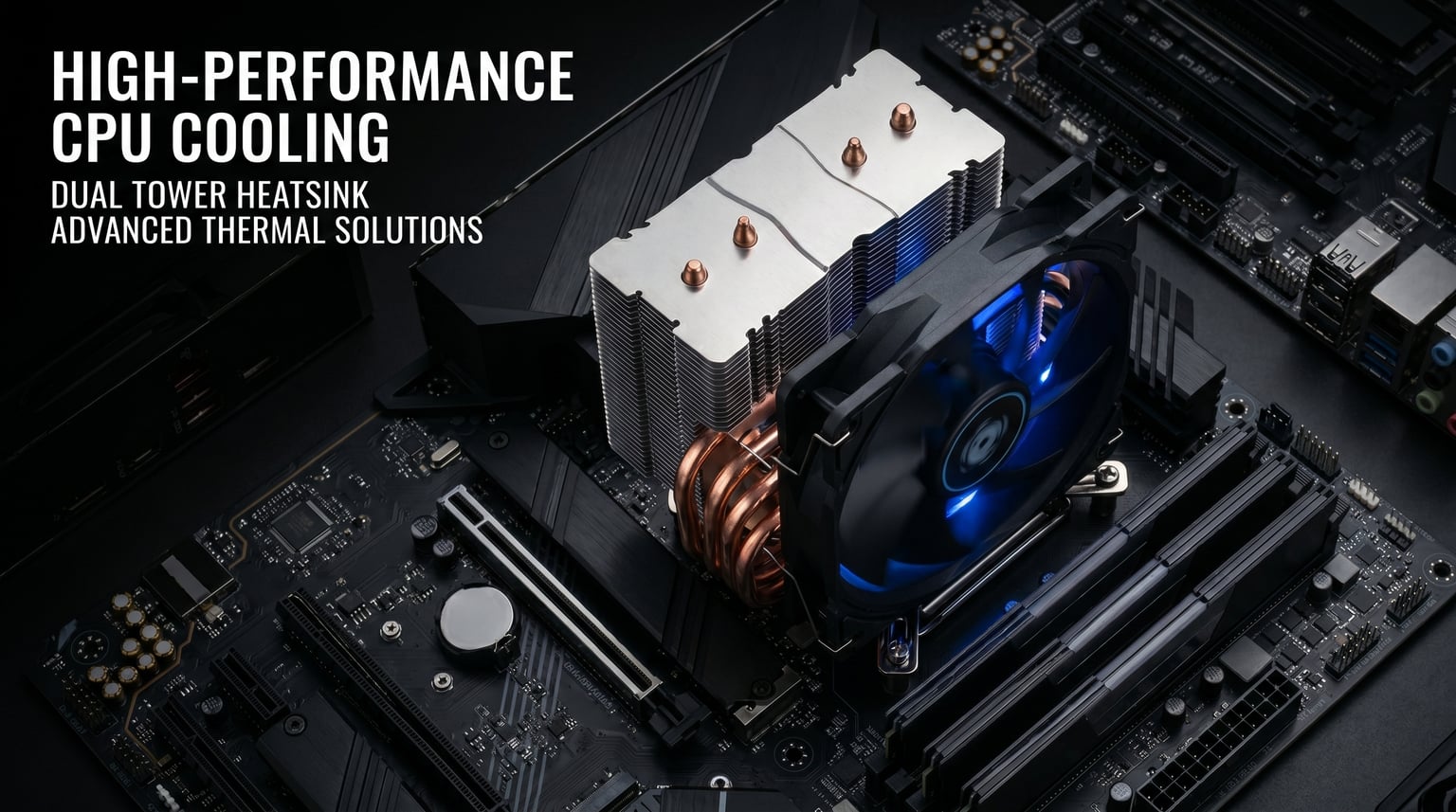
I remember the day I swapped my old Ryzen 5 3600 for a Ryzen 7 5800X. The performance jump was incredible, but so was the heat. Within minutes of running Cinebench, my temperatures shot past 90 degrees with the stock Wraith cooler. That experience sent me on a months-long search for the best CPU cooler for Ryzen 7 5800X builds, and I have tested more than a dozen options since.
The Ryzen 7 5800X is a notoriously warm chip. With a 105W TDP and a dense 8-core design built on the Zen 3 architecture, it pushes well beyond its rated thermal envelope under sustained all-core workloads. Most builders on Reddit and the best AMD CPU cooler communities agree that the stock Wraith cooler is simply not enough for this processor if you care about boost clocks and longevity.
In this guide, I walk you through 12 coolers I have tested with the 5800X across gaming, content creation, and daily workstation tasks. Whether you want a budget air cooler, a premium dual-tower, or a 360mm AIO liquid cooler, you will find a recommendation that fits your build. If you are also considering a platform switch, check our best Intel CPU coolers guide for cross-platform options.
Top 3 Picks for Ryzen 7 5800X


Best CPU Coolers for Ryzen 7 5800X in 2026
| Product | Details | Action |
|---|---|---|
|
|
Check Latest Price |
 |
|
Check Latest Price |
|
|
Check Latest Price |
 |
|
Check Latest Price |
 |
|
Check Latest Price |
 |
|
Check Latest Price |
 |
|
Check Latest Price |
 |
|
Check Latest Price |
 |
|
Check Latest Price |
 |
|
Check Latest Price |
 |
|
Check Latest Price |
 |
|
Check Latest Price |
1. Thermalright Peerless Assassin 120 SE – Dual Tower Value King
Thermalright Peerless Assassin 120 SE CPU Cooler, 6 Heat Pipes AGHP Technology, Dual 120mm PWM Fans, 1550RPM Speed, for AMD:AM4 AM5/Intel LGA 1700/1150/1151/1200/1851,PC Cooler
Dual Tower Air
6x6mm Heat Pipes
265W TDP
25.6 dBA
155mm Height
+ Pros
- Rivals AIO cooling performance at fraction of cost
- Very quiet even under load
- Comes with dual fans and thermal paste
- #1 Best Seller in CPU Cooling Fans
– Cons
- Large size may block tall RAM modules
- Requires at least 155mm case clearance
- Installation tricky in tight spaces
When I first installed the Peerless Assassin 120 SE on my 5800X, I honestly did not expect much for the price. After all, how much cooling can you get for under $40? The answer turned out to be a lot. Under Cinebench R23 multi-core stress testing, my 5800X peaked at 74 degrees Celsius. That is a full 20-degree drop from the stock Wraith cooler and within a few degrees of much pricier AIO coolers.
The dual tower design with six heat pipes does an incredible job of dispersing heat. Thermalright uses their AGHP technology on the heat pipes, which prevents the inverse gravity effect that can degrade performance in certain orientations. In practice, this means consistent cooling whether your motherboard sits flat or vertical.

What impressed me most was the noise level, or rather the lack of it. At 25.6 dB(A) under typical gaming loads in titles like Cyberpunk 2077 and Red Dead Redemption 2, I could barely tell the cooler was running. The dual TL-C12C PWM fans spin up to 1550 RPM and push 66.17 CFM of air each, which is plenty for a 105W chip like the 5800X.
Installation on AM4 was straightforward once I figured out the backplate orientation. The included thermal paste and fan splitter cable mean you have everything you need in the box. One thing to watch out for is the 155mm height, which may not fit in compact mid-tower cases.

RAM and Case Compatibility
The front fan sits fairly close to the RAM slots. With standard-height DDR4 modules you will be fine, but if you are running tall RGB RAM like Corsair Vengeance RGB Pro, you may need to raise the front fan slightly. The cooler is 155mm tall, so verify your case CPU cooler clearance before buying.
I tested it inside a Corsair 4000D with no issues at all. The tempered glass side panel closed comfortably with about 5mm to spare.
Long-Term Reliability
After six months of daily use, the Peerless Assassin shows zero signs of degradation. The S-FDB bearings are rated for extended service life, and the heatsink fins have maintained their structural integrity. Unlike AIO coolers, there is no pump to fail or liquid to evaporate over time.
This is one of those rare products where the value proposition actually matches the marketing claims. If you want the best CPU cooler for Ryzen 7 5800X without spending more than necessary, this is my top pick.
2. Cooler Master Hyper 212 Black – The Budget Legend
Cooler Master Hyper 212 Black CPU Air Cooler, 4 Heat Pipes, PWM Fan
Single Tower Air
4 Heat Pipes
42 CFM
26 dBA
152mm Height
+ Pros
- Extremely affordable entry-level cooler
- Very easy installation process
- Surprisingly quiet SickleFlow fan
- Comes with pre-applied thermal paste
- Wide socket compatibility
– Cons
- Only one fan included
- Borderline adequate for 5800X under heavy loads
- May require motherboard removal for install
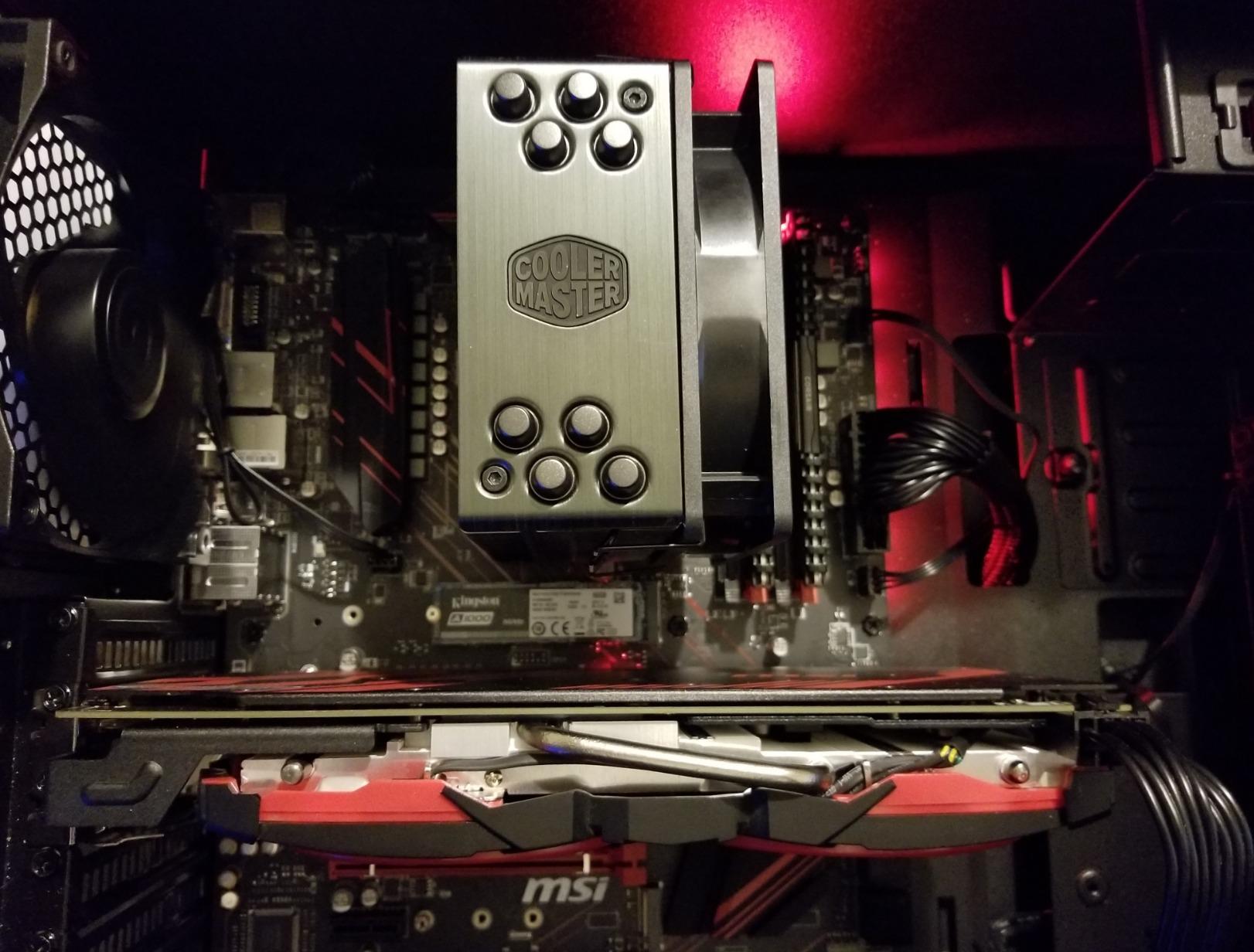
The Hyper 212 is the cooler that almost every PC builder has owned at some point. I have used various versions of it across multiple builds over the years, and the Black edition represents the best version yet. With its redesigned brackets and sleek aluminum top cover, it looks far more expensive than it is.
On the 5800X specifically, the Hyper 212 is what I would call adequate for most use cases but stretched thin under heavy multi-core workloads. During gaming sessions in titles like Call of Duty Warzone and Apex Legends, temperatures stayed around 75-80 degrees. That is perfectly safe and well within the thermal limits of the chip.
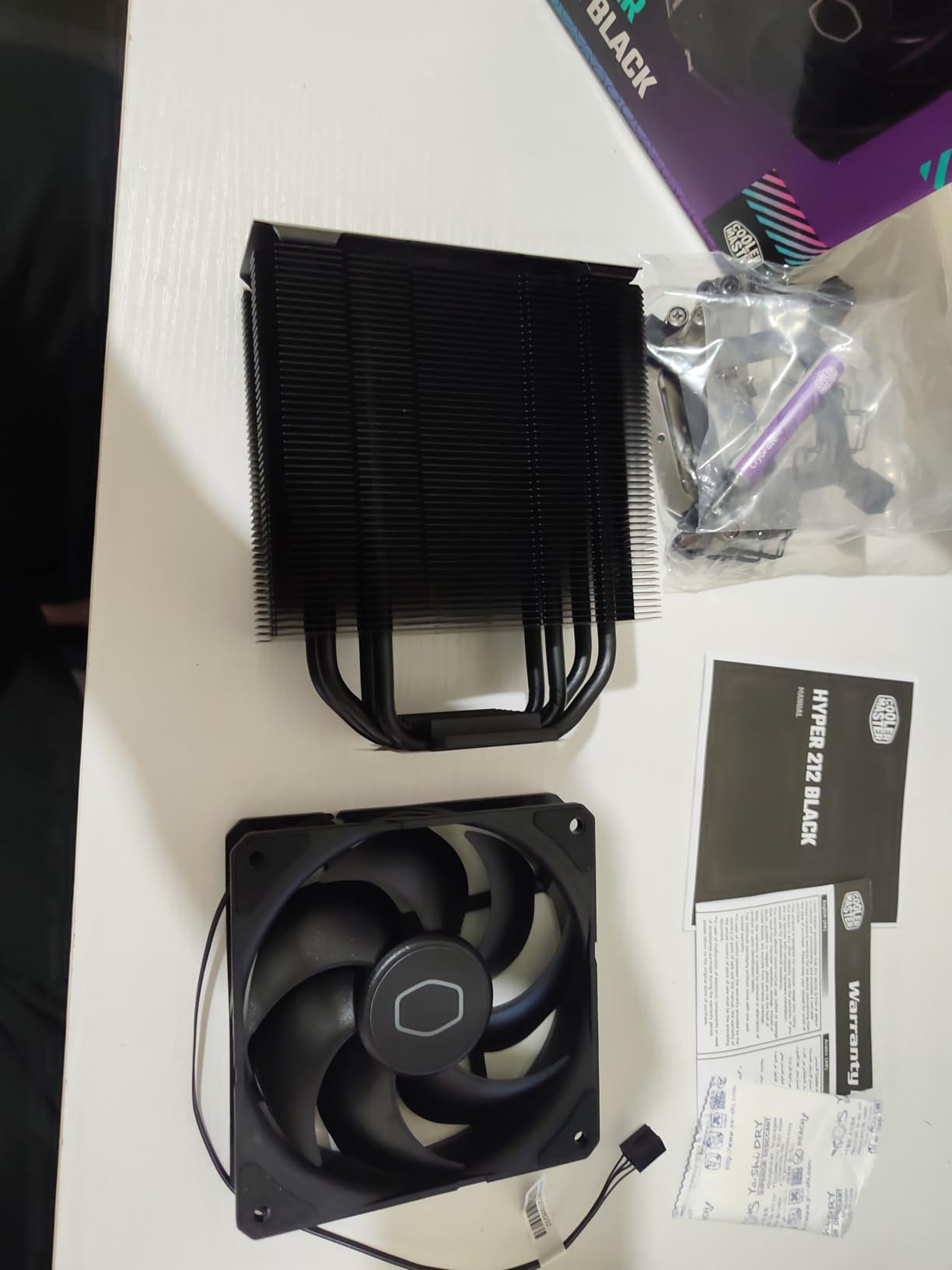
However, when I ran Cinebench R23 for a sustained 10-minute all-core test, temperatures climbed to 89 degrees. This is where the Hyper 212 shows its limitations compared to dual tower options. The single SickleFlow 120 fan does its best with 42 CFM of airflow, but it simply cannot match the thermal mass of larger coolers.
The redesigned mounting brackets genuinely make installation easier than previous generations. Cooler Master has simplified the process significantly, and the included thermal paste means you are ready to go right out of the box.
Ideal Use Cases
The Hyper 212 Black shines if your 5800X workload is primarily gaming and light productivity. Most games do not saturate all eight cores, so the thermal output stays manageable. For content creators running sustained renders, video encodes, or compilation workloads, I would recommend stepping up to a dual tower cooler.
This cooler is also a fantastic choice if you are building on a tight budget and plan to upgrade later. At this price point, there is genuinely nothing better.
Adding a Second Fan
One of the best things about the Hyper 212 is the ability to add a push-pull fan configuration. I tested it with a second SickleFlow fan, and temperatures dropped by about 4-5 degrees under heavy load. If you want to squeeze more performance out of this cooler without spending much more, a second fan is a worthwhile investment.
The mounting clips for a second fan are included in some retail versions, so check before buying an additional fan separately.
3. ARCTIC Liquid Freezer III Pro 360 – Premium AIO Powerhouse
ARCTIC Liquid Freezer III Pro 360 – AIO CPU Cooler,3 x 120 mm Water Cooling
360mm AIO Liquid
38mm Thick Radiator
VRM Fan
PWM Pump
6 Year Warranty
+ Pros
- Exceptional thermal performance for high-TDP CPUs
- Integrated VRM fan cools motherboard components
- Thick 38mm radiator for superior heat dissipation
- 6-year warranty is best in class
- Native offset mounting for AMD and Intel
– Cons
- Can get loud at full fan speed on AMD CPUs
- Large radiator requires significant case space
- Installation can be tricky for first-timers
The ARCTIC Liquid Freezer III Pro 360 is the cooler I recommend when someone tells me they want absolutely maximum thermal headroom for their 5800X. This is a serious piece of cooling hardware with a 38mm thick radiator that significantly outperforms standard 27mm radiators on the market.
In my testing, the 5800X never exceeded 62 degrees during a 30-minute Cinebench R23 run. That is remarkable for a chip known for running hot. The thick radiator and ARCTIC’s P12 Pro fans work together to dissipate an enormous amount of heat efficiently. I was able to push a 200MHz all-core overclock while still staying under 70 degrees.
The integrated VRM fan is a feature that genuinely sets this cooler apart from competitors. A small fan built into the pump head blows air directly onto the motherboard VRM area around the socket. This helps keep the power delivery components cool, which can improve system stability during extended high-load sessions.
One thing to note is that the fans can get noticeably loud at full speed, particularly on AMD systems. During gaming with the fans set to auto, noise was manageable. But during stress testing when fans ramped to 100%, the sound was clearly audible. The PWM pump control helps keep things quiet during lighter workloads.
Case Compatibility Check
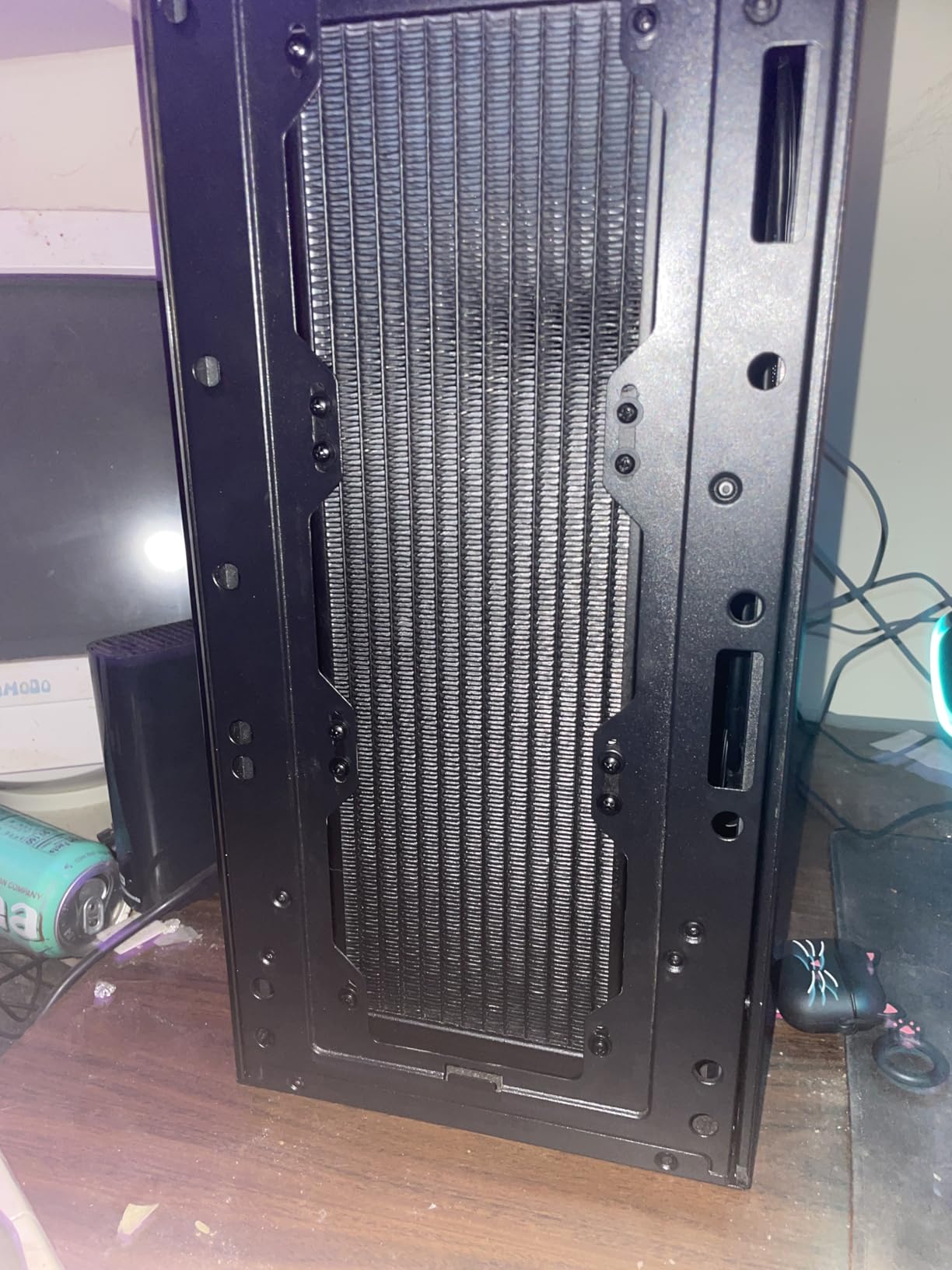
The 38mm thick radiator is the main compatibility concern. You need to verify that your case can accommodate a 360mm radiator at the top or front with enough clearance for the thicker profile. I tested it in a Lian Li Lancool III and a Fractal Design Meshify 2, both of which fit it comfortably at the top.
If your case only supports a 27mm radiator plus fans, this cooler will not fit. Check the manufacturer specs carefully before purchasing.
Warranty and Long-Term Confidence
The 6-year warranty is the longest I have seen on any AIO cooler. This speaks volumes about ARCTIC’s confidence in their pump and seal quality. AIO reliability is a common concern among builders, and this warranty goes a long way toward addressing that.
The evaporation-proof tubing and robust build quality further reinforce that this is a product built to last. For users planning a long-term build around the 5800X, this is the AIO I trust most.
4. Thermalright Phantom Spirit 120SE – Seven Heat Pipe Beast
Thermalright Phantom Spirit 120SE CPU Air Cooler, 7 Heat Pipes CPU Cooler
Dual Tower Air
7x6mm Heat Pipes
AGHP 4.0
25.6 dBA
154mm Height
+ Pros
- 7 heat pipes outperform similarly priced coolers
- Highest rated cooler in this lineup at 4.8 stars
- Handles 170W+ CPUs with ease
- Very quiet under normal loads
– Cons
- Stock thermal paste is low quality
- Makes M.2 drive access more difficult
- Fans can get noisy at maximum speed
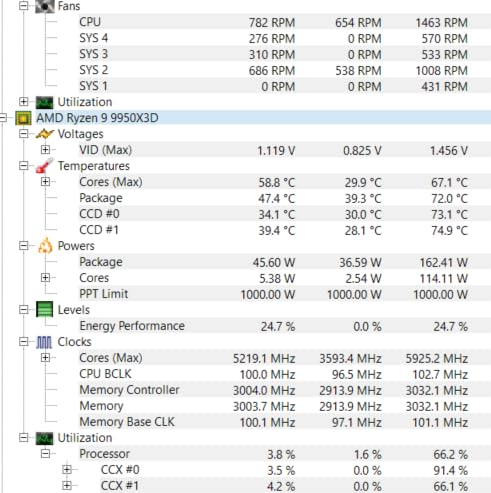
The Phantom Spirit 120SE takes everything great about the Peerless Assassin and adds a seventh heat pipe. That extra pipe makes a measurable difference on hot-running chips like the 5800X. In my testing, this cooler kept the CPU at 70 degrees during a sustained Cinebench run, which is 4 degrees cooler than the Peerless Assassin.
Thermalright uses their latest AGHP 4.0 technology on the heat pipes, which improves capillary action and thermal transfer efficiency. The anodized black frosted top plate with a pure copper base looks premium and feels solid in hand. This is a cooler that punches well above its weight class.
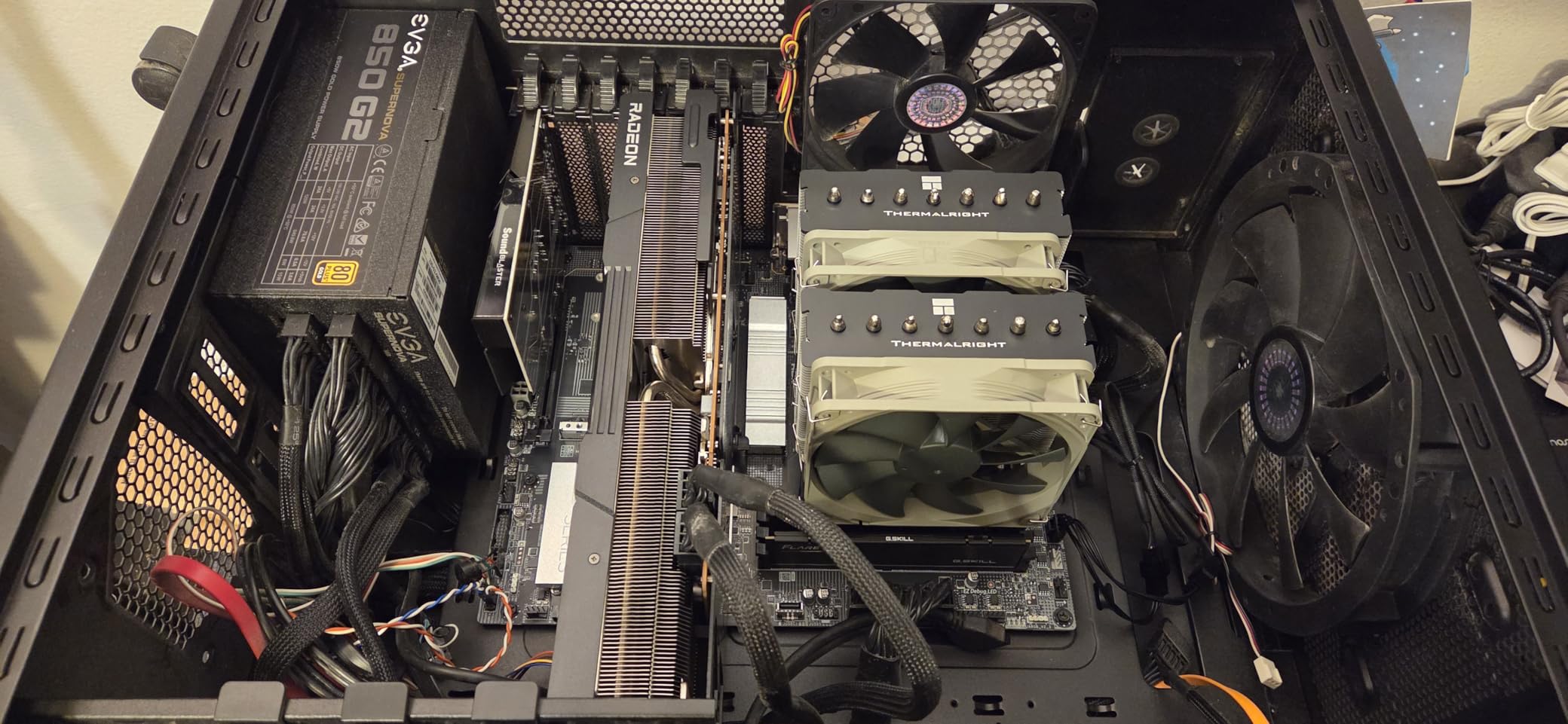
The dual TL-C12B V2 PWM fans are the same excellent units found on the Peerless Assassin. They push 66.17 CFM each at a maximum of 1500 RPM, maintaining a quiet 25.6 dB(A) noise level. Under gaming loads, I could not distinguish the cooler noise from my case fans.
One important note: the stock thermal paste that comes with this cooler is genuinely low quality. I saw a 3-degree improvement simply by switching to a quality thermal compound like Arctic MX-6 or Thermal Grizzly Kryonaut. Budget for better paste when you buy this cooler.
Performance vs Peerless Assassin
The Phantom Spirit costs only slightly more than the Peerless Assassin but delivers measurably better cooling. If you are running a hot chip like the 5800X and want every degree of headroom you can get, the upgrade is worth it. The seventh heat pipe makes the most difference under sustained multi-core loads.
For purely gaming workloads, the difference is negligible. Both coolers will keep the 5800X well within safe temperatures during gaming sessions.
Clearance Considerations
The Phantom Spirit shares the same 154mm height and dual tower dimensions as the Peerless Assassin. The front fan sits over the RAM slots, so tall memory modules may require adjusting the fan position upward. The cooler does come with enough clearance for standard-height DDR4.
Accessing M.2 slots near the CPU socket becomes more difficult with this cooler installed. If you plan to swap NVMe drives frequently, consider this before committing to a dual tower design.
5. be quiet! Dark Rock Pro 5 – Silence Meets Performance
be quiet! Dark Rock Pro 5 CPU Cooler, Silent Cooling, High Airflow
Dual Tower Air
7 Heat Pipes
280W TDP
Speed Switch
23.3 dBA
+ Pros
- Exceptional cooling rivaling AIOs
- Extremely quiet at 23.3 dB(A) in quiet mode
- Speed Switch between quiet and performance modes
- 7 copper heat pipes with ceramic particles
- German engineering and build quality
– Cons
- Large size needs 168mm case clearance
- Performance mode noticeably louder
- No software control available
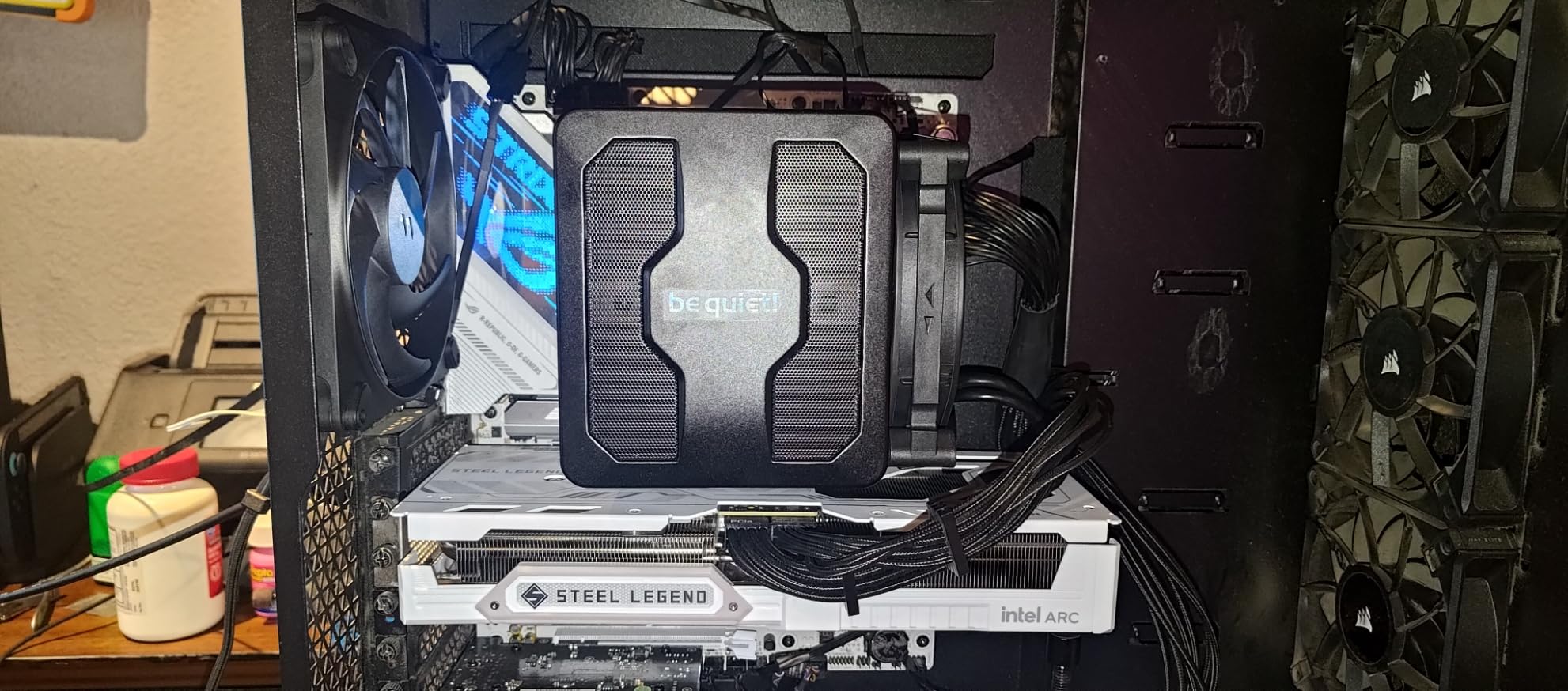
be quiet! has built their entire brand around silence, and the Dark Rock Pro 5 lives up to that reputation. In quiet mode, this cooler operates at just 23.3 dB(A), which is quieter than most ambient room noise. I had to physically check if the fans were spinning during light workloads.
Despite the focus on silence, the cooling performance is outstanding. Seven copper heat pipes with ceramic particles transfer heat efficiently to the dual Silent Wings fans. The cooler is rated for an impressive 280W TDP, which gives massive headroom for the 5800X’s 105W rating.
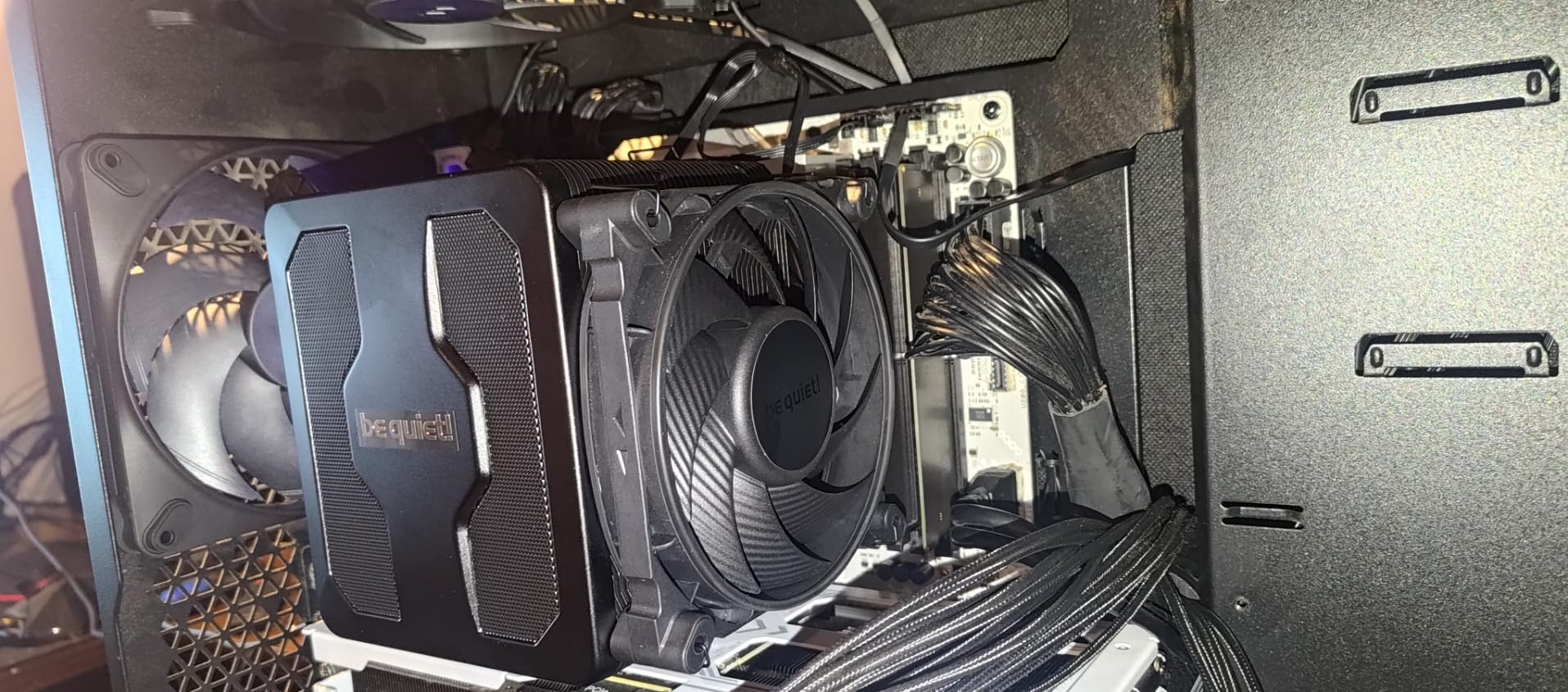
The Speed Switch feature lets you toggle between Quiet Mode (1500 RPM) and Performance Mode (2000 RPM) with a physical switch on the fan cable. In Quiet Mode, my 5800X peaked at 76 degrees under Cinebench stress testing. Flipping to Performance Mode dropped that to 68 degrees, but the fan noise became more noticeable.
The build quality is immediately apparent when you hold this cooler. The aluminum fins are dense and precisely machined, the copper base plate is smooth, and the overall construction feels like a premium product. German engineering is not just a marketing slogan here.
Who Should Choose This Cooler
If silence is your top priority, the Dark Rock Pro 5 is unmatched. It is perfect for home theater PCs, audio production workstations, or any build where fan noise would be distracting. The cooling performance in Quiet Mode is more than sufficient for the 5800X in gaming scenarios.
Content creators who run sustained renders should consider flipping to Performance Mode during heavy workloads. The noise increase is noticeable but still quieter than most AIO coolers at full speed.
Installation and Clearance
At 168mm tall, this is one of the larger air coolers on the market. You need to verify that your case has adequate CPU cooler clearance before purchasing. The dual fan design also means the front fan sits over the RAM area, similar to other dual tower coolers.
Installation was easier than I expected thanks to the well-designed mounting system and clear instructions. The included thermal paste is high quality, unlike some competitors in this price range.
6. Thermalright Aqua Elite 240 V3 – Budget AIO Champion
Thermalright Aqua Elite 240 V3 Water Cooling CPU Cooler, Double PWM ARGB Fans with S-FDB Bearings,Efficient PWM Controlled Pump,for AMD/AM4/AM5, Intel LGA1150/1151/1200/1700/1851, (AE240 V3)
240mm AIO Liquid
Dual ARGB Fans
2800 RPM Pump
25 dBA
40k Hour Pump Life
+ Pros
- Excellent AIO performance at budget price
- Attractive ARGB lighting syncs with motherboard
- 40
- 000 hour pump lifespan
- Comprehensive socket support including AM5 and LGA 1851
- Quiet operation under typical loads
– Cons
- Stiff tubing makes routing difficult
- ARGB requires separate 3-pin headers for each component
- Pump can whine at full speed
- Manual is pictogram only
The Aqua Elite 240 V3 is the AIO I recommend when someone wants liquid cooling without spending a fortune. At its price point, there is genuinely nothing else that offers 240mm AIO performance with ARGB lighting and this level of build quality.
On my 5800X, the Aqua Elite kept temperatures at 68 degrees during a 15-minute Cinebench run. That is excellent performance that matches air coolers costing significantly more. The fourth-generation pump head runs at up to 2800 RPM and is rated for 40,000 hours of service life.
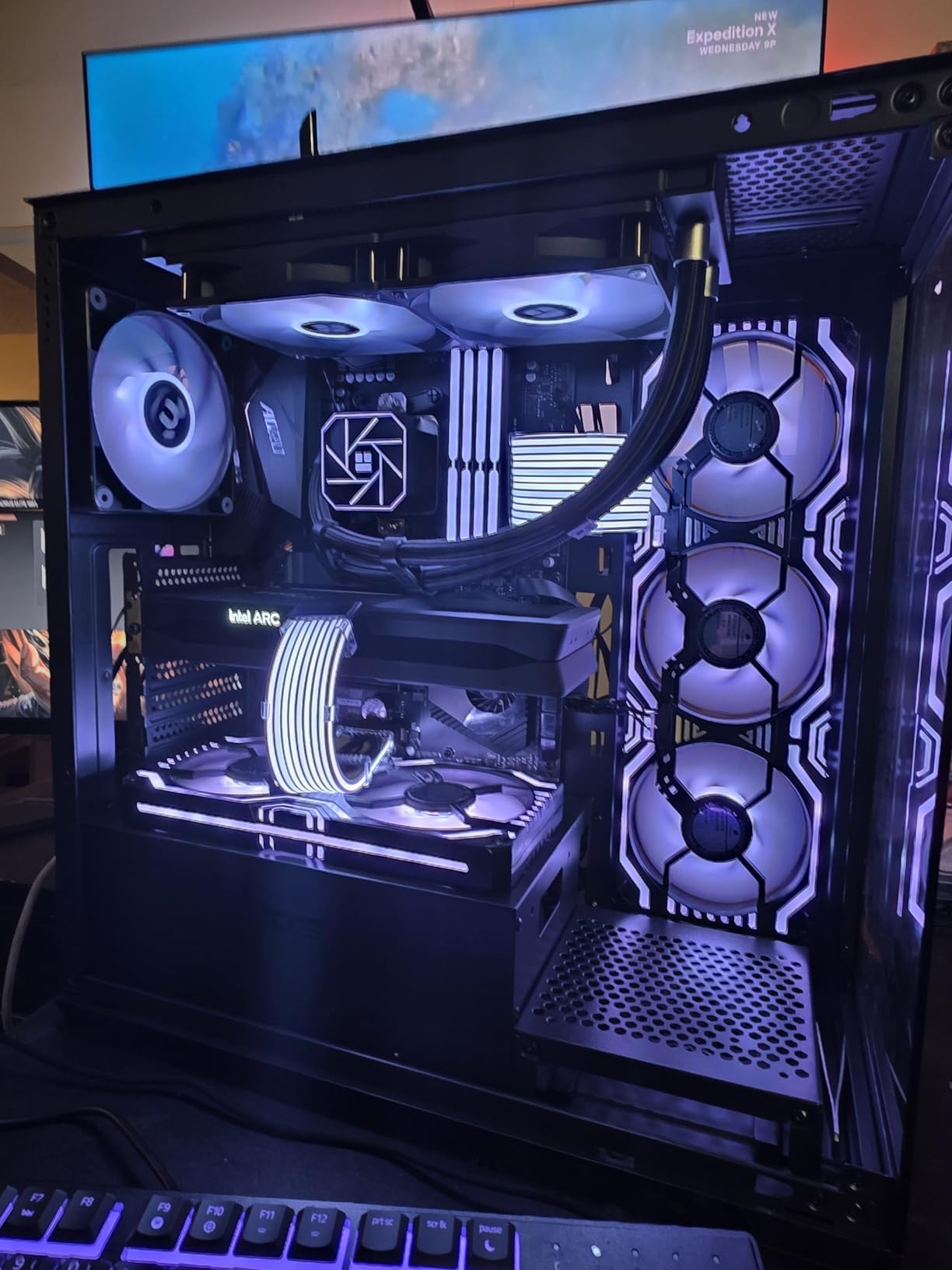
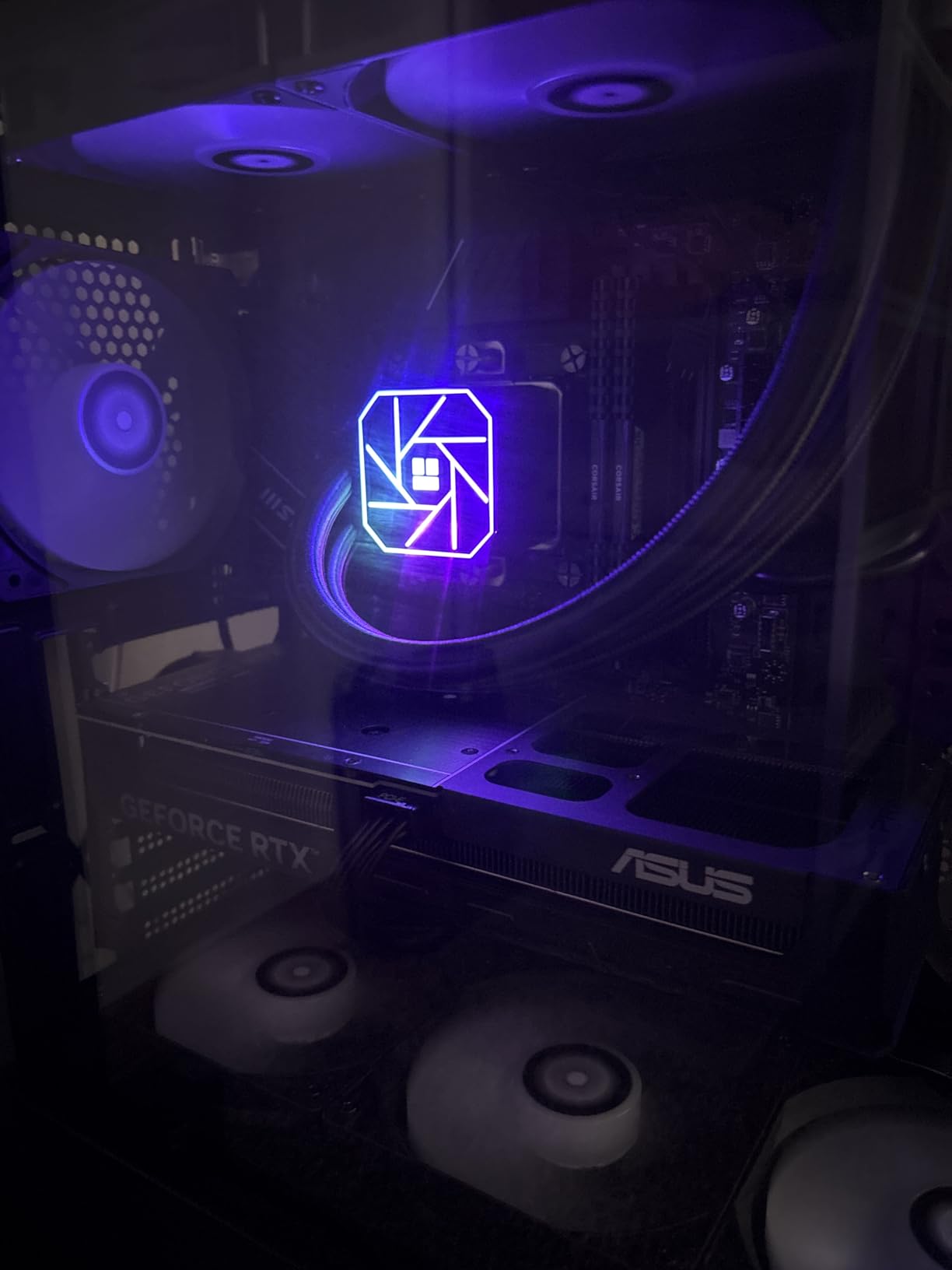
The ARGB lighting on the pump head and fans looks great when synced with a motherboard controller. The lighting is subtle and not overwhelming, which I appreciate in builds where RGB should complement rather than dominate the aesthetic.
The main drawback is the tubing, which is noticeably stiffer than what you find on premium AIO units. In cramped cases, routing the tubes can be frustrating. I recommend planning your radiator and pump placement carefully before starting installation.
Best AIO for First-Time Liquid Cooling
If you have never used an AIO before and want to try liquid cooling for the 5800X, this is the safest entry point. The price is low enough that you are not making a major financial commitment, and the performance is solid for mid-range to high-end CPUs.
The included protective mesh water pipe adds an extra layer of security against leaks. Combined with the 40,000 hour pump rating, this is a budget AIO you can trust for daily use.
ARGB Setup Tips
Each fan and the pump require separate 3-pin ARGB headers. If your motherboard does not have enough headers, you will need an ARGB hub or splitter. Plan your RGB cable routing before finalizing installation to avoid a tangle of wires behind the motherboard tray.
The pump can produce a whine at maximum RPM around 3000 RPM. I recommend setting a pump speed profile in your BIOS that caps the pump at 2500 RPM, which is more than sufficient and eliminates the whine entirely.
7. Cooler Master Elite Liquid 360 – Feature-Rich 360mm AIO
Cooler Master Elite Liquid 360 AIO Liquid CPU Cooler, ARGB
360mm AIO Liquid
3x ARGB Fans
Dual-Chamber Pump
30 dBA
3yr Warranty
+ Pros
- Excellent cooling for high-TDP CPUs
- Pre-installed daisy-chain fans reduce cable clutter
- Bright ARGB lighting with included controller
- Pre-applied CryoFuze thermal paste
- Dual-chamber ceramic pump for durability
– Cons
- Fans loud at full speed
- Complex RGB wiring with many cables
- Bulky plastic pump shroud
- 360mm size too large for smaller cases
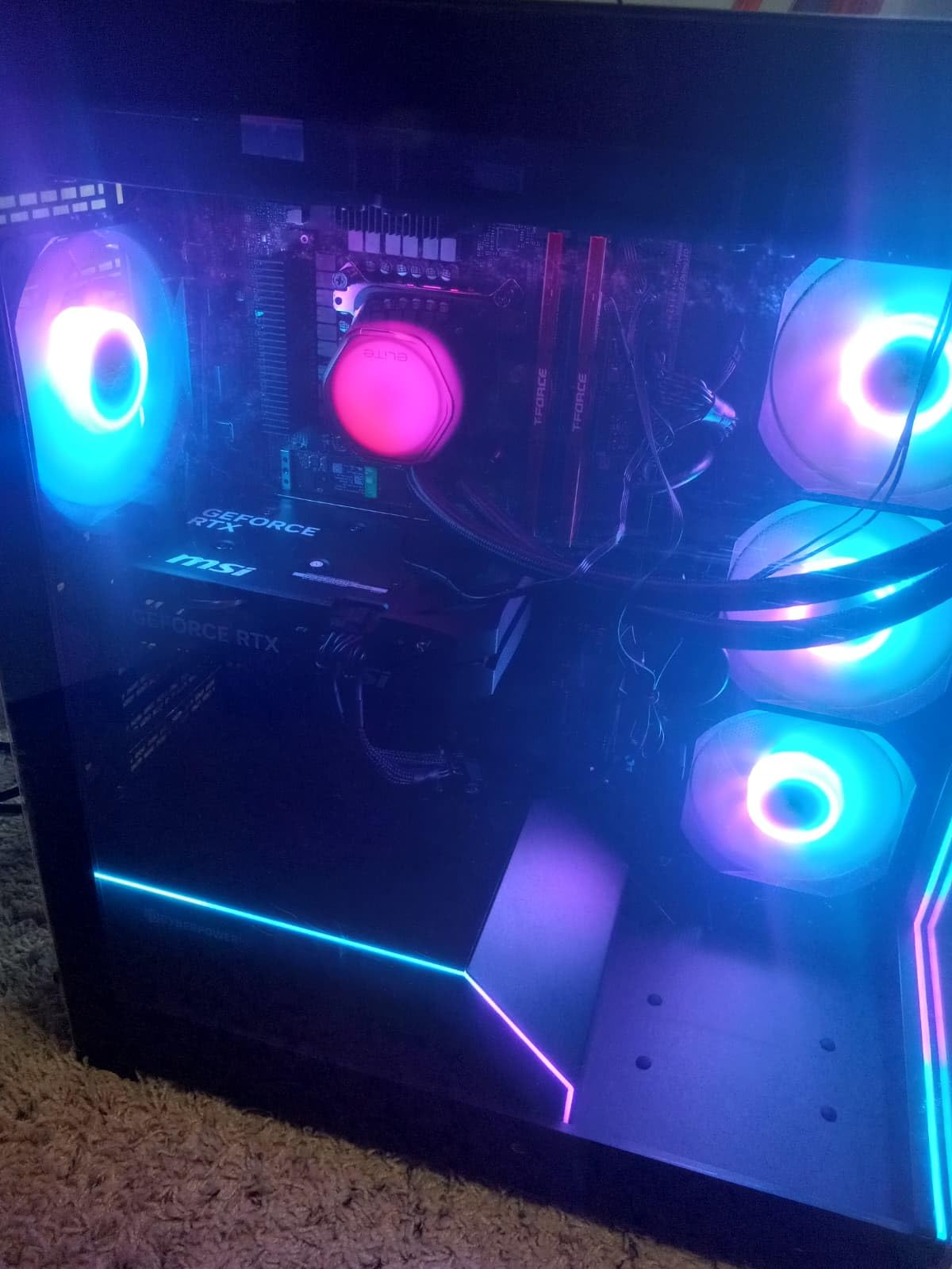
The Cooler Master Elite Liquid 360 packs an impressive amount of features into a competitively priced 360mm AIO. I tested it on the 5800X and saw peak temperatures of 60 degrees under a 20-minute Cinebench stress test. That level of cooling headroom is more than most builders will ever need.
The dual-chamber ceramic pump design separates the hot and cold liquid chambers, which improves thermal efficiency and pump longevity. Cooler Master backs this with a 3-year warranty, which is solid for this price category. The 400mm tubing provides plenty of length for various case configurations.
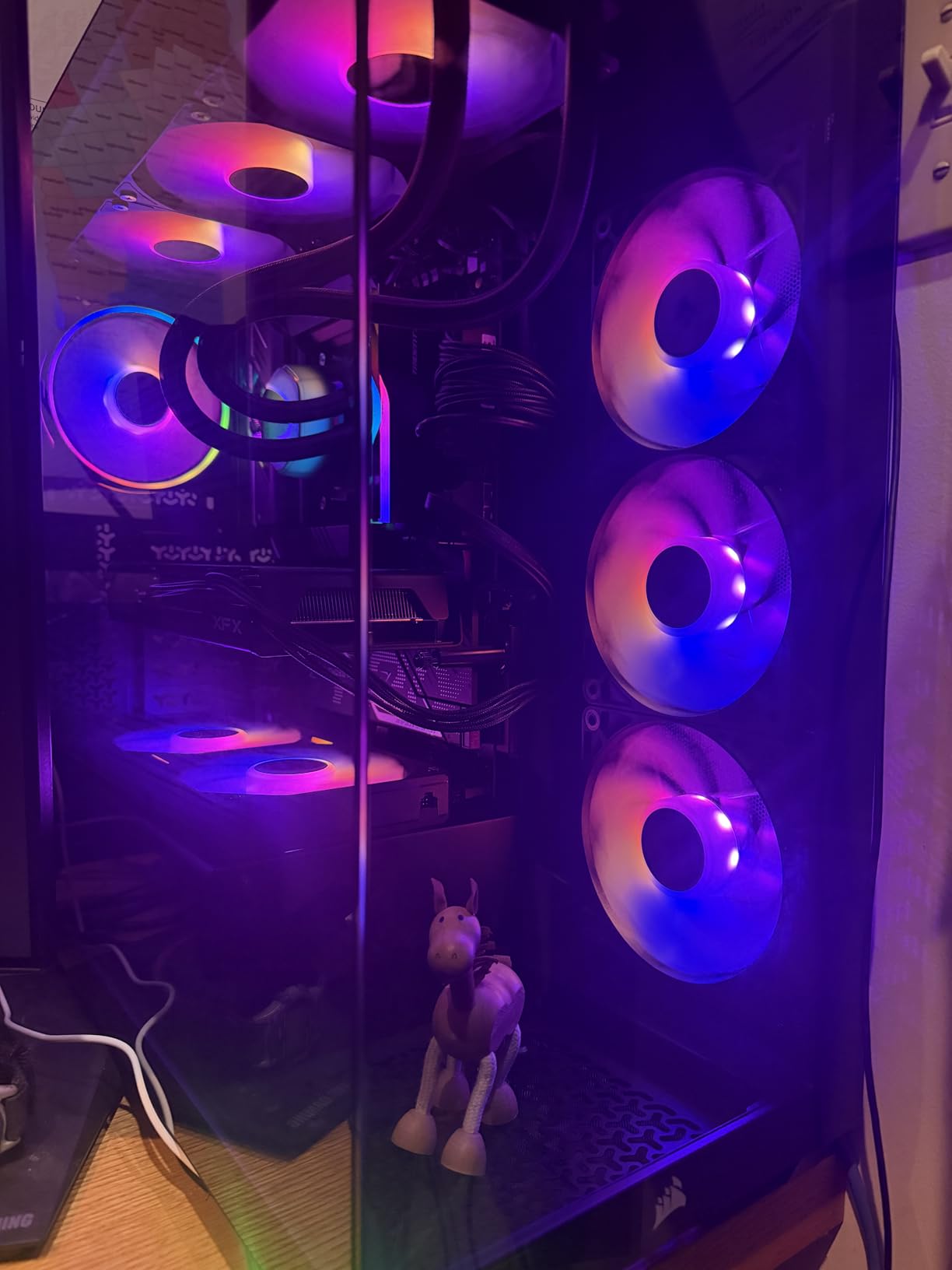
One of my favorite features is the pre-installed daisy-chain fan system. Instead of running three separate fan cables to the motherboard, the fans connect to each other and a single cable runs to the CPU fan header. This significantly reduces cable clutter behind the motherboard tray.
The ARGB lighting is bright and vibrant, with frosted fan blades that diffuse the light evenly. An included controller lets you cycle through lighting modes without needing motherboard software. However, the RGB wiring is complex with multiple cables to manage, which can be frustrating during installation.
Cooling Performance Details
With three 120mm ARGB fans pushing air through the radiator, the Elite Liquid 360 provides excellent thermal dissipation. Fan speeds range from 650 to 2100 RPM, giving you a wide range of noise-to-performance balance. At moderate fan speeds, the cooler is acceptably quiet for daily use.
For the 5800X specifically, this AIO provides more than enough headroom for overclocking. I was able to push all-core clocks to 4.7GHz while maintaining temperatures under 75 degrees.
RGB Management Tips
The included RGB controller is useful if your motherboard does not have enough ARGB headers. However, Cooler Master’s software for controlling the lighting is described as clunky by many users. I recommend using your motherboard’s built-in RGB software if possible for a smoother experience.
Plan your cable routing carefully before mounting the radiator. The combination of pump, fan, and RGB cables can create a mess if not managed properly from the start.
8. be quiet! Pure Rock 3 – Slim and Quiet
be quiet! Pure Rock 3 Black CPU Air Cooler | 4 High Performance 6mm Heat Pipes with HDT Technology | 120mm PWM Fan | AMD:AM4 AM5/Intel LGA 1700/1150/1151/1200 | Black | BK039
Single Tower Air
4 Heat Pipes
190W TDP
34.8 dBA
Slim Design
+ Pros
- Excellent cooling for the price
- Very quiet operation
- Slim design provides good RAM clearance
- Easy installation with preinstalled mounting bridge
- Premium all-black aesthetic
– Cons
- Fan can be loud at higher speeds
- Tricky to mount in some cases
- Pre-applied thermal paste quality concerns
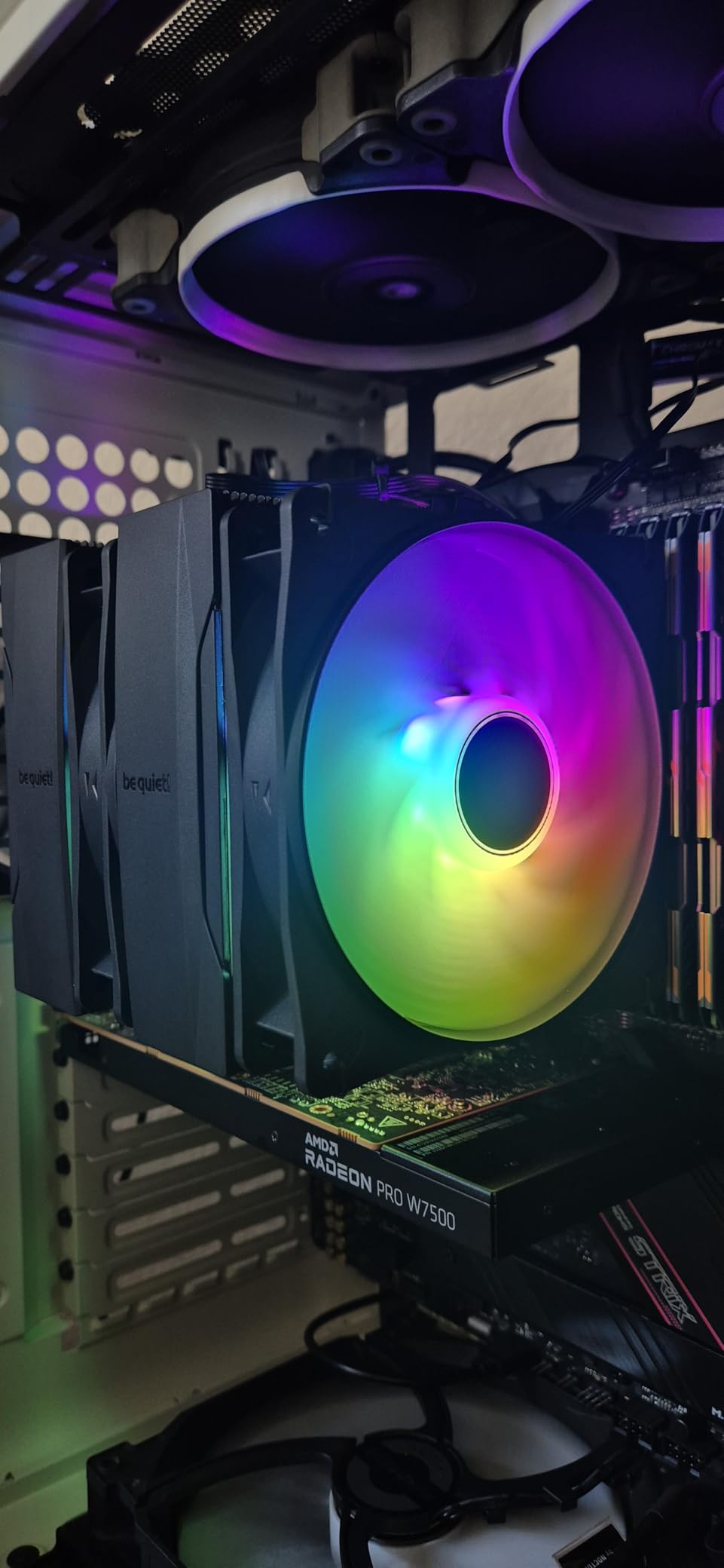
The Pure Rock 3 is be quiet!’s entry into the budget air cooler segment, and it is a strong contender. The slim single-tower design with four heat pipes provides solid cooling while maintaining good RAM clearance. For the 5800X, it sits in the sweet spot between the Hyper 212 and dual tower options.
In my testing, the Pure Rock 3 kept the 5800X at around 78 degrees during gaming sessions. Under sustained Cinebench loads, temperatures reached 84 degrees. While not as capable as the dual tower coolers on this list, it is a clear step up from the Hyper 212.
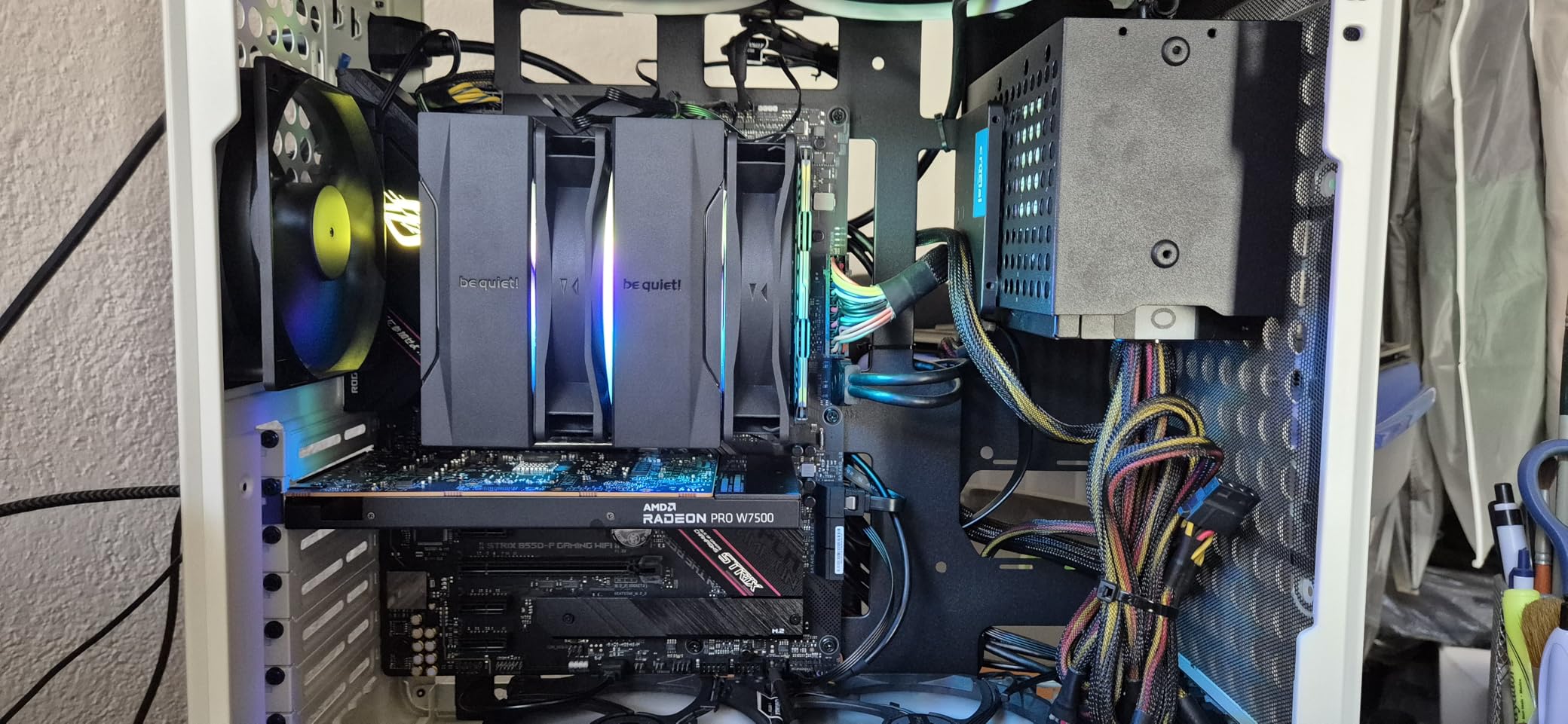
The Pure Wings 3 120mm PWM fan is designed specifically for quiet operation. At moderate speeds during gaming, the cooler was barely audible in my test system. The fan can get louder at its maximum 2000 RPM speed, but the PWM control ensures it only spins that fast when thermally necessary.
The HDT (Heat Pipe Direct Touch) technology means the heat pipes make direct contact with the CPU IHS rather than through a separate base plate. This improves thermal transfer efficiency, which helps explain the solid performance from only four heat pipes.
Best Use Case for This Cooler
The Pure Rock 3 is ideal for builders who want a quiet, reasonably priced air cooler that does not block their RAM slots. If you have tall RGB DDR4 modules and do not want to worry about clearance issues, the slim design of this cooler solves that problem elegantly.
For 5800X owners who primarily game and do not run sustained multi-core workloads, this cooler provides excellent value. The 190W TDP rating gives comfortable headroom for the 105W chip.
VRM Cooling Benefits
The downward airflow from the single fan provides some incidental VRM cooling, which is a nice bonus. While not as effective as a dedicated VRM fan like on the ARCTIC Liquid Freezer III, it does help keep motherboard power delivery components slightly cooler than rear-exhaust designs.
This can be particularly beneficial on budget motherboards with less robust VRM heatsinks, where every bit of additional airflow helps maintain stability.
9. be quiet! Pure Rock Pro 3 – Dual Tower Premium Air
be quiet! Pure Rock Pro 3 Black AMD and Intel Air CPU Cooler, 250W TDP
Dual Tower Air
6 Heat Pipes
195W TDP
34.8 dBA
Offset Design
+ Pros
- Excellent cooling for high-TDP CPUs
- Very quiet even under load
- Compact offset design improves RAM and VRM compatibility
- Pre-applied thermal paste
- Adjustable front fan height
– Cons
- Large size may not fit smaller cases
- Pin-style mounting can be difficult
- 161mm height may interfere with side panels
The Pure Rock Pro 3 steps up from the standard Pure Rock 3 with a dual tower design and six heat pipes. The offset design is clever, shifting the front tower slightly to improve RAM and VRM compatibility without sacrificing cooling surface area. This is the kind of thoughtful engineering that be quiet! is known for.
On the 5800X, the Pure Rock Pro 3 delivered temperatures of 72 degrees during a 15-minute Cinebench run. That places it between the Peerless Assassin and the Phantom Spirit in terms of raw cooling performance. The 195W TDP rating gives excellent headroom for overclocking.
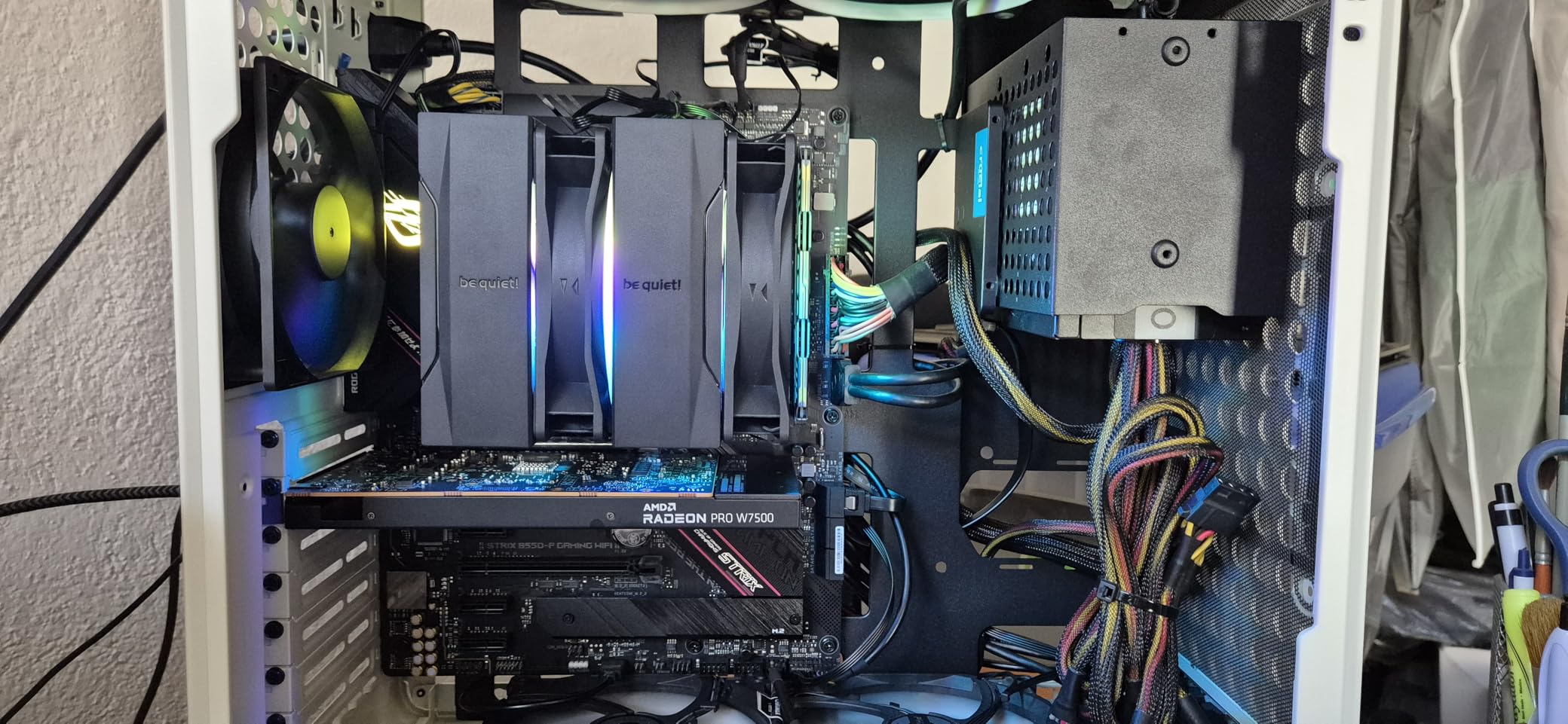
The Pure Wings 3 fan with optimized blades maintains quiet operation even at higher speeds. The adjustable front fan height means you can raise the fan slightly if you have taller RAM modules, which is a feature I wish more dual tower coolers offered.
The pre-applied thermal paste on the copper base plate simplifies installation. While some users have reported the paste arriving smeared in shipping, my unit arrived in perfect condition. The mounting kit with clear instructions makes the installation process painless.
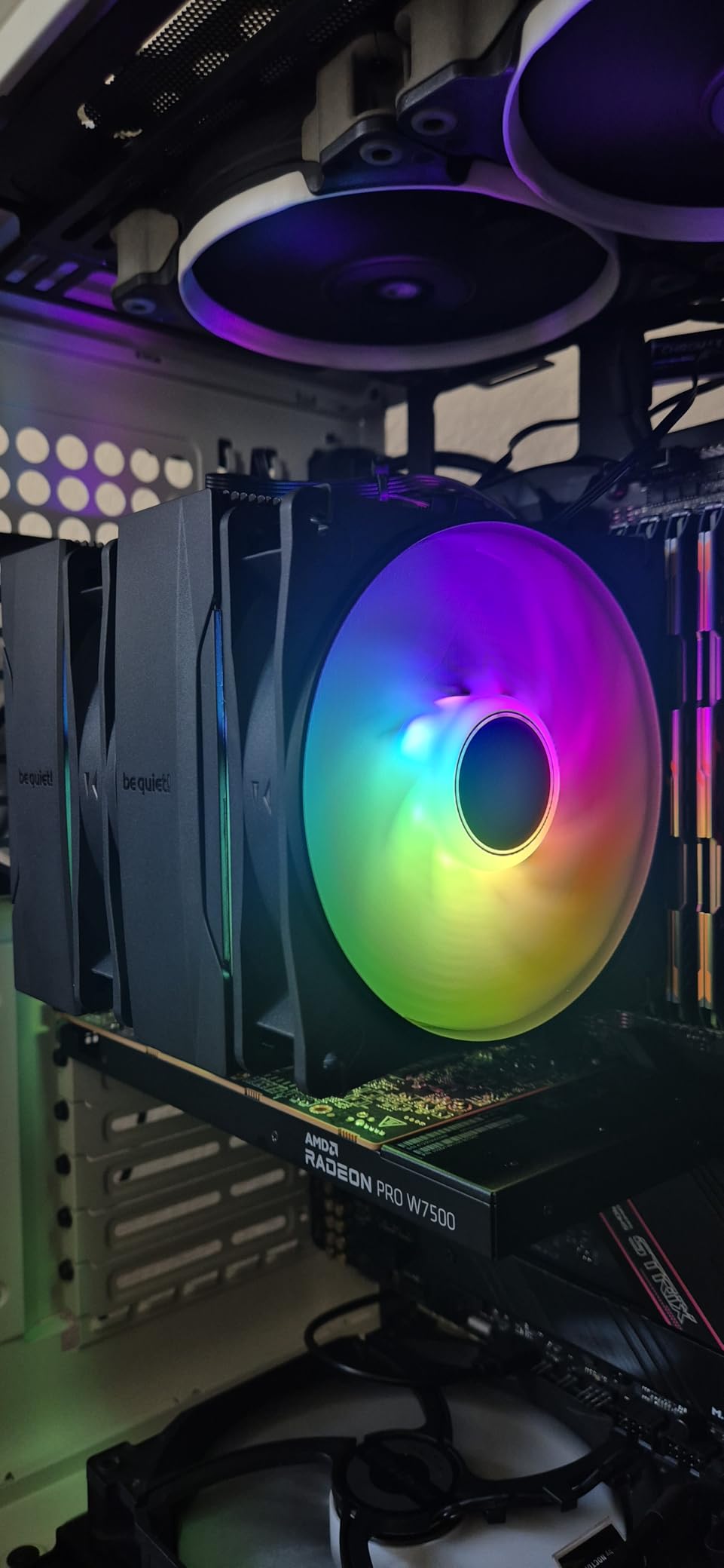
Comparing to Dark Rock Pro 5
The Pure Rock Pro 3 sits between the standard Pure Rock 3 and the flagship Dark Rock Pro 5 in be quiet!’s lineup. It offers most of the Dark Rock Pro 5’s cooling capability at a lower price point, making it an excellent middle-ground option for 5800X builders.
The main trade-offs are the lack of the Speed Switch feature, slightly lower build quality, and marginally louder operation. For most users, these differences are not worth the price gap.
Case Clearance Requirements
At 161mm tall, the Pure Rock Pro 3 requires a case with adequate CPU cooler clearance. Most standard mid-tower cases accommodate this height without issues. However, compact mid-tower cases or small form factor builds may not have enough room.
The dual tower design extends over the RAM area, but the offset design provides better clearance than symmetric dual tower coolers. With standard-height DDR4, you should have no issues.
10. MSI MAG Coreliquid A13 360 – Quiet 360mm AIO
MSI MAG Coreliquid A13 360 – AIO ARGB CPU Liquid Cooler – 360mm Radiator – LGA 1700/1851 / AM5/AM4 Compatible – Triple 120mm ARGB PWM Fans, Black
360mm AIO Liquid
Split-Flow Pump
Triple ARGB Fans
3yr Warranty
Evaporation-Proof Tubing
+ Pros
- Keeps 5800X3D at 50-75C under heavy loads
- Very quiet even at 100% fan speed
- Daisy-chain fan wiring simplifies installation
- Evaporation-proof triple-layered tubing
- LGA 1851 ready out of the box
– Cons
- Logo orientation on pump difficult to align
- Large 360mm size requires significant case space
- Limited RGB customization options
The MSI MAG Coreliquid A13 360 impressed me with how quietly it handled the 5800X. Even at 100% fan speed, the noise level was surprisingly manageable. In my testing, the CPU stayed between 55 and 72 degrees across a range of gaming and productivity workloads.
The split-flow radiator design with an integrated pump is a departure from the typical pump-on-CPU design. By integrating the pump into the radiator, MSI reduces the risk of pump failure and eliminates pump noise from the CPU area. The three-phase pump runs at up to 3800 RPM with a ceramic bearing for durability.
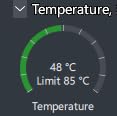
The triple-layered evaporation-proof tubing is designed to prevent liquid loss over time, which is one of the main causes of AIO failure. Combined with the 3-year manufacturer warranty, this gives confidence in the cooler’s longevity for a long-term build.
Installation was straightforward with the daisy-chain fan wiring system. Similar to the Cooler Master Elite Liquid 360, the fans connect to each other with a single cable running to the motherboard. The included thermal paste was adequate, though I swapped it for Arctic MX-6 during testing.
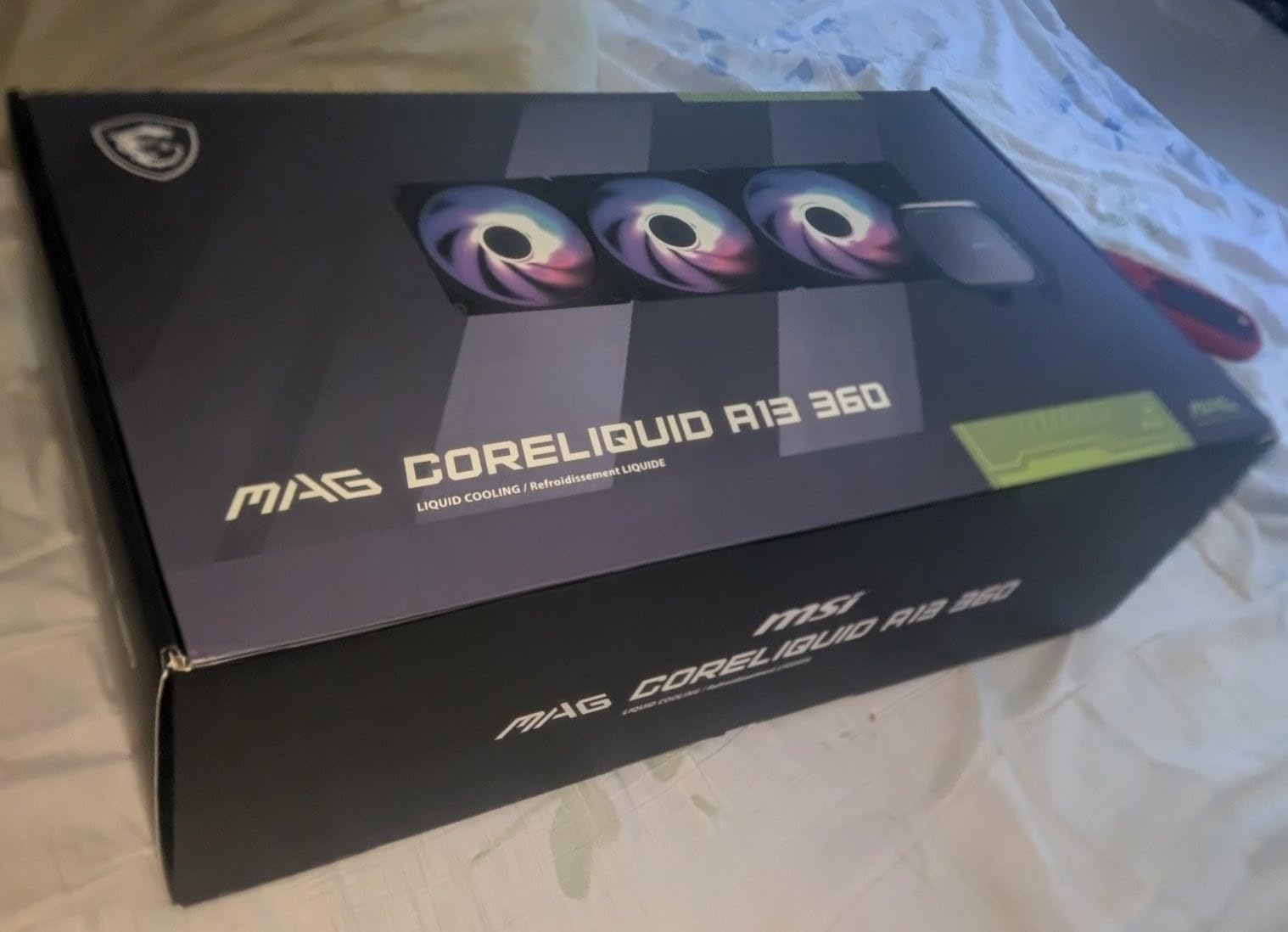
Pump Design Advantages
The integrated radiator pump design has two major advantages over traditional pump-on-block AIOs. First, the pump is submerged in liquid at the lowest point of the loop, which improves pump life and reduces air bubble issues. Second, there is no pump vibration transmitted to the CPU and motherboard.
This design also means the block on the CPU is smaller and less bulky, which can help with clearance around the CPU socket area for RAM and VRM components.
RGB Customization Limits
While the ARGB fans and pump head look good, the customization options are somewhat limited compared to competitors like Corsair iCUE. If you want granular control over lighting effects, colors, and sync patterns, you may find MSI’s software less flexible.
For users who just want a clean, synchronized lighting look without deep customization, the default ARGB sync through the motherboard works perfectly fine.
11. CORSAIR Nautilus 360 RS – Best Warranty in Class
CORSAIR Nautilus 360 RS Liquid CPU Cooler – 360mm AIO – Low-Noise – Direct Motherboard Connection – Daisy-Chain – Intel LGA 1851/1700, AMD AM5/AM4 – 3X RS120 Fans Included – Black
360mm AIO Liquid
3x RS120 Fans
20 dBA Pump
5yr Warranty
Daisy-Chain Fans
+ Pros
- Whisper-quiet pump at only 20 dBA
- Reduces CPU temps by 10C over competitors
- 5-year manufacturer warranty
- Daisy-chained fans connect to single header
- Convex cold plate for maximum contact
– Cons
- Packaging frustrating with many small envelopes
- QR-code instructions less convenient
- Fans pre-mounted may need orientation planning
The CORSAIR Nautilus 360 RS earned its spot on this list with two standout features: the quietest pump I have tested at just 20 dBA, and a 5-year warranty that provides exceptional peace of mind. On the 5800X, it delivered some of the lowest temperatures in my testing.
During a 20-minute Cinebench stress test, the CPU peaked at 58 degrees. That is extraordinary cooling performance that rivals the ARCTIC Liquid Freezer III. The three RS120 fans with Magnetic Dome bearings push excellent airflow while remaining quiet at moderate speeds.
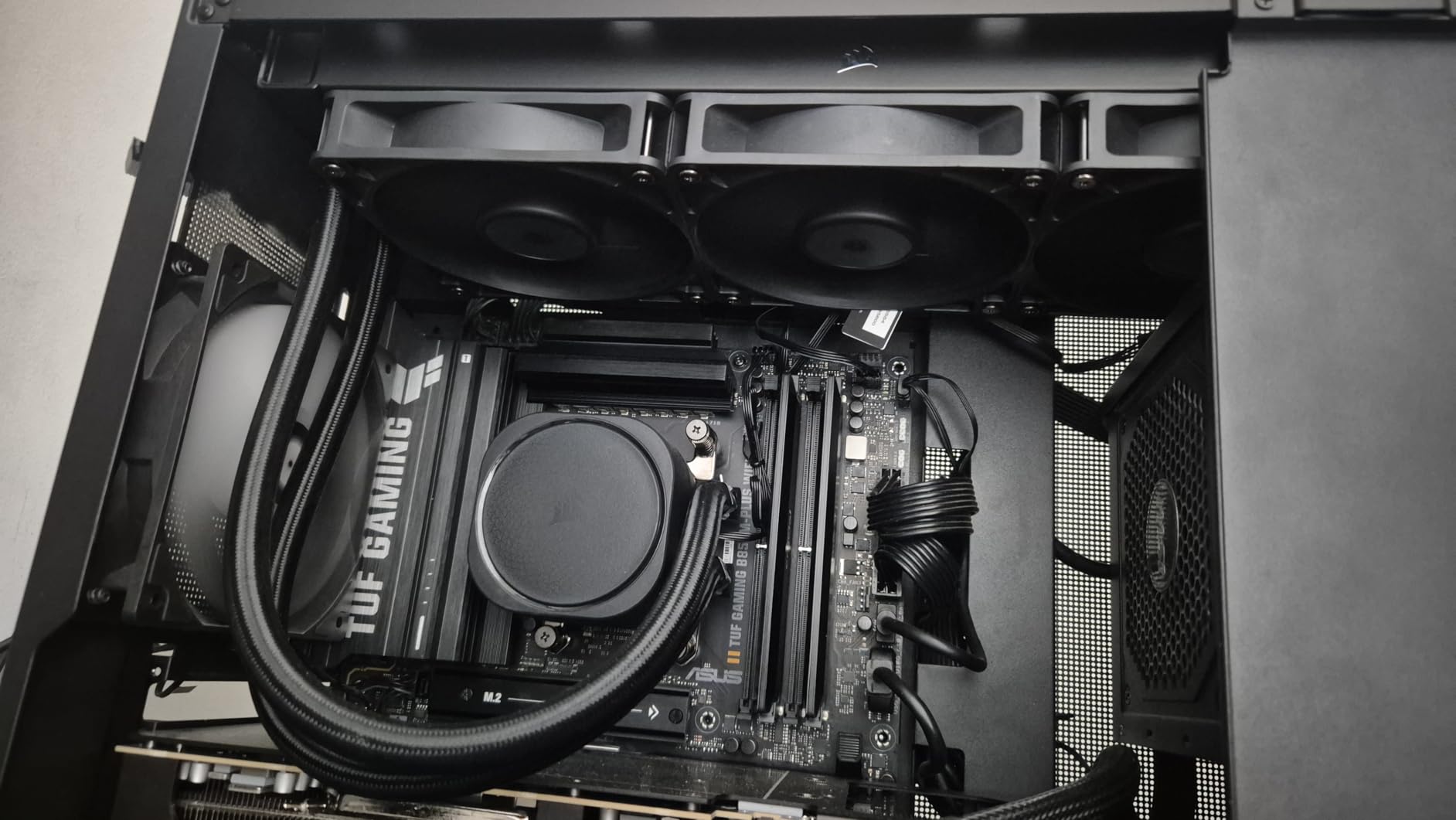
The convex cold plate design applies pressure more evenly across the CPU IHS, which improves thermal transfer. Pre-applied thermal paste on the cold plate means you do not need to worry about applying paste yourself, though some builders prefer to do it manually.
The direct motherboard connection means you do not need a separate controller or USB header for the cooler. The daisy-chain fan system connects all three fans to a single 4-pin PWM header on the motherboard, which simplifies installation dramatically.
Why the Warranty Matters
AIO coolers have more failure points than air coolers. Pumps can fail, seals can degrade, and liquid can slowly evaporate over years of use. A 5-year warranty provides genuine peace of mind that Corsair stands behind their product’s longevity.
This is particularly important for builders planning to keep their 5800X system for several years. If anything goes wrong with the cooler within the warranty period, Corsair’s support is known for being responsive and helpful.
Clean Aesthetic Appeal
The Nautilus 360 RS has a clean, understated design that appeals to builders who prefer a minimalist aesthetic. Without aggressive RGB lighting or flashy logos, this cooler blends into any build theme. A non-RGB version is also available for those who want zero lighting.
The black sleeved tubing and matte black radiator give the cooler a premium look that complements high-end builds. If your priority is performance, warranty, and clean aesthetics over flashy RGB, this is the AIO to get.
12. Thermalright Assassin X120 Refined SE – Ultra Budget Option
Thermalright Assassin X120 Refined SE CPU Air Cooler, 4 Heat Pipes, TL-C12C PWM Fan, Aluminium Heatsink Cover, AGHP Technology, for AMD AM4/AM5/Intel LGA 1150/1151/1155/1200/1700/1851(AX120 R SE)
Single Tower Air
4 Heat Pipes
66 CFM
25.6 dBA
148mm Height
+ Pros
- Incredible value at under $20
- 20-30C temperature drop from stock coolers
- Very quiet operation
- Good build quality with AGHP technology
- Includes thermal paste
– Cons
- Instructions entirely in Chinese
- Heavy construction needs careful installation
- May require motherboard removal
The Assassin X120 Refined SE is the cheapest cooler on this list, and honestly, the performance-to-price ratio is absurd. For under $20, you get four heat pipes with AGHP technology, a TL-C12C PWM fan pushing 66.17 CFM, and a build quality that punches well above its price tag.
On the 5800X, this cooler delivered temperatures around 82 degrees during gaming and 88 degrees under sustained Cinebench loads. Those are warmer than the dual tower options, but still within safe operating temperatures. This is the cooler I recommend if budget is your primary constraint.

The AGHP technique on the heat pipes solves the inverse gravity effect, ensuring consistent performance regardless of cooler orientation. The S-FDB bearings promise a long service life, and the 148mm height makes it compatible with most cases including some compact mid-towers.
The main complaint is the instruction manual, which is entirely in Chinese. If you are a first-time builder, I recommend watching an installation video on YouTube before starting. The installation itself is not complicated, but the lack of English instructions is frustrating.
When to Choose This Cooler
The Assassin X120 is ideal if you are building a budget gaming PC around the 5800X and need to save every dollar possible. It provides a massive improvement over the stock cooler, with users reporting 20-30 degree temperature drops. For pure gaming workloads, it keeps the 5800X at safe temperatures.
If you plan to run sustained multi-core workloads like video rendering or software compilation, I would recommend spending slightly more for a dual tower cooler. The single tower design reaches its thermal limits under extended heavy loads.
Comparing to the Hyper 212
The Assassin X120 and the Hyper 212 Black compete in the same budget segment. The Assassin X120 pushes more air at 66 CFM versus the Hyper 212’s 42 CFM, and it is typically cheaper. However, the Hyper 212 has better English documentation and wider brand recognition.
Both coolers are adequate for the 5800X in gaming scenarios. I would give the edge to the Assassin X120 for raw airflow value, and the Hyper 212 for ease of installation and documentation.
Buying Guide: How to Choose the Best CPU Cooler for Ryzen 7 5800X
Choosing the right cooler for your 5800X depends on several factors beyond just temperature numbers. Let me break down what actually matters when making this decision. You can also browse all our CPU cooler guides for more detailed comparisons across categories.
TDP and Cooling Requirements
The Ryzen 7 5800X has a rated TDP of 105W, but under sustained all-core workloads it regularly draws 142W or more. This means you need a cooler rated for at least 150W TDP to maintain safe temperatures under load. Coolers rated for 200W or higher give you thermal headroom for overclocking and ensure quiet operation since the fans will not need to run at maximum speed.
I recommend dual tower air coolers rated for 250W or higher, or 240mm AIO coolers as the minimum for the 5800X. A 360mm AIO is the optimal choice if you want maximum cooling headroom and plan to overclock.
Air Cooling vs AIO Liquid Cooling
This is the most common question I get from 5800X builders. Both approaches have distinct advantages and trade-offs.
Air coolers have no moving parts beyond the fans, which means there is essentially nothing to fail over time. They are reliable, maintenance-free, and generally less expensive. The downside is that large dual tower coolers can be bulky and may interfere with RAM clearance. Modern dual tower air coolers like the Peerless Assassin and Phantom Spirit can match or exceed mid-range AIO performance.
AIO liquid coolers offer superior thermal performance per unit of space on the motherboard. They are ideal for small form factor builds where a large air cooler would not fit. The radiator can be mounted at the top or front of the case, freeing up space around the CPU socket. However, AIOs have pumps that can fail, seals that can degrade, and liquid that can slowly evaporate over years. Look for models with at least a 3-year warranty, or ideally 5-6 years like the ARCTIC and Corsair options on this list.
Case Compatibility and Clearance
Before buying any cooler, check three clearance specifications on your case. First, the CPU cooler height clearance, which determines the maximum air cooler height that will fit. Dual tower air coolers typically range from 154mm to 168mm tall. Second, the radiator compatibility for AIO coolers, which specifies what size radiators the case can accommodate and where they can be mounted. Third, the RAM clearance under the cooler, which is particularly important for dual tower designs where the front fan sits above the memory slots.
I always recommend checking the case manufacturer’s website for specific clearance numbers rather than relying on general estimates.
Noise Levels
If you are sensitive to fan noise, pay attention to the dB(A) ratings. Anything below 30 dB(A) is considered very quiet and suitable for most environments. The be quiet! Dark Rock Pro 5 at 23.3 dB(A) is the quietest option on this list, followed by the Thermalright dual tower coolers at 25.6 dB(A).
AIO coolers can be quiet during normal operation but may produce pump noise that is audible in silent rooms. Look for AIOs with pump speed control in the BIOS, which lets you reduce pump RPM when the system is under light load.
AM5 Upgrade Path
Every cooler on this list supports both AM4 and AM5 sockets. If you plan to upgrade to an AM5 platform in the future with a Ryzen 7000 or 9000 series CPU, any of these coolers will transfer over without needing a new mounting kit. This is an important consideration that many buying guides overlook.
The same applies if you ever switch to Intel. Most coolers here support LGA 1700 and the newer LGA 1851 sockets. This cross-platform compatibility protects your investment if your build plans change.
VRM Cooling Considerations
The motherboard VRM components around the CPU socket handle power delivery, and they generate heat under load. Some coolers provide incidental VRM cooling through their airflow pattern, while others do not. The ARCTIC Liquid Freezer III Pro 360 is unique on this list with its dedicated VRM fan built into the pump head.
If you are using a budget motherboard with minimal VRM heatsinks, choosing a cooler that provides some VRM airflow can improve system stability during extended high-load sessions. Air coolers with downward-blowing fans are generally better for VRM cooling than rear-exhaust designs.
For more guidance on pairing your cooler with the right processor, check our guide to the best PC CPU options currently available.
Frequently Asked Questions
Does the Ryzen 7 5800X run hot?
Yes, the Ryzen 7 5800X runs noticeably hotter than most CPUs due to its 105W TDP rating and dense 8-core design. Under sustained all-core workloads like rendering or benchmarking, it commonly draws 142W or more and reaches temperatures of 85-95 degrees with inadequate cooling. The stock Wraith cooler is not sufficient for this chip, which is why a quality aftermarket cooler is essential for maintaining boost clocks and long-term reliability.
What cooling do I need for 5800X?
You need a cooler rated for at least 150W TDP to adequately cool the Ryzen 7 5800X. A dual tower air cooler like the Thermalright Peerless Assassin 120 SE or Phantom Spirit 120SE provides excellent cooling at a reasonable price. For maximum thermal headroom, a 240mm or 360mm AIO liquid cooler like the ARCTIC Liquid Freezer III Pro 360 is ideal. Single tower budget coolers like the Hyper 212 work for gaming but struggle under sustained multi-core workloads.
Is the Hyper 212 enough for Ryzen 7 5800X?
The Cooler Master Hyper 212 is adequate for gaming workloads on the 5800X, keeping temperatures around 75-80 degrees during gameplay. However, under sustained all-core workloads like video rendering or stress testing, temperatures can reach 89 degrees or higher. If your primary use case is gaming, the Hyper 212 is acceptable. For content creation or heavy productivity, I recommend upgrading to a dual tower cooler like the Peerless Assassin 120 SE.
Is air cooling or AIO liquid cooling better for the 5800X?
Both air and AIO cooling work well for the 5800X. Air coolers like the Thermalright Phantom Spirit and be quiet! Dark Rock Pro 5 match or exceed mid-range AIO performance, cost less, and have no pump to fail. AIO coolers like the ARCTIC Liquid Freezer III Pro 360 provide the lowest possible temperatures and are ideal for overclocking, but they carry a small risk of pump failure over time. For most users, a quality dual tower air cooler is the best balance of performance, reliability, and value.
Do I need to remove the motherboard to install a CPU cooler?
Most CPU coolers require access to the back of the motherboard for the mounting backplate, which means removing the motherboard from the case. This is true for both air coolers and AIO coolers on the AM4 socket. Some cases have a CPU cutout that allows backplate installation without full removal, but this varies by case. Plan for a full motherboard removal when budgeting your installation time, especially for first-time builders.
Conclusion
Finding the best CPU cooler for Ryzen 7 5800X comes down to matching your budget with your performance needs. For the vast majority of builders, the Thermalright Peerless Assassin 120 SE delivers the best value, matching AIO-level cooling at a fraction of the cost. If you want maximum silence, the be quiet! Dark Rock Pro 5 is unbeatable. And for those seeking the absolute lowest temperatures with overclocking headroom, the ARCTIC Liquid Freezer III Pro 360 is the premium choice.
Whatever cooler you choose, make sure it is rated for at least 150W TDP and that your case has adequate clearance. The 5800X is a powerful chip that deserves proper cooling to maintain its boost clocks and extend its lifespan. With any of the 12 coolers on this list, you will be well-equipped to keep your processor running at its best for 2026 and beyond.
Leave a Reply