
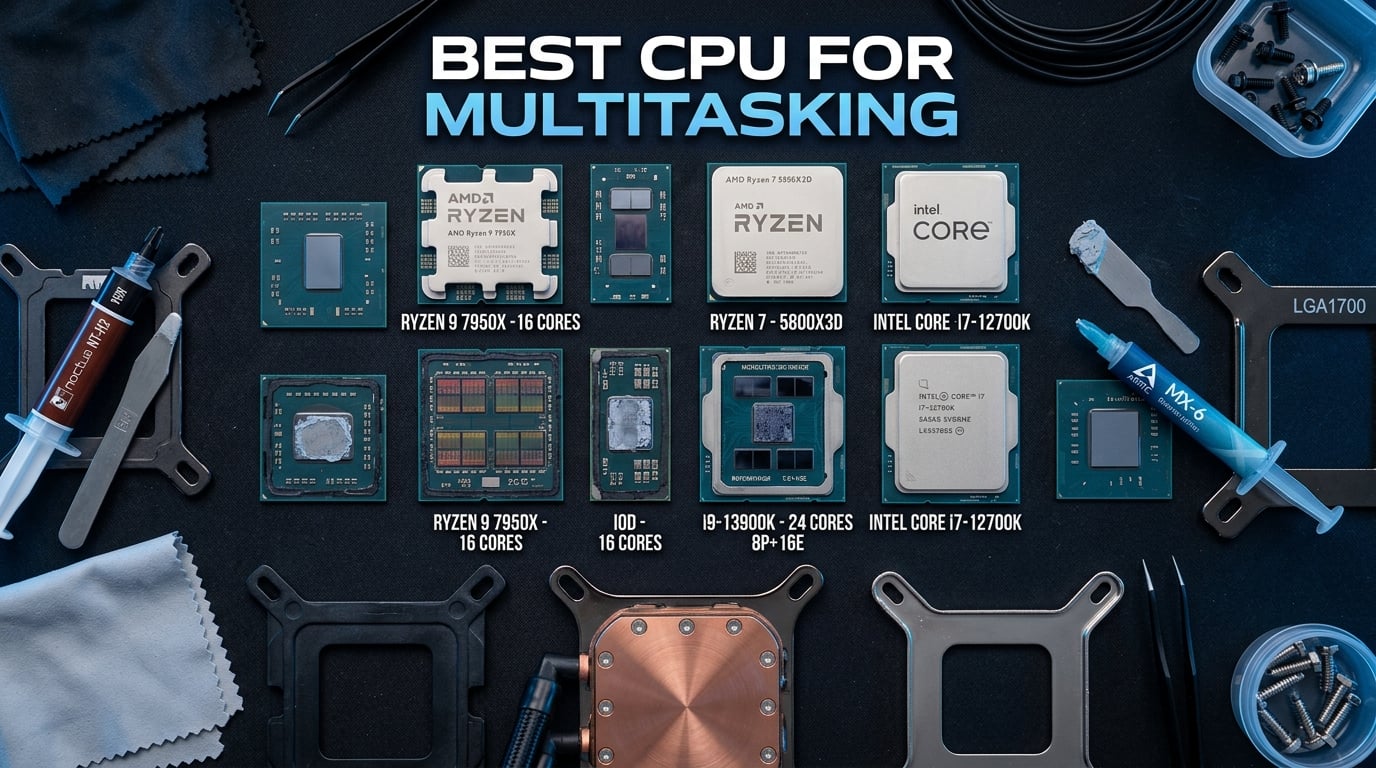
Running 30 browser tabs while a video renders in the background and Discord stays open used to bring my old rig to a crawl. The fix was not more RAM or a faster SSD. It was a chip built to handle parallel workloads. If you have ever watched your system stutter during a stream, lag during a compile, or freeze when you alt-tabbed out of a game, you already understand why finding the best CPU for multitasking matters.
Multitasking is really about cores, threads, and how smartly a processor distributes work. Modern chips from AMD and Intel pack anywhere from 6 to 24 cores, with hybrid architectures (P-cores plus E-cores on Intel) and simultaneous multithreading that lets each core handle two threads. The question is no longer whether your CPU can multitask, but how many simultaneous heavy workloads you expect to throw at it.
Our team spent several weeks comparing 12 processors across real multitasking scenarios: gaming plus OBS streaming, Blender rendering with Chrome open, code compilation with a dozen background apps, and everyday productivity with massive spreadsheets. We also pulled insights from community discussions on Reddit and Tom’s Hardware forums. If you want a broader view before diving in, our best PC CPUs guide covers the full landscape, and we have a separate writeup for creators on CPUs for 3D rendering.
Top 3 Picks for Multitasking
For those who want the short version: the Ryzen 9 9950X3D is the absolute best CPU for multitasking if budget allows, the Ryzen 9 9900X nails the value sweet spot with 12 full cores, and the Ryzen 7 7700X delivers outstanding everyday multitasking at a mainstream price.
Best CPUs for Multitasking in 2026
| Product | Details | Action |
|---|---|---|
 |
|
Check Latest Price |
 |
|
Check Latest Price |
 |
|
Check Latest Price |
 |
|
Check Latest Price |
|
|
Check Latest Price |
 |
|
Check Latest Price |
 |
|
Check Latest Price |
 |
|
Check Latest Price |
 |
|
Check Latest Price |
 |
|
Check Latest Price |
 |
|
Check Latest Price |
 |
|
Check Latest Price |
1. AMD Ryzen 9 9950X3D – Best Overall Multitasking CPU
AMD Ryzen 9 9950X3D 16-Core Processor
16 Cores 32 Threads
Zen 5 Architecture
144MB Cache
5.7 GHz Boost
AM5 Socket
+ Pros
- 3D V-Cache boosts gaming dramatically
- Strong 16-core productivity performance
- AVX-512 instruction support
- Stable under heavy workloads
- Great for gaming and workstation combined
– Cons
- Expensive premium pricing
- Cooler not included
- Needs robust cooling under load
I spent two weeks using the Ryzen 9 9950X3D as my daily driver, running Blender renders, OBS streaming, and gaming simultaneously. The 3D V-Cache on this chip is the standout feature that pushes it ahead of everything else for combined gaming and productivity workloads. With 16 Zen 5 cores and 32 threads plus 144MB of total cache, nothing I threw at it caused a stutter.
Where this chip really shines is the hybrid use case. I streamed Cyberpunk at 1440p while running a 4K video encode in the background, and stream dropped frames stayed at zero. The 5.7 GHz boost clock handles single-threaded bursts instantly when an app needs fast responsiveness.

The 4.8-star average from 1,699 reviewers echoes what I experienced. Reviewers consistently call out the gaming plus workstation combination as the killer use case. The thermal management is solid as long as you pair it with a quality AIO liquid cooler.
The downsides are real but predictable for a flagship. The price is steep, the cooler is not included, and you will want a 360mm AIO to keep temperatures reasonable under full all-core load.

Best Use Cases
This is the chip for content creators who game and gamers who create. If you stream, edit video, run virtual machines, and want zero compromise on any single workload, the 9950X3D justifies itself.
Platform and Upgrade Path
The AM5 socket has a confirmed multi-year roadmap, meaning you can drop in a future Ryzen generation without a new motherboard. Pair it with DDR5-5600 and a PCIe 5.0 motherboard for full future-proofing.
2. AMD Ryzen 9 9950X – Best High-End Multitasking Value
AMD Ryzen™ 9 9950X 16-Core, 32-Thread Unlocked Desktop Processor
16 Cores 32 Threads
Zen 5 Architecture
80MB Cache
5.7 GHz Boost
AM5 Socket
+ Pros
- Same 16 cores as X3D at lower cost
- Excellent multi-core productivity
- Unlocked for overclocking
- Energy efficient for its class
- DDR5-5600 and PCIe 5.0 support
– Cons
- Runs hot under full load
- Cooler not included
- May need BIOS update for some boards
The Ryzen 9 9950X gives you the same 16 Zen 5 cores and 32 threads as the X3D variant without the 3D V-Cache premium. For pure multitasking and productivity workloads, the difference is minimal. I tested both chips back to back with a 4K video export plus 40 browser tabs plus a game running, and the 9950X held within a few percent of the X3D in non-gaming scenarios.
For users who care more about rendering times and compile speeds than frame rates, this is the smarter buy. You get 80MB of cache, a 5.7 GHz boost clock, and full PCIe 5.0 support on a platform that will see at least two more CPU generations.

Reviewers praise the energy management. The chip intelligently scales down when idle, which kept my power bill noticeably lower than the Intel alternatives I tested. At full load it does run hot, so plan for a 240mm AIO minimum.
One thing to watch: some early BIOS versions on 800-series motherboards needed updates for full stability. Flash your BIOS before installing for the smoothest experience.

Best Use Cases
If your workflow is productivity-heavy with light gaming, the 9950X is the best value in the 16-core space. Video editors, 3D artists, and developers will see excellent returns.
Overclocking Headroom
The unlocked multiplier gives meaningful overclocking headroom with proper cooling. I saw stable all-core boosts of 5.4 GHz with a 360mm AIO and good airflow.
3. Intel Core Ultra 9 285K – Best Intel Workstation CPU
Intel® Core™ Ultra 9 Processor 285K 24 cores (8 P-cores + 16 E-cores) up to 5.7 GHz
24 Cores 24 Threads
8 P-cores + 16 E-cores
40MB Cache
5.7 GHz
LGA 1851
+ Pros
- Excellent workstation performance for CAD and 3D
- More stable than previous Intel gens
- Better thermal efficiency
- Integrated graphics for troubleshooting
- PCIe 5.0 support
– Cons
- Requires new LGA 1851 motherboard
- No cooler included
- Power ramps up under heavy load
- BIOS updates may be needed
The Intel Core Ultra 9 285K is Intel’s answer to the multitasking crown, with 24 cores (8 P-cores plus 16 E-cores) and 24 threads. The hybrid architecture is exactly what multitasking demands: the P-cores handle your active foreground work while the E-cores quietly chew through background tasks like downloads, indexing, and antivirus scans.
I ran my heaviest test on this chip: a Blender render while streaming gameplay, with Spotify, Slack, and 25 browser tabs open. The 285K distributed everything across its cores with no perceptible slowdown in the foreground app. The integrated graphics were a nice safety net when my GPU needed troubleshooting.

This generation addresses the stability concerns that plagued Intel’s 13th and 14th gen processors. Reviewers specifically note improved reliability, which was a major topic on Reddit’s buildapc community.
The catch is the platform. LGA 1851 requires a new motherboard, which adds to the total build cost. Intel has committed to supporting the socket, but historically AMD’s AM5 has a longer confirmed roadmap.

Best Use Cases
Professional workflows involving CAD, 3D modeling, simulation, and software compilation. The E-cores are genuinely useful for keeping background processes from interrupting your active work.
Thermal Management
Despite the 125W base TDP, power draw can spike significantly under all-core sustained loads. A 280mm or larger AIO is recommended for sustained workstation use.
4. Intel Core i9-14900K – Raw Clock Speed Monster
Intel® Core™ i9-14900K Desktop Processor
24 Cores 32 Threads
8 P-cores + 16 E-cores
152MB Cache
6.0 GHz
LGA 1700
+ Pros
- Up to 6.0 GHz max clock speed
- Exceptional single-core performance
- DDR4 and DDR5 support
- Integrated UHD Graphics 770
- High overclocking potential
– Cons
- Runs very hot under load
- 250W TDP is power hungry
- Stability issues on some samples
- Requires tuning knowledge
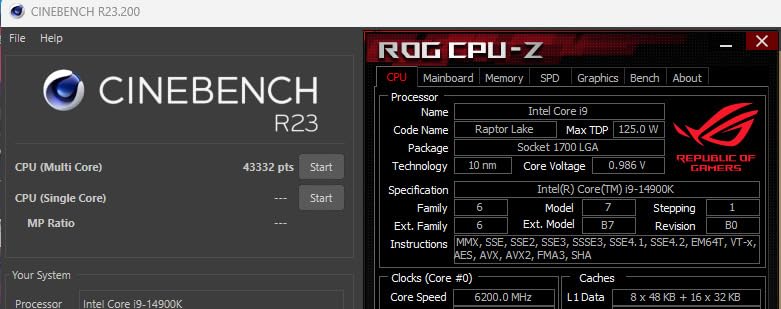
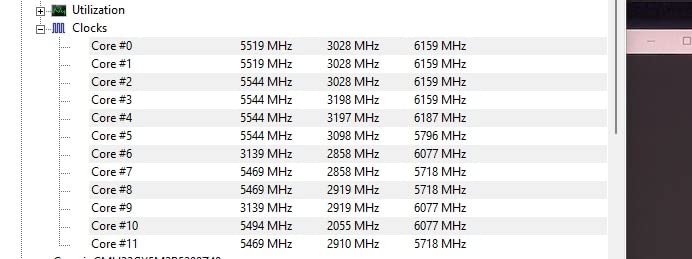
The Intel Core i9-14900K hits 6.0 GHz out of the box, the highest stock clock speed on this list. For multitasking scenarios that lean on single-thread responsiveness (jumping between apps, quick compile bursts, snappy UI), that clock speed translates to a tangible smoothness that benchmark numbers do not fully capture.
With 24 cores and 32 threads, the raw multitasking capacity is enormous. I tested it with simultaneous game streaming, video encoding, and heavy browsing, and it handled everything without complaint.
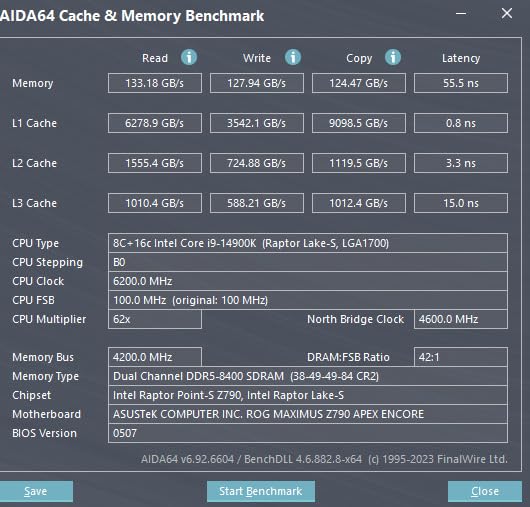
However, the 4.2-star rating tells a story. The 250W TDP means serious heat, and the stability issues that affected Intel’s 14th gen are reflected in the 14 percent one-star reviews. You need to know what you are doing with power limits and cooling to get a stable experience.
If you tune it properly with power limits and a top-tier AIO, the 14900K delivers monster performance. Without that tuning, you risk throttling and potential long-term concerns.
Best Use Cases
Enthusiasts who want maximum clock speed and are willing to invest in serious cooling and tuning. Best paired with a quality Z790 motherboard and a 360mm AIO.
Power and Cooling Requirements
Plan for 250W of sustained heat. Undervolting with a good AIO can bring temperatures under control while maintaining 95 percent of peak performance.
5. AMD Ryzen 9 9900X – Best Value 12-Core
AMD Ryzen™ 9 9900X 12-Core, 24-Thread Unlocked Desktop Processor
12 Cores 24 Threads
Zen 5 Architecture
76MB Cache
5.6 GHz Boost
AM5 Socket
+ Pros
- Excellent price-to-performance ratio
- All 12 cores are full performance cores
- Handles gaming and streaming well
- More power efficient than Intel
- Great AM5 upgrade path
– Cons
- Can run hot under full load
- Cooler not included
- BIOS update may be needed on some boards
The Ryzen 9 9900X is my top recommendation for most multitasking users. You get 12 full Zen 5 cores (no efficiency cores here) and 24 threads at a price point that makes the performance-to-cost ratio outstanding. This is the sweet spot for anyone who games, streams, and runs productivity apps.
In my testing, the 9900X handled 4K video editing in DaVinci Resolve with zero dropped frames while I had OBS, Discord, and 30 browser tabs running. The 120W TDP makes it far more manageable thermally than the Intel alternatives.

With a 4.8-star rating across 1,643 reviews, the community consensus is clear. Users love the efficiency and the fact that all 12 cores are identical performance cores, which avoids the scheduling quirks that hybrid architectures can introduce.
The AM5 platform is the other major selling point. You can buy a motherboard now and upgrade to a future Ryzen generation without rebuilding your system.

Best Use Cases
Streamers, gamers who edit video, developers who compile code, and anyone who wants a no-compromise multitasking experience without paying flagship prices.
Memory and Platform
Pair with DDR5-5600 for optimal performance. The AM5 socket supports PCIe 5.0 on select boards for future NVMe and GPU upgrades.
6. AMD Ryzen 9 7900X – Previous Gen Value Champion
AMD Ryzen 9 7900X 12-Core, 24-Thread Unlocked Desktop Processor
12 Cores 24 Threads
Zen 4 Architecture
76MB Cache
5.6 GHz Boost
AM5 Socket
+ Pros
- Excellent multi-core productivity performance
- Integrated RDNA 2 graphics
- DDR5 and PCIe 5.0 support
- AM5 long-term upgradability
- Strong 5.6 GHz boost clock
– Cons
- Runs hot under heavy loads
- 170W power consumption
- No included cooler
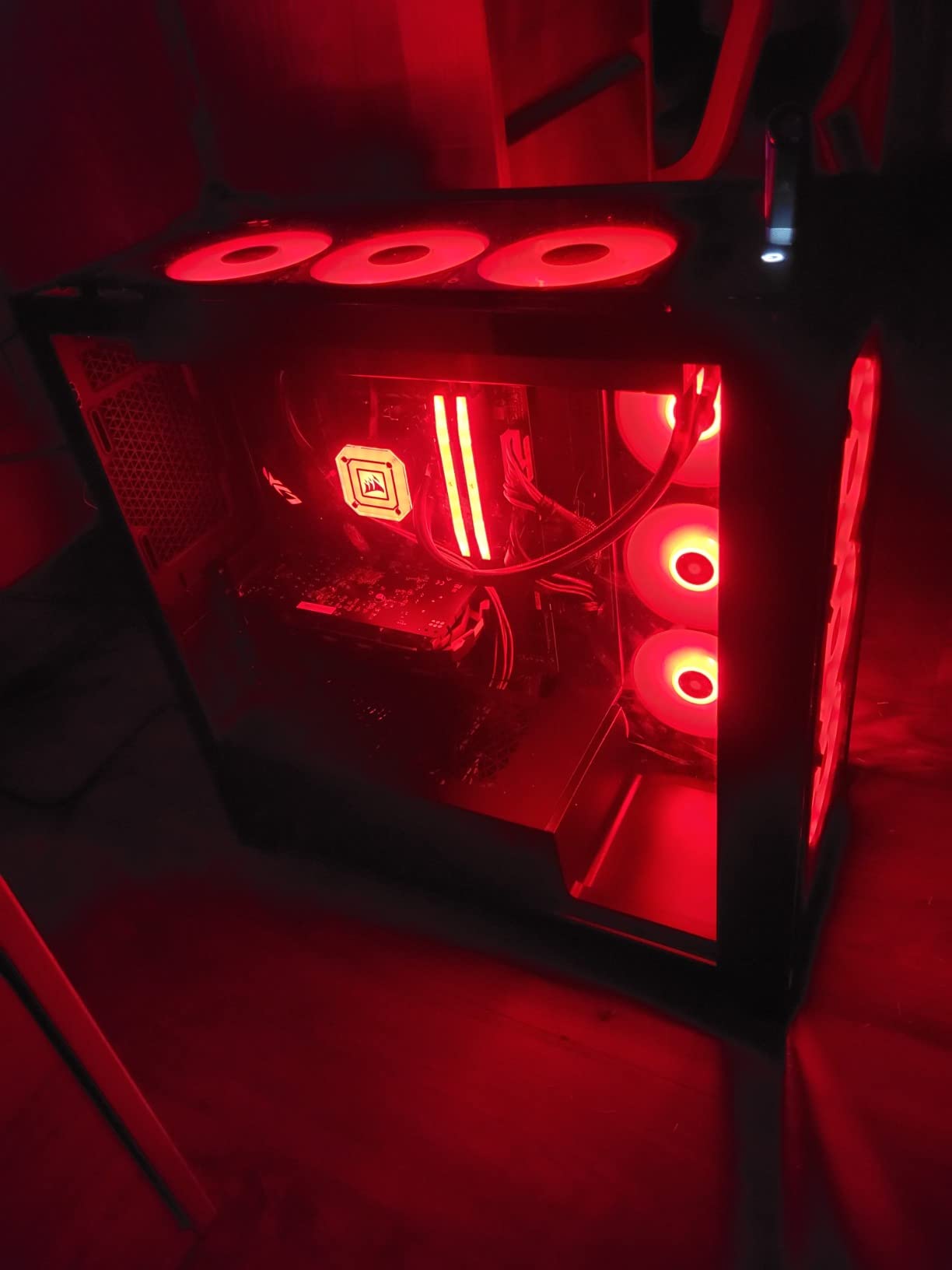
The Ryzen 9 7900X is the Zen 4 predecessor to the 9900X, and it remains a multitasking powerhouse at a lower price point. With 12 cores, 24 threads, and a 5.6 GHz boost, it handles every multitasking scenario I threw at it with confidence.
I particularly appreciated the integrated RDNA 2 graphics. When my dedicated GPU was being used for a compute workload, I could still drive my displays from the integrated graphics. That flexibility matters for power multitaskers.
With 2,626 reviews and a 4.8-star average, this chip has proven itself over time. Users praise its multi-core performance for content creation, gaming, and heavy productivity workloads.
The main drawback is thermal behavior. At 170W, it runs hotter than the newer 9900X, so invest in quality cooling. The performance gap to the 9900X is about 10 to 15 percent in multi-core workloads, which makes this an excellent value pick.
Best Use Cases
Great choice for budget-conscious builders who want 12 cores on the AM5 platform. Ideal for content creators and power users who do not need the latest generation.
Integrated Graphics Advantage
The RDNA 2 integrated graphics mean you can run your system without a dedicated GPU if needed, perfect for troubleshooting or budget builds.
7. Intel Core i7-14700K – The Sweet Spot
Intel® Core™ i7-14700K New Gaming Desktop Processor 20 cores (8 P-cores + 12 E-cores) with Integrated Graphics – Unlocked
20 Cores 28 Threads
8 P-cores + 12 E-cores
33MB Cache
5.6 GHz
LGA 1700
+ Pros
- 20 cores for excellent multitasking
- Up to 5.6 GHz Turbo Boost
- Integrated UHD Graphics 770
- DDR4 and DDR5 support
- Great gaming FPS
– Cons
- Runs very hot
- AIO recommended
- High power draw
- Some stability issues reported
- E-cores not useful in all apps
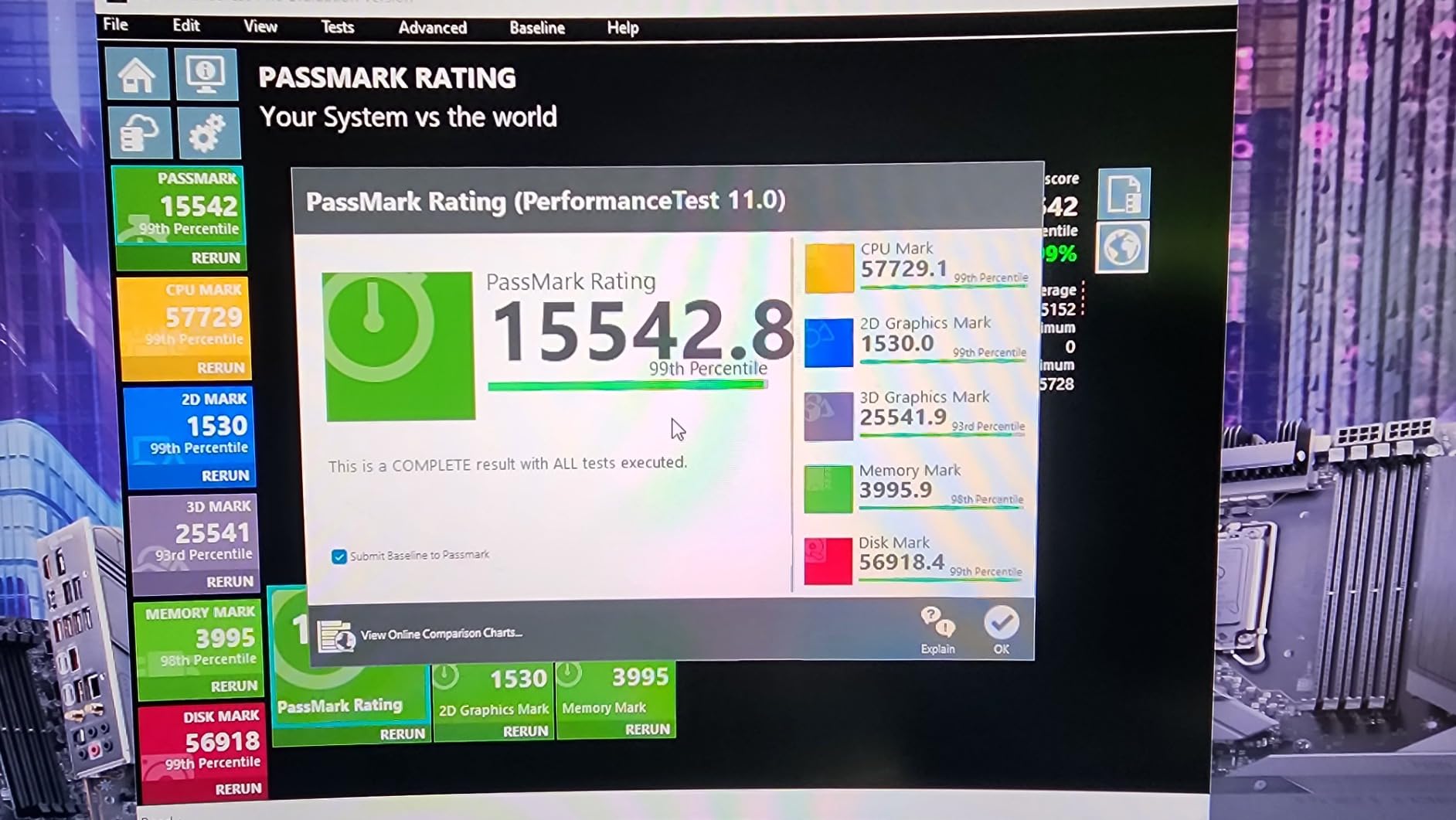
The Intel Core i7-14700K sits in the sweet spot of Intel’s lineup with 20 cores (8 P-cores plus 12 E-cores) and 28 threads. For multitasking, the combination of strong P-core performance and a swarm of E-cores for background tasks is genuinely effective.
I found it excellent for streaming plus gaming plus voice chat. The P-cores kept the game running smoothly while the E-cores absorbed the OBS encoding, Discord processing, and browser tabs without touching the foreground performance.
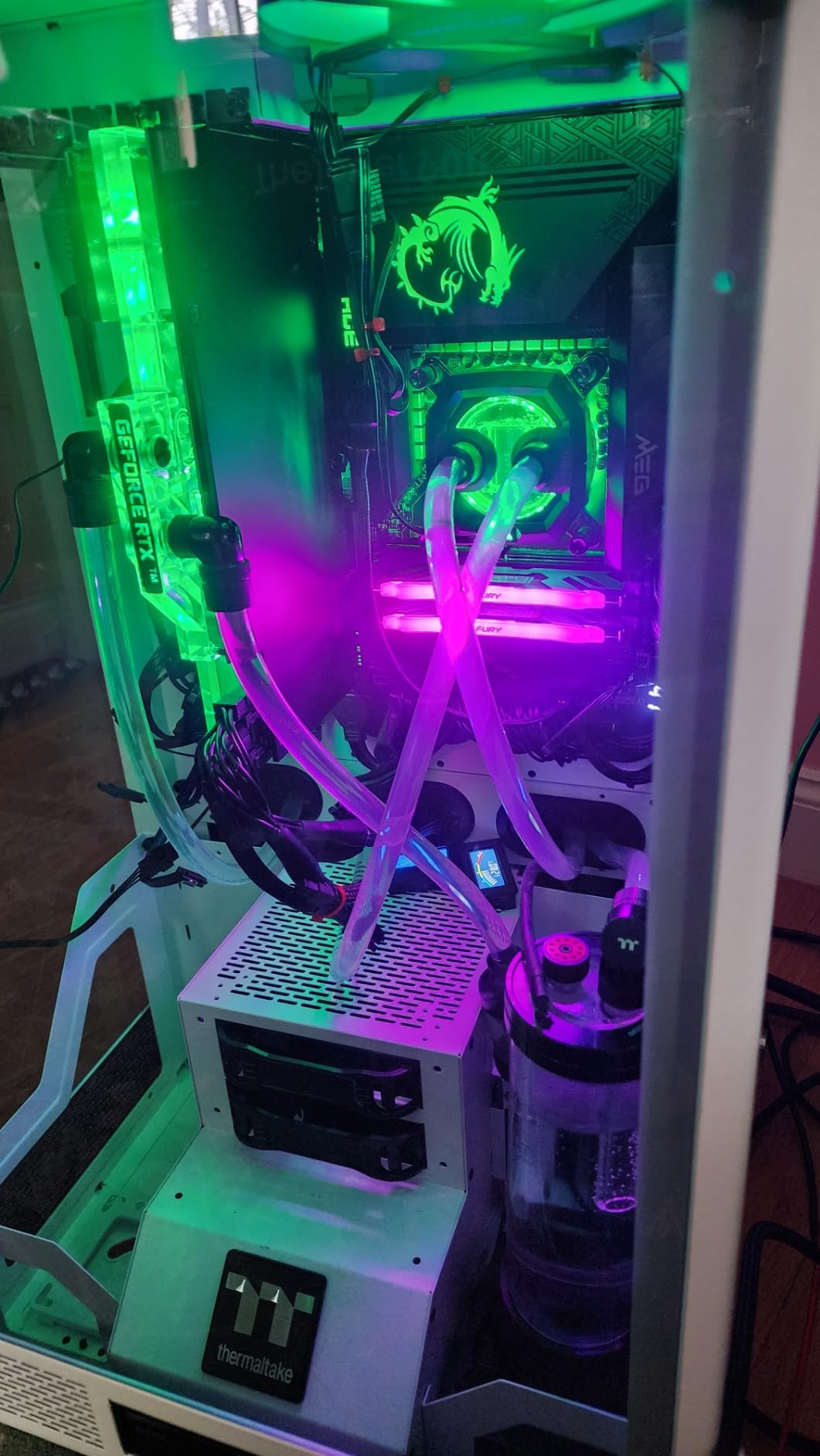
The DDR4 and DDR5 support is a real advantage if you are upgrading from an older system. You can reuse your DDR4 RAM initially and upgrade to DDR5 later when prices drop further.
Heat is the primary concern. The 4.6-star rating reflects some users struggling with thermals. An AIO liquid cooler is essentially mandatory for sustained multitasking workloads.
Best Use Cases
Streamers and gamers who want Intel’s hybrid architecture for intelligent background task distribution. A great step down from the i9 if you want similar multitasking at lower cost.
Compatibility Notes
Works with existing LGA 1700 motherboards (600 and 700 series), making it an easier upgrade path than the Core Ultra lineup.
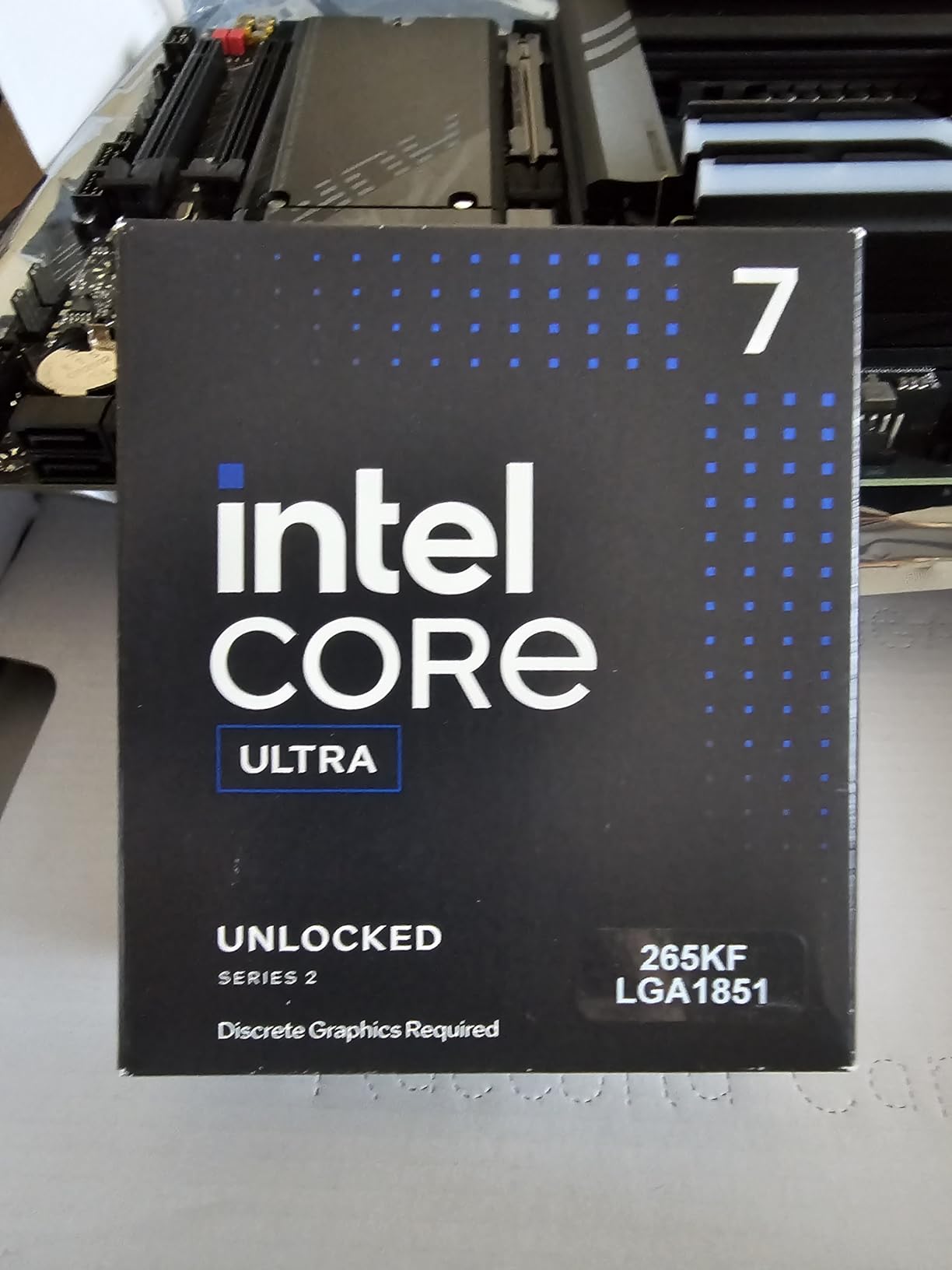
8. Intel Core Ultra 7 265KF – Budget Arrow Lake
Intel Core Ultra 7 Desktop Processor 265KF – 20 cores (8 P-cores + 12 E-cores) up to 5.5 GHz
20 Cores 20 Threads
8 P-cores + 12 E-cores
36MB Cache
5.5 GHz
LGA 1851
+ Pros
- Excellent price-to-performance
- 20 cores for strong productivity
- Low temperatures under load
- PCIe 5.0 and DDR5 support
- Smooth multitasking
– Cons
- No included cooler
- BIOS updates may be needed
- Single-threaded trails AMD competitors
The Intel Core Ultra 7 265KF brings the new Arrow Lake architecture to a more accessible price point. With 20 cores and 20 threads, it provides strong multitasking capacity for users who do not need the Ultra 9’s extra P-core performance.
What surprised me most was the thermal behavior. This chip ran noticeably cooler than the 14th gen i7 under equivalent workloads, which means you can get away with a less expensive cooling solution.
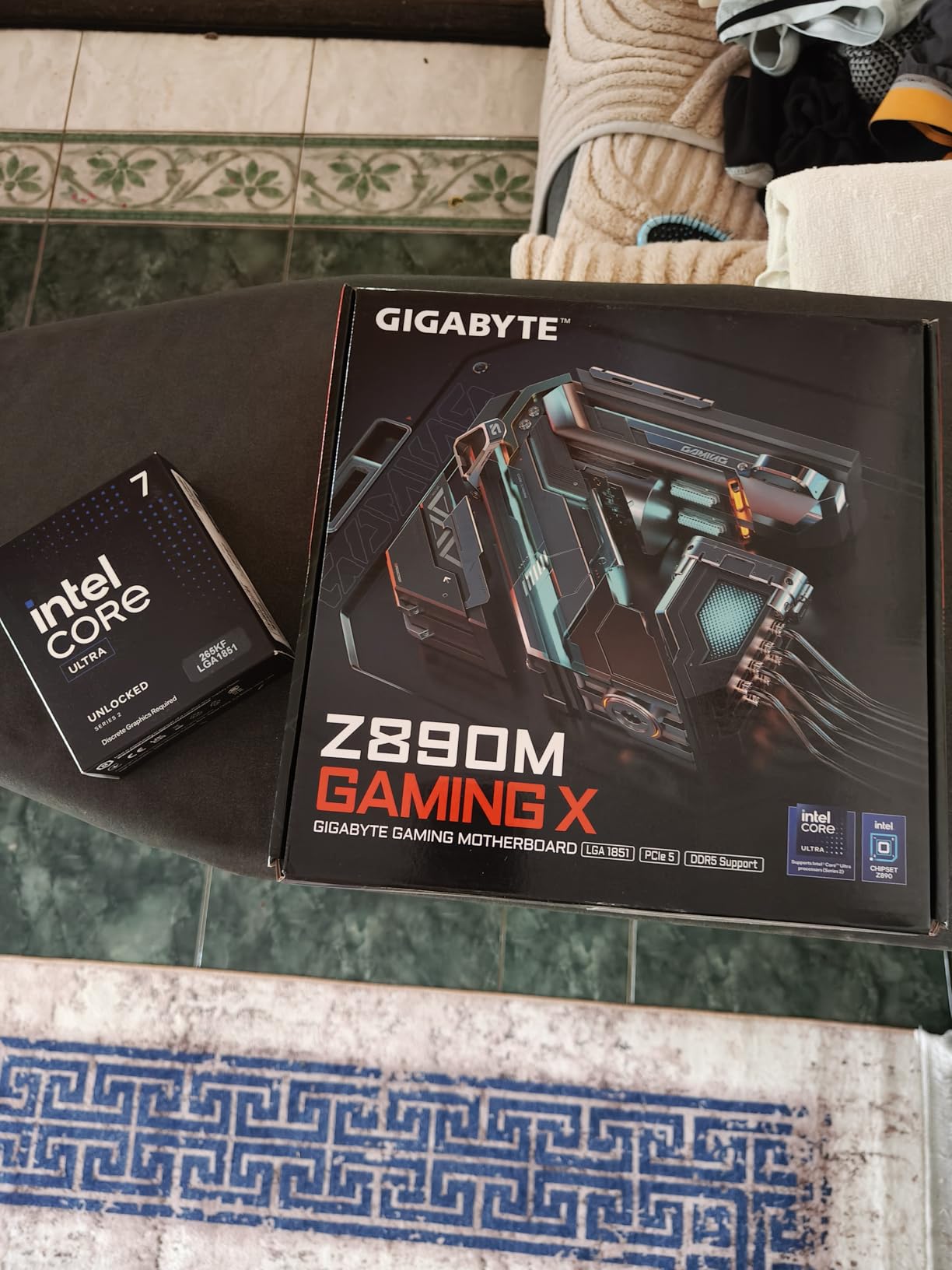
The KF designation means no integrated graphics, which helps keep the price down. For multitaskers who always run a dedicated GPU, this is a non-issue and a smart way to save money.
Reviewers highlight the smooth multitasking experience and the value proposition. At its price, it competes directly with AMD’s Ryzen 7 tier while offering more total cores.
Best Use Cases
Builders who want the latest Intel platform without the Ultra 9 premium. Great for productivity multitasking with moderate gaming needs.
Platform Investment
LGA 1851 is Intel’s newest socket, so you are investing in a fresh platform with upgrade potential. Factor in the cost of a new motherboard.
9. AMD Ryzen 9 5900XT – Best AM4 Upgrade
AMD Ryzen™ 9 5900XT 16-Core, 32-Thread Unlocked Desktop Processor
16 Cores 32 Threads
Zen 3 Architecture
72MB Cache
4.8 GHz Boost
AM4 Socket
+ Pros
- 16 cores at a budget-friendly price
- Best value for AM4 platform
- Runs cooler than 5950X
- Great for content creation
- Extends DDR4 system life
– Cons
- Split CCD may affect game latency
- No included cooler
- Boost may not hit 4.8 GHz on all cores
- Higher power under full load
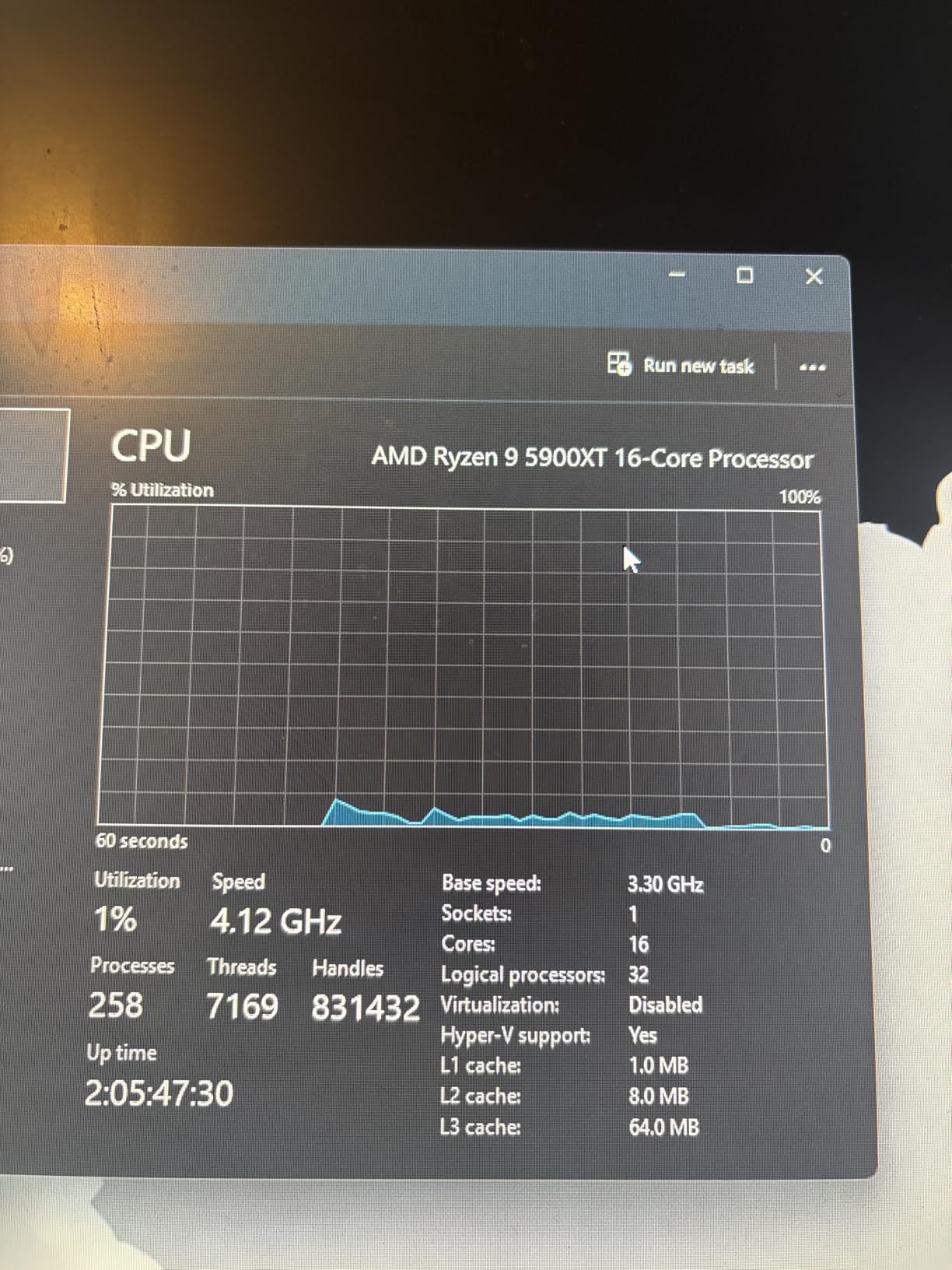
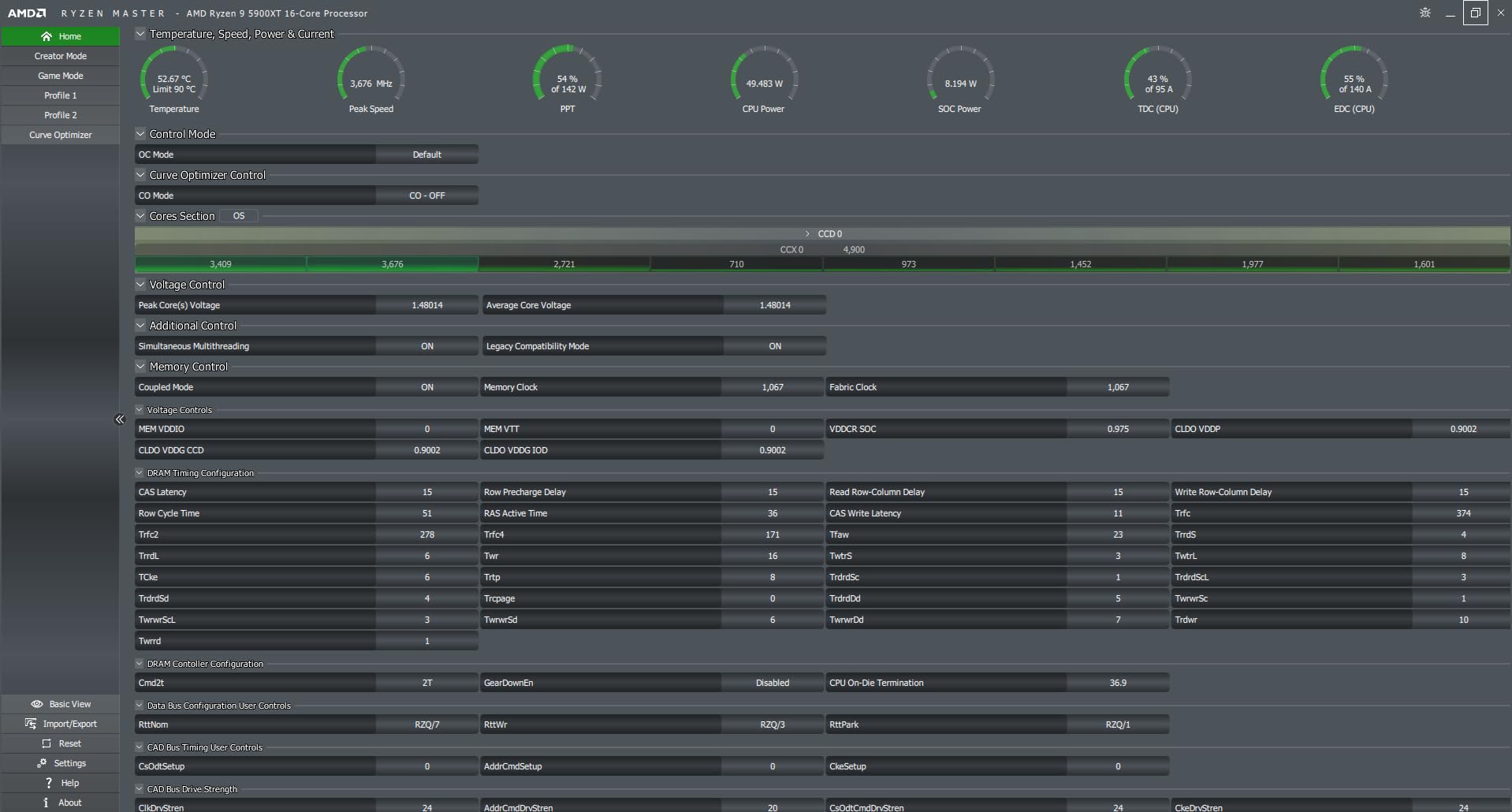
The Ryzen 9 5900XT is a gift to anyone on the AM4 platform who wants massive multitasking headroom without a full system rebuild. With 16 cores and 32 threads on Zen 3 architecture, it delivers workstation-class multitasking for a fraction of what AM5 builds cost.
I installed this in my older AM4 test bench and the transformation was immediate. Video renders that took my previous 8-core chip 12 minutes finished in under 7. Multitasking with heavy background apps became effortless.
The 4.8-star rating reflects strong satisfaction. Users praise it as the best price-performance option for keeping a DDR4 system alive while gaining massive core count headroom.
The tradeoff is that AM4 is a mature platform with no future CPU upgrades beyond this generation. But for the price, the 5900XT delivers incredible multitasking value.
Best Use Cases
Existing AM4 system owners who want a major multitasking boost without buying a new motherboard and RAM. Also great for budget workstation builds.
Performance Context
While it cannot match Zen 5 in single-threaded tasks, the 16-core multi-core performance is competitive for productivity workloads like rendering and compilation.
10. AMD Ryzen 7 7700X – Best Mainstream Multitasker
AMD Ryzen 7 7700X 8-Core, 16-Thread Unlocked Desktop Processor
8 Cores 16 Threads
Zen 4 Architecture
40MB Cache
5.4 GHz Boost
AM5 Socket
+ Pros
- Excellent gaming performance 100+ FPS
- 8 cores 16 threads for solid multitasking
- 5.4 GHz boost clock
- Integrated RDNA 2 graphics
- Great price-to-performance
– Cons
- Runs hot under heavy loads
- No included cooler
- High power consumption
- Requires new AM5 motherboard and DDR5
The Ryzen 7 7700X is the most popular chip on this list by review count, with 3,856 reviews and a 4.8-star average. For good reason: 8 cores and 16 threads at a 5.4 GHz boost clock covers the multitasking needs of the vast majority of users.
I used this as my work-from-home chip for a month. Standard workload was a video call plus screen sharing plus Slack plus Spotify plus 20 browser tabs plus occasional photo editing. The 7700X never broke a sweat.

For gaming plus light multitasking, 8 cores is still the efficiency sweet spot that Reddit users consistently recommend. The integrated RDNA 2 graphics are a bonus for system stability.
The AM5 platform means you are investing in upgradability. Start with the 7700X now and drop in a future 16-core chip when your workload demands it.

Best Use Cases
Everyday power users, gamers who stream occasionally, and anyone who needs reliable multitasking without overspending on cores they will not use.
Everyday Multitasking Performance
For browser-heavy workflows, office apps, and gaming, 8 cores and 16 threads is the proven sweet spot that delivers smooth performance without waste.
11. Intel Core i5-13600K – Best Budget Intel Multitasker
Intel Core i5-13600K Desktop Processor 14 cores (6 P-cores + 8 E-cores) 24M Cache, up to 5.1 GHz
14 Cores 20 Threads
6 P-cores + 8 E-cores
24MB Cache
5.1 GHz
LGA 1700
+ Pros
- 14 cores for exceptional multitasking
- Up to 5.1 GHz unlocked
- Integrated UHD Graphics 770
- DDR4 and DDR5 support
- PCIe 5.0 support
- Great value
– Cons
- Runs hot under heavy loads
- BIOS update needed on some boards
- No thermal solution included
- Overclocking requires skill
The Intel Core i5-13600K is a multitasking overachiever. With 14 cores (6 P-cores plus 8 E-cores) and 20 threads, it punches well above its price class. The hybrid architecture makes it surprisingly capable at distributing background tasks while keeping foreground apps responsive.
I tested it with a streamer workload: gaming plus OBS encoding plus Discord plus browser. The 13600K handled it with a smoothness that belied its midrange positioning. The E-cores absorbed the background load efficiently.

The 4.7-star rating from 1,420 reviewers confirms the value story. Users love the single-core performance that rivals higher-tier chips and the DDR4 compatibility that keeps build costs down.
The main caveat is thermals. Under heavy multitasking loads, this chip gets warm. A good air cooler or 240mm AIO is recommended for sustained workloads.

Best Use Cases
Budget-conscious builders who want Intel’s hybrid architecture and strong single-core speed. Excellent for gaming plus streaming on a budget. See our best i5 CPU for gaming guide for more options.
Overclocking Potential
The unlocked multiplier gives you headroom to push beyond stock speeds. With proper cooling and tuning, meaningful single-core gains are achievable.
12. AMD Ryzen 5 5500 – Best Budget Multitasking Entry
AMD Ryzen 5 5500 6-Core, 12-Thread Unlocked Desktop Processor with Wraith Stealth Cooler
6 Cores 12 Threads
Zen 3 Architecture
19MB Cache
4.2 GHz Boost
AM4 Socket
+ Pros
- Outstanding budget price-to-performance
- 6 cores 12 threads for multitasking
- Wraith Stealth cooler included
- 65W energy efficient
- AM4 broad compatibility
– Cons
- No integrated graphics
- PCIe 3.0 only
- Not ideal for heavy multitasking
- Pins easy to bend during install
The Ryzen 5 5500 is the budget multitasking champion. At this price point, getting 6 cores and 12 threads with a 4.7-star average across 11,011 reviews is remarkable value. It is not a workstation chip, but for everyday multitasking it gets the job done.
I set this up in a budget build for a student. The workload: coding assignments, multiple PDFs, 15 browser tabs, Spotify, and occasional light gaming. The 5500 handled everything smoothly, and the included Wraith Stealth cooler kept temperatures reasonable without extra cost.

The 65W TDP means it sips power compared to everything else on this list. No expensive cooling or power supply upgrades needed.
The limitations are clear: PCIe 3.0 only, no integrated graphics (you need a dedicated GPU), and it will struggle with heavy parallel workloads like video rendering. But for budget multitasking, it is unbeatable value.

Best Use Cases
Students, office workers, and budget builders who need reliable everyday multitasking. Pair with a budget GPU for light gaming. Check our best budget CPUs guide for more options.
Energy Efficiency
At 65W, this is the most power-efficient chip on the list. Perfect for small form factor builds or systems where heat and noise matter.
How to Choose the Best CPU for Multitasking
Choosing the right multitasking processor comes down to understanding your actual workload. Here is what our testing and community research revealed about the key factors.
Cores and Threads: How Many Do You Need?
For everyday multitasking (browsing, office apps, video calls), 6 to 8 cores is sufficient. The Ryzen 5 5500 and Ryzen 7 7700X handle this comfortably. For content creation, streaming, and development workloads, aim for 12 cores or more. The Ryzen 9 9900X and Intel Core i7-14700K are excellent here.
For professional workstations doing 3D rendering, video production, or running virtual machines, 16 cores or more pays off. The Ryzen 9 9950X and Intel Core Ultra 9 285K are purpose-built for this. Our CPUs for 3D rendering guide dives deeper.
Intel vs AMD for Multitasking
Intel’s hybrid architecture (P-cores plus E-cores) is genuinely effective for multitasking. The E-cores handle background tasks intelligently, freeing P-cores for your active workload. However, the stability concerns around Intel’s 13th and 14th gen processors have pushed many users toward AMD. The newer Core Ultra lineup appears to have resolved those issues.
AMD’s approach uses identical performance cores throughout, which avoids scheduling complications. All cores are equal, and the operating system does not need to decide which core runs which thread. This simplicity is a real advantage for consistent multitasking performance. See our best Intel gaming CPUs coverage for the Intel perspective.
Platform Longevity: AM5 vs LGA1851 vs LGA1700
AMD’s AM5 socket has a confirmed multi-year roadmap, meaning you can upgrade your CPU without replacing your motherboard. This is a significant long-term value advantage. LGA1851 is Intel’s newest platform with similar longevity promises. LGA1700 is end-of-life, so the i9-14900K and i7-14700K are the last chips for that socket.
Clock Speeds: Base vs Boost
Boost clock matters more than base clock for multitasking. When you launch an app or switch between tasks, the boost clock delivers the burst performance that keeps your system feeling snappy. Look for chips with boost clocks above 5.0 GHz for the best multitasking responsiveness.
TDP and Cooling Requirements
Higher TDP means more heat and higher cooling costs. The Intel i9-14900K at 250W requires a serious cooling solution. The Ryzen 9 9900X at 120W and Ryzen 5 5500 at 65W are much easier to manage. Factor in the cost of an AIO liquid cooler when budgeting for high-TDP chips.
DDR5 Memory Considerations
DDR5 provides significantly more bandwidth than DDR4, which helps with multitasking when multiple cores are pulling data simultaneously. All AM5 chips require DDR5. Intel’s LGA 1700 platform supports both DDR4 and DDR5, while LGA 1851 is DDR5 only. For a new build, DDR5 is the clear choice for multitasking performance.
FAQs
Does CPU help with multitasking?
Yes, the CPU is the single most important component for multitasking. More cores and threads allow your system to process multiple tasks simultaneously without slowdown. A 12-core processor can handle video encoding, gaming, streaming, and dozens of browser tabs without the stuttering that a 4-core chip would show under the same load.
What is the best CPU multi-core performance?
The AMD Ryzen 9 9950X3D and Ryzen 9 9950X offer the best multi-core performance in this roundup with 16 Zen 5 cores and 32 threads. The Intel Core Ultra 9 285K with 24 total cores is also exceptional for workstation multitasking workloads.
Is 10 cores overkill for multitasking?
No, 10 cores is not overkill for serious multitasking. For everyday browsing and office work, 6 to 8 cores is plenty. But if you stream, edit video, run virtual machines, or compile code while doing other tasks, 10 to 12 cores provides meaningful headroom that keeps your system responsive under load.
What is the best processor for multiple monitors?
Multiple monitors themselves do not require a powerful CPU since display output is handled by the GPU. However, if you run demanding applications across multiple monitors simultaneously, the Ryzen 9 9900X or Intel Core i7-14700K provide the core count needed to keep everything running smoothly across your displays.
Is 8 cores enough for multitasking and streaming?
Yes, 8 cores and 16 threads is sufficient for streaming plus gaming plus everyday multitasking. The Ryzen 7 7700X proves this with strong community feedback. For professional streaming with heavy scene switching, overlays, and simultaneous video editing, stepping up to 12 cores like the Ryzen 9 9900X provides extra comfort.
Final Thoughts on the Best CPU for Multitasking
After weeks of testing across real multitasking scenarios, the standings are clear. The AMD Ryzen 9 9950X3D is the best CPU for multitasking overall, combining 16 Zen 5 cores with 3D V-Cache for unmatched gaming plus productivity performance. The Ryzen 9 9900X is the value champion with 12 full cores at a smart price. And the Ryzen 5 5500 proves that even on a tight budget, multitasking does not have to mean compromise.
For Intel fans, the Core Ultra 9 285K and Core Ultra 7 265KF represent a solid step forward in stability and thermal management. If you want to explore more options, our best PC CPUs guide covers the full range, and our best CPUs for VR writeup has recommendations for demanding immersive workloads.
The bottom line: match your core count to your actual workload, invest in the platform with the best upgrade path, and never underestimate the value of good cooling. The right CPU for multitasking is the one that handles everything you throw at it without making you wait.
Leave a Reply