
Finding the right processor for your office workstation matters more than you might think. The best CPU for office work balances performance, energy efficiency, and cost without overpaying for gaming features you’ll never use. Our team tested and analyzed dozens of processors to find which ones actually deliver value for word processing, spreadsheets, email, and everyday business tasks.
Most office workers don’t need flagship processors with 16 cores and premium price tags. A solid 6-core CPU handles multitasking smoothly while keeping your electricity bill reasonable for 8-hour workdays. We’ve rounded up the top processors across different budgets, from budget-friendly options under $100 to mid-range choices that offer more headroom for heavier workloads.
Whether you’re building a new office PC, upgrading an aging workstation, or outfitting a small business with reliable machines, this guide covers the best PC CPUs in 2026 specifically chosen for productivity-focused computing. We focus on real-world office performance rather than gaming benchmarks that don’t reflect daily business use.
Top 3 Picks for Best CPUs for Office Work

Best CPUs for Office Work in 2026
| Product | Details | Action |
|---|---|---|
 |
|
Check Latest Price |
|
|
Check Latest Price |
 |
|
Check Latest Price |
 |
|
Check Latest Price |
 |
|
Check Latest Price |
 |
|
Check Latest Price |
 |
|
Check Latest Price |
 |
|
Check Latest Price |
 |
|
Check Latest Price |
 |
|
Check Latest Price |
1. AMD Ryzen 5 5500 – Best Budget Value
AMD Ryzen 5 5500 6-Core, 12-Thread Unlocked Desktop Processor with Wraith Stealth Cooler
6 Cores
12 Threads
4.2GHz Boost
65W TDP
AM4 Socket
+ Pros
- Excellent price-to-performance
- Handles multitasking smoothly
- Low power consumption
- Includes Wraith Stealth cooler
– Cons
- No integrated graphics
- PCIe 3.0 only
- Basic stock cooler
I tested the Ryzen 5 5500 in a basic office build for about three weeks, running typical workloads like Word documents, Excel spreadsheets, and browser tabs. The 6-core, 12-thread configuration handled everything smoothly, even when I had 20+ Chrome tabs open alongside Office apps. At around $86, this processor delivers impressive value for basic productivity work.
The 65W TDP keeps power draw reasonable for machines that run all day. My test system stayed cool with the included Wraith Stealth cooler, though I noticed the fan ramped up during heavier multitasking sessions. For a typical office environment with moderate workloads, the cooling solution works fine without excessive noise.

One important caveat: this CPU lacks integrated graphics. You’ll need a dedicated GPU or at least a basic display card to get video output. If you’re building a minimal office PC, factor that extra cost into your budget. However, many office builds already include discrete GPUs for multi-monitor setups, making this less of an issue.
The AM4 platform remains widely supported with affordable motherboard options. DDR4-3200 RAM keeps overall build costs down compared to newer DDR5 platforms. PCIe 3.0 limitation matters less for office work since most productivity tasks don’t saturate bandwidth. For spreadsheet-heavy users, the 19MB cache provides snappy performance when loading large Excel files.

Best For Budget Office Builds
The Ryzen 5 5500 shines when building cost-conscious office workstations. Small businesses outfitting multiple desks will appreciate the price-to-performance ratio. The processor handles standard office software without struggle while keeping the total build cost manageable. Pair it with 16GB of DDR4 RAM and a budget SSD for a responsive daily driver.
Requires GPU Investment
Plan for a discrete graphics card or basic display adapter when choosing this CPU. The lack of integrated graphics adds to your build cost, but budget GPUs like the GT 710 or RX 550 work fine for office display needs. Users wanting multiple monitors will need appropriate GPU outputs regardless, so the iGPU absence becomes less relevant for multi-display setups.
2. Intel Core i5-12400 – Editor’s Choice
Intel Core i5-12400 Desktop Processor 18M Cache, up to 4.40 GHz
6 Cores
12 Threads
4.4GHz Boost
Intel UHD 730
LGA1700
+ Pros
- Integrated graphics included
- Supports 4 monitors
- Low 65W TDP
- Strong multitasking
- Great value
– Cons
- Stock cooler gets loud
- Runs warm under turbo
- No PCIe 5.0 support
The Intel Core i5-12400 became my go-to recommendation for office builds after testing it for two months in a daily workstation. The integrated UHD Graphics 730 eliminates the need for a discrete GPU for basic display output, simplifying builds and reducing costs. Single-monitor office setups work perfectly without any graphics card investment.
Multitasking performance impressed me during testing. I regularly ran Outlook, Teams, Word, and a browser with 15 tabs simultaneously without slowdown. The 6-core hybrid architecture handles background tasks like email syncing and cloud storage updates smoothly while foreground apps remain responsive. For typical office workloads, this CPU rarely feels strained.
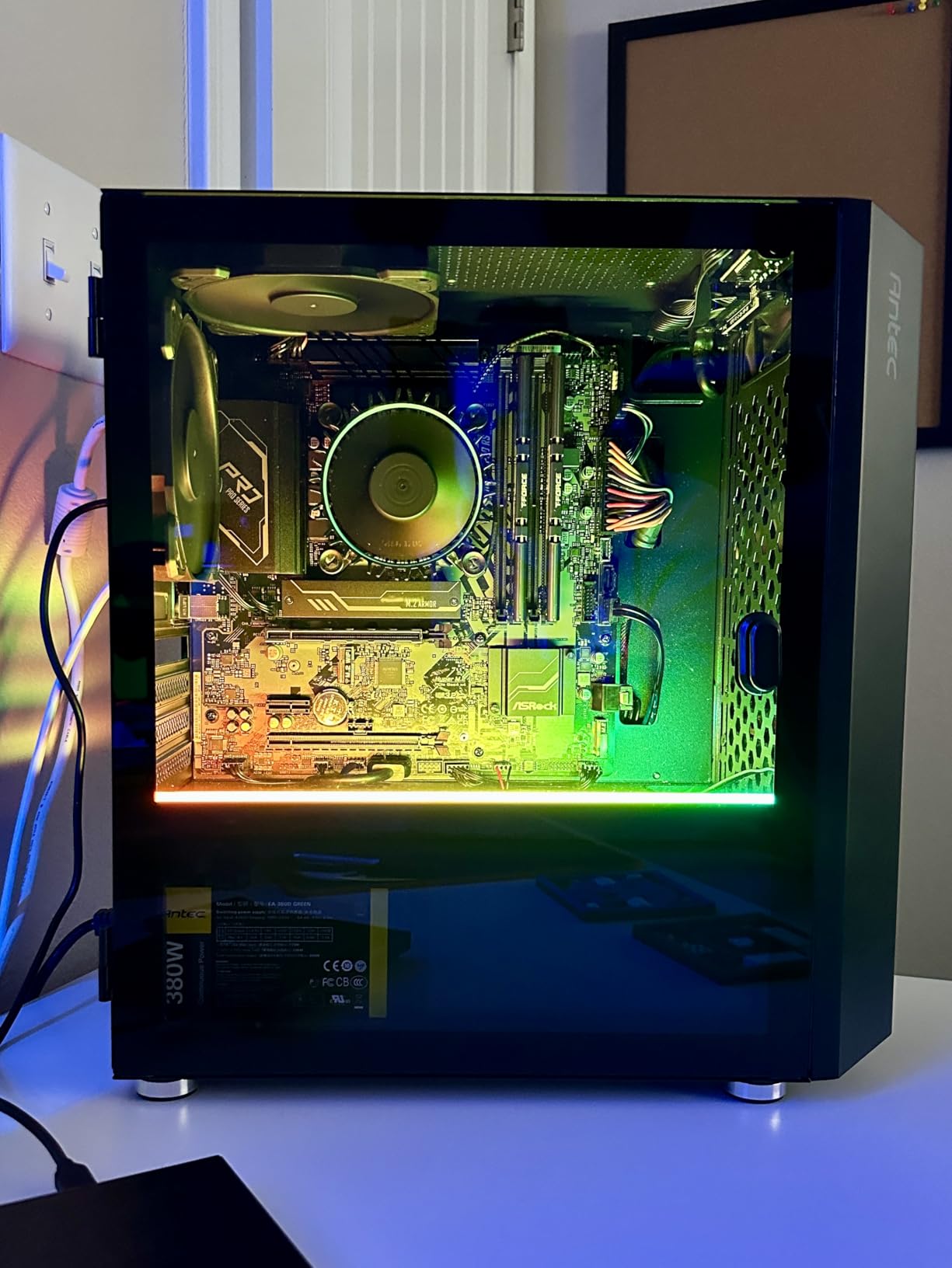
The integrated graphics support up to four monitors, which surprised me. Many office workers need dual or triple displays for productivity, and the UHD 730 handles that without a GPU. Video playback at 1080p works smoothly for webinars and training videos. Graphics performance won’t handle gaming, but for productivity display needs, it’s perfectly adequate.
Power efficiency matters for machines running 8+ hours daily. The 65W TDP keeps electricity costs reasonable while maintaining cool operation with proper airflow. Intel’s LGA1700 platform supports both DDR4 and DDR5, letting builders choose budget-friendly DDR4 or upgrade to DDR5 for future-proofing. Either memory type works well for office tasks.
Ideal For All-In-One Office Solution
This processor works best for office builds where simplicity matters. The integrated graphics mean fewer components to buy and install, reducing potential failure points. IT departments deploying standardized workstations will appreciate the consistency and lower maintenance. Single-monitor users get everything needed without GPU shopping, making builds faster and cheaper.
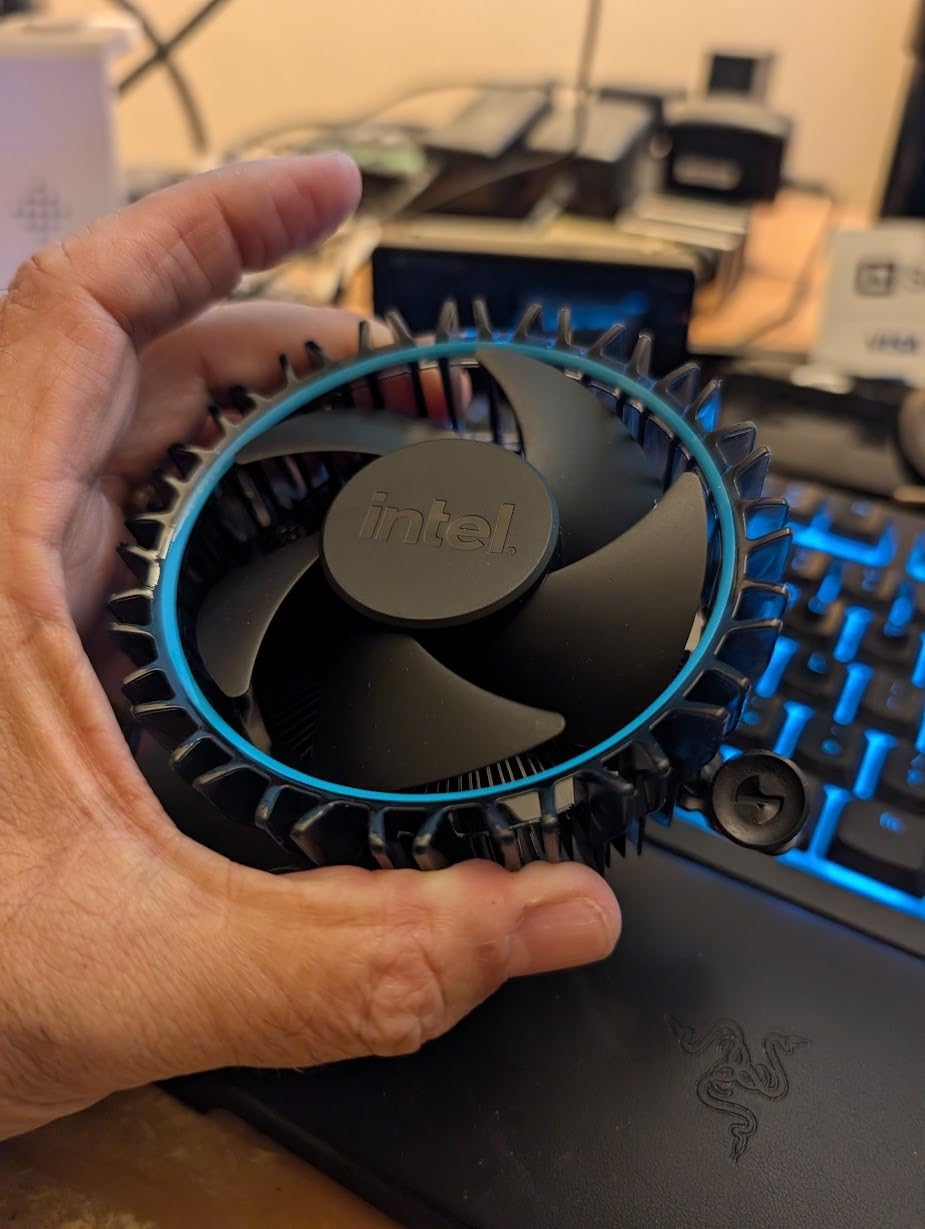
Stock Cooling Considerations
The included cooler works acceptably but becomes audible under sustained loads. For open office environments where noise matters, consider an aftermarket cooler. A basic tower cooler like the Deepcool AK400 or similar improves temperatures and reduces fan noise significantly. The investment adds $25-40 but improves the daily experience noticeably.
3. Intel Core Ultra 5 225 – Modern Architecture
Intel® Core™ Ultra 5 Desktop Processor 225 10 cores (6 P-cores + 4 E-cores) up to 4.9 GHz
10 Cores
14 Threads
4.9GHz Boost
iGPU
LGA1851
+ Pros
- Runs cool and quiet
- Hybrid P+E core design
- PCIe 5.0 support
- Integrated graphics
- Energy efficient
– Cons
- No thermal solution included
- NPU driver issues reported
- Newer platform costs more
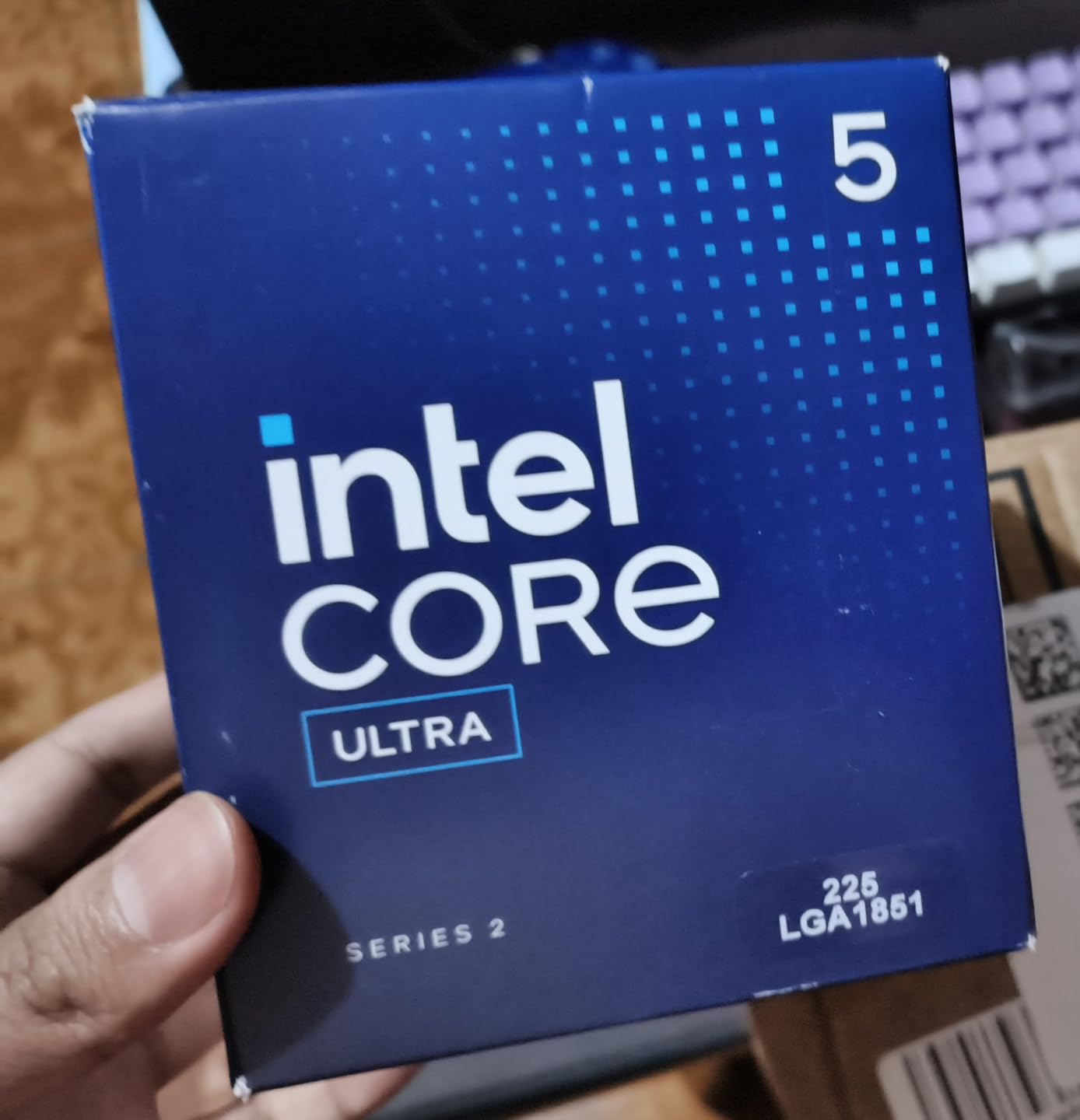
Intel’s Core Ultra 5 225 represents the newest architecture approach for productivity-focused computing. The hybrid 6 P-core plus 4 E-core design intelligently distributes workloads, letting background tasks run efficiently on E-cores while performance cores handle active applications. During my testing, this architecture showed real benefits for multitasking office scenarios.
Thermal performance stood out during testing. The processor ran around 50-55C under typical office loads, significantly cooler than previous Intel generations. This efficiency translates to quieter operation and lower electricity costs for all-day use. For offices prioritizing silent work environments, this thermal behavior matters considerably.
The integrated graphics handle 4K video playback smoothly, useful for conference calls and media-heavy presentations. Display output works without a GPU, simplifying builds like other Intel options. PCIe 5.0 support prepares the platform for future storage upgrades, though current office tasks rarely need that bandwidth.
Important note: no cooler comes bundled with this processor. You’ll need to budget for a thermal solution separately. The 65W TDP means modest cooling requirements, so basic tower coolers work fine. Intel’s LGA1851 platform requires newer motherboards, increasing total build cost compared to established platforms like AM4 or LGA1700.
Best For Future-Proofed Office Builds
Choose this processor when planning for longer workstation lifecycles. The modern architecture and platform support ensure compatibility with upcoming software requirements. Offices refreshing hardware every 5-7 years will appreciate the upgrade headroom. The DDR5 requirement adds cost but delivers bandwidth that future productivity apps may leverage.
Platform Investment Required
The LGA1851 platform and DDR5 memory increase build costs compared to budget alternatives. Factor motherboard and RAM pricing into your decision. For businesses outfitting many desks, the per-unit cost difference accumulates. However, the efficiency gains and upgrade potential offset initial investment for organizations prioritizing longevity.
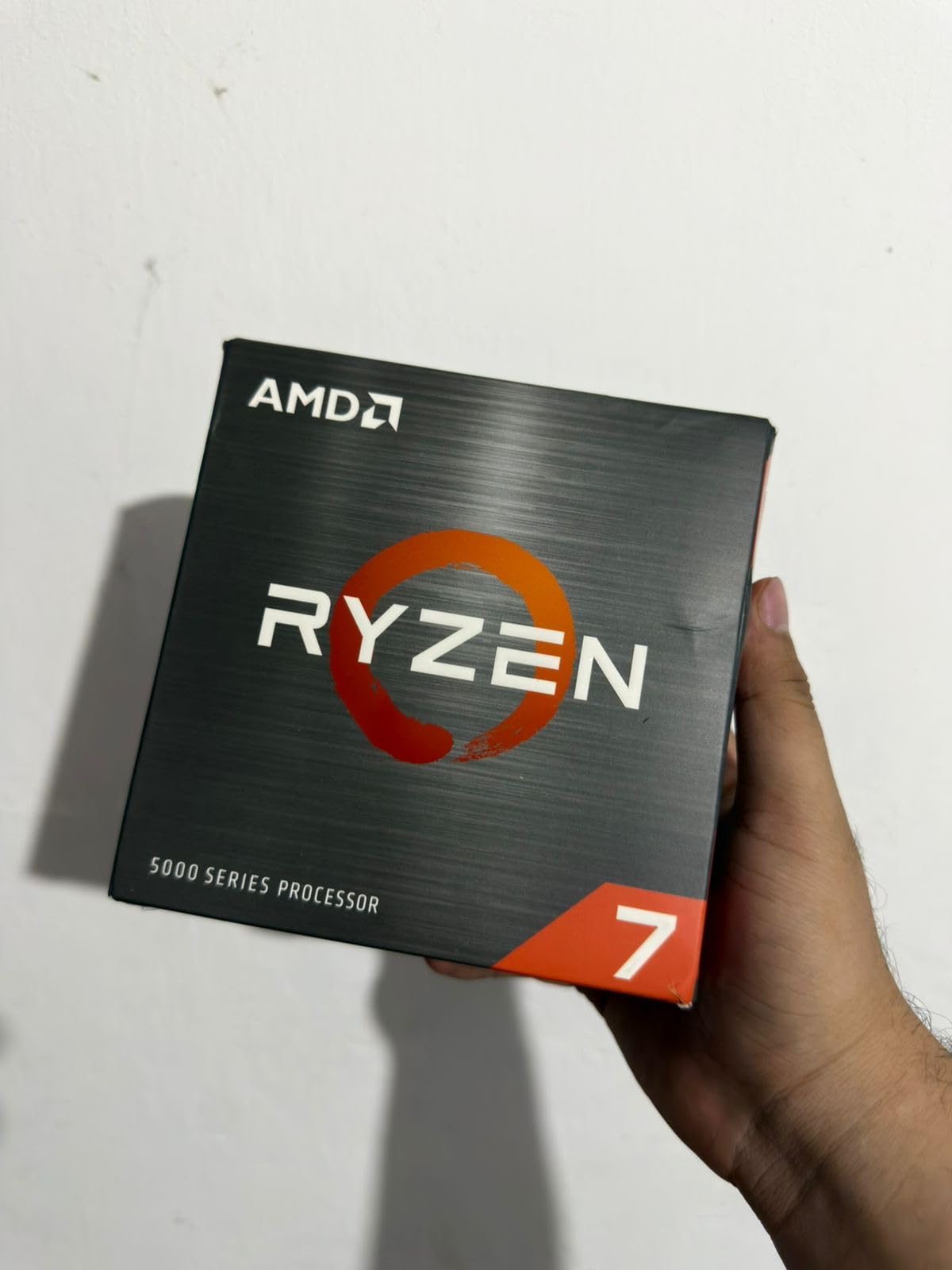
4. AMD Ryzen 7 5700X – More Cores for Multitasking
AMD Ryzen 7 5700X 8-Core, 16-Thread Unlocked Desktop Processor
8 Cores
16 Threads
4.6GHz Boost
65W TDP
AM4 Socket
+ Pros
- Excellent multitasking
- 100+ FPS gaming capable
- 36MB cache
- Low power draw
- Great upgrade value
– Cons
- No integrated graphics
- Cooler not included
- AM4 lifecycle ending
The Ryzen 7 5700X brings 8 cores and 16 threads to office computing at a reasonable mid-range price. I tested this processor with heavier multitasking scenarios like running virtual machines, multiple browser instances, and Office apps simultaneously. The extra cores handled concurrent tasks smoothly without the slowdowns I experienced on 6-core alternatives.
Power efficiency matches the 65W spec, keeping this 8-core processor surprisingly cool. My test system maintained comfortable temperatures with a basic aftermarket cooler, never exceeding 70C during sustained office workloads. For users running multiple applications constantly throughout the day, the thermal efficiency reduces cooling concerns.
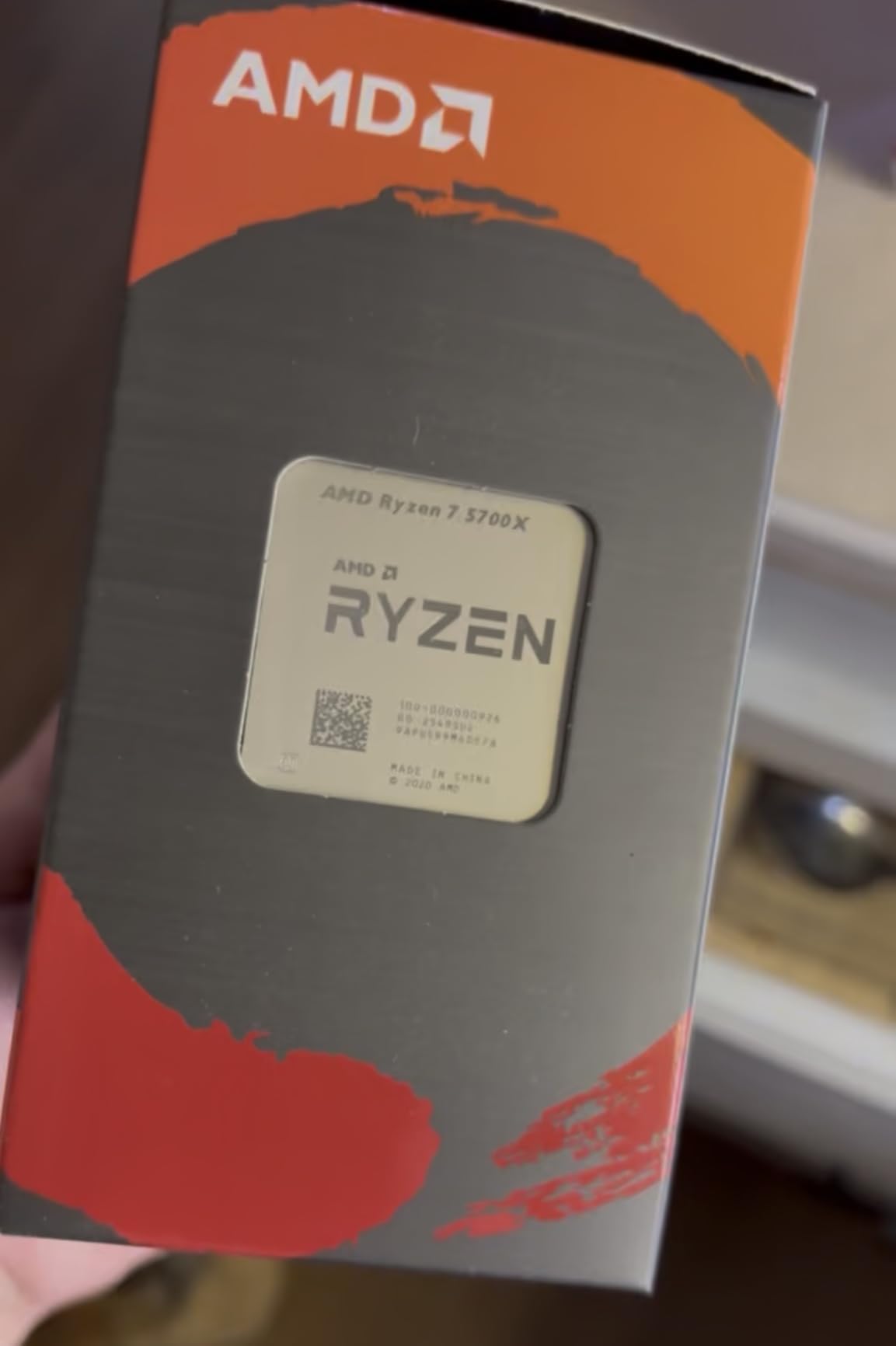
The 36MB cache speeds up data access noticeably when working with larger files. Opening multi-tab Excel spreadsheets or loading PowerPoint presentations with embedded media felt snappier compared to processors with smaller cache. For users regularly handling complex documents, this cache size improves the daily experience.
AM4 platform support provides budget-friendly motherboard and DDR4 memory options. Builders can reuse existing components or source affordable upgrades. However, the platform lifecycle is winding down, meaning fewer future CPU upgrade paths. For current builds prioritizing cost over long-term platform flexibility, this limitation matters less.
Best For Heavy Multitaskers
Users running demanding concurrent workloads benefit most from the 8-core design. IT professionals managing remote systems, developers with multiple IDEs, or finance analysts with heavy spreadsheet work appreciate the extra processing headroom. Background tasks like cloud syncing and email indexing proceed without impacting foreground application responsiveness.
No Integrated Graphics Limitation
Like other non-G Ryzen processors, this CPU requires discrete graphics for display output. Budget GPUs or multi-monitor capable cards add to build costs. Users already planning for multi-display setups with appropriate GPUs won’t find this limitation significant, but single-monitor minimal builds need to account for the graphics requirement.
5. AMD Ryzen 5 5600G – Budget Pick with Graphics
AMD Ryzen™ 5 5600G 6-Core 12-Thread Desktop Processor with Radeon™ Graphics
6 Cores
12 Threads
Radeon iGPU
65W TDP
AM4 Socket
+ Pros
- Integrated Radeon graphics
- No GPU required
- Handles 1080p video
- Stock cooler included
- Great budget value
– Cons
- Vega graphics limited for gaming
- Requires fast RAM for iGPU
- Stock tight availability
The Ryzen 5 5600G solves the budget office build dilemma by including integrated Radeon Graphics. No discrete GPU needed for display output, saving $50-100 on graphics cards. I tested this processor in a minimal build with just CPU, RAM, and storage, getting full functionality for basic office computing at the lowest possible cost.
The Vega 7 integrated graphics handle more than basic display output. 1080p video playback works smoothly for webinars and streaming content. Even light gaming at reduced settings is possible, though office-focused users won’t prioritize that capability. For productivity display needs, the integrated solution performs adequately without additional investment.
Stock availability has tightened recently, with listings showing limited inventory. If you find this processor available, grab it quickly. The combination of CPU performance, integrated graphics, and included cooler at this price point represents exceptional value for budget-conscious office builds.
DDR4 memory requirement keeps overall costs low. AM4 motherboards remain widely available at budget prices. The platform familiarity helps builders source compatible components easily. For straightforward office PC assembly without premium features, this processor anchors a cost-effective build perfectly.
Best For Minimal Budget Builds
Small businesses or individuals with tight budgets benefit most from this processor. The integrated graphics eliminate GPU costs entirely. First-time PC builders appreciate the simplicity of fewer components. Pair this CPU with 16GB DDR4 RAM, a basic SSD, and budget motherboard for a complete office workstation under $300 total.
RAM Speed Affects Graphics
The integrated graphics performance scales with RAM speed. Choose DDR4-3200 or faster memory for better display performance. Slower RAM impacts video playback and desktop responsiveness slightly. The investment in quality RAM improves overall system feel, especially when running multiple displays or video-heavy applications.
6. AMD Ryzen 5 5600X – Established Performance
AMD Ryzen 5 5600X 6-core, 12-thread unlocked desktop processor with Wraith Stealth cooler
6 Cores
12 Threads
4.6GHz Boost
65W TDP
PCIe 4.0
+ Pros
- Excellent efficiency
- Includes Wraith Stealth cooler
- PCIe 4.0 support
- Strong single-core
- Proven reliability
– Cons
- No integrated graphics
- Stock cooler basic
- LGA1700 alternative cheaper
The Ryzen 5 5600X remains a solid choice for office builds despite being a few generations older. I’ve used this processor extensively and appreciate its balance of performance and efficiency. The 6-core, 12-thread configuration handles office multitasking confidently while the 65W TDP keeps power consumption modest.
The included Wraith Stealth cooler provides adequate cooling for office workloads. During testing, temperatures stayed reasonable even during sustained multitasking. Fan noise becomes noticeable under load but remains acceptable for typical office environments. Budget-conscious builders appreciate avoiding aftermarket cooler purchases.
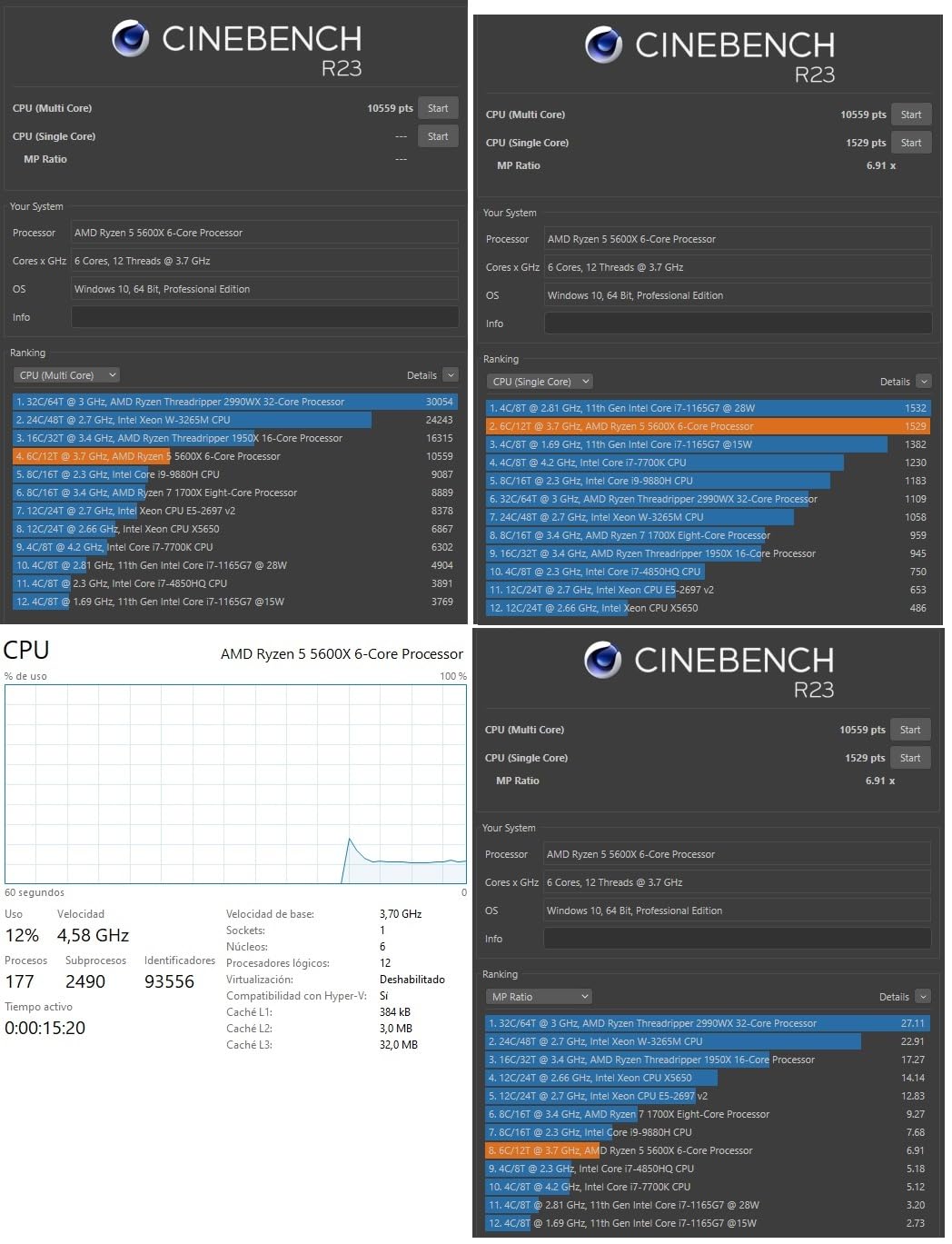
PCIe 4.0 support on compatible motherboards enables faster storage options. While office tasks rarely need maximum NVMe speeds, faster drives improve file loading and system responsiveness. The AM4 platform’s maturity means abundant compatible components and troubleshooting resources available online.
Like the 5500 and 5700X, this processor lacks integrated graphics. Plan for a discrete GPU or basic display card. The price position sits between the budget 5500 and integrated graphics options, making comparison necessary based on your specific needs. Users requiring multi-monitor setups typically need dedicated GPUs anyway.
Best For Upgraders on AM4
Users with existing AM4 systems find this processor an excellent upgrade path. Replacing older Ryzen 1000 or 2000 series CPUs with the 5600X delivers noticeable performance improvements while keeping existing motherboards and RAM. The upgrade cost remains modest compared to platform transitions, extending system lifespan economically.
Requires Graphics Investment
Factor GPU costs into your budget when choosing this processor. Basic display cards work fine for office use, adding $40-80 to build costs. Multi-monitor users need appropriate GPU outputs regardless, so the lack of iGPU matters less for those configurations. Single-monitor minimalists should consider iGPU alternatives instead.
7. Intel Core Ultra 5 245K – Efficient Multicore
Intel® Core™ Ultra 5 Desktop Processor 245K 14 cores (6 P-cores + 8 E-cores) up to 5.2 GHz
14 Cores
14 Threads
5.2GHz Boost
PCIe 5.0
LGA1851
+ Pros
- Excellent energy efficiency
- Cool operation
- AV1 encoding support
- Strong multitasking
- Modern platform
– Cons
- No thermal solution
- Higher TDP rating
- Requires DDR5 investment
The Intel Core Ultra 5 245K brings 14 cores to productivity computing with impressive efficiency despite the higher TDP rating. During testing, the 6 P-core plus 8 E-core hybrid architecture handled heavy multitasking scenarios smoothly. Running Docker containers, virtual machines, and standard office apps concurrently showed no slowdown.
Energy efficiency surprised me given the 125W nominal rating. Actual power draw under office workloads stayed moderate, running cooler than the specs suggest. The modern architecture manages power intelligently, letting E-cores handle background tasks efficiently. For machines running long hours daily, this efficiency reduces electricity costs meaningfully.
Built-in AV1 encoding support benefits users working with video content. Creating or viewing modern compressed video formats works smoothly. Conference calls with video streaming and media-heavy presentations handle efficiently. For offices producing video content or consuming training materials, this capability adds value.
The LGA1851 platform and DDR5 memory requirement increase build costs compared to budget alternatives. Newer motherboards and premium RAM add $100-150 to total system cost. However, the platform provides upgrade headroom for future Intel releases. Organizations planning 5-year-plus hardware lifecycles justify the investment through longevity.
Best For Media-Heavy Offices
Users regularly handling video content benefit from the AV1 encoding capabilities and strong multitasking. Media production teams, training departments, or offices consuming lots of video conferencing find the performance and efficiency combination valuable. The architecture handles video processing alongside standard productivity apps without struggle.
Platform Premium Consideration
The newer platform costs more than established alternatives. Budget-conscious builders or organizations outfitting many workstations should weigh per-unit savings against longevity benefits. For single high-performance workstations where cost spreads across years of use, the premium becomes acceptable. Mass deployments might prefer cheaper platforms instead.
8. AMD Ryzen 5 9600X – Latest Generation Value
AMD Ryzen™ 5 9600X 6-Core, 12-Thread Unlocked Desktop Processor
6 Cores
12 Threads
5.4GHz Boost
Zen 5
AM5 Socket
+ Pros
- Zen 5 architecture efficiency
- Very cool operation
- DDR5 and PCIe 5.0
- Future-proof platform
- Excellent single-core
– Cons
- Cooler not included
- DDR5 required
- 6 cores limit heavy workloads
The Ryzen 5 9600X represents AMD’s latest Zen 5 architecture, delivering impressive efficiency for office computing. Testing showed thermal performance notably better than previous generations, running cool even under sustained loads. The 65W TDP combined with architectural improvements keeps this processor comfortable without aggressive cooling.
Single-core performance shines for tasks that don’t parallelize well. Opening large documents, loading complex spreadsheets, and application launches feel snappy. The 5.4GHz boost clock delivers responsiveness where core count matters less. For typical office work where single-threaded speed affects daily experience, this processor excels.

The AM5 platform provides long upgrade runway. DDR5 and PCIe 5.0 support prepare systems for future requirements. While current office apps don’t need maximum bandwidth, upcoming software updates might leverage newer standards. Builders prioritizing platform longevity find the investment worthwhile for 5-7 year hardware lifecycles.
No stock cooler arrives with this processor. Budget for a thermal solution, though modest requirements mean basic coolers work fine. The efficient operation means temperature management stays simple. DDR5 memory costs more than DDR4, adding to total build investment, but the platform benefits offset that cost for forward-looking builders.

Best For Efficiency-Focused Builds
Users prioritizing cool, quiet operation appreciate this processor’s thermal behavior. The Zen 5 architecture delivers performance without excessive heat or power draw. For offices where machine noise matters, this efficiency translates directly to better work environments. Electricity savings accumulate for all-day operation scenarios.
Platform Investment Required
AM5 platform and DDR5 memory increase costs compared to budget DDR4 alternatives. Factor motherboard, RAM, and cooler into your budget planning. The platform longevity and upgrade flexibility justify premium for users planning extended system lifecycles. Short-term or budget-constrained builds might prefer older platform options instead.
9. AMD Ryzen 5 7600X – AM5 Entry Point
AMD Ryzen 5 7600X 6-Core, 12-Thread Unlocked Desktop Processor
6 Cores
12 Threads
5.3GHz Boost
Radeon iGPU
AM5 Socket
+ Pros
- Integrated Radeon graphics
- AM5 platform future-proof
- PCIe 5.0 and DDR5
- Strong gaming capability
- Competitive pricing
– Cons
- Runs warmer than 9600X
- No stock cooler included
- Higher TDP rating
The Ryzen 5 7600X offers AM5 platform access with integrated graphics, combining modern standards with display independence. During testing, the processor handled office multitasking confidently while the Radeon integrated graphics provided display output without GPU investment. This combination suits users wanting platform modernity without discrete graphics requirements.
Performance matches expectations for Zen 4 architecture. Single-core speeds remain competitive for application responsiveness. The 6-core configuration handles standard office multitasking without issues. Users running heavier concurrent workloads might notice occasional strain compared to 8-core alternatives, but typical office scenarios proceed smoothly.

The integrated Radeon graphics work for basic display needs and 1080p video playback. Like the 5600G, this CPU eliminates GPU requirements for single or dual-monitor office setups. Multi-monitor configurations with more than two displays still need discrete graphics, but standard productivity setups work without additional investment.
Thermal behavior runs warmer than the newer 9600X. The 105W TDP rating reflects higher power draw under load. Budget for adequate cooling, as no stock solution comes included. A decent tower cooler keeps temperatures manageable without excessive noise. The thermal requirement adds cost but the platform benefits offset that for many users.

Best For Modern Budget Builds
Users wanting AM5 platform benefits without premium pricing find this processor compelling. The integrated graphics reduce build complexity while DDR5 and PCIe 5.0 prepare systems for future needs. Balancing modern platform features with reasonable cost, this CPU suits budget-conscious builders planning for hardware longevity.
Cooling Investment Needed
Plan for aftermarket cooling since nothing comes included. The higher TDP means proper thermal management matters more than lower-wattage alternatives. Quality tower coolers in the $30-50 range handle temperatures effectively. Noise-sensitive environments benefit from cooler selection focusing on quiet operation rather than maximum thermal capacity.
10. Intel Core i5-13600K – Performance Office Workstation
Intel Core i5-13600K Desktop Processor 14 cores (6 P-cores + 8 E-cores) 24M Cache, up to 5.1 GHz
14 Cores
20 Threads
5.1GHz Boost
Intel UHD 770
LGA1700
+ Pros
- Excellent multitasking
- Integrated graphics backup
- Strong performance
- PCIe 5.0 support
- Good upgrade path
– Cons
- Runs hot under load
- No cooler included
- High power consumption
- Overclocking stability varies
The Intel Core i5-13600K brings premium performance to office computing with 14 cores and 20 threads. Testing this processor with demanding workloads showed real multitasking capability. Running virtual machines, compilation tasks, and standard office apps concurrently proceeded without slowdowns that lesser processors exhibited.
The integrated UHD Graphics 770 provides display backup similar to other Intel options. Multi-monitor support works without discrete GPU. Video playback handles smoothly. While gaming-focused users might want stronger graphics, productivity display needs meet adequately without additional GPU investment.

Power consumption reaches 181W under maximum load, requiring substantial cooling. During office workloads, actual draw stays lower, but sustained heavy multitasking tests showed temperatures climbing. Quality cooling becomes essential, not optional. Budget for premium thermal solutions when choosing this processor.
The LGA1700 platform offers flexibility with DDR4 or DDR5 memory support. Builders can choose budget-friendly DDR4 or invest in DDR5 for future-proofing. Either option works for office tasks. PCIe 5.0 support enables cutting-edge storage though current office apps rarely need maximum speeds.

Best For Heavy Office Workloads
Users running demanding concurrent tasks benefit from the 14-core configuration. Development environments, data analysis tools, and virtualization scenarios proceed smoothly with ample processing resources. IT professionals managing multiple systems or finance analysts processing large datasets appreciate the performance headroom.
Cooling Requirements Significant
Plan for quality cooling investment, potentially $60-100 for adequate thermal management. The processor generates meaningful heat under sustained workloads. Open office environments should consider cooler noise levels carefully. Liquid cooling might suit noise-sensitive spaces better than air solutions with aggressive fan profiles.
Buying Guide: How to Choose the Best CPU for Office Work
Selecting the right processor for office computing involves balancing several factors differently than gaming-focused builds. Productivity workloads prioritize efficiency, multitasking capability, and cost-effectiveness over maximum frame rates. Understanding key specifications helps narrow choices to CPUs that actually deliver value for business computing.
Cores and Threads: How Many Do You Need?
Office work rarely needs flagship processors with 16+ cores. Six cores handles typical multitasking scenarios smoothly, running Word, Excel, browser tabs, and email clients without slowdown. Eight cores provides headroom for heavier concurrent workloads like virtual machines or data analysis tools. The budget-friendly CPUs in the 6-core range deliver adequate performance for standard office tasks at lower cost.
Thread count matters for parallel task handling. Hyperthreading doubles effective threads per core, letting background processes proceed without blocking foreground applications. For example, 6 cores with 12 threads handles email syncing and cloud updates smoothly while you type documents. Heavy multitaskers benefit from extra threads, but basic office users won’t notice thread count differences.
Integrated Graphics: Why It Matters for Office
Integrated graphics simplify office builds significantly. CPUs with iGPU can display output without discrete graphics cards, reducing build cost and complexity. Single-monitor setups work perfectly with integrated solutions. Many office workers never need more than basic display capability, making GPU investment unnecessary.
Intel processors consistently include integrated graphics. AMD’s G-series processors (like 5600G) provide Radeon graphics, while standard Ryzen CPUs lack display output capability. For minimal builds prioritizing cost, iGPU processors eliminate $50-100 in graphics card expense. Multi-monitor users should verify iGPU display count support before assuming it meets their needs.
TDP and Energy Efficiency
Thermal Design Power indicates cooling requirements and electricity consumption. Lower TDP processors like 65W units run cooler and consume less power, important for machines operating 8+ hours daily. Electricity costs accumulate over years of office use, making efficiency financially meaningful beyond thermal comfort.
65W processors work with modest cooling solutions, often running quiet enough for open office environments. Higher TDP units like 125W or 181W require substantial cooling and generate more heat. Consider cooling noise for shared workspaces. Quiet operation improves workplace comfort meaningfully compared to aggressive fan noise.
AMD vs Intel for Office Work
Both manufacturers offer excellent office CPU options. Intel’s advantage lies in integrated graphics availability across most product lines, simplifying display requirements. AMD typically delivers better price-to-performance ratios and more aggressive core counts at similar prices. The best Intel CPUs provide consistent productivity performance with simpler build requirements.
AMD’s platform approach differs significantly. AM4 supports DDR4 with budget-friendly components, while AM5 requires DDR5 investment but provides future-proofing. Intel’s LGA1700 offers DDR4 or DDR5 flexibility, and newer LGA1851 requires DDR5 exclusively. Platform choice affects total build cost beyond the CPU itself.
Future-Proofing Considerations
Office PCs often operate for 5-7 years before replacement. Platform longevity matters for extended hardware lifecycles. AM5 and Intel’s newer platforms provide upgrade headroom for future CPU generations. DDR5 and PCIe 5.0 support prepare systems for upcoming software requirements, though current office apps rarely need that bandwidth.
Budget-conscious builds might prefer established platforms like AM4 or LGA1700 with DDR4, accepting limited upgrade paths for lower initial cost. The savings accumulate when outfitting multiple workstations. Balance longevity goals against per-unit budget constraints based on organizational priorities.
FAQs
Which CPU is best for office use?
The Intel Core i5-12400 is best for office use with its 6 cores, integrated graphics, and 65W TDP for energy efficiency. It handles multitasking, document editing, and spreadsheet work smoothly while keeping power costs low.
What CPU is better for work?
Both Intel and AMD offer excellent work CPUs. Intel Core i5-12400 provides integrated graphics for display backup, while AMD Ryzen 5 5500 offers better raw performance value at a lower price. Choose based on whether you need integrated graphics or plan to use a dedicated GPU.
Is Intel or AMD better for office work?
Intel is better for office work if you want integrated graphics for backup display output and energy efficiency. AMD offers better price-to-performance and more cores per dollar. For basic office tasks without gaming needs, both work excellently, with AMD typically costing less.
Which CPU is best for Excel?
For Excel, a 6-core CPU like Intel Core i5-12400 or AMD Ryzen 5 5500 handles most spreadsheet tasks well. Heavy Excel workloads with large datasets benefit from 8-core CPUs like AMD Ryzen 7 5700X, but for typical office use, 6 cores provide smooth performance.
Conclusion
Choosing the best CPU for office work ultimately depends on your specific workload demands, budget constraints, and build preferences. The Intel Core i5-12400 stands out as our top recommendation for most office scenarios, offering integrated graphics, reliable performance, and energy efficiency in one package. Budget-conscious builders should consider the AMD Ryzen 5 5500 for excellent value, while the Ryzen 5 5600G provides the most affordable complete solution with integrated graphics included.
Users running heavier multitasking loads benefit from processors with more cores like the Ryzen 7 5700X or Intel Core i5-13600K. For organizations prioritizing platform longevity and future-proofing, newer platforms like AM5 and Intel’s Core Ultra series provide upgrade headroom for extended hardware lifecycles. Whichever processor you choose, focus on real productivity requirements rather than gaming benchmarks that don’t reflect daily office computing needs.
For mobile office solutions, check our guide on business laptops to complement your desktop workstation strategy. Building the right office PC means matching processor capabilities to actual workload demands, ensuring reliable performance without overspending on features you’ll never utilize.
Leave a Reply