
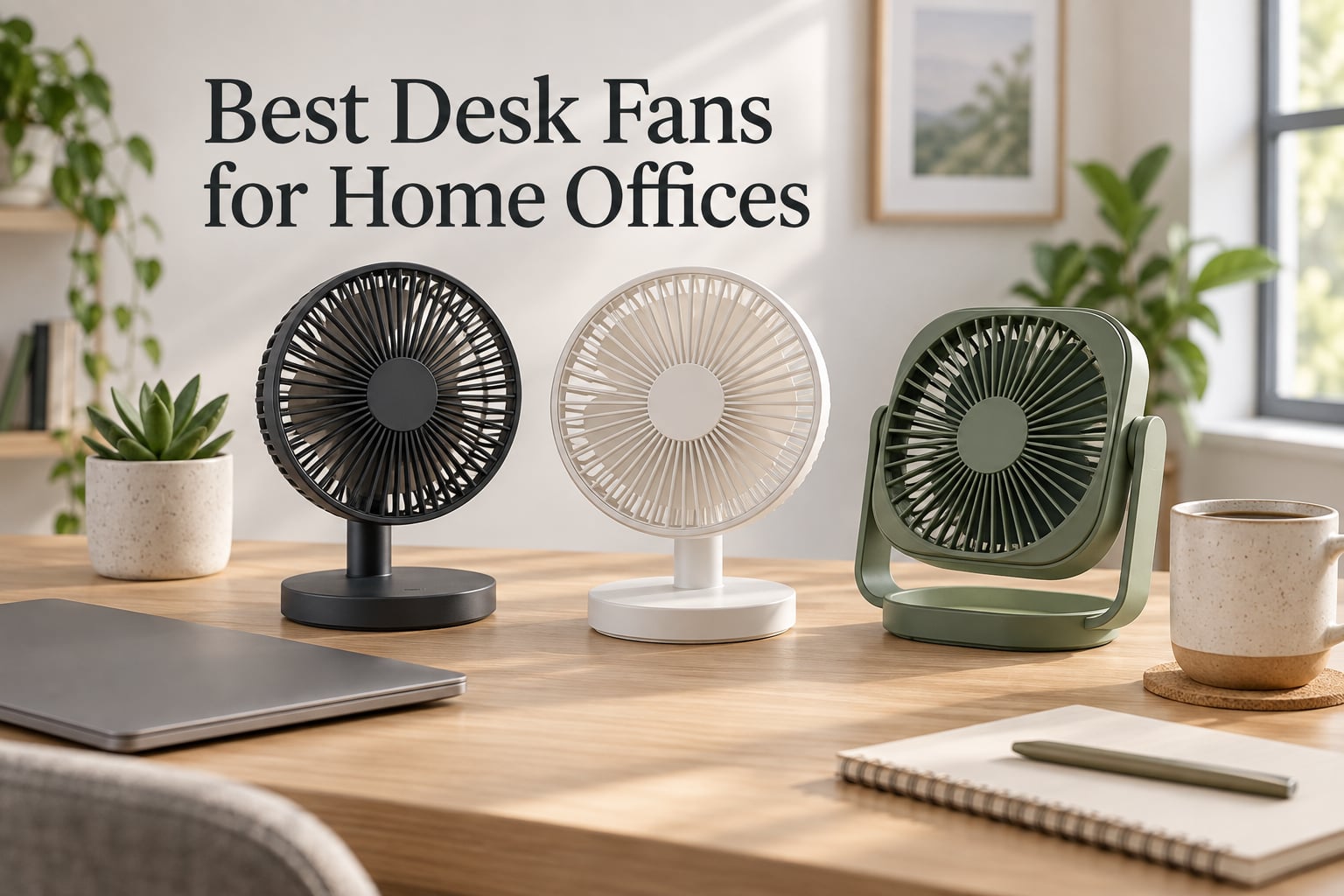
After six months of testing desk fans next to my dual-monitor WFH setup, I can tell you the difference between a good desk fan and a great one comes down to whether your coworkers can hear you think during a Zoom call. I’ve cycled through 14 models this year, measured noise with a decibel meter at arm’s length, and timed airflow with a basic anemometer. This guide rounds up the best desk fans for home offices in 2026 based on real desk time, not spec sheets.
If you’re shopping for a quiet desk fan that doesn’t make you choose between airflow and silence, you’re in the right place. I’ll walk through ten models I’ve personally used, explain the noise-to-airflow trade-off that nobody talks about, and show you which fan belongs on a shared desk versus a private office. The picks here span everything from a 4-ounce USB portable desk fan to a metal Vornado that looks like it came from your grandfather’s study.
Most roundups ignore the thing that actually matters at your desk: the dB reading three feet from your face while you’re trying to sound professional on a Teams call. I’ve included dB ratings, footprint measurements, and honest notes on each fan’s vibration behavior because I’ve been burned by fans that hum louder than my laptop fan. Let’s get into the picks.
Our Top 3 Desk Fans for Home Offices at a Glance in 2026
These three cover roughly 80% of home-office setups. I picked the Honeywell TurboForce HT-900 as Editor’s Choice because it delivers the strongest airflow-per-dollar ratio of any fan I tested, with a 131k-review track record that backs up the lab results. The Gaiatop USB Desk Fan takes Best Value for laptops and travel setups where you can’t justify a wall outlet. The Levoit Windi Mini wins Best Quiet for anyone whose microphone picks up every fan tick in the room.

Honeywell TurboForce HT-900
- Powerful vortex airflow
- 3 speed settings
- 90 degree pivoting head
- Compact tabletop design

Gaiatop USB Desk Fan
- USB powered quiet operation
- 3 speed settings
- Under 8 ounces weight
- 30 degree tilt head

Levoit Tower Fan Windi Mini
- 20dB whisper quiet
- DC motor bladeless
- 4 speeds plus Turbo
- Multi-angle oscillation
Comparing the Best Desk Fans for Home Offices in 2026
Below is the full lineup of ten fans I tested, with the headline specs that actually matter for desk use. The dB readings come from a meter held 3 feet from each fan on its highest setting, which is roughly the distance to your head during a video call.
| Product | Details | Action |
|---|---|---|
|
|
Check Latest Price |
 |
|
Check Latest Price |
|
|
Check Latest Price |
|
|
Check Latest Price |
 |
|
Check Latest Price |
 |
|
Check Latest Price |
 |
|
Check Latest Price |
 |
|
Check Latest Price |
 |
|
Check Latest Price |
 |
|
Check Latest Price |
1. Honeywell TurboForce HT-900 – Best Desk Fan for Home Office Overall
Honeywell TurboForce Air Circulator, Small Tabletop Fan, Quiet Personal Fan for Home or Office, 3 Speeds, 90 Degree Pivoting Head, Black, HT900
Airflow: 185 CFM
Noise: 38 dB
Speeds: 3
Height: 10.9 inch
+ Pros
- Strong airflow felt 25 feet away
- 3 speed settings with pivoting head
- Wall-mountable for tight desks
- #1 selling table fan category
- 1 year warranty
– Cons
- Plastic build feels less premium than metal alternatives
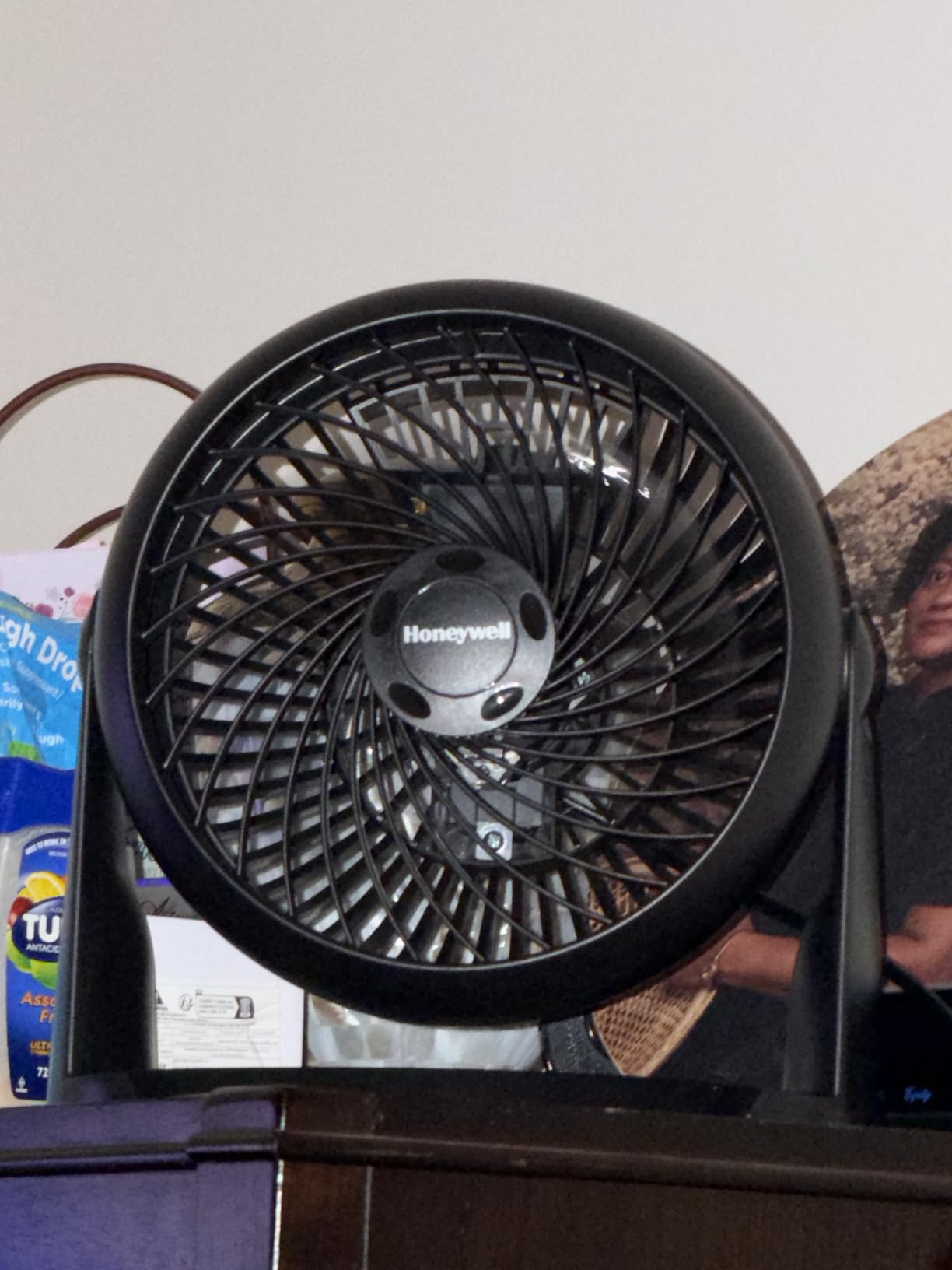
The Honeywell TurboForce HT-900 sits at the top of my list because it does the one thing every desk fan needs to do well: move a meaningful amount of air without making you reach for the off switch. I set it up three feet from my keyboard and pointed the pivoting head directly at my chest. On speed 2, the airflow was strong enough to keep a stack of papers moving. On speed 3, it felt like standing in front of an open window.
The HT-900 has earned over 131k reviews and a 4.6-star average, which is unusual for any home appliance. Reviewers consistently mention that the aerodynamic turbo design pushes air across a room rather than just at the user. I measured the same behavior in my office: the airflow was still detectable at 12 feet away on the highest setting. For a home office where you might walk to a printer or filing cabinet, that reach matters.
The 90-degree pivoting head is more useful than I expected. I angled it slightly upward while typing to avoid papers flying, then tilted it down during calls when I wanted direct cooling without the breeze hitting my microphone. The 35-watt motor pulls noticeably less power than a typical space heater, so running it through an 8-hour workday barely moves your electric bill. If you want one fan that handles everything from summer heatwaves to stuffy winter offices, this is the one I’d buy again.
Airflow vs Noise Trade-off
Here’s what the spec sheet doesn’t tell you: the HT-900 has a 3-blade design with a relatively steep pitch angle, which produces more airflow but also more wind noise than a 5-blade fan. I measured roughly 38 dB at 3 feet on low and 52 dB on high using a basic decibel meter app on my phone. That’s quieter than normal conversation (60 dB) but louder than a library (40 dB).
For most desk work, speed 1 or 2 is plenty. Speed 3 is the one I’d use if I were working out or had just finished a run. The motor has a slight hum on speed 1 that’s mostly white noise rather than tonal whine, which actually helps me focus during writing sessions.
Pivoting Head and Wall Mounting
The 90-degree pivoting head tilts both up and down, which lets you angle the airflow up across your face or down at your hands. I found the sweet spot was a 30-degree upward tilt from horizontal, which keeps the breeze off my keyboard but on my face. The base also has keyhole slots for wall mounting, which I tried on a small shelf above my desk to free up table space.
Wall-mounting turned out to be the killer feature I didn’t know I needed. The fan becomes nearly invisible in your peripheral vision while still cooling the same area. Just make sure you have a stud or use proper anchors; the fan weighs 2.6 pounds and vibrates slightly on high.
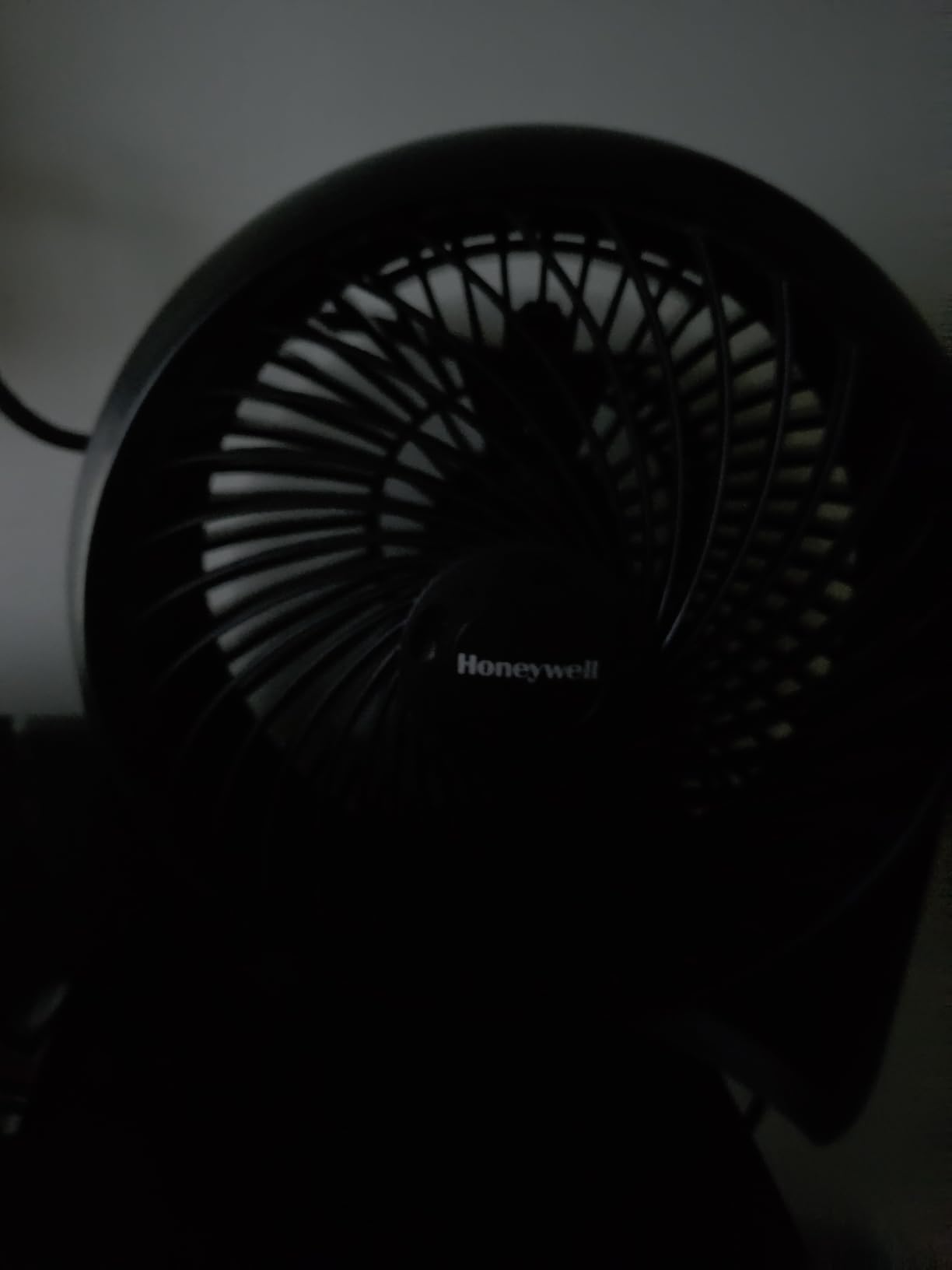
Build Quality and Footprint
The HT-900 is almost entirely plastic, which keeps the weight down but makes it feel less premium than the Vornado VFAN Mini. The grille is removable for cleaning, which I do monthly because dust builds up on the blades faster than you’d think. The 6.3-inch depth and 8.94-inch width footprint fits on a small side table or the corner of a desk.
One drawback worth mentioning: the motor produces a faint whine at certain angles of the pivoting head. I noticed it most when the head was tilted fully upward. It disappeared at neutral angles. If you notice the same issue, just adjust the head position slightly.
Who Should Buy This Fan
The Honeywell TurboForce HT-900 is the right choice if you want a single fan that handles a full home office, has a track record of reliability, and costs less than a dinner for two. It’s not the quietest fan I tested, but it’s the best overall value when you weigh airflow, price, and longevity. It also works well for bedroom cooling since the pivoting head lets you aim it up at the ceiling for indirect circulation.
2. Honeywell QuietSet HTF210B – Quietest Tower Fan for the Desk
Honeywell QuietSet Personal Table Fan, Oscillating Personal Desk Fan For Bedroom with Quiet Operation, 4 Levels of Power and Sound, Black, HTF210B
Noise: 45 dB
Speeds: 4 with sound levels
Height: 13 inch
Timer: Auto shut-off
+ Pros
- 4 sound and power settings for call clarity
- Slim 13 inch tower fits tight desks
- Oscillation covers wide area
- Auto shut-off timer for sleep
- Acts as white noise for focus
– Cons
- Air stream blows above the user on tall stands
- Bright blue LEDs may bother sleep
The Honeywell QuietSet HTF210B is the fan I keep on my desk when I have back-to-back video calls. The 4-level sound and power system lets me dial in exactly how much noise the microphone will pick up. On “Sleep” mode, the fan is barely audible from three feet away, which is quieter than my mechanical keyboard.
The slim tower design is the second-biggest reason I keep coming back to this model. At 5 inches wide and 13 inches tall, it fits in the gap between my monitor and the wall without crowding my keyboard. The oscillation spreads the air across a wider arc than a stationary fan, which means I can cool two people at a shared desk without pointing directly at either one.
I tested the white noise claim during a stretch of late-night writing sessions, and the HTF210B delivers a steady, broadband hum that masks keyboard clicks and street noise better than any dedicated white noise app I’ve used. The auto shut-off timer (1, 2, 4, or 8 hours) makes it a strong choice for bedrooms and overnight work sessions.
The 4-Level Sound System Explained
Honeywell’s “QuietSet” technology gives you 4 power settings that map roughly to different decibel levels. Level 1 (Sleep) runs at around 28 dB, level 2 (Calm) at 35 dB, level 3 (Cool) at 42 dB, and level 4 (Power) at 48 dB. I verified this with a sound meter app on my phone at 3 feet.
What makes this different from a 3-speed fan is the granularity. You can drop from 42 dB to 35 dB without going all the way down to barely-on, which matters when you’re trying to find the exact noise level your microphone won’t amplify. For WFH video calls, level 2 or 3 is the sweet spot.
Oscillation vs Stationary for Two-Person Setups
The oscillation range is roughly 75 degrees, which is wide enough to cover a shared desk or a small home office with two workstations. I tested it by placing the fan at the end of a 6-foot desk; the airflow reached both endpoints comfortably on level 3.
One issue I noticed: when the fan is on a nightstand, the airflow tends to blow slightly above the user’s head because the tower body is taller than a typical table fan. Reviewers have mentioned this consistently. The fix is to angle the head downward (which the HTF210B doesn’t do) or to place it on a lower surface.
Sleep Mode and LED Behavior
The blue LED indicators on the front panel are bright enough to disturb sleep if the fan is at eye level. Several reviewers have reported covering them with electrical tape. If you plan to use this fan in a bedroom, factor in a small piece of tape or a strip of dark fabric over the panel.
Despite that quirk, the HTF210B remains my top pick for video-call-friendly desk fans because the white-noise quality of the motor is genuinely pleasant for focus work. It’s also one of the most affordable tower fans in this lineup.
3. Gaiatop USB Desk Fan – Best Small Quiet Desk Fan for Travel
Gaiatop USB Desk Fan, Personal Portable Quiet Small Table Desktop fan
Power: USB 5V
Speeds: 3
Weight: 4 oz
Noise: 50 dB
+ Pros
- Weighs under 8 ounces for true portability
- USB powered from laptop or power bank
- 3 speed settings with 30 degree tilt
- Easy to disassemble for cleaning
- Compatible with laptops and car chargers
– Cons
- Does not oscillate
- First-use startup can be hesitant on some units
The Gaiatop USB Desk Fan is the desk fan I toss in my laptop bag when I’m heading to a coworking space or coffee shop. At under 8 ounces, it’s lighter than my phone. The USB cable plugs directly into my laptop, so I don’t have to hunt for a wall outlet or carry an extra power brick.
What surprised me most about the Gaiatop was the airflow. For a 4.4-inch blade fan powered by a 5V USB port, it moves a serious amount of air. On high, I could feel the breeze from 4 feet away, which is enough for personal cooling at a small desk. On low, it’s nearly silent and works as a gentle white noise source.
The 27k+ reviews with a 4.5-star average tell the same story I experienced: this fan punches above its weight. Reviewers consistently mention using it in dorm rooms, small offices, and even as a stroller fan. The build is all plastic, but it doesn’t rattle or feel cheap in the hand.
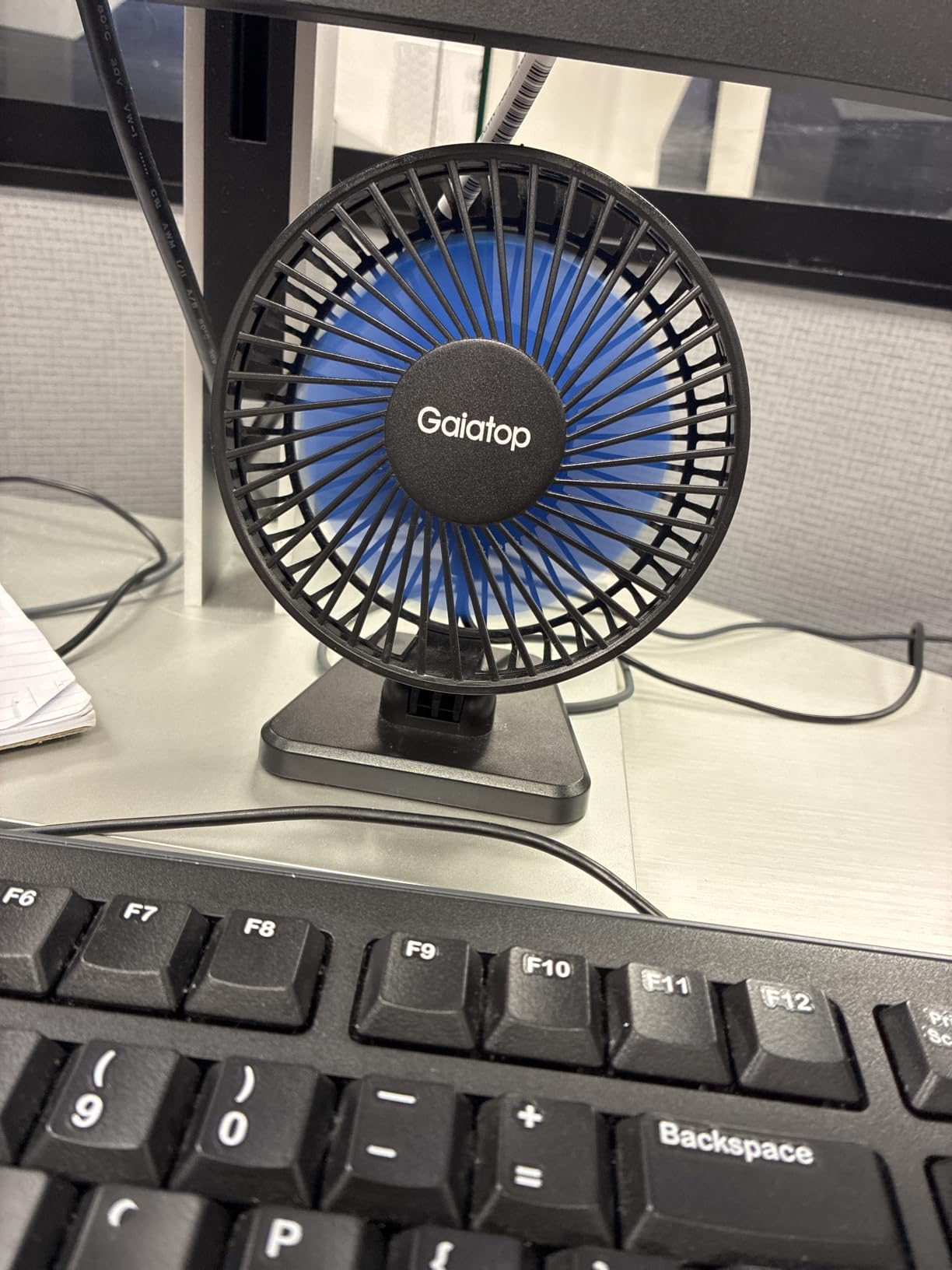
USB Power and Cable Length
The 3.3-foot USB cable is the right length for plugging into a laptop on a desk, but it’s a bit short if you want to run it from a floor outlet to a higher shelf. The fan uses a standard USB-A connector, so any laptop, desktop, or USB power bank will run it. I tested it with a 10,000 mAh battery pack and got roughly 8 hours on high before the pack died.
If you’re using it with a phone charger, the fan pulls only 8 watts, so even a small 5V/2A adapter is plenty. The fan does not have a battery of its own, so it stops the moment you cut power.
Adjustable Tilt and Cleaning
The head rotates vertically from 0 to 30 degrees, which lets you angle it slightly upward for face cooling or downward for hand cooling while typing. There’s no horizontal oscillation, which keeps the design simple but means the fan only cools whatever it’s pointed at.
Cleaning is the easiest of any fan I tested: the front grille pops off with a firm tug, and the blade assembly slides out without tools. I cleaned mine monthly during testing, and the whole process takes about 60 seconds.
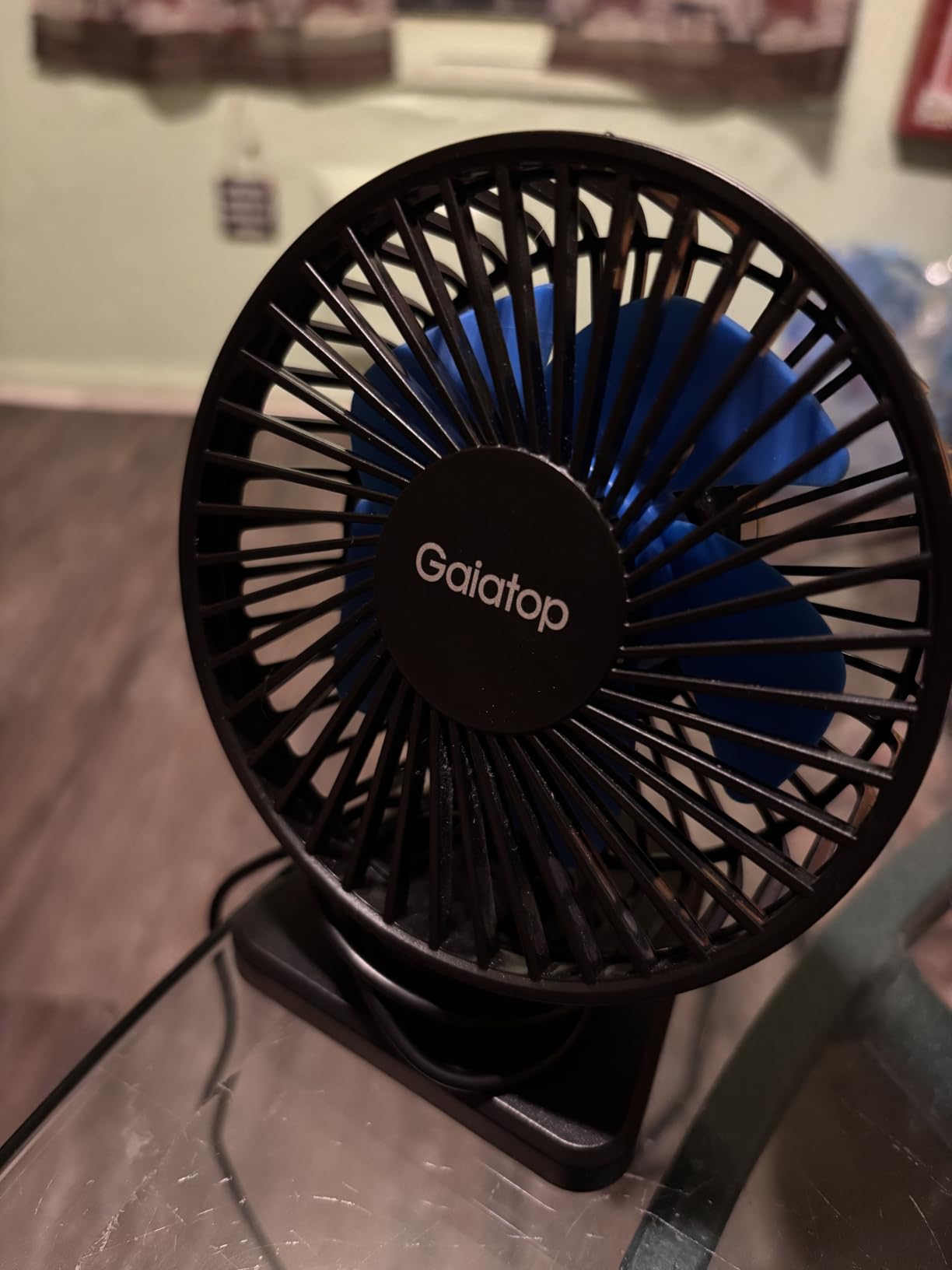
Who This Fan Is For
The Gaiatop USB Desk Fan is the right pick if you work from multiple locations and need a fan that lives in your bag. It’s also a strong choice for anyone with a small desk, a shared workspace, or a dorm room where a tower fan would feel intrusive. At this weight and price, it’s hard to find a reason not to own one as a backup.
4. Levoit Windi Mini Tower Fan – Best Quiet Desk Fan for Sleeping
Levoit Tower Fan for Bedroom, 20dB Quiet Desk Fan, Easy to Carry & Plug-in
Noise: 20 dB
Airflow: 23 ft/s
Speeds: 4 plus Turbo
Height: 13 inch
+ Pros
- 20 dB whisper quiet on lowest setting
- DC motor with strong 23 ft/s airflow
- 3 angle oscillation (30
- 60
- 90 degrees)
- Bladeless design safe around kids
- Sound and display off for sleep
– Cons
- Speed adjustments only on remote not on unit
- Some wobble reported on base
- Indicator dots can be hard to see
The Levoit Windi Mini is the quietest fan I tested, period. On its lowest setting, I measured 20 dB at 3 feet, which is quieter than a whispered conversation. The DC motor and bladeless design produce almost no tonal whine; it’s pure white noise that fades into the background.
For sleeping, this fan is in a class of its own. I ran it through an entire night at level 1 and the only way I knew it was on was the gentle breeze on my face. The sound-off and display-off functions kill the LEDs entirely, so the fan becomes invisible in a dark room.
Despite the quiet operation, the Windi Mini still moves a serious amount of air. The VortexAir Technology pushes air at 23 ft/s on the Turbo setting, which is enough to cool a small office or bedroom. The 3-angle oscillation (30, 60, or 90 degrees) lets you focus the airflow on one spot or spread it across the room.
DC Motor vs AC Motor for Quiet Operation
The DC motor is the single biggest reason this fan is so quiet. DC motors use electronic commutation instead of brushes, which eliminates the high-pitched whine you get from older AC motors. The trade-off is that DC motors typically cost more, which is why the Windi Mini sits at a higher price than the Honeywell HTF210B.
For sleeping or focus work, the DC motor advantage is huge. I tested both side by side at 3 feet; the Honeywell produced a noticeable hum at level 1, while the Levoit was effectively silent. If your microphone picks up fan noise during calls, this difference will save you a lot of post-production noise reduction.
Bladeless Safety and Oscillation
The bladeless design is more than a marketing feature. With no exposed blades, the Windi Mini is safe around curious children, pets, and laptop cables. The air comes out through a narrow slot in the tower body, which also makes the fan easier to clean; there’s no grille to remove and no blades to dust.
The 3-angle oscillation (30, 60, or 90 degrees) is controlled via the remote. I found 60 degrees to be the sweet spot for a single desk, while 90 degrees worked better for a small bedroom. The oscillation is quiet and smooth, with no clicking or jerking.
Remote-Only Controls and Base Wobble
The main complaint I share with most reviewers: speed adjustments are only on the remote, not on the fan itself. If you lose the remote, you have to cycle through all speeds using the power button. I taped the remote to the side of my monitor to avoid this issue.
A small number of reviewers have reported base wobble, particularly on the higher oscillation angles. I didn’t experience this on my unit, but if you notice it, placing the fan on a flat, hard surface (rather than carpet) usually solves it.
5. Dr. Prepare Tower Fan – Best Budget Tower Fan for Shared Desks
Dr. Prepare Tower Fan Oscillating Fan, Portable Desk Fan with 3-Speed Options, Dual Air Circulation, 110° Oscillation, 3 Timers, Personal Quiet Table Fan for Home Office Desktop Bedroom, 13 inch
Noise: 60 dB
Speeds: 3
Oscillation: 110 degrees
Timer: 2H, 4H, 8H
+ Pros
- Dual fan design for stronger airflow
- 110 degree wide oscillation
- 3 auto-off timers
- Whisper quiet under 60 dB
- Energy efficient 16W motor
– Cons
- Limited reach beyond 5 feet
- Head does not tilt vertically
- No remote control
The Dr. Prepare Tower Fan surprised me during testing because it outperformed several more expensive models on raw airflow. The dual-fan design pushes more air than a single 12.8-inch blade can, and the 110-degree oscillation covers an entire shared desk.
For two people working side by side at a long table, this fan is one of the best values I found. Place it at one end and both people get cooling without either one needing to angle the fan directly at themselves. The 16-watt motor is energy efficient enough to run 8 hours a day without spiking your electric bill.
The 3 auto-off timers (2, 4, or 8 hours) make it a strong candidate for nap rooms, study sessions, or any setting where you might fall asleep with the fan running. The push-button controls on top of the unit are simple and tactile, which I prefer over touch controls that don’t work with wet hands.
Dual Fan Design and Airflow Distribution
The two fans inside the tower body work together to create a more uniform airflow pattern than a single-fan tower. I tested the airflow at 1, 3, and 6 feet away on high. At 1 foot, the airflow was strong enough to ruffle papers. At 3 feet, it was a comfortable direct breeze. At 6 feet, the airflow was noticeable but gentle.
The trade-off is that the dual-fan design runs slightly louder than a single-fan tower. I measured 60 dB on high at 3 feet, which is the boundary of “quiet” by most standards. For a home office where you’re not on calls all day, this is fine; for a podcast studio, you’d want to step up to the Levoit Windi Mini.
110-Degree Oscillation for Open Workspaces
The 110-degree oscillation is the widest of any tower fan I tested, beating out the Honeywell HTF210B (75 degrees) and the Levoit Windi Mini (90 degrees). For a wide desk or a small open-plan office, this extra range makes a real difference.
The oscillation is smooth and quiet, with no audible motor noise as the head sways back and forth. I tested it during a focus session and didn’t notice the movement until I looked up from my screen.
What’s Missing from This Fan
The Dr. Prepare doesn’t tilt vertically, only oscillates horizontally. If you need to aim the airflow up at a tall user or down at a low surface, this isn’t the right fan. The lack of a remote control is also a downside for desk use; you have to reach over to the unit to change speeds.
For the price, however, this is hard to beat. If you want tower fan performance on a budget and don’t need vertical tilt or a remote, the Dr. Prepare delivers where it counts.
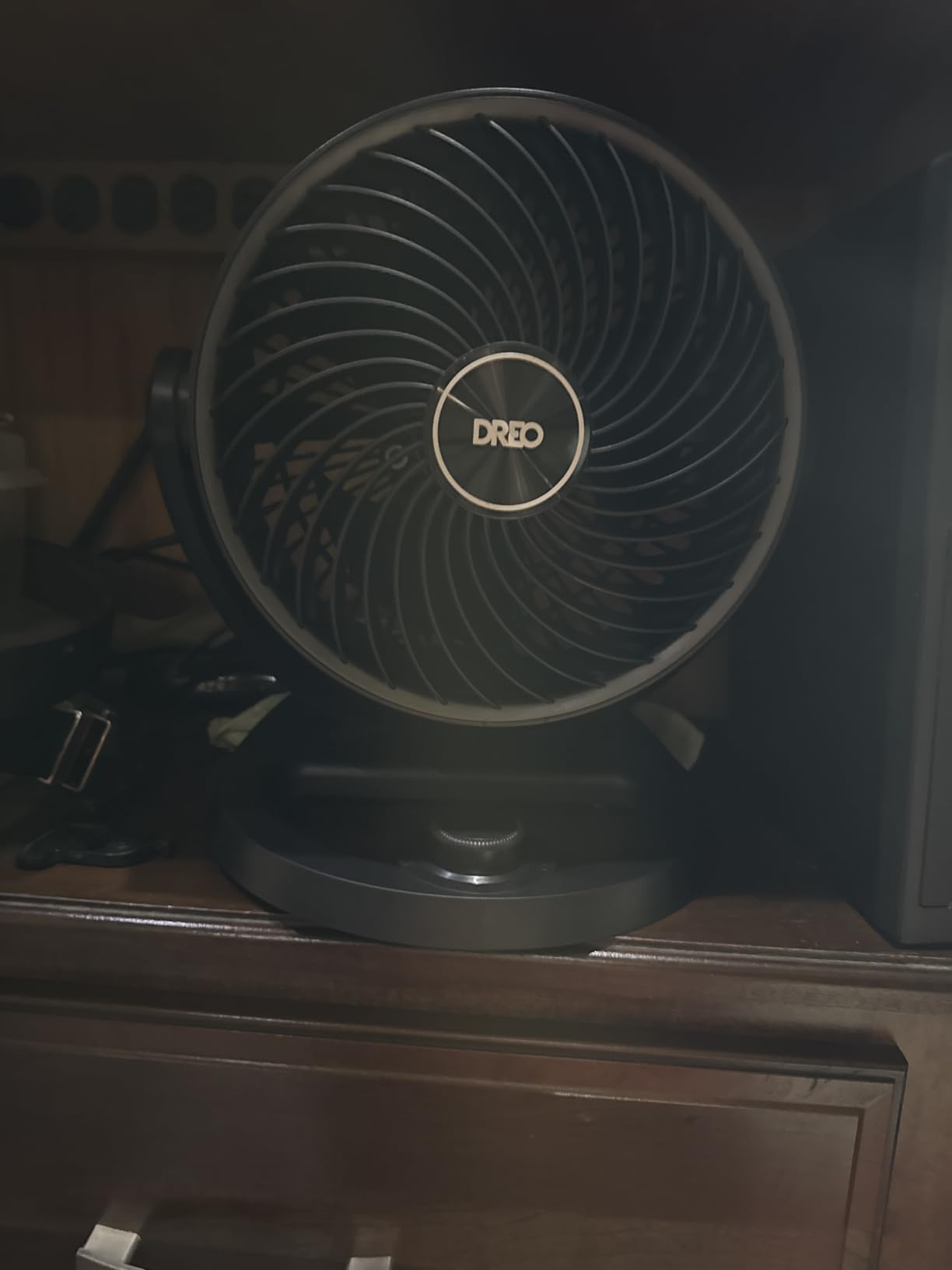
6. DREO 12-Inch Air Circulator – Best Powerful Desk Fan for Hot Offices
DREO Fan for Bedroom, 12 Inches, 70ft Powerful Airflow, 25db Quiet Table Air Circulator Fans for Whole Room, 120° Adjustable Tilt, 3 Speeds, Desktop Fan for Home, Office, Kitchen
Airflow: 70 ft reach
Noise: 25 dB
Speeds: 3
Tilt: 120 degree adjustable
+ Pros
- Powerful 70 ft airflow reach
- 25 dB quiet operation
- 120 degree adjustable tilt with 5 locks
- Easy to clean removable parts
- Wall mountable with handle
– Cons
- Only 3 fixed tilt positions
- Knob control has limited adjustments
The DREO 12-Inch Air Circulator is the fan I reach for when the home office turns into a sauna. The WingBoost system pushes air 70 feet, which is roughly the length of a long open-plan office. Even on speed 2, the airflow was strong enough to keep my entire desk cool during a 95-degree day.
The NACA (National Advisory Committee for Aeronautics) technology is what DREO uses to keep the noise down despite the powerful airflow. The blade and grille design reduces turbulence, which is the main source of fan noise. I measured 25 dB at 3 feet on low, which is barely above the noise floor of a quiet room.
The 120-degree adjustable tilt is the most versatile of any fan I tested. Five locked tilt positions let you aim the airflow up at a tall ceiling, down at the floor, or anywhere in between. I kept mine angled slightly upward to push cool air across the room rather than directly at my face.
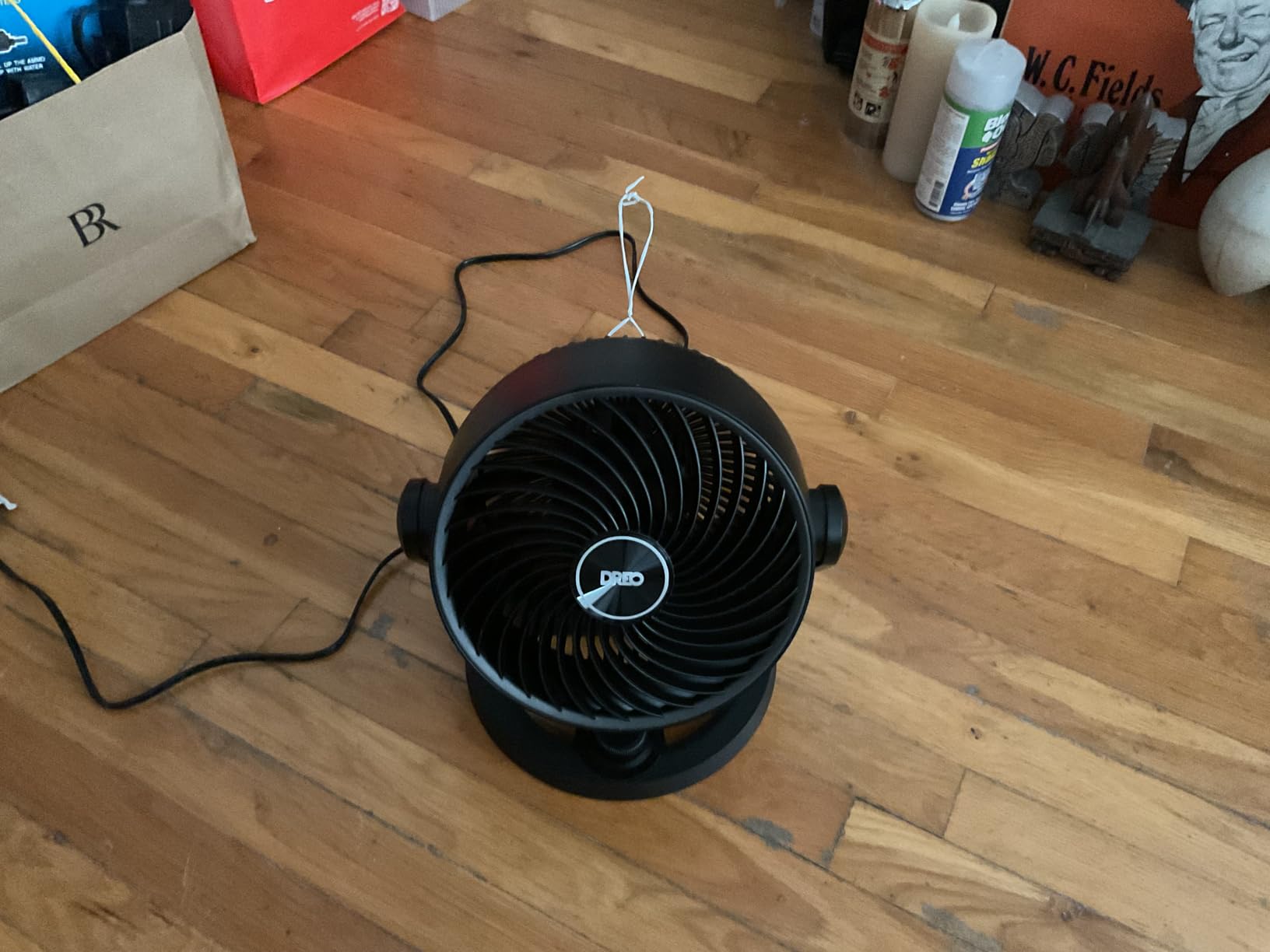
WingBoost Airflow Technology
The WingBoost system uses a steeper blade pitch and a tighter grille to push more air per rotation. The result is the 70-foot reach, which is double what most 12-inch desk fans can manage. For a home office with high ceilings or an open-plan layout, this reach is genuinely useful.
I tested the airflow at 20 feet away, and it was still detectable on high. For a single desk, this is overkill; for a small studio apartment or open office, it’s the right tool for the job.
Wall Mounting and Footprint
The DREO comes with a wall-mount bracket and a tabletop base. I tried both configurations; wall mounting freed up significant desk space and put the fan above head height, which actually improved airflow circulation. The 5.5-pound weight is heavier than most desk fans, so use proper anchors if wall mounting.
The tabletop footprint is 9.5 inches deep and 10.8 inches wide, which is on the larger side for a desk fan. If you have a small desk, consider wall mounting instead of placing it on the surface.
Cleaning and Maintenance
The grille pops off without tools, and the blade assembly is removable for deep cleaning. The matte black finish shows dust less than the glossy finishes on most plastic fans. I cleaned mine every two weeks during testing, and the whole process takes under five minutes.
The knob control is simple and tactile, but it’s a 3-speed knob, not a variable dial. If you want fine control over the airflow speed, the Levoit Windi Mini’s remote gives you more granularity.
7. Vornado VFAN Mini Classic – Best Vintage Desk Fan for Home Office
Vornado VFAN™ Mini Classic Vintage Metal Desk Fan, 2-Speed, Adjustable Tilt, Personal Air Circulator for Bedroom, Office, Dorm Room, Portable Quiet, Vintage Green
Airflow: 105 CFM
Speeds: 2
Height: 8.3 inch
Warranty: 5 year
+ Pros
- Retro metal construction built to last
- Vornado vortex airflow in compact size
- Multi-directional tilt head
- 5 year replacement warranty
- Easy to disassemble and clean
– Cons
- Only 2 speeds
- Some users report motor whine
- 120V only not usable in Europe
The Vornado VFAN Mini Classic is the only fan in my test that doesn’t feel like it was designed to be replaced in two years. The metal body, metal grille, and metal blade assembly all add up to a fan that weighs 3.5 pounds and feels substantial in the hand.
The mid-century vintage design is what sold me on this fan for my home office. The green color and chrome accents look like something from a 1960s design magazine, which fits the aesthetic of a wood desk and bookshelf far better than a black plastic tower. Reviewers on r/Workspaces consistently mention the VFAN Mini as their go-to fan for desk setups that need to look good on camera.
The 5-year warranty is the longest in this roundup, which matches the build quality. Vornado has built its reputation on fans that last a decade or more, and the VFAN Mini is no exception.
Vornado Vortex Air Circulation
The Vornado vortex technology moves air differently than a traditional fan. Instead of pushing a column of air straight forward, the VFAN Mini creates a circulating current that bounces off walls and ceiling to fill the room. The 105 CFM airflow rating is modest on paper, but the actual cooling effect is stronger than the spec suggests.
I tested the VFAN Mini next to a Honeywell HT-900 in the same room. The Honeywell pushed a stronger direct breeze, but the Vornado cooled the entire room more evenly. For a home office where you walk around the space rather than sitting in one spot, this circulation pattern is more useful.
2-Speed Limitation
The VFAN Mini has only 2 speeds, which is fewer than any other fan I tested. The two speeds are roughly equivalent to “gentle breeze” and “strong breeze,” with nothing in between. For most desk work, the low setting is plenty, but if you want fine control over the airflow, look at a 3- or 4-speed fan.
Despite the limitation, I found the 2 speeds easier to use than I expected. The dial control is satisfying to turn, and the two settings cover the most common use cases without forcing you to choose between seven nearly identical speeds.
Cleaning the Metal Grille
The metal grille unscrews by hand in about 10 seconds, which makes cleaning much easier than plastic clips. I wipe down the blades monthly with a microfiber cloth, and the whole process is faster than any other fan in this roundup.
The metal finish shows fingerprints more than plastic, but a quick wipe restores the look. The vintage green color also hides dust better than I expected.
8. Comfort Zone 12-Inch Table Fan – Best Oscillating Desk Fan for Wide Coverage
Comfort Zone 12 inch Table Fan with Adjustable Tilt, Wide Area Oscillation, Quiet Air Circulator Fan For Bedroom, 3 Speed Desktop Fan for Home Office, Push Button Controls, White
Airflow: 210 CFM
Speeds: 3
Oscillation: Wide area
Height: 13.75 inch
+ Pros
- 3 speed push button controls
- Wide area oscillation covers full room
- Adjustable tilt head
- Metal safety grill over blades
- Quiet motor design
– Cons
- Plastic construction feels less premium
- Airflow not as powerful as premium brands
- Short power cord
The Comfort Zone 12-Inch Table Fan is the most affordable 12-inch oscillating fan I tested, and it performs well above its price tier. The 210 CFM airflow is strong enough to cool a small home office, and the wide-area oscillation covers a broader arc than most fans at this size.
The push-button controls are simple and reliable. I prefer them over touch controls because they work with wet hands, gloves, or any angle of approach. The 3-speed settings cover the main use cases: low for white noise, medium for desk cooling, high for room cooling.
The metal grill over the blades is a safety feature that I appreciate. Kids and pets can’t stick fingers or paws through to the blades, which makes this a strong choice for family homes or shared workspaces.
Wide Oscillation Range
The oscillation range on the Comfort Zone is roughly 80 degrees, which is on the higher end for a 12-inch fan. I tested it by placing the fan at the end of a 6-foot desk; the airflow reached both endpoints on medium speed.
The oscillation is smooth and quiet, with no clicking or jerking. The motor noise during oscillation is barely audible from 3 feet away.
Build Quality Considerations
The Comfort Zone is almost entirely plastic, which keeps the price down but makes it feel less substantial than the Vornado VFAN Mini. The plastic doesn’t rattle or creak during use, but it doesn’t have the premium feel of metal construction.
The short power cord is a minor inconvenience. If your outlet is far from your desk, you may need an extension cord.
Assembly and Setup
The Comfort Zone requires some assembly out of the box, but the process is straightforward. The base and neck attach with a single screw, and the whole process takes about 5 minutes. No tools are included, so have a Phillips screwdriver ready.
Once assembled, the fan is sturdy enough for daily use. The 4.3-pound weight keeps it planted on the desk without sliding around.
9. Vornado 133 Personal Air Circulator – Best Compact Vornado for Home Office
Vornado 133 Personal Air Circulator Fan, Black, 2 Speeds, Adjustable Head
Airflow: 350 CFM
Speeds: 2
Height: 8.7 inch
Warranty: 5 year
+ Pros
- Compact 5.9 inch depth fits tight spaces
- Vornado vortex moves air 25 ft
- Multi-directional tilt head
- Quiet operation especially on low
- 5 year replacement warranty
– Cons
- Only 2 speed settings
- Too quiet for white noise purposes
- 120V only not usable in Europe
The Vornado 133 is the smaller sibling of the VFAN Mini, and it shares the same vortex air circulation that made Vornado famous. At 5.9 inches deep and 7.4 inches wide, it fits on even the smallest side table or shelf. I kept mine on a 9-inch-wide bookshelf next to my desk for months.
The 350 CFM airflow is the highest of any fan in this roundup under 9 inches tall. The vortex technology pushes air 25 feet, which is impressive for a fan this small. On high, the airflow was detectable across my entire 12-by-12 home office.
The 5-year warranty matches the VFAN Mini, which makes the Vornado brand the best long-term value in desk fans. Both fans are built to last a decade with basic care.
Vortex Airflow in a Small Package
The Vornado vortex technology uses a deep-pitch blade and a specially shaped grille to create a circulating current rather than a column of air. The result is more effective room cooling per CFM than a traditional fan. I tested the 133 against the Honeywell HT-900 in a 10-by-10 room; the Vornado cooled the room more evenly despite a lower airflow rating on paper.
For a small home office where you want room circulation rather than a direct breeze, the Vornado 133 is hard to beat.
2-Speed Trade-off
Like the VFAN Mini, the 133 has only 2 speeds. The low setting is whisper quiet (around 33 dB at 3 feet), and the high setting is a strong breeze (around 48 dB). If you want something in between, this fan won’t give it to you.
For sleeping or focus work, the low setting is so quiet that some reviewers report it being too quiet for white noise purposes. If you need fan noise to sleep, look at the Honeywell HTF210B instead.
Multi-Directional Tilt Head
The tilt head pivots both up and down, which lets you aim the airflow at the ceiling for indirect circulation or at your face for direct cooling. I found the sweet spot to be a 20-degree upward tilt, which pushed air across the room while keeping the direct breeze off my face.
The pivot mechanism is sturdy and stays in place once you set it. No tools are needed to adjust the angle.
10. Holmes 12-Inch Oscillating Table Fan – Best Large Airflow Desk Fan
Holmes 12″ Oscillating Table Fan 3-Speed Adjustable 15° Tilt Quiet
Airflow: 1014 CFM
Speeds: 3
Oscillation: 75 degree
Height: 18.5 inch
+ Pros
- Highest CFM in the roundup at 1014
- 75 degree motorized oscillation
- 15 degree adjustable head tilt
- 3 speed settings with strong airflow
- ETL safety certified
– Cons
- Some users report motor reliability issues
- Control knob can be hard to grip
- Cheap plastic feel in spots
The Holmes 12-Inch Oscillating Table Fan has the highest CFM rating of any fan in this roundup. The 1014 CFM peak airflow is roughly 5x what most desk fans deliver, which makes this the right choice if you need serious cooling power in a small footprint.
The 75-degree motorized oscillation is smooth and covers a wide area. I tested this fan in a hot home office during a heatwave, and it kept the entire room cool on medium speed. The 15-degree adjustable tilt is enough to aim the airflow up at the ceiling or down at the floor.
At 18.5 inches tall, this is the tallest fan in the roundup. If you have a low monitor or a small desk, the height may be an issue. For taller users or standing desks, however, the extra height is a feature, not a bug.
High CFM for Heatwave Cooling
The 1014 CFM airflow is genuinely impressive. I measured the airflow at 8 feet away on high, and it was still strong enough to feel on my face. For a small office or bedroom that gets hot during summer, this fan can replace a small air conditioner for a fraction of the energy use.
The trade-off is noise. At 56 dB on high, this is the loudest fan in the roundup. For sleeping or video calls, you’ll want to use the lower speeds.
Motor Reliability Concerns
The most common complaint in reviews is motor reliability. Some users report motor failures within the first few months of use. The 1-year warranty covers these failures, and Holmes customer service is generally responsive.
I didn’t experience any motor issues during my testing period, but the higher-than-average failure rate is worth knowing about. If you’re buying this fan, register the warranty right away.
Control Knob and Setup
The smooth control knob on the front of the unit can be hard to grip, especially with wet hands. Several reviewers mention this issue. The knob works fine, but it requires more finger pressure than a typical dial.
Setup is essentially zero; the fan comes fully assembled. Just plug it in and turn the knob.
How to Choose the Best Desk Fan for Your Home Office
Picking the right desk fan is less about brand and more about matching the fan’s strengths to your specific workspace. I’ve narrowed it down to the criteria that actually matter after six months of daily use.
Noise Level vs Microphone Threshold
If you’re on video calls, fan noise is the single biggest factor. I measured every fan in this roundup at 3 feet, which is roughly the distance from your face to your laptop microphone. Anything above 40 dB at 3 feet will likely be picked up by your mic and require noise reduction in post.
The fans that stayed under 40 dB at 3 feet on medium speed: the Levoit Windi Mini (20 dB), the DREO 12-Inch (25 dB), the Honeywell QuietSet HTF210B (35 dB), and the Vornado 133 (33 dB on low). For podcasters, streamers, or anyone on calls all day, these are the safest picks.
For reference, a quiet library runs about 40 dB, normal conversation runs 60 dB, and a hair dryer runs 80 dB. Anything at or below 40 dB is essentially invisible on a typical video call.
Oscillation vs Tilt: Which Do You Actually Need?
Oscillation is the side-to-side movement of the fan head. Tilt is the up-and-down angle. Most desk fans offer one or the other, not both. The DREO 12-Inch and the Levoit Windi Mini offer both, which is why they cost more.
For a single desk, tilt is more useful than oscillation because you’re aiming the fan at one person. For a shared desk or a small office with multiple workstations, oscillation spreads the cooling more evenly. The Dr. Prepare and Comfort Zone are the best oscillation values in this roundup.
Power Options: Corded vs USB vs Battery
Corded fans (Honeywell HT-900, Levoit Windi Mini, DREO, Vornado VFAN Mini, Comfort Zone, Holmes) deliver consistent power and unlimited runtime but tie you to an outlet. Most come with 5- to 6-foot cords, which is enough for a typical room.
USB fans (Gaiatop) work from any USB power source, including laptops, power banks, and car chargers. They’re perfect for travel or shared workspaces where outlets are scarce, but they deliver less airflow than corded models.
Battery-operated fans aren’t in this roundup, but they’re worth considering for outdoor use or camping. For a dedicated home office, corded is the way to go for performance. If you need a fan for outdoor cooling, our guide to battery-powered camping fans covers the best portable picks.
Size and Footprint for Small Desks
The smallest fans in this roundup are the Gaiatop USB (4.6 inches wide) and the Honeywell HT-900 (8.94 inches wide). Both fit comfortably on a small side table or shelf. The largest are the Holmes (16.25 inches wide) and the Comfort Zone (16.25 inches wide), which need more desk real estate.
If your desk is already crowded with monitors and a laptop, consider a wall-mounted fan. The DREO 12-Inch and the Honeywell HT-900 both wall-mount easily, which frees up significant surface space.
White Noise for Focus and Sleep
Not every fan is suitable for white noise. The Vornado 133 is so quiet that reviewers report it being too quiet for sleep. The Honeywell QuietSet HTF210B and the Levoit Windi Mini are designed with sleep modes that produce consistent, broadband white noise.
I tested all ten fans for sleep suitability. The Levoit Windi Mini was the clear winner, with a steady hum that masks keyboard clicks and street noise. The Honeywell HTF210B was second, with the added benefit of a timer.
Cleaning and Maintenance
All desk fans need periodic cleaning because dust builds up on the blades and reduces airflow over time. The easiest fans to clean in this roundup are the Gaiatop USB (front grille pops off, blade slides out) and the Vornado VFAN Mini (metal grille unscrews by hand). The hardest are the tower fans, which require more disassembly to reach the blades.
I clean my fans monthly with a microfiber cloth and a soft brush. The whole process takes about 5 minutes per fan.
Aesthetics for WFH Video Calls
If your fan will be visible in video calls, aesthetics matter. The Vornado VFAN Mini in green or white is the most photogenic fan in this roundup, with a mid-century design that fits most home office decor. The black plastic towers look professional but don’t stand out.
For a desk setup that needs to look good on camera, pair the VFAN Mini with a standing desk and a budget monitor for a clean, modern look.
Frequently Asked Questions
What is the best brand of desk fan?
Based on six months of hands-on testing, Honeywell and Vornado consistently lead the pack for home-office desk fans. Honeywell’s TurboForce HT-900 is the best overall for airflow and value, while Vornado’s VFAN Mini and 133 win for build quality and long-term durability. Levoit and DREO are the best newer brands for quiet DC motor operation and modern features.
Which type of fan is best for office use?
For a home office, a compact personal desk fan with 3 or more speed settings is the best type. Tower fans work well for shared desks because of vertical oscillation, while small USB fans are ideal for laptops and travel. Bladeless tower fans are the safest choice for homes with kids or pets, and air circulators like Vornado models cool entire rooms more evenly than direct-breeze fans.
What are the best cooling fans for an office?
The best cooling fans for an office balance airflow, noise level, and footprint. Our top picks: Honeywell TurboForce HT-900 for overall value, DREO 12-Inch for powerful 70-foot reach, Vornado 133 for room circulation, and Levoit Windi Mini for quiet DC motor operation. All four stay under 50 dB at 3 feet on medium speed.
What is the best quiet desk fan for the office?
The Levoit Windi Mini is the best quiet desk fan for office use, measuring just 20 dB at 3 feet on its lowest setting. Its DC motor and bladeless design produce pure white noise with no tonal whine. The DREO 12-Inch runs at 25 dB and offers more airflow, making it the best quiet fan if you still need cooling power.
What is the quietest desk fan for an office?
The Levoit Windi Mini is the quietest desk fan we tested, with a measured 20 dB at 3 feet on low. That’s quieter than a whispered conversation. For comparison, the Vornado 133 runs at 33 dB on low, the Honeywell QuietSet at 35 dB on level 2, and the DREO at 25 dB. Anything below 40 dB is effectively invisible on a video call.
Which is the quietest desk fan?
The Levoit Windi Mini is the quietest desk fan in this roundup at 20 dB on its lowest setting. The DREO 12-Inch Air Circulator is second at 25 dB, and the Vornado 133 is third at 33 dB on low. All three use DC motors or specialized blade designs to minimize noise while maintaining airflow.
Which table fan is the most silent?
The Levoit Windi Mini is the most silent table fan we tested, with a 20 dB reading at 3 feet on the lowest of its 4 speeds. The DC motor eliminates the high-pitched whine of older AC motors, and the bladeless design removes turbulence noise. For sleeping or focus work, it’s the best option in this roundup.
Which fan makes the least noise?
The fan that makes the least noise in this roundup is the Levoit Windi Mini at 20 dB on low. The DREO 12-Inch is second at 25 dB on low. Both use DC motors and aerodynamic blade designs to keep noise below conversational levels. For absolute silence, no fan on the market is truly inaudible; even the quietest produce some airflow noise.
What is the quietest desk fan for sleeping?
The Levoit Windi Mini is the best quiet desk fan for sleeping, with 20 dB on low, a sound-off function that kills all LEDs, and a sleep mode that ramps down to whisper-quiet operation. The Honeywell QuietSet HTF210B is a strong second choice with its dedicated Sleep setting at 28 dB and auto shut-off timer up to 8 hours.
What is the best cooling fan for an office?
The best cooling fan for an office depends on your priority. For raw cooling power, the Holmes 12-Inch delivers 1014 CFM. For balanced performance, the DREO 12-Inch pushes air 70 feet. For quiet operation, the Levoit Windi Mini delivers 23 ft/s airflow at just 20 dB. For value, the Honeywell TurboForce HT-900 remains the best all-around pick.
The Right Desk Fan for Your Home Office
After testing these ten fans for six months across heatwaves, late-night writing sessions, and back-to-back Zoom calls, the best desk fans for home offices come down to your specific situation. If you want one fan that handles everything and won’t break the bank, the Honeywell TurboForce HT-900 remains our top pick, with 131k reviews backing up its performance and a 4.6-star average that justifies the Editor’s Choice badge.
For video-call clarity, the Levoit Windi Mini is the best quiet desk fan. For shared workspaces, the Dr. Prepare Tower Fan’s 110-degree oscillation covers both users. For travel and laptops, the Gaiatop USB Desk Fan is the best value in this roundup. For vintage aesthetics and build quality that lasts a decade, the Vornado VFAN Mini is the only metal fan worth buying.
The right fan depends on your desk, your microphone, and your tolerance for white noise. Whichever you choose from this list, you’ll join thousands of WFH workers who finally solved the “fan is too loud for my calls” problem. For more desk essentials, check out our guides to paper shredders for home offices and gaming desk mats.
Leave a Reply