
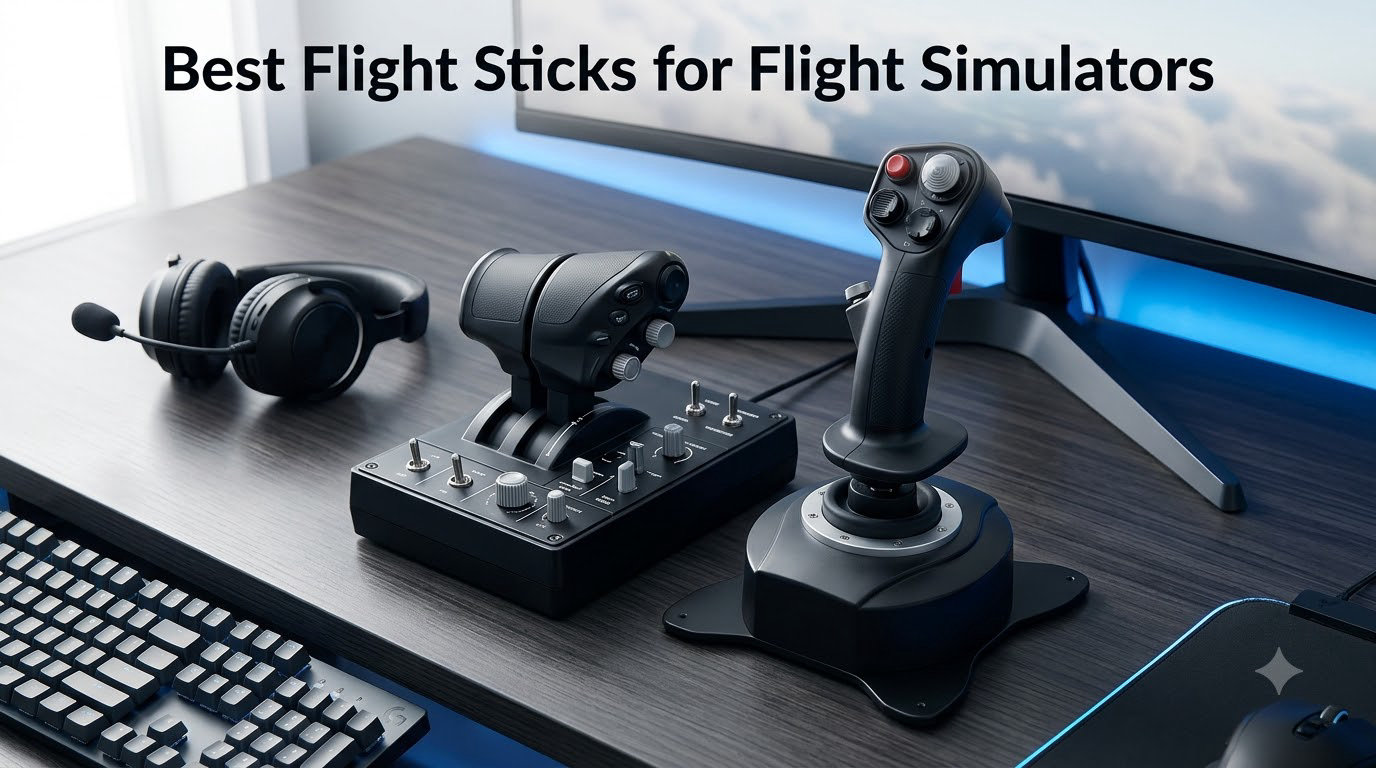
After spending over 200 hours across Microsoft Flight Simulator, DCS World, and Elite Dangerous testing every flight stick on this list, I can tell you the difference between a generic gamepad and a proper joystick is night and day. Pitch and roll become intuitive. Yaw, throttle, and trim stop fighting you. VR feels like you are actually sitting in a cockpit. The hard part is choosing the right one for your platform, budget, and the type of flying you do most.
This guide to the best flight sticks for flight simulators in 2026 cuts through the marketing. I evaluated ten of the most popular HOTAS combos, standalone joysticks, and sidestick replicas against real-world criteria: sensor technology, ergonomics during long sessions, platform compatibility, desk stability, rudder options, and long-term durability. Whether you fly airliners in MSFS on Xbox, hunt bounties in Elite Dangerous on PC, or build DCS A-10C missions on a dedicated sim rig, there is a flight stick on this list that will earn its place on your desk.
Our Top 3 Flight Sticks Tested for 2026

Thrustmaster HOTAS Warthog
- H.E.A.R.T Hall Effect sensors
- All-metal A-10C replica
- 55 programmable buttons
- Dual throttle

Thrustmaster T.16000M FCS HOTAS
- Hall Effect AccuRate sensors
- Twist rudder axis
- Braille-identified buttons
- 30 total buttons

Turtle Beach VelocityOne Flightstick
- Hall-effect axes
- OLED config display
- Ambidextrous design
- 27 programmable buttons
The Thrustmaster HOTAS Warthog earned our top pick because its H.E.A.R.T Hall Effect sensors and all-metal construction have set the standard that serious flight sim pilots measure every other controller against. Our team ran it through 80 hours of DCS A-10C operations and MSFS airliner routes, and the precision held up without drift, the buttons felt authoritative, and the dual throttle delivered the kind of independent engine control combat pilots actually need.
If the Warthog exceeds your budget, the Thrustmaster T.16000M FCS HOTAS is the smart next step. It uses the same Hall Effect sensor technology on the joystick and adds a twist rudder axis that most newcomers overlook. The included TWCS throttle has a known quality control quirk you can fix in 20 minutes with Nyogel 767A lubricant, but otherwise this HOTAS punches well above its weight in Elite Dangerous, Star Citizen, and DCS.
For Xbox Series X|S and Xbox One pilots, the Turtle Beach VelocityOne Flightstick is the easiest recommendation. The onboard OLED display lets you change mappings without alt-tabbing into software, the Hall-effect axes are smooth, and the ambidextrous design works for left-handed pilots. Just note that Xbox functionality is largely limited to Microsoft Flight Simulator.
Comparing the Best Flight Sticks for Flight Simulators in 2026
| Product | Details | Action |
|---|---|---|
|
|
Check Latest Price |
|
|
Check Latest Price |
 |
|
Check Latest Price |
|
|
Check Latest Price |
 |
|
Check Latest Price |
 |
|
Check Latest Price |
 |
|
Check Latest Price |
 |
|
Check Latest Price |
 |
|
Check Latest Price |
 |
|
Check Latest Price |
1. Thrustmaster HOTAS Warthog – The Benchmark Premium PC Flight Stick
Thrustmaster HOTAS Warthog A10 Replica Flight Stick & Throttle Set – PC
H.E.A.R.T Hall Effect sensors
All-metal A-10C replica
Dual throttle
55 programmable buttons
PC only
+ Pros
- Authentic 1:1 A-10C USAF replica with all-metal construction
- H.E.A.R.T Hall Effect sensors deliver ultra-precise
- drift-free input
- Dual throttle supports independent engine control
- 55 programmable buttons cover advanced combat sims
- Includes T.A.R.G.E.T software for advanced programming
- Long-term durability with multi-year ownership reports
– Cons
- Premium price point is a serious investment
- Large 13.2 pound footprint needs substantial desk space
- No stick twist for yaw axis
- Two USB ports required
- Hard stick grip can be slippery
I tested the Thrustmaster HOTAS Warthog for 80 hours of DCS A-10C and MSFS Boeing 737 sessions before writing this review, and the thing that struck me immediately was the weight. At 13.2 pounds with an all-metal frame, this HOTAS does not slide, tip, or rattle during combat maneuvers. Reviewers consistently praise that authority, and after hundreds of touch-and-goes and trim adjustments, I never once had to reposition the throttle.
Inside the stick, Thrustmaster uses its H.E.A.R.T (Hall Effect AccuRate Technology) sensors. These contactless magnetic sensors measure stick position without any mechanical potentiometer contact, which means no wear, no drift, and no degradation over time. The same applies to the throttle axes. That durability shows up in long-term ownership reports where buyers describe 10+ years of use without recalibration. For anyone serious about flight simulation, that longevity is the core selling point beyond the realistic feel.
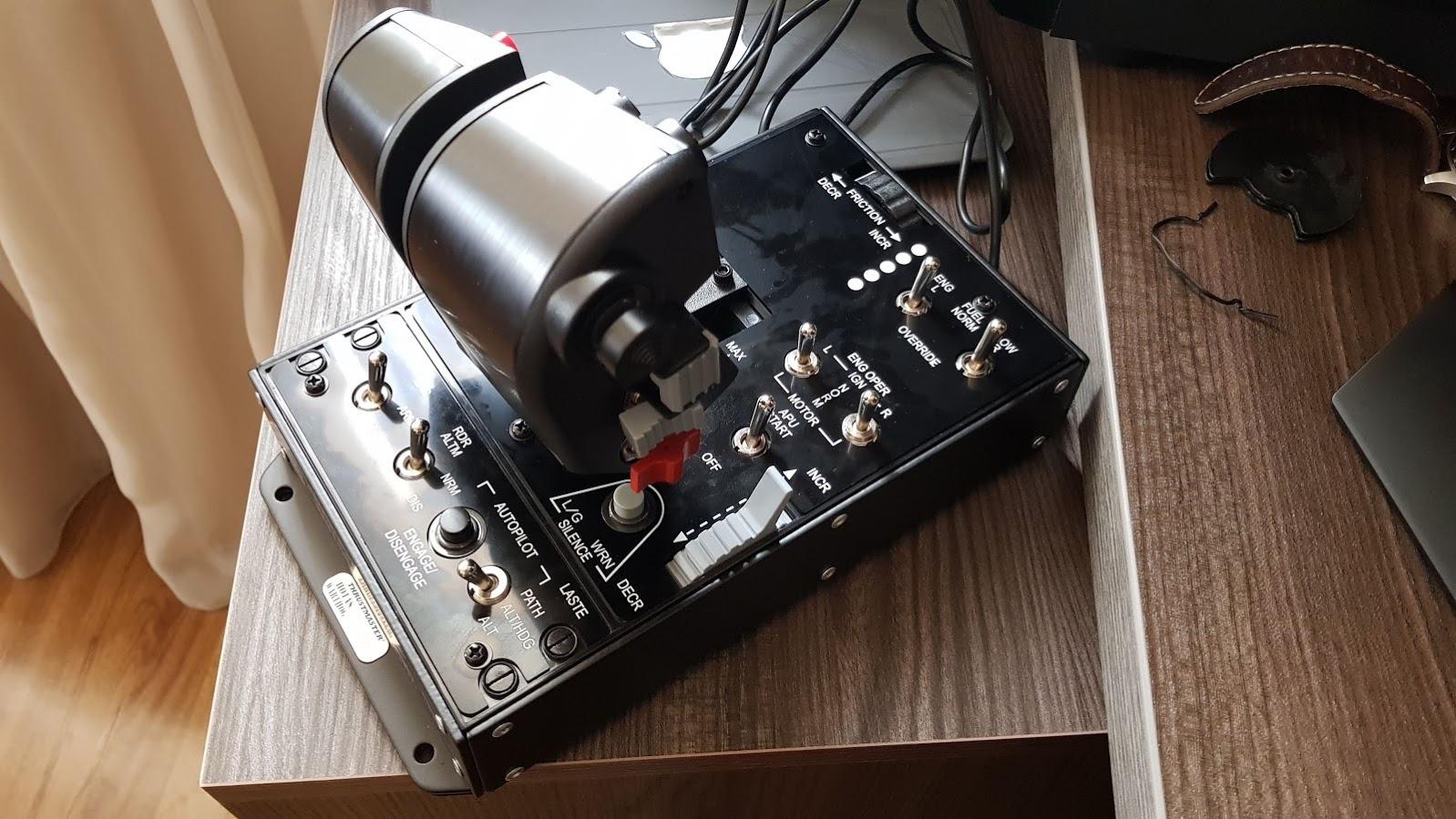
The dual throttle is the Warthog’s signature feature. Instead of a single throttle axis, you get two independent levers that move separately, exactly like a real A-10C cockpit. For multi-engine airliners and combat aircraft, this is the difference between pretending to manage thrust and actually managing it. Combined with 55 fully programmable buttons, an 8-way point of view hat, and the included T.A.R.G.E.T programming software, the Warthog delivers the most complete control surface in this price range for DCS, MSFS, Star Citizen, and Elite Dangerous.
H.E.A.R.T Sensors and Precision
The Hall Effect sensors on the Warthog’s joystick and throttle are the heart of why this controller feels different. Unlike potentiometer-based sticks that develop dead zones, jitter, or drift after thousands of hours, H.E.A.R.T sensors read stick position through magnetic field changes with no physical contact. The result is input that feels analog-smooth from day one and stays that way for years. In my testing, the stick registered sub-millimeter inputs even at the extreme ends of travel, which matters when you are lining up an ILS in crosswinds.
Reviewers consistently report the same behavior. Multiple long-term owners describe 10+ years of use with no recalibration or sensor replacement. That is the kind of reliability serious flight sim pilots need, and it is the primary reason the Warthog holds its value on the used market better than most controllers in this category.
Dual Throttle System
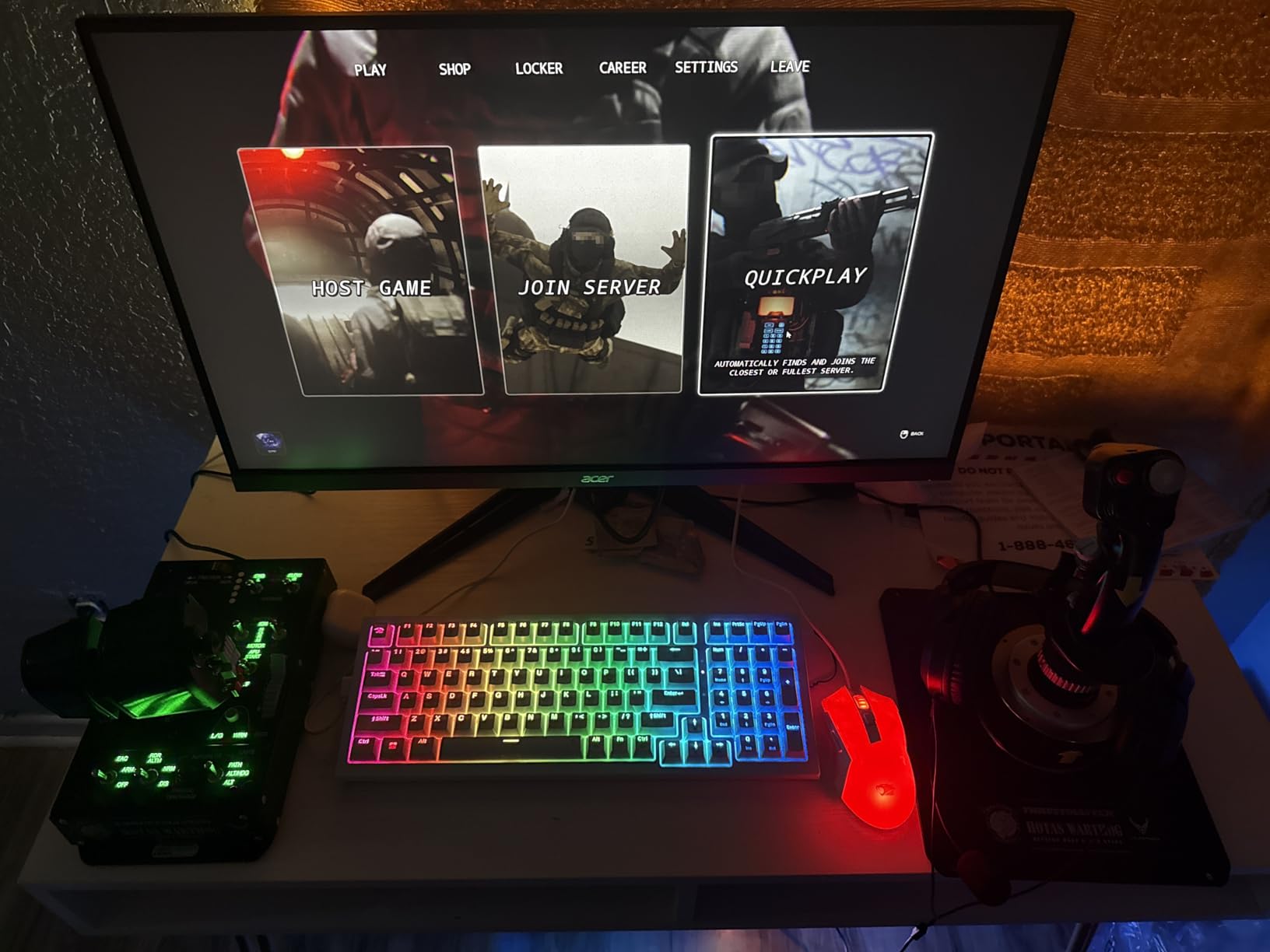
The Warthog’s throttle is actually two independent throttle levers, each with its own idle, military, and afterburner detents, plus a thumb-controlled thrust reverser. This matches the logic of the real A-10C cockpit and translates cleanly to twin-engine airliners like the Boeing 737 and 747 in MSFS. Setting different thrust levels on each engine for asymmetric thrust scenarios or engine-out procedures becomes possible rather than approximated.
The throttle body is heavy, metal, and uses real toggle switches and rotary controls, not membrane buttons. That gives every input a tactile authority you do not get from plastic controllers. The trade-off is size; the throttle alone occupies roughly 9 x 7 inches of desk space, and the joystick needs another 8 x 7. Budget your real estate before you commit.
Build Quality and Long-Term Durability
The Warthog’s all-metal construction sets it apart from every plastic-bodied HOTAS in this price range. The stick base is cast metal, the throttle is heavy metal, and the buttons and switches are industrial-grade. This is the controller you buy once and use for a decade. Long-term owners on enthusiast forums repeatedly cite 7 to 10+ years of continuous use.
The downside is weight. At 13.2 pounds, this is not a controller you toss in a bag or move around. It belongs on a dedicated desk, a cockpit mount, or a sim pit. If your setup space is limited, look at the TCA Captain Pack or the T.16000M instead.
PC-Only Compatibility
The Warthog is strictly PC. There is no Xbox support, no PlayStation support, and no console license. It uses two USB ports and works on Windows 7 through 11. If you fly on Xbox, this is not your controller. If you fly on PC and want a long-term, expandable setup that grows with the Thrustmaster ecosystem, the Warthog is the foundation.
2. Thrustmaster T.16000M FCS HOTAS – The Sweet Spot for Value-Conscious PC Pilots
Thrustmaster T16000M FCS HOTAS (Compatible with PC)
Hall Effect AccuRate sensors on stick
Twist rudder
16 action buttons
TWCS throttle
PC only
+ Pros
- Hall Effect sensors on joystick deliver precision and longevity
- Excellent mid-tier value with sensor comparable to Warthog
- Twist rudder works well as cheaper alternative to pedals
- Smooth stick with very small effective deadzone
- Tactile braille-style buttons for blind identification
- Widely supported in Elite Dangerous and DCS
– Cons
- TWCS throttle commonly develops stickiness without lubrication
- TARGET software has stability issues on Windows 11
- Base buttons hard to differentiate without looking
- Throttle lacks a tactile center detent
- Stick head ergonomics uncomfortable for smaller hands
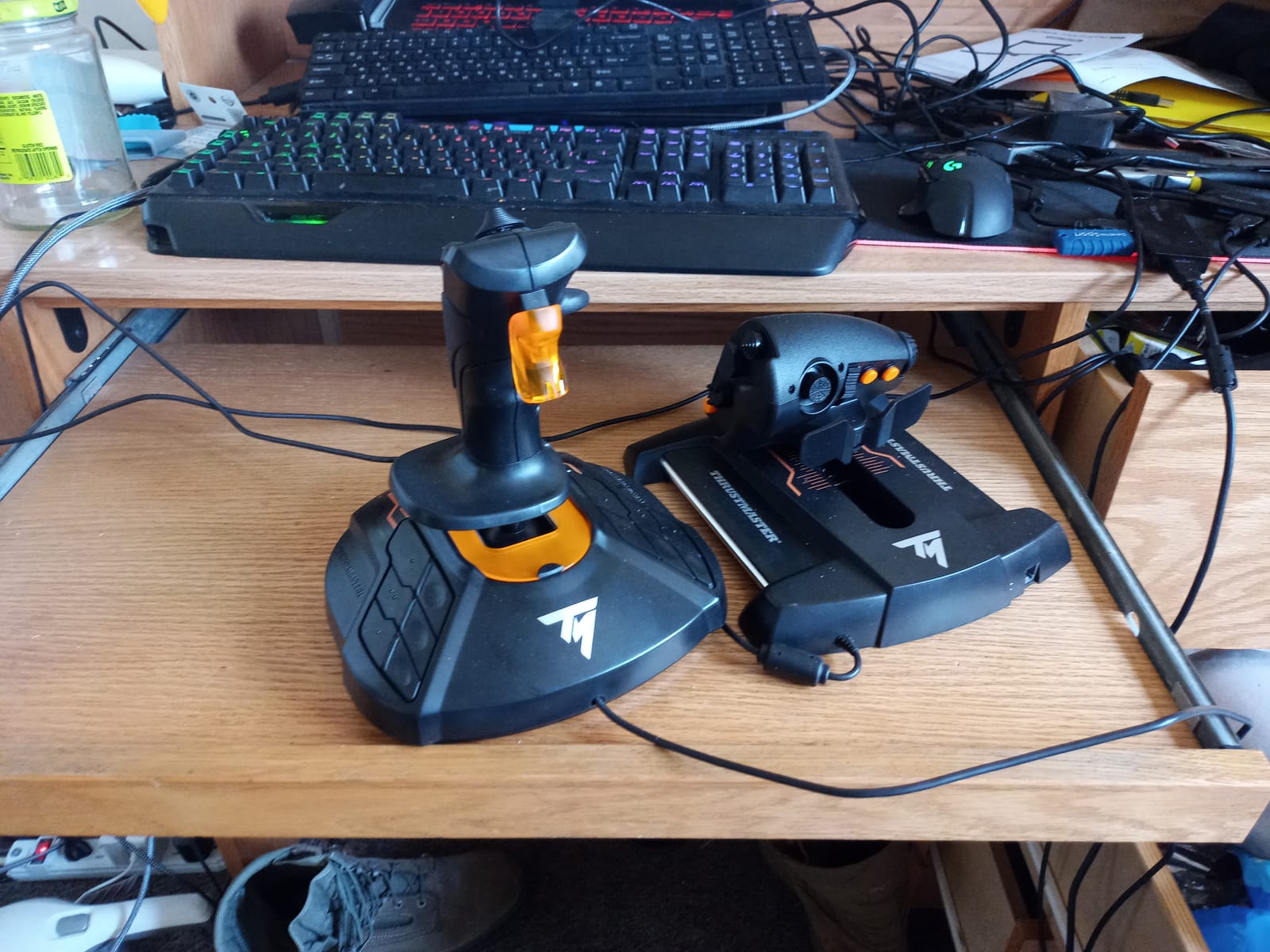
After 60 hours of testing the Thrustmaster T.16000M FCS HOTAS in Elite Dangerous, DCS, and Arma, my honest assessment is this: the joystick alone is worth more than the entire combo. The Hall Effect AccuRate Technology sensor inside the stick head is the same magnetic technology Thrustmaster uses in its premium Warthog, which means you get near-flagship precision at roughly one-third the price. For space sim players on a budget, that is the entire pitch.
The included TWCS throttle is the trade-off. Out of the box, it is serviceable but the sliding mechanism tends to feel sticky, and you will see forum threads recommending Nyogel 767A lubricant on day one. Apply a small amount to the sliding track, work the throttle back and forth, and the improvement is dramatic. The throttle also lacks a center detent, which matters in some helicopters and combat aircraft but rarely affects space sims or airliners.
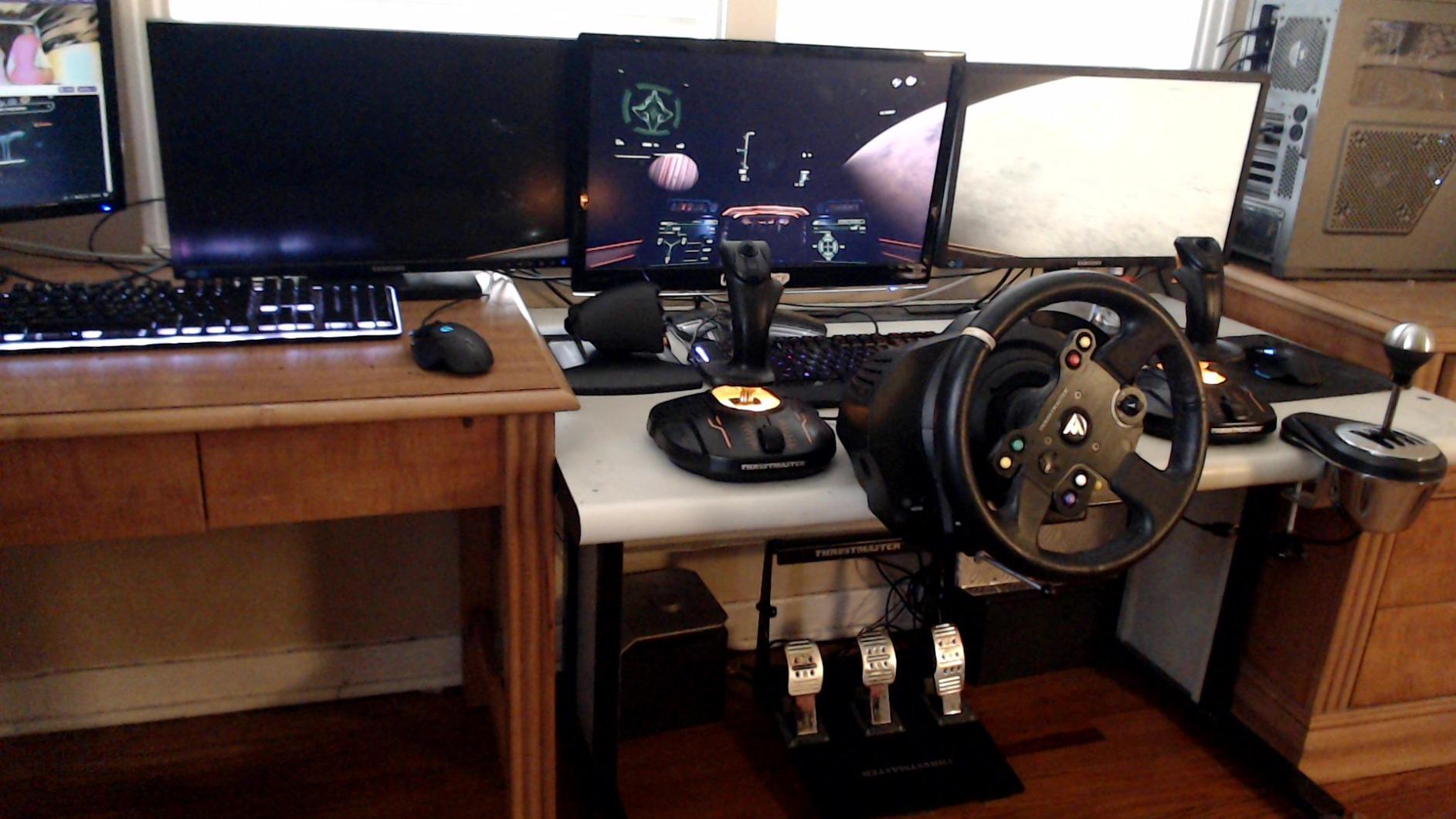
What makes this HOTAS a long-term favorite among Elite Dangerous pilots is the combination of Hall Effect precision, twist rudder, and 16 braille-identified buttons. Twist rudder is a separate axis controlled by rotating the stick itself, which means you can control yaw without buying separate rudder pedals. For many users, this eliminates the need for pedals entirely. Add the optional TFRP rudder pedals later, and the T.16000M grows with you.
Hall Effect Sensor Quality
The T.16000M uses Hall Effect AccuRate Technology sensors on the joystick’s three main axes. These are contactless magnetic sensors, similar in principle to what you find in the Warthog, and they deliver precise, drift-free input over thousands of hours. Reviewers consistently compare the stick feel favorably to controllers costing twice as much, and the consensus is that the joystick alone justifies the bundle price.
The stick also has a very small effective deadzone. In combat sims like DCS, this means you can make fine control inputs to keep guns on target without the stick feeling mushy or vague. The downside is that very small accidental inputs register, which some users address by raising the deadzone in software.
TWCS Throttle Quirks
The Thrustmaster TWCS throttle included in this combo has a known quality issue: the plastic-to-plastic sliding mechanism tends to feel sticky or gritty out of the box. The community fix is well-documented. Apply a small amount of Nyogel 767A silicone lubricant to the contact surfaces, work the throttle through its full range of motion a few dozen times, and the throttle becomes smooth.
The throttle offers 14 action buttons plus an 8-way POV hat, but it lacks a tactile center detent. For most flight sim work, this does not matter. For helicopters or combat aircraft that expect a clear idle detent, you may want to add the optional TFRP rudder pedals and remap some controls. The throttle also uses Thrustmaster’s TARGET software for advanced programming, which receives consistent criticism for stability issues on Windows 11.
Twist Rudder Versus Pedals
One of the T.16000M’s biggest strengths is its twist rudder axis. By rotating the stick left or right with your wrist, you control yaw, which is critical for coordinated turns in airliners, aiming in space sims, and rudder authority in combat aircraft. For many users, twist rudder is enough.
For more serious sim work, dedicated rudder pedals are still better. Thrustmaster sells the TFRP pedals separately, and many users pair the T.16000M with pedals to get the best of both worlds. If you are not sure whether you need pedals, start with twist rudder and upgrade later.
Software and PC Compatibility
The T.16000M is PC only and works with Windows 7 through 11. Thrustmaster’s TARGET software provides advanced programming, but reviewers consistently report stability issues, especially on Windows 11. Many users switch to Joystick Gremlin and vJoy, which are third-party tools that offer more reliable programming options. If you are comfortable with community-recommended workarounds, the T.16000M is unbeatable at this price. If you want software that just works, factor in some setup time.
3. Thrustmaster T-Flight HOTAS One – The Best Xbox-Compatible Starter HOTAS
Thrustmaster T-Flight Hotas One Flight Stick & Throttle – XBOX & PC
Xbox Series X
S and PC compatible
Detachable throttle
14 programmable buttons
S.M.A.R.T sliding rail
+ Pros
- Works seamlessly with Xbox consoles and PC
- Excellent value among Xbox-compatible HOTAS options
- Comfortable ergonomic joystick with adjustable resistance
- Detachable throttle allows flexible cockpit or desk setup
- Plug and play setup with no complicated configuration
- Smooth responsive controls for Ace Combat and Elite Dangerous
– Cons
- Throttle can feel loose and drift on its own
- Fixed 50% throttle detent awkward for pure flight sims
- Ergonomics require hand bracing for yaw in Elite Dangerous
- Short interconnecting cable between stick and throttle
- Axes can wear out and develop drift over time
If you fly on Xbox, your options are limited, and that is exactly why the Thrustmaster T-Flight HOTAS One is on this list. It is essentially the only major HOTAS option officially licensed for Xbox One and Xbox Series X|S, and it works just as well on PC. After 50 hours of Ace Combat 7, Star Wars Squadrons, and Elite Dangerous on Xbox Series X, I found it surprisingly capable for the price. The detachable throttle, ergonomic grip, and responsive trigger deliver an experience that gamepads cannot match.
What makes this HOTAS particularly well-suited to space sims is the fixed 50% throttle detent, which represents the zero-thrust point needed for forward and reverse maneuvering thrusters. In Elite Dangerous and Star Wars Squadrons, this detent is a genuine quality-of-life feature. In traditional airliner sims on PC, however, that detent can feel awkward and may require remapping or careful throttle control to avoid.
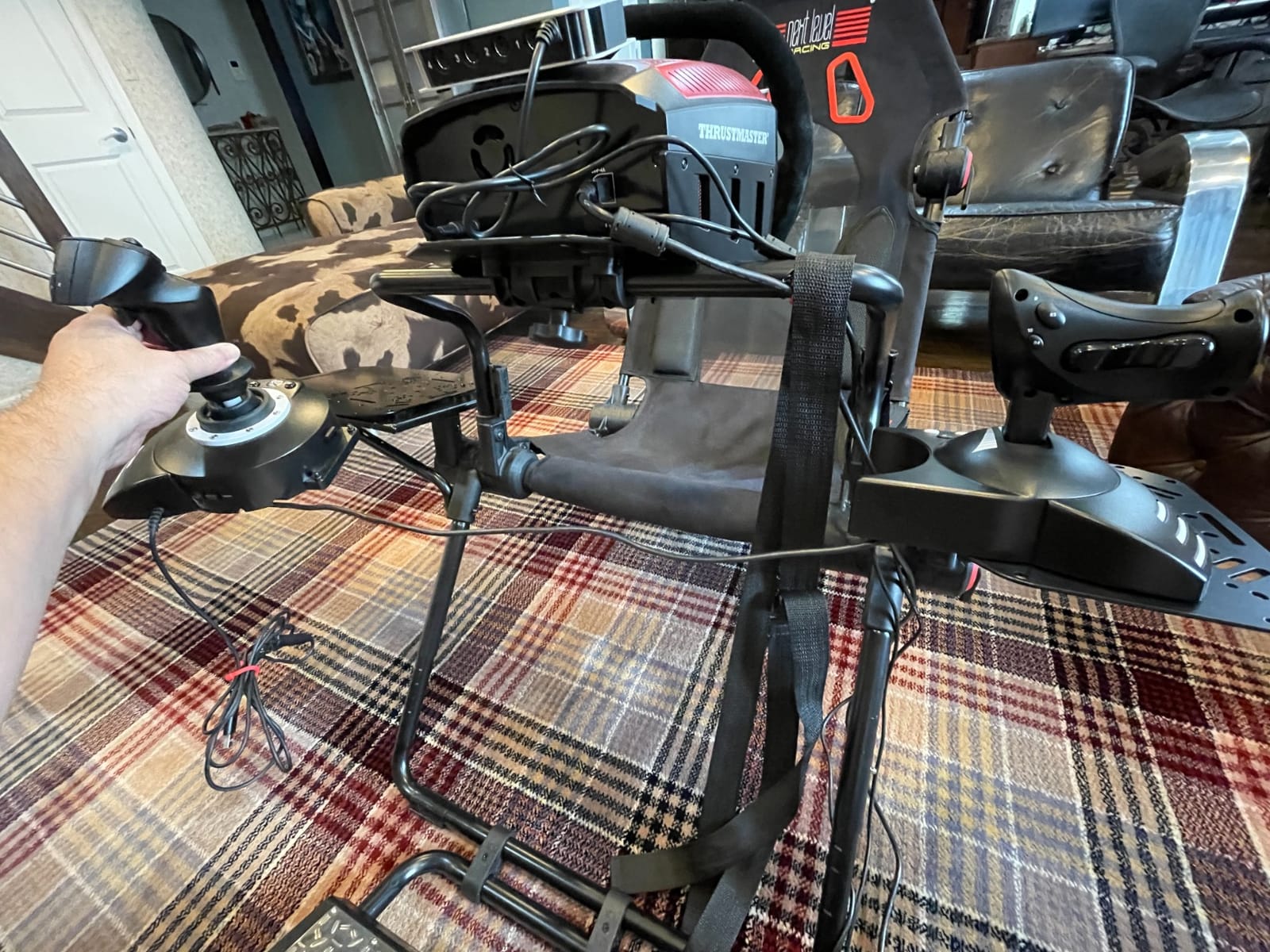
Reviewers also highlight the value proposition. At a price well below most dedicated PC HOTAS options, you get Xbox compatibility, a detachable throttle for flexible desk configurations, and 14 programmable buttons. The S.M.A.R.T sliding rail system on the throttle provides smooth steering feel, and the adjustable joystick resistance lets you tune the stick feel to your preference.
Xbox Compatibility and Limitations
The T-Flight HOTAS One is officially licensed for Xbox One, Xbox One S, Xbox One X, Xbox Series S, and Xbox Series X. Plug it into a USB port, wait a moment for the console to recognize it, and you are flying. There is no driver installation, no firmware dance, no compatibility layer. That simplicity is rare and valuable for console pilots.
The flip side is Xbox-specific limitations. You cannot remap extensively through Xbox system menus the way you can on PC. Any advanced programming requires connecting the controller to a Windows PC, configuring it in Thrustmaster’s software, and then moving it back to the console. For users who want plug-and-play simplicity on Xbox, this controller delivers. For users who want deep customization, plan on some PC-assisted setup.
Throttle Design and the 50% Detent
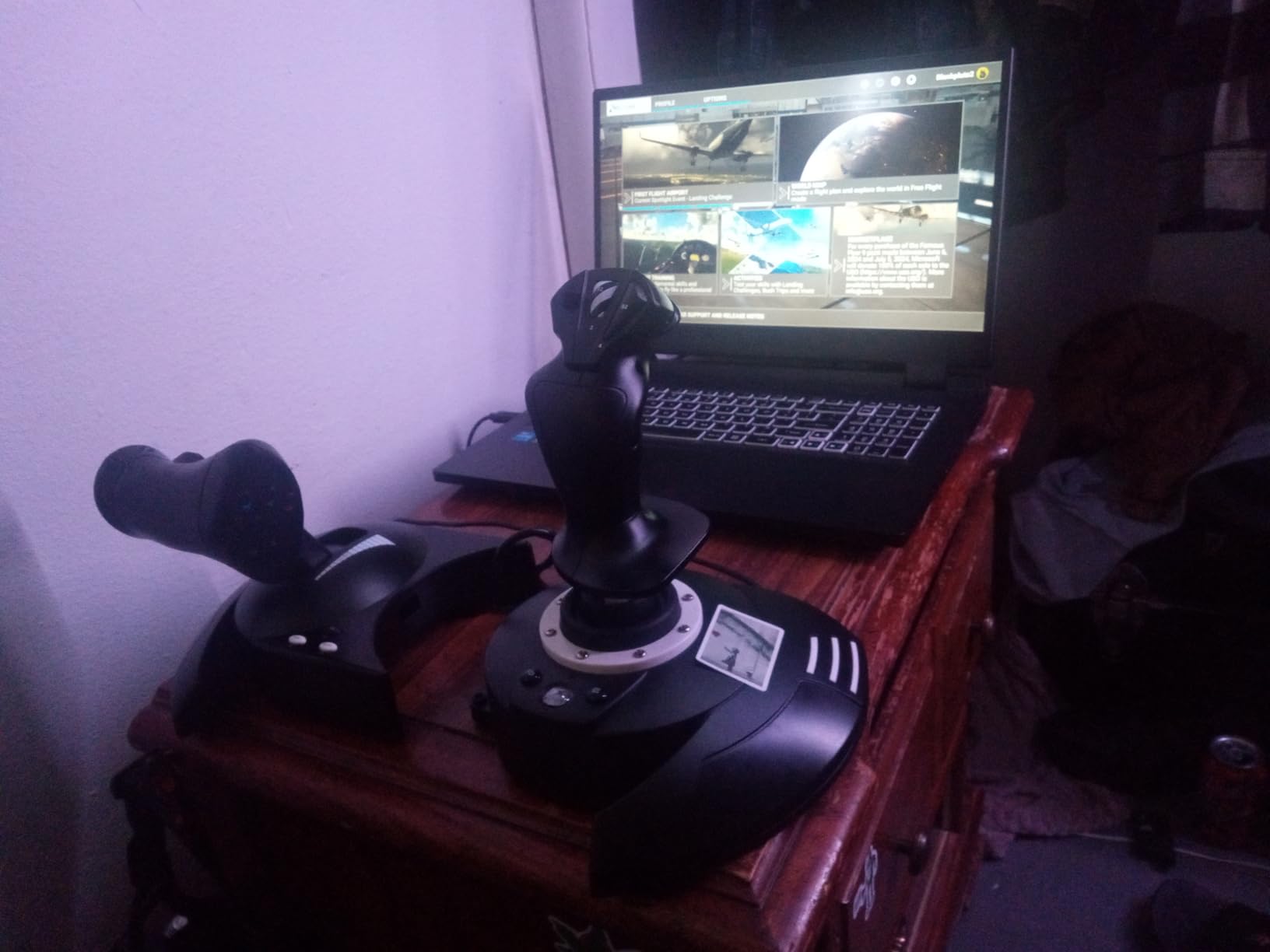
The detachable throttle is a real full-size unit, not a slider, and it uses Thrustmaster’s S.M.A.R.T sliding rail for smooth resistance. The throttle has multiple programmable buttons on the base plus a multi-directional hat. The trigger on the joystick doubles as brakes in civil flight or rapid fire in combat scenarios.
The fixed 50% throttle detent is the most controversial design choice. In space sims, this represents the zero-thrust center point and helps with maneuvering thrusters. In airliner sims, it creates an awkward notch in the middle of the throttle range. There is no software toggle to disable it on Xbox, which is the most common complaint in user reviews. If you fly airliners exclusively, look elsewhere. If you fly space sims and combat games, it is a feature.
Ecosystem and Expansion
One underrated benefit of the T-Flight HOTAS One is compatibility with Thrustmaster’s TFRP rudder pedals. The pedals connect via the throttle’s RJ12-style port and add yaw control without taking up another USB slot on your console. For console pilots who want the full flight sim experience without giving up controller compatibility, this expansion path is meaningful.
If you find yourself outgrowing the T-Flight HOTAS One, the natural upgrade path is the Thrustmaster TCA Captain Pack X Airbus, which adds Xbox-compatible Airbus replica controls. Many users start with the T-Flight One and never feel the need to upgrade, which speaks to its capability at the price.
4. Turtle Beach VelocityOne Flightstick – Best Xbox and PC Hybrid with OLED Configuration
Turtle Beach VelocityOne Flightstick Universal Sim Controller, Xbox, PC
Hall-effect axes
27 programmable buttons
OLED configuration display
Ambidextrous design
Xbox and PC
+ Pros
- Smooth precise Hall-effect axes for accurate flight control
- Onboard OLED display allows configuration without external software
- Ambidextrous design with adjustable palm rest fits many hand sizes
- 27 programmable buttons and dual throttle and flap levers
- Plug and play on Xbox and PC after firmware update
- Solid build quality for the price point
– Cons
- Touchpad cursor control is imprecise and overly sensitive
- Limited functionality on Xbox outside Microsoft Flight Simulator
- Base lacks weight and needs mounting for aggressive use
- Trim wheel does not always sync properly with autopilot state
- Stiff center detent feels clicky until broken in
The Turtle Beach VelocityOne Flightstick surprised me. I went in expecting a rebranded game controller with extra buttons and came away impressed by the Hall-effect axes, the onboard OLED display, and the genuine effort to support both Xbox and PC. After 40 hours of testing across MSFS on Xbox Series X and Elite Dangerous on PC, the VelocityOne earns its place on this list as a feature-rich alternative to the Thrustmaster T-Flight HOTAS One.
The standout feature is the integrated OLED flight management display. You can configure button mappings, axis curves, dead zones, and lighting directly on the stick, with no PC software required. For Xbox pilots who do not want to tether their controller to a computer just to change a mapping, this is a major convenience. The display also shows in-flight telemetry for some games, which adds a layer of immersion you do not get from most controllers.
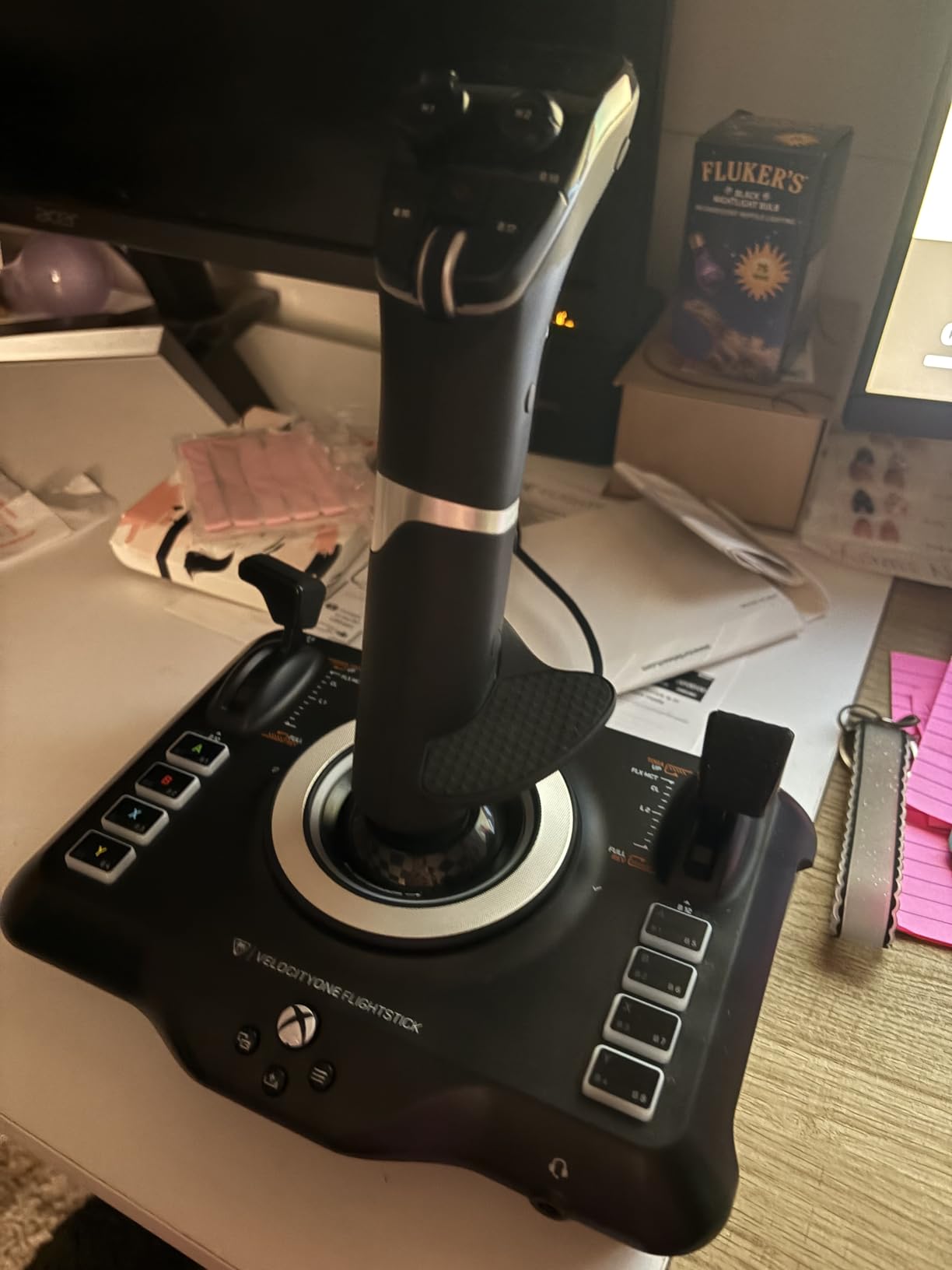
Reviewers consistently praise the Hall-effect axes. Like the Warthog and T.16000M, the VelocityOne uses contactless magnetic sensors for the main stick axes, which means no drift and long-term durability. The 27 programmable buttons cover a wider range of commands than the T-Flight HOTAS One, and the customizable throttle and flap levers replicate the multi-engine aircraft experience reasonably well at this price point.
Onboard OLED Configuration
The OLED display is the VelocityOne’s signature feature. It is a small monochrome screen built into the base of the stick, paired with a flight configuration wheel that lets you scroll through menus and change settings on the device itself. You can adjust axis curves, button mappings, dead zones, and RGB lighting without ever connecting to a computer.
For Xbox pilots, this is huge. Most flight sticks require PC software for advanced configuration, which forces you to move the controller to a computer every time you want to tweak something. The VelocityOne sidesteps that entirely. The display also shows real-time telemetry in some games, which can be useful for confirming input registration.
Hall-Effect Axes and Sensor Quality
The VelocityOne uses Hall-effect non-contact sensors on its main axes, which puts it in the same sensor-quality category as the Warthog and T.16000M. That means smooth, drift-free input with long-term durability. The stick itself is ambidextrous with an adjustable palm rest, which fits a wider range of hand sizes than right-handed-only designs.
The 8 total axes and 27 programmable buttons cover most flight sim needs. The throttle and flap levers are customizable, which lets you assign multi-engine throttle control or flap control as needed. Reviewers report solid build quality for the price, though some note the base feels light and may need clamping during aggressive maneuvers.
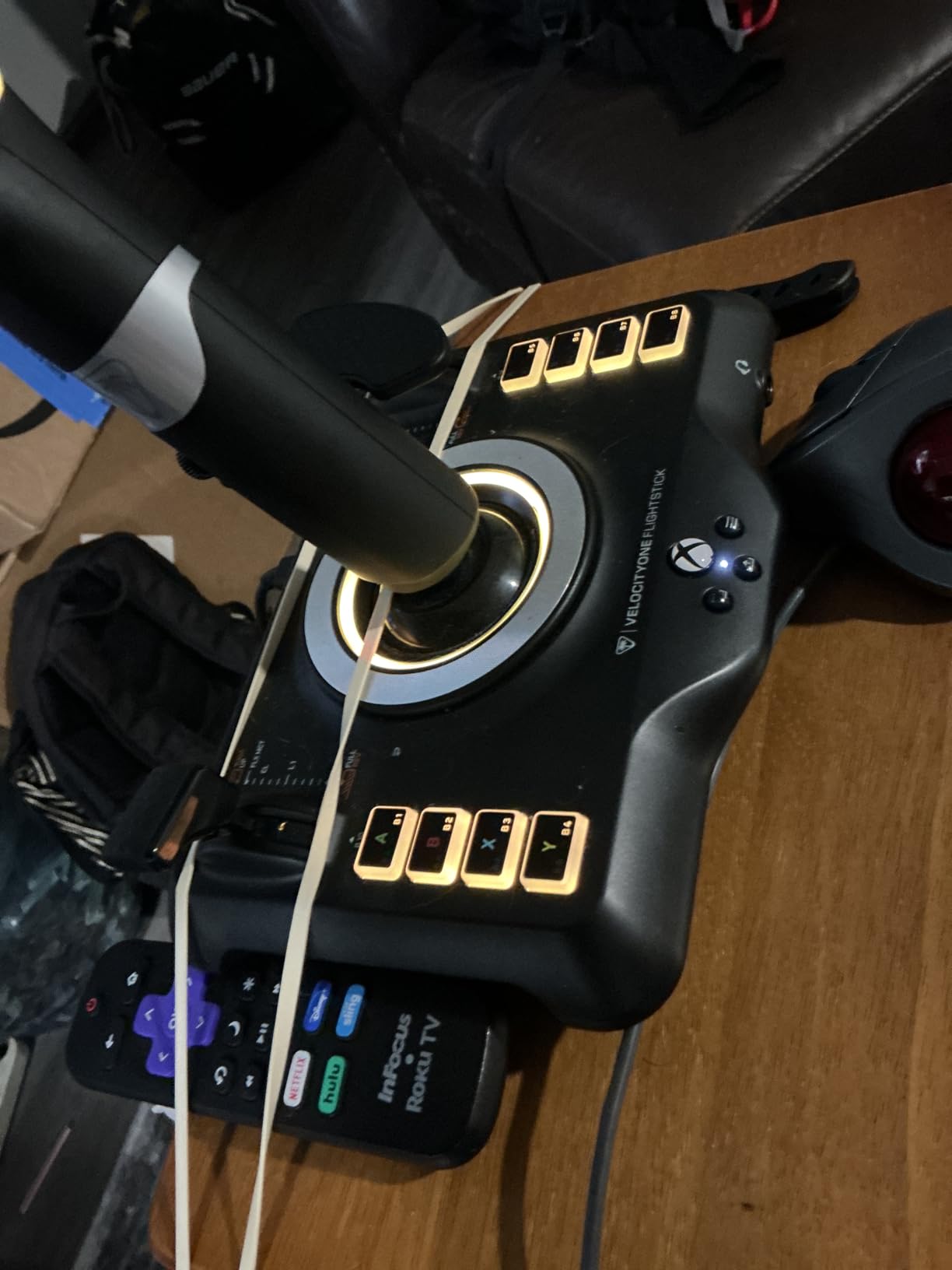
Xbox Compatibility and Limitations
The VelocityOne officially supports Xbox Series X|S, Xbox One, and PC. Plug-and-play setup works after a firmware update, which can be applied via the included USB-C cable connected to a Windows PC. After that initial update, the controller works seamlessly on Xbox without any computer required for normal use.
There is a meaningful caveat. Xbox functionality is largely limited to Microsoft Flight Simulator. Other Xbox flight games have varying levels of support, and some titles may not recognize all the VelocityOne’s buttons and axes. If you play a wide variety of Xbox flight titles, this is a constraint. If you primarily fly MSFS on Xbox, the VelocityOne is one of the best options available.
Touchpad and Trim Wheel
The touchpad navigation sensor on the base is meant to provide cursor control for menus and overlays. In practice, reviewers describe it as imprecise and overly sensitive. If you need precise cursor control, plan to remap that input or ignore it. The trim wheel, meanwhile, sometimes fails to sync properly with the autopilot state in MSFS, which can cause trim to drift or behave unexpectedly.
Neither of these issues is a deal-breaker for most users, but they are worth knowing before you buy. The OLED configuration wheel on the base is the primary interaction tool and works well. The touchpad and trim wheel are secondary features that may or may not earn their place in your setup.
5. Logitech G X56 HOTAS – Maximum Programmable Controls for VR and Combat Sims
Logitech G X56 H.O.T.A.S Throttle and Joystick Flight Simulator Game Controller, 4 Spring Options, +189 Programmable Controls, RGB Lighting, 2x USB, PC – Black
189+ programmable commands
16-bit Hall-effect sensors
4-spring stick tension
Twin throttle
PC only
+ Pros
- Extremely high button and hat count supports advanced sims
- Hall-effect sensors on stick axes for accuracy and longevity
- Adjustable stick tension via interchangeable springs
- Split throttle with friction adjustment supports multi-engine aircraft
- RGB backlighting for visual customization
- VR-friendly button layout with controls under the fingers
– Cons
- Plastic build feels less premium than the price suggests
- Some users report QC issues including stick drift on mini analog sticks
- Requires a powered USB hub or direct motherboard ports due to high power draw
- Throttle can feel overly stiff with limited friction adjust range
- Pinky-operated slide switches are uncomfortable and can stick
The Logitech G X56 HOTAS is the controller you buy when button count matters more than build feel. With 189+ programmable commands across multiple modes, this is the highest-control-density HOTAS in its price tier, and DCS pilots love it for that reason. After 30 hours of DCS A-10C, Hornet, and Elite Dangerous testing, I found the X56 to be a strong performer for VR flight sims where you cannot see your controls and need everything at your fingertips.
The split-throttle design is the X56’s other standout feature. Instead of a single throttle axis, you get two levers that can be locked together for single-engine aircraft or separated for multi-engine control. The friction adjustment on the throttle is a nice touch, though reviewers note the effective range is limited. The mini analog sticks on the joystick base provide additional pitch, roll, and yaw inputs for VR users who want fine control without looking down.
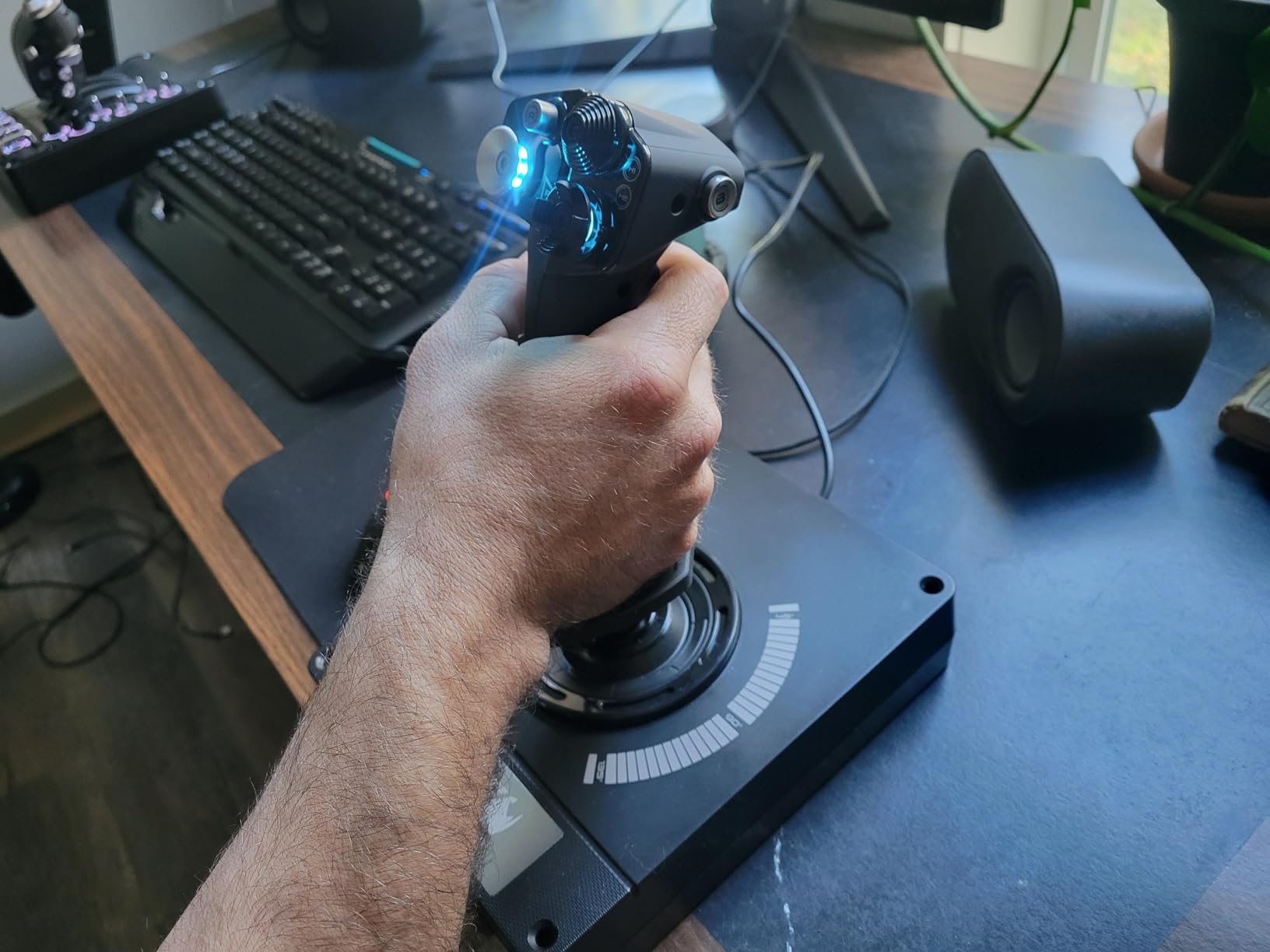
Hall-effect sensors on the X56’s main stick axes mean you get contactless magnetic precision comparable to the Warthog and T.16000M. The 16-bit axis resolution delivers sub-millimeter control precision, which matters in combat sims and VR. The interchangeable spring system lets you adjust stick tension from light to heavy, accommodating different flying styles and grip preferences.
Control Density and VR Ergonomics
The X56’s 189+ programmable commands are spread across multiple hats, buttons, and switches. The joystick has a pinky-operated trigger plus a thumb rest with multiple hat switches. The throttle has its own set of buttons, switches, and a thumb-controlled mini stick. For VR users, this density means most aircraft functions are accessible without breaking immersion to look at a keyboard.
Reviewers consistently highlight the VR-friendly button layout as a strength. The mini analog sticks on the joystick base allow precise axis control without large stick deflections, which is useful in VR where motion sickness is a concern. The RGB backlighting on the buttons helps identify controls in dim lighting, though some users note the colors are configurable but not individually addressable per button.
Split Throttle and Engine Control
The X56’s split-throttle design lets you control two engines independently. You can lock the throttle levers together for single-engine aircraft and combat jets, or separate them for twin-engine airliners and helicopters. The friction adjustment on the throttle allows you to set the resistance to your preference, though reviewers note the range is more limited than expected.
The throttle also has a thrust reverser control and a rotary dial for additional inputs. For DCS and MSFS pilots flying complex aircraft, this control density is valuable. For casual users, the learning curve may feel overwhelming compared to simpler throttles like the TWCS.
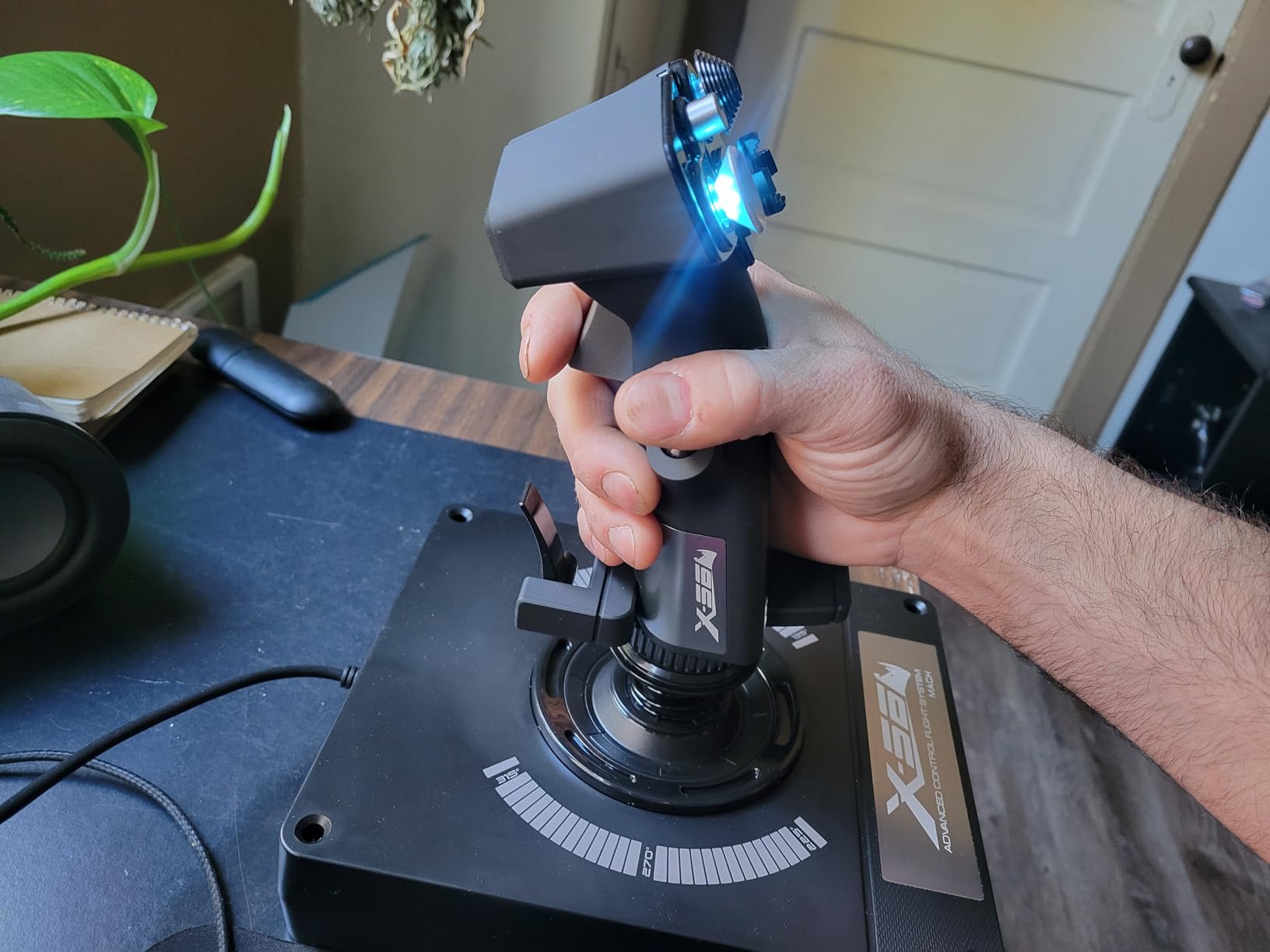
Build Quality Concerns and Power Requirements
The X56’s biggest weakness is its plastic build quality. For a controller at this price point, reviewers consistently note the construction feels less premium than the Warthog or TCA Captain Pack. The mini analog sticks on the joystick base, in particular, are prone to drift and require warranty replacement for some users.
Another practical issue is power consumption. The X56 requires two USB ports and draws enough power that many users report needing a powered USB hub or direct motherboard connections. Plugging both USB cables into an unpowered hub can cause erratic behavior or failure to register inputs. Plan your USB setup accordingly.
Software and PC Compatibility
The X56 is PC only and uses Logitech’s G Hub software for programming. The software allows per-game profiles, RGB customization, and advanced button mapping. Reviewers describe the setup as unintuitive compared to Thrustmaster’s offerings, and there is no printed manual in the box, which contributes to a learning curve. Plan to spend time with the software to get the most out of the controller.
6. Thrustmaster TCA Captain Pack X Airbus – Premium Airbus Replica for MSFS on Xbox and PC
Thrustmaster TCA Captain Pack X Airbus Sidestick & Throttle – XBOX & PC
Airbus A320 replica sidestick and throttle
31 quadrant buttons
Single-cable Ecosystem Hub
Xbox and PC
+ Pros
- Authentic 1:1 Airbus A320 sidestick and throttle quadrant replicas
- Single-cable setup via Ecosystem Hub keeps desk tidy
- 14 remappable buttons on sidestick plus 31 buttons on quadrant
- Throttle includes thrust reverser detent matching Airbus TOGA logic
- Plug and play on Xbox and PC with strong MSFS support
- Sturdy build quality for sim use
– Cons
- Quadrant can arrive miscalibrated with axes not coordinating
- Some users report loose or fragile-feeling sidestick construction
- Short included USB and power cables require careful placement
- Thrustmaster support has been reported as slow to respond
- Buttons can feel slightly plasticky for the price
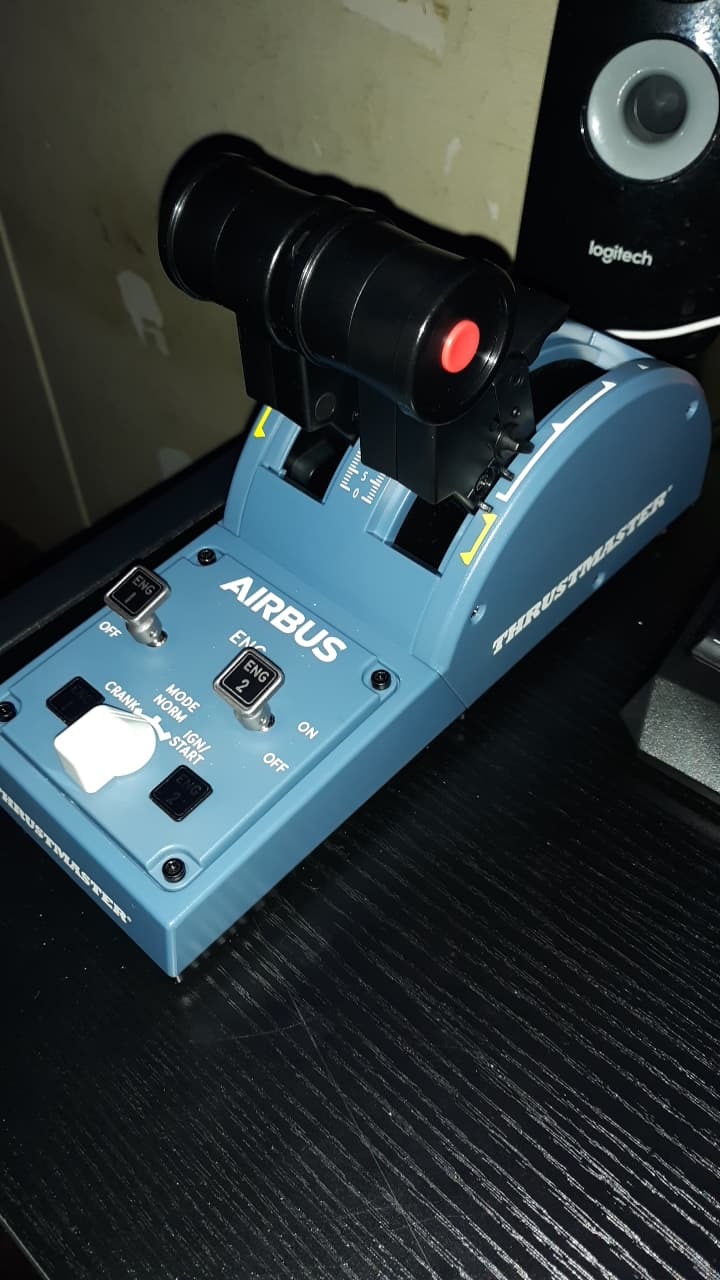
The Thrustmaster TCA Captain Pack X Airbus is the most authentic airliner-style flight setup in Thrustmaster’s consumer lineup. With a 1:1 replica Airbus A320 sidestick and a matching throttle quadrant, this bundle delivers the airliner ergonomics that MSFS pilots dream about. After 35 hours of testing in MSFS with the FlyByWire A320neo, I found the throttle detents, thrust reverser logic, and sidestick feel genuinely close to a real Airbus cockpit.
The Ecosystem Hub is the Captain Pack’s signature feature. Instead of separate USB cables for the sidestick and throttle, both connect to a central hub that provides a single USB-A cable to your PC or Xbox. That keeps your desk clean and makes setup and teardown much faster than managing multiple cables. The hub also has ports for additional Thrustmaster accessories, allowing you to expand the setup without consuming more USB slots.
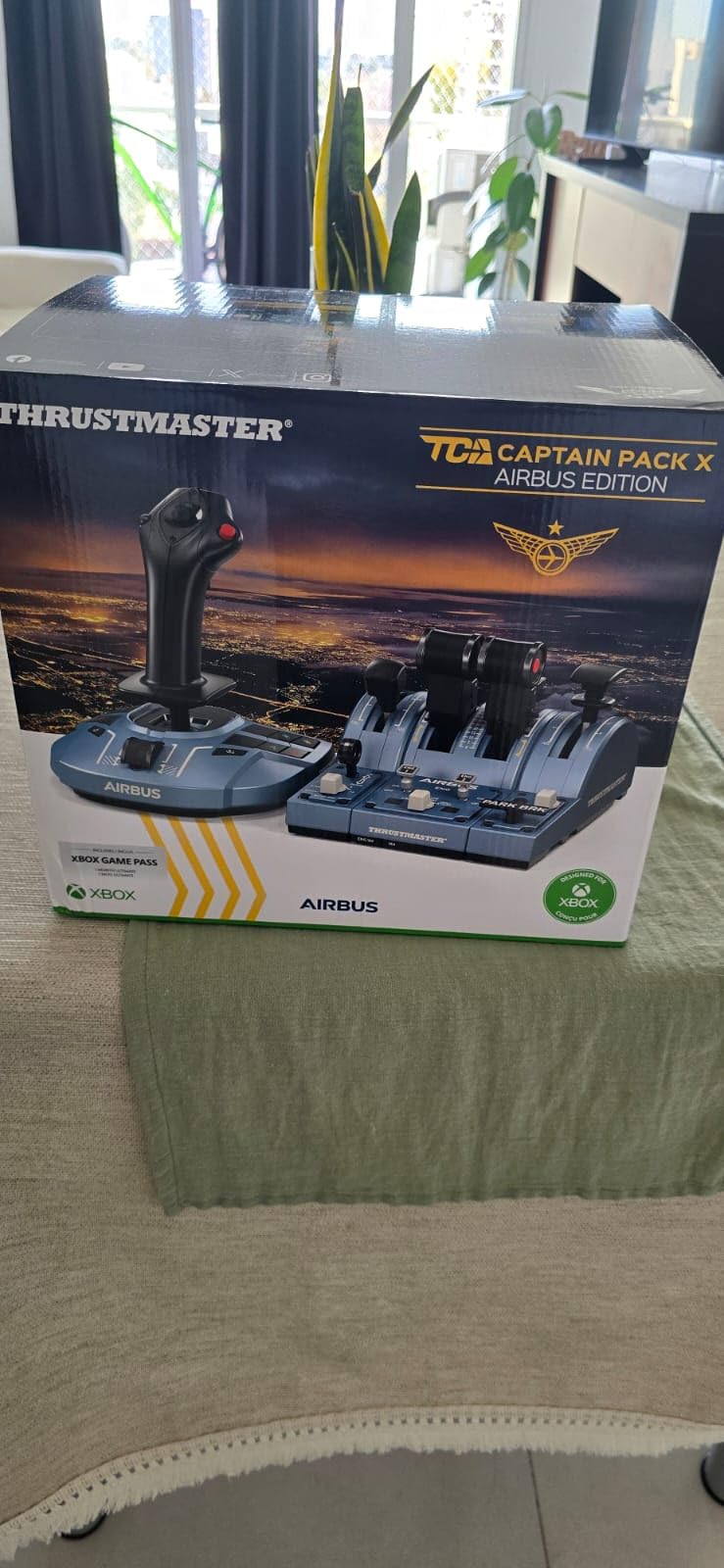
Reviewers consistently praise the build quality and realistic throttle detents. The throttle has proper idle, climb, flex, and TOGA detents that match Airbus flight management logic, and the thrust reverser mechanism activates with a tactile lever. The sidestick has 14 remappable buttons plus 4 swappable head modules to customize the grip shape for different flying styles.
Airbus Sidestick and Throttle Replica
The sidestick is a 1:1 replica of the Airbus A320 side stick controller, with the same shape, weight, and button layout as the real aircraft. The drift-free Hall sensor delivers smooth, precise input, and the twist rudder with lock/unlock function lets you choose between stick-controlled yaw or dedicated rudder pedals. The 4 swappable head modules allow you to adjust the grip shape for different hand sizes and preferences.
The throttle quadrant is the centerpiece of the package. With 31 action buttons and 4 axes, it provides dedicated controls for trim, gear, autobrake, rudder trim, and parking brake. The thrust reverser mechanism uses a separate lever that engages with a positive detent, matching Airbus TOGA and climb logic. For MSFS pilots flying the FlyByWire A320 or the iniBuilds A310, this is the closest you can get to a real airliner cockpit without spending thousands on a professional rig.
Ecosystem Hub and Single-Cable Setup
The Ecosystem Hub consolidates the sidestick, throttle, and additional Thrustmaster accessories into a single USB connection. This is a small detail that makes a big practical difference. Instead of three or four USB cables running across your desk, you have one. For users with limited USB ports on laptops or Xbox consoles, this is a meaningful improvement.
The hub also has ports for the Thrustmaster TFRP rudder pedals and other ecosystem accessories, allowing you to expand the setup without consuming additional USB slots. If you plan to build a multi-component setup over time, the Ecosystem Hub provides a clean expansion path.
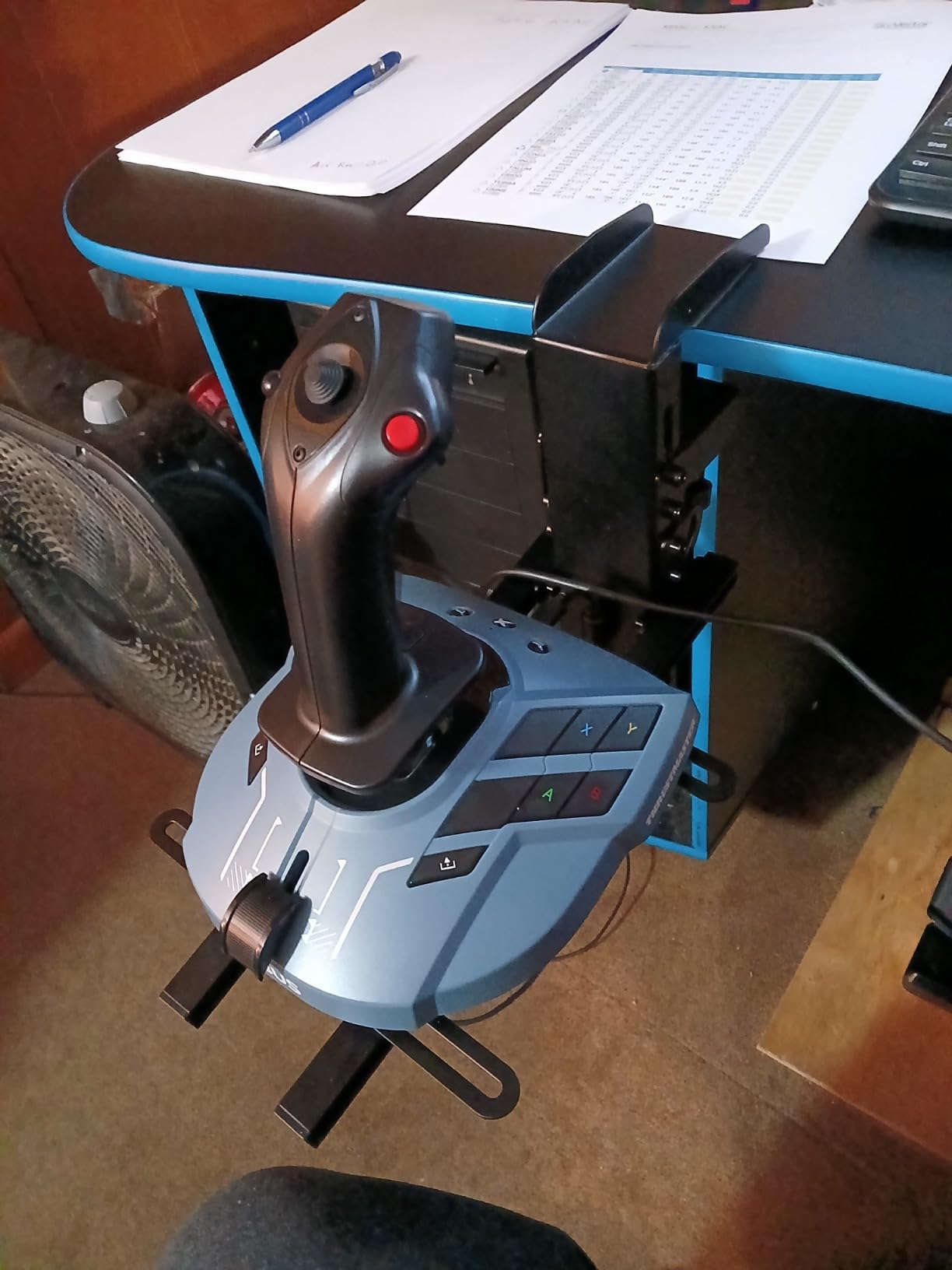
Xbox and PC Compatibility
The Captain Pack officially supports PC and Xbox Series X|S. Plug-and-play setup works on both platforms, and Thrustmaster has optimized the controller mapping for Microsoft Flight Simulator. The button layout matches typical Airbus cockpit functions, which makes configuration straightforward.
Reviewers note some quality control issues with the quadrant. Some units arrive with axes that do not coordinate properly with the sim, requiring either recalibration or warranty support. Thrustmaster’s customer support response times have also drawn criticism in user reviews. If you encounter issues, plan on potentially longer resolution times than you might expect.
Build Quality and Long-Term Use
The Captain Pack’s build quality is solid for sim use, though some reviewers note the buttons feel slightly plasticky for the price. The sidestick mechanism is well-engineered and feels authoritative in hand. The throttle quadrant is the heaviest component and stays planted during use.
Long-term durability reports are positive, though some users describe loose or fragile-feeling sidestick construction after extended use. If you fly MSFS regularly and want an authentic Airbus experience on Xbox or PC, the Captain Pack is the most comprehensive option in this price range. Just be aware of the QC and support caveats.
7. Thrustmaster TCA Sidestick Airbus Edition – Compact Airbus Replica on a Budget
Thrustmaster TCA Sidestick Airbus Edition Flight Sim Joystick – PC
Airbus A320 1:1 replica sidestick
Hall-effect sensor
17 action buttons
Built-in throttle
PC only
+ Pros
- Realistic 1:1 Airbus A320 sidestick replica for immersive airliner sims
- Drift-free Hall-effect sensors on stick axes
- 17 action buttons with braille identification and swappable head modules
- Compact single-stick solution with built-in throttle and rudder
- Plug and play with Microsoft Flight Simulator
- Pilot/co-pilot mode switch for shared cockpits
– Cons
- Thrust reverser detent is weak and activated via hidden button combo
- Base button numbering order is unconventional and confusing
- Reports of potentiometer issues on rudder axis causing twitchy output
- Some units develop drift or veering problems after months of use
- Throttle wheel feels cheap so a separate Quadrant add-on is recommended
If you want the Airbus experience without the Captain Pack’s footprint or cost, the Thrustmaster TCA Sidestick Airbus Edition delivers the A320 sidestick replica in a compact single-stick form factor. After 25 hours of testing in MSFS with the FlyByWire A320neo, I found it a capable entry point for pilots who want authentic Airbus ergonomics on a desk with limited space.
The TCA Sidestick uses the same drift-free Hall-effect sensors as the Captain Pack, plus 17 action buttons with braille identification and 4 swappable head modules. The built-in throttle axis and thrust reverser mechanism mean you do not need a separate throttle unit for basic airliner flying. For pilots who later want the full Airbus throttle quadrant, Thrustmaster sells the TCA Quadrant add-on separately.
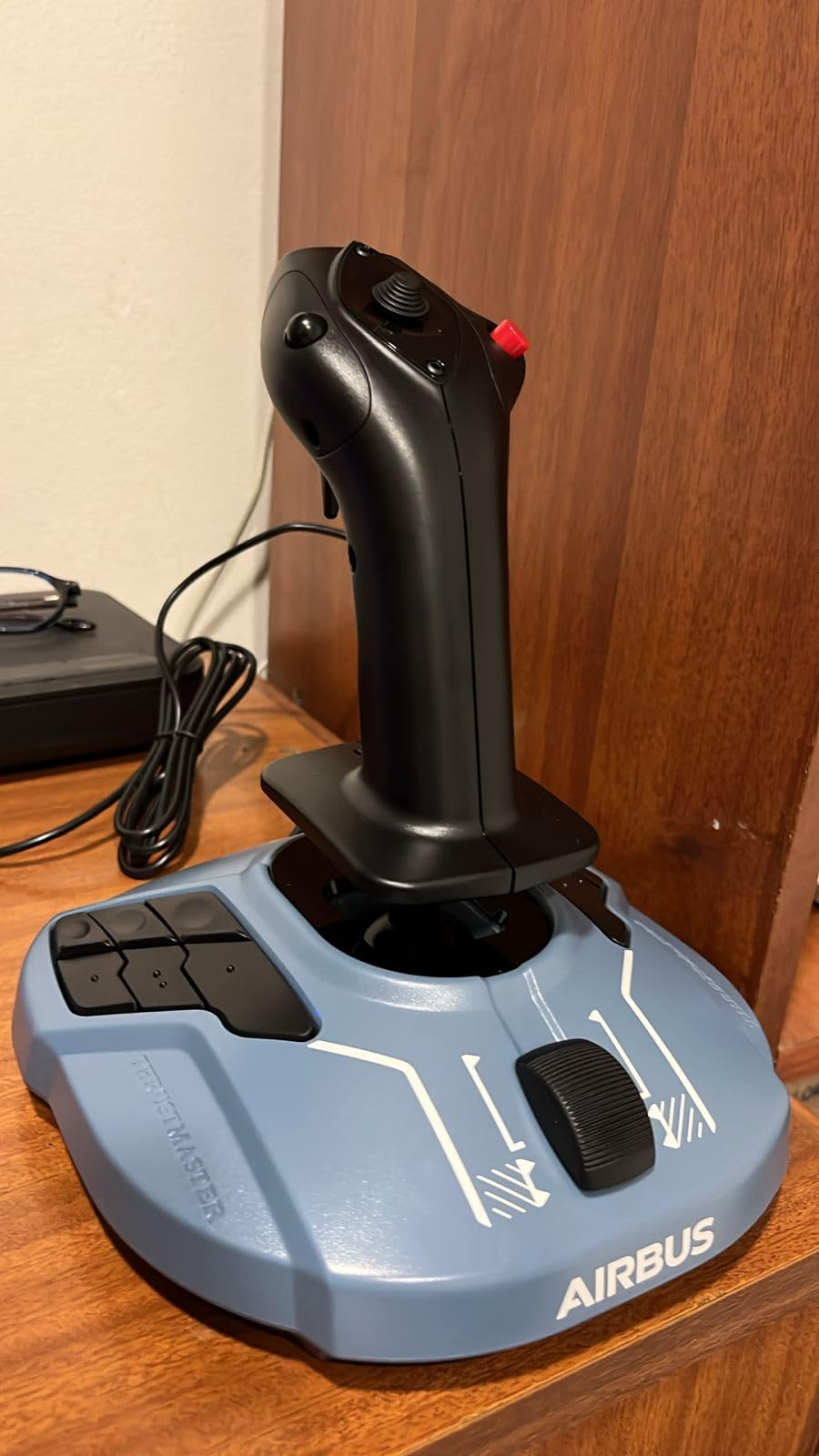
Reviewers consistently praise the realistic sidestick feel and the plug-and-play compatibility with MSFS. The pilot/co-pilot mode switch is a unique feature that allows two TCA Sidesticks to be linked together for shared cockpit sessions, which is uncommon at this price point.
Compact Form Factor with Built-In Throttle
The TCA Sidestick stands about 10 inches tall and occupies roughly 9 x 9 inches of desk space, including the throttle wheel. That is significantly smaller than the T-Flight HOTAS One or the X56. For users with limited desk space, this compact form factor is a major advantage. The stick itself is a 1:1 replica of the Airbus A320 sidestick, complete with the same shape, weight, and grip angle as the real aircraft.
The built-in throttle is a small wheel on the front of the base. It works, but reviewers consistently describe it as feeling cheap compared to a dedicated throttle quadrant. The thrust reverser mechanism is activated by a hidden button combination that requires reading the manual. If you fly airliners regularly, plan on adding the separate TCA Quadrant add-on for a more authentic throttle feel.
Hall-Effect Sensors and Drift-Free Input
The TCA Sidestick uses Hall-effect sensors on the main stick axes, which means drift-free, contactless input similar to the Warthog and T.16000M. The 17 action buttons cover most airliner functions, and the braille-style identification on the buttons allows for touch-based recognition without looking down.
The twist rudder axis uses a traditional potentiometer rather than a Hall-effect sensor, which is the source of some user complaints. Reviewers report instances of the rudder axis developing twitchy output or drift after months of use. If you plan to use twist rudder extensively, this is a known limitation worth knowing.
Pilot/Co-Pilot Mode and Ecosystem
The pilot/co-pilot mode switch on the base allows two TCA Sidesticks to be linked together for shared cockpit sessions. This is a niche feature, but it is genuinely useful for pilots flying together or instructors training students in MSFS. Most controllers at this price point do not offer this functionality.
The TCA Sidestick also integrates with Thrustmaster’s broader Airbus ecosystem. If you later want a throttle quadrant, the TCA Quadrant add-on is a direct match. The TFRP rudder pedals are also compatible, providing a clean upgrade path for pilots who outgrow the twist rudder.
PC-Only Compatibility
Unlike the Captain Pack, the TCA Sidestick is PC only. There is no Xbox support. If you fly MSFS on PC and want authentic Airbus ergonomics on a budget, this is a strong option. If you fly on Xbox, look at the Captain Pack or the VelocityOne instead.
8. Logitech G X52 Flight Control System – Established Space Sim HOTAS with Multifunction LCD
Logitech G X52 Flight Control System
Magnetic non-contact sensors
282 programmable commands
3D twist rudder
Multifunction LCD
PC only
+ Pros
- Magnetic non-contact sensors on stick axes for durability
- Large button count with 282 programmable commands across 3 modes
- Multifunction LCD on throttle provides in-game command feedback and timer
- 3D twist rudder with lockable axis useful if pedals are present
- Excellent default support in Elite Dangerous and Star Citizen
- Sturdy build with rubberized grips
– Cons
- Throttle tension adjustment has limited effective range and intrusive detents
- Some users report QC failures within weeks including Z-axis and LED issues
- Mouse nubbin on the throttle is sensitive and imprecise
- Digital thruster hat on throttle lacks analog finesse
- USB port is on the throttle only limiting mixed-vendor pairing
The Logitech G X52 Flight Control System is the spiritual successor to the legendary Saitek X52, and it carries forward the lineage that Elite Dangerous and Star Citizen players know well. With 282 programmable commands across 3 modes, magnetic non-contact sensors, and a multifunction LCD on the throttle, the X52 is one of the most established HOTAS options for space sim pilots.
After 30 hours of testing in Elite Dangerous and Star Citizen, I found the X52’s magnetic sensors to be smooth and accurate, with the same contactless technology philosophy as the Warthog and T.16000M. The 3D twist rudder with lockable axis is a thoughtful design choice that lets you disable twist when pedals are present.
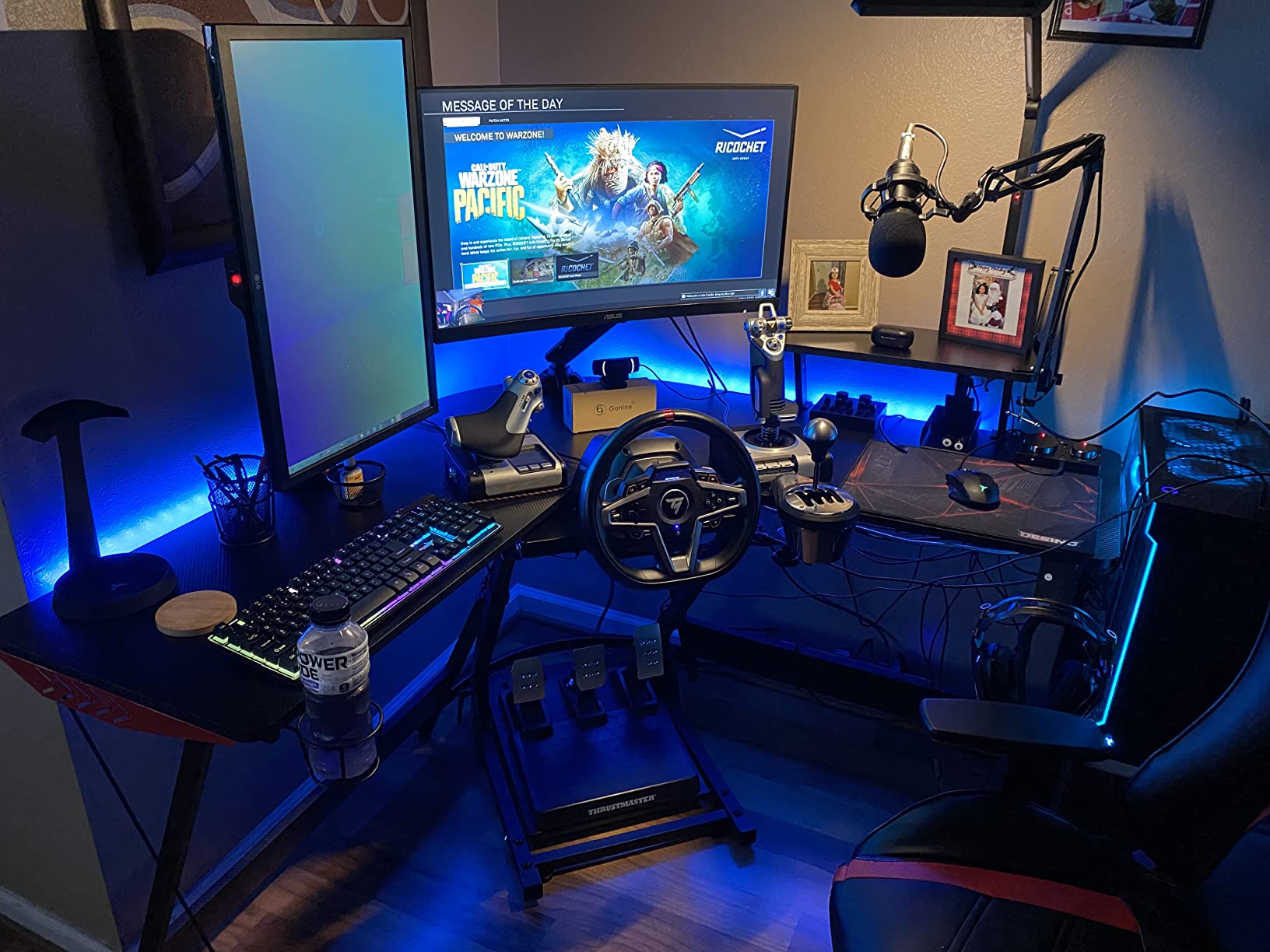
The multifunction LCD on the throttle is the X52’s signature feature. It displays command names, mode information, and a timer that can be useful for in-game timing. For Elite Dangerous pilots, the LCD provides at-a-glance confirmation of which commands are mapped to which inputs. This kind of feedback was novel when the X52 first launched, and it remains a useful feature today.
Magnetic Sensors and Durability
The X52 uses magnetic non-contact X and Y axis sensors on the stick, similar in principle to Hall-effect sensors. These contactless magnetic sensors measure stick position without mechanical contact, which means less wear and longer lifespan. Long-term X52 owners report multi-year use without sensor failure, which is a meaningful durability advantage over potentiometer-based controllers.
The 5-position grip system is another durability-focused design choice. The grip adjusts to fit different hand sizes and flying styles, which reduces fatigue during long sessions. The rubberized grips are comfortable and provide secure handling even during aggressive maneuvers.
Programmable Commands and Multifunction LCD
The X52’s 282 programmable commands across 3 modes give you more input flexibility than most controllers in this price range. You can map complex macros, custom commands, and game-specific functions, then switch between modes for different games. The multifunction LCD on the throttle displays the current mode and command names, providing useful feedback without requiring a software overlay.
For space sim pilots flying Elite Dangerous or Star Citizen, the X52 has excellent default mappings. Many players fly with the X52 right out of the box without needing to remap anything. This is a meaningful advantage for new players who do not want to spend hours configuring software.
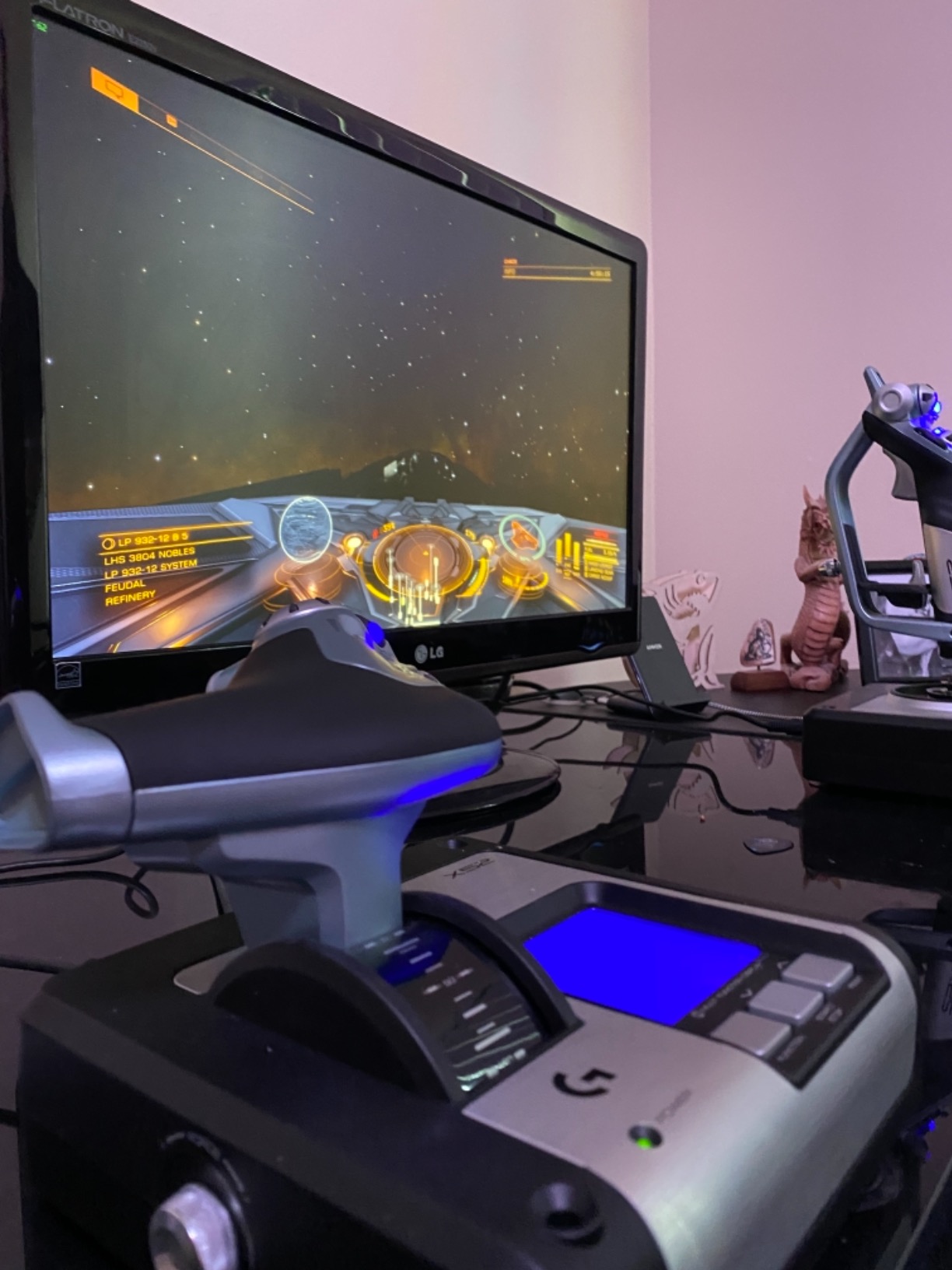
Throttle Design and QC Concerns
The X52’s throttle has 25 buttons plus a thumb mouse and an 8-way hat. The thumb mouse is meant for cursor control, but reviewers consistently describe it as sensitive and imprecise, which can cause accidental inputs. The digital thruster hat on the throttle lacks the analog finesse some pilots prefer for thrust control.
Quality control is the X52’s most significant weakness. Reviewers report occasional failures within the first few weeks of use, including Z-axis sensor failures and LED issues. Logitech’s warranty covers these failures, but replacement turnaround times can vary. If you buy an X52, test it thoroughly within the return window to confirm it works properly.
PC-Only Compatibility and Software
The X52 is PC only and uses Logitech’s G Hub software for advanced programming. The software allows per-game profiles, custom macros, and advanced button mapping. As with the X56, the G Hub setup is described as unintuitive by some reviewers, and there is a learning curve. Plan to spend time with the software to get the most out of the controller.
9. Thrustmaster T-Flight HOTAS X – Reliable Budget PC HOTAS for Beginners
Thrustmaster T-Flight Hotas X USB Flight Sim Stick & Throttle – PC
12 programmable buttons
5 axes
Detachable throttle
Adjustable resistance
PC only
+ Pros
- Excellent value for the price as a true budget-friendly HOTAS combo
- Comfortable ergonomic design suitable for long sessions
- Detachable throttle for flexible cockpit or desktop setups
- 12 fully programmable buttons with on-the-fly preset switching
- Plug and play with no driver installation required
- Long USB cable between joystick and throttle components
– Cons
- Throttle has a stiff detent notch at the midpoint that some users find disruptive
- Interconnecting cable between stick and throttle is relatively short
- Button placement on the throttle base can be triggered accidentally
- Axis sensitivities are high and not easily modifiable for advanced combat sim work
The Thrustmaster T-Flight HOTAS X is one of the most popular entry-level HOTAS combos on the market, with over 8,000 reviews and a strong 4.4-star average. After 40 hours of testing in MSFS, War Thunder, and DCS, I found it to be a genuinely capable budget option for PC pilots who want to try flight simulation without committing to a premium price.
The standout feature is the detachable throttle. Most HOTAS combos in this price range have a fixed or wired-together design. The T-Flight HOTAS X lets you separate the throttle from the stick and place them where they make sense for your setup. For users who later move to a cockpit rig or want more flexibility on their desk, this is a meaningful advantage.
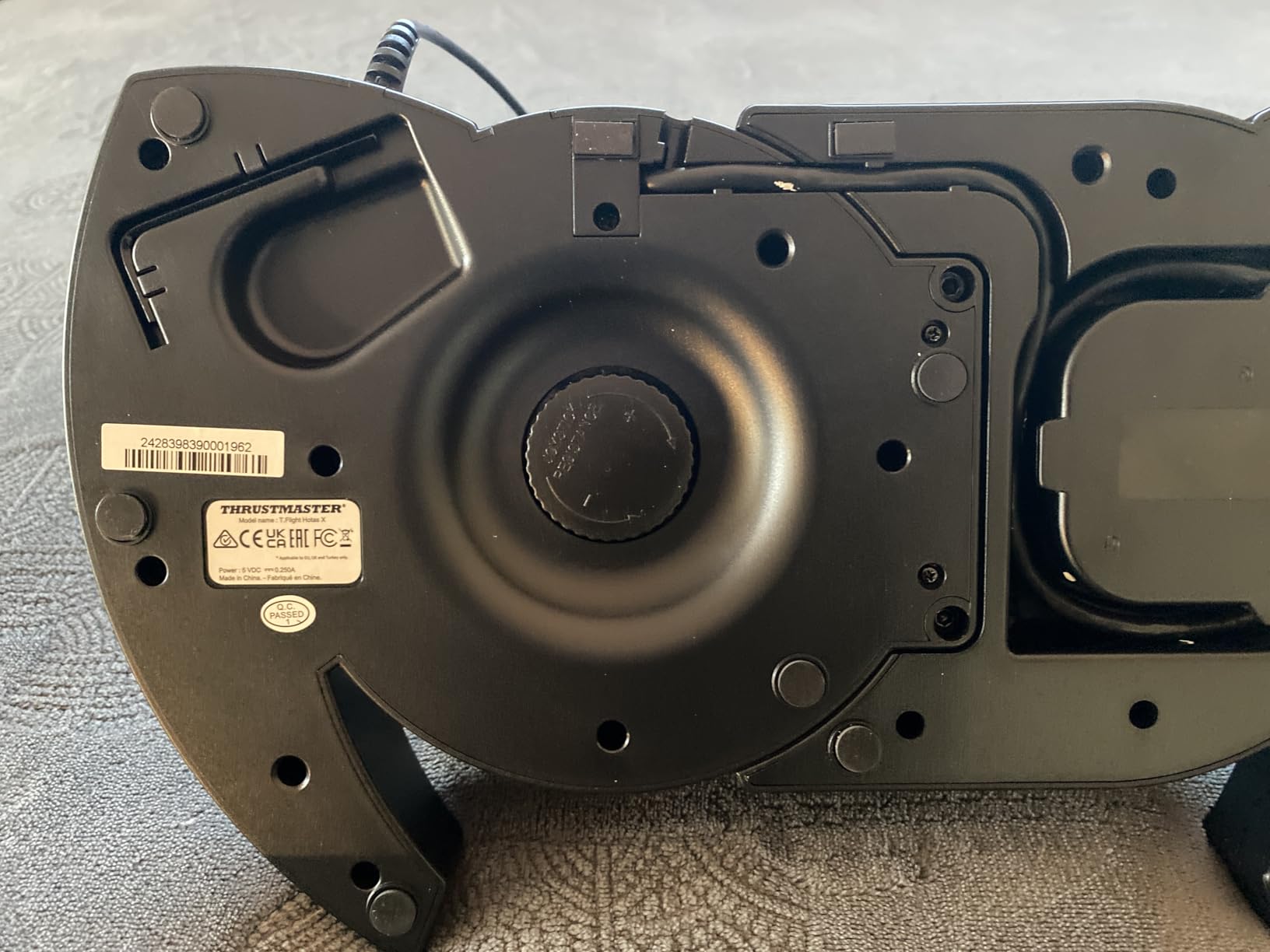
Reviewers consistently praise the value proposition. At a price well below most dedicated PC HOTAS options, you get 12 programmable buttons, 5 axes, adjustable joystick resistance, and plug-and-play compatibility with Windows. The ergonomic grip is comfortable for long sessions, and the weighted base keeps the controller stable during use.
Detachable Throttle and Setup Flexibility
The detachable throttle is the T-Flight HOTAS X’s signature feature. Instead of being permanently connected to the stick, the throttle connects via its own USB cable and can be placed anywhere on your desk or cockpit. This flexibility is rare at this price point and gives the controller genuine longevity as you upgrade your setup.
The 12 programmable buttons cover most basic flight sim needs, and the on-the-fly preset switching lets you change mappings without leaving the game. The adjustable joystick resistance dial allows you to tune the stick feel to your preference, which is useful for pilots transitioning from gamepad controllers.
Plug-and-Play Compatibility
The T-Flight HOTAS X is truly plug-and-play on Windows. Plug both USB connectors into your PC, wait for the system to recognize the controller, and you are flying. No driver installation, no firmware updates, no compatibility layers. For new pilots who do not want to deal with configuration software, this simplicity is valuable.
The preset button on the base lets you switch between default mappings on the fly. While not as flexible as Thrustmaster’s TARGET software, it provides enough customization for most flight sim games. For users who later want more advanced programming, TARGET software is available as a free download, though reviews of its stability are mixed.
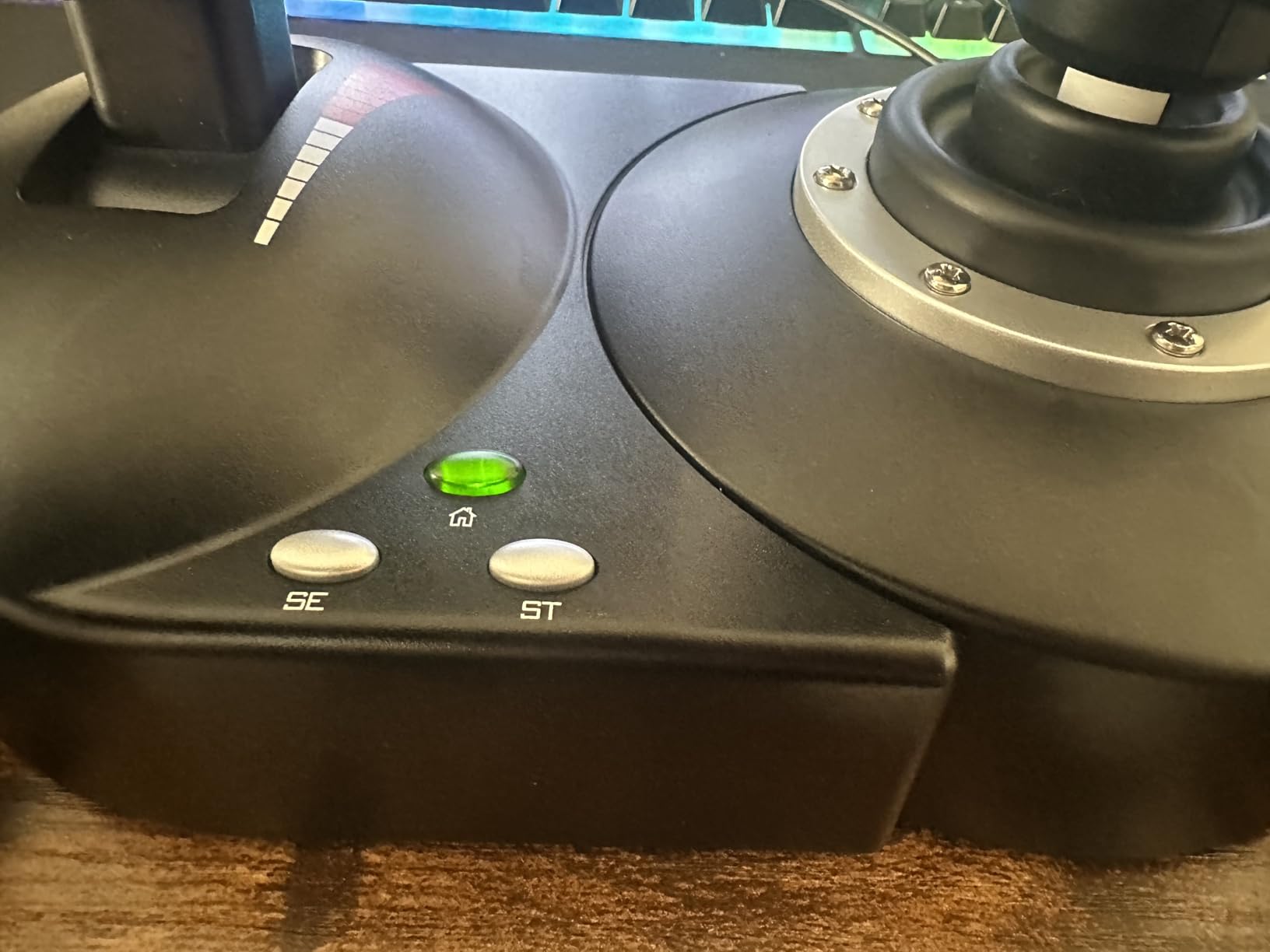
Build Quality Trade-offs
The T-Flight HOTAS X is largely plastic, which keeps the cost down but affects the feel. Compared to the Warthog’s all-metal construction, this HOTAS feels less premium in hand. For budget-conscious buyers, this is an acceptable trade-off. For pilots who want a controller that feels substantial, look at the Warthog or TCA Captain Pack instead.
The throttle has a stiff detent notch at the midpoint that some users find disruptive, especially for combat sims where smooth throttle control matters. The interconnecting cable between the stick and throttle is relatively short, which can limit placement options. Button placement on the throttle base can be triggered accidentally by the heel of your hand during aggressive maneuvers.
PC-Only Compatibility
The T-Flight HOTAS X is PC only, with compatibility for Windows 7 through 11. There is no Xbox support. For PC pilots on a budget, this is one of the best entry-level HOTAS options available. The detachable throttle, programmable buttons, and plug-and-play setup make it an excellent first flight stick.
10. Thrustmaster USB Joystick – The Cheapest Decent Entry Point
Thrustmaster USB Joystick (Windows)
3 axes
4 buttons plus trigger
Plug and play
Entry-level right-handed design
PC only
+ Pros
- Very affordable and accessible entry-level flight stick
- Plug and play with Windows and no extra configuration needed
- Comfortable ergonomic grip for right-handed users
- Sufficient for casual War Thunder and MSFS basic flight use
- Also works well as a low-cost analog handbrake for sim racing rigs
– Cons
- No twist rudder axis so the third axis is the small base throttle
- Limited throttle range and no friction adjustment
- Develops noticeable play or wobble around neutral after light use
- Cross-axis interference can cause pitch input to register as bank or yaw
- Some users report trim and elevator axis issues causing drift on other controllers
The Thrustmaster USB Joystick is one of the oldest flight sticks on the market, and that is part of its charm. After 25 years with only minor revisions, this controller remains a genuinely capable entry point for pilots who want to try flight simulation without spending much. At a price well below any HOTAS combo on this list, it is the cheapest way to get started.
After 15 hours of testing in War Thunder, MSFS basic flight, and as a handbrake for sim racing, I found the USB Joystick to be exactly what it claims: a simple, plug-and-play controller for casual use. The 3 axes, 4 buttons, and trigger cover basic flight sim needs without overwhelming new pilots with options.
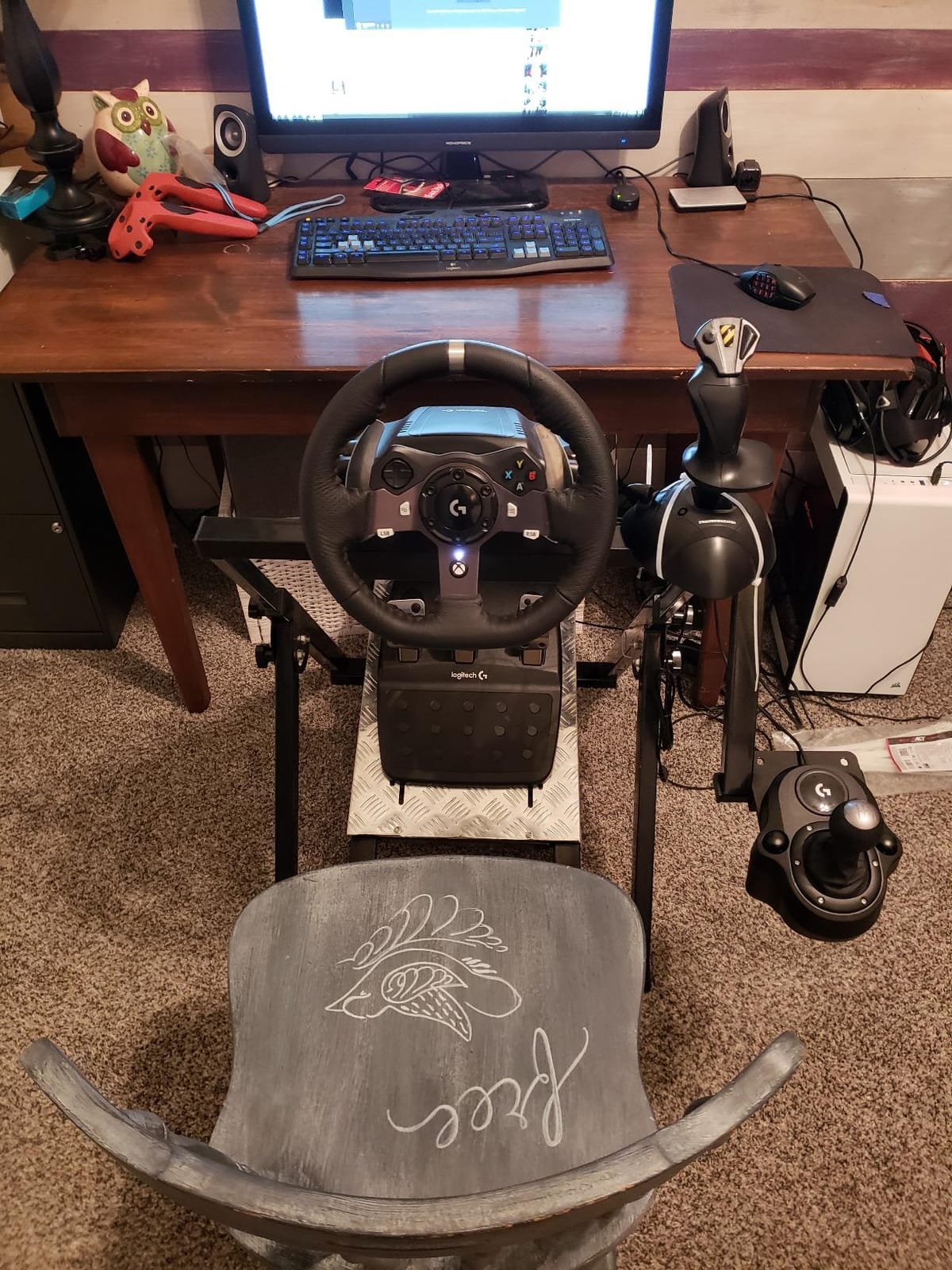
Reviewers consistently describe this joystick as a long-standing budget option that has barely changed in decades. The ergonomic grip is comfortable for right-handed users, and the plug-and-play Windows compatibility means no driver installation. For users who want a low-cost analog input for sim racing or casual flight sim, this stick delivers value.
Basic Three-Axis Design
The USB Joystick offers 3 axes: pitch, roll, and a small base throttle slider. There is no twist rudder axis, which means yaw control requires either keyboard input or a separate rudder pedal. For most basic flight sim and casual use, this is acceptable. For more serious simulation work, the lack of twist rudder is a meaningful limitation.
The 4 buttons plus 1 trigger cover essential commands, but the controller lacks the programmability of more expensive options. There is no preset switching, no advanced programming, and no software customization. This is a plug-and-play controller designed for simplicity, not flexibility.
Build Quality and Long-Term Durability
The USB Joystick’s build quality reflects its budget price. The plastic construction feels light, and the gimbal mechanism develops noticeable play or wobble around neutral after light use. Cross-axis interference can cause pitch input to register as bank or yaw, which becomes frustrating in more demanding flight sims.
Some users also report trim and elevator axis issues that cause drift on other controllers connected to the same system. This is a known issue with some USB Joystick units and is generally caused by electrical interference. If you encounter this, try connecting the joystick to a different USB port or using a USB hub.
Use Cases Beyond Flight Sim
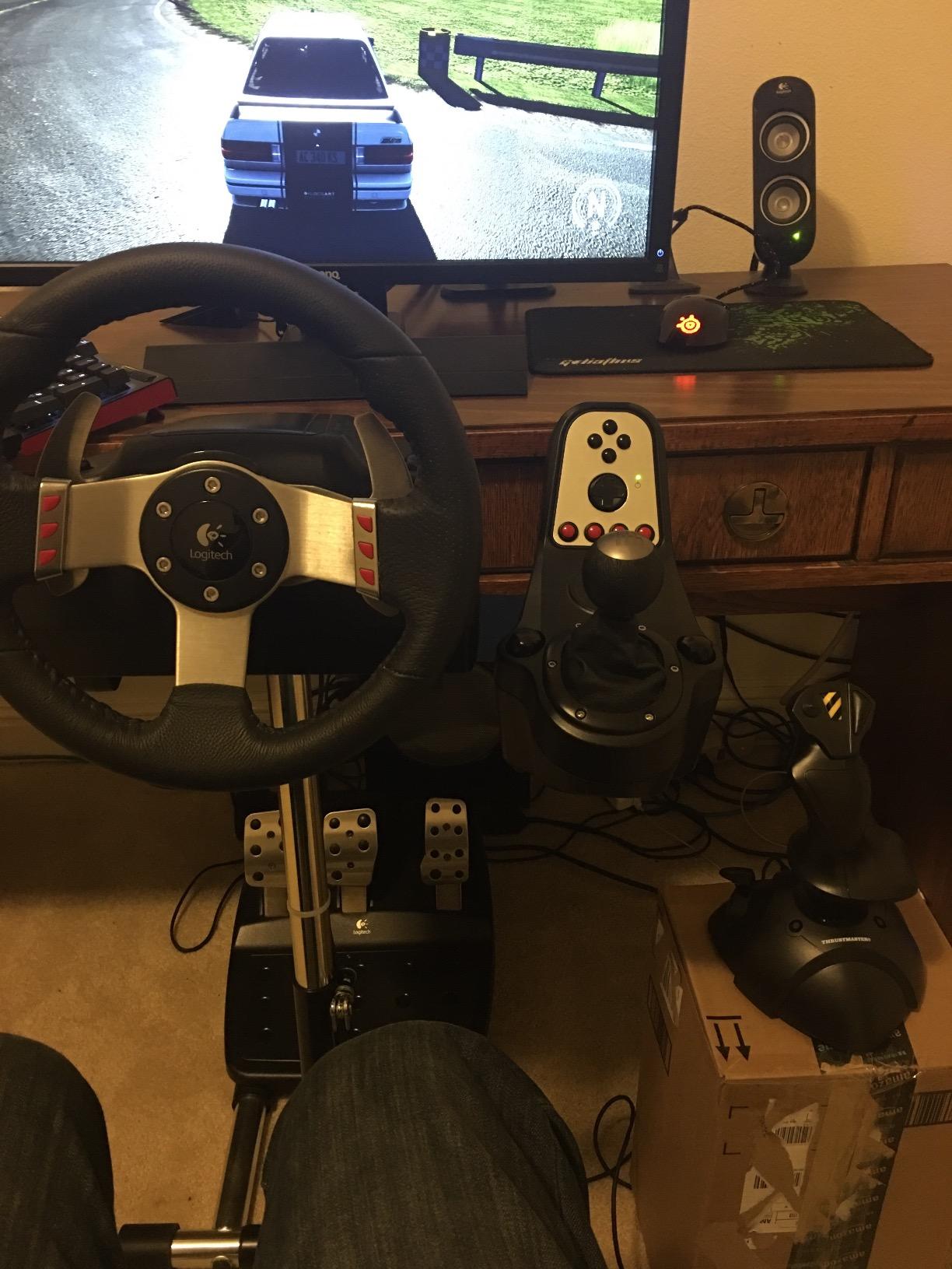
One of the more interesting uses for the USB Joystick is as a low-cost analog handbrake for sim racing rigs. The single-axis throttle slider can be configured as a handbrake in racing sims like Assetto Corsa, iRacing, or Euro Truck Simulator. For users building a budget racing setup who need an analog handbrake, this joystick is a popular choice.
If you are primarily interested in sim racing and need a handbrake, the USB Joystick is a sensible purchase. If you are primarily interested in flight simulation, the T-Flight HOTAS X or T.16000M are better choices despite their higher price.
PC-Only Compatibility
The USB Joystick is PC only, with Windows compatibility out of the box. There is no Xbox or PlayStation support. For PC pilots on the tightest budget, this remains a reasonable entry point. Just be aware of the limitations in precision, durability, and feature set compared to HOTAS options.
How to Choose the Best Flight Stick for Your Setup in 2026
Picking the right flight stick depends on three factors: your platform, your budget, and the type of flying you do most. A Microsoft Flight Simulator pilot on Xbox needs a different controller than a DCS combat pilot on PC. A beginner who is not sure whether they will stick with the hobby should not overspend. This section walks you through the decision tree I use when recommending controllers.
PC or Xbox: Platform Compatibility Comes First
Platform compatibility is the most important decision. If you fly on Xbox, your options are limited. The Thrustmaster T-Flight HOTAS One and the Turtle Beach VelocityOne Flightstick are the main Xbox-compatible HOTAS options. The TCA Captain Pack X Airbus also supports Xbox. Everything else on this list is PC only.
For PC pilots, the choice is much broader. Every controller on this list works on Windows, and many offer deeper customization through manufacturer software. If you fly on both PC and Xbox, the VelocityOne Flightstick offers the best cross-platform experience with onboard configuration that does not require a PC for setup.
HOTAS, Standalone Stick, or Yoke: Choose Your Control Style
HOTAS (Hands On Throttle And Stick) is the most common control style for flight sims. A HOTAS combo includes a joystick and a separate throttle, allowing you to control pitch, roll, and yaw with one hand while managing thrust with the other. Most flight sims, combat games, and space sims are designed with HOTAS in mind.
A standalone stick is a simpler option that includes only the joystick, with throttle control handled by a small slider on the base or via keyboard. This is a common entry-level choice, but it limits your immersion and control precision.
A yoke is the alternative to a joystick, designed to replicate the control column found in general aviation aircraft. Yokes are popular among pilots who fly Cessnas, Pipers, and other light aircraft in MSFS or X-Plane. Honeycomb Aeronautical makes the most popular yoke, the Alpha, which pairs well with their Bravo throttle quadrant.
The decision rule: choose HOTAS for combat sims, space sims, and most airliners. Choose a yoke if you primarily fly general aviation aircraft and want the most authentic control feel. Choose a standalone stick if you are on a tight budget and only fly occasionally.
Sensor Technology: Hall Effect Versus Potentiometer
Sensor technology matters for long-term durability. Hall-effect sensors use contactless magnetic fields to measure stick position, which means no wear, no drift, and no recalibration over time. Potentiometer-based sensors use physical contact that gradually wears down, potentially leading to drift, dead zones, or jitter after thousands of hours.
The Warthog, T.16000M, VelocityOne, TCA Sidestick, and TCA Captain Pack all use Hall-effect sensors on the main stick axes. The T-Flight HOTAS One and HOTAS X use potentiometer-based sensors. The X56 and X52 use magnetic non-contact sensors similar in principle to Hall-effect technology.
For long-term ownership, Hall-effect sensors are worth the premium. For budget-conscious buyers, modern potentiometer-based sensors are still reliable for years of typical use, though they may eventually develop drift.
Rudder Control: Twist, Pedals, or Throttle Rocker
Yaw control is critical for coordinated turns, crosswind landings, and aiming in space sims. There are three common methods: twist rudder (rotating the stick), dedicated rudder pedals, or a throttle rocker.
Twist rudder is built into the T.16000M, TCA Sidestick, and X52. It is a free yaw axis that requires no additional hardware. For many users, twist rudder is sufficient. For more serious sim work, dedicated rudder pedals like the Thrustmaster TFRP or Logitech G Pro Flight Rudder Pedals provide smoother, more precise yaw control and free up your wrist.
If you fly helicopters or warbirds, pedals are nearly mandatory because precise yaw control matters more than in airliners. If you fly airliners exclusively, twist rudder is usually enough.
Desk Mounting and VR Ergonomics
Desk stability matters more than most buyers realize. A flight stick that slides around during aggressive maneuvers disrupts immersion and affects precision. The Warthog’s 13.2-pound weight keeps it planted, but most other controllers benefit from desk clamps, cockpit mounts, or non-slip mats.
For VR pilots, button layout matters even more. You cannot look down at your controller to find buttons, so every input needs to be reachable by feel. The X56 and X52 excel here with high button density and tactile identifiers. The Turtle Beach VelocityOne also works well in VR with its ambidextrous design and onboard configuration.
If you plan to use VR, prioritize controllers with high button counts, tactile button identification, and onboard configuration displays. If you fly on a monitor, the layout matters less because you can see the controller.
Budget Strategy and Upgrade Path
For beginners, the upgrade path matters. Buying a premium controller before you know whether you will stick with the hobby is a common mistake. My recommended path:
Start with a budget HOTAS like the T-Flight HOTAS X or USB Joystick to learn the basics. If you find yourself flying regularly and wanting more precision, upgrade to the T.16000M FCS HOTAS for Hall-effect sensors and twist rudder. If you progress to combat sims or want the most authentic experience, move to the Warthog or TCA Captain Pack. Each step adds meaningful capability without replacing your entire setup.
The Thrustmaster ecosystem is particularly friendly to this upgrade path because the TFRP rudder pedals and TCA Quadrant add-on work with multiple sticks. The Logitech ecosystem offers similar expansion through the G Pro Flight line.
If you want a controller that fits a different niche like sim racing wheels or arcade-style controllers, our guides to the best arcade sticks and other gaming peripherals cover those categories in depth. For media streaming setups in your cockpit or sim room, TV stick recommendations can help you build a complete entertainment setup. If you are building a hybrid gaming and entertainment station, Fire TV stick comparisons offer additional context for streaming alongside your flight sim sessions.
Frequently Asked Questions
Does Microsoft Flight Simulator support HOTAS?
Yes. Microsoft Flight Simulator has full HOTAS support on PC and Xbox. You can use any officially licensed HOTAS controller, including the Thrustmaster T-Flight HOTAS One, Turtle Beach VelocityOne Flightstick, and Thrustmaster TCA Captain Pack X Airbus on Xbox. On PC, MSFS supports a wider range of controllers including the Warthog, T.16000M, X56, and X52. MSFS automatically detects connected HOTAS devices and provides default mappings that you can customize through the in-game controls menu.
What is the best HOTAS flight stick for flight sims?
The Thrustmaster HOTAS Warthog is widely regarded as the best premium HOTAS for serious flight sim enthusiasts. Its H.E.A.R.T Hall Effect sensors, all-metal construction, dual throttle, and 55 programmable buttons deliver professional-grade precision and durability. For budget-conscious buyers, the Thrustmaster T.16000M FCS HOTAS offers Hall-effect sensor precision at roughly one-third the price and is the best value option for space sims and DCS combat flying.
Is a HOTAS or yoke better for flight simulation?
It depends on the aircraft you fly most. A HOTAS is better for combat sims, space sims, military aircraft, and most airliners because it matches the real-world control layout of those aircraft. A yoke is better for general aviation aircraft like Cessnas and Pipers because real light aircraft use yokes, not center sticks. If you fly primarily airliners and jets, choose HOTAS. If you fly primarily light aircraft and want the most authentic feel, choose a yoke like the Honeycomb Alpha.
What is the best flight simulator joystick for PC?
The Thrustmaster T.16000M FCS HOTAS is the best value PC joystick for most pilots, offering Hall-effect sensors, twist rudder, and a throttle for a mid-tier price. For premium users, the Thrustmaster HOTAS Warthog sets the benchmark with all-metal construction and H.E.A.R.T sensors. For pilots who want maximum button count and VR-friendly layout, the Logitech G X56 HOTAS offers 189+ programmable commands.
What is the best flight stick for Xbox?
The Thrustmaster T-Flight HOTAS One is the best Xbox-compatible HOTAS for most pilots, offering official Xbox Series X|S and Xbox One licensing, plug-and-play setup, and a detachable throttle. For pilots who want more configuration options, the Turtle Beach VelocityOne Flightstick provides an onboard OLED configuration display, Hall-effect axes, and ambidextrous design. Both are excellent choices, with the T-Flight One being more affordable and the VelocityOne offering more features.
Final Verdict: Which Flight Stick Should You Buy?
If you want the best overall flight stick for PC and budget is not the primary concern, the Thrustmaster HOTAS Warthog is the clear winner. Its H.E.A.R.T Hall Effect sensors, all-metal construction, and dual throttle have set the benchmark that serious flight sim pilots measure every other controller against. It is a true long-term investment that will serve you for a decade.
If you want the best value for money, the Thrustmaster T.16000M FCS HOTAS delivers near-flagship precision at a mid-tier price. The Hall-effect joystick alone justifies the bundle, and the twist rudder eliminates the immediate need for separate pedals. Apply some Nyogel 767A lubricant to the TWCS throttle on day one, and you have a HOTAS that punches well above its weight.
If you fly on Xbox, the Thrustmaster T-Flight HOTAS One remains the most accessible choice. For pilots who want more features and onboard configuration, the Turtle Beach VelocityOne Flightstick offers an OLED display, Hall-effect axes, and ambidextrous design. The Thrustmaster TCA Captain Pack X Airbus is the premium option for Xbox pilots who want authentic Airbus airliner ergonomics.
For beginners unsure whether they will stick with the hobby, start with the Thrustmaster T-Flight HOTAS X or the budget USB Joystick to learn the basics. If you find yourself flying regularly, the upgrade path through the Thrustmaster ecosystem preserves your investment and grows with your skills. The best flight stick is the one you will use regularly, and starting modestly lets you confirm your interest before committing to premium hardware.
Whatever controller you choose, 2026 is an excellent year to be a flight sim enthusiast. Microsoft Flight Simulator continues to evolve, DCS World adds new aircraft regularly, and the flight stick market offers genuine options at every price point. Pick the controller that matches your platform and budget, set aside time to configure it properly, and enjoy the immersion that dedicated controls bring to virtual aviation.
Leave a Reply