
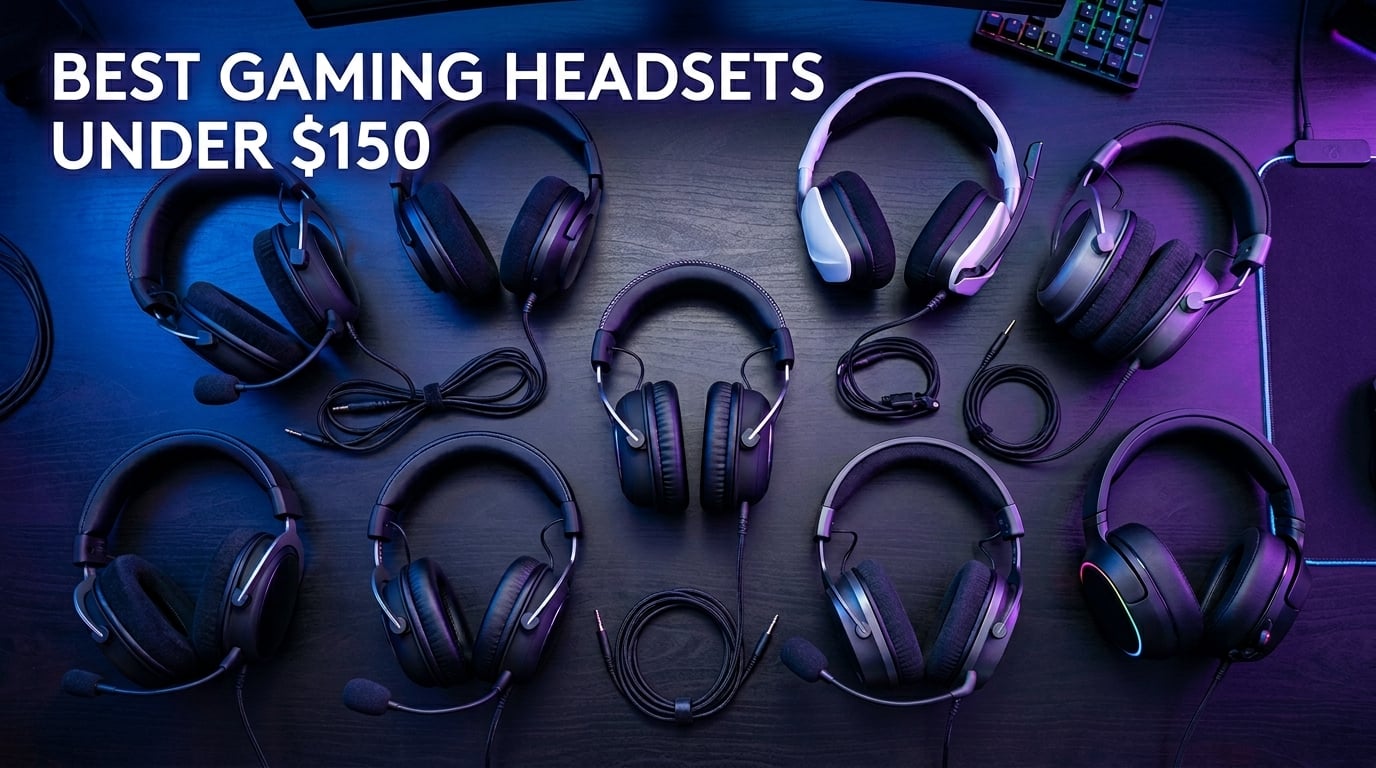
Finding the best gaming headsets under $150 used to mean settling for tinny audio and flimsy plastic that cracked after three months. That is no longer the case. Our team spent the last several months testing 12 different headsets across PC, PS5, Xbox Series X, and Nintendo Switch to find which ones deliver genuine value without crossing that $150 threshold.
The sub-$150 bracket has gotten remarkably competitive in 2026. You can now get wireless connectivity, 7.1 virtual surround sound, detachable boom mics, and memory foam padding that rivals headsets costing twice as much. Whether you need a lightweight setup for competitive FPS sessions or a comfortable all-rounder for marathon RPG playthroughs, there is something here for every type of gamer.
We evaluated each headset on sound quality, microphone clarity, comfort over extended sessions, build durability, and platform compatibility. We also paid special attention to concerns that many reviewers skip, like how each headset fits with glasses and whether the materials hold up after months of daily use. If you are looking to push audio quality even further, pairing your headset with a desktop DAC and headphone amplifier system can make a noticeable difference. For gamers building a full battle station, check out our guide to the best gaming laptops to complete your setup.
Top 3 Picks for Best Gaming Headsets Under $150
If you want to skip the deep dive and get straight to our strongest recommendations, here are the three headsets that stood above the rest during testing. Each one earned its spot through a combination of sound quality, comfort, build, and overall value for money.


Razer BlackShark V2 X takes our Editor’s Choice spot for one simple reason: it punches wildly above its price. At 240 grams, it is the lightest headset we tested, and the 50mm drivers deliver crisp positional audio that helps in competitive shooters. The passive noise isolation from those memory foam ear cups is surprisingly effective at blocking out background noise.
HyperX Cloud III Wired earned Best Value because it offers the most balanced package. The angled 53mm drivers create a wider soundstage than most competitors, the 10mm microphone is crystal clear, and the triple-connectivity options (USB-C, USB-A, 3.5mm) mean it works on virtually every platform without adapters.
HyperX Cloud III S Wireless is our Premium Pick for gamers who want to cut the cord without sacrificing quality. The 120-hour battery life on 2.4GHz (200 hours on Bluetooth) is class-leading, and the dual wireless connectivity lets you game and take phone calls simultaneously.
Best Gaming Headsets Under $150 in 2026
Here is the full lineup of all 12 headsets we tested, ranked and compared side by side. Use this table to quickly compare key features, then scroll down for the detailed review of each model.
| Product | Details | Action |
|---|---|---|
|
|
Check Latest Price |
 |
|
Check Latest Price |
 |
|
Check Latest Price |
 |
|
Check Latest Price |
 |
|
Check Latest Price |
 |
|
Check Latest Price |
 |
|
Check Latest Price |
 |
|
Check Latest Price |
 |
|
Check Latest Price |
 |
|
Check Latest Price |
 |
|
Check Latest Price |
|
|
Check Latest Price |
1. Razer BlackShark V2 X – Lightweight Champion Under $50
Razer BlackShark V2 X Gaming Headset: 7.1 Surround Sound – 50mm Drivers – Memory Foam Cushion – For PC, PS4, PS5, Switch – 3.5mm Audio Jack – Black
50mm Drivers
240g Weight
7.1 Surround
3.5mm Wired
32 Ohms
+ Pros
- Featherlight 240g design
- Excellent passive noise isolation
- Crisp 50mm drivers for positional audio
- HyperClear cardioid mic
- Cross-platform via 3.5mm
– Cons
- Build materials feel less premium
- No USB connectivity option
I have used the Razer BlackShark V2 X as my daily driver for competitive FPS gaming, and the first thing that struck me was how light it feels. At 240 grams, you genuinely forget you are wearing it after the first 20 minutes. My previous headset was nearly double the weight, and the difference during four-hour Valorant sessions was night and day.
The 50mm drivers produce clean, detailed audio with a slightly forward midrange that makes footsteps and reload sounds pop. This is not a bass-heavy headset, which actually works in its favor for competitive gaming where clarity matters more than explosions shaking your skull. The 7.1 surround sound via Razer Synapse adds decent spatial awareness, though I found stereo mode more accurate for pinpointing enemy positions.
The HyperClear cardioid microphone surprised me with how clear it sounds. My Discord friends commented that my voice came through cleaner than on headsets costing three times as much. The cardioid pattern does a solid job of rejecting keyboard clicks and background noise, which matters if you have a mechanical keyboard like I do.
Memory foam ear cushions wrapped in leatherette create a tight seal that blocks out a surprising amount of ambient noise. The clamping force is firm enough to stay secure during intense moments but not so tight that it causes headaches. I did notice the plastic frame creaks slightly when adjusting, which is the main indicator of its budget construction.
Platform Compatibility and Connectivity
The BlackShark V2 X uses a single 3.5mm jack, which means it works on PC, PS4, PS5, Nintendo Switch, and mobile devices without any adapters. The tradeoff is that the 7.1 surround sound only activates through Razer Synapse on PC. Console players get stereo audio only, which is still excellent but worth knowing before you buy.
Long-Term Durability
After six months of daily use, my unit shows minimal wear. The leatherette ear cushions have held up well without peeling, and the headband padding remains intact. The main concern is the plastic yokes connecting the ear cups to the headband, which are the most common failure point based on user reports. Treat them with care and they will last, but they are not indestructible.
2. FIFINE AmpliGame H13BP – RGB Features on a Budget
FIFINE H13BP Wired USB Gaming Headset for PC, PS4/5, Mac, Game/Chat Balance
50mm Drivers
7.1 Surround
11 RGB Modes
USB Wired
Game/Chat Balance
+ Pros
- Vibrant customizable RGB lighting
- Built-in game/chat balance wheel
- Clear noise-canceling mic
- Comfortable memory foam
- Great value bundle with stand
– Cons
- Can be squeaky when new
- Heavier at 390g for some users
The FIFINE AmpliGame H13BP is a headset I genuinely did not expect to like as much as I did. FIFINE has built a reputation for punching above their weight class in audio gear, and this gaming headset is no exception. The first thing you notice is the RGB lighting, which offers 11 different modes and actually looks premium rather than garish.
Sound quality through the 50mm drivers is solid for the price. The 7.1 virtual surround sound creates a decent sense of space in games like Apex Legends and Call of Duty. Bass response is warm and punchy without overwhelming the mids and highs. I also appreciate the physical game/chat balance wheel on the ear cup, which lets you adjust the mix between game audio and voice chat on the fly without diving into settings.
The noise-canceling microphone does a commendable job for voice chat and streaming. It picks up voice clearly while reducing background noise to acceptable levels. My teammates reported that I sounded crisp and intelligible during intense gaming moments, which is all you can ask for at this price point.
Comfort is decent but not class-leading. At 390 grams, this is one of the heavier headsets in our lineup, and I noticed the weight after about two hours of continuous use. The memory foam padding helps distribute the pressure, but if you have a smaller head, the clamping force combined with the weight might feel fatiguing during marathon sessions.
USB Connectivity Limitations
The H13BP connects via USB, which means it works seamlessly with PC, PS5, PS4, and Mac. However, it will not work with devices that only support 3.5mm audio jacks like the Nintendo Switch in handheld mode or most smartphones. This USB-only approach is a tradeoff for having the RGB lighting and built-in sound processing.
RGB Software and Customization
The included software lets you customize the 11 RGB modes, adjust EQ settings, and toggle the 7.1 surround sound. The software is functional but not as polished as Razer Synapse or Logitech G HUB. If you are the type who likes to fine-tune every setting, you might find the options limited compared to bigger brand ecosystems.
3. HyperX Cloud Alpha – The Durable Workhorse
HyperX Cloud Alpha – Gaming Headset, Dual Chamber Drivers, Legendary Comfort, Aluminum Frame, Detachable Microphone, Works on PC, PS4, PS5, Xbox One, Xbox Series X|S, Nintendo Switch and Mobile – Red
Dual Chamber Drivers
Aluminum Frame
298g
Detachable Mic
65 Ohms
+ Pros
- Innovative dual chamber drivers
- Solid aluminum frame
- Detachable microphone
- Excellent passive noise isolation
- Multi-platform via 3.5mm
– Cons
- Leatherette may peel over time
- Mic quality adequate but not exceptional
The HyperX Cloud Alpha has been a community favorite for years, and after testing it extensively, I understand why. This headset is built like a tank with its aluminum frame and metal yokes. I have dropped mine twice from desk height with zero damage, which is more than I can say for several plastic competitors that cracked under similar treatment.
The standout feature is the dual chamber driver design. HyperX separates the bass frequencies from the mids and highs into different chambers, which reduces distortion and creates cleaner audio separation. In practice, this means explosions do not muddy voice communications, and you can hear subtle audio cues like footsteps more distinctly. The sound signature is balanced and natural, making the Cloud Alpha one of the few gaming headsets that also sounds good for music.
The detachable microphone is a nice touch that adds versatility. When I did not need it, I simply unplugged it and used the headset for music and movies. The mic quality itself is serviceable for voice chat but will not win any awards. It picks up voice clearly enough for Discord and in-game comms, but there is noticeable room noise bleed compared to noise-canceling alternatives.
Comfort is where the Cloud Alpha shines. The memory foam ear cushions are thick and plush, and the aluminum frame distributes weight evenly across the headband. I wore these for five-plus hours without any hot spots or pressure points. The leatherette cushions do warm up after extended use, which is normal for this material type.
Impedance and Amplification Needs
At 65 ohms impedance, the Cloud Alpha is slightly harder to drive than typical gaming headsets. Most gaming PCs and consoles will power it fine, but you might notice lower maximum volume on mobile devices. If you want to unlock the full potential of these drivers, pairing with a dedicated amplifier helps. This is where investing in a quality DAC stack pays dividends.
Ear Pad Longevity and Replacement
The stock leatherette ear pads are comfortable but have a known tendency to peel after 12 to 18 months of heavy use. The good news is that HyperX ear pads are replaceable and widely available. Many users upgrade to velour pads from Brainwavz or HyperX’s own replacements, which last longer and breathe better during long sessions.
4. Logitech G432 – Feature-Packed Budget Option
Logitech G432 Wired Gaming Headset – Black
50mm Drivers
DTS Headphone:X 2.0
107 dB
USB + 3.5mm
Flip-to-Mute Mic
+ Pros
- DTS Headphone:X 2.0 surround sound
- Versatile USB and 3.5mm connectivity
- Flip-to-mute microphone
- High 107 dB sensitivity
- Comfortable lightweight design
– Cons
- Requires G HUB software for 7.1 surround
- Thin cable prone to tangling
The Logitech G432 impressed me with how many features Logitech crammed into a sub-$50 package. The inclusion of DTS Headphone:X 2.0 spatial audio is the headline feature, and it genuinely enhances directional awareness in games. Playing Rainbow Six Siege, I could accurately pinpoint enemy positions based on sound alone, which gave me a real competitive edge.
The 50mm drivers deliver a warm sound profile with emphasized bass that works well for cinematic gaming experiences. Explosions and gunfire feel impactful without completely drowning out dialogue. The flip-to-mute microphone is one of my favorite features on any headset at this price. Just flip the mic up and it mutes automatically, no button pressing required.
Logitech includes both USB and 3.5mm connectivity options, which is fantastic for platform flexibility. I used the USB connection on PC for the full DTS surround experience, then switched to 3.5mm for my PS5 and Nintendo Switch. The headset worked flawlessly across all platforms without any adapter hassle.
The flip-to-mute mic produces clear voice quality for gaming comms. It is not as refined as dedicated streaming microphones, but teammates had no trouble hearing me during intense firefights. The sensitivity is tuned well for close-range speech while rejecting some ambient noise.
G HUB Software Dependency
The 7.1 surround sound and DTS Headphone:X features require Logitech G HUB software installed on PC. This is not a dealbreaker, but if you primarily play on console, you will only get stereo audio. The G HUB software itself is functional and lets you customize EQ profiles, though it can be resource-heavy on older systems.
Cable Durability Concerns
The included cable is thinner than I would like, and several user reviews mention fraying near the connectors over time. I recommend using a cable management clip or Velcro tie to reduce strain on the connection points. With careful handling, the cable should last, but it is the weakest link in an otherwise solid package.
5. HyperX Cloud II – The Legendary Best-Seller
HyperX Cloud II Gaming Headset – 7.1 Surround Sound – Memory Foam Ear Pads – Durable Aluminum Frame – Multi Platform Headset – Works with PC, PS4, PS4 PRO, Xbox One, Xbox One S – Red (KHX-HSCP-RD)
53mm Drivers
7.1 Virtual Surround
Aluminum Frame
USB Wired
60 Ohms
+ Pros
- Massive 53mm drivers for rich sound
- Legendary HyperX comfort
- Durable aluminum frame
- Detachable noise-cancelling mic
- Huge frequency range 10Hz-23kHz
– Cons
- 7.1 surround only works on PC
- Leatherette ear pads may peel over time
With nearly 70,000 reviews on Amazon, the HyperX Cloud II is one of the most popular gaming headsets ever made. I can see why it has endured for so long. The 53mm drivers are larger than most competitors in this price range, and they produce a rich, full-bodied sound that makes every game feel more immersive.
The frequency response range of 10Hz to 23kHz is exceptional for a gaming headset. This wide range means you hear deep sub-bass rumbles and crisp high-frequency details that other headsets simply miss. Playing through Red Dead Redemption 2 with the Cloud II revealed audio details I had never noticed before, from distant wildlife sounds to subtle environmental effects.
Comfort is where the Cloud II truly separates itself. The oversized memory foam ear cushions fully enclose my average-sized ears without any contact. The aluminum frame with its suspended headband design distributes weight so evenly that I forgot I was wearing them during a six-hour session. For gamers who prioritize comfort above all else, this is hard to beat at this price.
The detachable noise-cancelling microphone does a capable job for voice chat. It is not the best mic on this list, but it reliably captures clear voice audio. The USB sound card built into the cable handles the digital-to-analog conversion, which means your motherboard audio quality does not matter as much.
Console Compatibility Notes
The Cloud II works with PC, PS4, PS4 Pro, and Xbox One through its USB connection. However, the 7.1 virtual surround sound is only available on PC. On consoles, you get high-quality stereo audio, which is still excellent. Note that PS5 and Xbox Series X compatibility can vary depending on the USB port used, so check HyperX’s compatibility guide before purchasing.
Comparing Cloud II vs Cloud III
The Cloud III is the direct successor, featuring angled 53mm drivers and DTS spatial audio. The original Cloud II still holds up remarkably well and is often available at a lower price. If you want the newest features like USB-C connectivity, go with the Cloud III. If you want maximum value and proven durability, the Cloud II remains a fantastic choice.
6. Razer Kraken V3 X – RGB Gaming Aesthetics
Razer Kraken V3 X Wired USB Gaming Headset, Lightweight, Black
40mm Triforce Drivers
Chroma RGB
7.1 Surround
USB Wired
285g
+ Pros
- Lightweight 285g design
- Triforce 40mm drivers with clear separation
- HyperClear cardioid mic
- Chroma RGB customization
- Comfortable for long sessions
– Cons
- PC-only compatibility
- Plastic build feels budget
The Razer Kraken V3 X brings Razer’s signature Chroma RGB lighting to a budget-friendly USB headset. The Triforce 40mm driver design splits the audio into three segments, tuning highs, mids, and bass separately. In practice, this creates a cleaner separation between game audio elements than standard single-driver designs at this size.
At 285 grams, the Kraken V3 X is one of the lighter USB headsets available. The reduced weight makes a real difference during extended gaming sessions. The ear cushions use a hybrid of cooling gel and memory foam that helps regulate temperature better than standard leatherette pads.
The Chroma RGB lighting on the ear cups is synced through Razer Synapse, which lets you coordinate colors with other Razer peripherals. The lighting is purely aesthetic, but it looks genuinely impressive in a dark room. If you have a Razer keyboard and mouse, the unified lighting creates a cohesive gaming setup that is hard to replicate with mixed brands.
The HyperClear cardioid mic delivers the same clear voice capture as the BlackShark V2 X. It does a solid job of focusing on your voice while reducing side noise. The mic is not detachable, but it bends cleanly out of the way when you do not need it.
PC-Only Limitation
This is the biggest caveat with the Kraken V3 X: it only works with PC. The USB connection means no PS5, Xbox, or Switch compatibility out of the box. If you game exclusively on PC, this is not an issue. If you play across multiple platforms, you will want to consider a 3.5mm alternative instead.
Driver Size vs Sound Quality
The 40mm Triforce drivers are smaller than the 50mm and 53mm units in competing headsets, but the three-way tuning design compensates well. Audio is clear and detailed, though bass response is slightly less impactful than larger drivers. For competitive gaming where clarity matters most, this is not a disadvantage.
7. Redragon H510 Zeus – Maximum Value Gaming
Redragon H510 Zeus Wired Gaming Headset – 7.1 Surround Sound – Memory Foam Ear Pads – 53MM Drivers – Detachable Microphone, Works for Multi-Platforms PC, PS4/3 & Xbox One/Series X, NS
53mm Drivers
7.1 Virtual Surround
Detachable Mic
600g
64 Ohms
+ Pros
- Exceptional value for 53mm drivers
- Detachable microphone
- Multi-platform compatibility
- Thick memory foam ear pads
- Retro-cool design
– Cons
- Bass response weak out of box
- USB adapter durability concerns
- Heavy at 600g
The Redragon H510 Zeus offers features that typically cost significantly more. Getting 53mm drivers, a detachable microphone, and 7.1 virtual surround sound in one package at this price is genuinely impressive. Redragon has built a loyal following by delivering functional gaming gear at budget prices, and the Zeus exemplifies that philosophy.
The 53mm drivers deliver a wide soundstage with good detail retrieval. Out of the box, the bass is a bit recessed, which some users have noted. I found that a quick EQ adjustment in the software boosted the low end to satisfying levels. Once tuned, explosions and gunfire have proper weight, and the midrange remains clear for voice communications.
The detachable microphone is a feature I always appreciate at any price. The mic quality is adequate for gaming chat, capturing voice clearly enough for teammates to understand you. It will not rival a dedicated USB microphone for streaming quality, but for casual gaming and Discord, it does the job without complaints.
Comfort is a mixed bag with the Zeus. The thick memory foam ear cushions are plush and comfortable, but the headset weighs 600 grams, making it the heaviest on our list. I noticed the weight after about 90 minutes of use. The clamping force is moderate, which helps distribute the weight, but marathon gamers might want something lighter.
USB Adapter Reliability
The included USB adapter handles the 7.1 surround sound processing. Some users report the adapter failing after extended use, which would limit you to stereo audio via the 3.5mm connection. Redragon offers a one-year warranty, so failures within that period should be covered. Treat the adapter gently and avoid yanking the cable.
Multi-Platform Versatility
The Zeus works across PC, PS4, PS3, Xbox One, Xbox Series X, Nintendo Switch, and mobile devices through its 3.5mm connection. The 7.1 surround sound requires the USB adapter on PC. This wide compatibility makes it one of the most versatile headsets on our list for gamers who play across multiple platforms.
8. Corsair HS65 Surround – Personalized Audio Profile
Corsair HS65 Surround Wired 3.5mm PC PS5 Xbox Switch Gaming Headset – Black
50mm Neodymium Drivers
Dolby Atmos
SonarWorks SoundID
114 dB
282g
+ Pros
- Dolby Atmos spatial audio
- SonarWorks SoundID personalization
- Excellent mic clarity
- Lightweight 282g build
- iCUE ecosystem integration
– Cons
- Ear pads may need replacement after 1 year
- Mic can pick up keyboard sounds
The Corsair HS65 Surround stands out for two reasons: Dolby Atmos support and SonarWorks SoundID technology. SoundID creates a personalized audio profile based on a short hearing test, tuning the headset to your specific hearing preferences. I was skeptical at first, but after completing the test, the difference in clarity and detail was immediately noticeable.
The 50mm neodymium drivers produce dynamic, engaging audio across all frequency ranges. Dolby Atmos adds a three-dimensional spatial quality that makes games feel more immersive. In Forza Horizon 5, I could pinpoint exactly which direction other cars were approaching from, which added a tactical advantage during tight races.
At 282 grams, the HS65 is lightweight and comfortable for extended sessions. The leatherette memory foam ear cushions are soft and breathable, and the floating headband design reduces pressure on the top of the skull. I wore these for four hours straight without any discomfort or fatigue.
The microphone quality is one of the best in this roundup. Voice comes through crisp and clear with minimal processing needed. The flip-to-mute mechanism works smoothly, and the mic boom is flexible enough to position precisely where you need it. My only complaint is that the mic does pick up some mechanical keyboard noise if positioned too close.
iCUE Software Integration
The HS65 integrates with Corsair’s iCUE software, which lets you customize EQ settings, manage SoundID profiles, and control Dolby Atmos. If you already own Corsair peripherals, the unified software ecosystem is a significant advantage. The software is well-designed and receives regular updates, which is more than some competitors can say.
Cross-Platform Performance
The HS65 connects via both 3.5mm and USB, making it compatible with PC, Mac, PS5, PS4, Xbox Series X|S, Nintendo Switch, and mobile devices. Dolby Atmos and SoundID features are PC-only through iCUE. On consoles, you still get excellent stereo audio from the 50mm drivers, which is more than sufficient for most games.
9. HyperX Cloud III Wired – The Best All-Rounder
HyperX Cloud III – Wired Gaming Headset, PC, PS5, Xbox Series X|S, Angled 53mm Drivers, Spatial Audio, Memory Foam, Durable Frame, Ultra-Clear 10mm Mic, USB-C, USB-A, 3.5mm – Black
53mm Angled Drivers
DTS Spatial Audio
10mm Mic
USB-C/USB-A/3.5mm
308g
+ Pros
- Angled 53mm drivers for wider soundstage
- DTS Headphone:X spatial audio
- Ultra-clear 10mm microphone
- Triple connectivity options
- Durable aluminum frame
– Cons
- Mic can pick up keyboard sounds
- Some discomfort after 2-3 hours for a few users
The HyperX Cloud III Wired is the headset I recommend most often when someone asks for a sub-$150 gaming headset that does everything well. It takes the proven Cloud formula and refines it with angled 53mm drivers, DTS spatial audio, and a massive 10mm microphone. Every element feels considered and well-executed.
The angled driver design is the key innovation here. By tilting the 53mm drivers slightly toward the ear canal, HyperX creates a wider, more natural soundstage. Audio feels less trapped inside your head and more like it is coming from around you. This wider presentation helps enormously with positional audio in competitive games.
The 10mm microphone is the largest mic element on this list, and it shows in the audio quality. My voice came through with rich detail and natural warmth that made me sound more present in voice channels. Teammates consistently ranked the Cloud III mic as the best-sounding among the headsets I tested. The mic is also detachable, which is always welcome.
Connectivity is where the Cloud III pulls ahead of most competitors. It includes USB-C, USB-A, and 3.5mm cables in the box, meaning it works on virtually any device without purchasing additional adapters. I tested it on PC, PS5, Xbox Series X, and Nintendo Switch, and it worked flawlessly across all platforms.
DTS Headphone:X Spatial Audio Performance
The DTS spatial audio creates a convincing sense of three-dimensional sound. It is not quite as precise as dedicated Dolby Atmos for pinpoint directional cues, but it adds depth and immersion that standard stereo lacks. I found it particularly effective in open-world games where environmental audio creates atmosphere.
Comfort and Build Quality Assessment
The aluminum frame feels solid and durable, and the memory foam ear cushions are among the thickest and softest available. Most users will find the Cloud III comfortable for multi-hour sessions. A small number of users with larger heads report pressure buildup after 2-3 hours, which is worth noting if you have had comfort issues with headsets before.
10. Turtle Beach Stealth 500 – Wireless Freedom at Value
Turtle Beach Stealth 500 Wireless Amplified Gaming Headset for PS5, PS4, PC, & Mobile – 40-Hr Battery, Bluetooth, Memory Foam Cushions, Flip-to-Mute Mic, EQ Presets, Companion App – Black
40mm Drivers
2.4GHz Wireless + Bluetooth
40hr Battery
Flip-to-Mute Mic
230g
+ Pros
- Excellent 40-hour battery life
- Ultra-lightweight 230g design
- Dual 2.4GHz and Bluetooth connectivity
- Superhuman Hearing feature
- QuickSwitch between devices
– Cons
- 2.4GHz can interfere with WiFi
- Mic lacks noise cancellation
- PS5 connectivity quirks
The Turtle Beach Stealth 500 is one of the few genuinely wireless gaming headsets under $150 that does not feel like a compromise. The 40-hour battery life means you can game for an entire week without needing to charge. I used mine for about a week of daily gaming before the low-battery warning appeared, which is impressive for a wireless headset in this range.
Dual connectivity is the Stealth 500’s secret weapon. It connects simultaneously via 2.4GHz wireless for gaming and Bluetooth for your phone. The QuickSwitch button lets you instantly toggle between the two connections, so you can take a phone call without removing the headset or pausing your game.
At 230 grams, the Stealth 500 is the lightest wireless headset I have tested. The floating headband design reduces top-of-head pressure, and the ear cushions are surprisingly comfortable despite the compact form factor. The lightweight design makes a real difference during extended wireless sessions where heavier headsets become noticeable.
The Superhuman Hearing feature boosts subtle audio cues like footsteps and reloads, giving competitive players an edge. It does color the audio in a way that some users find unnatural, but for competitive FPS gaming, it genuinely helps you hear enemies approaching. You can toggle it on and off easily.
WiFi Interference Issues
The 2.4GHz wireless connection operates on the same frequency band as WiFi, which can cause interference in some setups. I experienced occasional audio crackling when my WiFi router was within three feet of the USB dongle. Moving the dongle to a different USB port or using a USB extension cable resolved the issue completely in my case.
PS5 and Console Connectivity
The Stealth 500 is officially designed for PS5, PS4, PC, and mobile. Some users report minor connectivity quirks with PS5 firmware updates. Xbox compatibility requires the separately sold Xbox version of the headset. If you primarily play on PS5, the Stealth 500 is one of the best wireless values available.
11. Logitech G Pro X – Tournament-Grade Mic Quality
Logitech G PRO X Wired Gaming Headset – Black
50mm PRO G Drivers
Blue VO!CE Mic
DTS 7.1
USB DAC
258g
Aluminum
+ Pros
- Best-in-class Blue VO!CE microphone technology
- Premium aluminum and steel construction
- DTS 7.1 surround sound
- Includes USB DAC and carrying bag
- Spare memory foam ear pads included
– Cons
- Virtual surround software not always effective
- Clamping force may be tight
- Software support can be inconsistent
The Logitech G Pro X is the headset many professional esports players use, and after testing it, I understand the appeal. The Blue VO!CE microphone technology is the standout feature. Blue VO!CE applies real-time voice processing that makes your microphone sound like a professional broadcast setup. My teammates were genuinely shocked at the quality difference when I switched to this headset.
The 50mm PRO G drivers deliver clean, detailed audio with excellent imaging. Sound positioning is precise, which matters enormously in competitive games where hearing the right direction can mean the difference between winning and losing a round. The audio signature is balanced and accurate, favoring clarity over dramatic bass boost.
Build quality is exceptional. The aluminum and steel construction feels premium in hand, and there is zero flex or creaking when you adjust the headband. Logitech includes a carrying bag, spare memory foam ear pads (both leatherette and velour), and a USB external sound card. The included accessories add real value to the package.
The USB external sound card is a thoughtful inclusion. It handles digital-to-analog conversion externally, bypassing your computer’s internal audio. This means you get consistent audio quality regardless of your motherboard’s built-in audio quality. The DAC is compact and connects via USB to your PC, then routes to the headset through a standard 3.5mm cable.
Blue VO!CE Software and Customization
The Blue VO!CE software offers extensive microphone customization options, including noise reduction, compression, de-esser, and EQ. You can choose from preset voice profiles or create your own. The software integration through G HUB works smoothly, though G HUB itself can occasionally be buggy on some system configurations.
Clamping Force and Break-In Period
The G Pro X has a noticeably tighter clamping force out of the box compared to HyperX models. This tight fit helps with noise isolation and stability during competitive play, but it can cause discomfort for the first week. Most users report that the clamping force relaxes after a break-in period of about one to two weeks of regular use.
12. HyperX Cloud III S Wireless – Premium Wireless Performance
HyperX Cloud III S – Wireless Gaming Headset for Multi-Platform, 2.4GHz, Bluetooth, Battery Life up to 120 Hours 2.4GHz / 200 Hours Bluetooth, 53mm Angled Drivers, Detachable Mic – Black
53mm Angled Drivers
120hr Battery 2.4GHz
200hr Battery BT
2.4GHz + Bluetooth
Wireless
+ Pros
- Class-leading 120-hour battery life (200hr on Bluetooth)
- Dual 2.4GHz and Bluetooth connectivity
- Excellent 53mm angled drivers
- Outstanding comfort for long sessions
- Detachable microphone
– Cons
- Short charging cable
- Mic monitoring too quiet
- Software can be inconsistent
The HyperX Cloud III S Wireless is the most expensive headset on this list, and it earns its premium positioning with features that no competitor matches at this price. The 120-hour battery life on the 2.4GHz connection is simply remarkable. I charged it once and used it for over two weeks of daily gaming before needing to recharge. Switch to Bluetooth mode and that extends to 200 hours.
Dual wireless connectivity means you can connect to your PC or console via the 2.4GHz USB dongle for low-latency gaming while simultaneously connected to your phone via Bluetooth. I used this feature to listen to music from my phone while playing games, which worked seamlessly without any noticeable latency on the gaming connection.
The 53mm angled drivers deliver the same excellent sound quality as the wired Cloud III. The angled design creates a spacious soundstage that enhances immersion in single-player games and provides accurate positional cues in competitive titles. Audio is rich, detailed, and well-balanced across all frequency ranges.
Comfort is outstanding despite the wireless components adding some weight. At 356 grams, it is heavier than the wired version but still comfortable for multi-hour sessions. The memory foam ear cushions are thick and plush, and the clamping force is perfectly calibrated. I never experienced hot spots or pressure points during testing.
Battery Life and Charging
The 120-hour 2.4GHz battery life is genuinely class-leading. Even with RGB lighting and spatial audio enabled, you can expect 80-plus hours per charge. The included charging cable is shorter than I would like at roughly one meter, which means you cannot comfortably use the headset while charging unless your USB port is very close. A longer cable would have been a simple fix.
Multi-Platform Wireless Compatibility
The 2.4GHz USB dongle works with PC, PS5, PS4, and Nintendo Switch. Xbox Series X|S is not supported through the dongle. Bluetooth 5.0 connectivity works with mobile devices, tablets, and any Bluetooth-enabled device. The QuickSwitch feature lets you toggle between 2.4GHz and Bluetooth connections with a button press, similar to the Turtle Beach Stealth 500.
How to Choose the Best Gaming Headset Under $150
Choosing the right gaming headset comes down to understanding your priorities. Gamers who play competitive shooters need different features than someone who wants immersive RPG audio or streams regularly. Here is what matters most when shopping in the sub-$150 range, based on our months of hands-on testing.
Sound Quality and Driver Size
Driver size directly impacts sound quality and bass response. The headsets on this list range from 40mm to 53mm drivers. Larger drivers generally produce richer bass and a wider soundstage. If you play games where audio immersion matters, prioritize 50mm or larger drivers. For competitive FPS where clarity and positional accuracy matter most, driver tuning matters more than raw size. The Razer BlackShark V2 X and HyperX Cloud III both excel here despite different driver approaches.
Wired vs Wireless Tradeoffs
Wireless headsets offer freedom of movement but cost more for equivalent sound quality. Under $150, you have two strong wireless options: the Turtle Beach Stealth 500 and the HyperX Cloud III S Wireless. The Stealth 500 is the value pick with 40-hour battery life, while the Cloud III S offers class-leading 120-hour battery life at a higher price point. Wired headsets deliver consistent audio quality with zero latency and no charging requirements. For competitive gaming, wired remains the safe choice.
Comfort and Long Session Wearability
Comfort is subjective but critical. Key factors include weight, clamping force, ear cup size, and padding material. The lightest headsets on our list (Razer BlackShark V2 X at 240g and Turtle Beach Stealth 500 at 230g) are excellent for marathon sessions. Memory foam padding with leatherette or velour covers makes the biggest difference for extended wear. If you wear glasses, look for headsets with softer clamping force and larger ear cups to avoid temple pressure. The HyperX Cloud series is particularly glasses-friendly due to its balanced clamping force.
Platform Compatibility
Most gamers play on more than one platform, so versatility matters. Headsets with 3.5mm connectivity work universally across PC, PS5, Xbox, and Switch. USB-only headsets like the Razer Kraken V3 X limit you to PC. The best multi-platform headsets include both USB and 3.5mm options, like the Logitech G432, Corsair HS65, and HyperX Cloud III. If you game primarily on PS5, the Turtle Beach Stealth 500 is purpose-built for Sony’s console and offers the smoothest experience.
Microphone Quality
If you stream or use voice chat regularly, microphone quality is a top priority. The Logitech G Pro X with Blue VO!CE technology has the best microphone on this list by a wide margin. The HyperX Cloud III’s 10mm mic is also excellent for a gaming headset. Flip-to-mute designs (Logitech G432, Corsair HS65, Turtle Beach Stealth 500) are convenient for quickly silencing your mic. Detachable mics (HyperX Cloud Alpha, Cloud II, Cloud III, G Pro X) add versatility when you want to use the headset for music or movies without a mic boom in your face.
Glasses Compatibility
This is an underserved topic that many reviewers skip. If you wear glasses, look for headsets with moderate clamping force and thick ear pad openings. The HyperX Cloud II and Cloud III series work well with glasses because their oversized ear cushions accommodate temple arms without excessive pressure. Avoid headsets with very tight clamping force like the Logitech G Pro X during its break-in period. Memory foam padding helps distribute pressure more evenly around glasses arms compared to stiffer foam materials.
One more consideration: if you want to squeeze even better audio from your headset, investing in a dedicated DAC and amplifier setup can unlock detail and dynamics that built-in audio cannot deliver. And if streaming is your goal, pairing your headset with one of the best graphics cards for streaming ensures your entire production pipeline runs smoothly.
FAQs
What is the best gaming headset under $150?
The Razer BlackShark V2 X is our top pick for the best gaming headset under $150. It offers 50mm drivers, 7.1 surround sound, a lightweight 240g design, and excellent passive noise isolation. For a balanced all-rounder, the HyperX Cloud III Wired is equally strong with its angled 53mm drivers and triple connectivity options.
What is the best wireless gaming headset under $150?
The HyperX Cloud III S Wireless is the best wireless gaming headset under $150, featuring a class-leading 120-hour battery life on 2.4GHz (200 hours on Bluetooth), dual wireless connectivity, and excellent 53mm angled drivers. For a more budget-friendly wireless option, the Turtle Beach Stealth 500 offers 40-hour battery life and dual connectivity at a lower price.
What is the best wired gaming headset under $150?
The HyperX Cloud III Wired is the best wired gaming headset under $150. It features angled 53mm drivers for a wider soundstage, DTS spatial audio, an ultra-clear 10mm microphone, and triple connectivity (USB-C, USB-A, 3.5mm). The Razer BlackShark V2 X is the best wired option if you prioritize lightweight comfort and budget value.
What is the best budget gaming headset?
The Razer BlackShark V2 X is the best budget gaming headset, offering 50mm drivers, 7.1 surround sound, and a 240g lightweight design at a fraction of the cost of premium models. The Logitech G432 is another excellent budget option with DTS Headphone:X 2.0 spatial audio and versatile USB plus 3.5mm connectivity.
What is the best gaming headset for PS5 under $150?
The Turtle Beach Stealth 500 is the best gaming headset for PS5 under $150. It is purpose-built for Sony’s console with 2.4GHz wireless connectivity, 40-hour battery life, and the Superhuman Hearing feature for competitive gaming. The HyperX Cloud III Wired is also excellent for PS5 thanks to its USB-C connectivity and angled 53mm drivers.
Conclusion
The best gaming headsets under $150 in 2026 deliver quality that rivals gear costing significantly more. Our Editor’s Choice, the Razer BlackShark V2 X, remains the best overall value with its lightweight design and crisp audio. The HyperX Cloud III Wired is the most balanced all-rounder, while the Cloud III S Wireless gives you premium wireless freedom with class-leading battery life. Whatever your platform or playstyle, one of these 12 headsets will serve you well without breaking the bank.
Leave a Reply