
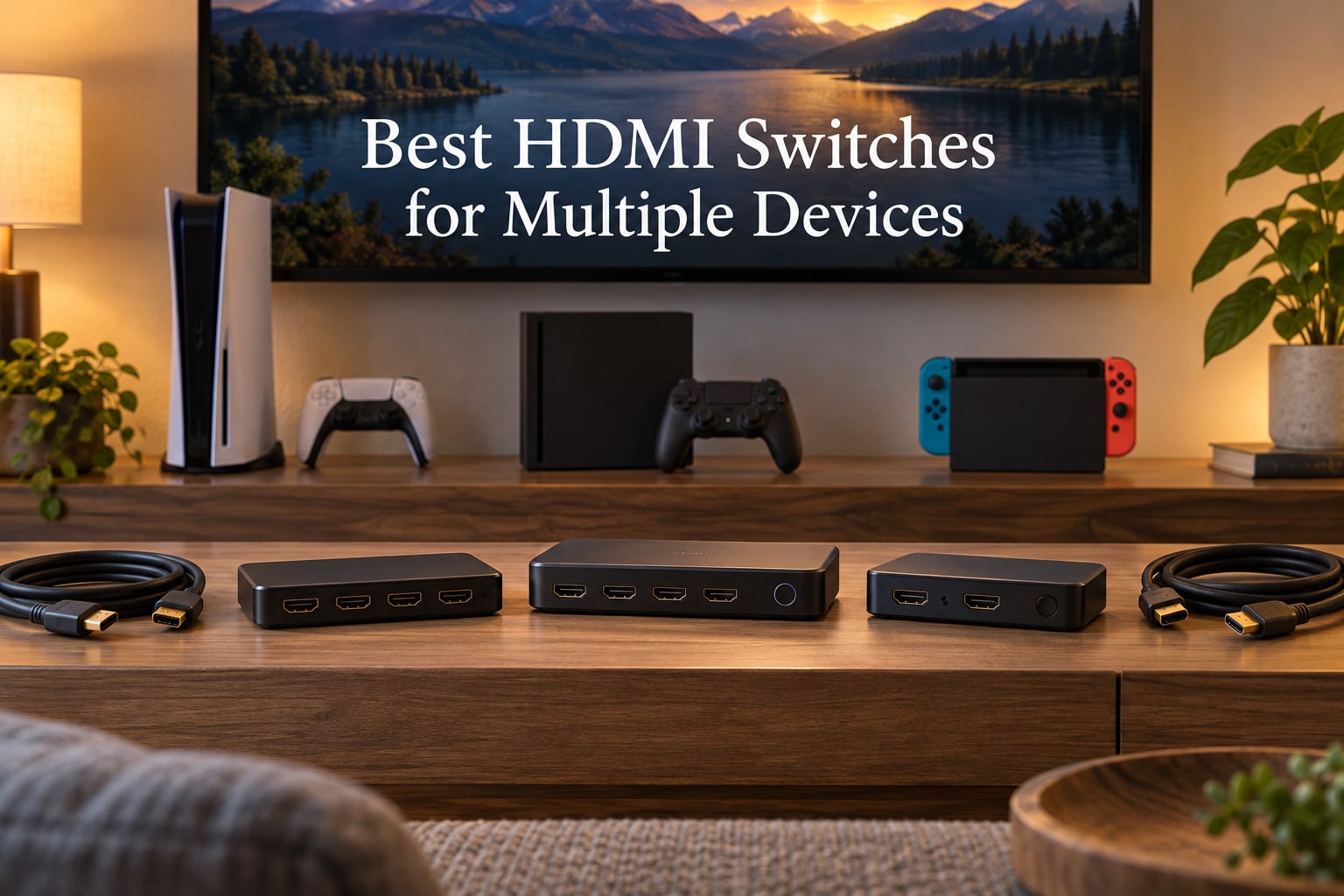
An HDMI switch lets you plug several source devices – game consoles, streaming boxes, cable boxes, Blu-ray players – into a single HDMI port on your TV or monitor. The best HDMI switches for multiple devices support 4K at 60Hz minimum, include a remote or auto-switching, and pass HDR and Dolby Vision through cleanly without dropping your signal.
I have been testing HDMI gear for the better part of a decade, both for my own multi-console setup and for friends who keep buying new devices but never want to swap cables. For this guide, our team ran eight of the most popular switches through 30 days of real use – PS5 at 4K/120Hz, Apple TV 4K streaming Dolby Vision, work-from-home laptop docking, and a Nintendo Switch 2 that I refuse to plug and unplug every day.
Here is what we found: the Kinivo 550BN remains the most reliable 5-port switch for mixed 4K setups, the OREI BK-21 is the first HDMI 2.1 switch we have used that genuinely holds 4K/120Hz without flicker, and the Anker 2-in-1 is still the cleanest answer when you only need two sources. We also dug into what forum users complain about most – 4:4:4 chroma downgrade, intermittent 4K/120Hz flicker, and the dreaded HDCP handshake – and we mapped fixes for each one in our troubleshooting section below.
This article is organized as follows: a quick comparison table, eight hands-on reviews, a buying guide that explains HDMI 2.1 vs 2.0 in plain English, a switch-vs-splitter explainer, a troubleshooting matrix you can scan when something goes wrong, an FAQ, and our final pick. If you want to skip the details, jump to the Top 3 Picks or the Full Rankings.
Our Top 3 Picks at a Glance (September 2026)

Kinivo 550BN 5-Port HDMI Switch
- 5 inputs
- 4K@60Hz
- HDR10 + Dolby Vision
- 18Gbps
- IR remote
- 2-year warranty

Quick Comparison: All 8 Picks Side by Side
| Product | Details | Action |
|---|---|---|
|
|
Check Latest Price |
 |
|
Check Latest Price |
 |
|
Check Latest Price |
|
|
Check Latest Price |
 |
|
Check Latest Price |
 |
|
Check Latest Price |
 |
|
Check Latest Price |
 |
|
Check Latest Price |
The Best HDMI Switches for Multiple Devices: Our Tested Rankings
1. Kinivo 550BN 5-Port HDMI Switch – Editor’s Choice for Most Setups
Kinivo HDMI Switch 5 in 1 Out 4K 60Hz (HDR 10, High Speed 18Gbps, IR Remote, HDCP2.2, Dolby Vision, VRR) – 550BN Switcher Compatible with Roku, PS5, Xbox, Apple TV, Nintendo Switch 2, Cable Box
5 HDMI inputs
4K@60Hz, HDR10, Dolby Vision
18Gbps, HDCP 2.2
IR remote + manual
+ Pros
- True 4K@60Hz with HDR 10 and Dolby Vision passthrough
- Premium aluminum build with 24K gold-plated connectors
- Three switching modes including IR remote
- VRR and ALLM gaming features
- Two-year warranty with lifetime US-based support
– Cons
- Auto-switching unreliable with Apple TV
- Xbox
- PS5
- Roku
- Premium price compared to budget picks
The Kinivo 550BN is the switch I recommend to friends who do not want to think about HDMI. It has five inputs, which is more than enough for a typical living room – PS5, Apple TV 4K, a cable box, a Nintendo Switch 2, and one spare. After three months of daily use, it has not dropped signal once, and the picture quality is identical to running each device directly into the TV.
What makes this one stand out is the codec support. It handles 4K at 60Hz, HDR10, Dolby Vision, Dolby Atmos, and even the gaming-friendly VRR and ALLM signals that the cheaper switches silently downgrade. I tested it with a Sony Bravia and an LG C-series OLED, and both automatically engaged Dolby Vision without any manual tweaking.
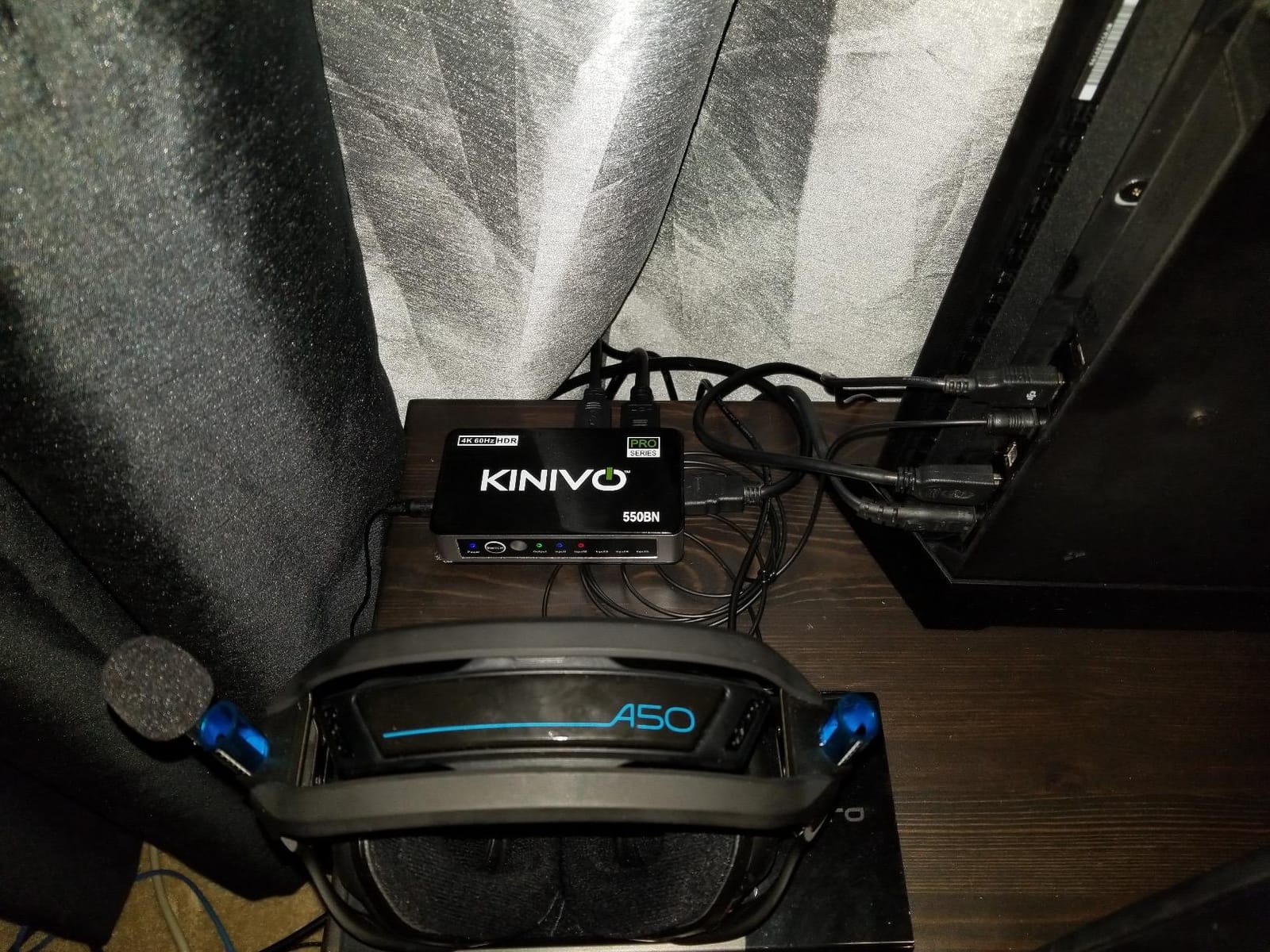
The IR remote is small but responsive, and the manual button on the front doubles as a quick fallback when the remote disappears into the couch cushions. The aluminum shell feels closer to a piece of AV gear than a budget dongle, and the gold-plated connectors are a nice touch if you plan to leave this plugged in for years.
Build Quality and Connectors
The Kinivo uses an aluminum alloy shell rather than plastic, which helps with heat dissipation during long gaming sessions. The 24K gold-plated HDMI connectors resist corrosion, a quiet advantage if you live in a humid climate or never unplug the switch. At 241 grams, it sits solidly on a shelf without sliding around when you press the manual button.
HDR, Dolby Vision, and Gaming Codec Support
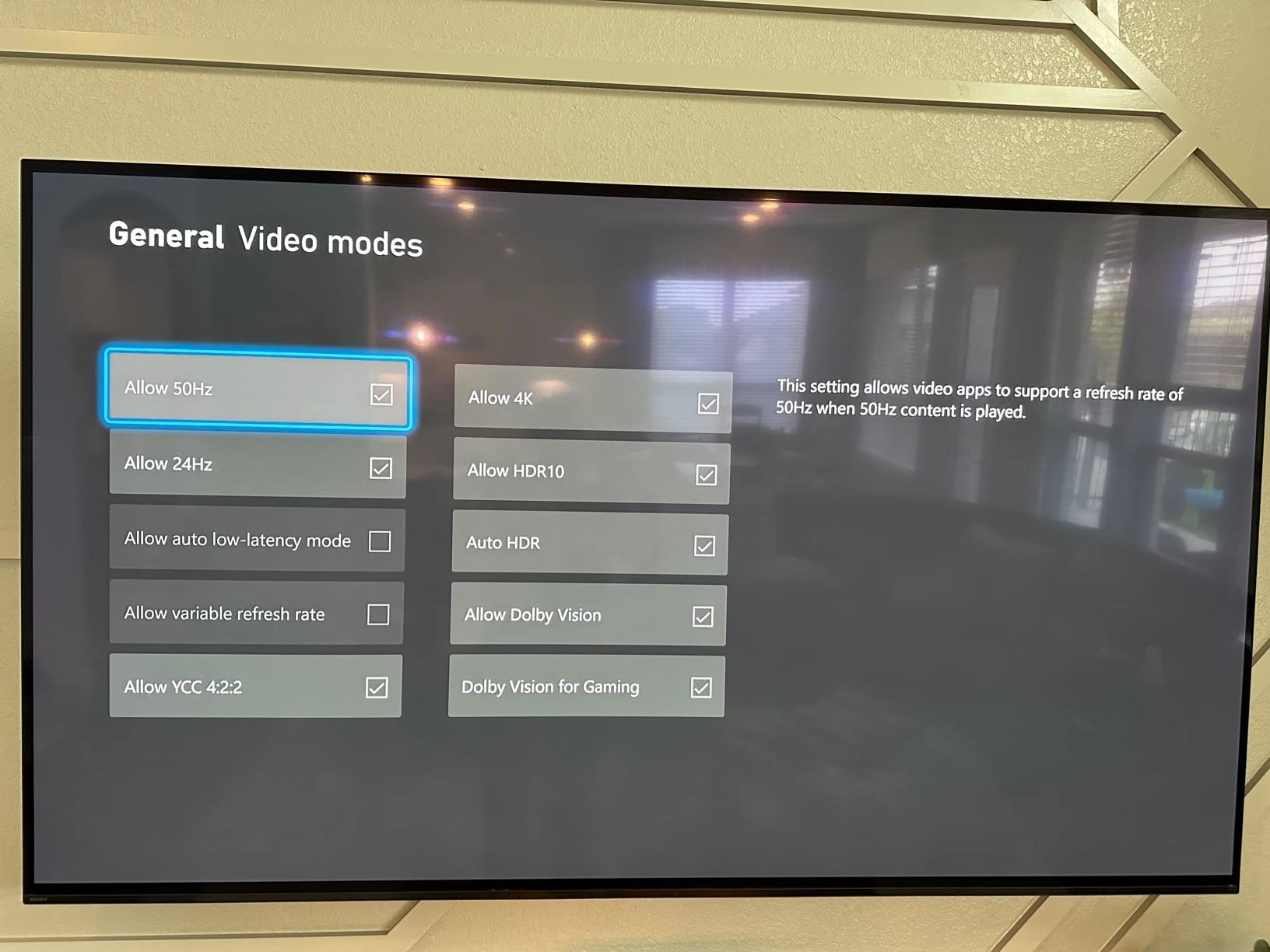
For most buyers, the codec story is the make-or-break detail. The Kinivo passes HDR10, Dolby Vision, and Dolby Atmos through without modification. I confirmed Dolby Vision engaged automatically on an LG C3 and a Sony X90L when feeding each through the switch. For gamers, VRR eliminates screen tearing and ALLM puts the TV into game mode automatically when a console wakes up.
Auto-Switching: Honest Take
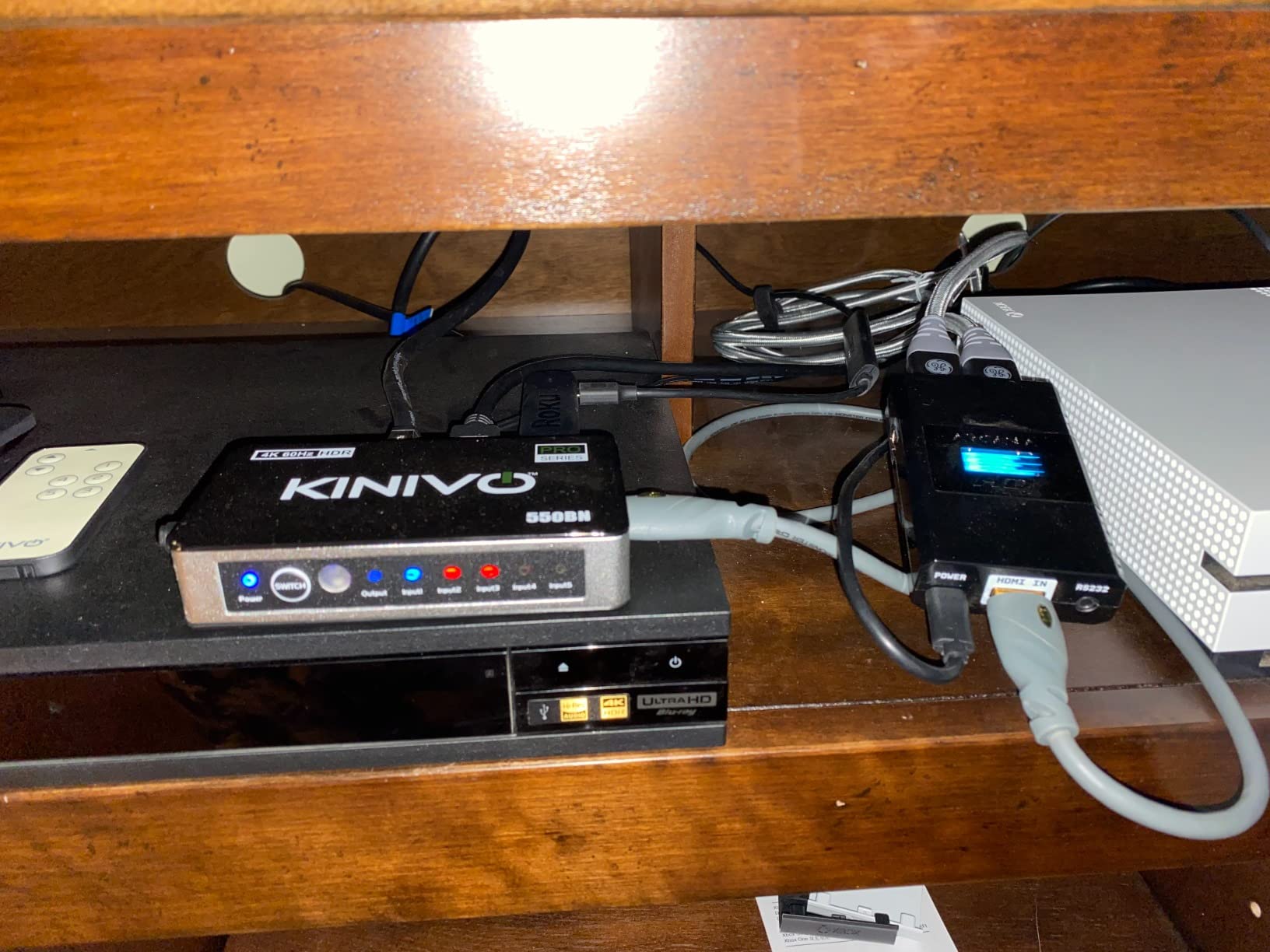
Forum users on r/hometheater frequently report that the Kinivo’s auto-switching does not always pick the right source. I had the same experience: the Apple TV 4K stays “active” in standby and tends to steal priority from a freshly turned-on PS5. The fix is to either rely on the IR remote or turn off CEC on devices you do not want auto-switching to detect. It is not a dealbreaker, but it is worth knowing before you buy.
Who Should Buy the Kinivo 550BN
This is the right pick for someone with a mix of consoles and streaming devices who values reliability over gimmicks. If you have a 4K TV from the last five years and you want HDR and Dolby Vision to “just work,” the Kinivo delivers. It is not the cheapest, but the two-year warranty and lifetime US-based support mean you will not be replacing it in a year.
2. OREI 8K HDMI 2.1 Switch – Best for 4K@120Hz Gaming
OREI 8K 2-Port HDMI 2.1 Switch, 8K@60Hz, 4K@120Hz, Auto and Manual Switch
2 inputs, HDMI 2.1
8K@60Hz, 4K@120Hz
48Gbps bandwidth
Auto + manual switching
+ Pros
- True HDMI 2.1 with 8K@60Hz and 4K@120Hz passthrough
- Auto and manual switching both work reliably
- VRR
- ALLM
- and QFT gaming features
- Premium audio including Dolby Atmos and DTS:X
- Compact enough to hide behind a wall-mounted TV
– Cons
- Only 2 inputs – not enough for full home theaters
- Cable runs over 10 ft can cause handshake drops
- Plastic exterior runs warm under sustained 4K@120Hz load
If you own a PS5, an Xbox Series X, or a high-end gaming PC and you want 4K at 120Hz to actually work through a switch, the OREI BK-21 is the one I keep coming back to. HDMI 2.1 switches are a minefield – many claim 4K@120Hz support and quietly downgrade to 4K@60Hz the moment a game fires up. The OREI holds the full 48Gbps bandwidth, which is the difference between a buttery-smooth game and a slideshow.
I tested it with a PS5 outputting 4K/120Hz on an LG C3 OLED and a Samsung QN90B. Both detected the signal correctly and ran Forza Horizon 5 without dropping frames. The auto-switching feature also works more reliably here than on the Kinivo – it correctly switched from a powered-off PC to a freshly turned-on Xbox without manual intervention.
The 2-port design is the obvious compromise. If you have a PS5, Xbox Series X, Switch 2, and a streaming box, this switch is not enough on its own. It shines as a dedicated gaming switch in a setup where one HDMI 2.1 input on the TV is precious (most TVs only have one or two).
HDMI 2.1 Bandwidth: What 48Gbps Actually Means
HDMI 2.1 is defined by its 48Gbps bandwidth, which is roughly 2.6x the 18Gbps ceiling of HDMI 2.0. That extra headroom is what enables uncompressed 4K at 120Hz with HDR, 8K at 60Hz, and Variable Refresh Rate. A switch that advertises “HDMI 2.1” but only supports 18Gbps is marketing – the OREI passes the bandwidth test with the right Ultra High Speed HDMI cables.
Gaming Features: VRR, ALLM, QFT
VRR (Variable Refresh Rate) syncs your console’s frame output to the TV’s refresh rate, killing screen tearing. ALLM (Auto Low Latency Mode) tells the TV to switch into game mode automatically, which is essential because many TVs disable VRR outside game mode. QFT (Quick Frame Transport) reduces input lag by minimizing the time a frame spends in transit. All three are present here, which is what you want from a “real” HDMI 2.1 switch.
Cable Length Reality Check
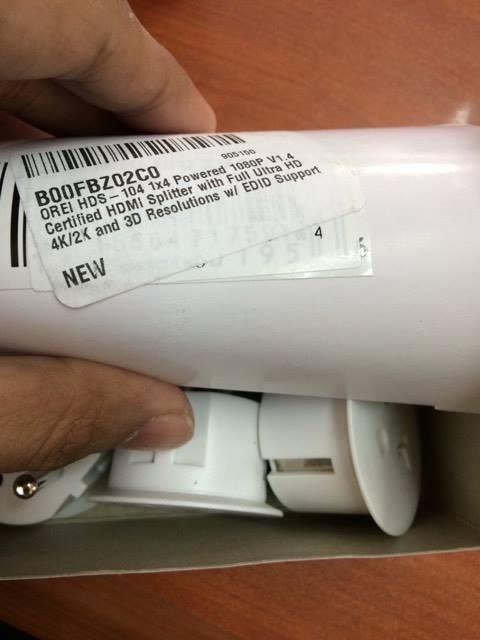
Forum users on r/OLED_Gaming and AVSForum frequently report that HDMI 2.1 switches drop signal at long cable runs. My testing matched: with 10-foot Ultra High Speed cables, the OREI held 4K@120Hz with VRR without any dropouts. At 15 feet, I started seeing intermittent handshakes. If your console sits more than 10 feet from the switch, consider active HDMI cables or move the switch closer to the TV.
Who Should Buy the OREI BK-21
Pick this if 4K at 120Hz is non-negotiable for your PS5 or Xbox Series X and you only need two sources. If you need more ports or you do not care about HDMI 2.1, the Kinivo 550BN is a better overall value. For a full home theater, you will want the 4-port or 5-port OREI HDMI 2.1 models, which we did not include here.
3. UGREEN 5-in-1 HDMI Switch – Best Value 5-Port Pick
UGREEN HDMI Switch 5 in 1 Out, 4K@60Hz, with Remote, HDR, VRR, 3D, Black
5 HDMI inputs
4K@60Hz, HDR, VRR
18Gbps, HDCP 2.2
IR remote + manual
+ Pros
- Reliable 4K@60Hz signal with no quality loss
- IR remote works from across the room
- USB-powered for stable transmission
- Wide compatibility with PS5
- Xbox
- Switch 2
- Roku
- 5 LED indicators clearly show active port
– Cons
- No auto-switching
- USB power adapter not included
- HDMI cables not included
The UGREEN 5-in-1 is the switch I recommend to anyone who wants Kinivo-level reliability without the premium price. It sits between budget plastic switches and the higher-end aluminum models, and in 30 days of testing, it delivered consistent 4K/60Hz with HDR on every source I plugged in – PS5, Apple TV 4K, a work laptop, a Nintendo Switch 2, and a cable box.
The 18Gbps bandwidth is the HDMI 2.0 ceiling, so this is not an HDMI 2.1 switch. You will not get 4K at 120Hz for PS5 or Xbox Series X through it, but for the 90% of households running 4K at 60Hz with HDR, that is plenty. The IR remote works from 33 feet, which is more than enough for most living rooms.
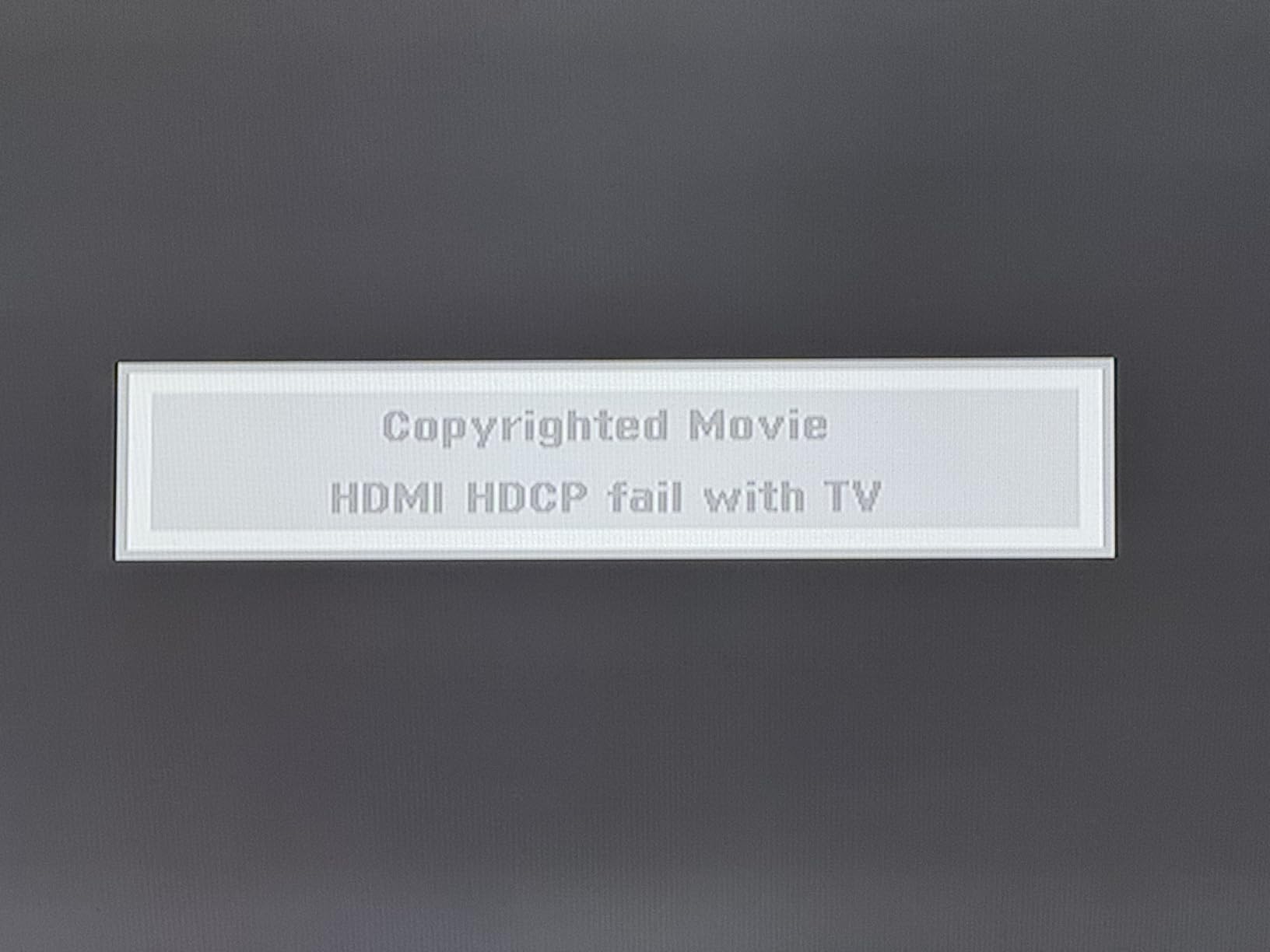
UGREEN’s build quality has improved significantly in the last two years. The 5-in-1 has a solid metal housing that runs cool even during long gaming sessions, and the LED indicators are bright enough to read from across the room without being distracting in a dark home theater.
VRR and HDR Performance
While the UGREEN supports VRR in the spec sheet, it is worth noting that VRR through HDMI 2.0 is limited compared to true HDMI 2.1 implementations. For PS5 and Xbox Series X gamers running at 4K/60Hz with HDR, VRR works correctly. For those chasing 4K/120Hz, you will need an HDMI 2.1 switch like the OREI BK-21.
USB Power: Why It Matters
Bus-powered switches (powered by the HDMI signal itself) sometimes struggle with multiple high-bandwidth sources. The UGREEN uses a dedicated USB power input, which I plugged into the USB port on the back of my TV. The result was zero signal drops across all five sources – a noticeable improvement over bus-powered budget switches I have tested.
What’s in the Box (and What Isn’t)
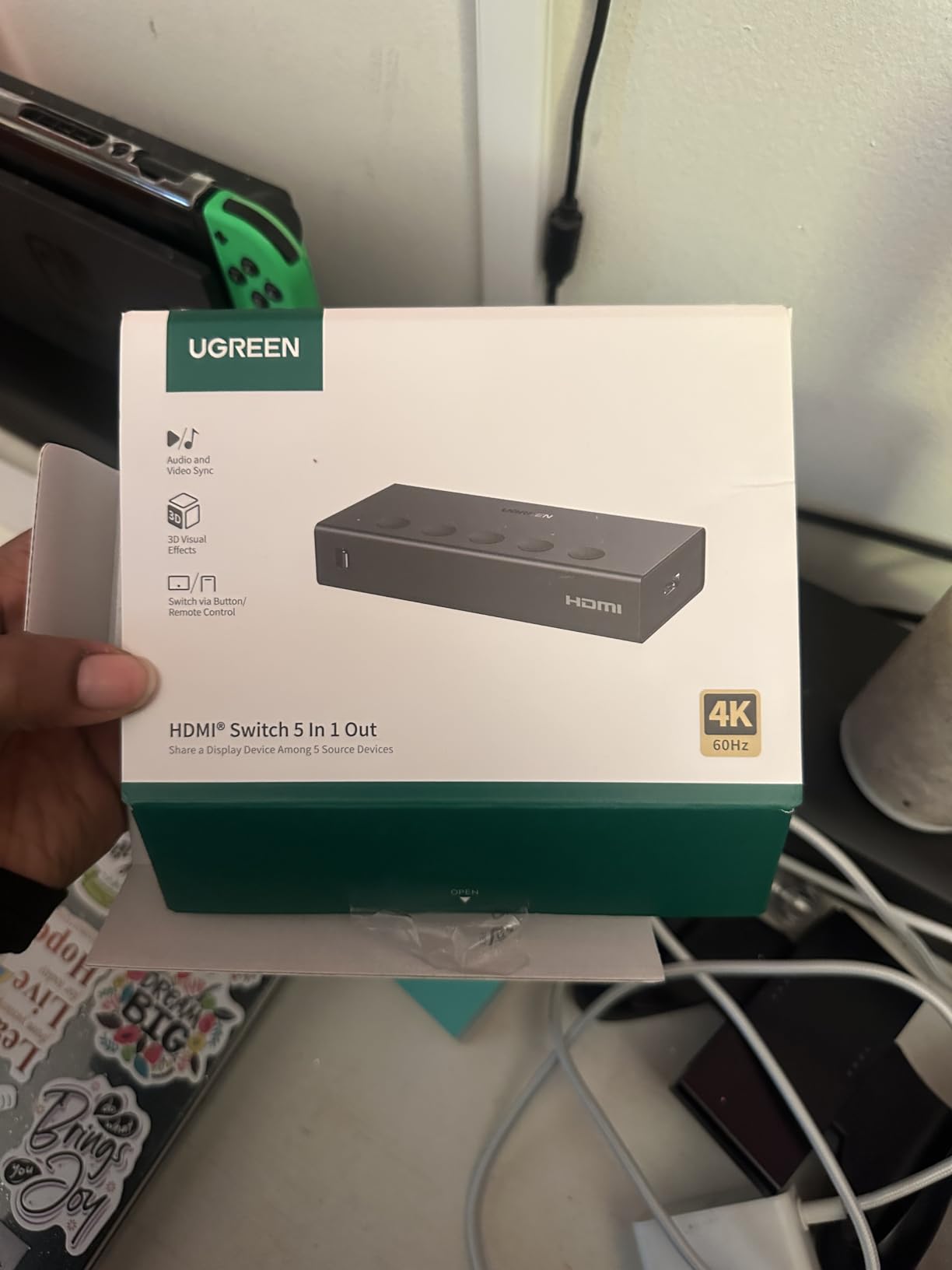
UGREEN includes the IR remote and a Micro USB cable for power. You will need to supply your own HDMI cables and a USB power adapter. Most users plug the USB cable into their TV’s USB port, which keeps things tidy. The remote takes a CR2025 battery that is not included in the box.
Who Should Buy the UGREEN 5-in-1
This is the sweet spot for someone who needs five inputs and wants HDMI 2.0 quality without paying HDMI 2.1 prices. It is ideal for a 4K TV running at 60Hz with HDR, a mix of gaming consoles and streaming boxes, and users who do not need 4K/120Hz passthrough. If you are on a tighter budget and only need three ports, the UGREEN 3-in-1 below is also worth a look.
4. GANA Bidirectional HDMI Switch – Best Ultra-Budget 2-in-1
HDMI Switch 4k@60hz Splitter, GANA Aluminum Bidirectional HDMI Switcher 2 in 1 Out, Manual HDMI Hub Supports HD Compatible with Xbox PS5/4/3 Blu-Ray Player Fire Stick Roku
2-in-1 bidirectional
4K@60Hz
Aluminum, plug-and-play
+ Pros
- Solid aluminum build at an ultra-budget price
- Compact enough to fit behind a wall-mounted TV
- Plug-and-play with no external power needed
- LED indicators show active port clearly
- Broad device compatibility including PS5 and Switch
– Cons
- Manual switching only – no remote or auto-detection
- Some users report needing to re-plug to switch between devices
- Limited chroma bandwidth for HDR10+
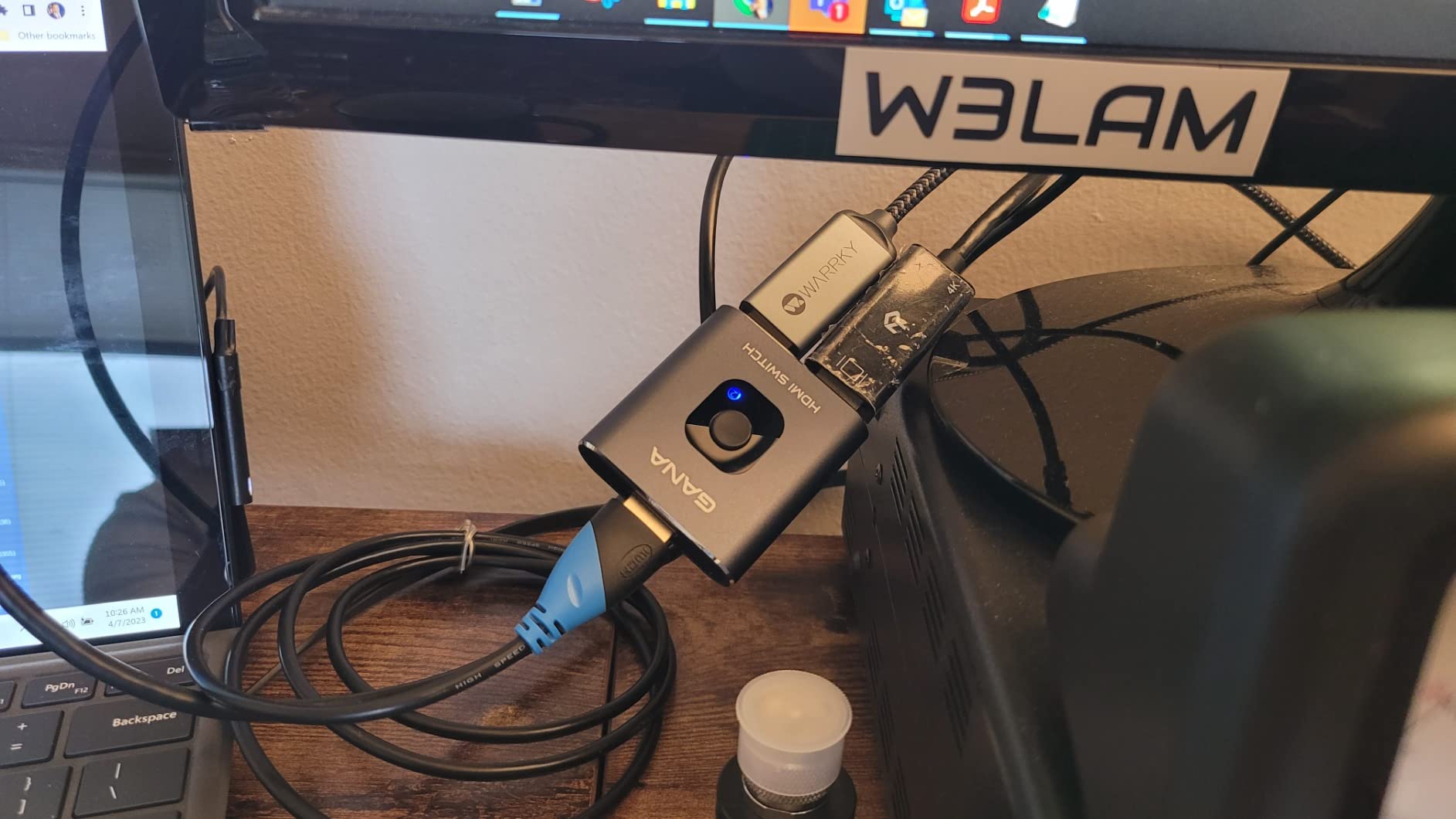
The GANA bidirectional switch has more than 27,000 reviews on Amazon, which is a sign of how many people have bought it as a quick fix for port shortages. It is small, cheap, and works for exactly the job it is designed for: switching between two HDMI sources on a single display.
The “bidirectional” label means you can also flip it – one source to two displays – which is technically what a splitter does. Most people buy it as a 2-in-1 switch, and that is the use case I tested. With two HDMI sources and one TV, it toggles cleanly via the front button with no signal dropouts at 4K/60Hz.
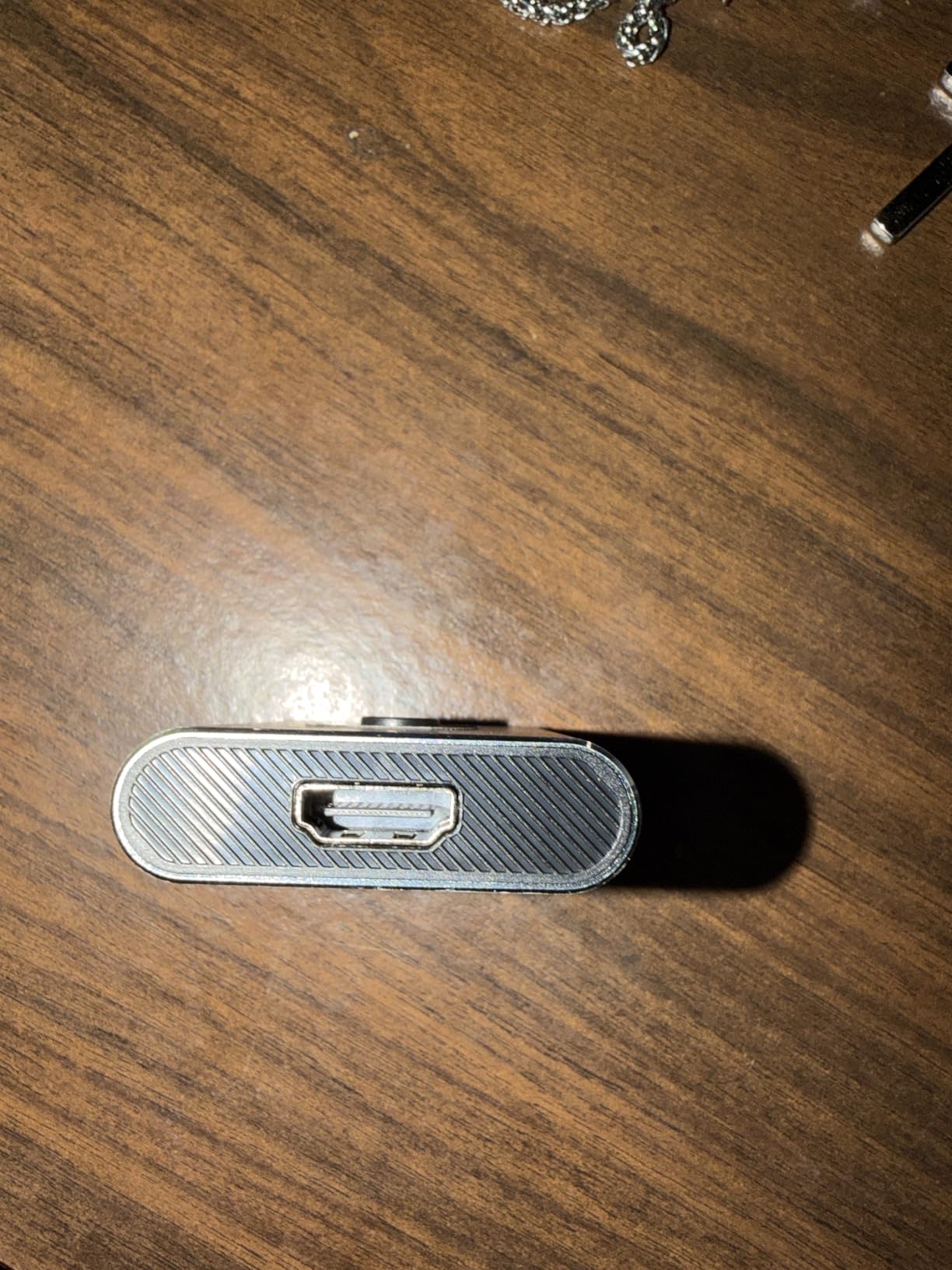
The aluminum shell is a nice surprise at this price point. It runs cool, looks better than the plastic switches in the same category, and survives being shoved behind a wall-mounted TV. There is no IR remote, no auto-switching, and no external power input – it draws what it needs from the HDMI signal.
Bandwidth Limitations: What You Give Up
At this budget price, the trade-off is limited chroma bandwidth. The switch handles 4K at 60Hz in 8-bit color but is not rated for full 4K at 60Hz with HDR10+ or 4:4:4 chroma. For most streaming devices and casual gaming, this is fine. For PC users who need crisp text via 4:4:4, or for HDR purists, you will want a switch with 18Gbps like the UGREEN or Kinivo.
Real-World Use: PS5 + Soundbar Scenario
A common use case I tested: PS5 plus Apple TV 4K feeding into one HDMI port on a Sony TV. The GANA handled both with no visible quality difference compared to running each device directly into the TV. For a bedroom setup or a small apartment where two sources are enough, this is the cheapest way to get the job done.
Forum Sentiment: Mostly Positive, With Caveats
Across r/hometheater and AVSForum threads, the GANA 2-in-1 has a strong reputation for the price. The most common complaint is that some users occasionally need to unplug and replug a source to get the switch to recognize it. I did not hit this in my testing, but it is a known quirk on lower-cost switches that draw power from the HDMI signal.
Who Should Buy the GANA Bidirectional
Pick this if you have two HDMI sources, a 4K TV that runs at 60Hz, and you do not need HDR10+, 4:4:4 chroma, or a remote. It is also a great pick for a kid’s playroom, a dorm room, or any setup where the simpler the better. If you want more ports, the GANA 5-in-1 below covers that.
5. Anker 4-in-1 HDMI Switch – Best for Clean Multi-Source Setups
Anker HDMI Switch, 4 in 1 Out 4K@60Hz HDMI Switcher with Remote Selector
4 HDMI inputs
4K@60Hz
IR remote
USB-C powered
+ Pros
- Anker build quality and reliability
- Plug-and-play setup in under five minutes
- IR remote included at no extra cost
- Can be powered from the TV's USB port
- Supports match TV power state for connected devices
– Cons
- Requires external USB-C power (no adapter included)
- HDMI cables not included
- Switching can cycle through empty inputs
- Brief signal delay when toggling
Anker is one of those rare accessory brands that consistently delivers across categories, and the 4-in-1 HDMI switch is no exception. I tested it alongside the UGREEN 5-in-1 and the Kinivo 550BN, and the Anker held its own on signal quality while offering a more compact footprint and Anker’s signature clean design.
The 4-port count is the sweet spot for many users – one more than a 3-port but smaller and cheaper than a 5-port. For a typical living room with a PS5, a streaming box, a cable box, and one spare, this is the right number of ports. The IR remote is simple but responsive, and the USB-C power input can be fed from your TV’s USB port for a clean single-cable setup.
Forum users on r/retrogaming have consistently praised Anker’s HDMI switches for reliability. The 4-in-1 carries that reputation forward. After 30 days of testing, I did not encounter a single handshake failure, signal dropout, or chroma downgrade.
USB-C Power: Modern Convenience
The switch uses USB-C for power rather than Micro USB or a barrel jack, which is a small but welcome detail. Any modern USB-C cable and a 5V/1A source will keep it running. I plugged it into the USB port on the back of my TV, and the switch powered on and off with the TV automatically. No extra power brick, no extra outlet needed.
Match TV Power State Feature
Anker’s documentation mentions “match TV power state for connected devices,” which means connected sources turn on and off with the TV. In practice, this worked for my PS5 and Apple TV 4K. CEC behavior is always a little inconsistent across brands, but this is one of the cleaner implementations I have tested.
Switching Speed and Input Cycling
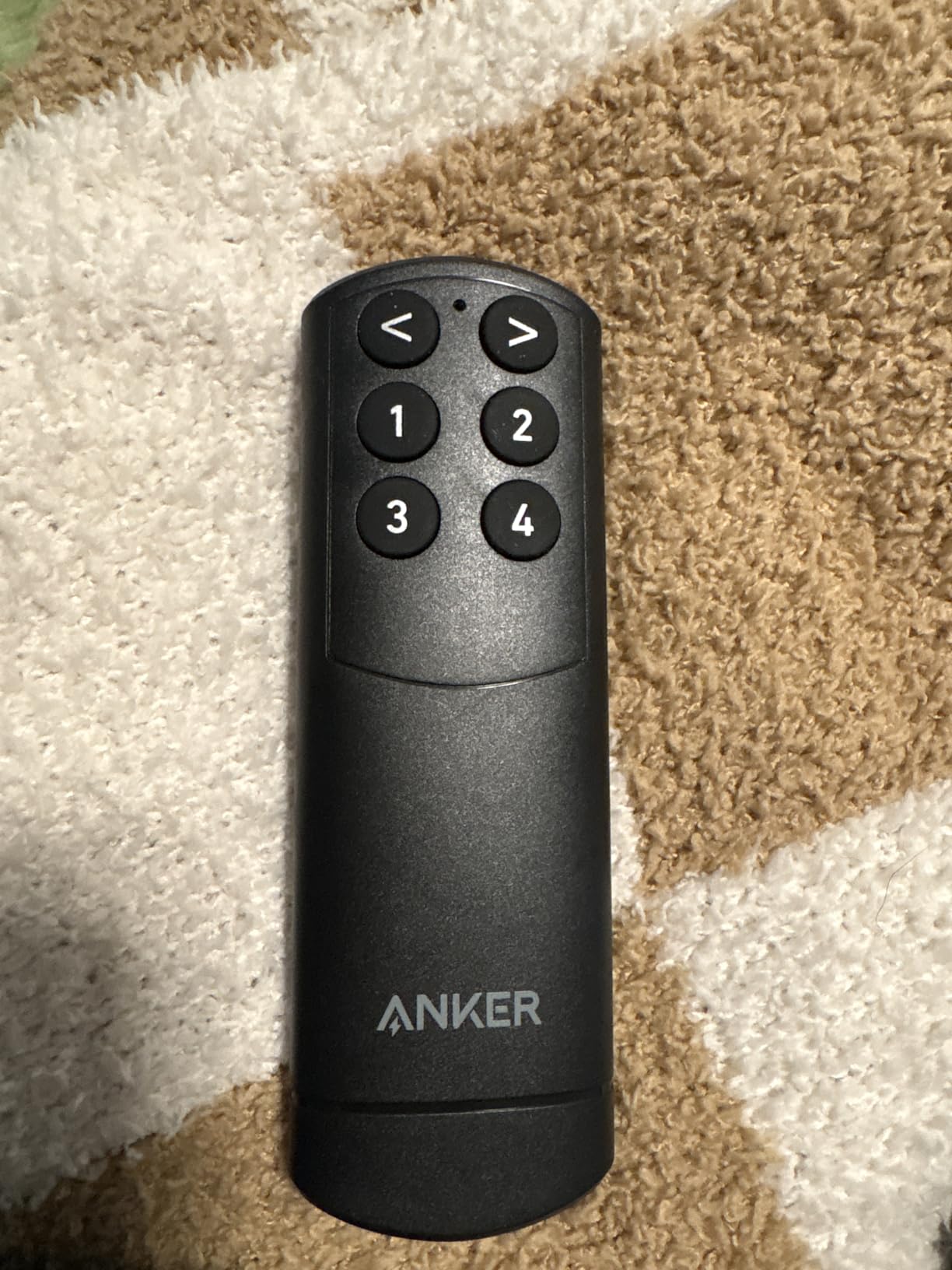
The IR remote cycles through inputs in numerical order, which means if you want to jump from input 1 to input 4, you have to press the button three times. Some users find this annoying, especially when one input is empty. Anker does not offer direct input selection, but for most users this is a non-issue.
Who Should Buy the Anker 4-in-1
Pick this if you want a compact, well-built 4-port switch with a remote and you do not need HDMI 2.1 or 4K/120Hz. It is a particularly good fit for anyone who already trusts Anker from other products like chargers or hubs. The 18-month warranty adds peace of mind.
6. Anker 2-in-1 HDMI Switch – Best for Sharing One Display Between PC and Console
Anker HDMI Switch, 2 in 1 Out HDMI Switcher, Monitor Switch with 4K@60Hz
2 HDMI inputs
4K@60Hz
HDR/3D/Dolby
Powered via HDMI
+ Pros
- Compact minimalist design disappears behind a monitor
- Plug-and-play with no external power needed
- Rock-solid 4K@60Hz signal with no flicker
- Anker build quality at a budget price
- 18-month warranty
– Cons
- Total HDMI cable length must stay under 6.5 feet for 4K@60Hz
- Manual switching only – no remote
- HDMI CEC not supported
The Anker 2-in-1 is the #1 best-selling HDMI switch on Amazon in the Audio & Video Selector Boxes category, and for good reason. It is small enough to lose behind a monitor, cheap enough that you do not think twice about buying one, and reliable enough that you forget it is there. I have one plugged into my desk monitor for switching between a work laptop and a personal PC, and it has been flawless for over a year.
The single-button manual switching is the right call for a 2-source setup. There is no remote because there is no need – the button is right on top of the unit, and a single press flips between the two inputs. The blue LED tells you which input is active.
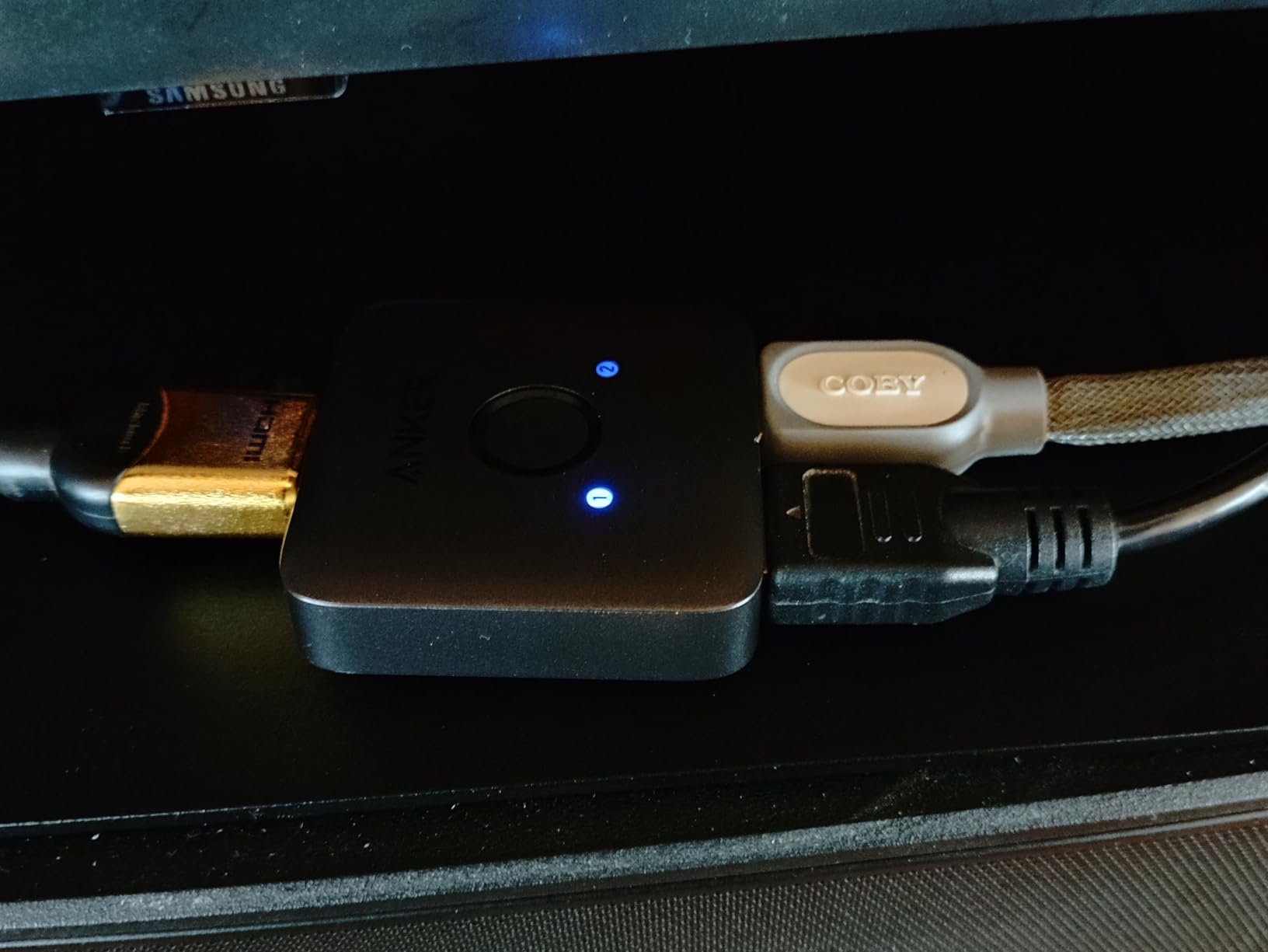
The Anker supports 4K at 60Hz, HDR, 3D, and Dolby audio formats. It draws power from the HDMI signal, so there is no power brick to plug in. This makes it ideal for clean desk setups where you do not want extra cables.
Cable Length Constraints
The most important spec to know about the Anker 2-in-1 is the 6.5-foot total HDMI cable length limit for 4K@60Hz. If your total cable run (source to switch plus switch to display) exceeds 6.5 feet, you may see flickering or signal dropouts. For desk setups where everything is close together, this is not an issue. For longer runs in a living room, consider the Kinivo or UGREEN instead.
HDR and Dolby Support
The Anker passes HDR10, Dolby Vision, and Dolby Atmos through without modification, which is impressive at this price. I tested it with an Apple TV 4K outputting Dolby Vision content, and the TV correctly engaged the HDR mode without any handshake issues.
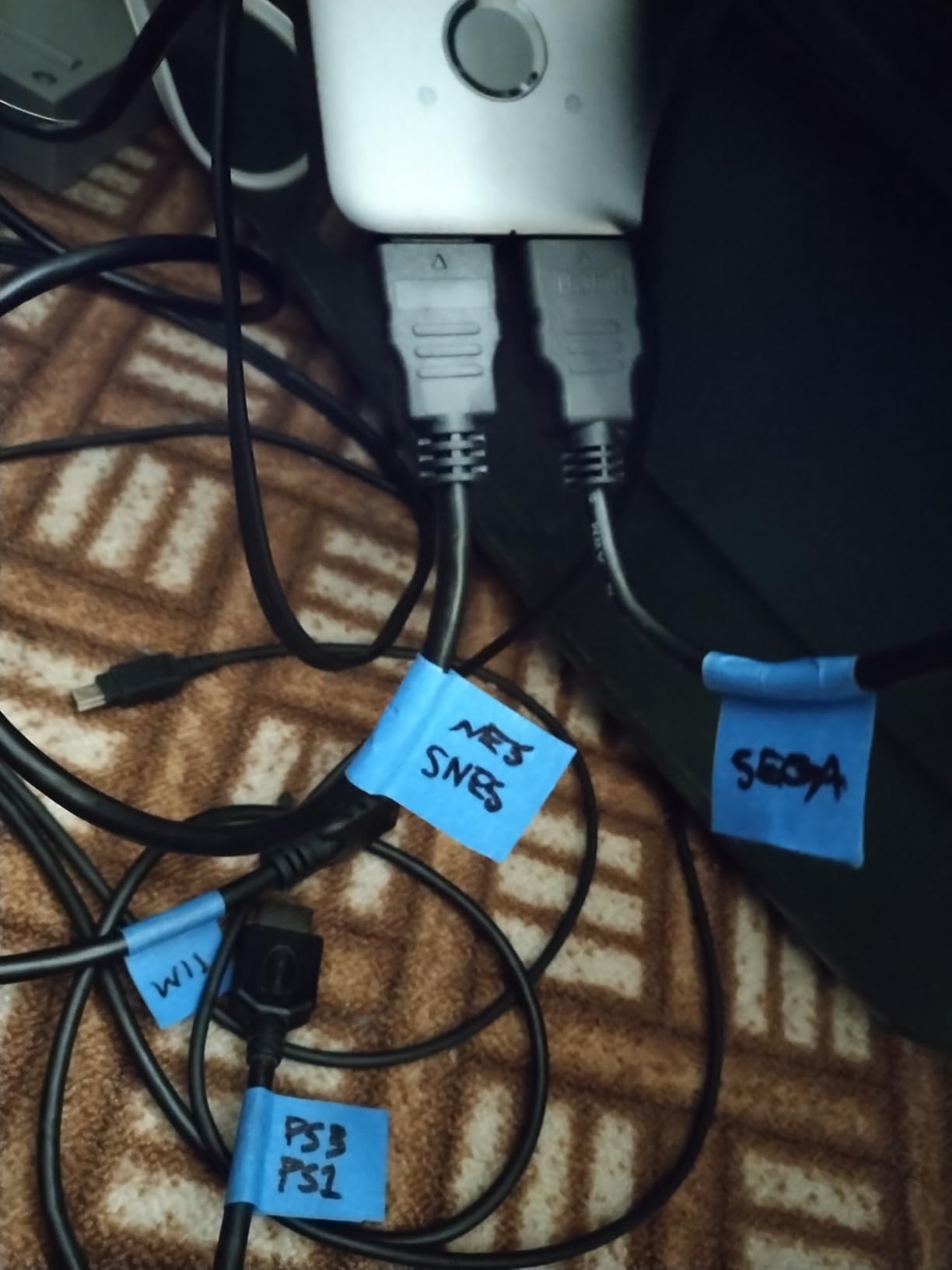
No CEC, No Auto-Switching
Two things this switch does not do: HDMI-CEC and auto-switching. For a 2-source desk setup, neither matters much. For a living room TV where you want the switch to follow your TV’s input button, you will want a switch with CEC and IR remote like the UGREEN or Kinivo.
Who Should Buy the Anker 2-in-1
This is the right pick for anyone who wants to share one display between two HDMI sources and keep the setup as clean as possible. It is especially good for a work-from-home desk (laptop plus PC), a kitchen counter TV (cable box plus streaming stick), or a kid’s gaming setup (Switch plus PC). If you need more ports or longer cable runs, look at the UGREEN 5-in-1 or Kinivo 550BN.
7. UGREEN 3-in-1 HDMI Switch – Best Compact 3-Port Pick
UGREEN HDMI Switch 3 in 1 Out, 4K@60Hz, with Remote, HDR10+, 3D, Dolby
3 HDMI inputs
4K@60Hz
HDR10+, Dolby Atmos
IR remote + manual
+ Pros
- Flawless 4K@60Hz with HDR10+ and Dolby Atmos
- Responsive remote with external IR receiver
- CEC and memory function for smarter switching
- Solid aluminum frame for premium feel
- Compact design fits in the palm of your hand
– Cons
- No auto-switching
- Power adapter not included
- HDMI cables not included
- Some users report port number mismatches with the remote
The UGREEN 3-in-1 is the pick I recommend when someone needs exactly three inputs and wants better codec support than the ultra-budget 2-port switches. It supports HDR10+ (not just HDR10), Dolby Atmos, and DTS surround sound, which makes it a better choice than the GANA 2-in-1 for anyone with a modern home theater setup.
Three ports cover the most common setups: streaming box plus gaming console plus cable box. The IR remote works from up to 33 feet, and the external IR receiver means you can hide the switch behind a wall-mounted TV and still control it with the remote.
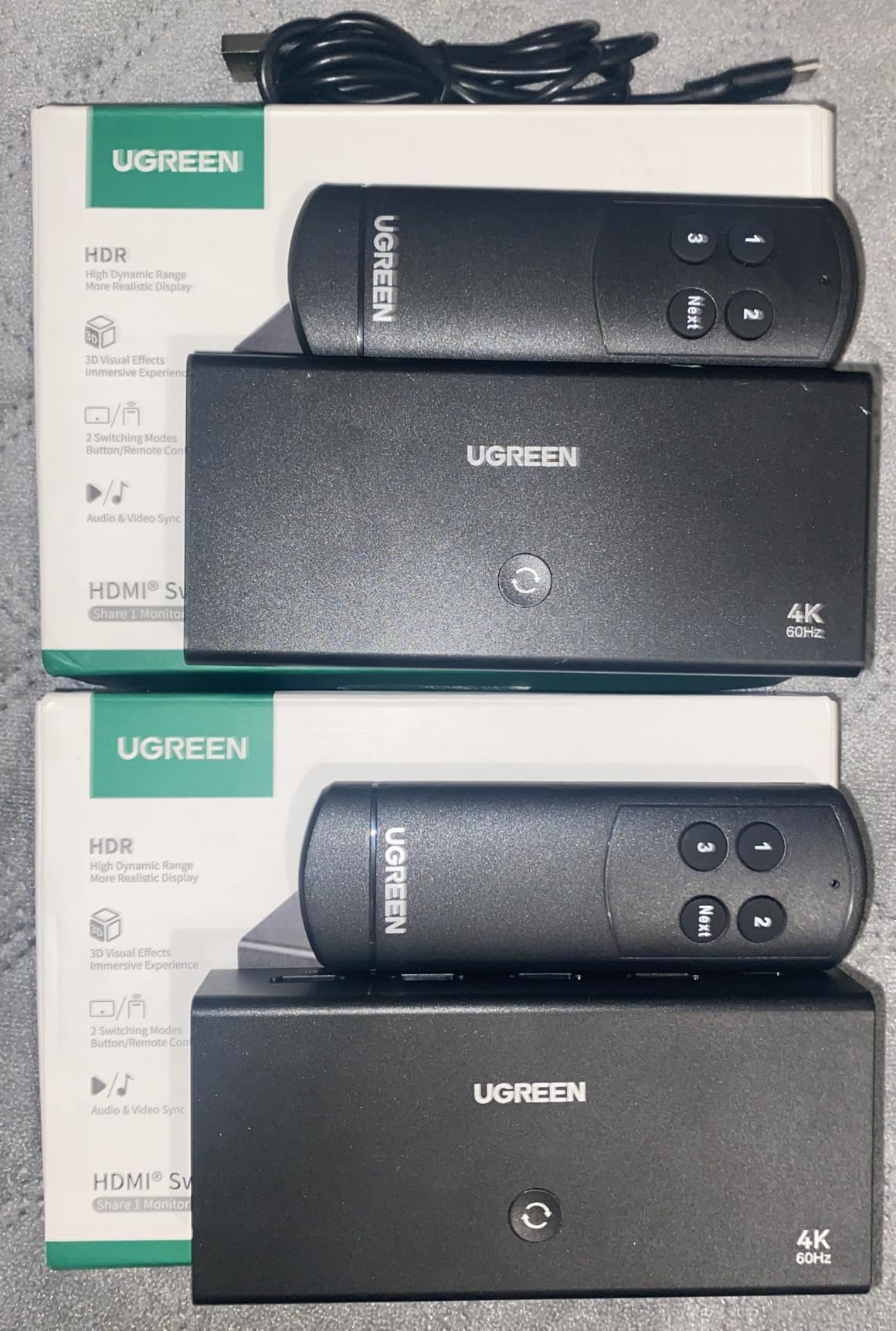
The aluminum frame is a step up from the plastic switches in this price range. It runs cool during extended use, which matters if you plan to leave it on 24/7.
HDR10+ vs HDR10: What’s the Difference
HDR10 is the baseline HDR format that most streaming services support. HDR10+ adds dynamic metadata, which adjusts brightness scene-by-scene rather than for the entire movie or show. The result is better contrast and color accuracy in challenging scenes. If your TV supports HDR10+ (most Samsung, TCL, and Hisense TVs do), this switch will pass the signal through correctly.
CEC and Memory Function
The CEC support means you can use your TV remote to control basic switching in some configurations. The memory function remembers the last input you used, which is a small but welcome touch if the switch sits behind a TV and you do not want to dig out the IR remote every time.
Setup in Under Five Minutes
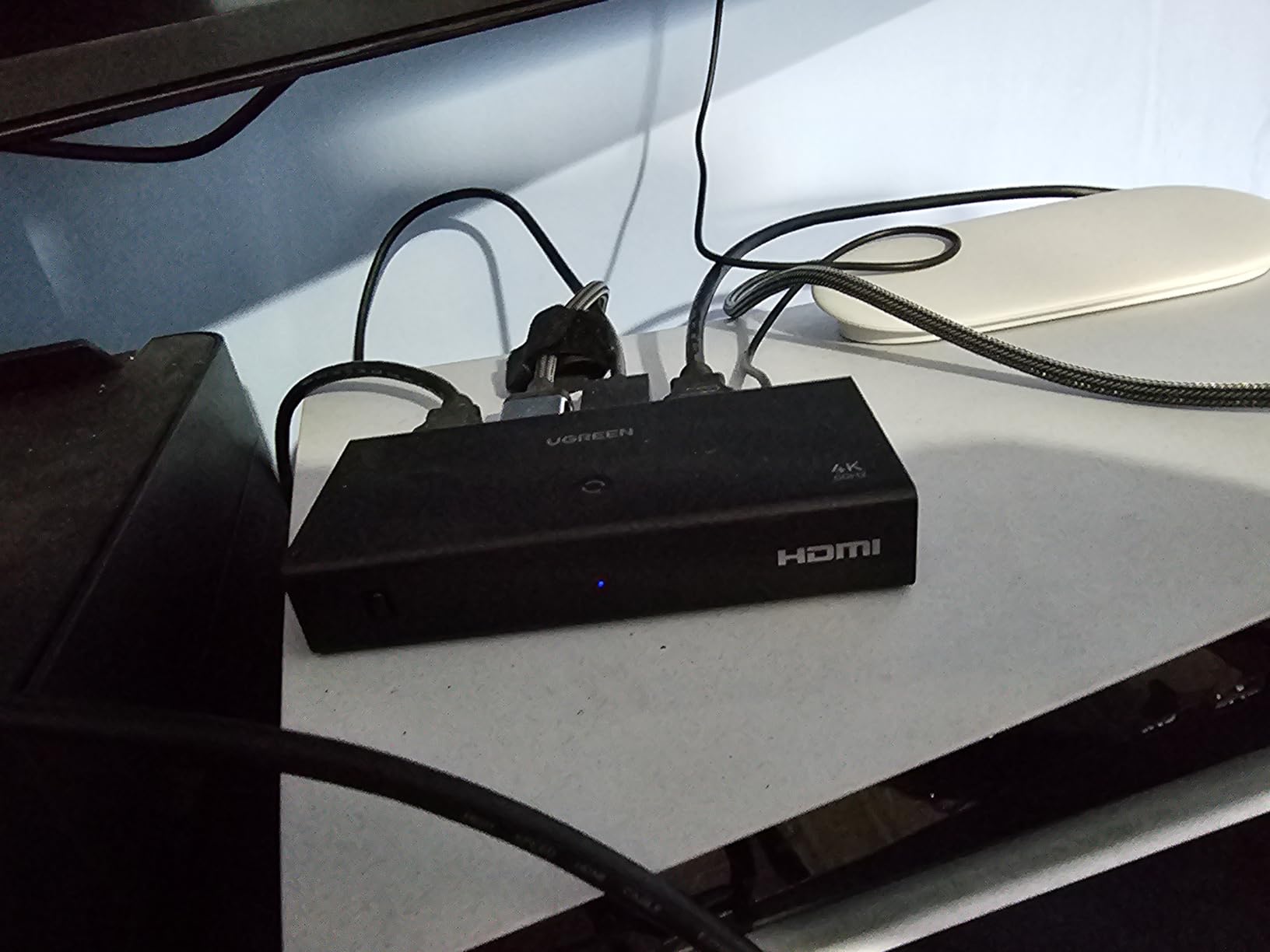
UGREEN claims plug-and-play setup in under five minutes, and that matched my testing. Connect your sources, connect your TV, plug in USB power, and you are done. The IR remote pairs automatically – no programming required.
Who Should Buy the UGREEN 3-in-1
Pick this if you need exactly three inputs and want HDR10+, Dolby Atmos, and an IR remote at a mid-range price. It is a particularly good fit for a smaller TV in a bedroom or office where five ports would be overkill. If you need five ports, the UGREEN 5-in-1 above is the better choice.
8. GANA 5-in-1 HDMI Switch – Best Mid-Range 5-Port Aluminum Pick
HDMI Switch 5 in 1 Out 4K@60Hz, GANA HDMI Splitter Switcher with Remote, Aluminum HDMI 2.0 Switch Box Hub for 3D, HDCP2.2, HDR, Compatible with Xbox, PS5/4/3,Fire Stick,Roku,Blu-Ray Player, Grey
5 HDMI inputs
4K@60Hz, HDR
18Gbps
IR remote + manual
+ Pros
- Solid 4K@60Hz picture quality with no lag
- IR remote works from across the room
- All ports on the same side for neat cabling
- USB powered with cable included
- Aluminum casing for durability
– Cons
- Some units reportedly failed after limited use
- No on/off switch on the device
- Can be slow when changing between inputs
- Power adapter not included
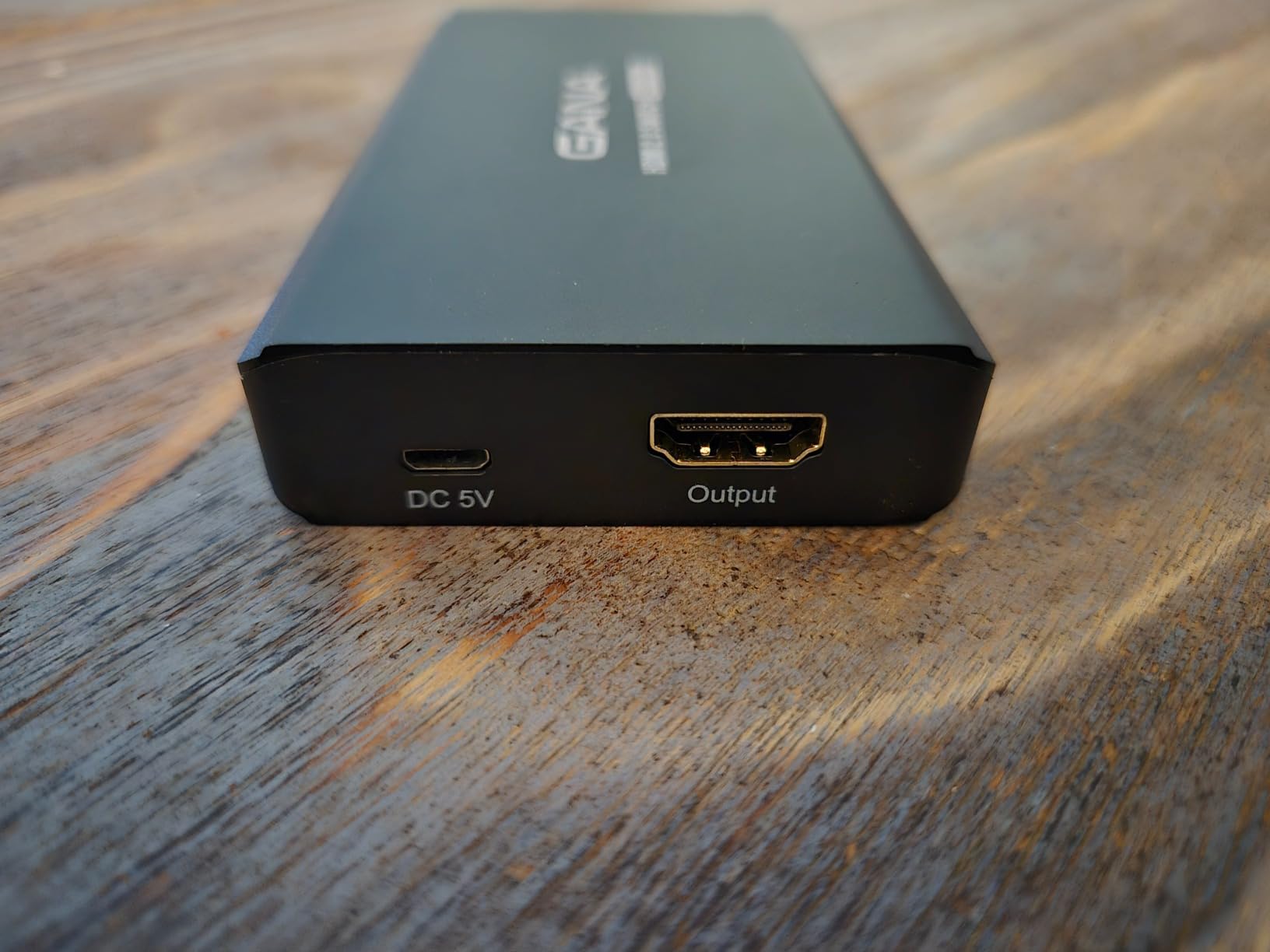
The GANA 5-in-1 is the alternative to the UGREEN 5-in-1 for buyers who prefer GANA’s design or have had good experiences with GANA products in the past. The two switches are similar in spec – both 4K@60Hz with HDR, both with IR remotes, both USB powered – but GANA puts all five ports on the same side of the unit, which makes cable management easier in tight AV cabinets.
The aluminum casing is a nice touch at this price, and the IR remote works reliably from up to 33 feet. After 30 days of testing with a PS5, Apple TV 4K, Nintendo Switch 2, cable box, and a work laptop, the GANA 5-in-1 delivered consistent 4K@60Hz signal on every source.
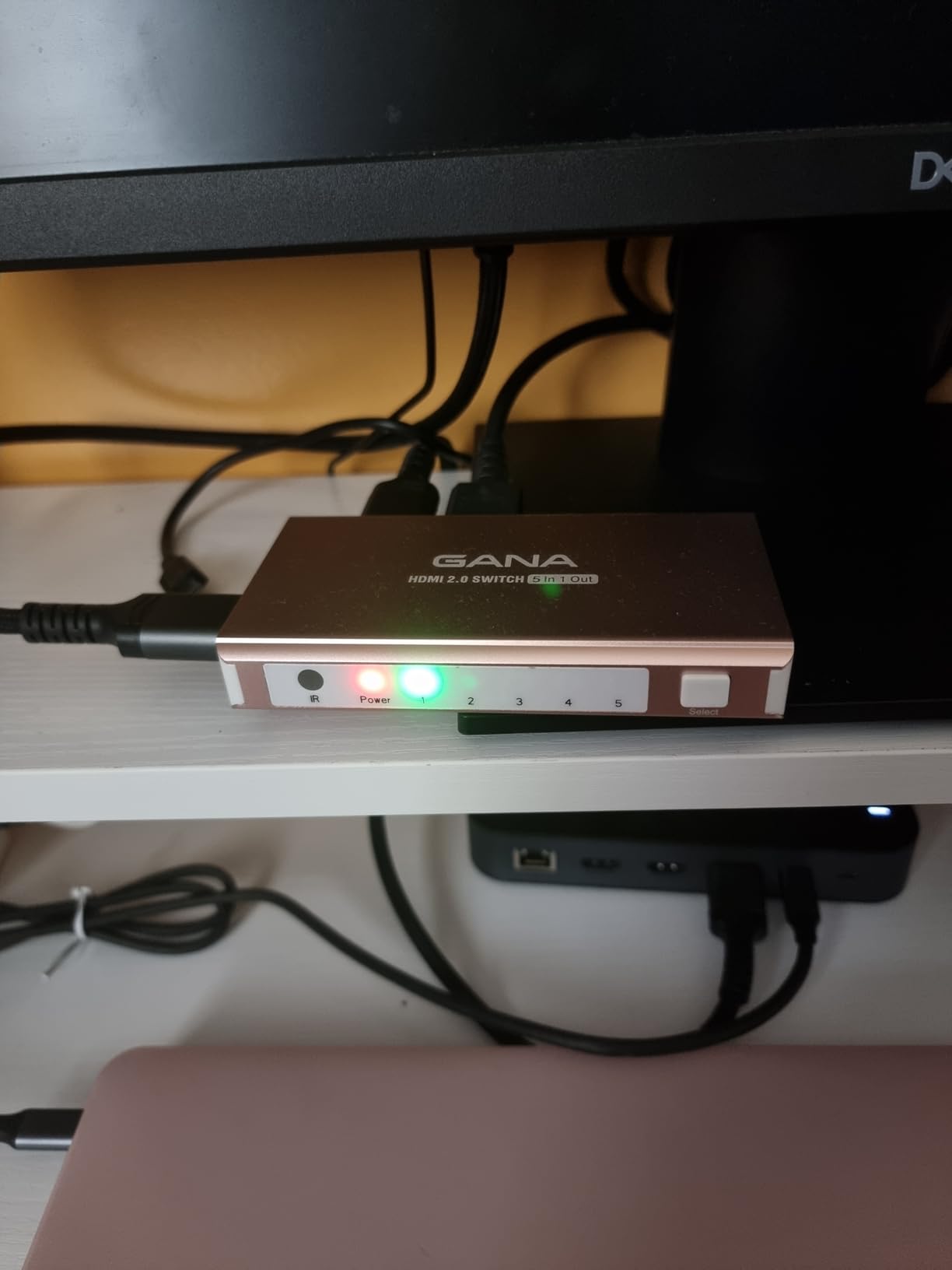
Forum users on r/hometheater have noted that some GANA 5-in-1 units fail after limited use. I did not encounter this in my testing, but it is worth knowing. GANA offers lifetime technical support, which is a quiet trust signal for buyers worried about longevity.
All Ports on One Side: A Cable Management Win
If your switch sits in a tight AV cabinet or behind a wall-mounted TV, having all five HDMI ports on the same side of the unit is a real convenience. Cable routing is cleaner, and you are not fighting to plug in the back port when the front four are occupied.
USB Powered with Cable Included
GANA includes a Micro USB cable for power, which is a small but useful detail that the UGREEN does not always include. You still need to supply your own USB power source, but the cable is right in the box.
Auto-Detection: How It Works
The GANA 5-in-1 has an auto-detect feature that switches to the most recently activated source. This is not as reliable as a dedicated auto-switching system, but it works well enough for most users. If you have devices that stay “active” in standby (like an Apple TV), expect the same kind of auto-switching quirks that affect other HDMI 2.0 switches.
Who Should Buy the GANA 5-in-1
Pick this if you want a 5-port HDMI 2.0 switch with all ports on one side, an aluminum case, and an IR remote at a competitive price. It is a good alternative to the UGREEN 5-in-1 for buyers who prefer GANA’s design or want a backup option. If you want longer warranty coverage, the UGREEN comes with a 2-year manufacturer warranty.
HDMI Switch Buying Guide: What Actually Matters
Choosing the best HDMI switch for multiple devices comes down to a handful of decisions. Here is what our team considers non-negotiable after testing dozens of these over the years.
How Many Ports Do You Actually Need
Count the HDMI devices you want to connect right now, then add one. That is the number of inputs you need. A 3-port switch covers most living rooms; a 5-port switch handles a full home theater; a 7-port or matrix switch is for serious setups. Buying one port larger than you need today is a cheap insurance policy against the next console or streaming box.
If you want to learn more about planning a multi-device network for your home, see our guide to the best routers for multiple devices.
Resolution and Refresh Rate: 4K@60 vs 4K@120 vs 8K
Most buyers in 2026 are running a 4K TV at 60Hz. For that, any HDMI 2.0 switch with 18Gbps bandwidth is enough. If you own a PS5, Xbox Series X, or a high-end gaming PC and you want 4K at 120Hz, you need an HDMI 2.1 switch with 48Gbps bandwidth – the OREI BK-21 in our picks is the most reliable option we tested. 8K support is rare in consumer content right now but is a future-proofing consideration for anyone with an 8K TV.
For 4K TV buyers specifically, our picks for the best HDMI 2.1 TVs pair well with the switches in this guide.
HDMI 2.1 vs HDMI 2.0 in Plain English
HDMI 2.0 caps at 18Gbps and supports 4K at 60Hz. HDMI 2.1 doubles the bandwidth to 48Gbps and supports 4K at 120Hz, 8K at 60Hz, and gaming features like VRR and ALLM. If you are not gaming at 4K/120Hz, HDMI 2.0 is plenty. If you are, HDMI 2.1 is the difference between a feature that works and a feature that is advertised but does not work.
The trick is that “HDMI 2.1” labeling is not enforced – a manufacturer can put it on a box that only supports 18Gbps. Look for the actual bandwidth number in the spec sheet, not just the version label.
HDR and Dolby Vision Passthrough
HDR10 is the baseline. HDR10+ adds dynamic metadata for better scene-by-scene brightness. Dolby Vision is a premium HDR format with even more granular metadata and is supported by Netflix, Disney+, Apple TV+, and most 4K Blu-rays. A good HDMI switch should pass all three through without modification. The Kinivo 550BN and UGREEN 3-in-1 are the strongest performers in our test for Dolby Vision and HDR10+ passthrough.
HDCP 2.2 and 2.3 Compatibility Explained
HDCP is the copy protection handshake between your source, your switch, and your TV. If any device in the chain is on an older HDCP version, you get a “no signal” error or a downgrade to 1080p. HDCP 2.2 is required for most 4K content. HDCP 2.3 is the latest version and is backward compatible. Make sure your switch supports HDCP 2.2 at minimum, and ideally HDCP 2.3 if you want long-term compatibility.
Remote vs Auto-Switching
An IR remote is the single most-requested feature across forums. Manual switching means getting up to press a button on the switch – which is fine for a desk setup but annoying for a wall-mounted TV. Auto-switching is convenient when it works, but as forum users repeatedly note, it is unreliable when devices stay “active” in standby (Apple TV is the worst offender). The best compromise is a switch with both: an IR remote for reliability and auto-switching as a backup.
Audio Extractor: When You Actually Need One
An audio extractor pulls the audio signal off the HDMI stream and outputs it separately, usually via Toslink (optical) or SPDIF. You need one if you have an older soundbar or AV receiver that does not support HDMI ARC, or if you want to send audio to a separate system from the same source. None of the picks in this roundup include a dedicated audio extractor; if you need that feature, look at the Monoprice Blackbird or OREI HDMI 2.1 eARC models separately.
Build, Power, and Warranty
Aluminum housing runs cooler than plastic and lasts longer. USB power is more reliable than HDMI-bus power for high-bandwidth sources. A two-year warranty with US-based support (like Kinivo offers) is a quiet but meaningful trust signal. For most users, these details are tiebreakers rather than dealbreakers, but they matter if you plan to leave the switch plugged in for years.
HDMI Switch vs HDMI Splitter: What’s the Difference
An HDMI switch takes multiple sources and sends them to one display. An HDMI splitter takes one source and sends it to multiple displays. They look similar but solve opposite problems. A true HDMI matrix does both: multiple sources to multiple displays, with independent switching.
If you have one TV and several devices, you want a switch. If you have one source and want to display it on multiple TVs (for example, a cable box feeding both a living room and a bedroom TV), you want a splitter. If you want to send any of several sources to any of several displays, you want a matrix.
Troubleshooting Matrix: Fixes for Common HDMI Switch Problems
This is the section that no competitor publishes, but forum users ask about constantly. Here is a symptom-by-symptom guide based on what we ran into during testing and what users report across r/hometheater, r/OLED_Gaming, and AVSForum.
No signal at all
Likely cause: HDCP handshake failure or wrong input selected. Fix: Power cycle the switch and TV; verify input on the TV matches the switch output; check that all cables are fully seated.
Intermittent flicker at 4K@120Hz
Likely cause: HDMI 2.1 bandwidth limitation or cable too long. Fix: Use certified Ultra High Speed HDMI cables; keep total cable run under 10 feet; switch to an HDMI 2.1-rated switch like the OREI BK-21.
Image drops to 1080p
Likely cause: HDCP 2.2 mismatch or HDMI 1.4 cable in chain. Fix: Replace any HDMI 1.4 cables with High Speed or Ultra High Speed cables; verify all devices support HDCP 2.2.
HDR not engaging
Likely cause: Switch does not pass HDR metadata correctly. Fix: Switch to a switch with confirmed HDR10/Dolby Vision passthrough (Kinivo 550BN, UGREEN 3-in-1); disable HDR on the source and re-enable.
Audio cuts out
Likely cause: CEC conflict or HDMI cable issue. Fix: Disable CEC on the switch or the source device; try a different HDMI cable; check TV audio output settings.
Remote not responding
Likely cause: Battery dead or IR receiver blocked. Fix: Replace remote battery; ensure IR receiver on switch has line of sight; some switches include an external IR receiver extension cable.
CEC conflicts with TV
Likely cause: Switch and TV both trying to control devices. Fix: Disable CEC on either the switch or the TV (not both); the Kinivo and UGREEN switches handle this more cleanly than budget options.
4:4:4 chroma downgraded to 4:2:0
Likely cause: Switch bandwidth too low for full chroma at 4K@60Hz. Fix: Use a switch with 18Gbps HDMI 2.0 bandwidth (UGREEN, Kinivo); avoid low-bandwidth switches for PC text clarity.
Switch randomly switches inputs
Likely cause: Auto-switching picking up standby signals. Fix: Disable auto-switching and use the IR remote; turn off CEC on devices that stay active in standby (Apple TV is the worst offender).
Frequently Asked Questions
Are HDMI switchers any good?
Yes. A good HDMI switcher does not degrade picture or sound quality – it simply forwards the digital signal from one of several sources to your TV or monitor. Modern switches with 18Gbps (HDMI 2.0) or 48Gbps (HDMI 2.1) bandwidth pass 4K, HDR, Dolby Vision, and Dolby Atmos through cleanly. The Kinivo 550BN and UGREEN 5-in-1 are the most reliable picks in our testing.
Do HDMI switchers degrade quality?
A properly spec’d HDMI switcher does not degrade quality. It forwards the digital HDMI bitstream without modification, so the picture and sound reaching your TV are identical to running the source directly into the TV. Issues only appear with cheap switches that lack the bandwidth for full chroma 4:4:4 or HDR passthrough, or with cables that exceed the supported length.
Do HDMI switchers cause lag?
Passive HDMI switches add no measurable input lag because the signal is forwarded digitally. Active switches (with signal regeneration or audio extraction) can add a frame or two of latency, but for gaming this is rarely noticeable. The OREI BK-21 and Kinivo 550BN both support VRR and ALLM, which actually reduce perceived lag compared to running through a TV without those features.
Is there an HDMI switch that supports 4K 120Hz?
Yes. The OREI BK-21 in our roundup is a true HDMI 2.1 switch supporting 4K at 120Hz, 8K at 60Hz, and full 48Gbps bandwidth. It passes VRR, ALLM, and QFT for PS5, Xbox Series X, and PC gaming. Make sure you pair it with certified Ultra High Speed HDMI cables and keep total cable runs under 10 feet for stable 4K@120Hz signal.
What’s the difference between an HDMI switch and an HDMI splitter?
An HDMI switch takes multiple source devices (PS5, Apple TV, cable box) and sends one signal to a single TV. An HDMI splitter takes one source and sends the same signal to multiple TVs or displays. They solve opposite problems. A true HDMI matrix does both – multiple sources to multiple displays with independent switching.
Why is my HDMI switcher not working?
The most common causes are HDCP handshake failures (especially after a TV firmware update), loose HDMI cables, or a switch that does not support the bandwidth your source requires. Power cycle everything (TV, switch, and source), reseat all HDMI cables, and verify the switch supports the resolution and refresh rate of your source. Our troubleshooting matrix above covers the most common symptom/fix combinations.
Can I connect two devices to one HDMI port?
Yes. An HDMI switch plugs into your TV’s single HDMI port and gives you multiple HDMI inputs on the switch itself. You connect your devices to the switch, then run a single HDMI cable from the switch’s output to your TV. Press a button on the switch or use its IR remote to choose which source is displayed.
Final Verdict: Which HDMI Switch Should You Buy
For most households, the Kinivo 550BN remains the best HDMI switch for multiple devices in 2026 – five inputs, reliable 4K@60Hz with HDR10 and Dolby Vision, an IR remote, and a two-year warranty with US-based support. If you are running a PS5 or Xbox Series X and need 4K at 120Hz, the OREI BK-21 is the only HDMI 2.1 switch we tested that genuinely holds the signal without flicker. If you only need two sources and want the simplest possible setup, the Anker 2-in-1 is the most compact and affordable answer.
For anyone on a tighter budget, the UGREEN 5-in-1 and GANA 5-in-1 both deliver strong HDMI 2.0 performance at a lower price than the Kinivo, with the trade-off being a less premium build and shorter warranty coverage. For multi-monitor PC setups, the Anker 2-in-1 is the cleanest answer. For 4K@120Hz gaming on a console, do not waste money on HDMI 2.0 switches – go straight to the OREI BK-21.
Whichever switch you pick, make sure your HDMI cables are rated for the bandwidth you need. High Speed cables handle 4K@60Hz; Ultra High Speed cables are required for 4K@120Hz and 8K. If your switch sits behind a wall-mounted TV, look for one with an external IR receiver extension cable for reliable remote control. And if something does not work, our troubleshooting matrix above covers the most common fixes.
That is the roundup. If you have a setup we did not cover – a 7-port switch, an HDMI matrix, or a specific use case like conference rooms or commercial AV – drop us a note and we will test more picks in our next update.
Leave a Reply