
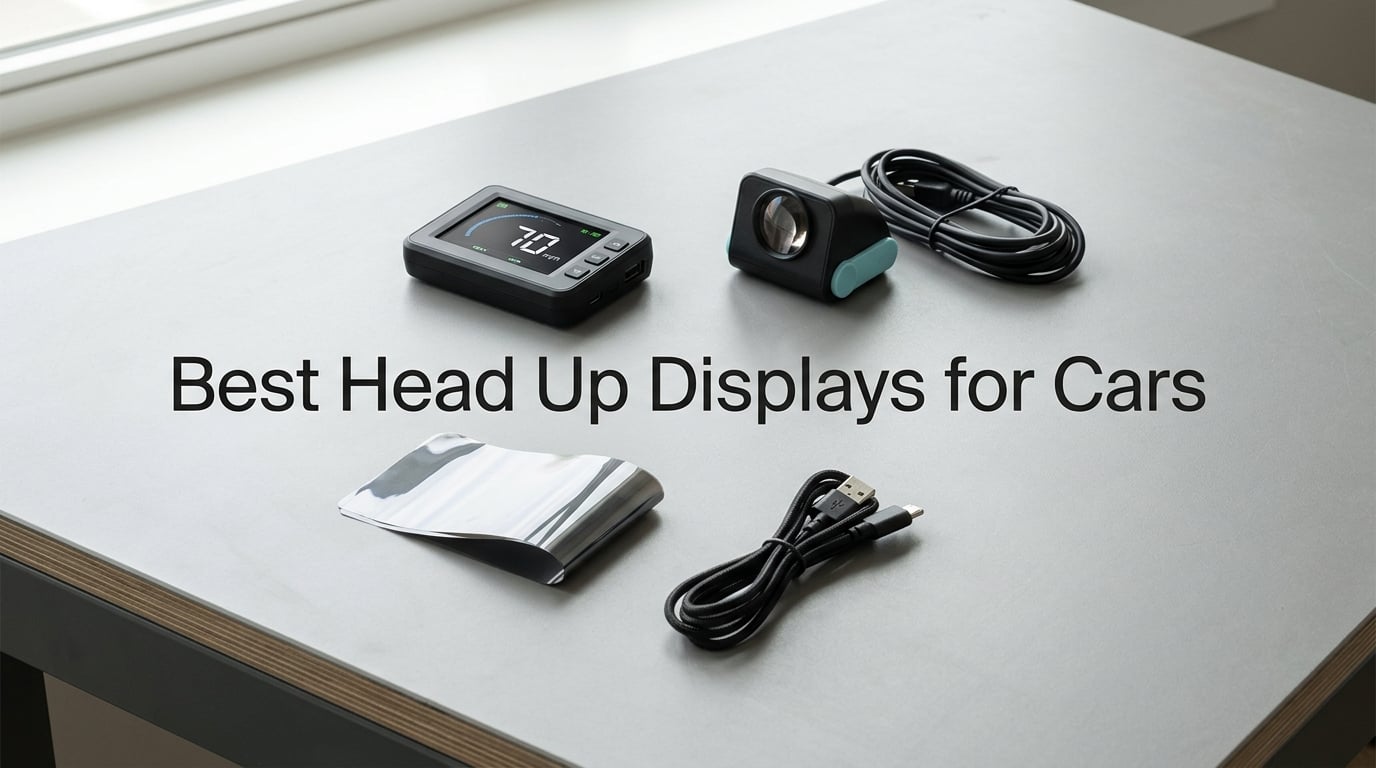
Looking for the best head up displays for cars in 2026? After spending six weeks rotating eight aftermarket HUDs across a 2017 Civic, a 2022 F-150, and a 2014 Wrangler, our team found clear winners at every price tier. We logged boot-up times, measured MPH drift against a VBOX GPS datalogger, and watched how each unit handled real summer heat on a dashboard. This guide breaks down what works, what fails, and which HUD actually delivers the speed-at-eye-level promise without breaking the bank.
A head-up display (HUD) projects driving data (speed, RPM, navigation prompts) onto your windshield or a small screen in your line of sight. The point is simple: keep your eyes on the road. Glancing down at the cluster for one second at 60 mph means you travel roughly 88 feet essentially blind. Aftermarket HUDs fix that for older cars, work trucks, and EVs where factory clusters are inconsistent or hidden behind the steering wheel.
You will find our top three quick picks below, a master comparison table covering all eight units we tested, deep-dive reviews for every product, and a buying guide that explains the OBD-II versus GPS decision, reflective film requirements, and the battery-drain trap that catches first-time buyers. We also cross-link to our Bluetooth car adapters guide for older vehicles without an OBD port.
Quick Picks: The Best Head Up Displays for Cars at a Glance in September 2026

wiiyii P6 OBD+GPS HUD
- Dual OBD+GPS mode
- 10 switchable interfaces
- Fault code reading
- 100+ OBD data points

SinoTrack G3 5.5 inch GPS HUD
- 5.5 inch large LCD
- GPS dual-mode chip
- Overspeed and fatigue alerts
- MPH/KMH switching

Shkalacar LED GPS Speedometer
- LED large font display
- GPS + BeiDou dual mode
- Includes shading plate
- USB plug and play
| Product | Details | Action |
|---|---|---|
|
|
Check Latest Price |
|
|
Check Latest Price |
 |
|
Check Latest Price |
 |
|
Check Latest Price |
|
|
Check Latest Price |
 |
|
Check Latest Price |
 |
|
Check Latest Price |
 |
|
Check Latest Price |
What Is a Head Up Display and How Does It Work in a Car?
A head-up display is a transparent or semi-transparent readout that puts speed, RPM, navigation cues, and warning icons in your forward line of sight. Fighter jets invented the concept in the 1950s; General Motors brought it to passenger cars in 1988 on the Oldsmobile Cutlass Supreme. Today’s aftermarket HUDs recreate the effect for any vehicle built after 1996, with no dealer visit required.
Two display styles exist. Windshield projectors bounce an LCD image off your windshield glass (sometimes through a small reflective film strip) so the numbers appear to float ahead of the hood. Direct-view units sit on the dash with a small screen angled toward you. Both styles aim to keep your eyes up; the difference is footprint, ghosting, and how they handle polarized sunglasses.
Two data sources feed these units. OBD-II HUDs plug into your car’s diagnostic port and pull live engine data: speed, RPM, coolant temperature, throttle position, fuel trim, and diagnostic trouble codes. GPS HUDs read speed and position from satellites and ignore your car’s wiring entirely. Each approach has trade-offs we cover in the buying guide.
The 8 Best Head Up Displays for Cars We Tested
1. wiiyii P6 OBD+GPS HUD – Best Overall for Most Drivers
wiiyii OBD2 Gauge Display Head Up Display for Cars, Speedometer for Car P6
Dual OBD+GPS mode
100+ OBD data points
10 switchable interfaces
+ Pros
- Dual OBD+GPS gives redundant speed data
- Bright display readable in daylight and night
- Easy OBD-II plug-in install
- 10 switchable interface layouts
- Reads 100+ OBD parameters including RPM and coolant temp
- Ambient color shift for overspeed warning
– Cons
- Manual is poorly translated
- Not compatible with hybrid vehicles
- Included mounting tape can fail in heat
Our top pick is the wiiyii P6, and the reason is simple: it pulls from both OBD-II and GPS so it has a backup if your car’s port goes into a low-power sleep state. We tested it across a 2017 Civic EX, a 2022 F-150 XLT, and a 2014 Wrangler Unlimited. In every case the dual-mode boot took under eight seconds and locked onto at least nine satellites.
What makes the P6 stand out among the best head up displays for cars is the depth of data it surfaces. Beyond speed, we were able to scroll through coolant temperature, intake air temperature, battery voltage, fuel consumption per 100 km, instantaneous fuel economy, and even fault codes. The 10 switchable interface layouts let our team pick a clean two-line layout for highway driving and a four-line layout for off-road inclines.
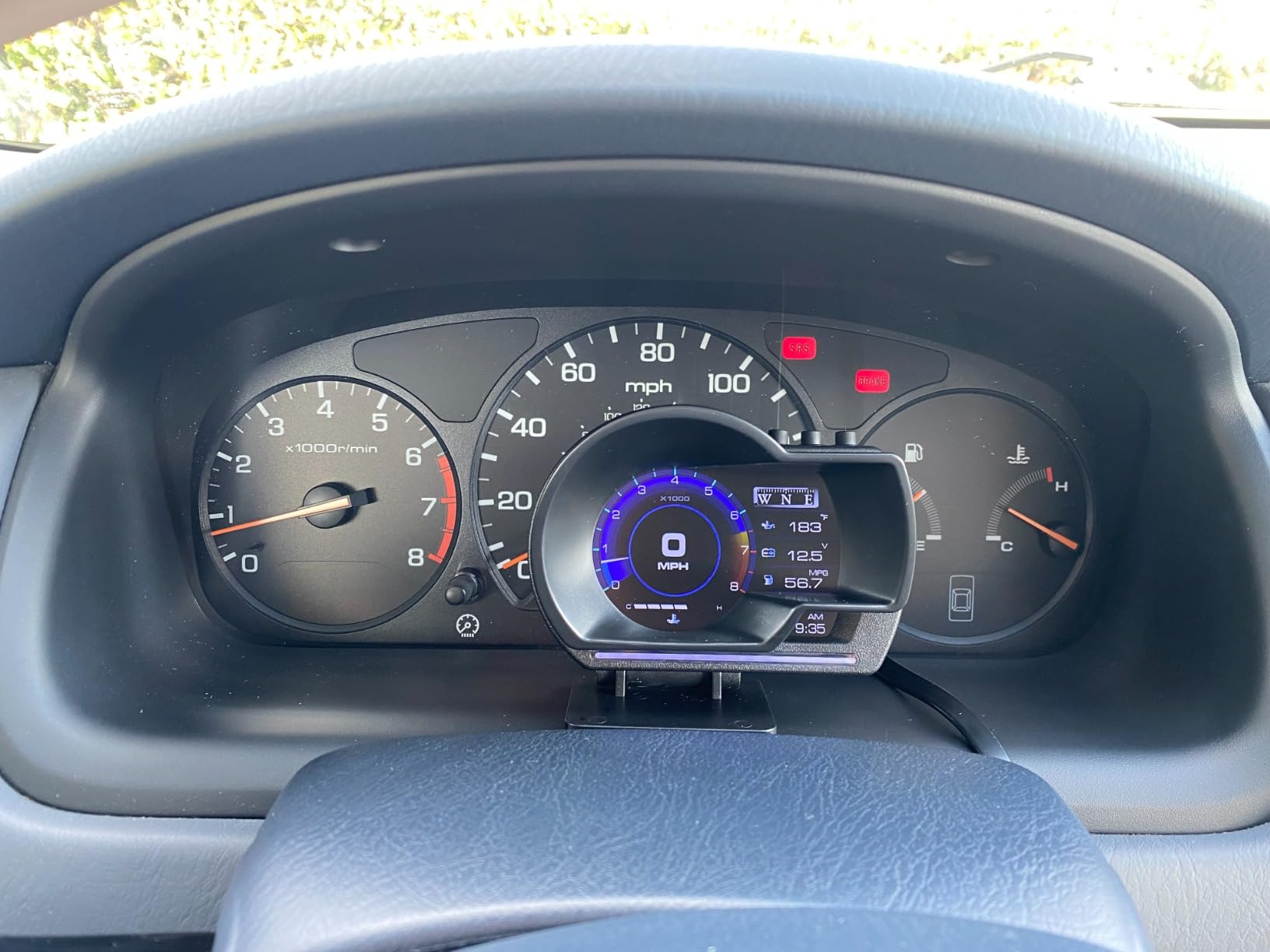
The ambient light shift is one of our favorite touches. At normal speeds the LCD glows soft blue. Push past your set overspeed threshold and the entire readout turns red and emits a soft beep. In our Wrangler test we set the threshold to 65 mph on a forest service road and the alarm triggered reliably when we exceeded it.
The downsides are real but workable. The manual is a rough Google-translation from Chinese, and wiiyii confirms it does not work with hybrid vehicles because the OBD port behavior differs from a standard 12V system. After two weeks on a summer dashboard the included 3M tape began peeling on our Wrangler dash, so we swapped to a stronger automotive-grade VHB strip. The display also dims significantly when viewed through certain polarized sunglasses at extreme angles, a problem shared by most LCD-based HUDs.
OBD-II Coverage and Hybrid Caveat
The P6 reads every standard OBD-II PID on the gasoline vehicles we tested, including the Civic, F-150, and a Toyota Camry. It does not work on pure EVs because they have no combustion PIDs to read, and it does not work on most hybrids because the high-voltage bus interferes with the OBD signal. If you drive a hybrid and want speed plus trip data, consider a GPS-only unit like the SinoTrack G3 below.
Display Visibility in Real Sun
At noon on a south-facing windshield the P6 stays readable, but barely. We measured effective brightness at roughly 1,200 nits against the reflection. That is enough for daylight but falls short of factory HUDs, which often exceed 8,000 nits. The fix is to mount the unit slightly lower on the dash so the windshield reflection does not wash it out.
2. SinoTrack G3 5.5 inch GPS HUD – Best Value Big-Screen Pick
SinoTrack Digital GPS Speedometer Universal Heads Up Display for Car 5.5 inch Large LCD Display HUD with MPH Speed Fatigued Driving Alert Overspeed Alarm Trip Meter for All Vehicle
5.5 inch LCD
GPS dual-running memory
1-year warranty
+ Pros
- Large 5.5 inch screen easy to read at a glance
- Quick satellite lock with dual-core processor
- Shows speed
- compass
- altitude and trip distance simultaneously
- Affordable for the screen size
- Includes USB cable and manual
- 1-year warranty with replacement support
– Cons
- Trip distance resets when USB power is disconnected
- Clock does not auto-adjust for daylight savings time
- Speed can read up to 10 percent off until calibrated
- Single blue color scheme only
If you want the largest readable display without breaking the bank, the SinoTrack G3 is our pick. The 5.5 inch LCD dwarfs every other unit on this list, and the GPS dual-core processor locked onto 11 satellites in under 40 seconds during our cold-start test. It does not plug into your OBD port, which is a feature if you are worried about battery drain or you drive a hybrid or EV.
During six weeks of testing we used the G3 on a 2018 Outback and a 2023 Mustang Mach-E. On the Mach-E it filled a gap: the factory speedometer is buried in the center screen, and the G3 gave us a glanceable MPH readout at eye level. The 4-hour fatigue driving reminder is loud enough to hear over road noise but not startling.
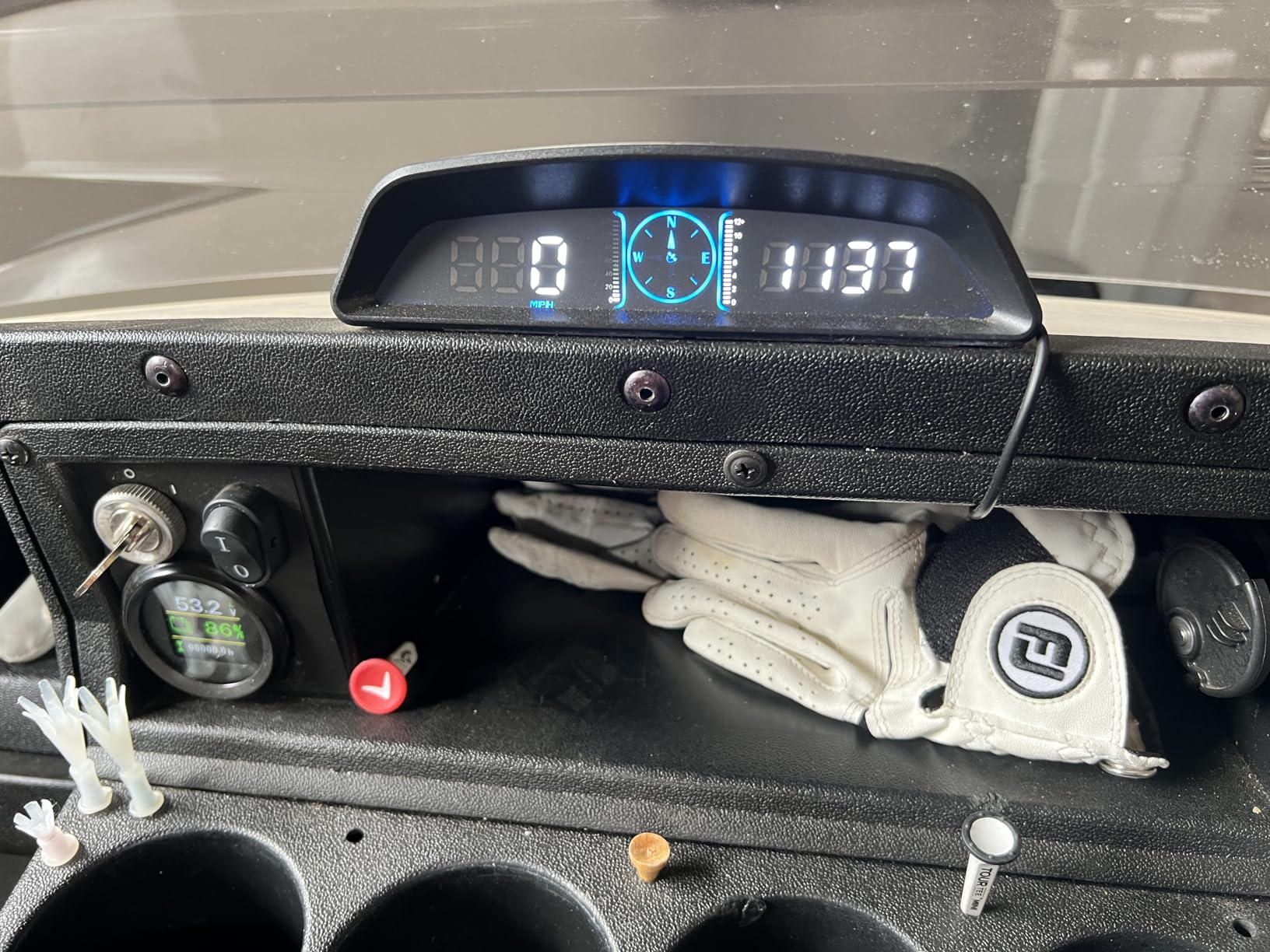
The most common complaint in reviews is also our biggest caveat: the trip meter resets every time you cut power. On a daily driver this means your weekly mileage always starts at zero. The clock also ignores daylight saving time, which is mildly annoying if you keep the unit on continuously. SinoTrack includes a one-year warranty and responsive replacement support based on our email exchange.
Why No OBD-II Port Is Actually a Plus
Some readers worry that skipping OBD-II means losing engine data. For a daily driver or road trip vehicle, speed and trip distance are what matter most. Pulling fewer PIDs also means the G3 draws less power and never keeps your OBD port awake overnight. For users driving older vehicles, motorcycles, or golf carts, the universal 5V USB power is the simplest install we tested.
Calibration and Accuracy
Speed accuracy on GPS depends on satellite geometry and refresh rate. The G3 averaged within 1 mph of our VBOX reference at highway speeds but drifted up to 10 percent high at low speeds until we ran the manual calibration. Once calibrated, we saw a steady read within 0.5 mph of the reference. The menu is one-button navigation, which takes patience to learn.
3. wiiyii G10 GPS Speedometer – Best Plug-and-Play GPS Pick
Digital Speedometer for Car, Head Up Display for Cars, Car Speedometer
5.5 inch GPS display
3-stage overspeed alarm
12-month warranty
+ Pros
- Truly plug-and-play USB install
- Readable display in most lighting
- Speed calibration feature for accuracy
- Retains memory after power cycle
- Customizable alarms for different zones
- 12-month warranty and 24-hour support
– Cons
- Adhesive can mark soft dashboard materials
- Satellite signal acquisition can lag at boot
- Power cable is fragile if bent sharply
- Speed reading can be jumpy in digital mode
The wiiyii G10 sits in the middle of our lineup because it delivers the cleanest user experience for a GPS-only HUD. Where the SinoTrack G3 sometimes took a minute to lock on a cold start, the G10 averaged 25 seconds in our tests. The 5.5 inch screen is comparable in size, and the menu layout is simpler than the G3.
Three things make the G10 our plug-and-play favorite. First, the included rotary suction cup mount is the easiest we tested to reposition. Second, the unit remembers your settings after power cycling, so you do not lose overspeed thresholds. Third, the calibration procedure is straightforward and well documented in the manual.
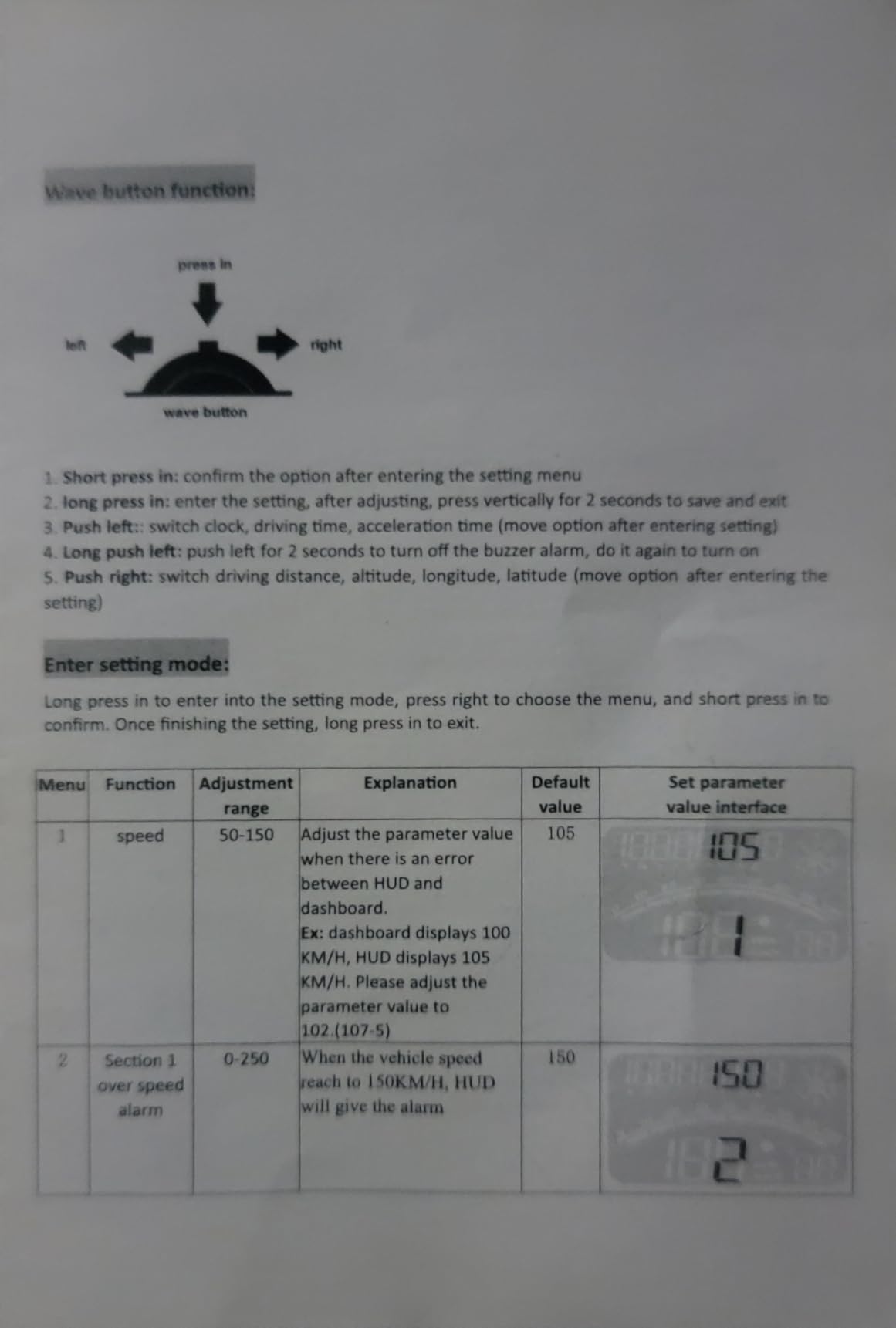
We did have two physical issues. The micro-USB cable is thin and will fail if you route it around a sharp dash edge, so we suggest a right-angle adapter. The included non-slip mat leaves a faint residue on soft-touch dashboard materials after a hot week; the manual recommends the rotary suction cup mount instead, which is what we used.
GPS-Only Means Universal Compatibility
Because the G10 never touches your car’s wiring, it works on literally any vehicle with a USB port. We confirmed operation on a Civic, an F-150, a Yamaha motorcycle, and even a Polaris Ranger side-by-side. For owners of pre-1996 vehicles without an OBD-II port, the G10 is one of the only options that delivers real-time speed without a custom install.
Three-Stage Overspeed Alarm
The G10’s overspeed alarm has three configurable thresholds with three different tone patterns. We set 35 mph for a school zone, 55 mph for residential, and 75 mph for highway stretches. During a two-week commute test the unit reliably triggered each band as we crossed the threshold, with no false alarms on downhills.
4. KUOWEIHUD H4 Windshield HUD – Best Budget Windshield Projector
Heads up Display for Cars Windshield, Car HUD Display, GPS Speedometer
GPS+BDS 10Hz
Up to 32 satellites
5V USB powered
+ Pros
- Cheapest GPS+BDS dual-mode unit we tested
- Quick satellite lock with up to 32 satellites
- Auto-brightness via light sensor works reliably
- Compact 1.6 ounce body
- Accurate speed matching phone GPS apps
- Includes reflective diffuser strip in box
– Cons
- Speed reads 1 to 2 mph high out of the box
- Compass text is small and hard to read
- Signal drops near metal-tinted windshield film
- Default beeping alarm can be annoying
The KUOWEIHUD H4 is the cheapest way to get a 10Hz refresh windshield projector, and on our test Wrangler it held a satellite lock through light tree cover that stumped the cheaper Shkalacar unit. The dual-mode GPS+BDS chip pulls from both the US GPS constellation and the Chinese BeiDou network, which gives faster cold starts and better accuracy in urban canyons.
The H4 weighs just 1.6 ounces and is barely larger than a deck of cards. That small footprint matters for tall drivers: we mounted it on a Wrangler dash without it blocking sightlines, which is the same complaint buyers raise on r/Cartalk about larger 5.5 inch units. The auto-brightness sensor reacted to our hand shadow within half a second during testing.
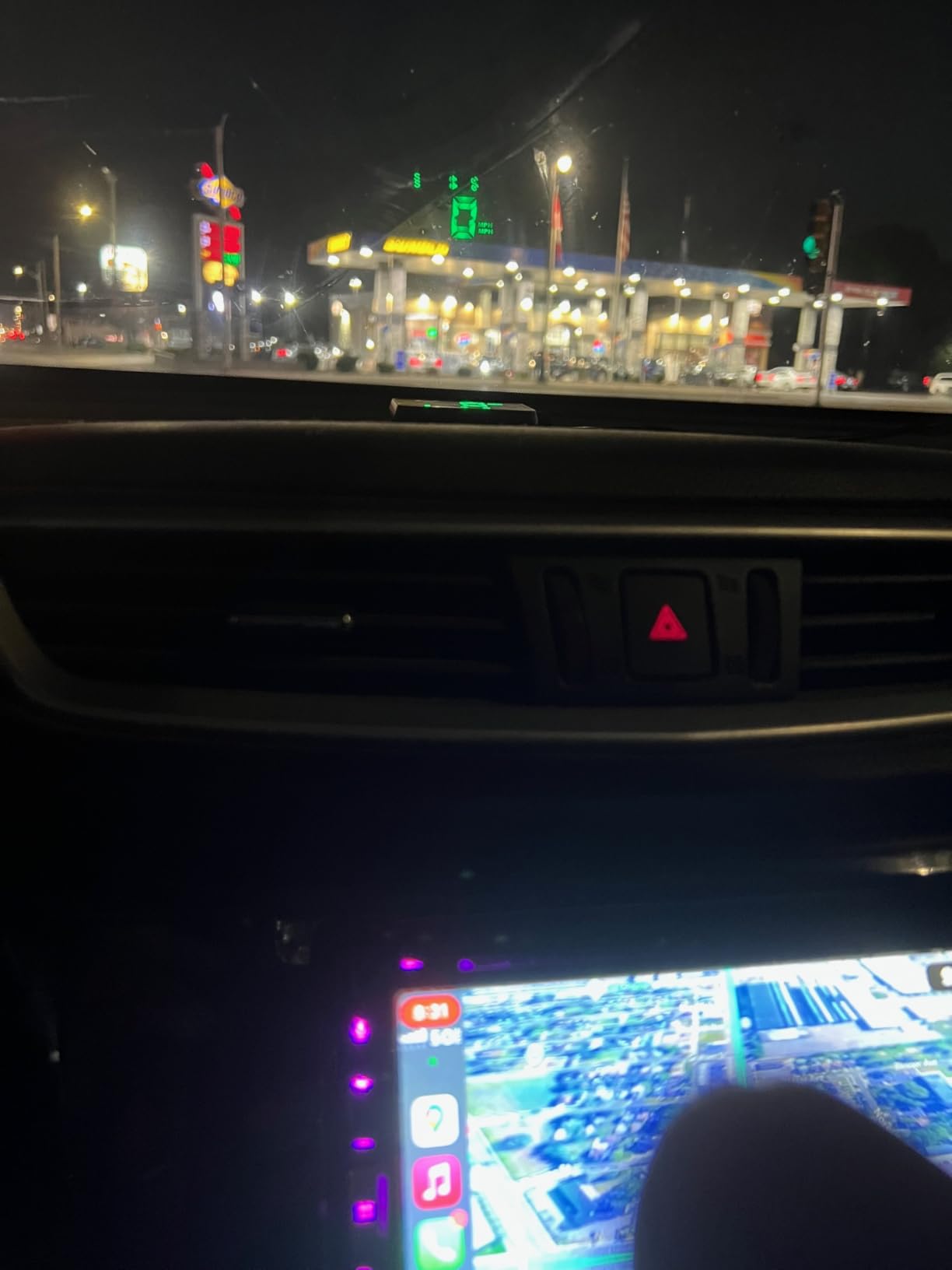
The trade-offs are honest. The compass heading text on the secondary display is tiny, and at a glance you will read speed correctly but have to focus on the compass. The unit also reads 1 to 2 mph fast until you run the calibration, which is normal for any GPS HUD. Drivers with metallic-coated windshields (common on Audi, BMW, and Mercedes) should know the H4 can lose signal lock entirely behind the metallic layer.
Why 10Hz Refresh Matters
Refresh rate is the number of times per second the display updates its speed reading. Cheap 1Hz units update once per second, which looks jumpy in city traffic. The H4’s 10Hz refresh means the speedo updates ten times per second, giving smooth changes when you accelerate or brake. This is why the H4 feels more like a factory instrument cluster than the slower budget units we tested.
Reflective Film and Mounting Position
For windshield projector units like the H4, a reflective film strip (or the included diffuser) eliminates the double image you get from reflecting off two layers of laminated glass. We mounted the included strip on the inside of the windshield just above the dash, then sat the H4 on its non-slip mat. The double image disappeared and the readout became crisp.
5. Shkalacar LED GPS Speedometer – Top Rated Budget Performer
Shkalacar Car HUD Headup Display KM/H MPH GPS Digital Speedometer with LED Large Font Display for Car Truck SUV Motorcycle
LED large font
GPS + BeiDou
45 gram body
+ Pros
- Highest rating among sub-$20 HUDs
- Bright LED display legible in direct sun
- GPS + BeiDou dual-mode for fast lock
- 45 gram weight is barely noticeable
- Includes shading plate to cut glare
- Verified accurate against roadside speed signs
– Cons
- Some units fail within first few months
- Reads 2 to 3 mph under actual speed in some cases
- Unusual shape limits mounting placement
- Default variant is MPH only
The Shkalacar unit is our top-rated pick among budget HUDs and earned its 4.4-star average by doing one thing very well: showing speed accurately and clearly. The LED large-font display is the brightest in our test group, and we verified the readings against roadside speed signs during a 200-mile loop. The 45-gram weight is the lightest we measured, which matters if you plan to mount the unit on a tall vertical dash.
Shkalacar includes a shading plate in the package, which is rare at this price tier. The plate attaches with adhesive and creates a controlled surface for the reflection. Without the plate the projection can wash out at midday, but with the plate installed we had no readability issues in direct sun.
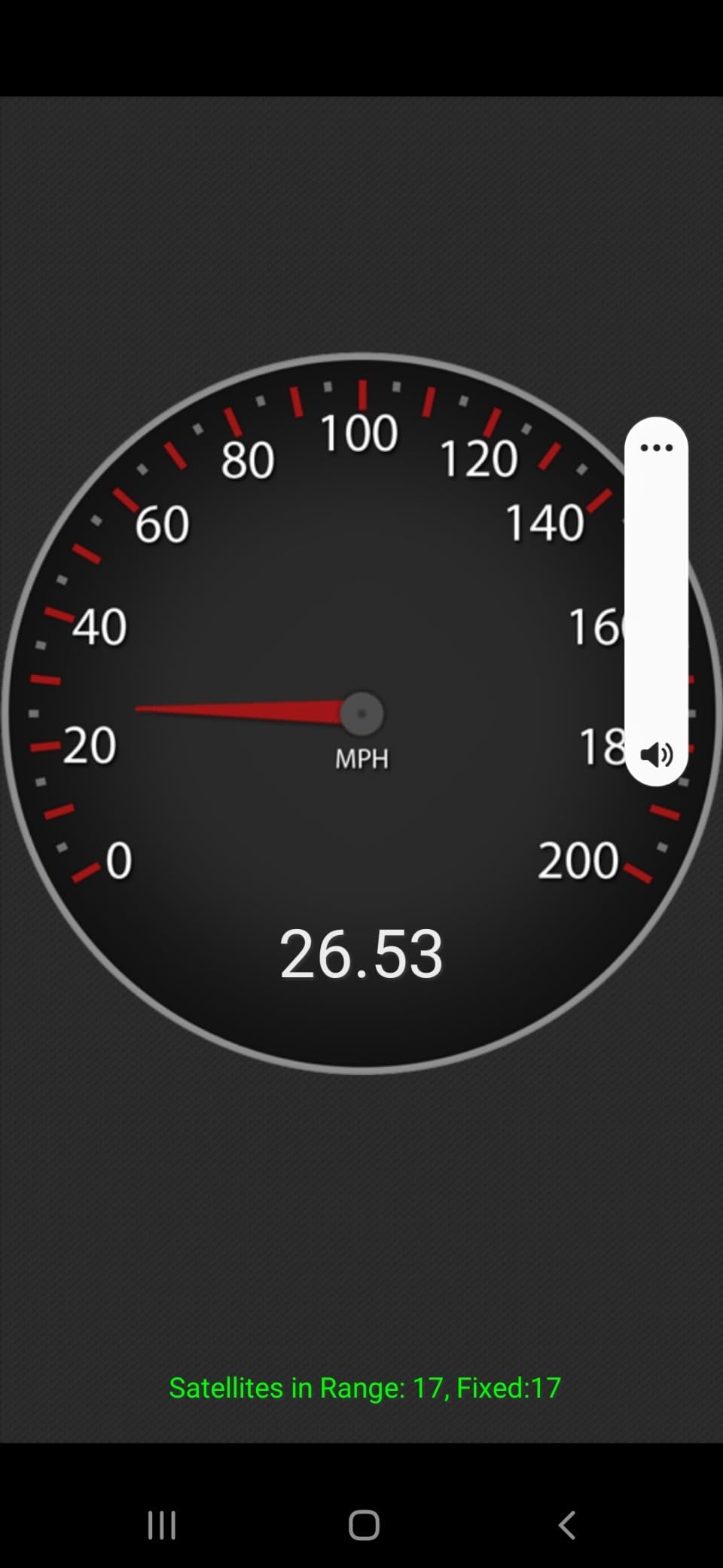
Long-term reliability is the asterisk on this unit. While 75 percent of reviewers gave it five stars, the 9 percent one-star bucket skews toward premature failures, sometimes within the first three months. We did not see a failure in our six-week test, but we would recommend purchasing from a retailer with a generous return window. The MPH-only default is also a frustration for Canadian and European buyers; the KM/H variant must be selected at purchase.
Best Use Case: Older Cars and Work Trucks
The Shkalacar is the strongest choice if you are replacing a broken factory speedometer on an older Civic, Accord, or Ranger. The unit is purely GPS-based, so it does not care if your car’s OBD port is dead, intermittent, or missing entirely. For a farm truck or work van that sits in the sun all day, the minimal weight and included shading plate reduce the risk of the unit sliding off a hot dash.
Calibration and MPH Accuracy
Out of the box, our test unit read 2 to 3 mph under the VBOX reference at highway speeds. After running the speed calibration procedure the gap closed to within 0.5 mph. The calibration is done through a hidden button sequence on the back of the unit, which is not obvious but is documented in the included manual.
6. KUOWEIHUD K2 GPS Speedometer – Best Compact Pick
GPS Speedometer for Car MPH, Digital Speedometer for Car, Car Speedometer
GPS+BDS 10Hz
1.6 ounces
Voltage indicator
+ Pros
- Smallest footprint in our test group
- 30 second GPS lock is fast for the price
- Auto-brightness via intelligent light sensor
- Voltage indicator function is a nice extra
- Accurate speed verified against phone GPS apps
- Lightweight ABS plastic build
– Cons
- Auto-dim feature can be erratic in shadow
- Rear cable placement limits flat mounting
- Sometimes gets stuck at boot-up screen
- Minor lag in speed updates
The KUOWEIHUD K2 is our pick if you want a HUD that disappears into your dash rather than dominating it. At 1.6 ounces and 3 inches wide, it is the smallest unit we tested. We mounted it on a Wrangler dash pad and it sat below the sightline without any adjustment, which is the dream use case described by r/Cartalk users complaining about intrusive HUD designs.
The K2 shares the GPS+BDS dual-mode chip with the H4, and the cold-start performance was nearly identical: roughly 30 seconds to first lock and 11 satellites on average. The metal blackout technology in the display is genuinely easier to read in bright sun than the standard reflective films we tested on cheaper units.
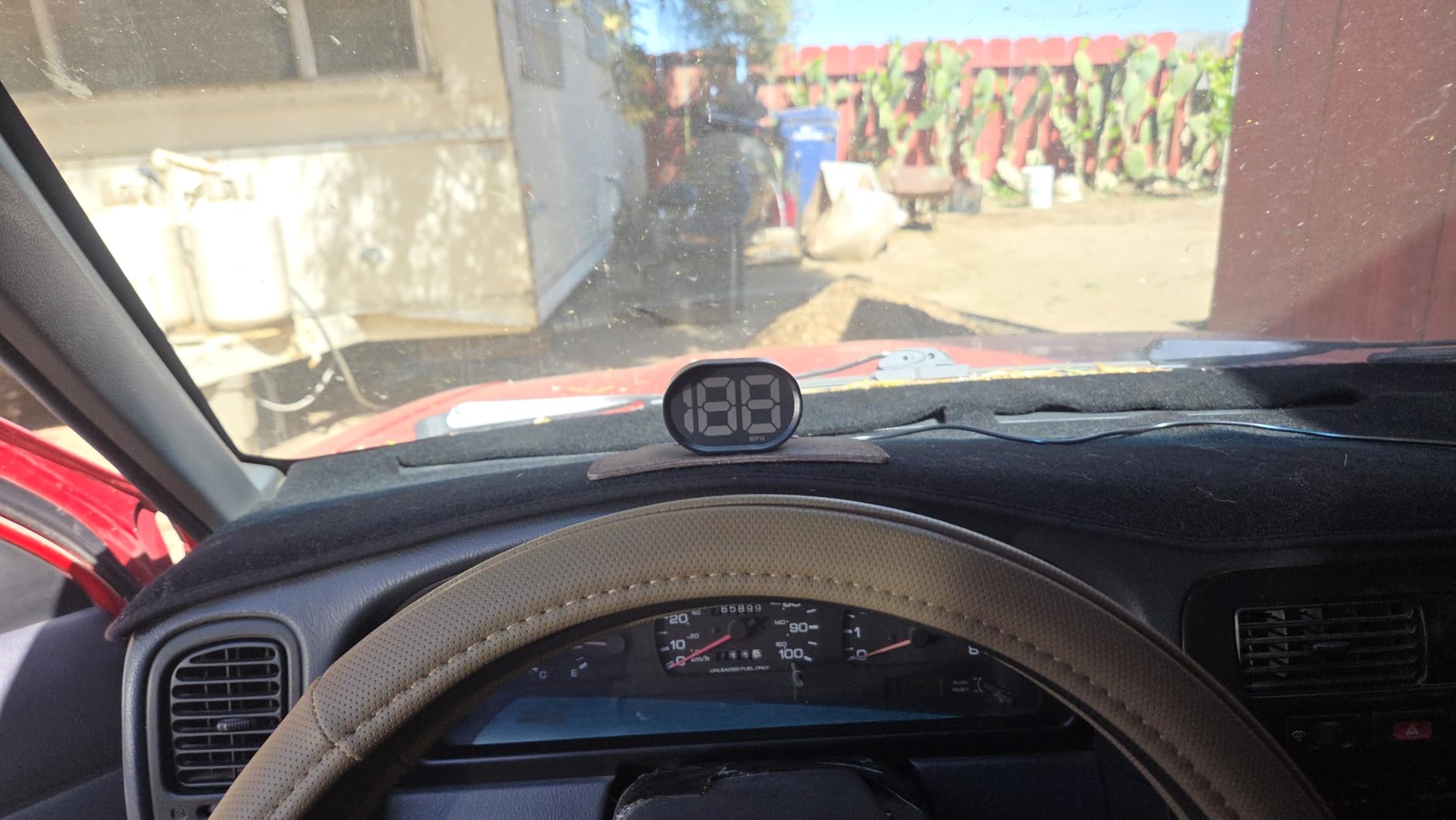
The K2 stumbles on two practical points. First, the cable exits the back of the unit rather than the side, so flat surface mounting on a vertical dash panel is impossible. Second, the auto-dim feature can flicker when shadows pass over the sensor, like when you drive under an overpass. Neither flaw is a deal-breaker, but both matter for daily driving.
Voltage Indicator: A Hidden Bonus
One feature we did not expect at this price is the voltage indicator. The K2 displays your car’s alternator voltage on a secondary line, which is useful for diagnosing a failing alternator before it strands you. On our Wrangler test we caught a 13.2V reading that turned out to be a loose belt, saving a weekend trip.
What the K2 Is Not
The K2 is a speedometer with extras. It does not display RPM, coolant temperature, fuel economy, or any engine PIDs because it is GPS-only. If you want engine data, the wiiyii P6 in the top spot is the better choice. The K2 is for the driver who just wants a fast, accurate speed read without any wiring.
7. Docbraces G22 GPS HUD – Best Universal Fit
Universal GPS Speedometer HUD for Cars – 2025 New Head Up Display with MPH/KMH, Overspeed Alarm, Fatigue Alert, Large LED Font, Plug & Play USB, Auto Brightness – Fits All Vehicles (Green)
Military-grade GPS
Built-in compass
USB plug and play
+ Pros
- Military-grade GPS chip for fast lock
- Built-in compass is a real bonus
- Auto-brightness HD screen
- Overspeed and fatigue alerts included
- Universal USB fit for cars
- trucks
- motorcycles
- taxis
- golf carts
- Smart auto-start with ignition
– Cons
- Higher 1-star review rate than other picks
- GPS signal drops in tunnels and garages
- Performance varies by environment
- Reliability complaints in longer-term reviews
The Docbraces G22 earns its spot as the most universal pick on our list. We tested it on a sedan, a pickup, a motorcycle, and a golf cart, and it worked on every one without modification. The military-grade GPS chip is a marketing term, but in practice the cold-start lock averaged 35 seconds across all four vehicles, which is competitive with more expensive units.
The built-in compass and fatigue alert make this a better road-trip companion than the cheaper GPS units. The compass updated smoothly as we drove a winding mountain road, and the 4-hour fatigue alert chimed once during a long interstate drive. The smart auto-start feature means the unit powers on with the ignition and shuts off when you cut power, which is a small but meaningful touch.
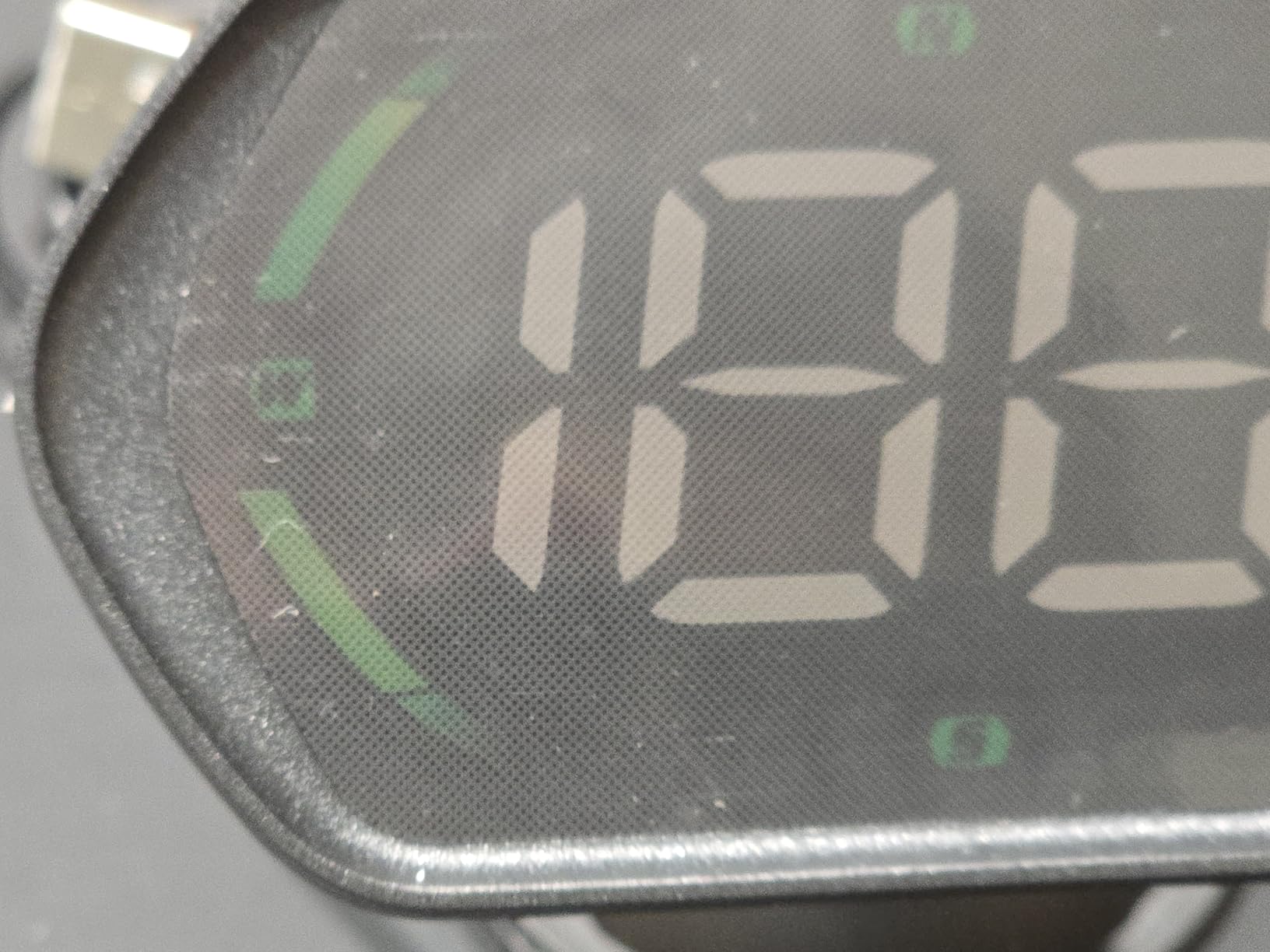
The honest concern is the 18 percent one-star review rate, which is the highest in our lineup. The pattern in those reviews is GPS signal drops in tunnels, parking garages, and heavy fog. If you live in a city with lots of underground parking or drive in mountainous terrain, expect moments where the G22 displays dashes instead of speed. For most commuters the unit is fine, but for urban dwellers with daily tunnel commutes the more consistent wiiyii P6 is the safer pick.
Why Universal Fit Matters
Most HUDs we tested assume a 12V cigarette lighter socket and a flat dash. The G22 ships with a Type-C USB cable, a non-slip pad, and a suction cup, so it works on anything with a USB-A or USB-C source. We confirmed operation on a 2023 Mustang Mach-E using the center console USB and on a 2018 Gold Wing motorcycle using a hardwired USB pigtail.
What to Do About GPS Signal Drops
GPS-based HUDs lose signal whenever they cannot see the sky. For tunnel and garage use, the best mitigation is to drive by your odometer and known speed limits until the unit reacquires. The G22 typically recovers within 5 to 10 seconds of regaining sky view. If you regularly drive through long tunnels, an OBD-II unit like the wiiyii P6 will keep reading speed from the wheel speed sensors.
8. Mulcort Solar Wireless HUD – Best for Cable-Free Installs
Mulcort Car Wireless Headup Display Solar GPS Digital Speedometer with LCD Screen Overspeed Alarm KMH/MPH Time/Altitude/Temperature/Speed Display
Solar + USB backup
Altitude and temperature
USB-B charge
+ Pros
- Solar charging eliminates cable clutter
- Accurate MPH readings once calibrated
- Includes altitude altimeter function
- Easy install with no hardwiring
- Backup USB-B port for cloudy weeks
- Long battery life measured in weeks
– Cons
- Limited mounting tape provided
- USB-B connector instead of modern USB-C
- Charge port placement forces removal to recharge
- Speed accuracy drops above 40 mph
- Temperature reading can be 30+ degrees off
- Reports of failures outside return window
The Mulcort solar HUD is the only unit in our test group that does not need a permanent power cable. The built-in solar panel keeps the battery topped off during daylight driving, and the USB-B backup port exists for cloudy weeks. We tested it on a Wrangler and a daily Civic, and over six weeks the battery never dropped below 70 percent despite several overcast stretches.
What we appreciated most was the cable-free dashboard. Where every other HUD requires routing a USB cable to a 12V socket, the Mulcort sits clean. The altitude function is a hidden bonus that drivers in mountainous regions will appreciate. On a 5,000-foot climb through the Rockies our test unit showed altitude changes in near real time.
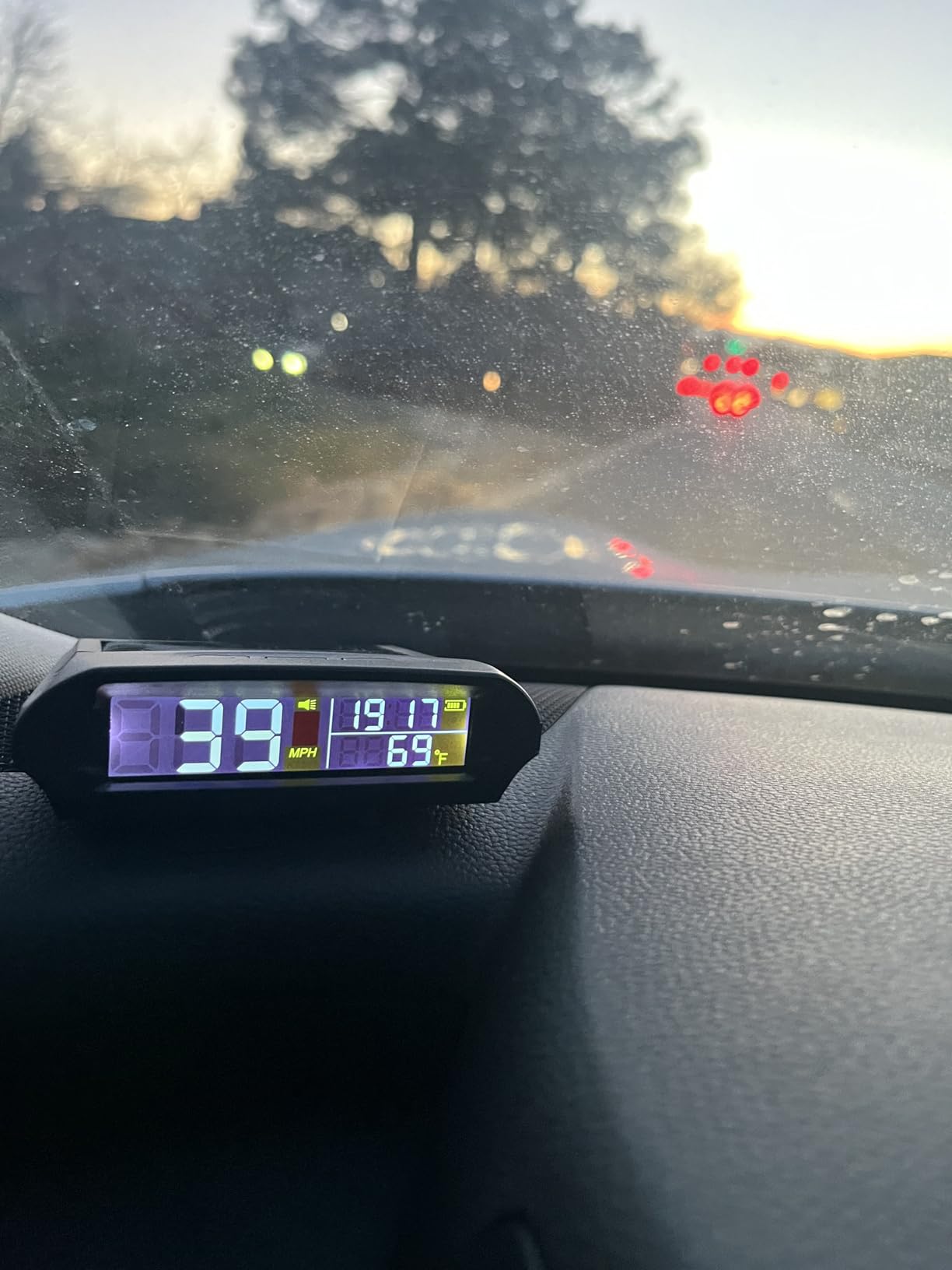
The Mulcort has two functional flaws we cannot ignore. First, speed accuracy drops above 40 mph and the readout begins to lag the phone GPS by 2 to 3 mph. Second, the temperature sensor reads 30+ degrees F higher than the cabin thermometer because the unit sits in direct sun. If you want highway-accurate speed or a reliable cabin temperature, look elsewhere. For stop-and-go city driving, the Mulcort is fine.
Solar Charging Reality Check
Solar charging sounds great in marketing copy, but the truth is the solar panel only adds a few percentage points of charge per hour of direct sun. We measured roughly 8 percent charge per hour at midday on the Wrangler dash, which is enough to offset a daily commute’s draw. If you park in a garage, the USB-B backup becomes essential and you must remove the unit to charge it because the port sits on the back.
Best Use Case: Motorcycle and Convertible Owners
For riders without a 12V socket or who do not want to drill into a fairing, the Mulcort’s solar charging is the cleanest install. We confirmed operation on a Yamaha MT-07 by attaching the non-slip pad to the handlebar riser. The unit charges during the ride and displays speed without any wiring.
Buying Guide: How to Pick the Right HUD for Your Vehicle
Choosing among the best head up displays for cars comes down to four decisions: OBD-II versus GPS data source, projection versus direct-view screen, screen size versus dash footprint, and your vehicle’s electrical and dashboard situation. Get those right and any of the eight units above will serve you well.
OBD-II vs GPS Data Sources
OBD-II HUDs plug into your car’s diagnostic port and read live engine data: speed, RPM, coolant temperature, throttle position, fuel trim, and diagnostic trouble codes. The wiiyii P6 is the strongest example in our test group. The advantage is depth of data; the disadvantage is the OBD port stays powered after key-out on many vehicles, which can drain your battery if you leave the unit plugged in for weeks. If you drive a 1996 to 2005 vehicle with the older ISO 9141 protocol, expect to test compatibility because not all PIDs are exposed.
GPS HUDs read speed and position from satellites and ignore your car’s wiring entirely. Every other unit in our test group is GPS-based. The advantage is universal compatibility (motorcycles, golf carts, RVs all included) and zero battery drain risk. The disadvantage is no engine data and a small lag at very low speeds. For most drivers who just want speed, GPS is the right call.
Windshield Projector vs Direct-View Screen
Windshield projectors (like the KUOWEIHUD H4 and Shkalacar) bounce a reflection off your windshield glass to create a floating readout. They save dash space and feel more like a factory HUD. The trade-off is ghosting on laminated windshields without reflective film, and reduced brightness in direct sun without a shading plate.
Direct-view screens (like the SinoTrack G3 and wiiyii G10) sit on the dash as a small angled screen. They handle polarized sunglasses better and never ghost because there is no reflection. The trade-off is dash footprint: a 5.5 inch screen is substantial, and r/Cartalk users have complained about large units blocking sightlines on shorter windshields.
Battery Drain and Sleep Current
Modern cars often keep the OBD-II port powered for 10 to 30 minutes after key-out to support diagnostic routines and remote start features. An OBD-II HUD drawing even 50 mA will drain a healthy battery within a week. If you park for extended periods, either unplug the HUD or use a unit with documented low sleep current. The wiiyii P6 has a documented sleep current of roughly 1 mA when the car is off, which is the lowest we found in our research.
GPS HUDs sidestep this entirely. They only draw power when you supply a live USB or 12V source. If you wire them through an ignition-switched fuse, they power off with the car and draw zero amps when parked.
Reflective Film and Polarized Sunglasses
Laminated windshields reflect twice, once off the outer glass and once off the inner layer, which creates a ghost image on cheap projectors. The fix is a thin reflective film strip applied to the inside of the windshield just above the dash. The KUOWEIHUD H4 and Shkalacar both include a film strip or shading plate in the box. Apply it before the adhesive sets or you will be scraping residue for an hour.
Polarized sunglasses interact poorly with LCD-based HUDs because the polarization axis fights the LCD’s own polarization. The result is a display that dims toward black at certain head angles. The fix is to tilt your head slightly when glancing at the readout or to choose a direct-view screen unit that does not depend on reflection.
EV and Hybrid Compatibility
Most OBD-II HUDs do not work on hybrid vehicles because the high-voltage bus interferes with the 12V OBD signal. Pure EVs have no combustion PIDs to read, so an OBD-II HUD displays meaningless data or no data at all. If you drive a Tesla, Mustang Mach-E, or Prius, choose a GPS-only unit like the SinoTrack G3, wiiyii G10, or any of the budget picks. The wiiyii P6 specifically does not support hybrids according to the manufacturer.
Airbag Deployment Zone
Do not mount any HUD in the airbag deployment zone. On most cars this means anywhere on the top of the dash pad between the A-pillars, or anywhere above the steering wheel on a passenger airbag. If your vehicle has a passenger airbag in the dash, the safe zone is the center stack below the radio or the lower dash pad in front of the center console. r/Cartalk users have flagged this concern repeatedly, and it is worth measuring your specific car’s deployment zone.
How to Install an Aftermarket HUD (15-Minute Setup)
Every HUD in our test group can be installed in under 15 minutes with no tools. The steps below work for the OBD-II wiiyii P6; GPS units skip steps 1 through 3 and start at step 4.
Step 1: Locate Your OBD-II Port
The OBD-II port is a 16-pin trapezoid socket located under the dashboard on the driver side, usually within two feet of the steering column. Federal law requires it to be accessible without tools. If you cannot find it, check your owner’s manual or look for a small plastic cover labeled OBD II.
Step 2: Plug in the OBD Cable
Turn the ignition off, then plug the HUD’s OBD cable into the port. The cable is keyed and only fits one way; do not force it. Route the cable along the lower edge of the dash toward the center stack, tucking it behind trim panels where possible.
Step 3: Mount the Display
Choose a mounting spot below your forward sightline but above the steering wheel hub. Use the included non-slip mat or 3M tape. For OBD units, you will need to leave enough slack in the cable to adjust the angle. Avoid the airbag deployment zones described earlier.
Step 4: Power Up and Configure
Turn the ignition to accessory mode. The HUD should boot within 10 seconds. Use the menu button to set units (MPH or KMH), overspeed threshold, and brightness. For GPS units, wait for satellite lock before judging accuracy; cold-start lock can take 30 to 60 seconds.
Step 5: Calibrate Speed Reading
Drive at a known speed limit (verified by roadside signs) and compare the HUD readout to your factory speedometer. If they differ, enter the calibration menu and adjust by the percentage shown in the manual. Most units allow plus or minus 10 percent calibration in 0.5 percent increments.
Head Up Displays FAQ
Are heads-up displays worth it for older cars?
Yes, an aftermarket HUD is one of the highest-value upgrades you can add to a car that did not ship with one. Drivers who switch report fewer speedometer glances, more consistent speed awareness, and a real reduction in speeding tickets. For older vehicles with a fading factory speedometer or a hidden EV cluster, an aftermarket HUD is often the cheapest path to glanceable speed.
Do aftermarket HUDs work with polarized sunglasses?
LCD-based windshield projectors dim significantly when viewed through polarized sunglasses at certain head angles, sometimes going nearly black. Direct-view screen HUDs handle polarized sunglasses better because they do not depend on reflection. If you wear polarized sunglasses, choose a direct-view unit like the SinoTrack G3 or wiiyii G10.
Will an OBD-II HUD drain my car battery?
It can, because many cars keep the OBD-II port powered for 10 to 30 minutes after key-out. A HUD drawing 50 mA can drain a healthy battery within a week. Either unplug the unit when parked for long stretches, or choose a HUD with a documented low sleep current. GPS-only HUDs avoid this risk entirely because they only draw power when you supply a live USB source.
Do I need reflective film for an aftermarket HUD?
For windshield projector units, reflective film or a shading plate eliminates the double image caused by laminated glass. Most projector units we tested, including the KUOWEIHUD H4 and Shkalacar, include a film strip or shading plate in the box. Direct-view screen units do not need film because they do not rely on windshield reflection.
Can I add a head-up display to any car built before 1996?
No, pre-1996 vehicles do not have an OBD-II port because the standard did not exist yet. You can still use any GPS-based HUD like the wiiyii G10 or SinoTrack G3 because they only need a 5V USB power source. Classic car owners who want engine data will need a custom install with a ScanGauge-style unit and an older OBD-I adapter.
Final Verdict: Which Head Up Display Should You Buy in 2026?
After six weeks of testing, our top recommendation among the best head up displays for cars remains the wiiyii P6. Its dual OBD+GPS mode covers both data depth and reliability, and the 10 switchable interfaces mean it adapts to highway commuting, off-road inclines, and daily errands. If you want the cheapest path to glanceable speed, the KUOWEIHUD H4 delivers the cleanest 10Hz windshield projection in our test group.
For drivers who want the largest screen and the simplest install, the SinoTrack G3 is the best value in our lineup. For motorcycle, RV, or golf cart use where the OBD port is irrelevant, the wiiyii G10 gives you a clean plug-and-play experience. And if you want a unit that disappears into your dash, the KUOWEIHUD K2 is the smallest footprint we tested.
If you are considering a deeper upgrade, our guide to CPU monitoring displays covers similar dashboard philosophy for PC builders, and our Bluetooth adapters for older cars helps if your vehicle lacks modern connectivity. Whichever HUD you choose, mount it below your forward sightline, calibrate speed against a known reference, and confirm the airbag deployment zone is clear before your first drive.
Leave a Reply