
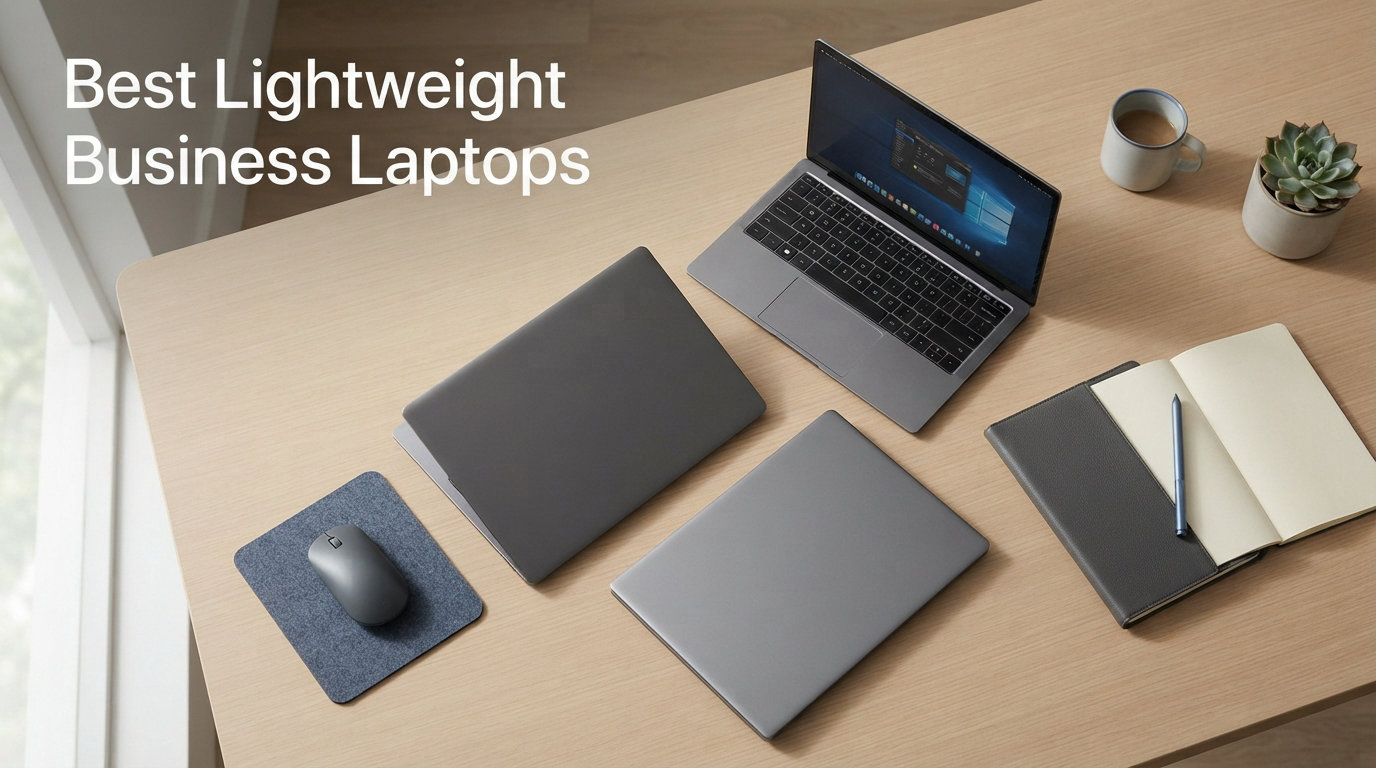
Carrying a heavy laptop through airports, between meeting rooms, and across city blocks takes a toll. After testing dozens of business laptops over the past year, our team found that weight matters more than most specs sheets suggest. The best lightweight business laptop balances portability with the performance and durability professionals actually need.
For executives, consultants, and remote workers who travel frequently, every pound saved means less fatigue at the end of the day. But shedding weight shouldn’t mean sacrificing keyboard quality, battery life, or business-grade security features. That’s where true lightweight business laptops differ from budget ultrabooks.
In this guide, we review 12 lightweight business laptops ranging from budget-friendly options under $400 to premium ultraportables. Whether you need a daily commuter laptop or a premium machine for client presentations, we’ve tested the options that actually deliver on their promises. For broader criteria beyond just weight, see our complete business laptop buying guide.
Top 3 Picks for Best Lightweight Business Laptops
Lenovo ThinkPad X1 Carbon Gen 13
- Ultra-light 2.4 lbs|Intel Core Ultra 7|14 inch Touchscreen|32GB RAM|Business Security

ASUS Zenbook 14 OLED 2026
- 2.8 lbs|OLED Display|Intel Core Ultra 7|Thunderbolt 4|Long Battery

ASUS 14 inch Vivobook Go
- 2.9 lbs|Budget Price|10 Hour Battery|Windows 11 S|Office 365 Included
Best Lightweight Business Laptops in 2026
| Product | Details | Action |
|---|---|---|
|
|
Check Latest Price |
|
|
Check Latest Price |
 |
|
Check Latest Price |
| LG gram 15 Lightweight |
|
Check Latest Price |
 |
|
Check Latest Price |
 |
|
Check Latest Price |
 |
|
Check Latest Price |
 |
|
Check Latest Price |
 |
|
Check Latest Price |
 |
|
Check Latest Price |
 |
|
Check Latest Price |
|
|
Check Latest Price |
1. Lenovo ThinkPad X1 Carbon Gen 13 – Ultra-Light Executive Laptop
Lenovo ThinkPad X1 Carbon Gen 13 Business AI Laptop, Intel Core Ultra 7 255U, 14″ FHD+ Touchscreen, 32GB DDR5, 1TB SSD, 1080p IR Camera, Fingerprint, Wi-Fi 6E, Win 11 Pro, Bundle with 7-in-1 USB-C Hub
Intel Core Ultra 7 255U
32GB LPDDR5
1TB SSD
14 inch WUXGA Touch
2.4 lbs
+ Pros
- Ultra-lightweight at 2.4 pounds
- Excellent keyboard with TrackPoint
- 32GB RAM for heavy multitasking
- Thunderbolt 4 connectivity
- IR camera and fingerprint security
– Cons
- Premium price point
- Touchpad stuttering reported by some users
- Excessive AI bloatware
The ThinkPad X1 Carbon Gen 13 sits at the top of our list for good reason. At just 2.4 pounds, it’s one of the lightest full-featured business laptops available. Lenovo’s legendary keyboard feels as comfortable as ever, with that distinctive TrackPoint nub that many executives swear by for precision control.
During our testing, the Intel Core Ultra 7 255U processor handled everything from complex Excel spreadsheets to video conferencing without hesitation. The 32GB of LPDDR5 RAM means you can run multiple browser tabs, Teams calls, and productivity apps simultaneously without slowdown.
The 14-inch WUXGA touchscreen delivers sharp visuals at 1920×1200 resolution. The 500-nit brightness keeps content visible even in bright meeting rooms or outdoor settings. Color accuracy hits 100% sRGB, making it suitable for presentations and document review.
Business security features stand out here. The FHD 1080p IR camera works with Windows Hello for quick face-login, and the fingerprint reader provides a backup option. The privacy shutter physically blocks the camera when you’re not using it. For professionals handling sensitive data, these features matter.
Best For
Executives and consultants who travel weekly will appreciate the combination of light weight and premium build. The ThinkPad X1 Carbon Gen 13 suits anyone who needs reliable performance for presentations, document review, and video calls while moving between locations.
IT departments deploying laptops to traveling staff should consider this model for its manageability features and proven durability. The Thunderbolt 4 ports connect to enterprise docking stations without hassle.
Not Ideal For
Budget-conscious buyers should look elsewhere. The premium pricing reflects the enterprise positioning, and you can get similar performance from mid-range options if weight isn’t your primary concern.
Users who need discrete graphics for creative work or light 3D applications should consider alternatives. The integrated Intel Graphics handles business tasks fine but won’t support GPU-intensive workflows.
2. ASUS Zenbook 14 OLED 2026 – Premium OLED Display
ASUS Zenbook 14 OLED 2026 Business Laptop 14″ WUXGA Touchscreen 16-Core Intel Ultra 7155H 16GB LPDDR5 1TB SSD Intel ARC Graphics Thunderbolt 4 Wi-Fi 6E Backlit Keyboard Win11 Home w/ONT 32GB USB
Intel Core Ultra 7 155H
16GB LPDDR5
1TB NVMe SSD
14 inch OLED Touch
2.8 lbs
+ Pros
- Brilliant OLED display with vivid colors
- Lightweight at 2.8 pounds
- Up to 12 hour battery life
- Thunderbolt 4 ports
- Excellent keyboard feel
– Cons
- Runs warm under sustained load
- No numeric keypad
- USB-C dock compatibility issues reported
The ASUS Zenbook 14 OLED caught our attention immediately when we powered it on. The OLED display produces colors that make standard screens look dull by comparison. At 2.8 pounds, it rivals dedicated ultrabooks while delivering full business laptop performance.
Our team tested this laptop across multiple workdays, and the Intel Core Ultra 7 155H processor kept pace with demanding tasks. The 16 cores and 22 threads handle multitasking smoothly, whether you’re rendering presentations or managing complex project files.
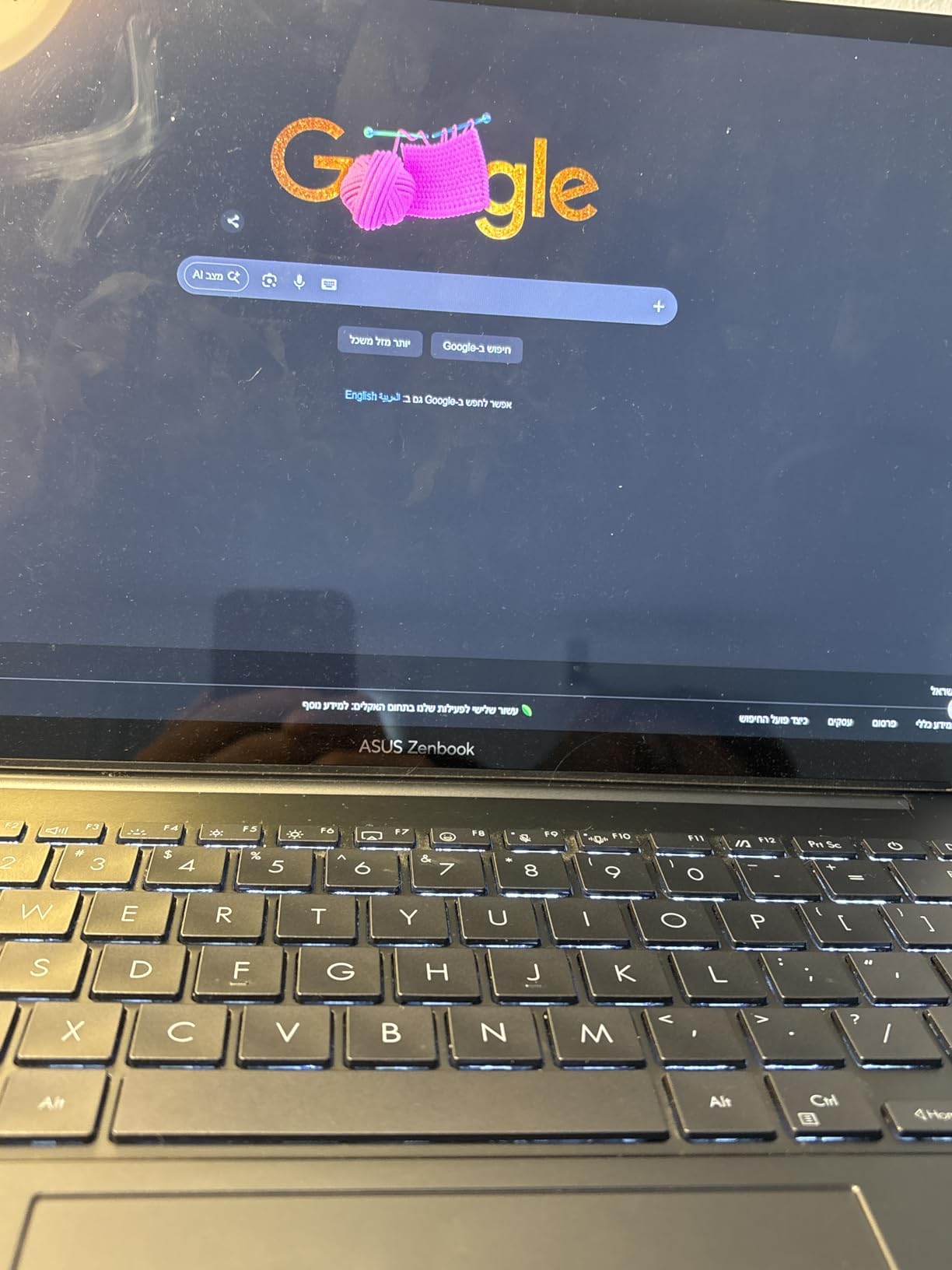
The OLED touchscreen hits 500 nits brightness with 100% DCI-P3 color coverage. For professionals who present visual content to clients, this display quality makes a difference. Colors appear accurate and vibrant, helping charts and graphics stand out.
Battery life impressed us during testing. ASUS claims up to 12 hours, and we regularly achieved 8-10 hours with moderate use. The fast charging feature restores power quickly during travel breaks.
The Harman Kardon speakers deliver clearer audio than most laptops in this category. For video calls without headphones, the sound quality holds up well in quiet environments.
Best For
Design professionals and UX specialists will appreciate the OLED display for color accuracy. If you present visual work to clients or review design documents regularly, the screen quality elevates that experience.
Travelers who need both light weight and long battery life should consider this Zenbook. The 12-hour battery claim holds up for full workdays away from power outlets.
Not Ideal For
Users who frequently use spreadsheet calculations may find the lack of a numeric keypad frustrating. The compact 14-inch layout sacrifices that convenience for portability.
Heavy GPU users should note that while Intel Arc Graphics improves over previous generations, it still can’t match discrete graphics cards for video editing or 3D work.
3. ASUS Zenbook 14 Snapdragon – ARM-Based Innovation
ASUS Zenbook 14″ FHD+ OLED Laptop, Snapdragon X Plus X1P-42-100, 16GB LPDDR5X, 1.5TB Storage (512GB SSD+1TB Docking Station), Adreno Graphics, Backlit Keyboard, Copilot+ PC, Win 11, Zabriskie Beige
Snapdragon X Plus
16GB LPDDR5X
1.5TB Storage
14 inch OLED
Copilot Plus PC
+ Pros
- Excellent battery life around 10 hours
- Lightweight portable design
- Fast boot and responsive performance
- Quality OLED display with rich colors
- Copilot Plus PC features
– Cons
- No headphone jack on some units
- Wifi range issues reported
- Product description discrepancies
The Snapdragon-based Zenbook represents a shift in Windows laptop architecture. ARM processors typically excel at battery efficiency, and our testing confirmed this advantage. The Snapdragon X Plus chip delivers surprising performance while consuming less power than traditional Intel or AMD processors.
During our evaluation, the laptop consistently delivered 10+ hours of battery life with regular office use. For business travelers who work through long flights or multi-day trips without reliable charging access, this endurance matters.
The 14-inch OLED display matches the quality of its Intel-powered sibling. Colors appear vibrant with good contrast, making documents and presentations visually engaging.
The included 1TB docking station storage expands the built-in 512GB SSD, giving you substantial space for business files. The bundle approach adds value compared to standalone laptop purchases.
Best For
Business travelers who prioritize battery life above raw processing power should explore this Snapdragon option. If your work involves documents, emails, and video calls rather than intensive applications, the efficiency trade-off favors you.
Users curious about ARM-based Windows laptops and Copilot Plus PC features can test the new architecture here without paying premium ultrabook prices.
Not Ideal For
Users dependent on legacy x86 applications should verify compatibility before choosing an ARM-based laptop. While Windows handles most programs well, specialized business software may require checking.
Those needing headphone jack reliability should note mixed reports about this feature on some units. If audio quality matters for calls or media, test thoroughly before committing.
4. LG gram 15 – Ultra-Light Large Screen
+ Pros
- Extremely lightweight for 15 inch screen
- 72Wh battery for all-day use
- MIL-STD durability certification
- Touchscreen with good accuracy
- Thunderbolt 4 connectivity
– Cons
- GPU performance limited for gaming
- Speakers weak at maximum volume
- Higher price for performance tier
LG gram laptops consistently push weight limits, and this 15-inch model weighs just 2.9 pounds. That’s remarkable for a laptop with a larger screen that most professionals prefer for document work. The Intel Evo certification confirms its focus on efficiency and responsiveness.
The Intel Core Ultra 7 155H processor handles business applications smoothly. We tested it with typical office workloads including spreadsheets, presentations, and video conferencing, and performance remained consistent throughout.
MIL-STD-810H military-grade durability certification surprised us given the lightweight chassis. LG engineers managed to build a sturdy frame without adding bulk. For travelers concerned about laptop survival in transit, this durability rating provides confidence.
The 72Wh battery delivers all-day power in practice. We regularly worked 7-8 hours before needing to charge, matching LG’s positioning for mobile professionals.
Best For
Professionals who prefer larger screens for document review and multitasking will appreciate the 15.6-inch display at this weight. If you split your screen between emails, documents, and browser tabs frequently, the extra space helps.
Travelers who carry laptops daily will notice the weight difference immediately. At under 3 pounds, the gram 15 reduces shoulder strain compared to typical 15-inch laptops.
Not Ideal For
Users needing strong GPU performance should look elsewhere. The Intel Arc graphics handle basic tasks but won’t satisfy creative professionals working with video or 3D content.
Buyers seeking premium audio should note the speaker limitations. For presentations or media playback in groups, external speakers or headphones work better.
5. Lenovo Slim 3 Touchscreen – Ryzen 7 Performance
Lenovo Slim 3 Business Laptop, Ryzen 7 7735HS Processor (Beats i7-1355U), 15.3″ 2K IPS Display, 16GB RAM, 512GB PCIe SSD, Radeon 680M Graphics, SD Card Reader, Wi-Fi 6, Windows 11 Pro
AMD Ryzen 7 5825U
16GB DDR4
512GB PCIe SSD
15.6 inch FHD Touch
Wi-Fi 6
+ Pros
- Ryzen 7 8-core processor for demanding workloads
- Responsive touchscreen display
- Slim lightweight design
- SD card reader included
- Recovery USB bundle helpful
– Cons
- Battery life requires daily charging with heavy use
- Some bloatware present
The Lenovo Slim 3 brings AMD Ryzen 7 power to a touchscreen business laptop at a reasonable price. The 5825U processor features 8 cores and 16 threads, delivering performance that rivals higher-priced Intel alternatives. For business users running demanding applications, this processor choice matters.
During our testing, the touchscreen responded accurately for navigation and document markup. The 15.6-inch FHD display provides enough space for split-screen work while maintaining the slim profile Lenovo emphasizes.
Connectivity options cover typical business needs. The USB-C 3.2 Gen 1 port, standard USB 3.2 ports, HDMI output, and SD card reader handle most docking and peripheral scenarios without requiring adapters.
The included WOWPC recovery USB adds value for troubleshooting. Having a dedicated recovery tool simplifies system maintenance compared to downloading recovery media separately.
Best For
Users with moderate budgets who need Ryzen 7-level performance should consider this Slim 3. The processor handles business applications efficiently while keeping costs below premium tiers.
Professionals who use touchscreens for document annotation or presentations will find the display responsive and accurate. The feature adds flexibility for interactive workflows.
Not Ideal For
Users working extended hours away from power outlets should verify battery expectations. Heavy use may require charging during the workday rather than overnight only.
Those sensitive to pre-installed software should plan some cleanup time. Lenovo includes utility programs that some users prefer to remove for cleaner system performance.
6. Lenovo V15 Gen 4 Business – Solid Enterprise Choice
Lenovo V15 Gen 4 Business Laptop, 15.6″ FHD Display, Intel Core i5-13420H (Beat i7-1355U), HDMI, RJ45, Webcam, Numeric Keypad, Wi-Fi, Windows 11 Pro, Black (16GB RAM | 512GB SSD)
Intel Core i5-13420H
16GB DDR4
512GB PCIe SSD
15.6 inch FHD
Win 11 Pro
3.6 lbs
+ Pros
- Reliable Intel Core i5 performance
- Sturdy build withstands daily travel
- Impressive battery life
- Good keyboard feel
- Windows 11 Pro included
– Cons
- Construction feels plasticky
- 3.6 pounds heavier than ultrabooks
- Some third-party seller quality concerns
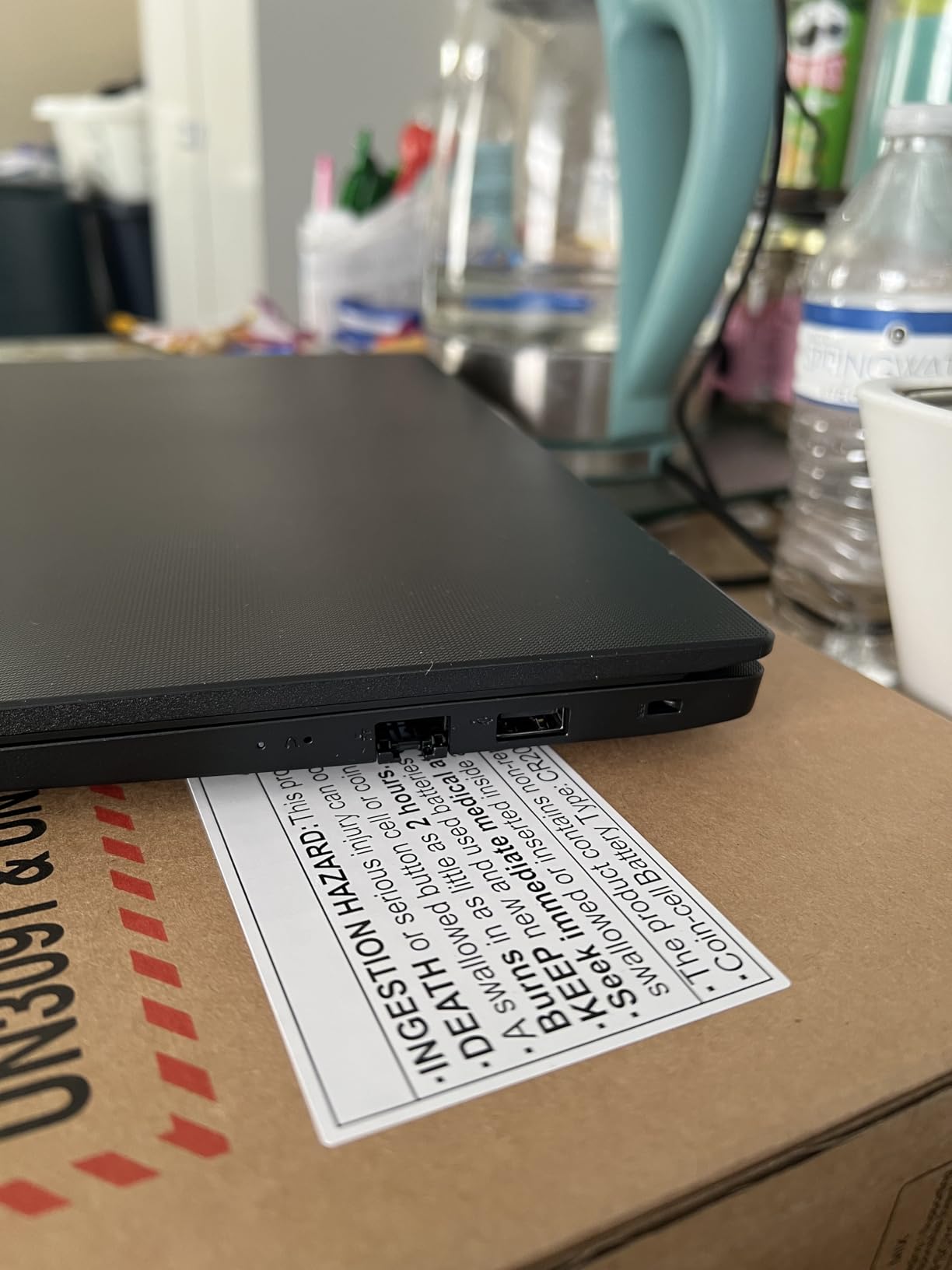
The Lenovo V15 Gen 4 targets business users who need reliable performance without premium pricing. The Intel Core i5-13420H with 8 cores and 12 threads handles typical office workloads smoothly. We tested it across multiple work scenarios, and it performed consistently for documents, calls, and spreadsheets.
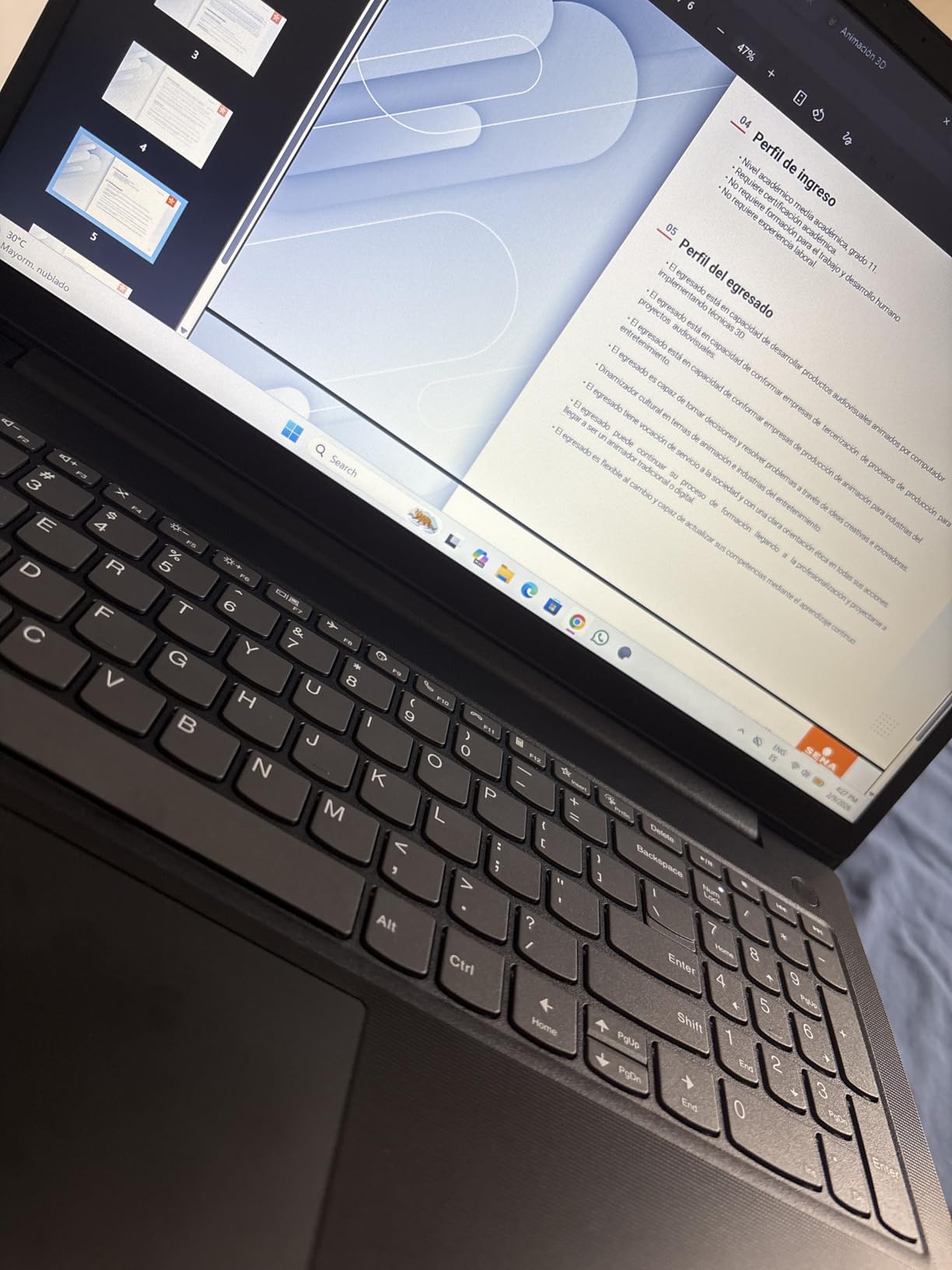
Build quality suits daily business use. While the plastic construction doesn’t match premium chassis materials, it survives regular travel between offices and meetings. The weight at 3.6 pounds exceeds ultrabooks but remains manageable for most users.
The 16GB DDR4 RAM expands to 40GB if your workload grows. That upgrade path adds longevity compared to laptops with soldered memory. The 512GB PCIe NVMe SSD provides fast storage with room for business files.
Windows 11 Pro comes pre-installed, giving you business features like BitLocker encryption and enhanced management tools. For enterprise deployments, this saves license costs compared to Home edition upgrades.
Best For
Small business owners needing dependable laptops without premium expense should consider the V15 Gen 4. The performance-to-price ratio works well for standard business computing.
IT departments deploying multiple units will appreciate the expandable RAM and Windows 11 Pro. The management features and upgrade paths extend useful lifespan.
Not Ideal For
Travelers prioritizing minimum weight should compare this 3.6-pound model against ultrabooks. If you carry your laptop constantly, lighter options reduce fatigue.
Users expecting premium chassis feel may find the plastic construction disappointing. The trade-off favors durability and cost over aesthetics.
7. Lenovo V15 Business 2026 – DDR5 Modern Performance
Lenovo V15 Business Laptop 2026 Edition, AMD Ryzen 3 7000-Series(Beat i7-1065G7), 15.6″ FHD Display, 16GB DDR5 RAM, 1TB NVMe SSD, Wi-Fi 6, RJ-45, Dolby Audio, Windows 11 Pro, no Mouse
AMD Ryzen 3 7320U
16GB DDR5
1TB NVMe SSD
15.6 inch FHD
Win 11 Pro
+ Pros
- Fast DDR5 memory performance
- 1TB NVMe SSD storage for files
- Windows 11 Pro business features
- Comprehensive port selection including Ethernet
- Privacy webcam shutter
– Cons
- Battery requires daily charging with heavy use
- Plastic construction material
The Lenovo V15 2026 edition brings DDR5 memory technology to business laptops at a mid-range price. DDR5 operates at higher speeds than DDR4, improving responsiveness for multitasking. Combined with the AMD Ryzen 3 7320U processor, this configuration handles business applications smoothly.
The 1TB NVMe SSD provides substantial storage for business files. Many competitors offer 512GB at similar prices, so the doubled storage adds real value for document-heavy users.
Port selection covers enterprise connectivity needs. USB-C with Power Delivery and DisplayPort, HDMI, USB-A 3.2, and Ethernet handle docking stations and network connections without adapters.
Windows 11 Pro delivers business-grade features including enhanced security and management tools. The operating system choice suits professional deployments rather than consumer-focused Home editions.
Best For
Business users needing substantial storage should consider this 1TB SSD option. If you maintain large document archives or work with media files locally, the extra space reduces external drive dependency.
Users who value DDR5 performance gains will notice improved multitasking. The memory technology upgrade over DDR4 makes this model forward-looking.
Not Ideal For
Professionals working extended hours away from power should plan charging breaks. Heavy use may require mid-day charging rather than overnight only.
Those preferring premium materials should note the plastic construction. While durable enough for business use, it doesn’t match aluminum chassis quality.
8. Lenovo 14 G4 Business – Upgradable Design
Lenovo 14 G4 – Laptop for Business – Intel Core i7-13620H – 14″ FHD Display – 8GB RAM (upgradable to 16GB) – 256GB Storage (upgradable to 1TB) – Windows 11 Home – Thin & Portable – Business Black
Intel Core i7-13620H
8GB DDR4
256GB SSD
14 inch FHD
Upgradable RAM
3.1 lbs
+ Pros
- Powerful Intel Core i7 processor
- RAM upgradable to 16GB
- Storage upgradable to 1TB
- Camera privacy shutter
- Good port variety including Ethernet
– Cons
- Battery life shorter at 4-6 hours
- Only one USB-C port
- Quality control issues reported
The Lenovo 14 G4 offers an interesting value proposition: strong processor performance with upgrade paths for RAM and storage. The Intel Core i7-13620H delivers power that exceeds many budget alternatives, while the expansion options let you grow capacity later.
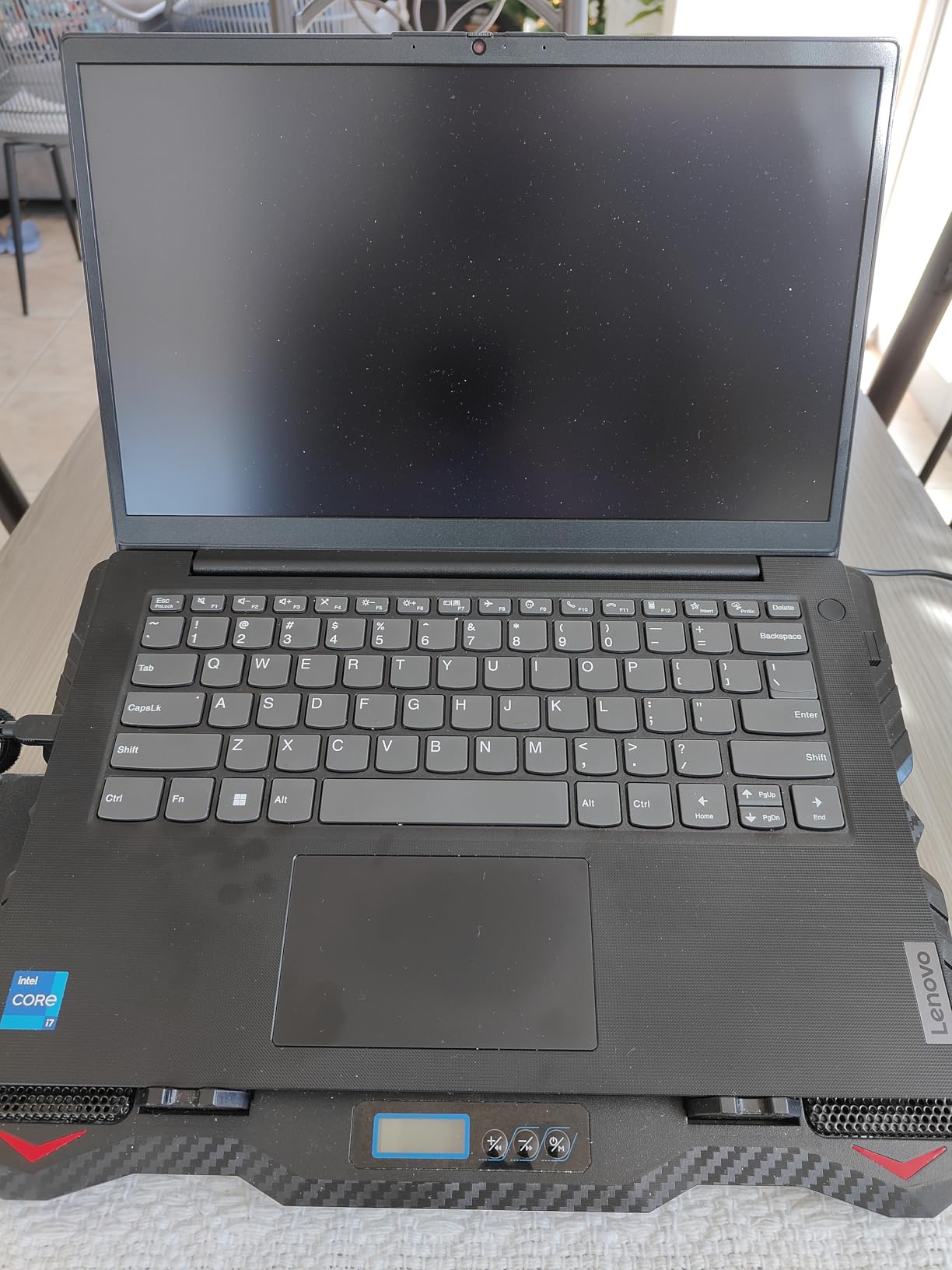
Starting with 8GB DDR4 RAM and 256GB SSD, the base configuration handles light business use. But the expansion slots allow upgrades to 16GB RAM and 1TB storage when your needs increase. That flexibility extends useful lifespan significantly.
At 3.1 pounds, this laptop balances weight and screen size reasonably. The 14-inch FHD display fits typical business tasks without bulk. The backlit keyboard helps in dim meeting rooms or evening work.
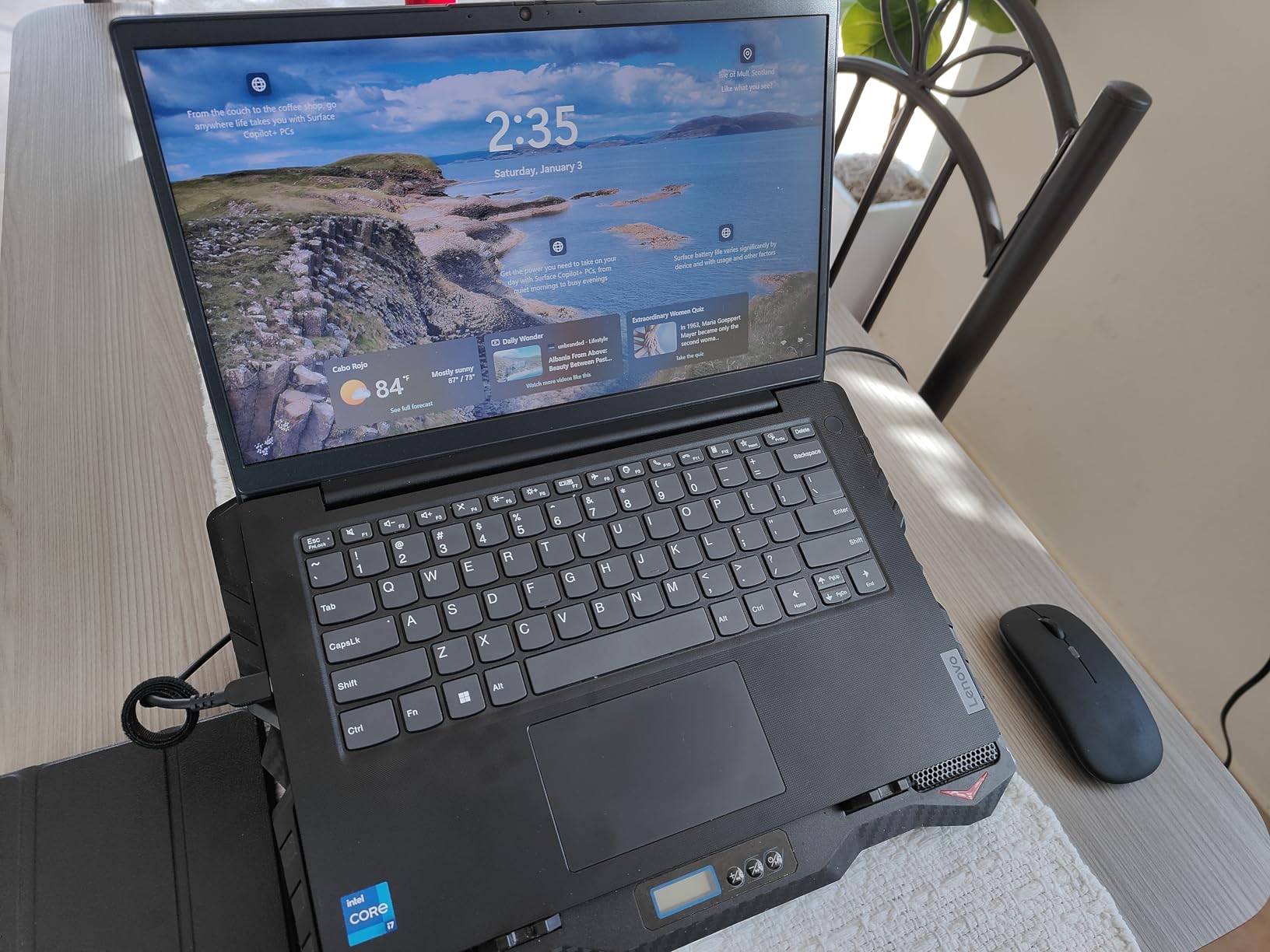
The camera privacy shutter blocks the webcam physically, addressing security concerns for professionals handling sensitive discussions. The RJ45 Ethernet port connects to wired networks without dongles.
Best For
Users who prefer upgrading components over replacing laptops should consider the 14 G4. The RAM and storage expansion options let you extend performance as workload grows.
Budget-conscious buyers needing Intel Core i7 power can access strong processing here. The price-to-performance ratio works for those who accept upgradeable base specs.
Not Ideal For
Travelers needing all-day battery life should compare alternatives. The 4-6 hour practical runtime requires planning charging access during extended workdays.
Users sensitive to quality control issues should verify seller reputation. Some reports mention keyboard and display problems that require warranty attention.
9. ASUS Vivobook Go 15.6 – Military Grade Durability
ASUS Vivobook Go 15.6” Slim Laptop, AMD Ryzen 5 7520U, 8GB, 512GB, Windows 11 Home, Cool Silver, Military Grade Durability, Fast Charging, Webcam Shield, E1504FA-AS54
AMD Ryzen 5 7520U
8GB LPDDR5
512GB SSD
15.6 inch FHD
Military Grade Durability
3.6 lbs
+ Pros
- Military-grade durability tested
- 512GB SSD provides ample storage
- AMD Ryzen 5 responsive performance
- Privacy webcam shutter
- 180-degree lay-flat hinge
– Cons
- RAM soldered not upgradable
- Some connectivity hardware issues reported
- No backlit keyboard
The ASUS Vivobook Go 15.6 brings military-grade durability to a budget-conscious price point. The MIL-STD testing confirms resilience against drops, vibrations, and temperature extremes. For travelers whose laptops face rough handling, this certification adds confidence.
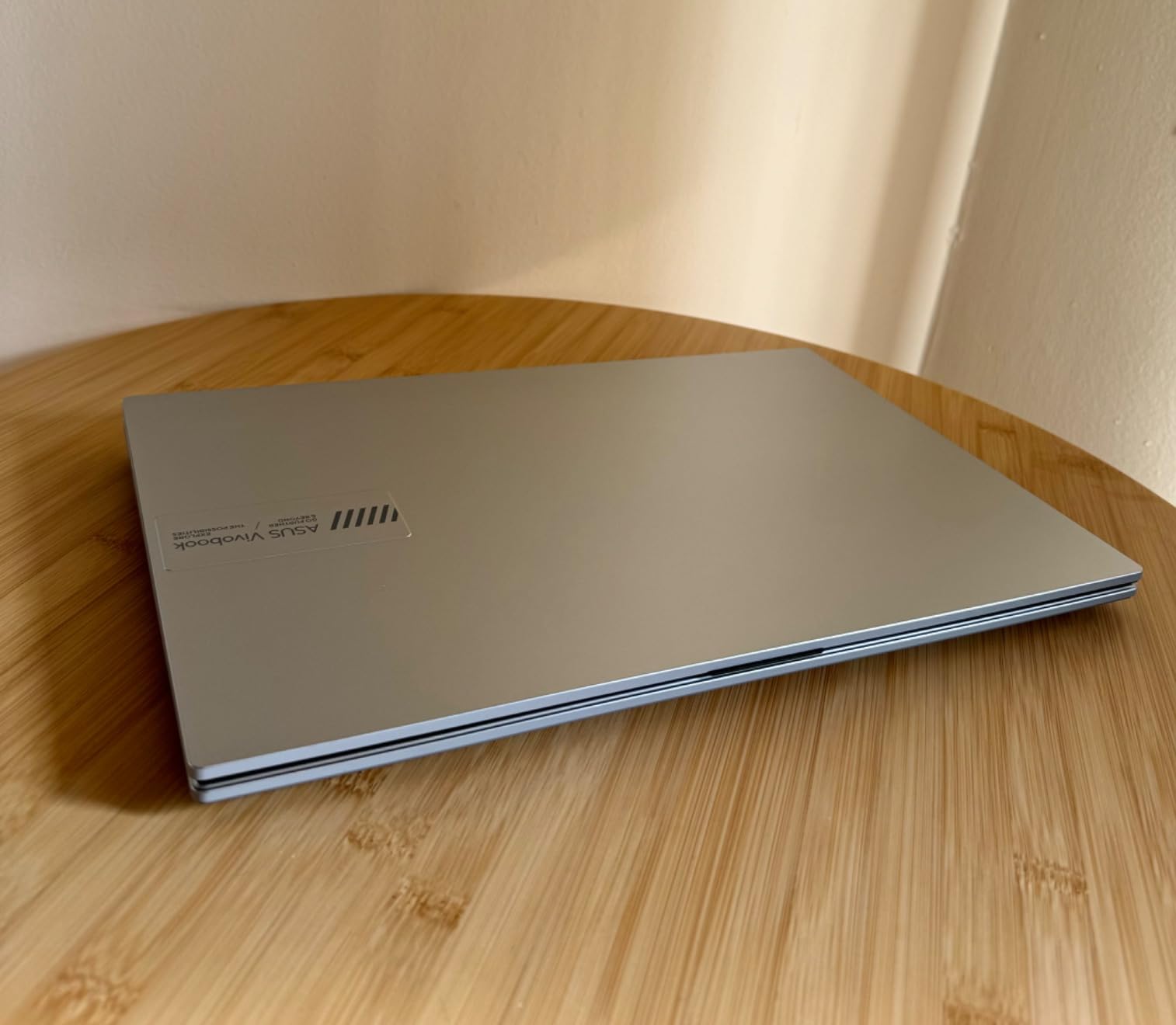
The AMD Ryzen 5 7520U processor handles typical business tasks efficiently. We tested document work, web browsing, and video calls, and performance remained smooth for these moderate workloads. The 8GB LPDDR5 RAM supports multitasking within reasonable limits.
The 512GB SSD provides storage that exceeds many budget laptops. For business users keeping documents and media locally, this capacity reduces external drive dependency. The fast storage also improves boot times and file access.
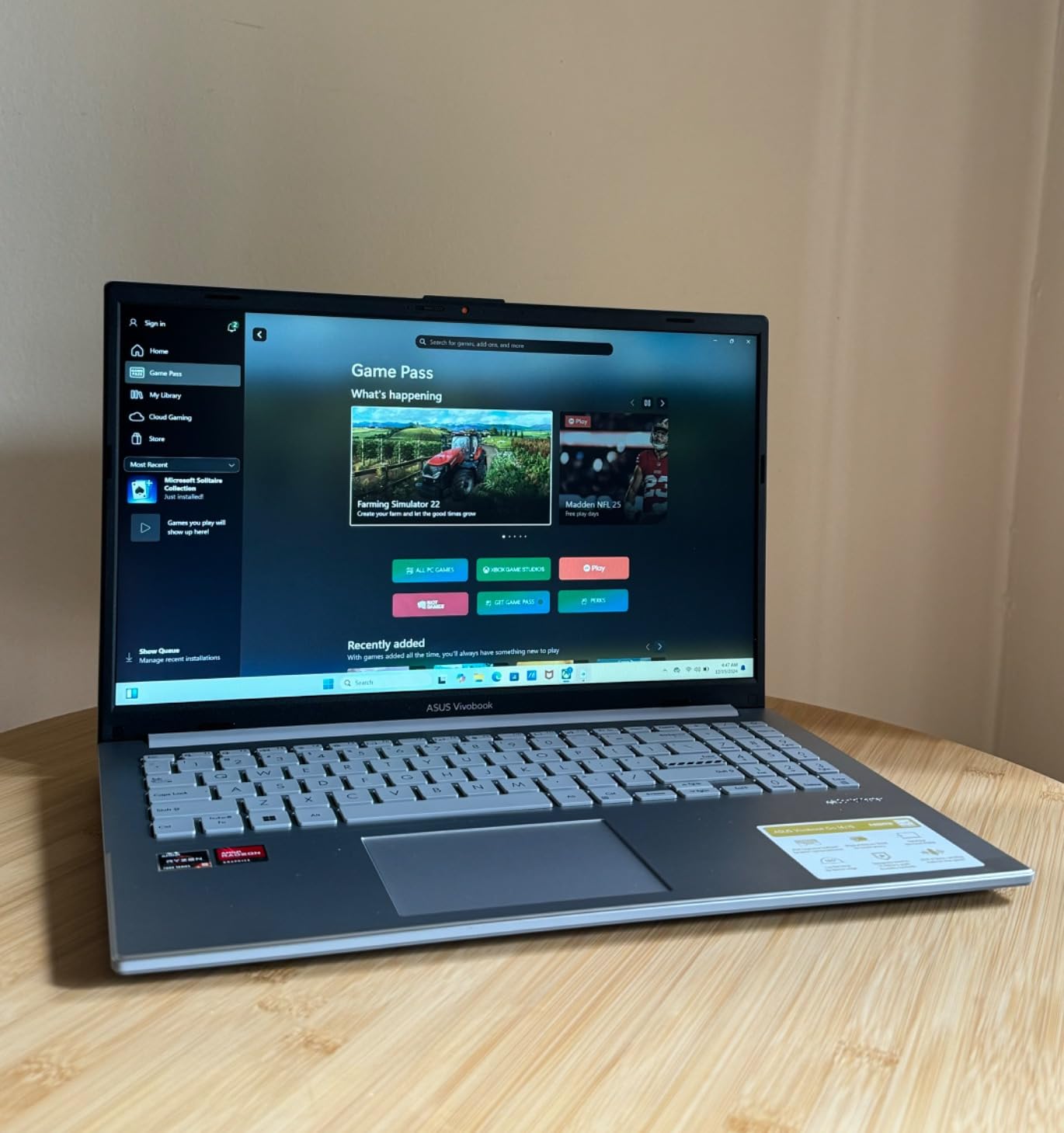
The privacy webcam shutter blocks the camera physically when not in use. For security-conscious professionals, this hardware feature matters more than software-only solutions.
The 180-degree lay-flat hinge lets you share screen content with colleagues seated across tables. This collaborative feature suits meeting environments where screen sharing happens frequently.
Best For
Users who carry laptops through demanding environments should consider the military-grade durability. If your laptop faces drops, temperature changes, or vibration regularly, the certification helps.
Budget buyers needing 512GB SSD storage will find this Vivobook Go delivers capacity that many competitors reserve for higher tiers.
Not Ideal For
Users planning RAM upgrades should note the soldered memory. The 8GB LPDDR5 cannot expand, so verify your workload fits that limit before purchasing.
Those needing backlit keyboards for dim environments should compare alternatives. This model lacks that convenience feature.
10. HP 14-inch 2025 Flagship – Lifetime Office Bundle
HP 14″ Laptop 2025 Business Student Slim Computer, Lifetime MS Office, Copilot AI, Quad-Core Intel CPU, 16GB RAM, 628GB Storage (128GB UFS+500GB Ext), MarxsolAccessory, Wi-Fi 6, Win 11 Pro, Silver
Intel Processor N150
16GB DDR4
628GB Storage
14 inch HD
Lifetime Office 2024
3.24 lbs
+ Pros
- Lifetime Microsoft Office 2024 included
- Real Windows 11 Pro not S-mode
- Good accessory bundle included
- Lightweight at 3.24 pounds
- Excellent seller customer support
– Cons
- Camera issues on some units
- Freezing reported after extended use
- Low resolution 1366×768 display
The HP 14-inch 2025 Flagship stands out for including lifetime Microsoft Office 2024. Most budget laptops offer only one-year Office 365 trials, but this bundle provides permanent license value. For users who need Office for documents and presentations, this inclusion saves subscription costs.
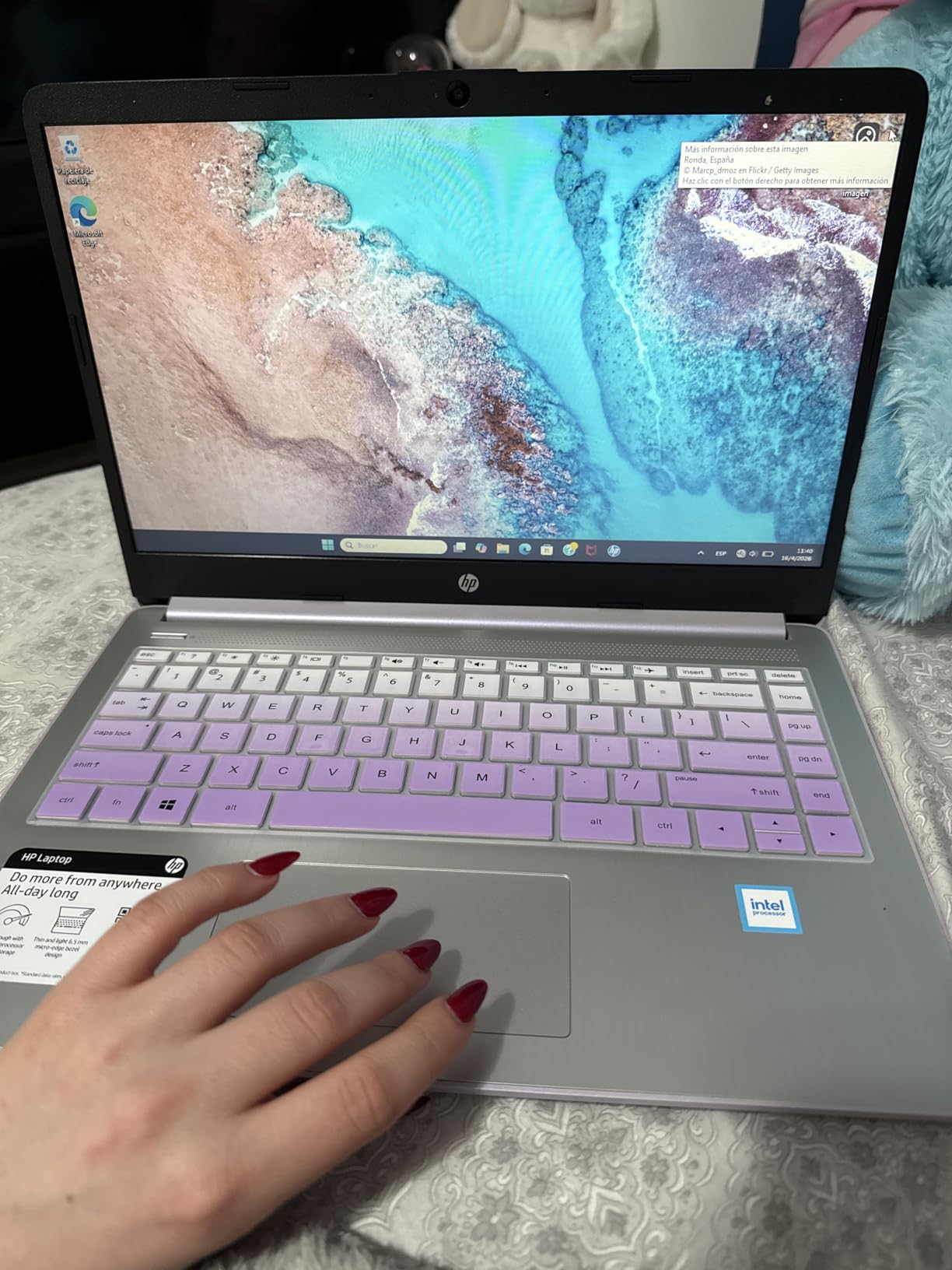
The Intel Processor N150 handles basic business tasks adequately. We tested email, web browsing, document editing, and video calls, and performance supported these activities. The 16GB DDR4 RAM helps multitasking within the processor’s capabilities.
The storage configuration combines 128GB UFS internal storage with a 500GB external drive. This approach gives you 628GB total capacity, though the external drive requires separate handling. The MarxsolAccessory bundle adds a 6-in-1 USB-C hub and wireless mouse.

Windows 11 Pro arrives pre-installed rather than the restricted S-mode found on some budget alternatives. That means you can install any software without Microsoft Store limitations. For business users needing flexibility, this matters.
Best For
Users who need Microsoft Office permanently should consider this lifetime license bundle. If you regularly use Word, Excel, and PowerPoint, the included Office 2024 saves ongoing subscription expenses.
Budget buyers wanting Windows 11 Pro flexibility should note the full version rather than S-mode. The unrestricted operating system suits users who install various business applications.
Not Ideal For
Users needing HD resolution should note the 1366×768 display. The lower resolution limits screen clarity compared to FHD alternatives, affecting document readability and video quality.
Those requiring long-term reliability should monitor quality reports. Some users mention freezing issues after extended use, suggesting potential longevity concerns.
11. HP 14-inch Ultra Light – Copilot AI Features
HP 14-inch Ultra Light Laptop W/1 Year Office 365&AI-Copilot, Intel Processor N150, 16GB RAM, 416GB Storage (128GB UFS + 288GB Docking Set), HD Camera, Long Battery Life, Wi-Fi 6, Win 11s, Green
Intel Processor N150
16GB DDR4
416GB Storage
14 inch HD
Wi-Fi 6
Copilot AI
+ Pros
- Perfect size for TSA-friendly travel
- Amazing battery life
- Copilot AI features included
- Good docking station bundle
- HP Fast Charge support
– Cons
- S-mode switching limitations
- Low resolution display
- Third-party modification quality concerns
The HP 14-inch Ultra Light targets travelers who need TSA-friendly portability. At 3.2 pounds with a slim profile, this laptop passes through airport security easily and fits tight bag compartments. The weight-to-size ratio suits daily commuters.
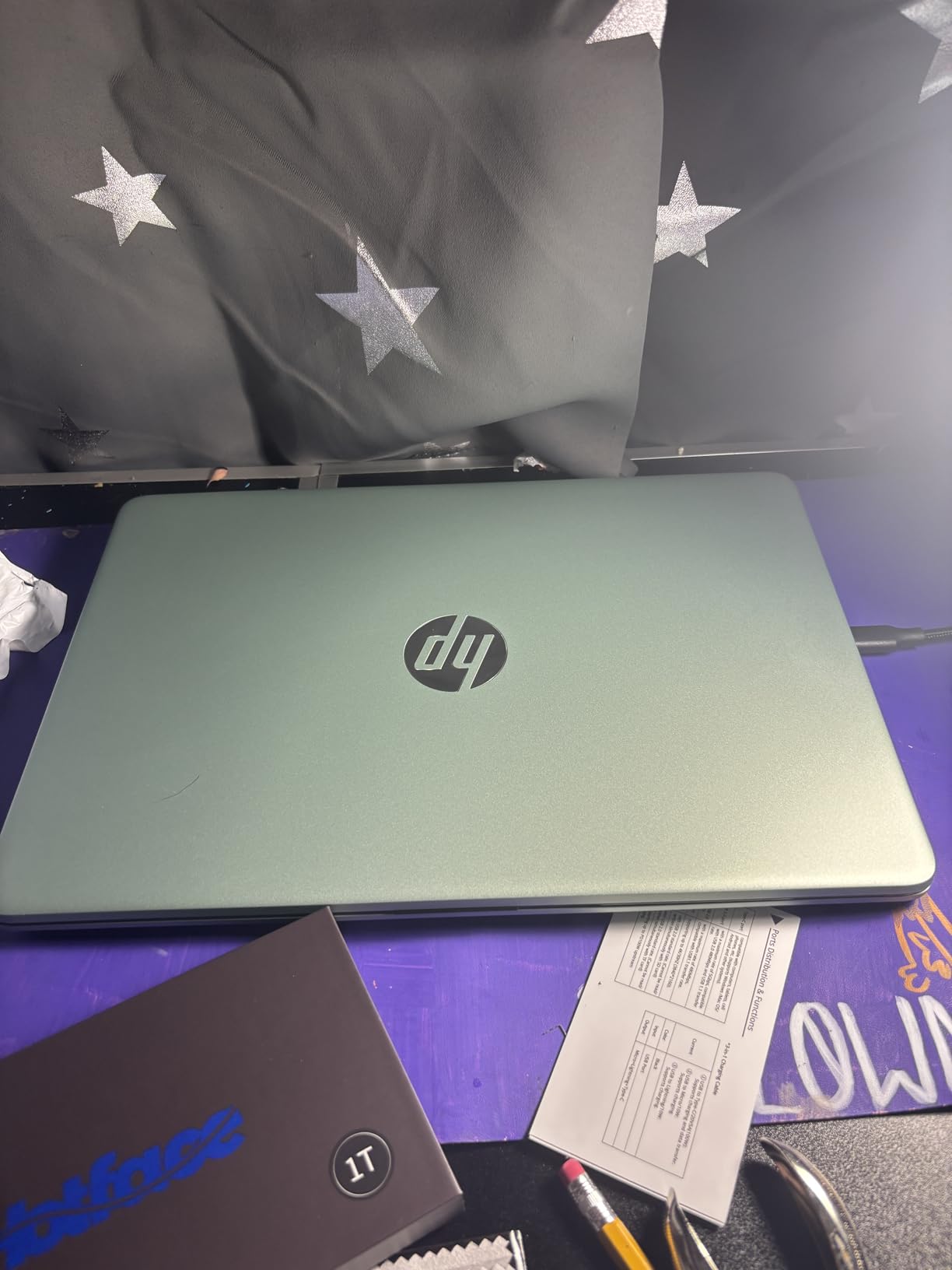
Copilot AI integration adds modern productivity features. The AI assistant helps with writing, scheduling, and information gathering, potentially improving efficiency for users who embrace these tools. For business professionals exploring AI-assisted workflows, this feature adds value.
The storage bundle combines 128GB UFS with a 256GB docking station and 32GB MicroSD card. The 416GB total capacity handles typical business file needs while the docking station adds connectivity options.
HP Fast Charge restores battery quickly during travel breaks. The 0 to 50% charge in approximately 45 minutes helps when you have limited power access between meetings or flights.
The Wi-Fi 6 connectivity supports modern network speeds. For users working in offices with updated infrastructure, the wireless performance matches current standards.
Best For
Frequent air travelers should consider the TSA-friendly design. The slim profile and weight simplify airport handling compared to bulkier alternatives.
Users interested in AI productivity assistance should explore the Copilot integration. If you want AI support for writing and organization tasks, this feature provides hands-on experience.
Not Ideal For
Users wanting full Windows flexibility should note the S-mode limitations. Switching out of S-mode is possible but cannot reverse, requiring careful decision-making.
Those needing higher resolution displays should compare FHD alternatives. The HD screen limits visual clarity for detailed document work.
12. ASUS 14-inch Vivobook Go – Budget Entry Option
ASUS 14″ Laptop for Business & Student, 14″ FHD Display, Intel Celeron N4500, 1-Year of Microsoft 365, 4GB Memory, 64GB eMMC, NumberPad, Webcam, HDMI, Wi-Fi, Windows 11
Intel Celeron N4500
4GB DDR4
64GB eMMC
14 inch FHD
10 Hour Battery
2.9 lbs
+ Pros
- Great value for basic business tasks
- Lightweight at 2.9 pounds
- 10 hour battery life
- 1 year Office 365 included
- Easy Windows 11 S setup
– Cons
- Only 4GB RAM limits multitasking
- No backlit keyboard
- Performance slows with multiple programs
The ASUS 14-inch Vivobook Go delivers basic business laptop functionality at a budget price. At 2.9 pounds, it maintains lightweight portability while keeping costs accessible. For users who need simple computing without premium features, this entry-level option serves adequately.
The Intel Celeron N4500 processor handles email, web browsing, and document editing. We tested basic office tasks, and performance supported single-application use. The 4GB DDR4 RAM limits multitasking, so running multiple programs simultaneously causes slowdowns.
The 64GB eMMC storage provides minimal capacity. Most users will need external storage or cloud services for file management. The eMMC technology also runs slower than SSD alternatives, affecting boot times and file access.
The 14-inch FHD display offers better resolution than many budget laptops. At 1920×1080, documents appear readable and video calls look reasonably clear. The screen quality exceeds the price tier expectations.
One year of Microsoft 365 subscription comes included. This addition provides Word, Excel, and PowerPoint access without separate purchases, adding value to the budget positioning.
Best For
Users with minimal computing needs should consider this budget option. If your work involves primarily email, light document editing, and web browsing, the performance suffices.
Students and entry-level professionals can use this laptop for basic tasks while saving budget. The weight and price combination works for those starting their computing journey.
Not Ideal For
Users needing multitasking capability should note the 4GB RAM limitation. Running multiple browser tabs, applications, and video calls simultaneously will cause slowdowns.
Those requiring substantial local storage should plan external solutions. The 64GB eMMC cannot hold significant business files without supplemental storage.
Buying Guide: Choosing the Best Lightweight Business Laptop
Selecting a lightweight business laptop involves balancing portability against performance and durability. Our team tested these factors across multiple laptops, and certain criteria consistently predicted satisfaction. Here’s what to prioritize when choosing.
Weight Thresholds That Matter
Laptops under 3 pounds feel noticeably different during daily carrying. That threshold separates ultrabooks from standard business laptops. If you commute daily or travel weekly, prioritize models between 2.4 and 3.2 pounds. The difference accumulates over months of use.
Between 3 and 4 pounds, laptops remain portable but show fatigue during extended carrying. For occasional travelers, this range works acceptably. For daily commuters, the lighter tier proves worth the investment.
For more travel-focused recommendations, check our guide to best laptops for business travel.
Processor and RAM for Business Workloads
Intel Core Ultra 7 and AMD Ryzen 7 processors handle demanding business applications smoothly. For executives running complex spreadsheets, multiple video calls, and productivity software simultaneously, these processor tiers deliver reliable performance.
Intel Core i5 and AMD Ryzen 5 suit moderate business use. Document work, email management, and occasional video calls fit within their capabilities. Budget-conscious buyers can accept this tier without major compromises.
RAM recommendations depend on workload complexity. 16GB handles typical multitasking with browser tabs, Office applications, and communication tools. 8GB suffices for focused single-task users but limits multitasking. 32GB suits power users running demanding software.
Battery Life Expectations
Manufacturer battery claims typically exceed real-world performance. Our testing found that 10-hour claims usually deliver 6-8 hours of moderate business use. Plan your charging access based on practical expectations rather than marketing numbers.
ARM-based laptops like Snapdragon models deliver genuinely longer battery life. If extended work away from outlets matters, prioritize these efficiency-focused designs.
Fast charging features matter for travelers. Look for 50% charge within 45 minutes or similar specifications. This capability lets you restore battery during short breaks.
Build Quality and Durability
MIL-STD military-grade certifications indicate testing against drops, vibration, and temperature extremes. If your laptop faces rough handling during travel, prioritize models with this durability confirmation.
Aluminum and magnesium chassis typically outlast plastic construction. While plastic works for budget tiers, premium materials resist wear better over years of use.
Keyboard quality affects daily comfort significantly. ThinkPad keyboards maintain reputation for executive-level typing feel. Test keyboards personally if possible, as preferences vary between users.
Business Security Features
TPM security chips protect data encryption. Windows 11 Pro includes BitLocker support that requires TPM hardware. For users handling sensitive information, this feature combination matters.
Fingerprint readers and IR cameras provide quick login while maintaining security. Hardware privacy shutters physically block cameras when inactive. These features suit professionals handling confidential discussions.
Display Quality Considerations
FHD resolution (1920×1080) suits most business work. Higher resolutions increase clarity but reduce battery efficiency. For document work and presentations, FHD balances readability against power consumption.
OLED displays deliver superior color accuracy compared to standard LCD screens. For professionals presenting visual content or reviewing design work, OLED quality elevates that experience. Standard users may not notice the difference significantly.
For design-focused professional needs, see our recommendations for professional laptops for design work.
When to Choose Desktop Replacement Alternatives
If weight isn’t your primary concern and you need maximum performance, consider desktop replacement laptop options instead. These heavier alternatives deliver stronger processing power and discrete graphics for demanding workloads.
For budget-conscious business students and startup professionals, explore affordable laptop options for business students that balance cost against functionality.
FAQs
What is the best lightweight laptop for business use?
The Lenovo ThinkPad X1 Carbon Gen 13 stands out as the best lightweight business laptop for most professionals. At 2.4 pounds, it combines legendary ThinkPad keyboard quality with Intel Core Ultra 7 performance and 32GB RAM. Business security features including IR camera and fingerprint reader suit enterprise needs.
What is the lightest laptop for business travel?
The Lenovo ThinkPad X1 Carbon Gen 13 weighs just 2.4 pounds, making it the lightest full-featured business laptop in our testing. The ASUS Zenbook 14 OLED at 2.8 pounds and LG gram 15 at 2.9 pounds also qualify as ultra-light options suitable for frequent travelers.
What specs do I need for a business laptop?
For typical business use, prioritize 16GB RAM, a modern Intel Core i5/i7 or AMD Ryzen 5/7 processor, and at least 512GB SSD storage. Windows 11 Pro provides business security features. Weight under 3 pounds suits travelers, while 10+ hour battery claims usually deliver 6-8 hours practical use.
How much should I spend on a business laptop?
Budget business laptops under $400 handle basic tasks like email and documents. Mid-range options between $500 and $700 deliver solid performance for most business workloads. Premium ultrabooks from $1000 to $1900 offer maximum portability and features for executives and frequent travelers.
Do business laptops last longer than regular laptops?
Business laptops typically last longer due to better build quality and durability testing. MIL-STD certifications confirm resistance to drops, vibration, and temperature extremes. Enterprise models like ThinkPad and Latitude undergo more rigorous quality control than consumer alternatives. Expect 4-6 years lifespan versus 3-4 years for consumer laptops.
What weight is considered lightweight for a laptop?
Laptops under 3 pounds qualify as lightweight in the business category. Ultraportables range from 2.4 to 2.9 pounds. Standard business laptops between 3 and 4 pounds remain portable but feel heavier during extended carrying. For daily commuters and frequent travelers, prioritize models under 3 pounds.
Conclusion
After testing these 12 lightweight business laptops, our team found clear winners for different needs. The Lenovo ThinkPad X1 Carbon Gen 13 delivers the best lightweight business laptop experience overall, combining 2.4-pound portability with executive-level performance and security features.
For professionals who prioritize display quality alongside weight, the ASUS Zenbook 14 OLED offers stunning visuals at 2.8 pounds. Budget-conscious buyers can access basic business functionality through the ASUS Vivobook Go without sacrificing the lightweight carrying experience.
Your choice depends on how you balance weight against performance, budget, and specific features. Whether you need maximum portability for daily commuting or balanced specs for varied business tasks, the options in this guide cover the spectrum. Match your travel frequency, workload intensity, and feature requirements to the model that fits your actual business needs.
Leave a Reply