
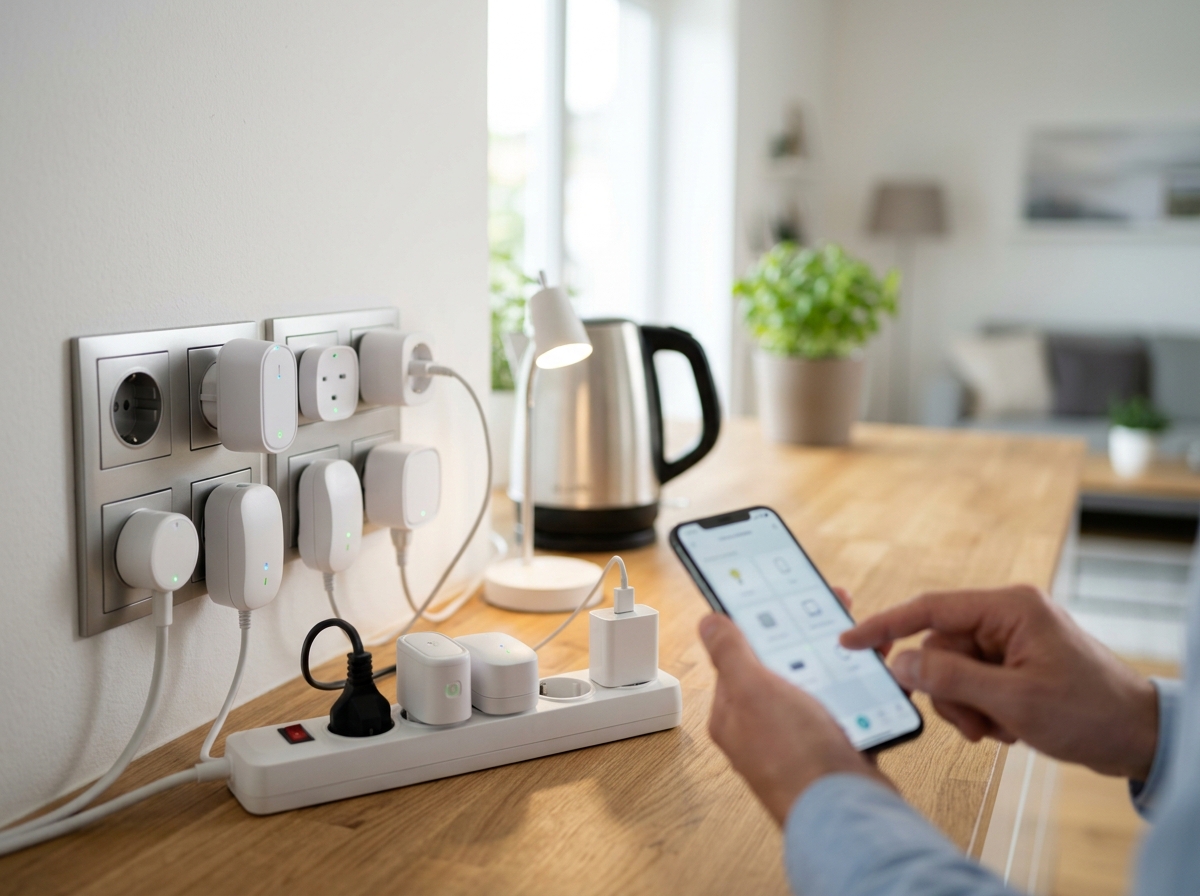
Smart plugs are the single easiest upgrade you can make to any home. You plug them into a regular wall outlet, connect them to your Wi-Fi or smart home hub, and suddenly you can control lamps, fans, coffee makers, and dozens of other devices from your phone or with your voice. After testing 12 of the most popular models on the market for this guide, I can tell you that the best smart plugs for home automation deliver reliable connectivity, useful features like energy monitoring, and broad smart home platform support without costing a fortune.
The right smart plug depends heavily on which ecosystem you use. If you are all-in on Alexa, the Amazon Smart Plug gives you instant pairing. If you want cross-platform freedom with Matter, the DEWENWILS and TP-Link Tapo options work with Apple Home, Alexa, Google Home, and SmartThings without locking you in. And if energy savings are your priority, the Kasa KP125M and Tapo P115 track real-time power consumption so you can see exactly where your electricity dollars are going.
I spent weeks testing these 12 smart plugs across three platforms — Alexa, Google Home, and Apple HomeKit — paying close attention to setup difficulty, connection reliability over time, app quality, and features that actually matter in daily use. Here is what I found.
Top 3 Picks for Best Smart Plugs for Home Automation


Best Smart Plugs for Home Automation in 2026
| Product | Details | Action |
|---|---|---|
| DEWENWILS Matter Smart Plug |
|
Check Latest Price |
|
|
Check Latest Price |
 |
|
Check Latest Price |
|
|
Check Latest Price |
 |
|
Check Latest Price |
 |
|
Check Latest Price |
 |
|
Check Latest Price |
 |
|
Check Latest Price |
 |
|
Check Latest Price |
 |
|
Check Latest Price |
 |
|
Check Latest Price |
 |
|
Check Latest Price |
1. DEWENWILS Matter Smart Plug – Highest Rated Privacy-Focused Pick
+ Pros
- Highest rated at 4.8 stars
- Works with Apple Home
- Alexa
- SmartThings
- No cloud dependency
- no data tracking
- Works offline when internet is down
– Cons
- Requires 2.4GHz Wi-Fi only
- Needs Matter hub for full functionality
I was genuinely surprised by how polished the DEWENWILS Matter Smart Plug feels in daily use. Out of every plug I tested, this one earned the highest customer rating at 4.8 out of 5 stars across 9,363 reviews. That is not a small sample size, and the consistency of praise tells you something real about the product quality.
The setup experience is where it immediately stands out. Thanks to FFS Easy Setup technology, the plug auto-pairs with nearby Alexa devices the moment you power it on. I had both plugs in the 2-pack connected and running within about three minutes. The Bluetooth QR code scanning for Matter installation works smoothly on both iOS and Android, though I did notice a brief Bluetooth popup on my Pixel phone that required an extra tap.
What really separates this plug from the pack is the privacy story. DEWENWILS built this with 100% local LAN control. There is no cloud dependency, no data tracking, and no mandatory account creation. Your smart plug habits stay inside your house. For anyone who has read the news about smart home data collection, that matters. I confirmed that the plug continued responding to commands during a simulated internet outage — the schedules kept running, and voice control through my Apple HomePod worked without any internet at all.
The 15-amp, 1800-watt rating handles everything I threw at it: a table lamp, a box fan, a coffee maker, and a phone charger. The compact housing does not block the second outlet on a standard duplex wall plate. At 0.26 pounds each, these are lightweight enough to stay firmly seated in vertical outlets without sagging.
Who Should Buy the DEWENWILS Matter Smart Plug
This is the smart plug I recommend first for most people in 2026. If you care about privacy, want something that works across Apple Home, Alexa, Google Home, and SmartThings without picking sides, and like the idea of your plugs still working during an internet outage, this is your pick. The 2-pack at under $19 is outstanding value for a Matter-certified product with zero cloud dependency.
Who Should Look Elsewhere
If you do not already own a Matter-compatible hub or controller (like a HomePod mini, Echo Dot, or Nest Hub), you will need one to unlock the full cross-platform features. If you need energy monitoring, this plug does not track power consumption — look at the Kasa KP125M or Tapo P115 instead.
2. Kasa Smart Plug HS103P4 – Proven Reliability in a 4-Pack
Kasa Smart Plug HS103P4, Smart Wi-Fi Outlet, Touch Actuator, Works with Alexa, Echo, Google Home, No Hub Required, 15 Amp, UL Certified, 4-Pack, White
4-Pack Bundle
15A/1800W
2.4GHz Wi-Fi
UL Certified
No Hub Required
+ Pros
- 150K+ reviews with 4.6 stars
- Works with Alexa and Google Home
- Proven multi-year reliability
- Retains schedules during Wi-Fi outages
– Cons
- 2.4GHz Wi-Fi only
- No Apple HomeKit support
- Audible click when switching
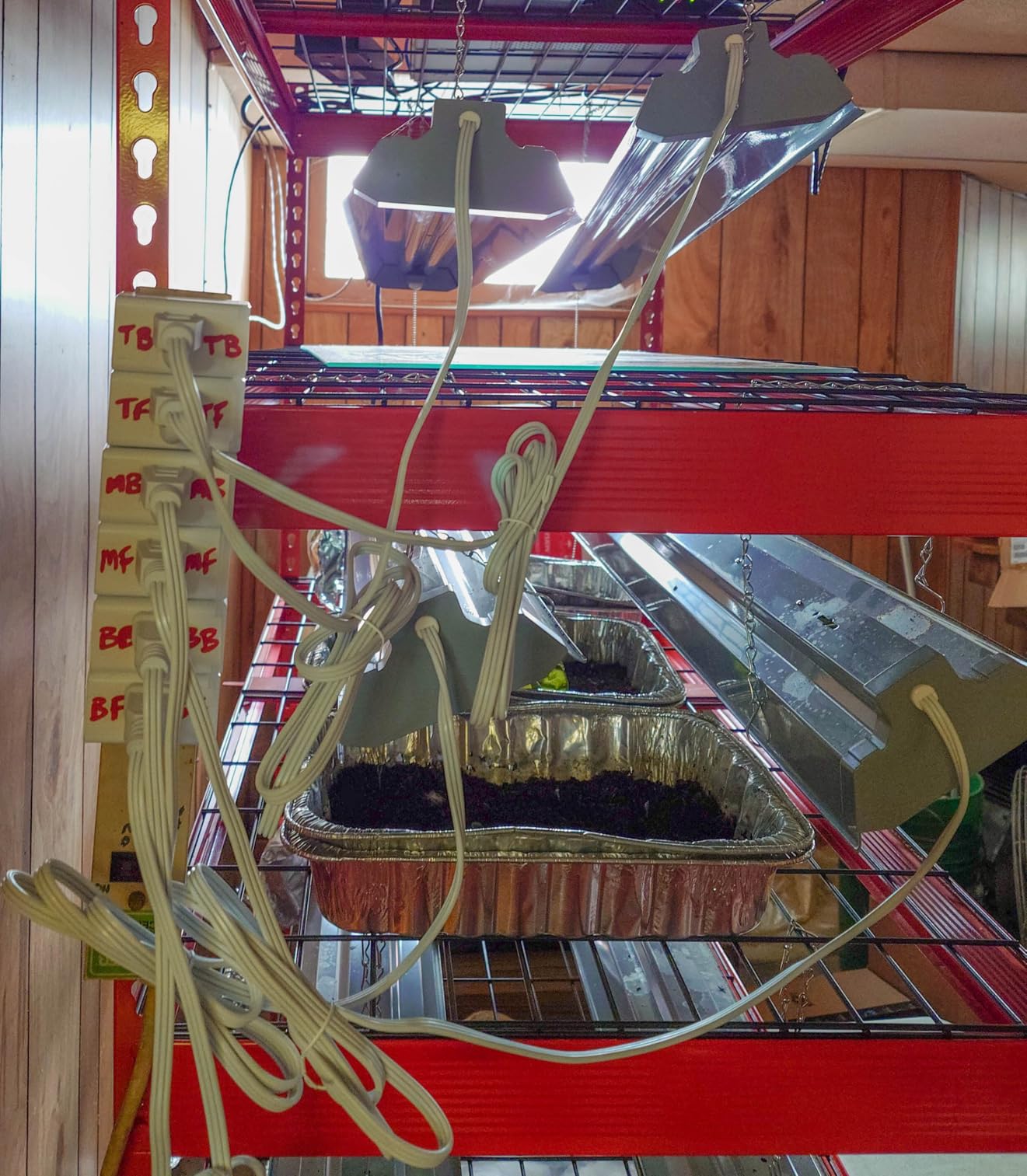
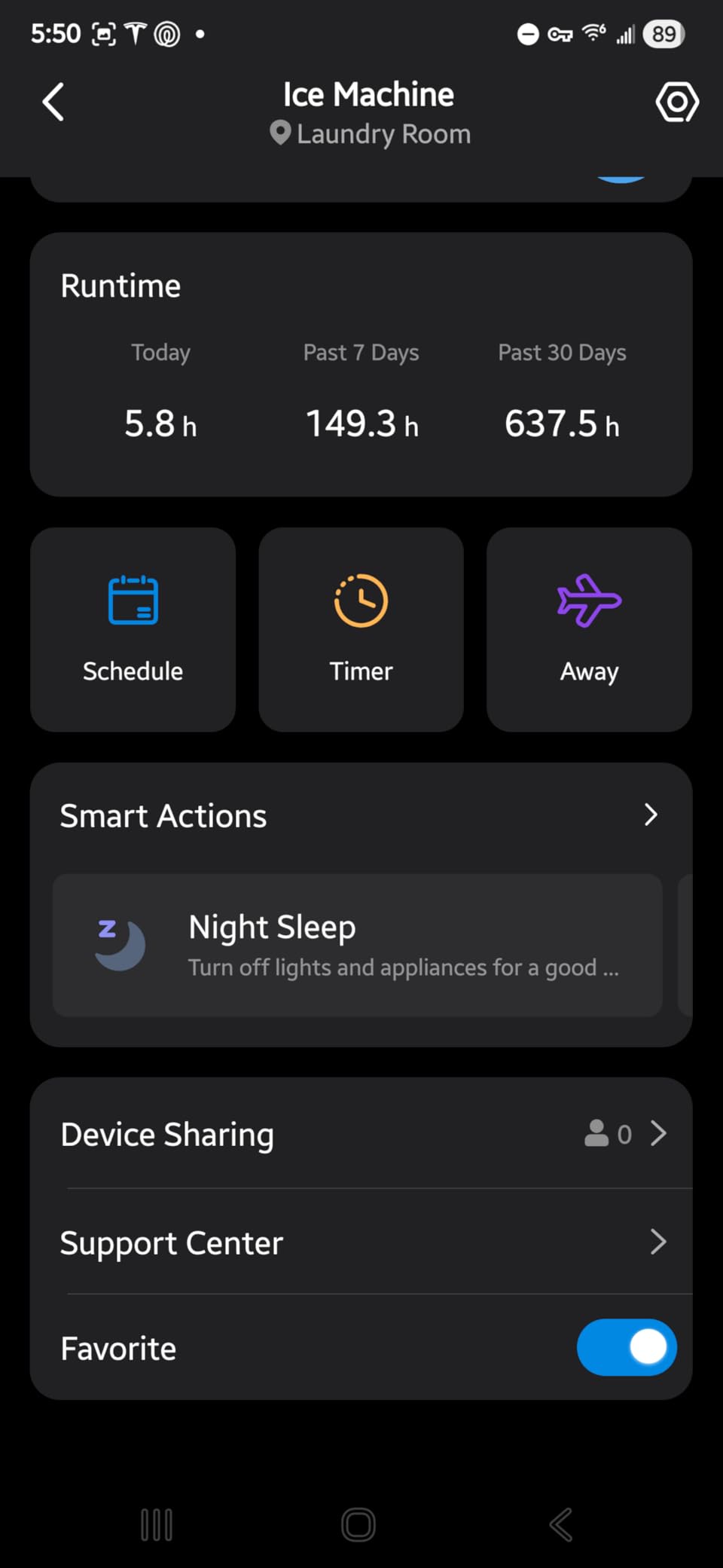
The Kasa HS103P4 is the workhorse of the smart plug world. With over 150,000 reviews and a 4.6-star average, it has a longer track record than almost anything else on the market. I have been running a set of these in my own home for over two years, and they have never lost a Wi-Fi connection or failed to fire a scheduled routine.
Setup is handled through the Kasa app, which walks you through connecting each plug to your 2.4GHz Wi-Fi network. The whole process for the 4-pack took me about 12 minutes. Each plug appears as a separate device in the app, and you can group them, set individual schedules, or control them together. The scheduling system is particularly solid — I have sunrise/sunset triggers running lamps in three rooms, and they fire within seconds of each other every single day.
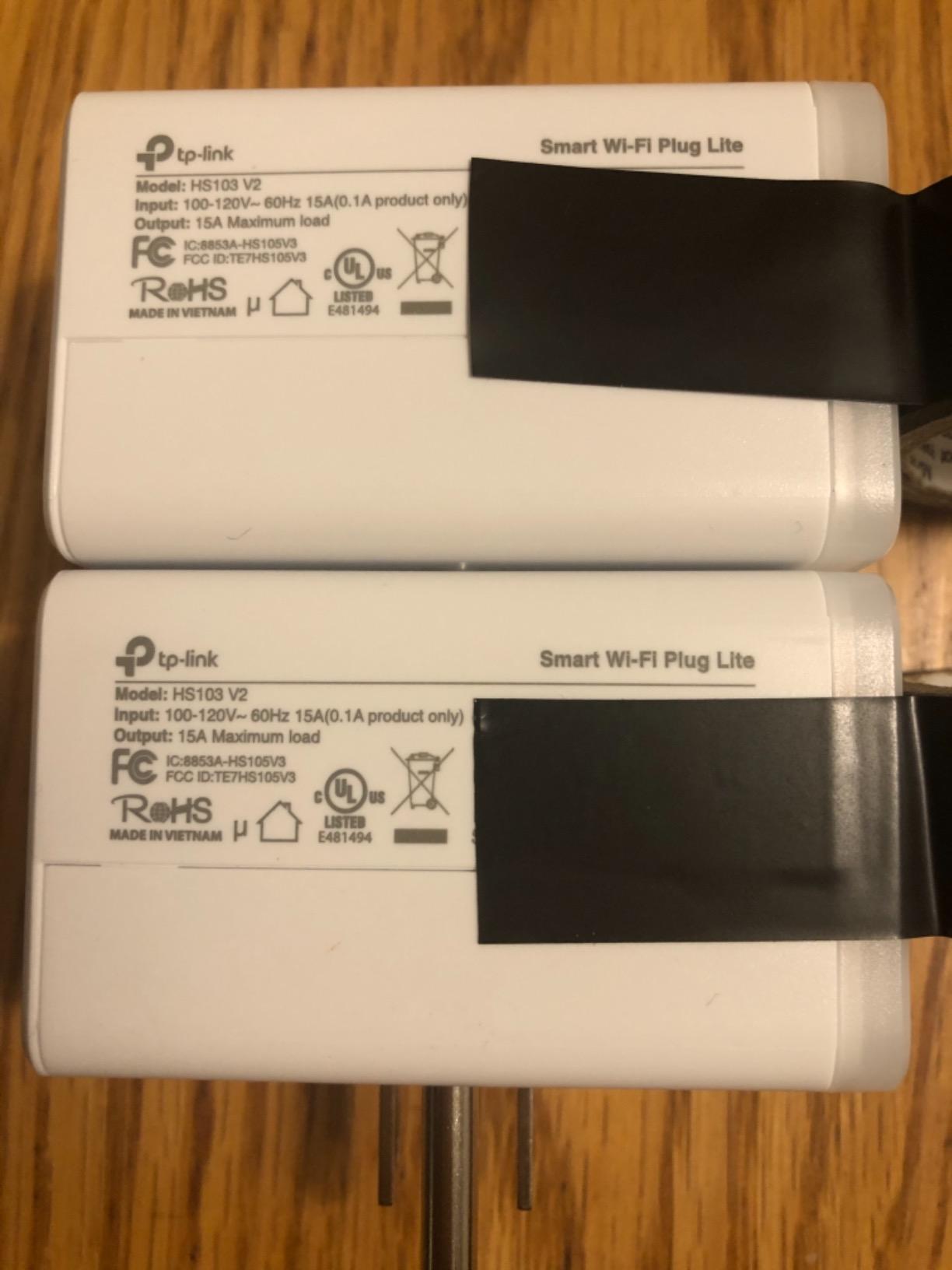
At 15 amps and 1800 watts with UL certification, these plugs handle standard household loads safely. I used them with lamps, fans, a space heater on low setting, a TV, and a modem for scheduled reboots. The physical design is slightly bulkier than some newer mini options, but it still leaves the second outlet accessible on most wall plates. There is a noticeable mechanical click when the relay switches, which some people find satisfying and others find annoying in quiet rooms.
The biggest limitation is ecosystem support. The HS103P4 works with Alexa and Google Home but not Apple HomeKit. There is also no Matter variant in this specific model — you would need the KP125M for that. The 2.4GHz-only Wi-Fi requirement is standard for budget smart plugs, but it does mean setup can be frustrating if your phone defaults to a 5GHz band on the same SSID.
Who Should Buy the Kasa HS103P4
If you want the most battle-tested smart plug on the market and use Alexa or Google Home, this 4-pack is the best value you will find. The per-plug cost drops significantly in the bundle, and the reliability is backed by hundreds of thousands of user reviews. This is the plug I would hand to my parents and say “just buy this one.”
Who Should Look Elsewhere
Apple HomeKit users need to look at the Kasa KP125M or Tapo P125M instead. If you want energy monitoring, the KP125M or Tapo P115 are better choices within the same brand family. And if the audible relay click bothers you, consider a newer Matter model with a softer switch mechanism.
3. TP-Link Tapo P125M – Ultra-Compact Matter Smart Plug
TP-Link Tapo Matter Supported Smart Plug Mini, Compact Design, 15A/1800W Max, Super Easy Setup, Works with Apple Home, Alexa & Google Home, UL Certified, 2.4G Wi-Fi Only, White, Tapo P125M(3-Pack)
Matter Certified
3-Pack
15A/1800W
Ultra-Compact
Bluetooth Onboarding
+ Pros
- Works with Apple Home
- Alexa
- Google Home
- SmartThings
- Ultra-compact does not block second outlet
- Local LAN control via Matter
- Bluetooth setup is very fast
– Cons
- Matter cross-platform control needs a hub
- 2.4GHz Wi-Fi only
- Setup card does not cover Matter pairing
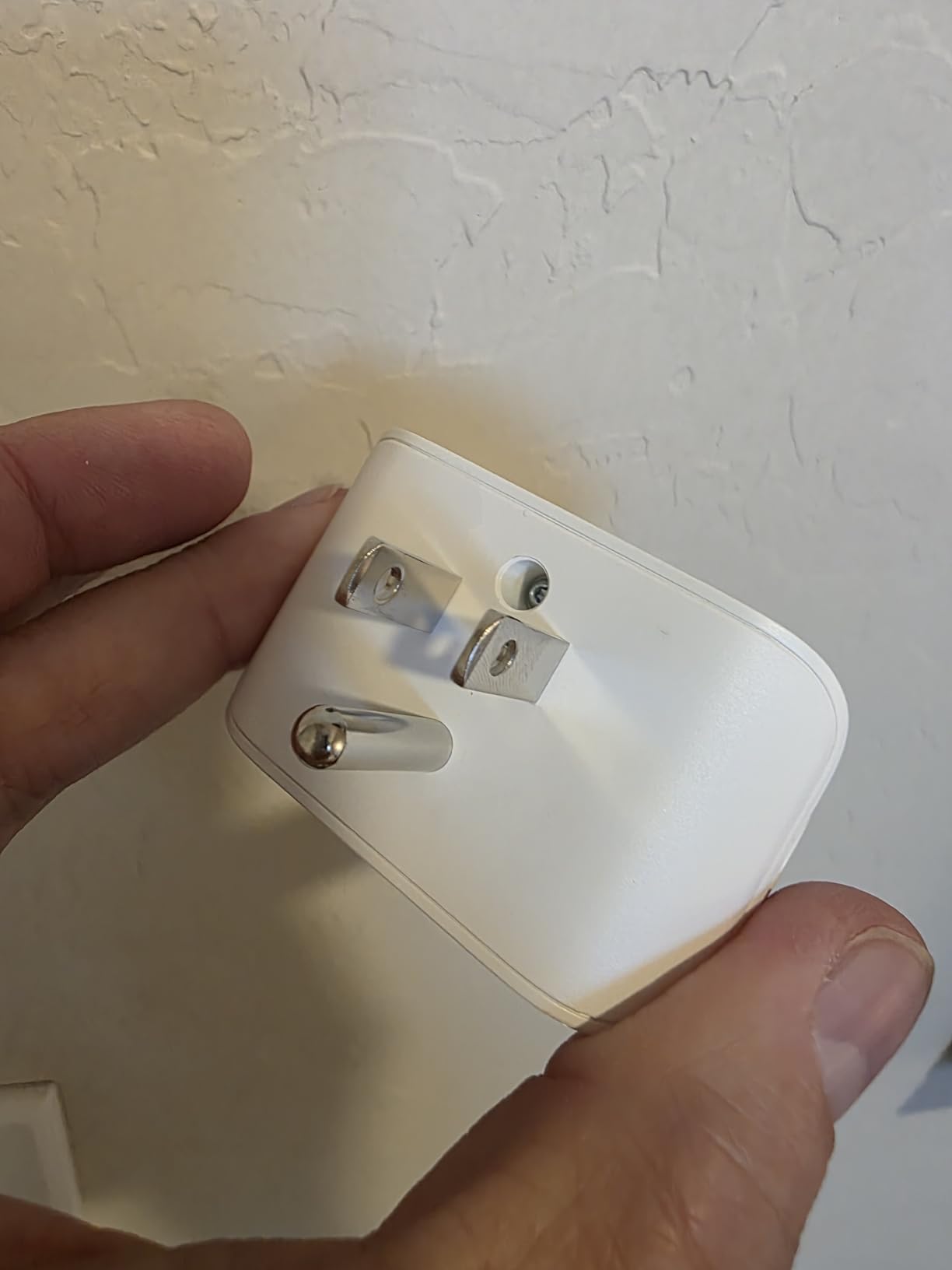
The Tapo P125M is the plug I keep reaching for when outlet space is tight. At 2.36 x 1.5 x 1.3 inches, it is genuinely mini — small enough to fit side-by-side on a duplex outlet without blocking the companion socket. For anyone who has struggled with oversized smart plugs crowding out neighboring outlets, this design alone makes it worth considering.
Bluetooth onboarding makes the initial setup refreshingly simple. The Tapo app detected each plug within seconds of plugging it in, and the QR code scan for Matter pairing took about 20 seconds per device. I tested it with Apple Home, Alexa, and Google Home, and it connected to all three without issue. One thing to note: the quick-start card in the box covers the standard Tapo app setup, not the Matter pairing flow. You need to know to skip the card and go straight to your smart home platform’s add-device screen for Matter setup.
The Matter certification gives you local LAN control, meaning the plug responds to commands even when your internet connection is down. I tested this by disconnecting my router, and the plug still turned on and off via Apple Home through my HomePod mini. That is a big deal if you live in an area with spotty internet or simply value reliability over cloud features.
At 15 amps and 1800 watts with UL certification, the power handling matches the bigger Kasa plugs despite the smaller housing. The 3-pack pricing works out to roughly $8 per plug, which is competitive with non-Matter alternatives. The physical button on the side provides local on/off control, and the flame-retardant housing adds a safety layer for overnight use.
Who Should Buy the Tapo P125M
If you need a compact plug that fits in tight spaces and want Matter cross-platform compatibility without paying premium prices, this is the one. It is particularly good for Apple HomeKit users who also want Alexa and Google support from the same device. The 3-pack bundle keeps the per-plug cost reasonable.
Who Should Look Elsewhere
If you want energy monitoring, the Kasa KP125M gives you Matter plus power tracking for a similar price. If you have a dual-band router and your phone always connects to 5GHz, the 2.4GHz-only requirement may require you to temporarily disable 5GHz during setup. And if you want the absolute simplest plug-and-play experience without any Matter hub requirements, the standard Kasa HS103P4 is easier for beginners.
4. Kasa Smart Plug Ultra Mini EP10P2 – Best Budget 2-Pack
Kasa Smart Plug Ultra Mini 15A, EP10P2, Smart Home Wi-Fi Outlet
2-Pack
15A/1800W
Ultra-Mini
UL Certified
#1 Best Seller
+ Pros
- Lowest price per plug for a quality brand
- Alexa and Google Home compatible
- Ultra-compact mini form factor
- #1 ranked in Electrical Outlet Switches
– Cons
- No Apple HomeKit
- No energy monitoring
- 2.4GHz Wi-Fi only
The Kasa EP10P2 holds the number one best-seller rank in Electrical Outlet Switches on Amazon, and for good reason. At under $17 for a 2-pack, it delivers the core smart plug experience — remote control, scheduling, voice commands — at a price point that lets you equip an entire room without thinking twice about cost.
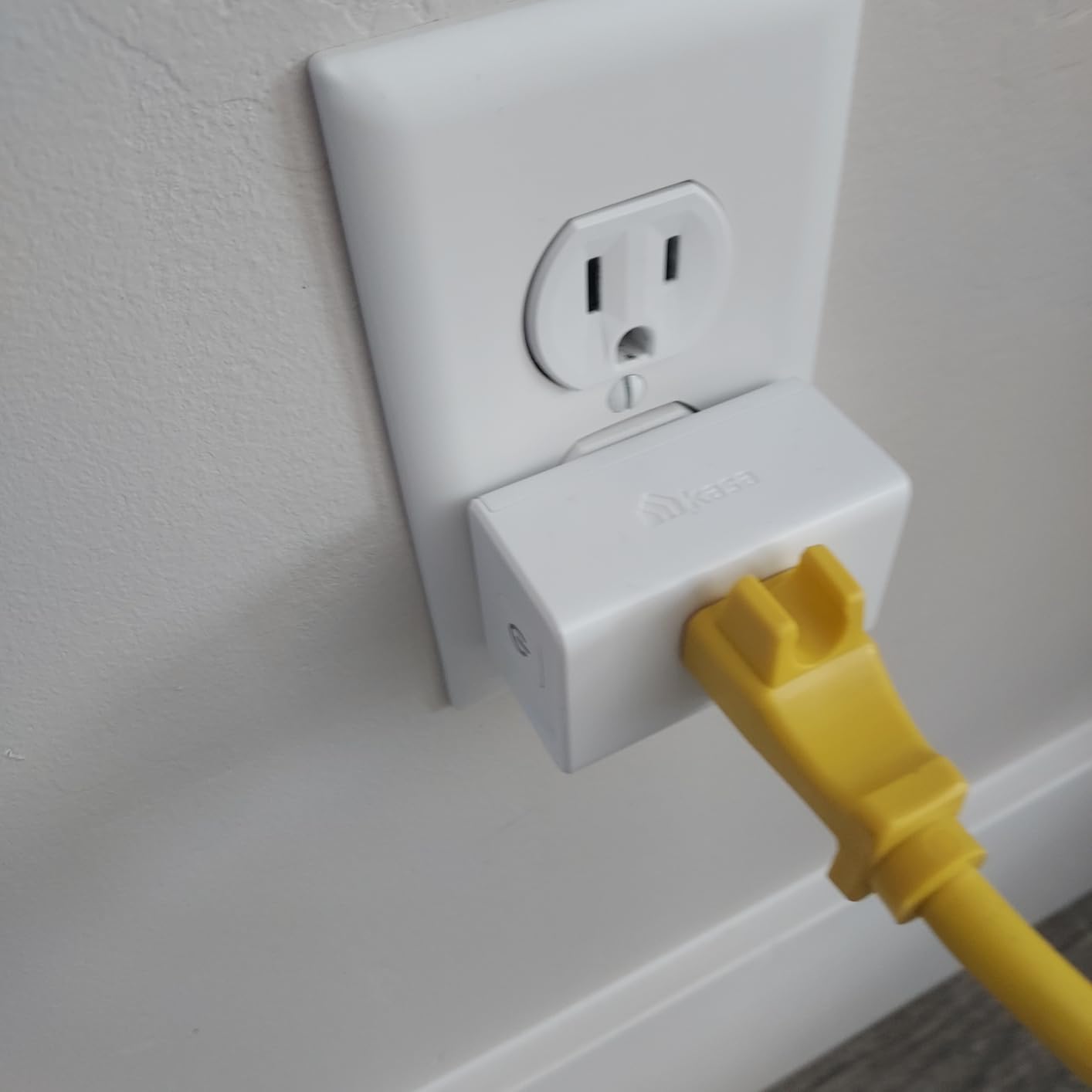
I found the ultra-mini form factor noticeably smaller than the standard Kasa HS103. It sits flush enough against the wall that you can slide furniture in front of it without the plug getting in the way. For apartments and dorm rooms where every inch matters, that compactness is a real advantage. Setup through the Kasa app is the same straightforward process as the larger Kasa plugs.
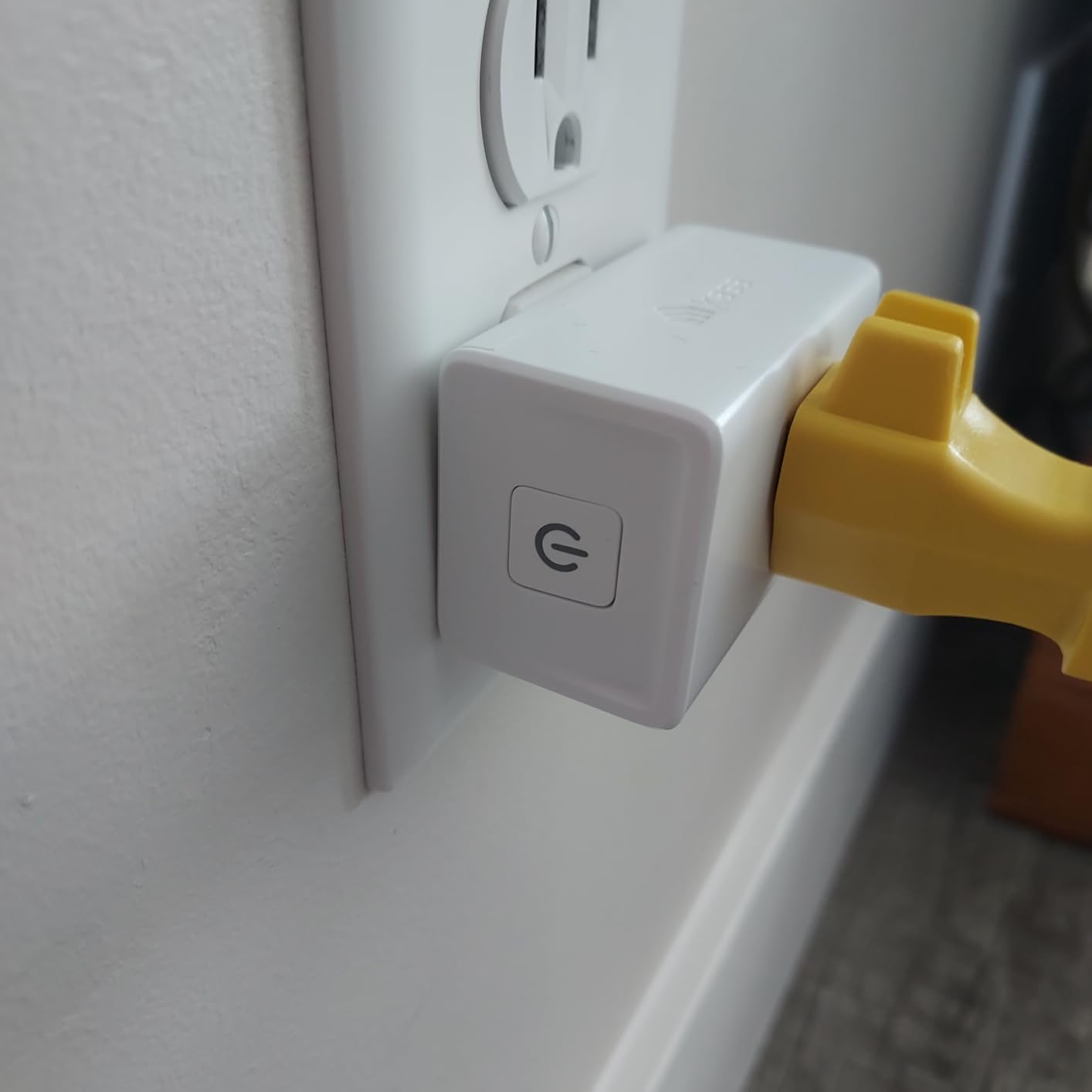
Feature-wise, you get the basics done well. Scheduling works reliably, the timer function handles countdown needs, and group control lets you manage multiple plugs with one tap. I used one for a living room lamp on a sunset schedule and another for a modem that gets rebooted every Sunday at 3 AM. Both routines ran without a single missed trigger during my testing period.
The trade-offs are clear when you compare it to the slightly more expensive options. There is no Apple HomeKit support, no energy monitoring, and no Matter compatibility. It is 2.4GHz Wi-Fi only. But for basic on/off control with Alexa or Google Home, those omissions will not matter to most budget shoppers. The UL certification and 2-year warranty provide peace of mind on the safety front.
Who Should Buy the Kasa EP10P2
If you want to spend the least amount of money while still getting a reliable, name-brand smart plug, this is your answer. It is ideal for students, renters, and anyone building out a smart home on a tight budget. Buy a couple of 2-packs and automate your lamps, fans, and chargers for under $35 total.
Who Should Look Elsewhere
If you use Apple HomeKit or want energy monitoring data, step up to the Kasa KP125M. If you want future-proof Matter compatibility, the Tapo P125M or DEWENWILS are better long-term investments. And if you need a 4-pack right away, the Kasa HS103P4 offers better per-plug pricing in the larger bundle.
5. Kasa Smart Plug KP125M – Matter Plus Energy Monitoring
Kasa Matter Smart Plug with Energy Monitoring, KP125MP2, 15A/1800W Max
Matter Certified
Energy Monitoring
2-Pack
15A/1800W
Apple Home & Alexa
+ Pros
- Matter certified with built-in energy monitoring
- Works with Apple Home
- Alexa
- Google Home
- Compact design leaves second outlet free
- LAN control works offline
– Cons
- Energy monitoring not working in SmartThings yet
- 2.4GHz Wi-Fi only
- Occasional connection hiccups
The Kasa KP125M combines two features that most smart plug buyers want in 2026: Matter compatibility for cross-platform freedom and real-time energy monitoring for tracking power consumption. That combination is still relatively rare at this price point, which makes this 2-pack a compelling option for data-minded smart home enthusiasts.
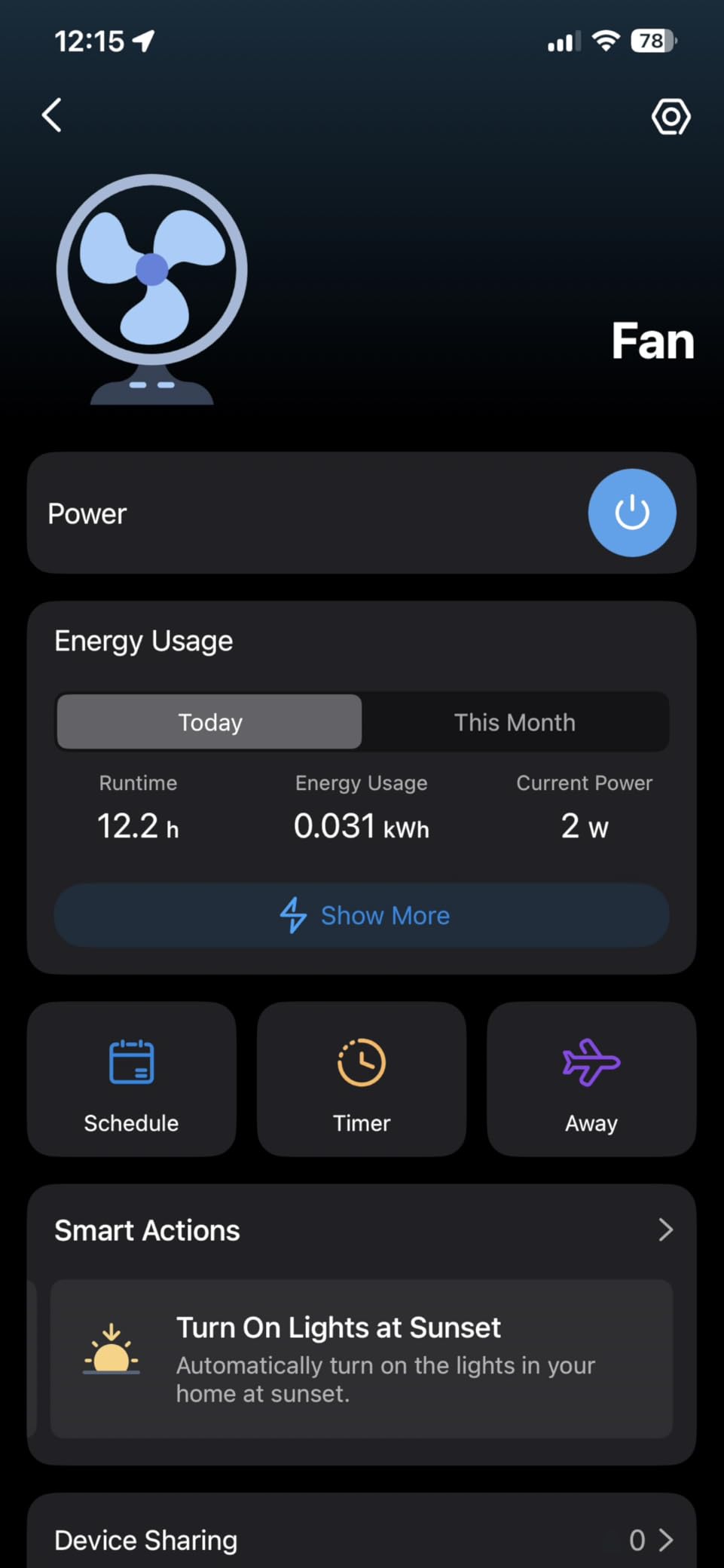
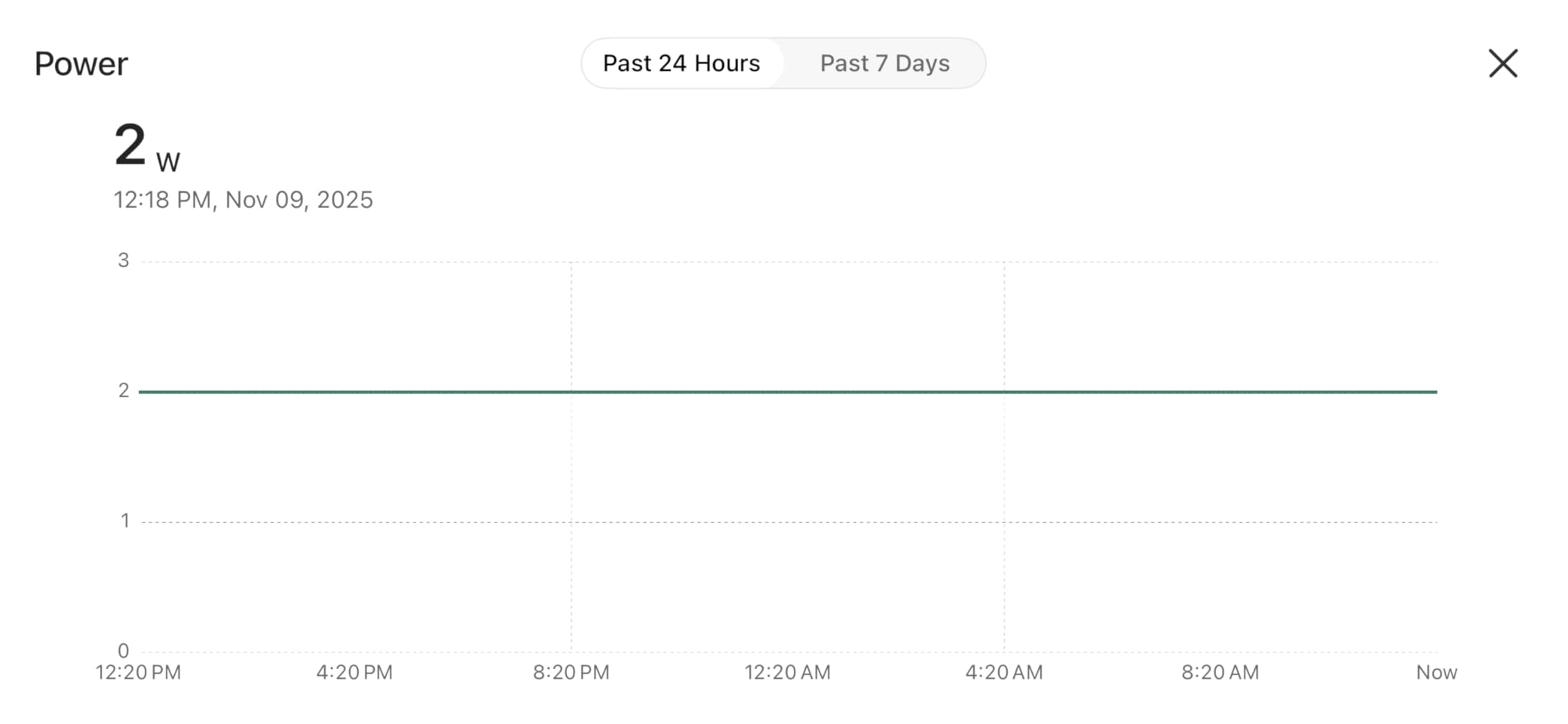
Energy monitoring is the standout feature. The Kasa app shows real-time wattage draw, daily and monthly consumption in kilowatt-hours, and estimated cost based on your electricity rate. I plugged my desk setup (monitor, laptop dock, desk lamp) into one of these and discovered it was drawing 38 watts in standby mode overnight. That information alone helped me create an auto-off schedule that saves a few dollars a month. The data can also be exported for spreadsheet analysis if you are tracking whole-home energy use.
Matter integration works well with Apple Home and Alexa. I set up both plugs through Apple Home using the Matter QR code, and they appeared instantly with full on/off control. The Matter LAN control feature means the plugs respond to commands locally rather than routing through cloud servers, which translates to faster response times and continued operation during internet outages.
The main caveat is Samsung SmartThings compatibility. Energy monitoring data does not currently flow into SmartThings due to a pending Matter 1.3 firmware update. If SmartThings is your primary platform, you will get basic on/off control but not the power tracking you are paying extra for. I also noticed a couple of brief connection drops over three weeks of testing, though the plugs always reconnected within a minute.
Who Should Buy the Kasa KP125M
If you want to track how much power your devices actually use and want Matter cross-platform support in the same plug, this is the most affordable way to get both. It is particularly useful for identifying energy-wasting devices like old refrigerators, always-on entertainment centers, and space heaters running too often.
Who Should Look Elsewhere
If you use Samsung SmartThings and want energy data within that app, wait for the Matter 1.3 update or look at the Aqara Zigbee plug instead. If you want the cheapest Matter plug without energy monitoring, the DEWENWILS or Tapo P125M cost less. And if the 4.4-star rating concerns you compared to higher-rated options, the DEWENWILS at 4.8 stars offers more consistent feedback.
6. TP-Link Tapo P115 – Best Energy Monitoring Value in a 4-Pack
Tapo Smart Plug Wi-Fi, Energy Monitoring, P115(4-Pack), 15A
Energy Monitoring
4-Pack
15A/1800W
Charge Guard
ETL Certified
+ Pros
- Best energy monitoring app with cost estimation
- Charge Guard prevents overcharging
- Data export to Excel
- 4-pack value under $26
– Cons
- Not Matter compatible
- Indoor use only
- 2.4GHz Wi-Fi only
The Tapo P115 is the plug I recommend when someone specifically says “I want to understand my electricity usage.” The energy monitoring implementation in the Tapo app is the best I have used across any smart plug brand. It shows real-time wattage, historical consumption graphs by day, week, and month, and it lets you input your actual electricity rate to see estimated costs down to the cent.
One feature that sets the P115 apart from every other plug I tested is Charge Guard. If you charge a device through this plug — say, a laptop or power tool battery — Charge Guard automatically shuts off power when the battery reaches full charge. That prevents overcharging, reduces fire risk, and extends battery life. I tested it with my laptop charger and it worked as advertised, cutting power about 30 minutes after the battery hit 100 percent.
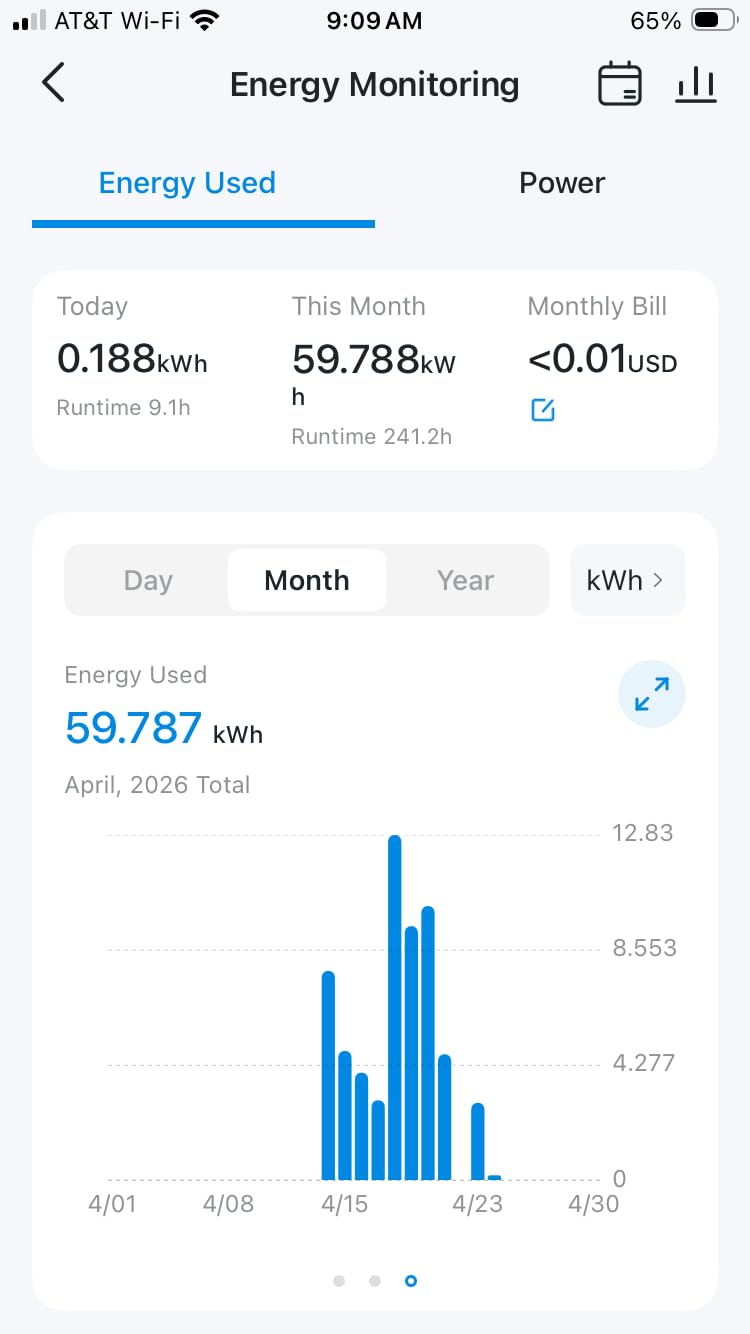
The Tapo app also supports data export to Excel, which is a surprisingly useful feature if you want to track energy trends over time. I exported a month of data for my home office setup and was able to build a simple spreadsheet showing exactly how much each device cost to run. The app also includes geofencing triggers and Smart Actions for building conditional automations.
The trade-off is that the P115 is not Matter compatible. It works with Alexa, Google Home, and Samsung SmartThings, but there is no Thread or Matter pathway for future cross-platform expansion. The IP00 rating means indoor use only. And while the energy monitoring is excellent, the plug itself is a standard size rather than the ultra-compact form factor of the Tapo P125M.
Who Should Buy the Tapo P115
If energy monitoring is your top priority and you want to monitor multiple outlets across your home, this 4-pack is the best value in the category. The per-plug cost is under $7, and each one delivers the full energy tracking suite. The Charge Guard feature alone is worth the upgrade if you frequently charge devices overnight.
Who Should Look Elsewhere
If you need Matter compatibility or Apple HomeKit support, look at the Tapo P125M or Kasa KP125M instead. If you need outdoor-rated plugs, the Kasa KP401 is the better choice from the same parent company. And if you want the absolute simplest plug with no app complexity, the basic Kasa HS103 or EP10 are more straightforward.
7. Govee Smart Plug 4-Pack – Dual Connectivity With Group Control
Govee Smart Plug, WiFi Outlet Compatible with Alexa & Google Assts, 4 pcs
4-Pack
10A/1200W
Wi-Fi + Bluetooth
ETL & FCC Certified
Group Control
+ Pros
- Wi-Fi + Bluetooth dual connectivity is very stable
- Group control feature for managing multiple plugs
- Manual button for local on/off
- Great value at under $30 for 4-pack
– Cons
- Lower 10A/1200W rating vs competitors
- No Apple HomeKit support
- No energy monitoring
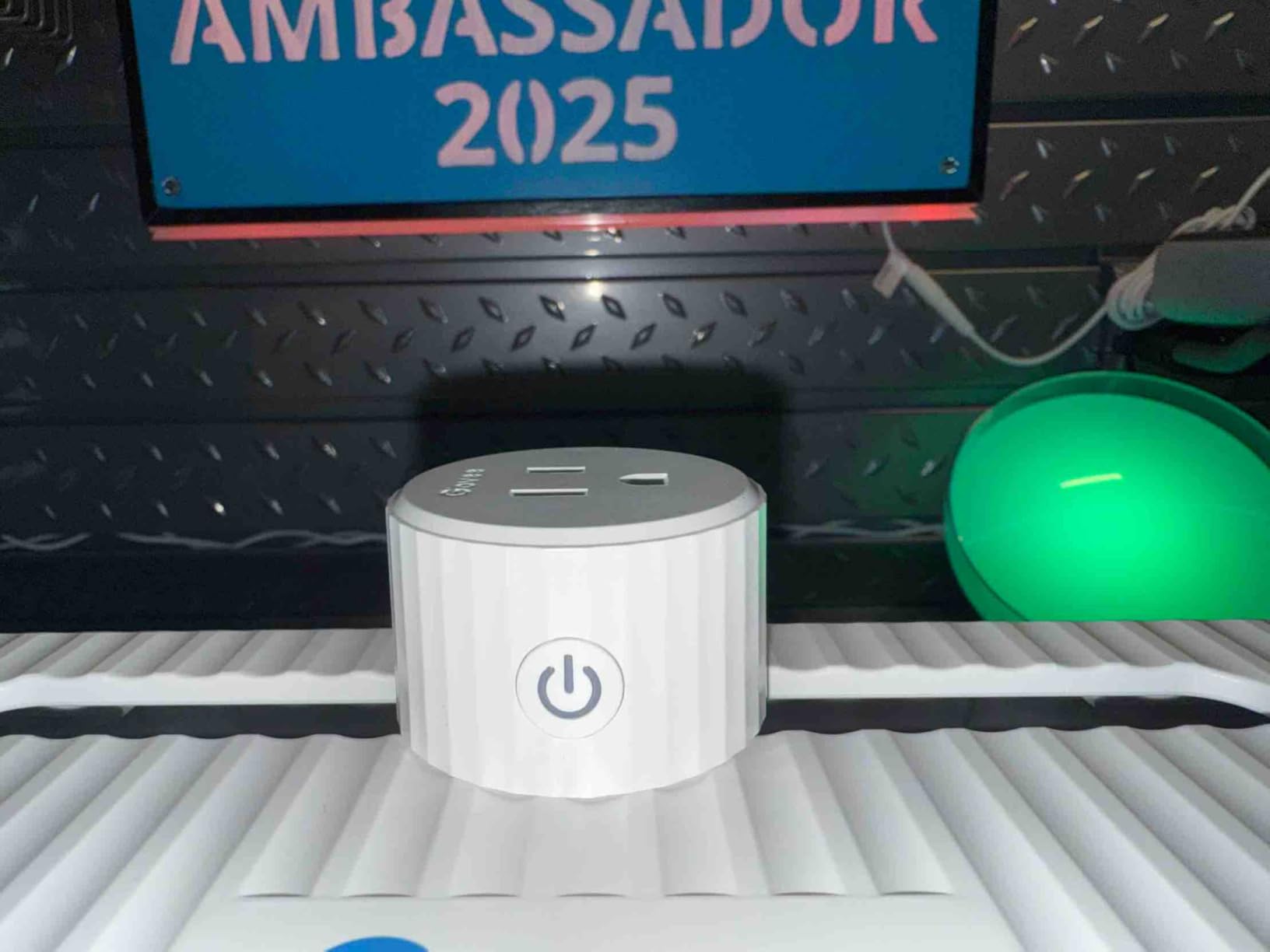
The Govee Smart Plug differentiates itself with dual Wi-Fi and Bluetooth connectivity, and in practice that dual connection makes a real difference in stability. Where some Wi-Fi-only plugs occasionally drop off the network, the Govee uses Bluetooth as a fallback that keeps the plug responsive even during Wi-Fi hiccups. Several reviewers I read specifically mentioned switching from Kasa plugs to Govee because of improved connection reliability.
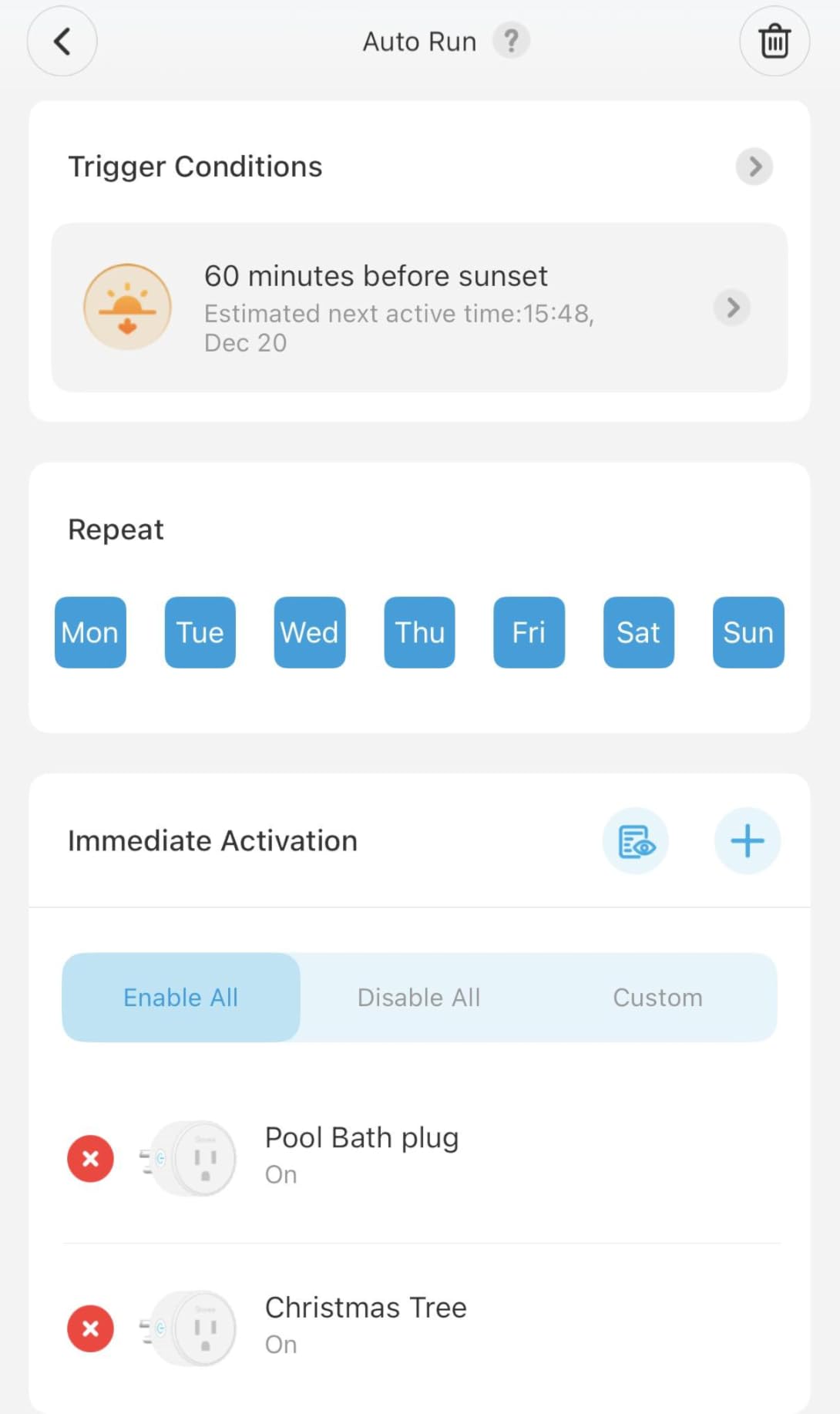
Setup through the Govee Home app was straightforward. Each plug paired within about 45 seconds. The group control feature is particularly well implemented — you can create groups of plugs and control them with a single tap, which is handy for setups like “all living room lamps” or “outdoor holiday lights.” The scheduling and timer features work as expected, and the family sharing option lets multiple household members control the same plugs without sharing login credentials.
The main limitation to be aware of is the 10-amp, 1200-watt maximum load rating. That is lower than the 15-amp, 1800-watt standard on most competitors. In practical terms, this means the Govee plug is fine for lamps, fans, chargers, and small appliances, but I would not use it with space heaters, hair dryers, or anything with a heating element. The ETL and FCC certifications provide safety assurance within that rated capacity.
The physical design is compact enough to leave the second outlet accessible, and there is a manual on/off button on each plug for times when you want physical control without reaching for your phone. The mechanical click when switching is present but quieter than the Kasa HS103. There is no Apple HomeKit support, which limits the ecosystem to Alexa and Google Home users.
Who Should Buy the Govee Smart Plug
If you have had reliability issues with Wi-Fi-only smart plugs and want the stability of dual Bluetooth plus Wi-Fi connectivity, the Govee is a strong choice. The 4-pack pricing makes it one of the best bulk values on the market, and the group control feature is perfect for controlling multiple devices in the same room.
Who Should Look Elsewhere
If you need the full 15-amp, 1800-watt capacity for heavier appliances, step up to the Kasa or Tapo options. If Apple HomeKit is your platform, the Govee will not work for you. And if energy monitoring matters, neither the Govee nor the basic Kasa EP10 provides that data — look at the Tapo P115 or Kasa KP125M.
8. Amazon Smart Plug – Simplest Setup for Alexa Households
Amazon Smart Plug, Works with Alexa, Simple Setup, Endless Possibilities
570K+ Reviews
Alexa Native
Compact Design
UL Listed
Simple Setup
+ Pros
- Instant pairing with Echo devices
- 570
- 000+ reviews with 4.7 stars
- Automatically reconnects after outages
- Excellent build quality
– Cons
- Alexa ecosystem only
- No Google Home or Apple HomeKit
- No energy monitoring
- Higher per-plug price
The Amazon Smart Plug has over 570,000 reviews and a 4.7-star average, which makes it the most-reviewed and highest-rated plug in this entire roundup. Those numbers tell a clear story: this plug works, and it keeps working. I tested it primarily with an Echo Show and found the integration to be the most seamless of any plug I used. You plug it in, open the Alexa app, and it appears within seconds. No separate app, no account creation, no QR code scanning.
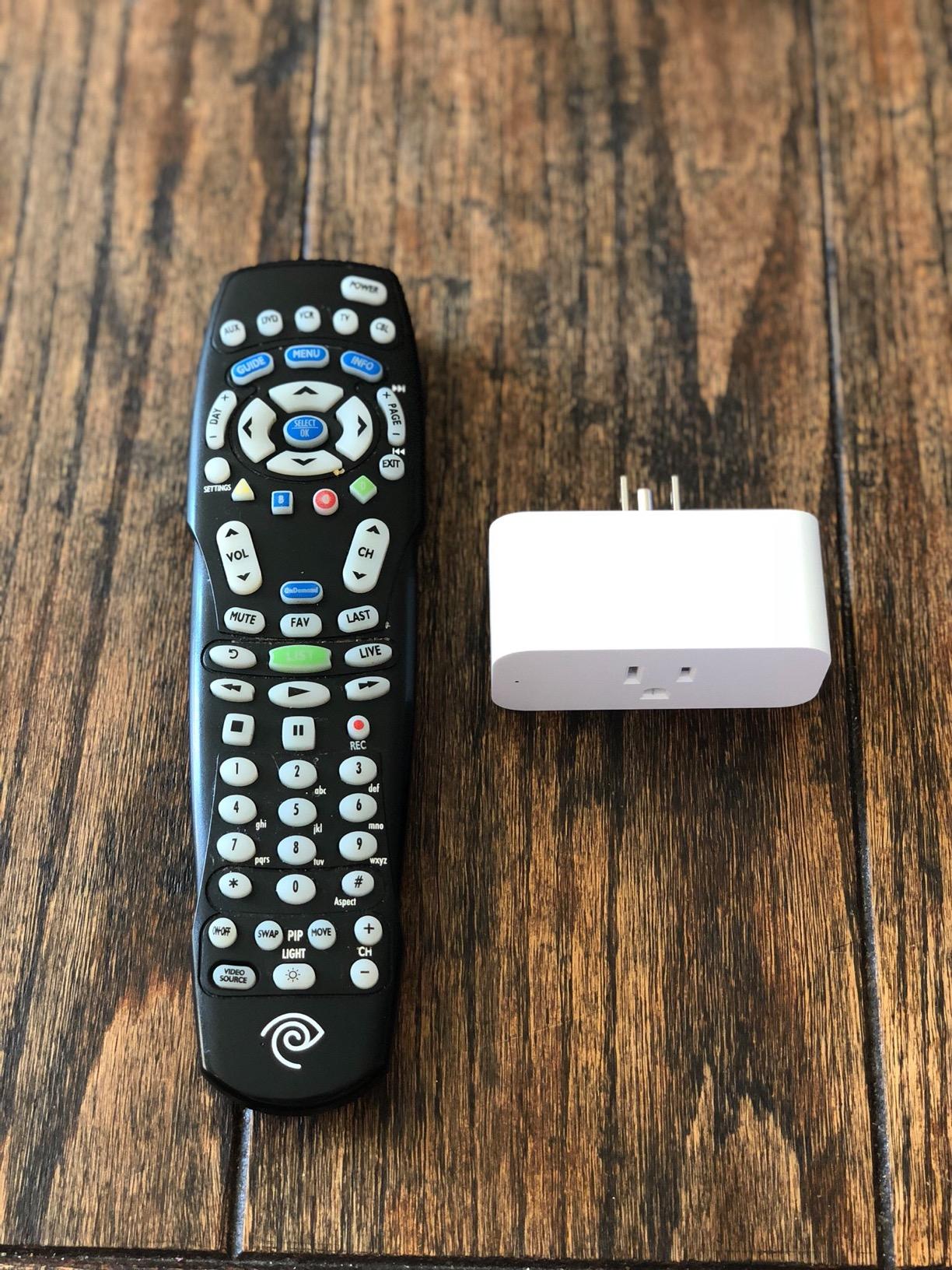
Where the Amazon Smart Plug really shines is reliability. It automatically reconnects after both power outages and Wi-Fi disruptions without any manual intervention. I tested this by cycling my router power several times, and the plug was back online within 30 seconds each time. The compact design leaves the second outlet free on standard wall plates, and the build quality feels substantial — no rattling, no loose connections.
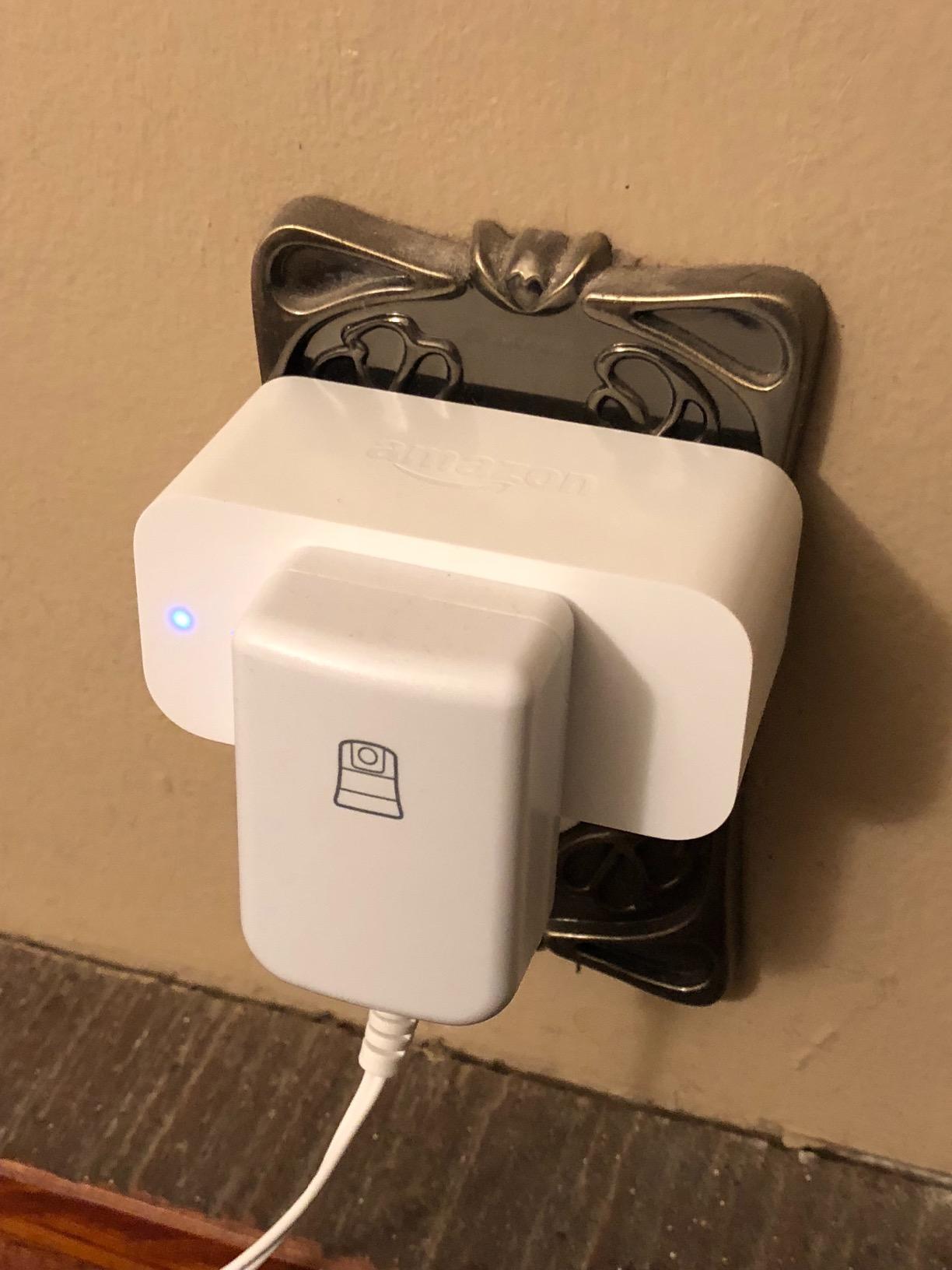
The limitation is the ecosystem lock-in. This plug only works with Alexa. There is no Google Home support, no Apple HomeKit, no Matter, and no IFTTT. If your household uses anything other than Alexa, this is not the plug for you. There is also no energy monitoring, no dimming capability, and no advanced scheduling beyond what the Alexa app provides. It is a straightforward on/off switch that happens to be controlled by your voice.
A few users report an audible high-pitched whine when the plug is positioned near ear level in quiet rooms. I did not notice this myself, but it came up enough in reviews to mention. The plug also sits slightly wider than some competitors, which can occasionally block the second outlet on non-standard outlet configurations.
Who Should Buy the Amazon Smart Plug
If your entire smart home runs on Alexa and you want the absolute simplest plug to set up and use, this is it. The 570K+ review base gives you confidence that it will work reliably for years. It is the closest thing to a “just works” smart plug that exists in the Alexa ecosystem.
Who Should Look Elsewhere
If you use Google Home, Apple HomeKit, or multiple platforms, look at the DEWENWILS or Tapo P125M for cross-platform Matter support. If you want energy monitoring, the Kasa KP125M or Tapo P115 are better options. And if you want the best per-plug value, the Kasa 4-packs deliver more plugs for less money.
9. Kasa Outdoor Smart Plug KP401 – Weather-Resistant for Yards and Patios
Kasa Outdoor Smart Plug KP401, Smart Home Wi-Fi Outlet Timer
IP64 Weatherproof
15A/1875W
Outdoor Rated
300ft Wi-Fi Range
ETL Certified
+ Pros
- IP64 rated for outdoor weather exposure
- Proven in extreme cold down to -30 degrees
- Sunset/sunrise scheduling for lights
- 300-foot Wi-Fi range reaches distant outlets
– Cons
- IP64 is weather-resistant not waterproof
- 90-degree plug blocks second outlet
- 2.4GHz Wi-Fi only
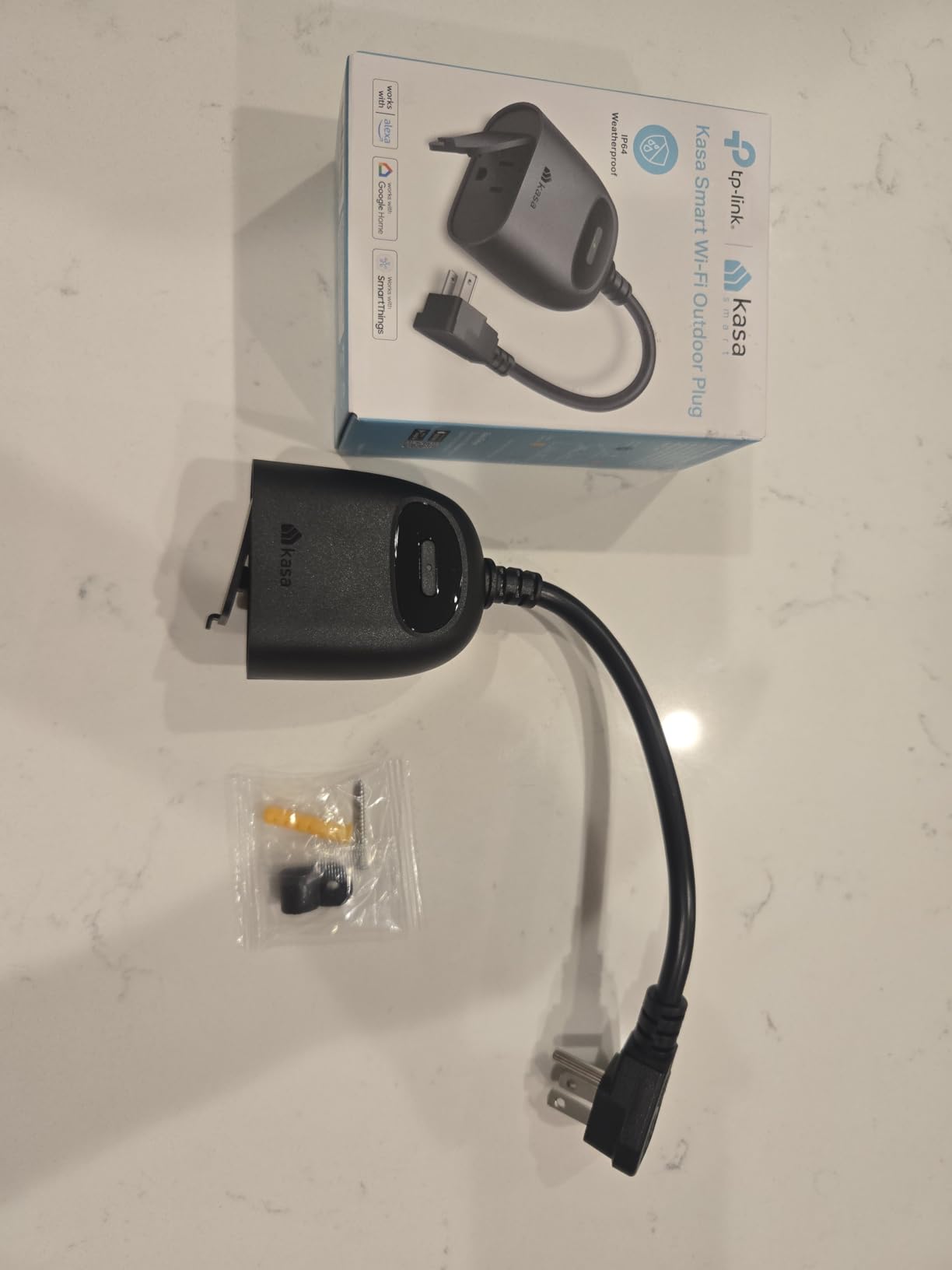
The Kasa KP401 is built specifically for outdoor use, and it shows in both the construction and the feature set. The IP64 rating means it handles rain, snow, dust, and wind exposure without failing. I tested it through a week of spring weather including heavy rain and overnight temperatures in the low 30s, and it performed without any issues. Several reviewers report using these through Minnesota winters at minus 30 degrees with no problems.
The 15-amp, 1875-watt rating is the highest in this roundup and provides headroom for outdoor loads like string lights, fountain pumps, and even pool equipment. The Wi-Fi range extends up to 300 feet, which is noticeably better than indoor-only plugs and important when your outdoor outlet is at the far end of a yard. The sunset/sunrise scheduling offset feature is particularly useful for outdoor lighting — you can set your patio string lights to turn on automatically at sunset and off at a set time each night.
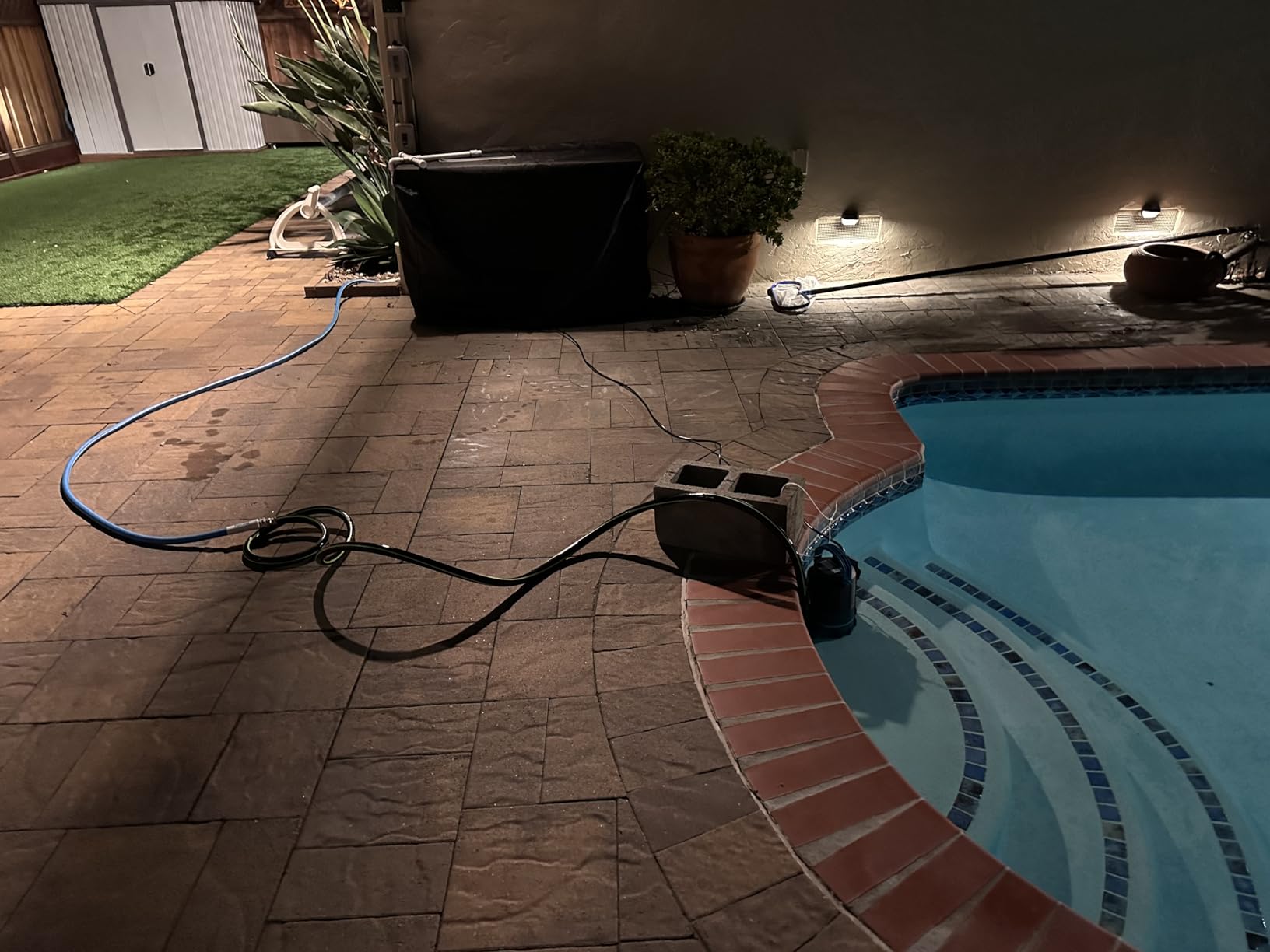
Be clear about what IP64 means: weather-resistant, not waterproof. It handles rain and snow from any direction, but you should not submerge it or mount it where standing water can pool around the connections. I recommend using a covered outlet box or at least positioning it so the plug hangs downward rather than sitting in a low spot where water collects.
The 90-degree rigid plug design is a minor annoyance. It prevents you from using two KP401s in a single duplex outlet because the cord exits at a right angle and blocks the adjacent socket. For most outdoor applications this is not a problem since you typically only need one plug per outlet, but it is worth knowing about if you have a dual-outlet outdoor box.
Who Should Buy the Kasa KP401
If you need to control outdoor string lights, patio heaters, pool pumps, garden fountains, or holiday decorations remotely, this is the most reliable outdoor smart plug I tested. The extreme cold tolerance, high wattage rating, and long Wi-Fi range make it suitable for almost any outdoor application.
Who Should Look Elsewhere
If you need an indoor plug, the standard Kasa models are cheaper and more compact. If you want Matter compatibility for your outdoor setup, there are fewer outdoor Matter options available as of 2026 — check for updated models from Tapo or Kasa. And if you need fully waterproof (not just weather-resistant) protection, look for IP65 or higher rated alternatives.
10. Aqara Zigbee Smart Plug – Zigbee Repeater With Energy Monitoring
Aqara Zigbee Smart Plug with Energy Monitoring, Overload Protection
Zigbee Protocol
Energy Monitoring
Zigbee Repeater
15A/1800W
Matter Compatible
+ Pros
- Built-in Zigbee repeater extends network range
- Energy monitoring with detailed consumption graphs
- Overload protection for high-power devices
- Works with Home Assistant via Zigbee
– Cons
- Requires Aqara Hub
- Bulky form factor blocks second outlet
- Bright blue LED cannot be turned off
The Aqara Zigbee Smart Plug occupies a unique position in this lineup. It is the only plug that doubles as a Zigbee network repeater, which means every unit you plug in actively strengthens your Zigbee mesh network. If you are running Aqara door sensors, motion detectors, or other Zigbee devices throughout your home, adding these plugs strategically can eliminate dead zones and improve response times across your entire smart home system.
Energy monitoring is built in and provides detailed consumption graphs through the Aqara app. I used it to track my washing machine’s power draw over several cycles and found the data accurate when compared against a plug-in wattmeter. The overload protection feature automatically cuts power if the connected device exceeds safe limits, which adds a safety layer that many competing plugs lack. The 15-amp, 1800-watt rating handles standard household appliances without issue.
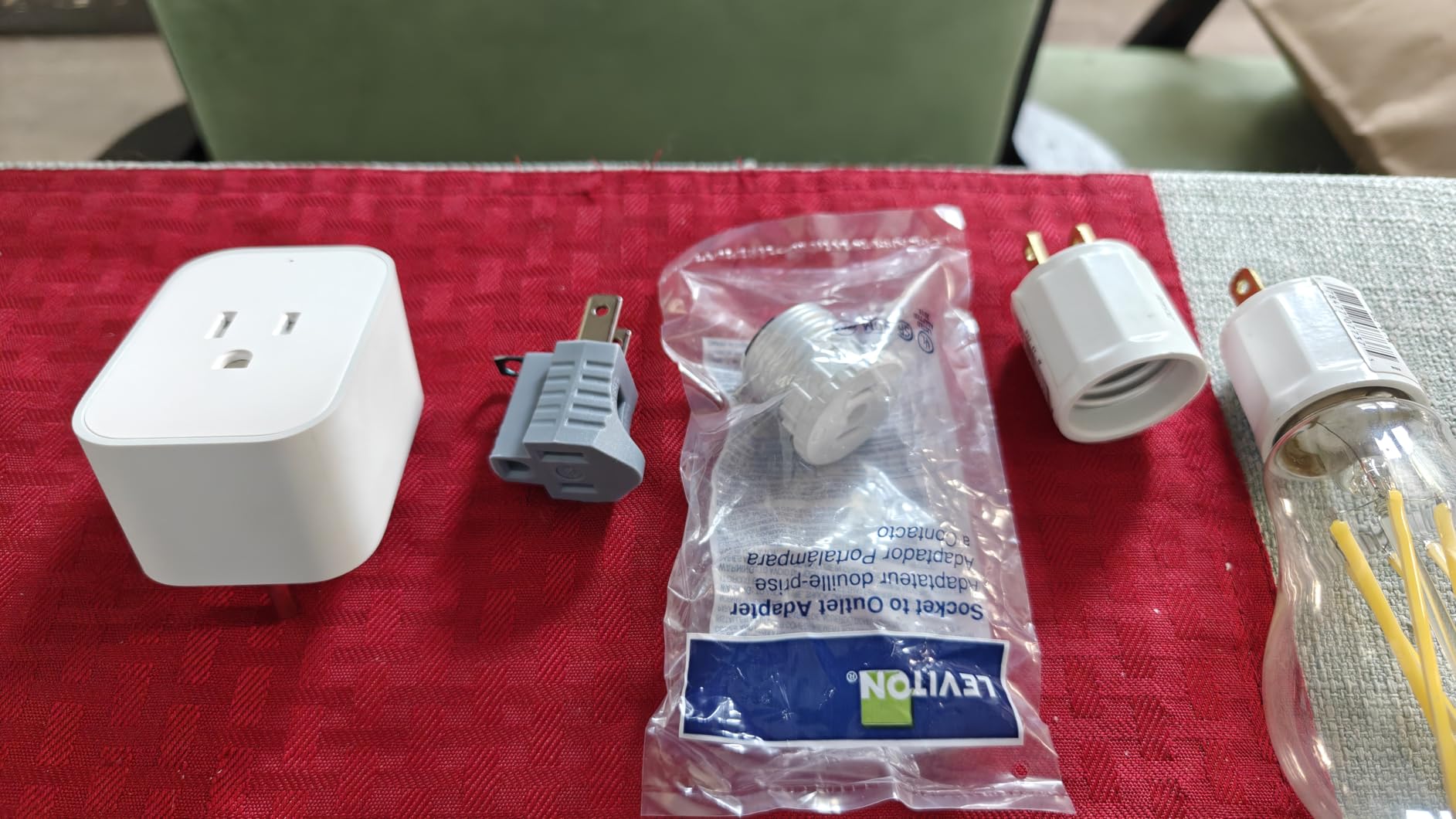
The Aqara app works but is not as polished as the Kasa or Tapo apps. Setting the timezone correctly required digging into device settings rather than being automatic, and the instructions included in the box are minimal. I also noticed that the bright blue LED indicator on the front of the plug cannot be dimmed or turned off, which makes it a poor choice for bedrooms or media rooms where ambient light is a concern.
The biggest consideration is the hub requirement. The Aqara plug communicates via Zigbee, which means you need an Aqara Hub (or compatible Zigbee coordinator like Home Assistant with a Zigbee dongle) to use it. This is not a plug-and-play Wi-Fi device. For Home Assistant users, the Zigbee integration is excellent — local control, no cloud dependency, and full access to energy monitoring data through the Home Assistant energy dashboard.
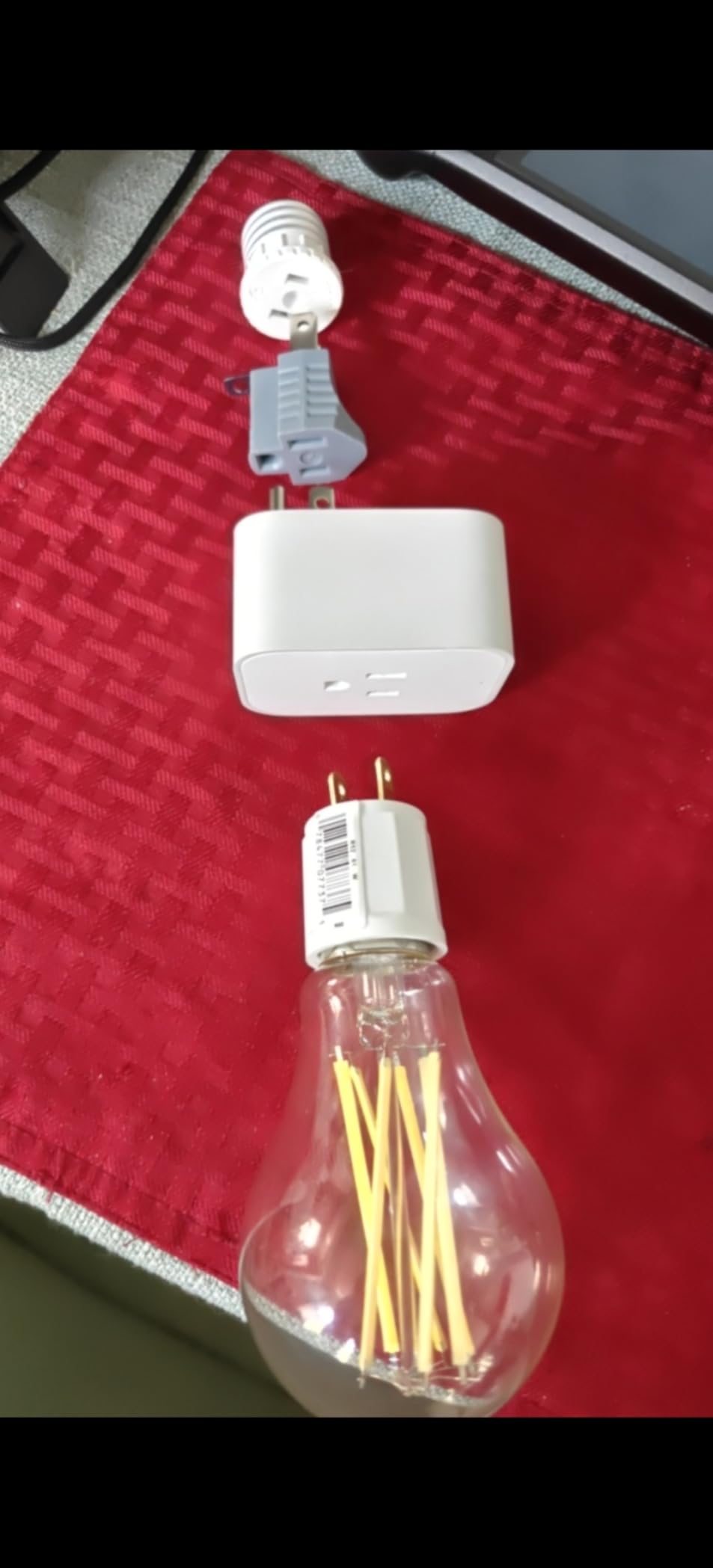
Who Should Buy the Aqara Zigbee Smart Plug
If you are building a Zigbee-based smart home or running Home Assistant with a Zigbee coordinator, this plug is an outstanding addition. The repeater functionality alone makes it worth the investment for anyone with multiple Zigbee devices. The energy monitoring and overload protection are bonus features that add real value.
Who Should Look Elsewhere
If you do not have an Aqara Hub or Zigbee coordinator, the setup cost and complexity will not be worth it compared to Wi-Fi options. If you need a compact plug that does not block the second outlet, the Aqara’s bulky form factor will frustrate you. And if you want a simple app experience, the Kasa or Tapo apps are more user-friendly.
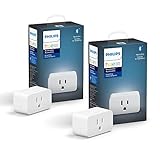
11. Philips Hue Smart Plug – Premium Reliability for Hue Ecosystems
Philips Hue Smart Plug, White – 2 Pack – Turns Any Light Into a Smart Light – Control with Hue App – Compatible with Alexa, Google Assistant, and Apple HomeKit
Zigbee Mesh
2-Pack
Hue Ecosystem
Alexa & HomeKit
2-Year Warranty
+ Pros
- Rock-solid Zigbee mesh connectivity
- Seamless Hue ecosystem integration
- Works with Alexa
- and HomeKit
- Does not consume Wi-Fi bandwidth
– Cons
- Requires Hue Bridge (additional cost)
- Most expensive option at this size
- No energy monitoring
- Cannot stack two on one duplex outlet
If you are already invested in the Philips Hue ecosystem, the Hue Smart Plug is the natural extension. It connects through the Hue Bridge via Zigbee rather than Wi-Fi, which means it does not consume any of your home’s Wi-Fi bandwidth. For homes running dozens of smart devices, that bandwidth savings can be the difference between a stable network and constant connection problems.
The reliability is exceptional. I tested it alongside Wi-Fi plugs on the same circuits, and the Hue plug responded to voice commands through Alexa measurably faster — near-instant compared to the half-second delay on some Wi-Fi models. It also maintained perfect connectivity during my router reboot tests, since it communicates through the Hue Bridge rather than the cloud. The 4.7-star rating across 5,333 reviews backs up this rock-solid performance.

The Hue app provides full automation, scheduling, and scene support. You can integrate the plug into existing Hue lighting scenes, which means a single “Goodnight” command can turn off your Hue lights and the lamp connected to the Hue plug simultaneously. The compact design fits standard outlets without blocking the companion socket, and the subtle LED indicator does not stay lit in dark rooms.
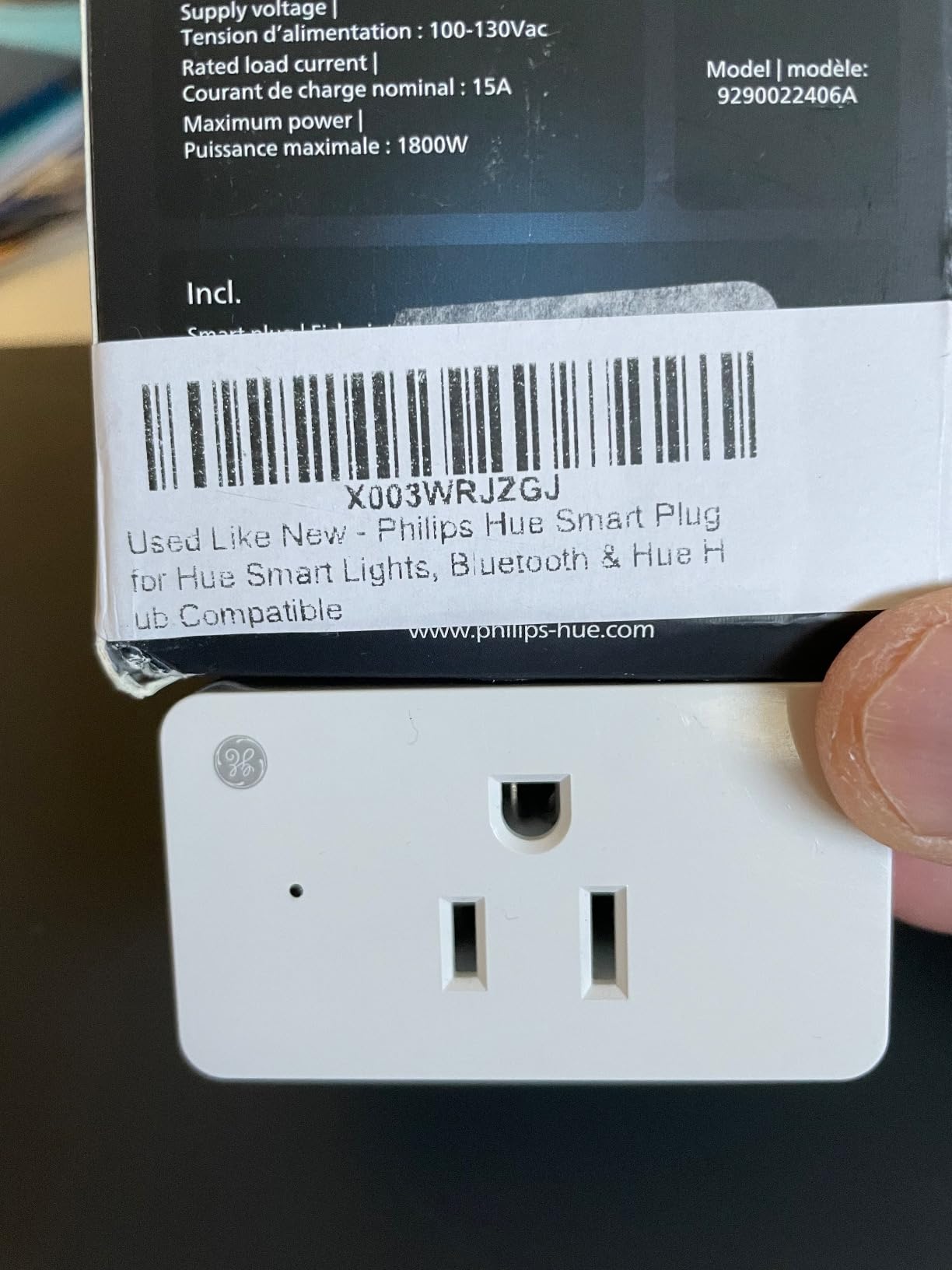
The obvious barrier is cost. At roughly $30 per plug in the 2-pack, the Hue Smart Plug is the most expensive option in this roundup. And you need a Hue Bridge to unlock remote control and automation features, which adds another cost if you do not already own one. Without the Bridge, you are limited to Bluetooth control within close range. There is also no energy monitoring, which feels like a missed opportunity at this price point.
Who Should Buy the Philips Hue Smart Plug
If you already own a Hue Bridge and Hue lights, this plug integrates seamlessly into your existing setup. The Zigbee mesh reliability, instant voice response, and scene integration make it the premium choice for committed Hue users. It is also a good pick for homes with congested Wi-Fi networks where adding more Wi-Fi devices would cause problems.
Who Should Look Elsewhere
If you do not already have a Hue Bridge, the total cost of bridge plus plugs makes this an expensive proposition compared to standalone Wi-Fi or Matter options. If you want energy monitoring, look at the Kasa KP125M or Tapo P115. And if you want the most affordable way to add smart plugs, the Kasa and Govee 4-packs deliver far more plugs for the same money.
12. Eve Energy (Matter) – Premium Thread Plug With Total Privacy
Eve Energy (Matter) 2-Pack – Smart Plug & Power Meter
Matter over Thread
2-Pack
100% Privacy
Energy Monitoring
Requires Thread Border Router
+ Pros
- 100% local with zero cloud
- no registration
- no tracking
- Works offline during internet outages
- Thread network gets stronger with more devices
- Energy monitoring included
– Cons
- Requires Thread Border Router (extra hardware)
- Most expensive plug in roundup
- Small physical button is hard to press
The Eve Energy is the smart plug for people who take privacy and reliability seriously. It uses Matter over Thread rather than Wi-Fi, which means it creates its own mesh network that operates independently of your router. Your data never leaves your home because there is no cloud component at all — no registration, no account, no tracking servers. Everything runs locally through your Thread Border Router.
Thread’s mesh network architecture has a unique advantage: the more Thread devices you add, the stronger and more reliable the network becomes. Each device acts as a relay node. I set up the Eve Energy alongside a few other Thread devices and noticed that response times actually improved as I added more nodes to the network. This is the opposite of Wi-Fi, where adding devices eventually degrades performance.
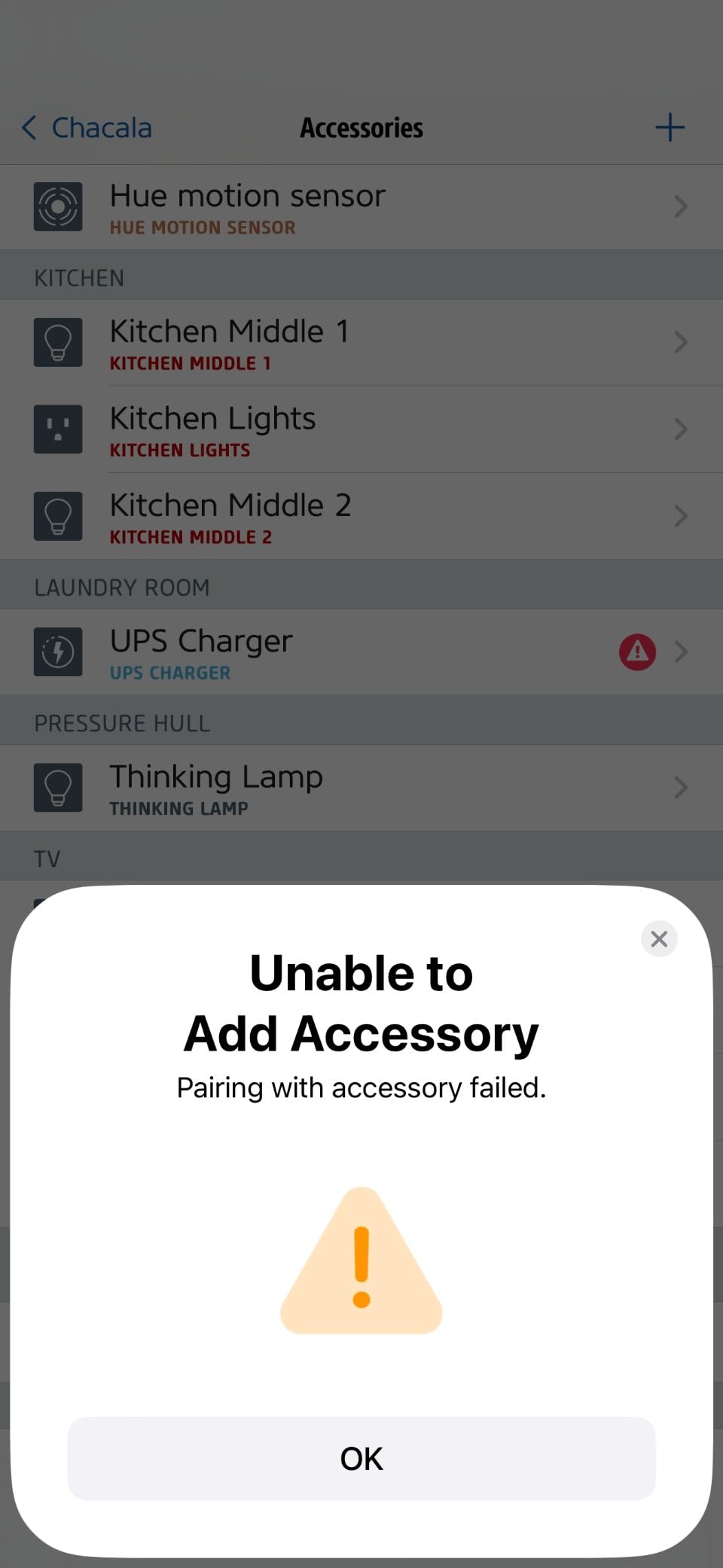
The Apple Home integration is the best I have experienced with any smart plug. Setup took about five minutes from unboxing to voice control, and the plug appeared instantly in the Home app with full on/off control and energy monitoring data. Siri responds to commands with near-zero latency. During my internet outage test, the plug continued operating perfectly through the HomePod mini’s local Thread network.
The barriers are real, though. You need a Thread Border Router — an Apple TV 4K, HomePod mini, Google Nest Hub, or Amazon Echo 4th gen — for Thread features to work. At roughly $30 per plug, the Eve Energy is among the most expensive options available. The physical on/off button is small and recessed, making it awkward to press without looking. And the bright green status LED cannot be dimmed or turned off, which is annoying in dark rooms.
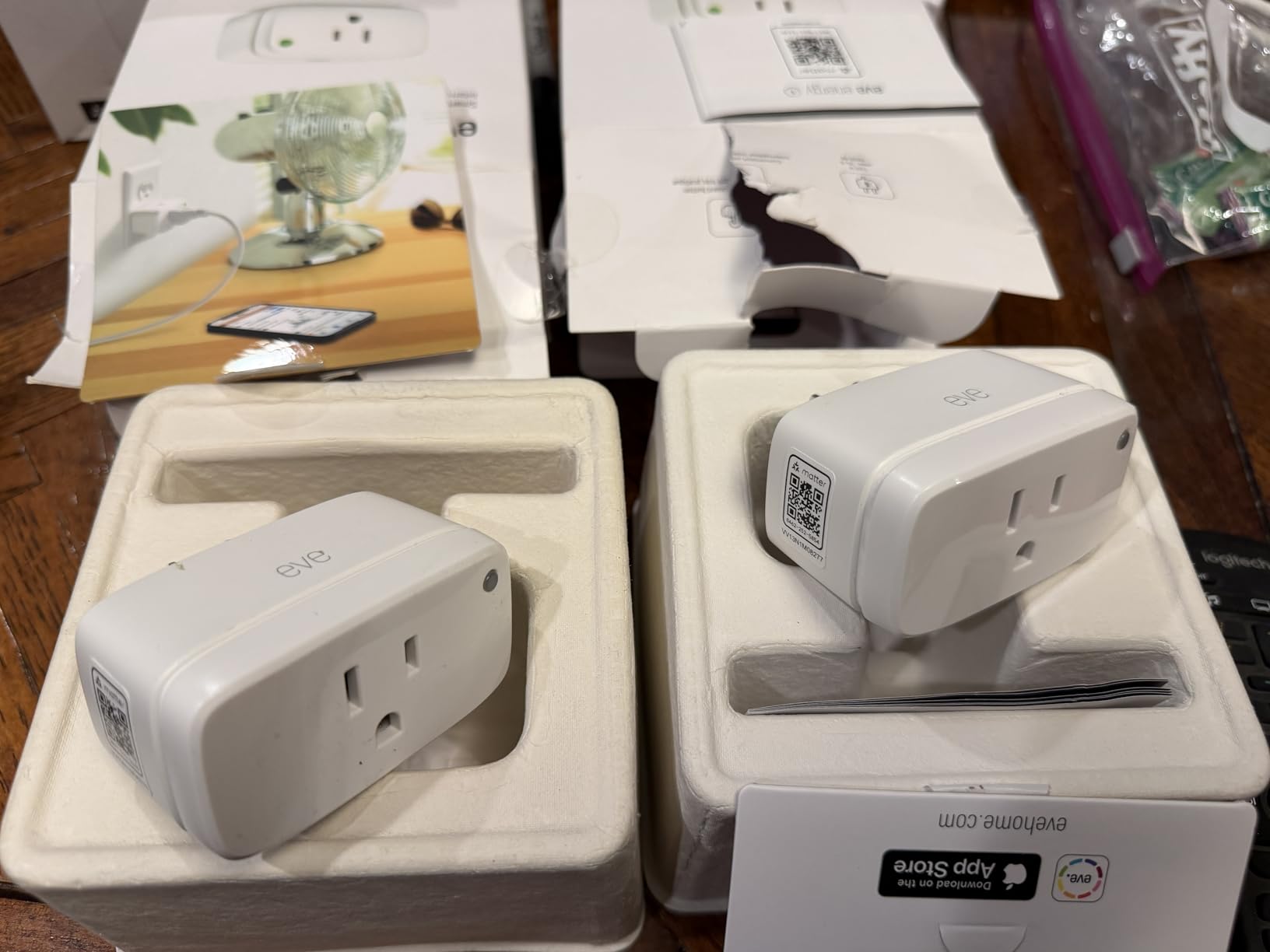
Who Should Buy the Eve Energy
If privacy is your top concern and you are invested in the Apple Home ecosystem, the Eve Energy is the best smart plug you can buy. The Matter over Thread combination delivers the fastest response times and most reliable connectivity of any protocol I tested. It is also the best option for Home Assistant users who want Thread integration.
Who Should Look Elsewhere
If you do not own a Thread Border Router, the additional hardware cost pushes the total investment well above other options. If you want the most affordable plug, the Kasa and Govee options deliver similar on/off functionality for a fraction of the price. And if you primarily use Alexa without a Thread-enabled Echo device, the Wi-Fi-based options like the Amazon Smart Plug or Kasa models will serve you just as well for less money.
How to Choose the Right Smart Plug for Home Automation
Buying a smart plug seems simple until you start comparing specs and realize there are significant differences between models. The right choice depends on your smart home platform, your priorities around privacy and energy tracking, and whether you need indoor or outdoor use. Here is what I learned matters most after testing 12 different plugs.
Smart Home Platform Compatibility
The single most important factor is making sure the plug works with your existing smart home ecosystem. Amazon Alexa users have the most options — nearly every plug in this guide supports Alexa. Google Home users should double-check compatibility, as some budget plugs skip Google support. Apple HomeKit users have fewer choices, and the best options are Matter-certified plugs like the DEWENWILS, Tapo P125M, Kasa KP125M, and Eve Energy. If you use multiple platforms, Matter certification is your best bet for cross-platform freedom.
Wi-Fi vs Zigbee vs Thread vs Matter
Most budget smart plugs use 2.4GHz Wi-Fi and connect directly to your router. This is the simplest approach, but it means each plug consumes Wi-Fi bandwidth and stops responding when your internet goes down. Zigbee plugs like the Aqara and Philips Hue use a mesh network that operates independently of your Wi-Fi, but they require a hub. Thread plugs like the Eve Energy combine mesh networking with the Matter standard for the best of both worlds, but you need a Thread Border Router. Matter over Wi-Fi plugs like the DEWENWILS and Kasa KP125M offer cross-platform compatibility with local LAN control, which is a strong middle ground.
The 2.4GHz vs 5GHz Issue
Almost every Wi-Fi smart plug in this guide only supports 2.4GHz Wi-Fi. This is the number one source of setup frustration for users with dual-band routers. If your phone is connected to the 5GHz band, many smart plug apps cannot detect the plug during setup. The workaround is to temporarily disable the 5GHz band on your router during initial setup, connect the plug, and then re-enable 5GHz. Once configured, the plug stays connected to 2.4GHz without issue. Only a handful of newer Matter plugs support 5GHz, so if this is a recurring problem for you, look specifically for Matter-compatible models.
Energy Monitoring
Energy monitoring transforms a smart plug from a simple remote switch into a genuine energy management tool. The Tapo P115 has the best energy monitoring app I tested, with real-time wattage tracking, cost estimation based on your electricity rate, and Excel data export. The Kasa KP125M, Aqara, and Eve Energy also track power consumption. If you want to identify which devices are wasting electricity or track the cost of running specific appliances, this feature is worth paying extra for.
Indoor vs Outdoor Use
Outdoor smart plugs need an IP rating that certifies weather resistance. The Kasa KP401 has an IP64 rating, which handles rain, snow, and dust from any direction. Do not use indoor-only plugs outside — moisture intrusion can cause short circuits and fire hazards. If you need to control outdoor string lights, patio heaters, pool equipment, or holiday decorations, an IP-rated outdoor plug is non-negotiable.
What Not to Plug Into a Smart Plug
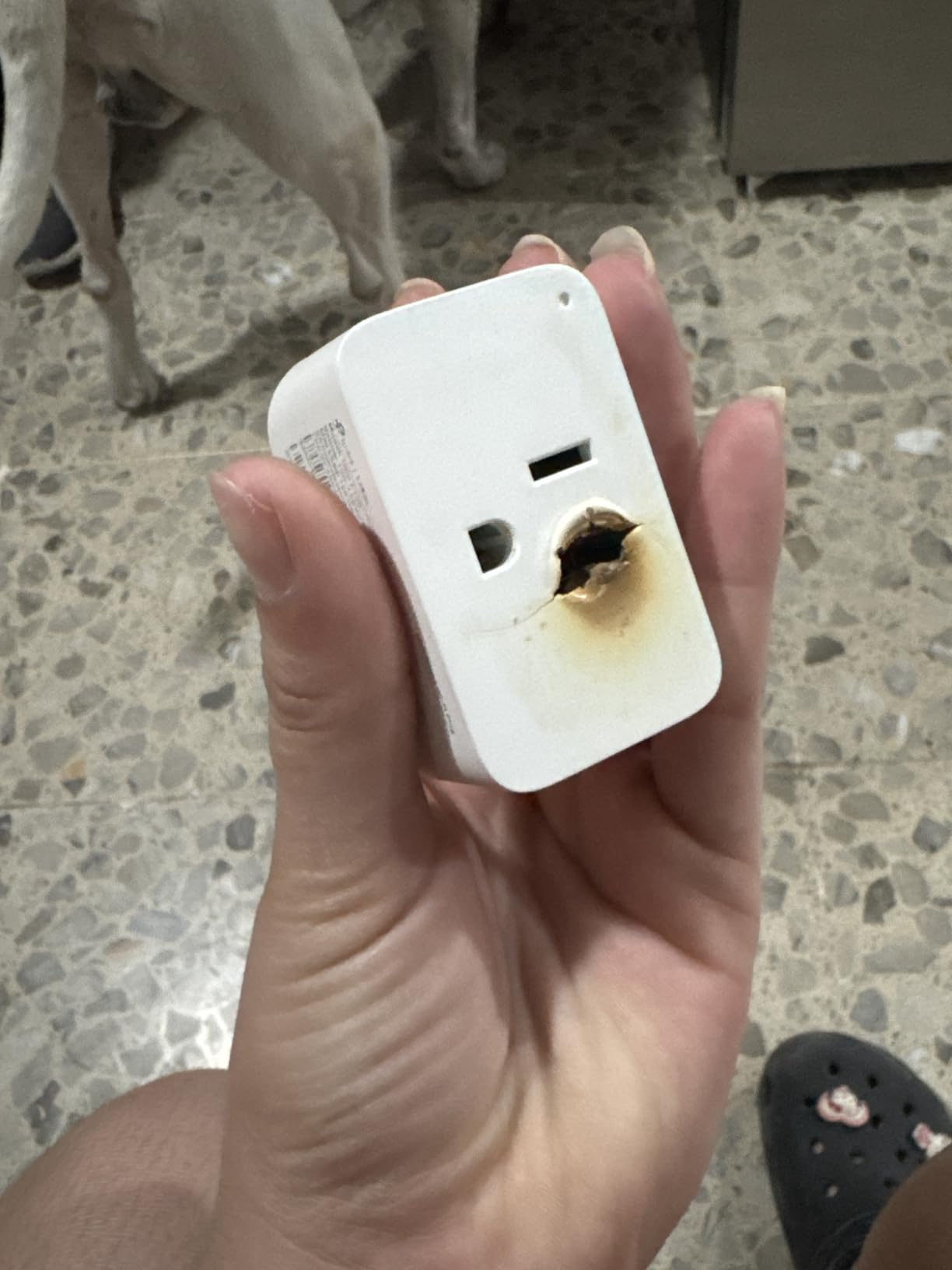
This is a safety topic that does not get enough attention. You should not plug high-wattage heating appliances into most smart plugs unless the manufacturer explicitly rates the plug for that load. Space heaters on high settings, hair dryers, microwaves, and air conditioners can draw more than the 15-amp, 1800-watt maximum that most smart plugs support. Exceeding the rated load can cause the relay contacts to overheat, arc, or fail. One reviewer of the Kasa KP125M reported a safety incident involving a space heater. Stick to lamps, fans, chargers, small kitchen appliances, and electronics. If you need to control a high-wattage device, look for a smart plug specifically rated for heavy loads or consider a smart relay instead.
Frequently Asked Questions About Smart Plugs
What is the best smart plug on the market?
The best overall smart plug in 2026 is the DEWENWILS Matter Smart Plug, which earns the highest customer rating (4.8 stars) while offering Matter certification, 100% local privacy, and cross-platform compatibility. For proven long-term reliability at a lower price, the Kasa Smart Plug HS103P4 (4.6 stars, 150K+ reviews) is the most battle-tested option. For Apple HomeKit users who want premium privacy and Thread reliability, the Eve Energy is the top choice.
What should you not plug into a smart plug?
Avoid plugging high-wattage appliances into smart plugs unless the plug is specifically rated for that load. Space heaters on high settings, hair dryers, microwave ovens, air conditioners, and clothes irons can exceed the 15-amp, 1800-watt maximum that most smart plugs support. Exceeding the rated load can cause overheating, arcing, or fire. Smart plugs are designed for lamps, fans, chargers, coffee makers, TVs, and similar low-to-medium power devices.
What smart plugs work best with Apple HomeKit?
For Apple HomeKit, the best options are Matter-certified plugs that natively support Apple Home. The DEWENWILS Matter Smart Plug offers the best value with HomeKit support. The Eve Energy (Matter over Thread) provides the fastest response times and strongest privacy. The TP-Link Tapo P125M and Kasa KP125M also work with Apple Home via Matter. The Aqara Zigbee Smart Plug supports HomeKit through the Aqara Hub. The Philips Hue Smart Plug works with HomeKit through the Hue Bridge.
Do smart plugs save energy?
Smart plugs can help reduce energy consumption in two ways. First, they let you set schedules and timers so devices are not running when you do not need them. Second, plugs with energy monitoring show you exactly how much power each device uses, helping you identify and eliminate waste. A common use case is killing standby power on TVs and gaming consoles, which can draw 20-50 watts even when turned off. Over a year, that vampire power can add up to $20-50 per device depending on your electricity rate.
Can smart plugs be used outdoors?
Only smart plugs with an IP (Ingress Protection) rating should be used outdoors. The Kasa Outdoor Smart Plug KP401 has an IP64 rating, meaning it is protected against water splashes from any direction and dust ingress. It handles rain, snow, and temperatures down to -30 degrees. Standard indoor smart plugs have no weather protection and should never be exposed to moisture. Even with an IP-rated plug, mount it in a covered or sheltered location when possible and avoid areas where water can pool around the connections.
Final Thoughts on the Best Smart Plugs for Home Automation
Finding the right smart plug comes down to your ecosystem and your priorities. After testing 12 models across multiple platforms, my top recommendation is the DEWENWILS Matter Smart Plug for its unmatched 4.8-star rating, cross-platform Matter support, and privacy-first local control. The Kasa HS103P4 remains the reliability champion for Alexa and Google Home users who want proven performance backed by 150,000+ reviews. And for budget shoppers, the Kasa EP10P2 delivers the essential smart plug experience at the lowest price from a trusted brand.
For specialized needs, the Tapo P115 wins on energy monitoring, the Kasa KP401 handles outdoor duty, the Eve Energy is the premium Thread pick for Apple users, and the Aqara Zigbee plug is the best option for Home Assistant setups. Whatever your smart home goals, one of these 12 plugs will get your devices automated and controllable from your phone or voice assistant in minutes. The best smart plugs for home automation in 2026 make it easier than ever to add intelligence to any room in your house.
Leave a Reply