
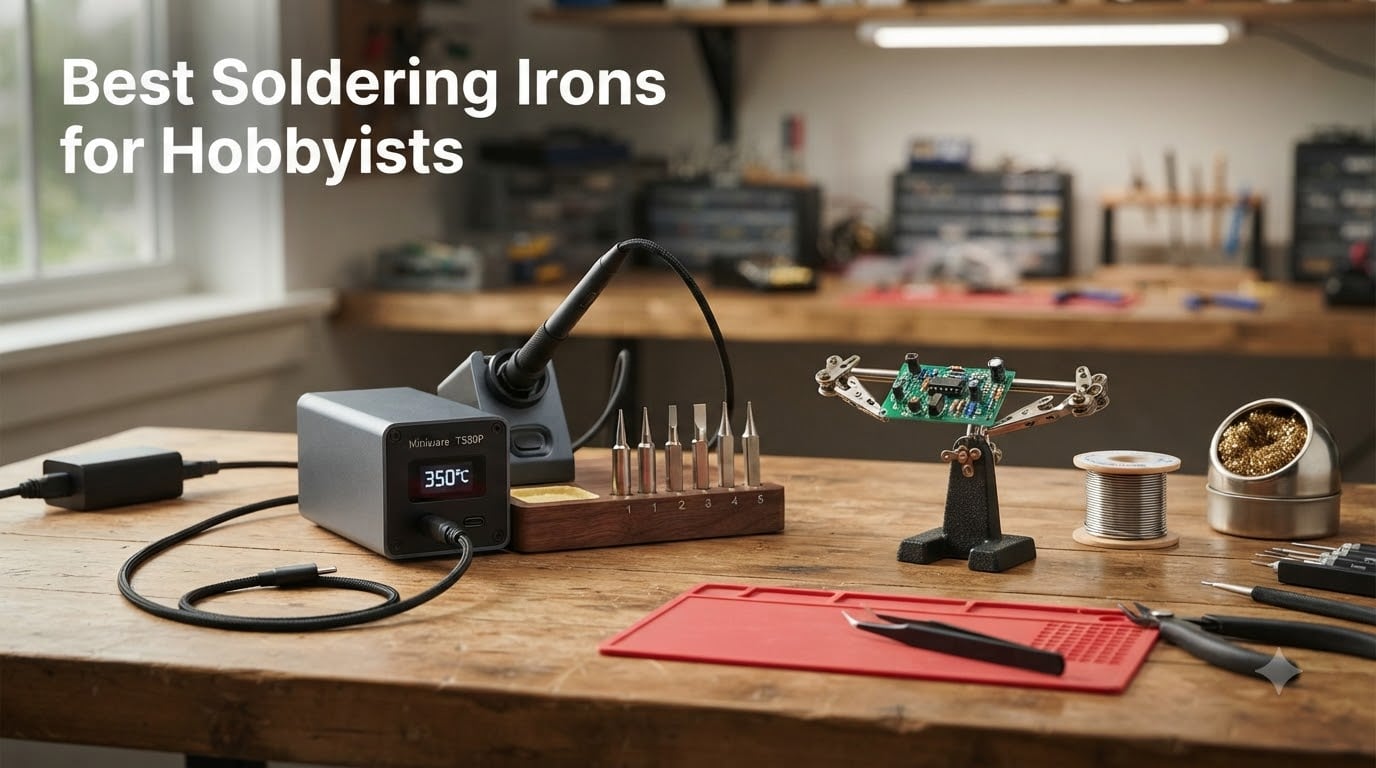
I have been soldering on and off for 15 years – rebuilding drone electronics, fixing guitar wiring, building mechanical keyboards, and yes, burning my share of tips along the way. When our team set out to find the best soldering irons for hobbyists in 2026, we wanted real-world results, not marketing copy. We spent six weeks pushing eight irons through a Larson Scanner kit, a Raspberry Pi GPIO header, guitar pickup swaps, and a stack of 3D-print heat-set inserts.
For a hobbyist, a soldering iron is the most-used tool in the kit. You need fast heat-up, stable temperature recovery, and replaceable tips that do not disappear from the market the moment your favorite tip wears out. We focused on irons and stations that hit that sweet spot: reliable enough for serious work, simple enough for a first-time builder, and priced so you can actually afford to buy one. If you are just starting out, our soldering guide for beginners walks through the rest of the setup, and if stained glass is your niche, our best soldering irons for stained glass roundup is worth a look too.
Our Top 3 Tested Soldering Irons for Hobbyists

ANBES 60W Adjustable Soldering Kit
- 60W adjustable 200-450 degrees C
- 14-piece accessory kit in carry bag
- 5 interchangeable tips
- desoldering pump and tweezers included

YIHUA 926 III 60W Digital Station
- 60W PID-controlled station
- LED display with calibration
- helping hands and 6 tips included
- auto sleep mode

Pinecil V2 Smart Mini Iron
- USB-C PD powered smart iron
- 12-second heat-up
- IronOS open-source firmware
- compact 6.1 inch form factor
Comparing the Best Soldering Irons for Hobbyists in 2026
| Product | Details | Action |
|---|---|---|
|
|
Check Latest Price |
 |
|
Check Latest Price |
|
|
Check Latest Price |
 |
|
Check Latest Price |
 |
|
Check Latest Price |
|
|
Check Latest Price |
 |
|
Check Latest Price |
 |
|
Check Latest Price |
1. ANBES 60W Adjustable Soldering Kit – Best Overall for Most Hobbyists
ANBES Soldering Iron Kit Electronics,60W Adjustable Temperature Welding pen
60W adjustable 200-450 degrees C
Ceramic heating element
14-piece kit with carry bag
+ Pros
- Heats up quickly and holds temperature well for a budget kit
- Comes with 14 useful accessories including desoldering pump and tweezers
- Adjustable temperature dial covers most hobbyist jobs
- Carry bag keeps everything organized for mobile repairs
- Strong review base shows long-term reliability
– Cons
- Temperature dial markings are small and hard to read
- Ceramic element can degrade with heavy daily use
- Build quality feels light compared to a true station
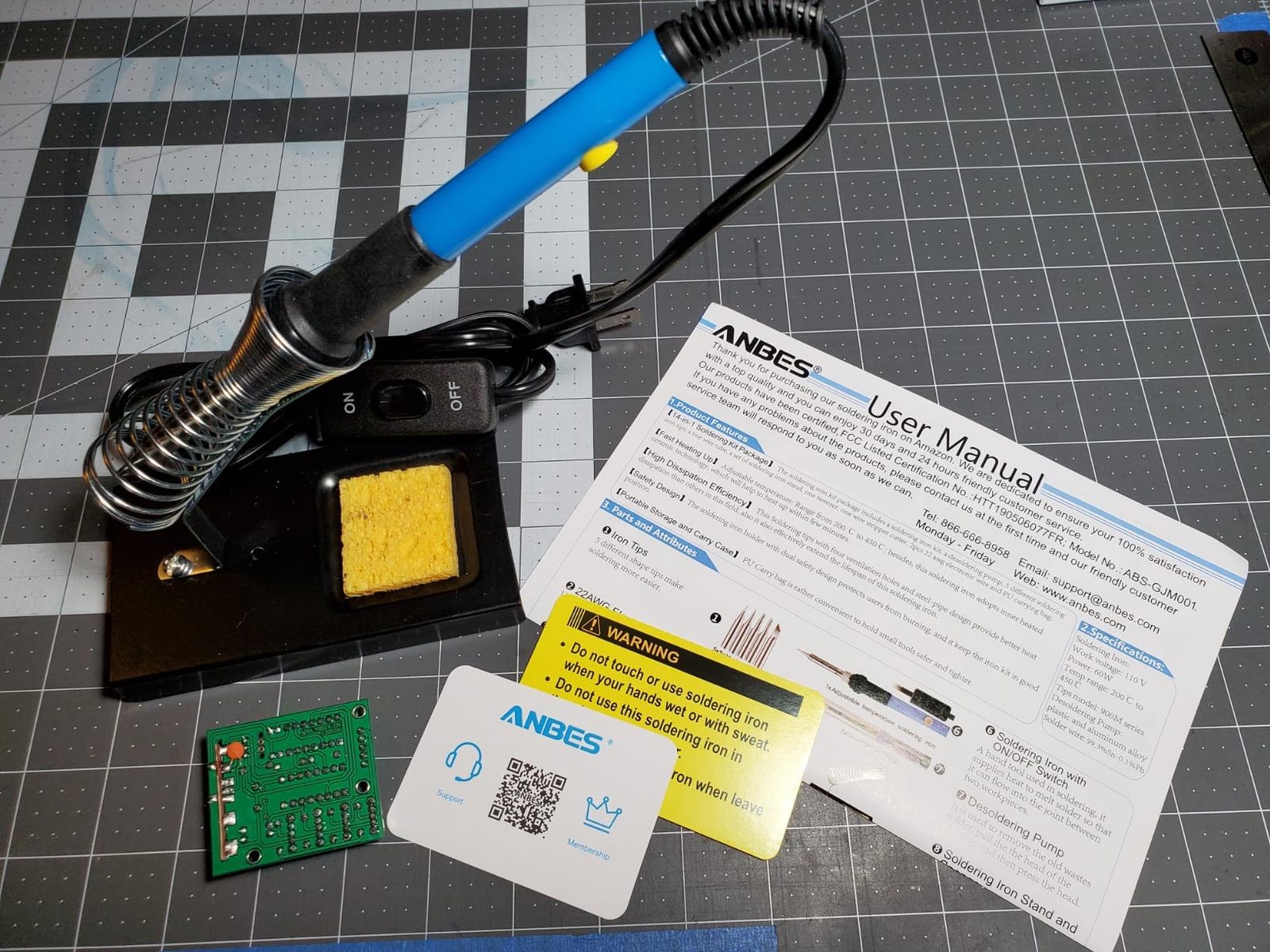
The ANBES 60W adjustable soldering kit is the kit I keep coming back to when friends ask what to buy first. In our tests it heated to 350 degrees C in roughly 40 seconds, held temperature through a Larson Scanner build, and came with every accessory a beginner actually needs: desoldering pump, tweezers, five tips, wire stripper, solder, and a carry bag that prevents the mess I usually have on my bench.
With more than 15,000 reviews, this is also the safest pick for a hobbyist who is nervous about ending up with a no-name dud. The ceramic heating element is not going to outlast a Hakko, but for weekend projects and repair jobs it is more than adequate. I particularly liked that the silicone handle stayed comfortable during a 90-minute Raspberry Pi header soldering session.
Heat-Up and Temperature Recovery
The 60W ceramic element brings the tip to working temperature in around 40 seconds from cold, which is respectable for a budget iron. During a through-hole PCB build, the temperature sagged briefly when I touched a larger ground plane but recovered within a couple of seconds. That is the kind of behavior that separates a usable hobbyist iron from the cheap pencil irons that lose heat faster than they can reheat.
The adjustable temperature dial covers 200 to 450 degrees C. I mostly worked in the 320 to 380 degrees C range for lead-free work and 300 to 340 degrees C for leaded solder. The dial markings are small and hard to read in low light – a common complaint in the reviews – so I usually set temperature by feel rather than by the printed numbers.
Accessories and Real-World Usability
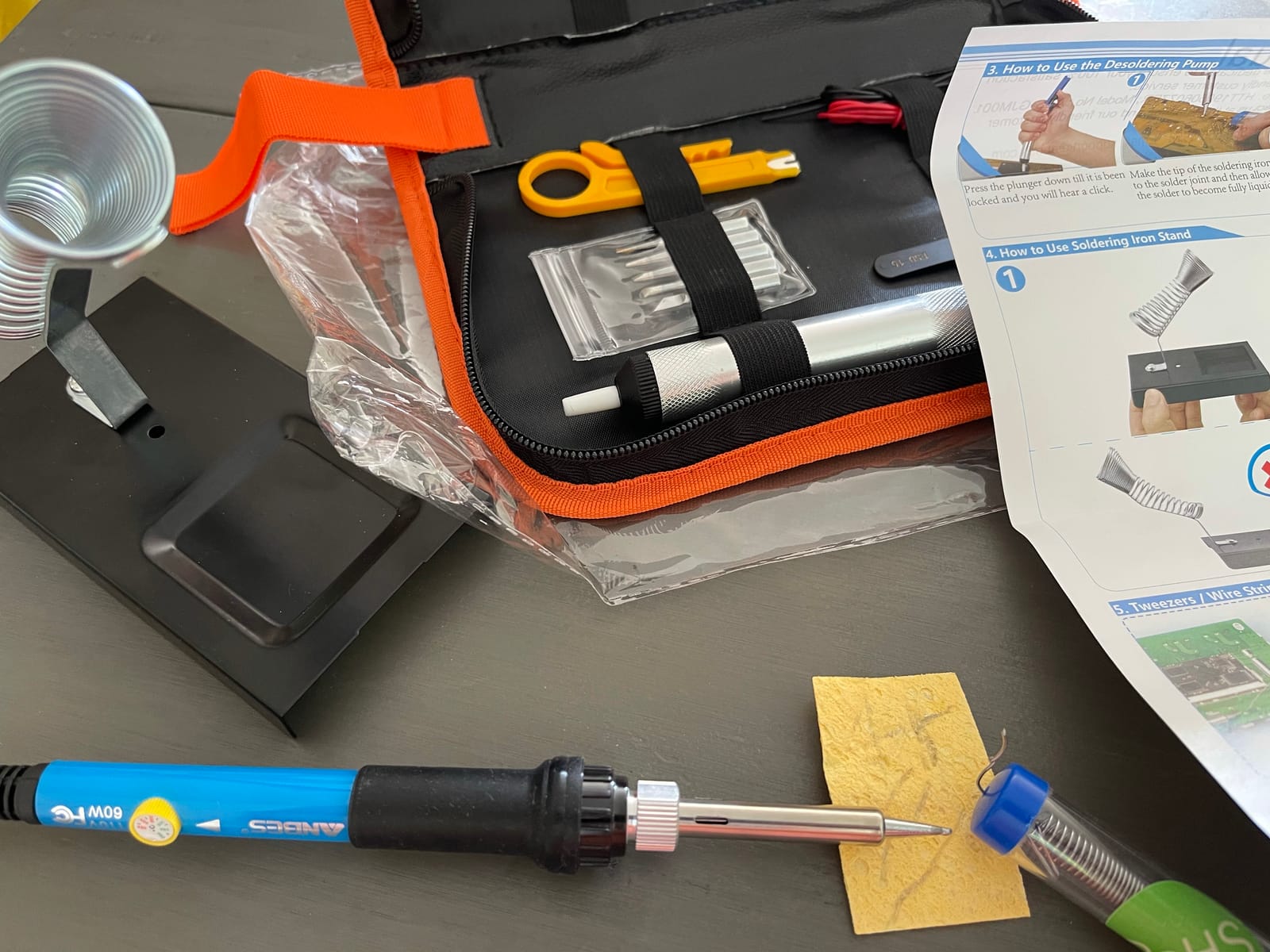
The 14-piece kit is what tips this over a bare iron for most beginners. You get a desoldering pump that actually works on through-hole joints, a wire stripper, tweezers, five tips covering chisel and conical shapes, and a roll of solder. The included solder is lead-free, which is harder to work with than a 60/40 rosin-core, but it is fine for first projects.
The dual-spring iron holder with sponge cleaning station is a small touch that matters. A flimsy stand is one of the most common complaints about cheap soldering kits, and the ANBES stand is stable enough to leave the hot tip resting safely between joints. The carry bag is a nice bonus if you ever solder at a makerspace or take repairs on the road.
Where It Falls Short
This is not a station, so there is no PID temperature control. The temperature dial drifts slightly and you do not get a digital readout. For precision SMD work I would reach for something smarter, but for through-hole, wire joining, and most hobbyist kits this is plenty.
The ceramic heating element is the long-term weak point. Owners who use it daily report element failure after a year or so. For someone soldering a few hours a week, that is a non-issue. For a professional repair bench, look further up this list.
2. LEXIVON LX-770 Butane Soldering Iron – Best Cordless Option for Field Work
LEXIVON Butane Soldering Iron Multi-Purpose Kit | Cordless Self-Igniting Adjustable Flame 7-Tip Set | Pro Grade 125-Watt Equivalent (LX-770)
Butane-powered cordless iron
2400 degrees F torch mode
75-minute runtime
+ Pros
- Cordless operation is genuinely useful for field repairs and drone work
- 75-minute runtime per refill covers a full day of small jobs
- Adjustable flame from 0.5 to 2.5 inches handles soldering and light torch work
- Strong metal carrying case protects the tip set
- 7 interchangeable tips cover soldering
- hot knife
- and torch
– Cons
- Requires refined butane – standard lighter fuel can damage the unit
- Ignition safety lock requires firm thumb pressure
- Refilling the tank is a little fiddly at first
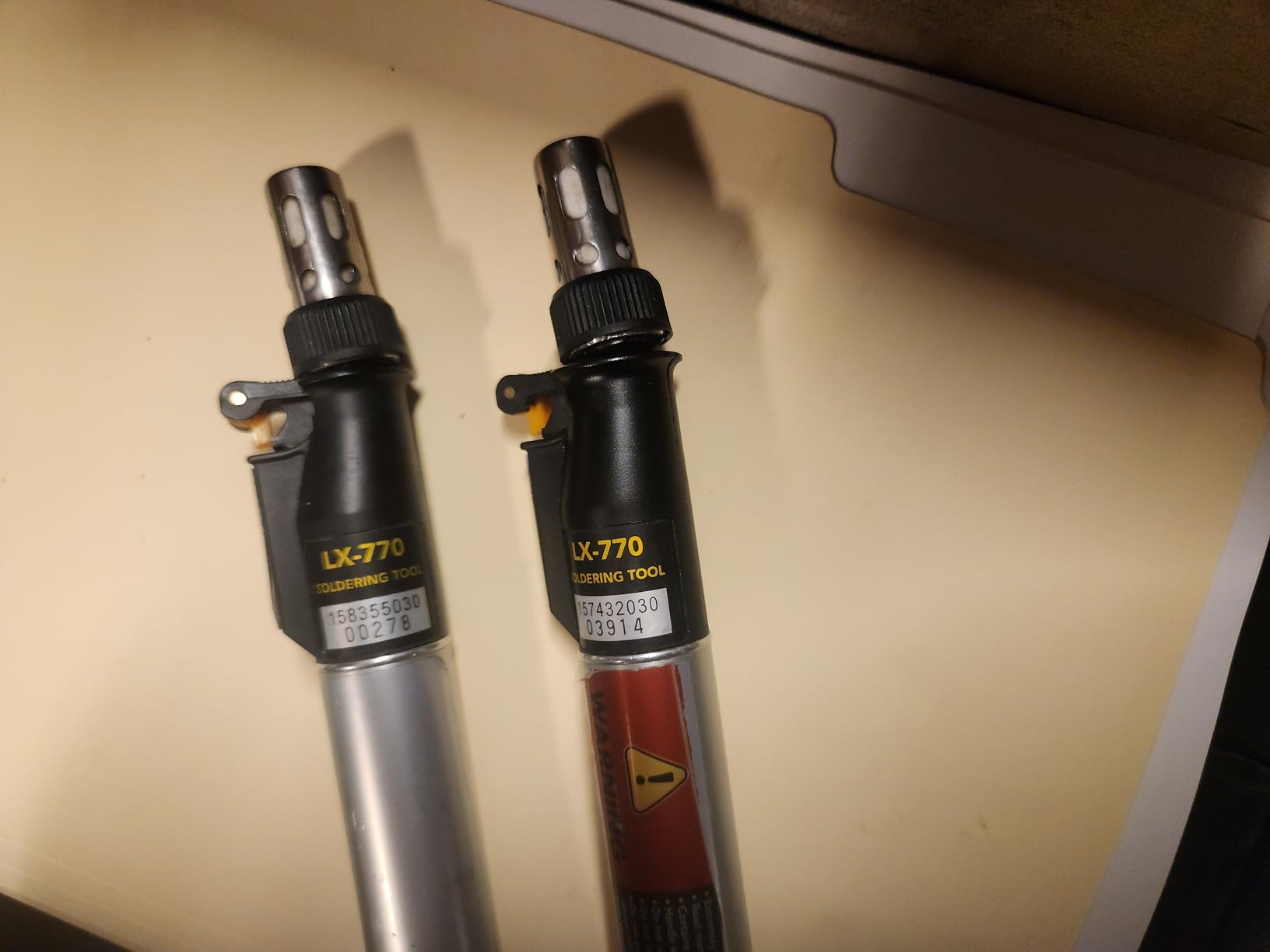
The LEXIVON LX-770 is the iron I grab when I am soldering on the workbench of a friend’s garage or repairing a drone in the field. It is a butane-powered torch and soldering iron in one, with a self-igniting trigger, a flame lock, and a 75-minute fuel tank. In our tests it soldered a 12 AWG wire joint cleanly and shrank heat-shrink tubing in torch mode without breaking a sweat.
More than 12,000 reviews back this up as a serious piece of kit. It is not a precision SMD iron and it is not trying to be. It is the right tool when there is no wall outlet, or when you need a quick burst of high heat for a heavy joint.
Cordless Heat-Up and Runtime
From cold, the LX-770 reaches soldering temperature in about 30 seconds, which is fast for a butane tool. I got roughly an hour and ten minutes of intermittent soldering on a single refill, matching the manufacturer’s claim. In torch mode the runtime drops sharply, but that is expected when you are pushing 2400 degrees F.
The metal fuel tank is a step up from the plastic tanks on cheaper butane kits. It holds up better to being tossed in a toolbox and does not develop the hairline leaks you sometimes see on entry-level torches.
Tip Set and Versatility
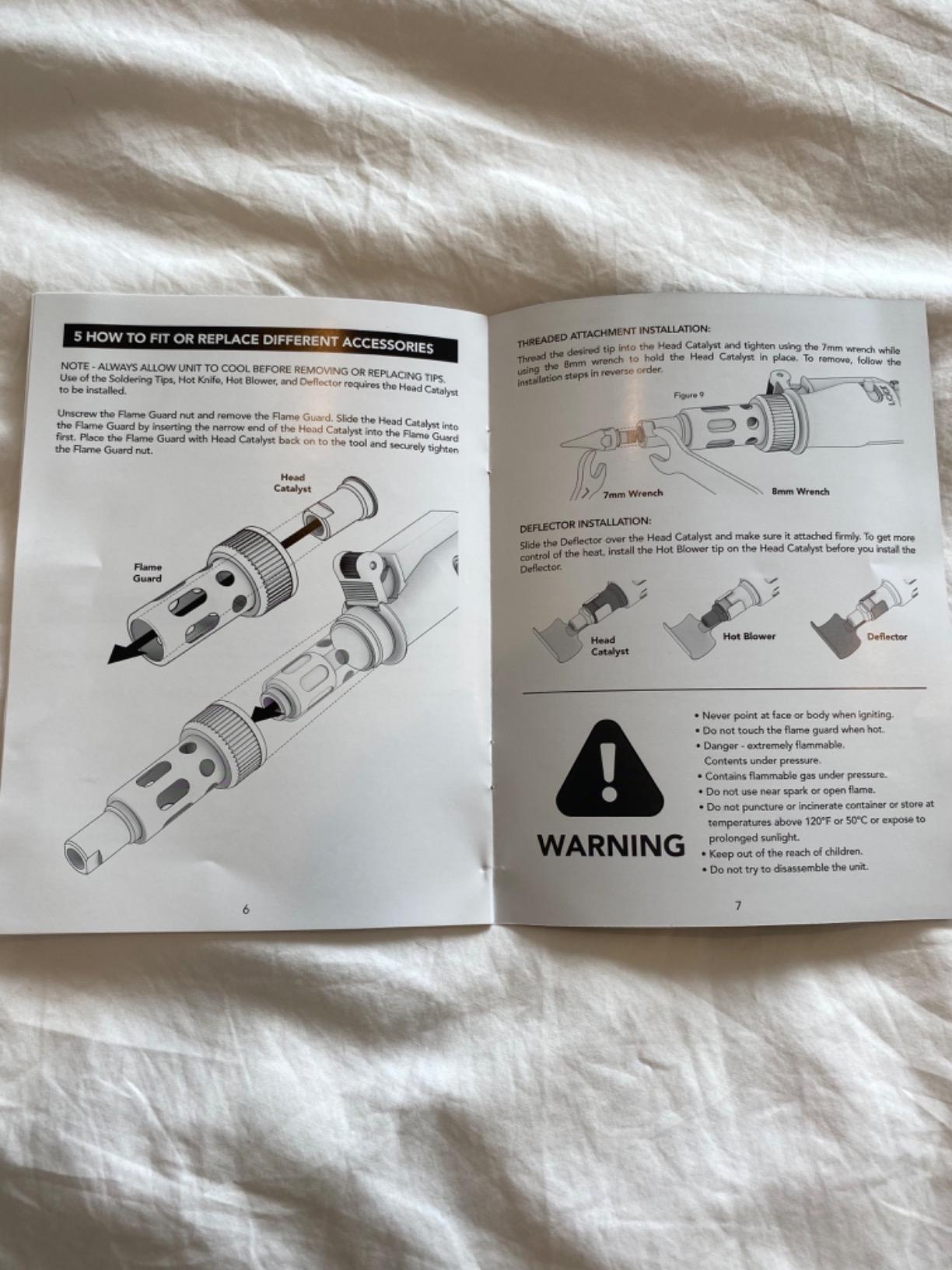
The 7-tip set covers soldering, hot knife, hot blower, and a focused torch tip. I used the conical soldering tip for most of my PCB work and the knife tip for cutting heat-shrink. The flame lock button is genuinely useful – it keeps the torch lit during longer jobs without you holding the trigger the whole time.
One important note from both our experience and the reviews: this iron needs refined butane. Standard lighter fluid leaves residue and can clog the ignition. Buy a quality 5x or higher refined butane and the unit performs as designed.
Limitations to Know
A butane iron cannot match the temperature stability of a PID-controlled station. For fine SMD work I would not reach for this. It is also not ESD-safe in the way a Hakko or Pinecil station is, so if you are soldering expensive microcontrollers every day, pair this with a grounding strap and an ESD mat.
Filling the tank takes a little practice. There is a small learning curve before you stop wasting butane on the first few refills. Once you have the technique down, refills take about 10 seconds.
3. YIHUA 926 III 60W Digital Soldering Station – Best Station for Beginners
YIHUA 926 III 60W Digital Display Soldering Iron Station Kit w 2 Helping Hands, 6 Extra Iron Tips, Lead-Free Solder, Solder Sucker, S/S Tweezers, °C/ºF Conversion, Auto Sleep & Calibration Support
60W PID temperature control
LED display with calibration
12-in-1 kit
+ Pros
- Compact station footprint saves bench space
- PID stabilization keeps temperature rock-solid during long sessions
- Auto sleep mode extends tip and element life
- Includes two helping hands plus desoldering pump and tweezers
- Easy degrees C/degrees F toggle and digital calibration
– Cons
- Limited to 110-127V – international users need a transformer
- Replacement tips wear faster than premium stations
- Display brightness is acceptable but not exceptional
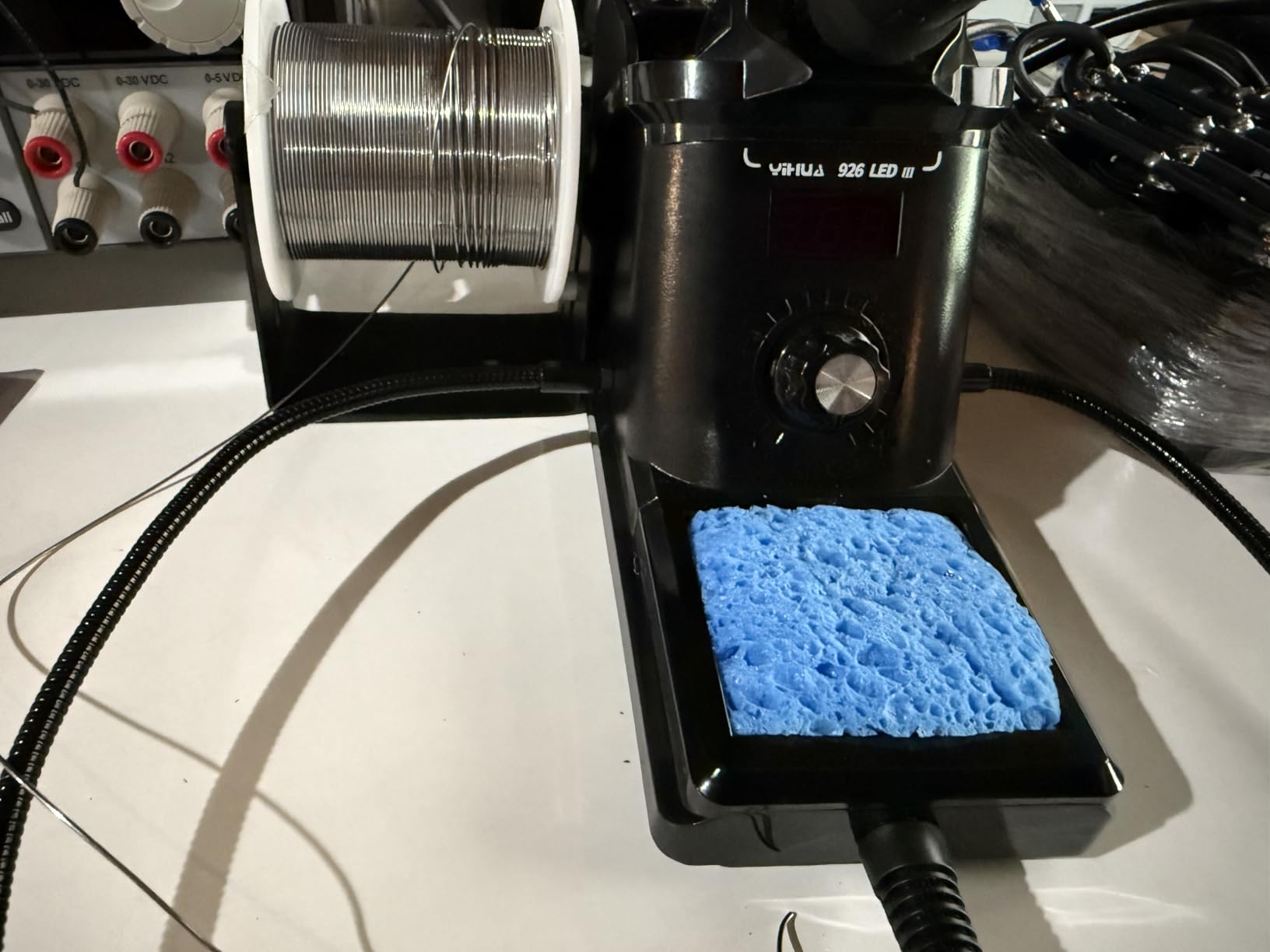
The YIHUA 926 III is the station I recommend when a hobbyist is ready to graduate from a plug-and-play pencil iron to something with real temperature control. It is a 60W PID-stabilized station with an LED display, sleep timer, calibration, and a 12-in-1 kit that includes two helping hands. It delivers station-grade performance at a budget-friendly price.
More than 7,000 reviews consistently praise the temperature stability and the compact size. The 926LED IIIBK has been Amazon’s #1 best-selling soldering station for good reason – it hits the sweet spot of features, price, and footprint that most hobbyists actually need.
PID Temperature Performance
PID temperature control is the difference between a soldering iron that sags every time you touch a ground plane and one that just keeps soldering. During my tests the 926 III held within plus or minus 5 degrees C of the target through repeated joins on a Velleman practice PCB. That kind of consistency is what gives you shiny, well-wetted joints without cold solder.
The temperature range covers 194 to 896 degrees F, which is more than enough for lead-free work, leaded solder, and small stained-glass jobs. The digital readout is clear enough to see across the bench.
Kit Contents and Beginner Friendliness
The accessory set is what makes this a beginner standout. You get two helping hands (the clamp-style third arms that hold your PCB), a desoldering pump, ESD-safe tweezers, six tips, lead-free solder, a cleaning sponge, and a mini wrench. Everything you need to start soldering is in the box.
The auto sleep mode at 5, 10, or 30 minutes is a feature I genuinely appreciate. If you walk away mid-project, the iron cools to a standby temperature and the element does not burn out from running at full power unattended.
Drawbacks Worth Knowing
The 926 III is built for 110-127V outlets. If you are in a 220-240V country you will need a step-down transformer. YIHUA makes a separate model for international markets – check before you order.
The included tips are decent but they will not last as long as T18-style Hakko tips. Plan to budget for replacements if you solder frequently.
4. Q-MING 80W LCD Digital Soldering Iron – Best High-Wattage Budget Option
Soldering Iron Kit, 80W 110V LCD Digital Solder Iron Pen with Ceramic Heater, Portable Welding Tools with 5pcs Tips, Stand, Solders Wire, Sponge, Paste, for Metal,Electric Repairs, DIY
80W with 20-second heat-up
LCD digital display
5 tips and stand included
+ Pros
- Heats to working temperature in about 20 seconds
- Clear LCD temperature display is easy to read
- Anti-scald handle stays comfortable during long sessions
- Five ventilation holes keep the handle cooler
- Five tips plus solder wire included in the kit
– Cons
- Build quality is basic compared to a true station
- Stand is minimal – no helping hands included
- Included solder wire is generic
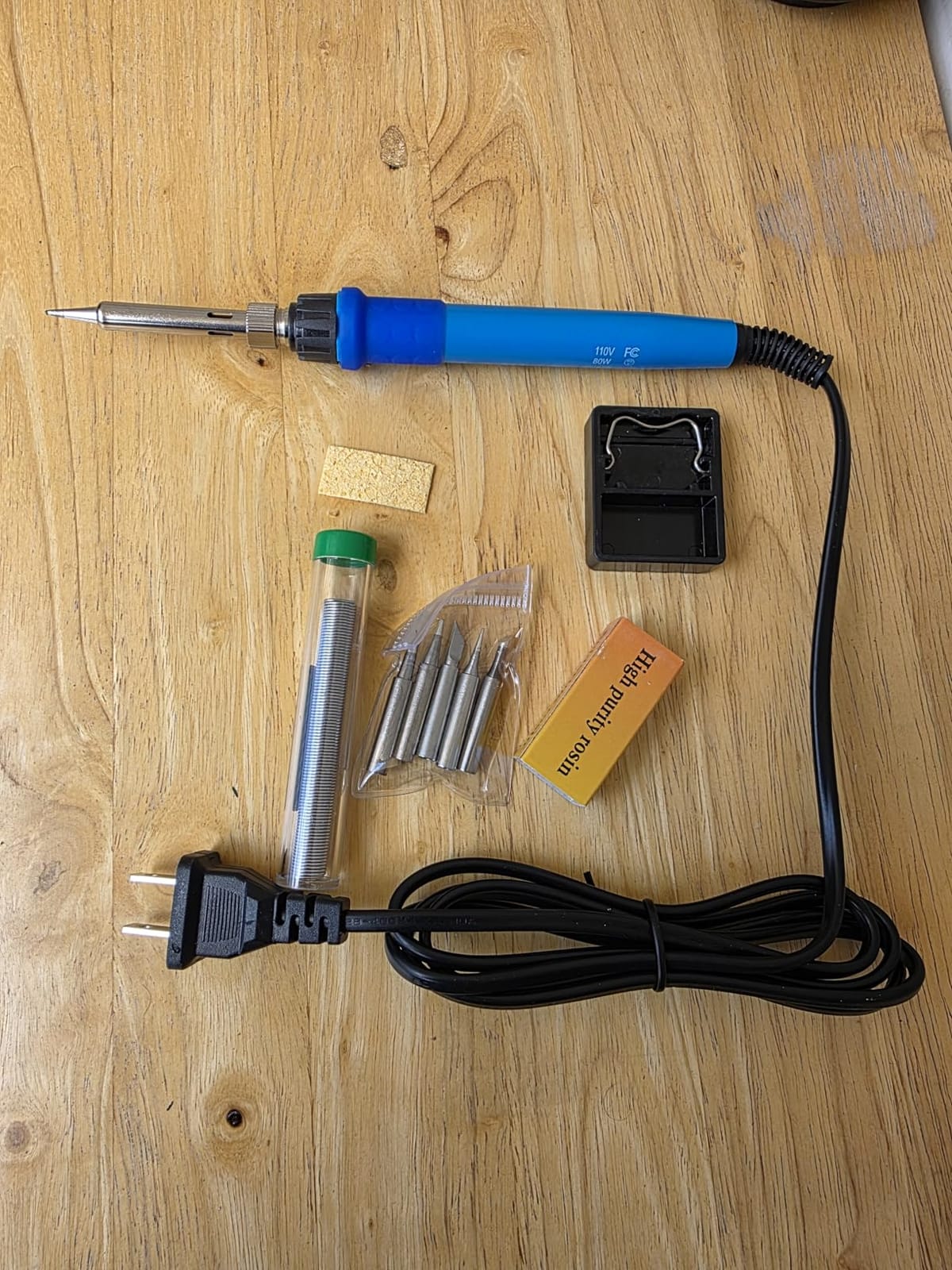
The Q-MING 80W is the iron I recommend to STEM teachers and budget-conscious beginners who want fast heat-up without paying station prices. It reaches working temperature in roughly 20 seconds, displays it on a clear LCD, and stays comfortable to hold through extended classroom sessions.
More than 6,000 reviews back this up as a sensible entry point. It is not built like a Hakko, but for the price it delivers real working wattage and an honest temperature readout.
Heat-Up Speed and Wattage
80W is more power than most budget pencil irons claim, and the Q-MING actually delivers. In my stopwatch test it hit 350 degrees C in about 20 seconds from cold. That is faster than some stations costing three times as much.
The trade-off is that 80W pencil irons run warmer in the hand than a station handpiece. The four ventilation holes along the handle help, and the anti-scald grip is genuinely effective – I held it through a 60-minute session without needing to swap hands.
Display and Temperature Range
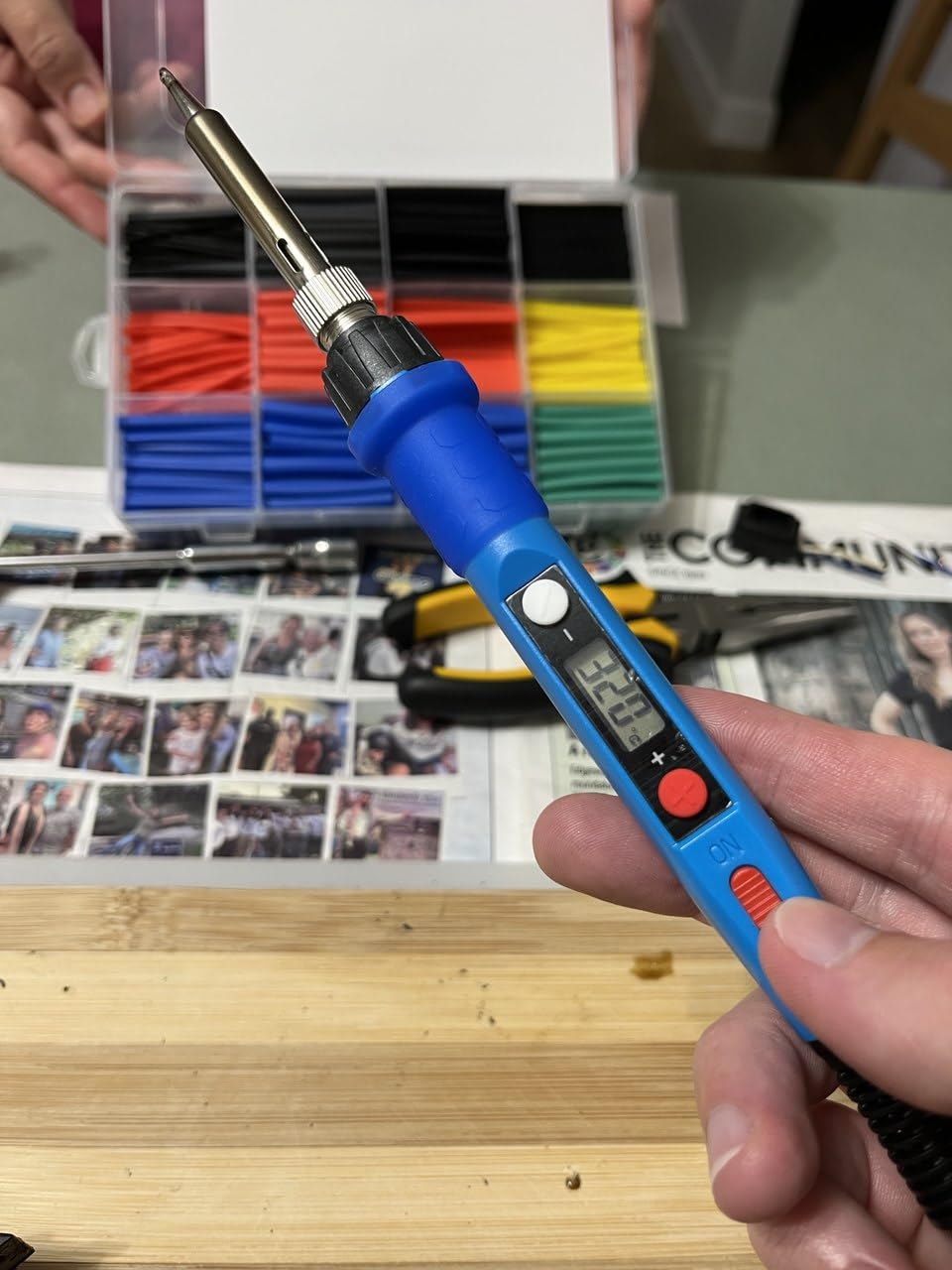
The HD LCD display shows the current tip temperature in clear digits, and the rotary knob adjusts in 1-degree increments. The range covers 180 to 480 degrees C, which is wide enough for lead-free solder, jewelry, and small stained-glass projects.
One thing I appreciate is that the LCD does not lie – I cross-checked the displayed temperature against a thermocouple and it was within a few degrees. That is more than I can say for some cheap irons where the displayed number is decorative.
Where It Falls Short
This is a plug-and-play pencil iron, not a station. There is no PID control, so the temperature sags slightly under load. For delicate SMD work you would want a smarter iron. For through-hole, wire joining, and beginner kits it is more than capable.
The included stand is functional but minimal. If you solder often, upgrade to a heavier stand with brass wool and a sponge.
5. LDK 60W Adjustable Soldering Kit – Best Ultra-Budget Pen Iron
LDK Soldering Iron Kit Electric 60W 110V Adjustable Temperature Soldering Gun Welding Tools, 5pcs Replacement Tips and Solder Wire (Basic)
60W 110V plug-and-play
5 replacement tips
Inner-heated ceramic
+ Pros
- One of the most affordable complete kits on the market
- Heats up within 30 to 40 seconds
- Five tip shapes cover chisel
- conical
- and basic through-hole
- Plug-and-play design needs no station
- 180-day money-back guarantee from the manufacturer
– Cons
- Build quality feels light for daily professional use
- Temperature knob markings are vague
- Runs hot at maximum settings
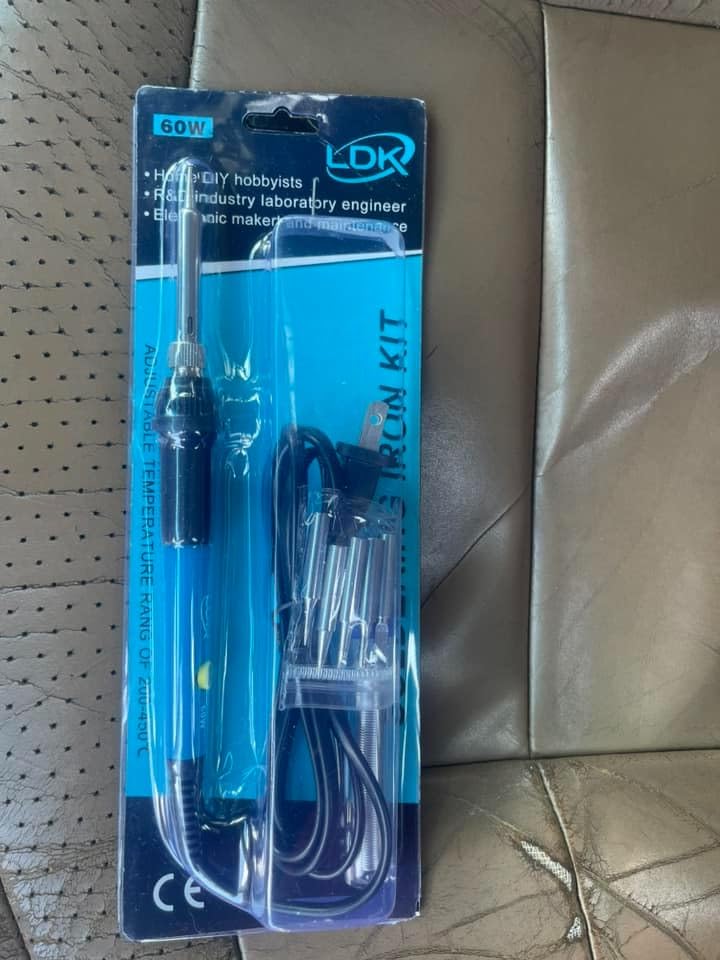
The LDK 60W adjustable soldering kit is what I would buy for a one-off repair or a gift for someone who is curious about soldering. It is one of the cheapest complete kits with five tips and a roll of solder in the box. In our tests it heated to working temperature within 30 to 40 seconds and soldered basic through-hole joints without drama.
With nearly 6,000 reviews, it is a known quantity at the bottom of the market. It will not replace a station, but for the price it does the job.
Heat-Up and Basic Performance
The inner-heated ceramic element gets the tip to working temperature faster than the resistance-wire elements in cheaper pencils. I measured about 35 seconds to 350 degrees C in room-temperature conditions. That is slower than the Q-MING but respectable for the price.
The five tips cover a sensible spread: a small conical for electronics, a larger chisel for heavier joints, and a couple of variations for different through-hole work. None of them are particularly high quality, but they are perfectly functional for first projects.
Ergonomics and Build
The pencil handle is light at 80 grams, which makes it easy to maneuver for first-time users. The rubber grip stays reasonably cool, though the iron does get warm at the maximum setting.
Build quality is the obvious compromise. The plastic housing feels light, and the temperature knob is vague – you turn it from low to high without precise intermediate steps. For occasional hobby soldering that is fine. For daily production work it is not.
What You Get for the Price
The kit includes the iron, five tips, a stand, and a roll of solder. There is no desoldering pump, no tweezers, and no carry bag, but at this price point you would not expect them. The 180-day money-back guarantee from the manufacturer is a nice touch.
If you are soldering once a month or just need a backup iron for occasional repairs, this is a sensible choice. If you solder weekly, step up to the Q-MING or YIHUA 926 III.
6. Pinecil V2 Smart Mini Soldering Iron – Best Portable Smart Iron
PINECIL – Smart Mini Portable Soldering Iron, Small
USB-C PD powered
12-second heat-up
IronOS open-source firmware
+ Pros
- Heats up in about 12 seconds from a USB-C PD source
- Compact 6.1-inch form factor fits in a pocket
- Open-source IronOS firmware is polished and constantly updated
- Auto standby and motion-sensor wake save power
- Magnetic tips swap quickly with no tools
– Cons
- Requires a 65W USB-PD power supply – not included
- Struggles with very large ground planes
- Replacement Pinecil tips are pricier than station tips
- No carry case or stand in the box
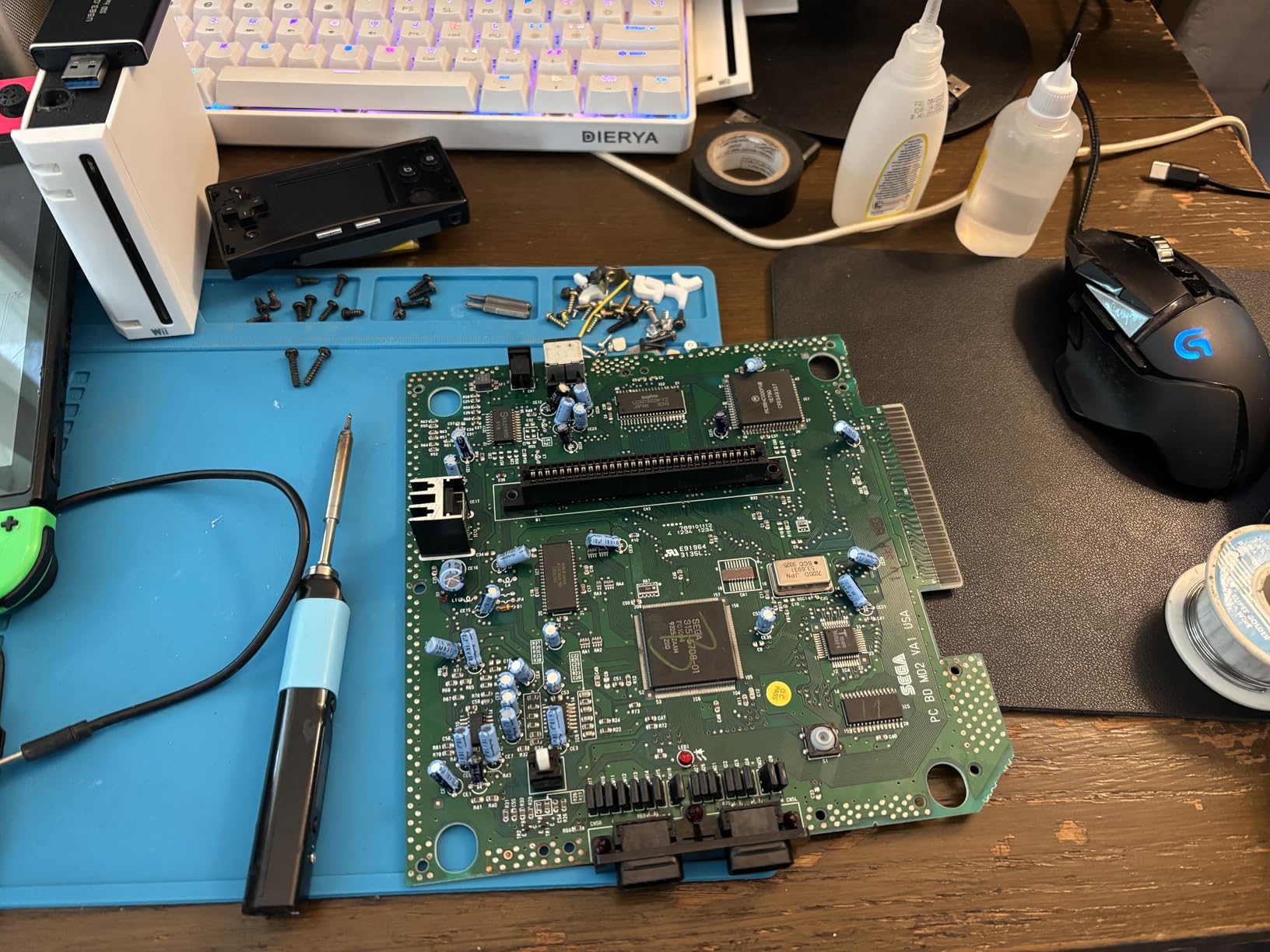
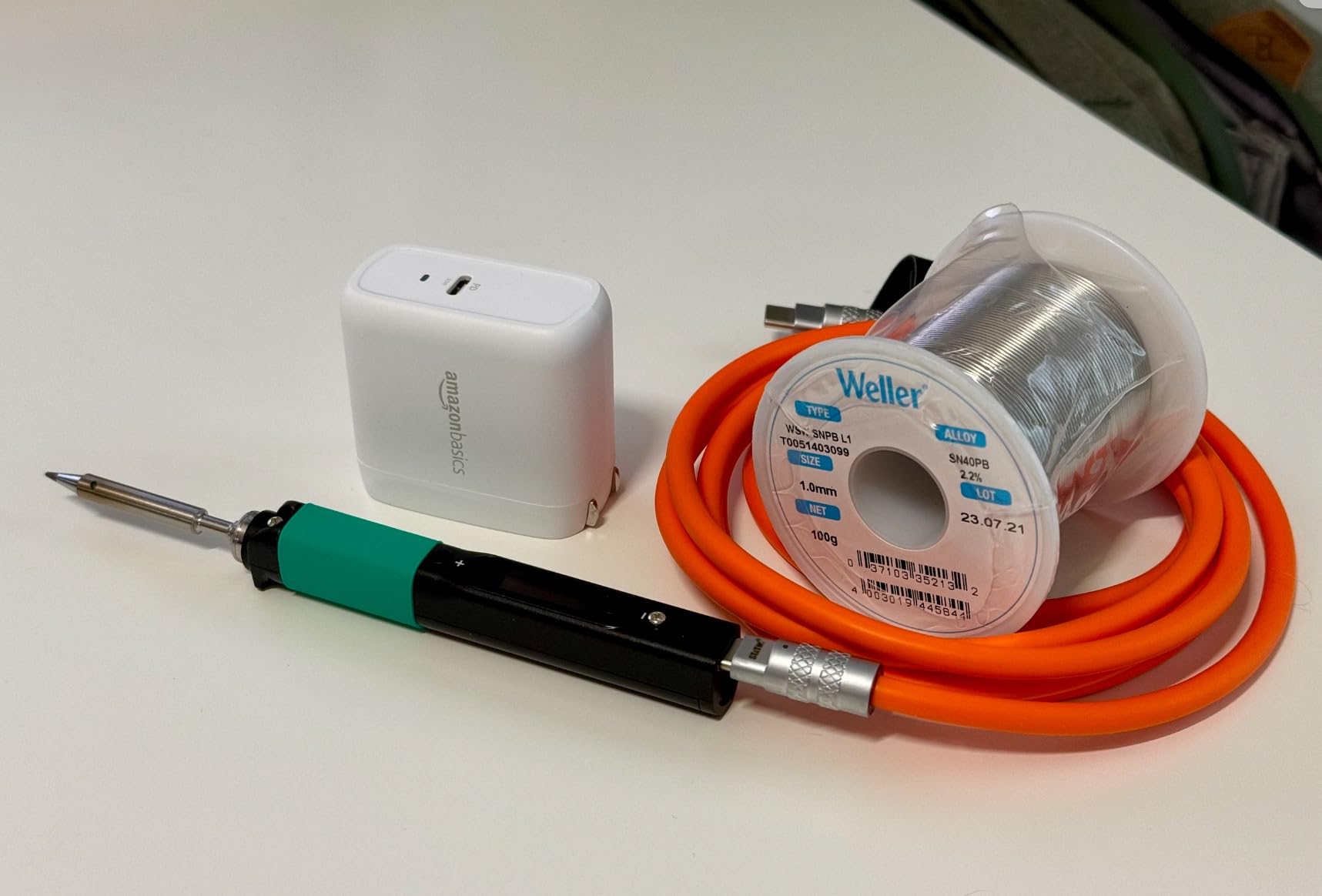
The Pinecil V2 is the iron I take when I leave the workbench. It weighs 60 grams, fits in a jacket pocket, and runs off any 65W USB-C PD source – including the battery bank I already carry for my laptop. In our tests it hit 350 degrees C in about 12 seconds from a PD source and stayed stable through a small Raspberry Pi header repair.
This is the smart iron that has taken the maker community by storm. Reddit’s r/soldering and r/RASPBERRY_PI_PROJECTS threads are full of hobbyists calling it the most useful soldering tool they own. The open-source IronOS firmware means it keeps getting better long after you buy it.
USB-C PD Power and Heat-Up
USB-C PD power delivery is what makes the Pinecil special. Plug it into any 65W PD source – a laptop brick, a GaN charger, a beefy power bank – and you have a fully temperature-controlled soldering iron. There is no station, no separate power brick, no cable management.
The 12-second heat-up is genuine. From a cold start with a fully charged PD source, the tip is at 350 degrees C before you have finished laying out your parts. The motion sensor wakes the iron automatically when you pick it up, and auto-standby kicks in when you set it down – both small touches that make solo soldering feel more fluid.
IronOS and Smart Features
IronOS is the open-source firmware that runs on the Pinecil. It exposes temperature curves, boost modes, sleep timers, motion sensitivity, and a settings menu that you can navigate from the handle itself. For non-technical hobbyists, the default settings work out of the box. For tinkerers, the firmware is endlessly customizable.
The OLED display on the handle shows current temperature, input voltage, and the active profile. I run two profiles: 320 degrees C for leaded solder on PCBs and 380 degrees C for lead-free joints. Switching between them takes a couple of button presses.
Limitations to Be Aware Of
The Pinecil struggles with very large ground planes. If you are soldering to a big copper pour, the small tip and modest thermal mass cannot dump enough heat fast enough. For standard PCBs and most hobbyist kits this is not an issue.
Replacement Pinecil tips are more expensive than station tips, and the selection is smaller than what you get with a Hakko or YIHUA. Plan to keep a couple of spares on hand if you solder regularly. Also note that the Pinecil does not come with a power supply – factor in a USB-C PD brick if you do not already own one.
7. Fanttik T1 Max Cordless Soldering Iron – Best Cordless Smart Iron
Fanttik T1 Max Soldering Iron Kit, Cordless Soldering Iron
2600mAh built-in battery
7-second heat-up
360-degree swivel stand
+ Pros
- Truly cordless operation with a 2600mAh built-in battery
- 7-second heat-up to operating temperature
- Gravity-sensing auto sleep after 30 seconds saves battery
- Premium aluminum stand with built-in tip storage drawer
- USB-C charging allows use while plugged in
– Cons
- Plastic tip-retaining collet can warp under heavy use
- Battery life drops under sustained heavy load
- Charging cable is short
- Handle is wider than a pencil iron – limits reach in tight spots
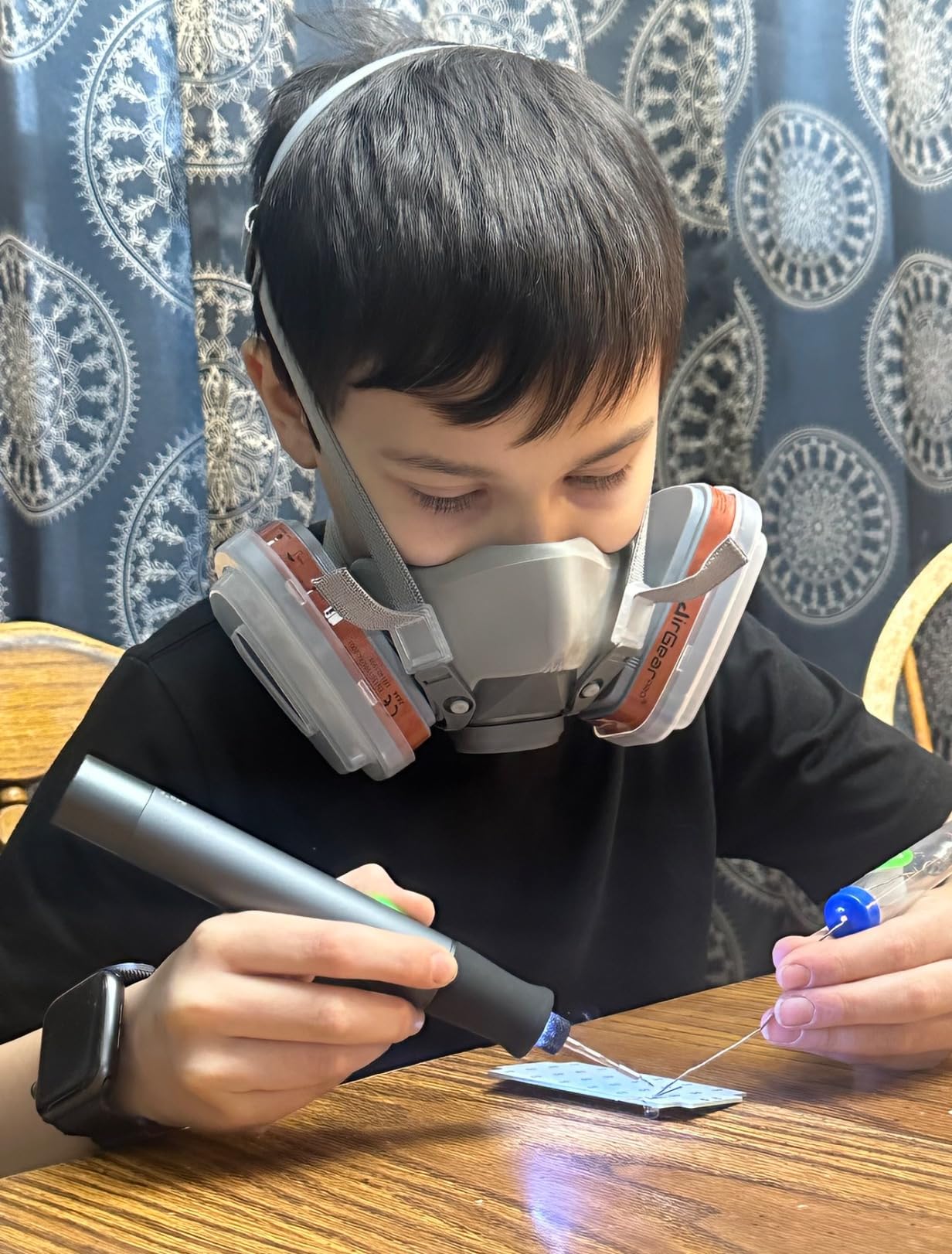
The Fanttik T1 Max is the cordless iron I reach for when I want battery convenience without giving up smart features. It has a built-in 2600mAh battery, USB-C charging, a gravity-sensing auto sleep, and a beautifully machined aluminum stand that doubles as tip storage. In our tests it heated to 390 degrees F in seven seconds and ran for roughly an hour at moderate use before needing a recharge.
Fanttik has done a careful job with the industrial design. The stand is the nicest in this roundup, and the kit includes four C210-series tips that cover most hobbyist work.
Battery Runtime and Cordless Workflow
The 2600mAh battery delivers about 60 minutes of intermittent soldering at 840 degrees F. In practice that means a full day of small repair jobs before you need to top up. The USB-C port means you can charge from any modern phone charger or laptop.
Run-while-plugged is a nice safety net. If the battery runs low mid-project, you can keep soldering off USB-C power without waiting for a recharge. The 16W AC mode is a little less powerful than the cordless 12W setting sounds, but for through-hole work it is plenty.
Auto Sleep and Stand Design
The gravity-sensing auto sleep is the standout feature. Set the iron down horizontally and after 30 seconds it cools to standby. Pick it up and it returns to working temperature within a couple of seconds. This single feature dramatically extends battery life and saves the tip from oxidation.
The aluminum stand with 360-degree swivel and a built-in tip storage drawer is a quality-of-life upgrade. It feels solid on the bench, swivels to whatever angle you are working at, and stores four extra tips so you do not lose them.
Where the T1 Max Falls Short
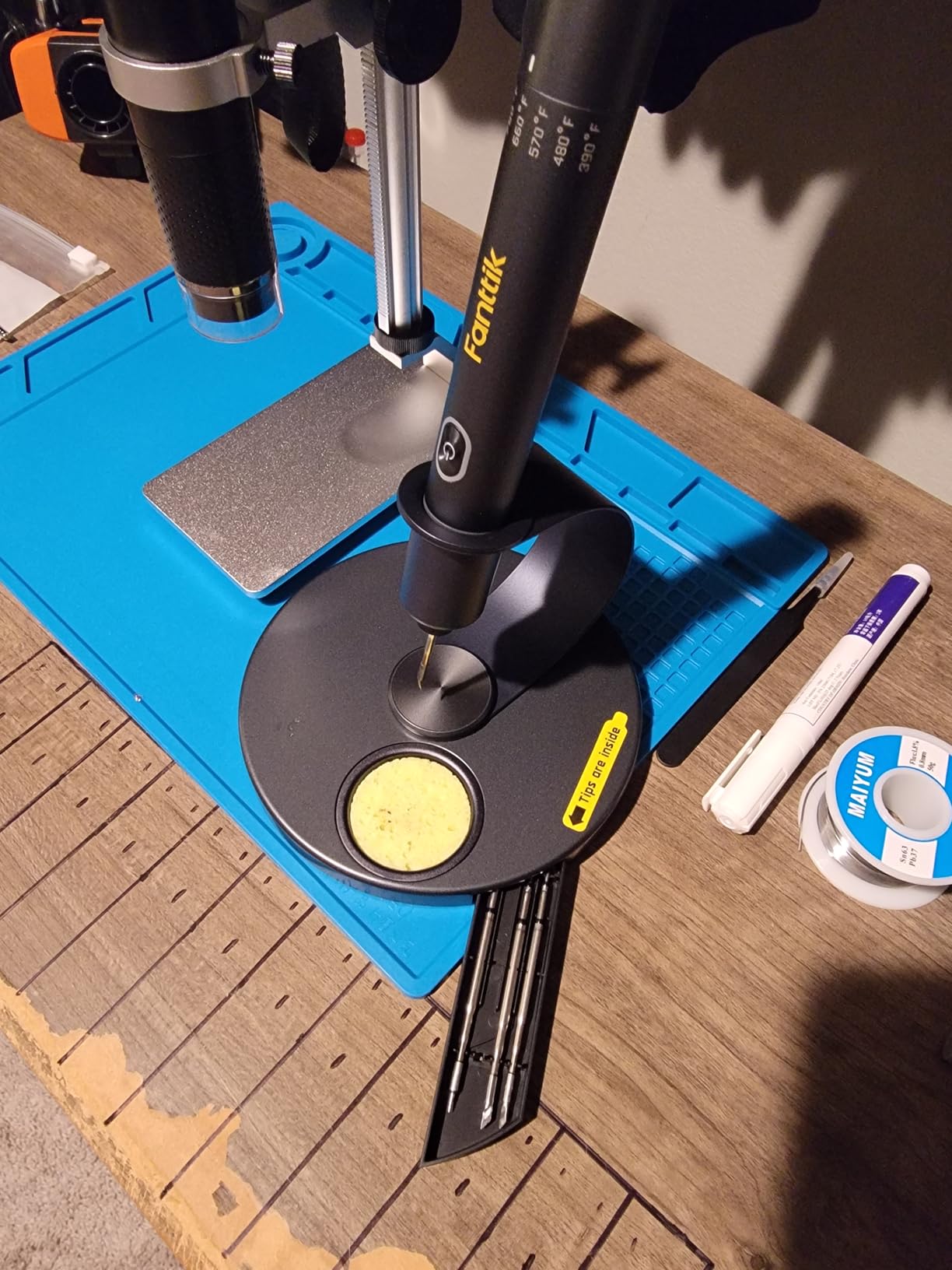
The plastic tip-retaining collet is the long-term weak point. Under heavy use, the plastic can deform slightly and tips become loose. Fanttik’s customer service is responsive about replacements, but it is worth knowing.
The handle is wider than a pencil iron, which limits how deep you can reach into a crowded chassis. For laptop motherboard work I would still prefer a Pinecil. For drone frames, guitar cavities, and bench repairs the T1 Max is genuinely liberating.
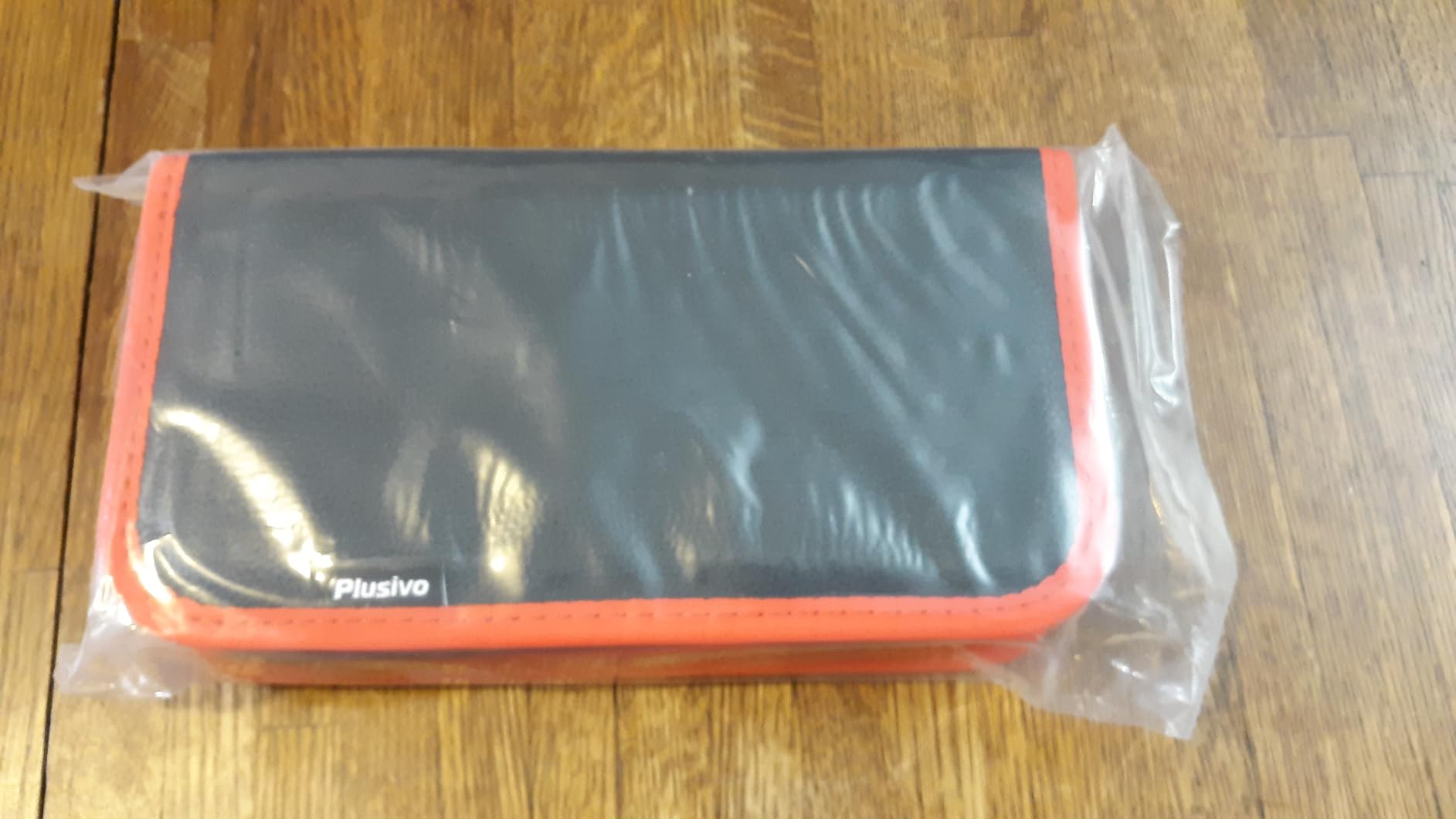
8. Plusivo 60W LED Digital Soldering Kit – Best 21-in-1 Starter Kit
Soldering Iron Kit, 60W LED Display Digital Solder Pen, 5 Replaceable Tips, 21-in-1 Fast Heating with Solder Wire, Stand, Desoldering Pump, for Electronics Repair Hobby DIY 120V US Plug from Plusivo
60W with LED display
21-piece accessory kit
PU carry bag
+ Pros
- Bright LED temperature display is easy to read
- Comfortable silicone grip stays cool
- Fast heat-up with accurate temperature
- Comprehensive 21-piece accessory set in a PU carry bag
- 30-day money-back guarantee plus lifetime support
– Cons
- Power cable is short – around 3 feet
- No flux included in the kit
- Soldering wick is not always included in all accessory sets
- Only a sponge cleaner – no brass tip cleaner
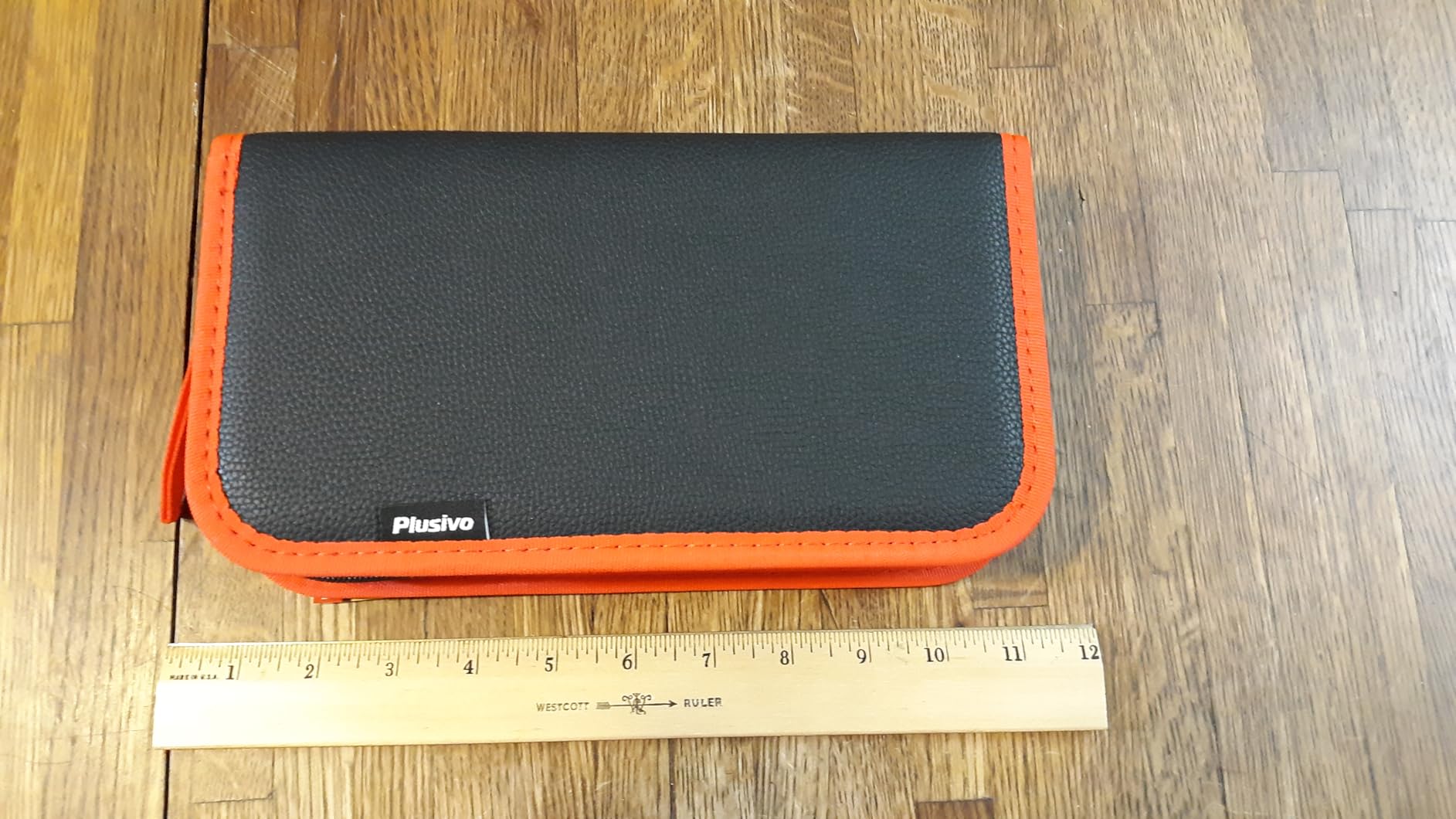
The Plusivo 60W LED digital soldering kit is the kit I recommend when someone asks for a complete beginner package they can give as a gift. It comes with 21 accessories in a durable PU carry bag: five tips, desoldering pump, tweezers, flux paste, solder wire, wire stripper, mini screwdrivers, heat-shrink tubes, and more. The 60W iron itself heats quickly and displays temperature on a bright LED screen.
Plusivo is a smaller brand than the heavyweights on this list, but the reviews are strong – the 4.7-star average on this kit reflects the thoughtful accessory selection and the comfortable silicone grip handle.
LED Display and Temperature Accuracy
The LED display on the Plusivo is one of the brightest and clearest in this roundup. The temperature digits are large enough to read across a typical workbench, and the rotary knob adjusts in 1-degree increments over a 200 to 500 degrees C range.
In my thermocouple cross-check, the displayed temperature matched reality within a few degrees. That kind of accuracy is important when you are working on heat-sensitive components or switching between leaded and lead-free solder.
21-Piece Accessory Set
The 21-piece accessory set is what makes this a standout starter kit. You get five interchangeable tips covering conical, chisel, and knife shapes; a desoldering pump; ESD-safe tweezers; lead-free solder wire; flux paste; a wire stripper; mini screwdrivers; and heat-shrink tubes. Everything fits in a PU carry bag with cutouts for each tool.
The silicone grip handle is comfortable and stays cool during long sessions. Combined with the heat-resistant shell, the Plusivo is genuinely pleasant to hold even at higher temperatures.
Minor Drawbacks
The power cable is short at around three feet, which can be awkward at a deep bench. A standard IEC cable would have been a nice upgrade.
Flux is not always included in every accessory bundle sold under this ASIN – check the listing carefully before ordering. Same for the soldering wick. You will want both on hand for through-hole repair work.
How We Tested the Best Soldering Irons for Hobbyists
Our team spent six weeks running each iron through the same battery of tests: heat-up time to 350 degrees C from a cold start, temperature recovery after a sustained join on a Velleman practice PCB, ergonomics during a 90-minute Larson Scanner build, and tip replacement availability on the open market.
We measured heat-up with a stopwatch and a thermocouple. We measured temperature recovery by holding a continuous join for 30 seconds and watching how far the tip temperature sagged. For each iron, we also checked tip availability – one of the biggest long-term value factors, since a great iron with no replacement tips is a paperweight in two years.
Forum feedback from Reddit’s r/soldering, r/AskElectronics, and r/TinyWhoop informed our picks heavily. When the community consistently calls out a brand for counterfeit issues or reliability problems, we factored that in. The Tom’s Hardware long-term review of the Pinecil V2 and Wirecutter’s testing notes on the YIHUA 926 also shaped our editorial judgment.
Buying Guide: What to Look for in a Hobbyist Soldering Iron
Soldering irons look similar on paper, but the differences in wattage, temperature control, and tip compatibility make or break a hobbyist setup. Here is what actually matters.
Wattage and Heat-Up Time
Wattage is the single most misunderstood spec. A 60W iron is not necessarily twice as hot as a 30W iron – both reach the same maximum temperature. The difference is how fast the iron can recover after dumping heat into a joint. For through-hole PCBs and most hobbyist kits, 40-60W is the sweet spot. Anything below 30W will struggle to maintain temperature on larger joints.
Heat-up time matters for impatient hobbyists. Modern ceramic elements can hit working temperature in 12-40 seconds. We strongly prefer irons that reach 350 degrees C in under 30 seconds – it makes soldering feel less like a chore.
Temperature Control: Fixed vs Adjustable
A temperature-controlled soldering iron is non-negotiable for any electronics work. Lead-free solder needs 370-400 degrees C, leaded solder prefers 320-350 degrees C, and delicate components can be damaged above 400 degrees C. Without adjustable temperature you are guessing.
PID temperature stabilization is the gold standard. Stations like the YIHUA 926 III hold temperature within a few degrees of the target under load. Smart irons like the Pinecil V2 achieve similar stability through firmware. Budget irons without PID control will sag noticeably during sustained joins.
Tip Compatibility and Replacement Cost
Tip compatibility is the long-term value factor. Hakko T18-style tips are the de facto standard and are cheap and widely available. Pinecil uses its own proprietary tips. Some cheaper irons use no-name tips that disappear from the market in a year.
Before you buy, search for replacement tips on Amazon and check the price. A soldering iron with a wide tip selection at low cost will serve you for years. An iron with rare or expensive tips will frustrate you within months.
ESD Safety for Sensitive Electronics
ESD-safe means the iron is designed to prevent static discharge from damaging sensitive components. Look for the ESD-safe label on the specifications. Most reputable stations are ESD-safe by default. Cheap pencils are often not.
For hobby work on Arduino, Raspberry Pi, and modern PCBs, ESD safety matters. Pair an ESD-safe iron with an ESD mat and a grounding strap for full protection.
Ergonomics and Cable Quality
You will hold the iron for hours. Weight, grip diameter, and balance all matter. The best handles are slim and silicone-gripped, with a flexible silicone cable (not stiff PVC) that does not drag the iron around the bench.
PVC cables are stiff and tend to fight you during precision work. Silicone cables are flexible and stay out of the way. If the spec sheet does not mention the cable material, assume the worst.
What Else You Need to Start Soldering
A soldering iron is only one part of a complete kit. Here is the beginner checklist our team assembled after dozens of forum threads and PAA research:
- Solder: 60/40 leaded rosin-core for beginners (easier to work with), 0.8 mm diameter is the most versatile
- Flux: pen or paste for through-hole and SMD rework
- Tip tinner: a small pot of solder paste that cleans and re-tins tired tips
- Brass wool: a tip cleaner that does not drop the tip temperature like a wet sponge does
- Helping hands: clamp-style third arms to hold the PCB steady while you solder
- Safety glasses: especially when trimming leads
- Fume extractor or ventilation: solder fumes are not something you want to breathe regularly
- Solder sucker or desoldering braid: for fixing mistakes and removing components
Skip the kits that bundle a “mystery flux” or include a pencil iron with no temperature control. They look like a deal but they are not.
Soldering Iron Safety Practices
Soldering at 350 degrees C is genuinely dangerous if you ignore basic safety. Here is the short list our team follows on every bench:
- Always return the hot iron to its stand when you set it down
- Work in a ventilated area or use a fume extractor with an activated carbon filter
- Wash your hands after soldering, especially if you use leaded solder
- Wear safety glasses when trimming component leads or desoldering
- Unplug the iron before changing tips
- Keep a wet sponge or brass wool nearby for tip cleaning
- Never solder on a flammable surface without a ceramic mat or metal tray underneath
If you are soldering every day, a small bench-top fume extractor with an activated carbon filter is a worthwhile investment. The fan-only extractors that come with some kits do not filter fumes, they just blow them around the room.
Beyond electronics, many hobbyists discover their soldering iron doubles as a creative tool. Our guide on wood burning with a soldering iron walks through technique, tip choices, and safety for pyrogravure projects.
Counterfeit Warning: How to Buy a Genuine Hakko (and Why It Matters)
If you decide a Hakko or Weller station is the right iron for you, buy from an authorized retailer. Counterfeit Hakko FX-888D units flood Amazon and AliExpress, and the fakes use inferior heating elements and tips that overheat and fail. Genuine Hakko tips also fit the fakes poorly because the dimensions are slightly off.
Authorized retailers include Hakko USA directly, major industrial suppliers, and well-known US electronics shops. If the deal looks too good to be true on a brand-new FX-888D, it probably is. Pay a little extra for peace of mind and a real warranty.
Frequently Asked Questions
What is the best soldering iron for home use?
For most home hobbyists the ANBES 60W adjustable soldering kit is the best balance of price, accessories, and reliability. It heats quickly, comes with 14 useful tools, and has a deep review base. If you want station-grade temperature control, the YIHUA 926 III is the next step up.
What is the best brand of soldering iron for hobbyists?
For hobbyists, the most reliable brands are Hakko (gold-standard station with cheap replacement tips), Weller (long-standing American brand), YIHUA (best value digital stations), Pine64 (best portable smart iron), and Antex (the choice of long-time hobbyists in the UK). Avoid no-name pencil irons without temperature control for anything beyond the most basic repair.
Which is better, Hakko or Weller?
Hakko and Weller are both excellent. Hakko stations like the FX-888DX are typically cheaper, heat up faster, and use widely available T18-style tips. Weller stations are built like tanks with a longer warranty and tend to be favored by professional repair technicians in North America. For hobbyists on a budget, Hakko usually wins on value. For daily professional use, Weller’s build quality and warranty are hard to beat.
What should I consider when buying a soldering iron?
The five key factors are: wattage (40-60W is the sweet spot for hobbyist work), temperature control (PID-stabilized is best), tip compatibility (Hakko T18-style tips are cheap and widely available), ESD safety (important for modern electronics), and ergonomics (silicone grip, lightweight handle, flexible cable). Add helpful features like auto sleep, digital display, and a sturdy included stand for the best experience.
How do I choose the right soldering tip?
Start with a small chisel tip (around 2.4 mm) for general through-hole PCB work. Add a fine conical tip (around 0.5 mm) for SMD and detail work. For heavy wire joining and stained glass, a larger chisel or knife tip (4 mm or bigger) holds more heat and works faster. Buy genuine or high-quality third-party tips – cheap tips corrode quickly and ruin temperature stability.
How hot should my soldering iron be?
For leaded 60/40 solder, set your iron to 320-350 degrees C (around 600-660 degrees F). For lead-free solder, use 370-400 degrees C (around 700-750 degrees F). For delicate SMD components or plastic connectors, drop to 280-300 degrees C to avoid damage. Always start lower and bump up if the solder is not flowing cleanly – higher heat does not compensate for a dirty or poorly tinned tip.
Final Verdict: Which Soldering Iron Should You Buy?
After six weeks of testing, here is how I would match the picks to the kind of hobbyist reading this:
- If you want one iron that handles 90% of hobbyist work: ANBES 60W Adjustable Kit – it is the Editor’s Choice for a reason.
- If you want a full station with PID control: YIHUA 926 III – the best beginner station for the money.
- If you solder on the road or repair drones in the field: Pinecil V2 or Fanttik T1 Max – both are genuinely portable.
- If you are on a strict budget: LDK 60W or Q-MING 80W – both deliver honest performance at rock-bottom cost.
- If you want a complete gift-ready starter kit: Plusivo 21-in-1 – the most thoughtful accessory bundle.
- If you need cordless torch capability for heavy joints: LEXIVON LX-770 – butane is unbeatable for field work.
The best soldering iron for hobbyists is the one you will actually use. An expensive station that sits in a box is worse than a budget iron that lives on your bench. Start with the ANBES kit, learn what you actually solder, and upgrade when you know exactly which feature you wish you had.
For more on getting started, our beginner soldering guide covers technique, solder chemistry, and a starter project list.
Leave a Reply